NASCAR’s first electric racecar prototype lacks the roar of a V8 engine

Formula-1 and NASCAR are the two top names in circuit racing Motorsports with the responsibility to lessen carbon emissions in the future. Formula-1 has already started working on sustainable fuels that have minimal environmental impact. They even have Formula-E dedicated to clean racing. Now, NASCAR has shown its intent to go all-electric by the year 2035.

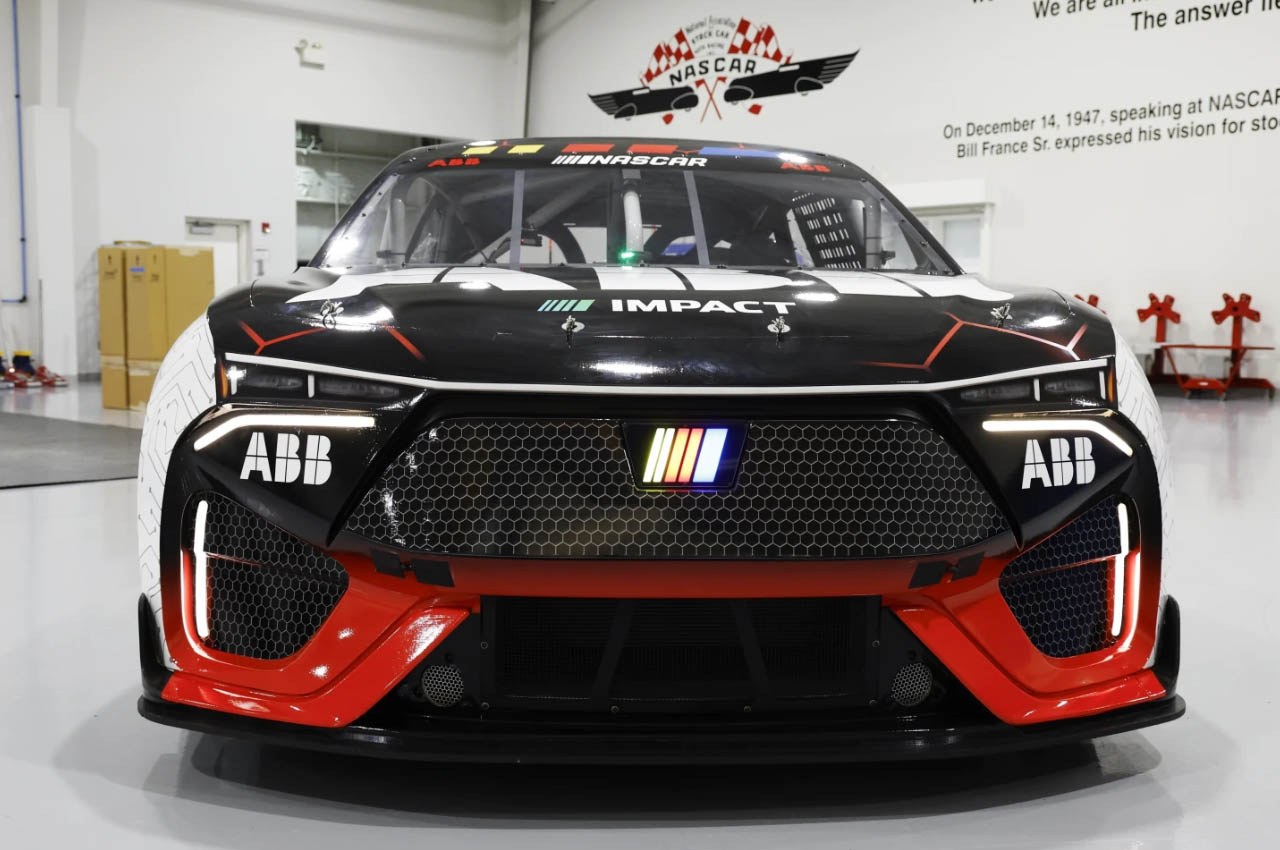
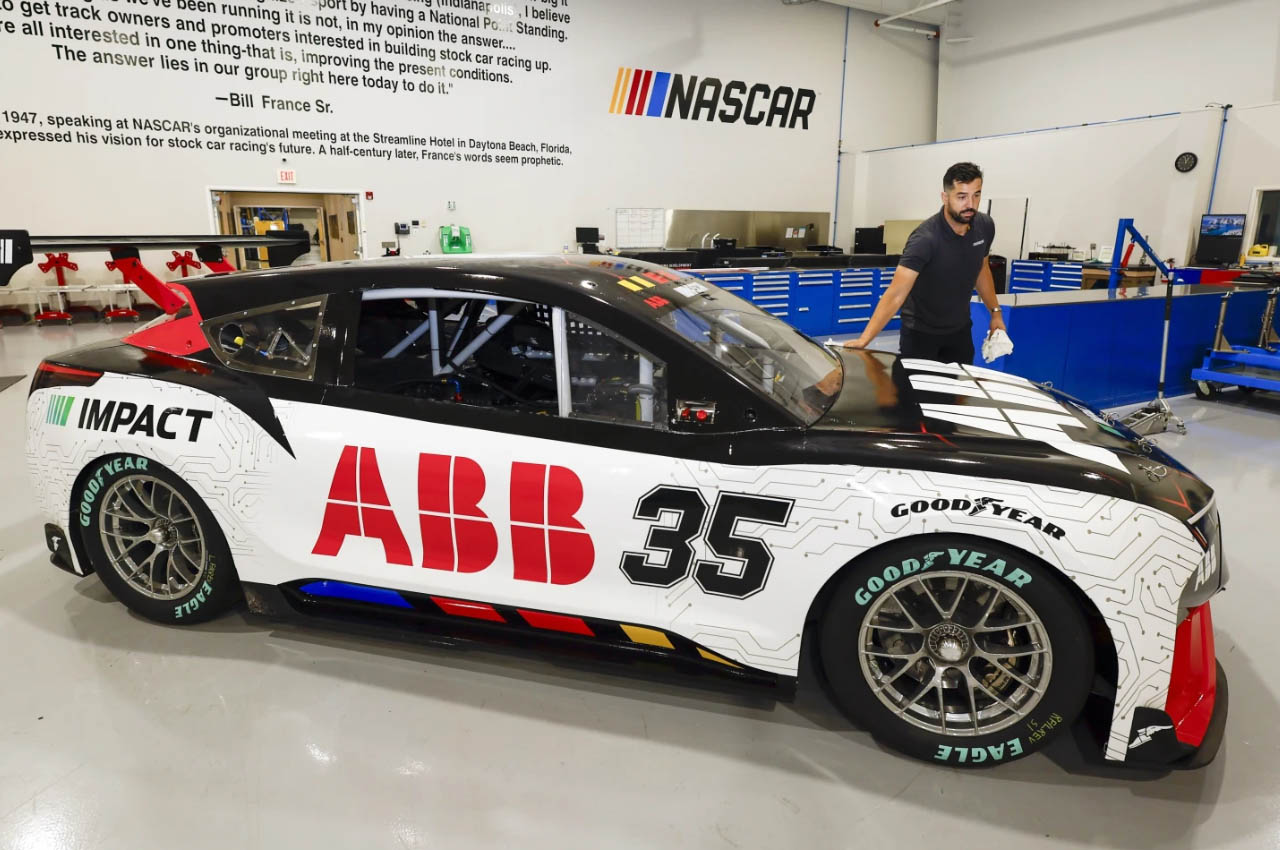
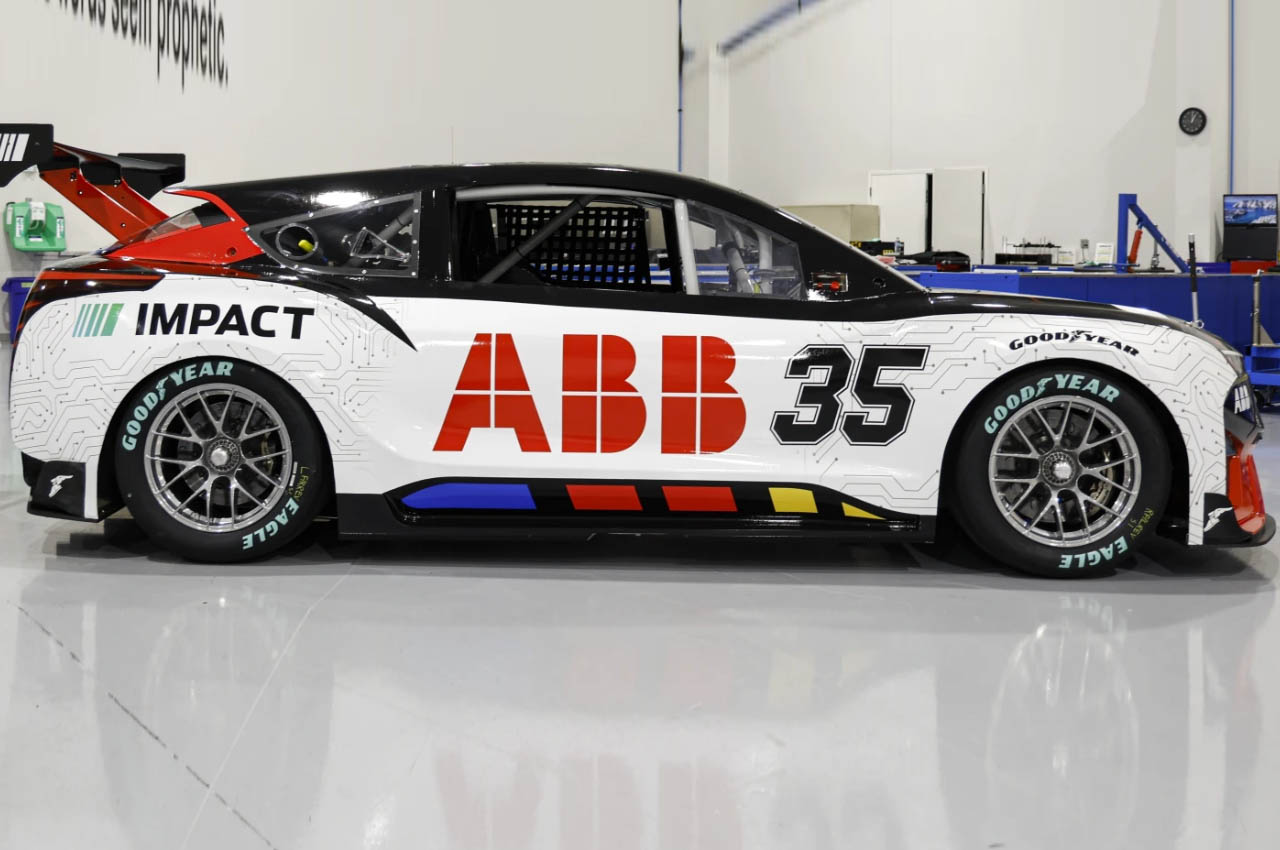
Last weekend they revealed their first ever prototype electric racecar at the Chicago Street Race. The $1.5 million crossover developed in association with ABB, Chevrolet, Ford and Toyota is a part of the NASCAR Impact program. According to NASCAR’s head of sustainability Riley Nelson, the series wants to explore the interest of fans in electric racing and its future. The prototype has only been driven by NASCAR driver David Ragan and he has some interesting insights to share.

Designer: NASCAR

David explored the car’s limit at the Martinsville Speedway in Virginia and was just two-tenths away from the average time of a V8-powered NASCAR racer. Even though the electric racer has twice the acceleration and impressive braking ability, the overall weight limits it on the corners where it cannot carry more speed. The champion racer did admit though that he could have taken it faster, but the aim right now is to derive as many test results as possible and not necessarily risk damaging any hardware.

The electric racecar built on a modified Next Gen chassis is powered by three STARD UHP 6-Phase motors one at the front and two at the rear. They feed the powertrain capable of generating 1,000 kW peak output. The motors get their power from a liquid-cooled 78 kWh battery. To get more juice, the car employs regenerative braking to convert the kinetic energy of braking on turns into extra power.

Sustainable qualities are not just limited to the powertrain, as the All-Wheel Drive car has a body made out of sustainable flax-based composite material. Other components of the racer including the steering wheel, suspension, brakes and wheels are all salvaged from a 2022 NASCAR Cup Series car. Just like any other electric vehicle, this monster doesn’t roar when compared to a gas-powered V8. That element will only have to be artificially added in the form of sound coming from an exterior speaker.

The post NASCAR’s first electric racecar prototype lacks the roar of a V8 engine first appeared on Yanko Design.

Hackers reverse-engineer Ticketmaster’s barcode system to unlock resales on other platforms

Scalpers have used a security researcher’s findings to reverse-engineer “nontransferable” digital tickets from Ticketmaster and AXS, allowing transfers outside their apps. The workaround was revealed in a lawsuit AXS filed in May against third-party brokers adopting the practice, according to 404 Media, which first reported the news.

The saga began in February when an anonymous security researcher, going by the pseudonym Conduition, published technical details about how Ticketmaster generates its electronic tickets. If you aren’t already familiar with how modern e-ticketing systems work, Ticketmaster and AXS lock ticket resales inside their platforms, preventing transfers on third-party services like SeatGeek and StubHub. (For higher-priority events, they often take it a step further by prohibiting transfers to other accounts on the same platform.)

Although the companies claim the practice is strictly a security measure, it also conveniently allows them to control how and when their tickets are resold. (Yay, capitalism?)

Side-by-side phone screenshots of the Ticketmaster app showing event barcodes.
Ticketmaster

Ticketmaster and AXS create their “nontransferable” tickets using rotating barcodes that change every few seconds, preventing working screenshots or printouts. On the back end, it uses similar underlying tech similar to two-factor authentication apps. In addition, the codes are only generated shortly before an event starts, limiting the window for sharing them outside the apps. Without interference from outside parties, the platforms get to lock ticket buyers into their own resale services, giving them vertical control of the entire ecosystem.

That’s where the hackers come in. Using Conduition’s published findings, they extracted the platforms’ secret tokens that generate new tickets, using an Android phone with its Chrome browser connected to Chrome DevTools on a desktop PC. Using the tokens, they create a parallel ticketing infrastructure that regenerates genuine barcodes on other platforms, allowing them to sell working tickets on platforms Ticketmaster and AXS don’t allow. Online reports claim the parallel tickets often work at the gates.

According to 404 Media, AXS’ lawsuit accuses the defendants of selling “counterfeit” tickets (even though they usually work) to “unsuspecting customers.” The court documents allegedly describe the parallel tickets as “created, in whole or in part by one or more of the Defendants illicitly accessing and then mimicking, emulating, or copying tickets from the AXS Platform.”

AXS’ lawsuit claims the company doesn’t know how the hackers are doing it. The promise of essentially jailbreaking Ticketmaster is so lucrative that several brokers have reportedly tried hiring Conduition to help them build their own parallel ticket-generating platforms. Services already operating on the researcher’s findings go by names like Secure.Tickets, Amosa App, Virtual Barcode Distribution and Verified-Ticket.com.

404 Media’s entire story is worth reading. More technically minded folks may take an interest in Conduition’s earlier findings, which illustrate what the ticketing behemoths are doing on their back ends to keep the entire ecosystems in their clutches.

This article originally appeared on Engadget at https://www.engadget.com/hackers-reverse-engineer-ticketmasters-barcode-system-to-unlock-resales-on-other-platforms-194826061.html?src=rss

Unique Modular Furniture Piece lets you work, lounge, read, and relax thanks to its plug-and-play form

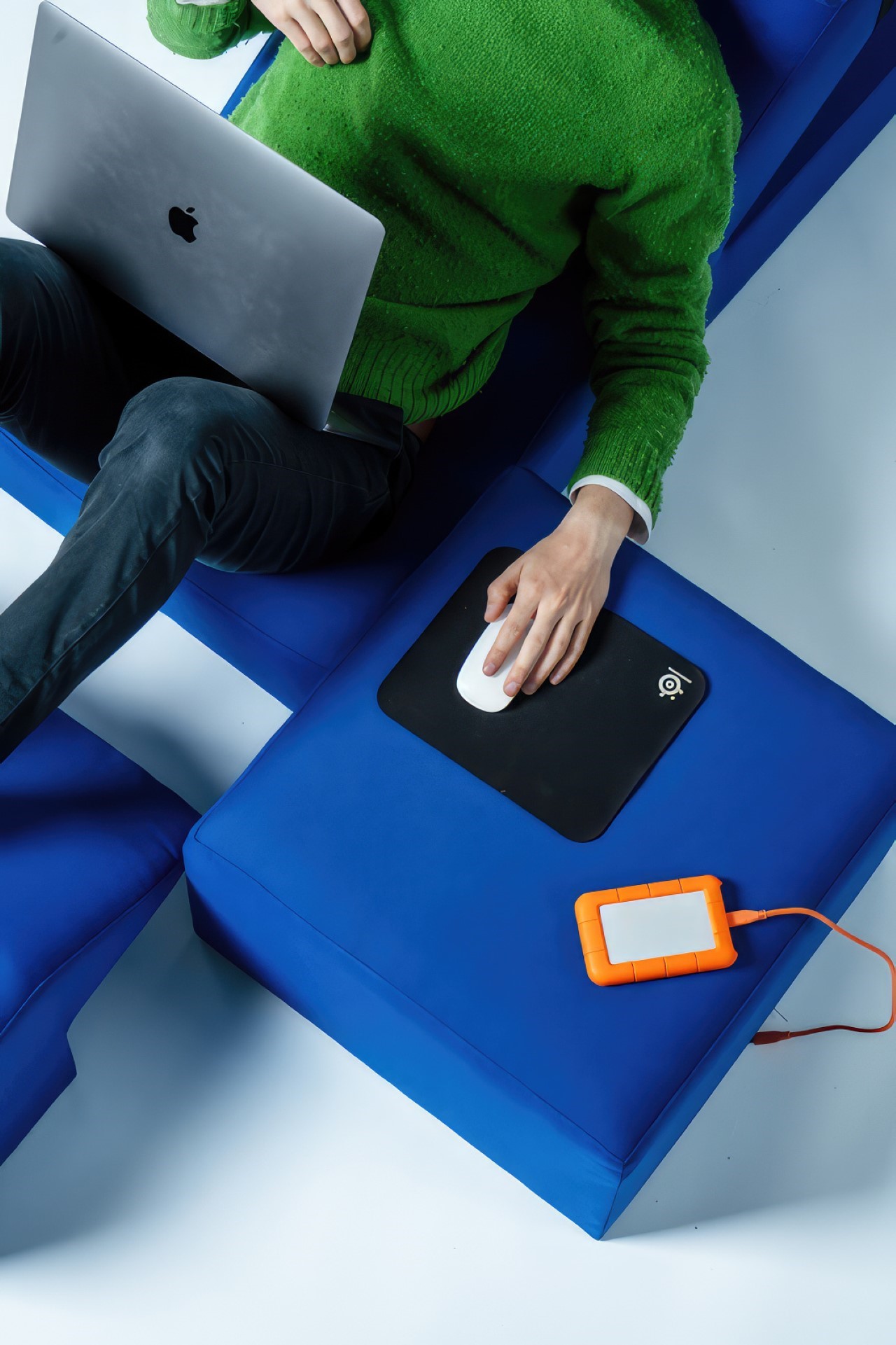
“Working lying down is seldom seen in office environments,” pointed out Timothy Widmer, a student at Lucerne School of Art and Design. Lying down is often associated with relaxing – the antithesis of productivity and professionalism – but if the pandemic has taught us anything, it’s that we don’t need an ‘office chair’ or a ‘cubicle’ to work. You could work from a high-chair, a beanbag, a recliner, a sofa… so why not use that as a starting point to revisit how furniture can look and behave?

Designer: Timothy Widmer

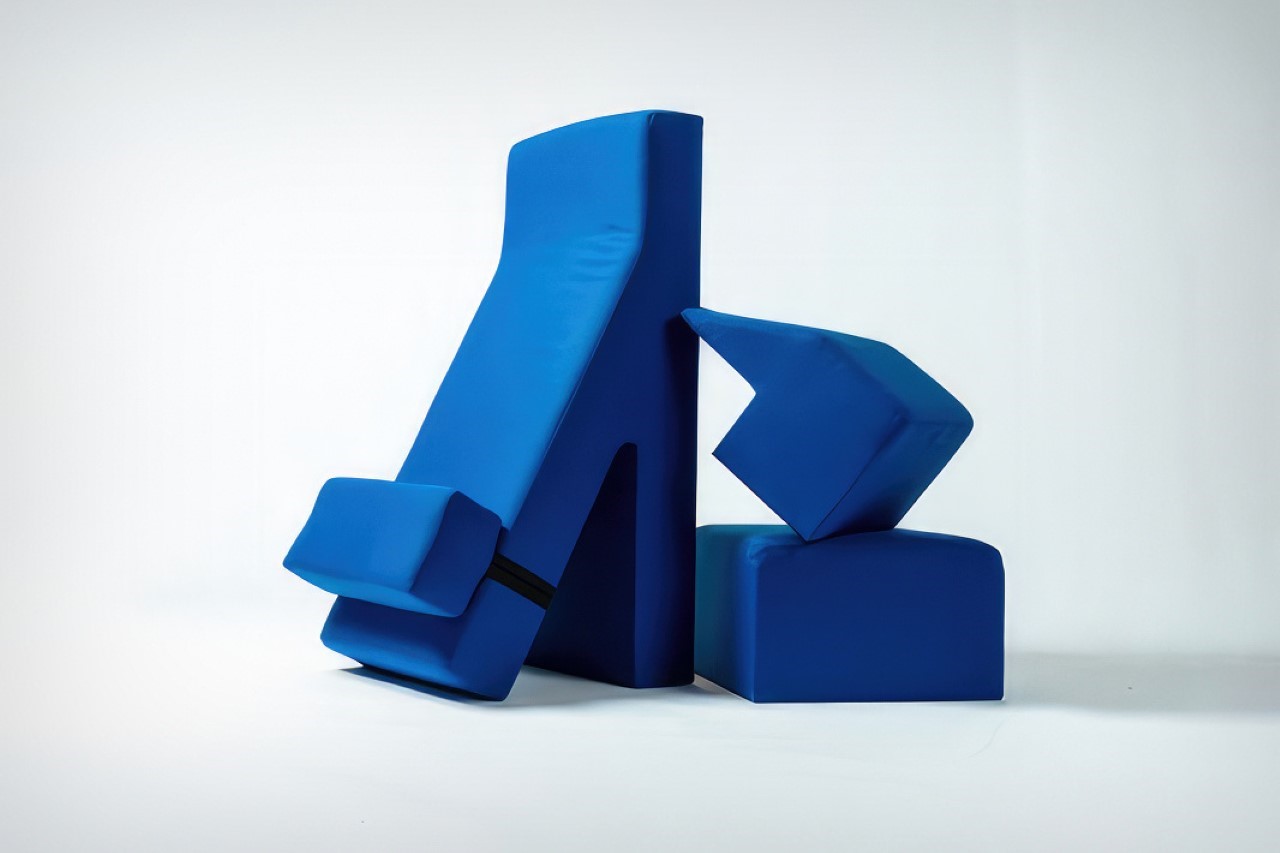
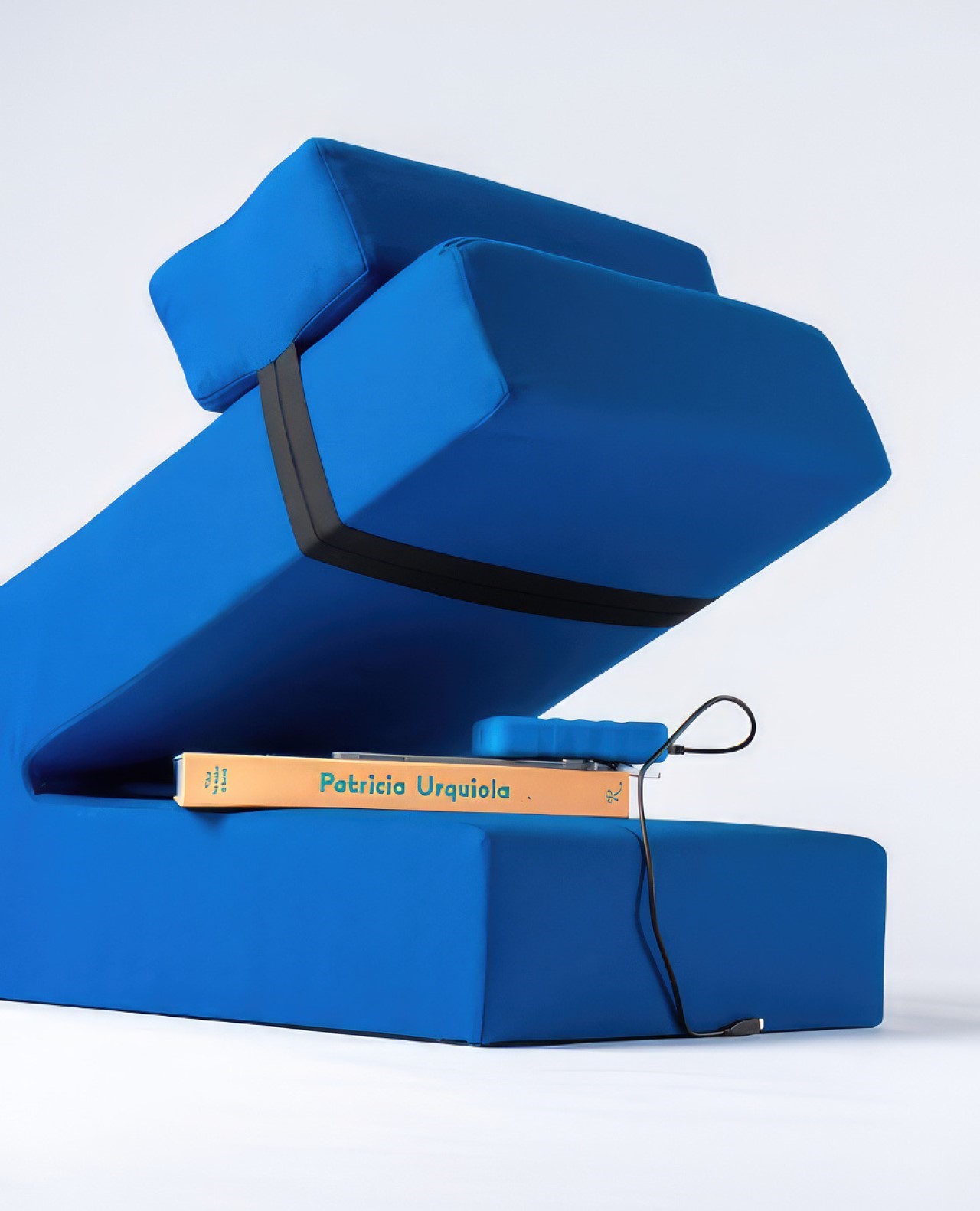
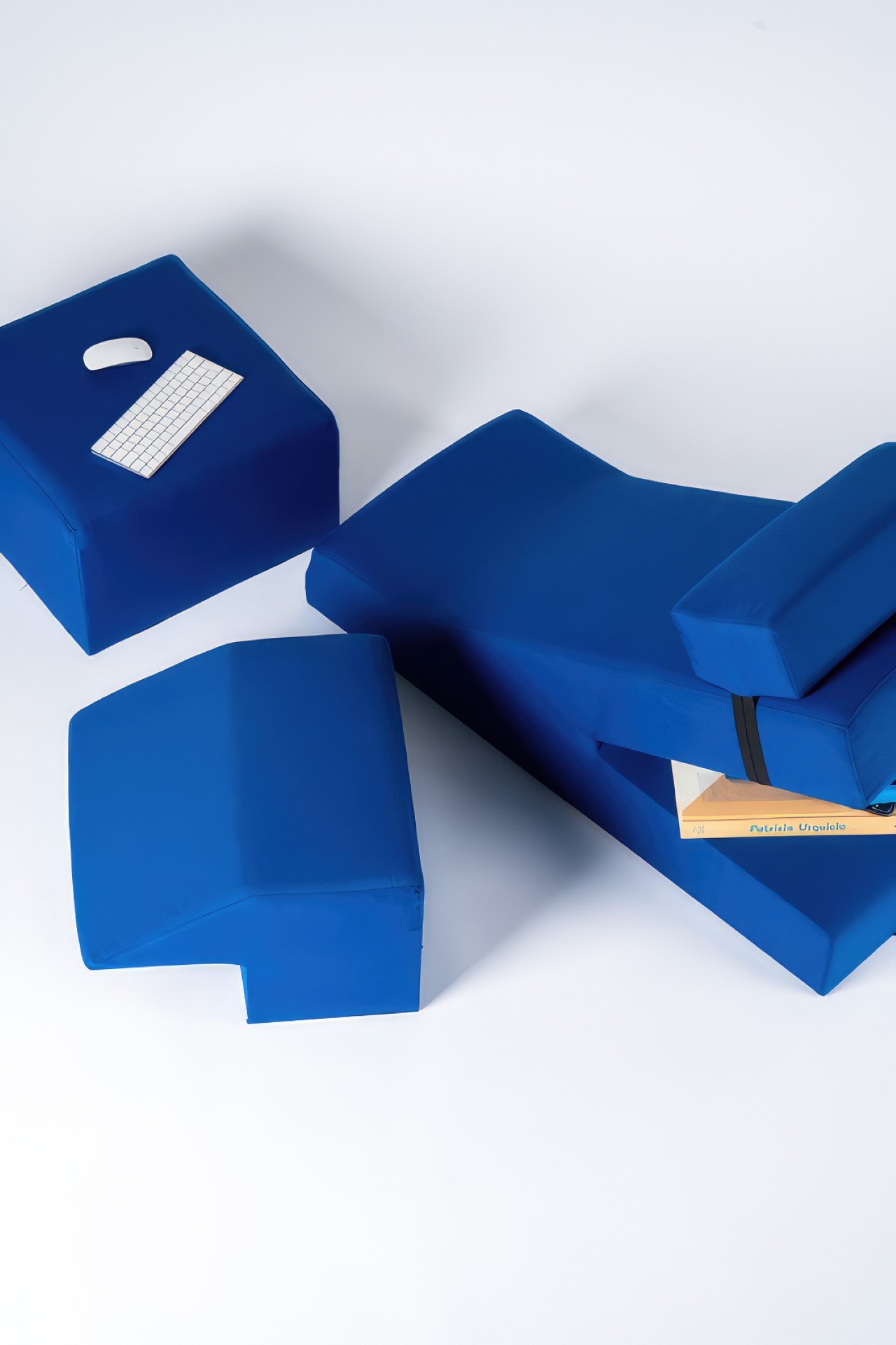
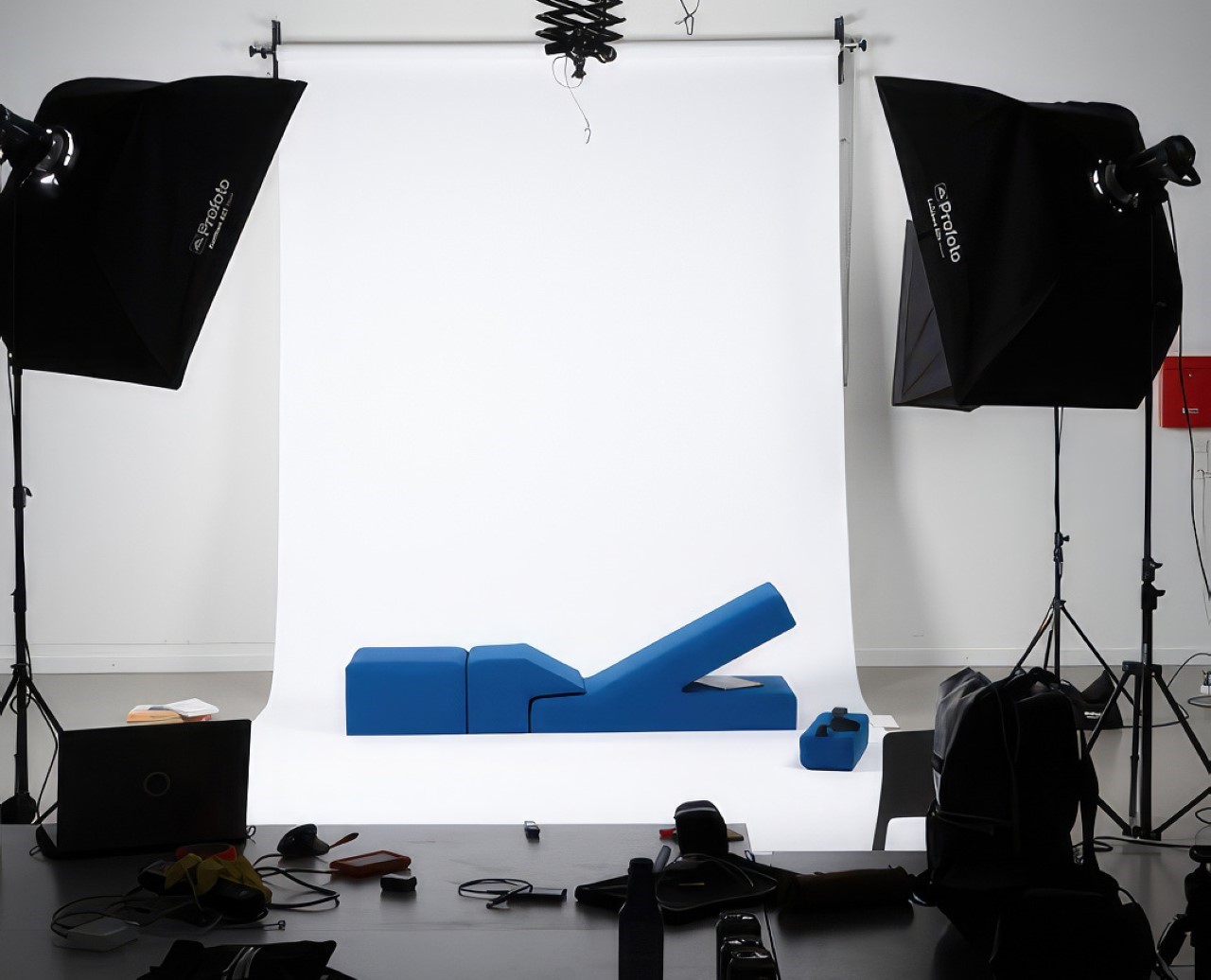
Meet Gustav, a 4-piece modular furniture set that comes together in a variety of ways. Its odd shape strays away from any kind of traditional furniture – it looks nothing like a chair, a stool, a sofa, or a pouffe. Once put together, however, you get to understand the kind of freedom and flexibility it brings, and how it could possibly be used for a variety of activities.

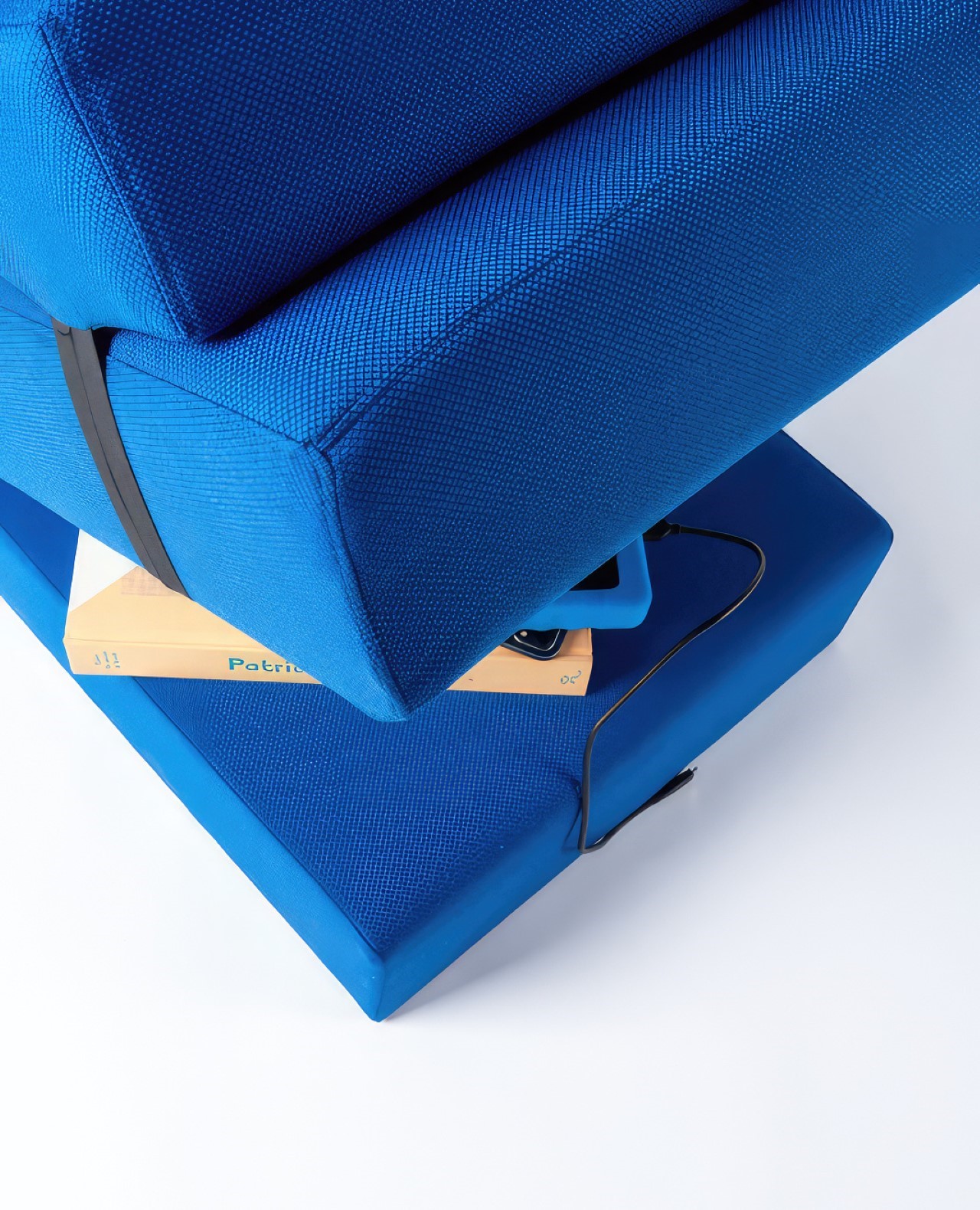
The Gustav is position-agnostic. It allows you to use its shape in whatever way you choose. You can sit on it like a stool, recline backwards with your legs stretched out, or even folded in. The stool’s rear space (behind the recliner) lets you store books, EDC, chargers, cables… and the cuboid-shaped pouffe at the end doubles up as a side-table just in case you want one.

A cushion strapped to the recliner can be moved up or down, giving you the height-adjustment you need

“The multi-components allow different constellations to be created – from an individual workspace to a conversation pit,” says Widmer.

Ultimately, a lot of Gustav’s success depends on the upheaval of corporate work culture. Whether offices embrace relaxed working as a practice isn’t something the Gustav can control – but it does pose a very interesting schematic for coworking spaces, cafes, and even lounges at airports. And it asks a rather fundamental question too – if productivity is a state of mind, why does the way you’re seated matter SO much?

The post Unique Modular Furniture Piece lets you work, lounge, read, and relax thanks to its plug-and-play form first appeared on Yanko Design.

Agatha All Along finally comes to Disney+ on September 18

Let’s start this news off with a catchy song: Who just got a release date for Disney+? It’s Agatha All Along! The WandaVision spinoff series starring the titular witch who pulled every evil string in the original show starts streaming on September 18.

Disney and Marvel announced the release date for Agatha All Along today and gave us a teaser trailer to go with it. 

The trailer shows Agatha (Kathryn Hahn) working as a detective when she finds the body of a Jane Doe by the river in Westview. She’s shocked to discover that the Jane Doe is none other than Wanda Maximoff, a.k.a. Scarlet Witch, who went into hiding after casting a containment spell on Agatha, stripping her of her powers in the process at the end of WandaVision. Rio (Aubrey Plaza), the warrior witch of Agatha’s coven, convinces her to break the spell. Soon enough, she embarks on a quest to regain her bewitching powers — but not without help from some new members of her coven, should they choose to join.

Agatha All Along was first announced in November 2021 under the working title Agatha: House of Harkness. The show’s title underwent a few hilarious revisions, including Agatha: Coven of Chaos and Agatha: The Lying Witch and Her Great Wardrobe, before Marvel decided to cease the jokes and title it after the song “Agatha All Along.” Just like WandaVision, the show will run for nine episodes, with the first two episodes airing on Disney+ on release day.

This article originally appeared on Engadget at https://www.engadget.com/agatha-all-along-finally-comes-to-disney-on-september-18-184250997.html?src=rss

Xbox cloud gaming is now available on some Amazon Fire TV sticks

Xbox cloud gaming has officially arrived for Amazon Fire TV sticks, making for an extremely budget-friendly way to play some of the latest and greatest releases. Users can play games directly from the Xbox app, though there are some caveats.

First of all, this service is only available for Game Pass Ultimate subscribers, which is the most expensive tier at around $17 per month. Also, it only works with the Fire TV Stick 4K and the Fire TV Stick 4K Max. These are both recent releases, though the Xbox press release suggests that more devices will receive the functionality at a later date. We already thought the Fire TV Stick 4K Max was a perfect fit for retro gaming, but now that also goes for AAA gaming.

Finally, you need a compatible Bluetooth-enabled wireless controller, but there’s no shortage of those around. You do want to make sure you pick one with the familiar Xbox button layout, so we recommend something like the SteelSeries Nimbus+ and Stratus+ controllers. However, anything with the right buttons and Bluetooth should work. This includes actual Xbox gamepads.

So what can you play if you meet the above criteria? Xbox Game Pass Ultimate is likely the best game streaming platform on the planet, allowing access to a massive library of titles. This includes recent AAA releases like Starfield and Forza Horizon 5 and renowned indies like Sea of Stars and Death’s Door. Just like any streaming platform, titles come and go at will.

A Game Pass Ultimate subscription also gives you access to online multiplayer, day-one releases (like that upcoming Indiana Jones game) and various discounts. Subscribers even get a bonus EA Play membership.

This article originally appeared on Engadget at https://www.engadget.com/xbox-cloud-gaming-is-now-available-on-some-amazon-fire-tv-sticks-181530197.html?src=rss

I’m testing out the Lenovo ThinkPad X1 Fold 16 and I’m loving it!

On this Mobile Monday, I’m delighted to have the latest foldable laptop on our test bench. This device, eagerly anticipated since its announcement, is finally here, and it’s thrilling to see it in action. The company has made significant strides in mobile computing, refining and enhancing the usability of foldable technology. This model blends versatility, performance, and portability, improving upon previous iterations. Its bold design and powerful specifications make it a compelling choice in a niche market, aiming to redefine how we work and play on the go. Let’s dive into the details and explore what makes this foldable marvel impressive.

Designer: Lenovo

Design and Build Quality

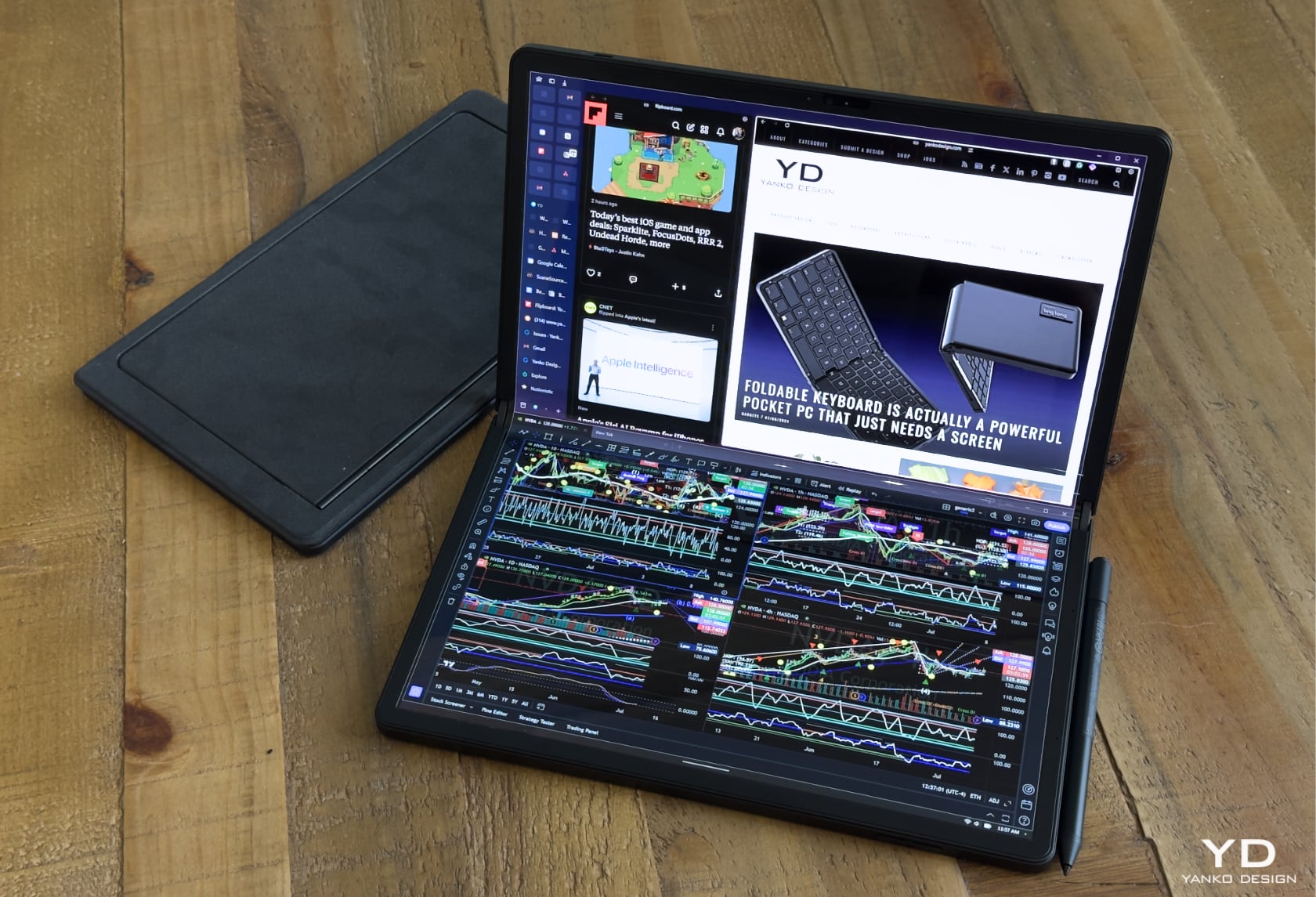
The foldable laptop showcases a striking bell-shaped hinge that allows the device to fold flat, eliminating any significant gap and maintaining the OLED display’s integrity. Handling the device, the hinge feels robust and well-engineered, ensuring durability and smooth operation. When closed, it’s a compact 0.69 inches thick, 10.87 inches wide, and 6.94 inches deep, weighing in at 2.89 pounds. When open, it transforms into a sleek 0.34-inch thick, 13.61-inch wide, and 10.87-inch deep workstation.
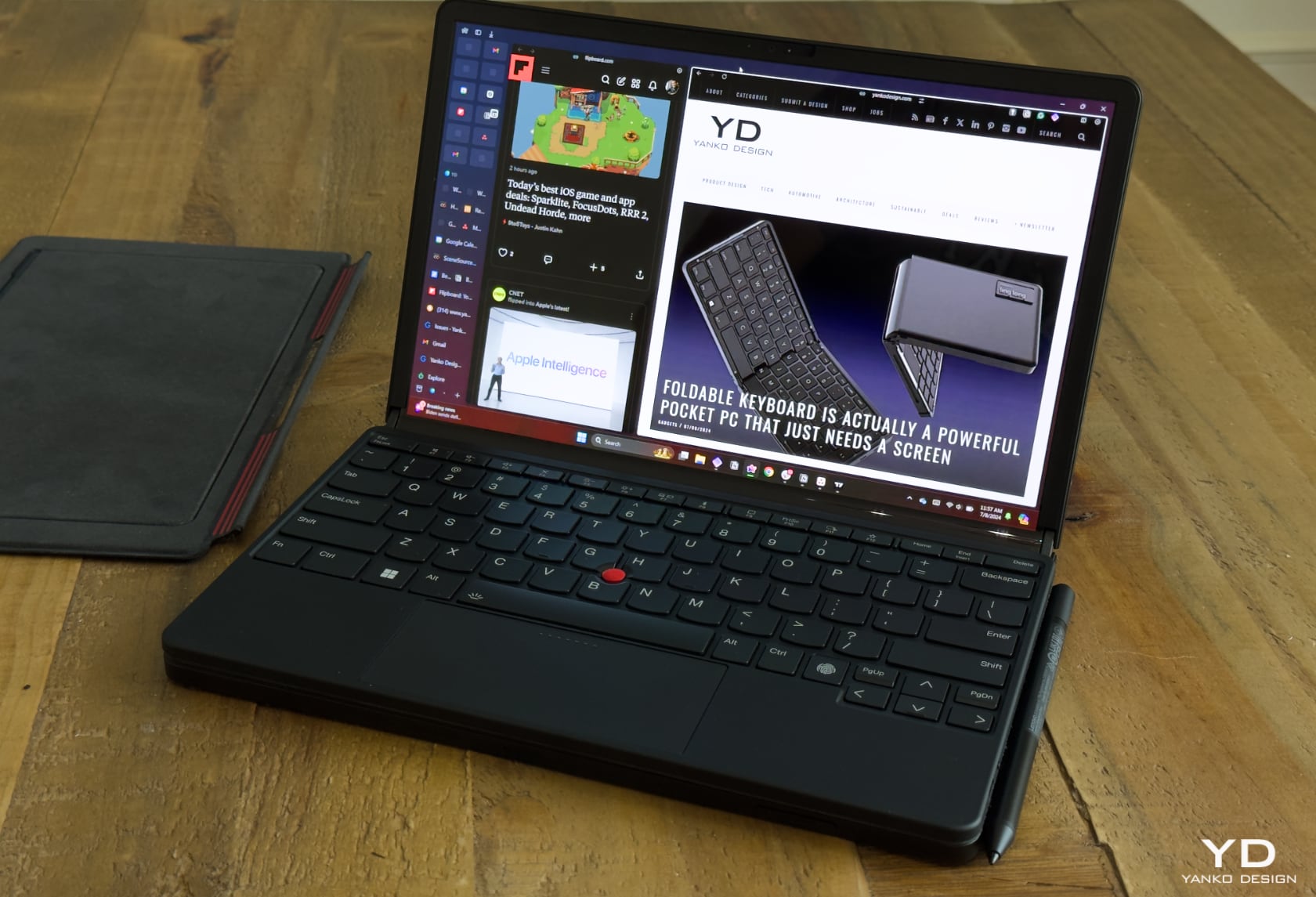
This hinge distributes mechanical stress evenly, reducing strain on the OLED panel and preventing debris and dust from entering, which could damage the screen or interfere with its operation. The build quality and choice of materials give it a premium feel, ready to handle the rigors of daily use while maintaining a professional appearance.

Display Quality

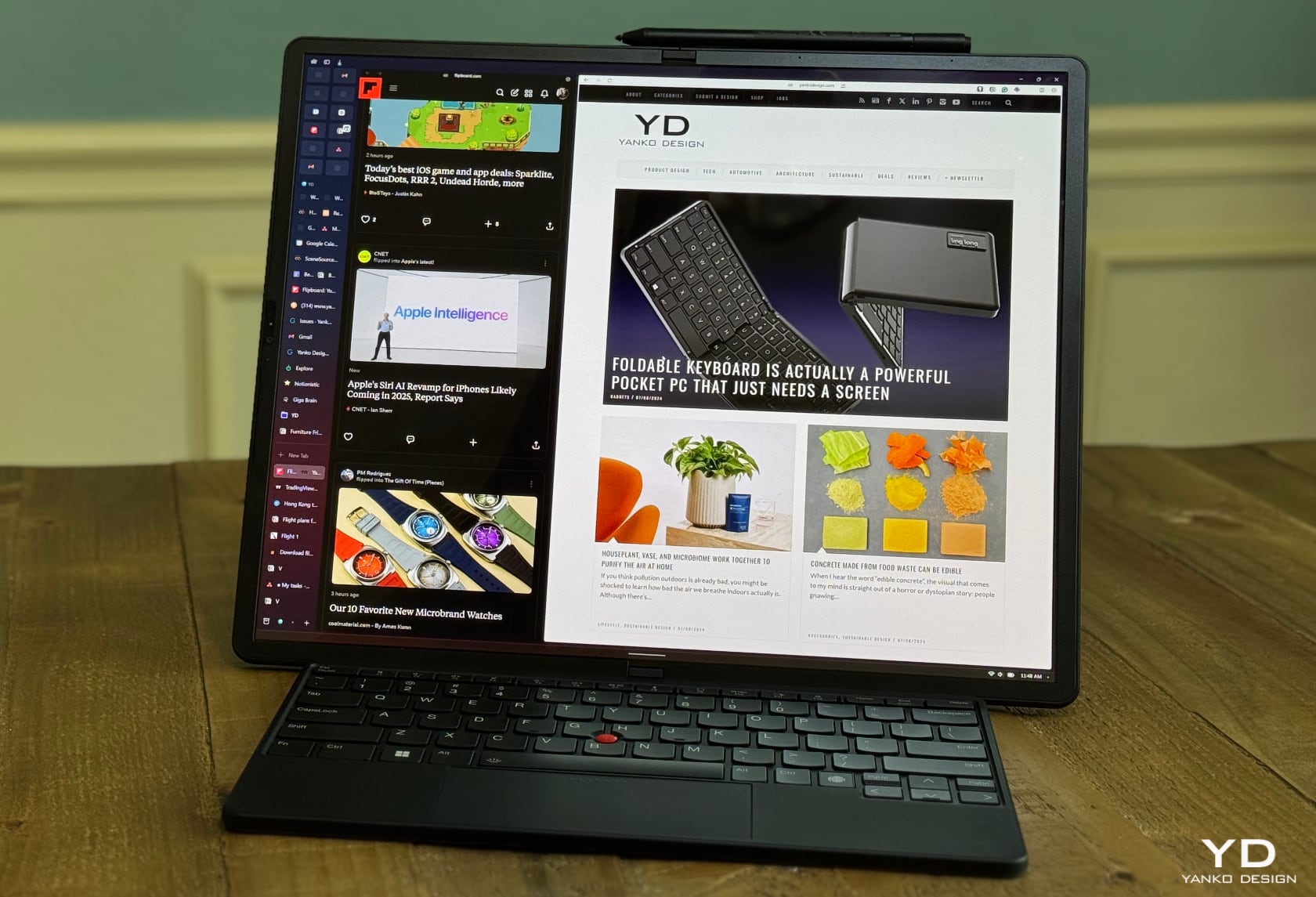
The 16.3-inch OLED touchscreen is a joy to use. With a resolution of 2560 x 2024 pixels and support for HDR 600, the display delivers vibrant colors and sharp details. From hands-on experience, the screen impresses with its clarity and richness, making it ideal for media consumption and professional tasks. The fold crease is virtually invisible to the naked eye and can only be seen if you’re really looking for it in certain lighting conditions. Otherwise, running your fingers through the center is the only way to detect it.
The OLED panel’s ability to produce deep blacks and vibrant colors enhances the viewing experience, whether watching high-resolution videos, editing photos, or reviewing detailed documents. The high resolution ensures text and images are crisp and clear, reducing eye strain during prolonged use. The display’s 100% DCI-P3 color gamut coverage makes it suitable for color-critical tasks like graphic design and video editing. HDR support further boosts the display’s capabilities, making it versatile for professional and entertainment purposes.

Performance

Powered by an Intel Core i7-1250U processor, 16GB of LPDDR5 RAM, and a 512GB PCIe 4.0 SSD, this setup provides robust performance for multitasking and handling intensive applications. Hands-on use proves the device is efficient in managing complex tasks like video editing, software development, and large-scale data analysis. The Intel Core i7 processor and high-speed RAM ensure smooth operation, even under heavy loads.

The PCIe 4.0 SSD delivers fast read and write speeds, significantly reducing load times and enhancing overall system responsiveness. This makes it an excellent choice for professionals who require a reliable and powerful device for demanding applications.

Versatile Stand and Keyboard

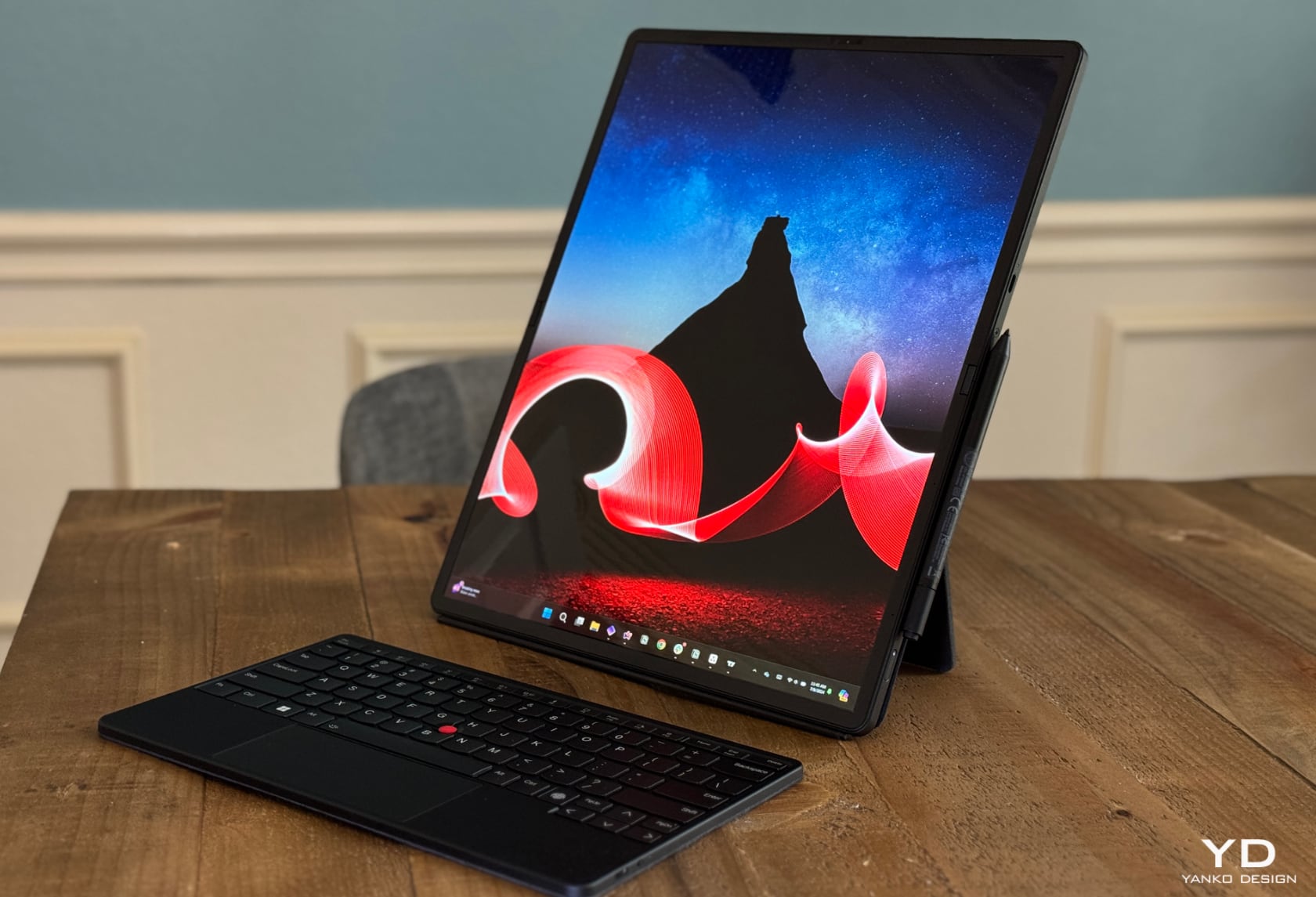
A key feature enhancing the device’s flexibility is its integrated kickstand and optional Bluetooth TrackPoint Keyboard. The kickstand allows the device to be used in landscape and portrait modes, providing stable support for various viewing angles. This is particularly useful for different work scenarios, such as presentations, coding, or media consumption.
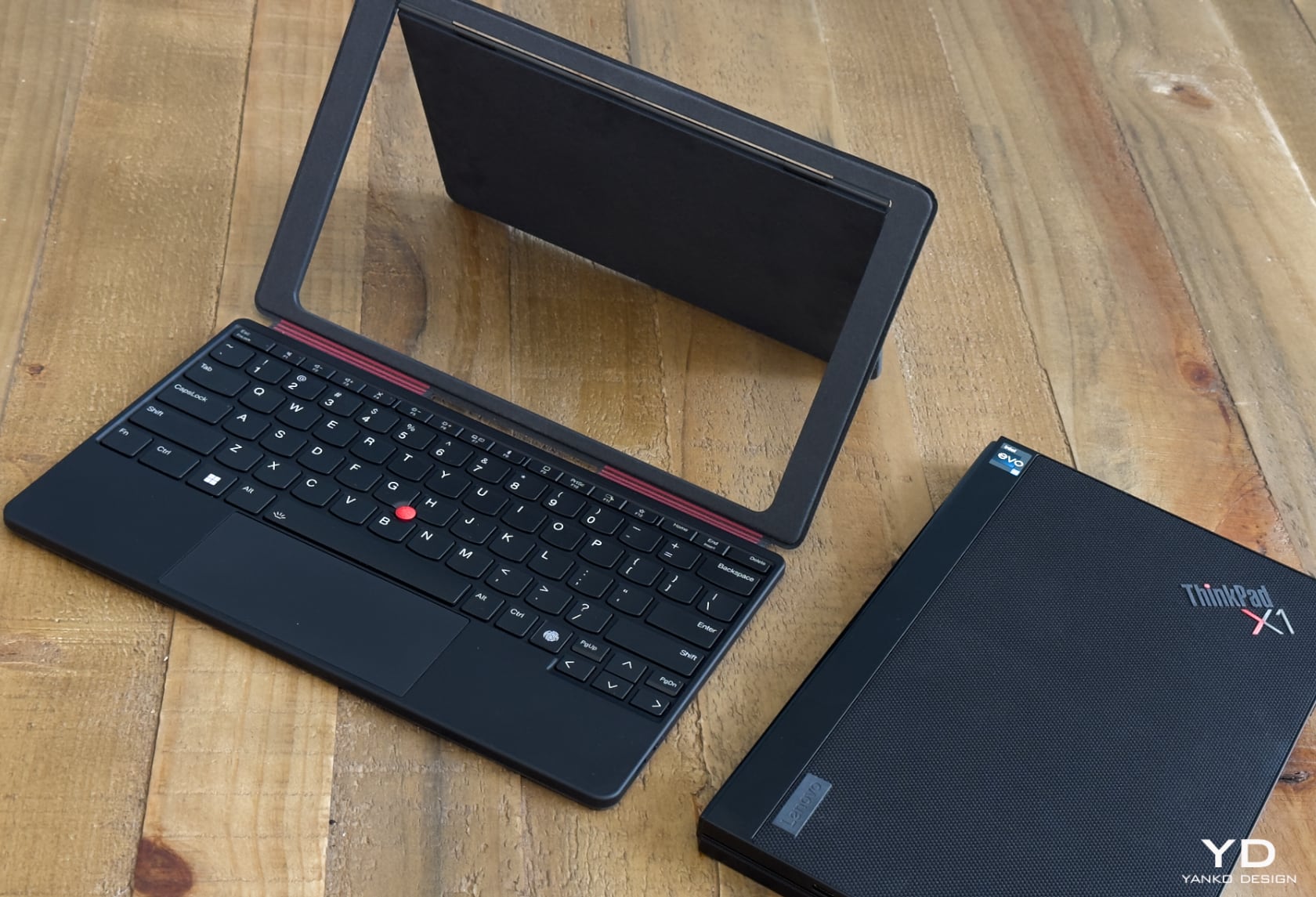
The Bluetooth keyboard can either be attached magnetically to the device or detached for more flexibility. It includes a TrackPoint and haptic touchpad, offering a familiar and comfortable typing experience. This keyboard is essential for productivity tasks, transforming the device into a traditional laptop when needed. The keyboard’s ergonomic design ensures comfortable typing, whether drafting emails, writing reports, or coding. The detachable nature of the keyboard allows for a more flexible setup, enabling you to position the screen at a comfortable viewing distance while keeping the keyboard on your lap or desk. The TrackPoint and touchpad provide precise control, especially useful in tight spaces where using a mouse might be impractical. Additionally, the integrated fingerprint reader on the keyboard enhances security, allowing for quick and secure logins.

Use Cases in Landscape and Portrait Modes

The foldable design allows the device to switch between landscape and portrait modes, each suited to different tasks:

Landscape Mode:
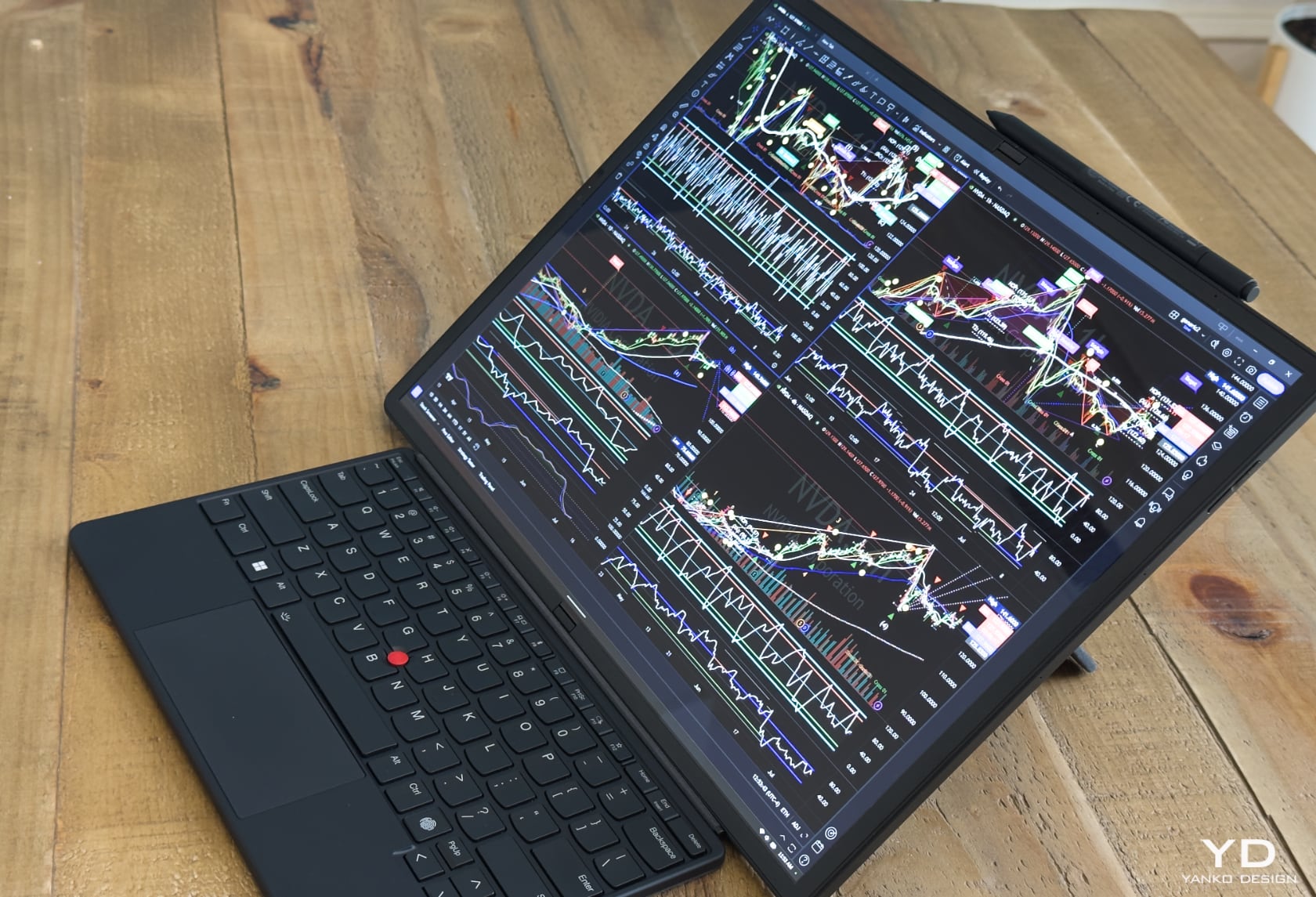
  • Media Consumption: Ideal for watching movies and videos, thanks to the large, high-resolution OLED screen. The HDR support enhances the visual experience by providing richer colors and deeper contrasts.
  • Productivity: It supports multitasking with multiple windows open side by side, perfect for simultaneous work on documents, web browsing, and video calls. This setup maximizes screen real estate, making managing different applications and workflows easier.
  • Desktop Replacement: When used with the stand and keyboard, it is a compact desktop, suitable for extended work sessions. This mode allows for a more ergonomic setup, reducing the strain on your neck and eyes during long periods of use.

Portrait Mode:
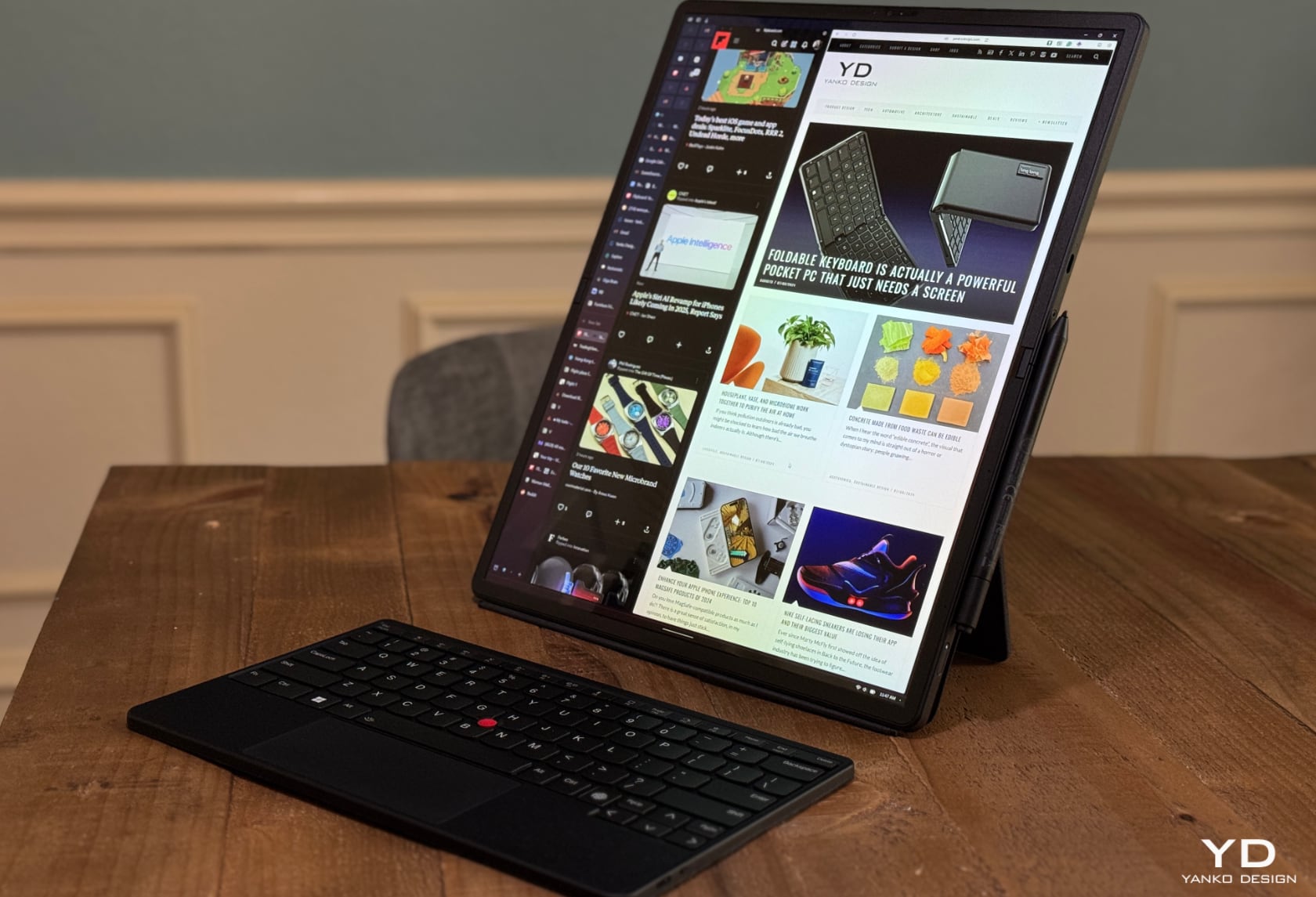
  • Document Reading and Editing: It provides a natural reading experience, similar to a printed page, enhancing productivity for reviewing and annotating documents. The taller aspect ratio is beneficial for viewing long documents or web pages without frequent scrolling.
  • Coding and Development: This mode allows more lines of code to be visible on the screen, reducing the need to scroll and improving programmers’ workflow. This mode helps maintain context while working on complex projects, making it easier to navigate through code.
  • Social Media and Communication: Aligns well with the layout of social media platforms, making browsing feeds and video calls convenient. The portrait orientation is also ideal for video conferencing, providing a more natural framing of the participants.
  • Stock Market: Its large, high-resolution OLED screen and versatile design make it an excellent tool for day traders. In portrait mode, traders can easily monitor long lists of stocks or detailed news articles, while landscape mode can be used for broader market analysis and multi-window setups. The device’s portability and performance ensure that traders can stay connected and responsive, whether at their desks or on the move.
Comparison with the 2020 Model

The latest model builds upon the foundation set by its 2020 predecessor, introducing several key improvements. The original featured a smaller 13.3-inch display, whereas the new model boasts a larger 16.3-inch OLED screen with higher resolution and better color accuracy. The enhanced display makes a significant difference in both productivity and entertainment applications.

In terms of performance, the 2020 model was equipped with an Intel Core i5-L16G7 processor, which, while innovative at the time, struggled with more demanding tasks. The latest version steps up to an Intel Core i7-1250U, providing a noticeable boost in processing power and efficiency. The RAM and storage have also seen upgrades, with the new model featuring faster LPDDR5 RAM and a PCIe 4.0 SSD for improved responsiveness.

The hinge design in the 2020 model was innovative but had room for improvement. The new bell-shaped hinge offers better durability and a smoother folding experience. I don’t miss being able to pack the keyboard in the middle and fold the device, which allows for a creaseless and seamless display. Additionally, the new model’s integrated kickstand and optional Bluetooth keyboard enhance its versatility and ease of use, making it a more practical option for a broader range of tasks.

Workflow Enhancement

This foldable laptop can significantly enhance your workflow by providing a versatile, high-performance device that adapts to various tasks. Its design allows seamless transitions between modes, supporting various professional activities from coding and document editing to media consumption and presentations. Combining a high-quality display and versatile accessories ensures you can maintain productivity at your desk, in a meeting, or on the go. The fanless design, enabled by its efficient processor, is necessary to achieve this, ensuring quiet operation and a sleek form factor.

The flexibility of switching between landscape and portrait modes allows you to optimize your workflow based on the task at hand. For instance, you can use the landscape mode to create and present slideshows, while the portrait mode can be utilized to read and annotate lengthy documents. The integrated kickstand and detachable keyboard enhance this flexibility, providing a comfortable and ergonomic setup that adapts to your working style.
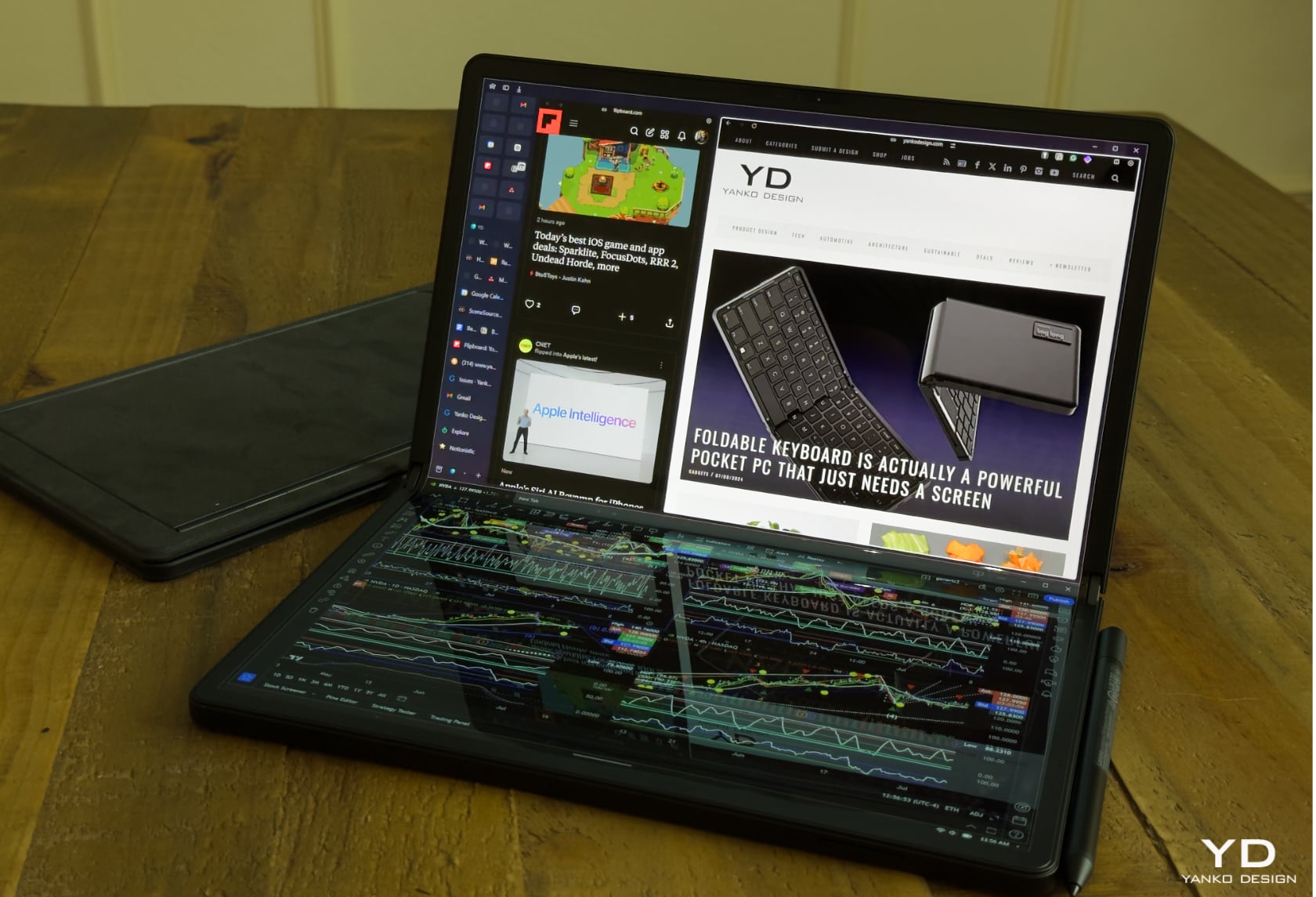
This forward-thinking laptop combines thoughtful design with powerful performance. Its versatility and adaptability make it an excellent choice for professionals looking to optimize their workflow across different environments and tasks. Whether you need a compact device for travel, a powerful machine for intensive applications, or a flexible setup for various work scenarios, it delivers on all fronts, making it a valuable addition to your tech arsenal.

The post I’m testing out the Lenovo ThinkPad X1 Fold 16 and I’m loving it! first appeared on Yanko Design.
Amazon Prime Day early deals include five months of Amazon Music Unlimited for free

Amazon Prime Day may not actually start until July 16, but early deals continue to roll in. Prime members can now scoop up five whole months of Amazon Music Unlimited for free. This is Amazon’s streaming music platform, like Spotify, Apple Music and the rest. So that’s five months of unlimited access to pretty much every song ever made.

Again, this deal is only for current Prime members. The service costs $10 per month once the free trial ends, which is more-or-less in line with rival streaming platforms. If you want the free trial without having to worry about getting charged, just set a reminder to cancel before those five months are up.

Amazon Music Unlimited didn’t make our list of the best music streaming services, but it’s still a mighty fine option. It narrowly missed the list due to a slightly less elegant interface than some rivals and aggressive podcast marketing. Otherwise, it’s a decent choice. It sounds good and the library is nearly-identical to other platforms. What else is there?

There’s one downside that applies to not just Amazon, but all music streamers. The payout to artists is absolute trash. Amazon Music Limited pays around $0.004 per stream, which is right in the middle of Spotify’s range of $0.003 to $0.005 per stream. However, Amazon does have direct licensing agreements with major labels, so someone like Taylor Swift likely negotiated a better deal than that. Emerging artists, as always, remain screwed.

Your Prime Day Shopping Guide: See all of our Prime Day coverage. Shop the best Prime Day deals on Yahoo Life. Follow Engadget for Prime Day tech deals. Hear from Autoblog’s experts on the best Amazon Prime Day deals for your car, garage, and home, and find Prime Day sales to shop on AOL, handpicked just for you.

This article originally appeared on Engadget at https://www.engadget.com/amazon-prime-day-early-deals-include-five-months-of-amazon-music-unlimited-for-free-165639788.html?src=rss

Early Prime Day deal discounts the Apple Watch Series 9 to $300

An early Prime Day deal has the Apple Watch Series 9 for $100 off. Several color options are available for Apple’s latest model, Engadget’s pick for the best overall smartwatch. The sale brings the Apple Watch down to a record low of $300.

The Apple Watch Series 9 adds Double Tap, a gesture for hands-free controls. With the feature activated, tapping your index finger and thumb together twice can unleash shortcuts for scrolling through widgets, controlling music tracks and more. Great for when you’re holding something like a dog leash or bag of groceries, Double Tap will get more valuable in watchOS 11, as Apple is giving third-party developers an API to customize what the gesture does in individual apps.

Not much has changed on the watch’s outside from its predecessor, but there are other improvements on the inside. That starts with a new S9 SiP that enables Double Tap, on-device Siri processing (great for privacy and when you’re offline) and zippier navigation of watchOS. It also speeds up Siri’s Raise to Speak feature by capturing a rolling two-second audio buffer to understand your requests faster.

The chip also includes a new second-generation ultra-wideband (UWB) chip, also found in the iPhone 15 series. It unlocks a new precision interface for pinging your paired phone if you aren’t sure where it is: The watch will show how many feet away it is as it guides you to the buried (in a couch cushion) treasure.

The Apple Watch Series 9 has a broader range of brightness, reaching a maximum of 2,000 nits (double its predecessor) and a minimum of 1 nit. This can help the watch emit just the right amount for a wider variety of lighting conditions.

The $300 price for Amazon Prime Day is for the 41mm case, the smaller of the two. But the 45mm model is only $330 (usually $429). Not every color is on sale, and some require you to click a “clip coupon” box, so look closely at prices on the product page before checking out.

Your Prime Day Shopping Guide: See all of our Prime Day coverage. Shop the best Prime Day deals on Yahoo Life. Follow Engadget for Prime Day tech deals. Hear from Autoblog’s experts on the best Amazon Prime Day deals for your car, garage, and home, and find Prime Day sales to shop on AOL, handpicked just for you.

This article originally appeared on Engadget at https://www.engadget.com/early-prime-day-deal-discounts-the-apple-watch-series-9-to-300-164458596.html?src=rss

Amazon revives the Echo Spot smart alarm clock and swiftly discounts it by 44 percent

As early Prime Day deals continue to become available, Amazon has revealed an all-new Echo Spot ahead of the shopping event. It’s very much like the original Echo Spot that came out in 2017 and was discontinued two years later except the front face is now split between a hemispherical display and speaker. 

The Echo Spot's outer shell comes in Black, Glacier White and Ocean Blue, and the display can be customized with six hues: magenta, violet, orange, lime, teal or blue, which can be mixed- and-matched with various clock faces. The new Echo Spot costs $80, which is $50 cheaper than the original model — but if you’re a Prime member, you can get it for $45 through Prime Day.

Amazon says the new model comes with better sound and a sharper display. Time will tell if the reboot suffers from the same screen flicker issues as its predecessor. Otherwise, the conceit is more or less identical: it's a bare-bones smart alarm clock that, via Alexa integration, can manage a few simple tasks like providing the weather forecast or showing song titles when playing music from your streaming app of choice.

Arguably, the best part about the new Echo Spot is that it doesn’t have a camera. The original model had one baked in, which was useful for video chats, but not everyone was enthused about having a camera sitting on their bedside.

Your Prime Day Shopping Guide: See all of our Prime Day coverage. Shop the best Prime Day deals on Yahoo Life. Follow Engadget for Prime Day tech deals. Hear from Autoblog’s experts on the best Amazon Prime Day deals for your car, garage, and home, and find Prime Day sales to shop on AOL, handpicked just for you.

This article originally appeared on Engadget at https://www.engadget.com/amazon-revives-the-echo-spot-smart-alarm-clock-and-swiftly-discounts-it-by-44-percent-160304634.html?src=rss

Microsoft Notepad just got spellcheck in the year 2024

It has finally happened. Microsoft’s text editor Notepad just got a spellcheck feature, more than 40 years after the software launched in 1983. For the history buffs, Ronald Reagan was still president in 1983 and Ghostbusters, then called Ghost Smashers, was an unmade script set to star Eddie Murphy. It was a long time ago.

Microsoft just rolled out the new spellcheck tool to the Notepad app in Windows 11 and it works how one would expect. It automatically checks spelling errors. The company began testing the feature, to whatever extent it required testing, back in March and now it has been quietly updating the software these last few days, as reported by The Verge.

Specifically, the feature works nearly the same as it does in Word or Edge. Misspelled words are highlighted via a red underline. When you right-click on the misspelled word a couple of times, you get a list of correct spelling options to change to. Microsoft has also added autocorrect to the mix, which automatically fixes errors. You get the gist. It’s 2024.

One interesting aspect, however, is that you can disable spellcheck on the basis of file type in Notepad via the settings menu. In other words, you can toggle the feature off for file types like .md or .srt. It’s automatically disabled with file types associated with coding, like log files. Also, it takes an extra click on Notepad to replace a spelling error when compared to Word. As for Word, it first got a spellcheck in 1985. Ronald Reagan was still president and Ghostbusters had just proven itself to be a massive hit.

Microsoft is about to remove the WordPad app from Windows 11 later this year, so it’s beefing up Notepad to pick up the slack. Notepad has recently gotten a dark mode, actual tabs, a character count and, well, a virtual fidget spinner. It’s also been stuffed to the gills with AI, in the form of Copilot integration.

This article originally appeared on Engadget at https://www.engadget.com/microsoft-notepad-just-got-spellcheck-in-the-year-2024-154043158.html?src=rss