Transform your Videos with Filmora’s Object Remover

Imagine covering a wedding event where every shot is photobombed by rambunctious children or waiters serving food. Without the right editing tools, this situation could lead to hours of tedious post-production work. To streamline the videography process, Filmora has introduced numerous advanced features in its software. The advent of Artificial Intelligence in the digital space […]

The post Transform your Videos with Filmora’s Object Remover appeared first on Geeky Gadgets.

Posted in Uncategorized | Tagged

ASUS ROG Ally X Gaming Handheld Review: What the OG Ally should have been

PROS:


  • More RAM, Double Battery Capacity

  • Two USB-C Ports

  • More ergonomic design despite heavier and thicker chassis

  • Higher performance with lower thermals

CONS:


  • Windows 11 is still awkward to use on touch screens

  • Comes in black colorway only

RATINGS:

AESTHETICS
ERGONOMICS
PERFORMANCE
SUSTAINABILITY / REPAIRABILITY
VALUE FOR MONEY

EDITOR'S QUOTE:

The ASUS ROG Ally X is a clear upgrade over the original, addressing complaints without losing what made the ROG Ally great.

They say hindsight is 20/20, but not everyone gets the opportunity to make a redo of their past actions. That’s especially true when it comes to consumer electronics, where every product involves no small amount of investment and risk. And yet ASUS surprised us at Computex 2024 last month when it revealed not a generational upgrade to its first-ever gaming handheld PC but what is, instead, a redo of the original. The ROG Ally X definitely brings a few much-needed upgrades, but it also feels like this is what should have been launched in the first place last year. That’s why we took this handsome black handheld for a spin to see if it’s really worth its weight in gold or if waiting for the real next-gen design is a better choice.

Designer: ASUS Republic of Gamers
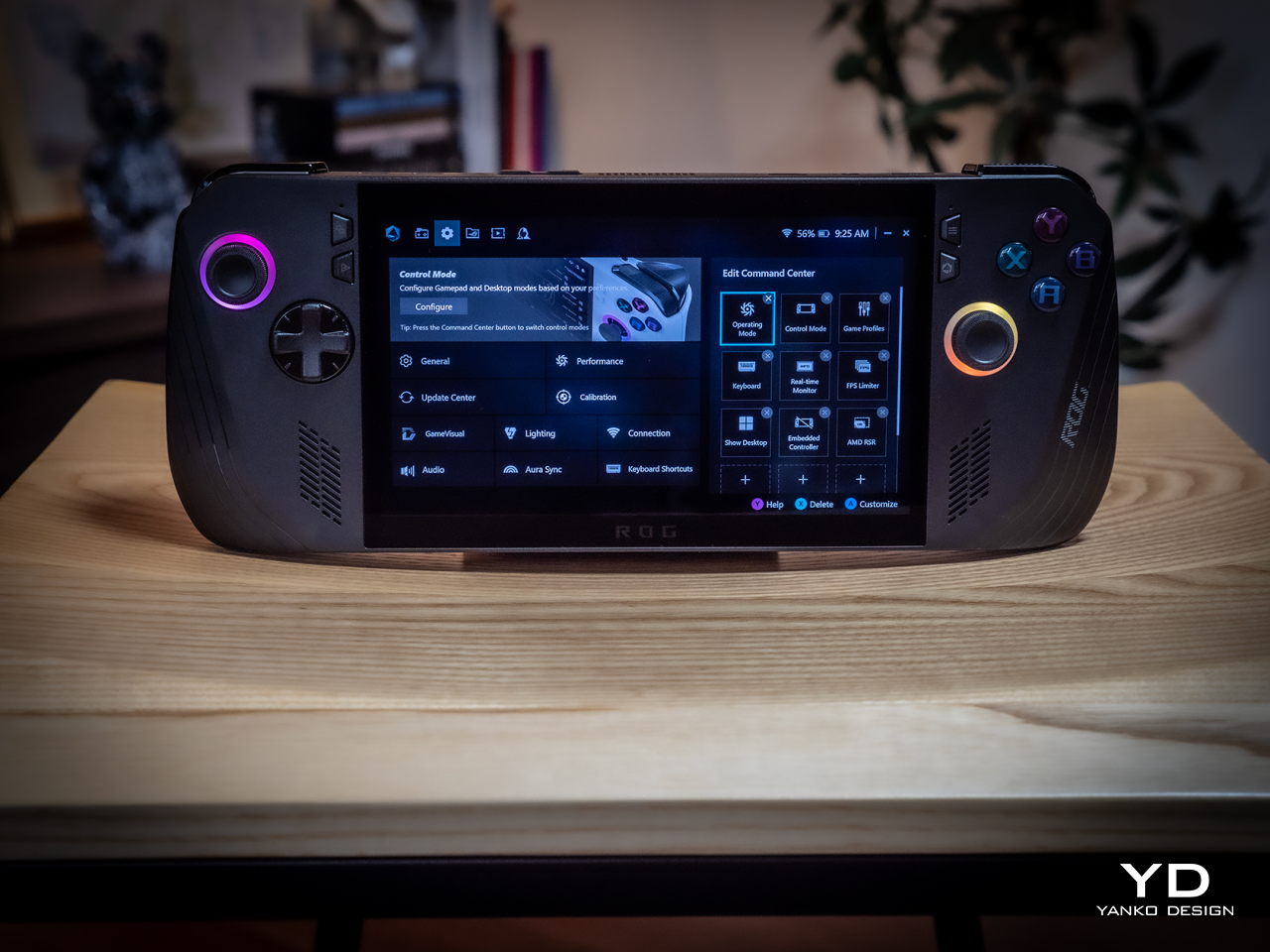
Aesthetics

Simply looking at the ROG Ally X on its own, you might easily mistake it for a black version of the original ROG Ally. Of course, there are subtle yet significant changes here and there, but the fact that it’s able to keep its design identity is still a laudable achievement. On the flip side, there will be no mistaking it for a ROG Ally 2 that’s yet to come, as it shares that DNA so closely with the first model.

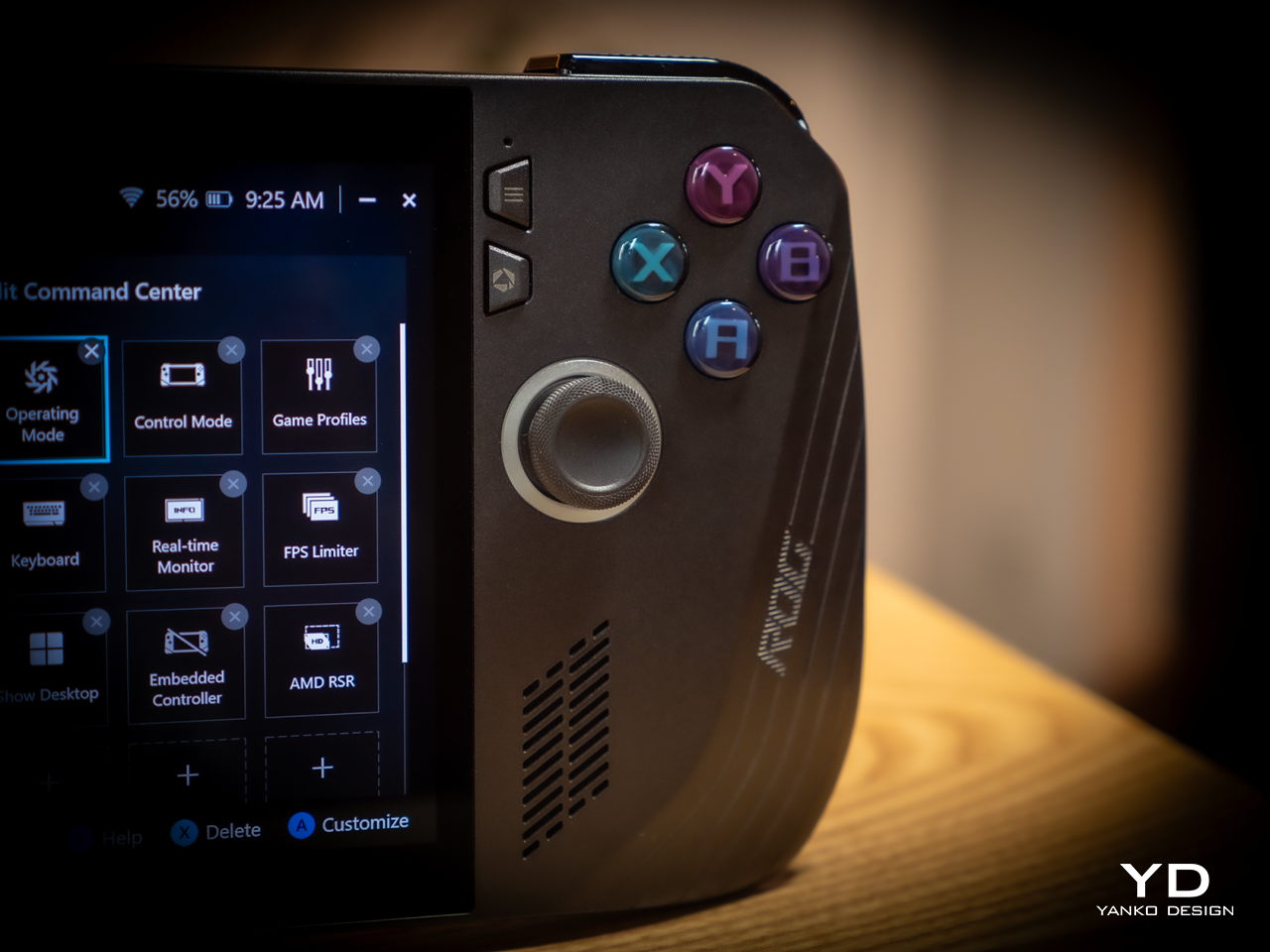
Whether the ROG Ally had a more angular and more aggressive appearance despite its white coating, the ROG Ally X is rounder, curvier, and a bit gentler. This has consequences for the device’s ergonomics, which we’ll get to later, but it also exudes a slightly different character compared to its progenitor. It manages to be a bit more welcoming, almost comfortable, without losing its cyberpunk aesthetic thanks to those RGB lighting accents.
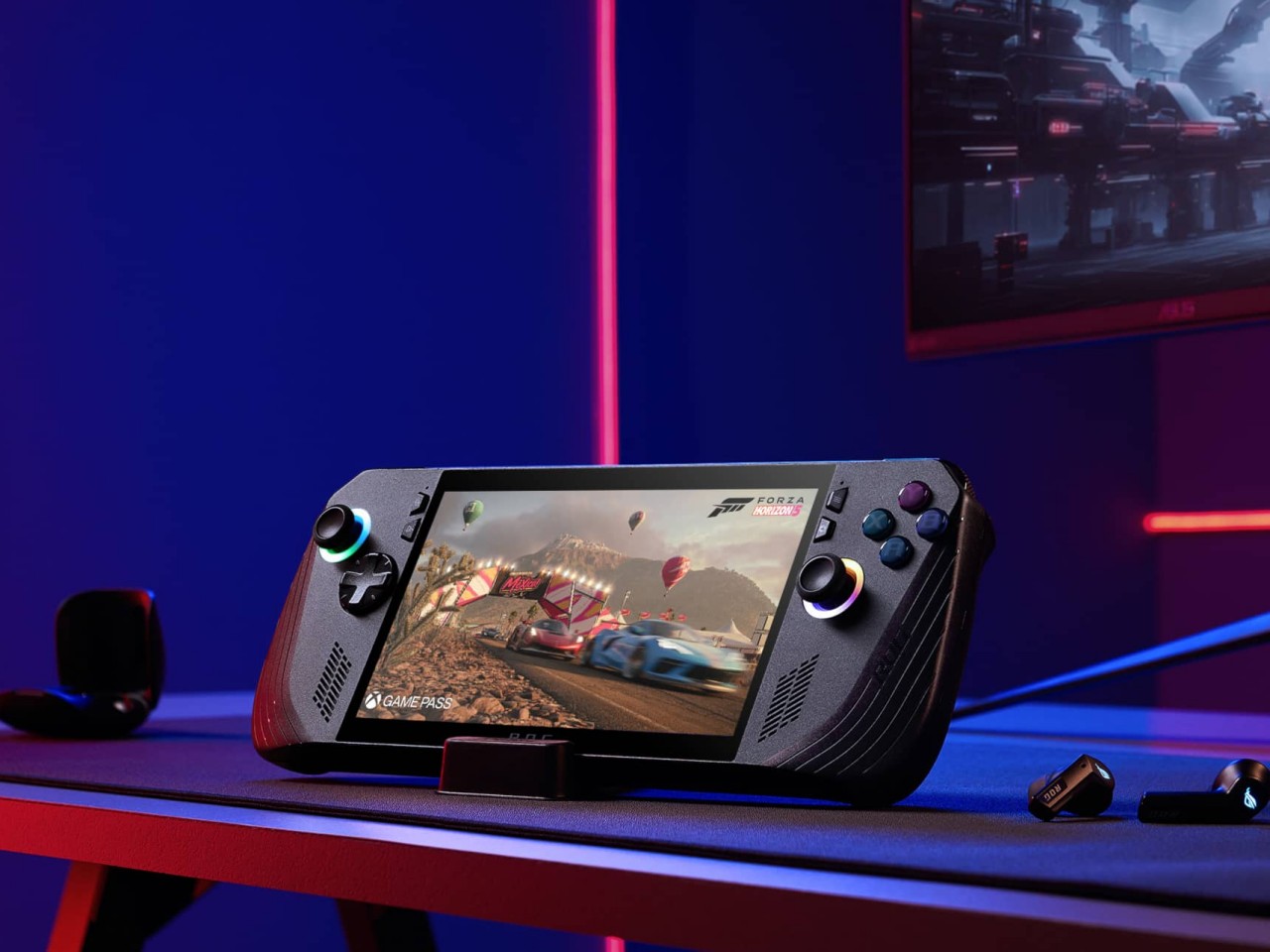
The color choice might prove to be a bit controversial, though. Not because no one likes black but because there’s no other choice. Just like how the ROG Ally came only in white, the Ally X is a black-only design. In a way, it stands out less from the crowd, making it less distinctive. But it also invites less visible stains and dirt on a device that will most likely see a lot of action outdoors. Truth be told, gamers are more likely to slap some skins on these devices than stick with the original coating, but having some choice would definitely help improve its appeal.

Ergonomics

Ergonomics for computers often lags behind performance and aesthetics, but it is even more critical for one that you’ll hold in your hand rather than use on a table. More than just the aesthetics, it’s actually this aspect of the ROG Ally X that sees the most changes, at least externally. Suffice it to say, the handheld is finally designed to let you hold it in your hands for longer periods of time, which translates to more playtime overall.
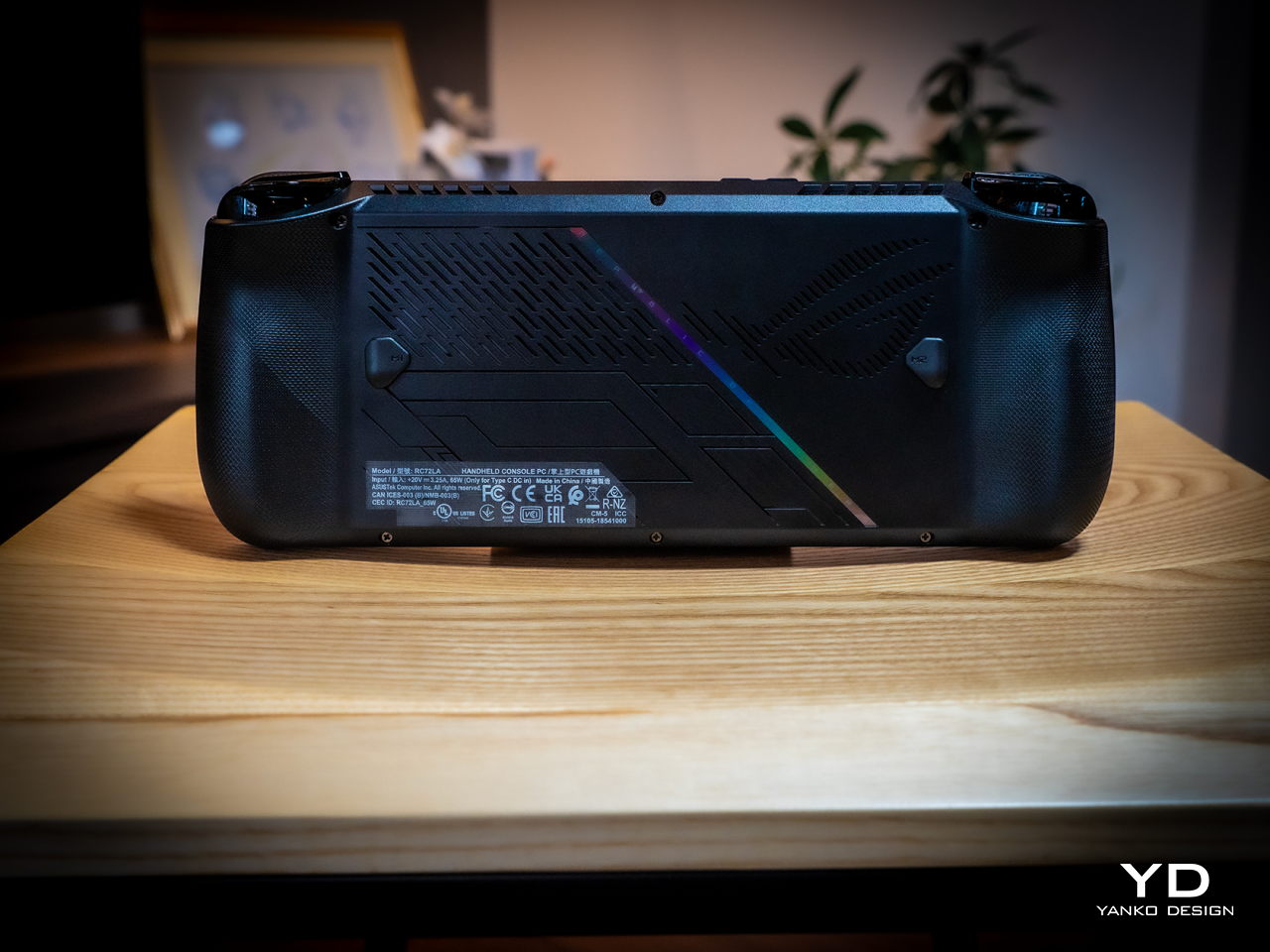
Because of internal changes, the ROG Ally X is chunkier and heavier at 1.45 inches thick and 1.49 lbs compared to the OG Ally’s 1.28 inches and 1.34 lbs. Ironically, the handheld is actually more ergonomic now despite the added bulk and heft thanks to key changes in the grip design and button. The sides, for example, are now more rounded than angular so they don’t cut into your palm. The grips themselves have a more natural contour that’s easier to hold, though they’re still shallower compared to the Steam Deck’s design. Depending on your hand size, you might not have enough room for a good grip just like on the ROG Ally.

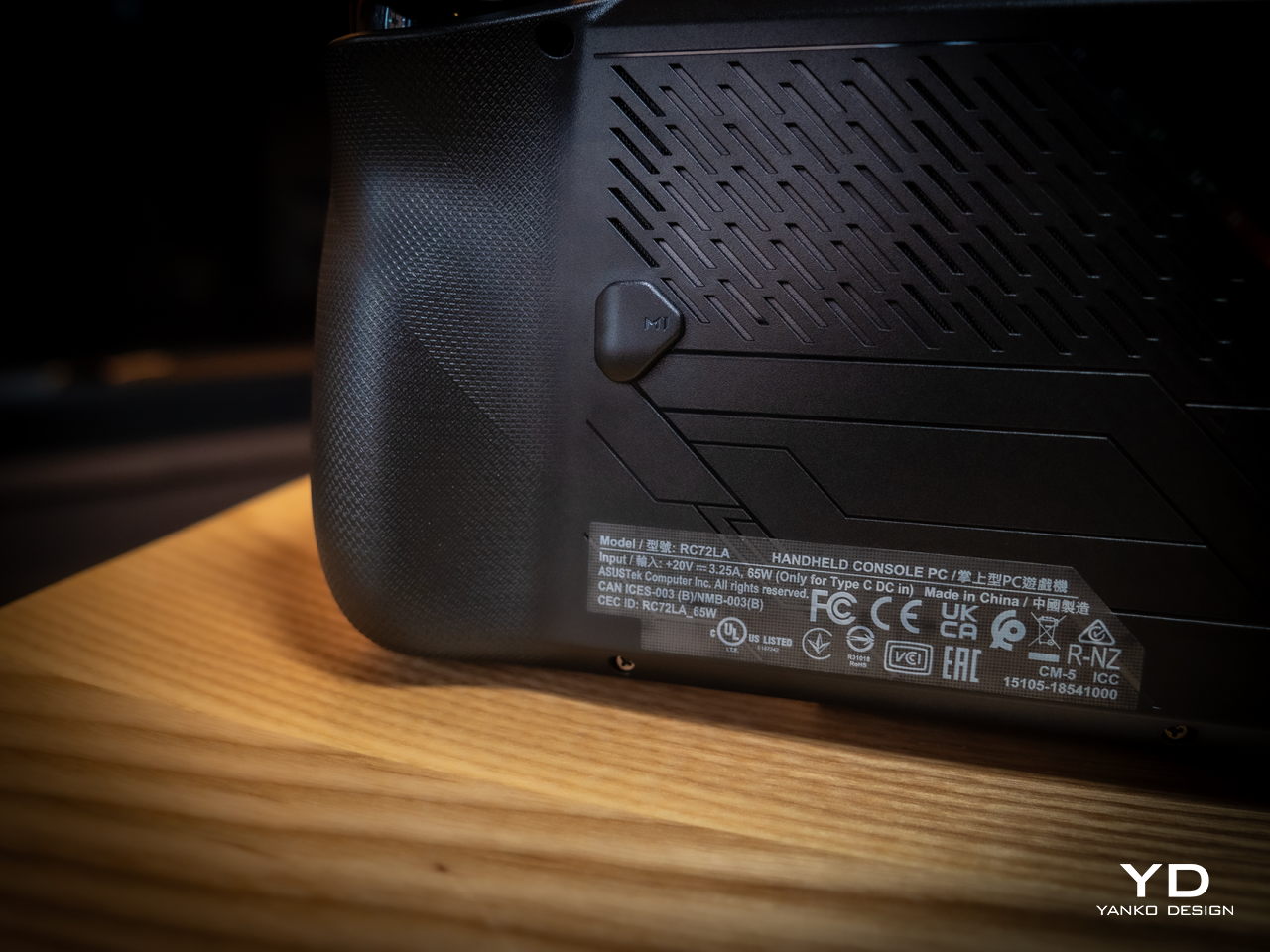
The buttons and sticks feel more solid, too, and give better resistance and stability than the rather loose and flimsy controls of the previous half-generation. The back buttons are smaller and placed higher to address complaints of frequent accidental presses that come too naturally when holding the device. Ironically, players with smaller hands might find it harder to reach them now. Thankfully, their function is usually optional in most games, which is why owners of the ROG Ally were fine with disabling those.

Performance

There are, of course, also upgrades internally, but not enough to call this the ROG Ally 2. It still uses the same AMD Ryzen Z1 Extreme processor, for example, which is capable but not exactly top-notch. What carries its performance forward is the new 24GB LPDDR5 RAM clocked at 7,500MHz, a rather big jump from the previous-gen 16GB 6,400MHz RAM. It’s almost unbelievable how much more RAM boosts overall performance, especially when neither the CPU nor the integrated GPU are starved for memory. More disappointing, however, is the fact that ASUS didn’t go all out to put a solid 32GB in there, but that would have probably raised the already higher price tag.
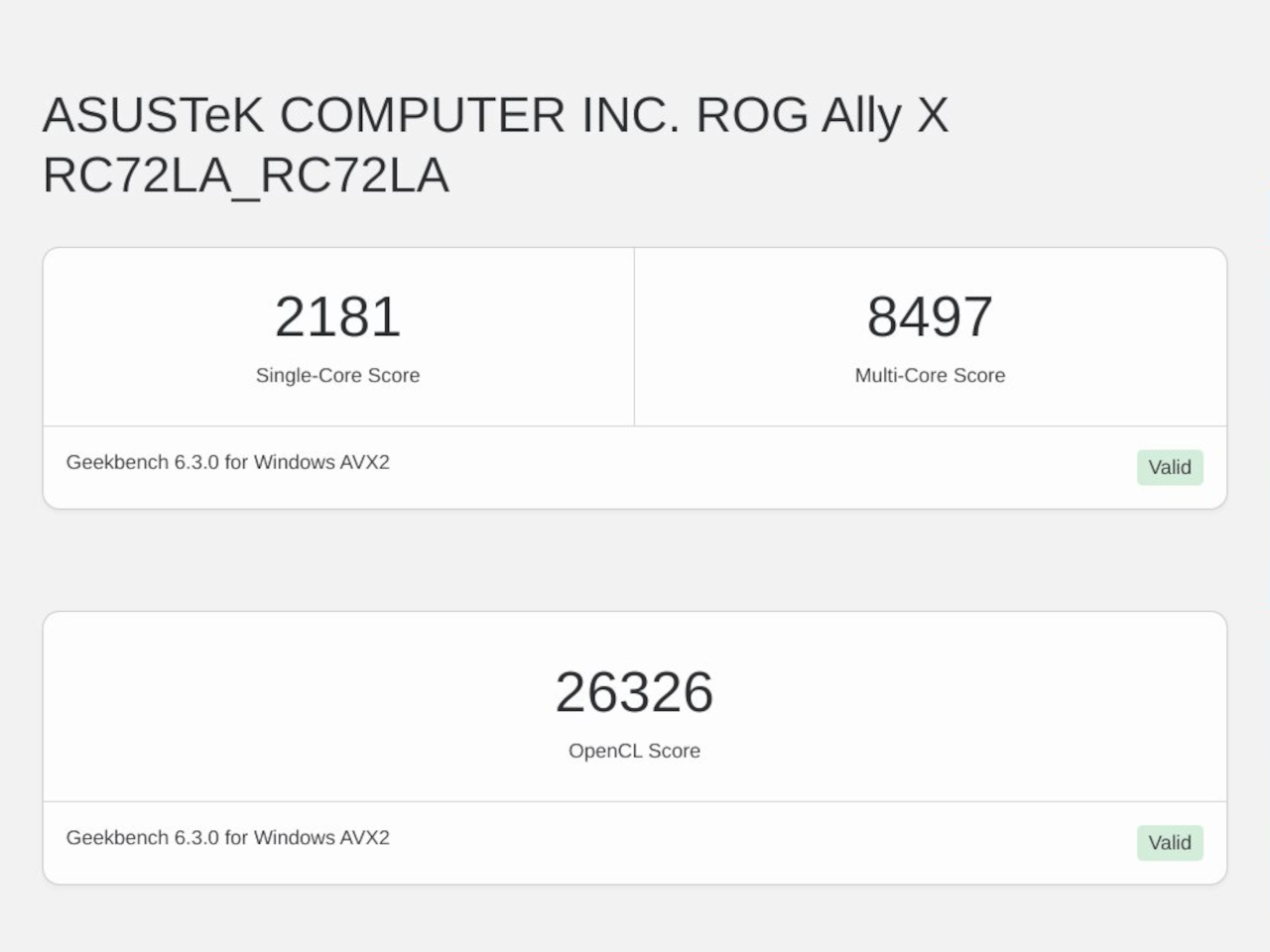
Another big upgrade is the 80Wh battery that’s double the capacity of the meager 40Wh of the OG Ally. This alone accounts for the increase in weight and thickness, and it’s a price many gamers are only too willing to pay. Of course, your mileage will vary, but this allows you to either tack on a few more hours to your game time or, alternatively, crank up the settings higher and still get the same uptime. You can also charge the battery at the maximum 100W that both USB-C ports support, but the included charger only goes as far as 65W.

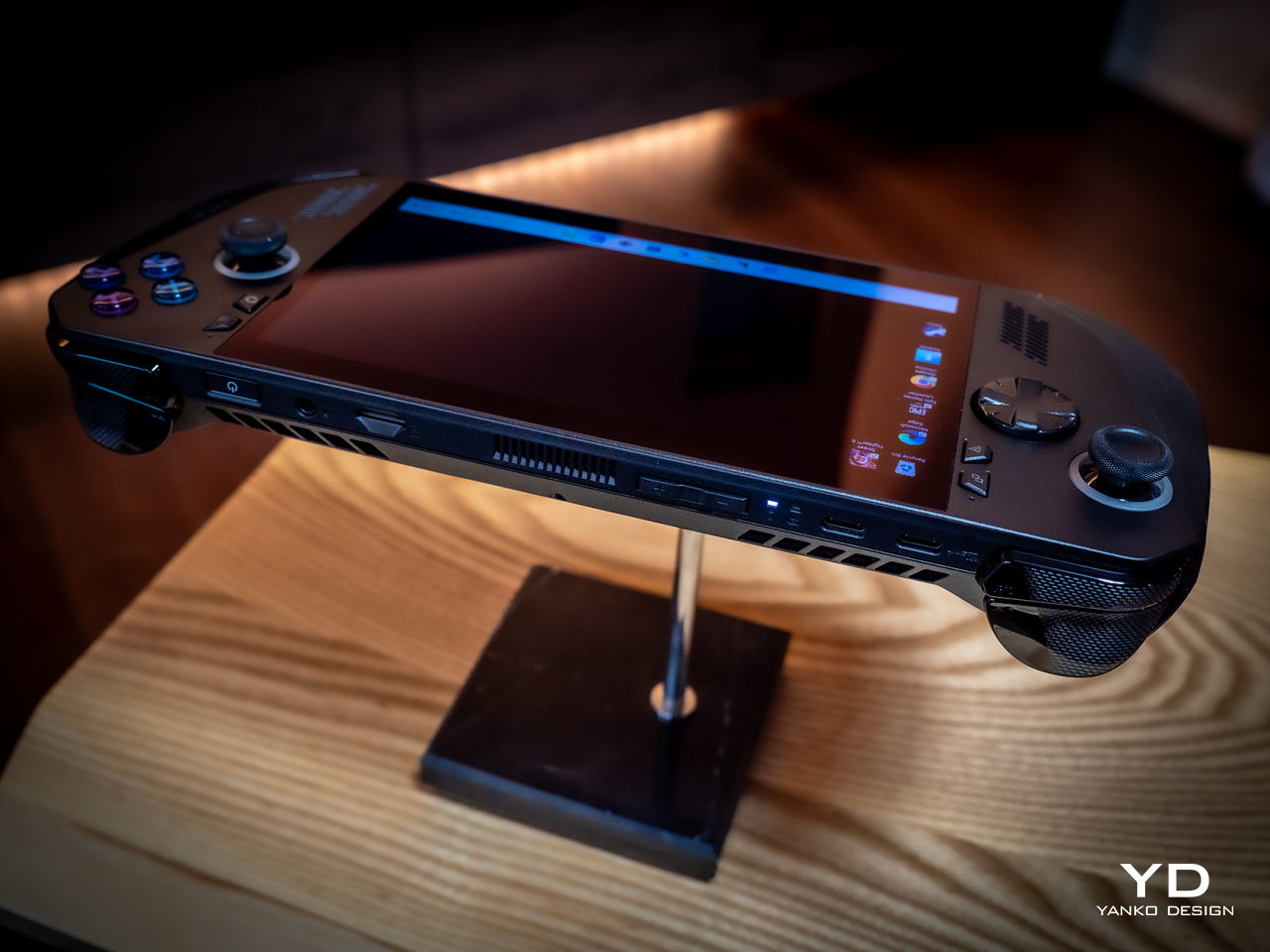
And yes, you read that right, USB-C ports. Plural. ASUS has done away with the proprietary XG Mobile port for connecting an external GPU and replaced it with a USB-C port with support for USB4, Thunderbolt 4, and DisplayPort 1.4 with FreeSync. This means you can still connect an external graphics dock, but now you have more options if you don’t need to. Unfortunately, both ports are located at the top, so you have less wiggle room when connecting angled cables or thick adapters.
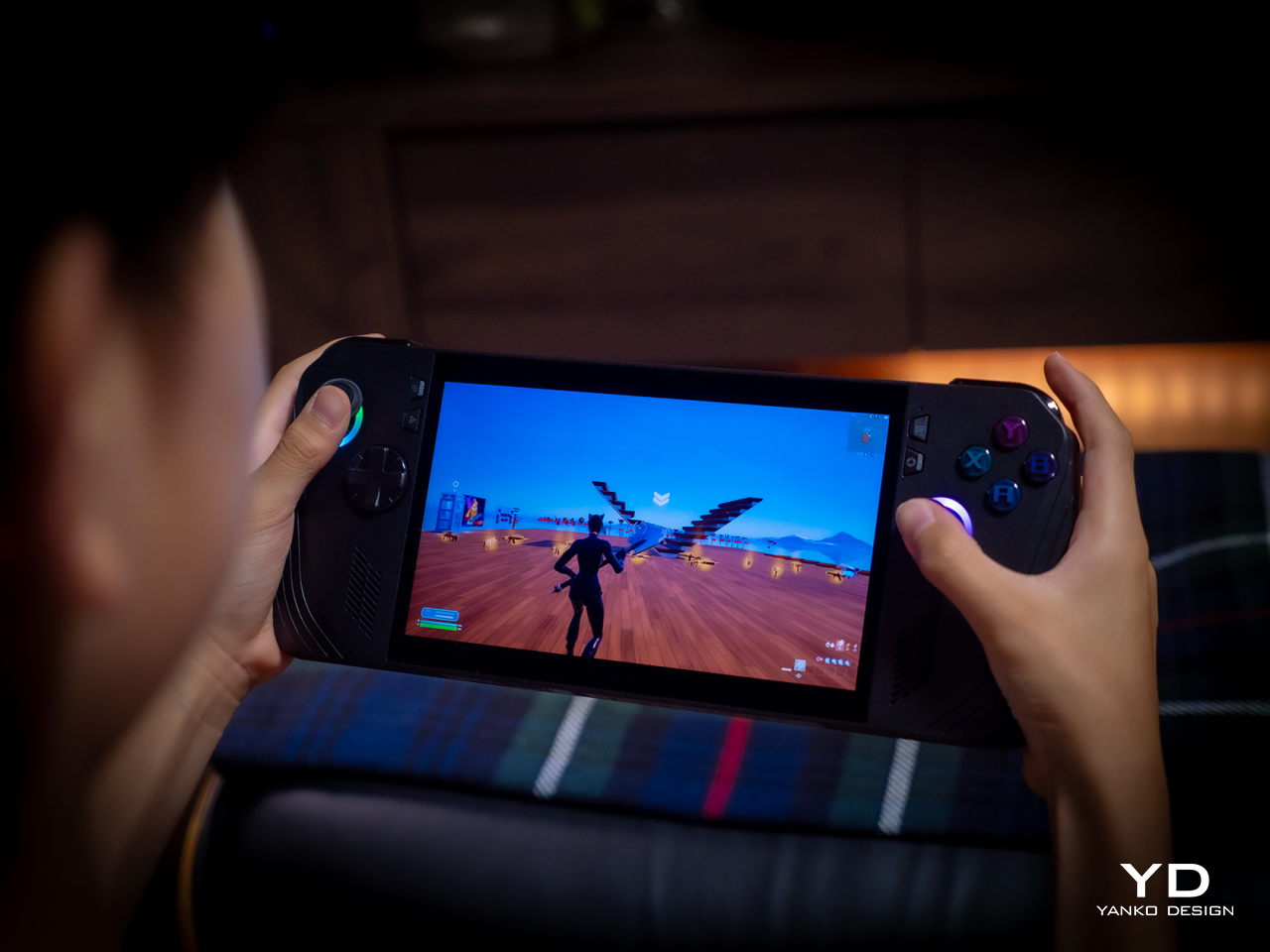
The ASUS ROG Ally X retains most of what its predecessor has, including the aforementioned processor. The 7-inch 120Hz IPS LCD is still the same, which means it’s still bright and vibrant, at least for an LCD panel. The speakers are supposedly upgraded a little, but you’ll hardly notice the difference. The microSD card slot is still located at the top, which might worry some who have experienced fried electronics on the first ROG Ally.

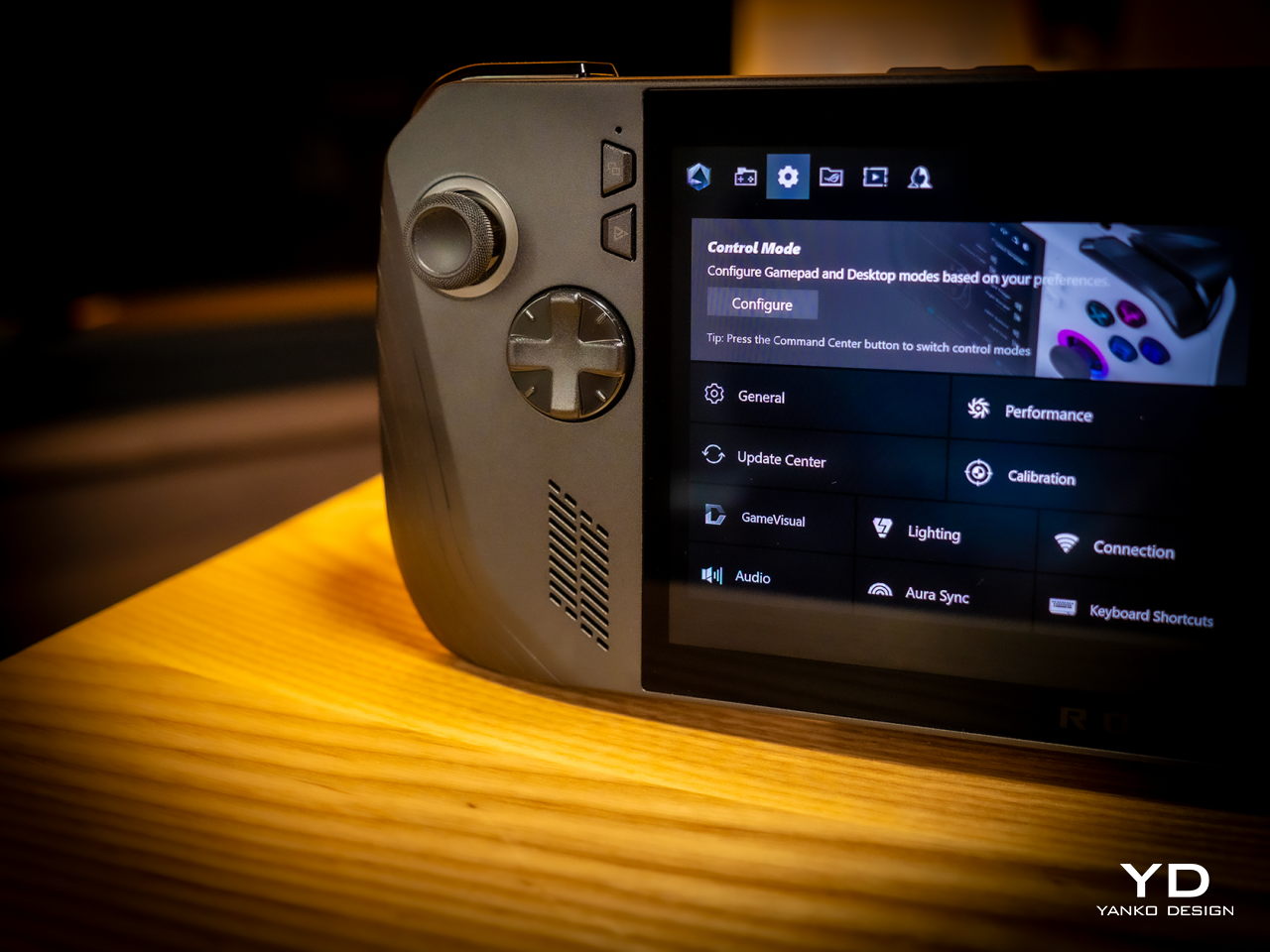
What all these changes and similarities boil down to is a more powerful computer that delivers a better gaming experience overall. Despite all that power, however, the ROG Ally X still runs cooler than its predecessor thanks to an improved cooling system that pulls heat away from the screen more effectively. This is actually important when you consider that this screen is the primary way you’ll be interacting with the Windows 11 operating system. Unfortunately, even with ASUS’ custom software, Windows is still largely a mouse and keyboard-driven platform, which means navigating through menus and windows is still a pain.
Sustainability

Unfortunately, this is one area left completely unchanged between generations. Like the majority of designs in this still nascent market, the ROG Ally X has that typical mixture of metal and plastic, both taken from new materials rather than recycled. It might take a few more generations before they start catching up to their larger gaming laptop cousins.

The same can be said for repairability and even upgradability. You can’t even upgrade the SSD storage, making that microSD card expansion slot even more critical, at least for non-game files. Again, the market is still in its infancy, so we’re holding out hope that the situation will improve over time. After all, some lesser-known brands are already providing easy access to SSD storage for upgrading, so there’s little reason why giants like ASUS can’t do likewise.
Value

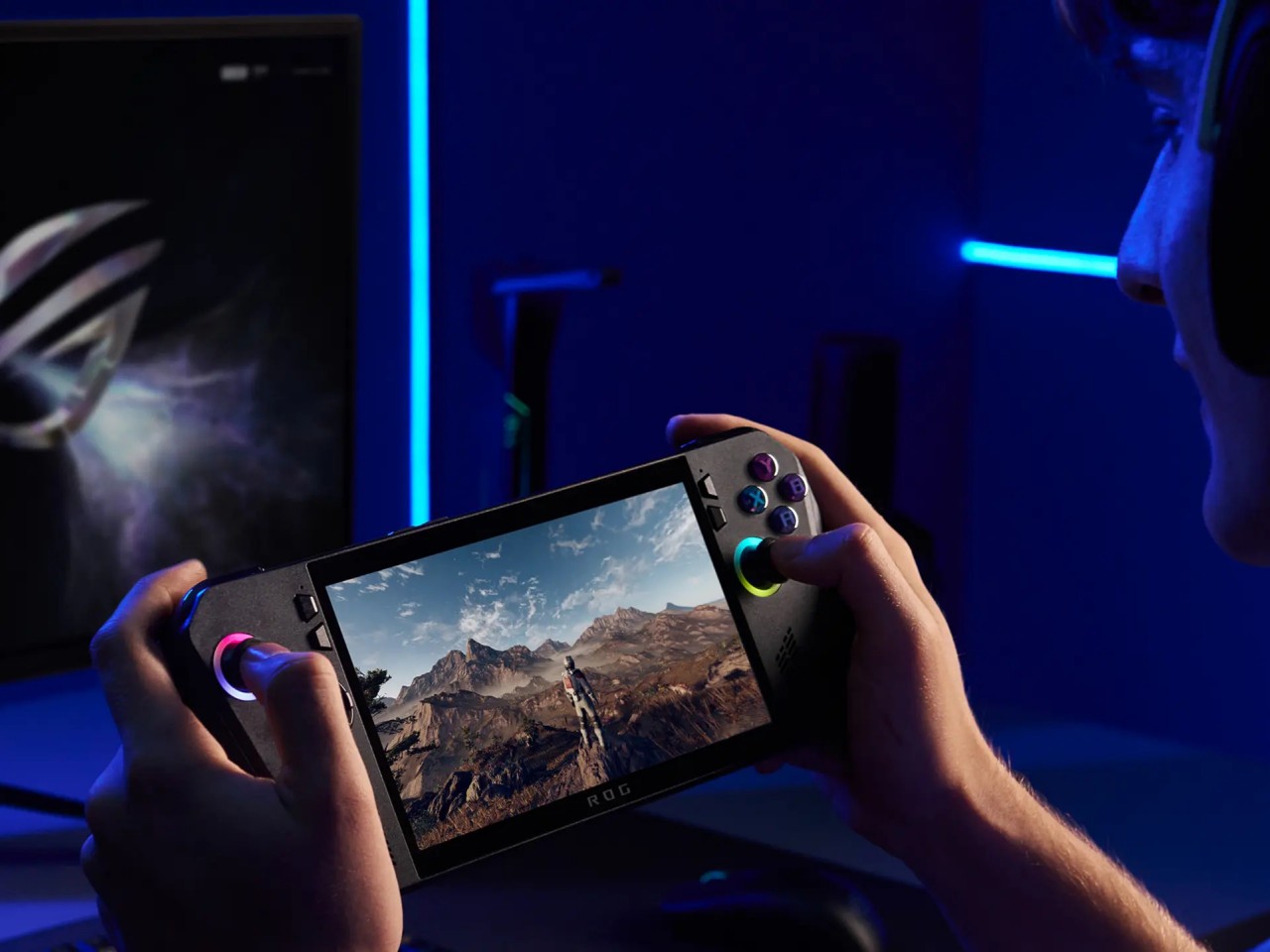
It’s clear as day that the ASUS ROG Ally X is a big step forward, fixing the flaws of the ROG Ally in a half-step upgrade. But are those enough to warrant its $800 price tag that makes it one of the more expensive options in the market? As always, the answer isn’t as clear-cut, but the scales might not be tipping in the Republic of Gamers’ favor.

The original ROG Ally was by no means a terrible device even considering the ergonomics, and its current $650 price tag (or even $550 on discount) makes it a more viable starting handheld for those who aren’t sold on the Steam Deck. There’s definitely no reason for ROG Ally owners to upgrade this early, either, so only those who have been on the fence until now might find the ROG Ally X more convincing. But there are also other options in the market, like the Steam Deck that started it all or the Lenovo Legion Go with its Switch-like removable controllers. Then again, you can’t go wrong with the ROG Ally X either, especially if you have the cash to spare.
Verdict

It’s rare for manufacturers to push out a version 1.5 product, especially one that almost makes the original feel inadequate. At the same time, such a strategy weakens the appeal of the “half-step” upgrade, particularly because of the price difference between the two generations. That’s the limbo that the ASUS ROG Ally X practically finds itself in. Taken on its own, it’s a fine gaming kit that offers commendable performance in a more ergonomic design, but it’s no ROG Ally 2. If you’ve been undecided about getting your first ROG Ally, now might be a good time to grab one, especially if a good deal comes up to sweeten that price a bit.
The post ASUS ROG Ally X Gaming Handheld Review: What the OG Ally should have been first appeared on Yanko Design.

Our favorite budget webcam is on sale for only $48 right now

Whether you've just started a remote job or want to try your hand at creating videos, a solid webcam is essential for presentation. Fortunately, our favorite budget webcam is even more affordable right now, thanks to a 20 percent discount. The Anker PowerConf C200 2K Webcam for PC is down to $48 from $60 — a record low. 

We named Anker's C200 model our top budget webcam because it offers so many of the same perks as its more expensive competitors. To set it up, you only need to plug it in, either to the computer or your docking station. It offers up to 2K resolution, which gives you an extra boost, but you can lower it to 1080p, 720p or even 360p. It also automatically has a 95-degree lens opening but can shrink to 78 or 65 degrees. Plus, you can get AnkerWork software to edit things like brightness and sharpness.

Anker's C200 webcam also offers dual stereo mics that capture your words clearly, so you don't have to worry about being misinterpreted on your next call. Then there's the fact that if you twist its frame the lens will physically shutter. The only real issue we had with this webcam is that it's a bit harder to change the angle of than other options, often requiring two hands. 

Follow @EngadgetDeals on Twitter and subscribe to the Engadget Deals newsletter for the latest tech deals and buying advice.

This article originally appeared on Engadget at https://www.engadget.com/our-favorite-budget-webcam-is-on-sale-for-only-48-right-now-141146554.html?src=rss

Kodak digital film scanner lets you preserve your analog film negatives

As someone who took a lot of pictures back in the good old days of film cameras and also took up photography classes in my film major university days, I used to have boxes of films in my room. Of course eventually they became useless and I had to throw them away since there was no easy way to scan and preserve them. Now I am regretting that decision since there are devices that can make it easy to digitize these rolls of films.

Designer: Kodak

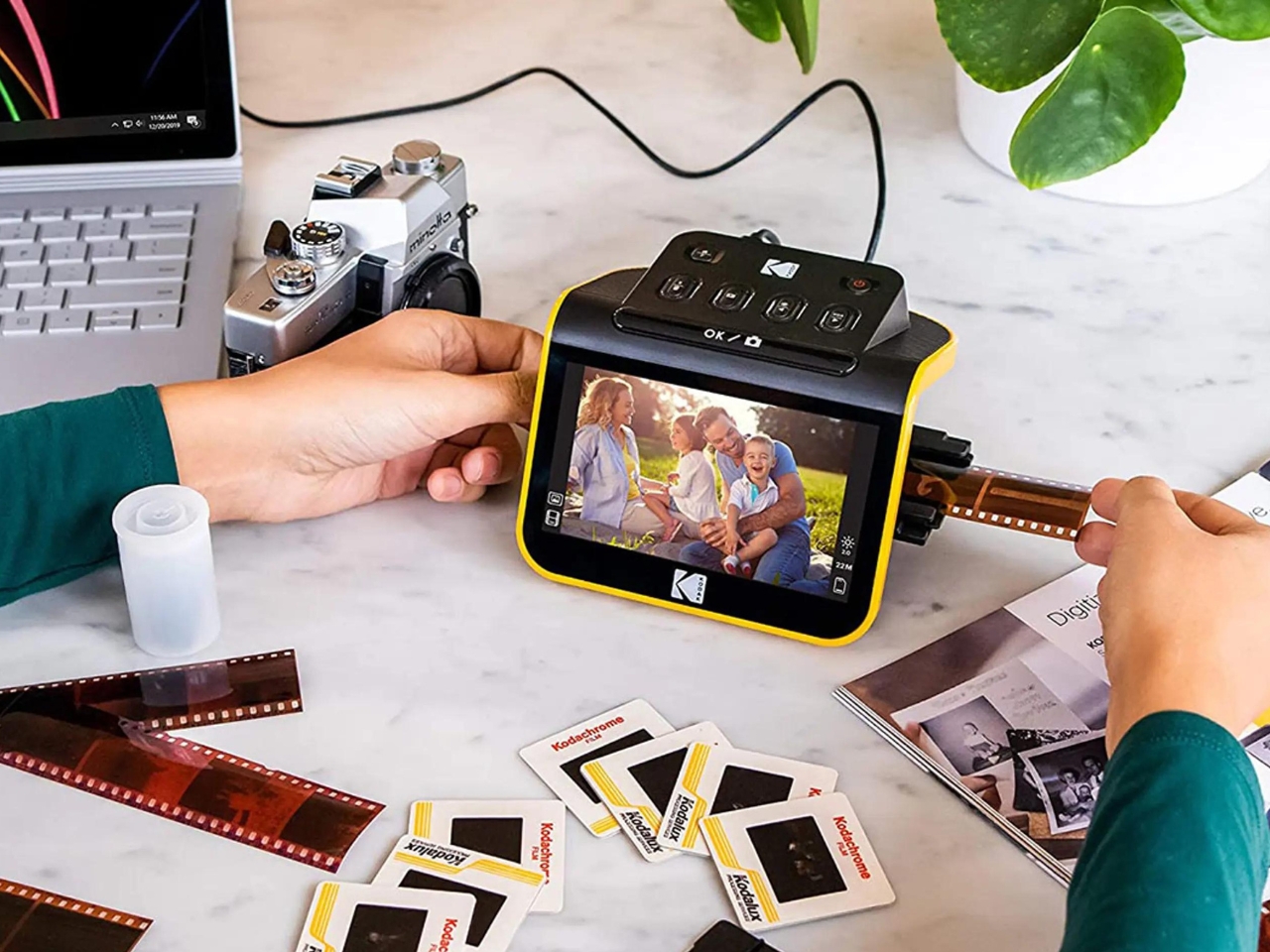
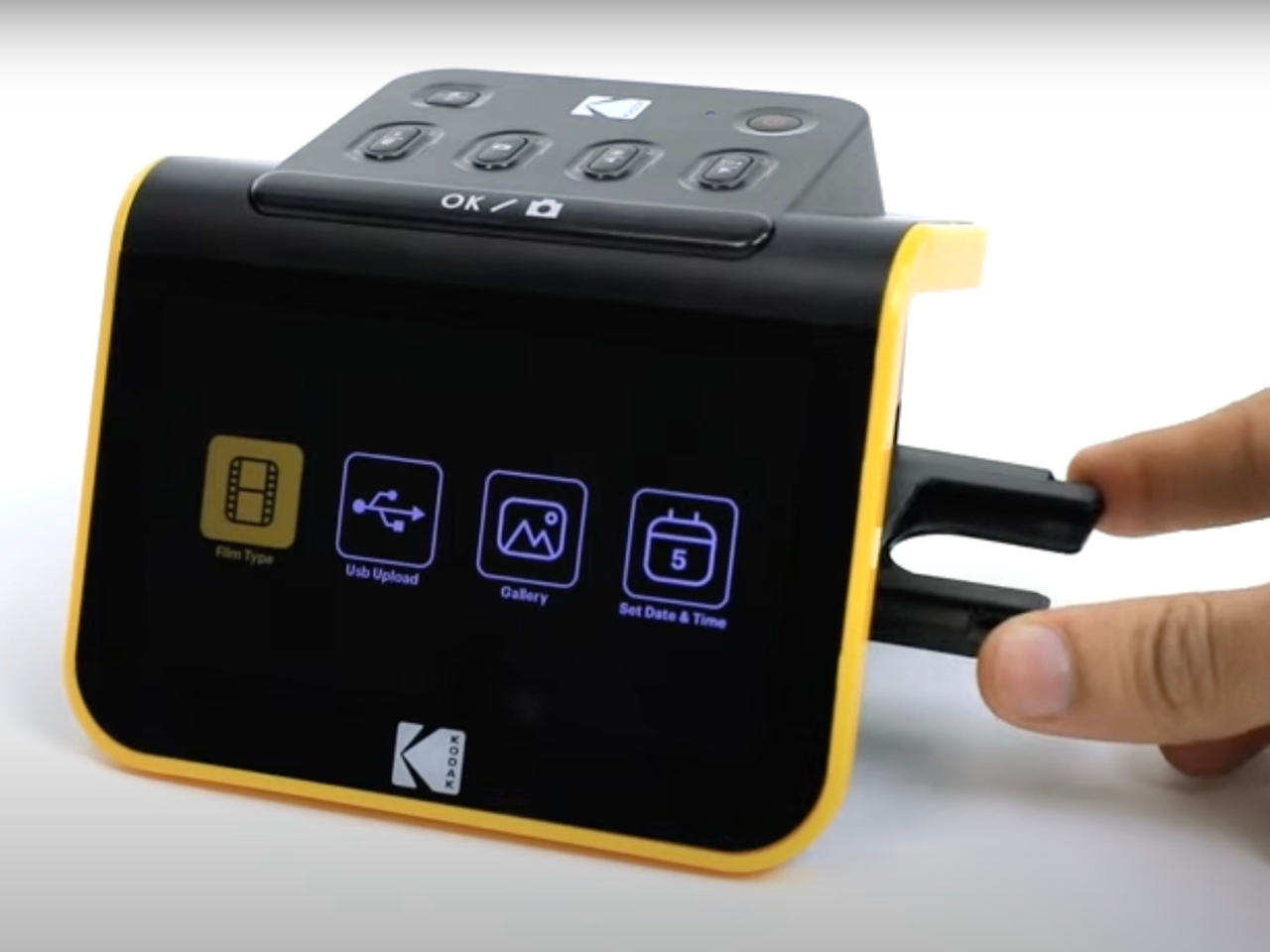
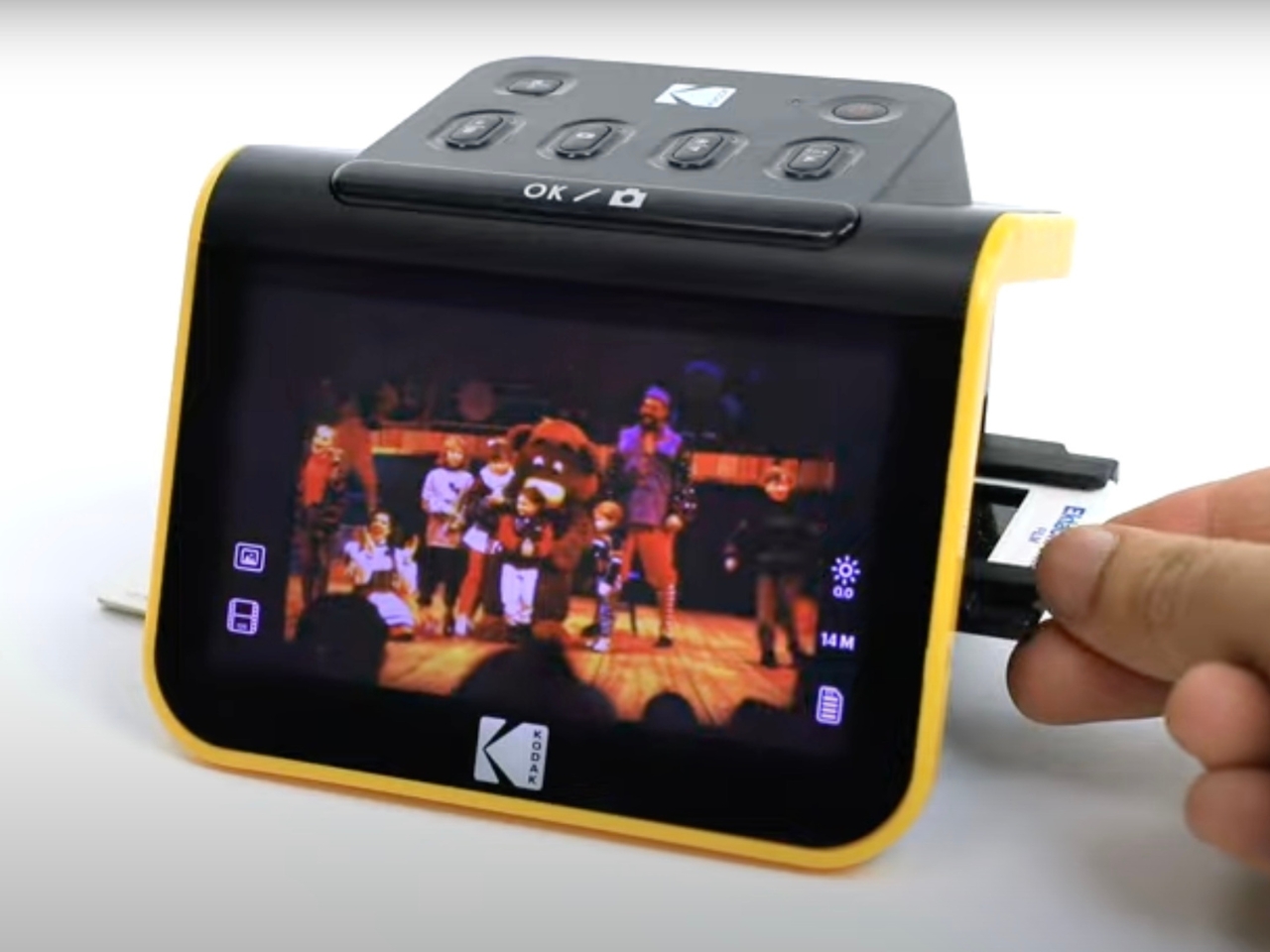
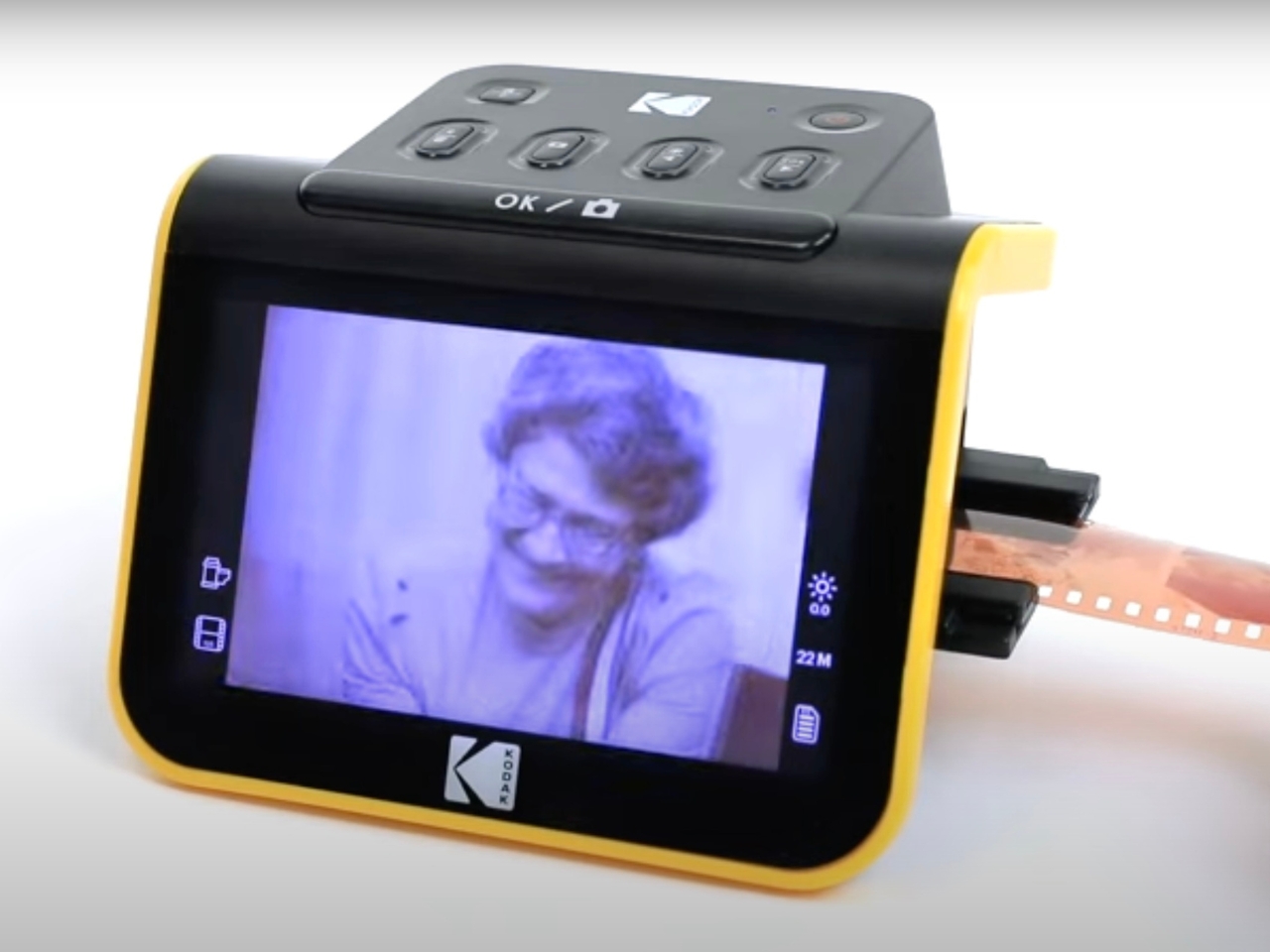
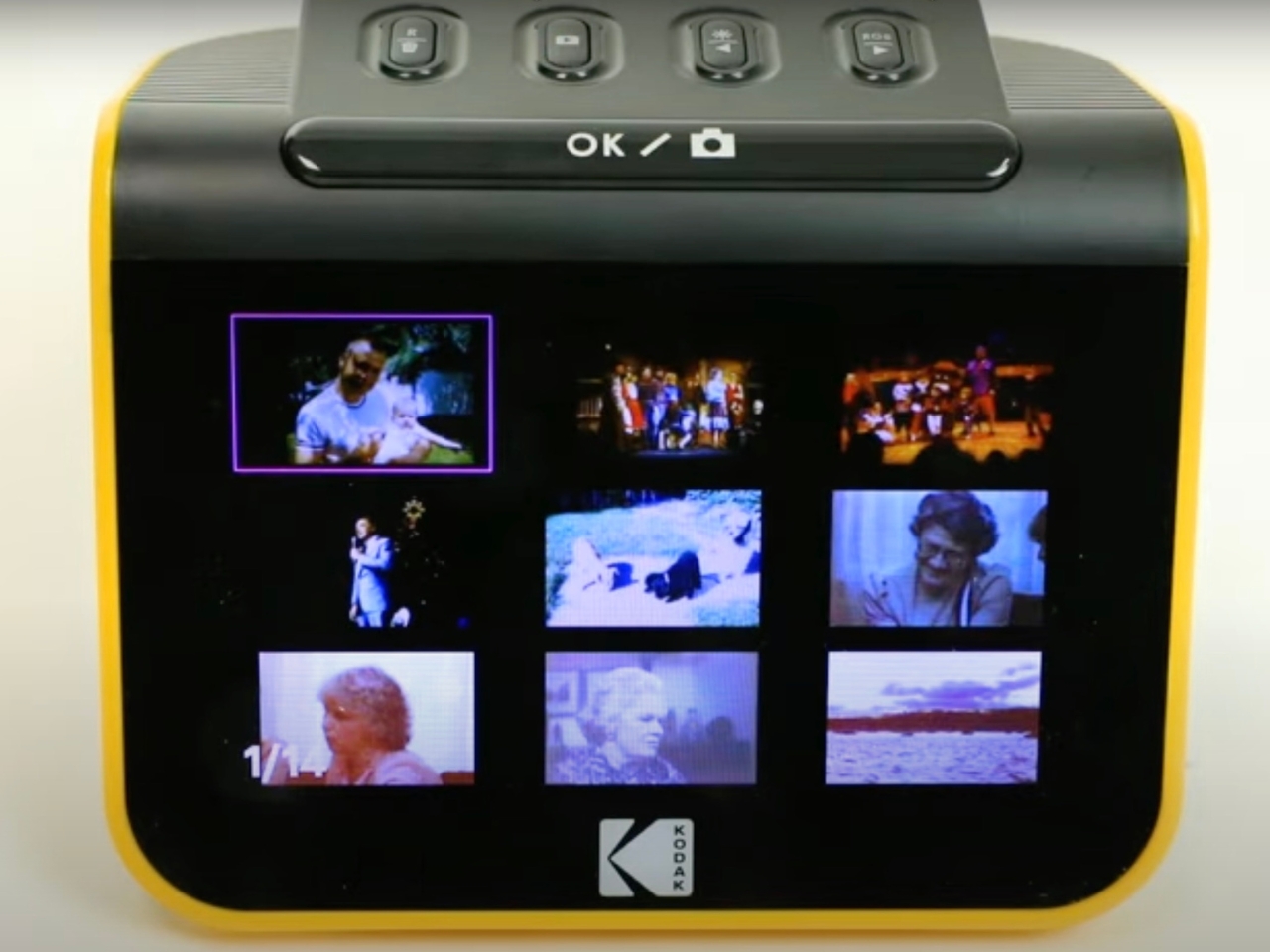
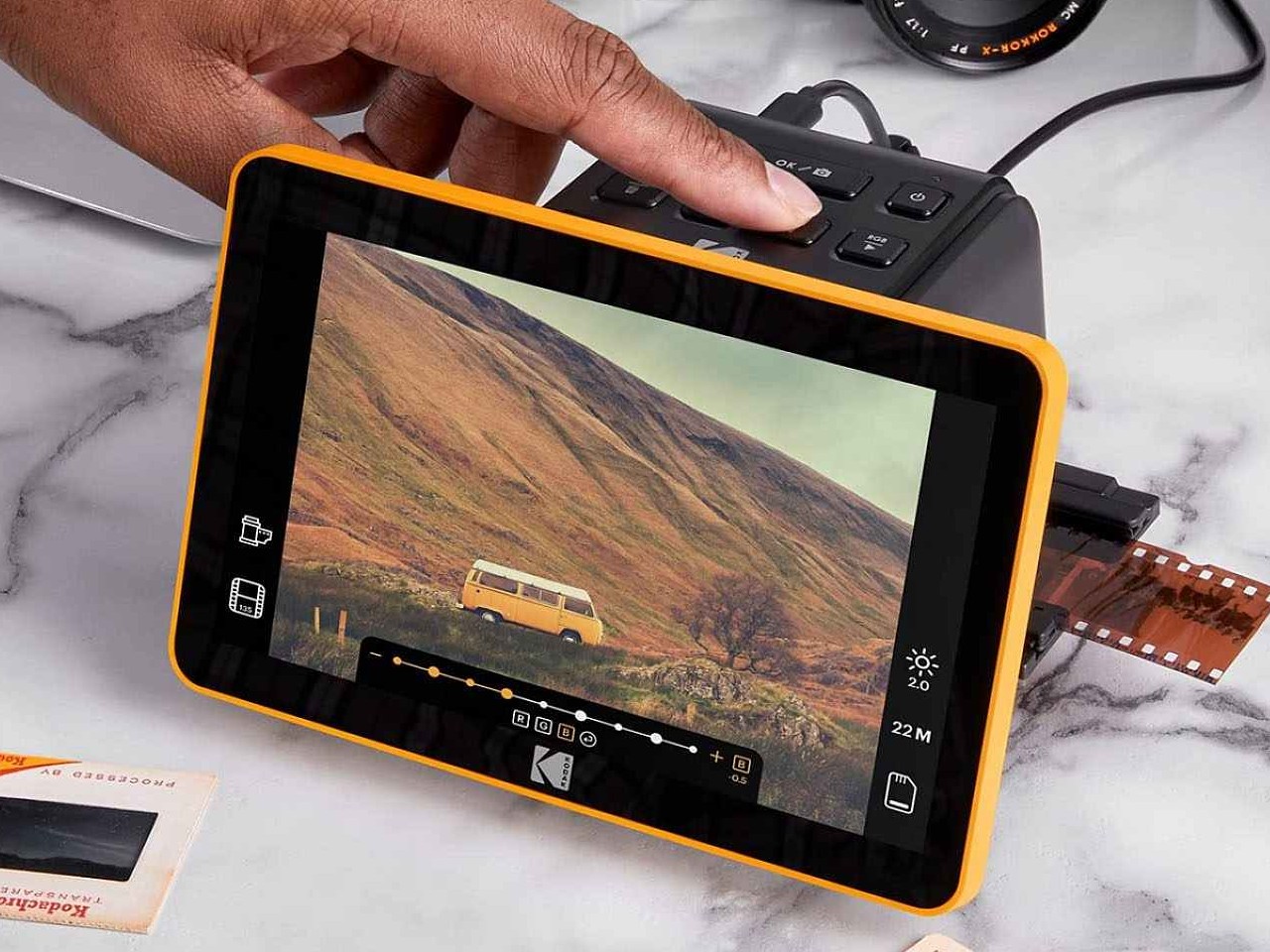
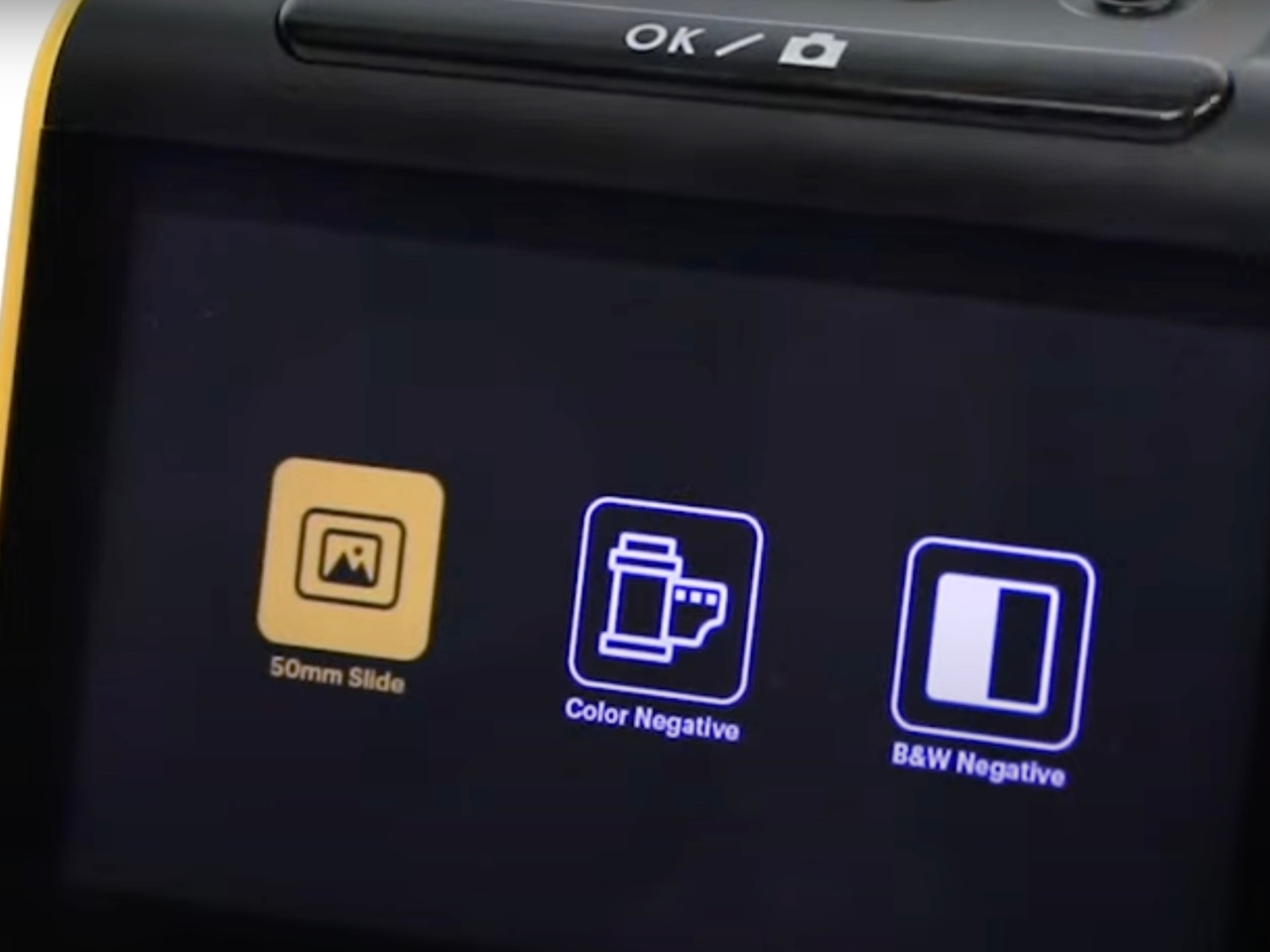
One such easy-to-use and relatively affordable devices is the Kodak Slide N Scan Digital Film Scanner. Basically it’s almost the size of a regular camera and its main function is to view, edit, and convert your old negatives. It is able to do that for both color and b&w negatives with 135, 110, and 126mm sizes and it can also convert 50mm slides in those sizes as well. You can also adjust everything into a gallery, edit date and time stamps, and transfer them to your computer or hard drive.

You can get one that has a 5-inch or a 7-inch LCD, depending on how small or big you want that screen to view and edit your film strips. It uses a quick-feeding tray technology so you can have a continuous loading action and also comes with the adapter for the different sizes. It can also help you resize and convert the photos with an easy scan button. You can also do some basic editing things like adjust brightness, enhance, crop, and adjust the quality of the images as you digitize them.

I also discovered that a lot of Gen Z kids are going back to film cameras to preserve their memories. So this device will be useful for the older generation who experienced the heyday of film cameras and to the younger ones who are discovering their joys. Both would want to preserve these images and a portable film scanner is the best way to do so.

The post Kodak digital film scanner lets you preserve your analog film negatives first appeared on Yanko Design.
Google is updating the Play Store with AI-powered app reviews and curated spaces

Google just announced a suite of updates to the Play Store in an attempt to make it more fun to use. This is part of a larger move by the company to turn its online marketplace into "an end-to-end experience that’s more than a store.” You read that right. They want us to hang out on Google Play.

Here’s what the company has planned. The update brings AI-generated review summaries that pull from user reviews to develop a consensus. You’ve likely already encountered this type of thing on Facebook and while using Google search. The company first announced this feature at this year’s I/O event.

This AI-adjacent approach will also apply to auto-generated FAQs about each app that are powered by Gemini models. Additionally, there will be AI-generated highlights that offer a quick summarization of a particular app. Google showed off a still image of this for a photo editing app in which the highlights included the number of filters and layouts available, in addition to tools and sharing options. This AI approach will also let users quickly compare apps in similar categories.

Google’s also rolling out shared spaces on the Play Store. These aren’t communities or mini social networks, like Reddit or something, but rather splash pages for various topics of interest. The company started this project with a pilot involving cricket. The shared space gave users in India the ability to “explore all their cricket content from across various channels in one, convenient spot.” This included relevant videos, around 100 curated cricket-related apps and some simple user polls. The next curated space will be about Japanese manga. There has been no word as to when this feature will expand into multiple categories available to global users.

The entire “shopping for a new game to play” experience is also getting an upgrade, focused primarily on discovery. Google promises “enriched game details” pages, complete with YouTube videos from developers and clearly-marked promotions, which reminds me of Steam. This even extends to the post-purchase experience, as return users will see updated developer notes and a section for tips and tricks. The program is in early access and currently only available to English language users. There are also some new games coming to Google’s oft-overlooked Play Pass, like Asphalt Legends Unite and Candy Crush Saga, and a feature that lets users play multiple games at once on PC. 

Finally, there’s some personalization stuff in this update. The new Collections feature provides custom categories based on previously-purchased apps. This means that each Google Play homescreen will be different for each user, offering an easy way to continue binging a show or finishing a video game.

Many of these upgrades begin rolling out today, though some are still in the early access stage. Others, like the shared spaces feature, still have some kinks to work out.

This article originally appeared on Engadget at https://www.engadget.com/google-is-updating-the-play-store-with-ai-powered-app-reviews-and-curated-spaces-130036843.html?src=rss

New PS5 update makes it easier to join multiplayer games

Anyone with a PlayStation 5 should now have a smoother option for connecting with other gamers. Sony has officially rolled out a system software update, allowing you to create shareable links inviting others to a multiplayer game. The company first announced the feature in early May.

The new PS5 update works by providing you with a link in the app that can be shared with anyone, even if you aren't friends on the Playstation Network. A QR code pops up alongside the link, though Sony warns you might have to update a few of your games for the new feature to work. One of the best things about this tool is the invite isn't immediately time-sensitive, so the link will still drop the recipient into your game 10 or 30 minutes from when its sent as long as you're still playing. If you send the link on Discord, a widget should appear to say if people are still playing or have dropped off. 

Alongside the new share method is another update that lets you open Game Help action cards through Voice Command. All you need to do is say "Show Game Help," and it should pop up. However, Voice Command (Preview) is currently available only in English for gamers in the US and UK with PlayStation Network accounts. 

This article originally appeared on Engadget at https://www.engadget.com/new-ps5-update-makes-it-easier-to-join-multiplayer-games-123730301.html?src=rss

CrowdStrike blames bug that caused worldwide outage on faulty testing software

CrowdStrike has blamed faulty testing software for a buggy update that crashed 8.5 million Windows machines around the world, it wrote in an post incident review (PIR). "Due to a bug in the Content Validator, one of the two [updates] passed validation despite containing problematic data," the company said. It promised a series of new measures to avoid a repeat of the problem.

The massive BSOD (blue screen of death) outage impacted multiple companies worldwide including airlines, broadcasters, the London Stock Exchange and many others. The problem forced Windows machines into a boot loop, with technicians requiring local access to machines to recover (Apple and Linux machines weren't affected). Many companies, like Delta Airlines, are still recovering. 

To prevent DDoS and other types of attacks, CrowdStrike has a tool called the Falcon Sensor. It ships with content that functions at the kernel level (called Sensor Content) that uses a "Template Type" to define how it defends against threats. If something new comes along, it ships "Rapid Response Content" in the form of "Template Instances."

A Template Type for a new sensor was released on March 5, 2024 and performed as expected. However, on July 19, two new Template Instances were released and one (just 40KB in size) passed validation despite having "problematic data," CrowdStrike said. "When received by the sensor and loaded into the Content Interpreter, [this] resulted in an out-of-bounds memory read triggering an exception. This unexpected exception could not be gracefully handled, resulting in a Windows operating system crash (BSOD)."

To prevent a repeat of the incident, CrowdStrike promised to take several measures. First is more thorough testing of Rapid Response content, including local developer testing, content update and rollback testing, stress testing, stability testing and more. It's also adding validation checks and enhancing error handing.

Furthermore, the company will start using a staggered deployment strategy for Rapid Response Content to avoid a repeat of the global outage. It'll also provide customers greater control over the delivery of such content and provide release notes for updates. 

However, some analysts and engineers think the company should have put such measures in place from the get-go. "CrowdStrike must have been aware that these updates are interpreted by the drivers and could lead to problems," engineer Florian Roth posted on X. "They should have implemented a staggered deployment strategy for Rapid Response Content from the start."

This article originally appeared on Engadget at https://www.engadget.com/crowdstrike-blames-bug-that-caused-worldwide-outage-on-faulty-testing-software-120057494.html?src=rss

Afirstsoft PDF: A Powerful, Affordable PDF Solution for All Platforms

Afirstsoft PDF

In an increasingly digital world, PDF software is quickly becoming an essential tool for businesses, students, and professionals. Whether you need to share documents or preserve formatting while ensuring the security of your documents, PDF is the go-to standard. However, many users encounter frustrations when dealing with existing PDF tools from high costs to complex […]

The post Afirstsoft PDF: A Powerful, Affordable PDF Solution for All Platforms appeared first on Geeky Gadgets.

10 Best Medical Designs Innovating & Upping The Healthcare Industry

When it comes to taking care of our health, proactive action and a mindset of preparedness are always necessary. By taking the right precaution, and being prepared always, we can handle a medical emergency to the best of our ability. And the medical industry has been coming up with ingenious innovations, that are completely transforming the healthcare game. Designers have been coming up with new and improved, life-saving medical designs that not only boost medical care but also relieve some of the pressure from our tireless medical force. From an award-winning inflatable stretcher design to a prosthetic foot that achieves human-level flexibility – these innovations are upping the medical arena.

1. Cast21 Cast

Chicago-based startup Cast21 created a unique sleeve that fits over any hand! The cast takes the perfect shape around your hand, once filled with a patented gel which then hardens. A sleeve size is selected depending on if the patient is a child or an adult. The sleeve is then slipped on, and filled with a patented mixture of resins which form a malleable gel after a certain point in time. The doctor can also adjust the gel to ensure it perfectly fits the limb. You can even choose different gel colors, giving the cast a less serious look.

2. Pinsoft

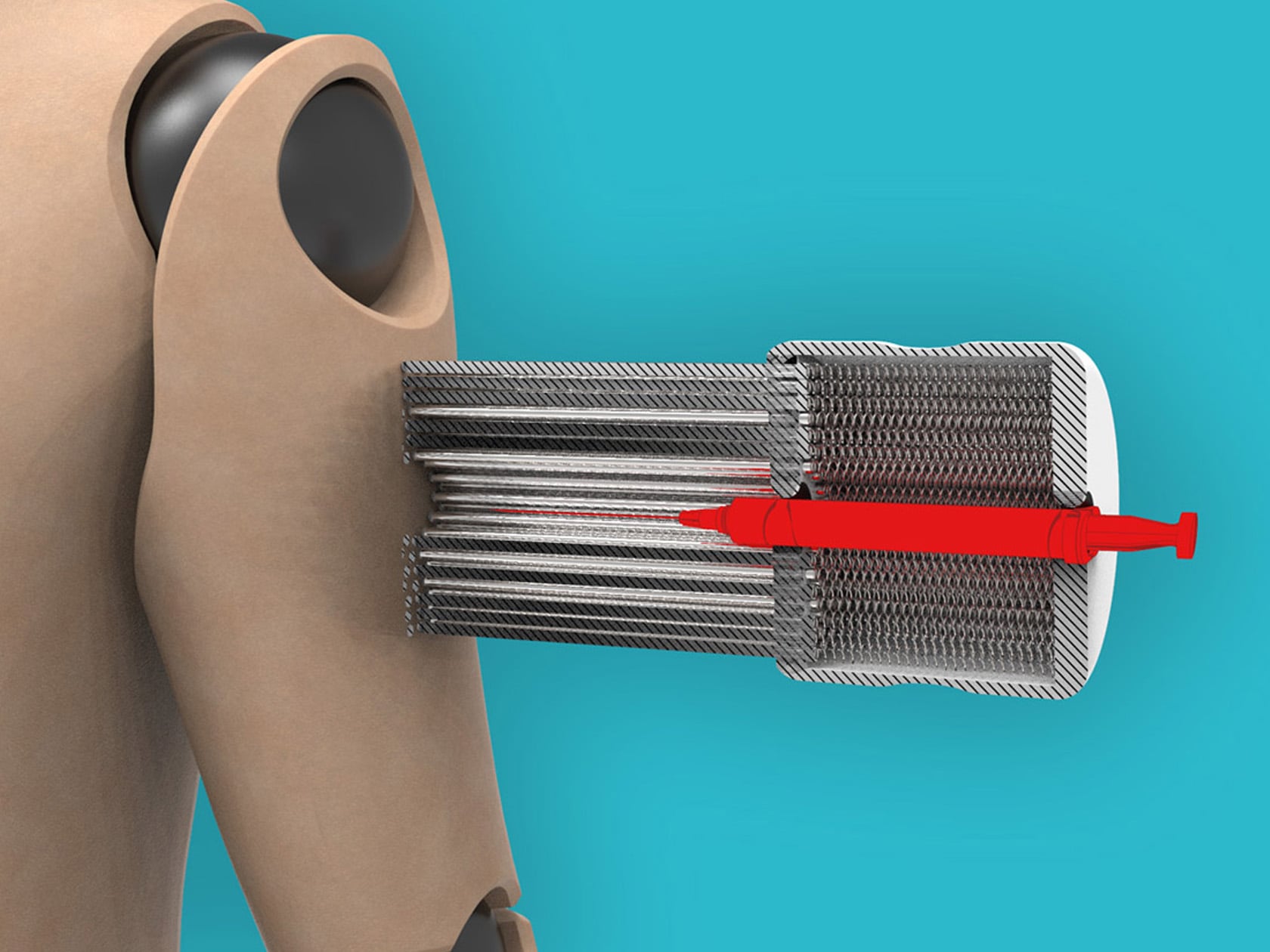
Named Pinsoft, this James Dyson National Award-winning design is essentially an injection attachment that helps people who are afraid of needles or Trypanophobia. It is placed around an injection and is equipped with multiple round-tipped prongs that confuse the skin as needles prick through it. This creates a gentle stimulation that distracts the mind, so you are unable to differentiate between the touch of the prongs and the needle.

3. SoftFoot Pro

Designed by the Italian Institute of Technology (IIT), the SoftFoot Pro is a prototype prosthetic foot designed to be a literal and metaphorical leap forward in the world of prosthetic design. The foot replicates the structure and movement of the human foot. Unlike the conventional prosthetics which often focus on sturdiness or provide minimal flexibility, the SoftFoot Pro is equipped with an ingenious design that offers human-like foot flexibility and agility without any motor, servo, circuit board, or battery.

4. The Wearable Mobility WIM Robot

Designed by WIRobotics, the WIM mobility assist wearable device is created for young consumers to walk and exercise better with a new age technique. The Wearable Mobility WIM robot is designed for those who suffer from issues with their legs, and have problems walking long distances. But the wearable is also great for those who work out for long hours in the gym, strengthening their lower body.

5. Inflatable Stretcher

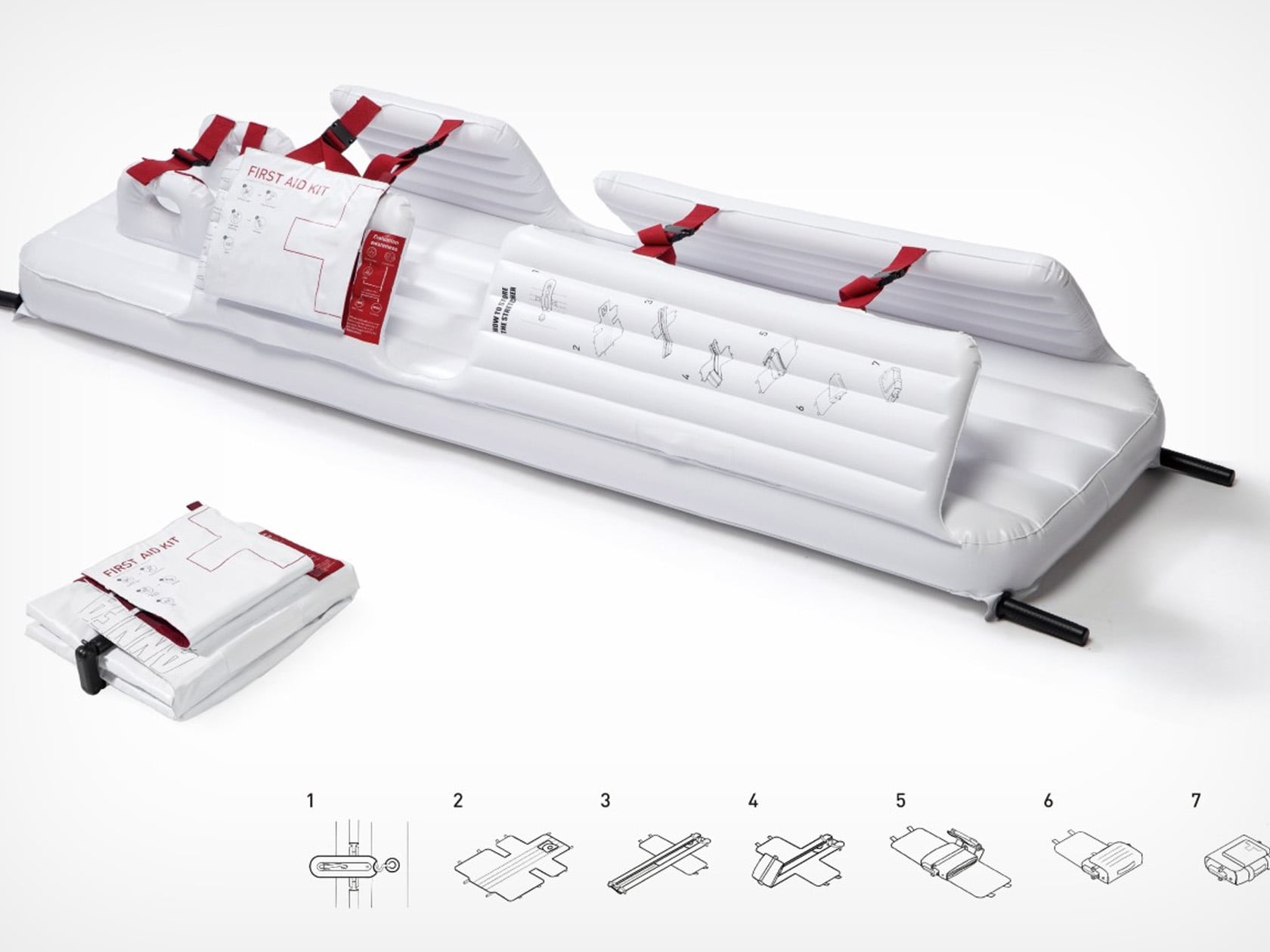
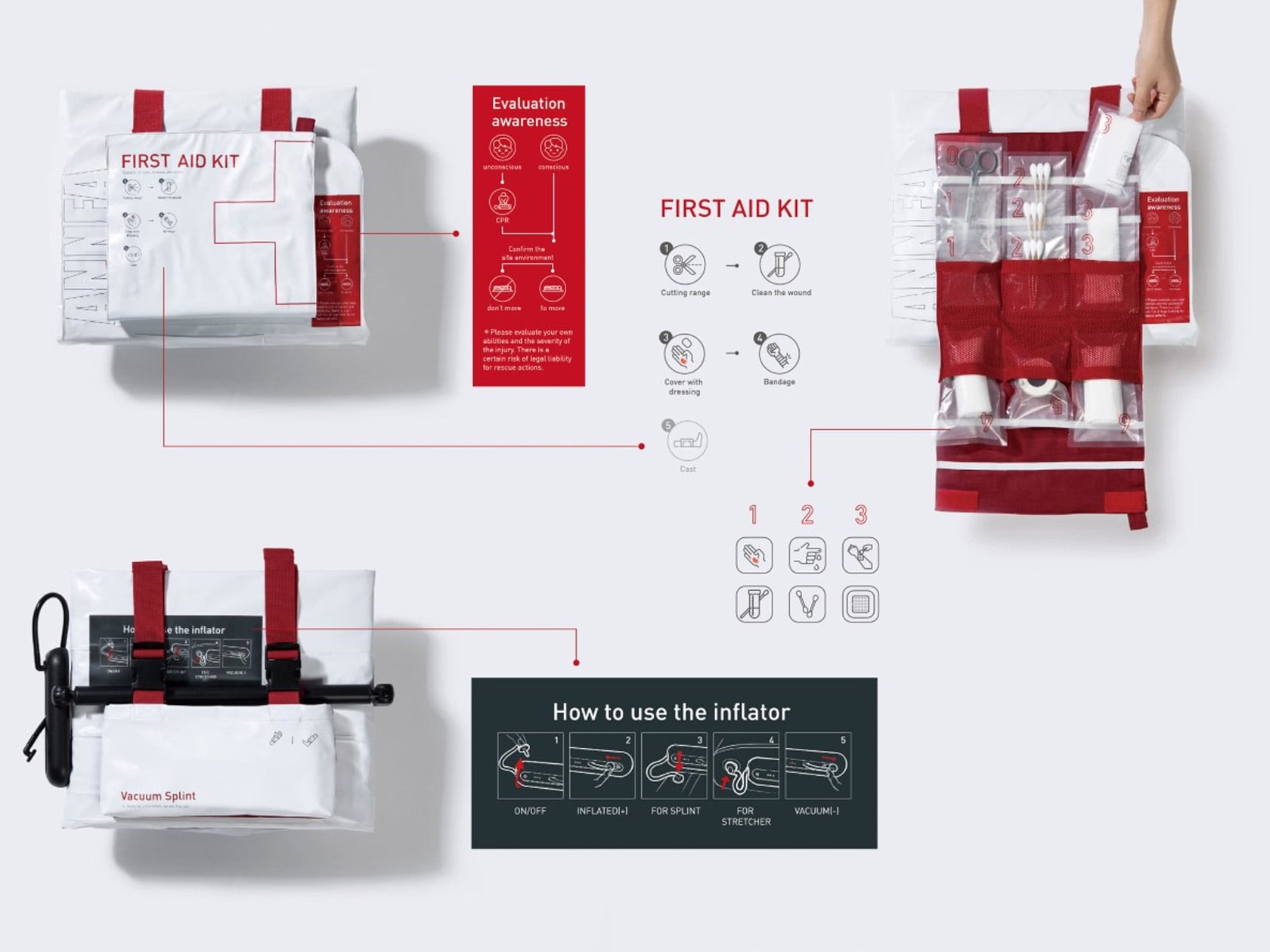
Meet the Inflatable Stretcher – a truly innovative medical design. Designed by Yu-Hsin Wu, a student at Taiwan’s Shih Chien University, this stretcher is intended to be an incredible upgrade to the typical stretcher. The stretcher can be used to carry patients from the site of the accident to the hospital in a pretty safe manner. The stretcher cushions and protects the patient in the same manner as you would wrap someone in bubble wrap.

6. Samsung Galaxy Ring & Watch

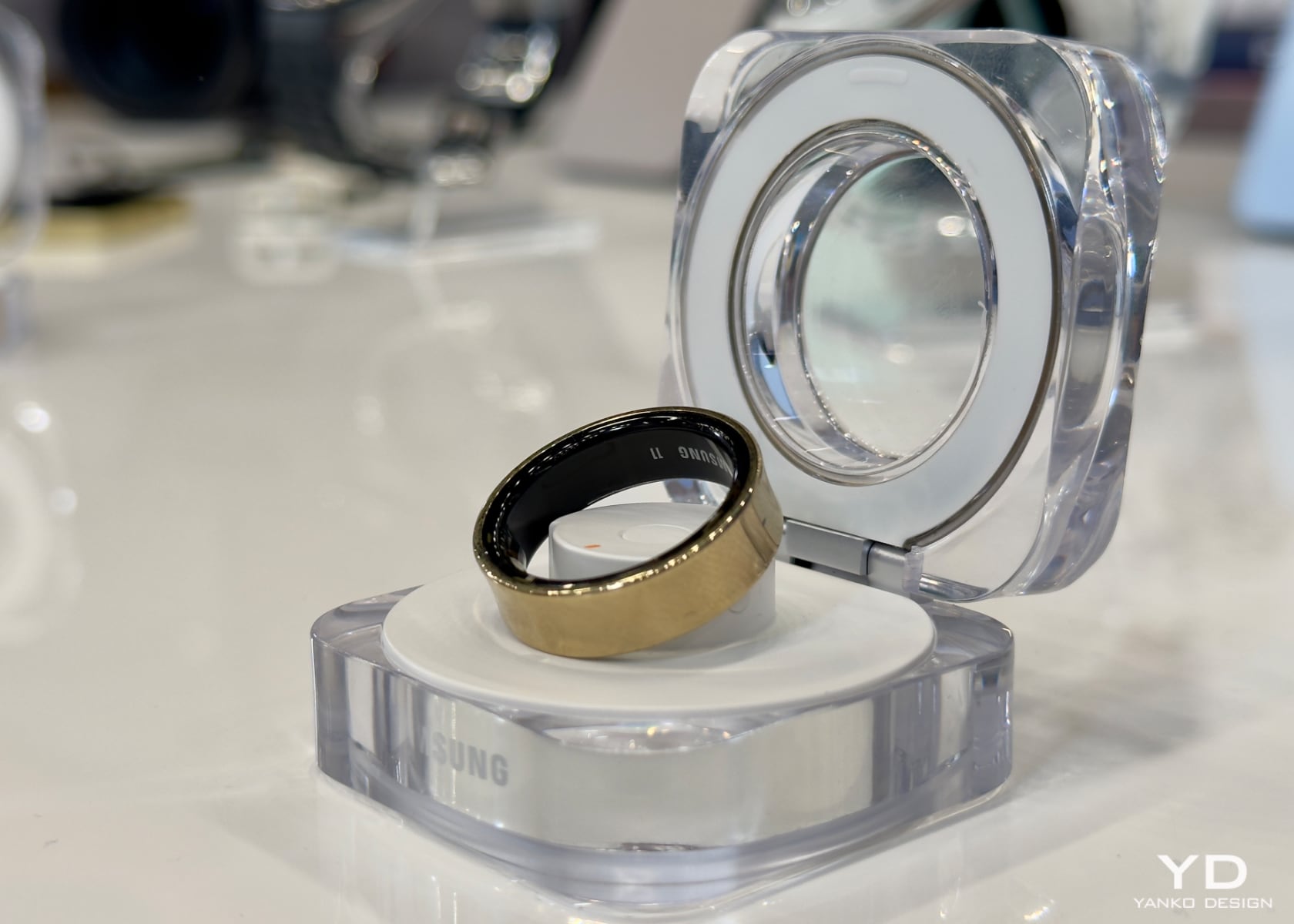
Recently Samsung unveiled its latest wearables – the Galaxy Ring and the new Galaxy Watch lineup which includes the Galaxy Watch Ultra and the Galaxy Watch 7. Both have been jam-packed with amazing features to ensure you are always healthy and connected, irrespective if you’re into sports, or simply trying to improve your everyday wellness. A standout feature of the Ring is the Energy Score – which measures seven health metrics relating to sleep, heart rate, and activity. Wellness Tips are also provided based on your health data.

7. Augmented Limb

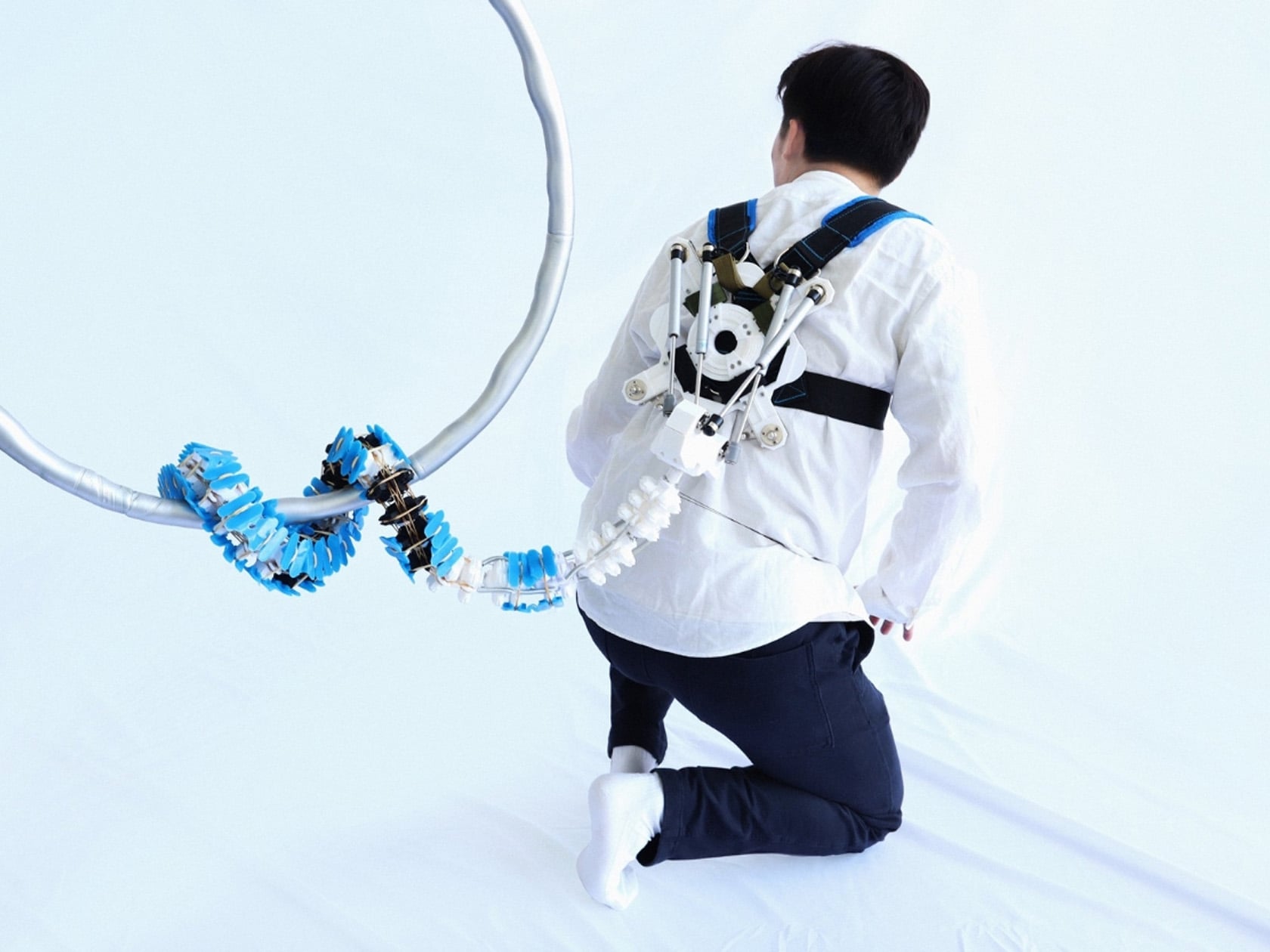
Called the Augmented Limb project, this innovative design offers astronauts an extra limb, helping them move around with ease in zero gravity. The limb is inspired by how animals like monkeys move around in 3-dimensional space, utilizing their tails as extra limbs, as well as the motion of reptiles like snakes, or even dinosaur tails when it comes to structural integrity and rigidity. The Augmented Limb is essentially a tail-like limb that can be attached through a backpack-like contraption.

8. MedEasy

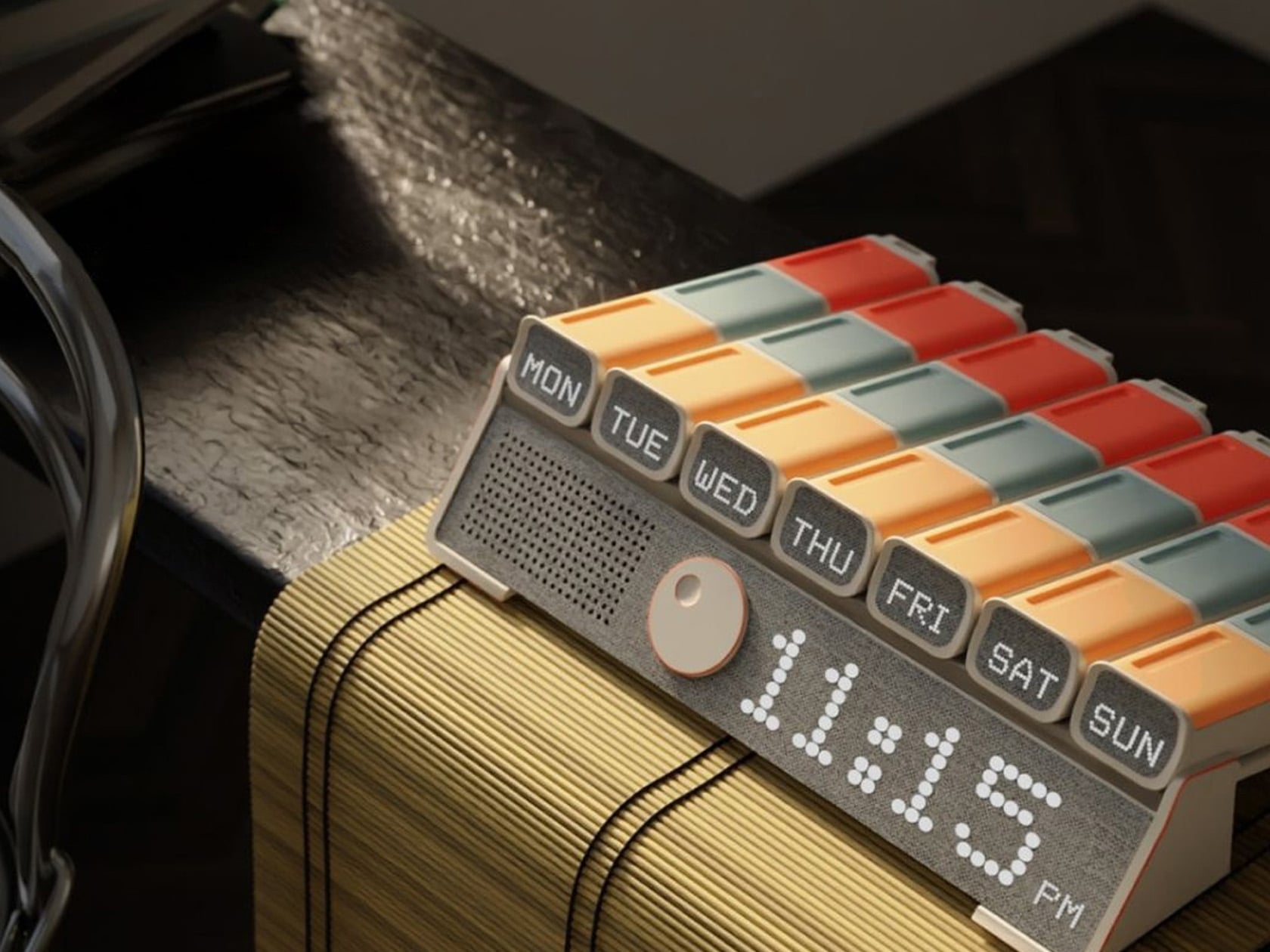
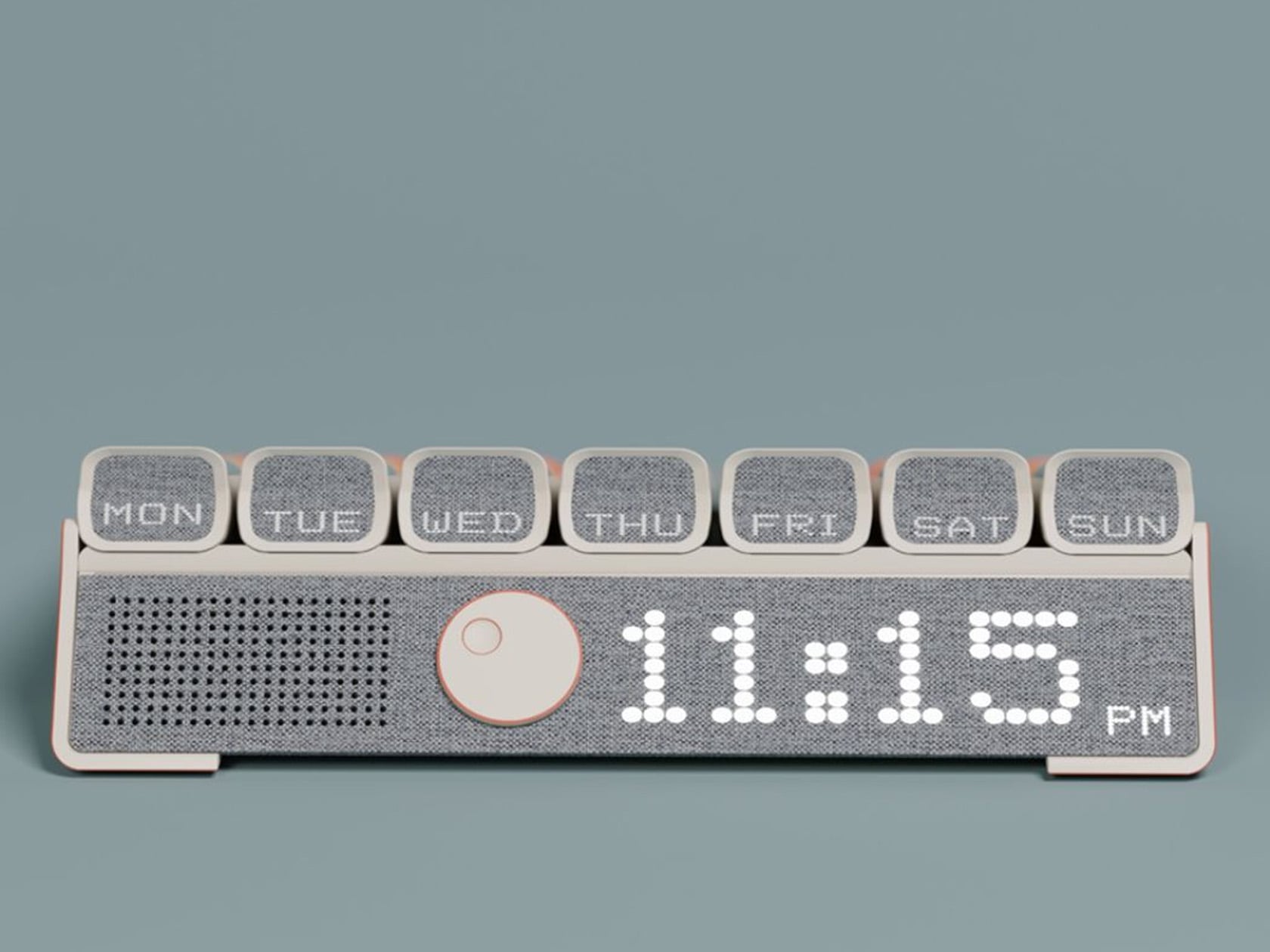
Named MedEasy, this cleverly designed medicine box is intended for the elderly. It serves as a dependable everyday companion for the older generation, assisting them in keeping track of their medicines and managing them. A lot of the senior citizen will live, and deal with loneliness, and this product helps them to focus on their health and well-being, letting them take better care of themselves, and making sure they don’t miss any meds.

9. Transcutaenos Oxygen Sensor

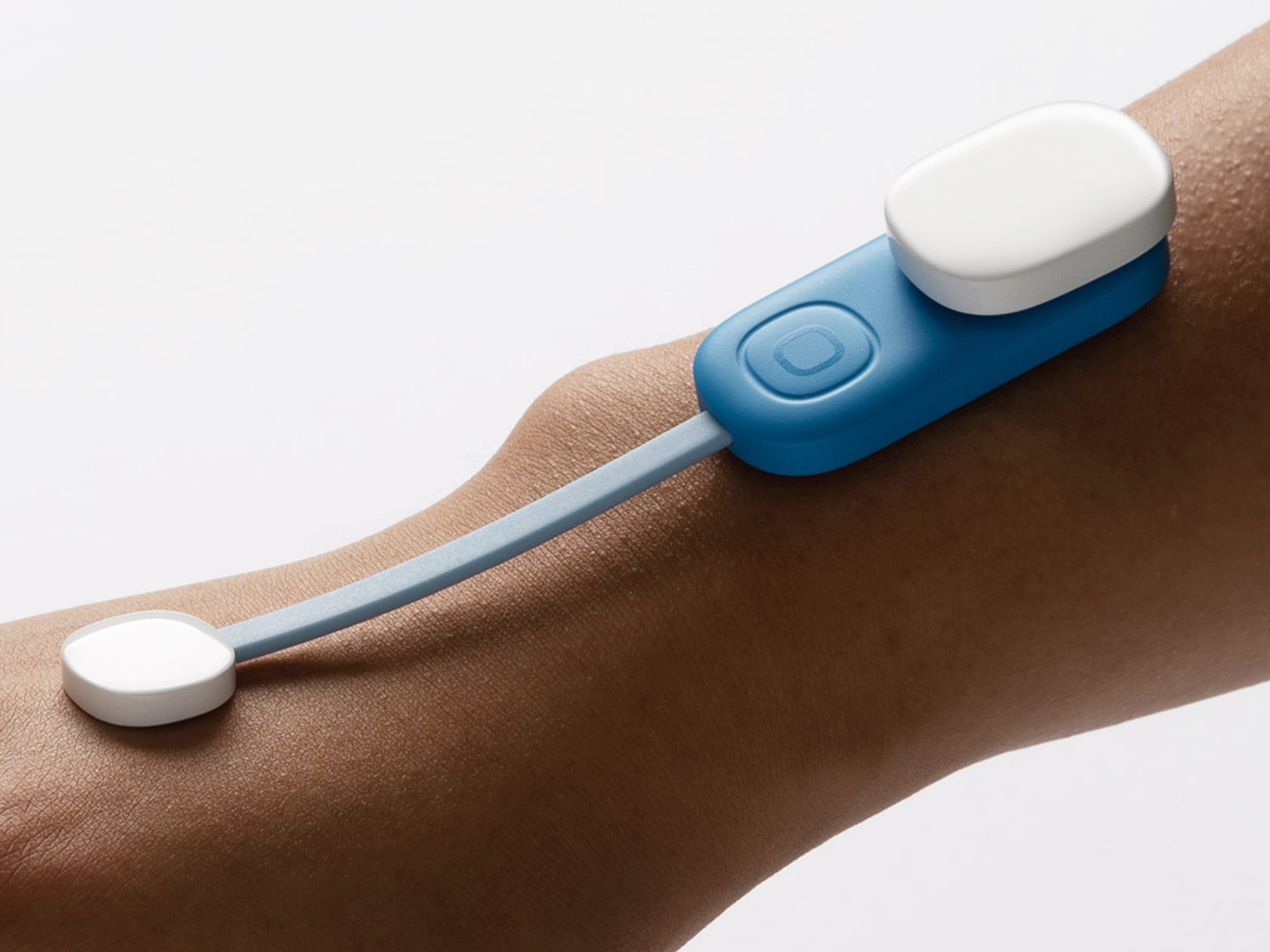
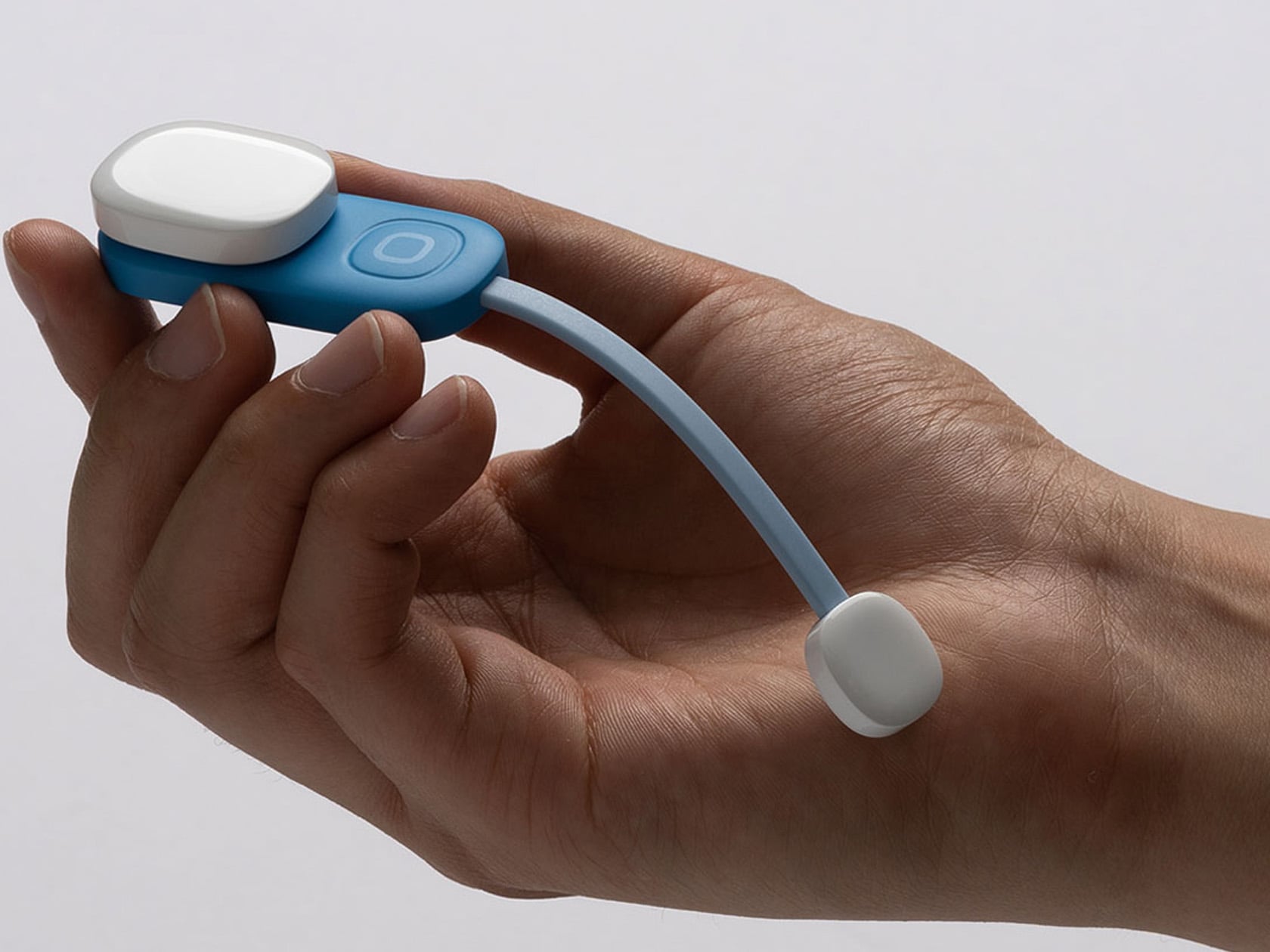
This wearable medical device was designed by Deokhee Jeong, and it helps patients who are suffering from any kind of disease related to peripheral capillaries like peripheral arterial disease (PAD). When it comes to these diseases, it is quite important to take proactive action and to take good care once identified. This device keeps a check on the early signs by measuring skin oxygen levels. It is wearable and named the Transcutaneous Oxygen Sensor.

10. Wethm

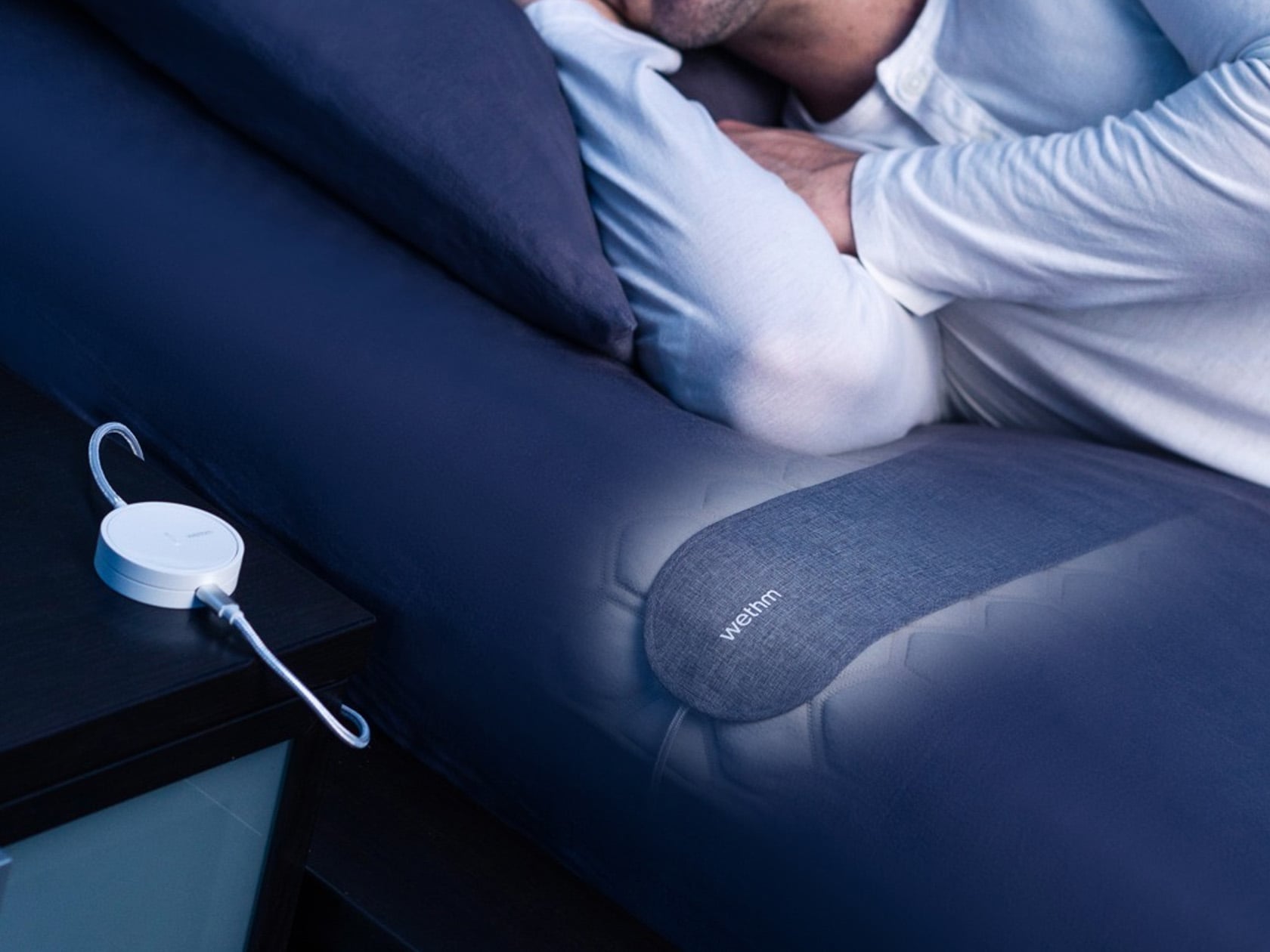
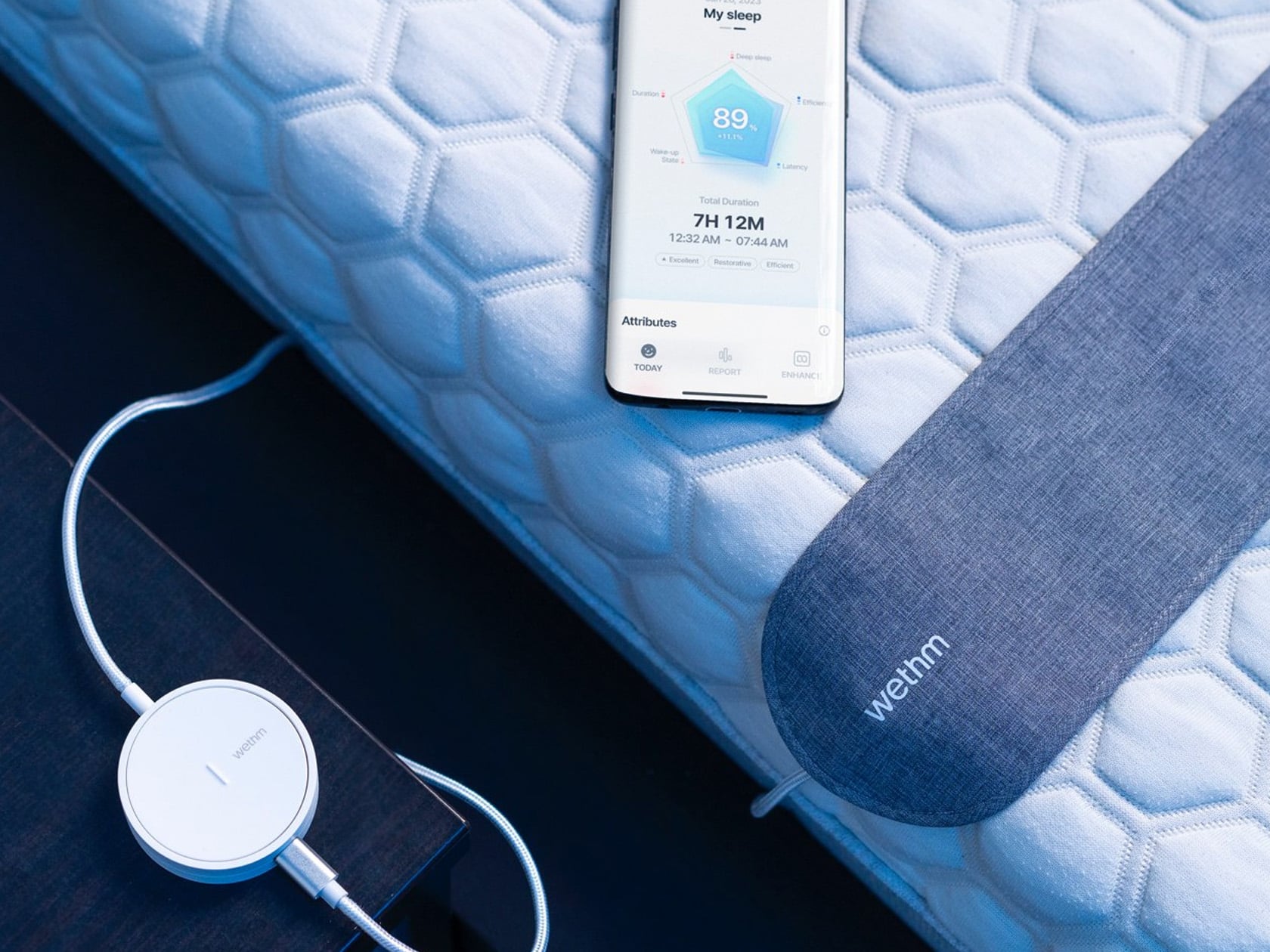
Named Wethm, this compact device forms gentle vibrations of a train ride to slow down the thoughts in your head, and this is known as cardiovascular synchronization. The accessory is quite simple and effective, and it utilizes soft and gentle sounds to lull your mind and body to sleep. This device provides a peaceful and calm state of sleep. It uses soft buzzing to gently wake you up, helping you feel fresh and recharged.

The post 10 Best Medical Designs Innovating & Upping The Healthcare Industry first appeared on Yanko Design.

Improve your Excel Data Analysis with AI and EDA-GPT

EDA-GPT Excel AI Data Analysis

Have you ever found yourself overwhelmed by the sheer volume of data you need to analyze? Whether it’s structured data like CSVs and SQL databases or unstructured data such as PDFs and images, the task can be daunting. EDA-GPT is an open-source AI tool designed to assist with comprehensive data analysis. It supports various data […]

The post Improve your Excel Data Analysis with AI and EDA-GPT appeared first on Geeky Gadgets.