This Designer Just Made Paper Clips Adorable With A Magnetic Tabletop Sheep

Your desk probably looks like everyone else’s. You’ve got the same black stapler, the same boring paper clip holder, maybe a pen cup that once held something else. There’s nothing wrong with functional, but there’s also nothing memorable about it. That’s precisely what makes Shearing Magnetic Absorption so refreshing.

Designed by Xin Se and awarded the Golden A’ Design Award in 2025, this magnetic paper organizer does something most desk accessories fail to accomplish: it makes you smile. The concept is beautifully simple. Picture a small sheep standing on your desk, and those mundane silver paper clips you usually ignore become its fluffy wool. It’s one of those ideas that feels so obvious once you see it, yet nobody thought to do it before.

Designer: Xin Se

The genius lies in the transformation. Most organizers are just containers, passive objects that hold your stuff. Shearing actively reimagines what paper clips are. When you attach them to the magnetic sheep body, they cluster and create texture that genuinely resembles wool. The visual metaphor isn’t subtle, and it doesn’t need to be. The name itself, Shearing, plays on the dual meaning of sheep shearing and the act of gathering or organizing. It’s clever without trying too hard.

What’s particularly interesting about this design is how it taps into emotional engagement. We spend massive amounts of time at our desks, surrounded by objects that serve purely utilitarian purposes. Keyboards, monitors, staplers, they’re all tools designed to disappear into the background. Shearing takes the opposite approach. It wants your attention. It invites interaction. When you reach for a paper clip, you’re not just grabbing office supplies, you’re “shearing the sheep.” That tiny narrative moment transforms a mundane task into something playful.

The brand behind Shearing is Niceobject, and if you look at their philosophy, it tracks. They focus on small items that contain what they call “a touch of emotion.” It’s not about making big statements or revolutionary products. It’s about finding joy in the details, turning everyday objects into what they describe as “beautiful encounters” and “warm companionship.” That might sound a bit precious, but when you’re staring at spreadsheets for eight hours, having a little sheep companion on your desk actually matters more than you’d think.

From a design perspective, Shearing succeeds because it balances form and function perfectly. It’s not sacrificing practicality for aesthetics. The magnetic mechanism works, paper clips stay organized and accessible, and the footprint is small enough that it won’t clutter your workspace. But it also doesn’t hide what it is. The sheep silhouette is immediately recognizable, giving it personality without becoming cartoonish or juvenile.

This is part of a broader trend we’re seeing in product design where personality and emotion are becoming key differentiators. Technology has made manufacturing more accessible, which means the market is flooded with functional but forgettable products. Standing out requires more than just working well. It requires creating a connection, telling a story, or sparking a feeling. Shearing does all three.

Designer Xin Se has spent over two decades in product design, bringing numerous products to market. That experience shows in Shearing’s execution. It’s not trying to reinvent the wheel or force innovation where it’s not needed. Instead, it takes something familiar and adds a layer of delight. That restraint is harder than it looks. It would be easy to over-design this concept, to add too many features or make the sheep too detailed. The design stays simple, letting the core idea shine.

Shearing represents a philosophy worth paying attention to. Not every design needs to solve massive problems or disrupt entire industries. Sometimes the best design simply makes ordinary moments a little more enjoyable. Next time you’re organizing paper clips or reaching for office supplies, you might think differently about what those objects could be. That’s what good design does. It changes how we see the world, even in the smallest ways. And sometimes, that’s exactly what we need.

The post This Designer Just Made Paper Clips Adorable With A Magnetic Tabletop Sheep first appeared on Yanko Design.
Moltbook, the AI social network, exposed human credentials due to vibe-coded security flaw

Moltbook bills itself as a social network for AI agents. That's a wacky enough concept in the first place, but the site apparently exposed the credentials for thousands of its human users. The flaw was discovered by cybersecurity firm Wiz, and its team assisted Moltbook with addressing the vulnerability.

The issue appears to be the result of the entire Reddit-style forum being vibe-coded; Moltbook's human founder posted a few days ago on X that he "didn't write one line of code" for the platform and instead directed an AI assistant to create the whole setup. 

According to the blog post from Wiz analyzing the issue, Moltbook had a vulnerability that allowed for "1.5 million API authentication tokens, 35,000 email addresses and private messages between agents" to be fully read and accessed. Wiz also found that the vulnerability could let unauthenticated human users edit live Moltbook posts. In other words, there is no way to verify whether a Moltbook post was authored by an AI agent or a human user posing as one. "The revolutionary AI social network was largely humans operating fleets of bots," the company's analysis concluded. 

So ends another cautionary tale reminding us that just because AI can do a task doesn’t mean it'll do it correctly.

This article originally appeared on Engadget at https://www.engadget.com/ai/moltbook-the-ai-social-network-exposed-human-credentials-due-to-vibe-coded-security-flaw-230324567.html?src=rss

Elon Musk’s SpaceX has acquired his AI company, xAI

Elon Musk’s SpaceX has acquired Musk’s xAI, the companies announced. The merger will “form the most ambitious, vertically-integrated innovation engine on (and off) Earth, with AI, rockets, space-based internet, direct-to-mobile device communications and the world’s foremost real-time information and free speech platform,” Musk wrote in an update.

The AI company that right now is best known for its CSAM-generating chatbot might seem like a strange fit for a rocket company. But SpaceX is key to Musk’s latest scheme to build AI data centers in space. In his update, Musk wrote that “global electricity demand for AI simply cannot be met with terrestrial solutions” and that moving the resource-intensive operations to space is “the only logical solution.” SpaceX just days ago filed an application with the FCC to create an “orbital data center” by launching a million new satellites.

Musk also claimed that, eventually, space-based data centers will enable other advancements in space travel. “The capabilities we unlock by making space-based data centers a reality will fund and enable self-growing bases on the Moon, an entire civilization on Mars and ultimately expansion to the Universe.” Notably, it’s not the first time Musk has made lofty claims about Mars. He predicted in 2017 that SpaceX would send crewed missions to Mars by 2024.

This also isn’t the first time Musk has acquired one of his own companies. He merged xAI and X last year, which means SpaceX now owns the social network Musk bought in 2022. And he recently announced that Tesla was investing $2 billion into xAI. SpaceX is planning to go public later this year in an initial public offering (IPO) that could value the company at more than $1 trillion, according to Bloomberg, which notes that SpaceX has also “discussed a possible merger with Tesla.”

This article originally appeared on Engadget at https://www.engadget.com/ai/elon-musks-spacex-has-acquired-his-ai-company-xai-221617040.html?src=rss

Ubisoft fires employee who publicly criticized its RTO plan

Ubisoft continues to raise eyebrows around how it is treating employees as it attempts a business overhaul. David Michaud-Cromp, a level design team lead at Ubisoft Montreal, said last week that he was suspended for three days without pay after voicing opposition to the company's return to office mandate. Today, Michaud-Cromp posted on LinkedIn that he has been fired. "I was terminated by Ubisoft, effective immediately," he wrote. "This was not my decision."

A spokesperson for Ubisoft gave Kotaku the following statement regarding Michaud-Cromp's dismissal: "Sharing feedback or opinions respectfully does not lead to a dismissal. We have a clear Code of Conduct that outlines our shared expectations for working together safely and respectfully, which employees review and sign each year. When that is breached, our established procedures apply, including an escalation of measures depending on the nature, severity, and repetition of the breach." We've reached out to the company for additional confirmation and comment. 

This is the latest in a sequence of bad press Ubisoft has faced regarding its workforce. Shortly after many employees at Ubisoft Halifax unionized, the parent company shut down the studio. In announcing the closure, Ubisoft said the move was part of a broader cost-cutting endeavor across its operations; it shut down a support studio and cut more jobs later in January, with even more layoffs proposed. Most recently, unions representing other Ubisoft workers called for a three-day strike in response to the "penny-pinching and worsening our working conditions" they alleged of the company's management.

All these issues could all be coincidental timing. But if so, they're coincidences that don't reflect favorably on Ubisoft.

This article originally appeared on Engadget at https://www.engadget.com/gaming/ubisoft-fires-employee-who-publicly-criticized-its-rto-plan-220913747.html?src=rss

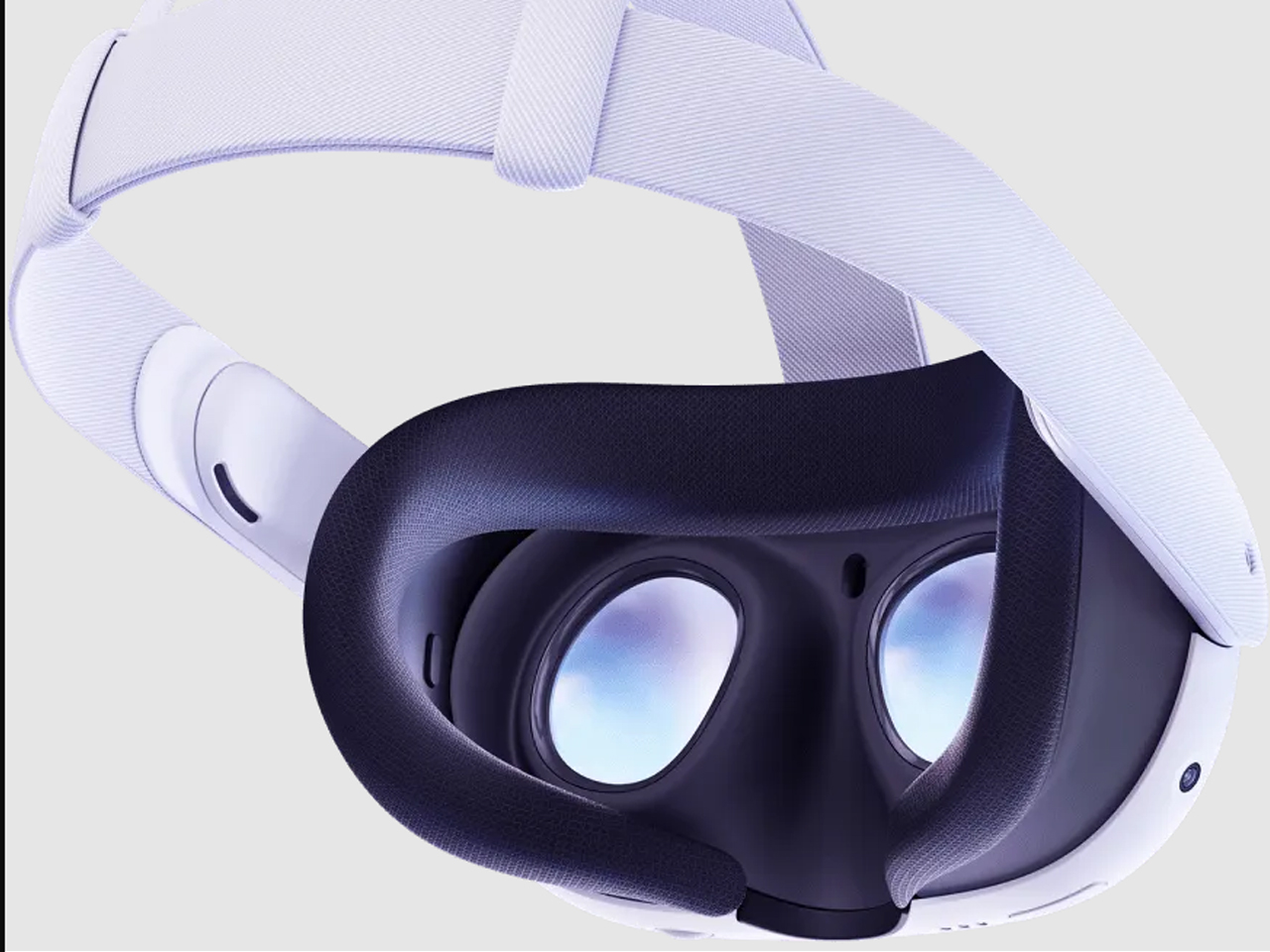
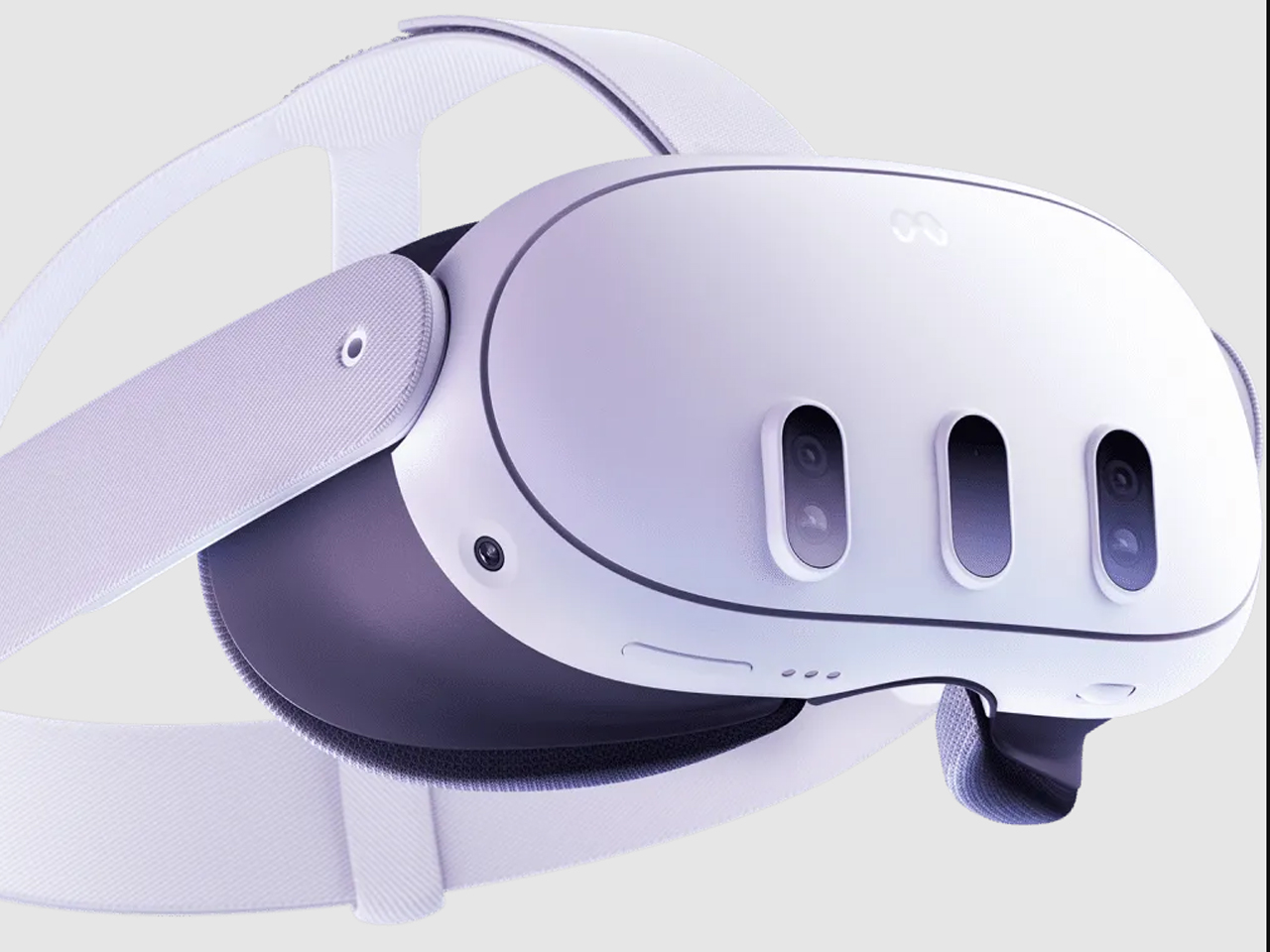
Meta Quest 3 feature turns any flat surface into functional Surface Keyboard with trackpad

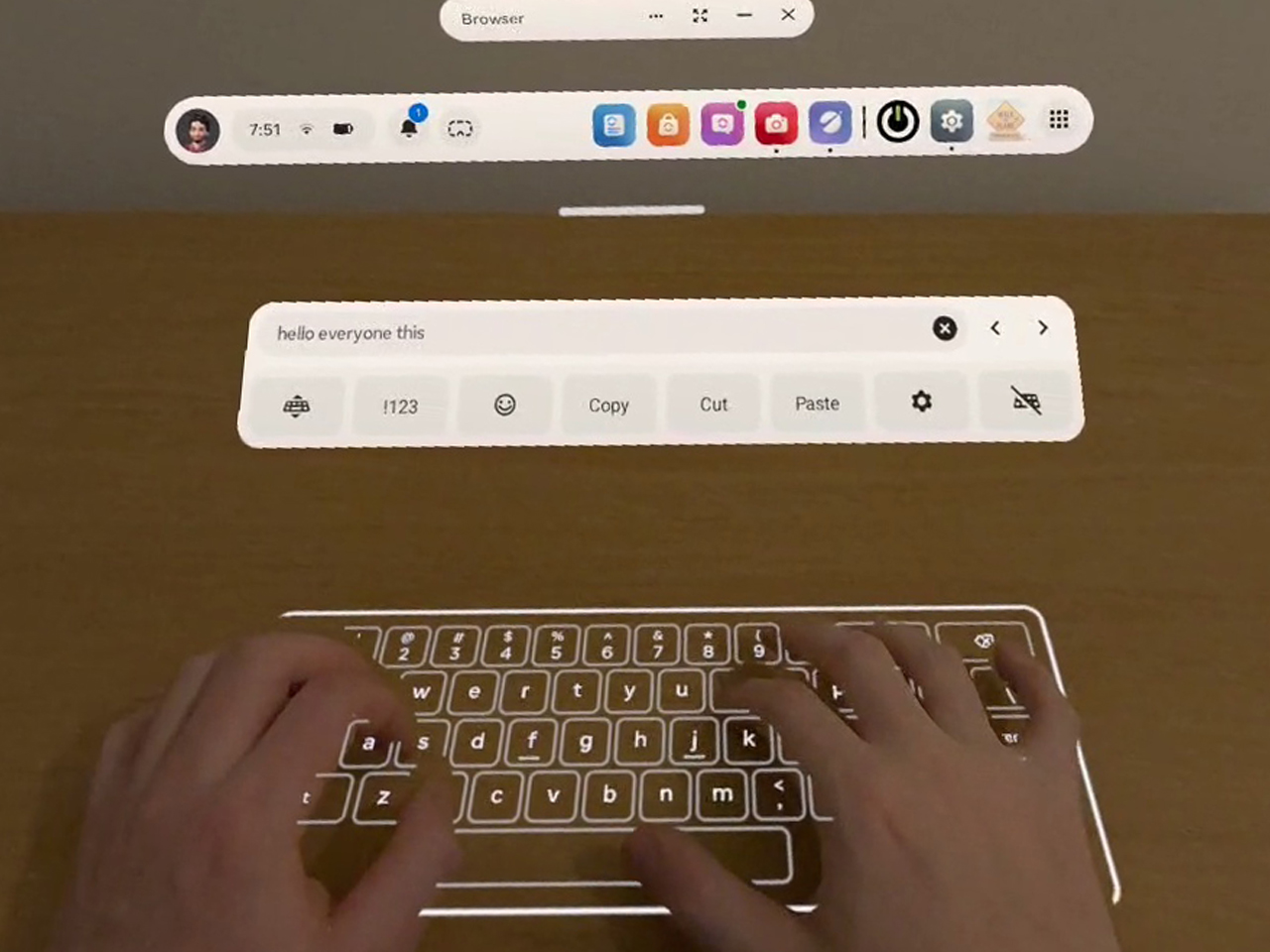
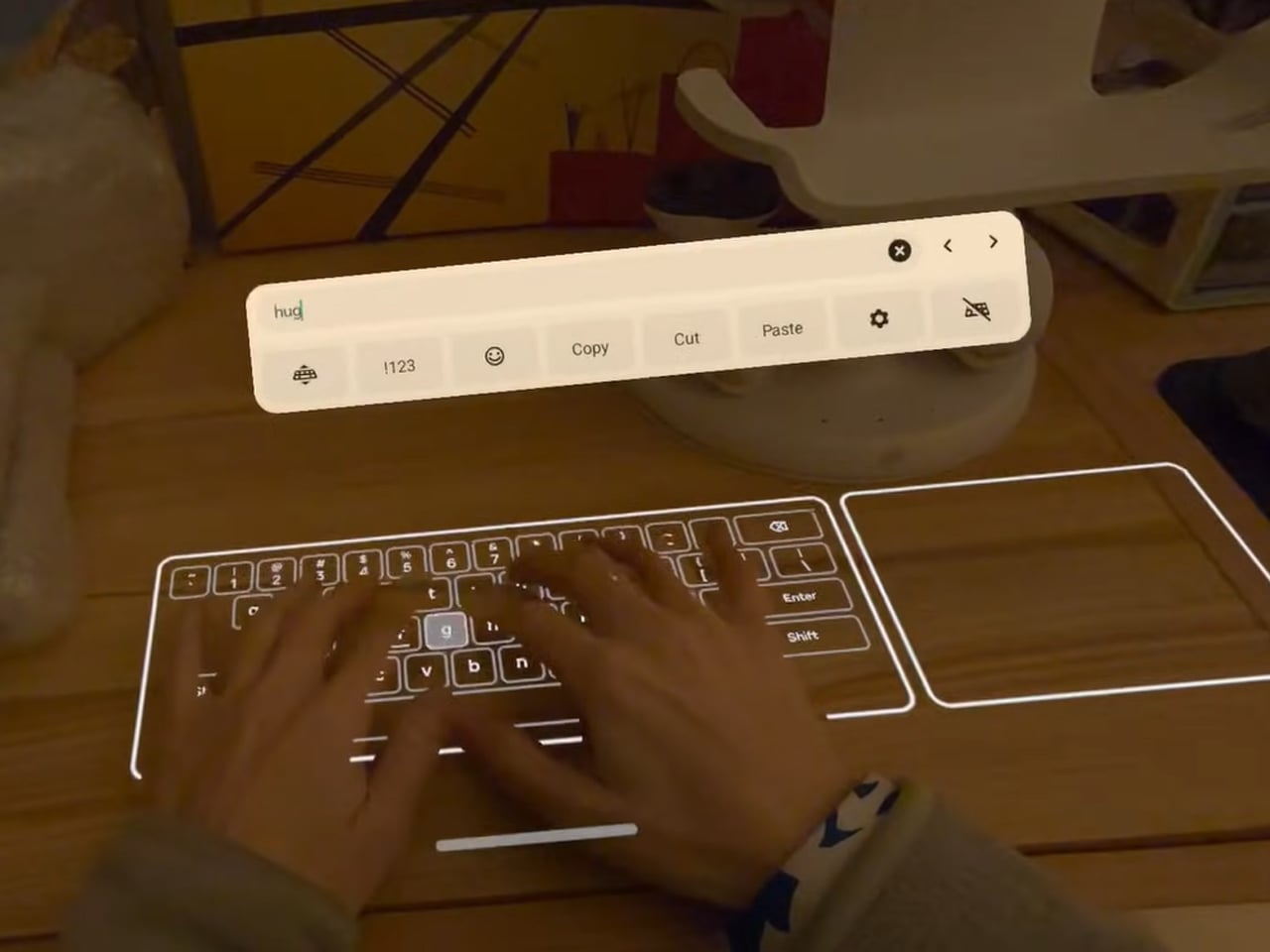
Meta may have discontinued the Quest for Business program intended for its Quest 3, but the Horizon OS v85 is planning on introducing some niche features to the VR headset, which, of course, will start with the replacement of Horizon Feed with the Navigator UI as the default. In addition to that, if the new Horizon OS v85 Public Test Channel (PTC) is considered, the Meta headset will be able to turn any flat surface – a table or a desk – into a virtual keyboard you can type on like a physical keyboard.

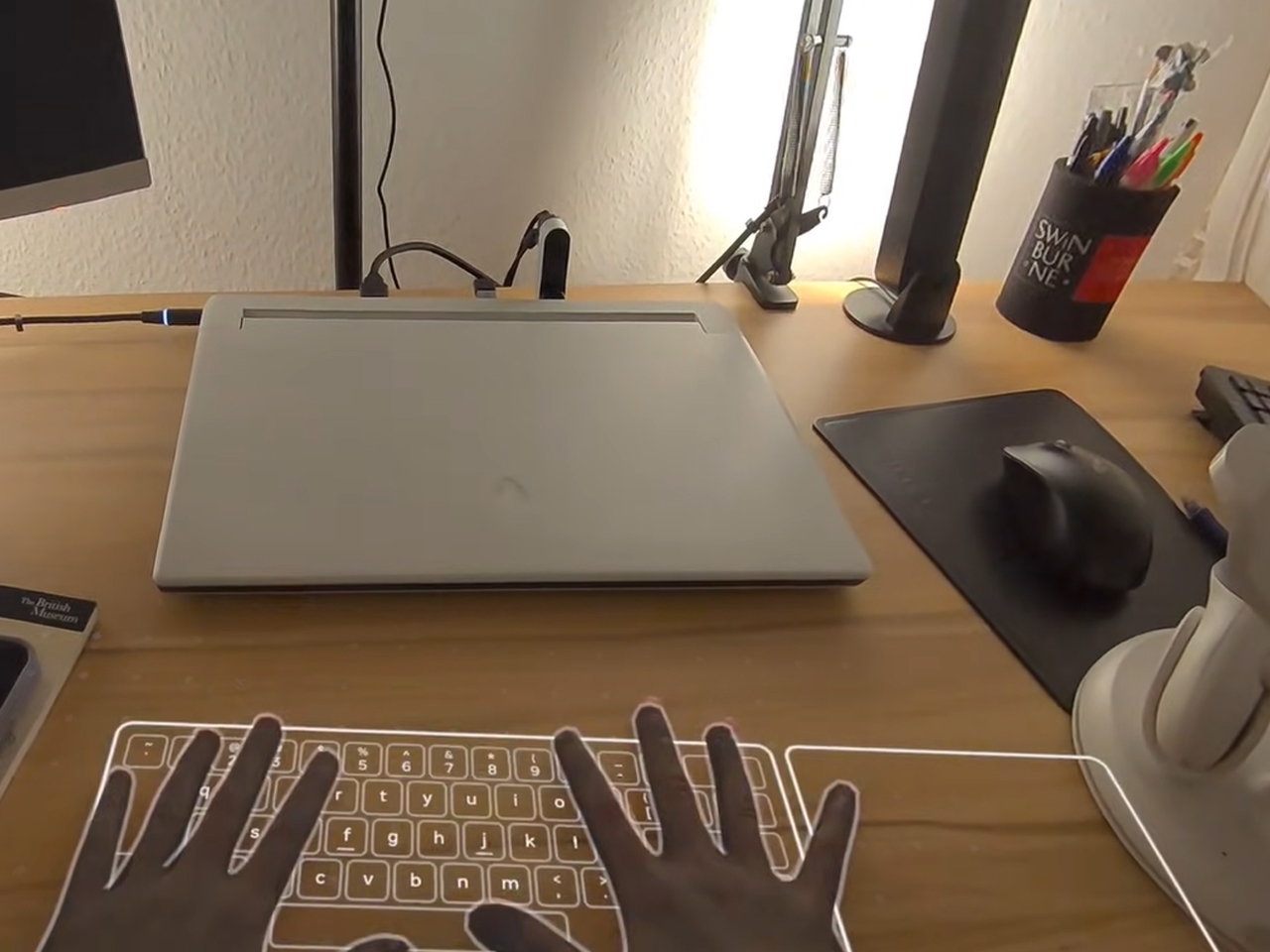
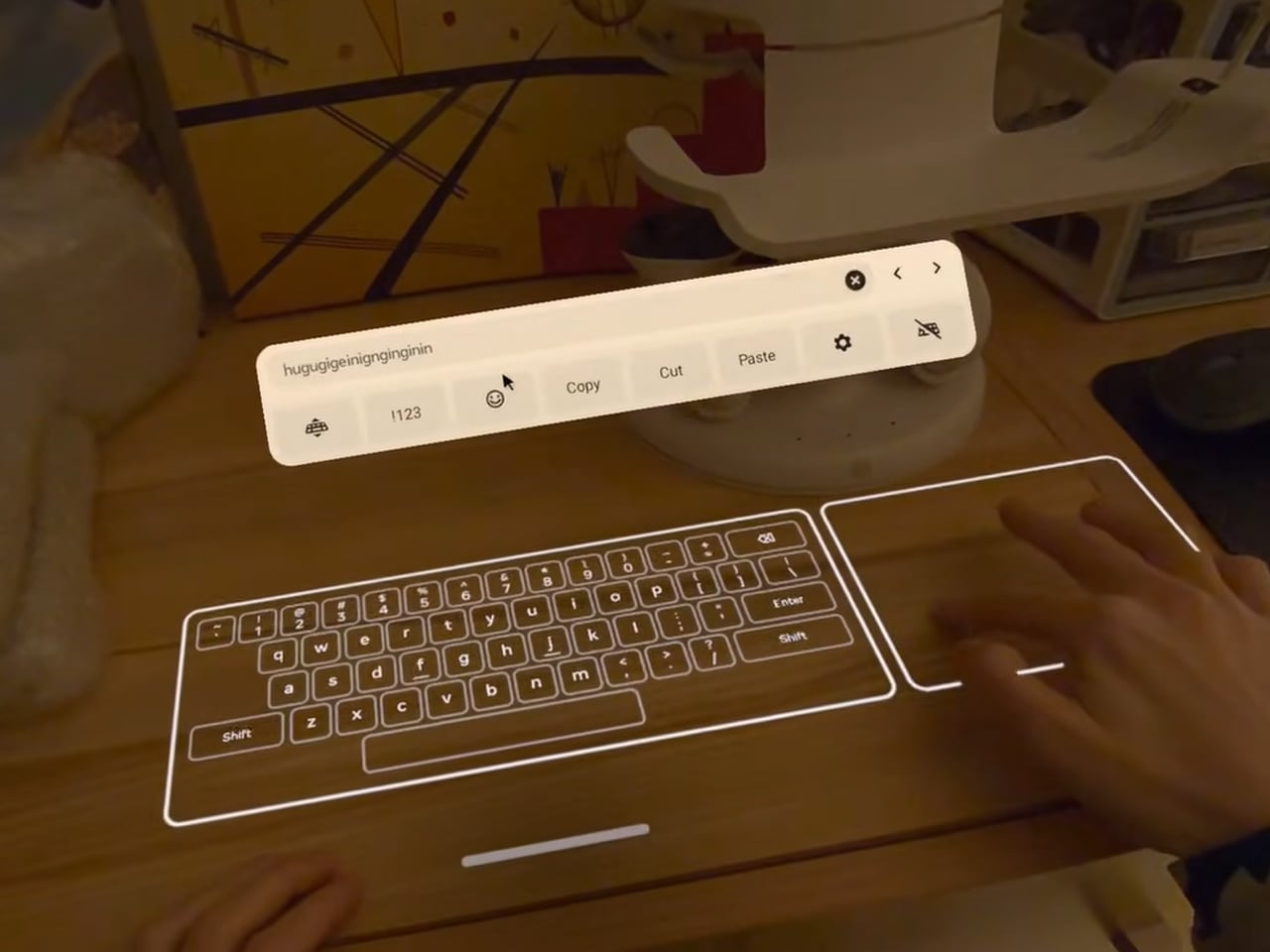
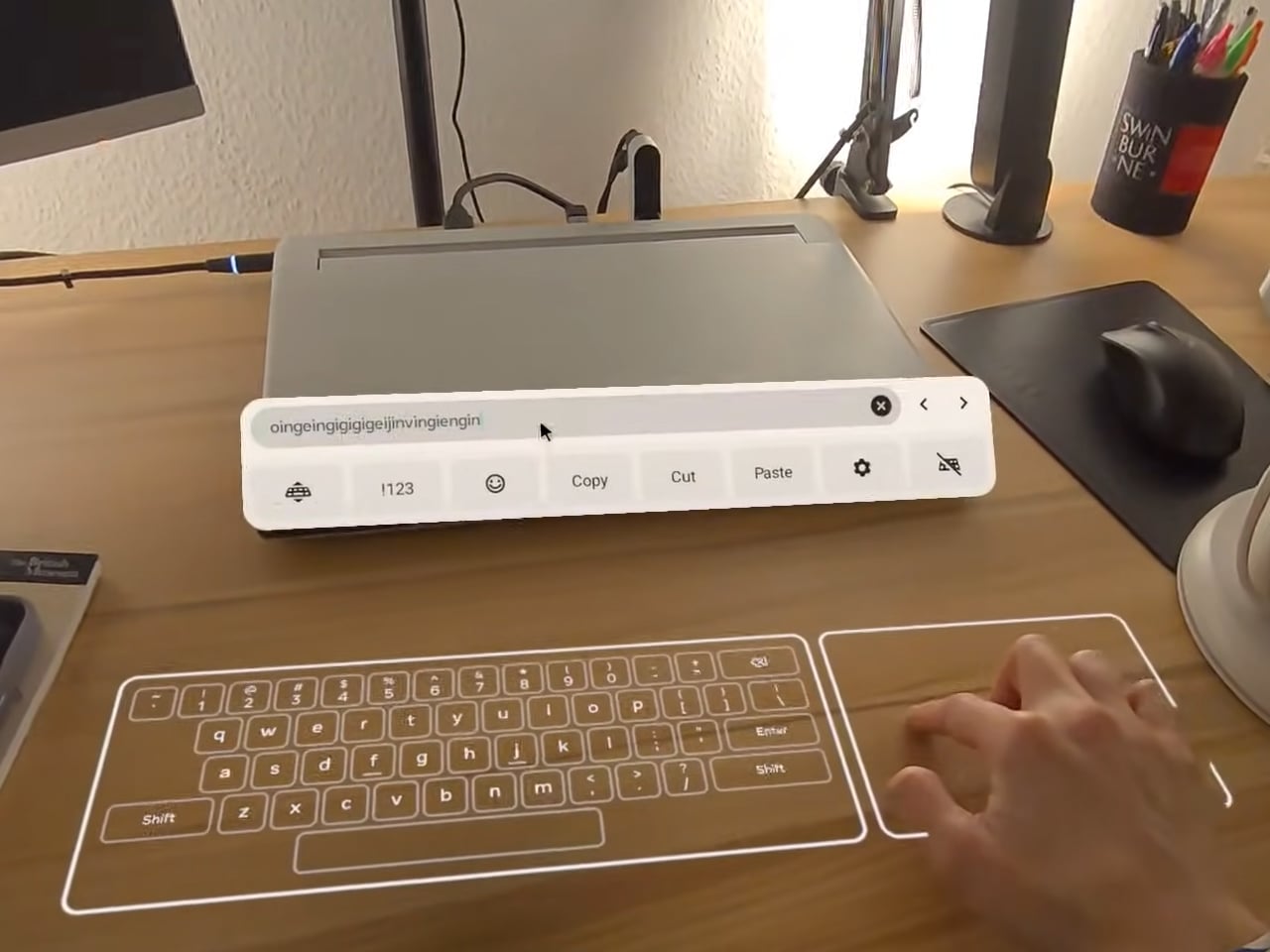
The PTC for Quest OS v85 has started rolling out and initial YouTube hands-on reviews and forum discussions reveal it’s available as an experimental feature exclusively on Quest 3. The Quest 3S may have been left out of the virtual keyboard (the reason is not apparent at the time of writing), which appears like magic on a table and turns it into a keyboard complete with a trackpad.

Designer: Meta

The feature is called Surface Keyboard and it adds a keyboard on top of any surface you want. With the tap on the handheld controllers, you can switch back from the virtual keyboard to controllers and back seamlessly. If mixed reality and hand tracking have always excited you, with v85 of its operating system, the Quest 3 is going to take that experience to a new level.

To be able to truly live this fiction, where you place your hands on a table for a couple of seconds and a keyboard appears out of nowhere (where your hands were), and you can start typing – no buttons, no configuration, just hands and the virtual keyboard to type on. You will be required to opt in to the PTC of the Horizon OS, and receive the pre-release version to toil with.

If we remember correctly, Meta has been working on creating a virtual keyboard of this kind for a better part of the decade. In fact, it was in 2023 that Mark Zuckerberg demoed it and claimed he could reach 100 words per minute. Going by the videos and reviews floating online, the keyboard will take some getting used to. That said, the setup is easy and straightforward.

When you have opted in for the PTC, you can go to Movement Tracking and enable hand movement and body and double-tap controllers for hand tracking (to be able to switch between controller and keyboard). Now, to the Experimental and Unstable Surface Keyboard under the head. Once that’s done, go to devices, click keyboard, and setup and you’re set. Place your hands flat on a surface, and in seconds, a keyboard will appear where your hands are.


The post Meta Quest 3 feature turns any flat surface into functional Surface Keyboard with trackpad first appeared on Yanko Design.
France might seek restrictions on VPN use in campaign to keep minors off social media

France may take additional steps to prevent minors from accessing social media platforms. As its government advances a proposed ban on social media use for anyone under age 15, some leaders are already looking to add further restrictions. During an appearance on public broadcast service Franceinfo, Minister Delegate for Artificial Intelligence and Digital Affairs Anne Le Hénanff said VPNs might be the next target. 

"If [this legislation] allows us to protect a very large majority of children, we will continue. And VPNs are the next topic on my list," she said.

A virtual private network would potentially allow French citizens younger than 15 to circumnavigate the social media ban. We've already seen VPN's experience a popularity spike in the UK last year after similar laws were passed over age-gating content. However, a VPN also offers benefits for online privacy, and introducing age verification requirements where your personal data must be submitted negates a large part of these services' appeal. 

The French social media ban is still a work in progress. France's National Assembly voted in favor of the restrictions last week with a result of 116-23, moving it ahead for discussion in the country's Senate. While a single comment doesn't mean that France will in fact ban VPNs for any demographic, it does point to the direction some of the country's leaders want to take. Critics responded to Le Hénanff's statements with worry that these attempts at protective measures were veering into an authoritarian direction. 

The actions in France echo several other legislative pushes around the world aimed at reducing children and teens' access to social media and other potentially sensitive content online. The US had seen 25 state-level laws for age verification introduced in the past two years, which has created a new set of concerns around users' privacy and personal data, particularly when there has been no attempt to standardize how that information will be collected or protected. When data breaches at large corporations are already all too common, it's hard to trust that the individual sites and services that suddenly need to build an age verification process won't be an easy target for hacks.

This article originally appeared on Engadget at https://www.engadget.com/cybersecurity/france-might-seek-restrictions-on-vpn-use-in-campaign-to-keep-minors-off-social-media-205308716.html?src=rss

Firefox will soon offer a way to block all of its generative AI features

Like practically every other tech company under the sun, Mozilla has been jamming generative AI features into its products. The organization has now acknowledged that not everyone wants things like plagiarism machines chatbots in the Firefox sidebar, so it’s giving you the option to turn off all of that. 

On February 24 (or earlier in Firefox Nightly builds), Mozilla will roll out Firefox 148, which will include an AI controls section in the desktop browser settings. From here, you’ll be able to block current and future generative AI features, or only enable select tools. 

At the jump, you’ll have the option to disable (or enable) chatbots in the sidebar, automated translations and alt text generation for PDFs. You’ll also be able to nix a tool called AI-enhanced tab grouping (which offers suggestions of related tabs and group names), as well as webpage previews that display “key points" before you actually click on a link. If you’d prefer to get rid of all of these — and for Firefox to not bother you with pop-ups and notifications about current and upcoming AI features — just make sure the "Block AI enhancements" toggle is on. 

Perhaps Mozilla has come to realize that, rather than having AI cruft soaking up resources and causing apps to bloat, what many people actually want is a fast, secure and streamlined web browser. At the very least, giving users a way to opt out of features they don’t want is a positive step. Now then, Google, about AI Overviews...

This article originally appeared on Engadget at https://www.engadget.com/ai/firefox-will-soon-offer-a-way-to-block-all-of-its-generative-ai-features-203132958.html?src=rss

Sony’s flagship WF-1000XM6 earbuds have been leaked on a retail site

Sony's long-anticipated flagship WF-1000XM6 earbuds have leaked online, according to a report by The Walkman Blog and posts on Reddit. The retailer Power Buy posted a listing for the earbuds, complete with multiple photos and some specs.

Let's get to the specs. We don't know a lot, but the listing does suggest the earbuds will boast an IPX4 water-resistance rating and ANC/transparency modes. None of this is all that surprising, though we don't have any details regarding the audio drivers or anything like that.

Earbuds and a case.
The Walkman Blog / Power Buy / Sony

We do know what they look like, assuming the listing is accurate. There are two colorways, black and white, with a pill-shaped design that differs from the previous iterations. The case looks like a standard earbud case.

One interesting design aspect is that the eartips are slightly bigger than with previous models. This could indicate a larger air channel, which would translate to an increased bass response. Earbuds tend to struggle with bass, so this could be a nifty little upgrade.

However, that's conjecture and we won't know more until Sony does its own official drop. It's been well over two years since the company released the WF-1000XM5 earbuds, so the refresh is long overdue.

This article originally appeared on Engadget at https://www.engadget.com/audio/headphones/sonys-flagship-wf-1000xm6-earbuds-have-been-leaked-on-a-retail-site-194146960.html?src=rss

Samsung Galaxy A17 5G review: A respectable and affordable Android option

Buying a good budget phone can be a challenge. High-end handsets continue to get more features, but on the other end of the spectrum, there are only so many things you can skimp on before a device becomes too compromised. With the Galaxy A17, Samsung is trying to balance both sides of that equation with something that sports a solid design, a bright screen, decent cameras and respectable battery life for just $200. And despite some flaws, the company has succeeded at making a capable phone that fits into almost every budget.

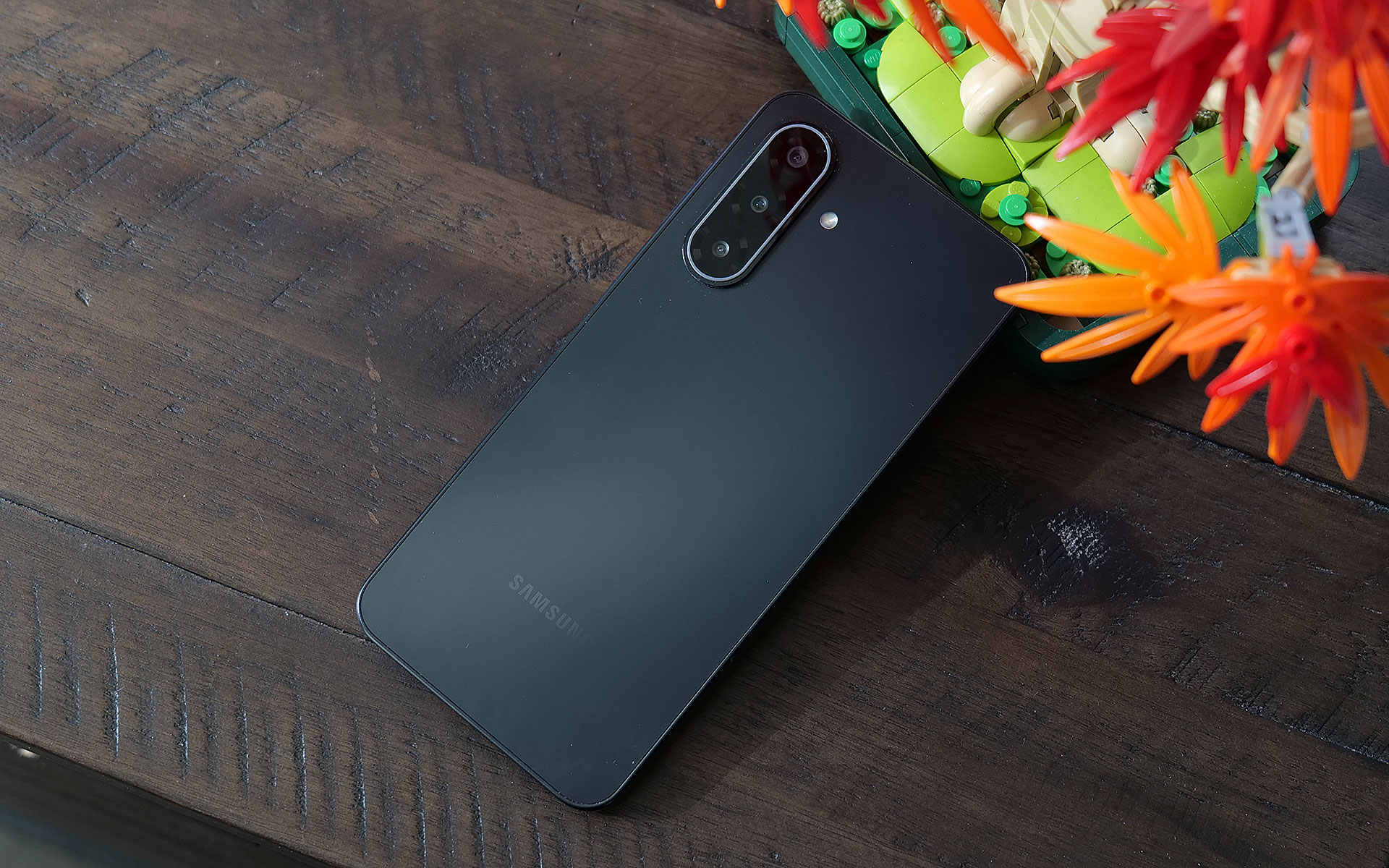
The Galaxy A17 does a good job of demonstrating how all plastics aren't the same. Despite having a polycarbonate frame and back, the phone never feels cheap. Everything from its buttons to its camera module feels nice and tight. The optical image stabilization system used for its rear shooters rattles, though that’s something even $1,000 flagships suffer from, so it’s not a big deal. Some small concessions for cost savings include a teardrop cutout for its front selfie cam and a small chin beneath its display, but considering its price, they're very forgivable. There's also only a single mono speaker and instead of an in-screen fingerprint sensor, Samsung built one into the power button on its side. Though for some, the latter might actually be a bonus.

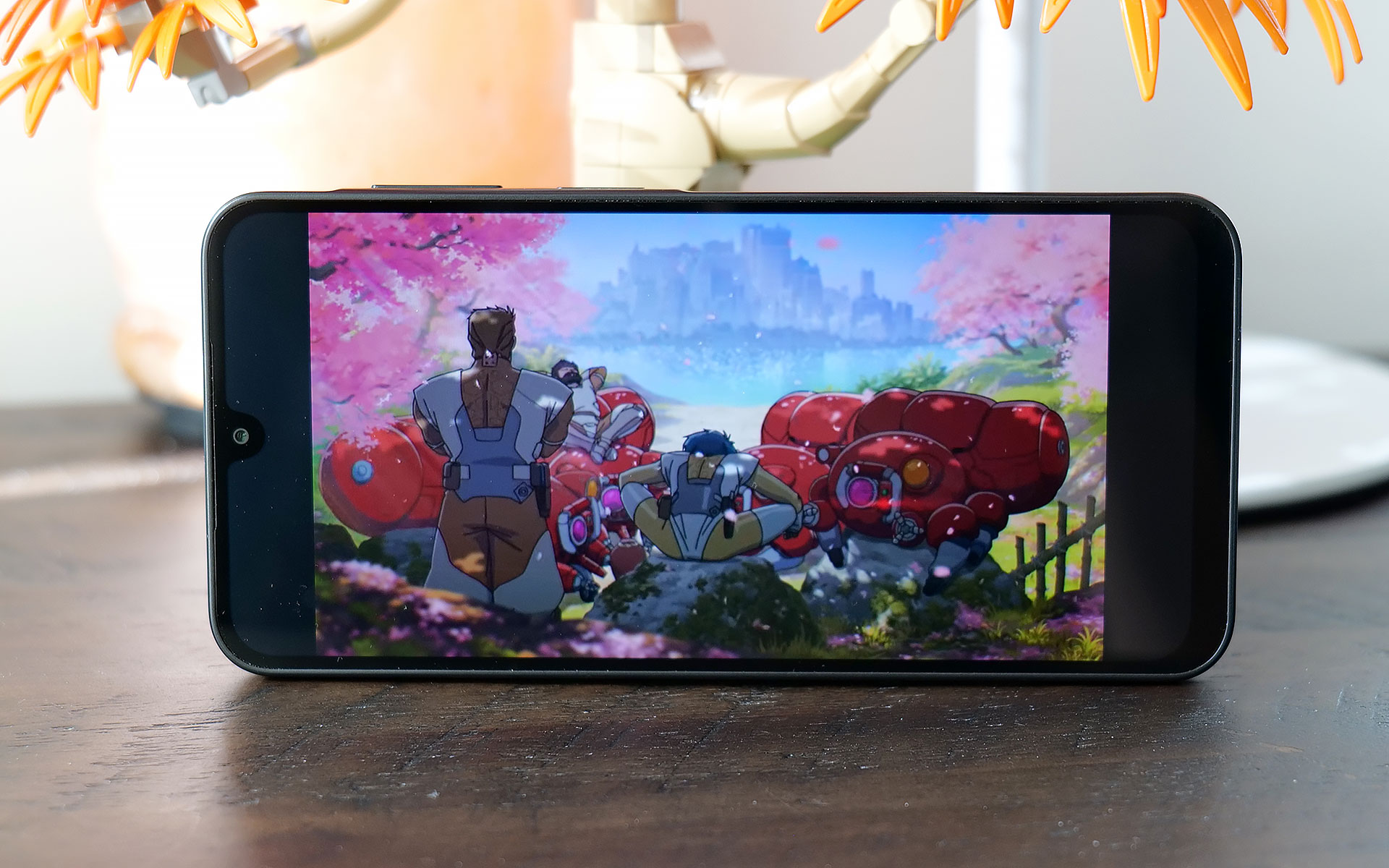
The Galaxy A17's 6.7-inch OLED display is one of the phone's best components thanks to solid brightness and a 90Hz refresh rate.
Sam Rutherford for Engadget

Meanwhile, one thing the A17 has that you don't get on high-end handsets anymore is a microSD card slot (that's shared with its SIM tray) for expandable storage. This gives you a cheap way to increase the phone's base 128GB of space and considering how rare this is nowadays, it’s another win for people looking for a truly affordable device. 

The Galaxy A17's screen is also surprisingly nice for its price, as it sports a 6.7-inch OLED display with up to 800 nits of brightness. Granted, its refresh rate tops out at 90Hz instead of the 120Hz you get on more expensive fare. But once again, considering how much it costs, I'm not complaining. Especially when you remember that base iPhones were still saddled with 60Hz panels as recently as 2024. 

One area where budget phones often struggle is performance because skimping on RAM or the processor can save manufacturers a lot of money. And while the Galaxy A17 is generally fine considering its price bracket, I really wish Samsung had opted for a slightly newer chip. The phone comes with just 4GB of RAM (though there are slightly pricier versions with more), 128GB of onboard storage and an Exynos 1330 SoC, the latter of which is nearly three years old. 

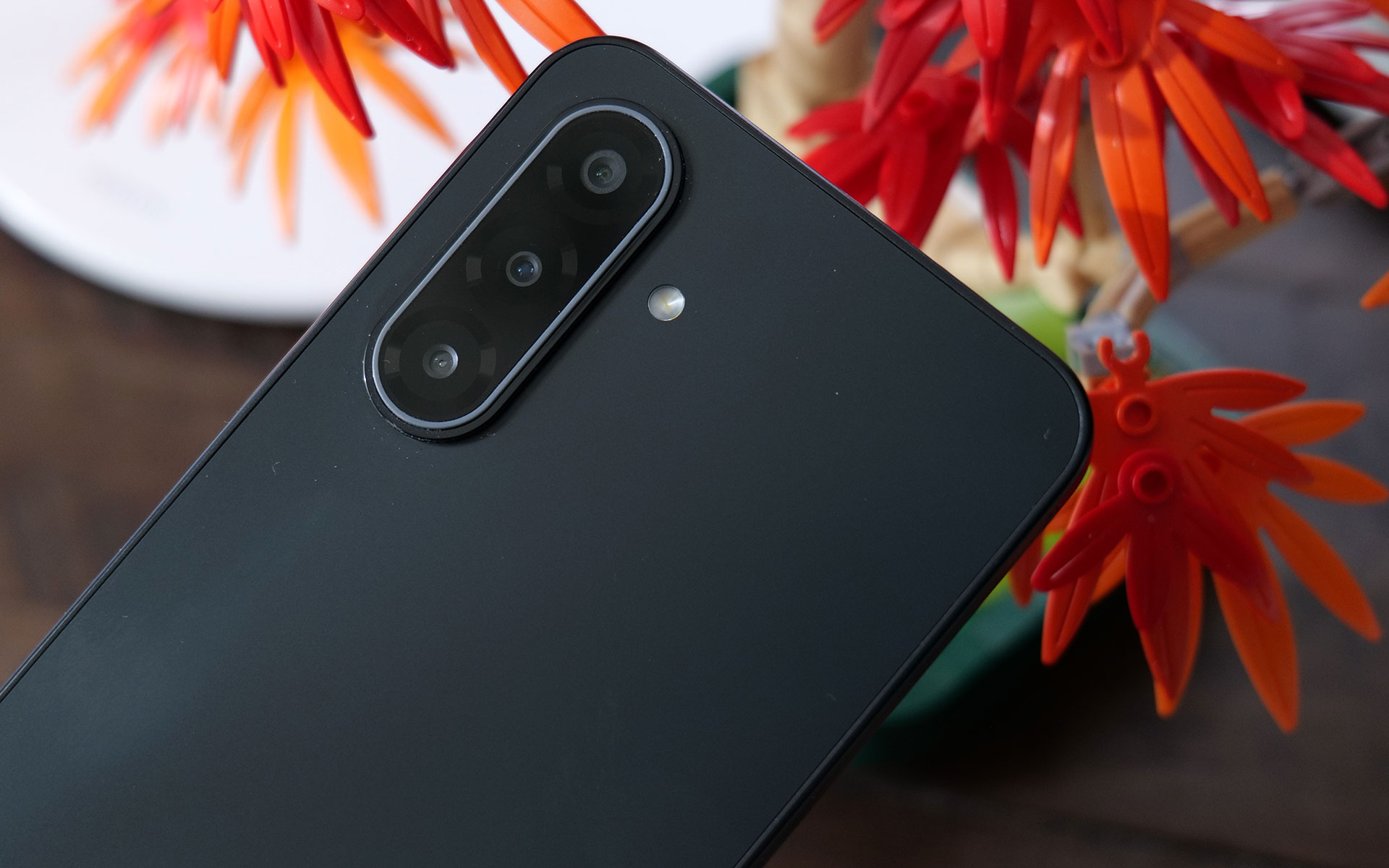
The Galaxy A17 comes with three rear cameras, but its really more like two because one of those is a 2MP macro cam.
Sam Rutherford for Engadget

At first, I was really worried because during the initial setup, the phone was a laggy, stuttery mess. Thankfully, after signing in, giving the phone some time to download updates in the background and making sure all of its apps were up to date, performance improved significantly. To be clear, this thing still isn't a speed demon and when you're multitasking or quickly switching between heavy apps, you may notice some slowdown. I also wish touch input felt a bit more responsive because sometimes when you tap an icon, there's a small delay before anything happens. But thankfully, it's relatively minor, and in most situations, the phone is snappy enough.

The A17 comes with a 13-megapixel selfie camera and three rear shooters, though in practice it's really more like two because one of those is a 2MP macro cam, which doesn't get much use unless you take a lot of up-close photos. That said, the phone takes better pictures than you might expect given its price. In well-lit conditions, both its 50MP main and 5MP ultrawide cams don't give you much to complain about. Images look sharp and sport vivid colors. 

However, in low-light situations, there's an obvious difference in quality between the A17 and more expensive midrange phones like Pixel 9a. In a shot of some fruit in my dimly lit kitchen, the A17's pic looks soft and features washed-out colors compared to what Google's phone produced. Then, when I went outside and snapped a photo of a car still buried after the recent snowstorm, textures on the slush in the road, along with various highlights and shadows looked worse in the A17's images. So while the phone can hold its own, camera quality is still one of the biggest reasons you might want to consider upgrading to a more expensive handset.

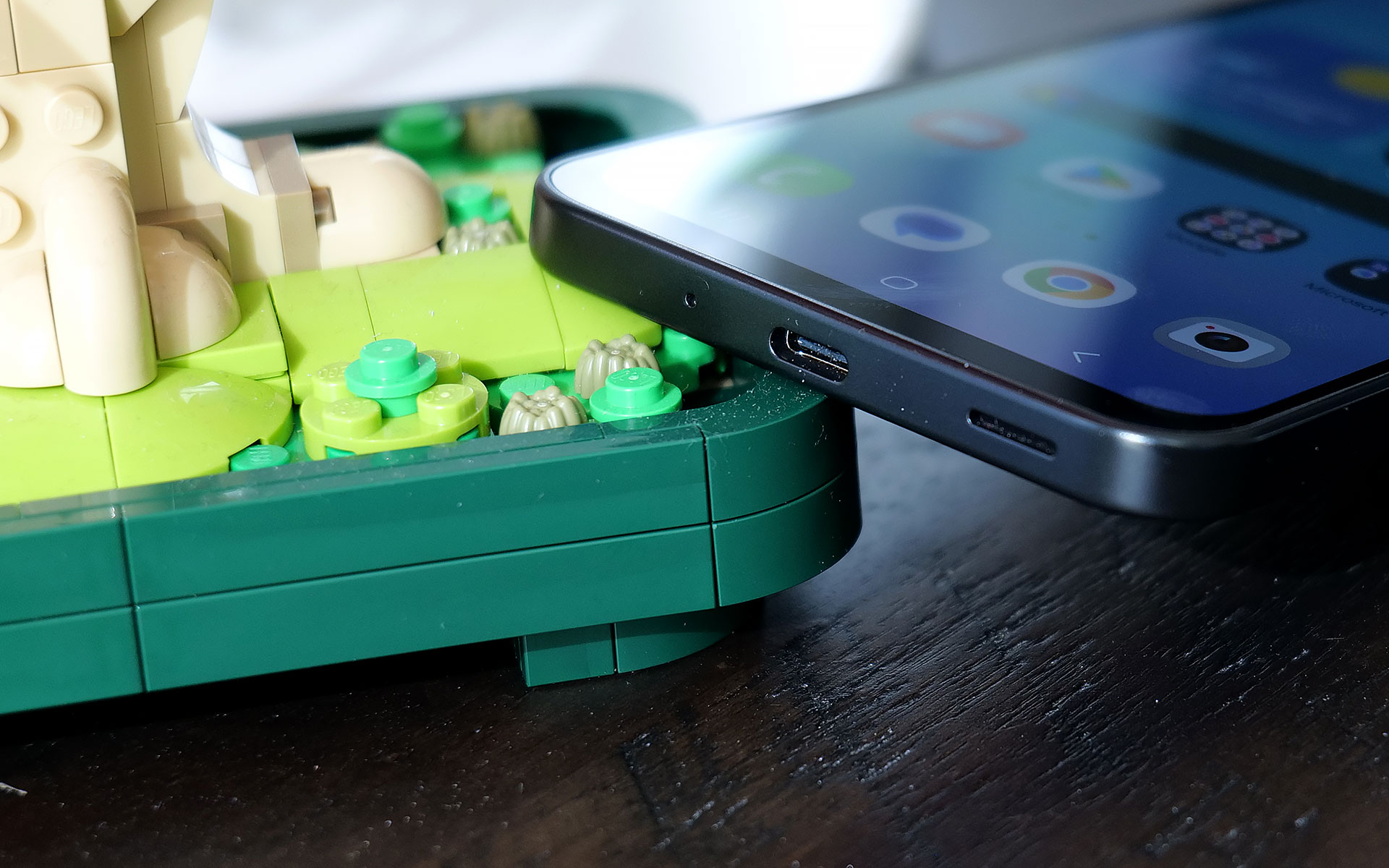
The bottom of the Galaxy A17 features the phone's USB-C port and its single, mono speaker.
Sam Rutherford for Engadget

For a phone with a 5,000mAh battery and a low-power chip, the Galaxy A17 didn't last quite as long as I expected. On our local video rundown test, it lasted just over 23 hours (23:08), which is decent, but also five hours less than the Pixel 9a (28:04). On the other hand, its wired charging speed of 25 watts is more than enough. Just don't be surprised when you plop it on a wireless charging pad and nothing happens because the phone doesn't support that. 

If you are hard-capped at $200, the Samsung Galaxy A17 is a surprisingly impressive device. It's got a solid build, decent cameras with a handful of different lenses, respectable battery life and even a built-in microSD card slot for extra storage. You even get six years of OS and security updates, which is significantly longer than almost all of its similarly-priced rivals. And while its performance could be smoother, it's not laggy enough to get truly bothered about on a phone this affordable. 

Even though the Galaxy A17 is made out of plastic, the phone still doesn't feel cheap.
Sam Rutherford for Engadget

For those with wiggle room in their gadget allowance, I would seriously consider looking at a version with 8GB of RAM, which is just $30 more. Alternatively, the Pixel 9a remains my favorite Android phone when it comes to value for money and it’s $399 (down from its launch price of $499). But if money is tight, the Galaxy A17 delivers everything you need without blowing up your budget.

This article originally appeared on Engadget at https://www.engadget.com/mobile/smartphones/samsung-galaxy-a17-5g-review-a-respectable-and-affordable-android-option-190000154.html?src=rss

ASUS ROG made a gaming headset for audiophile nerds

ASUS ROG just announced the Kithara gaming headset, which is a device intended to bring "audiophile-grade sound" to gaming. It was developed in conjunction with manufacturer HiFiMan, a company that specializes in high-end audio devices.

The Kithara is the company's first open-back planar magnetic gaming headset. ROG says it was designed to please gamers who "demand absolute clarity, precision and realism." The headphones feature 100mm planar magnetic drivers that have been "tuned specifically for gaming."

The company says this results in a wide frequency response, low distortion and a "level of detail that reveals subtle positional cues such as footsteps, reloads and distance movement." ROG boasts that these audio cues remain distinct even during moments of chaotic gameplay, potentially making the headphones a great choice for competitive gamers.

The open-back design allows for clear separation across bass, mids and treble, which should also make the headphones great for listening to music. It features a full-band boom microphone with a high signal-to-noise ratio. There are separate signal paths for audio and microphone inputs, which significantly reduces crosstalk.

The stuff that comes in the box.
ASUS ROG

The headphones have been built for maximum versatility, so there's a balanced headphone cable with swappable plugs. They support various connection types, including 3.5mm, 4.4mm and 6.3mm. They also ship with a USB-C to dual 3.5mm adapter.

These are gaming headphones, so comfort is also a priority. The metal frame features an adjustable fit and there's a multi-layer padded headband and two sets of interchangeable ear cushions. The ROG Kithara headphones are available now and cost $300.

This article originally appeared on Engadget at https://www.engadget.com/audio/headphones/asus-rog-made-a-gaming-headset-for-audiophile-nerds-184737555.html?src=rss