Twelve South’s AirFly Duo Bluetooth dongle drops to a record low of $30

There are many devices out there that no-one really needs, but have a specific purpose that can help to improve one's quality of life a bit. Twelve South's AirFly Duo is one such product. It's a dongle that lets you connect Bluetooth earbuds and headphones to in-flight entertainment systems. The device is currently on sale for $30, which is a record low. The AirFly Duo usually costs $45.

This is one of our favorite pieces of travel gear. It plugs into any 3.5mm audio jack, actually, so you can use it with the likes of gym equipment, gaming systems or even TVs. Musicians can use it to listen to audio from amplifiers too. What's more, you can connect two sets of earbuds or headphones at once, so two people can watch a movie on the same iPad while traveling.

Twelve South says the device uses aptX Low Latency Codecs to minimize audio lag. The AirFly Duo is said to have a battery life of over 22 hours, so it should last for even the lengthiest of long-haul flights. But, if you need to, you can charge the device while it's in use.

Again, the AirFly isn't a product that anyone truly needs — you can buy a set of wired earbuds that'll work in a pinch for a few bucks. But you'll be able to use any Bluetooth earbuds or headphones of your choice with this device. Best of all, you'll avoid the awkwardness of a trailing wire draping over (and perhaps into) your in-flight meal.

Follow @EngadgetDeals on Twitter and subscribe to the Engadget Deals newsletter for the latest tech deals and buying advice.

This article originally appeared on Engadget at https://www.engadget.com/twelve-souths-airfly-duo-bluetooth-dongle-drops-to-a-record-low-of-30-144231948.html?src=rss

Microsoft is dropping ads from Skype

Skype is going ad-free, as indicated in a blog post by Microsoft. The latest update removes all ads from the entire platform, including Skype channels and the main chat interface. Microsoft said this move was a response to feedback and an attempt to make the “Skype experience cleaner and more user-friendly.” This is certainly welcome news, considering every other company seems newly obsessed with ads.

The “today” section of Skype will remain, along with the pre-existing newsfeed. There just won’t be any ads to accompany that feed. Users can also delete the newsfeed tab by heading to the settings menu.

This update also includes a little something for all of the AI-heads out there. Skype will offer a revamped AI image creation system on the desktop app. This lets people access the image creator from the chat window or the top bar. There’s a “more intuitive and visually appealing” interface and pictures now expand when clicked on. Otherwise, it’s just your standard image creator.

Redesigned image creator.
Microsoft

Finally, the latest update brings integration with the authenticator OneAuth to the iOS app. This already existed on Android. OneAuth replaces the old sign-in system, so users will login automatically if they’re already signed into other Microsoft apps like Teams. It’s pretty handy because there are already way too many passwords floating around our craniums. Who among us can remember exactly how many numbers or exclamation marks to put after the same word we’ve been using as a password since 2002?

The update is available to everyone enrolled in the Skype Insider Program, so sign up if you aren’t. It begins rolling out today but will take a few days to reach every user. Microsoft urges consumers to keep checking if it doesn’t show up right away.

This article originally appeared on Engadget at https://www.engadget.com/microsoft-is-dropping-ads-from-skype-143155507.html?src=rss

New Volkswagen ID.7 GTX and ID.7 GTX Tourer Start at £61,980

Volkswagen ID.7 GTX

The Volkswagen ID.7 GTX and ID.7 GTX Tourer are the latest additions to Volkswagen’s electric vehicle lineup, offering a blend of performance, luxury, and advanced technology. These models are designed to cater to those who seek both speed and sophistication in an electric vehicle. With a powerful dual-motor setup and a range of up to […]

The post New Volkswagen ID.7 GTX and ID.7 GTX Tourer Start at £61,980 appeared first on Geeky Gadgets.

Nothing Phone (2a) Plus Review: It Keeps Getting Better

PROS:


  • Elegant transparent design and Glyph Interface

  • Improved performance across the board

  • 50MP selfie camera

  • Sustainabile design

CONS:


  • No telephoto camera

  • No wireless charging

  • Spotty operator compatibility in the US

RATINGS:

AESTHETICS
ERGONOMICS
PERFORMANCE
SUSTAINABILITY / REPAIRABILITY
VALUE FOR MONEY

EDITOR'S QUOTE:

The Nothing Phone (2a) Plus delivers on its promise of an optimal and accessible daily driver that builds on the essentials and gets it almost perfect.

It hasn’t been that long since we reviewed Nothing’s latest masterpiece, the Phone (2a) which was designed to offer an “optimal” daily smartphone. It was another way of describing what most would bill as a mid-tier device, though it was definitely one that lived up to its hype in both design and performance. It was far from perfect, of course, but it wasn’t bad either. And yet here we are now with a “Plus” version out of nowhere, not a larger version but one that promises a more premium experience, at least compared to the Phone (2a). Color us intrigued, despite the obvious monochrome motif, so we gave the Nothing Phone (2a) Plus a few spins to see if it really has something to be proud of.

Designer: Nothing
Aesthetics

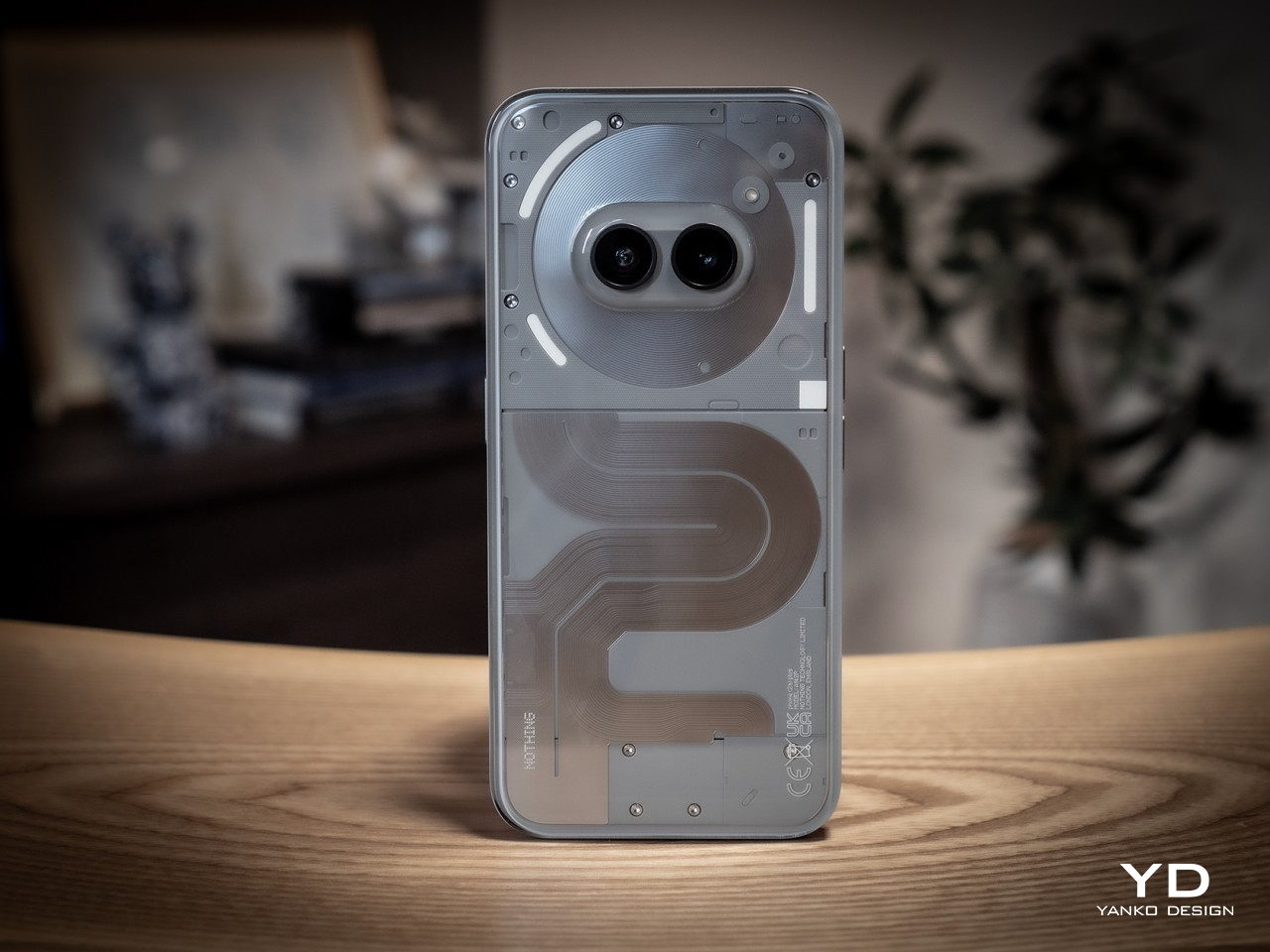
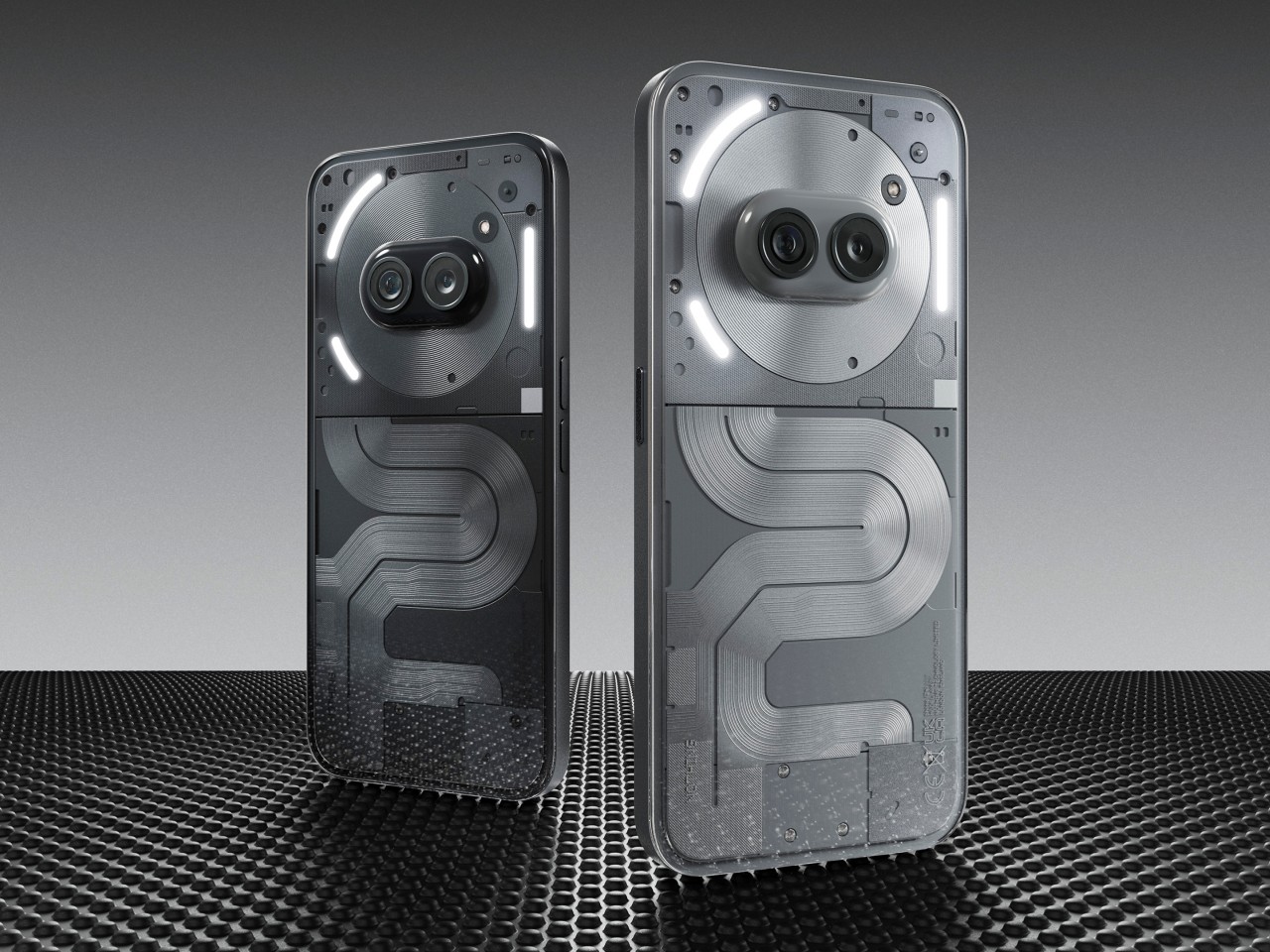
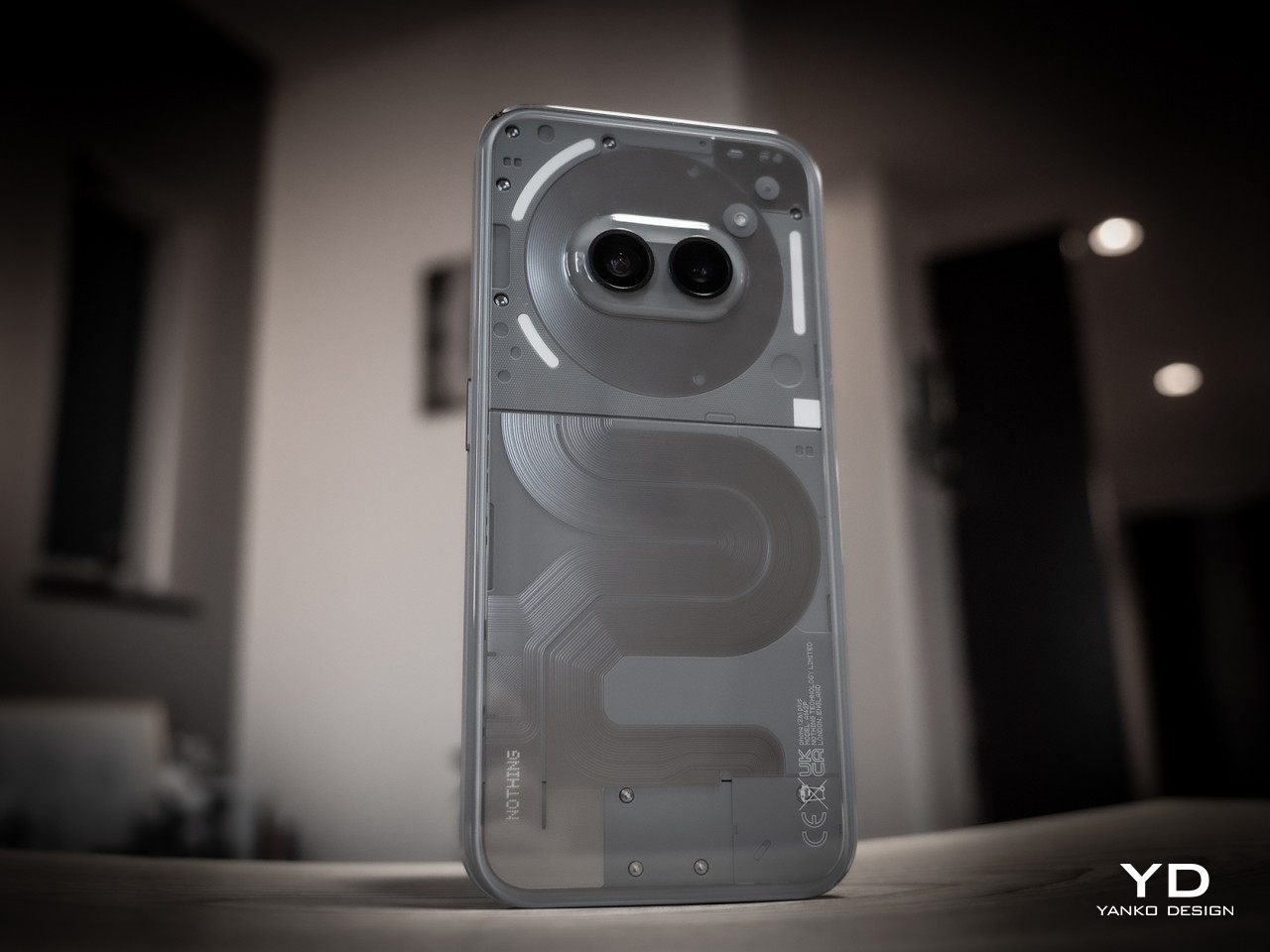
By now, Nothing’s design identity has been well established. It may not be the geeky full transparency many have hoped for, but it definitely managed to strike a beautiful balance between technology and art in its phones. To some extent, that design is even more refined in the Phone (2a) series, with its own unique patterns of opaque lanes snaking down the phone’s back, not unlike roads on a map. It feels like it has a story to tell, not just a composition of shapes, lights, and shadows.
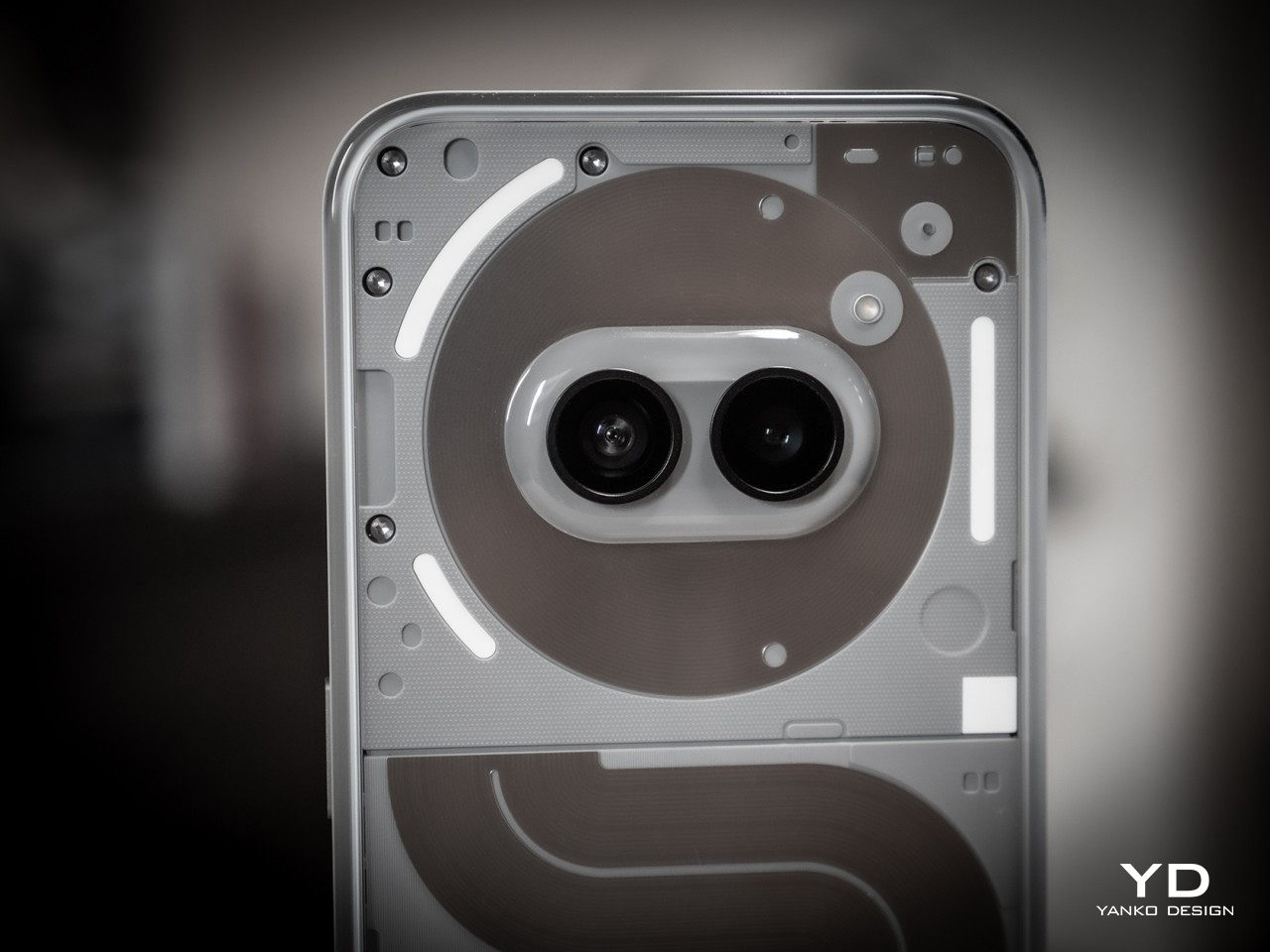
Nothing also embraced that cute little oddity we noticed on the Phone (2a): a face on the back of your phone. The placement of the two cameras in the middle of the NFC coil is no accident, and the company says it gives an anthropomorphic character, almost literally. It’s like having a pair of eyes on a cartoony circular face looking at you, or at least at the person in front of you. It is not by coincidence, either, that the Phone (2a) Plus’s silicon brain actually sits beneath this face as well.

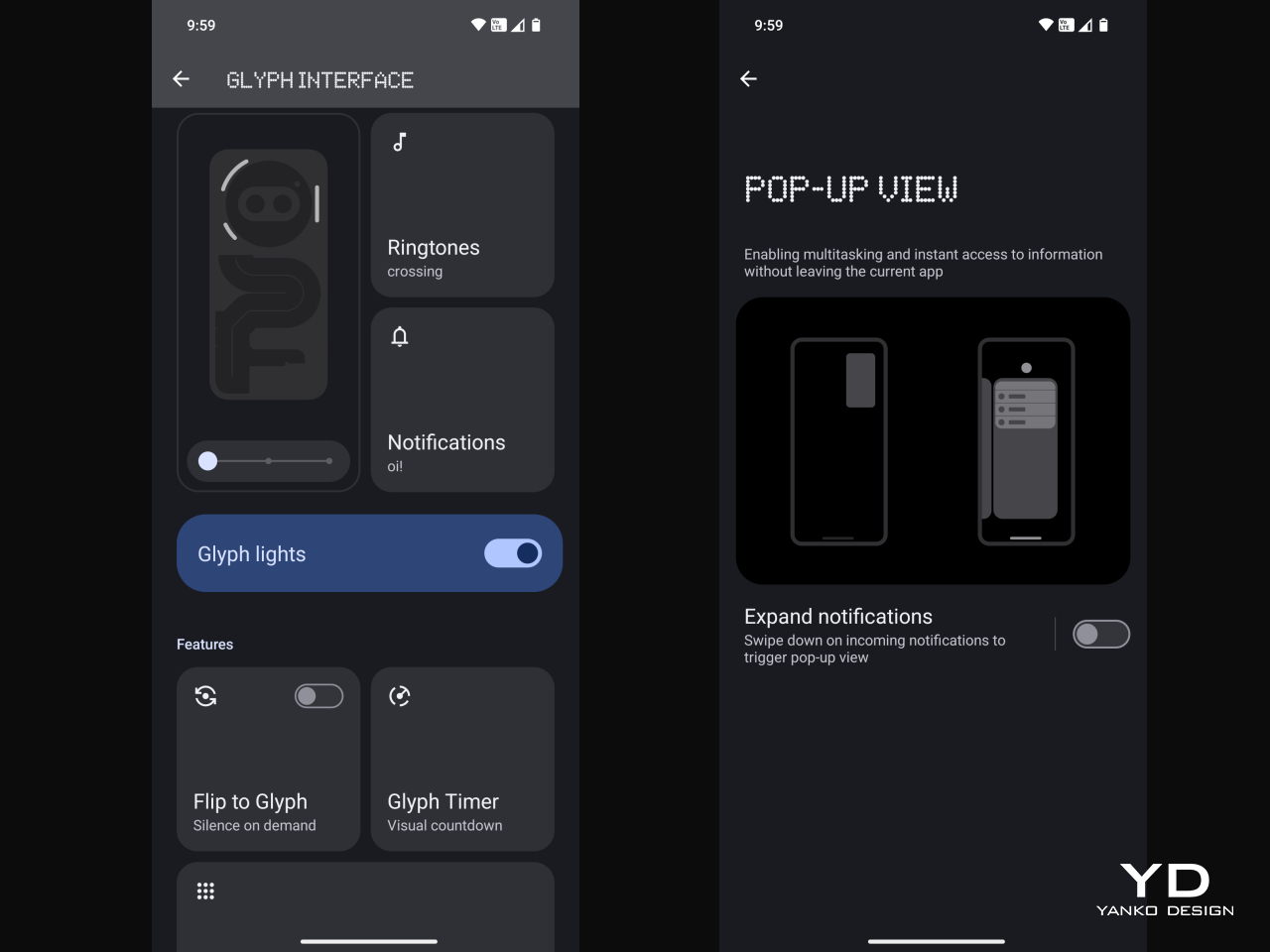
There’s also the Glyph Interface, of course, at least the toned-down version. It might not have the same head-turning effect as the TRON-like Phone (2), but it’s more practical, more efficient, and also longer-lasting. It remains useful and visible even after the novelty has worn off.
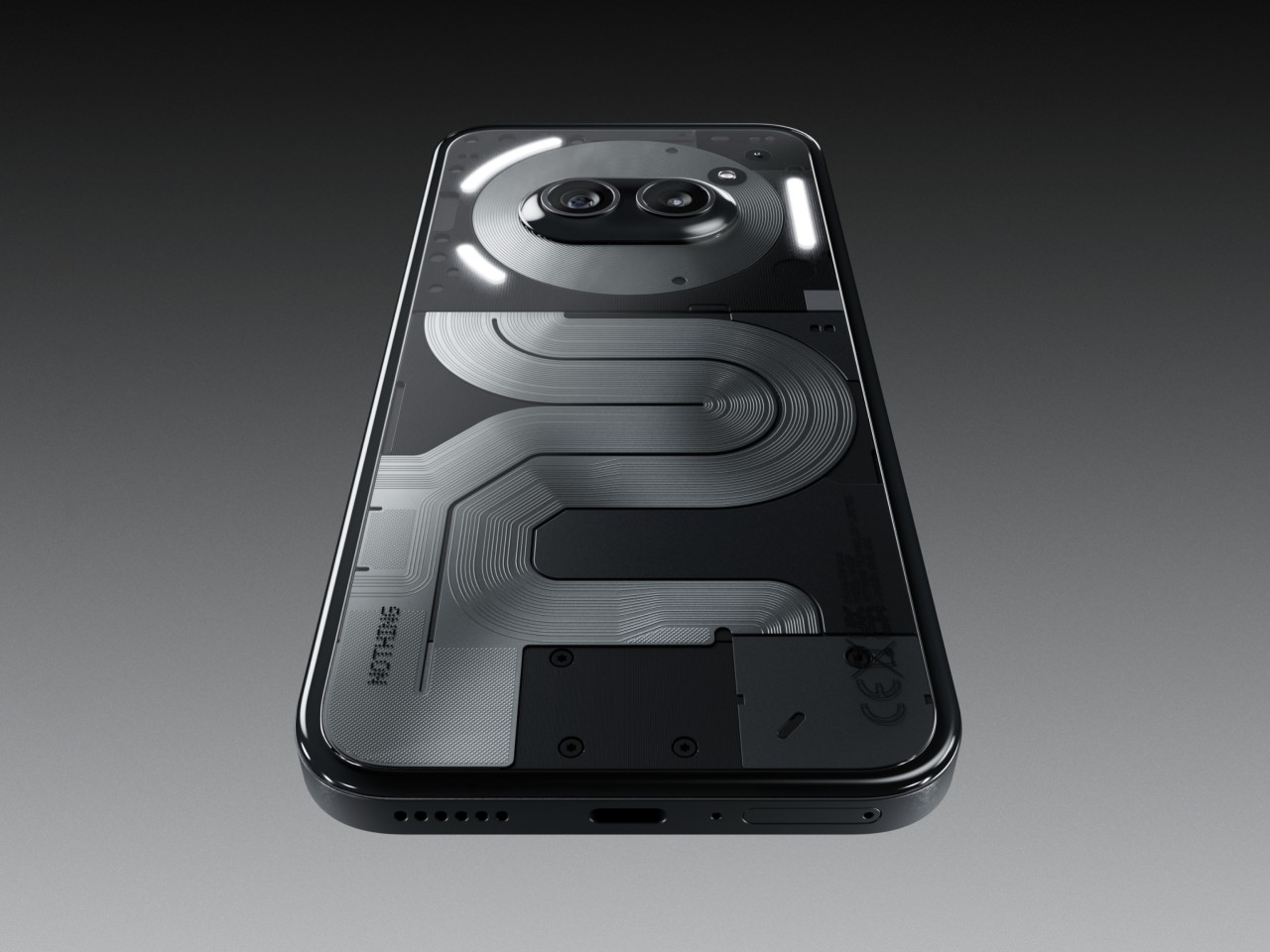
Of course, these are design elements that the Phone (2a) also has, but what sets the “Plus” model apart is its more elegant finish. The Phone (2a) Plus has a metallic edge that’s not simply machined and then polished but is actually a product of multiple intricate processes, which is to say it’s quite a laborious and somewhat costly design. It’s well worth it, however, if only for the fact that it gives the Nothing Phone (2a) Plus a more stylish and premium look that raises its profile to the same level as more expensive handsets.

Ergonomics

The Nothing Phone (2a) Plus has a few upgrades inside that we’ll get to in a moment, but despite the internal and material changes, it remains just as lightweight as the Phone (2a), exactly 190g light, in fact. This makes the phone incredibly easy to hold without feeling flimsy or cheap. That’s very important given how large the phone actually is.
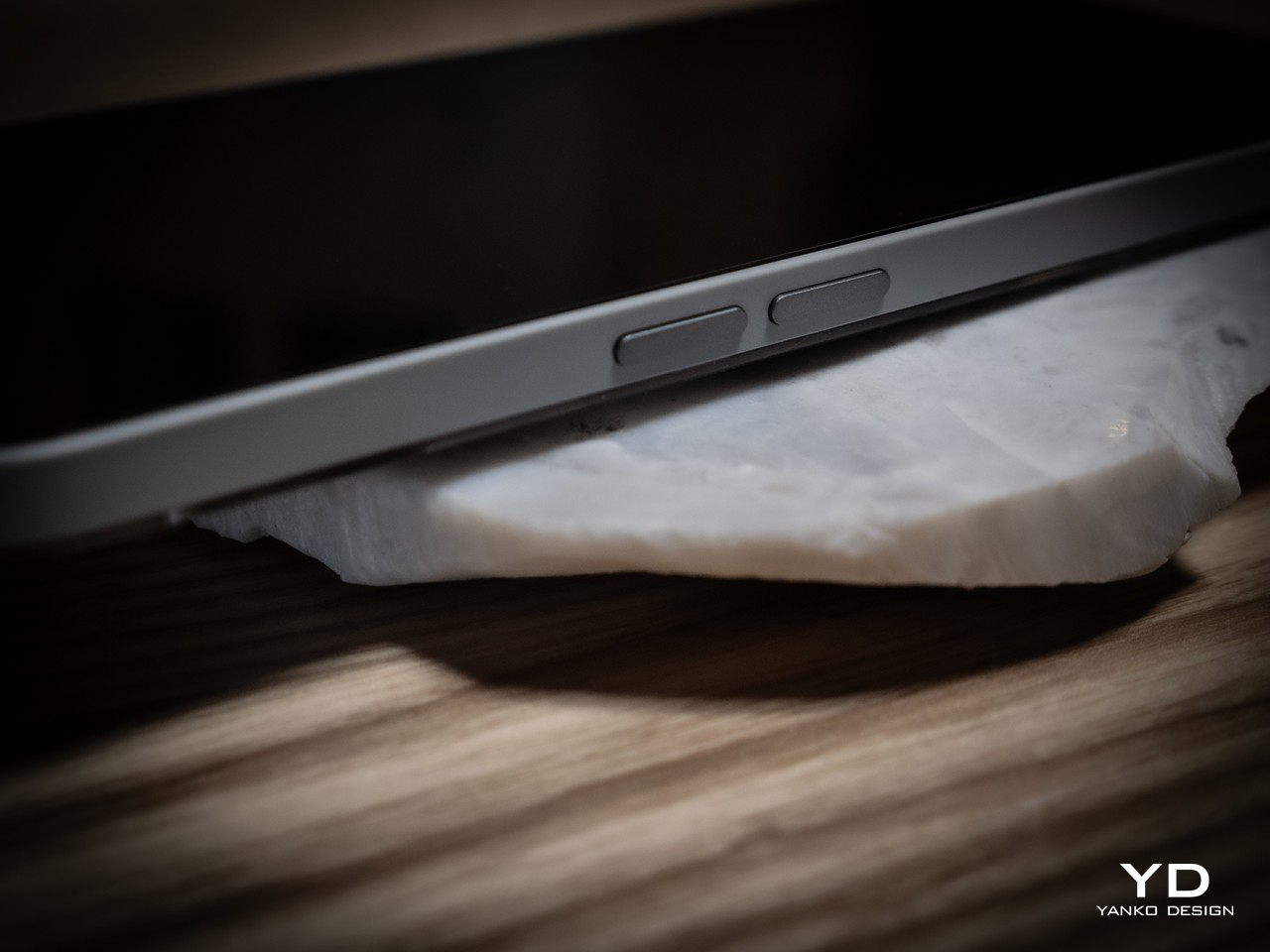
The design of the edges also helps improve that grip. Nothing adheres to that modern flat design school that gives phones more angled edges that lodge themselves into your hand without biting into your skin. It is yet another balancing act that Nothing gets right, allowing users to hold such a big phone with confidence.

Performance

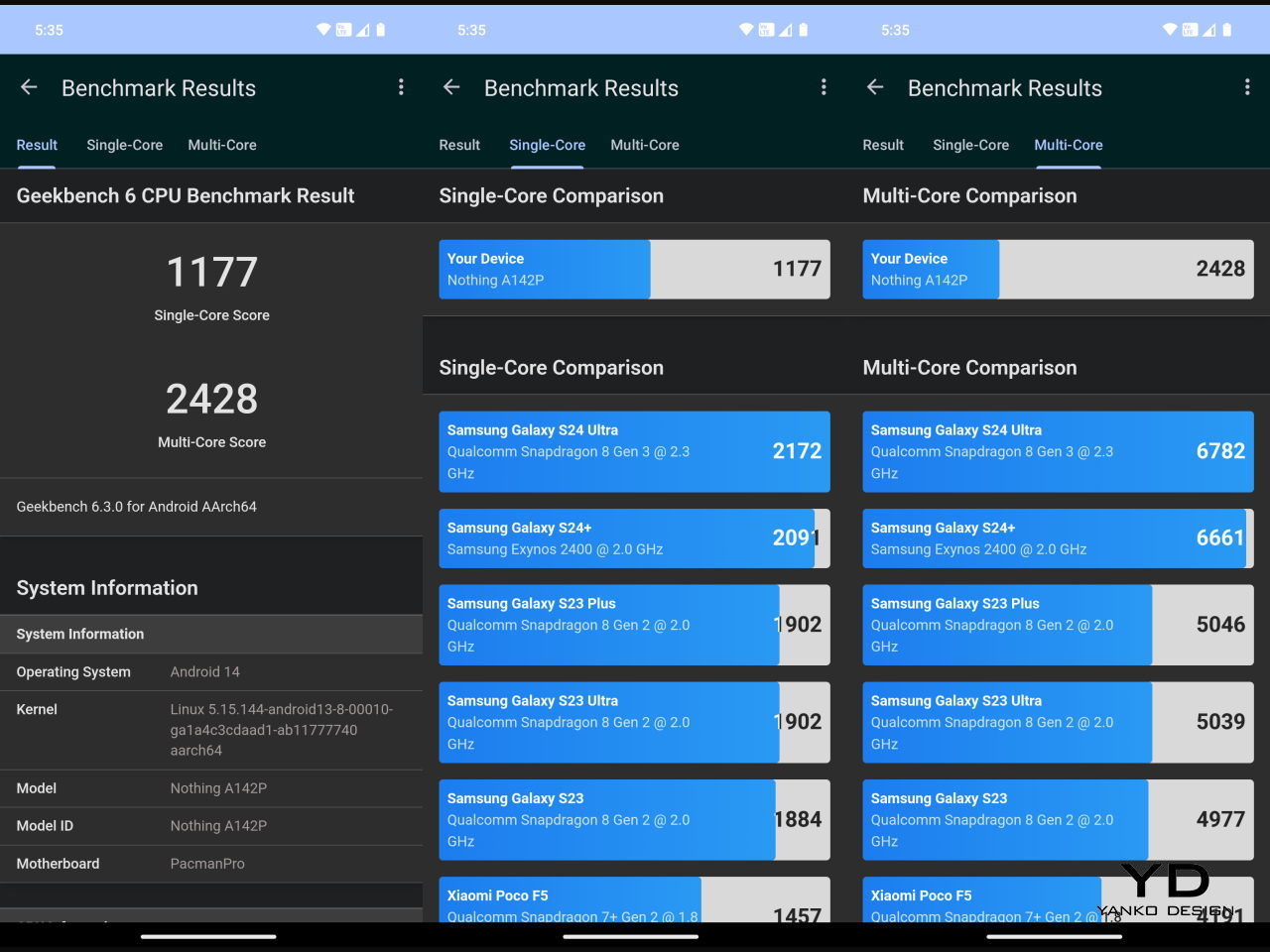
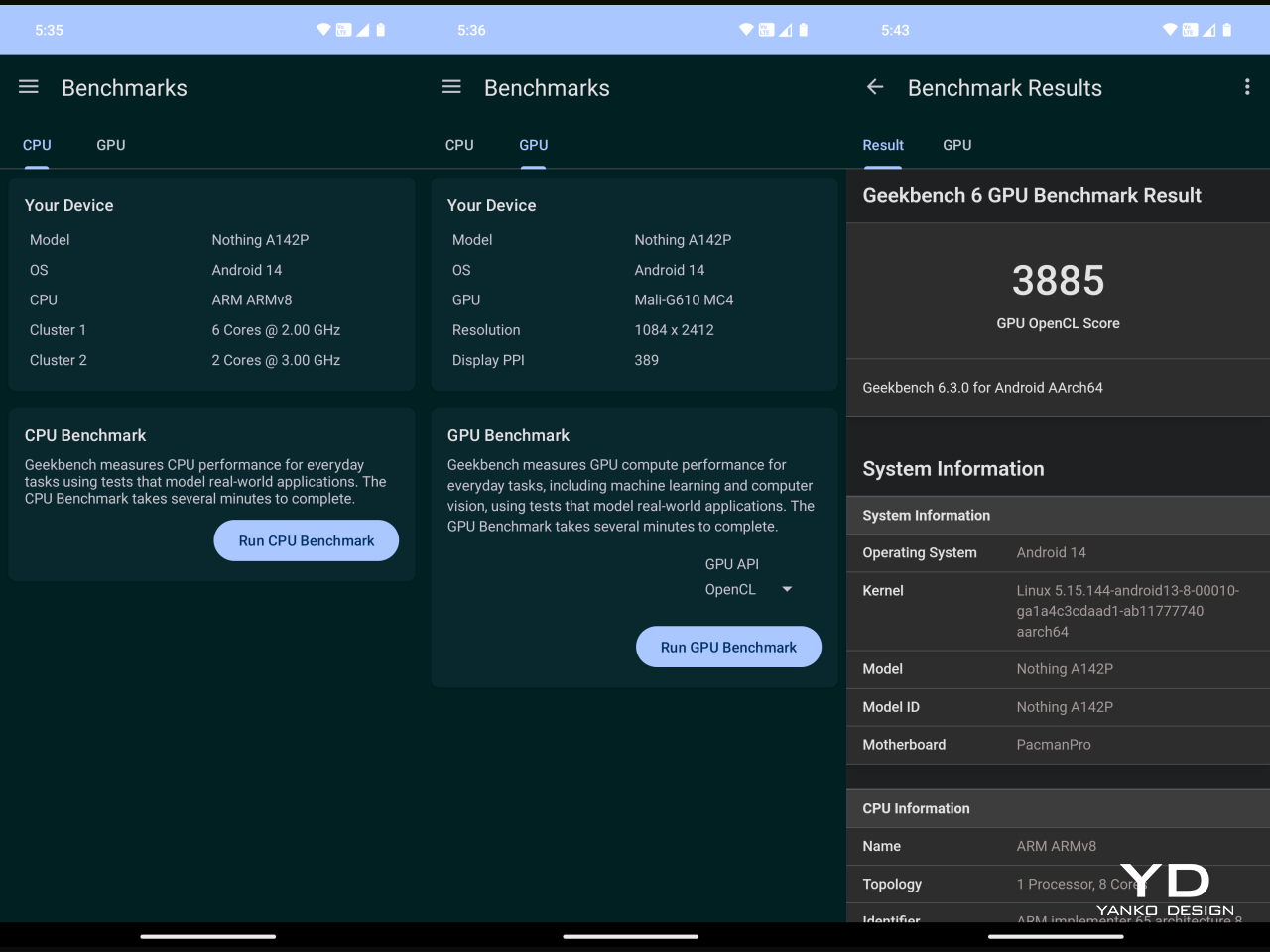
The biggest divide that separates the Phone (2a) and Phone (2a) Plus can be found inside, starting with the new MediaTek Dimensity 7350 Pro 5G that Nothing says was developed exclusively for the brand. It’s definitely a step up from the stock Dimensity 7200 of the Phone (2a), especially by the fact that it can run at 3.0GHz max. It also has a stronger GPU with the Mali-G610 MC4 clocked 30% faster at 1.3GHz. What all these mean in practice is that the phone is even better equipped to handle mobile games, let alone the everyday tasks you throw at it. You’ll still have to dial down the settings, of course, but not to the point that games lose their visual flavor and appeal.
The large 6.7-inch FHD+ AMOLED screen definitely contributes to an enjoyable multimedia experience, especially with its 120Hz refresh rate. The display is vibrant and bright, but not so bright that it will strain your eyes. For that, it supports 2160Hz PWM (Pulse-Width Modulation) dimming, supporting longer screen time use, though it’s still advisable to take regular breaks, regardless.
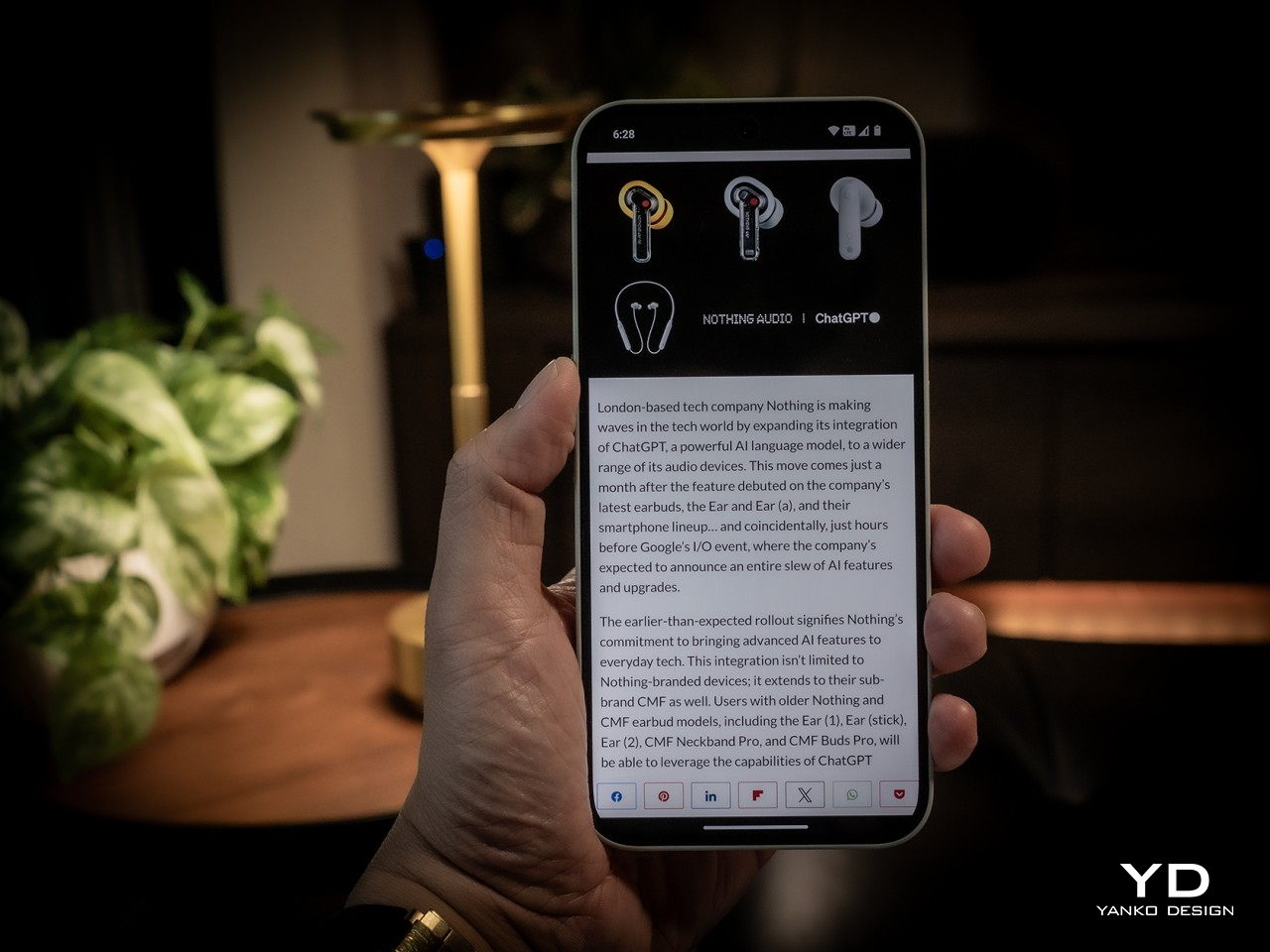
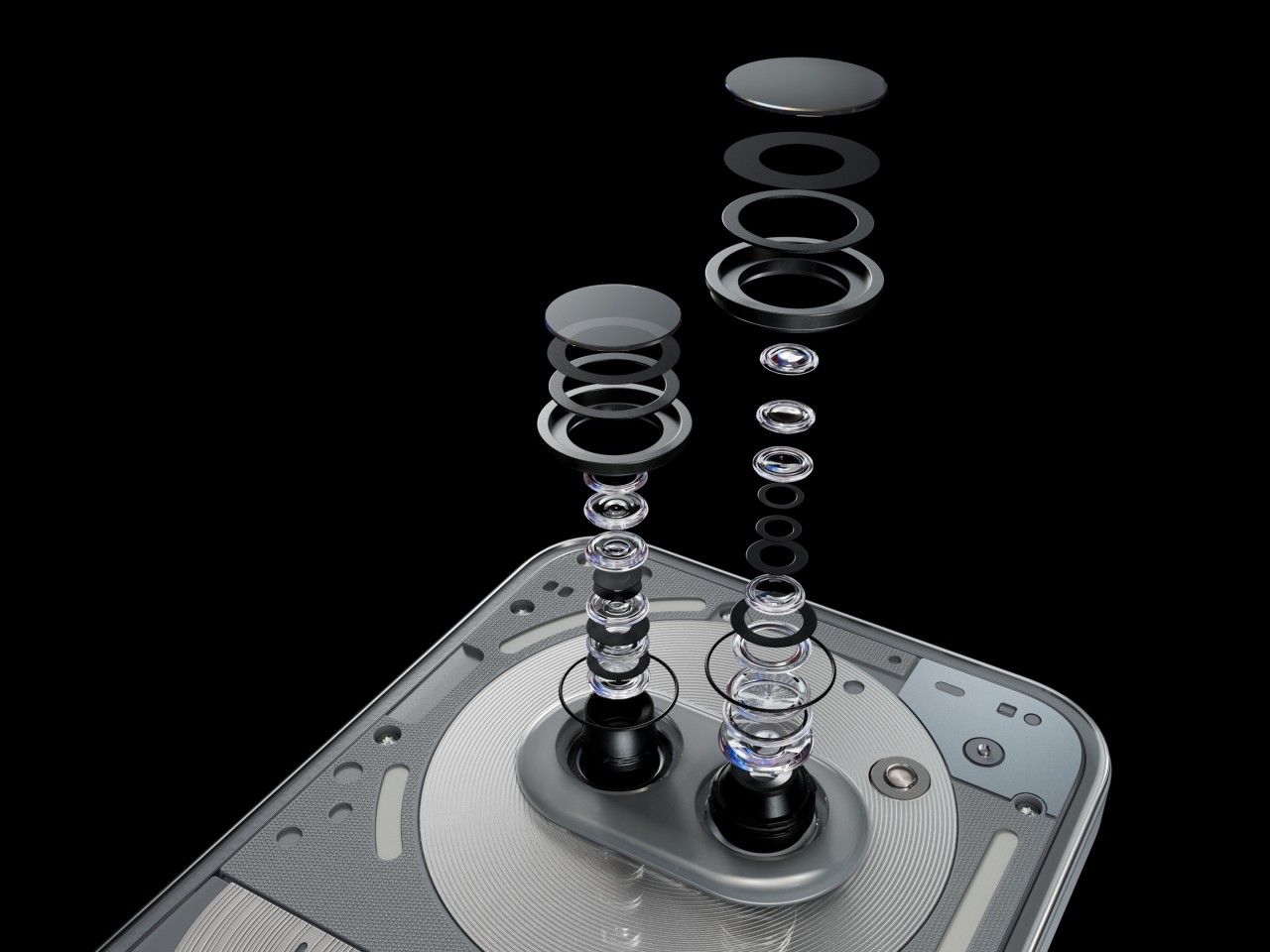
The other big upgrade that the Phone (2a) Plus boasts of is the triple 50MP camera system. No, there are still only two cameras on the back, and both definitely produce impressive output. The newcomer is the 50MP front-facing camera, up from the already good 32MP shooter from the Phone (2a). This is a Samsung JN1 with an F2.2 aperture lens and a wide 81.2-degree field of view. Suffice it to say, whether you’re taking selfies or food pics, you’ll be treated to clear, crisp, and detailed photos, even at night.


Despite the slightly more powerful hardware, the Nothing Phone (2a) Plus retains the same 5,000 mAh battery. It’s still a large and generous serving by today’s standards, so you shouldn’t be worrying about going empty in the middle of the day. For the Plus model, Nothing upped the charging speed a bit to 50W from 45W. It’s not exactly the fastest on the block, but bigger brands have done worse. Sadly, there’s still no wireless charging here, which is disappointing but not unexpected. In the grand scheme of things, that is probably the least of people’s needs for a phone on this tier.
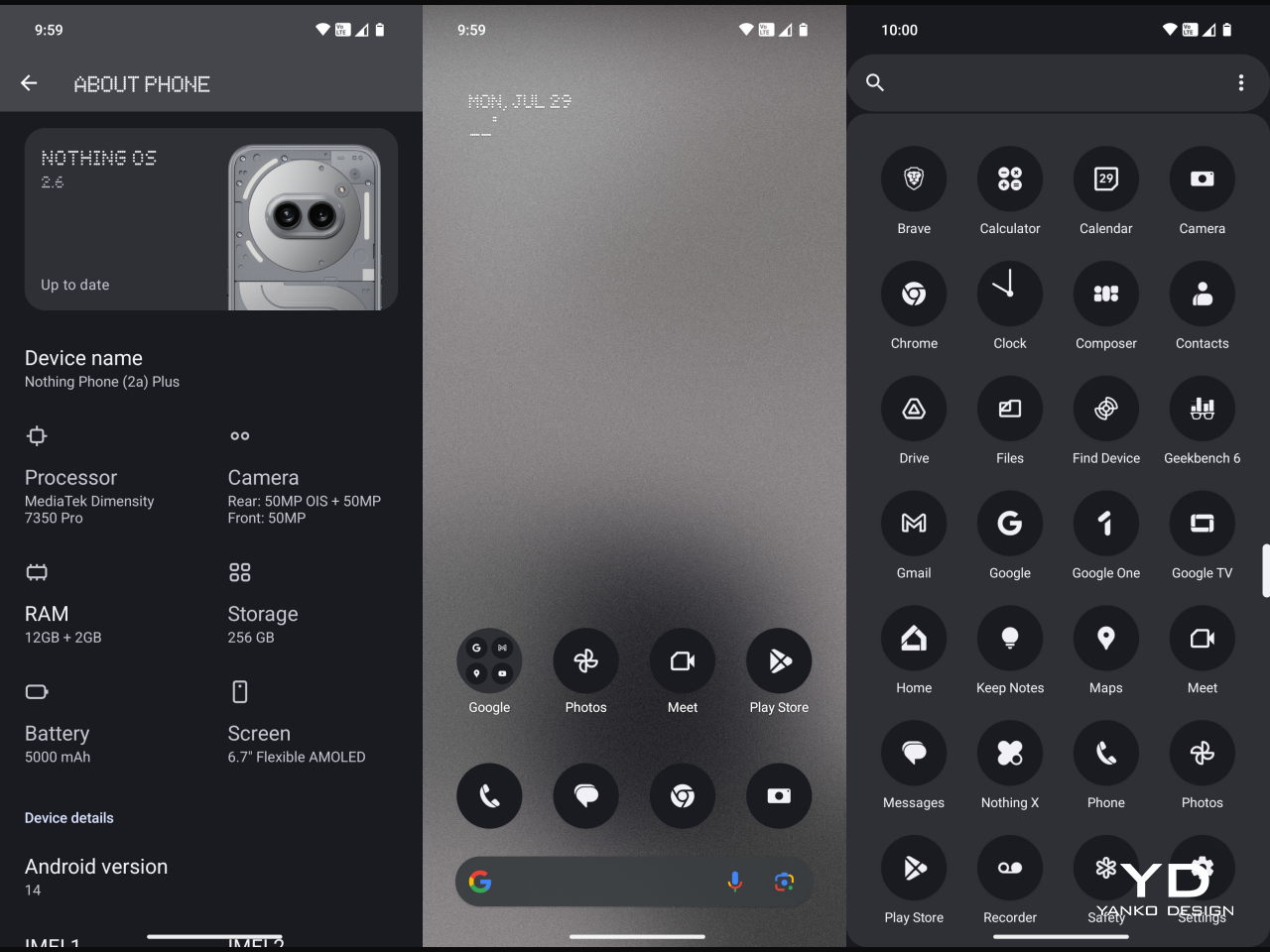
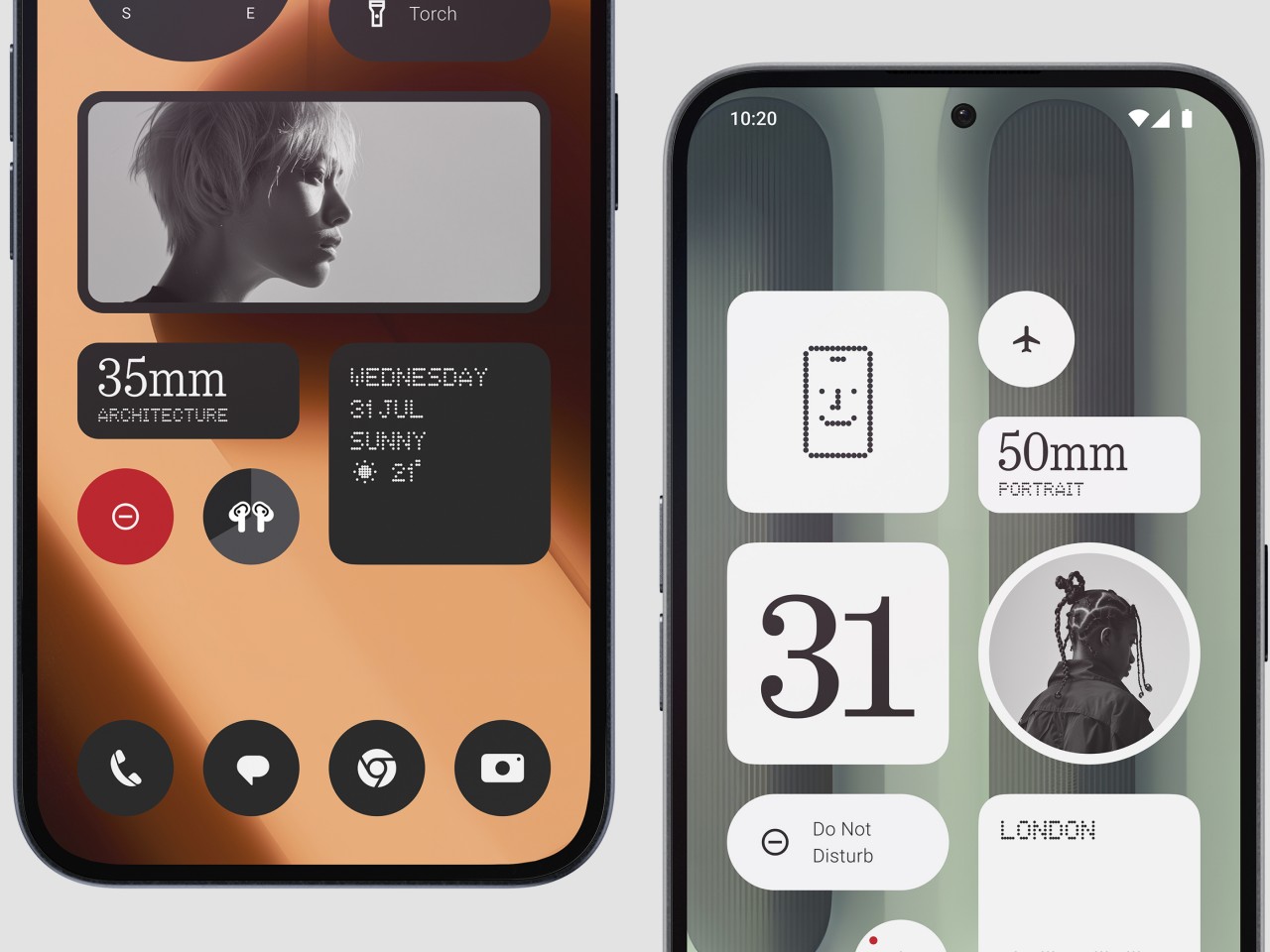
Part of the Nothing Phone’s appeal is its take on the Android experience, and the Phone (2a) Plus definitely has that down to a “T,” including the new AI buzzword. Nothing OS has been famed for its minimalist aesthetic, especially when it comes to home screen widgets. Version 2.6 adds new widgets to that set, and productivity buffs will love the new Date widget for important reminders. There’s also ChatGPT integration for getting the answers you need quickly, though it might be a controversial feature considering some privacy concerns.
Sustainability

Nothing has always positioned itself as a design-conscious company, and designers these days are also conscious of the impact that their designs have on the environment. This is especially true in the smartphone industry where material waste from production and electronic waste from discarded products continue to rise each year as more and more devices are made. That’s why it’s quite encouraging to see Nothing’s efforts in this area, from using 100% recycled aluminum for the midframe to sustainably sourcing over 50% of the Phone (2a) Plus’ plastic parts. It even reuses plastic waste from the production of the Ear (2) buds for this phone.
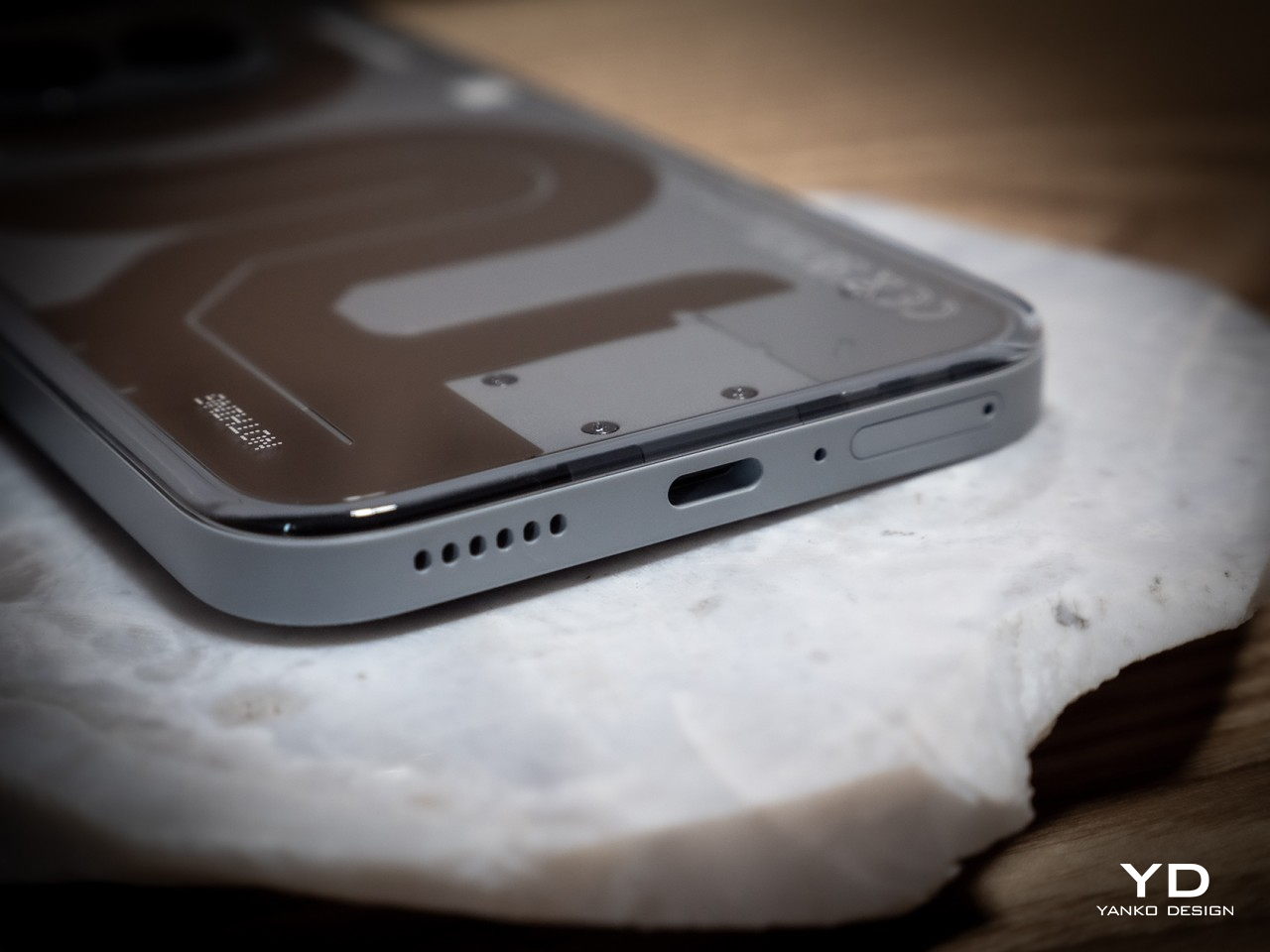
The Phone (2a) Plus also scores a few points for longevity, particularly with its IP54 dust and water resistance rating. We wish it had a longer software support period, which currently stands at 3 years for Android updates and 4 years for security patches. That can change somewhere down the road, and we hope it does. Where it doesn’t do well is repairability, which isn’t all that surprising considering its uncommon design. Nothing is still young, though, and with the CMF sub-brand, we could see some improvement in that regard as well.

Value

If the Phone (2a) already provided great value for its price, the Phone (2a) Plus takes that a step further. Better performance, a better selfie camera, a slightly faster charging battery, and a great distinctive design all make this handset a great sell. At only $399 for 12GB of RAM and 256GB of storage, it even practically makes the $349 Phone (2a) almost ignorable, strange as that may sound. It is definitely worth considering for your everyday driver, presuming you can get your hands on one.
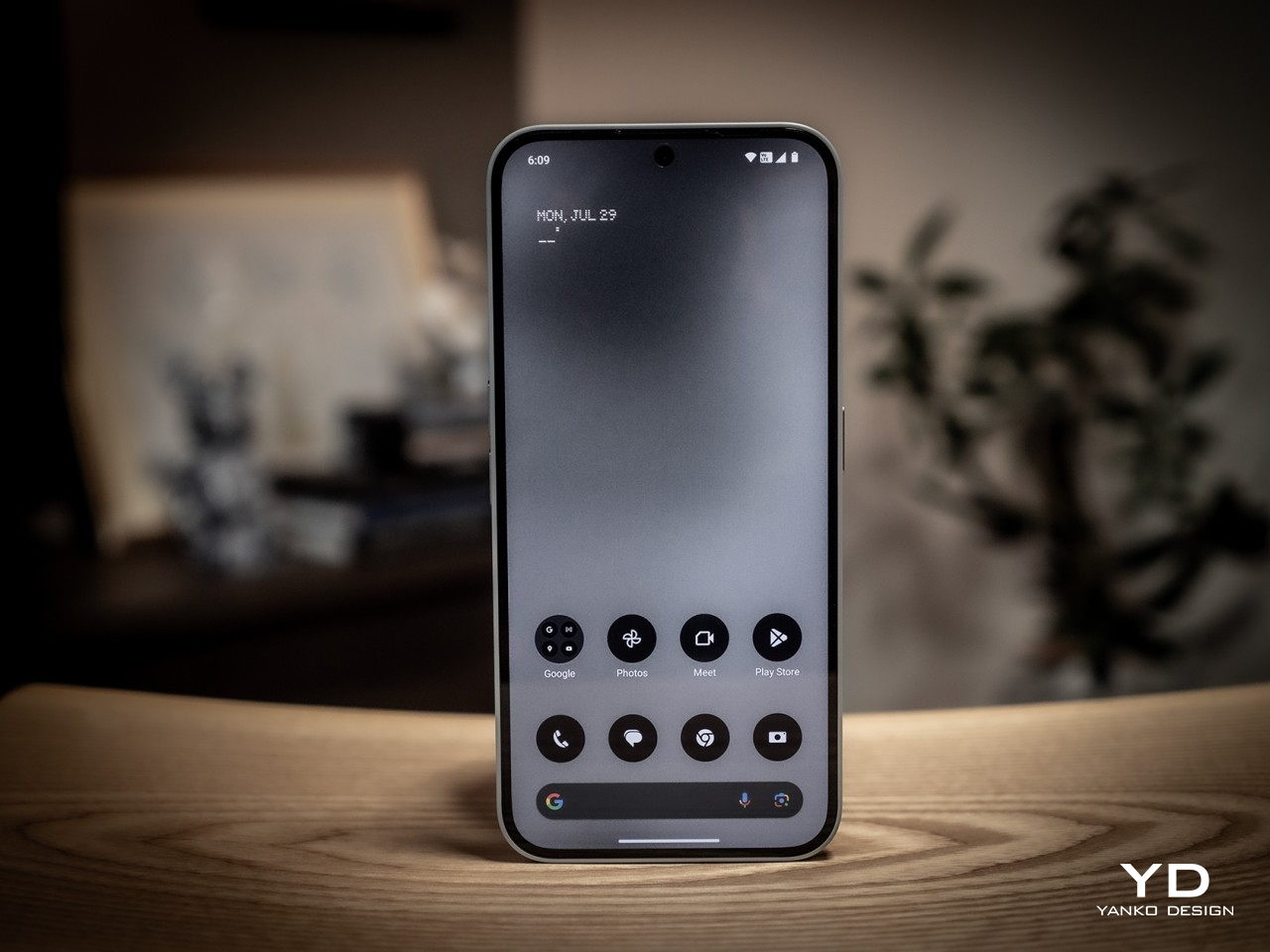
That is the bit that slightly takes away some of the Phone (2a) Plus’ appeal. You can always import the phone if no local store or carrier offers it, but you will have to do your own research to make sure you can actually use it in your locale. In the US, for example, it doesn’t support AT&T’s 5G network at all and only some of T-Mobile’s 5G bands. Verizon has “limited support,” which means you can use it at your own risk. It’s hardly Nothing’s fault, but it does show some of the disadvantages of being a small fish in such a large pond.

Verdict

The arrival of the Phone (2a) Plus was quite a surprise. Definitely a pleasant one, but a surprise nonetheless. It’s not like the Phone (2a) wasn’t a good phone, but now there might be even fewer reasons for people to want one other than availability and that $50 difference. That’s because the Phone (2a) Plus practically addresses some of the imperfections of its older sibling without taking away any of its charm. It definitely lives up to its promise of a powerful everyday driver, whether you’re scrolling through social media, responding to emails, or even passing the time with games.
The post Nothing Phone (2a) Plus Review: It Keeps Getting Better first appeared on Yanko Design.

Save 15 percent on Disney+ streaming gift cards today only

Streaming services are expensive, especially with many companies cracking down on sharing passwords. Gift cards are a great way to help someone save some money, especially when you don't even have to pay full price. For today only, Best Buy is running a 15 percent off sale on Disney+ gift cards.

That's right: currently, you can get a Disney+ gift card worth $25 for $21.25, $50 for 42.50, and $100 for $85. The gift cards are only good for monthly subscriptions to Disney+ in the United States that are billed by Disney (rather than a third party). They also applies to the Disney Bundle, which includes Disney+, Hulu and ESPN+.

A typical Disney+ subscription's price varies by tier. Disney+ Basic (with ads) is $8 per month, while an ad-free viewing experience is $14 per month. Disney+ bundles range in price from $10 monthly for the Disney Bundle Duo Basic (Disney+ and Hulu with ads) to $24 monthly for the Disney Bundle Trio Premium (Disney+, Hulu and ESPN+ with no ads). 

Follow @EngadgetDeals on Twitter and subscribe to the Engadget Deals newsletter for the latest tech deals and buying advice.

This article originally appeared on Engadget at https://www.engadget.com/save-15-percent-on-disney-streaming-gift-cards-today-only-133245598.html?src=rss

Google makes it easier to remove explicit deepfakes from its search results

Google has rolled out updates for Search with the intention of making explicit deepfakes as hard to find as possible. As part of its long-standing and ongoing fight against realistic-looking manipulated images, the company is making it easier for people to get non-consensual fake imagery that features them removed from Search. 

It has long been possible for users to request for the removal of those kinds of images under Google's policies. Now, whenever it grants someone's removal request, Google will also filter all explicit results on similar searches about them. The company's systems will scan for any duplicates of the offending image and remove them, as well. This update could help alleviate some of the victim's fears if they're worried about the same image popping up again on other websites. 

In addition, Google has updated its ranking systems so that if a user specifically searches for explicit deepfakes with a person's name, the results will surface "high-quality, non-explicit content" instead. If there are news articles about that person, for instance, then the results will feature those. Based on Google's announcement, it seems it also has plans to school the user looking for deepfakes by showing them results that discuss their impact on society. 

Google doesn't want to wipe out results for legitimate content, like an actor's nude scene, in its bid to banish deepfakes from its results page, though. It admits it still has a lot of work to do when it comes to separating legitimate from fake explicit images. While that's still a work in progress, one of the solutions it has implemented is to demote sites that have received a high volume of removals for manipulated images in Search. That's "a pretty strong signal that it's not a high-quality site," Google explains, adding that the approach has worked well for other types of harmful content in the past.

This article originally appeared on Engadget at https://www.engadget.com/google-makes-it-easier-to-remove-explicit-deepfakes-from-its-search-results-130058499.html?src=rss

Google Maps will show you where to enter your destination

If you're a dedicated Google Maps user like me, then you know its not perfect. But, Google is now announcing some improvements with a range of new features for Maps and Waze. One of the things I find most exciting is the additional guidance on entering buildings and where to park. In the coming weeks, Maps will start lighting up the destination and entrance to it as you approach, so you (hopefully!) don't have to circle it three times in the dark. 

Google is also now making it easier to report incidents while using Maps, increasing the size of these icons so you can share quickly — and safely — while on the go. You can also tap to confirm a previously reported incident after approaching it. 

Waze is getting three updates, including new camera alerts. Now, Waze will be able to alert you if a camera is approaching and tell you what it's monitoring, whether it be speed, seat belts or accurate carpool lane use. Waze will also notify you if there's a traffic event nearby or close to one of your starred locations. You can then send an alert to a friend or family member. Both of these updates are rolling out now on iOS and Android. Rounding out Waze's updates is the ability to get navigation guidance even when your phone is locked. This feature will launch globally on Android soon, while it will arrive on iOS in the fall. 

This article originally appeared on Engadget at https://www.engadget.com/google-maps-will-show-you-where-to-enter-your-destination-130021496.html?src=rss

Apple Intelligence on the Mac in Action

Apple Intelligence

Apple has taken a significant leap forward with the introduction of Apple Intelligence and Siri in the latest macOS 15.1 Beta. This rebranded and enhanced version of Siri promises to transform the way users interact with their Macs, offering a suite of advanced features and capabilities that aim to streamline productivity and enhance the overall […]

The post Apple Intelligence on the Mac in Action appeared first on Geeky Gadgets.

How to install Ollama for local AI large language models

Installing Ollama locally guide

This guide provides detailed instructions on how to install Ollama on Windows, Linux, and Mac OS platforms. It covers the necessary steps, potential issues, and solutions for each operating system, ensuring users can successfully set up and run Ollama. The app provides a simple to use software for creating, running, and managing models, as well […]

The post How to install Ollama for local AI large language models appeared first on Geeky Gadgets.

Posted in Uncategorized | Tagged

Qualcomm Snapdragon 4s Gen 2 Launched

Qualcomm Snapdragon 4s

The Snapdragon 4s Gen 2, the latest addition to Qualcomm Technologies, Inc.’s lineup of mobile platforms, is set to transform the entry-level smartphone market. This innovative platform aims to bring the power of 5G connectivity, enhanced performance, and advanced features to a wider audience, making innovative technology more accessible than ever before. Unleashing the Potential […]

The post Qualcomm Snapdragon 4s Gen 2 Launched appeared first on Geeky Gadgets.