The Philips Evnia 49M2C8900 marks a significant milestone in the evolution of gaming monitor technology by incorporating the groundbreaking QD OLED technology. This innovative combination of the self-emissive properties of OLED and the color-enhancing capabilities of quantum dots delivers an unparalleled visual experience for gamers. QD OLED technology enables deeper blacks, higher contrast ratios, and […]
The Logitech G502 gaming mouse has become an icon in the gaming industry, celebrating its 10th anniversary this year. Over the past decade, this mouse has consistently set the standard for exceptional performance, innovative technology, and ergonomic design. The G502 series has evolved, incorporating feedback from the gaming community to continuously enhance the user experience. […]
It's about dang time. During its Let Loose event, Apple announced it has updated the iPad Air for the first time in over two years. The latest model has an M2 chip, so it's not getting one of Apple's most recent chipsets, likely to keep costs down and differentiate it from the iPad Pro. Still, the M2 is about 50 percent faster than the M1, Apple says, and the tablet is about three times faster than the A14 Bionic-powered iPad Air from 2020.
Perhaps more significantly, the company has introduced an iPad Air with a 13-inch screen for the first time. That means there are two variants, as the 11-inch format is sticking around. As such, the iPad Air and iPad Pro effectively have the same display sizes. The 13-inch model has about 30 percent more screen real estate than the 11-inch, Apple says.
The smaller model starts at $599 (the same as the previous gen Air originally cost), while the 13-inch version is $799. You can add $150 to each of those prices if you want a cellular model. Both will be available on May 15, with pre-orders opening today.
In a welcome decision, Apple is also doubling the Air's base storage to 128GB. Storage maxes out at 1TB. There are two new finishes — blue and purple — to go with the starlight and space gray options.
Rumors initially suggested that the 13-inch model would have a mini-LED display. That turned out not to be the case as it has a liquid retina display, but analyst Ross Young says Apple may unveil an updated iPad Air later this year that does have such a display.
Another of the updates isn't quite as notable, but it should be a great quality-of-life change for many folks. Apple has moved the 12MP front-facing camera to the landscape edge of the display. That means you should be more centered in the frame when your iPad is docked and you're on a video call (the Center Stage feature will help with that too). The placement of the front-facing camera has been one of our biggest iPad bugbears for years, and it's great to see Apple finally seeing sense and repositioning it.
The wide 12MP camera on the rear supports 4K video capture at up to 240 fps. The new iPad Air has dual microphones that can minimize background audio, Apple says, while the stereo landscape speakers support spatial audio. The company claims that the 13-inch model offers double the bass output.
On the connectivity front, there's support for Wi-Fi 6E and 5G. The former should deliver up to twice the internet performance of the previous Air, according to Apple. As for 5G connectivity, the M2 iPad Air uses eSIM rather than a physical SIM.
Follow all of the news live from Apple's 'Let Loose' event right here.
This article originally appeared on Engadget at https://www.engadget.com/the-new-ipad-air-comes-in-two-sizes-including-a-13-inch-model-141005701.html?src=rss
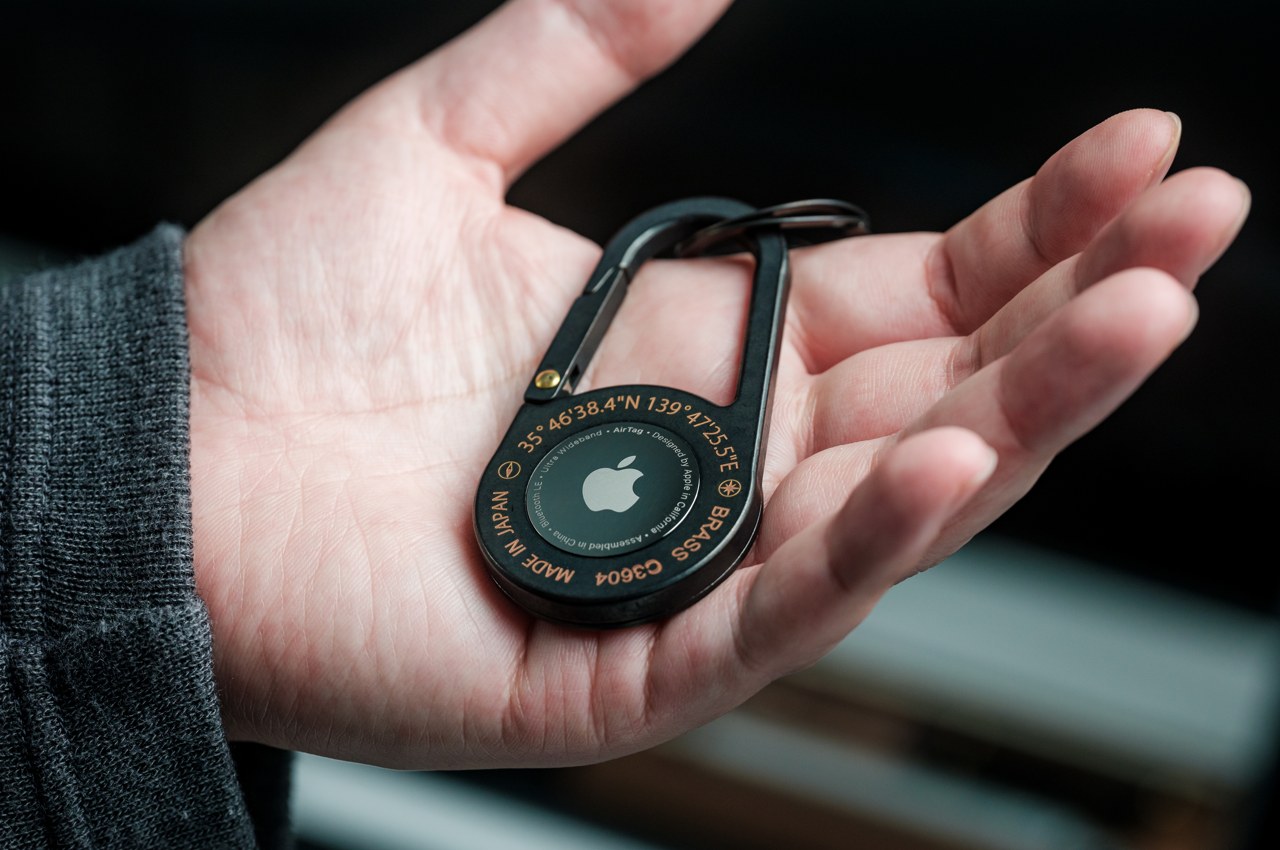
If you’re like me and tend to forget things, you’ve probably got an AirTag already or at least thought about getting one. But here’s the thing: AirTags aren’t designed to work on their own. Apple expects you to shell out extra for an AirTag ‘holder’ just to attach it to your keys, bags, or other belongings. And, sure, you can buy Apple’s version, but there’s always a better alternative out there. Enter the AirTag Carabiner – an all-metal clip that securely houses your AirTag in a sleek, hollow form.
The AirTag Carabiner sandwiches your Apple AirTag between two CNC-machined layers of Steel, Brass, or Duralumin alloy, making it robust, reliable, and easy to clip onto any of your belongings. It’s like a tiny vault for your AirTag, giving it the protection it needs.
All-Metal Build for Superior Strength
Unlike flimsy leather or plastic holders, this all-metal carabiner is built to last. Whether it’s Steel, Brass, or Duralumin, this thing will stand up to the rough and tumble of everyday life. After all, an AirTag isn’t useful if its holder breaks or falls apart, right?
Choose Your Perfect Carabiner
Brass:
Appearance: Signature golden hue
Weight: Heaviest
Feature: Develops a unique patina over time that gradually darkens
Steel:
Appearance: Sleek, balanced look
Weight: Moderate
Feature: Offers a balance between weight and aesthetics
Duralumin:
Appearance: Lightweight, durable alloy
Weight: Lightest
Feature: Combines durability with portability
Made-to-Order Craftsmanship
This AirTag Carabiner is the result of high-quality materials and the labor of extremely talented professionals from Japan.
Carabiners are usually made by melting down metal, which is then poured into casting. This means that many carabiners can be made quite cheaply, especially overseas where labor costs are lower.
These Carabiners are different because they use solid metal! Each one is meticulously CNC-machined from a solid block of Steel, Brass, or Duralumin, resulting in unmatched precision and durability. The precision processing takes longer, but the result is a superior product.
Who Should Get the AirTag Carabiner?
Adventurers: Secure your AirTag to your backpack, bike, or gear and track your belongings anywhere.
Frequent Travelers: Clip onto luggage or carry-ons to keep tabs on your items.
Everyday Forgetful: Never misplace your keys or bag again with this secure, stylish AirTag Carabiner.
Conclusion: An AirTag Holder That’s Built to Last
If you’re looking for a better way to secure your AirTag, the AirTag Carabiner is your answer. Whether you go for the vintage brass look or the sleek steel finish, this holder is built to last. Say goodbye to those flimsy plastic and leather holders and invest in a reliable, all-metal carabiner that keeps your AirTag safe and adds a touch of style.
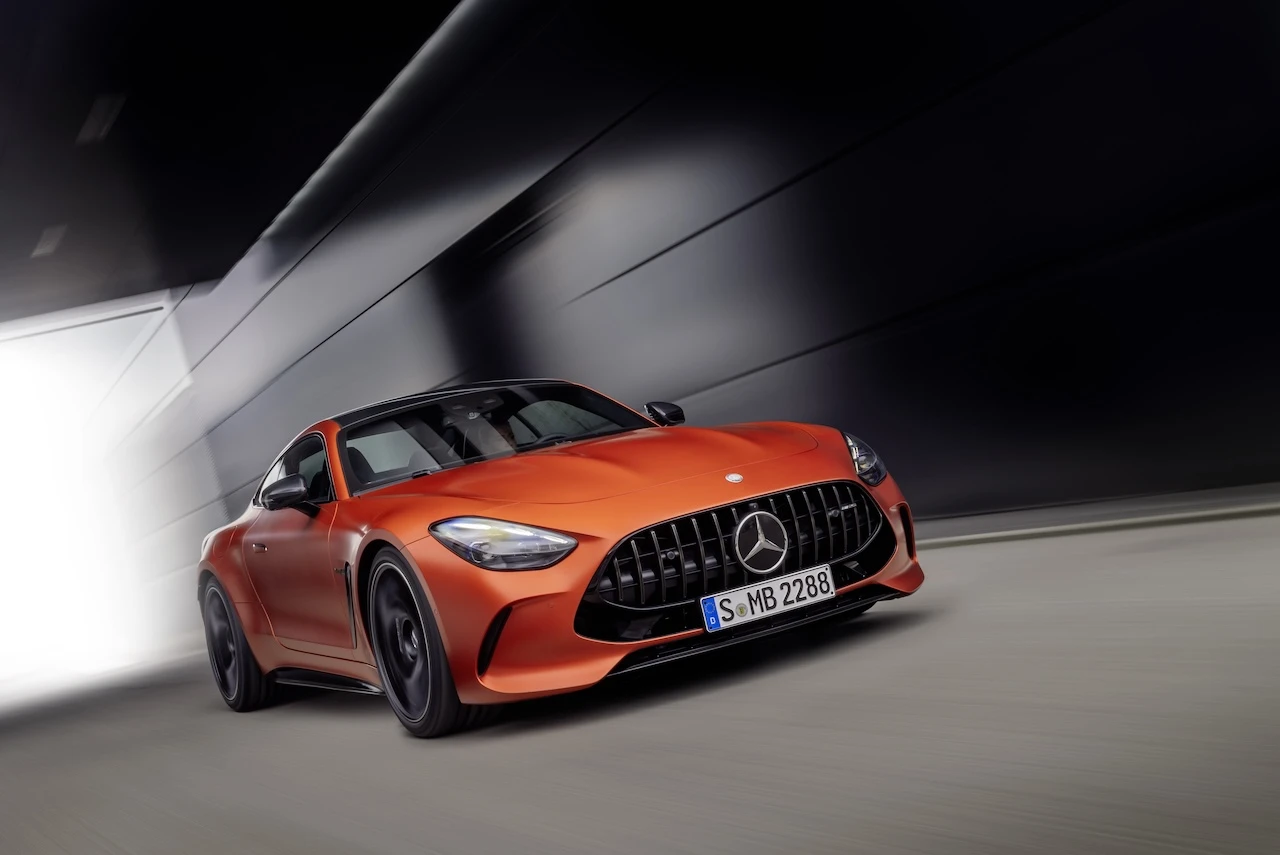
Last month we saw the new Mercedes AMG GT 63 S E Performance and now Mercedes Benz has revealed the pricing for the car, it starts at €217,770 Euros and as we heard previously it comes with a massive 816 horsepower. The Mercedes AMG GT 63 S E Performance represents the pinnacle of hybrid sports […]
Learning how to take a screenshot on a Microsoft Surface device is a useful skill for capturing the contents of your screen for work, education, or personal use. Below are the steps to take a screenshot using different methods tailored to Microsoft Surface devices. Quick Guide : Using Hardware Buttons: Press and hold the Power […]
Learning how to take a screenshot on a Microsoft Surface device is a useful skill for capturing the contents of your screen for work, education, or personal use. Below are the steps to take a screenshot using different methods tailored to Microsoft Surface devices. Quick Guide : Using Hardware Buttons: Press and hold the Power […]
Fujifilm’s X100 V became a surprising viral hit thanks to influencers who loved not only its performance but also its retro-chic cool factor. Now, the company has launched its successor, the similar-looking but more-capable X100 VI. It’s only been on sale a short time, but retailers are already reporting months-long waiting lists.
It features some key improvements over the previous model, including a much higher-resolution 40-megapixel sensor, in-body stabilization and better video. At the same time, it retains the looks and compact size people loved about the X100 V.
I couldn’t wait to get a hold of one to check out the performance for myself and see if it’s worth a purchase or upgrade. To test, I hopped on the Eurostar over to London with my French photographer friends to see if it’s worth the high price and considerable wait.
Body and handling
The X100 series is beloved in large part because of the vintage rangefinder camera styling, and Fujifilm didn’t mess with that. In addition to the near-identical looks, the X100 VI’s button and dial layout is unchanged. Fujifilm also kept the previous model’s 23mm f/2 lens.
To accommodate the in-body stabilization, the X100 VI is slightly chunkier and weighs 18.4 ounces, about 1.4 ounces more than before. That’s not much, but every bit counts for a camera designed to be carried around all day.
The control design with dedicated dials for ISO, shutter, aperture and exposure compensation is a bit old-fashioned compared to modern cameras. But it does serve a purpose, showing settings at a glance. That’s a must for shooting on the fly.
The X100 VI isn’t just cosplaying as a rangefinder, either. On top of the 3.69-million dot electronic viewfinder (same as the last model), it offers a rangefinder-style optical finder and a hybrid of the two with a picture-in-picture EVF. The last setting is for people who still want a digital security blanket, and it works very well.
Also unchanged is the rear display, allowing basic up and down tilting for high or low angle shooting. That’s not great for selfies or vlogging, but perfect for shooting from the hip.
The menu system is mostly the same, which is a good thing as it’s relatively easy to find key settings. To avoid diving in, though, you can use the quick menu and numerous buttons and dials for easier adjustments. It’s also customizable and I’d advise buyers to set it up to their preferences to avoid any shooting errors.
The X100 VI has a single slot that only supports slower UHS-I cards, unfortunately, along with a USB-C port for charging and data. The MicroHDMI port also lets you use external recorders, though the tiny camera looks awkward with one attached. Finally, the battery is the same smallish one as before, unfortunately — more on that in a bit.
Performance
Samuel Dejours for Engadget
Despite the higher resolution, the X100 VI still shoots at a decent 11 fps, with buffer space for about 17 uncompressed RAW frames. JPEG bursts are a bit faster at 13 fps in electronic shutter mode and the buffer size jumps to 37 frames in that case.
Unless you really need total silence, the mechanical shutter is your best bet. It’s very quiet, and you’ll see considerable rolling shutter in electronic mode.
Autofocus is much-improved compared to the V. It’s more reliable for subject tracking and adds new autofocus modes for animals, birds, cars, motorcycles, airplanes and trains. Fuji’s eye- and subject-detection are in separate modes though, forcing you to change settings.
Fujifilm’s AF system was already middling, lagging behind Sony and Canon. The X100 VI is even less effective than Fujifilm’s larger X-H2 and X-T5, due to the slowish motors on the fixed lens. That means focusing on moving subjects is a bit hit or miss. That said, burst shooting is not what this camera is for and the fact that it’s decent at all is a bonus.
Steve Dent for Engadget
In-body stabilization might be the biggest improvement to come to the X100 lineup. With six stops of shake reduction, you can get sharp photos down to about a quarter second. That lets you blur motion to make interesting, creative shots.
The optical finder takes some getting used to, as it’s not a direct view through the lens like with DSLRs. It’s off to the side of the lens, so this parallax means subjects that are close to the camera may not be framed the way you expect. That’s why the EVF insert mode is so handy as it supplies a second true view of the scene.
One issue is battery life, with only 450 shots on a charge or 310 if you use the EVF. I found that one battery wasn’t enough for a full day’s shooting, so factor extra ones into your buying decision. You may also want an external charger, as Fujifilm doesn’t supply one in the box.
Image quality
The 40MP sensor obviously delivers a big boost in resolution over the X100 V’s 26MP. The extra pixels are also handy if you need to crop in, which is a common requirement with a fixed wide-angle lens camera. And while the lens is the same as before, it’s sharp enough to resolve the extra detail.
If this sensor seems familiar, that’s because it’s the same as the one on the X-T5 and X-H2, so the image quality here is similar to those. In-camera treatment of JPEG and 10-bit HEIF files is handled well, with pleasant, accurate colors and a nice balance of noise reduction and detail. You can often share photos straight out of the camera, too, something that’s important to street photographers who do little to no post-processing.
The 14-bit RAW photos offer plenty of room for fine-tuning, even in bright or dark areas. However, if you underexpose shots and try to boost levels, noise can get out of hand compared to a full-frame camera.
The higher resolution doesn’t hurt image quality much at higher ISOs. Noise is well controlled up to ISO 6400, and you can go up to 12800 if exposure is set correctly. I was impressed with the quality when shooting in bars and other dark environments.
And of course, the X100 VI offers Fujifilm’s full array of film simulation modes. You can experiment with popular looks like Velvia, Eterna or Acros black and white, and still have a full-color RAW backup. As the only major camera company also selling 35mm film, Fuji’s simulations are the most pleasing and realistic.
Video
The X100 VI’s excellent video specs are another bonus. It has nearly the same feature set as the X-T5, so you can shoot 6.2K at 30 fps with a 1.23x crop, or 4K at up to 60 fps with line-skipping and a 1.14x crop. The camera also offers sub-sampled 4K at up to 30p using the full sensor width, or high-quality 4K 30p with a 1.23x crop. Fujifilm also introduced 10-bit and F-Log2.
Samuel Dejours for Engadget
It took me a while to get used to the different modes and cropping levels. At 6.2K and 4K HQ, rolling shutter is pronounced so you’ll need to be aware of that. At the same time, full-sensor sub-sampled 4K is noticeably more low-res than the HQ mode.
Video autofocus matches what I saw with photos, meaning it was decent but not super reliable for moving subjects. The AI-powered AF did lock onto subjects, but again, couldn’t always keep up to flying birds, animals or vehicles.
Handheld video is now a realistic option with in-body stabilization. It worked well as long as I didn’t move around much, and offers a “boost” mode that smooths out jiggles further. Digital stabilization is also an option, but isn’t supported with the 6K or HQ modes, and doesn’t really reduce jolts for walking or fast movements.
Video quality is solid for a small compact camera, offering the same accurate colors you see in JPEG photo modes. Shooting in 10-bit F-Log makes it possible to adjust footage considerably in post or get creative. You can also shoot video using the film simulation modes if you want a specific look straight out of the camera.
Wrap-up
Samuel Dejours for Engadget
Fujifilm has made all the right moves to keep the X100 VI’s popularity high by tucking a very competent street and travel camera into a beautiful retro-cute body. The extra resolution, in-body stabilization and new video features should be more than enough to tempt owners to upgrade.
At $1,600, the X100 VI doesn’t have a lot of competition — which is odd, given its success. Leica springs to mind with the Q3, though that costs a whopping $6,000. Another option is the $1,000 Ricoh GR IIIx, which also offers in-body stabilization and an ND filter. However, resolution is lower at 24MP and it lacks the X100 VI’s high-end video features.
Sony’s ZV-1 II is also in this compact category, but it’s mostly designed for video. Keep an eye on Panasonic, as it may release a new compact camera, according to recent rumors. In any case, if you’re in the market for a high-end compact and can afford the X100 VI, I wouldn’t hesitate — there’s a lot of camera inside that beautiful body.
This article originally appeared on Engadget at https://www.engadget.com/fujifilm-x100-vi-review-a-one-of-a-kind-camera-for-street-photography-and-travel-133004951.html?src=rss
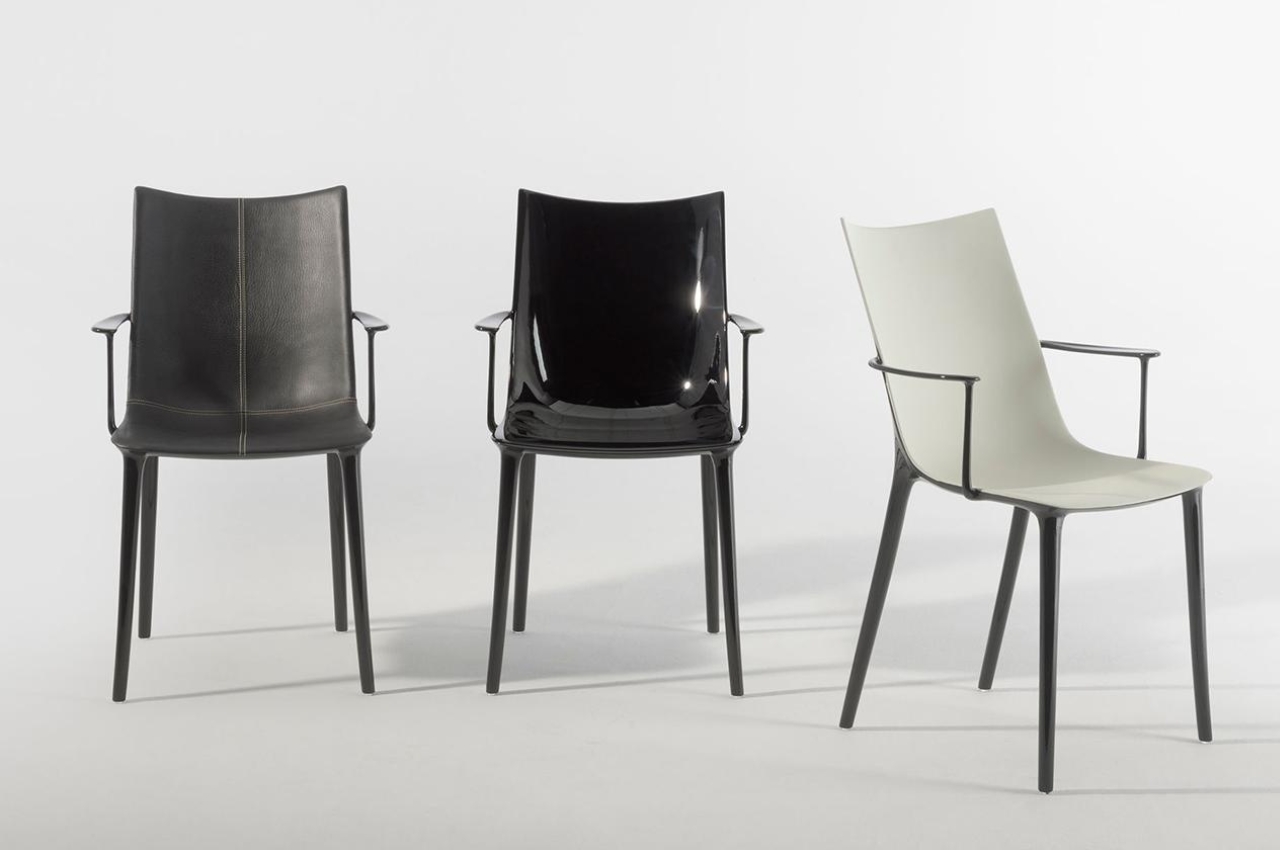
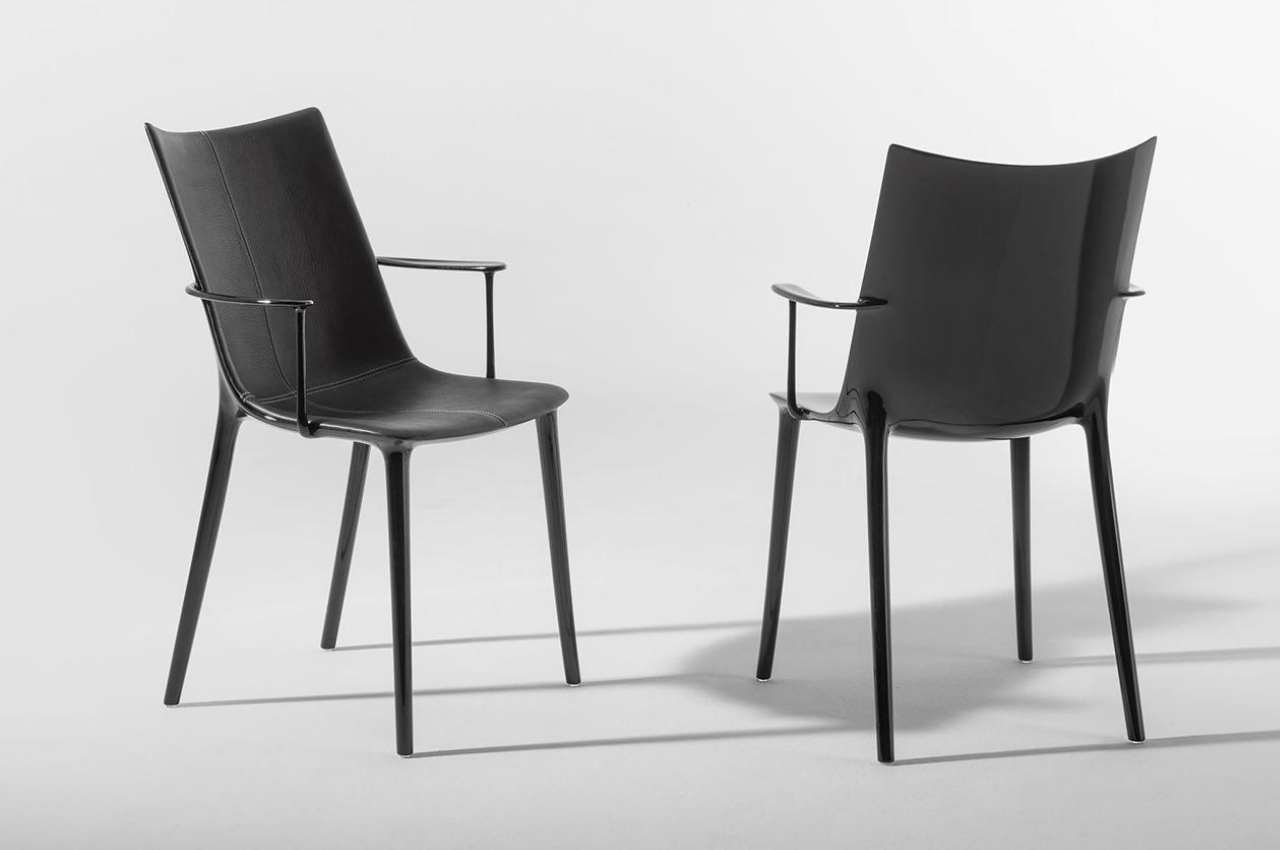
There have been a lot of discussions about how artificial intelligence affects designers and design in general. This will continue to be a hotly debated topic in the next few years. There are those that believe this is heralding the death of the creative industry while there are those that believe that it can help brands and designers streamline processes and can foster innovation and experimentation. Italian furniture brand Kartell and French architect and designer Philippine Starck seems to be of the latter school of thought as they unveiled their A.I. collection
This collection features eco-friendly pieces of furniture that were a result of input from Kartell and Starck and streamlined by A.I. particularly in terms of prototyping and planning. It was able to contribute to make the collection sustainable and optimize the materials used resulting in reduced waste. Creating eco-friendly products is the ultimate goal and the combination of design, production, and A.I. helped achieve this.
The A.I. Lounge uses thermoplastic techno polymer with a mineral filler. It is available in white, black, green, and gray and can be used both indoors and outdoors or wherever you want to lounge around. The H.H.H Her Highest Highness meanwhile is a chair that should make you sit like a royal. The way the back is shaped will force you to sit as if on a throne. It uses green polycarbonate material for the eco-friendly aspect.
The A.I. Console meanwhile is a minimalist small table that can be placed in the foyers, vestibules, entrances, and hallways, or anywhere you need to have a small stand or table for your stuff. It sports a one legged design and is made from recycled Illy iPerEspresso coffee capsules. You can get it in orange, white, gray, or black.
Uninstalling applications on a Mac can vary in complexity depending on the source and type of the app. Whether you aim to free up space, tidy up your system, or simply get rid of software you no longer use, knowing the most effective method to manage apps on your Mac is crucial. This guide provides […]