The Hisense XR10 Packs 6,000 Lumens, Liquid Cooling, and Devialet Audio Into One Very Serious 4K Projector

Home theater has always been a game of compromises. You either spend a fortune on a TV large enough to feel cinematic, or you buy a budget projector and spend the rest of your evenings squinting at a washed-out image the moment someone turns a light on. The sweet spot, a projector bright enough to hold its own in a lit room at genuinely cinematic scale, has historically lived at a price point that makes most people close the browser tab. Hisense thinks it has finally cracked that equation with the XR10, a 4K triple laser projector that debuted at CES 2026 and has now officially opened for pre-order.

The XR10 throws a 4K UHD image anywhere from 65 to 300 inches, powered by a triple laser light source rated at 6,000 ANSI lumens and a lifespan of 25,000 hours. That brightness figure is the headline: most home projectors top out well below 4,000 lumens, making ambient light their mortal enemy. Hisense pairs that output with Dolby Vision, HDR10+, and IMAX Enhanced certification, a 17-element glass lens, and a 2.1-channel audio system co-developed with Devialet and tuned with input from the Opéra de Paris. The pre-order price sits at $5,299.99, down from a retail tag of $6,999.99, with a free HT Saturn 4.1.2 wireless sound system thrown in.

Designer: Hisense

The XR10 operates across a 0.84 to 2.0:1 throw ratio with 2.39x optical zoom and lens shift, which means you are not locked into a single position in your room to hit your target screen size. A seven-level iris adjustment and the 17-element glass lens work together to give you granular control over the image, while the native 6,000:1 contrast ratio and up to 60,000:1 dynamic contrast ensure the picture holds depth whether you are watching a sunlit action sequence or a shadow-heavy thriller. Color coverage reaches 118 percent of BT.2020, which puts the XR10 well above the color volume of most consumer displays at any price.

Hisense brought in Devialet, the award-winning French audio engineering firm behind some of the most acoustically serious speakers on the consumer market, to develop the XR10’s built-in 2.1-channel system. Two 8W speakers pair with a 15W subwoofer, the whole profile tuned with input from the Opéra de Paris, and the system supports both Dolby Digital and DTS Virtual:X. Thermal management comes via a dual-channel liquid cooling system that keeps operating temperatures stable without generating the kind of fan noise that pulls you out of a quiet scene.

Smart platform duties fall to Hisense’s VIDAA OS, with Netflix, Amazon Prime Video, Disney+, and Apple TV all available natively. AirPlay 2 and Miracast handle screen mirroring, and the connectivity spec runs to Wi-Fi 7, Bluetooth 5.4, HDMI 2.1, HDMI 2.0, USB 3.0, and Gigabit Ethernet, with eARC and CEC support rounding out the audio integration options. For a device sitting in your living room as a permanent installation, that connectivity stack is exactly what you want.

At $5,299.99 during the pre-order window, the XR10 is not an impulse purchase, and Hisense knows it. The full retail price of $6,999.99 puts it in direct conversation with high-end OLED televisions, and that is precisely the comparison Hisense wants buyers making. A 300-inch OLED does not exist. The XR10 does, and right now you can pre-order one with a free surround sound system included.

The post The Hisense XR10 Packs 6,000 Lumens, Liquid Cooling, and Devialet Audio Into One Very Serious 4K Projector first appeared on Yanko Design.

A Cactus Humidifier That’s Also a Design Object

A cactus is probably the last plant you’d associate with moisture. It’s the plant we give to people who forget to water things, the desk companion for the chronically overcommitted. It survives precisely because it hoards water while everything around it is parched. So when designer Ho Joong Lee decided to build a humidifier concept shaped like one, that irony wasn’t incidental. It was the entire premise.

Cabu is a cactus-shaped humidifier concept, but calling it just a humidifier is the kind of reductive description that does it no favors. It’s more accurate to call it a character. A small, solid, ribbed little being that sits quietly on your desk or windowsill, releasing moisture into dry indoor air without demanding too much attention from the room. It occupies space the way a good piece of ceramic does: you notice it, it makes you feel something, and then it just gets on with its job. That quiet self-sufficiency is very cactus-like, actually.

Designer: Ho joong Lee

The design reads immediately as playful, but it holds up to closer inspection. The torso comes in two colors: a deep forest green and a vibrant cobalt blue. Both are rich, saturated tones that don’t feel trend-chasing. They feel considered. The rounded, ridged texture of the body mimics the natural ribbing of a real cactus without tipping into novelty gift shop territory, which is a harder balance to strike than it sounds. Too literal and it becomes a costume. Too abstract and the metaphor dissolves. Lee found the middle ground cleanly.

The flower perched at the crown is where Cabu gets genuinely fun. That small spherical object isn’t just a decorative flourish. It’s the water inlet. You lift it off, pour water in, and set it back. The refilling gesture maps directly onto the idea of watering a plant, which means the most utilitarian part of using a humidifier becomes a small, satisfying ritual. The flower comes in three colors (yellow, orange, and pink) and snaps into place via a magnetic structure that holds without fuss. You can swap colors based on your mood, the season, or how your space is dressed that day. It’s a tiny customization feature, but it adds personality in a way that matters.

On the practical side, the concept specifies USB-C charging and a water level indicator on the back. Neither is revolutionary, but both are handled thoughtfully. The USB-C detail is a small but real quality-of-life decision that shows Lee was thinking about how people actually use things, not just how the object photographs. The water indicator keeps things straightforward: a visible window on the back tells you what you need to know without extra steps. No blinking LEDs, no accompanying app, no setup ritual. You just look.

The color pairings across the concept also deserve a mention. The cobalt blue body paired with a yellow flower carries an almost graphic, retro-poster energy. The deep green with orange reads more earthy and organic, like something you’d find in the corner of a well-curated studio. The point is that neither combination feels accidental. Both read as deliberate aesthetic decisions rather than colorway options to fill out a spec sheet. That level of care signals a designer thinking about how an object coexists with a real space over time.

What Cabu ultimately argues is that home objects don’t have to choose between being useful and being beautiful, and more importantly, they don’t have to be emotionally inert. The cactus carries real symbolic weight. It is resilience distilled into a shape. Using that symbol to combat the dryness of modern indoor spaces is the kind of concept that could easily tip into being overwrought. Here, it doesn’t. The execution is restrained enough that the idea communicates without needing to be explained.

That’s usually the mark of design thinking that’s actually working. The concept doesn’t need a label explaining its meaning. It just holds its own. Whether Cabu ever makes it to production, the conversation it starts about how everyday appliances can carry emotional weight is already worth having.

The post A Cactus Humidifier That’s Also a Design Object first appeared on Yanko Design.

Your Light Switch Is the Worst-Designed Thing in Your House. Inkslab Offers An Alternative

Most wall switches exist to be ignored. You flip them without looking, never registering the object itself, because there is nothing to register. HDL Automation’s Inkslab panel series makes that kind of invisibility impossible. The surface is divided into irregular polygonal cells radiating outward from a central point, a geometry lifted directly from the perforated stone lattice windows of classical Suzhou gardens. Each cell is a button. The ornament and the interface are the same thing.

That formal discipline carries through the entire system. Inkslab is a modular series that tiles horizontally and vertically, mixing scene-selector panels, a circular HVAC control knob, power outlets, and single-button tiles into wall-mounted configurations as long or compact as the space demands. It comes in white, brushed champagne gold, matte black, and slate gray, and at 86 x 86 mm per tile, it sits flush against a wall with the quiet confidence of something that belongs there.

Designer: Hdl Automation Co., Ltd.

Classical Chinese perforated windows, called “leaky windows” in the original parlance, use irregular polygon grids to divide a wall surface into discrete framed voids. The geometry is simultaneously structural, decorative, and spatial. Inkslab takes that logic and runs it through an interface problem: how do you lay out multiple buttons on a 86 x 86 mm square without it looking like a grid of sad rectangles? The answer turns out to be Suzhou, and it works.

Each tile clips onto a shared wall bracket, and you can run them in any combination horizontally or vertically. The exploded product imagery shows the layering clearly: bracket, individual functional tiles, frame. Mix a three-tile scene-selector run with a power socket tile and the circular HVAC knob module, and you have a fully integrated wall panel covering lighting scenes, climate control, and power in one coherent visual strip. The round knob module in particular is well-considered, its circular display reading temperature and fan settings without interrupting the overall geometry of the panel it sits in.

Instead of manually programming scene modes through an app, the system learns from usage patterns and suggests scenes based on time of day and behavior. Paired with the proximity sensor that wakes the LED backlighting when you approach and cuts it when you leave, the panel behaves more like an attentive object than a passive one. HDL has been in the building automation space since the 1980s, when the company’s founder developed China’s first digital dimming controller, so the intelligence running underneath the Inkslab aesthetic has serious pedigree behind it.

The brushed champagne gold colorway reads closer to high-end architectural hardware than consumer electronics, and the anodizing process gives the aluminum surface a resistance to wear and corrosion that keeps it looking that way over time. Skin-friendly paint on the non-metal variants sounds like a small detail but matters on something you physically touch dozens of times a day. The 10 mm depth keeps the panel from protruding awkwardly from the wall, which is one of those specifications that sounds trivial until you see a chunky smart panel jutting off a freshly plastered surface.

The post Your Light Switch Is the Worst-Designed Thing in Your House. Inkslab Offers An Alternative first appeared on Yanko Design.

Skip the $20K Install: The $799 iGarden Swim Jet X Series Clamps Onto Any Pool

Most backyard pools spend their lives being thoroughly underused. They’re great for a hot afternoon cool-down and perfectly fine for the occasional float, but not exactly built for anyone who wants to swim laps. The obvious fix is a swim jet system, until you look into what installing one actually costs. Professional installation means plumbing connections, dedicated electrical work, and a contractor quote that tends to start somewhere around five figures.

The iGarden Swim Jet X Series sidesteps that problem entirely. Rather than something built into a pool, it is something you bring to one. A jet head mounts to the pool’s edge with a clamp-and-bracket assembly, no drilling required, while a separate power box sits on the deck nearby. Attach it, switch it on, and the pool becomes considerably more useful than it was ten minutes ago.

Designer: iGarden

Click Here to Buy Now: $799 $1199 (40% off). Hurry, only 27/160 left! Raised over $935,000.

That power box is worth a closer look. It is a compact cube with a brushed metal finish, a circular display showing battery level and session time, and a clean row of buttons for power, flow, and timer control. The main unit itself has suitcase-style wheels and a retractable handle, so moving the whole system poolside, storing it in the shade, or taking it somewhere else entirely takes almost no effort.

The entire system runs on a low-voltage architecture, making sure that the product is completely safe to use. The swim jet carries an IP68 waterproof rating, while the power box is rated IP65. The system will automatically cut off power if there is accidental contact or if the battery/power unit shifts out of position, and a safety grille covers the jet intake. The safety design is thorough without being complicated.

On the performance side, the flagship X35-P60 runs a 1,000W permanent magnet synchronous motor or PMSM, pushing flow speeds up to 3.5 meters per second. An AI inverter control system modulates the motor output in real time, keeping the current steady and laminar through a focused, straight-lane flow. The current remains consistent even as a swimmer pushes hard against it.

That steady resistance changes how the pool actually gets used day to day. A morning session at a moderate gear setting feels genuinely like open-water swimming, sustained and uninterrupted, without the constant wall turns. The six speed levels mean the same device works for casual paddling at the lower end and serious interval training at the top. The X35-P60 also runs for up to 10 hours on a single charge, enough for a full day of use without needing a top-up.

At the structured training end of the spectrum, the P3 and P4 settings unlock sprint programming through the companion app, with sessions configurable in blocks from 15 up to 90 minutes and workout history logged after each one. Dial the current back on a weekend afternoon, and the pool becomes a gentle flow that kids can float and play in. One device, one pool, several completely different experiences across a single day.

The iGarden Swim Jet X Series is compatible with plunge pools, fiberglass, concrete, gunite, and vinyl-lined pools, which cover almost every residential configuration. When the season ends, it packs into a storage bag, rolls on its wheels to a friend’s place when the occasion calls for it, and leaves no trace behind when removed. The pool stays exactly as it was. The swim jet is just a guest, and a rather useful one at that, starting at just $799.

To mark its launch, iGarden is throwing in a couple of reasons to move quickly. Everyone who pledges within the first 48 hours gets shipping at $25 flat, half the standard rate, and one randomly selected backer from that same 48-hour window will receive their iGarden Swim Jet X Series unit completely free. Not a bad way to kick off a launch.

Click Here to Buy Now: $799 $1199 (40% off). Hurry, only 27/160 left! Raised over $935,000.

The post Skip the $20K Install: The $799 iGarden Swim Jet X Series Clamps Onto Any Pool first appeared on Yanko Design.

A Water Heater That Doubles as a Data Center – and Cuts Your Energy Bill

Most household devices are designed to do their job quietly and disappear into the background. Superheat’s H1 proposes a different role for them. Rather than functioning as a single-purpose utility, it treats the water heater as part of a wider technological and environmental system, one that can turn routine domestic energy use into something more productive.

In one sentence: Superheat H1 is a water heater that replaces heating elements with processors, using their heat to warm water while performing computation at the same time.

Designer: Zhenyang Yan, Andrew Geng, and Superheat design team.

The premise behind the H1 is straightforward. Computation generates heat, and homes constantly need heat. These two realities usually exist separately. Data centers spend large amounts of energy cooling machines whose heat is discarded, while households use energy to produce heat from scratch. The H1 connects these cycles by capturing processor heat and redirecting it into water heating. A single input of electricity is used twice, once for computation and once for domestic use. What is typically treated as excess becomes functional.

Seen from a design perspective, this reframes what a household appliance can be. A water heater is usually considered a fixed expense, yet here it operates more like an active system that can offset part of its own energy cost. Testing suggests reductions of up to 80 percent in hot water energy consumption, which positions the object somewhere between a utility device and an economic mechanism.

The physical design reinforces that shift. The unit is enclosed in a modular aluminum housing that reads more like a deliberate object than a hidden appliance. The modular structure allows internal hardware to be updated as processors evolve, extending the lifespan of the product and reducing replacement waste. The visual restraint and upgradability suggest a design approach focused on duration rather than novelty.

At the same time, interaction remains familiar. Installation mirrors that of a standard heater, and daily use requires no change in behavior. The complexity stays internal to the system, which is arguably what makes the concept compelling. It embeds infrastructure-level functionality into everyday life without asking users to engage with technical systems directly.

Its relevance is closely tied to the present moment. Cryptocurrency mining and high-performance computation have expanded rapidly over the past decade, bringing with them real questions about energy demand and environmental impact. Digital infrastructure often grows faster than the systems designed to support it responsibly. Projects like the H1 sit within that tension. They suggest that emerging technologies do not only require new software or policies, but also new kinds of physical design responses that address consequences as they appear.

Superheat’s broader research points toward a distributed model in which multiple household devices could function as small computational nodes. If scaled, everyday appliances such as dryers or refrigerators could collectively form a decentralized network powered by the energy homes already use. Whether or not that vision becomes widespread, it reframes domestic space as something with infrastructural potential.

After a year of testing and development, the H1 is nearing certification, holds two patents, and has secured partnerships with established manufacturers. Recognition at CES 2026 and growing industry attention indicate that the idea resonates beyond prototype speculation.

What makes the H1 worth paying attention to is not simply its novelty, but the question it raises. If appliances can participate in larger systems rather than operate in isolation, the boundary between product design and infrastructure design begins to blur. In that sense, the project is less about a single device and more about a shift in how designed objects might function within the networks that shape contemporary life.

The post A Water Heater That Doubles as a Data Center – and Cuts Your Energy Bill first appeared on Yanko Design.

Functional LEGO Sewing Machine actually moves a needle up and down when cranked

There’s nothing from stopping this LEGO machine from actually sewing clothes, apart from the fact that attaching a real needle to it would make it an ‘illegal’ build. Illegal builds in LEGO are when you use bricks in unauthorized ways (wedging them, gluing them, using them upside down), or using non-brick parts in a LEGO build. Sadly, this rather outdated law is the only thing preventing BrickStability’s Sewing Machine from letting you stitch clothes, kerchiefs, and quilts together.

What I love about LEGO MOCs (My Own Creations) is that some people try to achieve aesthetic perfection, while others try to actually make LEGO builds functional. There’s a LEGO lawnmower that cuts grass, a LEGO Typewriter that types, and even a functional LEGO Turing Machine that ‘computes’. Add this sewing machine to that list because it isn’t just a visual masterpiece, it’s complicated, intricate, and to a great extent, functional.

Designer: BrickStability

It’s true that nobody can agree who first invented the ‘sewing machine’. Elias Howe is credited with the version we popularly use today, although Thomas Saint, Barthelemy Thimonnier, and Isaac Singer are all also attributed as key figures in helping create some version of the modern-day sewing machine. This particular version, the lockstitch sewing machine, was patented in 1846 by Elias Howe, and while the LEGO MOC isn’t exactly Howe’s patented design, it’s an antique machine that takes that lockstitch technology and packages it into a form factor a lot of us recognize even today.

There are multiple YouTube shorts and GIFs on how these machines actually ‘stitch’ clothes, but the simple explanation is that a rotating element (powered by a crank on the side or a foot-pedal at the bottom) moves a special needle up and down, while a spool feeds continuous thread directly to the needle. As you stitch, the machine creates that rhythmic noise associated with tailoring shops, while the spool gradually rotates too, feeding thread into the ever-hungry machine.

BrickStability’s version is gorgeously accurate. Not only is it functional (the crank rotates and the needle element moves up and down), it also comes with LEGO spools of colored thread, along with a tailoring scissor made from LEGO bricks too. The machine is black, just like almost every machine in that time (funnily enough I only remember the motorized ones as being white in color), and comes with some ornate gold brickwork, reminiscent of the detailing seen on vintage machines.

This MOC is different from the usual ones we feature on the website. It wasn’t created for LEGO Ideas the way we know it, but rather, was designed as a submission for a challenge hosted by LEGO on its Ideas website. Needless to say, it took home the grand prize, and one can only hope LEGO actually turns this build into a real retail box set!

The post Functional LEGO Sewing Machine actually moves a needle up and down when cranked first appeared on Yanko Design.
Your Personal Free Netflix and other Top 5 Tech you Absolutely Need in 2026

Last year I put together a list of products everyone absolutely needed to own in 2025. It included basic stuff, AirTags, GaN chargers, and even some slightly complex gadgets like NAS devices to help you cut the cord on cloud storage subscriptions. This year’s list expands on the same philosophy from last year – make life easier, cheaper, and faster. Here are 5 pieces of tech you need to consider owning in 2026, they’re on the bleeding edge of tech now, but I assume will become mainstream in a decade. However, if you want to stay ahead of the curve, consider adopting them now!

The list is short but sweet – it includes AI recorders/notetakers, translator buds that do a way better job than the AirPods, personal AQI monitors, travel routers that make connecting to dubious airport and hotel WiFi networks much easier, and finally (my grand pick for 2026) a personal media server that helps you actually own movies instead of paying Netflix or Hulu or Paramount a monthly fee that they seem to increase every year without batting an eyelid.

1. AI Notetakers: Your Second Brain That Actually Shows Up

There is a very real advantage to having a dedicated AI notetaker that is not your phone. Phones are distraction machines; they are notifications, doomscrolling, unsolicited ads, and “sorry, I just need to reply to this Slack” all rolled into one. A device like Plaud Note, Comulytic, Mobvoi’s TicNote or a Notta‑powered recorder does one thing: it listens (and it remembers what it listens). You hit a physical button, drop it on the table, and forget about it. Later, the audio is cleaned up, transcribed, summarized, and tagged without you babysitting the process. That separation alone changes how you behave in meetings and interviews. You stop half‑typing notes while someone is talking and instead stay present, knowing you will get a clean transcript and a decent summary afterward.

The other big win is what happens after the recording. Tools like Plaud, Notta, and similar AI‑first platforms are not just dumping a raw audio file into your storage; they are turning it into something you can actually work with. Meetings become bullet‑point action lists, interviews turn into structured quotes you can drop into drafts, and keynotes morph into highlight reels and to‑do items. Compare that to your phone’s stock voice recorder, where everything is just “Recording 032.m4a” in a long, unlabeled list. No speaker separation, no smart search, no summaries, no automatic organization. Dedicated AI notetakers treat audio as input to a workflow, not a dead file. And once you have used one a few times for client calls or field interviews, going back to a generic phone app feels like going from a modern IDE back to Notepad.

2. Translator Earbuds: When You Actually Need To Talk To People

Apple adding Live Translation to AirPods is very on‑brand: take a niche idea, wrap it in a clean UI, and ship it as a feature most people will try once in a while. It is genuinely handy if you and the other person both live inside the Apple ecosystem, and you are somewhere with good connectivity. But at the end of the day, AirPods are music‑first earbuds that happen to do translation on the side. Brands like Vasco, Viaim, and Timekettle flips that completely. Timekettle products like the M3, WT2 Edge, and W4 are built as translation devices first, earbuds second. The hardware, the app, and the interaction modes are all tuned for one job: two‑way, face‑to‑face conversation that does not feel like you are dictating into Google Translate.

You see the difference the minute you try to use them in the real world. Timekettle lets both people wear an earbud and just talk, with the system handling two‑way interpretation in near real time. Even Vasco, which secured our award at CES 2025, offers incredible translation features with the added ability to clone your voice using AI. There are specific modes for sitting across a café table, walking side by side, or listening to an announcement, and you can preload offline language packs so you are not stranded the moment you lose data. That matters when you are in a noisy street market, on a factory floor, or in a client meeting where “sorry, can you repeat that for the app” gets old fast. AirPods’ live translation is clever, but it is still bolted onto a general‑purpose audio product, with limited languages and workflows that quietly assume ideal conditions. Dedicated translator earbuds are what you pack when you know you are going to be operating in another language for days at a stretch; AirPods translation is what you pull out when you are already there and hoping the feature is good enough.

3. Personal Air Monitors: The Little Box That Calls Out Bad Air

A personal air quality monitor is very different from the big purifier that sits in one corner of your living room. This is the pocketable version: a small, battery‑powered sensor that tracks things like CO₂, particulates, VOCs, temperature, and humidity, and comes with you everywhere. Think of the same mindset behind something like Goveelife or uHoo’s indoor monitors, but shrunk down into a device you can toss in a bag or park on your desk. The moment you start carrying one, patterns jump out. That “3 p.m. crash” in your home office often lines up perfectly with CO₂ quietly creeping past the point where your brain stops firing properly. The subway line that always gives you a headache is not just “crowded and stressful,” it is a mix of stale air and fine dust. Your favorite café might have great coffee and terrible ventilation, while the boring chain across the street quietly nails fresh air and lower CO₂.

Where this becomes essential is when you pair it with travel and health decisions. Instead of vaguely checking a city‑wide AQI number, you get hyper‑local readings: the actual air in your Airbnb bedroom, that underground bar, that coworking space with sealed windows. A personal monitor can be the thing that tells you “open a window now,” “today is an N95 day,” or “maybe do not work six hours straight in this meeting room.” It is not a glamorous gadget, but it quietly moves you from guessing to measuring. In a world of wildfire smoke, construction dust, packed trains, and increasingly sealed buildings, that shift feels very 2026: less “trust the vibes,” more “trust the numbers in your pocket.”

4. Travel Routers: Bring Your Own Internet, Not Just Your Own Laptop

TCL and Asus quietly made one of the most important travel gadgets last year: routers built to live in your bag instead of under your TV. On the surface they look like yet another little plastic box with antennas, but the use case is very different from the router you got from your ISP. These are “BYO infrastructure” for people who work, stream, and store their lives online. You plug them into sketchy hotel Ethernet or join them to the random café Wi‑Fi, and they spin up your own private, password‑protected network for your laptop, phone, handheld console, and whatever else you are carrying. Instead of each device logging into “Hotel_WiFi_3” separately and fighting through captive portals, everything just connects to your SSID, with your own password, your own settings, and your own rules.

The VPN side is where they really earn a place in a 2026 kit. A good travel router can automatically tunnel all your traffic through a VPN or back to your home network, so every device behind it inherits that protection without you installing clients and certificates on each one. That means you can sit on airport Wi‑Fi and still safely access your media server at home, your NAS, your work tools, or region‑locked services, all as if you were on your own couch. For digital nomads and frequent flyers, it also solves a bunch of annoying edge cases: game consoles and streaming sticks that hate captive portals, devices that do not support VPNs natively, hotel networks that limit the number of devices per room. The travel router becomes the one “client” the hotel sees, while you hang a whole personal LAN off the back of it. It is not a glamorous product, but once you have had a week where your entire setup rides on that one little box, it is hard to go back to trusting whatever router the hotel happened to bolt to the ceiling.

5. Personal Media Servers: Owning Your Movies In A World That Hates Ownership

The idea of “buying” a movie used to be straightforward. You paid for a DVD or Blu‑ray, you got a disc, and that disc was yours until it got scratched to death or you moved house and lost it. You could watch it a thousand times, lend it to a friend, rip it for convenience, whatever. The streaming era quietly rewrote that deal. You are not buying movies anymore, you are renting access. A title lives on Netflix or Max or whatever for a while, then licensing changes, mergers happen, some accountant decides to write it off, and suddenly your favorite film or show just does not exist in your catalog. You can chase it across services, stacking subscriptions like trading cards, but that gets expensive very fast, and you are still at the mercy of contracts you never see.

A personal media server is the underdog rebellion against that. If you already have a NAS, you are basically one weekend away from rolling your own “Netflix” with something like Plex, Jellyfin, or Emby sitting on top. The workflow is not rocket science: buy discs, rip them, store the files on your NAS, let the media server scrape metadata and artwork, and suddenly you have a slick, searchable library that shows up on your TV, laptop, phone, or tablet just like a streaming app. The difference is that nothing disappears because a studio changed its mind. You decide what lives there, how long it stays, what version you keep, and who gets access. You can share that library with parents or siblings across the country without running into “password sharing crackdown” nonsense, and you can watch your stuff in a cabin with terrible internet because it is all local. It is the same basic promise we had with physical media, just updated for a world where your screen is no longer tethered to a disc player.

Now, the awkward bit: yes, pirating content is illegal. That is the line, and it is worth stating clearly. At the same time, the industry has created a situation where it is technically legal to charge you repeatedly for non‑ownership, while making entire catalogs vanish, region‑locking films behind arbitrary borders, and punishing you for sharing an account with your own family. When a bidding war over something like Warner Bros Discovery means one or two mega‑streamers get even more control over what exists where and for how long, it is hard not to see why people fall back on “if buying is not owning, piracy is not stealing” as a coping mechanism. I am not here to tell you what to do with torrents, but I will say this: a personal media server built around content you actually own is one of the few sane, future‑proof ways to make sure the movies and shows you care about are still watchable ten years from now. In a landscape that keeps trending toward bigger monopolies and weaker ownership, that box in the corner of your house starts to look less like a nerd toy and more like self‑defense.

The post Your Personal Free Netflix and other Top 5 Tech you Absolutely Need in 2026 first appeared on Yanko Design.
Roland’s $299 Pocket-Sized Audio Interface Was Designed Specifically For TikTok and Instagram Music Creators

The bedroom studio era changed everything. A generation of musicians learned to record, mix, and release music without ever setting foot in a professional facility, and the results reshaped the entire industry. Now, that same creative energy has migrated to the livestream, where a single performance on TikTok Live or Instagram can reach more people than a record label could have dreamed of a decade ago. The bar for audio quality has quietly but decisively risen.

Roland’s GO:MIXER STUDIO arrives at exactly this inflection point. The company has been iterating on this product family since 2017, and with each generation you could feel them getting closer to something that actually made sense for serious creators. At $299, this latest version brings 24-bit/192kHz recording, onboard EQ, compression, and reverb modeled after Roland’s own studio processors, all into a chassis that weighs roughly as much as a large coffee mug. Whether that combination of specs and portability holds up in the real world, where cables get tangled and livestreams go sideways, is a more interesting question than the spec sheet alone can answer.

Designer: ROLAND

Click Here to Buy Now

At 156 x 110 x 65mm and 440 grams, it sits comfortably on a mic stand next to a performer mid-set, which is a specific and deliberate choice. The color LCD showing per-channel EQ, compression, and reverb status is genuinely useful during a live session when reaching for your phone means losing eye contact with your audience. Three chunky knobs handle channel levels, and the whole thing can be powered by a USB battery pack, which means no wall outlet required and no excuses for bad audio in a green room, a hotel room, or the back of a van. The matte black chassis reads professional without being precious about it, the kind of gear that does not mind getting thrown into a backpack.

Twelve input channels is pretty great value for money. Two XLR mic inputs with 48V phantom power, a dedicated high-impedance guitar and bass input, stereo quarter-inch line inputs for keyboards or drum machines, a 3.5mm aux with TRRS support for mobile devices, and MIDI via 3.5mm TRS. That last one matters more than it might seem, because it means you can sync external hardware, run a click track, or trigger backing tracks without adding another piece of gear to your table. The 32-bit float internal processing handles the heavy lifting before anything gets committed to your recording at 24-bit depth, giving you real headroom for fixing gain mistakes in post.

The GO:MIXER Cam app for iOS records genuine multitrack audio alongside your video, which opens up post-production options that creators on competing setups simply do not have. Standard camera apps give you a single stereo mix from whatever mic is closest, and that is the entire ceiling of what they can do. Roland also ships a desktop editor for macOS and Windows with full remote control of the mixer, and the 16 scene memory slots mean a creator with a regular weekly setup can recall their entire configuration instantly. That kind of workflow thinking is genuinely rare in gear aimed at the creator market, where the assumption is usually that you will rebuild everything from scratch each time.

No Android support is a real omission in 2026, full stop. SD card recording is also absent, meaning you are always dependent on a connected device and truly standalone operation is off the table. At 192kHz via USB, the channel count drops from 12 inputs to 8, a constraint worth knowing before planning a complex live setup around it. The Zoom LiveTrak L-8 and the Rode RodeCaster Pro II occupy overlapping territory, though both trade the GO:MIXER STUDIO’s portability for more features, and neither fits as naturally into a one-person mobile setup. Roland has made a very acceptable set of mild tradeoffs here, and at $299 the value case is solid for almost everyone that’s already tied into the Apple ecosystem.

Click Here to Buy Now

The post Roland’s $299 Pocket-Sized Audio Interface Was Designed Specifically For TikTok and Instagram Music Creators first appeared on Yanko Design.
Dyson Just Made a Wet Cleaner That Slides Under Your Sofa

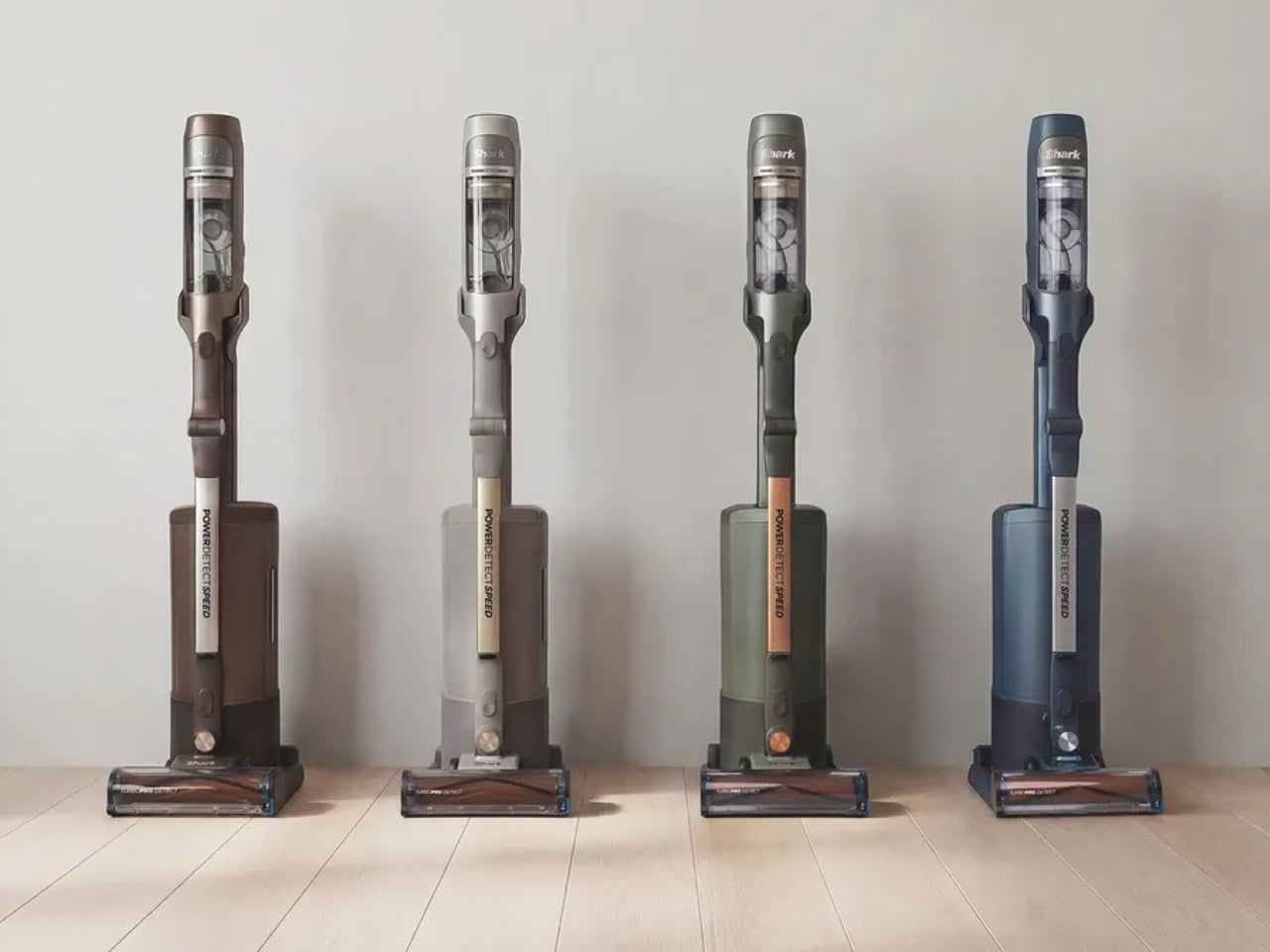
Nobody has ever looked at a traditional mop and thought, “Yes, this is the peak of human ingenuity.” Mopping has always been the cleaning task that feels like a punishment. You fill a bucket, push dirty water across the floor, realize the mop head smells suspect, and then spend the next 20 minutes waiting for everything to dry. It works, technically. But it’s never been good. Dyson wants to change that conversation entirely with its newest launch, the PencilWash, and the case it makes is surprisingly compelling.

The PencilWash follows the same design philosophy as the PencilVac, Dyson’s super-slim cordless vacuum that turned heads when it launched in 2025. The idea is simple but radical: what if cleaning tools didn’t have to be bulky? The PencilWash takes that premise into wet cleaning territory with a 38mm-diameter handle, which, true to the name, is roughly the thickness of a pencil. At just 4.9 pounds total and only 0.8 pounds in the hand, it feels like a completely different category of product from the heavy, tank-like floor washers already on the market.

Designer: Dyson

The slimness isn’t just a style flex. Because the machine lays flat to 170 degrees, it can slide under furniture as low as 6 inches off the ground. That means the coffee table, the media console, the bed frame, all those places where crumbs and sticky residue build up because your vacuum simply can’t reach them, are now fair game. It also maneuvers along walls and skirting boards, which is where most wet cleaners give up and go home. The PencilWash was clearly designed with real living spaces in mind, not idealized showroom floors.

What makes the tech behind it genuinely clever is Dyson’s three-part cleaning approach: hydration, agitation, and extraction. The machine uses a high-density microfiber roller packed with 64,000 filaments per square centimeter, spinning at 650 RPM, to pick up both wet and dry debris at the same time. But the part that truly sets it apart is the 8-point hydration system, which feeds fresh water to the roller on a continuous, controlled basis. Dirty water is extracted from the roller on every single rotation and funneled into a separate 12 fl oz dirty water tank, kept entirely away from the 10 fl oz clean water supply. What that means in practice is that you’re always mopping with fresh water, not just spreading the same grimy water around in circles.

The filter-free design is another deliberate engineering choice. Most wet cleaners rely on filters that trap debris, harbor bacteria, develop odors over time, and eventually clog up. Dyson removed the filter completely, which eliminates the risk of sludge buildup, performance drops, and that particular cleaning-appliance smell you’ve probably already encountered. The clean water tank covers up to 1,076 square feet per fill, enough for most apartments and medium-sized homes in one run.

Dyson also pairs the PencilWash with its O2 Probiotic hard floor cleaning solution, a non-foaming, non-toxic formula that cleans at the microscopic level and is safe around pets and kids. It’s the kind of optional companion product that actually earns its place, rather than feeling like an upsell for upselling’s sake.Battery life sits at 30 minutes per charge, with a 3.5-hour charge time. For bigger homes, there’s an optional swappable battery that extends the range without much hassle.

The Dyson PencilWash goes on sale March 17, 2026, in the US at $349. It launched earlier in the UK at £299.99 and in Australia at AU$499. If you want to be among the first to get your hands on one, Dyson has a waitlist open right now. What Dyson is really building with the Pencil lineup is a new design logic for home cleaning. Smaller doesn’t mean weaker. Slimmer doesn’t mean a compromise. The PencilWash makes a strong argument that the bulky, filter-dependent appliances we’ve tolerated for years were never really the best option available. They were just the only one we had.

The post Dyson Just Made a Wet Cleaner That Slides Under Your Sofa first appeared on Yanko Design.
This Air Purifier Concept Looks Like Scandinavian Audio Gear

Air purifiers tend to look like medical equipment and come with apps you didn’t ask for. They arrive with dashboards, push notifications, and Wi-Fi setup rituals that turn “cleaner air” into another thing to manage on a phone. Most of them sit in corners behind plants because they look clinical, and no one wants to acknowledge the white plastic box while having guests over for dinner.

The Beolab Air 1 is a concept air purifier designed to sit in a room without announcing itself. It was developed as a student project and draws inspiration from the calm, material-driven design language of Bang & Olufsen’s Beolab line, though it’s not affiliated with the company in any way. The goal was to see what happens when you apply that kind of sculptural thinking to clean air, instead of just adding another screen to the wellness toolkit.

Designers: Ahaan Varma, Malhar Gadnis, Michelle Sequeira, Sharanya Karkera

The most refreshing part of the concept is the interaction model. A single button press is all it takes to start, with no app pairing, no IoT setup, and no onboarding routine. The project frames this as “digital detox,” which is a reasonable description when most purifiers try to sell you sensor graphs and weekly air quality reports. You turn it on the way you’d turn on a lamp or a speaker, then leave it to work.

The materials do a lot of the talking. Angled teak wooden ridges wrap the body and function as vents for filtered air, so the aesthetic choice also serves a purpose. Textured aluminum handles the rest of the exterior. The project’s own critique of the category is blunt: plastic yellows and looks cheap over time, while wood and metal age better. A purifier built to look like a piece of considered furniture has a better chance of earning a spot on a sideboard than one that resembles a hospital accessory.

Under the surface, there’s a plausible engineering stack. A high-efficiency BLDC fan delivers strong airflow while staying quiet, a HEPA filter handles particulate capture, and an MQ135 gas sensor pairs with PM2.5 sensing to monitor air quality without forcing anyone into an app. The concept keeps the monitoring internal and the feedback subtle, a soft ambient light band that changes gently rather than a display demanding attention.
Of course, that ambient feedback is the whole point. Clean air is invisible and usually silent, and a purifier that communicates the same way feels more appropriate than one with a scrolling PM2.5 count on a bright panel. You can check in when you feel like it, and the rest of the time it just works.
The concept calls out a genuine gap in the category: people want wellness that integrates quietly into a room, not hospital aesthetics, and yet another app. Whether or not Beolab Air 1 ever gets built, asking what a purifier looks like when treated with the same care as a premium speaker is a question the category probably needed someone to ask.

The post This Air Purifier Concept Looks Like Scandinavian Audio Gear first appeared on Yanko Design.