I have a love-hate relationship with Spotify that might just be leaning more towards love today. While I struggle with some of the company's choices about the type of content it allows on its platform, I have always had a soft spot for its Wrapped roundups and the monthly audiobook hours included with my Premium subscription. For those like me, Spotify’s news today will likely enhance the appeal of its audiobook offerings. It’s announcing a partnership with Bookshop.org — which lets indie bookstores sell their wares online through a unified platform — allowing users to buy physical books from within its app, and launching a new Page Match feature that helps sync your progress across the physical books you read and the audiobooks in Spotify’s catalog. Also, the audiobook recap feature that summarizes the plot so far is expanding to Android this spring, following its iOS debut (in beta form) last fall.
Page Match is coming to all places where Spotify’s audiobooks are available, starting with the English language titles in its 500,000-strong library. Meanwhile, you can access Bookshop within the Spotify app in the US and the UK, where Bookshop operates.
Though I’m thrilled that this will mean easier and greater support of independent bookstores in those areas, I’m more excited by the prospect of Page Match, which I previewed at a recent launch event in the company’s offices in New York. I’m the sort of person who reads the same title in its ebook, physical and audio forms. (I often wish that a purchase of a physical book came with free ebook and audio versions, but that’s besides the point.)
While Kindles currently do a decent job of getting you to your latest page read across various devices, switching between, say, Martha Wells’ All Systems Red on Spotify and the paperback copy is not quite as easy. With Page Match, though, that should get a lot easier.
How does Spotify Page Match work?
When you get access to the feature (which is rolling out today), you’ll find the Page Match button under the title of each audiobook. You’ll have to first look up the book on Spotify and tap into its full chapter list to find this, which means the book you want to use has to be one of the hundreds of thousands in the company’s library. Then, tap the green “Scan to listen” button if you’re looking to move over to the audio version or “Scan to read” below it if you’re switching over to a hard copy instead.
Whichever you pick, you’ll need to enable access to your device’s camera and then scan the page of the book you’re on. This should work on ereaders as well, and appears to be using some form of optical character recognition to match the part of the book to its audio counterpart.
If you’re scanning to listen, the process is fairly straightforward. Once you’ve placed the page in the viewfinder, the app will quickly jump to that very spot in the chapter track. I’ll note that it was hard for me to confirm whether this actually worked during my first demo, since I never felt like I found the words being spoken on the page I was looking at. In this case, it was Lights Out: An Into Darkness novel by Navessa Allen, and I mostly felt like the narration had simply gone past the page I was on, rather than a complete failure. Subsequent attempts with other books, like Stephen King’s It, were more effective.
Things get a bit trickier when you’re trying to move from audio book to the paper (or ereader). After pressing “Scan to read,” you’ll need to place a page in front of the camera and wait for it to tell you to move forward or backward. Ideally, you’d already know more or less where you were, so you won’t have to flip too many pages.
In my demo, because we were a few chapters too far from where we paused in the early part of It, there was a lot more page-turning required to get to the right spot. What I found helpful was the progress bar at the bottom of the screen, which highlighted the correct location and how far away we were from it. The instructions “Move forward” and “Move back” were clear and came up in a timely manner. When we finally landed on the right page, the screen highlighted the specific lines on the page to start from, too.
I have to caveat this with the observation that there were a few starts and stops during my demo, which were resolved once I established a solid internet connection. And though “Scan to read” did eventually work as promised, there was a bit of flipping around that seemed to be part of the process, which might be tedious and not quite the magical experience some might expect.
The good news is that Spotify seems to already be working on even more features to make it easier to read physical books in tandem with listening to audiobooks. The company said it sees “the future of reading as one that’s personalized, flexible, and built to move fluidly across formats and moments. Page Match is an early example of how Spotify is helping shape that future at scale. “
This article originally appeared on Engadget at https://www.engadget.com/entertainment/spotifys-page-match-seamlessly-swaps-between-real-books-and-audiobooks-120000819.html?src=rss
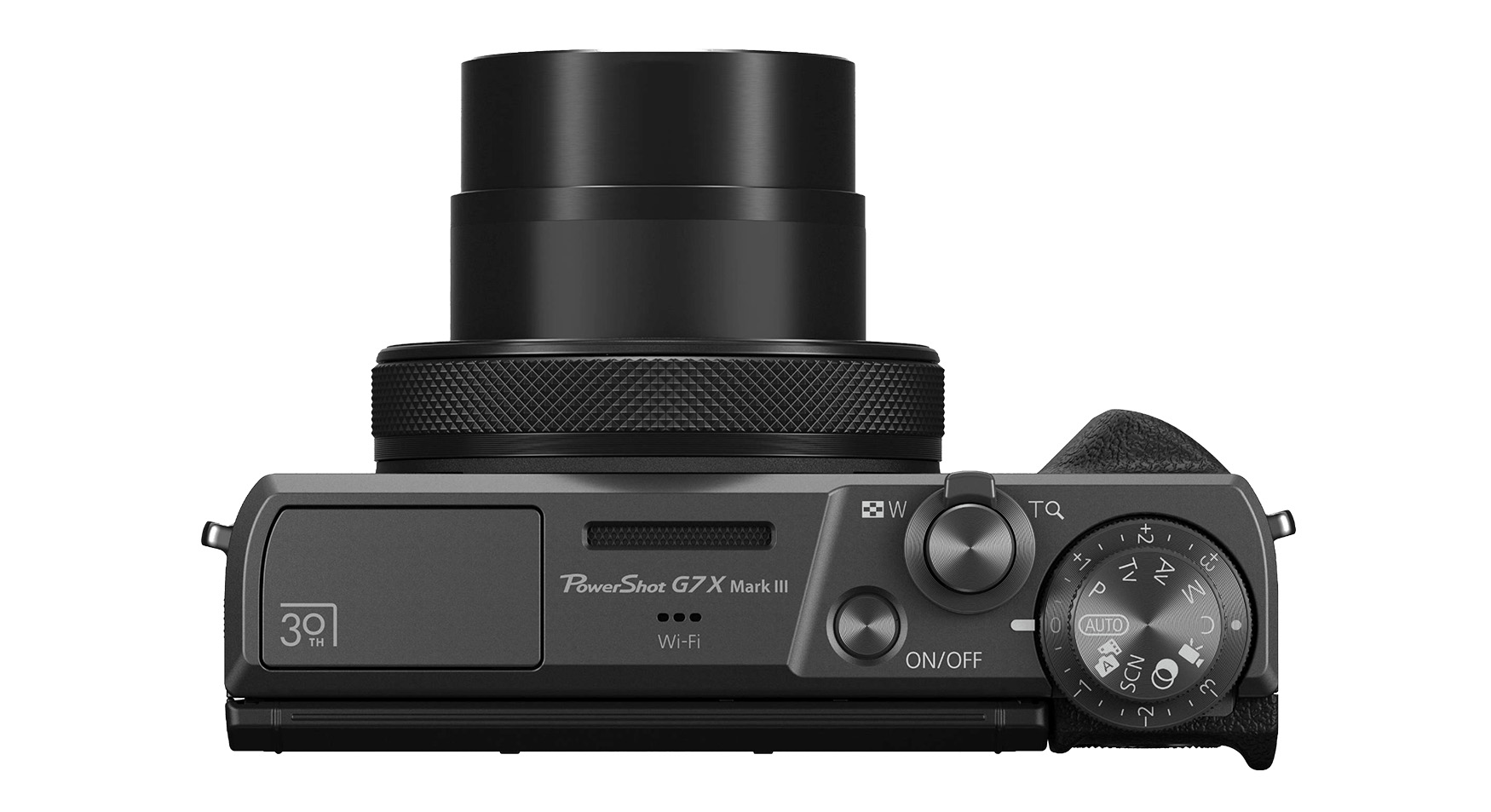
Canon released its first PowerShot camera back in 1996 with a 0.5-megapixel sensor, helping kickstart the digital photo revolution. To celebrate that 30-year anniversary, the company has unveiled a Limited Edition version of its still-popular PowerShot G7 X III compact camera. It has a few unique touches but is otherwise the same as the original model released nearly seven years ago.
The limited edition model has a new “graphite” color with a knurled front ring designed to exude “luxury and quality,” Canon wrote. It also carries 30 year anniversary logo printed on the body “to create a special feeling suitable for limited edition models,” the company added in the most Canon-y way possible.
Canon's Limited Edition PowerShot G7 X III compact camera
Canon
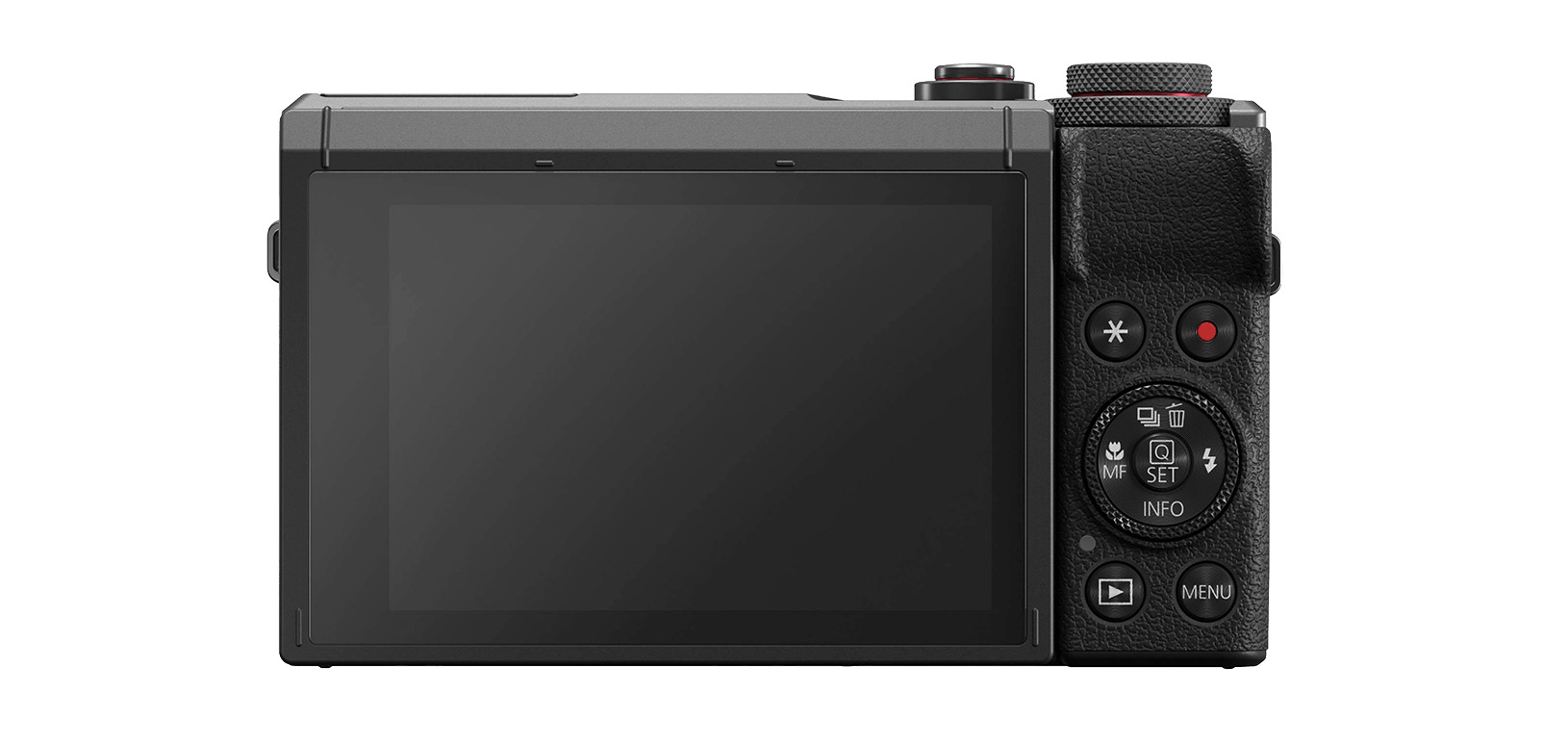
As a reminder, the G7 X III was one of the first cameras announced specifically as a model for vloggers, thanks to its ability to shoot vertical video for Instagram. It features a 20.1MP sensor, flip-up 3-inch touchscreen, 24-100mm f/1.8-2.8 zoom lens and a microphone input. It supports 4K 30 fps video with no cropping and can shoot 1080p at 120 fps. The piece de resistance is direct streaming to YouTube directly over Wi-Fi, then a new thing but now a common feature. It originally retailed for $749.
The G7 X III had been in short supply until recently, but used models became popular with influencers several years ago and started selling way above list price. Possibly because of that viral fame, Canon announced in August 2025 that it was increasing production and the G7 X III started returning to stock a few months later priced at $880.
Canon's Limited Edition PowerShot G7 X III compact camera
Canon
The Limited Edition G7 X III is selling for a lot more than that at $1,299, though it does come with a limited edition Peak Design cuff wrist strap and 32GB SD card. If you want to one-up the influencers and grab one, shipping will start in April 2026.
Along with the camera, Canon announced a pair of interesting new RF-mount full-frame lenses. The first is the ultra wide angle RF 14mm f/1.4 L VCM prime model priced at $2,599, promising bright, high quality optics. The other is a very interesting $1,899 RF7-14mm f/2.8-3.5 L Fisheye STM zoom lens with up to a 190 degree perspective at the widest setting.
This article originally appeared on Engadget at https://www.engadget.com/cameras/canon-unveils-a-limited-edition-version-of-its-popular-g7-x-iii-compact-camera-040000700.html?src=rss
Presidents’ Day is a great time to buy appliances, mattresses and furniture as they are often on sale for the holiday. Tech also gets discounted around this time, but you have to do a bit more digging to find actually good deals. And this year, Presidents’ Day comes right after Valentine’s Day and Super Bowl 2026, which means there are some overlapping sales to consider. If you don’t want to sort through the mess of bad deals out there, Engadget has you covered. We’re curating the best President Day sales on tech we can find right here. We’ll update this post through the holiday as more deals become available.
Presidents’ Day deals under $50
Disney+ and Hulu bundle (one month) for $10 ($3 off): You can get one month of Disney+ and Hulu access for only $10 right now. That represents a small savings over the standard $13-per-month price for the bundle, but a 58-percent discount when you compare it to the price of paying for both services separately. It’s a good way to test out the bundle without paying too much before you decide if you want to subscribe for the long haul.
Waterpik cordless rechargeable water flosser for $40 (20 percent off): A water flosser like this one can make it easier (and less painful in some cases) to floss your teeth on the regular. This model from Waterpik includes two interchangeable tips and has two pressure settings. Its battery life should last up to four weeks with regular use as well.
Amazon Fire TV Stick 4K Max for $40 ($20 off): Amazon’s most premium streaming dongle supports 4K HDR content, Dolby Vision and Wi-Fi 6E. You may even be able to get it for $10 less than the sale price listed, for a final price of $30, when using the code MAX4KFTV at checkout.
Blink Mini 2K+ — 2 cameras for $45 (50 percent off): Blink’s latest plug-in security cameras support 2K video and improved audio quality. Like previous versions, these cameras have two-way talk, motion alerts and support for Alexa voice commands.
Apple Magic Mouse for $68 (14 percent off): Apple’s sleek wireless mouse has a multi-touch surface that supports gesture control, and its battery should last about a month in between charges. And yes, it has a USB-C port.
Apple Watch Series 11 for $299 ($100 off): The latest flagship Apple Watch has excellent performance, a boosted battery life and a lightweight design that you can comfortably wear all day long — and even into the night to track sleep.
iPad mini (A17 Pro ) for $399 ($100 off): The updated iPad mini runs on the A17 Pro chip for improved performance, plus it has an 8.3-inch Liquid Retina display, a 12MP ultra wide camera with Center Stage, USB-C charging and compatibility with the Apple Pencil Pro.
Beats Studio Pro for $200 (43 percent off): Beats updated these cans to have improved sound quality, and you can really hear the difference from models that came before it. These headphones also have solid Transparency mode, good voice performance and USB-C audio.
Beats Solo 4 headphones for $150 (25 percent off): These on-ear headphones support spatial audio and dynamic head tracking, and they have up to 50 hours of battery life. The “fast fuel” feature allows them to get up to five hours of playback time with just a quick 10-minute power-up.
Beats Studio Buds+ for $100 (41 percent off): These tiny buds have both active noise cancellation and transparency mode, and they’ll work just as well with either Apple or Android devices.
This article originally appeared on Engadget at https://www.engadget.com/deals/presidents-day-sales-2026-are-live-the-best-tech-deals-up-to-43-percent-off-to-shop-from-apple-samsung-anker-and-others-163000321.html?src=rss
Amazon’s next-generation AI assistant is now available to everyone in the US for $20 per month, or for free if you’re a Prime member. Amazon has also introduced a try-before-you-buy free tier for non-Prime members, but it’s limited to text-based chat.
Alexa+ has been in early access since last year, and Amazon says it’s listened to user insights ahead of rolling out the update nationwide today. If you’re a Prime member, you can start using the new assistant by saying "Alexa, upgrade to Alexa+" or by heading to Alexa.com and signing into your Amazon account. The Alexa website is also where you’ll find the new free Alexa chat feature, which lets you ask questions and research various topics with usage limits.
Given that a Prime membership costs less ($15 per month) than Alexa+ on its own, Amazon is no doubt hoping that the introduction of its now more conversational Alexa assistant will entice some would-be subscribers. Amazon also offers a 30-day free trial of Prime to first-time customers.
As well as allowing more complex and naturally flowing interactions, Alexa+ also has new agentic capabilities, making it more effective at managing your schedule, providing recommendations, making reservations and controlling your smart home devices. It’s also a more personalized experience, with the idea being that Alexa keeps an eye on your digital activity so it gives you more useful answers.
Whether the overhauled Alexa will work for everyone remains to be seen. In our preview last summer, Engadget’s Cherlynn Low wrote about her conflicted feelings on the next-gen assistant. While impressed by its ability to handle more complex tasks, she found the experience to be inconsistent and "just incompetent enough to be annoying."
This article originally appeared on Engadget at https://www.engadget.com/ai/alexa-is-now-available-nationwide-with-a-free-text-based-version-for-non-prime-members-to-try-155550342.html?src=rss
We found the iPhone Air to have a pretty decent battery life for such a thin-and-light phone, somewhere in the region of 27 hours if you’re continuously streaming video. But it's still a phone, arguably your most used device on a daily basis, so you may need to top it up during the day if you're using it constantly. That’s where Apple’s iPhone Air MagSafe battery pack comes in, and it’s currently on sale for $79.
This accessory only works with the iPhone Air, but much like the phone it attaches to, it’s extremely slim at 7.5mmm, so crucially doesn’t add so much bulk when attached that it defeats the point of having a thin phone in the first place. The MagSafe Battery isn’t enormous at 3,149mAh (enough to add an extra 65 percent of charge to the Air), but it can wirelessly charge the AirPods Pro 3 as well, making it an even more useful travel companion. You can also charge your iPhone while charging the battery pack.
At its regular price of $99, the MagSafe battery pack is an admittedly pricey add-on to what is already an expensive phone, but for $20 off it’s well worth considering what Engadget’s Sam Rutherford called an "essential accessory" for some users in his iPhone Air review.
Many Apple loyalists will always insist on having first-party accessories for their iPhone, but there are plenty of third-party MagSafe chargers out there too, a lot of them considerably cheaper than Apple’s lineup. Be sure to check out our guide for those.
This article originally appeared on Engadget at https://www.engadget.com/deals/apples-iphone-air-magsafe-battery-pack-is-cheaper-than-ever-144516417.html?src=rss
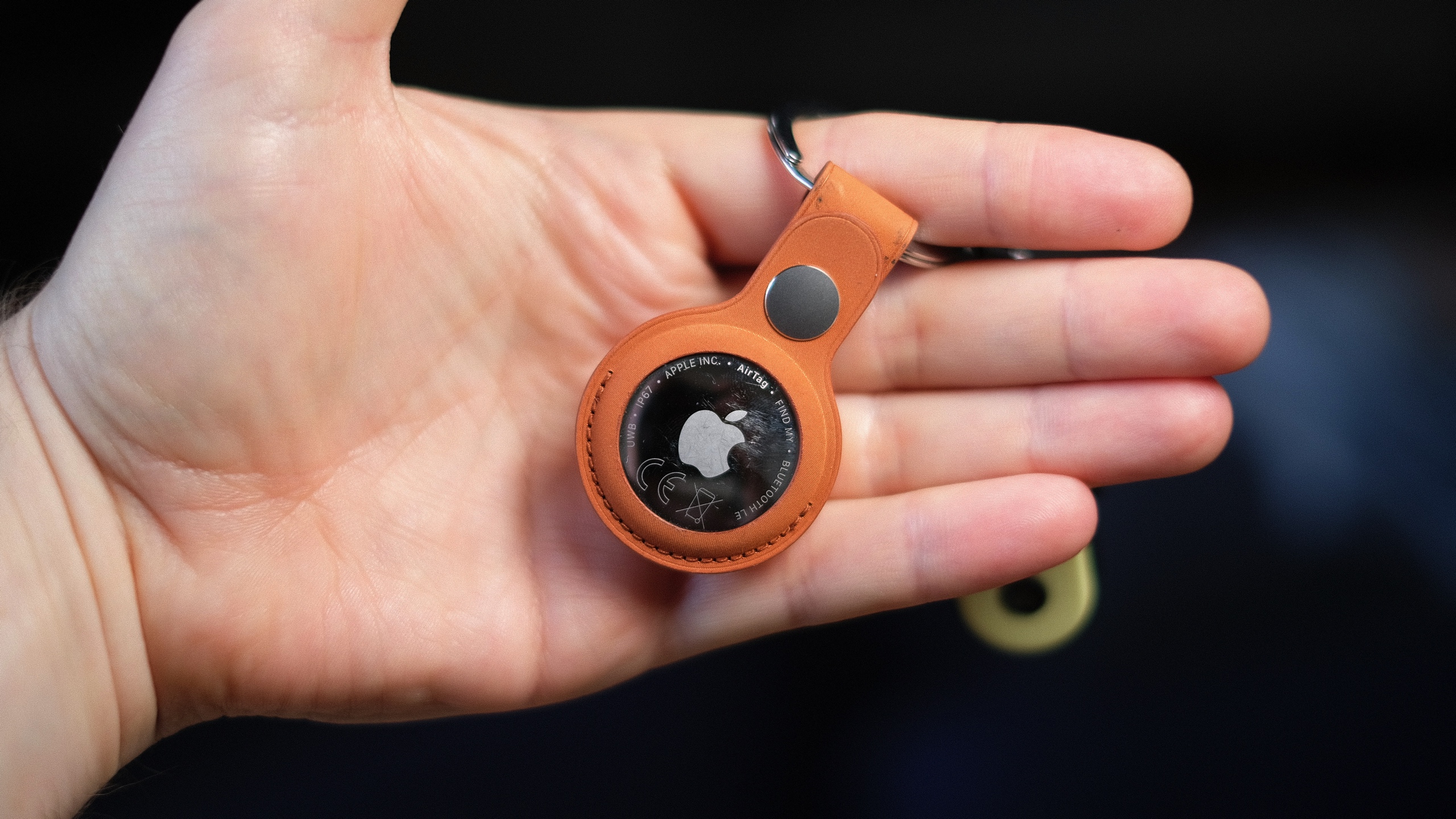
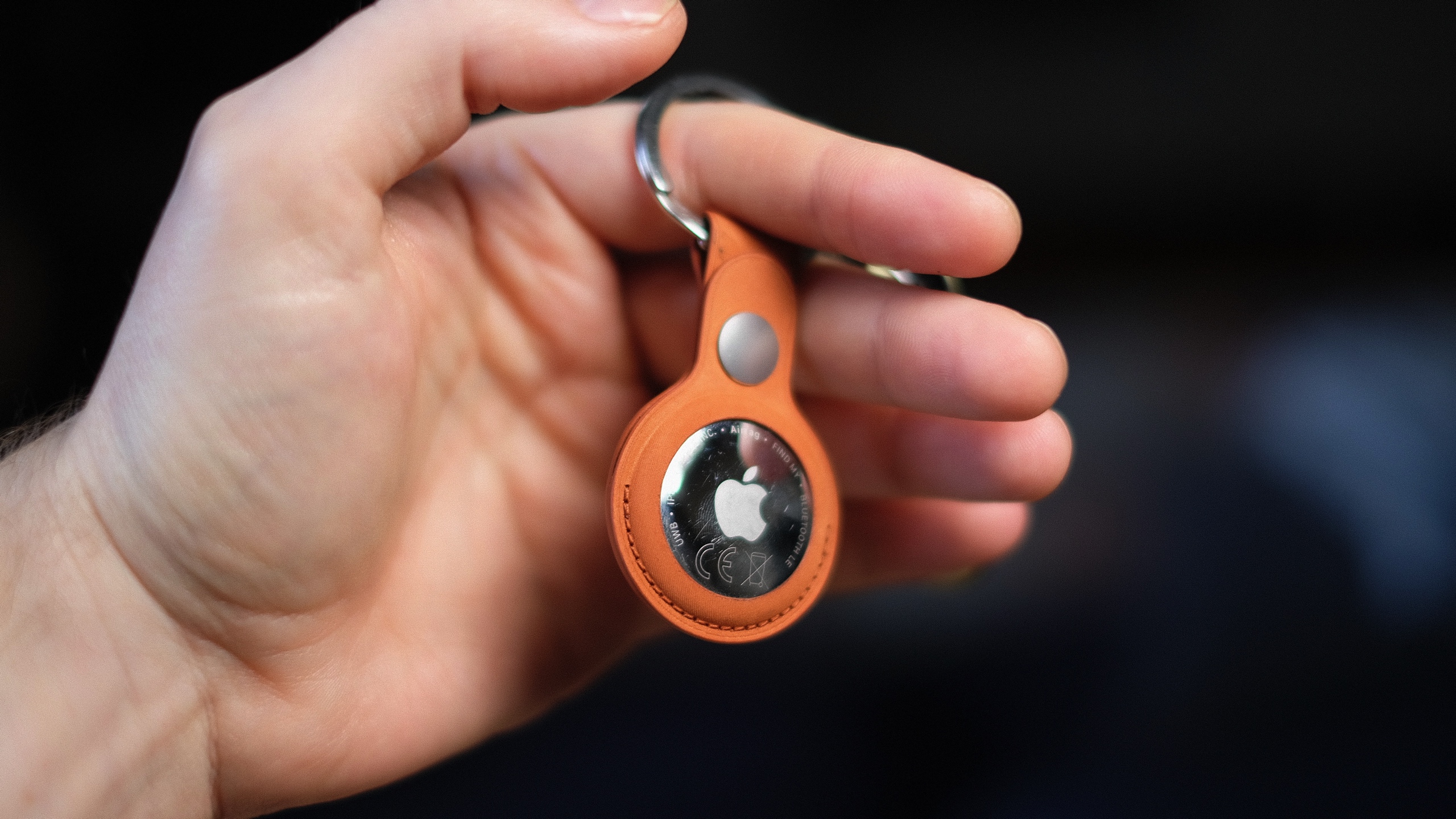
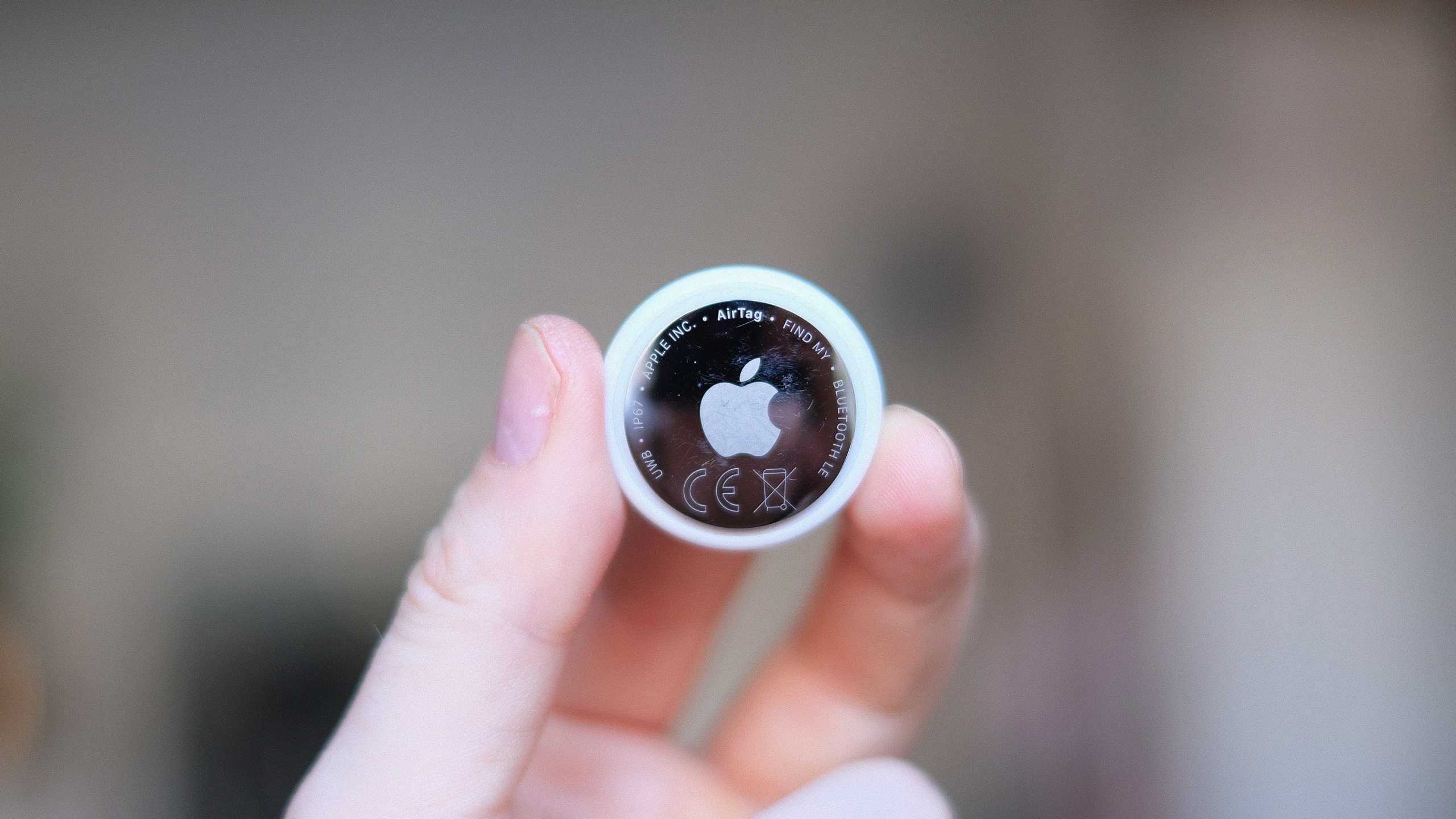
It’s hard to tell the difference between Apple’s second-generation AirTag and the almost-five-year-old original just by looking at them. In fact, the only way to tell is the many scratches on my old tracker, picked up from all those years attached to my keyring, living in my pocket.
While the price is still $29, Apple’s latest tracker packs some core upgrades. The new AirTag has a second-generation ultra-wideband (UWB) chip that extends its Precise Finding range up to 50 percent, though it requires an iPhone 15 or newer to do so. It’s also apparently 50 percent louder and has a new, higher-pitched chime. Still no keyring hole, though.
The new AirTag looks… the same. It’s arguably the most understated hardware design Apple has ever made, with no buttons or ports, just a company logo on one side. It’s made from a combination of a stainless steel plate and a (now 85-percent recycled) plastic enclosure. It’s like a thick coin, a little bigger than a quarter, and slips into any small pocket or wallet. The battery can be replaced by rotating the backing off, but it's still solid enough that I never felt there was a risk of coming off accidentally.
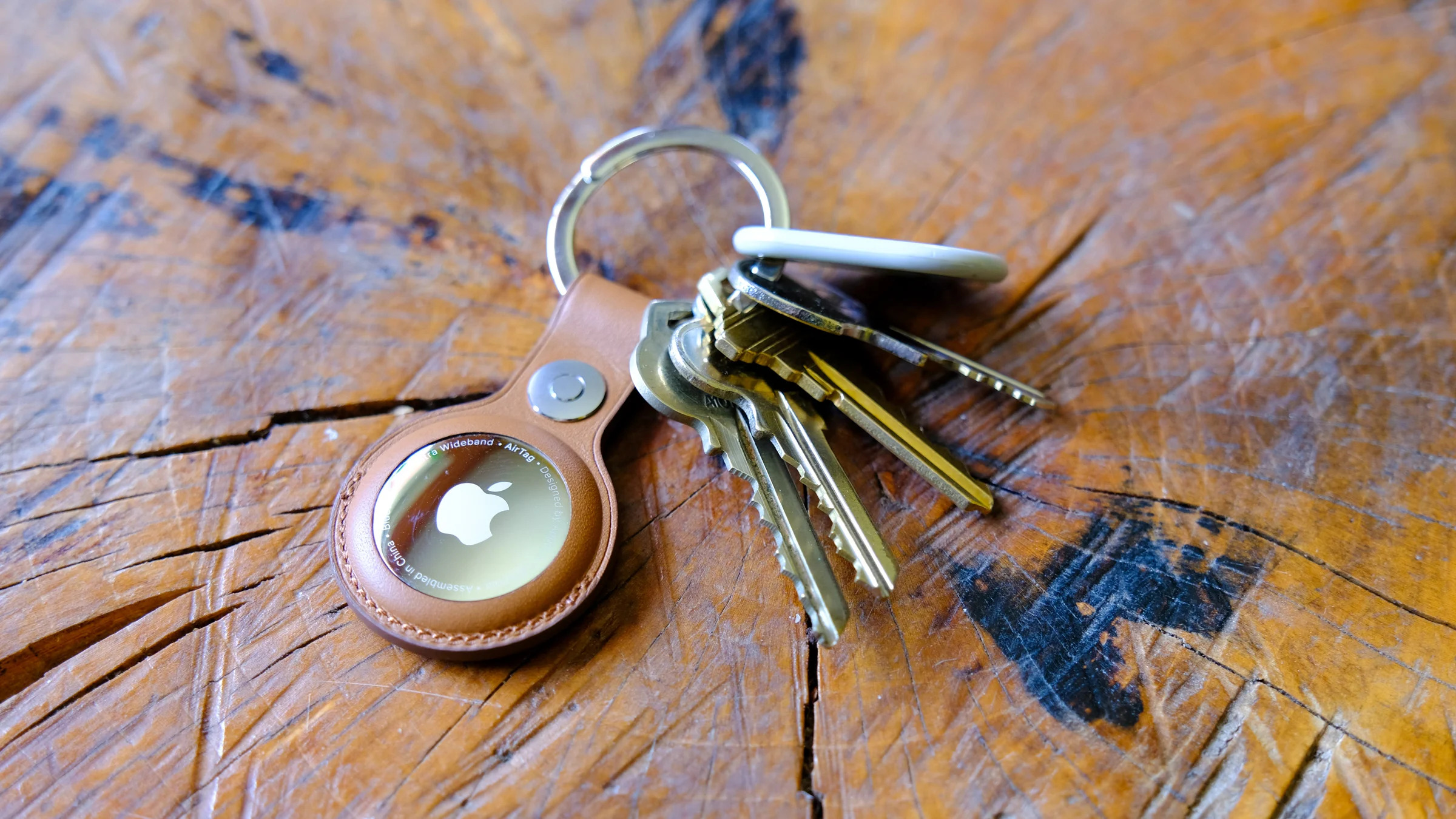
Apple’s accessories to attach the AirTag to your keys are still more expensive than the tracker itself. However, compared to when the original tracker launched, there’s now a rich collection of third-party options from the likes of Mophie, Belkin and more, many of which are more reasonably priced at around $15. A $35 keyring for a $29 tracker is a very tough sell, Apple.
Apple's new AirTag promises increased range and a louder ring chime.
Mat Smith for Engadget
Setting up a new AirTag is just as effortless as its predecessor. Pull out the plastic tag, connecting the battery, and a notification will pop up on your nearby iPhone. You can then name it, assign it to an item and it’ll join your list of findable Apple hardware.
I’ve been testing the range of the new AirTag, and if anything, the 50 percent increase in Precision Finding range is a conservative estimate. Naturally, tracking can be affected by building structure, walls, a lack of nearby Find My network devices and other interference, but the next-generation AirTag’s “getting closer” screen consistently appeared on my phone when I was around 80 feet away. The older tracker, however, needed me to be around 30-40 feet away to do the same. The benefit of Precision Finding was limited on the debut AirTag, because its range was so tiny — especially in busy environments. The hardware upgrades now make it truly useful. The new AirTag is also faster to connect and more responsive to my movements and sudden turns, thanks, I expect, to the new ultra-wideband chip.
You can now also use newer Apple Watches (Series 9, Ultra 2 and up) with precision location detection. After updating her Apple Watch Series 11 to the latest software, my colleague Cherlynn Low reported that locating the new AirTag was pretty much the same as on an iPhone. She did find it slightly counterintuitive to have to first add the Find My shortcut to the Control Center on the watch instead of going to the Find My Items app to do so, but ultimately, once she did that, it mirrored the existing setup for Precision Finding on iPhones.
Apple's new AirTag promises increased range and a louder ring chime.
Mat Smith for Engadget
Apple also redesigned the AirTag’s speaker assembly, which it says makes sounds 50 percent louder. Possibly the most effective audio upgrade is a higher-pitched chime that’s easier to hear over ambient noise and in busy public spaces. I could hear it ringing out from the other side of my gym’s locker room, while inside a locker, over music playing in the background. My old AirTag was inaudible until I was a few feet away from my locker. I always thought the sound on the original AirTag was a little too low-key for something you were urgently trying to find. (I’d love to be able to customize the chime, though.)
It’s the Find My network that makes the AirTag shine. Apple’s massive footprint of over a billion devices, from iPhones to Macs, continues to offer a tracking range and finer precision than GPS and Bluetooth alone. If anything, this network is even more built out since the launch of the first Apple tracker.
Since we tested the first AirTag, Apple has added multiple new features, usually through iOS updates, that expanded the utility and versatility of its trackers. In iOS 17, you could share an AirTag through Family Sharing. In iOS 18.2, Share Item Location allowed you to share your tracking information with third parties (such as airlines or train companies), improving the chances of finding the AirTag.
There have also been subsequent safety upgrades, including expanding unknown tracker alerts to Android devices without needing to install an app. Apple also reduced the time an AirTag takes to emit a sound when separated from its owner, shifting the interval to a random range between 8 and 24 hours. At launch, this was a three-day span.
Wrap-up
Apple's second-gen AirTag is still $29.
Mat Smith for Engadget
Do you need the new AirTag? While improved in every way, it’s pretty much the same device. However, the AirTag’s simplicity and ease of use are second to none when it comes to Bluetooth trackers. If you already own a single AirTag for your keys or wallet, upgrading to the second-gen iteration and repurposing the old one to track, say, your luggage, makes a lot of sense. You get the more precise location tracking and sensing for your smaller item, while you can reduce your bag anxiety if your suitcase doesn’t make it to your destination.
There's no doubt the second-gen AirTags are improved, and thankfully, upgrading to the new capabilities doesn’t come at too steep a cost.
This article originally appeared on Engadget at https://www.engadget.com/computing/accessories/apple-airtag-2026-review-143000427.html?src=rss
Apple’s AirTag makes it easy to keep tabs on everyday items like keys, bags and luggage using the Find My network. Setup is quick, requires no tools and takes just a minute or two as long as you have a compatible iPhone or iPad. Once paired, your AirTag quietly works in the background to help you locate misplaced belongings. This guide walks through how to set up an AirTag, how to name it so you can easily identify what it’s attached to and what to do if setup doesn’t go as planned.
What you need before setting up an AirTag
Before you begin, make sure you have the following:
An iPhone or iPad signed in to your Apple Account
Bluetooth enabled on that device
Location Services enabled
iOS or iPadOS 14.5 or later (AirTag 2nd generation requires iOS or iPadOS 26.2.1 or later)
A stable Wi-Fi or cellular connection
You’ll also want to ensure iCloud Keychain is enabled and that your Apple Account setup is fully completed in Settings.
How to set up an AirTag using your iPhone or iPad
The easiest way to set up an AirTag is directly through the on-screen setup prompt.
Remove the plastic tab from your AirTag to activate the battery.
Hold the AirTag near your unlocked iPhone or iPad.
When the setup animation appears, tap Connect.
Choose a category for your AirTag, such as Keys, Backpack or Luggage. If you select Custom Name, you can type your own label and choose an emoji.
Tap Continue to link the AirTag to your Apple Account.
Tap Done to finish setup.
Once completed, the AirTag will appear under the Items tab in the Find My app. If you’re setting up multiple AirTags, make sure only one is near your device at a time. If more than one is detected, a notification will appear saying “More than one AirTag detected”. If this happens, move the others farther away and try again.
How to add an AirTag using the Find My app
If the setup animation doesn’t appear automatically, you can add an AirTag manually through Find My.
Open the Find My app on your iPhone or iPad.
Tap the Items tab.
Tap the Add button.
Select Add AirTag or Other Item (if you’re adding a compatible FindMy Network accessory).
Follow the on-screen instructions to complete setup.
You can add up to 32 items in Find My, including AirTags, shared items and compatible accessories. If you’ve reached the limit, you’ll need to remove an item before adding a new one.
What to do if your AirTag won’t connect
If setup fails or the pairing animation disappears, try the following steps:
Lock your iPhone or iPad, unlock it again and wait about 15 seconds for the animation to reappear.
Make sure Bluetooth and Location Services are turned on in Settings.
Check that Find My has permission to use Precise Location.
Ensure you’re signed in to your Apple Account and iCloud Keychain is enabled.
Verify your device is running the latest version of iOS or iPadOS (iOS or iPadOS 26.2.1 or later).
If the AirTag still won’t connect, the battery may need replacing. AirTags use a standard CR2032 coin cell battery, and swapping it only takes a minute. If issues persist after replacing the battery, you may need to reset the AirTag and try setup again.
How to name and label your AirTag
Naming your AirTag makes it much easier to identify when you’re tracking multiple items. During setup, Apple offers preset labels like Keys or Backpack, but you can customize these at any time.
To rename an AirTag after setup:
Open the Find My app.
Tap Items and select your AirTag.
Tap Add Name or Rename Item.
Choose a preset label or select Custom Name.
Optionally add an emoji for quick visual identification.
Clear labels are especially helpful if you use AirTags for travel, work gear or shared household items.
Apple AirTag
Engadget
Attaching your AirTag to everyday items
AirTags don’t have built-in clips or adhesive, so you’ll usually need an accessory to attach one securely. Depending on how you plan to use it, that could mean a key ring, luggage tag, wallet insert or bike mount.
If you’re unsure which style works best, Engadget has rounded up the best Apple AirTag accessories, covering options for keys, bags, wallets and more. Choosing the right accessory helps ensure your AirTag stays attached and works the way you expect.
Wrap-up
After setup, your AirTag will automatically update its location using Apple’s Find My network. You can view its last known location, play a sound to help locate it nearby or use Precision Finding on supported iPhones to guide you directly to it. With just a few minutes of setup and a clear label, an AirTag can become a reliable way to keep track of important belongings, whether you’re at home or on the move.
This article originally appeared on Engadget at https://www.engadget.com/computing/accessories/how-to-set-up-an-airtag-120000789.html?src=rss
One of the toughest parts of any new computer build or upgrade is finding the right video card. In a gaming PC, the GPU is easily the most important part, and you can limit your experience by going with the wrong model. The buying process can be frustrating, especially right now with memory shortages leading to higher prices. In this guide, we'll help you navigate the market and find the right GPU for your needs.
It's all about the games
The first question to ask yourself is what kind of games do you want to play. Competitive shooters like Valorant, Overwatch and Marvel Rivals were designed to run on older hardware. As such, even entry-level GPUs like the GeForce RTX 5060 can push those games at 120 frames per second and above at 1080p (more on why that's important in a moment).
By contrast, if you want to play modern, single-player games with ray tracing and other graphical extras, you'll need a more powerful GPU. Just how much more powerful will depend on the resolution of your monitor.
A 1440p or QHD monitor has 78 percent more pixels than a 1080p screen, and a 4K display has more than twice as many pixels as a QHD panel. In short, running a game at 4K, especially at anything above 60 frames per second, is demanding, and most GPUs will need to use upscaling techniques like NVIDIA's Deep Learning Super Sampling (DLSS) and AMD's FidelityFX Super Resolution (FSR) to push new games at high refresh rates.
On the subject of resolution, it doesn't make sense to spend a lot of money on a 4K monitor only to pair it with an inexpensive GPU. That's a recipe for a bad experience. As you're shopping for a new video card, you should think about the resolution and frame rate you want to play your games. If you're in the market for both a GPU and display, be sure to check out our guide to the best gaming monitors.
If your budget allows, a good bet is to buy a midrange card that can comfortably render all but the most demanding games at 1440p and at least 144 frames per second. Put another way, you want a GPU that can saturate a monitor at its native resolution and refresh rate in as many games as possible. That will give you the smoothest possible experience in terms of motion clarity, and allow you to dabble in both competitive shooters and the latest single-player games as the mood strikes you.
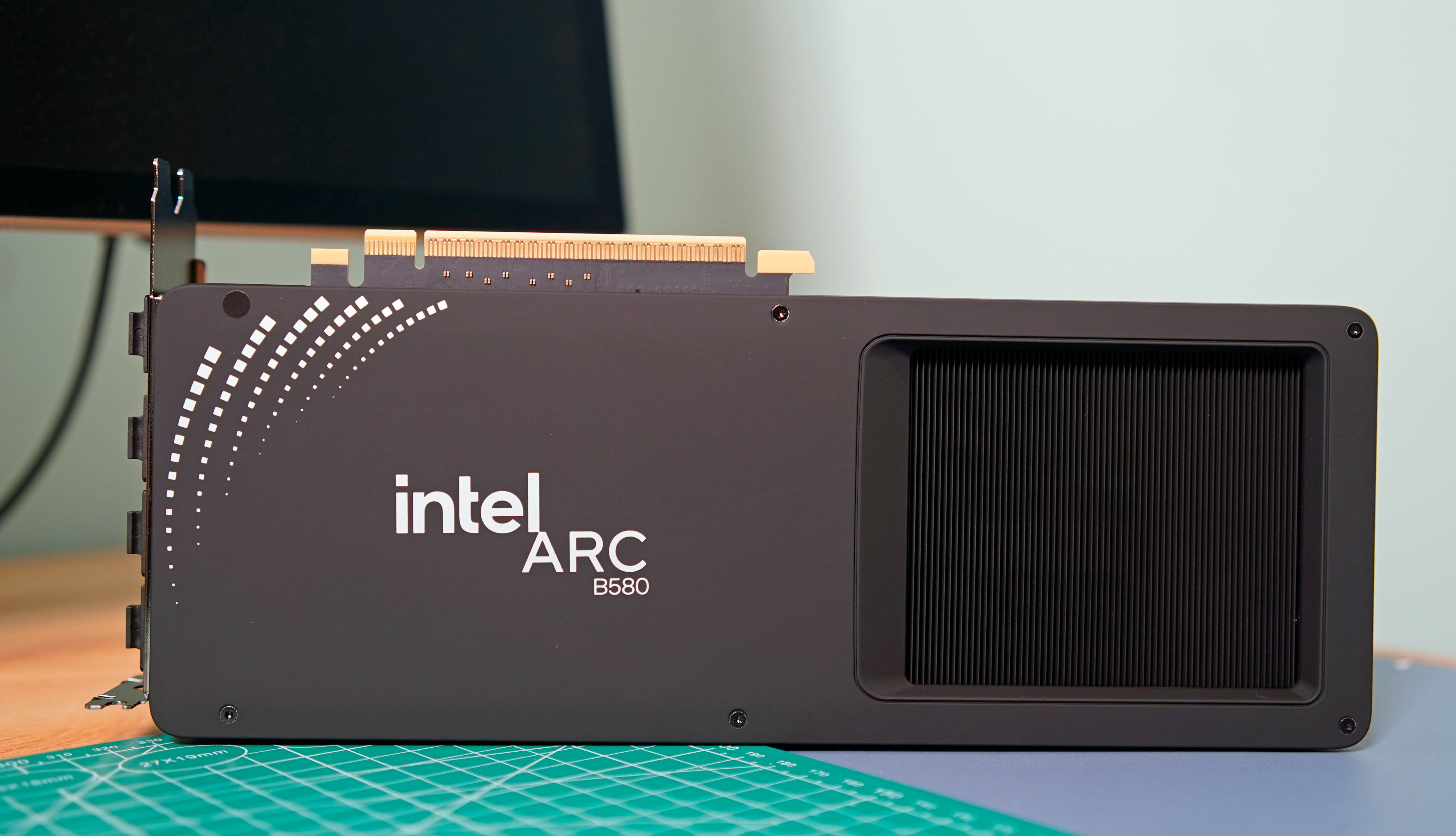
Intel Arc B580 label view
Photo by Devindra Hardawar/Engadget
NVIDIA vs AMD and Intel
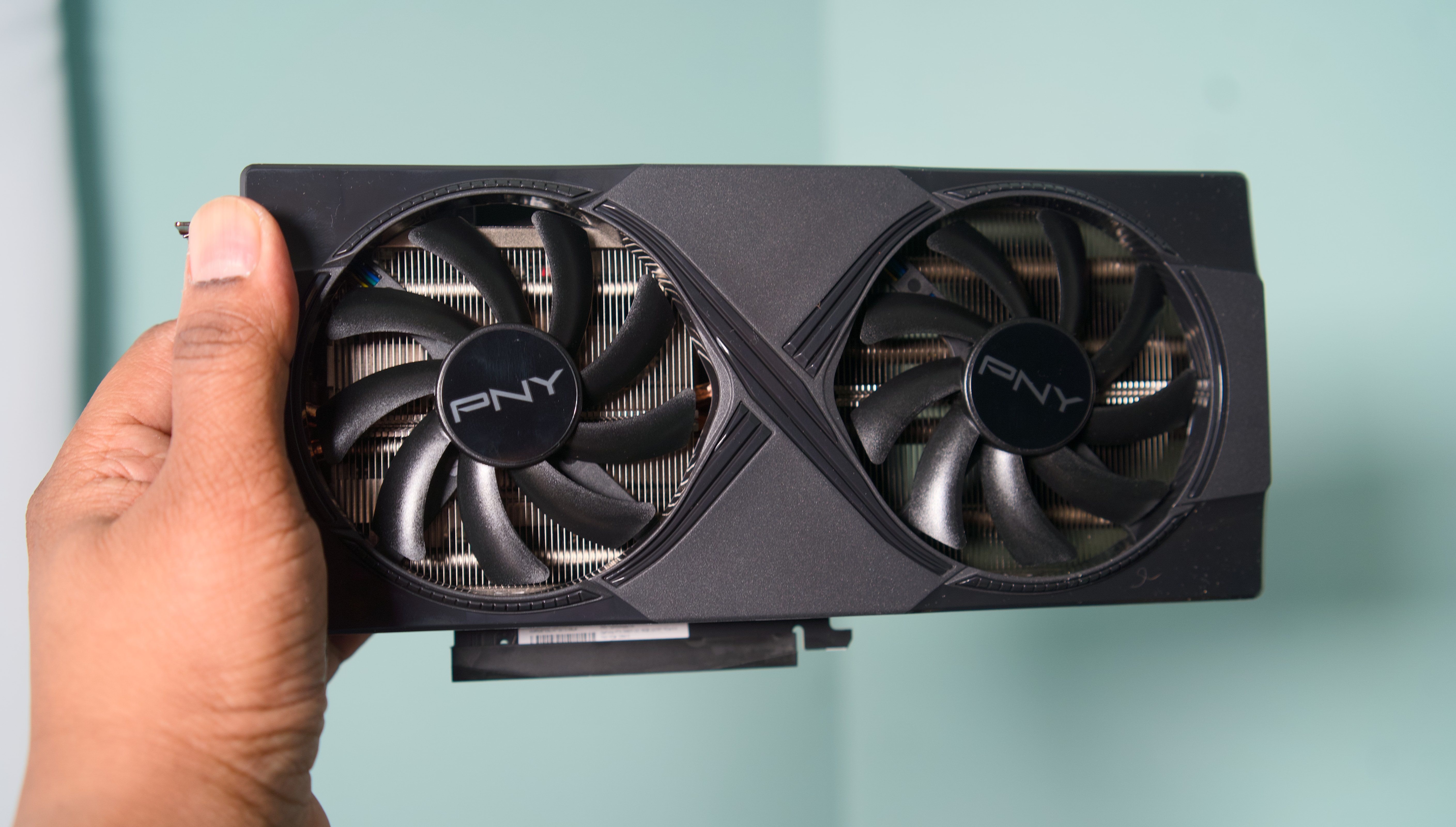
One of the confusing aspects of the GPU industry are all the players involved. What you need to know is that there are three main players: AMD, Intel and NVIDIA. They design the cards you can buy, but delegate the manufacturing of them to so-called add-in board (AIB) partners like ASUS, XFX, Gigabyte and others.
As you can imagine, this creates some headaches. The most annoying of which is that AMD, Intel and NVIDIA will often set recommended prices for their graphic cards, only for their partners to sell their versions of those GPUs for more than the manufacturer's suggested retail price (MSRP). For example, NVIDIA's website lists the RTX 5070 with a starting price of $549. On Newegg, there are no new 5070s listed at that price. The only models anywhere close to $549 are refurbished and open box specials. If you want one that comes sealed, that will cost you at least $630.
As for what company you should buy your new GPU from, before 2025, NVIDIA was the undisputed king of the market. Specific GeForce cards may have not offered the best rasterization performance in their price range, but between their performance in games with ray tracing and the fact NVIDIA was ahead on features like DLSS, an RTX GPU was a safe bet.
However, with this year's RTX 50 series release (and excluding models like the RTX 5080 and 5090 where there's no competition), it's safe to say NVIDIA missed the mark this generation. If you're in the market for an entry- or mid-level GPU, AMD and Intel offer better value, with cards that come with enough VRAM for now and into the future. That said, there are still a few reasons you might consider an NVIDIA GPU, starting with ray tracing.
Ray tracing
For decades, developers have used rasterization techniques to approximate how light behaves in the real world, and the results have been commendable. But if you know what to look for, it's easy to see where the illusion falls apart. For that reason, real-time ray tracing has been a goal of industry for years, and in 2018 it became a reality with NVIDIA's first RTX cards.
In some games, effects like ray-traced reflections and global illumination are transformational. Unfortunately, those features are expensive to run, often coming at a significant frame rate drop without upscaling. Since ray tracing was optional in many games before 2025, you could save money by buying an AMD GPU. For example, even if the RX 7800 XT was worse at ray tracing than the RTX 4070, the former was often cheaper to buy, had more onboard VRAM and offered as good or better rasterization performance in many games.
However, you can't ignore ray tracing performance anymore. We're starting to see releases like Doom: The Dark Ages where the tech is an integral part of a game's rendering pipeline, and more are likely to follow in the future. Thankfully, AMD's newest cards are much better in that regard, though you'll still get an edge running an NVIDIA model. For that reason, if ray tracing is important to you, NVIDIA cards are still the way to go.
Refresh rates and frame rates
If you're new to the world of PC gaming, it can be tricky to wrap your head around refresh rates. In short, the higher the refresh rate of a monitor, the more times it can update the image it displays on screen every second, thereby producing a smoother moving picture.
For example, moving elements on a monitor with a 240Hz refresh rate will look better than on one with a 120Hz refresh rate. However, that's dependent on your GPU being able to consistently render a game at the appropriate frame rates. In the case of a 120Hz monitor, you want a GPU with enough headroom to drive most games at 120 fps. Realistically, most video cards won't be able to achieve that in every game, but it's a good baseline to aim for when shopping for a new GPU.
Frame generation
Since the release of NVIDIA's RTX 40-series GPU, the company has offered a feature called frame generation. As the name suggests, it allows NVIDIA's latest video cards to generate an additional frame for every frame they render normally. With the 50-series, NVIDIA has since begun offering multi-frame generation, which gives those GPUs the ability to generate up to three additional frames for every rendered frame. AMD has its own take on the tech, as does Intel, though NVIDIA's offering is considered superior to both due to how it handles frame pacing.
Frame generation is nice to have, but it's not the silver bullet it might seem. Enabling it will increase system latency, reducing how responsive your games feel. Somewhat unintuitively, high-end GPUs also benefit more from the tech than their entry-level counterparts since they can naturally render more frames. For that reason, it's best to think of frame generation as a way to get the most out of a high refresh rate display.
Upscaling and latency
I've mentioned DLSS a few times already. Alongside FSR and Intel XeSS, DLSS is an example of what's known as an image reconstruction technology. More and more, native rendering is going out of fashion in game design. With ray tracing and other modern effects enabled, even the most powerful GPUs can struggle to render a game at 1440p or 4K and a playable framerate. That’s why many developers will turn to DLSS, FSR or XeSS to eke out additional performance by upscaling a lower resolution image to QHD or UHD.
Upscaling in games is nothing new. For example, the PS4 Pro used a checkerboard technique to output games in 4K. What’s different now is how modern GPUs go about it. With DLSS, NVIDIA pioneered an approach that uses machine learning to recreate an image at a higher resolution, and in the process, addressed some of the pitfalls of past upscaling methods. If you're sensitive to these sorts of things, there's still blur and shimmer with DLSS, FSR and XeSS, but it's much less pronounced and can lead to significant performance gains.
To DLSS, NVIDIA later added single and multi-frame generation. DLSS is only available on NVIDIA cards, and following the recent release of DLSS 4.5, widely considered to offer the best image quality. That's another reason why you might choose an NVIDIA card over one of its competitors.
However, if you decide to go with an AMD GPU, don't feel like you're missing out. The company recently released FSR 4. While it's not quite on par with DLSS 4 and 4.5 in terms of support and image quality, it's a major leap over FSR 3 and FSR 2.
While on the subject of DLSS, I'll also mention NVIDIA Reflex. It's a latency-reducing technology NVIDIA introduced in 2020. AMD has its own version called Radeon Anti-Lag, but here again Team Green has a slight edge. If you're serious about competitive games, Reflex can significantly reduce input lag, which will make it easier to nail your shots in Counter-Strike 2, Valorant and other shooters.
Driver support
Previously, one of the reasons to pick an NVIDIA GPU over the competition was the company's solid track record of driver support. With one of the company's video cards, you were less likely to run into stability issues and games failing to launch. At the start of 2025, NVIDIA's drivers were abysmal, but the company has since corrected course.
VRAM
As you're comparing different GPUs, especially those in the same tier, pay close attention to the amount of VRAM they offer. Many modern games will eat up as much VRAM as a GPU can offer, and if your card has a low amount, such as 8GB, you're likely to run into a performance bottleneck.
If your budget allows for it, always go for the model with more VRAM. Consider, for instance, the difference between the $379 RTX 5060 Ti 8GB and $429 RTX 5060 Ti 16GB. Spending an extra $50 is going to be a lot for some people, but it's the difference between a card that is only adequate for many recent releases and one that will last you for a few years. In many cases, more VRAM is better.
A slight caveat to this is when comparing models that have different memory bandwidths. A GPU that can access more of its memory faster can outperform one with more memory, even if it has less of it outright. Here, you'll want to read reviews of the models you're comparing to see how they perform in different games.
Size and power draw
Modern GPUs are big. Most new cards will take up at least two PCI slots on the back of your motherboard. They can also vary dramatically in length, depending on the number of fans the AIB has added to cool the PCB. To be safe, be sure to check the length of the card you want to buy against the maximum clearance listed by your case manufacturer. If you have a radiator at the front of your case, you will also need to factor the size of that in your measurements. The last thing you want is to buy a card that doesn't fit in your case.
Lastly, be sure to check the recommended power supply for the card you want. As a rule of thumb, unless you know what you're doing, it's best to just stick with the manufacturer's recommendation. For instance, NVIDIA suggests pairing the RTX 5070 Ti with a 750 watt PSU. So if you're currently running a 650 watt unit, you'll need to factor in the price of a PSU upgrade with your new GPU.
NVIDIA RTX 5060 Ti
Devindra Hardawar for Engadget
Should you buy a used GPU?
It depends. If you can find a deal on an old RTX 40 series GPU, then yes. NVIDIA's RTX 50 series don't offer greatly improved performance over their predecessors, and with most models selling for more than their suggested retail price, it's not the best time to buy a new NVIDIA card.
That said, I suspect finding a good deal on a used GPU will be difficult. Most people will know the value of what they have, and considering the current market, will probably try to get as much as they can for their old card.
You may find better deals on older AMD and Intel GPUs, but I think you're better off spending more now on a new model from one of those companies since the generational gains offered by their latest cards are much more impressive. Simply put, the 9070 XT and B580 are two of the best cards you can buy right now.
Anything older than a card from NVIDIA's 40 series or AMD's RX 6000 family is not worth considering. Unless your budget is extremely tight or you mostly play older games, you're much better off spending more to buy a new card that will last you longer.
When is a good time to buy a new GPU?
If you've read up to this point, you're probably wondering if it's even worth buying a GPU right now. The answer is (unsurprisingly) complicated. There are a handful of great cards like the Radeon RX 9060 XT and 9070 that are absolutely worth it. The problem is finding any GPU at a price approaching those set by AMD, Intel or NVIDIA.
The AI boom, and in particular actions by OpenAI, have led to memory shortages. In turn, those shortages have caused the price of consumer GPUs, SSDs and RAM kits to skyrocket in recent months. As of our latest update to this guide, some models like the GeForce RTX 5070 Ti are selling for hundreds of dollars above MSPR.
As such, if you own a relatively recent GPU, you're probably best off trying to hold onto your current card until things settle down. But if your GPU isn't cutting it anymore, you face a difficult decision: overpay now, or wait and potentially pay even more later.
To make that decision easier, I've been maintaining a separate guide that lists a selection of GPU models you can buy close to MSPR. My goal is to update that article at least once per month, so be sure to check often.
Best GPUs for 2026: Engadget ecommendations
Entry-level (1080p)
As we mentioned above, if you're only aiming to play basic competitive shooters like Valorant and Overwatch 2 in 1080p, an entry-level GPU may be all you need. While 1080p isn't an ideal resolution when it comes to sharpness, many gamers prefer it since it's easier to reach higher framerates. And it also helps that 1080p gaming monitors, like the AOC 24G15N 24-inch we recommend, tend to offer speedy refresh rates for between $100 and $200. When you're zipping through matches, you likely won't have time to take a breath and appreciate the detail from higher resolutions.
Here are our recommendations for entry-level video cards:
AMD Radeon RX 9060 XT 8GB: Surprisingly enough, you can actually find this AMD GPU for $300. While you'll have to live with 8GB of RAM, that's more than enough for 1080p gaming, and it also has the benefit of DLSS 4 upscaling.
AMD Radeon RX 7600: While it's a last-gen card, the RX 7600 is still powerful enough to handle basic shooters.
Midrange (1440p)
While entry-level cards can dabble with 1440p gaming, it's worth stepping up to something a bit more powerful if you actually want to achieve higher refresh rates. For most gamers, 1440p is the best balance between sharpness and high frame rates. It looks noticeably better than 1080p, and doesn't require the horsepower overhead of 4K. (And there's a good chance you won't really see a visual difference with the jump to 4K.)
Here are our recommendations for midrange GPUs:
NVIDIA RTX 5060 Ti: Forget the disappointing RTX 5070, the 5060 Ti delivers excellent 1080p and 1440p performance. And best of all, you can still find it under $500. (Read our NVIDIA RTX 5060 Ti review.)
AMD Radeon RX 9060 XT 16GB: A step up from the 8GB model we recommend above. The 16GB 9060 XT offers excellent performance across many of the latest games, and is less expensive than the 5060 Ti.
AMD Radeon RX 9070: AMD surprised us all with the Radeon RX 9070 and 9070 XT, two midrange cards that offered similar power to and more VRAM than NVIDIA's more expensive cards. While you won't see the RX 9070 for its $550 launch price today, you can still snag one for a slight premium at $650. (Check out our AMD Radeon RX 9070 and 9070 XT review.)
High-end (4K)
If you want the most of what modern PC games have to offer, including 4K and all of the benefits of ray tracing, then be ready to spend big bucks on a high-end GPU. If you're going this route, though, be sure you're also gaming on a high-end monitor that befits these powerful GPUs.
Here are our recommendations for premium GPUs:
NVIDIA RTX 5070 Ti: The RTX 5070 Ti surprised me with excellent 4K gaming performance for a launch price that was well below the RTX 5080. It's the best overall NVIDIA card if you want to play in 4K at 120Hz or beyond, but it's also the hardest to find at MSRP. (Check out our NVIDIA RTX 5070 Ti review.)
NVIDIA RTX 5080: If the RTX 5070 Ti isn't enough for you, the RTX 5080's additional power and 16GB of VRAM should suit your fancy. Just be prepared to pay around $1,500 for it, a 50 percent jump from its $999 launch price.
This article originally appeared on Engadget at https://www.engadget.com/gaming/pc/how-to-buy-a-gpu-160100017.html?src=rss
Microsoft could launch the next-generation Xbox console sometime in 2027, AMD CEO Lisa Su has revealed during the semiconductor company’s latest earnings call. Valve is on track to start shipping its AMD-powered Steam Machine early this year, she said, while Microsoft’s development of an Xbox with a semi-custom SOC from AMD is “progressing well to support a launch in 2027.” While it doesn’t necessarily mean Microsoft is releasing a new Xbox console next year, that seems to be the company’s current goal.
Xbox president Sarah Bond announced Microsoft’s multi-year partnership with AMD for its consoles in mid-2025. Based on Bond’s statement back then, Microsoft is embracing the use of artificial intelligence and machine learning in future Xbox games. She also said that the companies are going to “co-engineer silicon” across devices, “in your living room and in your hands,” implying the development of future handheld consoles.
Leaked documents from the FTC vs. Microsoft court battle revealed in the past that Microsoft was planning to make the next Xbox a “hybrid game platform,” which combines local hardware and cloud computing. The documents also said that Microsoft was planning to release the next Xbox in 2028. Whether the company has chosen to launch the new Xbox early remains to be seen, but it is possible when the Xbox X and S were released in 2020, and they haven’t sold as well as the Xbox One.
This article originally appeared on Engadget at https://www.engadget.com/gaming/xbox/amd-suggests-the-next-gen-xbox-will-arrive-in-2027-052707822.html?src=rss
If you had trouble using ChatGPT today, you aren't alone. The AI chatbot experienced a partial outage for many users this afternoon, with Down Detector saw reports reaching more than 12,000 reports around the peak point of the issue today.. OpenAI issued a status update shortly after noting that "elevated error rates" were occurring for ChatGPT and Platform users. That problem was marked as resolved at 5:14PM ET.
While the initial outage may be repaired, OpenAI does still have an active status alert up. It's only for the fine-tuning component of its API service. But the end may also be in sight for that final issue, because the current statement from the company is "We have applied the mitigation and are monitoring the recovering.
Another AI chatbot, Anthropic’s Claude, also experienced an outage today. It listed similar issues with "Elevated error rate on API across all Claude models." That status was resolved by 1PM ET.
Update, February 3, 2025, 6:17PM ET: Updated to reflect the change in status and mention Claude outage.
This article originally appeared on Engadget at https://www.engadget.com/ai/chatgpt-is-back-up-after-an-outage-disrupted-use-this-afternoon-210238686.html?src=rss