Wall Chargers Are Boring, but This $36 One Has a Pixel Art Display

Wall chargers have always been the most ignored piece of any desk setup. They sit behind monitors or under tables, doing their job without asking for attention, which is exactly the problem. As charging accessories have multiplied, so has the tangle of identical black bricks cluttering power strips and nightstands. None of them give you a reason to look twice, and most people prefer it that way.

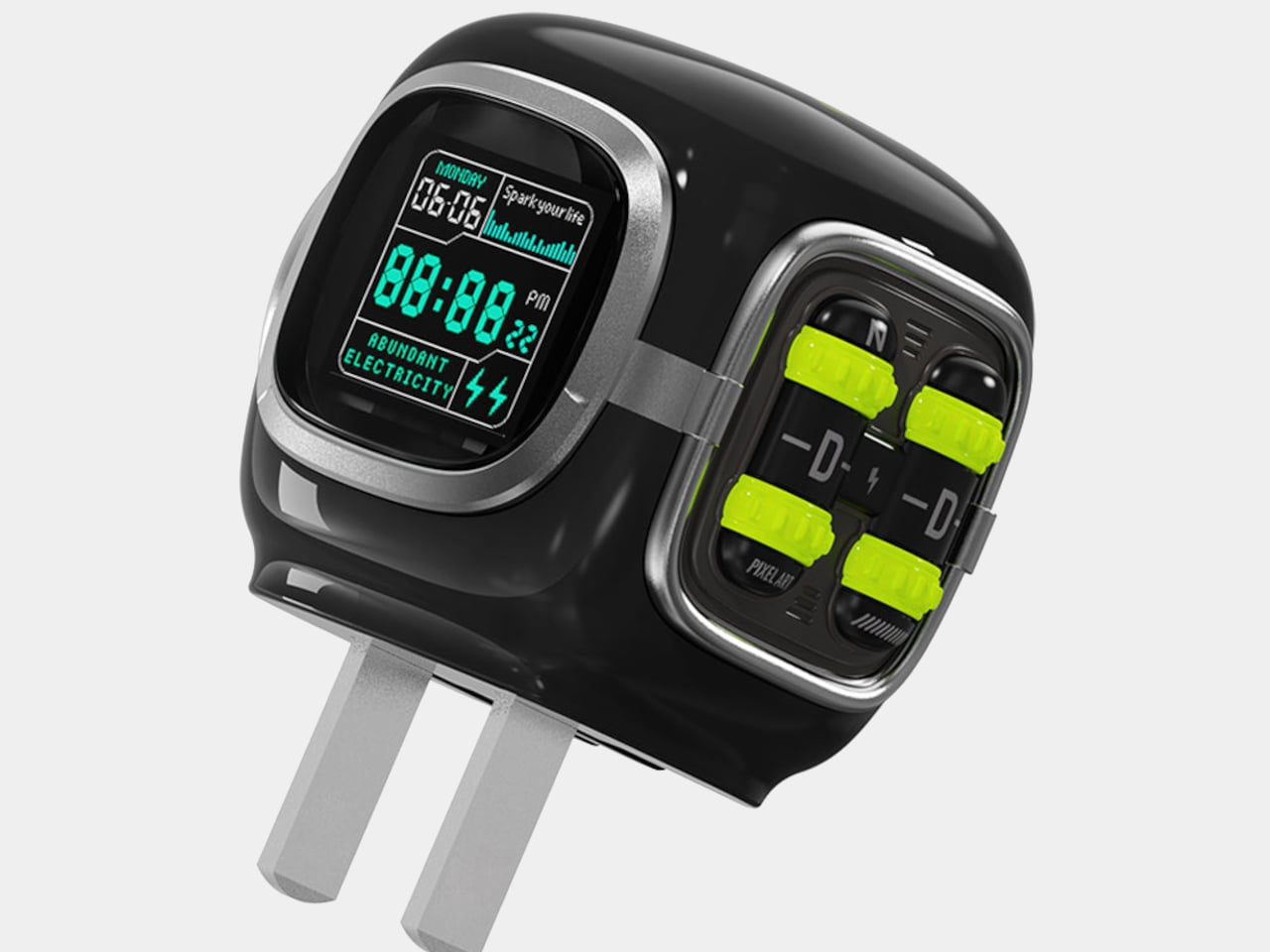
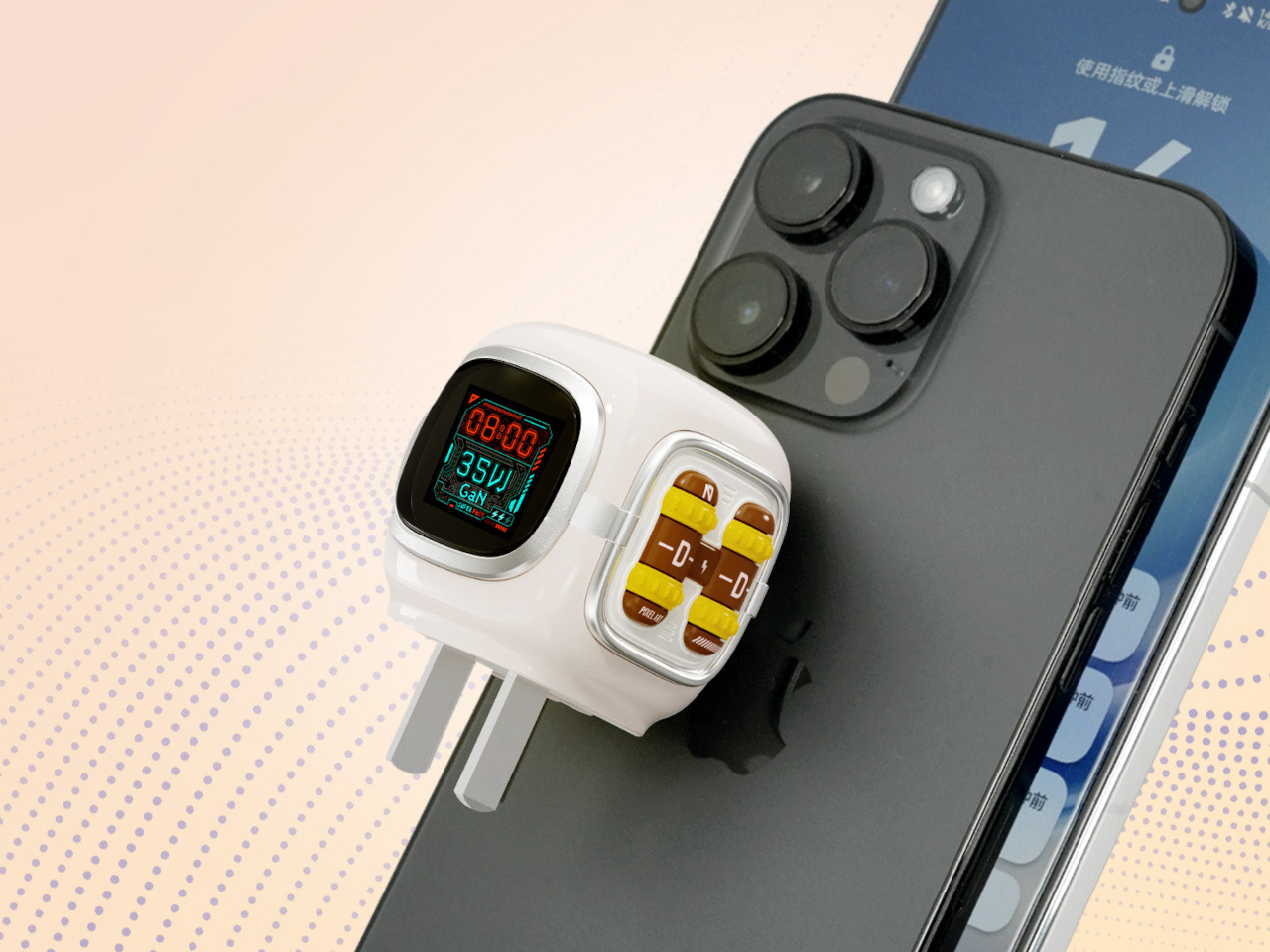
Divoom’s Dipow 35W is a direct challenge to that indifference. Built around a 64×64-pixel LED display housed in a compact, retro diving-helmet-shaped body, it makes a case for chargers that actually earn a spot on the desk rather than getting shoved behind furniture. It’s still a proper 35W GaN fast charger, so the personality doesn’t come at the expense of the performance that matters.

Designer: Divoom
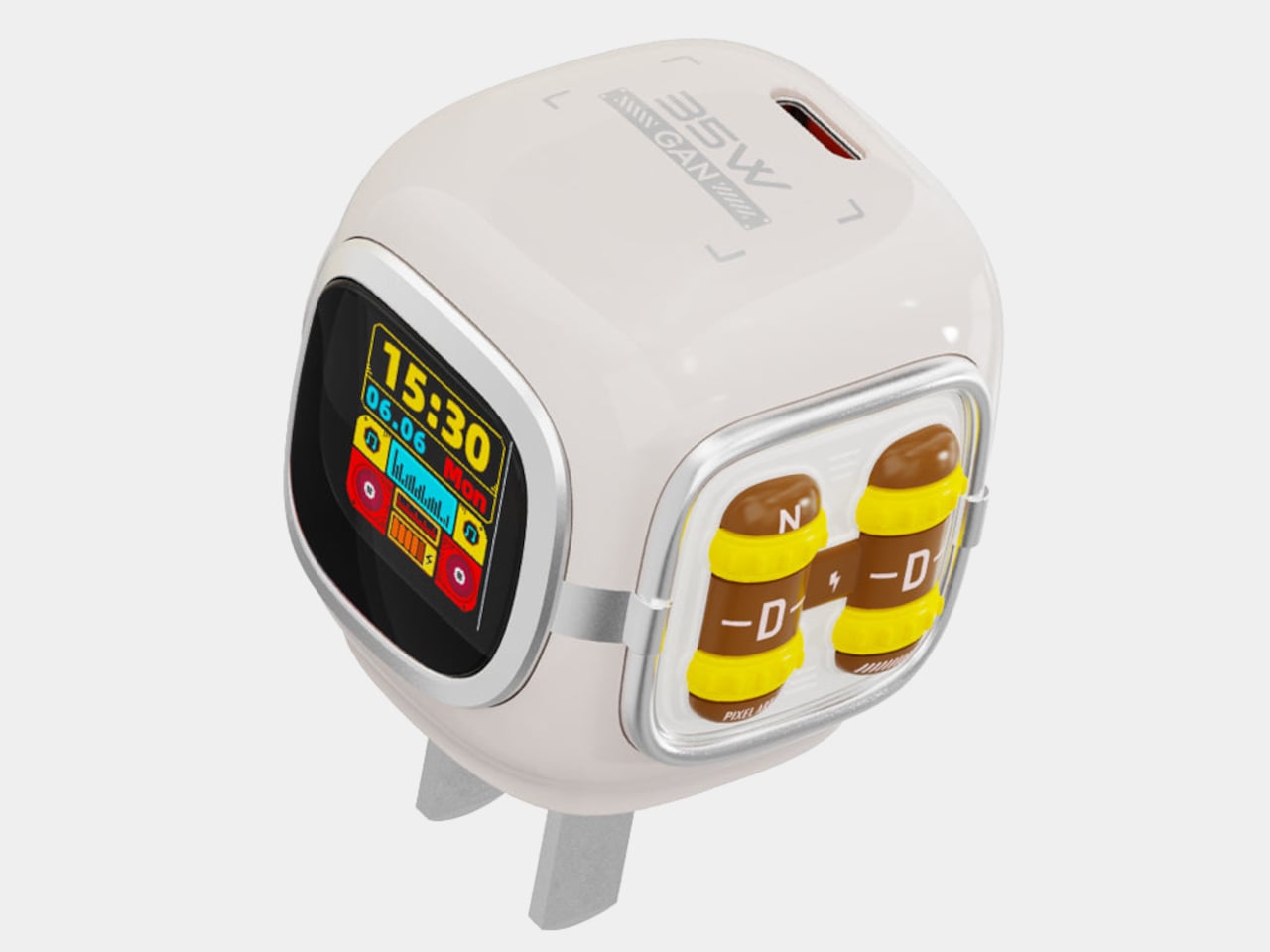
The diving helmet shape goes beyond aesthetics; it gives the charger a defined body that keeps the pixel display facing outward when plugged in. It’s a small distinction, but a deliberate one. The rounded proportions and careful build make it feel less like a tech accessory and more like a desk object that earns its place alongside everything else you’ve arranged.

The display is the obvious conversation starter, but there’s more to it than a looping animation. Through the Divoom app, you can choose from over 1,000 community-created designs, draw your own pixel art, or have it cycle through 18 different clock faces throughout the day. It lights up only when plugged in, so it behaves like an accessory rather than another screen demanding your attention.

GaN technology keeps the body compact and cool even at peak output. The single USB-C port delivers up to 35W, enough to bring an iPhone 15 Pro Max to 56% in just 30 minutes according to Divoom’s own testing. Built-in safety features cover overheating, overvoltage, overcurrent, and short circuits, so it’s doing its actual job reliably while the pixel display handles the entertainment side.
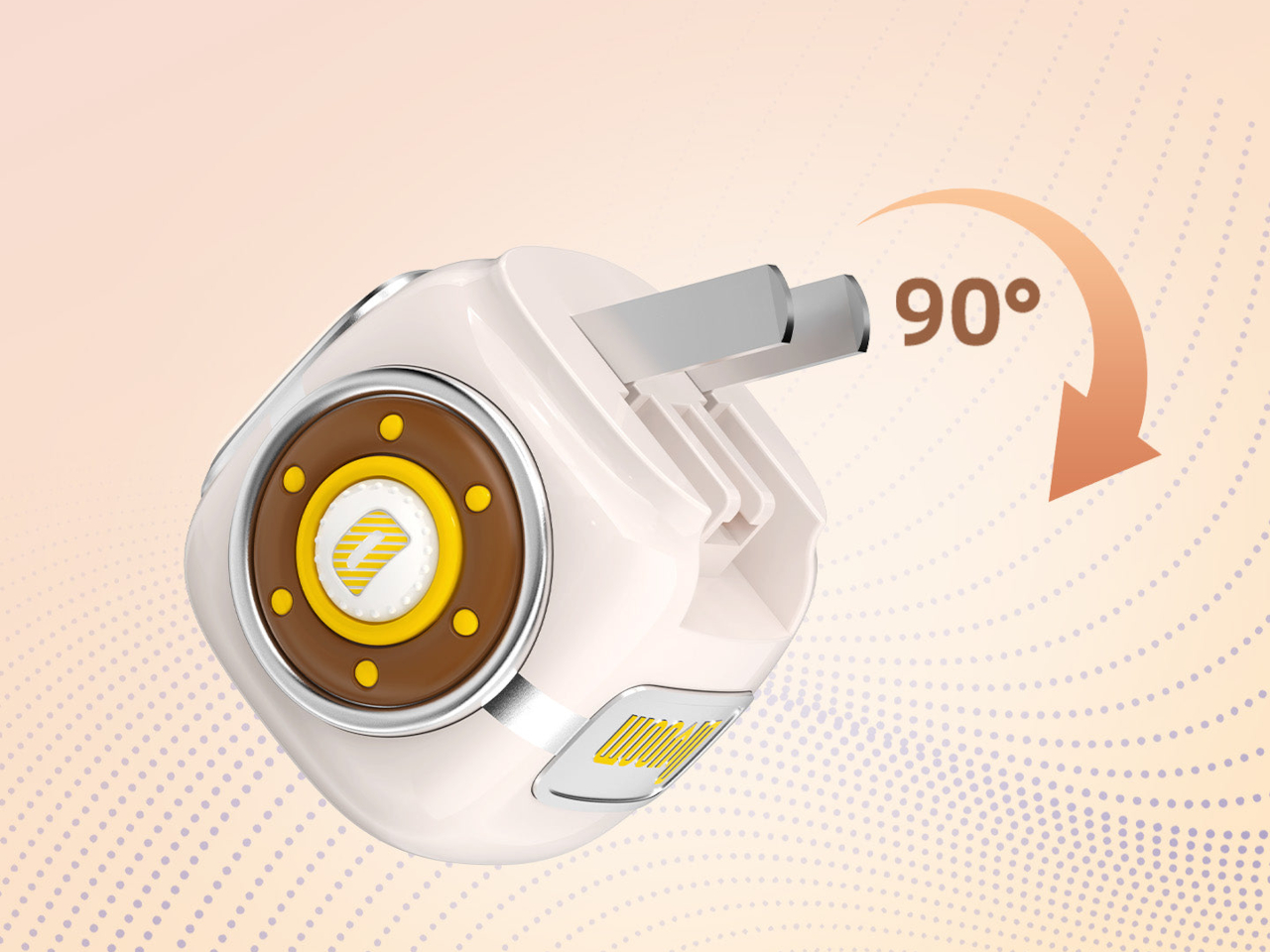
For travel, the 90° foldable pins and protective silicone boot keep the prongs safe without adding bulk. At 44.3 × 42.3 × 41.3 mm and 86 g, it slips easily into a bag, though something this visually interesting tends to end up on a desk more often than packed away. It catches a second look at a shared workspace or coffee shop table.

The Dipow 35W retails for $35.99, available in black or white. For a fast charger that also functions as a customizable pixel display, the asking price sits close to what most plain USB-C bricks already cost. It’s a small distinction that ends up mattering more than expected once the charger is sitting in plain sight with something worth showing on its screen.

The post Wall Chargers Are Boring, but This $36 One Has a Pixel Art Display first appeared on Yanko Design.
This Mod Made a Steam Machine Faceplate Charge Your Steam Controller

The Steam Machine has swappable faceplates, which is a genuinely good idea that Valve doesn’t appear to have fully exploited. The concept is essentially that the front panel of the console is a blank cosmetic slate, open to third parties and hobbyists to design around. So far, most of what’s been proposed has leaned on that word: cosmetic. Different textures, different graphics, different visual personalities for what is otherwise a matte black gaming cube.

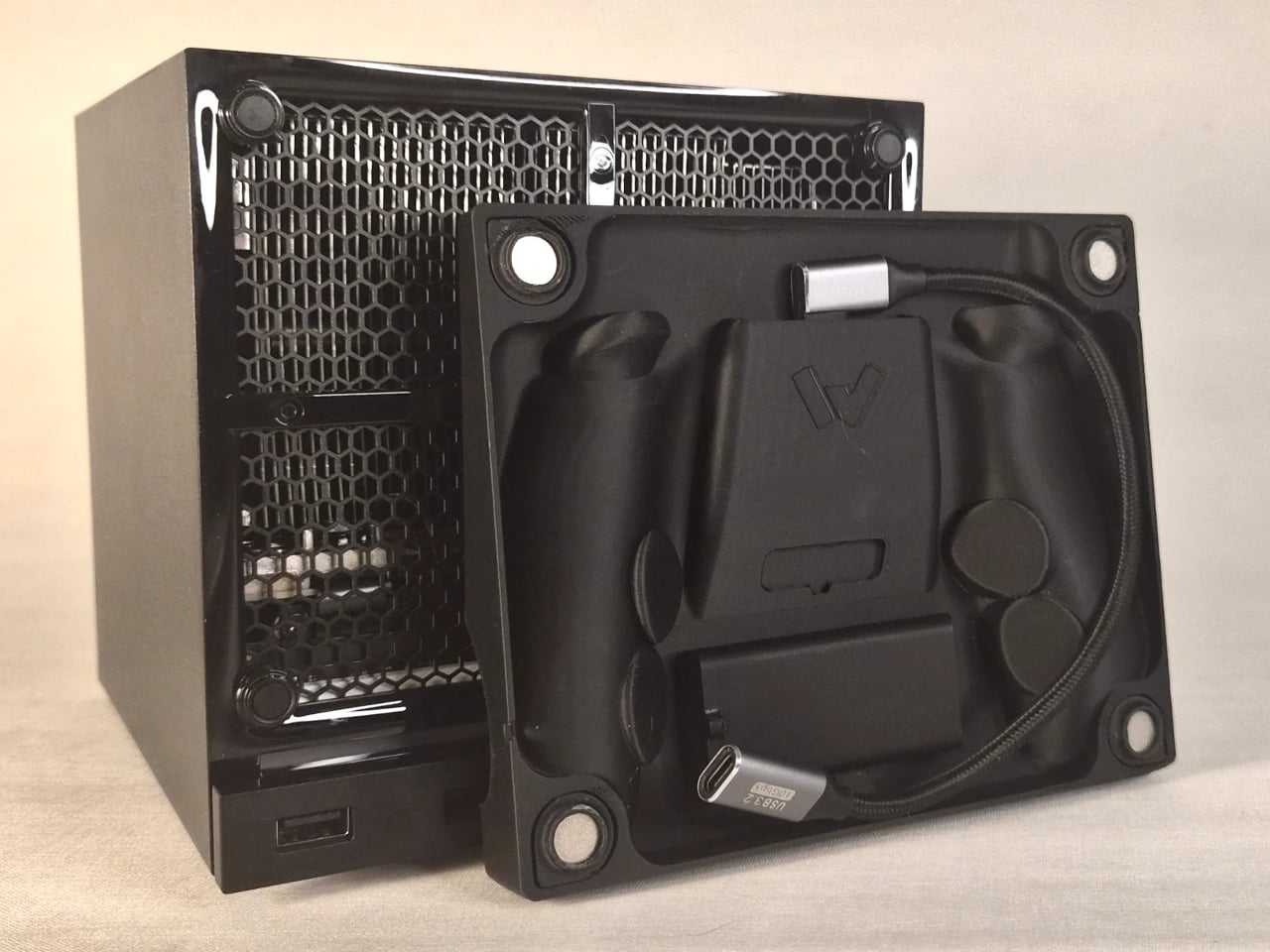
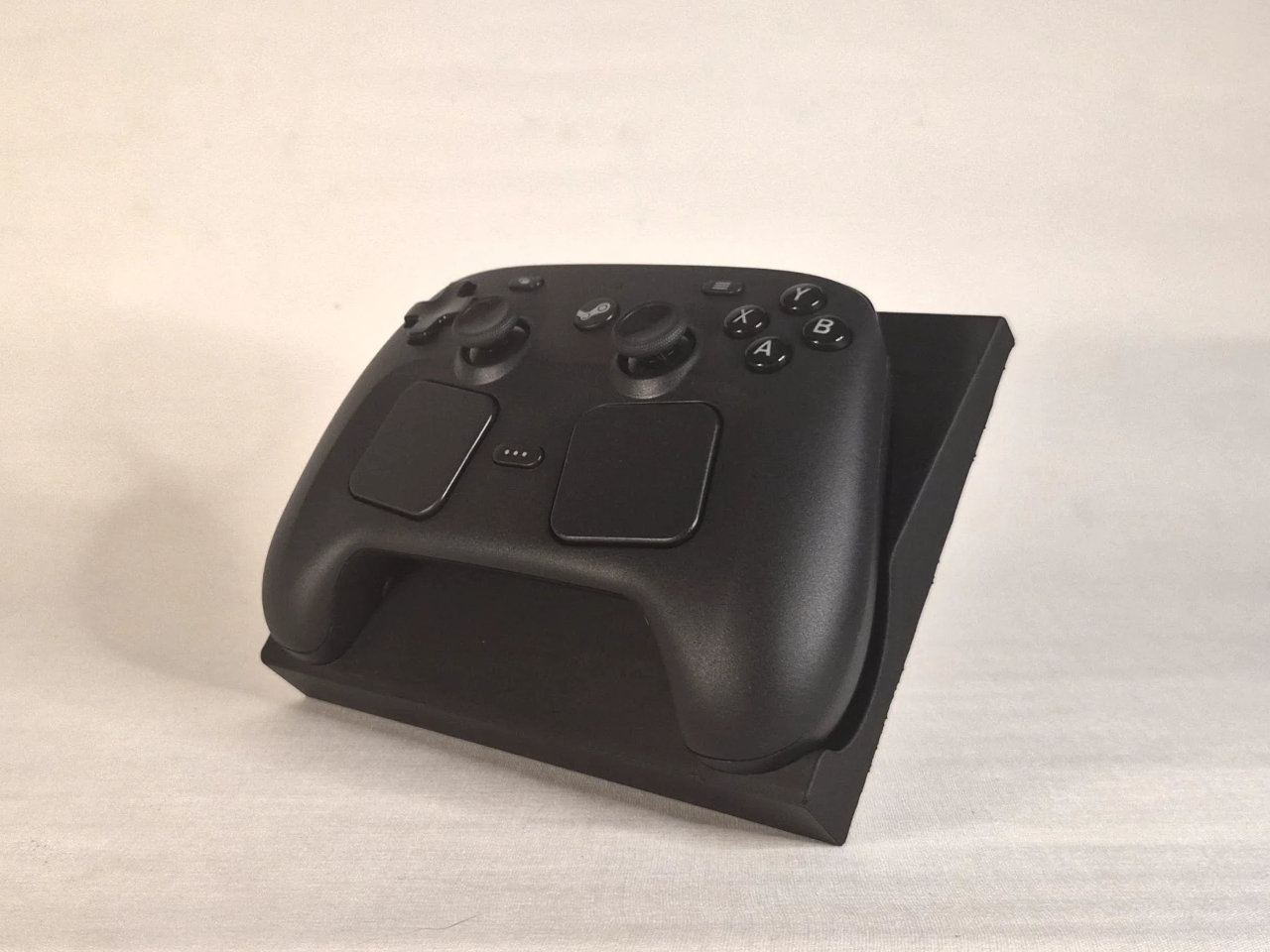
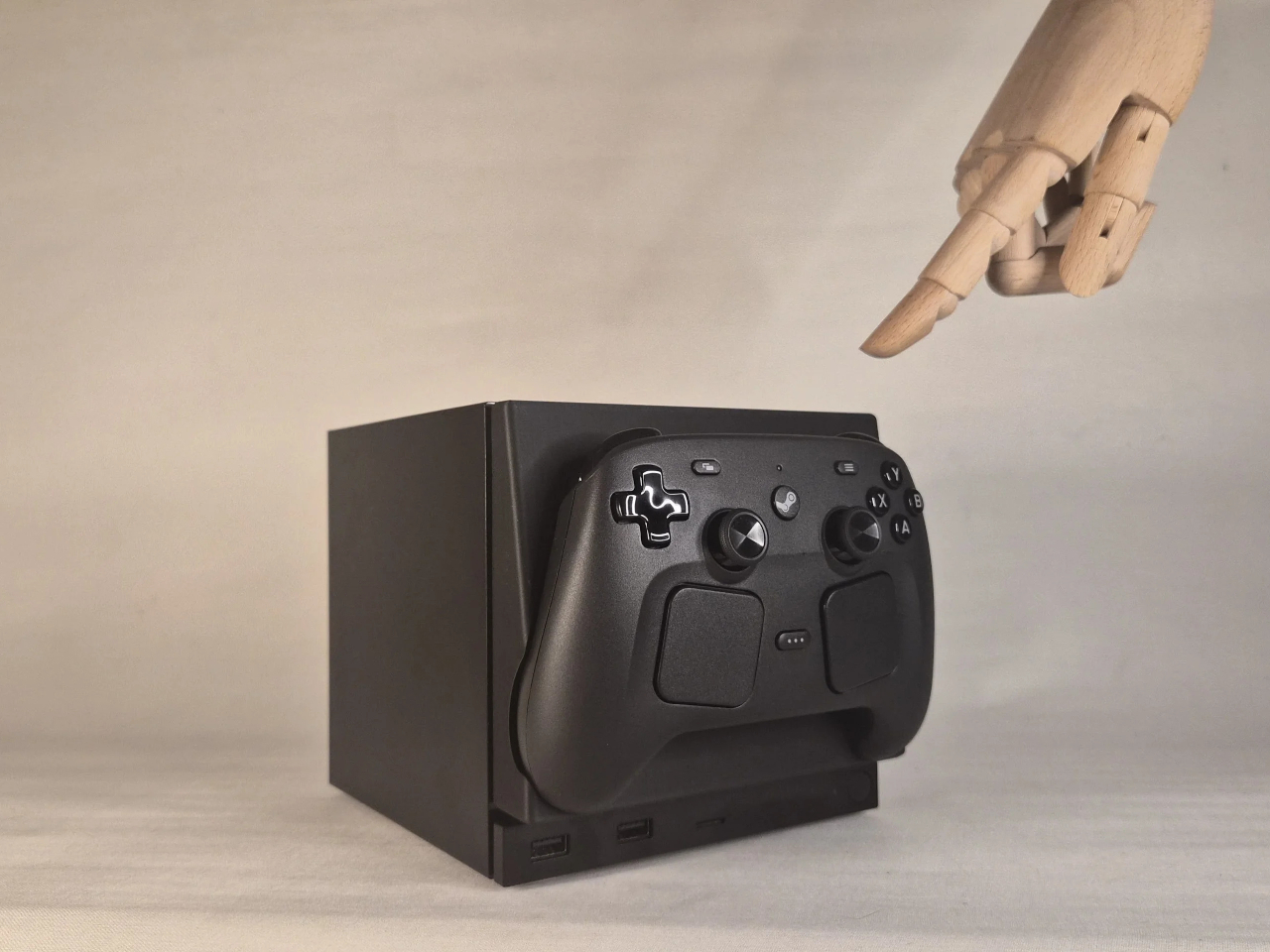
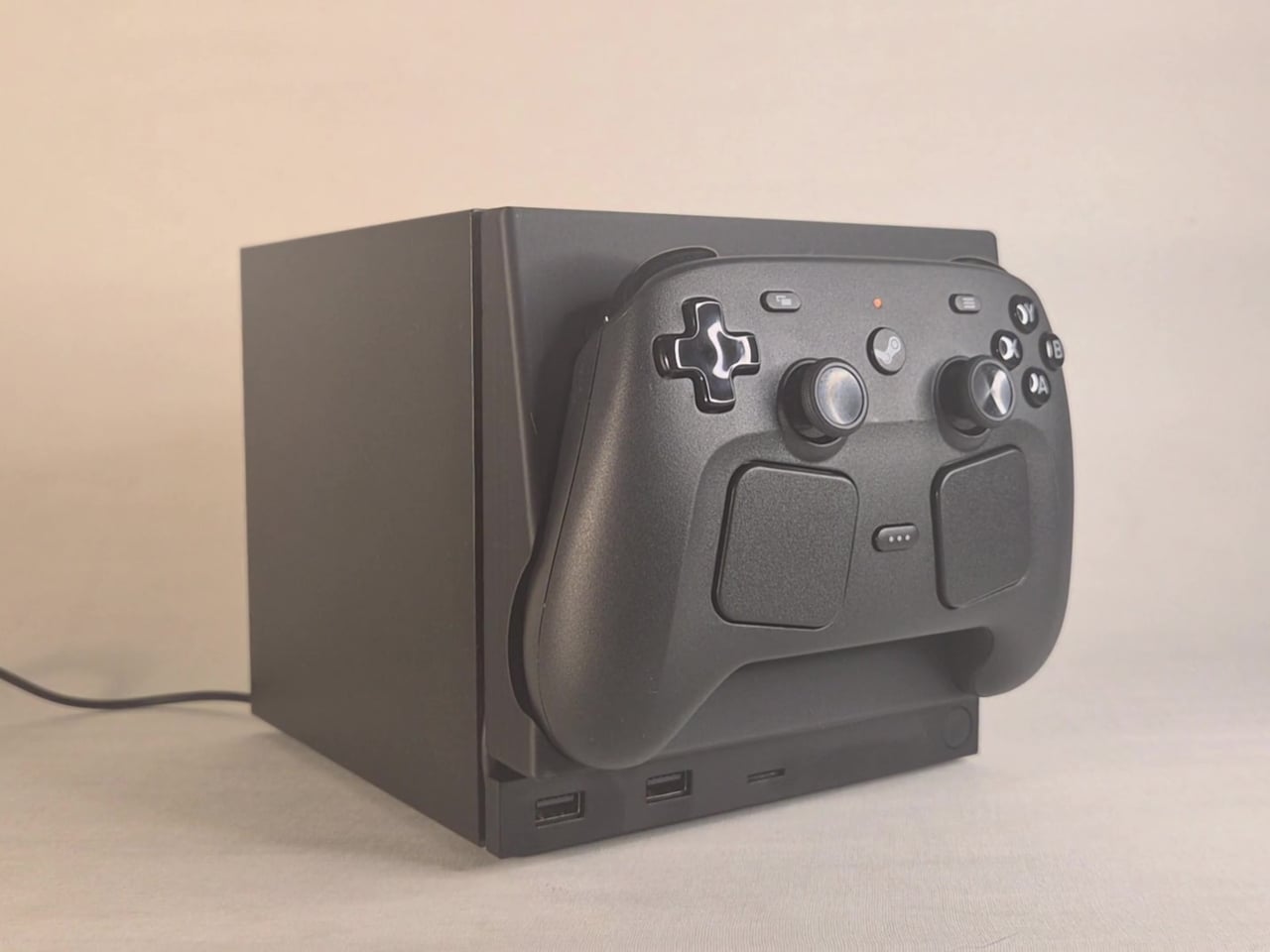
This faceplate mod takes a different approach by asking what the panel could actually do. The result is a replacement front cover that integrates a charging cradle for the Steam Controller directly into the face of the console, turning what would normally be dead real estate into a functional docking station. Set the controller down, it charges. Pick it up, it’s ready. No separate charging puck dangling off to the side.

Designer: NefariousnessWhole25

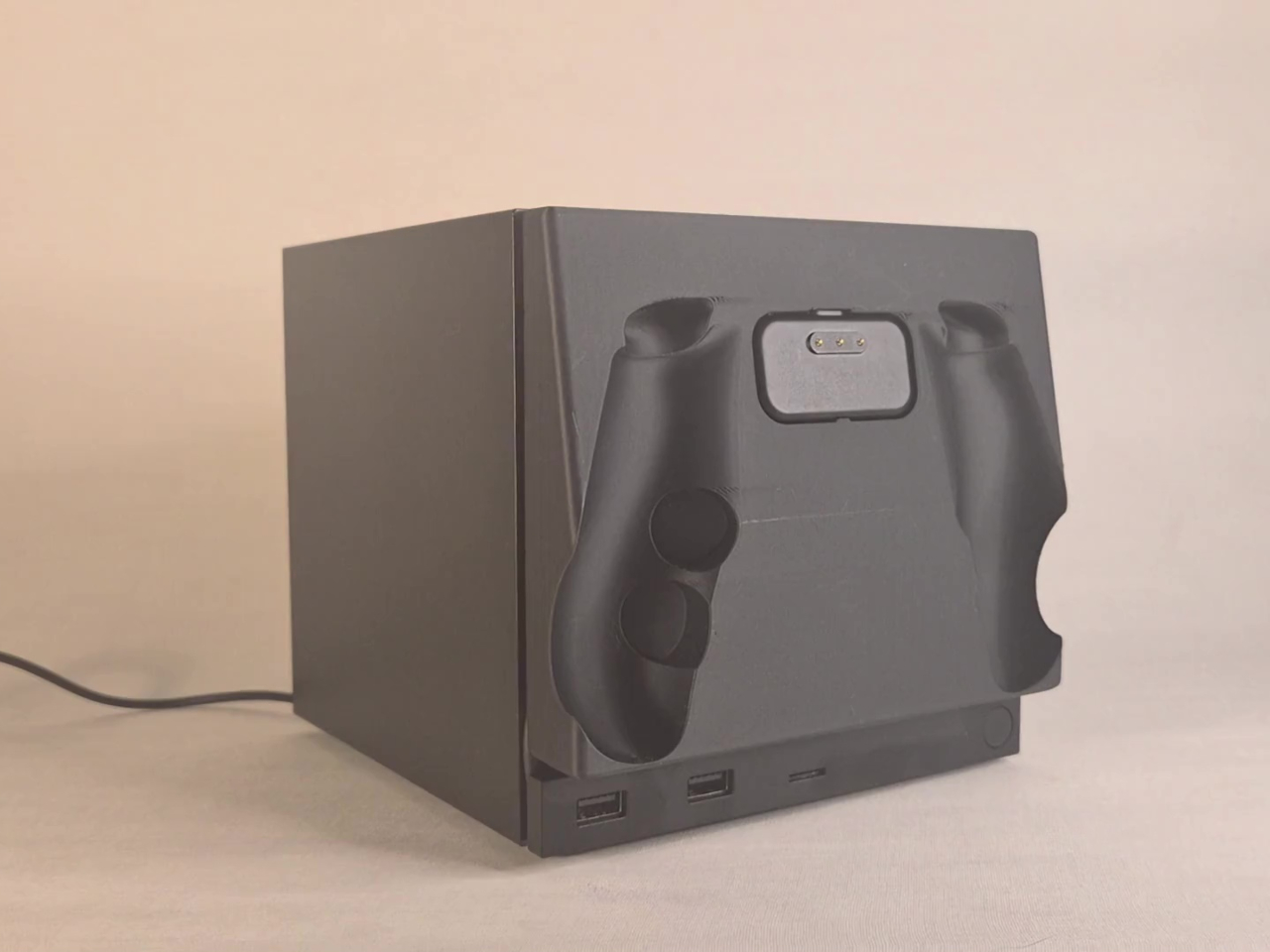
The charging mechanism uses the Steam Controller’s own wireless puck seated inside the faceplate cradle, with a USB cable routed discreetly around the inside edge of the panel and into one of the Steam Machine’s existing USB ports. It’s a routing solution rather than a rewiring one, which keeps the electrical side simple and reversible. The puck sits in the cradle, the controller sits on the puck, and the whole arrangement slots onto the front of the machine like any other faceplate.

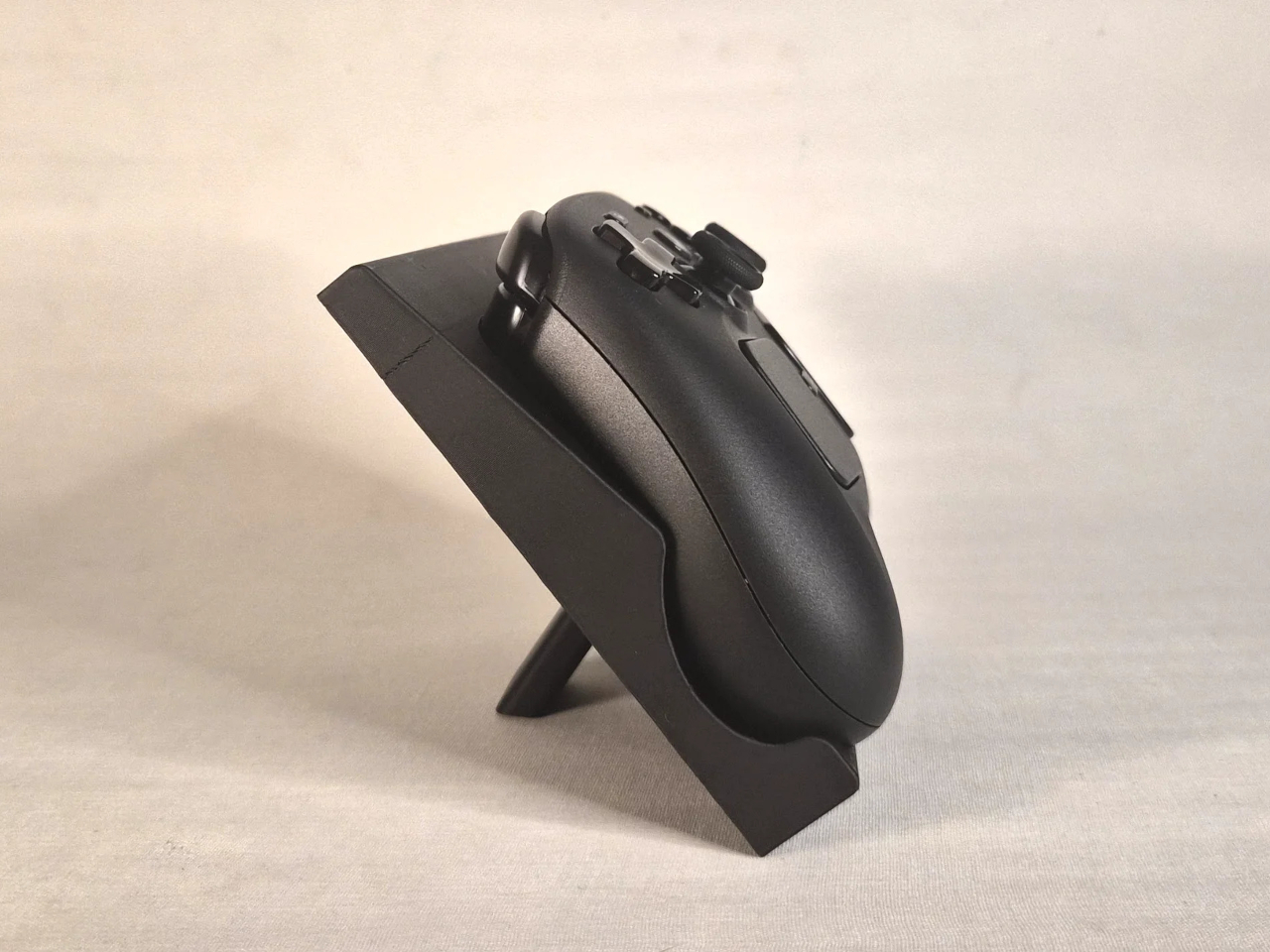
What makes it more than a wall mount with ambition is the kickstand built into the rear of the panel. It folds out from the back of the faceplate, propping the cradle up at an angle, turning the entire assembly into a standalone desk dock that works independently from the Steam Machine. Take the faceplate off the console and prop it up on a table, and it functions as a charging stand on its own terms.

The inspiration came partly from Valve’s own demonstration of an e-ink faceplate, which showed that the panel slot was capable of doing more than holding a decorative cover in place. That demonstration didn’t ship as a product, but it established the idea that the faceplate system had functional potential beyond aesthetics. This mod picks up that thread and takes it somewhere more immediately useful for anyone who has both pieces of Valve’s current hardware sitting on the same desk.

Design files haven’t been released yet, and there are no confirmed plans to sell finished units. The prototype is out, it works, and it raises a question worth asking about Valve’s approach to the faceplate ecosystem: if a single modder can turn the front panel into a functioning charging dock over a weekend, what would a dedicated accessory program actually look like at scale?

The post This Mod Made a Steam Machine Faceplate Charge Your Steam Controller first appeared on Yanko Design.
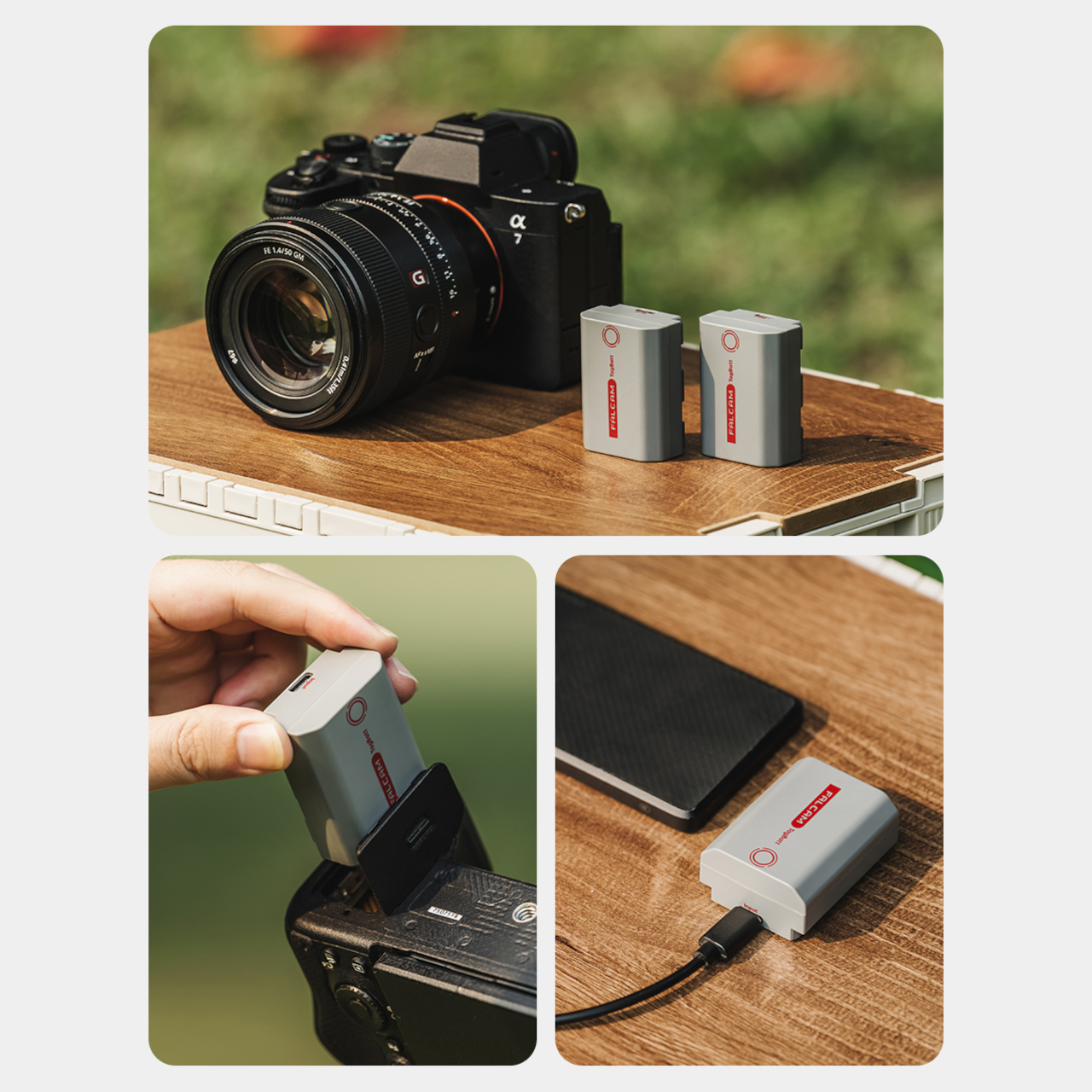
Camera Batteries Go Missing, So This $70 One Tracks Itself

Camera batteries are one of those accessories that photographers never think about until something goes wrong. They’re small enough to vanish into the bottom of a bag or a jacket pocket, common enough to own several of and regularly mix up, and important enough that losing one mid-trip can force an early stop to a shoot. The solution most people reach for is buying more of them, which only increases the number of things to keep track of.

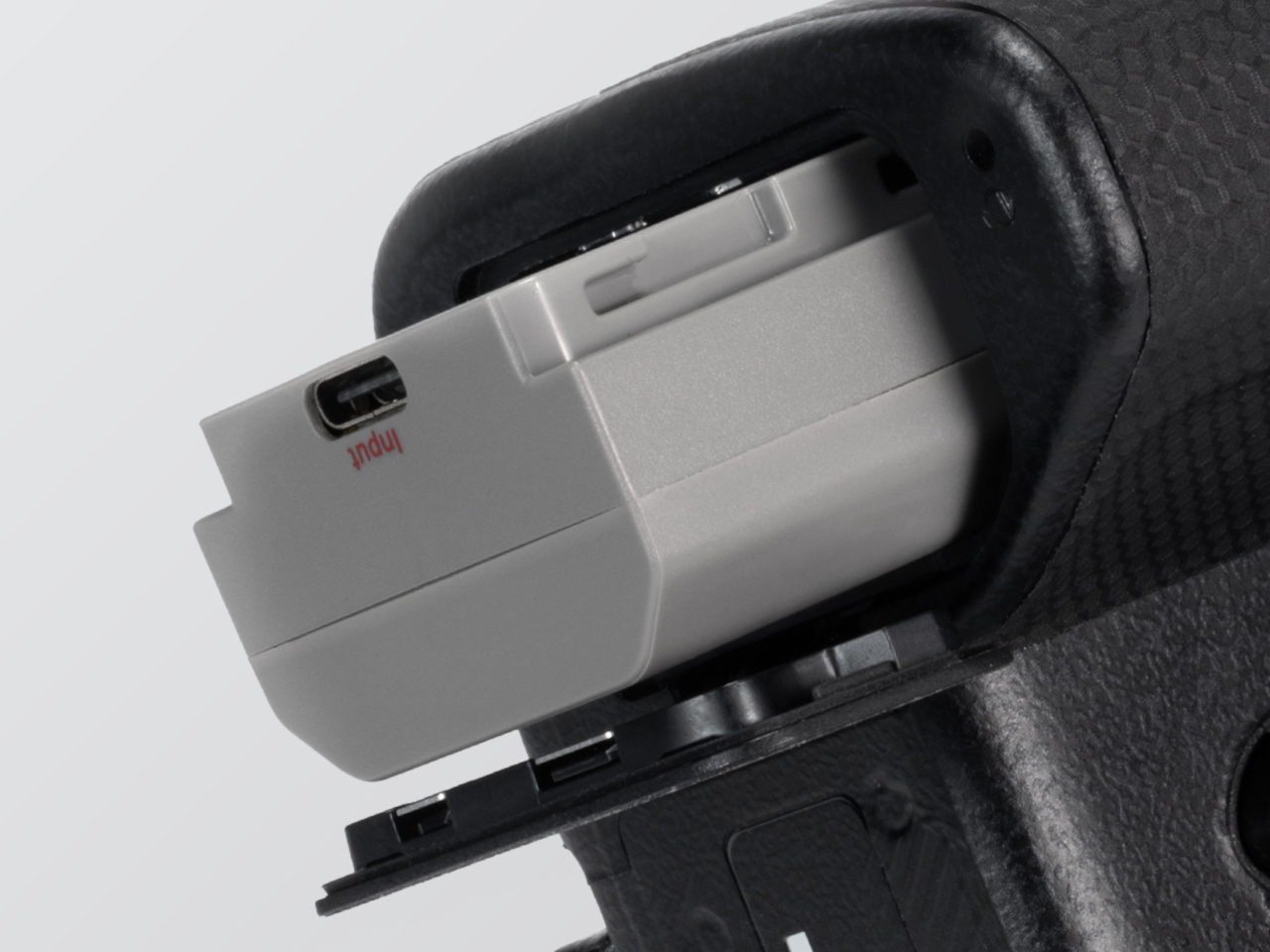
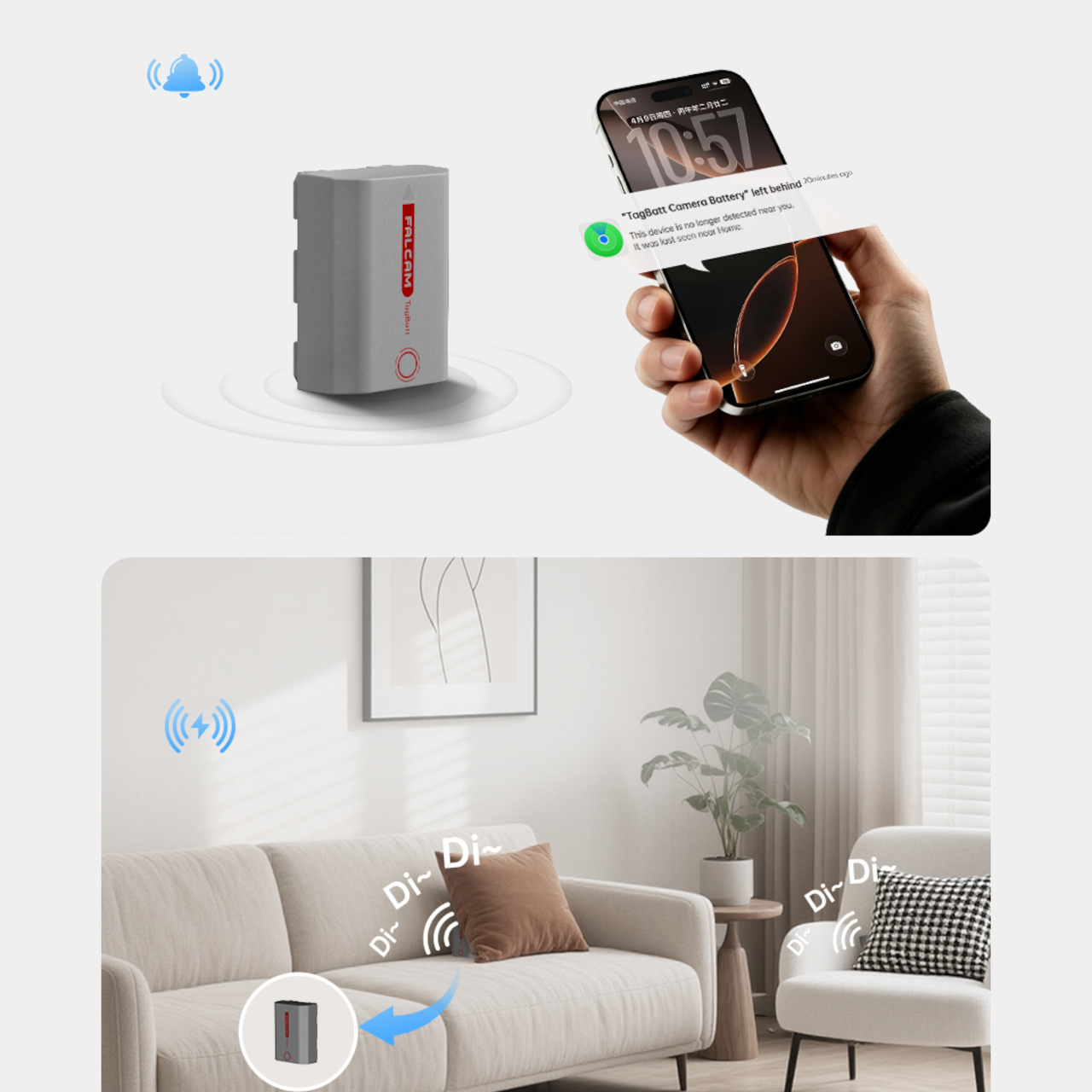
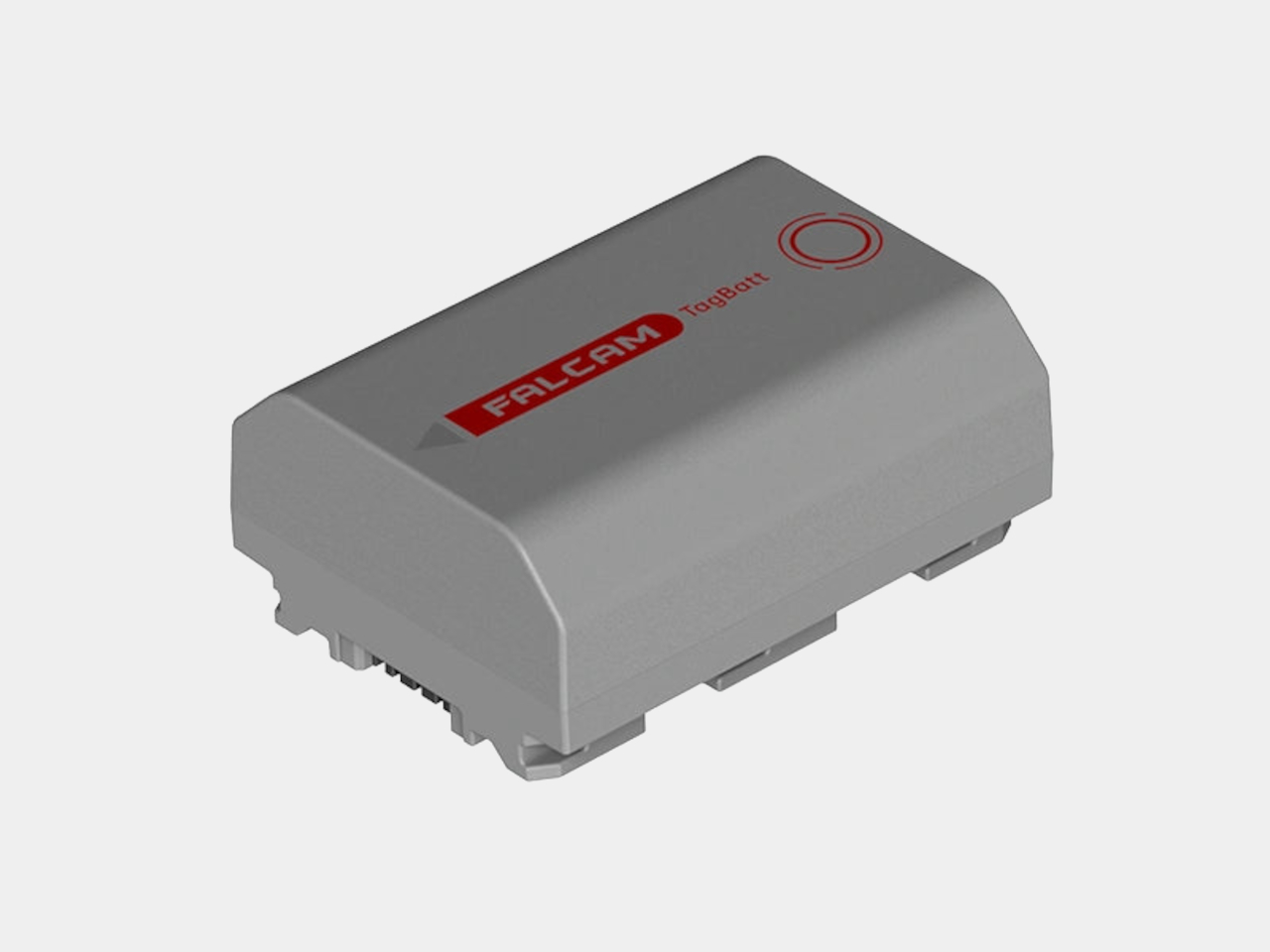
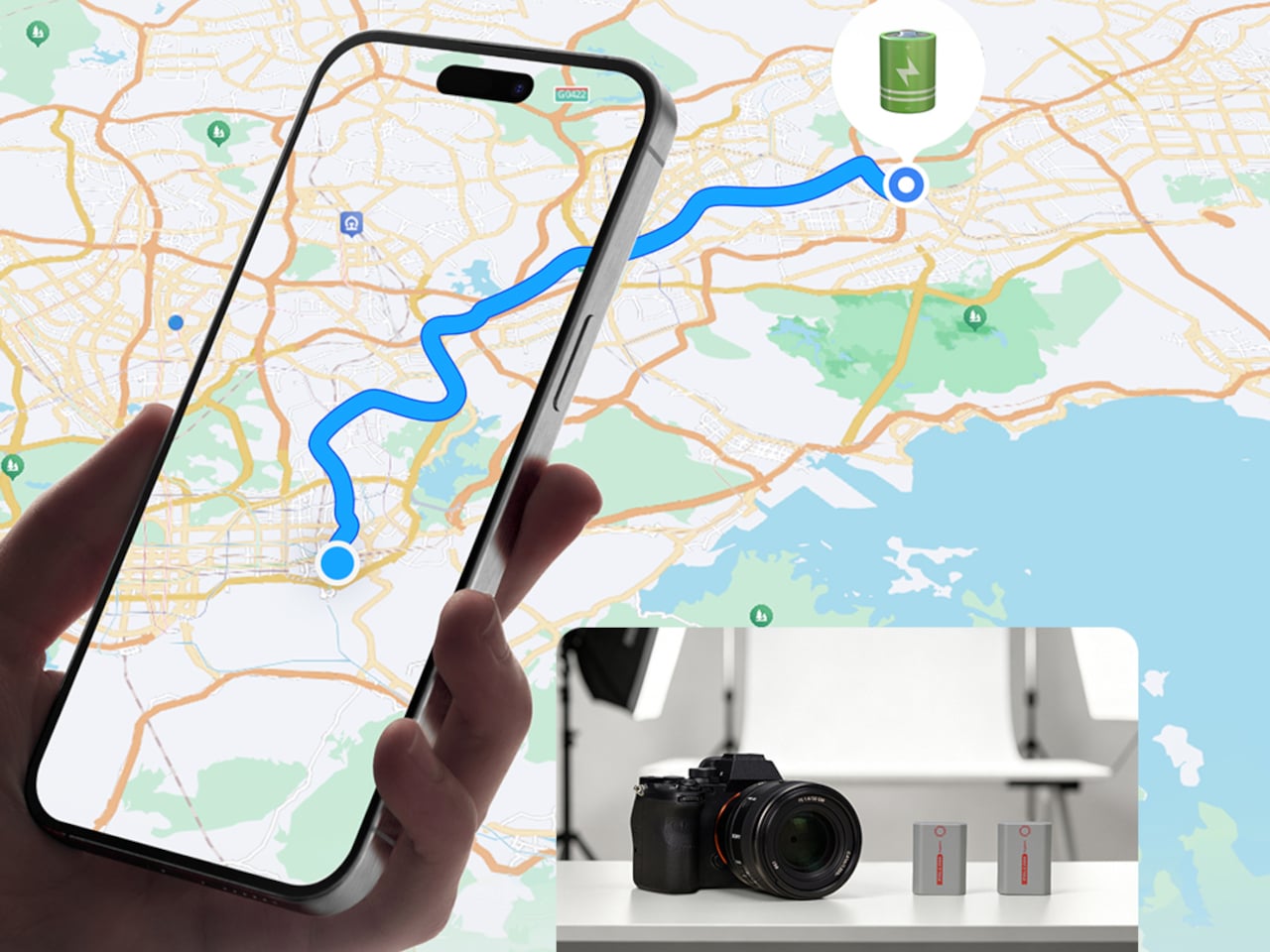
The FALCAM TagBatt addresses the problem from inside the battery itself. Compatible with Sony’s NP-FZ100 form factor, it integrates Apple’s Find My tracking technology directly into the cell, so the battery carries its own location data wherever it goes. If it ends up left behind at a studio, a venue, or the seat pocket of a flight, the Find My app will flag it and show its last known position.

Designer: FALCAM

Because the tracker lives inside the battery rather than clipped to a camera strap or screwed into a cage mount, it’s considerably harder to spot. An opportunistic thief who grabs a camera bag and removes any obvious Bluetooth puck from the outside can’t strip out what’s already built into the power source. It’s the kind of discreet integration that external trackers can’t quite replicate, no matter how small they get.

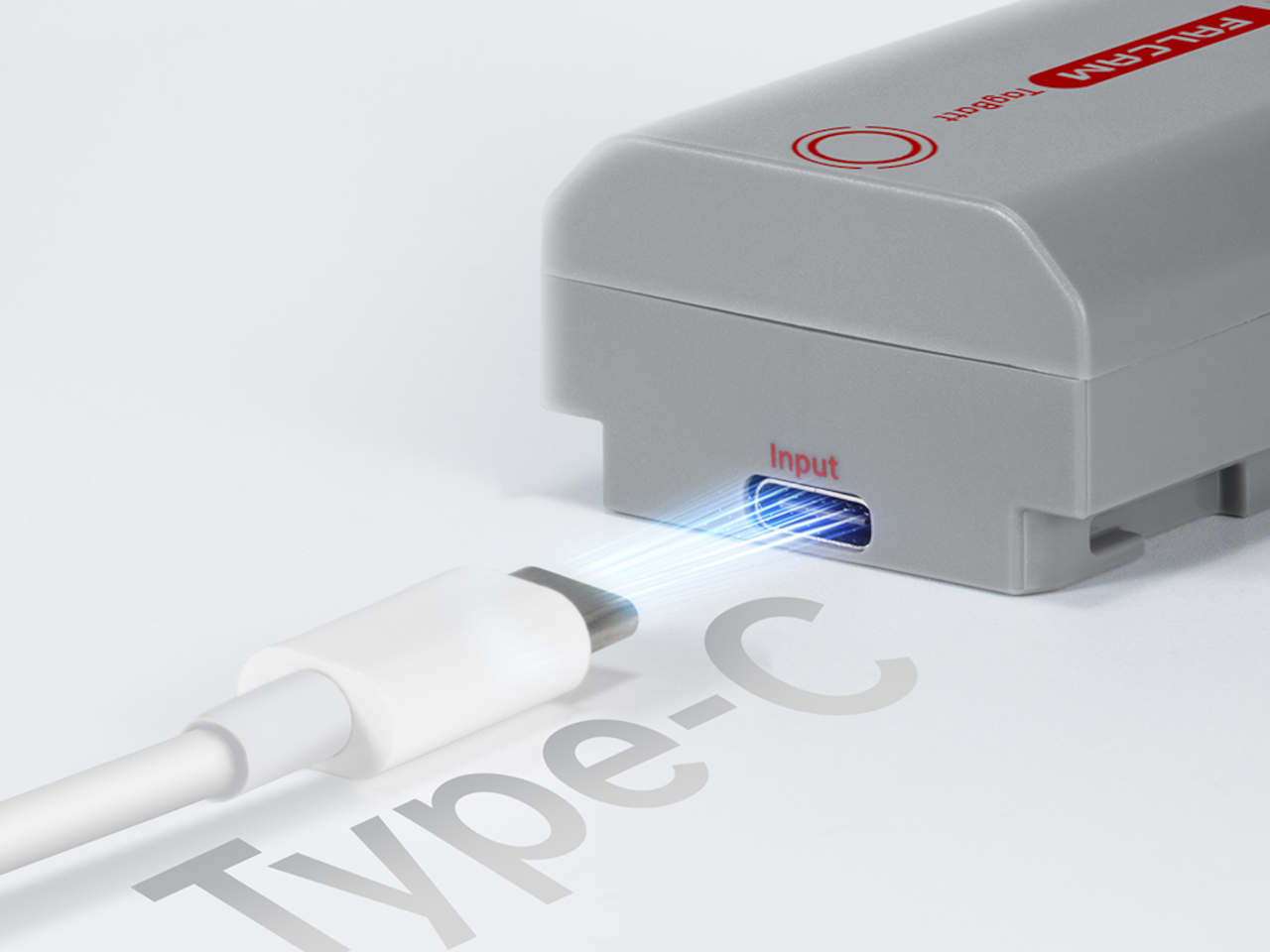
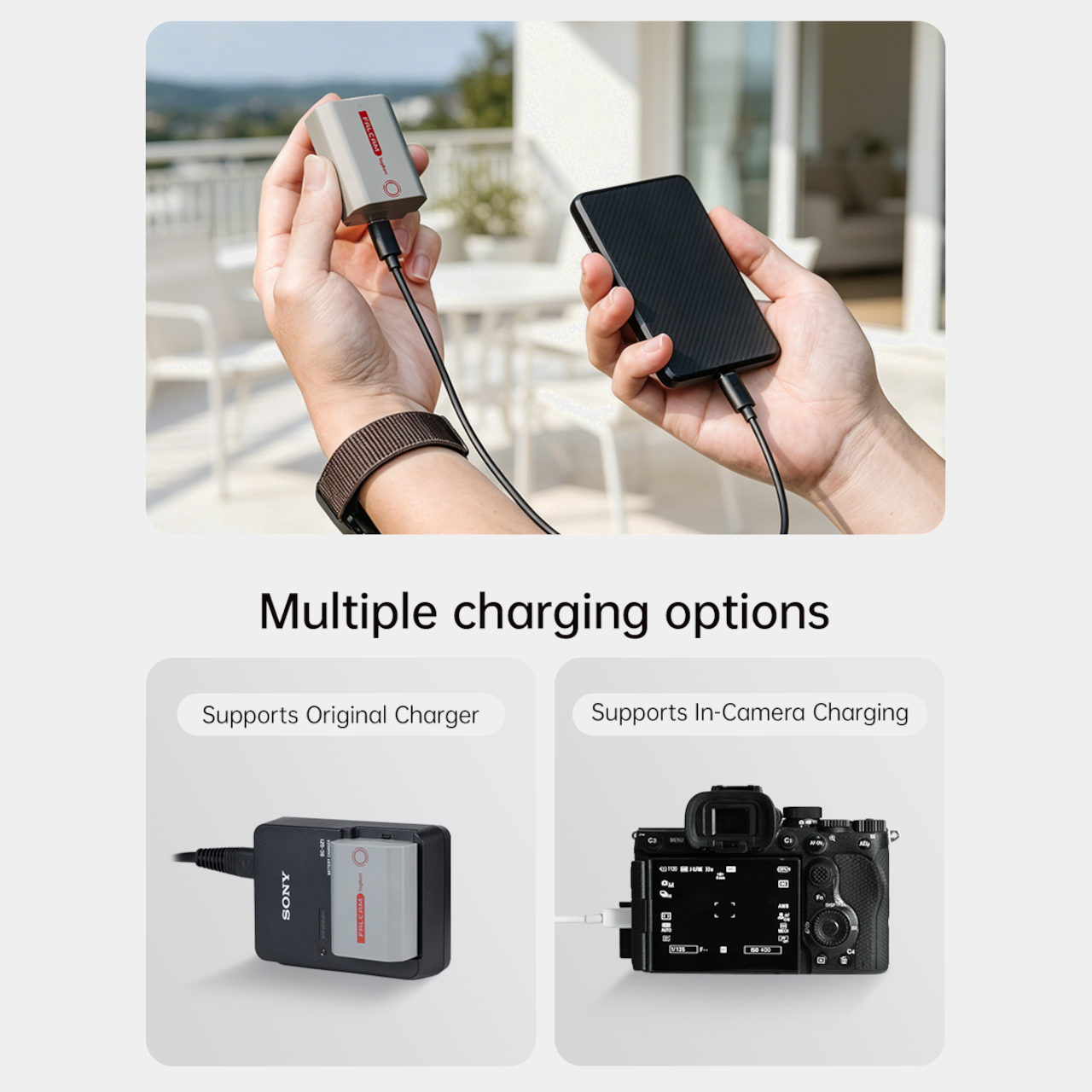
The tracking isn’t the only thing the TagBatt changes about how a camera battery behaves. A built-in USB-C port lets it charge directly from any standard USB-C source, including a power bank or a travel adapter, without needing the dedicated Sony battery charger that typically takes up its own space in a kit bag. Pop it out of the camera, plug it in overnight, and it’s ready in the morning without routing around a charger at all.

Capacity comes in at 2,600mAh against the OEM Sony NP-FZ100’s 2,280mAh, which translates to a modest but real advantage per charge. An advanced decoding chip handles the communication with the camera’s internal systems so the body treats it as it would any genuine battery, with accurate charge-level reporting and none of the “non-genuine battery” warning messages that typically accompany third-party cells.

Compatibility covers a wide sweep of Sony’s current lineup, including the Alpha 7 series through the Alpha 7 V, the Alpha 9 series, the Alpha 6700, the FX3 and FX30, and the ZV-E1, among others. A Canon LP-E6 version is also available now, with Nikon EN-EL15 and Fujifilm NP-W235 versions confirmed to be in development.

At $69.99, the TagBatt costs more than a standard third-party replacement but considerably less than the Sony original, and it comes with two capabilities that the original simply doesn’t offer. For photographers who travel frequently, work in locations where gear occasionally goes astray, or are just tired of carrying a charger they’d rather leave at home, the trade-off makes a fairly straightforward case.

The post Camera Batteries Go Missing, So This $70 One Tracks Itself first appeared on Yanko Design.
Experience True Charging Freedom with the AL Stackable Cord-Free Portable Chargers

Imagine a world where charging your phone is as seamless as grabbing a cup of coffee in the morning. That’s the magic of the AL Charger Stackable Cord-Free Portable Chargers. These wireless chargers are crafted to integrate effortlessly into your daily routine, offering the convenience of powering up your phone anytime, anywhere, without the hassle of plugs and wires. It’s freedom redefined in the world of charging.

Picture this: you’re at home, moving from the living room to the kitchen, perhaps even out by the pool. With the AL Charger, you have the liberty to charge your phone wherever you are. Forget about searching for outlets or untangling cables. Just grab a charger from the stack, place your phone on top, and watch it power up. When you’re done, stack it back to recharge the unit. It’s that simple.

Designer: Michael Walker

Click Here to Buy Now: $125 $150 ($25 off). Hurry, deal ends in 72-hours to go! Raised over $45,000.

What makes the AL Charger truly remarkable is its speed. With up to 15W of power, it can charge your phone from zero to full three times faster than traditional 5W wireless chargers. This means your device is ready to go when you are, no waiting around required. Each charger comes with a robust 5000 mAh battery, providing ample power to keep your devices running. The base unit, on the other hand, uses a single USB-C port that can charge AL chargers or your phone with the same 15W power as the portable chargers.

The genius of the AL Charger lies in its precision-placed magnets. These magnets ensure that MagSafe-compatible phones snap perfectly into place every time, maximizing charging efficiency. Plus, these magnets allow for flawless stacking with other AL Chargers, enhancing the charging capabilities of each unit. It’s a design that doesn’t just function well; it functions brilliantly.

For those juggling multiple gadgets, the AL Charger offers a unique advantage: the ability to charge multiple devices at once. Imagine hosting friends and having the capability to power up all their devices simultaneously — just as easy as grabbing a couple more coasters. It’s a host’s dream come true, ensuring everyone’s gadgets are ready for action.

Compatibility is key, and the AL Charger doesn’t disappoint. It works with both Qi-enabled and MagSafe devices, ensuring a wide range of gadgets can benefit from its innovative design. No need to hide this charger away, either. With a waterproof leather top designed to resemble a luxury set of coasters, the AL Charger blends beautifully into your decor. It’s a piece of tech you’ll be proud to display.

Life is full of unexpected spills and splashes, but the AL Charger is prepared for it all. Its water-resistant design means you can charge with confidence, whether you’re in the kitchen dealing with spills or lounging poolside. It’s charging made versatile, adapting to your lifestyle without missing a beat.

Whether you’re a tech enthusiast with multiple gadgets or someone who loves hosting guests, the AL Charger is the perfect solution for keeping everyone connected. It’s more than just a charger; it’s a lifestyle upgrade, making your daily routine smoother and more efficient. They’re designed to fit into your life, not the other way around. So why settle for anything less? Experience the freedom and convenience of cord-free charging today.

Click Here to Buy Now: $125 $150 ($25 off). Hurry, deal ends in 72-hours to go! Raised over $45,000.

The post Experience True Charging Freedom with the AL Stackable Cord-Free Portable Chargers first appeared on Yanko Design.
Minimalist table is a charging hub that doesn’t need to plug itself in

Given how almost everyone has a smartphone these days, it’s not really surprising to see establishments and furniture adapting to the situation. Desks, tables, and even shelves have started to integrate charging solutions that make it convenient to top up a mobile device quickly without having to scramble for and fight over a power strip or wall socket. Unfortunately, many of these designs, particularly for tables, add some rather unsightly cables that can also be a safety hazard if not installed properly. This table, in contrast, lets you charge phones and tablets with ease while magically making those cables disappear to preserve the table’s minimalist beauty and avoid tripping people up when they have to move about.

Designer: Carl Magnusson

Tables with integrated charging solutions seem to fall into two extremes. On the one hand, you have regular tablets that have just been retrofitted with power strips and are often seen in public places like coffee shops or even libraries. On the opposite end of the spectrum, there is classier furniture that utilizes wireless charging technologies in order to make power sockets invisible, like the newer desks and shelves from the likes of IKEA. Both designs, however, require the table itself to still be plugged in regardless since it has to take all that power from somewhere.

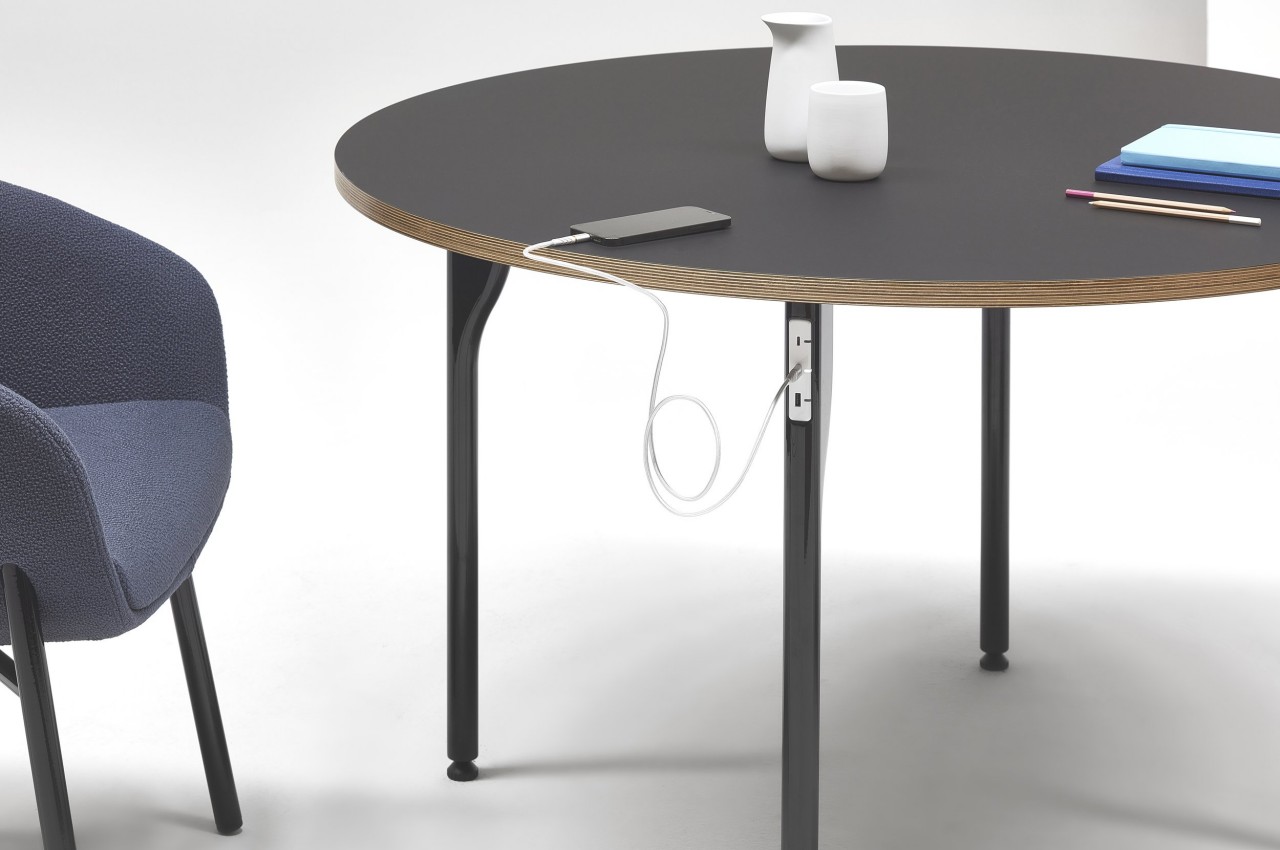
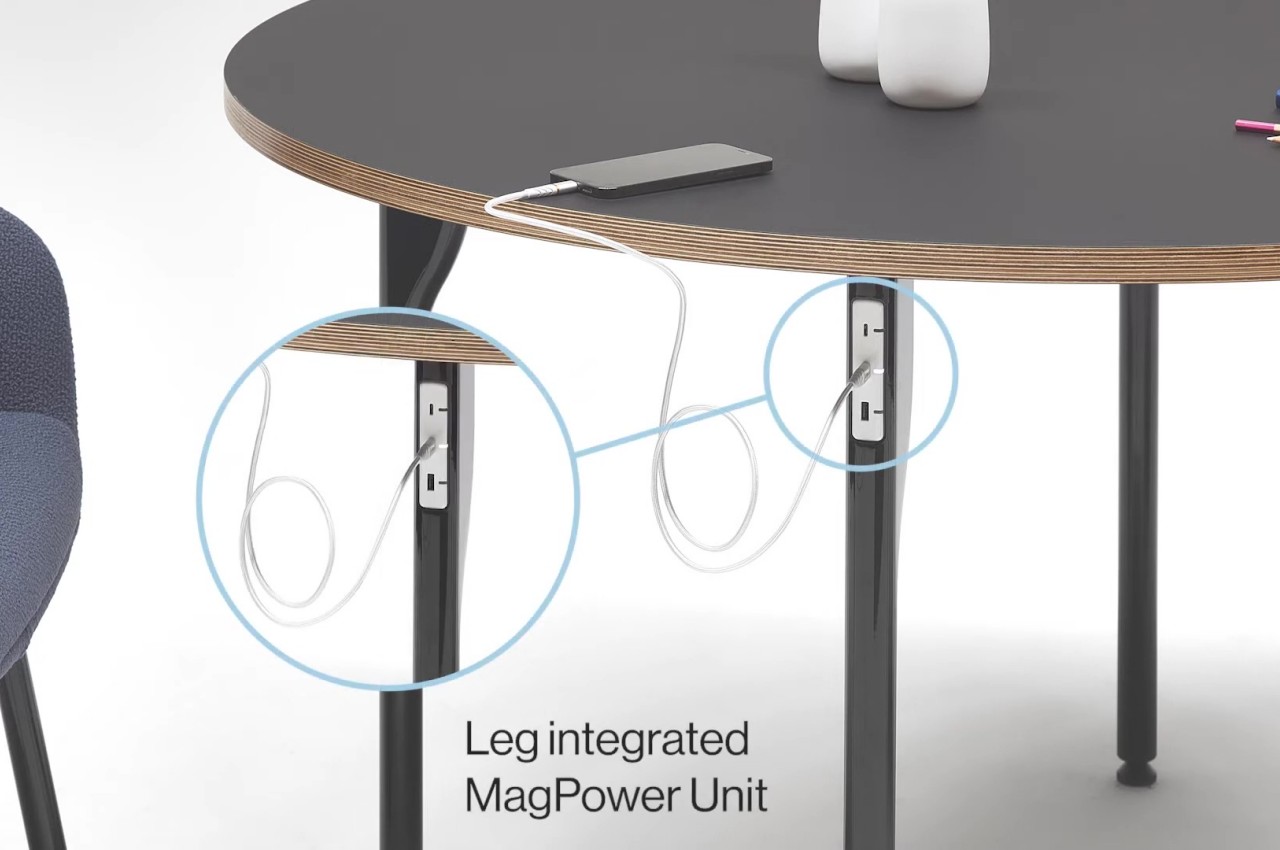
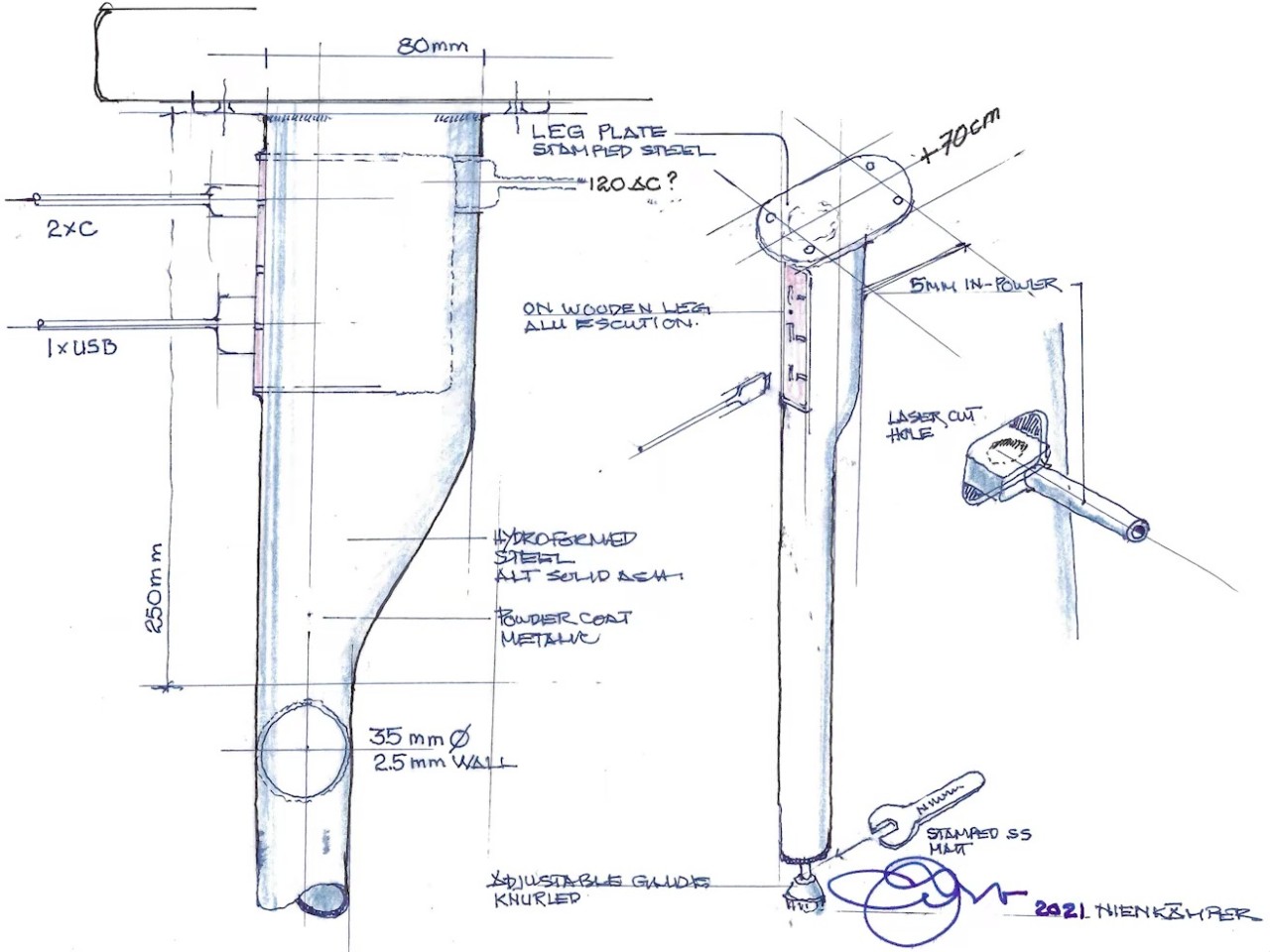
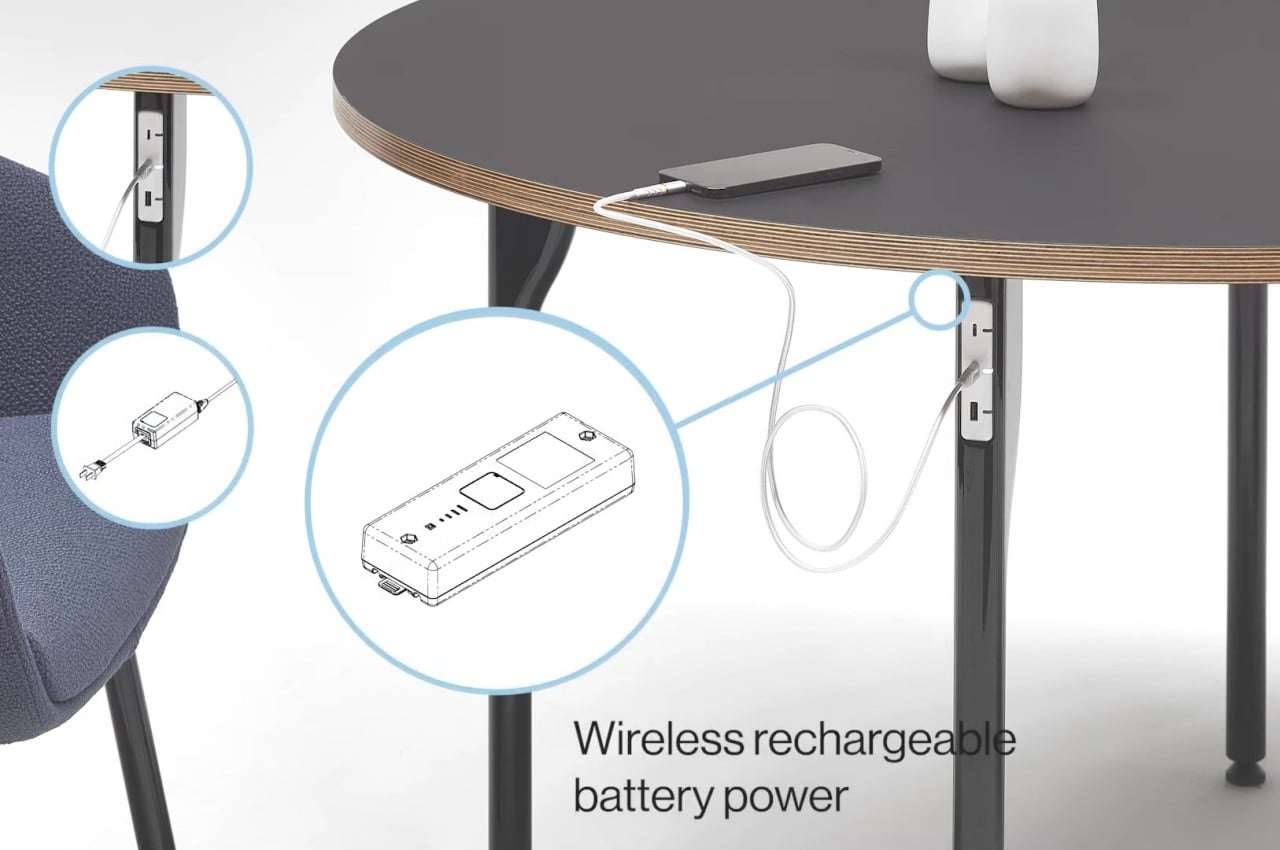
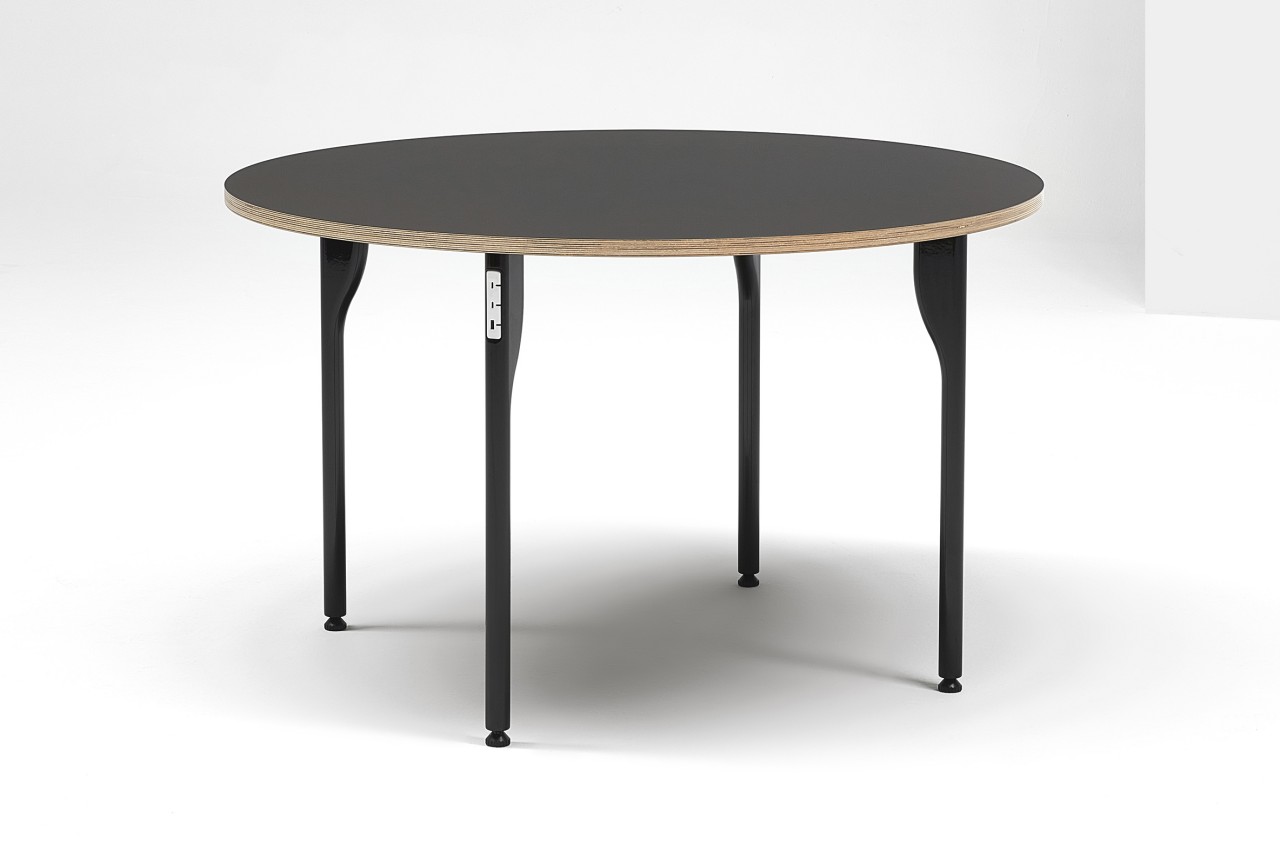
In that regard, the MagPower Table is almost futuristic with its wireless functionality while still being completely rooted in present design trends with its extremely minimalist design. At first glance, it simply looks like a wooden table with a large circular top and wooden or aluminum legs, but closer inspection will reveal two USB-C slots and one full-sized USB-A slot for charging mobile devices. What makes this design almost mind-blowing is that there isn’t any cable snaking out from one of the table’s legs to connect to a nearby power outlet, making it seem like it’s using wireless charging technologies, at least for itself.

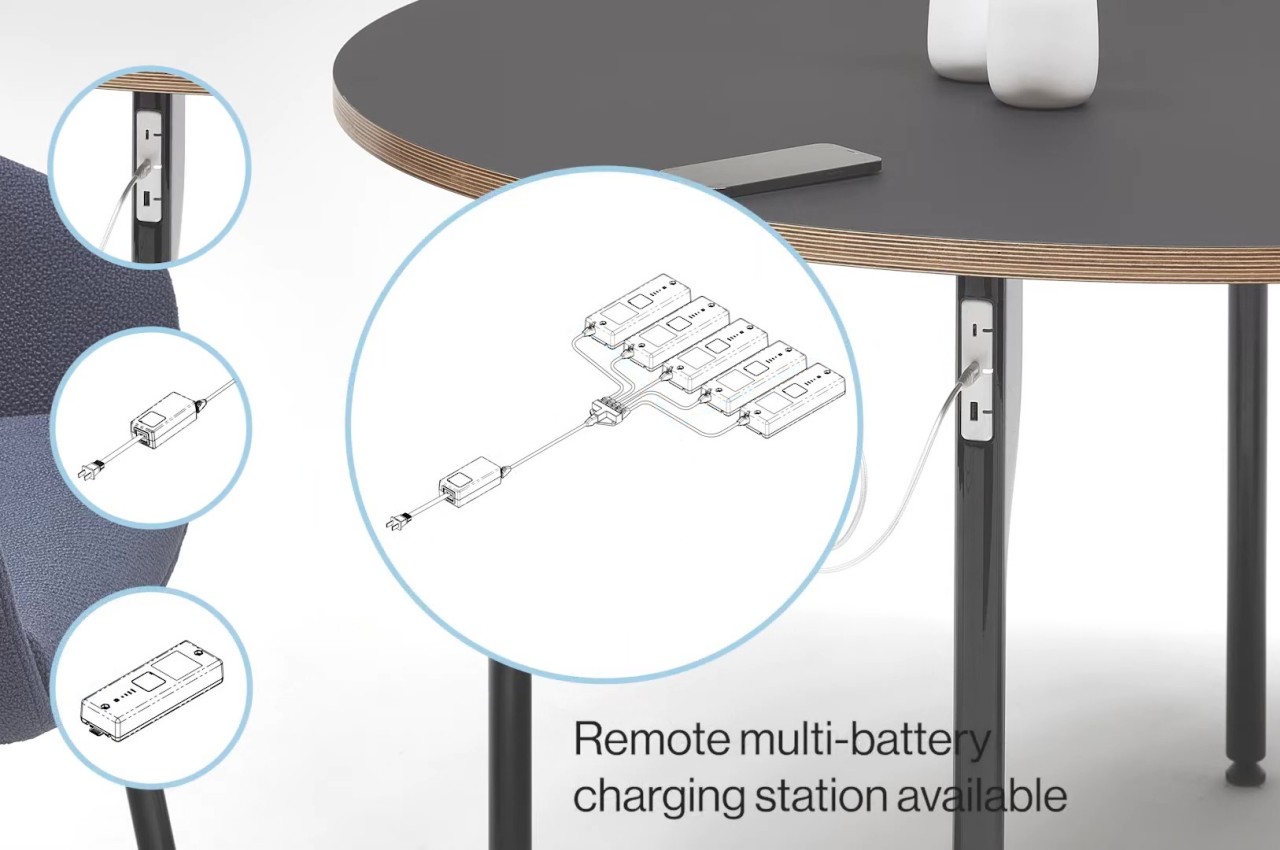
The secret behind this is the design of the table’s leg which can house a rechargeable battery that then powers connected devices. The battery can be removed at the end of the day and recharged separately before being reinstalled the next day. That said, the design also allows for a power brick to be plugged in directly, which has its own convenience, presuming you can live with the sight of that cable.

The MagPower Table’s minimalist aesthetic matches the goal of its design to offer a clutter-free space and enhance your productivity. Granted, it also raises questions about where a single battery is enough to charge several devices at the same time, but it’s certainly possible to expand the design and have all legs house a battery. This would help avoid competing for only three sockets, which will be the most likely scenario if these tables are used in office environments.

The post Minimalist table is a charging hub that doesn’t need to plug itself in first appeared on Yanko Design.
Drone quadcopter concept grips power lines to recharge its batteries

Although they may be a bit controversial due to privacy and safety concerns, it’s hard to argue that drones, specifically quadcopter models, have introduced big changes in modern life. Taking photos and recording videos can now have some dramatic flair, and deliveries of food and supplies can be made to harder-to-reach places. What these often astounding use cases don’t always say, however, is that drones have very short operating times due to their small batteries. That means they can only fly over short distances with light payloads unless they stop and land somewhere for a recharge. This research concept tries to think of a different system that takes advantage of one of the most ubiquitous power sources found in most urban areas: heavy-duty power lines.

Designers: Viet Duong Hoang, Frederik Falk Nyboe, Nicolaj Haarhøj Malle, Emad Ebeid

Given our current battery technologies, drones have no choice but to pack light. This means most drones have an operating time of around 1 hour or so, and that’s only if they’re not struggling to keep afloat with a heavy load. This drastically shortens the travel time and distance of drones unless they find a way to charge en route, almost like how a car refuels or charges along its way. That, however, would require creating “charging stations” for these drones, which might not always be possible or even economical.

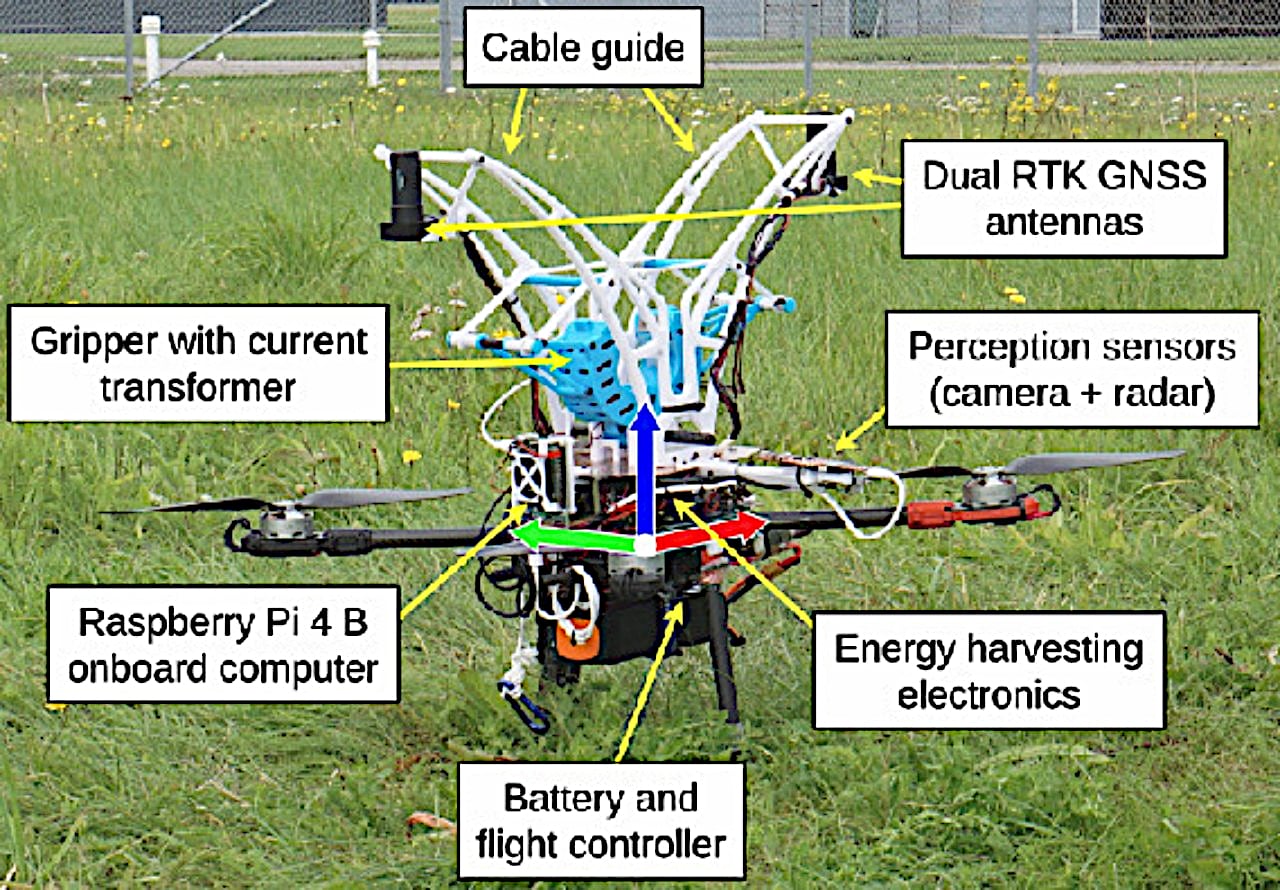
Scientists from the University of Southern Denmark decided to design around a power source that is always there but isn’t solar-powered, which would be too slow and too little for the drone’s use. Instead, the drones clamp onto power lines, the very same thick cables that deliver power from one pole to another. When the drone senses that its battery is too low for comfort, it flies to the nearest power line, flies under a line, and then slowly raises itself until its mechanism grips the line. From there, it uses induction to draw electricity from the line to power that gripping mechanism as well as charge the drone hanging from it.

To test this theory, a drone that was used to inspect power lines was outfitted with custom-made sensors and a gripper before being set to its task without human intervention. The drone recharged itself five times using this method, resulting in an impressive two-hour operation. Although the task put the drone within the immediate vicinity of the electrical line that it needed to recharge, it’s not hard to imagine how delivery drones would likewise have access to nearby lines for the same purpose.

Then again, this recharging system might not be the best solution either, at least given the technologies we have today. Fully autonomous drones are still generally considered to be unreliable, so you can only imagine the fear of one of these flying robots meeting an accident on that power line and taking down a whole block’s electricity. Of course, the better solution would be to have public charging stations like those for cars, but we’re still far from being a drone-centric civilization to warrant such infrastructure.

The post Drone quadcopter concept grips power lines to recharge its batteries first appeared on Yanko Design.
Infinix NOTE 40 phones blend sleek urban aesthetic with super-fast charging

Of the many things that smartphone buyers look for, cameras and battery life probably rank the highest, even over display quality. Capturing memories is a very important part of what people use smartphones for, but an extremely short battery life can ruin even the most powerful smartphone. In fact, the more powerful a device is, the faster it will drain its battery. While batteries themselves haven’t evolved as fast as smartphones, charging technologies have been growing in leaps and bounds. In the past, super-fast charging speeds have been exclusive to high-end, premium phones, but the new Infinix NOTE 40 smartphones are bringing that technology and convenience to a wider and younger audience that also cares just as much about style as they do the rest of the phone’s specs.

Designer: Infinix

Although there are research and innovations that attempt to improve the quality of smartphone batteries, they’re pretty much still the same packs that we’ve been using for years. Manufacturers have poured their efforts into improving charging speeds instead, making sure that people spend as little time as possible when they do need to plug the phone in. That’s what Infinix’s new All-Round FastCharge 2.0 technology is trying to accomplish, bringing speed and versatility to users’ charging experience.

Infinix NOTE 40

Infinix NOTE 40

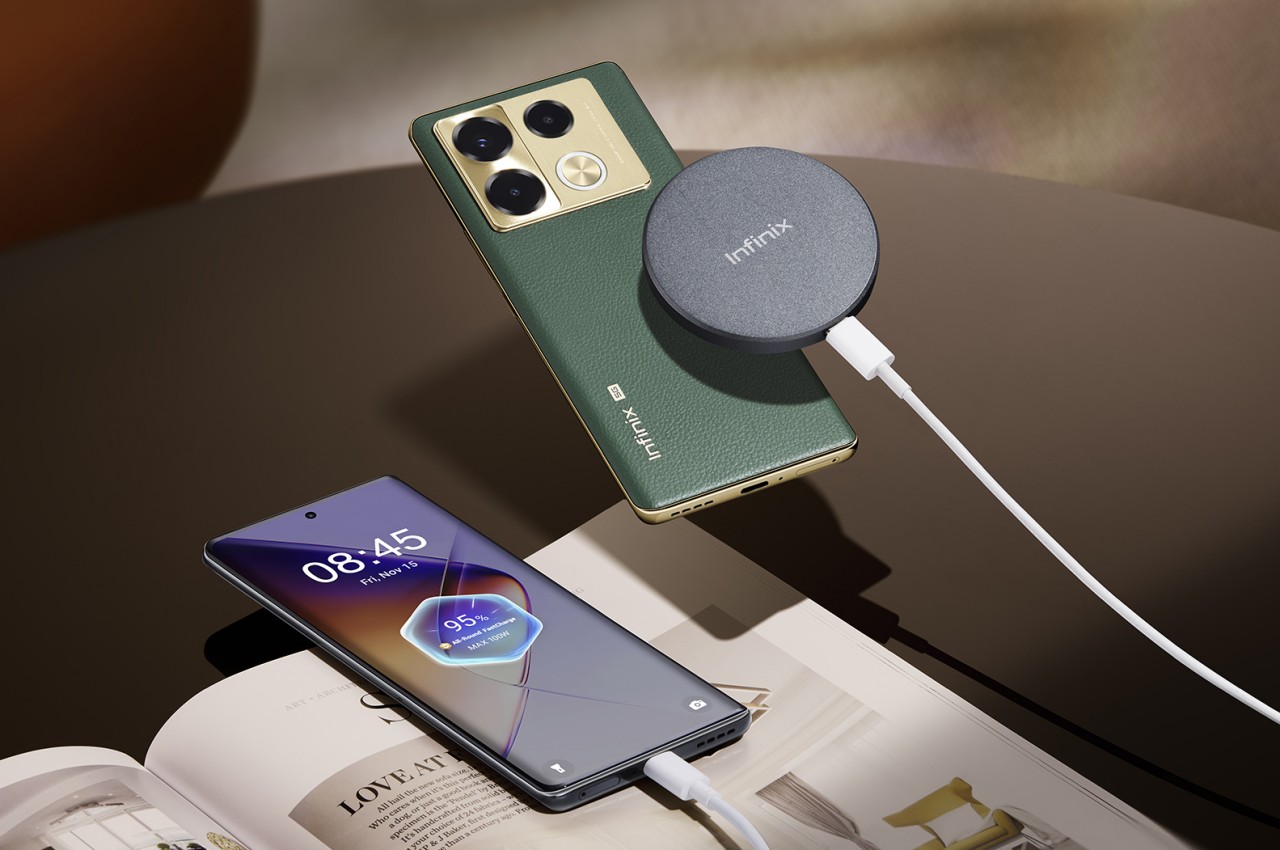
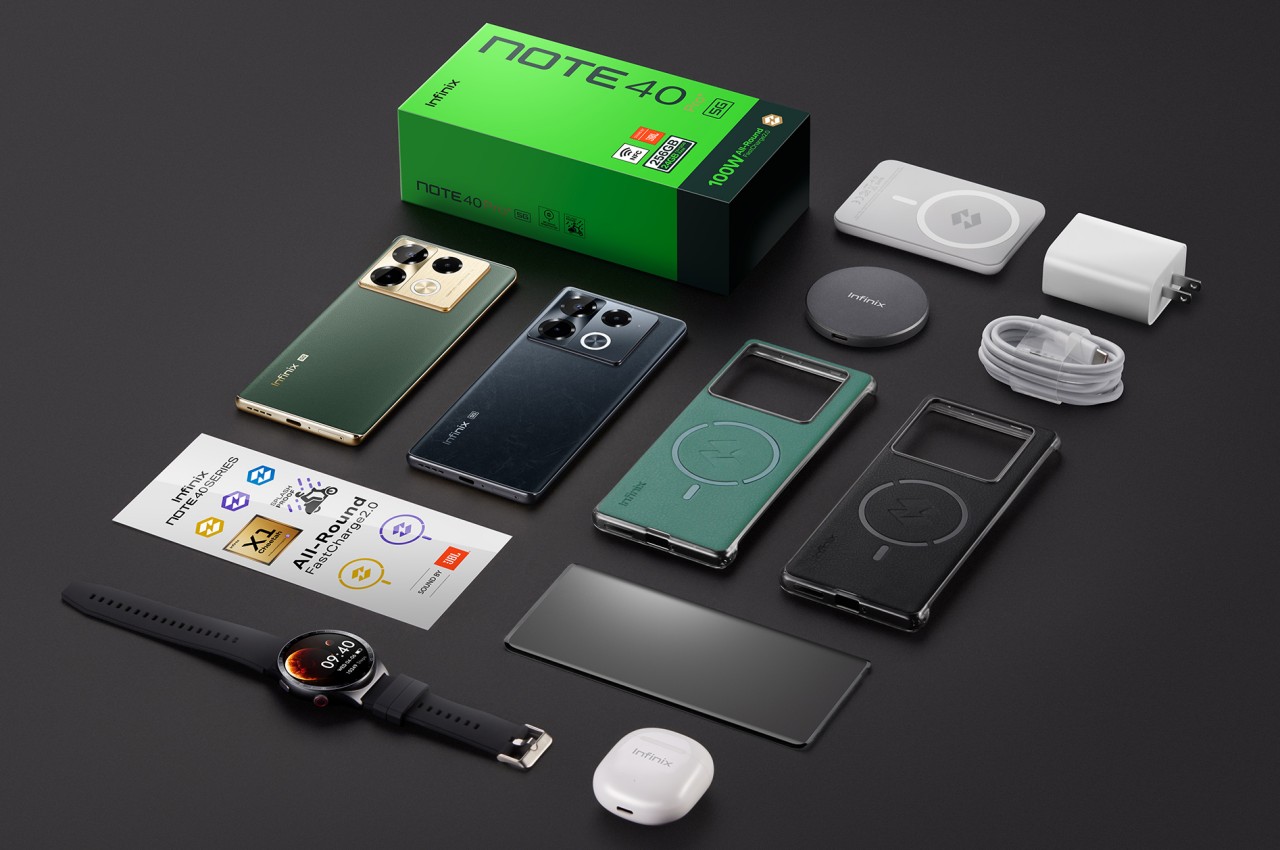
This technology supports rapid charging at 70W for the new Infinix NOTE 40 and NOTE 40 Pro (4G), as well as blazing fast 100W speeds for the Infinix NOTE 40 Pro (5G) and NOTE 40 Pro+ 5G. Thanks to Infinix’s self-developed Cheetah X1 chip, these phones can boast reaching 50% in just minutes (8 minutes for the Infinix NOTE 40 Pro+ 5G, to be precise) while still providing safety and longevity. Additional charging highlights include Bypass Charging 2.0 to minimize heat generation when playing games while the phone is plugged in, 20W wireless charging, and, perhaps most interesting, Infinix’s own brand of magnetic wireless charging technology, MagCharge.

Infinix NOTE 40 Pro (4G)

Infinix NOTE 40 Pro (4G)

Infinix NOTE 40 Pro (5G)

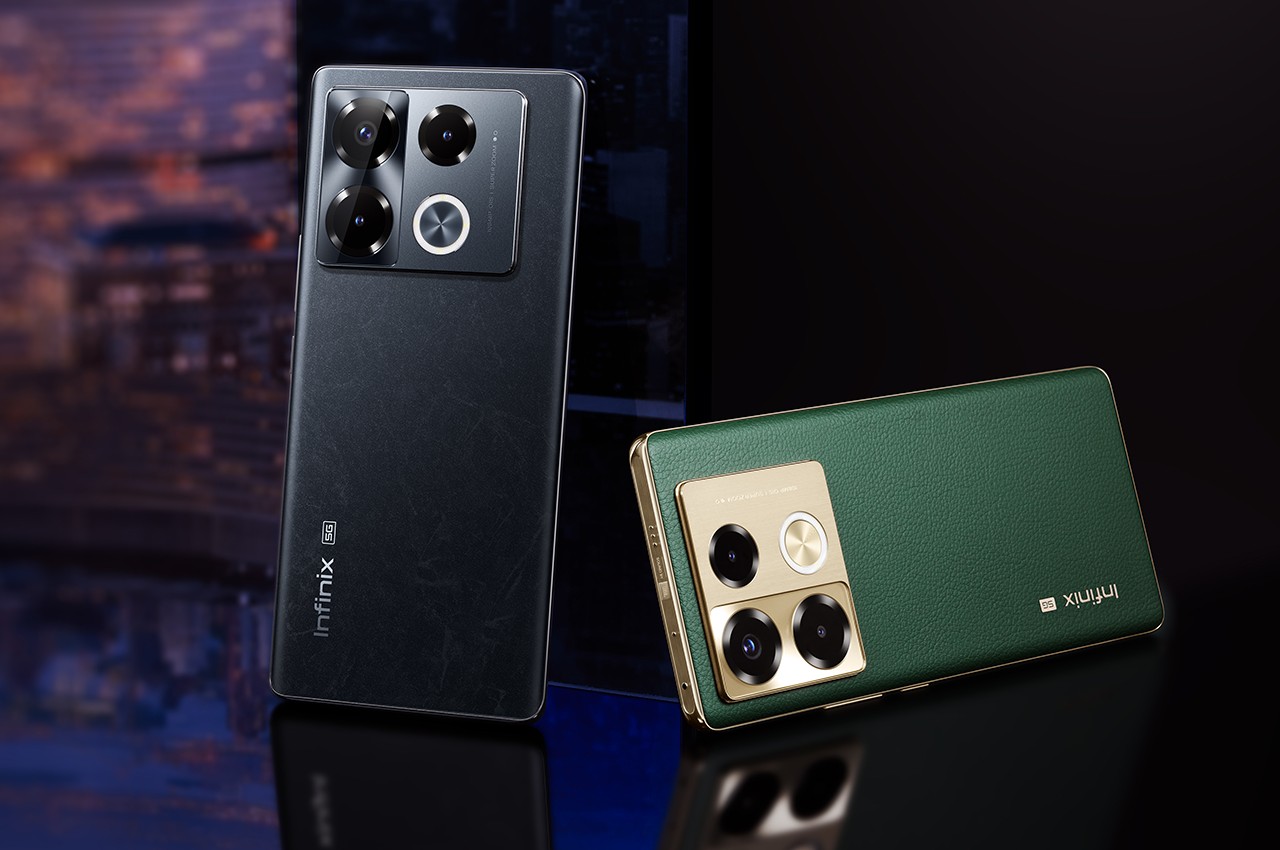
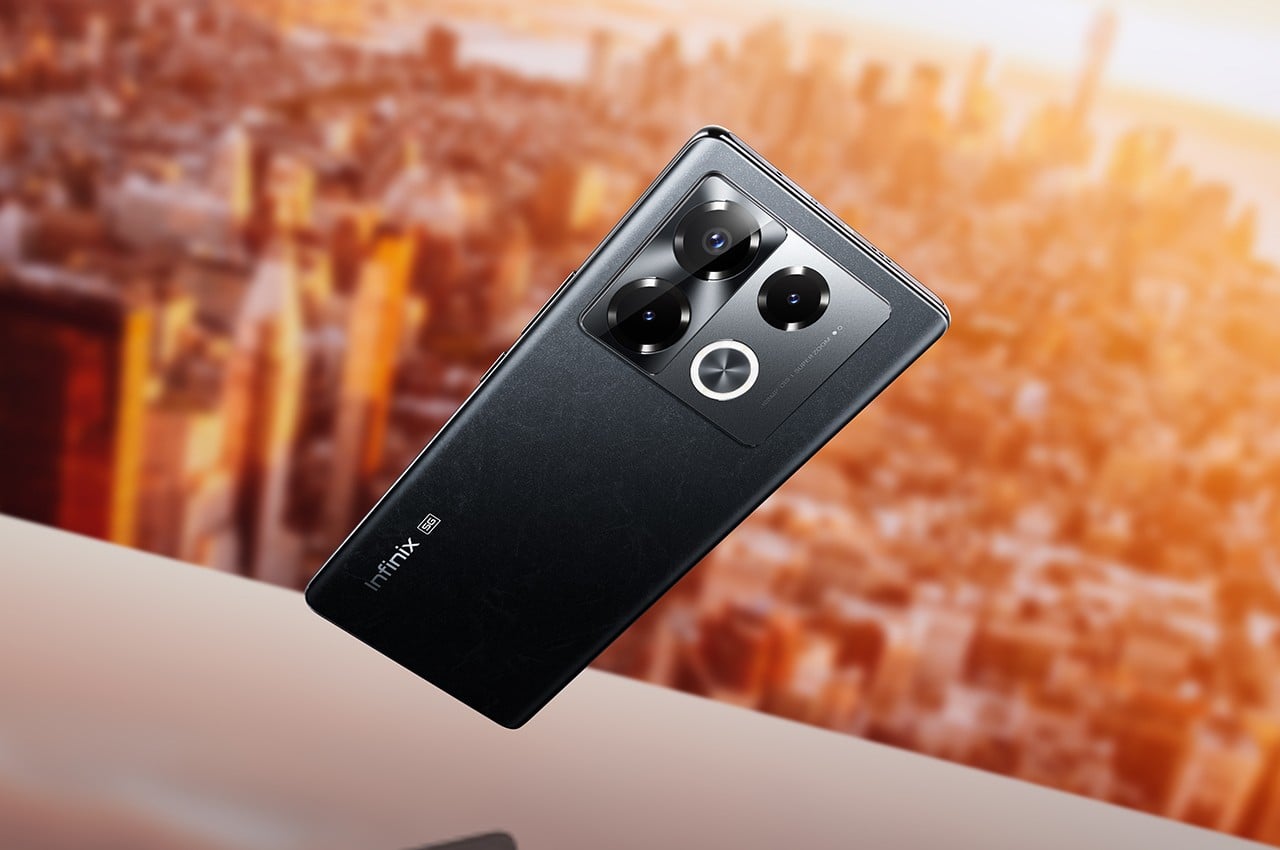
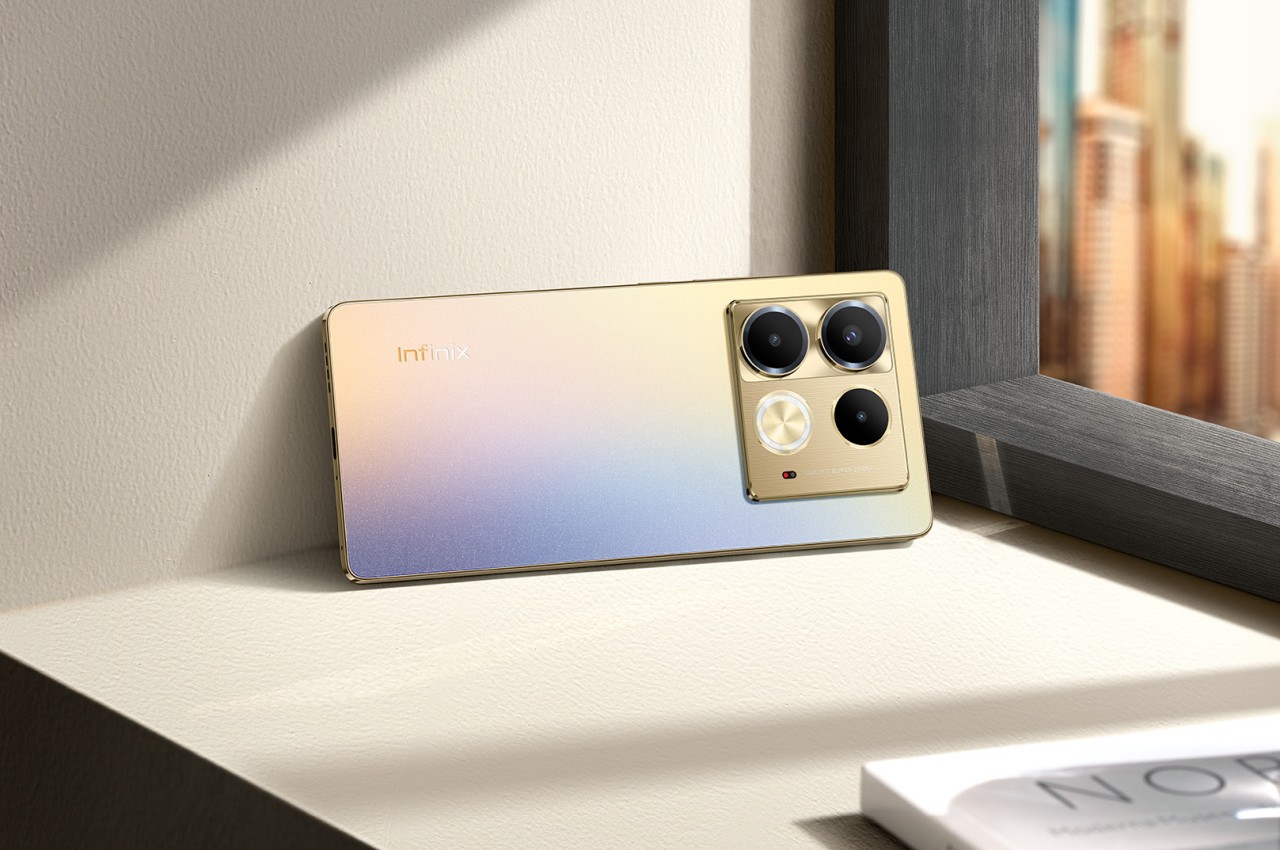
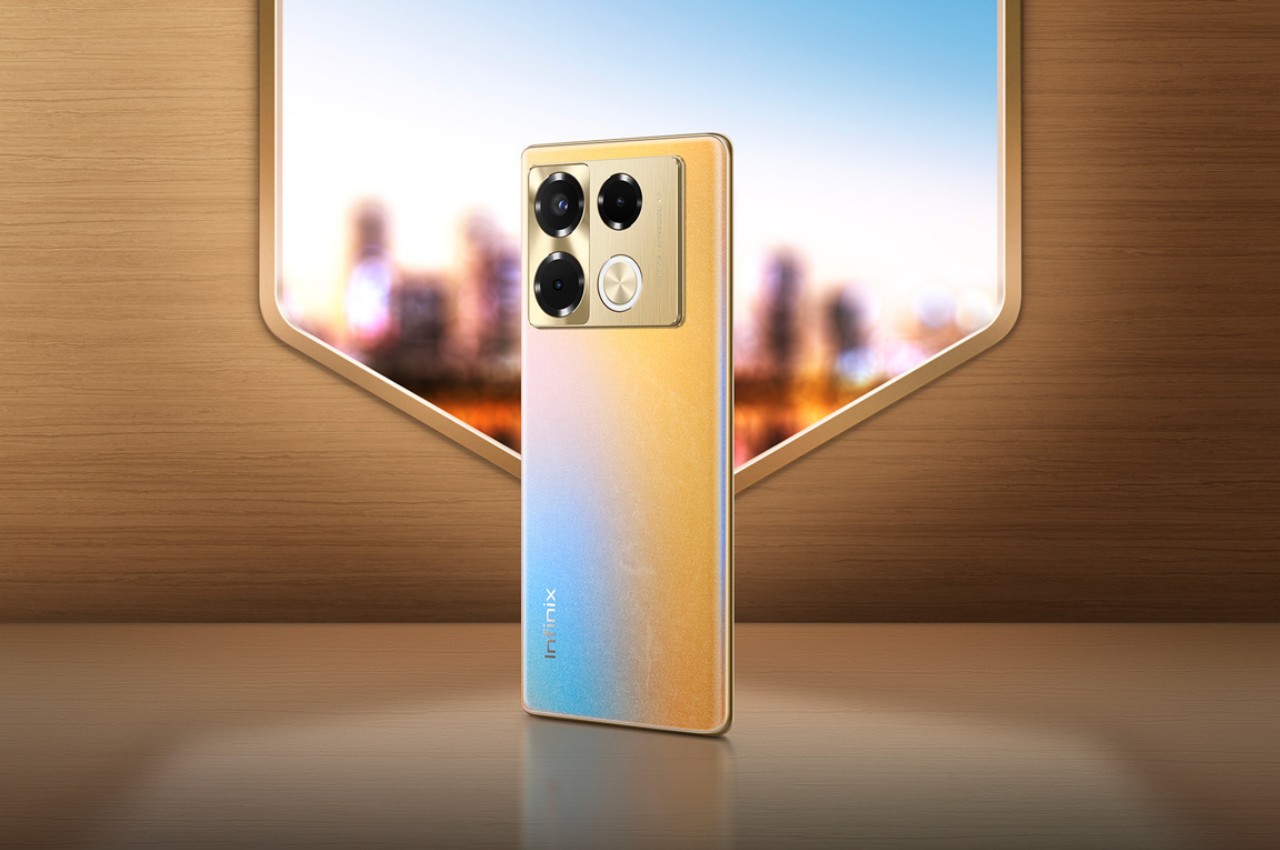
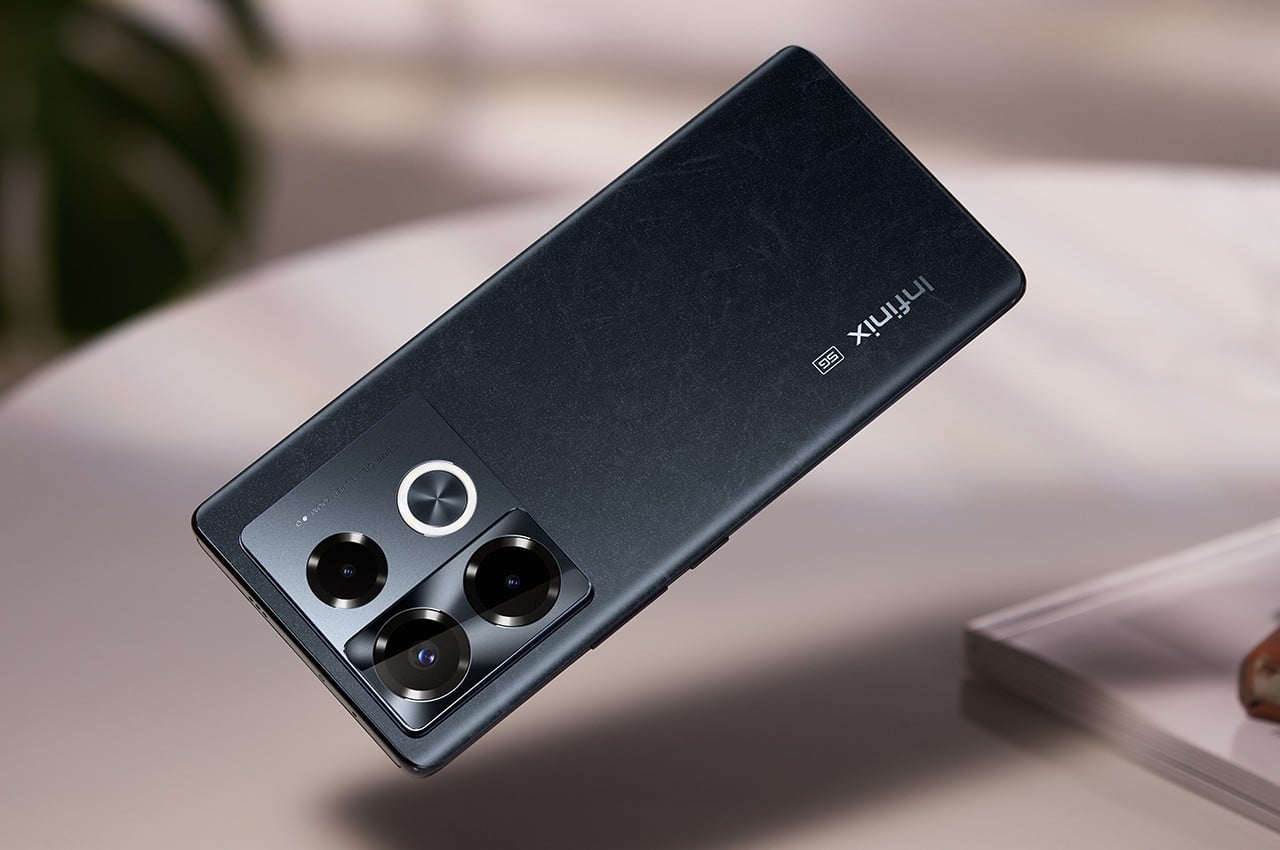
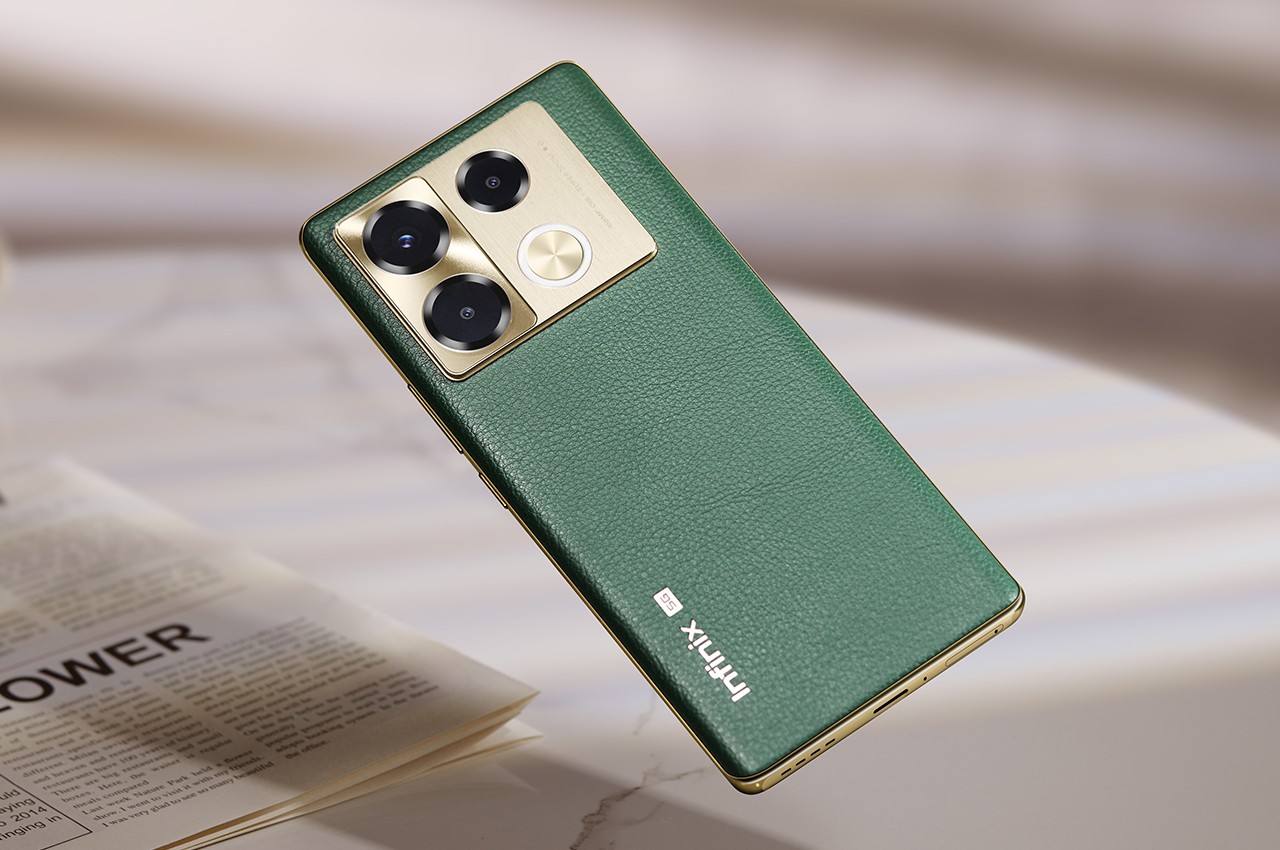
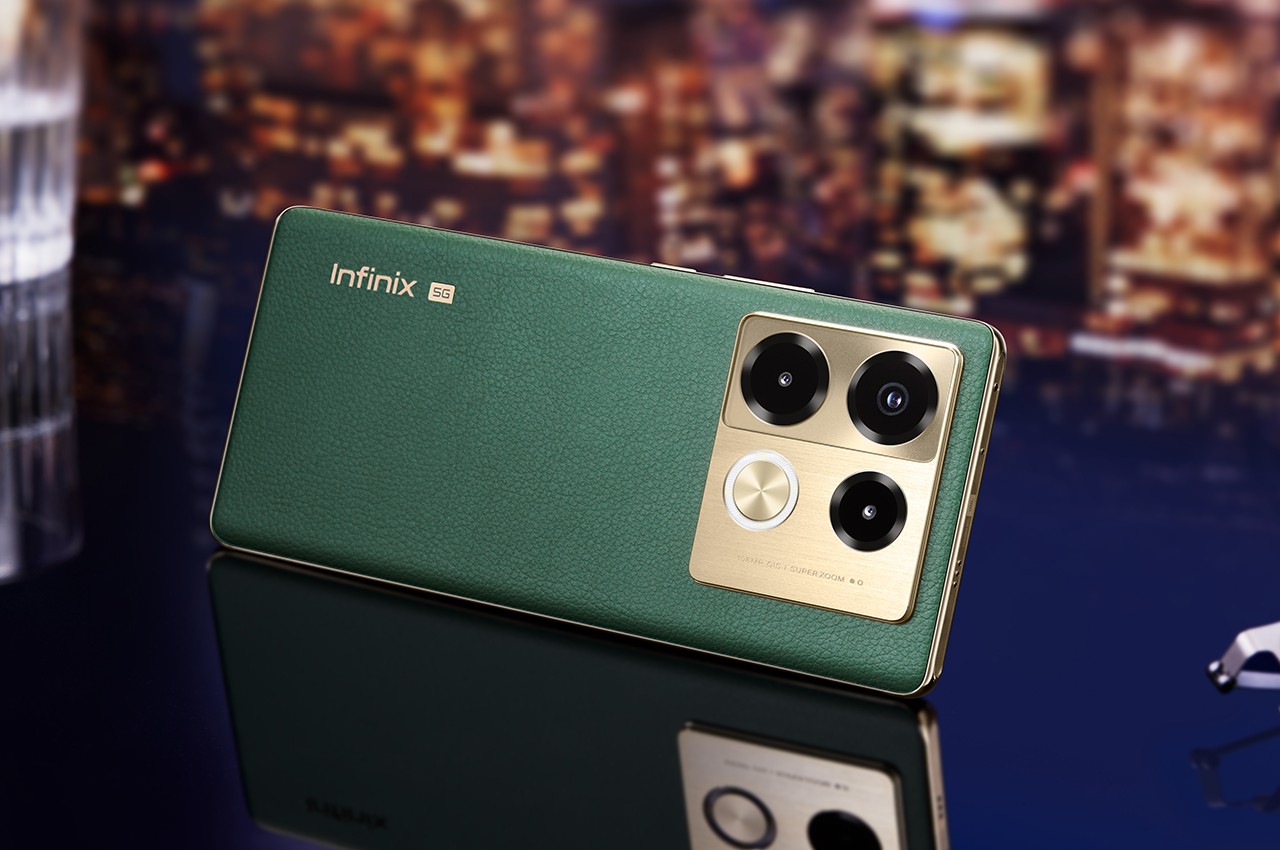
The Infinix NOTE 40 series is designed to cater to a younger audience that appreciates a more distinctive and livelier aesthetic than most gray, black, or even white phones in the market. That’s why Infinix adopted an urban theme for the phone’s designs, creating a sleek and modern appearance through smooth curves, colors, and materials. The Vintage Green, for example, tries to evoke a sense of charm for retro styles and uses vegan leather to add a bit of luxury to the finish. Titan Gold’s mix of blue and yellow tries to capture the image of the sun setting over the city’s horizon.

Infinix NOTE 40 Pro+ (5G)

Infinix NOTE 40 Pro+ (5G)

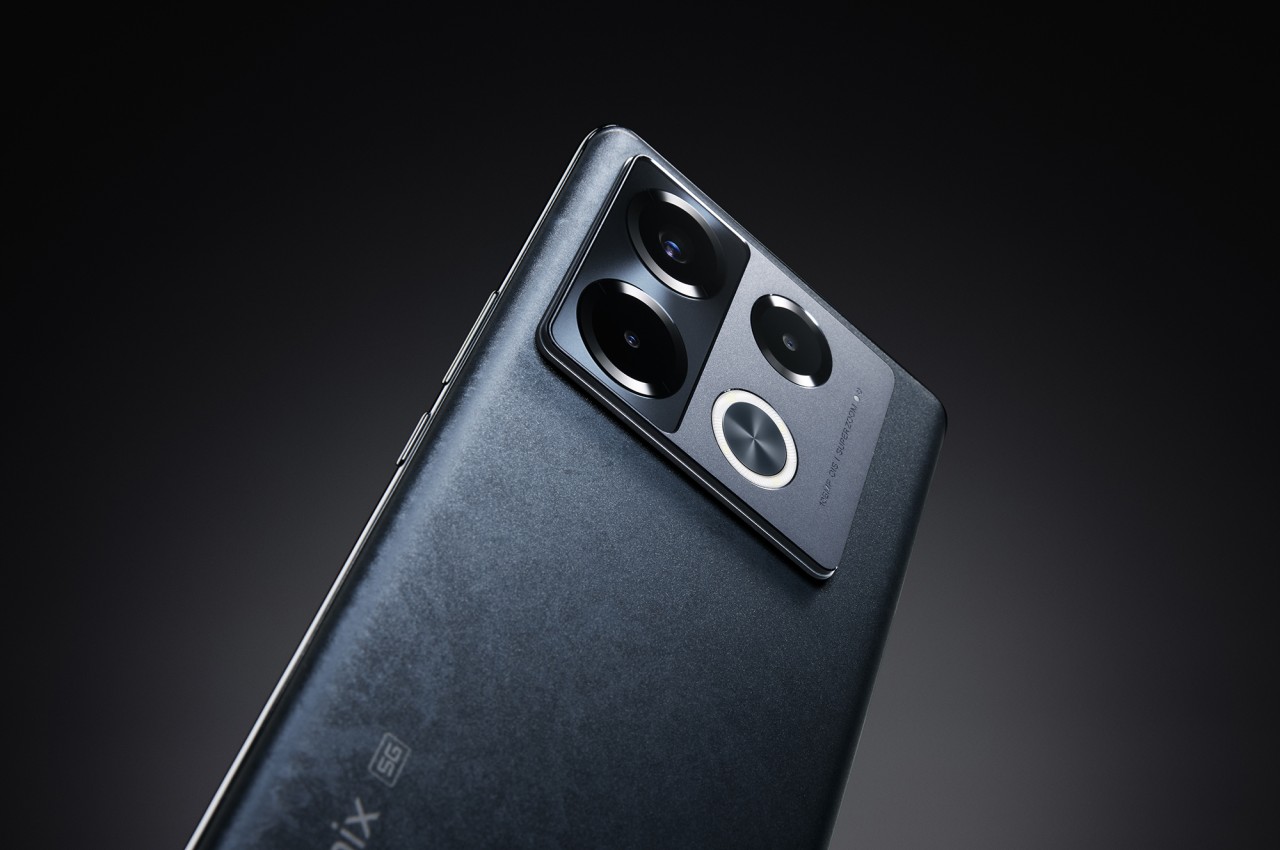
In terms of hardware, the Infinix NOTE 40 runs on MediaTek’s mid-range chips, paired with 8 or 12GB of RAM. All four models in this series get a 108MP main camera, though only the Pro variants put optical image stabilization (OIS) on it. The brand also introduces an AI-powered Active Halo lighting feature for dynamic notifications and accents to give a little life to your smartphone usage. The Infinix NOTE 40 series launches globally this month, available in Vintage Green, Obsidian Black, and Titan Gold colorways. A special BMW DesignWorks Racing Edition will be coming later this year to truly drive home the phone’s super-fast charging speed.

The post Infinix NOTE 40 phones blend sleek urban aesthetic with super-fast charging first appeared on Yanko Design.
Standalone AirPods Pro 2nd-Gen USB-C charging case might not be worth the price

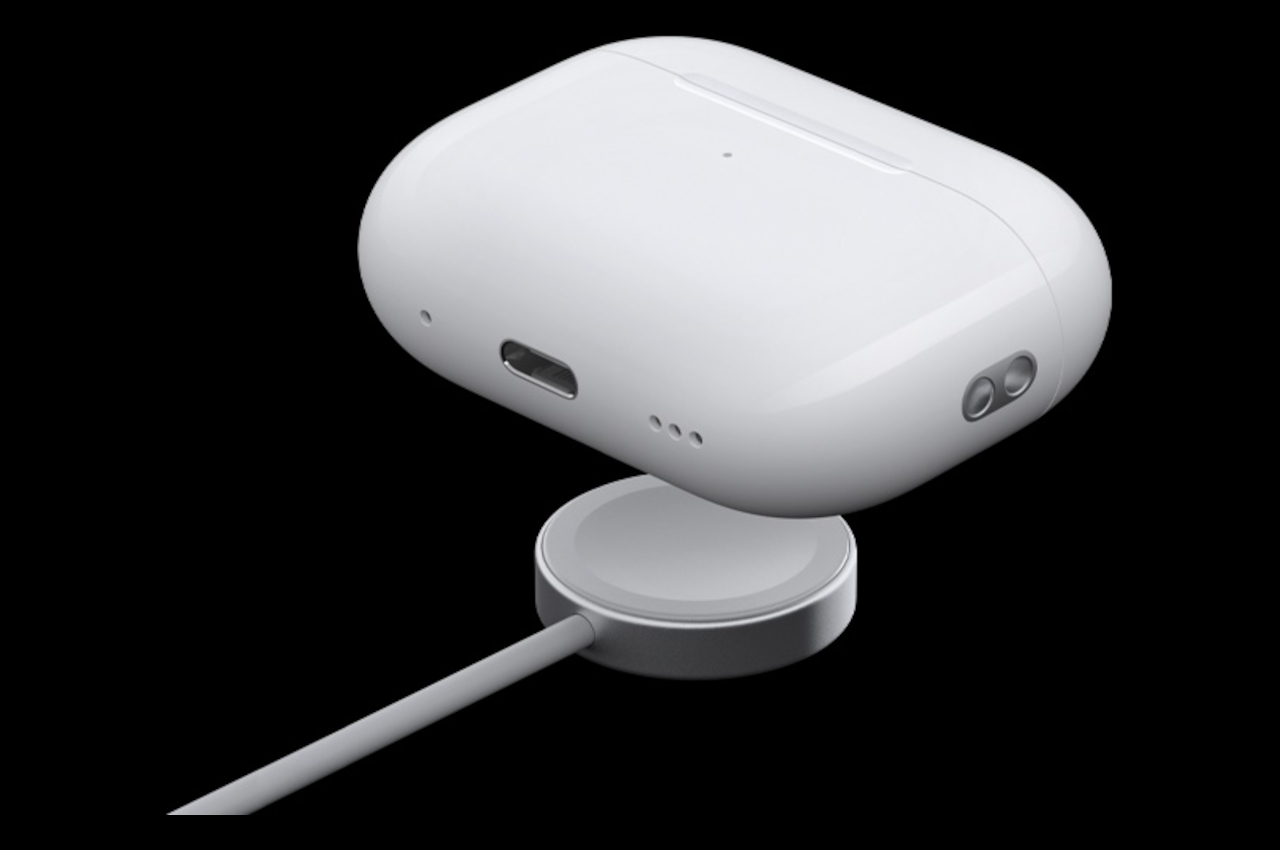
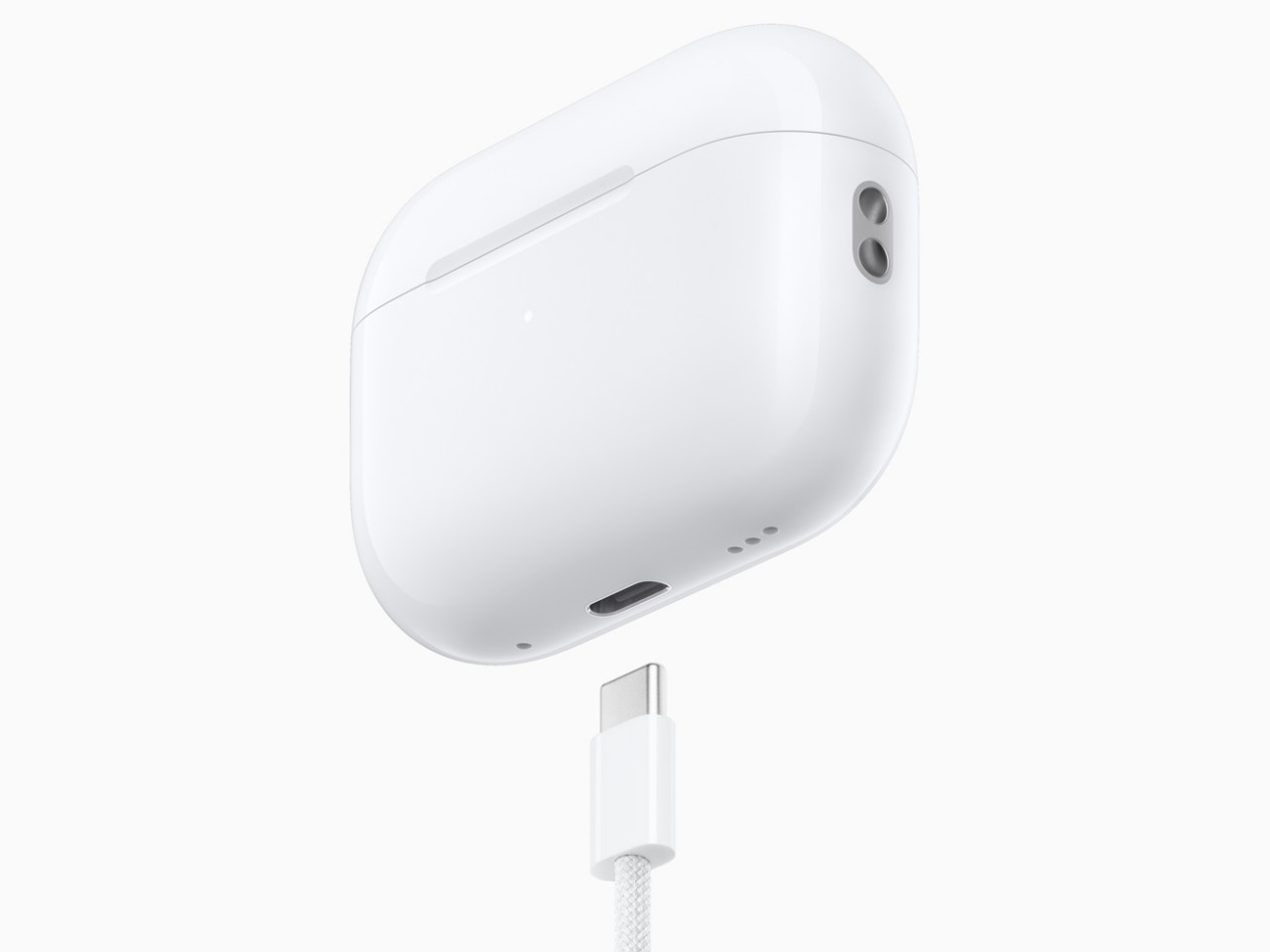
The newest iPhones have finally jumped on the USB-C bandwagon, but there are still a few Apple products that still cling to the older Lightning technology. That includes all iPhone models before the iPhone 15, older iPads, and the majority of charging cases for the AirPods. A few months back, Apple did release a version of the 2nd-gen AirPods Pro with a USB-C charging case, but you’ll have to buy the whole set to enjoy this upgrade, both earbuds and charging case. If you already have a 2nd-gen AirPods Pro that came with a Lightning charging case, however, you can now just buy the USB-C case on its own, but the price tag on this very optional accessory could have you thinking twice why you’d want to buy one in the first place.

Designer: Apple

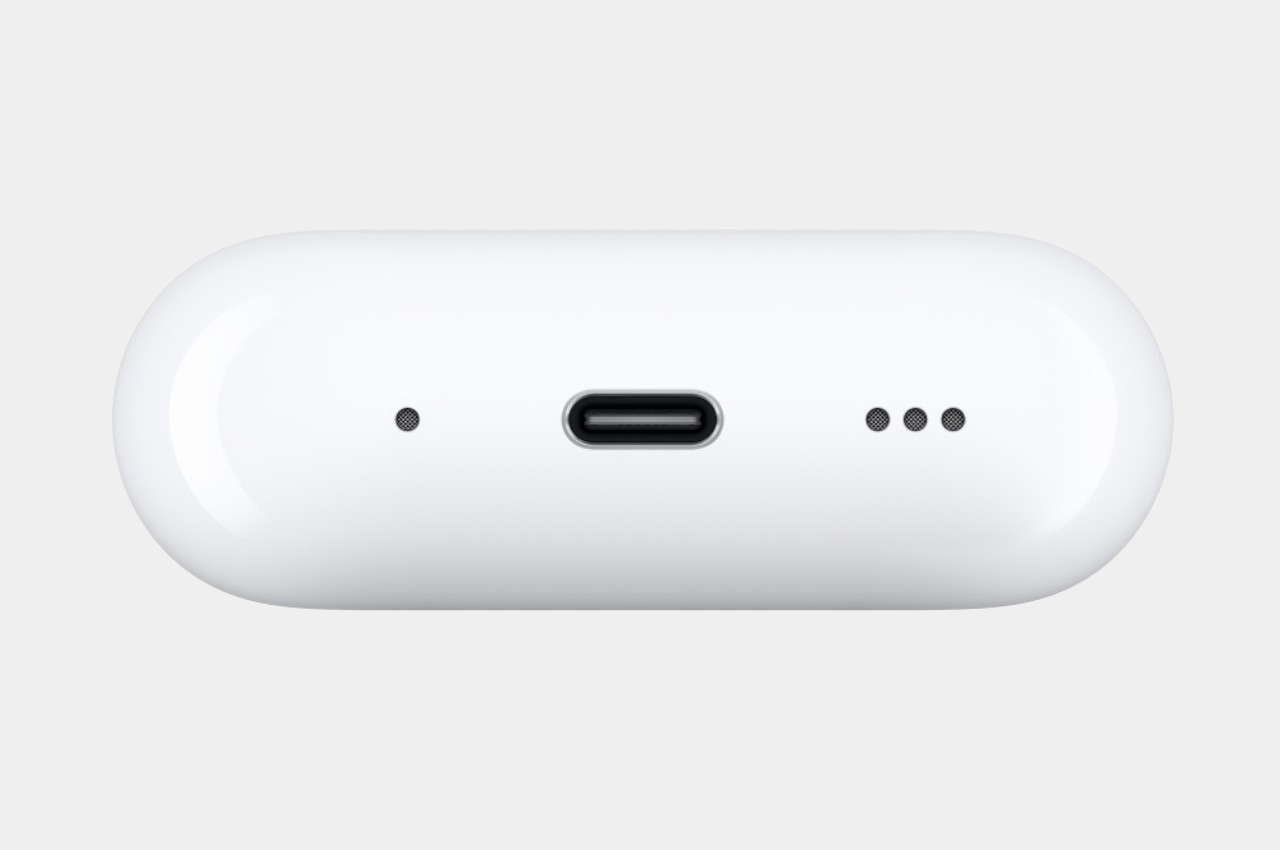
To be fair, the USB-C charging case does have a few advantages, though the biggest one would be consistency between the most recent Apple devices. You won’t have to carry a separate Lightning cable, presuming you’ve gone all-in on USB-C already. There’s also this convenient reverse charging feature where you can charge the AirPods Pro case from an iPhone 15 using a USB-C to USB-C cable. Handy in an emergency but not exactly a ground-breaking game-changer.

Given the nearly similar features, the $99 price tag on this standalone USB-C charging case for the AirPods Pro 2nd-Gen might seem a little excessive. It also only makes sense if you already have the Lightning version of these AirPods Pro and only want to enjoy the benefits of USB-C mentioned above. Otherwise, it doesn’t offer any charging speed advantages between these two models and both support the same wireless MagSafe capability.

That said, you might want to upgrade from the 2nd generation Lightning AirPod Pro to its USB-C sibling for future-proof durability and features. The USB-C AirPods Pro 2nd-Gen has an IP54 rating, up from last year’s IPX4, which means it’s better protected against dust and small particles, though it’s still only splashproof rather than waterproof. It will, however, support lossless audio when paired with the Apple Vision Pro headset, at least if you can get your hands on one next year.

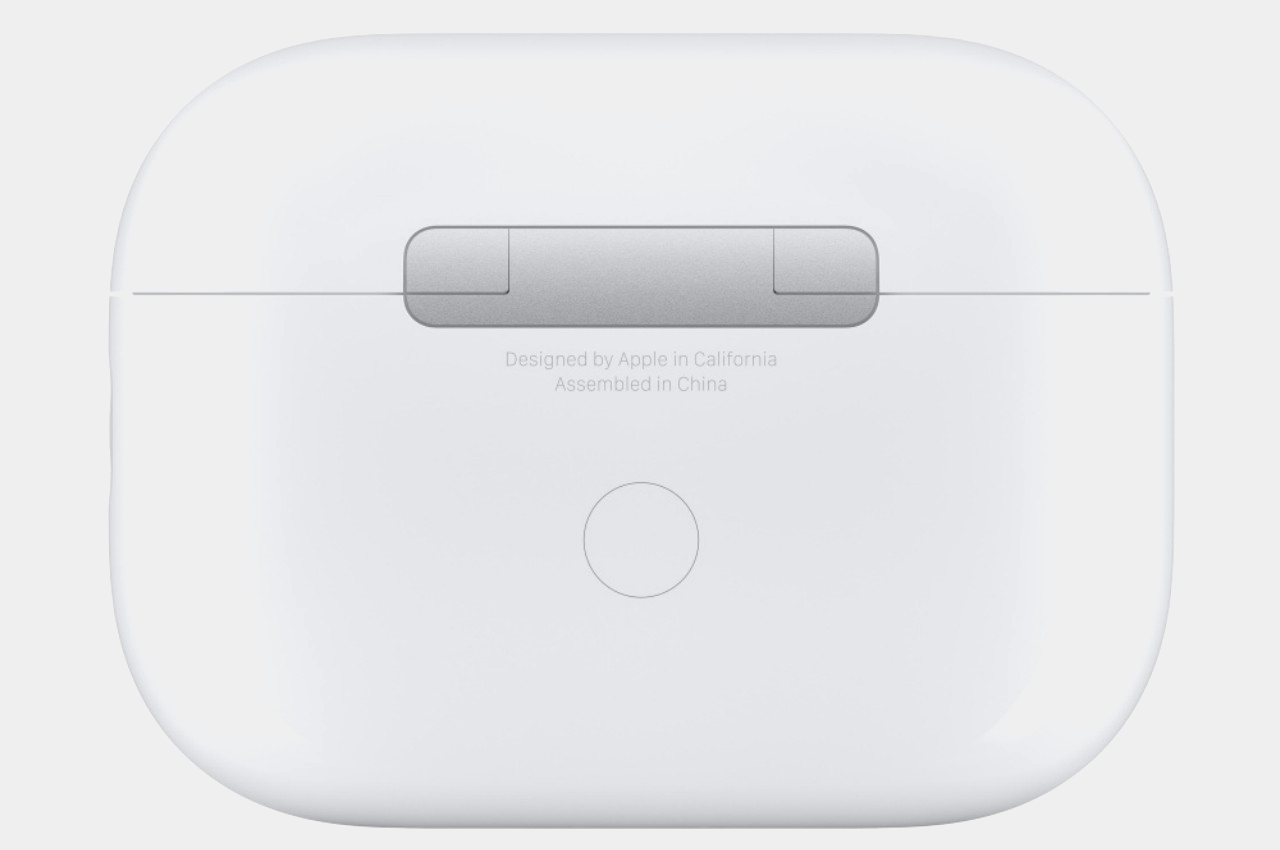
The USB-C case itself is also IP54 rated, but you won’t get the dust-proofing upgrade for the earbuds just by switching cases. That makes the standalone case less appealing for the majority of AirPods owners. Then again, there will always be someone who wants a complete and consistent set of products or may have had the misfortune of losing their original charging case. Fortunately, now you won’t have to buy a new set just to replace that.

The post Standalone AirPods Pro 2nd-Gen USB-C charging case might not be worth the price first appeared on Yanko Design.