This $146 Raspberry Pi 5 Case Has a Touchscreen and Runs AI Locally

The Raspberry Pi has always been a tinkerer’s dream, a tiny board that can become almost anything with enough creativity. Over the years, its growing capabilities have attracted developers, home automation enthusiasts, and even edge AI experimenters who want real processing power in a compact, low-cost package. The persistent challenge has been housing all of that potential in something that looks and works like a proper desktop.

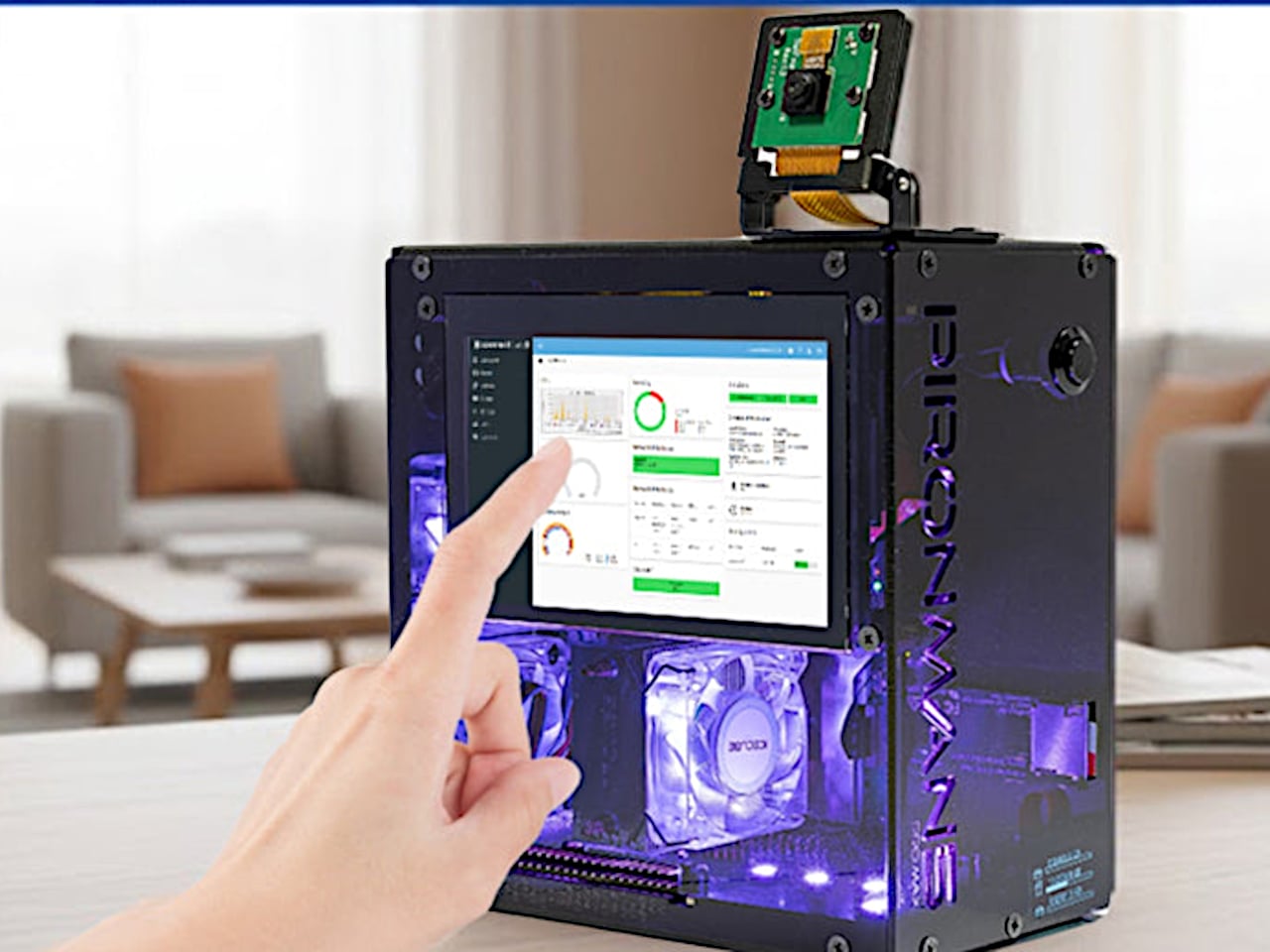
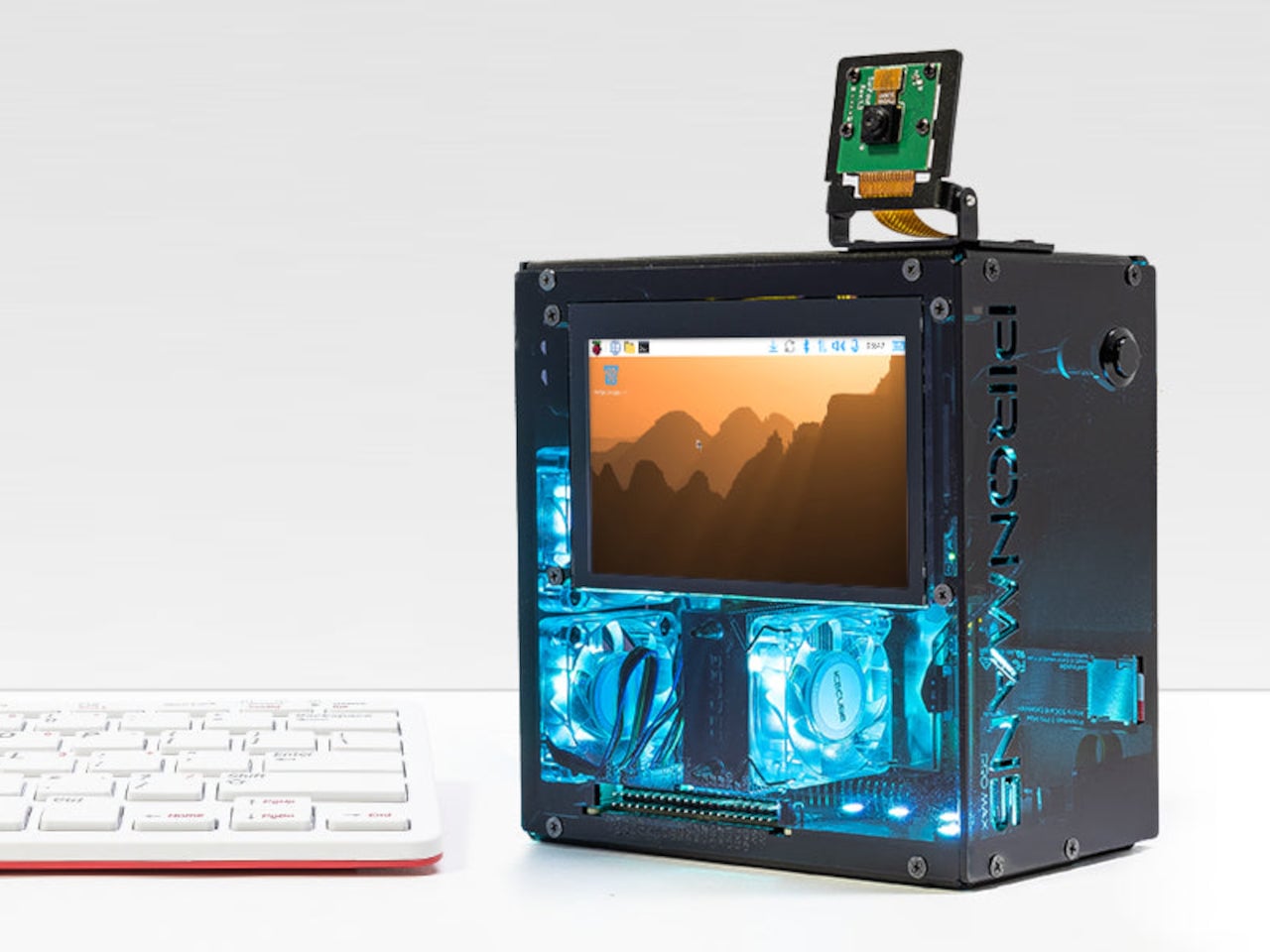
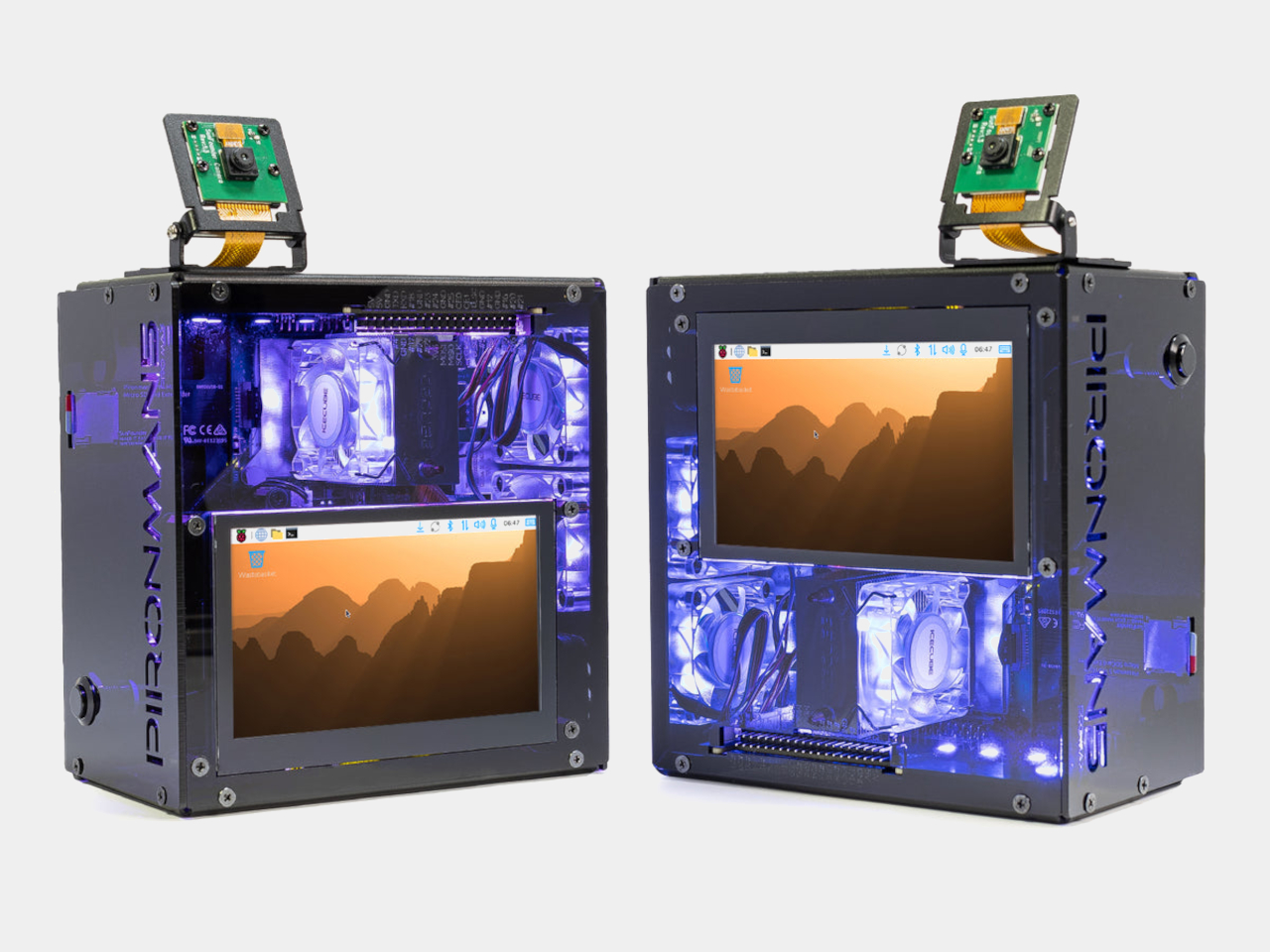
SunFounder’s Pironman 5 Pro Max takes a direct swing at that problem. It’s a dark anodized aluminum tower case designed exclusively for the Raspberry Pi 5, surrounding it with enough hardware to make it a genuinely capable desktop machine. The case and all its bundled accessories start at $145.99 without the Pi itself, which is a lot of kit for something technically sold as a bare enclosure.

Designer: SunFounder
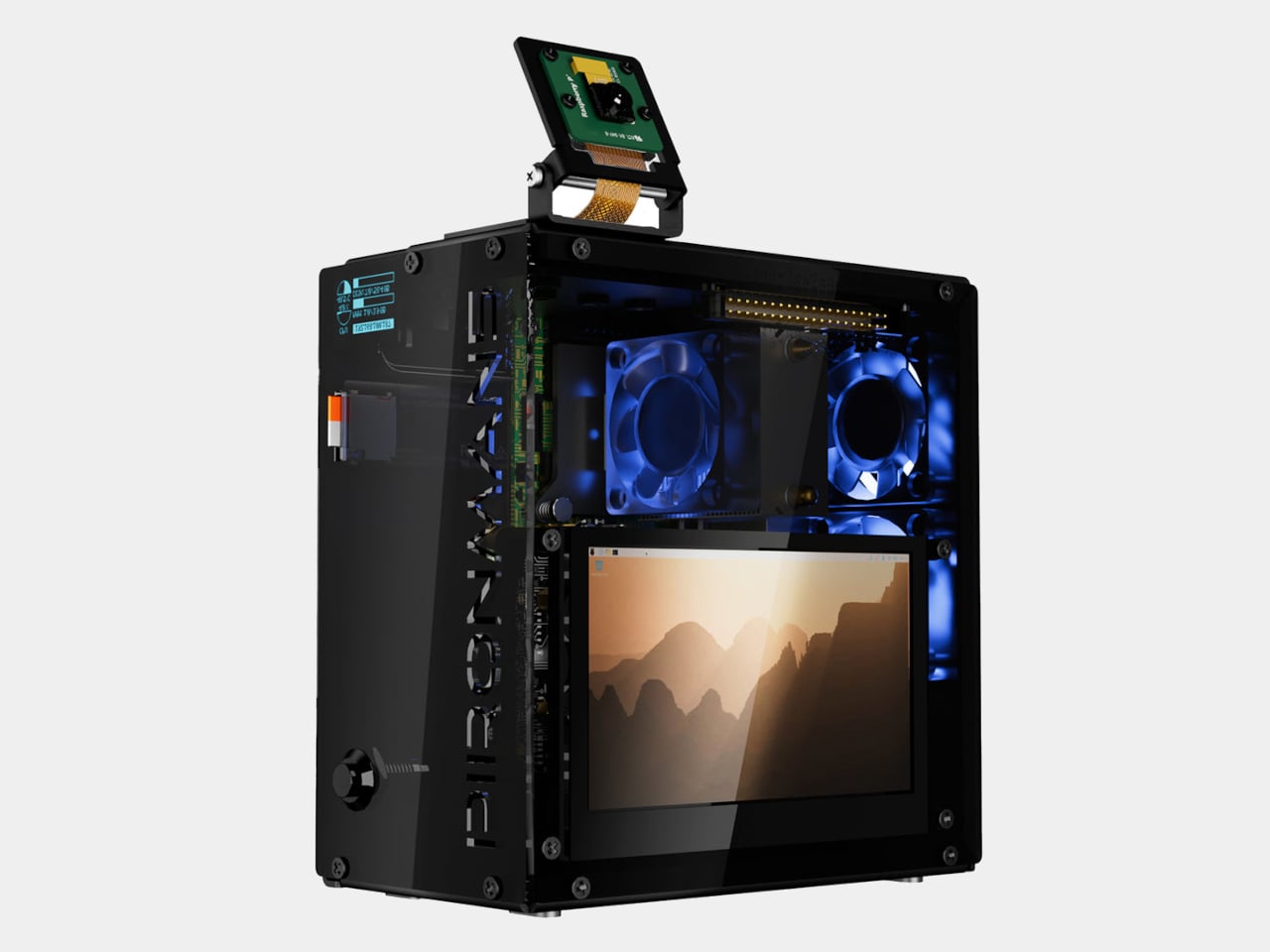
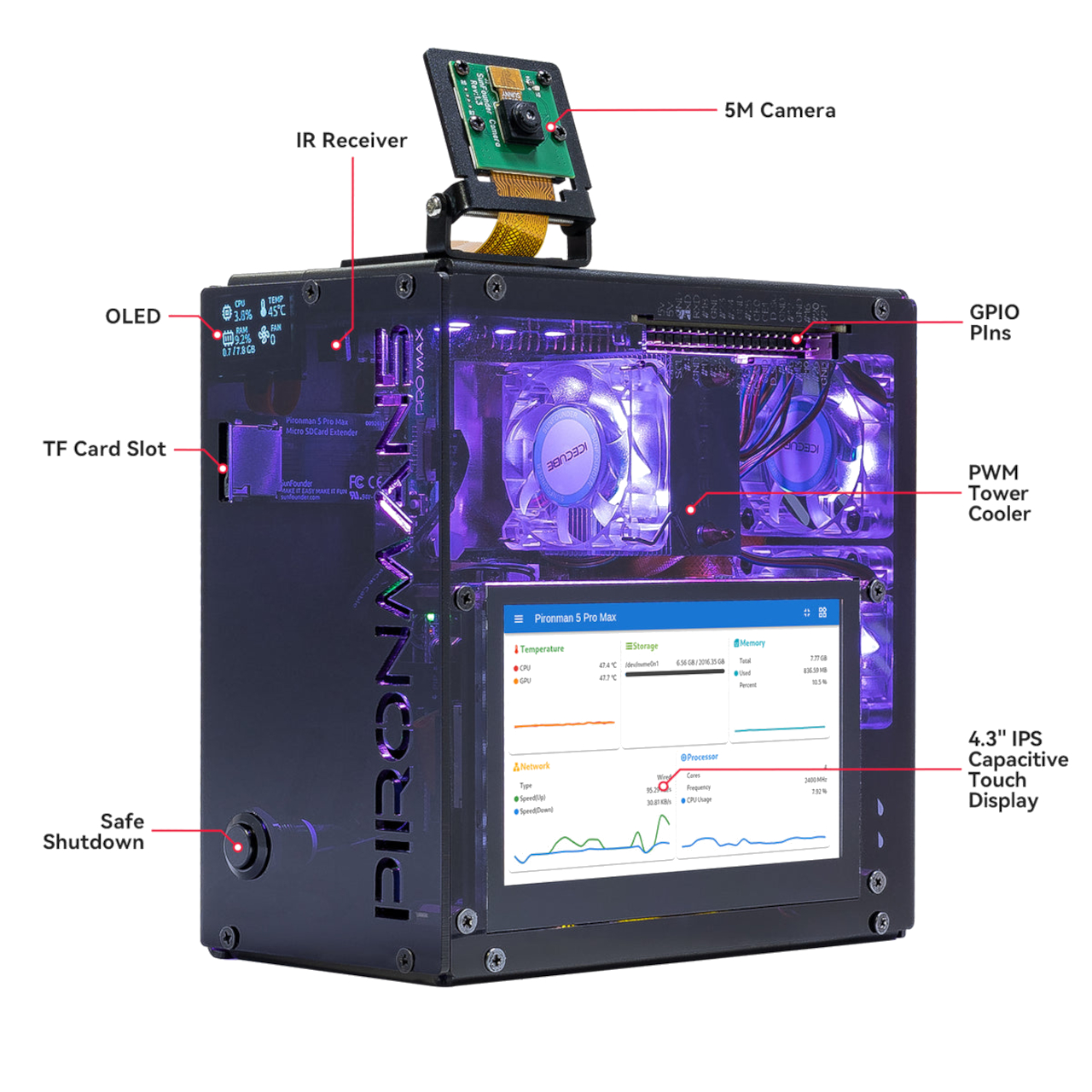
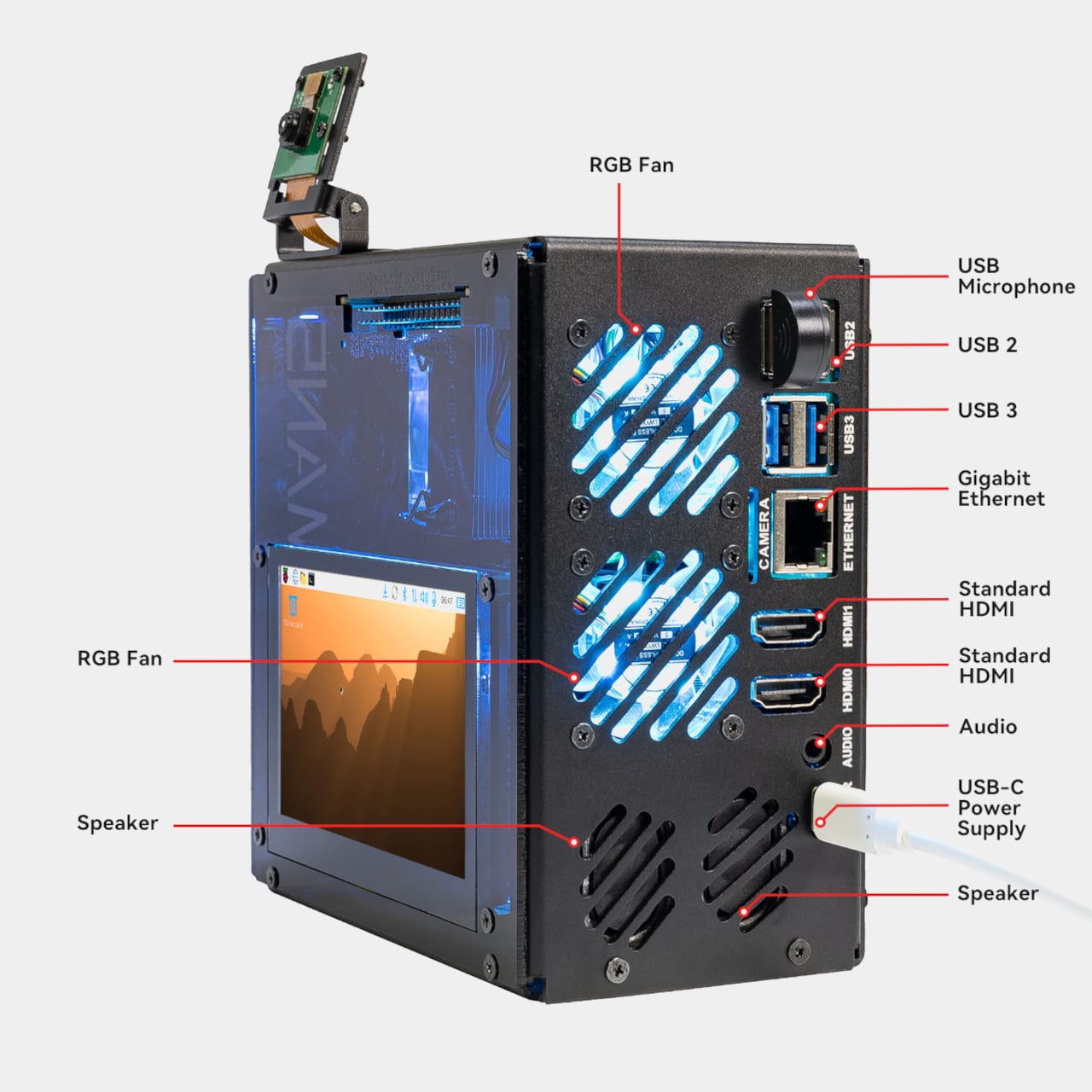
The most visible feature is the 4.3-inch capacitive touchscreen on the front (or side, depending on your point of reference), giving direct, tactile access to whatever you’re running. Alongside it are a 5MP adjustable camera module, stereo speakers, a USB microphone, and a 3.5mm audio jack, all included in the box. Together, they open the door to voice interfaces, video recording, and interactive displays without requiring a single extra module or dangling cable.
Storage and AI expansion come from dual NVMe M.2 slots driven by a PCIe Gen 2 switch. They support RAID 0 for speed or RAID 1 for redundancy, making the Pironman a surprisingly capable home NAS. The same slots are also compatible with Hailo-8 and Hailo-8L AI accelerators for running local language models like DeepSeek or Ollama without a cloud connection.
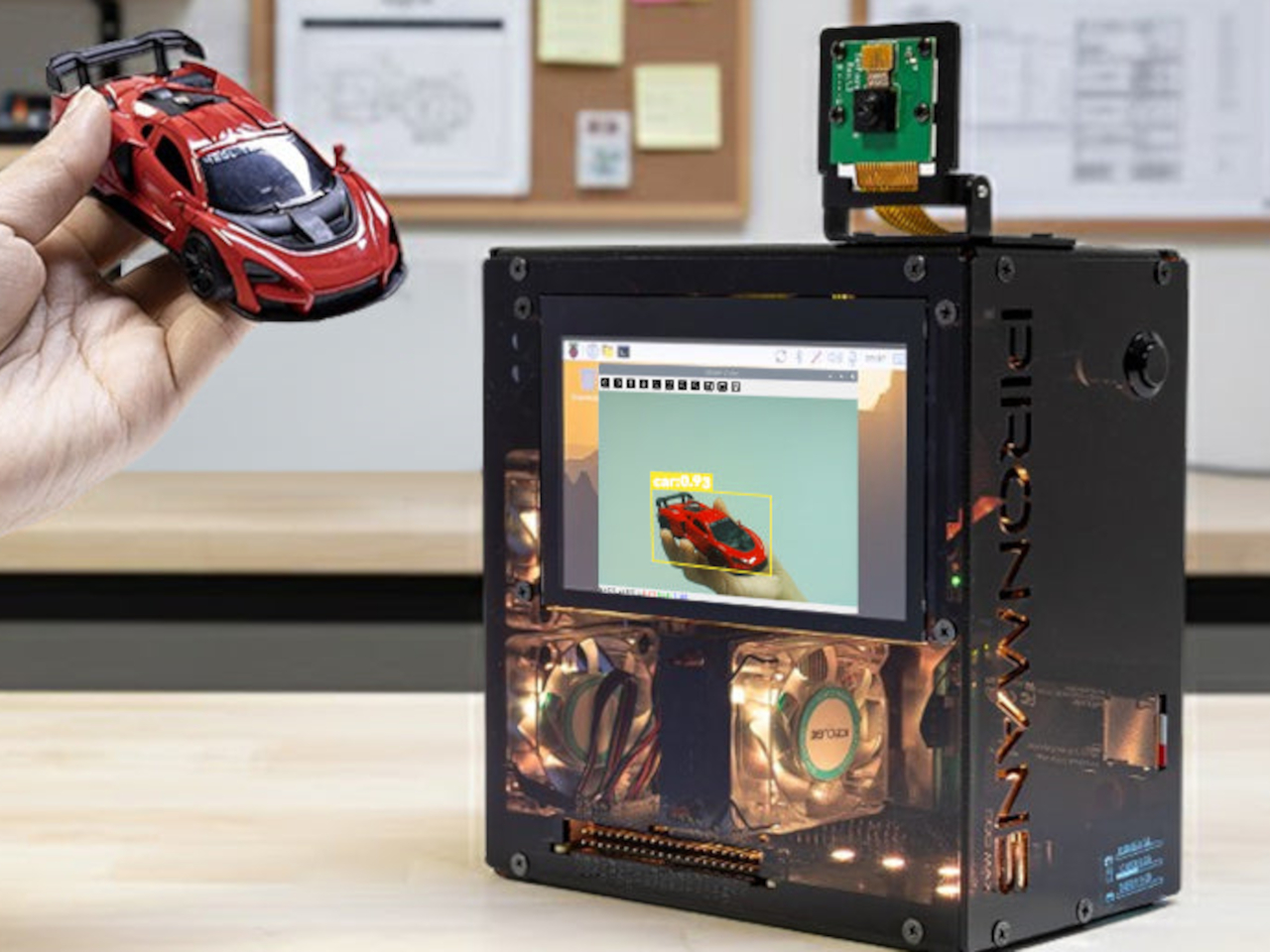
SunFounder’s OpenClaw platform ties a lot of that together, letting you build a personal AI agent directly on the hardware. You can connect it to cloud-based services like ChatGPT and Gemini, or keep everything local with Grok, Ollama, and DeepSeek. It’s a bold pitch for a single-board computer, but one the Raspberry Pi 5’s improved architecture was quietly building toward.

Cooling is managed by a PWM tower cooler with dual RGB fans, keeping the Pi 5, NVMe drives, and any attached Hailo accelerator stable under sustained load. A front-facing OLED display shows real-time CPU usage, RAM, temperature, and IP address, while a metal power button handles safe shutdowns and an RTC battery holder supports projects that can’t afford unexpected downtime.
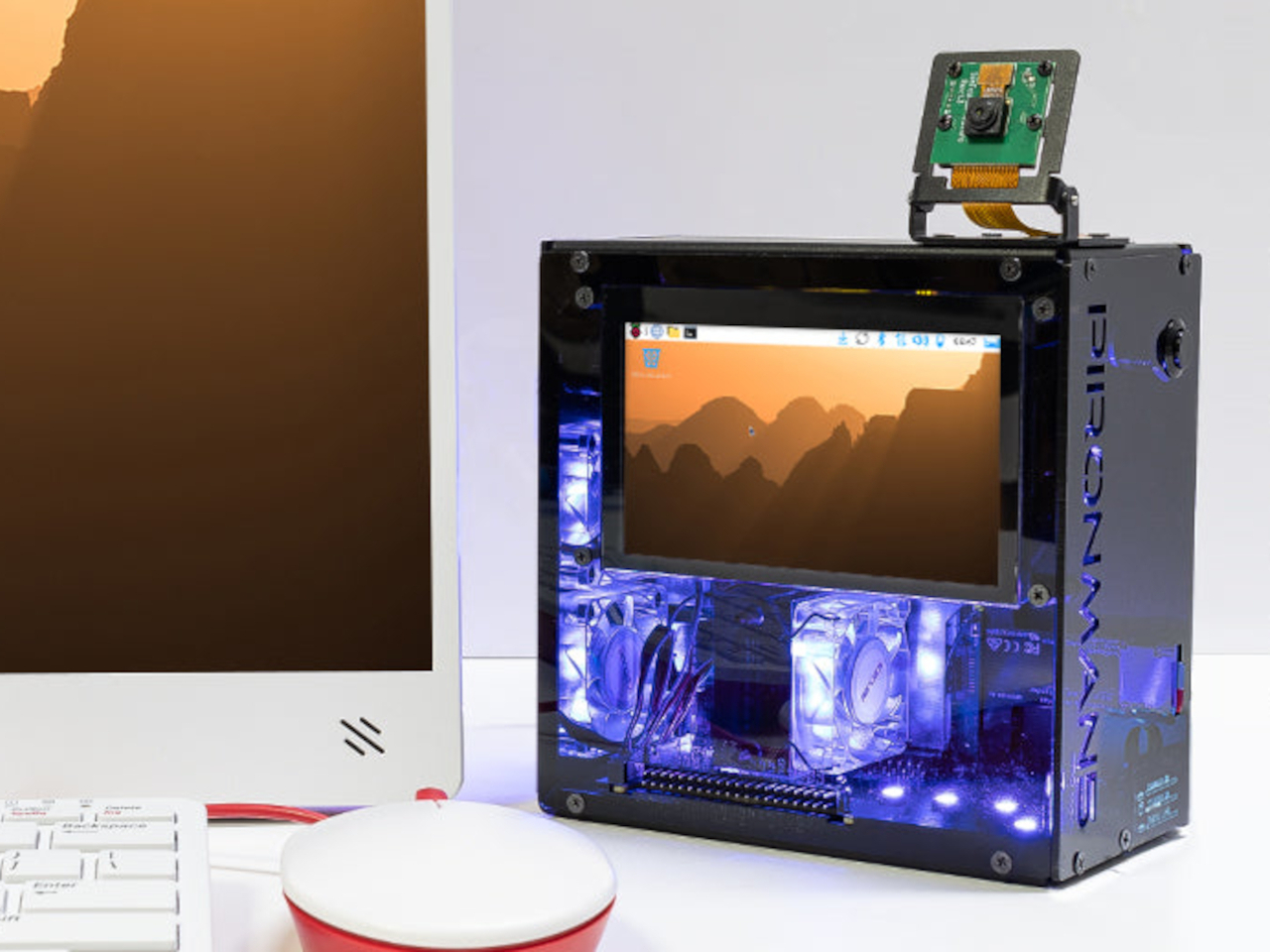
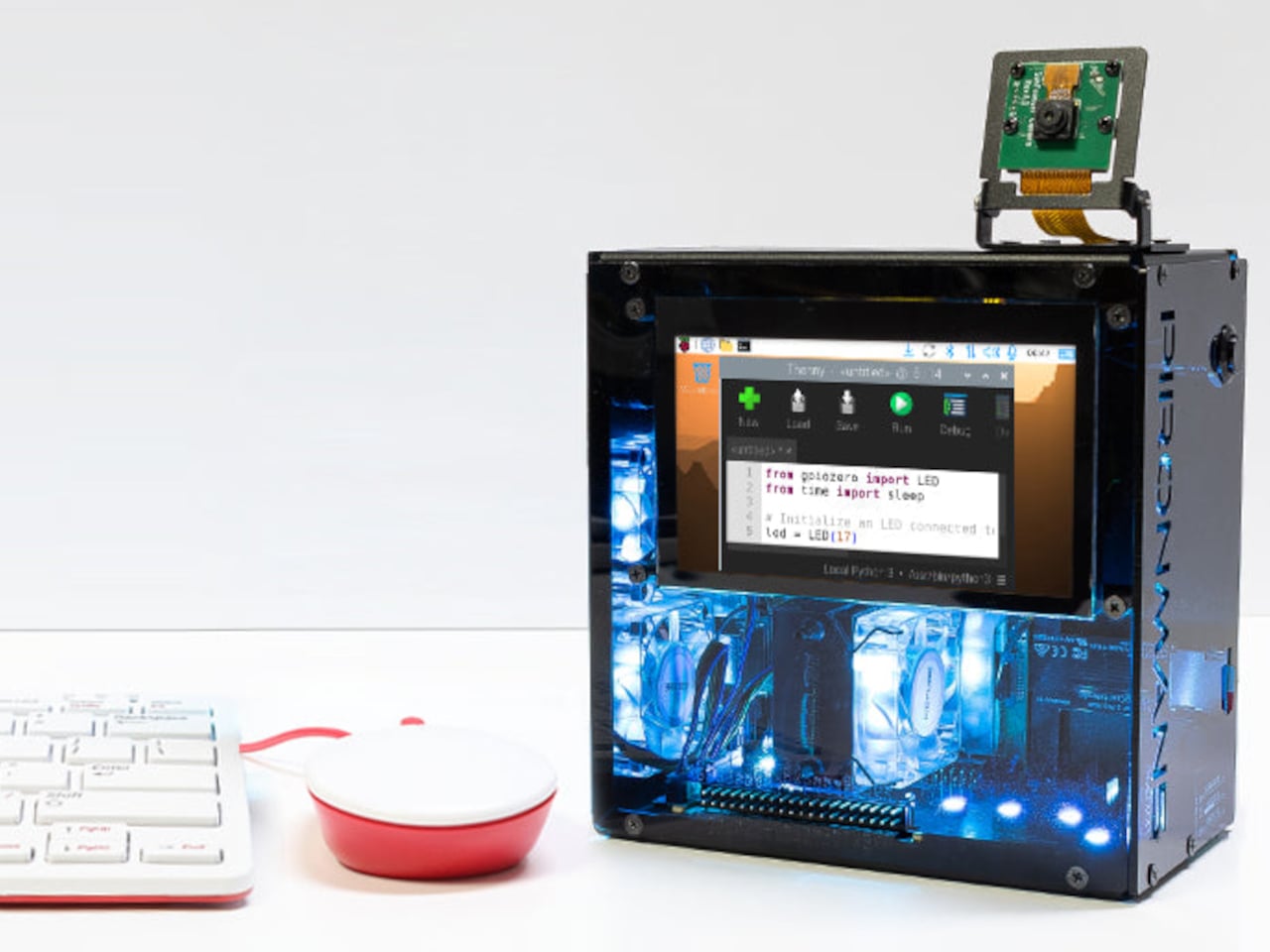
The chassis measures 140.9mm x 77.0mm x 138.7 mm and includes a GPIO extender, a spring-loaded microSD slot, rear USB 2.0 ports, and a 27W USB-C power input. It runs on Raspberry Pi OS, Ubuntu, Kali, and Homebridge OS, giving it the range to serve as a media center, development workstation, or smart home hub without needing to swap hardware between projects.

For $145.99, the Pironman 5 Pro Max is selling the hardware to build a finished computer around a board that already fits in your pocket. That gap between bare single-board computer and fully equipped desktop has always been the Raspberry Pi community’s favorite problem to tackle, and few cases have gone after it with quite this much ambition.

The post This $146 Raspberry Pi 5 Case Has a Touchscreen and Runs AI Locally first appeared on Yanko Design.
This E Ink Flip Case Shows the Time Without Ever Waking Your Phone

Smartphone cases have become one of the more predictable corners of the mobile accessory market. Most of them do exactly what you’d expect: wrap around the phone, absorb some impact, and stay out of the way. A few go further with card slots or battery packs, but the core idea hasn’t changed much in years. You’re still waking the screen every time you want a quick glance at the time.

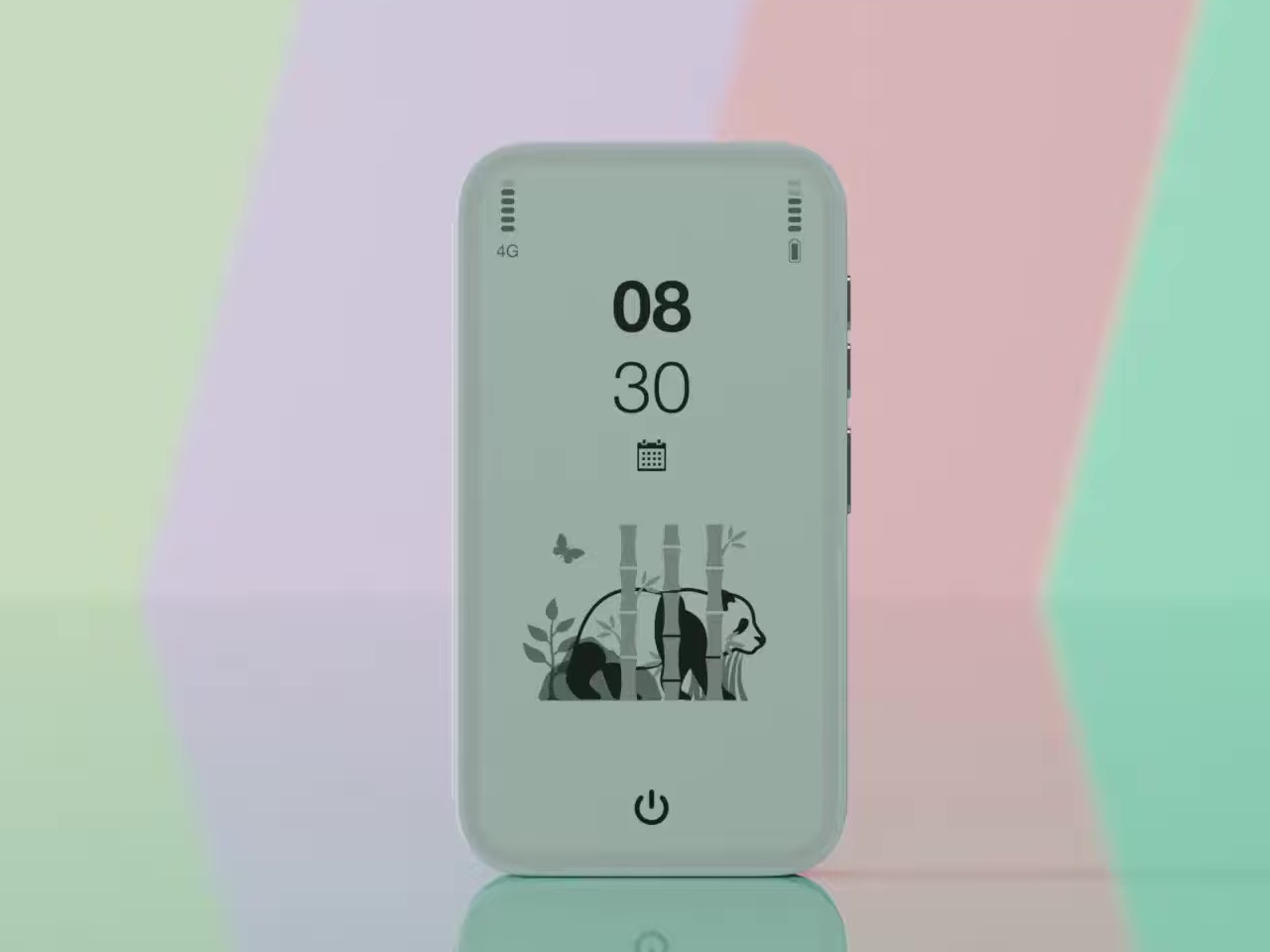
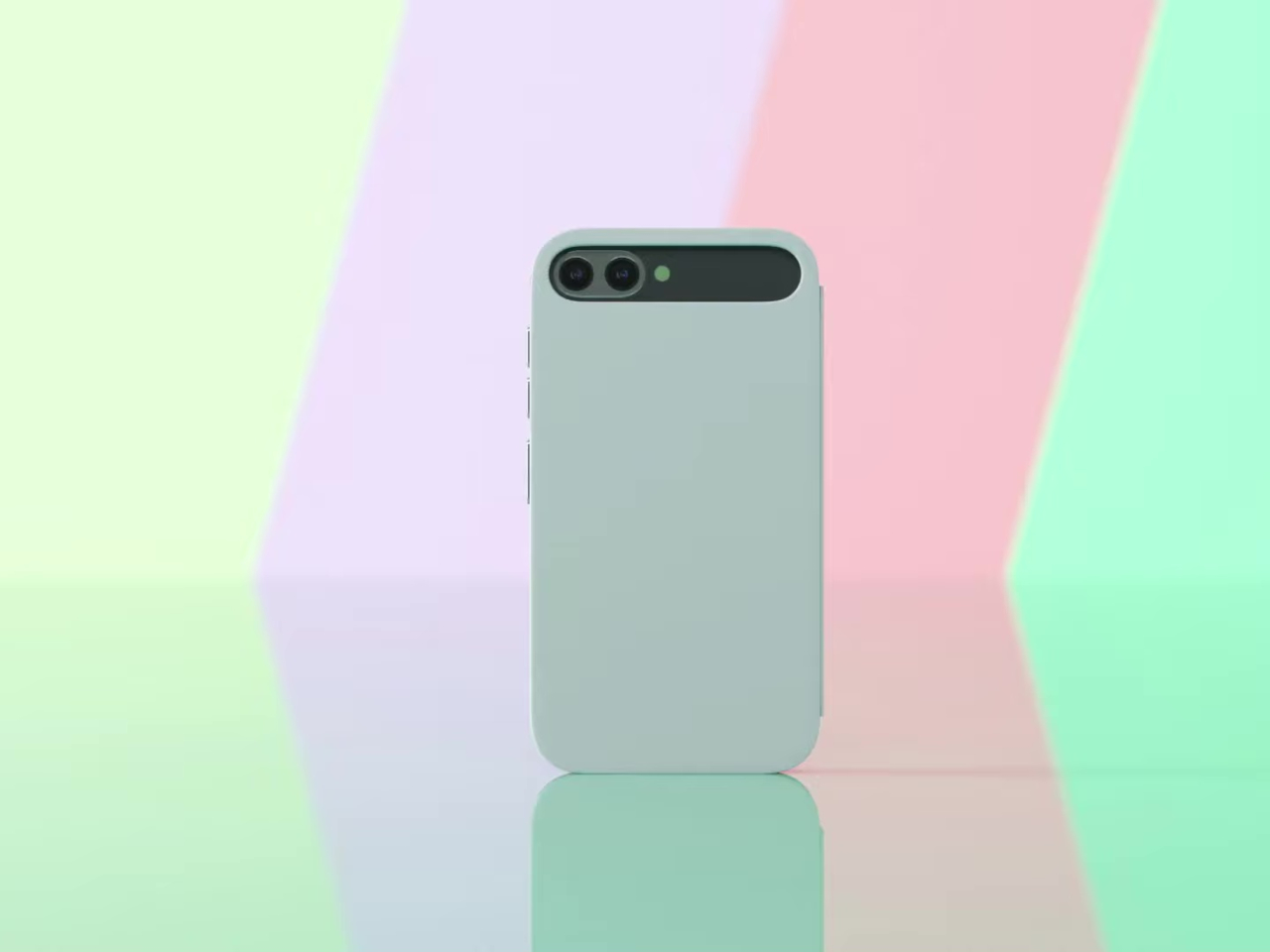
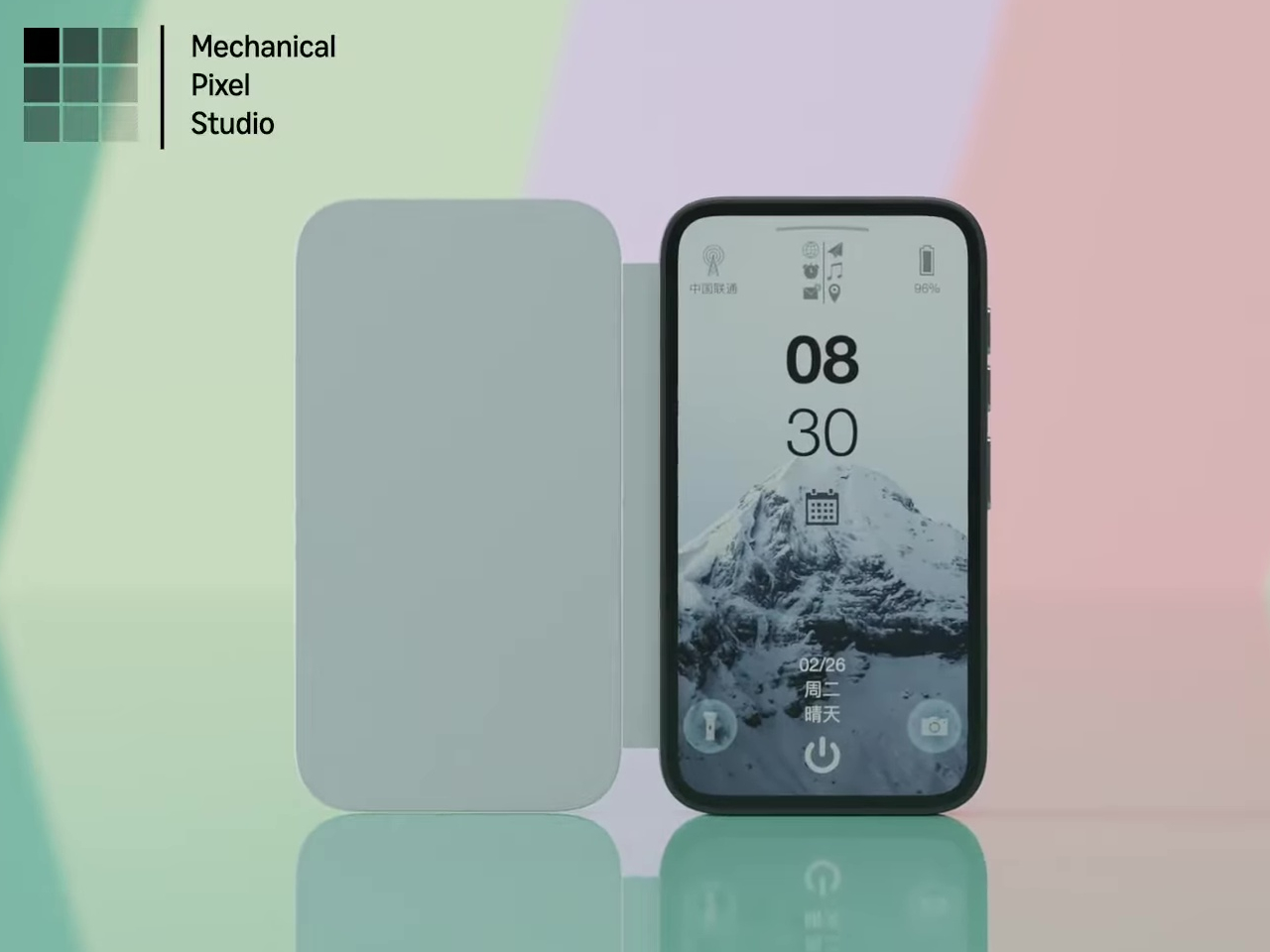
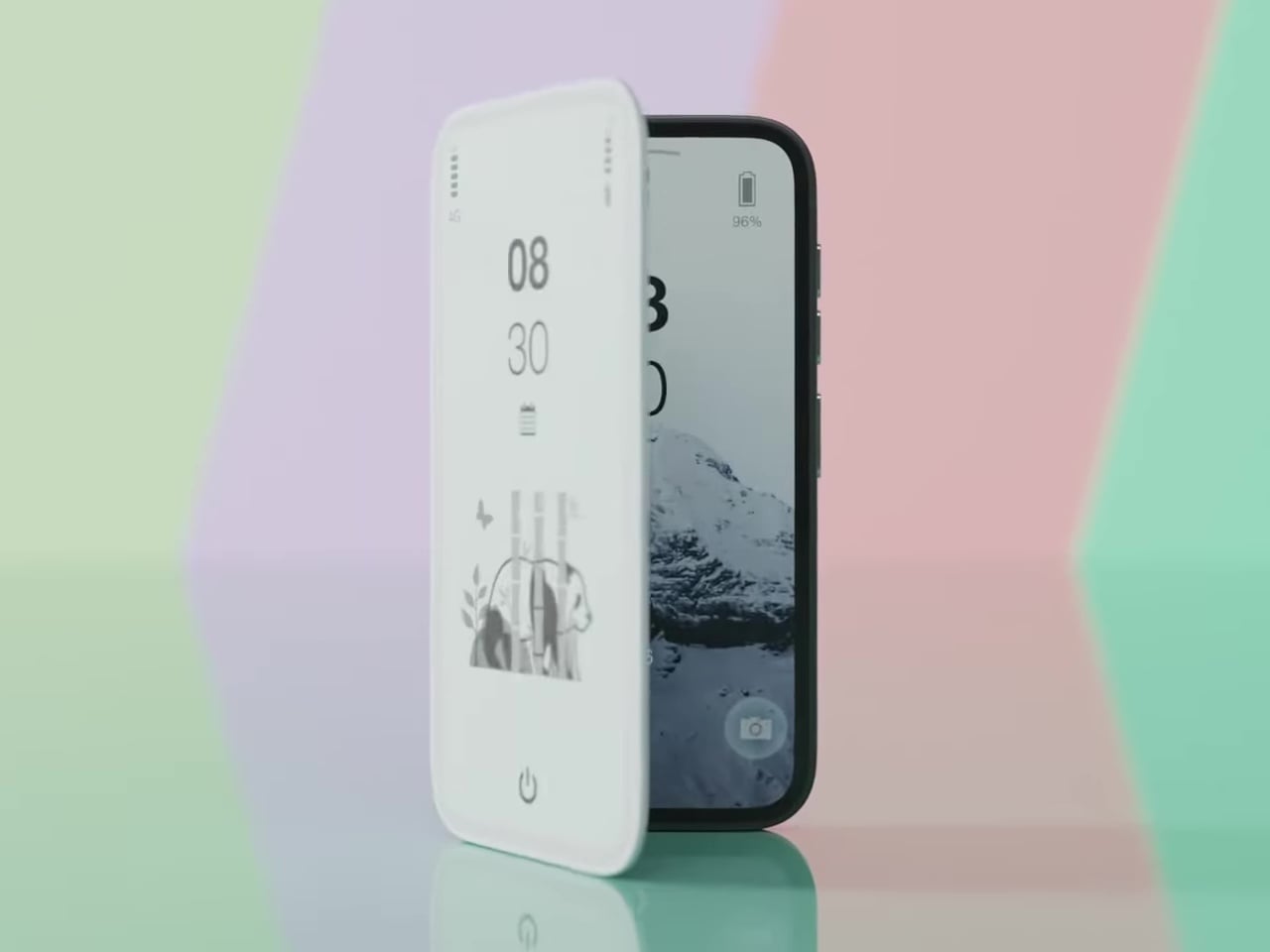
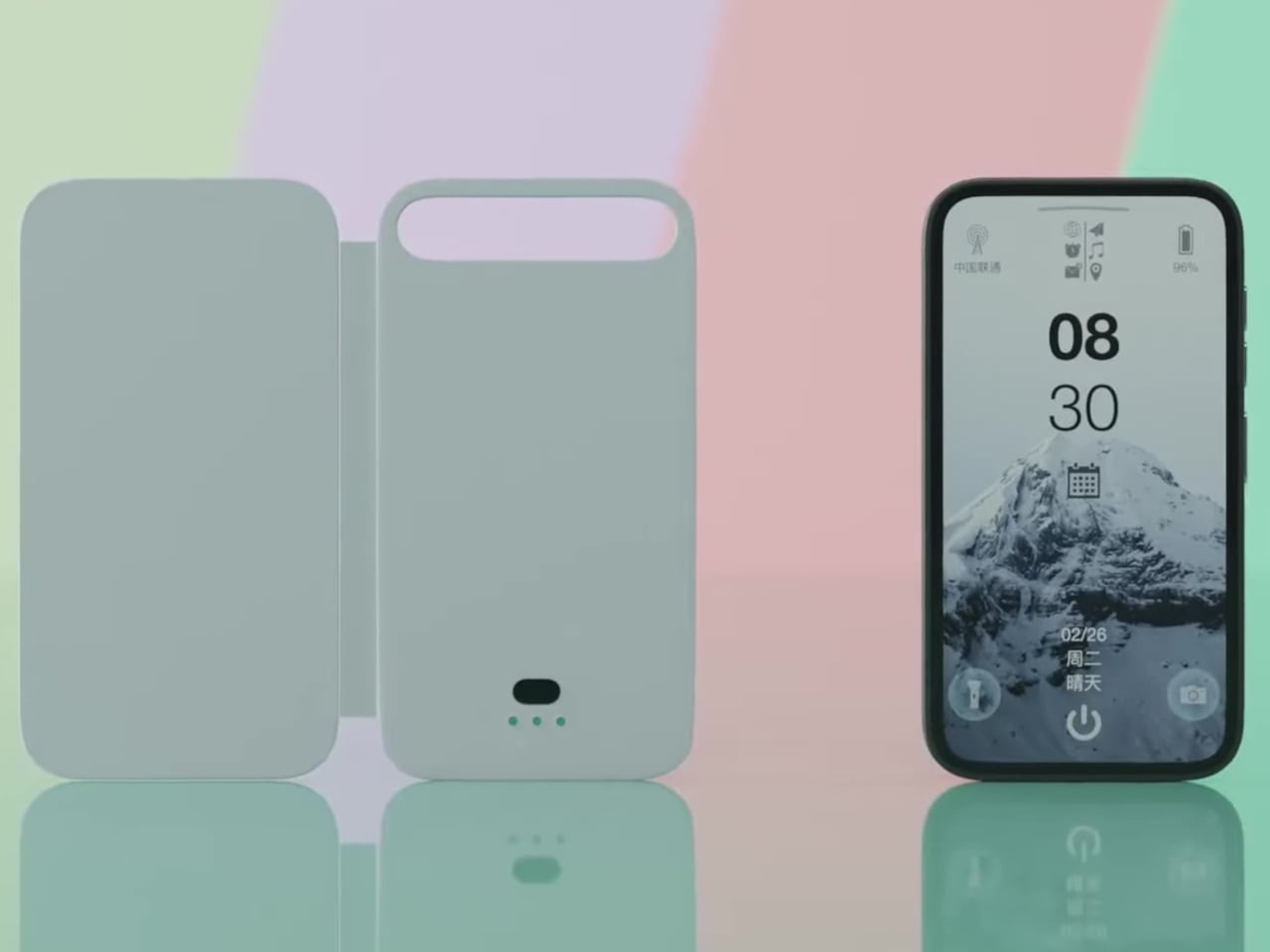
Pixel Dynamics’s E Ink Flip Cover concept takes a simpler approach. It’s a flip-style case with an E Ink screen on the outer panel, so even when the cover is shut, and the phone is locked, you can still check the time, date, battery level, and signal without waking the main display. E Ink only draws power when the image changes, making it a natural fit for an always-on panel.

Designer: Pixel Dynamics

There’s more to the display than status data, though. Beyond the time, date, and connectivity readouts, you can set it to show ambient illustrations that make the cover feel more personal, less like a utility panel, and more like something worth looking at. An E Ink screen isn’t going to win awards for visual richness, but for something that stays visible all day without demanding attention, that’s a reasonable ask.

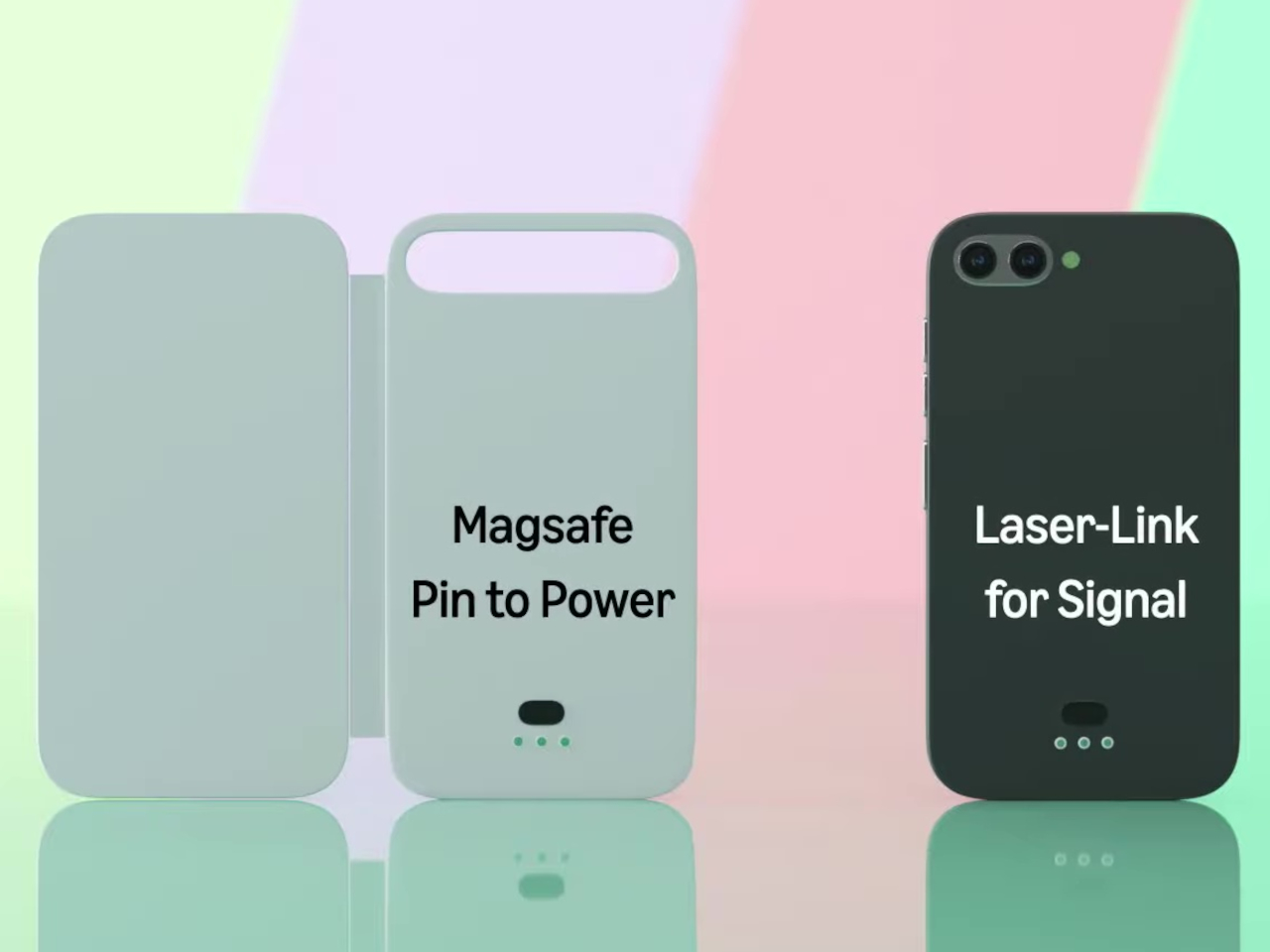
The case attaches to the phone through a MagSafe-style magnetic system, snapping into place without any physical ports. Power is handled through contact pins that draw directly from the phone’s battery, so there’s nothing to charge separately and no second battery bloating the profile. That’s a smart call; one of the quickest ways to kill an otherwise good accessory concept is to make the user manage another charging cable.

Data between the case and the phone travels through what the concept calls Laser-Link, pitched as a higher-efficiency alternative to Bluetooth or NFC. The idea is that replacing radio-based communication with a laser signal gets you faster data transfer with less power overhead and no interference issues. It’s still concept-level technology, of course, so there aren’t any real specs to evaluate, but the thinking behind it is sound.

Put it together, and the pitch is easy to follow. You keep the phone in your pocket or face-down on a desk, and the E Ink panel handles quick glances that don’t need the main screen, saving the battery drain of waking an OLED display dozens of times a day. When you do need the full phone, flipping the cover open gets you there just as fast as any other case.

That said, a few things here are easier to propose than to build. Laser-Link doesn’t have a clear path to production yet, and it raises obvious questions about reliability when the phone and case aren’t perfectly aligned. The E Ink display part is more grounded, since that technology already exists in other accessories.

The phone case hasn’t had a genuine design moment in quite a while, and a concept that starts asking what the outer panel can actively do for you is a reasonable place to start that conversation. It still has a long road before reaching any shelf, but for a category that’s mostly been stuck recycling the same rigid shells, that’s actually not a bad place to be.

The post This E Ink Flip Case Shows the Time Without Ever Waking Your Phone first appeared on Yanko Design.
Colorful Inhaler Case Laser-Engraves Names So Kids Aren’t Embarrassed

Inhalers are one of those everyday objects that millions of people carry around without ever thinking about how they look or feel. They roll around in bags, get shoved into pockets, and come out in public with all the elegance of a used tissue. Nobody designed them to be personal, and it shows. The hale Flow, a colored SLS nylon case made in the UK, wants to change that by treating an inhaler less like a clinical tool and more like something you’d actually want to pull out of your bag.

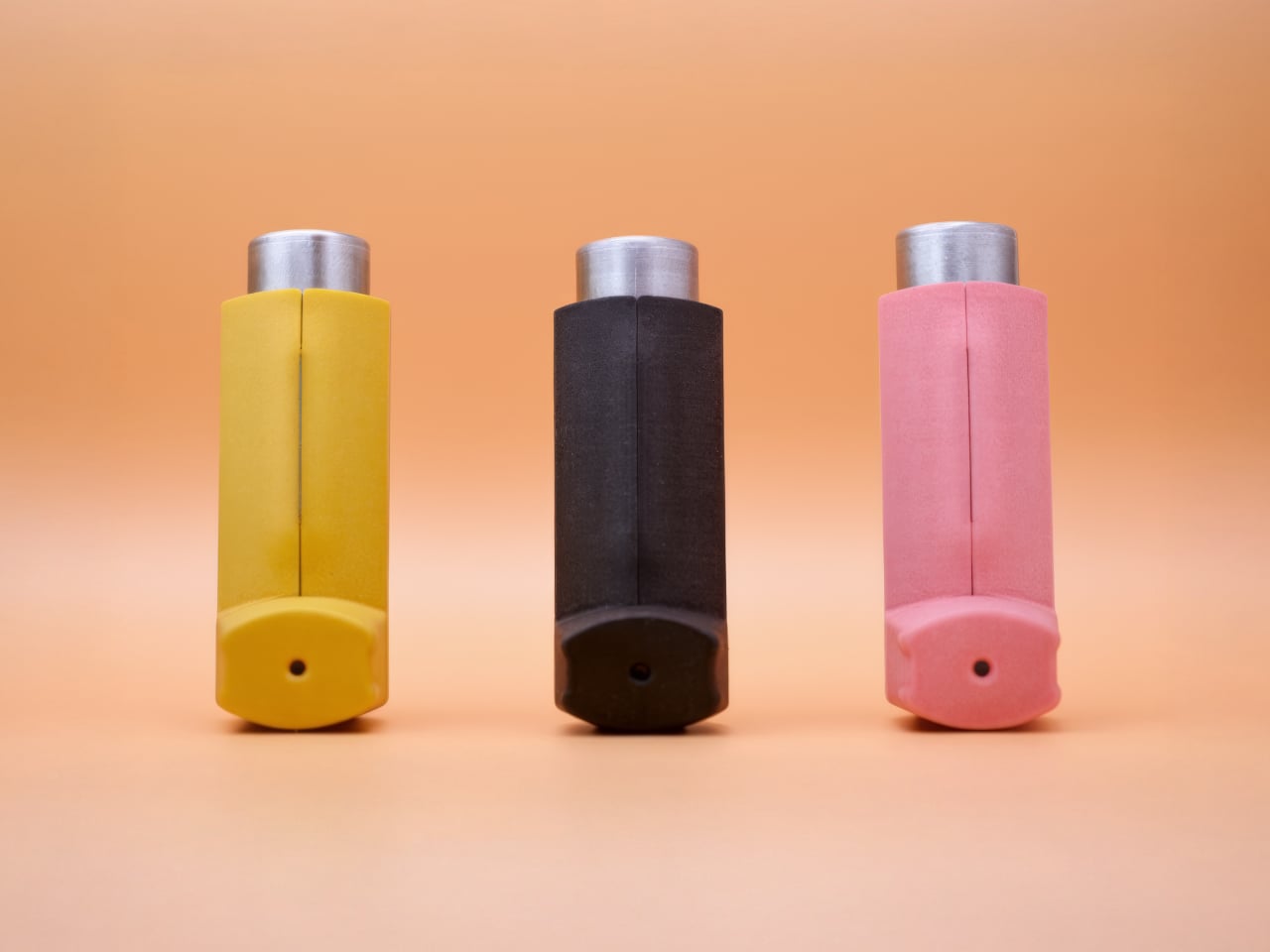
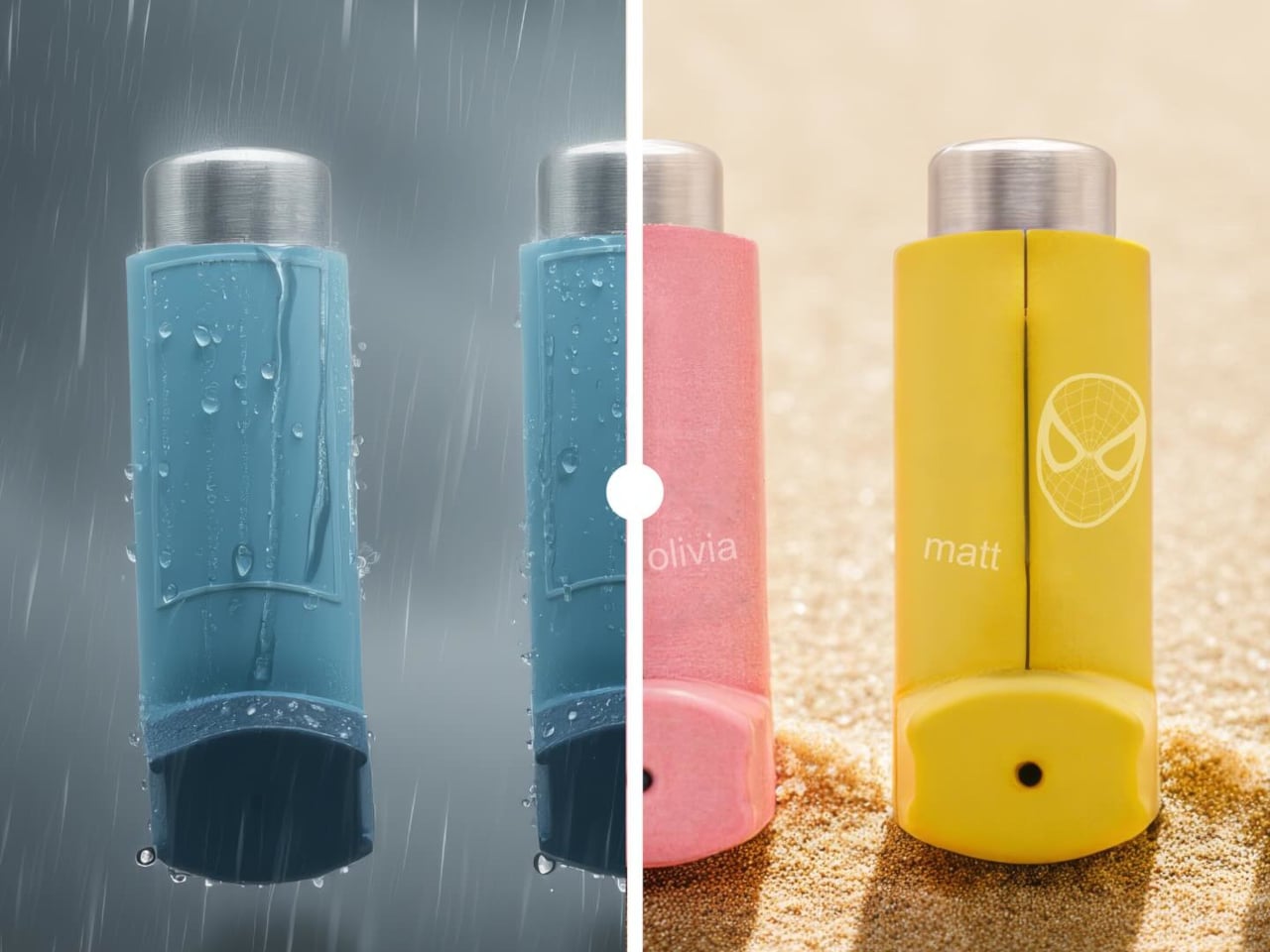
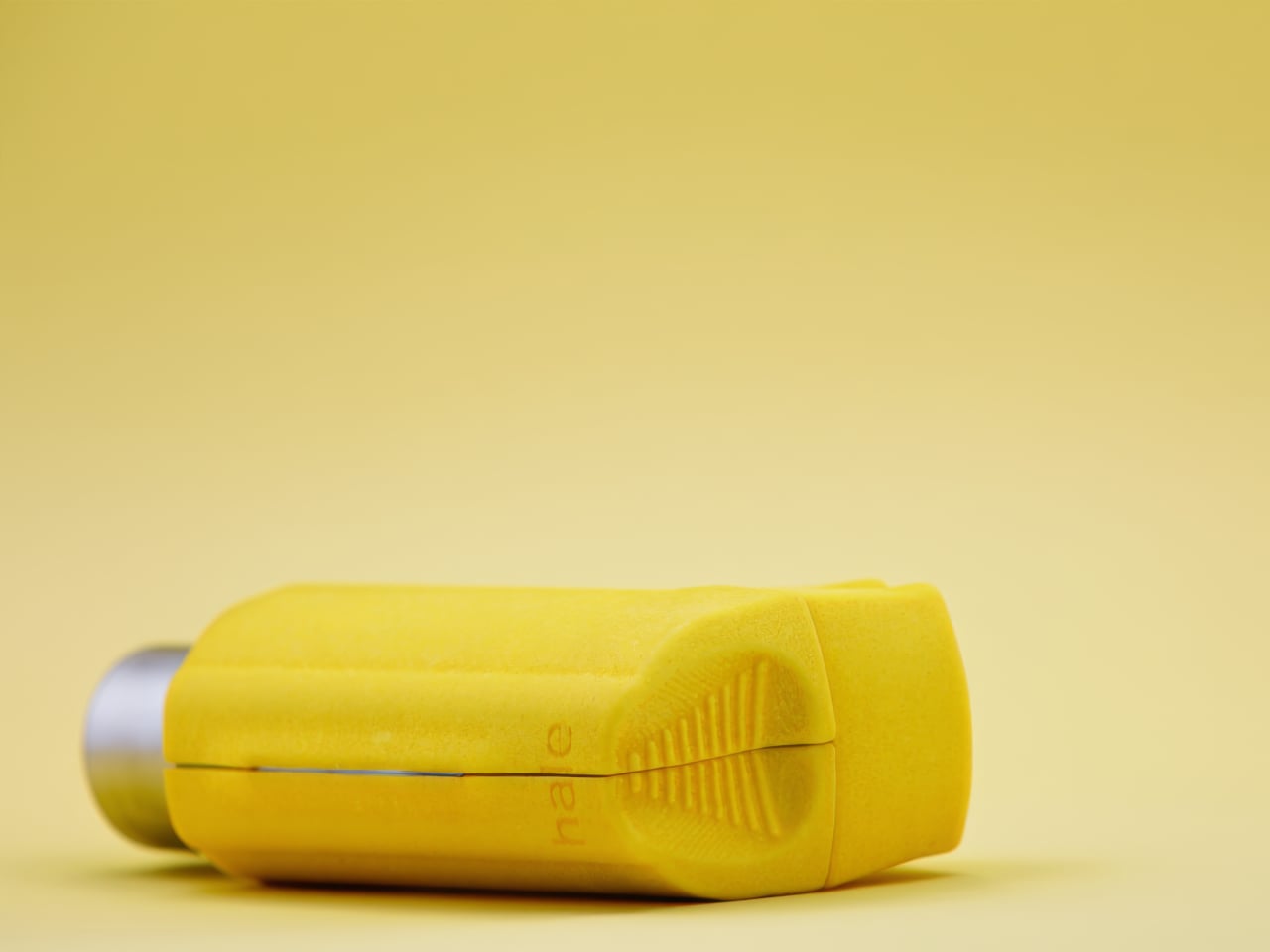
The person behind it is Matthew Conlon, who built hale from his own experience living with asthma. That starting point matters because the material choice isn’t just cosmetic. The case is made from PA12 nylon through selective laser sintering, a polymer grade found in aerospace and medical implant applications. At just 1mm of wall thickness, it wraps tightly around the Ventolin Evohaler without adding bulk, and the slightly grainy, matte surface gives it a tactile quality that immediately separates it from the cheap silicone sleeves floating around online.

Designer: Matthew Conlon

Two halves snap together through concealed magnets, each only 0.85mm thick, so there are no visible clips or latches breaking up the surface. The mouthpiece cap bonds with a small dot of adhesive, the one permanent step in an otherwise reversible setup. Subtle contours across the grip area help with one-handed use, which is the kind of detail you appreciate when you’re having a mid-asthma episode and fumbling isn’t really an option. Three colorways are available (Lemon, Pink, and Black) at £29, sitting comfortably between throwaway accessories and hale’s own aluminum Classic at £59.

What genuinely sets the Flow apart, though, is laser engraving. You can add a name or even upload a custom image, like a pet illustration, etched permanently into the nylon. For a parent buying one for a child with asthma, that turns a medical necessity into something personal, something a kid might actually feel proud pulling out of a backpack. No other inhaler accessory on the market currently offers that level of personalization at this price, which is surprising given how large the potential audience is.

The honest caveat here is compatibility. The hale Flow works exclusively with the Ventolin Evohaler, and while salbutamol remains one of the most dispensed bronchodilators in the UK, with over 22 million units in 2020 alone, millions of asthma patients rely on entirely different devices. Hale says it is exploring additional models, but for now, the design promise stops at one inhaler.

At £29, manufactured in the UK by a single founder who actually lives with the condition he’s designing for, the hale Flow sits in a category that barely existed before it showed up. Whether it can grow beyond that single compatible inhaler will determine if it remains a thoughtful niche product or turns into something with a much wider reach.

The post Colorful Inhaler Case Laser-Engraves Names So Kids Aren’t Embarrassed first appeared on Yanko Design.
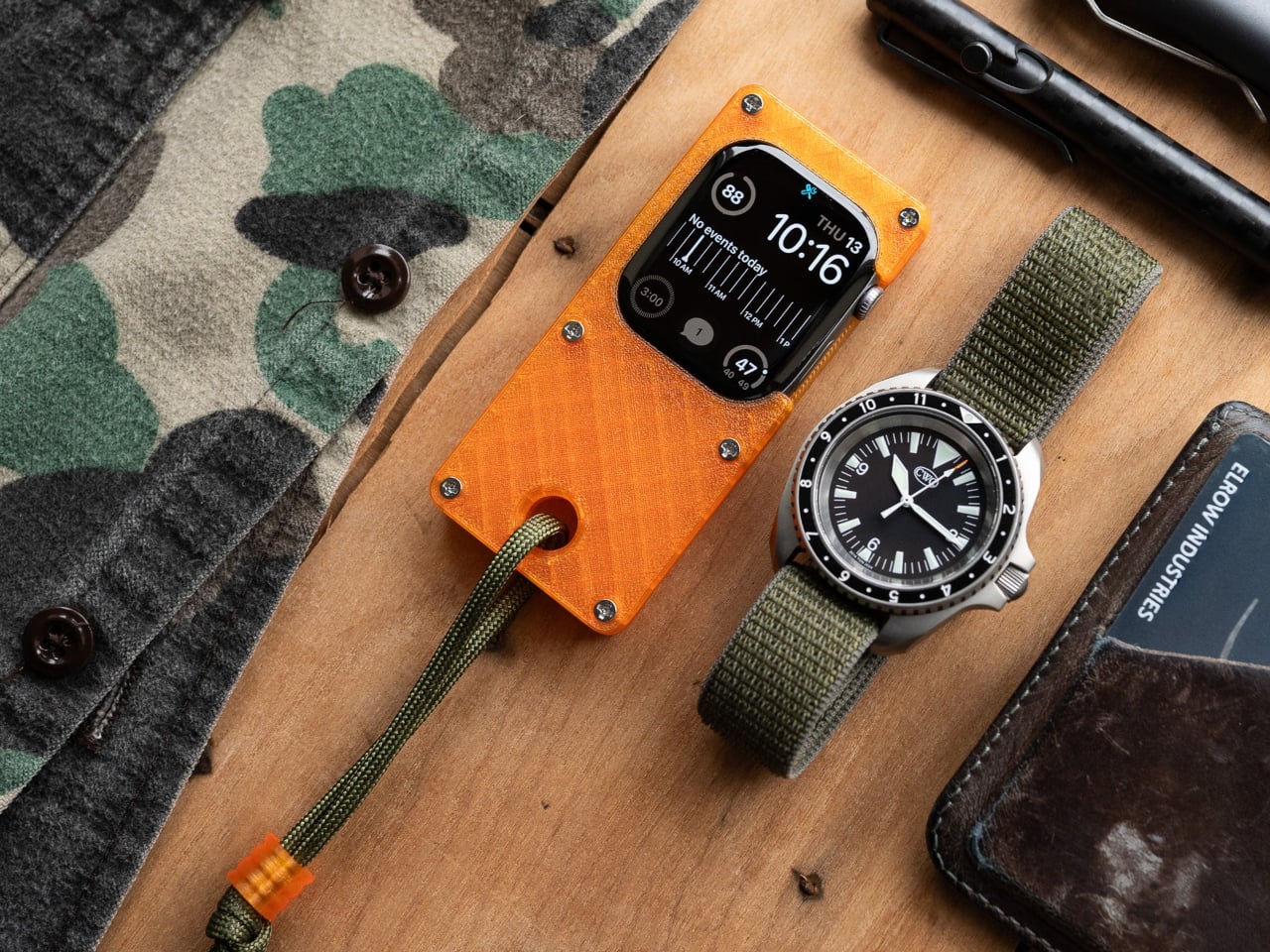
Wear Your Real Watch: This Case Turns Apple Watch into a Mini Handheld

Full smartphones often feel like overkill, but the Apple Watch on your wrist is still awkward for anything beyond quick glances. There’s also the complication of wanting to wear a mechanical or analog watch without giving up notifications, Apple Pay, and quick replies. Stacking both on one arm feels ridiculous, and choosing between connectivity and wearing the watch you actually like is the kind of small annoyance that lingers.

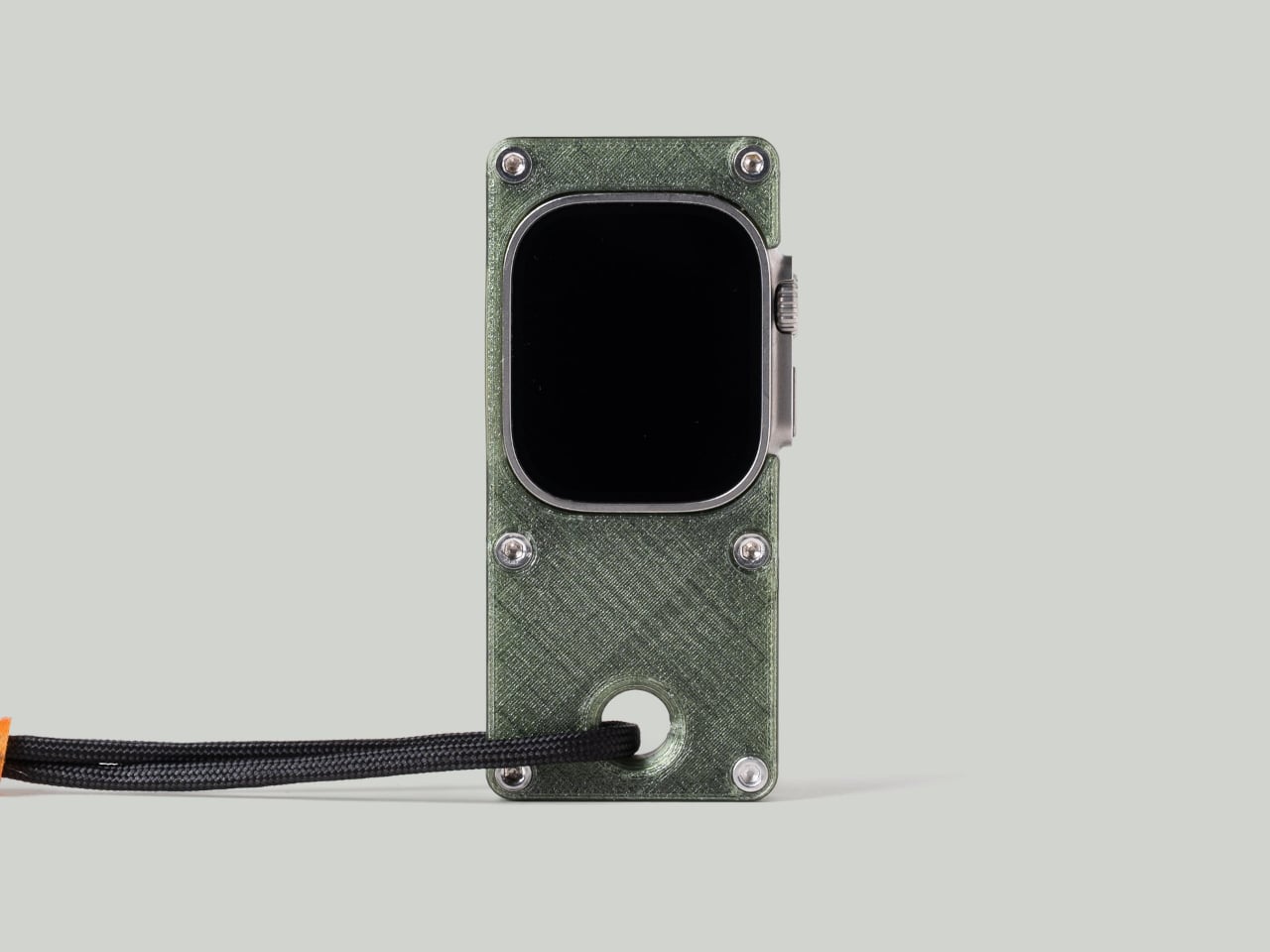
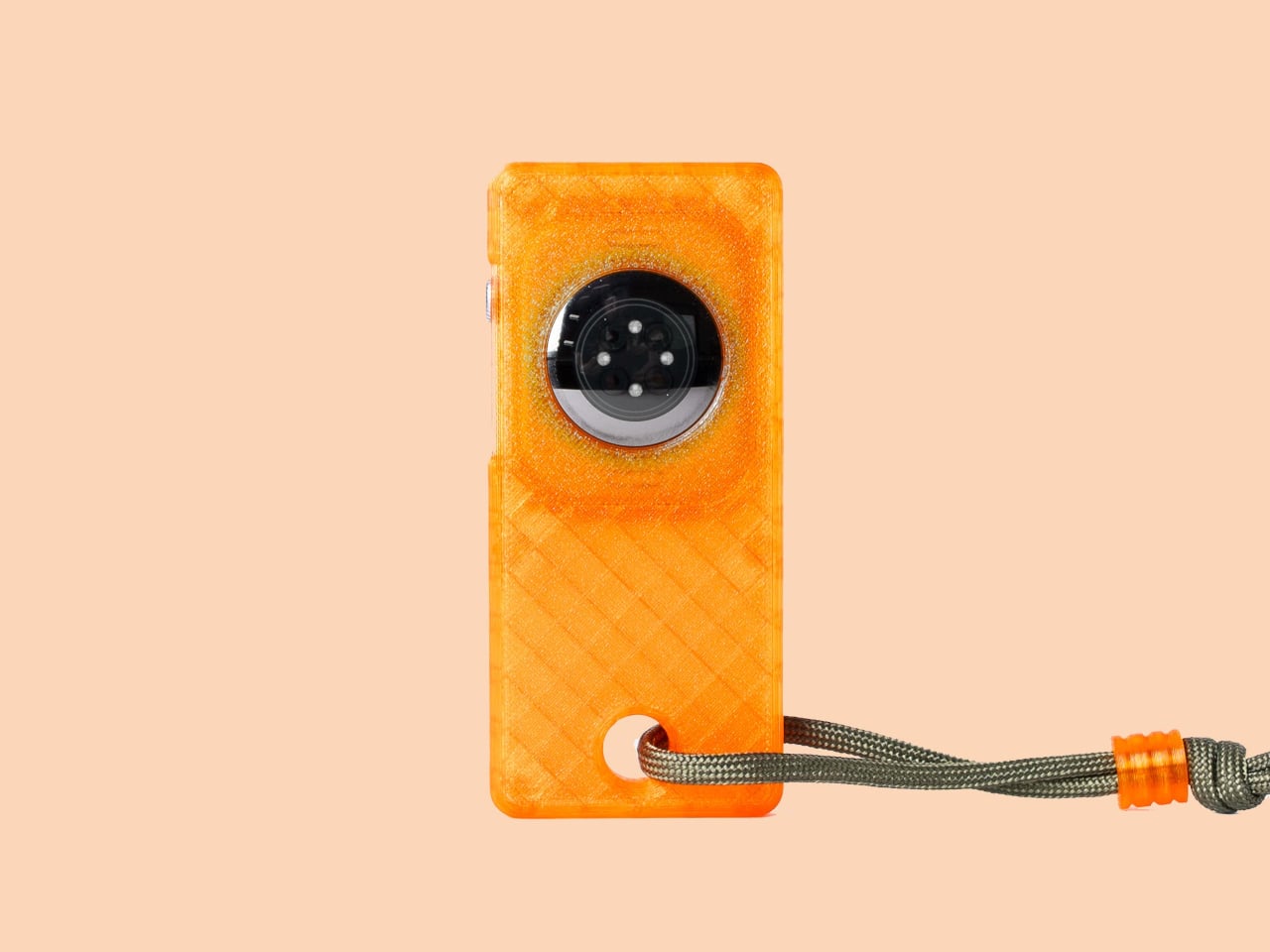
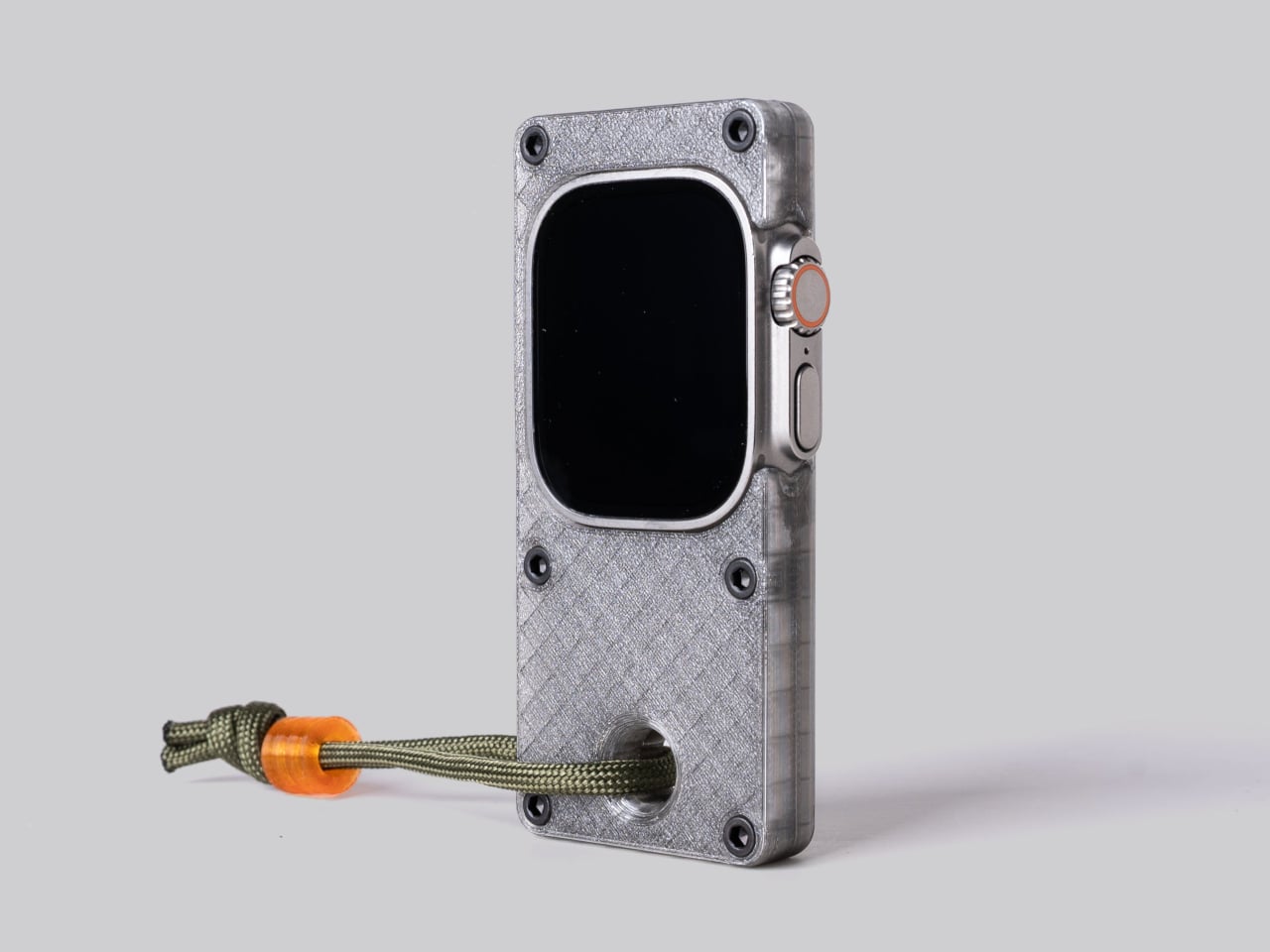
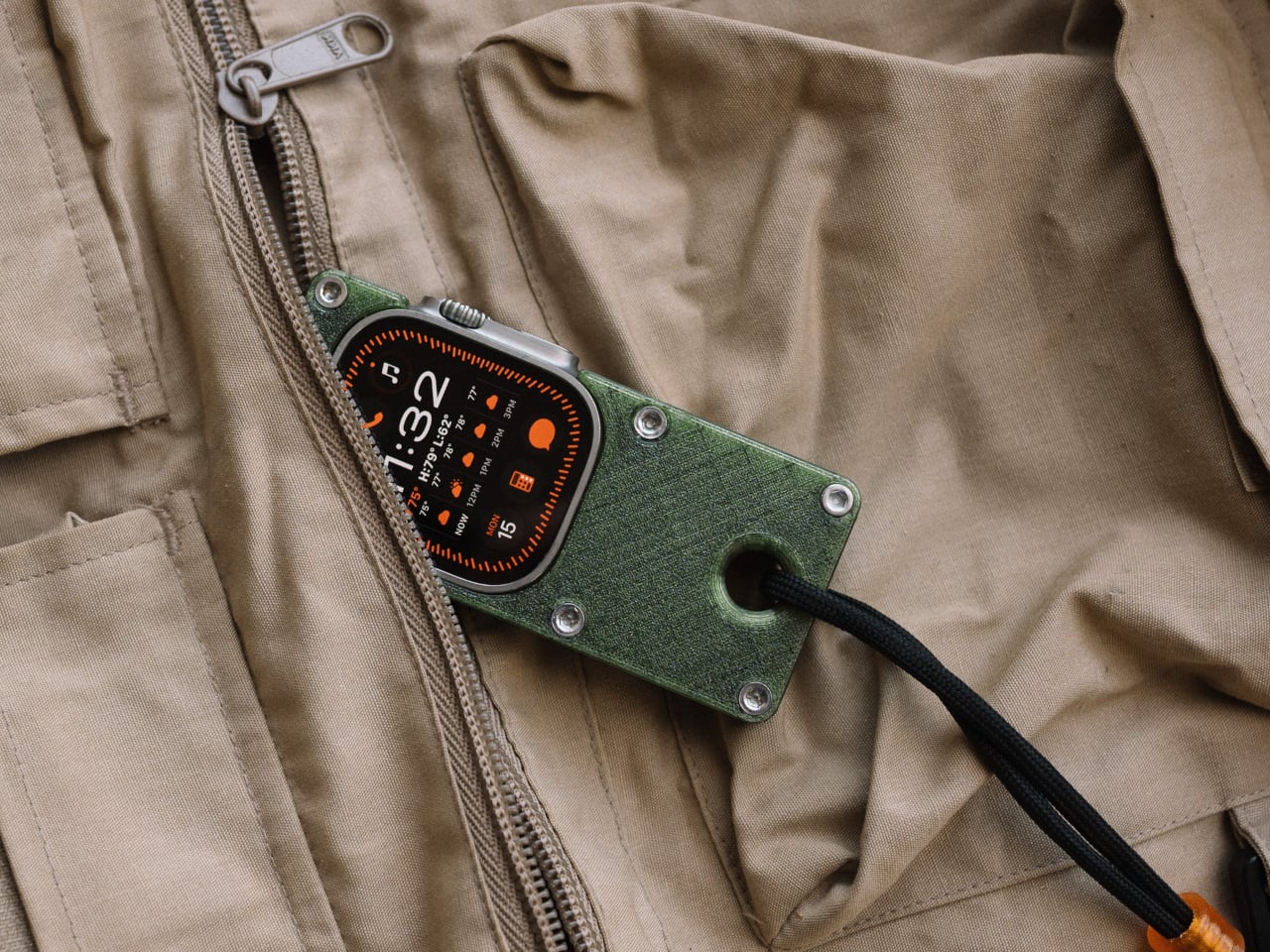
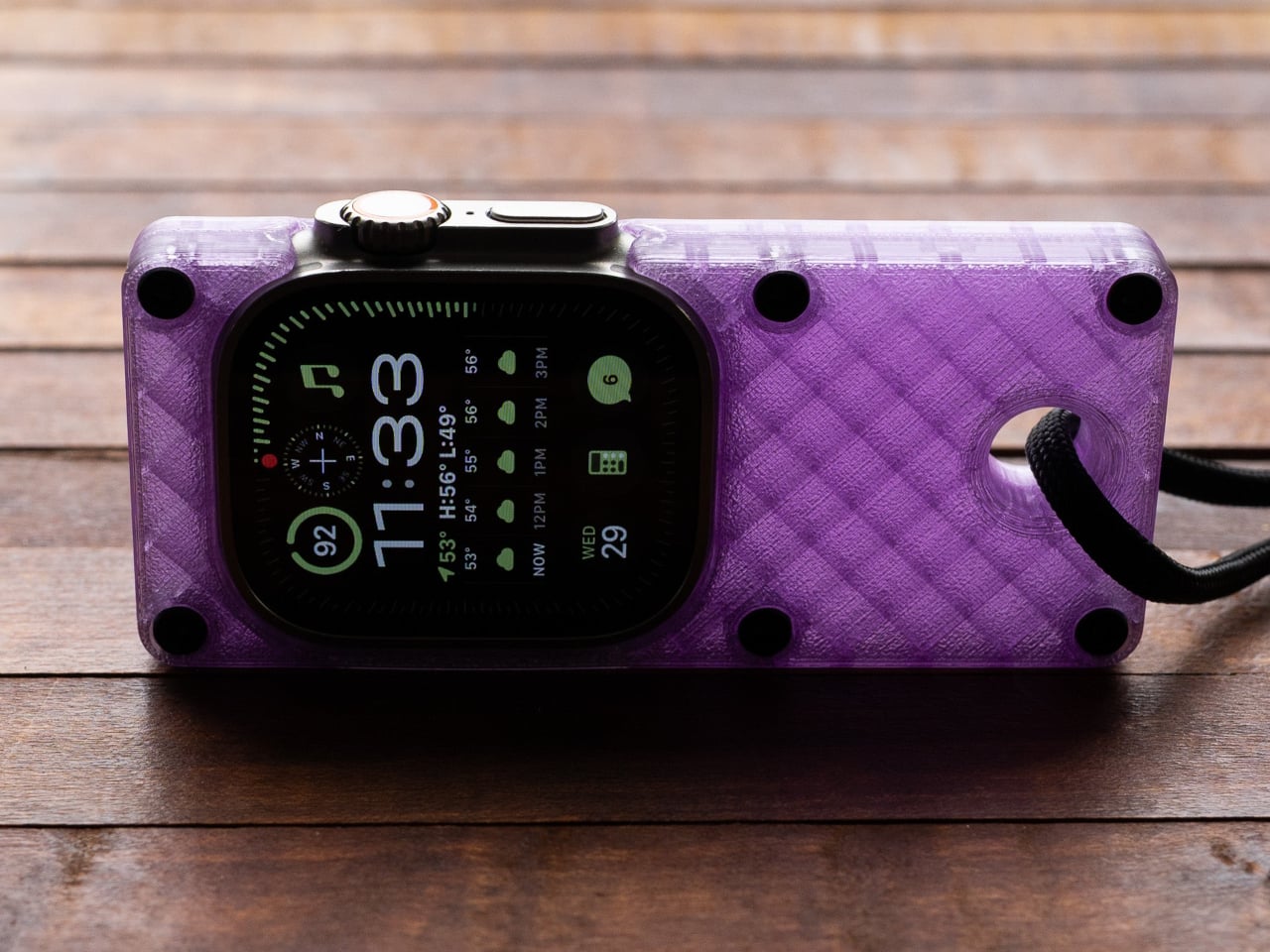
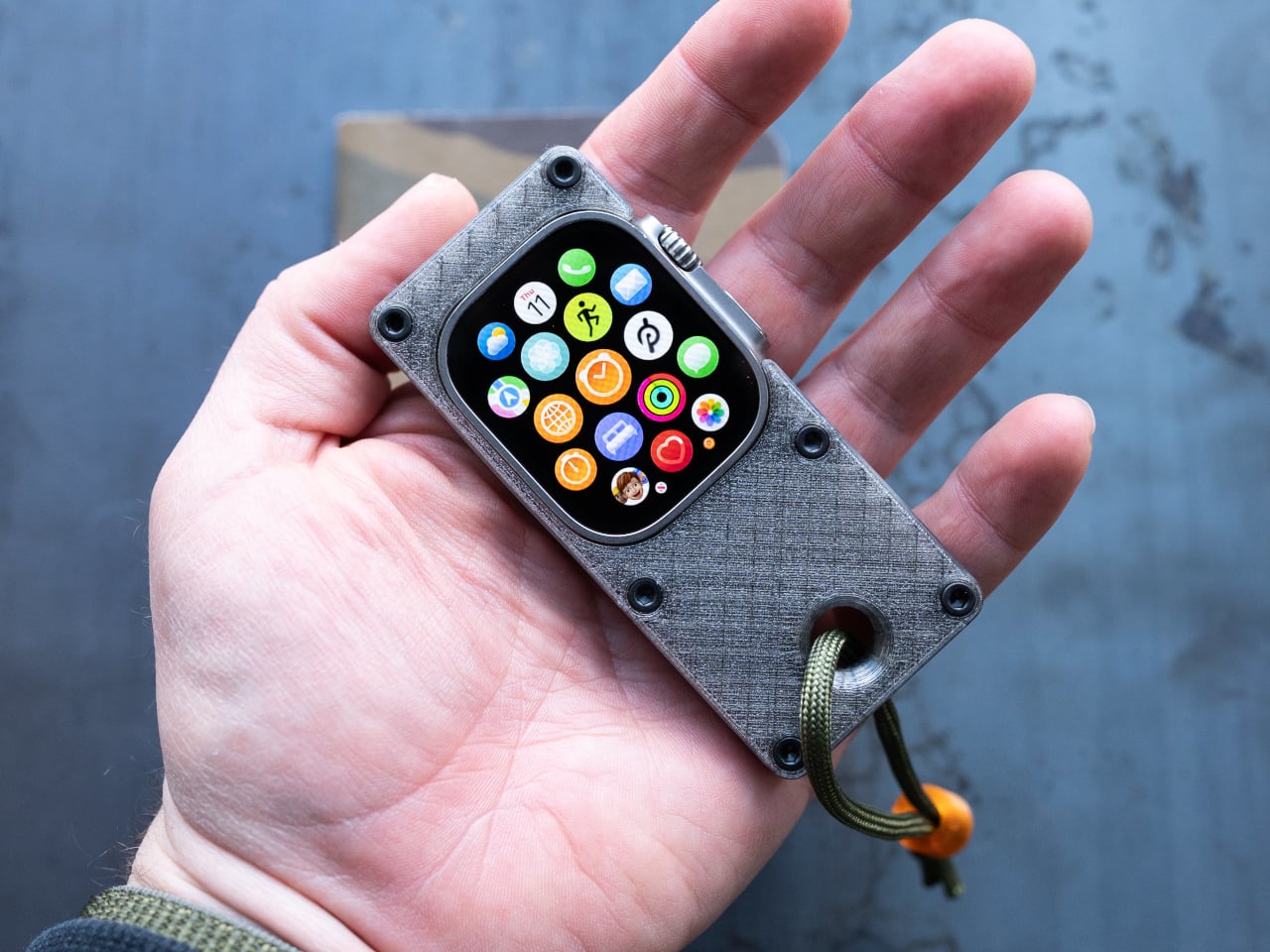
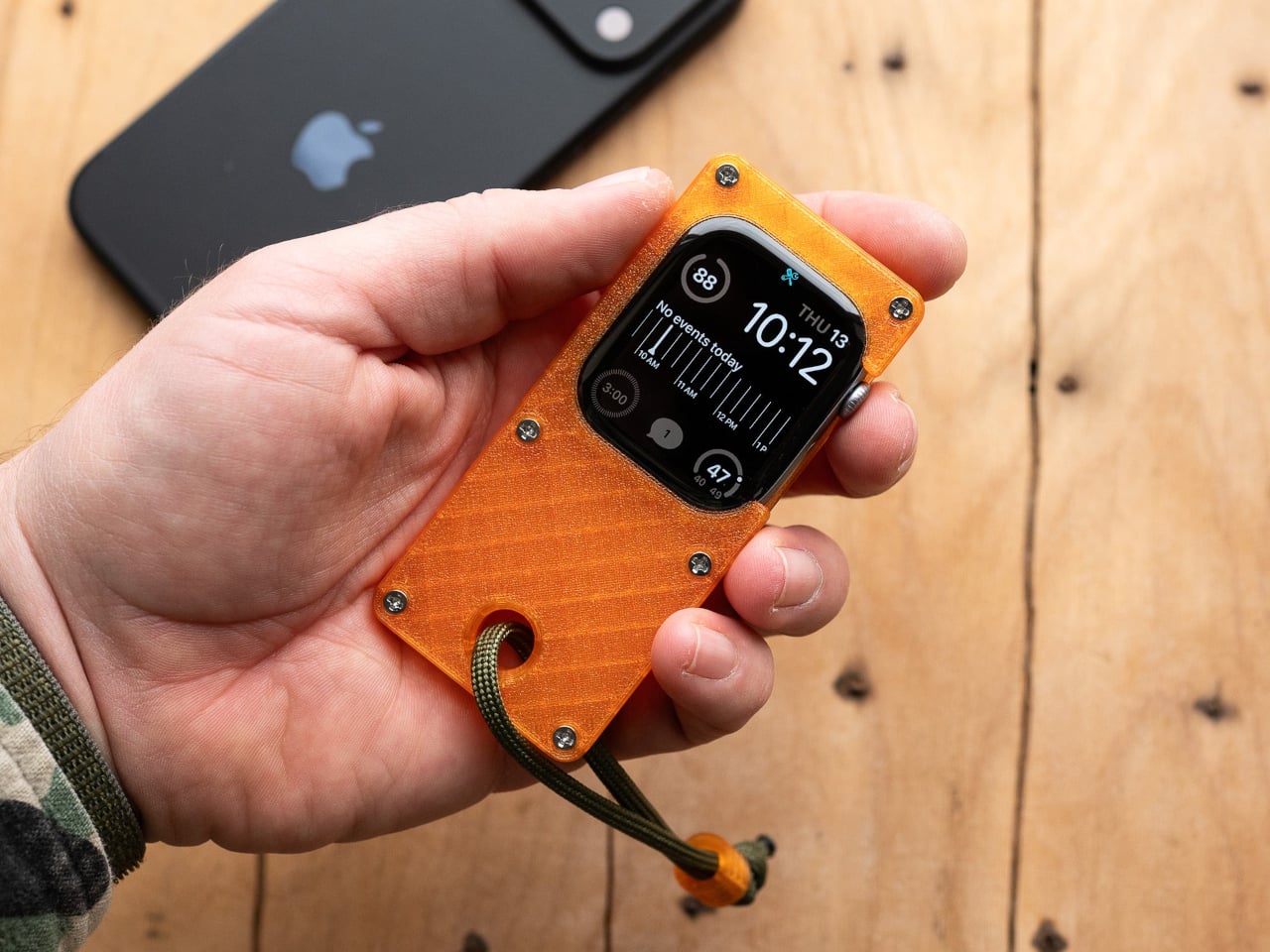
elrow’s miniphone Standard and miniphone Ultra are 3D-printed cases that turn an Apple Watch into a narrow, palm-sized device with a lanyard. The Standard fits the 46mm Series 10 and 11, while the Ultra fits the Apple Watch Ultra 1, 2, and 3. Both are about 95mm tall, with textured translucent bodies, visible screws, and an open back so you can charge without disassembling the case.

Designer: elrow industries

Leaving your iPhone in a bag and carrying the miniphone instead means you still get calls, messages, and Apple Pay, but you are not staring at a six-inch screen every time a notification pings. Holding the watch in a slightly larger body makes tapping icons feel more like using an old iPod than pecking at your wrist, and clipping it to a pocket means it stays out of sight until you need it.

The translucent PLA+ on the Standard and PETG on the Ultra, textured surfaces, and stainless or black-coated steel hardware give the cases a rugged, workshop vibe. The integrated lanyard hole and included paracord with an orange bead make it easy to carry without pockets. It feels more like a small tool than a fashion case, which suits the “tool ↔ watch” idea of keeping your mechanical watch on.

Moving the watch off your wrist means that continuous heart rate, ECG, blood oxygen, and sleep tracking are basically gone. You are also told to turn off wrist detection for better battery and notifications, which changes how Apple Pay, auto-lock, and some security features behave. Activity rings and step counts become unreliable when the watch lives in a pocket or on a lanyard, and fall detection may not work as intended.

WatchOS assumes a wrist, from raise-to-wake gestures to how workouts and reminders work. In a miniphone case, some of that feels off or becomes less useful. You are treating the Apple Watch as a tiny connected widget for notifications and quick controls, not as a health tracker logging your life, which is fine if that is what you wanted in the first place.

The miniphone cases make the most sense if you already use the Apple Watch as a lightweight communicator and remote, not as a medical device. If you love wearing a mechanical watch while still having a pocketable slice of watchOS nearby, or you want less phone without going fully offline, a 3D-printed case that trades sensors for simplicity is a strangely logical, if niche, step.

The post Wear Your Real Watch: This Case Turns Apple Watch into a Mini Handheld first appeared on Yanko Design.

iKKO MindOne Snap-In Case Turns a Card-Sized Phone into a Pocket Writer

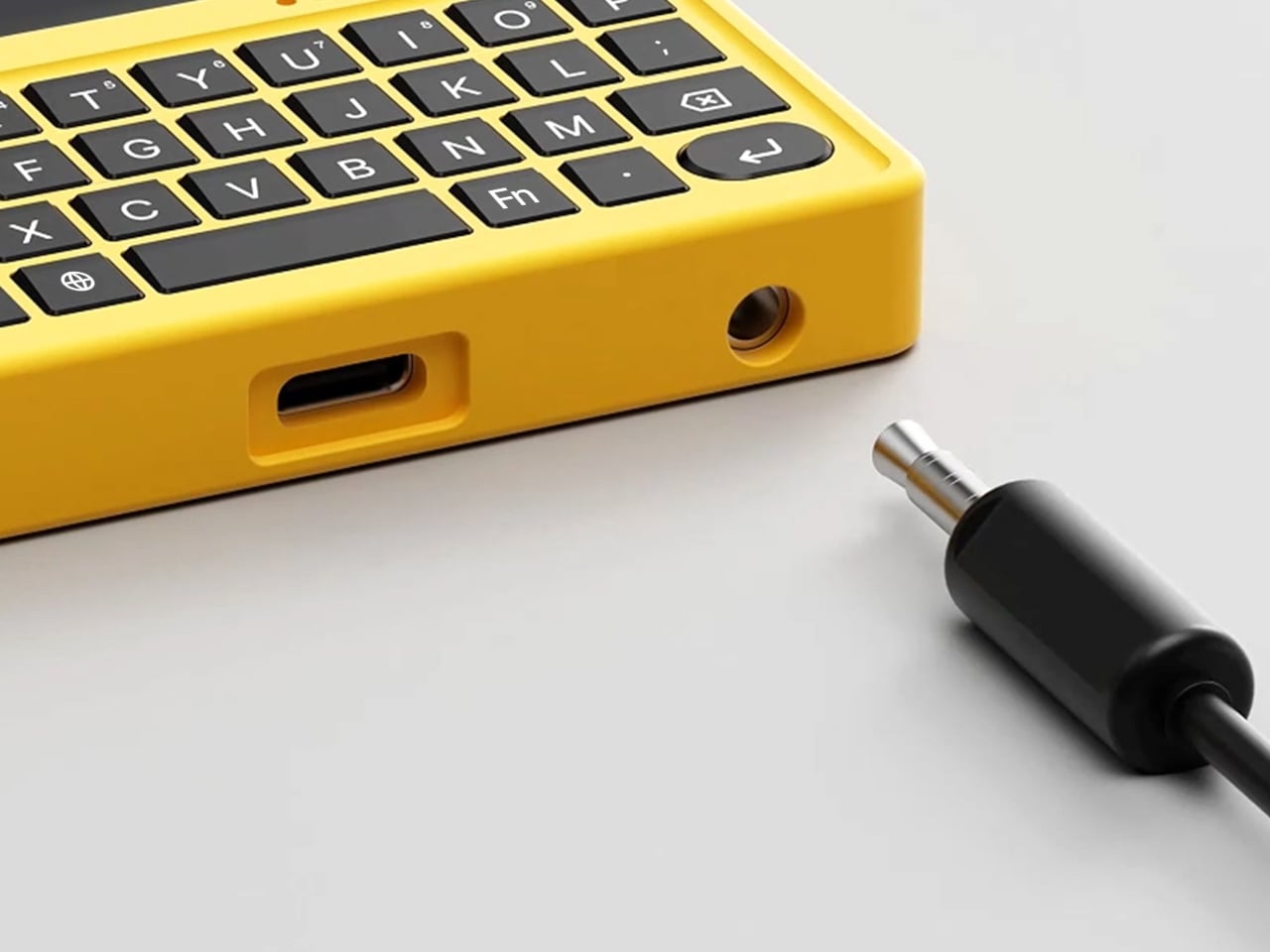
Typing long messages on glass feels clumsy, juggling Bluetooth earbuds means pairing headaches and dead batteries, and using wired headphones now requires a tiny USB-C dongle you will lose three times before accepting defeat. Phones have become powerful but strangely less tactile, and that clashes with people who write a lot, listen a lot, and still like the certainty of a cable and the click of a real key under their thumb.

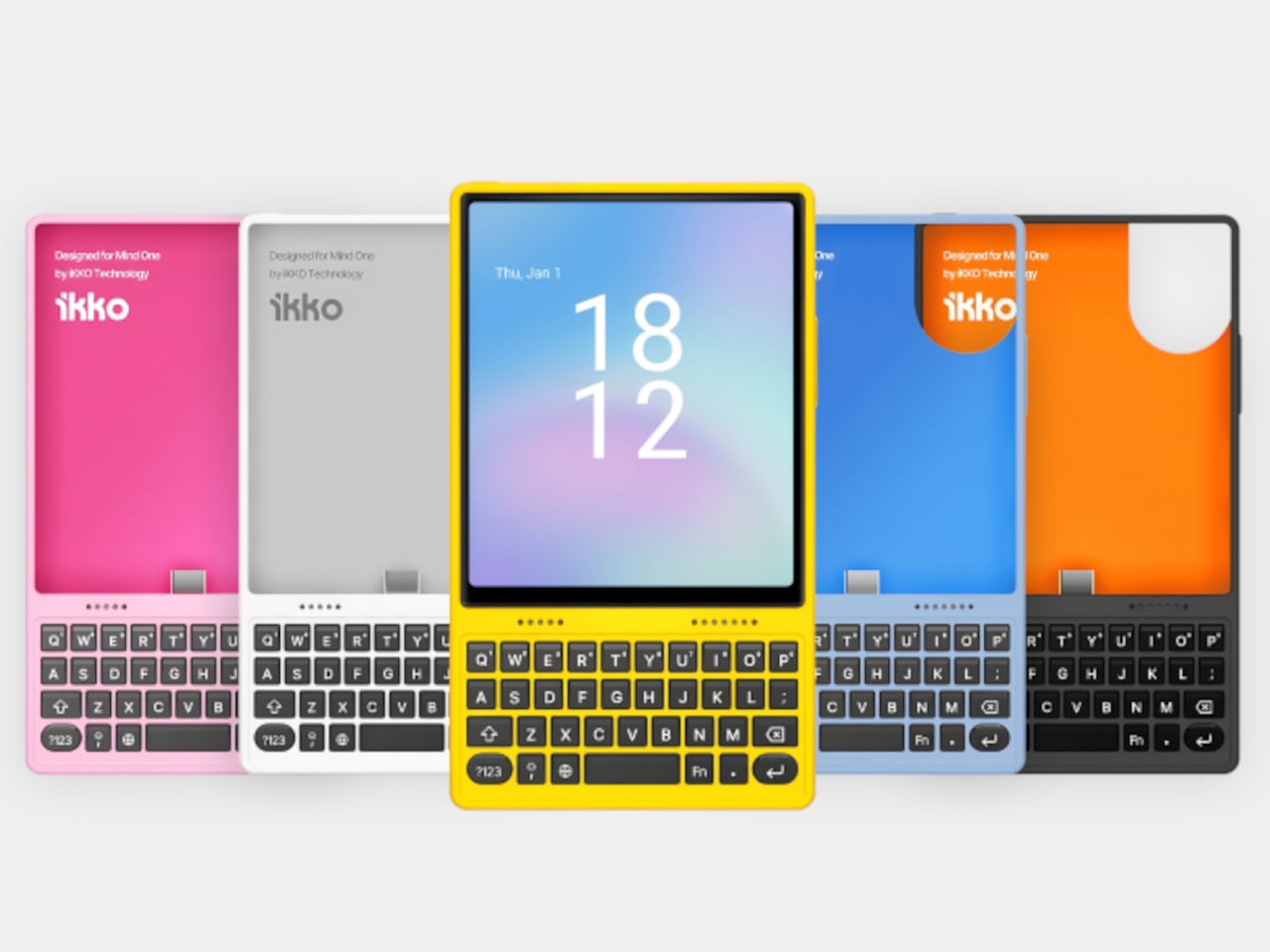
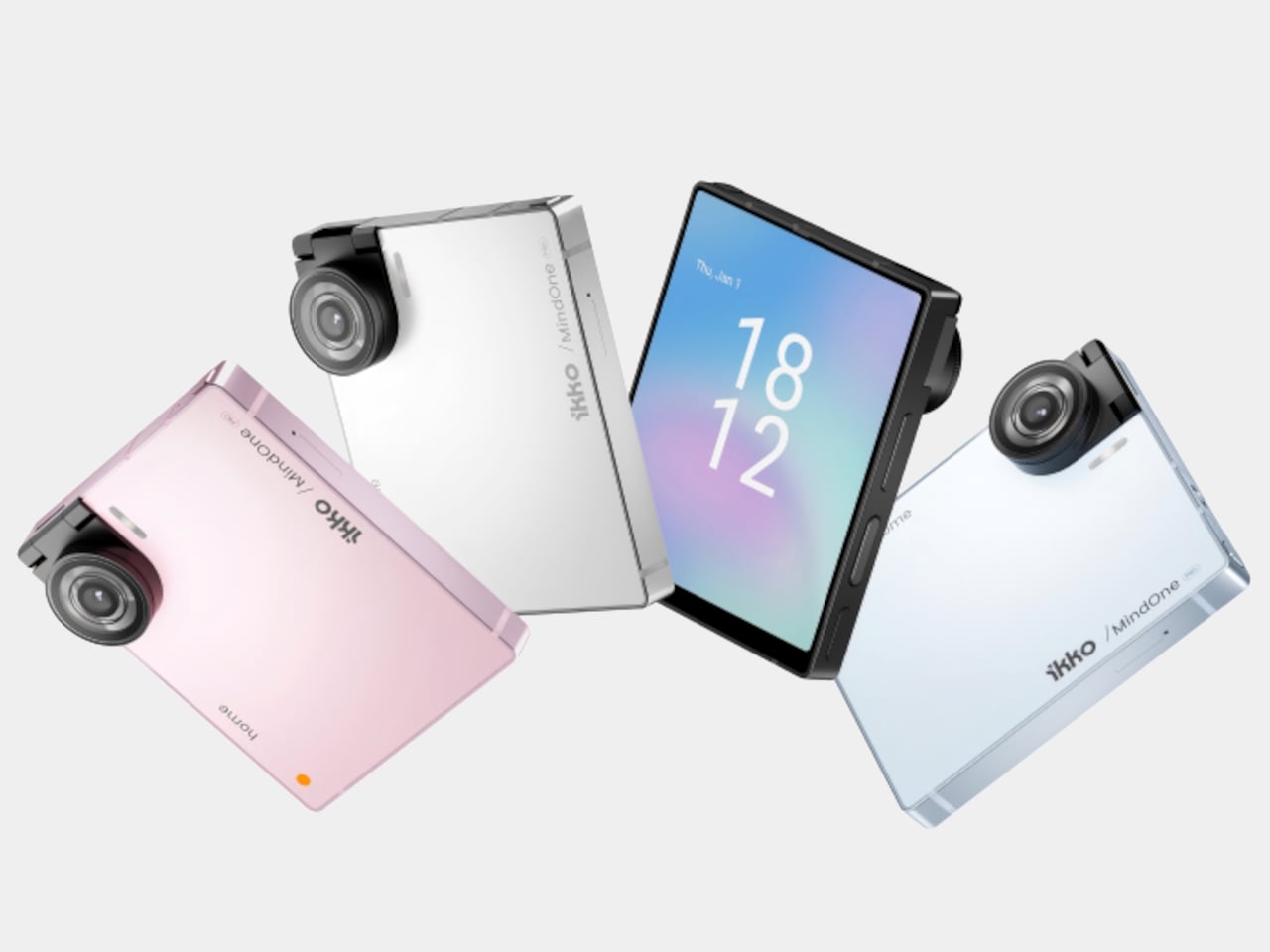
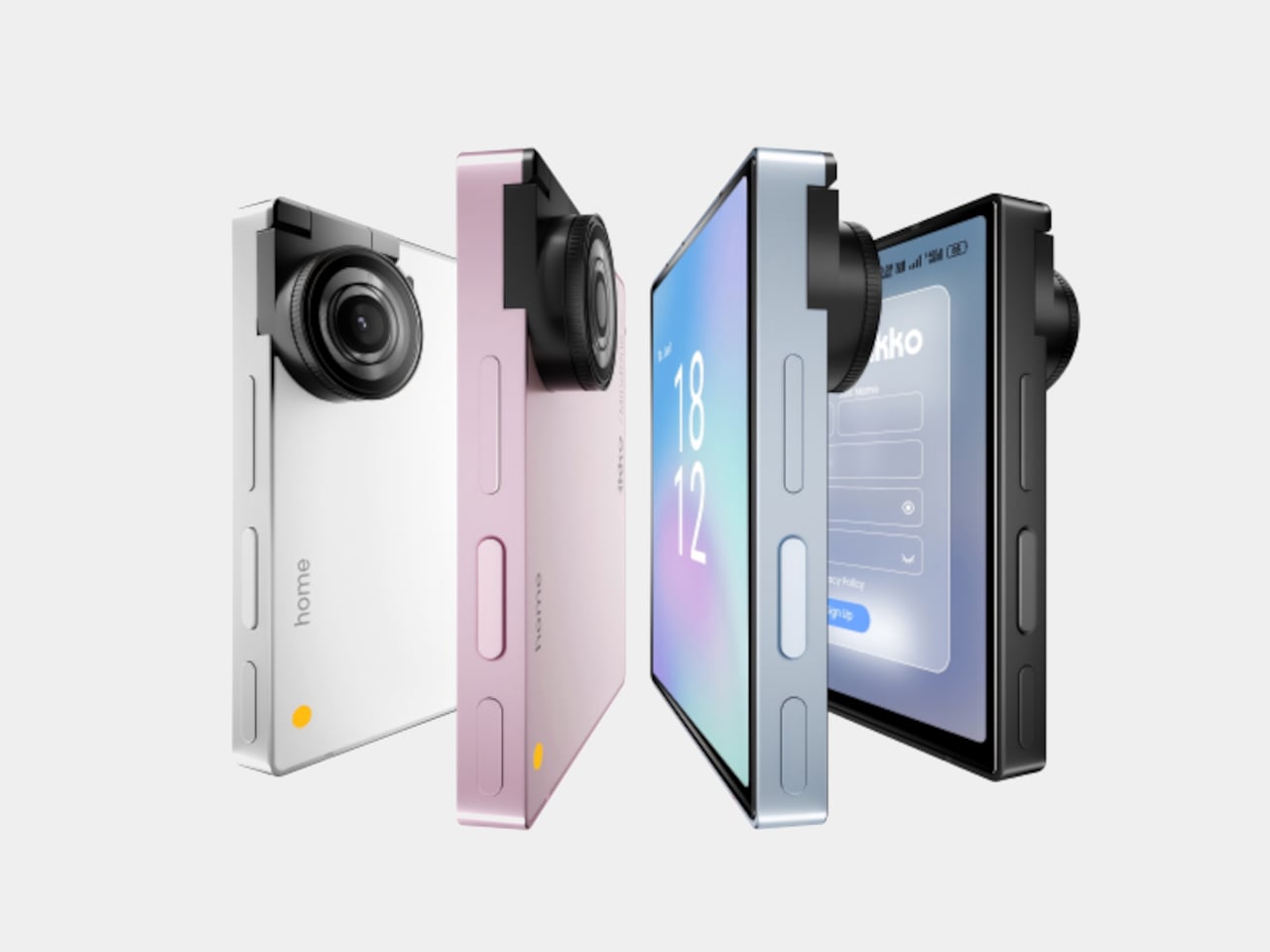
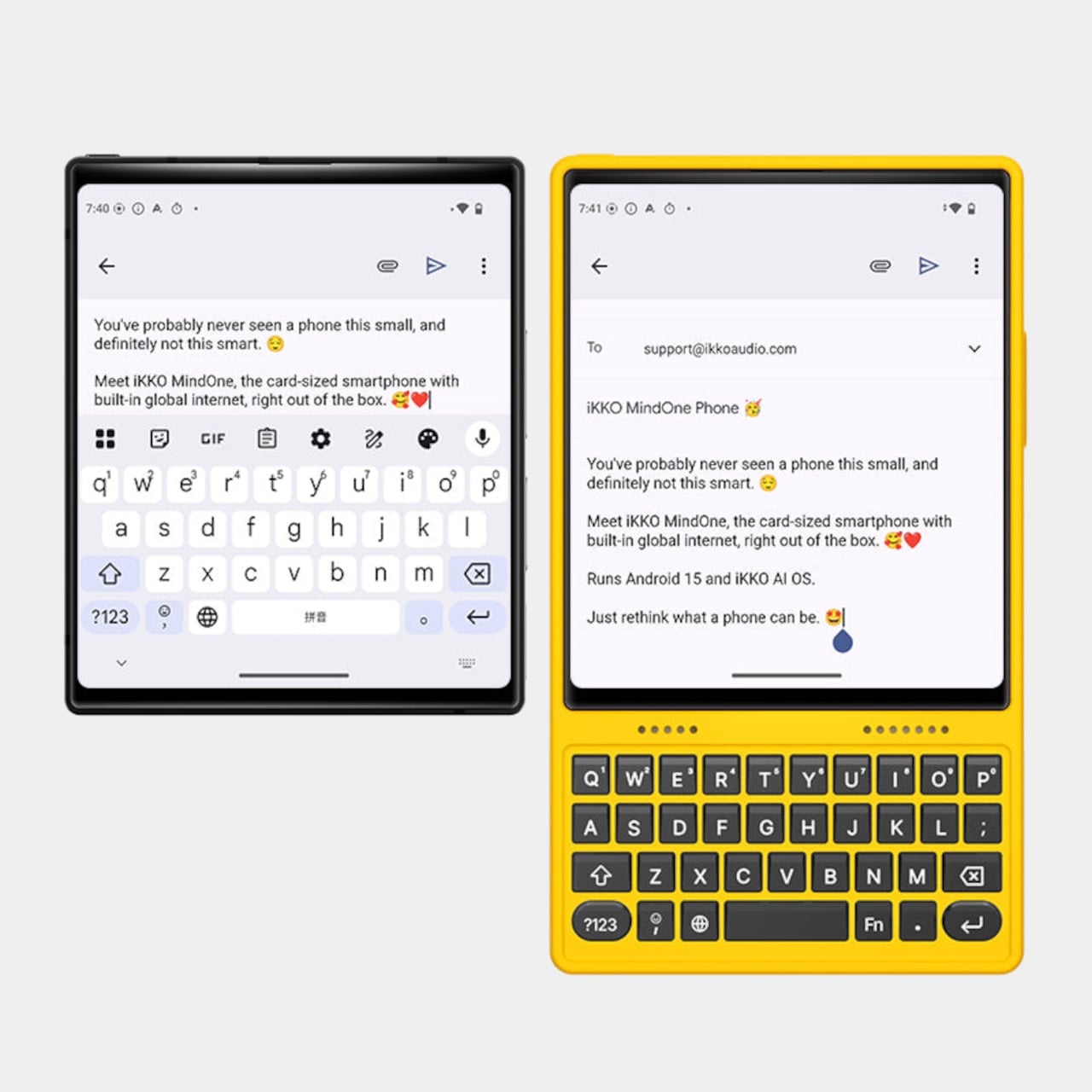
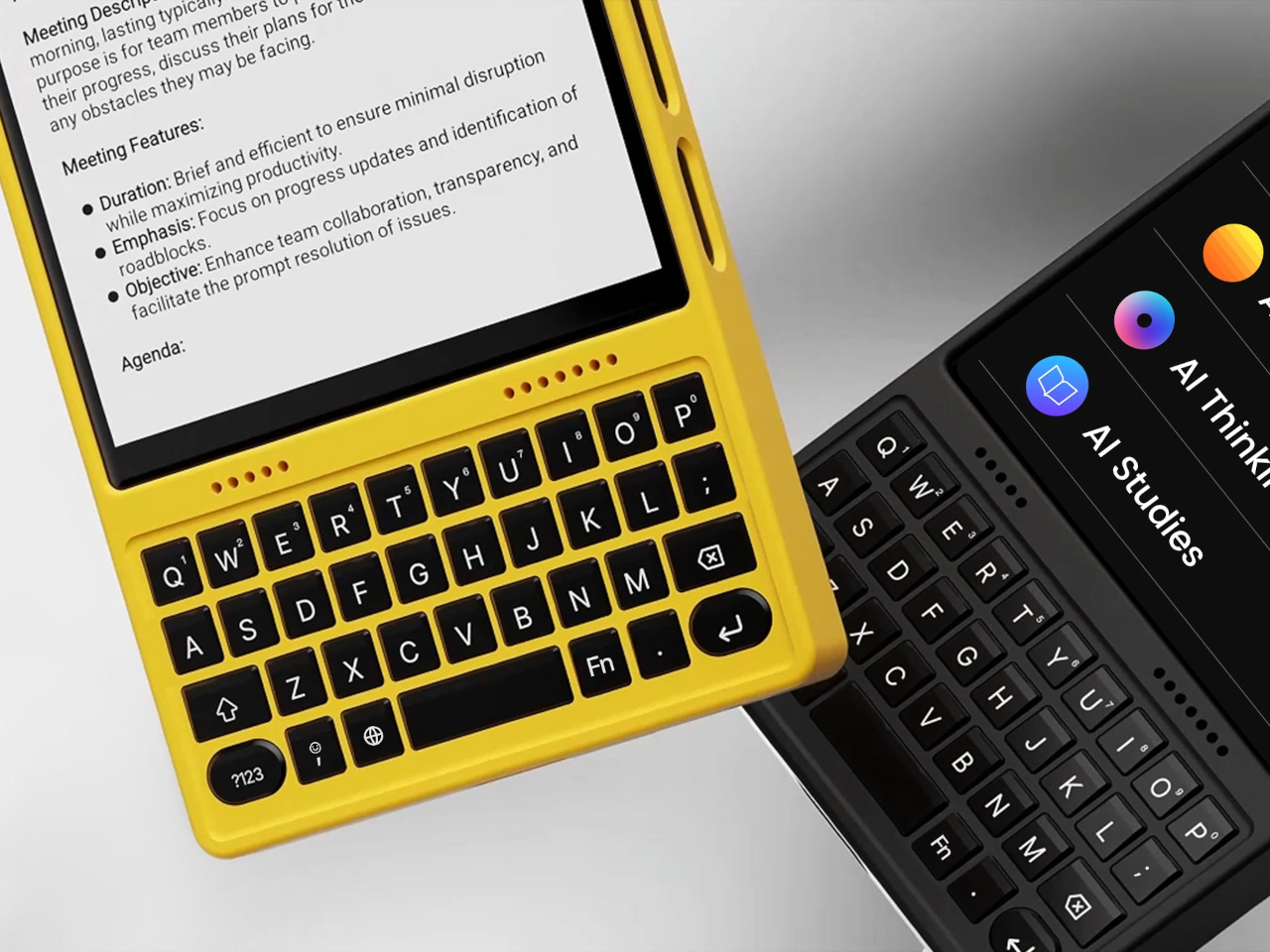
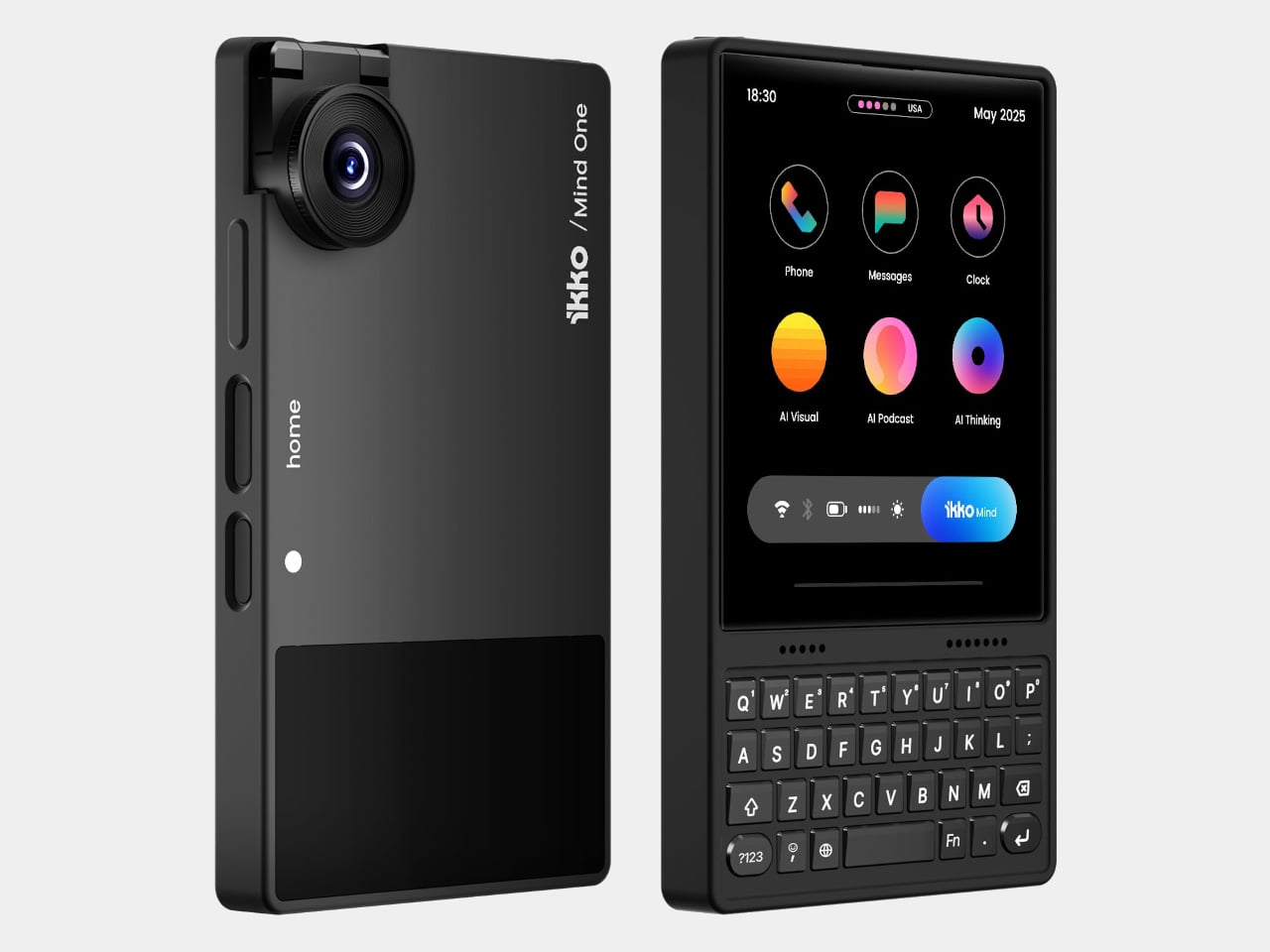
The card-sized iKKO is a small AI-centric smartphone built for always-on connectivity and lightweight productivity. The MindOne Snap-In Case is where it changes character, a snap-on expansion shell that adds a physical QWERTY keyboard, a proper 3.5 mm headphone jack, a dedicated DAC, and a small backup battery in one compact piece, turning the minimal phone into a tiny writing and listening machine.

Designer: iKKo

The QWERTY keyboard changes the way MindOne is used. Raised, separated keys and a slightly sloped surface make thumb typing feel more deliberate than tapping on glass. It is something you reach for when drafting emails, capturing ideas, or editing text while AI handles summarizing and organizing in the background, treating the phone as a tool for active writing rather than just passive messaging and scrolling through feeds.

The case adds a 3.5 mm headphone jack backed by a Cirrus Logic CS43198 DAC, the kind of chip usually found in dedicated portable players. It supports Hi-Res audio with 32-bit/384 kHz PCM and DSD256, low-noise playback, and enough dynamic range to make lossless playlists and long podcasts feel crisp and detailed without worrying about pairing or battery levels in wireless earbuds that will die halfway through the flight.

The built-in 500 mAh battery is a quiet safety net rather than a second fuel tank. It tops up MindOne during long typing or listening sessions and helps offset the extra draw from the DAC and keyboard, extending comfortable use without turning the phone into a brick of battery cells. The point is not doubling battery life, but making intensive sessions feel smoother and less anxious.

MindOne stays slim and card-like on its own, then becomes a different kind of device when it snaps into the case. You might carry the phone bare for quick AI tasks and navigation, then drop it into the case on a flight, in a café, or at a desk when you know you will be writing and listening for a while, using the same object in two distinctly different modes.

Customizable keycap stickers and a range of colors that match or complement the phone are not just fashion accessories; they are small ways to make a very compact device feel personal. The case is tuned to MindOne’s proportions and personality, not a generic keyboard sled trying to fit every phone, which makes the combo feel considered rather than cobbled together from unrelated parts.

The iKKO MindOne Snap-In Case is less about nostalgia and more about choice, letting a tiny AI phone become a pocketable notebook and Hi-Fi player when needed. Most phones today are sealed slabs, which makes this case feel like a quiet reminder that hardware can still click, plug in, and feel like something you work and listen with, rather than just stare at until the next notification arrives.

The post iKKO MindOne Snap-In Case Turns a Card-Sized Phone into a Pocket Writer first appeared on Yanko Design.

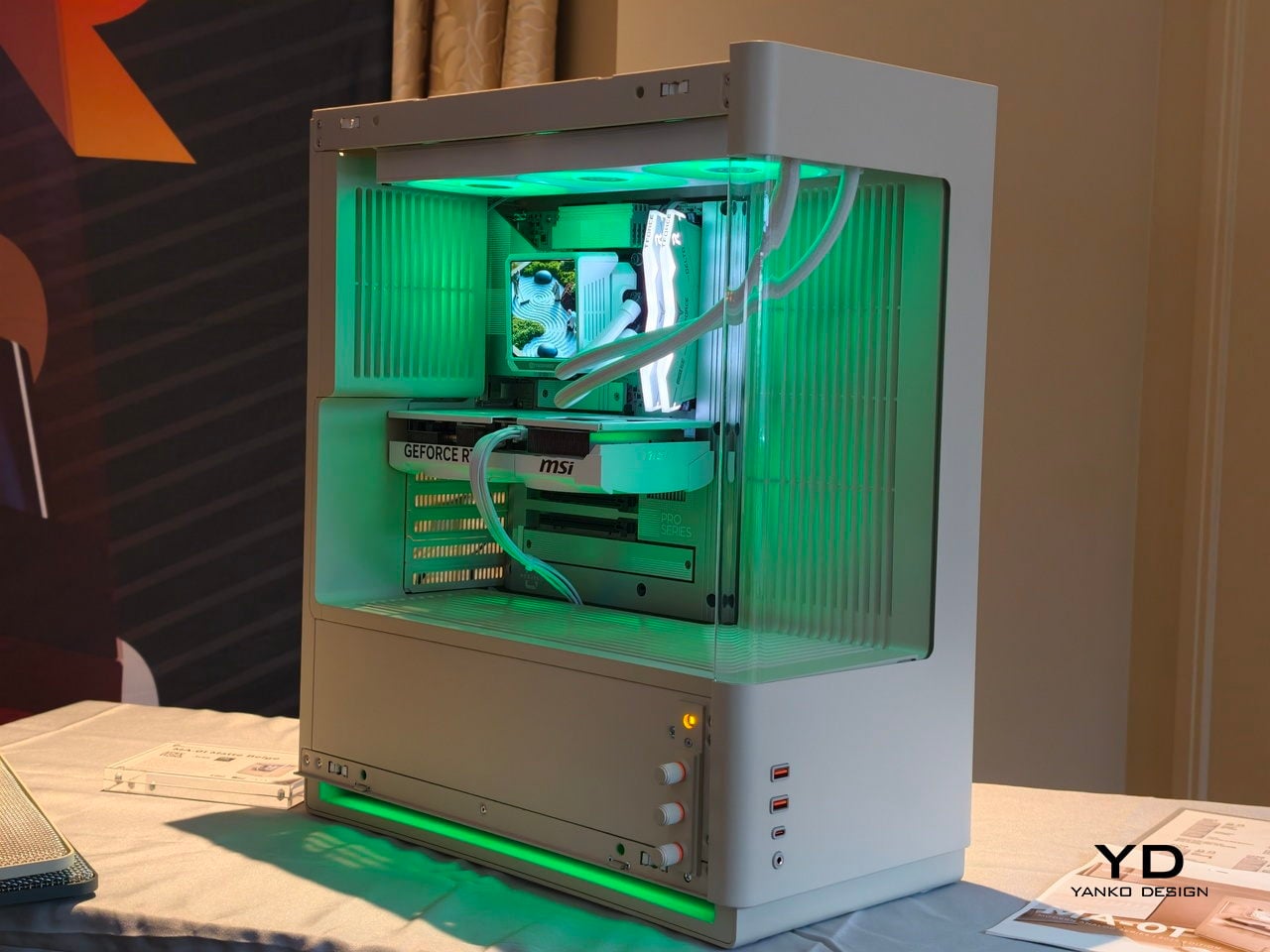
CyberPowerPC MA-01 at CES 2026: A Clean, Quiet, and Modern PC

Most high-end PC towers still shout for attention with exposed fans, RGB strips, and visible screws. That clashes with calmer, more considered interiors, especially when a tower lives on a desk next to a monitor and chair that look like real furniture. The MA-01 comes from the idea that performance hardware can grow up without losing its edge, treating a gaming rig as something you want to see every day instead of something you tolerate.

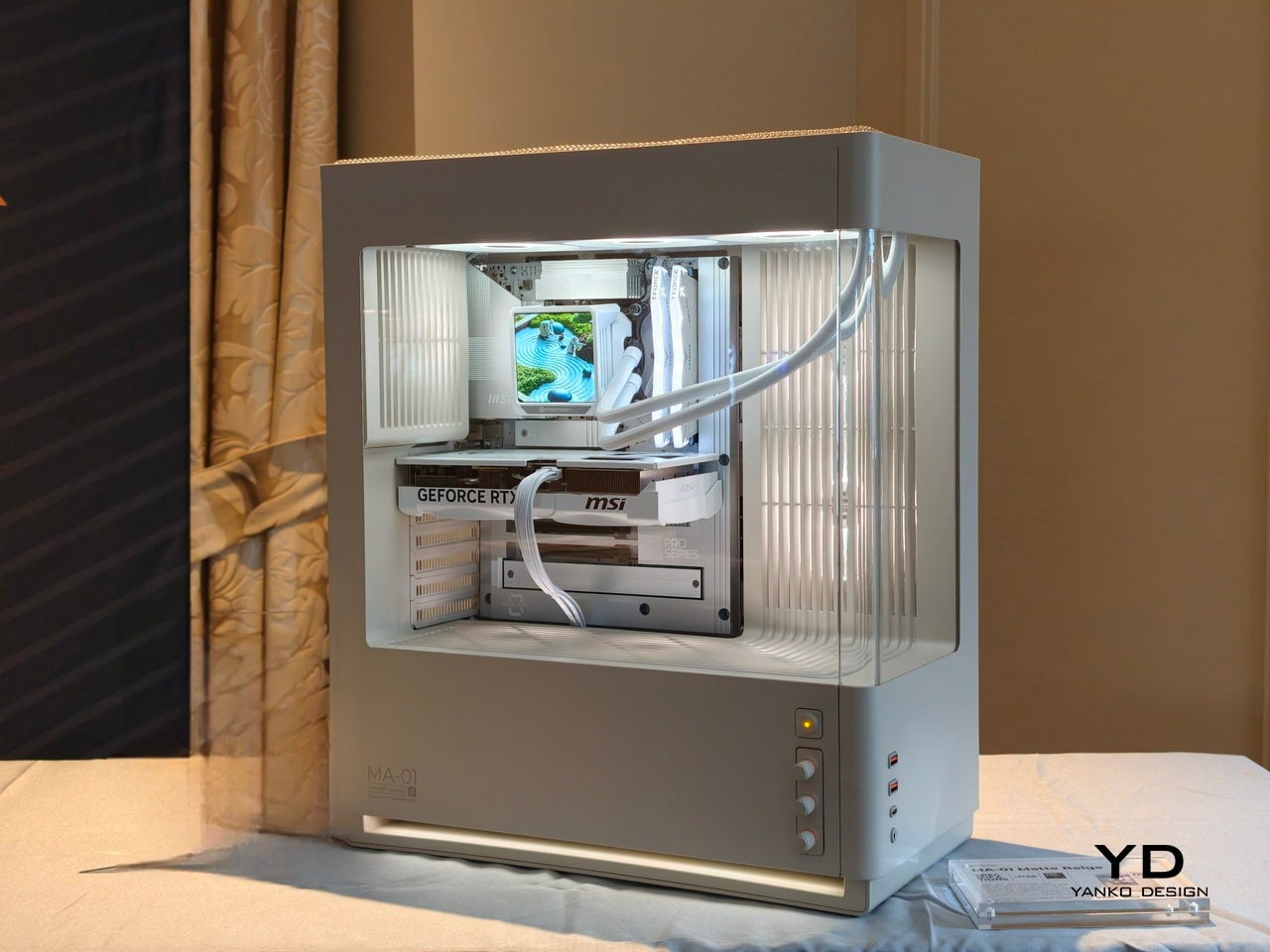
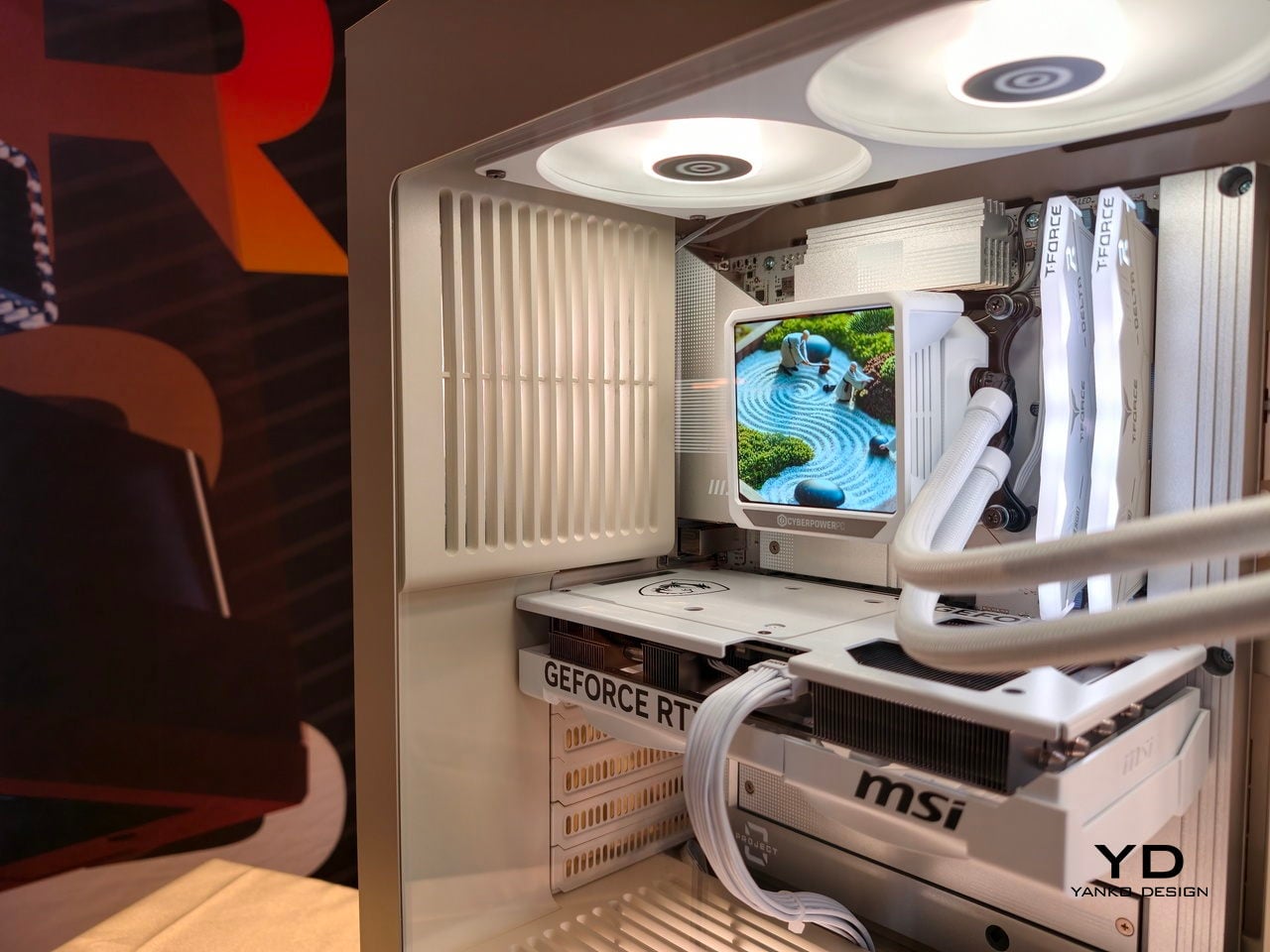
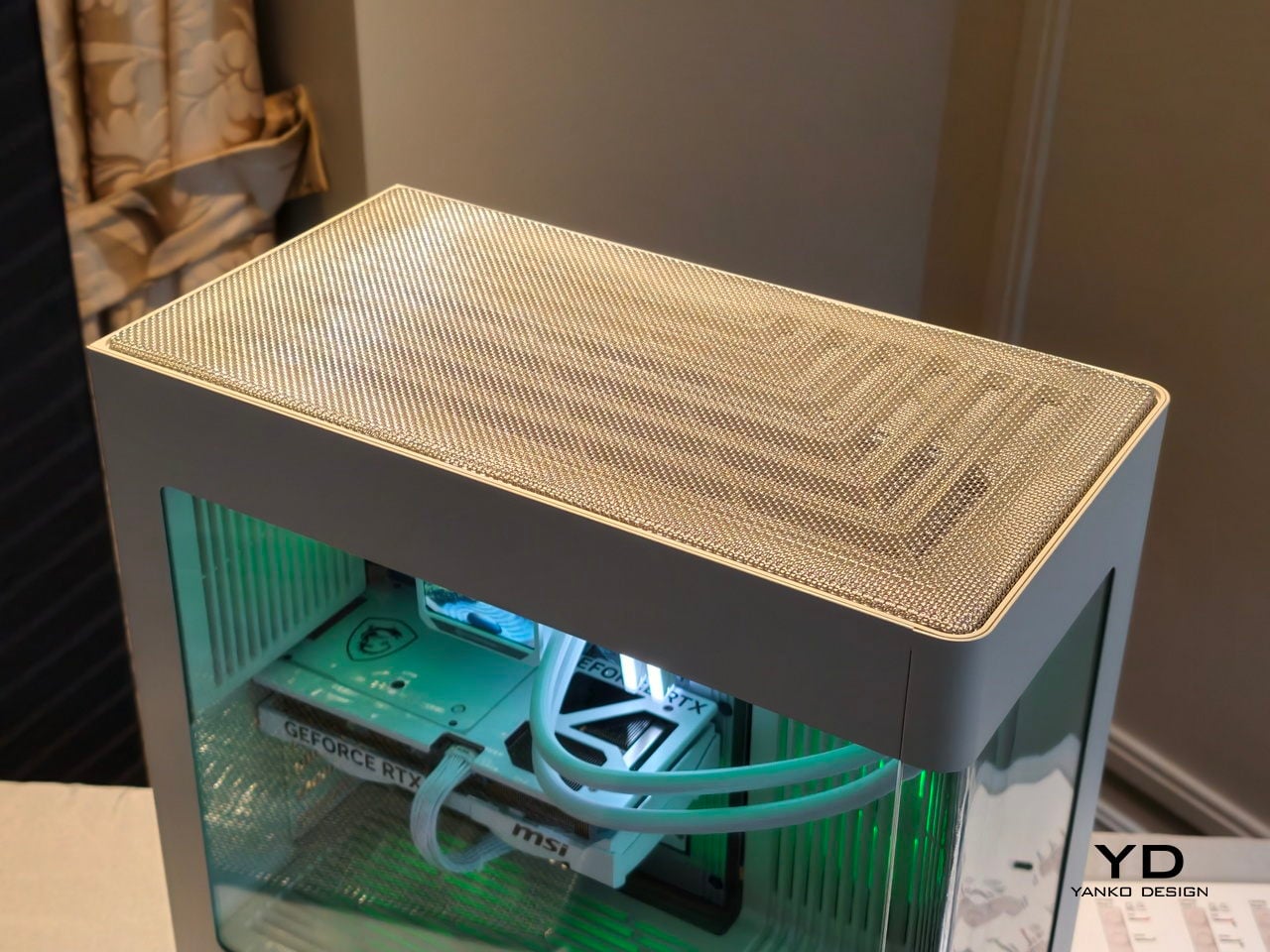
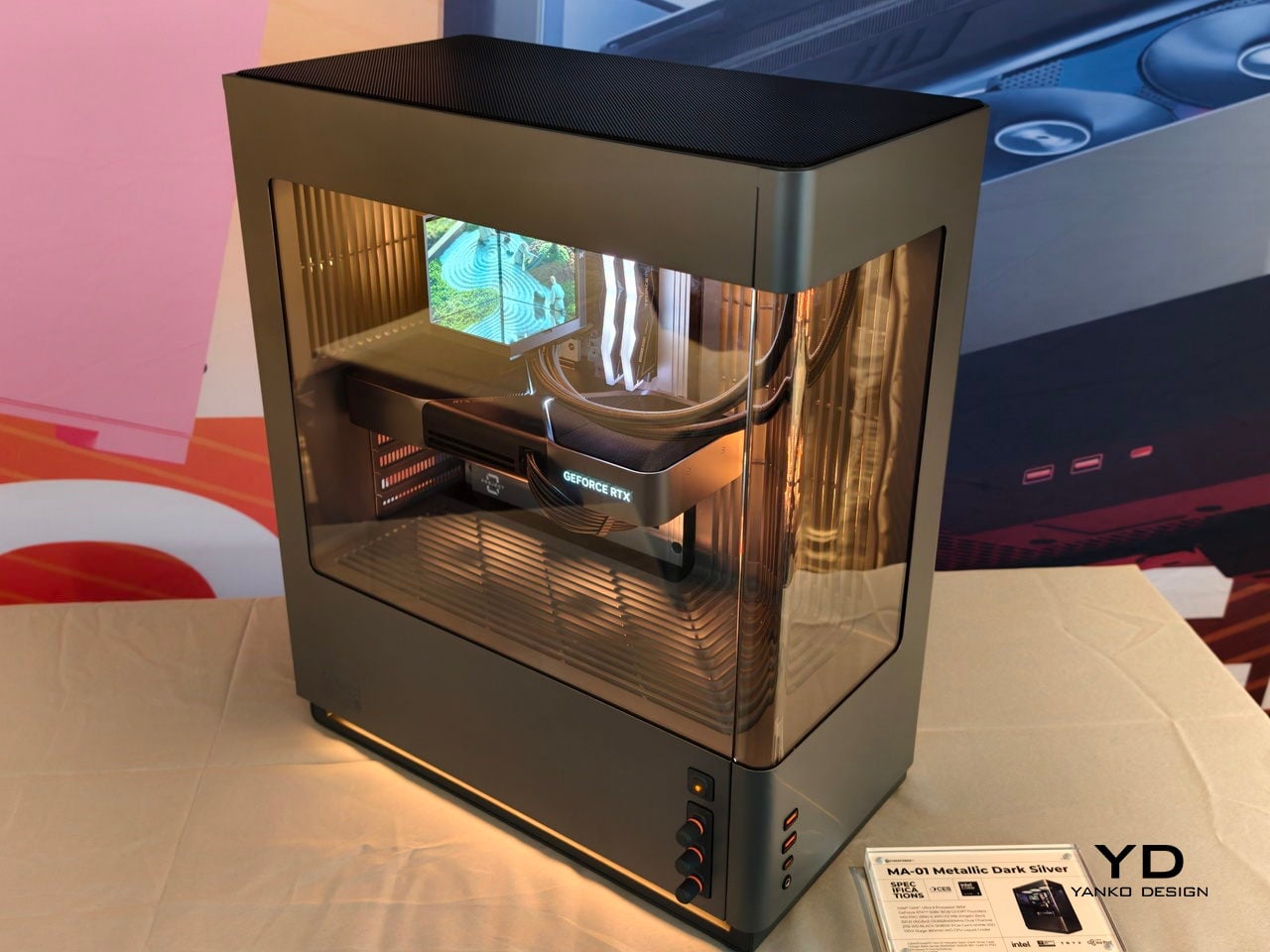
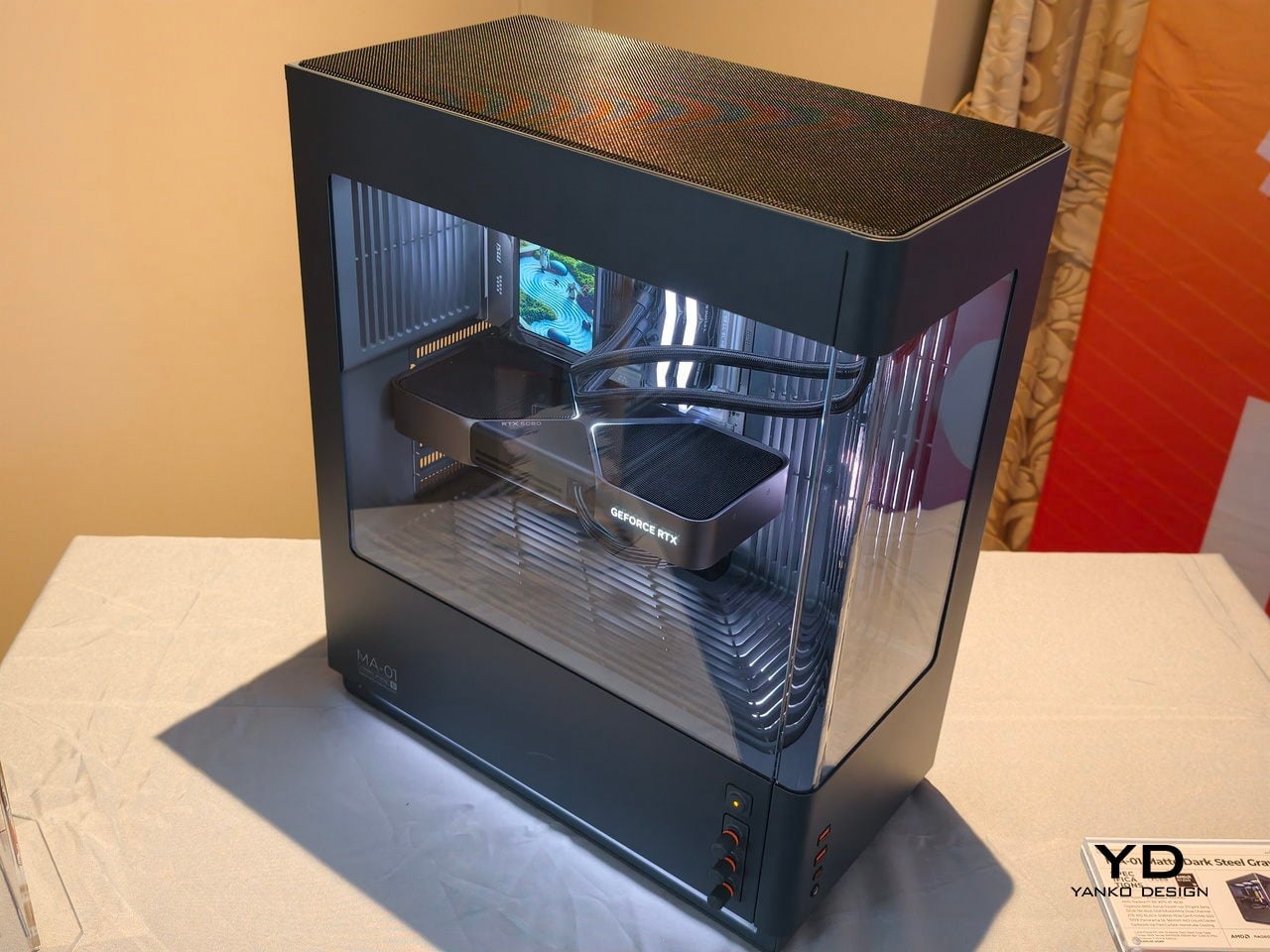
The MA-01 Modern Analog Series chassis is CyberPowerPC’s attempt to design a case around the beauty of what you do not see. It hides the usual clutter, guides air and light through sculpted vents and woven mesh, and frames only the GPU, CPU cooler, and memory. It is a mid-tower that wants to disappear into the room until you look closely, at which point the details start to reveal themselves, analog knobs, corner-less glass, and a top surface that looks more like furniture than electronics.

Designer: CyberPowerPC

Hiding Complexity, Framing Performance

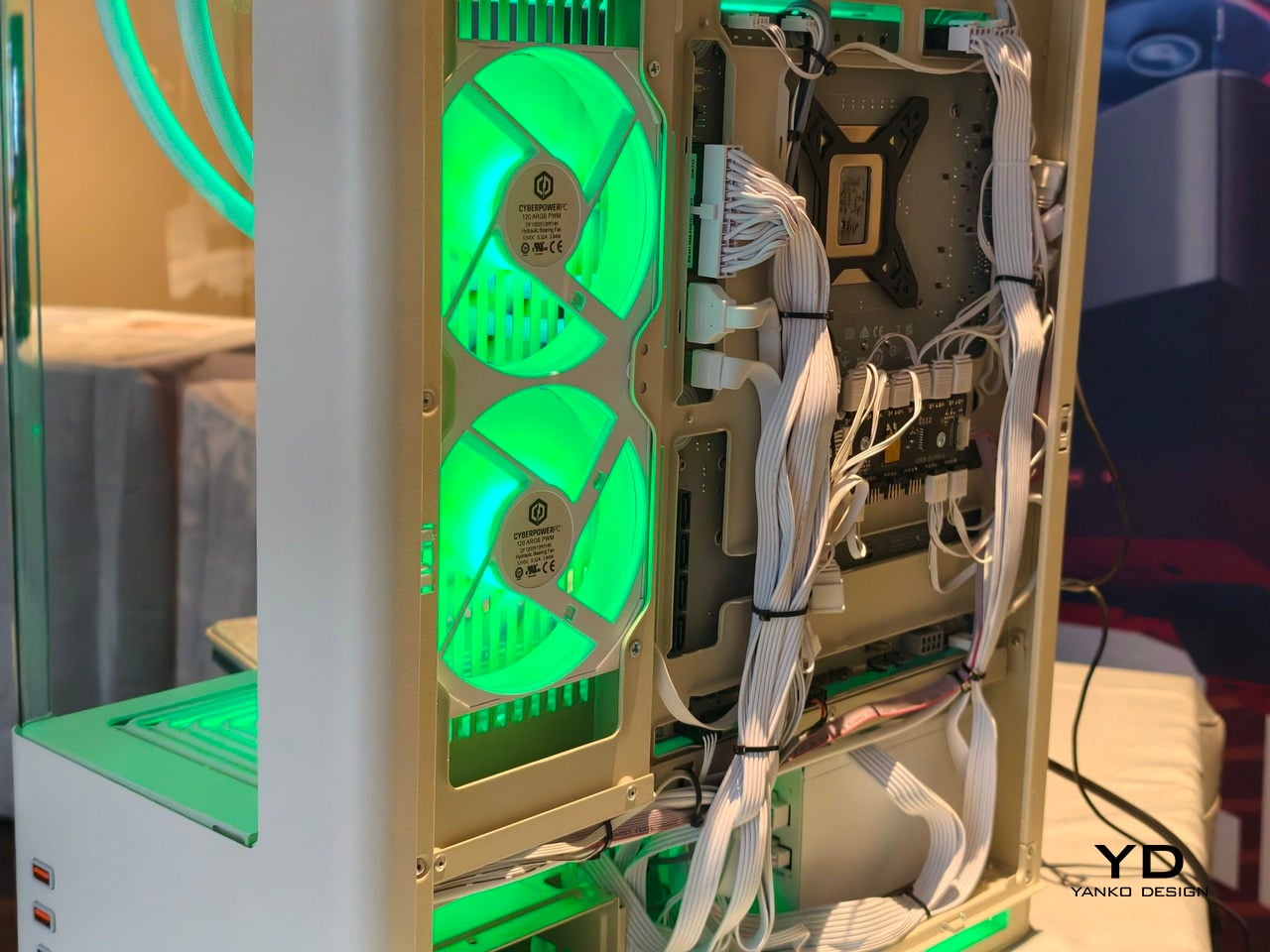
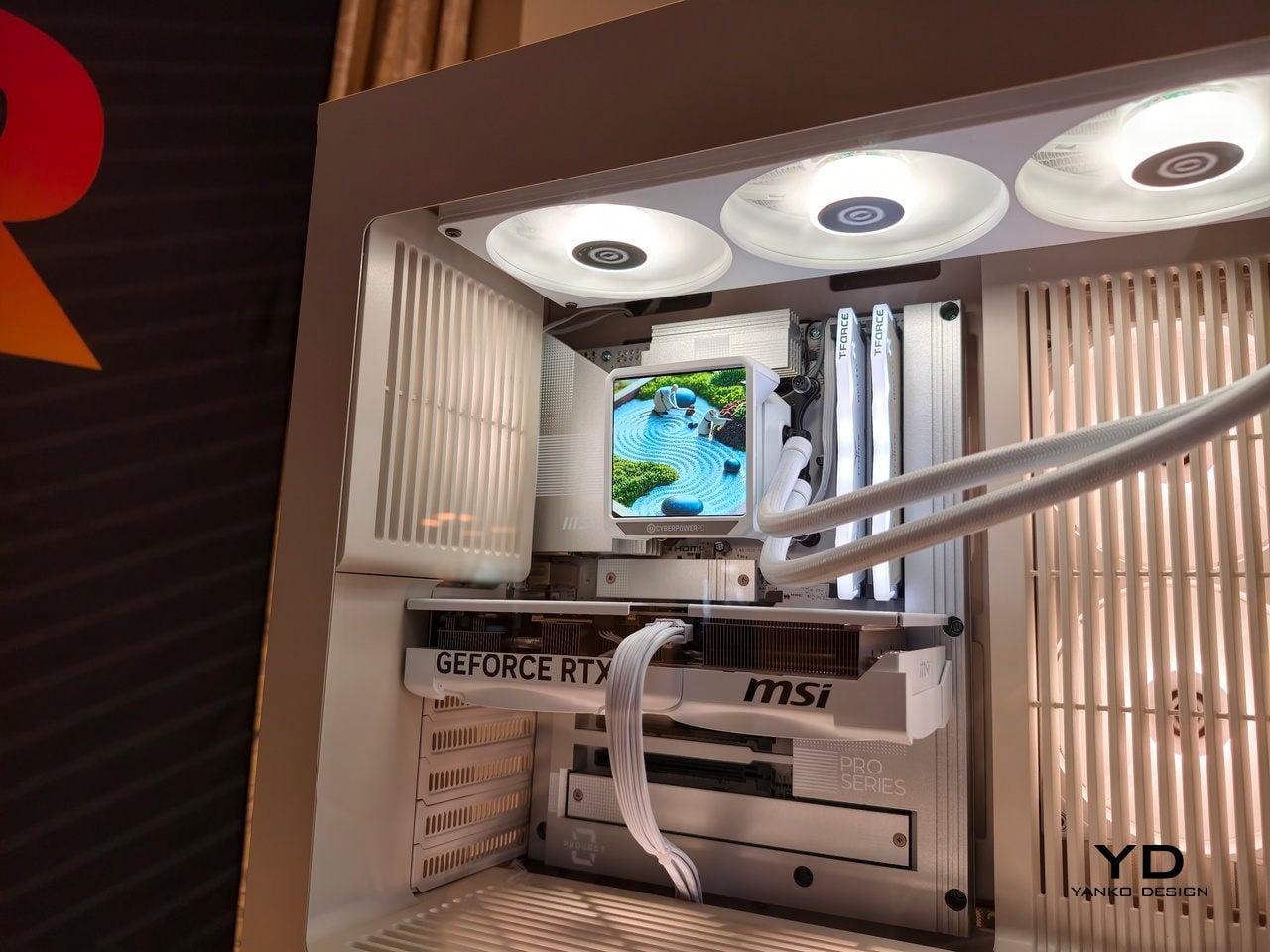
The internal architecture conceals fans, radiators, and cabling behind multi-piece intake covers and internal shrouds, so the interior reads as a clean composition rather than a tangle of parts. The focus shifts to the GPU, cooler, and RAM, which are treated almost like objects on a stage, with consistent geometry and minimal visible mounting points. The chassis does not feel like a kit waiting to be assembled. Rather, it feels like a display case for the hardware that actually matters.

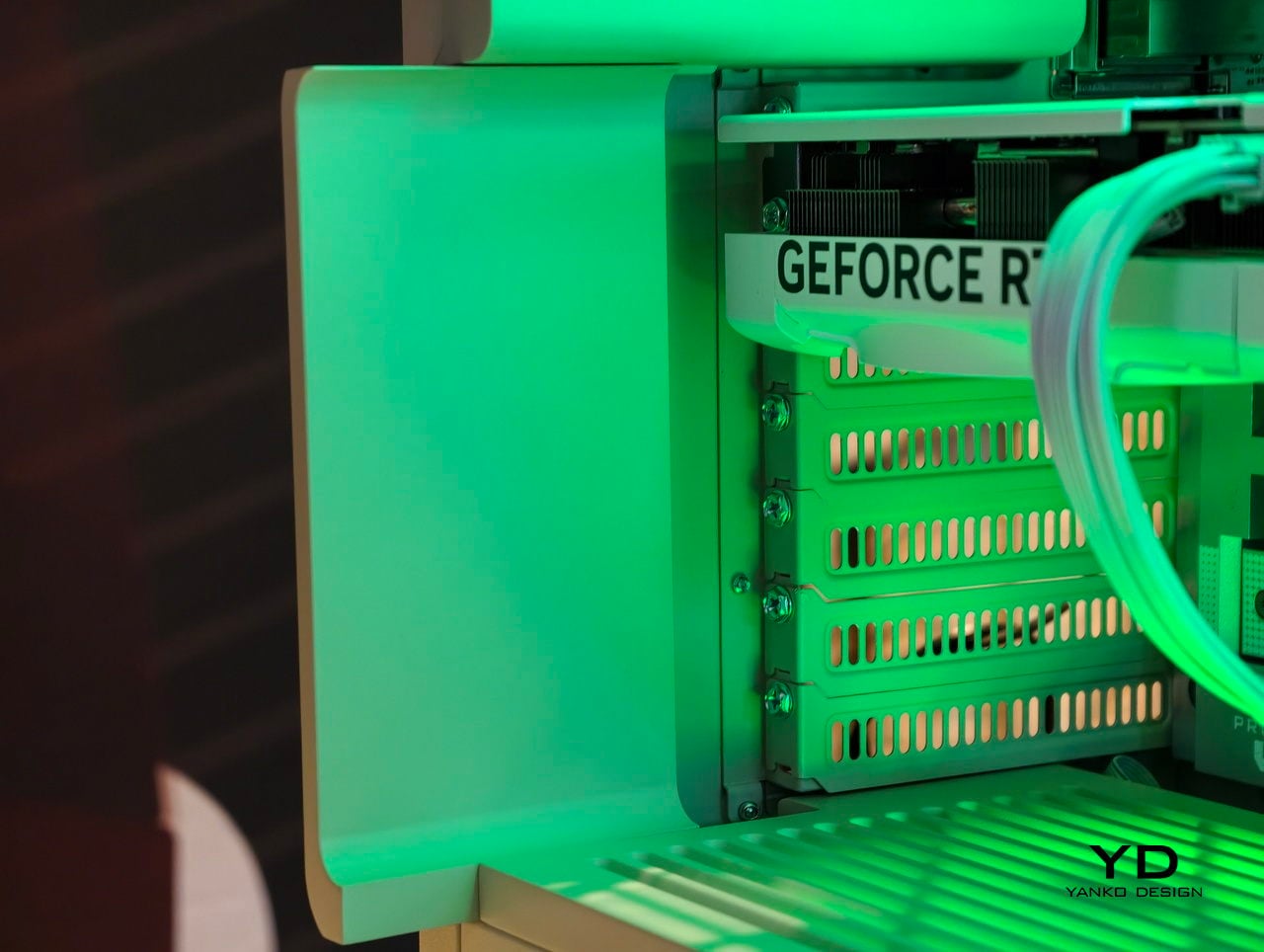
The dual curved glass panels meet without a corner pillar, creating an open-corner view that lets you see the main components from multiple angles without a vertical bar cutting through the scene. Hidden PCI bracket covers and minimized screw heads support the same idea, making the case feel more like a finished appliance than a bin of screws and panels. When you turn the case, the components stay visible and framed, not obscured by structural elements or visual clutter.

Airflow and Acoustics as Design Tools

The woven steel mesh top is one of the defining features, a surface where varying porosity and depth help break up high-frequency resonance that traditional punched vents can amplify. CyberPowerPC claims a 20-30% reduction in exhaust noise, which matters when the tower sits at ear level on a desk. The goal is to make power quieter rather than louder, so fans can spin up during intense sessions without filling the room with the usual high-pitched whine.

A full-length internal vent cover runs from the right-side intake across the bottom and up to the rear exhaust, with angled vents that redirect intake air directly onto heat-critical components. That guided airflow reduces wasted intake air and helps radiators and GPU coolers work more efficiently, which in practice means lower fan speeds and a calmer acoustic profile. It is not just about moving air, it is about moving it deliberately so the case stays quieter while still keeping temperatures in check.

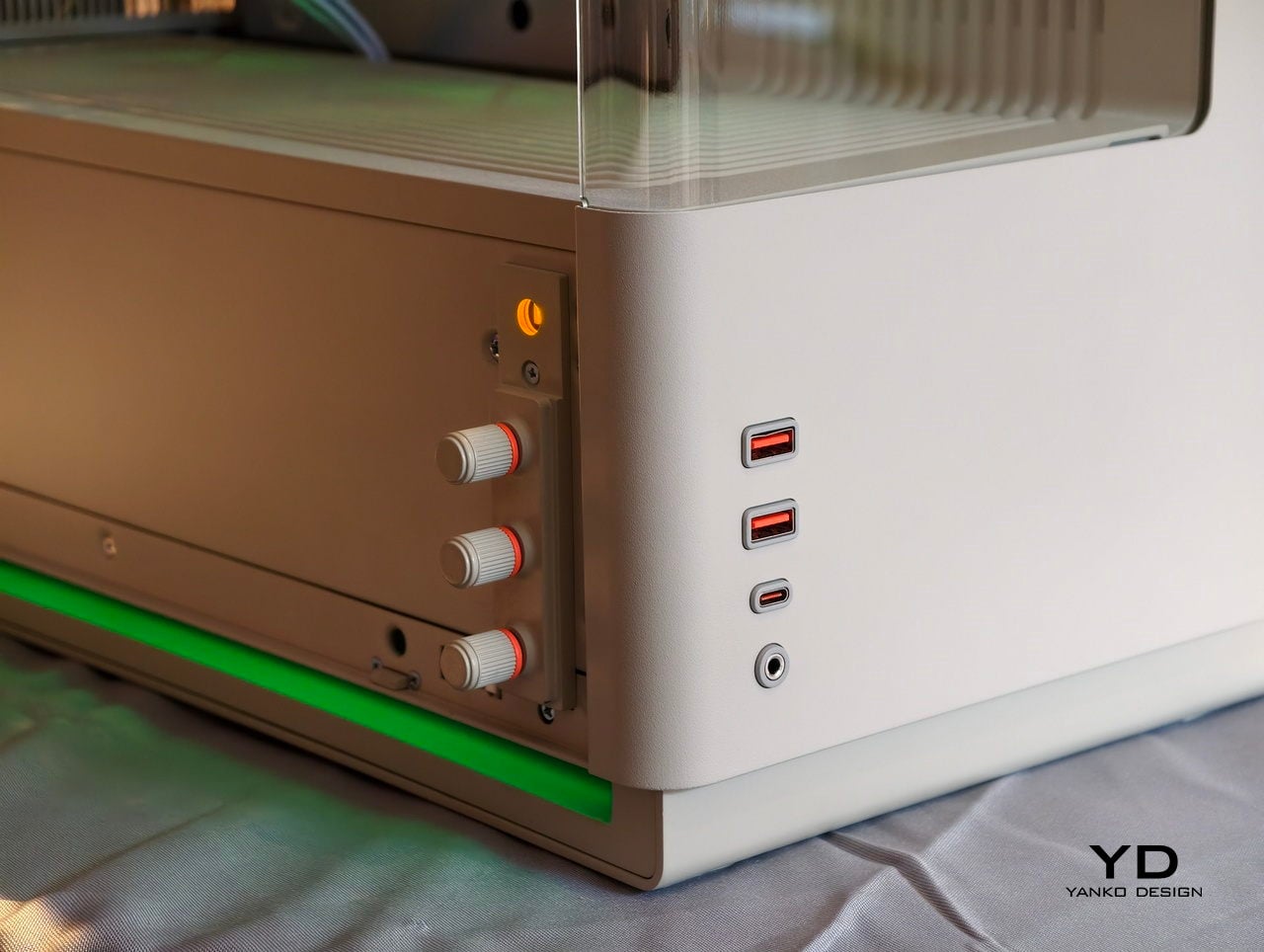
Analog Controls and Tactile I/O

Three analog RGB knobs sit on the front panel, mapping to red, green, and blue in one mode and to color, brightness, and effect mode in another. You can sweep through the full 16.7-million-color spectrum and adjust effects without opening software, which appeals to builders who prefer hardware-level control and a more analog, tactile interaction. Pressing each knob activates secondary functions, so the same three controls handle color jumping, brightness, and lighting modes without menus or drivers.

The precision-molded I/O shrouds around the USB-A, USB-C, and audio ports are designed to self-center cables, absorb side impacts, and reduce insertion wear. That small detail makes daily use feel less fragile, especially when the case is on a desk where ports are used often. The framing of the ports contributes to the overall architectural, finished look, turning functional elements into part of the visual language rather than afterthoughts drilled into a panel.

Finishes, Compatibility, and Longevity

The three finishes each serve different desk environments. The warm matte off-white nods to classic beige machines while feeling contemporary, suitable for creative studios that lean toward lighter, Scandinavian palettes. The dark steel gray is a cooler alternative to black with a subtle hint of blue, fitting more traditional setups. The metallic dark silver is a more industrial counterpoint to familiar aluminum aesthetics, bridging productivity and gaming without leaning too hard into either category.

On the practical side, the MA-01 supports ATX and micro-ATX boards, including BTF-standard layouts for cleaner cable routing, and offers space for long GPUs, tall air coolers, and 360 mm radiators at the top and motherboard side. Hidden fasteners and seven expansion slots signal that the case is built for multiple hardware generations, not just a single build cycle. The compatibility range means it can handle everything from a mid-range productivity build to a high-end gaming rig with a large GPU and custom cooling loop.

CyberPowerPC at CES 2026: The Beauty of What You Don’t See

The MA-01 is a sign that gaming-class hardware can finally behave like a mature object in the room, not just a spectacle. It still moves a lot of air and lights up in any color you want, but it does so through woven mesh, sculpted vents, and analog controls that feel considered and deliberate. For people who want a powerful tower that can live on a desk without shouting, that shift in attitude is the real headline, and it suggests that the future of PC hardware might look less like a science experiment and more like something you would actually choose to keep visible in a living room or studio.

The post CyberPowerPC MA-01 at CES 2026: A Clean, Quiet, and Modern PC first appeared on Yanko Design.

This Case Fixes iPhone’s Weak Selfie Camera with a Second Screen

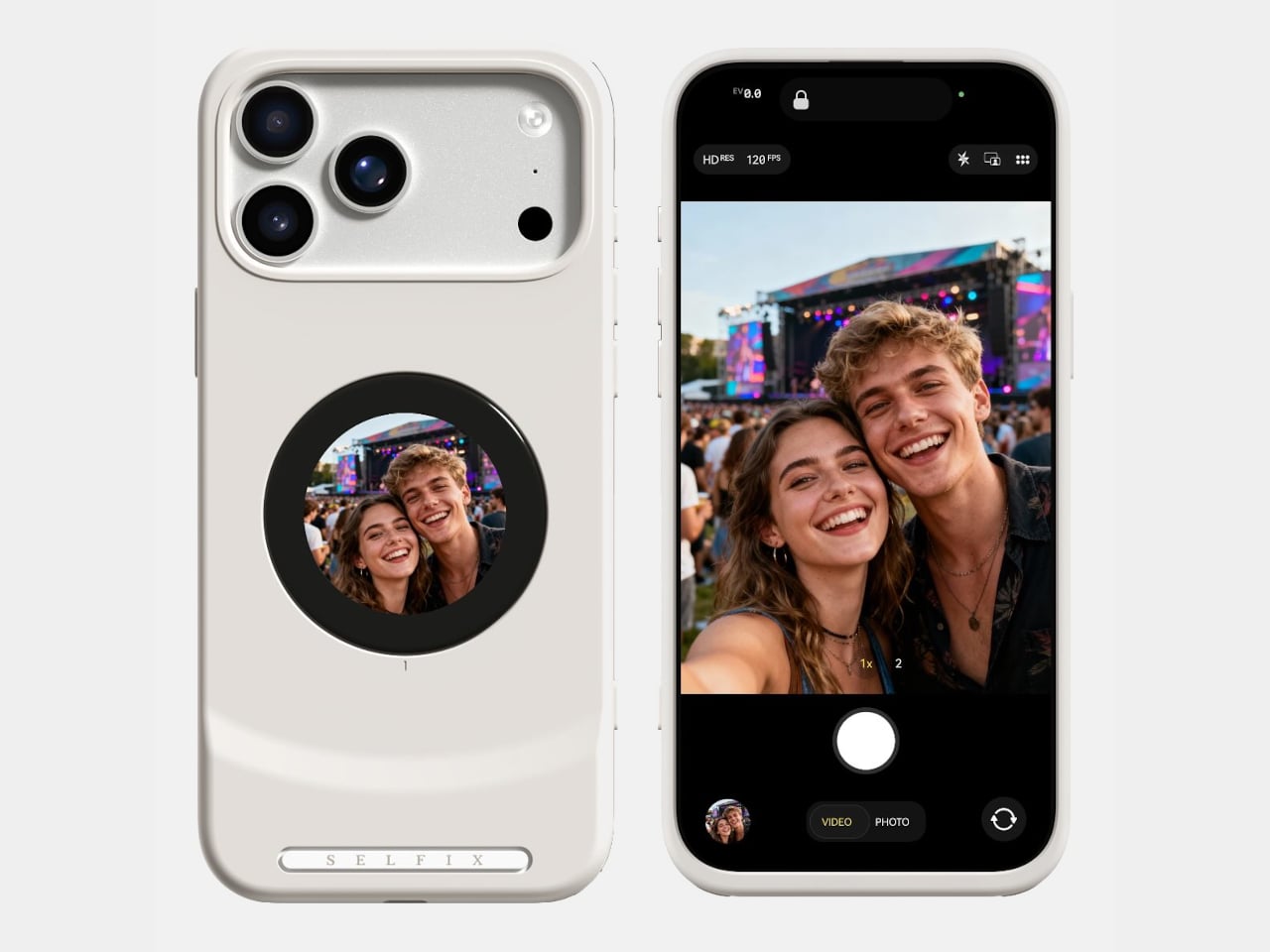
The iPhone’s rear cameras keep getting better, but selfies still rely on a smaller, lower-resolution front sensor, and storage upgrades cost considerably more than a microSD card. People who shoot a lot of photos and video feel squeezed on both fronts, choosing between spending hundreds on internal storage or dealing with blurry front-camera selfies. Selfix is a case for the iPhone 17 Pro that tackles both problems at once.

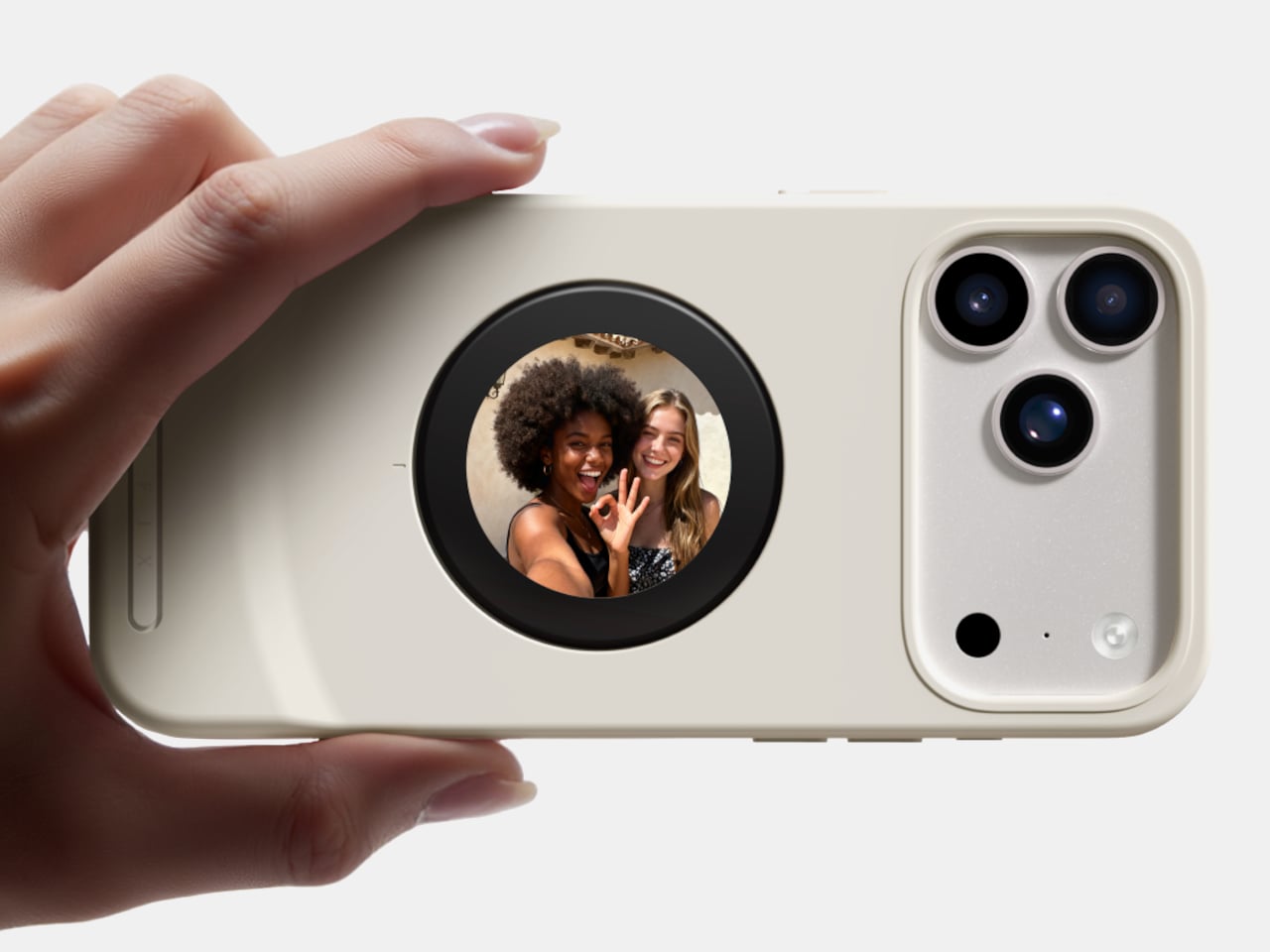
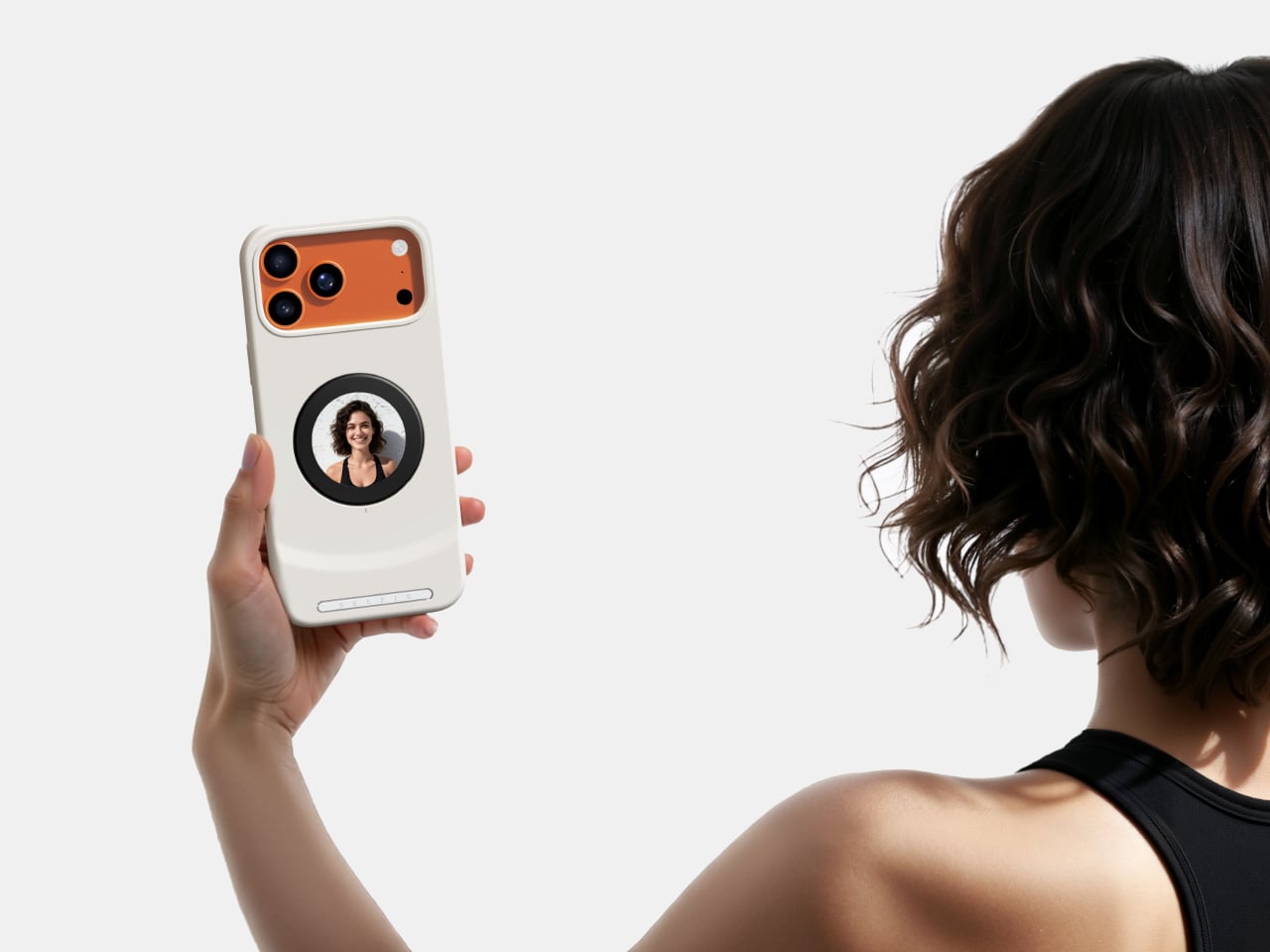
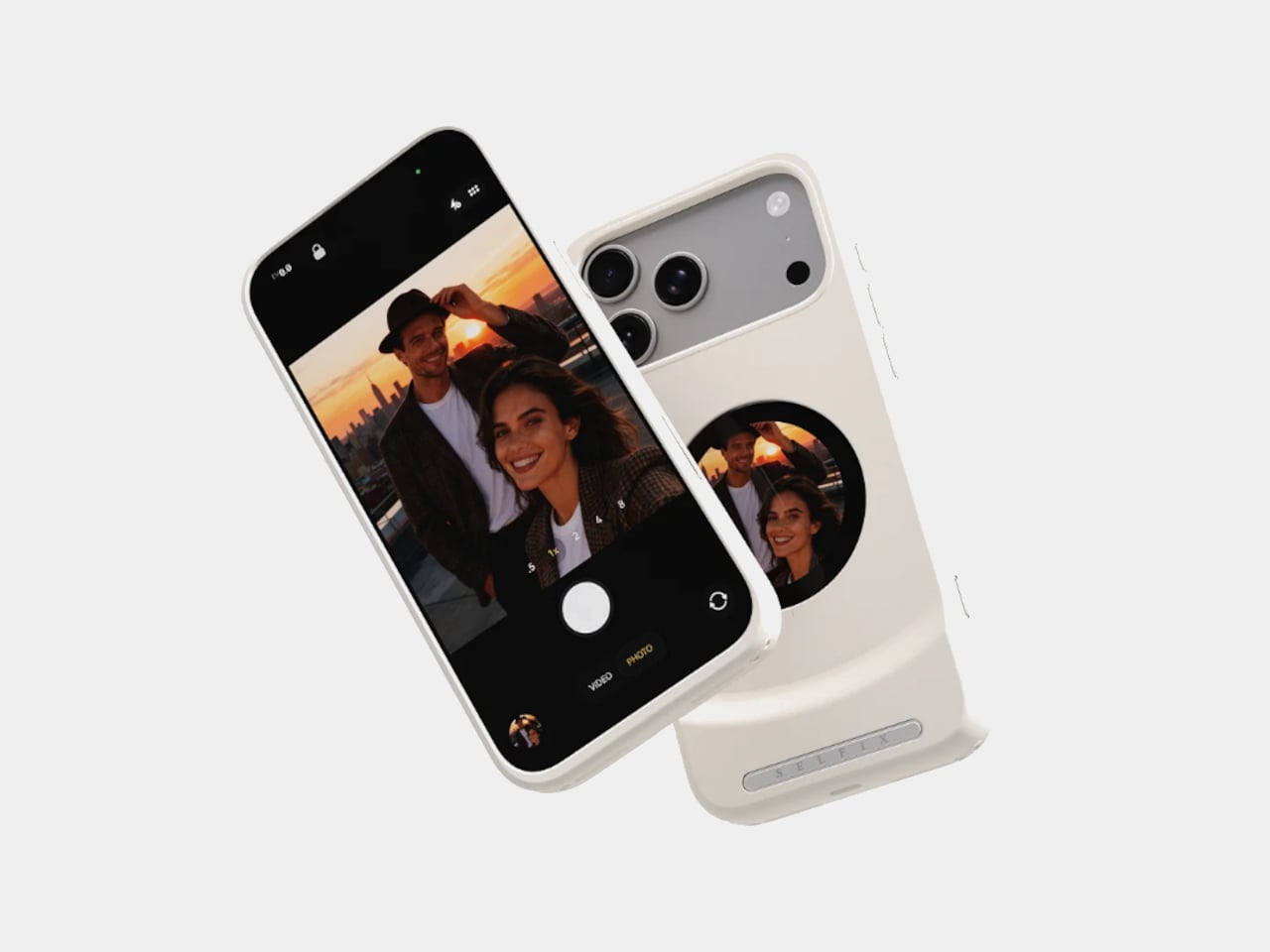
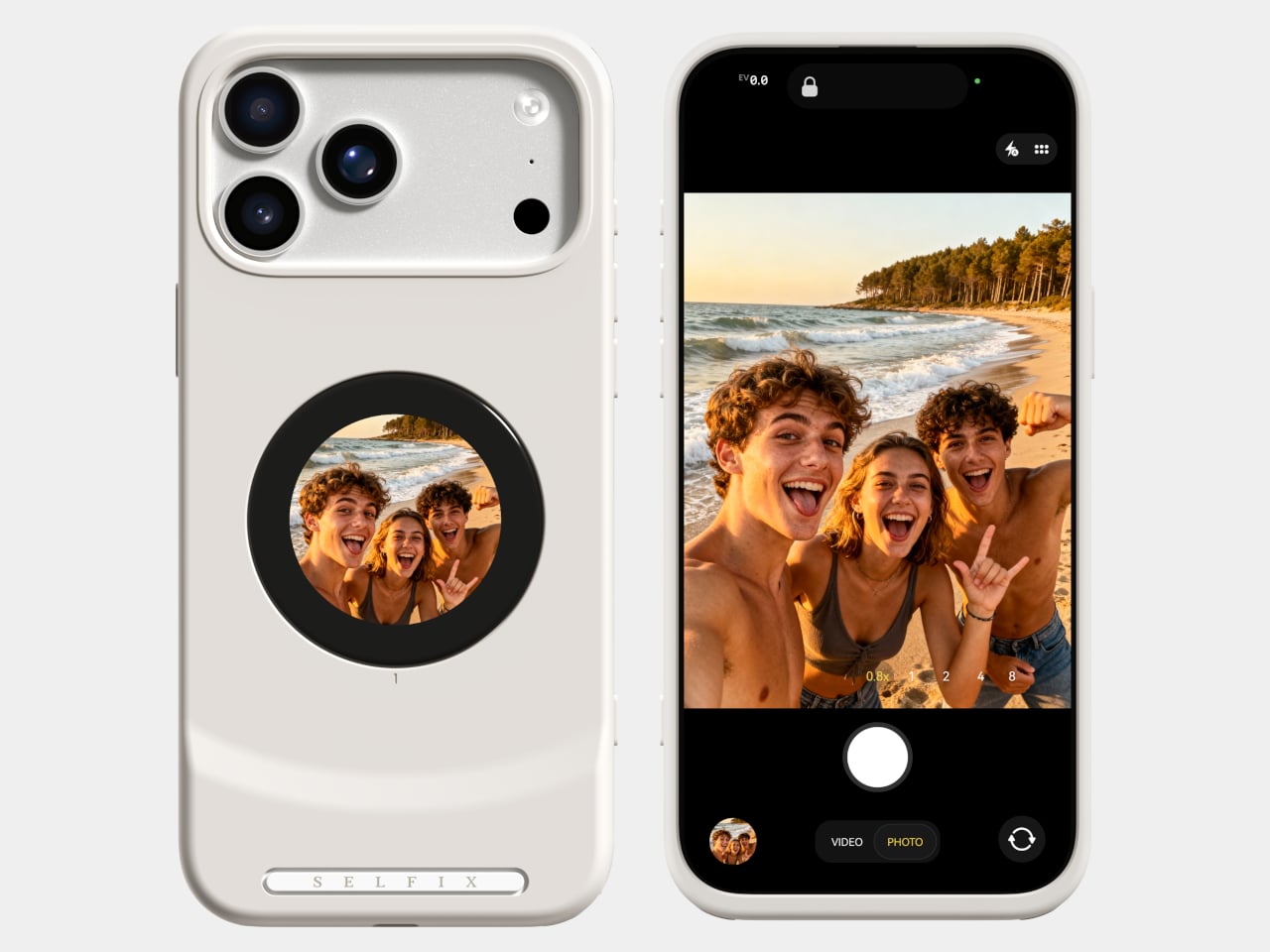
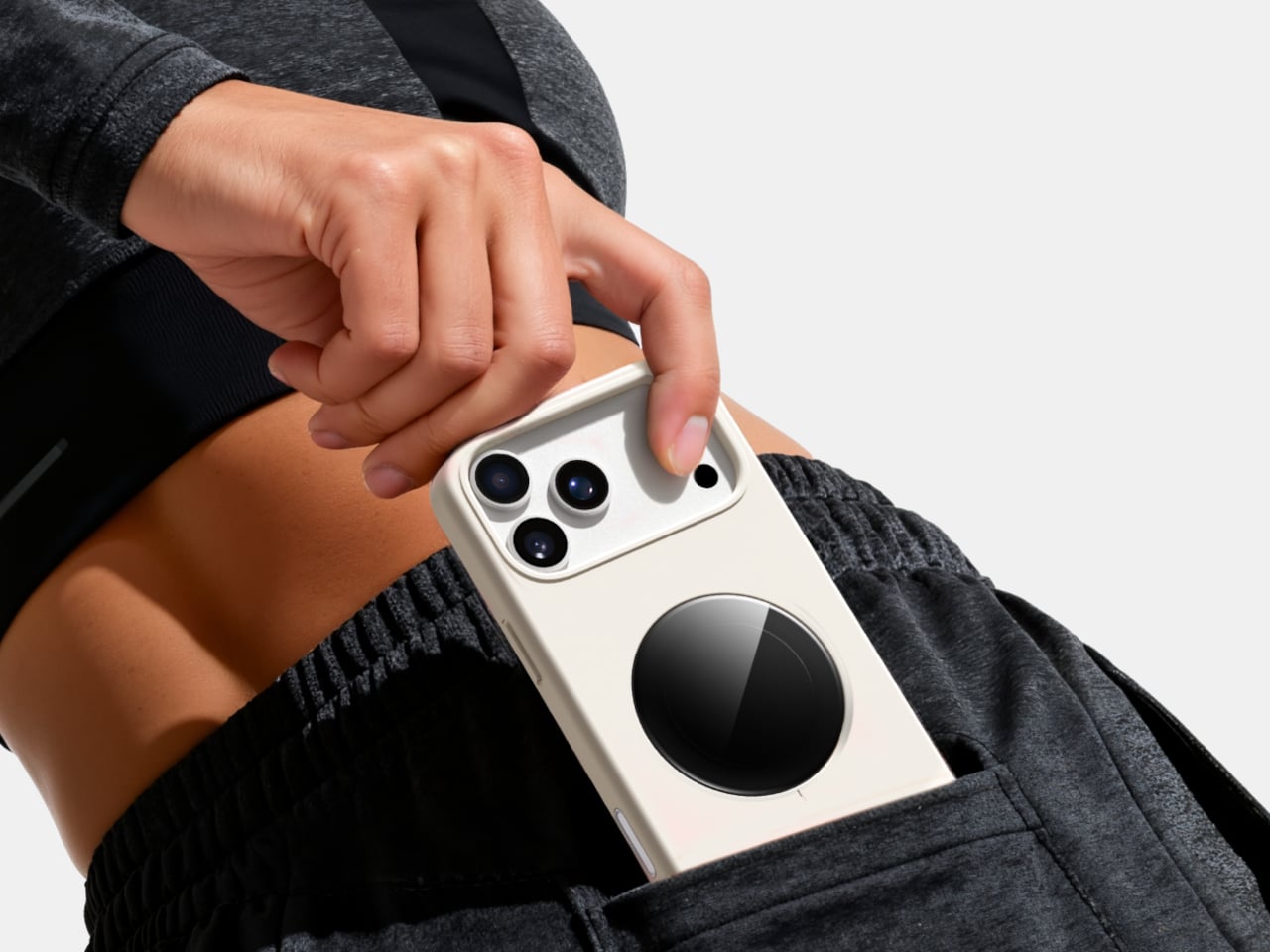
Selfix is a case for the iPhone 17 Pro and Pro Max that adds a circular 1.6-inch AMOLED screen to the back and hides a microSD slot inside. The rear screen acts as a tiny viewfinder so you can use the 48 MP rear cameras for selfies, while the card slot lets you add up to 2 TB of storage without touching Apple’s upgrade menu or monthly cloud fees.

Designer: Selfix

The rear display mirrors the camera view so you can frame yourself, adjust in real time, and pick any of the rear lenses, from ultra-wide group shots to telephoto portraits. You get the main sensor’s larger 1/1.28-inch glass, Night Mode, and up to 8× optical zoom for selfies, instead of guessing with a cropped front camera and hoping everyone fits into the narrower field of view.

Selfix connects through the phone’s USB-C port and does not need a separate app. You snap the case on, open the camera, and the rear screen wakes up. A dedicated button on the case lets you turn the display off when you are not using it to save battery. The idea is to feel like a built-in second screen, not another gadget that needs pairing, permissions, and a drawer full of instructions.

The case includes a microSD slot that supports cards up to 2 TB, using the same USB-C connection to integrate with the phone. A 512 GB card costs around $50, while Apple’s $200 jump for the same capacity makes swappable storage a compelling alternative. Heavy shooters can archive trips or projects without paying monthly cloud fees or deleting older work to make room for new sessions.

Selfix is made from high-quality TPU and comes in Oat White, Blush Pink, and Midnight Black, sized to match the 17 Pro and Pro Max. It adds some thickness, bringing the total to 17mm, but in return, you get a grippy shell, a second screen, and a hidden storage bay. The design aims to look like a natural extension of the phone rather than a bolt-on camera rig or accessory that screams afterthought.

Selfix is aimed at people who care enough about image quality to use the rear cameras for everything, and who are tired of juggling storage or paying the upgrade tax. A case that quietly turns the iPhone into a dual-screen shooter with expandable memory makes you wonder why the phone did not ship this way, especially when the rear cameras already outclass the front by a significant margin, and storage remains artificially expensive.

The post This Case Fixes iPhone’s Weak Selfie Camera with a Second Screen first appeared on Yanko Design.

EDC flashlight and charging case makes sure you won’t be in the dark for long

Small pocket-sized flashlights are a dime a dozen these days, especially in the era of EDCs or Everyday Carry bags. Many of these come in rugged designs with bright LED functionality, and most of them utilize rechargeable batteries for convenience. Of course, that implies having some sort of charger always at hand, which requires carrying yet another separate device in your kit.

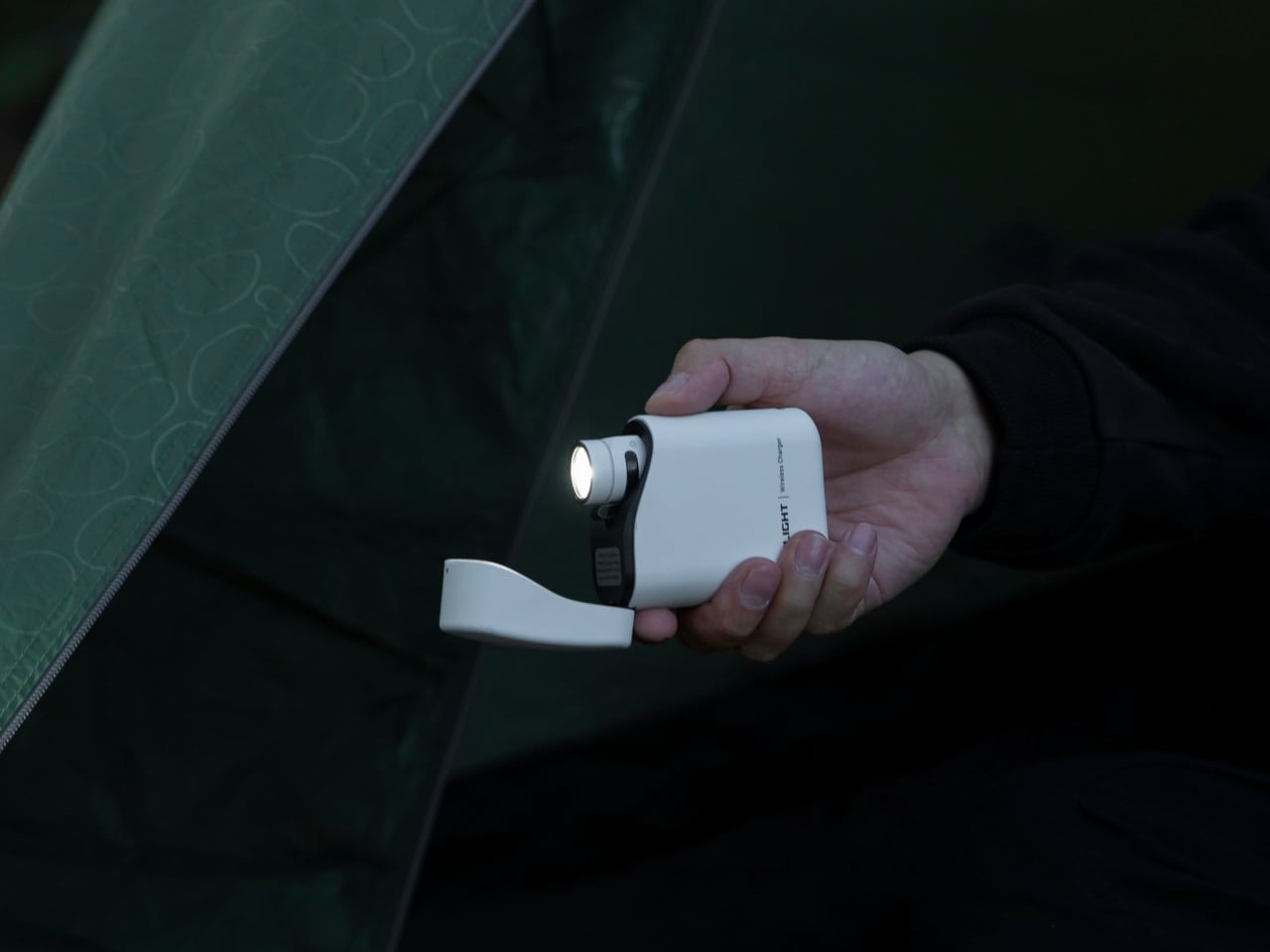
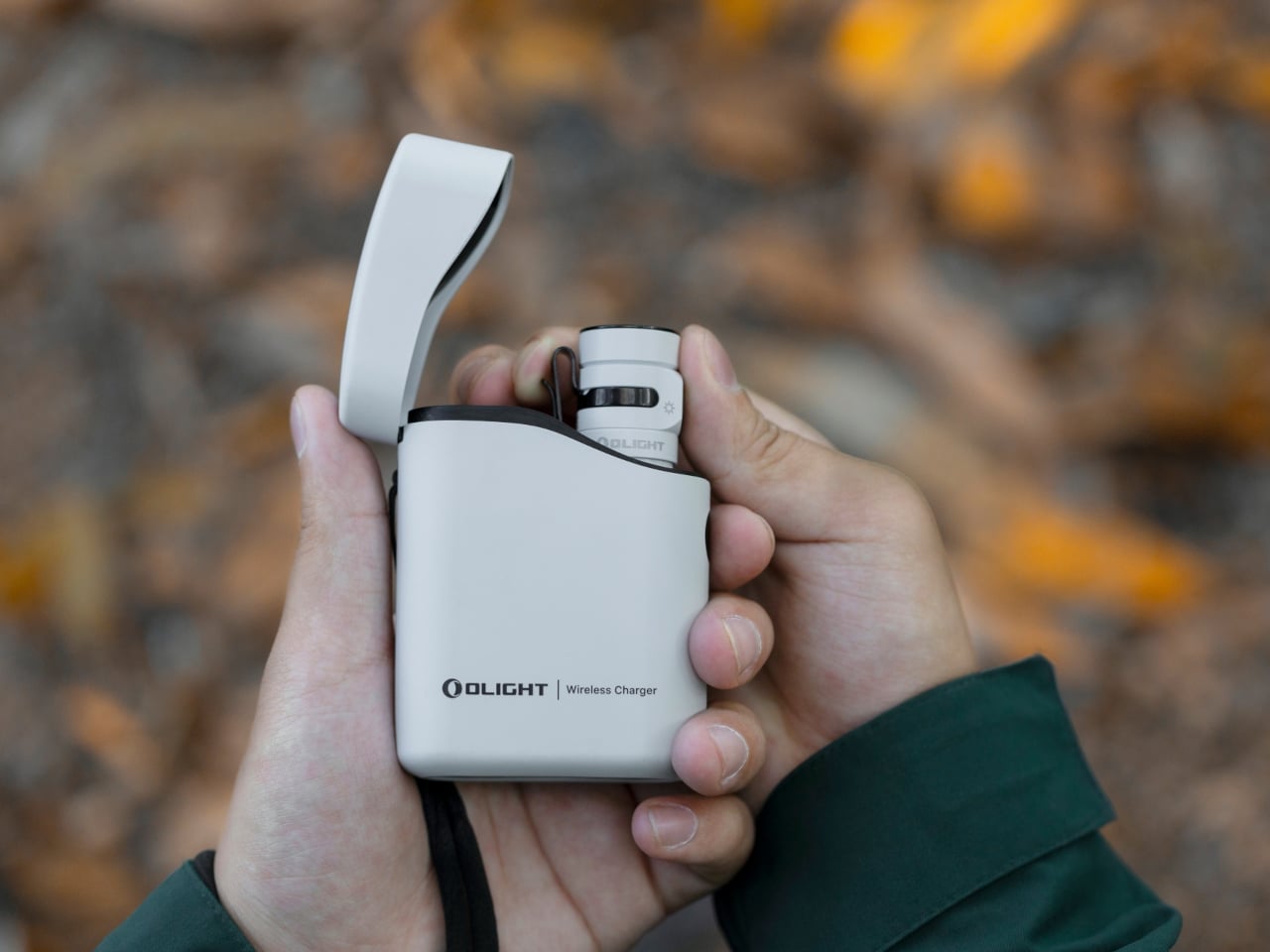
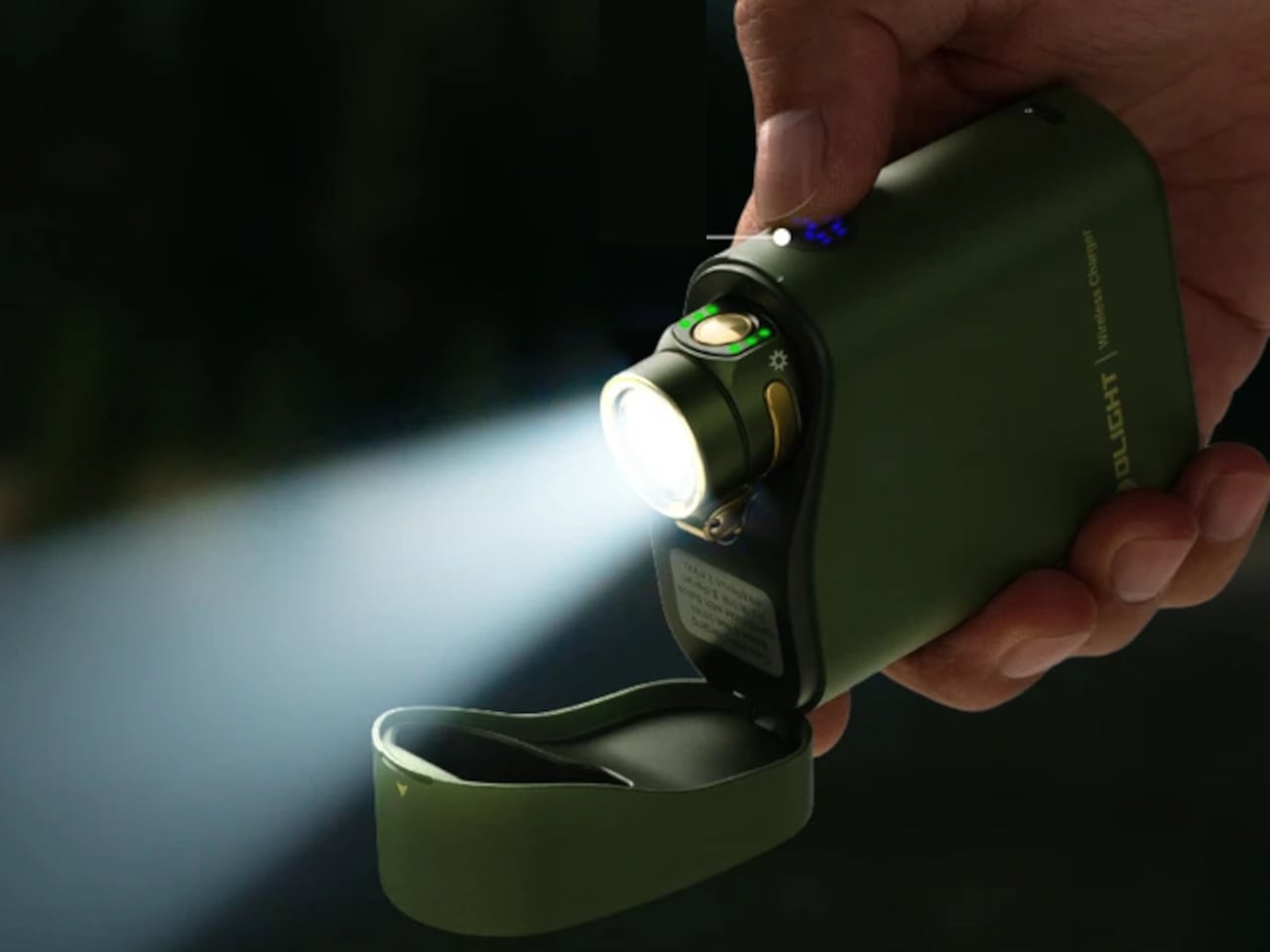
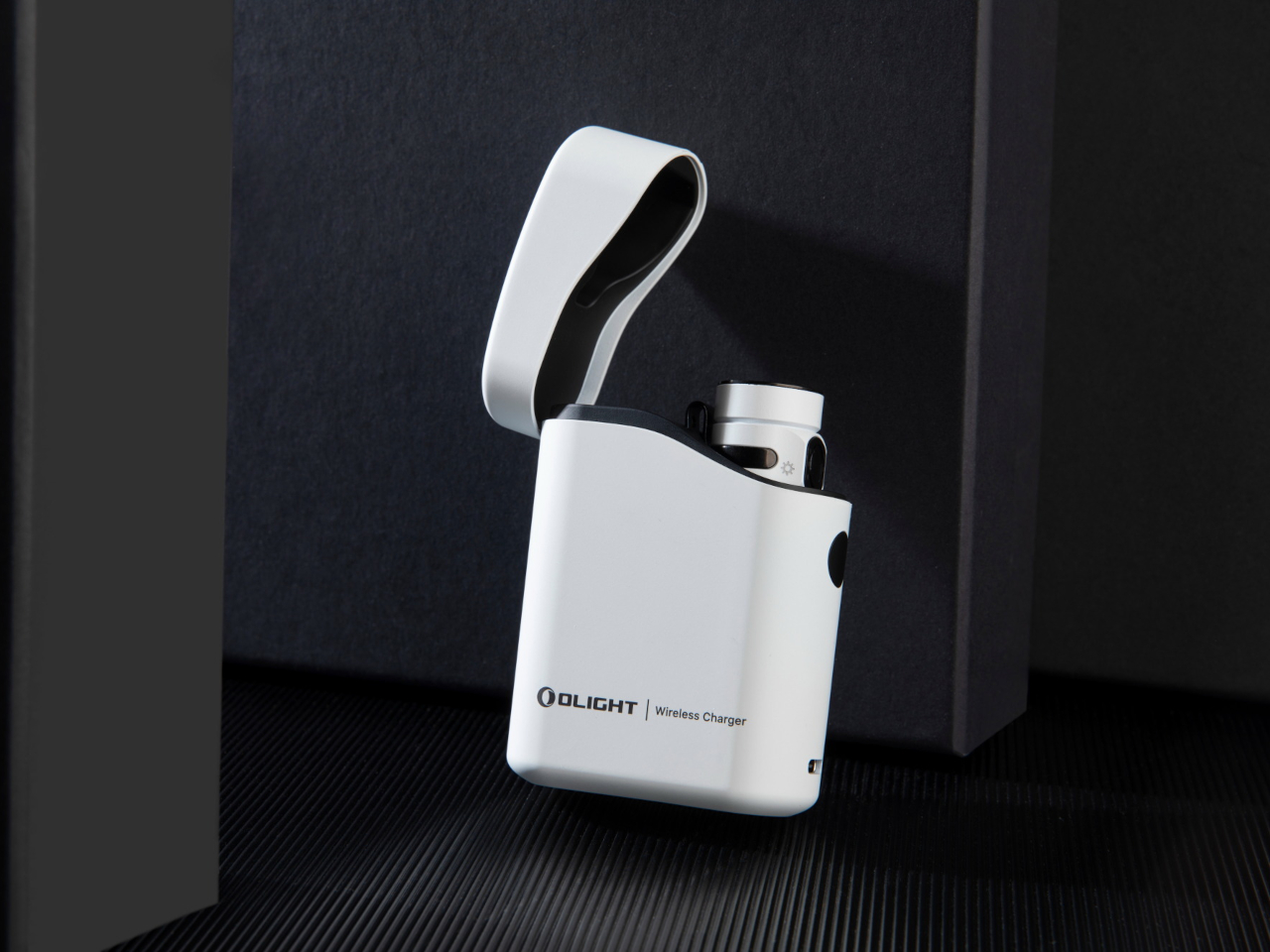
This EDC tool, however, takes a cue from the now ubiquitous wireless earbuds design, providing a carrying case for the LED flashlight that also serves as its charger. Even better, you can actually use the flashlight while it’s still in its case, removing the need to fiddle with two separate devices when you’re in a hurry.

Designer: Olight

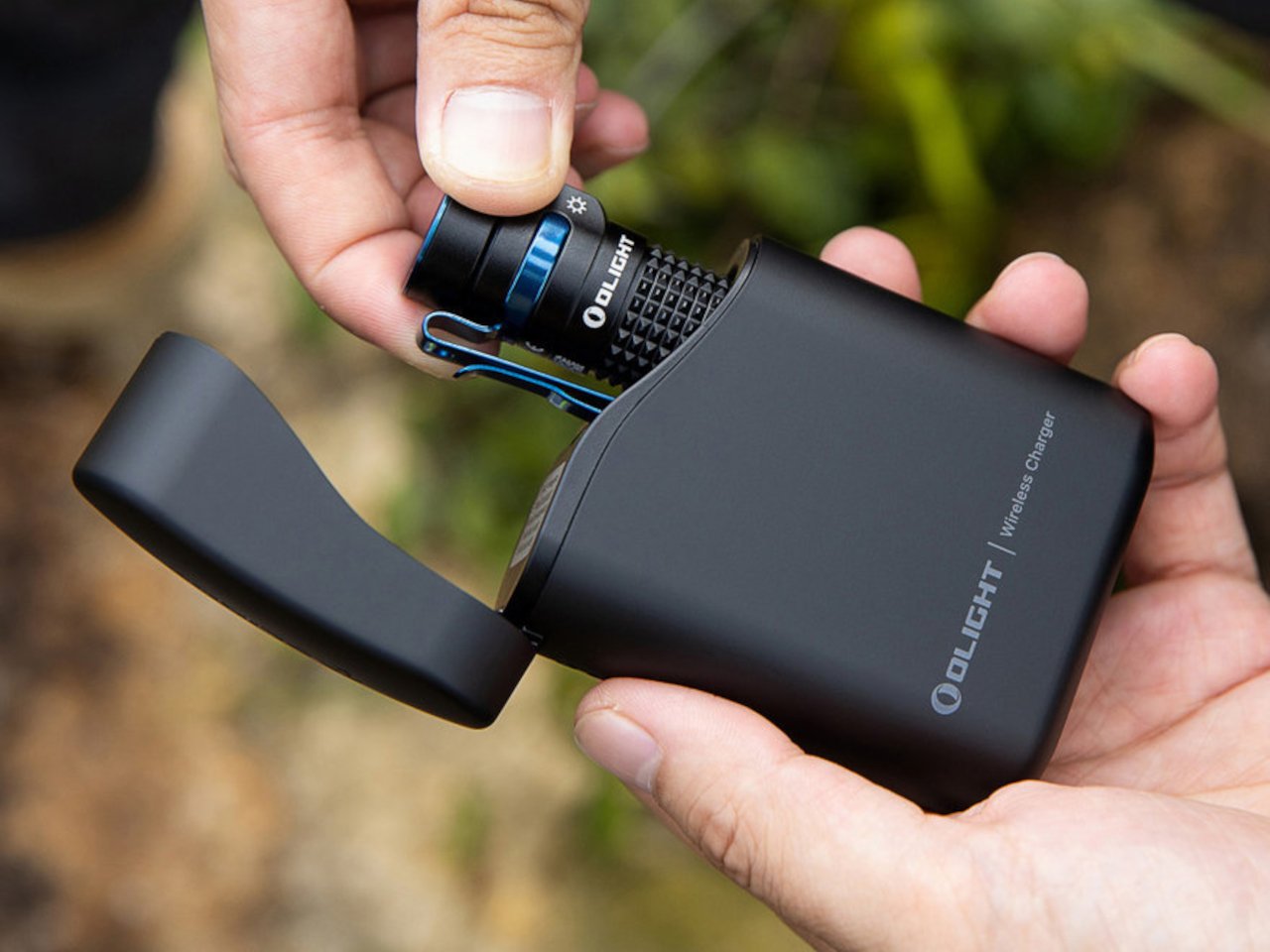
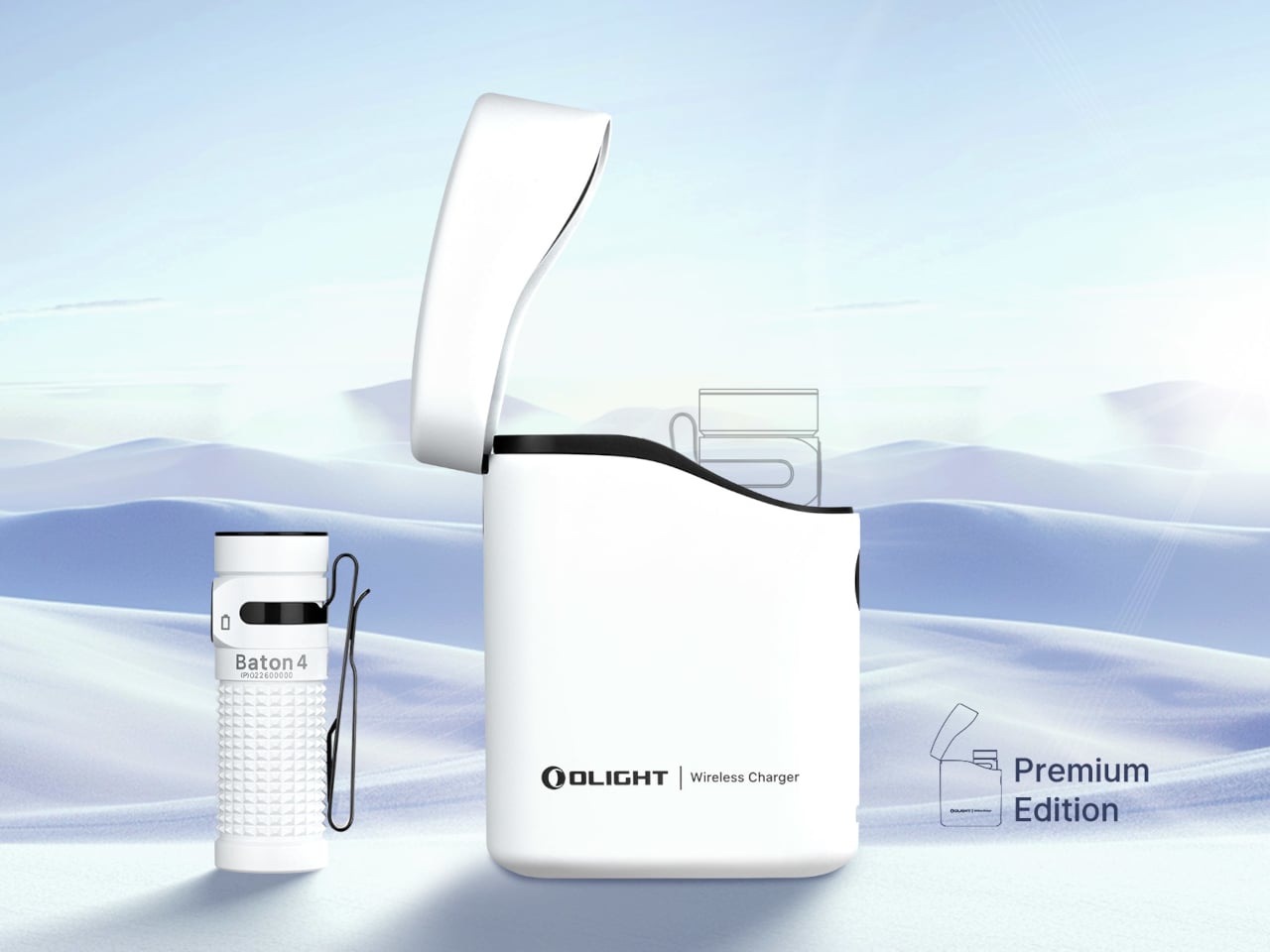
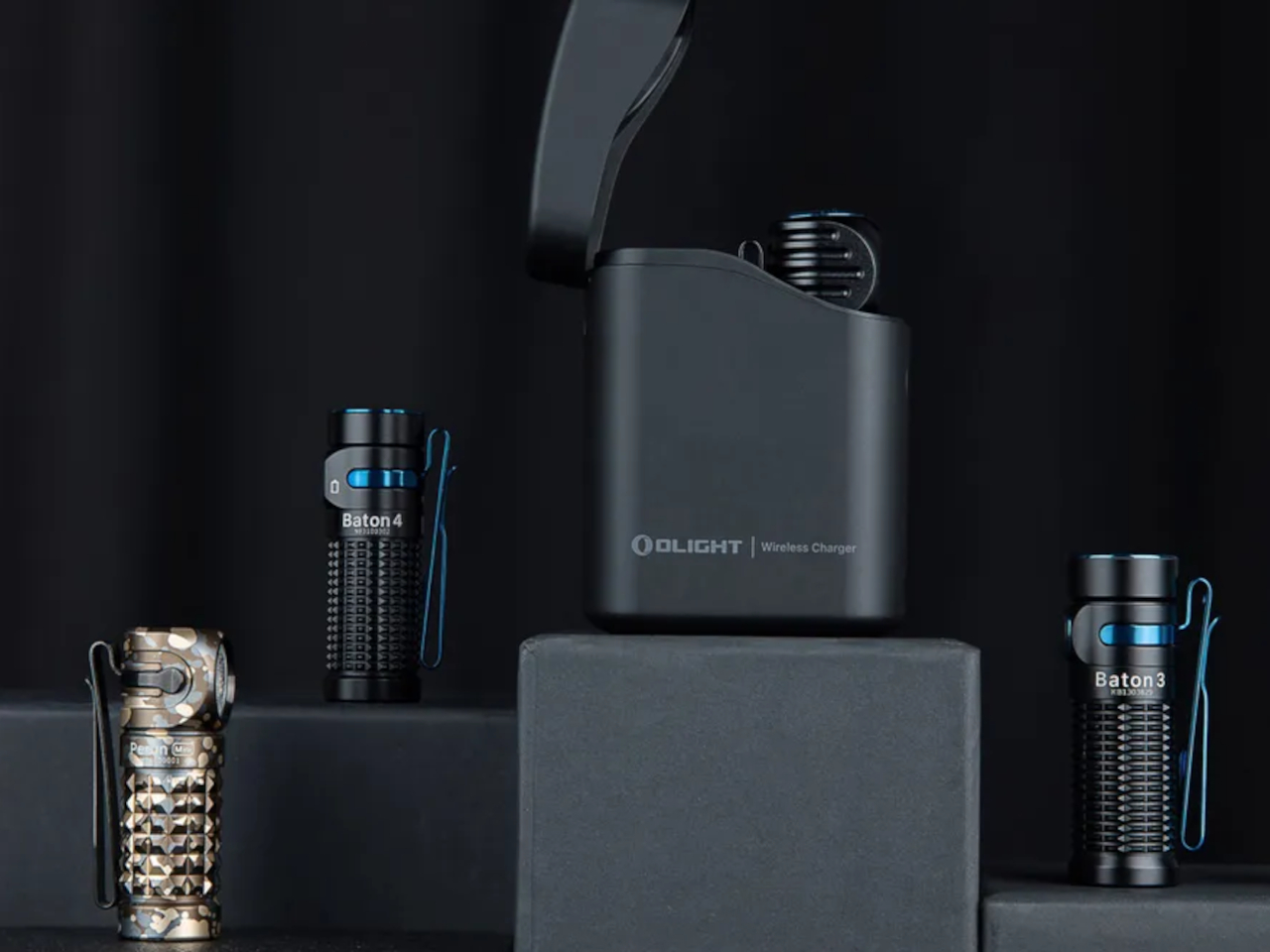
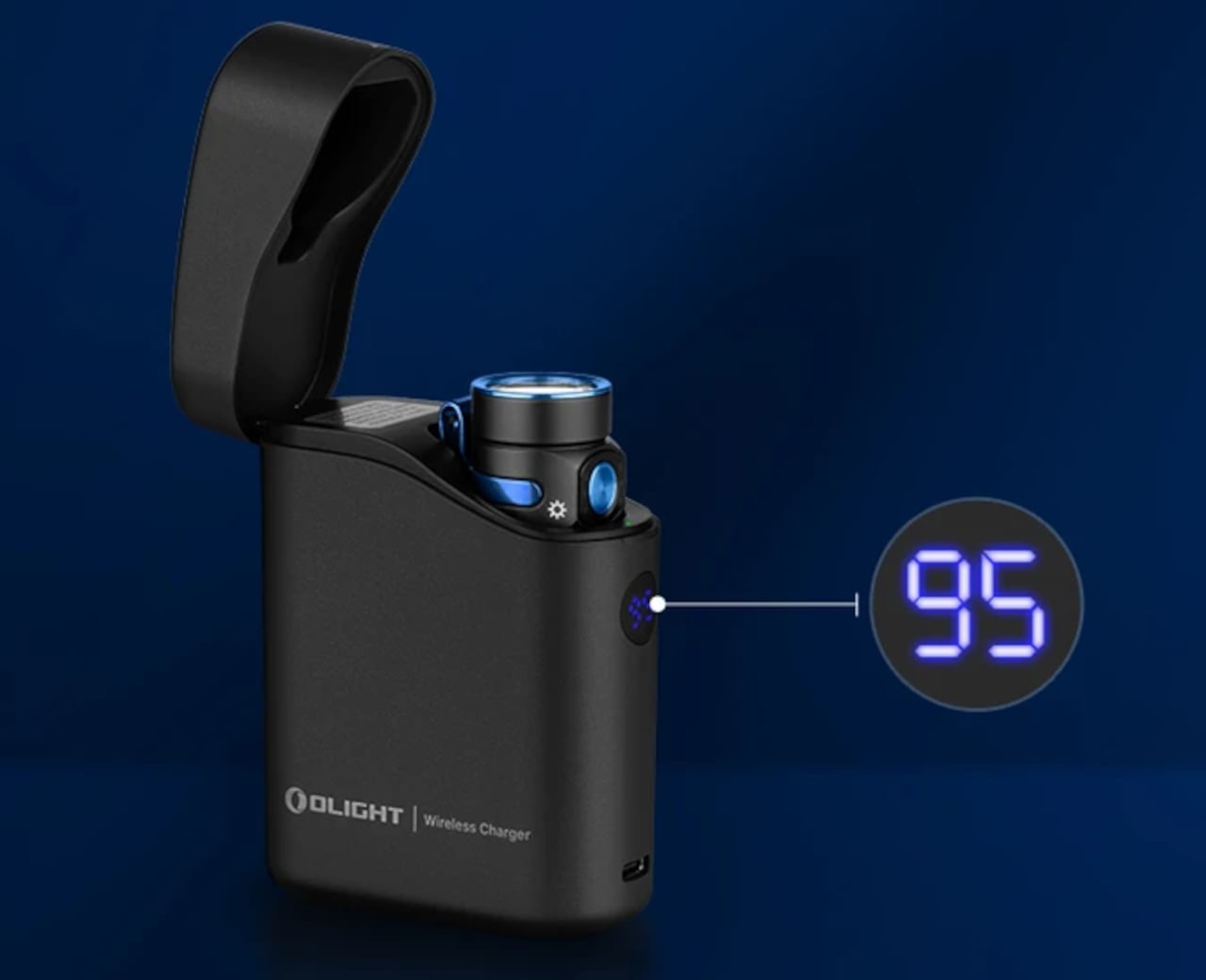
On its own, the Olight Baton 4 LED flashlight looks pretty ordinary. It has a small cylindrical body typical of tiny flashlights, though it boasts a brightness of 1,300 lumens and a throw distance of 170 meters. It has small LED indicators for its brightness level and remaining battery charge, but that’s pretty much it for the flashlight itself.

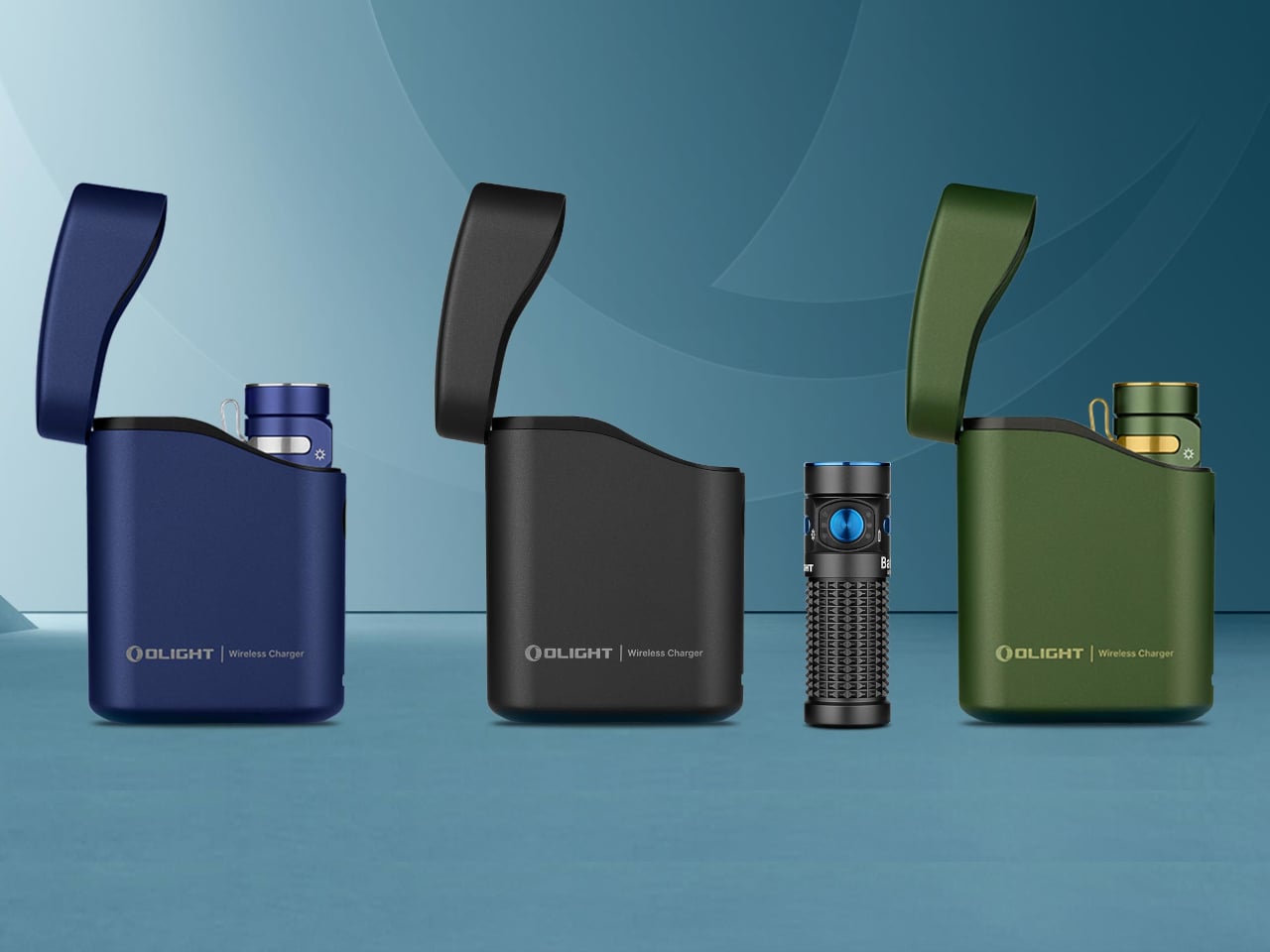
The real killer feature of the Baton 4 Premium Edition, however, is its 5,000 mAh charging case. It has a flip-top design that makes it easy to open and close with one hand. You can easily slip in any compatible Olight flashlight for charging, but there’s a special function when used with the Baton 4 or Baton 3 flashlights. You can simply flip open the cover and press the side button to turn on the flashlight while it’s still in the case, so you don’t have to lose time pulling it out and putting it back in again.

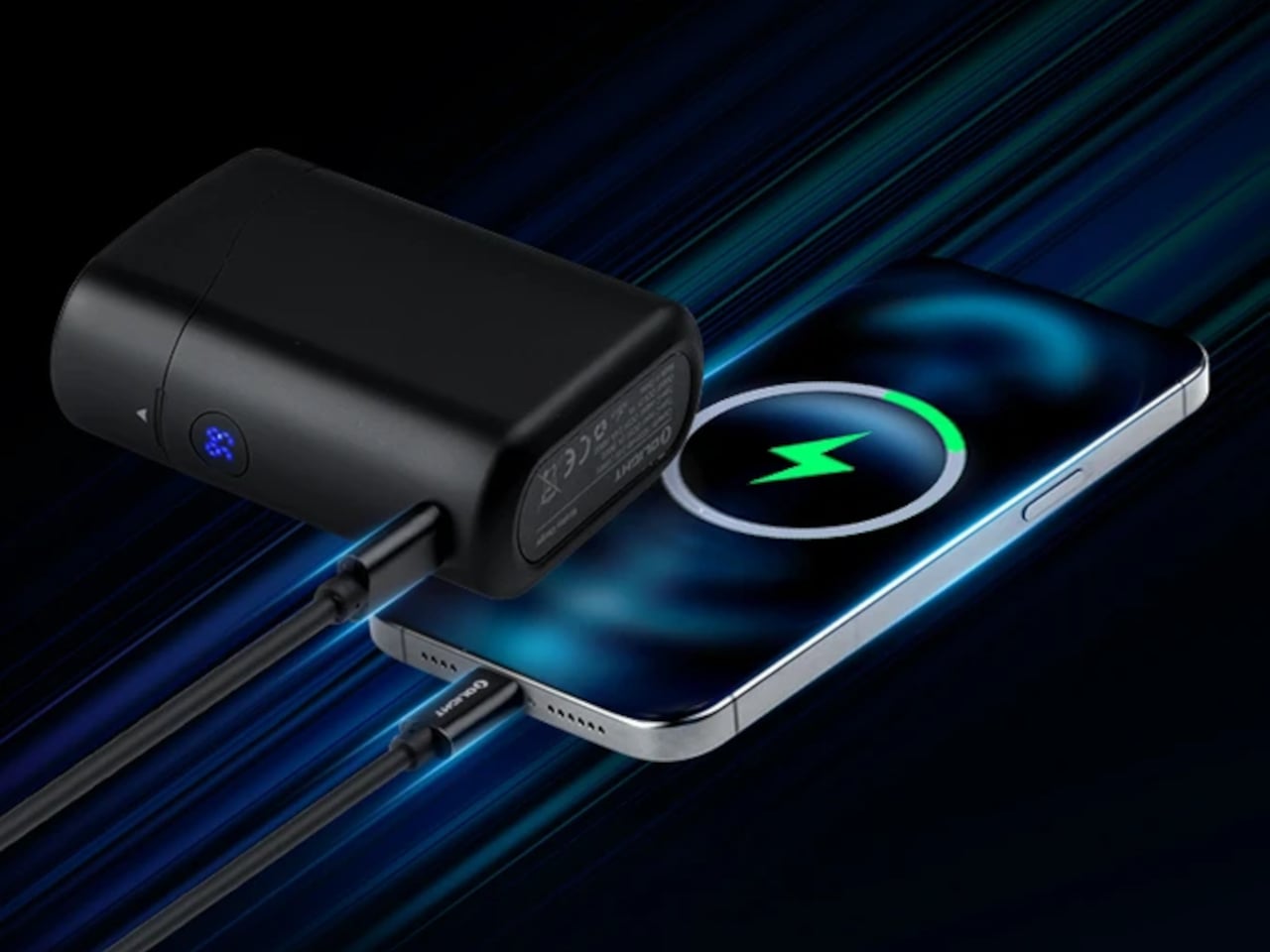
The case itself has dual charging functionality. It can charge the flashlight inside or charge a phone like a power bank. This means you don’t really need to carry a separate charger for the flashlight and your phone, as the case can do both. It might sound like a small convenience, but for people who always find themselves outdoors in the dark, intentionally or otherwise, it can be a critical space-saving feature that helps make room for more things inside their EDC bags.

The post EDC flashlight and charging case makes sure you won’t be in the dark for long first appeared on Yanko Design.
Astropad Bookcase turns iPhones into slightly more ergonomic e-Readers

E-book Readers, a.k.a. e-Readers, are becoming popular again thanks to the introduction of new technologies like Color E Ink, as well as the proliferation of new brands like Onyx BOOX, Bigme, and reMarkable. That said, some people prefer to stick to the slightly large screens of their smartphones rather than carry a separate device, but that kind of digital reading experience brings its fair share of discomfort. Even disregarding eye strain, reading for long periods on a smartphone means potentially blocking part of the screen or giving your hand cramps in the long run. This iPhone accessory offers a solution that tries to make reading on a phone slightly more comfortable, even if it only addresses one very specific problem.

Designer: Astropad

While smartphones and tablets are banishing bezels, e-Readers are insistent on keeping them around. It isn’t because they can’t make screen borders incredibly thin but because they want to offer an ergonomic design where one or two hands can comfortably hold the device without worrying about accidentally touching the screen or blocking part of the content. Without that kind of “margin,” holding a smartphone can become awkward and uncomfortable for an extended period of time.

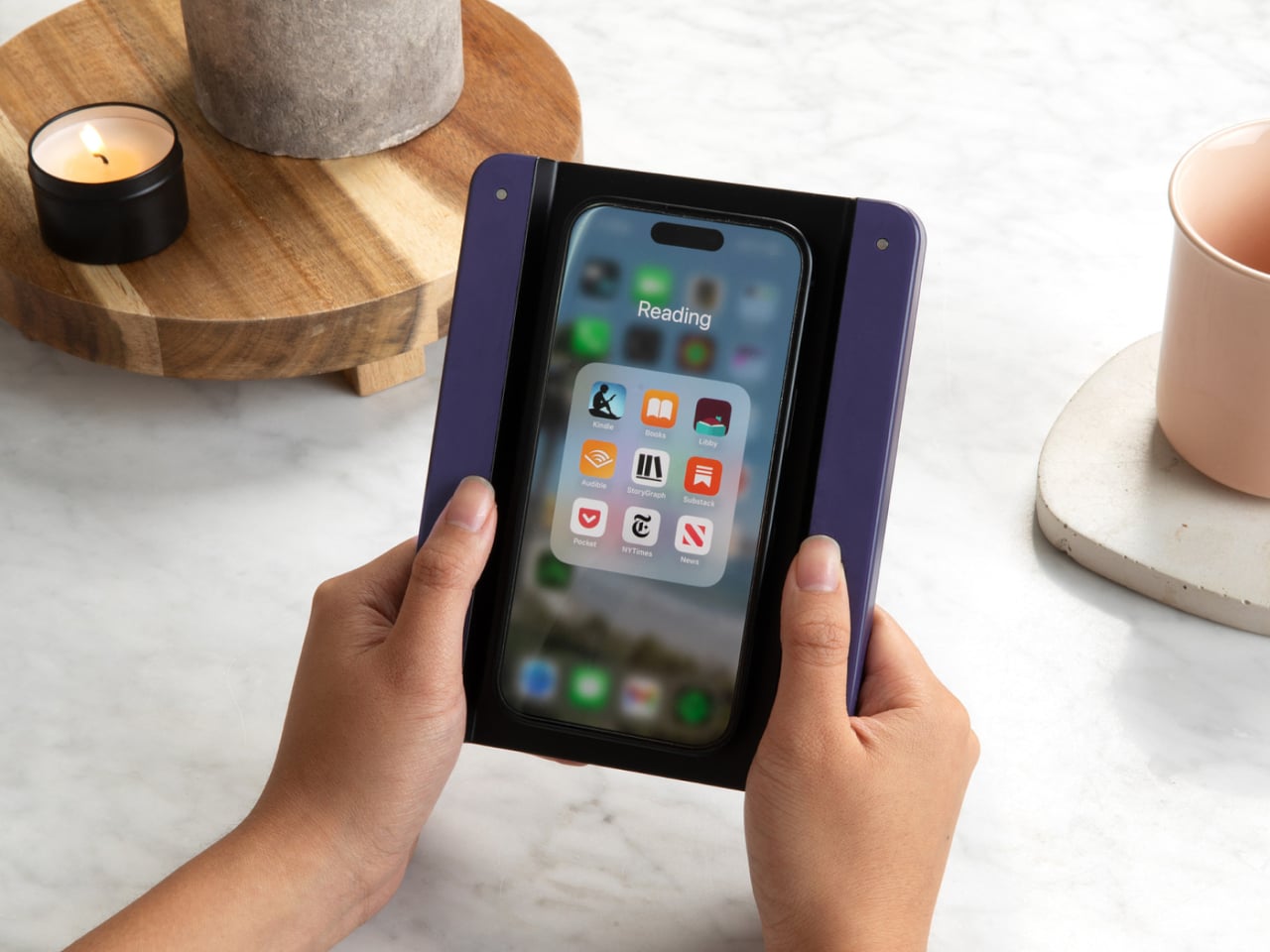
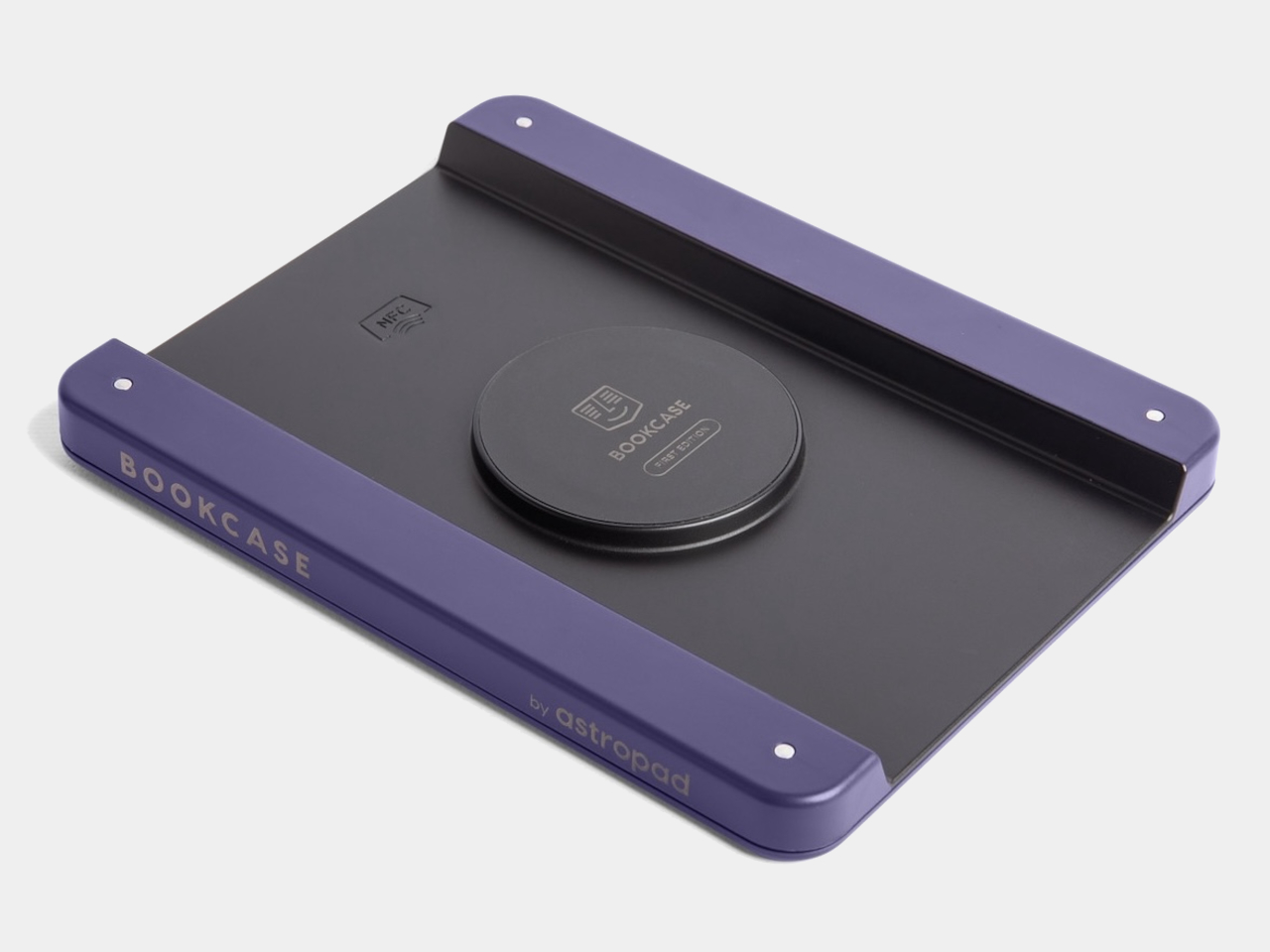
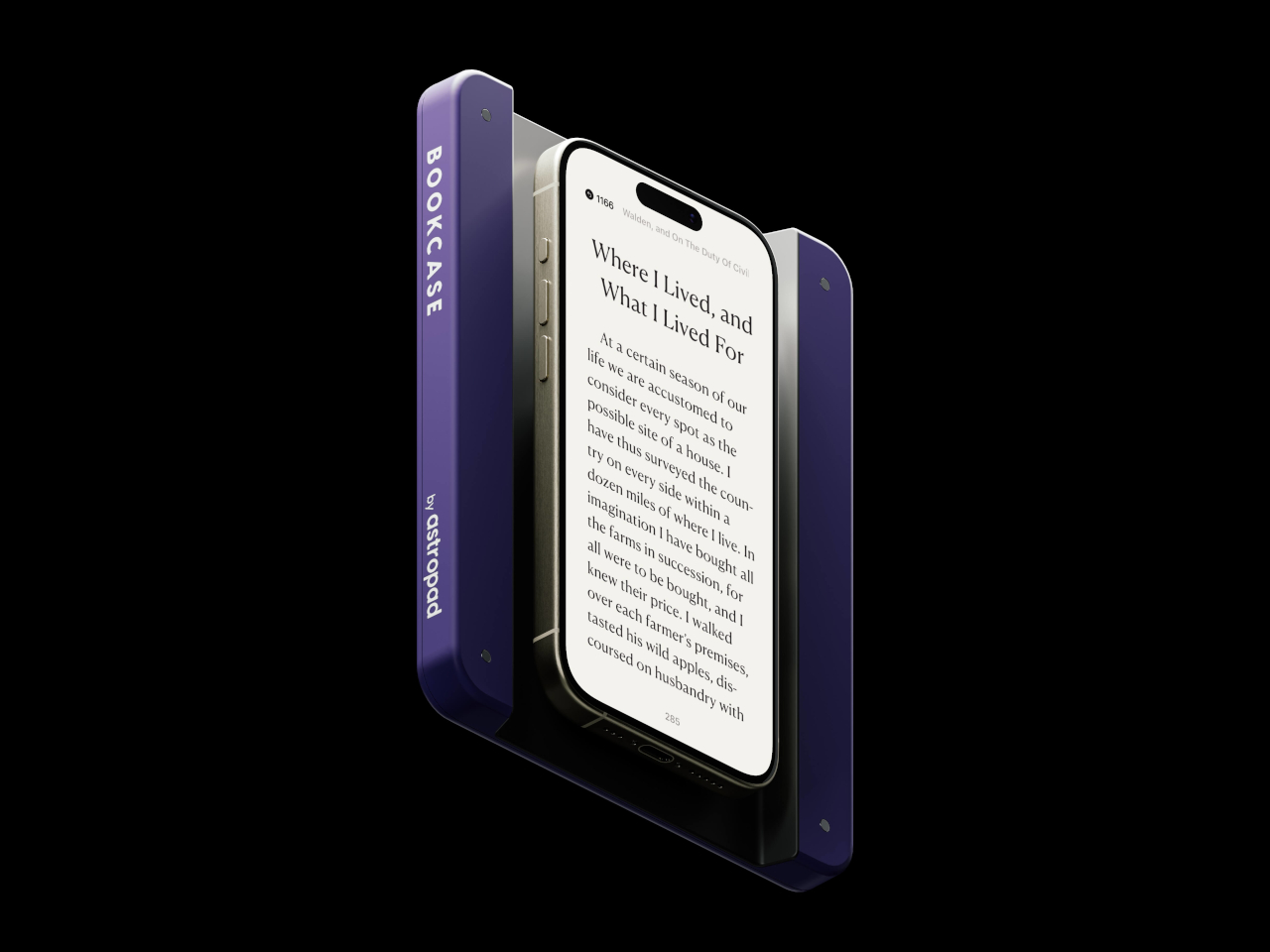
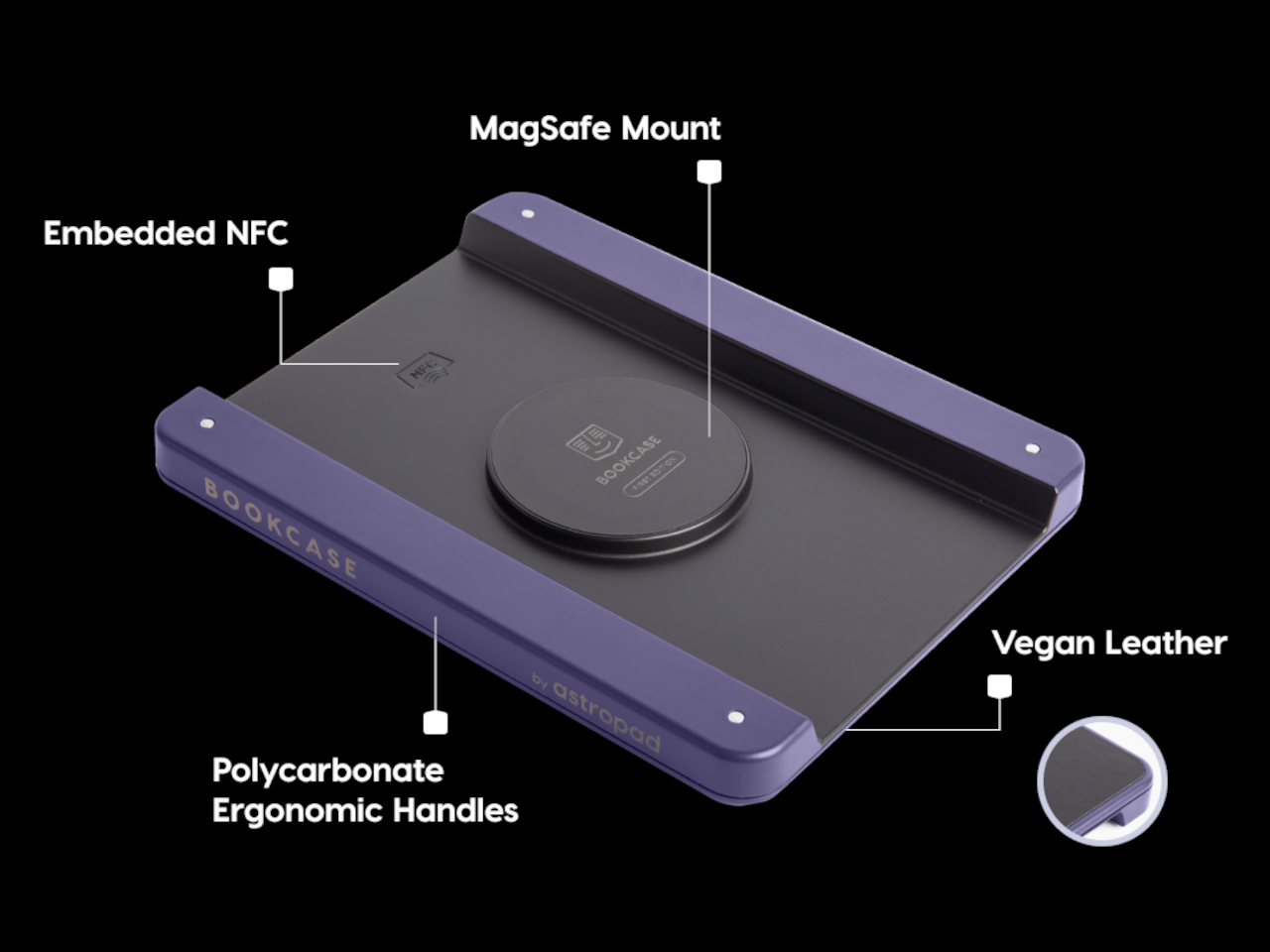
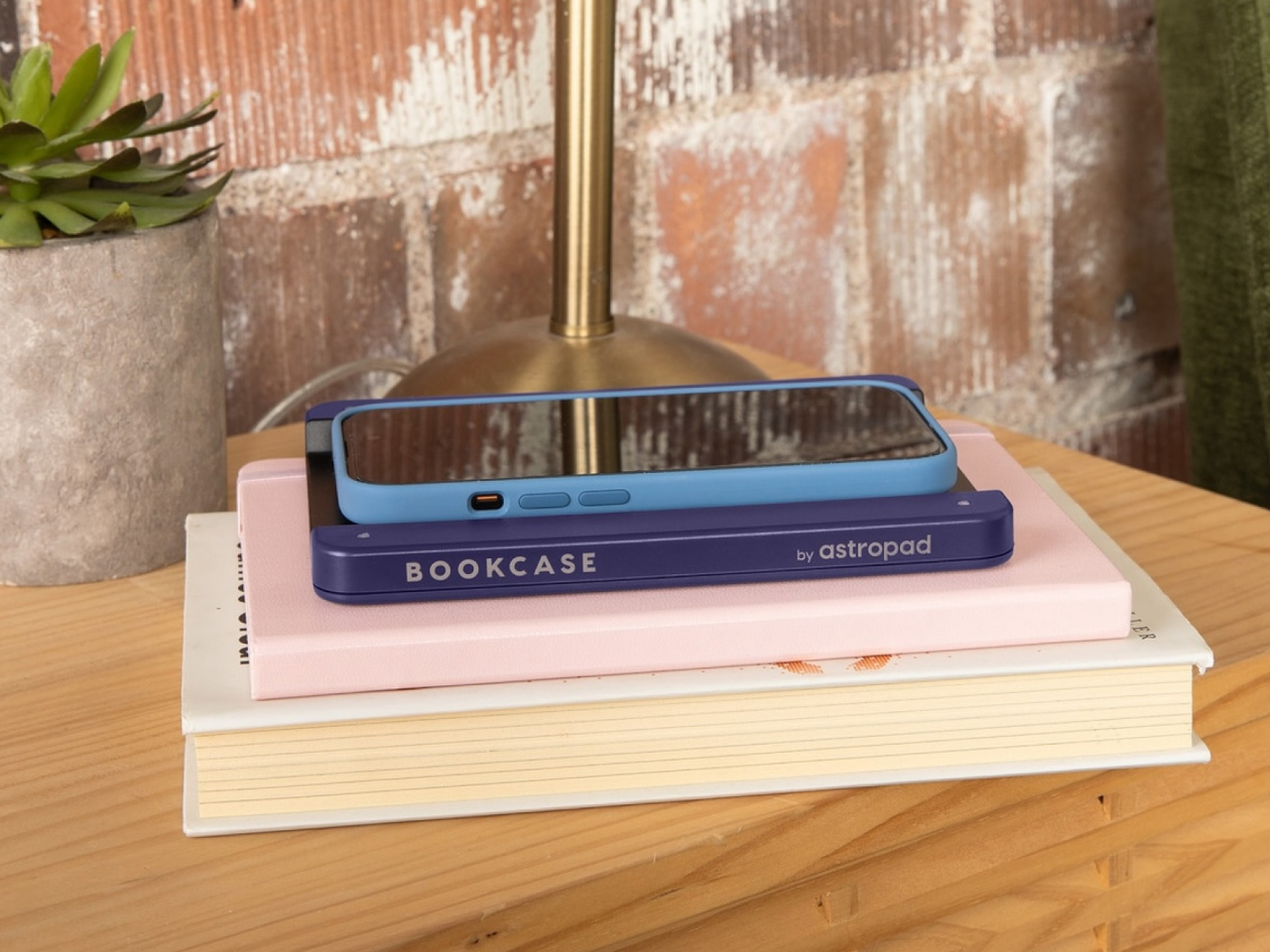
Astropad Bookcase is an accessory that adds handles to the sides of a phone without forcing owners to put on a protective case. A MagSafe-compatible phone attaches to the middle of the tray-like accessory when you want to read, giving your hands something stable to grasp. And when you’re done, you simply detach the phone, put away the Bookcase, and be on your merry way. The accessory is made with lightweight polycarbonate that makes it feel like you’re adding nothing to the smartphone, and it uses vegan leather to add a bit of style and elegance to the design.

The Astropad Bookcase has a few gimmicks that make the e-Reading experience a bit smoother. A companion app, for example, can automatically launch your favorite e-Reader app the moment you attach the iPhone to the Bookcase thanks to an NFC chip inside the MagSafe mount. Although it’s primarily compatible with iPhone 12 and later models, the package includes a MagSafe conversion kit to support older iPhones as well as Android phones.

While the Bookcase does solve one part of the smartphone ergonomic problem, it doesn’t fully address the reasons why it’s not ideal to read on a smartphone for too long. For one, there are no convenient physical buttons that would let you turn the page without having to swipe or tap on the screen, similar to how some apps allow you to use the volume buttons for the same purpose. And there’s no escaping the fact that LCD and OLED screens, regardless of advertised advanced technologies, cause eye strain over prolonged use compared to eye-friendly E Ink displays.

The post Astropad Bookcase turns iPhones into slightly more ergonomic e-Readers first appeared on Yanko Design.
Astropad Bookcase turns iPhones into slightly more ergonomic e-Readers

E-book Readers, a.k.a. e-Readers, are becoming popular again thanks to the introduction of new technologies like Color E Ink, as well as the proliferation of new brands like Onyx BOOX, Bigme, and reMarkable. That said, some people prefer to stick to the slightly large screens of their smartphones rather than carry a separate device, but that kind of digital reading experience brings its fair share of discomfort. Even disregarding eye strain, reading for long periods on a smartphone means potentially blocking part of the screen or giving your hand cramps in the long run. This iPhone accessory offers a solution that tries to make reading on a phone slightly more comfortable, even if it only addresses one very specific problem.
Designer: Astropad

While smartphones and tablets are banishing bezels, e-Readers are insistent on keeping them around. It isn’t because they can’t make screen borders incredibly thin but because they want to offer an ergonomic design where one or two hands can comfortably hold the device without worrying about accidentally touching the screen or blocking part of the content. Without that kind of “margin,” holding a smartphone can become awkward and uncomfortable for an extended period of time.

Astropad Bookcase is an accessory that adds handles to the sides of a phone without forcing owners to put on a protective case. A MagSafe-compatible phone attaches to the middle of the tray-like accessory when you want to read, giving your hands something stable to grasp. And when you’re done, you simply detach the phone, put away the Bookcase, and be on your merry way. The accessory is made with lightweight polycarbonate that makes it feel like you’re adding nothing to the smartphone, and it uses vegan leather to add a bit of style and elegance to the design.

The Astropad Bookcase has a few gimmicks that make the e-Reading experience a bit smoother. A companion app, for example, can automatically launch your favorite e-Reader app the moment you attach the iPhone to the Bookcase thanks to an NFC chip inside the MagSafe mount. Although it’s primarily compatible with iPhone 12 and later models, the package includes a MagSafe conversion kit to support older iPhones as well as Android phones.

While the Bookcase does solve one part of the smartphone ergonomic problem, it doesn’t fully address the reasons why it’s not ideal to read on a smartphone for too long. For one, there are no convenient physical buttons that would let you turn the page without having to swipe or tap on the screen, similar to how some apps allow you to use the volume buttons for the same purpose. And there’s no escaping the fact that LCD and OLED screens, regardless of advertised advanced technologies, cause eye strain over prolonged use compared to eye-friendly E Ink displays.

The post Astropad Bookcase turns iPhones into slightly more ergonomic e-Readers first appeared on Yanko Design.