5 Gifts That Give Analog Joy in a Digital World

Our days are choreographed by screens. Messages stack up, tabs multiply, and even downtime quietly dissolves into endless scrolling. Everything is fast, efficient, and slightly forgettable. The more our lives move into apps and feeds, the more special it feels to hold something real, weighty, and unconnected.

This gift guide is a small rebellion against that drift. Each of these five picks invites a different kind of analog joy. They ask you to press graphite into paper, light a real flame, wait for a print to develop, or sit with an entire album. None of them need notifications to feel important. They just need a little bit of your time and attention.

Everlasting All‑Metal Pencil

The Everlasting All‑Metal Pencil is what happens when a humble everyday tool is treated like a piece of precision hardware. It looks and feels like a machined object from a design studio, not a disposable stick from a stationery aisle. There is no wood to sharpen and no plastic to crack, just a single, solid body that quietly asks to live on your desk for years.

Using it turns quick notes and margin doodles into a small ritual. The cool touch of the metal, the balance in your hand, and the clean line it leaves on the page all slow you down just enough. It is perfect for designers, architects, and notebook addicts who want something permanent in a world of temporary browser tabs. As a gift, it is that rare thing that feels both minimal and deeply considered.

Click Here to Buy Now: $19.95

What We Like

  • Feels premium and durable.
  • Eliminate the need for sharpening.

What We Dislike

  • May feel heavier than a regular pencil.
  • Lacks the nostalgic ritual of shaprpening, which some analog purists actually enjoy.

Japanese Drawing Pad

A good analog tool deserves equally good analog paper. The Japanese Drawing Pad is the quiet counterpart to the all‑metal pencil, turning loose thoughts into something you can literally flip through. Every sheet becomes a small stage for sketches, diagrams, or half‑formed ideas that would disappear instantly if they were typed into a notes app.

There is a tactile pleasure in the way the pages bend, stack, and curl over time. The pad looks clean and intentional on a desk, yet it is never precious enough to intimidate. You can fill it with messy thumbnails or careful lettering and it will still feel right. Paired with the metal pencil, it becomes a complete thinking kit, ideal for anyone who likes to step away from their screen and see ideas spread out in front of them.

Click Here to Buy Now: $26.00

What We Like

  • High-quality paper enhances the feel of drawing and writing.
  • Encourages analog thinking and sketching habits.

What we dislike

  • Not ideal for people who prefer lined or heavily structured pages.

Fire Capsule Oil Lamp

The Fire Capsule Oil Lamp is analog joy in its purest form. It does one thing beautifully. It gives you a small, living flame in a world of harsh LEDs and backlit everything. Lighting it becomes a tiny ceremony at the end of the day. You strike a match, watch the wick catch, and feel the room shift as the glow softens edges and slows your thoughts.

Its capsule‑like form makes it as much an object of design as a source of light. Metal and glass work together to frame the flame so it looks almost suspended inside the silhouette. Even when it is not lit, it reads as a sculptural accent on a shelf or bedside table. Give it to someone who loves reading at night, journaling by hand, or simply reclaiming a corner of their home from the blue light of their phone.

Click Here to Buy Now: $89.00

What we like

  • Creates a warm, calming atmospher.
  • Simple, analog operation turns lighting into a relaxing daily ritual.

What we dislike

  • Invoices an open flame, which requires caution.
  • Can leave a faint scnet or residue if low-quality oil is used.

Fujifilm Instax Mini 41

The Fujifilm Instax Mini 41 brings back the thrill of waiting for a photo to appear in your hands. It has the retro charm of an instant camera, yet it is tuned for the way people actually shoot now. You frame the shot, click, and a small print slides out, slowly revealing the moment you just captured. There are no filters, no retakes, and no algorithm deciding whether this memory deserves likes.

Its design leans into nostalgia without feeling like a toy. The body has a familiar, friendly shape, while the updated features make it easier to capture better selfies and group shots. It is the perfect gift for someone who lives on social media but is starting to crave something they can stick on a wall, tuck in a wallet, or leave on a fridge. Over time, the little prints become a physical timeline that no feed can quite match.

What we like

  • Produces instant physical prints.
  • Modern features make it easier to capture better selfies and group shots.

What we dislike

  • Requires ongoling purchases of film.
  • Bulky compared to a phone camera.

PARON III

The PARON III is the most dramatic expression of analog joy in the lineup. It hides its turntable mechanism inside an incredibly sleek shell, so at first glance it looks more like a minimalist sculpture than a piece of audio gear. That visual restraint sets the tone for the entire listening experience. When you use it, you are not just putting on background noise. You are starting a small performance.

Playing a record on it is deliberately slower than tapping a playlist. You slide the vinyl from its sleeve, place it carefully, and commit to at least one full side. That constraint is exactly what makes it feel special. The clean lines and reduced visual clutter let it blend into modern interiors while still acting as a focal point when the music starts. As a gift, it is a statement. It is for the person who loves sound, sleeve art, and the idea that listening should sometimes be a single, undistracted act.

What we like

  • Turns listening to musicinto a deliverate, immersive ritual.
  • Premium design makes it a striking centerpeice.

What we dislike

  • Less convenient than streaming for casual listeners.

Find the Gift That Slows Their World Down

Analog gifts are not about pretending the digital world does not exist. They are about carving out small islands of slowness inside it. The Everlasting All‑Metal Pencil and Japanese Drawing Pad belong with the person who fills notebooks faster than hard drives. The Fire Capsule Oil Lamp suits the night owl who wants to unwind without another screen. The Fujifilm Instax Mini 41 is for the memory‑maker who wants a real stack of photos. The sleek vinyl player is for the listener who knows albums by heart and wants a reason to sit down and hear them properly.

Choose the gift that fits the ritual they already have or secretly want. Each of these objects asks for nothing more than a few quiet minutes and a pair of hands. In return, they give something the digital world still struggles to deliver. They give weight, texture, and the kind of small, analog moments people remember long after the latest app update fades.

The post 5 Gifts That Give Analog Joy in a Digital World first appeared on Yanko Design.

Poco Pad X1 & Poco Pad M1 Review: Budget Tablets That Challenge the iPad

PROS:


  • Strong display for the money

  • Complete accessory ecosystem

  • Big batteries

CONS:


  • Neither tablet is light enough for comfortable one-handed use

  • Fully kitted-out X1 with Floating Keyboard and Focus Pen gets expensive fast

RATINGS:

AESTHETICS
ERGONOMICS
PERFORMANCE
SUSTAINABILITY / REPAIRABILITY
VALUE FOR MONEY

EDITOR'S QUOTE:

Poco Pad X1 and M1 are not perfect, but together they deliver more screen, battery, and versatility than almost any other budget tablet pair right now.

Poco built its name on phones that punch above their price, and now it wants to do the same on your coffee table. With Poco Pad X1 and Poco Pad M1, the brand is not just throwing out a couple of cheap tablets. It is trying to turn its budget DNA into a fuller ecosystem that covers gaming, work, and everyday media.

You can feel that ambition in how these two models are drawn. The Poco Pad X1 is a slightly more compact, high refresh performance slate, tuned for games and quick multitasking on an 11.2-inch 3.2K display. The Poco Pad M1 steps up to a 12.1-inch 2.5K panel and the largest battery Poco has ever shipped in a global device, aiming to be the big screen that carries you through movies, sketching sessions, and long days away from a charger.

Designer: Poco

If you have been eyeing an affordable Android tablet for gaming, streaming, or light work, should you reach for the sharper, faster Poco Pad X1, or the larger, more relaxed Poco Pad M1? In this review, we will live with both, compare their strengths, and help you decide which one actually fits your desk, your bag, and your budget.

Aesthetics

Poco Pad X1

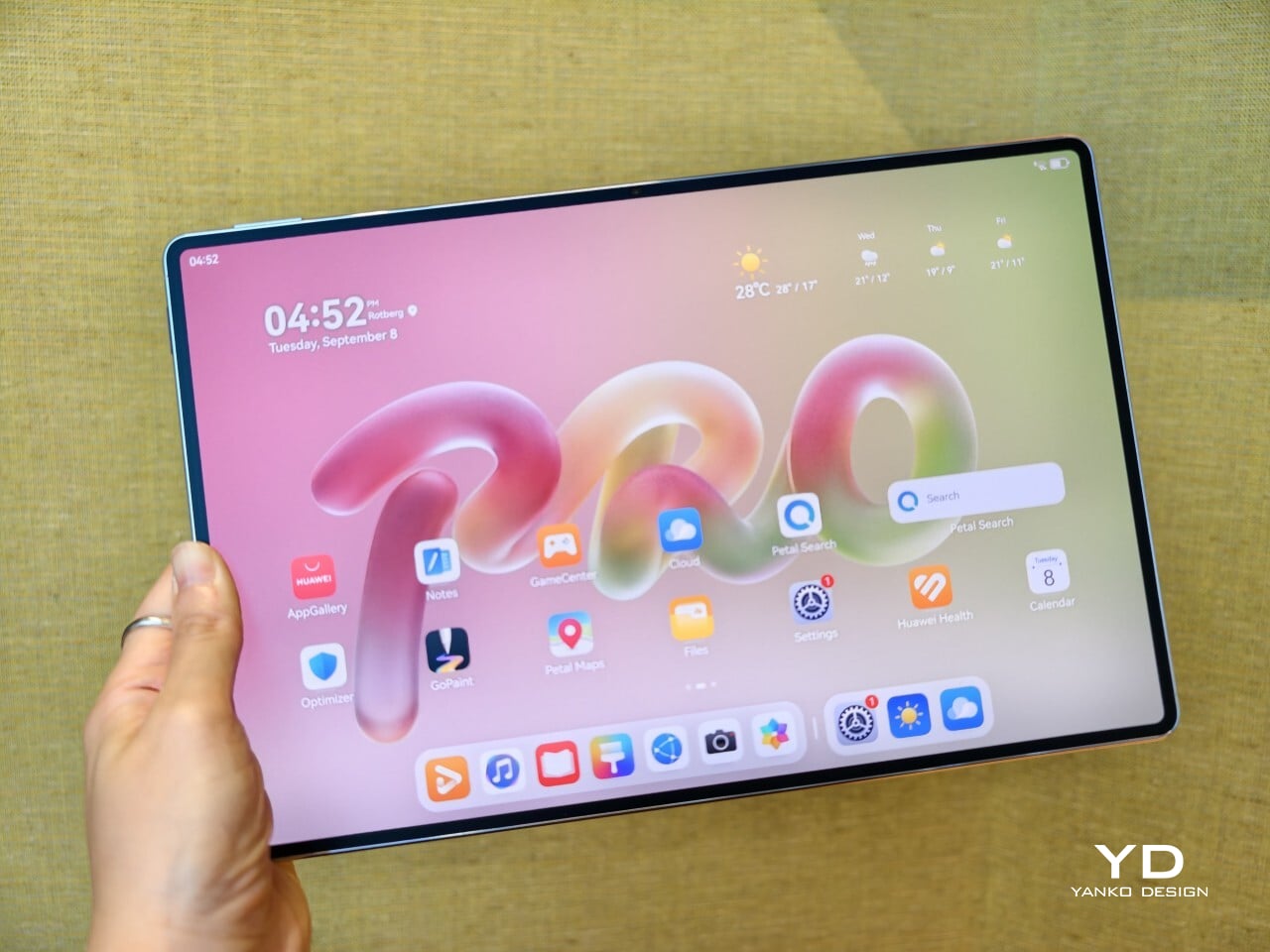
Poco is not trying to reinvent tablet hardware with Poco Pad X1 or Poco Pad M1. Both follow a familiar rectangle with rounded corners, flat sides, and a camera module that sits quietly in one corner. On Poco Pad X1, the focus is clearly on framing its 11.2-inch display as efficiently as possible. Poco Pad M1 takes the same basic formula and scales it up with a 12.1-inch panel.

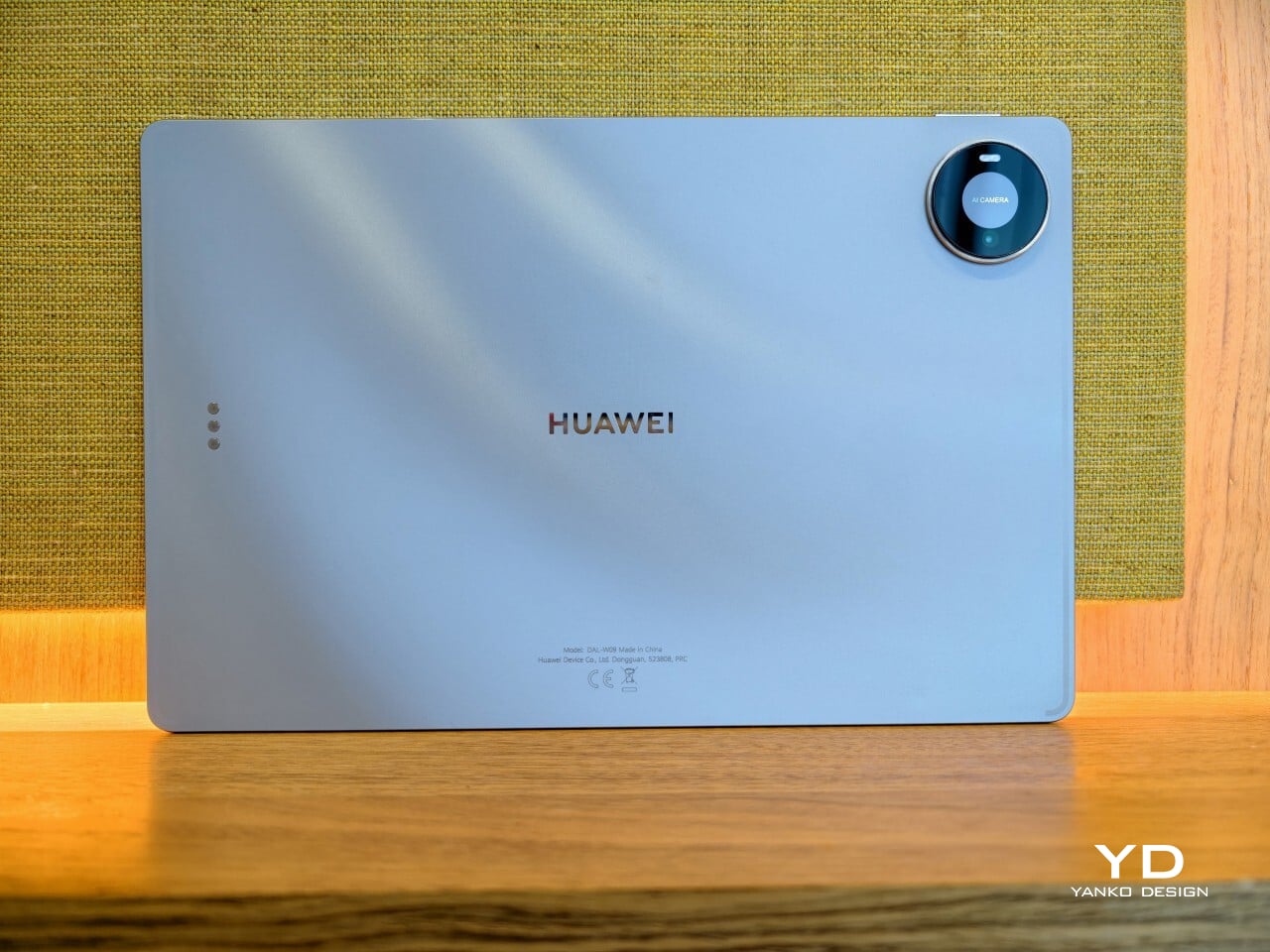
Color choices on the Pad X1 and the Pad M1 are simple. They both come in Grey and Blue. Grey leans more gunmetal and understated with a contrasting yellow accent around the camera module, while Blue reads a little more casual and friendly, but neither option is loud or experimental. Both tablets use a metal unibody design for the main shell, with separate parts for the camera island and buttons, and a big Poco logo stamped in the center for instant brand recognition. The Poco Pad X1 uses a square camera island, while the Poco Pad M1 switches to a softer oval, which gives each model a slightly different signature when you flip them over.

Poco Pad M1

Taken together, the two tablets look exactly like what they are meant to be. They are straightforward, modern Android slabs that fade into the background and let their screens and specs do the talking. For budget-friendly hardware, that quiet, functional design approach feels like the right call.

Ergonomics

In the hand, the main ergonomic difference between Poco Pad X1 and Poco Pad M1 is simply size and weight, but neither is a true one-handed tablet for long stretches. The Poco Pad X1, with its 11.2-inch footprint and 500 g weight, is the more compact of the two. It is easier to manage on a sofa or in bed than the larger Poco Pad M1, but you will still want a second hand or some support if you are holding it for a long time. Even though the Poco Pad X1 is relatively slim and light for an aluminum unibody tablet with an 8,850 mAh battery, with dimensions of 251.22 x 173.42 x 6.18 mm, it does not quietly disappear in one hand the way a smaller 8 or 9-inch device might.

Poco Pad M1

Poco Pad M1 stretches that template out to a 12.1-inch diagonal with dimensions of 279.8 x 181.65 x 7.5 mm and a weight of about 610 g, which puts it clearly into big tablet territory. It is still slim, but the larger footprint makes it even less suited to long one-handed use, especially if you are moving around. Instead, it feels more like a tablet you rest on a table, prop up with a cover, or pair with its official keyboard, where the extra screen real estate really pays off for split-screen apps, video, and drawing.

The accessory ecosystem around the Pad X1 and the Pad M1 makes them versatile, but in slightly different ways. Poco Pad M1 is compatible with the optional Poco Pad M1 Keyboard, Poco Smart Pen, and Poco Pad M1 Cover, a trio that turns it into a very capable small-screen workstation. The cover folds into a stand and adds a built-in holder for the pen, which makes it easy to move between bag, desk, and sofa without worrying about where the stylus went. The keyboard is lightweight and easy to carry, but the keys feel a bit plasticky in use, which slightly undercuts the otherwise solid metal body of the tablet.

Poco Pad X1

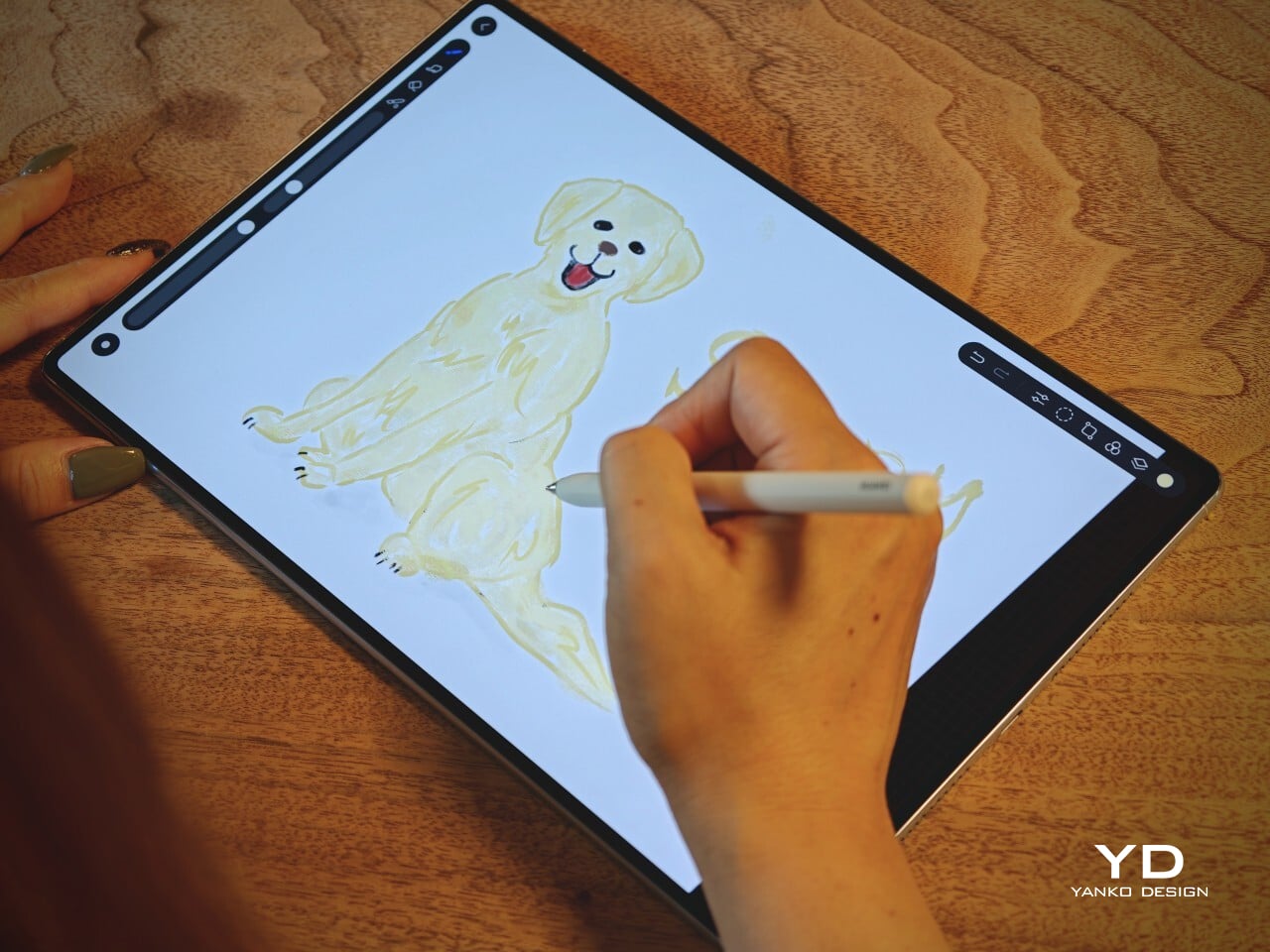
Poco Pad X1 has its own dedicated set of accessories. It supports the Poco Pad X1 Floating Keyboard, the Poco Pad X1 Keyboard, the Poco Focus Pen, and the Poco Pad X1 Cover, which together give it a surprisingly flexible setup for both work and play. The cover folds like origami and doubles as a stand, letting you enjoy the tablet vertically or horizontally, and for horizontal use, you can choose between two different viewing heights.

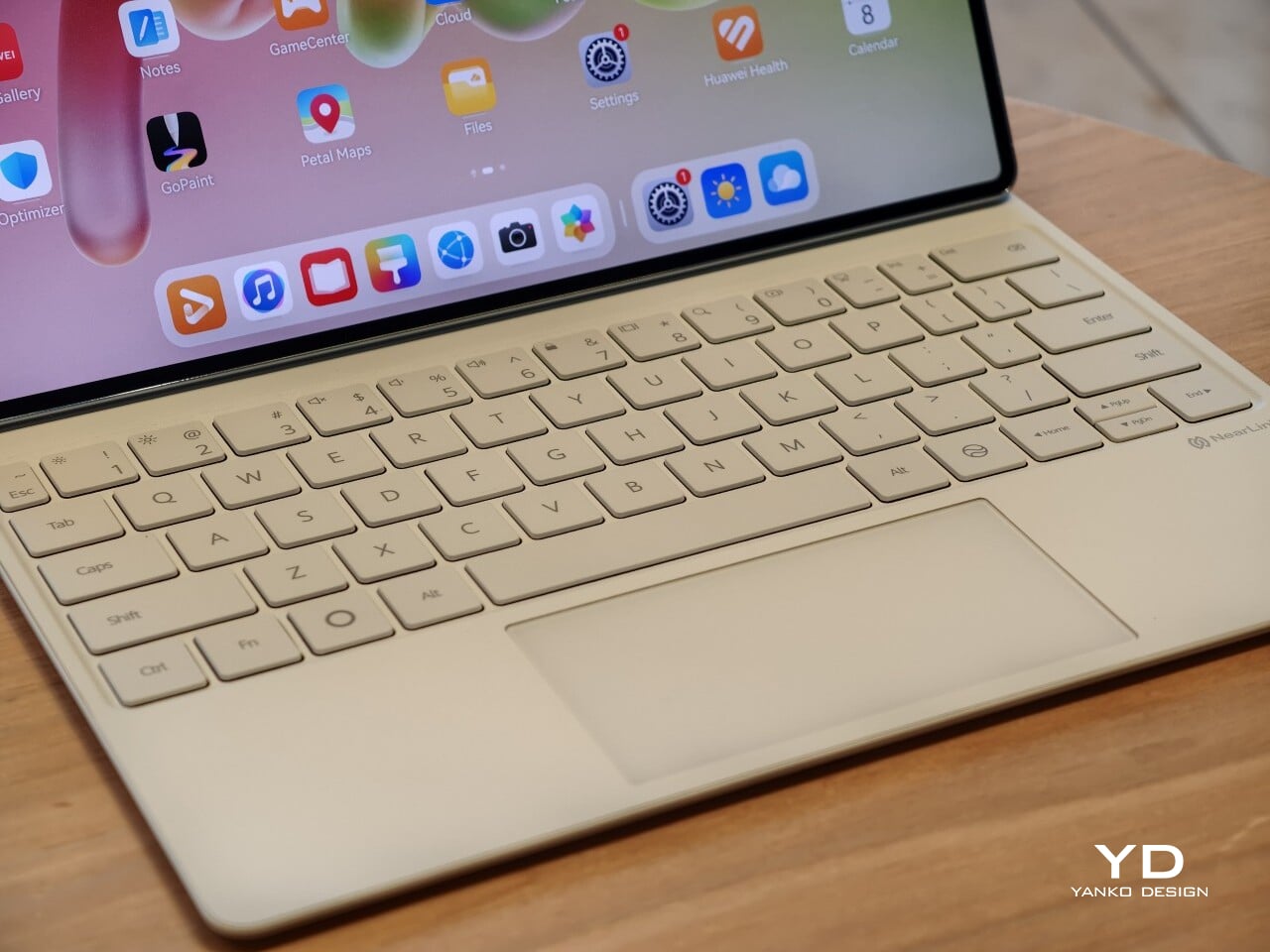
The Floating Keyboard is the standout here. It adds some weight and only offers a modest tilt range, but the key feel is excellent for this class, and the trackpad is responsive and accurate enough that you quickly forget you are on a tablet accessory. Clipped together, the Poco Pad X1 and the Floating Keyboard behave much more like a compact laptop than a budget slate with an afterthought keyboard, which makes it far easier to treat this smaller tablet as a real writing and work machine when you need it.
 

Performance

Living with Poco Pad X1 and Poco Pad M1 quickly shows how differently they lean, even though they share a lot of DNA. The Poco Pad X1 is the sharper and faster option, with an 11.2-inch 3.2K display at 3,200 x 2,136 px, around 345 ppi, and refresh up to 144 Hz in supported apps. It can hit about 800 nits peak brightness, supports Dolby Vision and HDR10, and uses a 3:2 aspect ratio that feels very natural for reading, web browsing, and document work, helped by TÜV eye care, DC dimming, and adaptive colors to keep things comfortable.

Poco Pad M1

The Poco Pad M1, on the other hand, trades a bit of sharpness and speed for sheer size and flexibility. Its 12.1-inch 2.5K panel runs at 2,560 x 1,600px with around 249 ppi and up to 120 Hz refresh, plus 500 nits typical and 600 nits in high brightness mode. You still get Dolby Vision, DC dimming, and TÜV certifications for low blue light, flicker-free behavior, and circadian friendliness, along with wet touch support that keeps it usable with damp fingers.

Poco Pad X1

Both tablets use quad speakers with Dolby Atmos and Hi-Res support, so you get surprisingly full sound from either. Crucially, the Poco Pad M1 also adds a 3.5 mm headphone jack and a microSD slot for up to 2 TB of expandable storage, which makes it a much easier media hoarder and a better fit for wired headphones and speakers. The X1 relies on its internal storage and wireless audio instead, which suits its more performance-driven, travel-friendly role.

Poco Pad X1

Poco Pad M1

Performance and gaming clearly favor the Poco Pad X1. It uses the Snapdragon 7+ Gen 3 with 8 GB of RAM and up to 512 GB of storage, and combined with the 144 Hz panel, it feels like a handheld console that also happens to be good at multitasking and productivity. The Poco Pad M1 steps down to the Snapdragon 7s Gen 4 with 8 GB of RAM and 256 GB of storage, which is still more than enough for apps and casual gaming, but clearly tuned more for streaming, browsing, and note-taking than for chasing every last frame. In practice, the Poco Pad X1 is the one you reach for when you care about smooth, high refresh gameplay, while the Pad M1 is the one you leave on the coffee table for everyone to use.

Poco Pad M1

Battery life follows the same logic. The Poco Pad X1 pairs its 8,850 mAh battery with 45 W turbo charging, which Poco says can go from zero to full in about 94 minutes, and my experience matches that claim in day-to-day use. The Poco Pad M1 leans into a 12,000 mAh pack, billed as the largest battery in a global Poco device, with up to 105.36 hours of music playback, around 83 days of standby, 33 W charging, and up to 27 W wired reverse charging so it can top up your other devices.

Poco Pad M1

Poco Pad X1

On the software side, both run Xiaomi HyperOS with Xiaomi Interconnectivity and Google’s AI hooks, so you get shared clipboard, call and network sync, Circle to Search, and Gemini support whichever size you choose. As for cameras, Poco Pad X1 pairs a 13 MP rear camera and an 8 MP front camera, while Poco Pad M1 sticks to 8 MP sensors on both sides. The results are perfectly fine for video calls, document scans, and the odd quick snap, but nothing special, which is exactly what you would expect from tablets at this price bracket.

Poco Pad M1

Poco Pad X1

Sustainability

Poco is not making a big environmental branding play with Poco Pad X1 and Poco Pad M1, but there are a few practical touches that matter if you plan to keep a tablet for several years. The most important one is long-term software support. Both Pad X1 and Pad M1 are slated to receive four years of security updates, which gives you a clearer runway for safe everyday use. For budget tablets, that commitment is still not guaranteed across the market, so it is good to see Poco spell it out.

Poco Pad M1


That longer support window pairs well with the hardware choices. The aluminum unibody shells on both models feel sturdy enough to survive several upgrade cycles, and the generous storage options, plus microSD expansion on the Poco Pad M1, reduce the pressure to replace them early just to fit more apps or media. It is not a full sustainability story with recycled materials and carbon tracking, but if your definition of sustainable starts with buying something that will not feel obsolete or unsafe in two years, these tablets are at least pointed in the right direction.

Value

The Poco Pad X1 and Poco Pad M1 both land in the affordable bracket, but they scale very differently once you add accessories. The Poco Pad X1 with 8 GB of RAM and 512 GB of storage is $399 USD, which feels fair for the Snapdragon 7+ Gen 3 and high-end 3.2K 144 hertz display. Its accessories are priced like mini laptop gear, with the Floating Keyboard at $199 USD, the X1 Keyboard at $129 USD, the X1 Cover at $49 USD, and the Poco Focus Pen at $99 USD. A fully loaded X1 setup quickly pushes past $600 USD, but in return, you get a compact tablet that can genuinely stand in for a small laptop and drawing pad.

Poco Pad X1

The Poco Pad M1 starts cheaper at $329 USD for 8 GB and 256 GB, and its add-ons stay firmly in value territory. The M1 Keyboard is $99 USD, the M1 Cover is $29 USD, and the Poco Smart Pen is $69 USD, so even a complete kit undercuts an equivalently kitted X1 by a healthy margin. Factor in the microSD slot and 3.5 millimeter headphone jack, and M1 clearly aims to be the better deal for big screen media, note-taking, and family use, while X1 makes more sense if you are willing to pay extra for performance, storage, and that excellent Floating Keyboard experience.

Verdict

The Poco Pad X1 and Poco Pad M1 end up serving two somewhat different roles. If you prioritize performance, the Poco Pad X1 is the clear choice. The Snapdragon 7+ Gen 3, 3.2K 144 Hz display, 512 GB storage, and excellent Floating Keyboard make it feel like a serious little work and gaming machine, even if the full setup gets expensive and you give up the headphone jack and SD slot. If you care more about big-screen comfort and value, the Poco Pad M1 quietly wins. The 12.1-inch 2.5K screen, quad speakers, 3.5 mm jack, microSD expansion, huge battery, and cheaper accessories make it a better fit for big-screen media and everyday productivity.

Poco Pad X1

Whichever way you lean, you are getting more tablet than the price suggests. For context, Apple’s base iPad costs $449 with only 64 GB of storage and a 60 Hz screen. The iPad still has a faster processor and a tighter app ecosystem, but Poco gives you bigger batteries, sharper displays, and a lot more storage for less money. Pick the Poco Pad X1 if you want compact power and a great keyboard experience. Pick the Poco Pad M1 if you want maximum screen, battery, and flexibility for the money. Either way, you end up with a tablet that feels more considered than most of what you will find at this price.

The post Poco Pad X1 & Poco Pad M1 Review: Budget Tablets That Challenge the iPad first appeared on Yanko Design.

Poco Pad X1 & Poco Pad M1 Review: Budget Tablets That Challenge the iPad

PROS:


  • Strong display for the money

  • Complete accessory ecosystem

  • Big batteries

CONS:


  • Neither tablet is light enough for comfortable one-handed use

  • Fully kitted-out X1 with Floating Keyboard and Focus Pen gets expensive fast

RATINGS:

AESTHETICS
ERGONOMICS
PERFORMANCE
SUSTAINABILITY / REPAIRABILITY
VALUE FOR MONEY

EDITOR'S QUOTE:

Poco Pad X1 and M1 are not perfect, but together they deliver more screen, battery, and versatility than almost any other budget tablet pair right now.

Poco built its name on phones that punch above their price, and now it wants to do the same on your coffee table. With Poco Pad X1 and Poco Pad M1, the brand is not just throwing out a couple of cheap tablets. It is trying to turn its budget DNA into a fuller ecosystem that covers gaming, work, and everyday media.

You can feel that ambition in how these two models are drawn. The Poco Pad X1 is a slightly more compact, high refresh performance slate, tuned for games and quick multitasking on an 11.2-inch 3.2K display. The Poco Pad M1 steps up to a 12.1-inch 2.5K panel and the largest battery Poco has ever shipped in a global device, aiming to be the big screen that carries you through movies, sketching sessions, and long days away from a charger.

Designer: Poco

If you have been eyeing an affordable Android tablet for gaming, streaming, or light work, should you reach for the sharper, faster Poco Pad X1, or the larger, more relaxed Poco Pad M1? In this review, we will live with both, compare their strengths, and help you decide which one actually fits your desk, your bag, and your budget.

Aesthetics

Poco Pad X1

Poco is not trying to reinvent tablet hardware with Poco Pad X1 or Poco Pad M1. Both follow a familiar rectangle with rounded corners, flat sides, and a camera module that sits quietly in one corner. On Poco Pad X1, the focus is clearly on framing its 11.2-inch display as efficiently as possible. Poco Pad M1 takes the same basic formula and scales it up with a 12.1-inch panel.

Color choices on the Pad X1 and the Pad M1 are simple. They both come in Grey and Blue. Grey leans more gunmetal and understated with a contrasting yellow accent around the camera module, while Blue reads a little more casual and friendly, but neither option is loud or experimental. Both tablets use a metal unibody design for the main shell, with separate parts for the camera island and buttons, and a big Poco logo stamped in the center for instant brand recognition. The Poco Pad X1 uses a square camera island, while the Poco Pad M1 switches to a softer oval, which gives each model a slightly different signature when you flip them over.

Poco Pad M1

Taken together, the two tablets look exactly like what they are meant to be. They are straightforward, modern Android slabs that fade into the background and let their screens and specs do the talking. For budget-friendly hardware, that quiet, functional design approach feels like the right call.

Ergonomics

In the hand, the main ergonomic difference between Poco Pad X1 and Poco Pad M1 is simply size and weight, but neither is a true one-handed tablet for long stretches. The Poco Pad X1, with its 11.2-inch footprint and 500 g weight, is the more compact of the two. It is easier to manage on a sofa or in bed than the larger Poco Pad M1, but you will still want a second hand or some support if you are holding it for a long time. Even though the Poco Pad X1 is relatively slim and light for an aluminum unibody tablet with an 8,850 mAh battery, with dimensions of 251.22 x 173.42 x 6.18 mm, it does not quietly disappear in one hand the way a smaller 8 or 9-inch device might.

Poco Pad M1

Poco Pad M1 stretches that template out to a 12.1-inch diagonal with dimensions of 279.8 x 181.65 x 7.5 mm and a weight of about 610 g, which puts it clearly into big tablet territory. It is still slim, but the larger footprint makes it even less suited to long one-handed use, especially if you are moving around. Instead, it feels more like a tablet you rest on a table, prop up with a cover, or pair with its official keyboard, where the extra screen real estate really pays off for split-screen apps, video, and drawing.

The accessory ecosystem around the Pad X1 and the Pad M1 makes them versatile, but in slightly different ways. Poco Pad M1 is compatible with the optional Poco Pad M1 Keyboard, Poco Smart Pen, and Poco Pad M1 Cover, a trio that turns it into a very capable small-screen workstation. The cover folds into a stand and adds a built-in holder for the pen, which makes it easy to move between bag, desk, and sofa without worrying about where the stylus went. The keyboard is lightweight and easy to carry, but the keys feel a bit plasticky in use, which slightly undercuts the otherwise solid metal body of the tablet.

Poco Pad X1

Poco Pad X1 has its own dedicated set of accessories. It supports the Poco Pad X1 Floating Keyboard, the Poco Pad X1 Keyboard, the Poco Focus Pen, and the Poco Pad X1 Cover, which together give it a surprisingly flexible setup for both work and play. The cover folds like origami and doubles as a stand, letting you enjoy the tablet vertically or horizontally, and for horizontal use, you can choose between two different viewing heights.

The Floating Keyboard is the standout here. It adds some weight and only offers a modest tilt range, but the key feel is excellent for this class, and the trackpad is responsive and accurate enough that you quickly forget you are on a tablet accessory. Clipped together, the Poco Pad X1 and the Floating Keyboard behave much more like a compact laptop than a budget slate with an afterthought keyboard, which makes it far easier to treat this smaller tablet as a real writing and work machine when you need it.
 

Performance

Living with Poco Pad X1 and Poco Pad M1 quickly shows how differently they lean, even though they share a lot of DNA. The Poco Pad X1 is the sharper and faster option, with an 11.2-inch 3.2K display at 3,200 x 2,136 px, around 345 ppi, and refresh up to 144 Hz in supported apps. It can hit about 800 nits peak brightness, supports Dolby Vision and HDR10, and uses a 3:2 aspect ratio that feels very natural for reading, web browsing, and document work, helped by TÜV eye care, DC dimming, and adaptive colors to keep things comfortable.

Poco Pad M1

The Poco Pad M1, on the other hand, trades a bit of sharpness and speed for sheer size and flexibility. Its 12.1-inch 2.5K panel runs at 2,560 x 1,600px with around 249 ppi and up to 120 Hz refresh, plus 500 nits typical and 600 nits in high brightness mode. You still get Dolby Vision, DC dimming, and TÜV certifications for low blue light, flicker-free behavior, and circadian friendliness, along with wet touch support that keeps it usable with damp fingers.

Poco Pad X1

Both tablets use quad speakers with Dolby Atmos and Hi-Res support, so you get surprisingly full sound from either. Crucially, the Poco Pad M1 also adds a 3.5 mm headphone jack and a microSD slot for up to 2 TB of expandable storage, which makes it a much easier media hoarder and a better fit for wired headphones and speakers. The X1 relies on its internal storage and wireless audio instead, which suits its more performance-driven, travel-friendly role.

Poco Pad X1

Poco Pad M1

Performance and gaming clearly favor the Poco Pad X1. It uses the Snapdragon 7+ Gen 3 with 8 GB of RAM and up to 512 GB of storage, and combined with the 144 Hz panel, it feels like a handheld console that also happens to be good at multitasking and productivity. The Poco Pad M1 steps down to the Snapdragon 7s Gen 4 with 8 GB of RAM and 256 GB of storage, which is still more than enough for apps and casual gaming, but clearly tuned more for streaming, browsing, and note-taking than for chasing every last frame. In practice, the Poco Pad X1 is the one you reach for when you care about smooth, high refresh gameplay, while the Pad M1 is the one you leave on the coffee table for everyone to use.

Poco Pad M1

Battery life follows the same logic. The Poco Pad X1 pairs its 8,850 mAh battery with 45 W turbo charging, which Poco says can go from zero to full in about 94 minutes, and my experience matches that claim in day-to-day use. The Poco Pad M1 leans into a 12,000 mAh pack, billed as the largest battery in a global Poco device, with up to 105.36 hours of music playback, around 83 days of standby, 33 W charging, and up to 27 W wired reverse charging so it can top up your other devices.

Poco Pad M1

Poco Pad X1

On the software side, both run Xiaomi HyperOS with Xiaomi Interconnectivity and Google’s AI hooks, so you get shared clipboard, call and network sync, Circle to Search, and Gemini support whichever size you choose. As for cameras, Poco Pad X1 pairs a 13 MP rear camera and an 8 MP front camera, while Poco Pad M1 sticks to 8 MP sensors on both sides. The results are perfectly fine for video calls, document scans, and the odd quick snap, but nothing special, which is exactly what you would expect from tablets at this price bracket.

Poco Pad M1

Poco Pad X1

Sustainability

Poco is not making a big environmental branding play with Poco Pad X1 and Poco Pad M1, but there are a few practical touches that matter if you plan to keep a tablet for several years. The most important one is long-term software support. Both Pad X1 and Pad M1 are slated to receive four years of security updates, which gives you a clearer runway for safe everyday use. For budget tablets, that commitment is still not guaranteed across the market, so it is good to see Poco spell it out.

Poco Pad M1


That longer support window pairs well with the hardware choices. The aluminum unibody shells on both models feel sturdy enough to survive several upgrade cycles, and the generous storage options, plus microSD expansion on the Poco Pad M1, reduce the pressure to replace them early just to fit more apps or media. It is not a full sustainability story with recycled materials and carbon tracking, but if your definition of sustainable starts with buying something that will not feel obsolete or unsafe in two years, these tablets are at least pointed in the right direction.

Value

The Poco Pad X1 and Poco Pad M1 both land in the affordable bracket, but they scale very differently once you add accessories. The Poco Pad X1 with 8 GB of RAM and 512 GB of storage is $399 USD, which feels fair for the Snapdragon 7+ Gen 3 and high-end 3.2K 144 hertz display. Its accessories are priced like mini laptop gear, with the Floating Keyboard at $199 USD, the X1 Keyboard at $129 USD, the X1 Cover at $49 USD, and the Poco Focus Pen at $99 USD. A fully loaded X1 setup quickly pushes past $600 USD, but in return, you get a compact tablet that can genuinely stand in for a small laptop and drawing pad.

Poco Pad X1

The Poco Pad M1 starts cheaper at $329 USD for 8 GB and 256 GB, and its add-ons stay firmly in value territory. The M1 Keyboard is $99 USD, the M1 Cover is $29 USD, and the Poco Smart Pen is $69 USD, so even a complete kit undercuts an equivalently kitted X1 by a healthy margin. Factor in the microSD slot and 3.5 millimeter headphone jack, and M1 clearly aims to be the better deal for big screen media, note-taking, and family use, while X1 makes more sense if you are willing to pay extra for performance, storage, and that excellent Floating Keyboard experience.

Verdict

The Poco Pad X1 and Poco Pad M1 end up serving two somewhat different roles. If you prioritize performance, the Poco Pad X1 is the clear choice. The Snapdragon 7+ Gen 3, 3.2K 144 Hz display, 512 GB storage, and excellent Floating Keyboard make it feel like a serious little work and gaming machine, even if the full setup gets expensive and you give up the headphone jack and SD slot. If you care more about big-screen comfort and value, the Poco Pad M1 quietly wins. The 12.1-inch 2.5K screen, quad speakers, 3.5 mm jack, microSD expansion, huge battery, and cheaper accessories make it a better fit for big-screen media and everyday productivity.

Poco Pad X1

Whichever way you lean, you are getting more tablet than the price suggests. For context, Apple’s base iPad costs $449 with only 64 GB of storage and a 60 Hz screen. The iPad still has a faster processor and a tighter app ecosystem, but Poco gives you bigger batteries, sharper displays, and a lot more storage for less money. Pick the Poco Pad X1 if you want compact power and a great keyboard experience. Pick the Poco Pad M1 if you want maximum screen, battery, and flexibility for the money. Either way, you end up with a tablet that feels more considered than most of what you will find at this price.

The post Poco Pad X1 & Poco Pad M1 Review: Budget Tablets That Challenge the iPad first appeared on Yanko Design.

Poco F8 Ultra Review: A Bold All-Rounder Balancing Gaming, Camera, and Bose-Tuned Audio

PROS:


  • Bose-tuned 2.1 speaker system

  • Excellent all-rounder

  • Large battery with fast wired and wireless charging

  • Strong main and telephoto cameras

CONS:


  • An 18mm-equivalent ultra-wide camera is less versatile

  • Noticeable price increase compared with the F7 Ultra (but mostly justifiable)

RATINGS:

AESTHETICS
ERGONOMICS
PERFORMANCE
SUSTAINABILITY / REPAIRABILITY
VALUE FOR MONEY

EDITOR'S QUOTE:

An expressive all-rounder that excels at games, media, and photography, the Poco F8 Ultra delivers on its premium flagship ambition.

Only about eight months after its first “Ultra” attempt with the Poco F7 Ultra, Poco is already back with the Poco F8 Ultra and its sibling, the F8 Pro. Following the success of the F7 Ultra, this doesn’t feel like a one-off experiment anymore. It feels like Poco is serious about staking a claim in the premium flagship space.

This time, Poco isn’t just chasing raw specs. The F8 Ultra doubles down on performance with the latest flagship chipset, pushes imaging with a new Light Fusion 950 main imaging sensor and 5x periscope camera, and, for the first time, brings in Bose to co-engineer a 2.1-channel speaker system. On paper, it looks like a full-scale all-rounder aimed at gaming, media, and photography all at once. The question is whether it really holds up that premium flagship claim in daily use. Let us dive in and find out.

Aesthetics

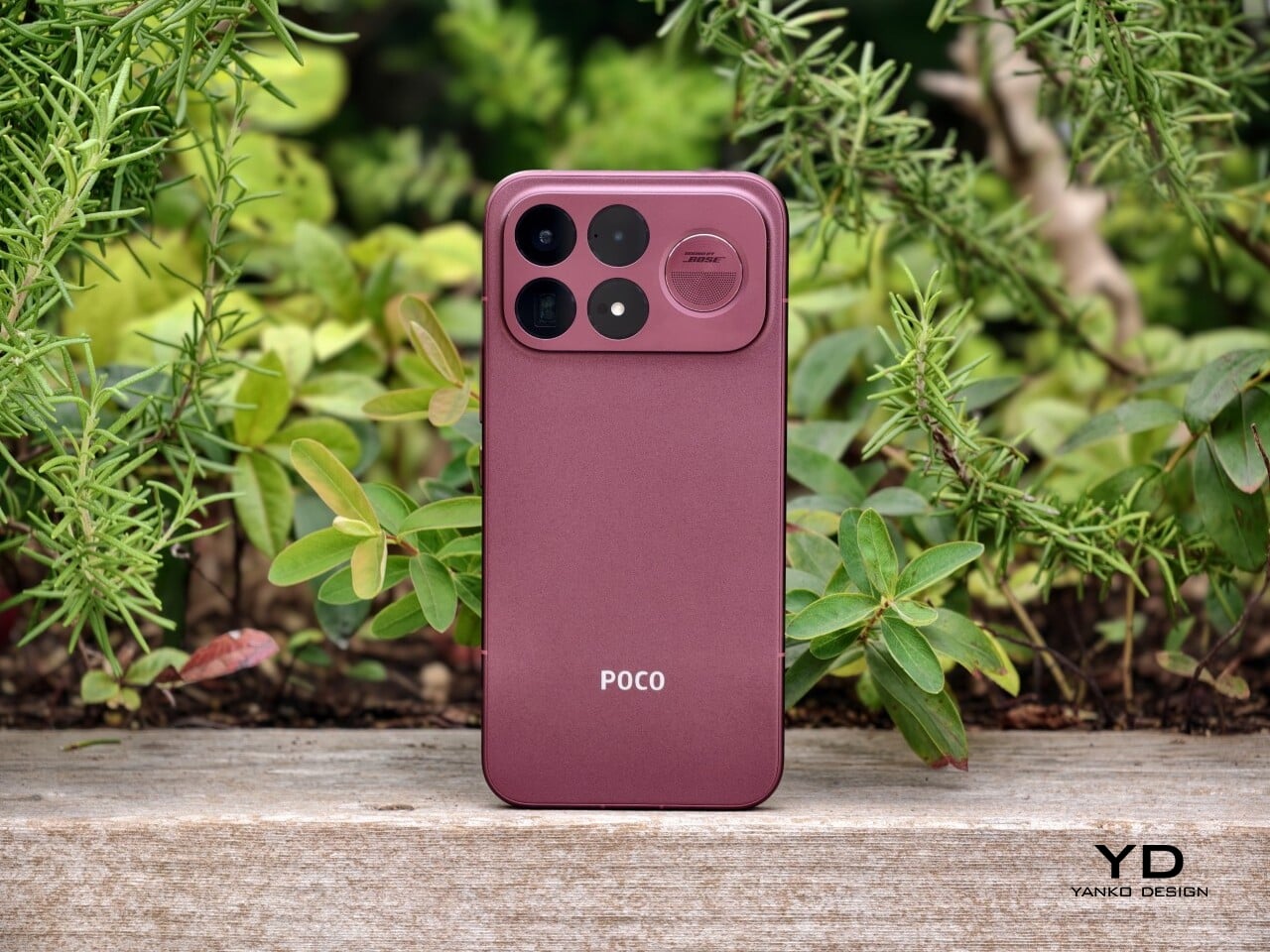
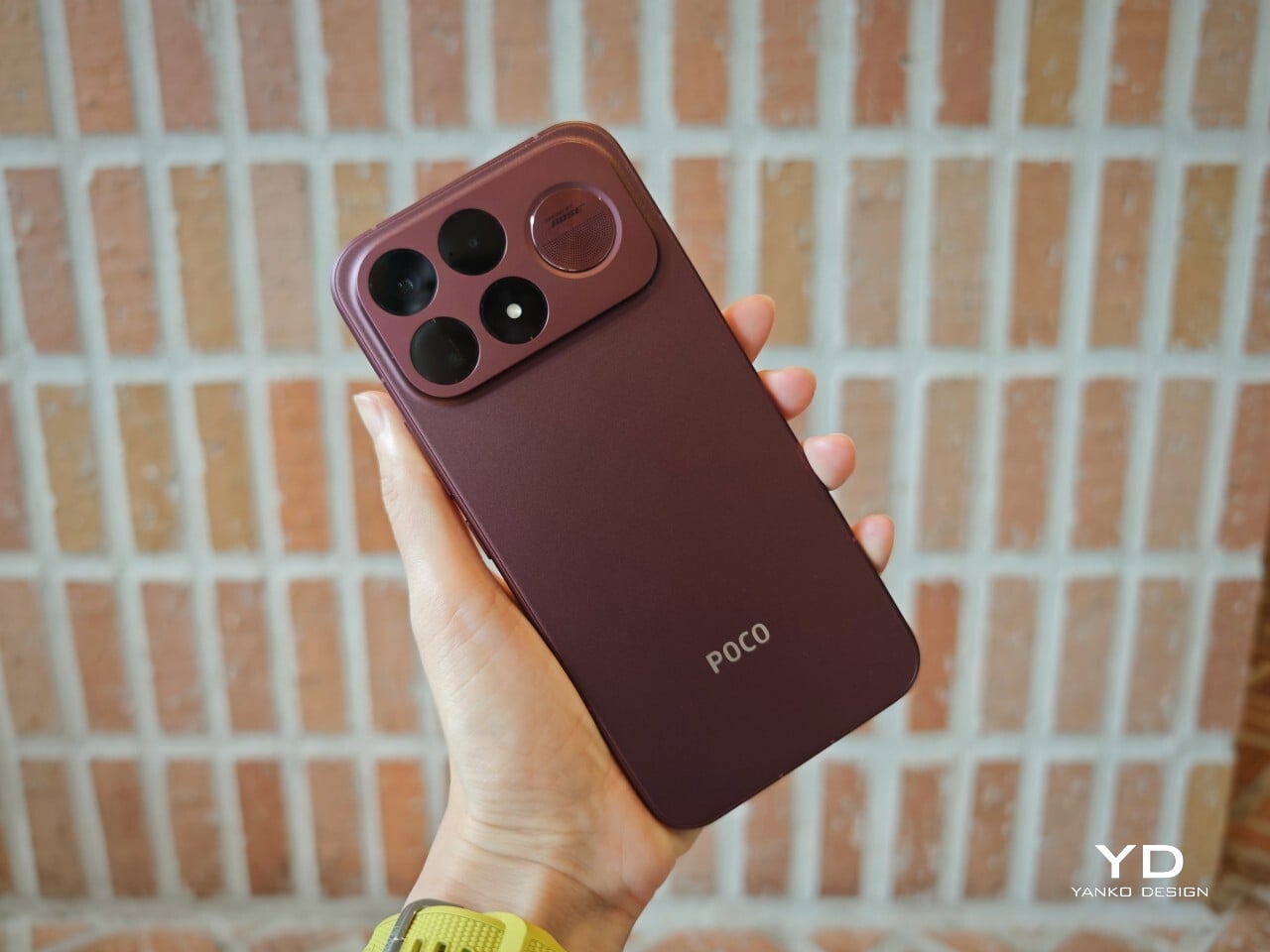
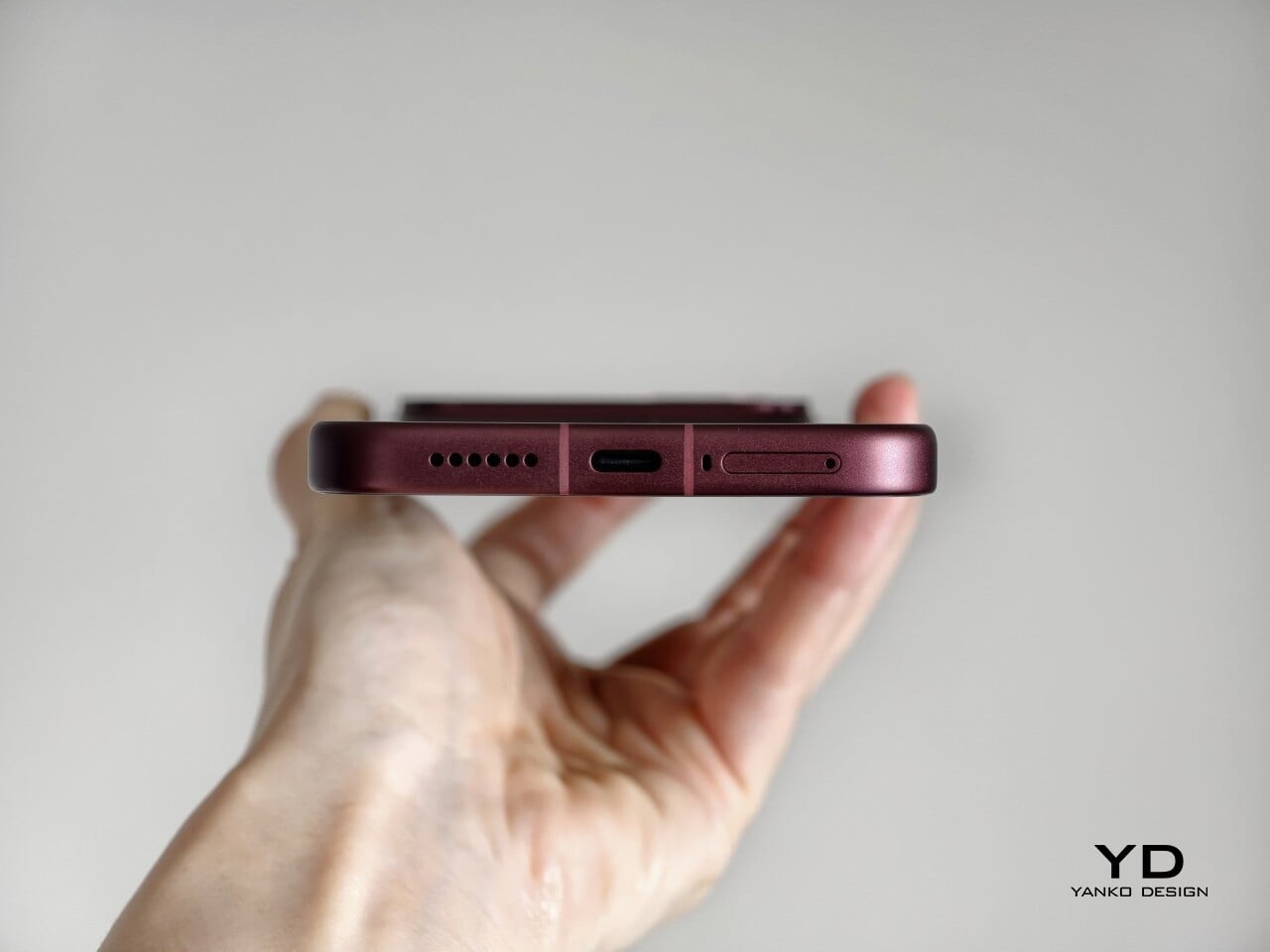
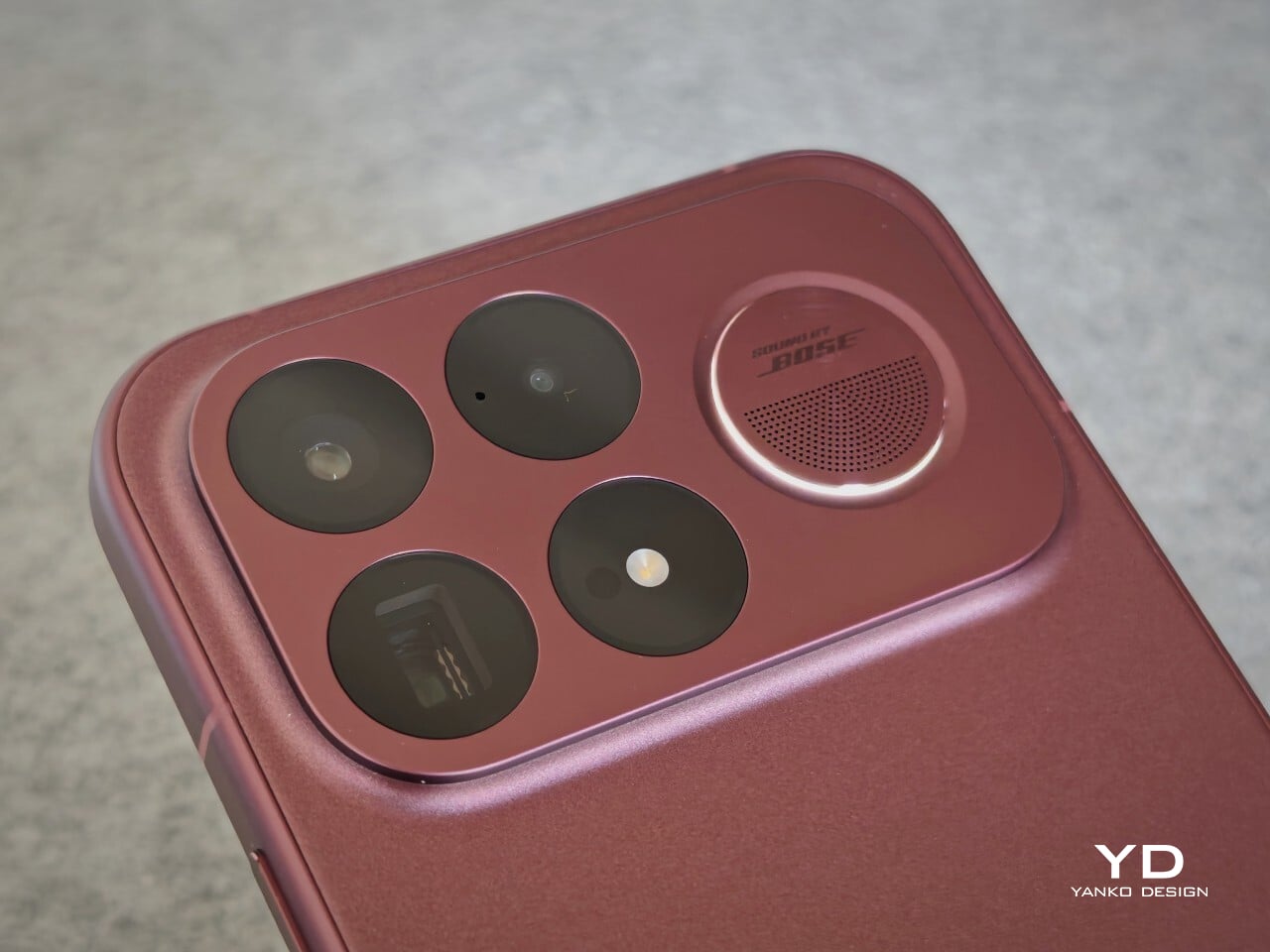
The Poco F8 Ultra is visually dramatic in a way many flagships are not, especially the Denim Blue variant I received for review. Poco offers two color options for the global model, a unique Denim Blue and a more classic Black, and the whole design is built around a bold horizontal camera bar across the top of the back panel. This rectangular bump stretches almost from edge to edge, immediately anchoring the look and giving the phone a strong graphic identity. On the Denim Blue model, the bar is finished in silver, while on the Black version, it is blacked out to blend more seamlessly with the rest of the body.

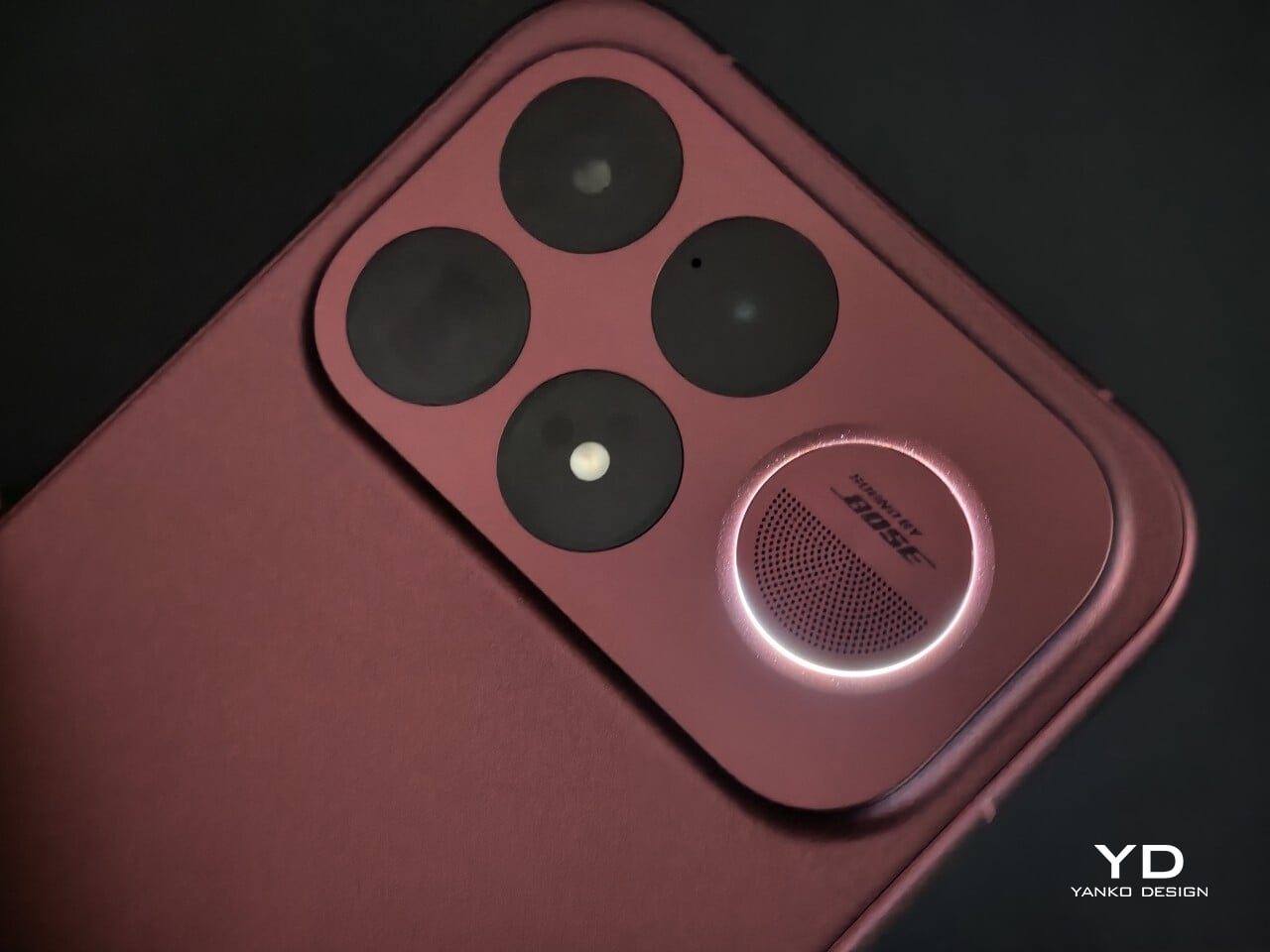
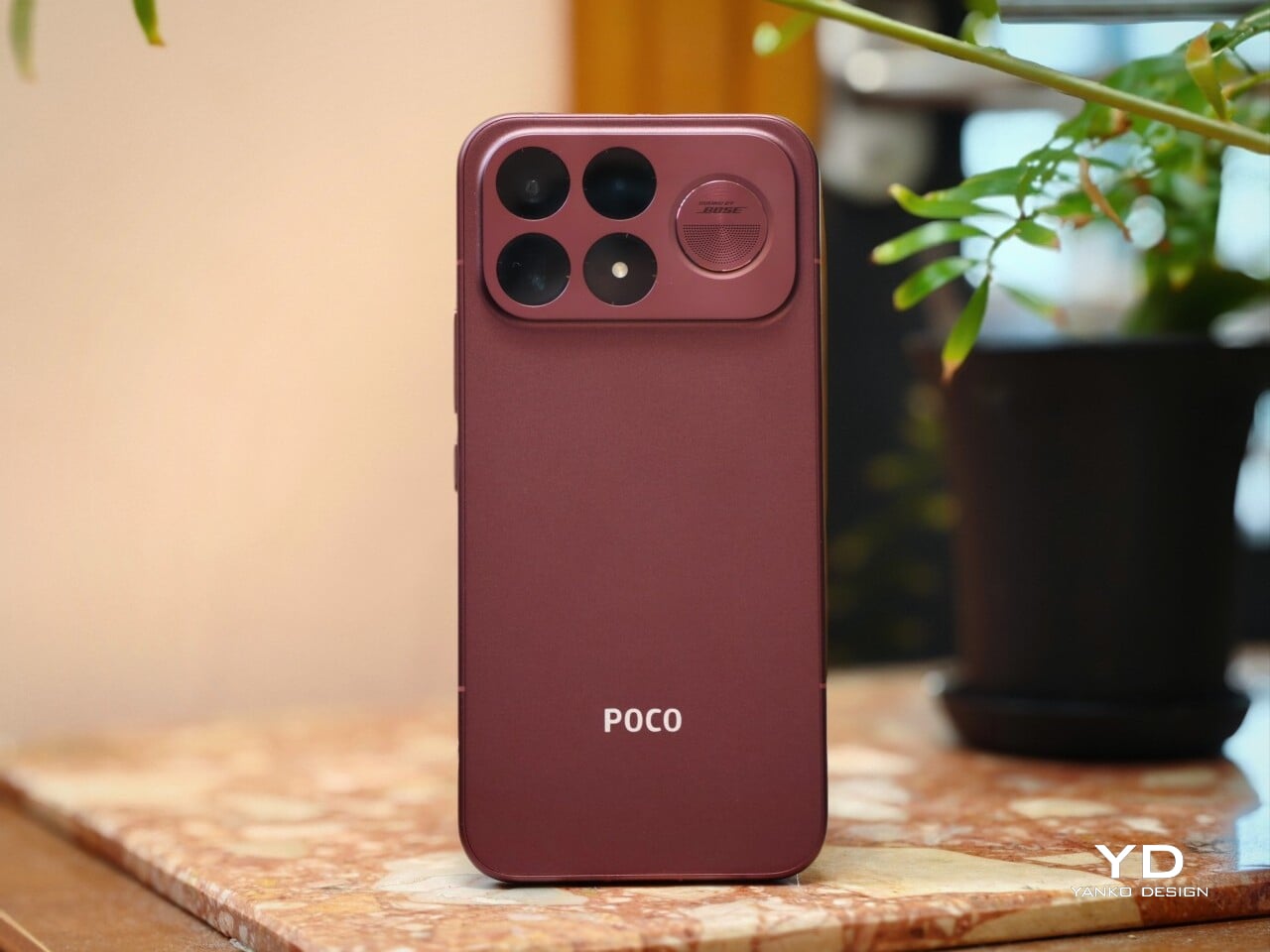
Within this camera bar, the layout is carefully staged. On the left side sit four camera units, each framed by its own silver ring, with the LED flash neatly integrated among them. On the right side, Poco embeds the subwoofer module, marked with a “Sound by Bose” logo at the center, so the audio story becomes a visible part of the design rather than something hidden inside.

Color and material choices reinforce this expressive stance. The Denim Blue variant uses Xiaomi’s third-generation nano tech material, which mimics the depth and weave of fabric while resisting fingerprints and smudges. It has a tactile, layered surface that feels more like tech streetwear than a simple painted back, and while this playful, youthful look will not be everyone’s cup of tea, it gives the phone a distinct, energetic character.

The Black version takes a more understated route with lightweight glass fiber and a refined matte sheen that catches light in smooth gradients. It offers a quieter but still premium look if you prefer something less attention-grabbing, and it is likely to age more discreetly in daily use.

Ergonomics

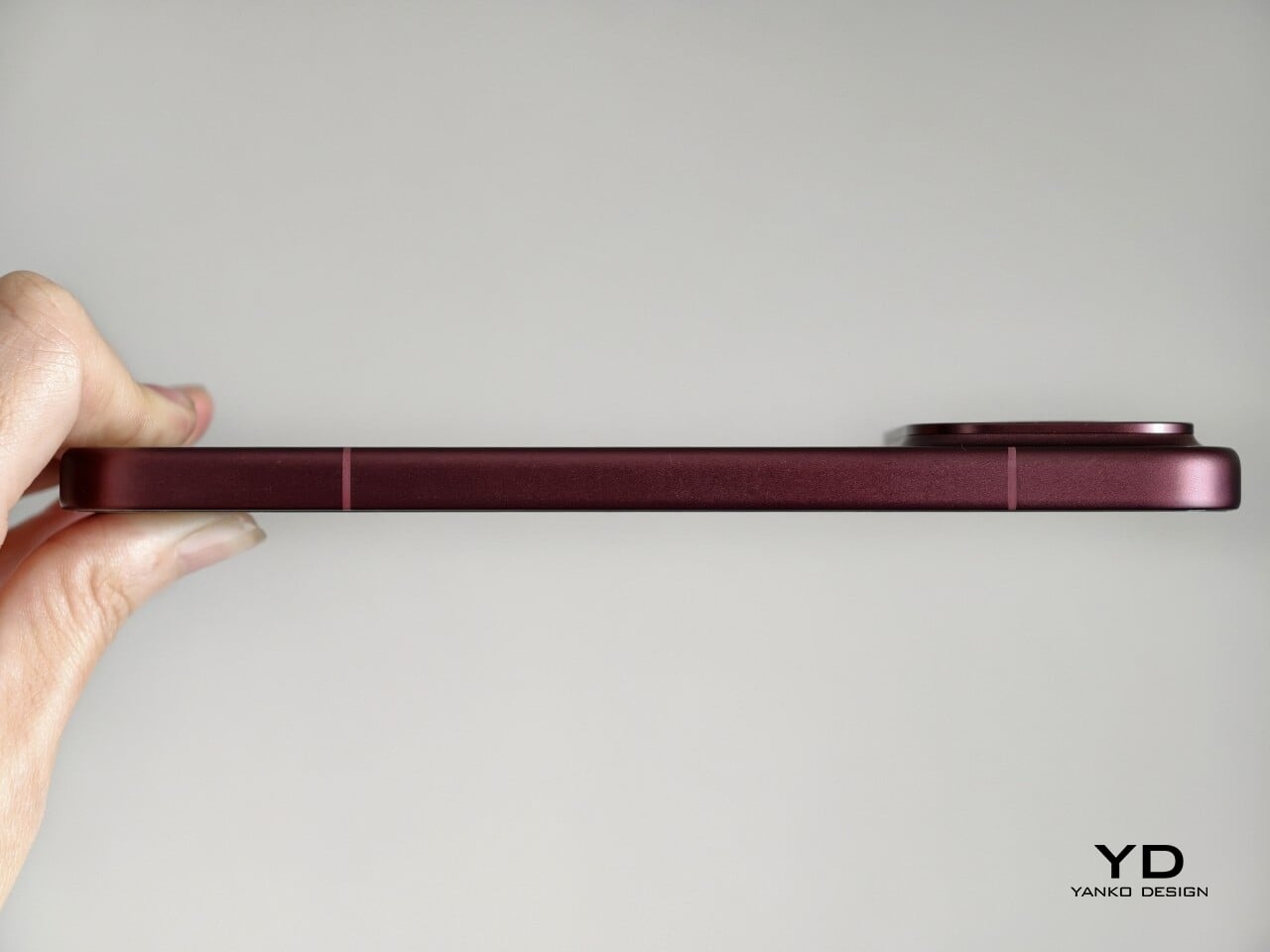
Ergonomically, this is still a big phone. The Denim Blue variant measures 163.33 x 77.83 x 8.3 mm and weighs 220 g, while the Black version is slightly slimmer and lighter at 163.33 x 77.82 x 7.9 mm and 218 g. In the hand, the difference is subtle, and for my grip, the width in particular makes it a bit of a stretch to reach across the screen, which is worth noting if you have smaller hands or prefer narrower devices.

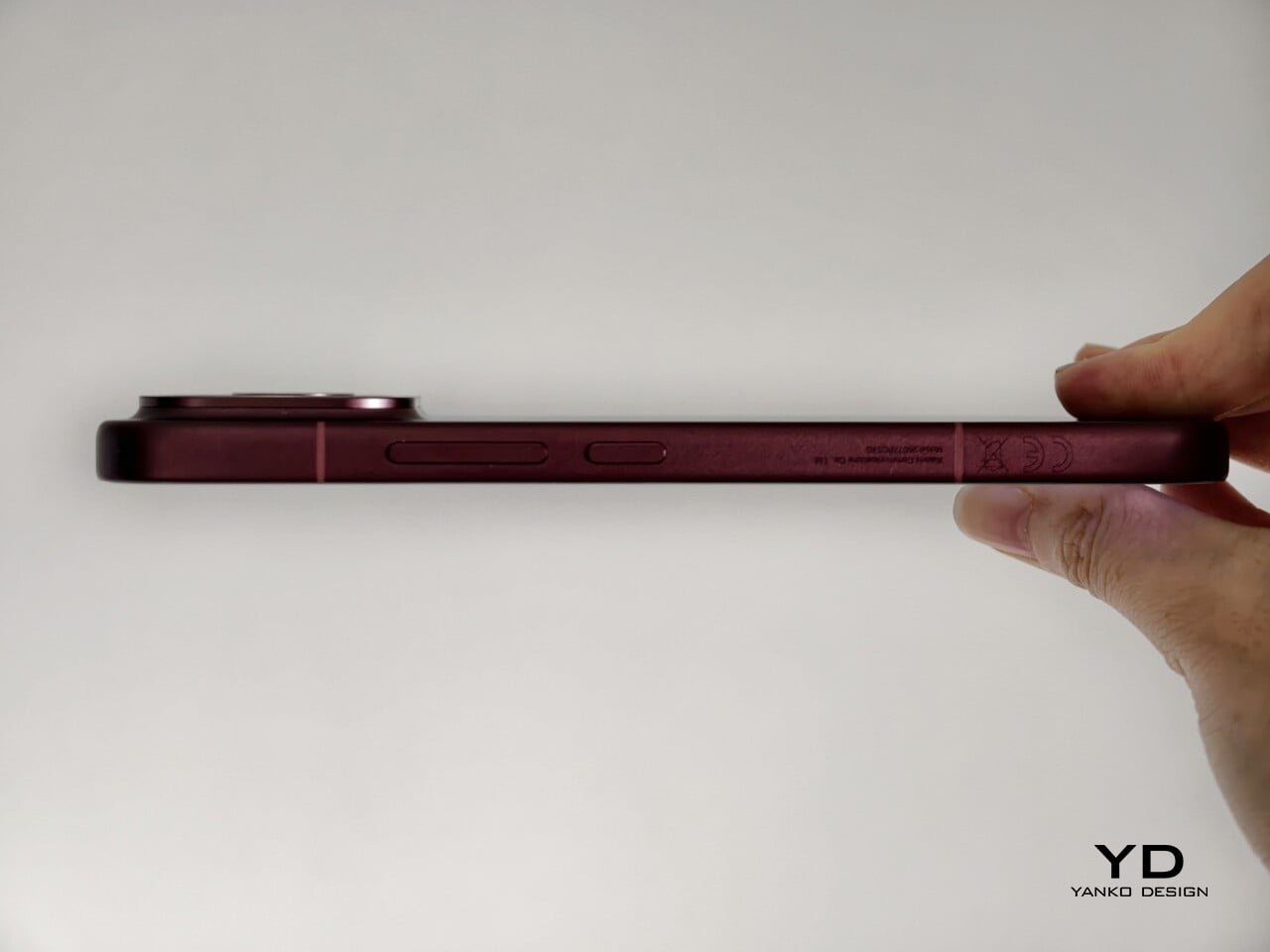
Both the display and back panel are flat, giving the phone a clean profile. Rounded corners and subtly curved aluminum edges soften the grip and reduce pressure points during long gaming or video sessions, and the weight feels well-balanced along the center line, so the camera module does not make the phone feel top-heavy.

The Denim Blue back adds a gentle grip and naturally hides smudges, which suits case-free use. The matte Black finish feels smoother but is still controlled and resists fingerprints and smears, so it stays looking clean. In both finishes, the textures are chosen as much for comfort and practicality as for style.

The physical controls are also well placed. The volume rocker and power button on the right sit low enough to reach without stretching or shifting your grip, which helps offset some of the phone’s width. The ultrasonic fingerprint reader is positioned about one third of the way up from the bottom of the screen, right where your thumb naturally rests, so unlocking feels quick and effortless.

Performance

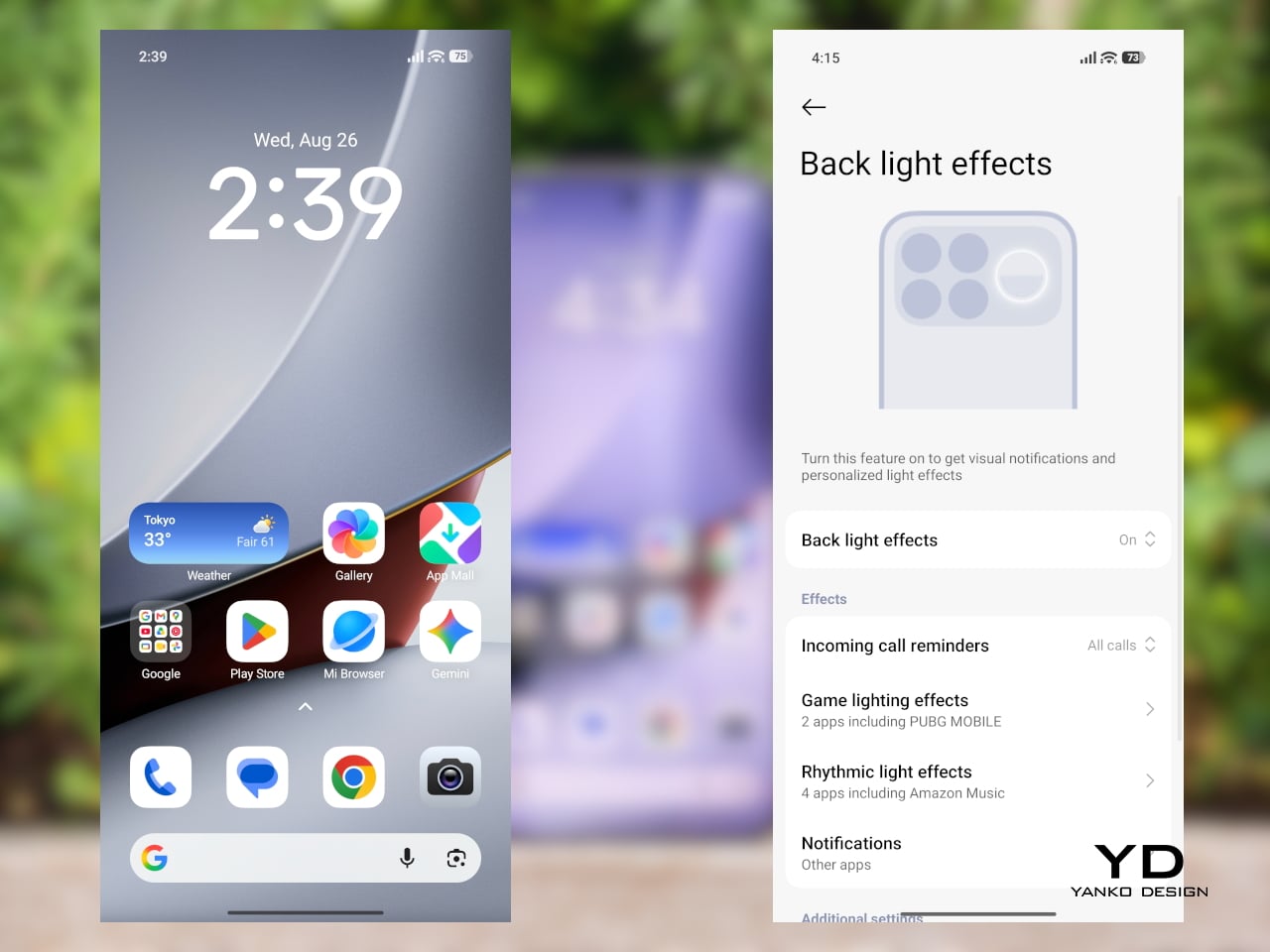
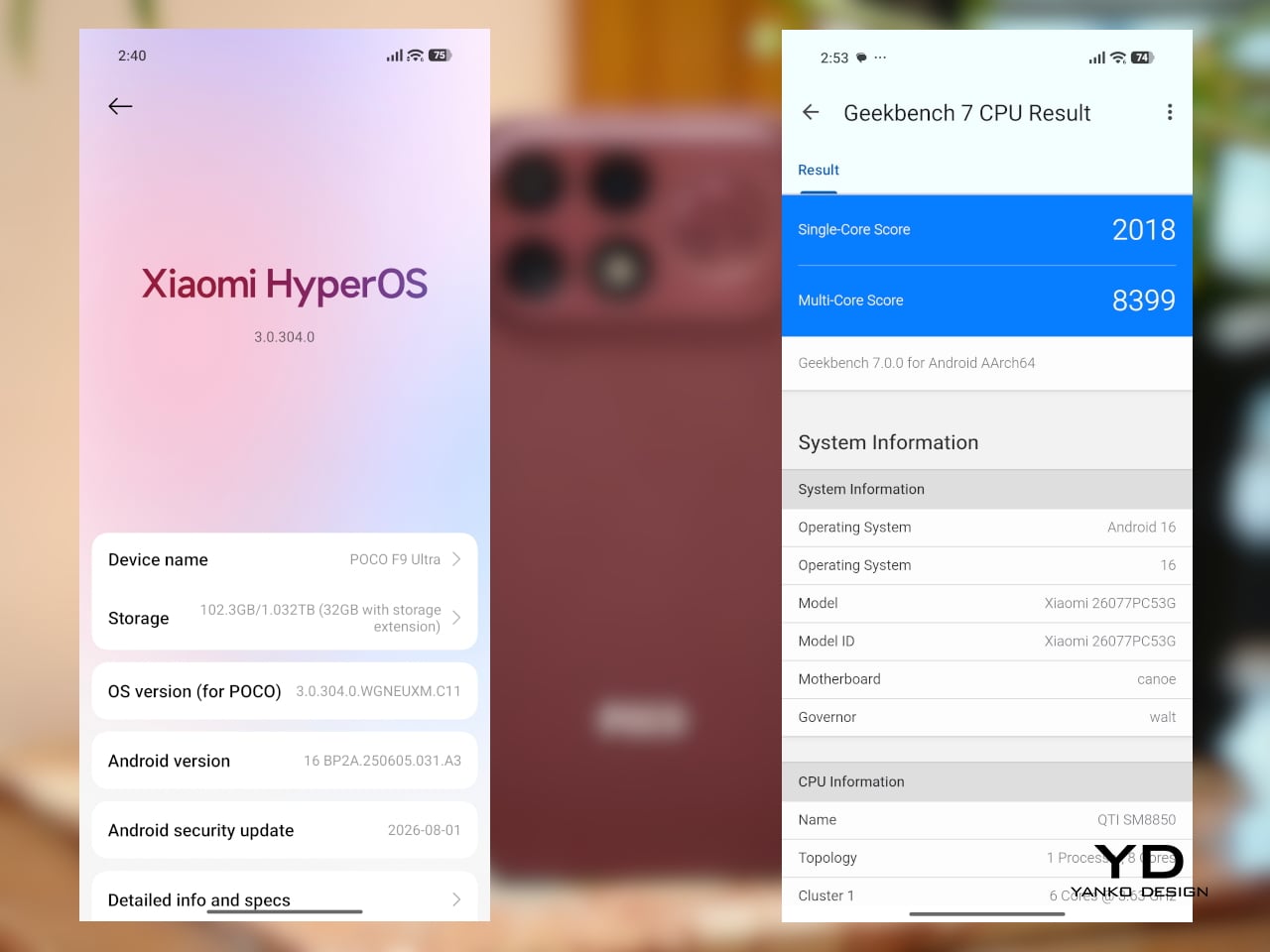
Inside, the Poco F8 Ultra runs on Snapdragon 8 Elite Gen 5, Qualcomm’s latest flagship chip. It also includes a dedicated VisionBoost D8 chipset for visual enhancement and game optimization. This secondary chip can push supported game titles up to 120 frames per second, upscale visuals to 1.5K resolution, and apply Game HDR to enrich color. Together, they give compatible games a sharper, smoother, more cinematic feel. Running HyperOS 3 based on Android 16, the phone stays snappy and smooth even when you are multitasking.

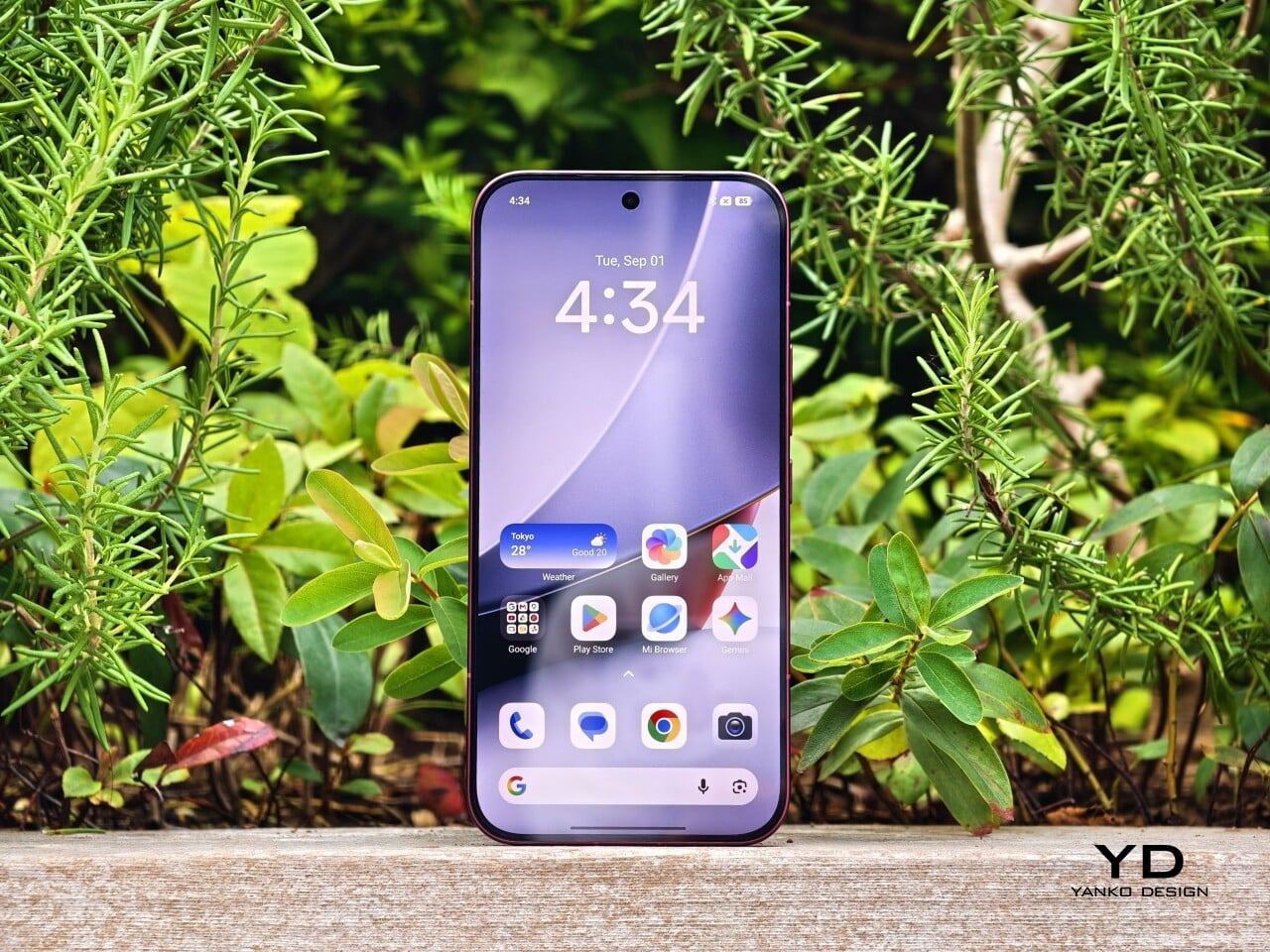
Poco F8 Ultra boasts the largest display in the brand’s F series with a 6.9-inch AMOLED panel using Poco HyperRGB.  The screen runs up to 120 Hz in supported apps, so scrolling, animations, and games feel fluid, and combined with high brightness, strong contrast, and deep blacks, it delivers a vivid, high-impact look rather than a muted, neutral one.

The audio side of smartphones is usually overlooked, and most built-in speakers still sound flat. Poco’s partnership with Bose pushes against that pattern. The F8 Ultra uses a 2.1 channel system with stereo speakers and a dedicated bass driver, tuned to emphasize depth and space rather than just volume.

In my experience, Poco’s claims of deeper bass and a wider soundstage hold up. The F8 Ultra delivers a solid, weighty low end that gives music, films, and games more physical presence than most phones in its class. Held in landscape, the stereo image feels wide, with instruments and effects clearly separated instead of merging into a single blob of sound.

You get two Bose-tuned modes, Dynamic and Balanced. Dynamic adds punch and low end for games and action, while Balanced keeps mids a bit cleaner for dialogue and acoustic tracks. On top of that, there are genre-based EQ presets and a custom 10-band EQ from about 141 Hz to 13.8 kHz, so you can fine-tune the sound to your taste.  The speaker system will not replace good headphones, but it clearly raises the bar for built-in phone audio.

On the camera side, the F8 Ultra treats imaging as a proper flagship feature. The 50 MP main camera uses Xiaomi’s 1/1.31 inch Light Fusion 950 sensor with an f/1.67 aperture and optical image stabilization, and it produces vibrant images with wide dynamic range and good detail even in difficult lighting.

The 50 MP 5x periscope telephoto sits at a 115 mm-equivalent focal length with an f/3.0 aperture and OIS. It reuses the same sensor as its predecessor but pairs it with a periscope structure, which allows much higher zoom while better preserving image quality. The result is pleasing compression with natural-looking bokeh and solid dynamic range, especially in good light.

A 50 MP 18 mm-equivalent ultrawide completes the rear trio, although its relatively narrow field of view means you can often just step back and use the main camera for better image quality. The 32 megapixel front camera with its automatic 0.8x wide-angle mode makes group shots easier without forcing you to stretch your arm as far. For video, all three rear cameras support up to 4K 60 FPS, with the main camera also capable of 8K 30 FPS, while the front camera is limited to 4K 30 FPS.

Battery life and charging match the performance focus. Poco finally gives the Ultra line a bigger pack in response to user feedback, with a 6500 mAh battery that is the largest yet in a global Poco F phone. It comfortably handles heavy gaming, media, and camera use across a day, and when you do run low, 100-watt wired HyperCharge, 50-watt wireless charging, and 22.5-watt reverse charging give you flexible ways to top up or share power.

Sustainability

Poco’s approach to sustainability on the F8 Ultra feels more practical than ambitious. Hardware durability is solid, with IP68 water and dust resistance and Poco Shield Glass helping the phone survive daily knocks, drops, and the occasional splash. That kind of protection does reduce the chance you will need an early replacement after a single accident, which is still an important part of using one device for longer.

On the software side, Poco offers 4 major Android OS updates and 6 years of security patches. While that is not class-leading, it is still notable. Some rivals now promise longer OS and security support, reasonably future-proofed. Overall, the F8 Ultra does not stand out as a sustainability champion in either software longevity or broader eco-friendly initiatives.

Value

Poco offers the F8 Ultra in two configurations. The 12 GB RAM and 256 GB storage model is priced at $729, while the 16 GB RAM and 512 GB storage version comes in at $799. During the early bird period, Poco cuts $50 from the base model and $70 from the higher tier, bringing them down to $679 and $729, respectively, which makes the step up to 16 GB and 512 GB particularly tempting.

There is a clear price increase compared to the previous Ultra, but it feels justified by the upgraded display, dual-chip performance stack, camera system, audio, and larger battery. In the current flagship landscape, the Poco F8 Ultra still lands firmly in the bang for buck zone. It undercuts many premium rivals while delivering comparable or better gaming performance, a more ambitious camera setup, and a genuinely strong media experience, so the overall value proposition remains one of its strongest arguments.

Verdict

Poco F8 Ultra feels like a confident step up from the F7 Ultra, not just a faster sequel. It combines a bold design, a huge 6.9-inch AMOLED, a genuinely impressive Bose-tuned 2.1 speaker system, and a serious camera stack built around the Light Fusion 950 main sensor and 5x periscope. Snapdragon 8 Elite Gen 5 plus the VisionBoost D8 chip deliver top-tier gaming performance with stable high frame rates, while the 6500 mAh battery and fast wired and wireless charging keep that power usable all day.

It is not a perfect package, especially if you want the absolute best camera system, have smaller hands, or care deeply about long-term sustainability. The phone is wide, the ultrawide camera is less versatile than the rest of the system, and the software support window is only average in a segment that is rapidly improving. There is also a clear price jump over the F7 Ultra, even if the upgrades mostly justify it. If you want a compact, understated device, this is not for you, but if you want a big, expressive all-rounder that excels at games, media, and photography, the Poco F8 Ultra delivers on its premium flagship ambition.

The post Poco F8 Ultra Review: A Bold All-Rounder Balancing Gaming, Camera, and Bose-Tuned Audio first appeared on Yanko Design.

Realme GT8 Pro Review: A Flagship You Choose With Your Heart

PROS:


  • Ricoh GR partnership on the main camera

  • Distinctive design with modular camera island

  • Outstanding battery life and charging speed

CONS:


  • Ricoh GR mode is limited to the main camera

  • Ultra-wide and front cameras lack autofocus

  • Software support is good, but not class-leading for the price range


RATINGS:

AESTHETICS
ERGONOMICS
PERFORMANCE
SUSTAINABILITY / REPAIRABILITY
VALUE FOR MONEY

EDITOR'S QUOTE:

This is a phone you pick with your heart as much as your head, because you really have to want that design story and the GR experience.

The announcement of Realme’s partnership with Ricoh was a surprise, and now the highly anticipated Realme GT8 Pro is here with another twist in the form of an interchangeable camera plate on its back. This is not a subtle move, and it signals that Realme GT8 Pro is not trying to be just another sensible flagship. Instead, it arrives as a phone that wants to make a statement the moment you turn it over in your hand.

At the same time, this is still a serious piece of hardware built around the Snapdragon 8 Elite Gen 5, a huge 7000 mAh battery, and a vibrant 6.79-inch display. Realme is clearly aiming to step out of its value-focused comfort zone and into the premium flagship ring, where expectations are much higher, and mistakes are more visible. The real question is whether this bold, personality-heavy approach makes the GT8 Pro a genuinely great all-around phone, or a beautiful experiment that only a certain kind of user will truly appreciate.

Aesthetics

Pick up the realme GT8 Pro, and the first thing your eyes lock onto is the camera island. Realme has turned the rear camera housing into a modular design object that you can swap and restyle. Different camera decoration plates change the shape and graphic language of that camera bump, which means the back of the phone becomes a kind of customizable badge. It feels more like a piece of streetwear design than a typical rectangular slab, and it sends a clear signal that this phone sees photography and personality as central to its identity.

The plate is held in place with two tiny screws. The design that comes with the Diary White colorway we received is a round silver colored plate, and Realme also sent a separate rectangular silver colored plate. Realme has even released the 3D design file to invite people to create their own camera plate designs for the GT8 Pro. It is purely non-functional, and you could easily call it a gimmick, but it is a playful gimmick that fits the character of this phone and gives designers and tinkerers something fun to explore.

Realme keeps the core lineup tight with two main colorways. Diary White pairs the aluminum frame with a glossy glass back panel that catches reflections like a piece of polished ceramic. Urban Blue switches to a vegan leather back panel that brings a more tactile, fashion-focused vibe and feels closer to a premium accessory than a slab of tech. Both finishes are tuned to catch light and attention rather than fade into the background, which reinforces the GT8 Pro’s role as a visual statement.

On top of these two color variants, Realme offers the Dream Edition as part of its three-year partnership with the Aston Martin Formula 1 team. This special version comes dressed in Aston Martin Green with yellow accents and an aerodynamic-inspired design. The phone arrives with a round camera decoration plate featuring a carbon fiber finish, which adds a motorsport texture that feels premium.

Inside the special box, you also get the square deco plate, a SIM ejector tool shaped like a racing car, a Torx screwdriver for swapping plates, two phone cases, and a charger. The phone itself comes preloaded with custom Aston Martin Formula 1 team wallpapers and icons, so the collaboration extends into the software experience as well.

Ergonomics

This is a large phone with a 6.79-inch display and a 7000 mAh battery, so it has real presence in the hand. Both colorways share the same footprint at 161.80 x 76.87 mm, which means you are firmly in big phone territory. You feel that size immediately, yet the curved edges and carefully rounded corners do a lot of work to soften the bulk and make it feel less intimidating.

The differences appear when you look at thickness and weight. Diary White comes in at 8.20 mm thick and weighs 218 g, while Urban Blue is slightly thicker at 8.30 mm but actually lighter at 214 g. In practice, these numbers are close enough that you will not notice a dramatic contrast in day-to-day use. Diary White, with its glossy glass back, feels sleek and cool, sliding more easily against your skin and into pockets. Urban Blue with its vegan leather has a paper-like feel with tactile 3D characters, according to Realme, which gives it a more textured, design-forward personality in the hand.

The power and volume keys sit within easy reach on the right side of the frame. Their placement makes it simple to adjust volume or lock the screen without shifting your grip too much, even on this tall device. The fingerprint scanner is located at roughly one-third of the height from the bottom of the display, which makes it easy to unlock the phone and continue straight into navigation with the same thumb movement.

Performance

Inside, the GT8 Pro is powered by the latest Snapdragon flagship chipset, the Snapdragon 8 Elite Gen 5, and that choice sets the tone for the entire performance story. This chip is designed for demanding multitasking, heavy gaming, and advanced AI features, and the phone leans into that with confidence. Realme pairs the main chipset with either 12 GB or 16 GB of RAM, along with 256 GB or 512 GB of fast UFS 4.1 storage, depending on the configuration. On the software side, Android 16 with realme UI 7 sits on top, bringing a colorful, feature-rich interface that still keeps most interactions intuitive and approachable.

On the front, the GT8 Pro boasts a 6.79-inch LTPO AMOLED panel with a 1440 x 3136 px resolution and a maximum refresh rate of 144 Hz. It supports Dolby Vision, HDR10, and HDR10+, which gives you rich contrast and vivid highlights when watching compatible content. Realme claims a peak brightness of up to 7000 nits and 2000 nits in High Brightness Mode. These numbers are usually achievable only in very specific lab conditions, but in real life, the GT8 Pro display is genuinely very bright and easy to see under strong sunlight. The stereo speakers are loud and clear as well.

On the back, the Realme GT8 Pro boasts a triple camera system. The main camera is a 50 MP unit with a 1/1.56-inch Sony IMX906 sensor, an F/1.8 aperture, optical image stabilization, and electronic stabilization. The telephoto camera uses a 200 MP 1/1.56-inch Samsung HP5 sensor with an F/2.6 aperture, again with both optical and electronic stabilization. The ultra-wide camera is a 50 MP unit with a 1/2.88-inch sensor and an F/2 aperture.

The camera system is where the GT8 Pro tries to carve out a unique identity. Realme has partnered with Ricoh and borrowed the GR branding, a name that carries a lot of weight in the world of street photography. Realme says this partnership has been four years in the making, and that it goes deeper than simply slapping a GR logo on the phone. The goal is to weave Ricoh GR DNA into the GT8 Pro and bring the spirit of GR-style photography into a smartphone.

Ricoh GR mode is limited to the main camera and offers fixed focal length presets at 28 mm, 35 mm, 40 mm, and 50 mm equivalents. As someone who enjoys a good telephoto camera, I was initially disappointed that Ricoh GR mode does not extend to the GT8 Pro telephoto lens. However, the more time I spent with the phone, the more this decision started to make sense. As mentioned earlier, Realme and Ricoh are trying to bring the soul of GR photography into the GT8 Pro, and the GR series is best known as an iconic tool for documentary-style, walk-around shooting.

Ricoh GR, Standard

Within GR mode, you get a set of film-inspired looks called Standard, Positive Film, Negative Film, BW, and Hi BW. Each of these can be treated as a starting point rather than a fixed recipe. You can dive in and adjust parameters such as saturation, contrast, sharpness, and grain for each look, then save your tweaks as custom presets, up to six presets in total. It feels very much like building your own GR profiles, which is a big part of the appeal for people who love tuning their cameras and crafting a personal visual style.

Ricoh GR, Positive Film

Ricoh GR, Negative Film

Do I still wish for a Ricoh GR mode on the telephoto camera? Absolutely. At the same time, I am quite happy with the Ricoh GR mode on the main camera. The Ricoh GR mode produces photos with a less processed, more natural look, and the ability to fine-tune and save your own presets makes it feel personal rather than generic. There is also a full Pro mode on Ricoh GR mode available if you want manual control, which rounds out the experience and lets you treat the GT8 Pro more like a serious camera than a simple point-and-shoot.

Ricoh GR, B&W

Ricoh GR, High-contrast B&W

Of course, if you just want a quick snap that is ready for social media, the regular photo mode delivers sharp, vibrant images (that could be a bit too much)  with excellent dynamic range. The 200 MP 3X telephoto is excellent too, capturing plenty of detail and holding up well even when you crop in or zoom further digitally. Both the ultra-wide camera and the 32 MP front camera lack autofocus, which is a limitation, but they still produce clean, punchy images.

Video recording is equally ambitious. The main camera and the telephoto camera can both shoot 4K video at up to 120 FPS and 8K video at 30 FPS. The ultra-wide and front cameras can record up to 4K at 60 FPS. The footage looks very good, with solid dynamic range and vibrant color that holds up across different lighting conditions. You can even record Log at 4K 120 FPS, which gives you more flexibility for grading.

Battery life and charging are among the most dramatic strengths of this phone. The GT8 Pro carries a 7000 mAh battery, which translates into serious endurance in real-world use. The 120-watt wired charging, using the proprietary SuperVOOC charger that is included in the box, can refill that huge battery from empty to full in around 45 minutes, which feels almost absurd for this capacity. For the first time on a Realme global phone, you also get wireless charging at up to 50 watts. This combination of a massive battery and very fast wired and wireless charging means battery anxiety becomes a rare feeling rather than a daily concern.

Sustainability

The GT8 Pro quietly builds a solid sustainability story around its bold design. The front is protected by Corning Gorilla Glass 7i, and the body carries IP68 and IP69 ratings, which together help the phone survive drops, scratches, dust, immersion, and even high-pressure water jets. A device that can handle more abuse is a device you are less likely to replace early, which is an underrated part of sustainability.

Realme also pays attention to materials. The Urban Blue variant uses a vegan leather style back crafted from a recycled material and natural dye, which gives it both a softer environmental footprint and a more crafted feel in the hand. On the software side, Realme promises four years of Android OS updates and five years of security updates. I do wish Realme offered even longer support at this price range, especially as some rivals are pushing update timelines further. Still, it gives you a reasonable sense of confidence that the GT8 Pro will stay usable and secure for several years.

Value

Realme GT8 Pro is positioned as a proper flagship, and the pricing reflects that ambition. In China, the 12 GB and 256 GB configuration costs 3999 Chinese Yuan, which is roughly $550. In India, the same configuration is priced at 79,999 Indian Rupees, which comes much closer to around $960 at current conversion rates.

That Indian price pushes the GT8 Pro straight into ultra-premium territory. At that level, you are cross-shopping it against flagships from Apple, Google, Samsung, and established Chinese rivals. The hardware feels special, especially with the Ricoh partnership and the modular design, and it ticks most of the boxes for a modern premium flagship. Whether it feels like good value, though, depends a lot on your market and on how much you personally care about the GR experience and the design story.

Verdict

Realme GT8 Pro feels like a flagship that actually wants to be noticed, with its modular camera island and even an Aston Martin Formula 1 edition, yet it backs that flair up with serious hardware. Between the Snapdragon 8 Elite Gen 5, the 2K 144 Hz LTPO display, the Ricoh GR-tuned main camera, and that massive 7000 mAh battery, this is not a phone that cuts corners quietly. It is a device that tries to turn every surface and every spec into a talking point.

That ambition does come with trade-offs. The size and weight will not suit everyone; the GR experience is focused on the main camera rather than the full system, and the pricing in some markets pushes it into direct competition with very established premium players. Still, it feels like a very compelling, characterful choice. In the end, this is a phone you pick with your heart as much as your head, because you really have to want that design story and the GR experience.

The post Realme GT8 Pro Review: A Flagship You Choose With Your Heart first appeared on Yanko Design.

Vivo X300 Review: Compact, But No Compromise

PROS:


  • Compact, minimal design with a subtle camera module

  • Excellent ergonomics, light weight, and easy one-handed use

  • Versatile and powerful camera system

  • Large 6040mAh battery

CONS:


  • Camera system is a step down from the X300 Pro

  • Limited focus on sustainability and repairability

RATINGS:

AESTHETICS
ERGONOMICS
PERFORMANCE
SUSTAINABILITY / REPAIRABILITY
VALUE FOR MONEY

EDITOR'S QUOTE:

If you care most about a compact form factor, strong battery life, and one of the best camera setups in this size class, the Vivo X300 stands out clearly.

Vivo’s announcement of the X300 series brought a wave of excitement, especially around the powerhouse X300 Pro. Many in the tech world were eager to see how far Vivo could push flagship performance. But while the Pro model commands attention for its bleeding-edge specs, the X300 quietly carves out its own distinct appeal. 

This is not just a lesser sibling, though. The X300 emerges as a force in its own right, especially for those who appreciate a flagship phone that fits beautifully in the hand. Ergonomics meet modern design, with the X300 offering a balanced blend of style, substance, and everyday comfort. For anyone who wants top-tier features without the bulk, this device is ready to win hearts. In this review, we will see whether it truly delivers on that promise.

Aesthetics

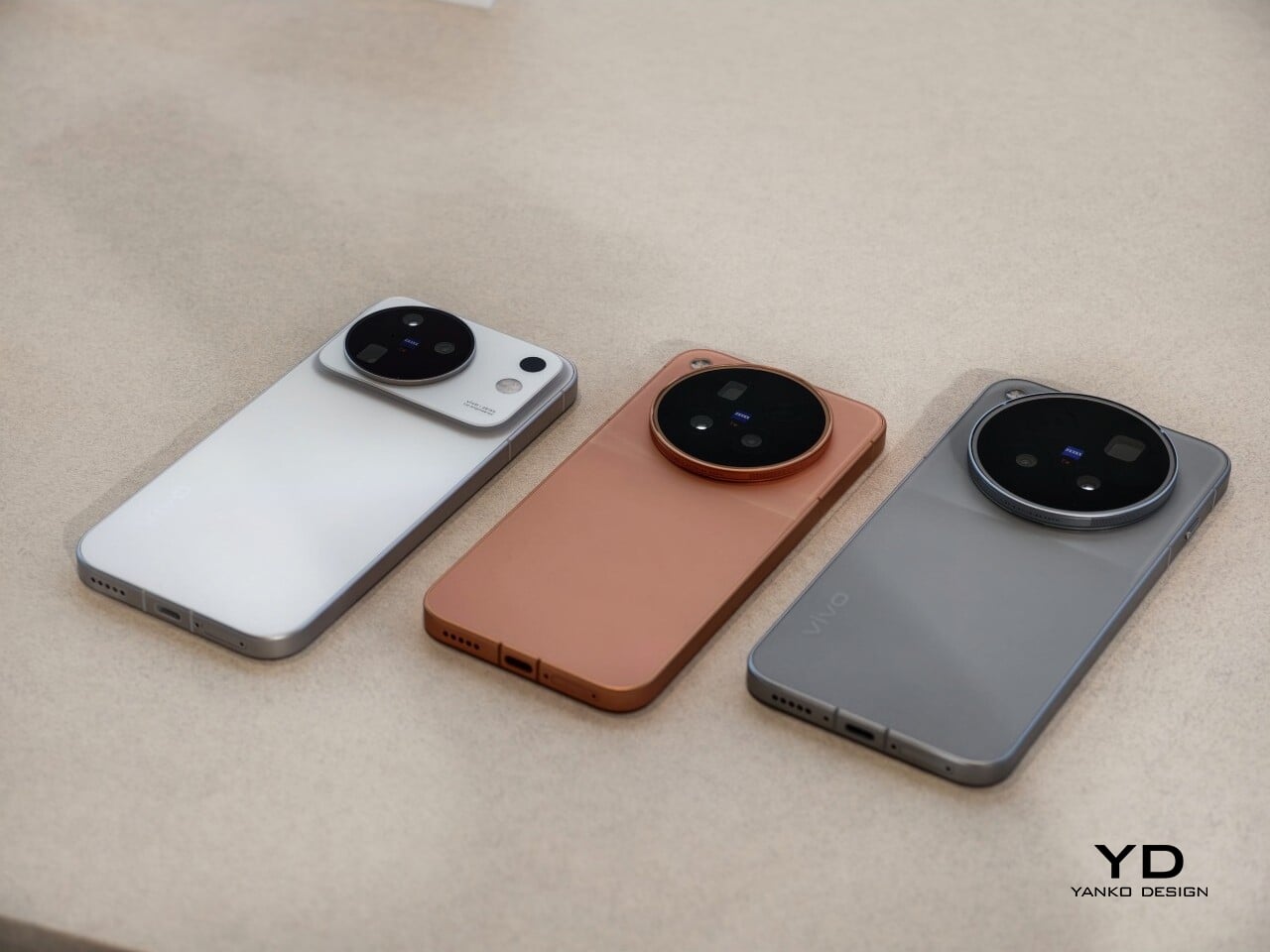
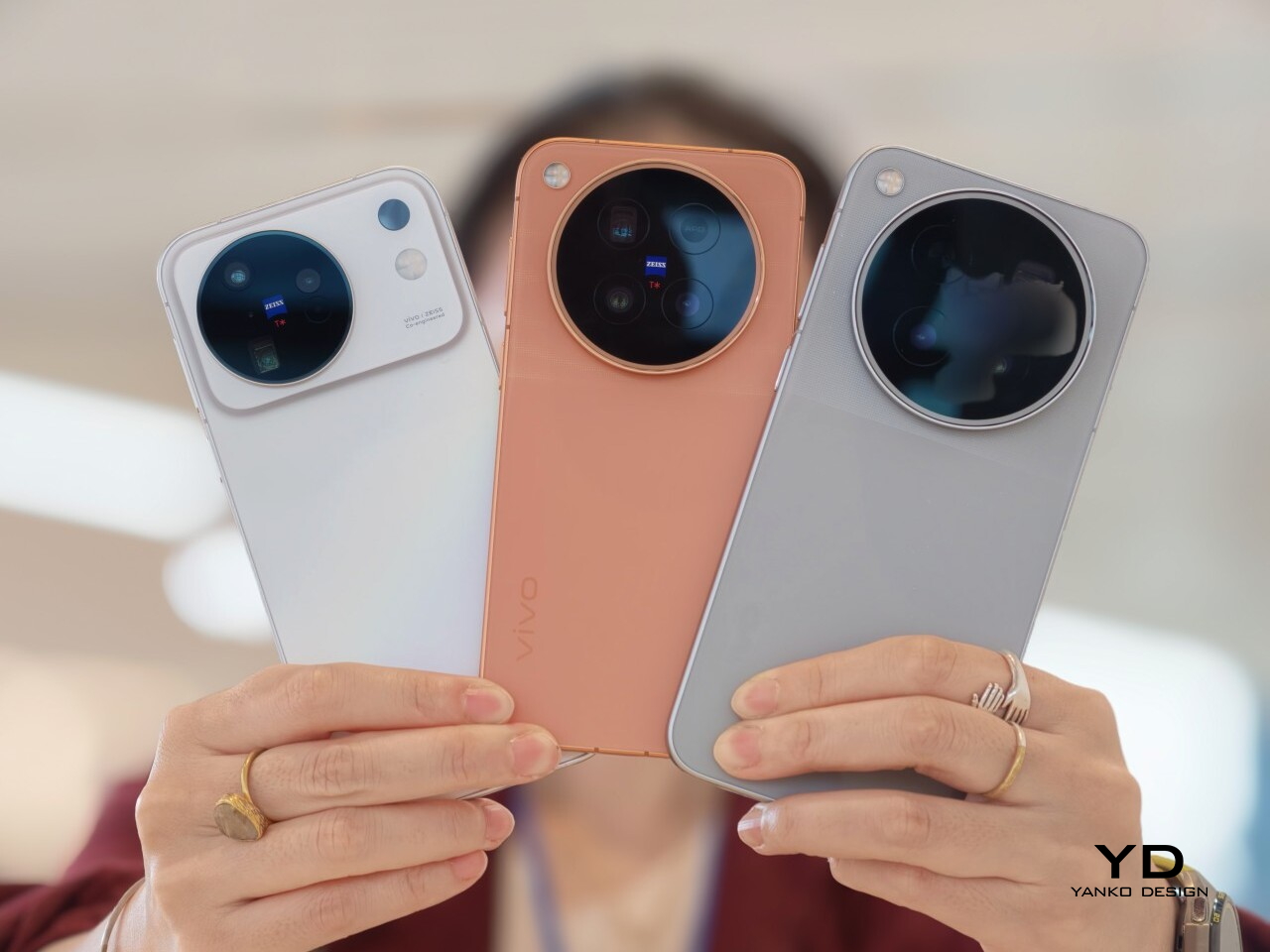
The X300 embodies minimalistic beauty in every detail. Its frosted glass back panel exudes a soft, refined sheen, instantly presenting an air of quiet elegance. The camera bump stands out as a graceful, seamless circle, subtly rising from the surface without disrupting the panel’s smooth geometry. This camera design is noticeably more understated than the X300 Pro’s bold module, enhancing the X300’s visual harmony and contributing to its overall sense of balance.

Look closer, and the smaller design decisions start to stand out. The transition between the glass back and the frame is clean and controlled, with no harsh edges or visual clutter. The circular camera island sits perfectly centered within its own visual “halo,” making the back of the phone feel almost symmetrical even though it is not. Branding is minimal and tastefully placed, allowing the materials and shapes to take the lead instead of logos or text. It is the kind of design that does not shout for attention, but rewards you the longer you look at it.

Color choices further elevate the X300’s appeal. Vivo offers this flagship in four shades: Pink, Blue, Purple, and Black. The Pink variant, which arrived for my review, is especially enchanting. Its finish dances with light, revealing subtle undertones of purple, green, blue, and yellow depending on the angle. This shifting spectrum gives the phone a dynamic personality, catching the eye without crossing into excess. The result is a device that feels both modern and timeless, effortlessly fitting into a variety of styles and settings.

Ergonomics

Ergonomics often takes a back seat to camera prowess in flagship phones, but the X300 finds a sweet spot that deserves attention. While I’m usually unfazed by larger camera bumps if they promise outstanding photography, my experience with the X300 was a reminder of the joys of a truly compact device. Its proportions invite easy one-handed use, making daily interactions feel effortless and natural. 

Measuring just 7.95mm thick and weighing only 190 grams, the X300 offers a lightness that’s immediately noticeable. The slim profile means slipping it into a pocket is never a struggle, and extended use won’t leave your wrist or fingers feeling fatigued. Whether you’re navigating busy city streets, snapping photos on the move, or texting with a single thumb, the X300’s thoughtful design makes comfort a priority. This is a phone that proves you can have flagship features without sacrificing ease of use.

Unlike its big sibling, the X300 skips the customizable button on the left side, resulting in a cleaner and simpler design. However, it retains the convenient placement of the ultrasonic fingerprint sensor, located about one-third of the way up from the bottom edge of the display. This thoughtful positioning makes it easy for your thumb to reach and helps ensure that unlocking the phone and jumping into your daily tasks feels quick and natural. It’s a subtle detail that quietly enhances the overall user experience.

Performance

Performance on the X300 is delightfully robust, thanks to the MediaTek Dimensity 9500 chipset paired with 12GB or 16GB of RAM. Everyday tasks feel brisk and effortless, whether you’re juggling multiple apps, streaming high-definition video, or playing graphics-intensive games. The latest OriginOS 6, layered on top of Android 16, brings a modern, fluid interface with thoughtful touches that make navigation a pleasure. Animations are snappy, transitions are smooth, and the phone keeps up even when you push it hard.

The X300 features a 6.31-inch LTPO AMOLED panel with a super-smooth 120Hz refresh rate. Every scroll and swipe feels effortless, while colors remain punchy and vivid in any setting. Thanks to the 2160Hz PWM dimming, the screen is gentle on your eyes, even during late-night reading sessions or long stretches of use.

The X300’s camera system is a bit of a step down compared to the X300 Pro, but it is still very powerful. Its 200MP main camera uses a 1/1.4-inch Samsung HPB sensor with an f/1.68 aperture, the same sensor used in the X300 Pro’s telephoto, promising flagship-level clarity. Complementing this is a 50MP telephoto lens featuring a 1/1.95-inch Sony LYT-602 sensor and an f/2.57 aperture, delivering crisp zoomed images with solid detail.

Rounding out the trio, the 50MP ultra-wide camera uses a 1/2.76-inch Samsung JN1 sensor with an f/2.0 aperture. On the front, the X300 uses the same 50MP 1/2.76-inch Samsung JN1 sensor with an f/2.0 aperture. All cameras, including the front-facing camera, can record video up to 4K at 60FPS, while the main camera can go up to 4K at 120FPS.

The Vivo X300 packs a large 6040mAh battery in a compact body. It actually has a bigger battery than my region-specific European X300 Pro, which comes with 5440mAh. In real use, the battery life is strong, unlike my experience with that X300 Pro variant, and easily keeps up with a busy day and more. On top of that, 90W wired and 40W wireless charging mean you are never stuck near an outlet for long. Short top-ups quickly turn into meaningful charges.

Sustainability/Repairability

The X300 does not present itself as an eco-conscious statement piece, and Vivo’s messaging around the device leans far more toward performance and imaging than sustainability. Even so, some of its design choices naturally support longer-term use. Its IP68 and IP69 ratings for dust and water resistance give it a level of protection that many compact phones still lack. That extra durability means everyday mishaps are less likely to be fatal, which in turn can delay the need for a replacement.

From a software perspective, the X300 launches with Android 16 and OriginOS 6, backed by Vivo’s promise of up to five major Android upgrades and seven years of security patches. This is a meaningful commitment for anyone who keeps a phone for a number of years, and it helps the X300 stay secure and relevant over time. What you will not find, at least in the official materials, is much emphasis on recycled materials, modularity, or easy repair. In that sense, the X300 reflects the broader flagship market, where sustainability is still more of an added benefit than a core design driver, even when the hardware itself is built to last.

Value

Vivo X300 is available in several markets, including Europe. In Europe, the price starts at around 1050 euros (roughly $1,140) for the 12GB and 512GB configuration. Vivo hit the nail on the head with the X300, a flagship in a compact size that many people have been waiting for. Although the camera setup is a bit of a step down compared to the X300 Pro, the X300 itself does not feel like a compromise. It delivers serious imaging performance, strong battery life, and fast charging in a smaller body.

In the compact flagship space, “small” usually means sacrifice. iPhone 17, Pixel 10, and Samsung Galaxy S25 all have noticeably weaker camera systems compared to what Vivo offers here. Xiaomi 15 might be the closest rival in spirit, but even then, the X300’s combination of a 200MP main camera and a capable front-facing camera in this form factor gives it a clear edge.

Verdict

Vivo set out to build a compact flagship without obvious compromises, and the X300 comes impressively close. It combines a refined, minimal design with excellent ergonomics, a bright 120Hz LTPO display, and a camera system that is powerful even if it sits just below the X300 Pro. Add in the large 6040mAh battery, fast 90W wired and 40W wireless charging, and long-term software support, and you get a small phone that consistently behaves like a big flagship.

It is not a perfect fit for everyone, especially at a price that puts it against Apple, Samsung, and Google. You do not get the strongest ecosystem story or the longest software support. However, if you care most about a compact form factor, strong battery life, and one of the best camera setups in this size class, the X300 stands out clearly. It feels less like a cut-down Pro model and more like a confident compact flagship in its own right.

The post Vivo X300 Review: Compact, But No Compromise first appeared on Yanko Design.
Fotile’s X20 Max Is the Space-Saving Dishwasher That Finally Fixes the Bending Problem

Fotile may not be a household name everywhere yet, but in China, the company has been quietly transforming kitchens for nearly three decades. This design-savvy brand was founded in 1996 in Ningbo, a vibrant city neighboring Shanghai, and its journey began with range hoods that quickly set new standards for form and function. Since then, Fotile’s lineup has blossomed to include everything from ovens and microwaves to refrigerators, washing machines, and, most notably, cutting-edge dishwashers. Guided by a mission to enhance everyday kitchen life, Fotile blends advanced technology with modern, ergonomic design, earning a devoted following at home and growing recognition abroad.

Fotile isn’t satisfied with merely following trends. The brand is busy setting them. The company’s kitchen innovations have earned international acclaim, with dozens of prestigious design awards and a footprint that extends to over 30 countries. This global success is rooted in a deep commitment to research, sustainability, and an unwavering focus on real user needs. With more than 16,000 patents to its name, Fotile is a go-to brand for those who want their kitchens to blend performance with style.

A visit to Fotile’s headquarters reveals just how seriously the company takes its legacy of innovation. While the showroom isn’t open to the public, those lucky enough to step inside are greeted by a visual celebration of Fotile’s achievements. Patent certificates are artfully arranged to form a tunnel, inviting visitors to walk through a corridor of invention. Immersed in this glowing passage, you cannot help but feel the depth of dedication and creativity that drives Fotile’s mission to make everyday life better for millions of families.

A New Era in Dishwashing: The X20 Max 3-in-1 In-Sink Dishwasher

Now, Fotile is making headlines with the X20 Max, a flagship in-sink dishwasher that is redefining what’s possible in compact, modern kitchens. Imagine a single, sophisticated station where you can prep, rinse, and wash everything from plates to produce, all without ever bending over or sacrificing precious counter space. The X20 Max brings together a sink, a dishwasher, and a dedicated cleaning zone for fruits, vegetables, and even seafood, wrapped in a seamless, minimalist charcoal-grey shell that feels right at home in any contemporary kitchen.

This clever design addresses two of the biggest complaints about traditional dishwashers. First, it saves space, thanks to a top-open configuration that means you no longer need to leave room in front for a bulky door to open. Its narrower profile makes it ideal for apartments, small homes, and anyone looking to maximize efficiency. Second, the top-open design means no more awkward bending to load or unload, making the chore of dishwashing easier on your back and your daily routine.

The magic does not stop at ergonomics. Powered by Fotile’s proprietary High Pressure HydroJet technology, the X20 Max delivers thorough, multi-stage cleaning not just for dishes but also for fresh ingredients. When you wash fruits, vegetables, or seafood, it’s like a jacuzzi for your produce – gentle streams and swirling water bubbles remove up to 99 percent of pesticide residues, so you can prep food with confidence and a touch of delight. Multiple cleaning modes ensure that everything, from delicate greens to heavy cookware, gets the right care with a simple press of a button.

In a recent demonstration, the X20 Max handled a variety of produces without issue, even delicate raspberries. After the multi-stage cleaning, even the most fragile berries emerged completely intact, highlighting the thoughtful engineering behind the system. For busy households, the X20 Max also cuts the typical washing cycle to about 30 minutes while maintaining impressive cleaning power. According to a Fotile representative, its cleaning strength actually surpasses that of many standard dishwashers available in the U.S., giving users sparkling results in less time.

Fotile’s innovative approach isn’t limited to traditional homes. The company also offers space-saving in-sink dishwasher solutions that are perfectly suited for RVs and other compact living environments. With their streamlined footprint and top-open design, these dishwashers make it easy for travelers and small-space dwellers to enjoy the same level of cleanliness and convenience, no matter where the road takes them. This versatility has earned Fotile praise from RV owners and apartment residents alike, highlighting how thoughtful engineering can bring comfort and efficiency to every kind of kitchen.

Why This Matters in China – and Beyond

To understand why Fotile’s dishwashers have become a sensation in China, it helps to know a bit about local culture. Chinese households tend to wash dishes immediately after every meal, and the tradition of meticulously cleaning produce before eating or cooking is common. With family sizes shrinking and urban living spaces becoming tighter, the demand for compact, efficient, and easy-to-use kitchen appliances is at an all-time high.

Fotile’s innovative approach has resonated deeply, helping to turn dishwashers from a niche luxury into an essential part of daily life. But the appeal is not limited to China. Since expanding globally, Fotile has tailored its solutions to diverse cooking habits and kitchen layouts, earning praise from users and experts alike. The X20 Max, with its streamlined workflow and intuitive features, is poised to make life easier for busy families, apartment dwellers, and anyone seeking a cleaner, more beautiful kitchen.

If you are searching for a kitchen upgrade that blends thoughtful design, proven technology, and genuine user-friendly features, Fotile’s X20 Max deserves a closer look. It brings together the best of modern engineering and practical elegance, promising a new era of comfort and efficiency for kitchens around the world. With its focus on real-life needs and a flair for innovation, Fotile continues to inspire a smarter, cleaner, and more beautiful way to live.

The post Fotile’s X20 Max Is the Space-Saving Dishwasher That Finally Fixes the Bending Problem first appeared on Yanko Design.
Crowdfunding vs. Awards vs. Media: A Design Insider’s Guide to the Best Path

Design Mindset, Yanko Design’s original podcast series powered by KeyShot, has been steadily carving a niche for itself in the design world by giving listeners an inside view on how creativity becomes impact. Every Friday, the show brings together design’s top minds to share stories that go beyond the project and into the strategies, pitfalls, and breakthroughs shaping the industry today. Episode 10 is no exception, it explores the real-world effects of design publicity on careers, and the conversation is especially relevant to anyone hoping to turn a portfolio into a profession.

This week’s guest is Sarang Sheth, Editor-in-Chief at Yanko Design and a designer whose own path was transformed by media exposure. Few are better positioned to dissect the mechanics of design publicity, both as a former featured designer and now as a gatekeeper for one of the world’s most influential design platforms. The episode not only spotlights Sarang’s journey but also delivers a tactical playbook for designers seeking to amplify their work and maximize recognition.

Download your Free Trial of KeyShot Here

When Five Views Become 450: The Career-Altering Power of Global Exposure

There’s a stark difference between being a talented designer and being a recognized one. This isn’t a lesson taught in most design schools, but it’s one Sarang Sheth learned firsthand in 2014. Fresh out of university and nine months into an unsuccessful job hunt abroad, he was sending portfolio links to companies and tracking their engagement. “I would see like, you know, I’m sending portfolios out to these companies and I’m getting like five views a day, three views a day. So I knew that people were checking their mails and at least looking through my work,” Sarang recalls. Then something shifted. He submitted work to Yanko Design, and editor Troy Turner decided to feature it. “Suddenly I saw like 300 views on my website and like 450 views. And I was like, okay, that’s a significant jump.”

But the numbers told only part of the story. The granular data revealed something more profound: views were coming in from Turkey, Croatia, and the UK. “This is incredible because A, I didn’t pay for it. And B, there was no extra work for me. All I had to do was share it with someone who was willing to talk about it,” Sarang says. This moment crystallized two truths for him. First, that international media exposure offered opportunities that local recognition simply couldn’t. As he bluntly puts it, “local recognition is like winning best dancer within your society, it does nothing.” And second, that storytelling itself could be a viable career path. The article about his work resonated with him as much as the traffic spike did. “I read the article and I realized that this is something I can actually do,” he remembers. That realization, combined with the viral reach of design media, didn’t just land him a job, it set the stage for his entire career trajectory. Today, Yanko Design reaches millions per month across multiple platforms, Instagram, Pinterest, Twitter, LinkedIn, Facebook, YouTube, and its newsletter. “Regardless of what your concept is, what your project is, there are multiple ways that Yanko Design can sort of get you to reach the audience that you’re looking to reach,” Sarang notes. Those eyeballs, he adds, increasingly include potential investors, jury members, and employers, all of whom can change the course of a designer’s career with a single connection.

Ideas Don’t Need to Be Real to Be Powerful

One of the most counterintuitive insights from the conversation is that conceptual work can resonate as powerfully as finished products, sometimes even more so. Sarang points to several examples that illustrate this phenomenon. Earlier this year, he featured a project by Indian designer Siddhant Patnaik, a Google-branded version of the AirPods Max. “People resonated with it so much that it ended up getting its own segment on Marques Brownlee’s Waveform podcast,” he shares. The design garnered hundreds of thousands of views not just on Yanko Design but across multiple media outlets, despite never being a real product. This isn’t an isolated case. Sarang has created his own conceptual designs for Yanko, foldable phones, patent-related concepts, and an Apple Pencil that docks inside a MacBook, which is still featured on Forbes. “I’ve seen reels on it and reels showing Yanko Design’s page. So, it’s great to see that people realize that they’re not necessarily fond of great products, they’re also fond of great ideas.”

This creates a fascinating dynamic: media visibility alone can stimulate demand and validate interest even before a product enters production. “A lot of times they’re concepts,” Sarang says about inquiries from potential buyers. “Which validates the fact that sometimes concepts are so much more exciting than reality.” The takeaway for designers is clear: don’t wait until you have a manufactured product to share your work. High-quality 3D renders and compelling narratives can generate demand, attract licensing interest, and open doors to partnerships. “Ideas are cheap, execution is tough, but something that I have also learned is that holding your cards close to the chest and not sharing those ideas with anybody doesn’t benefit anybody,” he advises. The key, however, is presentation. In the age of AI-generated imagery, granular control offered by professional 3D rendering can push a concept over the credibility threshold. “A pencil sketch has to be incredibly good as an idea to sort of translate to massive success. Whereas a really, really well-made render has a much easier path ahead,” Sarang explains.

Turn Ripples Into Waves: The Designer’s 48-Hour Action Plan

Getting featured is just the beginning. Too many designers treat media coverage as a finish line when it should be treated as a starting gun. Sarang is emphatic about this: designers need to move from passive observation to active amplification. “Don’t just repost initial coverage; turn ripples into waves,” he urges. The first step is preparation. Before pitching any publication, designers should have a press kit ready, complete with high-resolution images, project descriptions, and relevant context. “Please, it’s not that difficult. ChatGPT will literally write the press release for you and your images are already in there, you need to just compress them,” Sarang says. AI tools have made this process easier than ever, but the fundamentals remain: professional assets signal that you’re serious about your work.

Once a feature goes live, the real work begins. Designers should immediately reach out to other outlets, Designboom, Hypebeast, and niche blogs relevant to their work. “You should have at least five or six media contacts in your outreach,” Sarang recommends. Each additional feature compounds the impact of the first, creating what he calls a “cascading effect.” Media coverage also serves as social proof that can be leveraged in other contexts. “Use features to bolster award entries, multiplying reach and credibility,” he advises. But there’s a crucial caveat: not every design fits every outlet. Understanding platform fit is essential. “Each design blog or each design platform has its own visual ethos, has its own direction, has its own strengths,” Sarang explains. Yanko Design, for instance, may not be the right fit for highly technical architecture projects, but it excels with consumer-facing product design, EDC items, and tiny homes. Sarang is candid about this curation process: “If designers come to us with 2D sketches, we’re like, hey, you know what, render it out and then bring it back to us. We’d love to feature it then.” This isn’t gatekeeping; it’s guidance. The goal is to reach the right audience, and sometimes that means directing designers to other platforms where their work will resonate more strongly. As Sarang puts it, “You won’t go trying to plant a mango in winter.”

Crowdfunding First, Media Second, Awards Third

When presented with a hypothetical scenario during the podcast’s “Design Mindset Challenge”, a talented designer with budget and time to pursue one of three paths (major design award, crowdfunding campaign, or media features), Sarang’s answer was surprising and strategic. “Start with crowdfunding,” he says without hesitation. His reasoning is multifaceted. First, crowdfunding offers the strongest form of validation: real demand, backed by real money. “When you’re going down the crowdfunding route, it’s the highest form of design skill validation because you’re not getting clicks, you’re not getting a job, you’re setting up a company that is solely focused around your product,” he explains. Unlike media coverage, which generates interest, or awards, which confer prestige, crowdfunding forces execution. It demands prototyping, production planning, and supply chain management. “The people who look at the product and are like I believe in that vision, those are the people who are jumping on board, and that is the best way to put that stamp of approval on your product being a good idea,” Sarang notes.

Crowdfunding also offers pragmatic intellectual property protection. By being first to market, even in a crowdfunding context, designers stake their claim publicly. “When you share an idea on a design platform like us, we do share a lot of concepts, but it’s obvious,” Sarang says, acknowledging the risk of plagiarism. “First crowdfund, secure your IP in however, whatever way possible. Spend money on patents or copyrighting or whatever.” Once the crowdfunding campaign is live or funded, designers can leverage that momentum for media coverage. Publications are far more likely to feature a project with market validation than a standalone concept. “That will help you secure your idea and make sure that you’re not being plagiarized by other people who beat you to it,” Sarang adds. Finally, awards should come third. “Awards are a much more expensive bet, I would say. And the awards do have timelines,” he explains. Media can react quickly, publishing within days, while award results take months. The strategic sequence, crowdfunding, media, then awards, allows designers to build credibility at each stage, using prior success to unlock the next opportunity. This ecosystem approach doesn’t just maximize recognition; it creates sustainable business outcomes.

Why 2 Million Views Trump a Design Award

In the rapid-fire segment of the podcast, host Radhika Seth posed a provocative question: what’s more career-changing, winning a design award or getting 2 million views on Yanko Design? Sarang’s answer was immediate and unequivocal: “2 million views on Yanko Design. Wow. Because that has a cascading effect.” His response cuts to the heart of a broader truth about recognition in the digital age. Awards carry prestige and credibility, especially when backed by respected juries, but their reach is often limited to industry insiders. Media exposure, by contrast, casts a far wider net. A feature on Yanko Design doesn’t just reach designers; it reaches design consumers, potential investors, manufacturers exploring licensing opportunities, and employers scouting for talent. “Global features expose work to buyers, investors, co-founders, and employers,” Sarang notes, emphasizing that media responsiveness can even aid with time-sensitive opportunities like visa documentation.

Yanko Design’s audience, which Sarang describes as “design consumers” rather than just designers, is particularly valuable. “I like to believe that our audience are not only designers, but they also design consumers because I have seen so many campaigns, Kickstarter campaigns or the Indiegogo campaigns that we feature bring in so much of revenue for the campaigners,” he explains. Certain niches perform exceptionally well: EDC (everyday carry) items and tiny homes consistently generate strong engagement and conversions. “EDC content often drives campaign revenue,” Sarang says, noting that the writers at Yanko are genuine enthusiasts whose passion translates into the coverage. “A lot of our write-ups also come from a place of excitement and that just translates to the readers.” This isn’t to diminish the value of awards. Jury validation carries weight, and media partners often amplify award wins, creating a multiplier effect. But for sheer, immediate impact on a designer’s trajectory, media reach is unmatched. As Sarang puts it, “A 2 million-view YD feature can be more career-changing than a single award due to cascading recognition, opportunities, and serendipitous discovery by influential readers.”

From Designer to Storyteller: Why Context Matters

Sarang’s own career shift from designer to editor was inspired by filmmaker Gary Hustwit, an industrial designer turned documentarian whose films on Dieter Rams, Apple, and the Helvetica font have become cultural touchstones. “He was basically an industrial designer who also graduated and realized that his calling wasn’t industrial design, it was storytelling,” Sarang says. This resonated deeply. “Whenever I introduce myself, I say, you know how they say a picture is worth a thousand words? I’m the guy who writes those thousand words.” For Sarang, storytelling is a design-adjacent calling, one that expands the impact of products by giving them context and accessibility. “A lot of designers are so involved with creating products that they forget sometimes that the products need context and explanations,” he observes. This is where design media plays a crucial role: translating innovation into narratives that resonate with broader audiences.

Sarang’s approach to writing reflects this philosophy. Yanko Design doesn’t just catalog products; it explores their potential, their cultural relevance, and the problems they solve. “Translating products into accessible narratives expands impact,” he says, framing editorial work as an essential bridge between creators and consumers. This storytelling function is especially vital in an era dominated by algorithmic feeds and unpredictable social media platforms. “Algorithms are unpredictable,” Sarang notes. “Editorial curation connects designers with targeted stakeholders, buyers, investors, co-founders, through trusted storytelling and focused audiences.” Unlike a viral TikTok or Instagram post, which might reach millions but lack context or credibility, a curated editorial feature provides depth and legitimacy. It signals that the work has been vetted, that it’s worth paying attention to. For designers, this means that presentation and narrative matter as much as the design itself. A well-crafted story can turn a good product into a great one, and in some cases, it can even turn a concept into a business opportunity before the product exists at all.


Design Mindset premieres every Friday on Yanko Design, bringing fresh perspectives from design’s leading voices. This episode underscores a critical truth: design recognition isn’t just about talent, it’s about understanding the ecosystem of media, awards, and crowdfunding, and knowing how to navigate it strategically. For designers ready to share their work, Sarang’s advice is simple: “Send your work to Yanko Design, publication@yankodesign.com. Send it to us on Instagram, send us links, Behance links, whatever, however you want to send it to us. Please keep sending your work. It can’t get easier.”

Download your Free Trial of KeyShot Here

The post Crowdfunding vs. Awards vs. Media: A Design Insider’s Guide to the Best Path first appeared on Yanko Design.
This 3-in-1 Mouse Just Fixed Everything Wrong with Magic Mouse


The computer mouse has barely evolved in decades. Sure, we’ve added more buttons, improved the sensor technology, made them wireless, and added haptic feedback, but the fundamental interaction remains stubbornly unchanged. The Melt Mouse arrives to challenge that stagnation with a radical proposition that transforms a single device into a mouse, a trackpad, and a customizable shortcut pad, all wrapped in a seamless aluminum body with clean lines and an uninterrupted surface.

What makes this device remarkable goes beyond its ability to multitask. The Melt Mouse represents a philosophical shift in how we think about input devices. Rather than cluttering your workspace with separate peripherals for different tasks, Melt Interface has created a unified tool that adapts to your workflow instead of forcing you to adapt to it.

Designer: Melt Interface

The design language clearly draws inspiration from Apple’s Magic Mouse aesthetic. That same smooth, button-free glass surface and minimalist aluminum construction creates an immediate visual connection. However, where Apple’s approach prioritizes form over function to sometimes frustrating results, the Melt Mouse appears to learn from those missteps.

The charging port sits in a practical location rather than underneath the device. The ergonomic profile offers more substantial palm support than the Magic Mouse’s notoriously flat design. This feels like taking Apple’s design philosophy and asking what happens when you actually prioritize the user experience alongside the visual appeal.

Where the Magic Mouse offers basic touch gestures, the Melt Mouse takes that concept considerably further. The entire top surface consists of a single curved plane of micro-textured glass that functions as a precision touchpad. The surface recognizes multi-finger gestures while maintaining the ergonomic advantage of a mouse form factor. For tasks requiring pixel-perfect precision in design work, it offers up to 6,000 DPI resolution.

Physical buttons have disappeared from the front, replaced by haptic feedback technology that provides tactile responses mimicking traditional scroll wheels and clicks. The system promises silent operation while maintaining sensory confirmation for each action. Users can customize the pressure sensitivity, adjusting from light taps to firm presses depending on preference. This button-free approach maintains the minimalist profile while potentially reducing mechanical failure points over time.

The device offers mode-switching through customizable gestures like double tapping or long pressing. These actions transform the mouse into a trackpad, number pad, or shortcut pad on demand. Twelve dots appear on the glass surface in numpad mode, providing visual reference points for number entry. Those same twelve positions become programmable shortcuts that can trigger macros or application-specific commands. The software allows different profiles for different applications, with the mouse adapting its shortcut layout accordingly.

The body gets machined from a single block of aluminum with an anodized finish that adds durability and refined tactile quality. The seamless construction eliminates gaps where dirt accumulates or mechanisms fail. Every surface transition flows smoothly into the next, creating an object that looks substantial on any desk setup. The shape follows the natural resting position of your hand, with curves that cradle your palm.

Customization extends beyond software to the physical design through the MagSole system. The bottom sole attaches magnetically and swaps effortlessly between five different colors. This allows users to match the mouse to their desk setup or simply change the look based on mood. The magnetic attachment system makes switching between colors a matter of seconds without tools or complicated mechanisms.

Wireless connectivity keeps desks free from cable clutter while maintaining the responsiveness required for professional creative work. Two physical buttons remain on the side of the device for functions that benefit from traditional tactile feedback. The combination of wireless freedom, sensor accuracy, and hybrid input methods creates a technical foundation designed to support rather than limit creative possibilities. Customizable software manages profiles, shortcuts, and sensitivity settings across different applications.

Melt Interface has created something that challenges assumptions about mouse design. The Melt Mouse demonstrates that minimalist aesthetics and multiple functions can coexist in a single device. By combining mouse, trackpad, and shortcut pad capabilities into one seamless package, they’ve proposed a new direction for interaction design that attempts to bridge physical and digital workflows through consolidated hardware.

The post This 3-in-1 Mouse Just Fixed Everything Wrong with Magic Mouse first appeared on Yanko Design.

Realme GT 7 Pro Review: Flagship Performance Meets Affordability

PROS:


  • Powerful Snapdragon 8 Elite chipsets

  • Massive 6500mAh battery and fast 120W wired charging

  • Bright and vibrant display

  • Attractive pricing

CONS:


  • USB 2.0, not USB 3.0

  • No wireless charging

RATINGS:

AESTHETICS
ERGONOMICS
PERFORMANCE
SUSTAINABILITY / REPAIRABILITY
VALUE FOR MONEY

EDITOR'S QUOTE:

The Realme GT 7 Pro stands out as a strong contender in the smartphone market, particularly for those seeking a performance-driven device at an attractive price point.

Realme’s GT series has long been celebrated for delivering a performance-focused flagship. Just three months ago, in July, Realme re-entered the global stage with the launch of the global GT 6, marking its return to the global GT series after a two-year hiatus. Now, Realme is back with the GT 7 Pro, setting new benchmarks in the smartphone industry.

The Realme GT 7 Pro is the first flagship phone equipped with Qualcomm’s latest Snapdragon 8 Elite chipset in more than ten markets, including India, Malaysia, Thailand, and Spain. But that is not the only thing going for GT 7 Pro. Beyond its powerful processor, the phone boasts a massive 6,500mAh battery with 120W fast charging, a super-bright display, and a unique underwater photography mode. The Realme GT 7 Pro is undoubtedly a device to be reckoned with. Just how impressive is it? We put it to the test.

Designer: Realme

Aesthetics

The Realme GT 7 Pro is available in two color variants: Mars Orange and Galaxy Grey. The Mars Orange variant, which we received for this review, is uniquely eye-catching. Its matte back panel features a subtle, sand-like pattern that adds depth and texture to the vibrant orange hue, creating a sophisticated and refined appearance.

The bronze-colored side frame with a matte finish complements this bold choice, setting it apart from the trend of subtle, pastel colors. This color option is perfect for those who want their device to make a statement. For those who prefer more subdued tones, the Galaxy Grey option offers classic, minimalist aesthetics.

The design of the GT 7 Pro goes beyond color, emphasizing thoughtful construction and attention to detail. In the top-left corner, a square camera island houses a triple camera setup alongside an LED flash. This island is elegantly positioned on a raised square base, finished in matte orange with shiny edges, providing a striking contrast and sophisticated touch. The “HYPERIMAGE+” branding is subtly placed on the slanted right side of the base.

The cameras are seamlessly integrated into a flat cover, which not only enhances the aesthetic appeal but also makes it easy to clean and maintain, ensuring the back panel remains sleek and uncluttered. Realme also has paid attention to the smallest details, moving the CE marking to the side frame, resulting in a clean and uninterrupted back panel design.
Ergonomics

The Realme GT 7 Pro measures 162.45 x 76.89 x 55mm and weighs 222.8g. While it isn’t the slimmest or lightest device, considering its 6,500mAh battery and large Vapor Chamber, it’s impressive. The slightly curved edges of the back panel and the flat side frame ensure the phone doesn’t dig into your palm. Although the transition from the back panel to the frame is noticeable, it doesn’t significantly impact comfort.

The fingerprint sensor is conveniently located about 1.6 inches or 4cm above the bottom edge of the screen, making it easy to unlock the phone and navigate. However, due to the camera island’s position on the upper left, the phone wobbles slightly when placed on a flat surface. The textured back panel, sleek aluminum frame, and quad-curved display give the phone a premium feel in hand.

Performance

The Realme GT 7 Pro is a powerhouse, driven by the cutting-edge Snapdragon 8 Elite processor, featuring Qualcomm’s 2+6 Oryon CPU and Hexagon NPU. This is complemented by LPDDR5X RAM and UFS 4.0 storage, and runs Android 15 out of the box, with realme UI 6.0 on top of it.

As a performance-centric phone, the GT 7 Pro delivers on its promise of an exceptional gaming experience. During intensive gaming sessions, the device only gets slightly warm, never hot, thanks to the Snapdragon 8 Elite’s efficiency and the impressive 11,480mm² Iceberg Vapor Chamber—the largest in its segment according to Realme. Activating GT mode eliminates frame drops and lag, providing a smooth and immersive gaming experience, exemplified by hours of seamless gameplay in titles like Genshin Impact.

The GT 7 Pro’s display is another standout feature. The 6.78-inch Eco² OLED panel, co-developed with Samsung, boasts a 2780×1264 resolution and can reach a peak brightness of 6500 nits (2000 nits in High Brightness Mode and 1000 nits of typical brightness). With a 120Hz refresh rate, 120% DCI-P3 color gamut coverage, and HDR10+ support, the display is not only bright and vibrant but also energy-efficient, thanks to 8T LTPO technology. This ensures a visually stunning experience, whether gaming or streaming videos. The stereo speaker delivers ample volume, but the sound quality is underwhelming.

The GT 7 Pro’s 6,500mAh silicon anode battery is impressive, easily lasting a full day of heavy use, including gaming, photography, and video streaming. The 120W fast wired charging is a standout feature, charging from 0 to 50% in just 13 minutes and fully charging in 37 minutes, according to realme.

While it lacks wireless charging, this is a reasonable trade-off given the phone’s large battery, fast charging, and competitive price. Realme includes a 120W charger in the box, allowing users to fully benefit from fast charging without extra cost. This makes the lack of wireless charging less of an issue for most. However, the phone’s USB 2.0 connectivity may disappoint some users as a cost-saving measure.

Main, 1x, 24mm

Telephoto, 3x, 73mm

Telephoto, 6x, 144mm

The rear camera setup includes a 50MP main camera with a Sony IMX 906 sensor, a 50MP telephoto lens, and a 12MP ultrawide camera. The main camera captures vibrant images with balanced exposure and dynamic range in daytime and nighttime. The telephoto lens, featuring a Sony IMX 882 sensor, supports 3x optical zoom and up to 120x digital zoom, also offering a macro mode. The telephoto takes pretty good 3x photos with nice details. The ultrawide camera’s performance is less impressive but maintains color consistency with the other lenses.

Main, 1x, 24mm

Ultrawide, 0.6x, 16mm

As for the video, the main and telephoto cameras support up to 4K at 60fps, while the main camera can also record in 8K at 24fps. The video footage from the main and telephoto are generally well-exposed with great stabilization. The front-facing camera is limited to 1080p at 60fps.

Telephoto (Macro), 3x, 73mm

Main, 2x, 49mm

One of the unique features of the GT 7 Pro is its underwater photography mode, enabled by its IP69 and IP68 ratings. While it’s not intended for deep diving, this mode is ideal for activities like swimming and snorkeling, with Realme recommending depths of 0-2 meters for up to 30 minutes.

This feature opens the door to creative underwater shots. I tested it by submerging the phone in a murky pond filled with koi fish. Even though I had to shoot with an awkward arm position and couldn’t clearly see the screen, I was still able to capture sharp, clear images of the fish.

A notable limitation, however, is that once you start recording video, you’re unable to adjust the zoom or switch between the rear and front cameras. Additionally, dual-view video is not supported in underwater mode. It would be great to have these features available while recording.

Another small inconvenience is the alert sound that plays when you exit underwater mode by holding the power button. It can be a bit jarring. Despite these minor issues, the phone performed exceptionally well, delivering impressive results overall.

Powered by its advanced chipset, the Realme GT 7 Pro offers a comprehensive suite of AI features, including AI Sketch to Image, AI Motion Deblur, AI Gaming Super Resolution, and AI Gaming Super Frame. The AI Sketch to Image feature is undoubtedly fun to experiment with. However, its practical applications may vary from user to user, and it remains uncertain how often it will be integrated into daily routines.

The AI Sketch to Image feature allows users to express their creativity in multiple ways. By opening AI Doodle from the side button, you can draw directly on your device or take a photo of your hand-drawn sketch for the AI to transform into a digital masterpiece. Additionally, you can add creative elements to existing photos in your album.

A more practical AI tool for enhancing your photos on GT 7 Pro is AI Motion Deblur. Previously, Realme’s AI Ultra Clarity, introduced with the GT6, focused on sharpening images affected by out-of-focus blur but was limited in addressing motion blur. The GT 7 Pro takes a significant step forward by enabling users to effectively unblur images impacted by motion blur.

This feature targets blur caused by subjects moving in a single-direction motion or from camera shake, addressing one of the most common photography challenges. In my experience with several test photos, the results were mixed. However, when the feature performed well, it successfully salvaged blurry photos without making them look artificially processed or over-edited.

Sustainability

While the Realme GT 7 Pro excels in several areas of durability and longevity, there is no specific information available regarding the use of sustainable materials in its construction. However, the device is built to withstand various environmental challenges, thanks to its IP69 and IP68 certifications. These ratings ensure robust protection against dust and water, allowing users to feel secure against the elements in diverse conditions.

In terms of battery longevity, Realme claims that the GT 7 Pro will maintain more than 80% of its battery health even after four years of use. This focus on battery endurance means users can expect consistent performance over time, reducing the need for frequent replacements and contributing to a more sustainable use of resources.

The GT 7 Pro is supported by a promise of three major OS upgrades and four years of security patches. This level of software support is typical for Android flagship phones from Chinese manufacturers. Overall, while the Realme GT 7 Pro incorporates some elements of sustainability, it remains a step behind leaders in sustainability.

Value

The Realme GT 7 Pro offers a compelling blend of top-notch performance and features at competitive prices. In China, the base model starts at 3,699 CNY (approximately $510 USD) for 12GB RAM and 256GB storage. The top-tier model with 16GB RAM and 1TB storage is priced at 4,799 CNY (around $660 USD).

This is an incredible price for a phone powered by the latest Snapdragon 8 Elite chipset, boasting a great display, a massive 6500mAh battery, and a stylish design. If you’re seeking a performance-focused smartphone, the Realme GT 7 Pro offers exceptional value for money.
Verdict

The Realme GT 7 Pro stands out as a strong contender in the smartphone market, particularly for those seeking a performance-driven device at an attractive price point. With its powerful Snapdragon 8 Elite chipset, massive 6,500mAh battery with 120W fast charging, and a bright, vibrant display, the GT 7 Pro delivers impressive performance across the board. The attractive pricing further enhances its appeal, making it a compelling choice for tech enthusiasts and gamers alike.
Overall, the Realme GT 7 Pro offers a well-rounded package with exceptional performance, impressive battery life, and beautiful aesthetics. Its value for money is undeniable, especially for those prioritizing cutting-edge performance and massive battery over other features. While it may not lead the pack in mobile imaging, it remains a highly competitive option in its price range, delivering a flagship experience without breaking the bank.

The post Realme GT 7 Pro Review: Flagship Performance Meets Affordability first appeared on Yanko Design.