The Chapeaux Light Manages To Disappear From Sight While Grabbing Your Attention

Lighting designs are no longer boring little pieces that simply illuminate your home, without adding any oomph to it. They’re not simply typically designed objects but are in fact well-designed lighting fixtures that add some sparkle and personality to your home while lighting it up. I mean, of course, they need to be functional and practical, but they also need to have some aesthetic and visual appeal. And a unique lighting design that I would recommend for your home is the Chapeaux Light!

Designer: Rodolfo Dordoni for Foscarini
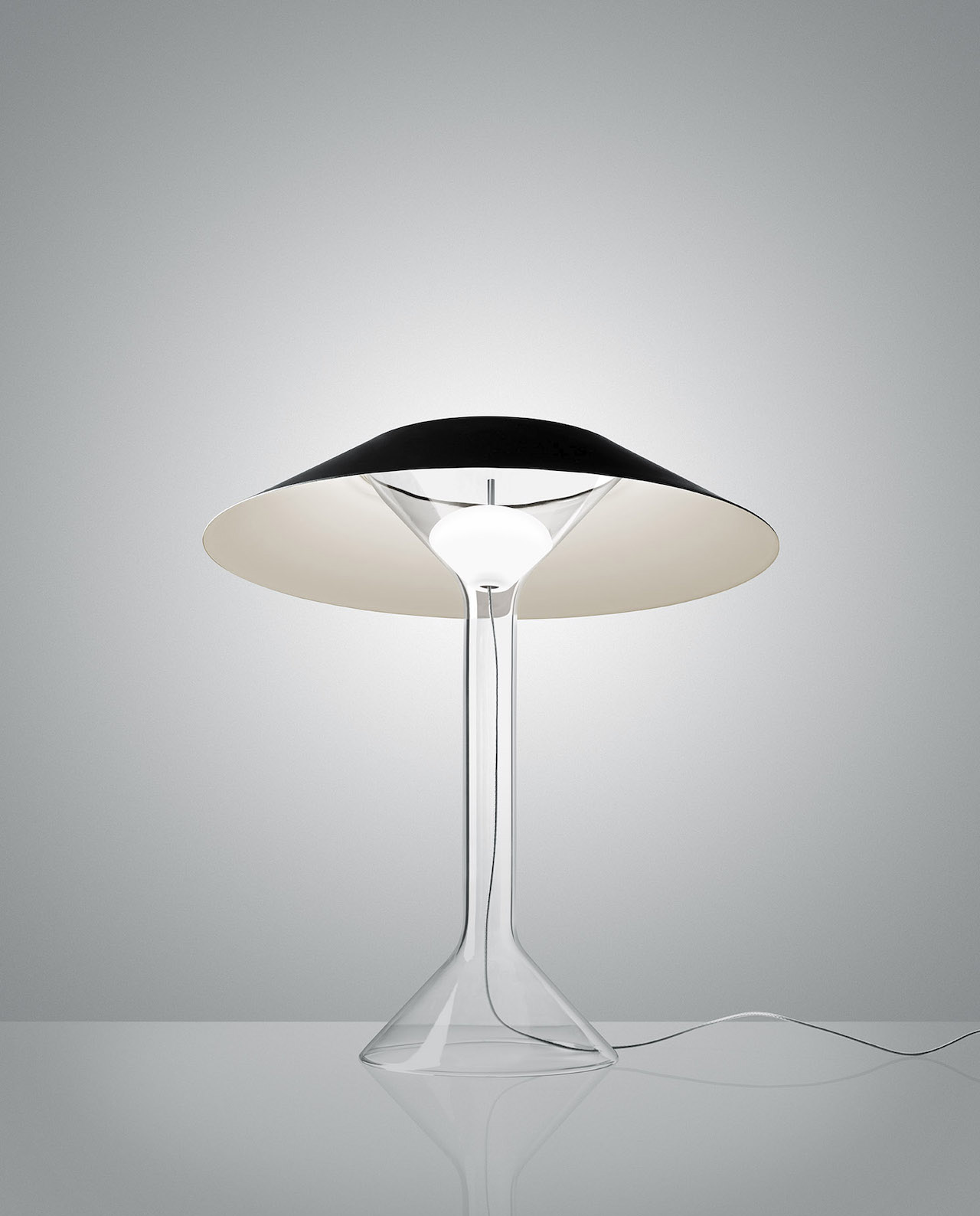
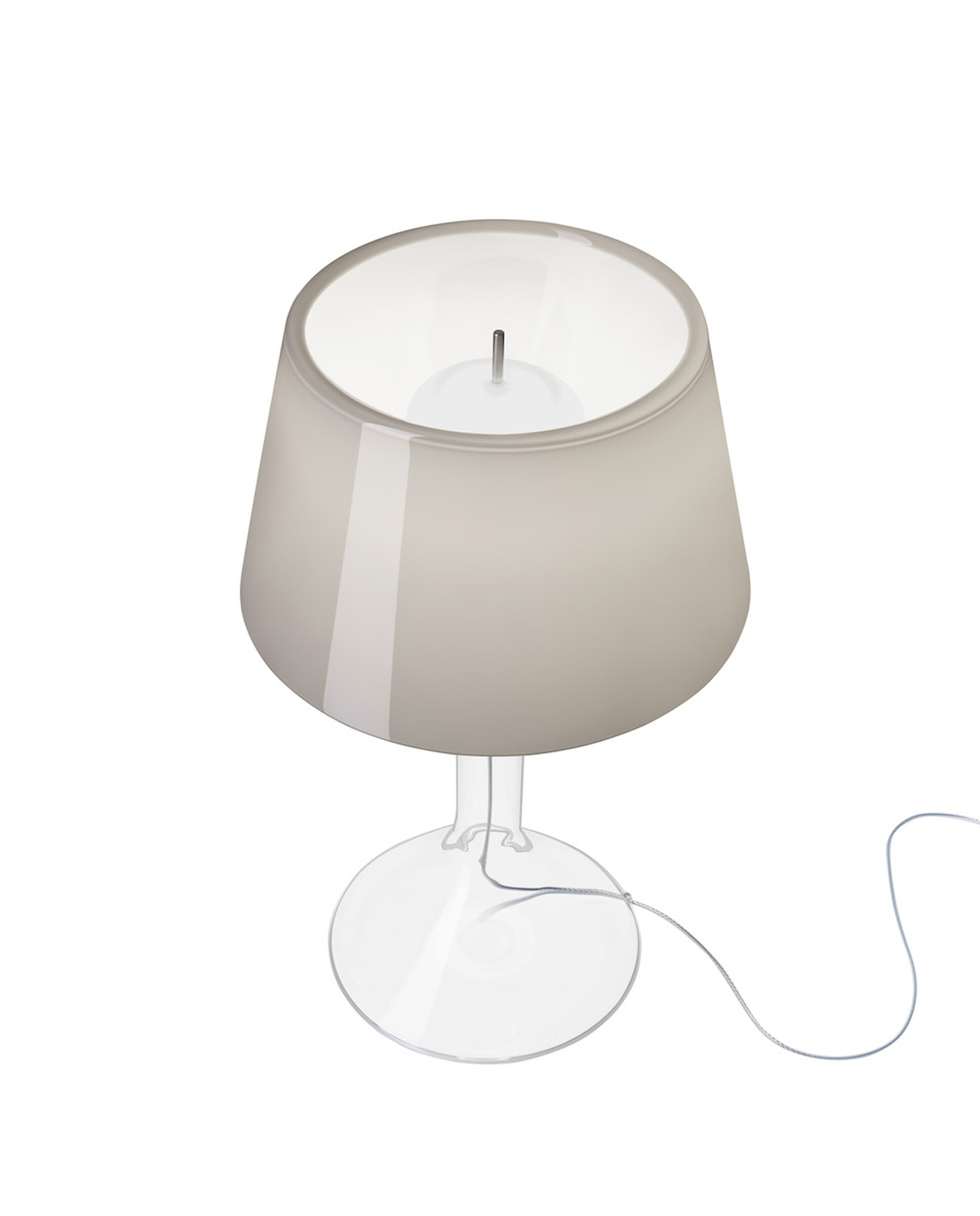
Designed by the late Rodolfo Dordoni, the Chapeaux Table Lamp is deemed worthy to be part of a magic show. Produced by Foscarini, the Chapeaux Table Lamp is an enchanting and captivating lighting fixture that will grab your attention with its unique design that is built using three main parts. One of the focal features of the lamp is the transparent pyrex body which is accentuated with a cylindrical steam that widens up at both ends. The bottom section supports and stabilizes the lamp while the top embraces the hat diffuser. Once the lamp is switched on, the entire body is highlighted with pretty subtle reflections.
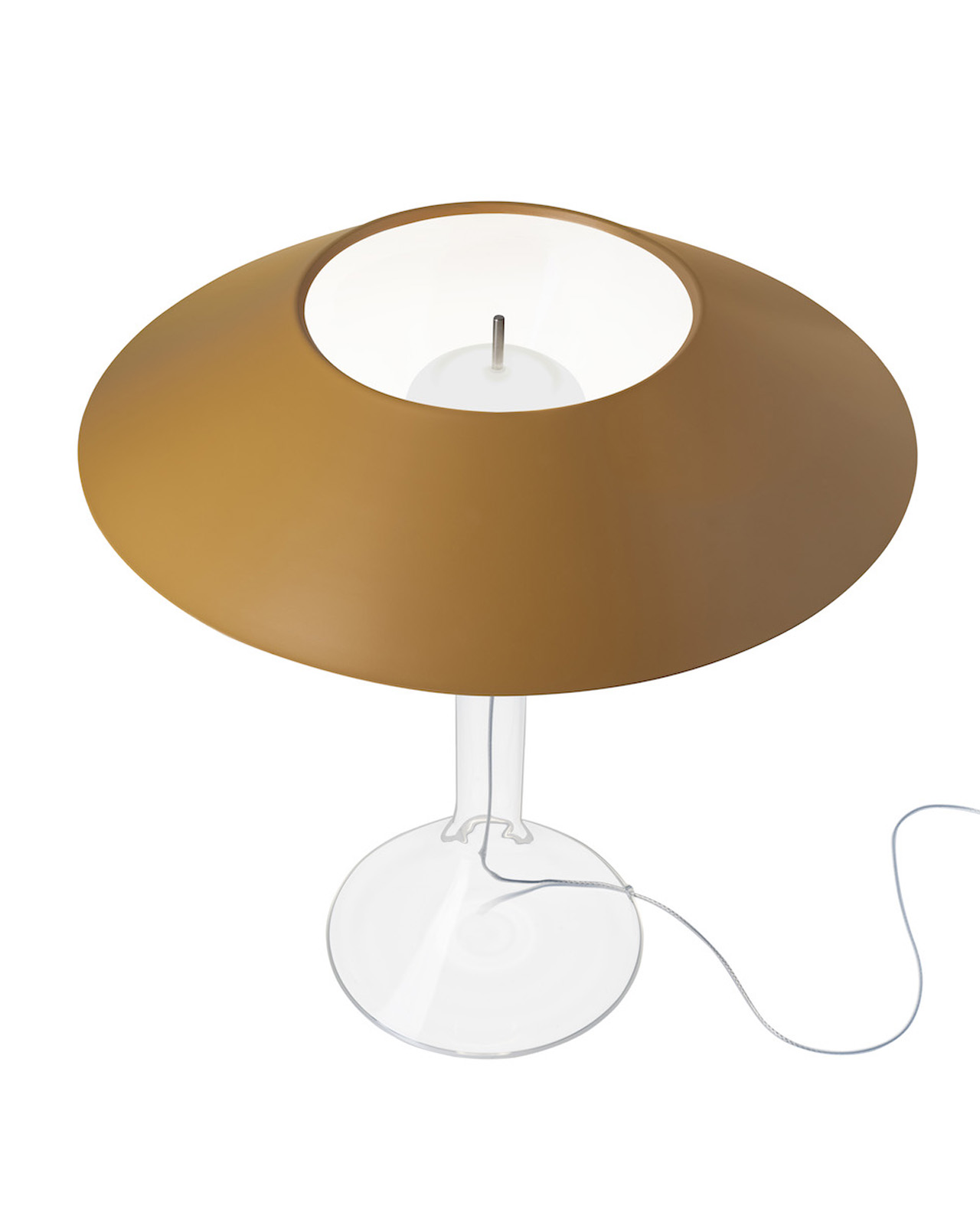
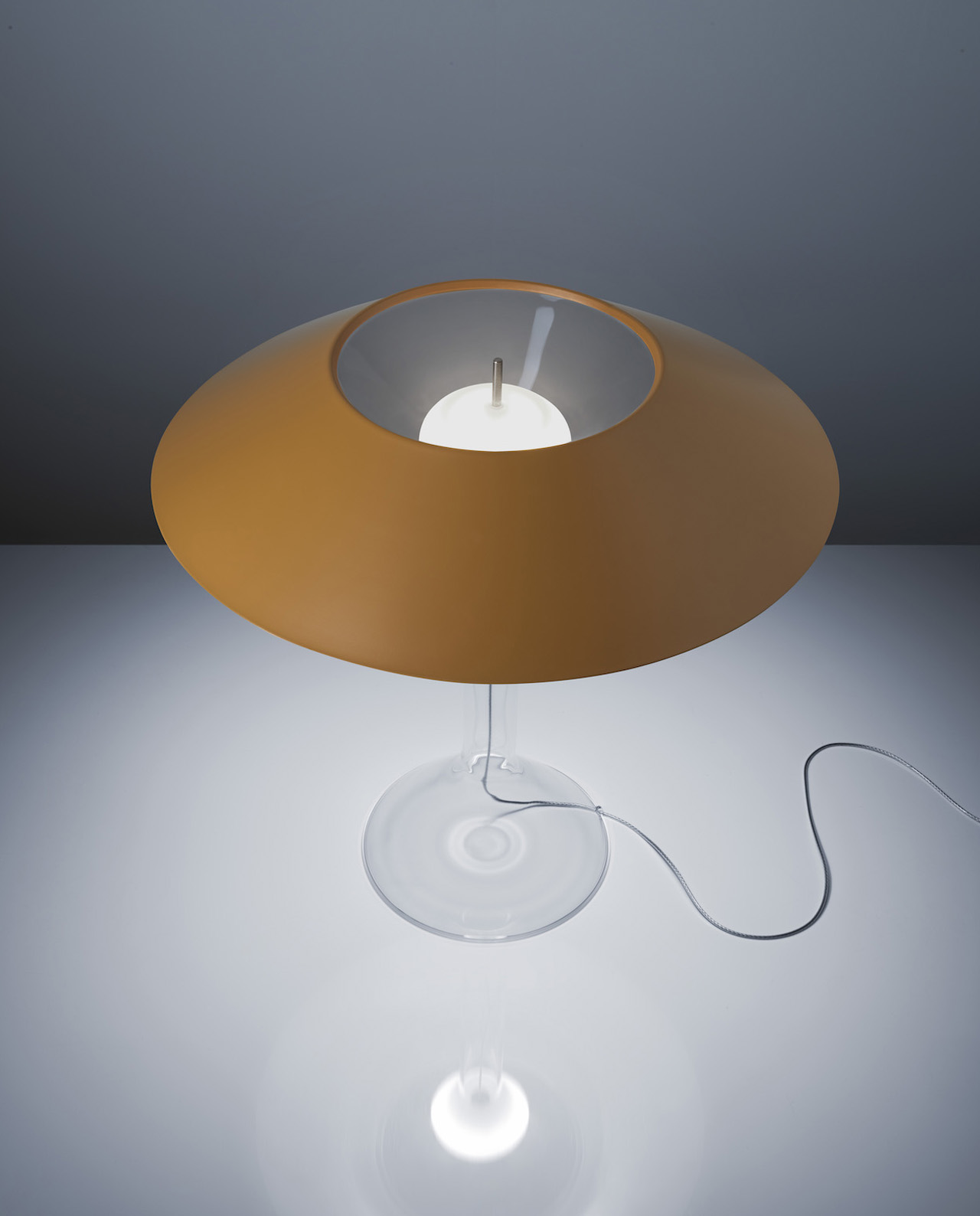
The second element of the lamp which is also pretty interesting is the floating light source. The floating light source was specially created by Foscarini, ensuring that it subtly conceals all the technical bits, while also providing the lamp with a simple and m minimal form. The lamp also includes a freely placed hat, which lends the design its name. The hat is placed without interlocks, and putting all these components together, it almost seems as if the lamp disappears mysteriously while also grabbing your attention.
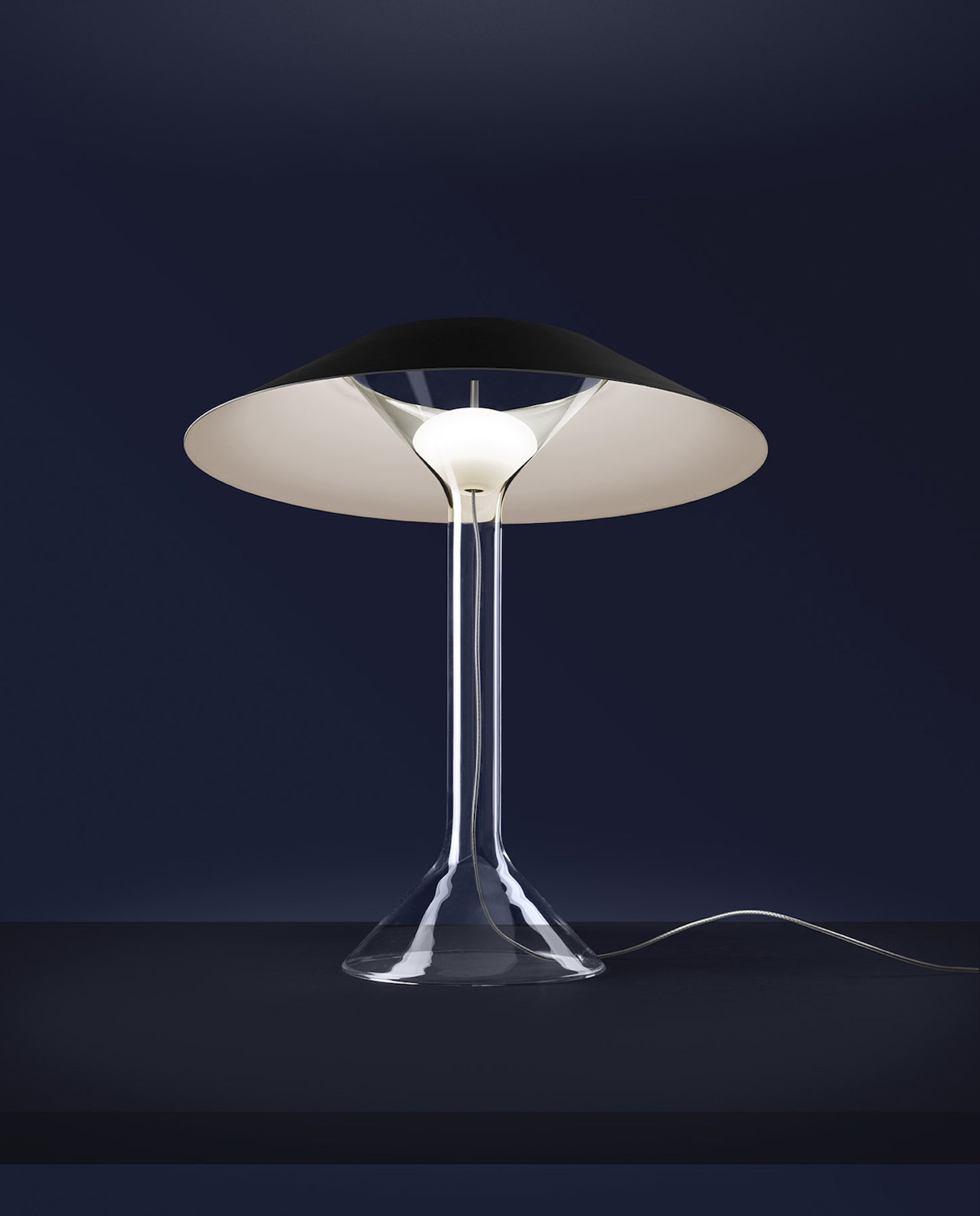
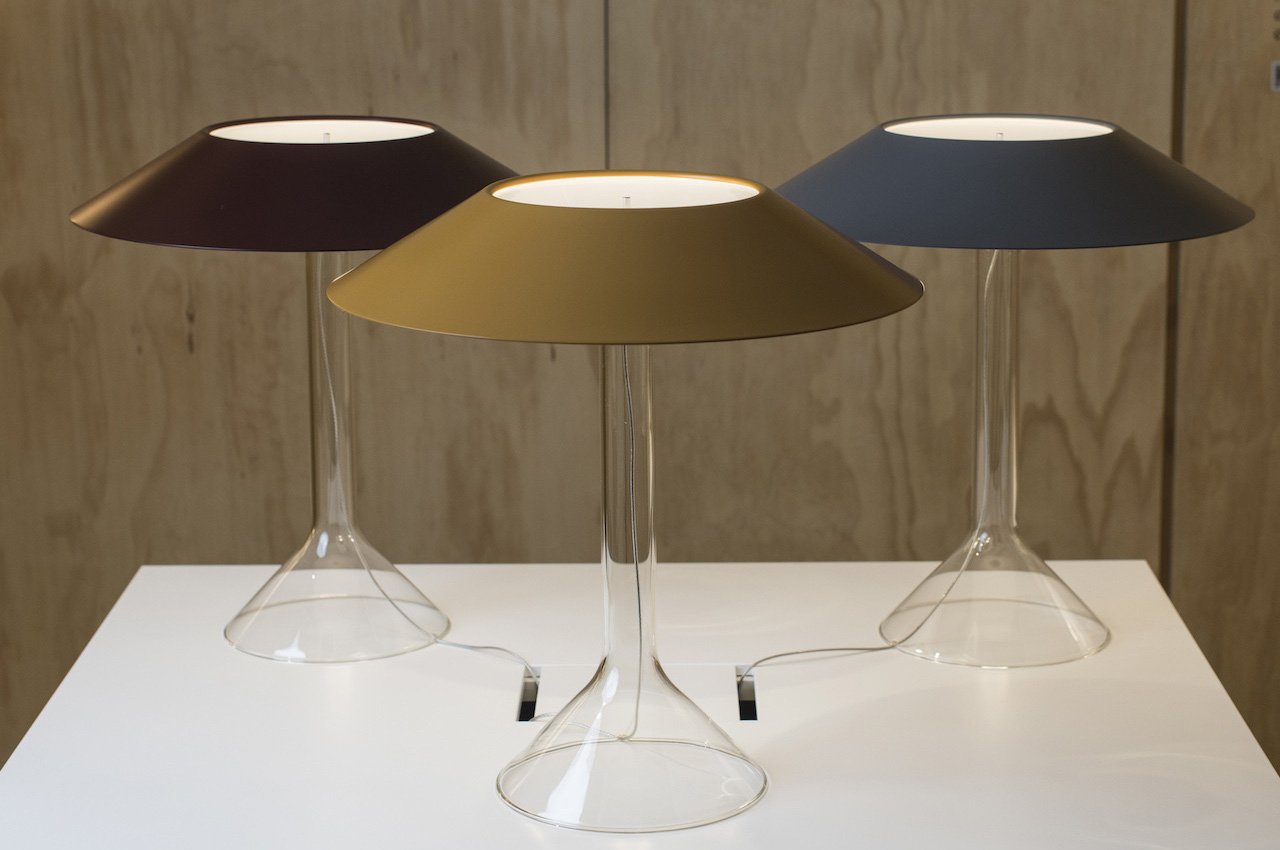
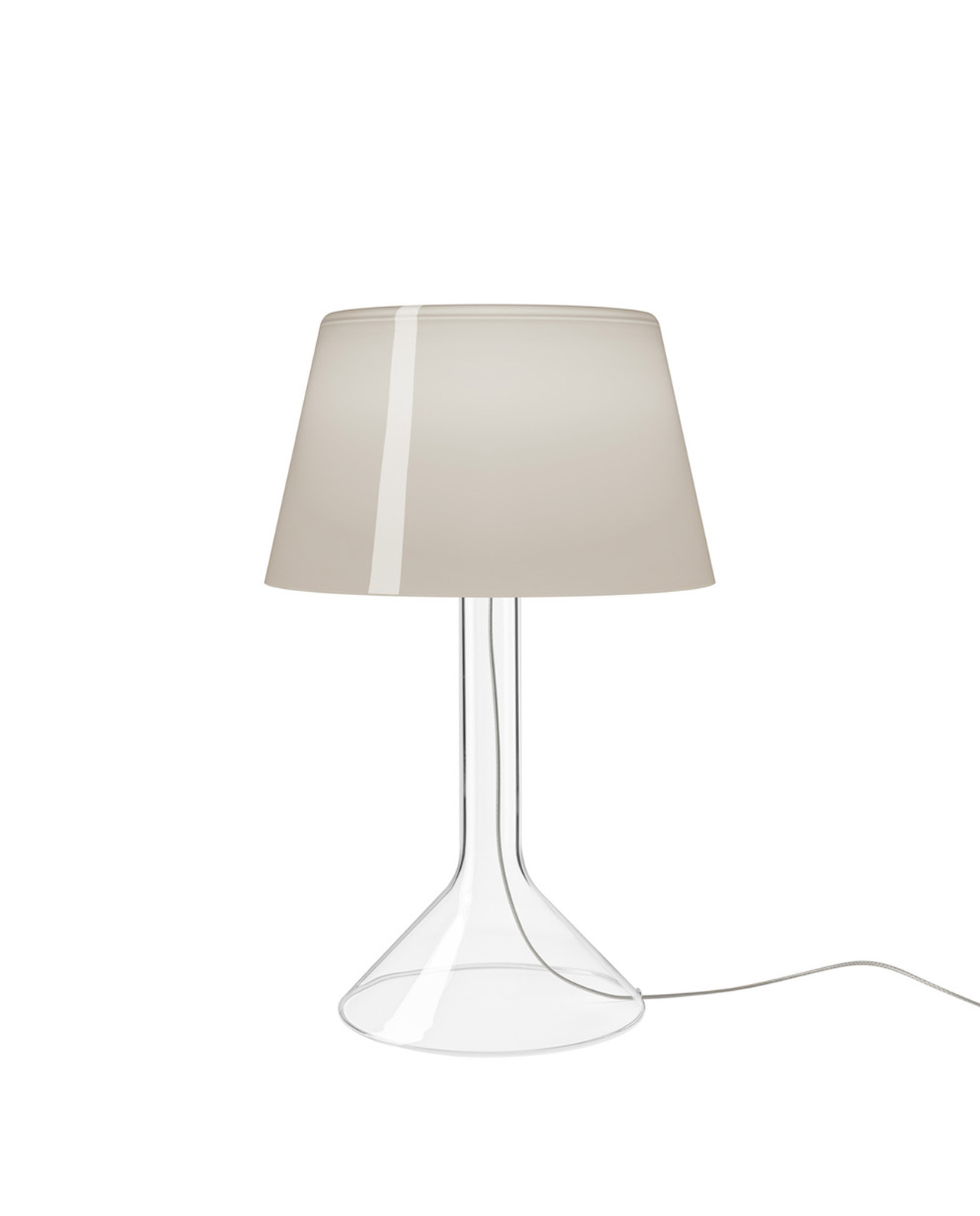
The Chapeaux Lamp is available in three varied configurations. The most minimal design is the Chapeaux M, which features a hat reflector in metal, making it a great fit for workspaces. The Chapeaux V features coated blown glass which produces warm ambient lighting. The third configuration is the Chapeaux P which includes a bone china hat that filters light, providing the design with a subtle and delicate illumination.
The post The Chapeaux Light Manages To Disappear From Sight While Grabbing Your Attention first appeared on Yanko Design.

Amazon’s Fire TV sticks are at record-low prices for Black Friday and Cyber Monday

Black Friday deals have brought Amazon's newest streaming dongle down to its best price yet. The new Fire TV Stick 4K Max is on sale for only $40, which is $20 off its usual price. This model came out during Amazon's Devices and Services event in September, and it has a faster processor and more onboard storage, plus support for Wi-Fi 6E. It's part of a larger Black Friday sale that has discounted most of Amazon's streaming devices and many of its Fire TV sets.

The streaming stick offers support for HDR, HDR10+, Dolby Atmos, Dolby Vision and more. It goes without saying that this thing also streams in 4K, as it’s right there in the name. You also get access to the company’s new Fire TV Ambient Experience, which displays a selection of art pieces, along with useful information like family calendars, reminders, local weather forecasts and more when the TV is in standby mode.

It’s the week of Black Friday, so this isn’t the only streaming stick Amazon’s selling at a discount. You can snag the standard Fire TV Stick for just $20, a savings of 50 percent. Despite being a relatively bare-bones product when compared to the Max, it still offers FHD streaming and ships with an Alexa voice remote.

And if you'd prefer a 4K streaming stick from Roku or Google's Chromecast, those are on sale now too for $20 and $38, respectively. 

Your Black Friday Shopping Guide: See all of Yahoo’s Black Friday coverage, here. Follow Engadget for Black Friday tech deals. Learn about Black Friday trends on In The Know. Hear from Autoblog’s experts on the best Black Friday deals for your car, garage, and home, and find Black Friday sales to shop on AOL, handpicked just for you.

This article originally appeared on Engadget at https://www.engadget.com/amazon-black-friday-deals-include-the-new-fire-tv-stick-4k-max-for-its-lowest-price-yet-174515131.html?src=rss

The Apple Magic Keyboard for iPad is 28 percent off in an Amazon Black Friday deal

Amazon has a hefty price cut on the Apple Magic Keyboard for iPad Pro / Air. The Black Friday deal drops the (typically $299) accessory’s price to $215, which represents a 28 percent discount. Initially launched in 2020, the Apple Magic Keyboard for iPad provides an easy and seamless way to jump between tablet and laptop(-ish) modes. Attach your iPad magnetically to the accessory’s back (it appears to “float”), and Apple’s software immediately recognizes it for typing and cursor control — no Bluetooth pairing or cables required. Engadget recommended it as one of the best iPad accessories.

Its (scissor mechanism) keys feel similar to those of recent Mac keyboards, and its trackpad, although smaller than those on MacBooks, gives you desktop-like cursor control and swipe-based multitasking gestures in iPadOS. The accessory supports USB-C passthrough charging, so you can juice up your iPad while plugging an external drive or monitor into the tablet’s port. The accessory is available in black and white.

This model is only compatible with recent iPad Pro and iPad Air models. Specifically, it supports the 11-inch iPad Pro (1st generation through the current 4th-gen model) and iPad Air (4th and 5th generations). If you have the 12.9-inch iPad Pro, there’s a separate Magic Keyboard model for it that’s also on sale: You can grab that one for $299 (it’s usually $349).

If you've already got a keyboard that works for your iPad setup, a few of our other favorite iPad accessories are on sale as well. The second-gen Apple Pencil has dropped to $89 for Black Friday, and Tablift's iPad holder is on sale for $32 for Amazon Prime members as well.

Your Black Friday Shopping Guide: See all of Yahoo’s Black Friday coverage, here. Follow Engadget for Black Friday tech deals. Learn about Black Friday trends on In The Know. Hear from Autoblog’s experts on the best Black Friday deals for your car, garage, and home, and find Black Friday sales to shop on AOL, handpicked just for you.

This article originally appeared on Engadget at https://www.engadget.com/the-apple-magic-keyboard-for-ipad-is-28-percent-off-in-an-amazon-black-friday-deal-175522472.html?src=rss

Teenage Engineering’s K.O. II groovebox is feature-rich and only $300

Teenage Engineering is a company that follows its own path. It’ll release a $250 toy car one day and a full-featured groovebox/sampler for $300 on the very next day. That’s what happened this week. Teenage Engineering just surprise-launched the EP-133 K.O. II, a portable sampler/groovebox that's feature-rich, looks absolutely stunning and costs just $300. You read that cost right. 

The only musical instruments in TE’s lineup that approach this price point is its catalog of Pocket Operator portable synthesizers, so it’s no surprise that this is a direct followup to the best one, the PO-33 KO sampler. The original Pocket Operators were marketed as something of a toy, despite being surprisingly robust, but the EP-133 K.O. II is being advertised as a workstation. This is a fairly large, but still portable, device that more closely resembles an Akai standalone machine. It won’t fit in your pocket, but will fit in your bag.

Let’s go over some specs. The K.O. II boasts 64MB of memory, which isn’t a lot, but TE products typically come with some tradeoff. It’ll be enough for a bunch of samples and a few projects, though, which the company says was intentional. Teenage Engineering co-founder and hardware lead David Eriksson told The Verge that if the sampler had too much storage it would “give the user the option to finish later” instead of completing a song in one-go. Will nobody think of the poor musicians out there who love starting things and hate finishing things? Asking for a friend.

A gloved hand using the synth.
Teenage Engineering

There are 999 slots for samples, as a matter of fact, and an internal microphone for making your own. Though this is, first and foremost, a sampler, it ships pre-filled with drum hits, synths and other sounds so you can get straight to work. It connects via USB-C for loading samples from a computer or MIDI devices. The K.O. II is also portable, running off of four AAA batteries. In other words, there’s no internal rechargeable battery, but that $300 price tag had to come about somehow.

The unit features a traditional 3.5mm headphone jack and the most important buttons and knobs are orange, to help musicians find them during live sets in dark, smoky clubs. That’s a nice touch. The device itself is gorgeous, with a handsome panel of buttons, knobs and connectors. The keys are clicky and, more importantly, velocity sensitive. There’s a rectangular LED screen up top that boasts similar design language to the OP-1 and OP-1 Field portable synthesizers.

Teenage Engineering hopes this product will attract newbies to the world of music-making, so the workflow is designed for simplicity, a trait shared with its forebear. Despite that caveat, this is a powerful instrument that should lure in professionals and amateurs alike. It features 12 mono and 6 stereo voice polyphony, stereo/mono sampling at 46.875 kHz/16-bit, 12 pressure-sensitive pads, 6 built-in FX sends with a punch-in mode, a master compressor and both manual and automatic sample slicing tools. It also looks really cool, like an accounting calculator from the future.

The EP-133 K.O. II is available today and, again, costs $300. The day before Thanksgiving is an odd time to release a new piece of hardware, but Teenage Engineering is based in Sweden, so what does it care? It’s worth noting that this is the first dedicated music-making machine the company has released since last year's OP-1 Field.

This article originally appeared on Engadget at https://www.engadget.com/teenage-engineerings-ko-ii-groovebox-is-feature-rich-and-only-300-164933466.html?src=rss

Circular desk concept has an interesting way of measuring the time you spend on it

A lot of people feel that there aren’t enough hours in a day without realizing how much time they might be spending or even wasting on unimportant activities. Keeping track of how you spend your time is often one of the first pieces of advice that productivity gurus give because they often reveal how much free time we actually have if we schedule our actions wisely. There is no shortage of time-tracking and logging apps today, but these digital tools are sometimes easily dismissed or ignored because they’re too convenient. This rather unusual table, however, makes the passage of time a bit more visible and tangible, allowing people to have a more personal relationship with the time they invest in work, projects, and other activities.

Designer: Yunseo Jung

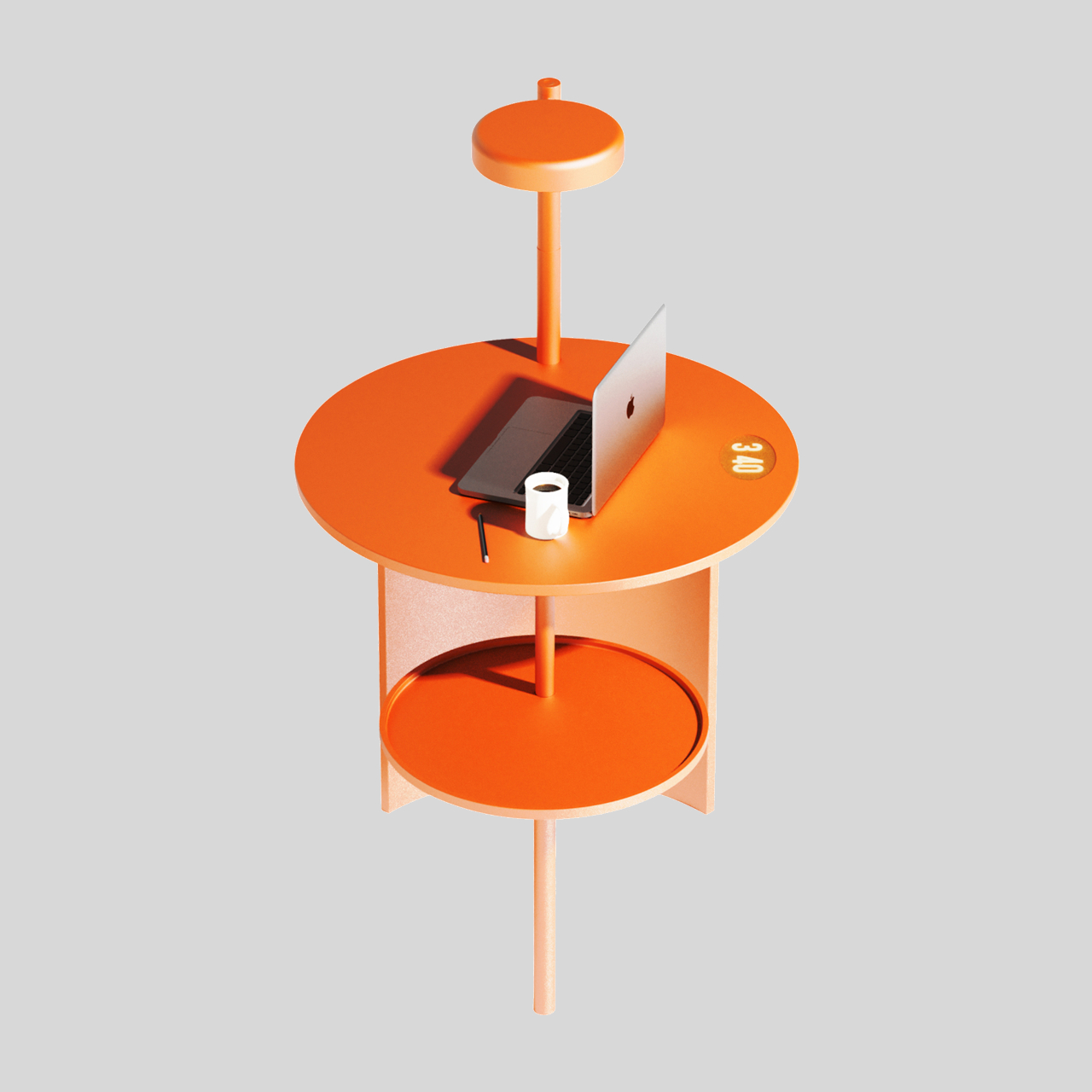
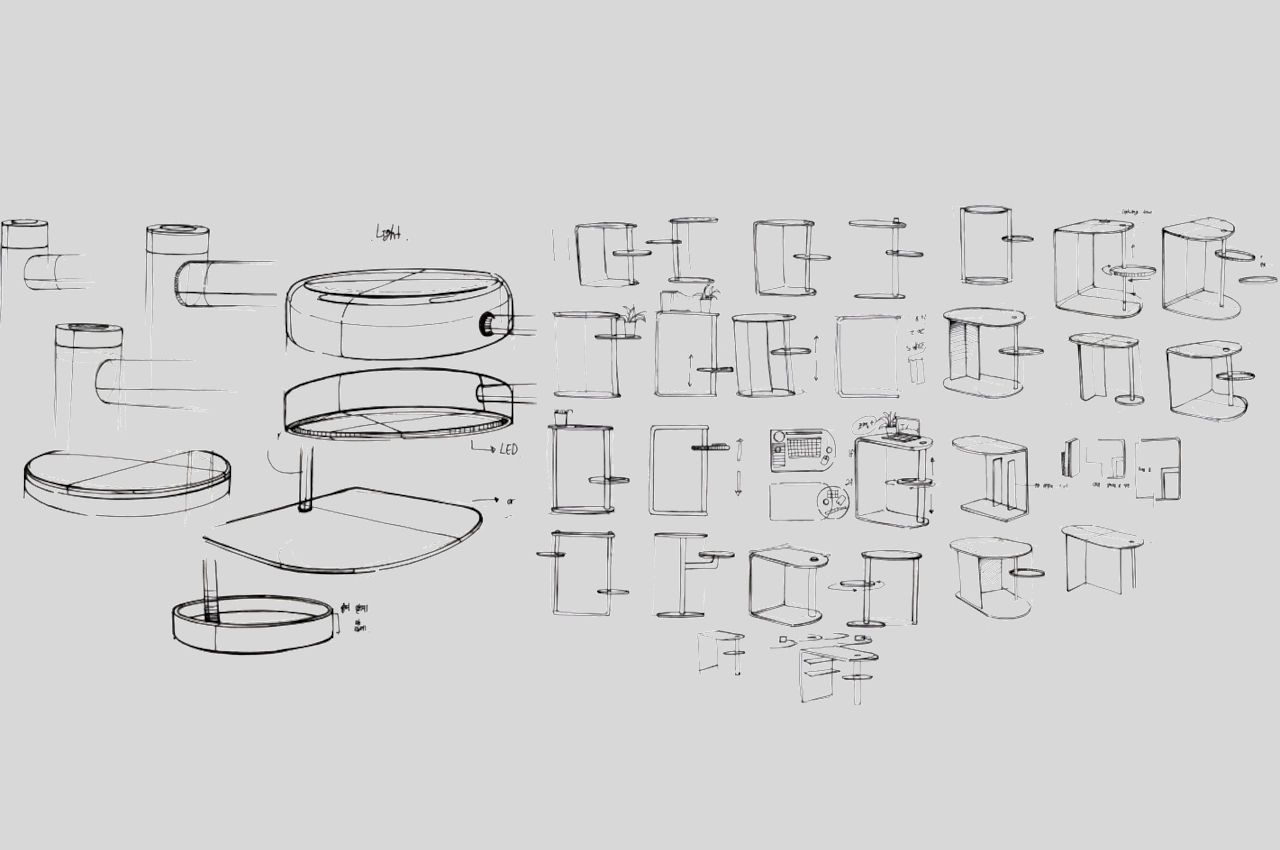
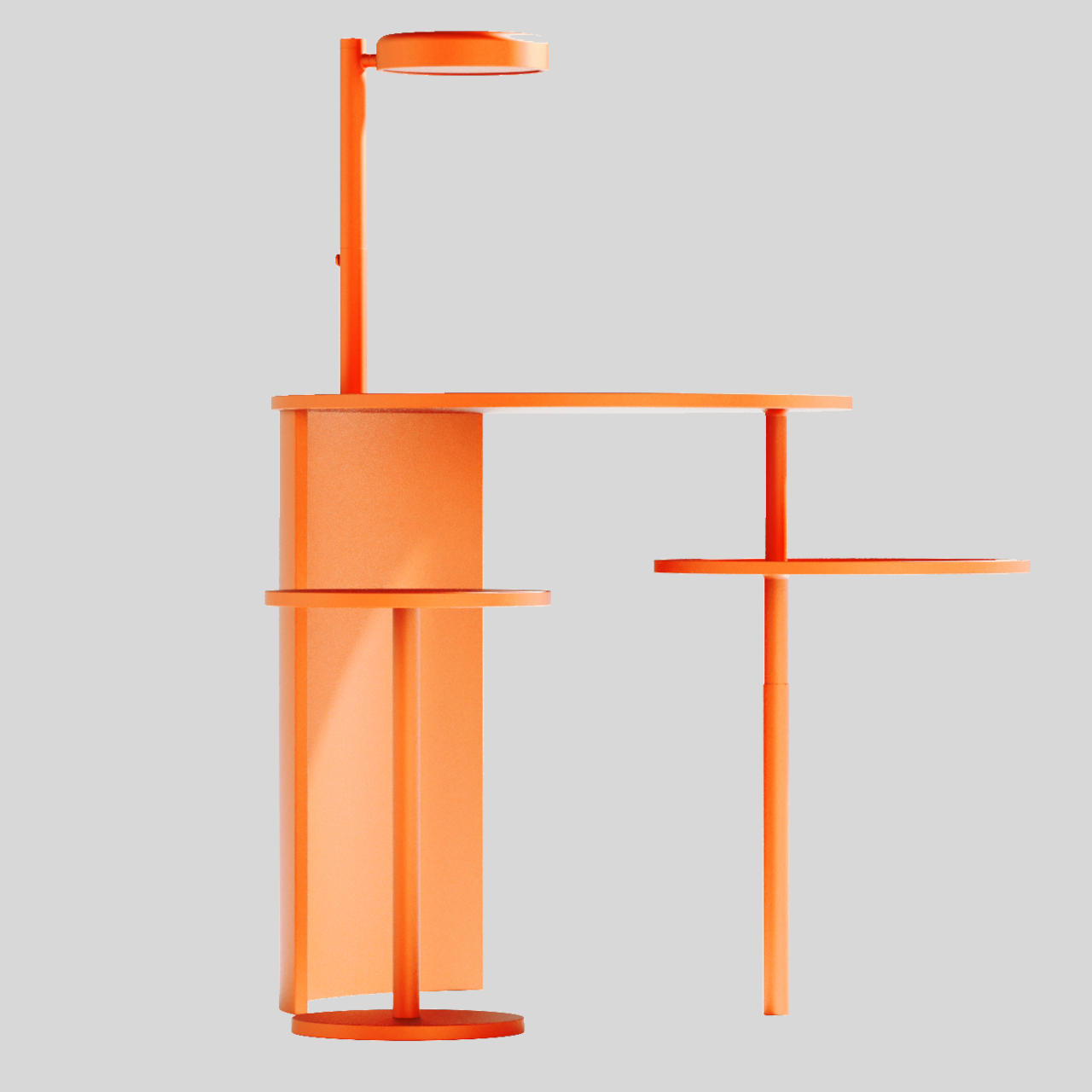
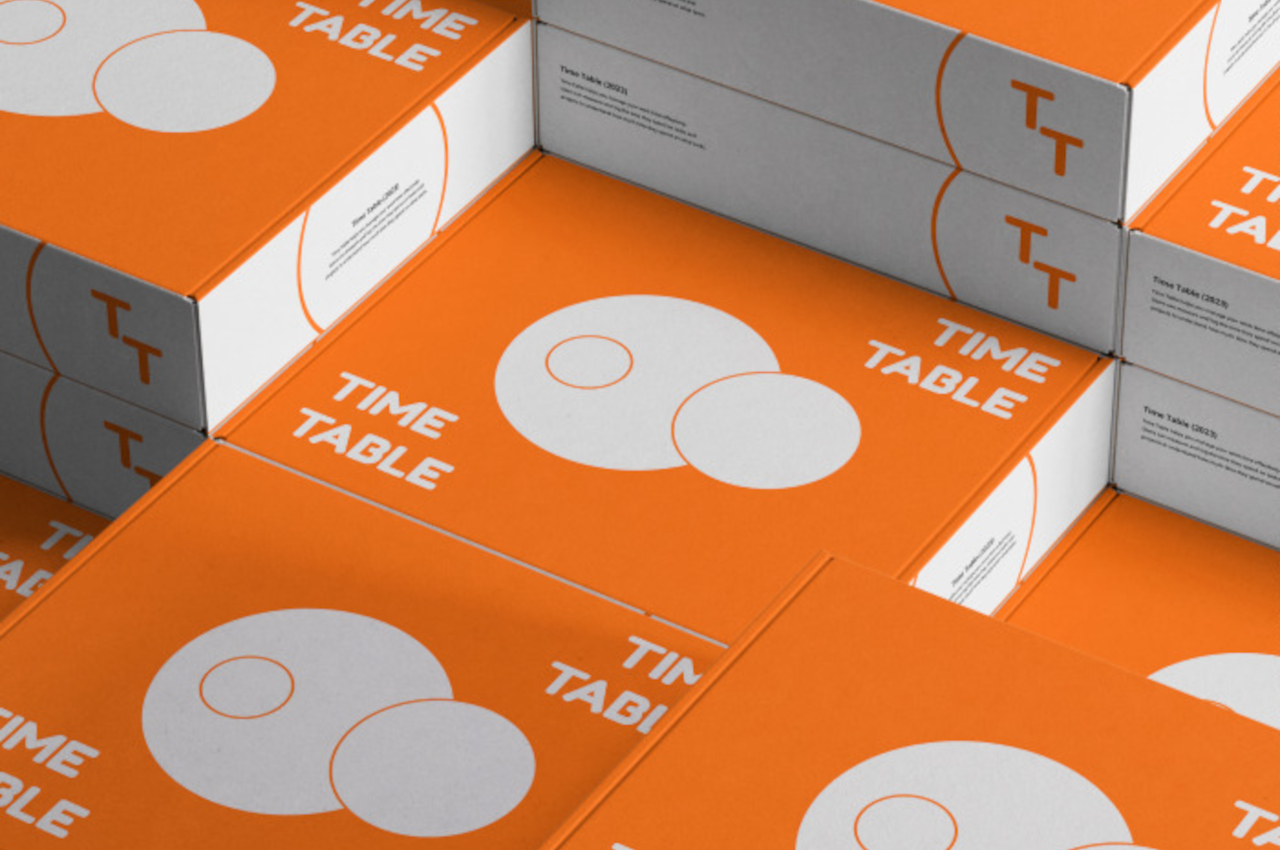
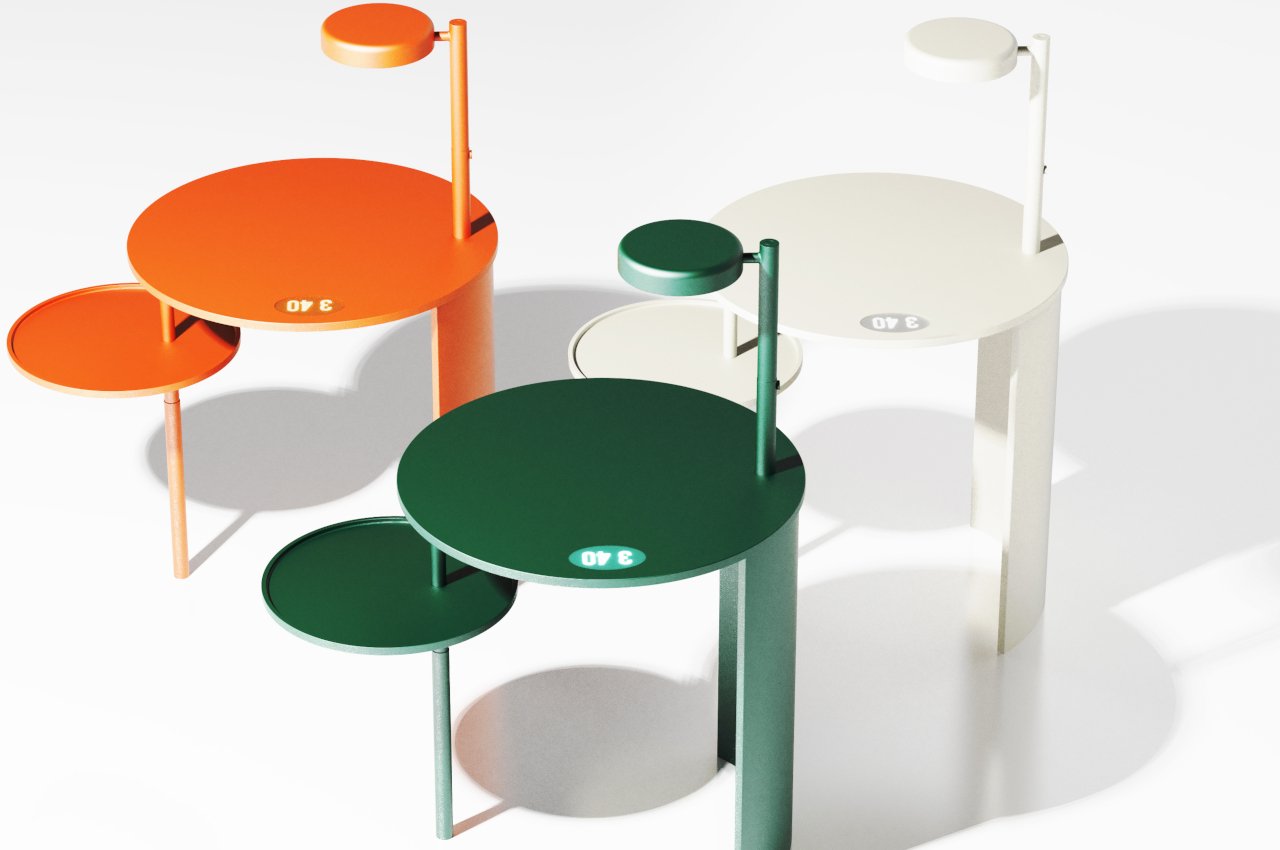
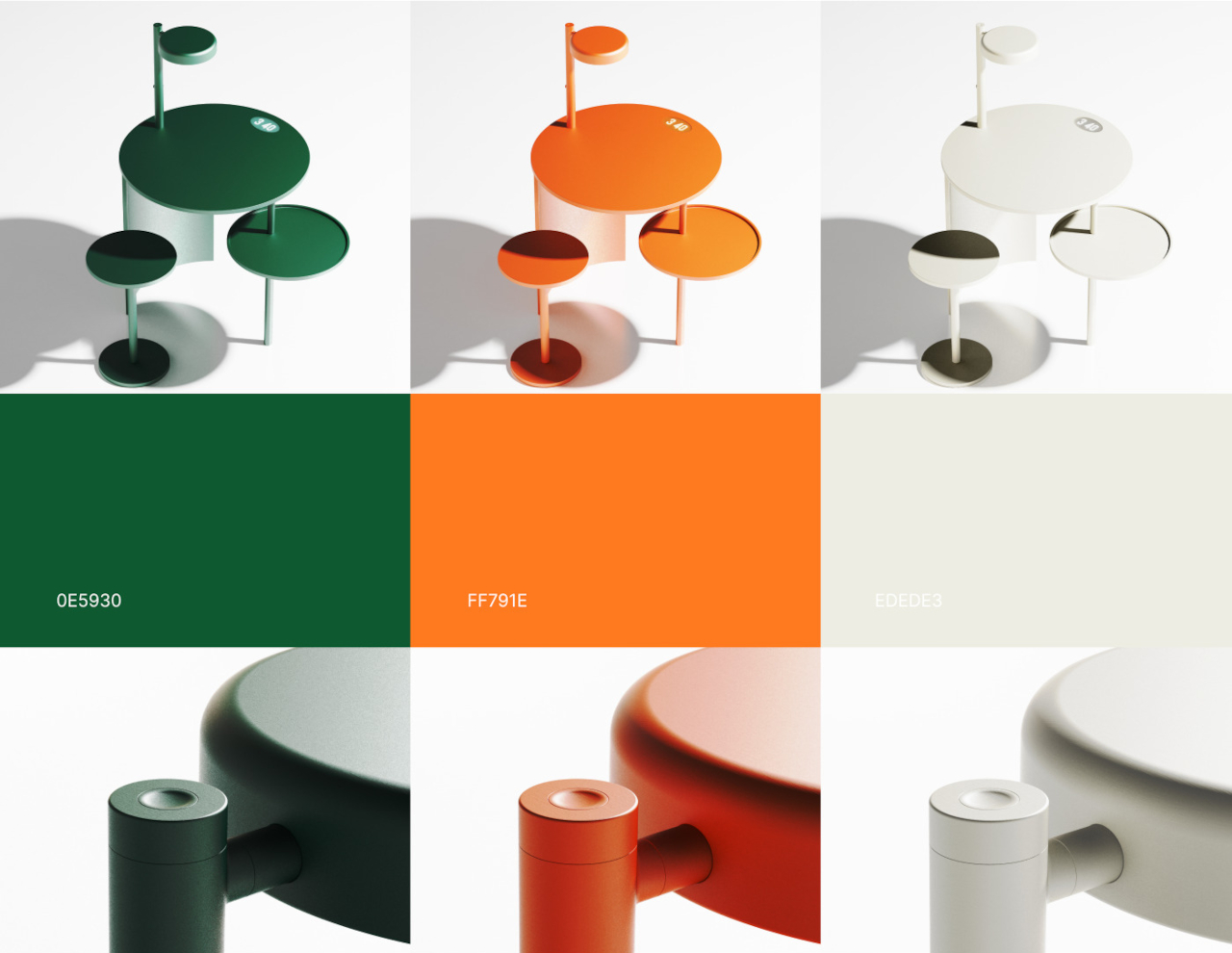
Right off the bat, the Time Table already strikes an interesting visual. Unlike the majority of desks and tables, it’s made almost completely out of circles, from the tabletop to the built-in lamp to the rods that make for its legs and structure. One side of the table shows that leg, but the other side has an arc that functions like a privacy shield. There is also a matching circular tool to complete the set, though such a design isn’t actually novel to this kind of furniture.

While a circular table isn’t exactly rare, the attached “sub table” is. It’s a smaller circular tray affixed to the exposed leg of the table, but that’s not what makes it unique. This sub-table actually moves up and down, changing its elevation as time passes before returning to its base state at the lowest point. Think of it as a time, like a reverse hourglass, that slowly demonstrates the movement of time in a very visual manner.

The basic idea of the Time Table is to let the person sitting in front of it measure, log, and be aware of how much time they’re spending there. You might place some tools related to your work there or anything else that you’ll be able to notice in the corner of your eye. It offers a visual and tangible experience in counting down time without being monotonous like watching seconds tick by. Admittedly, it might also be a bit distracting, which could also be the point of instilling awareness of your time.

Novel as the concept might be, there are also a few issues with the Time Table’s design. The position of the elements, for example, might not be ergonomic or comfortable, with the lamp at a fixed spot and the privacy shield at the side potentially blocking leg movement. Given its design, there seems to also be little room for changing the height of the table, which could be too low or too high for some people. The moving sub-table as a time tracker is definitely an interesting idea, but it could probably be implemented in a different way that doesn’t negatively affect the rest of the table’s functionality.

The post Circular desk concept has an interesting way of measuring the time you spend on it first appeared on Yanko Design.
The 17 best gifts for music lovers

Everyone needs a hobby. And chances are there’s at least one person on your holiday shopping list who fancies themselves a musician. Whether they’re a casual synth noodler, a guitar virtuoso or a singer-songwriter we’ve got recommendations covering a range of price points. Some of these even make a great gift for music lovers who have been considering making the jump to music maker. Perhaps getting their first synth will kickstart a new obsession.

Soma Laboratory Ether

Fender Mustang Micro

Brand New Noise Spiro

Bastl Instruments Kastle Arp

Focusrite Scarlett Solo 4th Gen

Velcro One-Wrap Cable Ties

Samson Q2U USB Microphone

X-Protector Non Slip pad roll

Baby Audio Transit

Antares AutoTune Access

Arturia KeyLab Essential 49 mk3

Decksaver covers

Your Brain on Art: How the Arts Transform Us

Luvay Acoustic Guitar Pickup

Synthrotek Atari Punk Console DIY Kit

ValleyDesignsND Recording Sign

Puremagnetik Century Collection

This article originally appeared on Engadget at https://www.engadget.com/best-gifts-for-music-lovers-160024143.html?src=rss

Microsoft Radius open-source application platform for the cloud

Microsoft Radius a new open-source application platform for the cloud

In the ever-evolving world of software development, the cloud has become a central stage where modern applications are brought to life. At the recent Microsoft Ignite conference Microsoft reveal more details about its new Azure’s Radius project specifically designed to guide developers through the intricacies of cloud-native application development. This platform has been created to […]

The post Microsoft Radius open-source application platform for the cloud appeared first on Geeky Gadgets.

Windows 10 users can now try out Microsoft’s Copilot AI

Folks who are still sticking with Windows 10 (or who can’t install Windows 11 on their machine) may now be able to check out one of the most buzzed about features in years on their machine. Just a few days after Microsoft confirmed it would bring Copilot to Windows 10, users with eligible devices can install a Release Preview build that includes access to the generative AI-powered assistant.

You’ll need to be enrolled in the Windows Insider tester program to install the preview build and potentially try out Copilot on Windows 10 Home or Pro. There’s no guarantee you’ll get access to the chatbot immediately either. Microsoft says “It may take time for your device to be confirmed as eligible for Copilot on Windows so it may not show up right away.” To get swift access to Copilot when it's confirmed your machine is eligible, Microsoft suggests turning on the ”Get the latest updates as soon as they’re available” by going to Settings > Update & Security > Windows Update.

To run Copilot, your system will need at least 4GB of RAM and a display adapter that supports a resolution of at least 720p. Microsoft notes that the preview of the chatbot is only available in select markets (i.e. North America, and some areas of Asia and South America) for now, so you may be locked out on a geographical basis.

Microsoft Copilot in Windows 10
Microsoft

There are some other quirks that may preclude you from checking out Copilot on Windows 10. It won’t work if you position your taskbar on the left or right of your display. You’ll need to have the taskbar in a horizontal orientation. Copilot isn’t fully compatible with multi-monitor setups either. You’ll only see the icon on your primary display. In addition, Copilot won’t be available on Windows 10 Pro machines that are managed by an organization for the time being.

To fire up Copilot when it’s available on your device, click the icon that appears on the right side of the taskbar. Through the chatbot, you can ask questions, manage Windows features and interact with documents. As The Verge notes, Copilot works slightly differently on Windows 10, if only because some Windows 11 features aren’t available. Several key apps in the newer OS have their own generative AI-based features baked in.

It's not exactly a major mystery as to why Microsoft is bringing Copilot to Windows 10. According to some estimates, Windows 10 still powers some 69 percent of Windows-based desktops, compared with the 26 percent or so that run Windows 11. That means hundreds of millions of PCs are still running Windows 10. If Microsoft can say Copilot is available on more than a billion computers (compared with the 400 million that are estimated to be running Windows 11), that could be more appealing to the company's investors.

This article originally appeared on Engadget at https://www.engadget.com/windows-10-users-can-now-try-out-microsofts-copilot-ai-153316313.html?src=rss

Samsung Galaxy M55 gets benchmarked

Samsung Galaxy M55

The Samsung Galaxy M55 5G, carrying the model number SM-M556B, has recently made its appearance on the popular Geekbench benchmarking database, revealing intriguing details about its performance capabilities. In the Geekbench listings, the Galaxy M55 5G has demonstrated impressive results. In the single-core test, the device achieved a score of 3575, showcasing its efficient processing […]

The post Samsung Galaxy M55 gets benchmarked appeared first on Geeky Gadgets.

Seagate Nytro 4350 NVMe data center SSD storage with PCIe Gen 4 interface

NVMe data center SSD storage

In the fast-paced world of data storage, Seagate Technology has introduced the Nytro 4350 NVMe SSD series. This new line of solid-state drives is designed to push the boundaries of what’s possible in data center performance and reliability. For those looking to upgrade their data center’s storage capabilities, the Nytro 4350 series offers a host […]

The post Seagate Nytro 4350 NVMe data center SSD storage with PCIe Gen 4 interface appeared first on Geeky Gadgets.