Samsung just revealed the Galaxy Z Flip 6, putting the S24’s best specs in a compact foldable

Samsung just announced the Galaxy Z Flip 6 smartphone at its most recent Unpacked event and it's a doozy of an update that squeezes some of the S24’s best features into a compact foldable. There’s a new design, an updated camera system and the biggest battery in a Z Flip to date.

The camera system features an updated design with a color-matched lens housing. There’s a new 50MP main camera and a 12MP ultra-wide sensor, which is the same as the base Galaxy S24. This system includes auto-zoom framing and an AI algorithm for better portraits.

The 4,000mAh battery is the biggest ever in this product category. Once again, this is the same size of battery as found with the Galaxy S24. Samsung also touts its quick-charging capabilities, saying that the phone can reach a 50 percent charge in just 30 minutes. That’s a pretty decent metric.

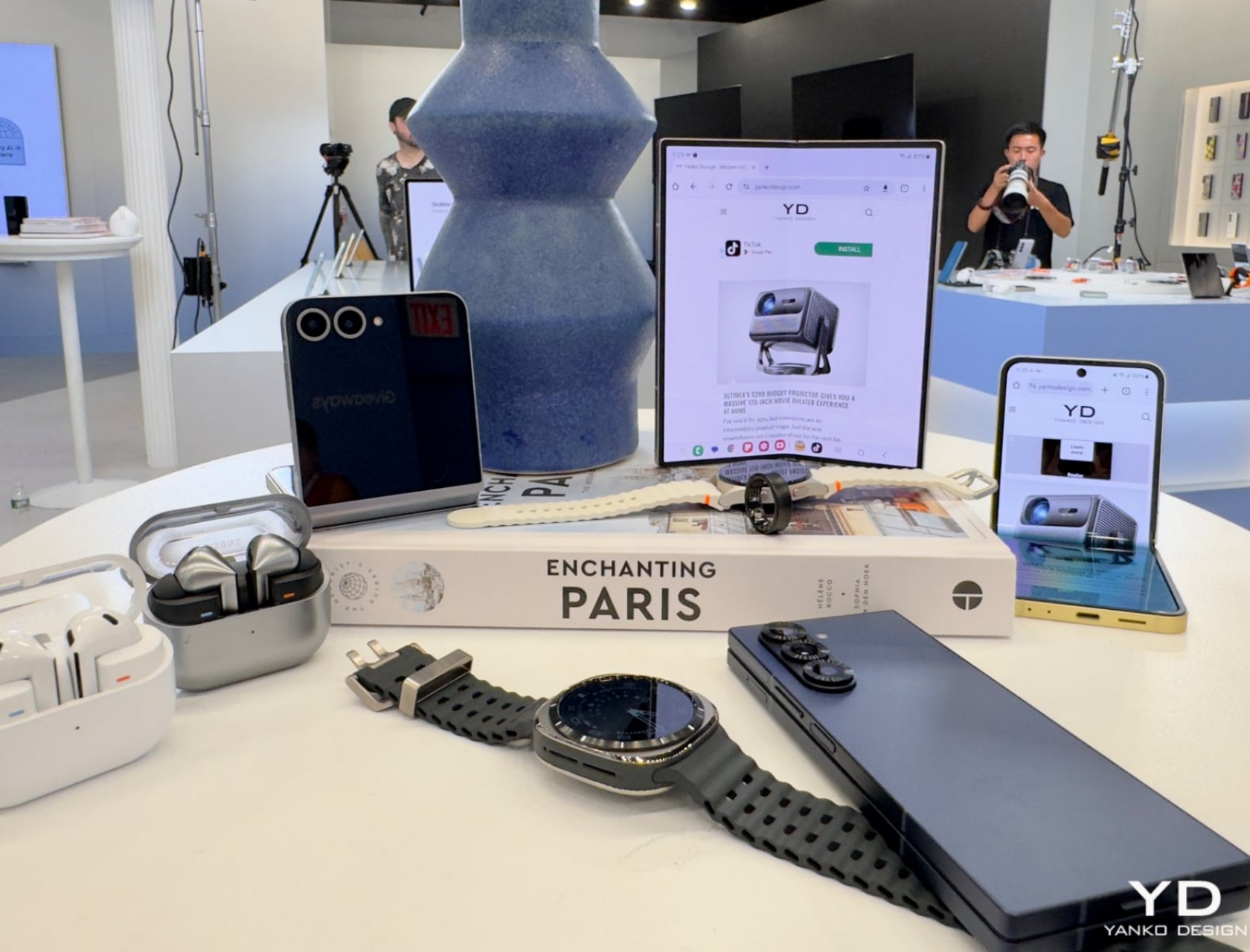
Four phones.
Engadget

The base RAM has gotten an upgrade, 12GB up from 8GB, and the 6.7-inch AMOLED main screen boasts a 120Hz refresh rate and a peak brightness of 2,600 nits. The cover screen is a 3.4-inch Super AMOLED 60Hz display. Software wise, there are some new interactive and generative wallpapers and a photo ambient mode that changes color based on the time and weather. The phone can access a bunch of new widgets, with all new size combinations that allow for multiple widgets on a single cover screen. There’s a new texting feature that analyzes the past seven messages to help come up with suggested replies.

As for the design, there are some new colors, like silver, yellow and blue. Samsung is also selling some exclusive colors, such as white and peach. Preorders are available right now and there’s a bonus for early adopters. Ordering now will automatically bump you up to the next storage size. The Samsung Galaxy Z Flip 6 starts at $1,100.

Catch up on all the news from Samsung's Galaxy Unpacked 2024 here!

This article originally appeared on Engadget at https://www.engadget.com/samsung-just-revealed-the-galaxy-z-flip-6-putting-the-s24s-best-specs-in-a-compact-foldable-130018981.html?src=rss

Samsung Galaxy Z Fold6 and Z Flip6 Hands-On Review: Design, Features, and Performance Unveiled

Foldable phones are changing how we use our mobile devices by combining the best of smartphones and tablets into one. Samsung leads this innovation with its latest Galaxy Z Fold6 and Z Flip6. Let’s look at their design, drawing from my hands-on experience.

Designer: Samsung

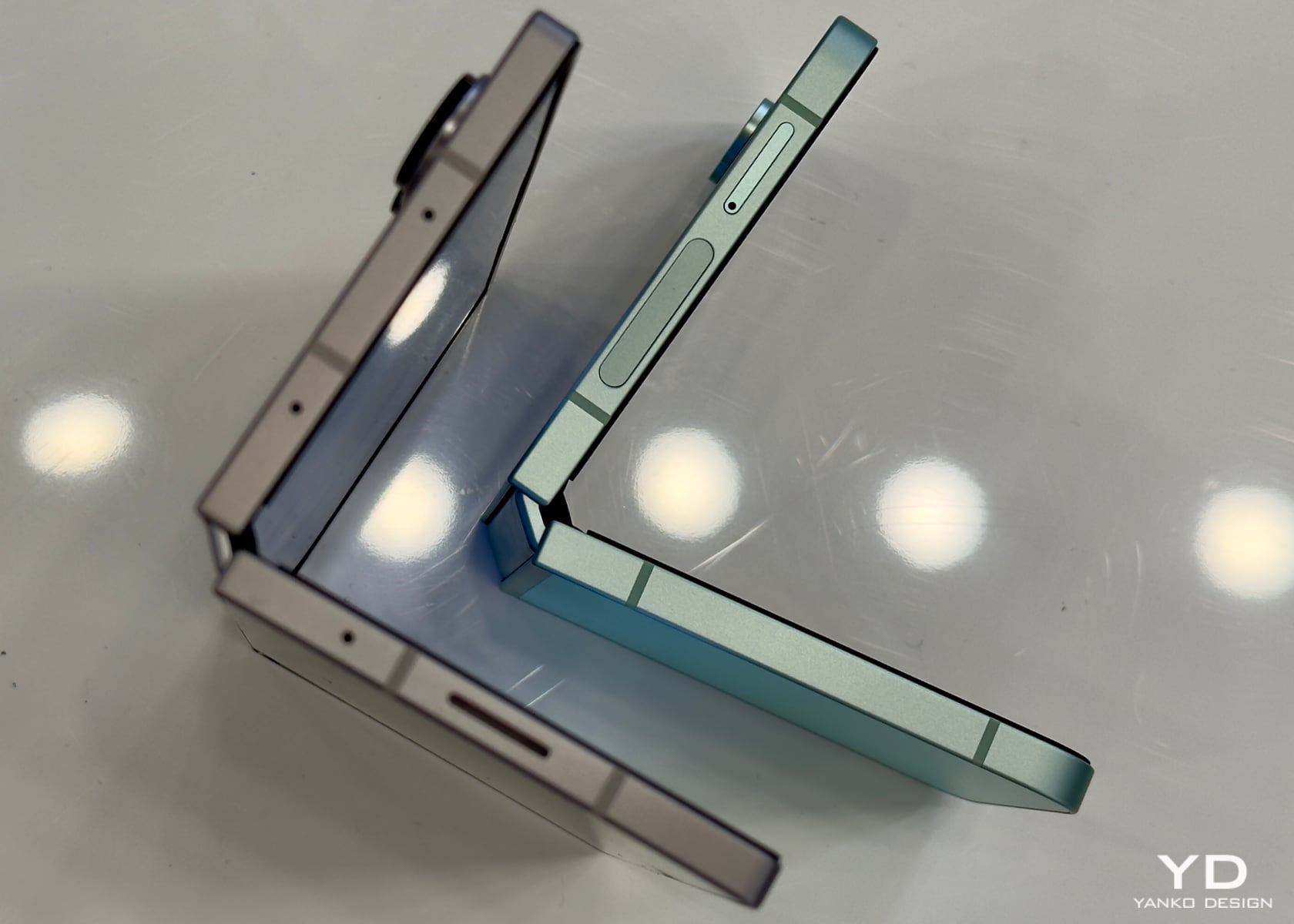
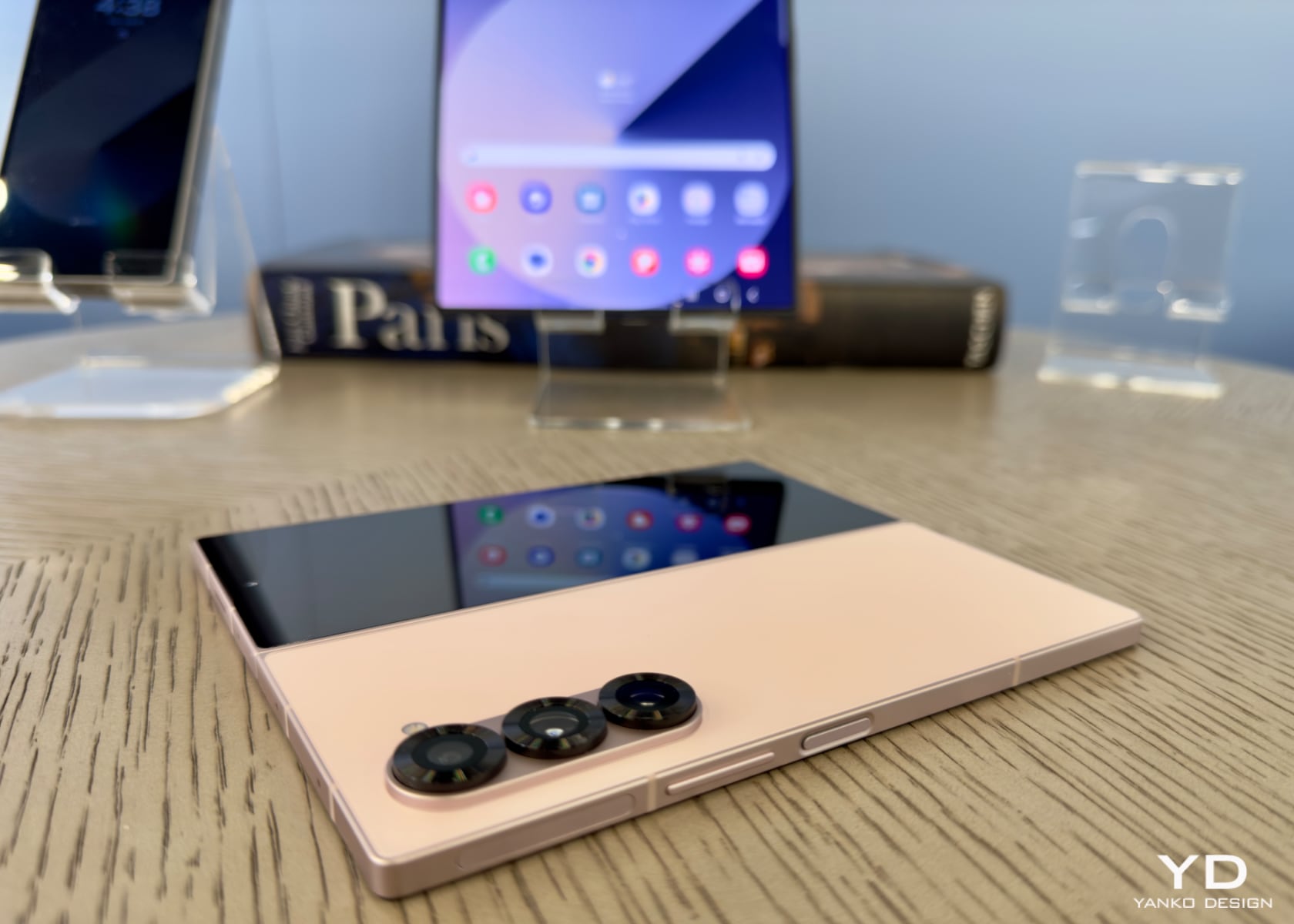
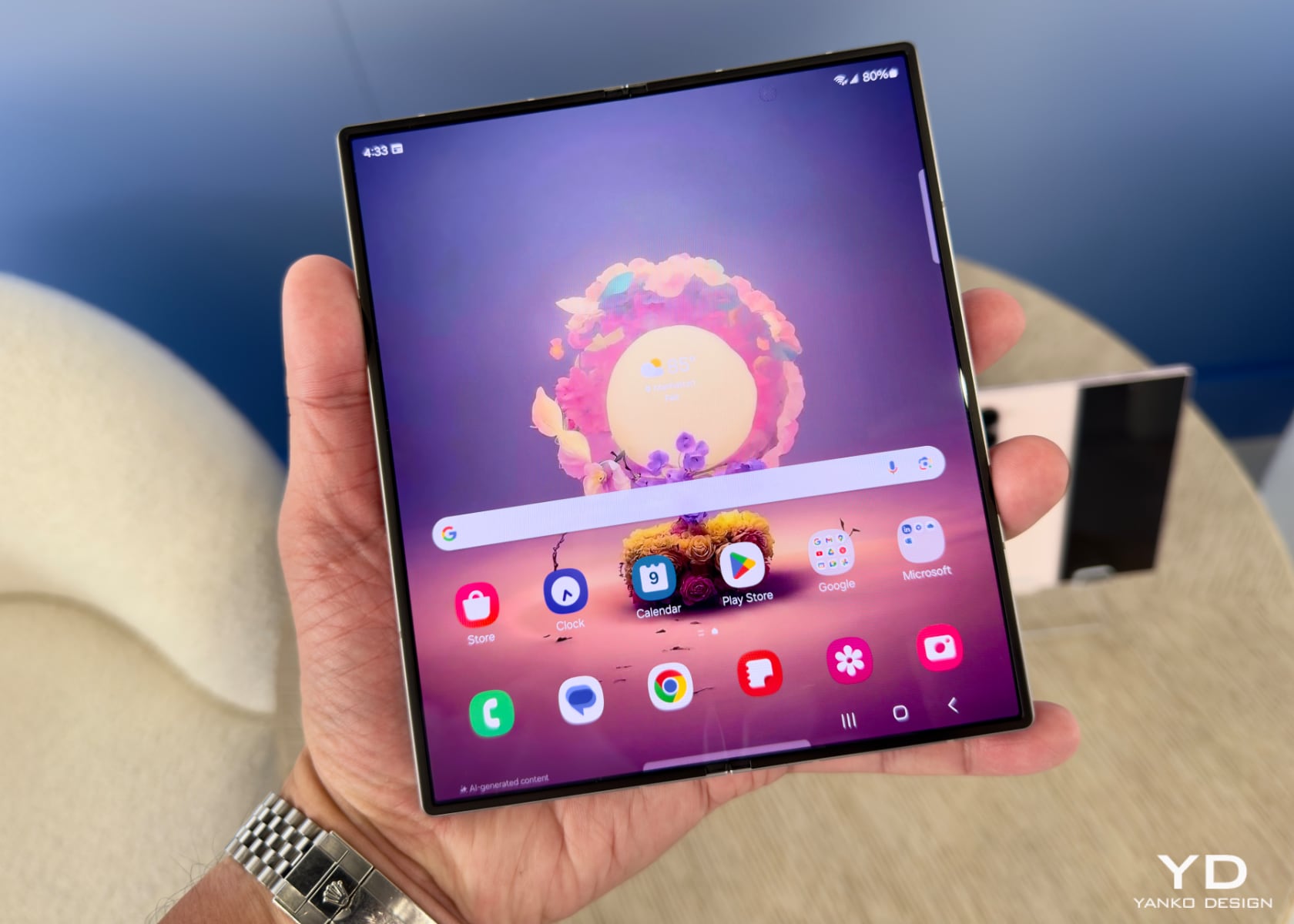
The Galaxy Z Fold6 features a sleek, symmetrical design with straight edges, making it look refined and practical. It is 2.7 mm wider and 1.4 mm thinner when unfolded compared to the Fold5, making it feel comfortable and substantial. This design improvement makes the device easier to handle while offering a larger screen.
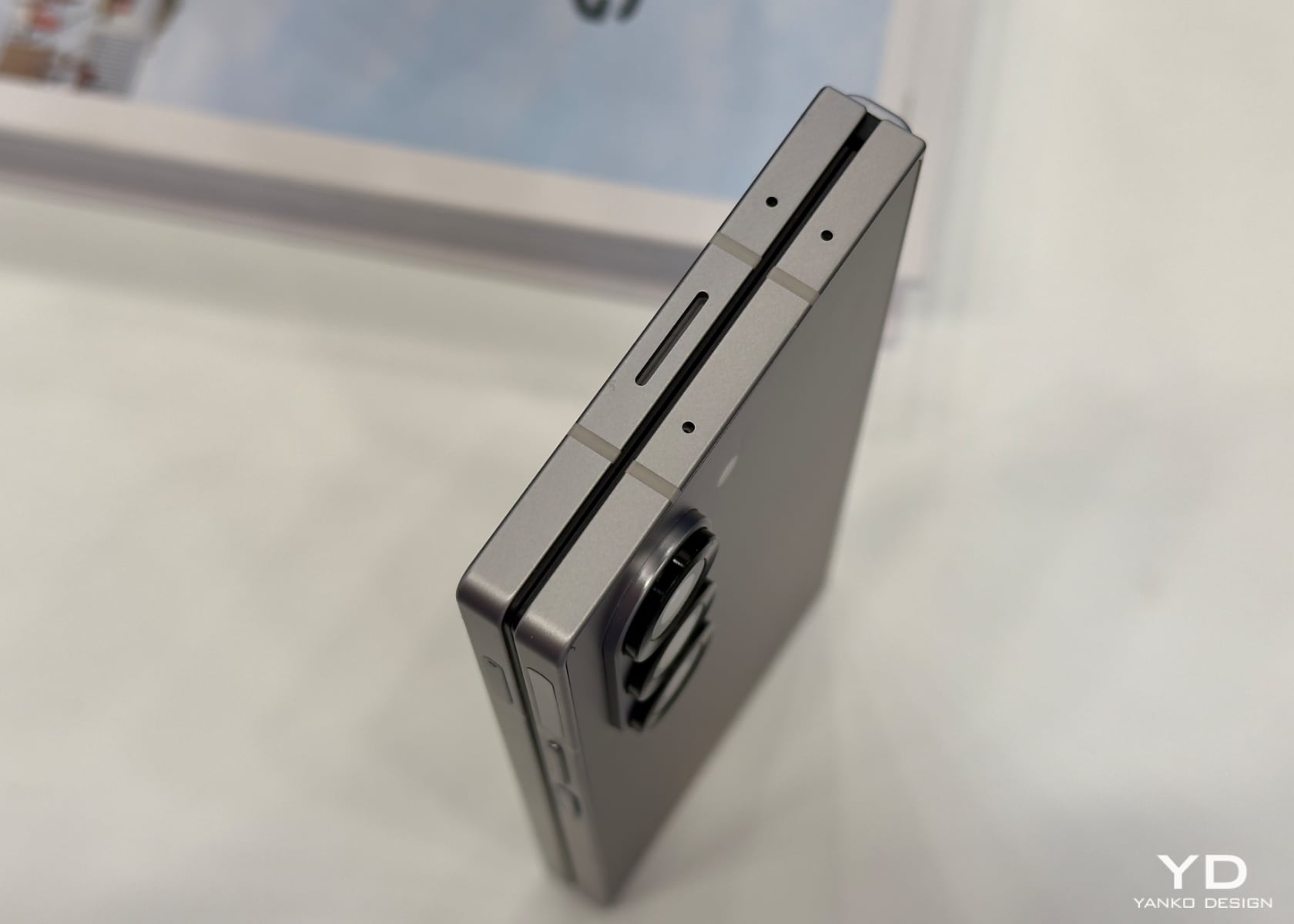
After using other foldables like the Vivo Fold, Honor Porsche Design Foldable, and OnePlus, I was pleasantly surprised by how easy it was to hold and manage the Fold6. The flat and sharp edges add a modern touch. The design feels intentional, enhancing both its look and functionality. I’m a fan of the design, which balances form and function well.
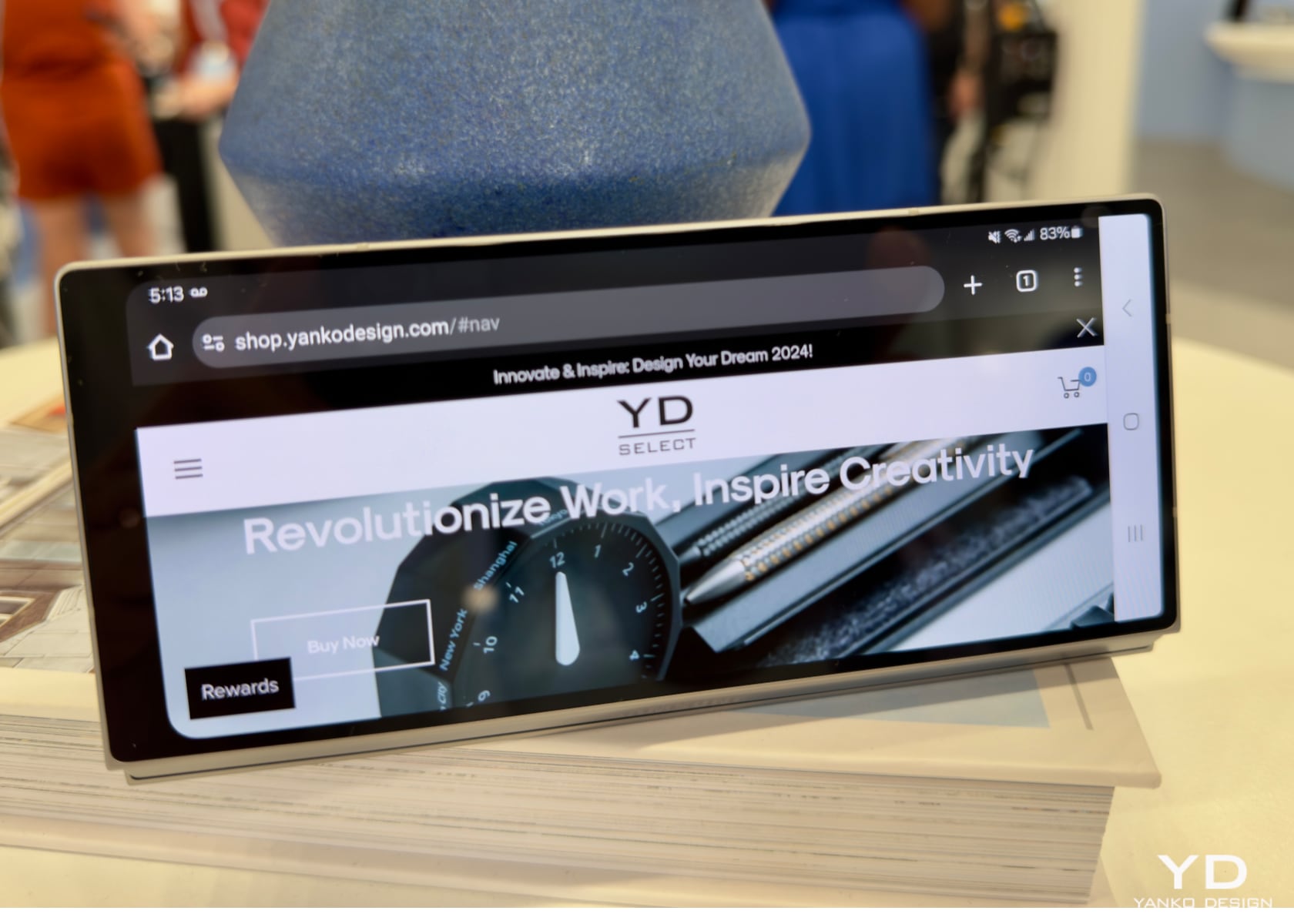
The device is sturdy with its enhanced Armor Aluminum, which improves scratch resistance by 10%. This is paired with Corning Gorilla Glass Victus 2 on the front and back for better protection against drops and scratches. During my hands-on time, this combination felt durable, giving me confidence in its everyday use. These enhancements build on the Fold5’s already robust design.
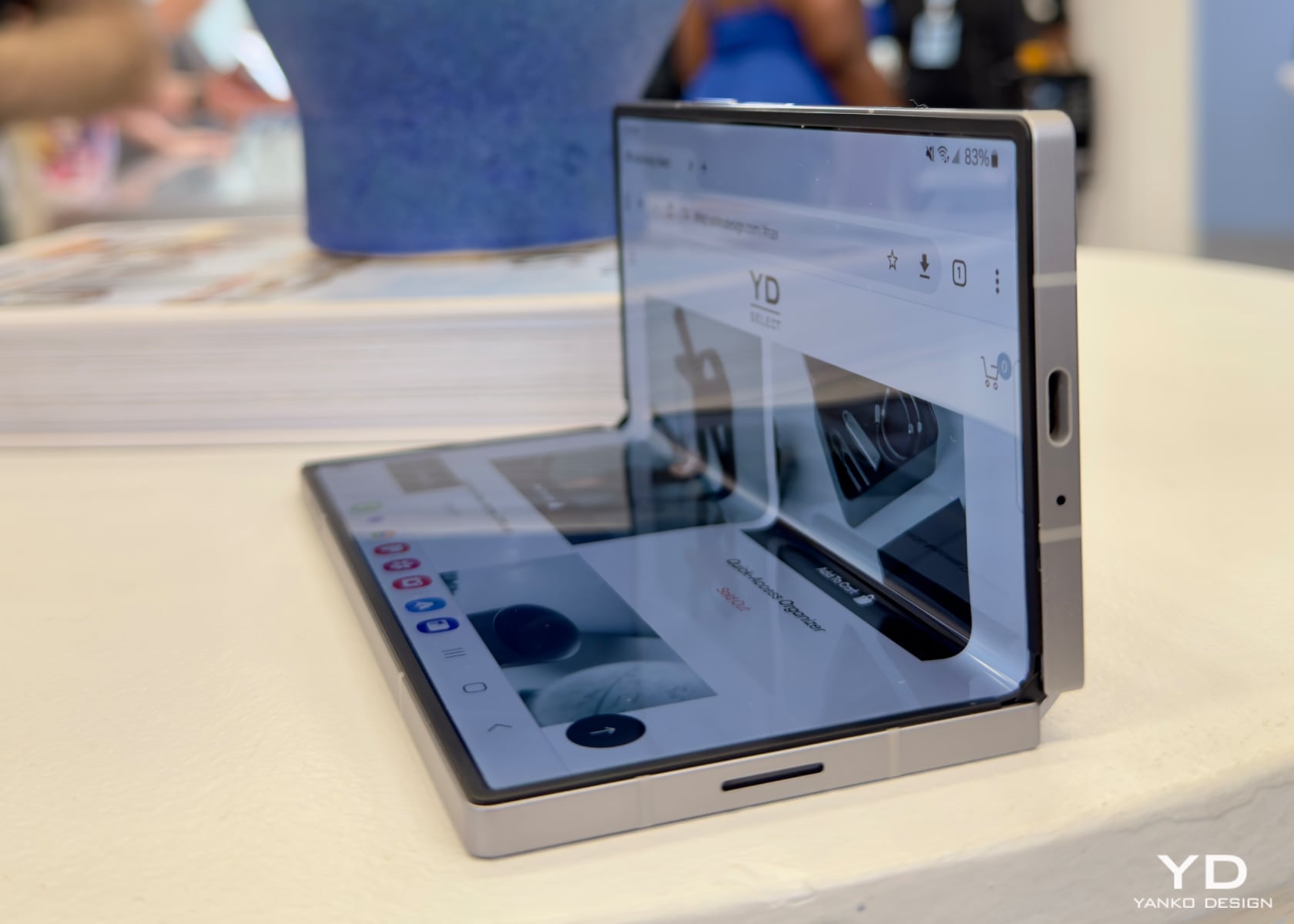
The Galaxy Z Fold6’s hinge mechanism is impressive. The dual rail hinge design distributes shock better, making folding and unfolding smooth. This adds to the device’s durability and improves its functionality. The strengthened folding edge makes it more resilient against impacts. The hinge felt solid and reliable, addressing some concerns from previous models.
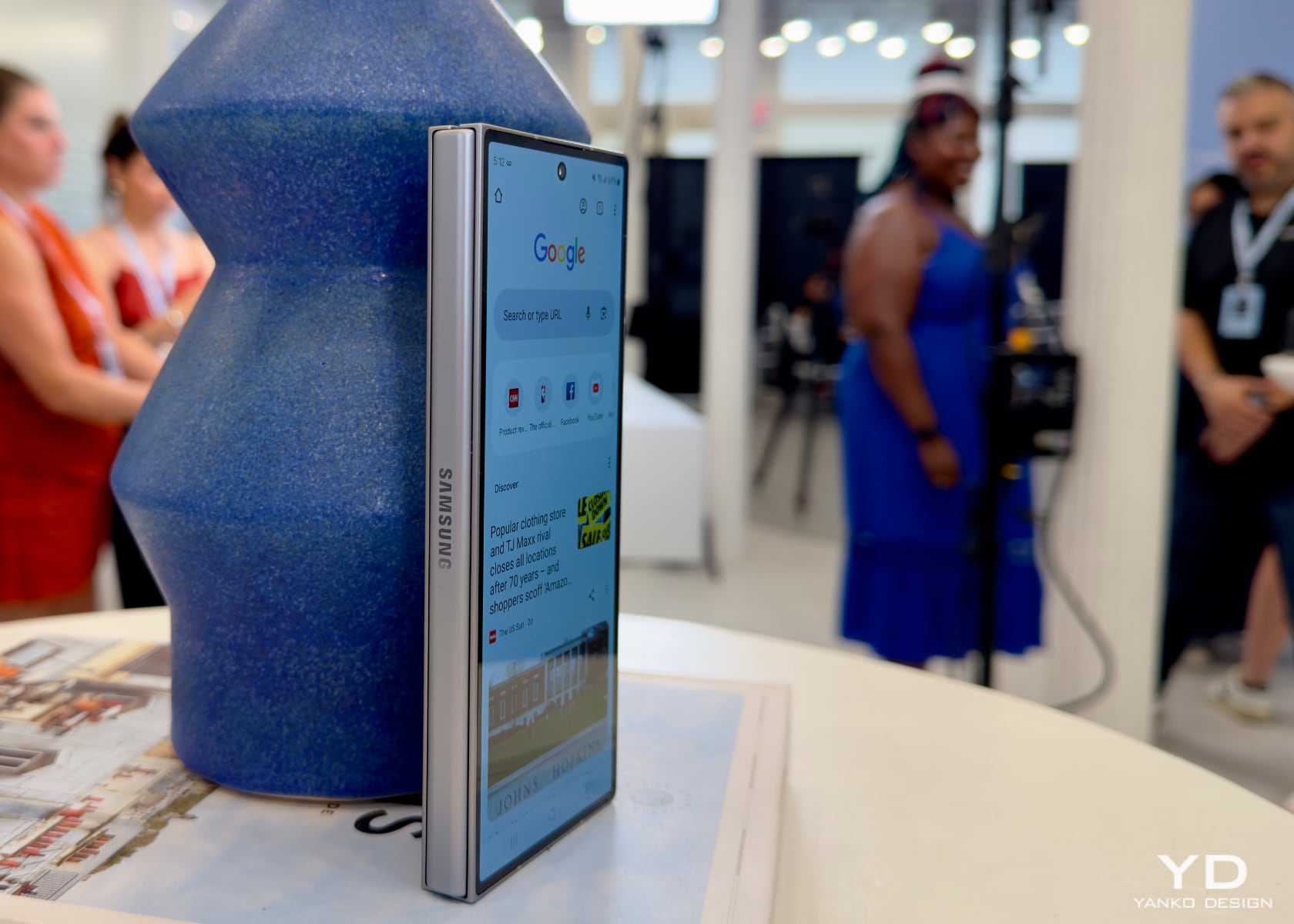
The main screen includes an improved protective layer that reduces the visibility of the crease, making for a smoother viewing experience. This layer also helps with shock absorption and protects the internal components. The device’s slim and light design, combined with these features, makes it robust and user-friendly. The Fold6’s display improvements offer a slightly better viewing experience compared to the Fold5.
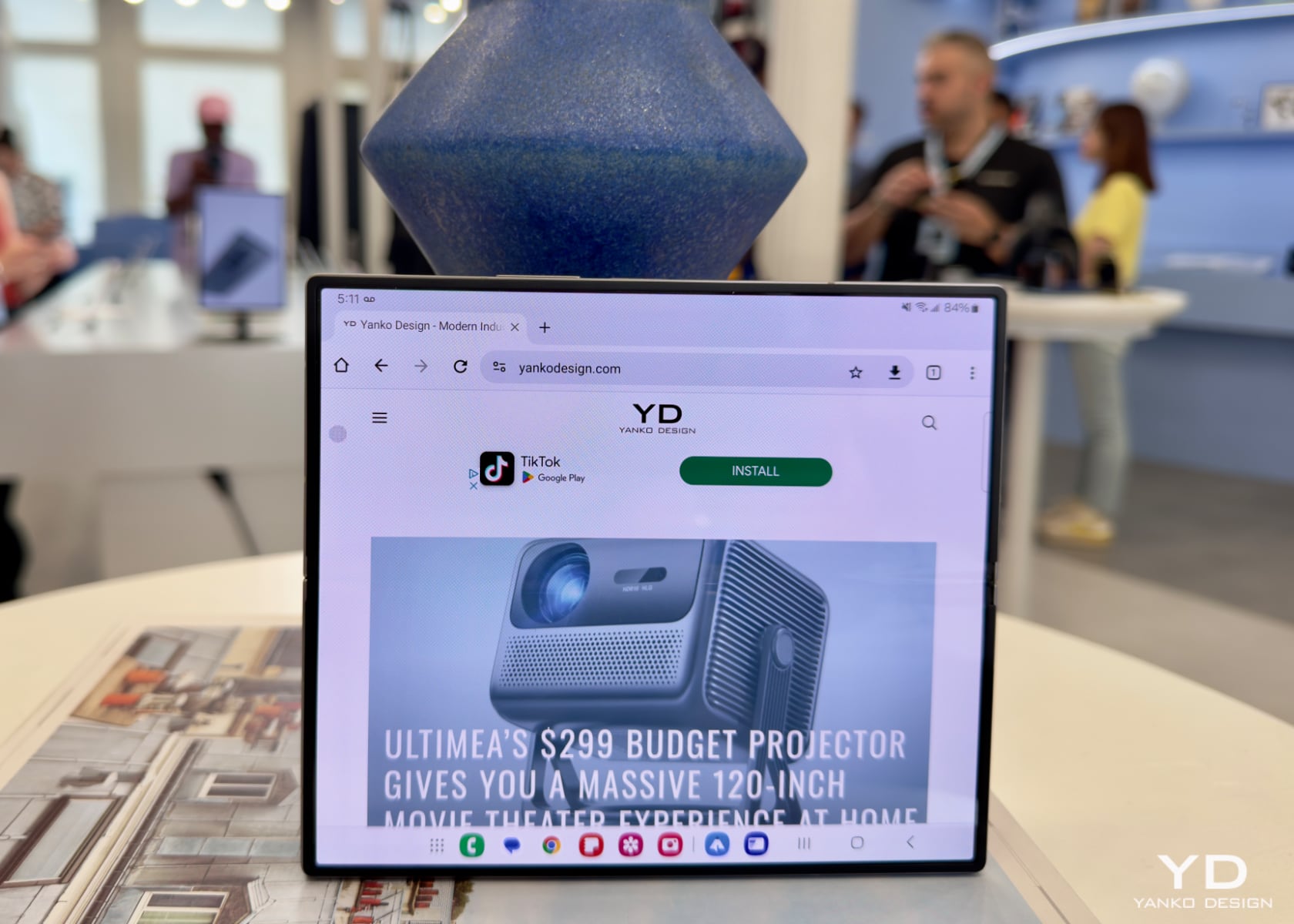
The Galaxy Z Fold6 features a 7.6-inch QXGA+ Dynamic AMOLED 2X Infinity Flex Display with a 2160 x 1856 pixels resolution at 374 ppi. This display supports a 120 Hz adaptive refresh rate, offering a smooth visual experience. Whether watching videos, playing games, or multitasking, the display’s colors and details are impressive. The cover screen is equally capable, with a 6.3-inch HD+ Dynamic AMOLED 2X Display, ensuring clear visuals in any mode. These display enhancements provide a noticeable upgrade from the Fold5.
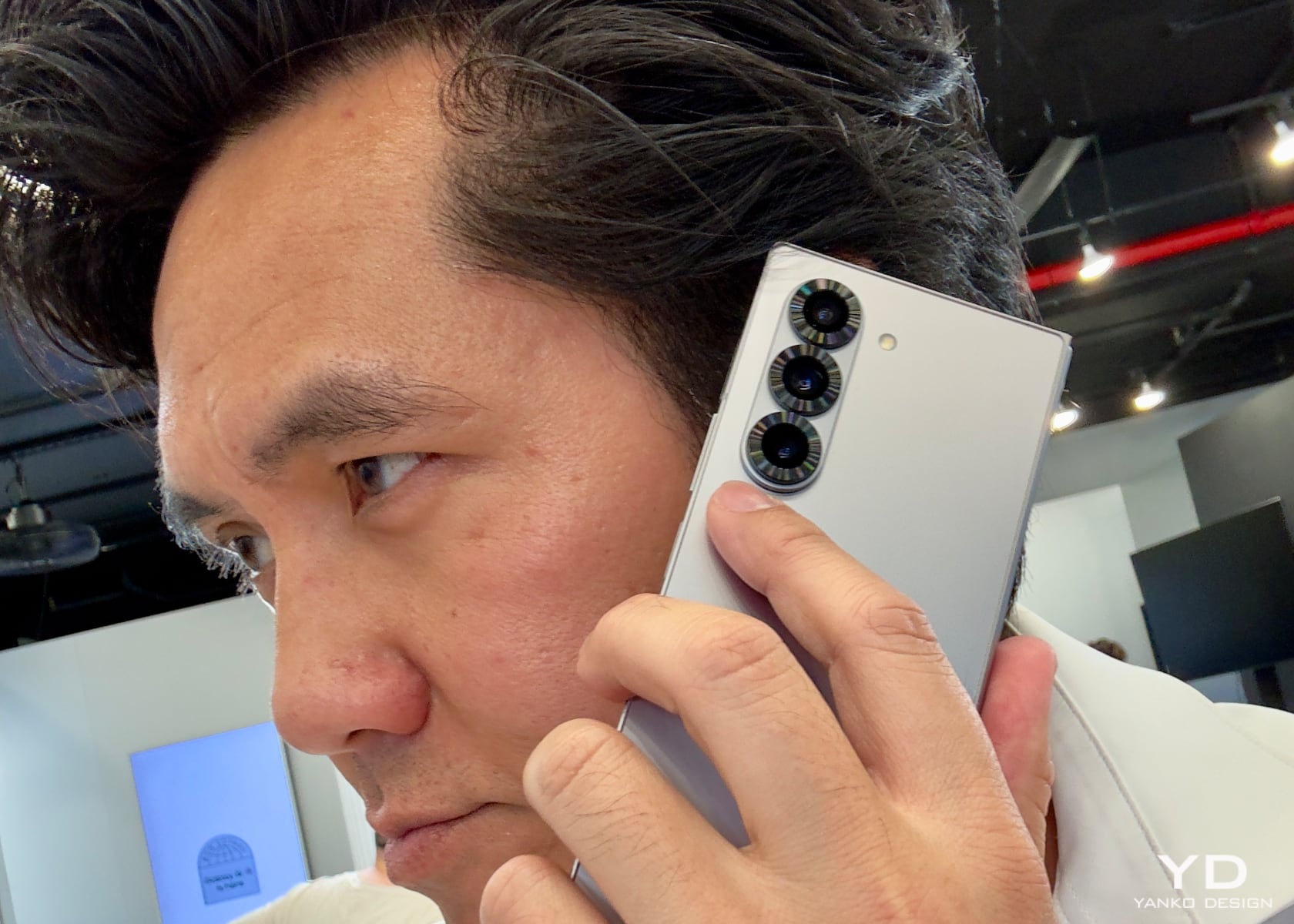
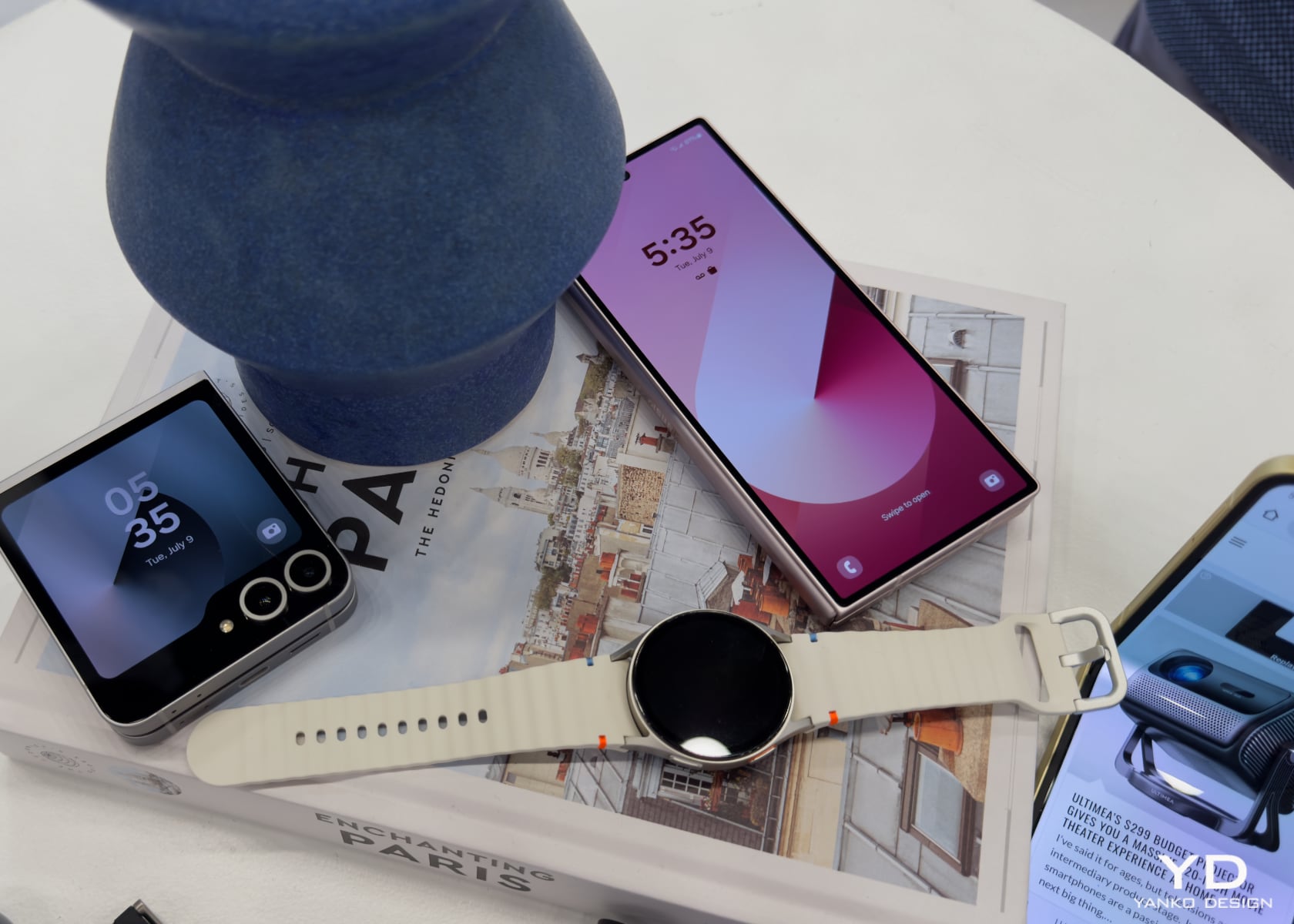
The Galaxy Z Flip6 is designed for those who value style and functionality. Its compact form fits easily into pockets and bags, making it highly portable. The 3.4-inch Super AMOLED FlexWindow offers a dynamic way to interact with the device even when closed. Holding the device, it’s clear that Samsung has prioritized both looks and usability, creating a practical and stylish device. The Flip6’s design refines the Flip5, making it easier to use and more appealing.
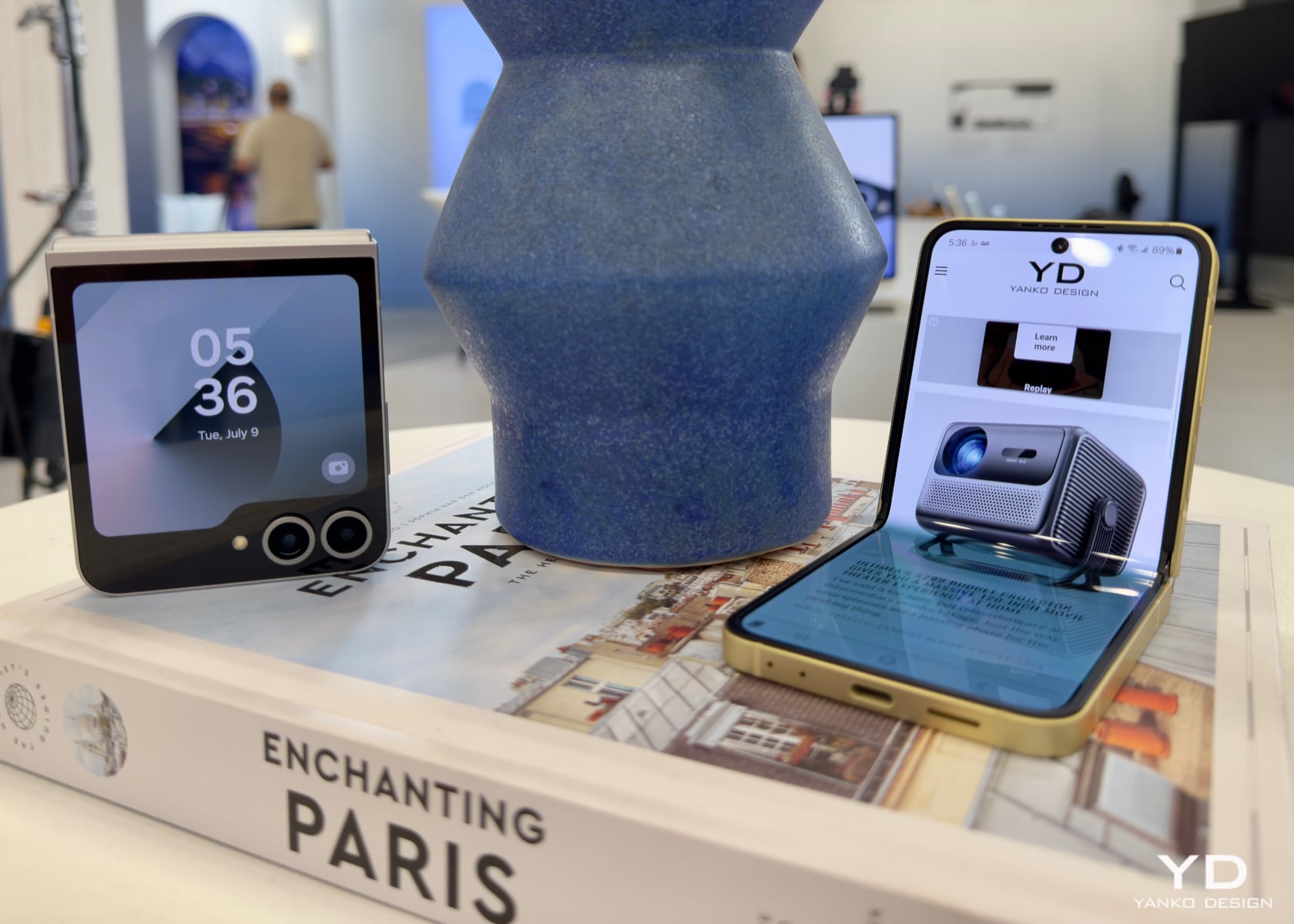
The FlexWindow isn’t just for notifications; it supports interactive and photo ambient wallpapers that change based on the time and weather. This feature adds a personal touch to the device, allowing users to express their style directly on the cover screen. The interactive wallpapers respond to touch or movement, making the user experience more engaging. Experimenting with these features and seeing the wallpapers react in real time was interesting. This feature builds on the functionality of the Flip5’s external display, offering more customization options.
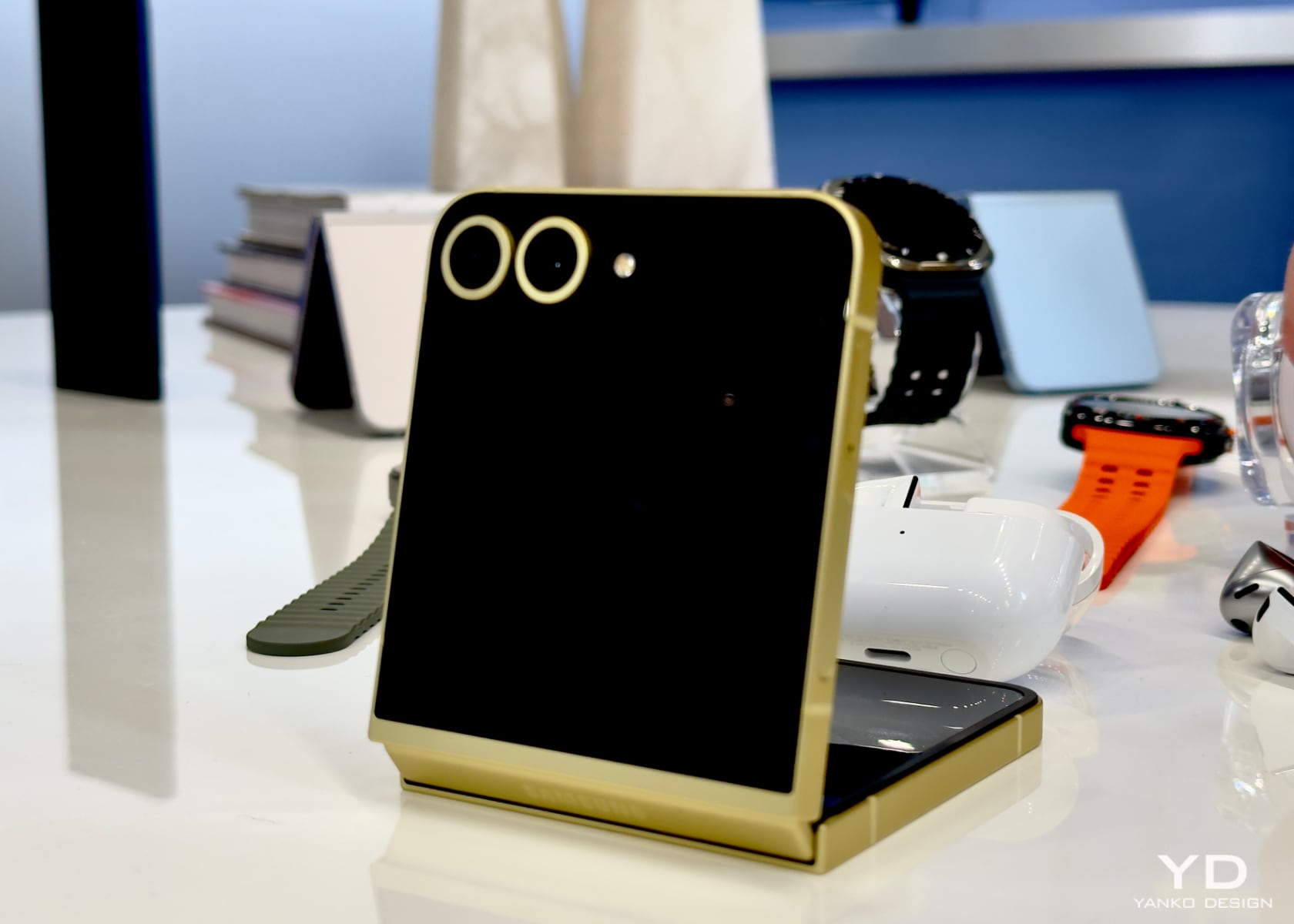
Customization is central to the Galaxy Z Flip6. Users can create unique wallpapers using the generative wallpaper feature, which allows the creation of images based on keywords. The device also offers wallpaper suggestions with diverse styles to suit individual preferences. During hands-on use, setting up and switching between these customizations was seamless. This level of personalization was more limited in the Flip5, making the Flip6 feel more unique.
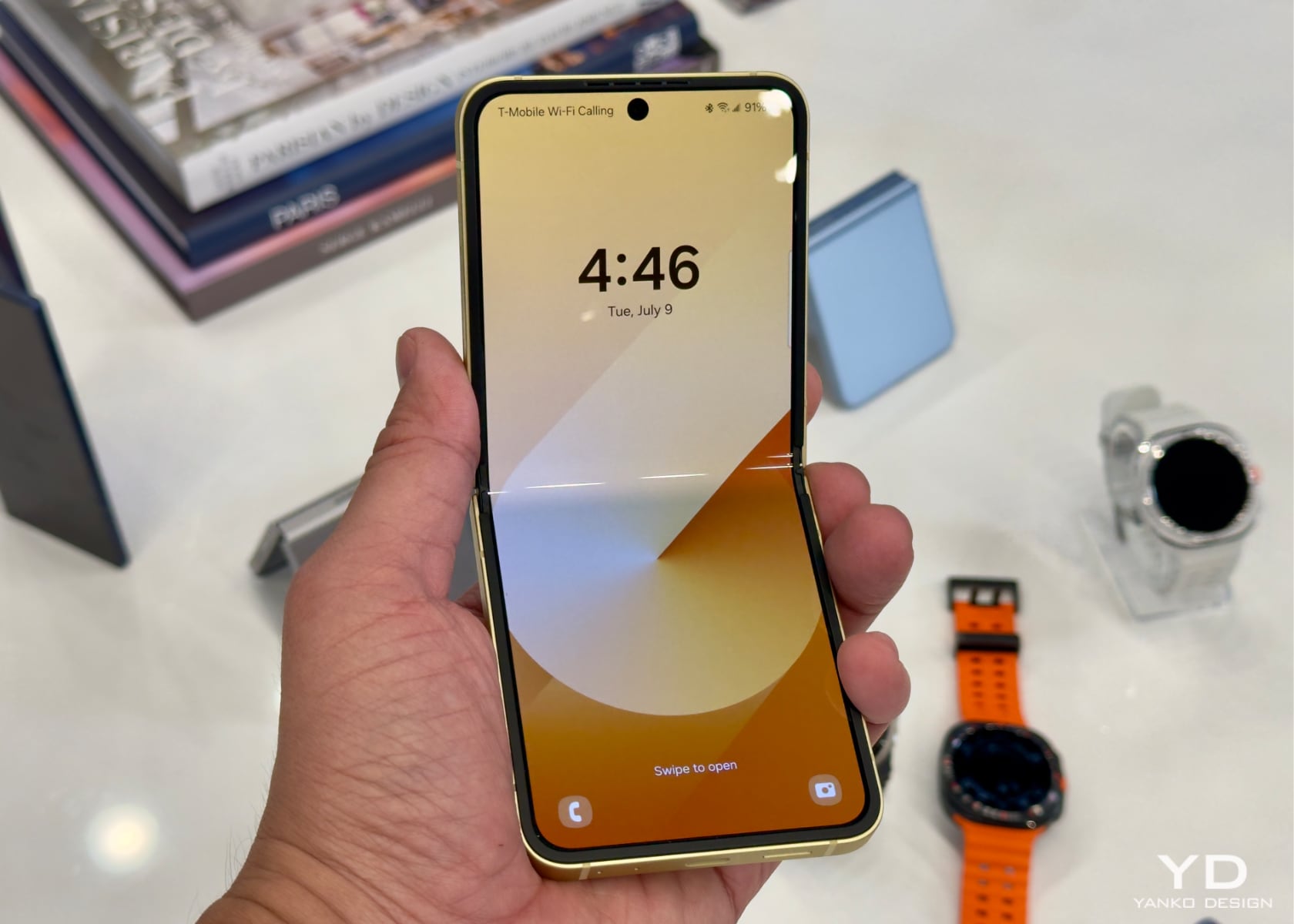
The Galaxy Z Flip6’s durability matches that of its Fold6 counterpart. It features the same enhanced Armor Aluminum frame and Corning Gorilla Glass Victus 2, ensuring it can withstand everyday use. The folding edge has been reinforced to resist pressure and sharp objects better. The Flip6’s durability improvements build on the Flip5, making it even more resilient.
Specs and Features: Power and Intelligence

Their intelligent AI features set the Galaxy Z Fold6 and Z Flip6 apart. These capabilities enhance productivity, creativity, and user experience.

The Snapdragon 8 Gen 3 Mobile Platform, optimized for AI processing, is the core of these devices. This processor enhances performance and enables a host of AI-driven features that make everyday tasks more efficient.

The Galaxy Z Fold6 boosts productivity with AI-powered tools. Samsung’s Note Assist in Samsung Notes offers translation, summaries, and auto-formatting for meeting notes. The embedded transcript feature can transcribe, translate, and summarize voice recordings directly in Notes. PDF overlay translation allows for seamless translation of texts within PDF files, even supporting texts in images and graphs. Composer in Samsung Keyboard generates suggested text for emails and social media posts based on simple keywords, reflecting your tone by analyzing previous posts. These AI tools are more advanced than those in the Fold5, providing a smoother user experience.

The enhanced S Pen experience on the Galaxy Z Fold6 allows access to convenient shortcuts by hovering the stylus over the screen. Smart Select expands the S Pen’s capabilities, offering features like translation, note-taking, and Sketch to Image, which provides image options based on your sketches. During hands-on use, these features made note-taking and content creation more intuitive. This is an improvement over the S Pen functionality on the Fold5, making the Fold6 more versatile for productivity.
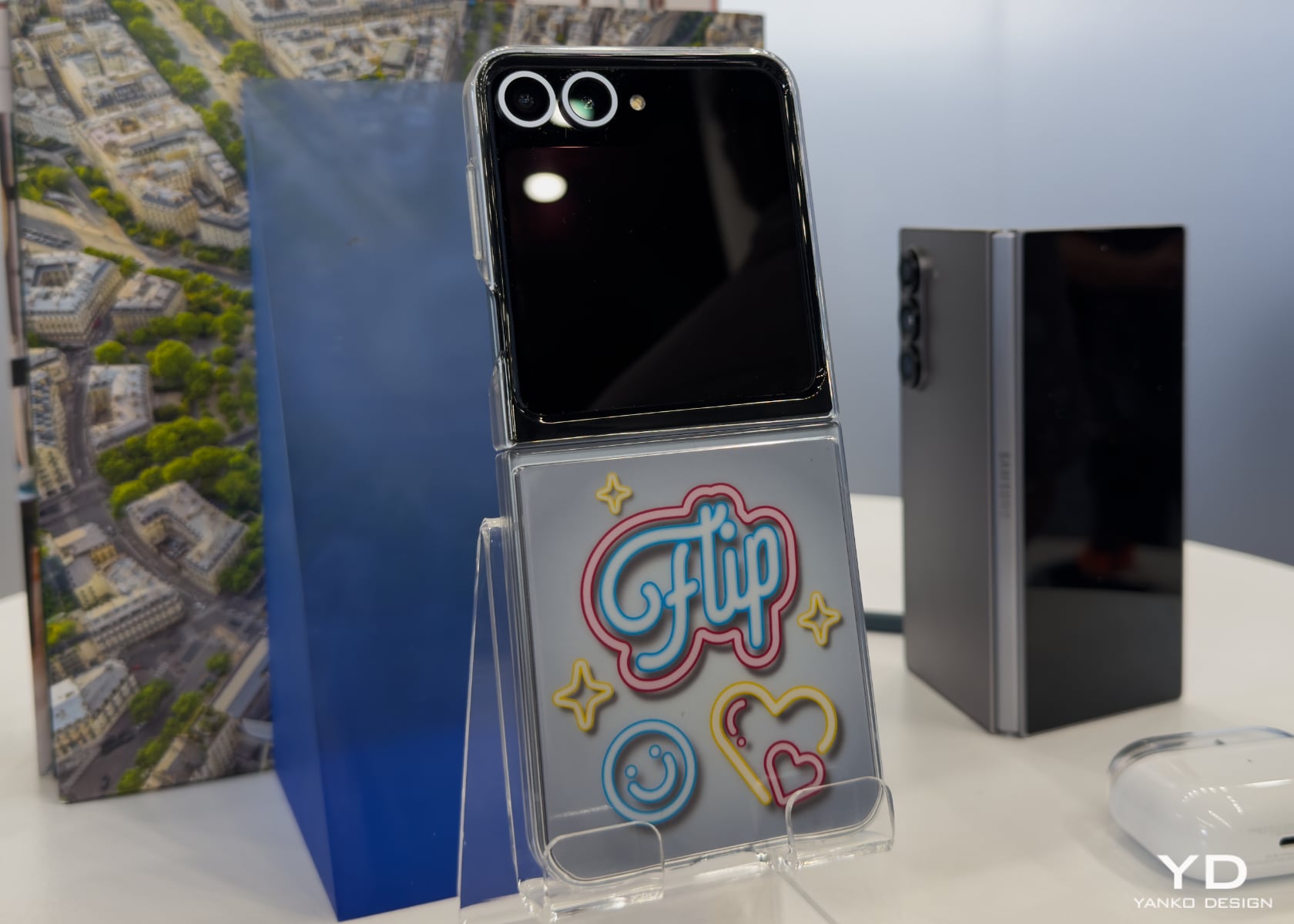
The Galaxy Z Flip6’s AI capabilities enhance user interaction and customization. The 3.4-inch Super AMOLED FlexWindow supports interactive wallpapers that change based on time and weather, offering a personalized touch. FlexWindow provides quick access to various indicators and widgets without unlocking the device. Users can manage health, SmartThings, reminders, and news updates seamlessly. These features build upon Flip5’s capabilities, offering more customization options and quick access to information.
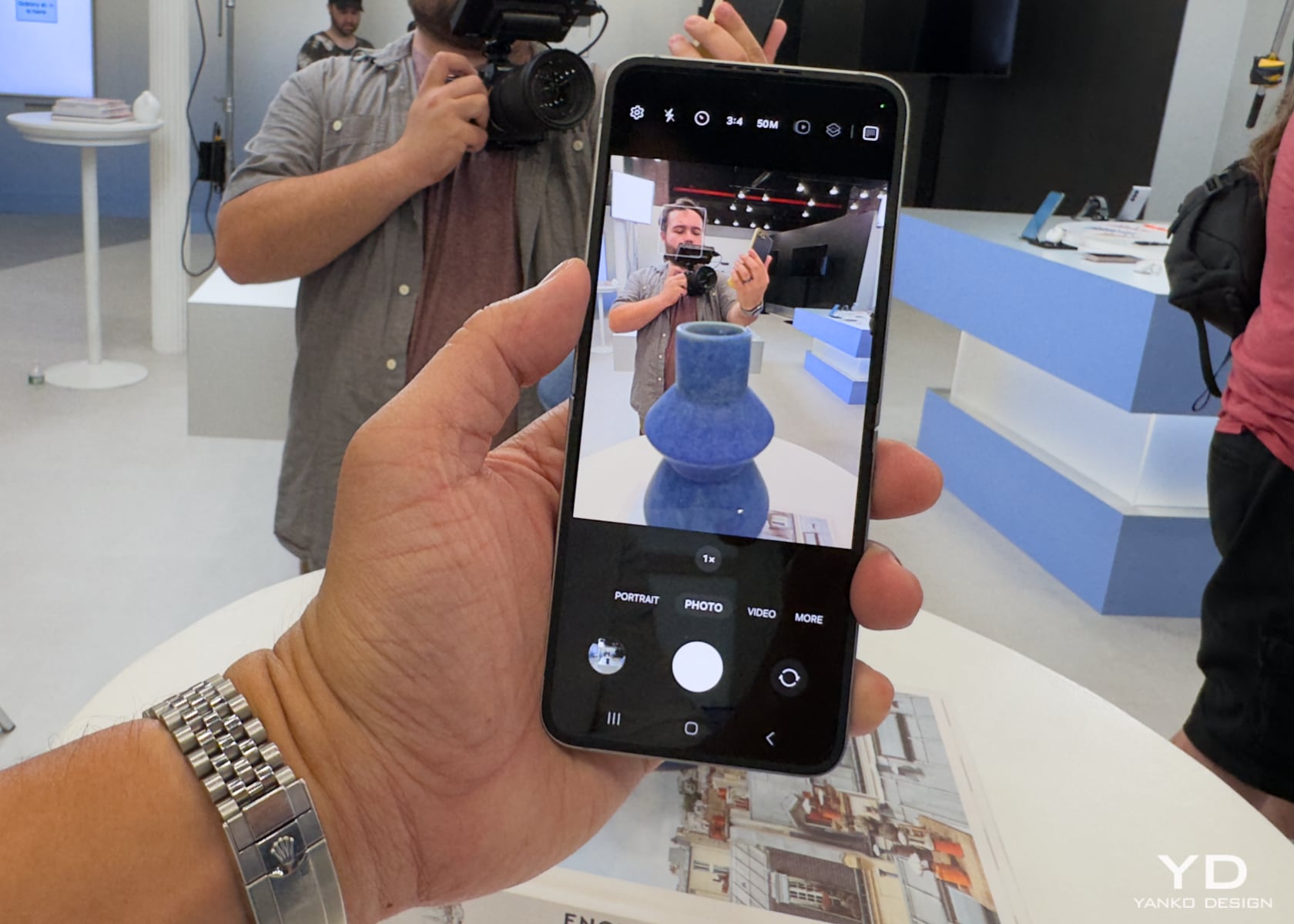
The generative wallpaper feature allows users to create unique wallpapers using keywords, adding a personal touch to the device. The suggested replies and interpreter mode make communication quick and efficient, with tailored responses and easy two-way translation using FlexMode. These features will be handy for anyone who needs it, making interactions more seamless. These AI enhancements make the Flip6 more intelligent and responsive than the Flip5.

The Galaxy Z Fold6 and Z Flip6 have AI-powered camera features. The FlexCam on the Galaxy Z Flip6 offers clear selfies and crisp AI zoom with its new 50 MP high-resolution camera and a 12 MP camera for enhanced low-light detail. The camera system on the Galaxy Z Fold6 includes a 10 MP cover selfie camera, a 4 MP under-display camera, and a rear triple camera setup. AI tools like ProVisual Engine and Photo Assist elevate photography, offering features like Portrait Studio and Instant Slow-mo. These camera enhancements provide a noticeable upgrade from the Fold5 and Flip5, particularly regarding AI capabilities and low-light performance.
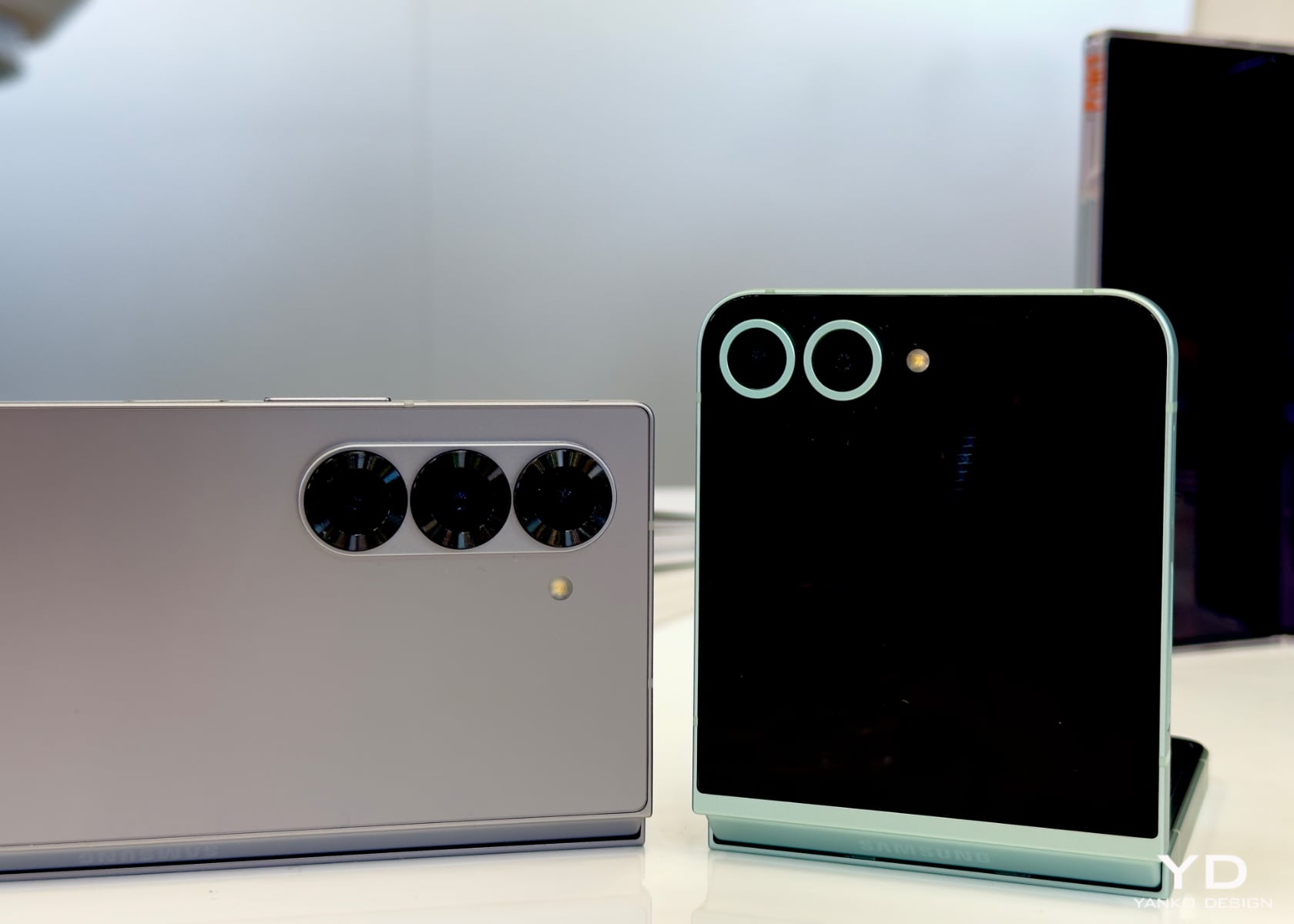
The Galaxy Z Fold6 enhances the gaming experience with its powerful chipset and 1.6x larger vapor chamber, supporting longer gaming sessions with detailed graphics and Ray Tracing. The 7.6-inch screen with up to 2,600 nits of brightness ensures an immersive gaming experience. The Galaxy Z Flip6 also supports a rich multimedia experience with its flexible display and AI-driven features, making it versatile for productivity and entertainment. These gaming and entertainment enhancements build on the performance of the Fold5 and Flip5.
Running on Android 14 with One UI 6.1.1, the Galaxy Z Fold6 and Z Flip6 offer seamless connectivity options, including 5G, LTE, Wi-Fi 6E, and Bluetooth 5.3. Samsung Knox with Knox Vault ensures your data is secure, providing advanced protection against cyber threats. The devices also feature Live Translate, which translates phone calls in real-time, and Interpreter mode, enhancing communication in multiple languages. As someone who travels frequently to Japan and China, I find these features particularly useful. Using third-party apps like Alipay or WeChat in Chinese with real-time translations has been incredibly convenient, making communication and transactions much smoother.

Value: Who Should Upgrade?

For users with Fold5 or Flip5, the differences between Fold6 and Flip6 may not be substantial enough to warrant an upgrade. The Fold6 and Flip6 are iterative updates, offering refinements rather than revolutionary changes. However, for those new to the foldable market or upgrading from older versions like the Fold3 or Flip3, the Galaxy Z Fold6, and Z Flip6 offer significant advancements in design, AI features, and overall performance, making them compelling choices.
The free storage upgrade offer is an added incentive for new buyers. Pre-ordering the Galaxy Z Fold6 can get you a free upgrade from 256 GB to 512 GB or 512 GB to 1 TB, available on Samsung.com and through select carriers and retailers. Additionally, pre-orders made by July 23 are eligible for up to $1,200 in trade-in value for the Galaxy Z Fold6 with an eligible trade-in.

Final Thoughts
The Samsung Galaxy Z Fold6 and Z Flip6 go beyond their sleek looks, representing the future of smart, user-friendly devices. Their AI features boost productivity, creativity, and overall user experience, making them perfect for everyday tasks. Whether you prefer the large display and productivity tools of the Galaxy Z Fold6 or the stylish flexibility and customization of the Galaxy Z Flip6, these phones offer a seamless mix of technology and design. My hands-on experience with both devices highlights their versatility and intelligence, setting a new standard for what foldable phones can achieve.

The post Samsung Galaxy Z Fold6 and Z Flip6 Hands-On Review: Design, Features, and Performance Unveiled first appeared on Yanko Design.

Nothing CMF Watch Pro 2 Gets Unboxed (Video)

Nothing CMF Watch Pro 2

The Nothing CMF Watch Pro 2 is a compelling smartwatch that offers a range of features at an affordable price point of just £69. This budget-friendly device features a customizable design, a vibrant AMOLED display, comprehensive fitness and health tracking capabilities, and an impressive battery life of up to 11 days. The watch comes with […]

The post Nothing CMF Watch Pro 2 Gets Unboxed (Video) appeared first on Geeky Gadgets.

Amazon discounts the Echo Buds to only $25 ahead of Prime Day

Amazon Prime Day will officially be here on July 16, but we're already starting to see discounts pop up, particularly on Amazon's own devices. The Amazon Echo Buds are half off in this early Prime Day deal. The wireless earphones, already one of Engadget’s top picks for budget on-the-go buds at $50, are only $25 today. That’s a record low for the latest model, which arrived last year.

This latest iteration of the Echo Buds doesn’t plunge into your ear canals. Instead, the buds have a semi-open fit with a stem, similar to Apple’s standard AirPods. The Echo Buds include removable silicone ear covers (not tips) to help with grip and comfort without stuffing something inside your ear, which can be uncomfortable for some folks.

That means they lack noise cancelation, so don’t expect them to tune or block out the outside world (apart from your music drowning things out if it’s loud enough). This style works better for those who want to maintain awareness of their surroundings while avoiding the feeling of full ear canals.

The third-gen Echo Buds can last up to five hours per charge (up to six with Alexa’s wake-word detection disabled). However, their charging case adds another 15 hours, and you can add a quick two hours to the buds with a quick 15-minute charge.

Sound quality will be noticeably lower than that of competitors in the $200-ish range, but Amazon would’ve been performing miracles if it matched that. Instead, you get a perfectly solid sound profile (lacking a bit of bass) that performs beyond what you’d expect for $50 earbuds. At $25 today, it’s hard to imagine anything else coming close in that price range.

Your Prime Day Shopping Guide: See all of our Prime Day coverage. Shop the best Prime Day deals on Yahoo Life. Follow Engadget for Prime Day tech deals. Hear from Autoblog’s experts on the best Amazon Prime Day deals for your car, garage, and home, and find Prime Day sales to shop on AOL, handpicked just for you.

This article originally appeared on Engadget at https://www.engadget.com/amazon-discounts-the-echo-buds-to-only-25-ahead-of-prime-day-123058567.html?src=rss

New Renault Symbioz Starts at £29,295 OT

Renault Symbioz

The Renault Symbioz hybrid is set to transform the compact vehicle market with its impressive combination of versatility, advanced technology, and exceptional efficiency. As the latest addition to Renault’s renowned C-segment lineup, the Symbioz fills the gap between the popular Captur and the larger Austral models. This strategically positioned vehicle aims to cater to the […]

The post New Renault Symbioz Starts at £29,295 OT appeared first on Geeky Gadgets.

Cooler Master MasterLiquid 360 Ion CPU cooler

Cooler Master MasterLiquid 360 Ion

Cooler Master has launched its latest flagship CPU cooler, the MasterLiquid 360 Ion, which promises to transform the world of PC cooling. This advanced all-in-one (AIO) cooler is designed to provide exceptional cooling performance and customization options, making it a must-have for PC enthusiasts and gamers alike. Advanced CPU Cooling Technology The MasterLiquid 360 Ion […]

The post Cooler Master MasterLiquid 360 Ion CPU cooler appeared first on Geeky Gadgets.

Apple Podcasts vs. Pocket Casts (Video)

Apple Podcasts

When it comes to choosing a podcast app, you want to ensure that you have the best possible design, features, and user experience. In the video below, Stephen Robles compares two popular podcast apps, Apple Podcasts and Pocket Casts, focusing on these key aspects to help you make an informed decision. Design and User Interface […]

The post Apple Podcasts vs. Pocket Casts (Video) appeared first on Geeky Gadgets.

Microsoft and Apple give up their OpenAI board seats

Microsoft has withdrawn from OpenAI's board of directors a couple of weeks after the European Commission revealed that it's taking another look at the terms of their partnership, according to the Financial Times. The company has reportedly sent OpenAI a letter, announcing that it was giving up its seat "effective immediately." Microsoft took on an observer, non-voting role within OpenAI's board following an internal upheaval that led to the firing (and eventual reinstatement) of the latter's CEO, Sam Altman. 

According to previous reports, Apple was also supposed to get an observer seat at the board following its announcement that it will integrate ChatGPT into its devices. The Times says that will no longer be the case. Instead, OpenAI will take on a new approach and hold regular meetings with key partners, including the two Big Tech companies. In the letter, Microsoft reportedly told OpenAI that it's confident in the direction the company is taking, so its seat on the board is no longer necessary. 

The company also wrote that its seat "provided insights into the board's activities without compromising its independence," but the European Commission wants to take a closer look at their relationship before deciding if it agrees. "We’re grateful to Microsoft for voicing confidence in the board and the direction of the company, and we look forward to continuing our successful partnership," an OpenAI spokesperson told The Times.

Microsoft initially invested $1 billion into OpenAI in 2019. Since then, the company has poured more money into the AI company until it has reached $13 billion in investments. The European Commission started investigating their partnership to figure out if it breaks the bloc's merger rules last year, but it ultimately concluded that Microsoft didn't gain control of OpenAI. It didn't drop the probe altogether, however — Margrethe Vestager, the commission's executive vice-president for competition policy, revealed in June that European authorities asked Microsoft for additional information regarding their agreement "to understand whether certain exclusivity clauses could have a negative effect on competitors."

The commission is looking into the Microsoft-OpenAI agreement as part of a bigger antitrust investigation. It also sent information requests to other big players in the industry that are also working on artificial intelligence technologies, including Meta, Google and TikTok. The commission intends to ensure fairness in consumer choices and to examine acqui-hires to "make sure these practices don’t slip through [its] merger control rules if they basically lead to a concentration."

This article originally appeared on Engadget at https://www.engadget.com/microsoft-and-apple-give-up-their-openai-board-seats-120022867.html?src=rss

NoirG precision coffee grinder simplifies the preparation process

NoirG coffee grinder Kickstarter 2024

Coffee enthusiasts know that the secret to a perfect cup lies in the grind. The NoirG Coffee Grinder is here to transform your coffee-making experience with its precision and customizable options. Whether you’re a novice or a seasoned barista, this grinder offers advanced settings and built-in conveniences that cater to your every need. NoirG Key […]

The post NoirG precision coffee grinder simplifies the preparation process appeared first on Geeky Gadgets.

Top 10 Desk Gear To Achieve Heightened Productivity & A Streamlined Work Routine

It doesn’t matter where you’re working, whether at home or in a commercial life, both these scenarios involve a desk! A desk is probably one of the most important pieces of furniture in our modern lives, only because we spend the majority of our day on it. You may be typing away to glory, munching away on a snack, or simply fidgeting with a random object – you do end up spending hours on your desk. And hence, your desk must be neat, tidy, and uncluttered. Not only will this improve your work routine and productivity, but it will also help you maintain a clearer and more streamlined mindset. And, I’ve discovered that adding limited, quality, and innovative products to my desk setup can help me in achieving these goals! And we’ve curated a collection of smart and well-designed desk gear to help you achieve peak productivity. Happy working!

1. Magic Bar

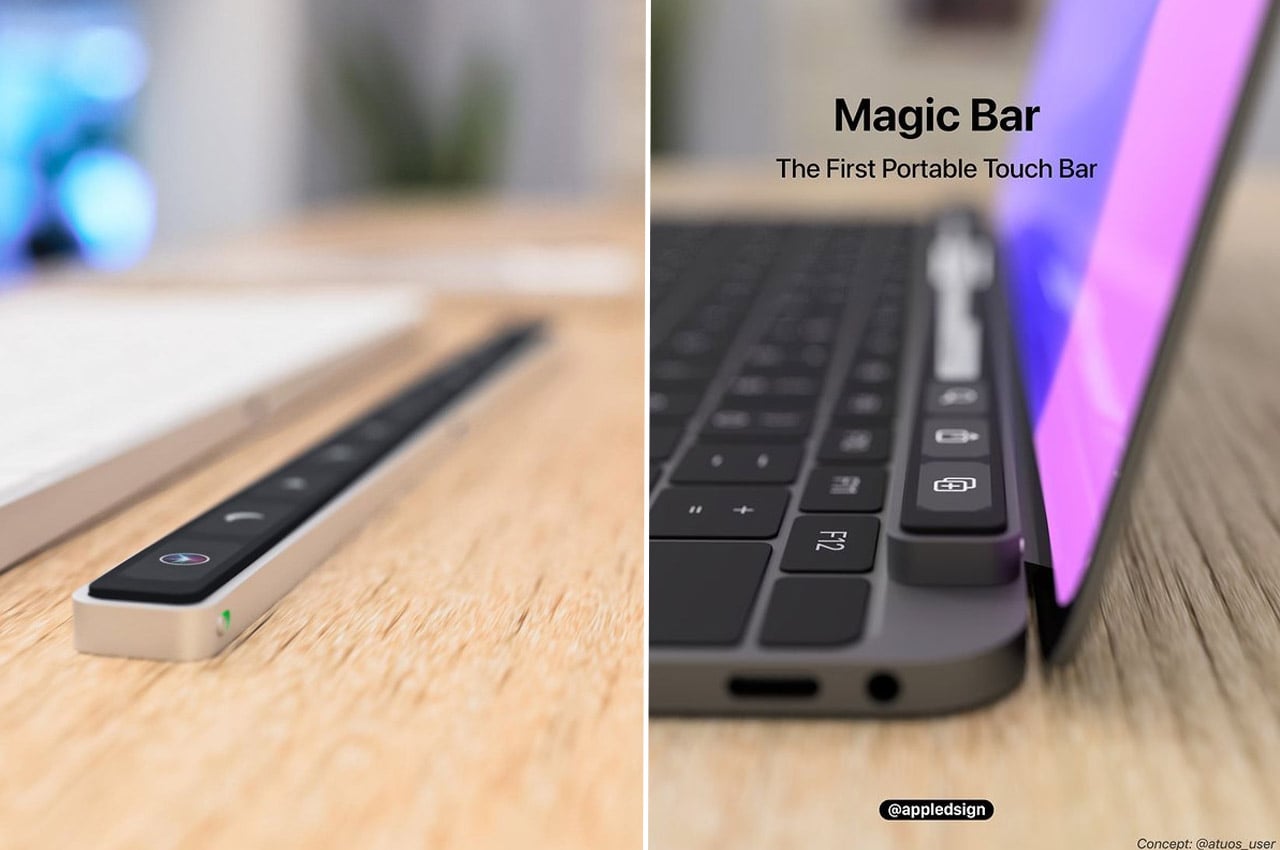
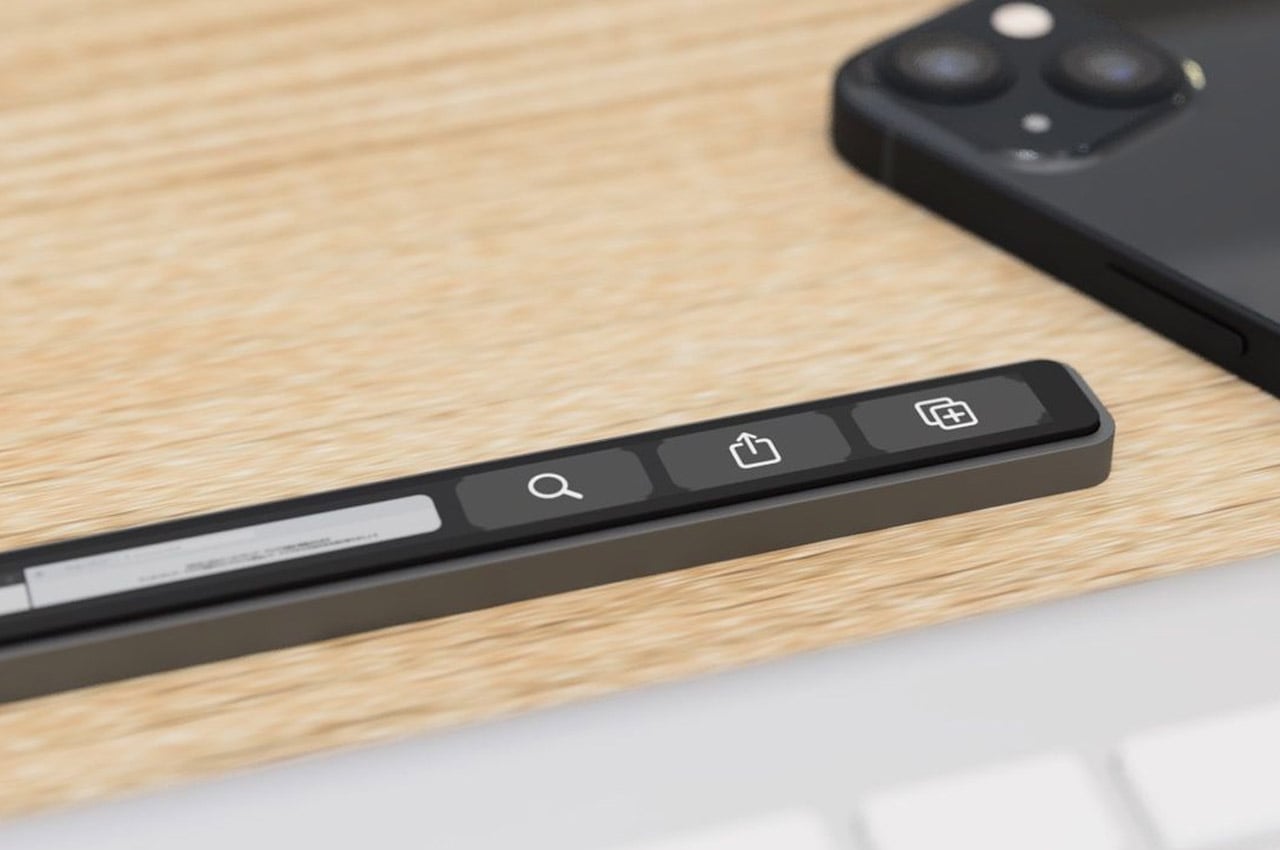
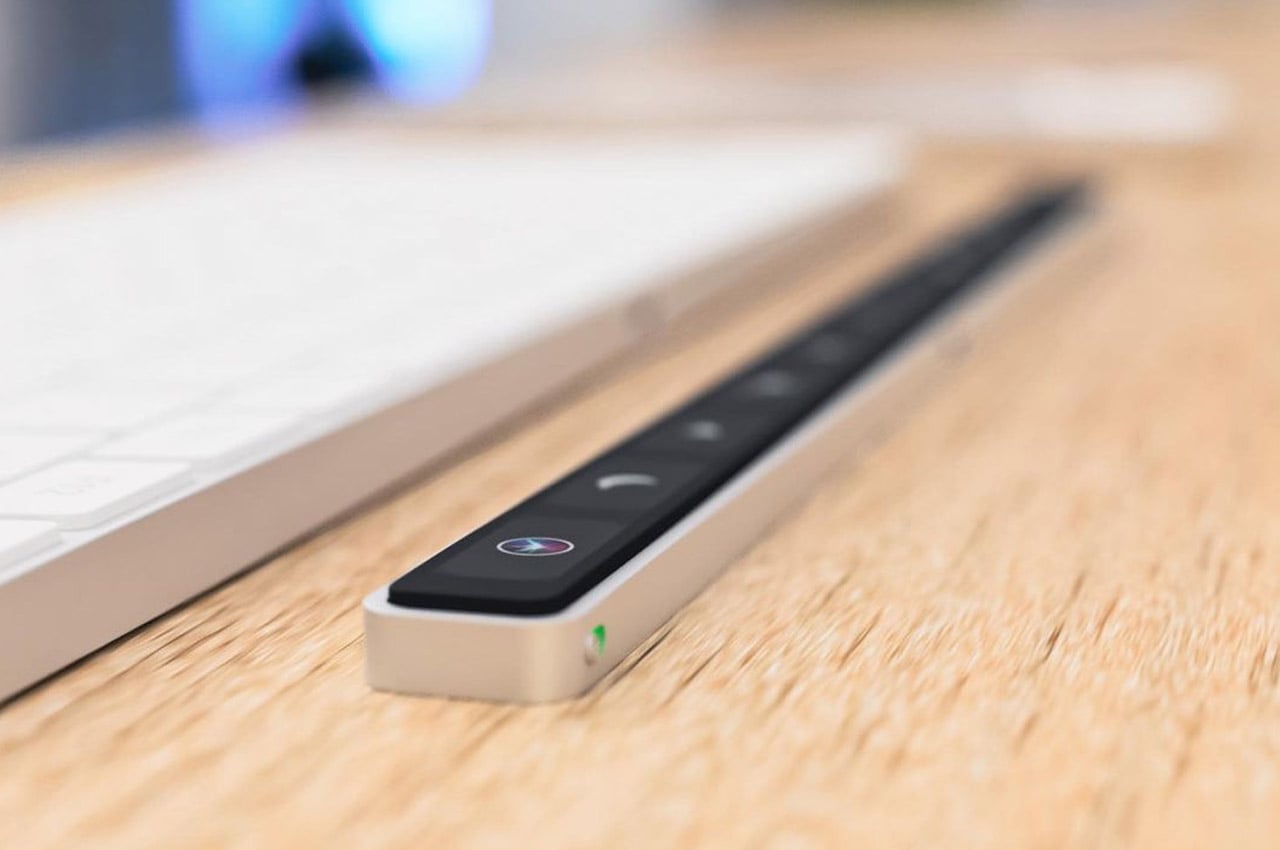
Dubbed the Magic Bar, this portable Touch Bar can be partnered up and used with any Apple peripheral. The device is sleek, seamless, easy to carry, and pretty similar to the Touch Bar if you consider functionality and features. The design of the Magic Bar is recognizable and intuitive as well.

Why is it noteworthy?

The Magic Bar can easily aligned horizontally with your keyboard. You can even pair up the Magic Bar with your iPhone, building and creating multiple smart home shortcuts, which can be used for heightened productivity and efficiency.

What we like

  • It can be easily carried in the backpack with your gear

What we dislike

  • It is a conceptual design, so we don’t know how well it will translate into a real product

2. Levitating Pen 3.0

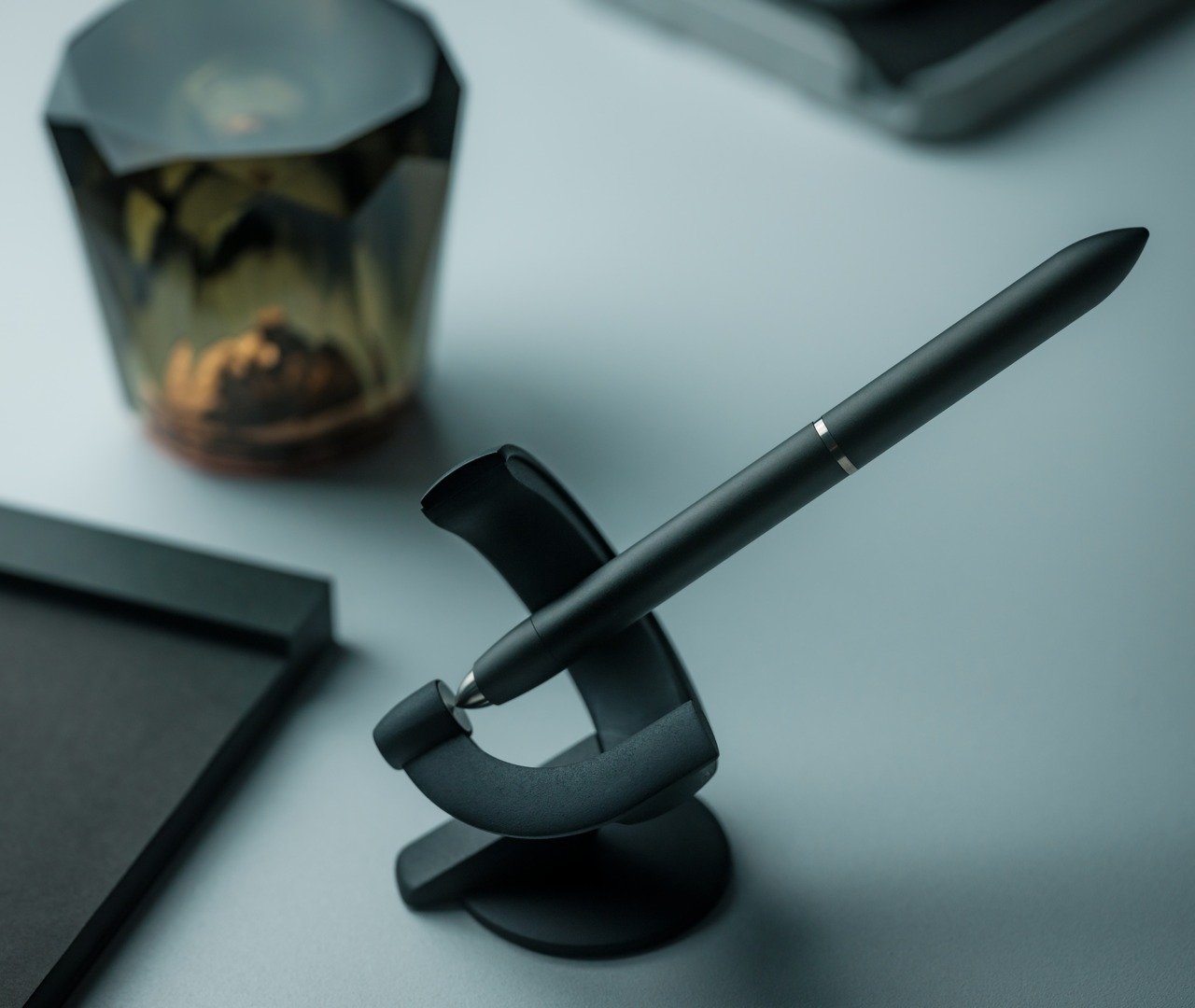
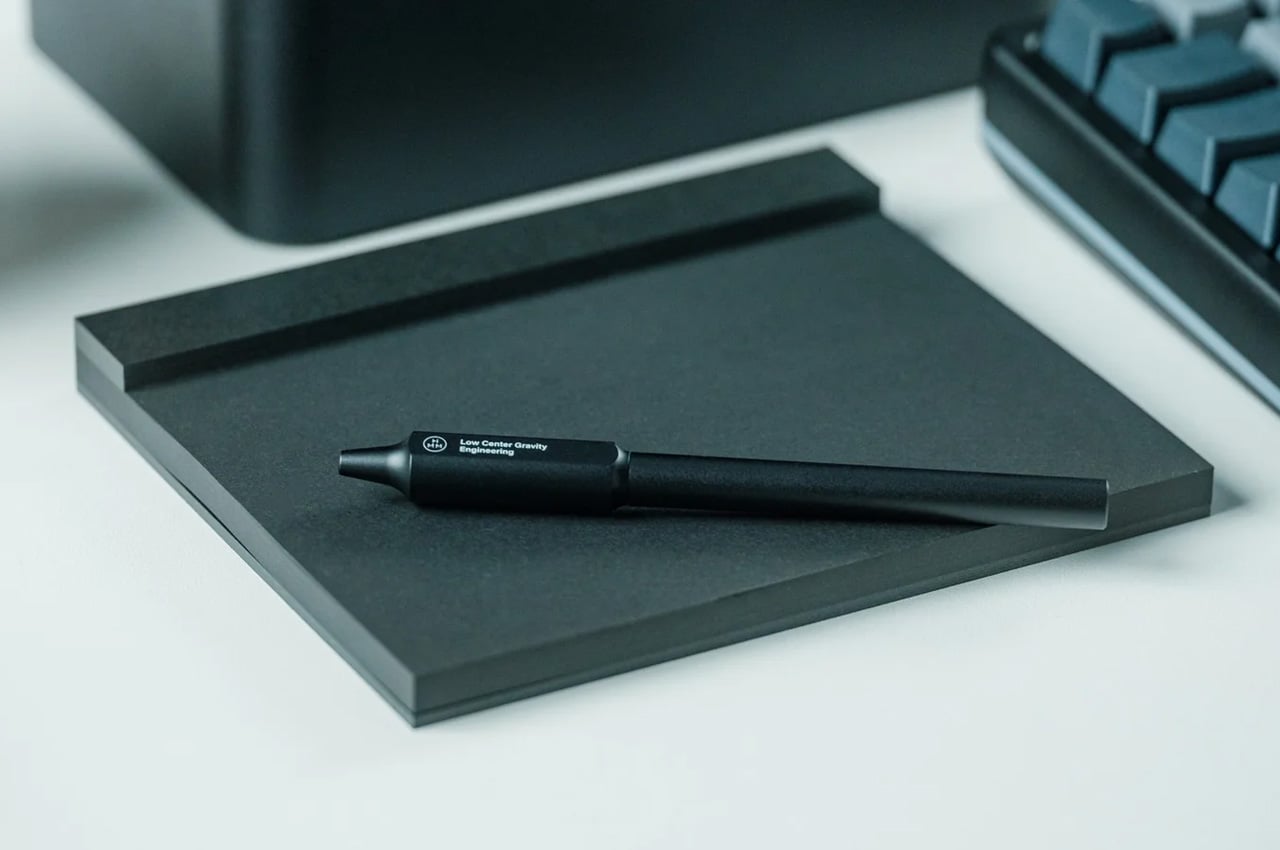
Named the Levitating Pen, this sleek writing accessory is equipped with a Schmidt ballpoint cartridge, which lets you hold it with ease, allowing you to write smoothly. The pen has a 60-degree angle which can be placed in the specially designed stand, and reminds you of a spacecraft floating in the galaxy.

Click Here to Buy Now: $129

Why is it noteworthy?

The pen is quite good-looking, and it can be placed in its magnetized holder, which keeps it floating in position. Give the pen a little twist, and it spins for 20 seconds, allowing you to have a playful experience with it.

What we like

  • Easy and sturdy to hold and use
  • Spinning the pen can be a fun stress-busting activity for you

What we dislike

  • When placed on a curved surface the pen can easily roll off, so you need to keep it aside with care

3. PAL Desk Clock

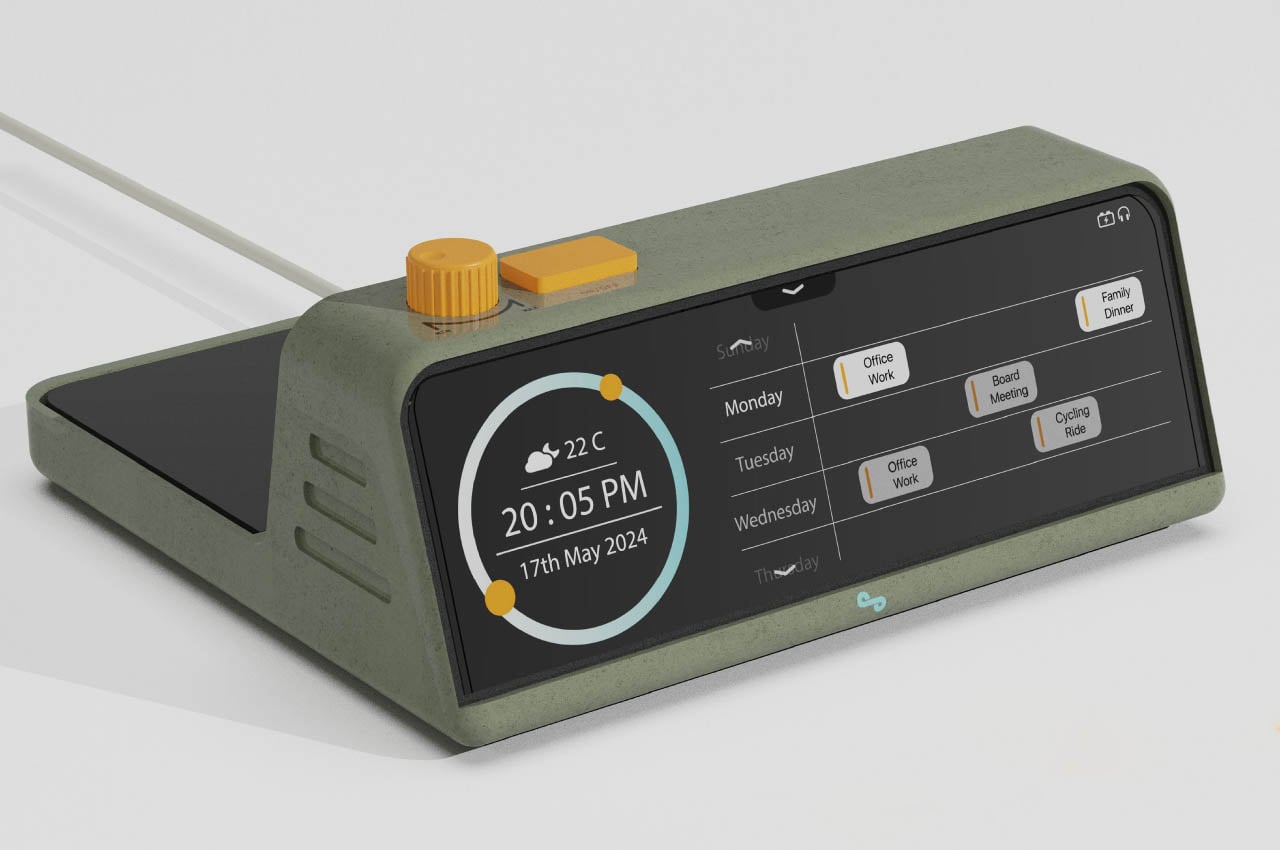
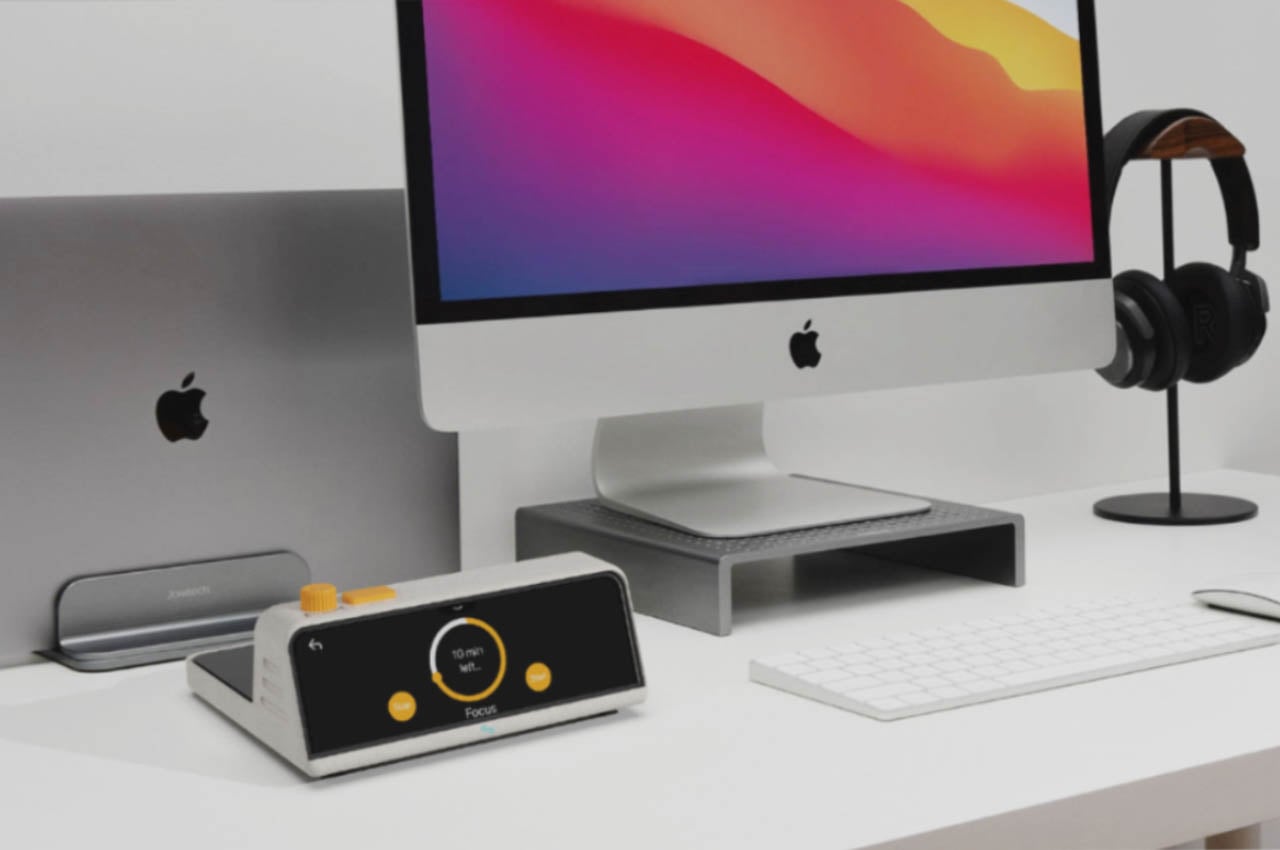
Named the PAL Desk Clock, this desk accessory is designed to help people work on their desktops, without getting distracted by unwanted objects and mediums. It keeps you updated with the important notifications while eliminating the unnecessary ones. It has a dedicated widget space for the most needed apps.

Why is it noteworthy?

The handy gadget includes five main functions – focus sessions, timekeeping, music playback, and wireless charging. The desk clock also has a calendar and a temperature sensor, as well as a wide display on which you can customize the widgets like weather, music playback, and calendar schedules.

What we like

  • Features a wireless charging pad that can be positioned on the back

What we dislike

  • It is a conceptual design, so we are unsure how well it will translate into a tangible product

4. Japanese Drawing Pad

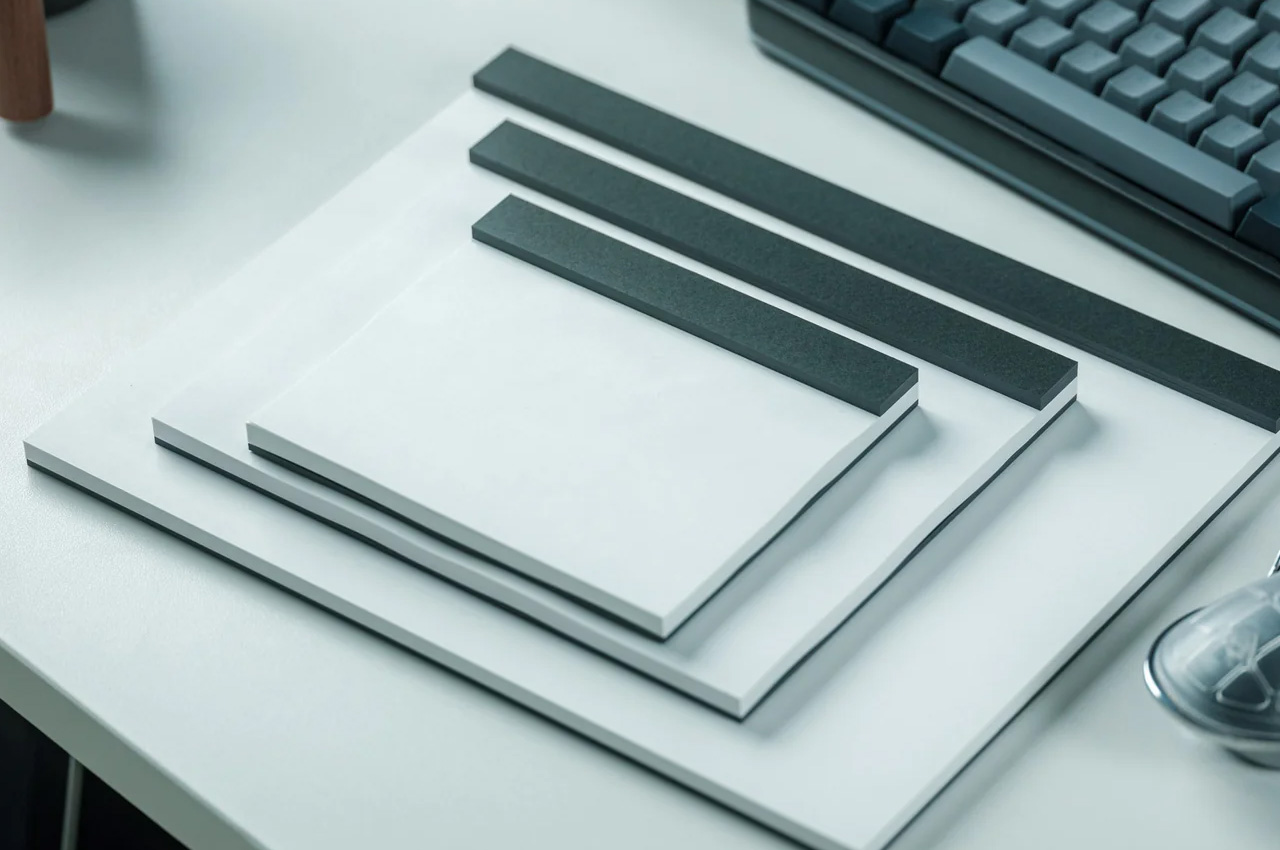
Named the Japanese Drawing Pad, this desk accessory is made of Japanese paper, which is renowned for its premium quality paper. Japanese paper is much loved by artists and designers, and if you wish to incorporate some Japanese paper to your workdesk, you need to purchase the Japanese Drawing Pad.

Click Here to Buy Now: $26

Why is it noteworthy?

You can jot down your thoughts and ideas on this premium-quality pad, without causing any damage to the durable paper fibers. The pad offers you a relaxing and intuitive writing experience.

What we like

  • The paper in the pad is micro-perforated
  • It is available in different colors and sizes, so you need to pick one that suits your needs

What we dislike

  • It may look like an ordinary pad, but the high quality can only be experienced

5. Nemonic Gen 2

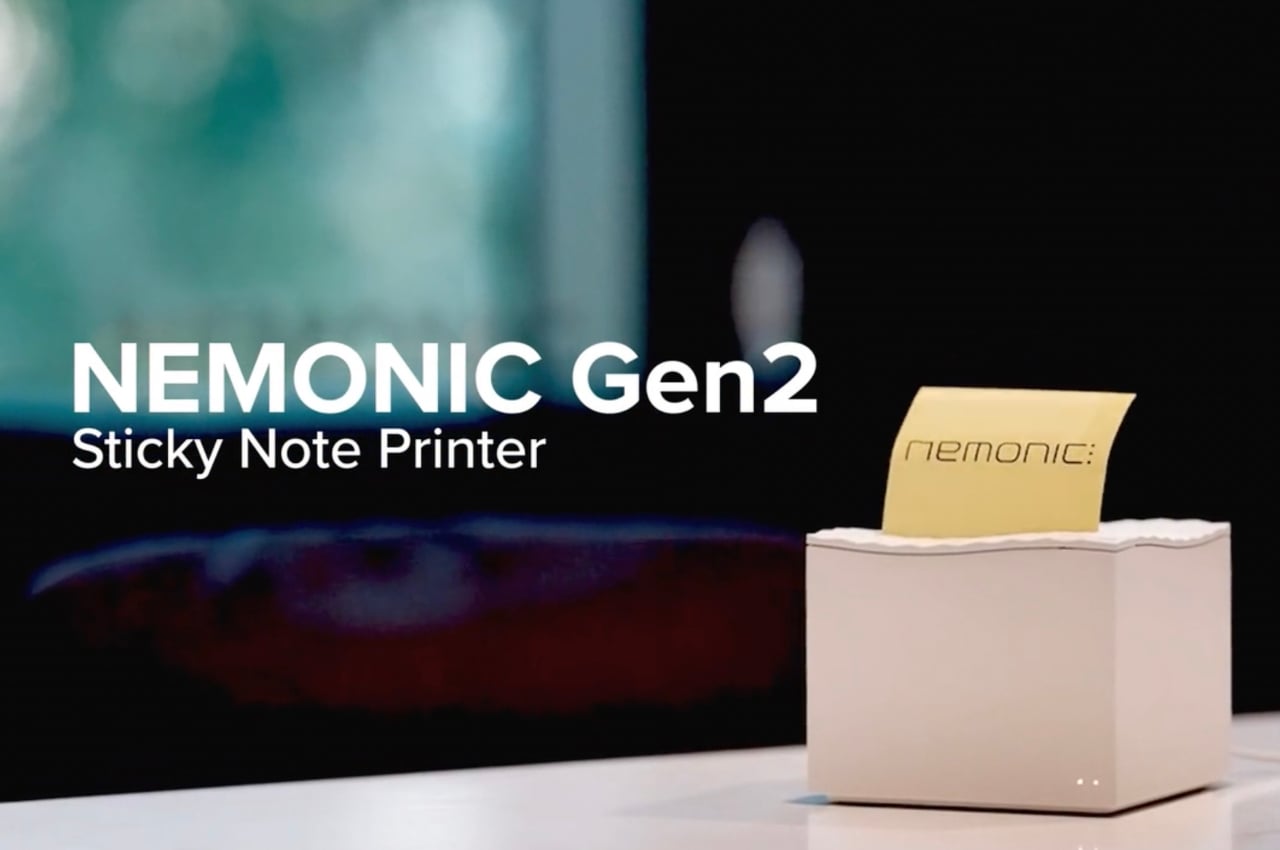
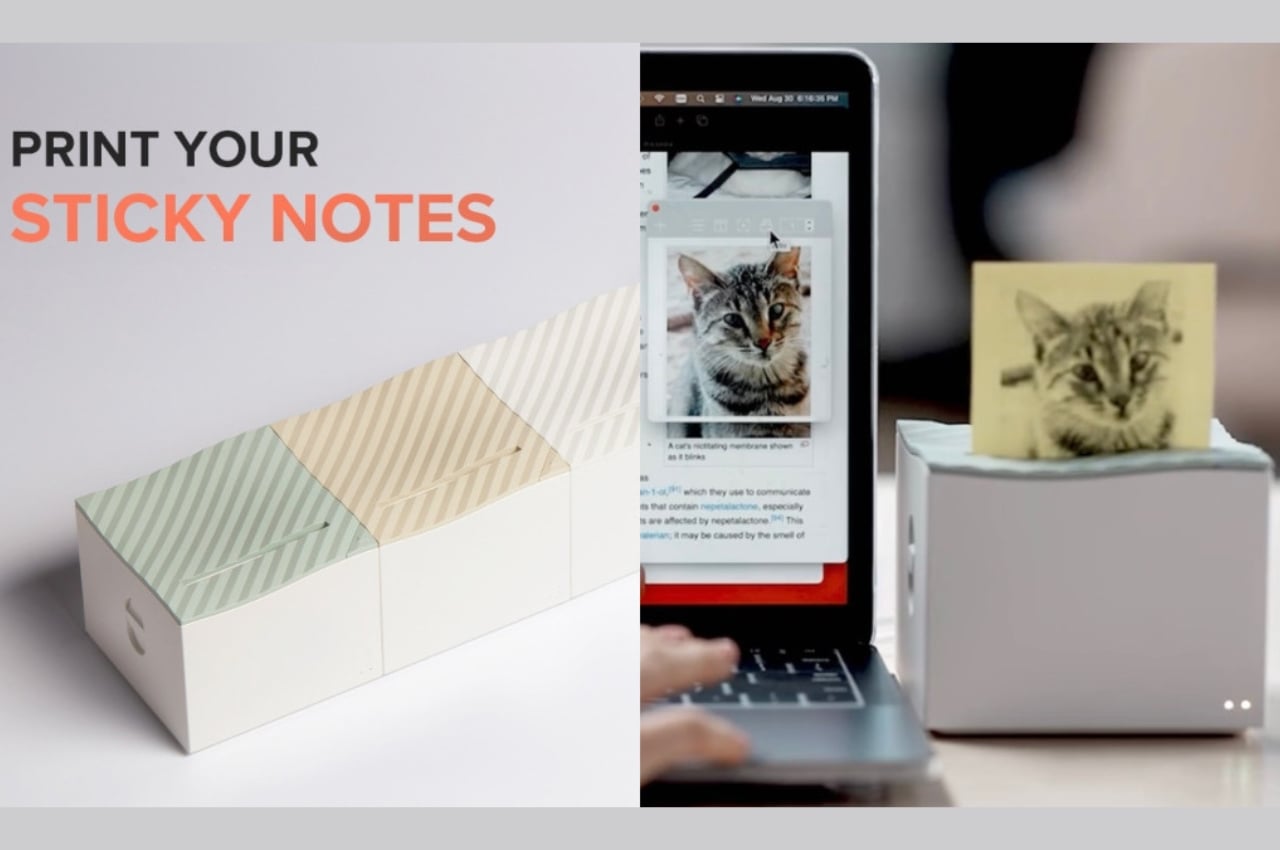
Meet the Nemonic Gen 2 – an inkless, thermal and wireless printer that allows you to quickly and efficiently print your notes or even images on Ultra Sticky Notes! Since these notes are ultra-sticky, they won’t fall off with ease, and you can use them to capture important details and thoughts.

Why is it noteworthy?

You can connect the compact little printer to your desktop, and mobile device, so you can print out notes you may have written, drawn, or typed. It can be teamed up with the Microsoft Office apps, Slack, and Zapier too, facilitating heightened productivity.

What we like

  • You can print notes directly, and it includes a de-curl feature too

What we dislike

  • They don’t sell refills individually at this point, which is inconvenient if you run out of the notes

6. MagBoard Clipboard

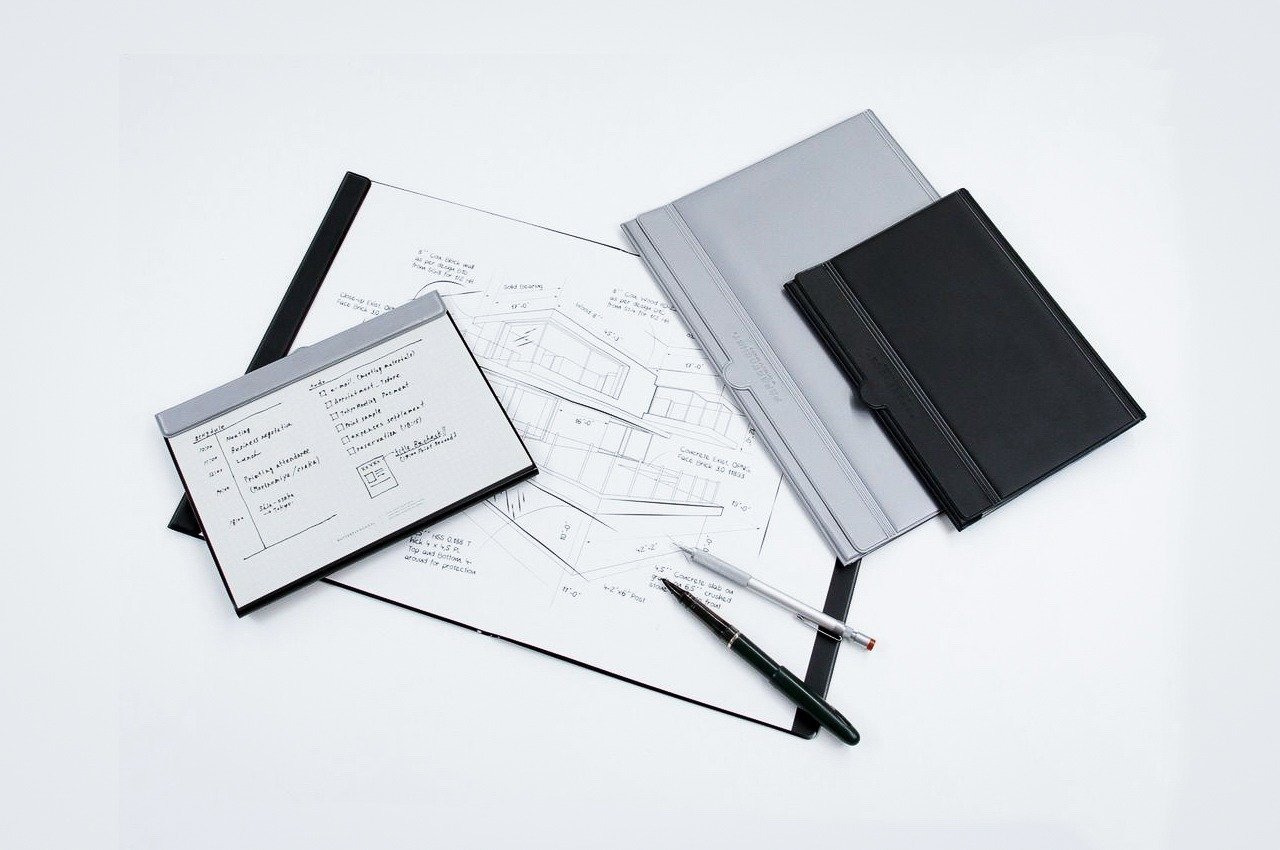
Meet the MagBoard Clipboard – this unique desk accessory is minimal and flexible and is designed to be a cutting-edge notepad/clipboard hybrid. It utilizes a magnet and lever mechanism which can be used to hold your sheets securely in place. This notepad is great for capturing your ideas and thoughts as they flow freely.

Click Here to Buy Now: $45

Why is it noteworthy?

The one-of-a-kind accessory redefines the traditional notepad, and it allows users to tailor and customize their note-taking experience without the typical constraints of a conventional notebook.

What we like

  • It features a lightweight and compact form and can be used both at home or while traveling
  • Magnets and levers hold the papers securely

What we dislike

  • Best used with specific sizes, which may not suit everyone’s needs

7. Painless Key Ring

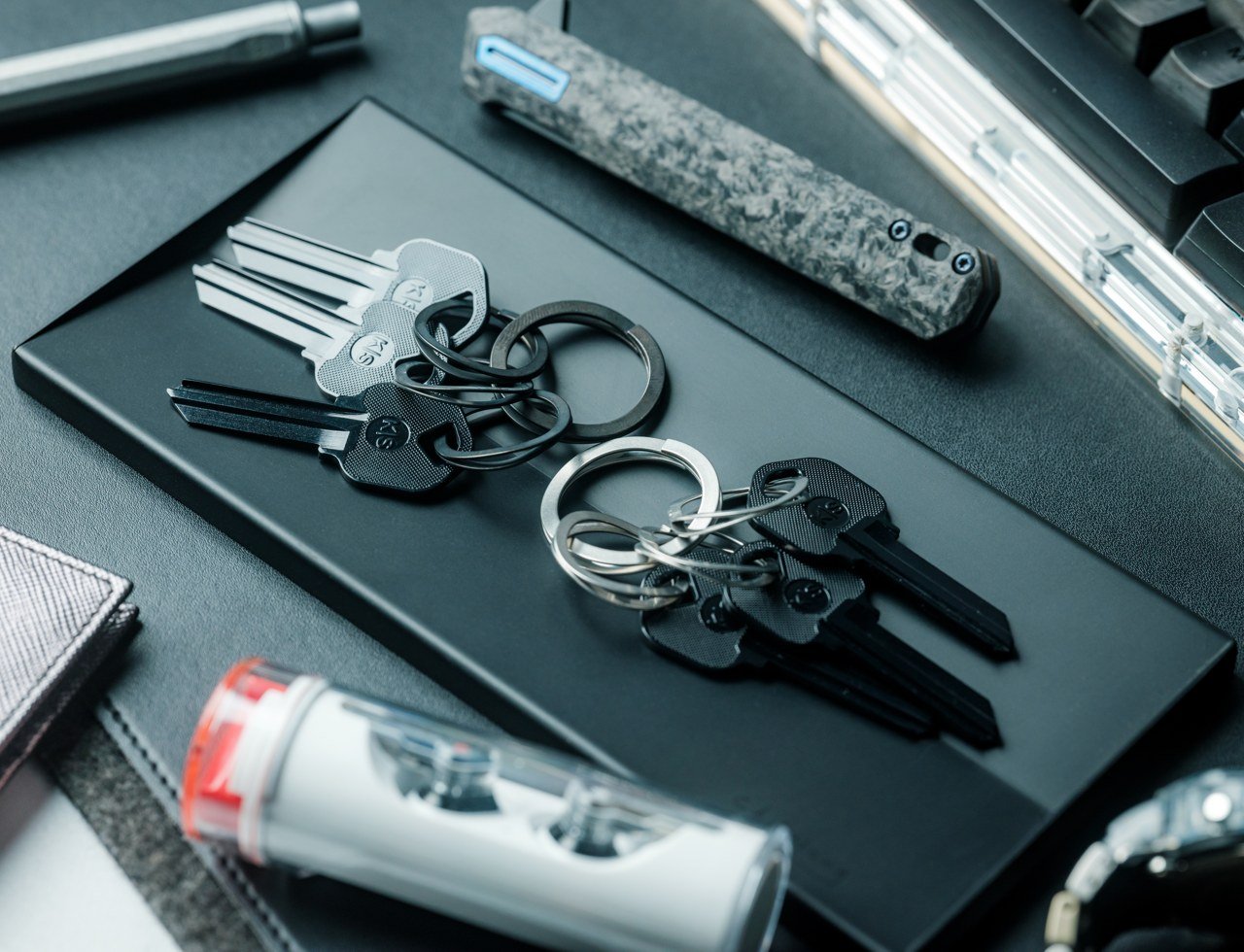
You can now bid adieu to the issue of traditional key rings, and adopt the Painless Key Ring with its revolutionary wave spring key ring. It draws inspiration from the mechanisms used in the aerospace industry. You have a smooth and seamless way of managing your keys without any of the hassle.

Click Here to Buy Now: $25

Why is it noteworthy?

You can organize your keys using a high-tech and sturdy design which ensures your keys are always accessible. It features a lightweight and compact form, which ensures your keys are always organized and safely with you.

What we like

  • Uses a wave spring technology to easily add and remove keys
  • You don’t have to deal with tight or deformed key rings

What we dislike

  • Since it has an advanced design, it is more pricier

8. Lon:HUB

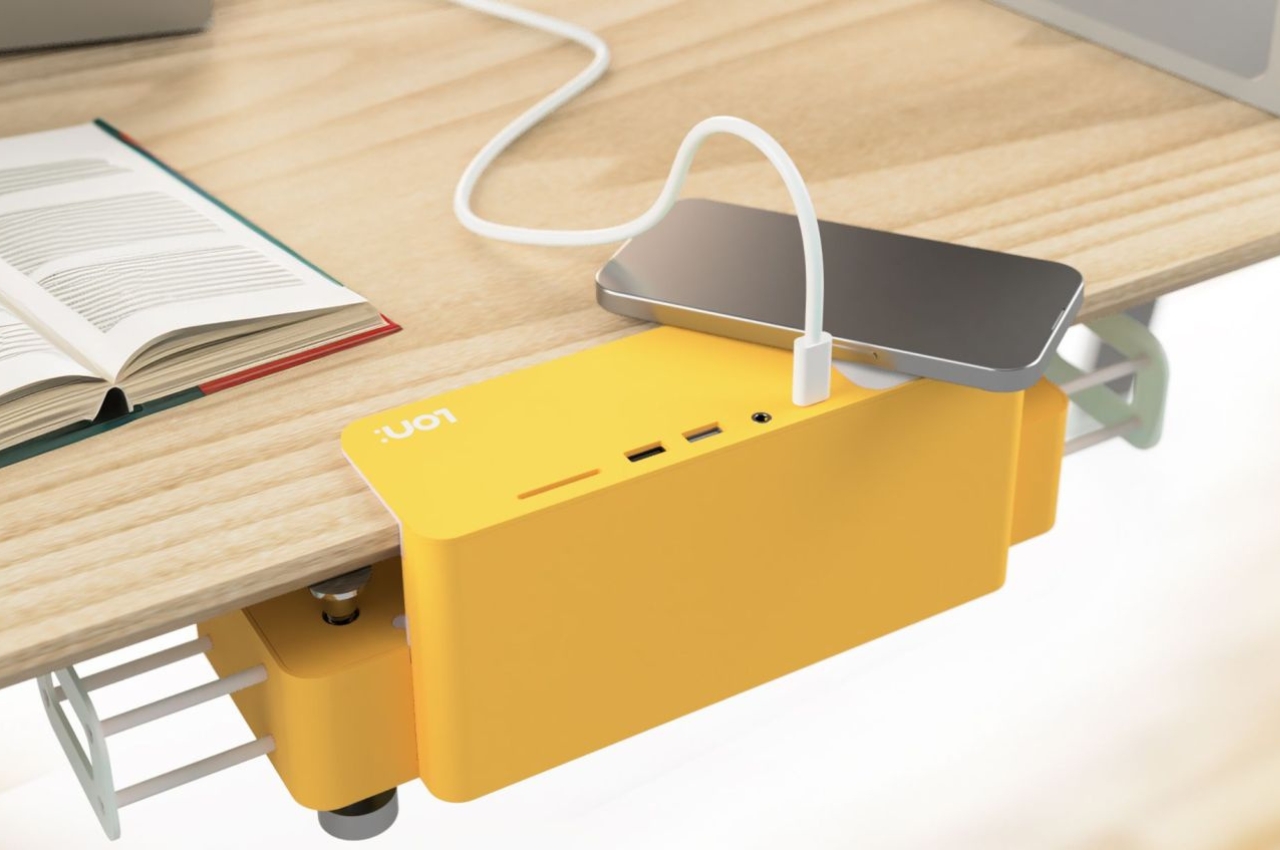
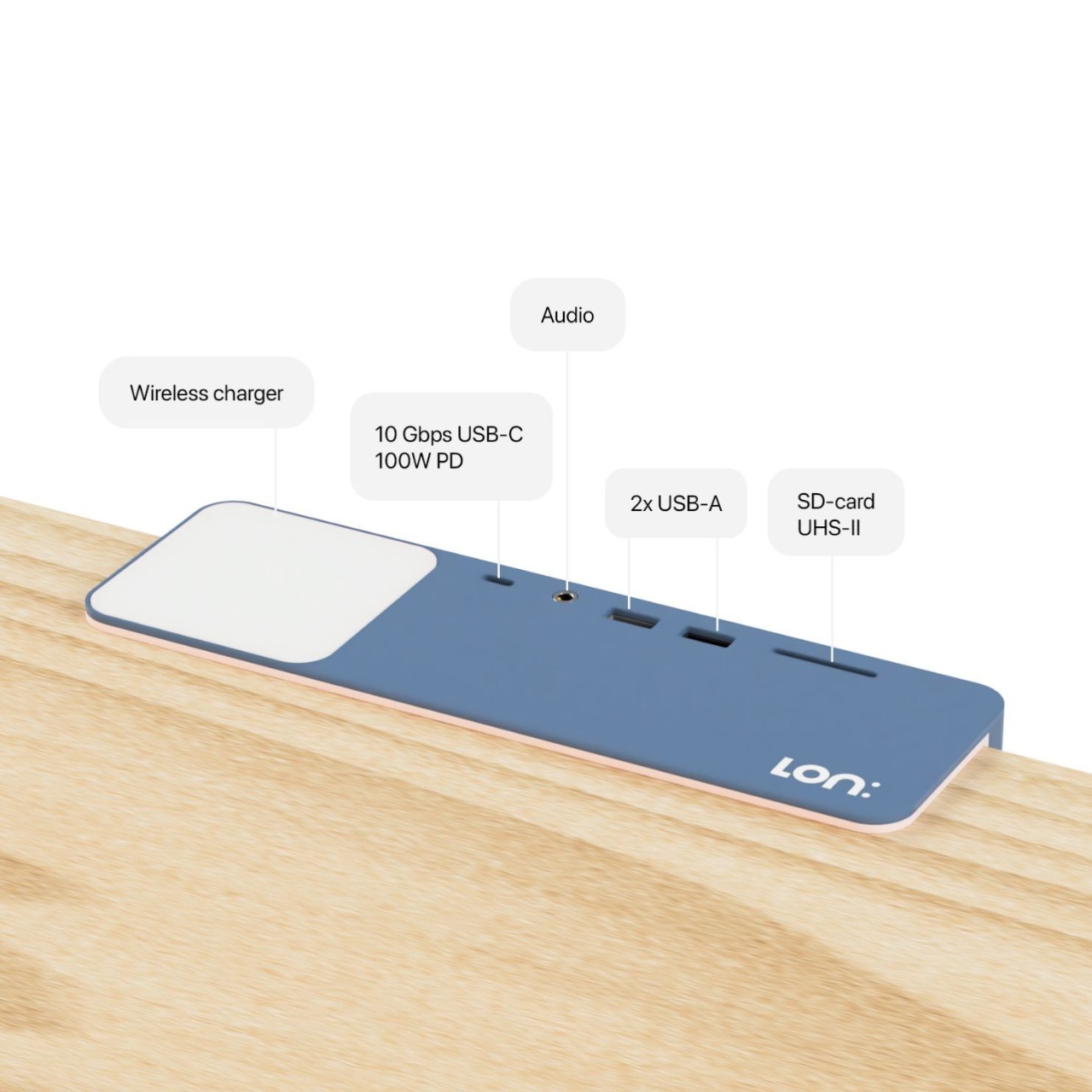
Called the Lon:HUB, this docking hub offers your desk a cleaner and more concise appearance while providing you with all the outlets and ports that you need. The ports and sockets can be connected under your desk, and also on top of your space. Below the desk, you have 5x 110V AC sockets, 2x HDMI 2 display ports, and 2x arms where you can wrap your cords.

Why is it noteworthy?

The edge of the desk holds the hub which has a 10 Gbps USB-C 100W port, 2x USB-A ports, a SD card slot, and also a wireless charger landing pad.

What we like

  • There is a Pro version available as well, if you need a more powerful unit

What we dislike

  • Only works on tables with flat edges

9. DESKRISK

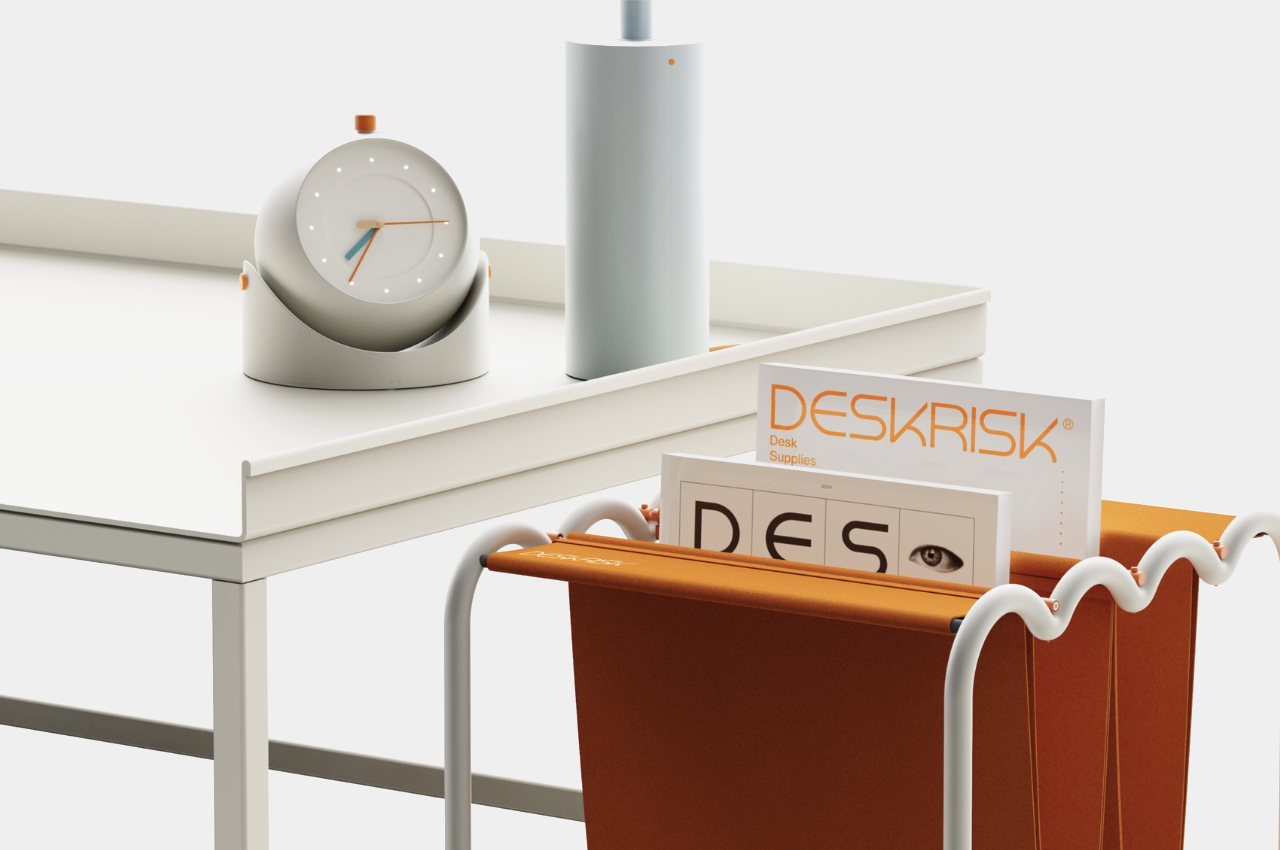
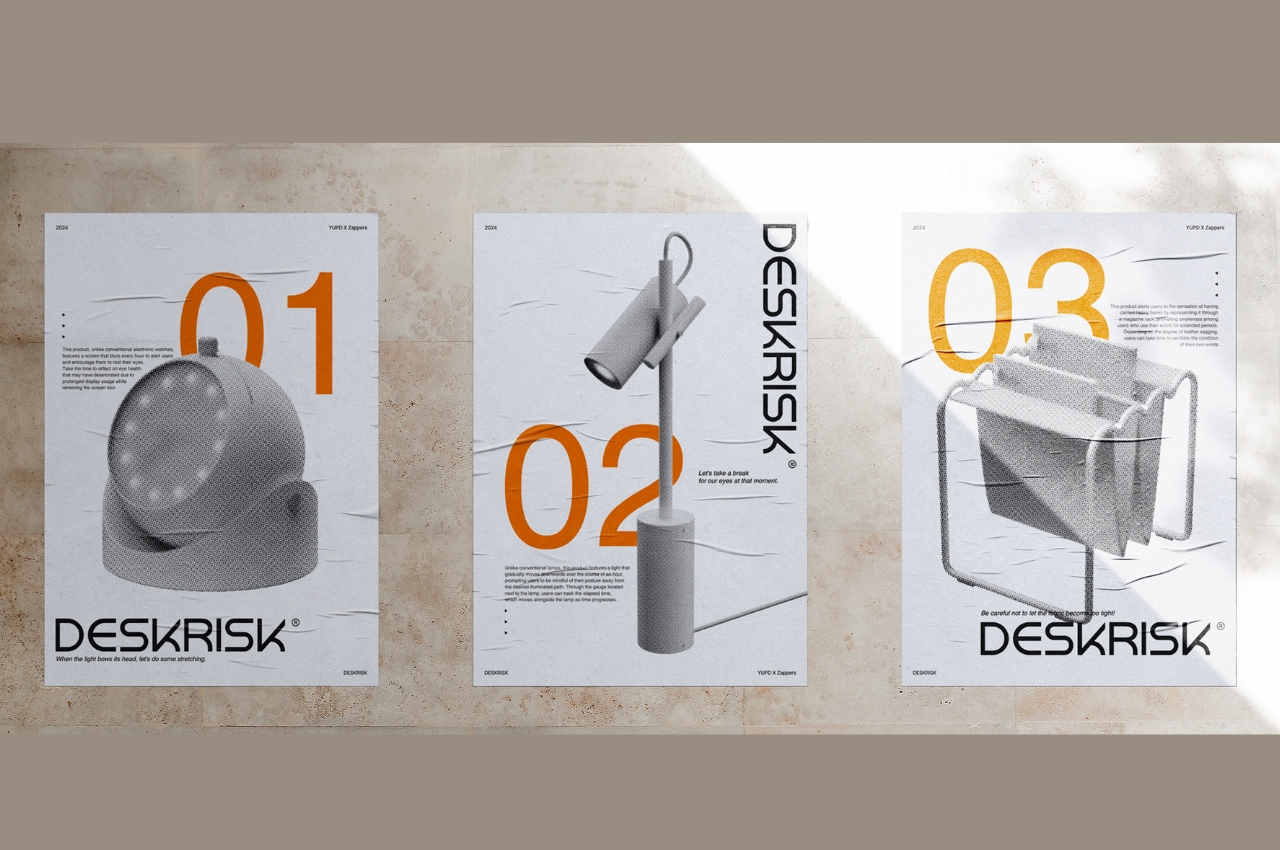
Named DESKRISK, this collection of unique desk accessories ensures you don’t exhaust yourself while sitting on your desk all day long. It attempts to protect you from the adverse effects of sitting on your desk for long hours and straining your eyes and neck. The collection contains a desk clock.

Why is it noteworthy?

The DESKRISK collection also includes a lamp, reminding you to move with the light source, so you don’t bow down and keep looking at your desk. These unique products encourage you to take a much-needed break from your work and desk, letting your mind and body rest.

What we like

  • Functional and valuable products for people who are at risk due to the nature of their work

What we dislike

  • The magazine rack is designed based on the carpal tunnel syndrome, and we don’t know how it will help users with wrist problems

10. Anywhere-Use Lamp

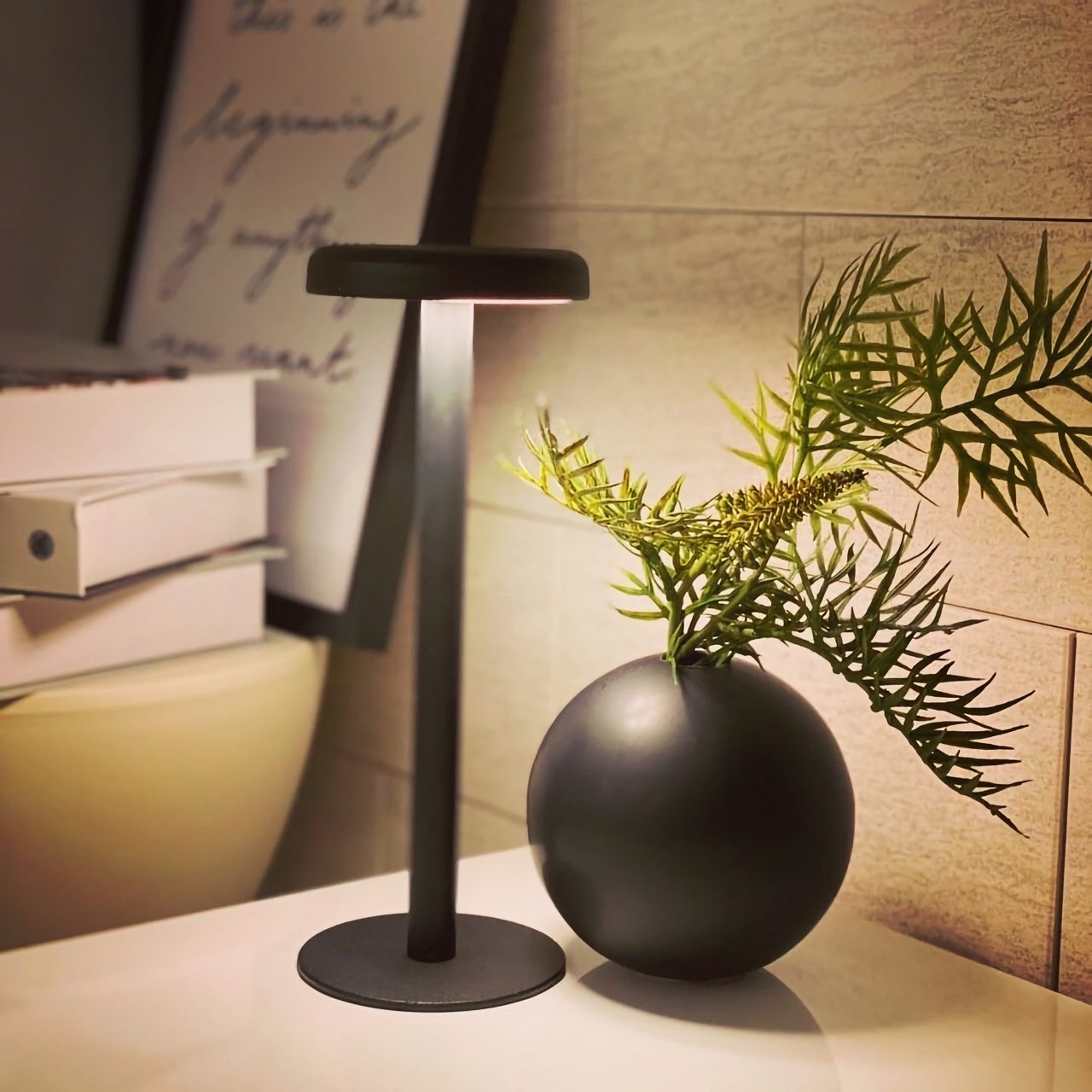
Dubbed the Anywhere-Use Lamp, this minimal and compact lamp design is a well-designed and clever lighting solution. It has a cute little mushroom-shaped head, and it lets out a soft and relaxing glow which creates a calm and tranquil ambience, allowing users to work and relax in peace.

Click Here to Buy Now: $149

Why is it noteworthy?

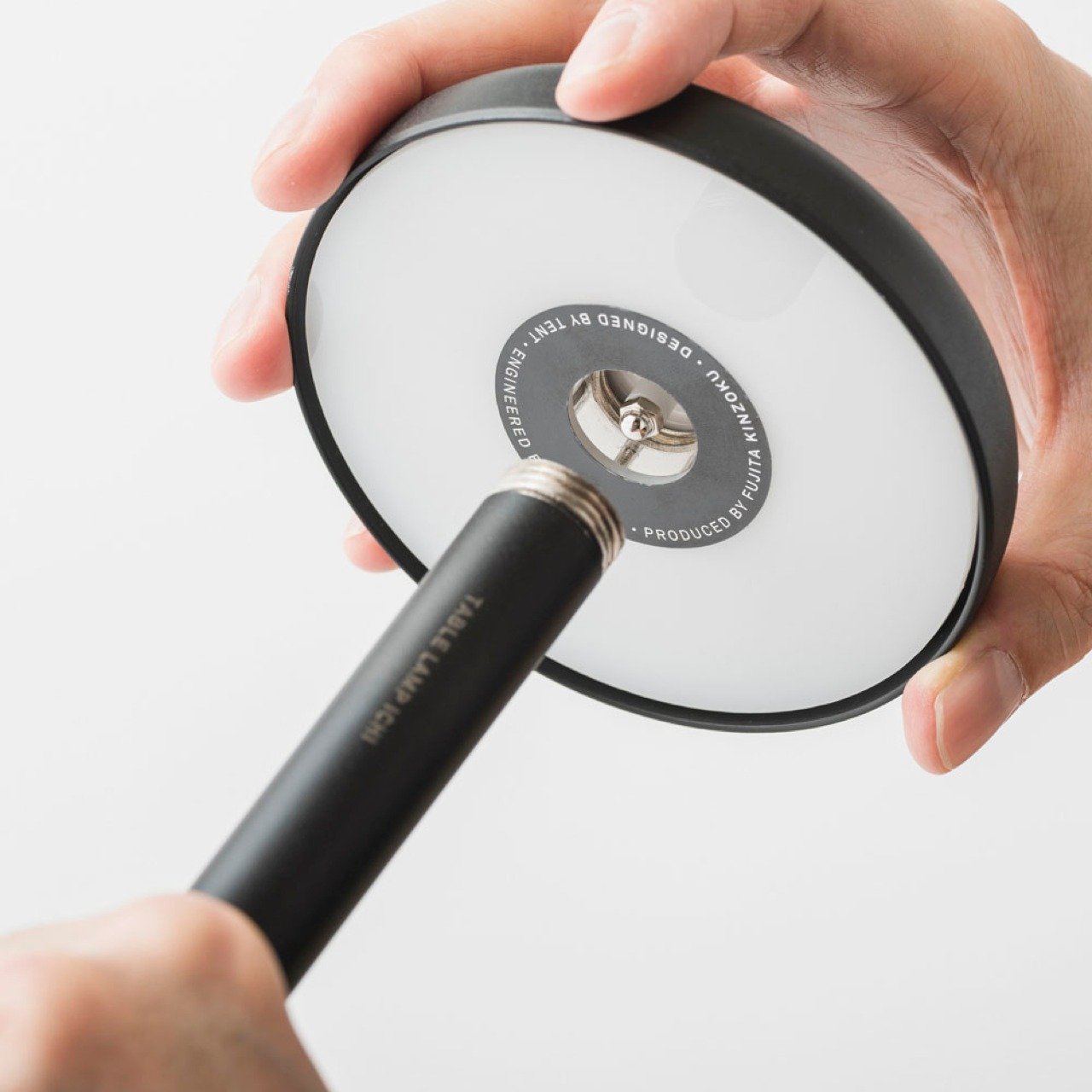
The lamp is powered by four AA batteries, and it features a modular design that offers atmospheric enhancement wherever it is placed. The lamp is equipped with six high-color rendering LEDs, and it creates an oasis of peace and relaxation in your home.

What we like

  • Features four brightness levels
  • You can easily disassemble the lamp, and take it anywhere with you

What we dislike

  • The lamp isn’t water-resistant, can be an issue if you carry it outdoors

The post Top 10 Desk Gear To Achieve Heightened Productivity & A Streamlined Work Routine first appeared on Yanko Design.