Malaysia is the latest country with plans to limit social media use by age. On Sunday, the country's cabinet approved a ban on social media accounts for anyone under the age of 16, The Associated Press reports. It comes as concerns around social media's negative impact on children has grown globally.
The ban will reportedly go into affect in 2026. "I believe that if the government, regulatory bodies, and parents all play their roles, we can ensure that the Internet in Malaysia is not only fast, widespread and affordable but most importantly, safe, especially for children and families," Malaysian communications minister Fahmi Fadzil said in a statement reported by The Associated Press. The country already requires social media and messaging platforms with more than eight million local users to have a license. These companies must take steps like age verification and safety measures.
The Malaysian government is looking at countries like Australia to see the success of electronic ID verification checks. On December 10, Australia will enact the world's first blanket social media ban for anyone under 16-years-old. Social media companies will have to ensure compliance or face a fine of up to $49.5 million AUD ($32 million USD). Platforms impacted by the ban include X, Facebook, TikTok, Snapchat, Reddit, YouTube and Twitch.
Earlier this month, Denmark announced that it was taking steps toward a social media ban for anyone under the age of 15. "Children and young people have their sleep disrupted, lose their peace and concentration, and experience increasing pressure from digital relationships where adults are not always present," Denmark's Digitalization Ministry stated.
In the US, some states have tried to enact their own restrictions. In Utah, teens now require parental consent to make a social media account. In Texas, a bill that would have banned social media for anyone under 18-year-old failed to pass, while a Florida law to require consent for under 16s and banning under 14s passed but is held up in court.
This article originally appeared on Engadget at https://www.engadget.com/social-media/malaysia-takes-steps-to-ban-social-media-for-children-under-16-142643494.html?src=rss
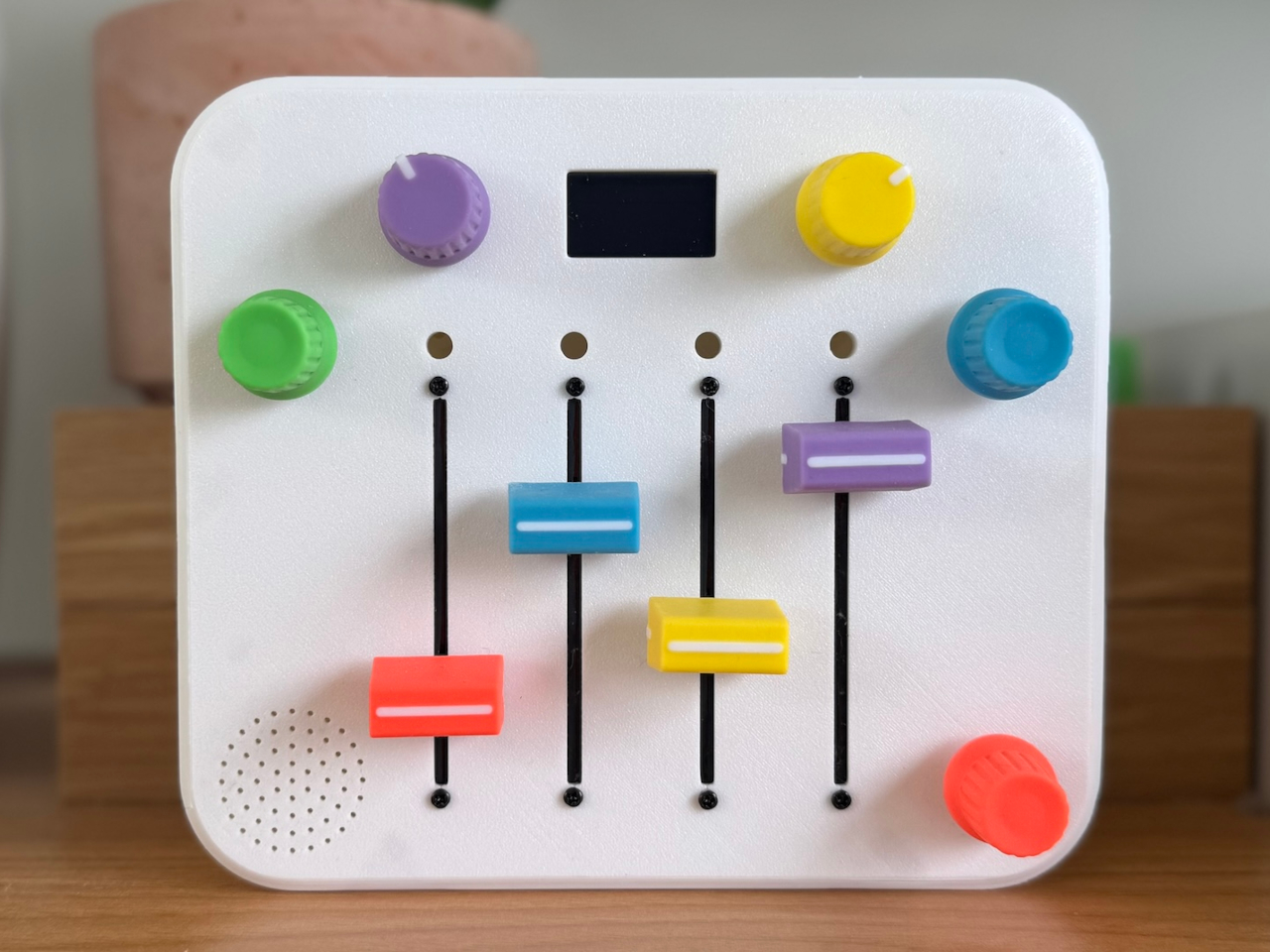
A father built a portable synthesizer for his daughter’s third birthday, and the result looks almost too polished to be a first electronics project. It’s a four-step sequencer with sliders instead of keys, designed so a toddler can make looping melodies just by moving colorful controls. The synth is as much a design and learning story as it is a music gadget, documenting what happens when someone jumps into hardware with no experience and a clear deadline.
The idea started with a Montessori activity board full of switches and LEDs. Watching his daughter twist knobs and flip switches reminded Alastair Roberts of a synth control panel, and he wondered if he could build a musical version. He had no prior hardware experience, which turned the project into an excuse to learn microcontrollers, CAD, PCB design, and 3D printing along the way, all while trying to finish before her birthday.
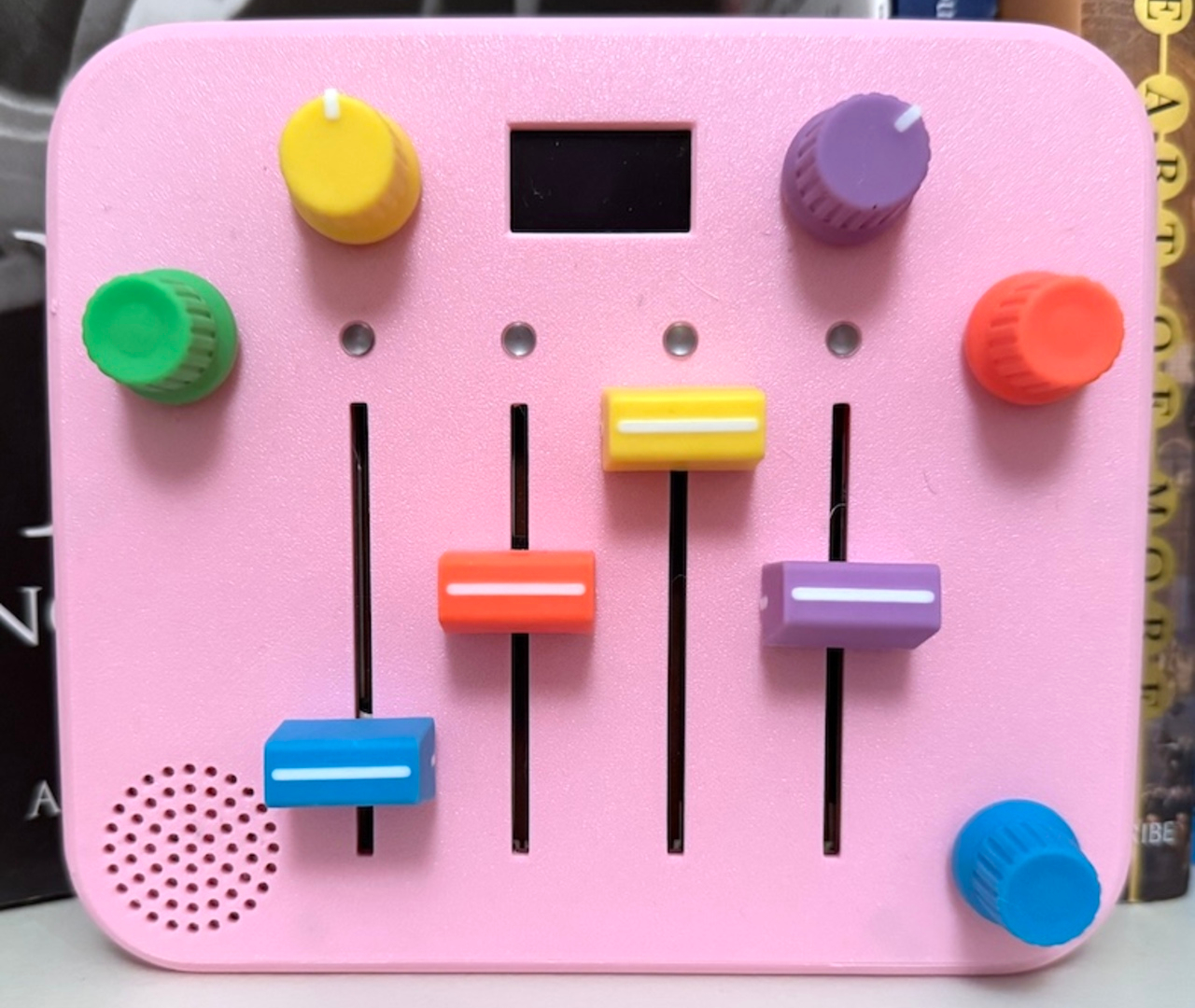
The finished synth is a rounded square box in pink or white, with four vertical sliders in bright colors and four matching knobs at the corners. Slide up for higher notes, down for lower, while a tiny OLED screen shows a dancing panda. There are no menus or hidden modes, just a looping sequence that keeps playing while little hands experiment with pitch and tempo, creating simple melodies that shift and evolve with every adjustment.
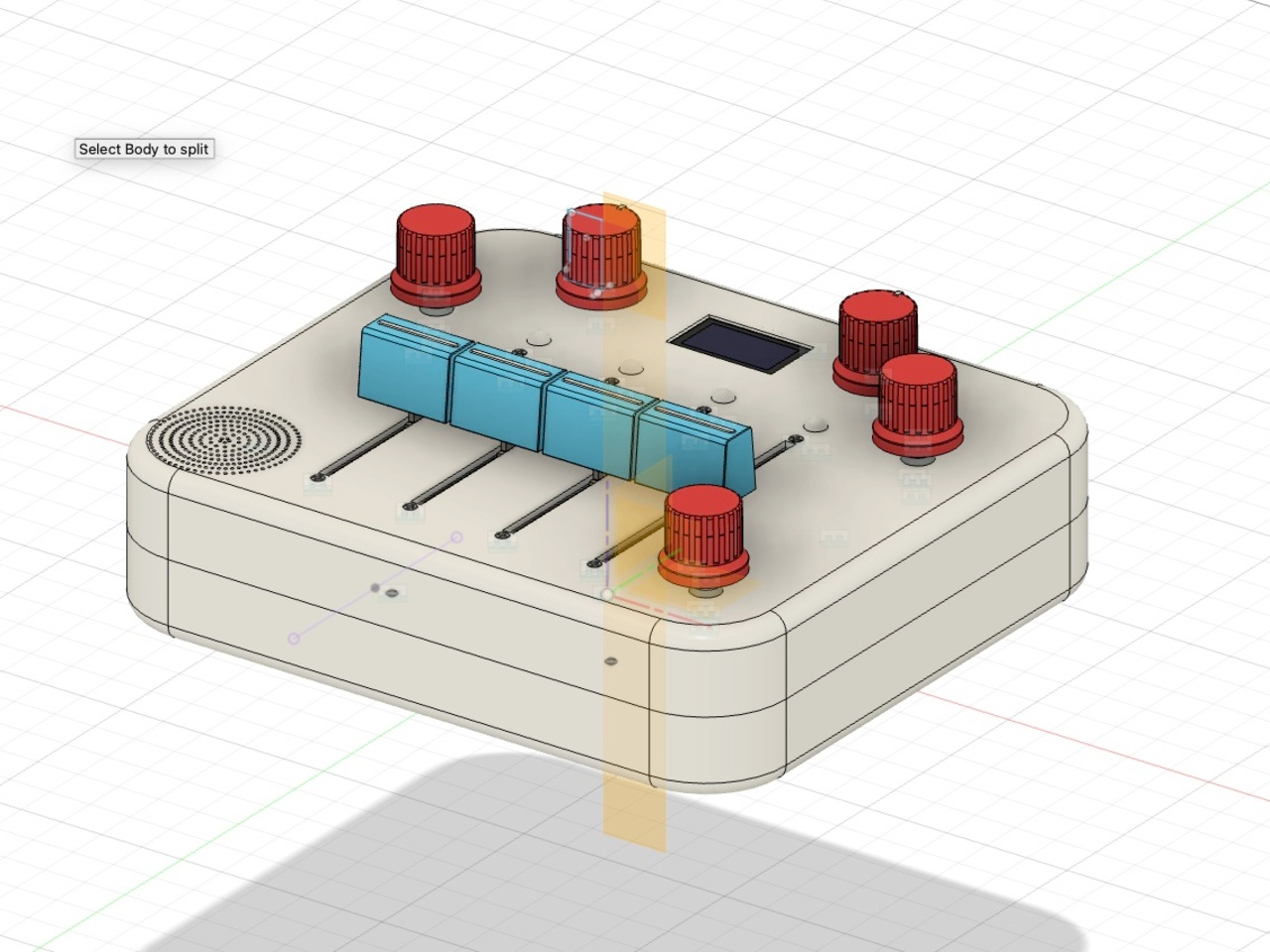
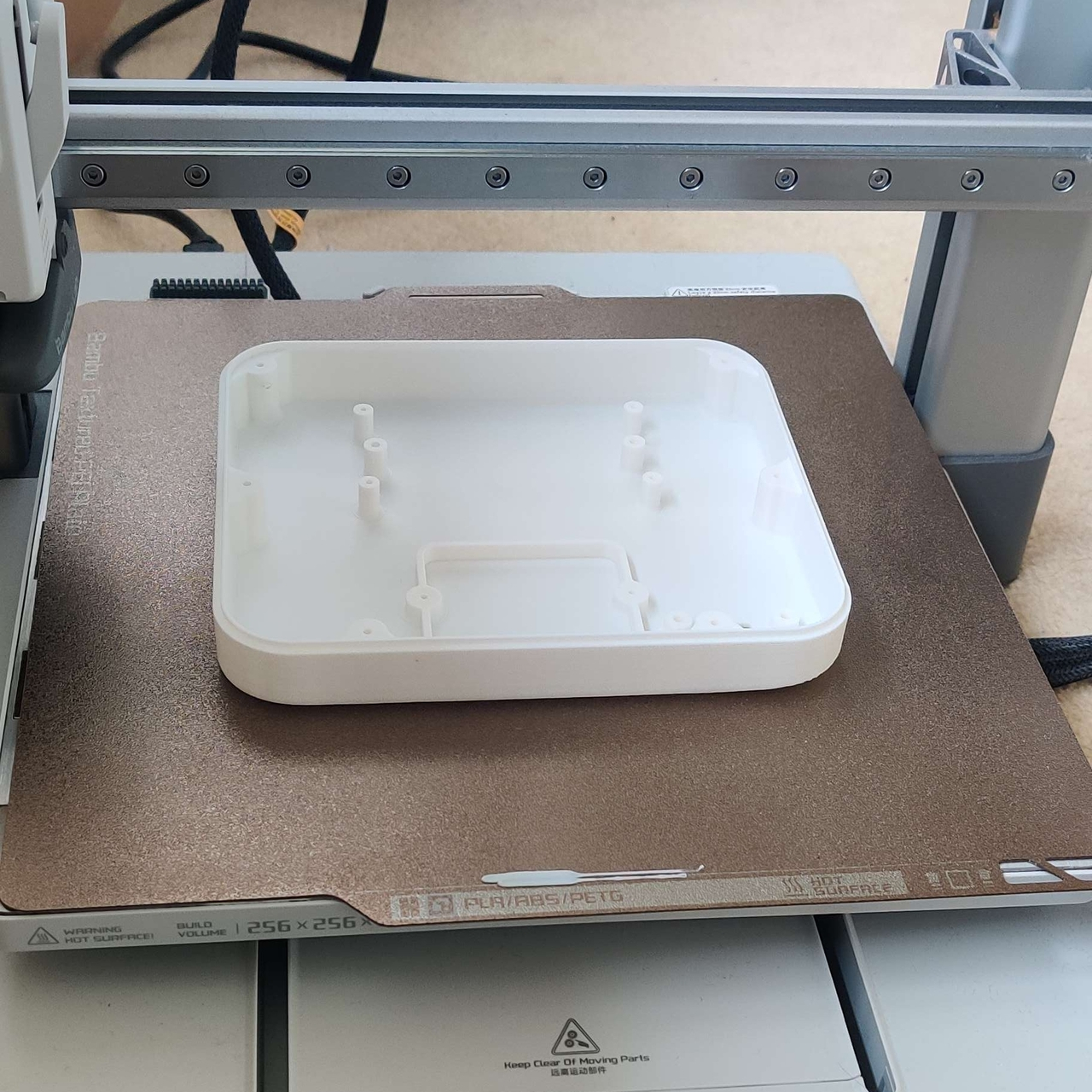
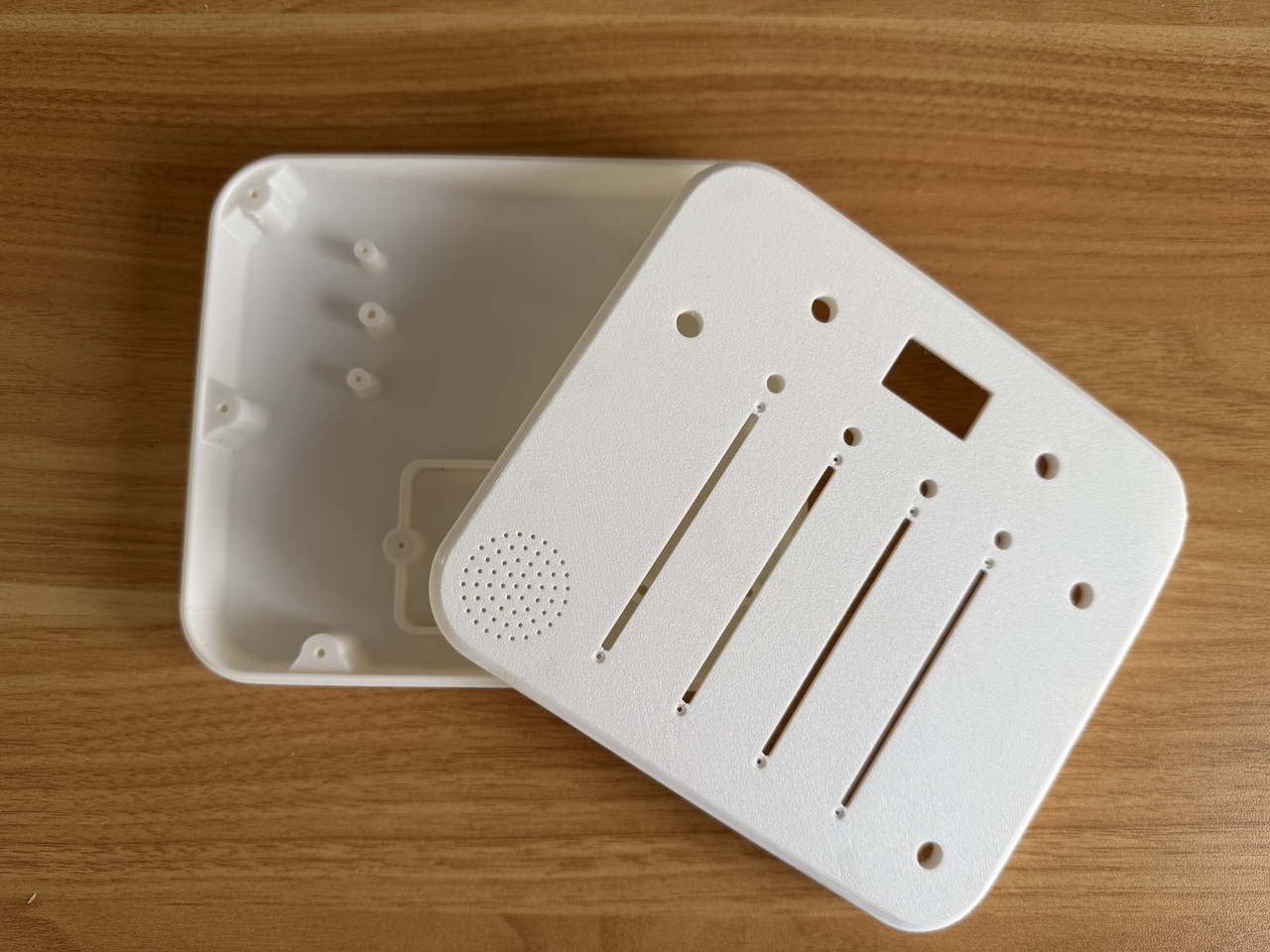
Roberts started on a breadboard, then realized he needed a proper enclosure that his daughter could actually hold. Off-the-shelf cases were the wrong size and the wrong colors, so he opened Fusion 360 for the first time and slowly modeled a custom shell. A friend’s 3D printer turned those sketches into a real, toy-like enclosure that feels closer to a commercial product than a hack, complete with rounded corners and smooth edges.
The first hand-wired version worked but was fragile, with a nest of wires that broke when he closed the case. That pushed him to design his first printed circuit board, using Fusion’s electronics tools to lay out sliders, knobs, and connectors in a neat, single layer. The PCB not only made assembly faster, but it also gave the interior the same sense of order and intention as the exterior, no hidden messes or shortcuts.
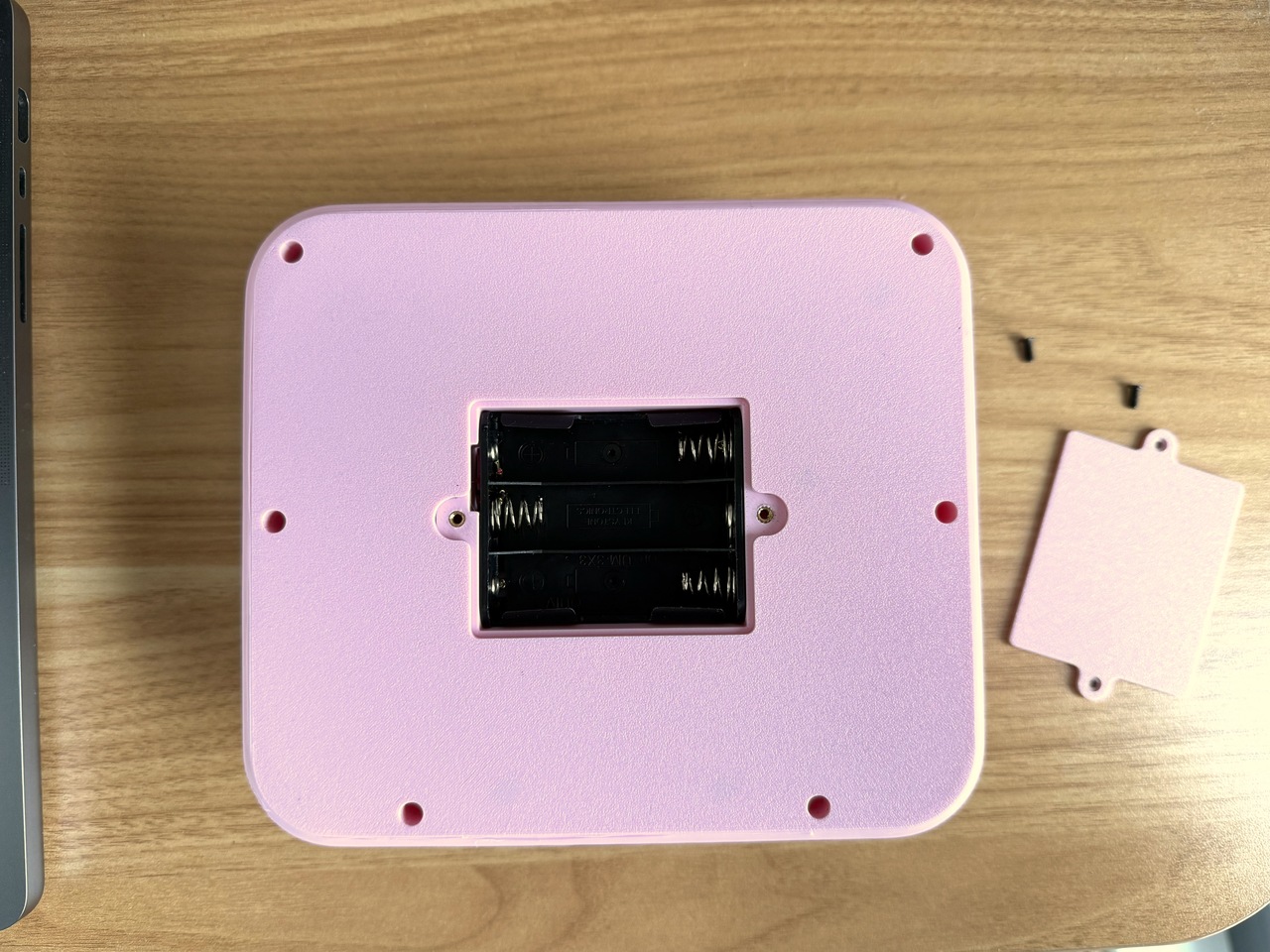
Small design touches make it feel finished. A dedicated battery compartment with a removable cover, mounting posts that let the board screw down securely, and a raised bezel around the OLED so it sits flush with the top surface. The front panel carries his daughter’s name, Alma, turning the synth into something personal. It now lives on a shelf with her other toys and, according to him, gets regular use.
The synth works at two levels. For kids, it’s a fun, tactile way to poke at sound without needing lessons or screens. For adults, it’s a reminder that you can go from zero hardware experience to a polished, gift-worthy object by following curiosity and learning each tool as you need it. Whether or not it ever becomes a product, it’s already a successful piece of design for the one user who mattered most.
The iPhone 18 Pro Max is shaping up to be one of Apple’s most ambitious smartphones to date. With rumors pointing to significant advancements in camera technology, performance, and design, this flagship device is expected to push the boundaries of mobile innovation while addressing user demands. Below is a detailed look at the five most […]
Need to access Windows-only software, test apps, or connect to Windows networks remotely? No problem! Easily connect to any Windows system from your Mac with the Windows app for a seamless, secure, and productive experience. RDP is optimized for smooth connections, but using it between Windows and Mac can cause issues like poor image quality, […]
The 2026 OLED MacBook Pro is shaping up to be a pivotal release, introducing advanced features that could redefine how you interact with your laptop. From innovative display technology to enhanced performance capabilities, this next-generation device promises a seamless blend of power, portability, and innovation. Below, we explore the nine most significant leaks and their […]
Black Friday is delivering some of the best TV discounts we’ve seen all year, and iFFALCON just joined the party with massive price cuts on its U85 Mini LED lineup and art-style Mural TVs. If you’re looking for a big screen upgrade without spending flagship-level money, these deals are absolutely worth a look. The U85 […]
The iPhone 17 Pro Max has set a new benchmark in smartphone performance, surpassing its predecessors in a comprehensive speed test that spans six generations, from the iPhone 12 Pro Max to the latest model. This detailed analysis from PhoneBuff explores key areas such as photography, video editing, app performance, gaming, multitasking, and thermal management. […]
We've had less than a year to mourn the loss of Dell's iconic XPS laptop brand, and frankly, I'm still not over it. But time moves on. Engadget has already reviewed the Dell 14 Premium, formerly the XPS 14, and now I've finally had a chance to put the larger Dell 16 Premium through its paces. My conclusion? It's still as beautiful as the last XPS 16, but I also think Dell seriously needs to rethink its ultramodern design strategy.
With its minimalist design (look Ma, no visible trackpad!), smooth metal case and clean lines, the Dell 16 Premium looks like a work of art. It's the sort of thing I'd imagine someone creating as a prop for a sci-fi movie in the '90s, when we could barely imagine real notebooks moving beyond chunky grey bricks. But those good looks come at a cost — both in terms of price (it starts at $2,000) and basic functionality.
If you've read my reviews of the XPS 16 and XPS 13 Plus, Dell's first models to use this aesthetic, you might think I'm just beating a dead horse. But it's worth pointing out again, more than three years after I first chastised Dell for chasing style over function, that the company seemingly hasn't learned anything. Sure, it's a bit faster than before, thanks to Intel's Core Ultra chips and NVIDIA's RTX 50-series GPUs, but that's not saying much.
I still have trouble using the 16 Premium's borderless trackpad because it's tough to tell where the clickable zones are. I still hate the capacitive function row, both because it becomes miraculously invisible in bright light and it's tough to build muscle memory for specific keys (like changing the brightness or volume). And honestly, I still don't know how Dell can justify offering only USB-C ports and a microSD card slot on a laptop meant for serious work. Even Apple realized that it had to include a wider variety of ports for professionals, and that's also something other PC makers like ASUS and Acer offer. Did Dell miss the memo?
Worst of all, the 16 Premium's 4K OLED screen seriously hampers its battery life. It only lasted six hours and five minutes during a basic video rundown, whereas the previous XPS 16 lasted eight and a half hours in the much more demanding PCMark 10 battery test. (For some reason, that benchmark didn't run properly on my review 16 Premium review unit.) Larger laptops often stuff in bigger batteries than smaller models, but the 16 Premium can't even manage that.
At least it's faster than before. The Dell 16 Premium I reviewed was equipped with Intel's Core Ultra 7 255H chip and a low-wattage version of NVIDIA's RTX 5070 GPU. It scored around 10 percent higher than last year's XPS 16 in PCMark 10, and it was notably faster in the Geekbench AI benchmark thanks to Intel's revamped NPU. I was even able to play Cyberpunk 2077 in 4K at 84 fps thanks to the 5070, though I had to enable DLSS 4 frame generation to do so. For some reason though, the system would slow to an absolute crawl whenever I enabled ray tracing features. At best, I only saw around 60 fps in 1080p while using the low ray tracing settings.
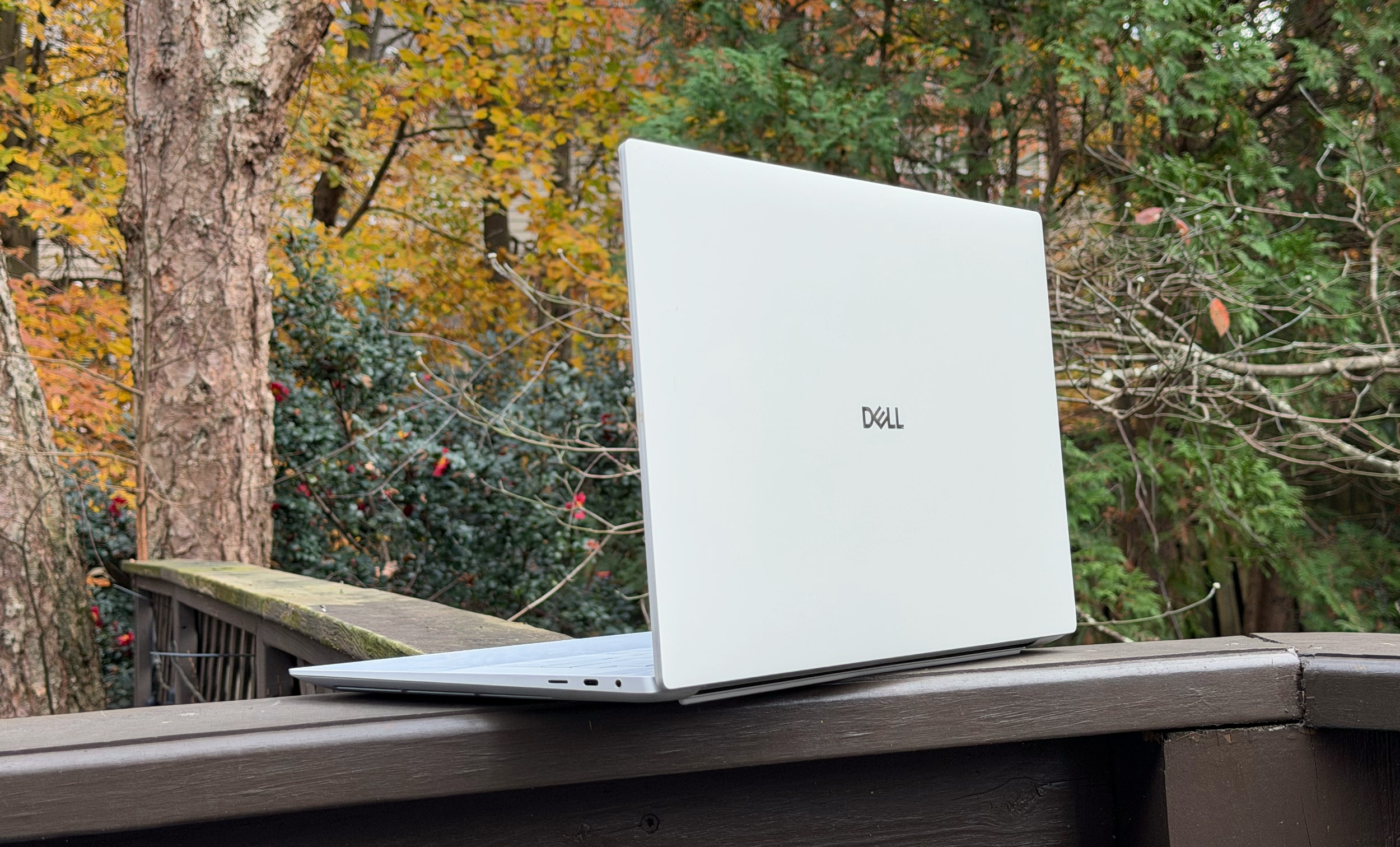
The Dell 16 Premium from the rear.
Devindra Hardawar for Engadget
Sure, it's not a gaming laptop, so I can't directly compare it to something like the Razer Blade 16. But it's strange to see one of NVIDIA's latest GPUs handle ray tracing so poorly. As you'd expect, the Dell 16 Premium also got pretty loud whenever its fans spun up. At least they managed to keep the system relatively cool though: Its CPU and GPU sat at 68C and 70C, respectively, under load.
The more I looked at the Dell 16 Premium's beautiful facade, the more I wanted something... more. It needs more usable ports, like HDMI and a full-sized SD card reader. It needs more useful function keys that are visible in bright light — and also stay in one place — so I can touch type more easily. And for the love of god, just give up on the invisible trackpad. It's a parlor trick that just makes it harder to tell left and right mouse clicks apart, despite the impressively large trackpad area.
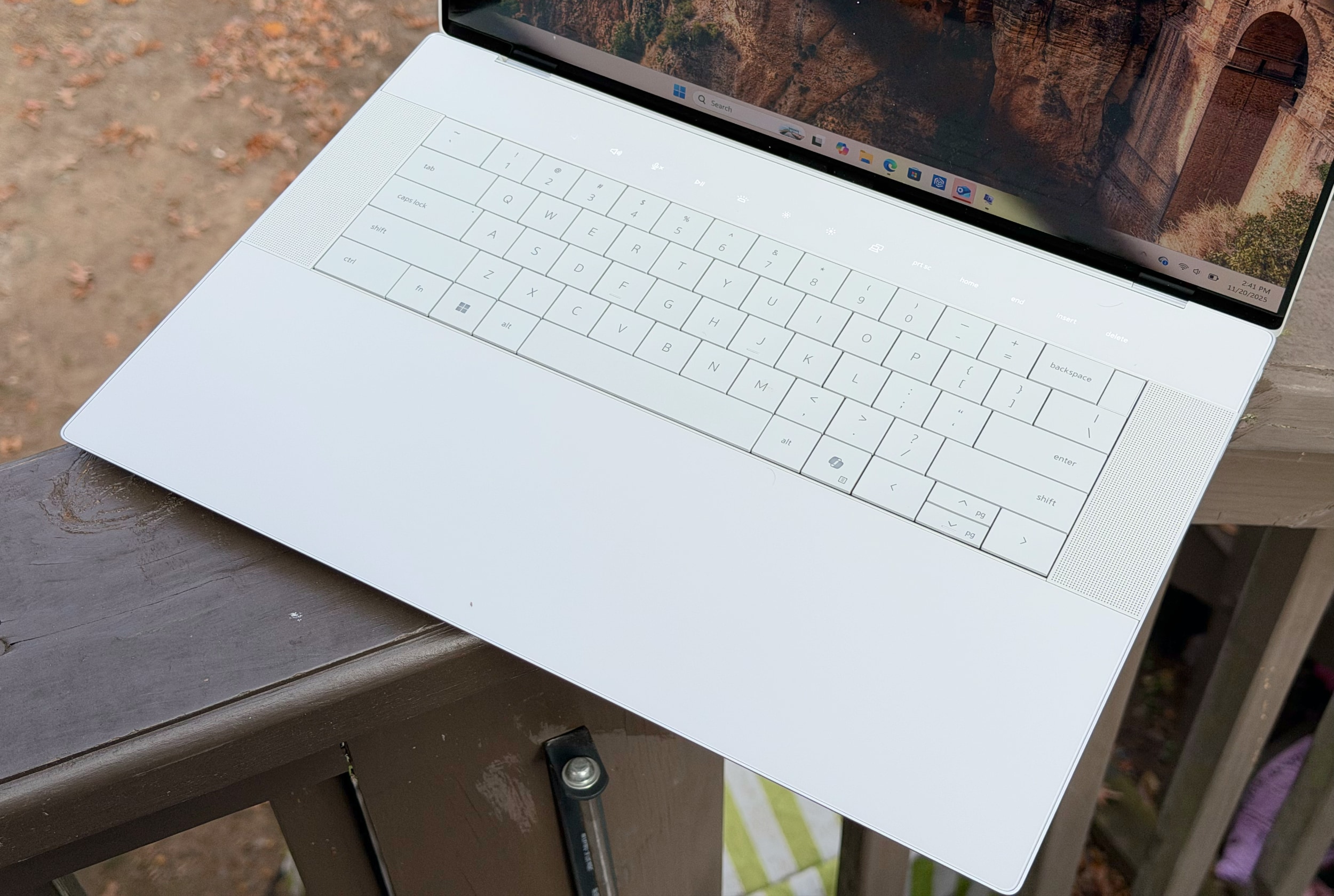
The 16 Premium's "invisible" trackpad blends seamlessly into its wrist rest, while the keyboard lays perfectly flat and a row of capacitive function keys sits above.
Devindra Hardawar for Engadget
Given its premium positioning, I also expected more from the laptop's speakers. They sound fine compared to most Windows laptops, but they can't hold a candle to the audio sorcery Apple accomplishes with the 16-inch MacBook Pro. When playing music, the 16 Premium doesn't have much dynamic range or low-end tone, whereas Apple's speakers often surprise me with their depth and enveloping sound. During late night writing sessions, I often find myself playing music straight through the 16-inch MacBook Pro, rather than casting it off to my Sonos speakers like the 16 Premium forces me to do.
To avoid being entirely negative, I'll reiterate that I genuinely enjoy looking at the Dell 16 Premium. I love the way its keyboard and large key caps lay perfectly flat along the notebook's lower half. And I'll admit, the 16-inch OLED screen looks lusciously colorful when it needs to. I'm just asking for Dell's designers to consider a better balance of style and functionality for their next stab at a premium 16-inch laptop.
This article originally appeared on Engadget at https://www.engadget.com/computing/laptops/dell-16-premium-review-stylish-to-a-fault-130000463.html?src=rss
Productivity isn’t about doing more—it’s about doing better. The right tools transform cluttered surfaces into composed workspaces, turning everyday rituals into moments of intention. For the professional who treats their desk like a cockpit, who believes every object should earn its place, these gifts speak a language of precision, craft, and quiet efficiency. They’re designed for people who notice details, who value form that serves function, and who find satisfaction in tools that simply work.
This collection celebrates objects that respect the way productive minds actually operate. No gimmicks. No clutter disguised as organization. Just ten remarkably designed pieces that sit at the intersection of utility and beauty, each one capable of elevating a workspace from functional to exceptional. These are the gifts that earn permanent desk real estate, the ones that get used daily and appreciated deeply by those who understand that great design isn’t decoration—it’s performance.
1. FoldLine Pen Roll
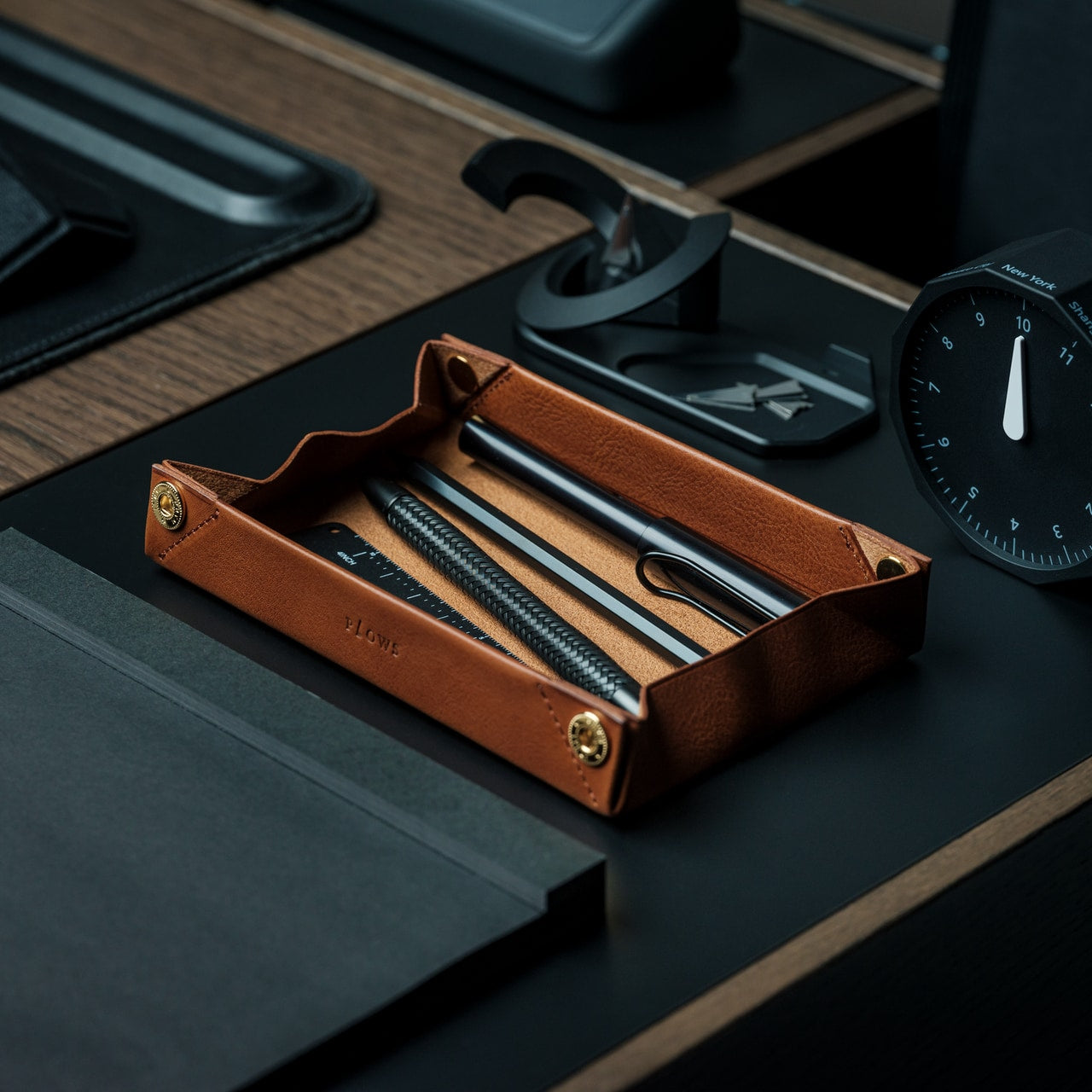
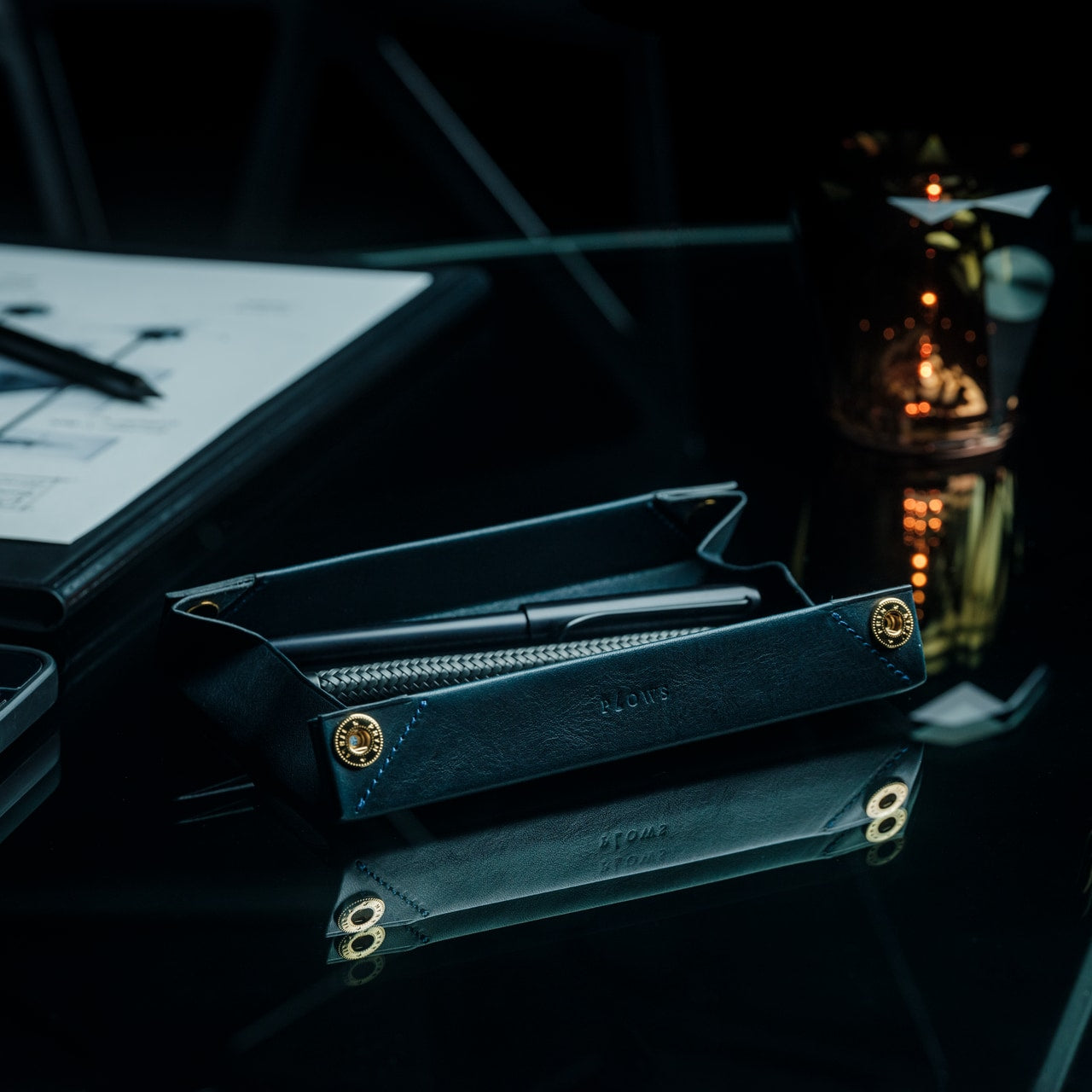
The ritual of preparation matters. The FoldLine Pen Roll understands this instinctively, transforming the act of organizing your tools into a deliberate moment of focus. Crafted from a single piece of Italian leather, this pen case unfolds into a flat tray in under two seconds, creating an instant workspace wherever you land. The beauty lies in its simplicity: no stitched compartments, no rattling caps, just leather folded with origami-inspired geometry that holds each pen in place through structure alone. For the professional who moves between conference rooms, coffee shops, and coworking spaces, it offers something rare—a portable sense of order.
What makes this gift exceptional is how it addresses the psychology of productivity. Cluttered tools create mental friction; scattered pens signal chaos. The FoldLine eliminates both by creating a defined territory for your writing instruments. Metal-bodied pens stay separated and protected without partitions. The hollow interior means the case remains remarkably slim even when packed full, slipping into bags without bulk. When unrolled on any surface, it announces presence and purpose, turning a borrowed desk into your command center. It’s the kind of thoughtful design that productive professionals recognize instantly as indispensable.
The single-piece Italian leather construction offers durability and timeless elegance
Unfolds into a functional tray in two seconds flat, eliminating setup time
What we dislike
Limited to pen storage without expansion for other desk tools
Premium leather means a higher price point than standard cases
2. OrigamiSwift Folding Mouse
Mobility shouldn’t mean compromise. The OrigamiSwift Folding Mouse proves that full-sized comfort and pocket portability can coexist through clever engineering inspired by paper folding. At just 40 grams and collapsible flat, it disappears into any bag until needed, then springs to life in half a second with a simple flip. For digital nomads, consultants, and anyone who refuses to accept trackpad limitations, this mouse transforms airport lounges and hotel desks into productive workstations. The ergonomic shape fits naturally in the hand during marathon editing sessions, while its Bluetooth connectivity eliminates cable tangles.
The genius here is respecting the productivity professional’s actual workflow. These are people who optimize every minute, who work from gate lounges between flights, who turn coffee shop corners into temporary offices. They need tools that adapt instantly without setup time or performance sacrifice. The OrigamiSwift delivers precise cursor control across any surface, whether you’re finalizing presentations at a coworking space or catching up on spreadsheets during your commute. Its ultra-thin profile means it’s genuinely portable, not just technically carriable. This is a gift that acknowledges the modern reality of work happening everywhere, designed for those who demand professional performance regardless of location.
Folds completely flat for genuinely pocket-friendly portability
Activates in under 0.5 seconds with an effortless flip mechanism
Full-sized ergonomic design ensures comfort during extended use
Weighs only 40 grams without sacrificing precision or build quality
What we dislike
The folding mechanism may wear over time with heavy daily use
Requires Bluetooth connectivity, limiting compatibility with some older systems
3. MagBoard Clipboard
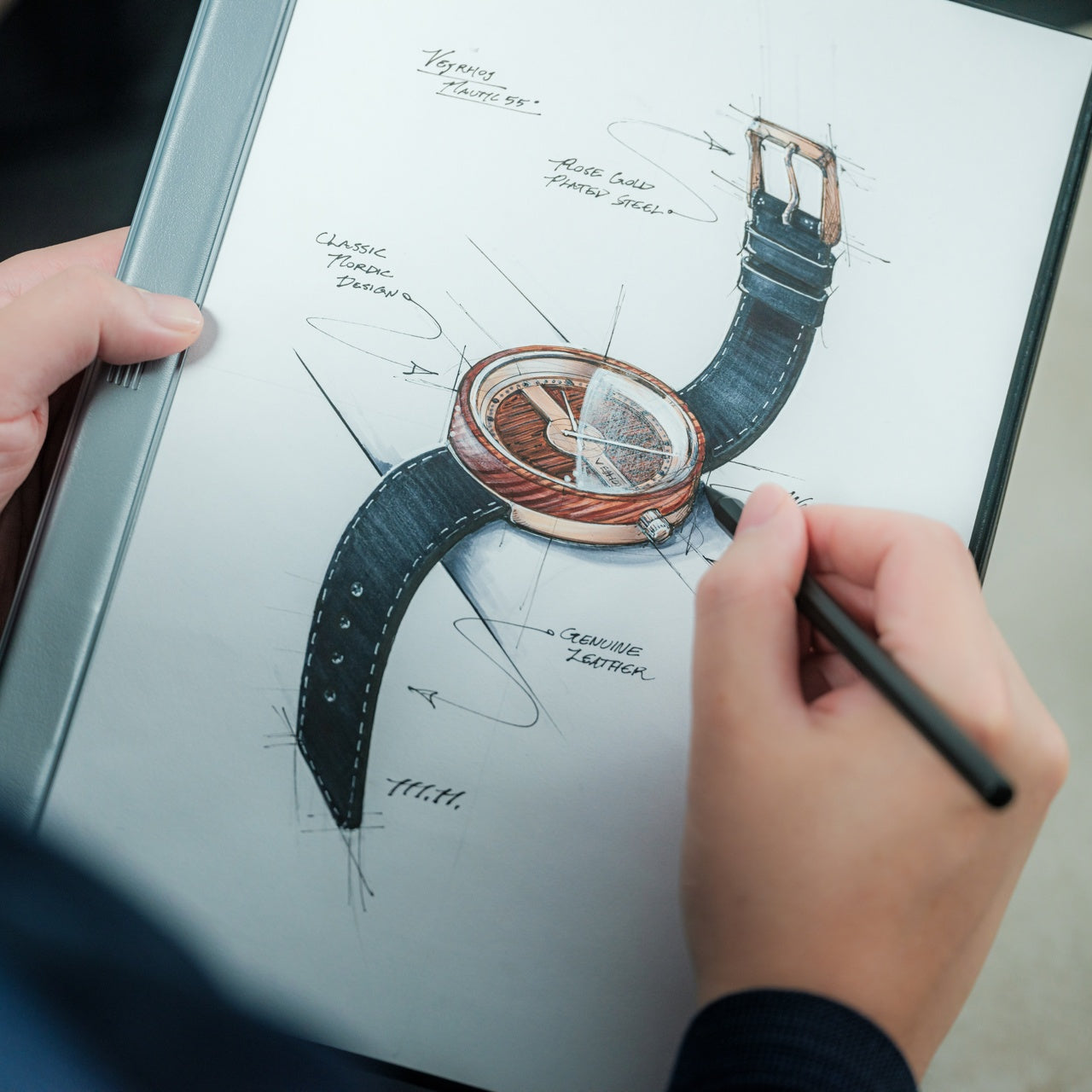
Flexibility in thinking requires flexibility in tools. The MagBoard Clipboard reimagines the fundamental clipboard through a magnetic lever mechanism that liberates your note-taking from linear constraints. Instead of bound pages dictating order, this hardcover design holds up to 30 loose sheets that you can rearrange, remove, or add as your thoughts evolve. For professionals who sketch workflows, brainstorm in non-linear patterns, or constantly revise project plans, it eliminates the friction between how notebooks force you to work and how your brain actually processes ideas. The water-resistant hardcover provides a stable writing surface even while standing, turning any environment into a viable workspace.
The productivity advantage is immediate and tangible. Meetings don’t follow neat sequential patterns. Ideas arrive out of order. Projects require regrouping information as priorities shift. The MagBoard accommodates this reality by making paper as flexible as digital documents, letting you reorganize notes without rewriting. The magnetic system is strong enough to secure a thick stack yet releases cleanly when you need to extract a single sheet. For the professional who values both analog thinking and adaptive organization, this clipboard bridges the gap. It respects the cognitive benefits of handwriting while offering the structural flexibility that productivity demands. It’s minimalism with intelligence, simplicity that doesn’t constrain.
The magnetic lever system allows complete page reorganization without rebinding
Holds up to 30 sheets securely for substantial project documentation
Hardcover design enables note-taking while standing or moving
Water-resistant construction protects work in various environments
What we dislike
Loose sheets can be misplaced more easily than bound notebook pages
Magnetic mechanism adds slight bulk compared to traditional clipboards
4. CraftMaster EDC Utility Knife
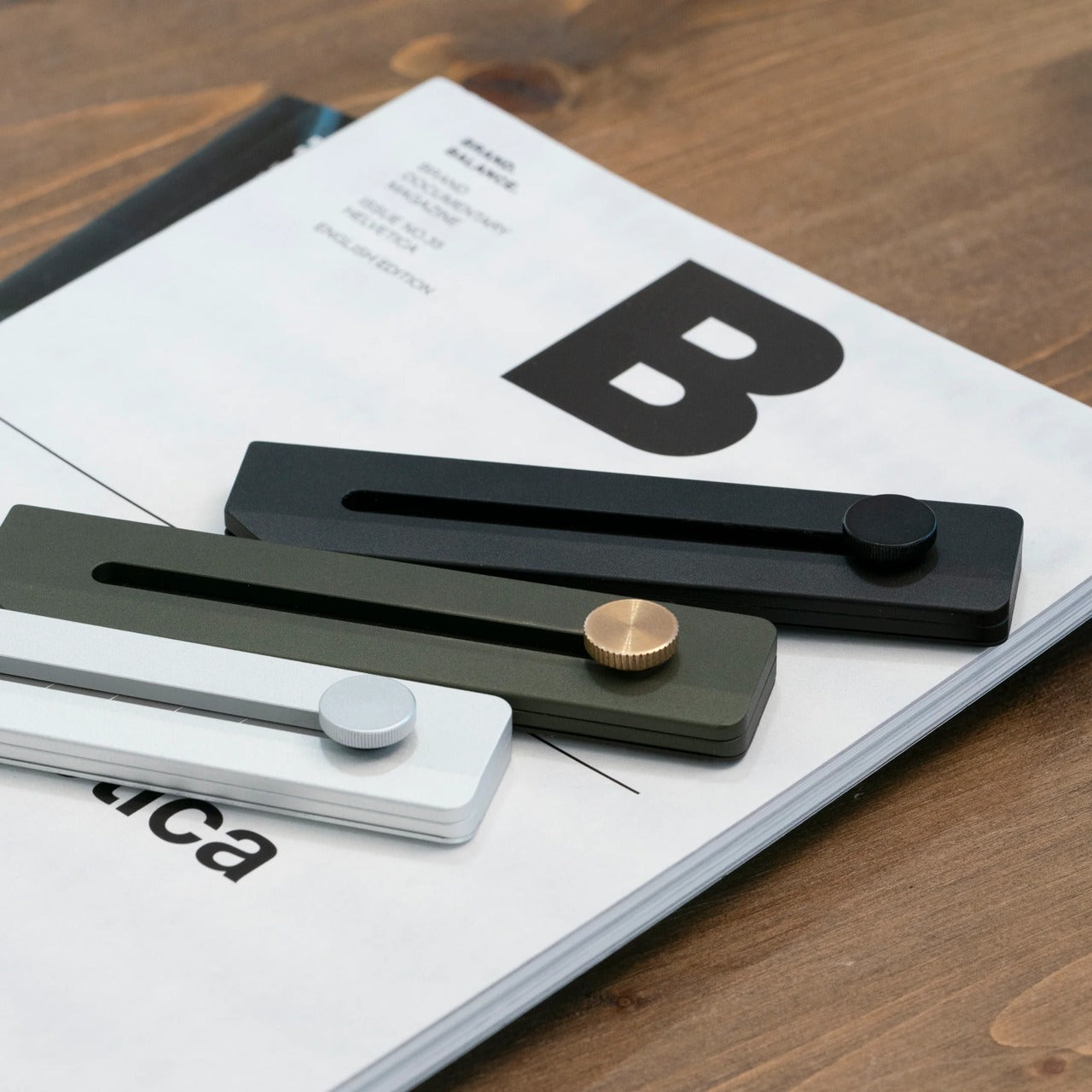
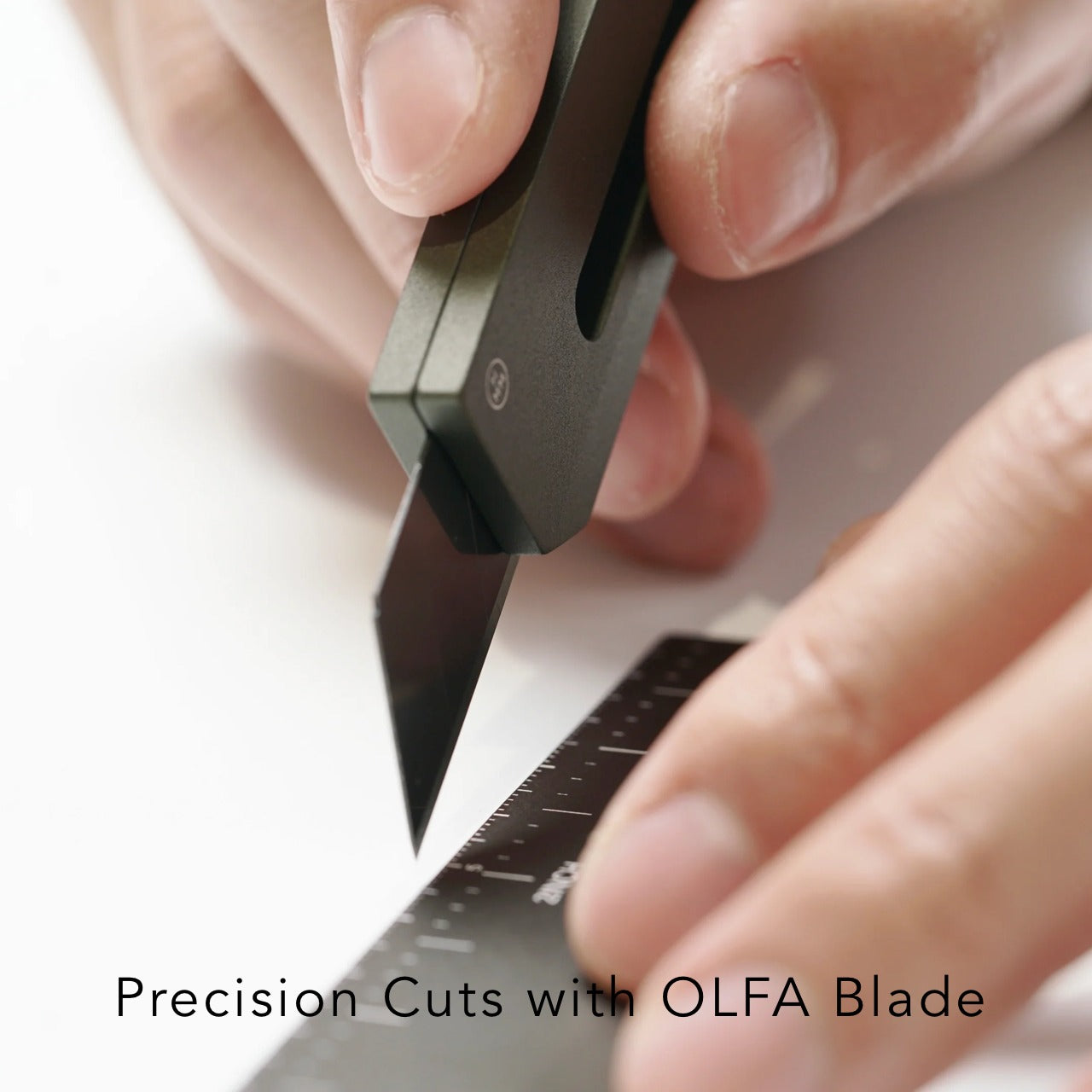
Precision tools signal serious work. The CraftMaster EDC Utility Knife brings surgical-grade sharpness and considered design to the everyday task of opening, cutting, and crafting. Its metallic form measures just 0.3 inches thick but feels substantial in hand—the kind of tool weight that inspires confidence. The OLFA blade deploys via a tactile rotating knob, offering control that thumbslides can’t match. But the thoughtful details elevate it: a magnetic back docks the included metal ruler featuring dual metric and imperial markings, while the ruler itself incorporates a blade-breaker for snapping off dulled edges. The 45-degree inclination protects package contents when opening boxes.
For the productivity professional, this represents the ethos of doing things properly. These are people who notice when tools are well-designed, who appreciate when everyday objects receive the same attention as premium equipment. The CraftMaster sits on a desk, not as clutter but as a statement about craft and capability. Need to open a prototype shipment? The knife cuts cleanly without damaging the contents. Measuring a mockup? The ruler lifts easily from flat surfaces thanks to its raised edge and provides accurate 15-degree curvature measurements while protecting fingers. When the blade dulls, the integrated breaker lets you refresh it immediately. It’s the kind of multi-function elegance that eliminates the need for three separate tools cluttering your workspace.
OLFA blade offers professional-grade sharpness with an easy replacement system
Magnetic ruler docking creates an integrated measurement and cutting solution
Ultra-thin 0.3-inch profile fits comfortably in desk drawers or pockets
Tactile rotating deployment knob provides superior blade control and safety
What we dislike
Metal construction adds weight compared to plastic utility knives
Premium aesthetic and features command a higher price than basic cutters
5. Pocket Everlasting All-Metal Pencil
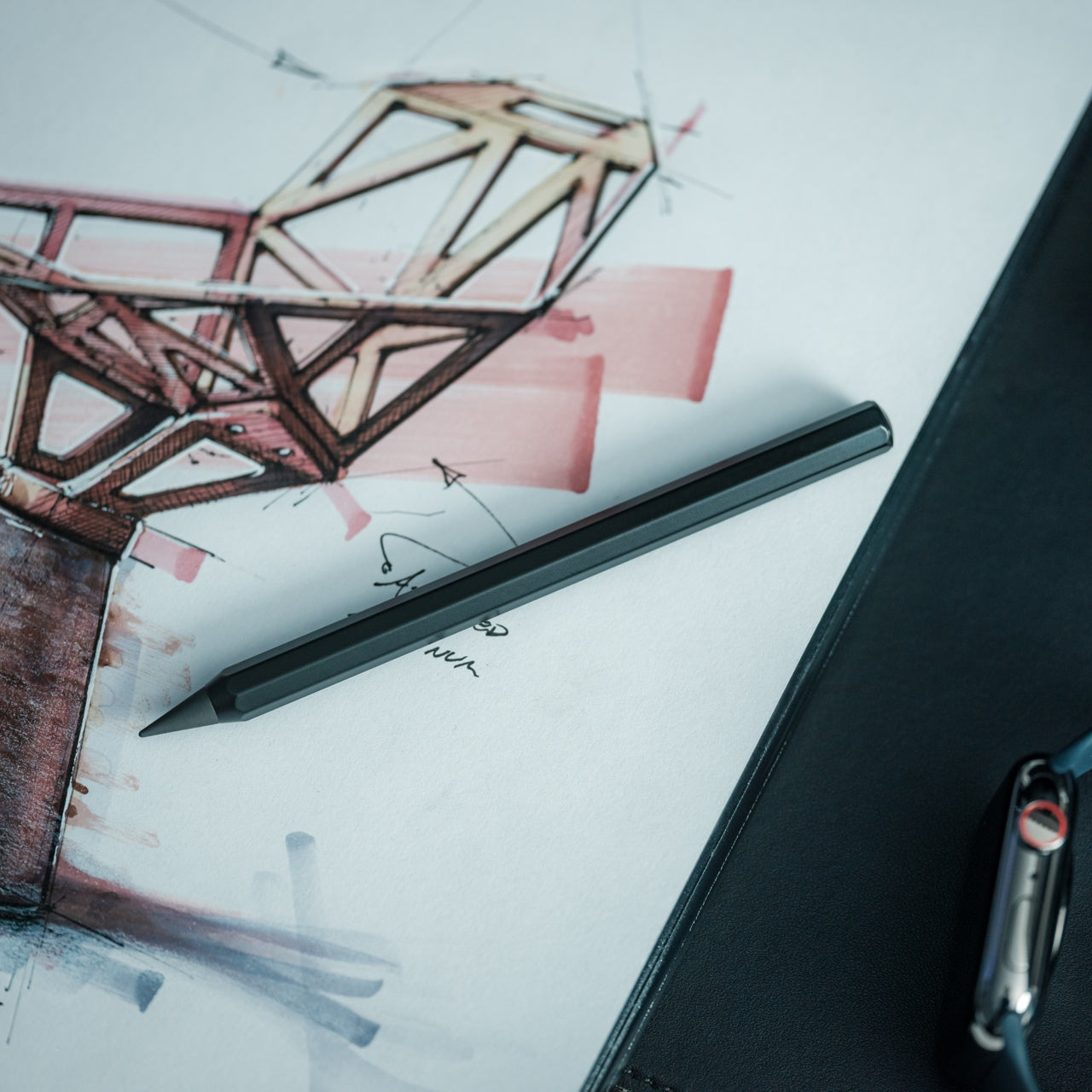
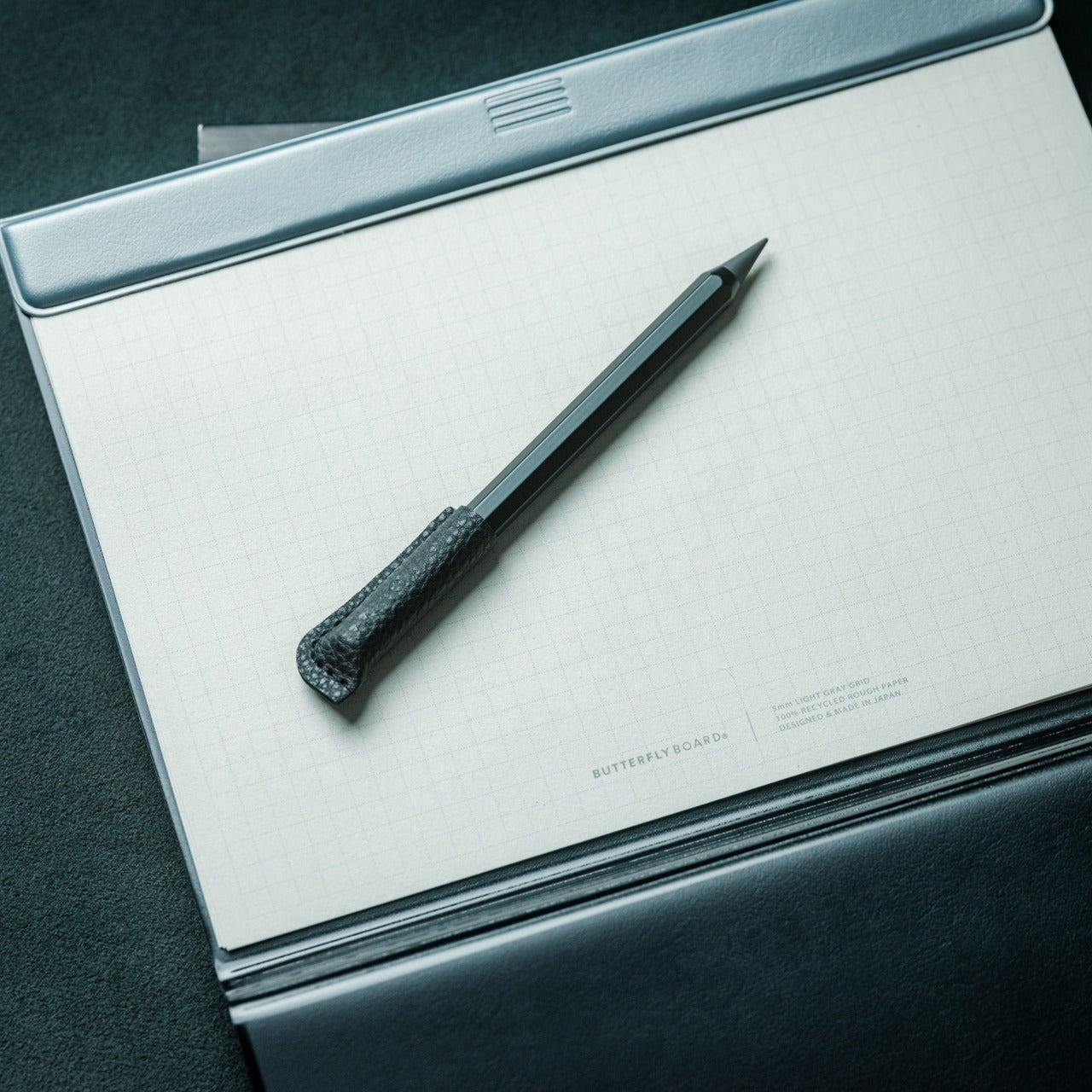
Interruption kills productivity. Running out of lead, searching for sharpeners, or discovering a broken point derails focus. The Pocket Everlasting All-Metal Pencil eliminates all three scenarios through innovative material engineering. Graphite and alloy particles in the tip leave marks without wearing down, delivering approximately 10 miles of writing before replacement becomes necessary. At 4.7 inches with an included cap, it slips into shirt pockets ready for instant capture of ideas. The all-metal construction offers satisfying heft and durability, while the marks erase cleanly with standard erasers and resist bleeding when used with watercolor or water-based markers.
This is a gift that respects the productivity professional’s workflow reality. Inspiration doesn’t wait for you to return to your desk. Client feedback arrives during site walks. Strategic insights surface during commutes. The Everlasting Pencil ensures you’re always equipped to record them immediately, without the cognitive load of maintaining traditional pencil supplies. No sharpening means no prep time. No lead breakage means reliable performance under pressure. The pocket size means genuine portability without the bulk of full-sized writing instruments. For sketchers, note-takers, and anyone who thinks through writing, this pencil becomes an extension of their process—always available, always ready, always reliable. It’s the kind of tool that earns its permanent place in your pocket.
Graphite-alloy technology delivers approximately 10 miles of writing without sharpening
Pocket-friendly 4.7-inch size with a cap ensures genuine everyday portability
Marks erase cleanly with standard erasers for mistake-free documentation
All-metal construction provides durability and a satisfying writing weight
What we dislike
Fixed point width limits line variation compared to traditional pencils
The metal body may feel cold or slippery for extended writing sessions
6. Precision Sakura Metal Puzzle
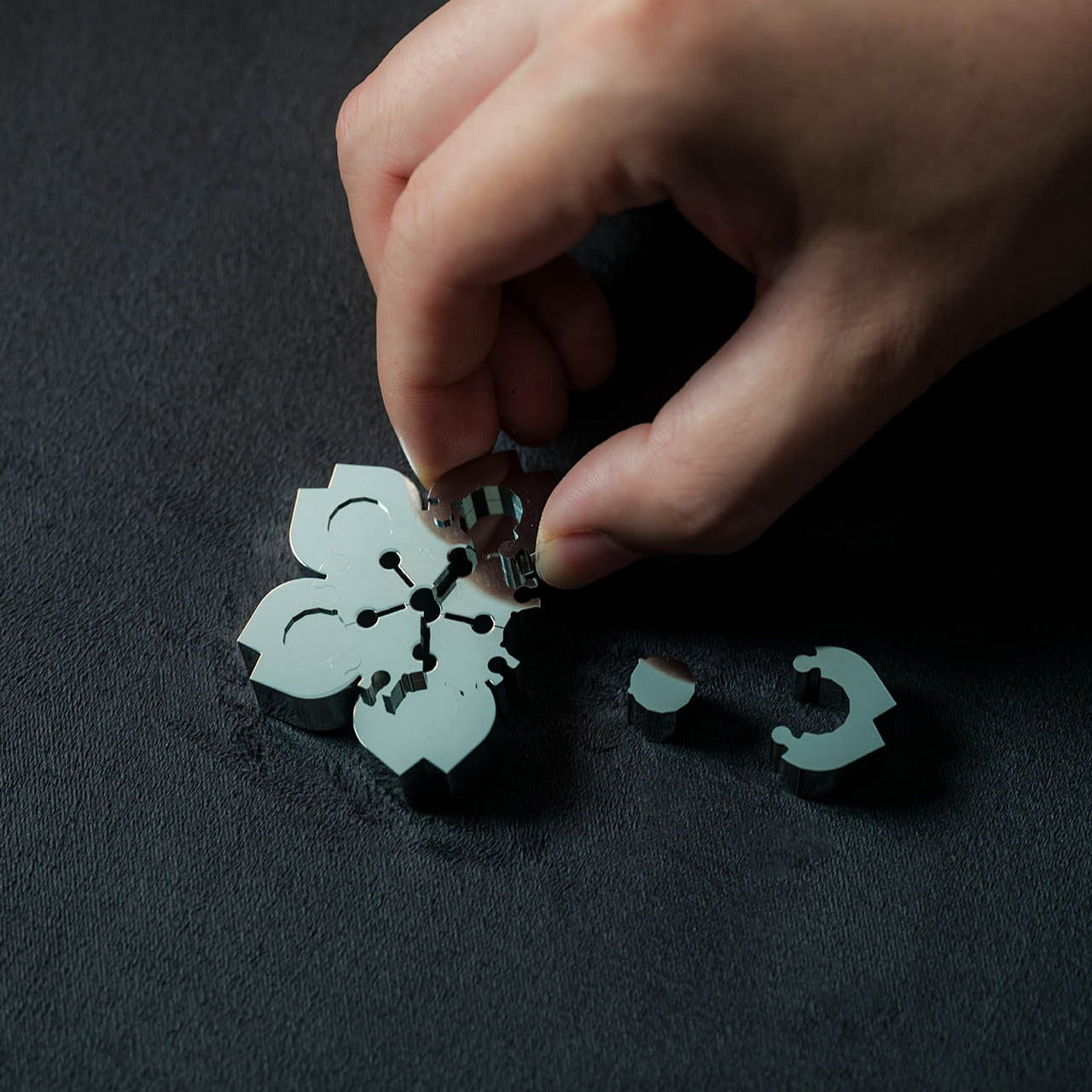
Strategic thinking requires exercise. The Precision Sakura Metal Puzzle offers a tactile brain challenge that doubles as a desk sculpture, forcing pattern recognition and spatial reasoning as you assemble Japan’s iconic flower from mirror-finish stainless steel pieces. The difficulty lies in the similarity—pieces look nearly identical, requiring careful testing and logical deduction to determine correct placement. The reward justifies the effort: once completed, the puzzle reveals stunning craftsmanship with pieces fitting so precisely that the 0.004mm gaps between them become virtually invisible. It transforms from an engaging challenge into an elegant desktop decoration.
For the productivity-obsessed professional, this gift acknowledges a crucial truth: sustained performance requires strategic breaks. Short mental diversions from primary work actually enhance focus upon return, especially when those breaks engage different cognitive systems. The Sakura puzzle provides exactly this kind of beneficial interruption. Stuck on a problem? Spend five minutes wrestling with steel petals. The combination of tactile manipulation and spatial problem-solving activates new neural pathways, often leading to breakthroughs in overcoming the original challenge. The mirror finish and precision engineering also signal quality and attention to detail—values these professionals respect. As permanent desk décor, it serves as both a conversation piece and a quick-access brain exercise, always available when focus needs refreshing.
Similar-looking pieces provide a genuine cognitive challenge without frustration
Compact size fits easily on the desk without dominating workspace real estate
What we dislike
Difficulty level may prove frustrating during particularly stressful workdays
Metal construction makes it heavier than expected for a desktop puzzle
7. Side A Cassette Speaker
The environment shapes output. The Side A Cassette Speaker recognizes that productivity professionals spend significant time at their desks and deserve ambient sound that feels intentional, personal, and visually interesting. Styled authentically as a mixtape complete with a transparent shell and side A label, this pocket-sized speaker hides Bluetooth 5.3 connectivity and microSD playback behind retro aesthetics. The sound profile is deliberately warm and cozy, evoking the character of analog tape rather than the clinical digital reproduction. Slide it into its included clear case that doubles as a stand, and it becomes the perfect desk companion—delivering personal audio without headphone isolation.
The appeal here transcends nostalgia. Productive professionals curate their work environment carefully, understanding that surroundings impact performance. Side A brings character to desks dominated by black rectangles and silver aluminum, offering a visual personality that sparks conversation and joy. The Bluetooth 5.3 ensures seamless pairing with laptops and phones for calls, focus playlists, or podcast background. The microSD support means offline playback without draining device batteries or relying on streaming connectivity. The compact form factor respects limited desk space while the warm sound creates ambient presence without overwhelming. For under fifty dollars, it delivers functional audio and meaningful aesthetic contribution—the kind of dual-purpose design that earns its permanent position on carefully considered desks.
Authentic cassette styling with a transparent shell adds visual character to workspaces
Bluetooth 5.3 connectivity provides seamless wireless pairing with modern devices
microSD card support enables offline playback without streaming or battery drain
Warm analog-inspired sound creates pleasant ambient audio for desk work
What we dislike
Compact size limits bass response compared to larger desktop speakers
Cassette aesthetic may not suit minimalist or ultra-modern office designs
8. ZenFlow Personal Aroma Diffuser
Cognitive performance responds to the sensory environment. The ZenFlow Personal Aroma Diffuser applies 180 years of Japanese porcelain craftsmanship and modern heat-airflow technology to workspace ambiance, distributing refined aromas without water or messy mist. Handcrafted porcelain filters from Shibukusa Ryuzo Porcelain pair with anodized metal bases available in silver, gold, or black, creating a design object that enhances any interior aesthetic. Three adjustable modes let users customize intensity: Normal Mode for invigorating presence, Airflow Mode for subtle background, and ECO Mode for energy-efficient extended operation. The hybrid technology evenly diffuses essential oils, transforming desk areas into intentionally curated sensory environments.
For professionals obsessed with optimization, the ZenFlow represents environmental control. These individuals understand that focus isn’t just mental discipline—it’s managing every variable that impacts cognitive performance. Scent influences mood, stress levels, and concentration capacity. The ZenFlow makes this variable controllable and elegant. Morning launch requires energizing citrus in Normal Mode. Afternoon concentration benefits from lavender in Airflow Mode. Late sessions need rosemary in ECO Mode. The water-free operation eliminates humidity concerns and maintenance hassle. The porcelain filters honor craft traditions while the metal base provides modern stability. As a gift, it acknowledges the recipient’s sophisticated approach to performance, offering a tool that feels as refined as the outcomes they pursue. It’s wellness through design, productivity through presence.
Handcrafted porcelain filters from a 180-year legacy combine tradition and technology
Water-free heat-airflow system eliminates mess and humidity concerns
Three adjustable modes provide precise control over fragrance intensity
Metal base in silver, gold, or black integrates seamlessly with various aesthetics
What we dislike
Requires essential oils as an ongoing supply expense beyond the initial purchase
Porcelain filters may need eventual replacement depending on usage frequency
9. Rolling World Clock
Global work demands global awareness. The Rolling World Clock transforms timezone checking from digital screen-tapping into a physical, tactile ritual that brings intention to international coordination. Shaped as a twelve-sided polyhedron, each face represents a major timezone city from London to Tokyo, Sydney to New York. The magic lies in its operation: simply roll the clock to your desired city, and a single hand indicates the current time there. Available in minimalist black or white finishes, it sits on desks as both a functional timepiece and geometric sculpture. For professionals managing distributed teams, coordinating with overseas clients, or maintaining relationships across continents, it makes the invisible flow of global time visible and tangible.
The brilliance is removing complexity through physical simplicity. Most timezone tools involve scrolling, calculating, or consulting cluttered world maps. The Rolling World Clock eliminates cognitive load. Scheduling a call with your Shanghai office? Roll to Shanghai. Checking if your London colleague is still at their desk? Roll to London. The single-hand design provides immediate information without the visual noise of multiple dials or digital displays. The tactile interaction creates a moment of physical engagement that grounds abstract timezone calculations in something real you can touch and manipulate. For productivity professionals who value tools that think differently, this clock represents elegant problem-solving. It acknowledges that staying connected globally shouldn’t require more screens or mental math, just thoughtful design that respects how humans naturally interact with objects.
Twelve timezone cities cover major global business hubs comprehensively
Single-hand design eliminates visual clutter for instant time recognition
Tactile rolling mechanism creates engaging physical interaction with time checking
Minimalist black or white finishes integrate seamlessly with any desk aesthetic
What we dislike
Limited to twelve preset cities without customization for other locations
The rolling mechanism requires desk space and a stable surface for accurate operation
10. Levitating Pen 2.0 Cosmic Meteorite Edition
Exceptional tools inspire exceptional thinking. The Levitating Pen 2.0 Cosmic Meteorite Edition defies physical expectation by suspending at a 23.5-degree angle above its base, creating a floating illusion that stops conversations and starts imaginations. Inspired by spacecraft aesthetics reminiscent of the USS Enterprise, the sci-fi design brings speculative fiction into functional reality. The meteorite tip features genuine Muonionalusta meteorite fragments—material older than Earth by 20 million years—connecting your desk to cosmic history. As part of the renowned Levitating Pen collection, this limited edition represents both a technological marvel and a collectible design object.
For productivity professionals, this serves a dual purpose: functional writing instrument and perpetual inspiration source. Productive minds thrive in environments that stimulate curiosity and ambition. The levitating pen becomes a daily reminder that seemingly impossible things become real through engineering and vision—a metaphor for approaching challenging projects. The gravity-defying display sparks visitor questions, creating natural conversation bridges during desk-side meetings. The meteorite element adds a tangible connection to scale and time beyond daily concerns, offering perspective during stressful deadlines. When lifted to write, it delivers smooth ballpoint performance before returning to its floating position. As a gift, it signals that you recognize the recipient as someone who appreciates innovation, values unique design, and deserves tools as exceptional as their aspirations. It’s confidence and wonder, engineered into everyday utility.
Genuine Muonionalusta meteorite tip connects writing to 20-million-years-older-than-Earth cosmic material
Spacecraft-inspired design appeals to innovation enthusiasts and sci-fi admirers
Limited edition status makes it collectible beyond functional utility
What we dislike
The levitation base requires desk space and a power source for display functionality
Premium materials and engineering result in significantly higher costs than standard pens
Finding the Perfect Productive Gift
Choosing gifts for productivity professionals means understanding that every object on their desk earns its presence through utility, beauty, or both. These ten designs respect that standard. They solve real workflow problems, eliminate daily friction points, and bring visual satisfaction to spaces where focus happens. From leather that folds into organization to pens that float in defiance of gravity, each represents thoughtful engineering meeting genuine need. These aren’t decorations disguised as tools. They’re tools elevated to design objects.
The best gifts for productive minds acknowledge their approach to work: intentional, optimized, and demanding of quality. These professionals notice when something is well-made. They appreciate when everyday objects receive extraordinary attention. The designs collected here speak that language fluently, offering functionality wrapped in craft, utility expressed through beauty. Whether you’re gifting a colleague, celebrating a promotion, or upgrading your own workspace, these pieces transform desks from functional surfaces into curated environments where exceptional work feels natural and inspired.
Apple’s iPadOS 26 represents a significant evolution in multitasking, combining the intuitive simplicity of a tablet with the advanced capabilities of a desktop. Whether you’re a casual user or a professional relying on your iPad for productivity, this update introduces tools designed to enhance both efficiency and adaptability. With innovative multitasking modes, improved window management, […]