A new AAA Alien game is reportedly in the works

If Alien: Romulus reawakened your appetite for the iconic sci-fi franchise, the good news is that a promising video game could be on the way. According to an Insider Gaming report, a new game for the Alien franchise is back in development. The report's sources mentioned that the single-player game will be set in a "decaying space station" as an arcade survival horror that can be compared to "Shadow of [the] Tomb Raider with Xenomorphs."

It's not the first time we heard about this Alien game, which was first reported on in 2022 under the codename "Marathon." According to Insider Gaming, the game has cycled through several developers, but more recently landed with Eidos Montreal, which developed Shadow of the Tomb Raider and is currently working on the upcoming Fable reboot. The report added that the game's development budget was increased to less than $75 million, up from the initial $30 million budget from a few years ago.

Insider Gaming's report noted that the game is still in "early development," but could feature Ripley 8, the human-Xenomorph hybrid that was first seen in Alien Resurrection. The game's details and release date are still subject to change, but Insider Gaming's sources said the game is "in a good place at this point" and is expected to release in 2028 on all platforms. 

This article originally appeared on Engadget at https://www.engadget.com/gaming/a-aaa-game-for-the-alien-franchise-is-back-in-the-works-204401214.html?src=rss

Tray210 Proves Recycled Plastic Doesn’t Have to Look Grey and Boring

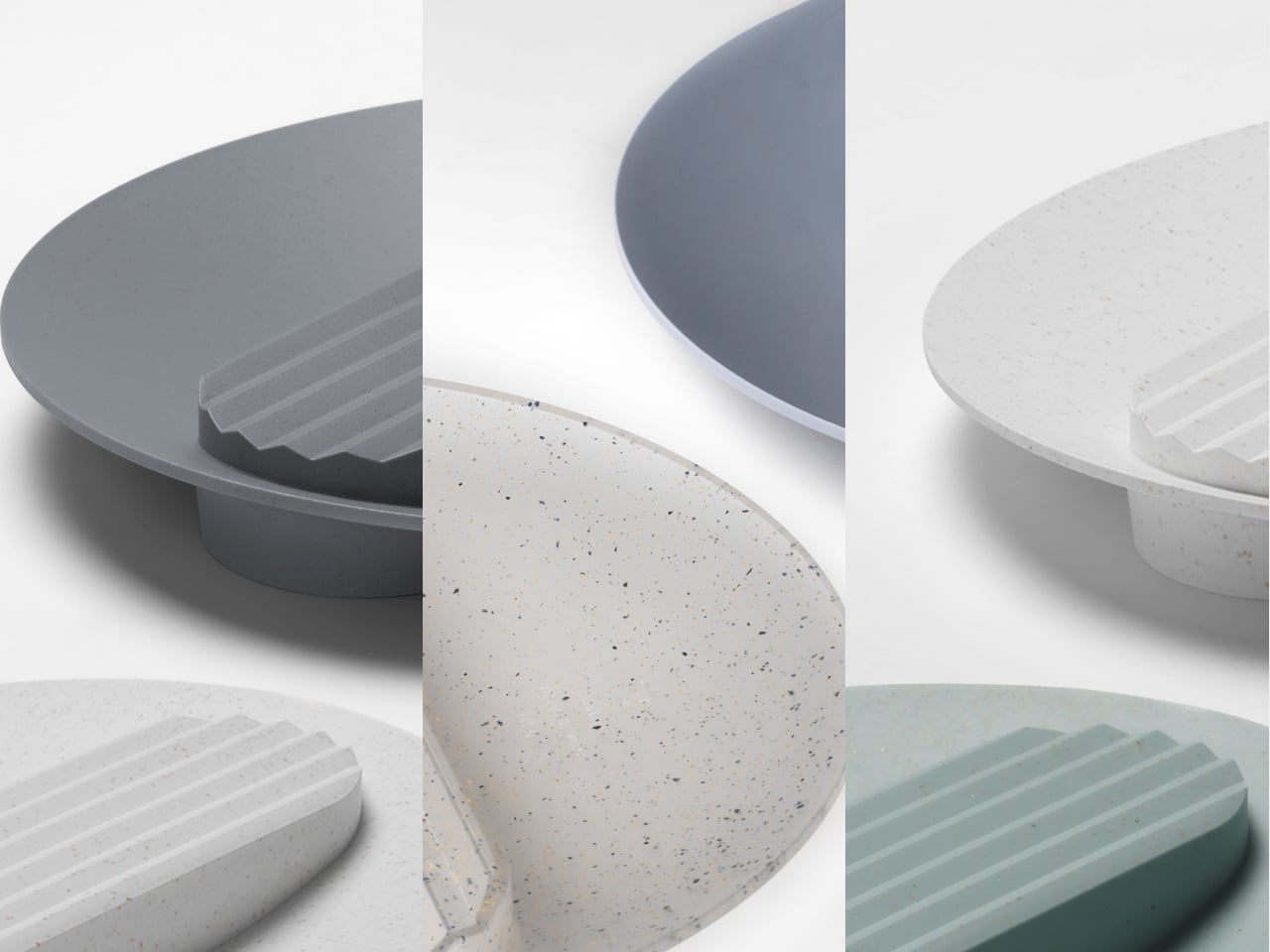
Recycled plastic products often fall into two camps: grey utilitarian bins or loud, speckled experiments that feel more like proof of concept than something you want on your desk. Tray210 recycled, a collaboration between Korean studio intenxiv and manufacturer INTOPS under the rmrp brand, takes a different approach, using recycled plastics and waste additives to create a tray that feels like a considered object first and an eco story second, treating material diversity as part of the design language.

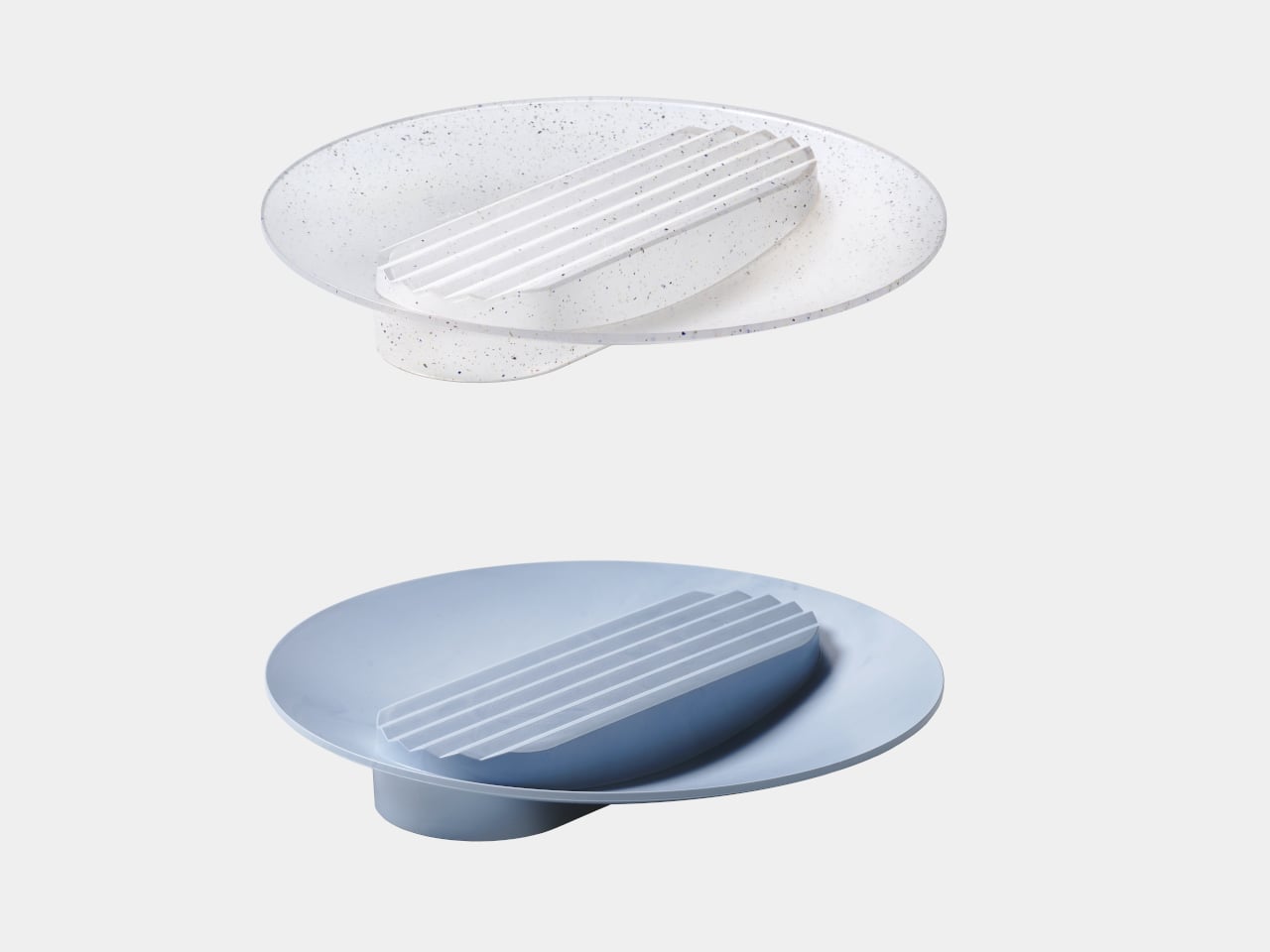
Tray210 recycled is a circular tray with three compartments, an evolution of the original Tray210 form. It grew out of INTOPS’ grecipe eco-material platform and hida’s CMF proposals, which is a long way of saying it is the result of a tight loop between material science and industrial design. The goal was to pursue material diversity and break away from the cheap recycled stereotype, making something that belongs in sight rather than hidden under a desk.

Designer: Intenxiv x INTOPS

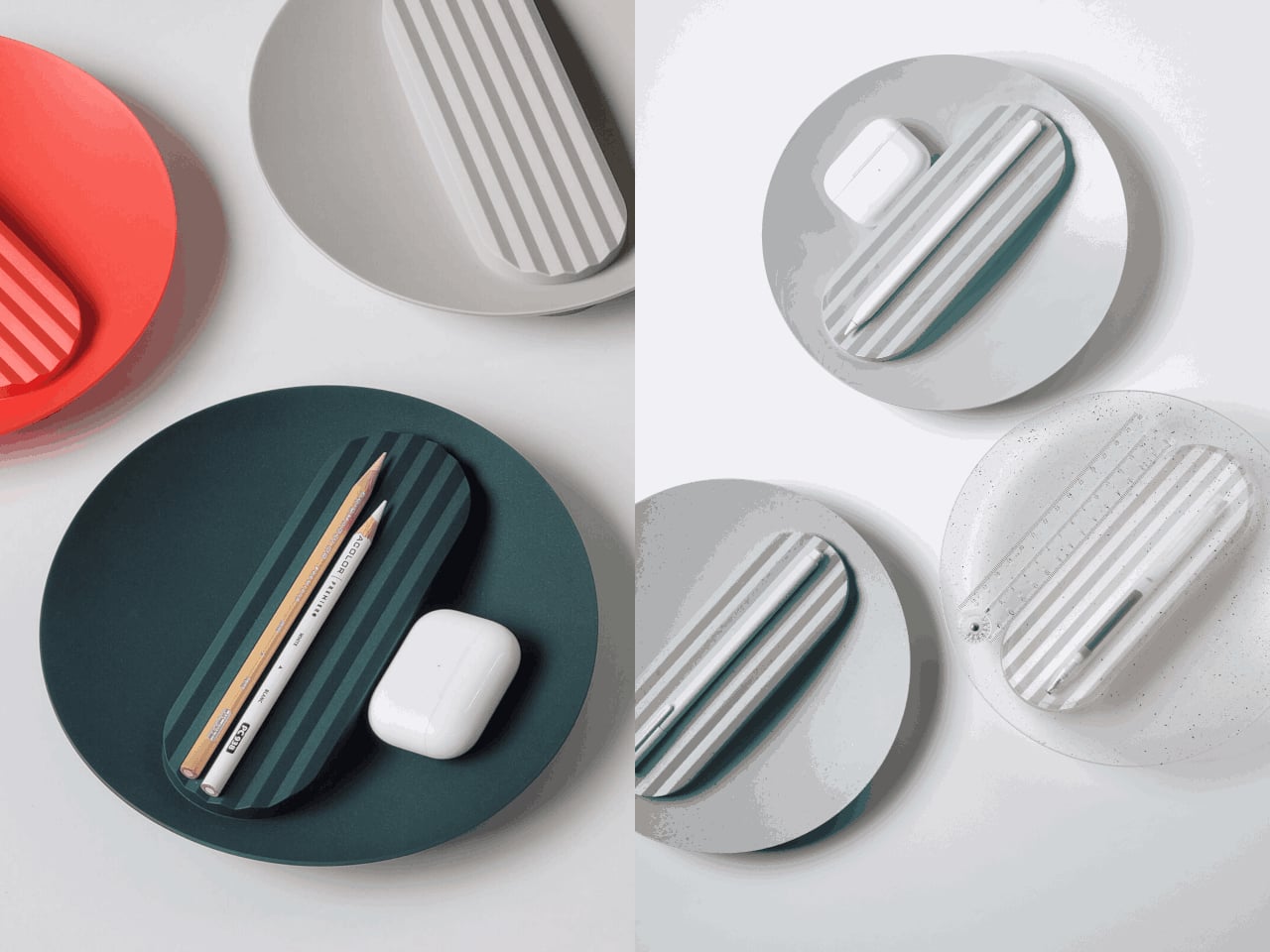
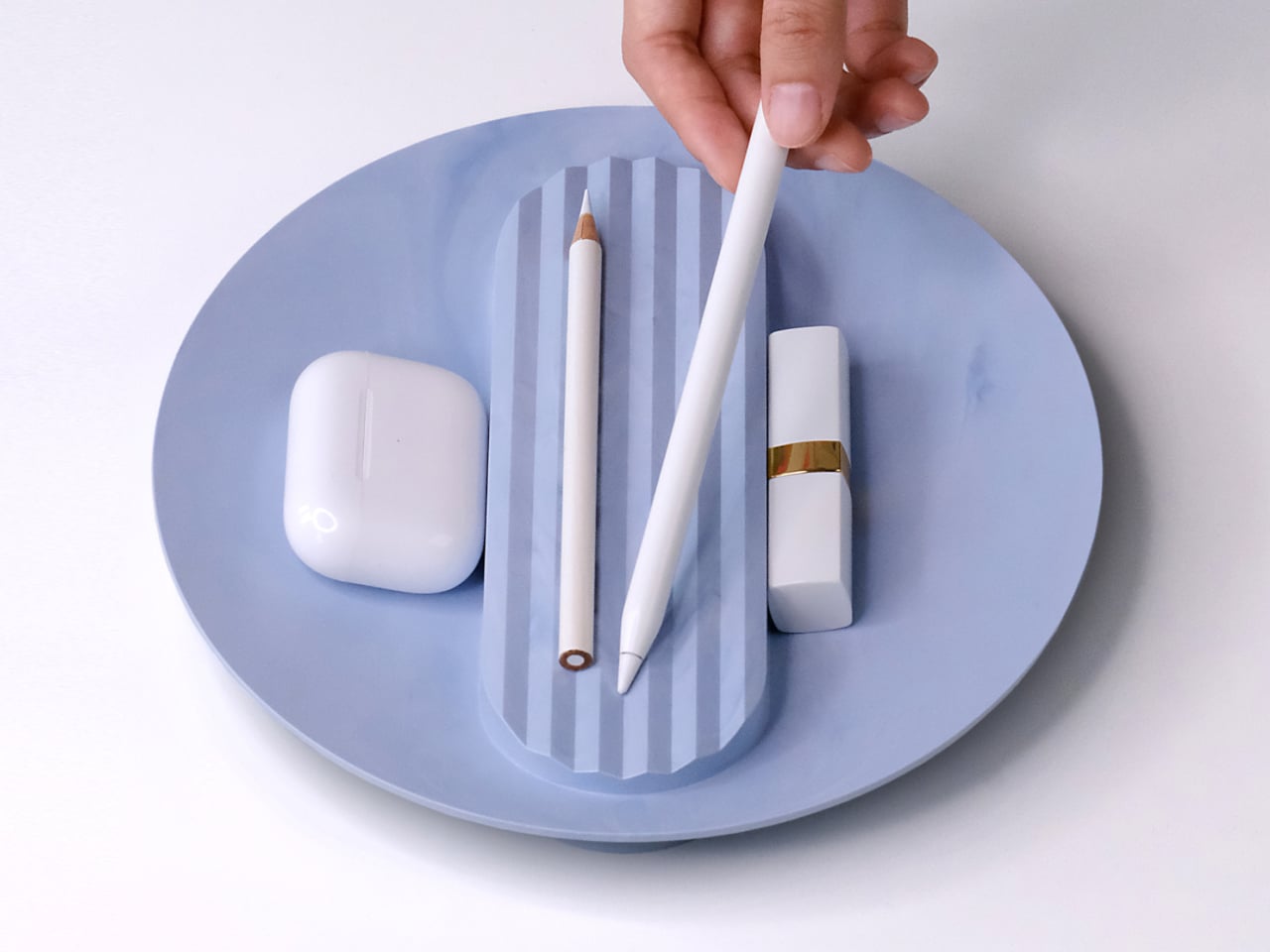
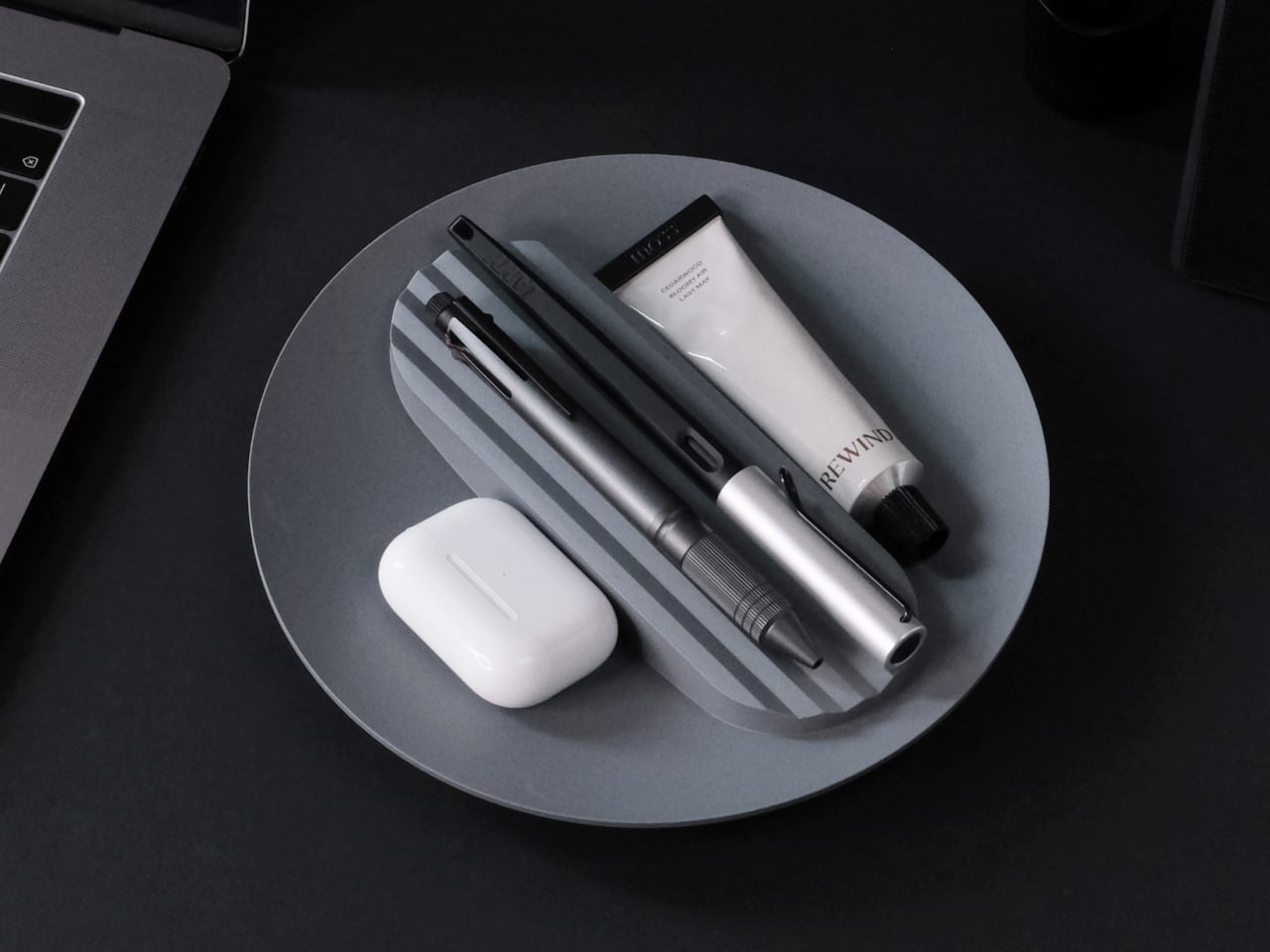
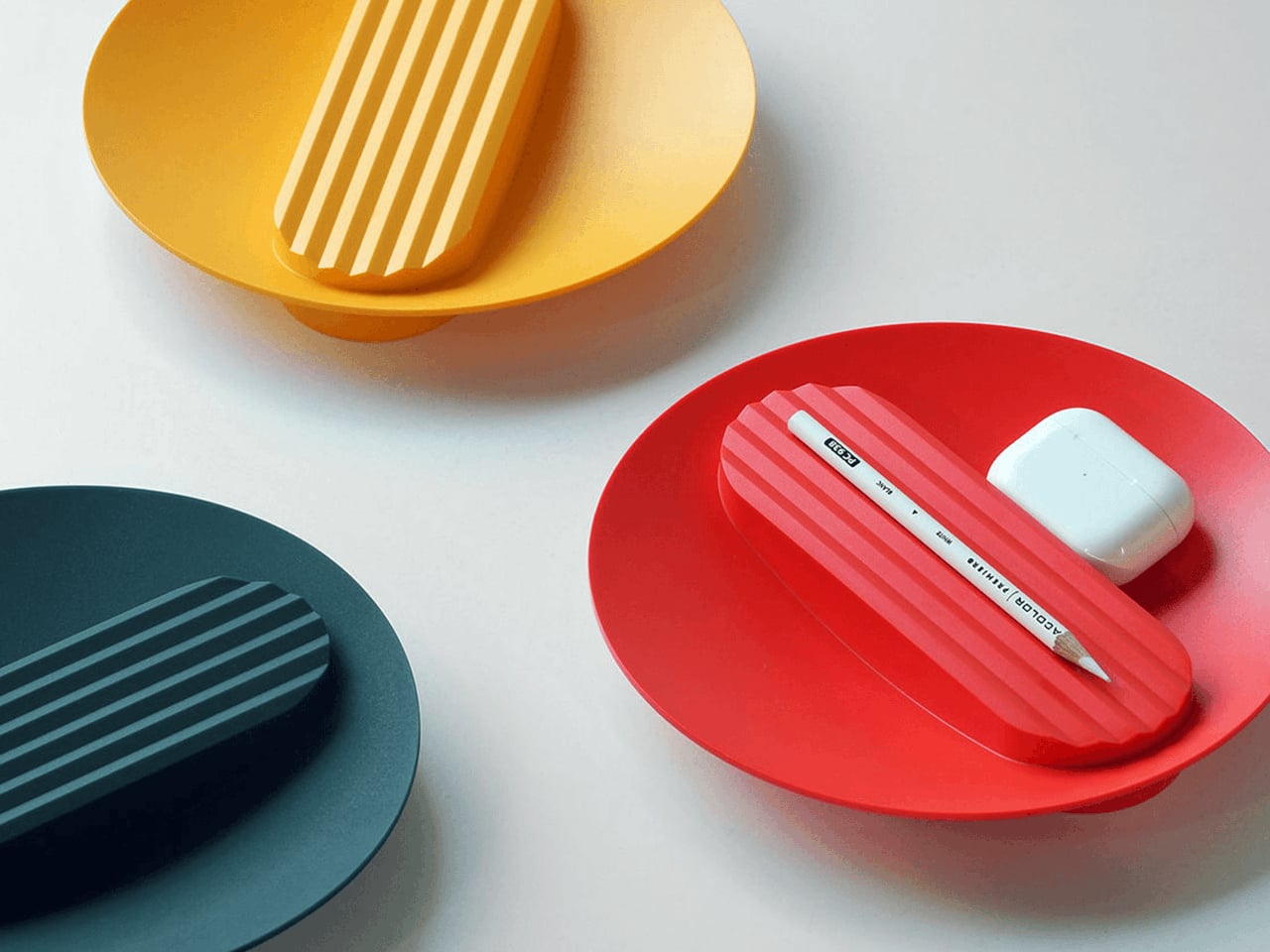
The form is intuitive, a 210 mm circle with a raised, ribbed bar running across the middle and two shallow wells on either side. The central groove is sized for pens, pencils, or chopsticks, and the ribs keep cylindrical objects from rolling away. The side compartments are open and shallow, perfect for earbuds, clips, rings, or keys. It is the kind of layout you understand at a glance without needing instructions or labels; just place your pen where the grooves are.

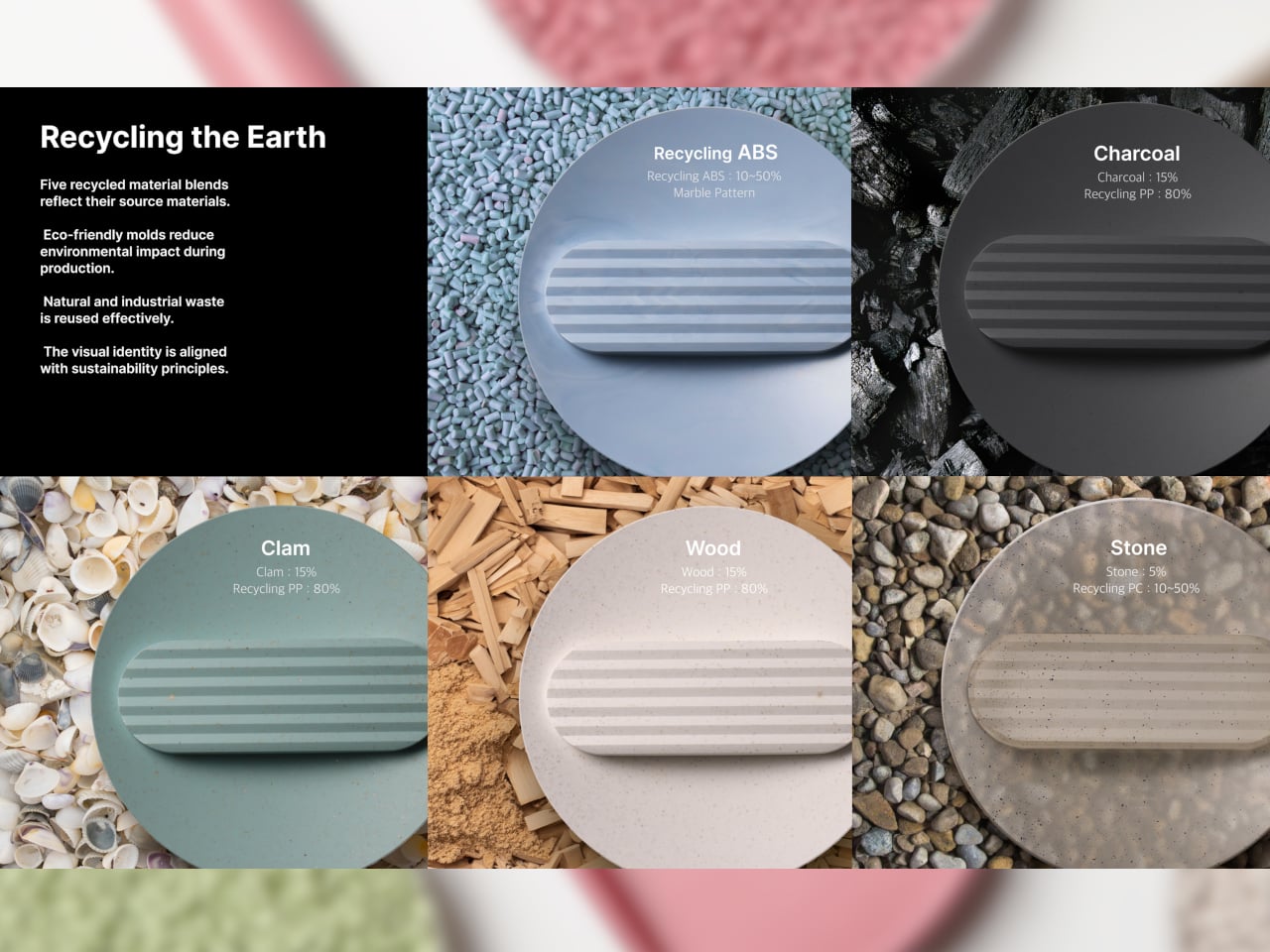
The material story is where Tray210 recycled gets interesting. Multiple recycled blends reflect their sources: Clam and Wood use 80 percent recycled PP with shell and wood waste, Charcoal adds 15 percent charcoal to 80 percent recycled PP, and Stone uses 10–50 percent recycled ABS. Transparent and Marble variants use recycled PC or PCABS with ceramic particles or marble-like pigment. Each colorway is visually tied to its waste stream, making the origin legible and intentional.

The aim is to create a design closer to the lifestyle rmrp pursues, breaking away from the impression recycled plastic generally gives. The Clam and Wood versions read as soft, muted pastels with fine speckling, Charcoal feels like a deep, almost architectural grey, and Stone and Transparent lean into translucency and particulate. Instead of hiding the recycled content, the CMF work uses it as texture and character, closer to terrazzo or stoneware than to injection-molded scrap that just happens to be grey.

The combination of clear zoning and tactile surfaces makes Tray210 recycled feel at home on a desk, entryway shelf, or bedside table. The central groove keeps your favorite pen or stylus always in the same place, while the side wells catch whatever tends to float around, from SD cards to jewelry. The different material stories let you pick a version that matches how you want the space to feel: calm, earthy, industrial, or a bit more playful.

A simple tray can carry a lot of design thinking, from intuitive ergonomics to material storytelling and responsible sourcing. Tray210 recycled is not trying to save the world on its own, but it does show how recycled plastic can be turned into something you actually want to touch and keep in sight. For people who care about both what an object does and what it is made from, that is a quiet but meaningful upgrade over another anonymous catch-all that eventually ends up in a drawer.

The post Tray210 Proves Recycled Plastic Doesn’t Have to Look Grey and Boring first appeared on Yanko Design.

Half-Life 3 is rumored to be a Steam Machine launch title and could arrive in spring 2026

Half-Life fans are nothing if not patient. For the diehard fans out there, the latest test of patience comes from Insider Gaming Weekly's podcast, which claimed that the third installment in the Half-Life franchise is set to release with the launch of the Steam Machine sometime in spring 2026.

"The window I was specifically told was spring 2026 for the Steam Machine, for the Frame, for the Controller, for Half-Life 3," Mike Straw, one of the hosts of the Insider Gaming Weekly podcast and senior editor at Insider Gaming, said. "At the end of the day, the game is real."

Straw added that all the previous dates for an announcement of the next Half-Life game have passed, but that his sources "are still adamant this is a game that will be a launch title with the Steam Machine." However, being tied to Valve's latest hardware release could be an issue since Straw noted that the explosive jump in RAM pricing is causing considerable concern for the Steam Machine's pricing announcement.

"There is a concern, however, they haven't made a decision on price, which is kind of holding back the announcement of anything else," Straw said. "There's no doubt in my mind Valve is still trying to make decisions because of what's going on on the component side."

While optimistic devotees were hoping for some teasers during The Game Awards, Valve hasn't officially said anything. However, there's still a lot of hope, especially considering Valve updated Half-Life 2 for its 20th anniversary, and previous rumors hinted at a game that's still in development but is playable from beginning to end. 

This article originally appeared on Engadget at https://www.engadget.com/gaming/half-life-3-is-rumored-to-be-a-steam-machine-launch-title-and-could-arrive-in-spring-2026-193029413.html?src=rss

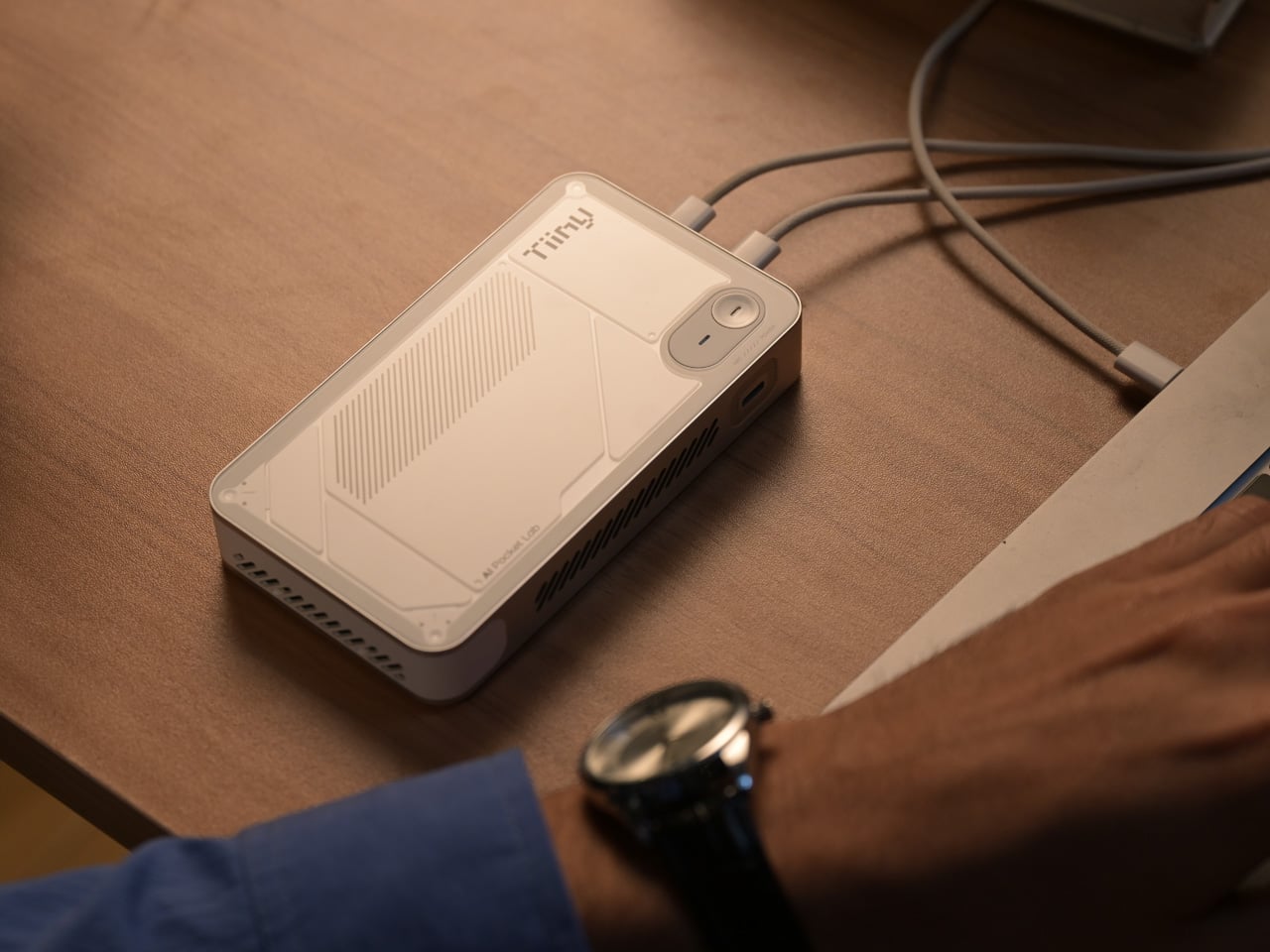
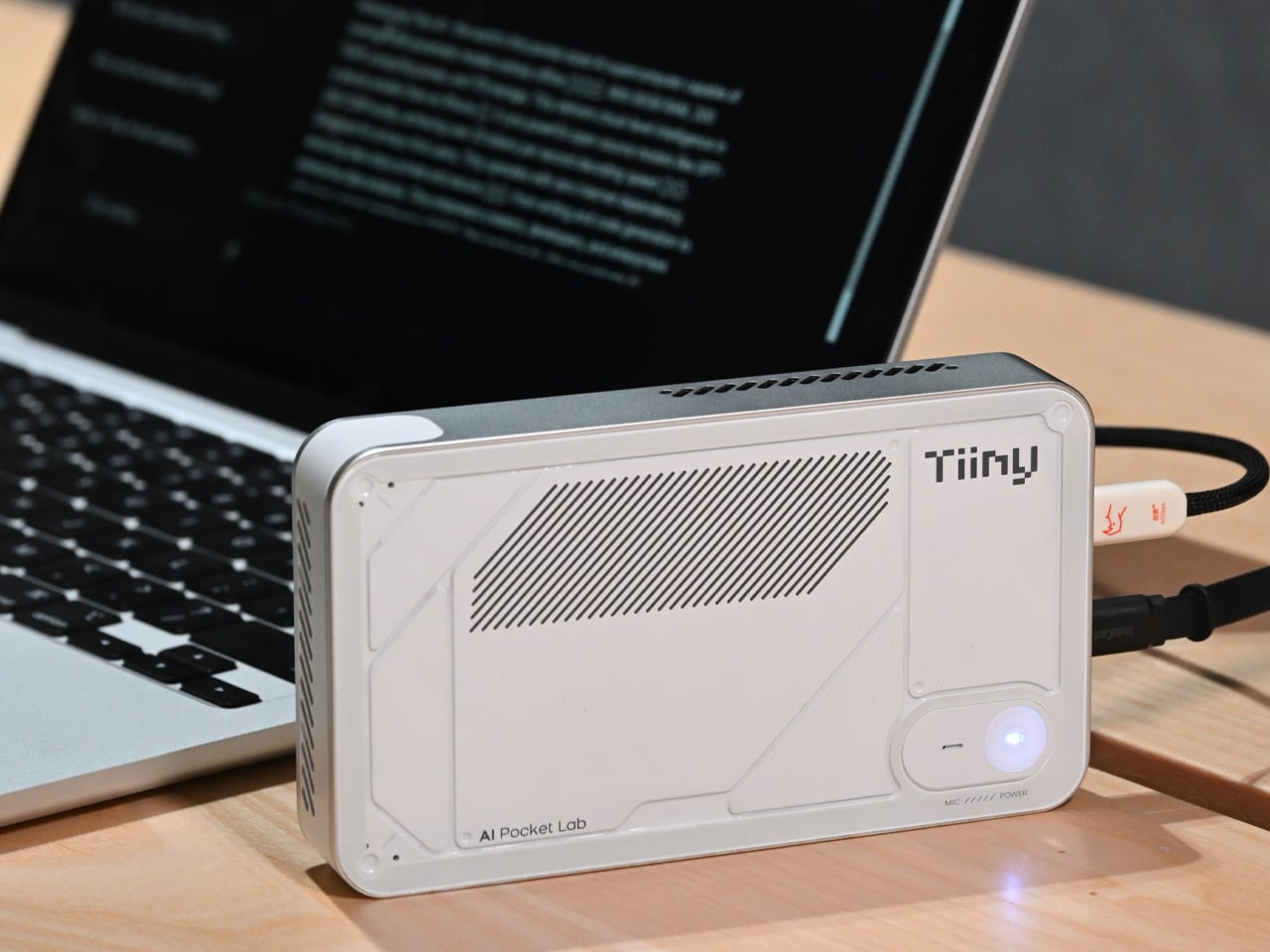
Record setting Pocket Lab shrinks a full AI supercomputer into the size of a power bank

We have come a long way from the computers the size of entire rooms to the sleek personal computers that sit comfortably on our desks. The evolution of computing has consistently pushed toward smaller form factors and greater efficiency. The Mac mini, for example, illustrates how compact modern PCs have become. Yet the question persists: how miniature can a powerful computing device truly be? A recent Guinness World Records certification offers a striking answer.

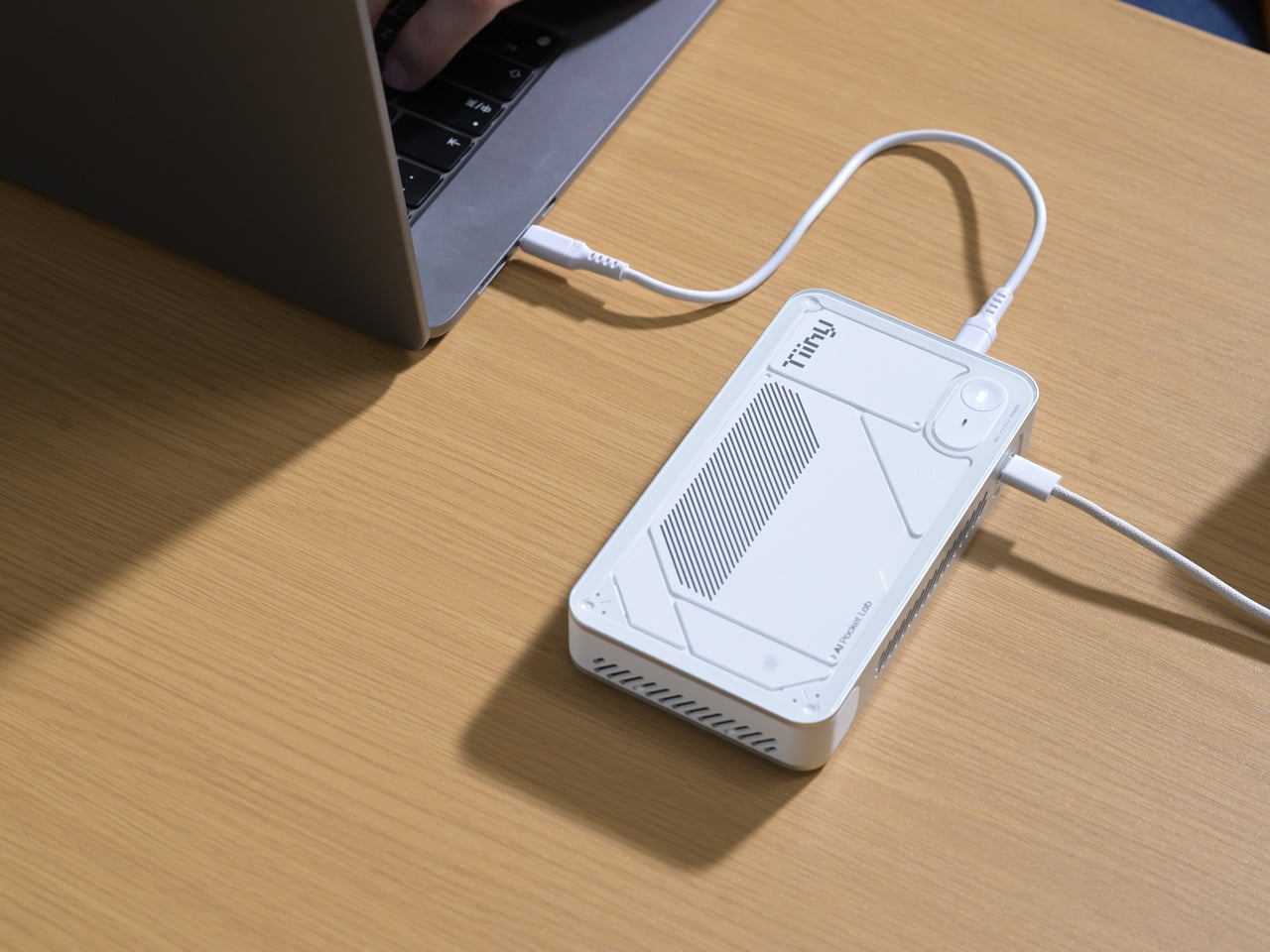
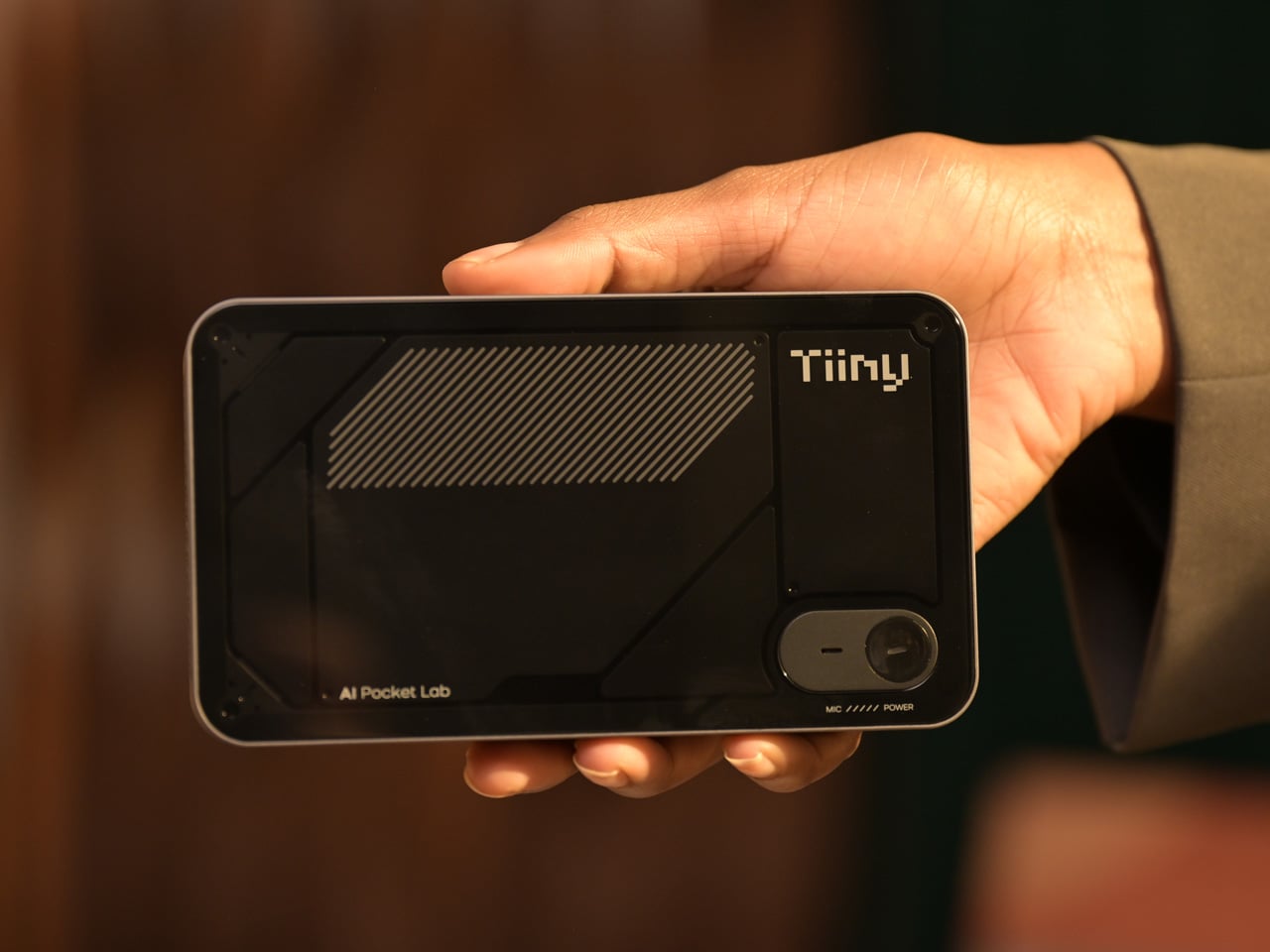
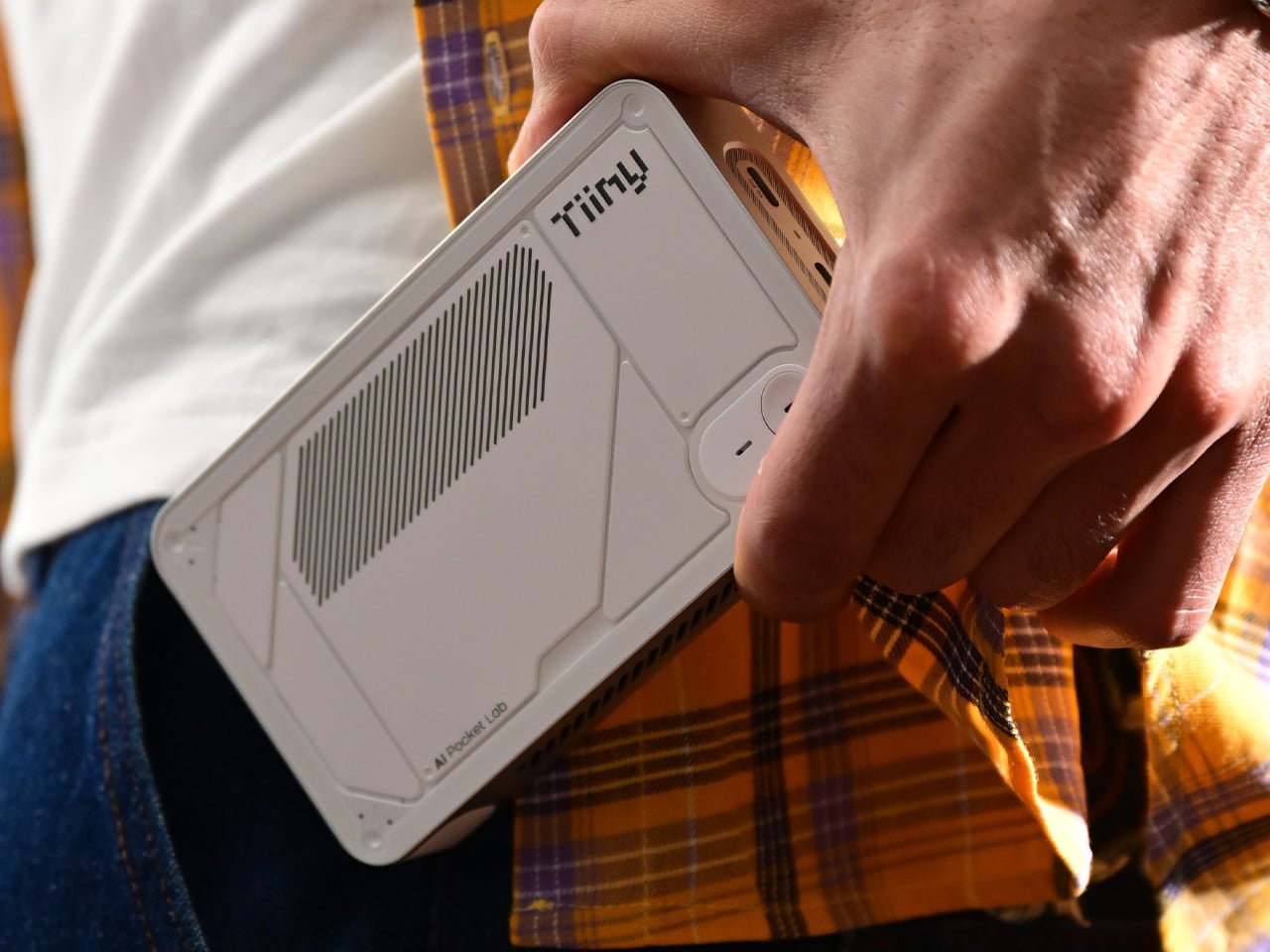
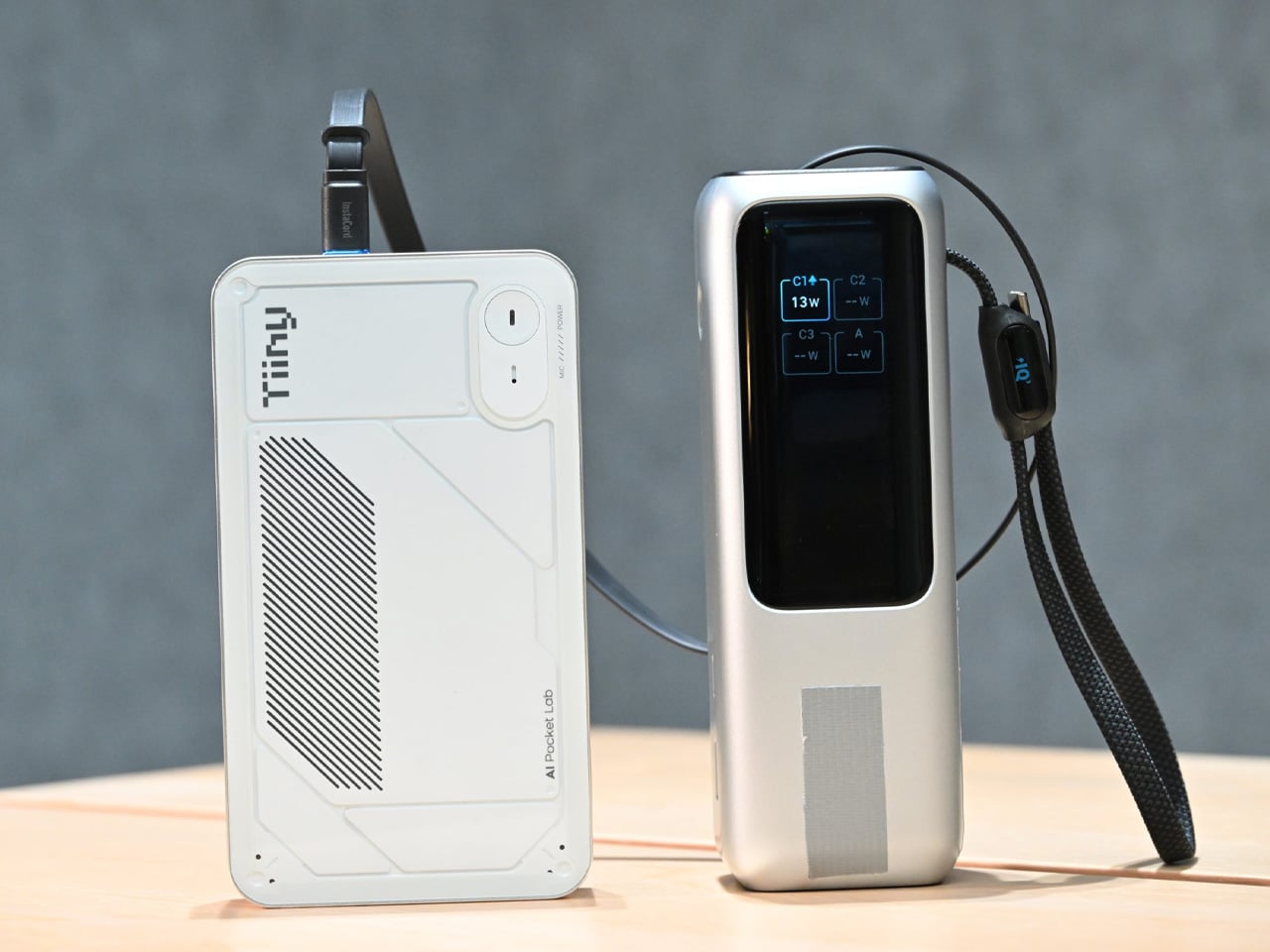
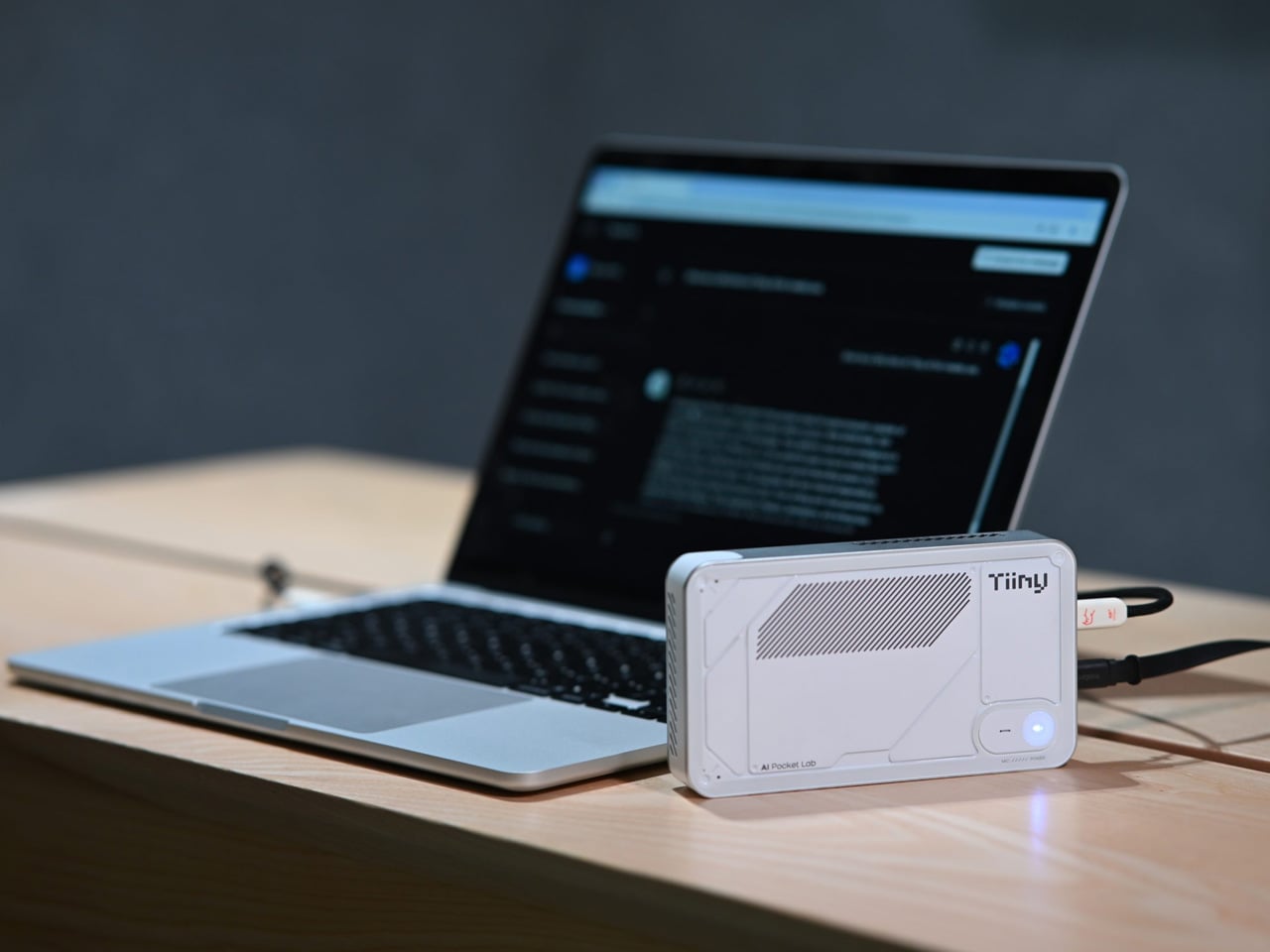
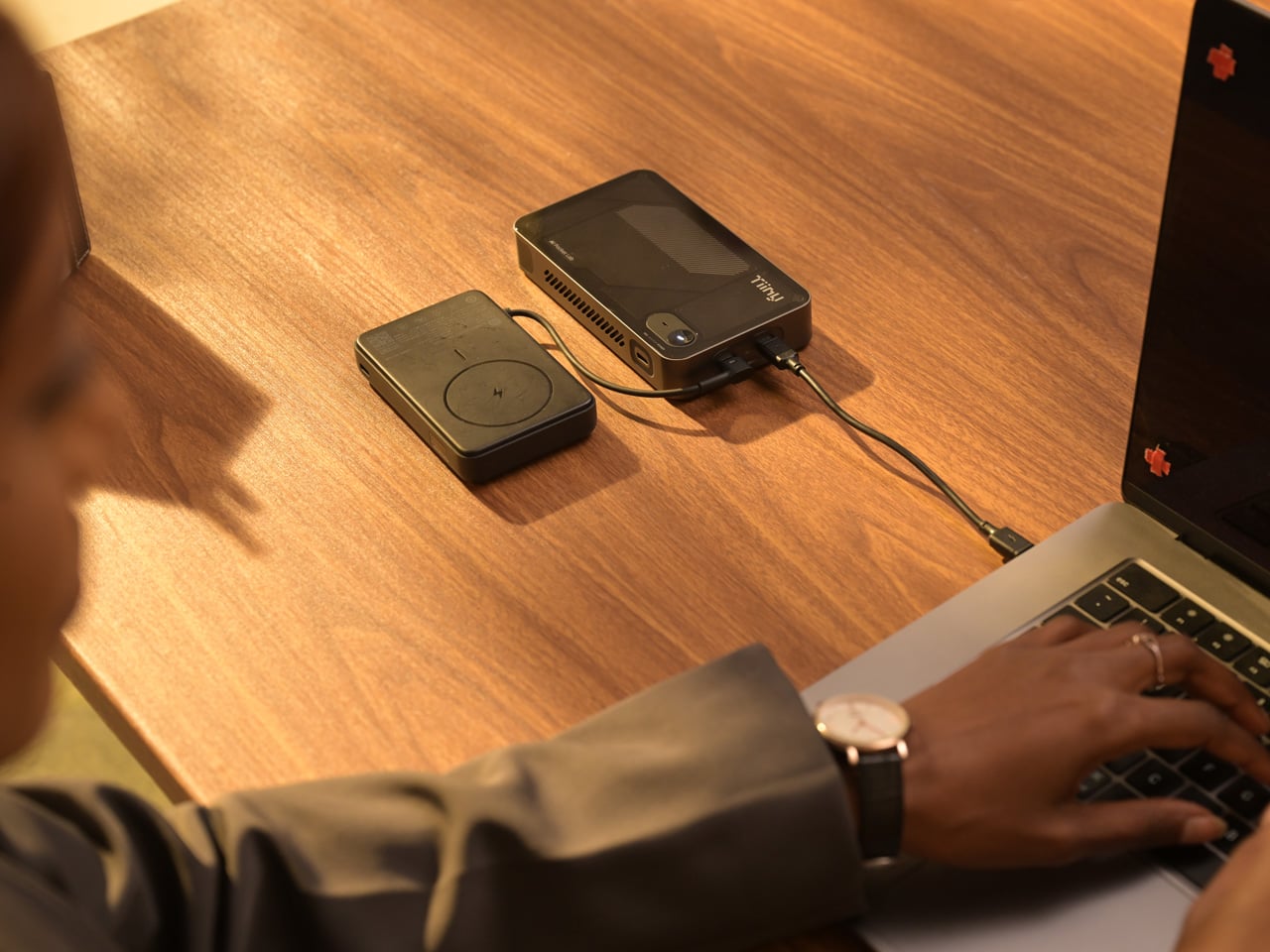
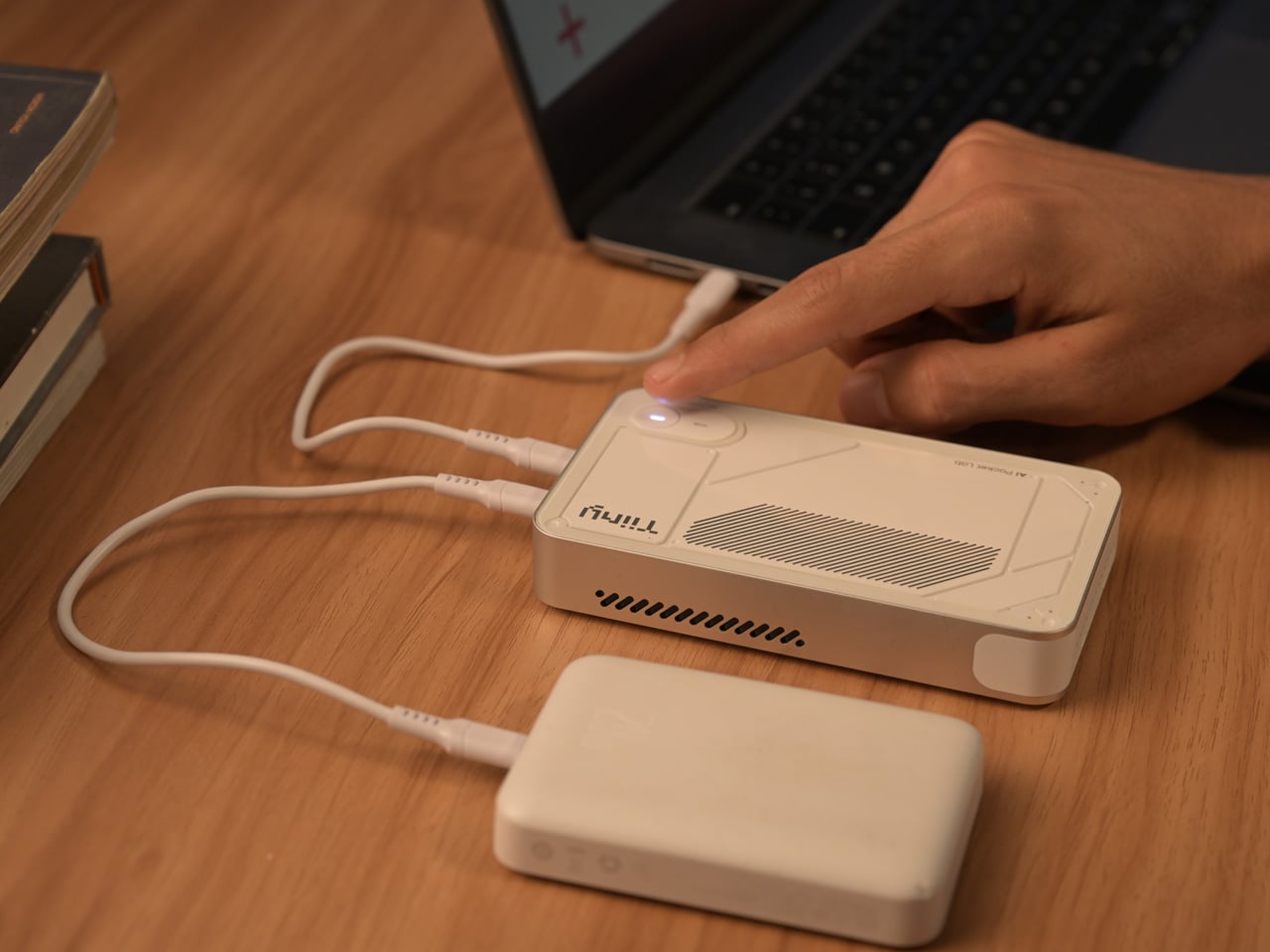
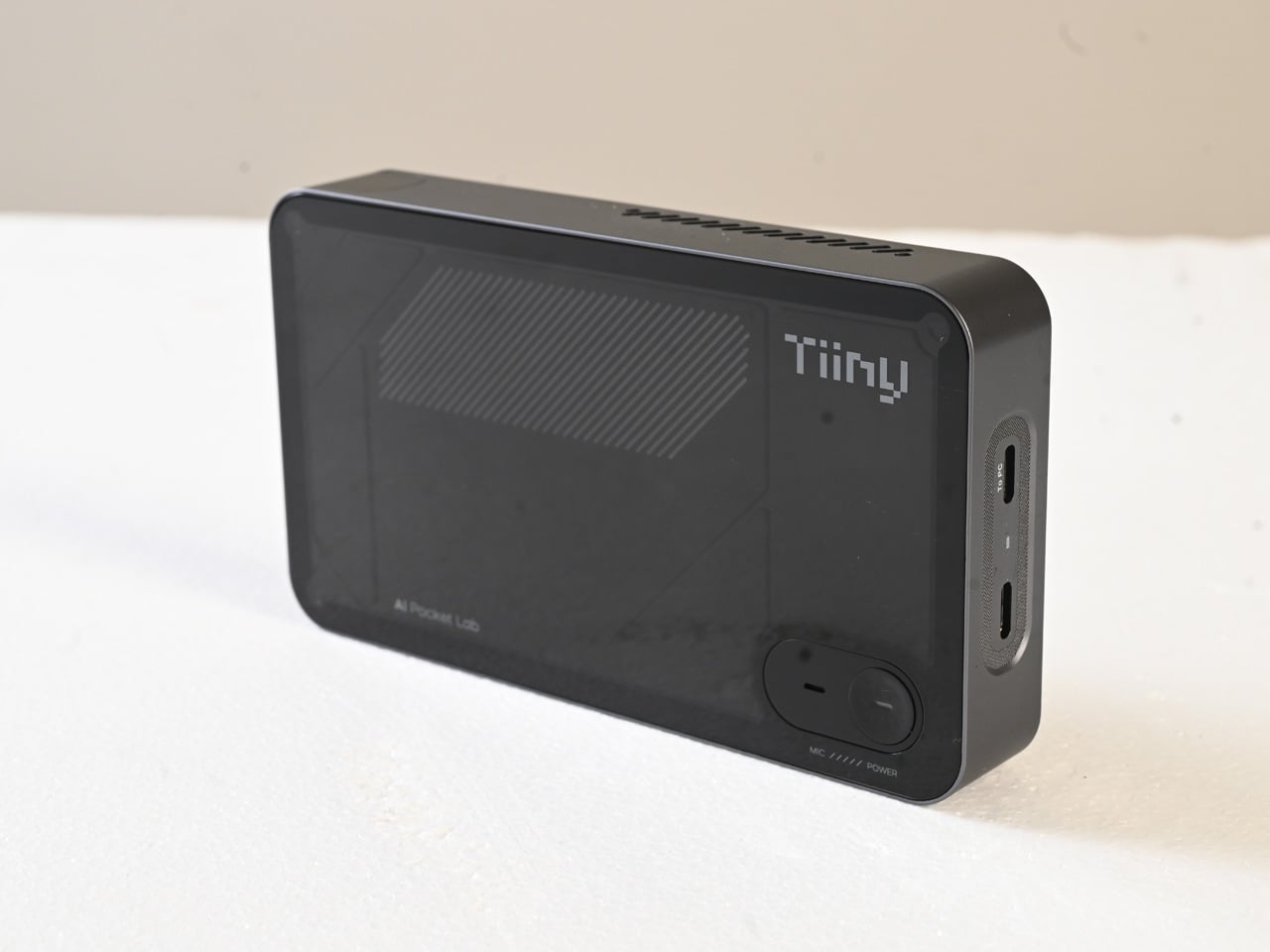
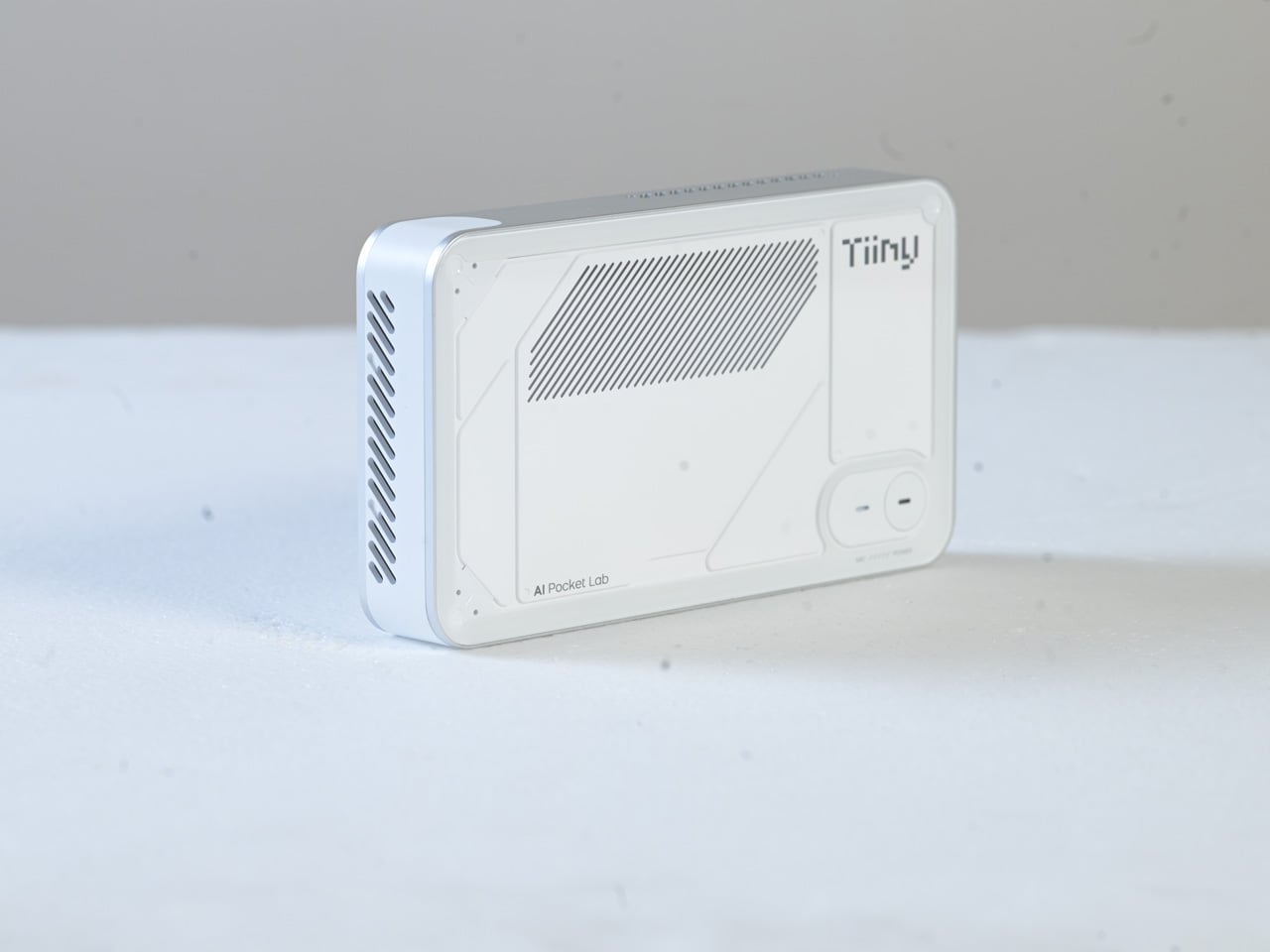
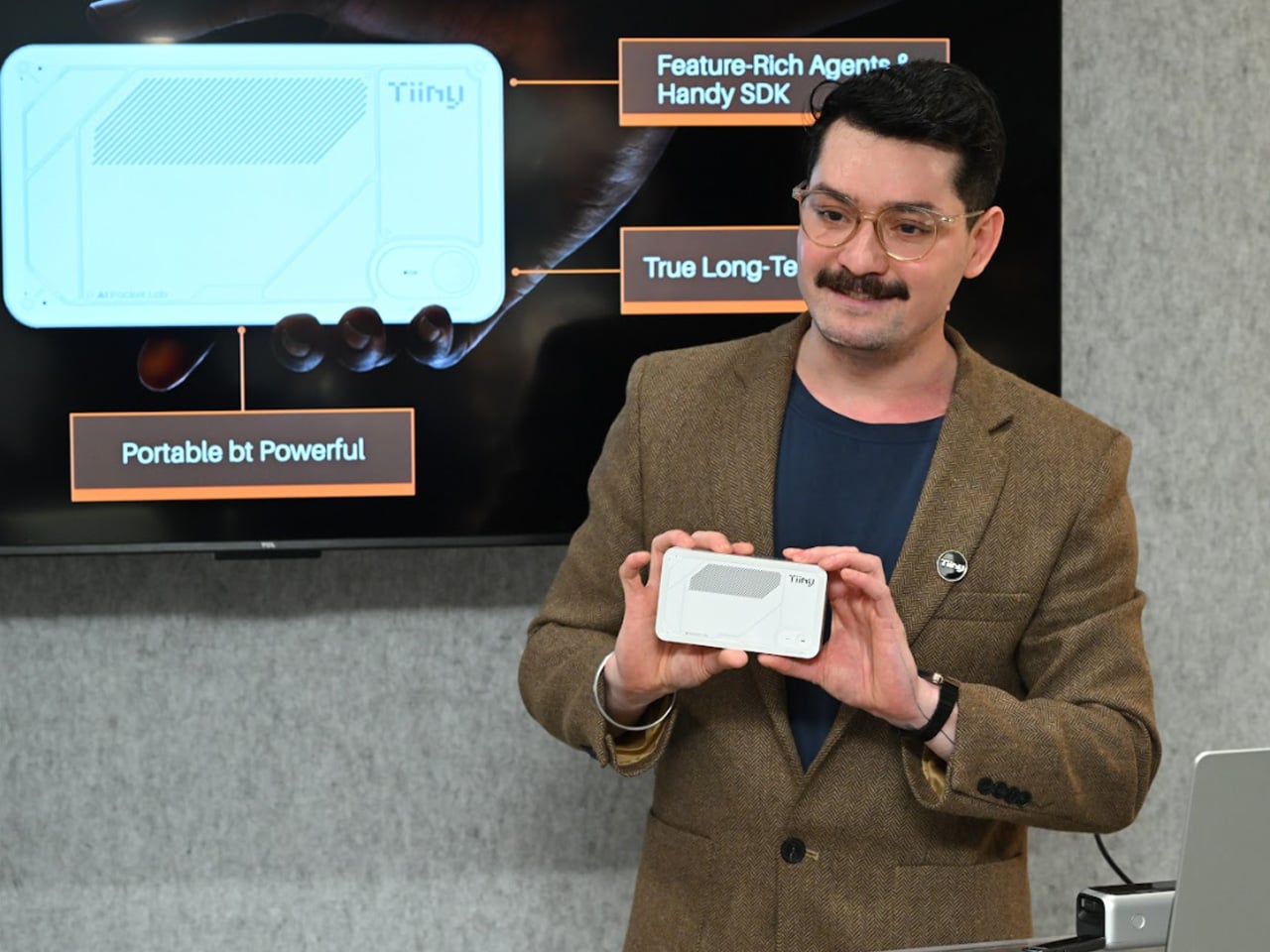
Tiiny AI, a US-based deep-tech startup, has unveiled the Pocket Lab, officially verified as the “world’s smallest personal AI supercomputer.” This palm-sized device, no larger than a typical power bank, is capable of running large language models (LLMs) with up to 120 billion parameters entirely on-device, without relying on cloud servers or external GPUs.

Designer: Tiiny AI

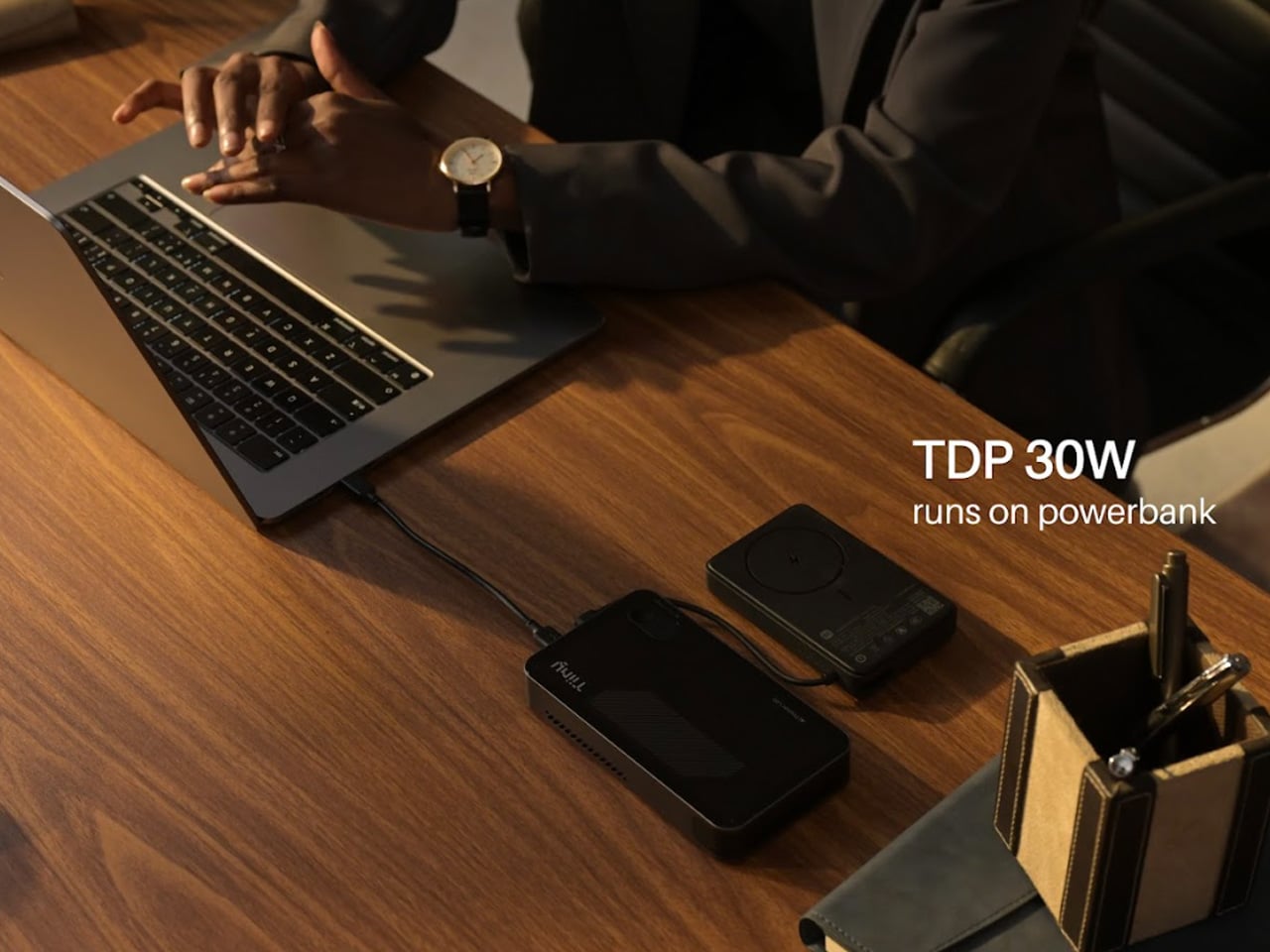
At its core, the Pocket Lab aims to make advanced artificial intelligence both personal and private. Traditional AI systems often depend on cloud infrastructure, which can raise concerns around data privacy, latency, and carbon emissions associated with large server farms. The Pocket Lab addresses these issues by enabling fully offline AI computation. All processing, data storage, and inference happen locally on the device, reducing dependence on internet connectivity or cloud resources.

Despite its compact size, measuring 14.2 × 8 × 2.53 centimeters and weighing roughly 300 grams, this mini supercomputer delivers noteworthy computing power. The system operates within a typical 65-watt energy envelope, comparable to a conventional desktop PC, yet manages to support extensive AI workloads. The hardware architecture combines a 12-core ARMv9.2 CPU with a custom heterogeneous module that includes a dedicated Neural Processing Unit (NPU), together achieving approximately 190 TOPS (tera-operations per second) of AI compute performance. This configuration is backed by 80 GB of LPDDR5X memory and a 1 TB solid-state drive, allowing large AI models to run efficiently without external accelerators.

Two key technologies underpin the Pocket Lab’s ability to run large models so efficiently in such a small package. TurboSparse improves inference efficiency through neuron-level sparse activation, reducing computational overhead while preserving model intelligence. PowerInfer, an open-source heterogeneous inference engine with a significant developer following, dynamically distributes workloads across the CPU and NPU, delivering server-grade performance at far lower power and cost than traditional GPU-based solutions.

In practical terms, the Pocket Lab supports a wide ecosystem of open-source AI models and tools. Users can deploy popular LLMs such as GPT-OSS, Llama, Qwen, DeepSeek, Mistral, and Phi, alongside agent frameworks and automation tools, all with one-click installation. This broad software compatibility extends the device’s usefulness beyond enthusiasts and hobbyists to developers, researchers, professionals, and students.

By storing all user data and interactions locally with bank-level encryption, the Pocket Lab also emphasizes privacy and long-term personal memory. This feature contrasts with many cloud-based AI services that retain data on remote servers. Tiiny AI plans to showcase the Pocket Lab at CES 2026, but has not yet disclosed full details on pricing or release dates.

The post Record setting Pocket Lab shrinks a full AI supercomputer into the size of a power bank first appeared on Yanko Design.

iOS 26.2 is here with another Liquid Glass tweak, new Podcasts features and more

Apple has released iOS 26.2, bringing a number of new convenience features and security updates. The update includes auto-generated chapters for episodes in the Podcasts app, the option to make AirDrop more secure using verification codes, alarms for Reminders and more. It also introduces new controls for how Liquid Glass appears on the Lock Screen, adding a slider to adjust the transparency level. The drop also includes updates for iPadOS, macOS, watchOS, visionOS and tvOS.

It's not exactly a major update feature-wise, but iOS and iPadOS 26.2 bring a bunch of quality of life improvements to apps including Apple Music, Podcasts and Games. In Apple Music, you'll now see your Favorite Songs playlist in the Top Picks section, and lyrics will be available offline for songs you've downloaded. In addition to automatically generated chapters, Podcasts will display links to any other podcasts mentioned in the episode you're listening to. And, Games is getting in-game score banners, along with filters for the library to make it easier to find titles based on category and other descriptors. Apple says it also improved support for Backbone and Razer controllers.

With iOS 26.2, Apple made Safety Alerts for natural disasters and other emergencies more detailed, and they'll now come with maps of affected areas and other useful information. For iPad users, Apple has added drag-and-drop gestures for its new windowing system to make multitasking smoother. The update for iPhones and iPads also addresses several potential security issues, including vulnerabilities in WebKit that Apple says "may have been exploited in an extremely sophisticated attack against specific targeted individuals on versions of iOS before iOS 26." So, if you're not yet running the latest OS on your iPhone and iPad, it's a good time to update. 

Beyond the iPhone and iPad, macOS Tahoe 26.2 introduces Edge Light for Mac, which turns your display into a ring light for video calls. For the Apple Watch, 26.2 fixes an issue with stuck songs in the Music app, and adds some new controls for the Sleep app. The tvOS update brings the option to add profiles even for people who don't have an Apple Account, and new restriction options for kid profiles. With visionOS 26.2, Travel Mode now has settings for cars and buses, and you'll now be able to use spatial accessories including "Logitech Muse in Notes, Freeform, and any PencilKit-enabled app" to create hand-drawn content with the Apple Vision Pro.

This article originally appeared on Engadget at https://www.engadget.com/mobile/ios-262-is-here-with-another-liquid-glass-tweak-new-podcasts-features-and-more-181020133.html?src=rss

CRKD’s Nitro Deck 2 works for both the Nintendo Switch and Switch 2

Even though Nintendo made some serious upgrades with the Joy-Con 2, you still might end up ditching them for CRKD's Nitro Deck 2. After winning over Nintendo Switch owners with its first Nitro Deck, CRKD followed it up with an improved design that works for both the original Switch and the Switch 2.

To refine the original design, CRKD added several upgrades to the Nitro Deck 2 based on community feedback. The new-and-improved accessory features the company's CaptiStick Technology, which prevents stick drift and isn't affected by magnetic interference like other Hall effect joysticks. CRKD also offset the right thumbstick and contoured the outer shell for a more ergonomic feel. The Nitro Deck 2 is keeping the swappable stick top feature, but CRKD added the ability to swap out the D-Pad for even more customizability. At the back of the Nitro Deck 2, CRKD managed to squeeze in extra L2 and R2 shoulder buttons alongside the programmable back buttons, which were first seen with the predecessor.

The Nitro Deck 2 comes with upgraded thumbsticks that won't ever fall victim to stick drift.
CRKD

Even if you don't own a Switch 2 yet, the Nitro Deck 2 features a new retractable locking mechanism that can be adjusted to fit both the original Switch and Switch OLED. The Nitro Deck 2 supports a low-latency wired mode thanks to an included adapter, but you can also connect the devices through Bluetooth. Thanks to its wireless connection, the Nitro Deck 2 even works as a controller with PC, mobile or smart TVs.

The Nitro Deck 2 will release in white and smoke black, starting at $99.99. That's a $30 increase from the original Nitro Deck's price tag when it debuted in 2023. CRKD will also offer a carrying case for $39.99 and additional D-Pad and Stick Top packs for $19.99. Nitro Deck 2 is currently available for preorders on CRKD's website and is expected to start shipping in spring 2026.

This article originally appeared on Engadget at https://www.engadget.com/gaming/nintendo/crkds-nitro-deck-2-works-for-both-the-nintendo-switch-and-switch-2-173920127.html?src=rss

Poco Pad X1 & Poco Pad M1 Review: Budget Tablets That Challenge the iPad

PROS:


  • Strong display for the money

  • Complete accessory ecosystem

  • Big batteries

CONS:


  • Neither tablet is light enough for comfortable one-handed use

  • Fully kitted-out X1 with Floating Keyboard and Focus Pen gets expensive fast

RATINGS:

AESTHETICS
ERGONOMICS
PERFORMANCE
SUSTAINABILITY / REPAIRABILITY
VALUE FOR MONEY

EDITOR'S QUOTE:

Poco Pad X1 and M1 are not perfect, but together they deliver more screen, battery, and versatility than almost any other budget tablet pair right now.

Poco built its name on phones that punch above their price, and now it wants to do the same on your coffee table. With Poco Pad X1 and Poco Pad M1, the brand is not just throwing out a couple of cheap tablets. It is trying to turn its budget DNA into a fuller ecosystem that covers gaming, work, and everyday media.

You can feel that ambition in how these two models are drawn. The Poco Pad X1 is a slightly more compact, high refresh performance slate, tuned for games and quick multitasking on an 11.2-inch 3.2K display. The Poco Pad M1 steps up to a 12.1-inch 2.5K panel and the largest battery Poco has ever shipped in a global device, aiming to be the big screen that carries you through movies, sketching sessions, and long days away from a charger.

Designer: Poco

If you have been eyeing an affordable Android tablet for gaming, streaming, or light work, should you reach for the sharper, faster Poco Pad X1, or the larger, more relaxed Poco Pad M1? In this review, we will live with both, compare their strengths, and help you decide which one actually fits your desk, your bag, and your budget.

Aesthetics
Poco Pad X1

Poco is not trying to reinvent tablet hardware with Poco Pad X1 or Poco Pad M1. Both follow a familiar rectangle with rounded corners, flat sides, and a camera module that sits quietly in one corner. On Poco Pad X1, the focus is clearly on framing its 11.2-inch display as efficiently as possible. Poco Pad M1 takes the same basic formula and scales it up with a 12.1-inch panel.

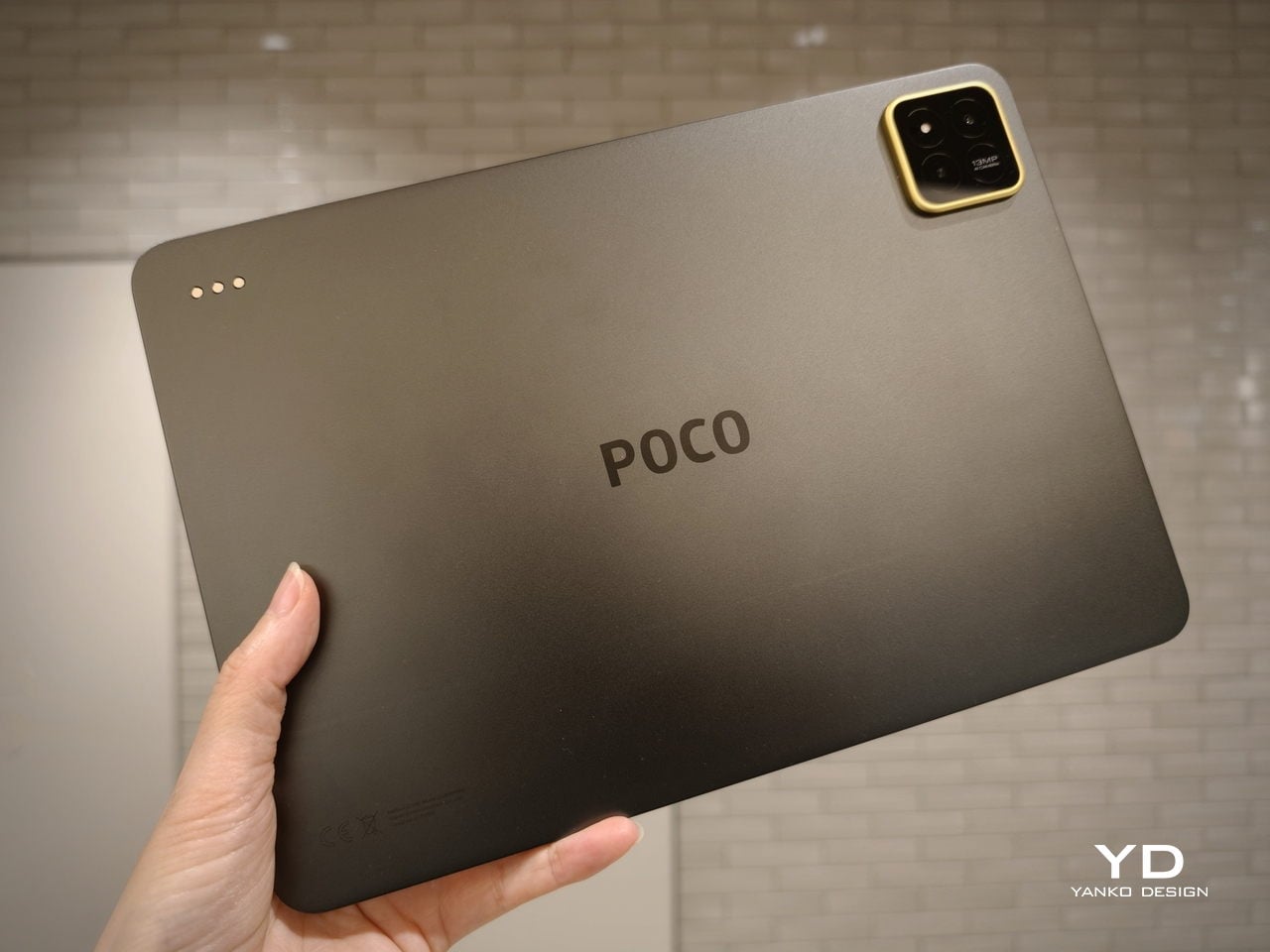
Color choices on the Pad X1 and the Pad M1 are simple. They both come in Grey and Blue. Grey leans more gunmetal and understated with a contrasting yellow accent around the camera module, while Blue reads a little more casual and friendly, but neither option is loud or experimental. Both tablets use a metal unibody design for the main shell, with separate parts for the camera island and buttons, and a big Poco logo stamped in the center for instant brand recognition. The Poco Pad X1 uses a square camera island, while the Poco Pad M1 switches to a softer oval, which gives each model a slightly different signature when you flip them over.
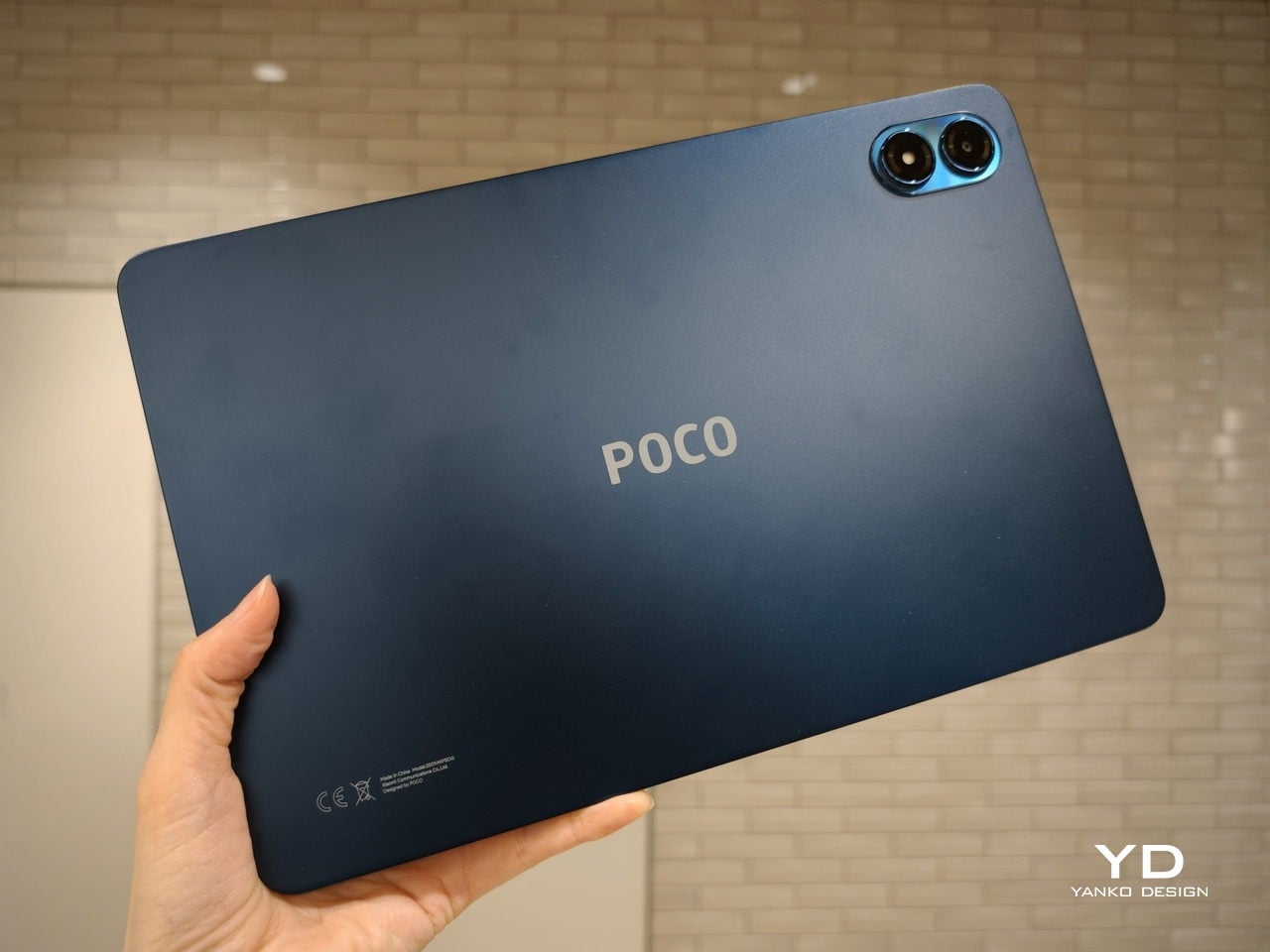
Poco Pad M1

Taken together, the two tablets look exactly like what they are meant to be. They are straightforward, modern Android slabs that fade into the background and let their screens and specs do the talking. For budget-friendly hardware, that quiet, functional design approach feels like the right call.

Ergonomics

In the hand, the main ergonomic difference between Poco Pad X1 and Poco Pad M1 is simply size and weight, but neither is a true one-handed tablet for long stretches. The Poco Pad X1, with its 11.2-inch footprint and 500 g weight, is the more compact of the two. It is easier to manage on a sofa or in bed than the larger Poco Pad M1, but you will still want a second hand or some support if you are holding it for a long time. Even though the Poco Pad X1 is relatively slim and light for an aluminum unibody tablet with an 8,850 mAh battery, with dimensions of 251.22 x 173.42 x 6.18 mm, it does not quietly disappear in one hand the way a smaller 8 or 9-inch device might.
Poco Pad M1

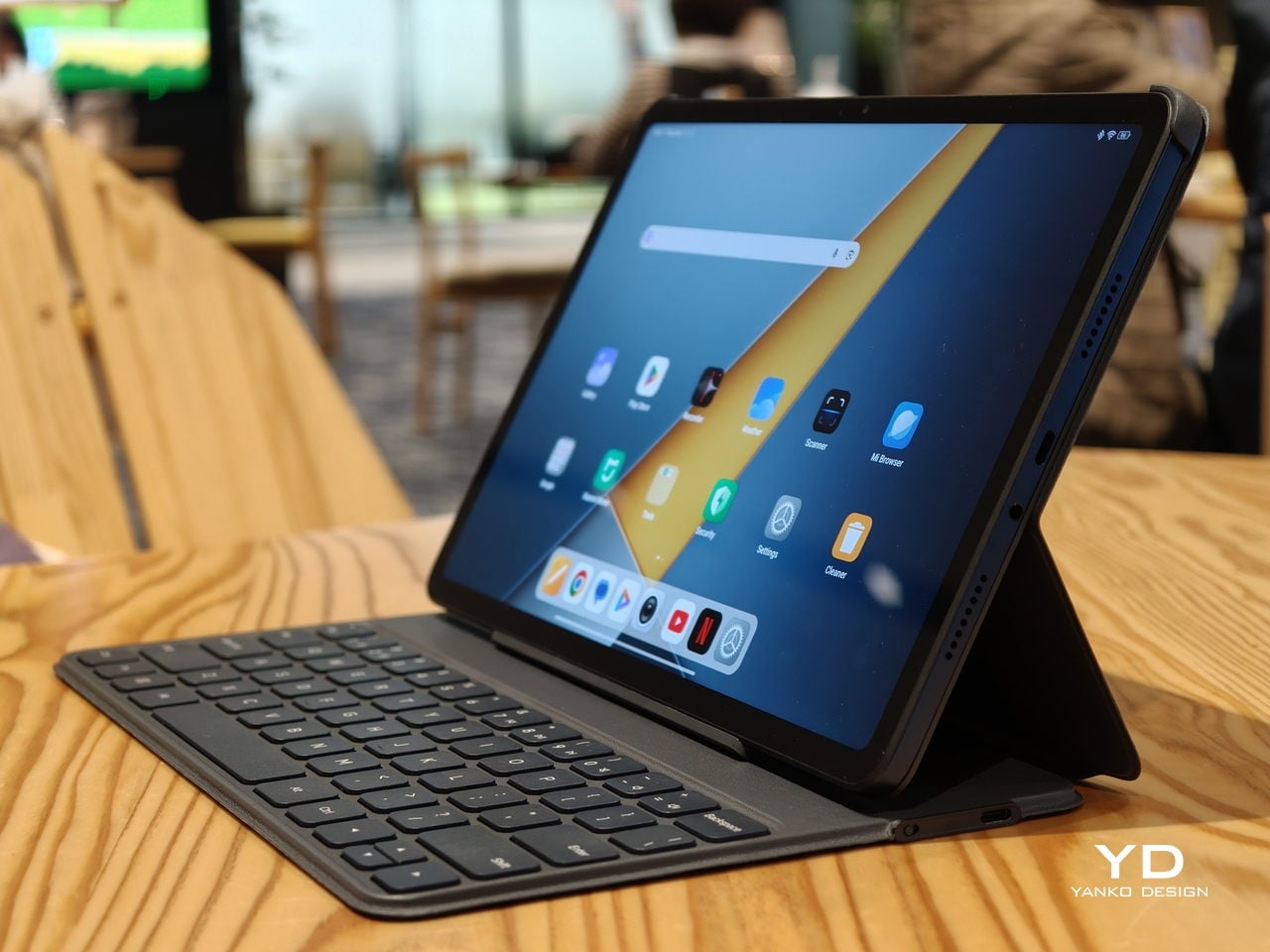
Poco Pad M1 stretches that template out to a 12.1-inch diagonal with dimensions of 279.8 x 181.65 x 7.5 mm and a weight of about 610 g, which puts it clearly into big tablet territory. It is still slim, but the larger footprint makes it even less suited to long one-handed use, especially if you are moving around. Instead, it feels more like a tablet you rest on a table, prop up with a cover, or pair with its official keyboard, where the extra screen real estate really pays off for split-screen apps, video, and drawing.

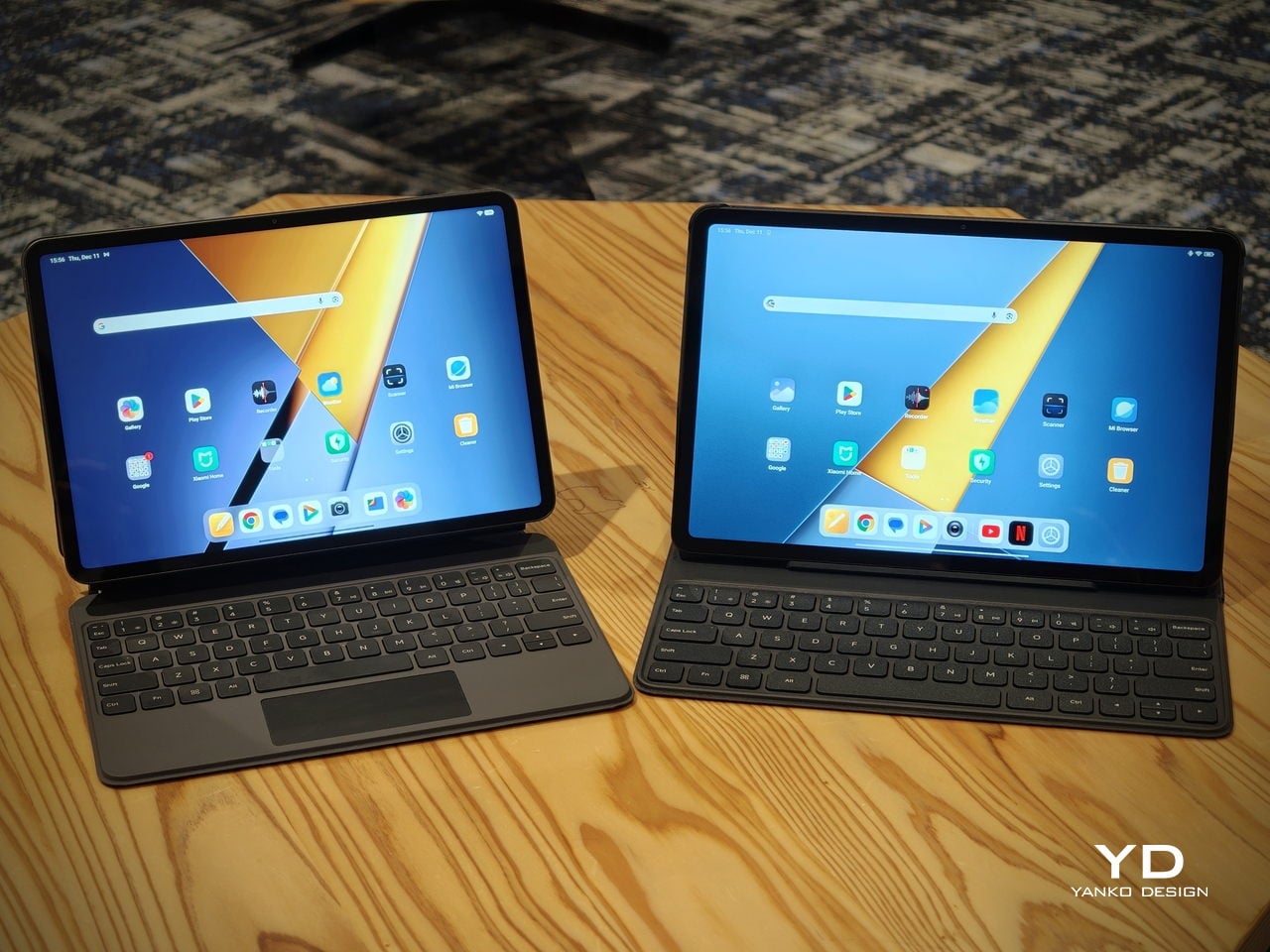
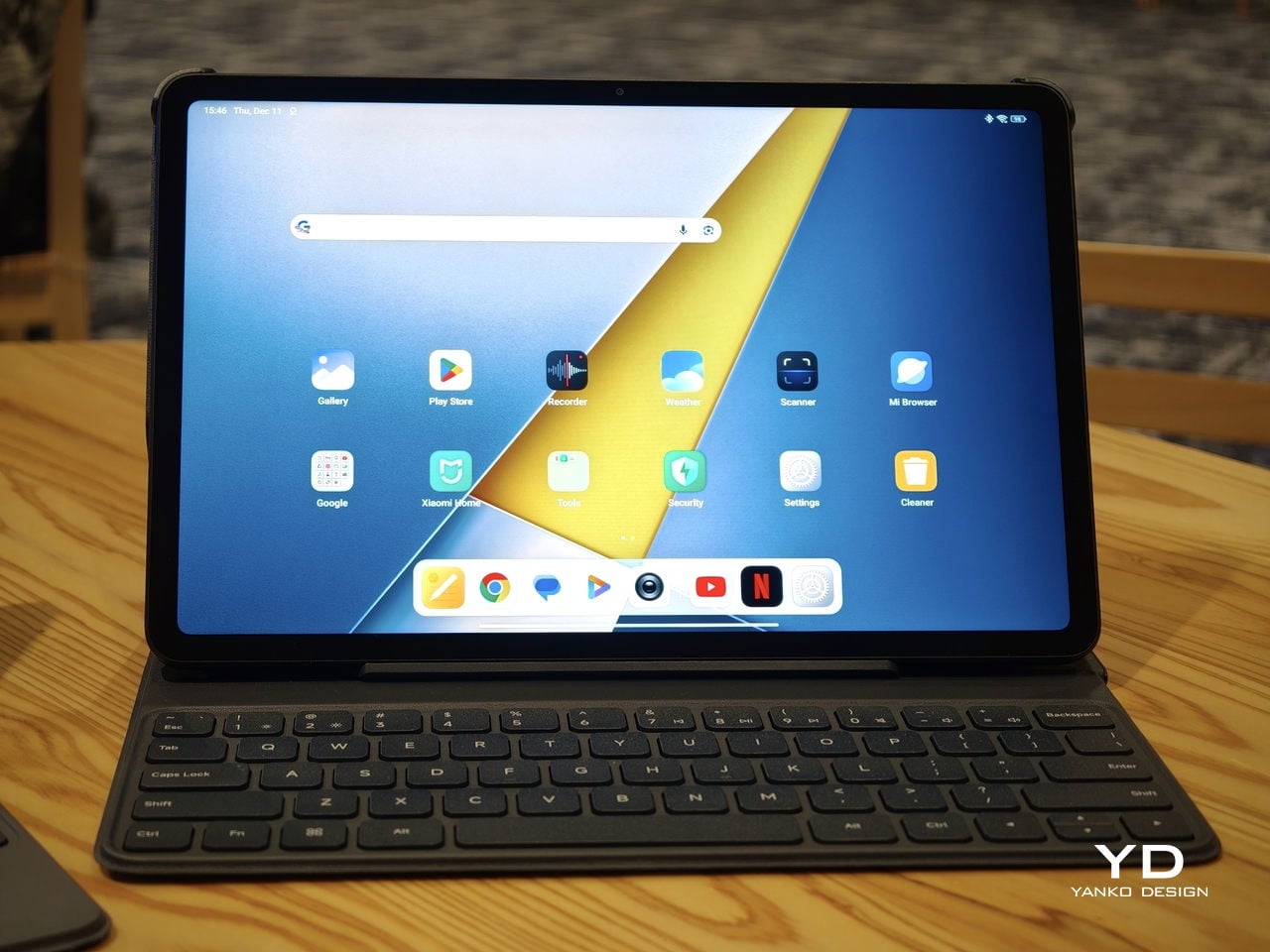
The accessory ecosystem around the Pad X1 and the Pad M1 makes them versatile, but in slightly different ways. Poco Pad M1 is compatible with the optional Poco Pad M1 Keyboard, Poco Smart Pen, and Poco Pad M1 Cover, a trio that turns it into a very capable small-screen workstation. The cover folds into a stand and adds a built-in holder for the pen, which makes it easy to move between bag, desk, and sofa without worrying about where the stylus went. The keyboard is lightweight and easy to carry, but the keys feel a bit plasticky in use, which slightly undercuts the otherwise solid metal body of the tablet.
Poco Pad X1

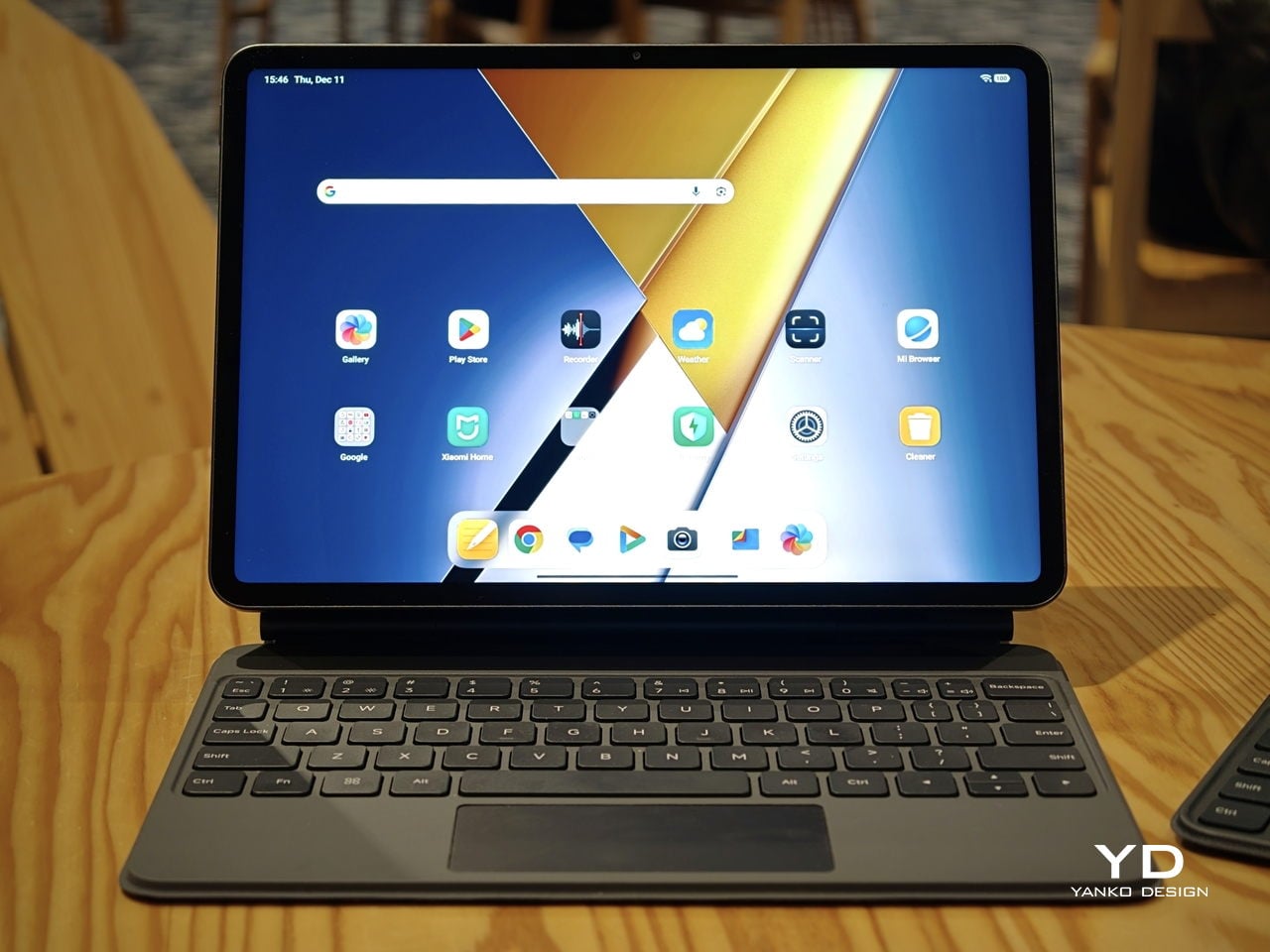
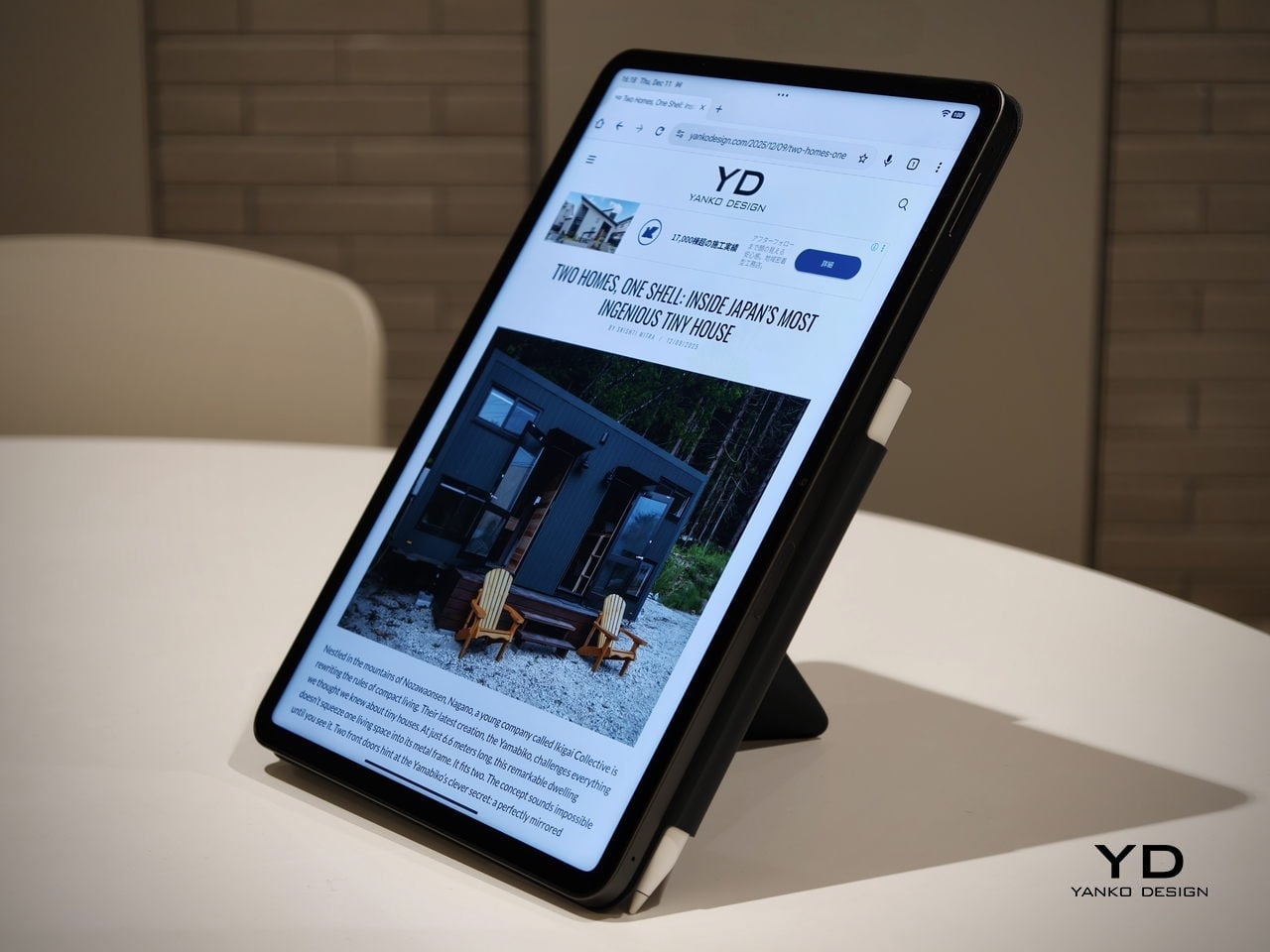
Poco Pad X1 has its own dedicated set of accessories. It supports the Poco Pad X1 Floating Keyboard, the Poco Pad X1 Keyboard, the Poco Focus Pen, and the Poco Pad X1 Cover, which together give it a surprisingly flexible setup for both work and play. The cover folds like origami and doubles as a stand, letting you enjoy the tablet vertically or horizontally, and for horizontal use, you can choose between two different viewing heights.

The Floating Keyboard is the standout here. It adds some weight and only offers a modest tilt range, but the key feel is excellent for this class, and the trackpad is responsive and accurate enough that you quickly forget you are on a tablet accessory. Clipped together, the Poco Pad X1 and the Floating Keyboard behave much more like a compact laptop than a budget slate with an afterthought keyboard, which makes it far easier to treat this smaller tablet as a real writing and work machine when you need it.
 

Performance

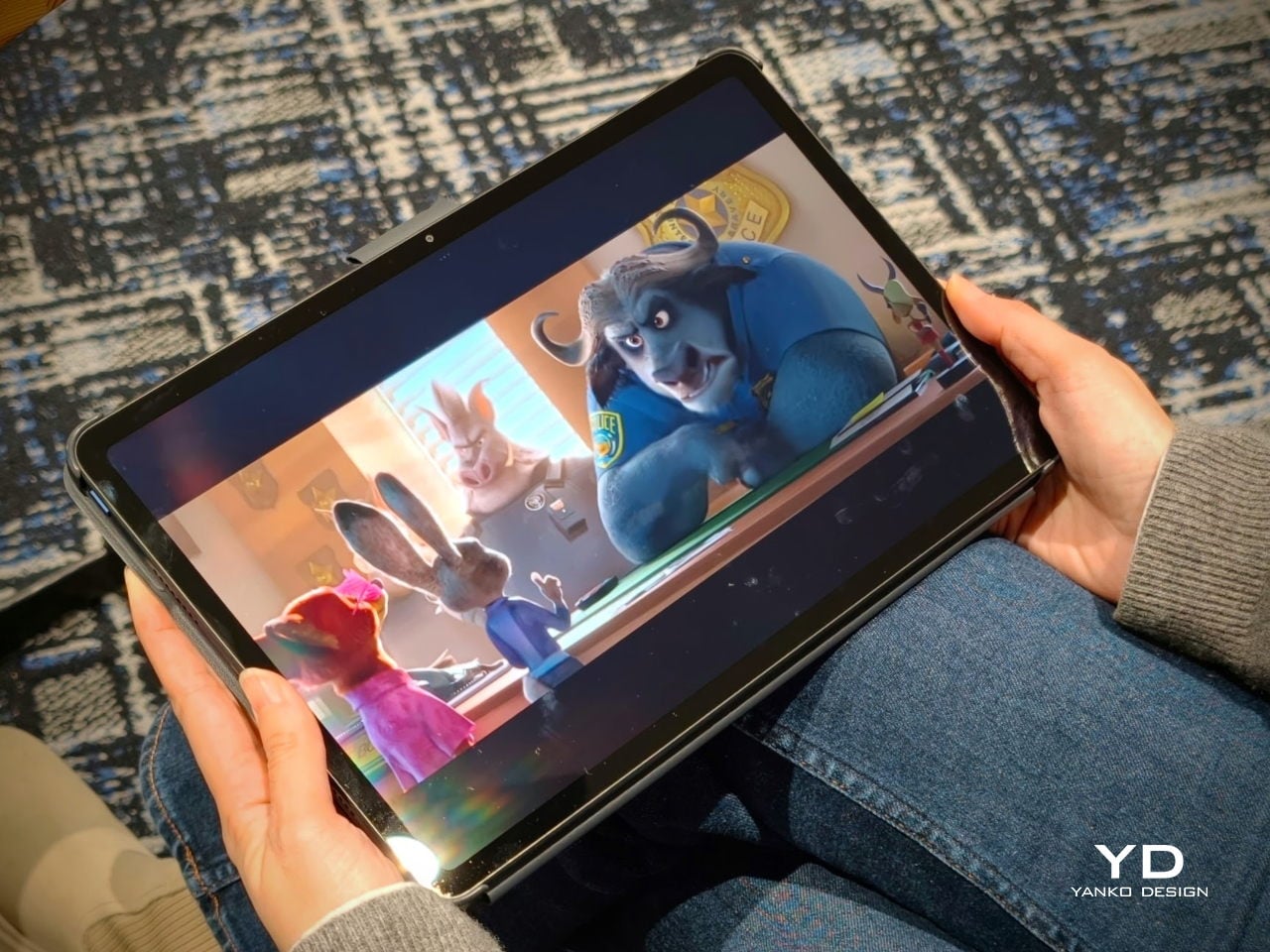
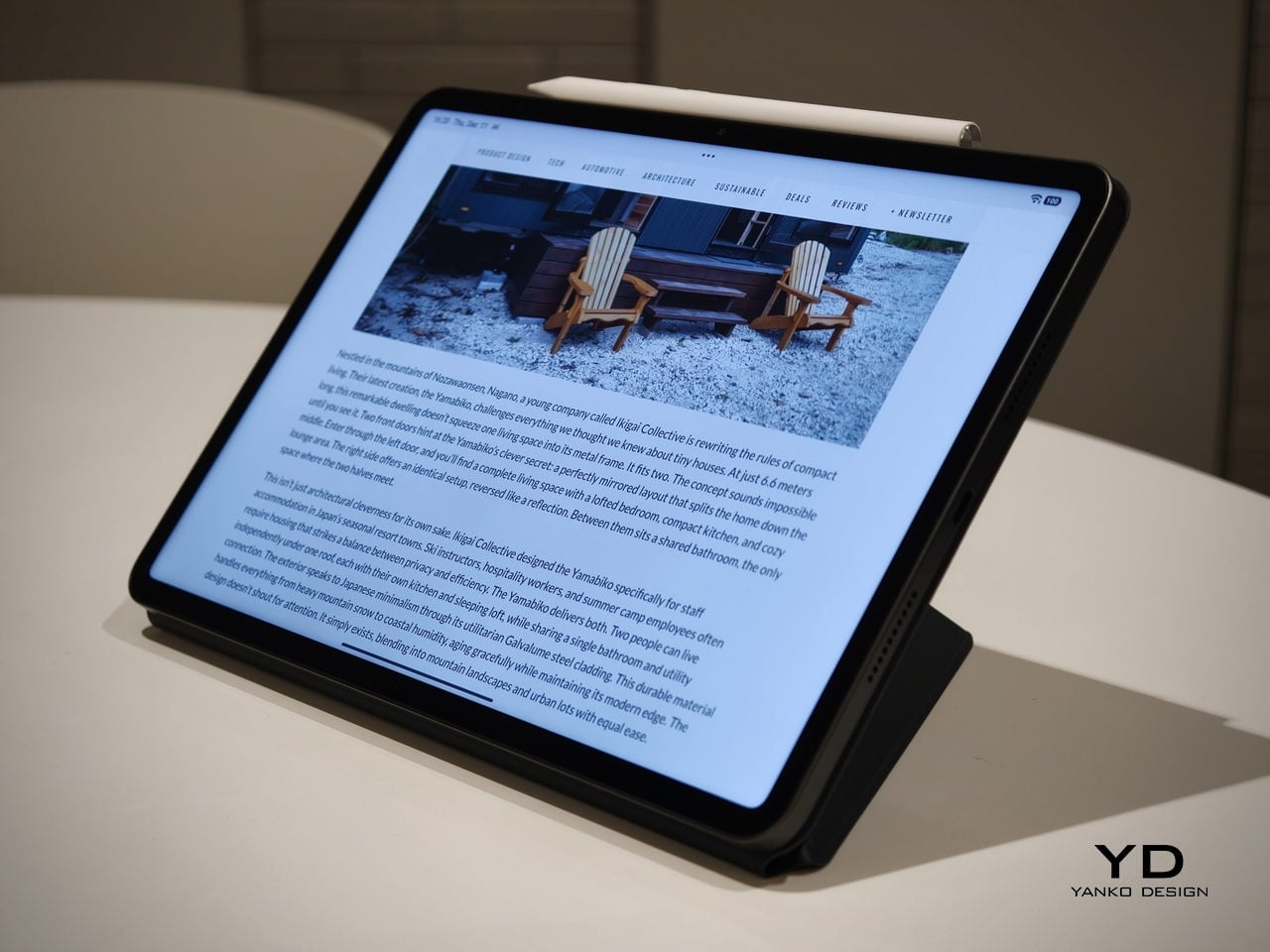
Living with Poco Pad X1 and Poco Pad M1 quickly shows how differently they lean, even though they share a lot of DNA. The Poco Pad X1 is the sharper and faster option, with an 11.2-inch 3.2K display at 3,200 x 2,136 px, around 345 ppi, and refresh up to 144 Hz in supported apps. It can hit about 800 nits peak brightness, supports Dolby Vision and HDR10, and uses a 3:2 aspect ratio that feels very natural for reading, web browsing, and document work, helped by TÜV eye care, DC dimming, and adaptive colors to keep things comfortable.
Poco Pad M1

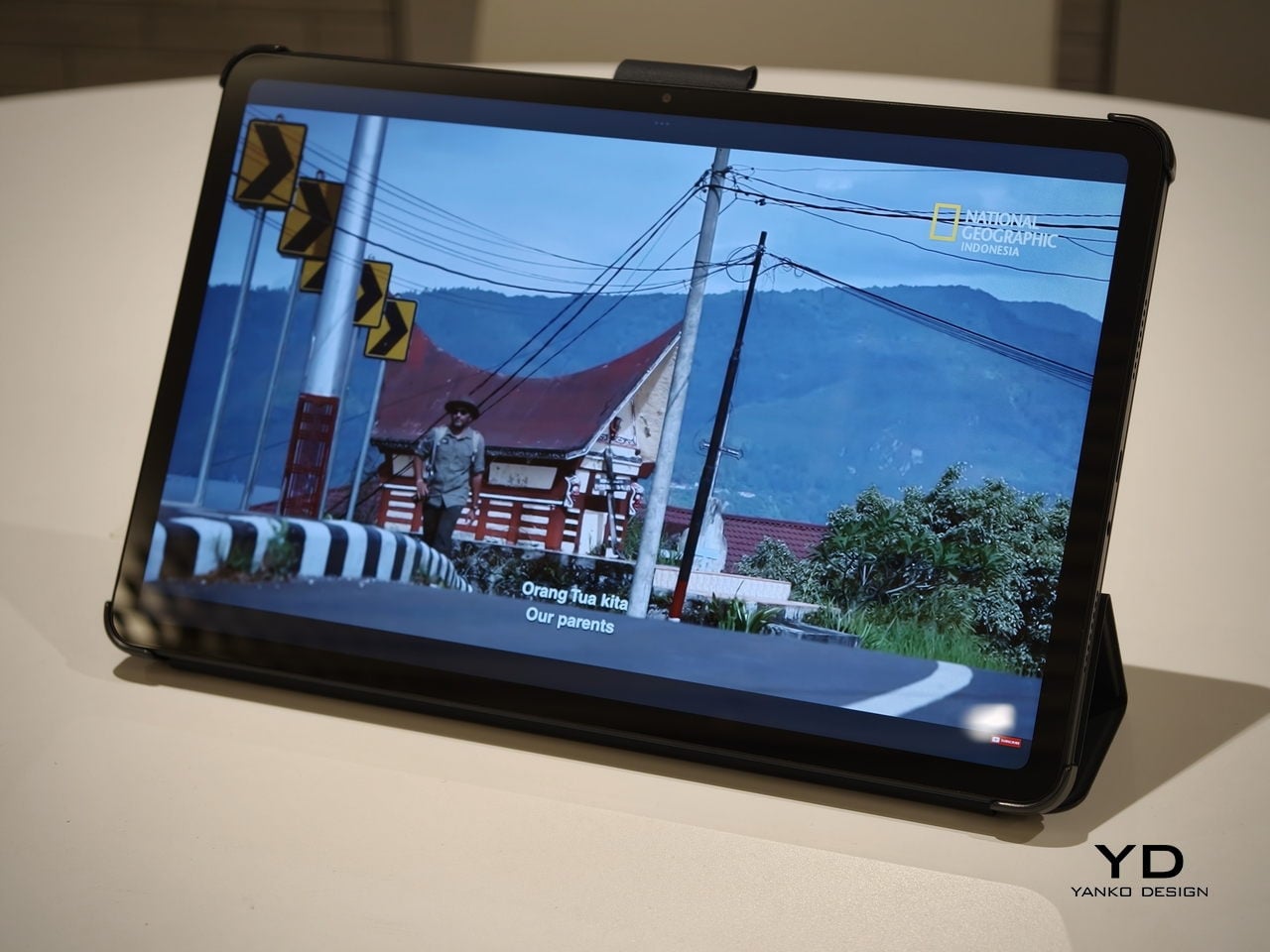
The Poco Pad M1, on the other hand, trades a bit of sharpness and speed for sheer size and flexibility. Its 12.1-inch 2.5K panel runs at 2,560 x 1,600px with around 249 ppi and up to 120 Hz refresh, plus 500 nits typical and 600 nits in high brightness mode. You still get Dolby Vision, DC dimming, and TÜV certifications for low blue light, flicker-free behavior, and circadian friendliness, along with wet touch support that keeps it usable with damp fingers.
Poco Pad X1

Both tablets use quad speakers with Dolby Atmos and Hi-Res support, so you get surprisingly full sound from either. Crucially, the Poco Pad M1 also adds a 3.5 mm headphone jack and a microSD slot for up to 2 TB of expandable storage, which makes it a much easier media hoarder and a better fit for wired headphones and speakers. The X1 relies on its internal storage and wireless audio instead, which suits its more performance-driven, travel-friendly role.
Poco Pad X1
Poco Pad M1

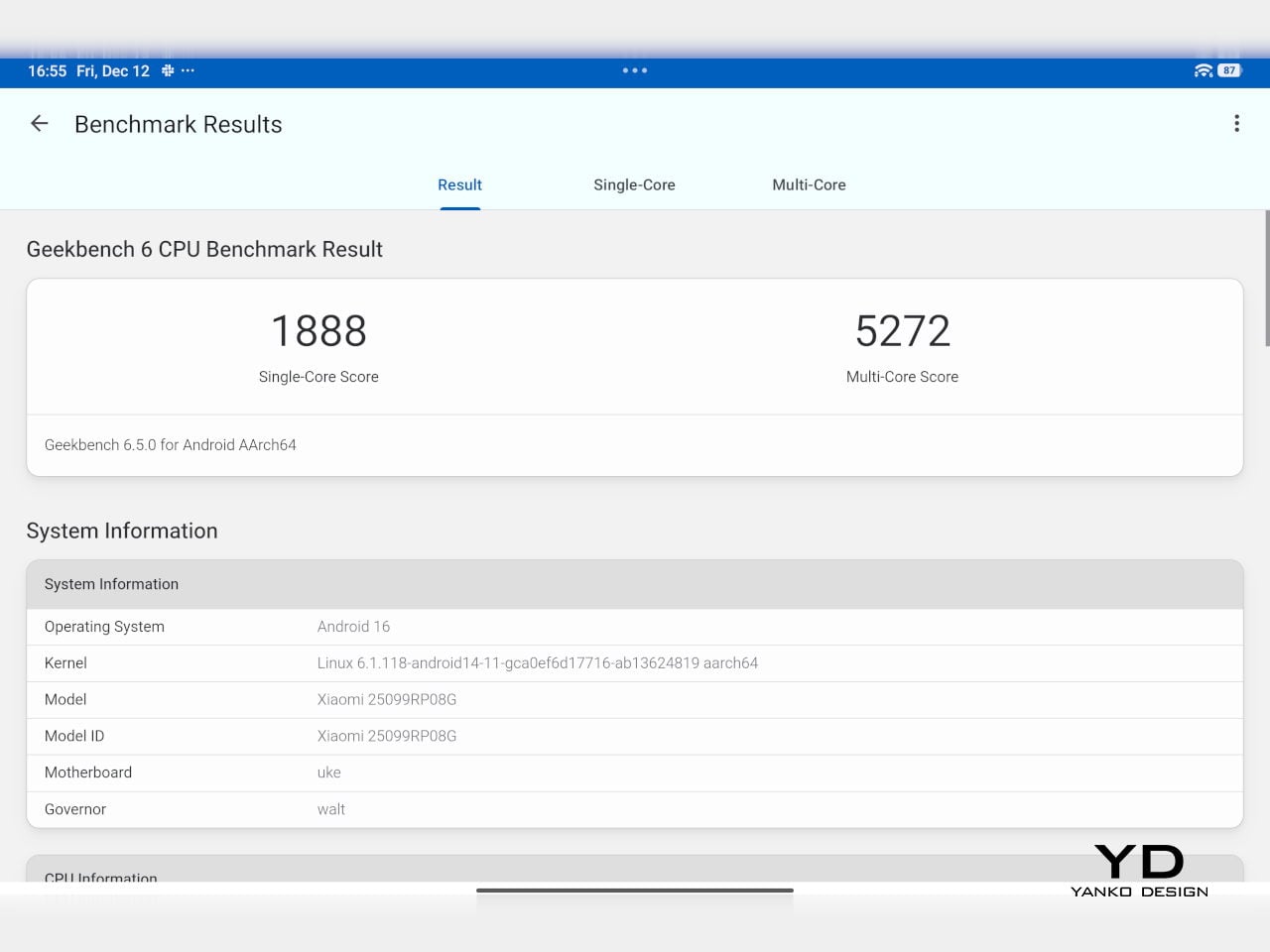
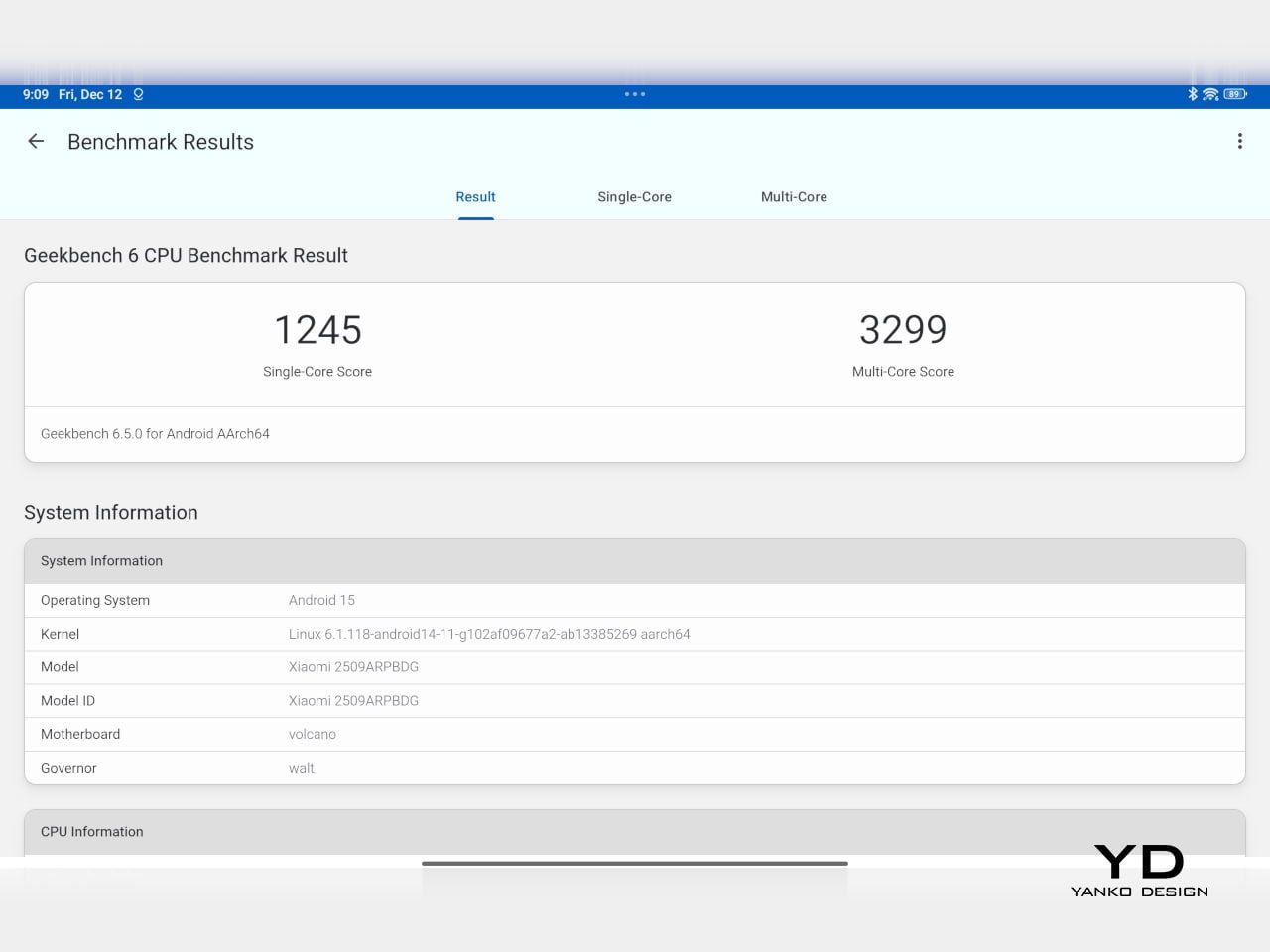
Performance and gaming clearly favor the Poco Pad X1. It uses the Snapdragon 7+ Gen 3 with 8 GB of RAM and up to 512 GB of storage, and combined with the 144 Hz panel, it feels like a handheld console that also happens to be good at multitasking and productivity. The Poco Pad M1 steps down to the Snapdragon 7s Gen 4 with 8 GB of RAM and 256 GB of storage, which is still more than enough for apps and casual gaming, but clearly tuned more for streaming, browsing, and note-taking than for chasing every last frame. In practice, the Poco Pad X1 is the one you reach for when you care about smooth, high refresh gameplay, while the Pad M1 is the one you leave on the coffee table for everyone to use.
Poco Pad M1

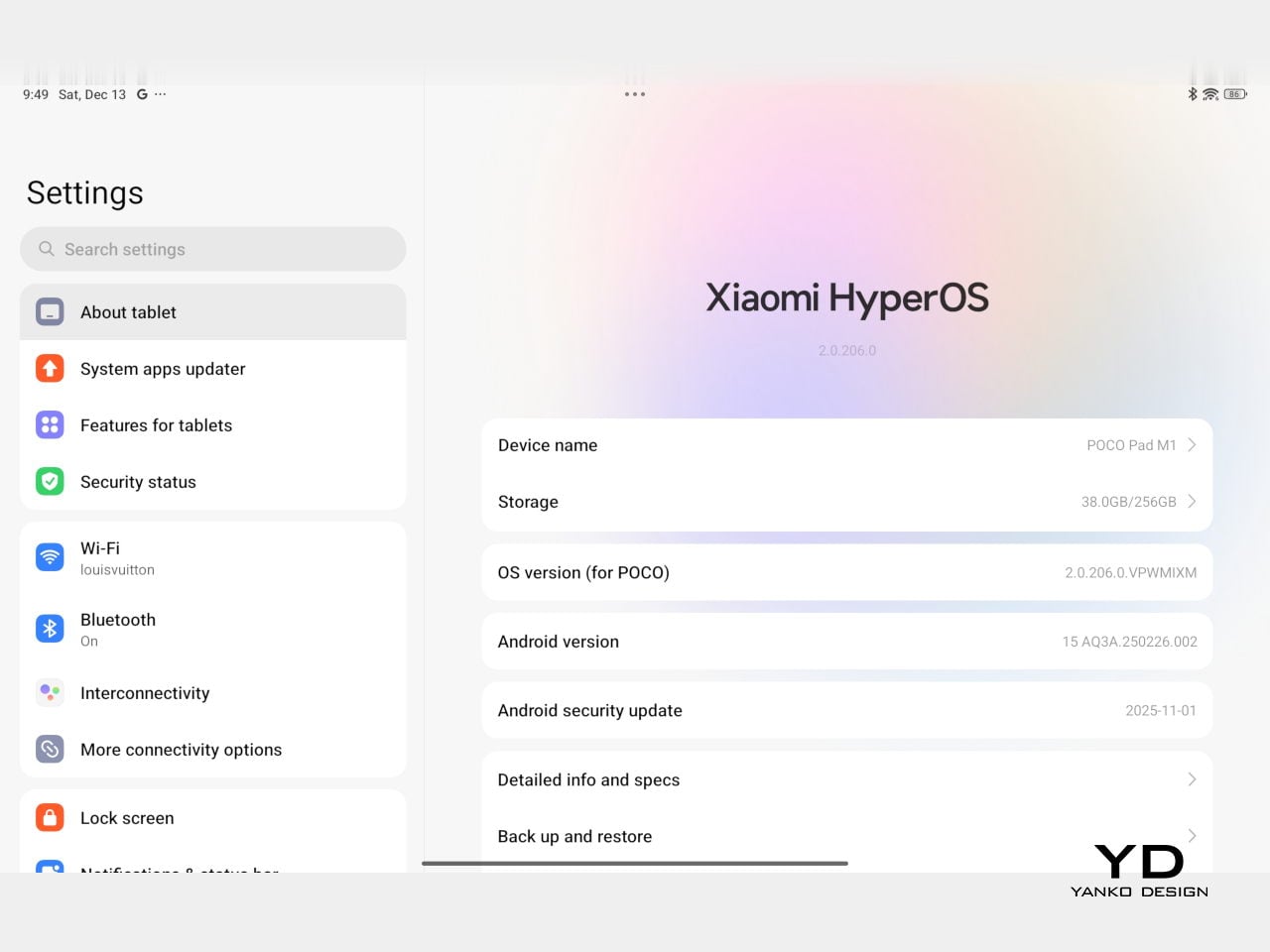
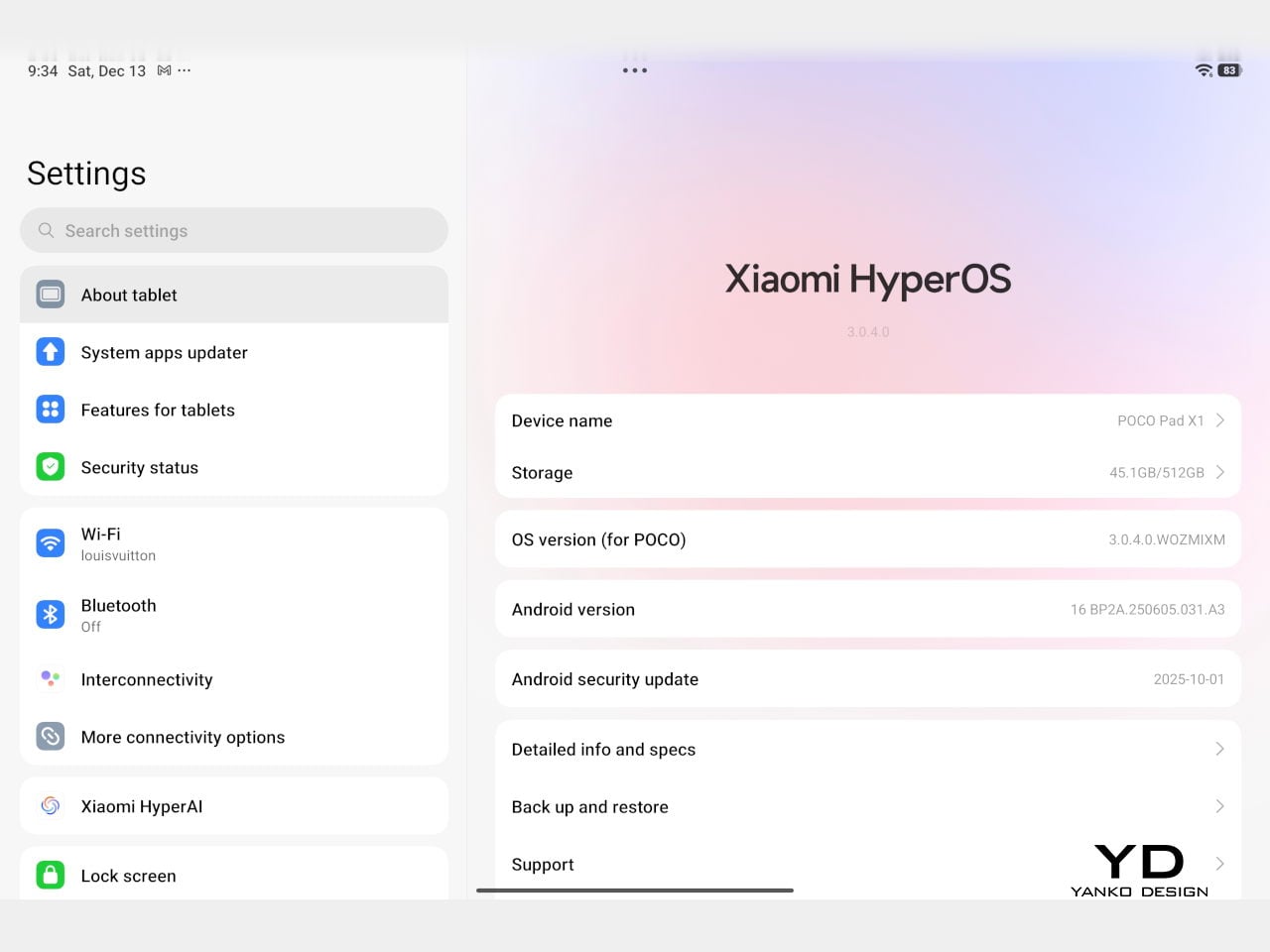
Battery life follows the same logic. The Poco Pad X1 pairs its 8,850 mAh battery with 45 W turbo charging, which Poco says can go from zero to full in about 94 minutes, and my experience matches that claim in day-to-day use. The Poco Pad M1 leans into a 12,000 mAh pack, billed as the largest battery in a global Poco device, with up to 105.36 hours of music playback, around 83 days of standby, 33 W charging, and up to 27 W wired reverse charging so it can top up your other devices.
Poco Pad M1
Poco Pad X1

On the software side, both run Xiaomi HyperOS with Xiaomi Interconnectivity and Google’s AI hooks, so you get shared clipboard, call and network sync, Circle to Search, and Gemini support whichever size you choose. As for cameras, Poco Pad X1 pairs a 13 MP rear camera and an 8 MP front camera, while Poco Pad M1 sticks to 8 MP sensors on both sides. The results are perfectly fine for video calls, document scans, and the odd quick snap, but nothing special, which is exactly what you would expect from tablets at this price bracket.

Poco Pad M1

Poco Pad X1

Sustainability

Poco is not making a big environmental branding play with Poco Pad X1 and Poco Pad M1, but there are a few practical touches that matter if you plan to keep a tablet for several years. The most important one is long-term software support. Both Pad X1 and Pad M1 are slated to receive four years of security updates, which gives you a clearer runway for safe everyday use. For budget tablets, that commitment is still not guaranteed across the market, so it is good to see Poco spell it out.
Poco Pad M1


That longer support window pairs well with the hardware choices. The aluminum unibody shells on both models feel sturdy enough to survive several upgrade cycles, and the generous storage options, plus microSD expansion on the Poco Pad M1, reduce the pressure to replace them early just to fit more apps or media. It is not a full sustainability story with recycled materials and carbon tracking, but if your definition of sustainable starts with buying something that will not feel obsolete or unsafe in two years, these tablets are at least pointed in the right direction.

Value

The Poco Pad X1 and Poco Pad M1 both land in the affordable bracket, but they scale very differently once you add accessories. The Poco Pad X1 with 8 GB of RAM and 512 GB of storage is $399 USD, which feels fair for the Snapdragon 7+ Gen 3 and high-end 3.2K 144 hertz display. Its accessories are priced like mini laptop gear, with the Floating Keyboard at $199 USD, the X1 Keyboard at $129 USD, the X1 Cover at $49 USD, and the Poco Focus Pen at $99 USD. A fully loaded X1 setup quickly pushes past $600 USD, but in return, you get a compact tablet that can genuinely stand in for a small laptop and drawing pad.
Poco Pad X1

The Poco Pad M1 starts cheaper at $329 USD for 8 GB and 256 GB, and its add-ons stay firmly in value territory. The M1 Keyboard is $99 USD, the M1 Cover is $29 USD, and the Poco Smart Pen is $69 USD, so even a complete kit undercuts an equivalently kitted X1 by a healthy margin. Factor in the microSD slot and 3.5 millimeter headphone jack, and M1 clearly aims to be the better deal for big screen media, note-taking, and family use, while X1 makes more sense if you are willing to pay extra for performance, storage, and that excellent Floating Keyboard experience.

Verdict

The Poco Pad X1 and Poco Pad M1 end up serving two somewhat different roles. If you prioritize performance, the Poco Pad X1 is the clear choice. The Snapdragon 7+ Gen 3, 3.2K 144 Hz display, 512 GB storage, and excellent Floating Keyboard make it feel like a serious little work and gaming machine, even if the full setup gets expensive and you give up the headphone jack and SD slot. If you care more about big-screen comfort and value, the Poco Pad M1 quietly wins. The 12.1-inch 2.5K screen, quad speakers, 3.5 mm jack, microSD expansion, huge battery, and cheaper accessories make it a better fit for big-screen media and everyday productivity.
Poco Pad X1

Whichever way you lean, you are getting more tablet than the price suggests. For context, Apple’s base iPad costs $449 with only 64 GB of storage and a 60 Hz screen. The iPad still has a faster processor and a tighter app ecosystem, but Poco gives you bigger batteries, sharper displays, and a lot more storage for less money. Pick the Poco Pad X1 if you want compact power and a great keyboard experience. Pick the Poco Pad M1 if you want maximum screen, battery, and flexibility for the money. Either way, you end up with a tablet that feels more considered than most of what you will find at this price.

The post Poco Pad X1 & Poco Pad M1 Review: Budget Tablets That Challenge the iPad first appeared on Yanko Design.
Poco Pad X1 & Poco Pad M1 Review: Budget Tablets That Challenge the iPad

PROS:


  • Strong display for the money

  • Complete accessory ecosystem

  • Big batteries

CONS:


  • Neither tablet is light enough for comfortable one-handed use

  • Fully kitted-out X1 with Floating Keyboard and Focus Pen gets expensive fast

RATINGS:

AESTHETICS
ERGONOMICS
PERFORMANCE
SUSTAINABILITY / REPAIRABILITY
VALUE FOR MONEY

EDITOR'S QUOTE:

Poco Pad X1 and M1 are not perfect, but together they deliver more screen, battery, and versatility than almost any other budget tablet pair right now.

Poco built its name on phones that punch above their price, and now it wants to do the same on your coffee table. With Poco Pad X1 and Poco Pad M1, the brand is not just throwing out a couple of cheap tablets. It is trying to turn its budget DNA into a fuller ecosystem that covers gaming, work, and everyday media.

You can feel that ambition in how these two models are drawn. The Poco Pad X1 is a slightly more compact, high refresh performance slate, tuned for games and quick multitasking on an 11.2-inch 3.2K display. The Poco Pad M1 steps up to a 12.1-inch 2.5K panel and the largest battery Poco has ever shipped in a global device, aiming to be the big screen that carries you through movies, sketching sessions, and long days away from a charger.

Designer: Poco

If you have been eyeing an affordable Android tablet for gaming, streaming, or light work, should you reach for the sharper, faster Poco Pad X1, or the larger, more relaxed Poco Pad M1? In this review, we will live with both, compare their strengths, and help you decide which one actually fits your desk, your bag, and your budget.

Aesthetics

Poco Pad X1

Poco is not trying to reinvent tablet hardware with Poco Pad X1 or Poco Pad M1. Both follow a familiar rectangle with rounded corners, flat sides, and a camera module that sits quietly in one corner. On Poco Pad X1, the focus is clearly on framing its 11.2-inch display as efficiently as possible. Poco Pad M1 takes the same basic formula and scales it up with a 12.1-inch panel.

Color choices on the Pad X1 and the Pad M1 are simple. They both come in Grey and Blue. Grey leans more gunmetal and understated with a contrasting yellow accent around the camera module, while Blue reads a little more casual and friendly, but neither option is loud or experimental. Both tablets use a metal unibody design for the main shell, with separate parts for the camera island and buttons, and a big Poco logo stamped in the center for instant brand recognition. The Poco Pad X1 uses a square camera island, while the Poco Pad M1 switches to a softer oval, which gives each model a slightly different signature when you flip them over.

Poco Pad M1

Taken together, the two tablets look exactly like what they are meant to be. They are straightforward, modern Android slabs that fade into the background and let their screens and specs do the talking. For budget-friendly hardware, that quiet, functional design approach feels like the right call.

Ergonomics

In the hand, the main ergonomic difference between Poco Pad X1 and Poco Pad M1 is simply size and weight, but neither is a true one-handed tablet for long stretches. The Poco Pad X1, with its 11.2-inch footprint and 500 g weight, is the more compact of the two. It is easier to manage on a sofa or in bed than the larger Poco Pad M1, but you will still want a second hand or some support if you are holding it for a long time. Even though the Poco Pad X1 is relatively slim and light for an aluminum unibody tablet with an 8,850 mAh battery, with dimensions of 251.22 x 173.42 x 6.18 mm, it does not quietly disappear in one hand the way a smaller 8 or 9-inch device might.

Poco Pad M1

Poco Pad M1 stretches that template out to a 12.1-inch diagonal with dimensions of 279.8 x 181.65 x 7.5 mm and a weight of about 610 g, which puts it clearly into big tablet territory. It is still slim, but the larger footprint makes it even less suited to long one-handed use, especially if you are moving around. Instead, it feels more like a tablet you rest on a table, prop up with a cover, or pair with its official keyboard, where the extra screen real estate really pays off for split-screen apps, video, and drawing.

The accessory ecosystem around the Pad X1 and the Pad M1 makes them versatile, but in slightly different ways. Poco Pad M1 is compatible with the optional Poco Pad M1 Keyboard, Poco Smart Pen, and Poco Pad M1 Cover, a trio that turns it into a very capable small-screen workstation. The cover folds into a stand and adds a built-in holder for the pen, which makes it easy to move between bag, desk, and sofa without worrying about where the stylus went. The keyboard is lightweight and easy to carry, but the keys feel a bit plasticky in use, which slightly undercuts the otherwise solid metal body of the tablet.

Poco Pad X1

Poco Pad X1 has its own dedicated set of accessories. It supports the Poco Pad X1 Floating Keyboard, the Poco Pad X1 Keyboard, the Poco Focus Pen, and the Poco Pad X1 Cover, which together give it a surprisingly flexible setup for both work and play. The cover folds like origami and doubles as a stand, letting you enjoy the tablet vertically or horizontally, and for horizontal use, you can choose between two different viewing heights.

The Floating Keyboard is the standout here. It adds some weight and only offers a modest tilt range, but the key feel is excellent for this class, and the trackpad is responsive and accurate enough that you quickly forget you are on a tablet accessory. Clipped together, the Poco Pad X1 and the Floating Keyboard behave much more like a compact laptop than a budget slate with an afterthought keyboard, which makes it far easier to treat this smaller tablet as a real writing and work machine when you need it.
 

Performance

Living with Poco Pad X1 and Poco Pad M1 quickly shows how differently they lean, even though they share a lot of DNA. The Poco Pad X1 is the sharper and faster option, with an 11.2-inch 3.2K display at 3,200 x 2,136 px, around 345 ppi, and refresh up to 144 Hz in supported apps. It can hit about 800 nits peak brightness, supports Dolby Vision and HDR10, and uses a 3:2 aspect ratio that feels very natural for reading, web browsing, and document work, helped by TÜV eye care, DC dimming, and adaptive colors to keep things comfortable.

Poco Pad M1

The Poco Pad M1, on the other hand, trades a bit of sharpness and speed for sheer size and flexibility. Its 12.1-inch 2.5K panel runs at 2,560 x 1,600px with around 249 ppi and up to 120 Hz refresh, plus 500 nits typical and 600 nits in high brightness mode. You still get Dolby Vision, DC dimming, and TÜV certifications for low blue light, flicker-free behavior, and circadian friendliness, along with wet touch support that keeps it usable with damp fingers.

Poco Pad X1

Both tablets use quad speakers with Dolby Atmos and Hi-Res support, so you get surprisingly full sound from either. Crucially, the Poco Pad M1 also adds a 3.5 mm headphone jack and a microSD slot for up to 2 TB of expandable storage, which makes it a much easier media hoarder and a better fit for wired headphones and speakers. The X1 relies on its internal storage and wireless audio instead, which suits its more performance-driven, travel-friendly role.

Poco Pad X1

Poco Pad M1

Performance and gaming clearly favor the Poco Pad X1. It uses the Snapdragon 7+ Gen 3 with 8 GB of RAM and up to 512 GB of storage, and combined with the 144 Hz panel, it feels like a handheld console that also happens to be good at multitasking and productivity. The Poco Pad M1 steps down to the Snapdragon 7s Gen 4 with 8 GB of RAM and 256 GB of storage, which is still more than enough for apps and casual gaming, but clearly tuned more for streaming, browsing, and note-taking than for chasing every last frame. In practice, the Poco Pad X1 is the one you reach for when you care about smooth, high refresh gameplay, while the Pad M1 is the one you leave on the coffee table for everyone to use.

Poco Pad M1

Battery life follows the same logic. The Poco Pad X1 pairs its 8,850 mAh battery with 45 W turbo charging, which Poco says can go from zero to full in about 94 minutes, and my experience matches that claim in day-to-day use. The Poco Pad M1 leans into a 12,000 mAh pack, billed as the largest battery in a global Poco device, with up to 105.36 hours of music playback, around 83 days of standby, 33 W charging, and up to 27 W wired reverse charging so it can top up your other devices.

Poco Pad M1

Poco Pad X1

On the software side, both run Xiaomi HyperOS with Xiaomi Interconnectivity and Google’s AI hooks, so you get shared clipboard, call and network sync, Circle to Search, and Gemini support whichever size you choose. As for cameras, Poco Pad X1 pairs a 13 MP rear camera and an 8 MP front camera, while Poco Pad M1 sticks to 8 MP sensors on both sides. The results are perfectly fine for video calls, document scans, and the odd quick snap, but nothing special, which is exactly what you would expect from tablets at this price bracket.

Poco Pad M1

Poco Pad X1

Sustainability

Poco is not making a big environmental branding play with Poco Pad X1 and Poco Pad M1, but there are a few practical touches that matter if you plan to keep a tablet for several years. The most important one is long-term software support. Both Pad X1 and Pad M1 are slated to receive four years of security updates, which gives you a clearer runway for safe everyday use. For budget tablets, that commitment is still not guaranteed across the market, so it is good to see Poco spell it out.

Poco Pad M1


That longer support window pairs well with the hardware choices. The aluminum unibody shells on both models feel sturdy enough to survive several upgrade cycles, and the generous storage options, plus microSD expansion on the Poco Pad M1, reduce the pressure to replace them early just to fit more apps or media. It is not a full sustainability story with recycled materials and carbon tracking, but if your definition of sustainable starts with buying something that will not feel obsolete or unsafe in two years, these tablets are at least pointed in the right direction.

Value

The Poco Pad X1 and Poco Pad M1 both land in the affordable bracket, but they scale very differently once you add accessories. The Poco Pad X1 with 8 GB of RAM and 512 GB of storage is $399 USD, which feels fair for the Snapdragon 7+ Gen 3 and high-end 3.2K 144 hertz display. Its accessories are priced like mini laptop gear, with the Floating Keyboard at $199 USD, the X1 Keyboard at $129 USD, the X1 Cover at $49 USD, and the Poco Focus Pen at $99 USD. A fully loaded X1 setup quickly pushes past $600 USD, but in return, you get a compact tablet that can genuinely stand in for a small laptop and drawing pad.

Poco Pad X1

The Poco Pad M1 starts cheaper at $329 USD for 8 GB and 256 GB, and its add-ons stay firmly in value territory. The M1 Keyboard is $99 USD, the M1 Cover is $29 USD, and the Poco Smart Pen is $69 USD, so even a complete kit undercuts an equivalently kitted X1 by a healthy margin. Factor in the microSD slot and 3.5 millimeter headphone jack, and M1 clearly aims to be the better deal for big screen media, note-taking, and family use, while X1 makes more sense if you are willing to pay extra for performance, storage, and that excellent Floating Keyboard experience.

Verdict

The Poco Pad X1 and Poco Pad M1 end up serving two somewhat different roles. If you prioritize performance, the Poco Pad X1 is the clear choice. The Snapdragon 7+ Gen 3, 3.2K 144 Hz display, 512 GB storage, and excellent Floating Keyboard make it feel like a serious little work and gaming machine, even if the full setup gets expensive and you give up the headphone jack and SD slot. If you care more about big-screen comfort and value, the Poco Pad M1 quietly wins. The 12.1-inch 2.5K screen, quad speakers, 3.5 mm jack, microSD expansion, huge battery, and cheaper accessories make it a better fit for big-screen media and everyday productivity.

Poco Pad X1

Whichever way you lean, you are getting more tablet than the price suggests. For context, Apple’s base iPad costs $449 with only 64 GB of storage and a 60 Hz screen. The iPad still has a faster processor and a tighter app ecosystem, but Poco gives you bigger batteries, sharper displays, and a lot more storage for less money. Pick the Poco Pad X1 if you want compact power and a great keyboard experience. Pick the Poco Pad M1 if you want maximum screen, battery, and flexibility for the money. Either way, you end up with a tablet that feels more considered than most of what you will find at this price.

The post Poco Pad X1 & Poco Pad M1 Review: Budget Tablets That Challenge the iPad first appeared on Yanko Design.
iOS 26.3 Update: Everything You Need to Know

iOS 26.3 Update: Everything You Need to Know

Apple is preparing to roll out iOS 26.2, an update designed to enhance performance, strengthen security, and refine existing features. This release focuses on improving system stability and user experience while laying the groundwork for future advancements, particularly in iOS 26.3. With a mix of functional upgrades and subtle refinements, iOS 26.3 aims to deliver […]

The post iOS 26.3 Update: Everything You Need to Know appeared first on Geeky Gadgets.

Posted in Uncategorized

5 Best Free Speech-to-Text APIs in 2025 Compared & Tested

5 Best Free Speech-to-Text APIs in 2025 Compared & Tested

What if you could transform hours of audio into precise, actionable text with just a few lines of code? In 2025, this is no longer a futuristic dream but a reality powered by innovative speech-to-text APIs. These tools have become indispensable for developers, businesses, and researchers alike, offering unparalleled accuracy and advanced features like real-time […]

The post 5 Best Free Speech-to-Text APIs in 2025 Compared & Tested appeared first on Geeky Gadgets.

Posted in Uncategorized