The living room has long been a battleground for tech giants, but for Apple, the television space has often felt like a secondary frontier. While the iPhone and Mac received annual cycles of groundbreaking silicon, the Apple TV remained on a more leisurely update path. However, after a significant hiatus since the last major hardware […]
Samsung’s 2025 was filled with new foldables, an ultra-thin new form factor and the launch of Google's XR platform. After making some announcements at CES 2026, the company has announced its first Galaxy Unpacked of the year will take place on February 25, where it is expected to introduce the Galaxy S26 lineup. Official invites have been shared, but actual information on what devices are arriving then is still not completely confirmed. But as usual, we know a lot about what’s expected at Unpacked.
Engadget will be covering Galaxy Unpacked live from San Francisco tomorrow, and we'll most likely have hands-on coverage of Samsung's new smartphones soon after they're announced. While we wait for the full details, here's everything we expect Samsung will introduce at the first Galaxy Unpacked event of 2026.
When is Unpacked 2026 taking place?
According to the official invite that Samsung shared on February 10, Unpacked will happen on February 25, 2026 in San Francisco. The keynote will start at 10AM PT (1PM ET) and be livestreamed on Samsung.com, as well as the company’s newsroom and YouTube channel. The announcement on February 10 also said this launch will mark “a new phase in the era of AI as intelligence becomes truly personal and adaptive.” It’s not a lot to go on, since we’ve heard a version of this from various companies over the last few years, but at least we won’t be shocked when we hear more about AI in just about two weeks.
Galaxy S26, S26+ and S26 Ultra
Samsung Galaxy S25 Ultra hands-on photo
Photo by Sam Rutherford/Engadget
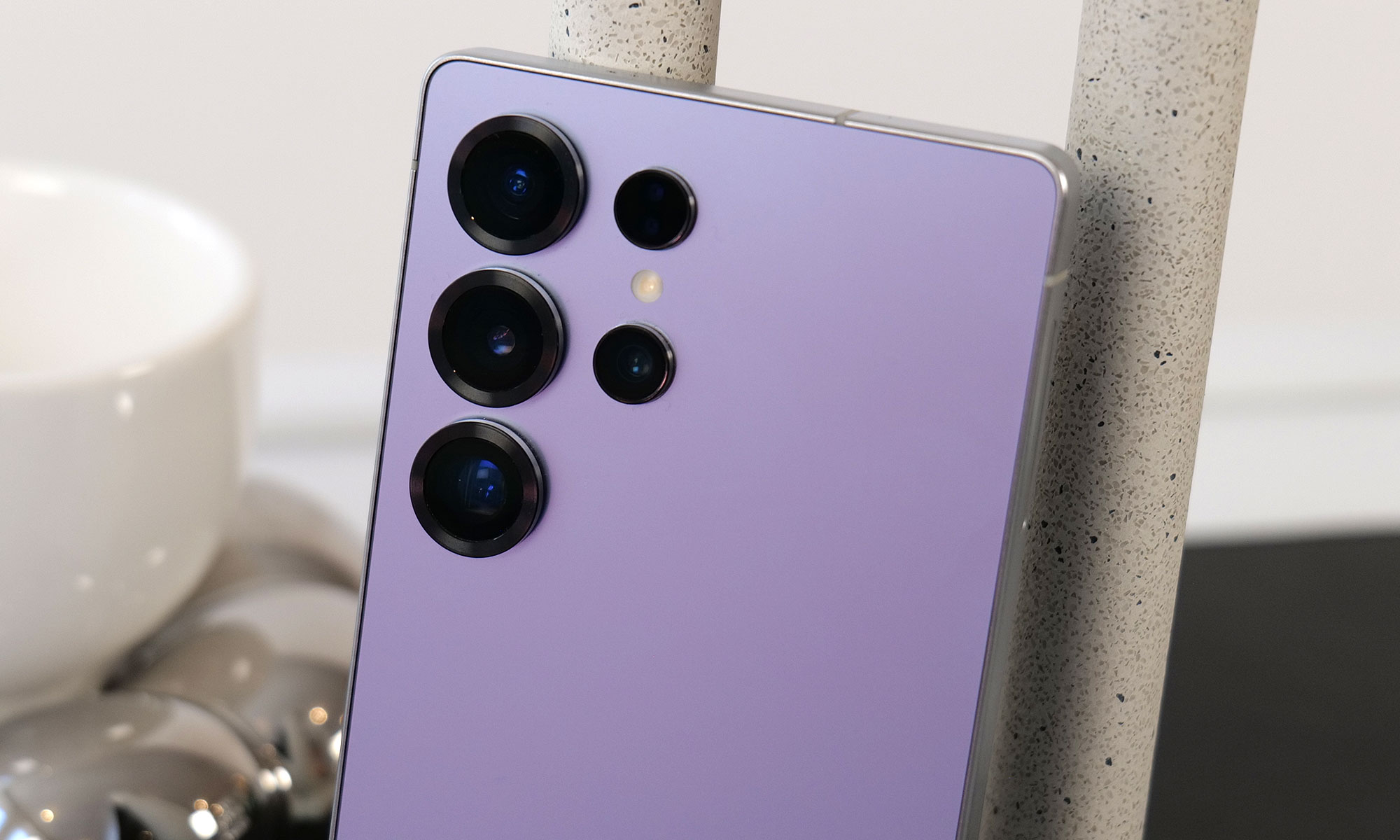
Samsung's restrained approach to updating its phones will likely continue with the Galaxy S26. Based on leakedimages of the new lineup, the company is not expected to radically reinvent the look of the Galaxy S26, Galaxy S26+ or Galaxy S26 Ultra, and instead will stick with a similar design to what it used on the Galaxy S25. The phones will have a flat front screen and frame, with rounded corners and cameras housed in a vertical pill-shaped plateau on the back. Unlike Apple's move from the iPhone 16 Pro to the iPhone 17 Pro, the biggest difference here will likely be internal components like the screens, chips and camera sensors Samsung uses.
Qualcomm's new Snapdragon 8 Elite Gen 5 chip is expected to be in all Samsung Galaxy S26 phones, though Korean news site Yonhap News reports Samsung's relatively new Exynos 2600 chip could be used in some phones in the lineup depending on the region, a strategy Samsung has deployed in the past. Either way the new phones should be more performant than the previous generation, and in the case of the models with the Snapdragon 8 Elite Gen 5, particularly good at on-device AI processing.
I have compiled the most accurate comprehensive parameter comparison of Galaxy S25, S25+ and Galaxy S26、 S26+. Which one do you want to buy? pic.twitter.com/aQpoSvYjOz
One notable difference between the Galaxy S26 and the Galaxy S25 could be the phone's screen. The new phone will reportedly feature a 6.3-inch FHD+ display according to specs shared by leaker Ice Universe, which makes it ever so slightly larger than the 6.2-inch display used on the Galaxy S25. The S26 will also allegedly come with 12GB of RAM, either 256GB or 512GB of storage and a slightly larger 4,300mAh battery. Samsung isn't changing the cameras on the entry-level phone, though: leaks suggest it'll feature the same 50-megapixel main camera, 12-megapixel ultrawide, 10-megapixel 3x telephoto and 12-megapixel selfie camera as the previous generation. Changes appear to be even more minor on the Galaxy S26+. Other than the new Snapdragon chip, the phone will reportedly feature the same 6.7-inch FHD+ screen, 4,900mAh battery, 12GB of RAM and the same camera array used on the base Galaxy S26.
The difference between the Galaxy S26 Ultra and Galaxy S25 Ultra is reportedly a bit clearer. According to Android Headlines, the new phone's cameras will be slightly more raised, and stand out thanks to a new metallic finish. Samsung may also switch back to using an aluminum frame on the Galaxy S26 Ultra, after using titanium frames on both the Galaxy S24 and S25 Ultras. Most importantly, to make the phone actually support Qi2 rather than only technically work with the standard when a case is attached, rumors suggest Samsung will remove the S Pen digitizer layer in the phone and adopt a new method for accepting stylus input. It's not clear what that new method will actually be, but it could let the Galaxy S26 Ultra more easily work with Qi2 accessories without losing its stylus.
Android Headlines also recently shared what appear to be full image renders of the S26 series, and they generally line up with what has already been rumored, leaked and reported so far. If these pictures are accurate, they give us a clearer look at the camera bump and two color variants of the S26 Ultra.
Fans of magnets may continue to be disappointed by Samsung if the latest rumors are accurate. Despite the launch of the Qi 2 wireless charging standard adding support for convenient magnetic alignment years ago, Samsung has yet to bring that feature to its phones. Though the S-series have the higher speed charging rates that the spec enables, Nieuwemobiel.nl is reporting that, due to images it received of cases with magnetic rings, the S26 series likely won’t have built-in magnets. Samsung has made these cases to add the magnetic capability to its S-series in the past, and the existence of the images of these accessories lends weight to the idea that the company will continue this approach.
Galaxy Buds 4
Galaxy Buds 3 Pro in case.
Engadget
Samsung released the Galaxy Buds 3 and 3 Pro in 2024, with a major redesign that brought them much more in line with Apple's AirPods. The Galaxy Buds 4 and Buds 4 Pro Samsung is rumored to be announcing soon won't necessarily change that, though they will feature a more compact case and less angular stems, according to leaked images from the Samsung Tips app.
Support for head gestures to accept and decline calls, a feature Apple includes on the AirPods Pro 3 and AirPods 4, is also rumored to work on both versions of the new Galaxy Buds. SamMobile reports the Galaxy Buds 4 and 4 Pro may also ship with a new Ultra Wideband chip that will make them easier to find with Google's Find Hub network.
Galaxy Z Trifold
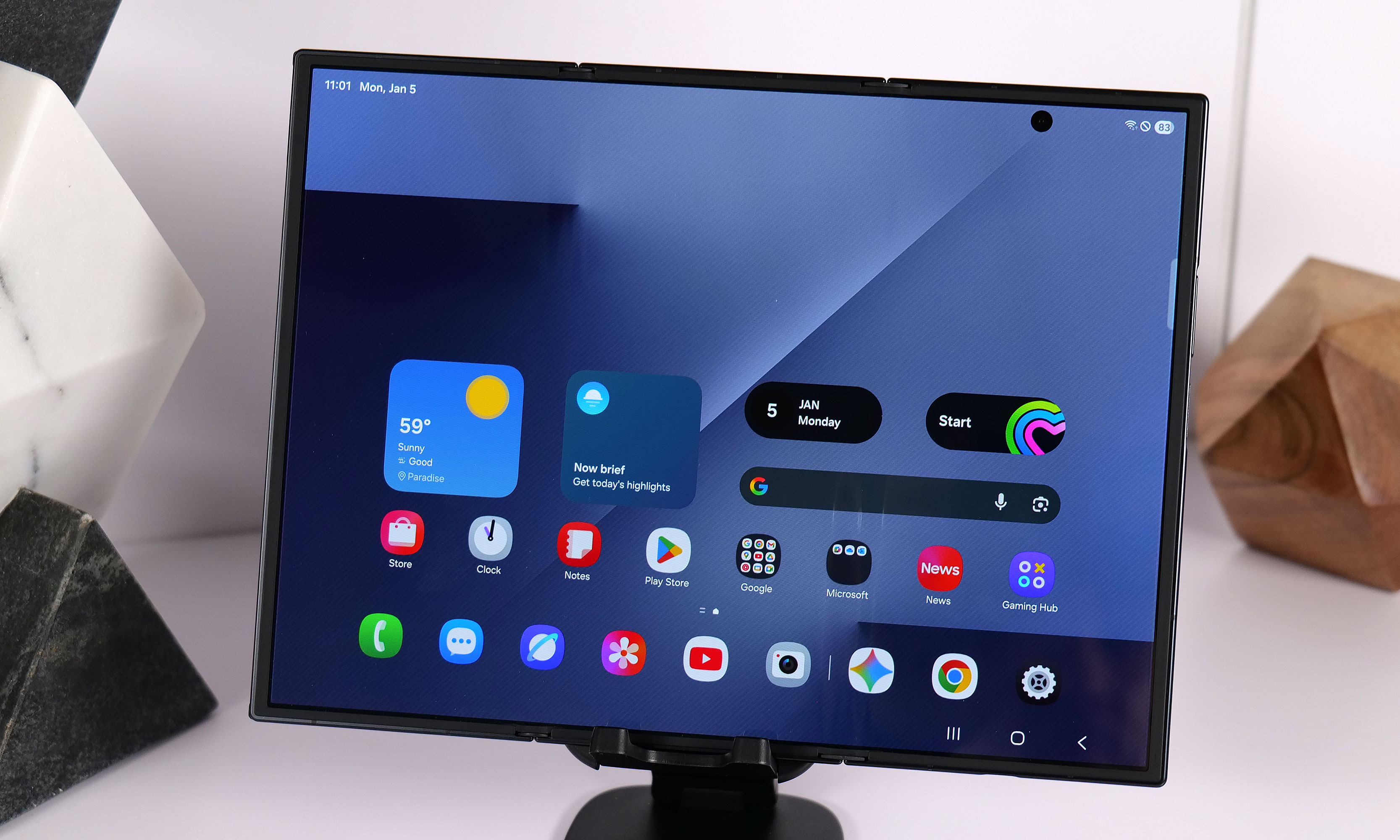
Yes, the TriFold has a crease, two in fact. But they still don't ruin the experience.
Sam Rutherford for Engadget
Samsung announced the Galaxy Z TriFold in late 2025 without firm details of when the new smartphone-that-folds-into-a-tablet would be available in North America. That info came on January 27, when the company announced the TriFold would be available in the US on January 30, for a whopping $2,900. Considering we’ve already seen the device in person at CES 2026 and people are most likely to have had a chance to look at, if not buy the foldable for themselves by the time Unpacked rolls around, we don’t expect Samsung to spend too much time dwelling on it, if at all.
Galaxy S26 Edge
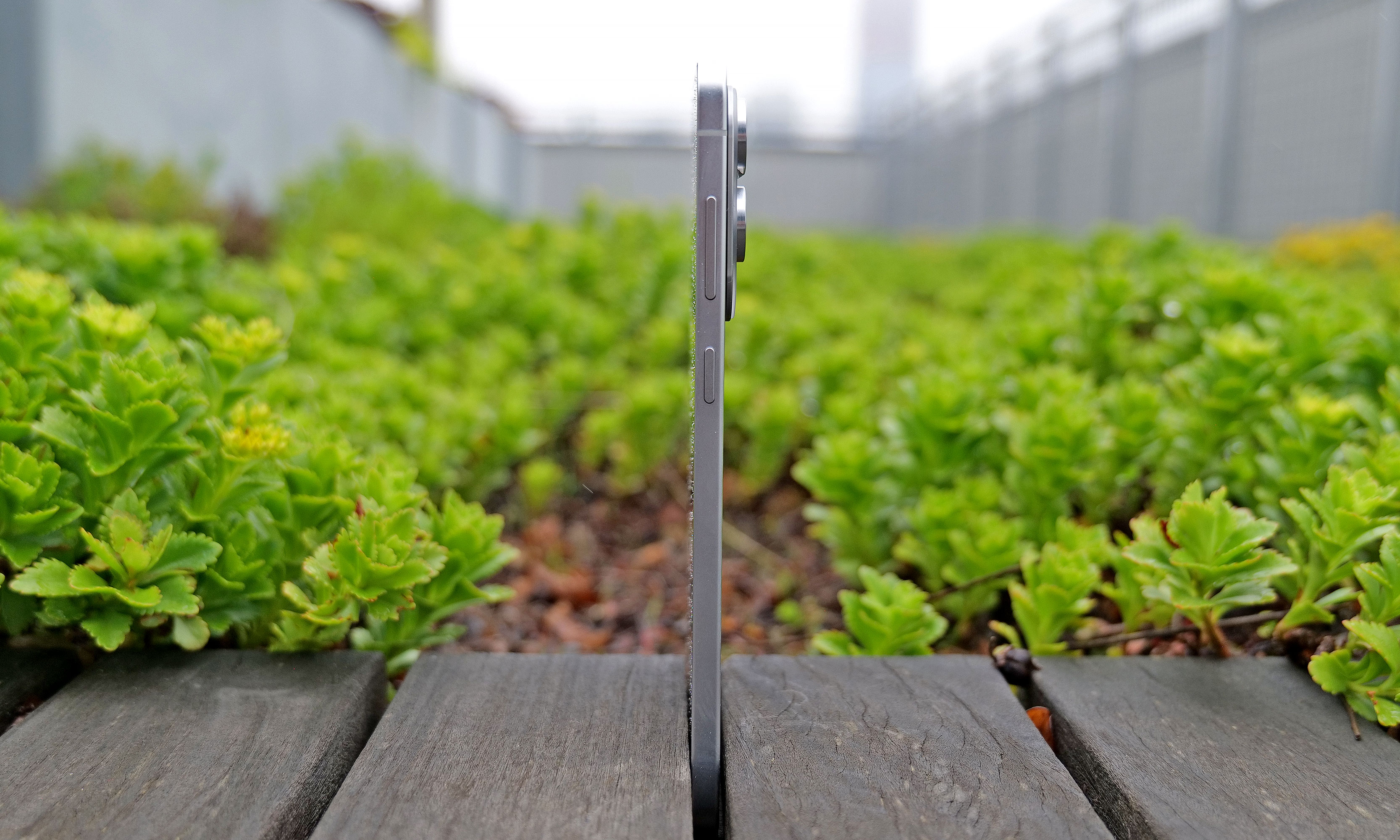
At just 5.8mm thick, the Samsung Galaxy S25 Edge is one of the thinnest smartphones ever made.
Sam Rutherford for Engadget
When the Galaxy S25 Edge was announced in 2025, it seemed possible that Samsung could replace its "Plus" smartphone with a unique form factor, just like Apple has opted to do with the iPhone Air. There have been conflicting reports on the matter, but it seems like Samsung will not be doing that with the Galaxy S26 Edge.
Instead, the smartphone will reportedly remain another option, much like foldables are for customers not swayed by Samsung's traditional smartphones. The Galaxy S26 Edge is rumored to feature a slightly different design than last year's model, according to Android Headlines, with a large rectangular camera plateau that's reminiscent of Google's Pixel phones, and the raised oval Apple used on the iPhone Air. Beyond that, the phone is also expected to be ever so slightly thinner at 5.5mm than the 5.8mm Galaxy S25 Edge.
Bixby and other AI features
Samsung already acts as a first place Google can show off new AI features for Android, but the company is reportedly exploring other AI partnerships, too. In June 2025, Bloomberg reported that Samsung was nearing a deal with Perplexity to integrate its AI-powered search engine across OneUI and its homegrown mobile browser. Perplexity already has a deal with Motorola on its Razr phones, so the only thing that would make a deal with Samsung unusual is the close relationship the company already has with Google.
The company also accidentally announced a new version of its Bixby AI assistant, which will likely also be integrated with Perplexity and could serve as an alternative to Google Gemini. Both a new Bixby and a deeper integration with Perplexity seem like natural new software features to show off at Galaxy Unpacked.
On February 17, Samsung teased some mobile AI photography features ahead of Unpacked. These expand the S-series’ existing image-editing tools by bringing the ability “to turn a photo from day to night in seconds, restore missing parts of objects in images, capture detailed photos in low light, and seamlessly merge multiple photos into a single, cohesive result.” A lot of these things are already possible in other photo-editing apps or even in the Google Photos app, but we’ll have to wait to see them in action on the S26 phones for more details on whether they’re different or more effective.
The company continued to drip feed more teasers in the week leading up to Unpacked 2026, announcing just a few days later that it’s updated its Bixby assistant to be more conversational. Then, over the weekend, it shared that the S26 series will offer third-party AI agents within Galaxy AI, including Perplexity’s offering. It will allow for the devices to respond to the wake phrase “Hey Plex,” which is sure to be popular and not at all confusing to those who already use a similarly named media server and streaming app.
Until we find out more at Unpacked 2026, it’s tricky to determine if and how effective these updates will be, so we’ll just have to be patient until we get the phones in our hands.
Update, January 27 2026, 11:55AM ET: This story has been updated to reflect the latest news around the Galaxy Z TriFold’s price and availability in the US.
Update, January 30 2026, 12:45PM ET: This story has been updated to include the latest leaks on the possible dates for Unpacked 2026.
Update, February 02 2026, 11:30AM ET: This story has been updated to include the latest leaks with full image renders of the S26 trio of devices.
Update, February 03 2026, 11:00AM ET: This story has been updated to include the latest leaks about the possible lack of magnetic support on the S26 series.
Update, February 10 2026, 7:15PM ET: This story has been updated to include the official date of Galaxy Unpacked as Samsung announced it today. The intro was also edited to reflect that detail.
Update, February 17 2026, 4:55PM ET: This story has been updated to add Samsung’s teaser about its upcoming mobile AI photography tools. The intro was also edited for timeliness.
Update, February 24 2026, 10:45AM ET: This story has been updated to add Samsung’s recent updates about Bixby and Galaxy AI’s integration with Perplexity. The intro was also edited for timeliness.
This article originally appeared on Engadget at https://www.engadget.com/mobile/smartphones/samsung-galaxy-unpacked-2026-the-galaxy-s26-series-ai-and-other-products-we-might-see-on-february-25-130000135.html?src=rss
One of the disconcerting things about using a virtual private network (VPN) is that it can be hard to tell when it's doing its job. The best VPNs all work in the background to keep your IP address hidden and your communications with their servers encrypted. The better the VPN, the less you notice it, which can make a top-performing VPN feel (uncomfortably) like one that isn't working at all.
Luckily, you've got options for checking whether your VPN is working — other than just taking the app at its word. In this article, I'll cover the basics, then go through five different tests you can run to make sure you're actually using an encrypted VPN server. For each test, I'll explain what kind of problem it's looking for, how to run it and what to do in case it fails.
Make sure your VPN is turned on
Before you do anything else, though, it's not a bad idea to check your VPN app and make sure you remembered to connect. It's all too easy to open up the client app, choose a server, tweak some preferences and feel like your work is done. On top of that, we don't always remember to tell VPN beginners that simply opening the client isn't enough.
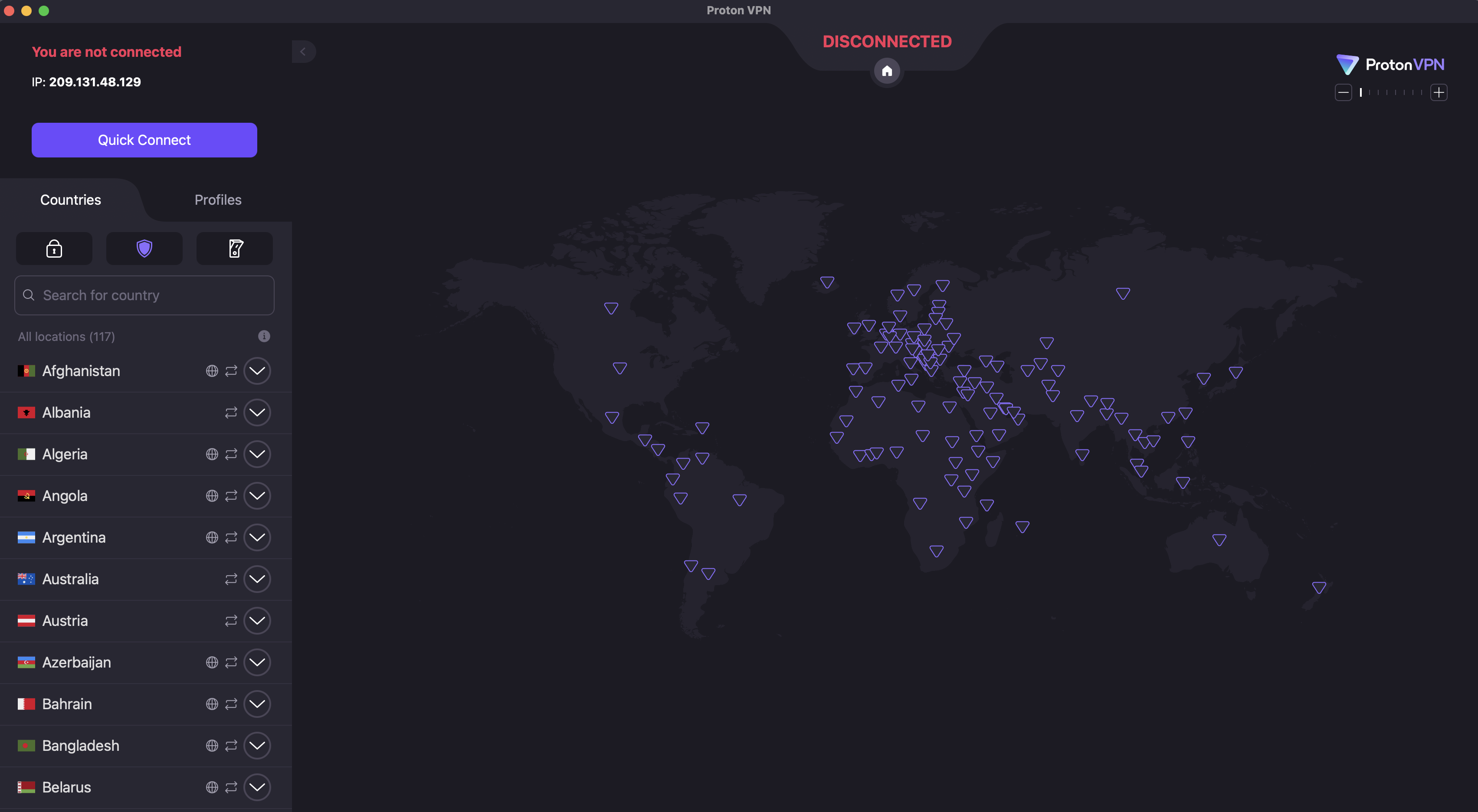
To check that your VPN is turned on, open the app on your desktop or mobile home screen. Each VPN designs its apps differently, but common signs include the color green, the word Connected and information on what server location you're connected to.
The main UI for Proton VPN, with the connection button visible at top-left and the server location menu below it.
Sam Chapman for Engadget
If you don't see anything like that, click the On button, which should be on the first page that appears when you log into the app. Most VPNs also connect whenever you click the name of a server location.
For those of you on iPhone or iPad, I've just written an explainer on how to turn a VPN off and on. For all the tests I'll discuss across the rest of this article, make sure you're connected to a VPN server before you run them. Also, make sure your internet connection is active — a VPN can only work when there's internet.
5 tests to check if your VPN works
Each of these tests investigates a different reason your VPN might not be working. We'll start by looking for connection problems that might not be obvious, check for DNS leaks, WebRTC leaks and IPv6 leaks, then finally make sure an apparently active VPN is managing to change your virtual location.
1. Has your IP address changed?
Websites and internet service providers (ISPs) use IP addresses to identify devices and their owners online. A VPN's most important job is to change your IP address to one matching its own server, which disassociates your identity from your online activities. Not doing this indicates a failure on a fundamental level: either the VPN says it's connected when it isn't, or its technology is active but somehow not sending you through the proper encrypted tunnel.
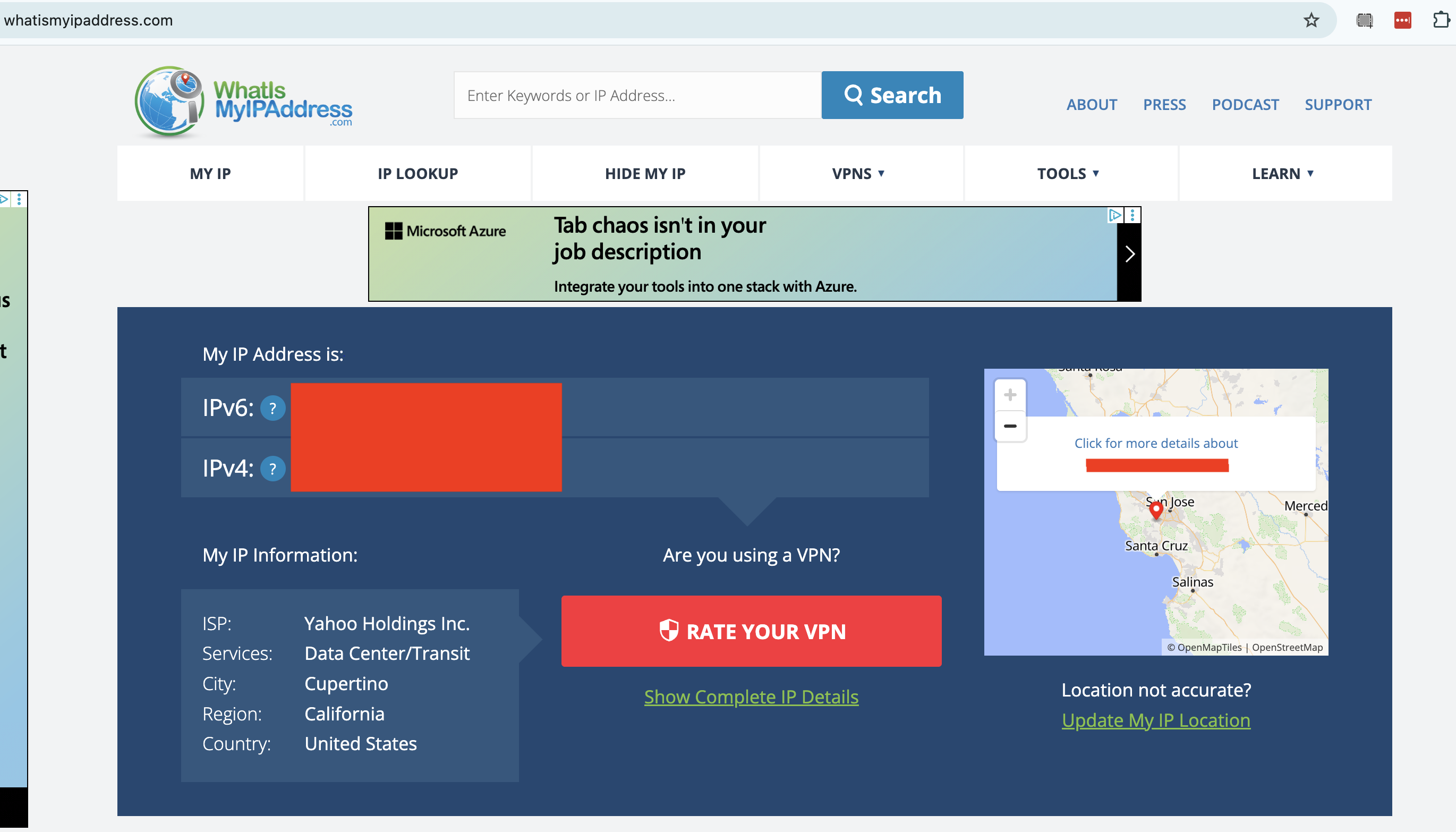
To check whether your VPN has changed your IP address, start by going to an IP address checker like whatismyipaddress.com or ipleak.net. This will show you the public IP address that everyone sees when you get online without a VPN, including the ISP that holds it and the geographic location it's associated with. Write that down or take a screenshot.
A censored report from WhatIsMyIPAddress.com.
Sam Chapman for Engadget
Next, connect to your VPN. Remember the location you connect to, and note down the new server IP address if the VPN tells you what it is. Go back to your IP tester tool and refresh the page. You should now see an IP address and location that match the one you connected to through the VPN, including a different ISP.
If your IP address is the same as before, your VPN isn't working. To fix this, try disconnecting from the server, waiting about 10 seconds, then connecting to the same location and trying the test again. This will show you whether the problem was with one individual server or an entire location.
If the problem persists, try a different server location, then a different VPN protocol. If it's still leaking, try restarting your VPN client, your device and your modem (in that order). This should fix the problem, but if it doesn't, move on to the remaining tests or get in touch with the VPN's tech support.
2. Are you leaking DNS requests?
A domain name system (DNS) server is an important step in getting a website to appear on your browser. DNS holds the information that connects URLs to the IP addresses of destination servers. If a VPN client lets your device contact a DNS server owned by your internet service provider without routing it through an encrypted tunnel first, the DNS request might reveal your real IP address to the ISP.
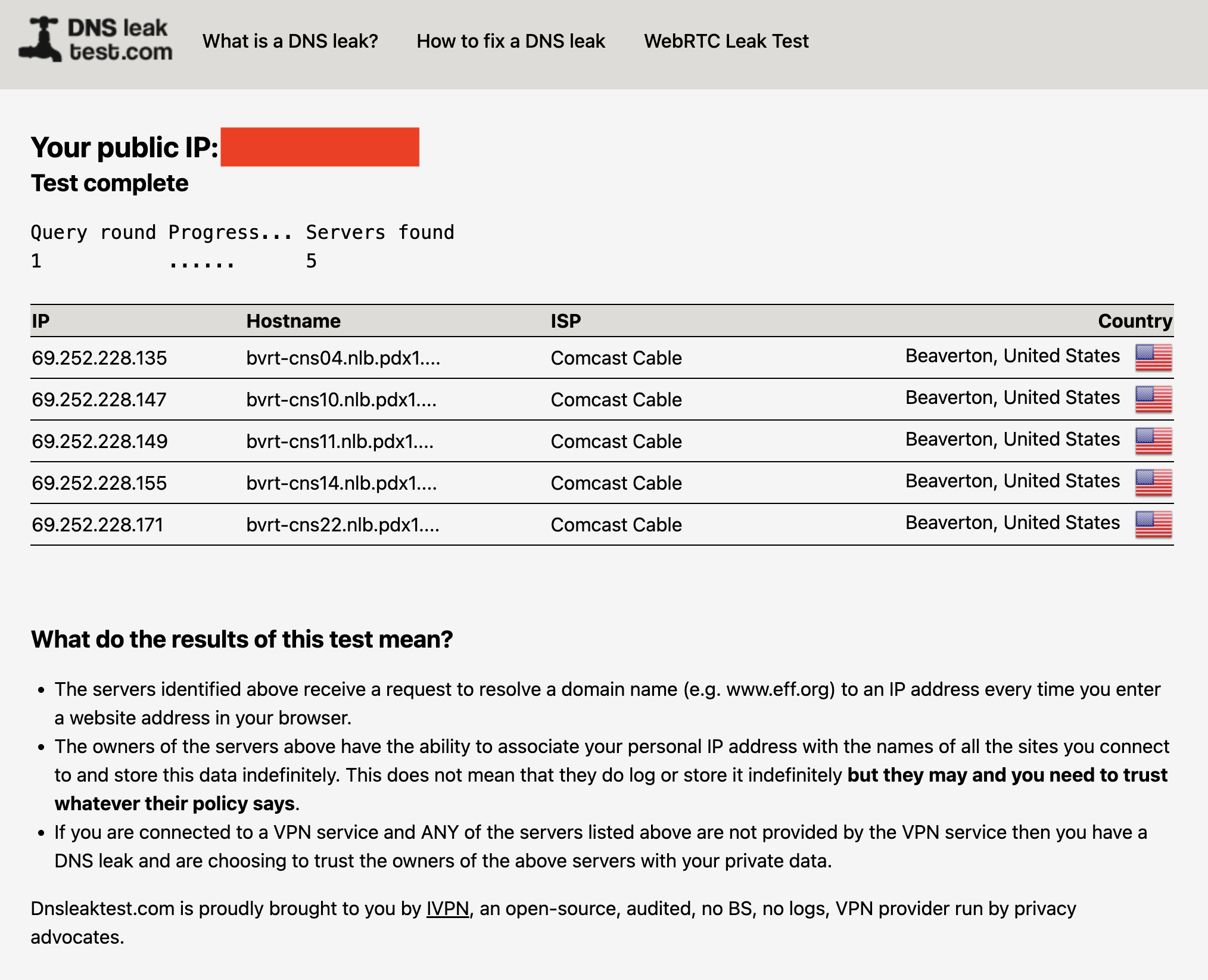
You can check for DNS leaks by connecting to your VPN, then going to dnsleaktest.com or another tool of your choice. The tester sends several innocuous DNS requests, then scans to see which servers resolve them. If you see your real ISP at all, you've got DNS leaks.
A DNS leak test run without a VPN. With one active, my real ISP (Comcast) should not appear on the list.
Sam Chapman for Engadget
The fix for DNS leaks is more intensive than the fixes in step #1. Check your VPN's control panel to activate any DNS leak protections and try again. IPv6 leaks can also appear as DNS leaks, so try disabling IPv6 in your browser (see #4 below for instructions). If you keep seeing leaks, you can also try clearing your computer's DNS cache.
Here's how to do that. On Windows, go to the Command Prompt (on Windows 10) or the WindowsTerminal (on Windows 11). Enter the phrase ipconfig/flushdns. On Mac, open Terminal from the Utilities folder, then paste in the phrase sudo dscacheutil -flushcache; sudo killall -HUP mDNSResponder and hit Enter. Test the VPN once more to see if it's still leaking.
3. Are you leaking information through WebRTC?
WebRTC, which stands for Web Real-Time Communication, is a technology that lets browsers exchange information directly with each other. This is useful for text and video chats, streaming and more, but it's also a potential security risk. WebRTC can serve as a backchannel that inadvertently sends your real IP address outside the VPN tunnel.
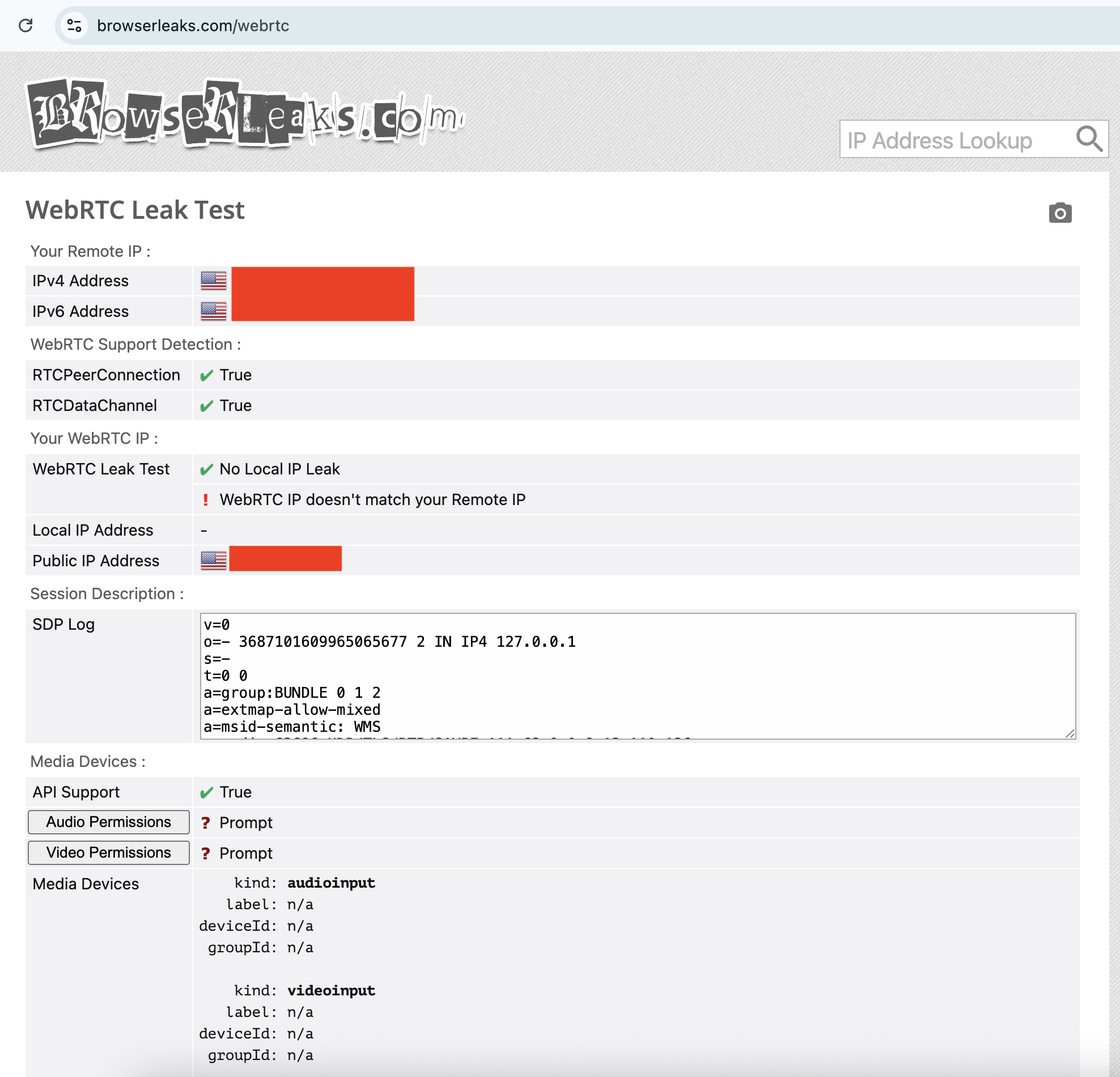
It's pretty easy to test for WebRTC leaks. I recommend the tool ipleak.net, which checks for them as a matter of course. You can also use browserleaks.com/webrtc to run a test that's particular to this kind of leak. These tools establish dummy connections through WebRTC, then test to see if the VPN still works when they're active. As usual, if you see your real IP address, there's a problem.
Your WebRTC IP not matching your Remote IP is a potential red flag.
Sam Chapman for Engadget
The fixes for a WebRTC leak are the usual ones: try different servers, locations and protocols, reset your VPN, device and modem, then try another VPN provider. However, if nothing is working, you can also disable WebRTC on your browser altogether. This means you won't be able to do any real-time chatting (that's Zoom, Google Meet, Teams and so on), so it's a last-resort solution.
To disable WebRTC on Firefox, type about:config in the URL bar, click the message to accept the risk, type media.peerconnection.enabled in the search bar, then double-click the word True to change it to False. To turn WebRTC back on, just double-click False again.
On Edge, you can disable WebRTC by entering edge://flags in the URL bar, scrolling down to the option "Anonymize local IPs exposed by WebRTC" and making sure the dropdown next to it is set to Enable. There's no built-in way to turn off WebRTC on Chrome, but you can install the WebRTC Control extension to switch it off and on yourself.
4. Is your IPv6 address leaking?
Next up, it's possible that your real location is leaking through your IPv6 address, not IPv4. To make a long explanation short, IPv6 is a new way of formatting IP addresses that leaves more options available for the future. Since we haven't yet hit the crisis point of IPv4 shortage, very few websites are restricted to IPv6 alone.
The problem is that most VPN apps were designed in the IPv4 era and aren't built to protect IPv6 traffic. There are some exceptions, including NordVPN, but most VPNs block IPv6 traffic completely rather than retrofit themselves to work with it. However, if a VPN of that sort isn't blocking IPv6 entirely, your IPv6 address and associated location can leak.
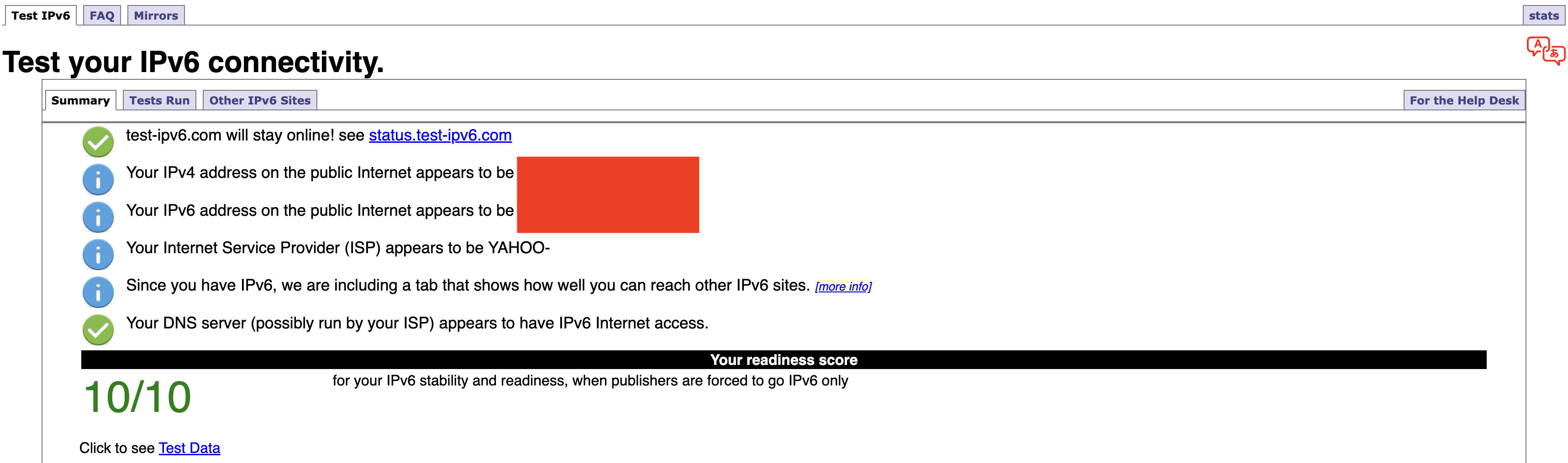
Any IP address checker can reveal an IPv6 leak, but you can find a specific test at test-ipv6.com. This site runs several exams that look for IPv6 readiness, but the most important line is the one that shows your current IPv6 address. This will probably say you don't have one, since most ISPs don't work through IPv6 yet — but if you do have one, it should match your active VPN's location, not your real one.
If your IPv4 address matches the VPN server but your IPv6 address does not, IPv6 is the likely cause of your leak.
Sam Chapman for Engadget
Should it turn out that you're leaking IPv6 requests, the easiest solution is to disable IPv6 on your computer. On Windows, you can do this through the network adapter options page of your control panel. Here's how to get there:
Windows 10: Start -> Settings -> Network & internet -> Status -> Change -> Advanced network settings -> Change adapter options.
Windows 11: Settings app -> Network & internet -> Advanced network settings -> Related settings -> More network adapter options.
On both OSes, finish the job by right-clicking the name of your internet connection, selecting Properties from the dropdown and unchecking the box next to Internet Protocol Version 6. Of course, you can always switch to another VPN that blocks IPv6 altogether, but you might find that to be a bigger hassle.
If you're on Mac, open System Settings, click the Network tab and then click the Details... button next to your network name. In the new window, click the TCP/IP tab on the left, find the entry labeled Configure IPv6 and set the dropdown to Link-Local Only.
5. Do streaming sites show different content?
A VPN can be working perfectly and still fail to unblock streaming sites. Netflix, HBO Max and the others block VPN traffic because VPNs can make them show material in regions where they don't hold the copyright. To avoid legal trouble, they set up their firewalls to block IP addresses known to belong to VPN servers.
If your VPN can't get into a streaming platform, it'll usually be obvious; the site will either display a proxy error message or simply refuse to load. However, in rare cases, the streaming site will load fine but show you the same shows you normally see. This indicates that you might be dealing with a VPN leak.
If that happens, follow the usual steps. Disconnect and reconnect to the same location to get a different server, then try different server locations. It's also possible that the streaming site is getting your real location from your browser cache, so if the problem persists, clear your cache and cookies and try again.
How to test a VPN kill switch
There's one more important step to make sure your VPN is working: test the kill switch. This common feature cuts off your internet connection if you lose touch with your VPN server. With your kill switch active, you shouldn't be at any risk of accidentally broadcasting your real IP address, location or online activity.
To test your kill switch, you'll need to simulate an abrupt loss of VPN connectivity. Open your VPN, make sure the kill switch is turned on, then connect to a server. Next, quit the VPN app without disconnecting. At this point, the kill switch should make it impossible for you to get online — if you can still browse the internet as normal, the switch might be faulty.
This article originally appeared on Engadget at https://www.engadget.com/cybersecurity/vpn/how-to-check-if-your-vpn-is-working-130000817.html?src=rss
The digital nomad lifestyle thrives on contradiction. You need professional-grade tools that disappear into a carry-on. Power without bulk. Connection without cables. The freedom to work from a Bali café or a Berlin co-working space demands gear that adapts as quickly as your location changes. The right equipment doesn’t just make remote work possible—it makes it effortless, turning any corner of the world into your office.
This year’s standout gadgets understand that nomadic work isn’t about compromising between portability and performance. These seven designs solve real problems that emerge when your desk is wherever you set down your laptop. They’re built for the constant motion between airports and coffee shops, for the moments when a stable internet connection matters more than a stable address, for professionals who measure workspace in grams and millimeters.
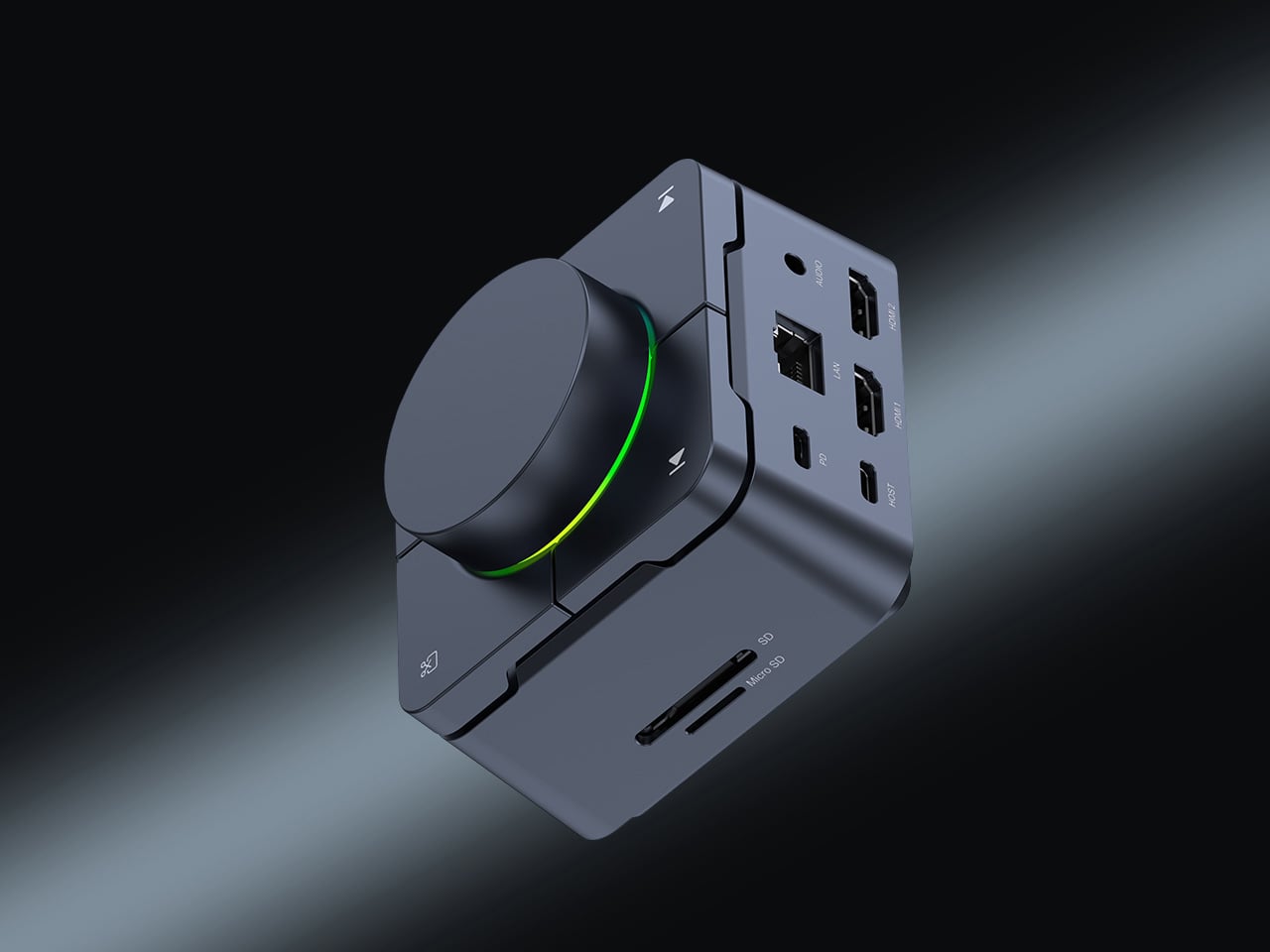
1. HubKey Gen2: Your Entire Setup in a Cube
The chaos of the modern nomadic workspace often comes down to ports. Your sleek ultrabook offers maybe two USB-C connections, yet you’re constantly reaching for monitors, ethernet reliability, external drives, and power. What begins as minimalist hardware design becomes a tangle of dongles and adapters stuffed into every pocket of your tech pouch. HubKey Gen2 rethinks this entirely, consolidating 11 different connections into a palm-sized cube that sits exactly where you need it.
Beyond the connectivity sprawl, this device addresses another friction point: the small actions buried in menus and keyboard shortcuts that disrupt your workflow. Four programmable keys and a central control knob transform software commands into physical gestures. Mute your microphone, adjust volume, toggle camera privacy, or switch between tasks with tactile certainty. For someone working across time zones and video calls, having media controls at your fingertips rather than three clicks deep makes the difference between smooth professionalism and fumbling mid-presentation.
What We Like
The 11-in-1 hub eliminates the need for multiple adapters, significantly streamlining your packing list.
Dual 4K display support means you can plug into external monitors at co-working spaces or client offices without compromise.
Physical shortcut keys and a control knob bring immediate access to privacy toggles and media controls.
The compact cube design fits easily in a backpack’s tech compartment without adding bulk.
What We Dislike
The stationary cube format works best on stable desks, which isn’t always guaranteed in nomadic setups.
At a premium price point, it’s an investment that may not suit budget-conscious travelers.
2. OrigamiSwift Folding Mouse: Full-Size Precision in Your Pocket
Laptop trackpads work fine until they don’t. After hours of detailed work—editing photos, building spreadsheets, designing mockups—your fingers cramp and precision suffers. Full-sized mice offer the ergonomic relief you need but consume precious backpack real estate. OrigamiSwift solves this spatial puzzle with origami-inspired engineering that lets a complete mouse fold completely flat, transforming from 40 grams of barely-there weight into a proper productivity tool the moment you need it.
The transformation happens in under half a second. One flip and the mouse springs into an ergonomic form that fits naturally in your palm, ready for extended work sessions, whether you’re at a standing desk in Bangkok or a wobbly café table in Lisbon. When you pack up, it collapses just as quickly into a profile thin enough to slide into a notebook pocket. The Bluetooth connection means one less cable to manage, and the full-size functionality means you’re not sacrificing comfort for convenience.
The foldable design delivers genuine full-size mouse comfort without occupying significant bag space.
Weighing only 40 grams, it’s essentially weightless in your daily carry.
The instant transformation in under 0.5 seconds means you can deploy it as quickly as you open your laptop.
Ergonomic shaping provides the comfort needed for extended work sessions across multiple time zones
What We Dislike
Bluetooth connectivity requires occasional charging, adding one more device to your power management routine.
The folding mechanism, while durable, introduces moving parts that could potentially wear over time.
3. StillFrame Headphones: Creating Focus Anywhere
Airports, cafés, co-working spaces—the nomadic office is rarely quiet. Concentration becomes a portable skill, and headphones evolve from accessory to essential tool. StillFrame approaches audio with a design philosophy borrowed from the deliberate era of physical media, when albums were objects you held, and listening was an intentional act. The result sits comfortably between in-ears and over-ears, at just 103 grams, with 40mm drivers that open up soundscapes rather than just pumping audio into your ears.
The real utility emerges in the switching. Active noise cancellation erases the chaos when you need to disappear into deep work. Transparency mode keeps you connected to your surroundings when you’re waiting for a gate announcement or want to stay aware in an unfamiliar city. Twenty-four hours of battery life means you can travel from New York to New Delhi without reaching for a charging cable, maintaining your focus through layovers and long-haul flights.
The 24-hour battery life eliminates anxiety about running out of power during long travel days.
Weighing just 103 grams, these headphones stay comfortable through marathon work sessions.
Both noise-cancelling and transparency modes adapt to shifting environments from silent libraries to bustling streets.
The 40mm drivers create an open soundstage that makes both music and podcasts more immersive.
What We Dislike
The on-ear design may not provide the same noise isolation as full over-ear models in extremely loud environments.
The retro-inspired aesthetic, while distinctive, may not appeal to those preferring more modern styling.
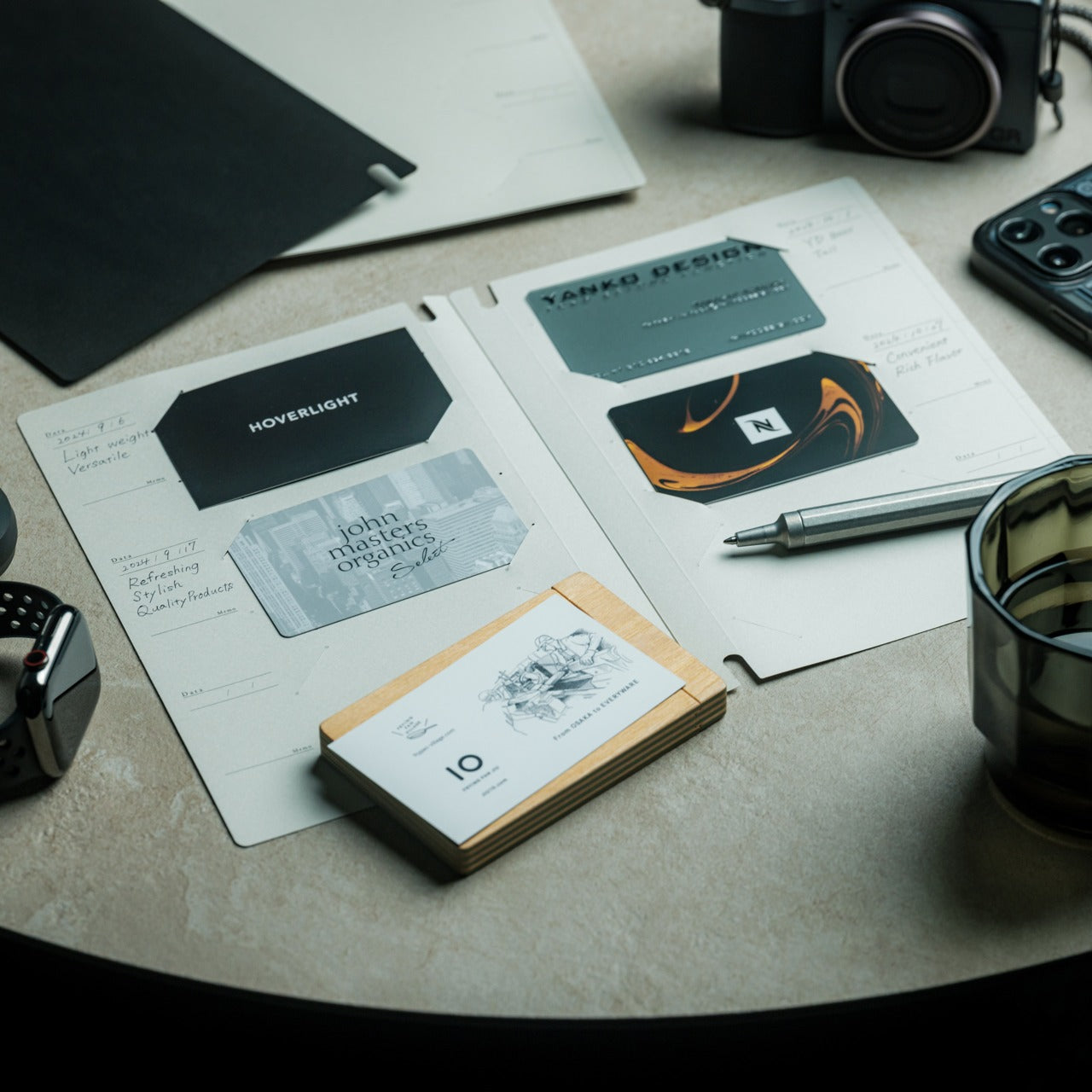
4. Memento Business Card Log: Analog Memory in a Digital World
Digital contacts sync across devices, but they don’t capture the texture of a conversation. The nomadic lifestyle means constantly meeting collaborators, clients, and fellow travelers—connections that could turn into partnerships if you remember not just names but contexts. The Memento Business Card Log stores up to 120 business cards using a binding system that lets you reorganize and reference them easily, but more importantly, it provides space for the handwritten details that transform a card into a memory.
Japanese brand Re+g built this organizer around the idea that writing things down changes how you remember them. After a chance meeting at a conference in Singapore or a productive coffee chat in Copenhagen, you can note what you discussed, ideas that emerged, or even just the person’s working style. These annotations become retrieval cues that software contact lists can’t replicate. When you reconnect weeks or months later, those handwritten notes help you pick up the conversation with genuine context rather than generic pleasantries.
The capacity for 120 business cards means you can collect connections throughout extended trips without needing to transfer them.
Handwritten note space beside each card captures conversational context that digital contacts miss.
The unique binding system allows easy reorganization as your network and priorities evolve.
Minimal, tactile paper design from Re+g elevates organization into something you’ll actually enjoy using.
What We Dislike
The analog format means cards aren’t automatically backed up if the log is lost or damaged.
Physical storage takes up more space than purely digital contact management.
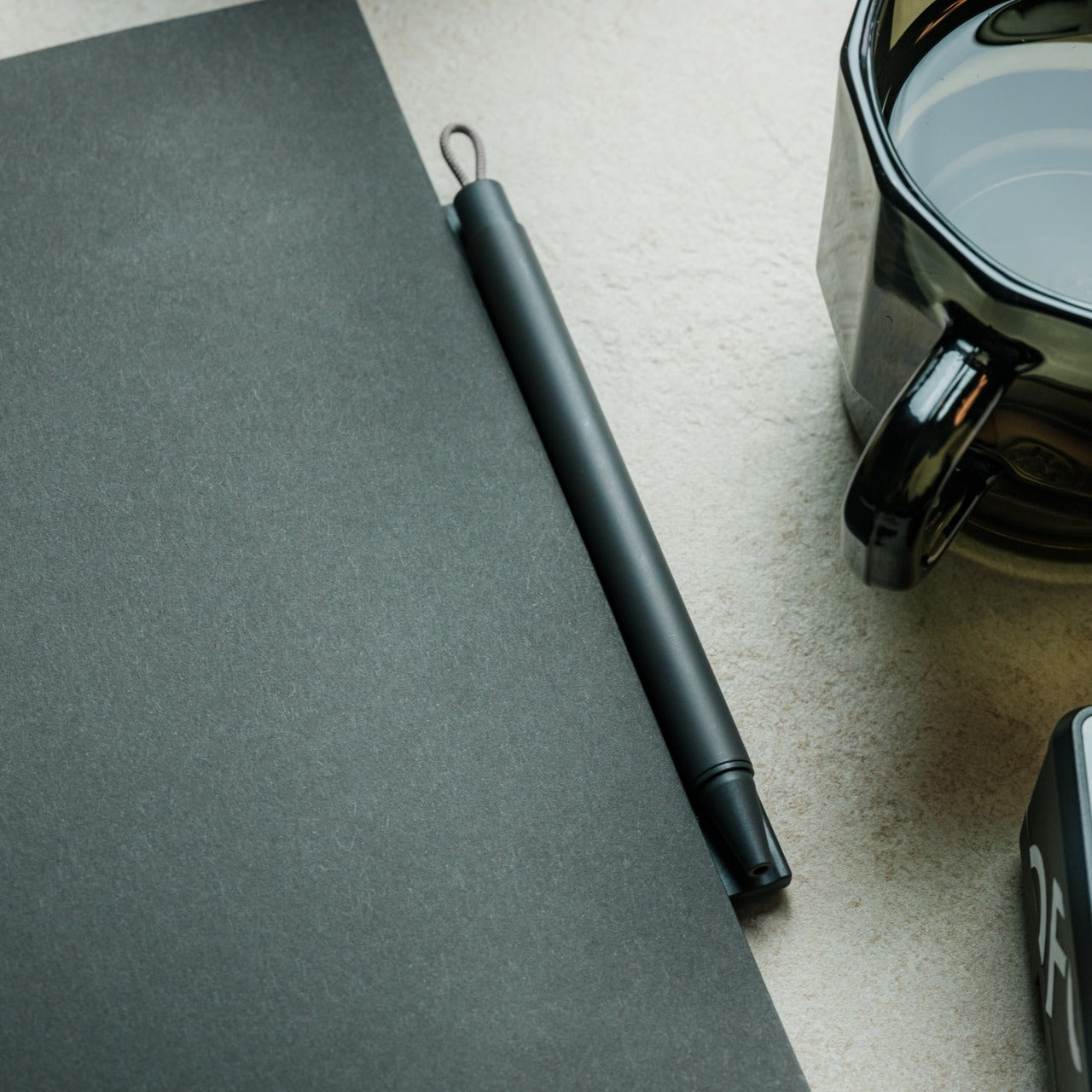
5. Inseparable Notebook Pen: Never Hunt for a Pen Again
The friction of creativity often isn’t the idea—it’s the split second when you can’t find something to write with. Inspiration arrives during a walking tour, mid-conversation, or while half-asleep on a red-eye flight. By the time you’ve rummaged through your bag for a pen, the thought has scattered. The Inseparable Notebook Pen uses a magnetic clip that attaches securely to your notebook, ensuring your writing tool lives exactly where you reach for it.
The design focuses on seamless integration. A built-in silencer makes attaching and detaching the pen a quiet, satisfying gesture rather than a clumsy snap. The minimalist form fits any notebook style without visual clash, and the smooth ink flow handles everything from quick notes to detailed sketches. For digital nomads who alternate between typing and handwriting—brainstorming on paper before building in software—this pen becomes an extension of your process rather than something you have to think about.
The magnetic clip ensures the pen is always exactly where your notebook is, eliminating lost-pen frustration.
The built-in silencer creates a refined, quiet attachment experience.
Minimalist design complements any notebook without stylistic compromise.
Smooth ink flow handles varied writing needs from rapid note-taking to careful sketching.
What We Dislike
The pen is designed specifically for notebooks with compatible magnetic areas, limiting versatility.
As a single pen solution, you’ll need backup options if the ink runs out mid-journey.
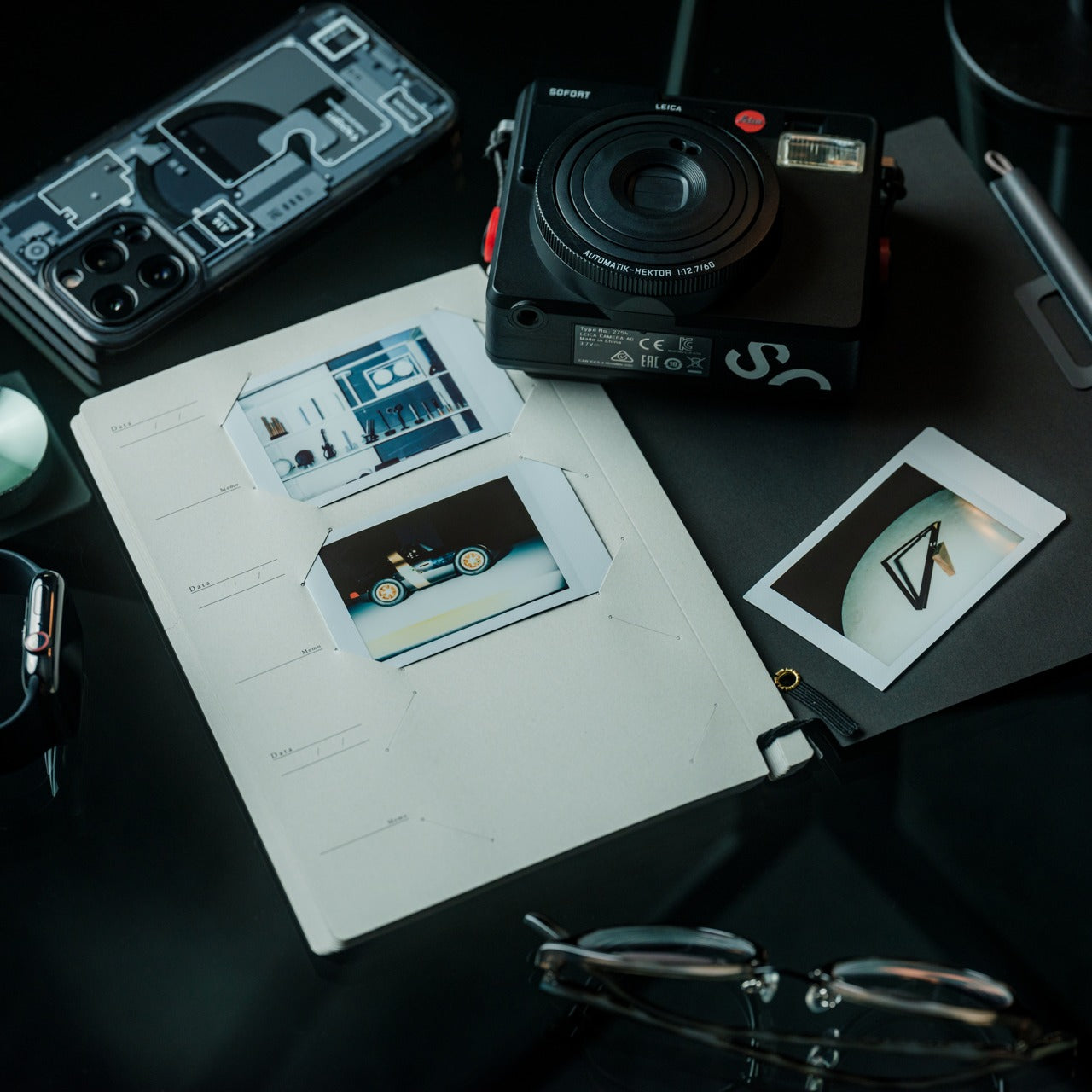
6. MagBoard Clipboard: Flexibility Without Binding
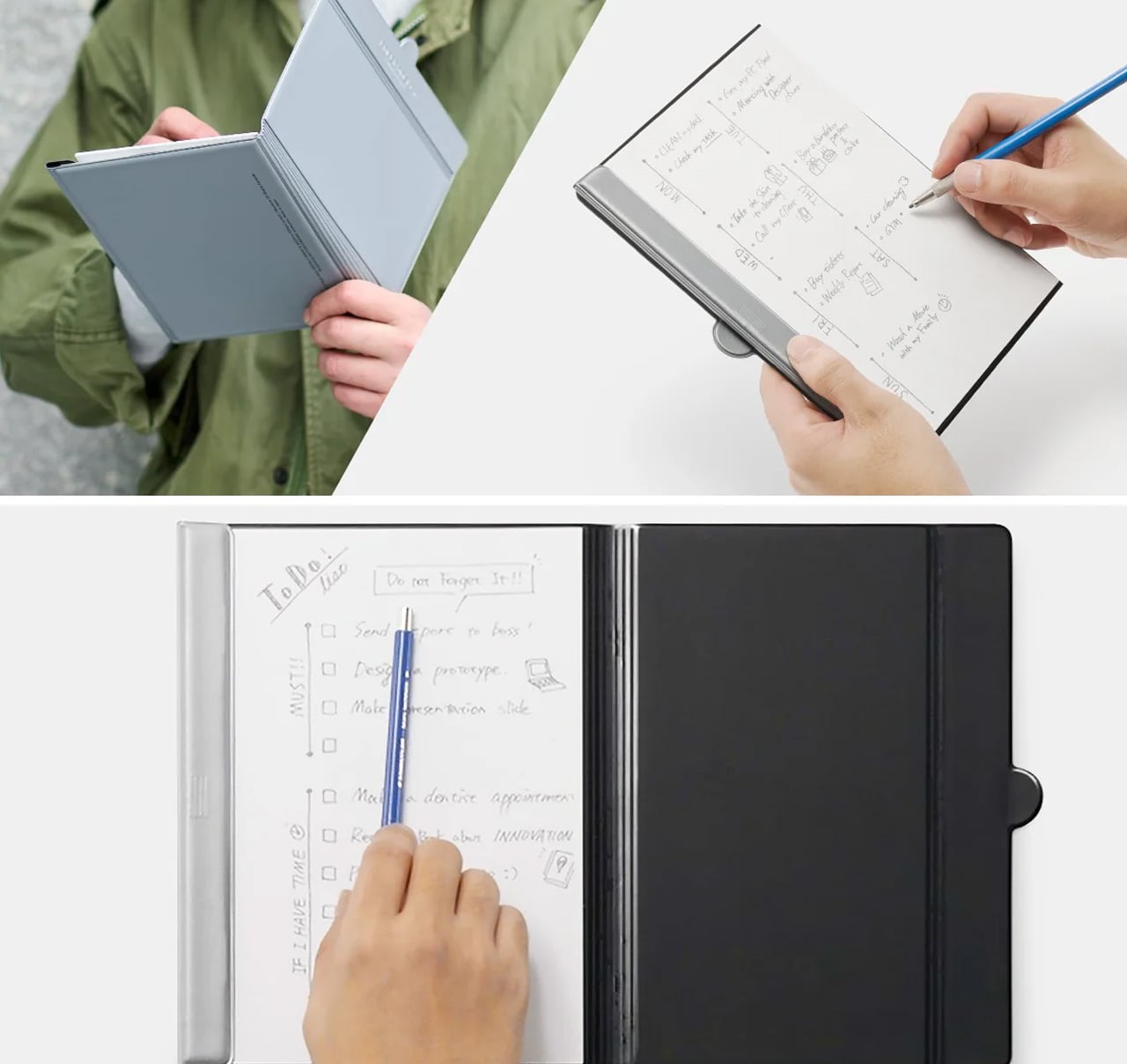
Traditional notebooks lock you into linear page order and permanent binding. That structure helps for continuous journals but frustrates project-based thinking where ideas need to be rearranged, removed, or reordered. MagBoard uses a magnet and lever mechanism to secure up to 30 loose sheets, letting you compose, decompose, and reorganize pages however your thinking demands. The hardcover backing means you can write standing, leaning against a wall, or anywhere without a stable surface.
For nomads juggling multiple projects, this flexibility becomes essential. Keep client notes separate until a meeting, then compile them in order. Sketch design concepts on individual sheets and arrange them spatially before committing to a sequence. Remove finished work without the orphaned pages that haunt traditional notebooks. The water-resistant cover handles the unpredictability of working outdoors or in transit, and the simple cleaning means coffee spills don’t become permanent damage.
The magnetic lever system holds up to 30 sheets securely while allowing instant reorganization.
Hardcover design enables writing anywhere, even standing or without a desk surface.
Water-resistant and easy-to-clean materials protect your work in unpredictable environments.
Complete flexibility to add, remove, or rearrange pages matches project-based workflows.
What We Dislike
Loose sheets can be lost more easily than bound pages if not carefully managed.
The hardcover adds some weight compared to lighter, flexible notebooks.
7. Rolling World Clock: Time Zones at a Glance
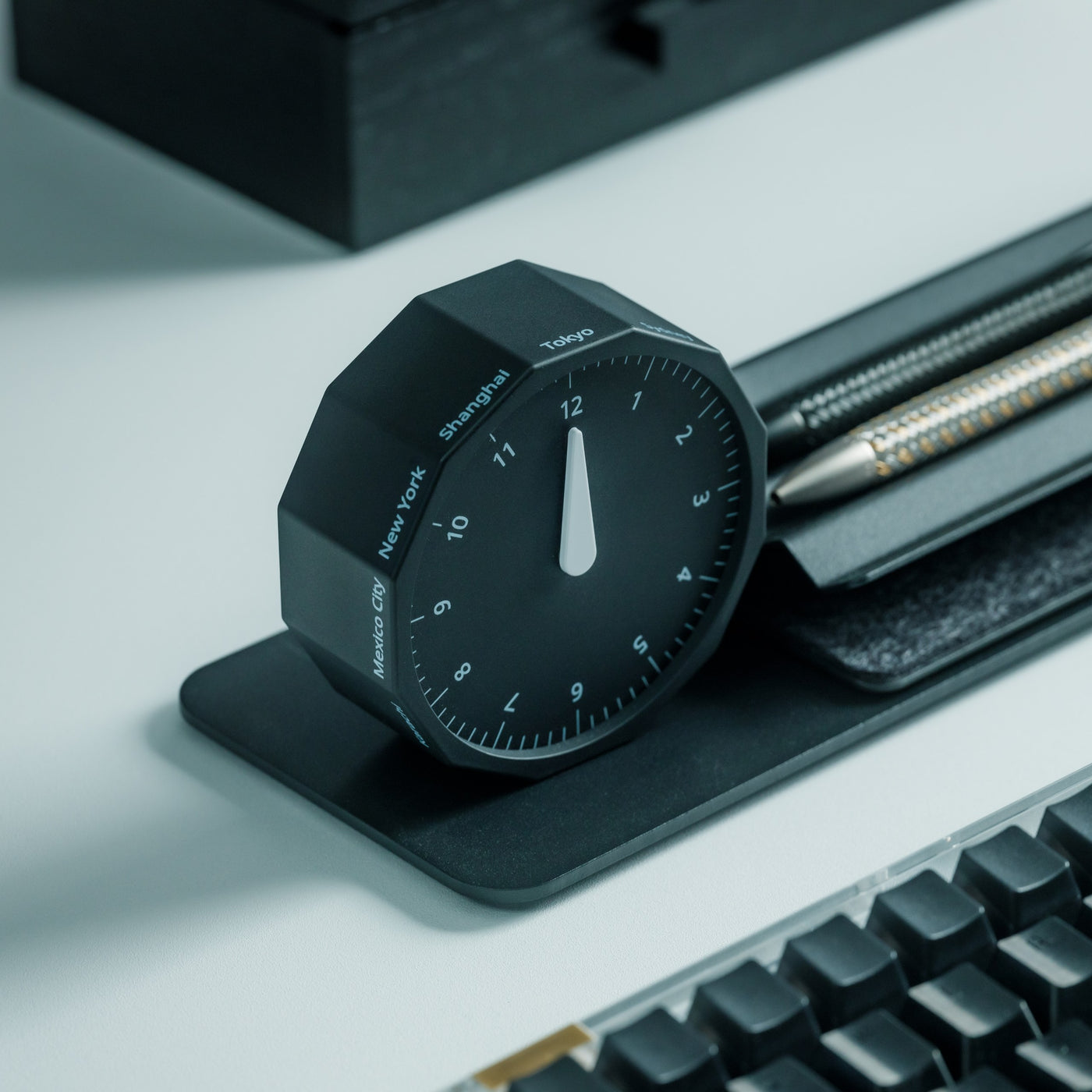
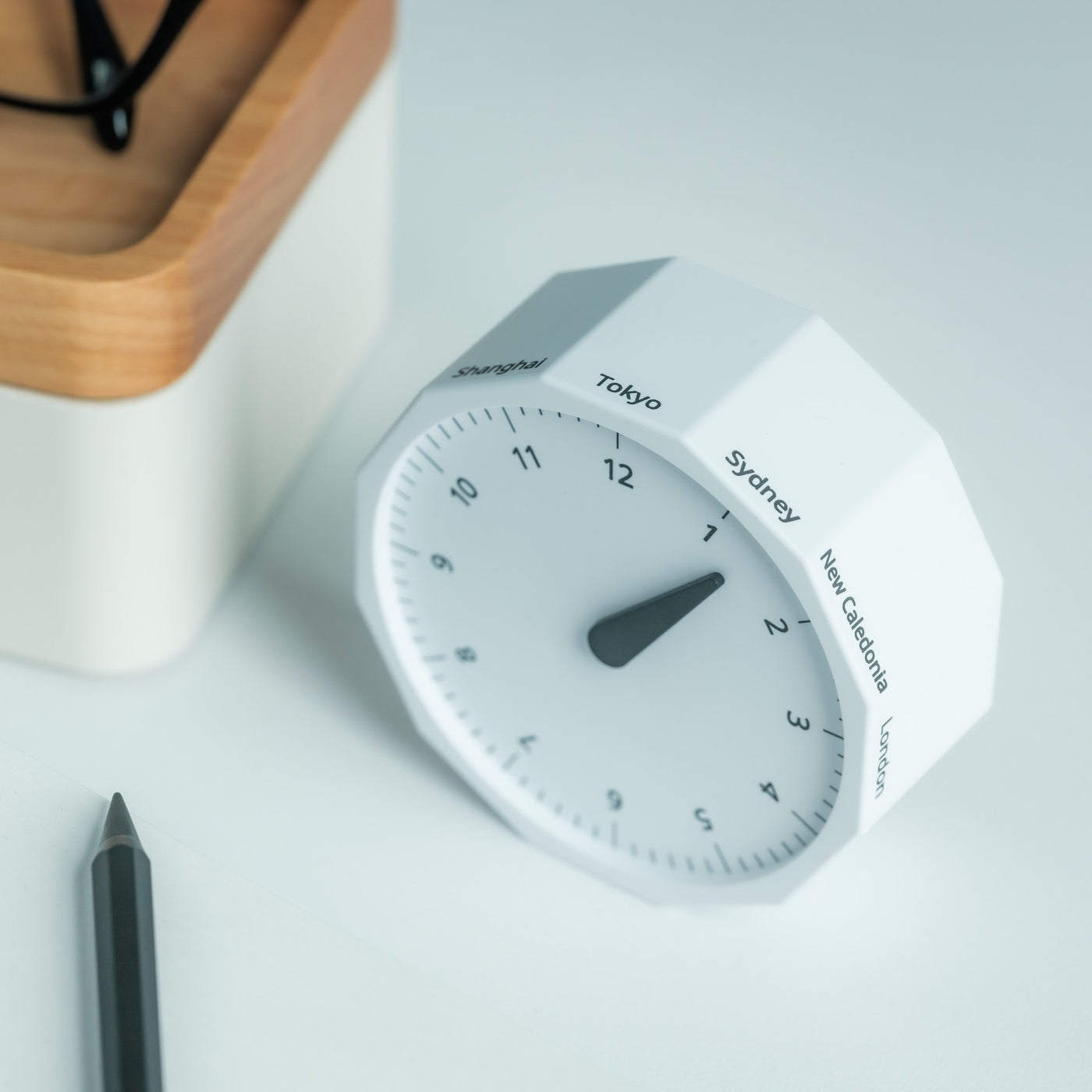
Working across continents means constantly calculating time zones. Is it too late to call your client in Tokyo? When does your team meeting in New York start relative to your current location in Cape Town? Digital clocks and apps provide answers, but they require pulling out your phone and breaking focus. The Rolling World Clock offers a tactile, immediate solution: a 12-sided desktop piece that displays the current time in major cities simply by rolling it to the desired timezone.
Each of the twelve sides represents a location—London, Paris, Moscow, Los Angeles, Karachi, Mexico City, New York, Shanghai, Tokyo, Sydney, Cape Town, and New Caledonia. A single hand shows the hour for whichever city faces up. The minimalist design eliminates digital distractions while adding a physical, almost playful element to time awareness. When you’re working from temporary desks and rented apartments, this small object becomes both functional tool and a reminder of the global nature of your work.
The twelve-sided design covers major global time zones in one compact object.
Physical rolling creates a tactile, screen-free way to check international times.
Minimalist aesthetics work as both functional tool and desk decoration.
Available in black and white options to match different workspace styles.
What We Dislike
Limited to twelve preset cities, which may not include all the locations you coordinate with.
The single-hand design requires some interpretation compared to digital displays showing exact minutes.
Building Your Mobile Office
The nomadic workspace is personal, built piece by piece until it reflects exactly how you work rather than where. These seven gadgets share a common understanding: that portability and capability aren’t opposites. They fit into the rhythms of constant movement, solving the small frictions that accumulate when your office exists in a backpack. Connection without cables. Writing without searching. Time awareness without screens.
The best gear for digital nomads doesn’t announce itself. It disappears into your process, working so seamlessly you forget it’s there until you need it. Whether you’re coordinating across twelve time zones, capturing ideas before they evaporate, or creating focus in chaotic airports, these designs adapt to your location rather than constraining it. Your backpack becomes not just luggage but the architecture of your professional life, carefully curated for the work that matters wherever it happens.
Is the gaming world ready for a device that could blur the lines between consoles and PCs? In a recent video, tech enthusiast and gaming analyst Alex from TechScope breaks down Valve’s ambitious new entry into the gaming hardware market: the Steam Machine. With its sleek, compact design and a price point intended to undercut […]
Is the gaming world ready for a device that could blur the lines between consoles and PCs? In a recent video, tech enthusiast and gaming analyst Alex from TechScope breaks down Valve’s ambitious new entry into the gaming hardware market: the Steam Machine. With its sleek, compact design and a price point intended to undercut […]
Samsung’s One UI is a feature-rich interface designed to enhance your smartphone experience by offering a range of tools that prioritize usability, customization, and efficiency. By delving into the advanced features of the notification and quick panels, you can tailor your device to meet your specific needs, streamline multitasking, and optimize connectivity. The video […]
What if you could condense seven hours of advanced AI coding training into just 27 minutes? In the video below, David Ondrej takes you through the official Anthropic’s Claude Code course in a concise, developer-friendly walkthrough. Designed for both seasoned programmers and curious beginners, this overview highlights how Claude Code enables users to streamline workflows, […]
The Samsung Galaxy S26 Ultra is poised to make waves in the smartphone market with its anticipated upgrades in performance, display, camera, and software. While it may not introduce innovative changes compared to its predecessor, the S26 Ultra is expected to solidify its position as one of the most advanced flagship devices available. If you’re […]
After testing the feature for the last six months or so, Netflix said it will bring vertical videos to its mobile app sometime later in 2026, TechCrunch reported. So far, the feature has been used to show clips promoting Netflix films and TV shows, letting you swipe to move to the next one à la TikTok or YouTube Shorts.
Going forward, though, it could also serve as a promotion tool for new types of programs. “You can imagine us bringing more clips based on new content types, like video podcasts,” co-CEO Greg Peters said in an earnings call.
That was another subject of discussion, as Netflix is taking on YouTube with new video podcasts. The company debuted the first of those originals last week, including shows from sports commentator Michael Irvin and comedian Peter Davidson. It’s also offering hosting content like the Bill Simmons Podcast and other shows from The Ringer.
Despite increasing competition from YouTube and other social media networks, Netflix is doing all right. In 2025, the company saw $45.2 billion revenue including $1.5 billion in ad dollars from its lower tier subscriptions. The streamer counted 325 million paid subscribers around the world at the end of last year.
This article originally appeared on Engadget at https://www.engadget.com/entertainment/streaming/netflix-mobile-app-redesign-will-offer-deeper-integration-of-vertical-video-120000820.html?src=rss