Every sawmill in the world produces it. Every furniture factory, every timber yard, every construction site that cuts wood leaves behind a pile of the stuff, and globally that adds up to hundreds of millions of tonnes of sawdust every year. Most of it gets burned for energy, which is a reasonable enough fate except that burning it releases back into the atmosphere all the carbon the tree spent decades pulling out of the air. It is a material that manages to be simultaneously everywhere and underused, treated as a combustion problem when it is, by the structural logic of its wood fibers, one of the more cooperative raw materials on earth. Firestarter cubes are made from it. Pykrete, the wood pulp and ice composite once proposed as an aircraft carrier hull material, relied on it.
Researchers at ETH Zurich and Empa have now given sawdust another role entirely. Doctoral researcher Ronny Kürsteiner spent his thesis developing a process to bind sawdust particles with struvite, a colorless crystalline mineral composed of ammonium magnesium phosphate, using an enzyme derived from watermelon seeds to control how the crystals grow into the sawdust matrix. What comes out of the mold, after two days of cold-pressing and room-temperature drying, is a composite panel stronger in compression than spruce timber, capable of resisting a direct flame for more than three times as long as untreated wood, and fully recyclable at the end of its service life.
Struvite’s fire-retardant properties have been known for a while; the problem was always crystallization behavior. Conventional precipitation methods produce small, disorganized crystallites that can’t grip wood particles, which is why earlier attempts at this kind of composite fell apart mechanically. The watermelon seed enzyme controls nucleation, producing large interlocking crystals that physically fill the voids between sawdust particles. The binder content sits at 40% by weight. Panels are cold-pressed for two days and dried at room temperature, with no elevated curing conditions required.
When heat reaches struvite, it decomposes and releases water vapor and ammonia, drawing energy from the surrounding environment. The non-combustible gases displace oxygen, starving the fire and accelerating surface charring; that char layer slows access to unburnt material underneath. Cone calorimeter tests clocked untreated spruce igniting at 15 seconds; the struvite composite takes 45 to 51 seconds. Initial projections put it in the same fire protection class as cement-bonded particleboard, the current default for interior partition applications, though full-scale tests are still pending. Grind the panels at end of life, heat them just above 100 degrees Celsius to release ammonia, and the components separate cleanly for reuse or redirect as phosphorus fertilizer.
Apple is reportedly planning on inserting ads into the Maps app, according to Bloomberg's Mark Gurman. An announcement could come as soon as this month, with the ads themselves appearing on iPhones this summer.
This will likely work similarly to ads in Google Maps and Yelp, which lets retailers and brands bid for coverage with particular search queries. I've personally never found the ads in Google Maps to be that annoying, so let's hope Apple's implementation is similar.
This article originally appeared on Engadget at https://www.engadget.com/apps/apple-will-reportedly-start-stuffing-ads-into-the-maps-app-182311634.html?src=rss
Wing's drone deliveries are coming full circle after adding Bay Area to its service locations. The drone delivery startup has been rapidly expanding to metro areas across the US, but is now targeting the tech-friendly Silicon Valley region.
Going back to its inaugural deliveries, Wing ferried office supplies across Google's Mountain View campus in the Bay Area with its automated drones. It was still a startup out of Google's X, The Moonshot Factory incubator at the time, but early users were already asking for home delivery services, according to Wing. Now, Wing's latest delivery drones can deliver groceries, food, or whatever else fits in a small package weighing up to five pounds in 30 minutes or less to Bay Area residents.
It may not be that common to spot a Wing drone yet, but the company expanded its service to 150 more Walmart locations across the US, including Los Angeles, St. Louis, Cincinnati and Miami, earlier this year. The drone delivery company also extended its hours of operation to 9 AM to 9 PM in its Charlotte and Dallas-Fort Worth metros, with approval from the Federal Aviation Administration. Beyond the recent Bay Area expansion, Wing has previously mentioned Orlando and Tampa as potential markets to enter.
This article originally appeared on Engadget at https://www.engadget.com/transportation/wing-expands-its-drone-delivery-service-to-the-bay-area-175748410.html?src=rss
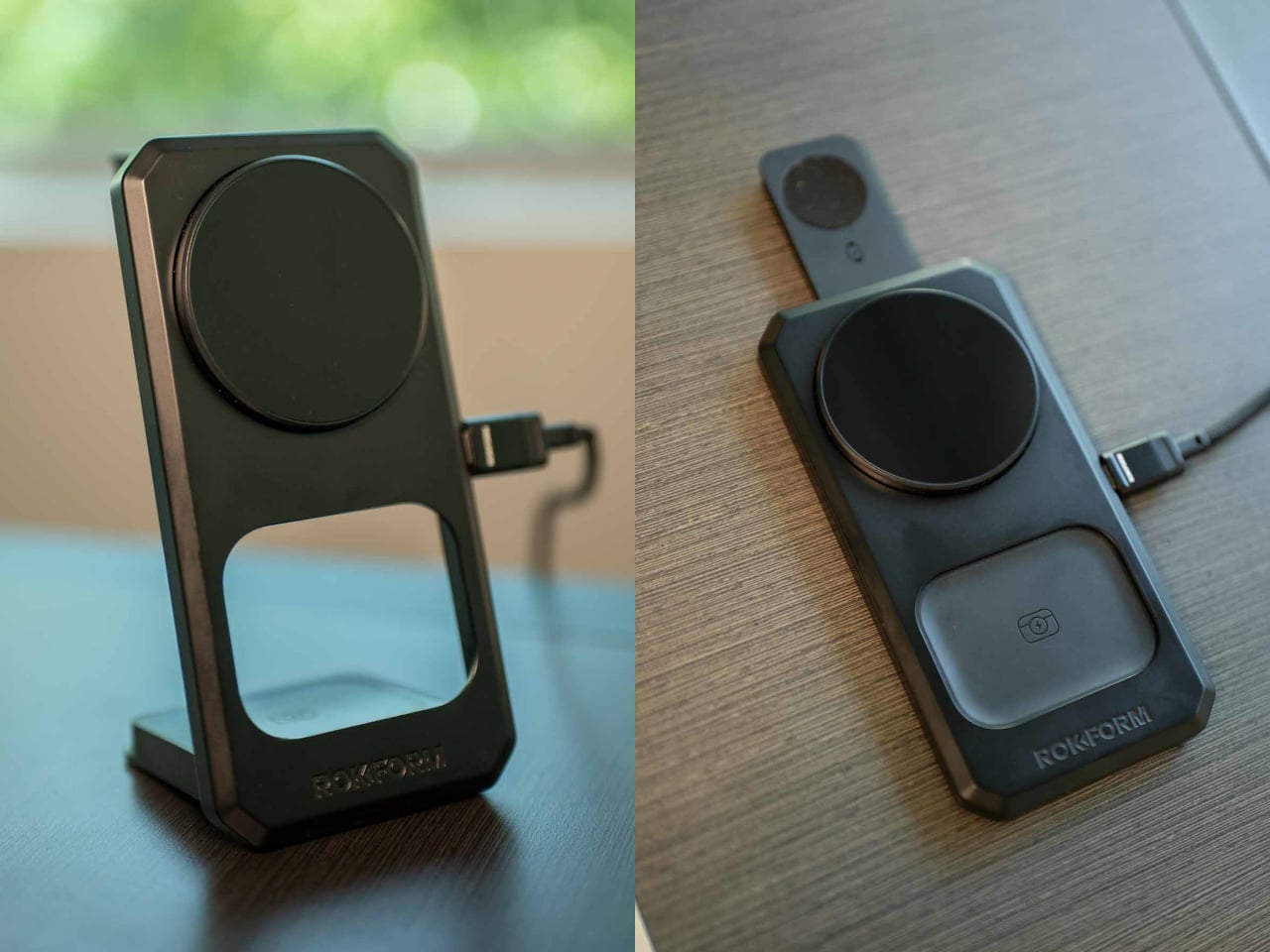
At some point, the nightstand became a charging station. What started as a place for a glass of water and a book has evolved into a tangle of cables, pucks, and adapters competing for the same two outlets. The watch charger is somewhere near the back. The earbuds case is balanced on top of something it shouldn’t be on. And the phone is either plugged in or forgotten, depending on how tired you were when you got into bed.
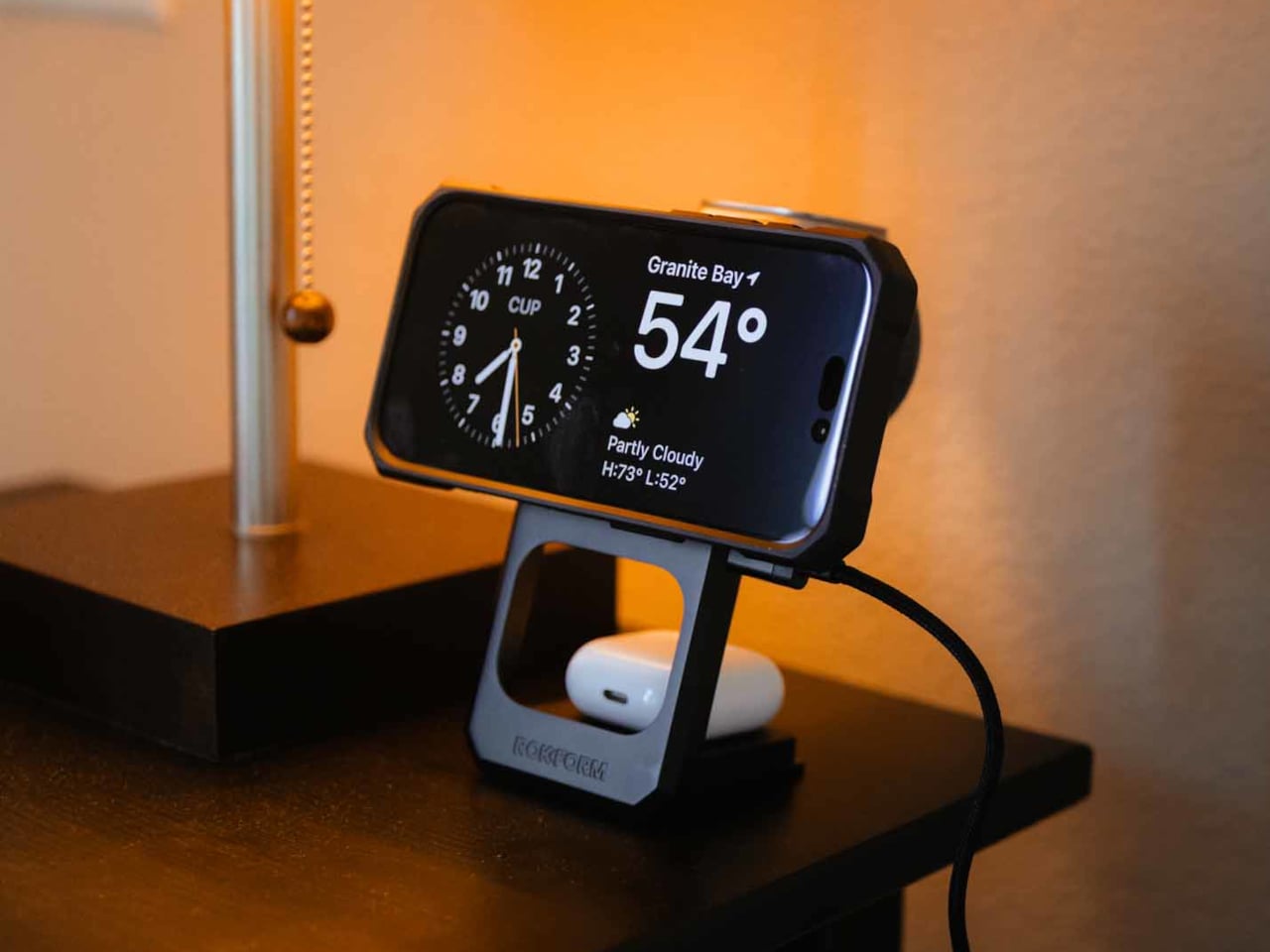
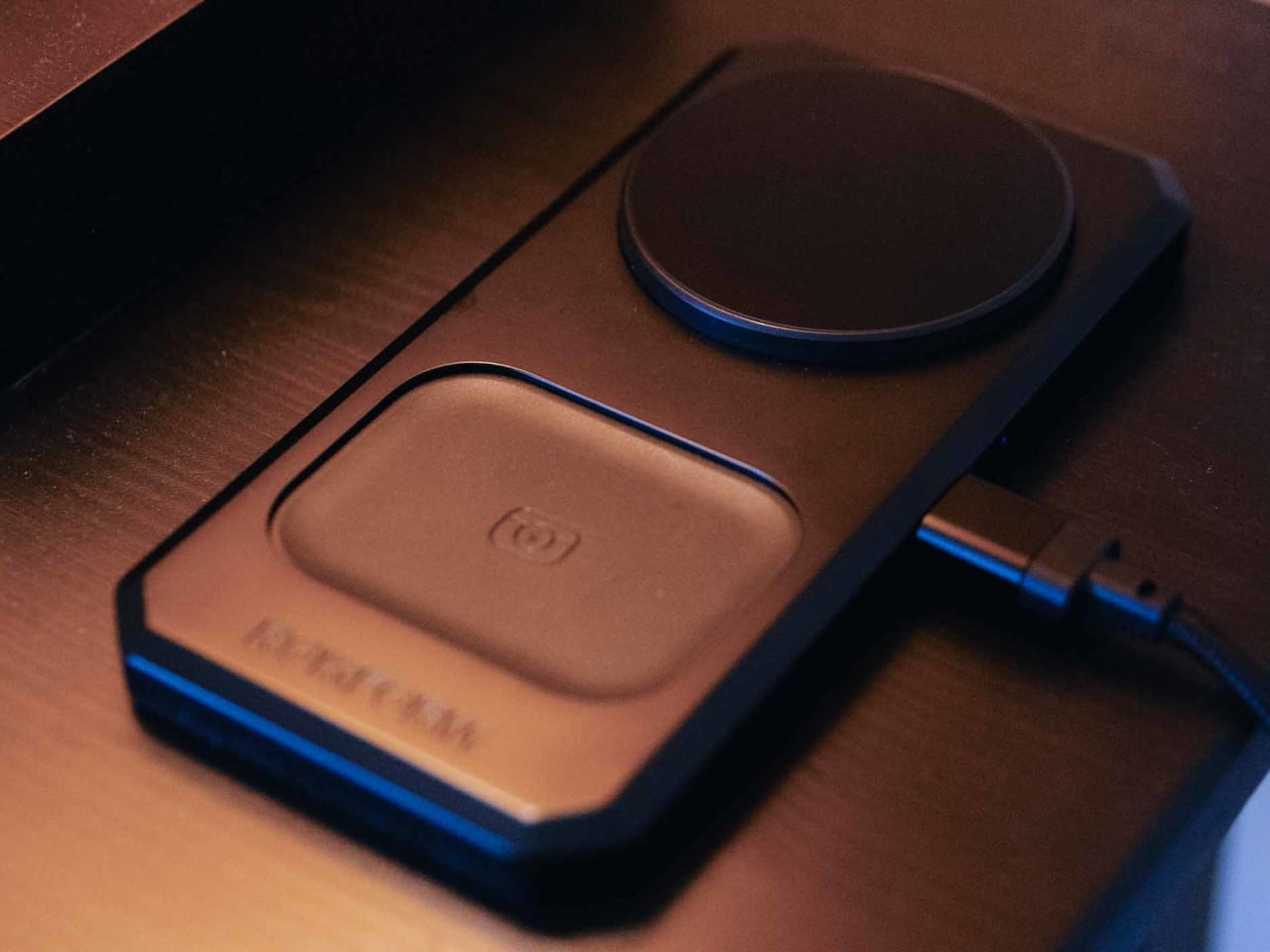
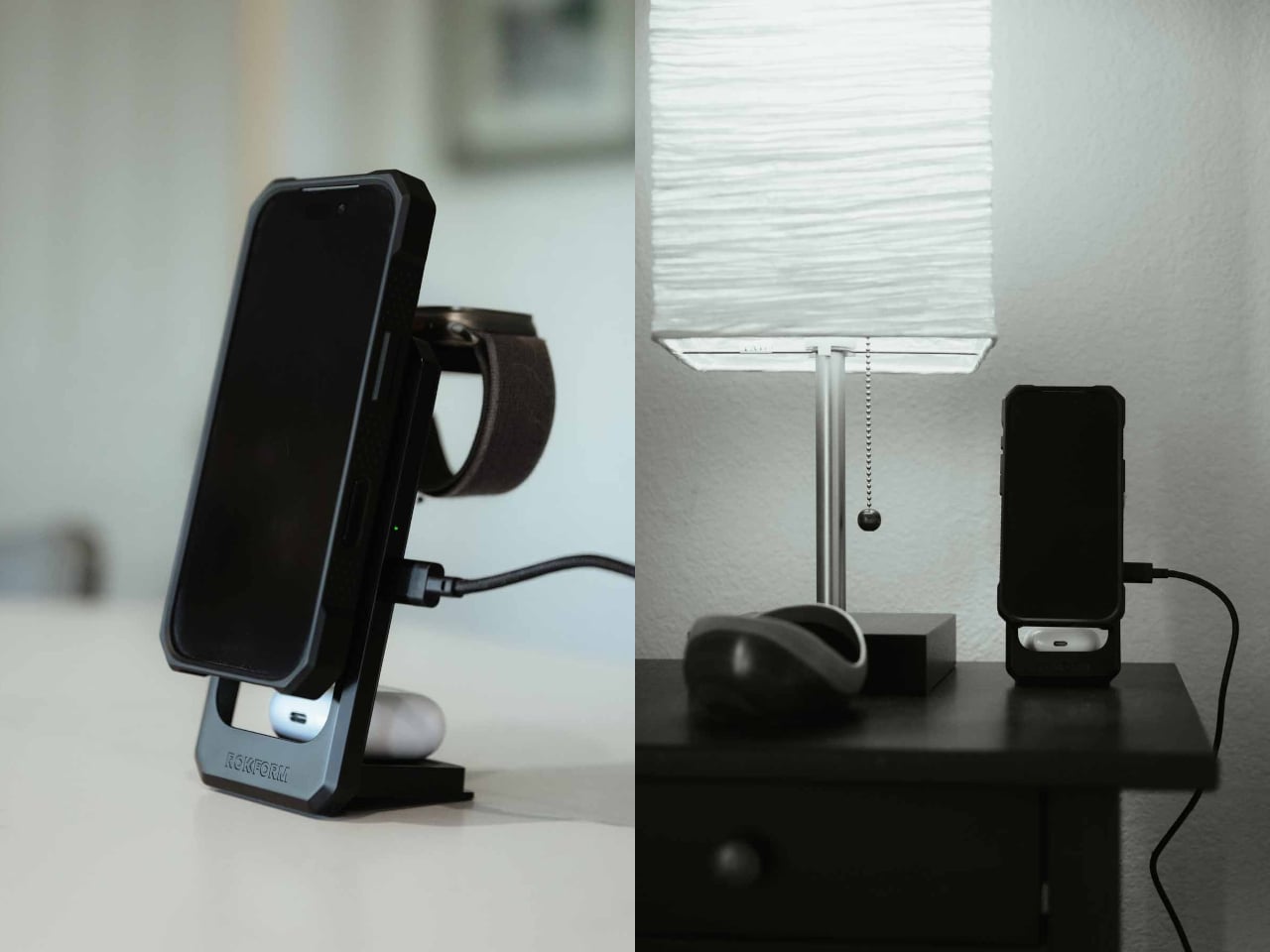
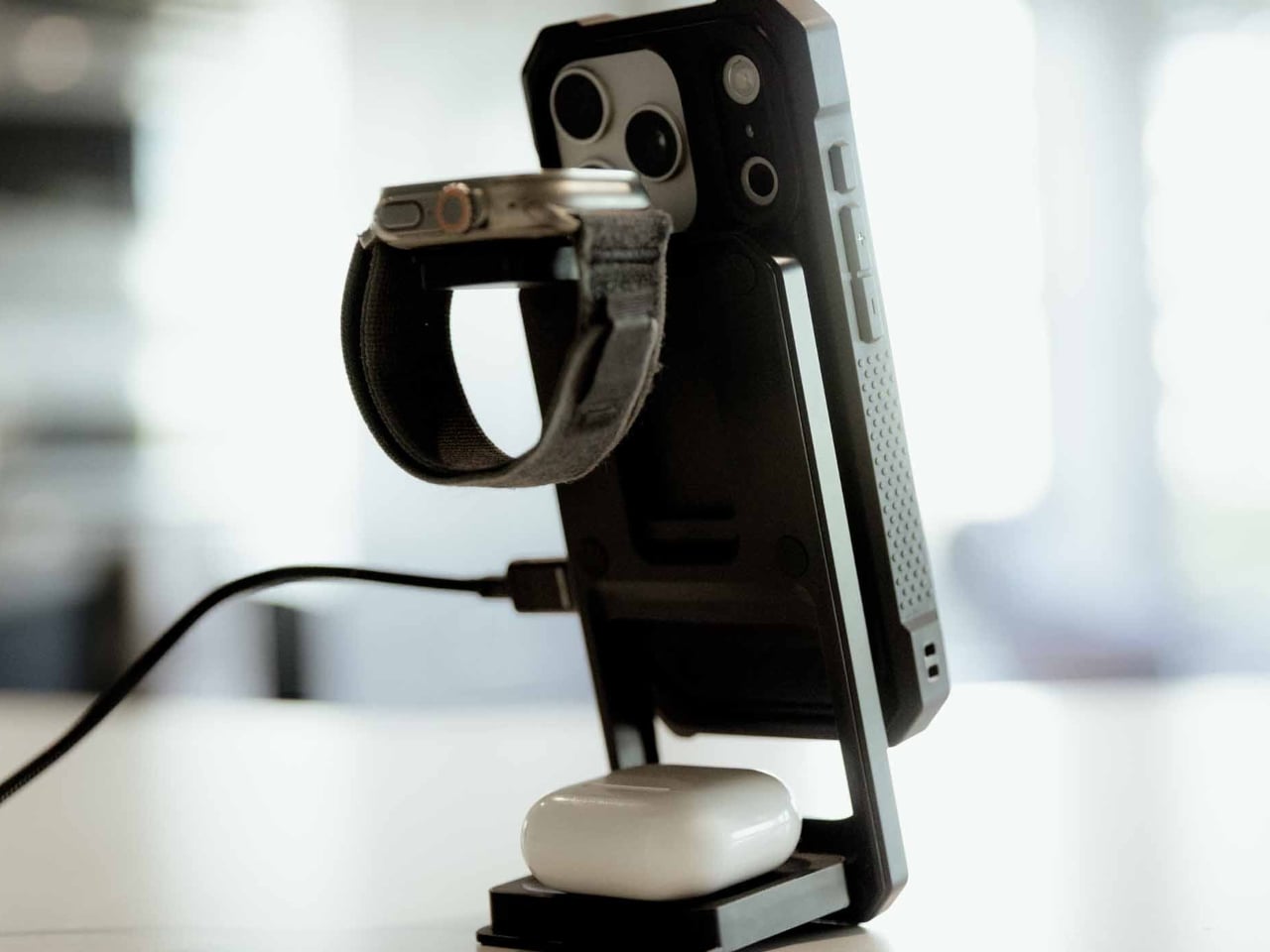
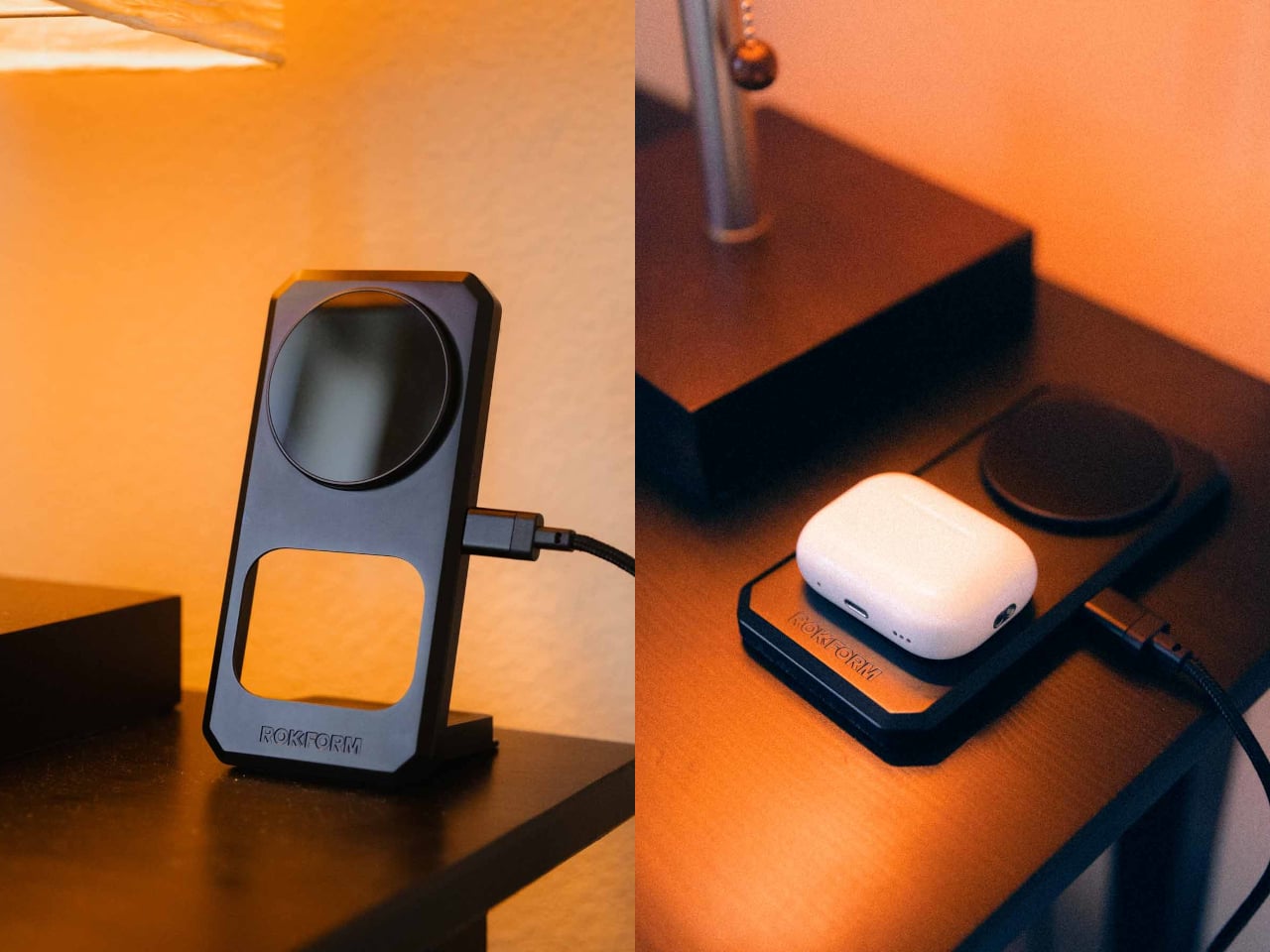
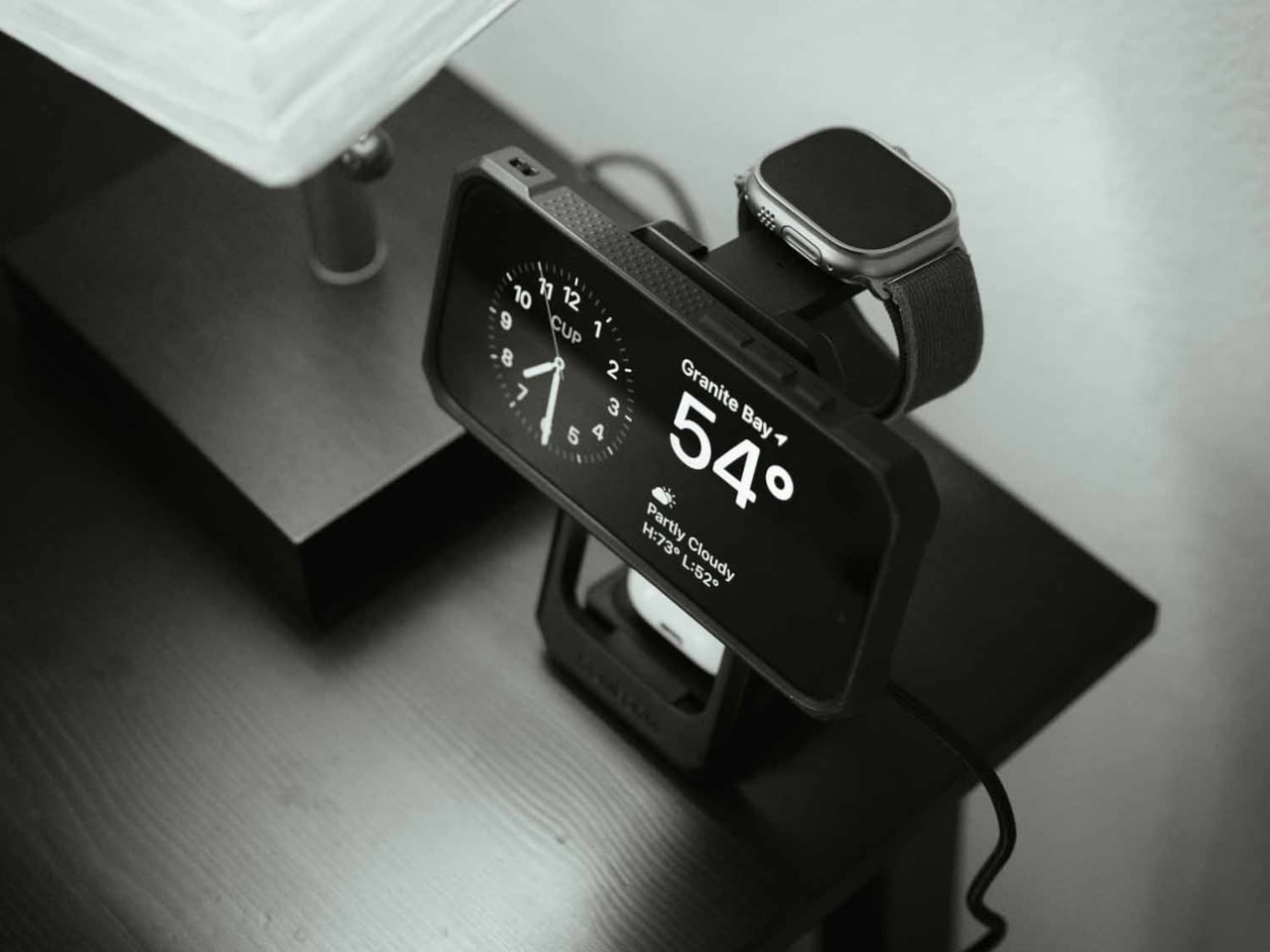
Rokform’s 3-in-1 Foldable Wireless Charging Stand addresses that specific kind of chaos with a single compact unit that charges a phone, an Apple Watch, and wireless earbuds all at once, without any cables beyond the single USB-C feeding the stand itself. The phone pad delivers up to 15W, the earbud pad handles 5W, and the Apple Watch arm tucks out when needed and folds back flat when not. One cable, three devices, done.
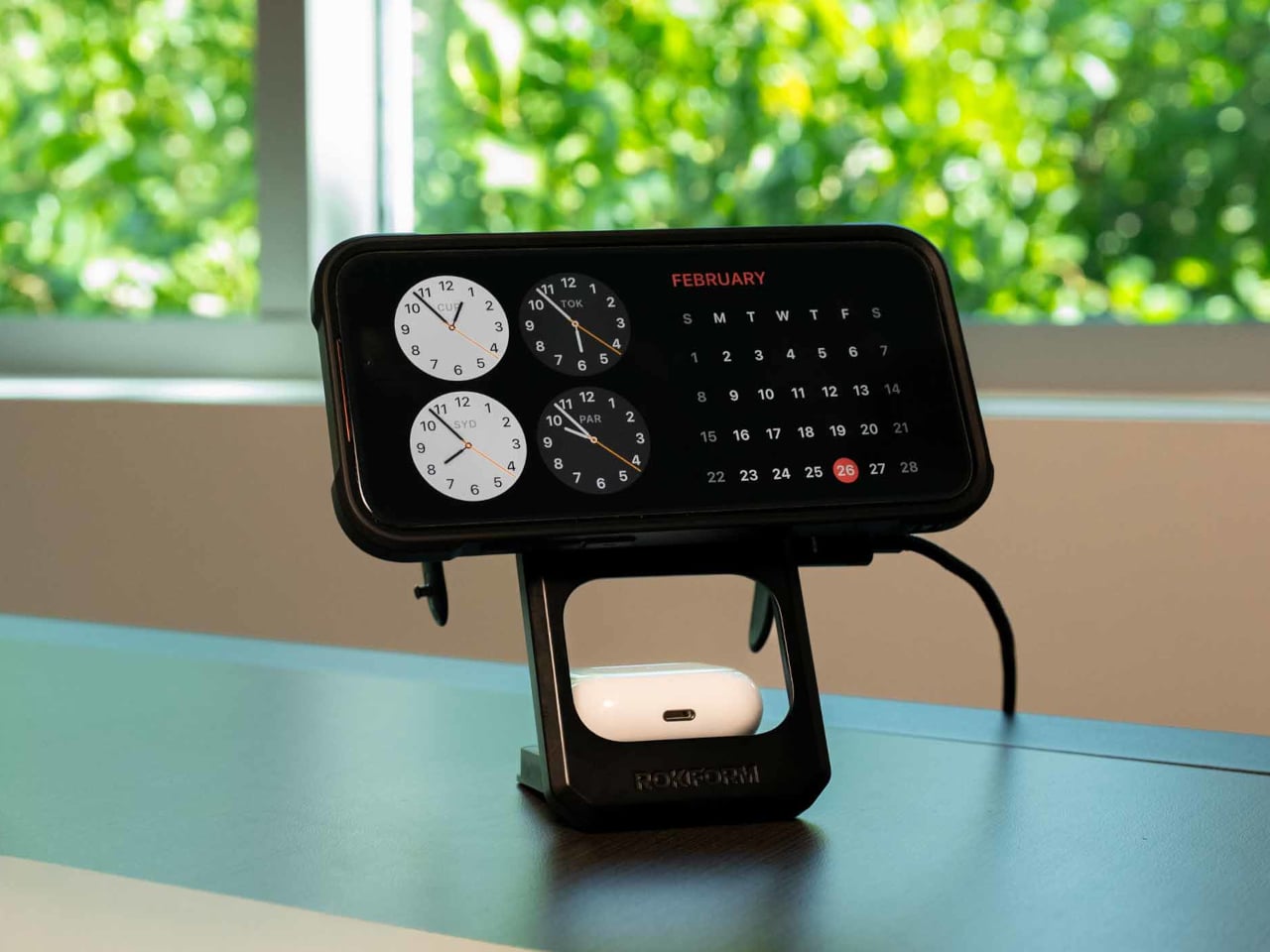
The build is zinc alloy and glass, which puts it in different company than the plastic pads that flex slightly when you press on them. That combination reads as dense and grounded, designed to stay in place rather than slide around while you fumble for your phone at midnight. The phone pad adjusts between portrait and landscape, which matters if you use a nighttime clock display or want to follow a recipe without picking the phone up.
The travel argument is where the design earns its $99.99 most directly. The whole unit collapses to just over 15 mm flat, thin enough to slide into a bag without dedicated padding. Anyone who has hunted down enough hotel outlets to charge three separate devices before a morning flight will understand the appeal immediately. One folded stand and one cable replace the whole pile, though a 30W USB-C adapter is required and not included.
That last detail is worth pausing on, because the absence of a power adapter is a legitimate inconvenience. Rokform specifies a minimum 30W USB-C adapter and recommends their own PowerTrip 65W GaN Fast Charger for full performance. That is a reasonable recommendation, but it also means the stand does not actually replace your charging setup on day one without an additional purchase, unless you already own a high-wattage USB-C adapter.
The Watch pad compatibility is Apple Watch only, which Android-primary users will notice immediately. The phone and earbud pads both support Android devices with Qi wireless charging, so the stand is not completely Apple-exclusive. It does, however, skew toward households already invested in the Apple ecosystem, where the combination of iPhone, AirPods, and Apple Watch is common enough that a dedicated three-device stand makes immediate sense.
At that price tag, Rokform is competing against a field of 3-in-1 charging stands from Belkin, Anker, and others at comparable or lower price points. The zinc alloy and glass construction and the sub-16mm folded profile are the real differentiators, neither of which is trivial if you travel frequently or care about what sits on your desk. The premium over a $60 alternative is harder to justify for someone who mostly keeps it plugged in on the nightstand than for someone who packs it every week.
Apple announced that this year's Worldwide Developers Conference (WWDC) will take place from June 8-12. The company tends to be consistent with event timing, so it's no surprise that CEO Tim Cook will take the stage for the keynote on June 8, most likely at 1PM ET.
Much of WWDC will take place online and will be free to attend, though there will be an in-person component for select developers, students and media at Apple Park in Cupertino, California. You'll be able to take in WWDC via the Apple Developer app, website and YouTube channel. It will also be available in China on the Apple Developer Bilibili channel.
We don't know for certain what new features these operating system updates will bring to the table, with Bloomberg's Mark Gurman suggesting that WWDC will be "a fairly muted affair this year." Rumors have indicated that iOS 27 will deliver much-needed improvements to Apple Intelligence along with the delayed Siri overhaul. Reports also suggest the presence of split-pane multitasking, a redesigned Health app and a new battery management system for iPhones.
In any event, we don't have that long to wait. Engadget will be on hand to report on all of the announcements and reveals.
This article originally appeared on Engadget at https://www.engadget.com/apps/apples-wwdc-2026-is-set-for-june-8-12-171359493.html?src=rss
Polymarket announced that it's taking insider trading more seriously. Seen in its latest press release, the prediction market updated its market integrity rules, specifically those concerning insider trading and market manipulation. While Polymarket is taking the initiative to update its rules, it's likely a response to the rise in suspicious bets, whether it's about the US capture of Nicolás Maduro or the release of a new product from OpenAI.
As first reported on by Bloomberg, Polymarket is targeting three specific forms of trading activity. First off, users aren't allowed to trade on "stolen confidential information," or any behind-the-scenes knowledge about an outcome that people wouldn't otherwise have access to. As an extension, Polymarket traders are also prohibited from taking advantage of "illegal tips," which means that even if someone else has access to confidential information and passes it along, you still can't trade on it. Lastly, anyone who has a "position of authority or influence sufficient to affect the outcome of the underlying event," isn't allowed to trade on said event.
Users can expect more surveillance and enforcement around these new rules, too. Polymarket explained that if it or its users find "unusual or potentially questionable trading activity," the platform would conduct a review and if necessary, ban the wallet address, refer the issue to law enforcement or impose "monetary penalties." If you're curious what the punishment for insider trading on these prediction markets looks like, a recent case saw MrBeast's video editor suspended for two years from the platform and fined five times the amount of his initial trade size after Kalshi concluded its investigation.
This article originally appeared on Engadget at https://www.engadget.com/big-tech/polymarket-is-cracking-down-on-insider-trading-with-updated-rules-163928655.html?src=rss
Leonid Radvinsky, the billionaire owner of OnlyFans, has died. He passed "peacefully after a long battle with cancer" at age 43, according to a statement from the platform published by Forbes. He was born in Ukraine, but grew up in Chicago.
Radvinsky didn't create OnlyFans. He purchased it back in 2018, though is largely credited with transforming it from a niche website to a gigantic porn empire. The platform became so huge that reports have indicated that Radvinsky personally made nearly $2 million every day in 2024. His net worth at the time of his death grew to $4.7 billion, which had more than doubled since 2021.
Leonid Radvinsky, the owner of OnlyFans, has died at 43 after a battle with cancer.
“We are deeply saddened to announce the death of Leo Radvinsky,” an OnlyFans spokesperson said in a statement to Variety. “Leo passed away peacefully after a long battle with cancer. His family… pic.twitter.com/xJetAcTZmU
Radvinsky was famously secretive and avoided giving interviews, but his history is not without controversy. He built his fortune with websites that were much shadier than OnlyFans. Radvinsky founded a similar site called MyFreeCams back in 2004 when he was in college, which has beeninvolved in numerous scandals.
He also founded a website called Cybertania, which provided links to various pornograpy sites. Some of these links claimed to direct users to illegal content involving children and animals.
Forbesdid a deep dive into this and found that the site didn't actually lead to the offending content, but it's still likely that Radvinsky and the platform made money by getting people to click on the links. Records also indicate that Radvinsky held domain names like "websyoungest.com" and "aretheylegal.com" until 2014. It's currently unknown what those sites hosted.
He's also been sued for everything from spamming users to impersonating large companies like Microsoft and Amazon to direct traffic to his pornography sites. These cases were all settled outside of court for undisclosed sums of money.
This article originally appeared on Engadget at https://www.engadget.com/big-tech/billionaire-onlyfans-owner-leonid-radvinsky-has-died-from-cancer-at-43-163211324.html?src=rss
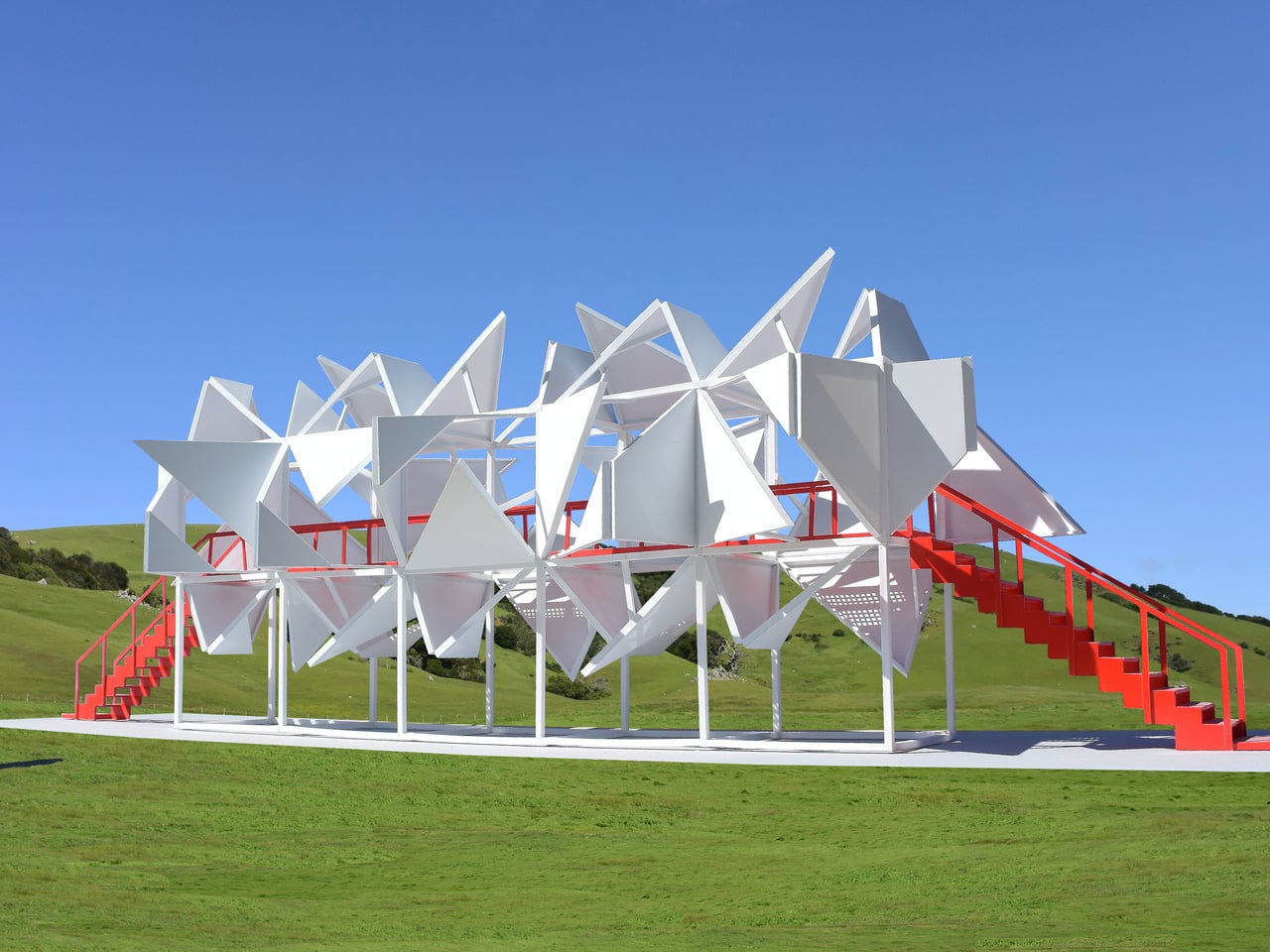
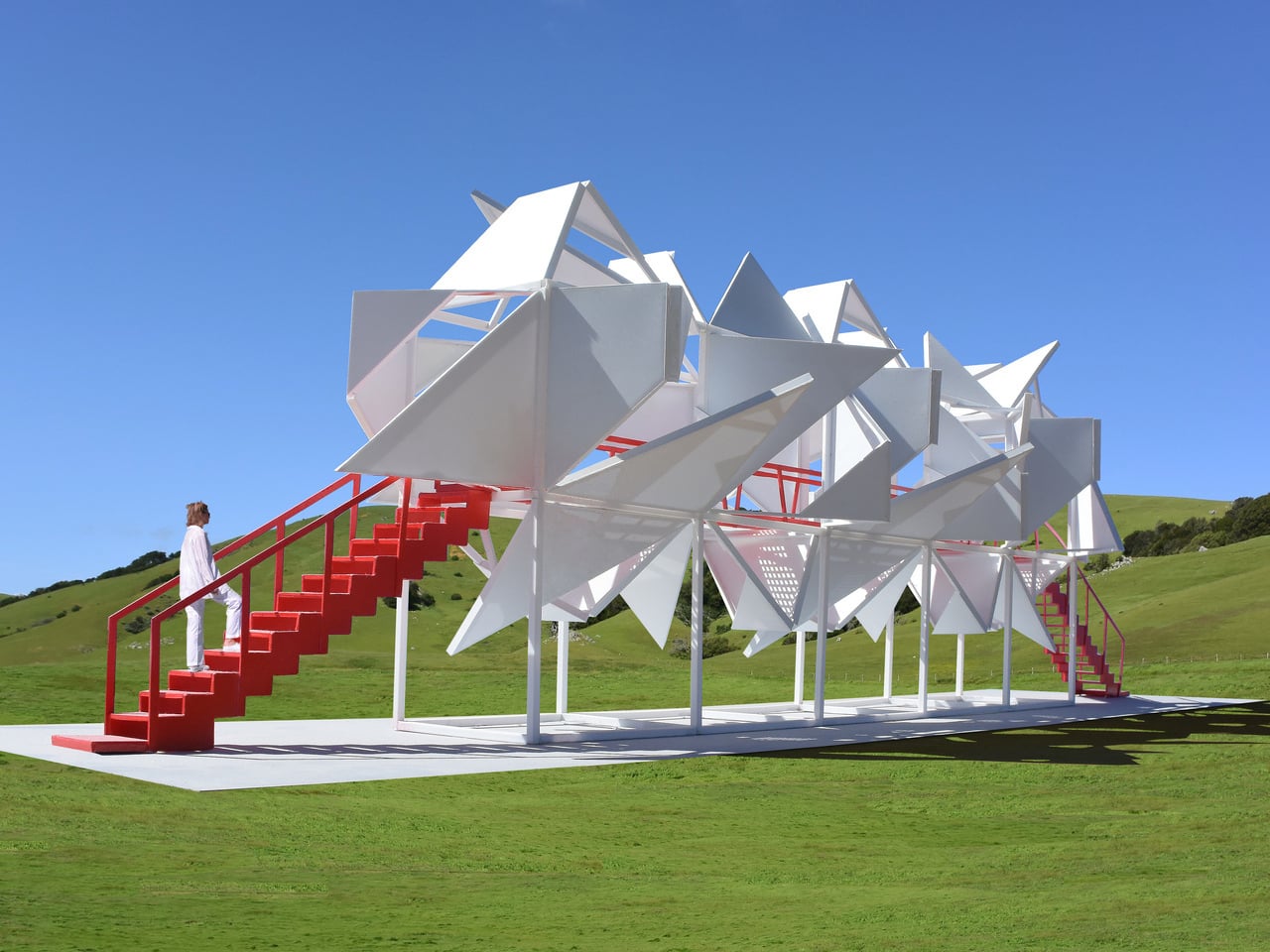
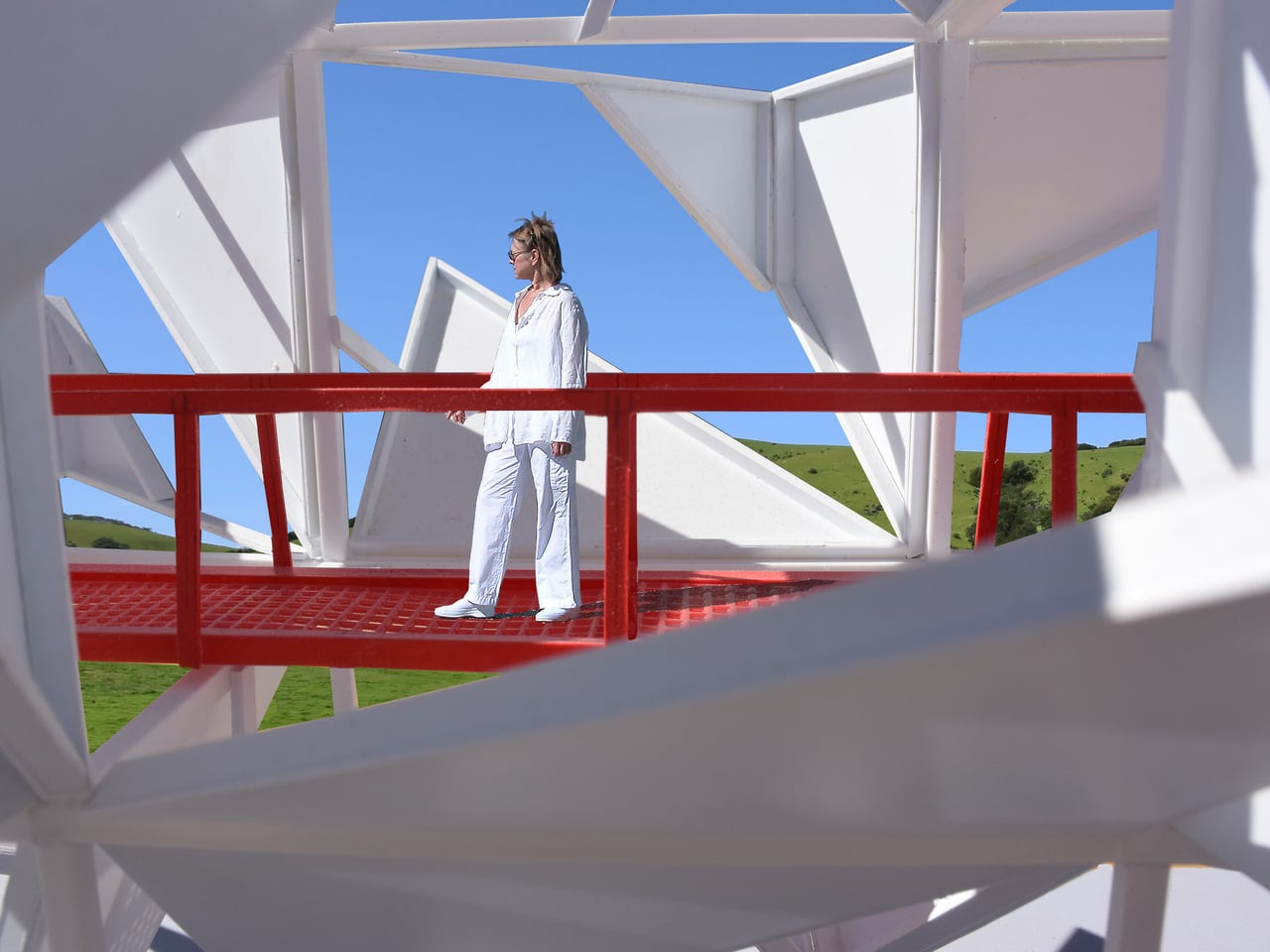
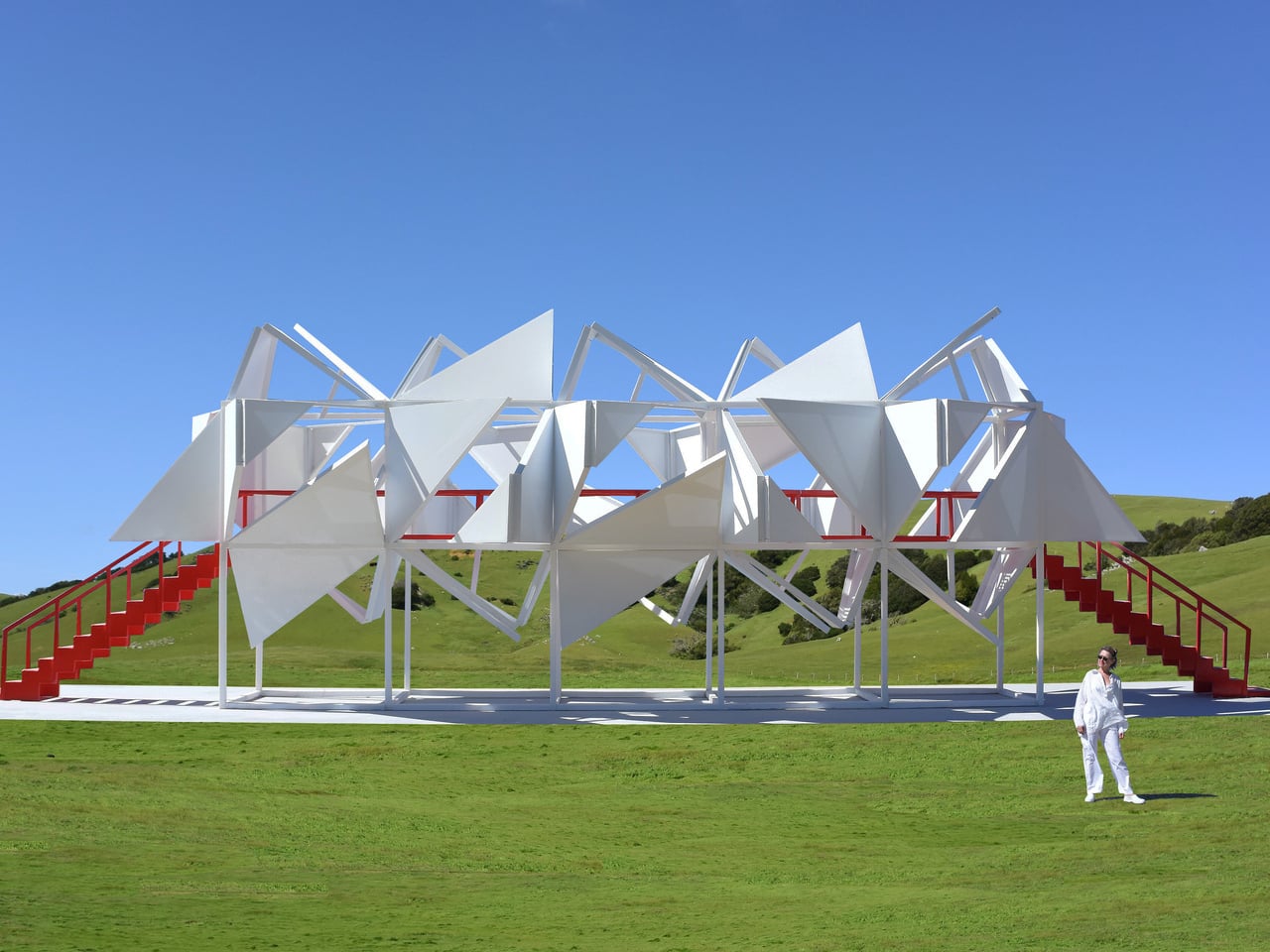
Most public sculptures are meant to be looked at from the outside. You walk past, glance up, maybe take a photo, and move on. The relationship between the object and the person stops at the surface. Five Fragmented Cubes, a large-scale interactive sculpture made of painted steel, refuses that arrangement entirely: it was built specifically to be entered, climbed, and walked through, so that the thing you came to look at ends up surrounding you on all sides.
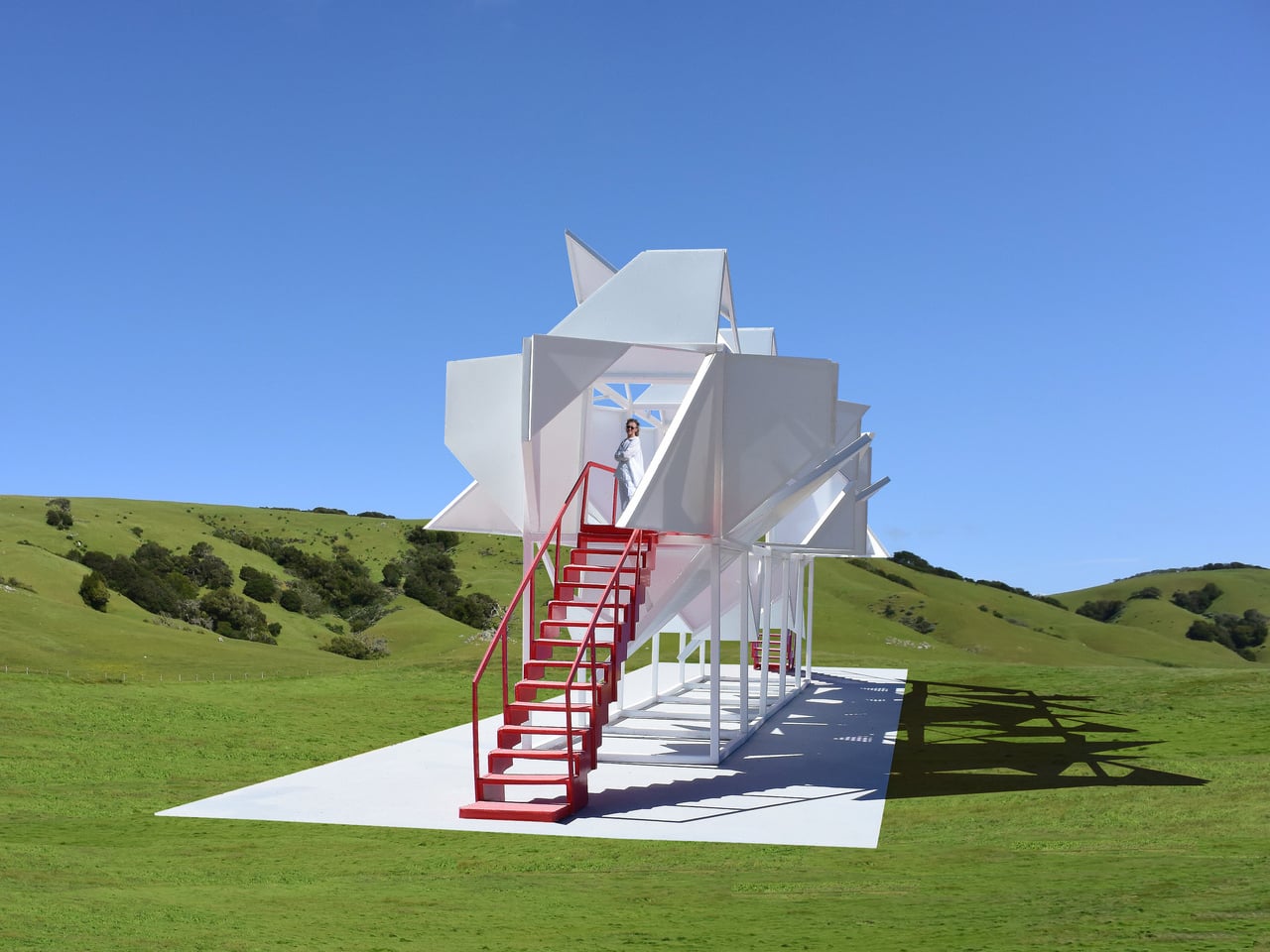
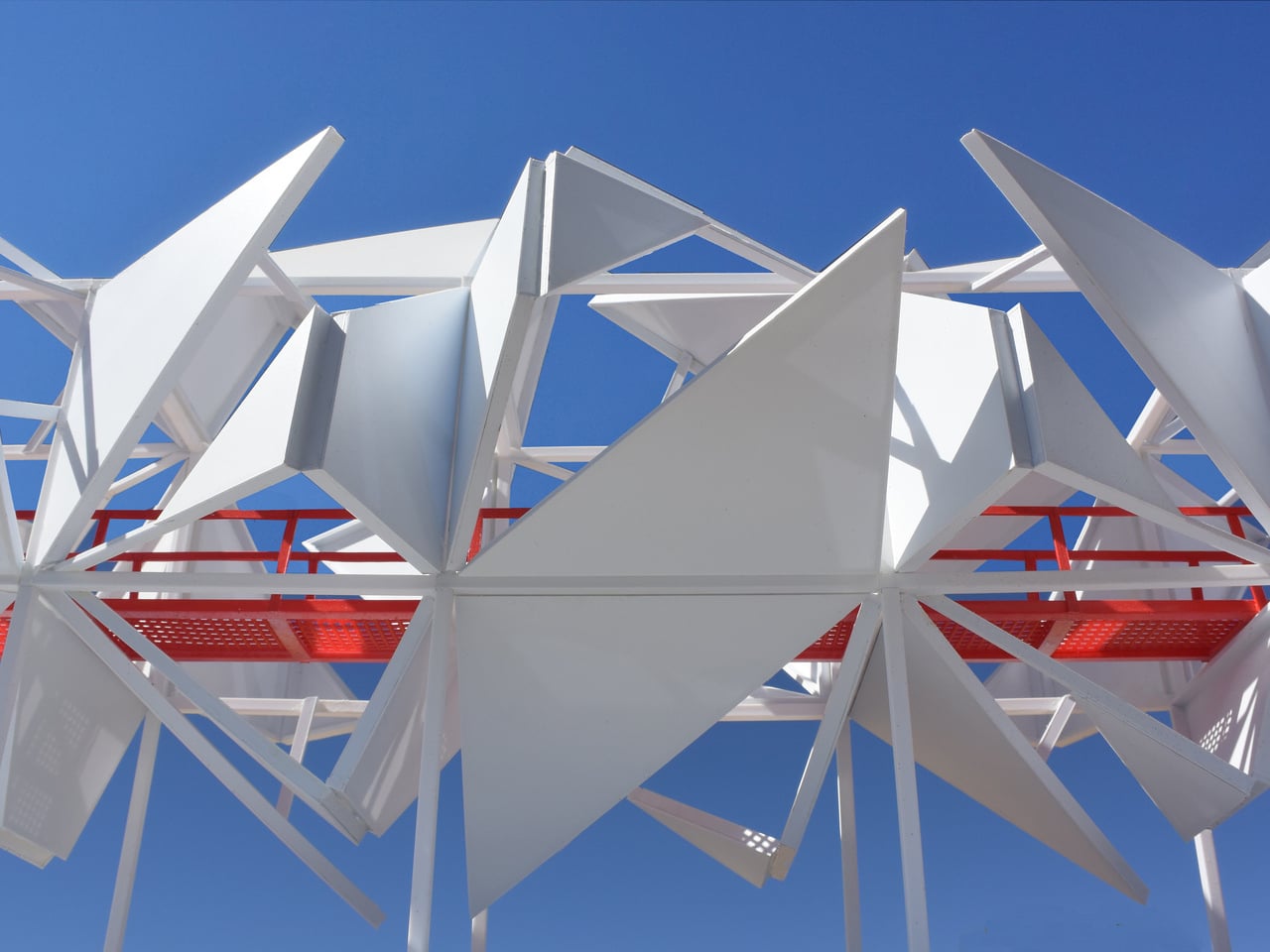
The structure consists of 10 cube frames arranged in two stacked tiers on a concrete base, with five cubes forming the lower support grid and five more sitting on top. The upper tier is where the visual action happens. Each face of those top cubes is clad with painted steel panels, and each panel face is divided into two triangles. One of those triangles is subdivided again and folded inward, while both are folded outward from the face of the cube frame and locked in place, projecting into space at fixed angles.
What keeps the whole thing from feeling mechanical or predictable is one deliberate decision: the orientation of every triangle has been rotated randomly relative to its cube face. There is no repeating pattern, no symmetrical rhythm across the surface. Up close, the geometry is legible; from a distance, the cumulative effect reads as dense, spiky, and almost organic. The same steel panels and the same folding logic appear across every face, yet the result looks nothing like a system built from identical parts.
That tension between the simple and the complex is the actual subject of the sculpture. The designer frames it as an exploration of how identical, interconnecting, repeating parts can generate extreme perceived complexity, drawing a comparison to objects in nature, where elaborate forms frequently emerge from a limited set of rules applied at scale. Whether the built result actually produces that sense of discovery depends entirely on where you are standing.
Two red staircases, one at each end of the structure, lead up to a mid-level catwalk with red perforated steel grating underfoot and tubular red railings. The red is not subtle. Against the all-white panels and columns, it functions less as a safety feature and more as a graphic element, separating the structure’s circulation path from its expressive surface. Inside, the folded panels create a partially enclosed space, with light cutting through the gaps between triangles at angles that shift as you move.
The pastoral setting, open green hills, and clear sky make the white-and-red contrast sharper still. A sculpture this geometrically dense, placed in an undisturbed landscape, is a deliberate provocation, and it earns visual authority because of it. The mesmerizing structure does make one wonder whether the interior experience, walking the catwalk surrounded by folded steel at close range, delivers the complexity it promises from a distance, or does the chaos quietly resolve once you are standing inside it?
The premise seems simple enough. LG promises that you can set its Sound Suite speakers anywhere and Dolby’s home theater tech will make them perform well. The soundbar, subwoofer and speakers don’t have to go in prescribed locations for the best results, which means you can place them where you need to and move them as you see fit. Of course, this all hinges on the reliability of the underlying tech and LG’s ability to make individual speakers that actually sound good.
Like most premium soundbars and complete home theater setups these days, a complete Sound Suite collection is expensive. The centerpiece alone, a soundbar that most people will want in their customizable configuration, is $1,000. However, if you have a recent LG TV, or are planning to buy a 2026 model when those arrive, there’s no better option for boosting your living room entertainment experience.
The components of the LG Sound Suite
There are four different devices that make up the Sound Suite. The centerpiece is the H7 soundbar ($1,000), which is the first one that works with Dolby Atmos FlexConnect (DAFC) technology. Then there’s the 8-inch W7 subwoofer ($600) and the M5 and M7 speakers ($250 and $400). LG allows you to pick and choose between these products to build a home theater set up that suits your needs — up to four speakers and one subwoofer. The only real caveat is that you need the H7 soundbar or a recent LG TV (2025 OLED G5, C5, CS5 and QNED 9M, or an upcoming 2026 model) to serve as the primary device for Sound Suite to work. That’s because the underlying tech requires LG’s alpha 11 Gen 3 AI processor, which is inside the soundbar and the company’s newer TVs.
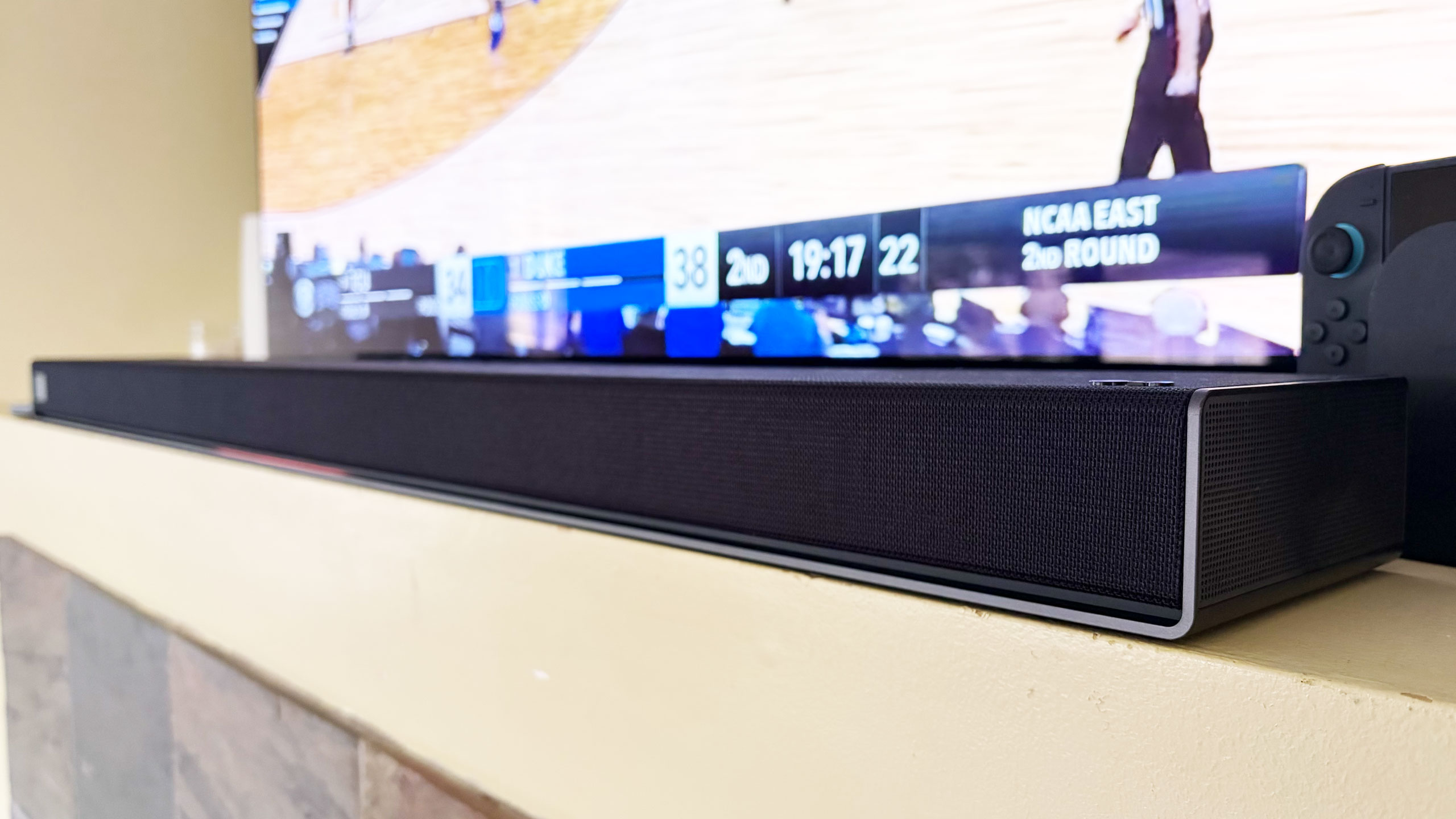
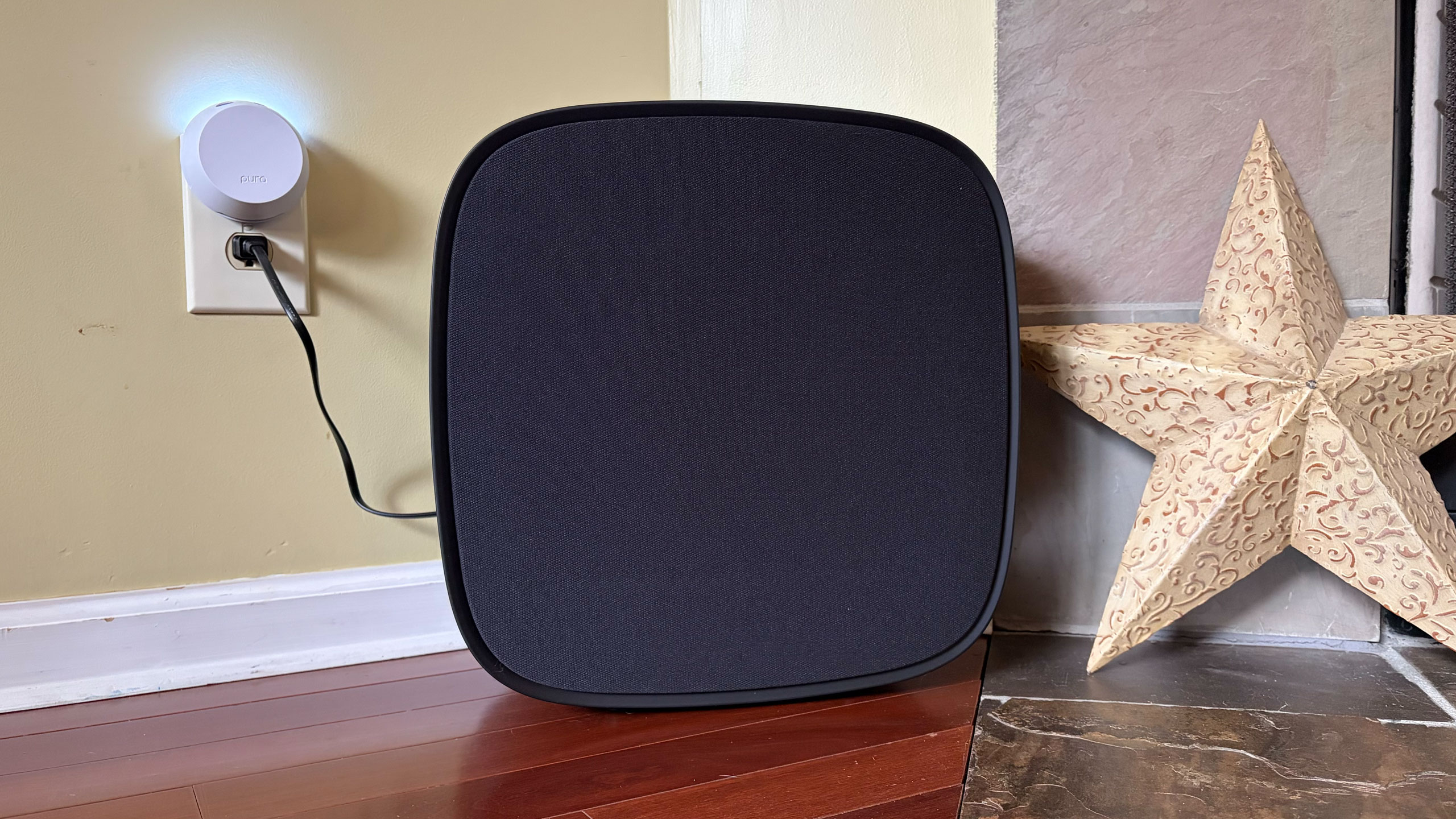
The H7 houses a dozen Peerless drivers comprising front, side and up-firing units. There’s also four woofers and eight passive radiators for bass and low-frequency audio. The soundbar has a pretty basic design, plain enough to sit in front of an LG OLED (or other premium TV) without being a distraction, and short enough not to block it. Both Bluetooth and Wi-Fi are available here, so AirPlay 2, Google Cast, Spotify Connect and Tidal Connect are all supported.
The W7 wireless sub has an 8-inch woofer that gets really boomy at times. It’s quite large at 16.1 x 16.3 x 7.6 inches, but you can use it standing up vertically or laying down horizontally — whichever orientation fits your needs or available space. The M5 and M7 speakers offer basically the same features, including AirPlay and Cast, and can be used either by themselves, as a stereo pair, as a four-speaker array or as rear satellite speakers with the H7 soundbar. The main difference is the M7 has two full-range drivers, one up-firing driver and a woofer while the M5 only has a tweeter, an up-firing driver and a woofer.
What is Dolby Atmos FlexConnect?
FlexConnect is a home theater audio technology that Dolby announced in 2023. It was available on TCL’s Z100 speakers last year, but LG’s Sound Suite marks the first time the feature has been available on a more robust living room product that includes a soundbar. FlexConnect allows you to position speakers anywhere in a room without sacrificing audio performance. The tech uses a TV or soundbar as the lead device to locate speakers so it can tune the sound to match their positioning. The system can also quickly adapt when you move a speaker — maybe for a party or other special occasion.
FlexConnect works as advertised, but there is one caveat that should’ve been obvious, although I didn’t anticipate it. Every time you add or remove speakers from a DAFC group, you’ll need to recalibrate the system, which includes the software playing sounds from the speakers so that the TV or soundbar can locate them and Dolby’s tech adjusts their output. It doesn’t take long, but there is audible noise from each unit in the group, so you’ll want to factor in that time — and potential annoyance for anyone else in the house.
Other Sound Suite features
LG Sound Suite H7 soundbar
Billy Steele for Engadget
Sound Suite offers some of the same features as LG’s other home theater products. Those include Night Mode, Room Calibration Pro, AI Sound Pro+ real-time audio upscaling and Clear Voice Pro+ for enhanced dialogue. For the Sound Suite, LG has also introduced Sound Follow, a feature that allows you to adjust the “sweet spot” for the system based on where you’re sitting.
Once you set your current position with a tap in the ThinQ app, Sound Follow is supposed to change the levels and tuning accordingly. I’m not entirely sure this was working on my system. Unlike my demo at CES, the seating position on the FlexConnect layout in the app was never updated. And while the UI seemed to indicate the change was made when I tapped the buttons, I couldn’t hear any difference in the audio. I asked LG for more information to ensure Sound Follow is functioning properly.
A word about setup
Like most soundbars and speakers these days, you have to use an app to get them all connected and properly set up. And like Samsung, LG makes you do that through the same app that handles all of its connected devices — including appliances. Once you unbox and plug in the Sound Suite speakers, you add them in the ThinQ app as a new home theater arrangement. The software shows you which speakers are available to use and allows you to select which ones you want in the initial Dolby Atmos FlexConnect grouping.
The app will ask you to set the distance between the soundbar and your primary seating area before running the sound optimization (tuning) process. ThinQ will display the speaker layout and you can edit the DAFC group at any time. If you move a speaker though, you’ll need to run the optimization again for the best audio performance. And if you’re using an LG TV as the lead device, all of this is sorted onscreen rather than in the app.
Overall, the process is pretty straightforward, although I encountered some pretty significant connectivity issues that were very frustrating. I review soundbars and speakers regularly, so I’m familiar with the process of using an app to connect devices to my home Wi-Fi in order to get them up and running. With the H7, it took a few days to get it connected, which meant I could only use the soundbar with the audio options available on LG C5’s menu and wasn’t able to set up a larger Sound Suite configuration. After several router and soundbar reboots, I was finally able to get the H7 to connect and become available to finish the install. I’ve never had this problem before, so perhaps LG did something different with the Wi-Fi components here.
LG Sound Suite M7 speakers
Billy Steele for Engadget
When I was adding the M7 speakers to my DAFC setup, I had no issues connecting them to Wi-Fi initially. However, I did have trouble adding them to the FlexConnect group, which required each piece of the Sound Suite playing an audio calibration clip. Repeatedly, the ThinQ app told me there was a connection issue with one of the M7s, although eventually they all somehow got added anyway. I also had trouble removing speakers from the arrangement. Even though the app said sound was only coming from the H7 soundbar, one of the two M7 speakers was still connected and emitting sound when I didn’t want it to. For some reason, this only happened when playing music over AirPlay — TV audio over HDMI eARC always functioned as intended.
If you’re using the TV as the lead device, you do all of the setup on the screen. I found this method to be more straightforward and reliable, although it blasted the calibration sounds at a deafening volume. There is a big issue though: Once connected to the TV as a DAFC setup, the speaker settings weren’t available in either the ThinQ app or on-screen menus. This meant I was stuck in standard mode, with things like AI Sound Pro+ inaccessible. I asked LG for more info on this because it greatly impacts the overall experience.
Which configuration sounds best?
Before I get into describing the various Sound Suite configurations, I need to make an important note about the limitations for the possible setups. LG only allows a maximum of five speakers in any Sound Suite arrangement, but you can mix and match however you want. Just remember if you don’t opt for the H7 soundbar, you’ll need a compatible LG TV as the lead device for FlexConnect to work.
You can also use the M5 and M7 as standalone speakers in another room and swap them in and out of your living room or home theater setup as needed. In the multi-room scenario, Sound Suite speakers function much like a Sonos system would, and the M7 is more than capable of being a standalone music speaker with plenty of detail and decent bass. I wasn’t able to test the M5, so I can’t vouch for that one. Keep in mind that if you opt for the M5 or the M7 for your living room, you’ll need at least two of either one to use FlexConnect with your LG TV.
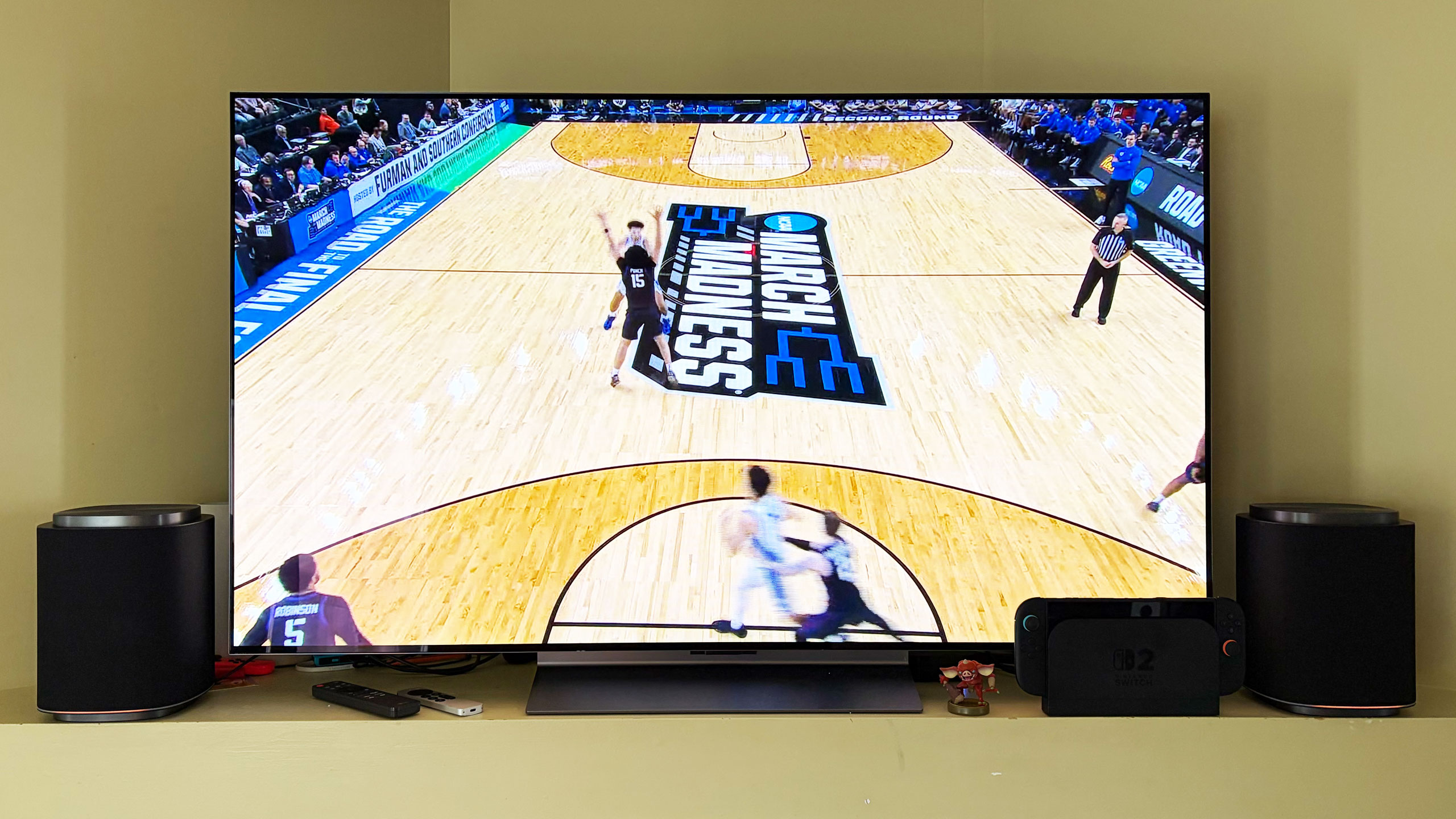
After testing multiple configurations of the Sound Suite, I think the combination of the H7 soundbar, W7 subwoofer and two M7s is the ideal arrangement. I’ll hedge that a bit as I prefer to disable the M7s in the rear of the room when watching live TV — especially sports — as the same audio coming from the soundbar and those speakers didn’t really enhance the experience. Plus, arena noise seemed overly echo-y and off-putting. This setup is well-suited for streaming TV shows and movies, things where Dolby Atmos, or at least LG’s spatial upscaling, is at the height of its powers.
The LG Sound Suite W7 subwoofer is quite large
Billy Steele for Engadget
In this setup with the H7 as the lead, you get Sound Suite in its most immersive form. I always use Netflix’s Drive to Survive as my first test of a new home theater system, and LG’s lineup handled it like a champ. You get excellent directional audio, which makes the cars sound like they’re zooming around your living room. And the in-car shots are so enveloping, it’s like you’re sitting right behind the driver. This configuration also works well for music, though I preferred to use either one of the M7 speakers or the soundbar/sub duo rather than the whole shebang.
My second favorite setup is four M7s. Once again, this configuration requires an LG TV as the lead device, but if you have that, you can definitely save some room in front of your television with separate front speakers. Unfortunately, you can’t use a subwoofer too because if you’re using a TV to power the speakers, you can only add up to four. That’s a real bummer, but the TV speakers will be used as a center channel (dialogue) boost, so it’s not a complete waste. However, this arrangement would benefit from more bass.
The four-speaker setup could be particularly beneficial for people who mount their TVs on the wall and don’t want a soundbar underneath. And, again, FlexConnect allows you to put the speakers anywhere, not necessarily flanking your TV. You also get the option of moving these smaller speakers around when you need to — something you can’t really do with a soundbar. The only sacrifice I noticed audio-wise is that two M7s in the front doesn’t offer the same overhead sensation for Atmos content as the H7’s up-firing drivers.
If you’re just using four M7 speakers for home theater duties, you’ll enjoy the immersive audio these Sound Suite speakers will provide. There’s lots of directional sounds with Atmos content, and there’s plenty of subtle detail that comes through on movies and shows. However, for live sports, this arrangement pulls commentary audio from the TV speakers and puts much of the arena/stadium noise in the rear M7s, which makes it difficult to hear the announcers at times. This is one area where the inability to adjust the audio settings really hampers the experience.
If you’re hoping to invest in something that can pull double duty for music, I prefer one or two M7s for that purpose. And while there’s decent low-end thump, streaming your favorite tunes is where you’ll notice the absence of that W7 subwoofer.
The competition
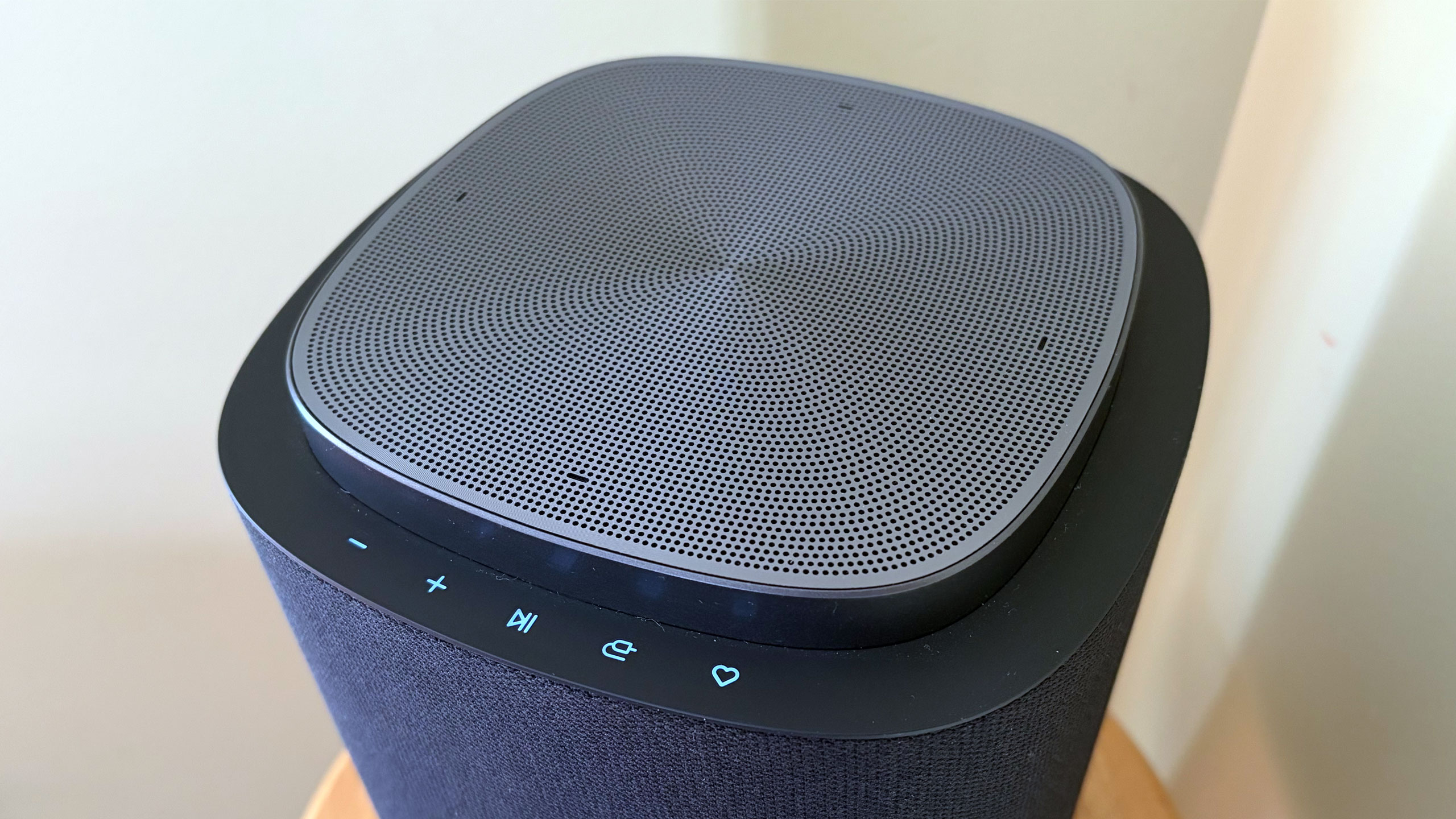
The controls on the LG Sound Suite M7 speaker
Billy Steele for Engadget
If you’re looking for alternatives to LG’s Sound Suite, you have to make some sacrifices. The only other option right now that offers Dolby Atmos FlexConnect is the TCL Z100 speaker. Obviously, you’ll need multiples of this $300 device, and you’ll probably want to add the $350 subwoofer, too. Like the LG M7, you’ll need a compatible TCL TV to serve as the lead device for FlexConnect (a QM6K, QM7K, QM8K, QM9K or X11L model). I haven’t tested these 1.1.1-channel units, so I can’t provide a direct comparison to the Sound Suite’s M5 or M7.
For those who can live without FlexConnect, Samsung’s Q990 series is consistently the best all-in-one setup you can buy. I haven’t reviewed one since 2024 because the company has been keen on shipping new models with minimal updates, which means the hardware and most of the features remain the same. The HW-Q990H will be the latest installment when it arrives later this year, with the biggest differentiator being a new dialogue boost called Sound Elevation.
While the Q990 always comes with rear speakers and a subwoofer alongside a powerful soundbar, some features will only be available if you also have a Samsung TV. One of those is Q-Symphony, which utilizes TV speakers alongside the Q990’s drivers for more detailed and immersive sound. For the entire Q990 package, you’re looking at $2,000 — $100 less than the comparable Sound Suite arrangement of the H7 soundbar, two M5 speakers and a W7 sub.
Wrap-up
There’s no denying that LG has created a powerful and immersive living room experience with its Sound Suite lineup. I also like that the company allows customers to decide what they need without sacrificing the main draw of FlexConnect. While I did experience some setup and software issues, those are things LG can iron out over time — Sound Suite is still brand new, after all. I would like to see the company offer some discounted bundles and continue to add more audio features over time to justify the hefty investment. If you’ve got a couple grand to spend, especially if you have a recent LG TV, Sound Suite will be your best option for building out a home theater setup.
This article originally appeared on Engadget at https://www.engadget.com/audio/speakers/lg-sound-suite-review-dolby-atmos-flexconnect-in-a-powerful-package-160000544.html?src=rss
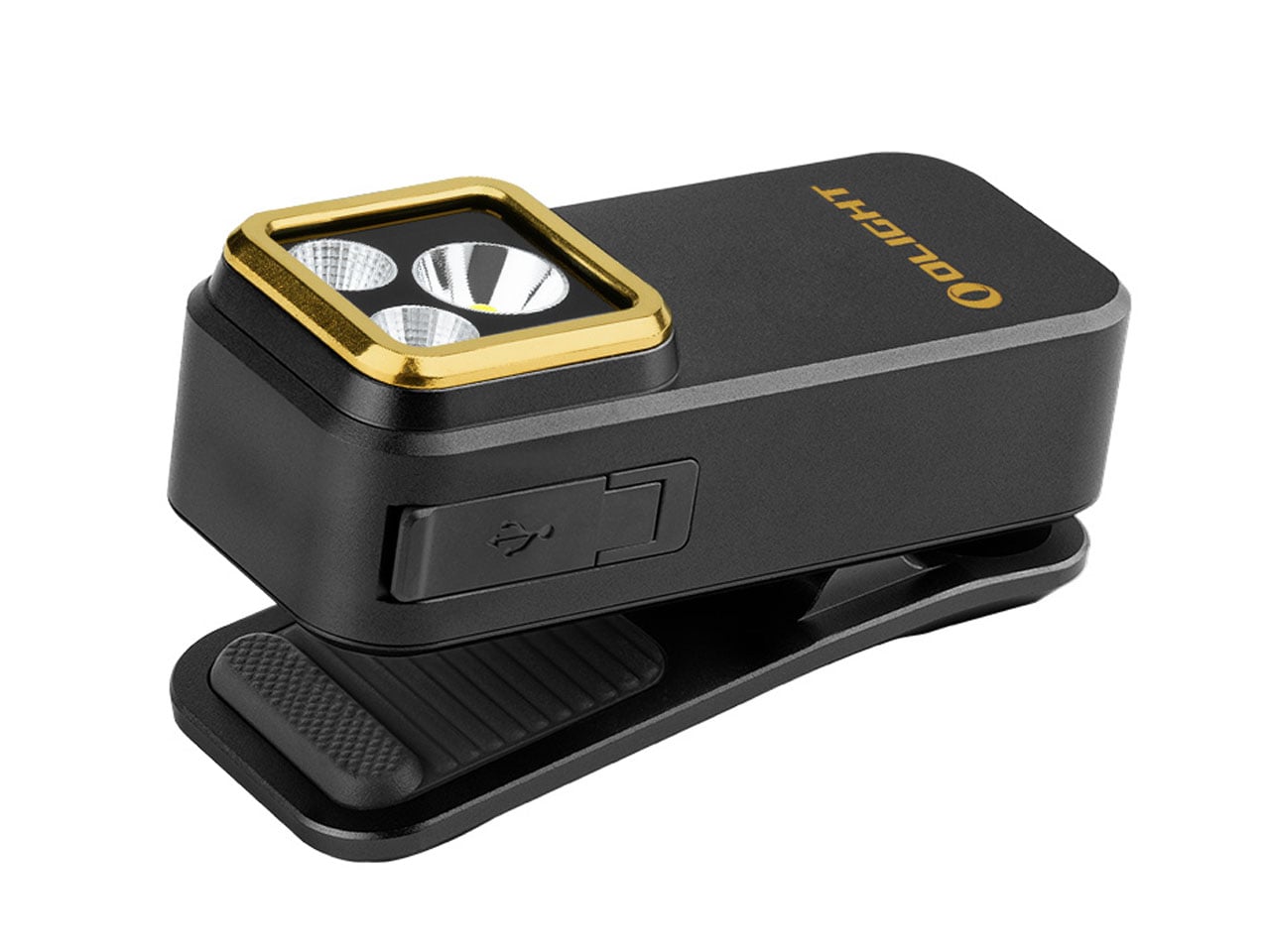
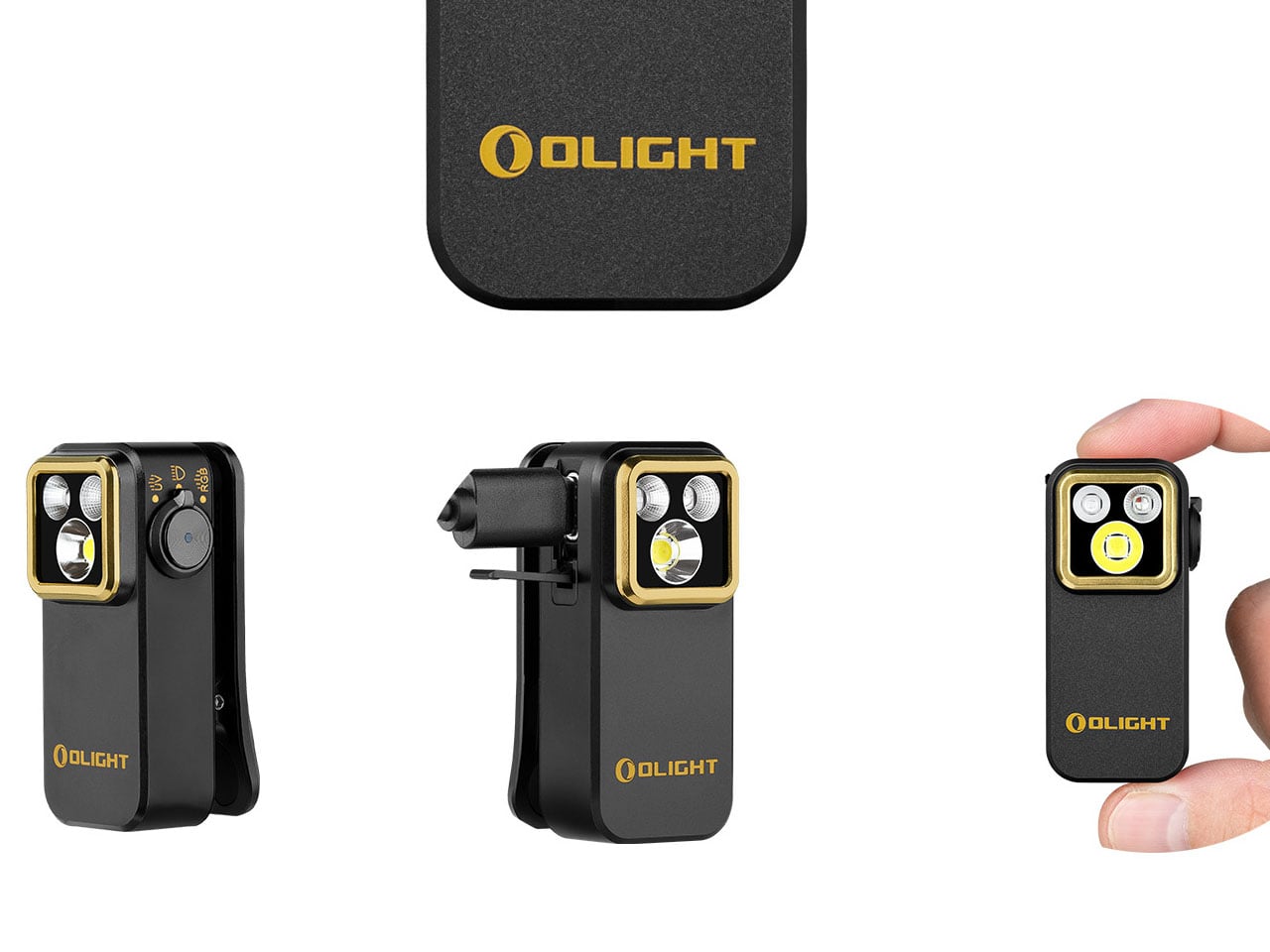
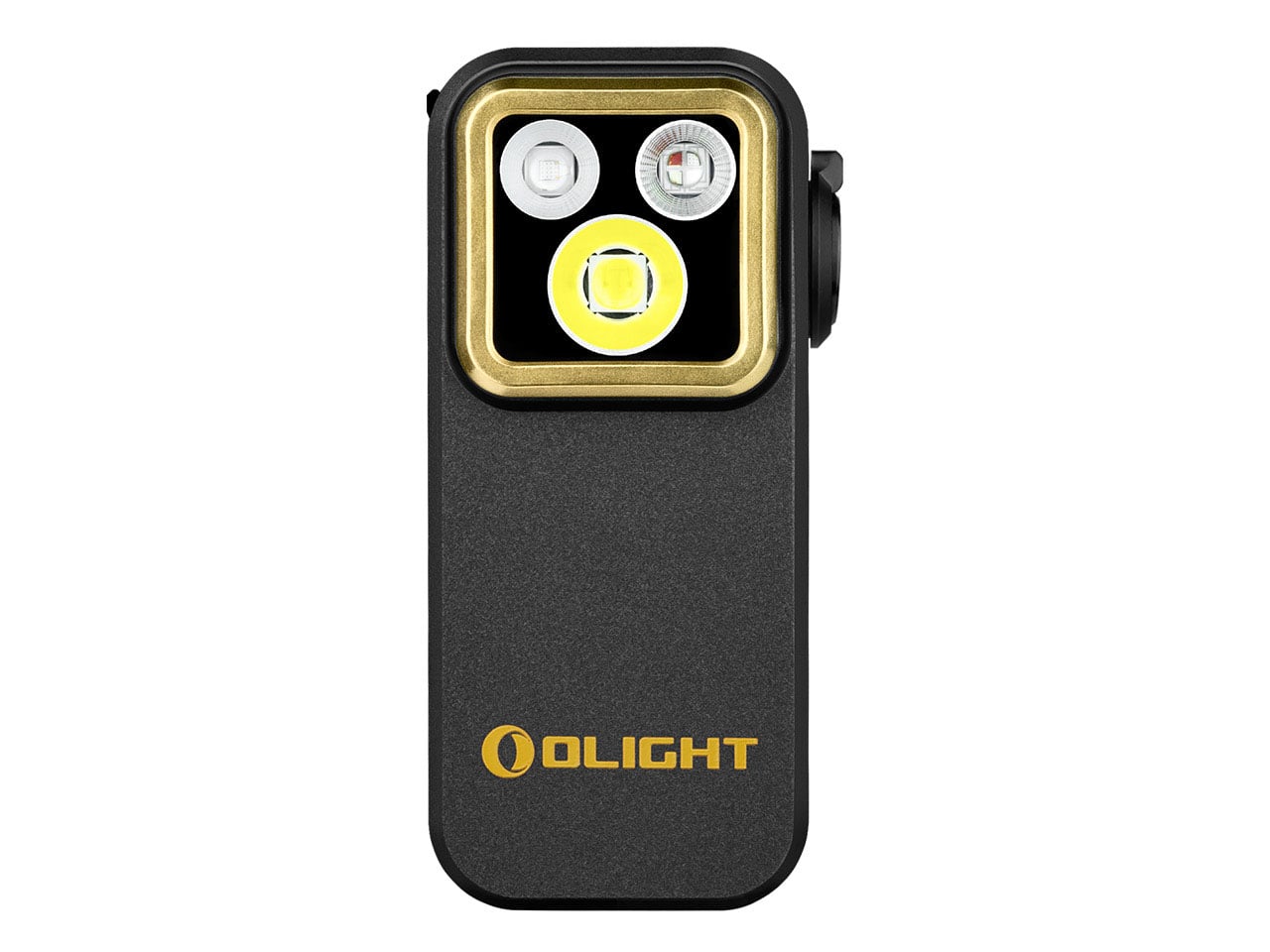
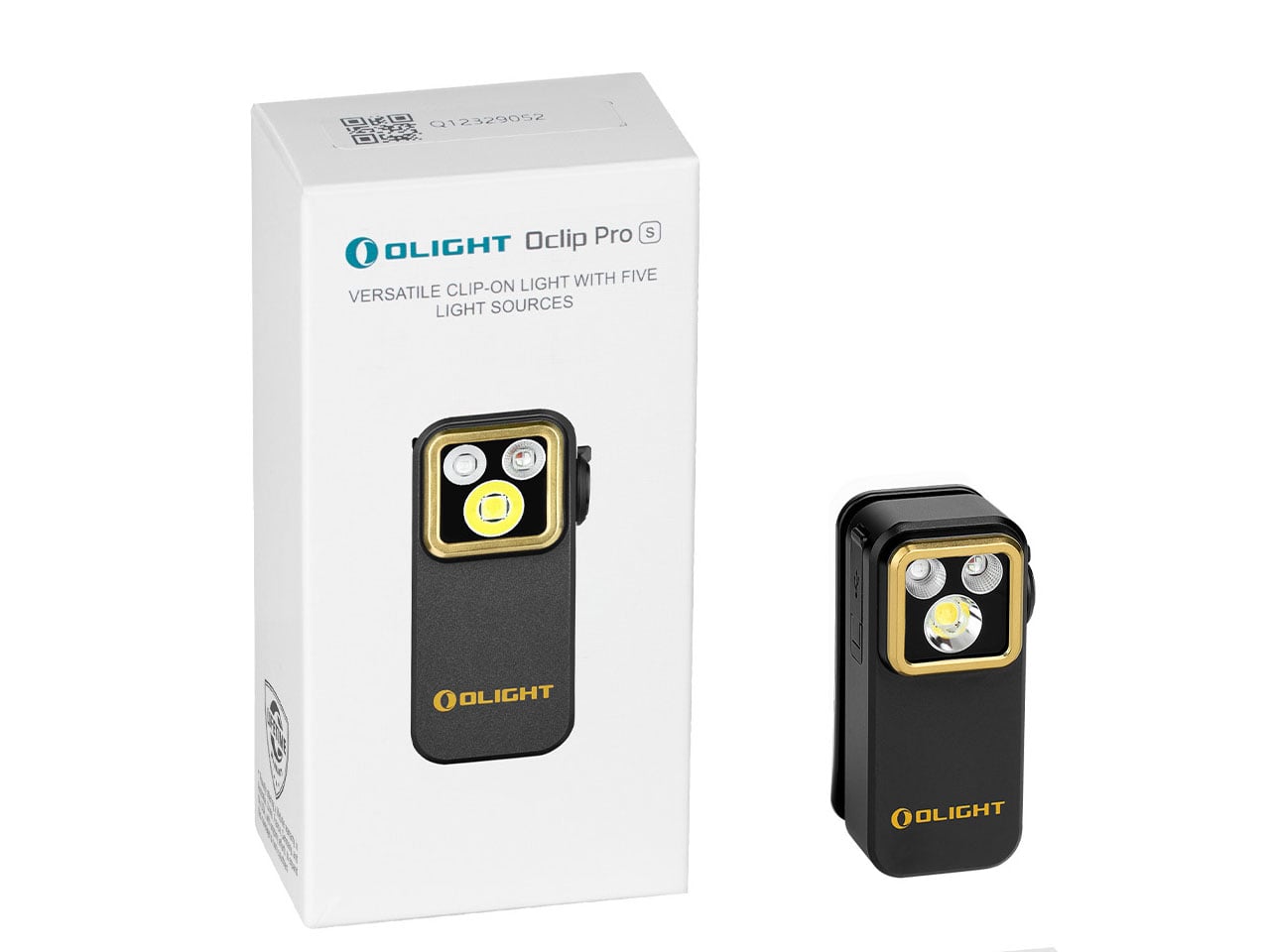
There’s a quiet shift happening in the world of everyday carry, wherein single-purpose tools are steadily giving way to compact, multi-functional companions that adapt as quickly as the situations they’re pulled into. The modern EDC kit isn’t about excess anymore; it’s about efficiency and versatility. In that context, the Olight Oclip Pro S doesn’t just arrive as another flashlight, it is a small but capable lighting system designed to keep up with unpredictable, fast-moving routines.
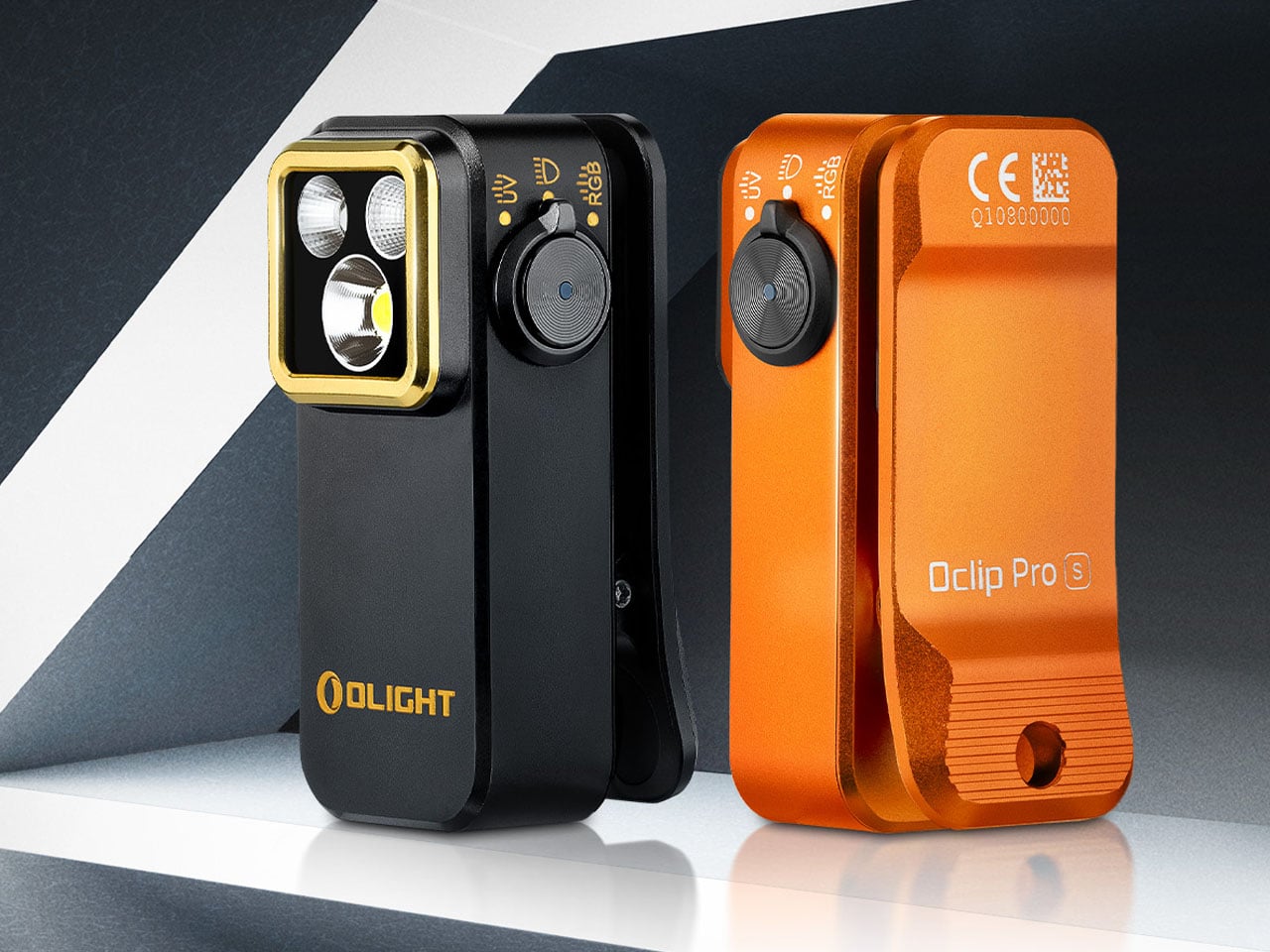
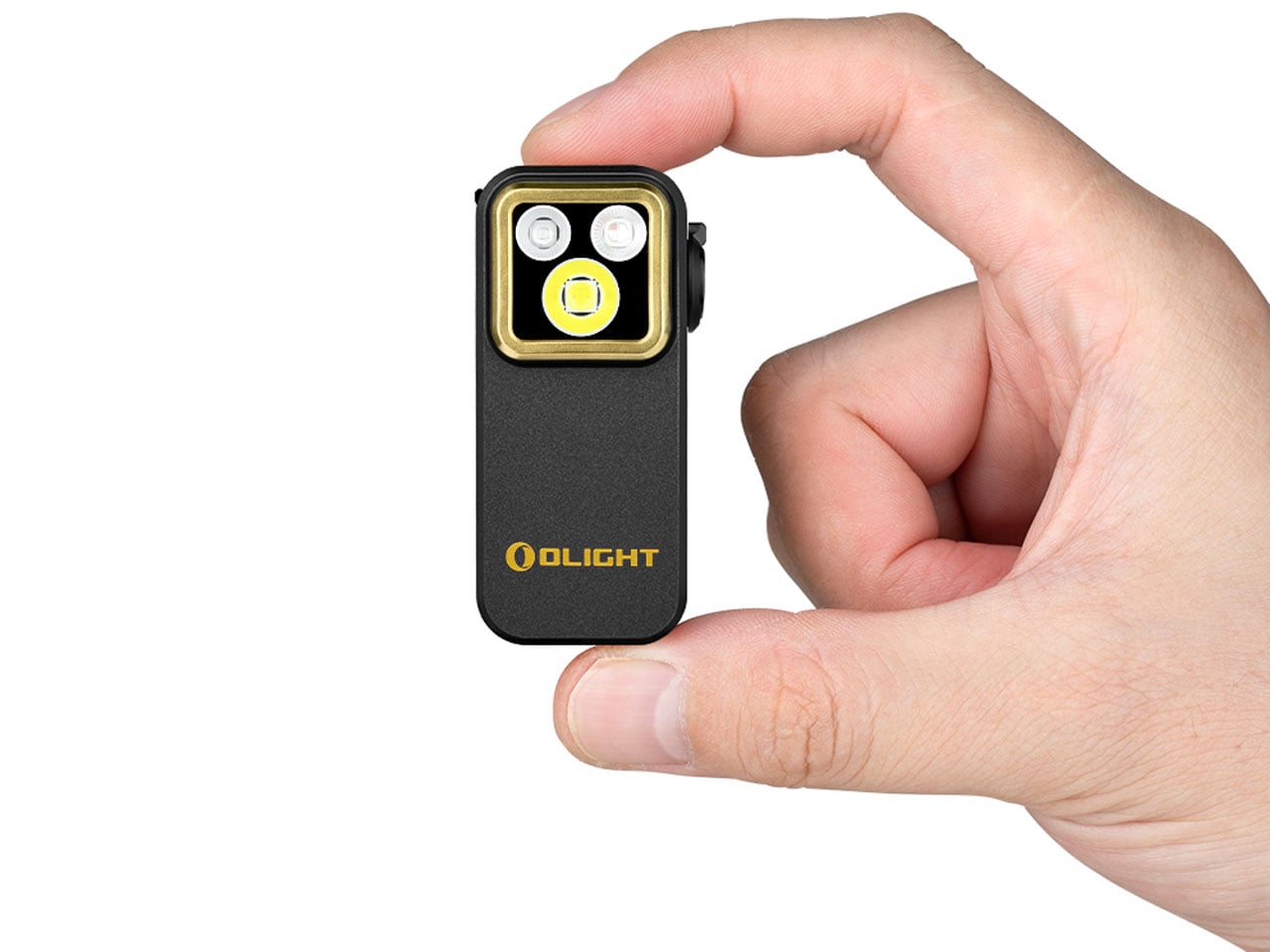
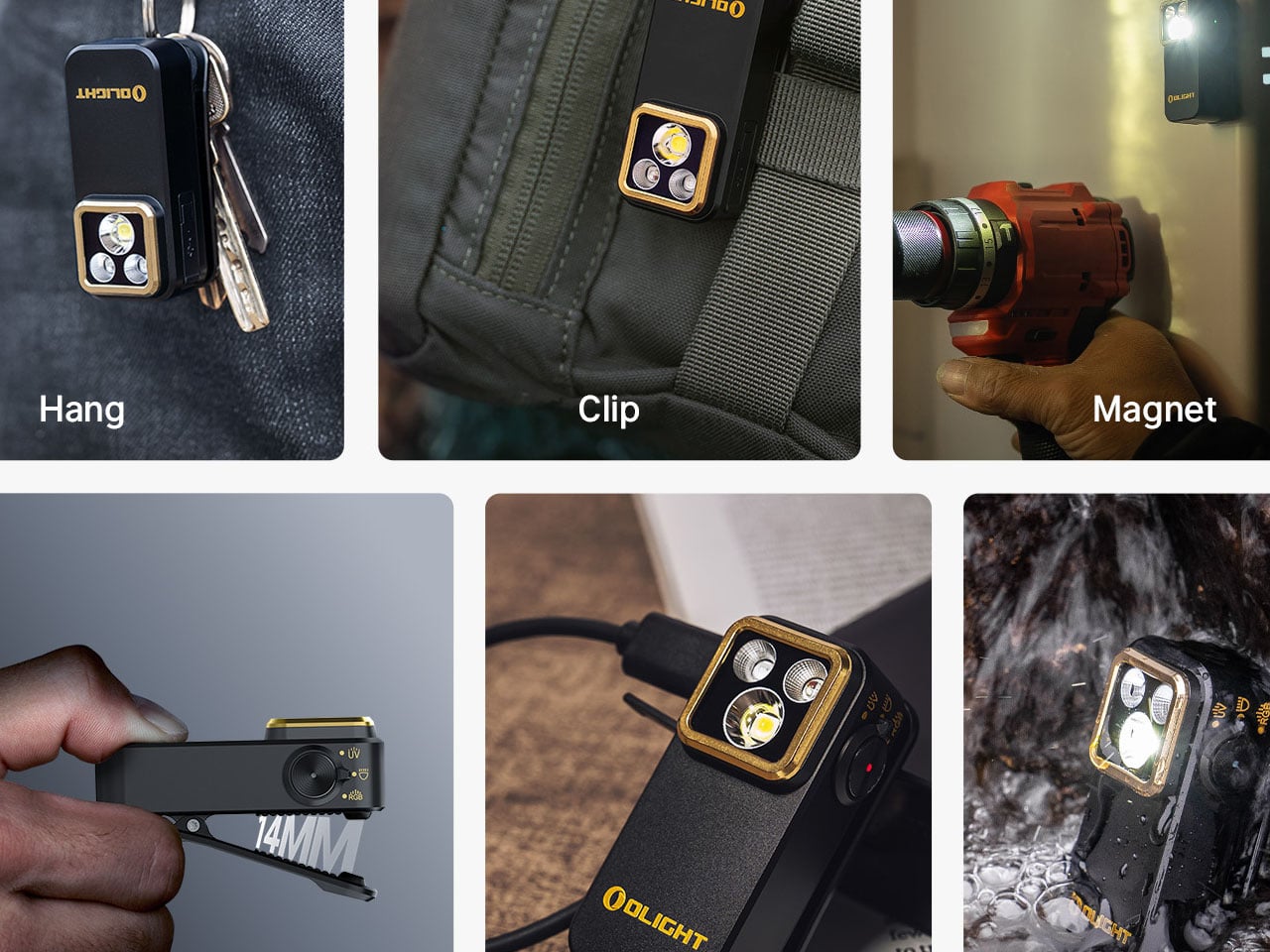
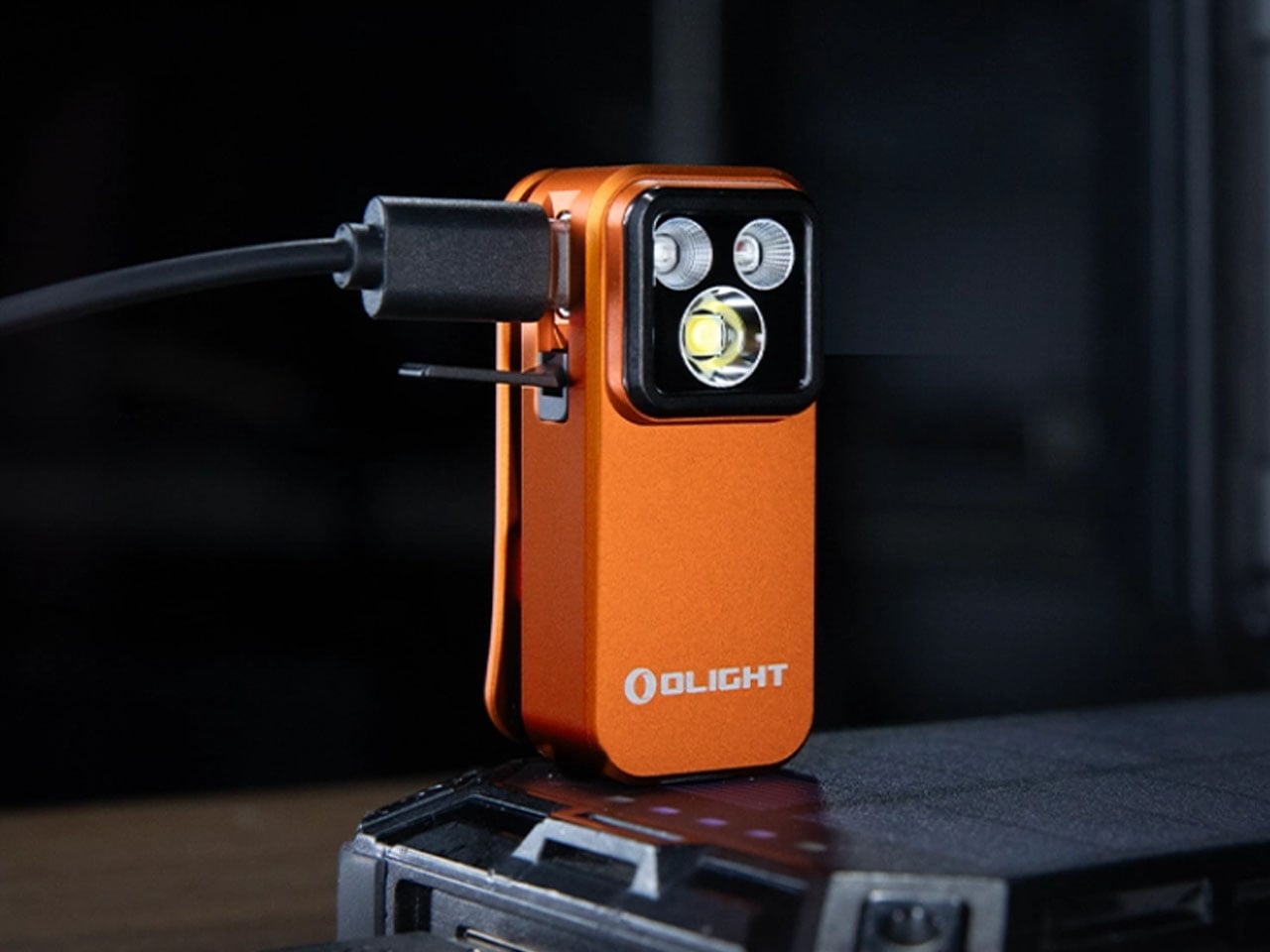
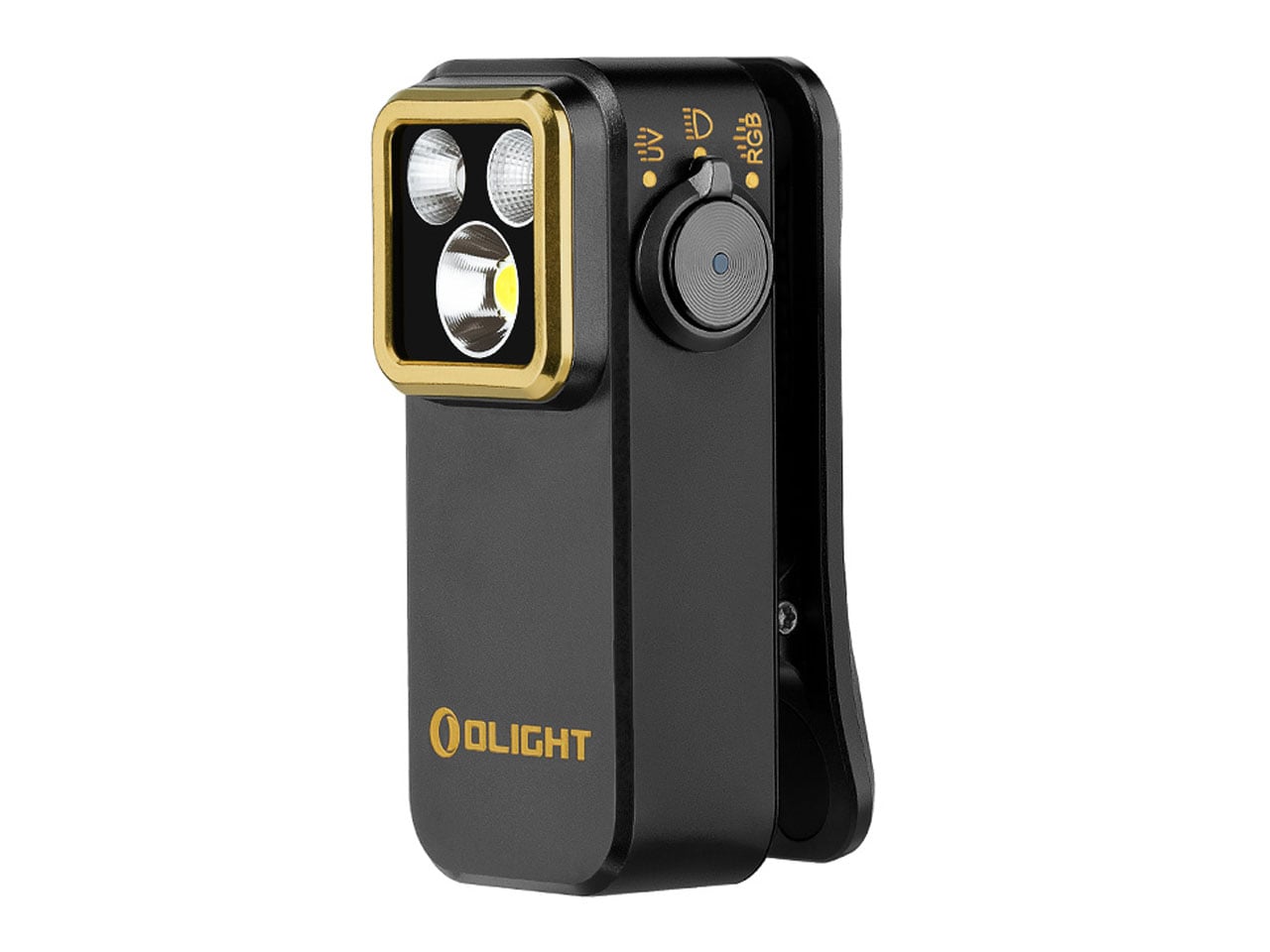
At first glance, the palm-sized Oclip Pro S feels almost understated. Its compact body, measuring just 57 × 28 × 27 mm and weighing around 53 grams, is designed to disappear into your pocket or clip unobtrusively onto your gear. Yet that minimal footprint is precisely what makes it so effective. The integrated clip, combined with the ability to hang or magnetically attach the device, allows it to transition effortlessly between a handheld light and a hands-free tool, whether you’re navigating low-light environments or tackling everyday tasks.
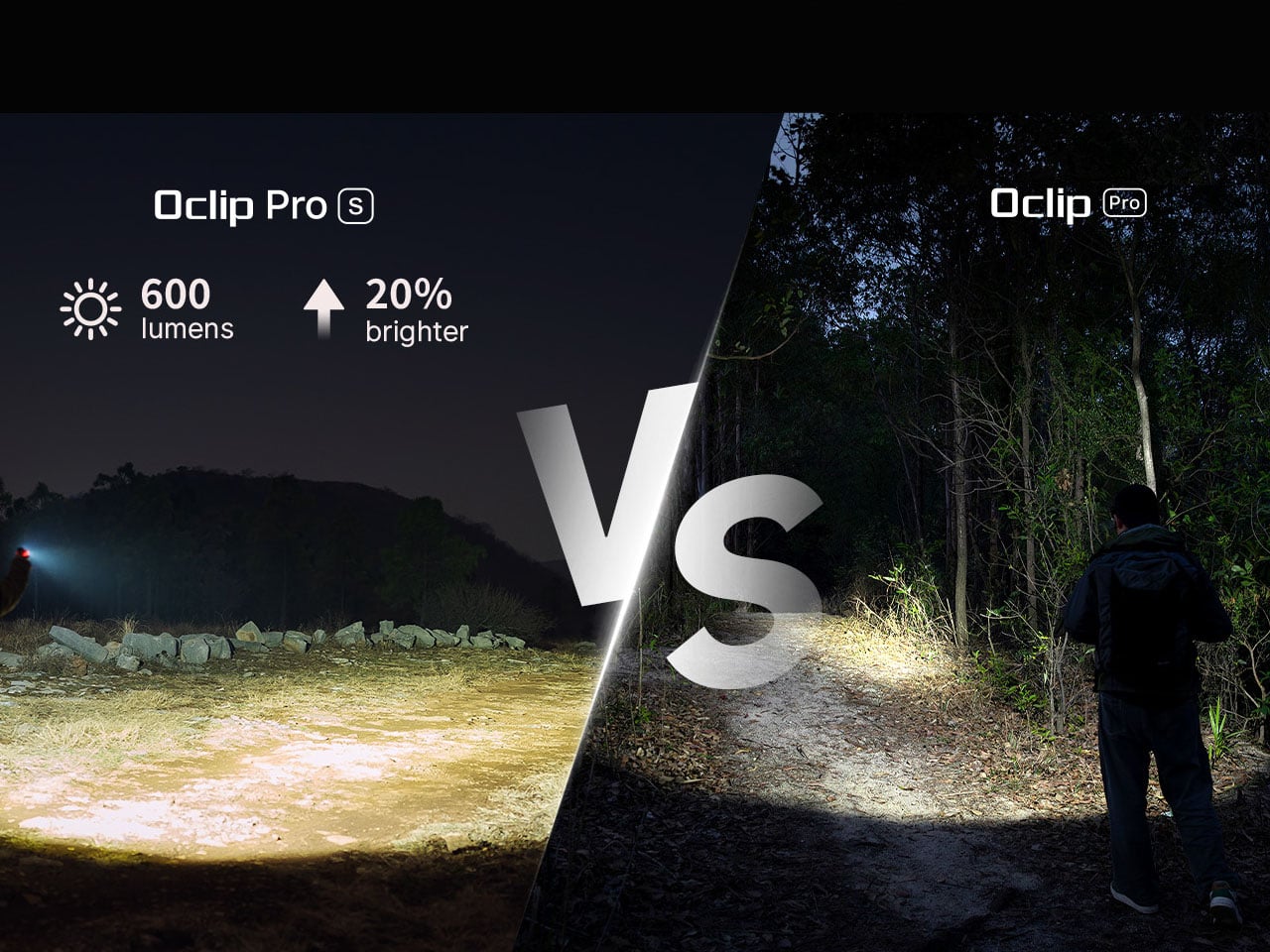
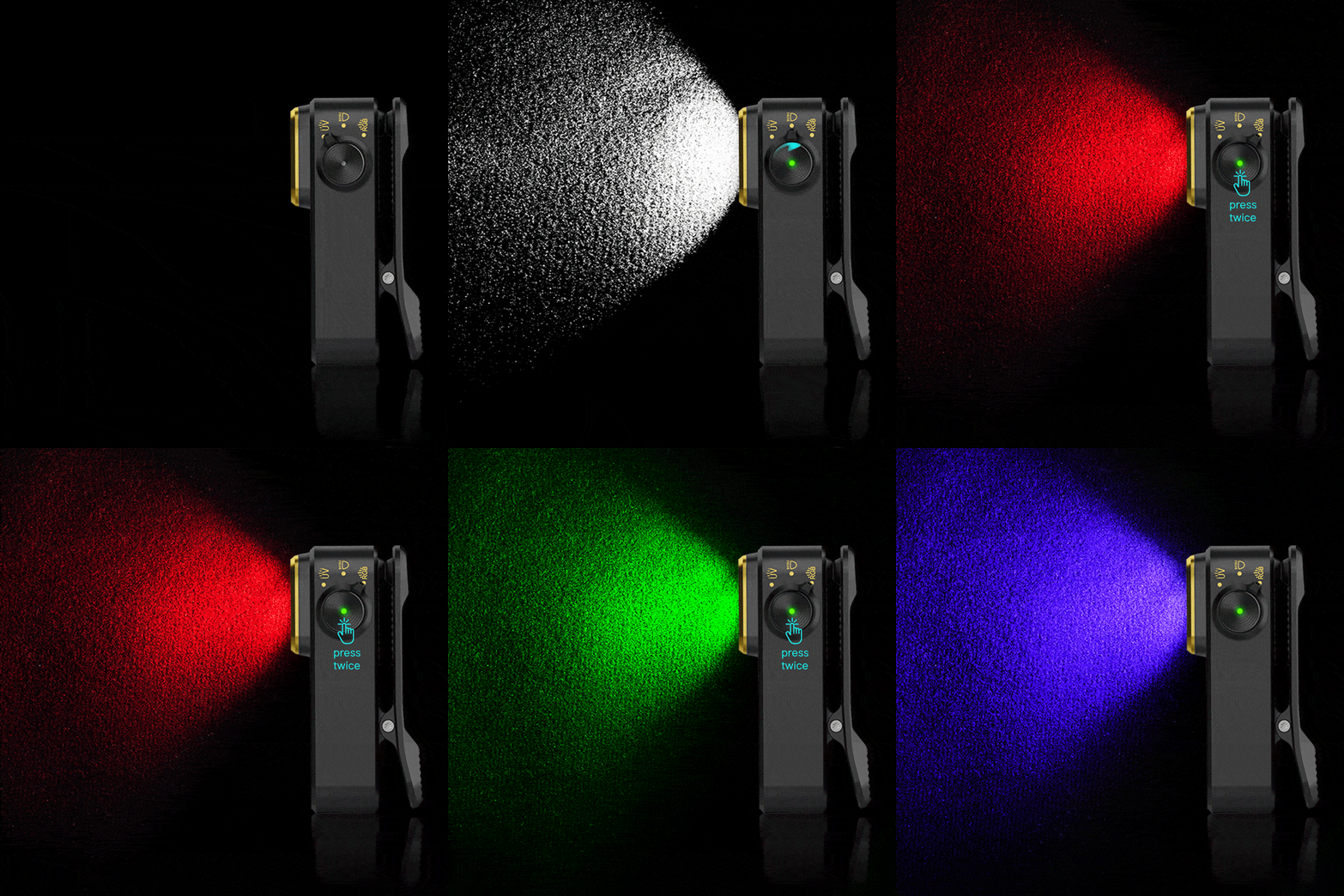
Where the Oclip Pro S begins to stand apart is in how much it manages to pack into that small frame. Instead of relying on a single beam, it integrates a 5-in-1 lighting system that combines white light, RGB illumination, and a UV light source. The primary white LED delivers up to 600 lumens, providing ample brightness for general use, with a beam distance reaching up to 80 meters. This is paired with both floodlight and spotlight modes, giving users the flexibility to switch between wide, ambient lighting and more focused illumination depending on the situation.
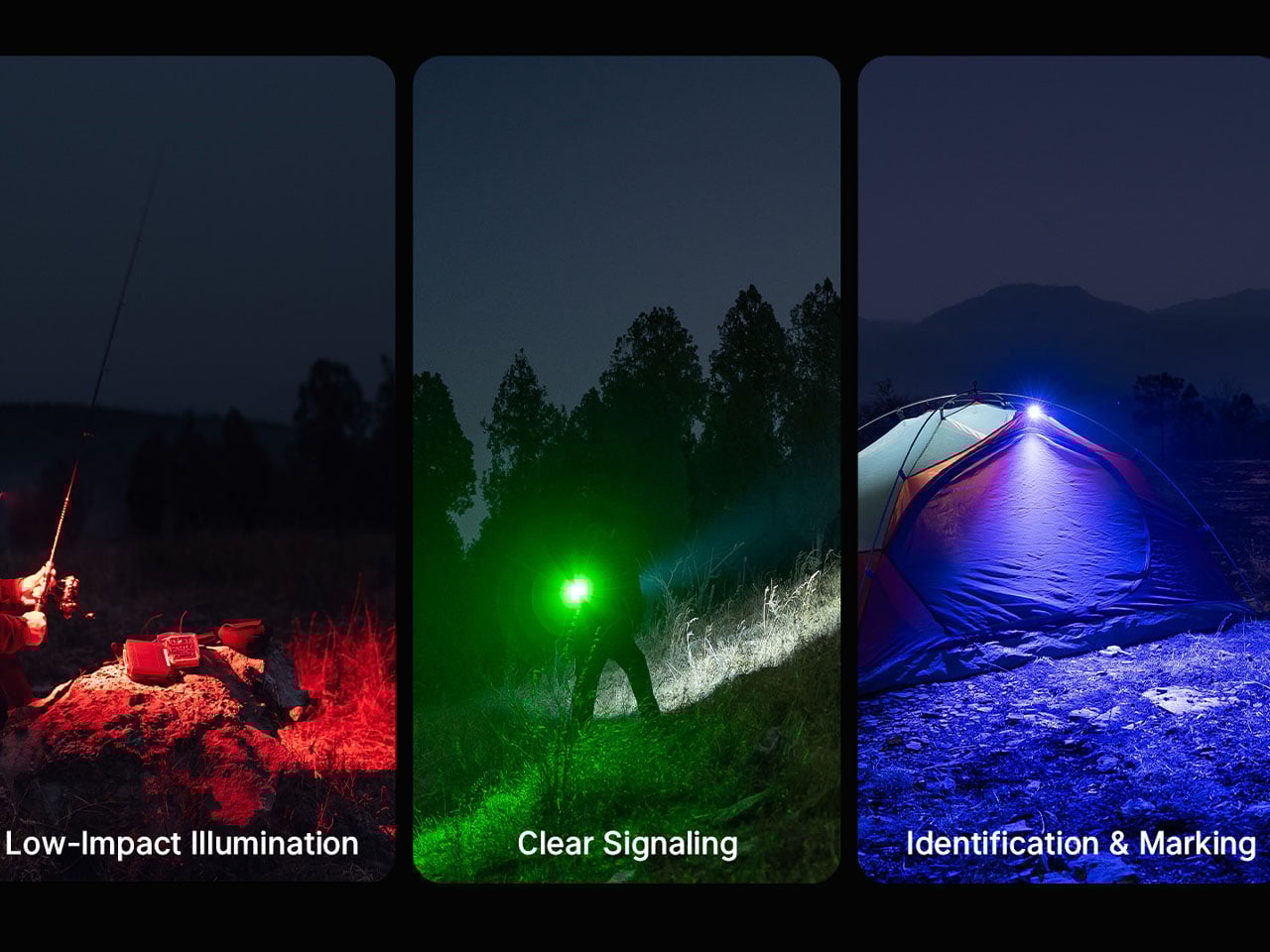
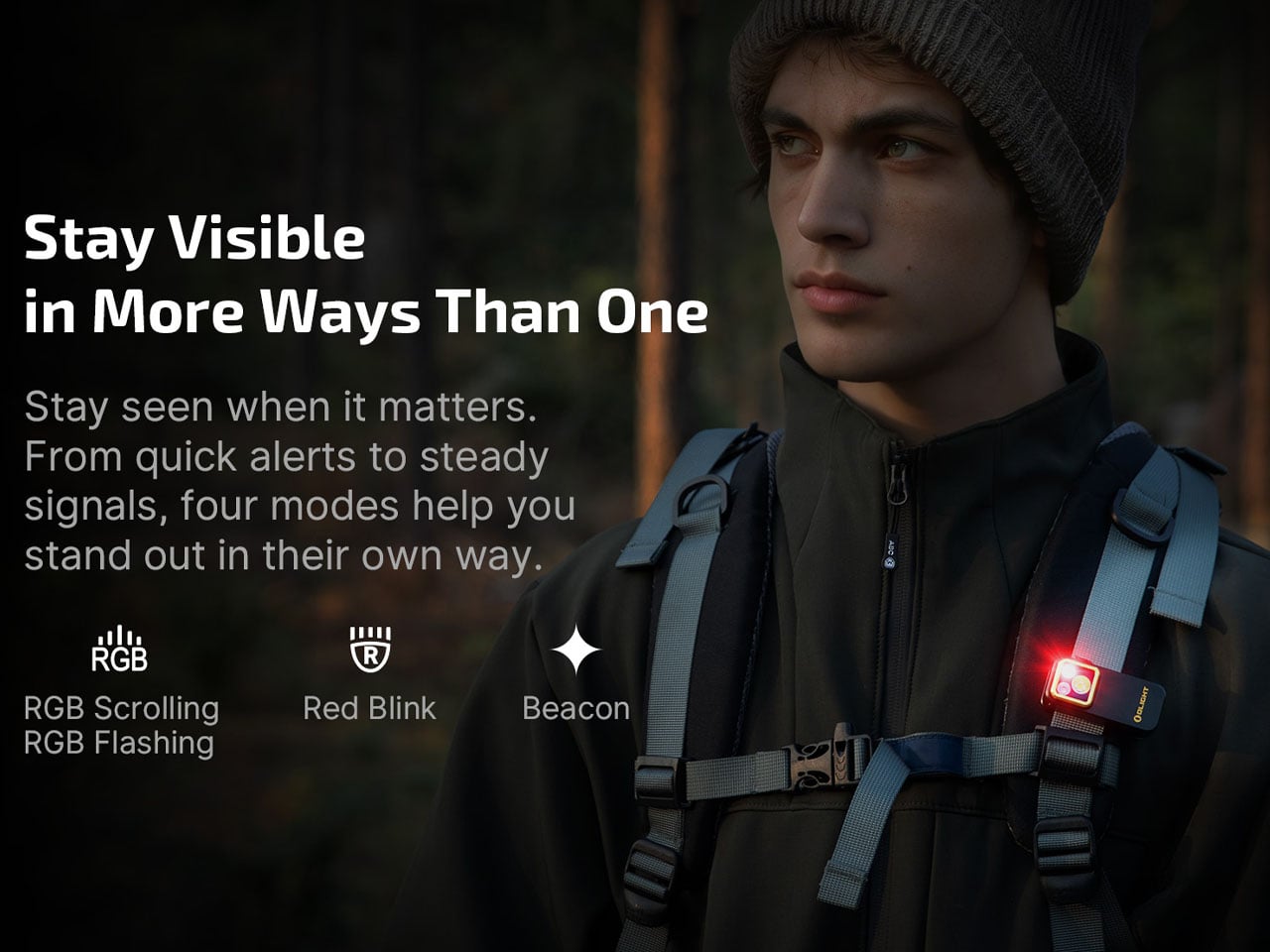
The addition of RGB lighting expands its role beyond simple visibility. With red, green, and blue modes, the device becomes a practical signaling tool as much as a flashlight. Whether used for nighttime visibility, marking a location, or adding a layer of safety in low-light conditions, these color options introduce a level of adaptability that feels increasingly essential in modern EDC gear. The lighting system also supports flashing patterns, further extending its functionality in dynamic or emergency scenarios.
Perhaps the most unexpected inclusion is the 365 nm UV light, which quietly transforms the Oclip Pro S into a utility tool for specialized tasks. From detecting counterfeit currency to identifying fluorescent materials or checking cleanliness in certain environments, this feature adds a layer of capability that goes beyond what most users would expect from a device of this size.
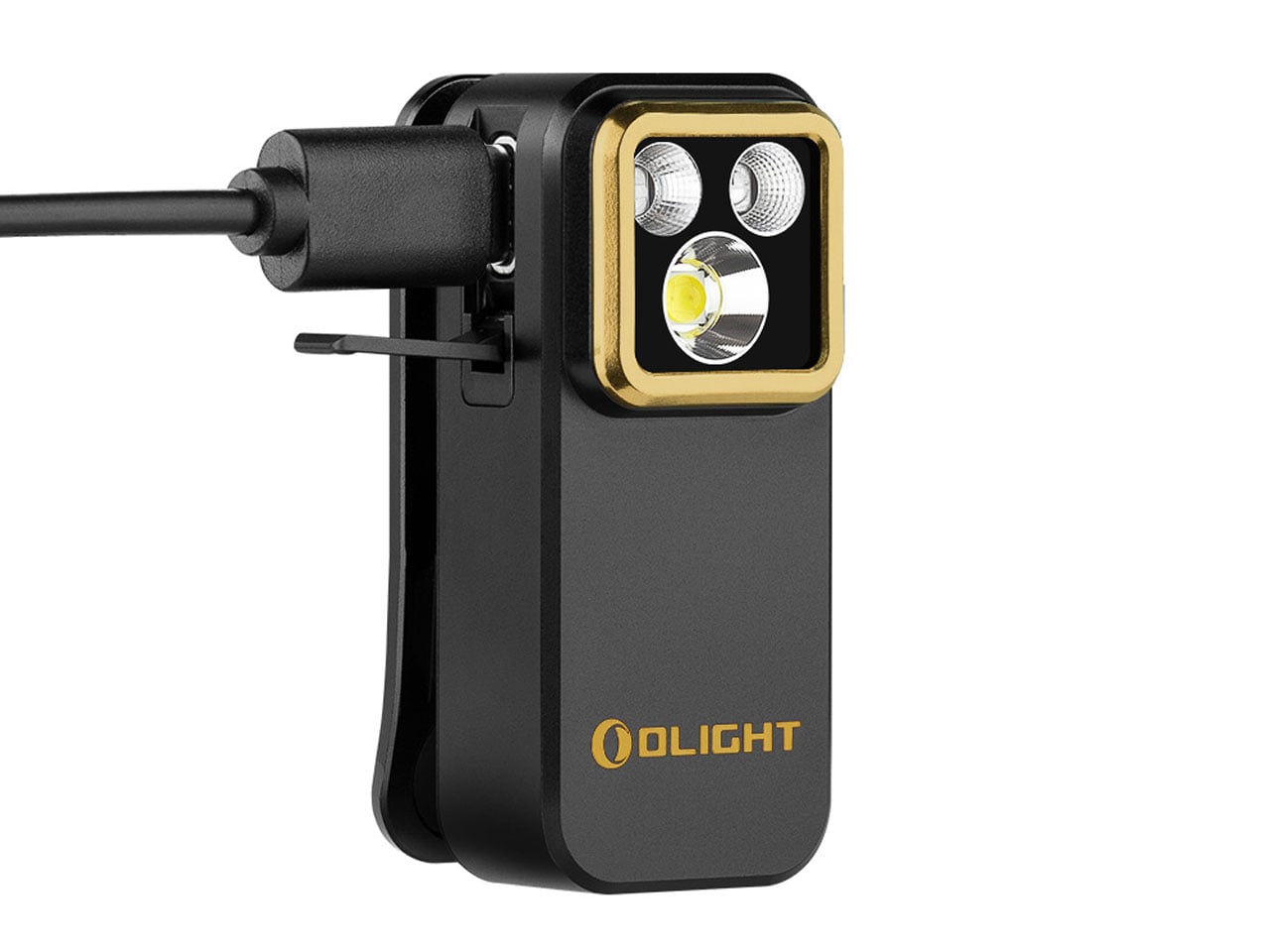
Powering all of this is a built-in battery that supports USB-C charging, aligning the device with current charging standards and making it easy to top up alongside other everyday electronics. Depending on usage, the flashlight can run for up to 144 hours in its lowest brightness mode, while higher output levels are intelligently managed to balance performance and heat.
The interface is equally streamlined, centered around a side dial that allows users to quickly toggle between white, RGB, and UV modes. This intuitive control scheme avoids unnecessary complexity, ensuring that the right light is always just a quick adjustment away. Priced at around $40 and available in a variety of finishes, the Oclip Pro S is positioned as both a functional tool and a subtle personal accessory.