The Wireless Display Kit That Needs No App, No Network, No Pairing

There’s no shortage of ways to get your screen onto a larger display these days, but the experience rarely matches the simplicity it should have. Adapters pile up in bags, cables stretch across desks, and software-based casting tools have a talent for dropping at the worst possible moment. For a market that’s moved so decisively toward wireless, display connectivity has been surprisingly slow to catch up.

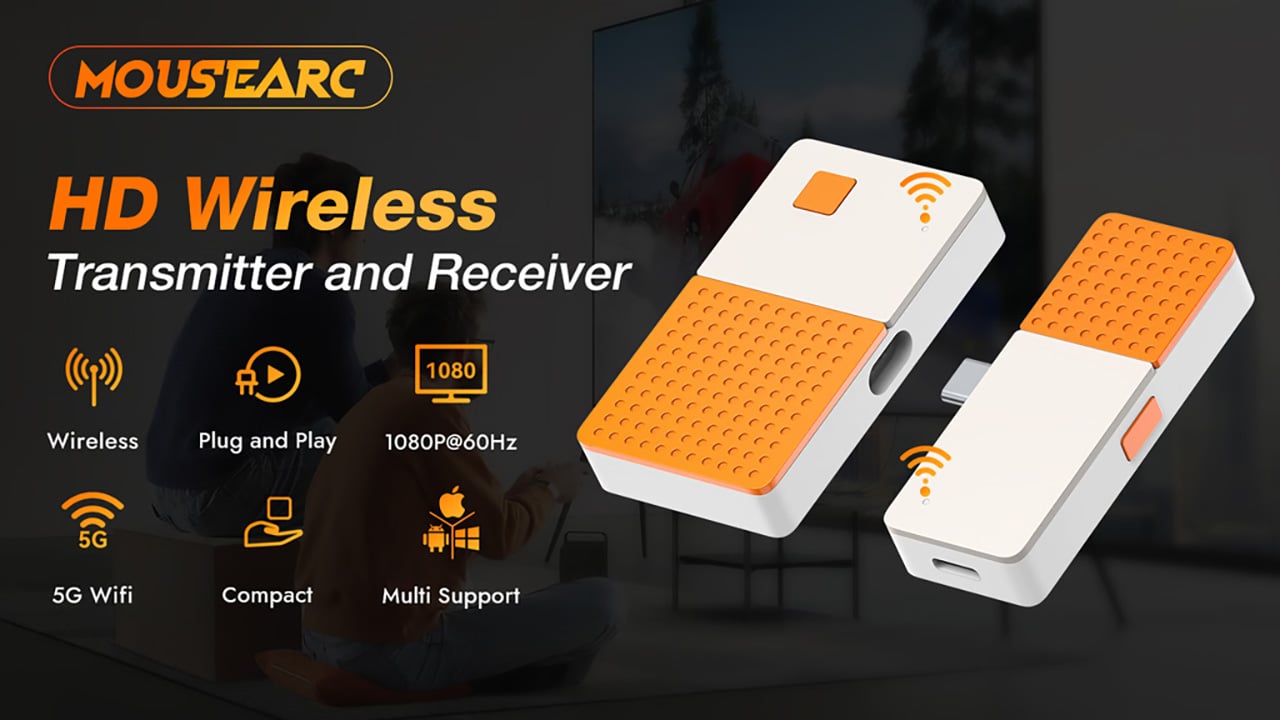
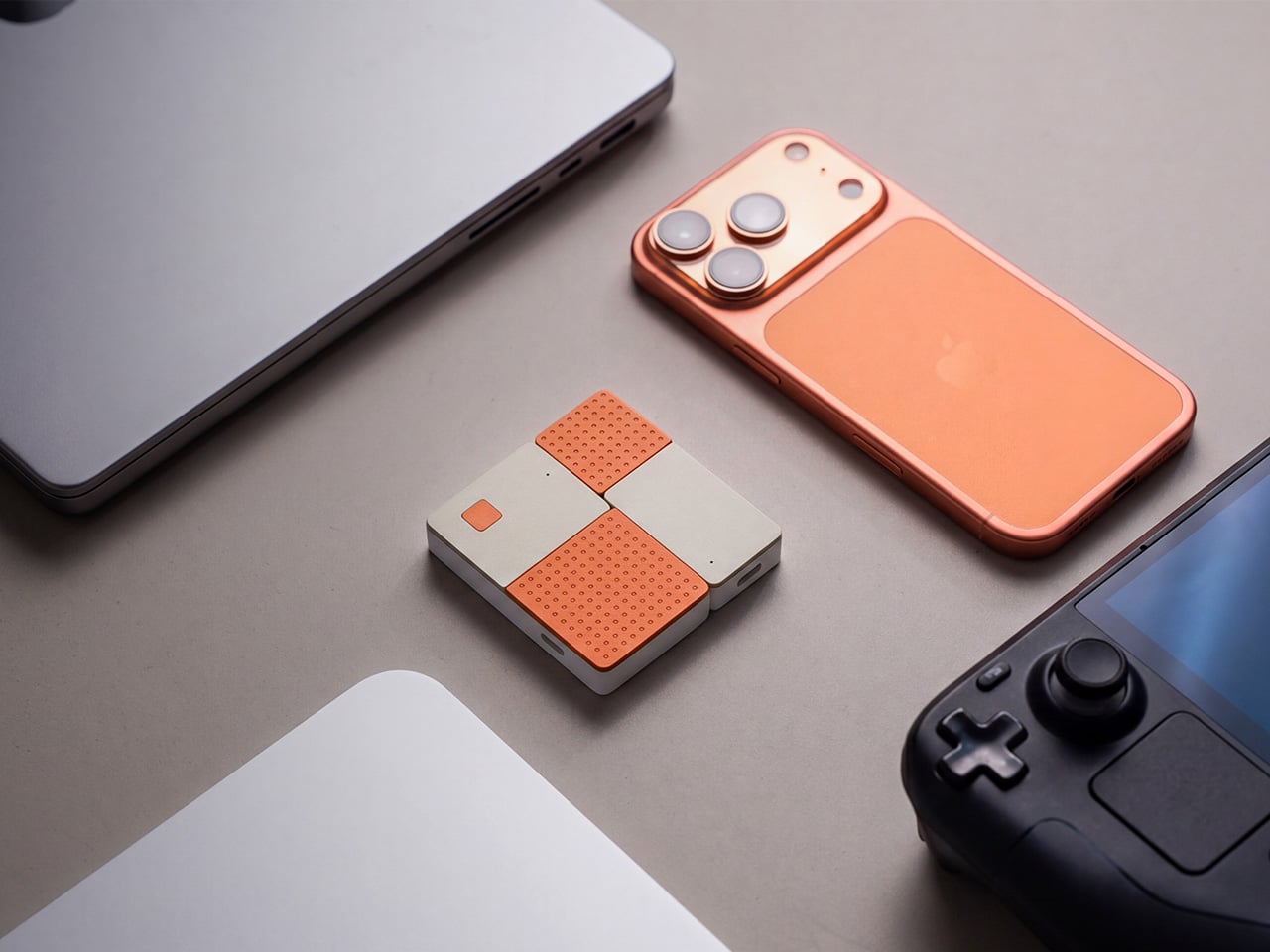
The MouseArc G1 is a wireless HD transmitter and receiver set that takes that problem head-on, without leaning on apps, network menus, or the complicated routines that have made similar devices tedious. It also doesn’t look the part of a utilitarian tool. The G1 sports a puzzle-tile design in white and orange that gives it a visual identity far removed from a typical AV dongle.

Designer: MouseArc

Click Here to Buy Bow: $69 $120 (43% off). Hurry, only 89/400 left! Raised over $49,000.

The kit includes a USB-C transmitter for source devices and an HDMI receiver for the display. Both come factory pre-paired, so there’s nothing to configure right out of the box. No app installs, no Bluetooth pairing, no hopping onto a Wi-Fi network. You plug the transmitter into your laptop or phone, connect the receiver to a TV or projector, and you’re ready almost immediately.

The G1 runs on 802.11ac 5G peer-to-peer Wi-Fi, operating on a dedicated channel rather than borrowing bandwidth from your home network. That separation keeps the signal clean and resistant to interference, which pays off noticeably during longer sessions. It’s also rated for up to 50m in open areas, making it a practical option for conference rooms, lecture halls, and larger commercial spaces.

Think about walking into a conference room with your laptop, needing to get a presentation up before the meeting starts. With the G1 already connected to the room’s display, the only step is plugging in the transmitter. There’s no wrestling with the AV system, no scrambling for a compatible cable, and no awkward silence while everyone politely watches you troubleshoot.

That same ease carries into more personal moments. Connecting a phone or tablet to a TV for a movie night is about as involved as plugging in a USB drive. The G1 works with a wide range of USB-C devices that support DisplayPort Alt Mode, from iPhones and iPads to MacBooks and Samsung Galaxy phones, so there’s a good chance what you already own qualifies.

For anything where motion matters, the G1 supports 1080p at 120Hz, with a dedicated processing unit keeping visuals sharp and movement fluid. Fast-moving scenes stay clear without the blur or judder that can make wireless display setups feel like a step backward. Audio stays synced throughout as well, which rounds out an experience that holds up well for gaming, sports, and high-motion content.

Something that often goes unaddressed with wireless display kits is what happens to your device’s power while you’re casting. The G1 includes a 100W PD 3.0 pass-through charging port, so your laptop or phone stays charged while the transmitter is in use. For anything running longer than a quick demo, that detail makes a real difference to how the session actually plays out.

Then there’s the form factor. At 6.5cm x 6cm x 1.3cm and around 32g, the G1 is compact enough to pocket or slip into a bag without thought. The puzzle-tile silhouette and white and orange finish give it a visual personality that stands apart from the usual AV dongle, which feels like a deliberate design choice for something meant to travel daily.

What the G1 delivers is a cleaner way to use the displays you already own. Whether it’s a presentation, a movie, a classroom session, or a gaming moment on a bigger screen, it handles the connection without demanding anything back. That quiet, friction-free reliability is genuinely hard to find in a category that tends to make everything feel more complicated than it needs to be.

Click Here to Buy Bow: $69 $120 (43% off). Hurry, only 89/400 left! Raised over $49,000.

The post The Wireless Display Kit That Needs No App, No Network, No Pairing first appeared on Yanko Design.

The Wireless Display Kit That Needs No App, No Network, No Pairing

There’s no shortage of ways to get your screen onto a larger display these days, but the experience rarely matches the simplicity it should have. Adapters pile up in bags, cables stretch across desks, and software-based casting tools have a talent for dropping at the worst possible moment. For a market that’s moved so decisively toward wireless, display connectivity has been surprisingly slow to catch up.

The MouseArc G1 is a wireless HD transmitter and receiver set that takes that problem head-on, without leaning on apps, network menus, or the complicated routines that have made similar devices tedious. It also doesn’t look the part of a utilitarian tool. The G1 sports a puzzle-tile design in white and orange that gives it a visual identity far removed from a typical AV dongle.

Designer: MouseArc

Click Here to Buy Bow: $69 $120 (43% off). Hurry, only 89/400 left! Raised over $49,000.

The kit includes a USB-C transmitter for source devices and an HDMI receiver for the display. Both come factory pre-paired, so there’s nothing to configure right out of the box. No app installs, no Bluetooth pairing, no hopping onto a Wi-Fi network. You plug the transmitter into your laptop or phone, connect the receiver to a TV or projector, and you’re ready almost immediately.

The G1 runs on 802.11ac 5G peer-to-peer Wi-Fi, operating on a dedicated channel rather than borrowing bandwidth from your home network. That separation keeps the signal clean and resistant to interference, which pays off noticeably during longer sessions. It’s also rated for up to 50m in open areas, making it a practical option for conference rooms, lecture halls, and larger commercial spaces.

Think about walking into a conference room with your laptop, needing to get a presentation up before the meeting starts. With the G1 already connected to the room’s display, the only step is plugging in the transmitter. There’s no wrestling with the AV system, no scrambling for a compatible cable, and no awkward silence while everyone politely watches you troubleshoot.

That same ease carries into more personal moments. Connecting a phone or tablet to a TV for a movie night is about as involved as plugging in a USB drive. The G1 works with a wide range of USB-C devices that support DisplayPort Alt Mode, from iPhones and iPads to MacBooks and Samsung Galaxy phones, so there’s a good chance what you already own qualifies.

For anything where motion matters, the G1 supports 1080p at 120Hz, with a dedicated processing unit keeping visuals sharp and movement fluid. Fast-moving scenes stay clear without the blur or judder that can make wireless display setups feel like a step backward. Audio stays synced throughout as well, which rounds out an experience that holds up well for gaming, sports, and high-motion content.

Something that often goes unaddressed with wireless display kits is what happens to your device’s power while you’re casting. The G1 includes a 100W PD 3.0 pass-through charging port, so your laptop or phone stays charged while the transmitter is in use. For anything running longer than a quick demo, that detail makes a real difference to how the session actually plays out.

Then there’s the form factor. At 6.5cm x 6cm x 1.3cm and around 32g, the G1 is compact enough to pocket or slip into a bag without thought. The puzzle-tile silhouette and white and orange finish give it a visual personality that stands apart from the usual AV dongle, which feels like a deliberate design choice for something meant to travel daily.

What the G1 delivers is a cleaner way to use the displays you already own. Whether it’s a presentation, a movie, a classroom session, or a gaming moment on a bigger screen, it handles the connection without demanding anything back. That quiet, friction-free reliability is genuinely hard to find in a category that tends to make everything feel more complicated than it needs to be.

Click Here to Buy Bow: $69 $120 (43% off). Hurry, only 89/400 left! Raised over $49,000.

The post The Wireless Display Kit That Needs No App, No Network, No Pairing first appeared on Yanko Design.

The Wireless Display Kit That Needs No App, No Network, No Pairing

There’s no shortage of ways to get your screen onto a larger display these days, but the experience rarely matches the simplicity it should have. Adapters pile up in bags, cables stretch across desks, and software-based casting tools have a talent for dropping at the worst possible moment. For a market that’s moved so decisively toward wireless, display connectivity has been surprisingly slow to catch up.

The MouseArc G1 is a wireless HD transmitter and receiver set that takes that problem head-on, without leaning on apps, network menus, or the complicated routines that have made similar devices tedious. It also doesn’t look the part of a utilitarian tool. The G1 sports a puzzle-tile design in white and orange that gives it a visual identity far removed from a typical AV dongle.

Designer: MouseArc

Click Here to Buy Bow: $69 $120 (43% off). Hurry, only 89/400 left! Raised over $49,000.

The kit includes a USB-C transmitter for source devices and an HDMI receiver for the display. Both come factory pre-paired, so there’s nothing to configure right out of the box. No app installs, no Bluetooth pairing, no hopping onto a Wi-Fi network. You plug the transmitter into your laptop or phone, connect the receiver to a TV or projector, and you’re ready almost immediately.

The G1 runs on 802.11ac 5G peer-to-peer Wi-Fi, operating on a dedicated channel rather than borrowing bandwidth from your home network. That separation keeps the signal clean and resistant to interference, which pays off noticeably during longer sessions. It’s also rated for up to 50m in open areas, making it a practical option for conference rooms, lecture halls, and larger commercial spaces.

Think about walking into a conference room with your laptop, needing to get a presentation up before the meeting starts. With the G1 already connected to the room’s display, the only step is plugging in the transmitter. There’s no wrestling with the AV system, no scrambling for a compatible cable, and no awkward silence while everyone politely watches you troubleshoot.

That same ease carries into more personal moments. Connecting a phone or tablet to a TV for a movie night is about as involved as plugging in a USB drive. The G1 works with a wide range of USB-C devices that support DisplayPort Alt Mode, from iPhones and iPads to MacBooks and Samsung Galaxy phones, so there’s a good chance what you already own qualifies.

For anything where motion matters, the G1 supports 1080p at 120Hz, with a dedicated processing unit keeping visuals sharp and movement fluid. Fast-moving scenes stay clear without the blur or judder that can make wireless display setups feel like a step backward. Audio stays synced throughout as well, which rounds out an experience that holds up well for gaming, sports, and high-motion content.

Something that often goes unaddressed with wireless display kits is what happens to your device’s power while you’re casting. The G1 includes a 100W PD 3.0 pass-through charging port, so your laptop or phone stays charged while the transmitter is in use. For anything running longer than a quick demo, that detail makes a real difference to how the session actually plays out.

Then there’s the form factor. At 6.5cm x 6cm x 1.3cm and around 32g, the G1 is compact enough to pocket or slip into a bag without thought. The puzzle-tile silhouette and white and orange finish give it a visual personality that stands apart from the usual AV dongle, which feels like a deliberate design choice for something meant to travel daily.

What the G1 delivers is a cleaner way to use the displays you already own. Whether it’s a presentation, a movie, a classroom session, or a gaming moment on a bigger screen, it handles the connection without demanding anything back. That quiet, friction-free reliability is genuinely hard to find in a category that tends to make everything feel more complicated than it needs to be.

Click Here to Buy Bow: $69 $120 (43% off). Hurry, only 89/400 left! Raised over $49,000.

The post The Wireless Display Kit That Needs No App, No Network, No Pairing first appeared on Yanko Design.

The Wireless Display Kit That Needs No App, No Network, No Pairing

There’s no shortage of ways to get your screen onto a larger display these days, but the experience rarely matches the simplicity it should have. Adapters pile up in bags, cables stretch across desks, and software-based casting tools have a talent for dropping at the worst possible moment. For a market that’s moved so decisively toward wireless, display connectivity has been surprisingly slow to catch up.

The MouseArc G1 is a wireless HD transmitter and receiver set that takes that problem head-on, without leaning on apps, network menus, or the complicated routines that have made similar devices tedious. It also doesn’t look the part of a utilitarian tool. The G1 sports a puzzle-tile design in white and orange that gives it a visual identity far removed from a typical AV dongle.

Designer: MouseArc

Click Here to Buy Bow: $69 $120 (43% off). Hurry, only 89/400 left! Raised over $49,000.

The kit includes a USB-C transmitter for source devices and an HDMI receiver for the display. Both come factory pre-paired, so there’s nothing to configure right out of the box. No app installs, no Bluetooth pairing, no hopping onto a Wi-Fi network. You plug the transmitter into your laptop or phone, connect the receiver to a TV or projector, and you’re ready almost immediately.

The G1 runs on 802.11ac 5G peer-to-peer Wi-Fi, operating on a dedicated channel rather than borrowing bandwidth from your home network. That separation keeps the signal clean and resistant to interference, which pays off noticeably during longer sessions. It’s also rated for up to 50m in open areas, making it a practical option for conference rooms, lecture halls, and larger commercial spaces.

Think about walking into a conference room with your laptop, needing to get a presentation up before the meeting starts. With the G1 already connected to the room’s display, the only step is plugging in the transmitter. There’s no wrestling with the AV system, no scrambling for a compatible cable, and no awkward silence while everyone politely watches you troubleshoot.

That same ease carries into more personal moments. Connecting a phone or tablet to a TV for a movie night is about as involved as plugging in a USB drive. The G1 works with a wide range of USB-C devices that support DisplayPort Alt Mode, from iPhones and iPads to MacBooks and Samsung Galaxy phones, so there’s a good chance what you already own qualifies.

For anything where motion matters, the G1 supports 1080p at 120Hz, with a dedicated processing unit keeping visuals sharp and movement fluid. Fast-moving scenes stay clear without the blur or judder that can make wireless display setups feel like a step backward. Audio stays synced throughout as well, which rounds out an experience that holds up well for gaming, sports, and high-motion content.

Something that often goes unaddressed with wireless display kits is what happens to your device’s power while you’re casting. The G1 includes a 100W PD 3.0 pass-through charging port, so your laptop or phone stays charged while the transmitter is in use. For anything running longer than a quick demo, that detail makes a real difference to how the session actually plays out.

Then there’s the form factor. At 6.5cm x 6cm x 1.3cm and around 32g, the G1 is compact enough to pocket or slip into a bag without thought. The puzzle-tile silhouette and white and orange finish give it a visual personality that stands apart from the usual AV dongle, which feels like a deliberate design choice for something meant to travel daily.

What the G1 delivers is a cleaner way to use the displays you already own. Whether it’s a presentation, a movie, a classroom session, or a gaming moment on a bigger screen, it handles the connection without demanding anything back. That quiet, friction-free reliability is genuinely hard to find in a category that tends to make everything feel more complicated than it needs to be.

Click Here to Buy Bow: $69 $120 (43% off). Hurry, only 89/400 left! Raised over $49,000.

The post The Wireless Display Kit That Needs No App, No Network, No Pairing first appeared on Yanko Design.

The Wireless Display Kit That Needs No App, No Network, No Pairing

There’s no shortage of ways to get your screen onto a larger display these days, but the experience rarely matches the simplicity it should have. Adapters pile up in bags, cables stretch across desks, and software-based casting tools have a talent for dropping at the worst possible moment. For a market that’s moved so decisively toward wireless, display connectivity has been surprisingly slow to catch up.

The MouseArc G1 is a wireless HD transmitter and receiver set that takes that problem head-on, without leaning on apps, network menus, or the complicated routines that have made similar devices tedious. It also doesn’t look the part of a utilitarian tool. The G1 sports a puzzle-tile design in white and orange that gives it a visual identity far removed from a typical AV dongle.

Designer: MouseArc

Click Here to Buy Bow: $69 $120 (43% off). Hurry, only 89/400 left! Raised over $49,000.

The kit includes a USB-C transmitter for source devices and an HDMI receiver for the display. Both come factory pre-paired, so there’s nothing to configure right out of the box. No app installs, no Bluetooth pairing, no hopping onto a Wi-Fi network. You plug the transmitter into your laptop or phone, connect the receiver to a TV or projector, and you’re ready almost immediately.

The G1 runs on 802.11ac 5G peer-to-peer Wi-Fi, operating on a dedicated channel rather than borrowing bandwidth from your home network. That separation keeps the signal clean and resistant to interference, which pays off noticeably during longer sessions. It’s also rated for up to 50m in open areas, making it a practical option for conference rooms, lecture halls, and larger commercial spaces.

Think about walking into a conference room with your laptop, needing to get a presentation up before the meeting starts. With the G1 already connected to the room’s display, the only step is plugging in the transmitter. There’s no wrestling with the AV system, no scrambling for a compatible cable, and no awkward silence while everyone politely watches you troubleshoot.

That same ease carries into more personal moments. Connecting a phone or tablet to a TV for a movie night is about as involved as plugging in a USB drive. The G1 works with a wide range of USB-C devices that support DisplayPort Alt Mode, from iPhones and iPads to MacBooks and Samsung Galaxy phones, so there’s a good chance what you already own qualifies.

For anything where motion matters, the G1 supports 1080p at 120Hz, with a dedicated processing unit keeping visuals sharp and movement fluid. Fast-moving scenes stay clear without the blur or judder that can make wireless display setups feel like a step backward. Audio stays synced throughout as well, which rounds out an experience that holds up well for gaming, sports, and high-motion content.

Something that often goes unaddressed with wireless display kits is what happens to your device’s power while you’re casting. The G1 includes a 100W PD 3.0 pass-through charging port, so your laptop or phone stays charged while the transmitter is in use. For anything running longer than a quick demo, that detail makes a real difference to how the session actually plays out.

Then there’s the form factor. At 6.5cm x 6cm x 1.3cm and around 32g, the G1 is compact enough to pocket or slip into a bag without thought. The puzzle-tile silhouette and white and orange finish give it a visual personality that stands apart from the usual AV dongle, which feels like a deliberate design choice for something meant to travel daily.

What the G1 delivers is a cleaner way to use the displays you already own. Whether it’s a presentation, a movie, a classroom session, or a gaming moment on a bigger screen, it handles the connection without demanding anything back. That quiet, friction-free reliability is genuinely hard to find in a category that tends to make everything feel more complicated than it needs to be.

Click Here to Buy Bow: $69 $120 (43% off). Hurry, only 89/400 left! Raised over $49,000.

The post The Wireless Display Kit That Needs No App, No Network, No Pairing first appeared on Yanko Design.

The 7 Best Japanese Stationery Picks Of July

Japanese stationery has a reputation that precedes it, and it is earned. The paper is smoother, the mechanisms are more considered, and the objects themselves carry a material honesty that most Western equivalents don’t bother with. Japan has spent long enough treating stationery as a design discipline to have produced things that function noticeably better than what fills most pencil cases. The difference doesn’t announce itself loudly. You notice it the first time you sit down to write.

These seven picks are unique, intentional, and design-forward. Some cost less than a lunch. One requires a short search to track down. All of them share the quality that makes Japanese stationery worth paying attention to: a specific problem solved with enough elegance that the solution becomes the whole point of the object.

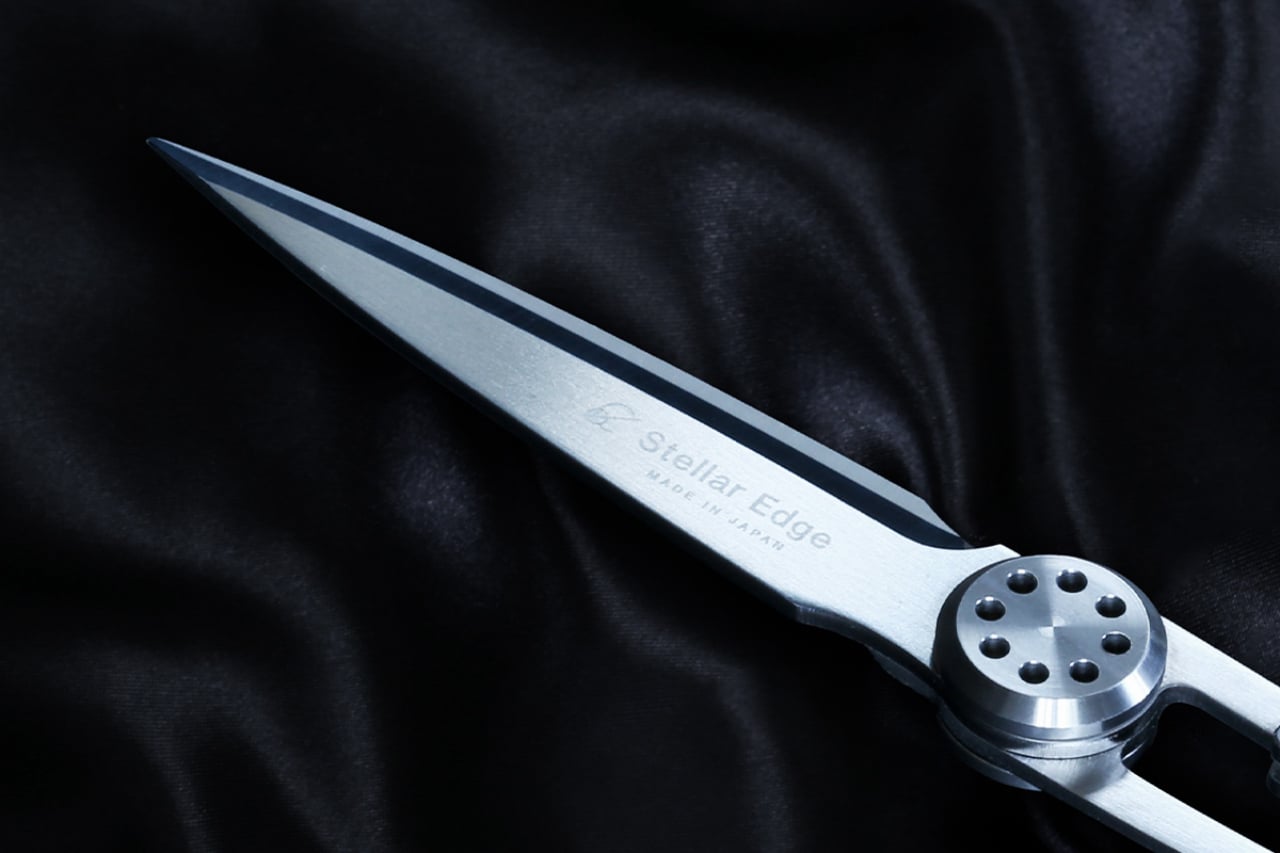
1. Stellar Edge Scissors

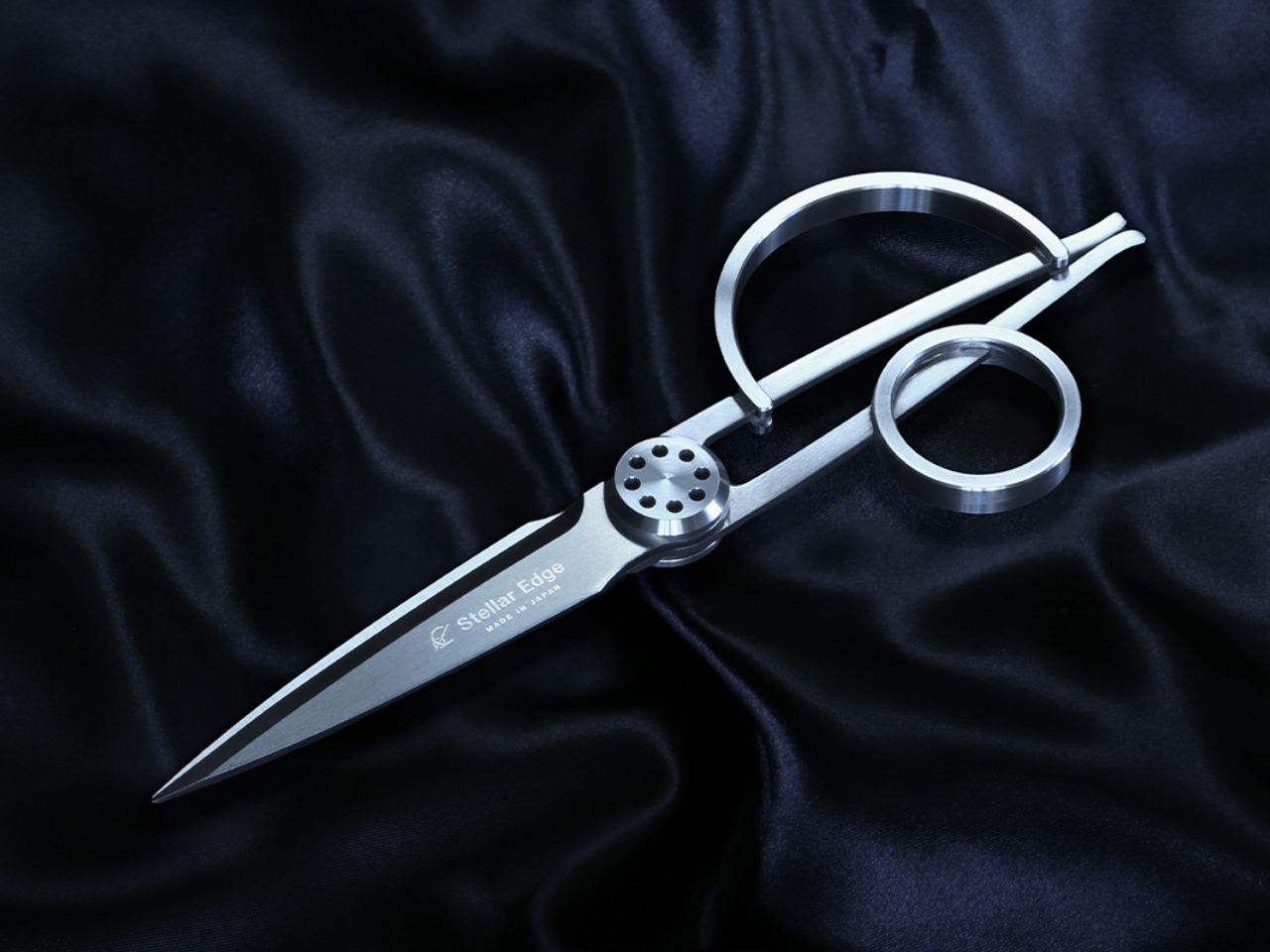
Scissors belong in a category of tools that most people replace when they break rather than choose with intention. The Stellar Edge Scissors suggest a different approach. Crafted from Japanese stainless steel, they arrive with gleaming, seamless handles and a weight distribution that makes the blade feel like an extension of the hand rather than something being held onto. Every curve and angle is deliberately considered. The result is a pair of scissors that earns a place on the desk rather than disappearing into a drawer.

Each snip registers cleanly, with the kind of resistance that confirms the blade is doing exactly what it was made to do. The polished finish across the handle elevates the tactile experience without making the scissors feel precious or fragile. Ergonomics were clearly a priority in the development: the grip sits naturally regardless of hand size, and extended cutting sessions don’t accumulate the fatigue that cheaper alternatives build across an afternoon. These are scissors for people who appreciate what happens when form and function are treated as the same brief.

What we like

  • Japanese stainless steel construction holds its sharpness across sustained use rather than dulling after a few weeks
  • The seamless handle design and polished finish make these genuinely display-worthy on a desk

What we dislike

  • The premium material and manufacturing precision place these at a higher price point than standard scissors
  • The minimalist form prioritizes aesthetics, so there are no rubber grip inserts for those who prefer a softer handle feel

2. Stalogy Editor’s Series 365-day Notebook (A6)
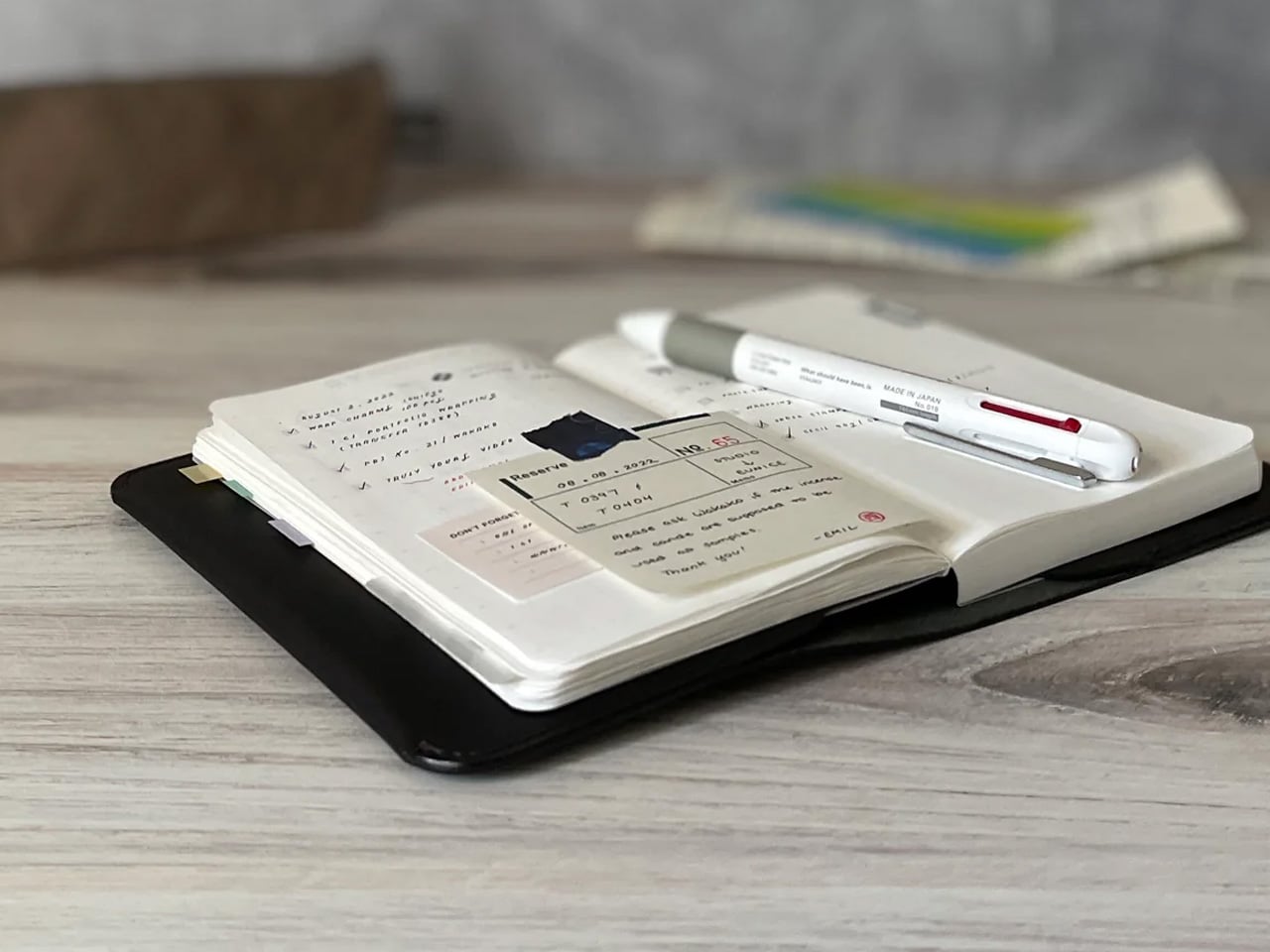
Stalogy’s 365 Days Notebook manages something most pocket notebooks don’t: 368 pages of ultra-thin paper in an A6 form factor that still fits in a coat pocket without bulging. Each page carries minimal printed detail, with dates, days, a faint grid, and time indicators that function as suggestions rather than structure. The paper itself is a genuine pleasure to write on, recalling Hobonichi’s Tomoe River stock in the way ink glides across the page without feathering or bleed-through.

What separates the 365 Days from most planners is what it refuses to do. It doesn’t impose a structure on your day or assume how your hours should be divided. Bullet journaling, daily planning, freeform sketching, and straight note-taking all work comfortably within its pages, and none of them feel like compromises. Most stationery at this level quietly pushes a method. Stalogy provides the space and steps aside, which turns out to be the more useful approach.

What we like

  • Thin paper keeps 368 pages genuinely pocketable without adding bulk to a coat or bag
  • Minimal page markings give it equal footing for structured planning and open-ended creative work

What we dislike

  • Date and time markings are printed very small, making them difficult to read in low light
  • Heavy fountain pen inks will ghost through the thin paper, limiting compatibility for serious pen users

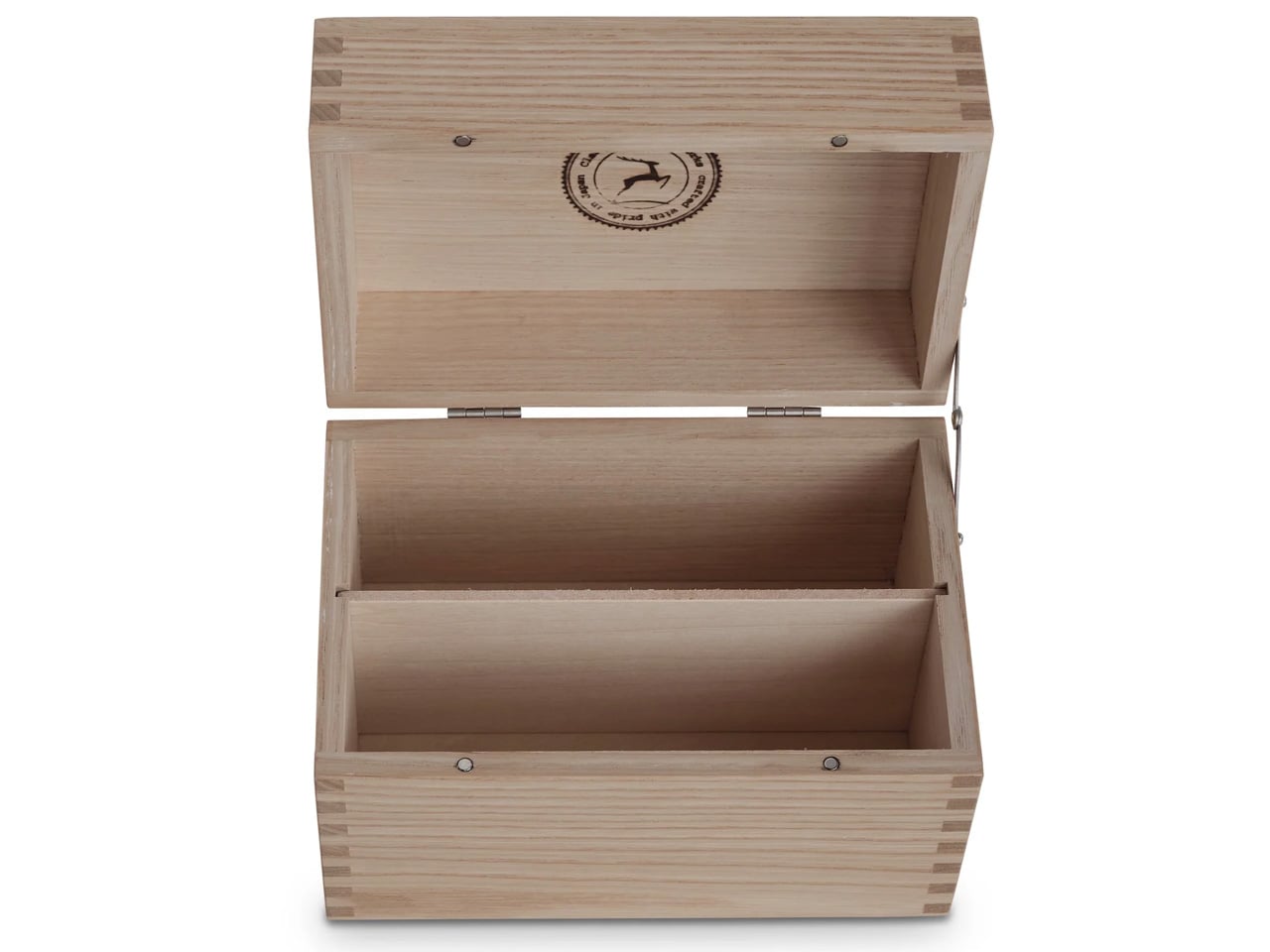
3. Classiky Chestnut Postcard Case
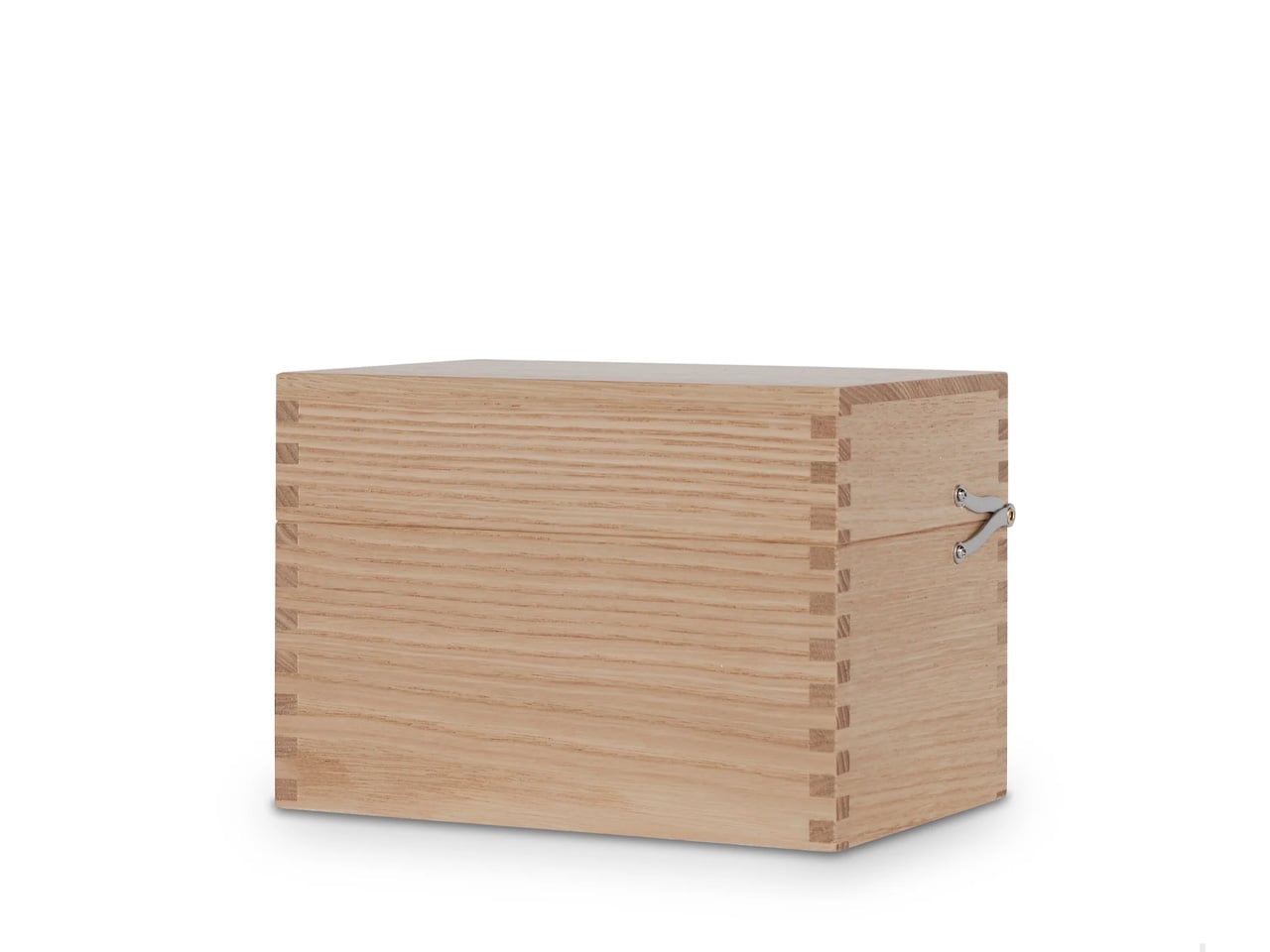
Classiky’s Chestnut Postcard Case takes its design cues from the wooden boxes Japanese craftsmen have long used to house precious ceramics. Varnished Japanese chestnut wood gives it a warmth and grain depth that plastic or metal storage simply cannot reach, and the proportions at 17.6 x 11.6 x 12.4 cm are calibrated precisely for standard postcards. Two removable separators sit inside, and a magnetic closure shuts with the kind of clean, weighted precision that makes opening and closing the thing quietly satisfying.

What makes it worth the attention is its relationship with time. Chestnut doesn’t fade with handling — it deepens, growing richer in tone the more it’s used, which means the case becomes more beautiful the longer it stays in rotation. The removable separators allow the internal configuration to shift as a collection grows or changes. For collectors, letter writers, or anyone who treats a postcard as a physical artifact worth keeping, this turns an act of storage into something closer to curation.

What we like

  • Varnished Japanese chestnut deepens in tone over years of handling rather than wearing down
  • Removable separators allow flexible internal configuration as collections grow or change

What we dislike

  • Dimensions are postcard-specific, so larger formats like A5 prints won’t fit
  • The material quality and craftsmanship place it at a premium that makes it a harder sell for casual buyers

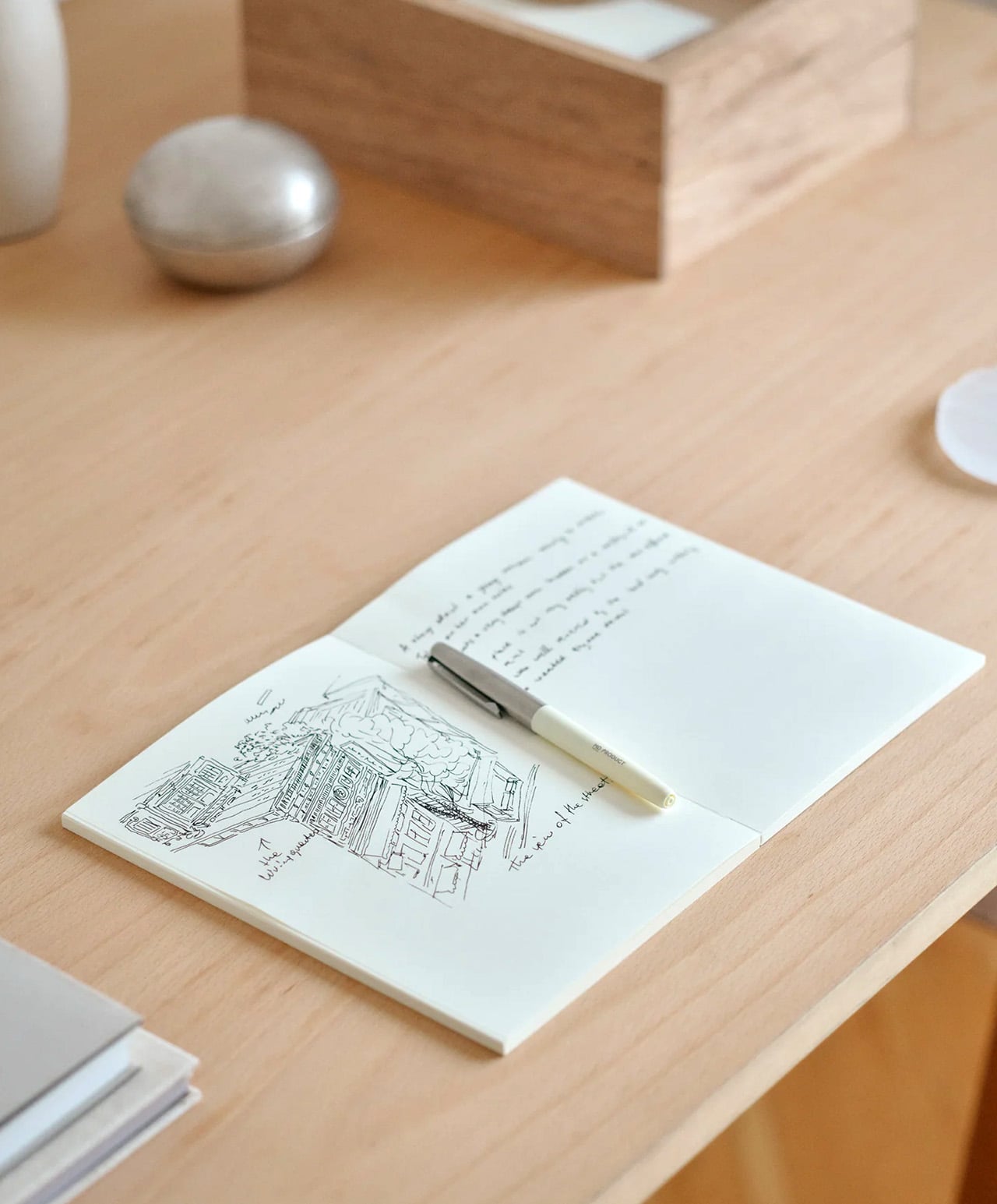
4. Midori MD Notebook A5
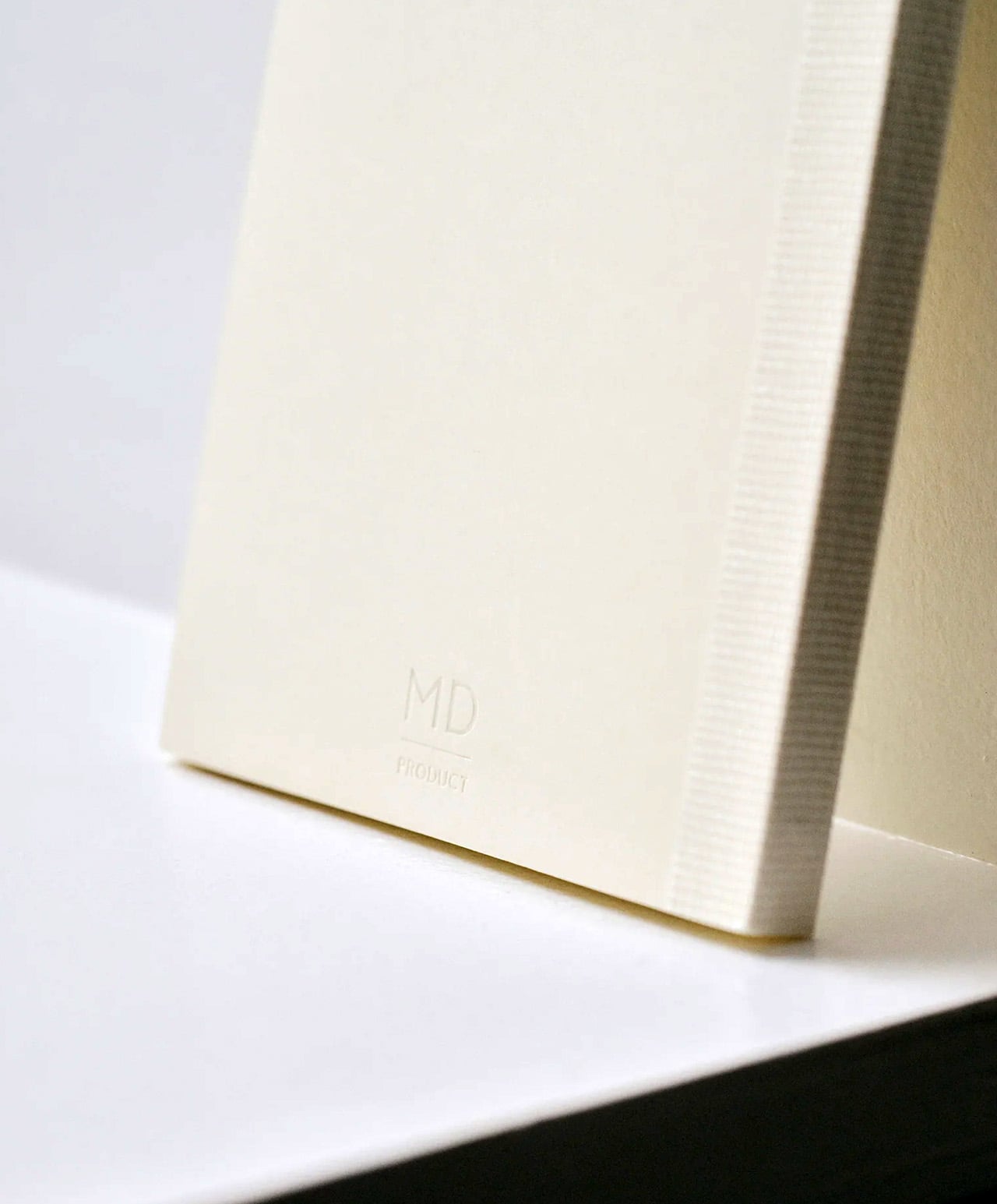
Midori developed MD Paper specifically for this notebook, and the difference is apparent within a few lines. Fountain pen ink sits on the surface without feathering into the fibers. Gel pens don’t bleed through to the reverse. Fine-liners retain their edge rather than spreading at the tip. The same paper runs across the cover, endpapers, and text pages, creating a material consistency that most notebooks don’t consider worth pursuing. Thread binding holds the quires together and allows the book to open completely flat from the first page to the last, with no resistance pulling the spread closed.

The exterior wraps in glassine paper, a translucent sheet that protects the cover and references the packaging of older books without being precious about it. Index stickers come included for navigation, and a silk ribbon bookmark sits at the spine with a color that varies by notebook type. Available in blank, lined, grid, and dot grid in A5, it is made in Japan and sold directly through md-product.com. Once you write in one, returning to a generic notebook starts to feel like a visible compromise rather than a neutral choice.

What we like

  • MD Paper handles fountain pen ink and gel pens without feathering or bleed-through, which changes the writing experience measurably
  • Thread binding allows the notebook to open 180 degrees flat, removing the resistance that glue-bound notebooks create mid-spread

What we dislike

  • The cream-toned paper suits most writing but won’t work for illustrators who need a bright white surface for accurate color work
  • The glassine cover wrapper is more delicate than synthetic covers and shows handling wear with heavy daily use

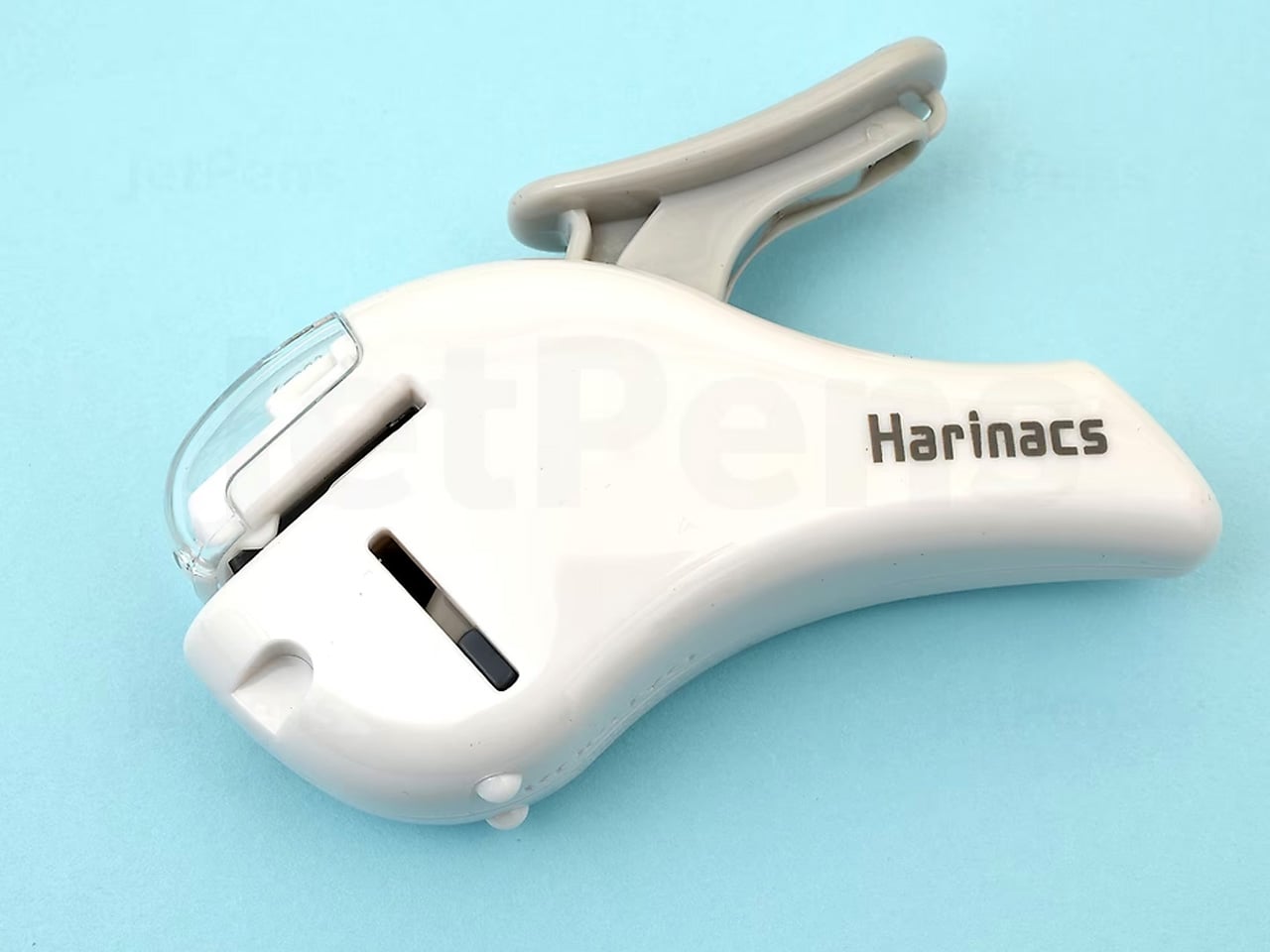
5. Kokuyo Harinacs Press

Staplers exist because paper needs to stay together, not because metal staples are the best way to achieve it. The Kokuyo Harinacs Press removes the staple entirely. A press-lock mechanism cuts a small tab directly from the sheets being bound, folds it through a matching slit, and locks the pages together without puncturing them with metal. Up to five sheets bind cleanly. The binding area stays flat so pages stack without a raised lump, and no staple removal is needed when the paper reaches a recycling bin at the end of its life.

Kokuyo has been making office products in Japan since 1905, and the Harinacs reflects the company’s long habit of questioning what the category accepts as fixed. The staple has existed long enough that challenging it feels strange, which is exactly why this product lands as well as it does. The body is compact at 34 by 95 by 85 millimeters, sits upright on a desk, and works without refills of any kind. Bindings are reversible by rubbing the lock area with a firm object.

What we like

  • The press-lock mechanism requires no consumables, so the stapler functions indefinitely without replacement staples
  • Binding is reversible using any firm object, allowing pages to separate cleanly without tearing

What we dislike

  • The five-sheet maximum limits its use for thicker documents, making it a companion tool rather than a primary binding solution
  • Very thin or coated paper may not lock as securely as standard copy-weight sheets

6. Kokuyo Hakoake Two-Way Cutter and Mini Scissors
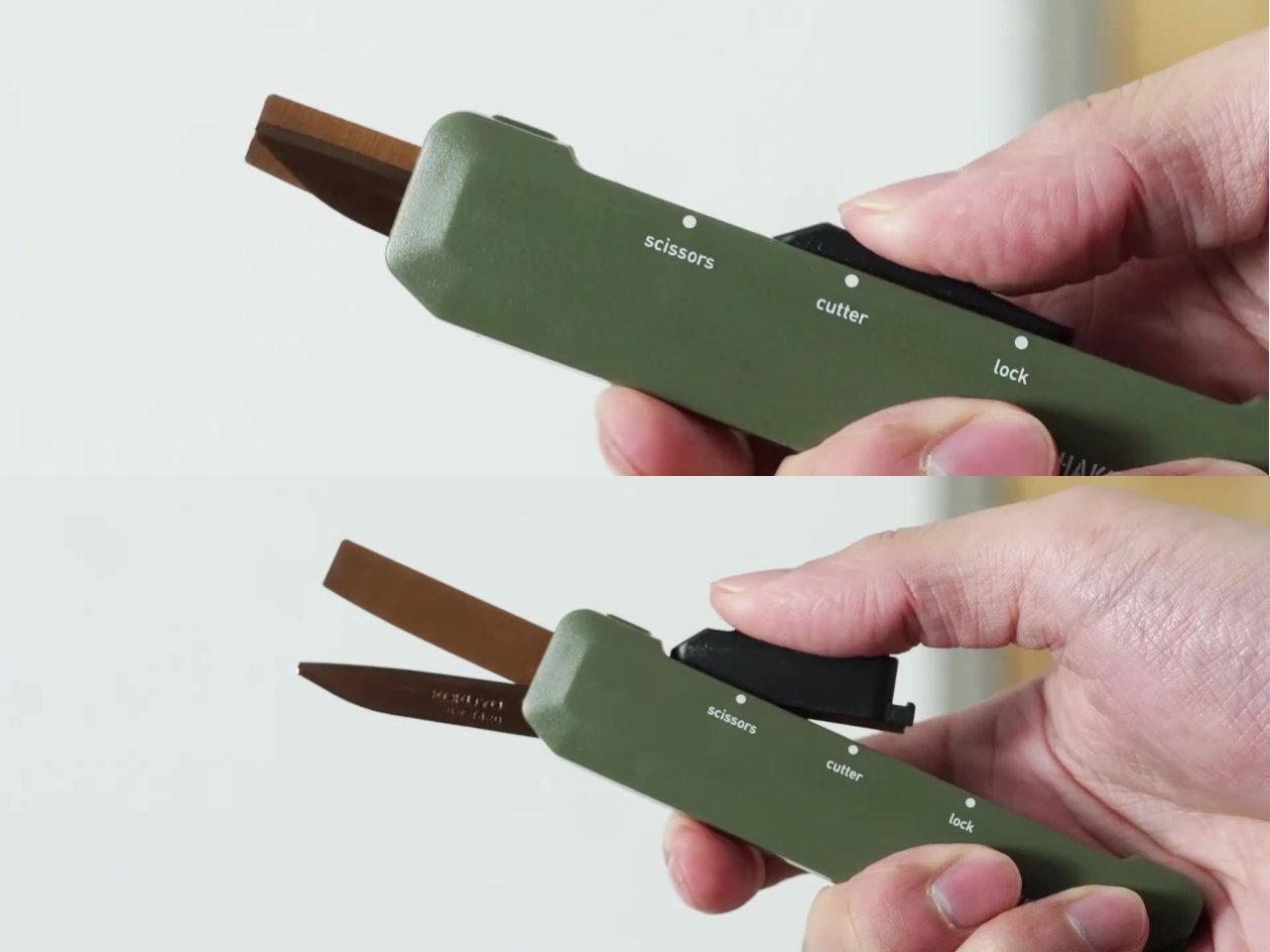
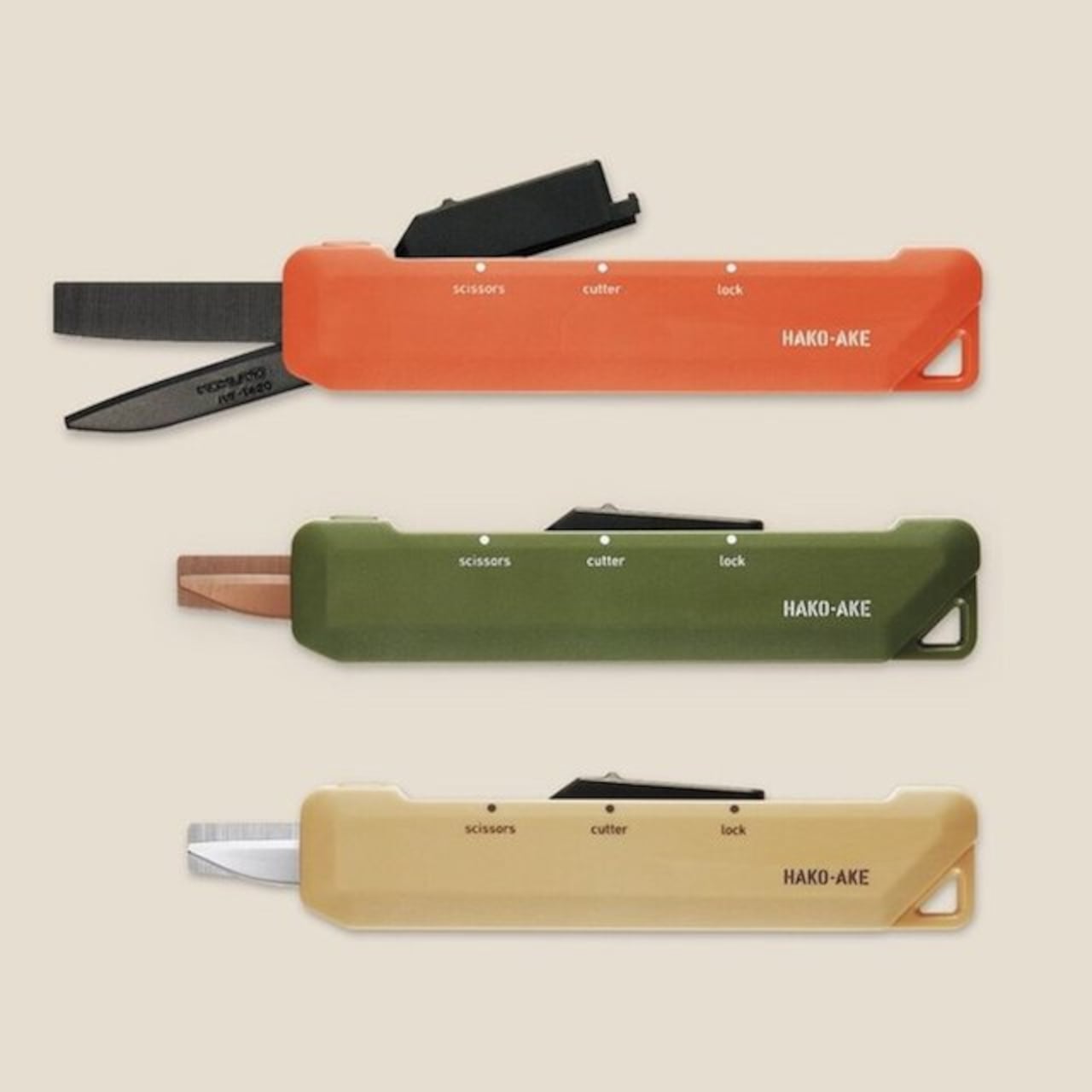
Kokuyo made one decision with the Hakoake that makes the whole product work: the switch between cutter and scissors happens with a single squeeze and slide, one hand, no covers or attachments to manage. The 3mm cutter blade is short enough to open packing tape cleanly without threatening the contents inside. Scissors mode engages by sliding the mechanism forward, and a built-in guide aligns the cut so the action is accurate without requiring careful positioning. It fits in a pencil pouch, clips to a lanyard via a strap hole, and disappears into a bag the way a good tool should.

Compact tools that try to do too many things usually fail at each of them. The Hakoake works because it only commits to two, and the two it chose are the ones that come up in the same moment. Opening a package almost always means also needing to cut a tag or trim a plastic band nearby. Having both in one slim object, without compromise to either mode, is the kind of product outcome that requires genuine engineering attention.

What we like

  • The one-handed sliding switch between cutter and scissors is fast enough to use in the same motion as reaching for the tool
  • The compact form and strap hole make this genuinely portable in a way that full-size scissors are not

What we dislike

  • The 3mm blade is purposely short, so it is not suited to cutting through thicker materials or multiple layers at once
  • The slim form factor means grip depth is minimal, which may feel less secure during heavier cutting tasks

7. Sonic Kakusta

The Sonic Kakusta spends most of its life looking like a soft pen case. Unfold it and it becomes a triangular desk stand that props pens at a 60-degree angle, steep enough to display pen tops for quick identification, shallow enough that pulling one out doesn’t send the rest toppling. A built-in divider splits the interior into two sections, a second divider in the lid creates a small shelf for erasers and sticky notes, and strong magnets hold the folded shape in place so the stand doesn’t quietly collapse between uses.

The angle is the detail that earns it a second look, but the real argument is the one object doing two jobs cleanly. For anyone moving between a home desk, an office, and a library table, the Kakusta removes the logic of carrying both a pen case and a desk cup. Most products that try to collapse two functions into one end up feeling like a halfhearted version of each. This one doesn’t, and the soft exterior keeps the whole thing light enough that the trade-off barely registers until you’re already at your desk with your pens on display.

What we like

  • Strong magnets hold the stand shape reliably, even on surfaces that aren’t perfectly level
  • The lid divider doubles as a small shelf for erasers and sticky notes, a detail most pen cases overlook

What we dislike

  • Soft material offers limited protection against crushing inside an overpacked bag
  • The triangular footprint takes up more space than a flat pouch, which matters in tighter carries

This Is What a Well-Made Desk Looks Like

The objects that last on a desk tend to be the ones that earn their place through daily use rather than first impression. Each of these seven earns it the same way: by attending to the part of the tool that most manufacturers treat as already resolved. The paper that accepts ink without spreading. The clip that silences itself. The stapler that eliminates its own raw material. Every one of those decisions took longer than the obvious alternative would have.

A desk set up with tools this considered starts to function differently. Not because the objects are precious, but because they remove the small frictions that accumulate across a working day. Reaching for a pen that is always where it should be, writing on paper that responds the way paper should, cutting with scissors that feel like they were made for a specific hand. July is a reasonable time to replace what is merely functional with what is actually well made.

The post The 7 Best Japanese Stationery Picks Of July first appeared on Yanko Design.
The 3-in-1 Wireless Charger You’d Actually Want to Leave in View

Anyone who’s deep in the Apple ecosystem knows the charging problem all too well. There’s an iPhone that needs its MagSafe puck, an Apple Watch on its magnetic disc, and AirPods waiting for their wireless spot. Before long, the desk or bedside table has turned into a tangle of cables and pads, and that’s without thinking about what happens when you need to travel.

The wireless charging accessory market has responded with a wave of multi-device stands, but most of them tend to pick a lane. Either fast and capable or foldable and portable, premium-looking or compact, but rarely all of the above. ADAM elements is trying to change that with the Mag 3 Ultra, a foldable 3-in-1 charging station designed to cover all those bases without asking you to give something up.

Designer: ADAM elements

Click Here to Buy Now: $81.75 $109 (25% off, use coupon code “25YDMAG3UL”). Hurry, deal ends in 48-hours!

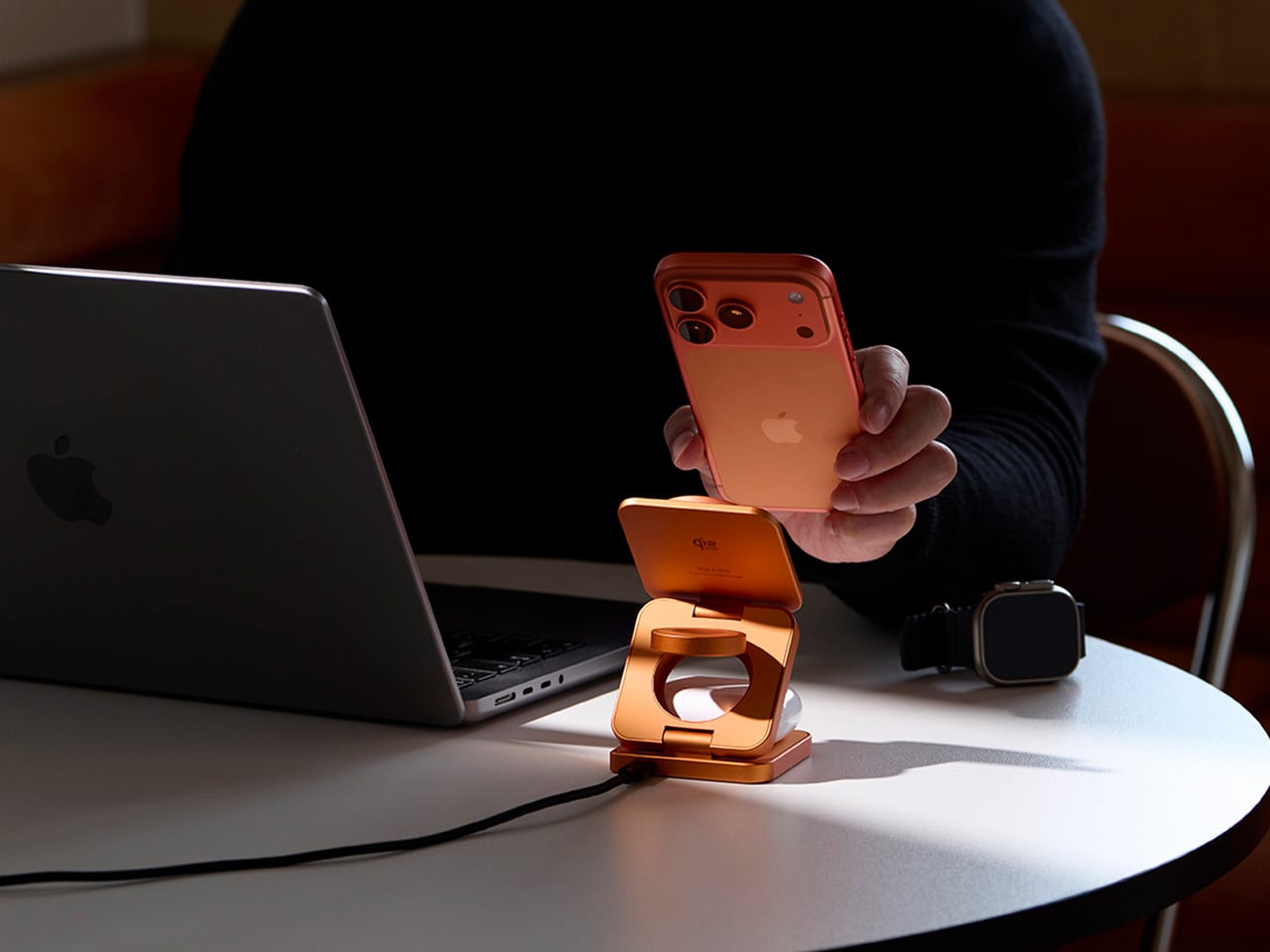
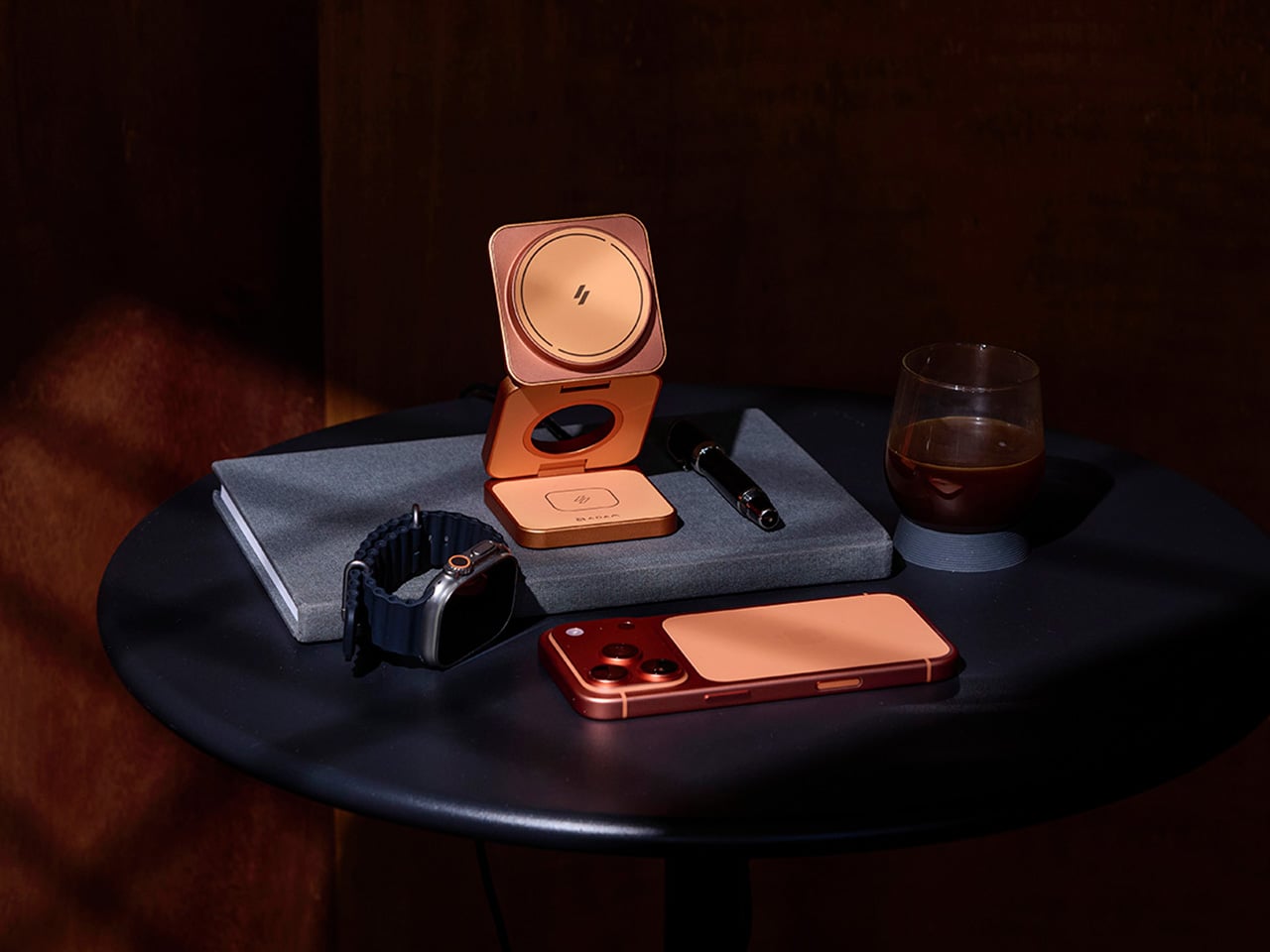
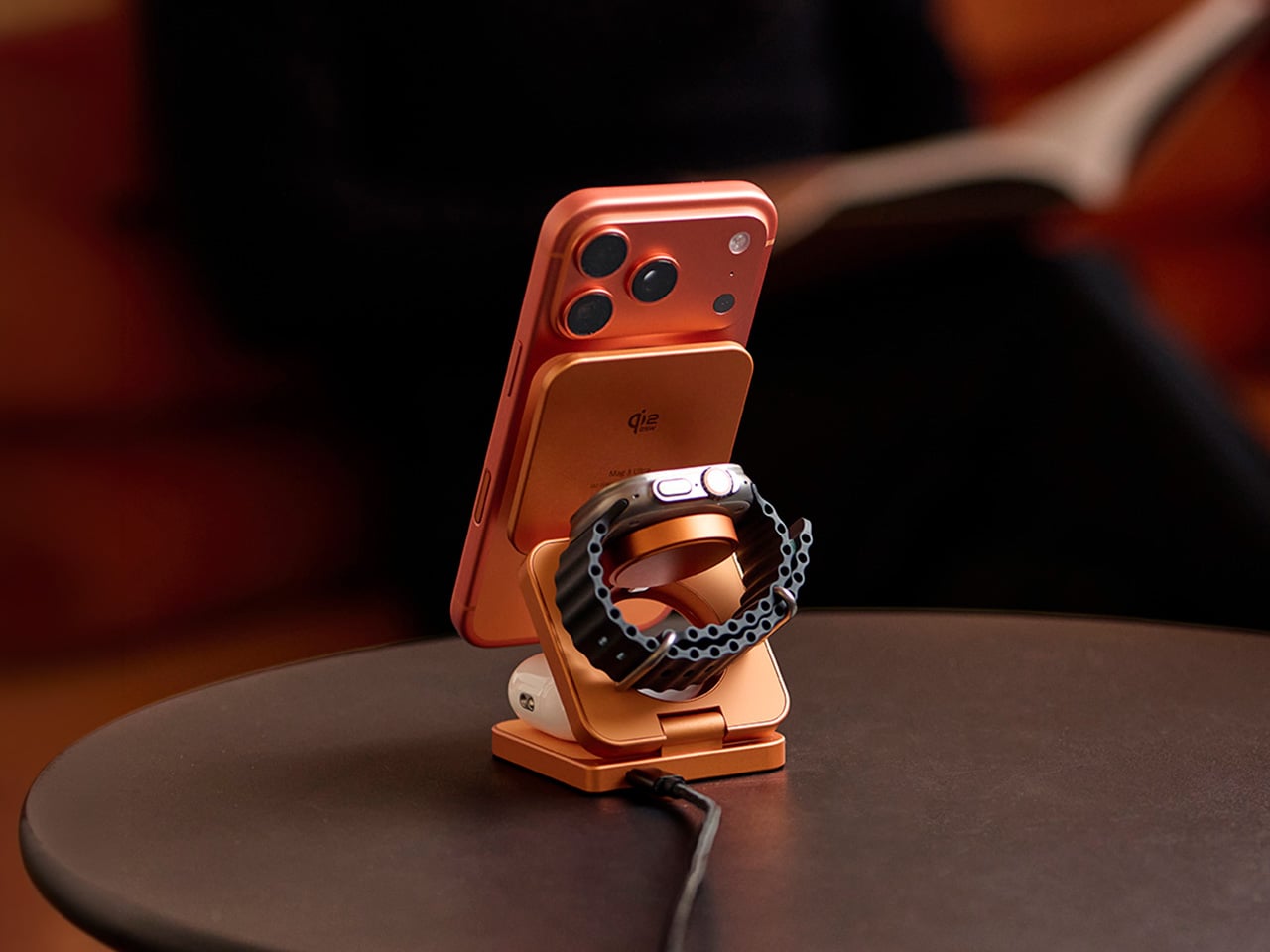
The first thing you notice about the Mag 3 Ultra is that it doesn’t look like most charging accessories. It’s made from precision CNC-machined aluminum alloy with a sandblasted texture and anodized finish, so it sits well alongside the premium devices it’s designed to power. It comes in three colorways: Titanium, Gray, and Orange, with Orange being the most visually striking of the three.

On the performance side, the Mag 3 Ultra’s main phone module is certified under the WPC Qi2 25W standard, which ADAM elements says delivers notably faster charging efficiency than 15W-class Qi2 chargers. The 25W output works best on the iPhone 16 and 17 series, while MagSafe-compatible iPhones from the 12 through 15 series still get Qi2 15W. Either way, it’s well ahead of older wireless charging speeds.

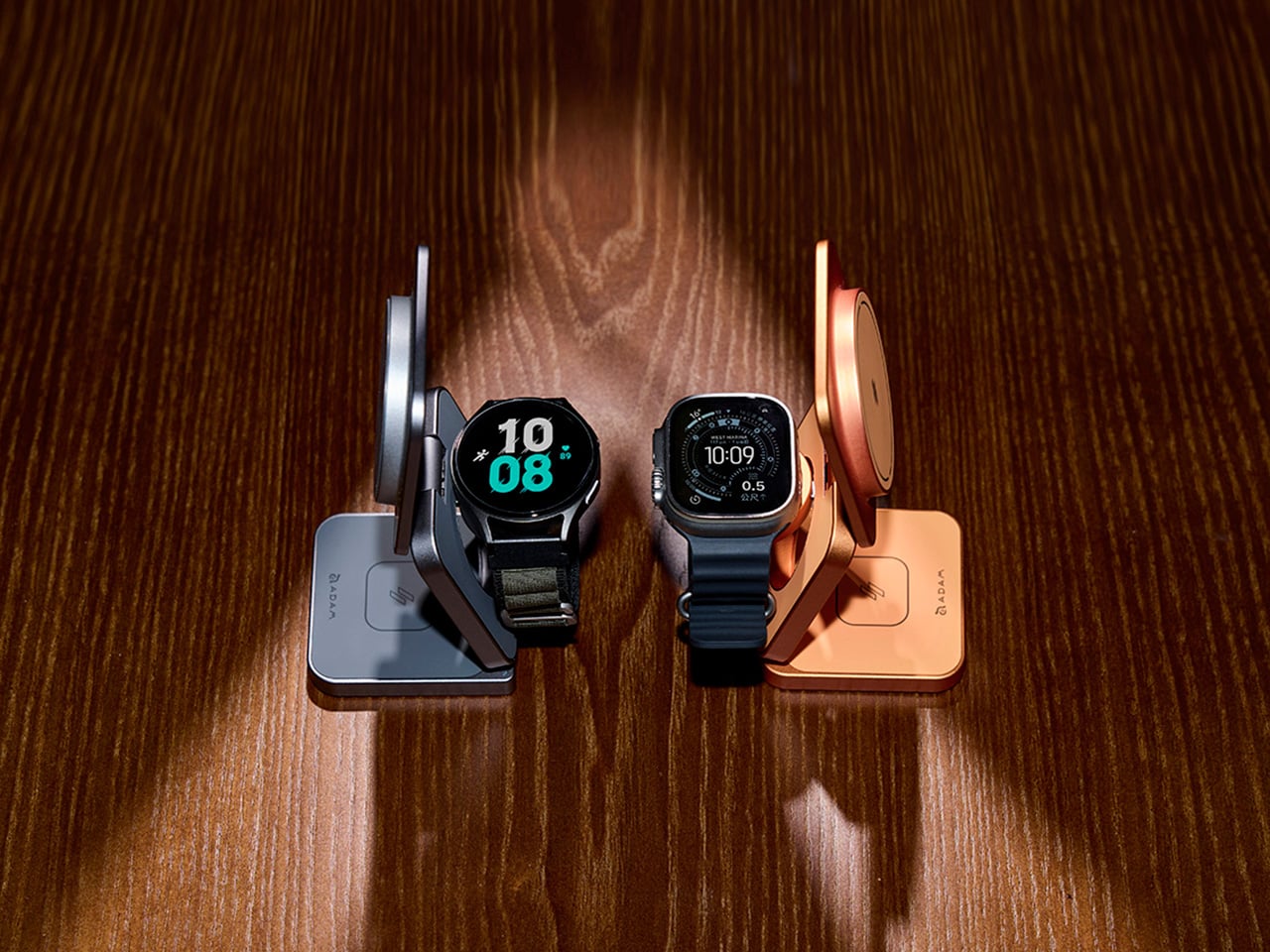
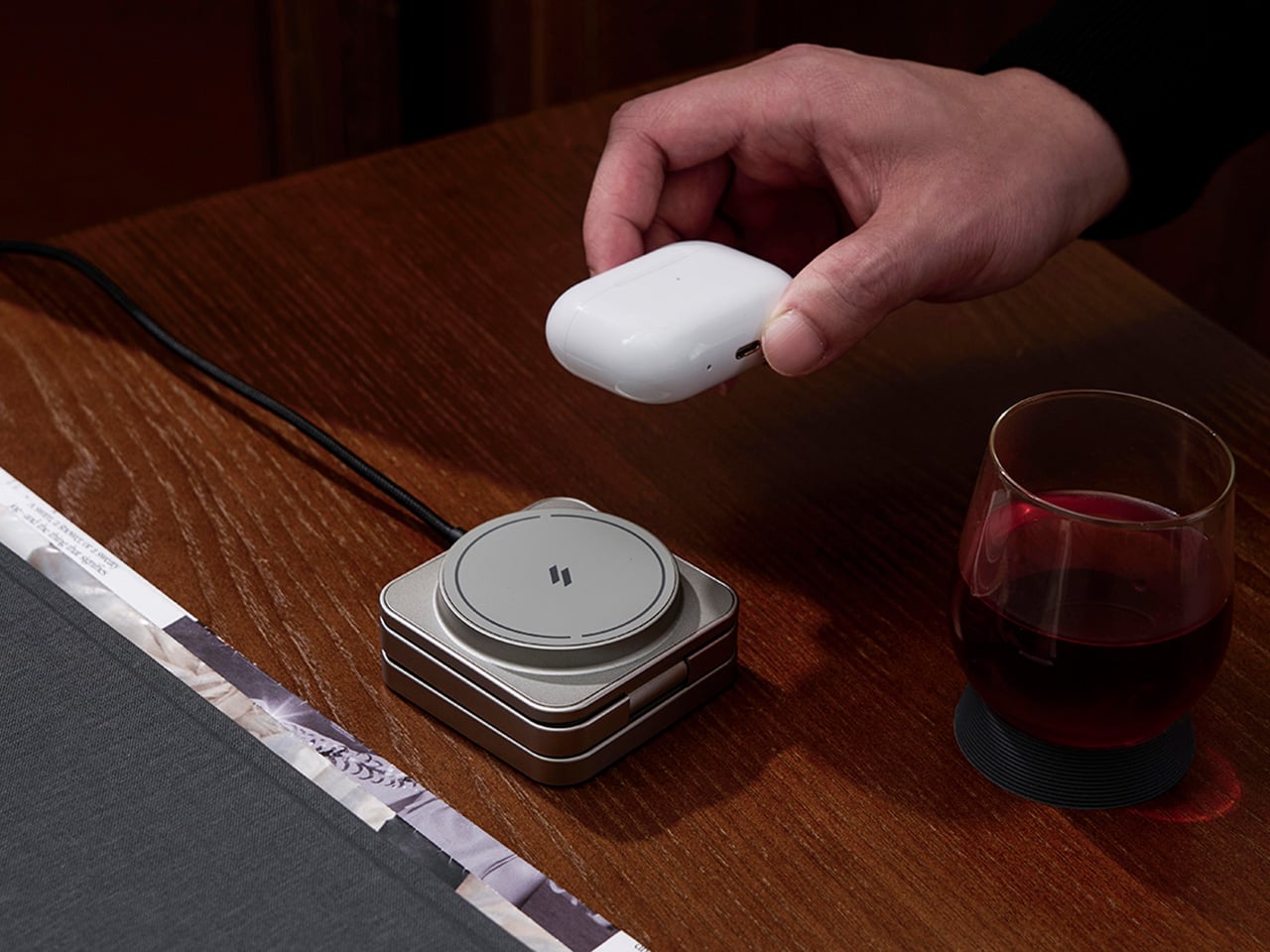
What makes the Mag 3 Ultra genuinely convenient is how it handles all three devices at once. Your phone snaps magnetically onto the main pad, your Apple Watch or Samsung Galaxy Watch sits on the dedicated watch dock, and your AirPods rest on the base charging area. It all happens concurrently, and the whole setup takes up a small footprint with just one USB-C cable.

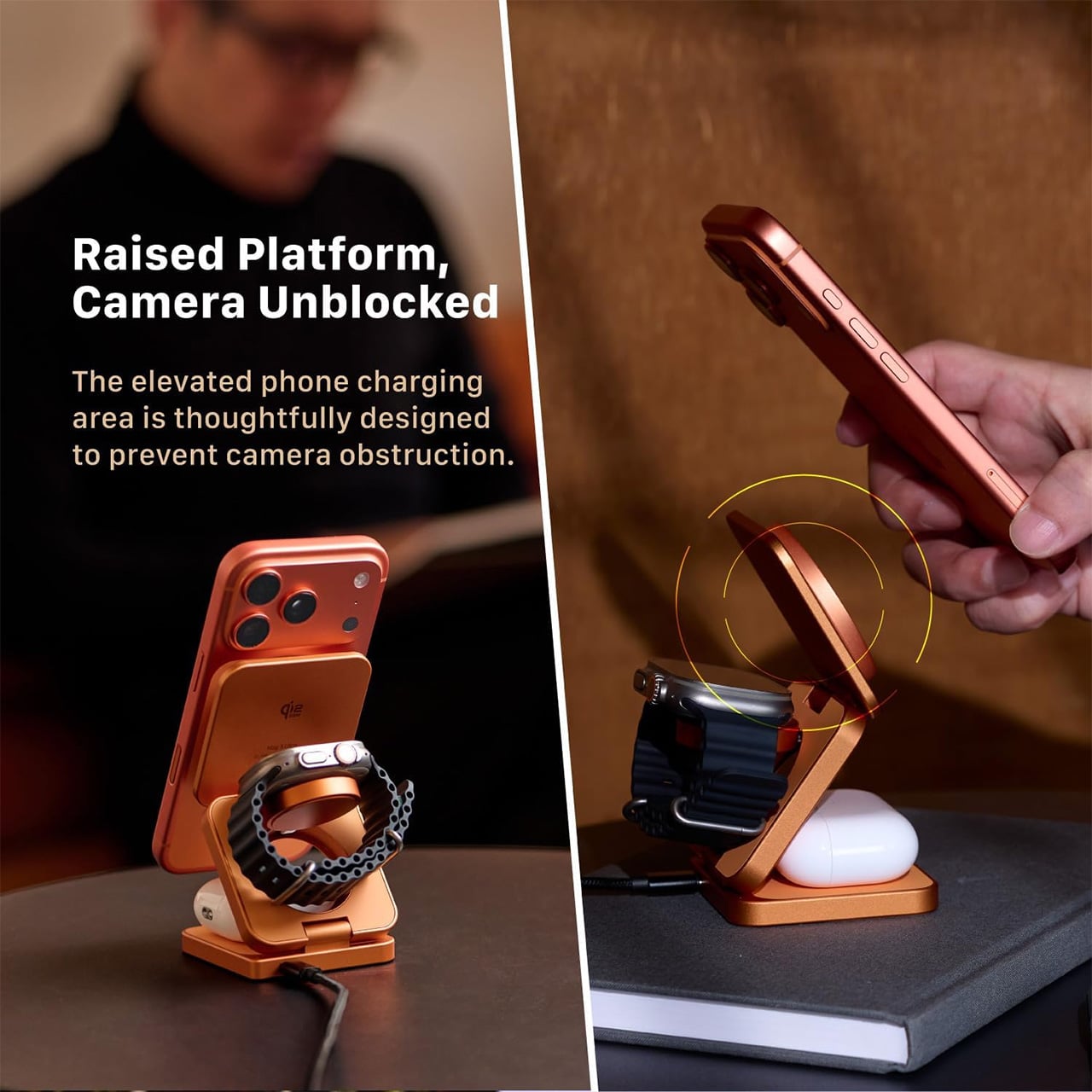
The phone charging pad sits raised above the base, which keeps the camera bump clear and unobstructed. It’s a small but thoughtful design choice that makes the charger genuinely usable while it’s working. The magnetic connection holds the phone in both portrait and landscape orientations, so you can catch up on messages, follow a tutorial, or stream something while your battery climbs.

The watch module is worth noting for its dual-system compatibility. It supports both Apple Watch and Samsung Galaxy Watch via magnetic charging, which makes the Mag 3 Ultra a practical option for households where not everyone is on the same wearable platform. It’s a sensible call that broadens the charger’s appeal well beyond the strictly Apple-only crowd that most competitors in this category target.

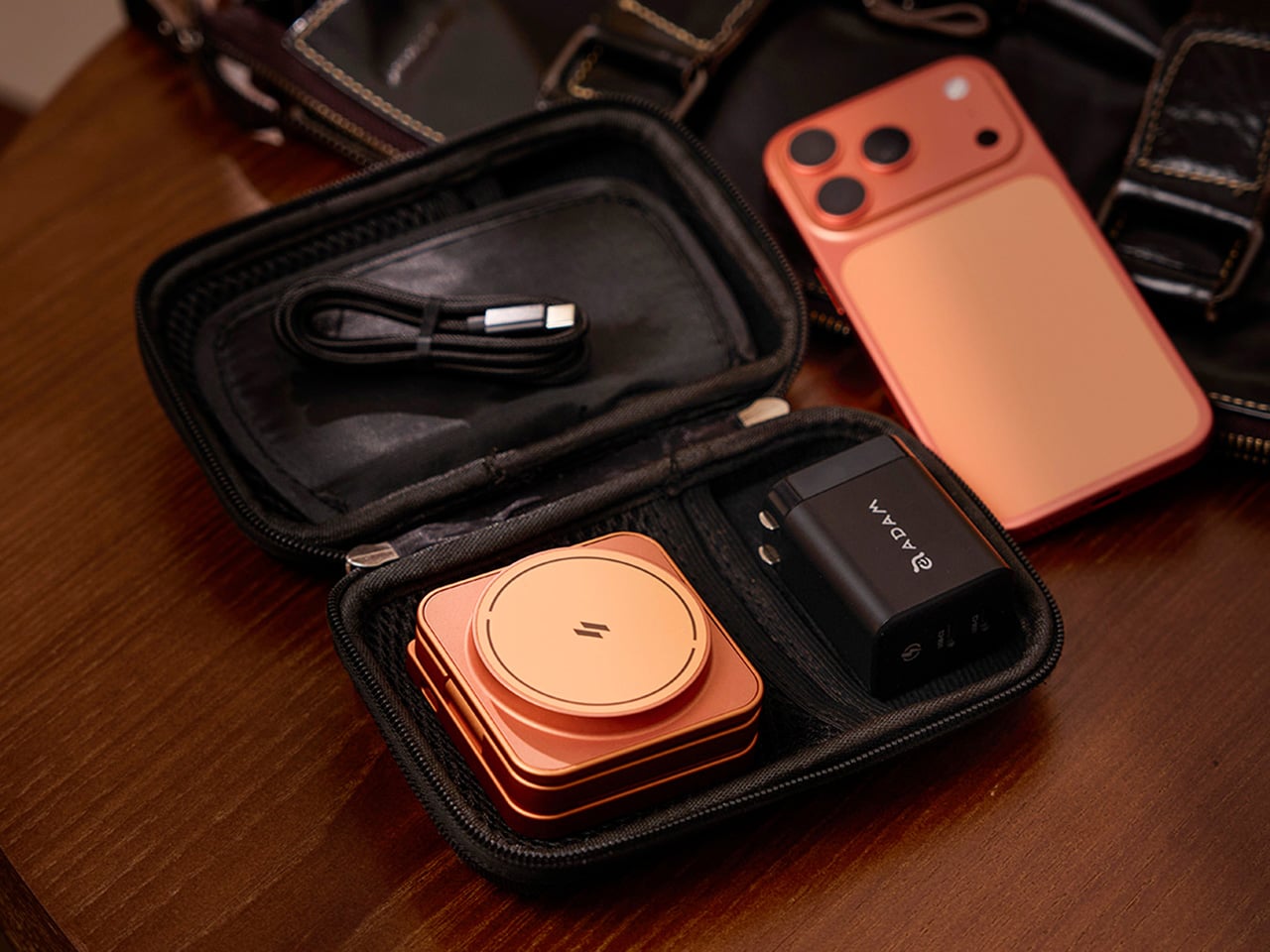
The foldable design is arguably where the Mag 3 Ultra makes its strongest case. It collapses to 66mm x 66mm x 29.5mm and weighs 205.5g, small enough to slip into a bag pocket or carry-on. A 100cm USB-C cable and protective fabric pouch are included, so the same station that lives on your desk can just as easily go on the road.

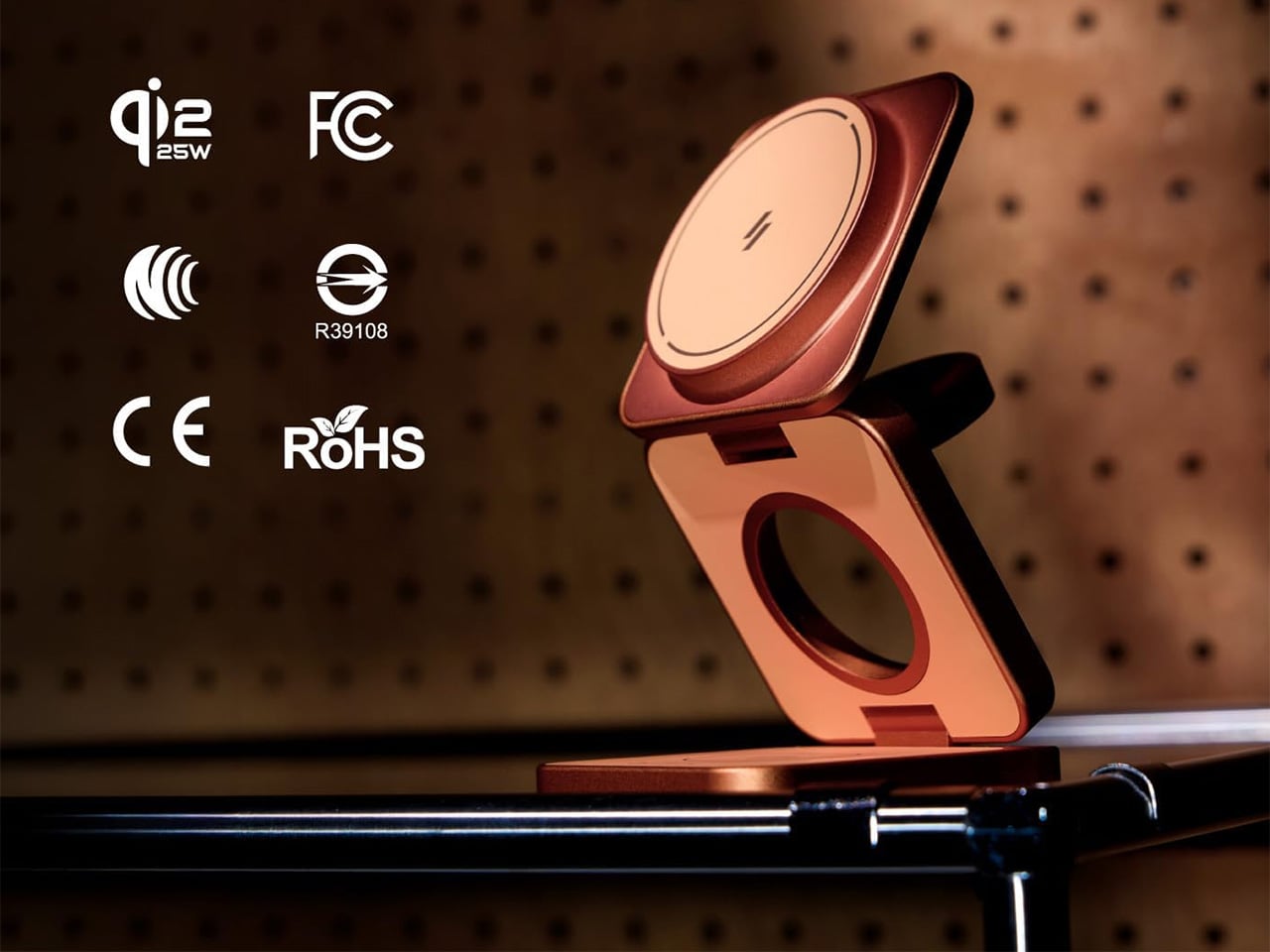
There’s also a solid set of safety protections built in, including Foreign Object Detection to prevent metal interference during charging, along with overcharge, overheat, and short-circuit safeguards. It carries Qi2, CE, FCC, RoHS, BSMI, and NCC certifications. For peak simultaneous three-device performance, ADAM elements recommends pairing it with a 45W or higher USB-C PD adapter, and it comes backed by a three-year limited warranty.

Wireless charging accessories rarely get talked about the same way a well-designed product would, but the Mag 3 Ultra is a good reason to start. The three colorways it comes in, especially that bold Orange, are a clear sign that ADAM elements wants this sitting on your desk where people can actually see it, not tucked behind your laptop where most chargers tend to end up.

Click Here to Buy Now: $81.75 $109 (25% off, use coupon code “25YDMAG3UL”). Hurry, deal ends in 48-hours!

The post The 3-in-1 Wireless Charger You’d Actually Want to Leave in View first appeared on Yanko Design.

The 5 Details Every Great EDC Design Shares in 2026

Cheap knives and great knives can share a steel type, a similar price bracket, and even a similar silhouette, yet one gets carried every day for years while the other sits in a drawer after a month. The difference rarely comes down to one dramatic failure. It comes down to five small decisions that most buyers never learn to check for, decisions about lock geometry, screw heads, pivot bearings, dimensional proportion, and low-light findability. Spend enough time with a stack of 2026 releases side by side and the pattern gets impossible to unsee.

I spent the better part of last week breaking down those five decisions using five knives currently earning their keep in pockets around the EDC community, each one chosen because it executes a single detail without compromise. None of these are the flashiest releases of the year, and none needed to be. What ties them together is a kind of restraint, the willingness to spend real machining time and material cost on a part of the knife most buyers never think to inspect. A locking mechanism gets tuned for years of one-handed use rather than a flashy debut video. A screw gets sized and disclosed rather than hidden behind a proprietary driver. That restraint is expensive to execute and easy to skip, which is exactly why so few knives manage all five at once.

1. The Lock: Why Button and Crossbar Mechanisms Made the Liner Lock Feel Dated

Liner locks and frame locks have one quiet flaw nobody talks about until they’ve sliced a thumb pad on a fast close. To fold the blade back down, your fingers have to reach across its path and nudge the lock out of the way, which is fine ninety nine times out of a hundred and a genuine hazard on the hundredth. Button locks and crossbar locks solve this by moving the release off the blade’s line entirely. Press a button or pull a bar mounted on the spine, and the blade drops shut without your fingers ever crossing the edge. It sounds like a minor ergonomic tweak until you realize it’s the same logic that made Benchmade’s AXIS lock a cult favorite for two decades, just freed up for everyone else to build on now that the patent has expired. That single expiration is why crossbar and button locks have exploded across mid-tier knives in the last two years, and why a lock type that used to signal premium exclusivity now signals a maker who’s simply paying attention.

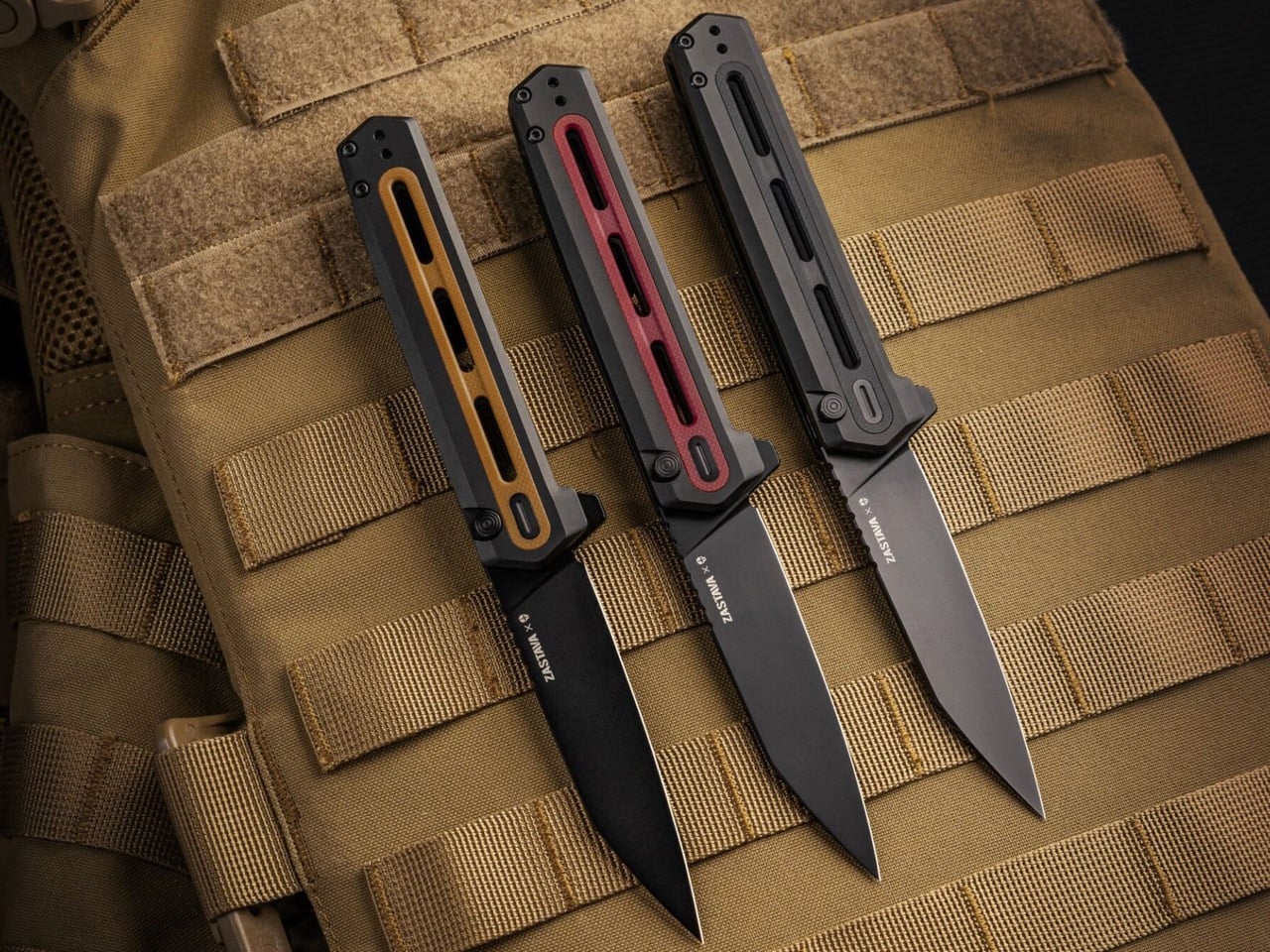
Tekto’s F4 Echo, a collaboration with Zastava Arms USA that leans hard into the gunmaker’s rifle heritage, runs exactly this kind of button lock, and it’s tuned well enough to matter. Press the button and the CPM S35VN blade drops free with none of the mushy half-engagement that plagues cheaper button locks, then a flick of the flipper tab snaps it back open with the same crisp confidence. Closing it is a one-handed motion, thumb on the button, palm rolling the spine shut, no crossed fingers anywhere near the reverse tanto edge. It’s a satisfying click too, the kind that turns into an idle fidget habit whether there’s anything to cut or not. At $199.99 it isn’t chasing budget-tier button locks racing to the bottom on price. It’s proof the mechanism has fully arrived at the mid-tier, executed with a materials upgrade to match, and Tekto clearly built it for people who’ll notice the difference immediately.

Click Here to Buy Now: $170 $199.99 (15% off with code YANKO). Hurry, deal ends in 48-hours! Free FedEx 2Day shipping within the USA.

2. The Pivot: Why Ceramic Bearings Turned Washers Into a Warning Sign

Pull apart any budget folding knife from a decade ago and you’ll almost always find phosphor bronze or Teflon washers wrapped around the pivot, a setup that works fine until grit, lint, or a humid afternoon gets between the layers. Washers rely on flat surface contact, so any contamination turns a smooth flip into a gritty drag that needs a hard wrist snap to force open. Ceramic bearings solve this by replacing that flat contact with a caged ring of hardened balls that roll instead of scrape, cutting friction dramatically and staying consistent even when the knife is dirty. They also can’t rust the way steel bearings eventually do, so a knife that’s been caught in the rain still deploys glassy smooth a year later. This used to be the detail separating a $50 knife from a $300 one, and in 2026 that gap has mostly closed. Once ceramic bearings became cheap to source and simple to cage correctly, there was no honest excuse left for a stiff pivot at any price.

Civivi’s Elementum earned its reputation as the reset button for budget EDC largely by being one of the first sub-$50 folders to ditch washers for a caged ceramic ball bearing pivot outright. The Elementum II carries that same pivot forward while adding a tuned button lock, and the bearing underneath does most of the work on how the knife actually feels in hand. Flick it open and it glides with none of the initial stiffness a washer knife needs to work through, and the closing motion rides that identical smooth pivot rather than some separate mechanism bolted on for the button. At 2.96 inches of Nitro-V steel and under $100 across most configurations, it’s proof the bearing upgrade never had to live exclusively at the premium end of the market. Civivi more or less forced the rest of the budget category to either match that pivot or explain why they hadn’t.

3. The Glow: Why Tritium Slots Separate Findability From Decoration

Tritium vials are sealed glass tubes filled with a radioactive gas that emits a faint, self-powered glow for roughly 25 years with no batteries and no charging required, and EDC makers have been drilling slots for them since around 2020. Plenty of that early adoption was pure theater, vials tucked into handle scales where your palm covers the glow the moment you pick the knife up, or embedded on a blade spine where they serve no purpose beyond looking tactical in a product photo. A well-placed slot solves an actual problem instead. Drop a knife in a dark bag, a glove box, or beside a bed at 2am, and a tritium vial is the difference between patting around blind and spotting a faint green dot exactly where you left it. Vials run $15 to $40 each, so a maker adding two of them made a deliberate call. Decoration gets bolted on wherever there’s leftover space, while findability gets placed exactly where your eye needs to land first.

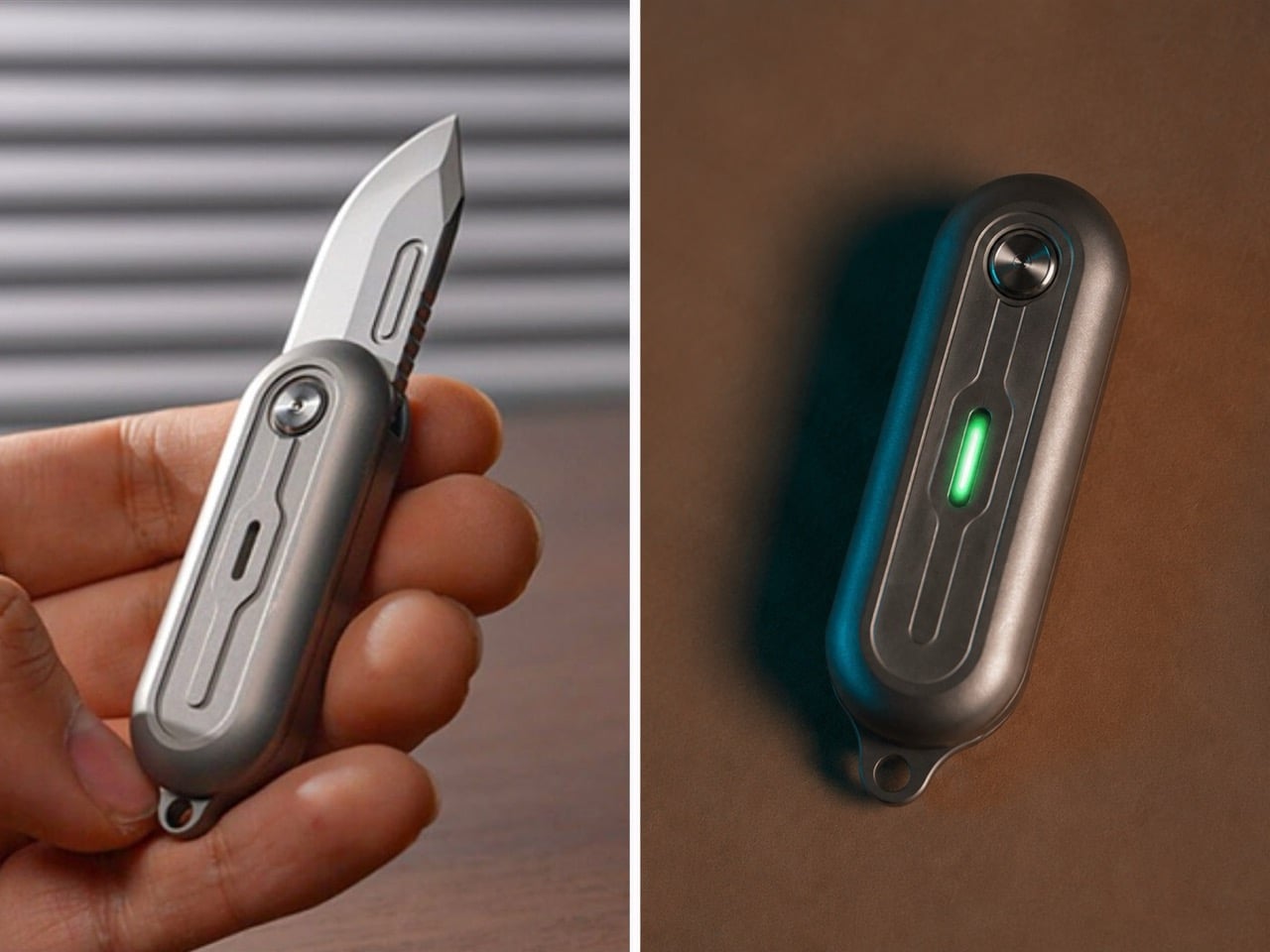
TiNova II puts that logic to its intended use. The two tritium slots sit on the flat faces of its Grade 5 titanium scales, and depending on the finish, you get either raw sandblasted titanium letting the glow read plainly or a black-coated version that makes those same vials do most of the visual work in a dark pocket or bag. At 2.54 inches closed and just 59.3 grams, this is a knife built for keychain duty first, exactly the kind of small object that goes missing in a junk drawer or backpack pocket without a locator built in. The D2 steel blade deploys with a 360 degree spin off a ball bearing pivot, more fidget toy than tactical folder, but the tritium slots keep it from being purely a novelty. It’s a genuinely small detail on a genuinely small knife, and it’s exactly the kind of detail that separates a maker thinking about how the object gets used at night from one just checking a spec sheet box.

4. The Footprint: Why 8 Inches Became the Serious EDC’s Sweet Spot

EDC has spent the better part of a decade chasing extremes in either direction, keychain folders under 4 inches closed competing with hard-use tank knives pushing past 9 inches open, both categories treating size as the headline spec. Somewhere in the middle sits a range most serious knives have quietly converged on, an overall open length around 8 to 8.3 inches paired with a blade close to 3.5 inches. That proportion isn’t an accident or a coincidence across brands. It’s large enough to give a full four-finger grip real purchase on the handle, yet compact enough to disappear into a front pocket without printing through the fabric or announcing itself in a waistband. The blade length lands right at the edge most carry jurisdictions still consider reasonable, long enough for food prep, package handling, and cordage work without crossing into knife-you-have-to-explain territory. Novelty chases a headline number. Dimensional maturity chases the number that actually gets carried every day.

Tactile Knife Co.’s Maverick sits almost exactly on that mark, running 8.18 inches open with a 4.7 inch closed length and a 3.5 inch CPM MagnaCut blade that splits the difference between edge retention and rust resistance better than almost anything at this price. Richard Rogers designed the knife’s tri-lobe handle shape specifically to fill a full-size hand without adding bulk, and the crossbar lock keeps the release off the blade’s path the same way the better button locks do, so drawing and closing it one-handed never feels like a negotiation. At 3.9 ounces in titanium, it carries with enough presence to feel substantial without dragging a pocket down, which is the entire argument for this dimensional range in one knife. Tactile built it in Dallas alongside its better-known pen line, and the proportions read like a team that already understood exactly where the size ceiling for daily carry actually sits.

5. The Fastener: Why Torx Screws Signal a Maker That Expects You to Stick Around

A screw head sounds like the last thing worth judging a knife on, but it quietly tells you how a maker feels about your relationship with the tool over the next decade. Torx resists cam-out under torque, distributes pressure evenly across the star pattern, and doesn’t strip the way a Phillips head does after the third disassembly. Cheaper knives lean on Phillips because the drivers are everywhere, or worse, they use a proprietary bit tucked into a tiny plastic bag that gets lost within a month, quietly forcing you back to the store when the pivot finally needs a clean. The real tell in 2026 isn’t whether a knife uses Torx at all, since most premium builds do by now. It’s whether the maker actually tells you the size. A listed T6 or T8 is an invitation to keep the knife running for years. A vague “tool included” is a maker who’s already planning for you to lose it and buy another knife instead.

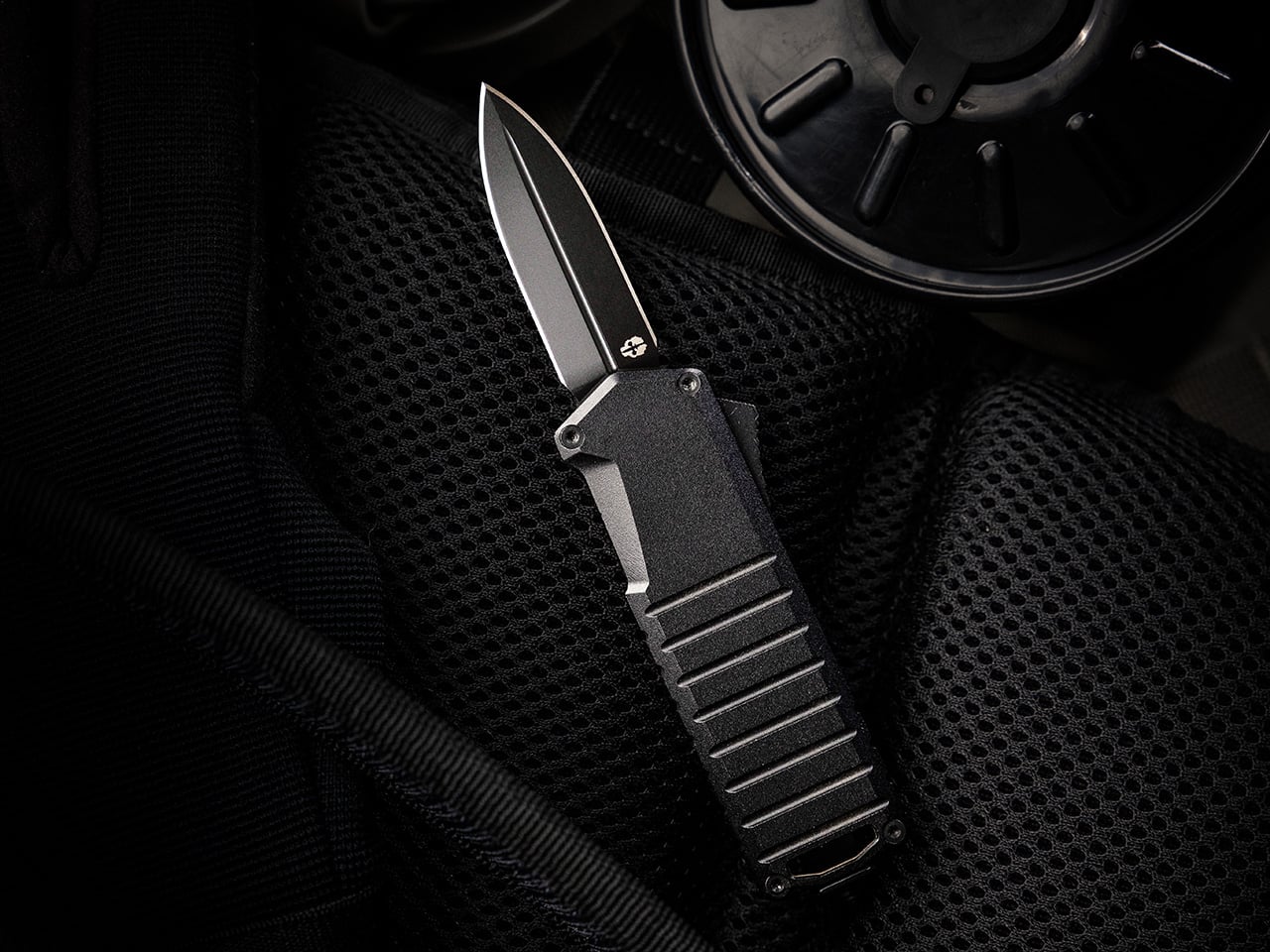
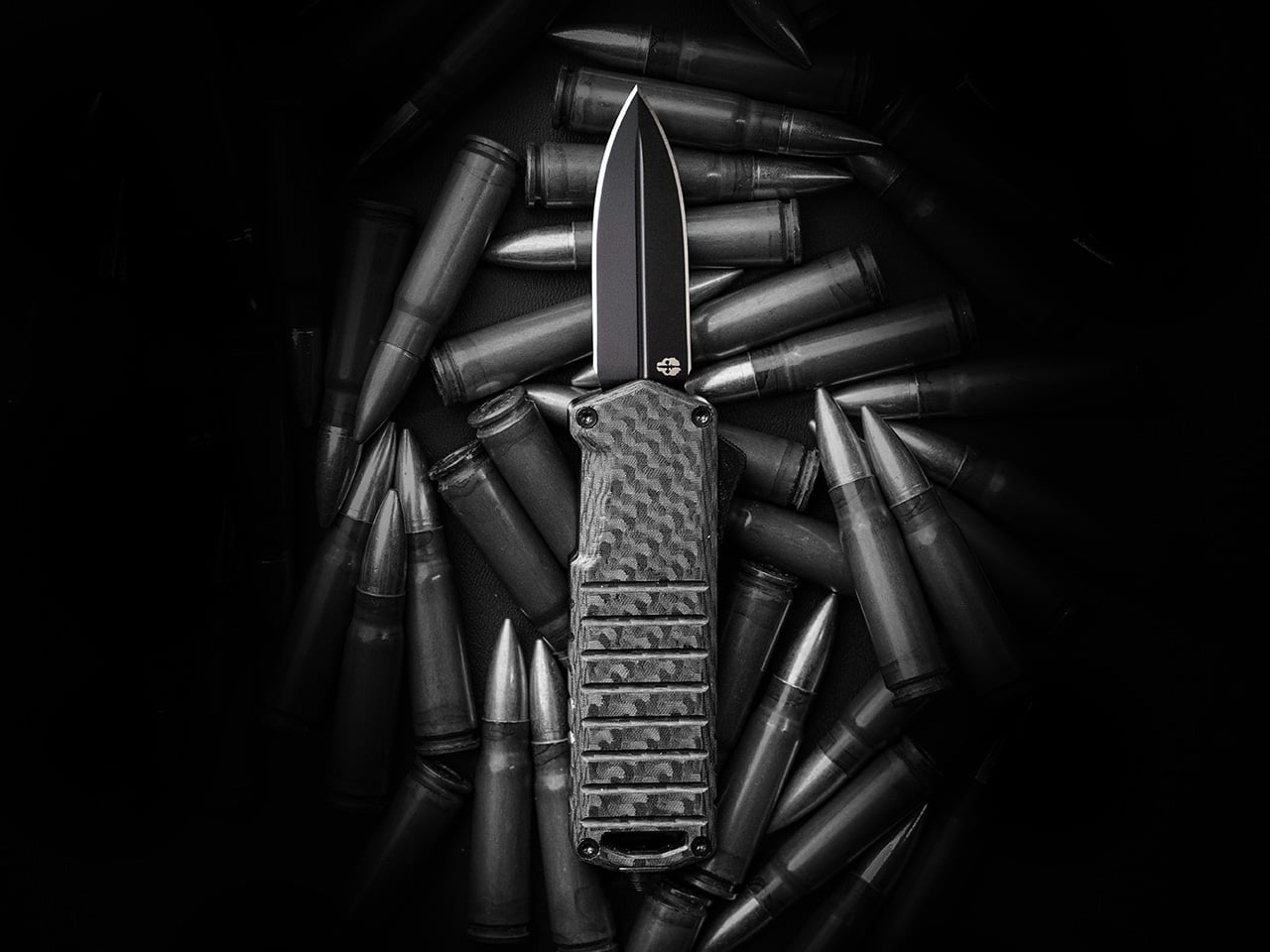
Tekto builds the A2 Badger around that same philosophy, running Torx head screws visible on all four corners of the chamfered aluminum handle rather than hiding the hardware or pressing it in permanently. That transparency matters more than usual here, since the Badger is an OTF, a mechanism with more moving parts than a standard folder and one that benefits from an owner who’s actually willing to open it up and relube the slide over time. At 2.18 ounces with a titanium coated D2 blade under two inches, the Badger was built specifically to slip past the length restrictions that plague OTF knives in restrictive states, and Tekto backs that engineering with a full warranty against material or manufacturing defects. Standard Torx hardware on every corner means an owner can actually service the thing rather than just carry it until something inside finally gives out. It’s a small, unglamorous decision, and it’s exactly the kind that separates a knife built to last from one built to sell once.

Click Here to Buy Now: $119 $139.99 (15% off). Hurry, deal ends in 48-hours! Free FedEx 2Day shipping within the USA.

The post The 5 Details Every Great EDC Design Shares in 2026 first appeared on Yanko Design.
This $70 Japanese Candle Burns From the Inside Out & Lights a Room Better Than Anything Else on Your Shelf

Most candles do one thing: burn down and disappear. The wax melts, the light fades, and what you are left with is an empty vessel and a faint smell of something vaguely floral. The Japanese Lantern Candle does not follow that logic. Rooted in the design of the chouchin, the traditional paper lanterns that once lit up festival streets and the doorways of old izakayas, this candle holder holds its shape while the flame quietly does its work inside. The outer wax never melts. The light does.

What changes as the candle burns is the experience. The inner candle gradually hollows out, and as it does, the light begins filtering through the undulating surface of the outer shell in a slow, shifting pattern that is difficult to look away from. Handmade by craftsmen in Kurashiki, Japan, it carries the kind of quiet specificity that separates an object made with intention from one made for convenience. That distinction is easy to feel the moment it is lit.

Click Here to Buy Now: $70.00

The Light That Stays

The patented technology behind the outer shell is what makes this candle worth understanding. Conventional candles collapse inward as the wax disappears, which means the design and the light disappear with them. Here, the outer layer holds its form throughout the life of the candle. The undulating surface was not designed purely for aesthetics, though it earns its place on that front as well. As the inner flame burns lower, the light catches and bends through the curves of the shell in a way that shifts with the burn, giving the candle a different quality of light at the end of its life than at the beginning. It is a slow reveal rather than a slow fade.

Crafted in Kurashiki, Designed for Stillness

Kurashiki is a city in Okayama Prefecture with a long history of textile craft and traditional artisanship. The candles made there carry that lineage in the way they are finished. Each one is handmade, which means no two are entirely identical, and the minimalist exterior reflects a restrained design philosophy that integrates into most interior spaces without demanding attention. It works on a bedside table, a bathroom shelf, or the center of a dining surface. The intention behind it, a calming ritual to mark the end of the day, is built into the form itself. You do not need to think about how to use it. You simply light it.

What We Like

  • Patented outer shell technology: the wax casing holds its structure as the inner candle burns, preserving the lantern form and the quality of the glow through the entire life of the candle
  • Handcrafted in Kurashiki, Japan: made by artisans in a city with a genuine tradition of craft, which shows in the finish and the material consistency
  • Undulating surface design: as the inner flame burns through, the light catches and moves across the curved surface in a way that no flat-sided candle can replicate
  • Minimalist aesthetic: the design integrates into contemporary and traditional interiors equally, without the visual noise of decorative candles that prioritize appearance over atmosphere

What We Dislike

  • No replacement candle system specified: the product does not make clear whether inner candles can be sourced and replaced once the original burns out, which affects the long-term value of the outer shell
  • Limited availability: with only a small number left in stock and no confirmed restock date, it is the kind of object that disappears before most people know it exists

A Ritual Worth Keeping

There is a particular kind of object that earns a permanent place in a room not because it demands to be noticed but because the room feels different without it. The Japanese Lantern Candle belongs to that category. It does not perform. It simply holds the light in a way that slows the room down, which is the point of the chouchin tradition it draws from, and the point of any ritual worth building around the end of a day.

If the candles currently on your shelf burn flat and leave nothing behind, this is the straightforward upgrade. At $70.00, it is the cost of something made by hand, in one place, for one purpose. Pick it up before the remaining stock is gone.

The post This $70 Japanese Candle Burns From the Inside Out & Lights a Room Better Than Anything Else on Your Shelf first appeared on Yanko Design.
5 Japanese Design Gifts for Him That Feel Like They Were Hand-Carried From Kyoto

The best gifts don’t announce themselves. They sit quietly on a desk or a shelf and earn their place over months, long after the novelty of anything else has faded. Japanese design understands this better than almost any other creative tradition. The deliberate object, stripped of everything unnecessary, built to be used every single day without ever wearing out its welcome. These five picks operate on exactly that frequency.

None of these are mainstream. You won’t find them at a department store or wrapped in packaging that tries too hard. What they share is a quiet commitment to material honesty: titanium that carries no taste, porcelain with no visible branding, brass that darkens with use, incense that smells like a forest. Together they cover a full day, from morning coffee through the last drink of the night.

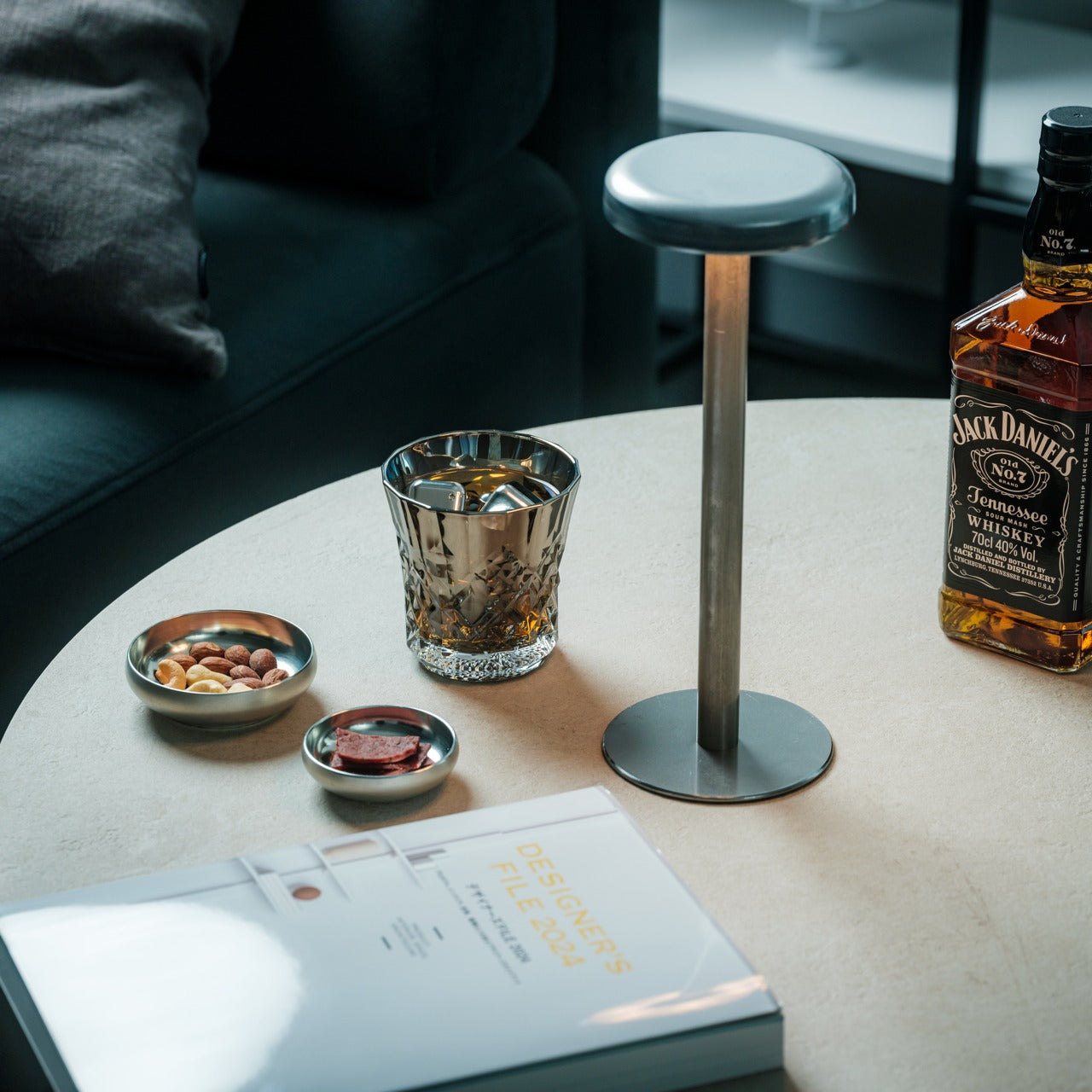
1. Unfiltered Titanium Whisky Glass

Titanium is one of the few materials that genuinely changes how a drink feels without changing how it tastes. It is completely non-reactive, which means spirits come through clean, with nothing added by the vessel and nothing taken away. The Unfiltered Titanium Whisky Glass takes that material property and builds around it a form that is spare and considered, lighter than glass but with a presence in the hand that reads immediately as deliberate. It is the kind of object that prompts questions before a single word is said about it.

For the person who cares about the quality of a drink as much as the ritual around it, this glass closes a gap that most barware never bothers addressing. Titanium used at this level belongs to aerospace and surgical contexts. Bringing it to a whisky glass is not a novelty decision; it is a statement about what the object is actually for. It performs differently from glass and crystal, and that difference is the point. Some gifts upgrade a shelf. This one upgrades a habit.

Click Here to Buy Now: $90.00

What we like

  • The non-reactive titanium construction delivers spirits with complete neutrality, letting the whisky speak entirely for itself
  • The weight and balance feel engineered rather than decorative, which makes the ritual of pouring a drink feel more considered

What we dislike

  • The matte titanium finish shows fingerprints with regular handling and benefits from occasional wiping to stay sharp
  • Those accustomed to the visual clarity of crystal may find the opaque surface takes some adjustment

2. Hasami Porcelain Mug in Gloss Gray

Hasami is a small town in Nagasaki Prefecture that has been producing ceramics for over 400 years. This mug is what happens when that accumulated knowledge meets a genuinely modern brief: a cylindrical body, a handle pulled so close to the barrel it nearly disappears, a high-gloss gray glaze that reads like wet stone. Designed by Takuhiro Shinomoto, it carries no visible logo anywhere on its surface. The message is the object itself, not the brand attached to it.

For the person who takes their morning coffee seriously, this changes the whole ritual. The custom porcelain-and-clay blend gives it an unusual density. It feels more substantial than its size suggests, which matters when you are reaching for the same cup every morning for the next decade. It stacks cleanly with other Hasami pieces, reflecting a deeply Japanese idea that objects should consider their relationship to one another even in storage. Microwave and dishwasher safe, despite looking like it shouldn’t be.

What we like

  • The 400 years of ceramic tradition from Hasami produces a density and finish no standard mug can replicate
  • The modular stacking system reflects a level of design thinking most tableware never bothers with

What we dislike

  • The high-gloss glaze shows water spots between washes and requires more frequent drying to stay looking its best
  • The handle sits very close to the body, which may feel narrow for larger hands

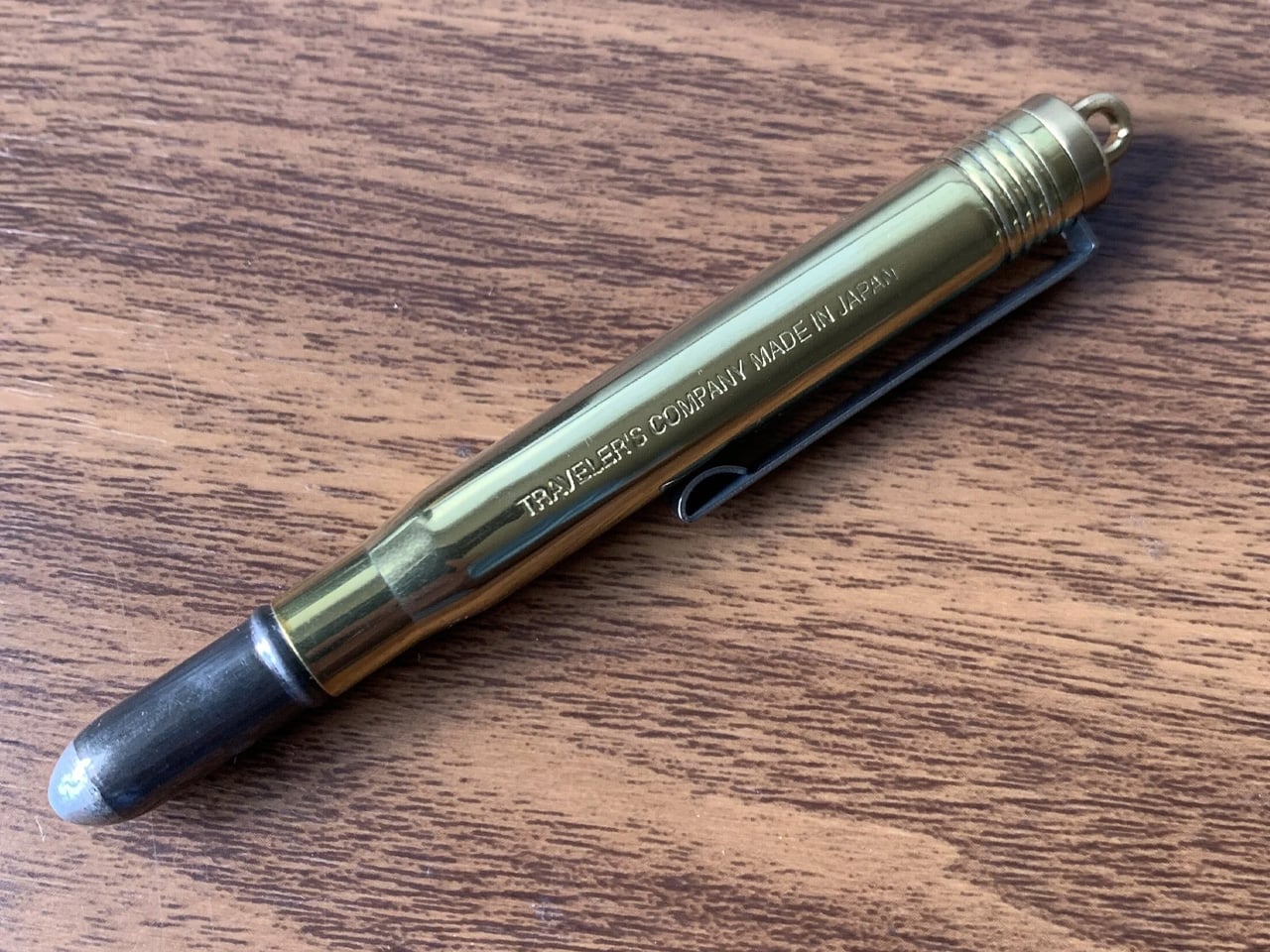
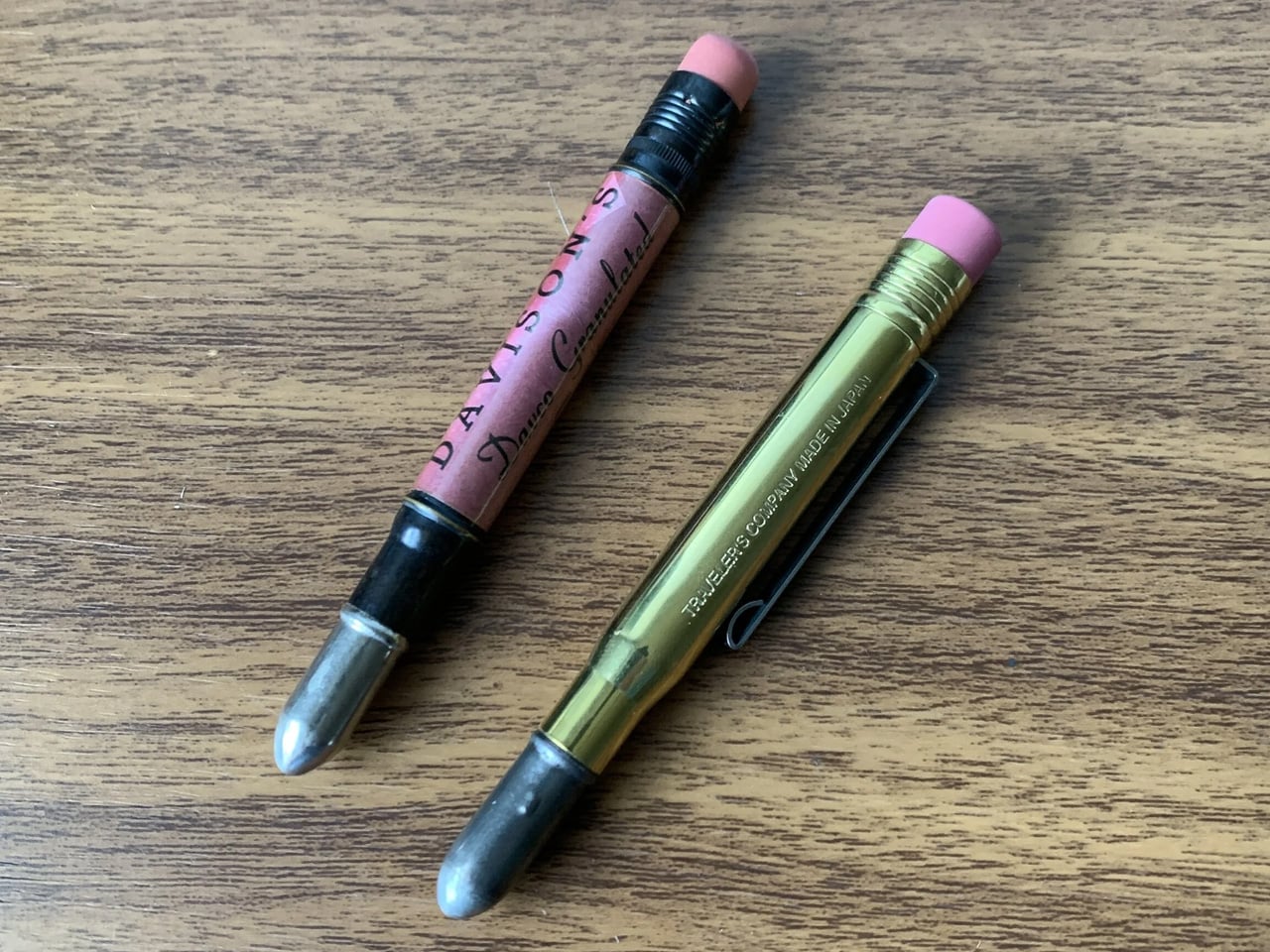
3. Traveler’s Company Brass Ballpoint Pen

Midori has been making objects for travelers and writers from Tokyo since 1950, and the Traveler’s Company Brass Ballpoint Pen is the purest version of what they do. It is machined from a single piece of solid brass with no coating, no lacquer, and no finish. The moment you pick it up, it feels wrong in the best way: heavier than expected, cooler to the touch, more deliberate than anything that belongs in a cup of pens beside the printer.

What makes this pen genuinely special is what happens over time. Raw brass oxidizes. It darkens in the places you grip it most, lightens where it rests against a pocket, and takes on the character of its owner’s daily routine. Two people who carry this pen for a year will end up with two completely different-looking objects. For someone who writes by hand, or simply wants one pen worth keeping on a desk for the next decade, this is it.

What we like

  • The raw brass develops a unique patina over time, making each pen entirely distinct to whoever carries it
  • The weight and balance feel more considered than almost anything available at this price point

What we dislike

  • The oxidation process requires occasional polishing if a brighter, cleaner finish is preferred
  • Replacement ink uses a standard Parker-style refill, which needs to be sourced separately

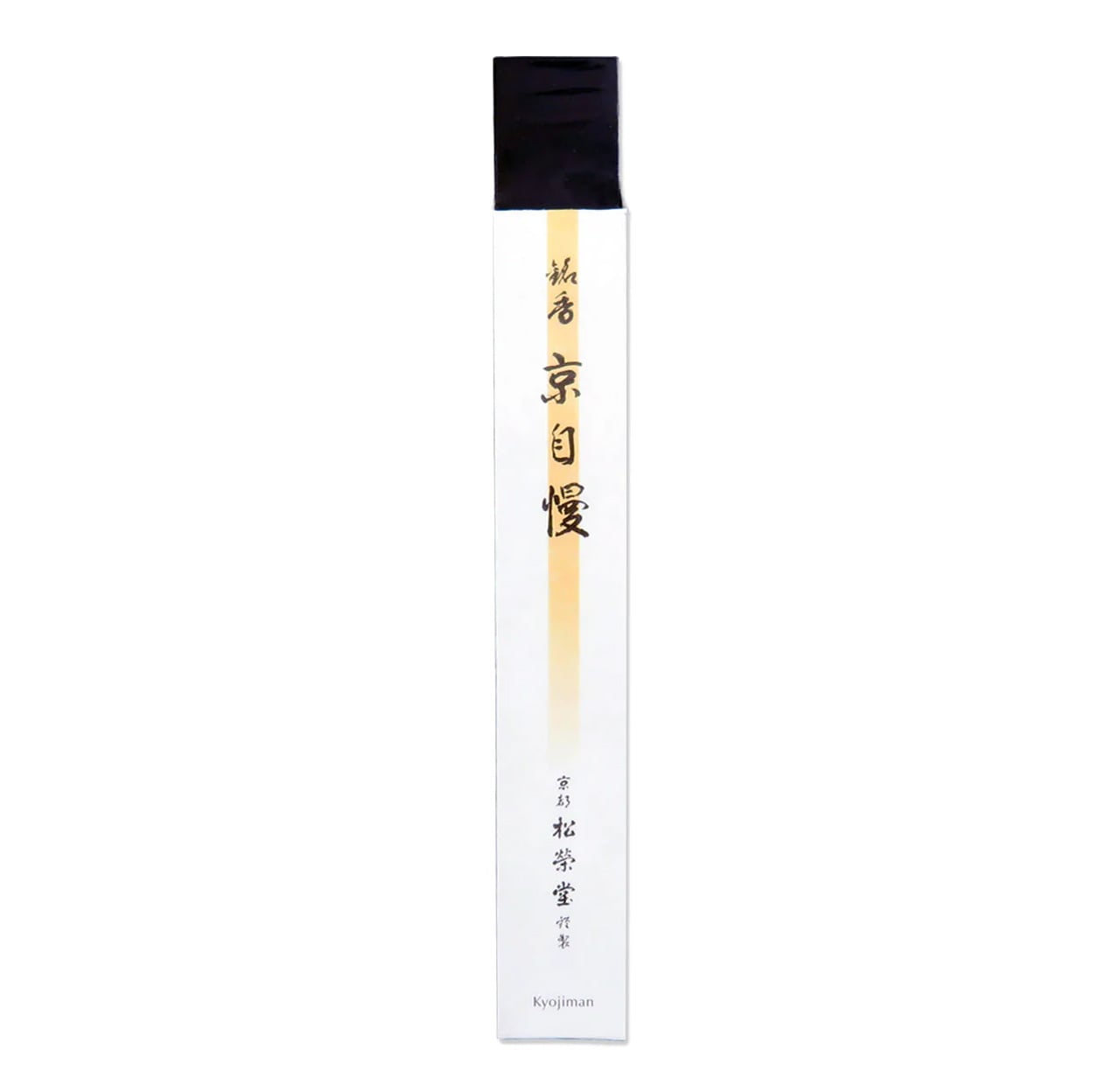
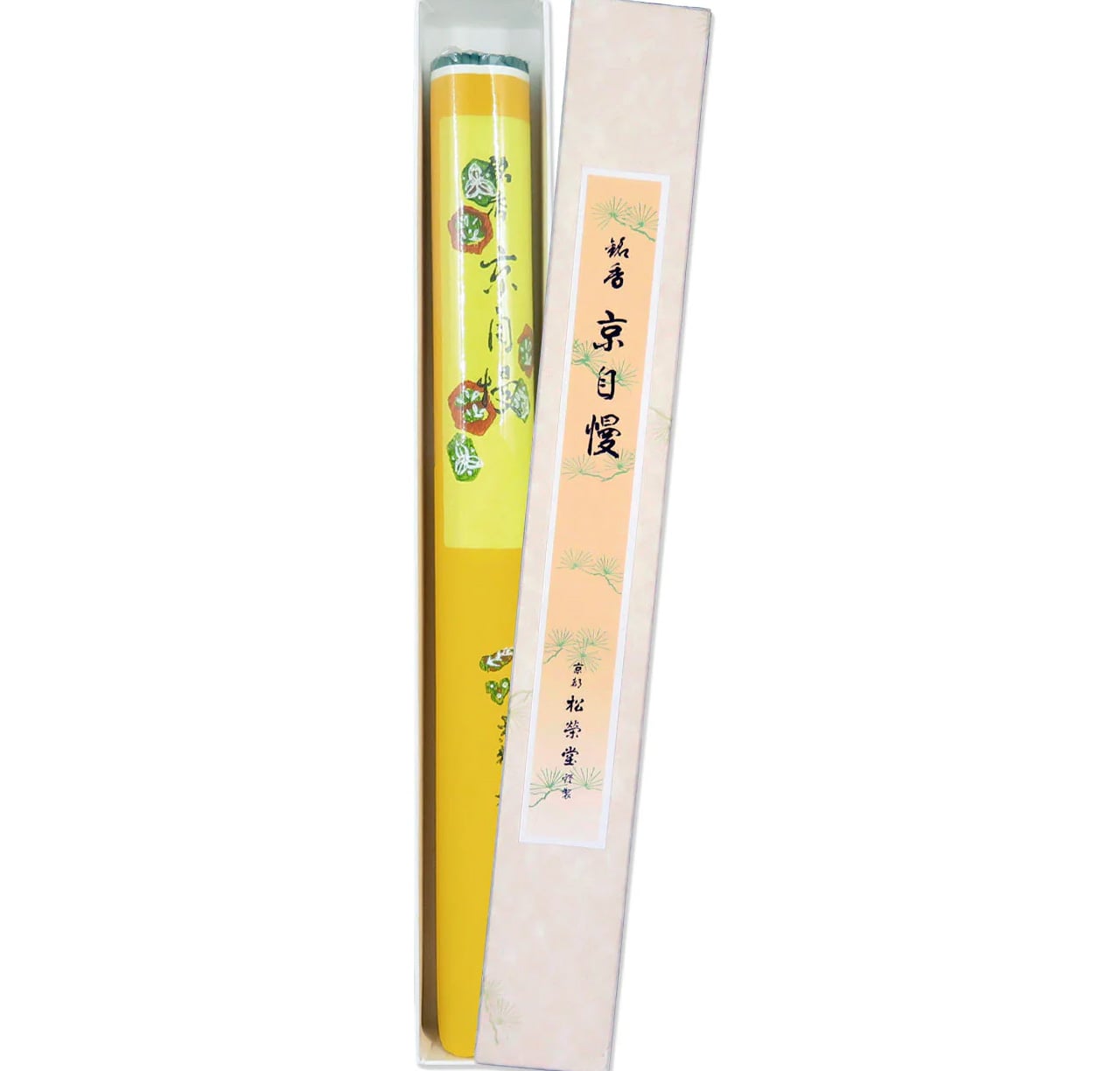
4. Shoyeido Kyojiman Incense

Shoyeido has been making incense in Kyoto since 1705, which means they were perfecting this craft while the city was still the imperial capital. The Kyojiman line, whose name translates roughly as Pride of Kyoto, is their signature daily collection. Each stick combines aloeswood, sandalwood, and medicinal plants, with no synthetic fragrance anywhere in the formula. The packaging is a flat paper box so stripped of decoration it looks like it was designed by an architect rather than a gift company.

Each stick burns for around 25 minutes, which is long enough to mark the transition from work to evening without filling an entire room with scent. The smoke is thin and clean, nothing like the heavy commercial incense found elsewhere. For someone who already has everything and finds most gifts forgettable, this is the one that changes how a room smells on a Tuesday, which is ultimately a more lasting impression than any object sitting on a shelf.

What we like

  • Three centuries of craft behind every stick, using only natural aromatic woods and medicinal plants with no synthetic fragrance
  • The 25-minute burn time suits an evening ritual precisely, marking a transition without overwhelming the room

What we dislike

  • The minimal paper packaging, while visually considered, offers limited protection during shipping
  • Aloeswood-forward scents can divide people, with some finding them earthy and others finding them medicinal

5. First Pour Bottle Opener

Tsubame-Sanjo is a city in Niigata Prefecture that has produced precision metalwork since the 17th century. Suwada has been operating there since 1926, a hundred years of blade craft that shows in every object they make. The First Pour Bottle Opener is what happens when that lineage is applied to the most overlooked object at any gathering. The silhouette flows rather than angles, with a weight that feels closer to a precision instrument than anything you would find sitting in a kitchen drawer.

In use, it earns its price on the first bottle. The cap comes off cleanly in a single motion, no bending, no tearing, no second attempt. A small embedded magnet catches it the instant it pops free, so it never skitters across the table. For a host who pays attention to the details of an evening, this opener sets the tone before a drink is even poured. It works best when the person receiving it already cares about that kind of thing.

Click Here to Buy Now: $65.00

What we like

  • The magnetic cap catch is the kind of detail that only reveals itself fully the first time you use it in front of someone
  • Suwada’s century of precision metalwork gives the opener a heft and finish that justifies its cost entirely

What we dislike

  • At this price point for a bottle opener, it asks the recipient to appreciate the craft sitting behind the cost
  • The flowing sculptural form means it does not rest flat on a surface without a dedicated place to live

The Best Gifts Work Inside Daily Life, Not Around It

What connects these five objects isn’t price or category. It’s the logic behind them. Each one was made by someone who thought carefully about a specific action: the glass you drink from when it matters, the cup you reach for first every morning, the pen that earns its weight over years. Japanese design doesn’t decorate the surface of daily life. It works inside it, in the moments most designers stop thinking about.

The best version of this list is also the most personal one. The opener for the host, the pen for the writer, the incense for the one who already has everything and needs something that changes the quality of a room rather than simply adding to it. Any single object here is a considered gift. All five together make an unusually honest statement about what good design actually feels like to live with.

The post 5 Japanese Design Gifts for Him That Feel Like They Were Hand-Carried From Kyoto first appeared on Yanko Design.