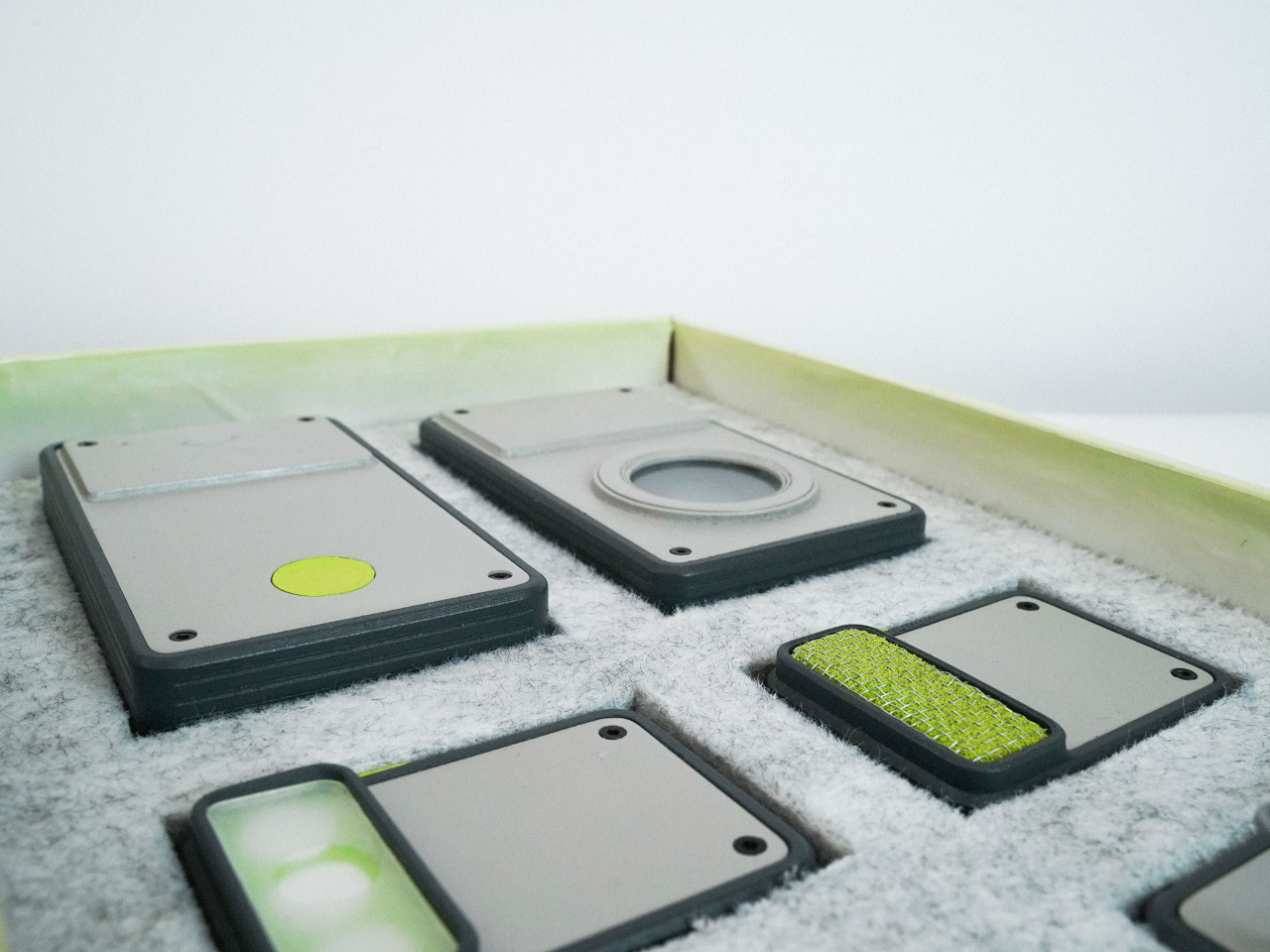
Smartphones have become very powerful and convenient tools for recording precious memories and sharing them with loved ones, but they can also be sources of stress, distractions, and dissatisfaction. The Instagram generation has many people snapping up photos or short video clips and then losing themselves in a sea of notifications and social media posts just as they try to quickly share those moments. It is quite ironic that these devices that connect us with others also disconnect us from the world around us and, more importantly, from ourselves because of those incessant distractions. A dedicated digital camera, even one with Wi-Fi, is a solution but an inconvenient one at that because of its bulk and complicated features. A better answer might be the evolution of the point-and-shoot camera, but one with a flexible design that can scale to people’s ever-changing needs and situations.
Point-and-shoot digital cameras were the first to be obsoleted by the rise of smartphones, unable to keep up with the growing number of connectivity features and fun filters that these mobile devices offered. At the same time, however, it is exactly those lack of features that now gives the design its appeal, as people using Polaroid-style instant cameras have discovered. Their simplicity allowed people to simply have fun and enjoy the moment, without having to worry about instantly applying filters or even immediately uploading photos and videos.
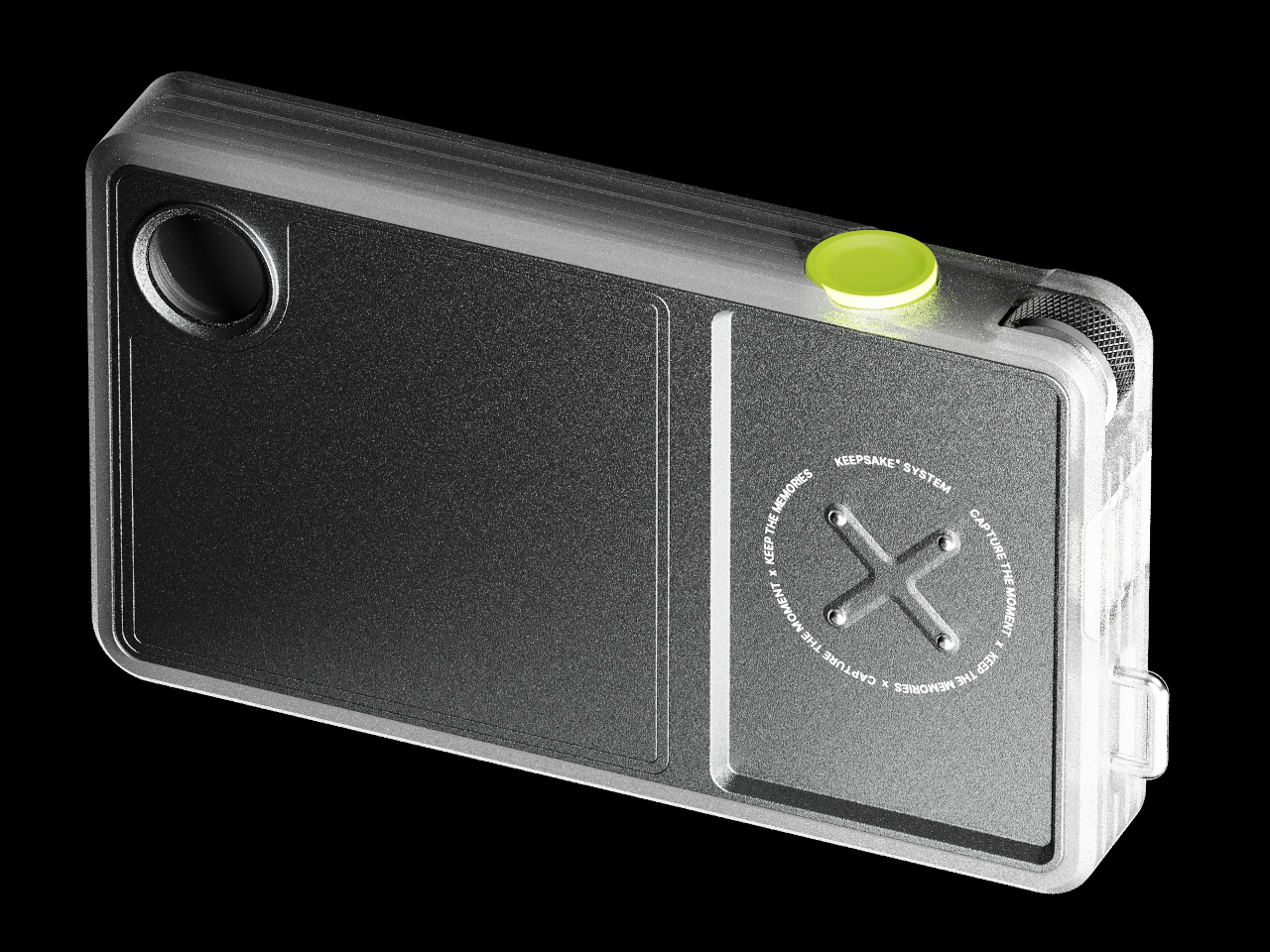
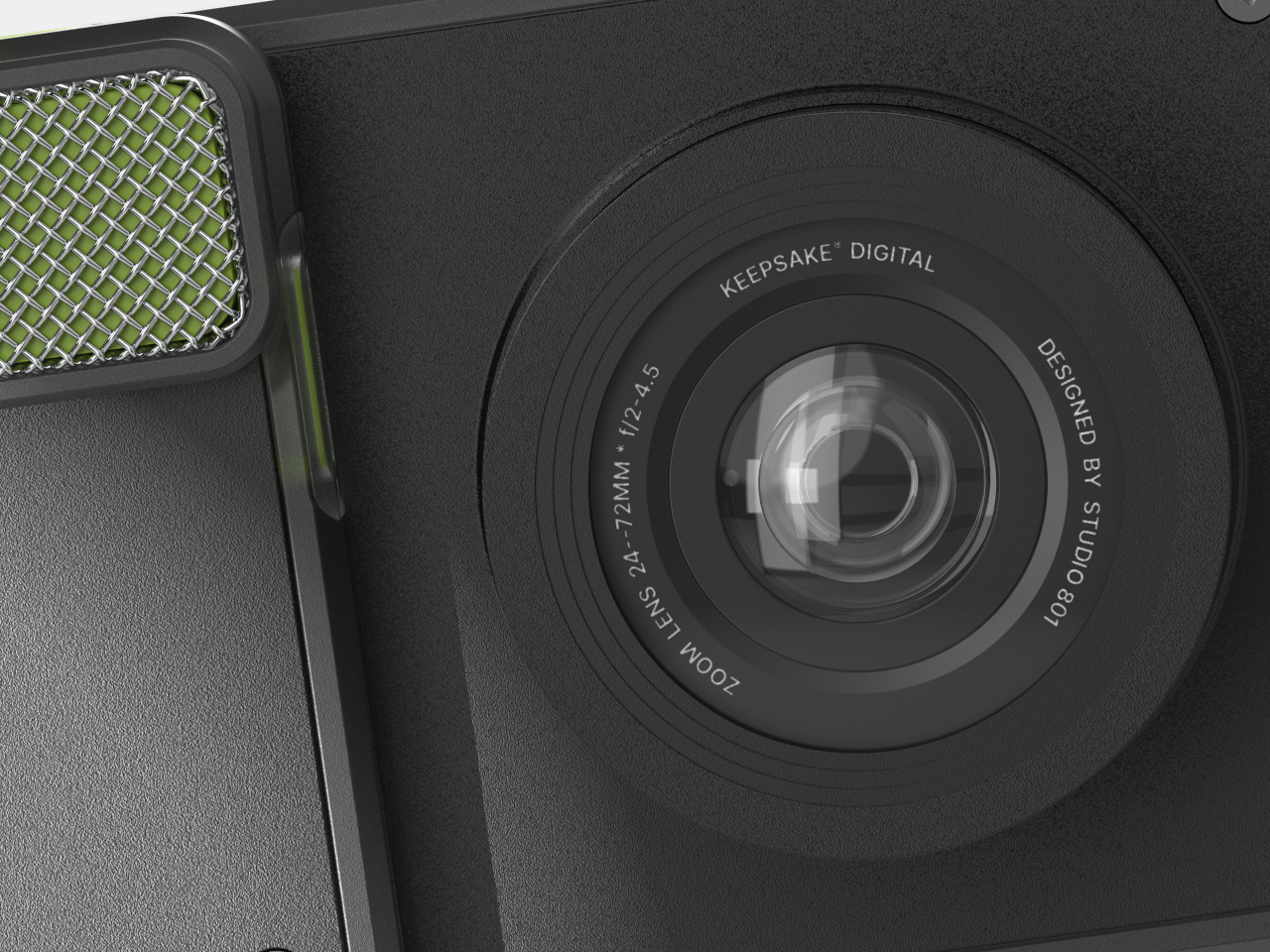
Keepsake is a concept design that embraces that simplicity but with an added twist. Unlike those very basic cameras, it can actually expand to add features needed by users. Best of all, it can also go back to that basic functionality once those extra tasks are done. In other words, it has a modular system that keeps it agile and flexible in ways that even a smartphone might have problems keeping up with.
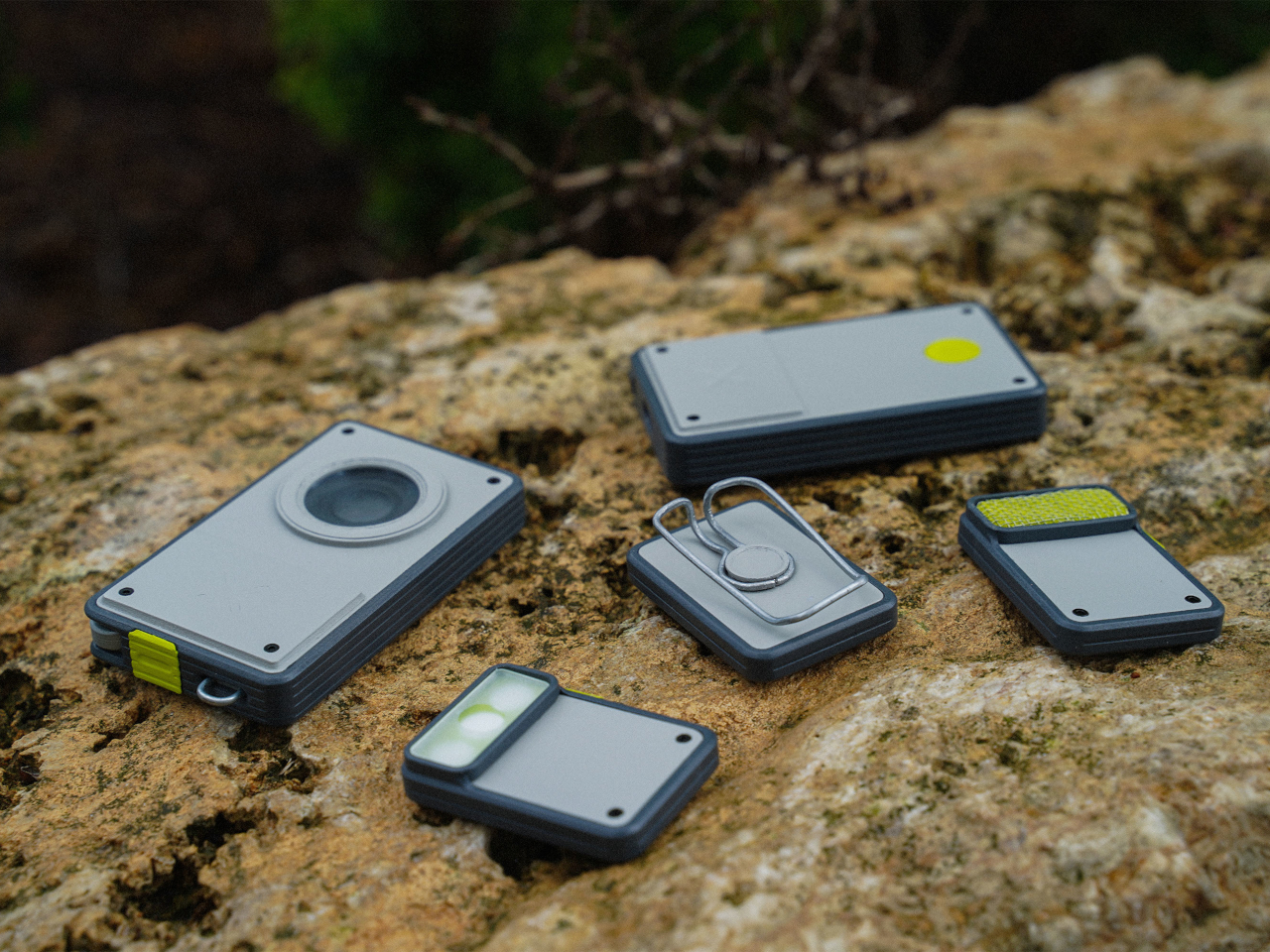
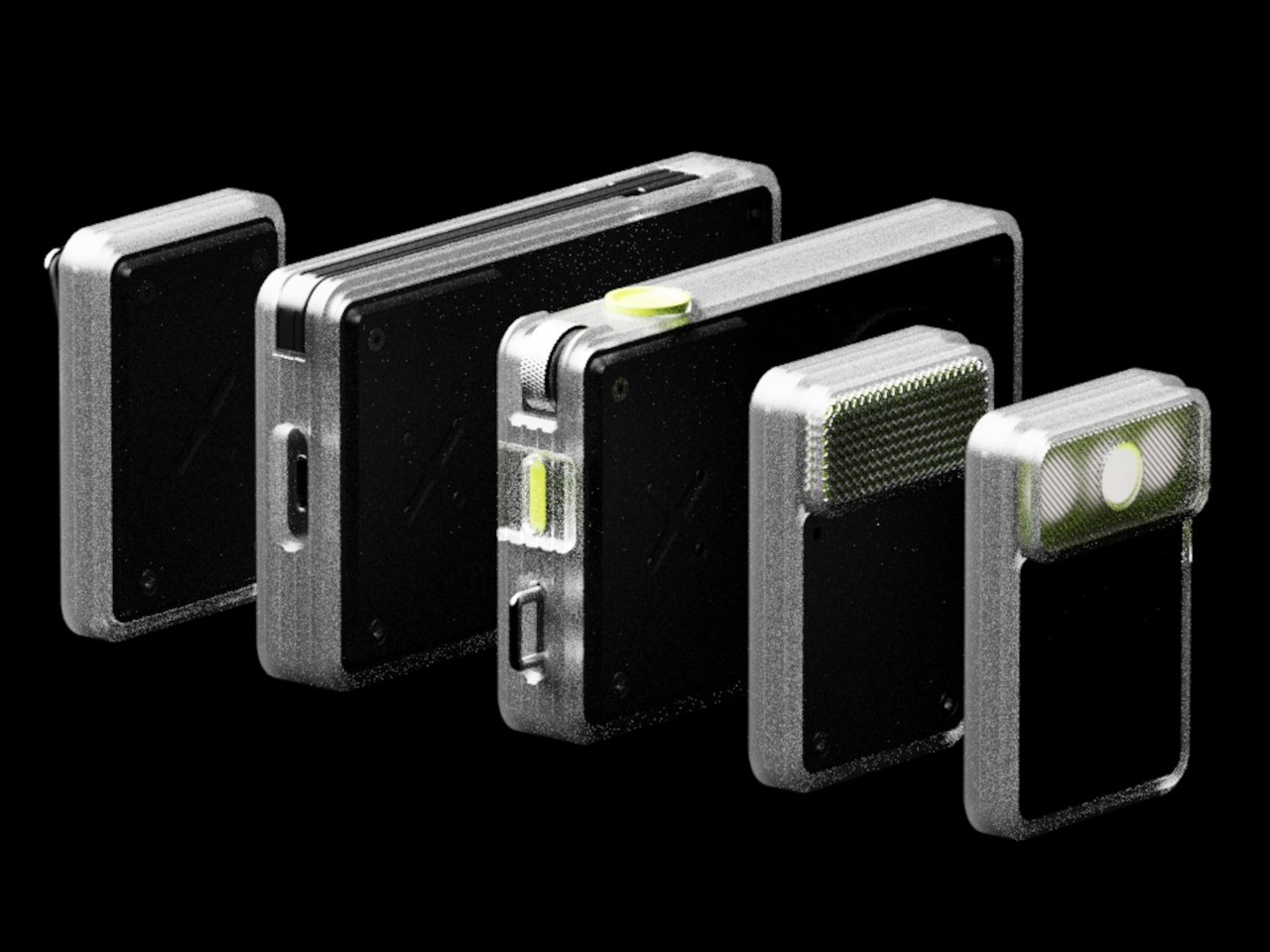
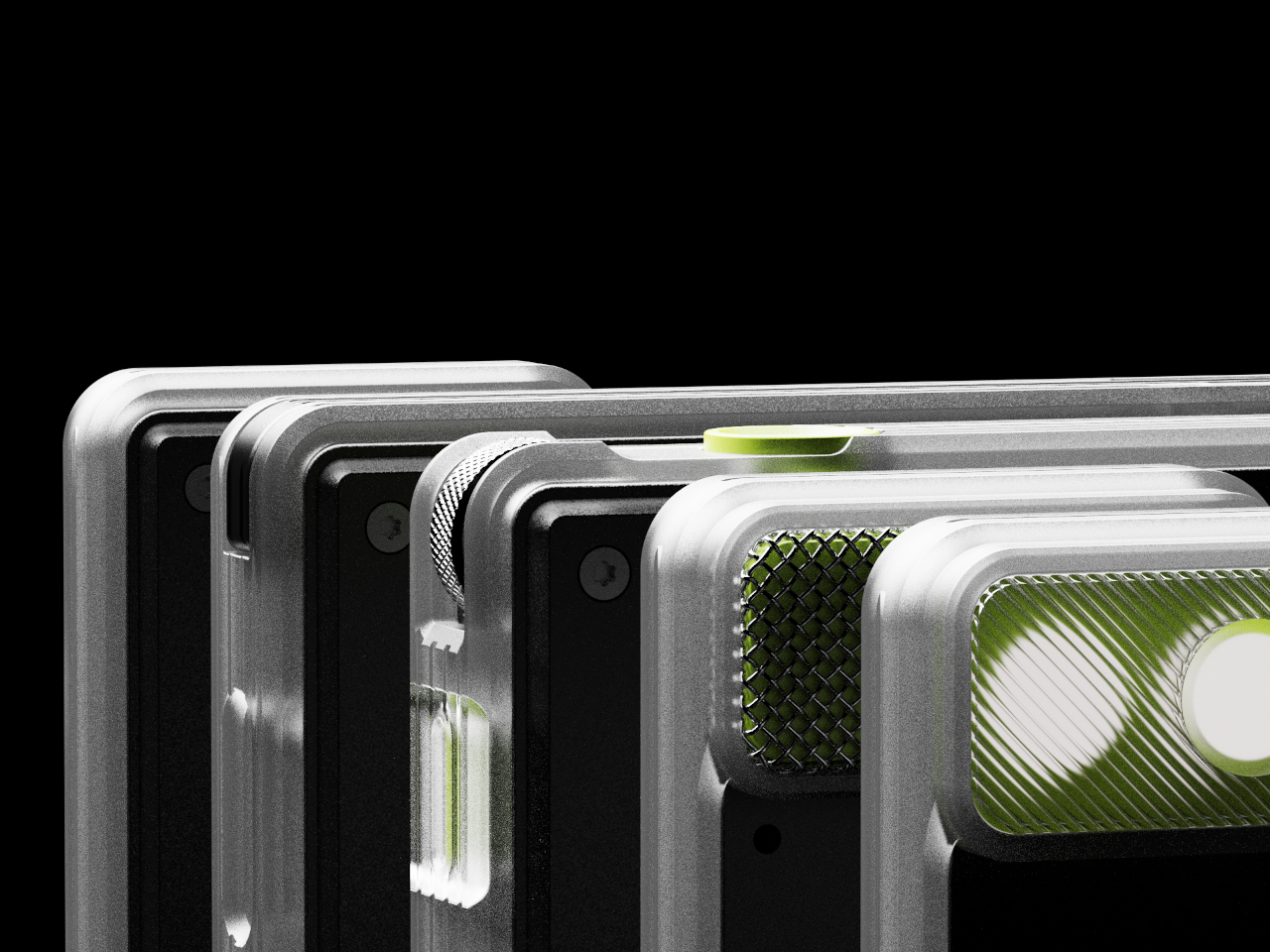
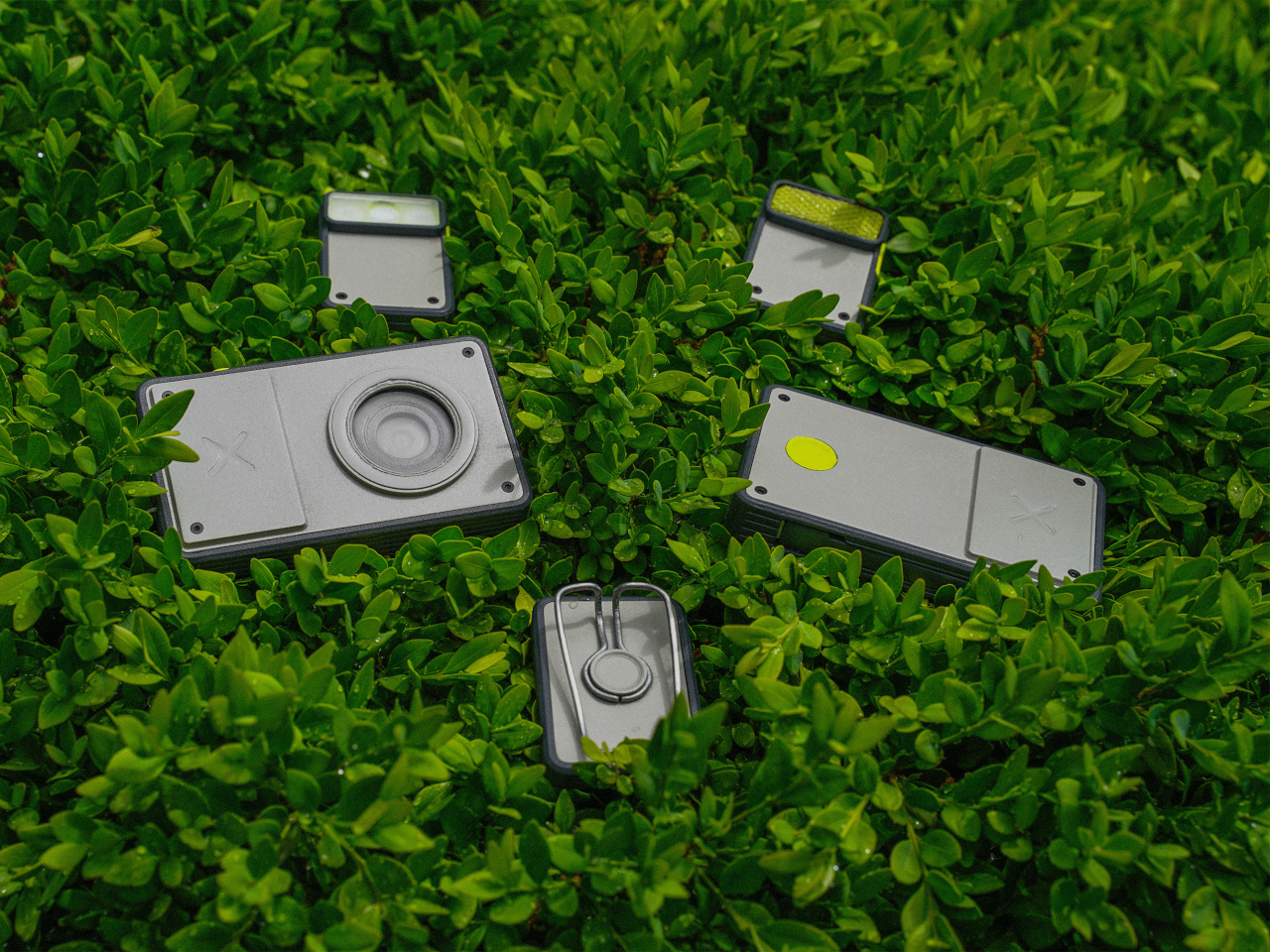
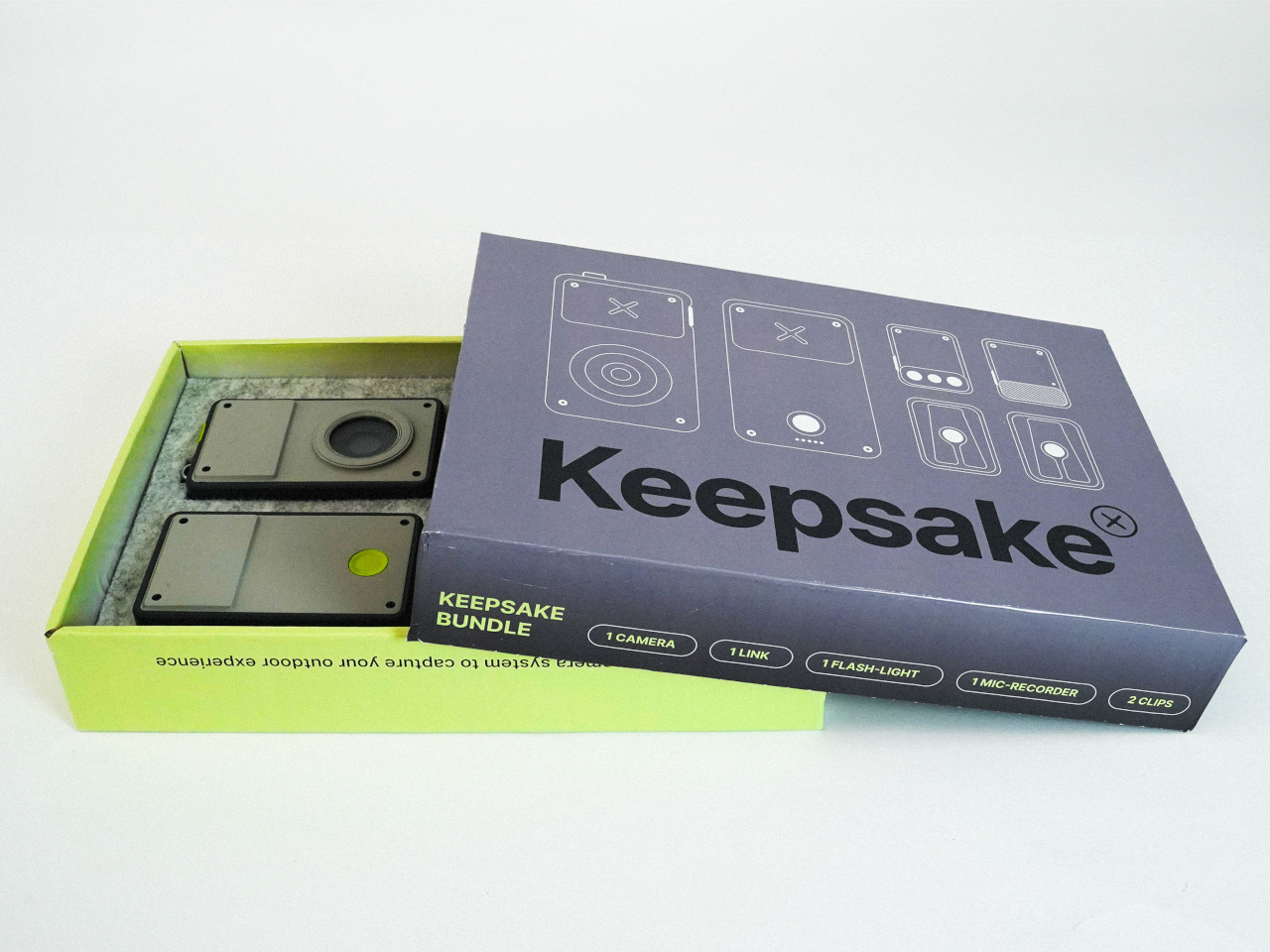
At the heart of the Keepsake design is the screenless digital camera itself and four basic modules which include a mic recording and flash that stick to the front of the camera, as well as a MagSafe clip and a wide charging hub that connects to the back. With this kit, shutterbugs have most of what they need to have an enjoyable disconnected experience that simply focuses on the world around them. At the same time, it keeps the doors open to even more possibilities with future add-ons.
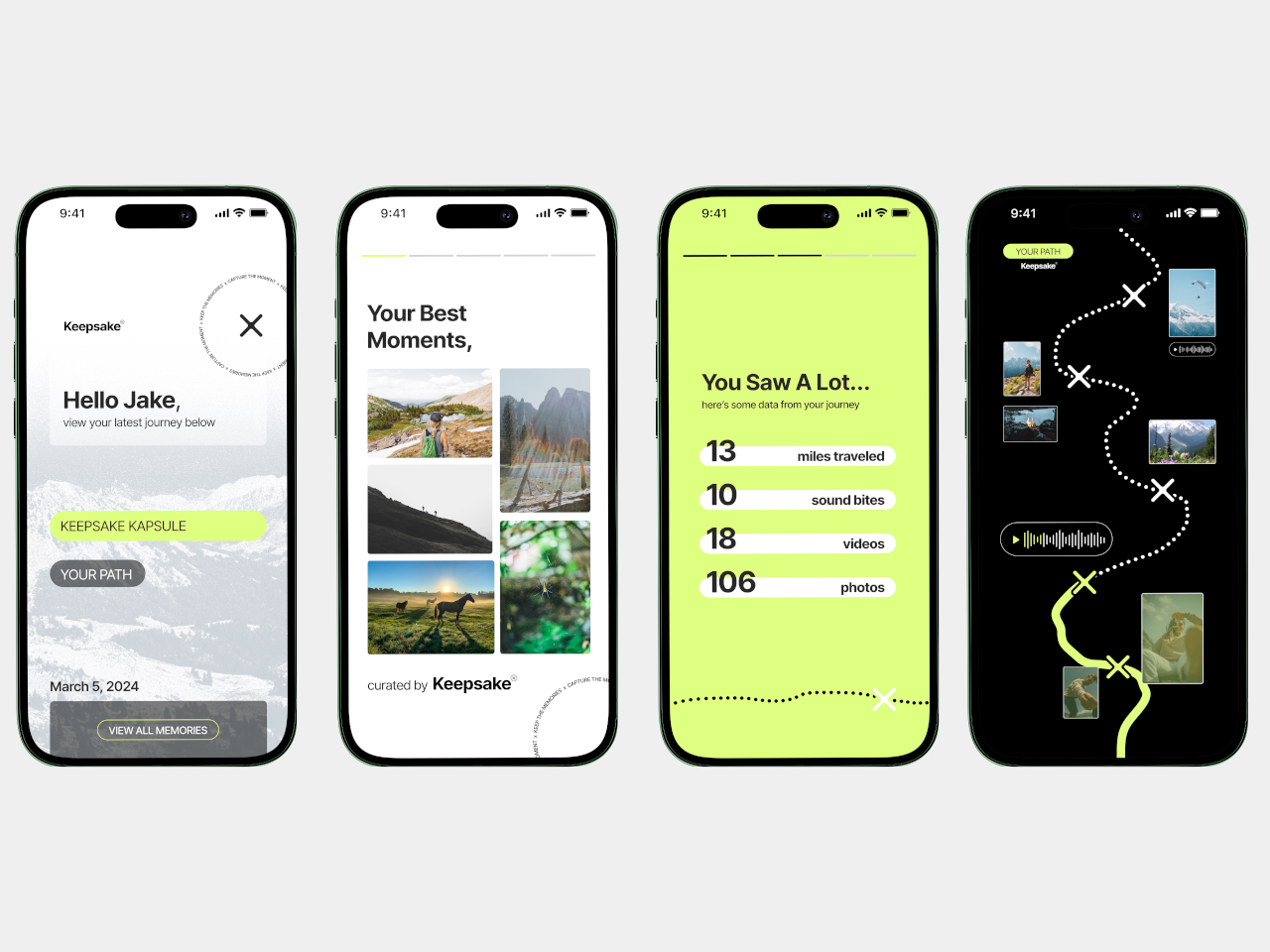
Of course, Keepsake also connects and syncs with a mobile app so you can still share your photos when you want to. It gives users the freedom and control to put their phones away and just immerse themselves in the moment but still gives them the power to enjoy the conveniences of the Internet afterward. And with the modular design, they can take only what they need with them and hold a compact device, unlike a powerful yet bulky and heavy camera.
Employees at an Apple Store in Oklahoma City's Penn Square Mall have voted to ratify their first collectively-bargained contract. The store's workers are part of the Communications Workers of America, operating as Apple Retail Union-CWA Local 6016. The employees' three-year agreement with Apple includes the following, according to a press release from CWA:
"Wage increases of up to 11.5% over the next three years."
"Worker involvement in scheduling and guaranteed paid time off to vote."
"A safer and more democratic workplace with a grievance and arbitration process and the establishment of joint Safety and Health and Working Relations committees."
"Job protection in the event of a store closure or relocation and severance pay."
"Guaranteed paid time off, health and other benefits."
It's worth pointing out that though the CWA press release says the wage increases are "of up to 11.5 percent over the next three years," Apple has said that this number is actually an average 10 percent increase over three years instead.
An Apple spokesperson said “At Apple, we work hard to provide an excellent experience for our team members and our customers. We have always paid our retail teams in the top tier of the market and we provide exceptional benefits for all full- and part-time employees. Throughout this process, we have bargained in good faith and this agreement allows Penn Square team members to enjoy similar performance-based wage increases this year as last year, along with the same medical and time away benefits our U.S. retail employees currently receive.”
Apple also shared more details around compensation and wages like how the tentative agreement provides an average 10 percent increase over 3 years. Penn Square Mall employees will also be able to participate in the scheduling options that were provided to all other US stores in 2022, and held to the same availability guidelines as the rest of the fleet with no exceptions. PSQ members will receive the same medical and time off benefits as all US team members, and subject to the same documented coaching, discipline and misconduct practices that apply across all of Apple's US stores.
Apple's spokesperson also said the agreement includes the creation of a safety committee at the PSQ location, like the one at all its other stores. A working relations committee, made up of two representatives from the union and two from the company, will meet twice a year.
Today's news caps off years of preparation to unionize and secure a contract for the Penn Square Mall Apple Store, which began organizing in early 2022. The parties reached a tentative agreement in early September after a unanimous strike authorization vote in August and a store picket.
The Oklahoma City employees are the second group of Apple retail workers to reach a contract through their union. An Apple Store in Maryland was the first of the tech company's retail stores to unionize, joining the International Association of Machinists and Aerospace Workers in June 2022.
Update, September 25 2024, 4:55PM ET: This story has been updated to include Apple's statement as well as details the company's spokesperson shared. We also clarified that there's a discrepancy between what the CWA press release says is the percentage for wage increase over the next three years and what Apple says it is.
This article originally appeared on Engadget at https://www.engadget.com/big-tech/apple-store-employees-in-oklahoma-city-ratify-their-first-union-contract-190218680.html?src=rss
Google added some new features and updates to the video editor in Google Photos for Android and iOS users, according to the app's support page.
The biggest update brings new “AI-powered video presets” to both versions of the app. These new presets automatically trim the length of videos, adjust the lighting, change the speed and apply new effects with just a few clicks. Some of the AI-powered effects allow motion tracking, automatic zoom and slow-motion. The new “presets” tab is located underneath the video timeline.
This isn’t the first AI feature added to the Google Photos app. Last May, Google added its “Ask Photos” feature, a Gemini-powered AI chatbot that allowed for more detailed and conversational photo searches for US users.
Google also tweaked and added some Android-specific features. The new trim tool has improved controls for more precise cuts. There’s also a new “auto enhance” feature that can automatically improve the colors and stabilize videos, and a new “speed” tool that can ramp up or slow down the action.
The new features start rolling out today.
This article originally appeared on Engadget at https://www.engadget.com/mobile/the-google-photos-video-editor-is-getting-ai-because-of-course-it-is-180958935.html?src=rss
Explore the ASUS TUF Gaming GT502 Horizon, a mid-tower case with a dual-chamber design, seamless panoramic view, and advanced cooling for high-powered builds.
The website lets you check how much sea levels have risen in a given region, and even has predictions of how much the sea level will rise in the future. According to the home page, the data is federally supported and has “explanations and science education to help communities prepare for challenges that will affect our coastal environments.”
We tested the sea level explorer and selected Pennsylvania as our target state. It showed that the sea level in PA is nine inches higher than in 1970, and from 2020 to 2050, it's expected to rise by 11 inches. Following these statistics are explanations and charts.
The site is a project from the Interagency Task Force on Sea Level Change, which is comprised of representatives from the Department of Defense, Environmental Protection Agency, National Oceanic and Atmospheric Agency and NASA, among others. The site itself, besides showing specific sea level numbers, contains a variety of information for kids and adults on the causes of climate change (hint: it's people).
This article originally appeared on Engadget at https://www.engadget.com/science/new-government-website-shows-how-much-sea-levels-have-risen-173042808.html?src=rss
With one in eight individuals globally aged over 60, it’s important to design products that specifically cater to our elderly population. As most senior citizens are healthy, active, and financially stable, they are expected to represent around 20% of the global population by 2050. Explore these guidelines for developing inclusive products, considering diverse user needs, especially those of the elderly.
Simplicity in design is crucial, especially for senior-centric products. Complexity and confusing features should be avoided at all costs. Interfaces should be kept simple to minimize confusion, with easily readable and clear fonts enhancing the overall user experience. Moreover, it’s imperative to provide clear instructions to ensure they can easily comprehend how to use the product correctly.
Gita, a robot, acts as a loyal companion and practical aid, especially for seniors. It eases the burden of carrying heavy items, making grocery trips and errands more manageable. Its ability to provide a seating option offers rest during walks, promoting outdoor mobility and encouraging seniors to stay active. With its user-friendly design and approachable appearance, Gita fosters a sense of independence and companionship for the elderly, supporting their well-being and enhancing their quality of life.
2. Health Monitoring
Advancements in technology offer the essential security and assistance required for senior citizens living independently. As many seniors deal with chronic health conditions that necessitate regular monitoring, product design has advanced. Through wearable devices and smartphone technology, vital parameters can now be tracked, facilitating health management and providing respite to caregivers, thereby ensuring peace of mind.
These three smart devices cater to seniors’ needs, offering medication reminders, comfortable reading, and easy communication. Familia aims to restore dignity and confidence to the elderly with its minimalist design and user-friendly interface. The smart clock dispenses medication with a playful cuckoo bird reminder, the lamp doubles as an illuminated magnifying glass, and the digital mirror serves as a communication tool and family photo frame. While designed for seniors, these objects promote inclusivity and reduce stigma around aging challenges by appealing to users of all ages.
Nobi, an AI-powered ceiling light, enhances elderly lives by monitoring safety, detecting, predicting, and preventing incidents like falls or respiratory issues. Its user-friendly design seamlessly blends into interiors, encouraging the adoption of high-tech care technology. Nobi serves as a vigilant companion, continuously monitoring the environment to identify potential hazards and alert designated caregivers when needed. It can detect respiratory issues, and coughs, and even predict falls before they happen, ensuring timely assistance and intervention. With Nobi, seniors feel safe and supported, leading dignified lives with continuous assistance.
3. Ergonomic Design
Designing products with ergonomic features is crucial to reduce strain, particularly for seniors. For instance, opt for ergonomic seating, like high-backed chairs with lumbar support, ensuring firm and comfortable cushioning to maintain healthy posture. Prioritize ease of use and comfort, as seniors may have reduced strength while avoiding low seating and armrest-less chairs.
This luxurious chaise lounge cleverly conceals a motorized wheelchair, offering comfort and elegance to those with mobility issues. Resilience, with its sleek design and smart materials like Resilient gray and Classy chrome, symbolizes independence and confidence for the elderly. It’s part of a larger mobility system, including the self-driving “Brio” vehicle, seamlessly integrating style and functionality for indoor and outdoor use.
When designing devices that require charging, it’s crucial to prioritize either long battery life or easy recharging to minimize the frequency of charging or battery replacement for seniors. This proves beneficial for seniors experiencing mobility challenges and memory impairment.
5. Added Safety Features
Inclusive product design often incorporates added safety measures, such as non-slip surfaces, automatic shut-off mechanisms, and appropriate emergency buttons, to enhance overall product value. These small yet critical features serve multifunctional roles, particularly benefiting seniors.
6. Durable Materials
When catering to the needs of senior citizens, selecting durable materials that withstand breakage from falls or accidents is crucial. Given that seniors may use products more frequently or with greater force due to age-related changes, opting for durable materials ensures the product will withstand prolonged use and maintain its integrity over time.
The T’ROI chair, developed in collaboration with a retirement home in Basel, Switzerland, addresses the challenge of sitting and standing for the elderly. Featuring extended arms, it provides support for individuals to sit and rise without assistance, promoting independence and dignity. Sturdy materials ensure safety, while its comfort enhances the overall experience for users.
When designing products, prioritize comfort by considering aspects like cushioning, grip, and weight distribution. Ensure ease of use with a manageable weight, ergonomic grip, and slip-resistant design, promoting inclusivity. Proper cushioning enhances the comfort level and overall user experience.
8. Integration of Assistive Technology
When designing specifically for seniors, integrating assistive technologies such as voice control or magnification features enhances usability, making products more accessible to this demographic. Additionally, using large or oversized buttons with high contrast aids in easy visibility and operation, especially because seniors may experience declining vision.
This cutting-edge self-driving wheelchair, equipped with a detachable walker, empowers users to navigate comfortably as they age, addressing the challenges of mobility that come with aging. Cobi seamlessly combines the features of walkers, canes, and electric wheelchairs into one sleek solution, promising greater independence and mobility for seniors while challenging societal perceptions of aging. Its autonomous operation, with instant braking capability, ensures convenient transportation without external assistance. Using laser projection technology, Cobi effortlessly navigates obstacles, while its cushioned seat, low backrest, and retractable footrest provide comfort during transit. Upon reaching their destination, users can detach the mobility device from the walker, enabling exploration of inaccessible areas. The height-adjustable walker, featuring a rubber grip and built-in flashlight, aids navigation in dark environments, while Cobi autonomously returns to its charging station when not in use, ready for the next journey.
This cork planter with assistive functions serves as both a lantern and a health tracker for the elderly. Known as Fanoos, it embodies an intuitive design with a detachable lantern and emergency button for medical needs. Fanoos tracks health status, adjusts lighting preferences, and offers portability for nighttime use, enhancing safety and comfort for users.
9. Inclusive Design
Products should address a wide range of abilities, including those of individuals with disabilities. Inclusive design guarantees accessibility for seniors with varying capabilities, accommodating those with disabilities or impairments.
A walker designed for seniors incorporates a built-in box for their furry companions, addressing social isolation. This concept combines mobility and companionship, featuring a spacious pet carrier atop the walker. With versatile handle movement, a secure brake button, and rechargeable LED lights for safety, this design enhances outdoor walks for seniors and individuals with limited mobility.
Collecting feedback from senior citizens or the specific end users of the product throughout the design process is highly recommended. This ensures that areas for improvement are identified and that the final product adequately meets their specific needs and is comfortable to use.
These factors can guide designers in creating products that are functional, practical, and customized to meet the specific needs and preferences of senior citizens.
The company teamed up with Loog for this instrument, so this is basically a reskin of the pre-existing Loog Piano. It swaps out the red for a, dare I say, Brat green and it ships with a neat little smartphone stand, for keeping an eye on the app during practice sessions. Other than that, it looks nearly identical to the OG version.
That’s not a bad thing. The Loog x Duolingo Piano is a three-octave digital keyboard with built-in stereo speakers, wood sides and a rechargeable battery for portable use. The keys are likely one of the biggest selling points, as they allow for dynamics (piano to forte.) These Loog keyboards are pretty much the only digital pianos with velocity-sensitive keys at this size and price point.
It doubles as a standard MIDI controller, via USB-C, and there’s a sustain port and a headphone jack. This particular version also ships with Duolingo flashcards for budding piano players. Of course, it also integrates with the company’s app, for on-the-fly tutorials. There’s a Loog Piano app coming, but we don't know when. We reached out to the company for a concrete release date and confirmation that the Duolingo piano will integrate with the Loog app. We’ll update this post when we find out, though I’d be extremely surprised if there isn’t cross-app functionality.
Just like the original Loog Piano, this one costs $249. Preorders are live right now, though it doesn’t ship until November. If you really have a hankering for a student-grade portable piano, the standard Loog Piano ships immediately.
This article originally appeared on Engadget at https://www.engadget.com/audio/duolingo-best-known-as-a-language-learning-app-now-makes-a-piano-172012643.html?src=rss
HP just announced HP Print AI, which is being advertised as “the industry’s first intelligent print” experience. Beyond squeezing in tech’s two favorite letters (AI), the software looks to “simplify and enhance printing from setup to support.” There are several tools here, but the most interesting aspect is something called Perfect Output.
This could actually solve the problem of printing from web pages, which typically produces something just a hair above absolute garbage. The company says the embedded algorithms will reduce all of that unnecessary white space and will get rid of ads.
Image size will also be optimized, so printing from a website should look about as good as something that came from a word processor. HP says everything will “fit perfectly on the page for the first time.” Perfect Output isn’t just for websites, as the company says it’ll also make short work of spreadsheets, which are another frustrating thing to print out.
This feature begins rolling out today, but only to select customers as a beta. HP told Engadget that Perfect Output will work with any of the company’s printers, so long as the correct driver is installed and it’s connected to a Windows 10 or Windows 11 machine. Once some customer feedback comes in, it should go into a wider release.
HP Print AI will also use artificial intelligence to customize support for each user, with the company saying that its “intelligent technology anticipates” the needs of consumers. HP says this will be especially useful when it comes to setup and for remembering user preferences. There’s also a chatbot in there that allows for language-based queries, which runs off of a proprietary LLM the company calls a "print language model." So it's technically a, sigh, PLM.
For now, these tools are tied to driver software. HP says that they’ll be featured prominently in a forthcoming app update scheduled for next year.
This article originally appeared on Engadget at https://www.engadget.com/computing/accessories/hps-print-ai-will-offer-a-better-way-to-print-websites-170523565.html?src=rss
Alienware debuted its Pro Mouse and Keyboard in January at CES 2024, and now the company is introducing the Pro Headset as part of the series. As with the mouse and keyboard, Alienware worked with more than 100 esports competitors and streamers for their input before combining it with its technical knowledge. The result after 18 months of testing is a headset boasting up to 75 hours of battery life.
That’s an impressive figure, but it’s not the whole picture. The headphones last 75 hours if you use them without active noise canceling and connecting via Bluetooth. The maximum battery life drops to 35 hours while using a 2.4GHz connection with ANC enabled. If you intend to use the microphone, battery life is 35 hours with ANC off; with it on, it drops to 25 hours.
Alienware’s ANC is effective at blocking out sounds, but users can turn Transparency Mode on if they need to be aware of their surroundings. In transparency mode, users can also adjust how much they want background noise attenuated.
Alienware didn’t stop there, as the 50mm drivers are coated with graphene to reduce distortion commonly found at higher frequencies. These drivers also work great with vertical and 360-degree audio. With clear audio, players can instantly pinpoint where enemies are when they make sounds.
The microphone is detachable and can be stowed away if not needed. It has two mics, and both are capable of AI-powered noise cancellation, ensuring only your voice is transmitted to teammates.
Besides beefing up the audio quality and mic capabilities, Alienware made sure it would be delivering a product that’s comfortable and easy to use. Both memory foam earcups are easily replaceable, and there are physical control buttons for easy adjustment while gaming. In terms of connectivity, the Alienware Pro Headset supports Bluetooth 5.3, wireless 2.4Ghz and USB connections.
Fans of Alienware’s gear can get the Pro Headset this October at $230. Alienware didn’t provide information on its specific launch day or availability in specific regions besides North America.
Update 9/24/24 2:00PM: A previous version of this story incorrectly stated the Pro headset was $150, the correct price is $230. Alienware's mid-range AW725H is its $150 headset model.
This article originally appeared on Engadget at https://www.engadget.com/audio/headphones/the-new-alienware-pro-headset-has-graphene-coated-drivers-and-lasts-up-to-75-hours-164037094.html?src=rss
On Tuesday, HP unveiled its first 2-in-1 AI PC, the OmniBook Ultra Flip 14-inch. The device has a 3K OLED display, a haptic touchpad and Intel's 200V Core Ultra series processors with a dedicated AI engine. Starting in late November, the PC will get Microsoft’s Copilot+ capabilities as an update.
The OmniBook Ultra Flip 14-inch has a 2,880 x 1,800 touch-sensitive OLED display with a maximum 120Hz variable refresh rate. With a 90 percent screen-to-body ratio, the PC is only 0.59 inches (15mm) thick and weighs 2.97 lbs (1.35kg).
The OmniBook Ultra Flip 14-inch starts at 512GB of storage, with 1TB and 2TB options also available. 16GB of RAM is standard, but more expensive tiers will boost that to 32GB. The 2-in-1 is rated for up to 20 hours of battery life, and it can fast-charge to about 50 percent in 45 minutes using its bundled 65W USB-C adapter. Its Intel AI processor can be configured with anything from an Ultra 5 226V up to an Ultra 9 288V.
HP
The device includes a 9MP camera with hardware-level low-light adjustments and Auto Switch HDR, which determines when HDR is needed (based on lighting conditions) and switches on the fly. Onboard AI features using the Intel chip’s NPU include hand gesture support for scrolling through documents or webpages, adjusting volume levels and controlling media playback. The PC can also automatically lock when you leave and wake when you return.
Once the Copilot+ update for Intel PCs is available, features like AI image generation and editing tools, live captions, Windows Studio effects, and Recall will be added.
The HP OmniBook Ultra Flip 14-inch is available today on HP’s website. It starts at $1,450.
This article originally appeared on Engadget at https://www.engadget.com/computing/laptops/hps-omnibook-ultra-flip-14-inch-is-its-first-2-in-1-ai-pc-162558218.html?src=rss