Nintendo just announced its own first-party Joy-Con controller charging station, which releases on October 17. This is an obvious boon for couch co-op addicts, as you can have two Joy-Cons charging on the dock and another two charging via the console at the same time. Nintendo’s charging station also integrates with the company’s retro wireless NES gamepads, which are primarily used with Nintendo Switch Online games.
The Joy-Con Charging Stand (Two-Way) accessory draws power from the Switch’s dock, via the USB-C port, or any other power adapter. The vertical support can also be removed to make it more portable, another bonus for those couch co-op sleepovers. Nintendo hasn’t released any pricing information yet to go along with the October release date. It’s currently set for a launch in the US, Europe and Japan. October 17 is the same day that Super Mario Party Jamboree launches, so that would make for some good accessory-based synergy.
Charge your #NintendoSwitch Joy-Con controllers and Nintendo Entertainment System controllers with the Joy-Con Charging Stand (Two-Way) accessory, available October 17th. pic.twitter.com/qv6k8GAm6e
— Nintendo of Europe (@NintendoEurope) July 18, 2024
It’s worth noting that the Nintendo Switch is over seven years old. This accessory will be released 2,785 days after the console originally launched. Heck, the Switch 2 (or whatever it ends up being called) will probably hit store shelves early next year. What I’m saying is that this would have been a lot more useful six or seven years ago. Better late than never?
This is likely to be the Switch’s final holiday season. There’s a new Legend of Zelda game hitting on September 26, along with a themed console. Another big holiday-adjacent title is Mario & Luigi: Brothership, which comes out on November 7.
Update, July 18 2024, 2:57 PM ET: This story has been updated to confirm a US release after speaking to a company rep.
This article originally appeared on Engadget at https://www.engadget.com/nintendo-finally-made-a-first-party-joy-con-charging-station-152326371.html?src=rss
It was a shame to see 1047 Games putting Splitgate on ice back in 2022. The studio did a great job of freshening up the competitive arena shooter genre by adding portals (think: Quake meets Portal), but it moved on to a new project. We now know that’s going to be Splitgate 2, a free-to-play sequel that’s coming to PC, PS4, PS5, Xbox One and Xbox Series X/S next year.
1047 Games is going bigger in all kinds of ways this time around, including with a much larger development team. A group of 20 first-time game developers created Splitgate, which started as a school project. The team is now more than 150 strong and features devs with experience on the likes of Call of Duty, Overwatch, Halo, Valorant and League of Legends.
The sequel is being built from the ground up in Unreal Engine 5. It will have three factions you can pick from based on your preferred play style and tactics. The Aeros are agile, Sabrasks are all about power and Meridians can manipulate time.
There will be many areas, weapons and modes to check out, though the bulk of the action will be in four versus four combat. A debut trailer gives some idea of what to expect and more details will be revealed in August. Fans can check out a free comic series and unlock in-game collectibles through the Splitgate 2 companion app for iOS and Android.
1047 Games has a tough act to follow since Splitgate was very well received and it proved popular — it had more than 22 million downloads. It’s a strong foundation to build on, though, and the Splitgate 2 trailer (despite being a cinematic rather than gameplay-focused one) looks very promising.
This article originally appeared on Engadget at https://www.engadget.com/splitgate-2-is-coming-to-pc-and-consoles-in-2025-144400499.html?src=rss
iOS 18 has landed in public beta and Apple is offering up more control, yet again, of the layout of your iPhone. However, Apple Intelligence, the most exciting upgrade, is conspicuously (but unsurprisingly) absent.
The update also improves several native apps, such as Photos, Messages (RCS! Gasp!) and Notes, although Apple Intelligence will add even more features and tricks. While we all wait for the ability to generate our own emojis, there is still plenty to explore. It’s just a little drier than what Apple teased at WWDC.
You can access the iOS preview by enrolling on Apple’s website, which will nudge the beta to your iPhone’s Software Update section. As always, remember to back up your iPhone first and ensure it’s compatible. (iOS 18 works on 2018’s iPhone XS and XR and newer phones.)
iOS 18 means even more customization
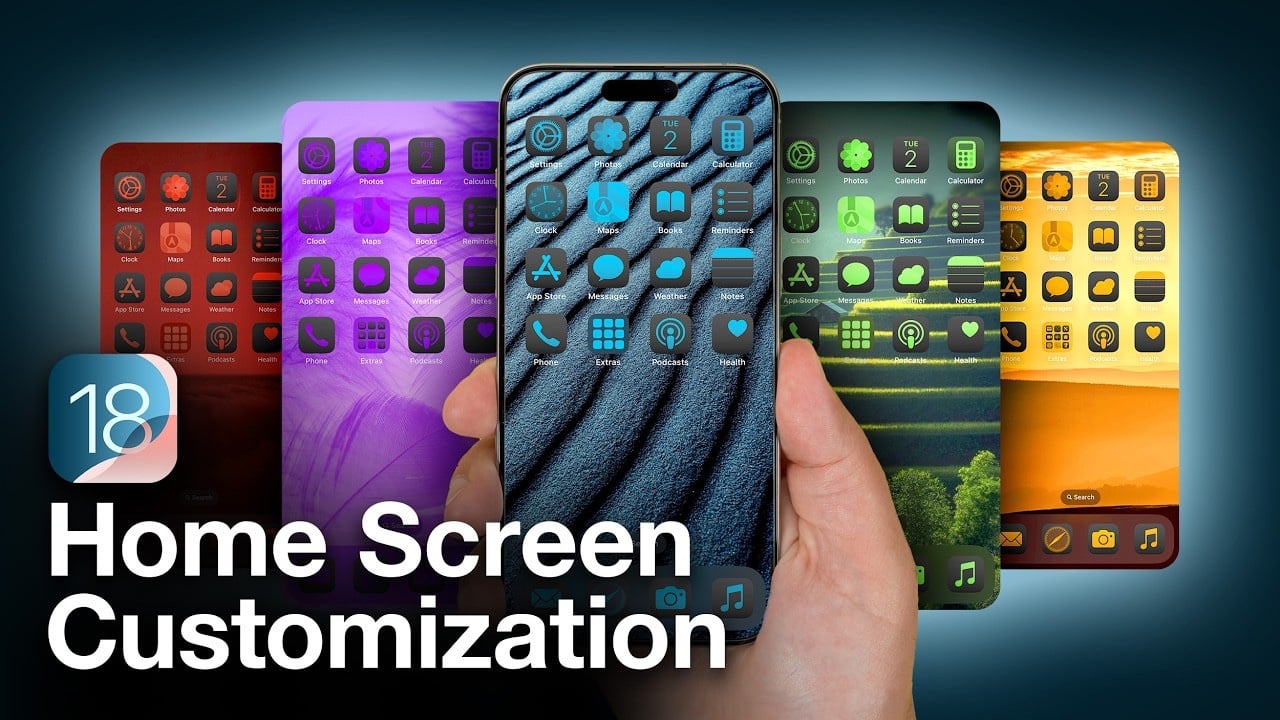
Beyond app folders and widgets, iOS 18 adds further functional and aesthetic customization. Alongside a new Dark look, you can tint all of them in a color of your choosing. Unlike previous dark modes on iOS, this time it also ‘dims’ individual app icons to keep it consistent with the darker theme. You can also have iOS choose the color for you, basing its recommendation on your iPhone’s wallpaper. If that sounds familiar, it’s because it is very similar to Material You, which Google introduced to Android in 2021.
You can also increase the size of the app icons ever so slightly, without reducing the number you can pack into a single pane. Doing so does strip away the text labels, so you better be sure you know, without words, which app icon is which. And, in a thrilling move for tens of pedants everywhere, you can move your icons outside a left-aligned, top-to-bottom snap grid. Do you want the Safari icon floating in the bottom right corner, all alone? You can do that now.
iOS 18 also brings two new ways to secure your apps. You can assign an app as locked or hidden. Locking an app will require FaceID access, useful perhaps for Photos or a plethora of other apps if you often share your phone with children. Doing sp will also mean information from there won’t appear or bubble around other parts of iOS, like searches and notifications. You can also choose to hide the app, which nudges it into a dedicated folder, locked away behind FaceID.
Apple has also refreshed its control panel and dropdown menu for settings. Similar to when iOS introduced widgets a few years ago, there is now a dedicated control gallery to add smart home shortcuts, launch timers and more.
This had the potential to clutter up the control panel, but Apple has divided this into four different tabs. While you can tap on the little icons to the side to leap to a specific section, you can also access all of them in a single continuous scroll. Your most used features can live at the top, and other sections pull together your smart home controls, entertainment playback and connectivity. Have you lost your hotspot shortcut? It’s here. All the controls are also resizeable to prioritize the most crucial ones.
Finally, you can now customize the iOS lock screen controls, too. If you never use the flashlight, you can swap it out for something more practical, like a timer, or even act as a shortcut to Shazam in a pinch.
Photo by Mat Smith/Engadget
Messages
RCS (Rich Communication Services) has landed on the iPhone, or at least on those running iOS 18. It pulls together advanced text features, like support for richer images, larger file attachments, voice notes, group chat, read receipts and more. But you got all those through iMessage on iOS, making RCS sound a little uneventful.
However, if your friends are divided across Android and iOS, you can start using Messages like other third-party messaging apps. Does it have all the features of WhatsApp? No. Does it do everything you can in iMessage? No.
But it will help. For example, with RCS, you can send messages over Wi-Fi without a phone signal. I’ve had issues before when running late for appointments, trapped on the metro with no signal, unable to text to let the other person know. RCS means those messages will send if you latch on to a passing Wi-Fi network.
There are more advances beyond RCS. You can also schedule text messages, like you might already do on work chat apps and email. If you’re into Apple’s recently introduced message tapbacks (emoji reactions), you can now do so with any emoji, including your own Live Stickers based on your photos and images. For even more expression, iOS 18 also adds italics, bold, underline and strikethrough formatting, and a family of cute word animations that feel like WordArt come to life. It’s silly, it’s frothy, it’s pointless. I love it.
Photos
Photo by Mat Smith/Engadget
Apple has hidden away some major changes to how it structures its photos app, reflecting the fact that many of us have had iPhones (and photo libraries) for over a decade and a half. And we’re not going to look at all of those pictures. We’re likely not even going to look at most of them. In iOS 18, Apple has ditched the tabs for “Library,” “For You,” “Albums” and “Search.” Instead of your latest photos, screenshots and videos taking up the majority of the screen, you’ll see some space carved out for your latest content, curated albums, memories and more.
It’s a divisive approach, but I think your reaction will depend on how you interact with your photos. I know where my favorite photos are or how to find them, but other people in my life are often pleasantly surprised when services and devices can auto-curate an album of photos from a day out or a vacation. This redesign seems aimed at them.
And what about Apple Intelligence? Eventually, it will add some additional tricks, like Cleanup, which can help erase any unwanted objects in your photos. It’s a feature that Pixel (and Galaxy) phone users have enjoyed for a while, and still, we await the arrival of Apple Intelligence to be able to test this. For more on what’s coming to your gallery in iOS 18, check out my colleague Cherlynn’s detailed article on what Apple’s done to the Photos app.
More iOS 18 highlights
If you’re a daily Notes app user (yes, I’m guilty), there are some nice advances in iOS 18, too. You can now transcribe conversations and meetings directly into the app. At the time of my testing, you’ll have to ensure your iPhone is set to US English and US as a region for the transcription icon, shown in the image above, to appear.
We also get Math Notes, which can be accessed through the Notes app and from the calculator. Here, you can write out sums and calculations and your iPhone will solve them. It’ll even remember figures for future calculations. It feels niche, but there’s some definite utility here, perhaps if you’re looking to add up a vacation budget or DIY project.
Notes’ new collapsable subheadings proved more useful for me. I have several lengthy Note files, and now I can organize them better and not have to search for specific words to find what I need.
Apple brings a similar approach to its Reader on Safari, which can add a table of contents and even attempt to summarize an article before you even get your teeth into it. Meandering recipe intros: you may have been put on notice. But I say “may“ because as of this writing, I haven’t been able to test this on any sites I’ve visited.
There’s also a new Passwords app, which, in a lot of ways, is just an easier way to access your iCloud passwords instead of diving into your iPhone’s settings. The app divides your passwords into different categories like accounts, codes, Wi-Fi networks and Passkeys, and, wisely, will support the iCloud for Windows app and a Chrome extension. You can also share password collections with visitors, friends or family.
Apple continues to tentatively develop its smart home features within iOS 18, too. It’s adding express mode to automatically unlock connected doors as you approach — as long as you have your iPhone (or Apple Watch) on you. Meanwhile, Apple has created a guest access tab so you can grant access to parts of your smart home and even schedule the times a garage door, say, stays unlocked, perhaps for a package delivery.
Wrap-up
Photo by Mat Smith/Engadget
My early impressions of iOS 18 are more limited than I wanted them to be. Apple Intelligence and most of its exciting features teased at WWDC, are not part of this public beta. Without those, iOS 18 feels more like iOS 17.5. There are more features, but most of them are incremental.
RCS is finally here, adding more functionality to cross-OS text messaging (and possibly worrying the likes of WhatsApp) while elsewhere, Apple focuses on upgrading and enhancing its native apps. The company made some... interesting choices. In iOS 18, even Calculator is getting beefed up, with Math Notes, calculation history, and a new scientific calculator view.
The public beta is relatively stable, so it’s easy to recommend to those looking for early access to the latest iPhone features. However, without Apple Intelligence, drawing more meaningful conclusions on iOS 18 will have to wait.
This article originally appeared on Engadget at https://www.engadget.com/ios-18-preview-waiting-on-apple-intelligence-for-the-true-upgrade-143059859.html?src=rss
JBL, a renowned name in the audio industry, has recently introduced the JBL MA AV Receivers and Stage 2 Loudspeakers, a groundbreaking solution designed to offer a high-performance home theatre experience without the usual complexities. These products are carefully crafted to blend seamlessly into modern home interiors, offering a refreshing simplicity in installation, connection, and […]
Xfinity is giving its customers access to better picture quality, just in time for the Paris Olympics. To start with, its customers will have the ability to enable Dolby Vision HDR and Dolby Atmos via the Xfinity Stream app on compatible streaming devices and TVs for the first time, if they watch USA Network's Paris Olympics coverage. That will give them access to a viewing experience with more detailed pictures and immersive sounds even if they're not streaming through an Xfinity box.
The telecommunications division of Comcast is also debuting an enhanced 4K viewing experience for all customers of its X1 platform as a whole. It explains enhanced 4K as 4K video delivered over Comcast's network at the highest bitrate, with Dolby Vision for more realistic pictures and Dolby Atmos for immersive audio. The capability will also premiere for the Paris Olympics and will be available on USA Network's 24/7 coverage. Xfinity also promises ultra-low latency, which means viewers will only be seconds behind what's happening in Paris in real time.
"By premiering enhanced 4K during Paris 2024, fans of the Olympics will be among the first to experience this new innovation and enjoy all the live action in stunning picture and audio quality, with significantly less delay compared to anything else in the market," Vito Forlenza, Comcast's Vice President for Sports and Entertainment, said. Xfinity put its enhanced 4K feature to the test during the 2024 Super Bowl, though, to make sure it works as promised. It says that going forward, enhanced 4K will be its new quality standard for live sports on X1.
The streaming platform will make it easy for customers to access Olympics content, as well. Users will be able to create a custom destination for their favorite sports and access a comprehensive schedule of events, which they can then filter by any of the sports they're interested in. They can quickly access these feature and all the channels and services offering Olympics content by saying "Olympics" into the Xfinity voice remote.
This article originally appeared on Engadget at https://www.engadget.com/xfinity-is-showing-the-olympics-with-dolby-vision-and-dolby-atmos-on-its-stream-app-140046946.html?src=rss
iOS 18 introduces a wealth of customization options for your iPhone’s home and lock screens, allowing you to personalize your device like never before. With the ability to freely arrange app icons, change their colors, resize widgets, and customize lock screen quick buttons, you can create a truly unique and functional interface. Moreover, enhanced security […]
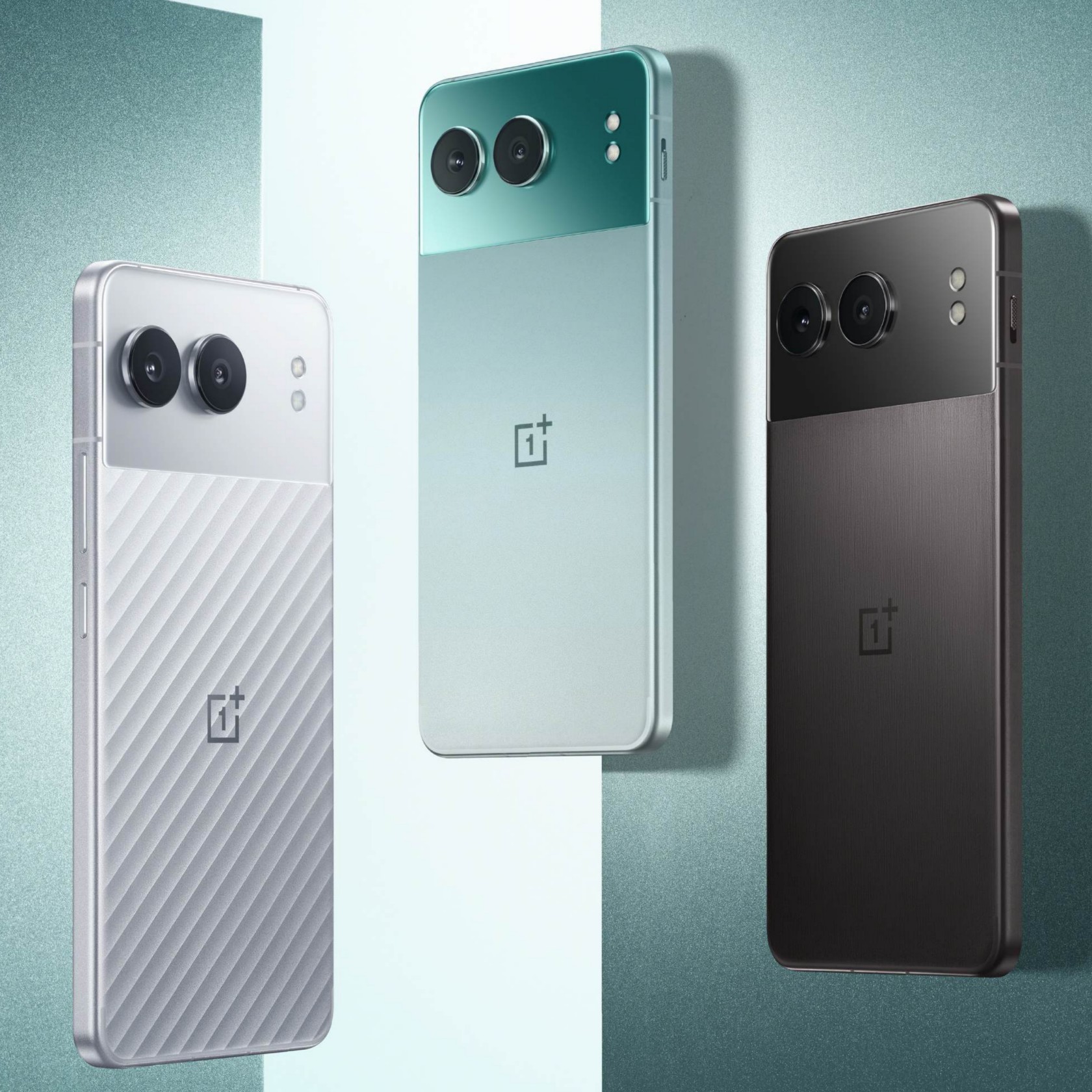
With the way how cameras on the back of the phones seem to be dancing around, or how every new model has some innovative glass-etching process, you’d think that the smartphone design field is bursting with activity and changing at every turn. You’d be partially correct, at least if only external appearances are concerned. In one important aspect, however, phone design has somewhat stayed still, held back by the demands of technology. Phones these days are either made up of glass and plastic covers on top of metal or plastic frames, with all-metal designs almost just a footnote in history. As one that never settles for anything less, OnePlus embarked on a bold and ambitious quest to design the first and so far only 5G phone with a metal unibody, a journey that took them back not only through the history of smartphone design but also through the history of human innovation.
Designer: OnePlus
Mobile Innovation, Material Stagnation
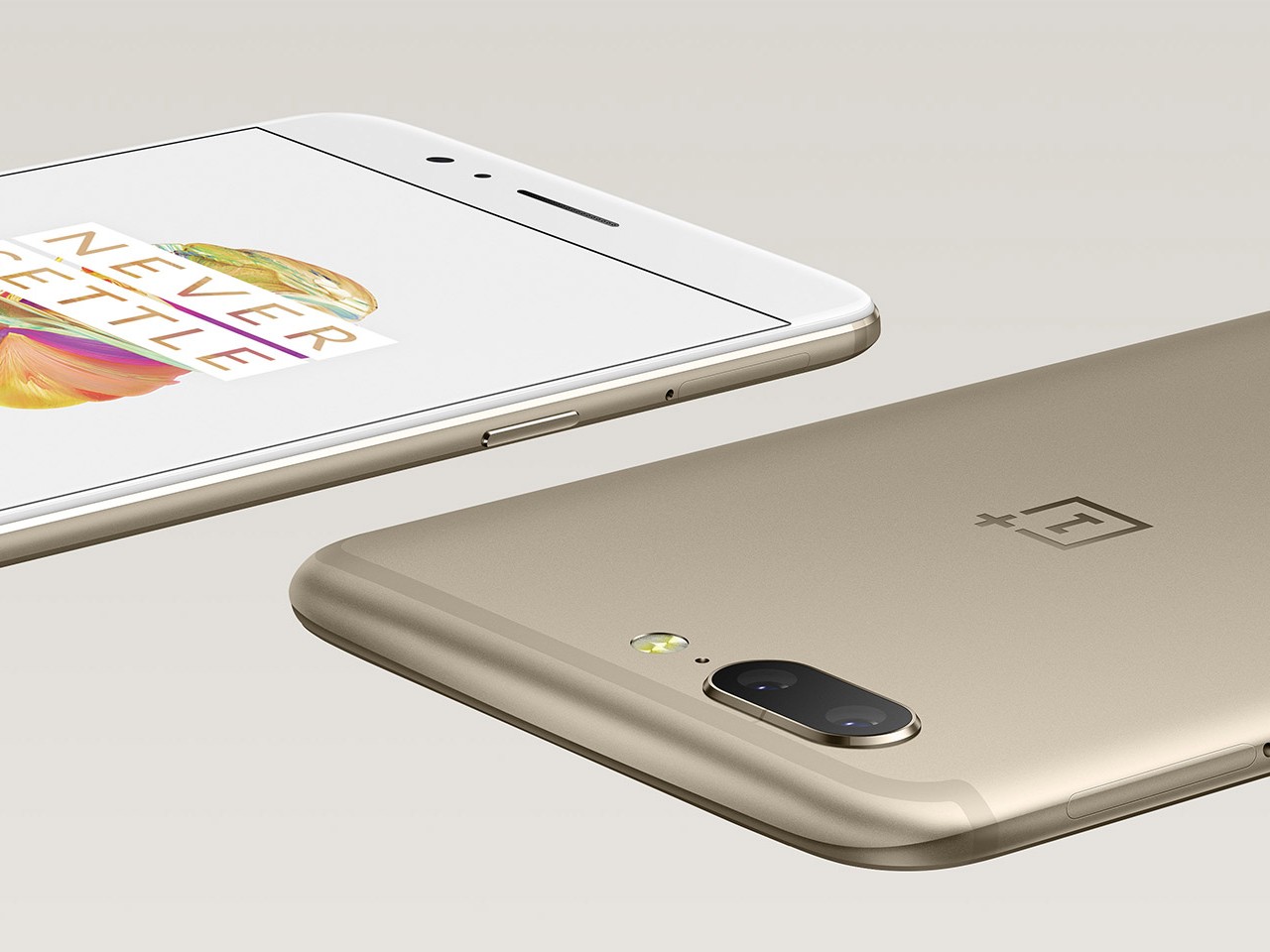
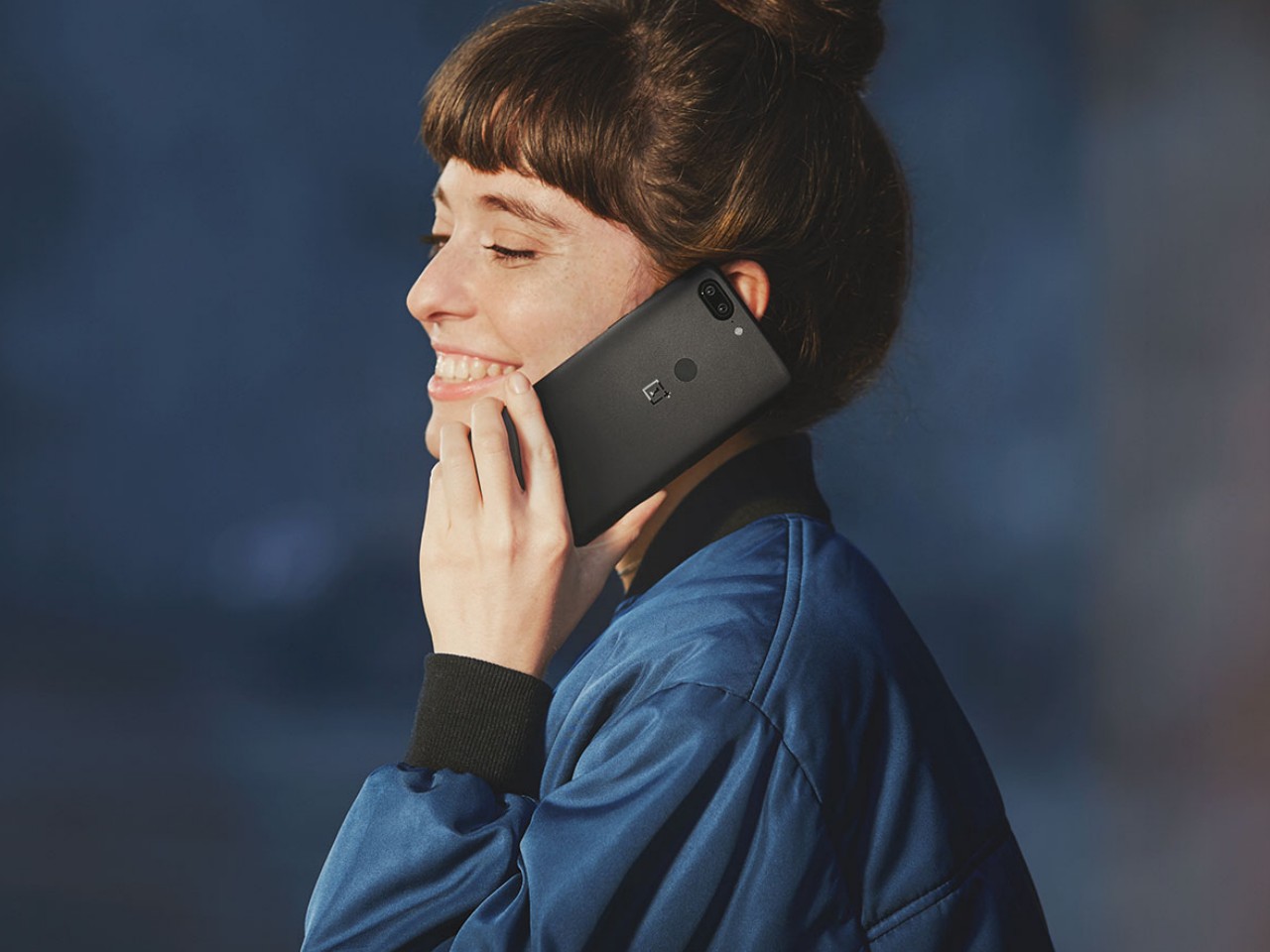
It wasn’t always the case that smartphones had a singular formula when it came to materials. It wasn’t too long ago that OnePlus itself launched a metal unibody design in the form of the 2017 OnePlus 5 and OnePlus 5T. Since then, however, smartphones have moved to those glass-metal or plastic sandwiches and there hasn’t been a full unibody design ever since. Ironically, the reason for that is one of the biggest innovations in the mobile industry: 5G networks.
OnePlus 5
OnePlus 5T
The speed and power of 5G placed heavier demands not just on hardware but also on design, specifically on how radio waves are transmitted through the phone’s body. Wireless signals already have a difficult time passing through metal, and even more so for 5G, forcing phone designers to either have plastic strips on the frame’s edges or simply ditch the all-metal design altogether. Unfortunately, it almost seems as if the industry as a whole is no longer interested in solving this puzzle, but OnePlus has risen to the challenge to provide its loyal users with a no-compromise option that will speak to their hearts through their fingers.
Metal Matters
Since the beginning of human history, especially when it came to trade, metal has played an important role not just in building up civilization but also as a symbol of prestige and luxury. Metal has always had this dual character of being a durable and malleable worker’s tool as well as a premium material for jewelry, decorations, and art. It is this long history that has endeared French designer Mathieu Lehanneur to metal. Famed for his nature-inspired metal-based works, Lehanneur was chosen to design the distinctive Paris 2024 Olympic Torch, perfectly symbolizing not only the aspirations of the Olympics itself but also the poetry in nature found in this year’s location for the event.
Mathieu Lehanneur, Designer of the Paris 2024 Olympic Torch
“I love materials that get their own history,” says Lehanneur as he explains his fascination with metal, “and metal’s history actually starts from the Earth, from the very planet itself. At the same time, it is also a part of human invention and skill, thanks to its ability to be transformed. I love the flexibility of the material, being able to create something that appears like a single piece of metal, a unibody design like the Olympic torch.”
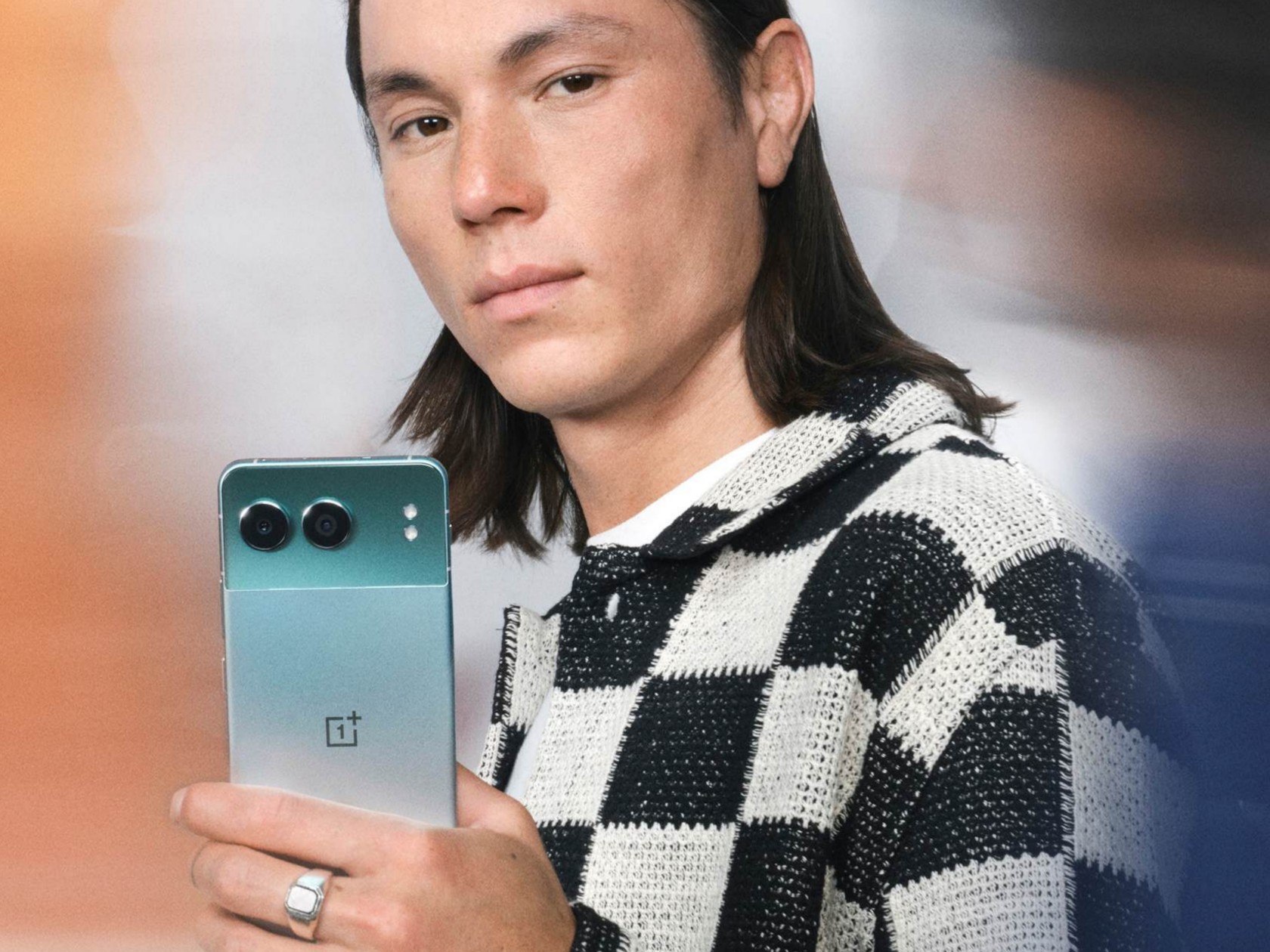
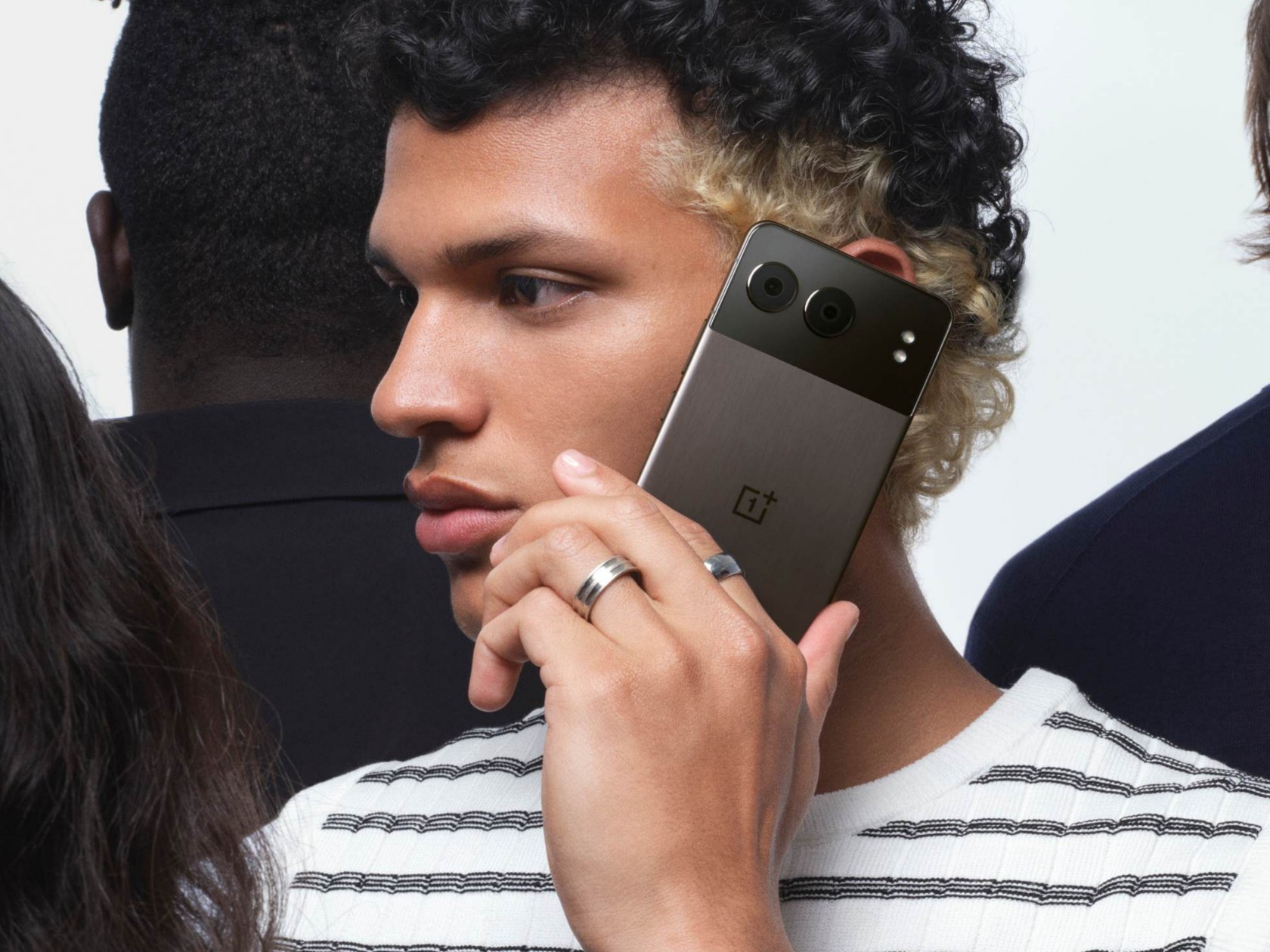
It is that same trait that has allowed OnePlus to craft a seamless and unified metal shell for its latest design, the OnePlus Nord 4. The material delivers a lustrous look and a premium feel, something that users today are craving more than just features and specs. More importantly, however, this metal unibody design was made to address the flaws and concerns that smartphone makers have with mixing the material and current technologies, opening the door to fresh new designs that go beyond limitations imposed by hardware.
OnePlus Nord 4: Metal for the 5G Era
Choosing metal for the new Nord was both logical yet also difficult. It presented an opportunity to uplift the user experience but also put hurdles that needed to be sufficiently overcome lest it actually become a burden to that same user experience. Fortunately, the creative minds over at the OnePlus Industrial Design Studio got together to solve these issues to deliver a fashionable product without compromises.
Ryan Ruan, Head of OnePlus Industrial Design Center, shares the many challenges the team had to face and eventually solved to create the OnePlus Nord 4. In the early stages of the design, it was already clear that the higher thermal conductivity of metal would be a concern. “That’s why we chose the power-efficient (Qualcomm) Snapdragon 7+ Gen 3 and designed a heat dissipation system that uses 17,900 sq. mm. of high-density crystalline graphene and a steel vapor chamber to ensure that even in extreme temperatures, the phone can still operate normally,” the designer explains. This serves to minimize the impact of heat on the metal surface and keep the phone performing optimally.
Wireless charging is another feature that is absent on phones with metal covers, and, unfortunately, there is still no way around this limitation. That said, the desire for this feature is more of a symptom of a much deeper cause. “Ultimately, users are pursuing high charging efficiency and a better user experience overall. Wireless charging is just one of the solutions, but we provide another solution,” according to Ruan. That solution is the OnePlus Nord 4’s extra-large 5,500 mAh battery and super-fast 100W SuperVOOC charging, minimizing not only the charging time but also the number of times you even need to charge the phone.
As for that tricky 5G antenna problem? OnePlus re-designed the phone’s internals to not only maximize battery space but also improve the signal strength. More importantly, the new U-shaped antenna design at the bottom of the internal chassis ensures that there is no degradation of wireless signals when you hold the phone at the sides with the so-called “Death Grip.” In other words, there will never be a wrong way to hold the Nord 4.
The Future of Burdenless Design
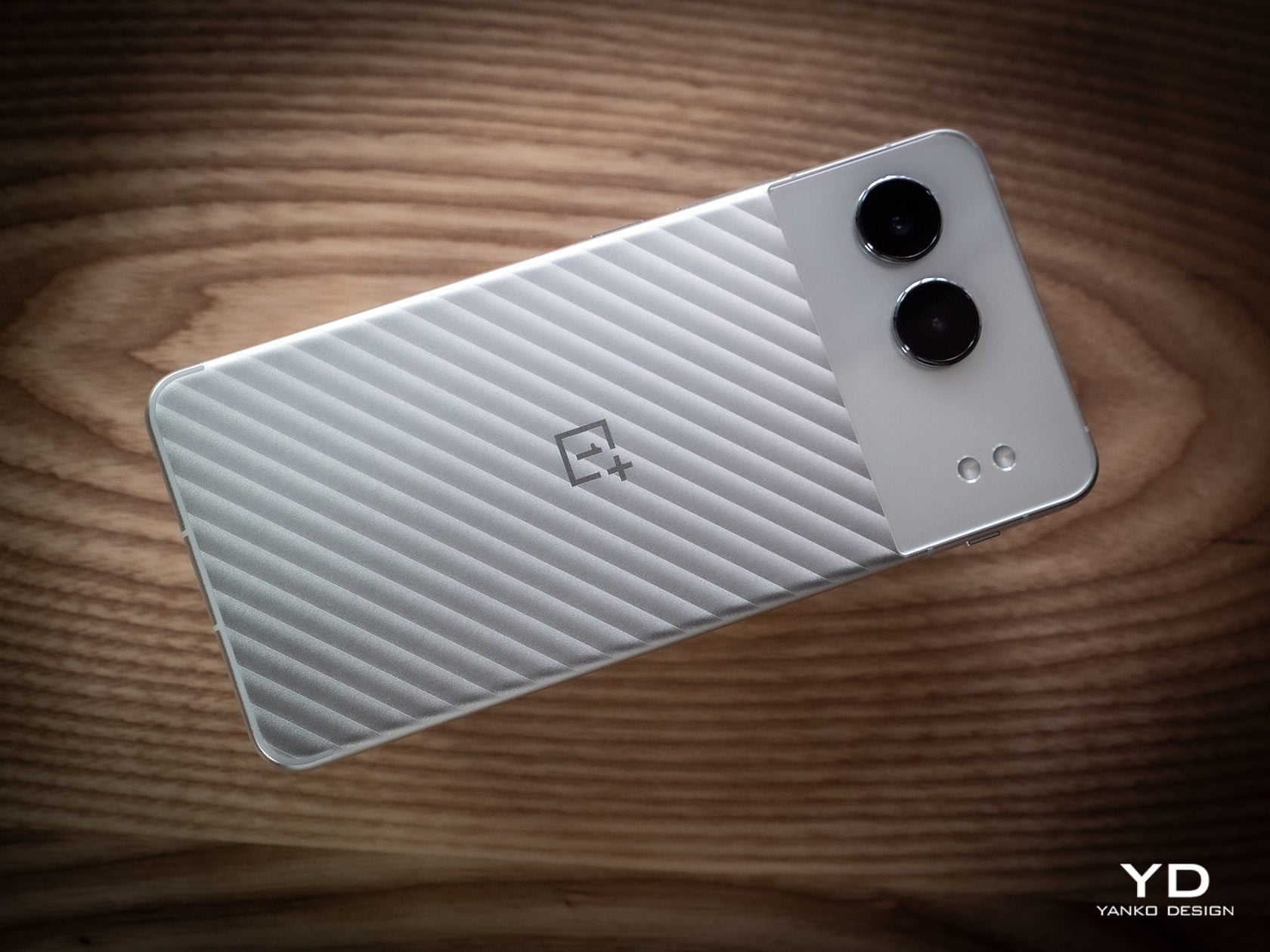
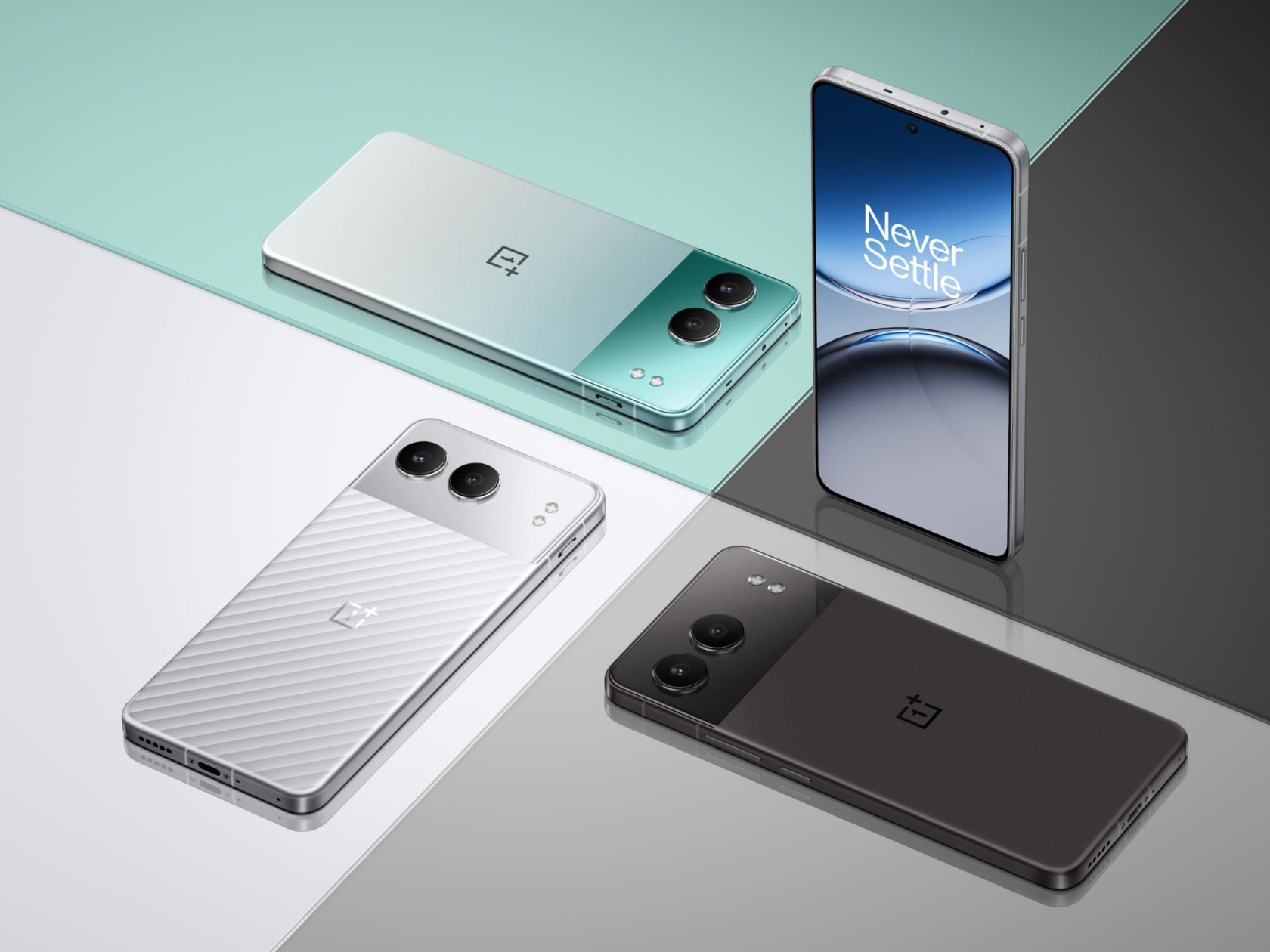
“When you choose a device, a product, or an art piece, it’s not only a question of specs or functionality but also a question of emotion, what you can feel from an object,” says Lehanneur. This relationship between object and person is especially true with today’s smartphone users who no longer pick just from a list of features but based on, as the designer describes it, “a question of how you want to be part of this object and how you want it to be a part of your life.” In that regard, Lehanneur expressed his delight in the Nord 4’s metal unibody design, and not just because it was made of metal. The Mercurial Silver colorway, in particular, has this visual effect where you can feel a relief or embossed surface even when there’s none. Lehanneur compares it to the “guillochage” design of luxury watches that provide beautiful visual and tactile experiences in a simple yet striking manner.
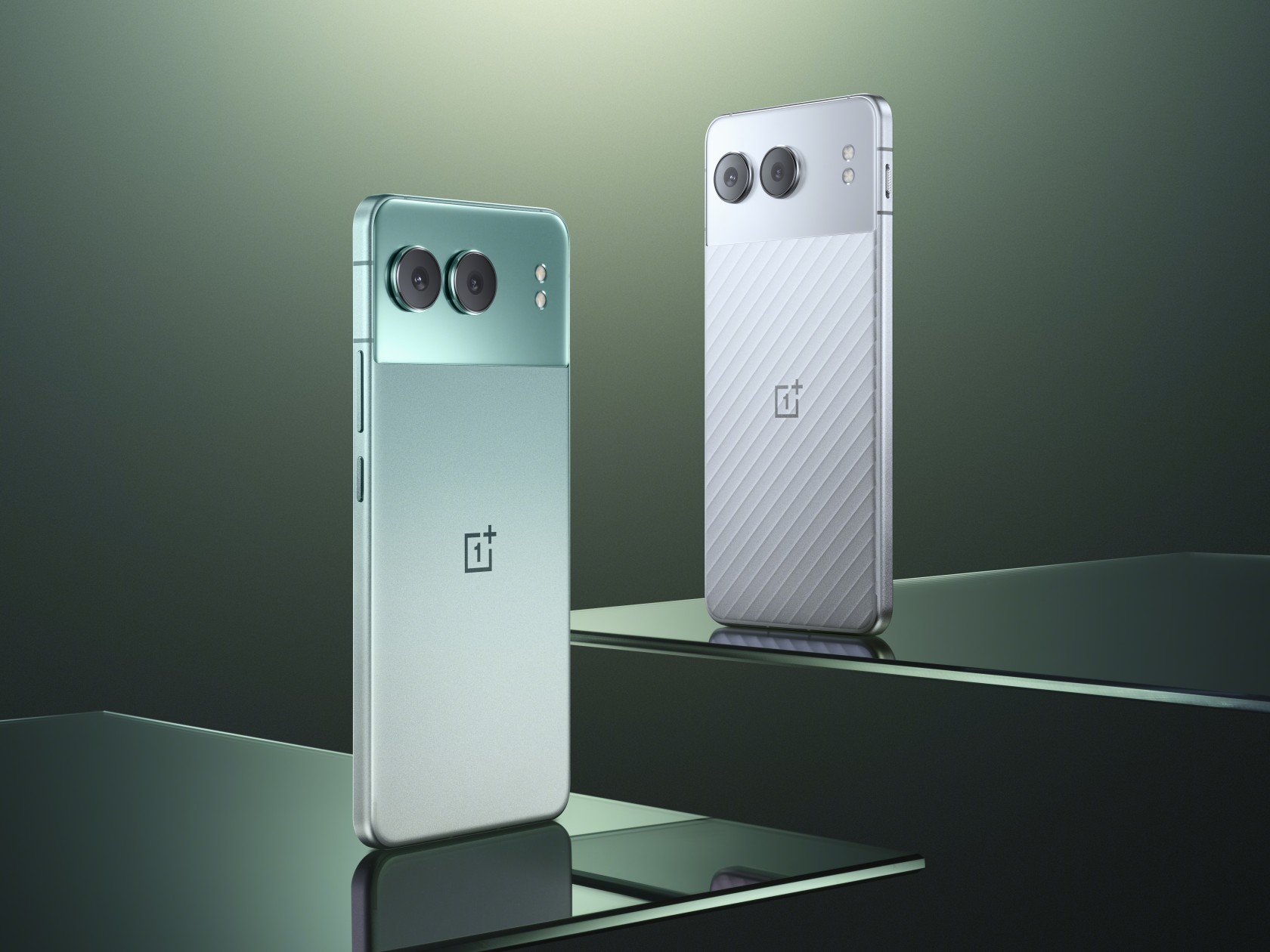
It’s a kind of detail that isn’t lost on OnePlus users who Ruan describes as “very playful, very young, and very personalized, pursuing designs where they can express themselves.” That is why early on, OnePlus designers decided to have a very different metal unibody design for the Nord 4 that distinguishes it from the 4G era OnePlus 5 and 5T. The dual-tone design of this generation’s “Nordtones” expresses that spirit of dynamism and vibrancy, while still trying to appeal to a broad range of tastes. It allows the Nord 4 to establish an emotional connection with users and allow them to express themselves in more unique and personalized ways.
A metal unibody is definitely a bold design to use for a phone, but it’s one that looks to the past glories of smartphone history while also safeguarding its future. “Metal is probably one of the most sustainable materials because it can live endlessly,” says Lehanneur. Unlike plastic that loses a part of its substance every time it’s recycled, metal can be recycled again and again. The recycled metal used in the Paris Olympic Torch, for example, could have very well come from a car in the past. In a way, that is also one way that metal carries its history, creating an interesting narrative with each lifetime.
In the same vein, metal wasn’t just a material choice for OnePlus but a representation of the brand’s design philosophy and ideals. “OnePlus is founded on the belief that while form should always perform a function, good design is what ultimately defines the user experience,” says Ruan. Choosing a metal unibody design, despite its numerous challenges, demonstrates the battle cry that launched OnePlus into stardom: Never Settle. “Our aim is to always strike the ideal balance between modern, elegant design and fast, smooth performance while providing users with a burdenless experience.”
Be sure to look out for our review of the OnePlus Nord 4 that will cover not just the design but also the overall value of this bold metal unibody phone.
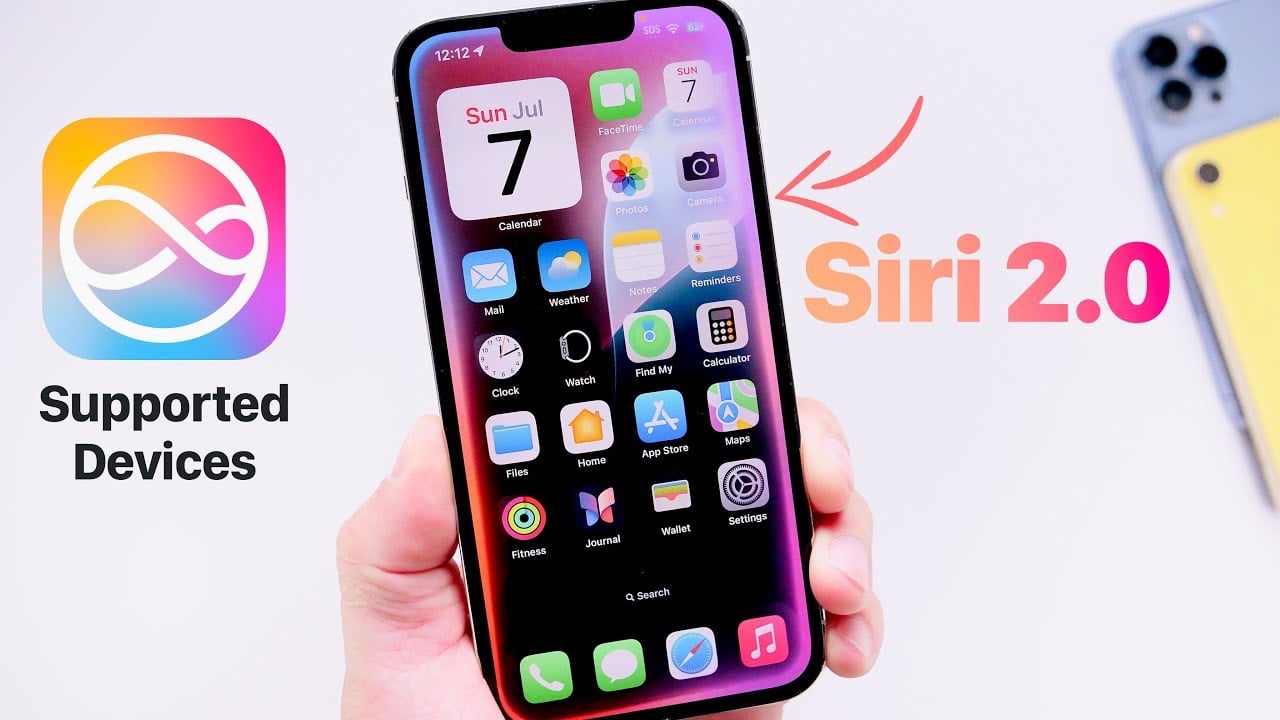
The Siri 2.0 update is generating significant buzz among iPhone users, thanks to its redesigned user interface and enhanced capabilities powered by Apple Intelligence. This update promises to make Siri more intuitive, responsive, and capable of handling complex commands with ease. However, it’s important to note that not all Apple devices will be able to […]
If you are struggling to keep all your digital documents, notes and media in a structured format for easy reference you might be interested in learning more about PARA. The PARA method, developed by productivity expert Tiago Forte, offers a streamlined approach to organizing digital information. PARA stands for Projects, Areas, Resources, and Archives, each […]
Apple released its second-gen AirPods Pro in 2022, but they're still the newest model on the market. At the time, we gave them an 88 in our review thanks to solid noise cancellation and stellar transparency mode — courtesy of their H2 chip. They're also our choice of 2024's best wireless earbuds for an iPhone, with simple touch controls, hands-free Siri and easy switching between Apple devices. Plus, they offer up to six hours of battery life with ANC on and up to 30 hours with the charging case.
Externally, the AirPods Pro also have some perks worth mentioning. Each purchase comes with four silicone tips, ranging from extra small to large. The earbuds and the charging case are IP54 dust, sweat and water resistant, so you can use them while exercising outdoors all summer.
Your Prime Day Shopping Guide: See all of our Prime Day coverage. Shop the best Prime Day deals on Yahoo Life. Follow Engadget for Prime Day tech deals. Hear from Autoblog’s experts on the best Amazon Prime Day deals for your car, garage, and home, and find Prime Day sales to shop on AOL, handpicked just for you.
This article originally appeared on Engadget at https://www.engadget.com/prime-day-is-over-but-apples-airpods-pro-are-still-cheaper-than-ever-124025085.html?src=rss