Pixel 9 Pro and Pixel 9 Pro XL Review: AI Future Today

PROS:


  • Distinctive, premium, and sleek design

  • Strong sustainability effort

  • Good camera output with software processing

  • Seven years of software support

CONS:


  • Gets mildly hot under intense use

  • Pixel 9 Pro: Slow 27W charging

  • Base storage starts at a measly 128GB

  • Some AI features still feel a bit gimmicky

RATINGS:

AESTHETICS
ERGONOMICS
PERFORMANCE
SUSTAINABILITY / REPAIRABILITY
VALUE FOR MONEY

EDITOR'S QUOTE:

With a premium and elegant design and impressive photography performance, the Google Pixel 9 Pro offers a glimpse into a future where AI makes lives easier and more meaningful.

In the beginning, Google was content to let its hardware partners shape people’s impressions of the Android mobile platform. With the launch of the first Pixel phone in 2016, however, it started to reveal its own vision for Android, not just in terms of software but for the overall user experience. Of course, visions and priorities change over time, and so do the focus and design for Pixel phones. With everything these days revolving around AI, it’s no surprise that Gemini, Google’s own AI platform, is at the heart of the new Pixel 9 series. But are these phones just vehicles for Gemini or do they have more to offer? With the smaller Pixel 9 Pro and the extra-large Pixel 9 Pro XL in our hands, we give Google’s latest smartphones a spin to see what all the fuss is about.

Designer:

Aesthetics

Remember the “Panda Phone,” a.k.a. the Google Pixel 2 XL? Pixel phones have always had rather distinctive designs bordering on being playful and fun. But as the phone line matured, so did their designs. Compared to the very first Pixels, the Pixel 9 Pro is more mellow, subdued, and grown up. Even the colors are a bit muted compared the last year’s selection. And it’s actually all for the best.

Google Pixel 9 Pro

Google Pixel 9 Pro

Google Pixel 9 Pro

The Pixel 9 Pro now competes in a market where the previously young generation are now young adults and budding professionals. Tastes and needs change, and product design needs to adapt. Gone is the distinctive but divisive “visor” camera bar, now with an equally eye-catching but more modern-looking pill. It still sits across the width of the phone but leaves some space at the sides. While this gives the Pixel 9 Pro a more unified and mature appearance, it also makes the past dual-tone color combinations impossible to implement, at least not without some superficial gimmick.

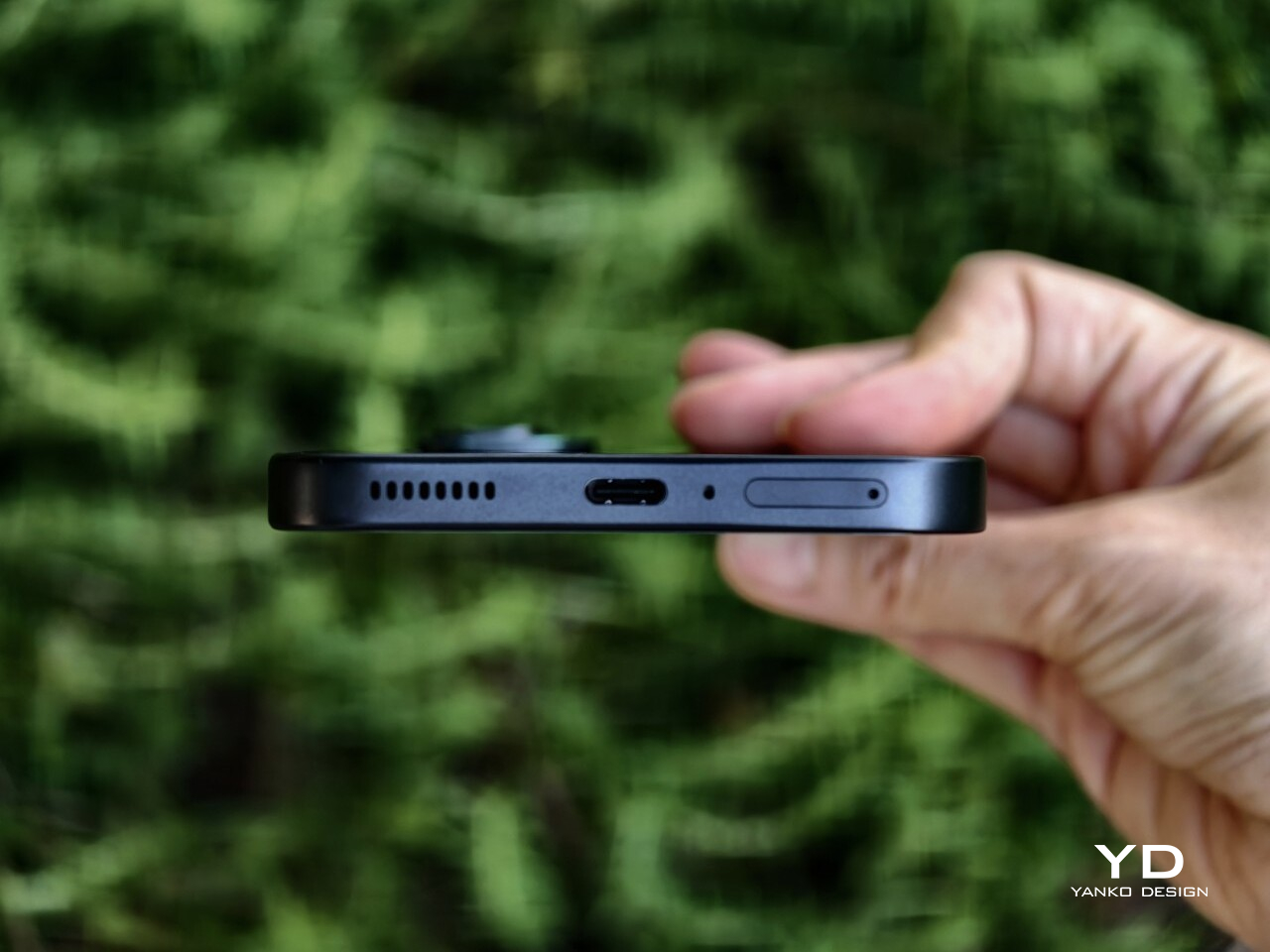
The change in camera design also frees the Pixel 9 Pro to finally adopt what is now regarded to be a more contemporary convention: flatness all around. The edges are flat and, at long last, so is the back. There will be many that will disagree, definitely, but it’s a change that’s a long time coming either way. The four corners are still very much curved, of course, but this pillow design not only softens the appearance of the Pixel 9 Pro a bit but also literally softens the feel in your hand. One curious detail is that the SIM card tray at the bottom is also curved to follow the contour of the phone’s corner. It shows an attention to detail you might have come to expect from a certain fruity company but not from Google.

Overall, the Pixel 9 Pro gives off an aura of professionalism, maturity, and subtle elegance. It highlights the premium materials that Google has always been using but now feels more noticeable. Yes, it’s still playing up some of the fun things you can accomplish with the phone, especially with generative AI, but that is now a function of the user experience rather than the phone’s aesthetics. It’s almost as if Google wanted to show that, yes, the Pixel 9 Pro is now all grown up so you don’t have to feel shy about taking it out in the boardroom or in galas.

Ergonomics

Disregarding their foldable sibling, the Pixel 9 series this year comes in three models but only two sizes. Both the “plain” Pixel 9 and Pixel 9 Pro come with 6.3-inch screens while the Pixel 9 Pro XL enjoys a much larger 6.8-inch screen. Except for the rather large $200 price difference, there almost isn’t any significant reason to go for the non-Pro model when the Pixel 9 Pro comes in that same handy size but also offers a lot more, well, pixels.

And handy it truly is, making the Pixel 9 Pro easier to hold and operate, even with one hand. The premium materials, particularly the matte glass finish, offer a good grip, and those flat edges sink better into your hand than curved ones. And for good measure, that horizontal camera island gives your index finger a good resting spot, almost like a built-in grip. That camera “pill” design also has one advantage when the phone is laid on a table: it doesn’t wobble.

In that context, the Pixel 9 Pro XL is obviously harder to handle, but that’s the price you’ll have to pay for a much larger screen. In terms of materials and design, it’s equal to the smaller Pixel 9 Pro, but unless you have very large hands, chances are, you will be gripping the phone harder than normal, at least if you’re holding it with one hand only. It could lead to a bit of strain and tiredness in the long run and a bit less confidence in holding the phone overall.

Performance

The Pixel 9 series also debuted Google’s fourth-gen self-made silicon, the Tensor G4. From the very beginning, these processors were made with AI and machine learning in mind, hence the name, and it definitely shows here, for better or worse. If you will be judging solely by benchmarks, you might come off pretty disappointed. It definitely lags behind the latest Qualcomm Snapdragon 8 Gen 3, let alone Apple’s new A18, but don’t let those numbers fool you. The Pixel 9 Pro and Pro XL perform quite well in real-world scenarios, and even better when AI is involved, to no one’s surprise.

If there’s one actually unfortunate aspect of the Tensor G4, it would be its continuing thermal woes. It doesn’t get burning hot, mind you, but the Pixel 9 gets noticeably warm sometimes even under moderate load. This is even more pronounced in the smaller Pixel 9 Pro, perhaps due to its smaller size. More than just some discomfort, this could affect performance, especially in graphics, where the Tensor G4 is forced to throttle sooner to lower the temperature faster.

Pixel phones have always been great in photography, and not always because they have great camera hardware. From the very beginning, Google has relied on computational photography to do more with less, and it has been quite successful at that. This year, it didn’t even skimp on the hardware, giving both Pixel 9 Pro and Pixel 9 Pro XL the same powerful trio of cameras: a 50MP main camera with OIS, a 48MP periscope telephoto camera with 5x optical zoom and OIS, and a 48MP ultra-wide shooter.

As you can probably guess, the combination of decent hardware and even more advanced software results in rather impressive photos and videos. Details are rich, colors are accurate, noise is low, and even a 10x “hybrid” zoom results in decent captures. That’s true even when the lighting isn’t perfect, though there are times when you can catch that the Pixel 9 did a little too much processing to compensate. Of course, there are also plenty of AI features at work here, and that’s also when things can get a bit spotty. Zoom Enhance might sound and look great on CSI, but you might end up catching the wrong person if you rely on the Pixel’s sometimes erroneous guesswork.

AI is, of course, the bread and butter of the Pixel 9 Pro, almost to the point that you could say that it is its raison d’être. Gemini Advanced and Gemini Live, in particular, take center stage in any Pixel 9 discussion, and it is where the phone both shines and, to some extent, fails. No, it’s not that it flops in performance or believability. In fact, it’s scary good that you might even start to worry about the future of humanity. The problem lies in what can be considered really useful and what is just fluff, and, in the final analysis, whether the Pixel 9 Pro has any value without those.

The Pixel 9 Pro is naturally overflowing with AI features. Gemini Live ventures into uncanny valley with its natural sounding voices and conversational capabilities, though you might want to always fact-check before driving to a recommended restaurant that closed years ago. Call Notes is going to be a lifesaver for people who always find themselves in online meetings, and thankfully Gemini openly declares its presence to let other people know there’s an invisible participant. There are also the basics like summarize for long articles and, of course, translate.

And then there are the AI features for more “creative” activities, like Magic Editor’s Reimagine which lets you replace the sky or the ground with other elements, basically a photo-bashing tool on your phone. Pixel Studio is Gemini’s version of text-based image editor everyone’s raving or ranting about, except it can’t or won’t generate images of people. And then there’s Add Me, which lets you compose yourself or any other person into the shot by taking two versions. Useful for when you have nobody around to take a group photo and fun for the first few times.

Some of these features can be quite useful, while others feel more like gimmicks to flex Gemini’s AI muscles. And others still feel like they need a few more iterations to become reliable, presuming you’ll even use them in the future. And for all of those features, Gemini takes up a 3GB chunk of the Pixel 9 Pro’s 16GB RAM, whether you use it or not.

Sustainability

Google has clearly set itself apart from other Android phone manufacturers, not just in design or in how it presents Android, but also in how it ensures the health of the planet for every Pixel made. Every year, it steps up its efforts to use more sustainable materials, like how the Pixel 9 Pro frame is made from 100% recycled aluminum and how its packaging is 100% plastic-free.

And there’s the effort to ensure the longevity of the Pixel 9 Pro, both in hardware and software. Google has committed to serving seven years’ worth of software updates, so the Pixel 9 is guaranteed to remain fresh until 2031 at least. That hopefully also means that kinks in Gemini’s results will also be ironed over time and pushed to the Pixel 9 Pro. Google is also working with iFixit to add the Pixel 9 to the self-repair list, providing instructions and official replacement parts. It won’t be a comprehensive selection, but still better than zero.

Value

Now comes the hard part, determining whether the Pixel 9 Pro and Pixel 9 Pro XL are worth their weight in gold. That “gold” is actually $999 and $1,099 for the Pixel 9 Pro and Pro XL, respectively, and the price gives you the base model with 16GB of RAM and 128GB of storage. Yes, you only get 128GB of internal storage that you can never expand, at least not physically. Of course, Google wants you to use its cloud storage for almost everything, but that paltry capacity is really stingy. And then there’s the hidden cost of Gemini Advanced, which will be a $20 monthly subscription after the first free year runs out. But if people won’t migrate to a paid subscription for those AI features, what will be left of the Pixel 9 Pro?

Without AI, the Pixel 9 Pro is a pretty OK Android phone, but it’s really just a little above average. Yes, the cameras are great and don’t rely on Gemini to produce great results, but they’re not the best in class either. Performance outside of AI is pretty mediocre, and mobile gamers will be left unsatisfied with the results. The Pixel 9 Pro really shines brightest when you take into account AI and Gemini, and there might not be any better vehicle for Google’s AI. But if you’re not part of that crowd, there might be little reason to reach for a Pixel 9 Pro for now or upgrade from a Pixel 8 Pro that will be getting some of those AI features soon anyway.

Verdict

The Google Pixel is finally all grown up. From a frivolous youth, it has now become a rather dashing and elegant smartphone with a design that can stand proud beside the biggest players in the market. It retains its impressive camera performance thanks to a combination of contemporary camera hardware and improved imaging algorithms. There are some hardware choices that make little sense in this day and age, such as the 128GB base storage and 27W charging for the Pixel 9 Pro. Its focus on AI, however, is both its strength as well as its weakness. Gemini’s capabilities are impressive and sometimes downright frightening, but not everyone is completely sold on it, especially with a $999 price tag that will have a $20 recurring monthly cost. There might come a time when these AI features will become standard, but that is still in the near future. That makes the Pixel 9 Pro a bit of a harder sell today, no matter how beautiful it has finally become.

The post Pixel 9 Pro and Pixel 9 Pro XL Review: AI Future Today first appeared on Yanko Design.

TECNO Phantom V Fold2 5G Review: Where Precision Meets Innovation in Foldable Design

PROS:


  • Gorgeous aesthetics and ergonomic design

  • Supports pen input for precision and creativity

  • Capable triple 50MP camera system

CONS:


  • Benchmark performance is behind current flagships

  • AI features need time to mature

RATINGS:

AESTHETICS
ERGONOMICS
PERFORMANCE
SUSTAINABILITY / REPAIRABILITY
VALUE FOR MONEY

EDITOR'S QUOTE:

Whether you’re looking for a productivity powerhouse or a device for creative expression, the TECNO Phantom V Fold2 5G is a standout choice in the foldable market, offering an excellent balance of cutting-edge technology, premium design, and sustainability-focused innovation.

TECNO’s Phantom V Fold2 5G sets itself apart in an increasingly competitive market for foldable smartphones by combining aesthetics, performance, and forward-thinking design choices. With its large foldable screen, durable build, and smart AI features, the Phantom V Fold2 5G feels like a step forward, combining form and function in ways that aim to enhance productivity and creativity.

Designer: TECNO + Loewe

My review unit, the Loewe. edition, goes beyond being another foldable phone. It’s designed for those who appreciate cutting-edge tech, luxury, and sustainability. The collaboration between TECNO and the German brand Loewe has brought a new level of craftsmanship, blending eco-conscious design with high-end aesthetics. Let’s dive into every aspect of this phone to see whether it lives up to its expectations in form and function.

Aesthetics and Design

The TECNO Phantom V Fold2 5G design immediately catches attention, especially the Loewe Edition, which blends premium aesthetics with practical everyday use. The Rippling Blue and Karst Green editions bring their own luxury flavor. However, what’s impressive about the Phantom V Fold2 5G is how these design elements translate into a seamless user experience.

The Rippling Blue edition, crafted with eco-friendly leather, gives the phone a textured, high-end feel that looks great and makes the device more practical for daily use. The texture ensures a better grip, which is crucial when holding such a large device. I found that even during more extended periods of use, the grip felt secure, reducing the chance of the phone slipping from my hand. Its ability to resist dirt and fingerprints also makes a big difference; there’s no need to constantly wipe smudges off the back, keeping the phone as pristine as the day it came out of the box.

On the other hand, the Karst Green version features a marble-patterned fiberglass back, a significant upgrade in terms of durability. It feels notably lighter than a glass-backed foldable while maintaining a premium touch. This was particularly noticeable when using the phone throughout the day—taking it in and out of pockets, placing it on different surfaces, and handling it during daily tasks. The fiberglass material gives you confidence that the phone can handle the occasional bump or drop without adding unnecessary weight. Despite being 25% lighter than glass, the 100 times better drop resistance means you can carry it without worrying too much about accidental damage, which is always reassuring.

From a size and weight perspective, the Phantom V Fold2 5G balances portability and functionality. When folded, it’s compact enough to fit in most pockets and easy to hold in one hand for quick tasks, measuring 156.5 x 72.9 x 11.78 mm. I found the folded size ideal for checking notifications, scrolling through social media, or responding to texts. However, when unfolded, it transforms into something far more versatile. The device expands to 156.5 x 141.2 x 5.52 mm, offering a large, tablet-like display perfect for more immersive tasks like watching videos, editing documents, or gaming.

The 249g weight feels surprisingly light given its foldable form factor, and it’s well-balanced in hand. Whether folded or unfolded, I didn’t feel strain during longer use sessions, a common issue with heavier foldables. The weight is distributed evenly, so the phone doesn’t feel top-heavy or awkward in either configuration, making it easy to carry around throughout the day without discomfort.

One feature that enhances everyday use is the 3D micro-arc curved frame. The phone’s pebble-like shape feels smooth and natural in the hand, making it easy to grip. This design minimizes sharp edges, which helps make the device feel comfortable to hold, even for extended periods. The rounded edges are subtle, but they make a noticeable difference compared to a more squared-off foldable that can dig into your hand after a while.

The aerospace-grade droplet-shaped hinge is another standout feature. You’ll first notice how smoothly the phone opens and closes. There’s no stiff or awkward resistance—it’s a fluid motion that feels precise and well-engineered. This hinge supports 400,000 folds, which means it’s built to last. After repeated use, I didn’t notice any significant wear or creaking, which is reassuring for a device that literally hinges on this kind of mechanism. The crease in the middle of the screen is minimized to 0.1mm, making it barely noticeable during use. Whether watching videos, reading, or working on documents, the crease fades into the background, and you quickly forget it’s even there.

Another practical feature is the hinge’s ability to hover at angles between 30° and 120°, which turns the phone into a hands-free device. This comes in handy for video calls, streaming, or even following recipes without needing to prop the phone up awkwardly. It’s easy to adjust the phone to your preferred angle and stays securely in place without slipping.

For those concerned about everyday wear and tear, the IP54 rating provides peace of mind. While it won’t survive being submerged in water, the rating means it can handle splashes and dust exposure without issue. This is helpful if you’re using the phone outdoors or near water, as you don’t have to be as cautious as you would with a non-rated device. The outer display is also protected by Corning Gorilla Glass Victus, which helps with scratch resistance and adds durability. Throughout my usage, I didn’t notice any significant scuffs or marks on the outer display, even after sliding it in and out of pockets and placing it on various surfaces.

Ergonomics

Despite its large size when unfolded, TECNO has ensured that the Phantom V Fold2 5G remains comfortable and easy to handle. The device’s weight is well-balanced, and the marble-patterned fiberglass material offers excellent grip without feeling slippery. The foldable design adds another layer of ergonomics, as the phone can be propped up at different angles for hands-free use. This is perfect for video calls, watching movies, or using split-screen apps without holding the device.

The side-mounted fingerprint sensor is intuitively placed for easy access, and it works seamlessly, unlocking the phone quickly with just a touch. The volume buttons are also conveniently positioned, though users with smaller hands might find them slightly out of reach during one-handed use. The overall button placement and design make the phone comfortable for prolonged use.

Phantom V Pen Integration

Phantom V Pen: Productivity and Precision

The Phantom V Pen significantly enhances the TECNO Phantom V Fold2 5G, turning it into a versatile tool for both productivity and creativity. Weighing just 10g, the pen is light and comfortable to use for extended periods, whether you’re jotting down notes, sketching, or annotating documents. Its integration with the foldable display is seamless, making tasks like handwriting recognition and calculations quick and efficient.

One of the pen’s standout features is its remote control functionality, which adds an extra layer of versatility. With its two buttons, you can control presentations, media playback, and even take photos—making it particularly useful for business users or those on the go. The remote functionality is especially handy during meetings or when navigating through slides without needing to touch the device.

The pen’s precision is supported by its super-resolution algorithm, ensuring a smooth and responsive experience, whether you’re sketching on the 7.85-inch inner screen or making detailed annotations. Creatives will find the pen particularly useful for more intricate work, where accuracy and control are paramount.

With up to 14 days of battery life on a single charge, the Phantom V Pen is a reliable tool that doesn’t require constant charging, which is ideal for professionals who need it throughout the day. Its range of features extends the overall functionality of the Phantom V Fold2 5G, making it a valuable addition for those who want to get the most out of their foldable device.

Performance

From the moment you start using the Phantom V Fold2 5G, it’s clear that performance is one of its strengths. Powered by the MediaTek Dimensity 9000+ chipset, this phone doesn’t break a sweat, and it handles just about anything you throw at it. Whether it’s casual multitasking, switching between apps, or diving into high-end gaming, the phone remains snappy and responsive. With 12GB of RAM and up to 512GB of storage, you’ve got more than enough room and power to handle everything from daily tasks to more demanding workloads.

The experience is elevated by two AMOLED screens offering 120Hz refresh rates. The 6.42-inch outer screen is perfect for those quick, one-handed tasks, while the 7.85-inch foldable inner screen is where the magic happens. The colors are vibrant, the blacks are deep, and everything looks crisp and smooth, whether you’re watching a video or working on multiple apps simultaneously. The larger display is a treat for multitasking—you can open two apps side by side without feeling cramped.

AI-Powered Features

The Phantom V Fold2 5G stands out because TECNO’s AI Suite is seamlessly integrated into the phone. It’s a productivity booster in every sense. The Ella AI Assistant is like having a personal assistant on call, whether you’re pulling up search results or managing tasks across the phone. It’s surprisingly smart and smooth, handling over 400 system functions—from switching wallpapers to optimizing your settings in real-time.

For those who often juggle between documents and need quick summaries, AI Summary instantly pulls essential details from PDFs or websites. This feature alone saves a ton of time. AI Translation works wonders for voice calls and face-to-face conversations, especially with multiple languages. And for the content creators, AI Artboard and AI Wallpaper are there to help. AI Artboard turns your quick sketches into legit artwork, while AI Wallpaper allows you to create unique backgrounds based on a few simple words.

Gaming and Everyday Use

For gamers, the Phantom V Fold2 5G delivers a solid experience. The MediaTek Dimensity 9000+ and high touch sampling rate make gaming buttery smooth, even with graphic-heavy titles. The 360Hz touch sampling rate ensures responsive controls, which makes a difference in fast-paced games. Whether running apps, browsing, or playing high-end games, the device stays cool and doesn’t lag. The 2K+ resolution on the larger display adds an extra layer of immersion when gaming, making the visuals pop.

Even during regular use, the performance holds up without a hitch. Apps open quickly, there’s no noticeable stutter, and the multitasking experience with the FreeForm feature is seamless. Multiple apps can run side by side without any lag, making the most out of that larger screen. It’s a breeze whether you’re responding to emails, watching videos, or switching between tasks.

Battery Life and Charging

Now, regarding battery life, the 5750mAh Aircell battery is one of the reasons why this device works so well for power users. It can last all day, even with heavy use, like video streaming or social media browsing. TECNO claims up to 9.22 hours of continuous TikTok use and over 19 hours of Facebook scrolling, and based on my experience, those numbers hold up.

The 70W Ultra Charge gets you from 0 to 50% in just 20 minutes. That’s a huge time-saver when you’re in a rush. And if you prefer wireless charging, the 15W wireless charging option is handy, making it easier to top up without cables.

Camera Performance

TECNO has packed the Phantom V Fold2 5G with a robust camera system that includes five lenses, offering a versatile photography experience. The triple 50MP camera setup is a highlight, providing professional-grade photos in various settings. The primary 50MP lens features a large 1/1.3” sensor, which excels in low-light environments. Combining the large sensor and TECNO’s AI-powered Universal Tone technology ensures photos come out clear, vibrant, and accurately toned, regardless of the lighting.

The portrait camera, another 50MP lens, has 2x optical and 20x digital zoom. This lens is ideal for capturing professional-grade portraits with crisp details and a natural-looking depth of field. Portrait mode performs exceptionally well, with accurate subject detection and a pleasing bokeh effect.

The ultra-wide 50MP lens is perfect for capturing expansive landscapes or large group shots. Despite the wide-angle view, images remain sharp and detailed across the frame, with minimal distortion. TECNO’s AI enhancements help maintain image quality, even when zooming in on wide-angle shots.

The Phantom V Fold2 5G’s dual front-facing 32MP cameras on both the outer and main screens offer the highest pixel count for a foldable device. These cameras are perfect for high-quality selfies, video calls, and vlogs. The camera system is bolstered by TECNO’s FreeCam system, which offers unique hands-free photography features. FreeCam Video, FreeCam Selfie, and FreeCam Long Exposure allow users to capture creative shots by simply unfolding the device and using voice or gesture commands.

Overall, the Phantom V Fold2 5G’s camera performance is versatile and reliable. It’s capable of delivering stunning photos and videos in various conditions. Whether you’re a photography enthusiast or a casual user, the camera system offers everything you need to capture high-quality content.

Sustainability

TECNO has focused on sustainability with the Phantom V Fold2 5G, mainly through its partnership with Loewe. The back cover is crafted from marble-patterned fiberglass and pleated leather textures, combining premium aesthetics with eco-conscious design. This partnership underscores TECNO’s efforts to integrate sustainable materials without compromising the device’s luxury feel.

Additionally, TECNO’s Phantom V Fold2 5G packaging is made from recycled materials, reinforcing its commitment to reducing environmental impact across the product lifecycle.

Value & Verdict

The Phantom V Fold2 5G offers an excellent balance of cutting-edge technology, premium design, and sustainability-focused innovation. TECNO’s powerful AI suite, combined with the device’s expansive foldable display and high-quality camera system, ensures that this smartphone caters to both business professionals and creative users alike. The device’s unique aesthetics—especially in the Loewe edition—make it a luxurious option, while its durable build and advanced hinge mechanism provide long-term reliability.

Priced competitively within the foldable market, the Phantom V Fold2 5G delivers substantial value for money. TECNO has managed to pack a host of premium features into a device that doesn’t compromise quality or performance. Whether you’re looking for a productivity powerhouse or a device for creative expression, the Phantom V Fold2 5G is a standout choice in the foldable market.

The post TECNO Phantom V Fold2 5G Review: Where Precision Meets Innovation in Foldable Design first appeared on Yanko Design.

ASUS ProArt PZ13 2-in-1 Laptop Review: Portable Partner with Plenty of Potential

PROS:


  • Handsome, sleek, and minimalist design

  • Lightweight and portable body for creatives on the go

  • Large and long-lasting 70Wh battery

  • Beautiful Pantone-validated 13-inch 3K OLED screen

CONS:


  • Inserted SD card prevents flap cover from closing

  • ASUS Pen 2.0 is a separate $100 purchase

  • Software and peripherals compatibility is still a hit-or-miss


RATINGS:

AESTHETICS
ERGONOMICS
PERFORMANCE
SUSTAINABILITY / REPAIRABILITY
VALUE FOR MONEY

EDITOR'S QUOTE:

The ASUS ProArt PZ13 with Snapdragon X Plus delivers a handsome AI-powered creativity tool that agile creative professionals can take anywhere with confidence and pride.

Life can sometimes take us places we never planned or even dreamed of going to. While some people fear and stress over life’s unpredictable journeys, others have grown to embrace and even love the adventure, both figuratively and literally. Designers, artists, and content creators today have their beloved computers and tools at home or in the office, but they know better than anyone that inspiration can strike when and where we least expect it, not to mention suddenly having to do work just after we stepped outdoors. Laptops were made for this purpose, but their thick and heavy bodies didn’t exactly make for comfortable mobility, while tablets went the opposite extreme and prized portability over the performance that professionals need. The ASUS ProArt PZ13 makes the bold promise of delivering the best of both worlds, so we naturally had to put it to the test to find it out if could really meet the demands and desires of designers and creatives on the go.

Designer: ASUS

Aesthetics

At first glance, you might not think much of the ASUS ProArt PZ13, but closer inspection reveals it has two sides to its design, matching its 2-in-1 detachable laptop functionality. On its own, it’s a rather stylish and striking tablet, black as black, unlike black tablets that look more like “space gray” or other shades. ASUS’s “nano black” coating, also seen on the ASUS ProArt PX13 we reviewed recently, reduces the reflection of light, making it darker than typical metal or plastic surfaces with glossy finishes, no matter the lighting condition or angle. It gives off a professional and elegant character that you’d come to expect from mature designs used in professional settings.

The ProArt PZ13’s CNC-engraved unibody aluminum alloy chassis gives the device structural integrity, durability, and a simple yet sophisticated appearance, highlighted even more by its ultra-slim 9mm profile. There are barely any breaks in the tablet’s visual appearance, aside from a single visible USB-C port, two ventilation grilles at the top, and one air-inflow grille on the back. The classy yet subtle ProArt logo sits at the bottom, opposite the requisite regulatory markings and branding.

All in all, the ASUS ProArt PZ13 exudes an aura of professional beauty befitting a tool for agile creatives, but that image might be challenged by the protective accessories that add value and change the aesthetic a bit. Included in the package is a magnetic keyboard cover and a magnet back plate with a kickstand, both necessary if you’re carrying this portable computer around. They are designed to offer rugged protection and definitely look the part, though it’s a bit strange that ASUS opted for a different hue that sharply contrasts with the pitch-black body of the tablet itself. Gray with a tinge of green, these accessories will be an acquired taste and might not sit well with some people, both in color and in the rugged, ridged design.

Ergonomics

Combining power and portability is always a delicate balancing act. Due to the laws of physics, you can only cram so much into a small space before you start weighing the object down or making thermal management impossible. Conversely, you can only remove so much before performance starts to take a hit. Thanks to its choice of components, especially the processor, the ASUS ProArt PZ13 manages to strike quite a nice balance, weighing only 0.85kg (1.87 lbs) on its own.

That does carry a bit more heft compared to an iPad Pro, for example, or even a Samsung Galaxy Tab S9 Ultra, but when you consider that this is a Windows machine with fans inside, that’s still a pretty impressive feat. That makes the ProArt PZ13 very usable as a tablet, whether for reading documents, watching videos, or even making art, though you won’t want to hold it up with your bare hands for a long time either. This also makes the device easy to carry around the house, the office, or even outdoors, especially if you know you won’t need a keyboard to type on.

The story changes a little bit when you do need to add the keyboard and kickstand to the formula, almost doubling the weight of the device. It’s still significantly lighter than a laptop, but it’s no thin tablet either. And you will most likely have to use both the back plate and the keyboard together since there’s no way to prop up the tablet without the kickstand. That also means you can really only use this 2-in-1 device as a laptop when you’re on a flat and long surface like a table, making the “lapability” of the design quite low.

Performance

This is hardly the first 2-in-1 detachable Windows laptop, but the ASUS ProArt PZ13 is one of the first few to use Qualcomm’s new energy-efficient Snapdragon X Plus silicon. This Arm-based processor is closer to the Apple M chips than, say, Intel or AMD, and is in fact directly targeting Apple Silicon devices. Qualcomm earlier launched the beefier Snapdragon X Elite, but that in no way means that this is an underpowered version, especially considering it still boasts the same 45 AI NPU TOPS performance even with only 8 cores.

In other words, Windows itself runs quite smoothly on this machine, as well as any other piece of software that’s actually designed for or adjusted to work on this computing platform. That includes a growing number of Adobe products like Photoshop and Premiere, popular comics drawing software Clip Studio Pro, and more. The ProArt PZ13 and the Snapdragon X Plus shine brighter when those apps need some AI power, thanks to that dedicated NPU chip that doesn’t choke the main processor.

There, however, also lies a bit of the rub. That smooth and responsive experience works best on software that has already been adapted to work on Snapdragon processors, which isn’t the case for the hundreds of popular Windows programs out there. Yes, those apps can still run thanks to a special emulation layer, and yes, performance has improved significantly since the earlier days of Windows on ARM, but that extra layer is still there and can still affect your performance, especially when it comes to games. The same is true with peripherals you want to connect to the device, especially ones that need special drivers that aren’t supported by this platform yet.

In exchange for that uncertainty, the choice of a Snapdragon X Plus processor brings with it the peace of mind that you won’t have to scramble for a power outlet every few hours. The 70Wh battery can last almost a full day, give or take a few hours depending on your use, which is something even the most generous estimates on an Intel or AMD laptop can even boast about. It also chargers quickly over USB-C using the included 65W charger, though that also means you can use almost any standards-compliant USB-C charger as well.

Regardless of what you use it for, you will be experiencing a bright, colorful, and vibrant 13.3-inch 3K screen, thanks to ASUS’s Lumina OLED technology. Professionals who require color accuracy will be delighted to know that it’s Pantone-validated and has support for 100% of the DCI-P3 color gamut. Even better, ASUS offers all the sliders and switches you need to customize the display to your requirements and tastes. Its refresh rate does cap out at only 60Hz so it won’t be the best option for gaming, which isn’t what you’ll be using this laptop for most of the time anyway.

The ASUS ProArt PZ13 only has one USB 4.0 Gen 3 Type-C port visible for quick access to a charging port, but don’t fret, it isn’t the only one. There’s another USB-C port of the same type hidden behind a silicone flap, which also hides a full-sized SD card reader. Digital photographers will probably delight in the inclusion of this port which is absent on almost all tablets these days, while those who regularly work with microSD cards will be happy to know that ASUS actually ships an adapter in the box. The one catch to this design is that you can’t have an SD card permanently inserted there because a part of it juts out of the frame, making it impossible to close the silicone flap over it. It’s clearly not designed for storage expansion but removable storage to support the workflows of camera users.

Sustainability

Unlike with its other products, ASUS is a bit silent on the amount of recycled materials it uses for the ProArt PZ13. Rather than focus on the use of sustainable materials, it instead highlights the ways this device can last a long, long time before it needs to be turned in for proper disposal and recycling. With an IP52 rating and conforming to the US MIL-STD-810H spec, you can carry and use this portable tablet with confidence anywhere, knowing that it can keep up with you wherever life or work takes you. Of course, the kickstand back cover and keyboard cover offer additional protection as well, which is all the more reason you won’t want to keep these three pieces apart for long.

One detail about that detachable magnet keyboard, however, might be a source of worry for some. While more convenient than a USB connection but also more reliable than Bluetooth, this design has a tendency to break easily due to wear and tear. ASUS will undoubtedly sell these separately for some time, but there will always come a point when they will go out of production, perhaps outliving the ProArt PZ13 itself. Reliability has improved over the years, of course, but it’s still something to keep in mind with this type of detachable keyboard.

Value

The ASUS ProArt PZ13 is both familiar and completely new. Its 2-in-1 detachable laptop design is something we’ve seen since the very first days of the Microsoft Surface, but its combination with a Snapdragon X Plus is just as new as the processor itself. To some extent, it’s wading into uncharted waters, but it isn’t alone either, and its biggest rival is none other than Microsoft itself and the latest Surface Pro. Fortunately, ASUS has its work cut out for it thanks to its competitive pricing.

At first glance, the ProArt PZ13’s $1,100 price tag seems to be on the losing end compared to the Surface Pro’s $1,000, but then you have to consider what you’re actually getting in the package. ASUS bundles the keyboard cover with the tablet, while that’s a separate $180 purchase for the Surface Pro, at least for the keyboard that can also charge the Microsoft pen. Neither comes with a compatible pen, and those cost an additional $100 for the ASUS Pen 2.0 and $130 for the Surface Slim Pen. That brings the total to $1,200 for the ASUS ProArt PZ13 and $1,310 for the Surface Pro, and even then you’re only getting 256GB of storage versus the generous 1TB on ASUS’s 2-in-1 laptop. In this context, there really is no contest between the two.

Verdict

The ASUS ProArt PZ13 promises the Holy Grail of mobile computing, offering reliable performance and long battery life in a thin and light design, and for the most part, it does deliver on those. Granted, software support on Windows on ARM processors like the Snapdragon X Plus is still a bit of a gamble, but things are getting better quickly, especially for the more popular programs used by professionals and hobbyists alike. Things are far from perfect, but for creatives looking for a reliable and stylish computer they can easily take anywhere, the ProArt PZ13 is definitely worth considering.

The post ASUS ProArt PZ13 2-in-1 Laptop Review: Portable Partner with Plenty of Potential first appeared on Yanko Design.

Narwal Freo Z Ultra Review: AI for Clean and Stress-free Homes

PROS:


  • Sleek and minimalist design that blends seamlessly into any home environment

  • Powerful features for thorough and hygienic cleaning

  • Privacy-respecting AI that knows what to clean and how to clean it well

CONS:


  • Auto Water Exchange System is a separate purchase

RATINGS:

AESTHETICS
ERGONOMICS
PERFORMANCE
SUSTAINABILITY / REPAIRABILITY
VALUE FOR MONEY

EDITOR'S QUOTE:

The Narwal Freo Z Ultra makes AI relatable and useful, keeping your home clean and hygienic while also adding a touch of elegance to any space with its stylish design.

AI, machine learning, neural networks, and large language models are buzzwords not just in the tech industry but in mainstream media as well. Almost anything that has a tiny computer inside or connects to the Internet boasts of some AI feature, but most of them just talk about how powerful their product is for being able to do AI. Like any other technology, AI is supposed to help make our lives easier, not burden our brains with a litany of features to remember. At IFA 2924, Narwal unveiled the Freo Z Ultra robot cleaner to show how to do AI right, and we were able to get a first-hand preview of how it utilizes this powerful technology to keep our homes clean, our families healthy, and even our pets happy.

Designer: Narwal

Aesthetics

Robot vacuum cleaners are nothing new; they are one of the first robots and automation to enter our homes. Over the years, the basic form of these circular machines has changed little, which means they have kept close to their utilitarian aesthetic which stands out too much in most homes today. Even the base stations, which are evolving in complexity, often look like oversized and uninspiring trash bins. Fortunately, Narwal applied not only artificial intelligence but also human intelligence to give the Freo Z Ultra a more human appeal.

The Narwal Freo Z Ultra is designed to blend seamlessly into your home, a part of it that doesn’t get in your way, both literally and figuratively. It doesn’t call attention in the way that something unappealing would, like a tool out of place, but only by its sleek and elegant appearance that makes you appreciate its presence in a positive way. The smooth curves, minimalist style, and premium-looking materials make the robot vacuum cleaner and its base station look like functional design objects instead of just appliances.

Admittedly, the robot cleaner itself doesn’t deviate too much from the standard formula. It is a circular machine with very few standout details, and that’s a good thing. It allows the robot to move around without being distracting, showing only the bare minimum that informs people of its functions or state. And thanks to its intelligent navigation system, you don’t even have to worry about bumping into it or getting in its way, as it will be the one to move out of your way as it should be.

All in all, the Freo Z Ultra combines simplicity and style in a single package, adding to a home’s aesthetic instead of distracting from it. It makes the AI-powered robot cleaning system look and feel more like a part of your home, rather than something tacked on and out of place. It might even become part of the family, in its own helpful and cute way.

Ergonomics

Unlike devices that you operate by hand, you don’t really handle the Freo Z Ultra robot cleaner, which is definitely for the best. The reason you’d delegate this chore to a robot would be to avoid dealing with dirt and germs, so the less that you have to manually interact with the cleaning robot, the better. Fortunately, Narwal made sure to minimize those moments as much as possible, leading not only to a convenient mode of operation but to a hygienic one as well.

You don’t have to manually empty the robot’s dust bin. You don’t even have to wash the dirty mop. The only time you have to do some work is to empty the dust bag and replace the dirty water with a clean one, and even then you are guaranteed a sanitized environment thanks to the Freo Z Ultra’s smart features that we’ll get to later. Using these functions is definitely a walk in the park, as Narwal has made the design intuitive and easy to use.

Controlling the robot is a matter of setting it up in the mobile app and just letting it do its thing on its own. You don’t even have to lift a finger, literally, thanks to integration with smart home systems and assistants, which means voice control and automated scenarios. Yes, it sounds lazy, but the convenience means you get more time for yourself and your loved ones.

Performance

Smart robot cleaners are becoming the norm these days, but the Narwal Freo Z Ultra definitely pushes the envelope of what you can do with all that intelligence. Most implementations focus on AI-assisted navigation and obstacle avoidance, and of course, we see that here as well. More importantly, however, Narwal’s AI not only identifies what lies before the robot but also what to do about it, even if it means going back to it again and again.

This is the case with the Freo Z Ultra’s Next-gen Proactive AI DirtSense, which means it knows that the thing in front of it is some kind of dirt and can actually identify what kind of dirt it is. If it’s dry dirt, it sucks it up, but if it’s a wet spill or stain, it mops it up. It also detects how much more mopping is needed and returns to the spot after the mop has been cleaned at the base station. It intelligently understands in real-time if a certain section of the floor requires more thorough cleaning than other spots instead of just applying the same amount of vacuuming or mopping, which tends to spread the dirt around instead. In that sense, it’s almost human in the way it thinks and behaves, closely mimicking how we would approach such a problem as well.

Just as with dirt, The Freo Z Ultra is able to correctly identify the type of floor and carpet so that it can automatically adjust its settings without you having to tell it. For carpets, it can lift the mop to a height of 12mm to avoid staining the material, and it also maximizes the suction power up to 12,000 Pa for more thorough cleaning. For wooden floors, it applies only 7N of mopping pressure to protect the sensitive material, but ceramic tiles get 12N of pressure to better clean off dirt and stains.

And yes, the Narwal Freo Z Ultra has some pretty impressive obstacle avoidance skills, thanks to dual RGB cameras that let it see better, as well as not one but two processors, one dedicated solely to AI. This TwinAI Dodge Obstacle Avoidance system can recognize over 120 objects in the house and see the world like we humans do, in three dimensions. This helps the robot not only navigate spaces and avoid objects but even understand what it needs to actually do in order to clean that space.

This feature is especially important to households with pets, where the presence of a robot cleaner could wake up a sleeping pet or cause unnecessary stress. The Freo Z Ultra knows when it approaches a pet and avoids the area, but it also knows that it needs to return to the area again and again until our furry friend is awake and away. It then uses that same intelligence to determine how much it needs to clean your pet’s favorite spot to make sure it’s spotless and hygienic for your smaller family members.

The Freo Z Ultra’s intelligence extends to the way it cleans up after it cleans your floors. The base station doesn’t just empty the dust bin and wash the mops but makes sure both are clean and hygienic as well. It washes the mop at a warm 45°C for normal dust-based or powdery stains but ramps up the temp to 60°C for oil-based dirt like grease and sauce. It then heats things up even further at 75°C to really kill the bacteria, after which it dries the mop at only 40°C to make sure it won’t get damaged. It also applies hot air dust drying at 45°C to kill the bacteria inside the bin.

The Narwal Freo Z Ultra is overflowing with smart features on top of standard ones like an anti-tangling brush and Reuleaux triangular scrubbing mops that really get to those edges and corners. The best part about the smart robot cleaner is that you don’t actually have to mind any of these, as it’s smart enough to do the right thing at the right time, freeing you from worry and stress and giving even your pet some peace of mind.

Sustainability

Even though robot vacuum cleaners have been around for decades, some things haven’t changed that much, like the heavy use of plastics and non-sustainable materials. There might come a day when giants in this industry like Narwal start using more eco-friendly materials, but for now, it is tackling the problem from a different angle. In a way, the Freo Z Ultra uses its AI-powered features not only to preserve the longevity of the product but to also be more energy efficient in the long run.

Knowing when to clean is only one part of conserving energy and saving on your electricity bill. Knowing how to properly clean an area and itself can also contribute to this energy-saving strategy. Rather than applying the same pressure or suction power or heat uniformly across all instances, adjusting the settings lower or higher as needed is ultimately smarter and more efficient. The way it also takes care of itself ensures that the Freo Z Ultra will be your cleaning companion for a very long time, saving you money and reducing unnecessary e-waste over time.

Value

There’s no doubt that the Narwal Freo Z Ultra is one of if not the smartest robot cleaners to date. That makes it an amazing piece of technology, but does it really add value to your life? With the many things that burden our minds and take up our time, the last thing we often want to do is deal with chores like cleaning the floor. And while there are definitely lessons to be learned in such labor, there are also better uses of our limited time as well.

In the end, that’s what this smart AI-powered cleaning robot delivers, not just clean floors but also peace of mind and freedom from stress and worry. We don’t have to fuss over whether the little robot does its job well because we know it does. It’s not yet perfect but learns and improves along the way, much like us. The Freo Z Ultra offers a clean, safe, and hygienic environment while also freeing us to spend more time with the more important things in life. You can’t get any better value than that!

Verdict

There are many robot vacuums that boast AI-powered smarts, but most of them simply means they know their way around your home. The Narwal Freo Z Ultra puts all that computing power to work in teaching the robot how it needs to clean as well. From identifying the kind of dirt and applying the right way to clean it, to waiting for your pet to get up and then clean its spot thoroughly, the Freo Z Ultra frees you from having to worry about such minute details and focus instead on more enjoyable activities. Best of all, it looks stylish and elegant in your home as well, almost like having a designer object doing your chores for you.

The post Narwal Freo Z Ultra Review: AI for Clean and Stress-free Homes first appeared on Yanko Design.

Vivo V40 Review: Keeping Things Simple and Sweet

PROS:


  • Stylish and slim design

  • Large 5,500mAh battery

  • Impressive triple 50MP camera system

  • IP68 dust and water resistance rating

CONS:


  • Same specs as the Vivo V30 from early 2024

  • No dedicated telephoto camera

RATINGS:

AESTHETICS
ERGONOMICS
PERFORMANCE
SUSTAINABILITY / REPAIRABILITY
VALUE FOR MONEY

EDITOR'S QUOTE:

The Vivo V40 puts a new chic style on a proven no-nonsense phone that delivers a solid experience at an accessible price point.

The smartphone market is a very congested and crowded place, not just with multiple competing brands but with each brand putting out multiple models per generation on multiple tiers. You’d think these companies want to just put their best foot forward, but instead, they try to target different audiences and budgets. Of course, there will have to be certain compromises for devices that aim for a lower market tier, but the question is just how much can you sacrifice before all you’re left with is an unusable, unappealing slab of metal, glass, and plastic. That’s the question that the Vivo V40 has to face in light of its well-received Pro sibling, and we give it a good try to see just how well it can perform under certain constraints.

Designer: Vivo

Aesthetics

With so many smartphones now sporting more powerful and bigger cameras, it’s no surprise how many are scrambling to fit them in an elegant design and how some are failing to succeed. Given the two 50MP cameras on its back, it’s actually quite a pleasant surprise that Vivo managed to hit the nail on the head with its V40 series. There’s still a noticeable and technically thick bump on the rear, but it is presented in such an elegant way that you probably wouldn’t mind at all.

The key to this design is what Vivo dubbed the Gemini Ring, inspired by the constellation of the same name. It pairs two smaller circles in a bigger circle, playing on the “twin” theme. Technically speaking, the lower “ring” with the Aura Light is a bit taller and connects to the ring that houses the actual cameras, resulting in a shape that resembles a sleek keyhole. It’s an interesting visual element that grabs your attention but doesn’t scream at you.

The rest of the Vivo V40’s back is just as elegant as that camera design, with a variety of colors that add an artistic character to the phone. Our review unit, for example, is the Moonlight White which has a few patches of blue that resemble the surface of the moon at night. The back has a very glossy finish which, as you might have guessed, is a fingerprint magnet, though the color of the design at least makes those smudges harder to see.

The Vivo V40’s large screen curves to the side, giving it the illusion of a thin profile. We seem to live in an age of flat screens and flat edges, so this “classic” design might offer some relief to fans. It does come with some usability consequences, though, depending on how you hold it, and not everyone finds this aesthetic that appealing these days.

Ergonomics

At only 7.58mm thick and weighing only 190g (0.42 lbs), the Vivo V40 is incredibly thin and light, especially when you consider the extra-large battery it packs inside. It won’t strain your hand when holding the phone for a long time, but due to its size, you’re more likely to hold it with two hands unless you’re just idly scrolling away.

The curved edges of the screen are probably a bit more divisive. More than just a cosmetic design, it means that there will be parts of the screen at the edges that are not always visible, depending on the viewing angle, or might be accidentally triggered by parts of your palm or fingers. It doesn’t happen all the time, otherwise, this kind of design wouldn’t have lasted a year, but it might be something to consider when you notice “ghost” touches from time to time.

Performance

Underneath the sleek exterior of the Vivo V40 lies a rather sneaky secret. In many aspects, this is pretty much the Vivo V30 from early 2024, just with a few minor upgrades. It has the same Snapdragon 7 Gen 3 processor and the same basic memory and storage configuration. There are other similarities as well that we’ll get to later, but the bottom line is that, in terms of performance, you aren’t going to see a distinct generational upgrade.

That means that what was true for the Vivo V30 is true for the Vivo V40, which thankfully means you do get a solid mid-range performer. With enough RAM allocation, which is 12GB plus another 12GB taken from the 512GB storage of our review unit, you have plenty of silicon muscle to get apps moving smoothly and fluidly. You’ll have to turn down the settings for games, but you’ll still be able to enjoy the latest action-packed titles. That said, there is a Snapdragon 7+ Gen 3 at this point, so it’s rather disappointing that Vivo didn’t push for that extra punch.

The screen is almost the same, a 6.78-inch 2800×1260 120Hz AMOLED display that’s quite vibrant and crisp. This year’s model, however, upgrades the brightness by a considerable margin, which makes the phone even more usable outdoors. It supports HDR10+ but oddly leaves out Dolby Vision, something that might be of concern to video aficionados.

The biggest difference between the two generations is the 5,500mAh battery inside the Vivo V40, a whopping 500mAh increase from its predecessor. It does make the phone heavier and thicker than the V30, but not by much. The battery life gains pretty much make up for that anyway, with an uptime of almost 20 hours, depending on usage. It charges fast, too, at 80W, though not exactly record-breaking. The plot twist here is that Vivo doesn’t include a charger in the box, so you’ll have to find an 80W charger or higher on your own.

The cameras are where it’s all at, of course, and here the Vivo V40 doesn’t disappoint except in one aspect. Again, it’s the same combination of a 50MP f/1.9 main camera with OIS and a 50MP f/2.0 119-degree ultra-wide shooter. The front also gets a 50MP front-facing camera capable of shooting in 4K 30fps, which should probably make you a star in video meetings.

In practice, these ZEISS-tuned cameras deliver as promised, producing detailed and clear shots with natural colors and good exposure. That’s true both in broad daylight as well as low-light or nighttime shots, though the latter sometimes tend to get a little bit overexposed to the point of looking unnatural. Bokeh is pleasant and the separation of foreground and background is quite accurate. The Studio-quality Aura Light ring offers more flexibility with light temperature and intensity, creating more natural-looking lighting when needed. This stellar performance stops when you try to zoom in, though, even at just 2x. At that point, quality starts to degrade, which is to be expected from a camera system without a dedicated telephoto lens.

Sustainability

Vivo has been making big steps in improving its commitment to a greener future, and every little bit counts toward that goal. It might not be using recycled metals and plastics yet, but it might be slowly but surely getting on with the times. The Vivo V40, for example, doesn’t ship with a charger, helping decrease the potential e-waste from owning multiple chargers that do the same thing. Yes, you might have to buy a compatible charger if you still don’t have one, but that’s an investment that you will be able to use for other devices as well.

Perhaps the bigger step forward is taking this mid-range V series phone’s durability to the next level. From a measly IP54, the Vivo V40 now boasts an IP68 rating, putting it on the same level as more expensive flagship smartphones. What this means is that your phone won’t die on you so easily, prolonging its longevity and delaying its inevitable fate in the trash heap or recycling plant.

Value

To be painfully blunt, the Vivo V40 doesn’t exactly have a standout feature. Yes, the 50MP ZEISS cameras perform well, but other mid-range phones can match its output and even have a telephoto shooter in the gang. Its hardware isn’t exactly fresh or notable, but it does get the job done. The slim and sleek design is definitely eye-catching, but they always say that beauty is in the eye of the beholder.

Instead, it’s actually the sum of its parts that give the Vivo V40 its value. It’s a solid performer with dependable cameras wrapped in a premium-looking design, delivering long battery life and durability on par with high-end rivals. And when you slap on the $430 price tag, you basically get a mobile partner that you can rely on, as long as you don’t make too many demands.

Verdict

It is getting harder to stand out in a very crowded smartphone market, and some vendors have started making gimmicks, adopting exaggerated designs, or adding over-the-top features just to differentiate themselves. Sometimes it works, but most of the time you end up with an outlandish design that costs more than it’s worth. In contrast, the Vivo V40 opts for a simple yet solid design, delivering a well-rounded experience with a camera system that you can be proud of and a large battery that won’t let you down.

The post Vivo V40 Review: Keeping Things Simple and Sweet first appeared on Yanko Design.

2024 Toyota RAV4 Woodland Edition Review : A True Adventure Upgrade or Just a Facelift

PROS:


  • Green and bronze looks great

  • Subtly improved off-road capability

  • Typical RAV4 utility

CONS:


  • Reduced fuel economy

  • Worse on-road manners

RATINGS:

AESTHETICS
ERGONOMICS
PERFORMANCE
VALUE FOR MONEY

EDITOR'S QUOTE:

The Woodland Edition adds a strong dose of rugged style and a bit of extra capability, but the return may not be worth the efficiency and financial cost.

The auto market is being flooded with semi-rugged, lightly off-road editions of everyday SUVs, and Toyota’s getting in on the game with this. It’s the RAV4 Woodland Edition, a version of its ubiquitous and perpetually popular SUV that looks a little more ready for adventure than its lesser versions.

But is it actually a functional upgrade, and is it worth the roughly $3,000 over a base RAV4 Hybrid LE? That’s what I aimed to find out in my week with this green and gold hybrid.

Design

Before we even get into the functional upgrades on the Woodland Edition, I’m tempted to say this flavor of Toyota’s RAV4 SUV is worth the extra cost for the color scheme alone. That color, which Toyota calls Army Green, works remarkably well on this car. It’s not quite a military olive drab in that it definitely has a glossy hue to it, but it’s certainly in the same chromatic family.

Pairing that with a set of satin bronze wheels is an act of genius, resulting in an SUV with far more presence than any of the dozen other RAV4s you’ll likely find in the average parking lot. This is the best color combination available in Toyota’s crossover at the moment, and you can only get it in the Woodland edition.

That said, even the base RAV4 is not a bad-looking machine. Though its facelift is getting a bit familiar at this point, its angular styling cues and the dramatic, downward sweep of the lines running from the rear fenders all the way to the front grille give it an active stance that works perfectly with the attitude of the Woodland Edition.

Pick the Woodland, and you get the roof rack with rails standard, plus those 18-inch wheels and the all-terrain tires they’re covered in.

Things are less dramatic on the inside. Where that green and cold combo dominates your view as you approach, the only special touches on the inside are on the floor: a set of all-weather floor mats with Woodland Edition embossed on them, plus a few pine trees emblems. Those mats provide a functional upgrade for sure, but hardly a striking one visually.

The rest of the interior is standard stuff, thoughtfully laid out and featuring durable materials, but not much to look at. The RAV4 seats five maximum, with rear seats ample for two but only passable for three passengers. A separate heating vent plus a pair of USB-C ports are the only creature comforts available to those in the back.

The two front seats feature prodigious heating, toggled with chunky physical switches that stay in whatever position you left them last.So, if you’re the sort who wants a perpetually warm backside, you won’t have to reach for that button every time you start up this SUV. The steering wheel heating is less effective, but it too at least stays enabled between car starts.

Seat upholstery is of a basic fabric embossed with a geometric pattern that adds just a bit of visual appeal to an otherwise dark interior, though the light headliner helps. The dashboard, door cards, and center console are a mixture of leather-textured black vinyl and hard black plastics, with a few slashes and hints of matte silver plastic throughout.

Again, it’s not much to look at on the inside, but the numerous pockets and storage compartments leave ample opportunity for stashing stuff, while the cargo net out back in the hatch ensures that whatever you put in the 37.6 cubic feet of cargo space will stay put. The rear seats fold down with a 60/40 split, expanding that cargo volume to 69.8. 

Other than those seat heaters, tactile controls are limited to the HVAC system, which features some oversized, chunky knobs that are a pleasure to spin. There’s a smaller volume knob as well and a small knob for cycling between Eco and Sport modes, but that’s about it. 

Software and safety

Most interior controls are available through the eight-inch touchscreen running Toyota’s Drive Connect system, which offers integrated navigation and a voice assistant. Android Auto and Apple CarPlay are also available, which I found to be a far more appealing option. 

The gauge cluster features a series of traditional analog gauges with a digital, virtual gauge system in the center. This display is customizable to cycle through a series of vehicle settings, parameters, or navigation prompts if you like. There’s nothing particularly notable here, but it’s all perfectly functional.

In terms of active safety, the Woodland Edition features Toyota’s Safety Sense 2.5 system, which includes features like automatic emergency braking with pedestrian detection, roadside sign detection, lane-keep assist, and adaptive cruise control. The adaptive cruise worked well, but the lane-keep assist was a little less reliable in my testing. It often struggled to detect road markings and only made very late, very indistinct corrections to keep the car centered.

On (and off) the road

The RAV4 is a simple, pleasant SUV to drive in most situations. The Woodland Edition doesn’t do much to change that formula, but it does add just a hint of additional capability. The suspension in this version has been retuned, slightly stiffer with up-rated bump stops, capable of handling the trails that Toyota apparently thinks people will be hitting in this thing.

Additionally, there’s a Trail drive mode, which Toyota says helps to maximize grip, but in my testing in slippery conditions, I couldn’t detect any difference. The front wheels always seemed to break loose first and most significantly before the rears got much in the way of power from the hybrid system out back.

The Woodland Edition’s biggest change, regardless, is what it rolls on. 18-inch Falken Wildpeak A/T Trail tires have been mounted on all four corners, far chunkier and more aggressive than the usual all-seasons found fitted on the RAV4.

Does any of it make a difference in terms of off-road performance? The suspension upgrade should make the Woodland Edition survive slightly harder stuff offroad, and there’s no doubt the tires will provide more grip on loose surfaces. 

On-road, the changes are definitely noticeable, with some increased road noise and a slight decrease in everyday ride quality. While far short of harsh, the Woodland Edition was less pleasant over the bumps and frost heaves that plague the roads near me as we come out of an extended winter season. Whether it’s the tires, suspension, or some combination of the two, I can’t say for sure, but if on-road poise and comfort is your priority, you might want to go for an XLE instead.

In terms of power, as in any other RAV4 hybrid, the 219 horsepower hybrid system in the Woodland Edition is more than adequate but far from breathtaking. The car accelerates cleanly and has plenty of power to keep up with traffic, plus reasonable throttle response, largely thanks to the hybrid system. However, when most people are shopping for Toyota Hybrids, their top priority is fuel economy, and I wasn’t blown away there. 

The Woodland Edition is rated for 38 mpg in the city, 35 on the highway, and 37 combined. In my mixed testing, I did substantially worse, coming in at 32.3 mpg. An XSE, meanwhile, is rated for 39 mpg combined. Those all-terrain tires here surely don’t help, nor does the roof rack up top.

Options and pricing

The 2024 Toyota RAV4 starts at $28,675 for a base LE edition. For a Woodland Edition, you’re looking at a minimum of $34,695. My model included the $925 Weather Package, which adds on heated seats and steering wheel, plus $500 for that exterior color, which brought the total price to $37,470 after a $1,350 destination charge. That compares favorably to its most direct competitor, a Subaru Forester Wilderness Edition, which starts at $34,920.  

Is it worth the extra $3,000 over a RAV4 LE hybrid? I don’t know if it is. While I appreciate the desire for something with more off-road capability and love the look and color scheme here, I can’t say that I’m convinced the on-road penalty combined with the extra cost is worthwhile. The mpg hit also doesn’t seem worthwhile unless you’re frequently going to be making use of those all-terrain tires or that roof rack.

In general, I’d recommend sticking with the RAV4 XLE hybrid, which is an excellent SUV and continues to be a value leader and saves. But, if you want something with a smidge more attitude and have a bit more to spend, I don’t blame you for being tempted by this green and bronze charmer.

The post 2024 Toyota RAV4 Woodland Edition Review : A True Adventure Upgrade or Just a Facelift first appeared on Yanko Design.

ASUS ProArt PX13 Laptop Review: An Agile Content Creator’s Best Friend

PROS:


  • Handsome, minimalist, and lightweight design

  • Impressive performance packed in a compact size

  • Gorgeous 3K OLED screen for both viewing and color-accurate work

  • Incredible value for creative professionals on the go

CONS:


  • No full-sized SD card reader, only one USB-A port

  • Display refresh rate is only up to 60Hz

RATINGS:

AESTHETICS
ERGONOMICS
PERFORMANCE
SUSTAINABILITY / REPAIRABILITY
VALUE FOR MONEY

EDITOR'S QUOTE:

The ASUS ProArt PX13 makes the impossible possible, delivering unbeatable performance and uncompromising mobility in an elegant and accessible package.
award-icon

The nature and execution of work have changed significantly in the past years, especially for those who use computers all the time. Mobility and flexibility have become an important part of the business, sometimes requiring people to be able to take their work anywhere life leads them. At the same time, it also allows people to do their work in the best possible location for them, which isn’t always the office. To support these new work arrangements, computer vendors have been trying to shove more power into laptops without turning them into gargantuan machines that would force people to leave them in the office anyway. It’s a delicate balancing act, one that very few brands have successfully pulled off, but the ASUS ProArt PX13 makes that very promise to one of the more discerning and particular markets. Is the ProArt PX13 able to deliver that promise of unbounded creativity anywhere or does it make too many compromises along the way? We give it a flip and a spin to bring you that answer.

Designer: ASUS

Aesthetics

The first impression you’ll have when seeing the ASUS ProArt PX13 is how compact and thin it is, at least for a supposedly powerful laptop aimed at creative professionals. Your second impression will be how sleek and elegant it looks with its deep, all-black design. It’s an aesthetic that doesn’t scream at you but instead talks mellowly, fitting a professional product. There are barely any markings on the laptop’s cover; no fancy RGB lighting at its sides, protruding edges, or sharp angles. Just one truly black slab.

Unlike other laptops that advertise a black colorway, the ASUS ProArt PX13 really walks the walk thanks to the company’s Nano Black coating that almost poetically matches the deep blacks of the OLED screen on the opposite side. It’s admittedly a matter of taste, as some will prefer the luster of silver metal like those on MacBooks or Dell, but its more subdued aesthetic makes it less distracting as well. Thankfully, that same Nano Coating also prevents fingerprint smudges so there’s very little that will stain that darkness.

Minimalist doesn’t mean plain, however, and there are a few accents that bring out the ProArt PX13’s designer-centric character. The ProArt branding, for example, is smooth and a little bit reflective, tastefully set against the blackness of the cover. The vertical stripes on the hinge are supposed to be a nod to pro camera designs, but even if you don’t make that connection, they’re still an interesting touch. All in all, the ASUS ProArt PX13’s minimalism puts the focus not on the laptop but on the creator and the content, while also providing a dark, blank canvas for owners to use to let their own creativity shine through if needed.

Ergonomics

The ProArt PX13 is hardly the thinnest laptop, whether traditional or convertible, but it’s not terrible either for a 13-inch. When you consider that it packs enough hardware to cater to creative professionals and even some gamers, you’ll even be amazed at how ASUS managed to keep the numbers down to an accessible level. At 17.78mm (0.7 inches) thick and 1.38kg (3.04 lbs) heavy, this is something you can easily stow in your bag and be on the move in a flash.

This is very important when you consider that ProArt PX13 is more than just a laptop. It can also be a tablet you can draw on, whether on your table or on your lap, as well as a “tent mode” presentation and entertainment display. Changing forms is as easy as folding the screen back and forth, and the sturdy 360-degree hinge makes sure that it stays open at whatever angle you leave it. At the same time, however, the laptop’s weight is distributed properly so that you can open it up with just a single finger, lifting the lid while the body anchors it down.

The typing experience is pretty good as well, with well-spaced keys and a good 1.7mm travel. The cursor keys are squashed, of course, but that’s nothing new nor is it extremely uncomfortable. The touchpad is a decent size, but its mechanical design might disappoint fans of more haptic touchpads.

Performance

Right off the bat, the ASUS ProArt PX13 has some of the best hardware you’ll find in a 13-inch laptop. It’s one of the first to utilize AMD’s new AI-powered Ryzen AI 9 HX 370, giving it a wide lead in AI operations. This is paired with an NVIDIA GeForce RTX 4050, like in our review unit, or an RTX 4060. Either way, you’re getting a powerful graphics processor that, to no one’s surprise, handles AI skillfully as well. Benchmark numbers don’t always tell the whole story, but they’re impressive nonetheless. Whether the laptop is plugged in or running on battery, it will meet almost anything you can throw at it, whether it’s Photoshop, Da Vinci Resolve, or Blender.

Gaming is a bit of a different issue, though the ProArt PX13 is definitely capable. You will definitely feel the heat when pushing the system to its limits, but the cooling system does a stellar job of regulating its impact. The fans are definitely audible under heavy loads, but they quiet down just as quickly when no longer needed. And they’re barely noticeable at all if you’re just doing basic computing tasks like browsing the Web or typing up documents. The biggest setback when using this machine for gaming is actually one of its biggest strengths as well: its screen.

The 13.3-inch OLED touch screen is simply stunning, with rich colors, deep blacks, and a sufficient amount of brightness so that you can even work outdoors under overcast skies. The display is Pantone-validated and supports a wide gamut of colors, an important detail for graphics artists and content creators who need color accuracy more than anything else. The screen has a 3K resolution of 2880×1800 in a familiar 16:10 aspect ratio and a refresh rate of 60Hz. The latter is what makes the ProArt PX13 less suitable for gaming, at least for those who live and breathe 120Hz or higher. It’s not totally unusable for fast-paced games, and it completely marks the laptop as a machine primarily for work, with just a bit of gaming on the side.

Battery life for the ASUS ProArt PX13 is so-so. Given its size, the 75WHr battery it packs is actually generous, but it’s offset by the more powerful hardware. On Eco/Power Saving mode and average computing tasks, it can last an average of 8 hours, definitely shorter once you push the hardware to the limit. It ships with a 200W power brick that’s large but not gigantic. It can charge over USB-C using a 100W charger, but you’ll probably bring the official charger with you anyway unless you’re traveling extra light.

Port selection is on the light side as well. It has most of the important basics but is also oddly missing a few ones. There are two USB 4.0 Gen 3 Type-C ports and a single USB 3.2 Gen 2 Type-A port, one HDMI port, a 3.5mm headphone jack, and the proprietary DC-in charging port. There’s a microSD card reader but not a full-sized one, which is strange considering how digital cameras still mostly use SD cards, not their tiny cousins. We could always do with an extra USB-A port, especially if the only available one is already in use with an Ethernet adapter because the laptop doesn’t have its own RJ45 port.

The ASUS ProArt PX13 is overflowing with features designed for creative professionals, from hardware to software. There’s the somewhat odd DialPad in the order of the touchpad, giving quick access to actions like changing brush sizes in Photoshop, scrubbing through timelines in Premiere, and more. Not everyone will love this convenience, and it is fortunately easy to disable it completely. From the ProArt Creator Hub which has all the settings you can tweak for performance or monitor calibration, to the AI-powered software that takes advantage of the combined strength of AMD processors and NVIDIA graphics, the ProArt PX13 offers a multitude of tools to assist content creators in whatever kind of work or problem they’re facing.

Sustainability

ASUS has been making big waves when it comes to its commitment to helping protect the future of the planet, from the use of recycled materials in its products to the decrease of plastic in its packaging. It might not be visible or advertised for the ProArt PX13, but we’re banking on the company giving it the same treatment even in small amounts.

In terms of prolonging the life of the laptop, ASUS definitely took steps to make it a bit easier. The bottom plate can be removed easily using a screwdriver, except for the middle screw that’s also covered by a sticky rubber material. The NVMe SSD storage, battery, and Wi-Fi 7 module are easily replaceable, which are some of the most common components that need to be repaired or upgraded. Sadly, the LPDDR5X RAM is soldered to the motherboard, but having 32GB of memory isn’t that bad anyway.

Value

The ASUS ProArt PX13 is available in two configurations, with the RTX 4050 and 4060 being the only real difference between the two, as well as the Windows 11 Home and Pro licenses. Given the performance difference between these two very capable NVIDIA graphics processors, you couldn’t go wrong if you picked the base configuration that goes for only $1,699.99. At that price point, it already surpasses larger laptops and can hold its own against a MacBook that’s nearly double its price.

It’s pretty mind-blowing how much ASUS was able to cram inside the compact 13.3-inch body of the ProArt PX13 without hitting any significant compromises. It’s hardly the best gaming laptop or the most powerful movie maker, but what it offers is the flexibility to take your work or game anywhere without missing a bit. In that regard, it is pretty unrivaled, making it a truly tempting device for creative professionals, even those who mostly stay at their desks.

Verdict

The way we make content these days has changed greatly over the past years. Videos and graphic designs no longer have to be made on hulking towers tethered to desktops. Sometimes, the ability to quickly churn out content at a moment’s notice has become more important than production-level quality that will take hours on a regular laptop. Then again, why do you have to choose when the ASUS ProArt PX13 can give you the best of both worlds? Powerful, portable, and flexible, this convertible laptop delivers the tools that creative professionals need to bring their work to the next level, whenever inspiration strikes, wherever they are.

The post ASUS ProArt PX13 Laptop Review: An Agile Content Creator’s Best Friend first appeared on Yanko Design.

Xiaomi MIX Flip Review: Best Flip Phone for 2024?

PROS:


  • Large and highly functional outer screen

  • Great camera performance

  • Big battery and fast charge

    CONS:


    • No IP rating

    • No wireless charging capability

    • Device tends to get hot during extended camera use

    RATINGS:

    AESTHETICS
    ERGONOMICS
    PERFORMANCE
    SUSTAINABILITY / REPAIRABILITY
    VALUE FOR MONEY

    EDITOR'S QUOTE:

    The Xiaomi Mix Flip is a well-round flip phone that combines sleek design, premium build, top-notch performance, and great mobile imaging capabilities.

    The smartphone market, once dominated by monolithic slabs of glass, is undergoing a captivating transformation. Foldable devices, both bookstyle foldable and clamshell flip phones, have emerged as a compelling alternative. Samsung has been at the forefront of this transformation with its Galaxy Z Flip series. Motorola has also left a significant mark with its Razr series, boasting a large and practical outer screen that enhances usability. Now, Xiaomi has made a bold entrance into the foldable arena with its first foldable, the Xiaomi MIX Flip.

    Designer: Xiaomi

    At a highly anticipated annual speech event in Beijing last month, Xiaomi CEO Lei Jun unveiled the MIX Flip along with its 4th generation of foldable phones, emphasizing the strategic timing behind the company’s foray into the flip phone market. Reflecting on past perceptions, Lei acknowledged a previous skepticism toward flip phones, once dismissing them as merely “pretty for nothing.” In those earlier iterations, compactness often came at the cost of performance and functionality. However, Xiaomi now believes it has cracked the code, poised to deliver a flip phone that is “pretty for everything”. Let’s delve into the details to see if the MIX Flip truly lives up to the hype.

    Aesthetics

    The stunning 4.01-inch outer screen commands immediate attention, and rightfully so. It houses two individual rear cameras positioned vertically nestled at the top left corner with minimal protrusion. The shiny outer screen and the matt glass back panel create an interesting contrast, while discreet black Xiaomi logo seamlessly blends into the back panel. Upon closing the device, reveals Leica logo and text on its matte hinge.

    The Xiaomi MIX Flip comes in four variants: White, Black, Purple, and Xiaomi nylon fiber edition. The White, Black, and Purple variants share the same matte finish. In contrast, the Xiaomi Nylon Fiber edition features a distinctive woven nylon back panel, adding a unique texture to the device’s aesthetic. Overall, the MIX Flip offers a minimal and clean design.

    Ergonomics

    The Xiaomi Mix Flip boasts a sleek and highly portable form factor. Unfolded, it measures 167.5 x 74.02 x 7.8 mm, with a folded thickness of 15.99 mm, and weighs 192 g. While it’s not the slimmest or lightest flip phone available on the market, its compact size makes it easy to hold and slip into your pocket.

    It feels premium in your hand, featuring an “All-around Liquid Quad-Curved Display” for a smooth feel. The robust hinge allows the phone to be positioned at various angles ranging from approximately 45 to 120 degrees, fulfilling its advertised flexibility. Opening and closing the phone feels smooth and satisfying.

    The fingerprint scanner on the right side of the device works great, and the matte back panel resists fingerprints and smudges, ensuring a clean appearance. The glossy aluminum alloy frame tends to attract fingerprints, though this is a minor inconvenience.

    Performance

    The outer screen of the MIX Flip not only captivates with its stunning visuals but also offers exceptional functionality. Sporting a 4.01-inch screen, it boasts a resolution of 1,392 x 1,208 pixels (1.5K resolution), HDR support, and a pixel density of 460ppi. It achieves a peak brightness of 3,000 nits and maintains an overall brightness of 1,600 nits, ensuring clarity even in bright conditions.

    The MIX Flip harnesses the full potential of its impressive outer screen. The large area of the outer screen (3.5-inch to be exact), with a 16:9 aspect ratio, accommodates various apps. Xiaomi enhances usability further by integrating widgets on the left side of the 4.01-inch display, positioned above the camera module. You can customize this area with up to 5 widgets such as Weather, Clock, Calendar, Health, Music Player, and Recent Apps, and you can cycle through widgets by swiping up and down.

    Out of the box, the outer screen comes pre-loaded with essential apps like Phone, Browser, Camera, Calendar, Calculator, Weather, Music, Recorder, Clock, alongside a couple of other Chinese apps. According to Xiaomi, over 200 of the most popular Chinese apps are optimized for the outer screen. Since the review unit is the Chinese version, it’s expected that not all apps I downloaded are available on the outer screen. For instance, apps such as Slack, Netflix, Google Calendar, and Kindle are not currently supported on the outer screen. Other popular apps like YouTube, Instagram, X, WhatsApp, Google Chrome, Google Maps, Uber, and Spotify can run on the outer screen. Users can enjoy watching YouTube clips horizontally, leveraging the display’s capabilities fully.

    The outer screen is swift and responsive, with notable interactivity. It supports a full keyboard that extends from edge to edge when the phone is oriented with the camera module in the upper left corner, enhancing typing comfort. Additionally, the screen supports handwriting input. While this feature is currently limited to Chinese characters, it adds a useful dimension to the typing experience. You can access quick settings and notifications on the outer screen, though they are not customizable.

    On the other hand, the inner display measures 6.86 inches with a 2,912 x 1,224 resolution and 1-120Hz LTPO, featuring 460 ppi and a peak brightness of 3,000 nits, mirroring the outer screen’s brightness and vibrancy, with the crease being barely noticeable. It’s less exciting compared to the outer screen, but it gets the job done with minimum fuss.

    Xiaomi’s ongoing collaboration with Leica continues on to its flip phone. MIX Flip features a 50MP Leica main camera with a 1/1.55” sensor, an f/1.7 aperture, and OIS. The other camera on its back is a 50MP Leica floating telephoto camera with a 1/.88” sensor, and an f/2.0 aperture. It supports macro photography where you can get up close to the subject with a minimal distance of 9cm (or about 3.5 inches). You can choose between the “Leica Vibrant” and “Leica Authentic” modes in the camera app to tailor the look to your liking.

    The main camera consistently delivers impressive results across a variety of shooting conditions. Images exhibit excellent sharpness, detail, and accurate color reproduction. The camera generally handles dynamic range well. However, some highlight details are blown out without HDR enabled. Activating HDR significantly improves dynamic range, preserving details in both shadows and highlights.

    The telephoto camera performs well in daylight or at closer tele zoom levels in low-light conditions, with nice preservation of details. The portrait mode offers a range of focal lengths (23mm, 35mm, 50mm, and 75mm). The skin tone is accurate and subject isolation is great with creamy bokeh. There is a 32MP front-facing camera with a 1/3.14” sensor and an f/2.0 aperture, but taking advantage of the outer screen, you are less likely to open up the front-facing camera for any selfies.

    The Xiaomi MIX Flip shines in capturing daylight videos. All three cameras (main, telephoto, and selfie) can record up to 4K resolution at 60 fps with ESI, with the main camera pushing the limits further at 8K 24 fps. Video footage is smooth, well-exposed, and has good detail. While the Mix Flip’s image stabilization performs admirably in low-light conditions, the dynamic range can be somewhat limited.

    One advantage of the flip phone is the ability to preview and capture photos and videos on the outer screen. It supports up to 2x zoom for taking photos and videos from the outer screen, though portrait mode is limited to 1x zoom. If you switch back to taking photos from the inner screen, it automatically switches to the front-facing camera, which I find a bit annoying.

    Under the hood, the MIX Flip is powered by the latest Snapdragon 8 Gen 3 paired with 12GB or 16GB of LPDDRX RAM and storage of options of 256GB, 512GB, or 1TB of UFS 4.0, with virtually expandable RAM. For reference, our review unit was 12GB RAM/512GB storage. It runs HyperOS based on Android 14. Both benchmark results and real-world use performance are great, handling any task with ease. The Xiaomi MIX Flip is equipped with a 3500mm² VC area, but the device tends to get hot during extended photo and video use.

    Compact form factors often compromise on battery size, but Xiaomi has impressively fit a 4,780mAh battery into the MIX Flip. It supports 68W wired charging, although it does not include wireless charging capabilities. Addressing another common issue with flip phones, the MIX Flip allows you to make and receive calls without opening the device. Additionally, it supports WiFi 7 for enhanced connectivity.

    Sustainability

    While flip phones offer certain advantages, durability is a key area where they can face challenges. The device incorporates Xiaomi’s Shield Glass on the outer screen, promising ten times greater drop resistance than conventional glass. Moreover, the phone has undergone rigorous testing, enduring 500,000 folds without compromising its structural integrity. The battery is another highlight, maintaining at least 80% capacity after 16,000 charging cycles. While the absence of an IP rating might be a concern for some, these features collectively contribute to a device that’s built to last.

    Value

    As the competition in the foldable market heats up, Xiaomi’s entry promises to shake things up, driving further innovation and consumer choice in the smartphone landscape. Priced competitively at 5,999 yuan (approximately $825 USD) for the base 12GB RAM and 256GB storage model, the Mix Flip undercuts the Samsung Galaxy Z Flip 6 by a significant margin. The 12GB RAM and 512GB variant is also more affordable than the Motorola Razr 50 Ultra.

    While Xiaomi Bulgaria Country Manager, Nikolay Nankov, revealed that Mix Flip would be available in Bulgaria for 2,600 Bulgarian lev (about $1,450 USD), notably higher than its price in China, the company has yet to officially confirm global availability. Nevertheless, the device’s competitive pricing (at least for the Chinese domestic market), overall performance, and potential for wider release could disrupt the market and intensify competition in the flip phone segment.

    Verdict

    Xiaomi Mix Flip is a well-rounded flip phone that combines sleek design, premium build, top-notch performance, and great mobile imaging capabilities. It features a large, functional outer screen (though its full potential is yet to be tested due to the review unit being China version), the latest Snapdragon 8 Gen 3 processor, and two 50 MP Leica cameras, with competitive pricing (at least in China). While global availability details remain pending, Mix Flip stands as a serious contender, poised to shake things up and accelerate innovation in the foldable phone space.

    The post Xiaomi MIX Flip Review: Best Flip Phone for 2024? first appeared on Yanko Design.

    nubia Z60 Ultra Leading Version Review: A True Camera in Your Pocket

    PROS:


    • Distinctive, quirky design

    • True fullscreen design with invisible under-display camera

    • Unbeatable price tag for performance and battery size

    • Outstanding camera output

    CONS:


    • Creamy selfies

    • Bulky and hefty chassis

    • No wireless charging

    RATINGS:

    AESTHETICS
    ERGONOMICS
    PERFORMANCE
    SUSTAINABILITY / REPAIRABILITY
    VALUE FOR MONEY

    EDITOR'S QUOTE:

    The nubia Z60 Ultra Leading Version will delight smartphone shutterbugs with a powerful smartphone with a design that clearly marks its photography lineage.

    It’s pretty obvious by now, but it probably still bears noting. Cameras have become one of the most important factors people consider when buying a smartphone. Even those who primarily use a phone for social media want great cameras that can show off their attempts at becoming Insta-famous. But more seasoned photographers look for things that go beyond things like AI retouching or dramatic filters, details that are often lost on most users. Back in late 2023, nubia launched the Z60 Ultra to scratch a very specific mobile photography itch, and less than a year later, it is launching a slightly beefed-up variant with an odd name, the nubia Z60 Ultra Leading Version. Can this model, based on a late 2023 smartphone, keep up with the latest roster of flagships, or has it fallen by the wayside? We put this quirky-looking phone through the wringer to bring you that answer.

    Designer: nubia

    Aesthetics

    We’ve seen plenty of phone designs over the years, and some have left us scratching our heads. Some have, in an effort to look distinctive and unique, adopted designs that leave a lasting impression in a rather unfavorable way. Fortunately, the nubia Z60 Ultra Leading Version isn’t of that variety, and while it might look odd when viewed from its back, it has enough playfulness, charm, and balance that actually makes the composition look interesting.

    The phone is a very blocky device that is almost like a throwback to the early days of the Sony Xperia. Flat edges and sharp corners are making a comeback anyway, so the nubia Z60 Ultra isn’t exactly an outlier. It is, however, chunkier and boxier than today’s phones, which does have usability consequences that we’ll get to in a bit. It gives the phone a handsome and sharp appearance, but it’s also an acquired taste.

    The most notable aspect of its design, however, is the three cameras on its back. Where most manufacturers do their best to lump the cameras together, nubia actually gives each of them their own distinct design. The result? It’s almost as if each of the three cameras represents a different professional camera design, from DSLRs to point-and-shoot cameras. It’s like the whole ensemble, which takes up a good third of the phone’s back, is a wall that pays homage to the camera industry’s greatest designs, perhaps also symbolizing its aspiration to be part of that set.

    The Leading Version comes in only two color options, each with its own distinct design. The Black model looks like it has a ribbed surface, but it’s purely an optical illusion. The back is still glass, just like on our Silver review unit which gives the impression of liquid silver rippling and swirling underneath. It effectively hides fingerprint smudges, though the smooth surface of the glass means very few leave their mark anyway.

    We usually leave notes about the display in the hardware section of our reviews, but this screen is different. With an under-display camera, it delivers a true edge-to-edge full-screen visual that blows the mind. The bezels are thin enough to be negligible and the area that hides the camera on its forehead is nowhere to be seen. Because of its very boxy and flat design, the nubia Z60 Ultra Leading Edition almost looks like a miniature flat-screen TV, and it definitely looks great at showing videos, pictures, and games.

    Ergonomics

    The nubia Z60 Ultra Leading Edition is a chunky box of metal and glass, and there’s no getting around that fact. It does pack quite a lot of hardware, including one of the largest battery capacities for a smartphone, but that doesn’t come without its costs. At 8.8mm thick and weighing 246g, it is definitely one of the heftiest and bulkiest handsets in recent years. To some extent, that might not be that big of an issue for its intended audience of mobile photographers who won’t be holding the phone up in the same position for long periods of time, at least not without a tripod or a gimbal.

    It does have a few things that help improve its usability, though. The fingerprint scanner underneath the screen is placed a little bit higher where your thumb would naturally rest so you avoid having to readjust your grip and precariously hold it near the bottom edge. The power button and the action toggle also have textured surfaces that make them easier to feel and use without having to look at their location. All in all, the Z60 Ultra Leading Version isn’t the most comfortable thing to hold for a long time, but it’s not without its merits as well.

    Performance

    The phone’s odd name actually comes from the only real difference it has from the original nubia Z60 Ultra. That’s the Qualcomm Snapdragon 8 Gen 3 Leading Version, an overclocked variant of the flagship chip that everyone else is using. In a way, this is nubia’s response to Samsung’s own “for Galaxy” variant, which makes the same proposition. In other words, it takes an already powerful chipset and dials it up to 11, giving most tasks a boost, especially gaming.

    It’s no wonder then that the nubia Z60 Ultra Leading Version would have some impressive numbers in benchmark tests, sometimes even scoring the highest. It can handle any task you through at it with aplomb, making short work of mobile games. That also means it won’t even break a sweat when handling image and video processing in real-time. However, your hands might sweat a bit as the phone did get a little too warm with graphics-intensive tasks like gaming.

    One of the biggest reasons for the Z60 Ultra’s heft is also one of its biggest strengths, its 6,000 mAh battery. That is definitely one of the largest we’ve seen of late, discounting the 7-inch “phablets” of old. The long battery life will be critical for photographers who don’t want to miss a moment just because their battery died. The 80W charging speed also means you’ll only be away from the action for as long as 40 or so minutes, presuming you didn’t bring a power bank with you. Unfortunately, the phone doesn’t have wireless charging capabilities, which should already be a staple for an “ultra” phone like this.

    Despite its Leading Version chip, the real centerpiece of the Z60 Ultra is its camera system, led by a 50MP Sony IMX906 1/1.56-inch sensor with OIS. That might not actually be that uncommon, but its most distinctive feature is the 35mm equivalent focal length. It’s a rare trait in smartphone cameras but is one of the most favored in traditional photography. In a way, nubia is positioning the phone as a camera lover’s choice, allowing budding photographers to level up their craft to more professional standards.

    It doesn’t stop there either, because nubia pulls off something that still very few manufacturers dare to do: high-quality cameras all around. The ultra-wide shooter with an 18mm focal length carries a large 50MP 1/1.55-inch sensor with OIS, while the 80mm periscope telephoto gets an equally impressive 64MP sensor with 3.3x zoom, also with OIS. Yes, all three have optical image stabilization, and all three are capable of 4K video recording, though only the main camera can do 8K.

    Suffice it to say, the images and videos that these cameras deliver are clear, sharp, vibrant, and detailed, no matter the lighting situation. There are a few hiccups here and there, but the overall performance is quite impressive. Unfortunately, the same can’t be said of the 12MP front-facing under-display camera, which unsurprisingly comes out with pasty and washed-out images. Despite the advancements nubia achieved in making the camera invisible, it still needs work on matching the quality of regular “notch” cameras.

    Sustainability

    When talking about smartphone makers that have strong or concrete sustainability endeavors, nubia is often left unmentioned. It’s not an old player in this market, nor is it a small one, so it’s rather disappointing not to see more action coming from it on this front. Even the use of sustainable materials for the back cover isn’t one of its strong points, but we’re hoping the brand takes a turn for the better in the years ahead.

    The nubia Z60 Ultra Leading Version is at least IP68-rated, which speaks well for its survivability and longevity. The same can’t be said for nubia’s guaranteed software support, though, which is just three years. That’s just one year over the old two-year standard, one that is becoming a liability to the brand rather than an asset.

    Value

    If it wasn’t clear yet, the nubia Z60 Ultra Leading Version is a premium flagship with a processor that runs circles around its rivals and a camera system designed to appeal to photographers at heart. And yet for all that it offers, it only asks for $649 for 8GB of RAM and 256GB of storage. Yes, that’s $50 more than the starting price for the non-Leading Z60 Ultra, and some might question if the souped-up Snapdragon 8 Gen 3 is actually worth that much. In the grand scheme of things, however, it’s still a very accessible price tag, especially when it offers just as much or even more than $1,000 devices.

    Unfortunately, it won’t be easy to get your hands on one, because nubia’s global distribution channels aren’t that many. And even if you manage to import one, you still have to worry about carrier network support. There’s also that nagging question about the $50 increase for a Leading Version chip, which, truth be told, isn’t exactly a mind-blowing difference overall. That said, if you’re a mobile photographer that has access to nubia’s products and have the extra $50 to spare, you should definitely have this in your crosshair.

    Verdict

    It’s extremely tricky to balance power and design in smartphones because of the limited space you’re allowed. You can’t have a super-slim device and expect to have a large battery and powerful cameras at the same time. nubia’s solution is bold and creative: why bother with those limitations at all? Yes, the nubia Z60 Ultra Leading Edition is thick and heavy, but it still manages to balance performance and a distinctive design. It’s a smartphone that is unabashedly walking in the footsteps of traditional cameras, and it definitely has the chops to prove it.

    The post nubia Z60 Ultra Leading Version Review: A True Camera in Your Pocket first appeared on Yanko Design.

    Vivo V40 Pro Review: Prime Mobile Photography Arrives in a Sleek Package

    PROS:


    • Elegant and aesthetic design

    • Powerful quad 50MP camera system

    • Large 5,500mAh battery despite thin profile

    • IP68 rating

    CONS:


    • No wireless charging

    • Telephoto camera only supports 2x optical zoom

    • Limited global availability

    RATINGS:

    AESTHETICS
    ERGONOMICS
    PERFORMANCE
    SUSTAINABILITY / REPAIRABILITY
    VALUE FOR MONEY

    EDITOR'S QUOTE:

    The Vivo V40 Pro builds on the brand's outstanding photography performance to deliver an even more powerful experience in a stylish design.

    Cameras have become one of if not the most important aspects of a smartphone these days. Of course, the display is functionally the most critical component, but other than being large and crisp, people tend to gravitate to the best smartphone camera their money can buy. Unfortunately, the best ones are often reserved for the most expensive handsets as well, leaving the majority of consumers, especially the younger generation, dreaming of better days. Vivo’s V series of smartphones has always aimed to make smartphone photography more accessible, and last year’s Vivo V30 Pro definitely put more expensive devices on notice. Can the Vivo V40 Pro top that or has the brand already reached its peak? We take Vivo’s latest and greatest V series phone for a spin to find out.

    Designer: Vivo

    Aesthetics

    Right off the bat, we can already say that Vivo has outdone itself with the design of the Vivo V40 Pro. Last year’s flagship was already a looker, but it suddenly feels a bit lacking compared to its younger sibling. You still have a sleek appearance, smooth curves, and a thin profile, but the real winner here is the camera design. That Vivo was able to fit three 50MP cameras in such a compact space is already a marvel, but the way it managed to make the design look appealing is a rare feat these days.

    Vivo calls it a “Gemini Ring Design,” which is a fancy term for what looks like a curvy keyhole. Two of the three cameras are enclosed in a circle that sits on top of a pill-shaped elevation. Inside that is another oblong enclosure housing the third camera and the Aura Ring flash. There is a subtle beauty to the play of balance and asymmetry in this design, and it definitely gives the Vivo V40 Pro a unique visual character.

    The company didn’t pull punches in the different colors and materials available for both the Vivo V40 and the V40 Pro, and all of them are beautiful in their own way. The Sunglow Peach colorway with its warm hues and dynamic magnetic ink is quite an eye-catcher, and our review unit’s Moonlight White with its pale blue streaks has a soothing and calming effect. Other than the camera bump and the small vivo branding at the bottom, there are no distractions on the back of the phone, allowing you to appreciate the beauty of these designs.

    At only 7.58mm, the Vivo V40 Pro is already thin, and the curved edges of both the screen and the back panel make it look even thinner. This could be a divisive decision in 2024, though, with many seeing curved edges as a thing of the past. It definitely still has appeal and it perfectly matches the smoothness of the rest of the phone.

    Ergonomics

    The Vivo V40 Pro is not a small phone by any means so that thin profile helps offset the size of the device. It’s incredibly light as well at only 192g, especially considering what it packs inside, like a very generous battery. All in all, it’s difficult to hold it up for long periods of time, though the glass material on its back could prove to be slippery for some hands.

    The debate around flat versus curved edges continues here as well. With part of the screen curving off to the sides, there’s always the possibility of accidental touches in those areas. There isn’t much surface area or sharp corners for your hand to grip either, and you might find yourself straining a bit just to hold the phone tight. It’s partly personal preference and partly the shape of your hand, but thankfully Vivo ships a protective case with the phone just in case.

    Performance

    It might not be part of Vivo’s top-tier X series, but the Vivo V40 Pro definitely packs quite a punch, starting with the MediaTek Dimensity 9200+, the chipmaker’s flagship silicon. It’s paired with up to 12GB of RAM, as was the case in our review unit, which can be boosted with another 12GB. That said, it takes some of that from the 512GB internal storage, which isn’t expandable like many phones these days. All in all, the Vivo V40 Pro performs like a champ for any use case, whether it’s social media, watching videos, or playing games. The latter is helped by an Ultra-Large VC Cooling System that keeps the phone running at a stable pace without throttling.

    More impressive, however, is the 5,500mAh battery the phone crams inside its thin and light body. It’s definitely one of the largest capacities available in a phone that’s barely 7.6mm thick, allowing it to easily support all your shutterbug adventures. With an 80W charging speed, you can quickly top up to full in around 30 minutes, at least with the right charging brick. Unfortunately, Vivo hasn’t yet decided to put wireless charging on its V series phones, but maybe that will change next year.

    The real stars of the show, however, are the cameras, all of them with 50MP sensors. Yes, that includes the selfie camera with a Samsung ISOCELL JN1 sensor and a wide 92-degree field of view for those “wefies” or “groufies.” If that sounds familiar, then you might have heard of the Vivo V30 Pro last year. In fact, in almost all but one case, it’s nearly the exact same set of 50MP cameras, like the 50MP Sony IMX816 telephoto shooter and the 50MP Samsung JN1 119-degree ultra-wide camera.

    What’s different this year is the new 50MP Sony IMX921 with a larger 1/1.56-inch sensor. That means it is able to take in more light information even in darker environments, improving its overall quality. In fact, the entire ensemble is actually commendable in their output, delivering super images bolstered by AI and computational photography. Of course, these cameras have optics tuned by ZEISS, so there’s little surprise there. And one can’t forget Vivo’s signature Aura Light that takes the regular flash and turns it into a mini ring light for softer and more natural lighting. Its most recent incarnation includes Electronic Control Technology that lets you adjust the brightness of the light depending on the distance of the subject.

    In essence, the Vivo V40 Pro builds on the success of its predecessor and adds some extra value with upgraded specs and improved software. Unfortunately, it also carries over the flaws, most notably the short optical zoom range of the telephoto camera. It only goes as far as 2x zoom, but Vivo is heavily advertising what it calls “50x ZEISS Ultra HD Zoom,” which is a mouthful that really means software-assisted digital zoom.

    Sustainability

    Just like the Vivo V30 Pro last year, the brand is sadly silent on any of its efforts in using even a fraction of sustainable materials for this year’s V series flagship. It also hasn’t stopped shipping chargers in its boxes, which is unsurprising since it wants to make sure that its phones use the right 80W charger for the fastest speed they can support. We’re still holding out hope that Vivo will take the lead in this area soon.

    That said, it does have some good news when it comes to keeping the Vivo V40 Pro away from the trash for as long as possible. It’s the first in the V series to reach an IP68 rating, ensuring that it’s protected from dust and water which can mean the end for many smartphones. It also advertises a “50-Month Smooth Experience” guarantee that basically says the phone can run for over four years without losing its fluidity and performance. Unfortunately, it doesn’t translate to having four years of updates, and Vivo has made no promises on that matter.

    Value

    It’s perfectly clear from our time with the Vivo V40 Pro that it delivers everything it promises on paper. The Quad 50MP Camera System it carries over from last year continues the tradition of excellent mobile photography, but this time with a larger 5,500mAh battery that better supports all those photo and video content creation. Even better, the phone comes in a sleek, slim, and light design that makes you feel like you’re holding an art object rather than a cold piece of technology.

    In other words, the Vivo V40 Pro would have been perfect if not for the fact that some people might not even be able to get their hands on it. The $560 price tag it carries (converted from Indian figures) isn’t that heavy, but global availability is still undisclosed at the moment. Hopefully, it will fare better than the Vivo V30 Pro which didn’t get a wider distribution that would have spread the word of its amazing camera chops.

    Verdict

    Smartphones are getting more powerful and so are their cameras. But with this increase in technical performance, designers are often forced to make many compromises to fit all of them inside a product that should still fit our pockets. In that regard, the Vivo V40 Pro is quite a feat, cramming not only four 50MP cameras but a large 5,500mAh battery inside a body that’s as thin and as light as it can be. It’s a beautiful phone with impressive performance and an accessible price point, and it deserves to be made available to more markets this time.

    The post Vivo V40 Pro Review: Prime Mobile Photography Arrives in a Sleek Package first appeared on Yanko Design.