Microsoft’s new college deal is a half-hearted answer to the $500 MacBook Neo

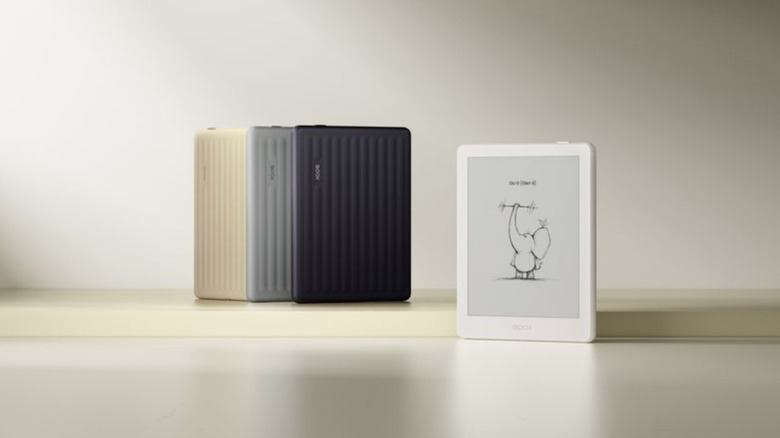
Apple's MacBook Neo is a $600 (or $500 for students) shot across the bow at affordable Windows laptops, and it seems like Microsoft has ready its first response. The newly announced "Microsoft College Offer" is a bundle of Microsoft 365 Premium, Xbox Game Pass Ultimate, custom Xbox controller and discounted laptop that the company thinks could woo students away from Apple's new deal. 

With the purchase of a discounted machine directly from Microsoft, retailers like Amazon and Best Buy or PC makers like HP, ASUS and Acer, you can get what the company says is an extra $500 of value from its bundle. The laptop deals include a Lenovo IdeaPad Slim 3x with a Snapdragon X chip, 16GB of RAM and 256GB of storage for $500 from Best Buy, around $250 off the laptop's usual $750 price. Or if you wanted something even cheaper, Walmart is selling an HP Omnibook 3 for $429, a discount of $270 off its usual $699 price. Microsoft is less generous with the deals on its own laptops and tablets, but you can even get a discount on a Surface Laptop as part of the offer.

A discounted laptop is great, but where the value of the Microsoft College Offer gets harder to define is with the services the company is packing in. Getting what would normally be a $200 year-long subscription to Microsoft 365 Premium for free is a meaningful deal, but many colleges give their students access to Microsoft's apps (and other software) with the cost of their tuition. A year of Xbox Game Pass Ultimate, which costs $30 per month as of October 2025, sounds like significant savings, but the offer is only valid for new subscribers. That leaves the free custom Xbox controller as the simplest bonus of the bunch, a value of around $76.

Windows PC makers are expected to make more serious attempts to compete with the Neo over the next year. For now, though, the Microsoft College Offer isn't exactly a bad deal, but it's certainly not as straightforwardly appealing as an Apple-quality laptop for $500 with a college discount.

The Microsoft College Offer is available to students starting April 15 and runs through June 30, 2026. Microsoft says redemption of the full bundle of services and accessories it’s offering needs to happen by July 31, 2026.

This article originally appeared on Engadget at https://www.engadget.com/computing/laptops/microsofts-new-college-deal-is-a-half-hearted-answer-to-the-500-macbook-neo-215336362.html?src=rss

De’Longhi Just Turned 5 Coffee Machines Into Tiny Cafés

If you’re a coffee lover, chances are you’re also a fan of going to coffee shops. While most die-hard connoisseurs would probably prefer to make a cup for themselves, apparently 72% of consumers still believe that the best coffee can only be made in a café, by actual experts who trained for it (well, unless you did train as an actual barista and have the complete equipment at home).

De’Longhi wanted to show that you can have café-quality coffee at home, and they did it in the most charming, unexpected way possible: by turning their machines into miniature versions of the world’s most iconic cafés. The campaign is called “The World’s Smallest Coffee Shop,” developed in partnership with creative agency LOLA Madrid and brought to life by master miniaturist Simon Weisse and his collaborator Cindy Schnitter. Weisse is no stranger to creating miniature movie magic; he is best known for his work with director Wes Anderson on films like The Grand Budapest Hotel and Asteroid City, where his tiny, hand-crafted worlds became just as iconic as the stories themselves.

Designer: Simon Weisse and Cindy Schnitter for De’Longhi

The idea was simple yet brilliant: create five intricate, handcrafted miniature café façades and mount them directly onto De’Longhi’s bean-to-cup coffee machines. Each of these five miniature coffee shops is inspired by an iconic global coffee culture city and paired with an elite De’Longhi machine:

🇫🇷 Paris mounted on the Rivelia
🇯🇵 Tokyo mounted on the Magnifica Evo Next
🇮🇹 Milan mounted on the Eletta Ultra
🇩🇰 Copenhagen mounted on the Eletta Explore
🇩🇪 Berlin mounted on the Primadonna Aromatic

It’s not just a simple miniature, of course, given the credentials of the designers and their team. Each piece was hand-built over 1,500 hours total using traditional model-making techniques by specialist model makers. They incorporated architectural textures, aged finishes, and intricate detailing, including tiny windows and miniature signage, just as if they were crafting a set for a major film production. The level of care poured into every surface and every tiny detail is nothing short of extraordinary.

What makes this campaign particularly compelling is the signature technique Weisse’s studio brings to the table: “forced perspective,” the same cinematic method used on film sets to make miniature environments appear life-sized and completely believable. When De’Longhi approached the studio, Weisse immediately recognized an opportunity to apply this storytelling craft to something most of us interact with every single morning: a coffee machine. The goal wasn’t just to create something beautiful to look at, but to shift the way we think about where great coffee truly comes from.

The result is nothing short of a collector’s dream. Looking at each machine, it’s hard not to imagine yourself sitting at a tiny cobblestoned café in Paris, warming your hands around a bowl of café au lait, or perched on a Tokyo street corner, breathing in the scent of a perfectly pulled espresso. The detail is so immersive and so deliberate that the machine stops being an appliance and becomes an experience, or rather, an entire world in miniature.

The campaign made its stunning debut at Milan Design Week 2026, one of the most prestigious design events in the world, where all five machines were showcased together for the very first time. And the timing couldn’t be more fitting: in a world where home has become our office, our restaurant, and our gym, why shouldn’t it also be our favorite café?

De’Longhi CMO Aparna Sundaresh summed it up beautifully: “The café hasn’t just been miniaturised; it has been brought home.” Whether you’re a collector drawn to the artistry, a coffee lover chasing the perfect cup, or simply someone who appreciates craftsmanship that makes you stop and stare, The World’s Smallest Coffee Shop is a masterclass in how great design can transform the everyday into something truly extraordinary, one tiny façade at a time.

The post De’Longhi Just Turned 5 Coffee Machines Into Tiny Cafés first appeared on Yanko Design.

Federal jury finds concert business Live Nation is a monopoly

Live Nation, which operates the Ticketmaster platform, has been determined to be a monopoly. A federal jury handed down its decision today that the company violated federal and state antitrust rules. This finding won't surprise anyone who has used Ticketmaster and been sticker-shocked by their final bill. However, it's unclear what the jury’s decision will mean in practice. 

For starters, the judge overseeing the case hasn't determined what remedies will be applied. The actions could go as far as requiring Live Nation to sell off Ticketmaster. There are also monetary damages to be awarded, which haven't been set yet. And whatever the judge decides, it's likely that Live Nation will appeal the decision. In a statement released by Live Nation today, the company noted that there are other motions still pending that could also impact the jury's ruling. "Of course, Live Nation can and will appeal any unfavorable rulings on these motions," it said.

The Department of Justice and a group of state and district attorneys general sued Live Nation on monopoly claims in 2024. The government agency reached a settlement with Live Nation last month, but the other parties continued their action. There's also a separate case being waged by the Federal Trade Commission questioning whether Live Nation colluded with ticket resellers.

Update, April 15, 2025, 6:31PM ET: Added statement from Live Nation.

This article originally appeared on Engadget at https://www.engadget.com/entertainment/music/federal-jury-finds-concert-business-live-nation-is-a-monopoly-203924011.html?src=rss

Segway Muxi is a compact cargo e-bike that carries more style than bulk

Segway has rarely been a brand that plays it safe, and the Muxi feels like a natural extension of that design-forward thinking. The ebike is designed with an approach that prioritizes not just function, but the emotional appeal of everyday mobility. In a space where cargo e-bikes often lean toward bulky, utilitarian silhouettes, Muxi refreshes the landscape with a sense of restraint, blending compact proportions with a personality that feels closer to a lifestyle product than a workhorse.

First introduced at CES 2026, the Muxi is Segway’s first short-tail utility e-bike, designed to deliver cargo-ready practicality without the visual and physical heft of traditional long-tail alternatives. It supports a total payload of up to 418 pounds, making it capable of handling groceries, gear, or even a passenger when paired with optional accessories like a child kit.

Designer: Segway

The step-through frame keeps things accessible, while integrated storage solutions within the frame add a layer of thoughtful convenience that aligns with its everyday usability. Powering the bike is a 750W rear hub motor producing around 80 Nm of torque, paired with a 48V, 716Wh battery. This combination enables a range of up to 80 miles on a single charge, giving it enough endurance for extended urban commutes or weekend errands. Riders can switch between Class 1 and Class 2 modes depending on their preference, allowing the Muxi to adapt to different riding scenarios without compromising on control or efficiency.

Muxi’s feature set leans heavily into safety and connectivity, reinforcing Segway’s push toward smarter mobility solutions. Hydraulic disc brakes provide consistent stopping power, while integrated lighting with turn signals improves visibility in traffic. The inclusion of Segway’s Intelligent Ride System adds a connected layer to the experience, with features like Apple Find My compatibility, AirLock proximity unlocking, and a Lost Mode that can disable the bike remotely if it’s misplaced or stolen. These additions move the ebike beyond the realm of a conventional e-bike, positioning it as part of a broader ecosystem of intelligent transport.

Design remains at the core of its unrelenting appeal, with the 20 x 3-inch tires striking a balance between stability and comfort. Particularly when carrying additional load, while the overall geometry keeps the ride approachable despite the bike’s roughly 73-pound weight. Visually, it walks a fine line between cruiser and utility machine, resulting in a form that feels both functional and expressive, which is an uncommon combination in this niche.

Priced at $1,699.99, the Segway Muxi is positioned as an accessible yet well-equipped option for urban riders who want versatility without compromise. It doesn’t attempt to replace full-sized cargo bikes, but instead redefines what a compact utility e-bike can be. The two-wheeler is everything you need in a practical, connected, and distinctly designed electric commuter that fits your modern city life.

The post Segway Muxi is a compact cargo e-bike that carries more style than bulk first appeared on Yanko Design.

Segway Muxi is a compact cargo e-bike that carries more style than bulk

Segway has rarely been a brand that plays it safe, and the Muxi feels like a natural extension of that design-forward thinking. The ebike is designed with an approach that prioritizes not just function, but the emotional appeal of everyday mobility. In a space where cargo e-bikes often lean toward bulky, utilitarian silhouettes, Muxi refreshes the landscape with a sense of restraint, blending compact proportions with a personality that feels closer to a lifestyle product than a workhorse.

First introduced at CES 2026, the Muxi is Segway’s first short-tail utility e-bike, designed to deliver cargo-ready practicality without the visual and physical heft of traditional long-tail alternatives. It supports a total payload of up to 418 pounds, making it capable of handling groceries, gear, or even a passenger when paired with optional accessories like a child kit.

Designer: Segway

The step-through frame keeps things accessible, while integrated storage solutions within the frame add a layer of thoughtful convenience that aligns with its everyday usability. Powering the bike is a 750W rear hub motor producing around 80 Nm of torque, paired with a 48V, 716Wh battery. This combination enables a range of up to 80 miles on a single charge, giving it enough endurance for extended urban commutes or weekend errands. Riders can switch between Class 1 and Class 2 modes depending on their preference, allowing the Muxi to adapt to different riding scenarios without compromising on control or efficiency.

Muxi’s feature set leans heavily into safety and connectivity, reinforcing Segway’s push toward smarter mobility solutions. Hydraulic disc brakes provide consistent stopping power, while integrated lighting with turn signals improves visibility in traffic. The inclusion of Segway’s Intelligent Ride System adds a connected layer to the experience, with features like Apple Find My compatibility, AirLock proximity unlocking, and a Lost Mode that can disable the bike remotely if it’s misplaced or stolen. These additions move the ebike beyond the realm of a conventional e-bike, positioning it as part of a broader ecosystem of intelligent transport.

Design remains at the core of its unrelenting appeal, with the 20 x 3-inch tires striking a balance between stability and comfort. Particularly when carrying additional load, while the overall geometry keeps the ride approachable despite the bike’s roughly 73-pound weight. Visually, it walks a fine line between cruiser and utility machine, resulting in a form that feels both functional and expressive, which is an uncommon combination in this niche.

Priced at $1,699.99, the Segway Muxi is positioned as an accessible yet well-equipped option for urban riders who want versatility without compromise. It doesn’t attempt to replace full-sized cargo bikes, but instead redefines what a compact utility e-bike can be. The two-wheeler is everything you need in a practical, connected, and distinctly designed electric commuter that fits your modern city life.

The post Segway Muxi is a compact cargo e-bike that carries more style than bulk first appeared on Yanko Design.

PlayStation Plus April catalog adds include Horizon Remastered, Squirrel with a Gun and Frank Stone

For PlayStation Plus subscribers, April is going to be a little bit spooky, a tad sporty and extra squirrelly. PlayStation Plus Extra and Premium players will get access to The Crew Motorfest, Horizon Zero Dawn Remastered, Football Manager 26 Console, Warriors: Abyss, Squirrel with a Gun, The Casting of Frank Stone and Monster Train. Additionally,Wild Arms 4 will be exclusive to Premium libraries. Expect the full lineup to go live on April 21.

The Crew Motorfest, Horizon Zero Dawn Remastered, Warriors: Abyss and Wild Arms 4 will hit PS4 and PS5 consoles, while the rest of the month's additions are PS5 only. In the case of Horizon, PS4 players will receive Horizon Zero Dawn Complete Edition, rather than the PS5 remaster. 

Horizon, The Crew and Football Manager are self-explanatory at this point in gaming history, but here's a quick rundown of the more underground titles on April's list: Warriors: Abyss is a hectic hack-and-slash roguelite from Koei Tecmo; Squirrel with a Gun is a silly yet competent third-person shooter from a two-man indie team; Monster Train is a much-loved demonic deckbuilder from Shiny Shoe and Good Shepherd Entertainment; and Wild Arms 4 is a PS2-era RPG from Japanese studio Media.Vision.

The Casting of Frank Stone is what PlayStation Plus was made for, in my estimation. It comes from Supermassive, a campy-horror studio that I'm quite fond of, but it's a crossover with Dead by Daylight, a game I've never played, despite a latent interest in its vibe. For whatever reason, Frank Stone never eclipsed other titles in my to-play pile and in the harsh light of 2026, I was on the verge of forgetting all about it. Now that it's being shoved in my digital face (complimentary), I'm ready to give it a go. And who knows, maybe it'll be a gateway into the rich world of Dead by Daylight

Most of the games on this month's list can fit this description to some degree — minus the Dead by Daylight hook, unless you really squint at Monster Train — so it feels like a quality batch.

This article originally appeared on Engadget at https://www.engadget.com/gaming/playstation/playstation-plus-april-catalog-adds-include-horizon-remastered-squirrel-with-a-gun-and-frank-stone-194534366.html?src=rss

Meet the CMF Flip: The Budget Foldable Phone We’re Desperately Waiting For

Foldables have had a pricing problem for a while now. Look for the cheapest folding phone you can find and you’re faced with either the $599 Moto RAZR 60 (which you can overwhelmingly trust, given Motorola’s reputation as a global company), or take a risk with the $320 Ai+ Nova Flip, which does technically classify as the cheapest folding phone there is, but at the cost of having fairly negligible global brand recall. That valley, between $599 and $320 represents what I call the foldable affordability gap. You either spend 600 bucks for a decent foldable phone from a reputed brand, or half the amount for a foldable phone from a brand nobody’s heard of. Somewhere in between that valley lies a phone that would fit perfectly into CMF‘s roster.

Meet the CMF Flip, a foldable concept that I so desperately wish existed. Designed by Shreyansh Onial, the CMF Flip was created to fit within the foldable affordability gap. It’s just a concept, so we can project all our dreams and wishes onto it, but Carl Pei has always treated as Nothing’s sub-brand as a playground for the lower-mid consumer. That being said, a CMF Flip Phone within the $450-$499 category sounds like exactly what the foldable market needs – a workhorse for the 90% who otherwise wouldn’t spend thousands on a phone with a hinge.

Designer: Shreyansh Onial

Onial’s CMF Flip channels the CMF’s design fairly effectively with zero compromise. The camera bump merges older and newer phone styles (with 3 lenses like the Phone 2 Pro), laid out horizontally now to make space for a 4:3 secondary screen. It isn’t inconceivable to imagine that CMF would pack this phone with the same sensors as the Phone 2 Pro underneath too, two 50MP main shooters along with an 8MP Ultra-wide third camera. After all it would make way more sense to just use the same hardware to help keep the cost of goods in check.

I can’t help but feel that this new camera array, along with the front facing screen and the orange colorway, gives the CMF Flip the ability to be the perfect Rabbit R1 replacement. Look at it, multiple eyes to see everything around you, a screen to interact with, and Nothing’s Essential Space that the company is building to be their next big innovation? Sounds perfect if you ask me. Look, you’ll even see the Essential Space button on the side of the phone!

The remaining half of the phone is undeniably CMF too. The modular back exists on the lower half, allowing you to unscrew the backplate and change colors with ease, as well as add accessories using the iconic knob on the bottom right. The colors remain aligned with CMF’s orange, black, and white palette for now, although we’ve seen the company occasionally experiment with a new color every season.

Nothing has no plans of launching a CMF foldable for now. Just given the fact that it makes better business sense to launch a Nothing foldable before a CMF one, this CMF Flip exists only in our minds and hearts for now. But given its simple design, and fairly budget-friendly hardware, one can simply predict that a phone of this caliber shouldn’t cost more than $499, especially given that the Phone 2 Pro has a $279 price tag.

The post Meet the CMF Flip: The Budget Foldable Phone We’re Desperately Waiting For first appeared on Yanko Design.

There’s yet another study about how bad AI is for our brains

A group of researchers from across the US and the UK have conducted a study on what AI does to our brains and the results are, in a word, grim. These results were published in a paper called "AI assistance reduces persistence and hurts independent performance" which kind of tells you everything you need to know.

“We find that AI assistance improves immediate performance, but it comes at a heavy cognitive cost,” the study declares. Researchers went on to state that just ten minutes of using AI made people dependent on the technology, which led to worsening performance and burnout once the tools were removed.

The study followed people who use AI for "reasoning-intensive" cognitive labor. This refers to stuff like writing, coding and brainstorming new ideas, which are some of the most common use cases.

The researchers recruited 350 Americans, who were asked to complete some fraction-based equations. Half of the participants were randomly granted access to a specialized chatbot built on OpenAI's GPT-5 for help and the others had to go it alone. Halfway through the exam, the AI group had their access cut off.

This led to a steep decline in correct answers by the AI group and many instances of people simply giving up. This result, in which performance and perseverance both dropped, was repeated in a larger experiment with 670 people. Finally, the scientists performed one final experiment with reading comprehension questions, and not math. The results were more of the same.

“Once the AI is taken away from people, it’s not that people are just giving wrong answers. They’re also not willing to try without AI," Rachit Dubey, an assistant professor at the University of California and coauthor of the study, told Futurism. "People’s persistence drops."

Dubey went on to warn that rapid deployment of AI in the education sector could lead to a "generation of learners and people who will not know what they’re capable of, and then that will really dilute human innovation and creativity."

The study likens using the technology to the "boiling frog" effect, in which "sustained AI use erodes the motivation and persistence that drive long-term learning." These effects accumulate and "by the time they are visible, they will be difficult to reverse."

There are two caveats here. The study has yet to be peer-reviewed. Also, researchers found one tiny bright spot regarding the use of AI. People who used AI tools for hints and clarification had a much easier time once the chatbot was removed when compared to those who used the bot to essentially prompt the answers.

This is just the latest study trying to get to the bottom of what AI is doing to our collective noggins. It has been found to increase fatigue among full-time workers who rely on the tools, which led to the term "AI brain fry." To that end, researchers discovered that employees who use AI actually end up working harder and longer than those old-fashioned luddites.

The results are even starker in the world of education. Studies have found that AI use in school leads to poor social and intellectual development and that kids who rely on chatbots tend to do worse on tests.

This article originally appeared on Engadget at https://www.engadget.com/ai/theres-yet-another-study-about-how-bad-ai-is-for-our-brains-183418494.html?src=rss

Google unleashes a native Gemini app for the Mac

Not content with stuffing Gemini into all of its own apps and services, Google wants you to adopt its AI assistant on desktops and laptops too. The company released a Gemini Windows app on Tuesday and it's following that up a day later with one for Macs.

Google says the macOS Gemini app is a "native desktop experience" that you can access with a keyboard shortcut. By default, pressing option and space will open a mini chat, while a combo of option, shift and space will open the full Gemini chat experience. You'll be able to adjust these bindings in the app settings.

Users will be able to share anything that's on their screen, including files they have saved on your system, with the chatbot and ask it questions about whatever they’re seeing. This can include anything from images to documents, and data to code.

There's an option to share full web pages with Gemini, not just what's on your display. The Gemini app also supports image and video generation with Nano Banana and Veo, respectively. The app is available on Macs that are running macOS 15 (i.e. macOS Sequoia) or later in all countries and languages in which Gemini is supported. 

"We're building the foundation for a truly personal, proactive and powerful desktop assistant, with more news to share in the coming months," Michael Friedman, group product manager for the Gemini app, wrote in a blog post. That's intriguing, given that Apple's long-delayed, generative AI revamp of Siri may finally debut at WWDC in June. Apple's retooled chatbot, which is slated to have deep integration with macOS apps, is powered by Gemini models.

This article originally appeared on Engadget at https://www.engadget.com/ai/google-unleashes-a-native-gemini-app-for-the-mac-170500185.html?src=rss

Recteq X-Fire Pro 825 review: A smart grill that pulls double duty

Occasionally, you really can have it both ways. For the most part, pellet grills are great for smoking and mid-temperature cooking, but you’ll typically need other grills for high-heat searing and 1,000-degree temperatures(with a few exceptions). Sure, some pellet grills allow you to move the heat deflector for direct access to the fire pot for searing, but that’s still not a cooking experience that will be familiar to gas grill users. 

With the X-Fire Pro 825 ($1,550), Recteq is putting its pellet grill expertise to work in a dual-mode design that’s meant to bridge the gap between gas and wood fire. Of course, this is a smart grill thanks to its Wi-Fi connectivity, and the backbone of this beast is undoubtedly a pellet grill. Plus, the company offers totally separate controls to avoid confusion between Smoke and Grill modes, all combined in a durable, all-stainless steel design. It’s the rare device that really is the 2-in-1 the company claims. 

All Recteq grills are made of stainless steel, but unlike the Deck Boss, Patio Legend and other models in the company’s lineup, the X-Fire Pro doesn’t have a powder coated lid. This isn’t a problem per se, but it does require extra care with cleaning and maintenance to avoid rust. Apart from the cast iron grill grates, the interior components are also stainless steel, so most of this grill is clearly built to last. When you combine that with the robust cart and premium casters that the X-Fire Pro sits on, this grill is one of the most well-designed I’ve reviewed. 

Like most pellet grills, the X-Fire Pro has a digital controller mounted on the side. In this case, it’s situated on the front edge of a shelf on the left of the grill. Single-knob navigation allows you to set cooking temperature and food probe alerts, which can also be done via the Recteq app thanks to the grill’s Wi-Fi connectivity. The X-Fire Pro allows you to use two wired food probes simultaneously, but there’s no option for wireless probes. Recteq does sell wireless probes though, but they connect directly to the company’s app, not to the grill itself.

The X-Fire Pro has two separate sets of controls for its two modes
Billy Steele for Engadget

Rather than a traditional on/off switch, the X-Fire Pro is turned on with the far left knob on the front. To do so, you choose between the grill’s two modes, Smoke or Grill. If you select Smoke mode, the controller on the left will light up and you set your desired temperature between 225 and 400 degrees Fahrenheit. Personally, I prefer a slightly lower minimum temperature, around 180 degrees, to enable things like cold smoking or even mimic the Keep Warm feature that competitors like Traeger offer. In Grill mode, you can expect temperatures from 225-400 degrees on low, 350-650 on medium, 500-850 on high and 800-1,200 on max. 

There are two fire pots inside the X-Fire Pro. The one on the left is used exclusively for Smoke mode while both can be used in Grill mode. I typically set the right side to a higher grilling temperature, since there’s an Adaptive Sear Control for direct access to the flame (there’s a dedicated knob on the front to control this). I would then leave the left side on low, which would give me a hot/cold setup like I would normally use on a gas grill. Of course, you can set both fire pots to the same heat level and use the entire cooking surface at the same temperature. You could also leave one of the fire pots completely off if you needed to do so.     

Recteq promises that the X-Fire Pro is a pellet grill that will offer the best aspects of gas grilling with familiar knob-based controls. I agree that the large knobs are similar to what you’ll find on a gas grill, although you can’t fine-tune the heat like you can with gas burnersI didn’t find this problematic, though. Where Recteq surpasses propane or natural gas options is the fact that the X-Fire Pro entirely runs on wood pellets, so your food tastes much better. Just keep in mind that it’s a different flavor than charcoal. 

During my testing, I unexpectedly spent most of my time using the X-Fire Pro in Grill mode. I cooked steaks, chicken, burgers, sausages and more, all of which tasted a lot better than they would have on a gas grill. Even at high temperatures, you still get some wood flavor, which helped elevate my sous vide New York Strips beyond a simple high-heat sear. Of course, I also had the option to open the Adaptive Sear Control for direct-flame finishing, which was absolutely the right move for steaks and burgers. 

One important caveat about Grill mode is that the digital controller for Smoke mode completely turns off. You operate this mode entirely with the front-mounted knobs — just like you would a gas grill. As such, you don’t have access to the food probes or any Wi-Fi features that Smoke mode employs. I can understand why Recteq would want to keep the two modes separate, but I do wish there was a way to use the food probes to track internal temperature of things like steak and chicken, or any items where exact doneness is essential. 

A pork shoulder (Boston Butt) cooked on the X-Fire Pro
Billy Steele for Engadget

When it comes to smoking, the X-Fire Pro works just as well as any other pellet grills I’ve reviewed from Traeger, Weber and others. It’s very much a set-it-and-forget-it device, if you want it to be, which means you can put on a pork shoulder or a brisket early in the morning and it will be ready by dinner. But since the X-Fire Pro has two fire pots and therefore two smaller pellet hoppers instead of one larger one, each hopper’s capacity is limited to just10 pounds. While I had no trouble getting through an 8-hour smoke session with a full hopper (at 275 degrees), I wouldn’t feel comfortable with overnight cooks due to the reduced pellet supply. In Grill mode, though, a single full hopper on the right was always enough to get through a cook.  

Recteq says the digital controller can maintain the set temperature in Smoke mode within five degrees. I found this to be true during all of my low-and-slow cooking, and the graph in the app confirms it. The only dips it showed corresponded to the times I opened the lid. This performance was consistent across multiple uses of the X-Fire Pro, although on one particularly cold and very windy day, I did see some greater fluctuations (there’s a warning about this in the user manual). Under normal weather conditions though, this grill is reliable at maintaining the desired cooking temperature in Smoke mode.

The main cooking surface of the X-Fire Pro consists of four removable cast iron grates. These are reversible with one side for general use and the other with wider bars for more apparent sear marks. There’s also a shallow top grate above the primary cooking area, perfect for resting foods when they’re done or warming buns in Grill mode. In Smoke mode, you could also put another rack or two of ribs up there, but it’s not big enough for larger cuts of meat. 

Most pellet grills direct ash and grease to a catch pan of some sort. Since the X-Fire Pro has two fire pots, it has two ash removal trays on either side with levers to help with the debris. Like every other pellet grill, you’ll need to clean out some ash from the cooking chamber every few uses, and the best way to do that is with a shop vacuum. Recteq cautions against allowing grease buildup with Smoke mode, but I never found this to be a problem. That’s likely due to the fact that I used Grill mode between low-and-slow cooking sessions, so I probably burned off any excess residue. What’s more, I like to use aluminum pans for pork shoulders for easier cleanup, rather than placing them directly on the grates. 

The X-Fire Pro's adjustable sear control
Billy Steele for Engadget

Like every other Wi-Fi-enabled pellet grill I’ve tested, the X-Fire Pro works with an app that allows you to control and monitor it from afar. You can keep tabs on both grill and food probe temperatures as well as turn the whole thing off. Recteq’s app also has more advanced features like temperature graphs, a 30-day cooking history and over 60 step-by-step guided recipes. Plus, you can save cooking sessions with notes for future reference and the app’s complete recipe book houses over 450 dishes. The company prides itself on the quality of its app, and I can confirm it’s the most reliable mobile software I’ve used during a smart grill review.

Now let’s discuss a few things you won’t find on the X-Fire Pro. First, there’s no option for a folding front shelf since the pellet hopper is front-mounted. The hopper lid gives you a slight ledge to rest the corner of a pan or tray, but it’s not enough to do any kind of wrapping or setting anything down completely. There’s also no interior lighting, which was probably the thing I missed most from other pellet grills. Sure, we can debate the utility of how some companies arrange these lights, but something is better than nothing, especially when you’re loading a grill before dawn or finishing a cook after dark. 

While there are other pellet grills with direct-searing capabilities, none of those offer the dual-mode functionality of the X-Fire Pro. For example, several Pit Boss models have levers for open access to the fire box — or, as the company calls, it the Flame Broiler. Some companies offer open-lid modes, like Weber does on the Searwood, but not all of those designs allow you to get direct access to the fire. These grills also let you set a high searing temperature on the regular controls rather than giving you completely a separate operating method like Recteq does. Again, the appeal with the X-Fire Pro is something familiar to both pellet and gas grillers with controls best-suited for each style of cooking. And yes, the $1,550 price puts this firmly in the premium category, but when you consider it’s two grills in one, that amount doesn’t seem excessive. 

The X-Fire Pro features an all-stainles-steel design
Billy Steele for Engadget

Rarely does a device live up to its billing as a double-duty workhorse. With the X-Fire Pro, Recteq has successfully combined the best aspects of pellet grills with a dedicated high-heat mode and separate controls that will be familiar to gas grillers. This model offers robust build quality, reliable performance and Wi-Fi connectivity for extended smoking sessions. The smaller pellet hoppers require slightly more vigilance, and there are a few features I’d love to see in the future, but Recteq has certainly bolstered its reputation for well-built smart grills with this dual-mode machine. I’d much rather keep tabs on my pellet supply than guess if my propane tank is empty.

This article originally appeared on Engadget at https://www.engadget.com/home/kitchen-tech/recteq-x-fire-pro-825-review-a-smart-grill-that-pulls-double-duty-170000586.html?src=rss