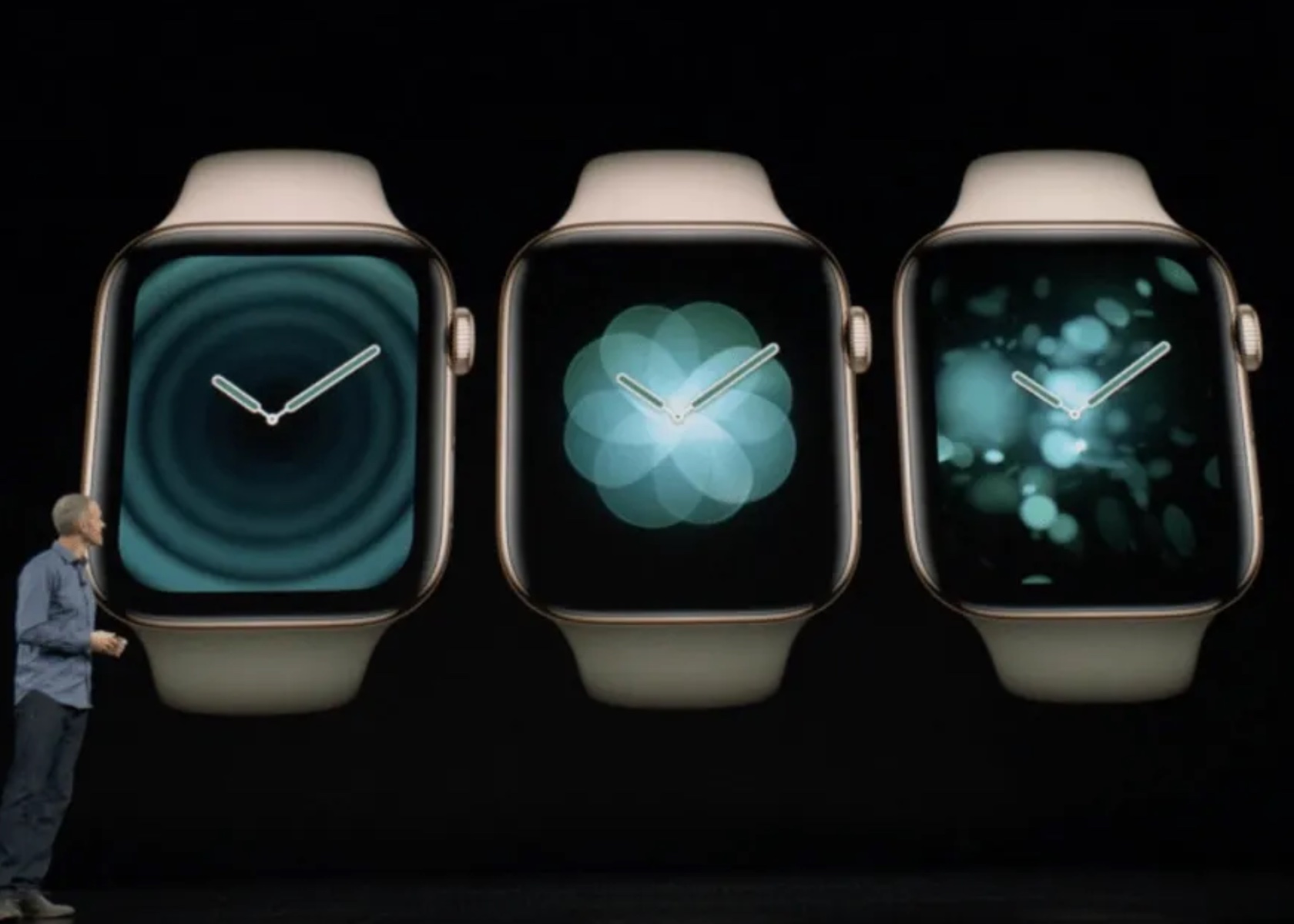
What Apple’s WWDC got right… and what Google’s I/O got wrong

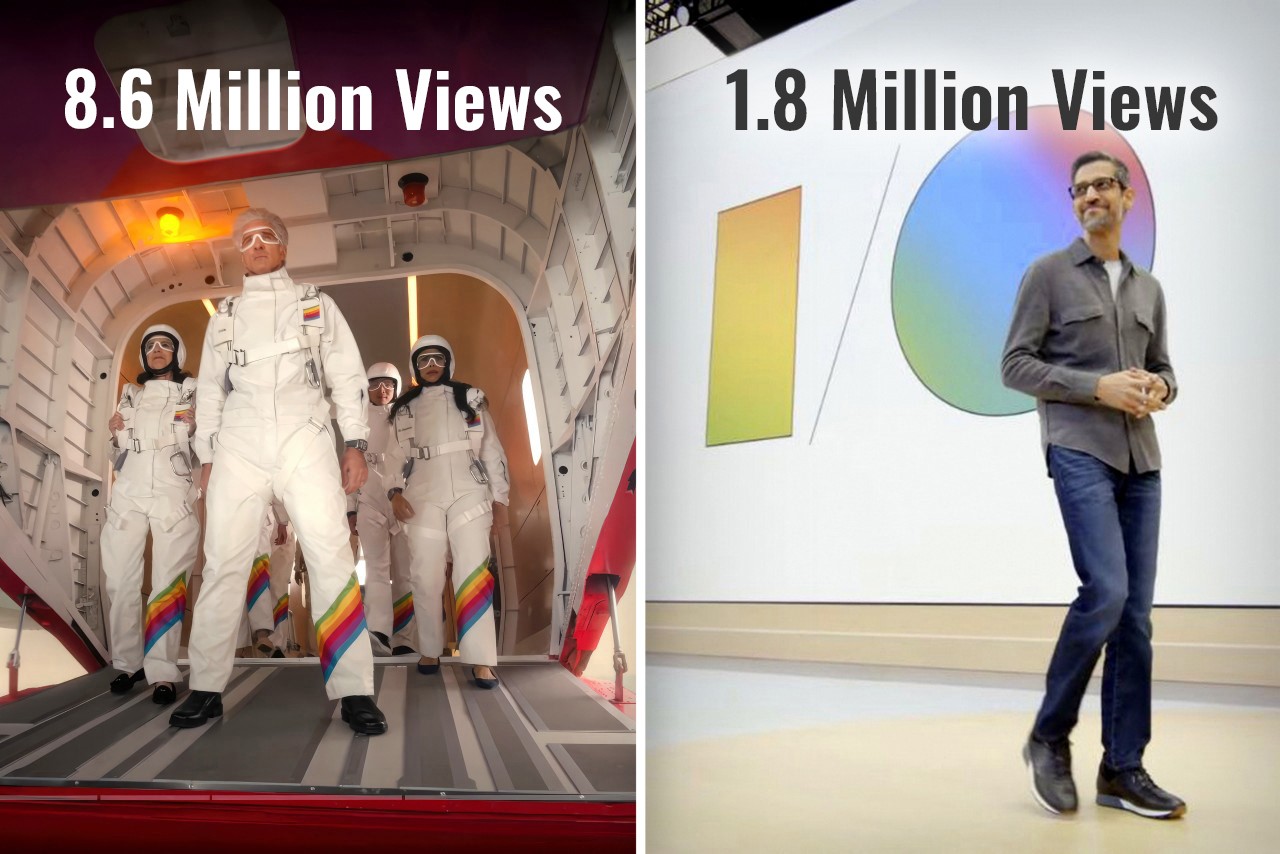
Exactly ten years ago, Google co-founder Sergey Brin jumped out of an airplane and parachuted down into a live event to present Google I/O. Cut to 2024, and Google arguably had one of the most yawn-inducing I/O events ever… but Apple, on the other hand, hat-tipped Brin by having senior VP of Software Engineering Craig Federighi jump out of a plane and parachute down into the Apple headquarters, kicking off the Worldwide Developer’s Conference (WWDC) event. If you were fortunate enough to sit through both Google’s I/O event for developers, and yesterday’s WWDC, chances are you probably thought the same thing as me – How did Google become so boring and Apple so interesting?
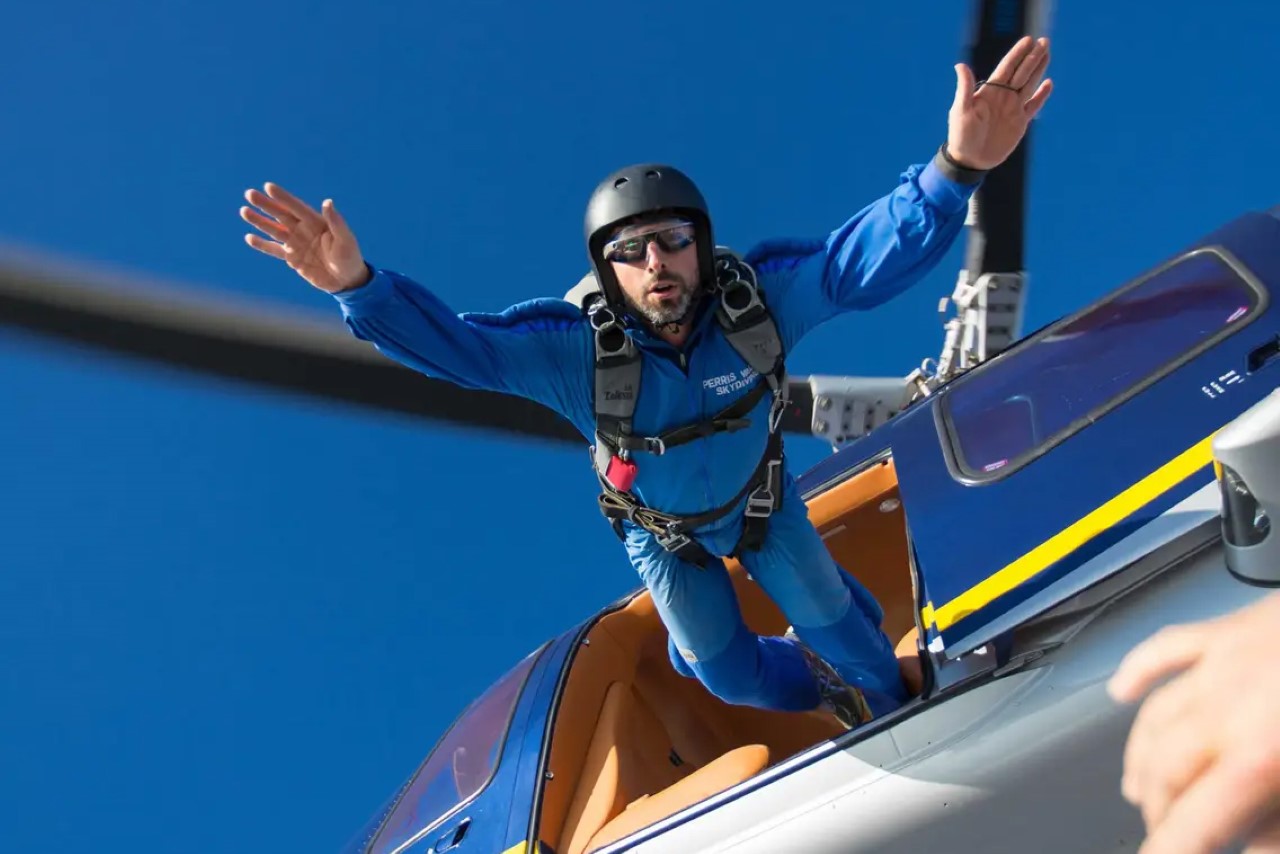
Google’s Sergey Brin skydiving into the I/O event wearing the radical new Google Glass in 2014

The Tale of Two Keynotes

Practically a month apart, Google and Apple both had their developer conferences, introducing new software features, integrations, and developer tools for the Android and Apple OS communities respectively. The objective was the same, yet presented rather differently. Ten years ago, Google’s I/O was an adrenaline-filled event that saw a massive community rally around to witness exciting stuff. Apple’s WWDC, on the other hand, was a developer-focused keynote that didn’t really see much involvement from the Apple consumer base. Google popularized the Glass, and unveiled Material Design for the first time, Apple, on the other hand, revealed OSX Yosemite and iOS 8. Just go back and watch the keynotes and you’ll notice how vibrant one felt versus the other. Both pretty much announced the same things – developer tools, new software versions, feature upgrades within first-party apps, and a LOT of AI… but Google’s I/O got 1.8 million views on YouTube over 3 weeks, and Apple’s WWDC sits at 8.6 million views in just one day. (As of writing this piece)

How Apple held the attention

Broadly, having seen both events, I couldn’t help but describe them differently. Google’s keynote seemed like a corporate presentation. Apple’s keynote felt like an exciting showcase. The language was different, the visuals were different, but most importantly, the scenes were different too. Google’s entire I/O was held in person, while Apple did have an in-person event, but the keynote was televised, showing different environments, dynamic angles, and great cinematography. Both events were virtually the same length, with Google’s keynote being 1 hour and 52 minutes long, while Apple’s was 1 hour and 43 minutes. Honestly, after the 80-minute mark, anyone’s mind will begin drifting off, but Apple did a much better job retaining my focus than Google. How? Well, it boiled down to three things – A. a consumer-first approach, B. simplified language, and C. a constant change of scenery.

Notice Apple’s language throughout the presentation, and you’ll see how the entire WWDC rhetoric was user-functionality first, developer-feature second. Whether it was VisionOS, MacOS, iOS, WatchOS, iPadOS, or even TV and Music, Apple’s team highlighted new features that benefit all Apple users first, then mentioned the availability of SDKs and APIs to help developers implement those features in their apps too. One could argue that a Worldwide Developer Conference should inherently be developer-first, but hey, developers are going to watch the keynote regardless. The fact that 8.6 million people (mostly Apple users) watched the WWDC keynote on YouTube shows that Apple wanted to make sure users know about new features first, then developers get their briefing. The fact that a majority of viewers were users also boils down to Apple’s language. There was hardly any technical jargon used in the Keynote. No mention of how many teraflops are used by Apple’s GPUs while making genmojis, what version number Sequoia is going to be, or what Apple Intelligence’s context window is, or whether it’s multimodal. Simple language benefits everyone, whether it’s a teenager excited about new iMessage features, a filmmaker gearing to make spatial content using iPhones or Canon cameras, or a developer looking forward to building Apple Intelligence into their apps. Even Apple Intelligence’s user-first privacy features were explained in ways everyone could understand. Finally, Apple’s production quality helped visually divide the keynote into parts so the brain didn’t feel exhausted. All the different OS segments were hosted by different people in different locations. Craig Federighi and Tim Cook made multiple appearances, but shifted locations throughout, bringing a change of scenery. This helped the mind feel refreshed between segments… something that Google’s in-person keynote couldn’t benefit from.

Where Google dropped the ball

A keynote that’s nearly 2 hours long can be exhausting, not just for the people presenting but also for the people watching. Having the entire keynote on one stage with people presenting in person can feel exactly like an office presentation. Your mind gets exhausted faster, seeing the same things and the same faces. Google didn’t announce any hardware (like they’ve done in past years) to break the monotony either. Instead, they uttered the word AI more than 120 times, while being pretty self-aware about it. The lack of a change of scenery was just one of the factors that made Google’s event gather significantly fewer eyeballs.

Unlike Apple’s presentation, which had a very systematic flow of covering each OS from the more premium VisionOS down to the WatchOS, Google’s presentation felt like an unplanned amalgamation of announcements. The event was broadly about three things – Google’s advancements in AI, new features for users, and new tools for developers – but look at the event’s flow and it feels confusing. I/O started with an introduction where Pichai spoke about multimodality and context windows, then progressed to Deep Mind, then to Search (a user feature), then Workspace (an enterprise feature), then Gemini (a user feature again), then Android (which arguably was supposed to be the most important part of the event), and then to developer tools. An Android enthusiast wouldn’t be concerned with DeepMind or Google Workplace. They might find Search interesting, given how core it is to the Google experience, but then they’d have to wait through 2 more segments before the event even GOT to Android. Search and Gemini are highly intertwined, but they weren’t connected in the keynote – instead, there was an entire 13-minute segment on Workplace in between.

If all that wasn’t fatiguing enough, Google’s I/O tended to lean into technical jargon describing tokens, context windows, and how the multimodal AI could segment data like speech and videos, grabbing frames, finding context, eliminating junk data, and providing value. There was also a conscious attempt at showing how all this translated into real-world usage, and how users could benefit from this technology too, but not without flexing terms that developers and industrial-folk would understand.

Although it’s natural to read through this article and conclude that one company did ‘a better job’ than another company, that isn’t really the case. Both Apple and Google showcased the best they had to offer on a digital/software level. However, the approach to these keynotes has changed a lot over the last 10 years. While Google’s I/O in 2014 had a lot of joie de vivre, their 2024 I/O did lack a certain glamor. Conversely, Apple’s WWDC had everyone at the edge of their seat, enjoying the entire ride. Maybe you got tired towards the end (I definitely did mid-way through the Apple Intelligence showcase), but ultimately Apple managed to deliver a knockout performance… and that’s not me saying so – just look at the YouTube numbers.

The post What Apple’s WWDC got right… and what Google’s I/O got wrong first appeared on Yanko Design.

watchOS 11: Comprehensive Health Insights with Advanced Sleep Tracking and Training Load

Apple previewed watchOS 11, showcasing enhancements that solidify its position as the world’s most advanced wearable operating system. The update focuses on advanced health and fitness insights, greater personalization, and enhanced connectivity features. This discussion delves into the key aspects of watchOS 11, validating the information with official statements and understanding its integration into Apple’s broader ecosystem.

Why watchOS Wasn’t Included in the Apple Intelligence Discussion

Despite Apple’s emphasis on AI for iOS, iPadOS, and macOS, watchOS was notably absent. The reason is that Apple Watch has extensively leveraged AI and machine learning.

Apple Intelligence: iOS, iPadOS + macOS Sequoia

Apple Watch is designed as a personal health and fitness companion, with many features driven by AI and machine learning, providing personalized insights and recommendations. For instance, the automatic workout detection feature uses machine learning to identify when a user begins a workout and suggests the appropriate workout tracking by analyzing data points such as movement patterns, heart rate changes, and location data.

Additionally, the heart rate monitoring feature continuously tracks a user’s heart rate and provides notifications if it detects an irregular rhythm, potentially indicating atrial fibrillation. This capability applies AI, using historical data and real-time analysis to identify potential health issues.

The Breathe app prompts users to take regular breaks for mindfulness and relaxation. Its reminders are based on patterns in the user’s daily routine, reducing stress and improving well-being. The integration of AI ensures timely and relevant reminders.

The sleep tracking feature, introduced in watchOS 7, uses machine learning to analyze sleep patterns and provide insights into sleep quality by tracking metrics such as heart rate, movement, and ambient noise. This helps users understand their sleep habits and make informed decisions to improve their sleep.

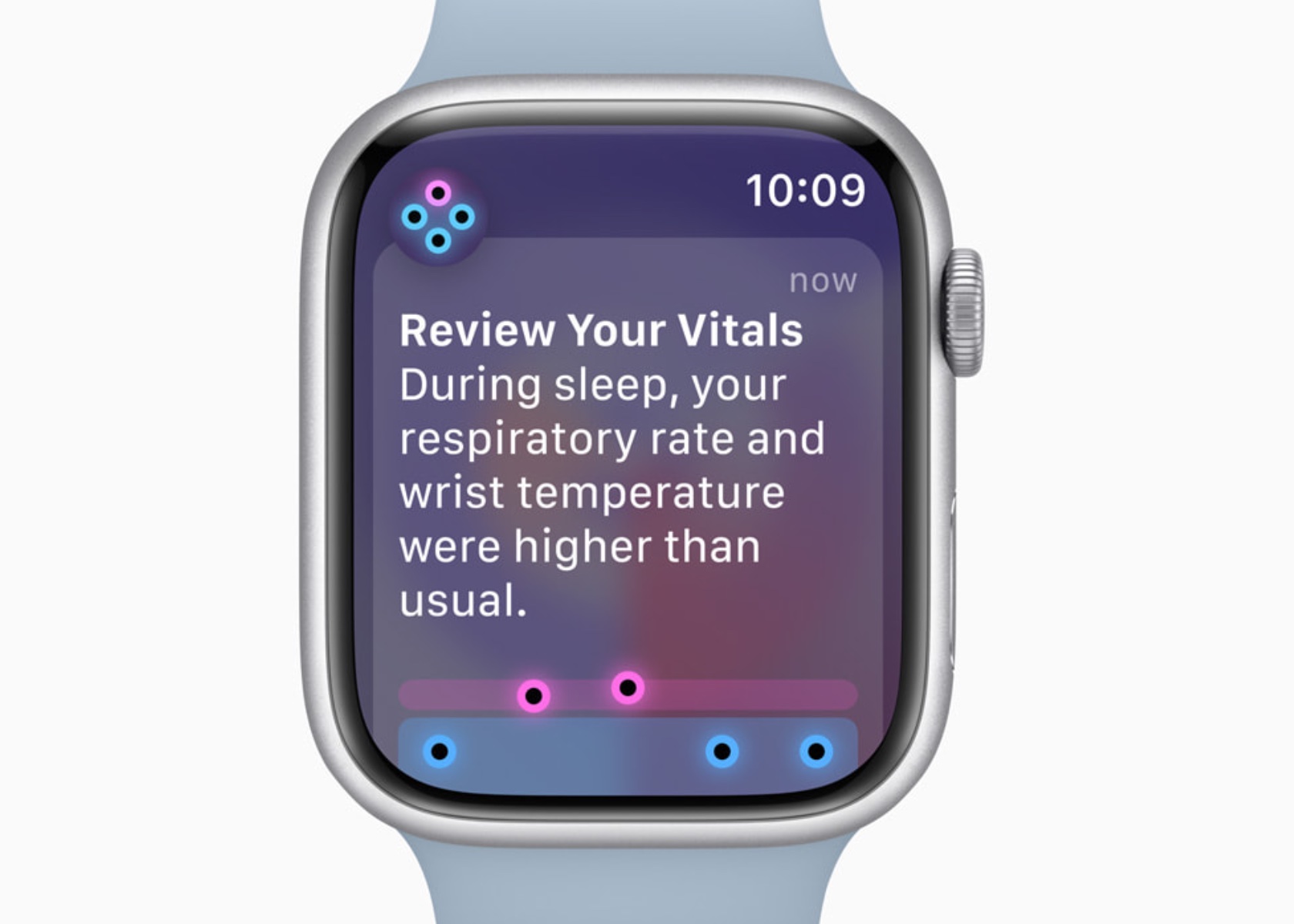
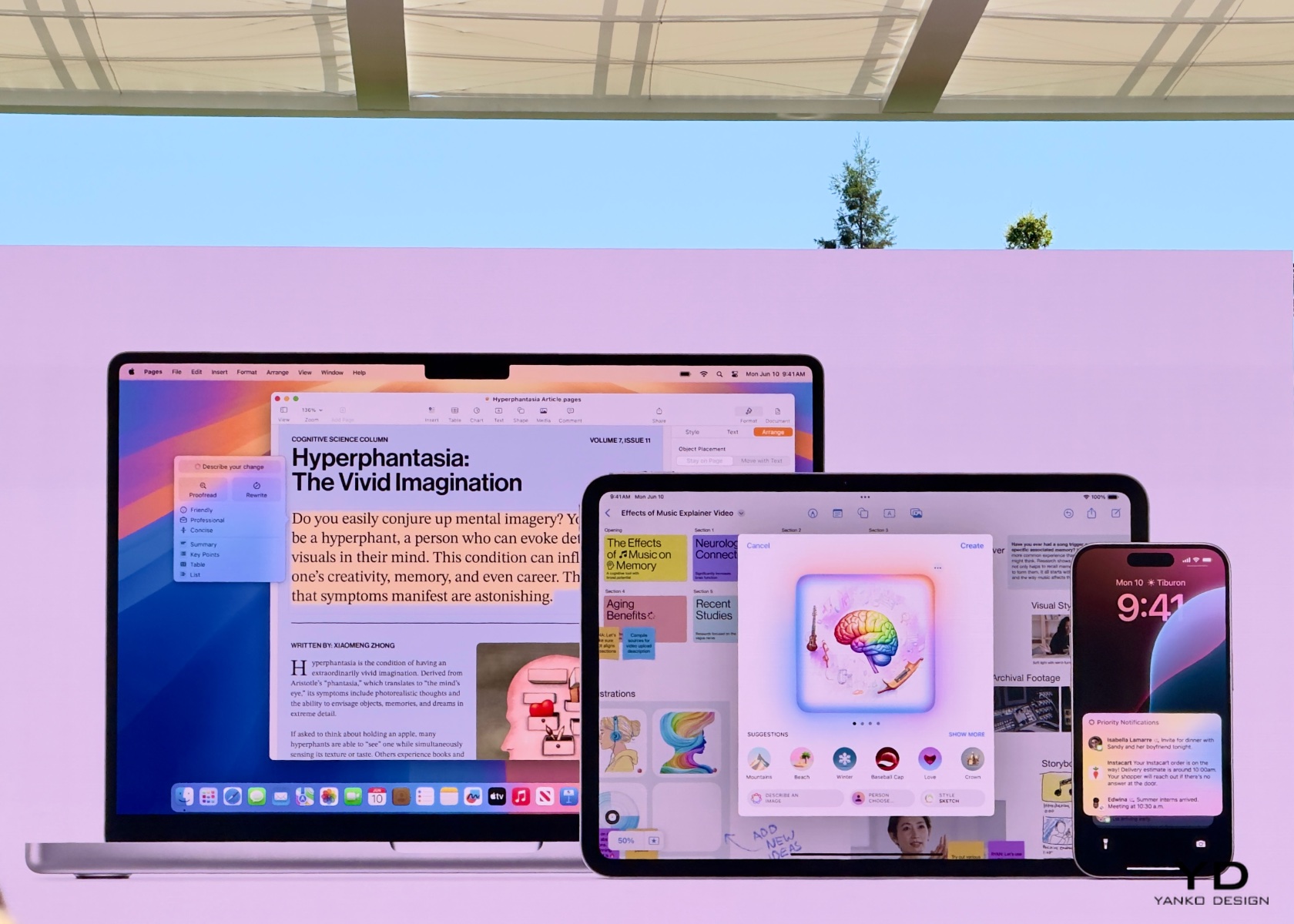
In watchOS 11, the Vitals app and Training Load build on this foundation. The Vitals app consolidates various health metrics, providing a comprehensive view of a user’s health status. It uses AI to analyze these metrics and identify outliers, notifying users when two or more metrics are outside their typical range.

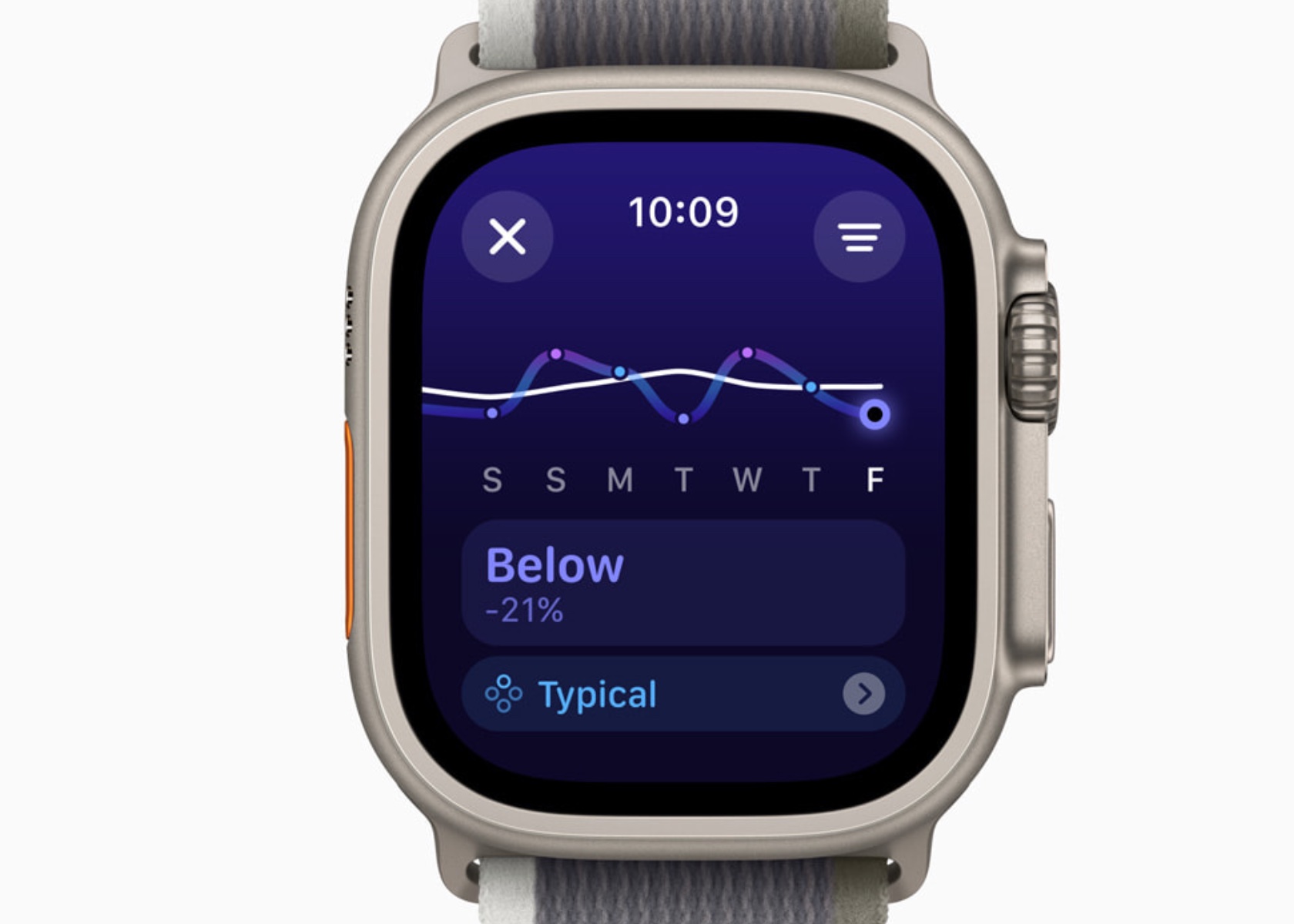
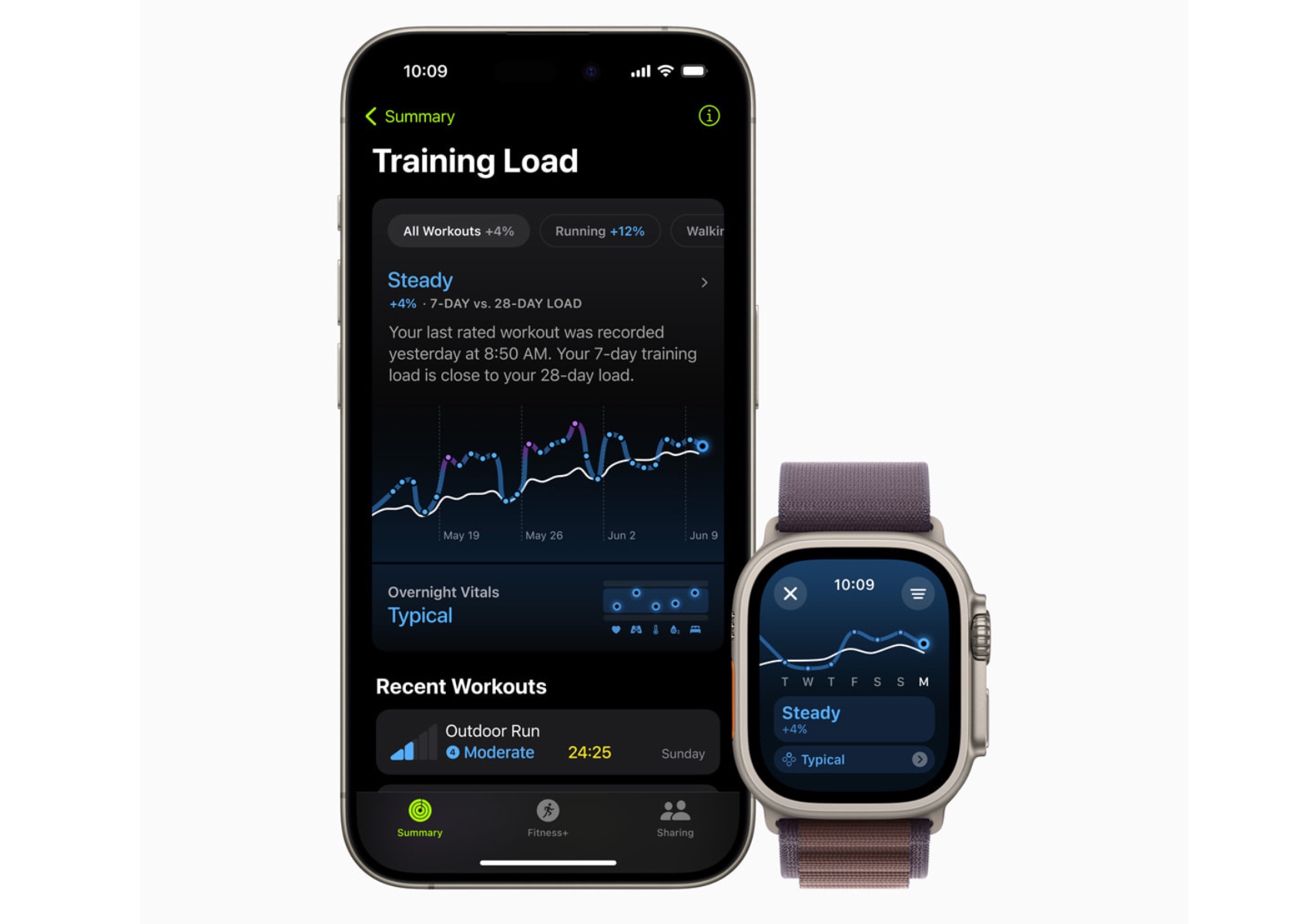
Training Load uses a new effort rating system combining data from various sources to measure workout intensity. By comparing the past seven days of activity with the last 28 days, users can understand how their workouts impact their fitness over time.

The exclusion from the Apple Intelligence segment suggests that watchOS 11’s AI capabilities are deeply embedded in its functionality. The emphasis on iOS, iPadOS, and macOS likely stems from introducing new system-wide AI features still being integrated into these platforms. In contrast, Apple Watch’s AI features are mature and have evolved over the years.

Health and Fitness Insights

Vitals App: A Dream Come True for Sleep Tracking and Health Insights

As someone who sleeps with an Apple Watch, the value of these health insights is undeniable. The ability to monitor sleep patterns and understand the quality of rest has been invaluable in making better lifestyle choices. Previously, reliance on third-party apps and devices was necessary to track sleep. However, with the Vitals app, Apple has built a comprehensive system that outputs detailed sleep tracking data, making it a powerful tool for health monitoring.

The Vitals app allows the Apple Watch to measure key health metrics during sleep, including heart rate, respiratory rate, wrist temperature, sleep duration, and blood oxygen levels. This array of data offers a holistic view of nightly rest. The heart rate monitor tracks beats per minute throughout the night, providing insights into cardiovascular health. The respiratory rate measures breathing patterns, helping to detect any irregularities.

Wrist temperature is another critical metric, offering insights into changes in body temperature, which can indicate various health conditions. Sleep duration records the total amount of time spent sleeping, allowing users to see if they are getting enough rest. Blood oxygen levels are also measured, which is essential for understanding how well the body circulates oxygen during sleep.

The Vitals app consolidates all these metrics into a single, comprehensive view, making it easy to identify outliers and receive notifications when two or more metrics fall outside their typical range. This integration uses data from the Apple Heart and Movement Study, ensuring that the classifications and notifications are grounded in extensive research.

In terms of age restrictions, many of these metrics have minimum age requirements. Heart rate and respiratory rate tracking are available for users aged 13 and above, while wrist temperature tracking is available for users aged 14 and above. This ensures that the data collected is reliable and appropriate for the user’s age group.

Previously, gathering this kind of data required reliance on third-party apps and devices. However, Apple’s approach ensures that the Vitals app works exclusively with the Apple Watch, leveraging a vast amount of research data to provide accurate and reliable insights. This means that if you value sleep data and metrics but cannot wear an Apple Watch, you might find yourself out of luck. Apple has optimized the Vitals app to work seamlessly within its ecosystem, offering a indepth health monitoring experience compared to third-party alternatives.

Overall, the insights provided by the Vitals app have significantly improved the understanding of sleep quality and overall health. By integrating these detailed metrics, Apple has created a powerful tool that helps users make informed decisions about their lifestyle and health management. This personal connection underscores the transformative impact of watchOS 11’s features on everyday life.

Training Load

Training Load is another new feature I’m super excited about in watchOS 11, offering a new way to measure the intensity and duration of workouts. This feature provides insights into how the body’s response to workouts evolves over time, helping users optimize their training routines.

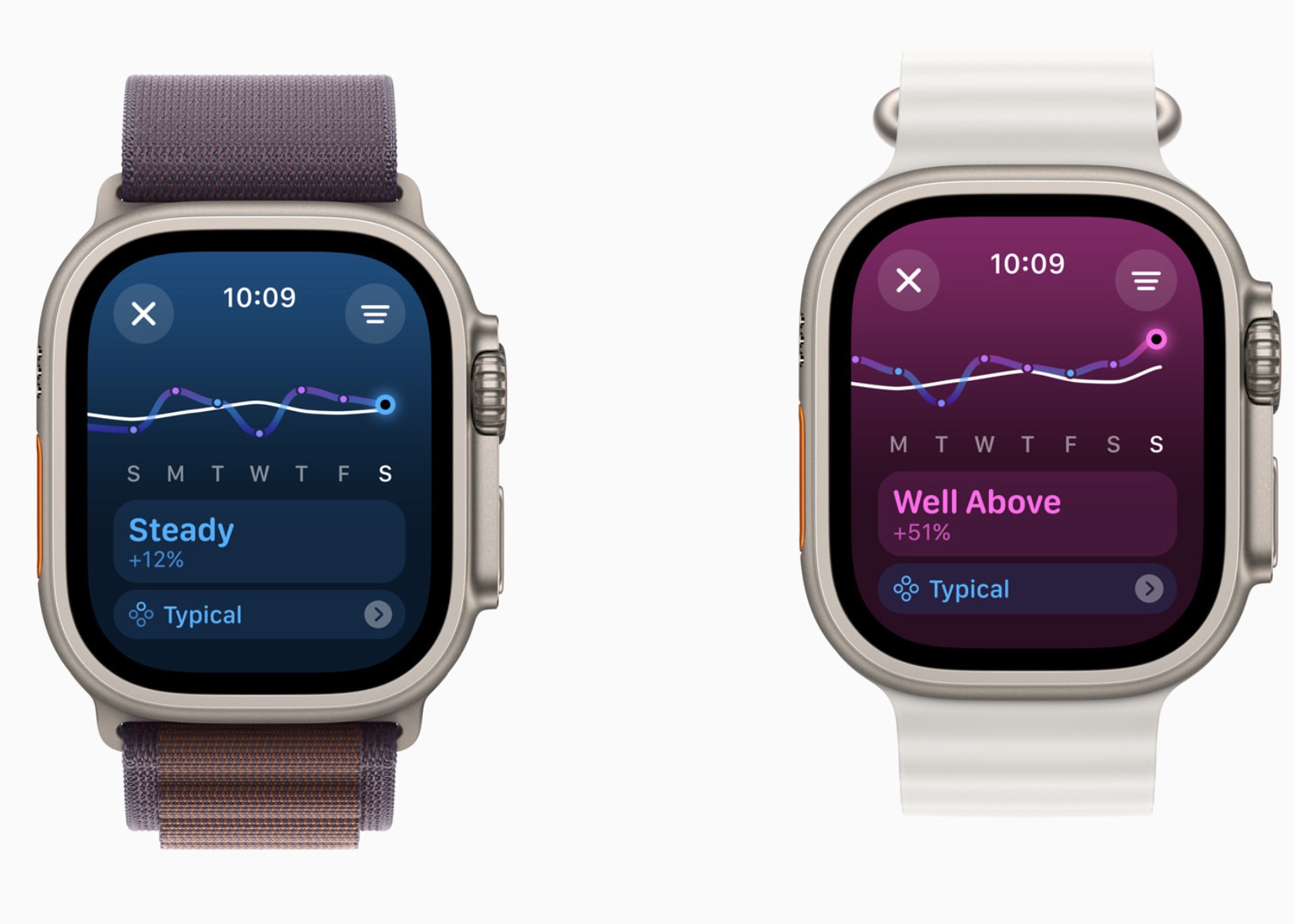
watchOS 11 Training Load

To establish a baseline, Training Load requires data from 28 days of workouts. Importantly, these 28 days do not need to be consecutive, allowing for flexibility in users’ training schedules. This means you can take rest days or adjust your routine without losing the ability to accurately track your training load.

Training Load compares the past seven days of activity with the previous 28 days, providing a comprehensive view of workout intensity and its impact. The effort rating, which ranges from 1 to 10, is calculated using various data points such as age, height, weight, GPS data, heart rate, and elevation changes. For example, running on a flat surface will yield a different effort rating compared to running uphill, even if the distance covered is the same.

For cardio workouts like running, cycling, and swimming, the effort rating is generated automatically using an innovative algorithm. This algorithm takes into account various factors including pace, heart rate, and elevation changes. For workouts that do not receive an automatic effort rating, such as strength training or yoga, users can manually enter an effort rating at the end of each session. This manual input allows users to consider additional factors like stress or soreness that might affect their perceived effort.

In the Activity app, users can view their training load classified as well below, below, steady, above, or well above their 28-day average. This classification helps users understand if they are ramping up their training, maintaining a steady pace, or easing off. For instance, maintaining a training load that is consistently well above the 28-day average might indicate progress in fitness but also a higher risk of injury. Conversely, a well-below training load might suggest the need to increase activity to prevent a decline in fitness.

The integration of Training Load with the Vitals app allows users to see how their daily health metrics correlate with their workout intensity. For example, users can observe how changes in heart rate or wrist temperature align with their training load, providing deeper insights into their overall health and fitness.

Training Load helps users make informed decisions about their training plans, ensuring a balanced approach that optimizes fitness gains while minimizing the risk of overtraining and injury. This personalized feedback is crucial for athletes preparing for events, such as marathons or triathlons, where managing training intensity and recovery is key to peak performance.

Personalization Features

Activity Rings Customization

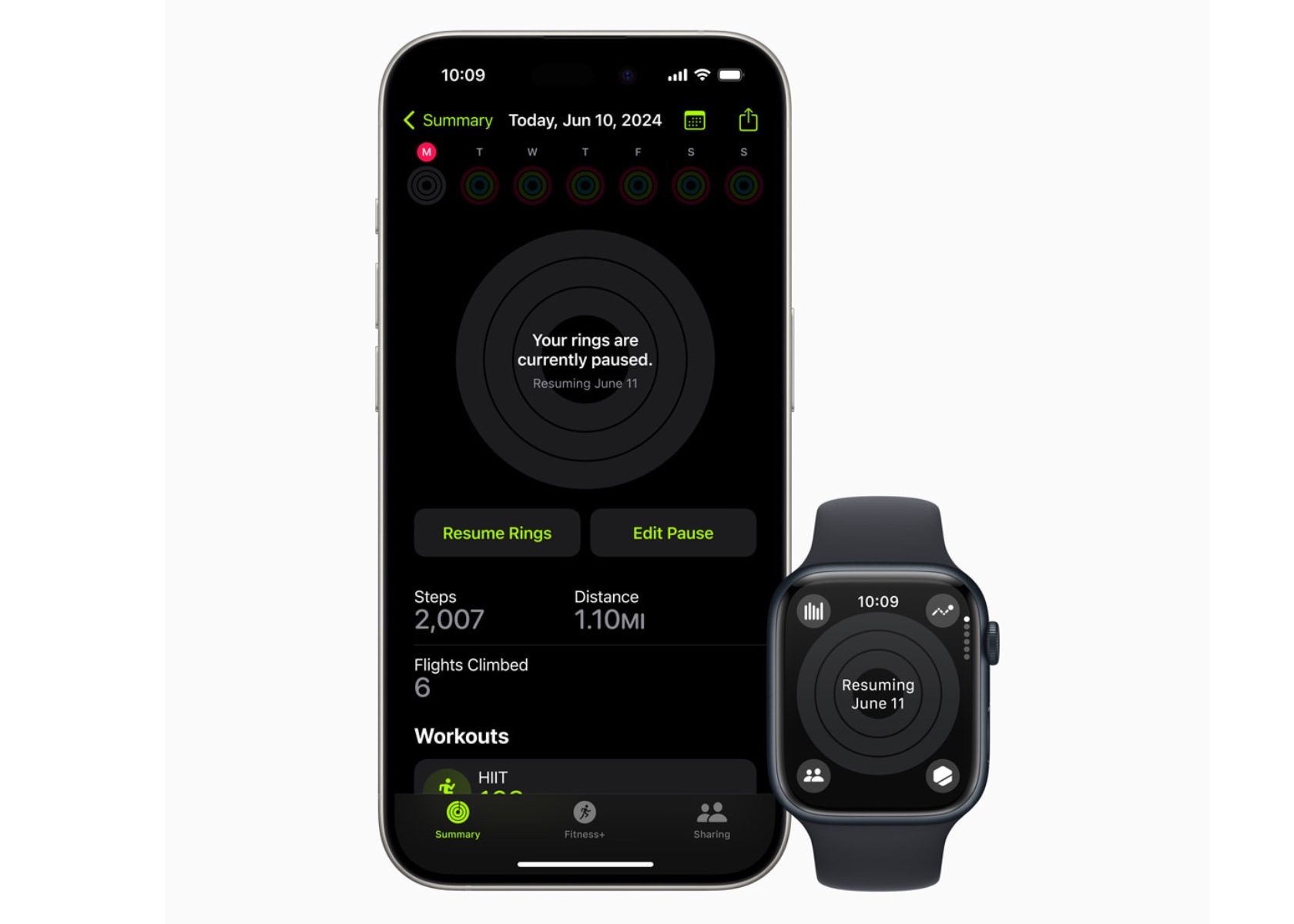
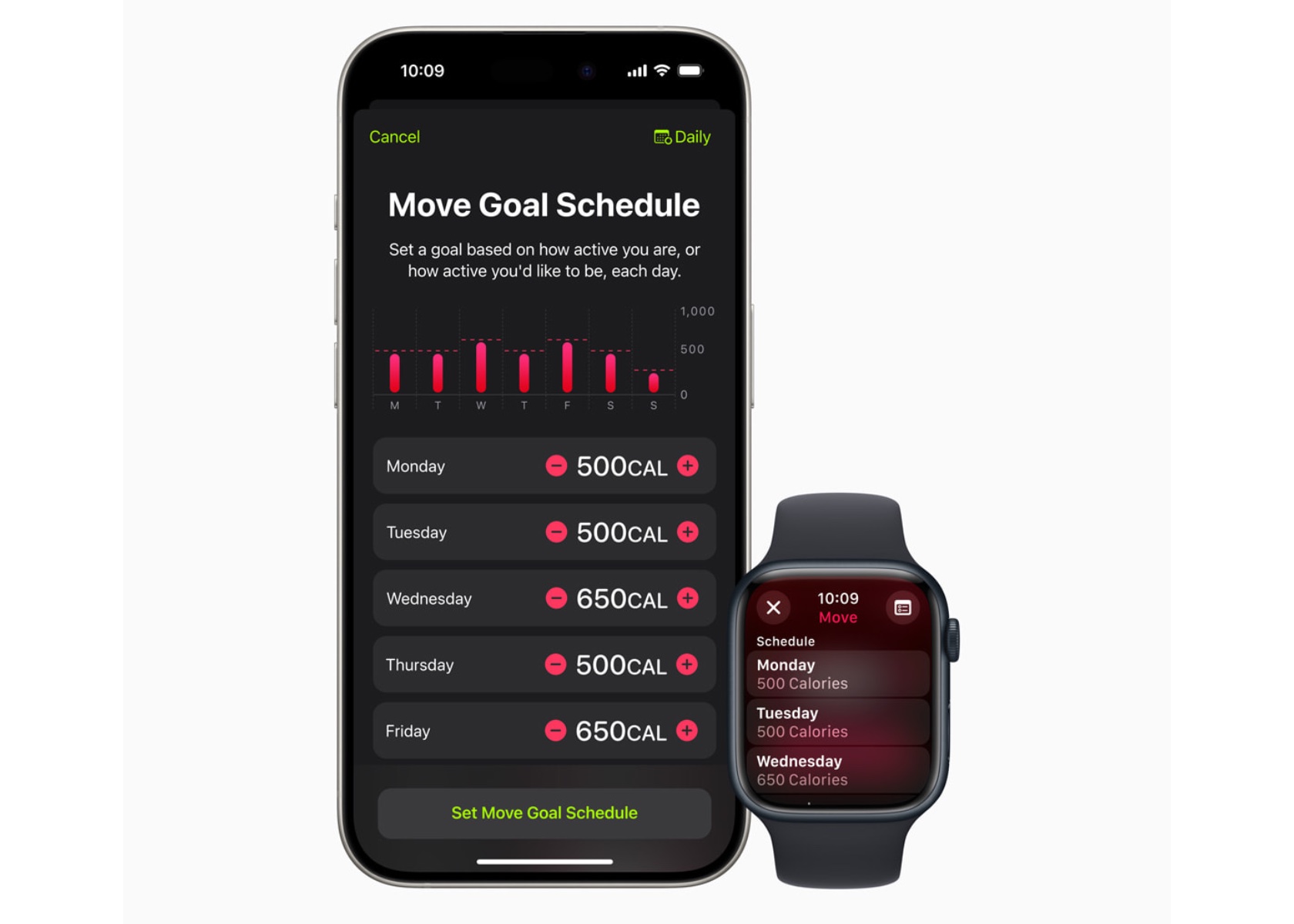
With watchOS 11, Activity rings are more customizable. Users can tailor their goals by the day of the week, accommodating rest days or adjusting targets based on personal schedules. This flexibility ensures the Activity rings provide the right motivation at the right time, maintaining user engagement without compromising fitness streaks.

The ability to pause Activity rings allows users to take a break without losing progress, whether recovering from an injury or needing a day off.

Smart Stack and Photos Face

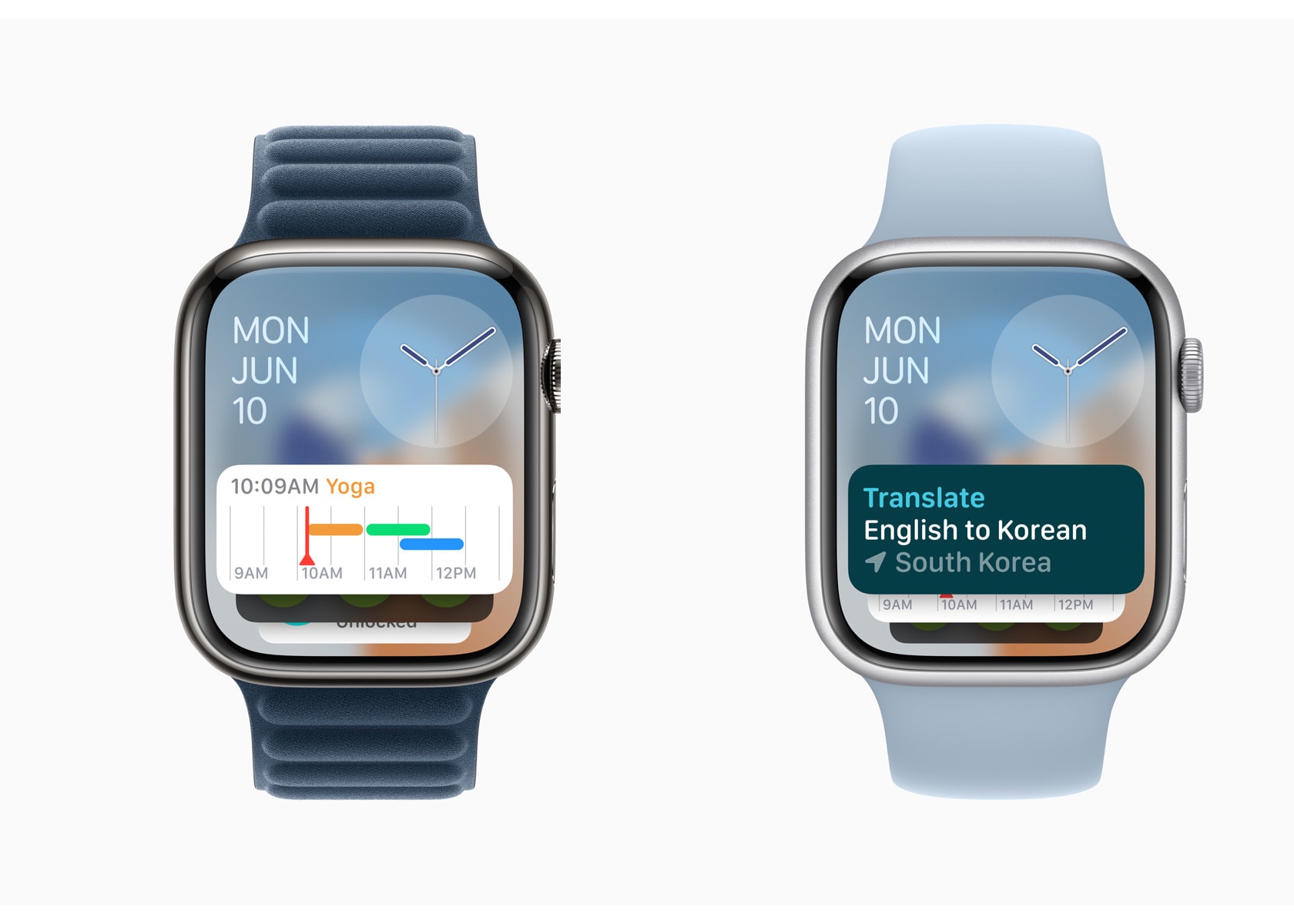
The Smart Stack in watchOS 11 offers new widgets like Shazam and Photos, suggesting widgets based on time, date, location, and daily routines. The Photos face uses machine learning to analyze thousands of images, recommending the best options based on aesthetics and composition. Users can personalize the Photos face, creating a dynamic and visually appealing watch experience.

The Smart Stack’s ability to adapt to a user’s schedule and preferences makes it a powerful tool for staying organized and informed.

Connectivity and Convenience

Check In

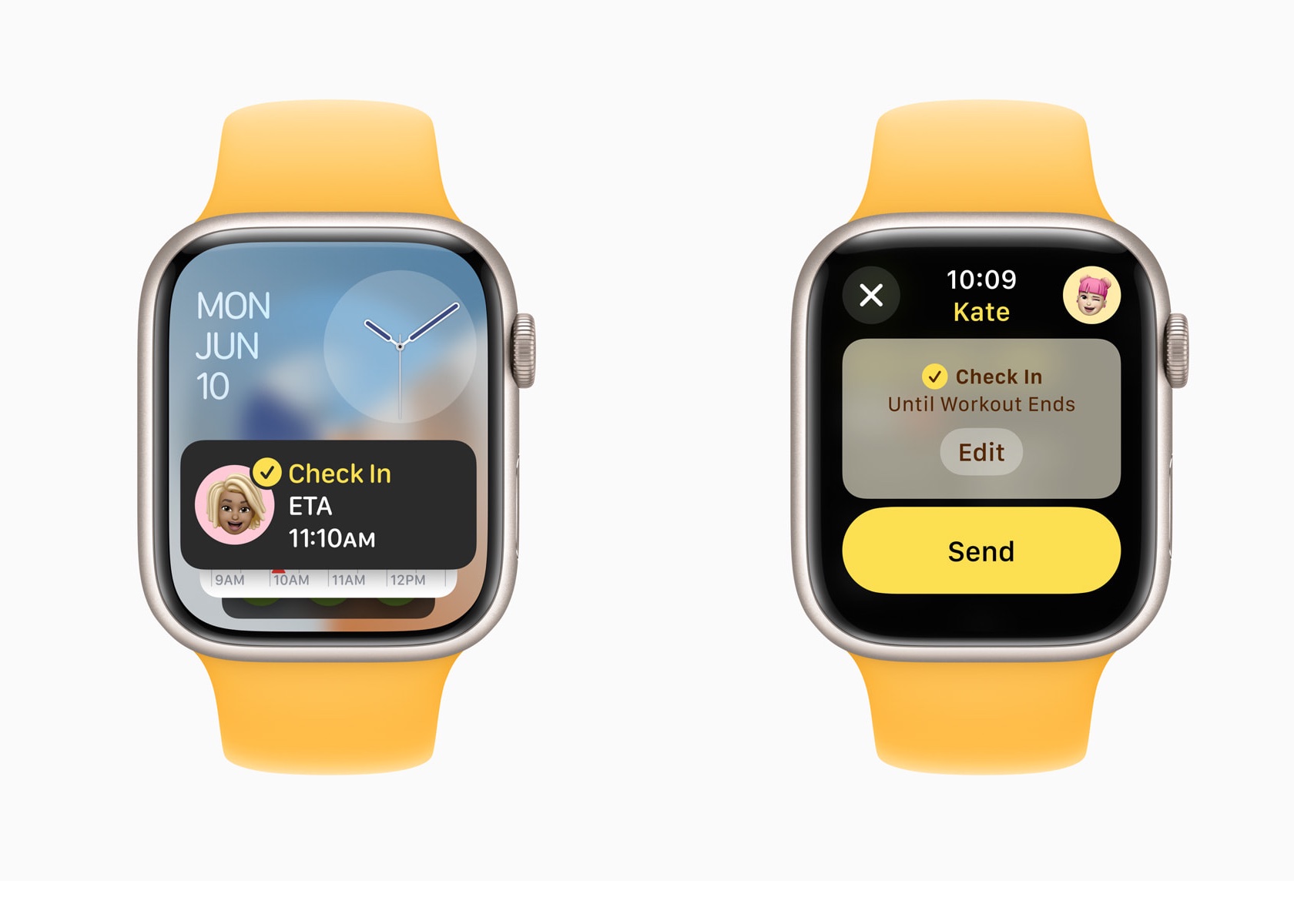
Check In, now available on Apple Watch, enhances user safety and connectivity. Users can use Check In to keep friends or family informed about their activities. This feature integrates with Messages, providing an added layer of security.

It allows users to set a timer for their activities, notifying a designated contact if they don’t check back in time.

Translate App

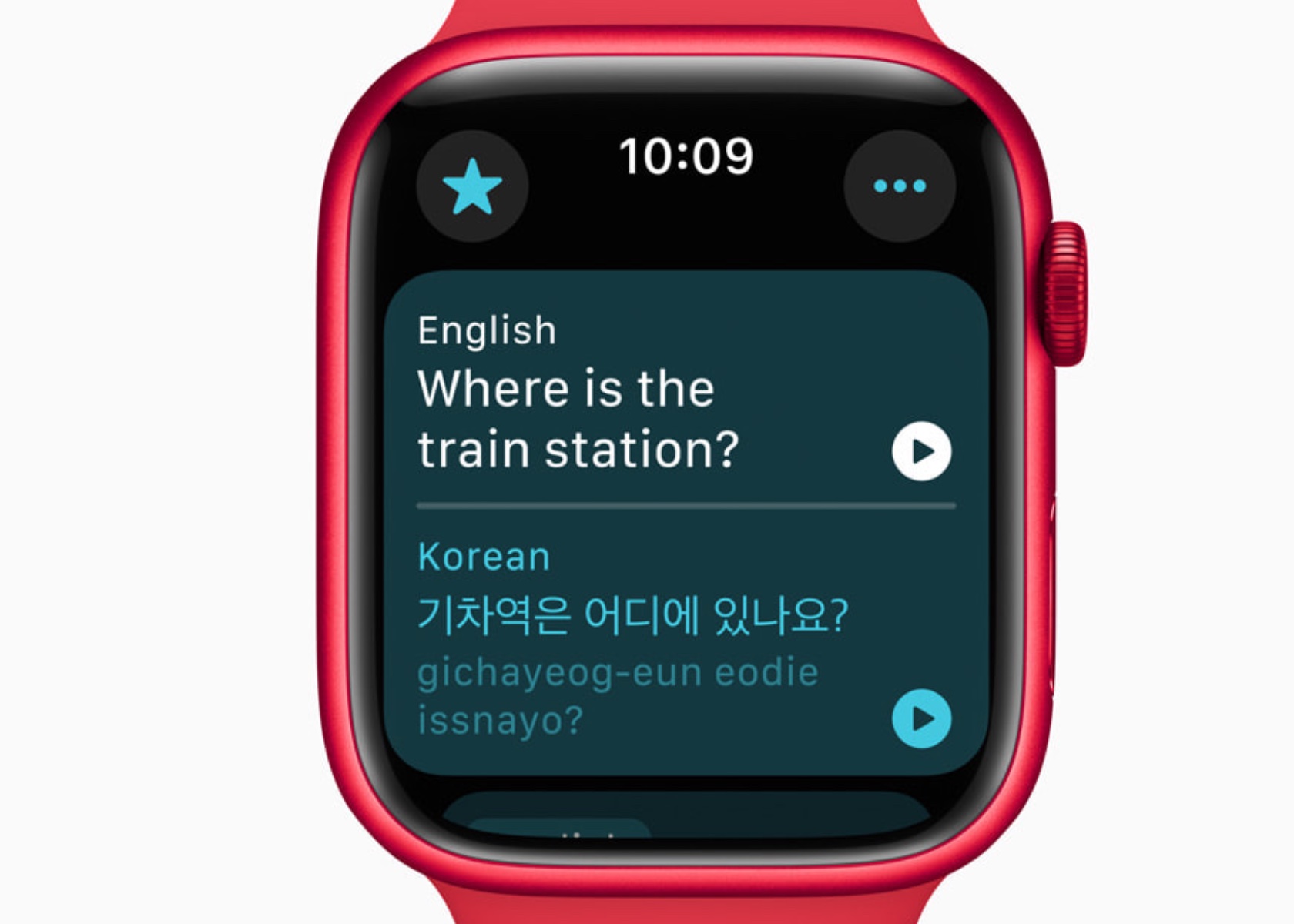
The Translate app on Apple Watch supports 20 languages, allowing users to access translations directly on their wrist. The Smart Stack intelligently suggests the Translate widget based on the user’s location, enhancing convenience while traveling. With offline functionality, users can rely on the Translate app even without an internet connection. However, it is important to note that offline mode requires users to manually download the desired language in advance. This ensures that translations are readily available regardless of internet availability, providing a seamless and dependable experience for language support on the go.

Additional Updates and Developer Tools

watchOS 11 introduces several updates to enhance user experience and provide developers with new tools. These include new workout types with enhanced GPS tracking, customizable Pool Swims, and the ability to save hiking routes for offline use. The Smart Stack and Double Tap gesture capabilities offer developers opportunities to create more interactive and relevant apps.

New workout types like soccer, American football, and downhill skiing expand the range of activities Apple Watch can track. Enhanced GPS tracking ensures accurate distance measurements for outdoor activities. Custom Workouts for Pool Swims allow users to tailor training sessions to meet specific goals.

Developers can use new APIs to create more personalized and interactive experiences for Apple Watch users. The Double Tap gesture can trigger specific actions within an app, providing a seamless and intuitive user experience.

Privacy and Availability

Privacy remains a cornerstone of Apple’s design philosophy. Health and fitness data are encrypted when the device is locked and during transmission to iCloud. watchOS 11 will be available as a free update this fall for Apple Watch Series 6 or later, paired with iPhone Xs or later running iOS 18. The developer beta is available now, with a public beta set to launch next month.

Conclusion

watchOS 11 sets a new standard for wearable technology by integrating advanced health monitoring, personalized fitness insights, and enhanced connectivity features. The Vitals app offers unprecedented visibility into health metrics, enabling proactive management of well-being. The new Training Load feature empowers users to optimize their fitness routines based on real-time data, reducing the risk of overtraining and injury.

The post watchOS 11: Comprehensive Health Insights with Advanced Sleep Tracking and Training Load first appeared on Yanko Design.

You can’t mirror your iPhone while mirroring your Mac on Apple Vision Pro

So close, yet so far. Ahead of WWDC 2024, I had hoped Apple would let you mirror your iPhone inside of the Vision Pro, just like how you can use your Mac on an enormous virtual display. Instead, we got iPhone Mirroring on macOS Sequoia. As the name implies, it will let you see everything on your iPhone from the comfort of your Mac.

But, I wondered, what if you mirrored a Mac that was mirroring an iPhone in the Vision Pro? It seems like the ideal workaround in theory, one that would solve the headset's annoying inability to play nicely with your iPhone. But, unfortunately, it won't work. We've heard from knowledgeable sources that Apple's hardware only supports one of its Continuity mirroring features at the time. So if you're sending your Mac's screen to the Vision Pro, you won't be able to mirror your iPhone at the same time.

We haven't heard the exact reason for that limitation, but I'd wager it comes down to networking limitations. Mirroring a sharp and lag-free version of your Mac's screen is difficult enough — juggling that alongside a perfectly rendered copy of your iPhone might be too tough for some Macs. Apple is already pushing beyond its current Continuity restrictions with visionOS 2, which will support higher resolution Mac mirroring, as well as the ability to virtualize an ultra-wide display. So perhaps there's room for multi-device mirroring down the line.

It's not hard to imagine Apple bringing the iPhone mirroring feature directly to the Vision Pro eventually, but ideally, it would also work alongside Mac mirroring in the headset.

Here are a few other tidbits we've learned about iPhone mirroring on macOS Sequoia while exploring WWDC: 

  • It requires both WiFi and Bluetooth to work, and the iPhone is projected at 60 fps.

  • When you launch a game, the iPhone window flips into landscape view on your Mac. The game's sound also appears to be synchronized well.

  • Mirroring will use around the same amount of battery life on your iPhone as typical usage.

  • If you unlock your iPhone directly, the mirrored window closes immediately on your Mac.

  • You'll eventually be able to drag and drop files and other content between your iPhone and Mac. This feature will also be available on third-party apps.

Update 6/12/24, 1:16PM ET: Early testers have discovered that visionOS 2 supports direct AirPlay mirroring from iPhones and iPads. This isn't the same as the Mac's iPhone mirroring feature, since you can't directly interact with the window within Vision Pro, but it's one way to keep tabs on your other devices. We've reached out to Apple for comment on this feature, which wasn't discussed during WWDC. 

Catch up here for all the news out of Apple's WWDC 2024.

This article originally appeared on Engadget at https://www.engadget.com/you-cant-mirror-your-iphone-while-mirroring-your-mac-on-apple-vision-pro-222021905.html?src=rss

Musk withdraws his breach of contract lawsuit against OpenAI

Elon Musk dropped a lawsuit against OpenAI one day before a judge in California state court was set to hear OpenAI’s request for dismissal. Musk’s suit, which was filed in February, had accused OpenAI co-founders Sam Altman and Greg Brockman of violating the company’s non-profit status and instead prioritizing profits over using AI to help humanity.

In the 35-page suit, Musk had alleged that OpenAI had become a “closed-source de facto subsidiary” of Microsoft, which invested $13 billion in the company and owns a 49 percent stake. Microsoft uses OpenAI’s technology to power Copilot, the company’s generative AI tools that are deeply integrated in products like Windows and Office.

OpenAI had reportedly requested for the lawsuit to be dismissed, arguing that Musk would use any information that emerged as a result to get access to the company’s “proprietary records and technology.” The company had also said that there was no founding agreement for it to breach.

OpenAI and Musk’s lawyer, Alex Spiro, did not respond to a request for comment from Engadget.

Musk, who was one of the founders of OpenAI in 2015, left the company three years later after disagreements over the direction of the organization. He runs xAI an AI startup that makes Grok, a ChatGPT rival that is built into X and is available for paid users. xAI recently raised a $6 billion funding round from top investors including Andreessen Horowitz and Sequoia Capital.

On Monday, Musk said that he would ban Apple devices from his company’s after Apple integrated ChatGPT in its operating systems through a partnership with OpenAI.

This article originally appeared on Engadget at https://www.engadget.com/musk-withdraws-his-breach-of-contract-lawsuit-against-openai-221316519.html?src=rss

Hey Elon, go ahead and ban Apple devices

Yesterday, following Apple’s announcement of a partnership with OpenAI to integrate support for ChatGPT into the company’s devices, Elon Musk did what he always does: he tweeted. The owner of X wrote, on X, that he would ban Apple devices at his companies "If Apple integrates OpenAI at the OS level." And to that I say: Go right ahead. And while you’re at it, remove your company's software from Apple’s App Store too.

Musk’s companies (at least the major ones) currently include Tesla, SpaceX, X, X AI and Neuralink. Even if we’re just talking about phones — which according to Counterpoint Research Apple currently has a 52 percent market share in the US — around 80,000 of Musk’s 155,000 employees would be subject to the ban, if general statistics hold true. And that’s not counting anyone who uses a Mac computer or iPad. (Note: The lion’s share of these workers would be at Tesla, which employs around 140,000 people.)

Now as we’ve seen with staff reductions at X and Tesla, Musk's management style might best be described as "willing to shoot himself in the foot." But subjecting more than half of his staff to a ban covering one of the most popular gadget makers in the world seems especially obtuse. Yes, all of this would be a headache (especially for the poor souls on his IT teams). But what's truly at issue is that, if Elon truly cares about security, he's only proposing a half-measure.

Why stop at just banning Apple devices? Surely, the apps his companies makes for iOS are in jeopardy as well. So why not pull the apps for X, Tesla and all the others from Apple’s App Store? That would offer even more insulation against the threat of OpenAI, would it not?

Some of the stronger students here, I'm sure, have had their hands raised by now. "But if the problem is that ChatGPT is integrated at the OS level, shouldn't that also mean Musk's companies would be barred from using Windows?" How right you are. And as a man of conviction, I fully expect Elon will ban those machines from his workplaces as well. I suspect his engineers will have a relatively painless time calculating the trajectory of spaceships into orbit on a Ti-83.

Musk followed up his statements by saying “It’s patently absurd that Apple isn’t smart enough to make their own AI, yet is somehow capable of ensuring that OpenAI will protect your security & privacy! Apple has no clue what’s actually going on once they hand your data over to OpenAI. They’re selling you down the river.”

To no surprise, that statement does not accurately describe Apple and OpenAI’s partnership, which readers quickly pointed out using X’s additional context feature. (On Musk’s own website no less, oh the ignominy!) Apple says it will have its own AI models that will either run on-device or in a private compute cloud, and will only send data to OpenAI with a user’s explicit permission on a strict opt-in basis. So despite Musk's claims, there doesn’t seem to be a lot of trickery there.

The bottom line is that, as the founder and CEO of a handful of companies, Musk can do what he wants. And in this case, I encourage Elon to follow through. Show us that your posts aren’t a bluff, as some are already claiming. It’s time to fuck around and find out.

This article originally appeared on Engadget at https://www.engadget.com/hey-elon-go-ahead-and-ban-apple-devices-211521967.html?src=rss

Koda 2 Max Pizza Oven Cooks Steaks and ‘Zza

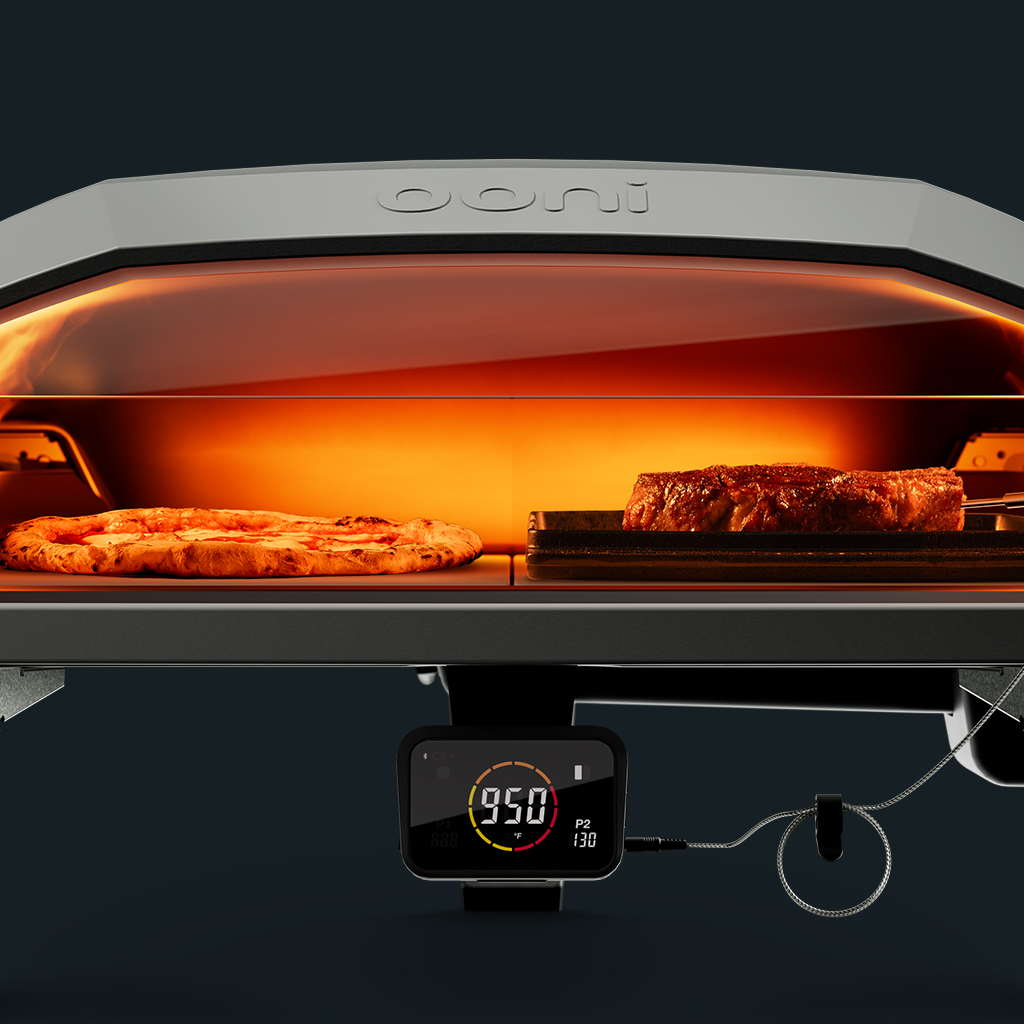
Ooni has unveiled the Koda 2 Max, an enhanced version of their popular outdoor pizza oven, designed for serious outdoor cooking enthusiasts. The Koda 2 Max reaches temperatures up to 950°F (500°C), allowing it to cook authentic Neapolitan pizzas in just 60 seconds. It boasts a 24” cooking area, extended internal height, and the thickest pizza stones Ooni has ever used at ¾” thick, ensuring superior heat retention and distribution.

Digital temp hub

The Koda 2 Max introduces several unique features. It’s the first Ooni oven with a removable glass visor, offering a clear view inside while keeping the heat contained. The visor can also be removed to accommodate larger dishes. Additionally, it features an integrated commercial-grade pizza ledge, a handy spot for resting pans and turning pizzas mid-bake.

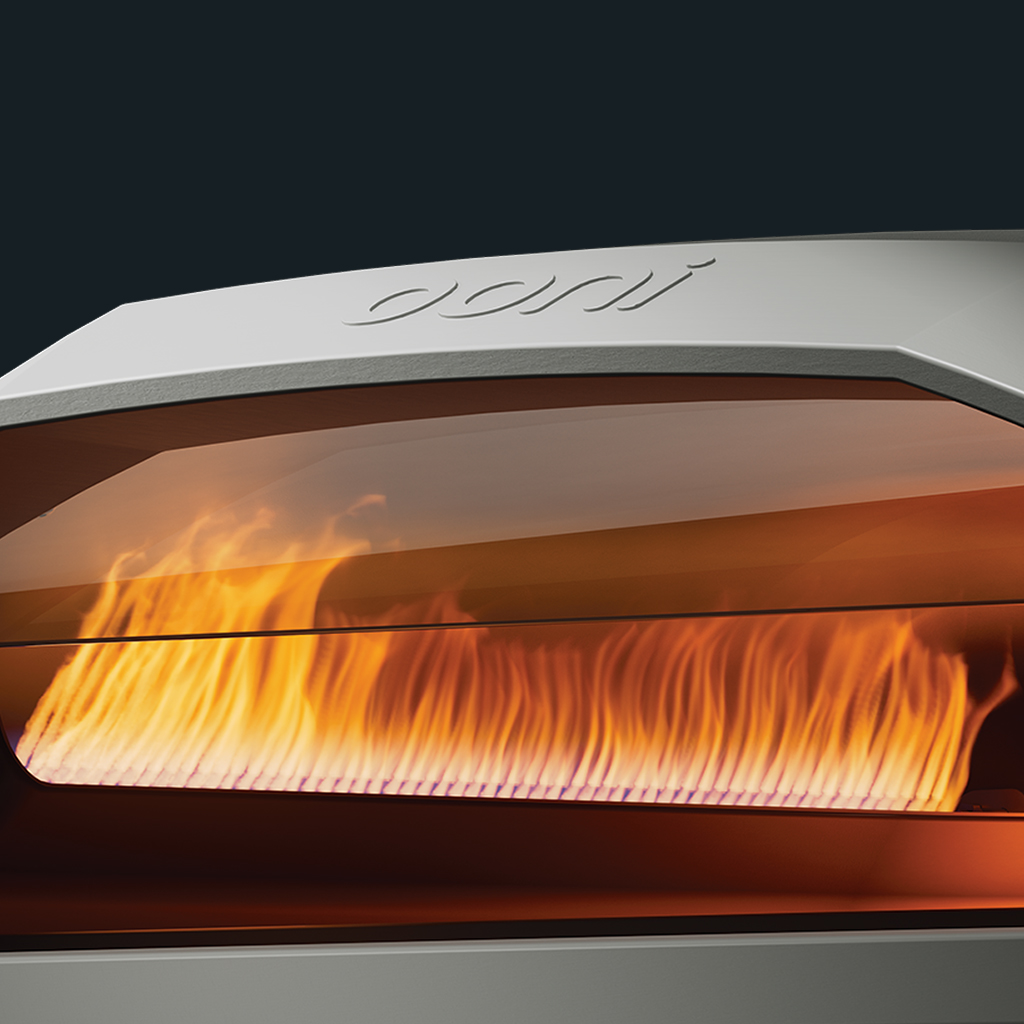
Powered by Ooni G2 Gas Technology™, the Koda 2 Max provides two independently-controlled gas burners for versatile dual-zone cooking. This technology ensures efficient fuel use, auto-sparking ignition, and variable heat control for precise cooking at high, medium, or low temperatures. The unique tapered flames deliver even heat across the oven, enhancing cooking consistency.

Ooni Connect™ technology further elevates the cooking experience by integrating with the Koda 2 Max’s Digital Temperature Hub. This allows users to monitor oven temperatures directly from their phone via Bluetooth, providing real-time updates on ambient air temperatures and readings from two included meat probes. This feature eliminates the guesswork, ensuring perfect results every time.

24″ cooking area – you can bake a 20″ pizza

The Koda 2 Max is not limited to pizza. Its extended ceiling height and dual cooking zones make it versatile for cooking a wide range of dishes, from steaks and flame-kissed vegetables to dips and skillet sides. The oven is designed for the great outdoors, making it a perfect addition to backyard gatherings, camping trips, or any outdoor culinary adventure.

For those interested in bringing this versatile and powerful cooking tool to their outdoor space, the Koda 2 Max is available for more information and purchase on the official page.

The post Koda 2 Max Pizza Oven Cooks Steaks and ‘Zza appeared first on OhGizmo!.

Netflix drops a proper trailer for Arcane’s second (and last) season

After whetting fans' appetites with a teaser back in January, there's a full-length trailer for the second season of Arcane. The animated Netflix show explores the backstories behind some of the many champions in Riot Games' League of Legends.

Sisters Vi and Jinx remain at the show's core. Their conflict acts as a foil for the cities of Piltover and Zaun, which are now locked in a deadly conflict following the closing events of season one. Vi is now part of the effort to capture her sibling and destroy the dangerous substance Shimmer. Fans of the MOBA will recognize champions such as Caitlyn and Ekko returning from Arcane's first season, while it appears Singed and Warwick will make their show debut when the new season drops this November. Check it out for yourself:

This new season sets up plenty of stunning visuals and compelling drama, but the second batch of episodes will also be the last for Arcane. This show "is just the beginning of our larger storytelling journey and partnership with the wonderful animation studio that is Fortiche,” Arcane co-creator Christian Linke said in a League of Legends dev update. “From the very beginning, since we started working on this project, we had a very specific ending in mind, which means the story of Arcane wraps up with this second season. Arcane is just the first of many stories that we want to tell in Runeterra,” he added.

With a clear end point in view, at least the show will get a proper ending instead of an unsatisfactory cliffhanger. The ongoing creative partnership is also a nice silver lining for fans. Considering League of Legends now has more than 160 champions in-game and in-the-works, that's a whole lot of story fodder to explore.

Arcane won acclaim both from people who had no prior experience with the MOBA, as well as impressing much of League of Legends' existing international fan base when it debuted on Netflix in November 2021. The show was rewarded with four Emmys in 2022. It was the first show from a streaming network to be honored with the award for outstanding animated program.

This article originally appeared on Engadget at https://www.engadget.com/netflix-drops-a-proper-trailer-for-arcanes-second-and-last-season-210424128.html?src=rss

General Motors revives its robotaxi service Cruise in Houston, with human drivers

Cruise, General Motors’ beleaguered driverless taxi service, announced Tuesday that it will start testing again around Houston. Cruise announced that they would start with human taxi drivers behind the wheels of its cars before moving to “supervised autonomous driving with a safety driver behind the wheel in the coming weeks.”

The announcement from Cruise landed around the same time that General Motors’ chief financial officer Paul Jacobson announced at Deutsche Bank’s Global Auto Industry Conference in New York City that the carmaker would inject another $850 million into the robotaxi company to cover operational costs.

Cruise has been nothing but a huge money pit for GM. Last year, the company plugged the plug on its driverless taxis when one of its cars in its San Francisco fleet hit a pedestrian who was hurled into the driverless taxi’s path by another vehicle and dragged them approximately 20 feet after getting pinned under its tire. The California Department of Motor Vehicles (DMV) suspended the company’s permits less than a month later. Cruise laid off nearly a quarter of its workforce and dismissed nine of its executives including the company’s co-founder and chief executive officer (CEO) Kyle Vogy following an investigation into the accident.

Since then, Cruise has slowly but surely started showing new signs of life. In April, the company announced it would start redeploying its services in Phoenix. Just as in Houston, Cruise’s cars will still be monitored and operated by humans. The autonomous taxi company also plans to expand its services to other cities by engaging “with officials and community leaders,” according to the company’s blog,but gave no timeline on when an extension might happen.

Update June 11, 5:45PM ET: This article was updated after publishing to clarify that Cruise's return to Houston is currently limited to testing, rather than picking up fares.

This article originally appeared on Engadget at https://www.engadget.com/general-motors-revives-its-robotaxi-service-cruise-in-houston-with-human-drivers-205002639.html?src=rss

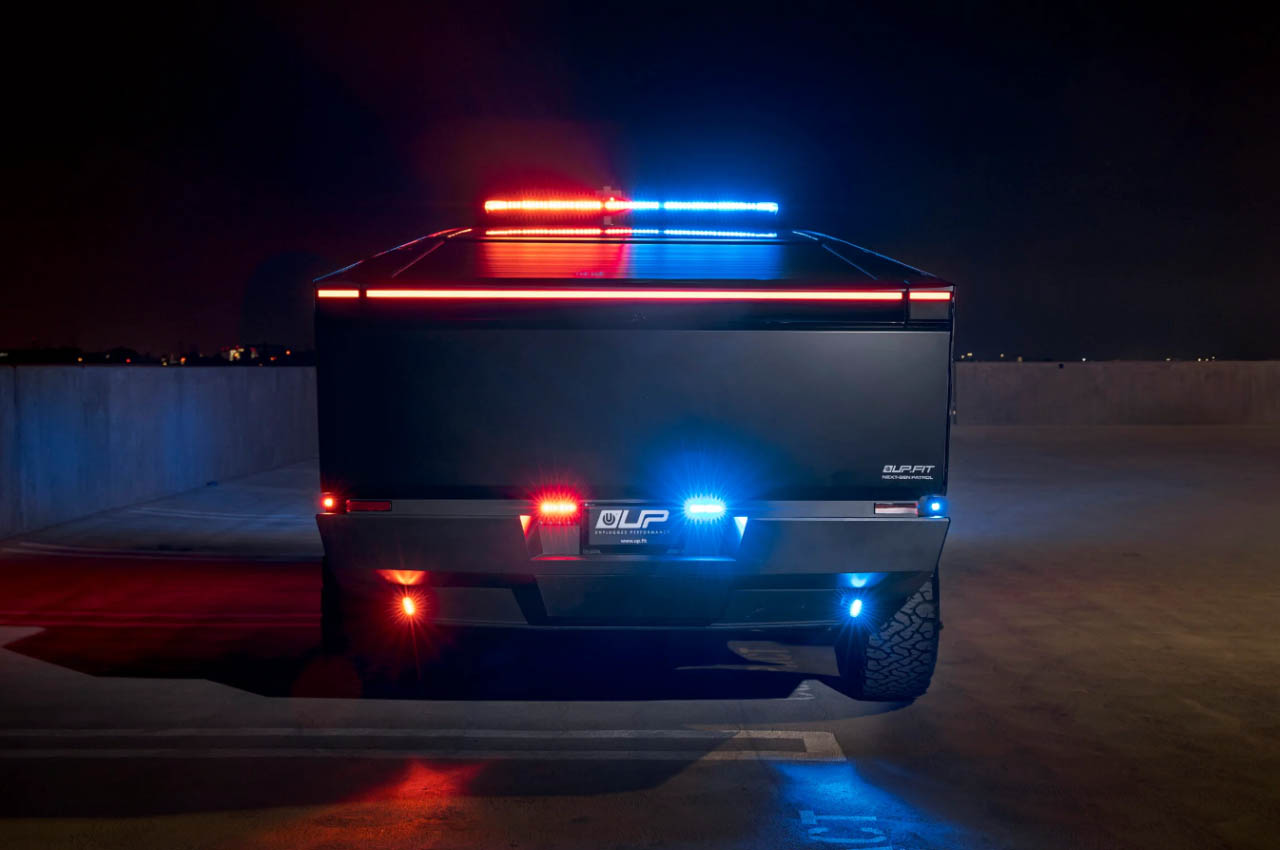
World’s first Cybertruck patrol vehicle is a cool RoboCop Taurus successor in the making

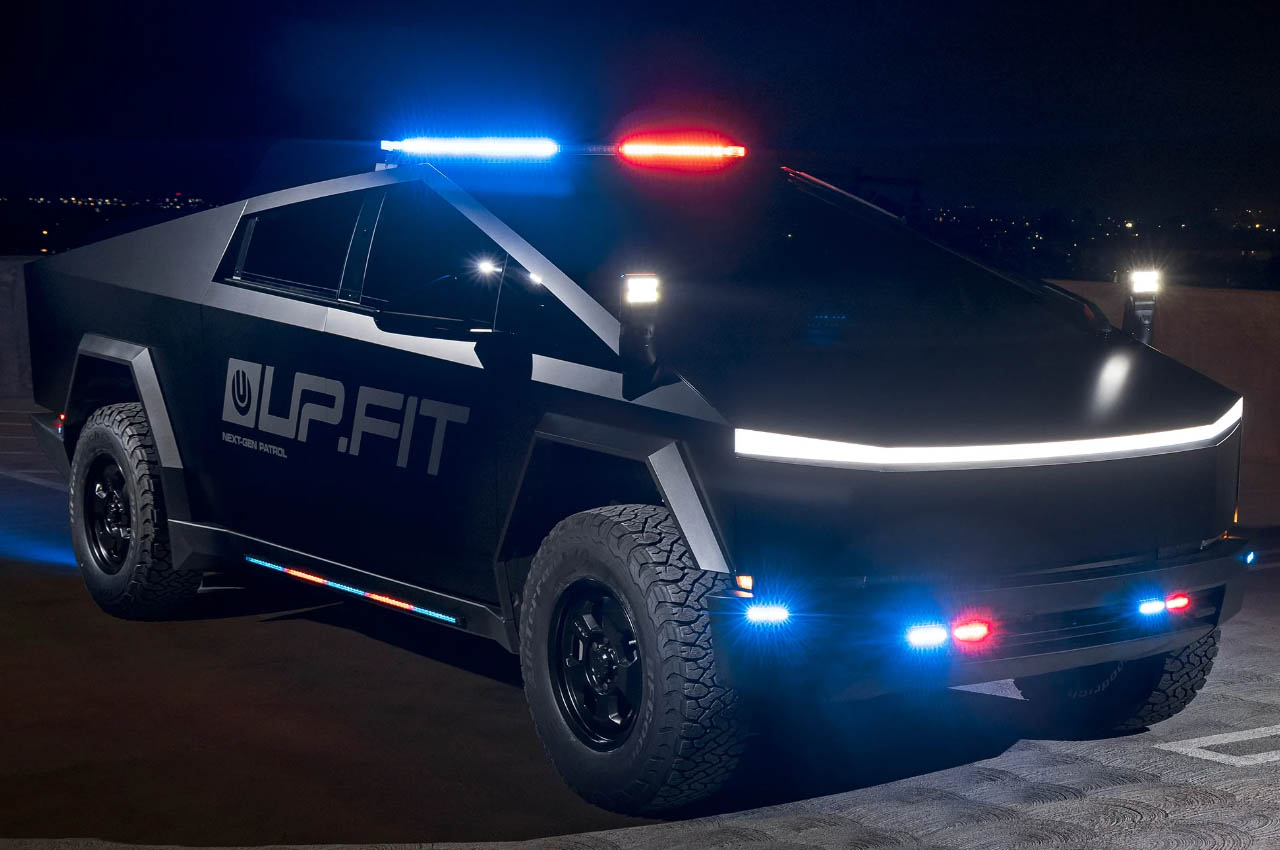
Taurus, the crime-fighting machine (a modified 1986 LX sedan) from the RoboCop movie was way ahead of its time. Not now though as a new-age RoboCop would demand something like a custom Tesla Cybertruck to take on the bad blood in the city.

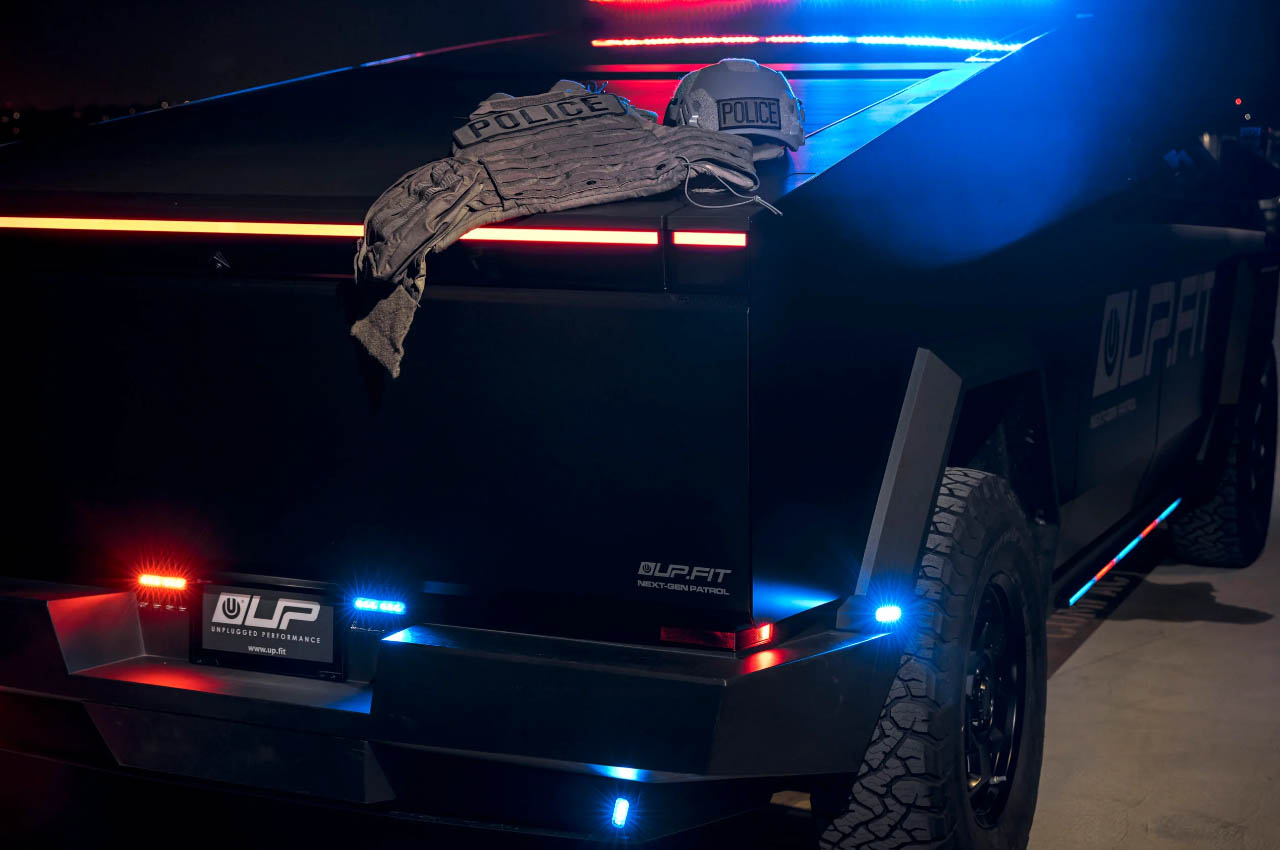
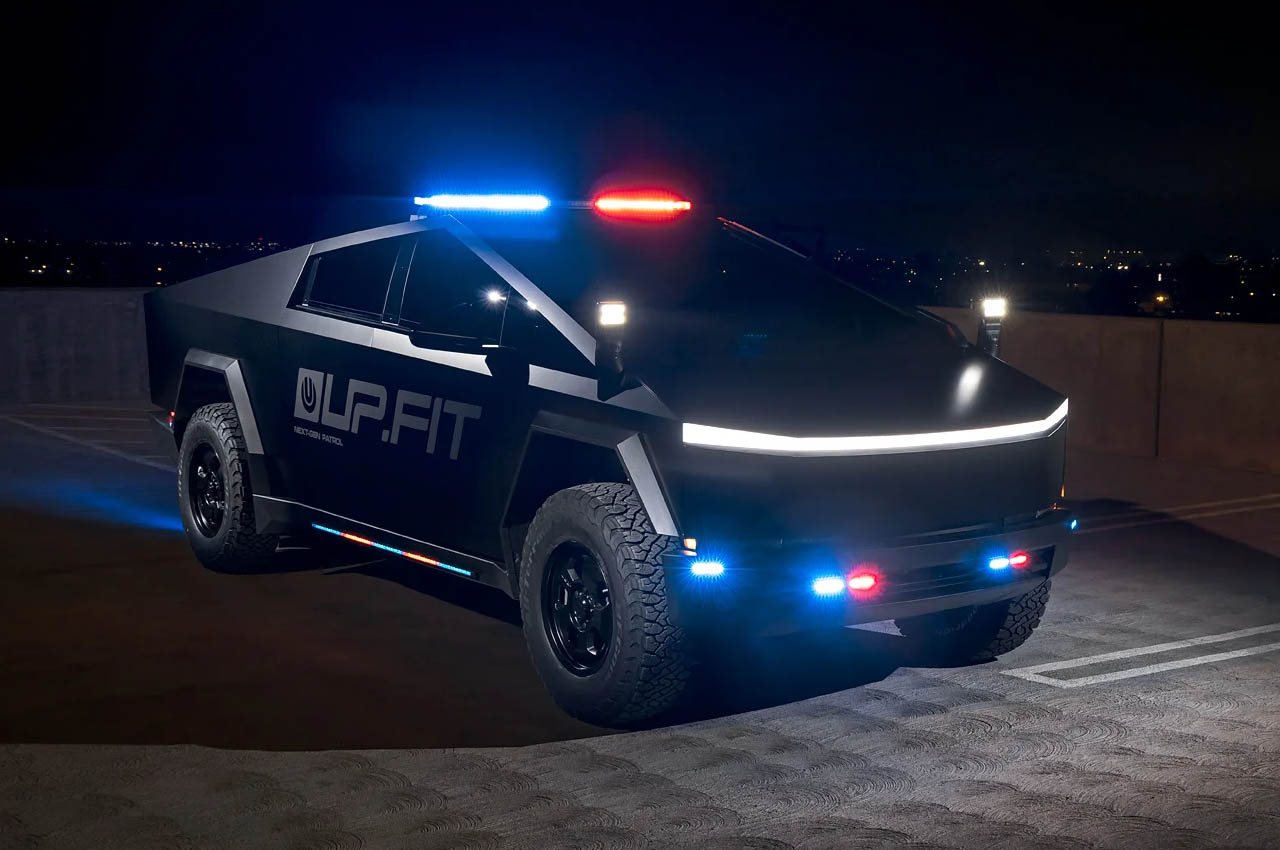
This narrative holds merit for the world’s first Tesla Cybertruck police vehicle which will soon hit the streets. If the stainless steel exoskeleton MUV hasn’t already caught your eye, you’ll need to pull over if sirens beam in your rear-view mirror and the Tesla vehicle is right on your tail. Cybertruck is already famed for its futuristic looks, akin to a RoboCop first responder machine, and the robotic persona would catch eyeballs for sure.

Designer: UP.FIT

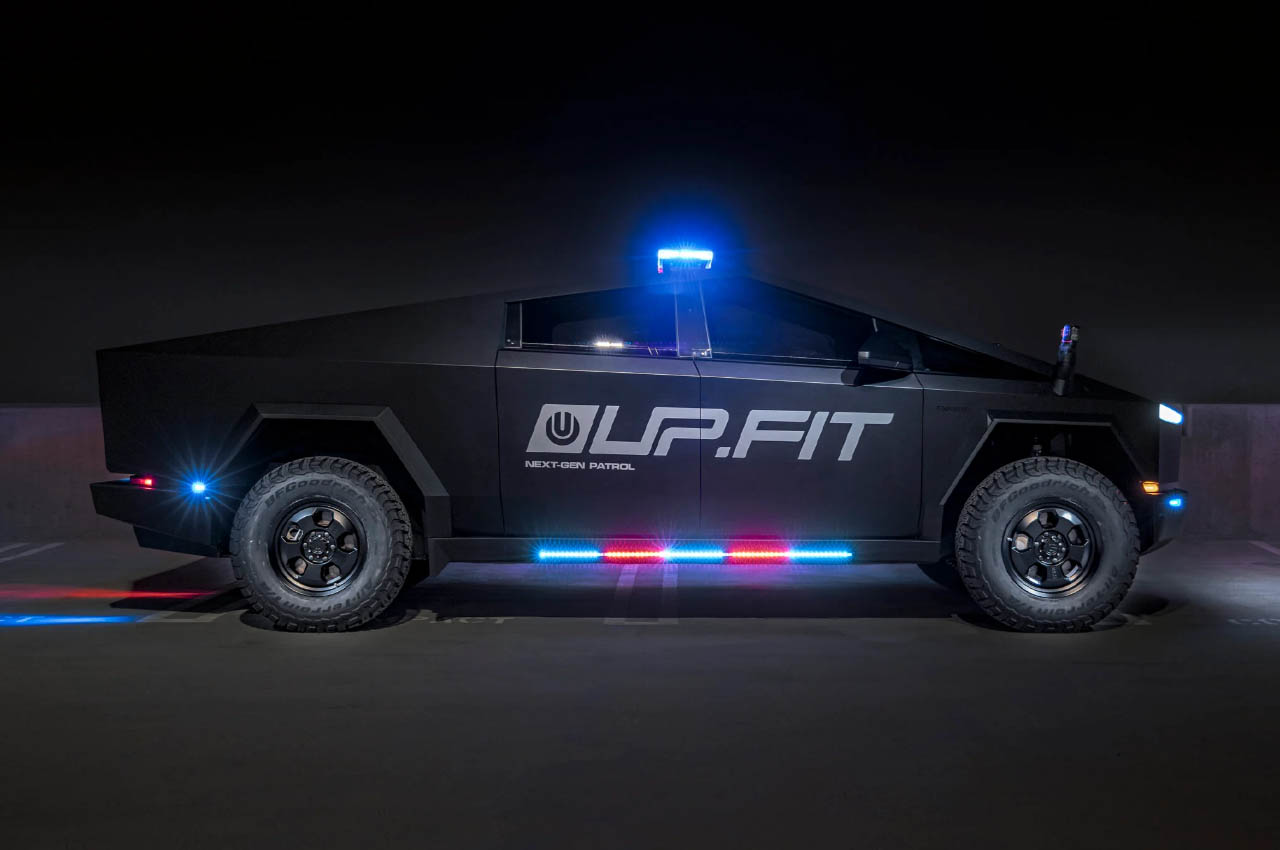
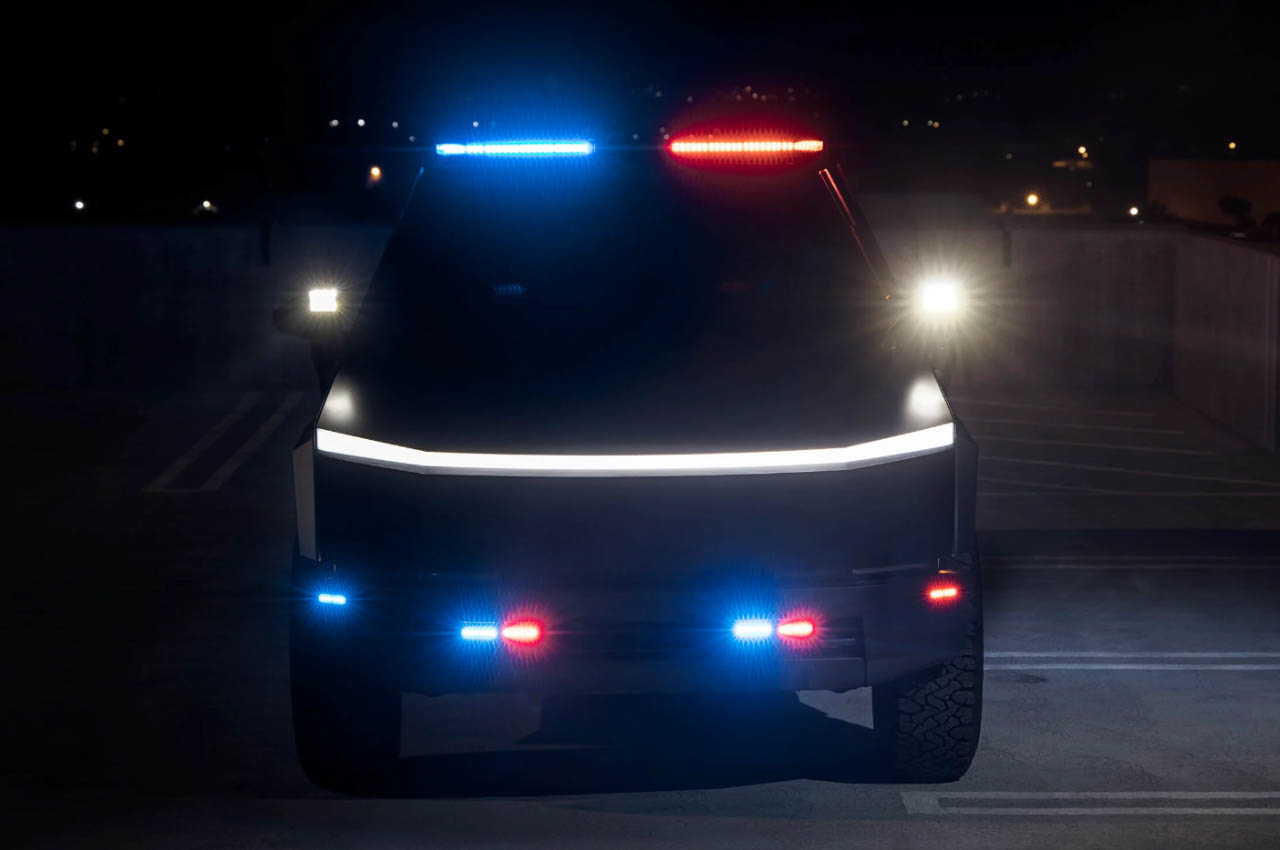
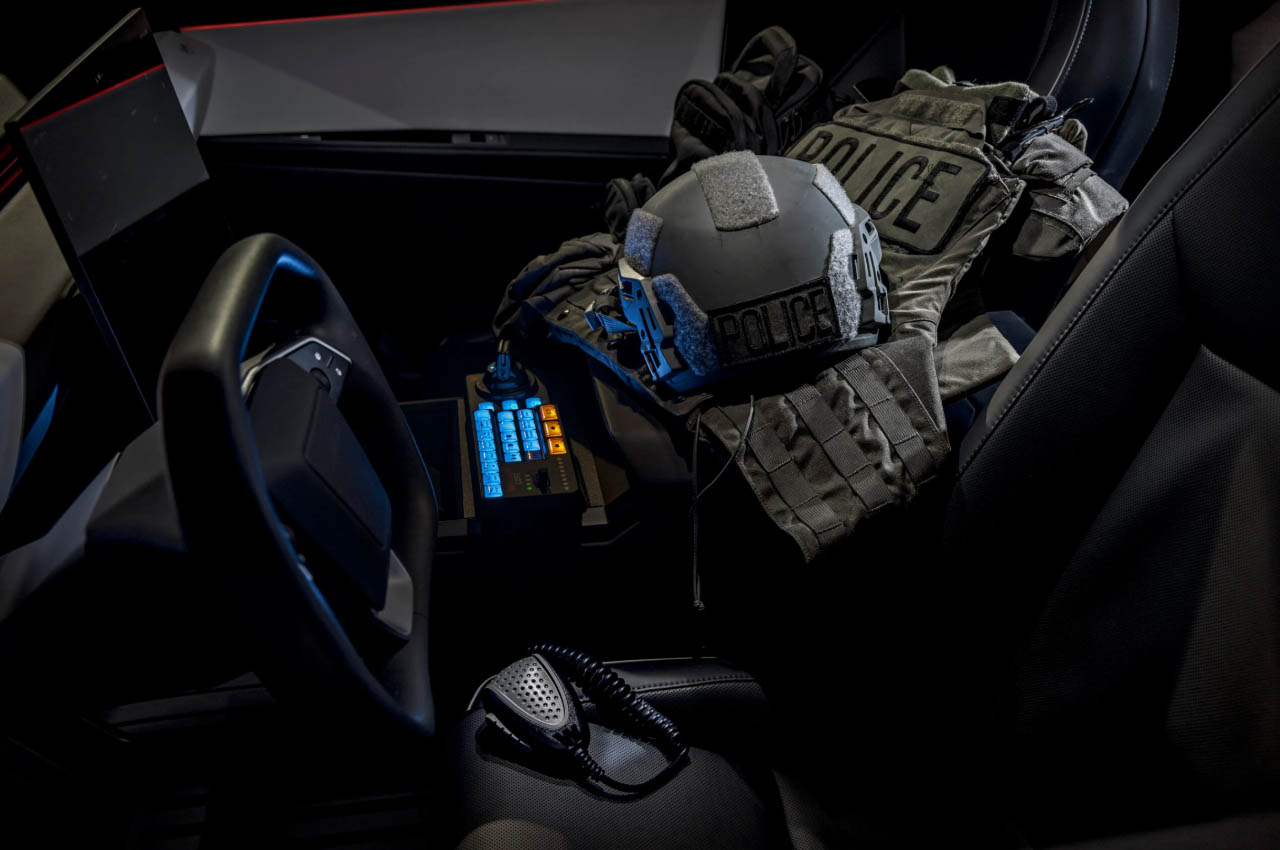
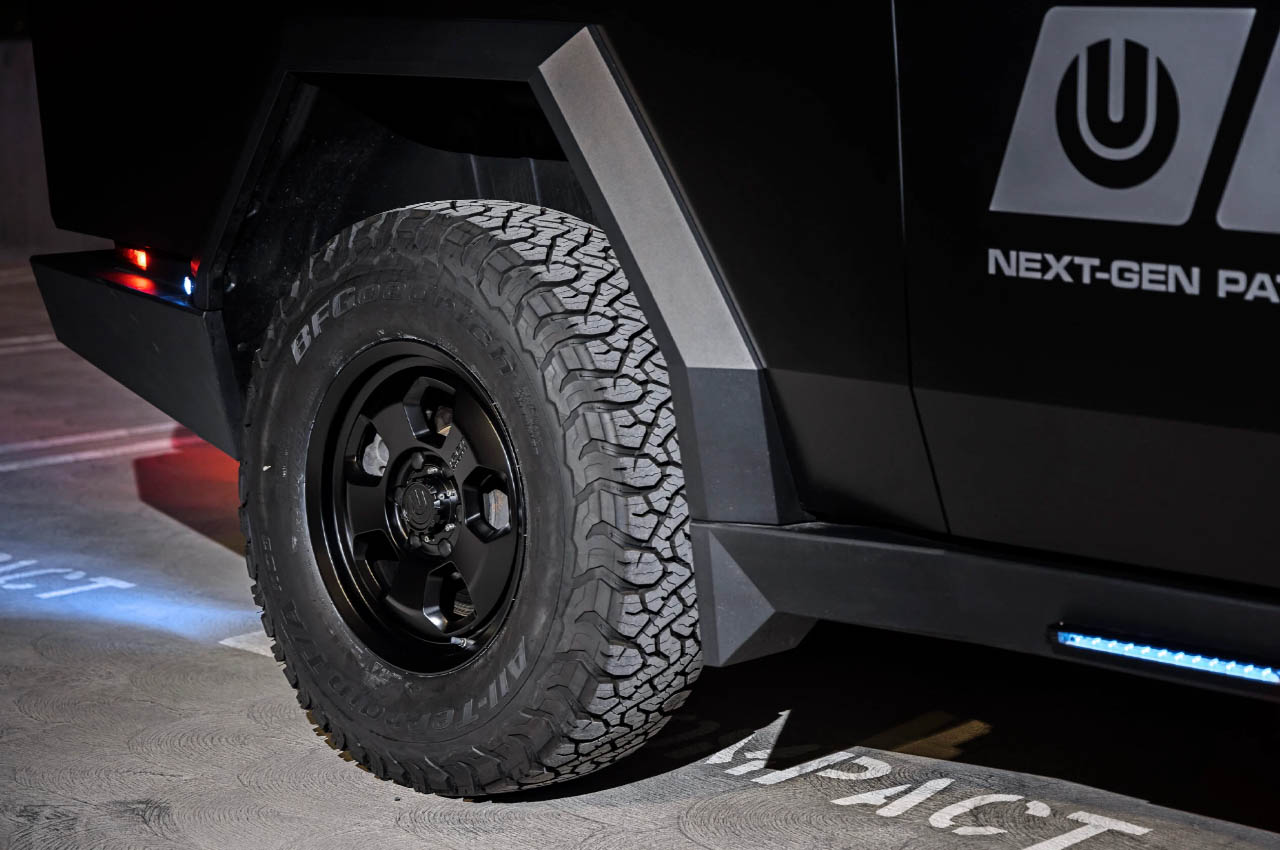
This patrol Cybertruck in a fitting skin is the work of UP.FIT which is a subsidiary of Unplugged Performance who have a host of modified Tesla EV versions to brag about. The good news is that the off-roading vehicle is all set to hit the streets later this year as the brand expects loads of orders coming in from the US and other countries that don’t compromise on city security in any way. Inside out the police cruiser vehicle will be fitted with a host of accessories and draped in colorways that beef up its intimidation quotient by quite a stretch. It’ll have sirens, an array of lights, fender-mounted spotlights, a PA system, computer systems, and an upgraded radio. Optional additions for the patrol Cybertruck riding on the 18-inch forged wheels come in the form of a front push bar, Starlink connectivity, and high-performance brakes and tires.

Of course, the interested departments can add a host of their own customizations to make it more potent. According to UP.FIT if there is a keen interest in the vehicle, they can also modify it for military, tactical, and search-and-rescue operations by adding things like prisoner partitions, K9 enclosure and weapons storage compartments. We hope the police skin is a multilayer paint coating on the surface and not just a decal. But the question is whether the Cybertruck will be a reliable chaser in real-life conditions given its rusting issues and stability hiccups. Since we are talking about bystander safety, any driving misjudgments could lead to collateral damage. Will police authorities around the world choose the Cybertruck over a Lexus LC500, Ford Interceptor, Jeep Grand Cherokee or BMW i3? Only time will tell. For now, we’ll enjoy the larger-than-life persona of the Tesla’s MUV.

The post World’s first Cybertruck patrol vehicle is a cool RoboCop Taurus successor in the making first appeared on Yanko Design.
Modder adds the vicious Shield Saw to the original Doom

Bethesda announced Doom: The Dark Ages at the Xbox Games Showcase over the weekend, and easily the most exciting addition to the franchise featured in the trailer is the Shield Saw. As the name suggests it's a shield. Which is also a chainsaw. Naturally, modders have already programmed the weapon into the original Doom.

Modder Craneo shared a clip on X yesterday showing how they were able to bring the Shield Saw featured in the trailer for the upcoming Doom sequel into the retro computer game. They converted the old-fashioned chainsaw into an innovative weapon that both protects you from enemy damage and rips opponents to shreds, thereby providing the wielder with a brilliant balance of defense and offense. The video makes it seem you can also toss the Shield Saw, something that was surely a pain to program.

Craneo also brought another Dark Ages weapon to Doom overnight called the Skullcrusher, or Skul-Gun, as Andy Chalk of PC Gamer called it. As the name suggests, the Skul-Gun uses skulls as ammo and fires them out like oversized bullets. That mod remains incomplete however, because, as Craneo notes, the gameplay mechanics for its next-gen counterpart haven’t been shown yet. If you want to try these out, Craneo helpfully provided links to grab the mods for both the Skul-Gun and Shield Saw.

The Doom modding community is well renowned for their creativity in adding features that make Doom more fun to play. They made Doom playable within Doom 2, ported the 2005 Doom mobile game to Windows, modded the horror game MyHouse.wad into Doom 2, and programmed the Indiana Jones-inspired mod Venturous to the Doom engine, among other things. Of course, modders have also tried to get Doom to run on every piece of hardware known to man, from a lawnmower to a Roomba vacuum cleaner. The latter device was dubbed the Doomba because game developer Rich Whitehouse programmed it to translate the floor maps into Doom maps.

This article originally appeared on Engadget at https://www.engadget.com/modder-adds-the-vicious-shield-saw-to-the-original-doom-203628837.html?src=rss