Paramount Skydance isn't giving up on obtaining Warner Bros. Discovery just yet. The company has amended its $108 billion offer to include Larry Ellison's "irrevocable personal guarantee" equaling $40.4 billion. Ellison is the founder or Oracle and a backer of Skydance, created by his son David Ellison, Paramount Skydance's CEO.
On December 17, WBD formally recommended shareholders reject Paramount's offer. WBD had already accepted an $82.7 billion offer from Netflix, set to close some time next year following regulatory approval. "[The board] has unanimously determined that the tender offer launched by Paramount Skydance on December 8, 2025 is not in the best interests of WBD and its shareholders and does not meet the criteria of a 'Superior Proposal' under the terms of WBD's merger agreement with Netflix announced on December 5, 2025," WBD stated.
The Paramount deal included backing by sovereign wealth funds in places like Saudi Arabia and Qatar. But the Ellisons previously said that, if the other funders dropped out, they would "backstop the full amount of the bid." That wasn't enough of a guarantee for WBD.
Now, Paramount has returned with the irrevocable personal guarantee and an agreement that the senior Ellison won't "revoke" or "adversely transfer" the Ellison family trust's assets while the transaction is pending. WBD had stated that a personal guarantee was the only fix to Paramount's inadequate offer.
Paramount might have taken this step, but not with a smile on its face: "None of these concerns, nor the demand for a personal guarantee, were raised by WBD or its advisors to Paramount in the 12-week period leading up to WBD agreeing to the inferior transaction with Netflix, Inc.," the company stated about its updated offer.
"Our $30 per share, fully financed all-cash offer was on December 4th, and continues to be, the superior option to maximize value for WBD shareholders. Because of our commitment to investment and growth, our acquisition will be superior for all WBD stakeholders, as a catalyst for greater content production, greater theatrical output, and more consumer choice," David Ellison stated. "We expect the board of directors of WBD to take the necessary steps to secure this value-enhancing transaction and preserve and strengthen an iconic Hollywood treasure for the future."
Paramount's updated offer also includes publishing the trust's assets, more flexible transaction terms and an increase from $5 billion to $5.8 billion of its "regulatory reverse termination fee" — in line with Netflix's.
Paramount's offer will expire on January 21, 2026.
This article originally appeared on Engadget at https://www.engadget.com/entertainment/paramount-has-an-updated-warner-bros-discovery-bid-144348321.html?src=rss
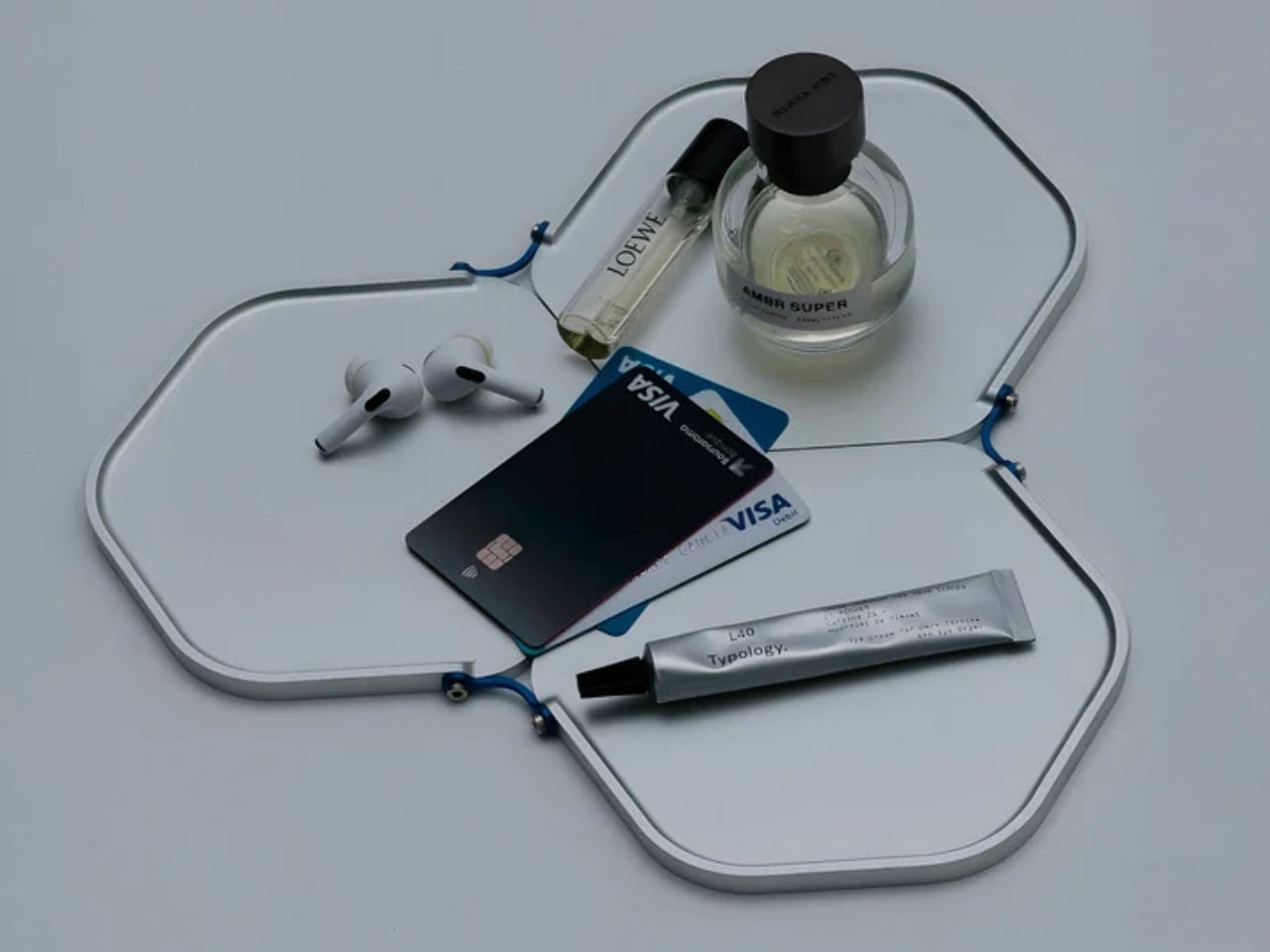
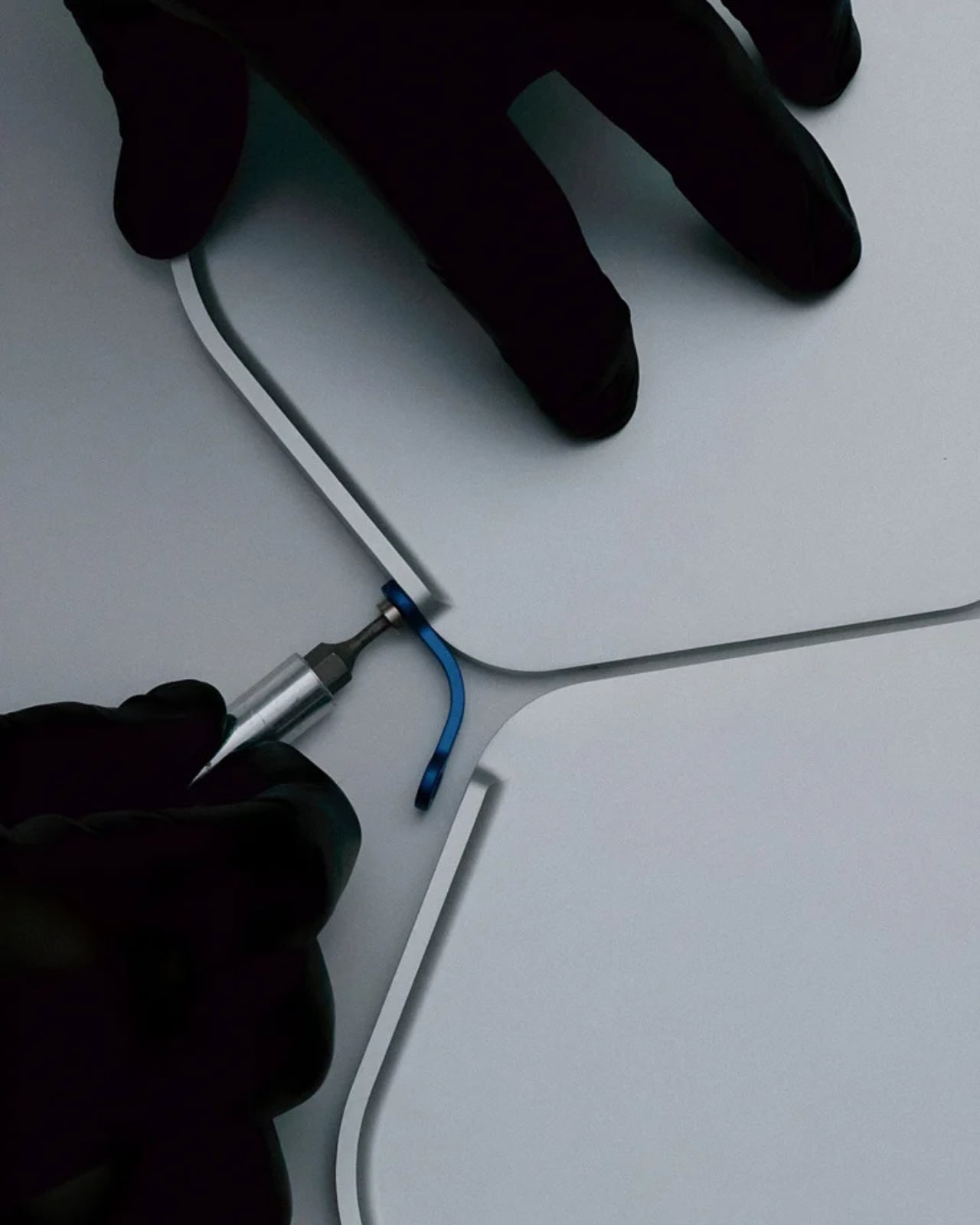
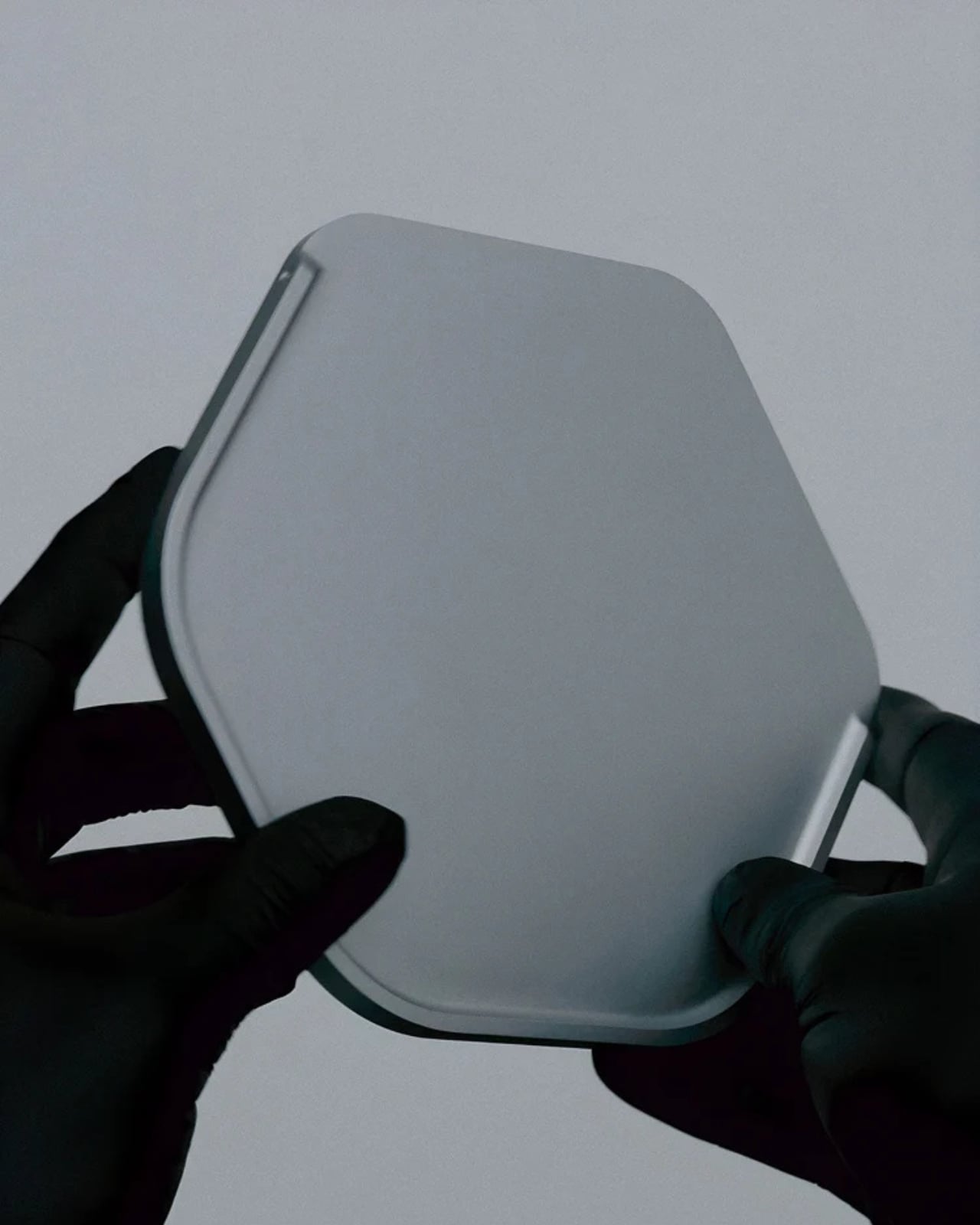
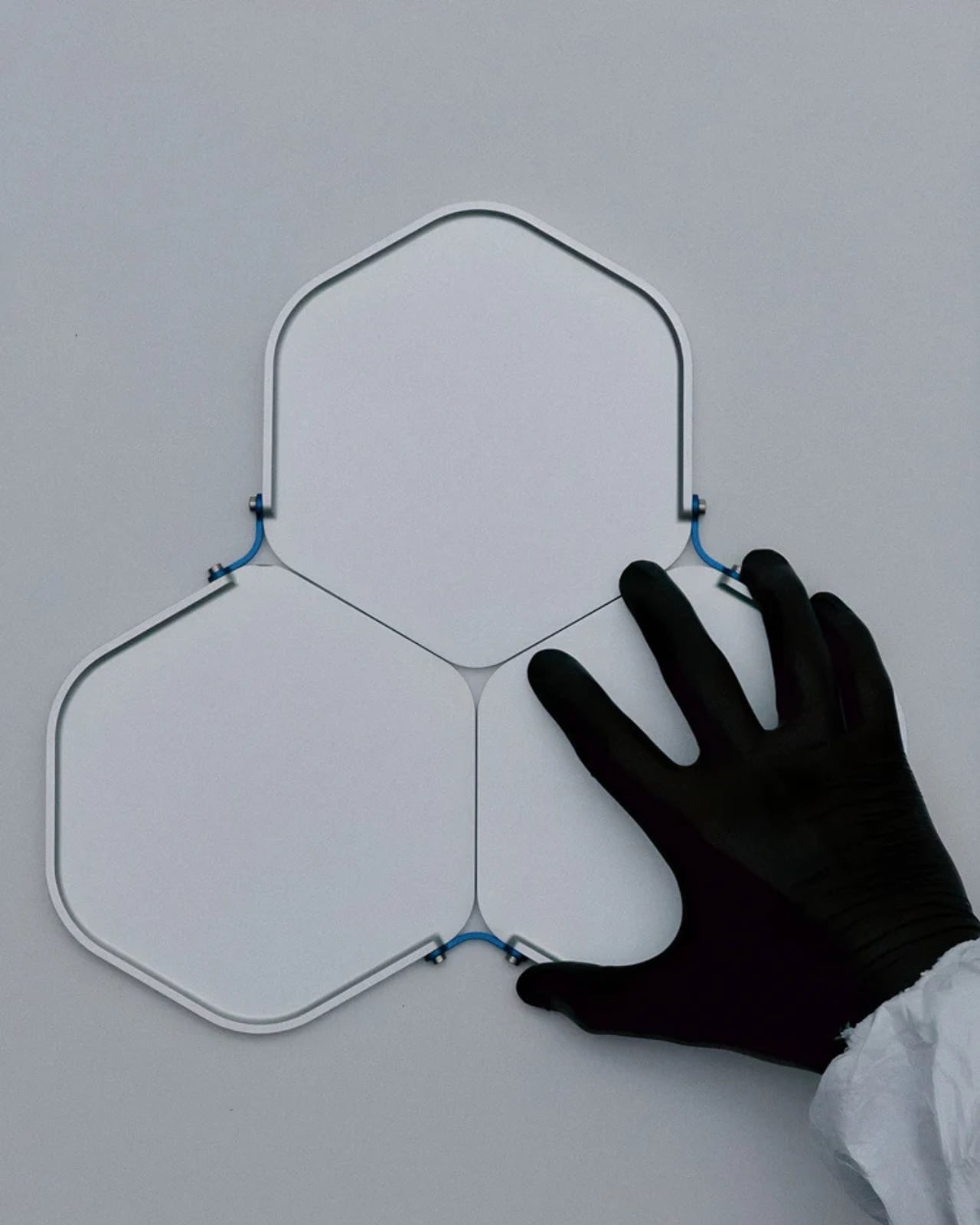
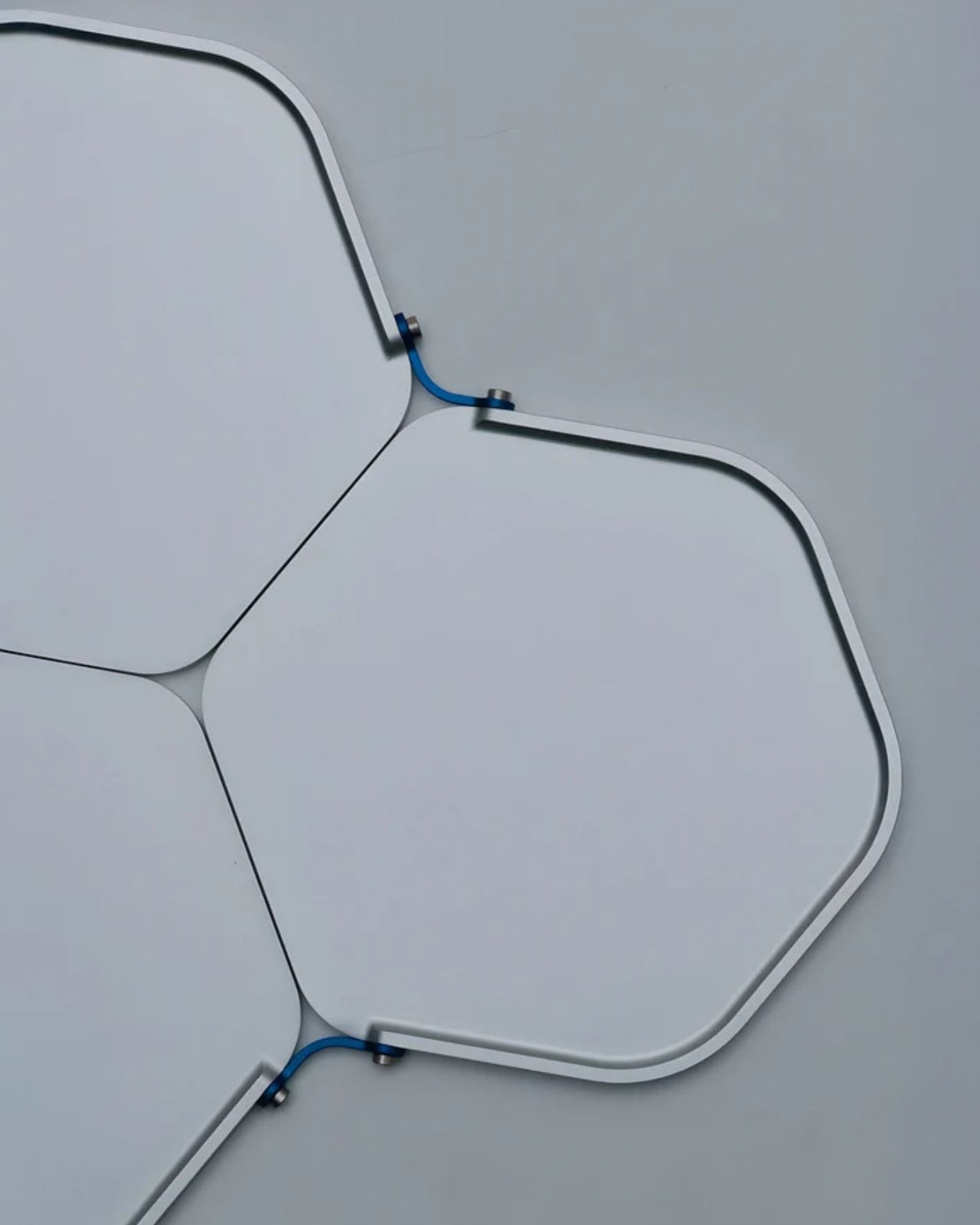
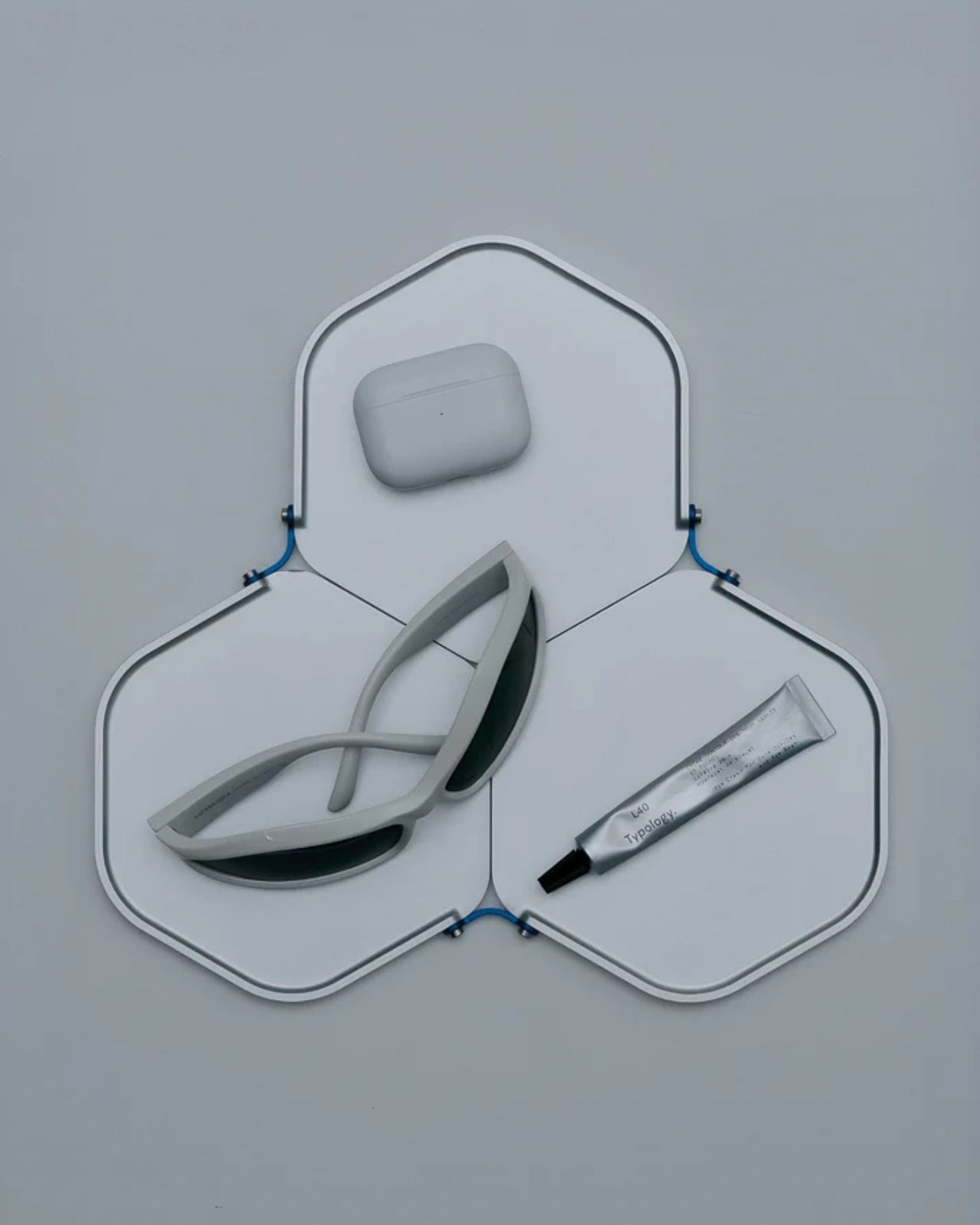
You know that thing where you walk into your bedroom at the end of the day and just start emptying your pockets onto whatever flat surface is closest? Keys land on the dresser, wallet gets tossed on the nightstand, watch goes who knows where. It’s a universal ritual of coming home, and it’s exactly the kind of everyday moment that aerospace engineers Javier De Andrés García and Anaïs Wallet decided to redesign.
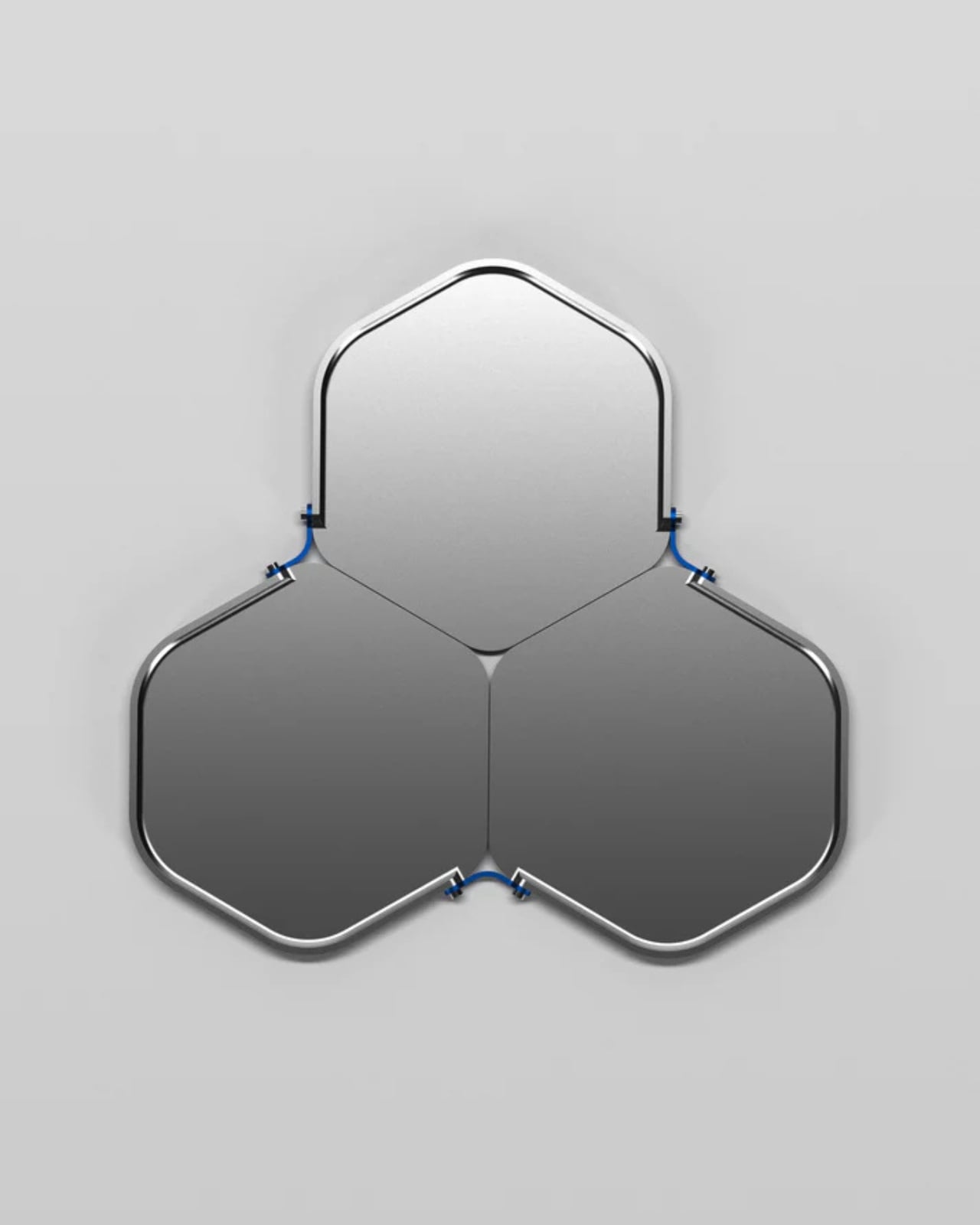
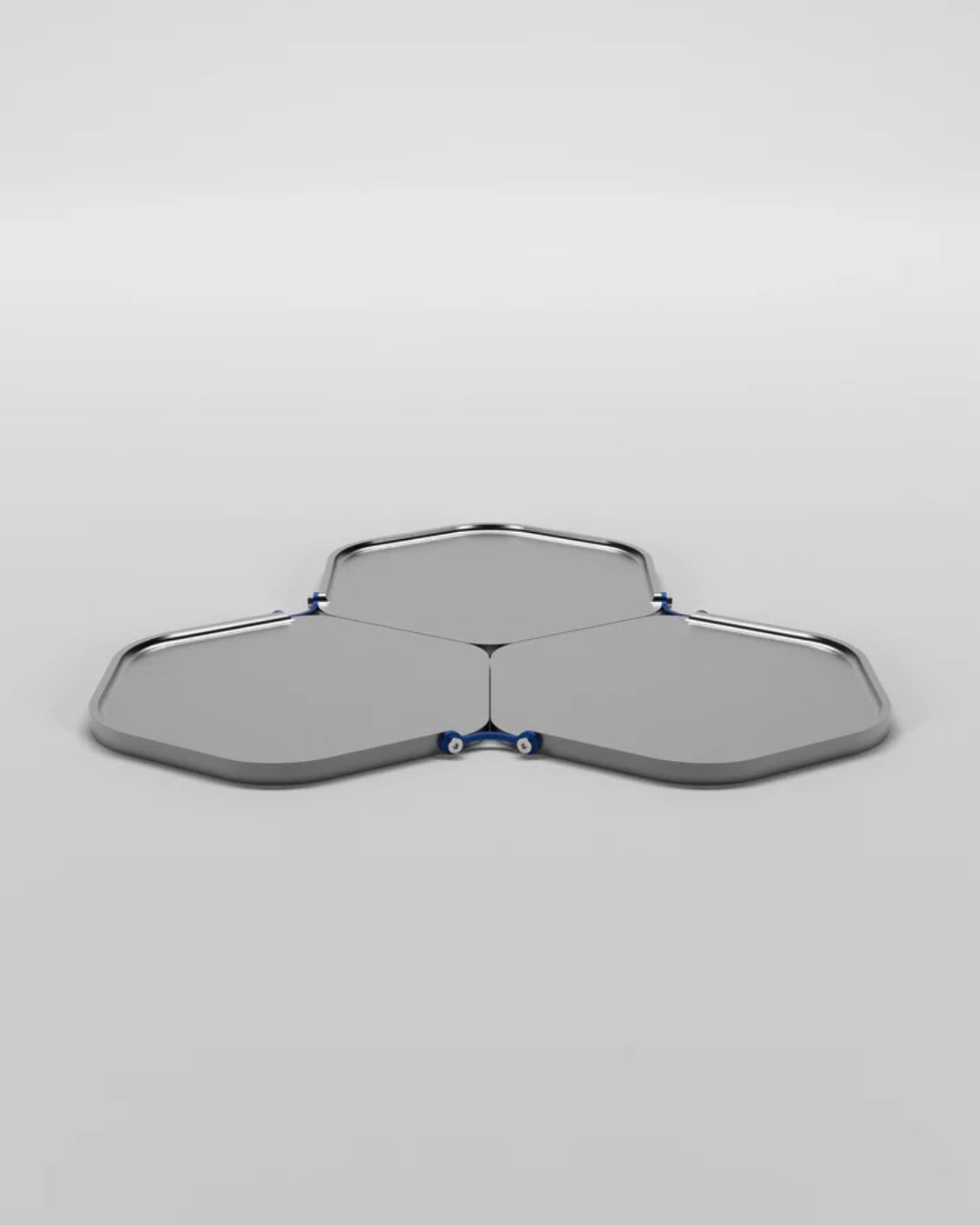
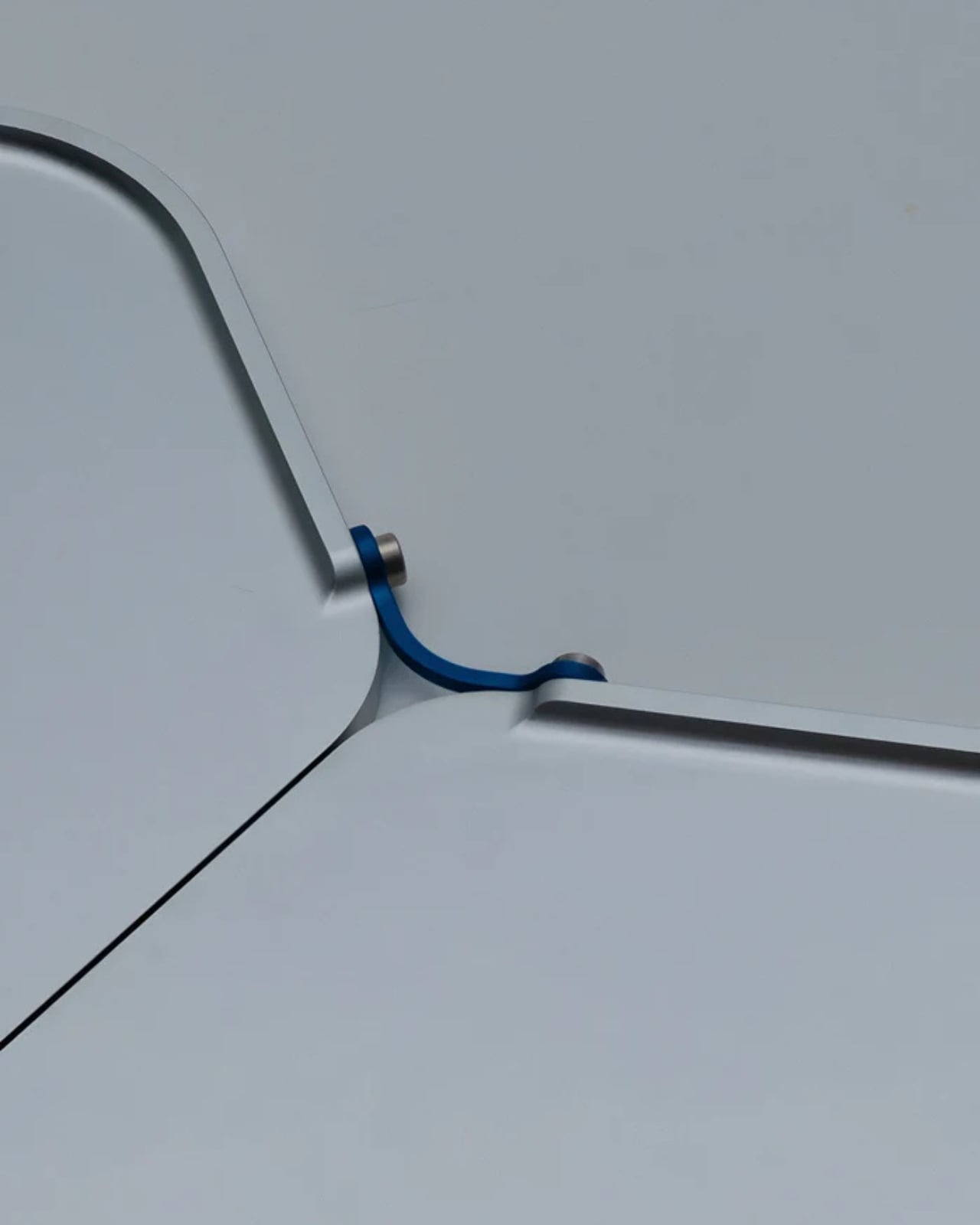
Their brand, Unavela, takes the precision and intentionality of aerospace engineering and applies it to the mundane objects we interact with daily. The Unavela Valet Tray is a perfect example of this philosophy: it’s a catchall that doesn’t just catch, it elevates the entire experience of organization into something that feels considered and purposeful.
What makes this particularly interesting is the design pedigree behind it. De Andrés García and Wallet aren’t your typical product designers who sketch pretty shapes and call it a day. They come from a world where every gram matters, where form follows function with almost religious devotion, and where materials are chosen based on performance characteristics rather than trends. When aerospace engineers decide to make a tray for your keys, you can bet they’ve thought about it differently than everyone else.
The valet tray sits in that sweet spot between utilitarian and beautiful. It’s not trying to disappear into your decor, nor is it screaming for attention. Instead, it occupies space with quiet confidence, the way really good design tends to do. Think of it as the functional equivalent of that friend who just makes everything run more smoothly without making a big deal about it.
Valet trays themselves have an interesting history. Originally, they were the domain of well-appointed gentleman’s dressers, a place to organize pocket watches, cufflinks, and collar stays. But in our modern world of smartphones, AirPods, car key fobs, and whatever else we’re carrying, the valet tray has become even more relevant. We might not wear pocket watches anymore, but we’ve got more stuff to keep track of than ever before.
What Unavela brings to this category is a fresh perspective. When you look at their work across different products, you see a consistent thread: they’re interested in what they call “functional objects.” Not decorative objects that happen to be functional, but pieces where the function itself becomes the aesthetic statement. It’s a subtle but important distinction. The beauty comes from how well something works, not from applied decoration or styling tricks.
This approach feels particularly resonant right now. We’re living in an era where people are increasingly interested in buying fewer, better things. The whole concept of everyday carry (EDC) has evolved from a niche hobby into a broader cultural conversation about intentionality and quality. People are thinking more carefully about the objects they interact with daily, and they want those objects to reflect thoughtfulness and care. The Unavela Valet Tray fits perfectly into this mindset. It’s not fast furniture or disposable decor. It’s a considered piece that’s designed to be used daily and to improve with that use. There’s something deeply satisfying about having a designated spot for your everyday items, about the ritual of emptying your pockets into a tray that was designed specifically for that purpose.
From a design perspective, what’s compelling is how Unavela bridges the gap between industrial design and consumer products. Aerospace engineering isn’t typically associated with home goods, but maybe it should be. After all, if you can design components for aircraft where failure isn’t an option and weight is critical, you probably have some interesting insights about how to make a really excellent tray. The beauty of good design is that it often looks simple, even inevitable, but that simplicity is the result of countless decisions and refinements. Every angle, every dimension, every material choice has been considered. It’s the difference between something that works and something that works exceptionally well.
For anyone interested in design, tech, or the intersection of engineering and everyday life, the Unavela Valet Tray represents something larger than just a place to put your keys. It’s a statement about bringing rigor and intentionality to the objects we live with. It’s about applying aerospace-level thinking to earthbound problems. And honestly, in a world full of stuff that’s designed to be replaced rather than cherished, that’s a pretty refreshing approach.
The M5 iPad Pro represents a pivotal advancement in tablet technology, blending state-of-the-art performance with innovative features tailored for power users, creatives, and professionals. By integrating innovative advancements in AI, graphics, connectivity, and display technology, it sets a new standard for what tablets can achieve. However, for casual users, alternatives like the iPad Air or […]
Instacart has announced it will be ending price testing on its platform. This comes after a study published earlier this month revealed pricing experiments that led to some customers seeing higher prices than others and the FTC saying last week it would be investigating the grocery delivery app.
"Effective immediately, Instacart is ending all item price tests on our platform. Retailers will no longer be able to use Eversight technology to run item price tests on Instacart," an Instacart spokesperson shared with Engadget. The blog post called out "misconceptions and misinformation," maintaining that these price experiments were never the result of dynamic pricing and were never based on any personal or behavioral information about shoppers.
In an earlier blog post responding to the study's allegations, Instacart said pricing changes were a "form of short-term, randomized A/B testing." The post referred to this process as "common in the grocery industry" and continued to paint the practice as a way to "invest in lower prices." It also highlighted that Instacart does not set the prices on its platform, which are set by retailers listed on the app.
The company made clear that its retail partners will continue to set their own prices on the platform, which may vary by location just as they do in brick-and-mortar stores, but that Instacart will no longer support any item price testing services.
This article originally appeared on Engadget at https://www.engadget.com/big-tech/instacart-is-ending-its-controversial-price-tests-134552152.html?src=rss
There’s a particular kind of panic that sets in about thirty minutes before you need to leave for the airport. You’ve thrown clothes into a suitcase, triple-checked your passport, and convinced yourself that you’ve packed everything important. Then you arrive at your destination and realize you’ve brought three chargers for devices you don’t own but somehow forgot the one thing that would’ve made your entire trip better. Last-minute travel has a way of exposing what truly matters versus what we think we need.
The beauty of spontaneous trips lies in their unpolished edges, but that doesn’t mean you should suffer through bad coffee, tangled headphone cords, or eating with your hands because the airline meal came with a flimsy plastic fork that snapped on contact. The difference between a trip you remember fondly and one you spent complaining about comes down to a handful of well-chosen essentials that solve real problems. These five designs represent the kind of thoughtful gear that takes up minimal space but delivers maximum impact when you need it most.
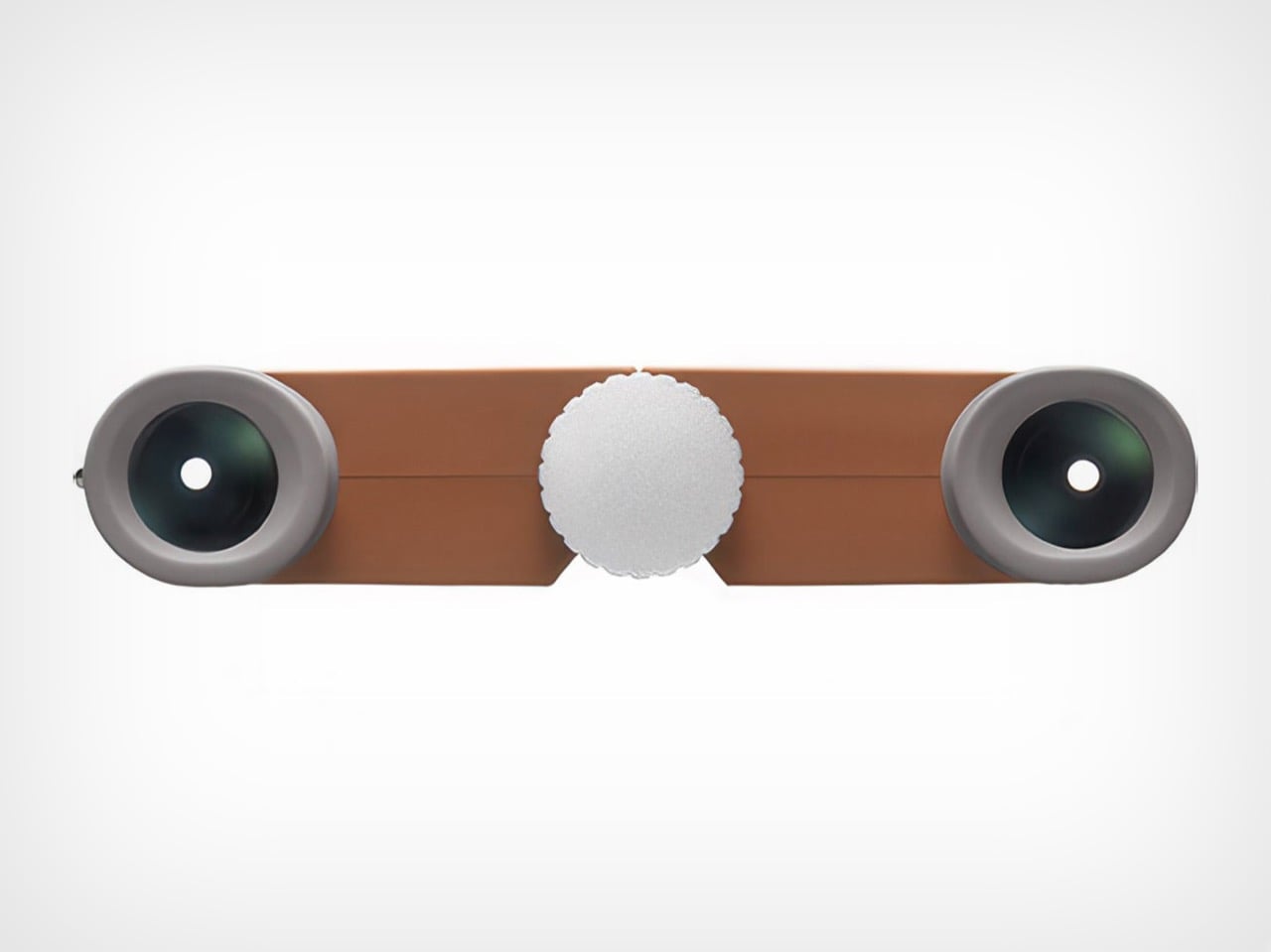
1. Nikon 4x10D CF Pocket Binoculars
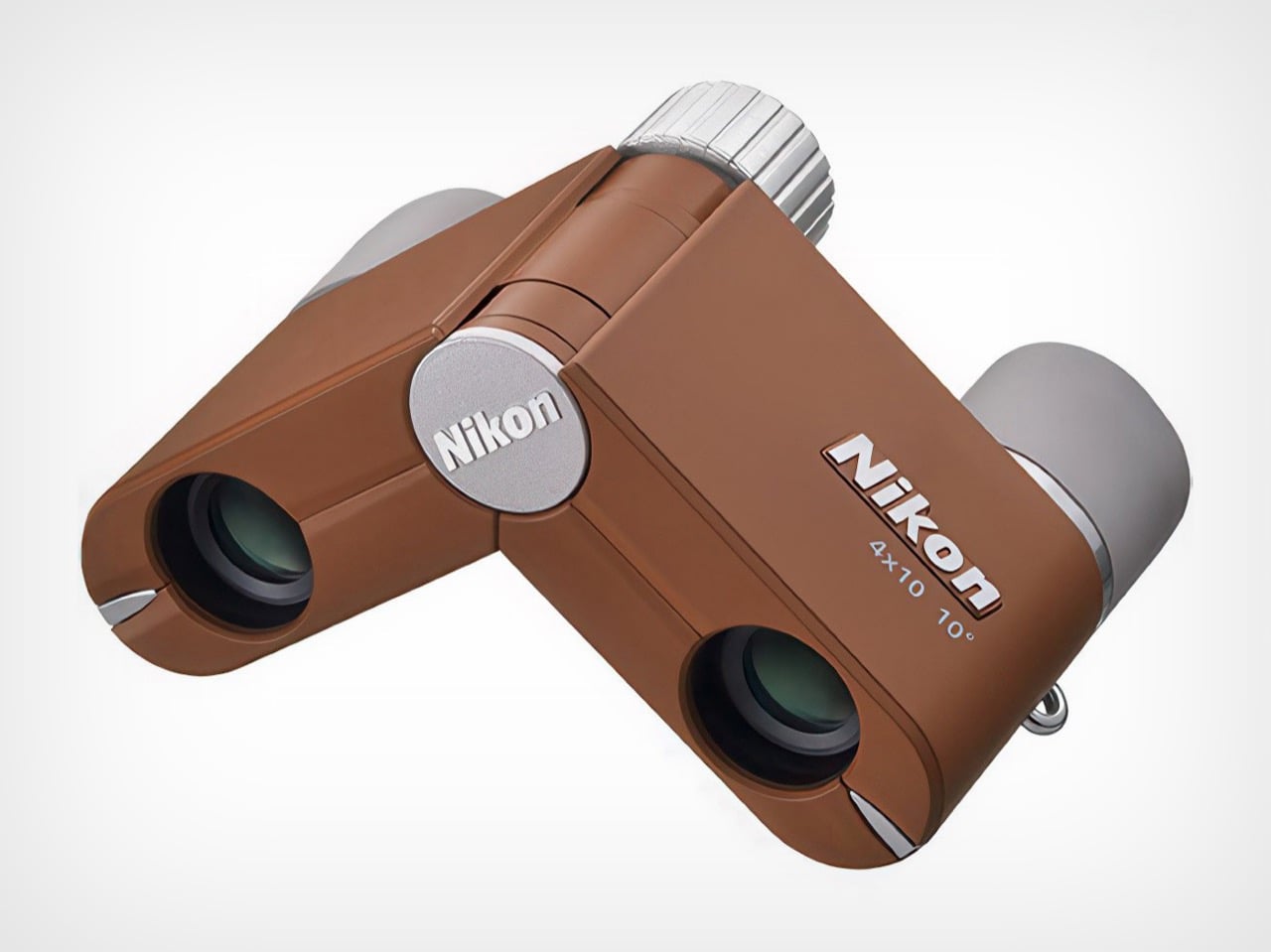
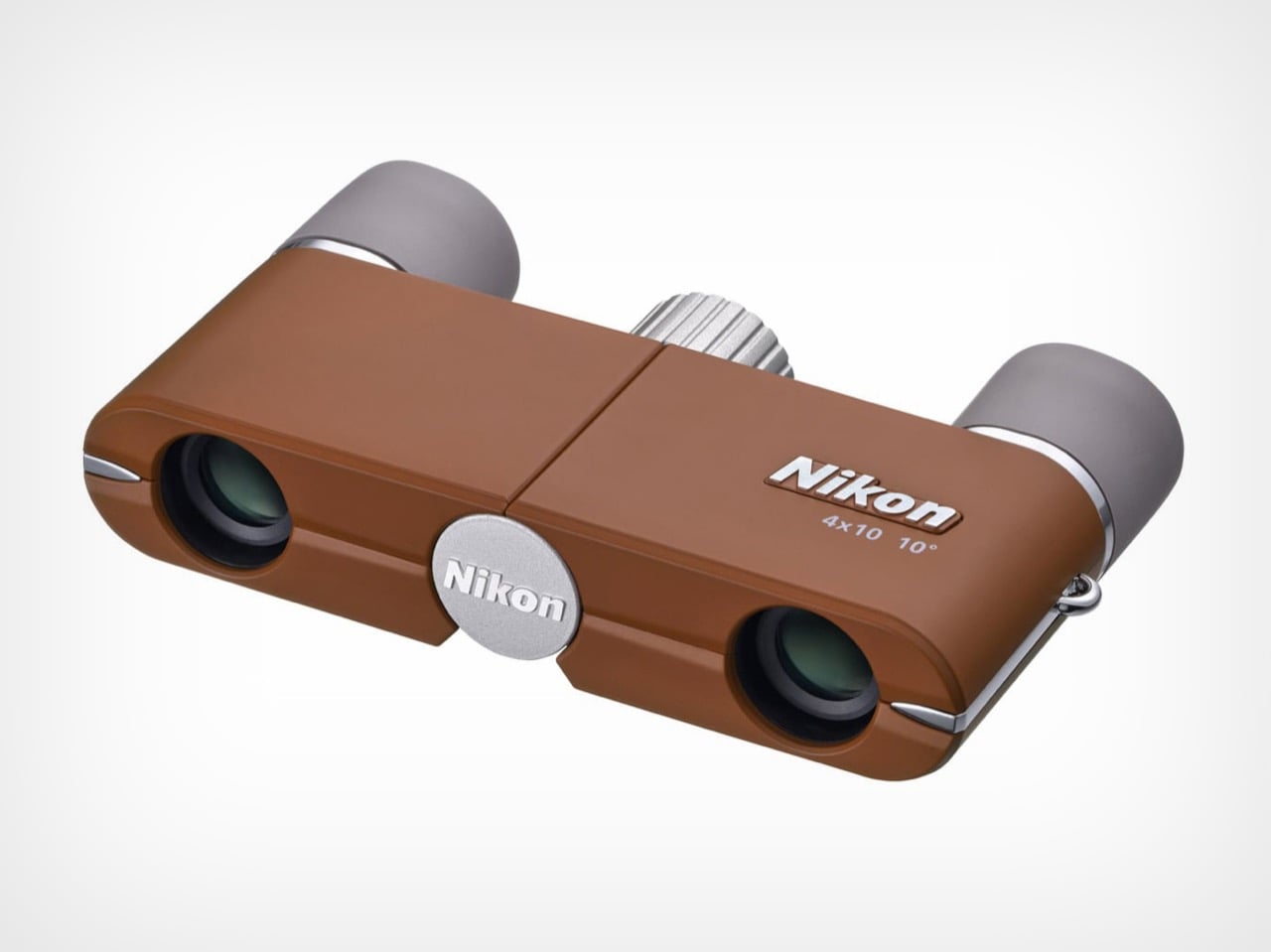
Binoculars feel like relics from another era, the kind of thing your grandfather kept in a leather case that smelled faintly of pipe tobacco. Nikon’s 4x10D CF pocket binoculars challenge that entire perception by shrinking the form factor down to something that actually fits in your pocket without creating an awkward bulge. These aren’t meant to compete with your smartphone’s digital zoom or replace professional birding equipment. They exist in a different category entirely, prioritizing the experience of optical viewing over pixel counts and processing power.
The genius lies in recognizing that people don’t carry traditional binoculars because they’re too bulky and conspicuous. Nikon solved that problem by creating something so discreet it almost disappears. The optical quality remains surprisingly sharp for such a compact device, delivering a viewing experience that feels immediate and artifact-free. Whether you’re trying to read a distant street sign in an unfamiliar city or want a closer look at architectural details without looking like a tourist with professional gear, these slip into your travel kit without demanding dedicated space or special protection.
What we like
• The form factor makes them genuinely pocketable, solving the primary reason people don’t carry binoculars.
• Optical viewing delivers a tactile, immediate experience that digital zoom can’t replicate.
• The updated colorways transform them from technical equipment into an accessory you want to carry.
• Multiple uses, from reading transit signs to appreciating distant landscapes without looking conspicuous.
What we dislike
• The 4x magnification is modest compared to traditional binoculars, limiting long-distance viewing.
• The compact size means smaller objective lenses, reducing light-gathering capability in low-light conditions.
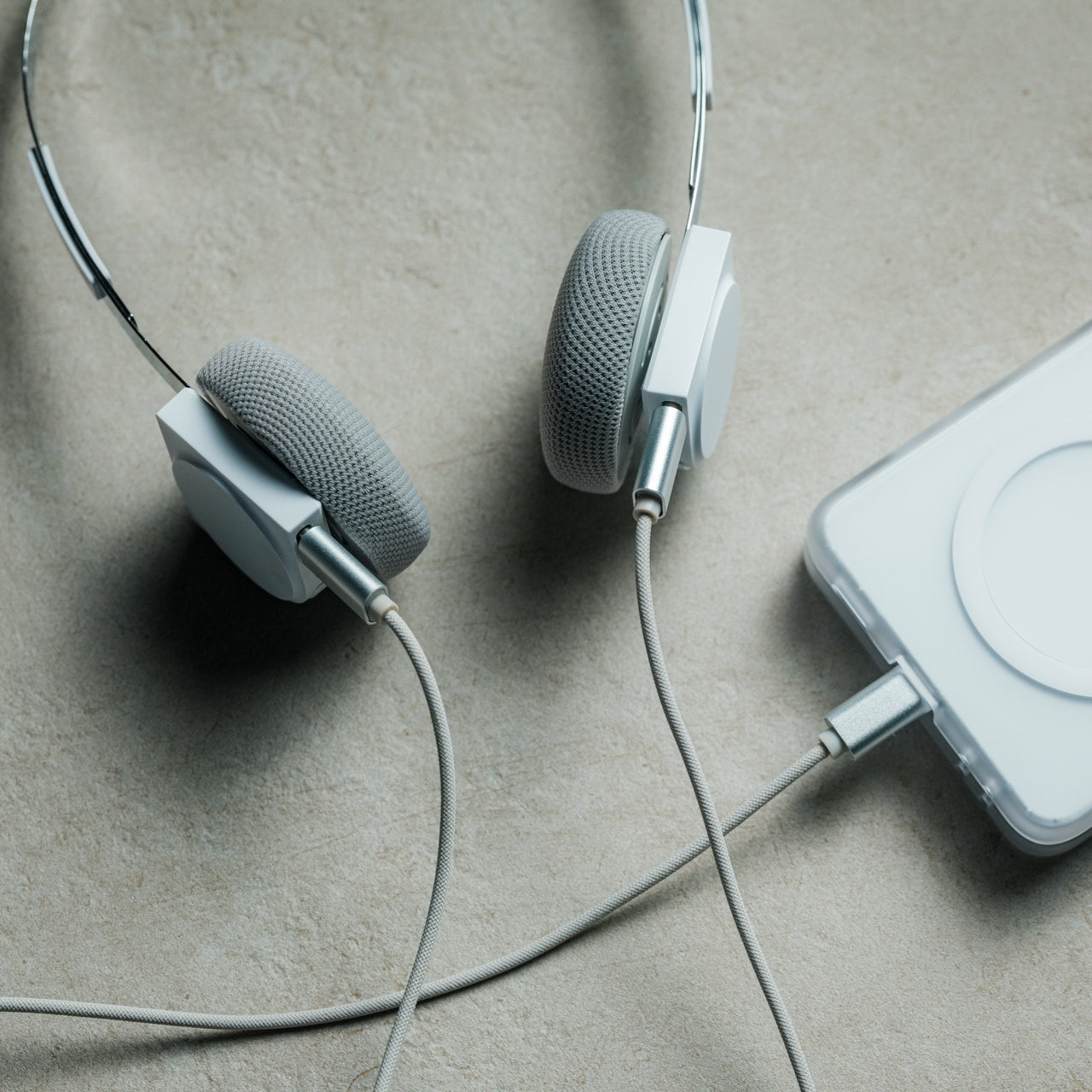
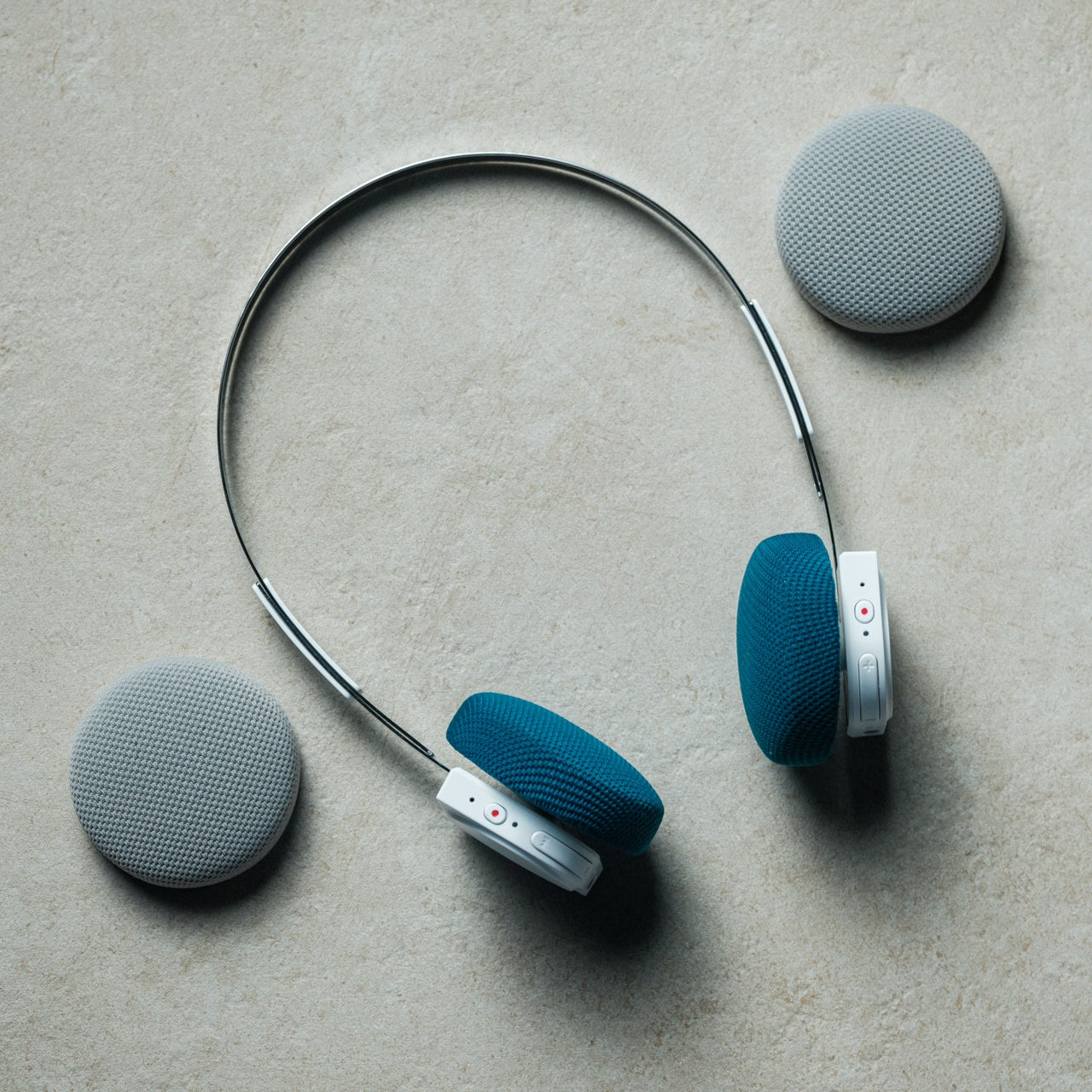
2. StillFrame Headphones
Air travel has become an endurance test for your ears. Between engine noise, crying babies, and the passenger next to you who insists on watching action movies without headphones until a flight attendant intervenes, you need something that creates a barrier between you and chaos. StillFrame wireless headphones approach this problem with a design philosophy borrowed from a time when music felt like a deliberate choice rather than background noise. The aesthetic draws from compact disc geometry, creating a visual language that feels refreshingly analog in an aggressively digital world.
Weighing just 103 grams, these headphones occupy a middle ground between intrusive over-ear designs and in-ear buds that always seem to fall out at the worst possible moment. The 40mm drivers create a soundstage that gives music room to breathe, which matters when you’re spending hours in compressed airplane cabins where everything feels claustrophobic. The combination of active noise cancelling and transparency mode means you can shift between complete isolation and situational awareness without removing them. That flexibility proves essential when navigating unfamiliar airports or wanting to hear boarding announcements without sacrificing your peace during the actual flight.
• The 24-hour battery life eliminates anxiety about running out of power mid-journey.
• Magnetic fabric ear cushions swap easily, giving you color options that match different moods.
• Dual connectivity through Bluetooth 5.4 and USB-C cable offers wireless freedom or wired stability.
• The exposed circuit board aesthetic celebrates the technology rather than hiding it behind plastic shells.
What we dislike
• The on-ear design may cause discomfort during extremely long flights compared to over-ear alternatives.
• The fashion-forward aesthetic might not appeal to travelers who prefer more conventional headphone designs.
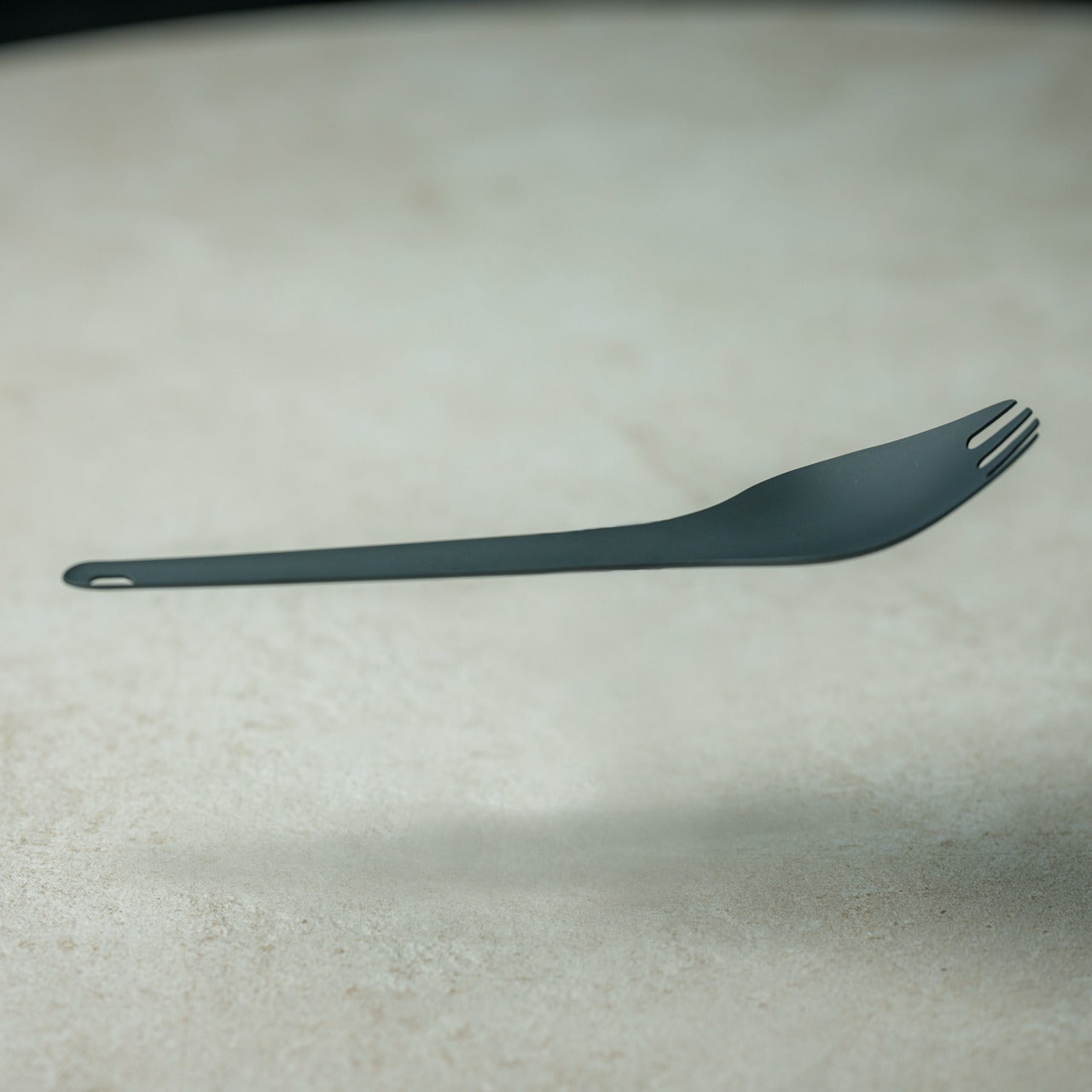
3. 0.25 oz Aero Spork
There’s something deeply frustrating about packing perfectly good food for a trip only to realize you have nothing reasonable to eat it with. Plastic cutlery snaps under minimal pressure, full-sized metal utensils add unnecessary weight, and trying to eat noodles with a standard spoon requires patience most travelers don’t have after a long day. The Aero Spork weighs less than a quarter of an ounce but manages to feel substantial enough to handle actual meals. That combination of minimal weight and genuine utility makes it the kind of item that earns permanent residence in your travel kit.
The ergonomic curve gives you a secure grip even when your hands are cold or wet, while the tapered design specifically addresses the noodle-eating problem that plagues travelers across Asia and increasingly everywhere else. The stackable design means you can carry multiple sporks without them taking up more space than a single standard utensil. This becomes relevant when you’re traveling with others or want a backup. The durability factor matters more than you’d expect; these survive being tossed into bags, stepped on accidentally, and subjected to the kind of casual abuse that destroys lesser travel utensils within weeks.
• The 7-gram weight makes it lighter than most travel accessories you’ll forget you’re carrying.
• Stackable design solves the multi-person dining situation without requiring a full cutlery set.
• The tapered shape genuinely improves noodle-eating, addressing a specific and common travel challenge.
• Metal construction means it lasts indefinitely, unlike disposable or plastic alternatives.
What we dislike
• The hybrid spoon-fork design means neither side works quite as well as a dedicated utensil.
• Cleaning can be tricky in the field without proper access to soap and water.
4. MokaMax Portable Coffee Maker
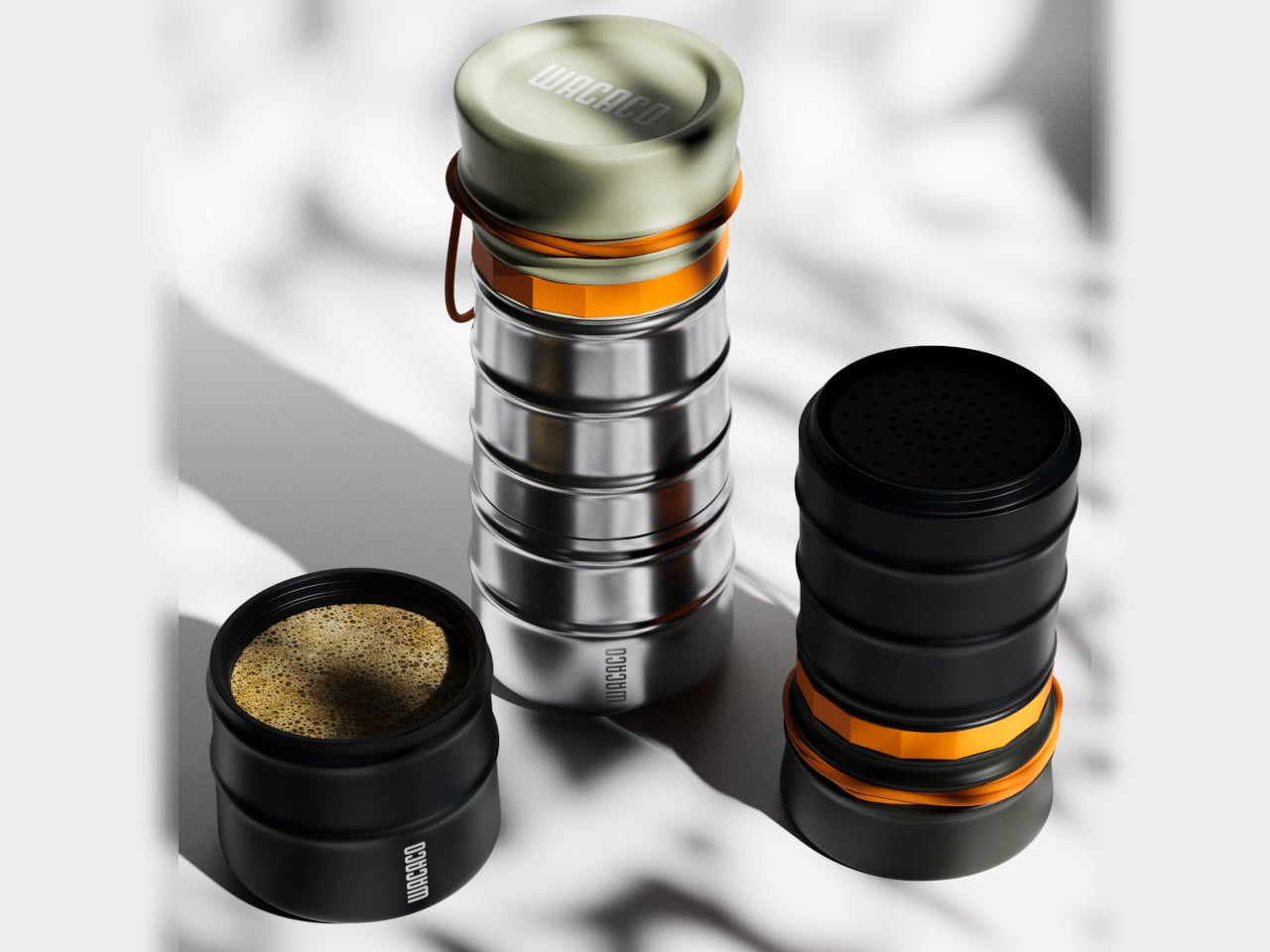
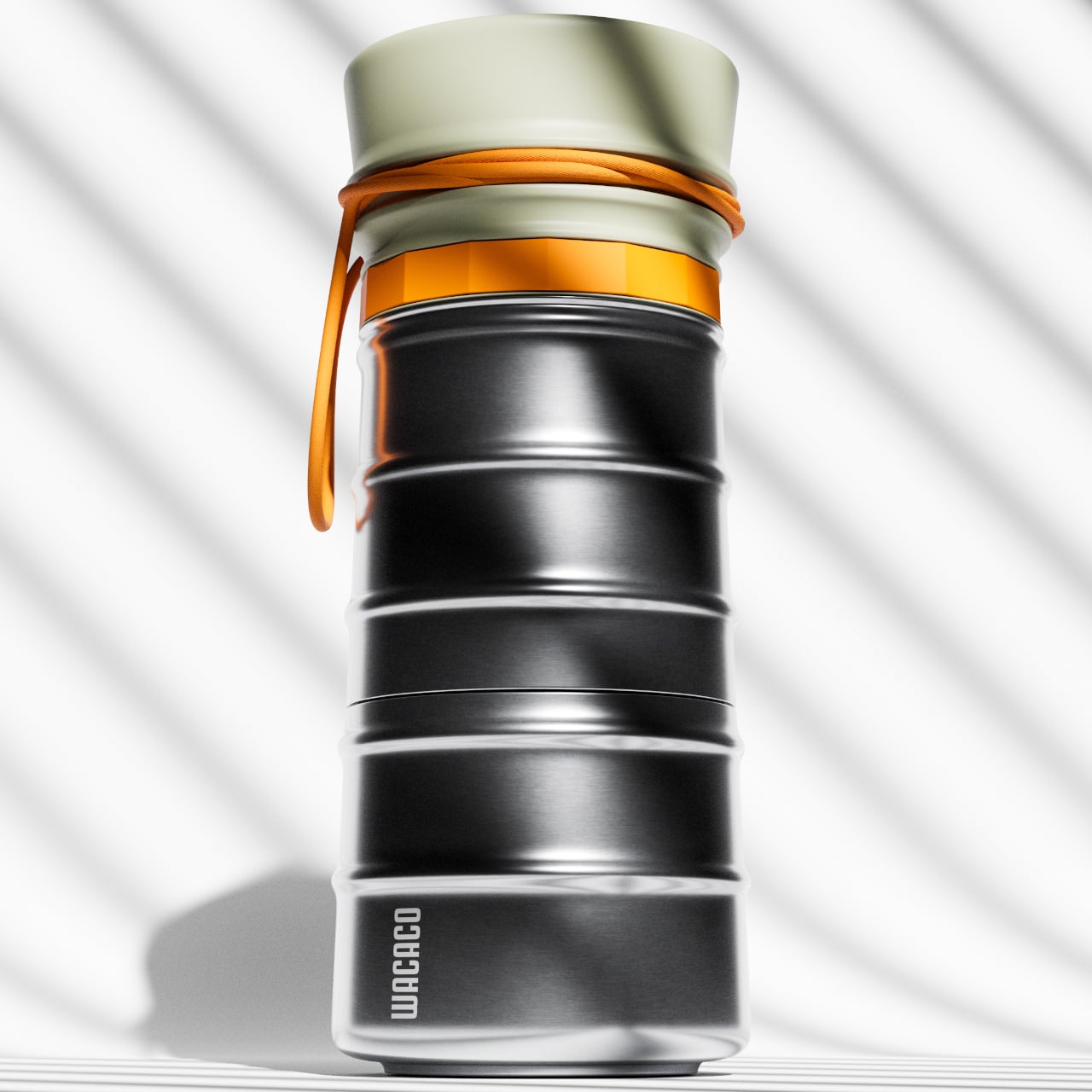
Hotel coffee represents a special category of disappointment. It tastes like regret mixed with lukewarm water, extracted from pods that somehow cost three dollars each. Even when you find a decent café, you’re either waiting in line behind seventeen people who each ordered customized drinks with five modifications, or you’re drinking something that went cold during your walk back to your hotel. MokaMax addresses this problem by building a legitimate pressure-brewing system into a form factor that looks like a standard travel mug. The ridged stainless steel body provides a secure grip while reinforcing the rugged, outdoor-ready aesthetic.
The design spent considerable effort getting those ridges right, balancing functional grip with comfortable handling and visual interest. The flexible rope attachment transforms it from just another mug into something that clips onto backpacks or hangs from hooks, integrating into your mobile gear rather than requiring dedicated carrying. The key advantage over simply buying coffee everywhere you go is consistency and timing. You control the strength, temperature, and exact moment you brew. That autonomy matters when you’re dealing with jet lag and need coffee at 4 AM when nothing is open, or when you’re hiking and want something better than instant crystals dissolved in lukewarm water.
What we like
• The pressure-brewing system delivers espresso-style coffee without electricity or complex equipment.
• Single-vessel design eliminates the need to carry separate brewing and drinking containers.
• Ridged stainless steel construction provides grip and durability for genuine outdoor use.
• The rope attachment integrates it into your travel gear ecosystem rather than requiring dedicated space.
What we dislike
• The brewing process takes longer than simply buying coffee if you’re in an area with good options.
• Cleaning requires more attention than a standard travel mug, especially after brewing dark roasts.
5. Craftmaster EDC Utility Knife
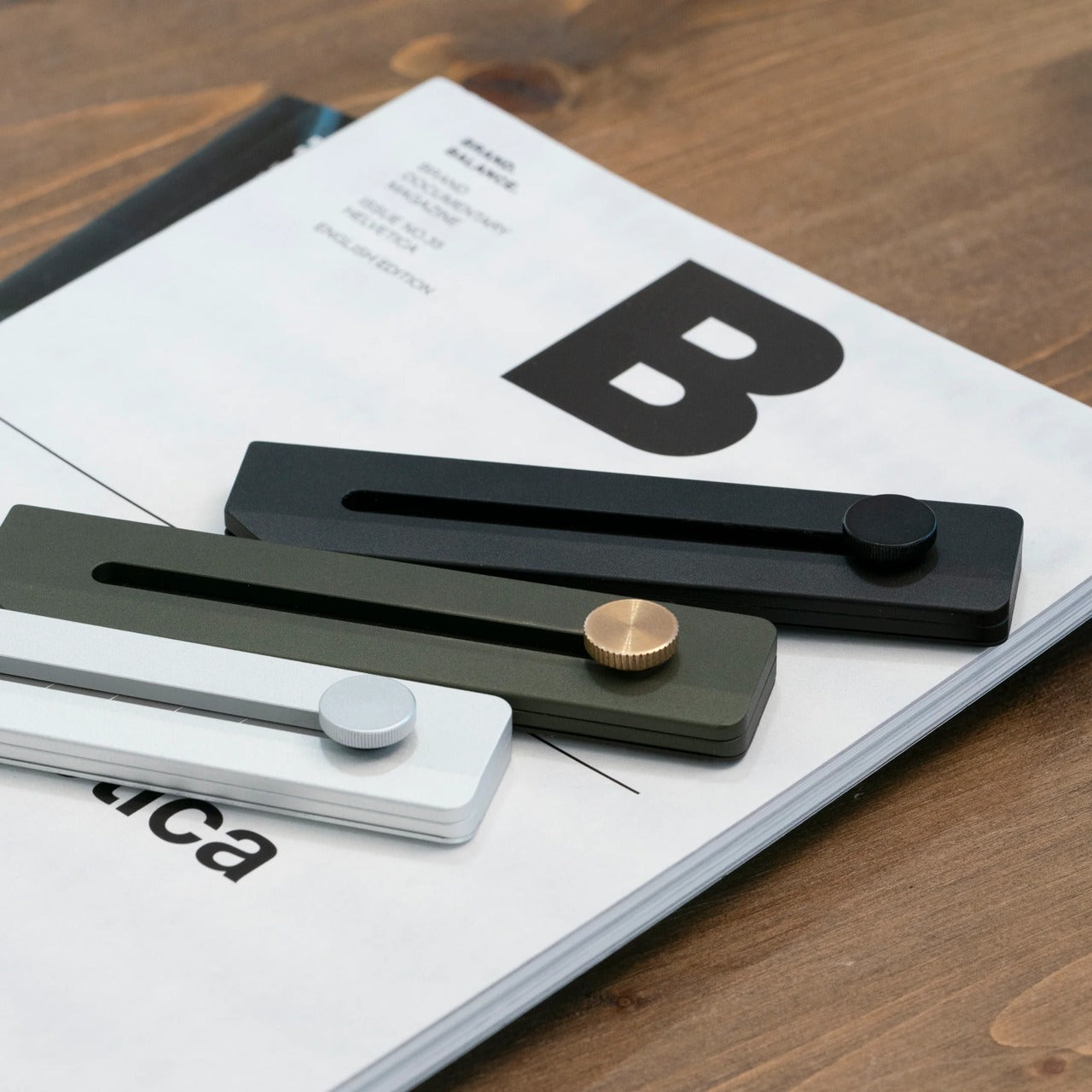
Most travelers don’t think they need a utility knife until they’re standing in a hotel room trying to open packaging with their keys, teeth, or increasingly desperate improvisation. The Craftmaster EDC utility knife occupies just 8mm of thickness and 12cm of length, making it slim enough to slip into pockets, bags, or organizer pouches without creating bulk. The metallic construction gives it heft that feels reassuring rather than burdensome, while the rotating knob deployment mechanism adds a tactile satisfaction that pure functionality doesn’t require but somehow makes the tool more enjoyable to use.
The magnetic back serves double duty by letting you dock the knife on any metal surface and providing a home for the companion metal scale. That scale includes both metric and imperial measurements, a raised edge for easy pickup, and a blade-breaker for maintaining the OLFA blade’s sharpness. The 15-degree curvature protects your fingers during cutting tasks, while the 45-degree inclination helps with opening boxes without damaging contents. These details transform a basic utility knife into something that solves multiple problems, from precise measuring for emergency clothing repairs to clean package opening without destroying whatever’s inside.
• The 8mm thickness makes it genuinely pocketable without the bulk of traditional utility knives.
• Magnetic docking turns any metal surface into convenient storage, preventing loss in hotel rooms.
• The included ruler with blade-breaker combines multiple functions without requiring separate tools.
• OLFA blades are replaceable and widely available, extending the knife’s useful life indefinitely.
What we dislike
• The minimalist metal design lacks texture that could improve grip in wet conditions.
• Airport security restrictions mean it needs to go in checked luggage, limiting accessibility during travel days.
Why These Five Items Matter for Last-Minute Travel
The connecting thread between these designs is that they solve specific problems while occupying minimal space and requiring almost no learning curve. You don’t need an instruction manual, a YouTube tutorial, or previous experience. They work immediately and continue working reliably. That reliability becomes essential when you’re already dealing with the stress of spontaneous travel, unfamiliar locations, and the general chaos that comes from not having time to plan properly.
The other advantage is that none of these items are single-use solutions. Pocket binoculars serve navigation, sightseeing, and practical reading purposes. Headphones deliver both entertainment and environmental control. A quality spork handles any meal situation. The portable coffee maker works everywhere from mountain peaks to hotel rooms. The utility knife solves dozens of cutting, measuring, and opening challenges. That versatility means carrying five items gives you solutions to dozens of potential problems, which is exactly the kind of efficiency last-minute travelers need most.
What if you could build a machine so powerful it could handle trillion-parameter AI models, yet so accessible it could sit right in your home office? In the video, NetworkChuck breaks down how he constructed a local AI supercomputer with a staggering 2TB of RAM, using nothing more than four Mac Studios and some clever […]
The Nintendo Switch 2 supports a wide range of controllers, from Nintendo’s own Pro Controller to many Bluetooth gamepads you might already have. Whether you’re setting up your new console for the first time or adding extra controllers for multiplayer games, pairing them is simple as long as you know where to look. Here’s how to connect the Switch 2 Pro Controller, how to sync additional Bluetooth controllers and what to do if something doesn’t pair correctly.
Before you start: What you’ll need
To pair any controller with the Switch 2 you’ll need the console powered on and updated to the latest system software. Navigate to System Settings, System then System Update to check. It also helps to have the controller charged, since some models need enough battery to begin pairing.
On the Switch 2, all controller settings reside in the Controllers & Sensors section of System Settings. You can pair up to four controllers depending on the game and the controller type.
To pair the Switch 2 Pro Controller using a USB cable:
Connect the Pro Controller to the Switch 2 using a USB-C cable.
Wake the console and open the Controllers menu from the Home screen.
The console will automatically detect the controller and pair it.
Once the controller is paired, you can unplug the cable and continue using it wirelessly. This method ensures an instant connection and is useful if the controller has low battery.
To pair wirelessly:
Turn on the Switch 2 and navigate to System Settings, Controllers & Sensors then Change Grip/Order.
Press and hold the small Sync button on top of the Pro Controller until the indicator lights begin flashing.
The Switch 2 will detect the controller and confirm the pairing.
How to pair other Bluetooth controllers to Switch 2
The Switch 2 supports a wide range of Bluetooth controllers, including many gamepads designed for PC, Android and iOS devices. Pairing these controllers uses a similar process, but you’ll start by putting the controller into Bluetooth pairing mode.
Each controller handles this differently. On most models, you’ll hold a dedicated sync button or press a combination of buttons until lights begin flashing. If you’re not sure which buttons to press, check the controller’s manual.
On the Switch 2, navigate to the Home Menu and select Controllers then Change Grip/Order. This page is always used for wireless pairing. The console will search for available Bluetooth devices as soon as it opens.
Once your controller appears on the screen, select it to finish the pairing process. The lights on the controller should stop blinking and settle into an assigned player slot. Some controllers may prompt you to confirm the button layout or adjust settings after pairing.
The Switch 2 can use up to four wireless controllers at once. For local multiplayer games, each controller will automatically be assigned a player number once connected.
Troubleshooting pairing issues
If your controller doesn’t appear in the pairing menu, make sure Bluetooth is enabled on the Switch 2 by navigating to System Settings then Controllers & Sensors. It’s also worth restarting the controller and checking that it has enough battery to stay in pairing mode. Moving closer to the console can help reduce interference as well. If you’re trying to connect a controller that supports multiple device profiles, verify that it’s set to Nintendo Switch mode or a standard Bluetooth gamepad mode.
With Pro Controllers, a wired connection usually solves pairing problems. Plug the controller into the Switch 2 using a USB-C cable and allow it to sync before trying wireless mode again.
Reconnecting paired controllers
Once you’ve paired a controller, reconnecting it is as simple as pressing any button. The Switch 2 will wake and recognize it automatically as long as the controller is still linked to the console. If you pair the controller with another device later, you may need to repeat the pairing process.
Pairing controllers with the Switch 2 is quick once you know where the settings live. The Pro Controller offers the most seamless experience, especially if you start with a wired connection, but the console’s Bluetooth support gives you plenty of flexibility for multiplayer games or different play styles.
This article originally appeared on Engadget at https://www.engadget.com/gaming/nintendo/how-to-pair-controllers-with-the-nintendo-switch-2-130000126.html?src=rss
It might be hard to believe, but foldable phones have already been around for the better part of a decade. Granted, the first one I saw back in 2019 — which actually predates Samsung's Galaxy Fold — was a cobbled-together mess. But since then, phone makers have been steadily iterating and tweaking their designs, and this year, manufacturers have finally addressed all the major issues about foldable phones except one: price.
Let’s go back to the OG Fold. Even though it was chunky and heavy, had a tiny exterior display and suffered from a hinge that let too much detritus inside (which is probably how The Verge’s review unit got wrecked), it still showed so much promise. It was a true multitasker — a phone that could turn into a small tablet at a moment's notice. What's not to like?
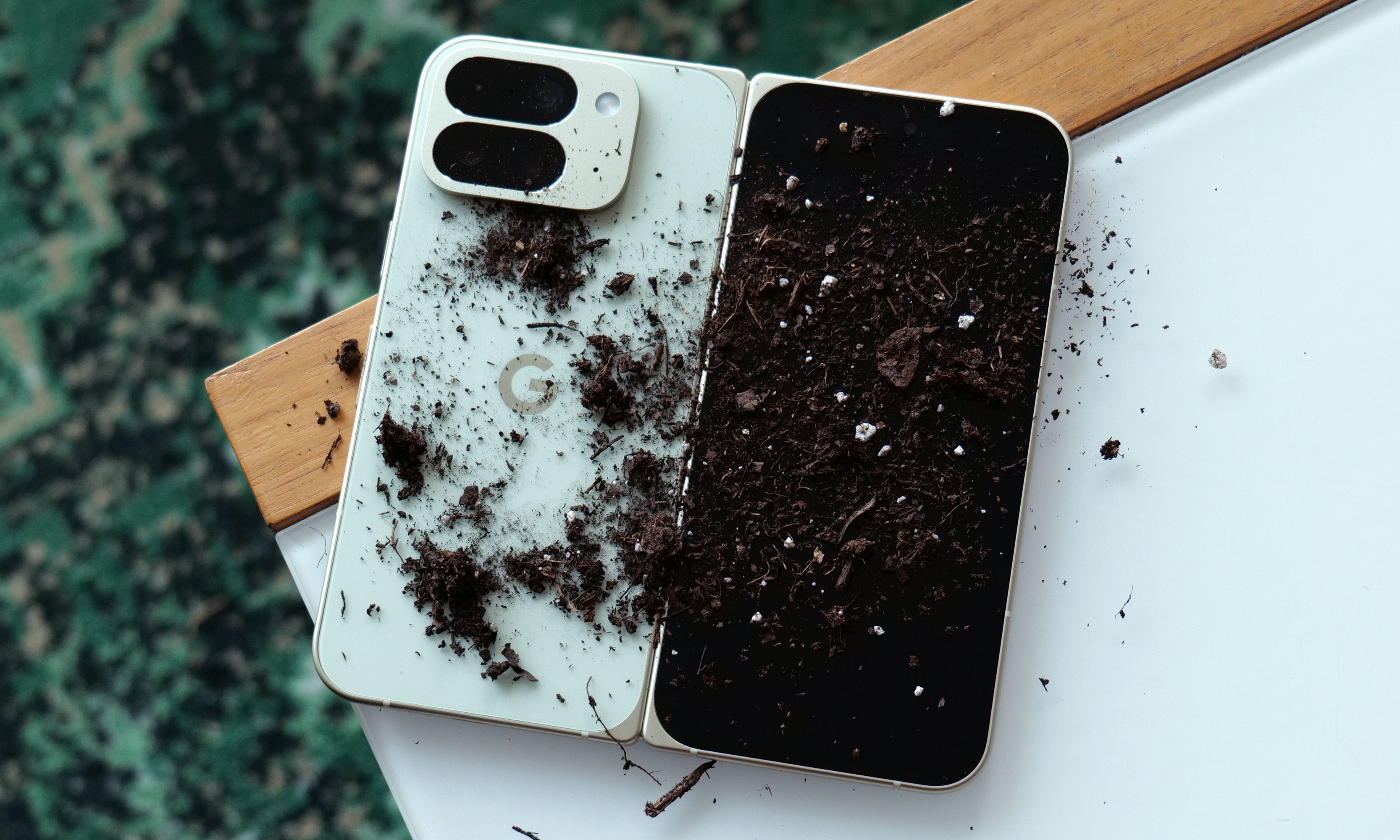
This scene would have sent shivers down my spine in previous years, but thanks to an IP68 rating for dust and water resistance, the Pixel 10 Pro Fold isn't bothered.
Sam Rutherford for Engadget
From there, Samsung upgraded its foldables with water resistance and S Pen support on the Z Fold 3, followed by eliminating the gap between the two halves of a closed Z Fold 5. And as competition grew from OnePlus and Google (not to mention all the Chinese rivals like Oppo, Xiaomi and others), we saw design and software improvement across the category .
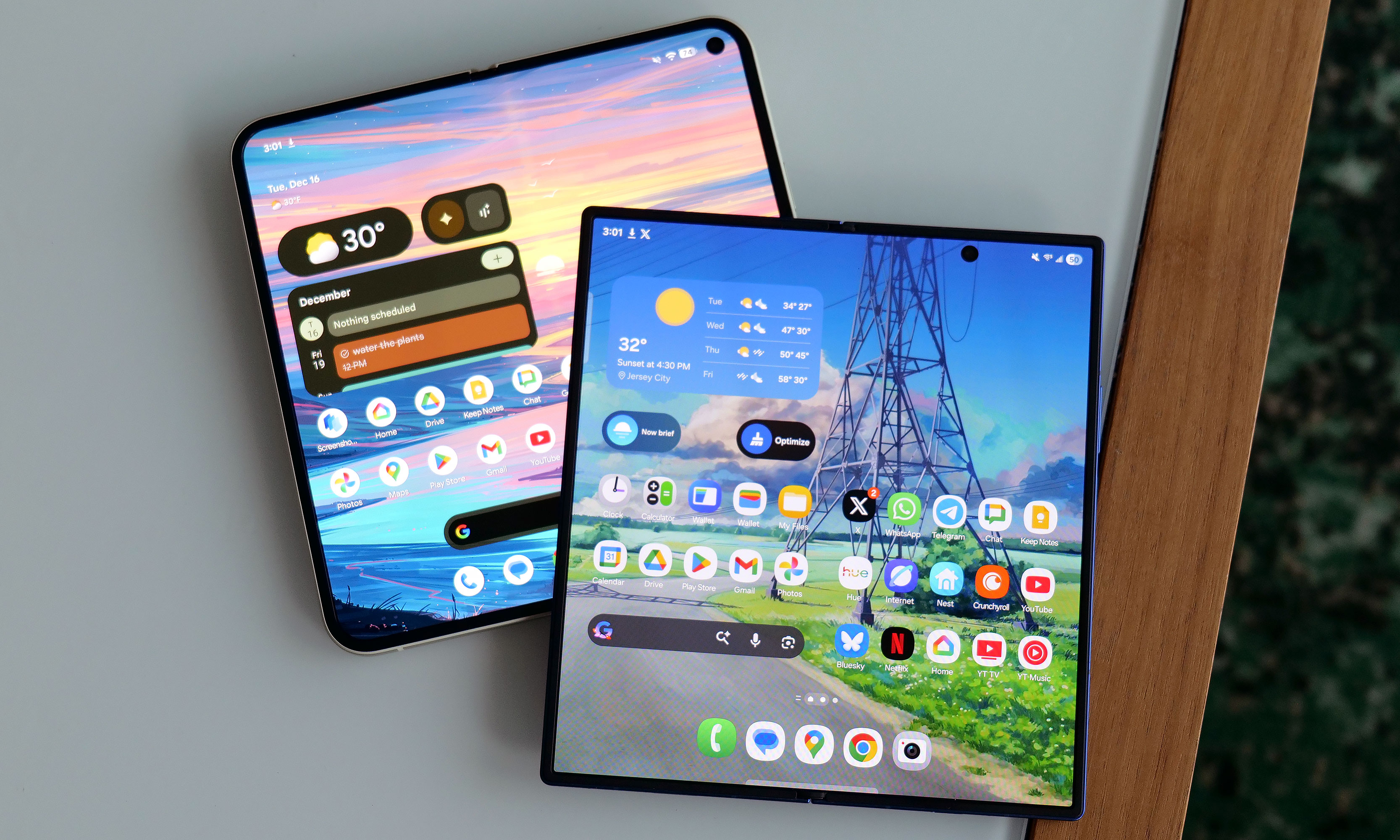
In 2025, two phones in particular brought major upgrades to foldables as a whole. Even though its shape didn't change much from its predecessor, Google managed to get the Pixel 10 Pro Fold an IP68 rating for dust and water resistance — finally putting protection for both dirt and liquid in the same foldable for the first time. Now, for all the folks out there with regular phones, that might not sound like a big deal. But on devices with complicated hinges where you really don't want random garbage getting inside, that's a massive relief and a big improvement to the handset's general usability.
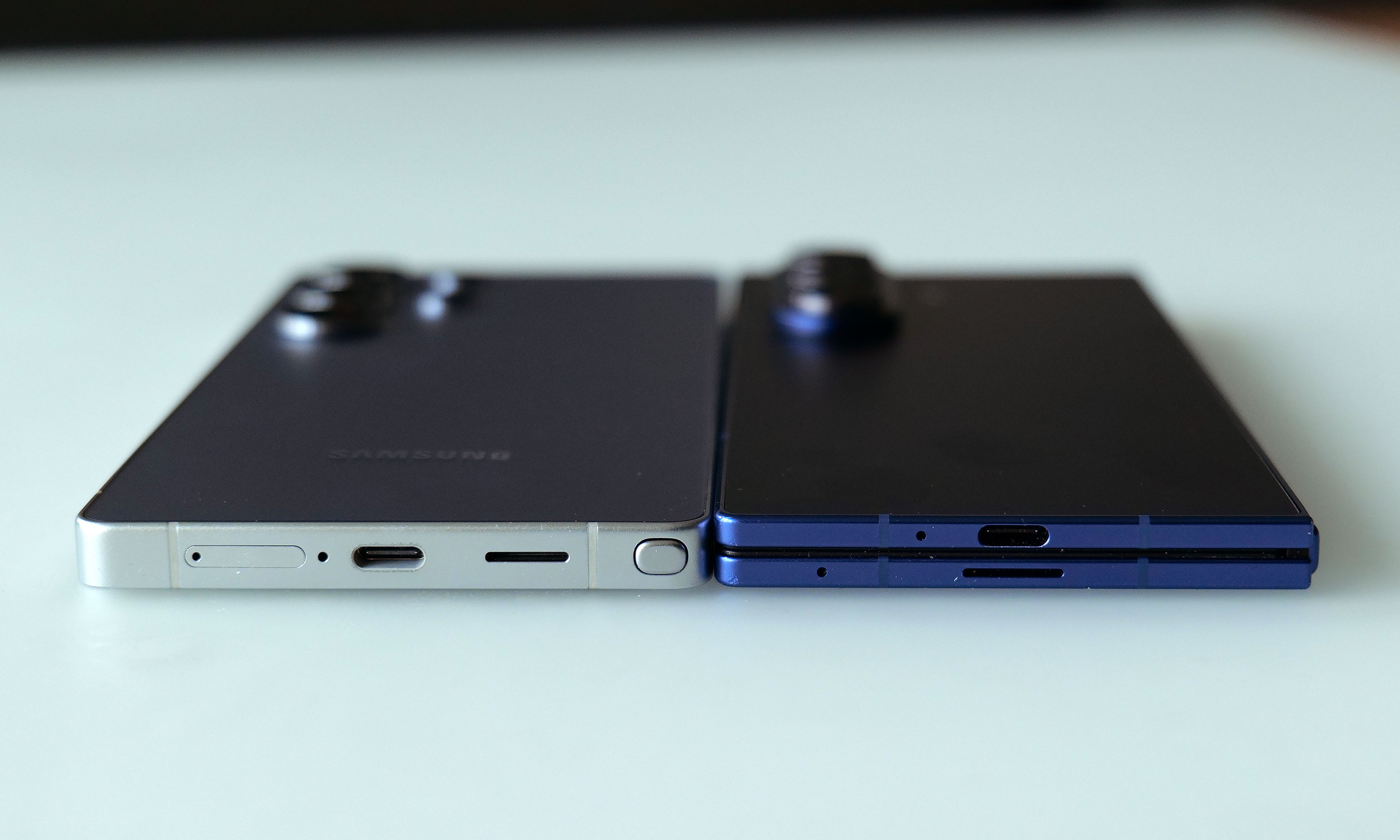
If you only look at their dimensions, you'd be hard pressed to tell the difference between the Galaxy Z Fold 7 (right) and an S25 Ultra (left).
Sam Rutherford for Engadget
Meanwhile, with the Galaxy Z Fold 7, Samsung achieved what may be an even bigger accomplishment by creating a foldable phone that was essentially the same size and weight as a traditional glass brick handset — with a massive 8-inch interior display no less. In fact, if you compared the Z Fold 7 to Samsung's other flagship — the S25 Ultra — the fold is actually a touch lighter (7.58 ounces vs 7.69 ounces) and practically just as thin (8.9mm vs 8.2mm). That's huge because one of the biggest issues with previous generations of foldables was excess bulk and heft, to the point where often I had to wear a belt just so my pants wouldn't sag when carrying one around.
Unfortunately, there isn't a phone maker that has put both of these advancements into a single gadget just yet. But this is still a big deal, and based on how things are trending, I'm sure that won't be the case for long.
What about the crease, you say? Yes, even the latest and greatest foldables still have a small depression that runs down the screen where the phone bends in half. Let me be clear: that's not really an issue. Sure, it would be nice if it weren't there, but getting mad about the crease is kind of like being annoyed at a convertible car that has some extra panel gaps because it has a retractable roof. Not only is the crease basically invisible when you are looking at it head-on (which is the vast majority of the time), in reality, people don't touch the dead center of their phone's display all that often — especially on a screen the size of a small tablet.
The Z Fold 7 has made bulky foldables a thing of the past while the Pixel 10 Pro Fold shows how these phones don't need to be afraid of dirt anymore.
Sam Rutherford for Engadget
Really, the one thing the makers of big foldables haven't figured out is how to make them affordable. OnePlus sort of came close in 2023 with the Open, which cost $1,500 after rebates that included trading in literally any phone (even broken ones). In fact, things are actually kind of going backwards. The launch price of the Z Fold 7 ($2,000) is $200 more than what the Z Fold 5 debuted at just a couple of years ago. Even with high prices, I've started seeing more and more foldable phones in the wild than ever before and the data backs up my sentiment. Sales of the Galaxy Z Fold 7 are up 50 percent compared to the previous generation while global foldable phone sales reached a new high in Q3 of this year, and I'm willing to bet that there are millions of others out there who would be interested in them — if only they didn't cost so much.
This article originally appeared on Engadget at https://www.engadget.com/mobile/smartphones/foldable-phone-makers-have-solved-every-issue-except-one-130000891.html?src=rss
The Samsung Galaxy Z Trifold introduces a new three-panel folding design, setting a new standard for what foldable devices can achieve. With its expansive 10-inch display, advanced multitasking capabilities, and tablet-like functionality, this device aims to deliver a seamless blend of portability and productivity. However, its innovative design comes with certain trade-offs, such as increased […]
Waymo has resumed its robo-taxi service in San Francisco after a power outage stranded vehicles around the city, CNBC reported. The blackout, caused by a Pacific Gas & Electric (PG&E) substation fire, caused traffic light disruptions that affected Waymo's automated driving systems.
"Yesterday’s power outage was a widespread event that caused gridlock across San Francisco, with non-functioning traffic signals and transit disruptions," a Waymo spokesperson told Engadget in a statement. "While the failure of the utility infrastructure was significant, we are committed to ensuring our technology adjusts to traffic flow during such events."
Following the outage, which began at around 1:09 PM Saturday and peaked around two hours later, Waymo responded by suspending its ride-hailing services in the city. However, images and videos on social media showed the autonomous taxis stopped at intersections with hazard lights on.
The company blamed its disruption on the size of the outage. "While the Waymo Driver [automated system] is designed to treat non-functional signals as four-way stops, the sheer scale of the outage led to instances where vehicles remained stationary longer than usual to confirm the state of the affected intersections. This contributed to traffic friction during the height of the congestion," the spokesperson explained, adding that Waymo's actions were "closely coordinated with San Francisco city officials."
Still, the service disruption is a black mark for Waymo, as the sudden halt in service exacerbated traffic problems caused by the blackout. Elon Musk bragged on X that Tesla, Waymo's latest robo-taxi rival in the city, was "unaffected" by the power outage. However, Tesla's ride-hailing service is not yet fully autonomous and requires a human driver behind the wheel at all times.
This article originally appeared on Engadget at https://www.engadget.com/transportation/waymo-vehicles-are-operating-again-in-san-francisco-following-a-power-outage-112924838.html?src=rss