Realme 16 Pro+ Review: Naoto FUkusawa Helped Make a Battery Beast Beautiful

PROS:


  • Sleek design by Naoto Fukusawa

  • Strong portrait camera performance for the price range

  • Huge 7,000mAh battery with 80W wired charging

CONS:


  • Snapdragon 7 Gen 4 is carried over from the previous generation

  • No wireless charging

RATINGS:

AESTHETICS
ERGONOMICS
PERFORMANCE
SUSTAINABILITY / REPAIRABILITY
VALUE FOR MONEY

EDITOR'S QUOTE:

By combining Naoto Fukasawa’s Urban Wild design with a 7000 mAh battery and a sharp 200 MP portrait camera, realme 16 Pro+ proves that refinement and stamina can matter more than chasing raw benchmark numbers.

The realme 16 Pro+ seems to be a modest upgrade in the company’s Number Series. While it is not packed with major improvements in every area, it tries to win you over as a well-rounded package built around design, battery life, and cameras. On paper, it still reads like a wish list: a 200 megapixel main camera with 3.5x telephoto, a 6.8 inch 144 Hz AMOLED display, a 7000 mAh battery with 80 W charging, IP68 and IP69 protection, and a Naoto Fukasawa-designed back made from bio-based silicone.  

It also arrives with a few important caveats. The Snapdragon 7 Gen 4 chipset is carried over from the realme 15 Pro rather than being a big step up, and the rumoured pricing pushes the 16 Pro+ toward affordable flagship territory rather than a classic, value mid-ranger. That raises a clear question. Does the mix of master level design, big battery stamina, and creator-focused camera hardware do enough to justify the price, or are you better off with a more conventional spec monster? We took a closer look.

Designer: Naoto Fukasawa x realme

Aesthetics

For the realme 16 Pro+, realme partnered again with world-renowned product designer Naoto Fukasawa. The brand has previously collaborated with Fukasawa on the realme X Master Edition, X2 Master Edition, GT Master Edition, and GT2 Pro Master Edition, and this new phone continues that lineage. The design fuses natural elements with contemporary style in what realme calls the Urban Wild Design, aiming to bring a calmer, more tactile character to a very modern device.
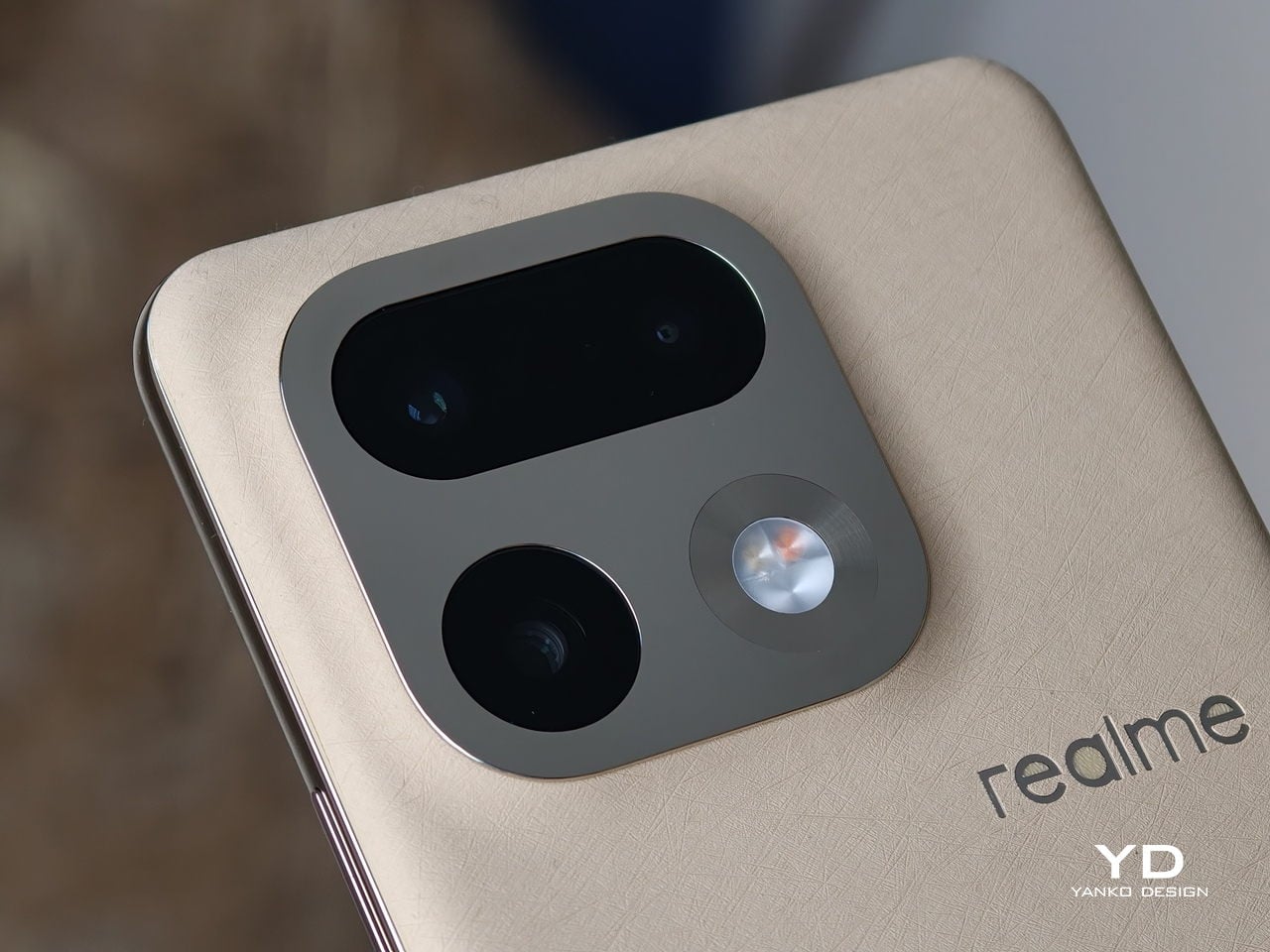
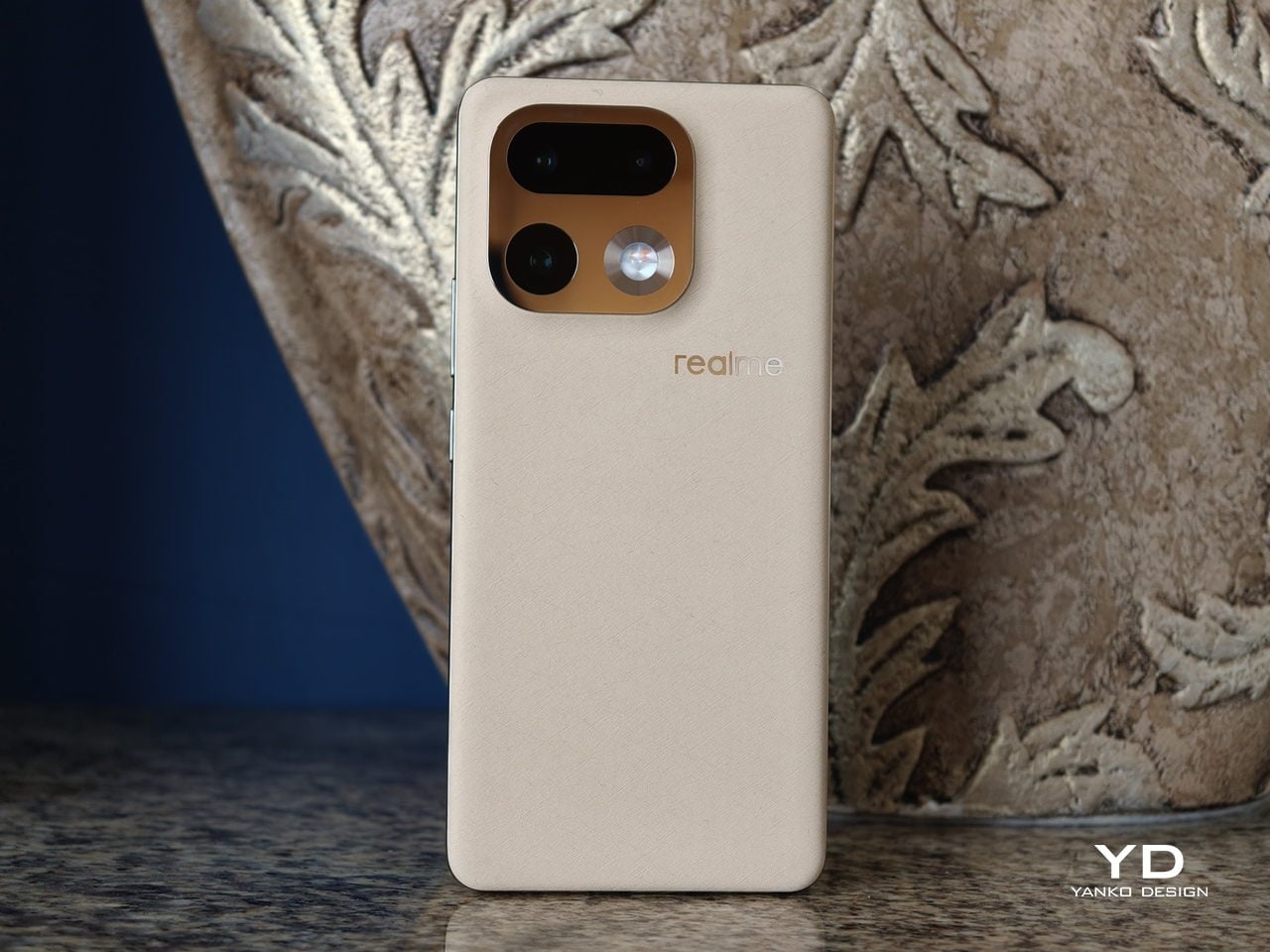
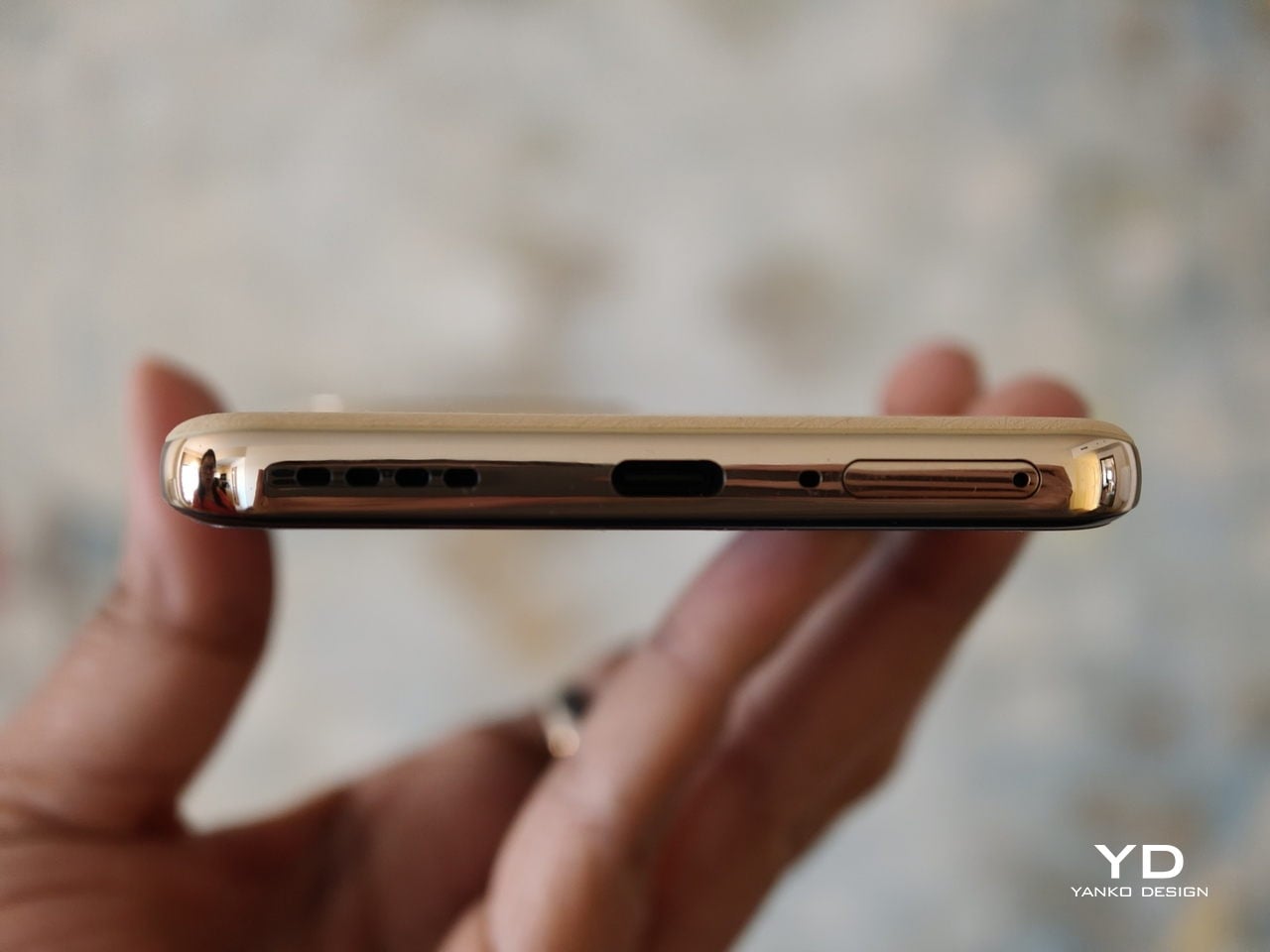
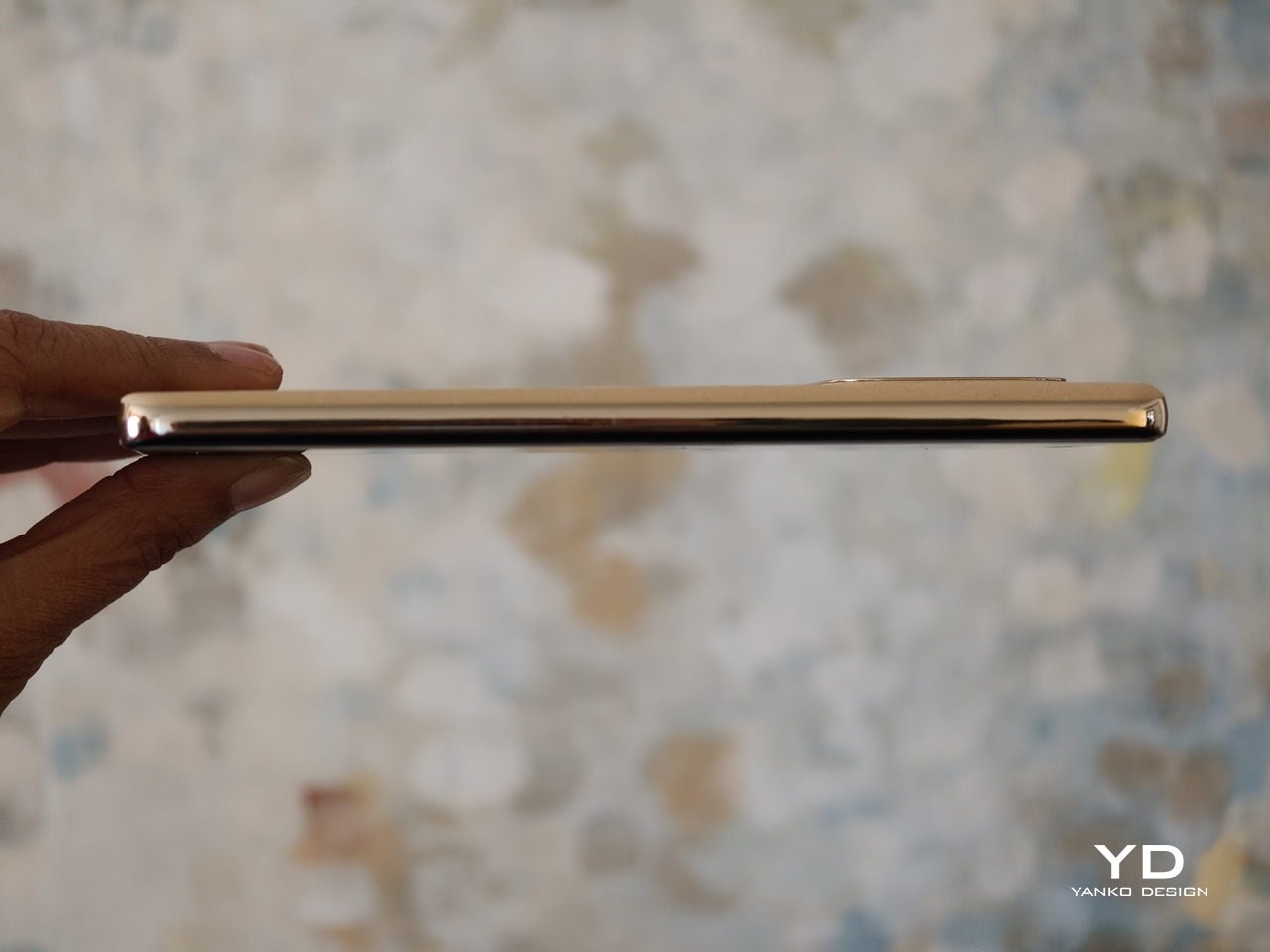
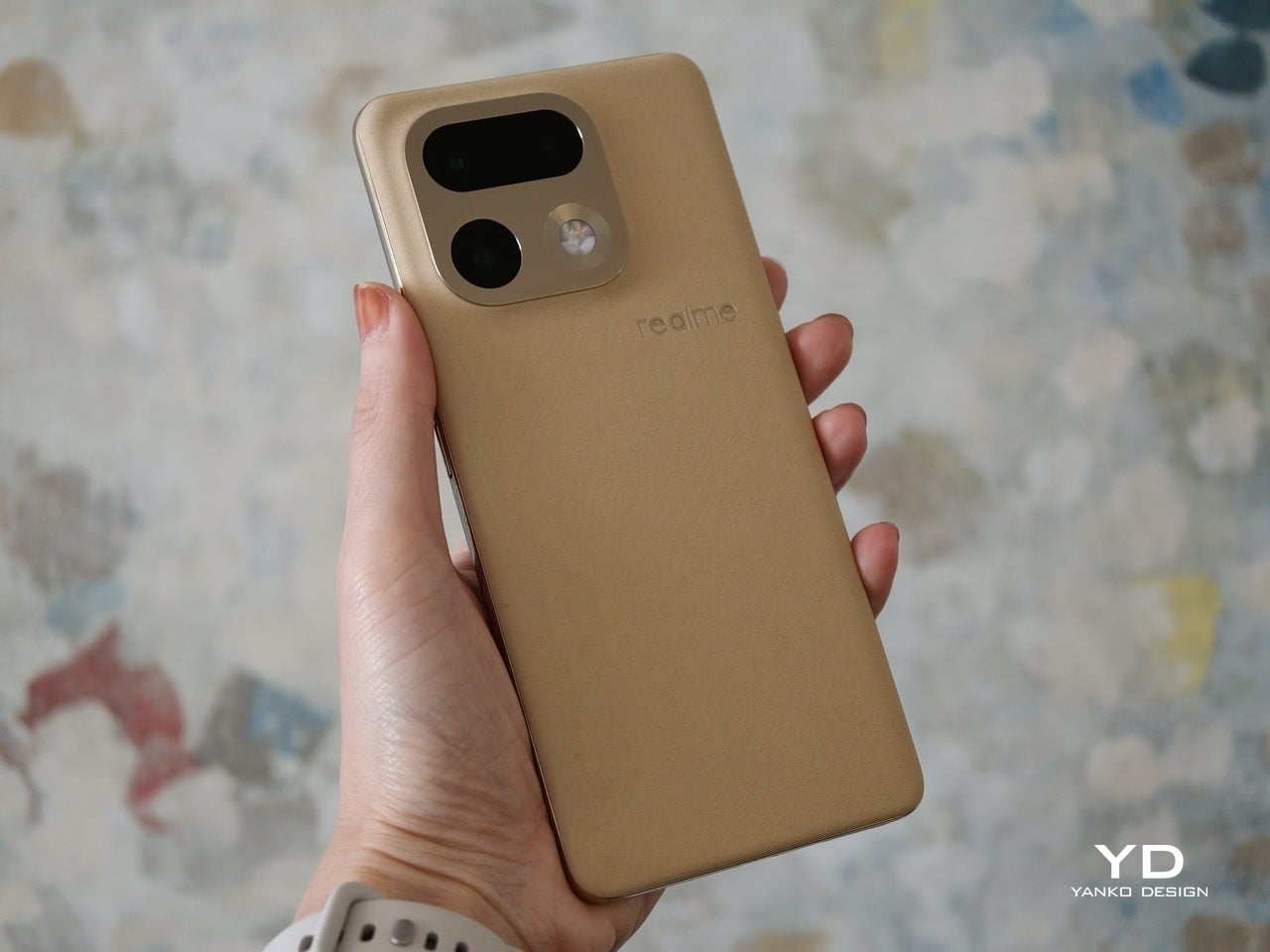
The Urban Wild Design is articulated through a deliberate contrast of the mirror-polished camera deco set against a natural texture back panel. The back is built around what realme calls a Metal Mirror Camera Deco, a mirror finish metal plate that frames the lenses like a piece of jewellery on top of a matte, softly grained surface. The back panel uses a bio-based organic silicone derived from plant-based straw, processed with an eco-friendly method that the brand positions as an industry-first eco material. The result is a surface that feels soft, finely textured, and grippy, with a visual warmth and calmness you do not usually get from glass or glossy plastic.  

The 16 Pro+ comes in two colors in most markets. Master Gold is described as the soft golden glow of ripened wheat, with a gentle shimmer that catches the light without looking flashy. Master Black is inspired by the smooth, muted sheen of river pebbles, giving a more understated and refined look. Each variant features a color-matched mirror-polished camera bump and side frame, so the camera island, mid frame, and back panel read as one coherent piece rather than separate parts.
Ergonomics

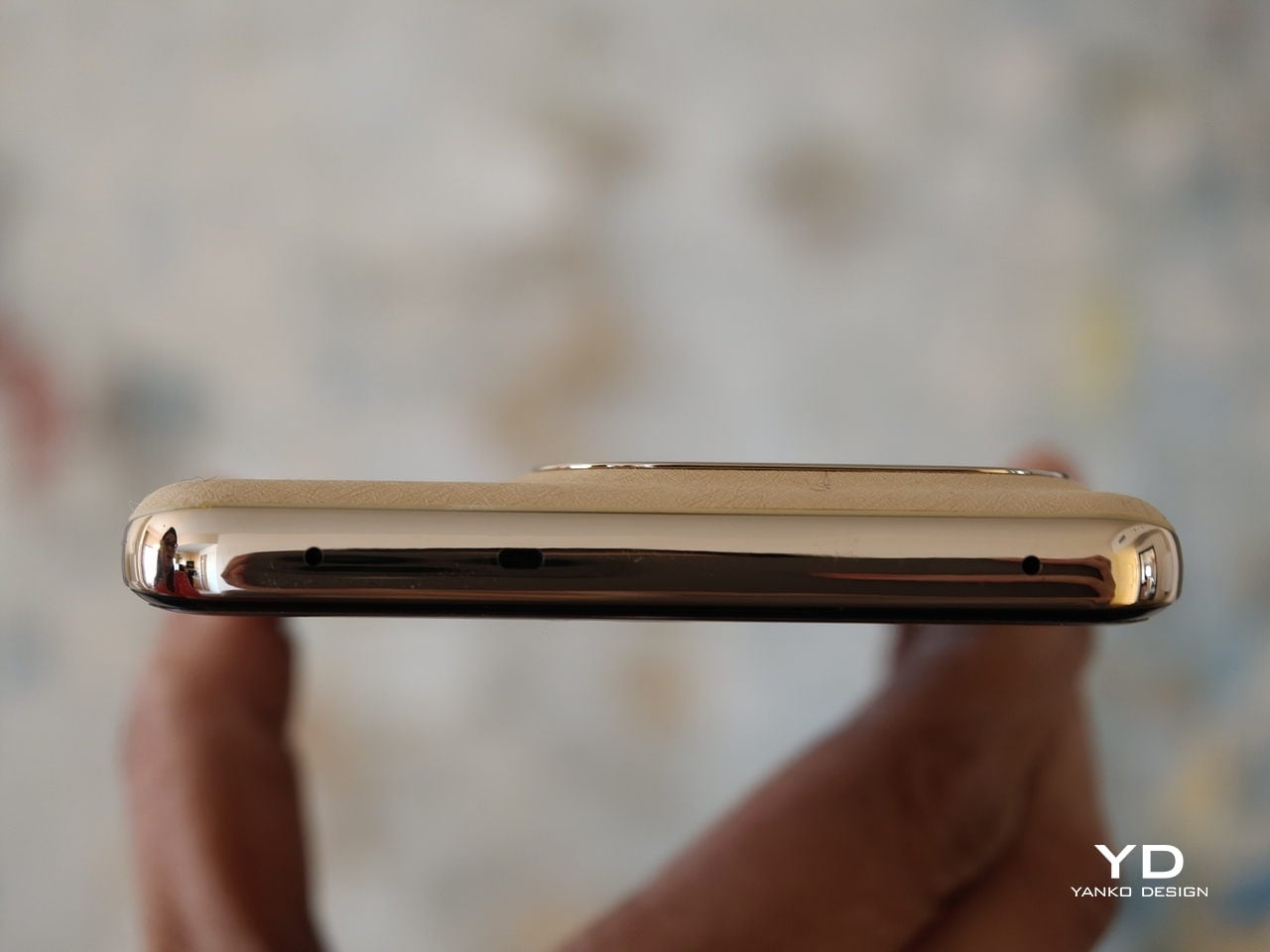
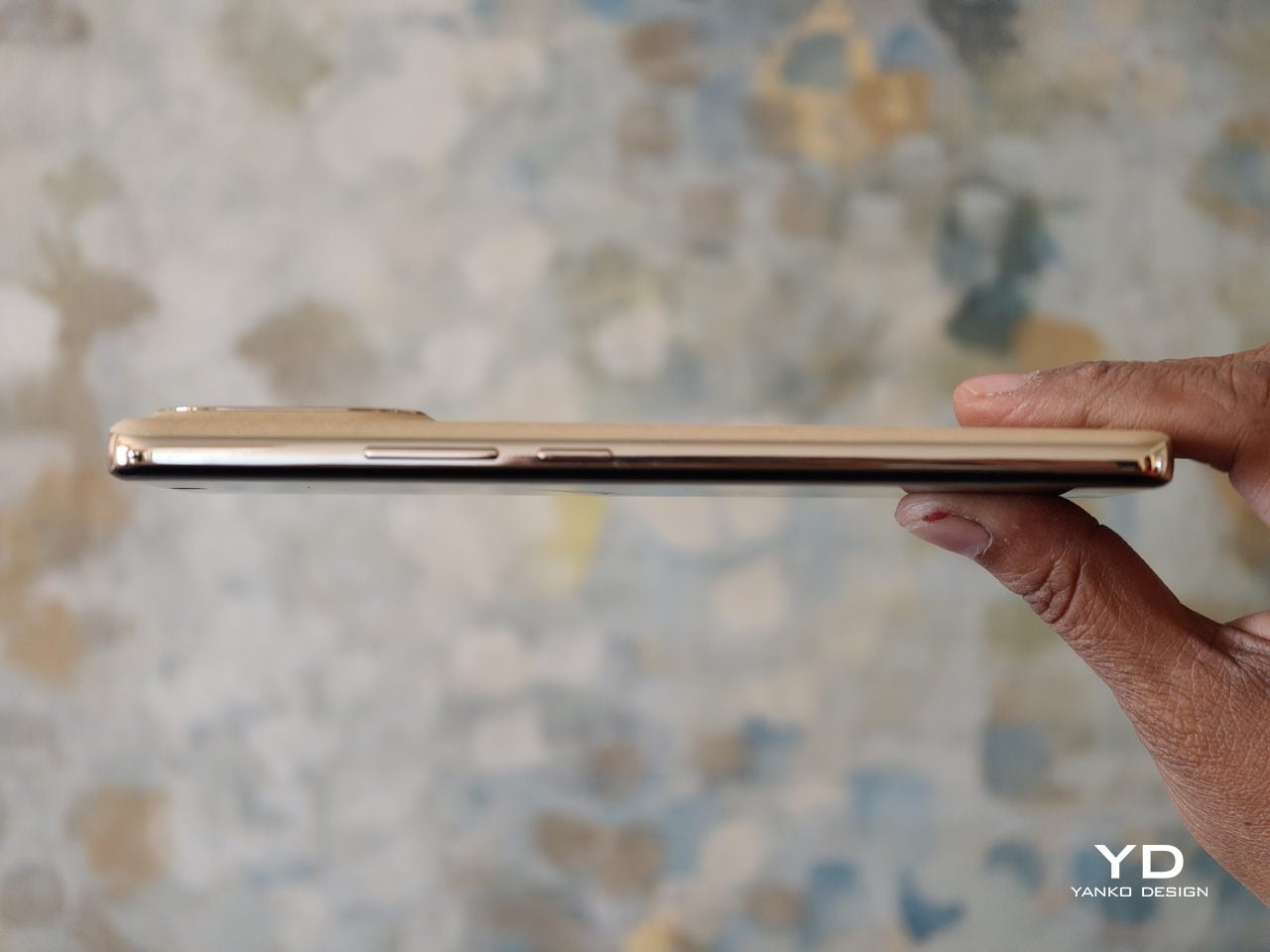
On paper, the realme 16 Pro+ is not a small phone, yet it feels more considered than the raw numbers suggest. The phone is 8.49 mm thick and weighs 203 g, which puts it firmly in the large phone camp without feeling unwieldy. The square camera bump does not protrude too much, and its sloped edges merge into the back panel to create a smooth transition. The back panel resists fingerprints and smudges quite well, though the glossy camera bump is a different story and picks up marks easily.  

Thanks to the balanced weight and the gentle flow from the slightly curved display to the slightly curved side frame to the slightly curved back panel, the phone is very comfortable to hold in the hand. The volume rocker and power button are positioned where they are easy to reach, so basic controls fall naturally under your fingers. The fingerprint scanner, on the other hand, sits close to the bottom edge of the screen, which makes the move from unlocking the phone to actually using it feel a bit less smooth than it could be.
Performance

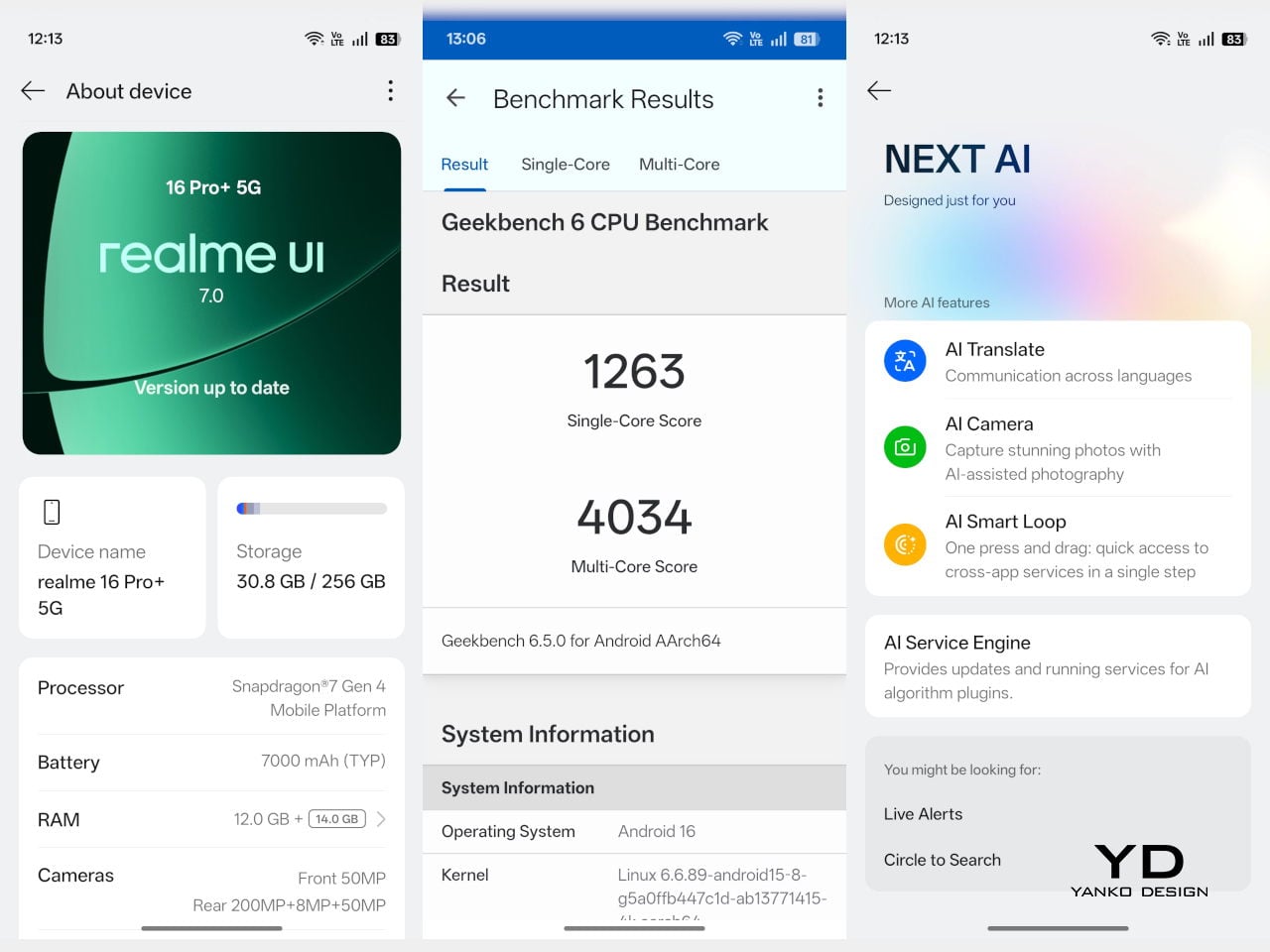
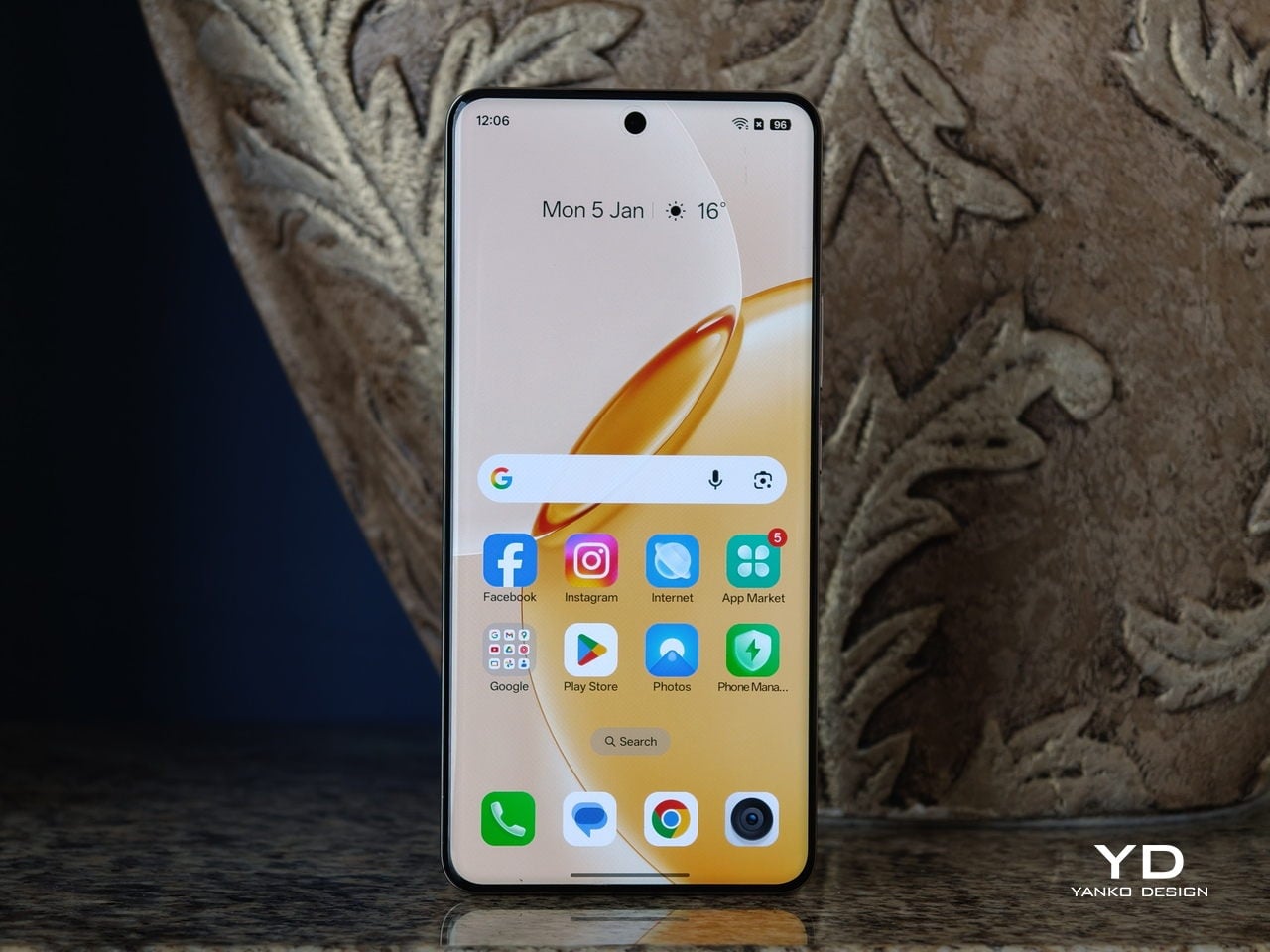
Since there was no Pro+ version of the realme 15, there is no direct predecessor of the realme 16 Pro+, but many specs are unchanged from the realme 15 Pro, including the chipset. The 16 Pro+ is powered by Snapdragon 7 Gen 4, Qualcomm’s upper mid-range chipset. While it does not deliver brute flagship power, it is more than strong enough for long gaming or browsing sessions without noticeable throttling. In daily use, the chipset has no trouble keeping up with realme UI 7.0, based on Android 16. Swiping through the 144 Hz interface feels fluid, apps open quickly, and multitasking between social media, messaging, and browsing remains consistently smooth.
The realme 16 Pro+ features a 6.8-inch AMOLED display with a 1280 by 2800 resolution and up to 144 Hz refresh rate. According to the spec sheet, it supports a 240 Hz touch sampling rate, 1.07 billion colors, 100 percent DCI P3 coverage, a 5,000,000 to 1 contrast ratio, and a peak brightness of 6500 nits. It is a sharp, bright, and vibrant panel that looks flagship-grade and comfortable in day-to-day use.
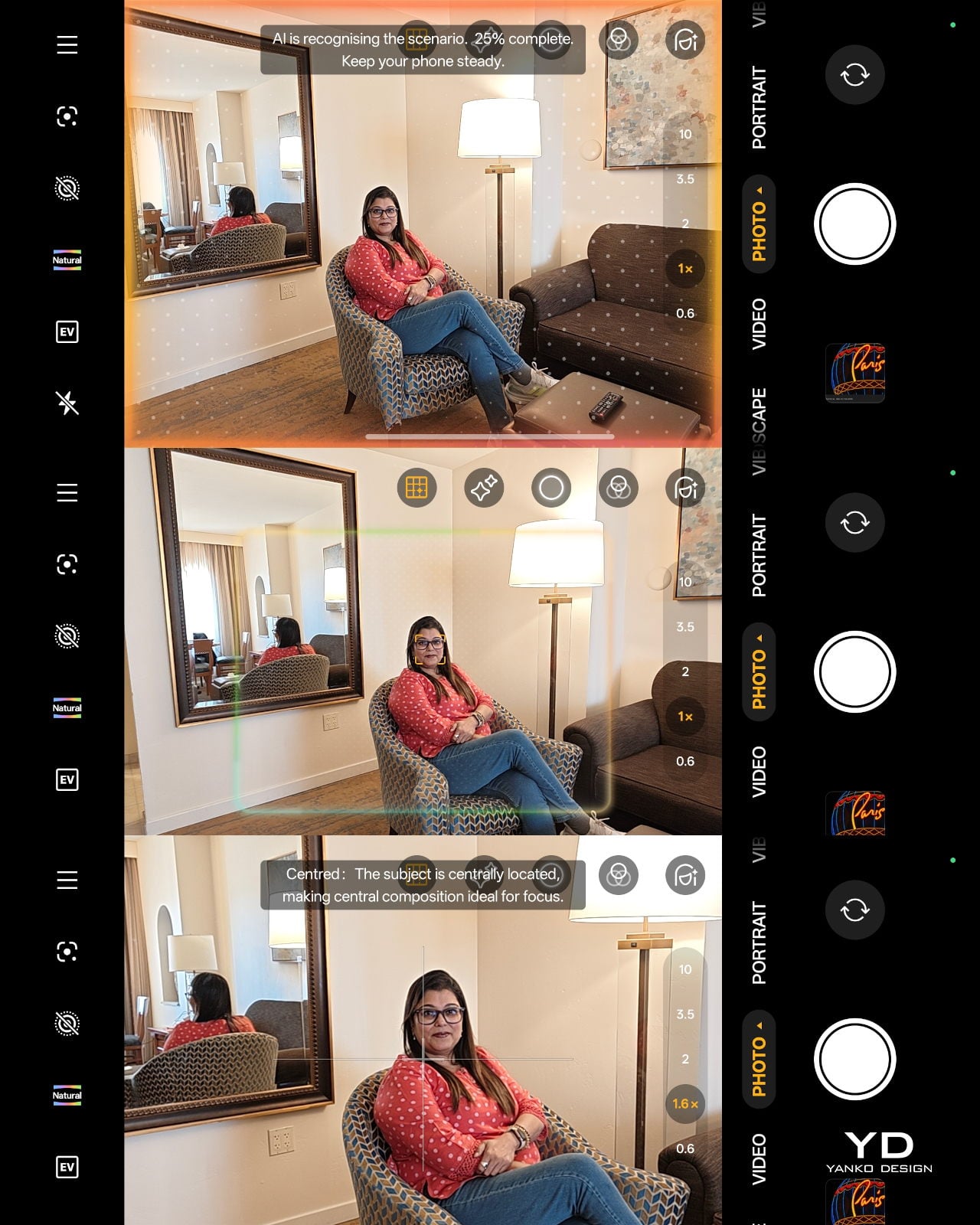
Realme brings a 200 megapixel camera to its Number Series for the first time. The triple camera setup consists of a 200 MP main camera, a 50 MP 3.5x telephoto camera, and an 8 MP ultra wide camera, with a 50 MP front-facing camera handling selfies. In the camera app, you can choose between Vibrant and Natural color modes for the rear cameras, depending on whether you prefer punchier social media-ready shots or a more restrained look.


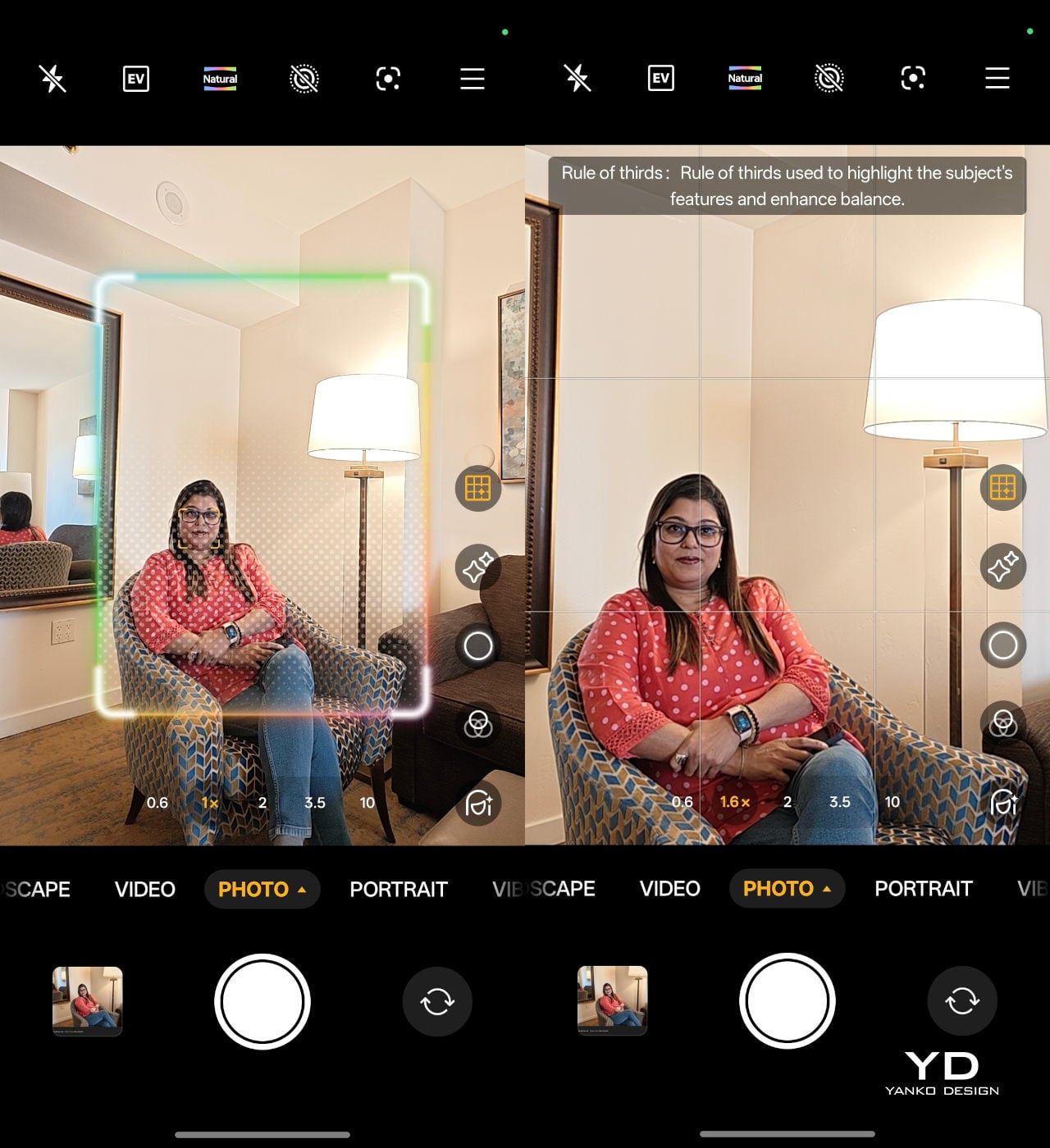
The 23 mm equivalent 200 MP main camera uses Samsung’s HP5 sensor with an f/1.8 aperture lens and both optical and electronic image stabilisation. It can capture very detailed shots with a wide dynamic range in good lighting conditions, and stabilisation helps keep images sharp when light levels drop. In the standard Photo mode, you also get an AI composition feature that analyses your framing and suggests small adjustments for a stronger composition, nudging you to tilt, reframe, or shift your subject for a more balanced shot. This tool is not available in Portrait mode, but it is genuinely helpful for quick point-and-shoot photography.


The 80 mm equivalent 50 MP 3.5x telephoto camera uses Samsung’s JN5 sensor behind an f/2.8 aperture lens, again with OIS and EIS. Portrait mode lets you shoot at 1x, 1.5x, 2x, 3.5x, and 4x, and results across these focal lengths are consistently strong, with pleasing separation and natural-looking depth. realme also packs in a wide range of dedicated Portrait filters, so you can switch between more cinematic, vintage, or punchy looks without leaving the mode.


The 15 mm equivalent 8 MP ultra wide rounds out the rear trio. It does the job for landscapes, interiors, and group shots, but image quality is more functional than exciting, with less detail and dynamic range than the main and telephoto cameras. On the front, there is a 50 MP OmniVision OV50D selfie camera with an f/2.4 aperture lens. This is unusually ambitious for the class. It can capture crisp selfies with plenty of detail.


As for video, the main and front-facing cameras both support 4K recording at up to 60 FPS. The telephoto and ultrawide cameras are limited to 1080p at 30 FPS, which feels a bit disappointing on the telephoto side, especially given how capable it is for stills. It would have been nice to see at least 4K 30 fps from the zoom camera to fully match the rest of the system.
realme 16 Pro+ is built around a huge 7000 mAh battery, and you feel that capacity in day-to-day use. With this much headroom, it comfortably handles a full day of heavy messaging, social media, camera use, and streaming, and lighter users can easily stretch into a second day without reaching for the charger. When you finally do need to charge, the 80 W wired charging support keeps downtime short.
Sustainability

realme 16 Pro+ makes a stronger effort on sustainability than many mid-range phones. The most visible element is the back panel material. Instead of conventional petroleum-based plastic or glass, realme uses a bio-based organic silicone derived from plant-based straw, processed through an eco-friendly method. It is designed to be safer for the skin, gentler on the environment, and more resistant to aging, dirt, and wear, which should help the phone look fresh for longer and reduce the urge to replace it early.

Durability also plays into sustainability. The phone carries both IP68 and IP69 ratings, meaning it is tested for dust tightness, immersion in water, and high-pressure water jets. In practical terms, that level of protection makes the 16 Pro+ far more likely to survive everyday accidents, from rain and spills to brief drops into water. A device that shrugs off this kind of abuse is less likely to be written off early, which again extends its usable life.
On the software side, realme commits to three years of Android OS updates and four years of Android security patches. That is not at the very top of the industry, but it is long enough that you can realistically keep the phone for a full contract cycle and beyond without falling behind on major features or basic security. Combined with the durable hardware and more sustainable back panel material, it makes the 16 Pro+ feel like a phone designed to be used hard and kept in service rather than quickly replaced.

Value

At the time of writing, realme has not confirmed official pricing, but multiple leaks suggest the realme 16 Pro+ will start at INR 39,999 (around $445) for the 8 GB and 128 GB variant. The 8 GB and 256 GB model is rumoured to land at INR 41,999 (around $470), while the 12 GB and 256 GB version could reach INR 44,999 (around $500).
If these figures hold, the 16 Pro+ will sit at the upper end of the mid-range bracket, nudging into affordable flagship territory. In that context, the phone’s value depends on what you care about most. For users who prioritise a premium design, camera versatility, a truly huge 7000 mAh battery, a bright 144 Hz AMOLED display, and sustainability, the package looks competitive.

Verdict

realme 16 Pro+ is not a revolution for the Number Series, but it is a carefully tuned evolution that leans into design, cameras, and battery life instead of chasing raw specs in every direction. The Naoto Fukasawa Urban Wild Design, bio-based silicone back, and Metal Mirror Camera Deco give it a distinctive look and feel, while the solid ergonomics and IP68 plus IP69 ratings make it more robust than many mid-range rivals. Snapdragon 7 Gen 4 is familiar rather than exciting, yet in practice, it keeps realme UI 7.0 and the 144 Hz AMOLED display running smoothly, and the 7000 mAh battery with 80 W charging turns it into a genuine all-day workhorse.
As for the camera, the realme 16 Pro+ consistently turns out pleasing portraits across its various focal lengths, with good subject separation and flattering rendering. The front-facing camera also performs well. Where things get complicated is value, because the rumoured pricing nudges the 16 Pro+ into premium mid-range territory rather than classic budget-friendly mid-range. If you prioritise a phone that looks and feels special, lasts comfortably through heavy days, and gives you reliable portrait and selfie performance, realme 16 Pro+ makes a strong case for itself even as a modest generational upgrade.

The post Realme 16 Pro+ Review: Naoto FUkusawa Helped Make a Battery Beast Beautiful first appeared on Yanko Design.
Punkt. MC03 Is a Smartphone You Buy With Money, Not Your Data

Most phones make a familiar bargain: free services and slick apps in exchange for constant tracking, profiling, and data being treated as currency. The line about how if you do not pay for the product, you are the product, has gone from cliché to lived reality. Punkt. has been quietly pushing back against that logic for years, starting with minimalist feature phones and now moving into full touchscreen territory with the same philosophy intact.

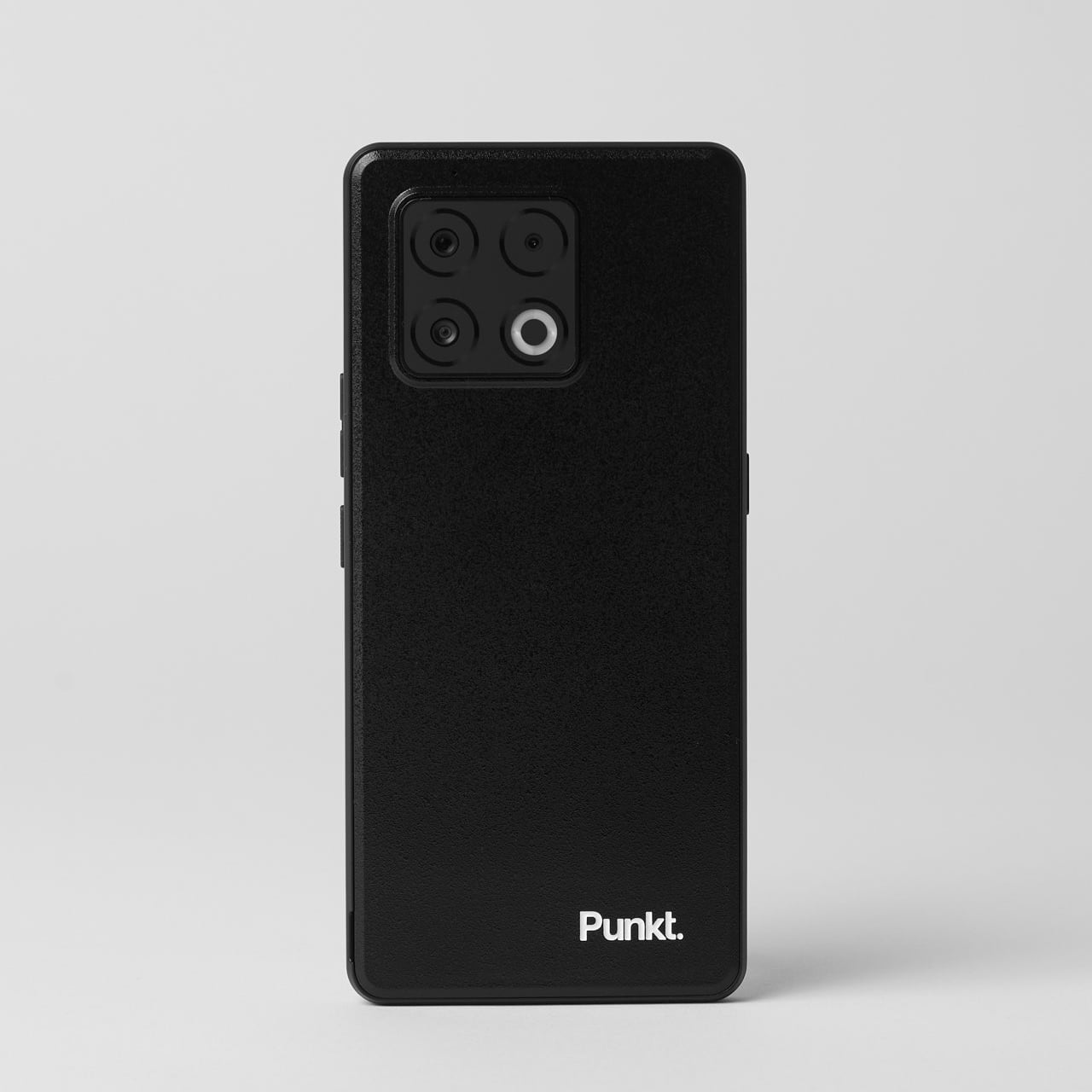
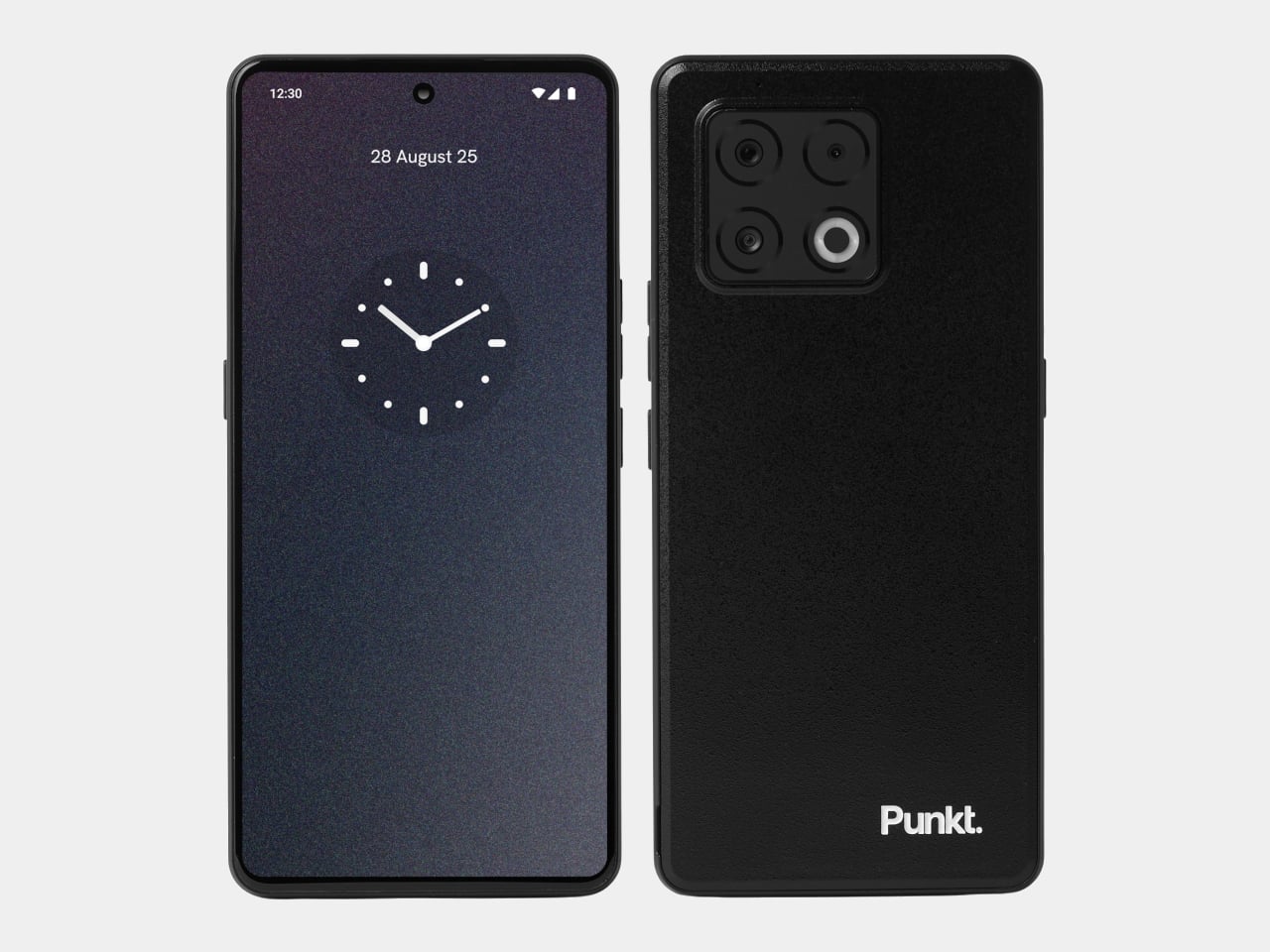
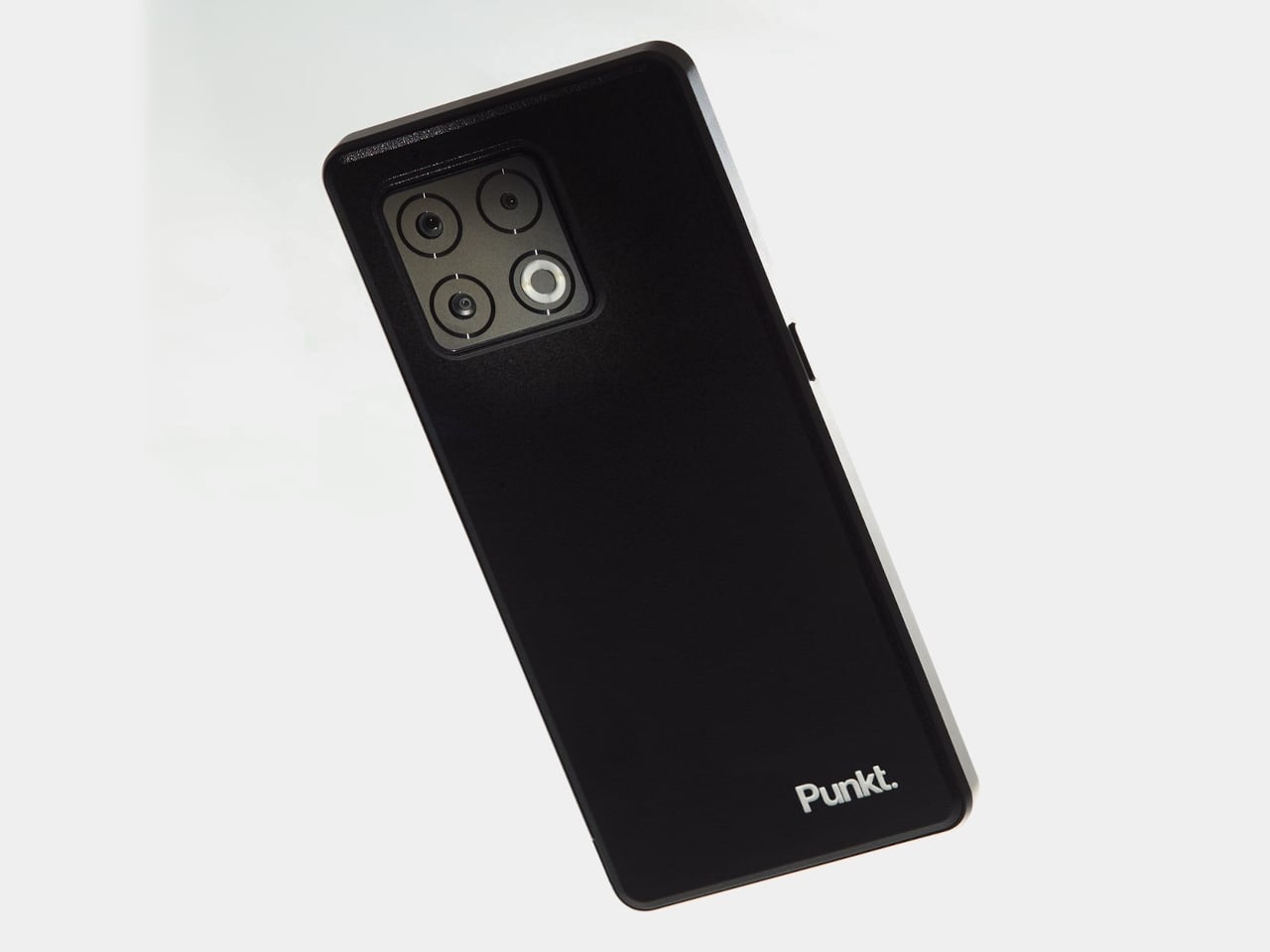
The Punkt. MC03 is a premium secure smartphone designed in Switzerland and built in Germany, running AphyOS instead of mainstream Android skins. It is subscription-based by design; you pay for the OS and services, so you are not paying with your data. The pitch is simple: a modern, fully capable phone where privacy is the default, not a buried settings menu you hope you configured correctly.

Designer: Punkt.

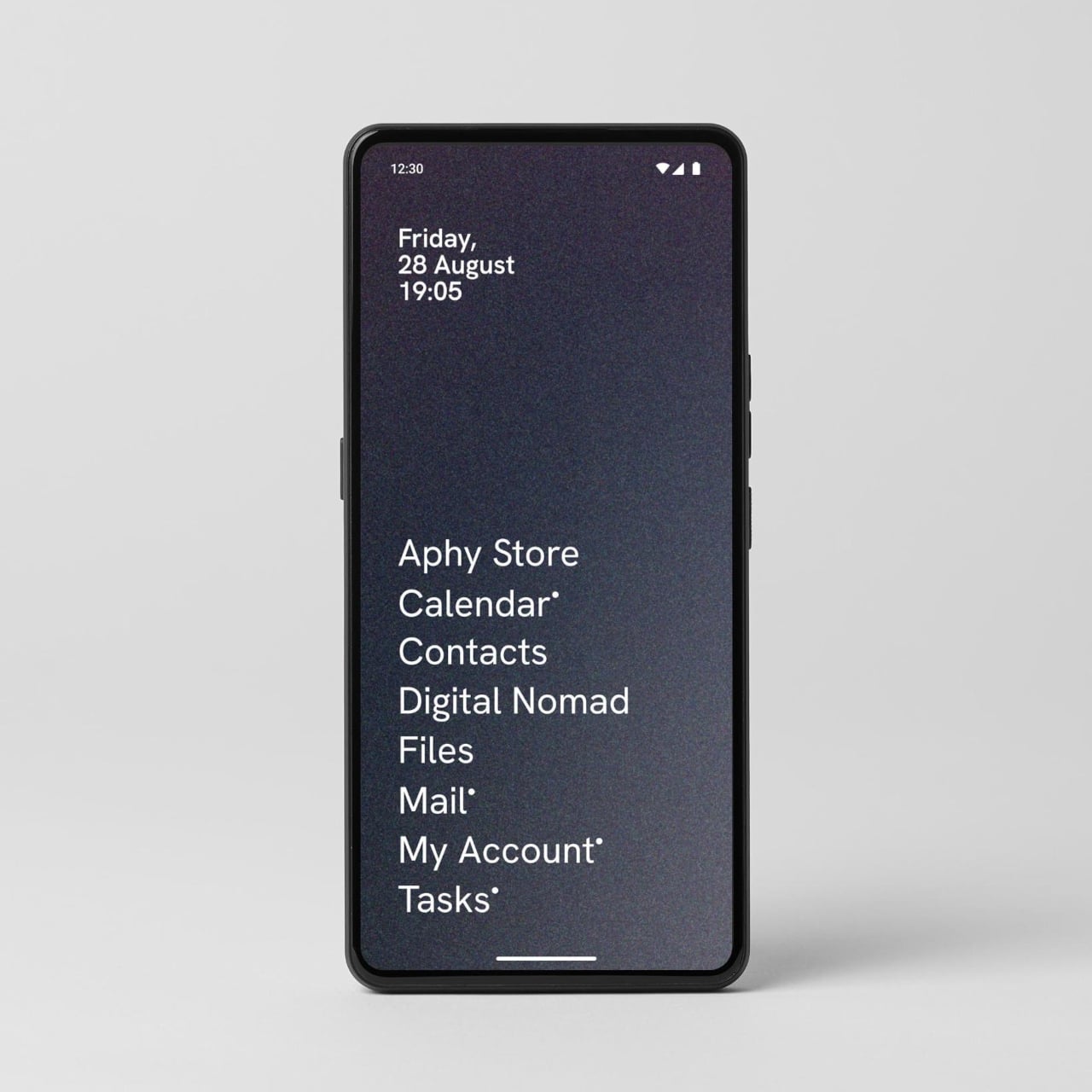
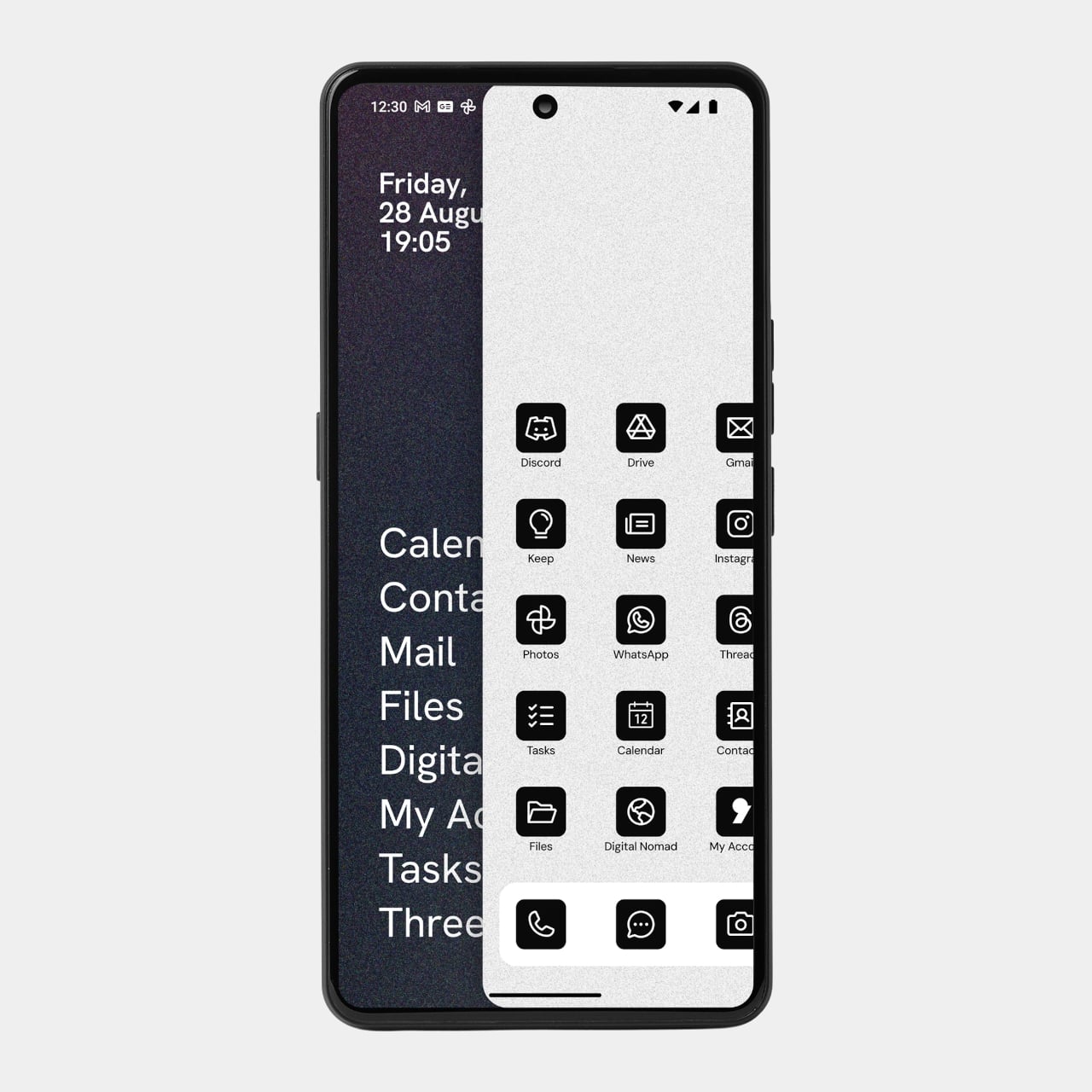
AphyOS splits the phone into two spaces. Vault is the calm, minimalist home screen with Punkt. curated, privacy-friendly apps and Proton services, a hardened enclave for mail, calendar, messaging, and files. Wild Web is a swipe away, where you can install any app you want, but each one lives in its own privacy bubble, with clear controls over what data flows where and who gets to see it.

The interface is deliberately color-free and stripped back. Icons are simple, backgrounds are monochrome, and the whole thing is designed to reduce visual noise and cognitive load. The idea is to make the phone feel less like a slot machine and more like a tool, nudging you toward intentional use instead of endless scrolling, without taking away the apps you actually rely on for work or getting around.

Privacy tools include Digital Nomad, the built-in VPN that protects connectivity on the move, and Ledger, which lets you dial app-specific permissions from full access to full restriction, even showing the carbon impact of background activity. The MC03 can be de-Googled, reducing reliance on Google Mobile Services, and Proton Mail, Drive, VPN, and Pass live in Vault, reflecting a Swiss Tech ethos where you pay to retain your data.

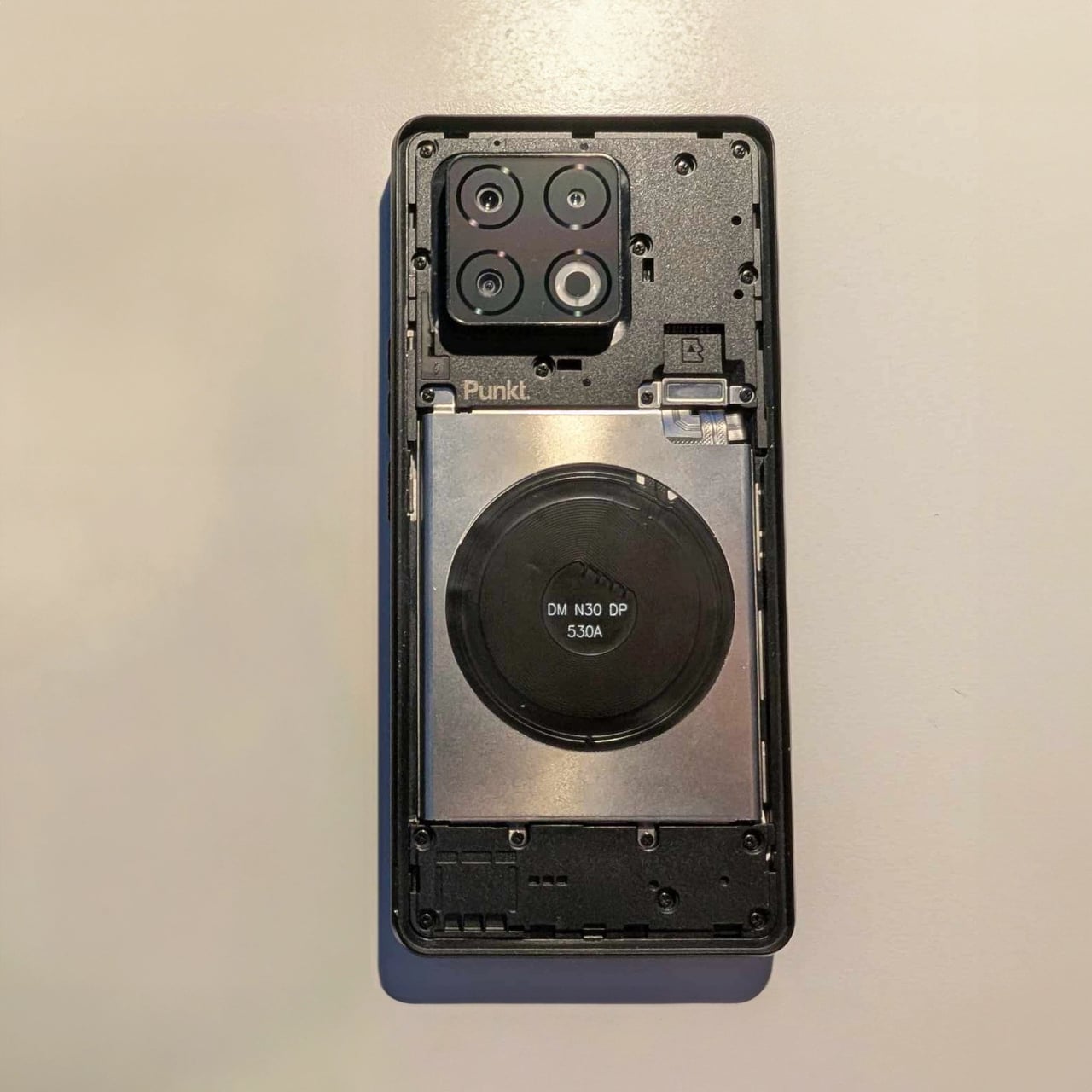
The hardware is quietly competent, a 6.67-inch FHD+ OLED at 120 Hz, a 64 MP main camera with ultra-wide and macro companions, dual stereo speakers, and a removable 5,200 mAh battery with 30 W wired and 15 W wireless charging. It is IP68 rated and manufactured at Gigaset’s German facility, leaning into durability, repairability, and a European supply chain as part of the trust equation, not just marketing.

The MC03 is talking to people who are tired of feeling like their handset is a tracking device with a screen attached, but who do not want to retreat to a feature phone. It suggests a different path, a smartphone that still does all the smartphone things, but asks you to pay for the privilege of keeping your data yours, and makes that trade-off feel intentional instead of hidden. For anyone looking for an alternative to the usual iOS or Android bargain, Punkt. keeps building that alternative, one monochrome screen and one Swiss principle at a time.

The post Punkt. MC03 Is a Smartphone You Buy With Money, Not Your Data first appeared on Yanko Design.

This CMF Phone Mini Concept Is The Compact Android Fans Have Been Begging For

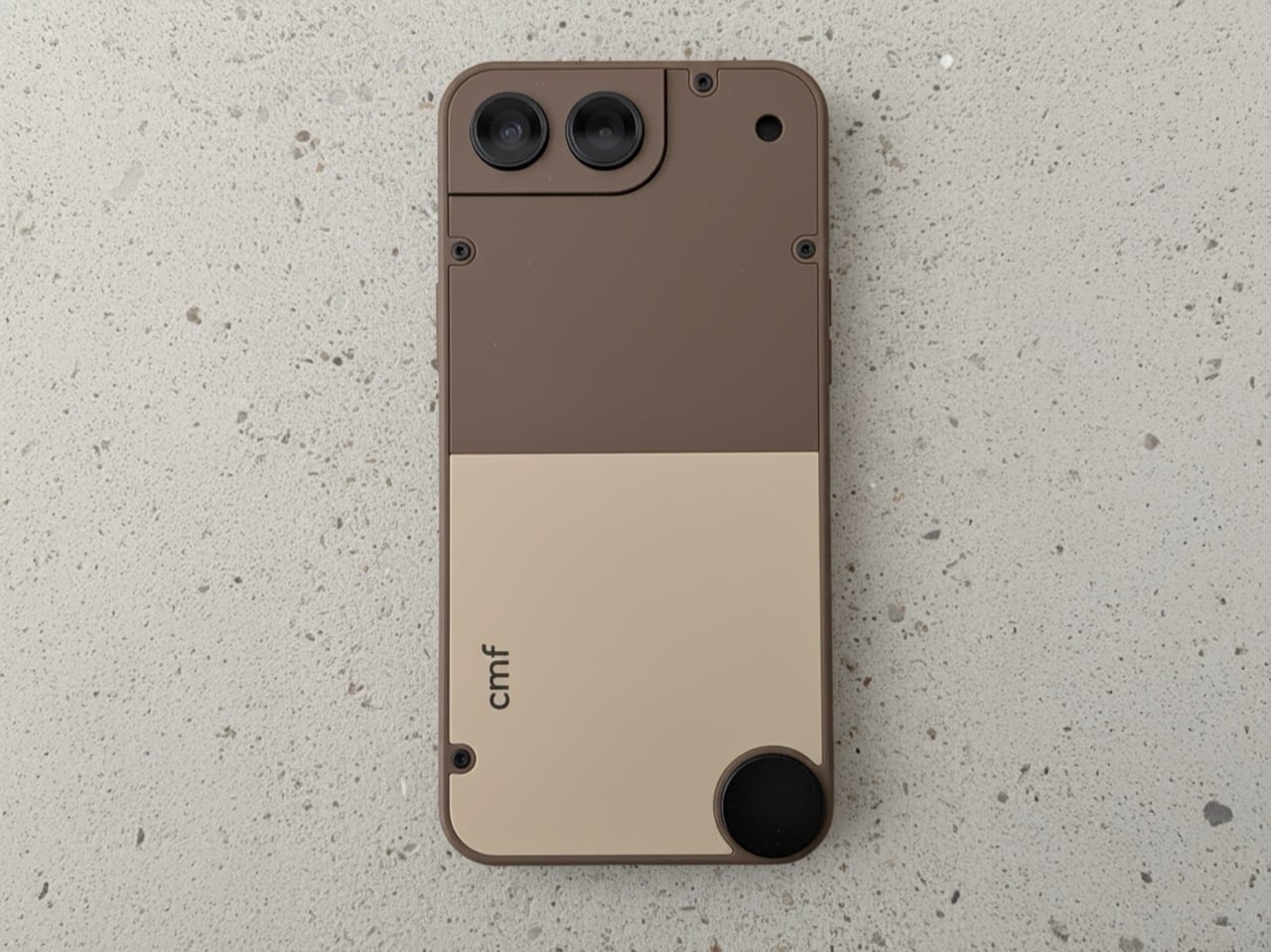
The market for compact smartphones didn’t disappear because people stopped wanting them; manufacturers simply decided the economics didn’t justify the engineering. The iPhone 13 mini was the last great holdout, and its discontinuation left a void that has been filled with nothing but silence. That makes this CMF Phone Mini concept, posted by designer Preet Ajmeri on the Nothing Community forum, feel less like a flight of fancy and more like a genuine market opportunity. It suggests a smarter middle path for small phones, one built around accessibility and modularity rather than specs-sheet maximalism. This isn’t just another shrunken flagship render; it’s a thoughtful take on what a small phone in 2025 ought to be.

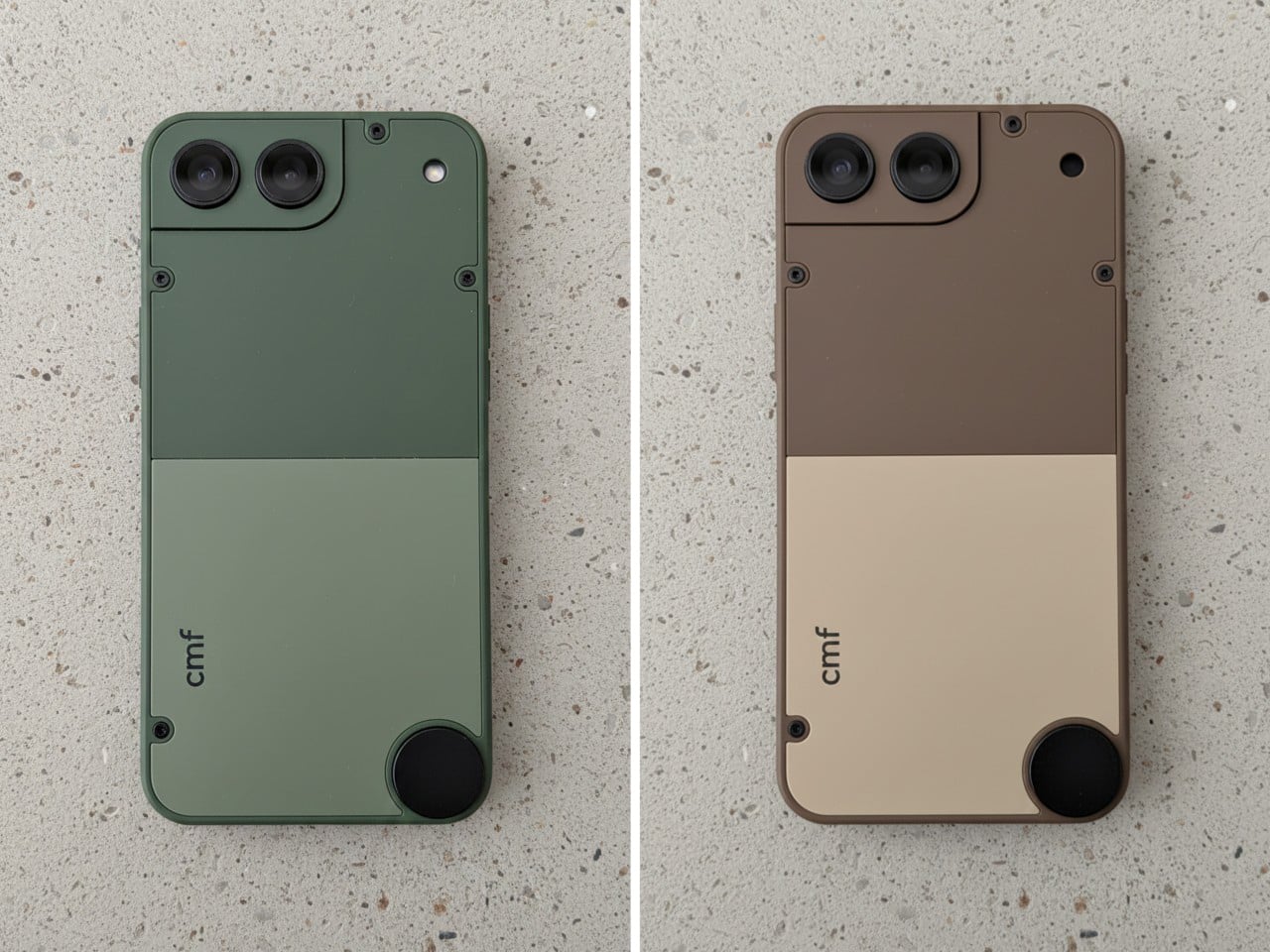
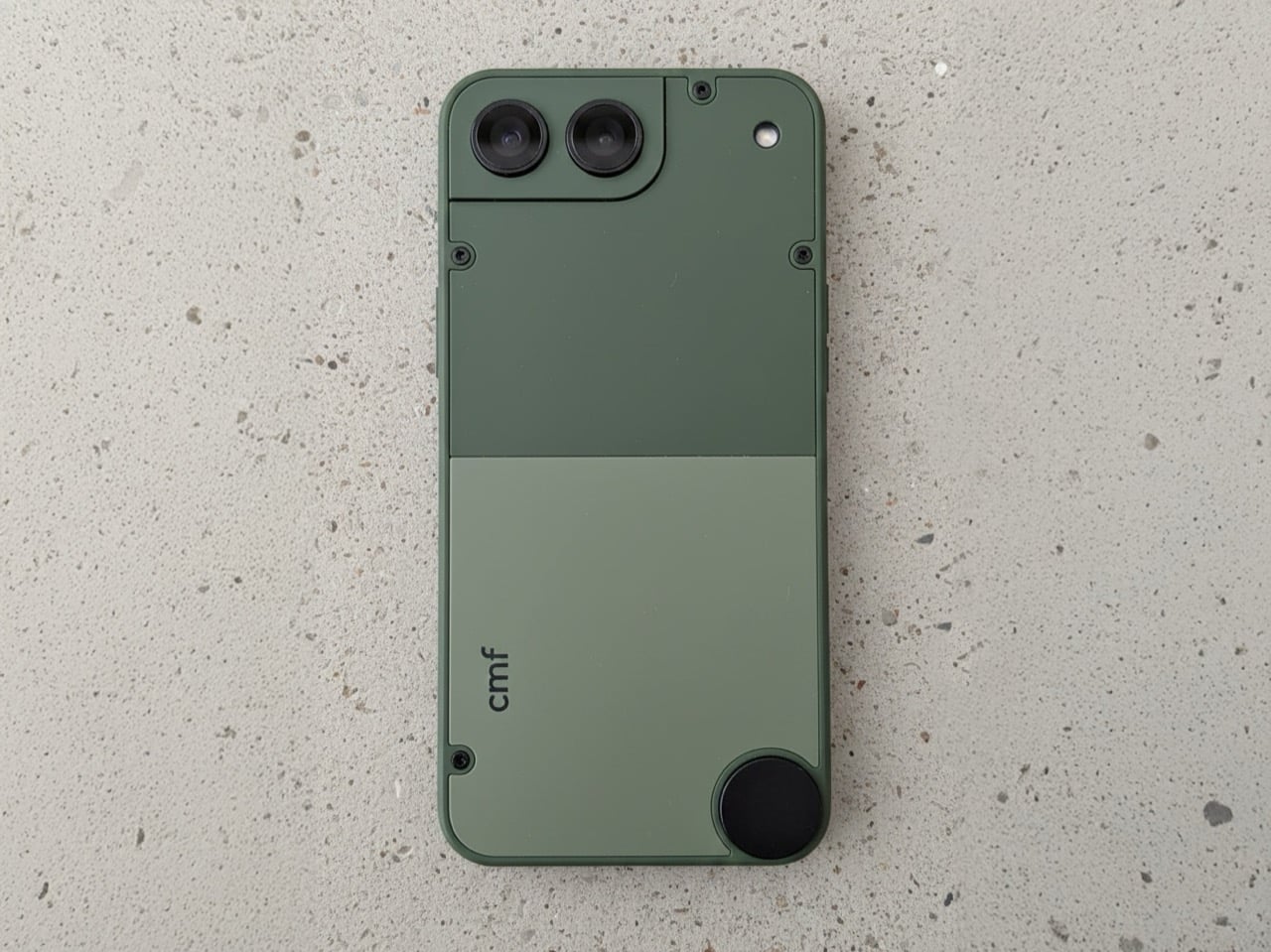
What makes Ajmeri’s concept work is its complete lack of flagship pretension. The design has a satisfying, tool-like quality, with an aesthetic that leans closer to a Braun appliance than a miniaturized glass sandwich. The two-tone back panels, secured by exposed screws, are a direct nod to the modularity of the CMF Phone 1 and 2 Pro. That little circular element in the lower corner is a brilliant touch, practically begging for a lanyard or a clever magnetic accessory. The camera housing is integrated into a stepped corner plate, making it feel like a distinct, functional component rather than a generic camera island. It’s an honest object, designed to be held and used without demanding reverence.

Designer: Preet Ajmeri

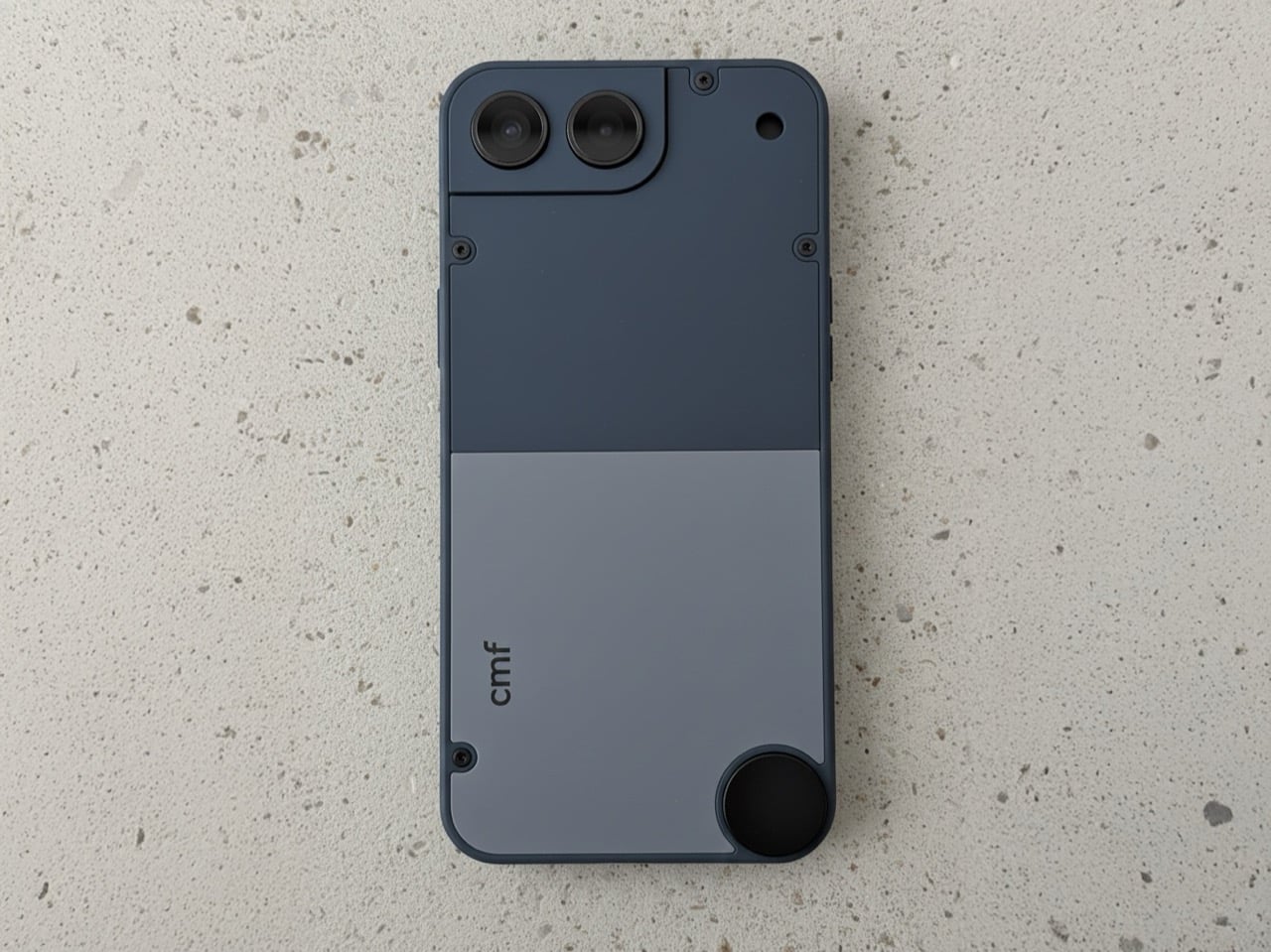
The colorways Ajmeri mocked up are subtle, and a deviation from the flagship phones’ vibrant color schemes. The sage green has a distinct, almost military-grade feel, while the slate blue is more of a classic tech color. But that brown and cream version is the real standout; it feels like something Braun would have designed in 1975, a perfect piece of retro-futurism. The hard split between the two tones gives it a clear visual hierarchy, and the presumed matte texture looks like it would feel fantastic in the hand. That aside, the modularity is still retained, with the screw-in design, and the knob on the bottom for fixing accessories.

This thing would live or die in the sub-$300 space, and that’s exactly where it belongs. You wouldn’t expect a top-tier Snapdragon processor here; a power-efficient MediaTek Dimensity 7000-series chip would be more than enough to drive a 5.4-inch OLED display without destroying the battery. And battery life would be the biggest engineering challenge, as it always is with small devices. But the appeal isn’t raw performance. The appeal is ergonomics, a one-handed user experience, and a design that has more personality than anything five times its price. CMF has already proven it can deliver a thoughtful software experience on a budget, and that’s all a device like this would need.

So, will Nothing ever actually build it? Almost certainly not, and that’s the real shame. The big players are too risk-averse to cater to a niche they’ve already declared dead. But this concept proves the desire for a well-designed, affordable, and genuinely compact phone is very much alive. It’s a perfect fit for a brand like CMF, which has built its identity on challenging the assumption that budget-friendly has to mean boring. The first company to take a chance on a design with this much character and common sense won’t just sell a phone; they’ll create a cult classic.

The post This CMF Phone Mini Concept Is The Compact Android Fans Have Been Begging For first appeared on Yanko Design.
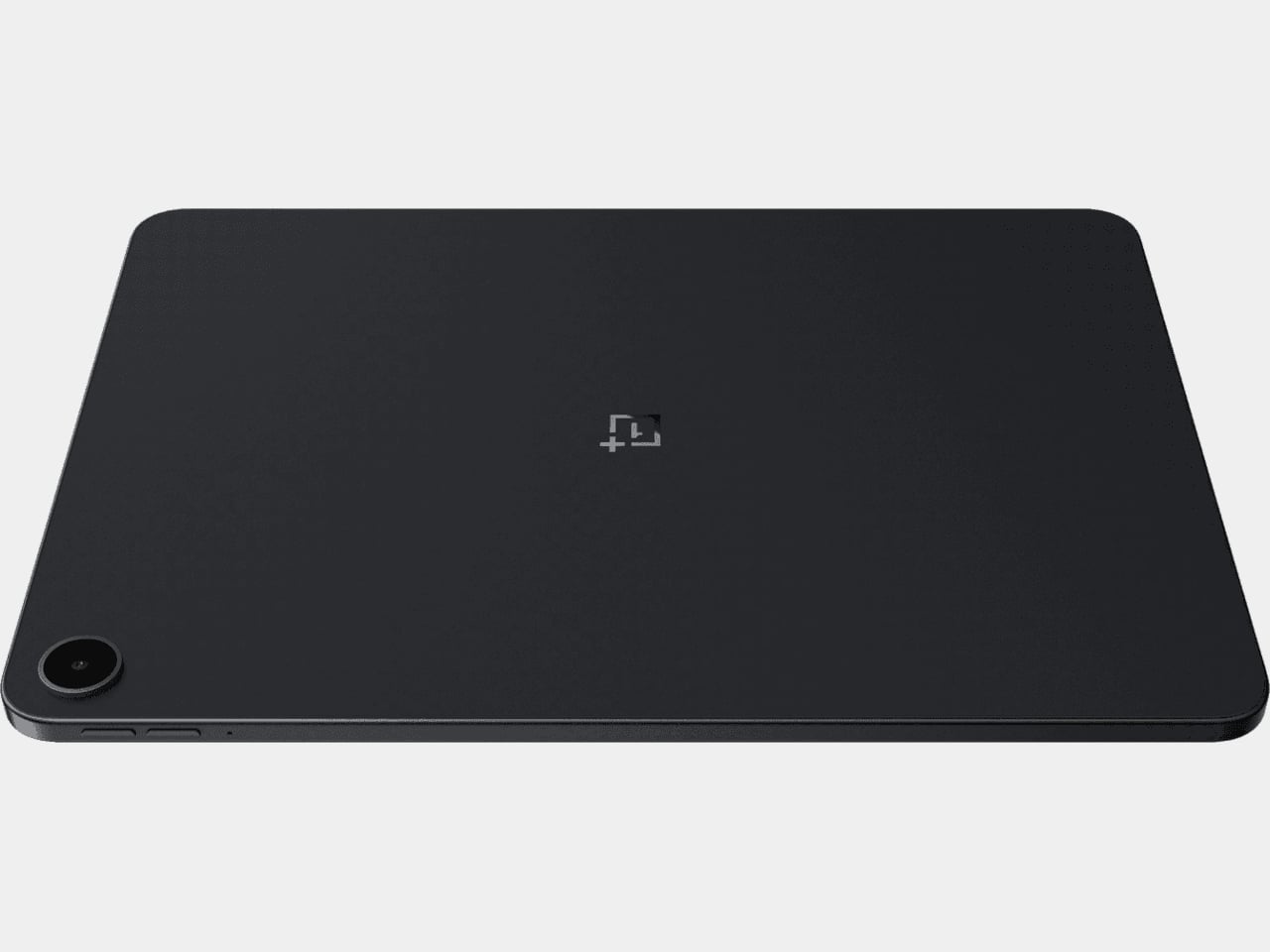
OnePlus Pad Go 2 Battery Lasts From Morning Coffee to Bedtime

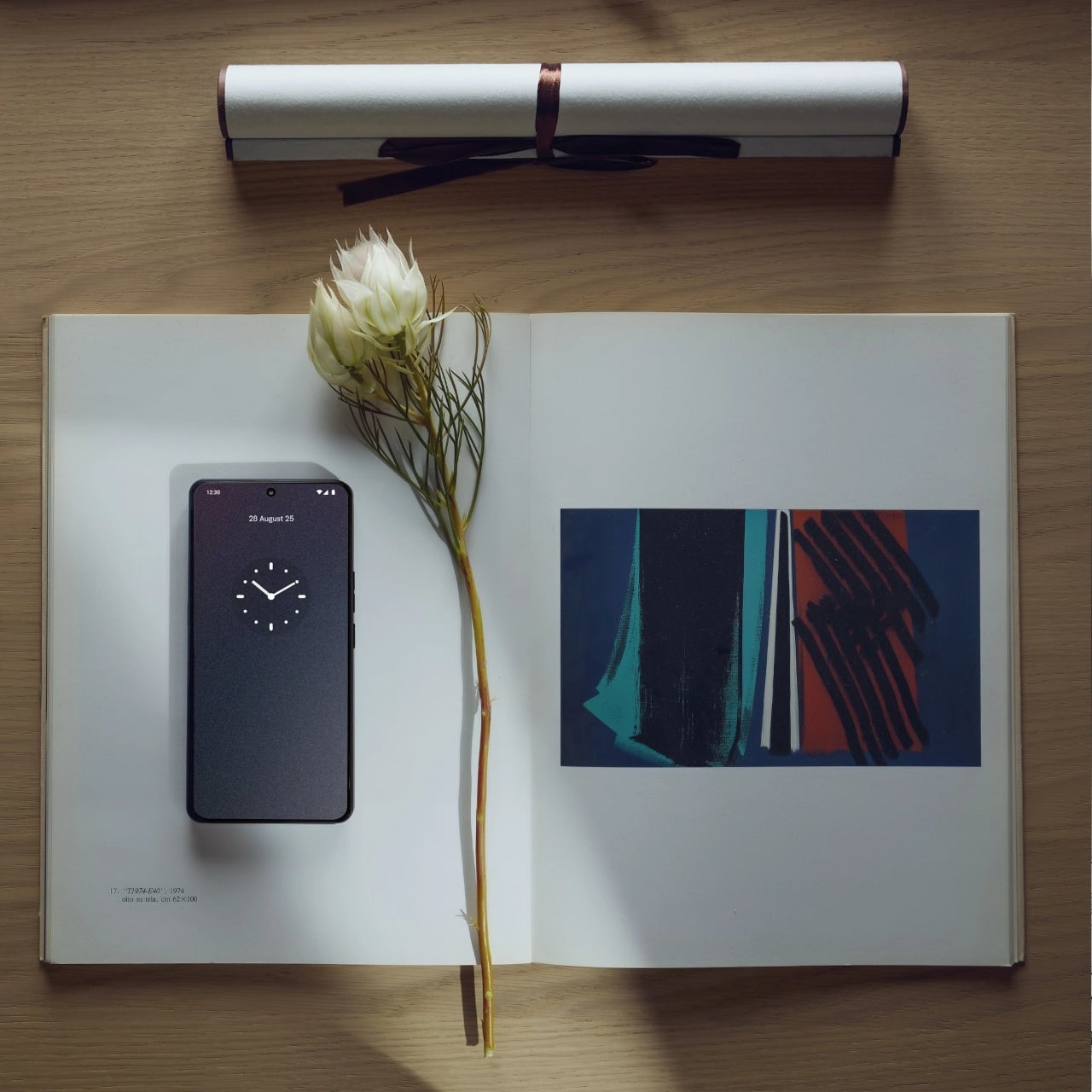
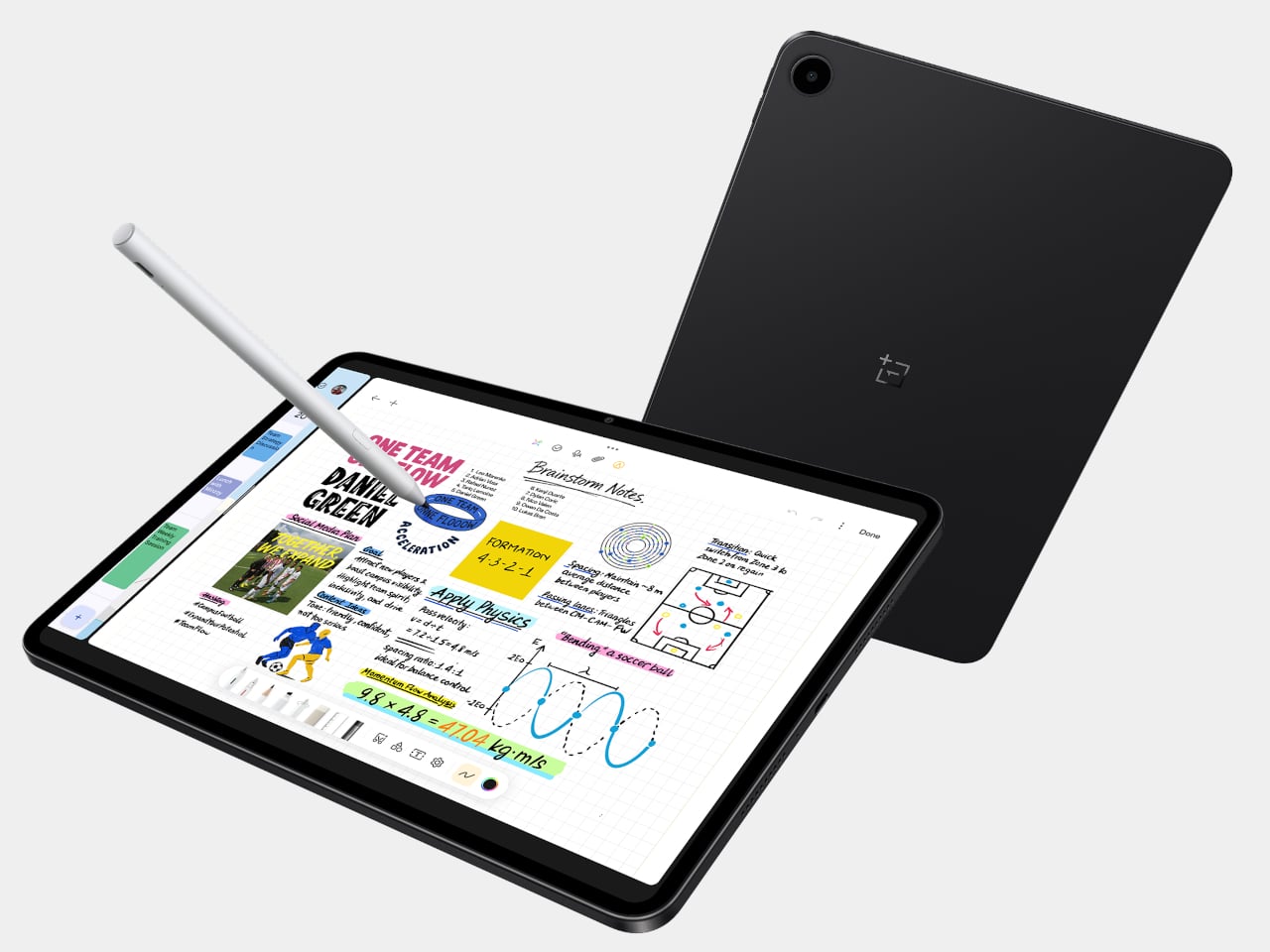
Tablets have settled into a role somewhere between couch companion and light laptop stand-in, mostly used for streaming, reading, browsing, and occasional work. Android tablets have been uneven for years, with some brands throwing hardware at the problem while others barely try. OnePlus has been quietly building a more coherent story, and the Pad Go 2 is its latest attempt to make a large screen feel natural.

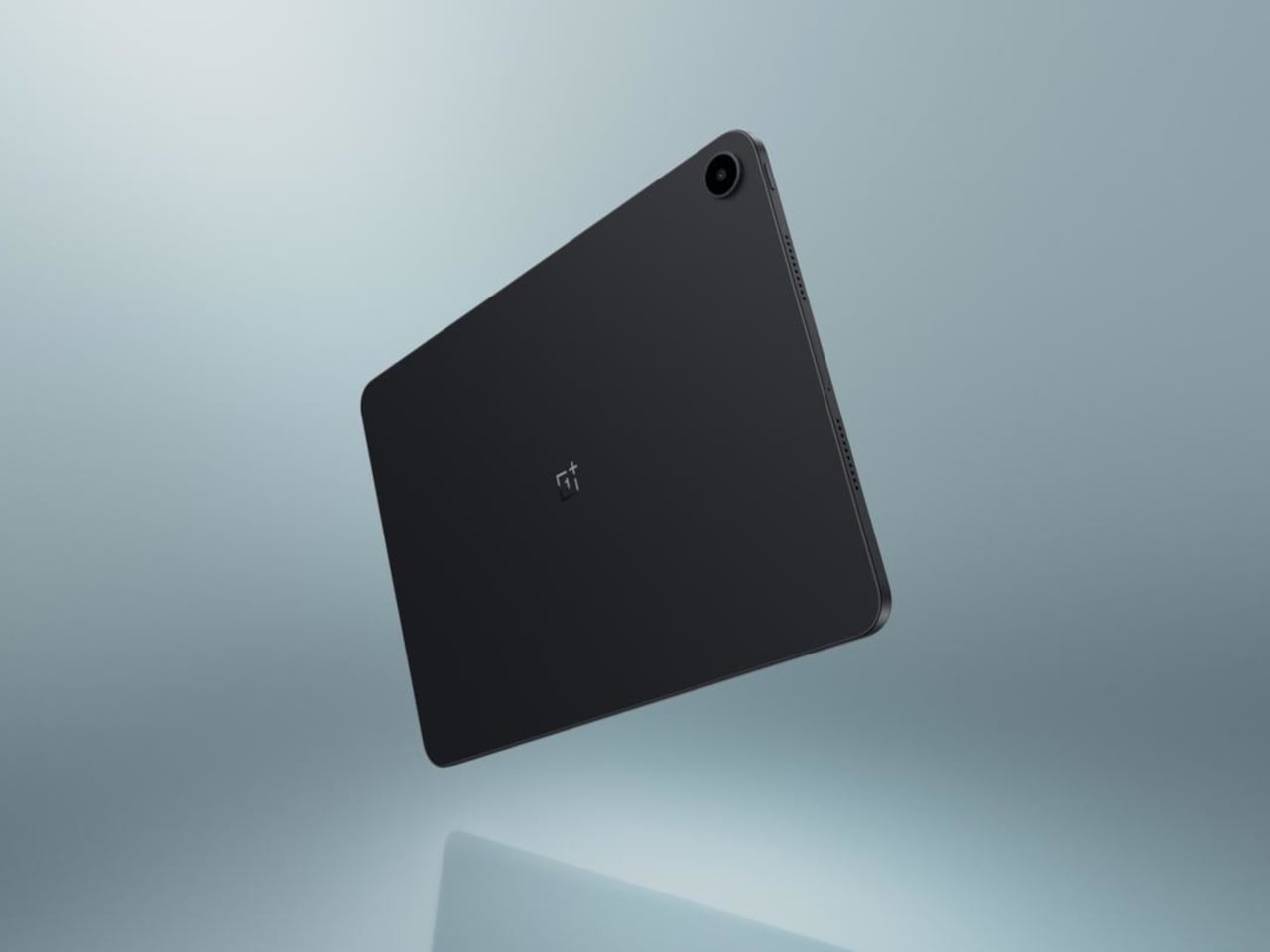
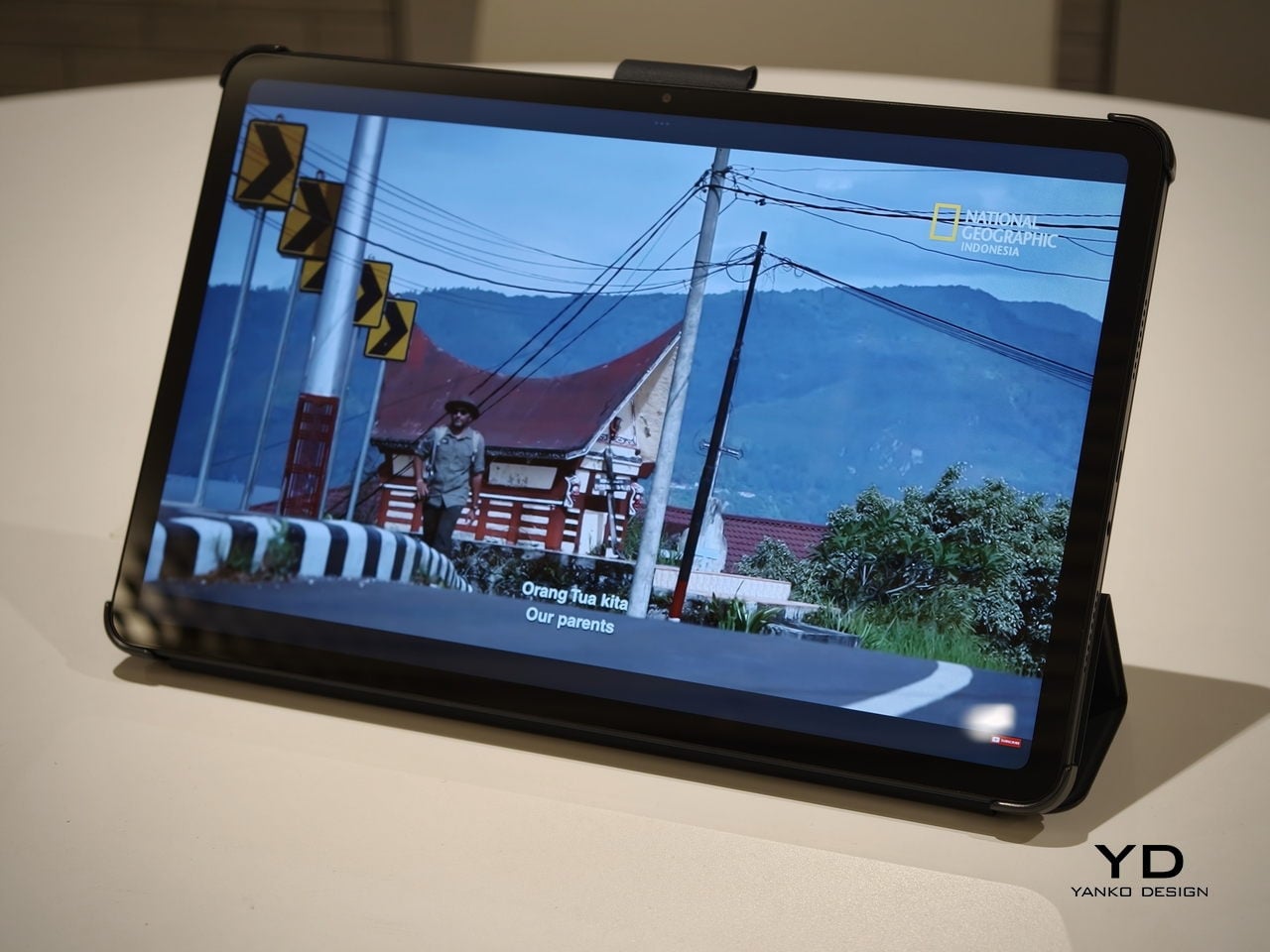
The OnePlus Pad Go 2 is a 12.1-inch Android tablet with a tall 7:5 display, a MediaTek Dimensity 7300-Ultra chip, and OxygenOS 16. It is not trying to be a halo device. Instead, it’s aiming for the sweet spot where a big, sharp screen, smooth performance, and long battery life matter more than headline-grabbing specs or ultra-thin bezels that sacrifice durability and comfort for millimeters.

Designer: OnePlus

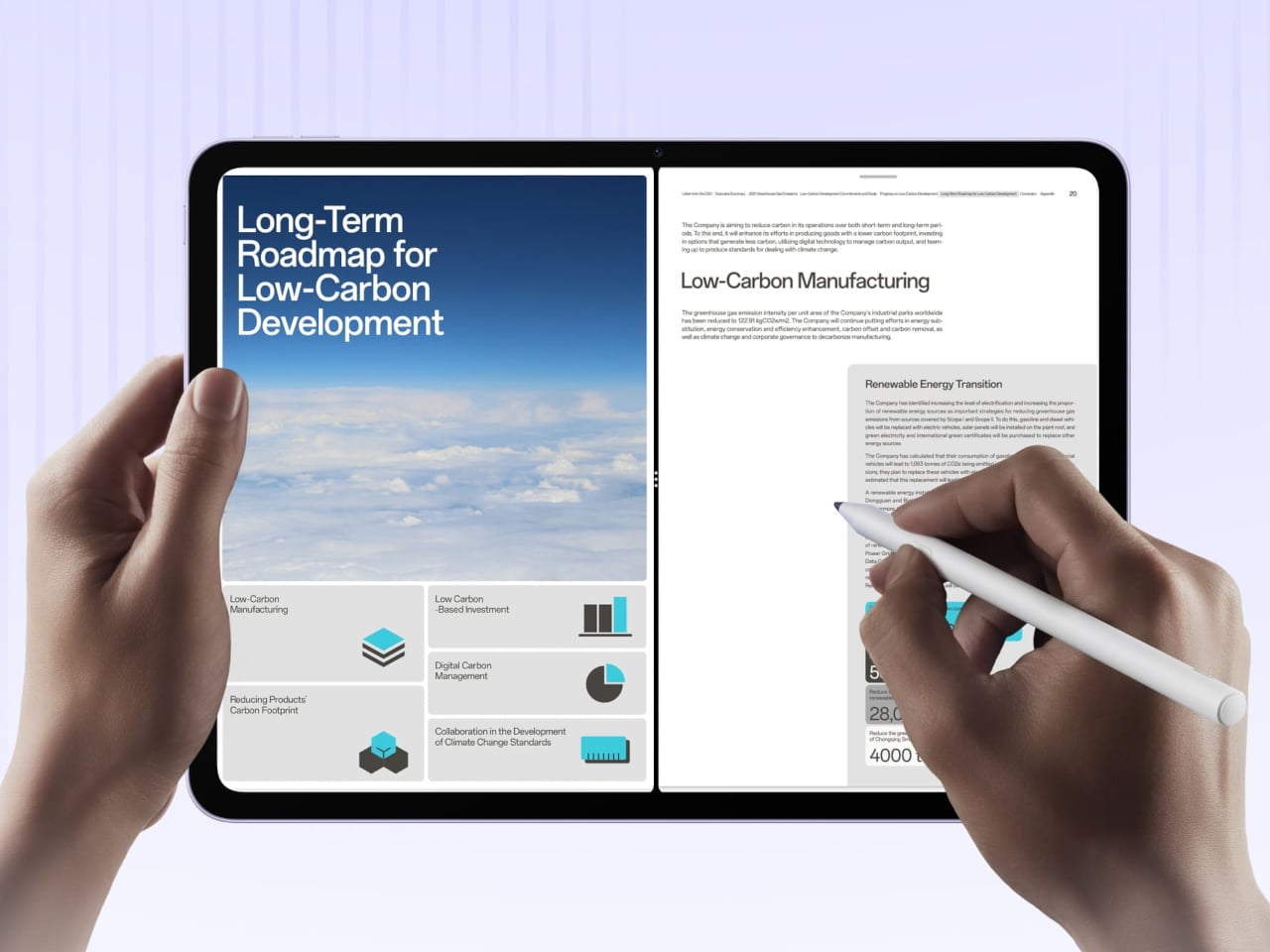
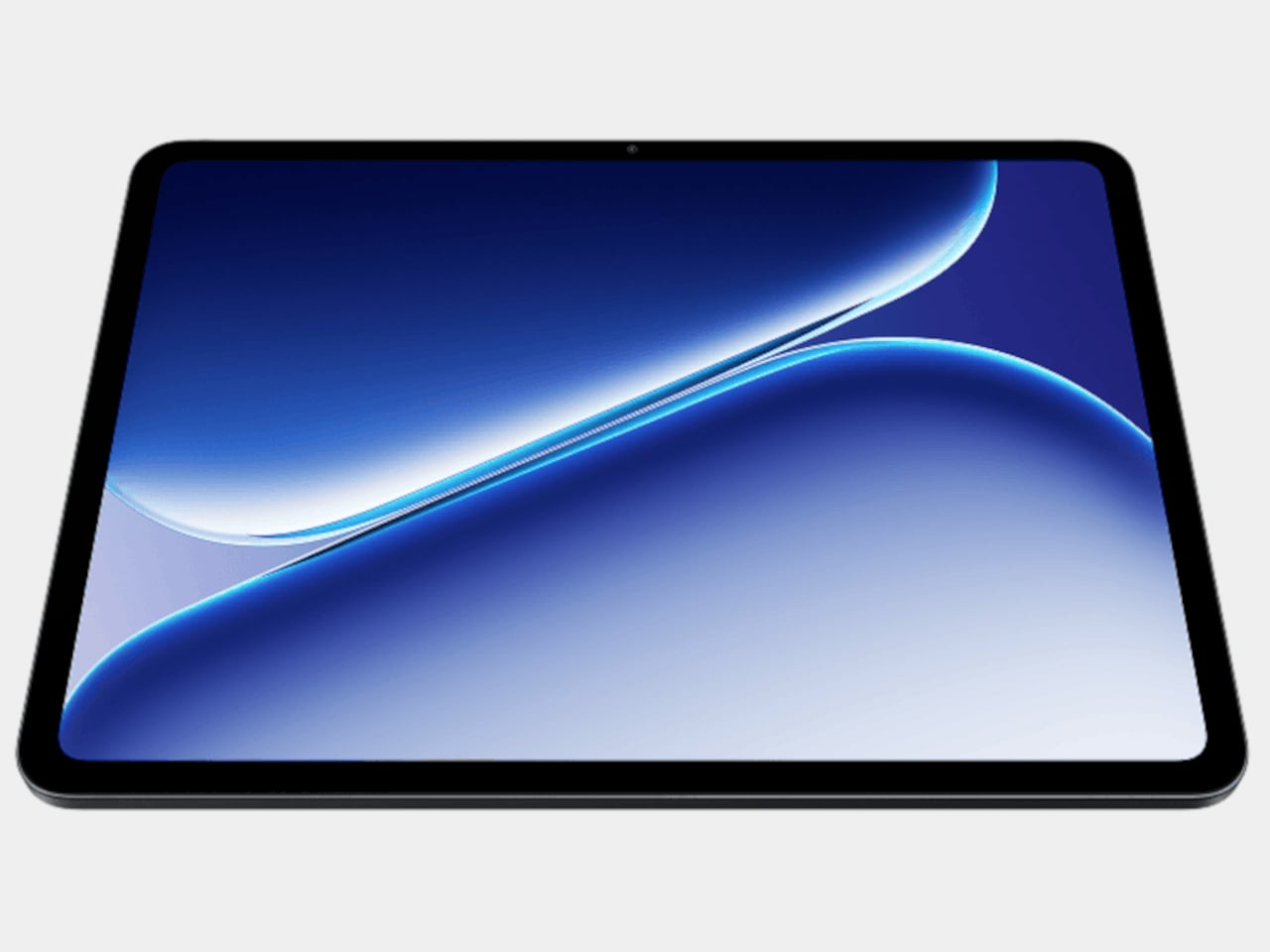
The 12.1-inch LCD runs 2,800 × 1,980 resolution at 120 Hz, with 98 percent DCI-P3 coverage and up to 900 nits in high-brightness mode. The 7:5 aspect ratio gives more vertical space for web pages, documents, and split-screen apps than a 16:10 panel while still feeling natural for video. The extra vertical real estate makes reading and scrolling more comfortable, and the 120 Hz refresh means UI animations feel smooth without jitter.

The Dimensity 7300-Ultra, 8 GB of LPDDR5X RAM, and 128 GB of UFS 3.1 storage make the tablet feel snappy for streaming, browsing, and light gaming. The 4 nm SoC and fast memory mean apps open quickly, multitasking feels smooth, and OxygenOS animations take advantage of the 120 Hz panel without stutter. This is not a flagship chip, but it is over-specced enough for a mid-range tablet that the experience feels polished.

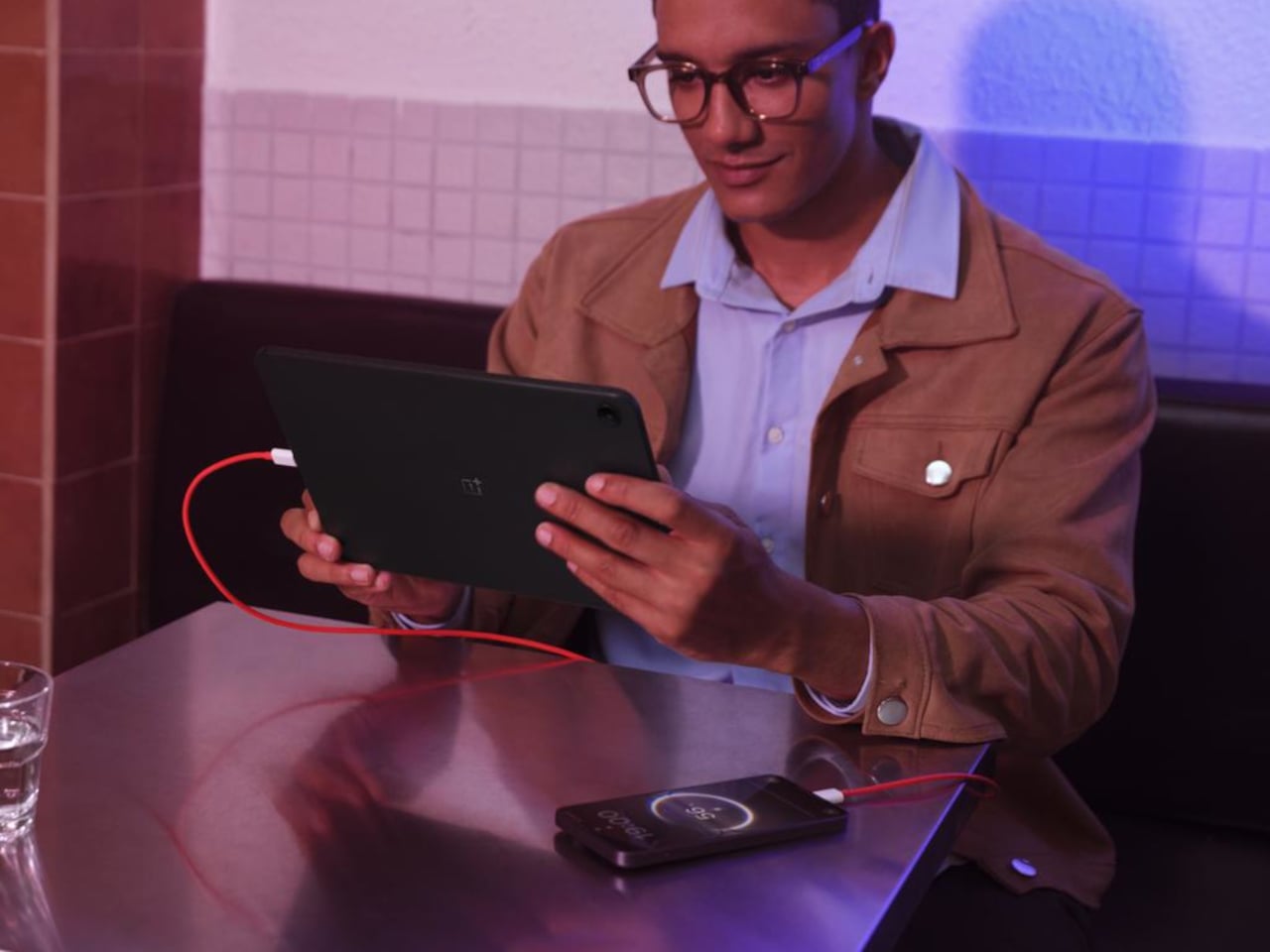
The 10,050 mAh battery handles long streaming sessions, reading, and mixed use without needing a charger nearby. The 33 W SUPERVOOC charging means topping up during a break is useful, rather than the slow trickle many budget tablets deliver. The goal is a tablet you can pick up in the morning and still be using on the couch at night, without babysitting the battery percentage or planning your day around outlets.

The quad-speaker setup, Bluetooth codec support from SBC through aptX HD and LDAC, and Wi-Fi 6 with Bluetooth 5.4 handle the supporting roles. The 8 MP front and rear cameras are there for video calls and quick scans rather than photography, and face unlock handles biometric login without a fingerprint reader cluttering the frame or adding cost to the bill of materials.

OxygenOS 16 is more than a phone skin stretched out, with split-screen multitasking, floating windows, and better scaling for the 7:5 display. It plays nicely with OnePlus phones for clipboard sharing, where supported, and the overall feel is closer to a lightweight desktop than a blown-up phone UI when you dock a keyboard or prop it on a stand for a few hours.

The OnePlus Pad Go 2 sits as a large-screen Android option that prioritizes display quality, smoothness, and battery over chasing ultra-high-end features. It makes the most sense for people who want a comfortable reading and streaming device that can also handle some work, and who like the idea of OxygenOS bringing OnePlus phone polish to a bigger canvas without flagship pricing or complexity they do not need for watching shows and scrolling feeds.

The post OnePlus Pad Go 2 Battery Lasts From Morning Coffee to Bedtime first appeared on Yanko Design.
TCL Note A1 Tablet Feels Like E-Ink Paper but Shows Full Color and Video

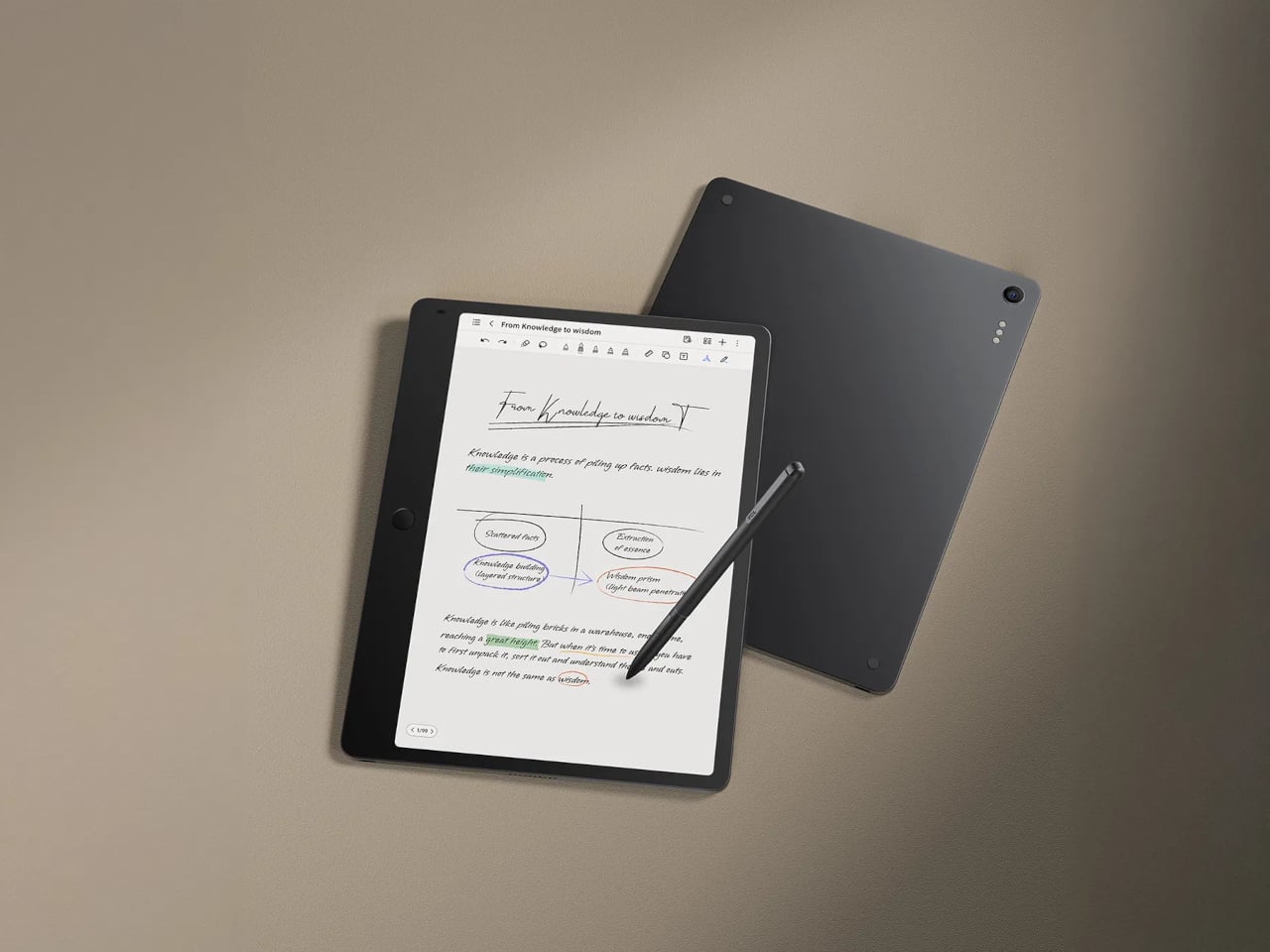
People bounce between paper notebooks, e-ink readers, and glossy tablets, each good at one thing and bad at others. E-ink is gentle but slow and monochrome, LCD is fast and colourful but tiring for long reading, and paper is great until you need to search or backup. TCL Note A1 NXTPAPER is an attempt to merge those worlds into a single, paper-leaning tablet that does not make you choose between comfort and capability.

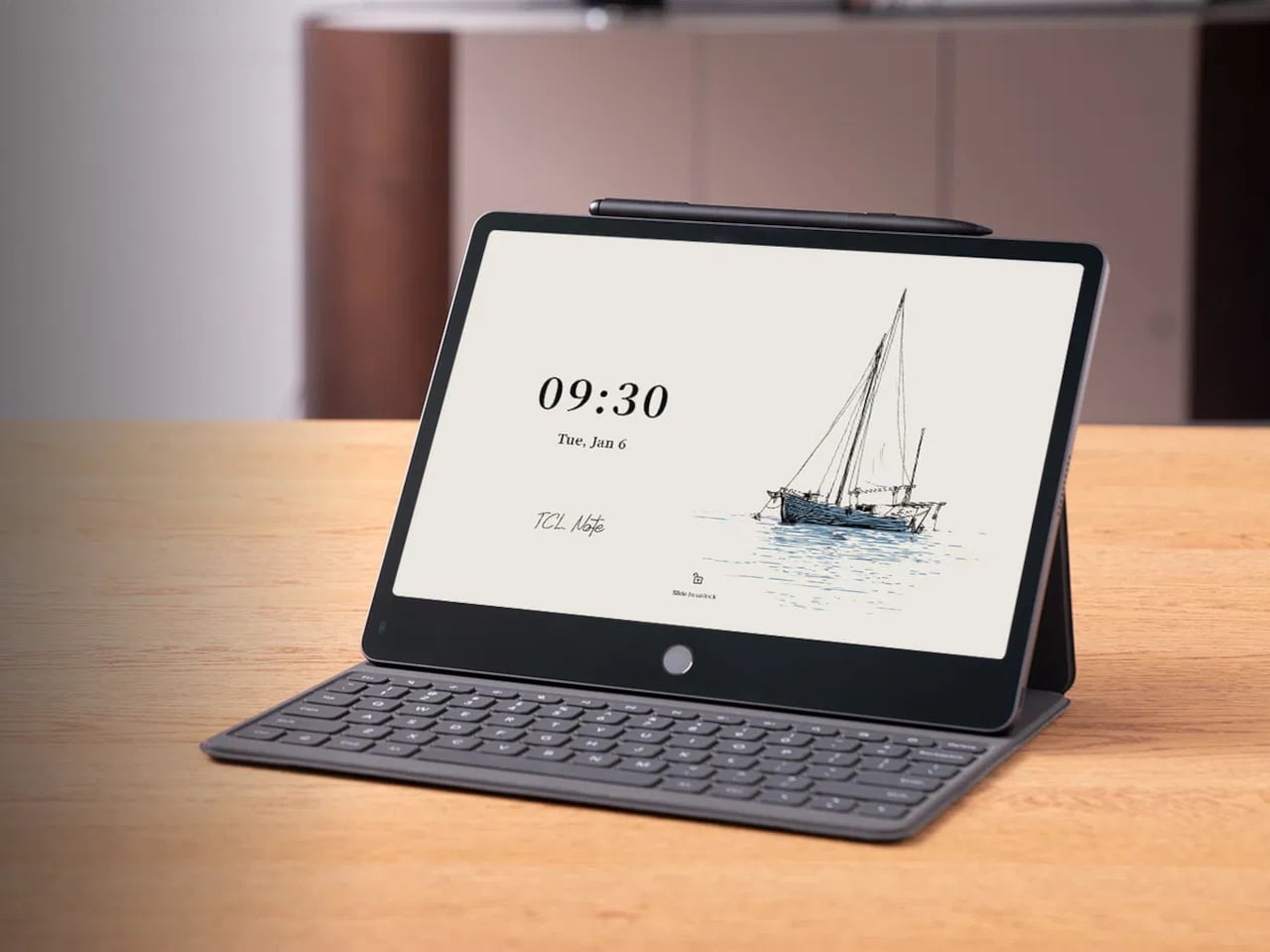
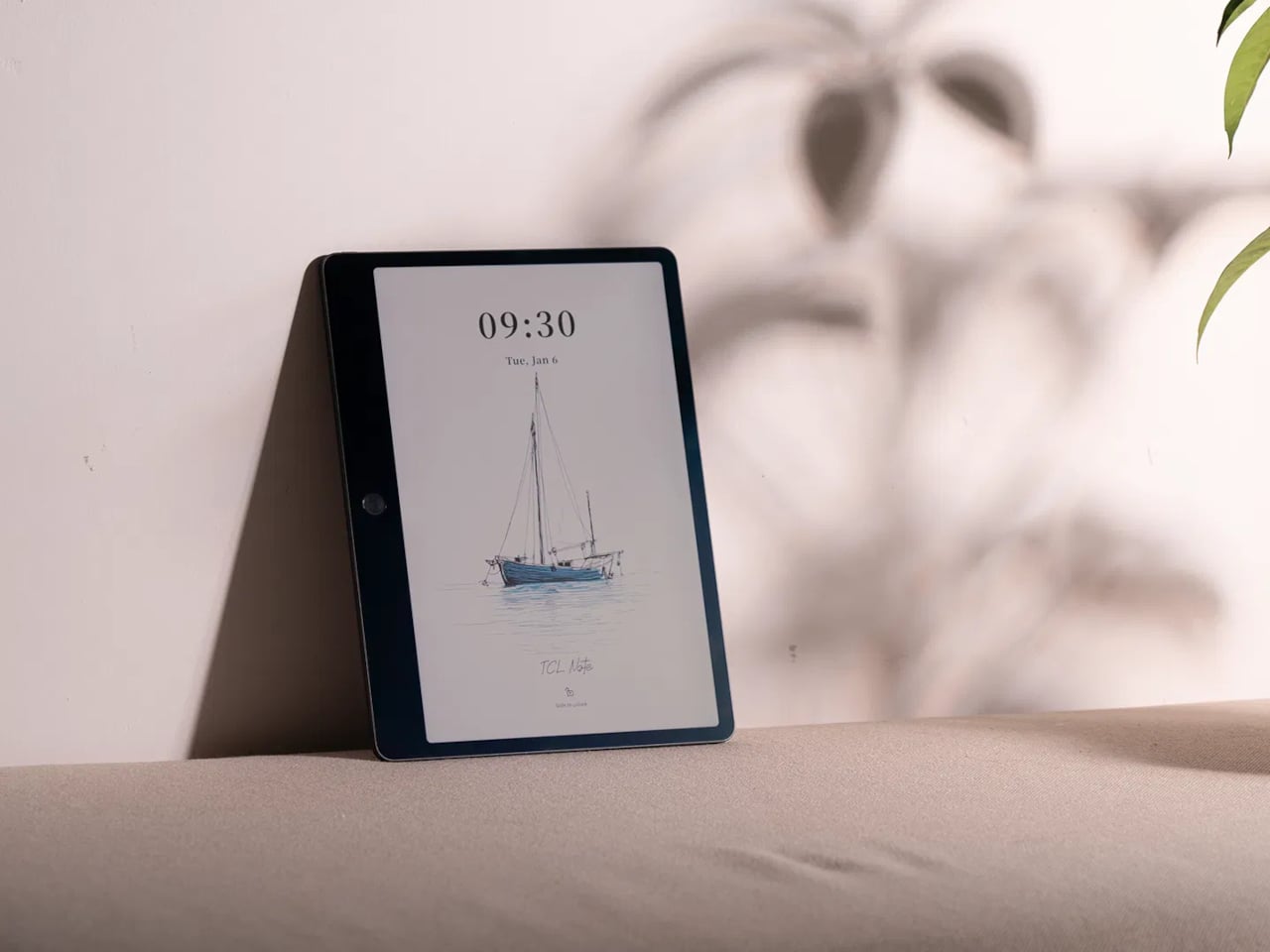
TCL Note A1 NXTPAPER is an 11.5-inch eNote tablet that blends a full-colour LCD with a paper-like surface. The 3A Crystal Shield Glass brings anti-glare, anti-reflection, and anti-fingerprint coatings, plus TÜV Rheinland certifications for eye comfort, flicker-free operation, and low reflection. The idea is a screen you can stare at for hours of reading and writing without feeling like you are looking into a lightbox, which is exactly what most tablets become after the first hour.

Designer: TCL

The tablet is built around handwriting, with a stylus that has dual tips, an eraser, and haptic feedback from an X-axis linear motor. Each stroke is meant to feel smooth and controlled, closer to pen on paper than plastic on glass. TCL’s pitch is that every note and sketch feels natural and expressive, making it a place where you actually want to write instead of just tapping keys or hunting for the right toolbar icon.

Note A1 has an octa-microphone array and tools for audio-to-text transcription, real-time translation, and AI summaries. In meetings or lectures, it can record, transcribe, and condense discussions so you can focus on listening instead of frantic note-taking. Writing helpers handle rewriting, grammar, translation, and summarising drafts, turning the tablet into a quiet collaborator rather than a blank page waiting for you to figure everything out alone.

The infinite canvas feature lets you zoom, expand, and sketch without hitting page edges, and the split-screen mode lets you read on one side while taking notes on the other. That combination makes it easier to absorb and organise information at the same time, whether you are annotating a PDF, outlining a report, or sketching over reference images without juggling windows or losing your place.

Note A1 supports syncing via Wi-Fi and cloud services like Dropbox, Google Drive, and OneDrive, plus wireless screen casting for presentations. The aluminium body is 5.5 mm thick and around 500 g, which keeps it light enough to carry all day. It feels more like a slim notebook than a chunky laptop, but with enough solidity to survive bags and desks without worrying about scratches or dents.

Note A1 NXTPAPER is aimed at people who read and write a lot, sit through meetings or lectures, and want a single device that feels kind to their eyes and helpful with their words. A paper-leaning, AI-assisted slate that treats focus and handwriting as first-class citizens offers a different path from the usual entertainment tablet, especially when long-form thinking matters more than another hour of streaming.

The post TCL Note A1 Tablet Feels Like E-Ink Paper but Shows Full Color and Video first appeared on Yanko Design.
Poco Pad X1 & Poco Pad M1 Review: Budget Tablets That Challenge the iPad

PROS:


  • Strong display for the money

  • Complete accessory ecosystem

  • Big batteries

CONS:


  • Neither tablet is light enough for comfortable one-handed use

  • Fully kitted-out X1 with Floating Keyboard and Focus Pen gets expensive fast

RATINGS:

AESTHETICS
ERGONOMICS
PERFORMANCE
SUSTAINABILITY / REPAIRABILITY
VALUE FOR MONEY

EDITOR'S QUOTE:

Poco Pad X1 and M1 are not perfect, but together they deliver more screen, battery, and versatility than almost any other budget tablet pair right now.

Poco built its name on phones that punch above their price, and now it wants to do the same on your coffee table. With Poco Pad X1 and Poco Pad M1, the brand is not just throwing out a couple of cheap tablets. It is trying to turn its budget DNA into a fuller ecosystem that covers gaming, work, and everyday media.

You can feel that ambition in how these two models are drawn. The Poco Pad X1 is a slightly more compact, high refresh performance slate, tuned for games and quick multitasking on an 11.2-inch 3.2K display. The Poco Pad M1 steps up to a 12.1-inch 2.5K panel and the largest battery Poco has ever shipped in a global device, aiming to be the big screen that carries you through movies, sketching sessions, and long days away from a charger.

Designer: Poco

If you have been eyeing an affordable Android tablet for gaming, streaming, or light work, should you reach for the sharper, faster Poco Pad X1, or the larger, more relaxed Poco Pad M1? In this review, we will live with both, compare their strengths, and help you decide which one actually fits your desk, your bag, and your budget.

Aesthetics

Poco Pad X1

Poco is not trying to reinvent tablet hardware with Poco Pad X1 or Poco Pad M1. Both follow a familiar rectangle with rounded corners, flat sides, and a camera module that sits quietly in one corner. On Poco Pad X1, the focus is clearly on framing its 11.2-inch display as efficiently as possible. Poco Pad M1 takes the same basic formula and scales it up with a 12.1-inch panel.

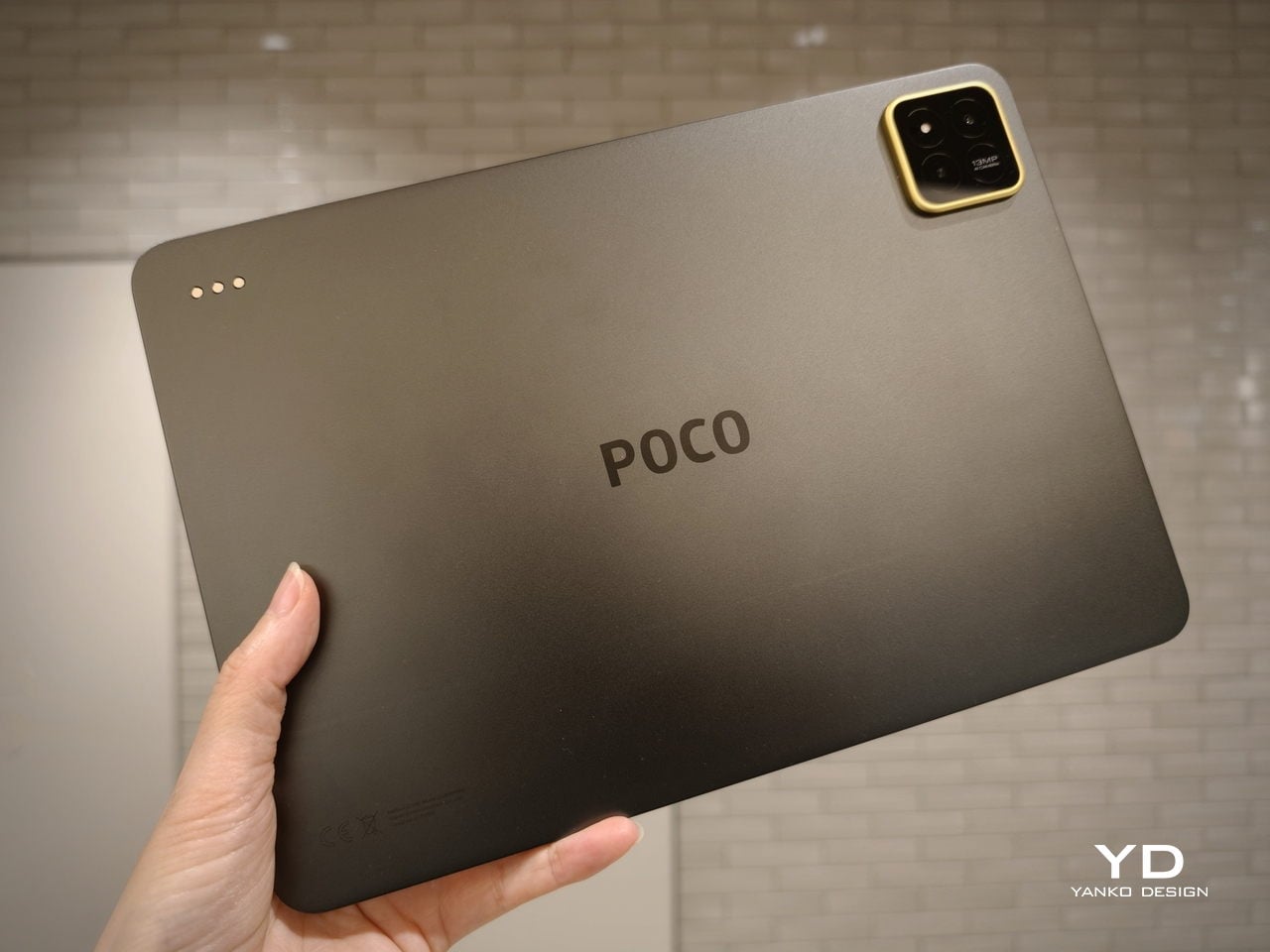
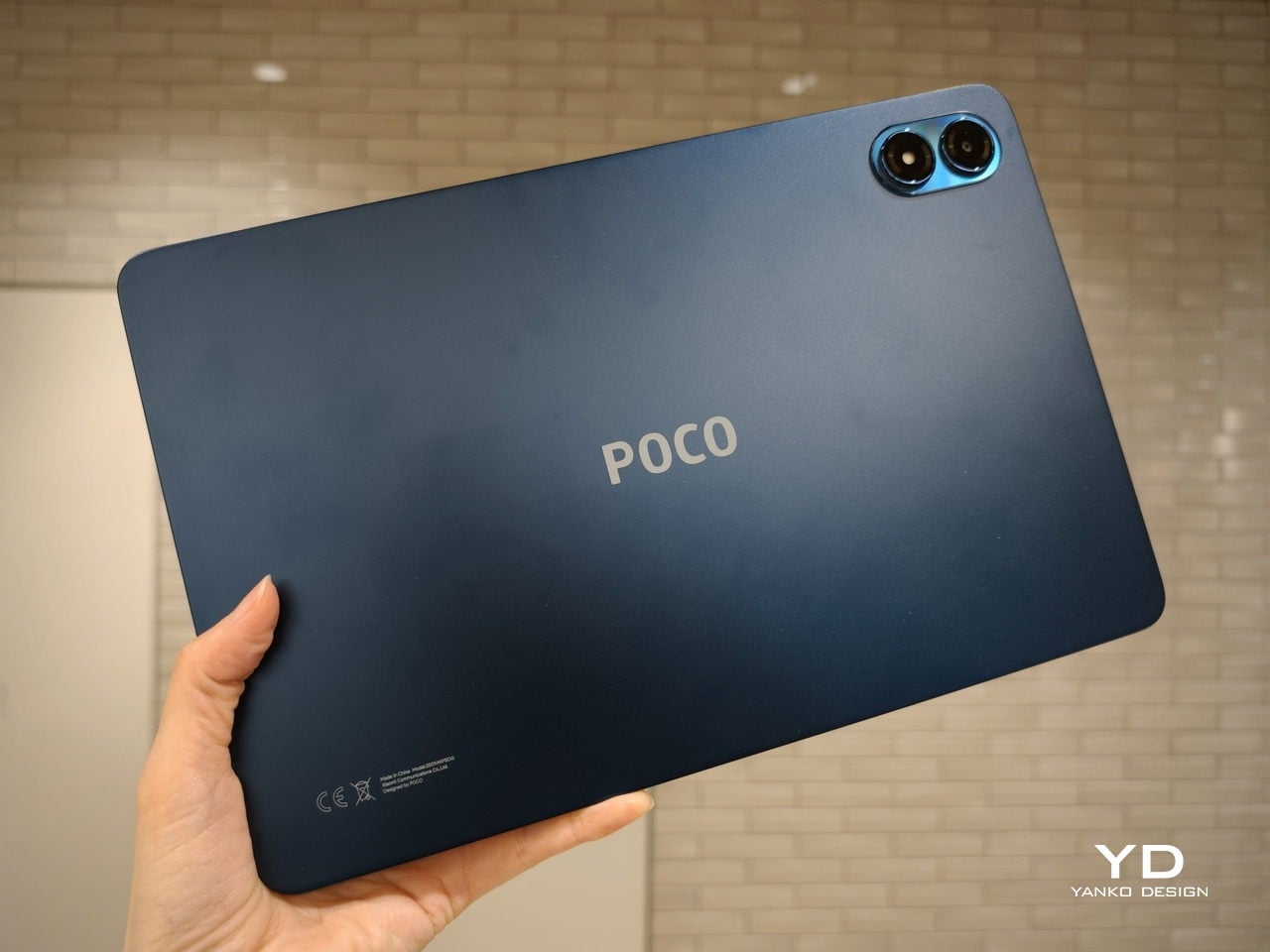
Color choices on the Pad X1 and the Pad M1 are simple. They both come in Grey and Blue. Grey leans more gunmetal and understated with a contrasting yellow accent around the camera module, while Blue reads a little more casual and friendly, but neither option is loud or experimental. Both tablets use a metal unibody design for the main shell, with separate parts for the camera island and buttons, and a big Poco logo stamped in the center for instant brand recognition. The Poco Pad X1 uses a square camera island, while the Poco Pad M1 switches to a softer oval, which gives each model a slightly different signature when you flip them over.

Poco Pad M1

Taken together, the two tablets look exactly like what they are meant to be. They are straightforward, modern Android slabs that fade into the background and let their screens and specs do the talking. For budget-friendly hardware, that quiet, functional design approach feels like the right call.

Ergonomics

In the hand, the main ergonomic difference between Poco Pad X1 and Poco Pad M1 is simply size and weight, but neither is a true one-handed tablet for long stretches. The Poco Pad X1, with its 11.2-inch footprint and 500 g weight, is the more compact of the two. It is easier to manage on a sofa or in bed than the larger Poco Pad M1, but you will still want a second hand or some support if you are holding it for a long time. Even though the Poco Pad X1 is relatively slim and light for an aluminum unibody tablet with an 8,850 mAh battery, with dimensions of 251.22 x 173.42 x 6.18 mm, it does not quietly disappear in one hand the way a smaller 8 or 9-inch device might.

Poco Pad M1

Poco Pad M1 stretches that template out to a 12.1-inch diagonal with dimensions of 279.8 x 181.65 x 7.5 mm and a weight of about 610 g, which puts it clearly into big tablet territory. It is still slim, but the larger footprint makes it even less suited to long one-handed use, especially if you are moving around. Instead, it feels more like a tablet you rest on a table, prop up with a cover, or pair with its official keyboard, where the extra screen real estate really pays off for split-screen apps, video, and drawing.

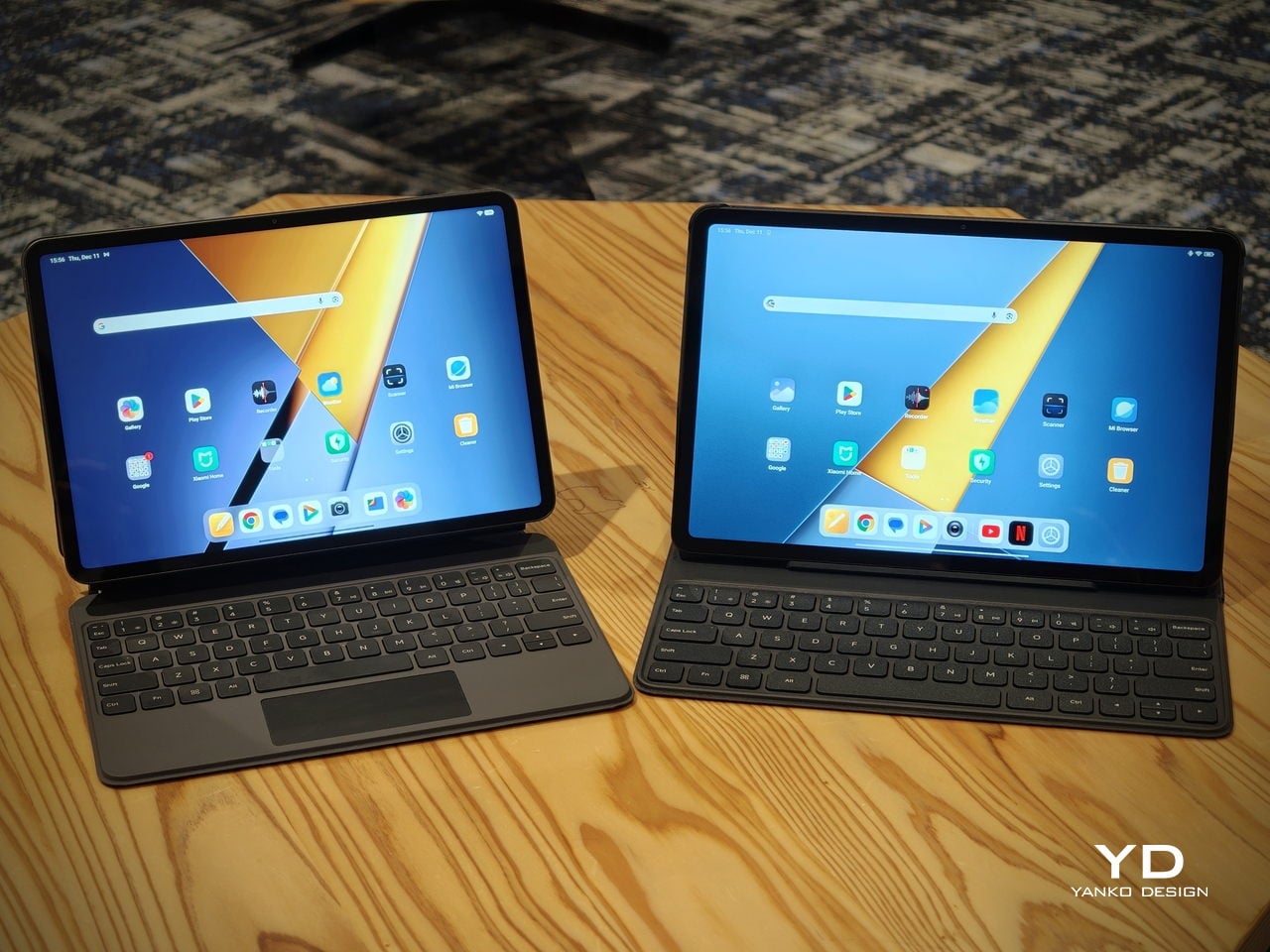
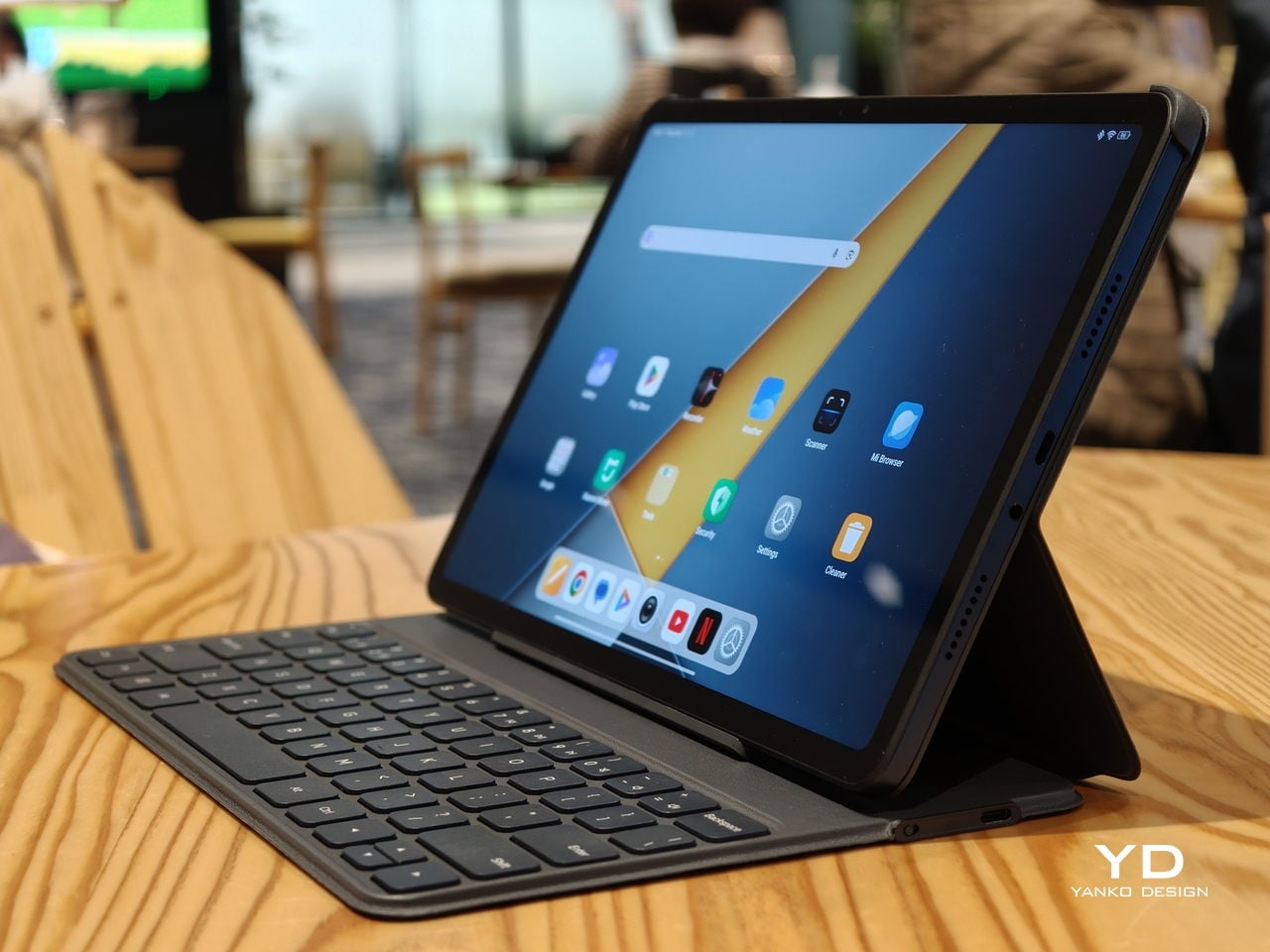
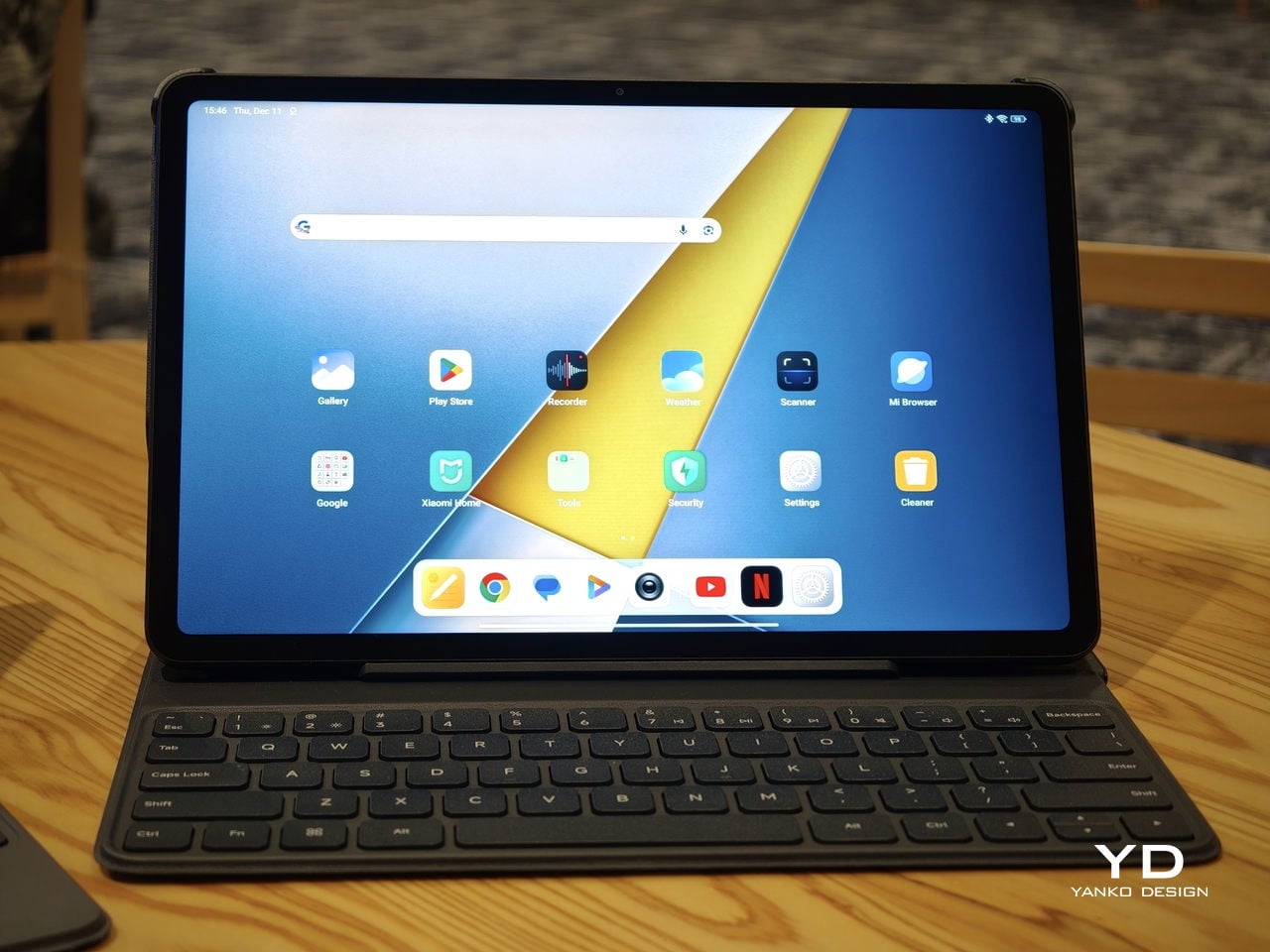
The accessory ecosystem around the Pad X1 and the Pad M1 makes them versatile, but in slightly different ways. Poco Pad M1 is compatible with the optional Poco Pad M1 Keyboard, Poco Smart Pen, and Poco Pad M1 Cover, a trio that turns it into a very capable small-screen workstation. The cover folds into a stand and adds a built-in holder for the pen, which makes it easy to move between bag, desk, and sofa without worrying about where the stylus went. The keyboard is lightweight and easy to carry, but the keys feel a bit plasticky in use, which slightly undercuts the otherwise solid metal body of the tablet.

Poco Pad X1

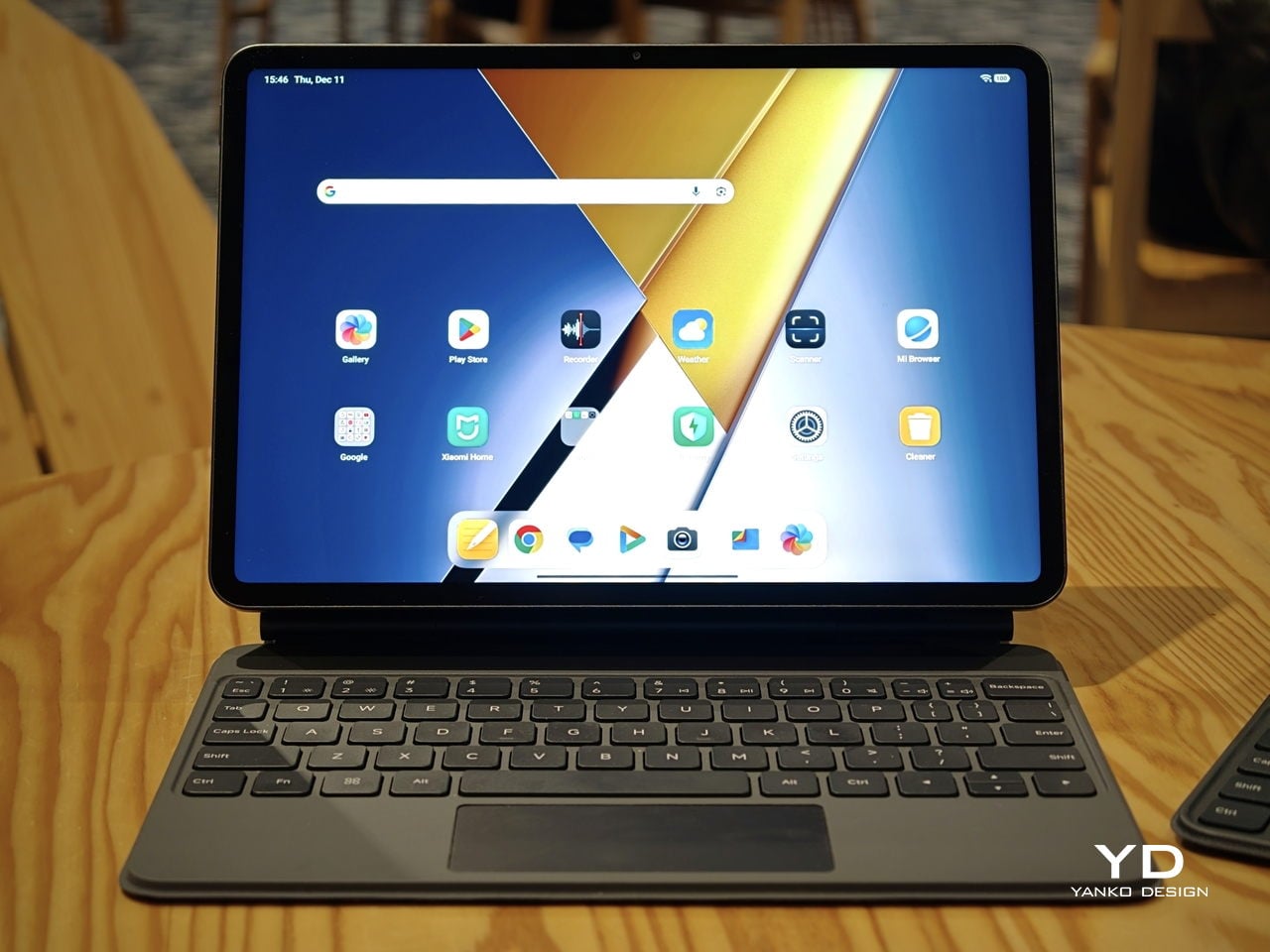
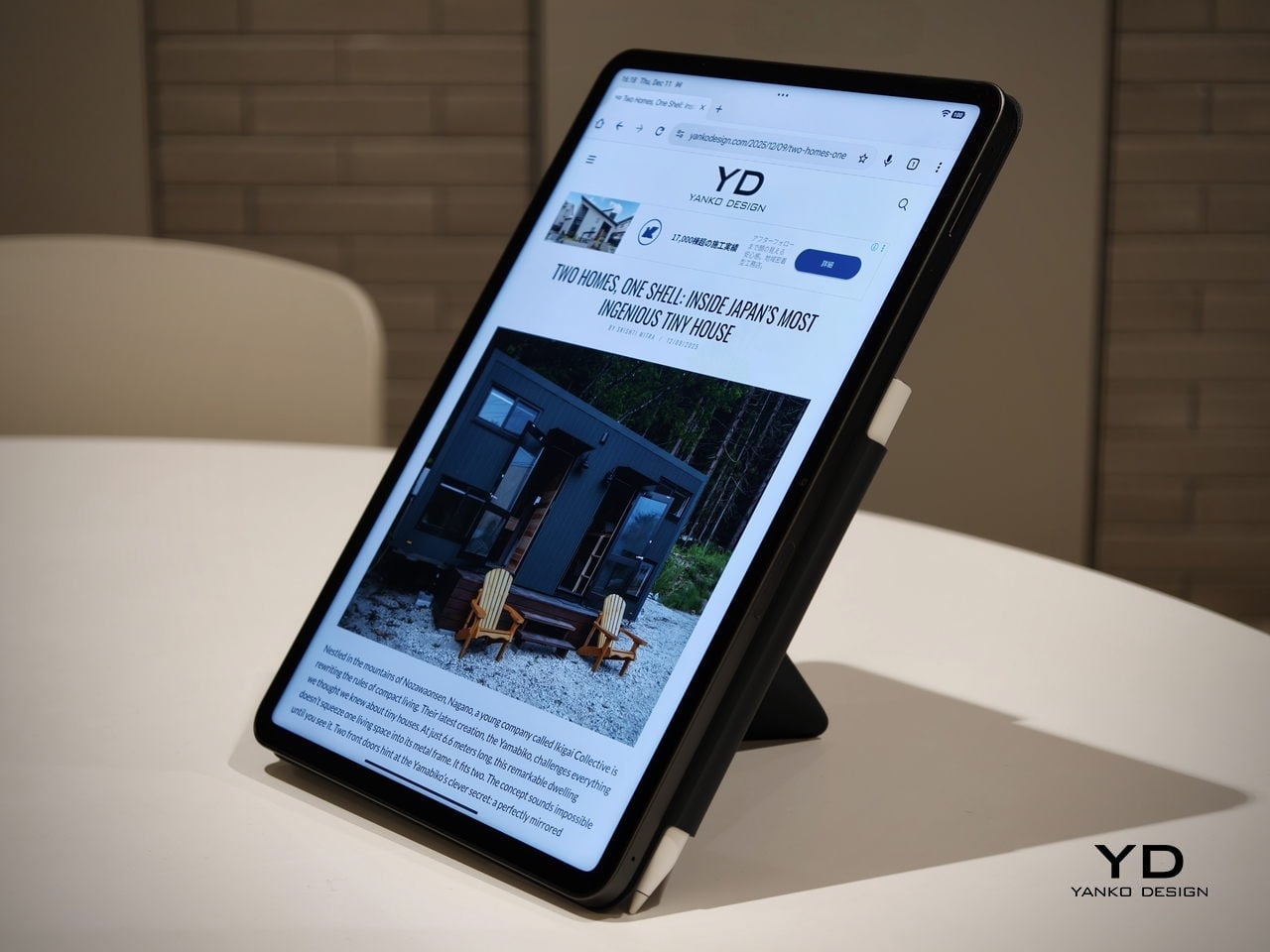
Poco Pad X1 has its own dedicated set of accessories. It supports the Poco Pad X1 Floating Keyboard, the Poco Pad X1 Keyboard, the Poco Focus Pen, and the Poco Pad X1 Cover, which together give it a surprisingly flexible setup for both work and play. The cover folds like origami and doubles as a stand, letting you enjoy the tablet vertically or horizontally, and for horizontal use, you can choose between two different viewing heights.

The Floating Keyboard is the standout here. It adds some weight and only offers a modest tilt range, but the key feel is excellent for this class, and the trackpad is responsive and accurate enough that you quickly forget you are on a tablet accessory. Clipped together, the Poco Pad X1 and the Floating Keyboard behave much more like a compact laptop than a budget slate with an afterthought keyboard, which makes it far easier to treat this smaller tablet as a real writing and work machine when you need it.
 

Performance

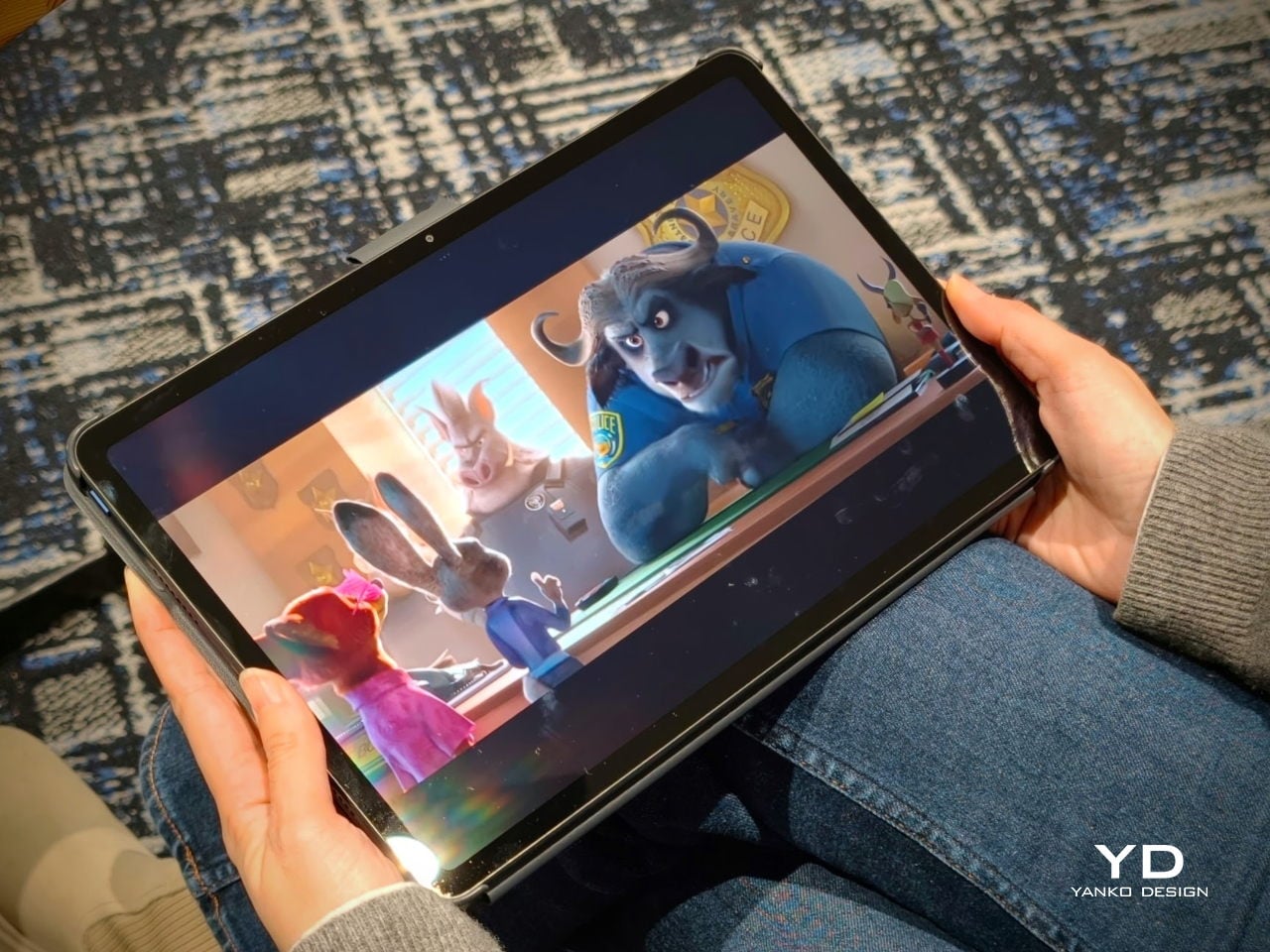
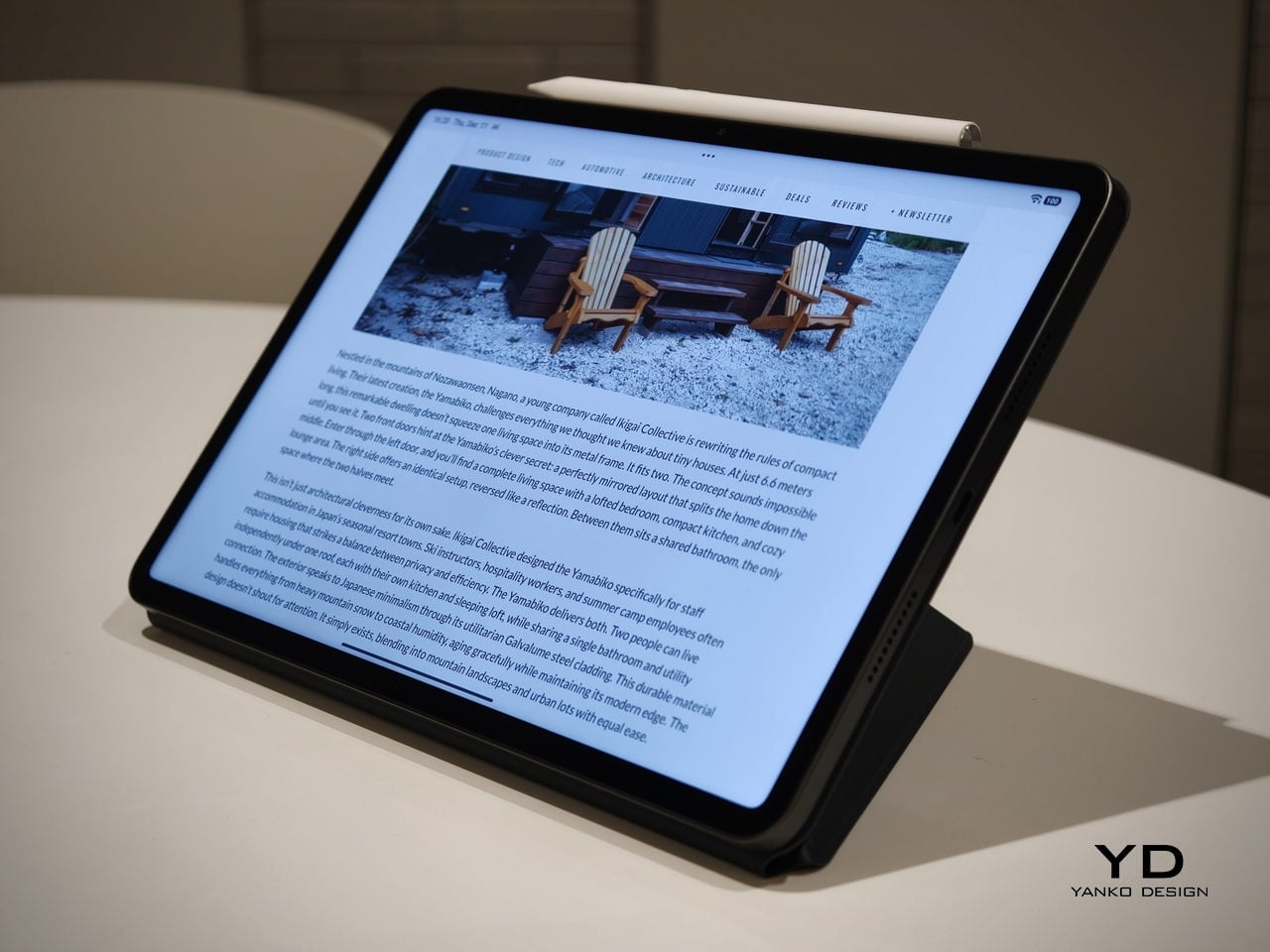
Living with Poco Pad X1 and Poco Pad M1 quickly shows how differently they lean, even though they share a lot of DNA. The Poco Pad X1 is the sharper and faster option, with an 11.2-inch 3.2K display at 3,200 x 2,136 px, around 345 ppi, and refresh up to 144 Hz in supported apps. It can hit about 800 nits peak brightness, supports Dolby Vision and HDR10, and uses a 3:2 aspect ratio that feels very natural for reading, web browsing, and document work, helped by TÜV eye care, DC dimming, and adaptive colors to keep things comfortable.

Poco Pad M1

The Poco Pad M1, on the other hand, trades a bit of sharpness and speed for sheer size and flexibility. Its 12.1-inch 2.5K panel runs at 2,560 x 1,600px with around 249 ppi and up to 120 Hz refresh, plus 500 nits typical and 600 nits in high brightness mode. You still get Dolby Vision, DC dimming, and TÜV certifications for low blue light, flicker-free behavior, and circadian friendliness, along with wet touch support that keeps it usable with damp fingers.

Poco Pad X1

Both tablets use quad speakers with Dolby Atmos and Hi-Res support, so you get surprisingly full sound from either. Crucially, the Poco Pad M1 also adds a 3.5 mm headphone jack and a microSD slot for up to 2 TB of expandable storage, which makes it a much easier media hoarder and a better fit for wired headphones and speakers. The X1 relies on its internal storage and wireless audio instead, which suits its more performance-driven, travel-friendly role.

Poco Pad X1

Poco Pad M1

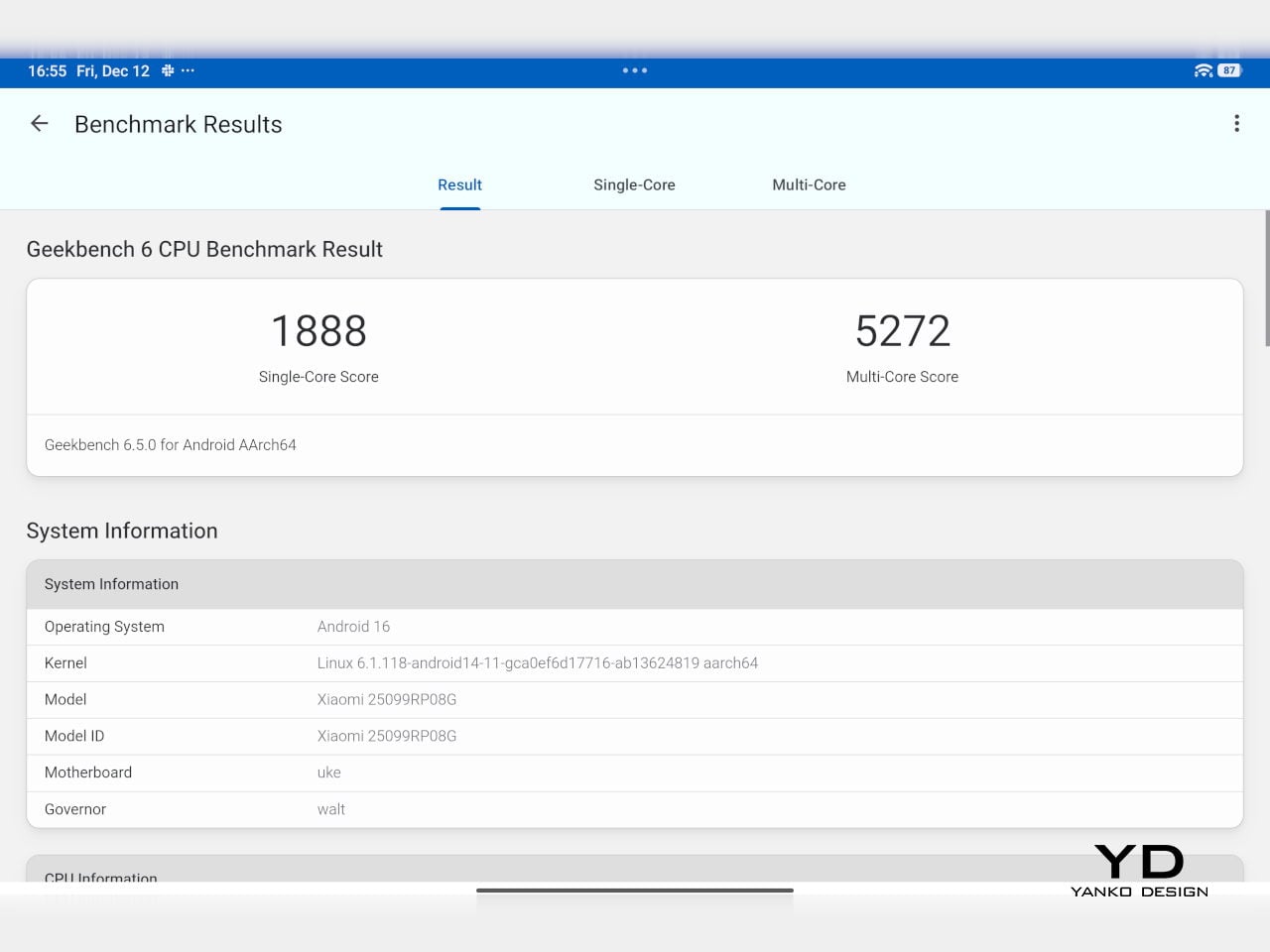
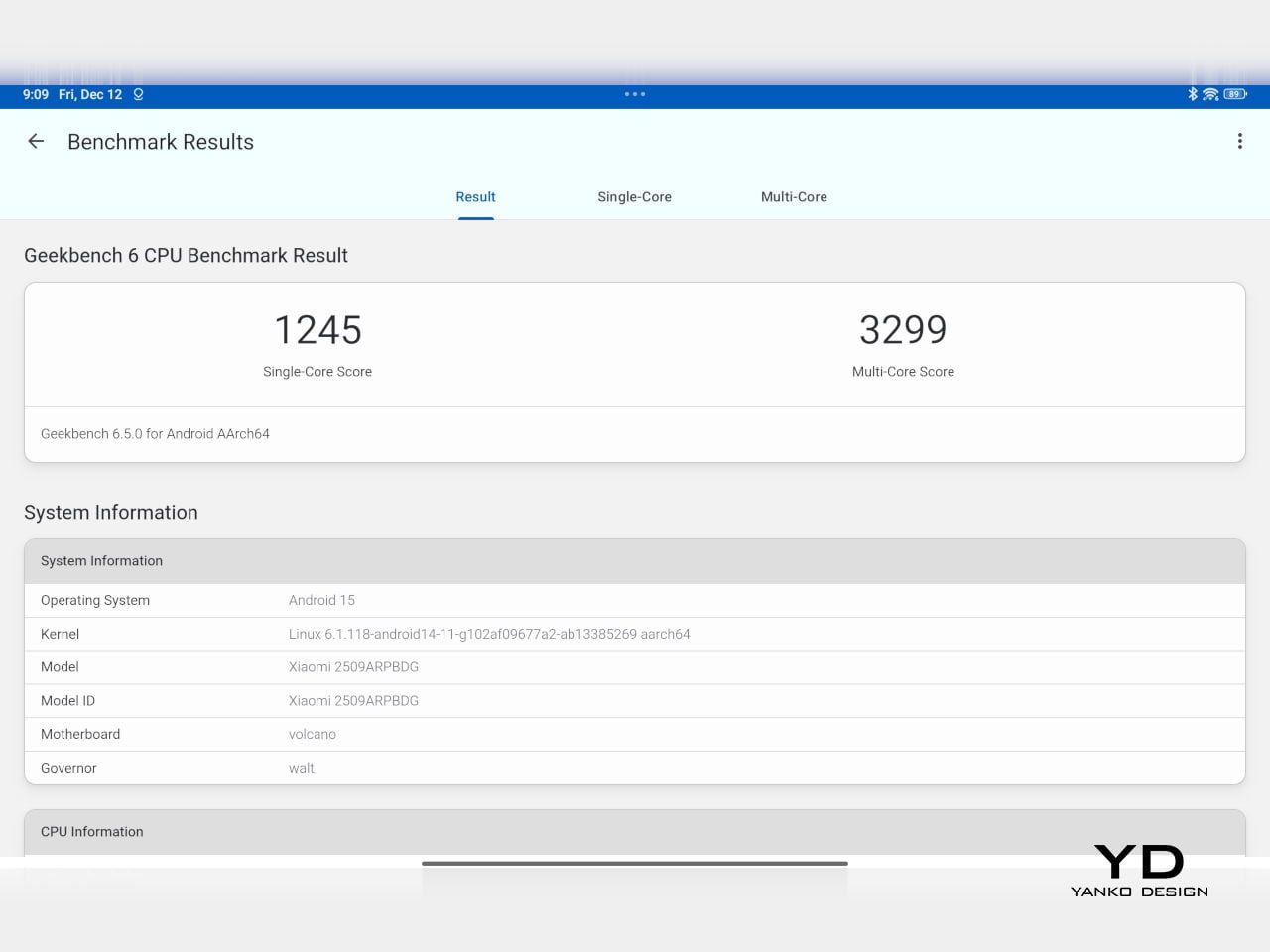
Performance and gaming clearly favor the Poco Pad X1. It uses the Snapdragon 7+ Gen 3 with 8 GB of RAM and up to 512 GB of storage, and combined with the 144 Hz panel, it feels like a handheld console that also happens to be good at multitasking and productivity. The Poco Pad M1 steps down to the Snapdragon 7s Gen 4 with 8 GB of RAM and 256 GB of storage, which is still more than enough for apps and casual gaming, but clearly tuned more for streaming, browsing, and note-taking than for chasing every last frame. In practice, the Poco Pad X1 is the one you reach for when you care about smooth, high refresh gameplay, while the Pad M1 is the one you leave on the coffee table for everyone to use.

Poco Pad M1

Battery life follows the same logic. The Poco Pad X1 pairs its 8,850 mAh battery with 45 W turbo charging, which Poco says can go from zero to full in about 94 minutes, and my experience matches that claim in day-to-day use. The Poco Pad M1 leans into a 12,000 mAh pack, billed as the largest battery in a global Poco device, with up to 105.36 hours of music playback, around 83 days of standby, 33 W charging, and up to 27 W wired reverse charging so it can top up your other devices.

Poco Pad M1

Poco Pad X1

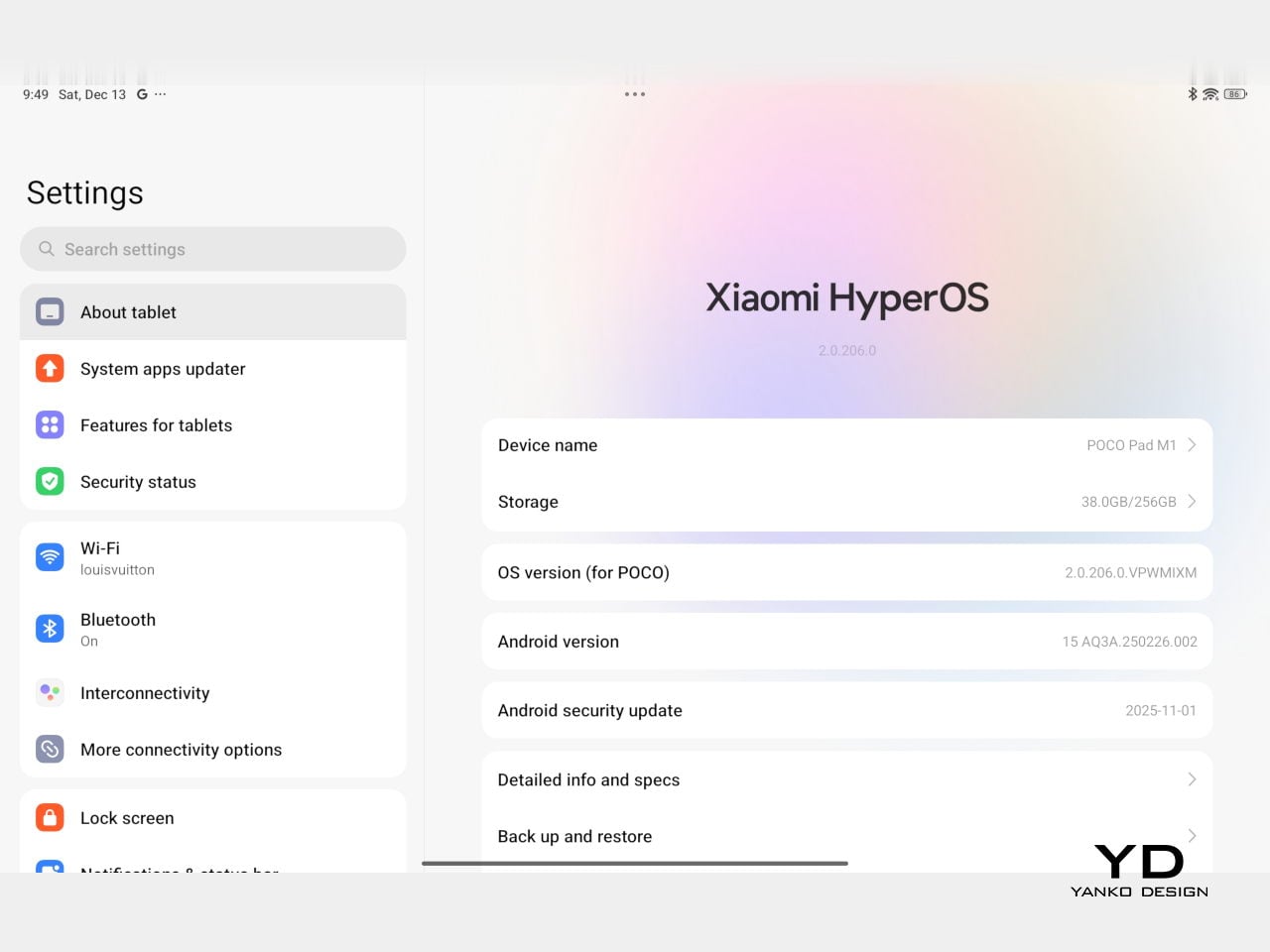
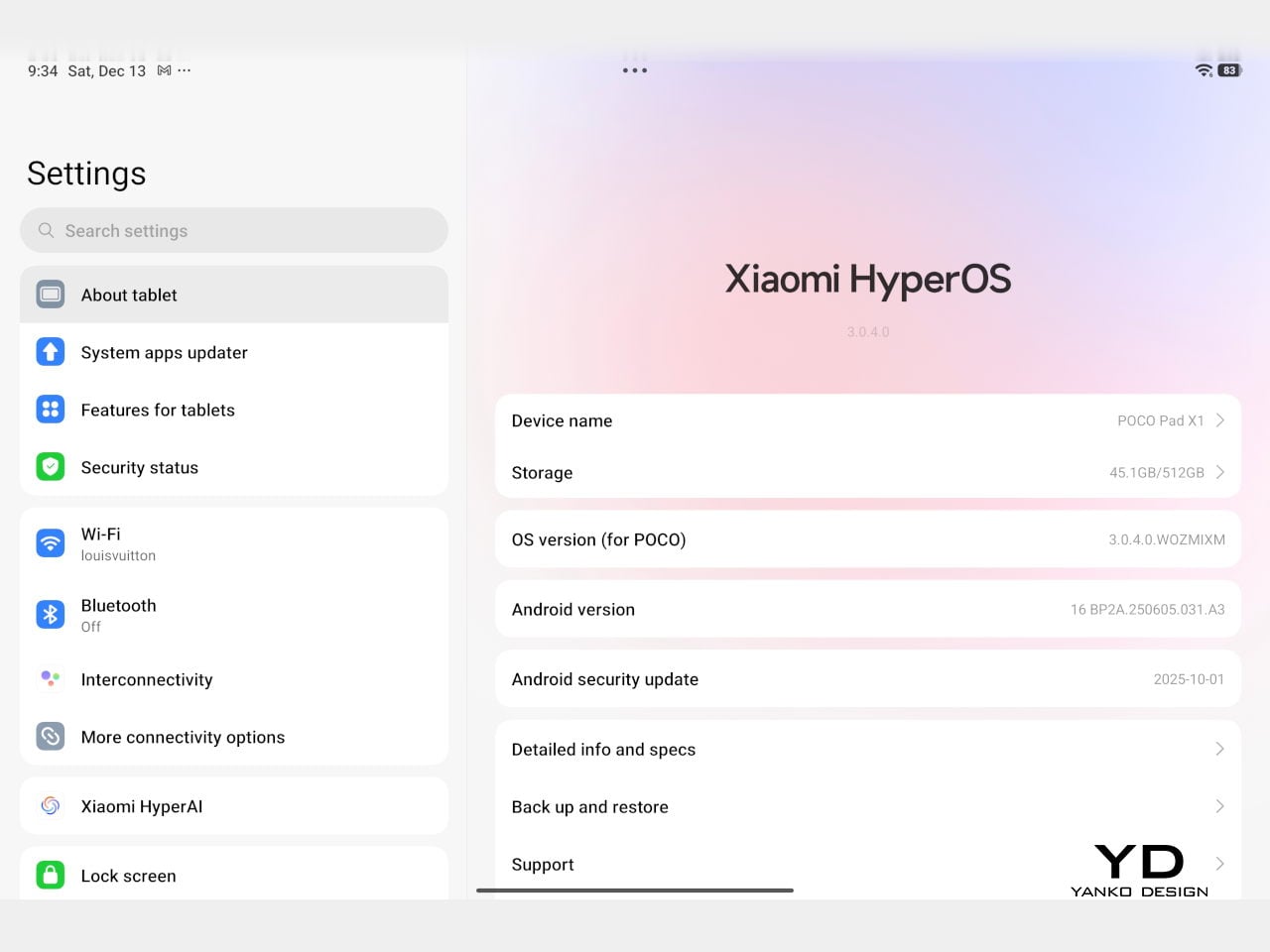
On the software side, both run Xiaomi HyperOS with Xiaomi Interconnectivity and Google’s AI hooks, so you get shared clipboard, call and network sync, Circle to Search, and Gemini support whichever size you choose. As for cameras, Poco Pad X1 pairs a 13 MP rear camera and an 8 MP front camera, while Poco Pad M1 sticks to 8 MP sensors on both sides. The results are perfectly fine for video calls, document scans, and the odd quick snap, but nothing special, which is exactly what you would expect from tablets at this price bracket.

Poco Pad M1

Poco Pad X1

Sustainability

Poco is not making a big environmental branding play with Poco Pad X1 and Poco Pad M1, but there are a few practical touches that matter if you plan to keep a tablet for several years. The most important one is long-term software support. Both Pad X1 and Pad M1 are slated to receive four years of security updates, which gives you a clearer runway for safe everyday use. For budget tablets, that commitment is still not guaranteed across the market, so it is good to see Poco spell it out.

Poco Pad M1


That longer support window pairs well with the hardware choices. The aluminum unibody shells on both models feel sturdy enough to survive several upgrade cycles, and the generous storage options, plus microSD expansion on the Poco Pad M1, reduce the pressure to replace them early just to fit more apps or media. It is not a full sustainability story with recycled materials and carbon tracking, but if your definition of sustainable starts with buying something that will not feel obsolete or unsafe in two years, these tablets are at least pointed in the right direction.

Value

The Poco Pad X1 and Poco Pad M1 both land in the affordable bracket, but they scale very differently once you add accessories. The Poco Pad X1 with 8 GB of RAM and 512 GB of storage is $399 USD, which feels fair for the Snapdragon 7+ Gen 3 and high-end 3.2K 144 hertz display. Its accessories are priced like mini laptop gear, with the Floating Keyboard at $199 USD, the X1 Keyboard at $129 USD, the X1 Cover at $49 USD, and the Poco Focus Pen at $99 USD. A fully loaded X1 setup quickly pushes past $600 USD, but in return, you get a compact tablet that can genuinely stand in for a small laptop and drawing pad.

Poco Pad X1

The Poco Pad M1 starts cheaper at $329 USD for 8 GB and 256 GB, and its add-ons stay firmly in value territory. The M1 Keyboard is $99 USD, the M1 Cover is $29 USD, and the Poco Smart Pen is $69 USD, so even a complete kit undercuts an equivalently kitted X1 by a healthy margin. Factor in the microSD slot and 3.5 millimeter headphone jack, and M1 clearly aims to be the better deal for big screen media, note-taking, and family use, while X1 makes more sense if you are willing to pay extra for performance, storage, and that excellent Floating Keyboard experience.

Verdict

The Poco Pad X1 and Poco Pad M1 end up serving two somewhat different roles. If you prioritize performance, the Poco Pad X1 is the clear choice. The Snapdragon 7+ Gen 3, 3.2K 144 Hz display, 512 GB storage, and excellent Floating Keyboard make it feel like a serious little work and gaming machine, even if the full setup gets expensive and you give up the headphone jack and SD slot. If you care more about big-screen comfort and value, the Poco Pad M1 quietly wins. The 12.1-inch 2.5K screen, quad speakers, 3.5 mm jack, microSD expansion, huge battery, and cheaper accessories make it a better fit for big-screen media and everyday productivity.

Poco Pad X1

Whichever way you lean, you are getting more tablet than the price suggests. For context, Apple’s base iPad costs $449 with only 64 GB of storage and a 60 Hz screen. The iPad still has a faster processor and a tighter app ecosystem, but Poco gives you bigger batteries, sharper displays, and a lot more storage for less money. Pick the Poco Pad X1 if you want compact power and a great keyboard experience. Pick the Poco Pad M1 if you want maximum screen, battery, and flexibility for the money. Either way, you end up with a tablet that feels more considered than most of what you will find at this price.

The post Poco Pad X1 & Poco Pad M1 Review: Budget Tablets That Challenge the iPad first appeared on Yanko Design.
Poco Pad X1 & Poco Pad M1 Review: Budget Tablets That Challenge the iPad

PROS:


  • Strong display for the money

  • Complete accessory ecosystem

  • Big batteries

CONS:


  • Neither tablet is light enough for comfortable one-handed use

  • Fully kitted-out X1 with Floating Keyboard and Focus Pen gets expensive fast

RATINGS:

AESTHETICS
ERGONOMICS
PERFORMANCE
SUSTAINABILITY / REPAIRABILITY
VALUE FOR MONEY

EDITOR'S QUOTE:

Poco Pad X1 and M1 are not perfect, but together they deliver more screen, battery, and versatility than almost any other budget tablet pair right now.

Poco built its name on phones that punch above their price, and now it wants to do the same on your coffee table. With Poco Pad X1 and Poco Pad M1, the brand is not just throwing out a couple of cheap tablets. It is trying to turn its budget DNA into a fuller ecosystem that covers gaming, work, and everyday media.

You can feel that ambition in how these two models are drawn. The Poco Pad X1 is a slightly more compact, high refresh performance slate, tuned for games and quick multitasking on an 11.2-inch 3.2K display. The Poco Pad M1 steps up to a 12.1-inch 2.5K panel and the largest battery Poco has ever shipped in a global device, aiming to be the big screen that carries you through movies, sketching sessions, and long days away from a charger.

Designer: Poco

If you have been eyeing an affordable Android tablet for gaming, streaming, or light work, should you reach for the sharper, faster Poco Pad X1, or the larger, more relaxed Poco Pad M1? In this review, we will live with both, compare their strengths, and help you decide which one actually fits your desk, your bag, and your budget.

Aesthetics

Poco Pad X1

Poco is not trying to reinvent tablet hardware with Poco Pad X1 or Poco Pad M1. Both follow a familiar rectangle with rounded corners, flat sides, and a camera module that sits quietly in one corner. On Poco Pad X1, the focus is clearly on framing its 11.2-inch display as efficiently as possible. Poco Pad M1 takes the same basic formula and scales it up with a 12.1-inch panel.

Color choices on the Pad X1 and the Pad M1 are simple. They both come in Grey and Blue. Grey leans more gunmetal and understated with a contrasting yellow accent around the camera module, while Blue reads a little more casual and friendly, but neither option is loud or experimental. Both tablets use a metal unibody design for the main shell, with separate parts for the camera island and buttons, and a big Poco logo stamped in the center for instant brand recognition. The Poco Pad X1 uses a square camera island, while the Poco Pad M1 switches to a softer oval, which gives each model a slightly different signature when you flip them over.

Poco Pad M1

Taken together, the two tablets look exactly like what they are meant to be. They are straightforward, modern Android slabs that fade into the background and let their screens and specs do the talking. For budget-friendly hardware, that quiet, functional design approach feels like the right call.

Ergonomics

In the hand, the main ergonomic difference between Poco Pad X1 and Poco Pad M1 is simply size and weight, but neither is a true one-handed tablet for long stretches. The Poco Pad X1, with its 11.2-inch footprint and 500 g weight, is the more compact of the two. It is easier to manage on a sofa or in bed than the larger Poco Pad M1, but you will still want a second hand or some support if you are holding it for a long time. Even though the Poco Pad X1 is relatively slim and light for an aluminum unibody tablet with an 8,850 mAh battery, with dimensions of 251.22 x 173.42 x 6.18 mm, it does not quietly disappear in one hand the way a smaller 8 or 9-inch device might.

Poco Pad M1

Poco Pad M1 stretches that template out to a 12.1-inch diagonal with dimensions of 279.8 x 181.65 x 7.5 mm and a weight of about 610 g, which puts it clearly into big tablet territory. It is still slim, but the larger footprint makes it even less suited to long one-handed use, especially if you are moving around. Instead, it feels more like a tablet you rest on a table, prop up with a cover, or pair with its official keyboard, where the extra screen real estate really pays off for split-screen apps, video, and drawing.

The accessory ecosystem around the Pad X1 and the Pad M1 makes them versatile, but in slightly different ways. Poco Pad M1 is compatible with the optional Poco Pad M1 Keyboard, Poco Smart Pen, and Poco Pad M1 Cover, a trio that turns it into a very capable small-screen workstation. The cover folds into a stand and adds a built-in holder for the pen, which makes it easy to move between bag, desk, and sofa without worrying about where the stylus went. The keyboard is lightweight and easy to carry, but the keys feel a bit plasticky in use, which slightly undercuts the otherwise solid metal body of the tablet.

Poco Pad X1

Poco Pad X1 has its own dedicated set of accessories. It supports the Poco Pad X1 Floating Keyboard, the Poco Pad X1 Keyboard, the Poco Focus Pen, and the Poco Pad X1 Cover, which together give it a surprisingly flexible setup for both work and play. The cover folds like origami and doubles as a stand, letting you enjoy the tablet vertically or horizontally, and for horizontal use, you can choose between two different viewing heights.

The Floating Keyboard is the standout here. It adds some weight and only offers a modest tilt range, but the key feel is excellent for this class, and the trackpad is responsive and accurate enough that you quickly forget you are on a tablet accessory. Clipped together, the Poco Pad X1 and the Floating Keyboard behave much more like a compact laptop than a budget slate with an afterthought keyboard, which makes it far easier to treat this smaller tablet as a real writing and work machine when you need it.
 

Performance

Living with Poco Pad X1 and Poco Pad M1 quickly shows how differently they lean, even though they share a lot of DNA. The Poco Pad X1 is the sharper and faster option, with an 11.2-inch 3.2K display at 3,200 x 2,136 px, around 345 ppi, and refresh up to 144 Hz in supported apps. It can hit about 800 nits peak brightness, supports Dolby Vision and HDR10, and uses a 3:2 aspect ratio that feels very natural for reading, web browsing, and document work, helped by TÜV eye care, DC dimming, and adaptive colors to keep things comfortable.

Poco Pad M1

The Poco Pad M1, on the other hand, trades a bit of sharpness and speed for sheer size and flexibility. Its 12.1-inch 2.5K panel runs at 2,560 x 1,600px with around 249 ppi and up to 120 Hz refresh, plus 500 nits typical and 600 nits in high brightness mode. You still get Dolby Vision, DC dimming, and TÜV certifications for low blue light, flicker-free behavior, and circadian friendliness, along with wet touch support that keeps it usable with damp fingers.

Poco Pad X1

Both tablets use quad speakers with Dolby Atmos and Hi-Res support, so you get surprisingly full sound from either. Crucially, the Poco Pad M1 also adds a 3.5 mm headphone jack and a microSD slot for up to 2 TB of expandable storage, which makes it a much easier media hoarder and a better fit for wired headphones and speakers. The X1 relies on its internal storage and wireless audio instead, which suits its more performance-driven, travel-friendly role.

Poco Pad X1

Poco Pad M1

Performance and gaming clearly favor the Poco Pad X1. It uses the Snapdragon 7+ Gen 3 with 8 GB of RAM and up to 512 GB of storage, and combined with the 144 Hz panel, it feels like a handheld console that also happens to be good at multitasking and productivity. The Poco Pad M1 steps down to the Snapdragon 7s Gen 4 with 8 GB of RAM and 256 GB of storage, which is still more than enough for apps and casual gaming, but clearly tuned more for streaming, browsing, and note-taking than for chasing every last frame. In practice, the Poco Pad X1 is the one you reach for when you care about smooth, high refresh gameplay, while the Pad M1 is the one you leave on the coffee table for everyone to use.

Poco Pad M1

Battery life follows the same logic. The Poco Pad X1 pairs its 8,850 mAh battery with 45 W turbo charging, which Poco says can go from zero to full in about 94 minutes, and my experience matches that claim in day-to-day use. The Poco Pad M1 leans into a 12,000 mAh pack, billed as the largest battery in a global Poco device, with up to 105.36 hours of music playback, around 83 days of standby, 33 W charging, and up to 27 W wired reverse charging so it can top up your other devices.

Poco Pad M1

Poco Pad X1

On the software side, both run Xiaomi HyperOS with Xiaomi Interconnectivity and Google’s AI hooks, so you get shared clipboard, call and network sync, Circle to Search, and Gemini support whichever size you choose. As for cameras, Poco Pad X1 pairs a 13 MP rear camera and an 8 MP front camera, while Poco Pad M1 sticks to 8 MP sensors on both sides. The results are perfectly fine for video calls, document scans, and the odd quick snap, but nothing special, which is exactly what you would expect from tablets at this price bracket.

Poco Pad M1

Poco Pad X1

Sustainability

Poco is not making a big environmental branding play with Poco Pad X1 and Poco Pad M1, but there are a few practical touches that matter if you plan to keep a tablet for several years. The most important one is long-term software support. Both Pad X1 and Pad M1 are slated to receive four years of security updates, which gives you a clearer runway for safe everyday use. For budget tablets, that commitment is still not guaranteed across the market, so it is good to see Poco spell it out.

Poco Pad M1


That longer support window pairs well with the hardware choices. The aluminum unibody shells on both models feel sturdy enough to survive several upgrade cycles, and the generous storage options, plus microSD expansion on the Poco Pad M1, reduce the pressure to replace them early just to fit more apps or media. It is not a full sustainability story with recycled materials and carbon tracking, but if your definition of sustainable starts with buying something that will not feel obsolete or unsafe in two years, these tablets are at least pointed in the right direction.

Value

The Poco Pad X1 and Poco Pad M1 both land in the affordable bracket, but they scale very differently once you add accessories. The Poco Pad X1 with 8 GB of RAM and 512 GB of storage is $399 USD, which feels fair for the Snapdragon 7+ Gen 3 and high-end 3.2K 144 hertz display. Its accessories are priced like mini laptop gear, with the Floating Keyboard at $199 USD, the X1 Keyboard at $129 USD, the X1 Cover at $49 USD, and the Poco Focus Pen at $99 USD. A fully loaded X1 setup quickly pushes past $600 USD, but in return, you get a compact tablet that can genuinely stand in for a small laptop and drawing pad.

Poco Pad X1

The Poco Pad M1 starts cheaper at $329 USD for 8 GB and 256 GB, and its add-ons stay firmly in value territory. The M1 Keyboard is $99 USD, the M1 Cover is $29 USD, and the Poco Smart Pen is $69 USD, so even a complete kit undercuts an equivalently kitted X1 by a healthy margin. Factor in the microSD slot and 3.5 millimeter headphone jack, and M1 clearly aims to be the better deal for big screen media, note-taking, and family use, while X1 makes more sense if you are willing to pay extra for performance, storage, and that excellent Floating Keyboard experience.

Verdict

The Poco Pad X1 and Poco Pad M1 end up serving two somewhat different roles. If you prioritize performance, the Poco Pad X1 is the clear choice. The Snapdragon 7+ Gen 3, 3.2K 144 Hz display, 512 GB storage, and excellent Floating Keyboard make it feel like a serious little work and gaming machine, even if the full setup gets expensive and you give up the headphone jack and SD slot. If you care more about big-screen comfort and value, the Poco Pad M1 quietly wins. The 12.1-inch 2.5K screen, quad speakers, 3.5 mm jack, microSD expansion, huge battery, and cheaper accessories make it a better fit for big-screen media and everyday productivity.

Poco Pad X1

Whichever way you lean, you are getting more tablet than the price suggests. For context, Apple’s base iPad costs $449 with only 64 GB of storage and a 60 Hz screen. The iPad still has a faster processor and a tighter app ecosystem, but Poco gives you bigger batteries, sharper displays, and a lot more storage for less money. Pick the Poco Pad X1 if you want compact power and a great keyboard experience. Pick the Poco Pad M1 if you want maximum screen, battery, and flexibility for the money. Either way, you end up with a tablet that feels more considered than most of what you will find at this price.

The post Poco Pad X1 & Poco Pad M1 Review: Budget Tablets That Challenge the iPad first appeared on Yanko Design.
AYANEO Pocket PLAY Brings Back the Slider Phone, Now With D-Pad

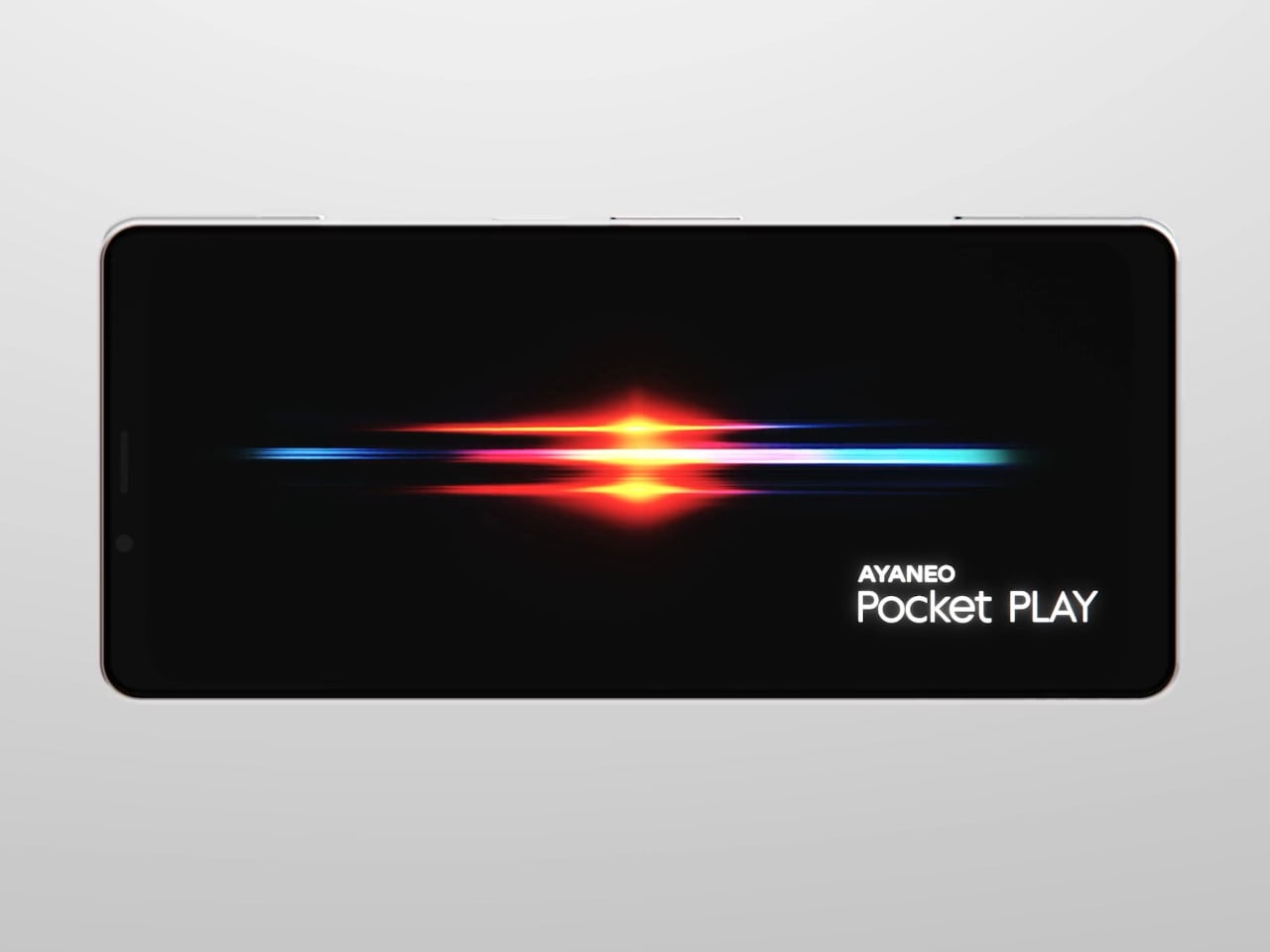
AYANEO is known for gaming handheld devices that run Windows and, sometimes, Android, but not phones. Most gaming phones still feel like regular slabs with RGB lights and higher refresh rates, treating games as an app category instead of the reason the device exists. Pocket PLAY is AYANEO’s first smartphone, and they are not shy about calling it “more than a phone,” framing it as a handheld console that happens to live on a SIM card instead of a desktop operating system.

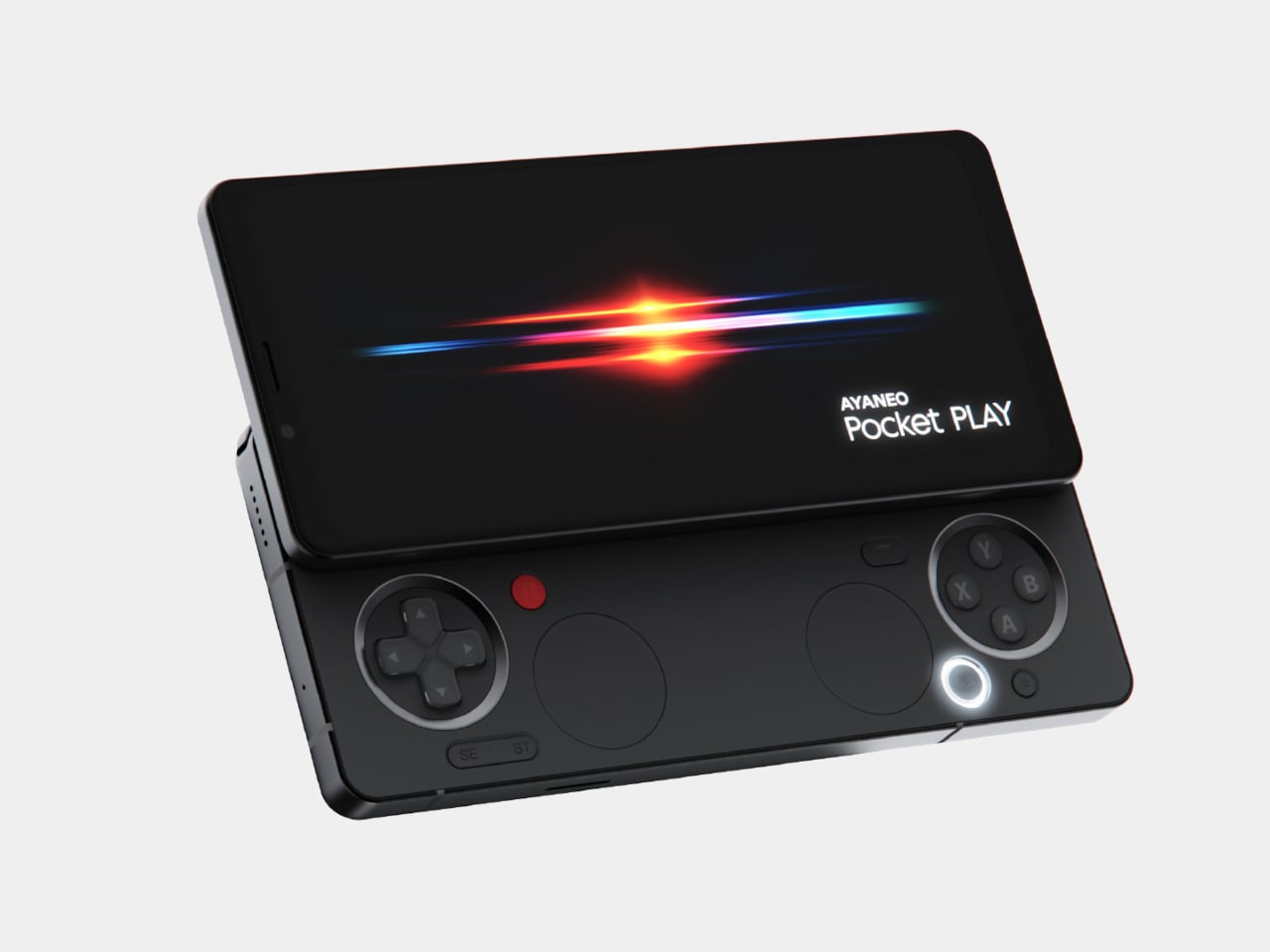
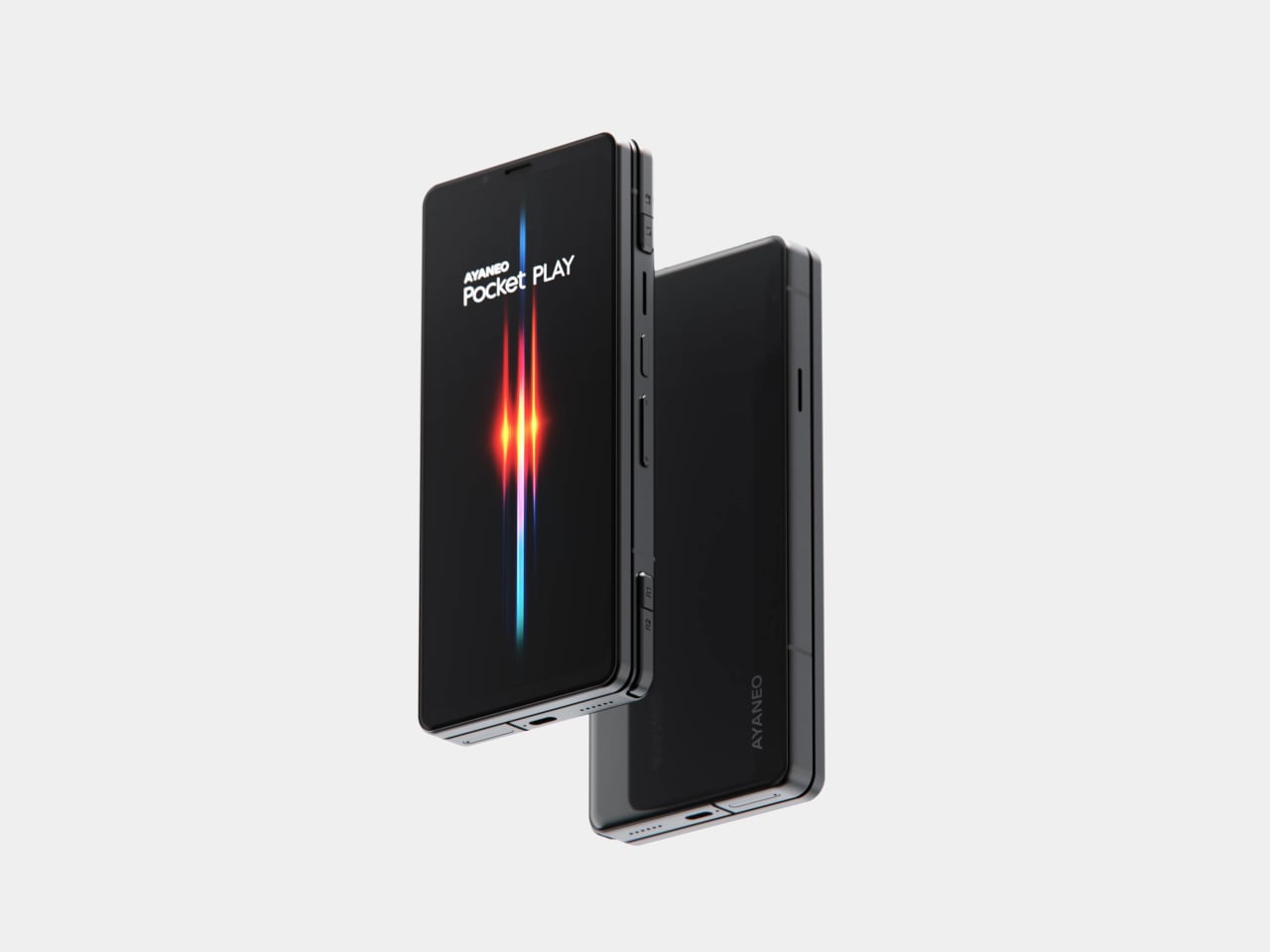
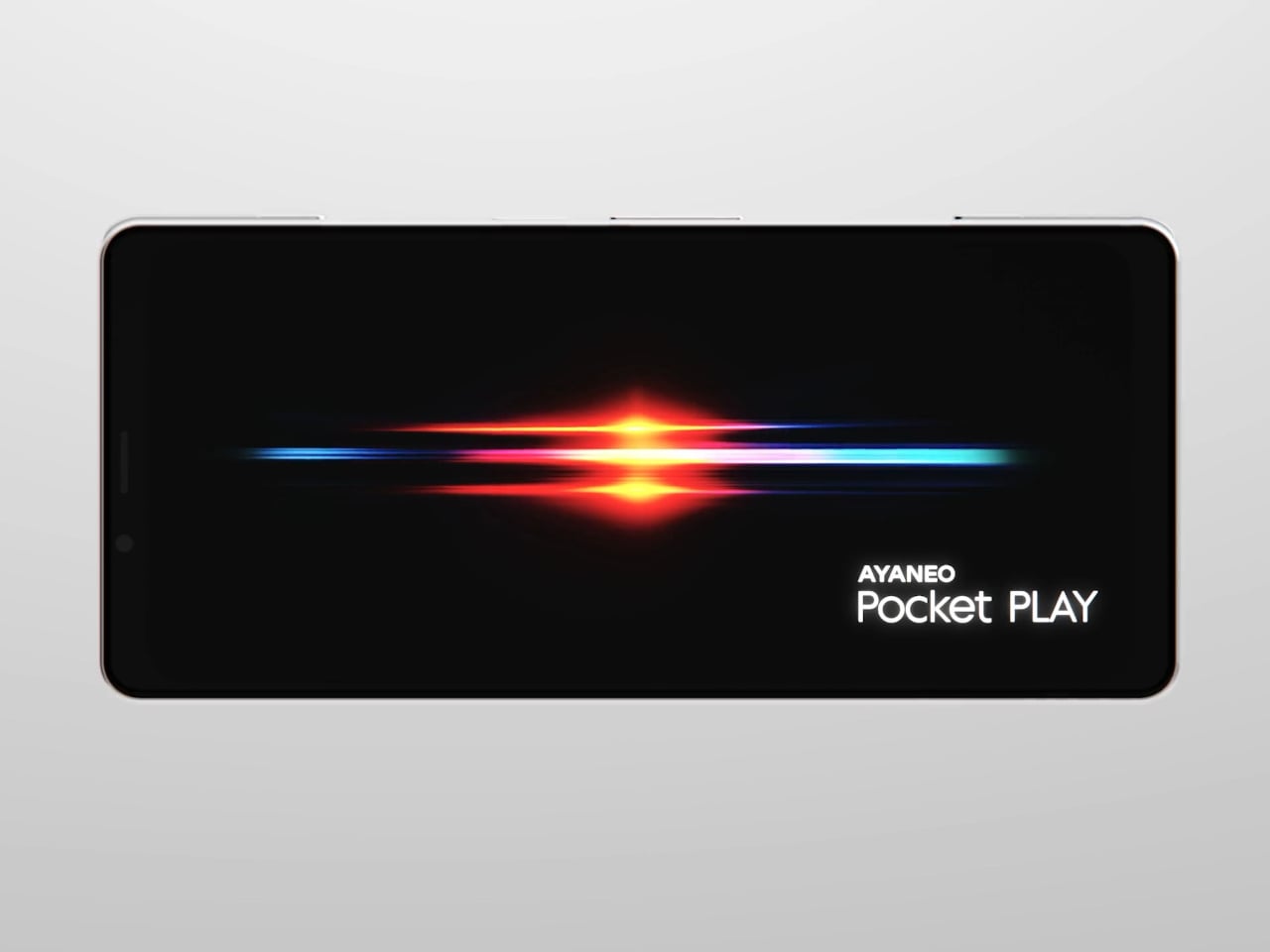
AYANEO calls it “the ultimate fusion of mobile phone and gaming handheld,” built “in the name of games, made for the dreams of gamers.” The minimalist front follows golden-ratio proportions and AYANEO’s “handheld artistry” philosophy, looking like a clean black slab until you slide it open and the real personality appears. The idea is that it should not shout gamer aesthetic when you are checking email, only when you want to play.

Designer: AYANEO

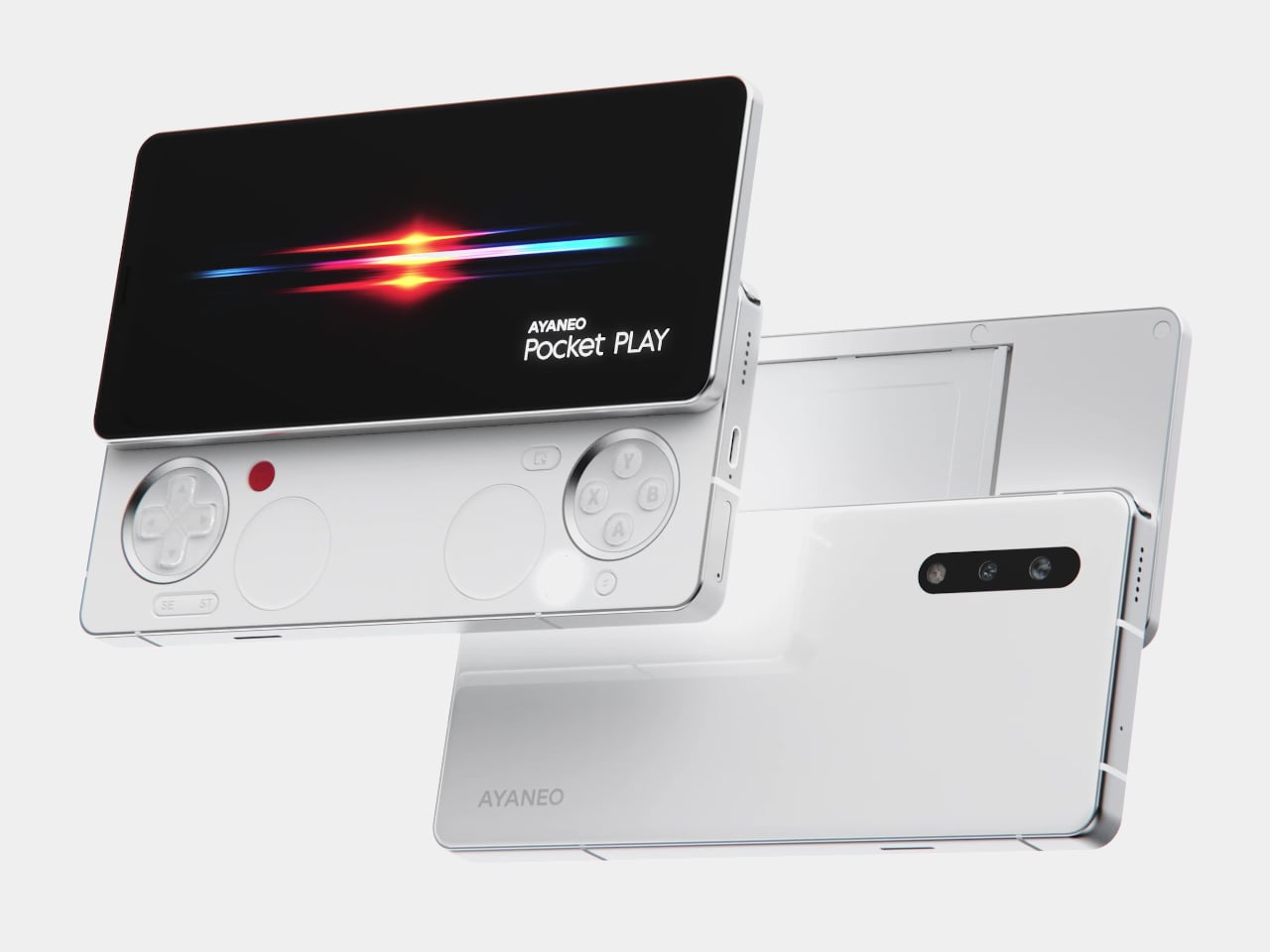
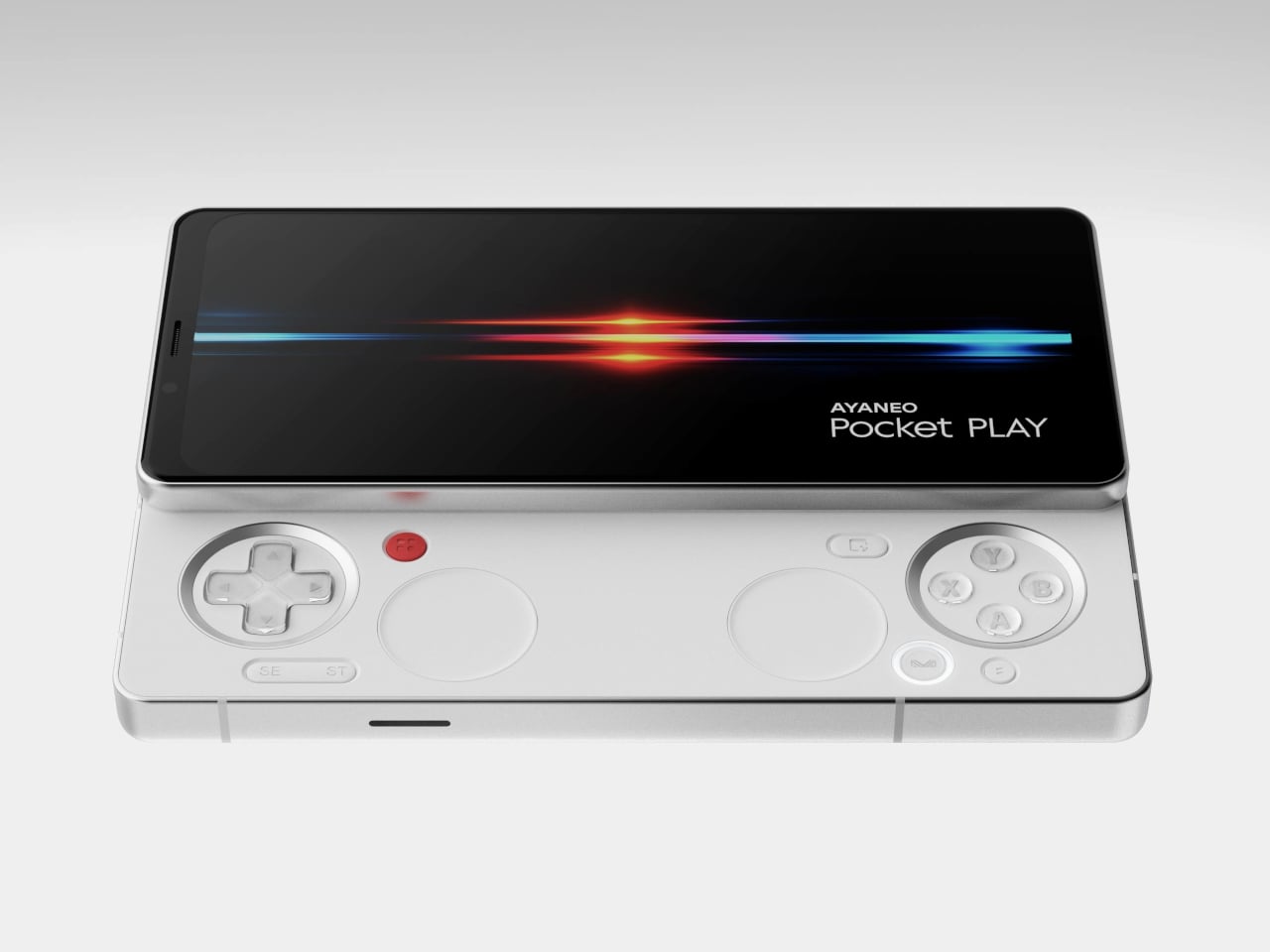
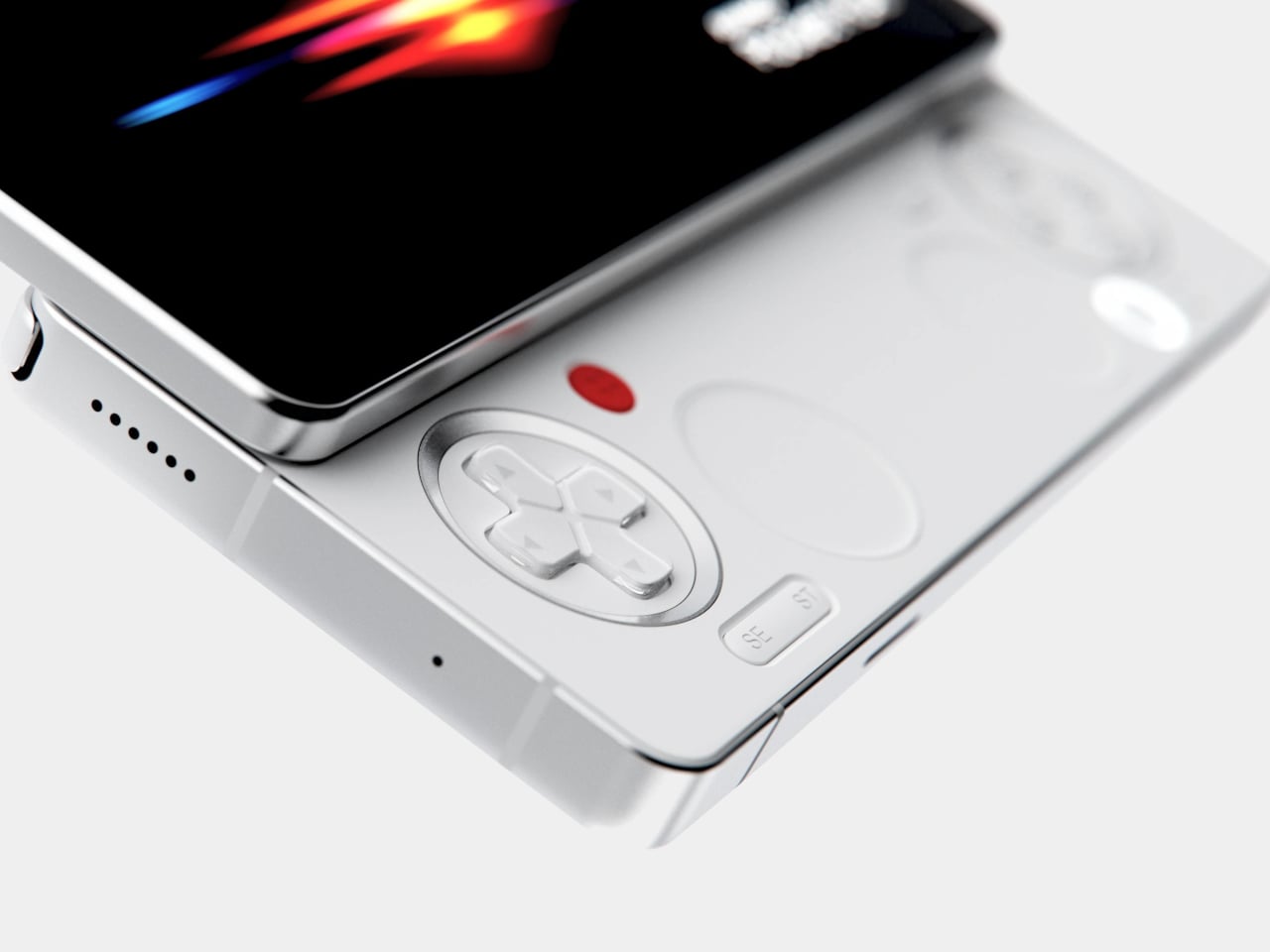
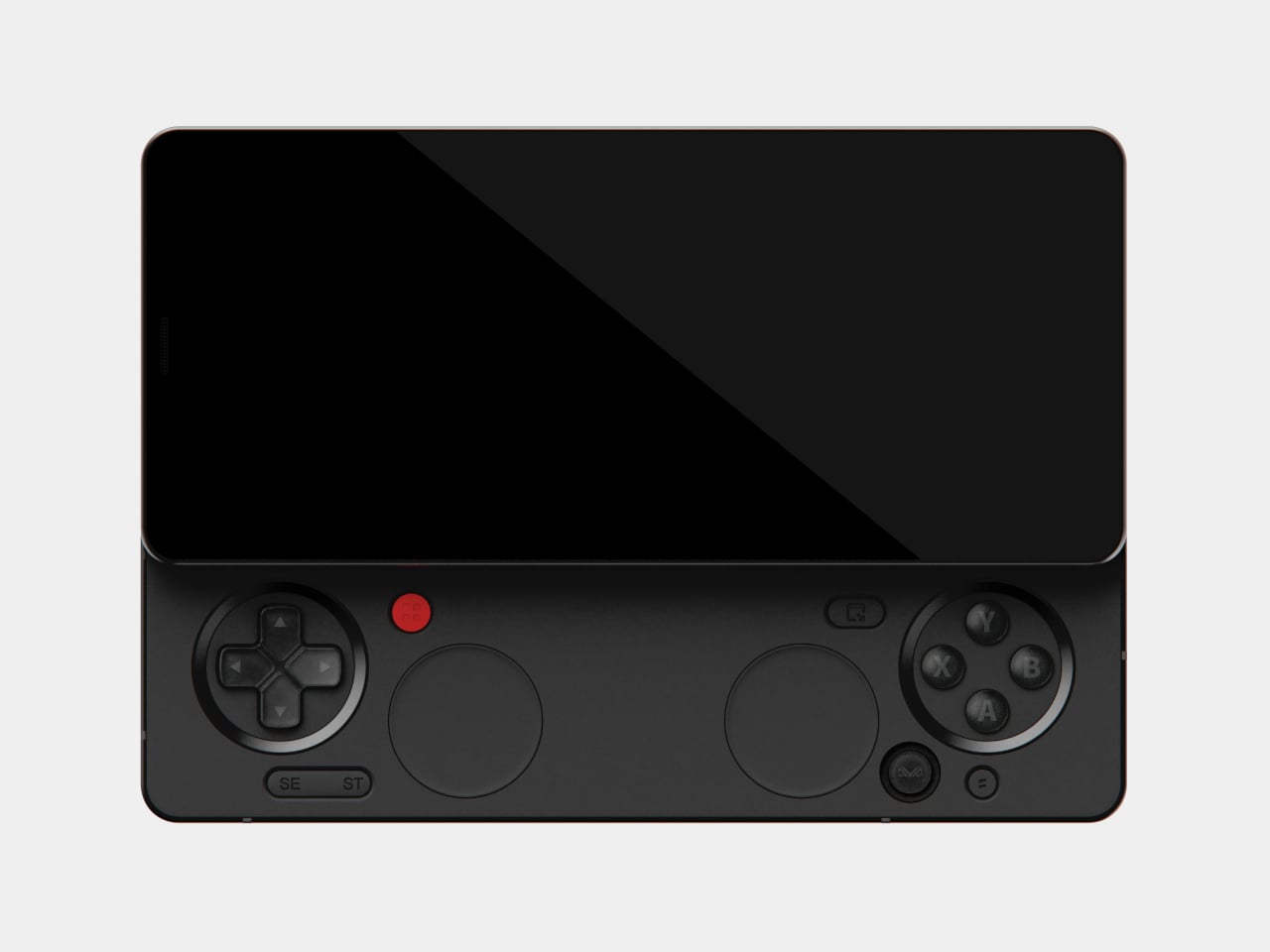
The classic side-slide mechanism is a light push that reveals a full controller under the screen. Anyone who remembers Sony’s Xperia Play will feel a flicker of déjà vu, another Android phone that hid a gamepad under a slider. The difference is that Pocket PLAY arrives in a world where handheld gaming and emulation are mainstream, and AYANEO has spent years building hardware for that exact crowd, not for casual mobile gamers who might try it once.

Pocket PLAY reinterprets a standard gamepad layout in a compact way, with a D-pad, ABXY buttons, and shoulder controls tuned for the sliding mechanism. AYANEO promises crisp, light presses and fast response, and a grip shaped so your fingers land where you expect. The idea is that you slide, and you are instantly in handheld mode, no adaptation period or clip-on accessories. The D-pad and buttons are meant to bring back the pure, satisfying feel of classic handheld gaming.

The dual intelligent touchpads sit where analog sticks might go, and they can map virtual joysticks, act as traditional touch surfaces, or trigger custom input combinations. That opens up camera control, mouse-like input for streaming PC games, or macro shortcuts for complex titles. The positioning is ergonomic, and the goal is to make every swipe and tap feel natural, closing the gap between a dedicated handheld and a phone that also runs Genshin Impact or emulators.

AYANEO leans into “cyber-romanticism” language, calling handhelds a culture and a shared emotional language among players. Pocket PLAY is pitched as a tribute to classic designs and an exploration of how handheld spirit can extend to a new medium. It is meant to feel like a daily-carry extension of the devices people already use for emulation and retro gaming, not a generic Android gaming phone with triggers and marketing.

Xperia Play hinted at this form factor years ago, but the ecosystem and audience were not ready. Pocket PLAY picks up that thread with modern hardware, a serious controller, and a brand that already lives in handheld culture. For players who want a phone that slides into a console instead of just another slab with shoulder buttons, it feels like a very specific dream finally getting another shot, this time built by people who actually understand why sliders and D-pads still matter.

The post AYANEO Pocket PLAY Brings Back the Slider Phone, Now With D-Pad first appeared on Yanko Design.
AYANEO Pocket PLAY Brings Back the Slider Phone, Now With D-Pad

AYANEO is known for gaming handheld devices that run Windows and, sometimes, Android, but not phones. Most gaming phones still feel like regular slabs with RGB lights and higher refresh rates, treating games as an app category instead of the reason the device exists. Pocket PLAY is AYANEO’s first smartphone, and they are not shy about calling it “more than a phone,” framing it as a handheld console that happens to live on a SIM card instead of a desktop operating system.

AYANEO calls it “the ultimate fusion of mobile phone and gaming handheld,” built “in the name of games, made for the dreams of gamers.” The minimalist front follows golden-ratio proportions and AYANEO’s “handheld artistry” philosophy, looking like a clean black slab until you slide it open and the real personality appears. The idea is that it should not shout gamer aesthetic when you are checking email, only when you want to play.

Designer: AYANEO

The classic side-slide mechanism is a light push that reveals a full controller under the screen. Anyone who remembers Sony’s Xperia Play will feel a flicker of déjà vu, another Android phone that hid a gamepad under a slider. The difference is that Pocket PLAY arrives in a world where handheld gaming and emulation are mainstream, and AYANEO has spent years building hardware for that exact crowd, not for casual mobile gamers who might try it once.

Pocket PLAY reinterprets a standard gamepad layout in a compact way, with a D-pad, ABXY buttons, and shoulder controls tuned for the sliding mechanism. AYANEO promises crisp, light presses and fast response, and a grip shaped so your fingers land where you expect. The idea is that you slide, and you are instantly in handheld mode, no adaptation period or clip-on accessories. The D-pad and buttons are meant to bring back the pure, satisfying feel of classic handheld gaming.

The dual intelligent touchpads sit where analog sticks might go, and they can map virtual joysticks, act as traditional touch surfaces, or trigger custom input combinations. That opens up camera control, mouse-like input for streaming PC games, or macro shortcuts for complex titles. The positioning is ergonomic, and the goal is to make every swipe and tap feel natural, closing the gap between a dedicated handheld and a phone that also runs Genshin Impact or emulators.

AYANEO leans into “cyber-romanticism” language, calling handhelds a culture and a shared emotional language among players. Pocket PLAY is pitched as a tribute to classic designs and an exploration of how handheld spirit can extend to a new medium. It is meant to feel like a daily-carry extension of the devices people already use for emulation and retro gaming, not a generic Android gaming phone with triggers and marketing.

Xperia Play hinted at this form factor years ago, but the ecosystem and audience were not ready. Pocket PLAY picks up that thread with modern hardware, a serious controller, and a brand that already lives in handheld culture. For players who want a phone that slides into a console instead of just another slab with shoulder buttons, it feels like a very specific dream finally getting another shot, this time built by people who actually understand why sliders and D-pads still matter.

The post AYANEO Pocket PLAY Brings Back the Slider Phone, Now With D-Pad first appeared on Yanko Design.
AYANEO Pocket PLAY Brings Back the Slider Phone, Now With D-Pad

AYANEO is known for gaming handheld devices that run Windows and, sometimes, Android, but not phones. Most gaming phones still feel like regular slabs with RGB lights and higher refresh rates, treating games as an app category instead of the reason the device exists. Pocket PLAY is AYANEO’s first smartphone, and they are not shy about calling it “more than a phone,” framing it as a handheld console that happens to live on a SIM card instead of a desktop operating system.

AYANEO calls it “the ultimate fusion of mobile phone and gaming handheld,” built “in the name of games, made for the dreams of gamers.” The minimalist front follows golden-ratio proportions and AYANEO’s “handheld artistry” philosophy, looking like a clean black slab until you slide it open and the real personality appears. The idea is that it should not shout gamer aesthetic when you are checking email, only when you want to play.

Designer: AYANEO

The classic side-slide mechanism is a light push that reveals a full controller under the screen. Anyone who remembers Sony’s Xperia Play will feel a flicker of déjà vu, another Android phone that hid a gamepad under a slider. The difference is that Pocket PLAY arrives in a world where handheld gaming and emulation are mainstream, and AYANEO has spent years building hardware for that exact crowd, not for casual mobile gamers who might try it once.
Pocket PLAY reinterprets a standard gamepad layout in a compact way, with a D-pad, ABXY buttons, and shoulder controls tuned for the sliding mechanism. AYANEO promises crisp, light presses and fast response, and a grip shaped so your fingers land where you expect. The idea is that you slide, and you are instantly in handheld mode, no adaptation period or clip-on accessories. The D-pad and buttons are meant to bring back the pure, satisfying feel of classic handheld gaming.

The dual intelligent touchpads sit where analog sticks might go, and they can map virtual joysticks, act as traditional touch surfaces, or trigger custom input combinations. That opens up camera control, mouse-like input for streaming PC games, or macro shortcuts for complex titles. The positioning is ergonomic, and the goal is to make every swipe and tap feel natural, closing the gap between a dedicated handheld and a phone that also runs Genshin Impact or emulators.

AYANEO leans into “cyber-romanticism” language, calling handhelds a culture and a shared emotional language among players. Pocket PLAY is pitched as a tribute to classic designs and an exploration of how handheld spirit can extend to a new medium. It is meant to feel like a daily-carry extension of the devices people already use for emulation and retro gaming, not a generic Android gaming phone with triggers and marketing.

Xperia Play hinted at this form factor years ago, but the ecosystem and audience were not ready. Pocket PLAY picks up that thread with modern hardware, a serious controller, and a brand that already lives in handheld culture. For players who want a phone that slides into a console instead of just another slab with shoulder buttons, it feels like a very specific dream finally getting another shot, this time built by people who actually understand why sliders and D-pads still matter.

The post AYANEO Pocket PLAY Brings Back the Slider Phone, Now With D-Pad first appeared on Yanko Design.