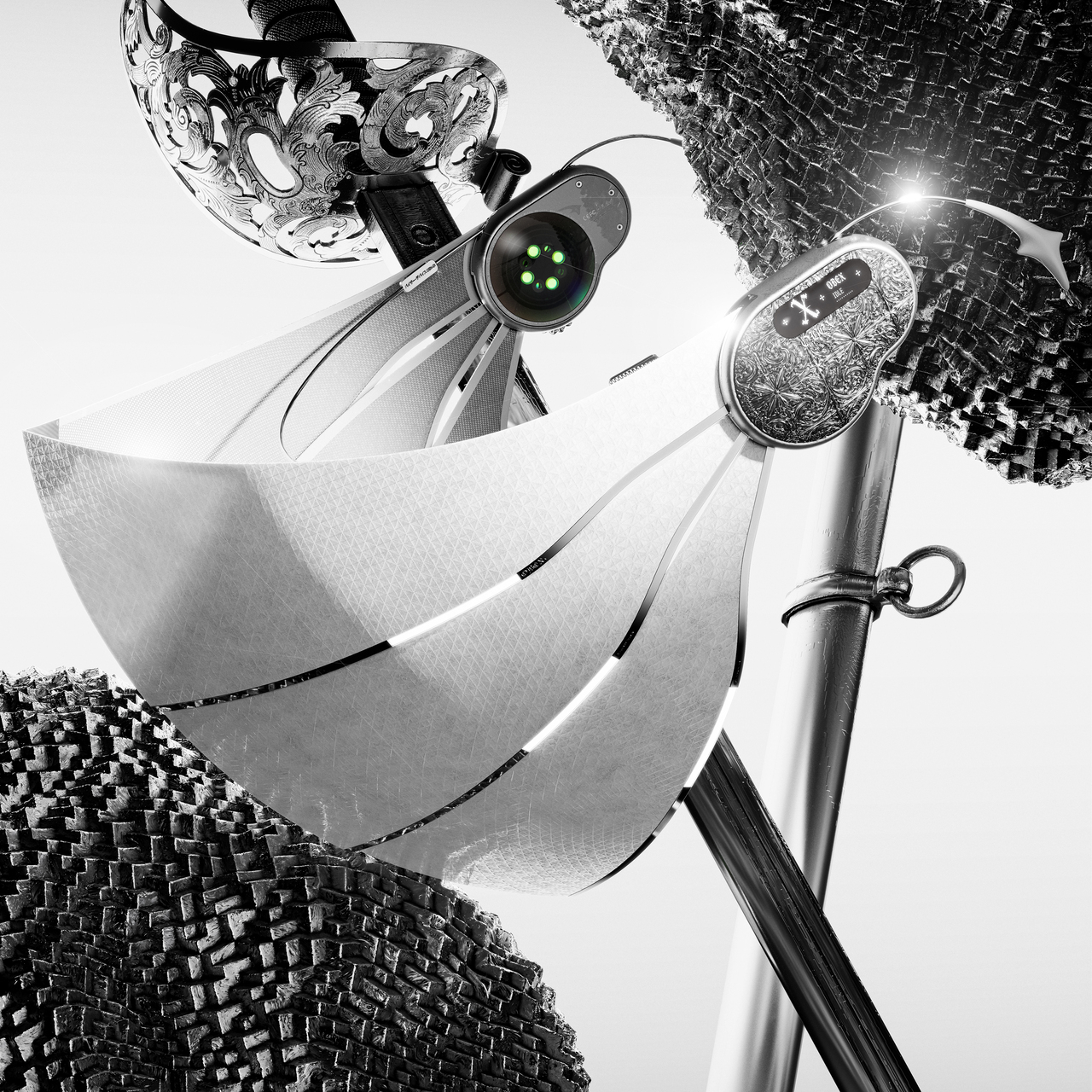
The usual night-vision experience involves green haze, grainy silhouettes, limited reach, and a red IR glow that gives you away the moment you turn on the illuminator. Most systems force you to choose between contrast and color, or between seeing far and staying invisible. The trade-offs are familiar enough that people who work or roam in the dark have learned to accept them, settling for monochrome when they need range or giving up clarity when they need stealth.
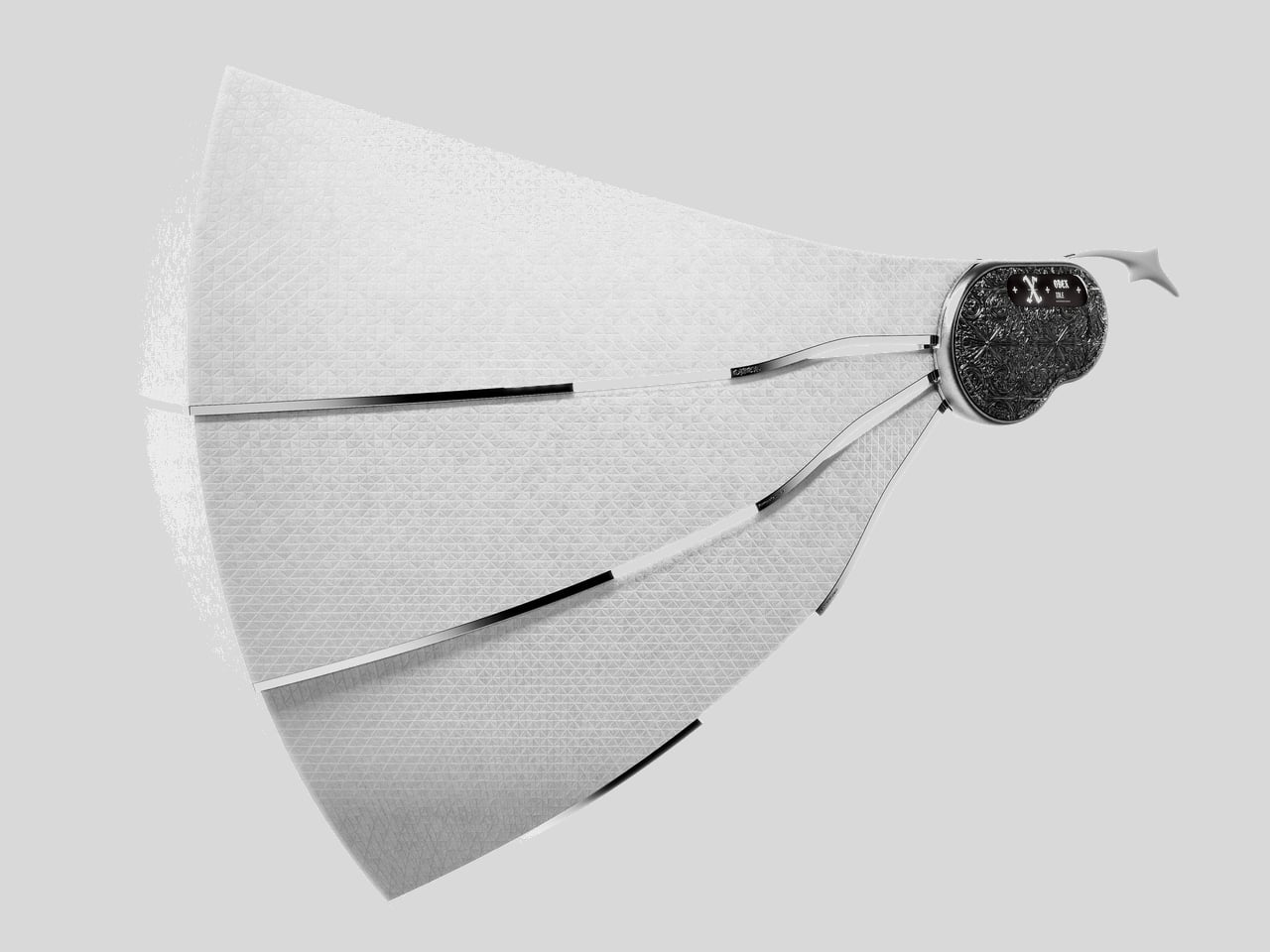
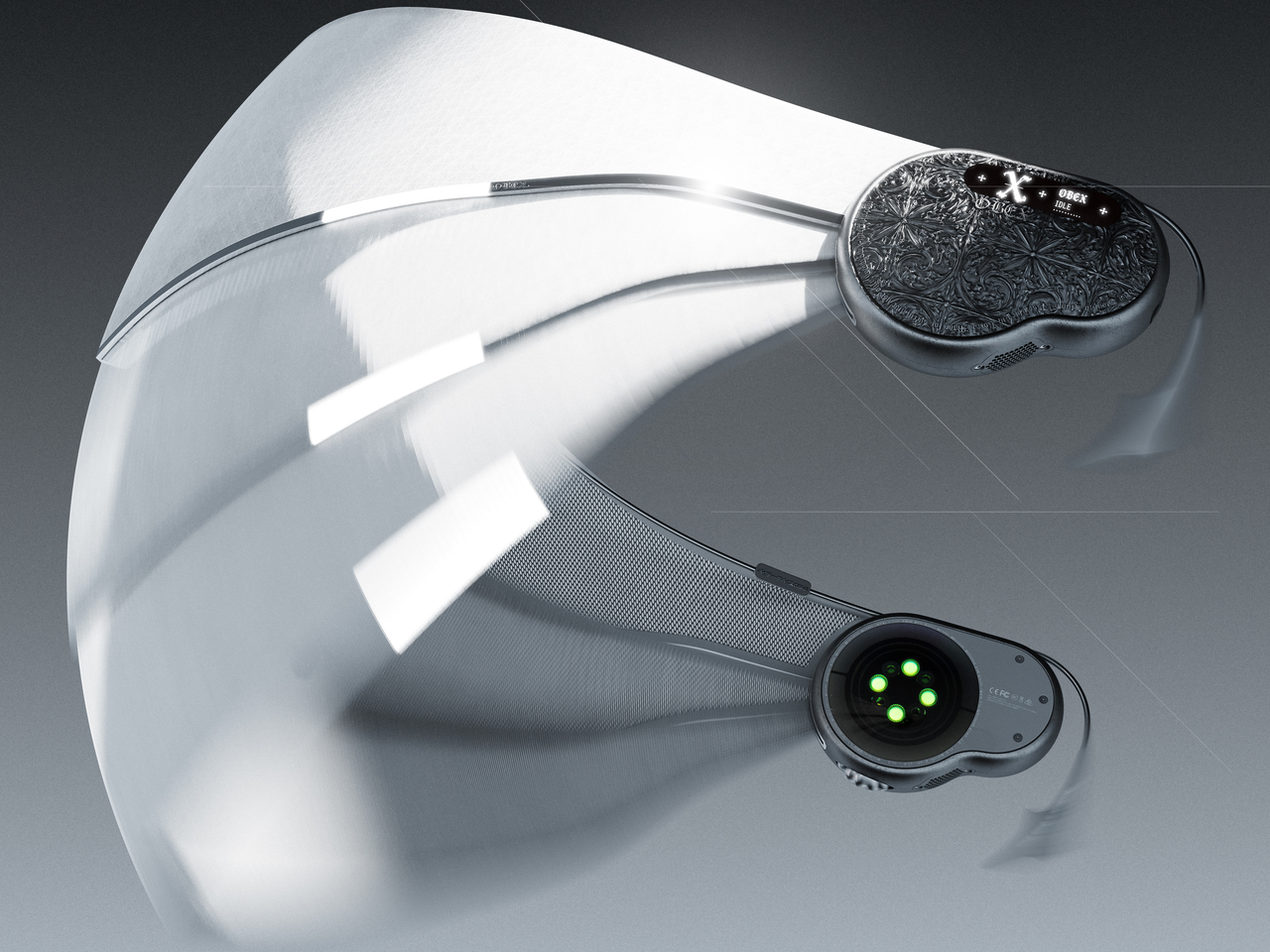
Night Storm X3 is aimed at people who move through the dark for work or passion and need more than a toy flashlight for their eyes. It is a binocular-style night-vision system that promises native 4K full-color imaging down to 0.0001 lux (10 times better than the previously industry-leading SONY Starvis), visibility out to 1,500m, and an invisible 950nm IR beam, all fused by a 20 TOPS AI engine in a rugged IP65 housing designed for long nights.
The Night Storm X3 is built around a ground-breaking architecture of not just one, but two proprietary 1-inch night vision CMOS sensors branded Luma-X and Chroma-X. One is a monochrome sensor that locks onto structure and edges in near-zero light, the other is a color sensor that pulls real color from light levels lower than starlight. The AI Neural Brain fuses them at the sub-pixel level, so you get both sharp contrast and natural color in a single 4K stream.
To understand what 0.0001 lux actually means, consider that a single candle at one meter is roughly one lux. By 0.001 lux, that glow is barely visible from 100m, and at 0.0001 lux it disappears to the naked eye. The Night Storm X3 still pulls full-color detail at that level, paired with optics tuned for a 13-degree field of view and 8x digital zoom, with minimal noise and interference thanks to its powerful AI imaging processing.
That optical system lets you scan valleys, fence lines, or shorelines up to 1,500m away. The narrow field of view, f/1.4 aperture, and 42mm focal length give you reach and detail rather than a wide panorama, which makes sense for tracking distant subjects or monitoring large open areas where you cannot physically move closer without being noticed or disturbing the scene.
Older 850nm IR systems throw a visible red glow that is easy to spot and can spook animals or reveal your position. The Night Storm X3 uses a boosted 950 nm infrared system that stays invisible to humans and nearly undetectable to most animals. It provides powerful monochrome visibility up to 1,500m in 0-lux conditions, with four adjustable brightness levels to tune illumination and stay hidden.
The Pro model adds a built-in laser range finder that measures distance, angle, and drop up to 1,500m with a digital crosshair. Pair that with true 4K video and 52 MP stills, saved straight to a TF card at full resolution, and the X3 becomes a documentation tool. For professional night photographerx and animal observers, the built in LRF helps pin point distance of the objects down to the accuracy of centimetres, greatly enhance the overall performance and situation awareness. You can track animal patterns, log security incidents, or review what happened in a search corridor after the fact.
The 5,100 mAh battery and efficient NPU give you up to 24 hours of operation with IR off, enough to cover an entire night without swapping cells. The close-to-eye viewfinder feels more like binoculars than a screen at arm’s length, reducing fatigue during long sessions. The IP65 rating and -20 to 50 degree operation keep it running when you are out in harsh conditions for hours.
Built-in Wi-Fi and the DVX app let you stream, capture, and review footage from a phone, and TF card support up to 512GB gives you room for long sessions. Illuminated controls, audible alerts, a tripod mount, and a tactical light with constant and strobe modes slot into existing workflows without forcing you to reinvent how you work or carry extra accessories.
Night Storm X3 brings together dual sensors, AI fusion, stealth IR, and industrial design into something that feels like a serious tool rather than a gadget. It is built around the needs of people who spend long stretches in the dark and need color, range, and confidence. For anyone who has run out of battery mid-watch, squinted at grainy green footage, or been given away by a glowing IR emitter, the Night Storm X3 reads less like an incremental upgrade and more like the kind of gear that quietly changes what you can do when the sun goes down.
Cheap office keyboards sound like plastic rain, which becomes unbearable in open-plan offices or when working late while someone else is trying to sleep. Custom mechanical keyboards feel better, but they tend to be loud, visually aggressive, and often shrink to compact layouts that sacrifice the numpad. Most people end up compromising on sound, feel, or functionality, rarely getting all three at once.
Angry Miao’s ATM 98 tries to bridge that gap with a silent-first philosophy. It keeps a full 98-key layout with a numpad and function row, wraps it in an aluminum shell that weighs around 2.6 kg, and centers a large Star Ring knob on the top right. The whole thing reads more like a desk sculpture than office equipment, built for people who type all day and want something that feels deliberate without announcing itself.
The design references are specific. One version channels Tadao Ando’s Church of the Light with a matte concrete-gray shell and controlled RGB lighting, treating the keyboard like a minimalist architectural object. The translucent Frost Whisper and Night Ink editions take inspiration from Off-White x Rimowa’s see-through luggage, revealing the gold-plated PCB and mounts underneath. The structure and lighting become part of the composition, not just decoration.
What matters more on a Tuesday morning is how it feels to type all day. Angry Miao worked with Bsun to develop custom Light Sakura silent linear switches with an S-shaped damping stem and low-friction LY material that delivers smooth, crisp bottom-out without the mushy rebound typical of silent switches. Paired with an eight-layer gasket stack, the board kills hollowness, letting you type emails without sounding like you are auditioning for a contest.
The 18.8mm front height and 8-degree typing angle let you skip a wrist rest without cramping by lunchtime. The 98% layout keeps the numpad for spreadsheets and shortcuts while fitting on a normal desk, and the Star Ring knob becomes a habit for volume, timelines, or switching layers. It is the kind of control you miss when you go back to a plain keyboard.
Tri-mode wireless with tuned 2.4GHz lets you jump from Bluetooth on a laptop to low-latency gaming on a PC without swapping dongles. The board runs QMK firmware for deep remapping, but Angry Miao also built a web-based configurator for people who just want to drag and drop keys and RGB effects without learning command-line tools, making it approachable even if this is your first custom board.
The Angry Miao ATM 98 treats quiet as a design material alongside aluminum and light. It is built for people who live at their keyboards and want something that feels deliberate under their fingers without turning every keystroke into a sound effect that echoes across the room. When loud gaming slabs and forgettable boards dominate the office space, that kind of architectural silence feels oddly refreshing, like finally getting a desk object that understands the difference between personality and noise.
Eating pistachios or olives usually means improvising a discard situation. Shells end up on napkins, side plates, or scattered across the coffee table, and by the time the bowl is empty, there’s a mess to clean up. Shared snack bowls at parties have the same problem: fresh food mixed with scraps, and everyone reaches in with uncertain hands trying to avoid the pile of pits someone left on the edge.
CALYRA treats that mess as part of the design brief rather than an afterthought. It’s a ceramic food and waste server that combines a main serving space with dedicated discard areas in a single form. The two pieces nest together symmetrically, both during use and when tucked away in a cupboard, so pits and shells have an obvious home from the start instead of wandering around the table.
Designer: Christina Tran
Picture a casual evening with pistachios on the coffee table. CALYRA’s larger basin holds the fresh snacks, while two smaller cavities collect empty shells and pits as you work through the bowl. Instead of juggling an extra plate or folding a napkin into an improvised waste pouch, everything stays within one footprint. When you’re done, you can carry the whole situation to the sink in one trip.
Once the food is gone, the two pieces nest into a compact stack. The cut-out legs and curved profiles lock into a stable shape that’s easy to store in a small cabinet. That symmetry means you can carry it as a single object from the cupboard to the table and back again, even when your hands are already full with wine glasses or a tray of something else that needs attention.
CALYRA’s smooth ceramic surfaces and rounded interiors make it simple to rinse or wipe clean, with no tight corners for residue to hide in. The neutral form and color let it move between different foods and settings, from solo snacks at a desk to shared tapas at dinner. It behaves like regular tableware, just with the added intelligence of a built-in waste plan that most bowls quietly ignore.
The concept focuses on the unglamorous part of eating, the shells, seeds, and pits that usually get handled as an afterthought. By folding that step into the serving piece itself, CALYRA turns a small annoyance into a smoother gesture. It’s the kind of quiet improvement that makes you wonder why most snack bowls still pretend the messy part doesn’t exist, as if ignoring it makes it less of a problem when you’re trying to enjoy pistachios without turning your table into a shell graveyard.
Walking to the grocery store with a wire granny cart has always been practical but never particularly pleasant. The wheels rattle over every sidewalk crack, the wire basket looks like it escaped from a hardware aisle, and your tomatoes inevitably get crushed under a bag of potatoes. As more people ditch cars for walkable neighborhoods, the tools for hauling groceries haven’t really kept up with how design-conscious those people actually are.
That’s where Roulette Cart comes in. The Manhattan Blue version looks less like something you hide in a closet and more like a piece of luggage you wouldn’t mind leaving in your entryway. A padded navy bag sits on a slim aluminum frame with four small translucent wheels, the whole thing reading as upright and intentional. It’s built for people who walk to the store regularly and want something that feels considered, not just functional.
The interior actually makes a bigger difference than you’d think. Unzip the front, and the bag opens into a bright orange compartment with vertical bottle sleeves, small pockets for eggs or berries, and a wide cavity for everything else. You can slide wine upright without worrying it’ll tip, tuck leafy greens into their own space, and stack cans without turning your bread into a pancake. The 40-liter capacity feels more like organizing a rolling pantry than just dumping bags into a void.
Of course, none of that matters if the cart falls apart on cracked sidewalks. The lightweight powder-coated aluminum frame stays rigid when loaded, while the skateboard-style TPU wheels roll more quietly than cheap plastic ones that sound like you’re dragging a shopping cart through a parking garage. The four-wheel stance lets you push it like a stroller instead of tilting and dragging behind you, which helps when you’re navigating crowded aisles with 15kg of groceries.
Living with it in a small apartment feels surprisingly well thought out. The slim footprint and upright posture make it easy to park in a hallway without it sprawling into your living space, the way folding chairs tend to. The padded handle sits at a comfortable height so you’re not hunching on the walk back, and the detachable bag means you can lift just the soft part up a few stairs without wrestling the entire frame into a narrow elevator.
The materials are chosen for durability without shouting about it. The bag uses tough nylon, the frame is aluminum, and the wheels are high-quality TPU, the same stuff in skateboard wheels. These feel less like features to brag about and more like insurance against wet sidewalks, weekly grocery runs, and those trips where you bought way more than you planned and need everything to survive another six blocks home without collapsing.
Roulette Cart doesn’t reinvent walking or shopping, but it does make the annoying parts less annoying. The hauling, the packing, and the storing all get a little easier, and the whole thing looks deliberate enough that you’re not embarrassed rolling it through your neighborhood. It treats a routine errand with a bit more respect than a wire basket ever could, which turns out to matter more than you’d expect.
A typical small studio or serious hobbyist handles printing across multiple devices and vendors. One machine for paper, maybe another for vinyl, a separate UV printer if you are lucky, and outsourcing for anything textured, cylindrical, or fabric-based. The friction adds up quickly, juggling vendors, minimum orders, and formats that do not quite align. Longer ePrint tries to pull those scattered workflows back into a single, desk-sized footprint, treating printing as something you do in-house across materials and processes instead of planning around what your gear can handle.
Longer ePrint is a dual-head, 3D-texture personal UV printer that behaves more like a tiny print lab than a single-purpose machine. One printhead is dedicated to UV inks for direct printing onto hard goods, while the other can be configured with a dedicated printhead for DTF inks to handle fabric transfers. The same box can print phone cases, embossed wood panels, and heat-press designs for tote bags without swapping hardware, which changes the kinds of projects you can start and finish in an afternoon.
ePrint runs 12 ink channels across two printheads, CMYK color plus six white channels and two varnish channels in the full model. For textured work, all six white channels stack ink simultaneously, building height up to six times faster than a single channel. For flat prints, the dual-head setup can cut time roughly in half while still holding 1,440 DPI resolution. The point is being able to run more experiments and finish more pieces in the same time block without waiting hours between iterations.
The 60mm embossing height pushes ePrint beyond flat graphics into tactile territory. That build-up lets you create braille signage with real raised dots, relief art that catches light and shadow, dimensional logos on cases and plaques, and prototypes that feel like finished products instead of flat mockups. It turns a UV printer into a way to explore form and tactility, not just color and layout, which is a shift for designers used to thinking flat and outsourcing anything that needs actual depth.
ePrint holds twelve 200ml cartridges and runs an open-ink system, so you can use Longer’s inks or third-party options, including DTF inks, low-migration ink formulations, and fluorescent colors. Combined with support for more than 300 materials and a 10mm high-gap printing capability, it can handle wood, acrylic, glass, metal, leather, stone, curved objects, and textured surfaces without the printhead scraping. That flexibility matters when you are testing new products or saying yes to unusual requests beyond the usual phone case rotation.
The machine supports four mechanical modes that each unlock different outputs. Flatbed mode handles panels, cases, and signs up to 310mm x 420mm. Rotary mode spins bottles, tumblers, and cylindrical objects while the heads print, wrapping designs around curves. Transfer film mode prints onto a special substrate first, then lets you laminate or heat-press onto fabric. Conveyor belt printing automates small-batch runs of rigid items like phone cases without repositioning each piece by hand.
The AI-powered studio offers tools like pattern generation, text-to-image, background removal, and product series generation, helping you respond to ideas or client briefs quickly without outsourcing design work. White-ink circulation and auto-cleaning routines keep the heads from clogging, which is usually a pain point with UV printers, while built-in air purification and sub-60dB operation make it more comfortable to run in a small studio as long as you still keep proper ventilation going.
A machine like this changes how you approach printing. Instead of sending work out for anything unusual or saying no to projects that need specific inks, materials, or texture, you can test ideas in-house, move from a sketch to a raised, textured object in a day, and run small batches without committing to huge minimums or buying another specialized tool. For designers, DIY enthusiasts, and small businesses, Longer ePrint feels less like a printer and more like a compact production partner that happens to live on a desk, letting you expand what you make without expanding the square footage or vendor list you need to manage.
Japanese design philosophy has long celebrated the marriage of form and function, transforming everyday objects into tools that spark joy while serving practical purposes. This ethos shines brightest in stationery design, where minimalism meets innovation to create products that streamline workflows and declutter both physical and mental spaces. The items on this list represent a modern evolution of this tradition, offering solutions that fit seamlessly into contemporary life.
Organization isn’t just about having the right storage solutions; it’s about surrounding yourself with tools that inspire consistent use and thoughtful habits. These seven Japanese-inspired stationery essentials combine intelligent engineering with aesthetic restraint, ensuring that staying organized feels less like a chore and more like a natural extension of your creative process. Each piece has been selected for its ability to eliminate friction from daily tasks while adding visual harmony to your workspace.
1. OrigamiSwift Folding Mouse
Staying organized in a mobile work environment means carrying the right tools without the bulk. The OrigamiSwift reimagines the traditional computer mouse through the lens of Japanese paper-folding artistry, creating a device that collapses to pocket size yet delivers full desktop functionality. This ingenious design features a triangular skeletal structure that folds completely flat when not in use, allowing digital nomads and hybrid workers to maintain their preferred setup regardless of location.
The transformation happens in less than half a second with a simple flick of the wrist, instantly morphing from a slim card into a responsive input device. Weighing just 40 grams, this featherweight mouse disappears into bags and pockets until the moment productivity calls. The aluminum construction ensures durability despite the mechanical complexity, while the ergonomic contours cradle your hand during marathon editing sessions or detailed design work. For anyone juggling multiple workspaces throughout their day, this folding marvel eliminates the compromise between portability and performance.
Deploys in under 0.5 seconds for instant workflow activation.
Origami-inspired triangular structure provides surprising rigidity and stability when deployed.
Ultra-lightweight 40-gram design makes it virtually unnoticeable in bags.
Fits in pockets and tight spaces without compromising on full-sized mouse functionality.
What We Dislike
Ultra-slim profile requires an adjustment period for users accustomed to bulkier mice.
Mechanical hinges need occasional maintenance to preserve smooth folding action.
2. Everlasting All-Metal Pencil
Few things disrupt creative flow like a broken pencil lead or the constant need to sharpen. The Everlasting All-Metal Pencil eliminates these frustrations through material innovation rather than mechanical complexity. Crafted from a specialized alloy core encased in aluminum, this writing instrument leaves graphite-like marks on paper without wearing down at the accelerated rate of traditional pencils. The result is a tool that writes for years rather than weeks, producing consistent lines that erase cleanly with standard erasers.
The tactile experience mirrors conventional pencils closely enough that your hand won’t notice the switch, yet the absence of sharpening fundamentally changes how you interact with the tool. You can sketch freely without monitoring lead length or calculating whether you have enough left for a particular project. The weight distribution feels substantial without being cumbersome, lending a sense of permanence that disposable writing tools simply cannot match. This pencil becomes a reliable companion rather than a consumable supply, encouraging deeper attachment and more intentional use.
Never needs sharpening, creating a completely uninterrupted workflow.
Alloy construction lasts for decades, eliminating constant supply replenishment.
Marks erase cleanly with standard erasers just like traditional pencils.
Reduces waste and mental load of managing consumable supplies.
What We Dislike
Fixed line weight offers less variation than traditional graphite pencils with different grades.
Higher initial cost compared to conventional pencils.
3. MagBoard Clipboard
Traditional notebooks impose structure that sometimes stifles rather than supports organization. The MagBoard Clipboard embraces flexibility through its magnetic lever mechanism, securing up to 30 loose sheets while allowing instant reordering, removal, or addition. This hardcover design functions equally well on a desk or held against your torso while standing, transforming any environment into a viable workspace. The rigid backing provides writing stability without the permanence of bound pages.
The magnetic closure system offers satisfying tactile feedback while maintaining security during transport. Water-resistant materials ensure your notes survive coffee spills and sudden weather changes, protecting work that might otherwise be lost to environmental hazards. The ability to shuffle pages means your organizational system can evolve with your projects, accommodating non-linear thinking patterns that don’t fit neatly into numbered sequences. You might start a meeting with prepared sheets, add new observations throughout, then reorganize everything based on priority before leaving. This adaptive format respects how actual work happens rather than imposing artificial constraints.
Instant page reorganization without tearing or rewriting saves significant time.
Hardcover design allows comfortable note-taking while standing or moving.
Water-resistant materials protect notes from spills and weather damage.
The magnetic lever mechanism secures up to 30 sheets during transport.
What We Dislike
30-sheet capacity may feel limiting for extensive multi-page projects.
Magnetic mechanism adds noticeable weight during extended holding periods.
4. Inseparable Notebook Pen
Misplaced pens represent one of the organization’s most persistent frustrations. The Inseparable Notebook Pen solves this through integration rather than attachment, creating a writing instrument designed specifically to remain with your notebook. The minimalist profile slides easily alongside pages without creating bulk, while the smooth ink flow ensures thoughts transfer to paper without skipping or pressure adjustments. This isn’t just a pen that happens to fit your notebook; the entire form factor was conceived around coexistence.
The grip diameter and length strike a balance between portability and comfort, allowing extended writing sessions without cramping. The understated aesthetic avoids competing for attention, letting your content remain the focus rather than the tool itself. By designing the pen and notebook as a unified system, this approach eliminates the common scenario of finding a notebook but lacking something to write with. The relationship between tool and substrate becomes seamless, reducing decision fatigue and creating muscle memory around a consistent setup. When reaching for your notebook, it always means having a reliable pen immediately available, and capturing fleeting ideas becomes automatic rather than conditional.
Integrated design creates consistent habits around a single unified system.
Slim profile maintains notebook portability without adding noticeable bulk.
Smooth ink flow ensures reliable writing without skipping or pressure issues.
Eliminates the common frustration of finding notebooks without pens.
What We Dislike
Specialized design may not fit other notebooks in your collection.
Requires replacing the specific design rather than using generic pen replacements.
5. Scissors with Magnetic Base
Office scissors typically live in drawers or cups, creating search friction when you need them urgently. These Scissors with Magnetic Base stand perpetually upright on your desk, always visible and immediately accessible. The weighted aluminum base uses magnetic attraction to hold the Japanese stainless steel blades in an elegant vertical position, transforming a utilitarian tool into a sculptural desk element. The Teflon coating on the blades ensures smooth cutting through various materials while preventing adhesive buildup from tape or labels.
The substantial weight of the all-metal construction provides satisfying heft during use, allowing the scissors’ sharpness to do the work rather than requiring excessive hand pressure. One finger ring incorporates a hidden box cutter blade, adding functionality without compromising the clean aesthetic. The upright storage position protects blade edges from the dulling contact that occurs when scissors roll around in drawers. By giving these scissors a permanent home that celebrates rather than hides them, you’re more likely to use the right tool for cutting tasks instead of making do with whatever’s closest. The magnetic base also prevents the gradual migration that causes tools to disappear into desk clutter.
Always-vertical positioning eliminates search time and tool misplacement.
Japanese stainless steel with Teflon coating maintains sharp cutting performance.
One finger ring doubles as a box cutter for added functionality.
Magnetic base transforms a utilitarian tool into a sculptural desk element.
What We Dislike
A dedicated base makes scissors less practical for mobile use or multiple workstations.
A prominent vertical display requires a dedicated desk surface area.
6. Paperweight and Pen Holder
Desktop organization often suffers from single-purpose items that crowd surfaces without earning their real estate. The HMM Paperweight serves dual functions through its donut shape, holding papers securely while offering a stable pen rest when writing tools aren’t in use. The milled aluminum construction features twelve beveled faces that create visual interest through their geometric precision, catching light differently throughout the day. Weighing 101 grams across a 50mm diameter, the compact form factor delivers substantial anchoring power without dominating your workspace.
The central cavity accommodates standard pen diameters, creating a natural resting place that keeps writing instruments from rolling away or getting buried under papers. The tactile quality of the machined surfaces invites idle handling during thinking moments, providing subtle sensory engagement that can aid focus. This piece exemplifies multi-functionality done thoughtfully, where each purpose enhances rather than compromises the other. The paperweight function works best with reference documents you need visible but secure, while the pen holder keeps your preferred writing tool elevated and ready. Together, these capabilities reduce desktop chaos by giving key items defined homes that look intentional rather than cluttered.
Dual functionality maximizes usefulness while minimizing desk footprint.
Twelve beveled aluminum faces create a premium aesthetic appeal.
Compact 50mm diameter delivers substantial anchoring without dominating the workspace.
Tactile machined surfaces provide satisfying sensory engagement.
What We Dislike
The central hole only accommodates vertically positioned pens.
The 101-gram weight may struggle with larger document stacks.
7. Serenity Pen Stand
Most pen stands distract from the writing instrument they’re meant to showcase. The Serenity Pen Stand takes the opposite approach, reducing itself to near invisibility through radical simplicity. This minimalist cylinder features a cavity for pen tips and tilts slightly off-vertical for easier retrieval, creating an elegant pedestal that directs attention upward. The combination of aluminum body and copper base creates a subtle two-tone contrast while lowering the center of gravity for surprising stability despite the petite footprint.
The modest dimensions mean this stand occupies minimal desk space, fitting comfortably even on crowded surfaces. The weight distribution prevents tipping even with heavier pens, while the angled presentation makes grabbing your writing tool feel natural rather than requiring careful extraction. This design philosophy celebrates the pen as the protagonist, with the stand serving as supporting architecture rather than a competing feature. The copper bottom develops a natural patina over time, creating an evolving aesthetic that reflects your workspace’s history. For anyone who appreciates their writing instruments as prized tools rather than disposable supplies, this stand offers a reverent display option that respects both the pen and your desktop harmony.
Near-invisible design keeps visual focus on the pen itself.
Copper bottom provides excellent stability despite a tiny footprint.
Slight tilt makes pen retrieval feel natural and effortless.
Develops natural patina over time for evolving aesthetic character.
What We Dislike
Single-pen capacity requires multiple stands for instrument rotation.
A minimalist cavity may not accommodate unusual tip shapes or oversized barrels.
Organizing with Intention
The items featured here share a common thread beyond their Japanese design heritage. Each piece respects your attention by solving specific organizational challenges without introducing new complexity. Rather than adding systems that require maintenance and memory, these tools simply work better than their conventional alternatives. The result is an organization that happens naturally through superior design rather than forced discipline.
When your workspace contains tools that are genuinely pleasant to use and look at, maintaining order becomes effortless. These seven essentials prove that staying organized doesn’t require sacrifice or compromise. By choosing items that combine beauty, durability, and thoughtful functionality, you create an environment where productivity and tranquility coexist. The Japanese design philosophy embedded in each piece offers a masterclass in maximizing efficiency, transforming everyday objects into trusted companions.
Typing long messages on glass feels clumsy, juggling Bluetooth earbuds means pairing headaches and dead batteries, and using wired headphones now requires a tiny USB-C dongle you will lose three times before accepting defeat. Phones have become powerful but strangely less tactile, and that clashes with people who write a lot, listen a lot, and still like the certainty of a cable and the click of a real key under their thumb.
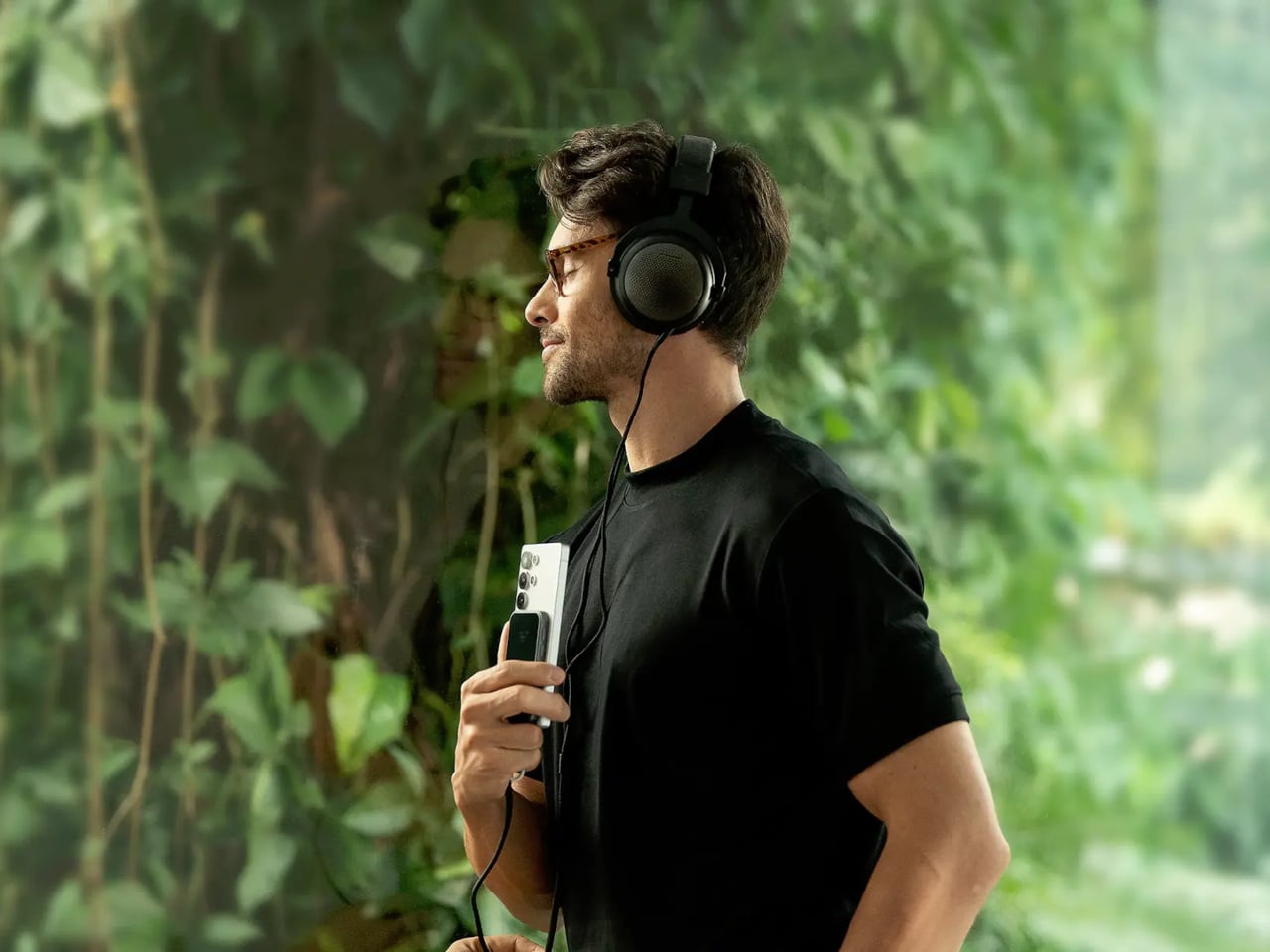
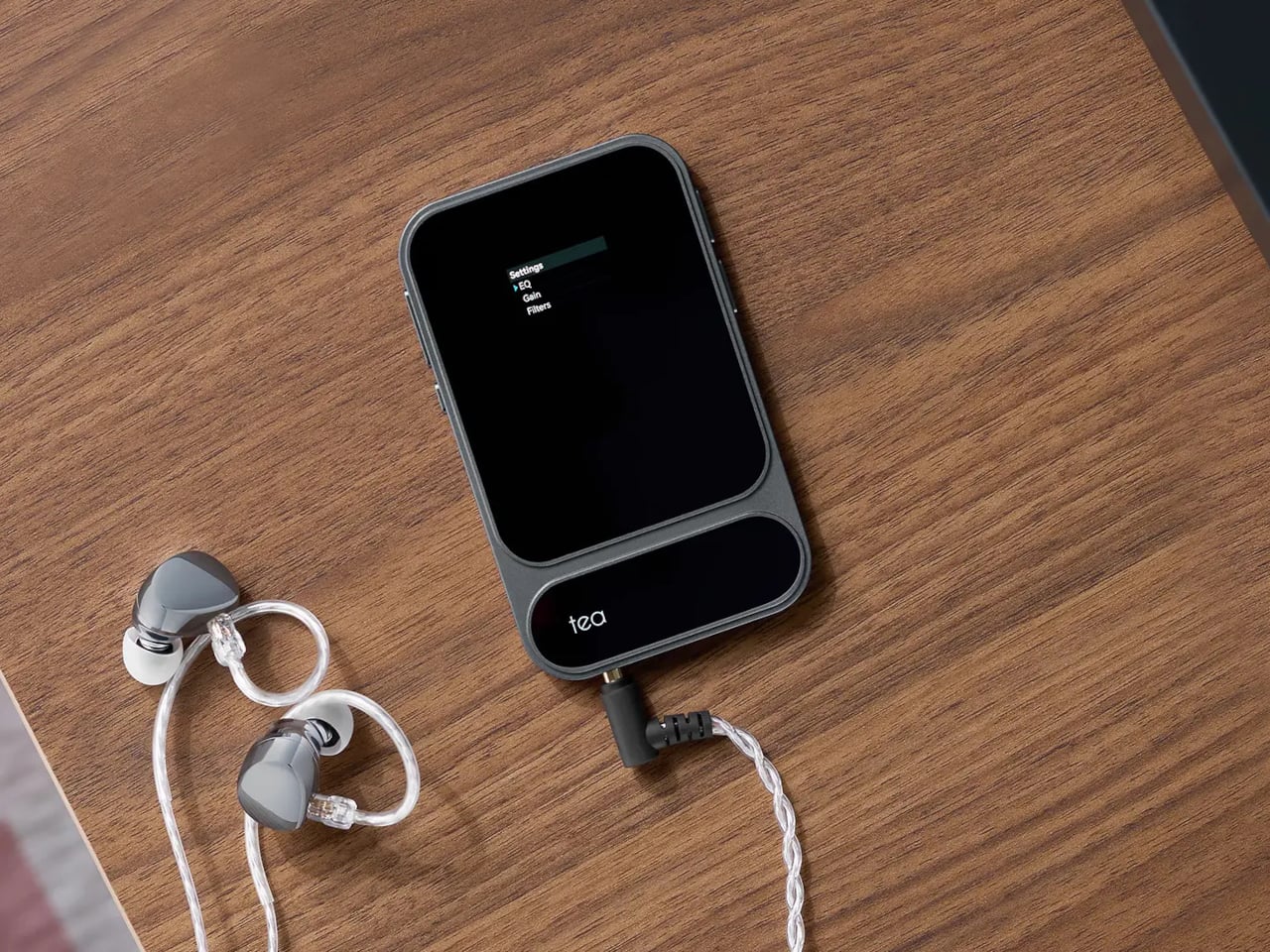
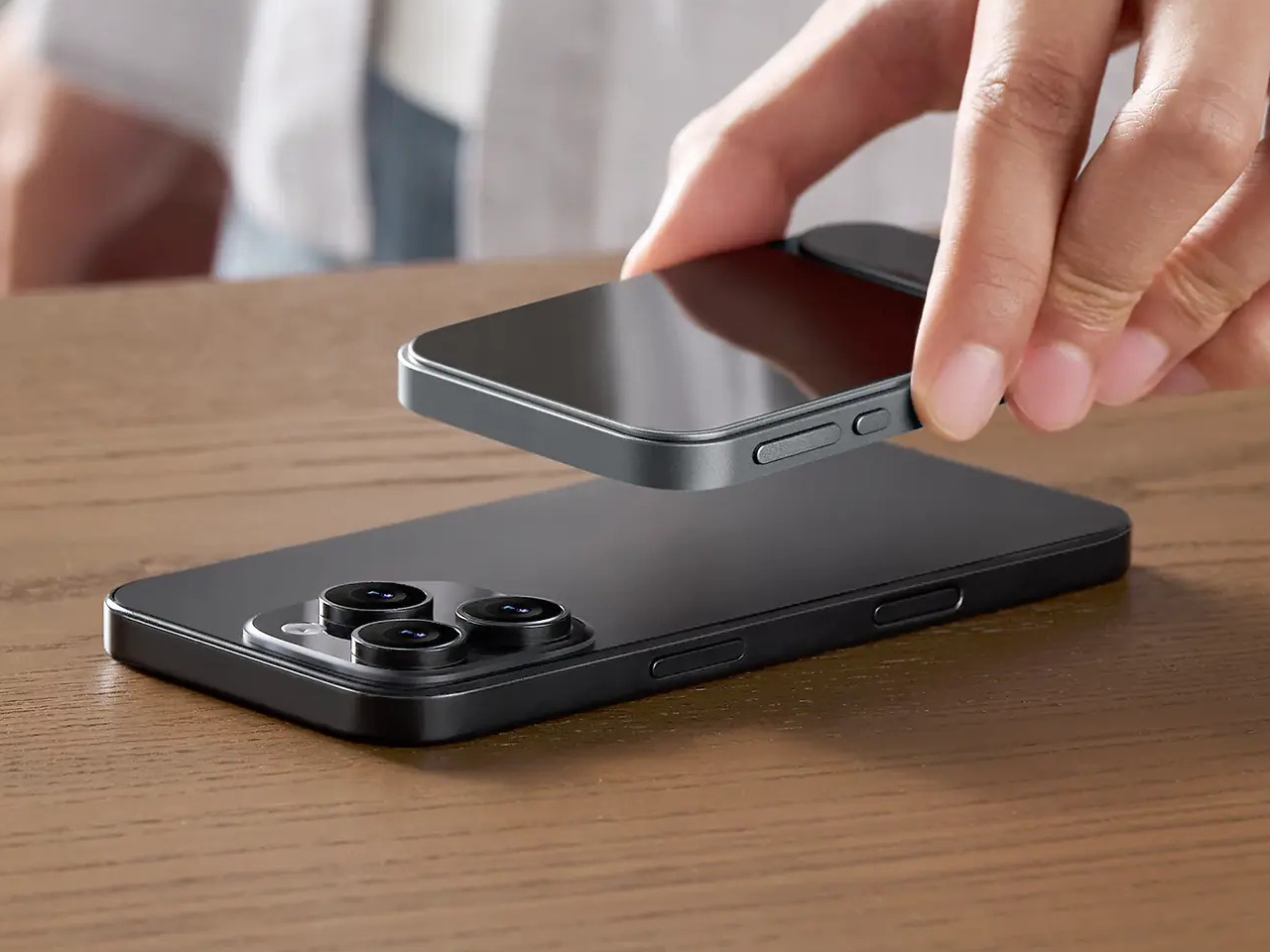
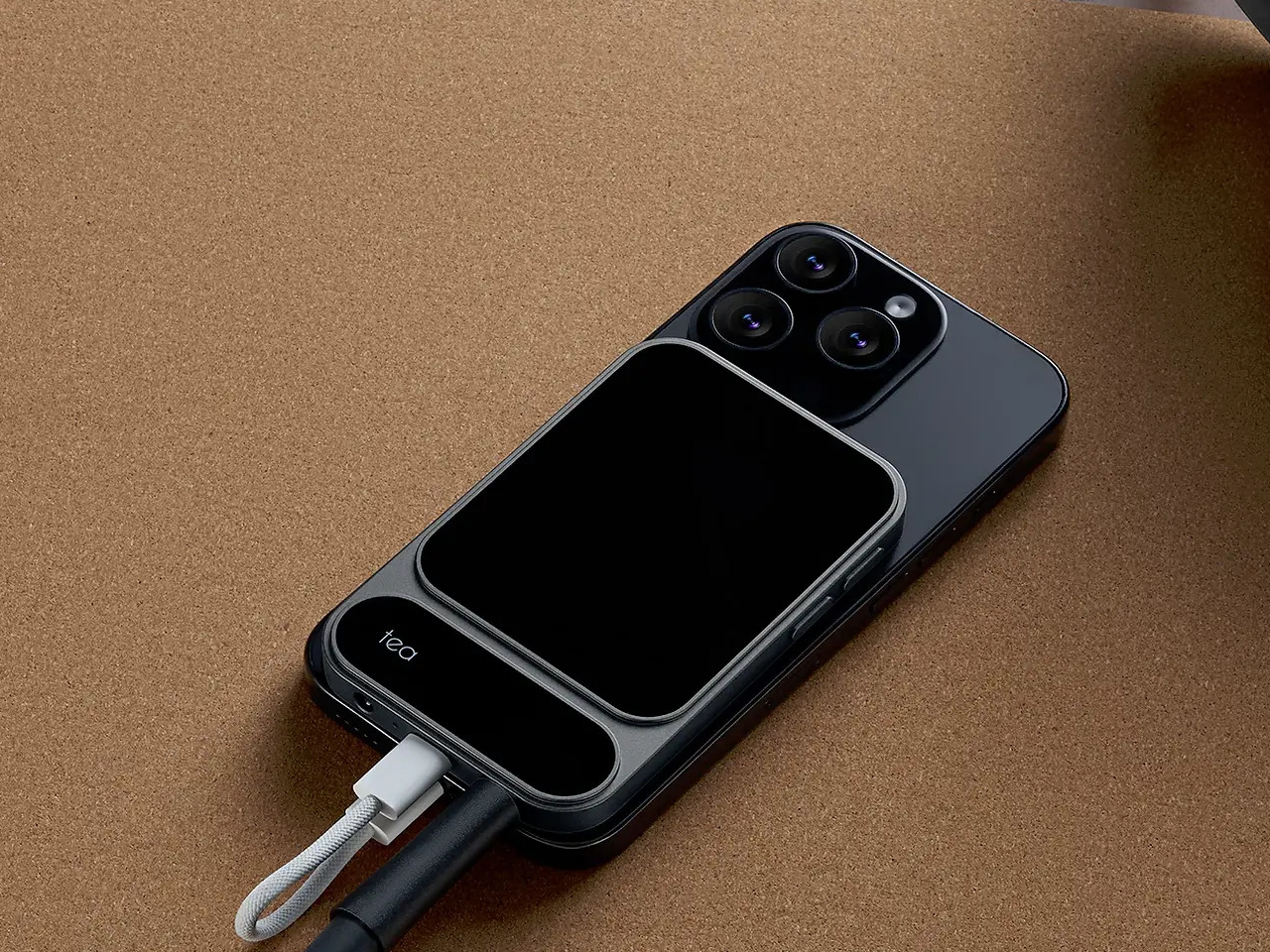
The card-sized iKKO is a small AI-centric smartphone built for always-on connectivity and lightweight productivity. The MindOne Snap-In Case is where it changes character, a snap-on expansion shell that adds a physical QWERTY keyboard, a proper 3.5 mm headphone jack, a dedicated DAC, and a small backup battery in one compact piece, turning the minimal phone into a tiny writing and listening machine.
The QWERTY keyboard changes the way MindOne is used. Raised, separated keys and a slightly sloped surface make thumb typing feel more deliberate than tapping on glass. It is something you reach for when drafting emails, capturing ideas, or editing text while AI handles summarizing and organizing in the background, treating the phone as a tool for active writing rather than just passive messaging and scrolling through feeds.
The case adds a 3.5 mm headphone jack backed by a Cirrus Logic CS43198 DAC, the kind of chip usually found in dedicated portable players. It supports Hi-Res audio with 32-bit/384 kHz PCM and DSD256, low-noise playback, and enough dynamic range to make lossless playlists and long podcasts feel crisp and detailed without worrying about pairing or battery levels in wireless earbuds that will die halfway through the flight.
The built-in 500 mAh battery is a quiet safety net rather than a second fuel tank. It tops up MindOne during long typing or listening sessions and helps offset the extra draw from the DAC and keyboard, extending comfortable use without turning the phone into a brick of battery cells. The point is not doubling battery life, but making intensive sessions feel smoother and less anxious.
MindOne stays slim and card-like on its own, then becomes a different kind of device when it snaps into the case. You might carry the phone bare for quick AI tasks and navigation, then drop it into the case on a flight, in a café, or at a desk when you know you will be writing and listening for a while, using the same object in two distinctly different modes.
Customizable keycap stickers and a range of colors that match or complement the phone are not just fashion accessories; they are small ways to make a very compact device feel personal. The case is tuned to MindOne’s proportions and personality, not a generic keyboard sled trying to fit every phone, which makes the combo feel considered rather than cobbled together from unrelated parts.
The iKKO MindOne Snap-In Case is less about nostalgia and more about choice, letting a tiny AI phone become a pocketable notebook and Hi-Fi player when needed. Most phones today are sealed slabs, which makes this case feel like a quiet reminder that hardware can still click, plug in, and feel like something you work and listen with, rather than just stare at until the next notification arrives.
Satechi’s Thunderbolt 5 CubeDock with SSD Enclosure is built to look as sophisticated as the devices it serves. The compact 5 x 5 x 2-inch footprint mirrors the proportions of Apple’s Mac mini, so the two stack neatly into a clean, monolithic tower on your desk rather than a cluttered pile of hardware. The solid aluminum body and soft, rounded corners pick up Apple’s visual language in a way that feels intentional, making the CubeDock read like an extension of a modern Mac setup instead of an aftermarket add‑on.
Designer: Satechi
That design focus does not mean the dock is only for Mac users, though. Satechi is positioning the CubeDock as a cross‑platform, Thunderbolt 5‑first hub for creative professionals and power users on both Windows and macOS. Built on Intel’s Thunderbolt 5 technology, it doubles the bandwidth of previous generations, delivering 80 Gbps of bi‑directional bandwidth and up to 120 Gbps with Bandwidth Boost for external graphics and multi‑display configurations. On supported Windows machines, it can drive triple 8K displays at 60 Hz or triple 4K panels at 144 Hz, while on newer Apple silicon systems, it supports dual 6K at 60 Hz, all from a single cable.
The CubeDock’s compact size hides a serious amount of connectivity. It boasts Thunderbolt 5 downstream ports, multiple 10 Gbps USB‑C and USB‑A ports, UHS‑II SD and microSD card readers, and 2.5 Gb Ethernet. For photographers, filmmakers, and 3D artists, that means fast card ingestion, wired networking, and external drives all plug into one cube that visually recedes into the background. A 180 W smart power supply delivers up to 140 W back to the host laptop, plus 30 W of Power Delivery for phones and tablets, so the dock can replace multiple separate chargers on the desktop.
One of the most thoughtful touches is the integrated NVMe SSD bay. Instead of forcing users to add yet another external enclosure, Satechi has built a PCIe 4×4 slot into the CubeDock itself, supporting up to 8 TB of storage at speeds up to 6000 MB per second. That turns the dock into both a visual anchor and a primary working drive, ideal for 4K and 8K video, large RAW photo libraries, or CAD files. Adaptive active cooling keeps the cube whisper‑quiet even under heavy workloads, maintaining performance without adding fan noise to your workspace. For anyone building a refined, minimal workstation around a Mac mini or modern laptop, yet wanting the flexibility to move between platforms, the CubeDock offers a rare combination of industrial design, raw bandwidth, and integrated storage in one small aluminum cube.
JMGO has spent years quietly refining the idea that home cinema doesn’t need to be fixed in one place. Much like how thoughtfully designed consumer tech reimagines everyday experiences through flexibility and form, the company’s latest projector leans into motion, adaptability, and visual ambition. The JMGO N3 4K triple-laser gimbal projector builds on that philosophy, presenting a compact, all-in-one cinema solution that feels engineered for modern living spaces rather than dedicated theater rooms.
At the heart of the N3 is JMGO’s MALC 3.0 triple-laser light engine, which uses separate red, green, and blue lasers to produce accurate color and consistent brightness. The system outputs up to 1,800 ISO lumens and covers 110 percent of the BT.2020 color gamut, delivering saturated yet controlled visuals that hold up well in both darkened rooms and moderate ambient light. Native 4K resolution at 3840 by 2160 pixels is paired with 10-bit color support and HDR10 compatibility, allowing the projector to render fine detail, smooth gradients, and cinematic contrast across films, games, and streaming content.
What sets the N3 apart visually and mechanically is its motorized gimbal base. The projector can rotate a full 360 degrees horizontally and tilt up to 160 degrees vertically, making it possible to project onto walls, ceilings, or unconventional surfaces without mounts or awkward positioning. This mobility is supported by automatic keystone correction, real-time autofocus, screen alignment, and obstacle avoidance, which together minimize setup time and reduce the trial-and-error often associated with portable or lifestyle projectors.
The optical system offers a throw ratio ranging from 1.0 to 1.3:1 with 1.3× optical zoom, giving users flexibility in room placement while supporting screen sizes of up to 300 inches. Whether used in an apartment living room or a larger open space, the projector adapts easily without demanding architectural changes. Content access is handled through Google TV, which brings native Netflix support, voice search, and a wide library of apps, all backed by Wi-Fi 6 for smoother streaming and faster responsiveness. HDMI inputs provide straightforward connections for consoles and external media devices.
Audio is handled by integrated JMGO Master Sound Hi-Fi speakers with dual 10-watt drivers and support for Dolby Audio and DTS-HD decoding. While external speakers will still appeal to dedicated enthusiasts, the built-in system delivers clear dialogue and balanced sound that feels appropriate for casual movie nights or everyday viewing. Intelligent sensors further enhance usability by adjusting brightness and protecting viewers’ eyes during extended sessions.
Certified for 4K UHD performance and tested for low speckle and minimal chromatic aberration, the JMGO N3 positions itself as a technically credible home cinema tool rather than a novelty device. Priced around $1,099, it lands in a space that makes high-quality laser projection more approachable, blending strong visual performance, thoughtful industrial design, and practical flexibility into a single, modern entertainment centerpiece.
The new year brings fresh opportunities to reimagine how we work, create, and organize our daily routines. As we step into 2026, the tools we choose to accompany us matter more than ever. The right instruments don’t just help us complete tasks—they transform how we think, collaborate, and bring ideas to life. From portable writing companions to innovative digital hybrids, these productivity tools represent a shift toward smarter, more thoughtful design.
What makes a tool truly productive isn’t complexity or feature overload. The best instruments fade into the background, becoming natural extensions of our creative process. They’re the ones we reach for instinctively, the ones that remove friction rather than add it. These seven designs embrace that philosophy, offering elegant solutions that respect your time, space, and workflow while helping you achieve more with less effort.
1. Inseparable Notebook Pen
The frustration of reaching for a pen only to find it missing is universal. This magnetic pen eliminates that daily annoyance by becoming one with your notebook. The design features a sleek magnetic clip that securely attaches to your journal, ensuring your writing instrument is always exactly where you need it. The built-in silencer creates a satisfying, quiet click when attaching or removing the pen, adding a touch of refinement to every interaction.
Beyond its clever attachment system, this pen excels at its primary function. The gel ink delivers smooth, consistent lines whether you’re sketching rapid concepts or writing detailed notes. Its minimalist form fits comfortably in your hand during extended writing sessions, while the compact profile maintains your notebook’s portability. The pen becomes invisible until needed, then performs flawlessly, embodying the principle that great design serves without drawing attention to itself.
The magnetic attachment system keeps your pen and notebook inseparably paired, ending the search for missing writing tools.
The built-in silencer creates a refined, quiet experience when attaching or detaching the pen from your notebook.
Smooth gel ink flows consistently for precise writing across all note-taking styles and purposes.
The minimalist design complements any notebook aesthetic while providing a comfortable grip during extended use.
What We Dislike
Limited to notebooks with compatible attachment points or covers that accommodate the magnetic clip.
The specific gel ink refills may require sourcing from particular suppliers rather than universal options.
2. OrigamiSwift Folding Mouse
Traditional portable mice force you to choose between compact size and comfortable ergonomics. OrigamiSwift refuses that compromise. Inspired by Japanese paper-folding techniques, this Bluetooth mouse transforms from pocket-sized flat form to a full-function tool in half a second. The origami-inspired triangular structure provides surprising stability and durability, proving that portability doesn’t require fragility. At just 40 grams, it disappears into bags and pockets until needed.
The engineering behind the folding mechanism feels almost magical. One fluid motion unfolds the mouse into an ergonomic shape that fits naturally in your palm, ready for hours of comfortable use. Silent click buttons respect shared workspaces, while the smooth tracking works across various surfaces. The USB-C rechargeable battery eliminates disposable battery waste and delivers up to three months of use per charge, making this mouse as sustainable as it is portable.
The instant transformation from flat to functional in under half a second makes setup effortless anywhere.
Weighing only 40 grams with an ultra-slim profile, it’s the ultimate travel companion for mobile professionals.
USB-C rechargeable battery provides three months of use per charge, eliminating disposable battery waste.
Soft-click buttons and smooth tracking enable quiet, precise work without disturbing those around you.
What We Dislike
The folding mechanism may require occasional cleaning to maintain the smooth transformation over extended use.
The compact size, when unfolded, while ergonomic, may feel smaller than full-sized desktop mice for users with larger hands.
3. Personal Whiteboard
Digital tools dominate modern workflows, yet the immediate tactile feedback of writing by hand remains unmatched for ideation. This portable whiteboard bridges both worlds beautifully. The single-page design offers a clean slate for brainstorming, quick diagrams, or temporary notes. When you’ve captured that breakthrough idea, snap a photo to digitize and share it instantly. The multi-functional cover serves triple duty as eraser, built-in stand, and storage pocket.
The innovative Mag Force system demonstrates thoughtful design at its finest. This mechanism functions as both a comfortable cover handle and a secure pen holder, keeping everything together during transport. Compatibility with any standard whiteboard marker means you’re never locked into proprietary supplies. The swift wipe-clean process prepares the surface for your next thought in seconds, creating a flow that makes note-taking feel natural rather than procedural.
The multi-functional cover acts as an eraser, a stand, and a pocket, consolidating several tools into one elegant package.
The Mag Force system cleverly serves as both a carry handle and secure pen holder for all-in-one portability.
Compatible with any regular whiteboard marker, eliminating dependence on specific brand supplies.
Instant erasability and photo-to-cloud workflow combine tactile ideation with digital organization seamlessly.
What We Dislike
Single-page format means you can’t flip back to reference previous notes without reviewing digital photos.
Whiteboard markers can dry out if left uncapped, requiring mindful storage habits.
4. Functional LEGO Rubik’s Cube
Desk toys often serve as simple fidget objects, but this 2,216-piece creation transcends that category entirely. This fully functional Rubik’s Cube, built entirely from LEGO brick,s represents engineering precision that borders on obsessive. Every twist and turn operates with the smoothness of commercial cubes, despite being constructed from elements never intended for such tolerances. The color-accurate design maintains the classic 3×3 configuration, creating a solving experience identical to traditional cubes.
The achievement here extends beyond mere functionality. Building this cube yourself transforms it from a desk decoration into a meaningful accomplishment, a conversation piece with genuine substance behind it. The tactile satisfaction of solving a puzzle you constructed brick by brick creates a connection between maker and object that mass-produced items can’t replicate. It’s a productivity tool disguised as play—the mental breaks spent twisting and solving actually refresh focus and problem-solving abilities for the work that matters.
The 2,216-piece build creates a meaningful project that rewards patience and attention to detail.
Serves dual purpose as an engaging desk toy and a legitimate stress-relief tool during mental breaks.
The color-accurate design maintains classic Rubik’s Cube aesthetics while showcasing LEGO’s versatility.
What We Dislike
The substantial piece count and complex build require significant time investment before you can use it.
LEGO construction makes the cube more fragile than solid plastic commercial alternatives if dropped.
5. Rolling World Clock
Managing global connections shouldn’t require complex apps or mental gymnastics. This twelve-sided world clock reduces time zone tracking to pure physicality. Each face represents a major city—London, Tokyo, New York, Shanghai, Sydney, and seven others—creating a tactile globe of time. Simply roll the clock to your desired city and watch the single hand indicate the current hour there. The minimalist design strips away digital complexity in favor of immediate, intuitive understanding.
The rolling interaction introduces an element of play to what’s typically a mundane task. There’s satisfaction in the physical act of turning the clock, feeling its weight and geometry in hand before setting it down to display the time you need. This transforms checking time zones from a forgettable tap on a screen into a moment of mindful awareness. The black or white finish options ensure it complements any workspace aesthetic while serving as both a functional timekeeper and a sculptural desk accent.
The twelve-sided design elegantly represents major world cities, making global time tracking beautifully intuitive.
Rolling the physical clock introduces satisfying tactile interaction to an otherwise digital task.
The minimalist single-hand display eliminates visual clutter while maintaining instant readability.
Serves double duty as a functional timekeeper and striking desk sculpture in black or white finishes.
What We Dislike
Limited to twelve pre-selected cities, which may not include all locations relevant to your specific connections.
Reading the exact minute requires estimation rather than precision, making it better for general awareness than scheduling.
6. MagBoard Clipboard
Traditional notebooks impose structure through bound pages and fixed layouts. MagBoard takes the opposite approach. This minimalist clipboard uses a magnetic lever mechanism to secure up to 30 loose sheets, giving you complete freedom to arrange, remove, or add pages as your project evolves. The hardcover design transforms any surface into a stable writing platform, enabling you to capture ideas while standing, walking, or working in unconventional spaces.
The water-resistant, easy-clean surface means this tool adapts to various environments without worry. Sketch at a construction site, take meeting notes in a coffee shop, or diagram concepts during outdoor collaboration sessions. The flexibility extends beyond physical durability—the loose sheet system means you can mix paper types, share individual pages instantly, or reorganize your notes to match your thinking process rather than forcing your thoughts into predetermined structures.
The magnet and lever clip system securely holds up to 30 sheets while enabling instant page rearrangement and removal.
Hardcover construction creates a stable writing surface for note-taking in any position or location.
Water-resistant and easy-clean materials protect your work in diverse environments and weather conditions.
The loose sheet approach offers complete flexibility in paper choice, layout, and organization methods.
What We Dislike
Loose sheets lack the permanent binding of traditional notebooks, requiring care to prevent page loss.
The hardcover adds weight compared to standard notepads, making it less ideal for ultra-minimalist carry setups.
7. Rocketbook Reusable Sticky Notes
Sticky notes are workplace staples, yet their disposable nature creates constant waste. Rocketbook reimagines this productivity classic with genuinely reusable notes that feel like paper rather than plastic alternatives. Using special material compatible with Pilot FriXion erasable pens, these notes wipe clean with water and cloth. The paper-like texture and flexibility match traditional sticky notes, avoiding the rigid whiteboard feel of other reusable options.
The adhesive strip demonstrates the same reusability philosophy. Rather than losing stickiness after one use, simply rinse the adhesive area to restore full grip. This means your temporary reminders and quick notes become permanent tools rather than trash-bound consumables. The environmental impact reduction compounds over time—what would have been hundreds of discarded notes becomes a small set of reusable squares that serve just as effectively while generating zero waste.
What We Like
Genuinely reusable design eliminates sticky note waste while maintaining the paper-like feel and flexibility of traditional versions.
The water and cloth cleaning process is quick and simple, preparing notes for immediate reuse.
The reusable adhesive strip rinses clean to restore full stickiness across countless applications.
Compatible with Pilot FriXion pens, which are widely available and offer smooth writing experiences.
What We Dislike
Dependent on specific FriXion pen compatibility, it limits ink color and style options compared to traditional notes.
The water-cleaning requirement means you need access to moisture for erasure rather than instant disposal.
Making 2026 Your Most Productive Year
Productivity isn’t about cramming more tasks into each day. These seven tools share a common philosophy: remove friction, respect the user, and enhance the creative process without dominating it. They’re instruments that adapt to your workflow rather than forcing you into theirs. Each design solves real problems with elegance and thoughtfulness, proving that the best tools are those you stop noticing because they simply work.
As you build your workspace for 2026, consider which frictions slow your daily progress. Perhaps it’s the missing pen, the awkward mouse, or the wasteful sticky notes. The right tool doesn’t just fix a problem—it transforms that moment of your workflow into something smooth, satisfying, and ultimately forgettable. That’s when productivity stops feeling like effort and starts feeling like flow.