How AI Will Be Different at CES 2026: On‑Device Processing and Actual Agentic Productivity

Last year, every other product at CES had a chatbot slapped onto it. Your TV could talk. Your fridge could answer trivia. Your laptop had a sidebar that would summarize your emails if you asked nicely. It was novel for about five minutes, then it became background noise. The whole “AI revolution” at CES 2024 and 2025 felt like a tech industry inside joke: everyone knew it was mostly marketing, but nobody wanted to be the one company without an AI sticker on the booth.

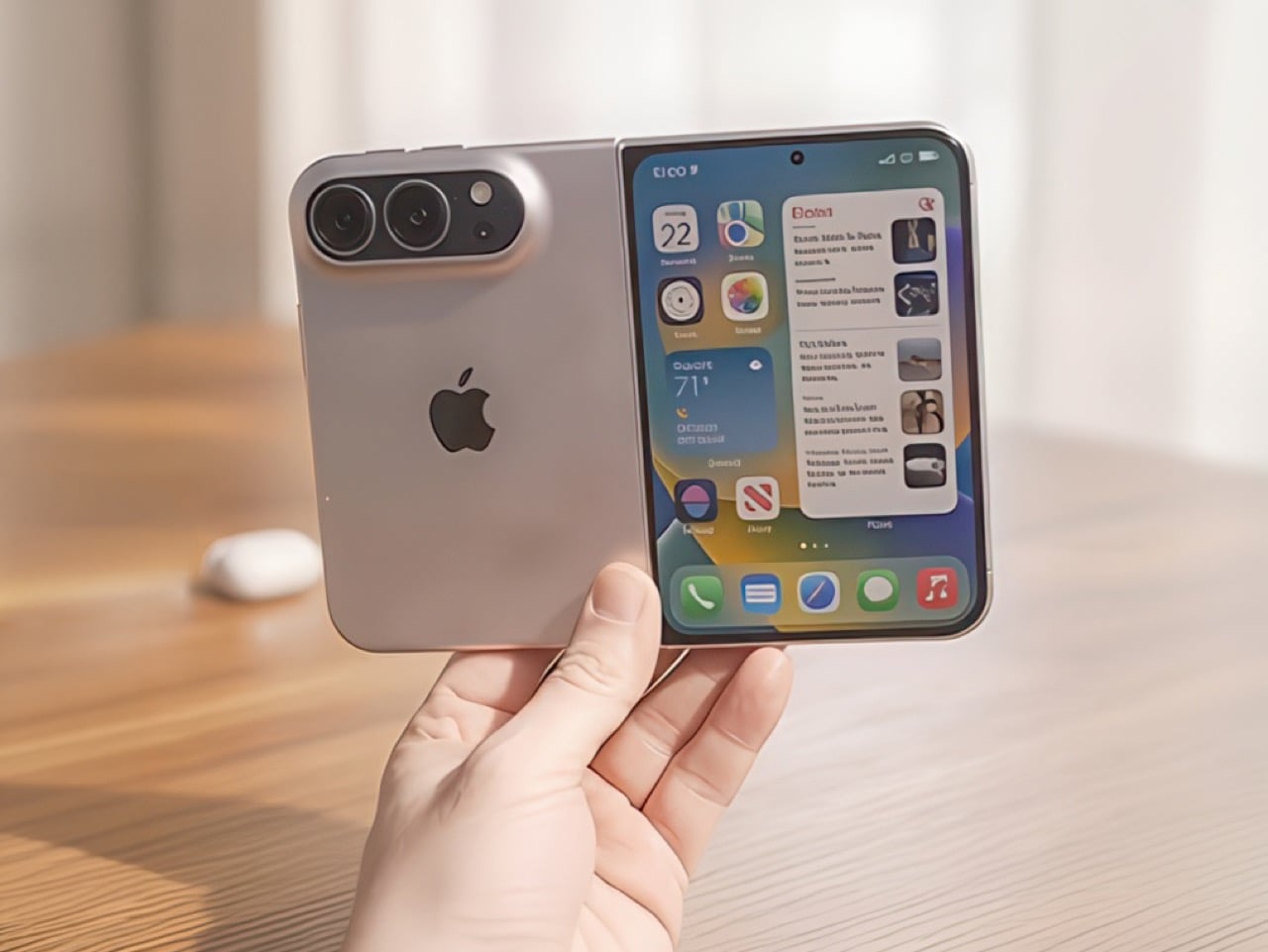
CES 2026 is shaping up differently. Coverage ahead of the show is already calling this the year AI stops being a feature you demo and starts being infrastructure you depend on. The shift is twofold: AI is moving from the cloud onto the device itself, and it is evolving from passive assistants that answer questions into agentic systems that take action on your behalf. Intel has confirmed it will introduce Panther Lake CPUs, AMD CEO Lisa Su is headlining the opening keynote with expectations around a Ryzen 7 9850X3D reveal, and Nvidia is rumored to be prepping an RTX 50 “Super” refresh. The silicon wars are heating up precisely because the companies making chips know that on-device AI is the only way this whole category becomes more than hype. If your gadget still depends entirely on a server farm to do anything interesting, it is already obsolete. Here’s what to expect at CES 2026… but more importantly, what to expect from AI in the near future.

Your laptop is finally becoming the thing running the models

Intel, AMD, and Nvidia are all using CES 2026 as a launching pad for next-generation silicon built around AI workloads. Intel has publicly committed to unveiling its Panther Lake CPUs at the show, chips designed with dedicated neural processing units baked in. AMD’s Lisa Su is doing the opening keynote, with strong buzz around a Ryzen 7 9850X3D that would appeal to gamers and creators who want local AI performance without sacrificing frame rates or render times. Nvidia’s press conference is rumored to focus on RTX 50 “Super” cards that push both graphics and AI inference into new territory. The pitch is straightforward: your next laptop or desktop is not a dumb terminal for ChatGPT; it is the machine actually running the models.

What does that look like in practice? Laptops at CES 2026 will be demoing live transcription and translation that happens entirely on the device, no cloud round trip required. You will see systems that can summarize browser tabs, rewrite documents, and handle background removal on video calls without sending a single frame to a server. Coverage is already predicting a big push toward on-device processing specifically to keep your data private and reduce reliance on cloud infrastructure. For gamers, the story is about AI upscaling and frame generation becoming table stakes, with new GPUs sold not just on raw FPS but on how quickly they can run local AI tools for modding, NPC dialogue generation, or streaming overlays. This is the year “AI PC” might finally mean something beyond a sticker.

Agentic AI is the difference between a chatbot and a butler

Pre-show coverage is leaning heavily on the phrase “agentic AI,” and it is worth understanding what that actually means. Traditional AI assistants answer questions: you ask for the weather, you get the weather. Agentic AI takes goals and executes multi-step workflows to achieve them. Observers expect to see devices at CES 2026 that do not just plan a trip but actually book the flights and reserve the tables, acting on your behalf with minimal supervision. The technical foundation for this is a combination of on-device models that understand context and cloud-based orchestration layers that can touch APIs, but the user experience is what matters: you stop micromanaging and start delegating.

Samsung is bringing its largest CES exhibit to date, merging home appliances, TVs, and smart home products into one massive space with AI and interoperability as the core message. Imagine a fridge, washer, TV, robot vacuum, and phone all coordinated by the same AI layer. The system notices you cooked something smoky, runs the air purifier a bit harder, and pushes a recipe suggestion based on leftovers. Your washer pings the TV when a cycle finishes, and the TV pauses your show at a natural break. None of this requires you to open an app or issue voice commands; the devices are just quietly making decisions based on context. That is the agentic promise, and CES 2026 is where companies will either prove they can deliver it or expose themselves as still stuck in the chatbot era.

Robot vacuums are the first agentic AI success story you can actually buy

CES 2026 is being framed by dedicated floorcare coverage as one of the most important years yet for robot vacuums and AI-powered home cleaning, with multiple brands receiving Innovation Awards and planning major product launches. This category quietly became the testing ground for agentic AI years before most people started using the phrase. Your robot vacuum already maps your home, plans routes, decides when to spot-clean high-traffic areas, schedules deep cleans when you are away, and increasingly maintains itself by emptying dust and washing its own mop pads. It does all of this with minimal cloud dependency; the brains are on the bot.

LG has already won a CES 2026 Innovation Award for a robot vacuum with a built-in station that hides inside an existing cabinet cavity, turning floorcare into an invisible, fully hands-free system. Ecovacs is previewing the Deebot X11 OmniCyclone as a CES 2026 Innovation Awards Honoree and promising its most ambitious lineup to date, pushing into whole-home robotics that go beyond vacuuming. Robotin is demoing the R2, a modular robot that combines autonomous vacuuming with automated carpet washing, moving from daily crumb patrol to actual deep cleaning. These bots are starting to integrate with broader smart home ecosystems, coordinating with your smart lock, thermostat, and calendar to figure out when you are home, when kids are asleep, and when the dog is outside. The robot vacuum category is proof that agentic AI can work in the real world, and CES 2026 is where other product categories are going to try to catch up.

TVs are getting Micro RGB panels and AI brains that learn your taste

LG has teased its first Micro RGB TV ahead of CES 2026, positioning it as the kind of screen that could make OLED owners feel jealous thanks to advantages in brightness, color control, and longevity. Transparent OLED panels are also making appearances in industrial contexts, like concept displays inside construction machinery cabins, hinting at similar tech eventually showing up in living rooms as disappearing TVs or glass partitions that become screens on demand. The hardware story is always important at CES, but the AI layer is where things get interesting for everyday use.

TV makers are layering AI on top of their panels in ways that go beyond simple upscaling. Expect personalized picture and sound profiles that learn your room conditions, content preferences, and viewing habits over time. The pitch is that your TV will automatically switch to low-latency gaming mode when it recognizes you launched a console, dim your smart lights when a movie starts, and adjust color temperature based on ambient light without you touching a remote. Some of this is genuine machine learning happening on-device, and some of it is still marketing spin on basic presets. The challenge for readers at CES 2026 will be figuring out which is which, but the direction is clear: TVs are positioning themselves as smart hubs that coordinate your living room, not just dumb displays waiting for HDMI input.

Gaming gear is wiring itself for AI rendering and 500 Hz dreams

HDMI Licensing Administrator is using CES 2026 to spotlight advanced HDMI gaming technologies with live demos focused on very high refresh rates and next-gen console and PC connectivity. Early prototypes of the Ultra96 HDMI cable, part of the new HDMI 2.2 specification, will be on display with the promise of higher bandwidth to support extreme refresh rates and resolutions. Picture a rig on the show floor: a 500 Hz gaming monitor, next-gen GPU, HDMI 2.2 cable, running an esports title at absurd frame rates with variable refresh rate and minimal latency. It is the kind of setup that makes Reddit threads explode.

GPUs are increasingly sold not just on raw FPS but on AI capabilities. AI upscaling like DLSS is already table stakes, but local AI is also powering streaming tools for background removal, audio cleanup, live captions, and even dynamic NPC dialogue in future games that require on-device inference rather than server-side processing. Nvidia’s rumored RTX 50 “Super” refresh is expected to double down on this positioning, selling the cards as both graphics and AI accelerators. For gamers and streamers, CES 2026 is where the industry will make the case that your rig needs to be built for AI workloads, not just prettier pixels. The infrastructure layer, cables and monitors included, is catching up to match that ambition.

What CES 2026 really tells us about where AI is going

The shift from cloud-dependent assistants to on-device agents is not just a technical upgrade; it is a fundamental change in how gadgets are designed and sold. When Intel, AMD, and Nvidia are all racing to build chips with dedicated AI accelerators, and when Samsung is reorganizing its entire CES exhibit around AI interoperability, the message is clear: companies are betting that local intelligence and cross-device coordination are the only paths forward. The chatbot era served its purpose as a proof of concept, but CES 2026 is where the industry starts delivering products that can think, act, and coordinate without constant cloud supervision.

What makes this year different from the past two is that the infrastructure is finally in place. The silicon can handle real-time inference. The software frameworks for agentic behavior are maturing. Robot vacuums are proving the model works at scale. TVs and smart home ecosystems are learning how to talk to each other without requiring users to become IT managers. The pieces are connecting, and CES 2026 is the first major event where you can see the whole system starting to work as one layer instead of a collection of isolated features.

The real question is what happens after the demos

Trade shows are designed to impress, and CES 2026 will have no shortage of polished demos where everything works perfectly. The real test comes in the six months after the show, when these products ship and people start using them in messy, real-world conditions. Does your AI PC actually keep your data private when it runs models locally, or does it still phone home for half its features? Does your smart home coordinate smoothly when you add devices from different brands, or does it fall apart the moment something breaks the script? Do robot vacuums handle the chaos of actual homes, or do they only shine in controlled environments?

The companies that win in 2026 and beyond will be the ones that designed their AI systems to handle failure, ambiguity, and the unpredictable messiness of how people actually live. CES 2026 is where you will see the roadmap. The year after is where you will see who actually built the roads. If you are walking the show floor or following the coverage, the most important question is not “what can this do in a demo,” but “what happens when it breaks, goes offline, or encounters something it was not trained for.” That is where the gap between real agentic AI and rebranded presets will become impossible to hide.

The post How AI Will Be Different at CES 2026: On‑Device Processing and Actual Agentic Productivity first appeared on Yanko Design.

Remember “The Ghiblification”? We Treated Ghibli As Disposable Because That’s How We Treat Everything

First, it was cottagecore, filling our feeds with sourdough starters and rustic linen. Then came the sharp, symmetrical pastels of the Wes Anderson trend, followed by a tidal wave of Barbie pink that painted the internet for a summer. Each aesthetic arrived like a weather front, dominating the landscape completely for a short time before vanishing just as quickly, leaving behind only a faint digital echo. They were cultural costumes, tried on for a season and then relegated to the back of the closet.

Into this cycle stepped Studio Ghibli, its decades of patient, handcrafted animation compressed into a one-click selfie generator. The resulting “Ghibli-fication” of our profiles was not a deep engagement with Hayao Miyazaki’s themes of environmentalism and pacifism; it was simply the next costume off the rack. The speed with which we adopted and then abandoned it reveals a difficult truth. Our treatment of Ghibli was a symptom of a much larger cultural pattern, one where even the most profound art is rendered disposable by the internet’s insatiable appetite for the new.

When everything becomes an aesthetic, nothing remains itself

Platforms thrive on legibility. Content needs to be instantly recognizable, easily categorized, and simple enough to reproduce at scale. This creates enormous pressure to reduce complex cultural artifacts into their most surface-level visual markers. A Wes Anderson film becomes “symmetrical shots in pastel.” A hit song from Raye (that marked her leaving a music label and following creative freedom) becomes just a fleeting 20-second TikTok dance about rings on fingers and finding husbands. Ghibli’s intricate storytelling about war, labor, and the natural world gets flattened into “soft colors and big eyes.”

The reduction is not accidental. It is the cost of entry into viral circulation. An aesthetic can only spread if it can be copied quickly, applied broadly, and understood immediately. Nuance, context, and depth are friction. They slow down the sharing, complicate the reproduction, and limit the audience. So they get stripped away, not out of malice, but out of structural necessity. What remains is a shell, a visual shorthand that gestures toward the original without containing any of its substance.

This process turns cultural works into raw material. A film, a book, a philosophical tradition, any of these can be mined for their most photogenic elements and reconfigured into something that fits neatly into a grid post or a TikTok filter. The original becomes less important than the aesthetic it can generate. Once the aesthetic stops performing well in terms of engagement metrics, the entire package gets discarded. The algorithm does not care about preservation or reverence. It cares about what is getting clicks and views today.

The appetite that cannot be satisfied

Social media platforms are built around a fundamental economic problem: they need to hold attention, but attention is finite and easily exhausted. The solution is constant novelty. If users get bored, they leave. If they leave, ad revenue drops. So the feed must always be serving something new, something that feels fresh enough to justify another scroll, another click, another few seconds of eyeball time.

This creates a culture of planned obsolescence for aesthetics. A look can only stay interesting for so long before it becomes familiar, then oversaturated, then tiresome. At that point, it has to be replaced. The cycle repeats endlessly, chewing through visual languages, artistic movements, and cultural traditions at a pace that would have been unthinkable even twenty years ago. What took decades to develop can be extracted, popularized, and discarded in a matter of weeks.

The speed of this churn has consequences. It trains us to engage with culture in a particular way: superficially, briefly, and without much attachment. We learn to skim surfaces rather than dig into depths. We participate in trends not because they resonate with us personally, but because participation itself is the point (the ice bucket challenge boosted ALS awareness for precisely 6 months). Being part of the moment, being visible within the current aesthetic wave, these become more valuable than any lasting connection to the work that aesthetic is borrowed from.

What sticks when the wave recedes

The irony is that while trends are disposable, the works they feed on often are not. Ghibli films continue to be watched, analyzed, and loved by new audiences long after the selfie filters have been forgotten. Wes Anderson’s movies did not become less meaningful because people used his color palettes for Instagram posts. The underlying art survives because it contains something that cannot be reduced to a visual shorthand.

What separates durable culture from disposable trends is substance that exceeds its surface. A Ghibli film rewards attention over time. The more you watch, the more you notice: the way labor is animated with dignity, the long quiet stretches that mirror real life’s pace, the refusal to offer simple moral answers. None of that fits in a filter. None of that can be mass-produced. It requires the viewer to bring time, focus, and openness to complexity.

This is what the trend cycle cannot replicate. It can borrow the look, but it cannot borrow the experience. It can create a momentary association with the aesthetic, but it cannot create the slow, layered engagement that builds lasting attachment. So the original work persists beneath the churn, waiting for the people who want more than a costume, who are looking for something to return to rather than something to discard.

Resisting the rhythm of disposability

Recognizing this pattern is not the same as escaping it. We are all embedded in systems that reward rapid consumption and constant novelty. The feed is designed to keep us moving, to prevent us from lingering too long on any one thing. Resisting that rhythm requires deliberate effort, a conscious choice to slow down when everything around us is accelerating.

That resistance can look small and personal: rewatching a film instead of merely watching a snippet of it on YouTube Shorts, reading longform essays instead of liking someone’s reel about it, spending time with art that does not immediately reveal itself. If anything, the pandemic allowed us to spend days culturing sourdough starter so we could bake our bread. The curfew ended and sourdough became a distant memory… but for those 6 months, we actually indulged in immersion. These acts do not change the structure of the platforms, but they change our relationship to culture. They create space for depth in an environment optimized for surface.

The broader question is whether we can build cultural spaces that do not treat everything as disposable. Platforms will not do this on their own; their incentives run in the opposite direction. But audiences, creators, and critics can push back by valuing longevity over virality, by rewarding substance over aesthetic repackaging, by choosing to engage with work in ways that cannot be reduced to a trend cycle.

Ghibli survived its moment as a disposable aesthetic because it was never fully captured by it. The films remain too slow, too strange, too resistant to easy consumption. They stand as a reminder that some things are built to last, even in an environment designed to make everything temporary. The real work is recognizing that difference and choosing to treat what matters accordingly.

The post Remember “The Ghiblification”? We Treated Ghibli As Disposable Because That’s How We Treat Everything first appeared on Yanko Design.

Remember “The Ghiblification”? We Treated Ghibli As Disposable Because That’s How We Treat Everything

First, it was cottagecore, filling our feeds with sourdough starters and rustic linen. Then came the sharp, symmetrical pastels of the Wes Anderson trend, followed by a tidal wave of Barbie pink that painted the internet for a summer. Each aesthetic arrived like a weather front, dominating the landscape completely for a short time before vanishing just as quickly, leaving behind only a faint digital echo. They were cultural costumes, tried on for a season and then relegated to the back of the closet.

Into this cycle stepped Studio Ghibli, its decades of patient, handcrafted animation compressed into a one-click selfie generator. The resulting “Ghibli-fication” of our profiles was not a deep engagement with Hayao Miyazaki’s themes of environmentalism and pacifism; it was simply the next costume off the rack. The speed with which we adopted and then abandoned it reveals a difficult truth. Our treatment of Ghibli was a symptom of a much larger cultural pattern, one where even the most profound art is rendered disposable by the internet’s insatiable appetite for the new.

When everything becomes an aesthetic, nothing remains itself

Platforms thrive on legibility. Content needs to be instantly recognizable, easily categorized, and simple enough to reproduce at scale. This creates enormous pressure to reduce complex cultural artifacts into their most surface-level visual markers. A Wes Anderson film becomes “symmetrical shots in pastel.” A hit song from Raye (that marked her leaving a music label and following creative freedom) becomes just a fleeting 20-second TikTok dance about rings on fingers and finding husbands. Ghibli’s intricate storytelling about war, labor, and the natural world gets flattened into “soft colors and big eyes.”

The reduction is not accidental. It is the cost of entry into viral circulation. An aesthetic can only spread if it can be copied quickly, applied broadly, and understood immediately. Nuance, context, and depth are friction. They slow down the sharing, complicate the reproduction, and limit the audience. So they get stripped away, not out of malice, but out of structural necessity. What remains is a shell, a visual shorthand that gestures toward the original without containing any of its substance.

This process turns cultural works into raw material. A film, a book, a philosophical tradition, any of these can be mined for their most photogenic elements and reconfigured into something that fits neatly into a grid post or a TikTok filter. The original becomes less important than the aesthetic it can generate. Once the aesthetic stops performing well in terms of engagement metrics, the entire package gets discarded. The algorithm does not care about preservation or reverence. It cares about what is getting clicks and views today.

The appetite that cannot be satisfied

Social media platforms are built around a fundamental economic problem: they need to hold attention, but attention is finite and easily exhausted. The solution is constant novelty. If users get bored, they leave. If they leave, ad revenue drops. So the feed must always be serving something new, something that feels fresh enough to justify another scroll, another click, another few seconds of eyeball time.

This creates a culture of planned obsolescence for aesthetics. A look can only stay interesting for so long before it becomes familiar, then oversaturated, then tiresome. At that point, it has to be replaced. The cycle repeats endlessly, chewing through visual languages, artistic movements, and cultural traditions at a pace that would have been unthinkable even twenty years ago. What took decades to develop can be extracted, popularized, and discarded in a matter of weeks.

The speed of this churn has consequences. It trains us to engage with culture in a particular way: superficially, briefly, and without much attachment. We learn to skim surfaces rather than dig into depths. We participate in trends not because they resonate with us personally, but because participation itself is the point (the ice bucket challenge boosted ALS awareness for precisely 6 months). Being part of the moment, being visible within the current aesthetic wave, these become more valuable than any lasting connection to the work that aesthetic is borrowed from.

What sticks when the wave recedes

The irony is that while trends are disposable, the works they feed on often are not. Ghibli films continue to be watched, analyzed, and loved by new audiences long after the selfie filters have been forgotten. Wes Anderson’s movies did not become less meaningful because people used his color palettes for Instagram posts. The underlying art survives because it contains something that cannot be reduced to a visual shorthand.

What separates durable culture from disposable trends is substance that exceeds its surface. A Ghibli film rewards attention over time. The more you watch, the more you notice: the way labor is animated with dignity, the long quiet stretches that mirror real life’s pace, the refusal to offer simple moral answers. None of that fits in a filter. None of that can be mass-produced. It requires the viewer to bring time, focus, and openness to complexity.

This is what the trend cycle cannot replicate. It can borrow the look, but it cannot borrow the experience. It can create a momentary association with the aesthetic, but it cannot create the slow, layered engagement that builds lasting attachment. So the original work persists beneath the churn, waiting for the people who want more than a costume, who are looking for something to return to rather than something to discard.

Resisting the rhythm of disposability

Recognizing this pattern is not the same as escaping it. We are all embedded in systems that reward rapid consumption and constant novelty. The feed is designed to keep us moving, to prevent us from lingering too long on any one thing. Resisting that rhythm requires deliberate effort, a conscious choice to slow down when everything around us is accelerating.

That resistance can look small and personal: rewatching a film instead of merely watching a snippet of it on YouTube Shorts, reading longform essays instead of liking someone’s reel about it, spending time with art that does not immediately reveal itself. If anything, the pandemic allowed us to spend days culturing sourdough starter so we could bake our bread. The curfew ended and sourdough became a distant memory… but for those 6 months, we actually indulged in immersion. These acts do not change the structure of the platforms, but they change our relationship to culture. They create space for depth in an environment optimized for surface.

The broader question is whether we can build cultural spaces that do not treat everything as disposable. Platforms will not do this on their own; their incentives run in the opposite direction. But audiences, creators, and critics can push back by valuing longevity over virality, by rewarding substance over aesthetic repackaging, by choosing to engage with work in ways that cannot be reduced to a trend cycle.

Ghibli survived its moment as a disposable aesthetic because it was never fully captured by it. The films remain too slow, too strange, too resistant to easy consumption. They stand as a reminder that some things are built to last, even in an environment designed to make everything temporary. The real work is recognizing that difference and choosing to treat what matters accordingly.

The post Remember “The Ghiblification”? We Treated Ghibli As Disposable Because That’s How We Treat Everything first appeared on Yanko Design.

10 Iconic Frank Gehry Buildings That Celebrate The Late “Starchitect’s” Legacy

Frank Gehry’s death will feel like a seismic event, even to people who never learned his name but knew “that crazy silver building” in their city. Born in Toronto in 1929 and raised in Los Angeles, he moved through the twentieth century like a restless experiment in motion, turning cardboard models into titanium-clad landmarks and treating cities as full-scale sketchbooks. His passing closes a chapter in which architecture stopped pretending to be purely rational infrastructure and allowed itself to be emotional, unstable, and sometimes gloriously impractical.

What lingers most is not only the spectacle of his work but the shift in attitude it made possible. Gehry treated architecture as a narrative medium, not a neutral backdrop; every warped surface and improbable curve suggested a story about risk, uncertainty, and delight. He pushed software, fabrication, and engineering to their limits long before “parametric design” became a buzzword, yet he remained suspicious of fashion and theory, insisting that buildings should be humane, tactile, and a bit mischievous. The structures he leaves behind do more than house art, music, or offices; they continue to provoke arguments, civic pride, and sometimes outrage, which may be the clearest sign that they are very much alive.

Gehry’s legacy is also institutional and generational. He helped reframe what a “starchitect” could be: not just a brand attached to luxury clients, but a public figure whose work could catalyze urban reinvention, as Bilbao discovered, or reshape how a city thinks about its cultural core, as Los Angeles learned. Dozens of younger architects cite him less for his specific forms than for his license to be disobedient, to treat the brief as a starting point rather than a boundary. In that sense, his death does not simply mark an ending; it underlines how thoroughly his once-radical sensibility has seeped into the mainstream of contemporary design.

As we return to his most iconic works, what becomes clear is how consistent his obsessions were across wildly different contexts. Light, movement, and the choreography of how a body moves through space preoccupied him as much as façades ever did. In his absence, the buildings remain as articulate as any obituary, each one a frozen fragment of his ongoing argument with gravity, convention, and taste. They stand not as monuments in the solemn sense, but as restless objects that still seem to be in the process of becoming something else.

Guggenheim Museum, Bilbao, Spain

A veritable masterpiece, the Guggenheim Museum in Bilbao redefined the very essence of museum architecture. Clad in shimmering titanium, limestone, and glass, its fluid form and undulating surfaces transformed the post-industrial city of Bilbao into a global cultural hub. Beyond its exterior, the museum offers a labyrinth of interconnected spaces, providing a dynamic environment for art display and contemplation, where visitors are constantly reoriented by shifting scales, vistas, and shafts of light.

The so-called “Bilbao Effect” grew out of this building, turning a risky cultural investment into a template for urban reinvention that countless cities tried to emulate, with varying success. The Guggenheim’s success lies not just in its photogenic skin, but in the way it engages the river, the bridges, and the city’s once-neglected waterfront, stitching art into the daily life of Bilbao. Inside, Gehry’s vast gallery volumes proved unexpectedly flexible, accommodating everything from monumental sculpture to delicate installations, and showing that radical form could coexist with curatorial practicality.

Walt Disney Concert Hall, Los Angeles, USA

Situated in Los Angeles’ cultural corridor, the Walt Disney Concert Hall is an architectural symphony in stainless steel. Its sculptural, sail-like exterior rises from the street as if peeled up from the city grid, catching the famously sharp Southern California light and scattering it in soft, shifting reflections. The building’s complex geometry masks a remarkably clear organization, guiding audiences from the plaza and terraces into the heart of the hall through a sequence of compressed entries and soaring atriums.

Inside, the vineyard-style auditorium, wrapped in warm Douglas fir and oak, embodies Gehry’s close collaboration with acoustician Yasuhisa Toyota and the Los Angeles Philharmonic. The space is both intimate and monumental; the orchestra feels almost surrounded by the audience, and the sound is prized for its clarity and warmth. The organ, with its forest of asymmetrical wooden pipes, doubles as sculpture, echoing the exterior’s exuberance. Disney Hall did more than give Los Angeles a world-class concert venue; it anchored the city’s identity as a serious cultural capital and remains one of the rare buildings where musicians, critics, and everyday concertgoers are equally enthusiastic.

Dancing House, Prague, Czech Republic

In the heart of Prague, a city steeped in historic architectural grandeur, the Dancing House emerges as a contemporary icon. Its deconstructed silhouette, often likened to a dancing couple, stands in deliberate contrast to the neighboring Baroque and Gothic facades, signaling Prague’s evolving architectural narrative. The building’s glass “Fred” leans into the stone “Ginger,” creating a sense of motion that feels almost cinematic against the calm rhythm of the riverfront.

Beyond the playful metaphor, the Dancing House operates as a careful negotiation between old and new. Gehry and co-architect Vlado Milunić threaded the building into its tight urban site, respecting existing cornice lines while fracturing the expected symmetry and order. Offices occupy much of the interior, but the rooftop restaurant and terrace open the building to the public, offering panoramic views that reframe the city’s historic skyline. In a place where modern interventions are often contentious, the Dancing House has gradually shifted from scandal to beloved oddity, proving that contemporary architecture can coexist with, and even refresh, a deeply layered urban fabric.

Fondation Louis Vuitton, Paris, France

Gehry’s Fondation Louis Vuitton is a testament to the confluence of art, architecture, and landscape. Resembling a futuristic ship moored in the Bois de Boulogne, its glass “sails” seem to billow in the wind, catching reflections of trees, sky, and water. Set within the historic Jardin d’Acclimatation, the building plays a game of concealment and revelation; from some angles it appears almost transparent, from others it asserts itself as a crystalline object hovering above the park.

Inside, a series of white, box-like galleries are wrapped by the glass sails and linked through terraces, stairways, and bridges, creating a rich sequence of indoor-outdoor experiences. The museum’s program of contemporary art and performance takes advantage of these varied spaces, from intimate rooms to large, flexible volumes. At night, the Fondation becomes a lantern in the forest, a glowing presence that underscores Gehry’s fascination with light as a building material. It also represents a late-career synthesis for him: digital design and fabrication techniques are pushed to the extreme, yet the result feels surprisingly light, almost improvised, rather than technologically overdetermined.

Binoculars Building, Venice, Los Angeles, USA

Characterized by its monumental binocular facade, this office building exemplifies Gehry’s mischievous side. The structure is a hybrid of architecture and sculpture, with the colossal binoculars, originally a work by Claes Oldenburg and Coosje van Bruggen, serving as the principal entrance. Cars and pedestrians pass through the lenses, turning a familiar object into an inhabitable threshold and gently mocking the solemnity usually associated with corporate architecture.

The rest of the building, composed of irregular volumes clad in rough stucco and brick, plays foil to the central object, creating a streetscape that feels more like an assemblage of found pieces than a single, unified block. Over the years, the building has housed creative offices, including tech tenants, and has become a kind of mascot for the neighborhood’s informal, experimental energy. It demonstrates Gehry’s comfort with pop culture and humor, and his willingness to let another artist’s work literally occupy center stage, reinforcing his belief that architecture can be a generous collaborator rather than a jealous frame.

Lou Ruvo Center for Brain Health, Las Vegas, USA

In a city known for its flamboyant spectacles, the Lou Ruvo Center for Brain Health stands out with its cascading stainless steel forms that seem to melt and twist in the desert sun. The building is split into two distinct parts: a relatively rectilinear clinical wing that houses examination and treatment rooms, and a wildly contorted event hall whose warped grid and skewed windows evoke the tangled pathways of the brain. This juxtaposition turns the complex into a physical metaphor for cognitive disorder and the search for clarity within it.

Beyond its sculptural bravado, the center represents an attempt to bring architectural attention and philanthropic energy to the often invisible struggles of neurological disease and dementia. The event space helps fund the medical and research programs, hosting gatherings that place patients’ stories at the center of civic life. For Gehry, who has spoken publicly about friends and family affected by these conditions, the project had a personal resonance, and it shows in the building’s emotional charge. It is one of the clearest examples of his belief that dramatic form can serve not just commerce or culture, but also care and advocacy.

Neuer Zollhof, Düsseldorf, Germany

Overlooking Düsseldorf’s MedienHafen, the Neuer Zollhof complex showcases Gehry’s skill at composing buildings as a kind of urban sculpture. The trio of towers, each with its own material identity in white plaster, red brick, and shimmering stainless steel, appears to lean and sway, as if the harbor winds had pushed them out of alignment. Their undulating facades break up reflections of sky and water, adding a kinetic quality to what might otherwise be a static office district.

At the ground level, the buildings carve out irregular courtyards and passages that encourage wandering rather than straight-line commuting. This porousness allows the waterfront to feel more public, less like a sealed-off corporate enclave. Over time, Neuer Zollhof has become a visual shorthand for Düsseldorf’s transformation from industrial port to media and design hub, appearing in tourism imagery and local branding. The ensemble illustrates how Gehry could work at the scale of a neighborhood, not just a single object, using repetition and variation to give a district a distinct identity without lapsing into monotony.

Weisman Art Museum, Minneapolis, USA

The Weisman Art Museum at the University of Minnesota is a compact manifesto of Gehry’s interest in reflective surfaces and fractured forms. From the campus side, the building presents a relatively calm brick facade that aligns with neighboring structures, but facing the Mississippi River it explodes into a cascade of stainless steel planes. These facets catch the Midwestern light in constantly changing patterns, so the museum’s appearance shifts dramatically between bright winter mornings and long summer evenings.

Inside, the galleries are more restrained than the exterior might suggest, with white walls and straightforward geometries that accommodate a diverse collection, including American modernism and Native American art. The contrast between the calm interior and the exuberant shell underscores Gehry’s understanding that museums must serve art first, even when they are iconic objects in their own right. For the university and the city, the Weisman has become a landmark visible from bridges and river paths, a reminder that serious academic institutions can also embrace a bit of visual risk.

Vitra Design Museum, Weil am Rhein, Germany

Situated on the Vitra Campus, the Vitra Design Museum is one of Gehry’s earliest European works and a key piece in his evolution toward the more fluid forms of later years. The small building is composed of intersecting white plastered volumes, pitched roofs, and cylindrical elements, all twisted and stacked in a way that feels both familiar and disorienting. It reads like a collage of fragments from traditional architecture, reassembled into a dynamic, almost cubist object.

The museum’s interiors are intimate and idiosyncratic, with sloping ceilings and unexpected vistas that suit exhibitions on furniture, industrial design, and everyday objects. As part of a campus that later attracted buildings by Zaha Hadid, Tadao Ando, and others, Gehry’s museum helped establish Vitra’s reputation as a patron of experimental architecture. The project also marked one of the first major uses of his now-signature white sculptural volumes in Europe, setting the stage for the more complex geometries of Bilbao and beyond while reminding us that his work has always been as much about composition and light as about metallic skins.

8 Spruce Street (Beekman Tower), New York, USA

Rising above Lower Manhattan’s skyline, 8 Spruce Street, often branded as New York by Gehry, demonstrates his ability to bring a sense of movement to the rigid logic of the skyscraper. Its rippling stainless steel facade wraps a conventional concrete frame, creating the illusion of draped fabric caught in a vertical breeze. As daylight moves across the tower, the folds deepen and flatten, giving the building a constantly shifting presence against the more static grid of neighboring high-rises.

Inside, the residential tower combines rental apartments with amenities that were, at the time of its completion, notably generous for downtown living, including schools and community facilities at the base. The project signaled a shift in Lower Manhattan from a primarily financial district to a more mixed, residential neighborhood, and it showed that expressive architecture did not have to be reserved for cultural institutions or luxury condos. By applying his vocabulary to everyday housing, Gehry suggested that the pleasures of complex form and careful detailing could, at least occasionally, reach beyond elite enclaves and into the fabric of ordinary urban life.

The post 10 Iconic Frank Gehry Buildings That Celebrate The Late “Starchitect’s” Legacy first appeared on Yanko Design.

Pantone’s 2026 Color of the Year Finally Admits We’re All Exhausted

Pantone has officially called it: the prevailing mood for 2026 is exhaustion. This marks a sharp departure from recent years, when the annual announcement felt like a conversation happening in a different room. The world was navigating a pandemic hangover and digital burnout, while Pantone was prescribing electric purples for creativity and defiant magentas for bravery. Each choice, while commercially friendly, felt like a wellness influencer telling a tired person to simply manifest more energy.

This year, however, their choice of Cloud Dancer, a soft, billowy white, functions less like a statement and more like a surrender. It is the color of a blank page, an empty inbox, a quiet sky, a white flag, if you will. By choosing a hue defined by its peaceful lack of saturation, Pantone is finally acknowledging the dominant cultural mood – burnout. They are admitting that the most aspirational feeling right now is not vigor or joy, but rest.

Designer: Pantone

To understand why this feels so significant, you have to look at the recent track record. The disconnect between Pantone’s narrative and the world’s reality has been the core of the critique, which I made back in 2022, calling Pantone’s Very Peri an exercise in blind futility. The argument was that Pantone was no longer reading culture but trying to write it, pushing a top-down color prophecy that served its own marketing ecosystem more than it reflected any genuine grassroots sentiment. This critique felt especially potent with the last two selections, Peach Fuzz and Mocha Mousse.

Peach Fuzz, the choice for 2024, was sold with a story of tenderness, community, and tactile comfort. It was a lovely, gentle shade, but it landed in a year defined by rising inflation, geopolitical instability, and a pervasive anxiety about the acceleration of artificial intelligence. The narrative felt like a beautifully packaged lie of omission. Then came Mocha Mousse for 2025, a comforting brown meant to evoke groundedness and stability. It was a safe, aesthetically pleasing choice that aligned perfectly with coffee-shop interior trends, but it felt more like an algorithmic pick from a Pinterest board labeled “cozy” than a meaningful cultural statement. It was a color for a lifestyle, not for a life.

Which brings us to Cloud Dancer. On the surface, choosing white seems like the ultimate cop-out. It is the absence, the default, the non-choice. But Pantone’s justification is, for the first time in a long while, deeply resonant. Leatrice Eiseman, the executive director of the Pantone Color Institute, describes it as a “conscious statement of simplification” meant to provide “release from the distraction of external influences.” Laurie Pressman, the vice president, is even more direct, stating, “We’re looking for respite, looking for relief… we just want to step back.”

This is not the language of aspirational marketing; it is the language of burnout. Pantone is explicitly naming the problem: overstimulation, digital noise, and the overwhelming “cacophony that surrounds us.” Cloud Dancer is positioned as the visual antidote, a quiet space in a world that refuses to shut up. It is a breath of fresh air, a lofty vantage point above the chaos. By framing the color as a tool for focus and a symbol of a much-needed pause, Pantone has shifted from prescribing an emotion to validating one. It feels less like they are telling us how to feel and more like they are saying, “We hear you. You’re tired.”

Of course, we should not mistake this newfound self-awareness for a complete abandonment of the marketing machine. The Color of the Year is, and always will be, a commercial enterprise. But the choice of Cloud Dancer is a savvier, more sophisticated move. Choosing white cleverly sidesteps the pressure to project forced optimism. It aligns perfectly with existing design trends like soft minimalism and quiet luxury, making it an easy sell to brands. Most importantly, it allows Pantone to craft a story about retreat and renewal, a narrative that feels both authentic and highly marketable in a wellness-obsessed culture.

So, is the ‘marketing fluff’ gone? Not entirely. But it has been supplemented with something much more compelling. Instead of a tone-deaf declaration, we have a confession that feels a little more aware of a global sentiment. Cloud Dancer works because it is an admission of defeat. It is a white flag, a symbol of surrender to the relentless pace of modern life. In a world saturated with color, demanding our attention at every turn, the most radical and desired hue might just be the one that asks for nothing. Pantone did not just pick a color for 2026; it picked a feeling, and for the first time in a long time, it feels like our own.

The post Pantone’s 2026 Color of the Year Finally Admits We’re All Exhausted first appeared on Yanko Design.

Nothing Phone 3a Lite or CMF Phone 2 Pro? The Choice Is Just Glyph vs. Zoom

Glyph Light, more like Glyph Gaslight… Nothing just dropped its fifth phone this year, the 3a Lite, and the instant I looked at it, I was first shocked… then confused. Shocked because the phone looks exactly like Nothing’s CMF Phone 2 Pro. No seriously, the camera placement is EXACTLY the same, the chipset is the same, the battery, screen, most of its internals are the same. It took me a full minute for my shock to subside before it was replaced by confusion. Why? Why would Nothing introduce a ‘new’ phone into its lineup when it’s selling the exact same phone (for the exact same price) under its sub-brand?

I have no definite answers (we’re waiting for Carl Pei to reveal his underlying strategy), which is why it honestly feels so confusing. Two phones, practically twins (with probably just 2 small differences), and arguably running the same software on the same hardware for the same price. It goes against Nothing’s entire vision of disrupting the tech space by producing game-changing tech that injects fun into itself. Tech that builds a design-centric audience. Tech that prides itself on transparency. The fact that the Nothing Phone 3a Lite is just a ‘rebadged’ (and I use that term in the most calculated capacity) version of the CMF Phone 2 Pro feels like the opposite of transparent.

Designer: Nothing

Nothing Phone 3a Lite (Left) vs CMF Phone 2 Pro (Right)

Here’s where the phones are identical. They both have the same screen – a FHD+ 6.77″ AMOLED running 120Hz at 300 nits max brightness. They both have the same chip too, a MediaTek Dimensity 7300 Pro with 8 cores. Both phones run 8GB of RAM and max out at 256GB of storage. The OS is the same too, Nothing OS 3.5 (with a 6-year software update promise)… and even the battery is exactly the same, a 5,000mAh cell with 33W fast charging and 5W reverse wired charging. No wireless charging on either of the models. As far as the cameras go, the placement (if you look below) is the same too. Two of the three lenses in the camera array are the same, a 50MP main and 8MP ultrawide. The front has a 16MP shooter on both. And both phones pack that Essential button on the side that Nothing began rolling out this year. On paper, it’s as if you were looking at a Xiaomi vs Redmi phone, or a Huawei vs Honor phone. The same build, barring a few minor cosmetic changes.

Nothing Phone 3a Lite (Left) vs CMF Phone 2 Pro (Right)

The changes aren’t drastic, but they’re worth noting. For starters, the third camera on both the CMF Phone 2 Pro and the Nothing Phone 3a Lite are different. While the CMF gizmo packs a nifty 50MP telephoto lens, the 3a Lite swaps that out for a 2MP macro lens. That’s while keeping the price exactly the same, so make of that what you will. Meanwhile, look above and you’ll notice that the flashlight gets moved just a couple of notches downwards on the 3a Lite, so I’d assume most cases for the Phone 2 Pro will work seamlessly on the 3a Lite if they have a running cutout for the camera and the flashlight. Barring these two features, the design (obviously) is the most noticeable difference. The CMF phone sports a plastic back, with the customizable modular design, while the Nothing phone resorts to its thematic transparent rear, with a glass back. The 3a Lite also has the Glyph, although instead of an interface it’s just a tiny little dot on the bottom right corner. The final difference lies in the offerings – the CMF Phone 2 Pro comes in 4 colors and one single spec variant – a 256GB model. The Nothing 3a Lite comes in just Black or White options, although you can choose between a 256GB model, or a lower 128GB model that’s just €30 cheaper.

So why exactly did Nothing go down this road? All I can do is speculate, but the more I do, the more I’m inclined to believe that this is a diversity play rather than an innovation play. The company wants to corner the market with as many phones across a price range. Currently, the 3a and 3a Pro represent a budget range, but not the sub $300 category. People who are fans of the transparent phone design wouldn’t want to splurge on a CMF phone, even though it’s objectively better out of the two we’re comparing here today. If you told me I had to choose between a glass back and a small blinking LED, versus a plastic-back phone that packs a 50MP telephoto camera, the choice wouldn’t be a tough one at all.

The post Nothing Phone 3a Lite or CMF Phone 2 Pro? The Choice Is Just Glyph vs. Zoom first appeared on Yanko Design.

Jaguar’s Rebranding feels ‘Confusingly Generic’ as the Luxury Carmaker Announces New Visual Identity

The new logotype, which looks indistinguishable from the Motorola font, makes the Jaguar feel ‘toothless’.

I didn’t have a Jaguar rebrand in my 2024 bingo cards, but honestly, this year has been curveball after curveball, hasn’t it? The British luxury automobile brand just unveiled its rebranding, characterized by 4 new elements that make up Jaguar’s fresh look to usher in its EV-only push. The new branding orbits around four meticulously designed elements.

First is the “Device Mark,” a logo stripped of excess yet bold in its restraint. Its symmetry hints at balance—a nod, perhaps, to the duality of tradition and innovation Jaguar aims to master. Then there’s the “Strikethrough,” a graphic motif that almost slices through the air with modernity, destined to carve a permanent space in Jaguar’s visual lexicon. The “Exuberant Colors” go even further, injecting vibrancy and connecting the brand to the artistic world. Finally, the “Makers Marks”—a duo of the traditional leaper emblem and a sleek monogram—grounds the brand in its storied history while letting its typography flirt with the contemporary.

Jaguar’s Chief Creative Officer, Professor Gerry McGovern, frames this shift as a reclamation of identity. This is a reimagining that recaptures the essence of Jaguar, returning it to the values that once made it so loved, but making it relevant for a contemporary audience,” he says. The implication (given the assets shared by Jaguar) hints at the company viewing themselves as less of a car brand and more of a luxury brand. The exuberant colors of the campaign imagery look like something out of a fashion magazine, which fails to address the most important part of Jaguar’s brand – its automotive part. In fact, none of the images even have a car in them, or hint at anything car-related.

The new logotype opts for a curved, sans-serif font that ditches Jaguar’s original aesthetic entirely. It’s somewhat ironic that Jaguar brings up a quote by its founder, Sir William Lyons who said “A Jaguar should be a copy of nothing,” when the logo instantly appears generic or ‘seen before’. The Device Mark tries to create a difference by boldly eschewing the branding styles of automotive companies; but in doing so, falls into the trap of feeling familiar, and not the good kind. The font somewhat resembles the logotype of Motorola, with the Jaguar’s G looking vaguely like Google’s G.

Obviously, my opinions are broadly my own, but show the logotype to someone completely new to the automotive world and they’re least likely to guess it belongs to a company that made something as ferociously fast as the F-Type. The Strikethrough gets a subtle yet significant change, however, with the jaguar being flipped to face towards the right instead of the left. A little easier to grasp as an outsider, this change does two things – it differentiates Jaguar from Puma, which both had left-facing feline logos, and secondly, it makes the jungle cat look like it’s lunging forward instead of backward. The lines of the strikethrough don’t provide much of an explanation for their presence, although they could at least bend around the Jaguar to make it look like a wind tunnel test.

Overall, the branding feels drastic, confusing, and outright rejects everything the British marque built over the past 102 years. It isn’t like Audi’s rebrand from last week, which meaningfully announced a new collaborative EV line exclusive to its China marketplace while still retaining the four-logo identity for the global brand. This rebrand on Jaguar’s part doesn’t explain much, especially when there’s no actual context in the picture.

The car company hasn’t announced any new cars that go with the branding, making the logo and visual identity feel confusing. The Device Mark presents a strange mashup of Motorola and Google, the Strikethrough creates ‘grills’ that famously don’t feature on EVs, the Makers Mark looks appealing but lacks any context, and the Exuberant Colors (the posters shown below) have absolutely zero reference to cars at all.

Jaguar’s campaign imagery mentions nothing about automobiles. There isn’t a car to be seen in any of the posters.

I don’t want to discount Jaguar’s efforts with its rebrand – let’s just say they probably know something I don’t. My opinions aside (even though they’re rather strong), Jaguar’s new identity comes just days before the company unveils the Jaguar Design Vision Concept – a conceptual automobile that serves as a guiding point for the carmaker’s future endeavors. With a commitment to launch a completely new slew of all-electric vehicles by the end of the decade, Jaguar is hoping the rebrand performs a ‘complete reset’ according to Managing Director Rawdon Glover.

History, at least, is on Jaguar’s side. The brand has repeatedly proven its ability to adapt and evolve, from the sleek lines of the E-Type to the modern flair of the I-PACE. This latest transformation is timed perfectly, albeit with the stakes turned up to eleven. Yet, reinvention always comes with risks. Will this new identity alienate loyalists who cherish Jaguar’s old-world charm? Can the brand authentically straddle the line between exclusivity and accessibility, artistry and practicality? These are the big questions Jaguar faces, and they’ll only be answered as its plans unfold in the years to come.

The post Jaguar’s Rebranding feels ‘Confusingly Generic’ as the Luxury Carmaker Announces New Visual Identity first appeared on Yanko Design.

Best Design Apps for the Creative Industry

Did you know that over 70% of designers report using multiple tools in their workflow? The world of design is not just about creativity; it’s also about efficiency and innovation. From industrial design and 3D modeling to interface design, graphic design, and even AI-powered designing, an array of applications exists to cater to every niche within the creative industry.

Here’s a look at some of the best design tools available today—each one a powerful ally in your quest for creative excellence—while providing insights into how they can elevate your projects from ordinary to extraordinary. Whether you’re a seasoned professional or an aspiring creator, this list should have something in it for everybody across the creative gamut.

Figma – Best for Interface Design

Figma has made a name for itself as one of the top tools for UI and UX designers, thanks to its real-time collaboration capabilities. The company that was notably ‘almost’ acquired by Adobe managed to carve out a spectacular niche within the digital creative industry in very little time. With cloud-based operation, Figma allows teams to work simultaneously on projects, offering features like component libraries, responsive design tools, and easy prototyping. Its web-based approach eliminates the need for downloads, which makes it ideal for team-based workflows.

Figma is commonly used in UI/UX design, with its free tier making it accessible to freelancers and small teams. Professional paid plans start at $15 per seat per month, unlocking additional features like team libraries and enhanced sharing capabilities. With its user-friendly design and robust functionality, Figma has become the go-to platform for designers focused on creating intuitive user interfaces and user experiences.

Why We Picked It?

Figma’s ease of use, and integration of incredibly powerful tools right into a web browser make it absolutely perfect for most individuals as well as large teams. The app feels extremely familiar once you open it, if you’re used to a general Adobe-style workflow. It takes next to no time mastering the inner workings, and the internet is FILLED with tutorials to help you unleash your creative vision.

What We Like

  • Real-time collaboration, ideal for team workflows
  • Web-based, no download required

What We Dislike

  • Limited offline functionality
  • Some advanced features are locked behind the paid plan

Canva – Best Web-App-based 2D Software

If Figma was for interfaces and workflows, Canva is for everything else 2D. A popular name in the creative industry, Canva has become one of the most widely used design tools for social media, presentations, and marketing materials. With a vast library of templates, fonts, and elements, Canva simplifies graphic design for those without formal training. Its drag-and-drop functionality is especially appealing for marketers and small business owners who need professional visuals quickly.

While Canva offers a free version, the Pro plan at $15 per month unlocks additional features like premium assets and brand kits, as well as Canva’s AI features. Canva’s ease of use and accessibility make it a go-to for digital marketing and content creation across industries.

Why We Picked It?

Canva’s device-agnostic approach to design makes it an incredibly easy and powerful tool for anyone. You can start working on a project on your phone, and then fine-tune the same project on your laptop or desktop. The app gives you access to hundreds of thousands of assets (some of them behind a paywall), and even supports working and exporting in popular sizes and formats.

What We Like

  • Huge library of templates and assets, great for non-designers
  • Drag-and-drop interface that’s easy to learn

What We Dislike

  • Limited flexibility for advanced graphic design projects
  • Pro version needed to unlock many premium assets and features

Spline – Best Web-App-based 3D Software

The 3D counterpart to Canva’s popularity, Spline is a relatively new entry in the 3D design space, offering designers the flexibility to create interactive 3D designs directly in their browsers. With a straightforward user interface and features like parametric modeling, lighting, animation, and even GenAI tools, Spline is user-friendly and accessible even for beginners.

Spline’s web-based nature makes it ideal for quick prototyping and presentations, especially for web designers aiming to add interactive 3D elements to entire websites (their Instagram is a hotspot for creativity). Spline offers a free version with limited features, while the Starter plan, at $12 per month, provides enhanced capabilities. Spline’s accessibility and ease of use are game-changers for those looking to experiment with 3D designs, games, and websites without complex software or even a line of code.

Why We Picked It?

3D modeling on a web browser was unheard of a couple of years ago. The most you could do was preview a model – but build, edit, AND render on a browser?? I’d like to say Spline was one of the first to really pioneer the idea. Their browser-based app won’t replace your traditional 3D modeling setup… but Spline is slowly getting there. Besides, it makes things so much easier for interactive web designers and game designers that it feels like magic!

What We Like

  • Web-based, making it accessible from anywhere
  • Easy-to-use interface for quick 3D modeling and interactivity
  • Powerful GenAI features

What We Dislike

  • Limited features compared to more advanced 3D modeling software
  • Still developing in terms of advanced capabilities and tools

Vizcom – Best AI-powered Visualization Tool

Vizcom leverages AI to turn sketches into highly realistic renderings within seconds, making it invaluable for concept artists and product designers. By using machine learning, Vizcom enhances quick sketches with photorealistic details, significantly speeding up the concept-to-presentation process.

Perfect for early-stage design visualizations, Vizcom allows artists to experiment with various styles and materials without the need for extensive manual rendering. Vizcom offers a free basic plan, while premium plans start at $49 per month, making it a great AI-assisted tool for rapid visualization and ideation.

Why We Picked It?

Sure, there are a lot of GenAI tools out there – but none as good as Vizcom when it comes to applying GenAI directly on your sketches. Visit Vizcom’s Instagram page to get a sense of how good it is and you’ll struggle to find a tool that even matches half its capability. It will render your sketches, turn them into basic 3D, and give you the ability to ideate alongside the AI, showing the true future of industrial design.

What We Like

  • AI-powered visualization generates high-quality renderings quickly
  • Affordable for individuals and small teams

What We Dislike

  • Primarily focused on concept and visualization, limited for detailed modeling
  • Requires an internet connection, which can be a drawback in remote or low-bandwidth settings.
  • Quality of output may vary depending on the complexity of the sketch

Gravity Sketch – Best Metaverse 3D Software

Gravity Sketch brings 3D modeling to VR (with an iPad app too), offering an immersive experience that’s particularly suited for designing within the metaverse and virtual environments. Users can draw in 3D space, walking around their creations and manipulating shapes in real time. This VR-first approach offers a unique level of creativity and interactivity that conventional 3D software can’t match.

Gravity Sketch is used by automotive and industrial designers who benefit from seeing their designs at scale. The software is notably free for individual users (something that Gravity Sketch announced in 2021) making it accessible for students and casual users experimenting with VR design, with a dynamic paid structure for teams and enterprises.

Why We Picked It?

Gravity Sketch was the first ever mainstream 3D modeling software for the metaverse, and to this day remains the gold standard when it comes to building in 3D, while immersed in 3D. You can create designs by waving your hands in mid-air, making curves, adjusting surfaces, and moving objects/layers around. This truly feels like what the future of industrial and automotive design should be!

What We Like

  • Immersive VR-based 3D modeling experience
  • Ideal for creating designs within the metaverse and virtual spaces
  • Used to be paid for individuals, but is now free

What We Dislike

  • Requires VR hardware, limiting accessibility
  • iPad app isn’t as immersive as the metaverse experience

Procreate – Best Sketching App for iPad

Procreate has made waves in the digital art community for its intuitive sketching tools on iPad. It offers a wide range of brushes, layering options, and even animation capabilities, making it versatile for illustrators, digital artists, and animators. With the Apple Pencil, Procreate brings a natural drawing experience to the digital canvas, letting you even sketch directly on 3D models!

Priced at a one-time fee of $12.99, Procreate is affordable and extremely powerful for creatives looking to sketch, paint, or animate on the go. It’s widely used for illustration, concept art, and character design, making it indispensable for artists who prefer tablet-based workflows.

Why We Picked It?

Hands down the best sketching app for the iPad. Procreate’s brilliantly simple interface, its abundance of tools and features, and its ability to handle everything from sketching and animation make it a must-have if you own an iPad. You could sketch with your finger or a capacitive stylus, but we recommend the Apple Pencil for its pressure and tilt sensitivity features. The one-time fee has great value because Procreate keeps adding new capabilities and features every few years without charging extra.

What We Like

  • Natural drawing experience on iPad with Apple Pencil
  • One-time payment, no ongoing subscription required

What We Dislike

  • Available only on iPad, limiting cross-platform use
  • Lacks some advanced features of desktop design software

Blender – Best Free 3D Software

Blender is a widely popular, open-source 3D software with extensive capabilities for modeling, sculpting, and animation. Known for being free yet feature-rich, Blender is a favorite among independent artists, animators, and hobbyists. It offers tools for everything from basic 3D object creation to complex animation, making it incredibly versatile.

One of Blender’s standout features is its robust community support, which keeps the software updated and provides a wealth of tutorials. This makes Blender ideal for creatives looking to learn 3D modeling without an upfront financial commitment. As a completely free tool, Blender is used not only in personal projects but also in professional production pipelines, especially in indie game development and VFX for films.

Why We Picked It?

There’s nothing Blender can’t do. The open-source software lets you model and render anything, whether you’re an industrial designer, 3D artist, animator, special-effects artist, or even an engineer working on simulations. Blender’s advanced settings let you customize the UI based on the kind of workflow you have, and you can even download plugins that make it even more fine-tuned to your needs. The software was and always will be free, so if there’s one 3D software I recommend you keep in your back pocket – it’s this one.

What We Like

  • Completely free and open-source with extensive community support
  • Powerful toolset for modeling, sculpting, animation, VFX, compositing, and even video editing—all in one program
  • Strong community provides extensive tutorials, plugins, and support, making it easier for beginners to get started and for advanced users to expand capabilities

What We Dislike

  • User interface can be overwhelming for new users
  • Lacks built-in collaboration tools

SketchUp – Best 3D Software for Architecture + Interiors

SketchUp has long been popular among architects and interior designers, offering intuitive 3D modeling that balances functionality with ease of use. Known for its push-pull tool and simple interface, SketchUp is ideal for creating detailed architectural models and visualizations quickly. The software was created by @Last Software and was acquired by Google in 2006. SketchUp finally got sold to Trimble Inc. in 2012.

While SketchUp offers a free web-only version for non-commercial use, the Pro plan at $49.99 per month gives you a dedicated app for Desktop, iPad, as well as web-based 3D modelers. Its user-friendly approach and accessible pricing make SketchUp an industry favorite for architecture and interior design projects.

Why We Picked It?

SketchUp was the first ever 3D design software I truly worked with. This was in the year 2008-09, just before I went to design college, and when SketchUp was owned by Google. The app was ridiculously intuitive to use, and I even designed houses and 3D scenes with zero prior knowledge. Although SketchUp has changed owners, it still remains a favorite in the architecture and interior design industry (you should check out Thilina Liyanage‘s work – all made on SketchUp).

What We Like

  • Intuitive and user-friendly, ideal for architecture and interior design
  • Free version available with essential modeling tools

What We Dislike

  • Lacks advanced rendering and parametric modeling tools
  • Pro version can be expensive for those needing full functionality
  • The 3D Warehouse has been disabled for non-web use, cutting off an entire repository of assets for users

Autodesk Fusion + Revit – Best Overall Suite for 3D Design

Autodesk is known for its powerful lineup of 3D design software, most notably Fusion and Revit. Fusion (previously known as Fusion 360) is a standout for CAD, CAM, and CAE, providing a full set of tools for product design and manufacturing. Its cloud-based nature enables real-time collaboration, making it ideal for engineering and industrial design teams that need seamless workflows and advanced simulation tools.

Revit, on the other hand, is a favorite among architects and construction professionals for its Building Information Modeling (BIM) capabilities. Revit allows for the creation of highly detailed building models with built-in structural and MEP (Mechanical, Electrical, and Plumbing) systems, facilitating a streamlined design process from conception through construction. It’s the go-to choice for architecture firms that need precise, collaborative tools for large-scale building projects.

Autodesk’s software is available through individual licenses or comprehensive subscription plans. Fusion costs $85 per month or $680 oer year, while Revit’s subscription starts at $365 per month or $2,910 per year, with discounts for bundled purchases. For educational purposes, all of Autodesk’s software remain free to use – both for students as well as teachers. The variety in Autodesk’s offerings makes it a powerful choice for industries spanning product design, architecture, and manufacturing, cementing its reputation as an industry standard for 3D modeling and BIM.

Why We Picked It?

Autodesk is the most commonly uttered name in the design and engineering circuit. With all its apps and software, be it Fusion, Revit, AutoCAD, 3DS Max, Maya, Arnold, Inventor, and a whole host of others, Autodesk has a strong grip on its industry and user base.

Fusion 360 is recommended for its all-in-one CAD, CAM, and CAE tools, ideal for iterative product design and remote collaboration via cloud-based features. Revit excels in architecture and construction with advanced BIM capabilities, supporting detailed, data-rich models that improve project precision and multi-disciplinary collaboration, making both tools invaluable for comprehensive, professional-grade design workflows.

What We Like

  • Comprehensive toolset for CAD, CAM, CAE, and BIM (Fusion 360 and Revit)
  • Cloud-based collaboration and data sharing
  • Free for Students and Educators

What We Dislike

  • Expensive subscription plans, especially for Revit

Adobe Creative Cloud – Best Overall Suite for Graphic Design

Adobe’s suite is a mainstay in the design world, with Photoshop, Illustrator, and InDesign leading the way for image editing, vector art, and layout design, respectively. Each of these apps provides a deep feature set, making Adobe essential for graphic designers, photographers, and digital artists. Photoshop’s advanced image editing, Illustrator’s vector manipulation, and InDesign’s layout capabilities make it versatile across creative industries. The company has also stayed ahead of the AI curve, launching multiple AI features within its popular software as well as on its Adobe Firefly web app.

Adobe’s Creative Cloud subscription costs $59.99 per month for access to the full suite, though individual apps are also available starting at $9.99 per month. Adobe Spark and Adobe XD add unique tools for social graphics and UI/UX design, cementing Adobe’s role as a comprehensive toolkit for digital and print projects alike.

Adobe has also moved into 3D design with Adobe Substance, expanding its offerings for those working in material texturing and 3D asset creation. This suite provides designers with everything from basic editing to advanced 3D tools, truly making Adobe a one-stop shop for creatives.

Why We Picked It?

There’s really no escaping Adobe. As hard as you try, Adobe always remains the industry standard for graphic and creative work, although they’re steadily expanding into most domains. Adobe Audition is a VERY capable digital audio workstation, Premiere Pro is the gold standard for video and VFX, Illustrator is the best for illustrators, InDesign for publication designers, and Photoshop – oh, where would we be without it! As an editor, I use Photoshop probably more than any other design app/software, and its intuitive layout (that hasn’t changed in decades) plus GenAI features make it the best photo-editing software out there. For a price, though.

What We Like

  • Industry-standard suite covering a wide range of design needs
  • Comprehensive toolset for everything from graphic design to 3D rendering
  • Incredible AI features integrated right into the software

What We Dislike

  • High monthly subscription costs, especially for full Creative Cloud access
  • Canceling your subscription can be a monumental task with extra fees

KeyShot – Best for 3D Rendering and Visualization

KeyShot, developed by Luxion, remains a top choice for 3D rendering and visualization, recently enhancing its platform with a comprehensive “Product Design-to-Market” suite. Known for its fast, photorealistic rendering and simple drag-and-drop interface, KeyShot enables designers to create high-quality visuals and animations from 3D models with ease. Its real-time rendering engine provides instant feedback, making it invaluable for quick design iterations and client presentations.

With the recent bifurcation into KeyShot Studio, KeyShot Hub, and KeyShot Dock, the software now extends beyond rendering to support a complete, collaborative workflow. KeyShot Studio delivers the powerful rendering capabilities users rely on, while KeyShot Hub enables streamlined asset management and sharing across teams. KeyShot Dock bridges the gap between design and marketing, making it easier for teams to transition finalized assets into promotional materials.

KeyShot is widely used in product design, automotive, and marketing, where lifelike visuals are crucial. Pricing for KeyShot Studio starts at $99 a month, with add-on plugins providing advanced features like Network Rendering and VR support. These new additions solidify KeyShot Studio as an essential tool for turning 3D models into stunning, market-ready visuals while enabling efficient, team-oriented workflows across the design-to-market process. KeyShot Hub and KeyShot Dock have pricing-on-request models.

Why We Picked It?

88% of Industrial Designers prefer KeyShot over any other rendering software. It’s intuitive, fast, and provides stellar results with minimal effort, unlike other software that requires a lot of technical know-how or pre-rendering setup. Although KeyShot isn’t a ‘design’ software, its Product Design-to-Market Suite is slowly and surely making it an integral part of the industrial design and visualization process. KeyShot Studio, or the rendering app, remains an industry favorite by a strong margin, being used by leading brands like Volvo, Nikon, Motorola, and Under Armour. The KeyShot Hub supplements the rendering program, allowing you to access assets to use alongside your designs.

What We Like

  • Real-time rendering with high-quality visuals and animations
  • New Design-to-Market suite enhances workflow with Studio, Hub, and Dock

What We Dislike

  • Pricey, especially for the Pro and enterprise-level versions
  • Primarily focused on rendering, not modeling or asset creation


The post Best Design Apps for the Creative Industry first appeared on Yanko Design.

In an Era of Touchscreens, Why Clicks’ iPhone Keyboard Case is a Touch of Genius

I’m going to say what we’ve all thought at some point: typing on touchscreen keyboards is a pain. Sure, it’s the norm now, but after years of mashing glass, I still long for the satisfying click of real buttons. The typos, the autocorrect mishaps, the constant toggling between letters, numbers, and emojis—it’s enough to make even the most seasoned smartphone user want to throw their phone across the room. And I’m not alone. Despite the dominance of touchscreens, there’s a growing group of people who just miss the feel of tactile keys beneath their thumbs. Enter Clicks, a physical keyboard for iPhones, and perhaps the best attempt yet at bringing back the tactile typing experience many of us crave.

But make no mistake, Clicks isn’t some relic from the past—it’s a modern accessory that embraces the best of what physical keyboards have to offer while blending seamlessly with today’s tech. And that makes it a fascinating piece of tech in a world that’s overwhelmingly gone touch-only.

The Market Demand for Tactile Keyboards

If you’ve ever lamented the loss of physical keys on phones, you’re far from alone. Many users, from former BlackBerry enthusiasts to those who simply struggle with touchscreens, have voiced their frustrations for years. Kevin Michaluk, affectionately known as CrackBerry Kevin from his early days as a BlackBerry champion, shared how he frequently heard from people who missed the days when they could type without staring at their screens. “I knew the demand was there because I’m the guy who gets emailed and tweeted constantly about, ‘Kevin, when is there going to be a new phone with buttons?’” he said. It’s a request that never stopped, even as BlackBerry transitioned to focusing on software.

What’s surprising, though, is that Clicks’ appeal isn’t just about nostalgia. Sure, former BlackBerry fans are part of the mix, but there’s also a new audience—those who never experienced physical keyboards on phones before. For many, Clicks offers a different kind of productivity. “It’s not about trying to bring back the past, but rather finding a balance between modern tech and tactility,” Kevin noted. In other words, it’s not just about what we lost with the shift to touchscreens, but what we could gain by bringing physical keys back.

Designing for the Modern Smartphone User

The team behind Clicks understood that making a physical keyboard for the iPhone had to be about more than just hitting the nostalgia button. They needed to design a product that felt like a natural extension of today’s smartphones. That meant looking beyond just adding keys and instead focusing on how users actually interact with their devices.


Image Credits: Clicks

Image Credits: Clicks

For Clicks, this meant a painstaking design process that involved multiple iterations and constant refinements. From the start, the team knew they wanted to build something that was as much about form as it was about function. “We thought, what would Apple do if they built a keyboard for the iPhone?” Kevin recalled. That meant focusing on clean lines, premium materials, and a seamless integration with the iPhone’s software.

Image Credits: Clicks

The result is a device that attaches to the bottom of an iPhone, offering a full QWERTY layout while leaving most of the screen visible—a big plus for those of us tired of losing half the display to a virtual keyboard. But achieving this wasn’t easy. One of the biggest challenges, according to Jeff, was balancing the tactile feel of the buttons with the need for backlighting. “Backlighting makes a product like this much more complicated than if you didn’t have it. We had to redesign the pushers and domes several times to get the perfect click while also avoiding light bleed,” he explained. It’s the kind of obsessive attention to detail that sets Clicks apart from gimmicky keyboard cases.

Image Credits: Clicks

A New Generation of Button Enthusiasts

While Clicks may look like a throwback at first glance, its user base tells a different story. Nearly half of Clicks users have never used a phone with physical keys before, according to Kevin, and that’s a surprising twist. For many of these new users, the attraction isn’t just about typing—it’s also about the added functionality that physical keys can bring to their smartphone experience.

Sure, there’s a bit of a learning curve. Typing on physical keys isn’t exactly the same as tapping on glass. It takes a bit of practice to build up the muscle memory needed to reach those higher typing speeds. But the payoff? A typing experience that feels far more intuitive and natural. Jeff pointed out that, “If you put in the time to develop the skill of typing on buttons again, you get to that moment where you can type without looking, and it’s amazing—it’s like magic again.” It’s an experience that resonates with people who use their phones as serious productivity tools, whether they’re composing long emails or just firing off quick texts without constantly peering down at the screen.

And then there’s the added bonus of reclaiming screen real estate. For users who are tired of virtual keyboards consuming half of their display, Clicks offers a breath of fresh air. It’s a little like trading in a cramped studio apartment for a place with a view—you suddenly have room to stretch out and breathe.

Accessibility Benefits and Inclusivity

One of the most unexpected success stories for Clicks has been its popularity among visually impaired users. For people who can’t rely on visual feedback, the tactile feel of physical keys makes all the difference. Kevin mentioned that the team has received heartfelt feedback from users who found that Clicks transformed their experience with smartphones. “What’s been most emotional for us is hearing from the accessibility market. People are saying, ‘You’ve changed my life,’” he shared.

But what really stands out is that Clicks didn’t set out to be an accessibility device. Instead, it was designed as a premium, stylish product that anyone would want to use. This has resonated with users who don’t want their device to scream “medical aid.” As Kevin put it, “We wanted to make something that felt trendy, culturally relevant—something that anyone would be proud to use.”

It’s a reminder that good design isn’t just about how a product looks or feels, but also how it makes people feel. In this case, Clicks has managed to strike a balance, creating a device that offers practical benefits without sacrificing style.

Challenges of Designing for a Modern Smartphone Market

Creating a physical keyboard for today’s smartphones isn’t without its hurdles. The Clicks team faced challenges like achieving MFI compliance (Apple’s strict certification for accessories) and adapting to the iPhone’s transition from Lightning to USB-C. Kevin explained that this shift forced the team to make tough decisions about functionality. “With USB-C, we had to choose between charging and data transfer. We prioritized charging because that’s what most users needed day-to-day, but we’re always working on ways to improve,” he noted.

Another design dilemma was how to maintain a high-quality typing experience without making the device too bulky. Early prototypes experimented with different button layouts, from larger space bars to various key sizes. Jeff described how they refined the design through constant user feedback: “We tested several versions with different button materials and layouts, and made over 100 refinements before we got to the final version that shipped.”

The focus was always on making Clicks feel like a natural extension of the iPhone, rather than a clunky add-on. That’s why the final product opts for solid buttons with a satisfying tactile click, rather than cheaper, translucent keys that could have compromised the overall feel.

The Future of Physical Keyboards in a Touchscreen World

While Clicks is currently focused on iPhones, the team hasn’t ruled out expanding to other devices. “You can’t not think about it,” Kevin teased when asked about potential Android versions. The demand is there, and as long as there are users who prefer tactile input, there’s room for innovation. But for now, Clicks is focused on refining its product for iPhone users and building a community of dedicated users who love what the product offers.

What’s clear is that Clicks taps into a larger trend—a realization that perhaps the touchscreen revolution went too far in eliminating physical controls. We’re seeing it in other areas too, like the backlash against touch-only controls in cars. People want that tactile feedback, and Clicks is betting that the same is true for smartphone users.

What’s Next for Clicks?

So, where does Clicks go from here? The team is already working on future iterations, refining everything from button feel to software integration. Kevin emphasized that they’re committed to making each version better than the last: “We always aim to build the best product we can, and we’ll keep pushing the boundaries of what’s possible.”

But even as they look forward, Clicks has already made a mark. It’s proven that there’s a market for people who don’t want to compromise on their typing experience—those who believe that sometimes, the future needs a bit of the past. And as I type this out on my own touchscreen keyboard, struggling yet again with autocorrect, I can’t help but think they might just be on to something.

The post In an Era of Touchscreens, Why Clicks’ iPhone Keyboard Case is a Touch of Genius first appeared on Yanko Design.

Top 10 Highest Paying Product Design Jobs and Fields

Here’s a professional hot take you’ll only hear from an actual professional – you want to future-proof your career? You want to work in a field that’ll stay relevant for years? Follow the salary structure. I remember when I graduated almost 11 years ago, the UI/UX field had pretty much sucked all the air out of the room for industrial designers and graphic designers. My friends making interfaces were getting much better jobs and earning much more money than my friends (and myself) doing a traditional industrial design job. Cut to just a few years later, UI/UX design became the dominant design discipline, outpacing traditional design fields that had stuck around for decades. As weirdly capitalist as that sounds, follow the money and you’ll know where that capital is being used to build the future. A well-paying job is indicative of the fact that the market deems it important/necessary for the future, and for designers looking to ensure they’re a part of this future – here’s a list of the top 10 highest-paying product design jobs as of now.

These jobs were curated using a combination of job market entries along with salary entries on sites like LinkedIn, Glassdoor, Payscale, etc. It isn’t perfect, but it’s fairly indicative of what jobs are currently experiencing high demand. The salaries are aggregated too, and will differ from country to country, and economy to economy – if you want to know which countries have the highest average salaries for industrial designers, I recommend taking a look at this article from last month. Feel free to use this article as a basis for planning your career trajectory (you can bookmark it too), but ultimately, do your own research to figure out which is the right path for you, your interests, your skill set, and your diverse background.

Images created by AI for representation purposes only

1. Metaverse Designer

Salary Range: $85,000 – $170,000 annually

With the metaverse (ahem, spatial computing industry) promising immersive and interactive virtual environments, Metaverse Designers are pioneering new experiences. These designers focus on both productivity as well as entertainment, creating expansive interfaces and collaborative tools in the metaverse, as well as 3D worlds, characters, and scenarios that come to life in VR and AR platforms. Key skills include UI and UX design but for AR/VR spaces, 3D modeling, animation, and a deep understanding of immersive storytelling, allowing them to design compelling digital spaces for entertainment, education, and even work environments. With the metaverse once again becoming a buzzword following the announcement of headsets from both Meta and Snap, demand for skilled designers in this area is expected to keep growing.

2. AI Experience Designer

Salary Range: $80,000 – $150,000 annually

AI Experience Designers create human-centered interactions for applications that incorporate artificial intelligence, such as virtual assistants, smart home systems, and predictive applications. They need to blend user-centered design with an understanding of AI capabilities, optimizing each experience to feel natural and intuitive. Skills in machine learning concepts, interaction design, and usability testing are essential, as they work closely with data scientists to tailor AI behaviors. As AI integration grows exponentially across sectors, these designers are increasingly sought after to help make technology more accessible and engaging.

3. Human-Computer Interaction (HCI) Specialist

Salary Range: $80,000 – $140,000 annually

HCI Specialists design interfaces where human interactions with systems need to be efficient, intuitive, and often AI-enhanced. Their work often centers on creating seamless interactions between users and systems that might involve natural language processing, touch, and even gesture-based controls. Proficiency in UX/UI principles, cognitive psychology, and advanced programming is crucial, as HCI specialists aim to minimize friction in the user experience. This role has become essential with the rise of smart devices and virtual environments, ensuring that technology remains user-friendly in an increasingly complex digital world.

4. Automotive Designer

Salary Range: $75,000 – $140,000 annually

Automotive Designers work on the aesthetic and ergonomic design of vehicles, focusing on both form and function. From exterior styling to interior layout, these designers aim to enhance user experience while keeping in mind aerodynamics, safety, and sustainability. Knowledge in materials engineering, 3D CAD modeling, and a keen sense of current design trends are important, especially as the industry moves toward electric and autonomous vehicles. With the rise of electric vehicles (EVs) and increasing attention to sustainable design, automotive design remains a robust and lucrative field.
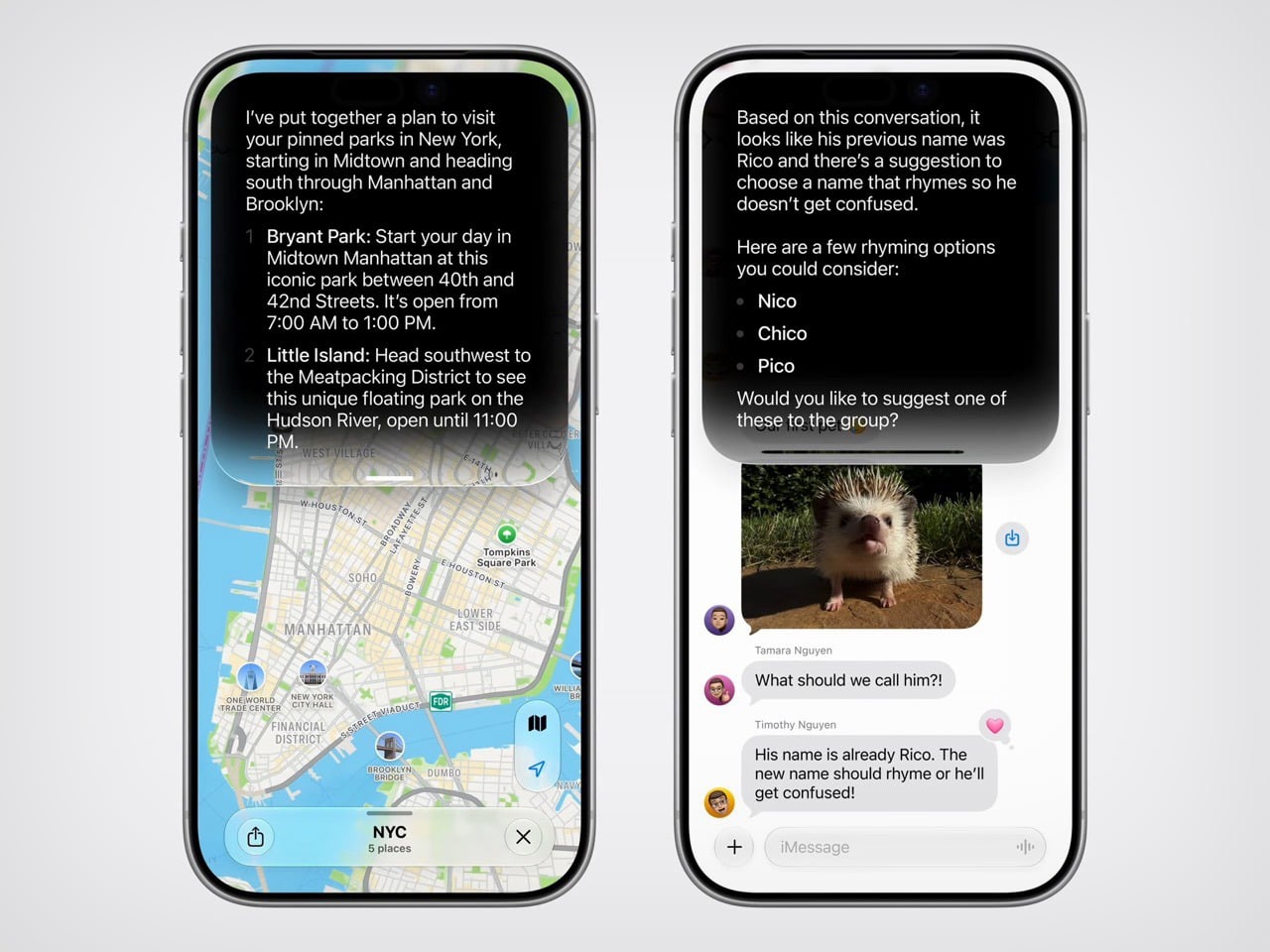

5. Medical Device Designer

Salary Range: $70,000 – $140,000 annually

Medical Device Designers focus on the unique demands of healthcare, creating tools and devices used by medical professionals or patients. They must be skilled in human factors engineering, materials science, and regulatory compliance, as devices need to be both functional and safe. The work is highly impactful, often directly contributing to patient well-being. As healthcare technology advances and the need for remote healthcare grows, these designers are in high demand, helping to innovate lifesaving equipment and devices.

6. Systems Designer

Salary Range: $75,000 – $130,000 annually

Systems Designers manage the complexity of multi-component structures, whether they’re designing transportation systems, organizational frameworks, or digital platforms. Their goal is to ensure each component functions in harmony to achieve the desired outcomes, requiring skills in systems engineering, user journey mapping, and design thinking. As the world becomes more interconnected, systems designers are indispensable in fields that rely on a blend of digital and physical systems, like smart cities and automated industries.

7. User Interface (UI) / User Experience (UX) Designer

Salary Range: $70,000 – $130,000 annually

UI/UX Designers focus on creating smooth, aesthetically pleasing user interfaces that optimize the ease of use and functionality of digital products. They combine visual design principles with usability research to ensure that users have a satisfying experience. Expertise in wireframing, prototyping, and interaction design is essential, along with an understanding of user psychology and behavior. With digital products now central to business, social, and personal activities, UI/UX designers are more critical than ever to product success, driving customer satisfaction and loyalty.

8. Consumer Electronics Designer

Salary Range: $70,000 – $130,000 annually

Consumer Electronics Designers specialize in creating products that people use daily, from smartphones and smart home devices to audio equipment and more. Their work combines industrial design with technical specifications, focusing on aesthetics, ergonomics, and functionality. Proficiency in CAD software, knowledge of materials, and attention to manufacturing constraints are essential for creating durable and attractive consumer products. As consumer tech evolves rapidly, this role remains lucrative and vital to the electronics industry’s ongoing innovation.

9. Data Visualization Designer

Salary Range: $70,000 – $130,000 annually

Data Visualization Designers are responsible for transforming complex data into understandable, visually engaging formats that help stakeholders make informed decisions. They work with software like Tableau, D3.js, and Adobe Illustrator, balancing visual appeal with clarity and insight. Skills in data analysis, graphic design, and familiarity with AI-enhanced analytics are key, as AI now plays a role in generating predictive and interactive data visuals. As businesses rely more on data-driven insights, demand for skilled data visualization designers is steadily rising.

10. Wearable Technology Designer

Salary Range: $70,000 – $120,000 annually

Wearable Technology Designers work on integrating tech with fashion, creating devices that are as functional as they are fashionable. This includes items like fitness trackers, smartwatches, and other health-focused wearables. They combine industrial design with an understanding of electronics and software, emphasizing ergonomics and usability. As the trend toward personalized health monitoring and smart accessories grows, these designers are in high demand, innovating the future of personal technology and fashion.

These high-paying roles reflect not just the demand for specialized skills but also the rapid transformation of technology across industries. From immersive virtual worlds to cutting-edge healthcare solutions, these fields represent the future of product design in 2024 and beyond. It’s safe to say the design world has never been so diverse—or so lucrative.

The post Top 10 Highest Paying Product Design Jobs and Fields first appeared on Yanko Design.