Yesterday, Adobe announced its new Firefly Video Model, a generative AI model for video editing developed by the company, along with Generative Extend, a Premiere Pro feature. Today, Adobe is teasing some experimental photo and video editing tools for PhotoShop and Premiere Pro. Since they’re part of Adobe’s “sneaks” previews, they’re still being tested and no launch dates are available.
There are a total of nine features, and we’ll start with Project Perfect Blend for PS, which improves natural blending and makes shadow casting more realistic, creating more lifelike images. Project Clean Machine removes photo flashes, fireworks and objects blocking the camera’s view.
One feature that stands out is Project In Motion, which lets users transform custom shape animations into video by entering a prompt, while Project Know How is a content authenticator tool that can search for a video file’s source online.
Project Turntable lets users rotate 2D vector art in 3D, thereby allowing the 2D vector art to face a direction of their choice. The generative AI model fills in any blanks to create presentable 3D vector art.
Another standout tool is Project Super Sonic, which generates sound effects via prompts or clicking on objects in a video. The latter method can create sounds without typing prompts into the generative AI model. Project Super Sonic seems helpful for people looking to design the sounds they want.
Adobe is also working on Microsoft Copilot integration in Project Scenic. This tool creates 3D scene layouts using Copilot prompts, and the camera and objects in the layout can be tweaked.
Project Remix A Lot leverages generative AI to create images in various shapes and sizes, all fully editable. In other words, users can “remix” creations into shapes they like, including unusual ones.
Finally, we have Project Hi-Fi. With this tool, it’s possible to transform sketches and concepts into high-quality images. These images can easily be dragged into PhotoShop for editing.
If you’re curious about Adobe’s latest Sneaks, you can see and hear more about them all over on Adobe’s YouTube page.
This article originally appeared on Engadget at https://www.engadget.com/ai/adobes-latest-sneak-previews-of-upcoming-features-include-ai-sound-generation-and-image-remixing-143019039.html?src=rss
When it comes to selecting between the iPhone 16 Pro and Pro Max, understanding their key differences is crucial. In a significant shift from previous generations, both models now offer feature parity, including the advanced 5x telephoto lens with optical zoom. This means that your decision will likely depend more on personal preference and specific needs rather than on the availability of […]
Uber Eats is adding a social element to ordering delivery tacos in the form of curated lists. Garden variety users can whip up one of these lists on the Account tab, pulling menu items from preferred local haunts.
All lists are shareable by default, so users can send them to friends and family. I don’t want other people to know the shameful food I gorge while endlessly watching episodes of Frasier, but maybe that’s just me.
This could actually prove useful for certain scenarios, such as when you’re sick in bed and want someone else to handle takeout. Just point friends and family to the list. Uber Eats also said that there’s a chance any particular list could end up on the home feed, turning the creator into a local food influencer for the day.
Speaking of food influencers, the app will also feature curated lists by pseudo-celebrities. Uber Eats is advertising initial participation by Sam Roby of Chicago Food Authority, Ella Kahan and Emma Matarasso of Chew York City and others. It remains to be seen how this will work in smaller markets.
This article originally appeared on Engadget at https://www.engadget.com/apps/uber-eats-will-now-let-users-create-and-share-lists-of-their-favorite-meals-140052032.html?src=rss
Amazon has announced three new agreements to build small modular reactors (SMRs). These nuclear reactors are smaller than traditional ones, allowing them to be closer to the grid and be built faster. Microsoft and Google have recently announced their own investments into nuclear power.
One of the agreements works towards developing four SMRs with Energy Northwest, a Washington-based consortium of state public utilities. It should initially generate about 320 megawatts, with the potential to reach 960 megawatts. The second is with X-energy, which is providing an advanced nuclear reactor design for Energy Northwest's undertaking. On the opposite coast, Amazon is working with Dominion Energy to investigate whether the development of an SMR project is possible near the utility company's existing nuclear power station in Virginia. It could bring 300 megawatts of power to the area.
Amazon shared further information about these developments in a video shared to YouTube. Amazon also claims these agreements will bring new jobs, with Energy Northwest, for example, reporting the agreement will lead to 1,000 temporary construction jobs and 100 or so permanent jobs upon completion.
This summer, Amazon announced it had reached its goal of matching its worldwide energy consumption with renewable energy sources seven years ahead of its 2030 goal. However, some Amazon employees and environmental experts accused the company of "distorting the truth" as the claim relies on billions of dollars in investments to solar and wind initiatives. The problem? These sources aren't exclusively used by Amazon, instead funnelling into a general power grid.
This article originally appeared on Engadget at https://www.engadget.com/amazon-plans-to-build-small-modular-nuclear-reactors-135335184.html?src=rss
When considering the Pad Mini A17 Pro and the iPad Mini A15, it’s essential to dive deep into their specifications to understand which tablet best suits your needs. While both devices share some similarities, they also have distinct features that cater to different user preferences. The video below from Matt Talks Tech will walk you […]
Desks don’t always have to be fancy and maximalist. Sometimes, all we need it to do is to hold our stuff while working or studying and to have space to put all the things we need while we’re doing that. Some desks are also designed to help you focus on what you need to do. Some are also created to add a bit of color or joy to the room you’re in so you won’t get bored while you’re doing what needs to be done.
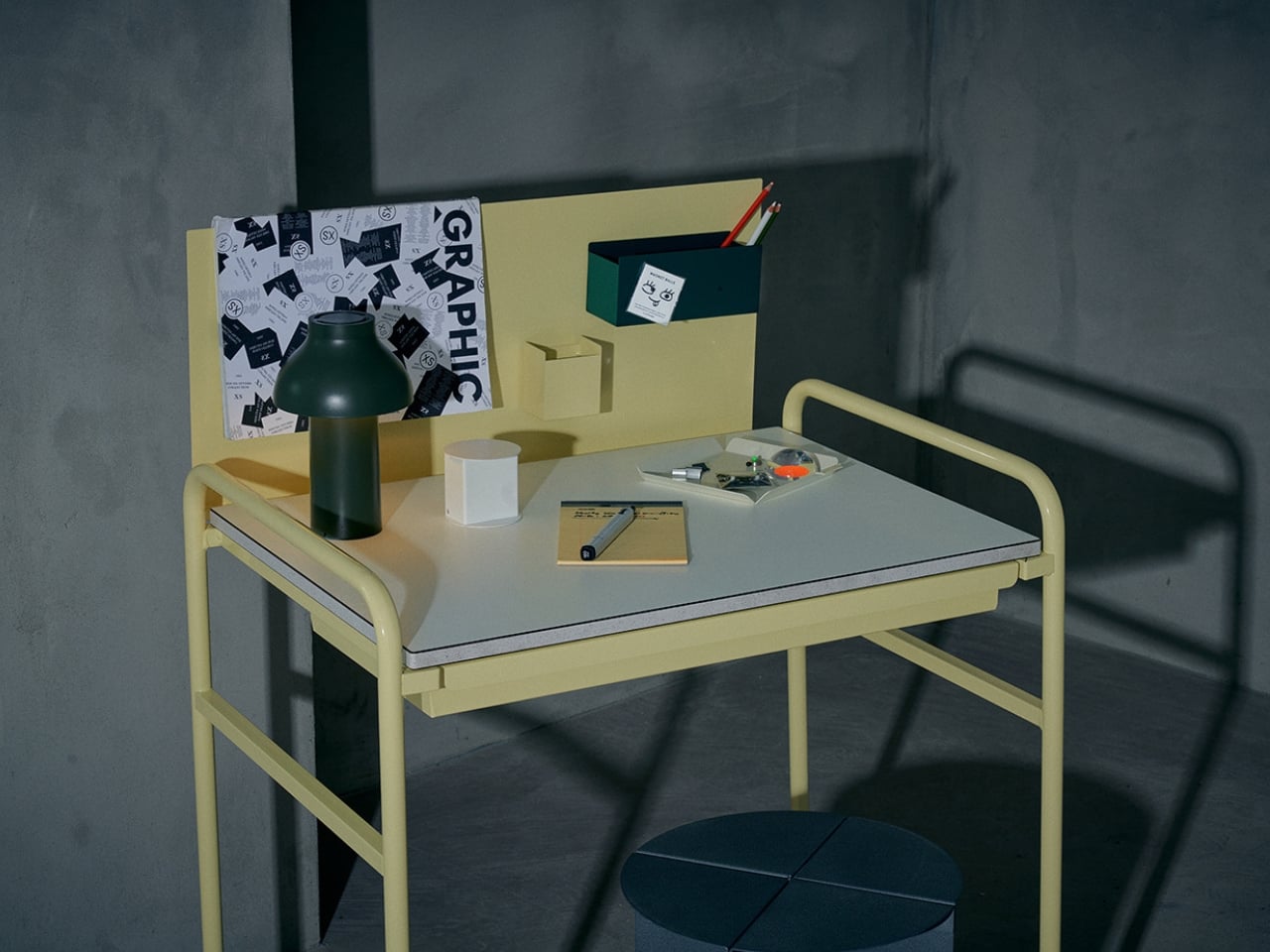
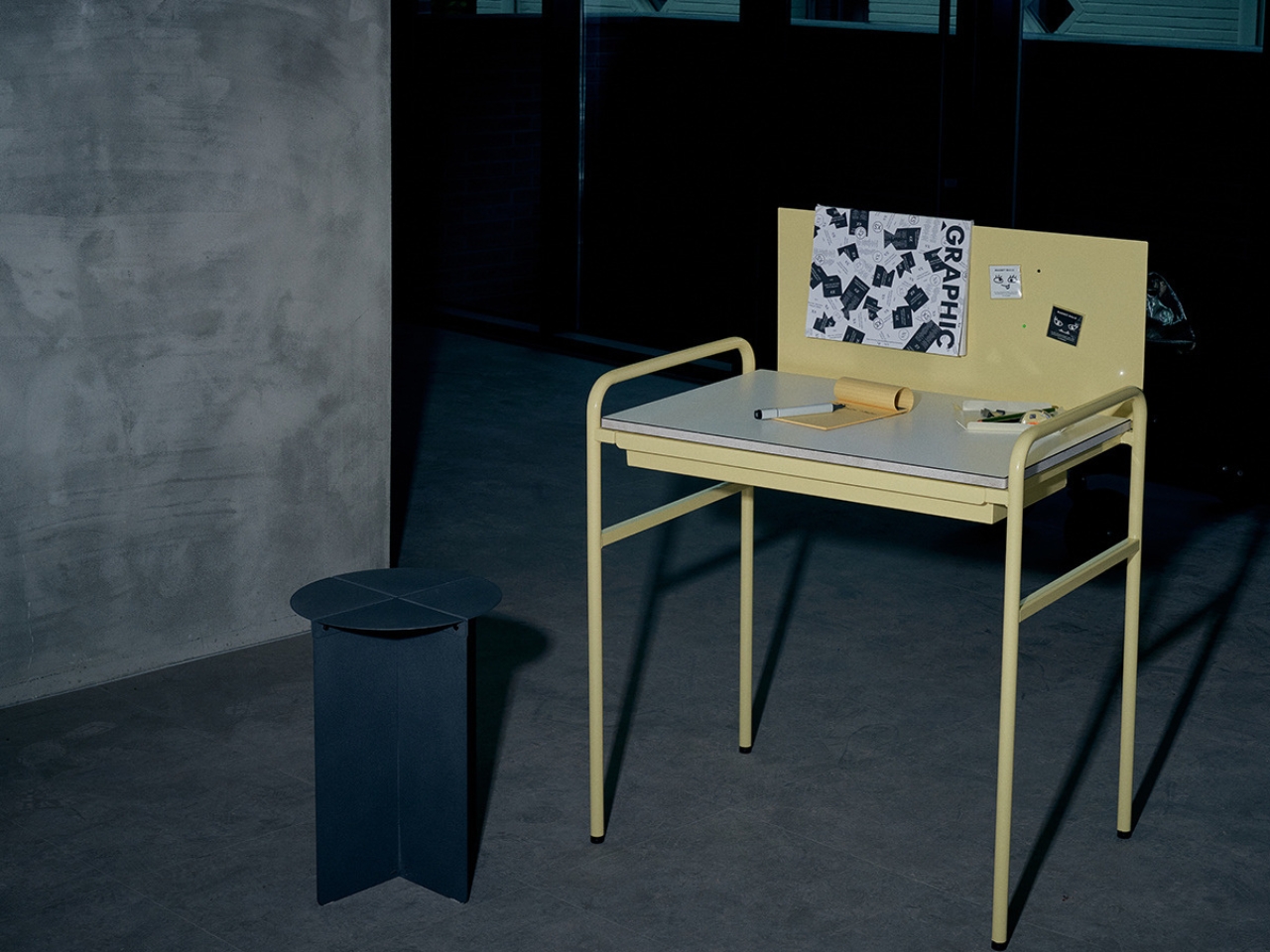
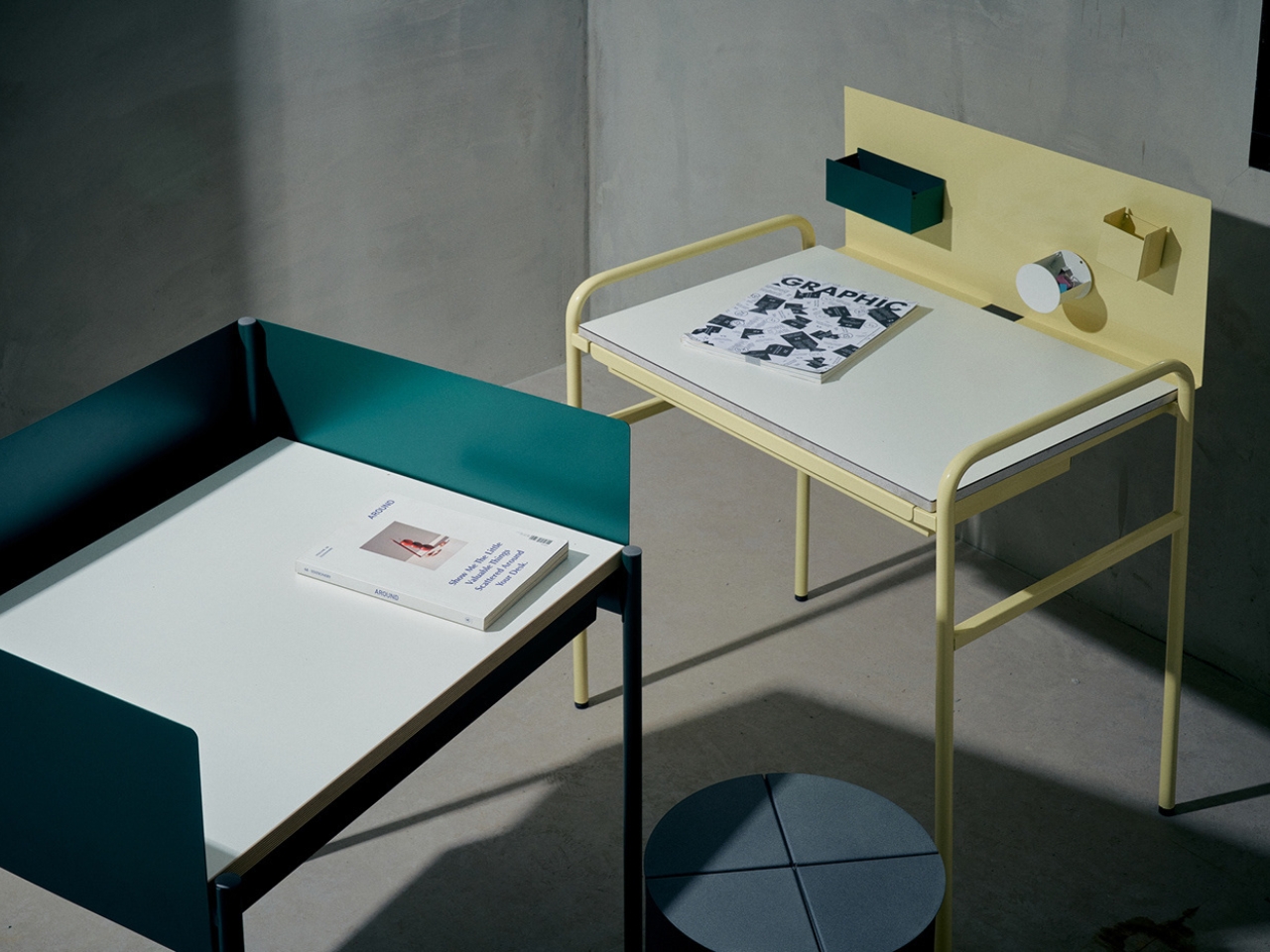
A Single Desk is just what its name says it is. It is a desk that was developed by a design company with a furniture company. It was created to have an “interior point” in a room so that one person will be able to work or study properly without being distracted by other people who may also be in the room with them. It is uncomplicated and minimalist with a splash of color thrown into it so that it also looks good even if it may be that simple.
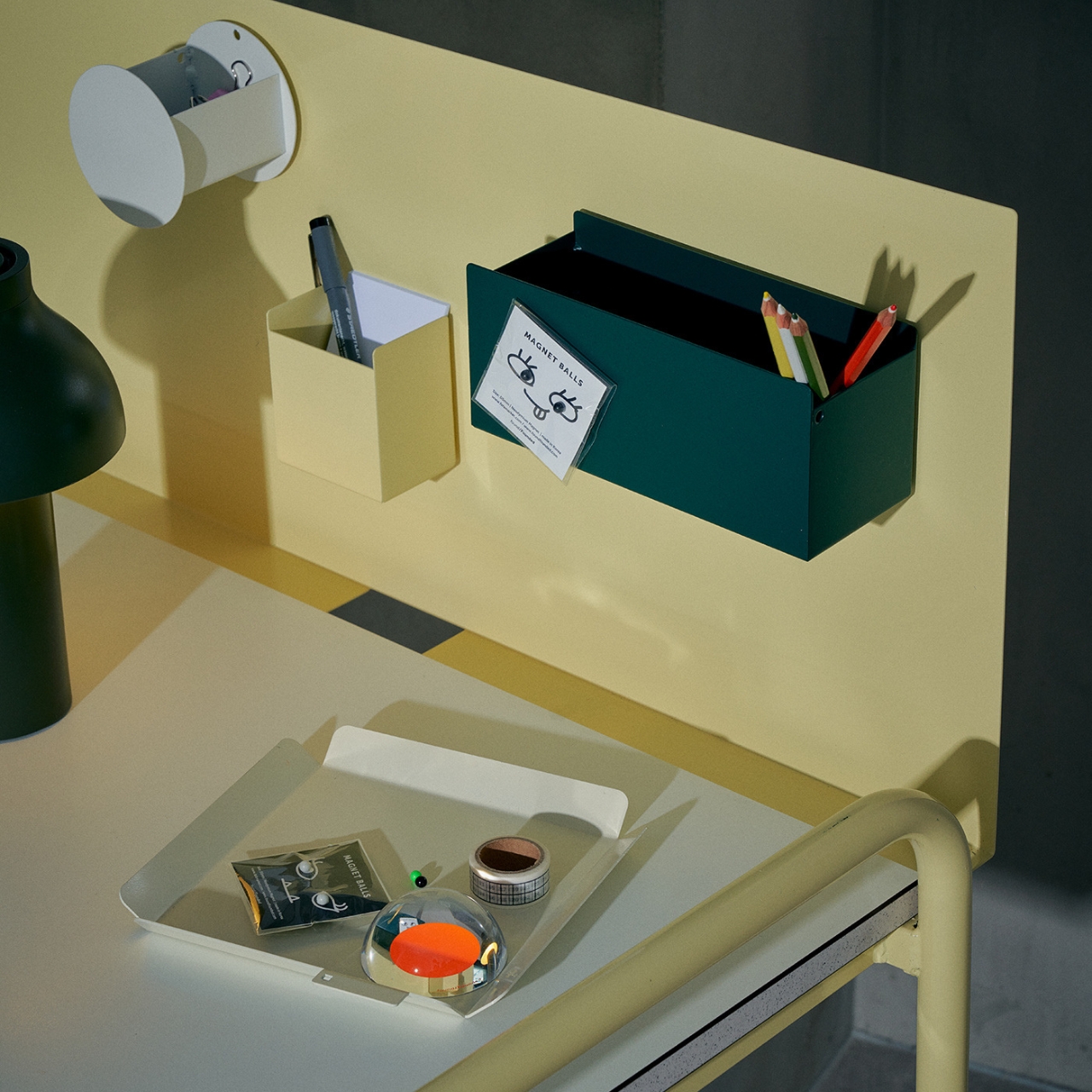
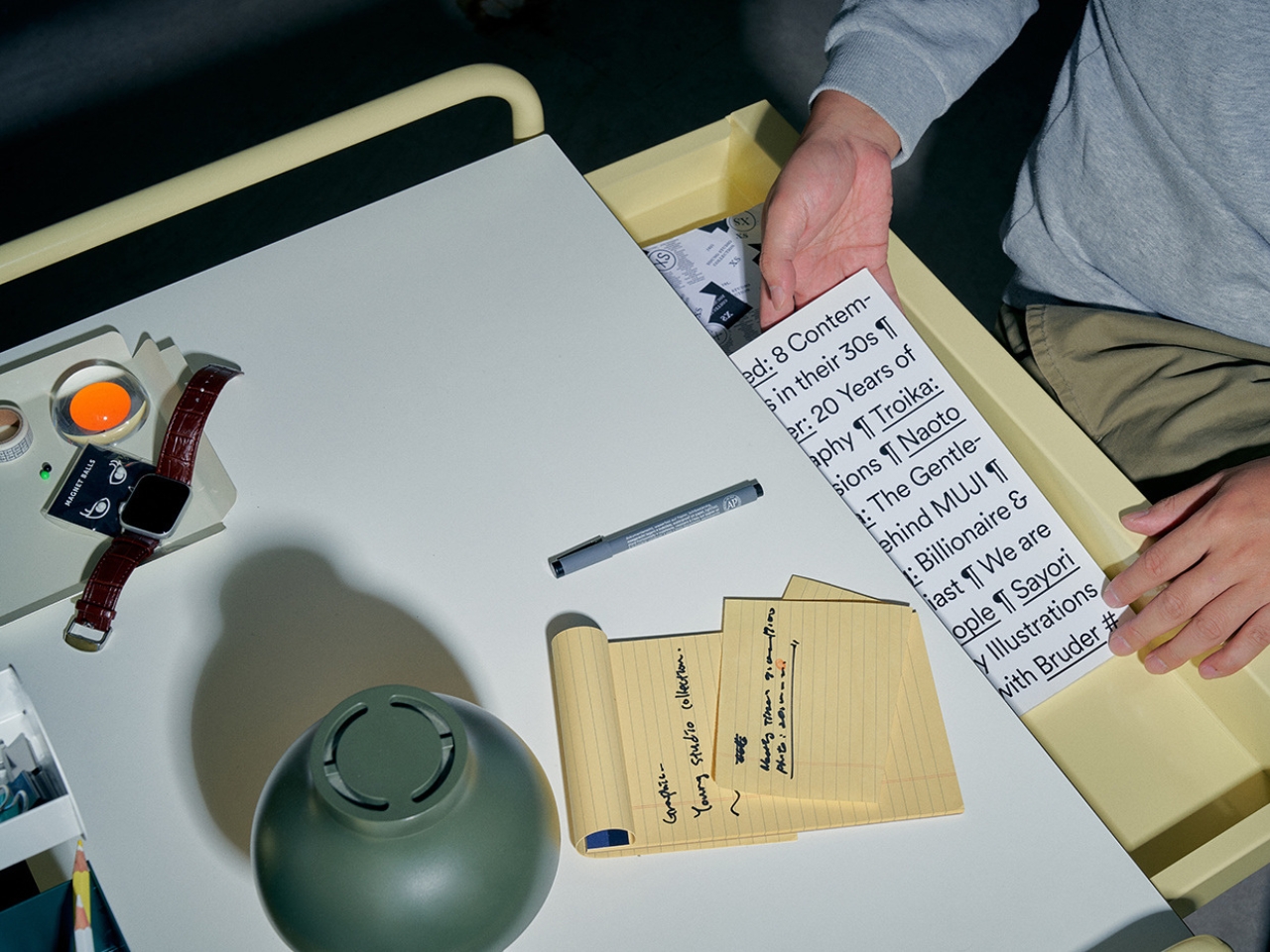
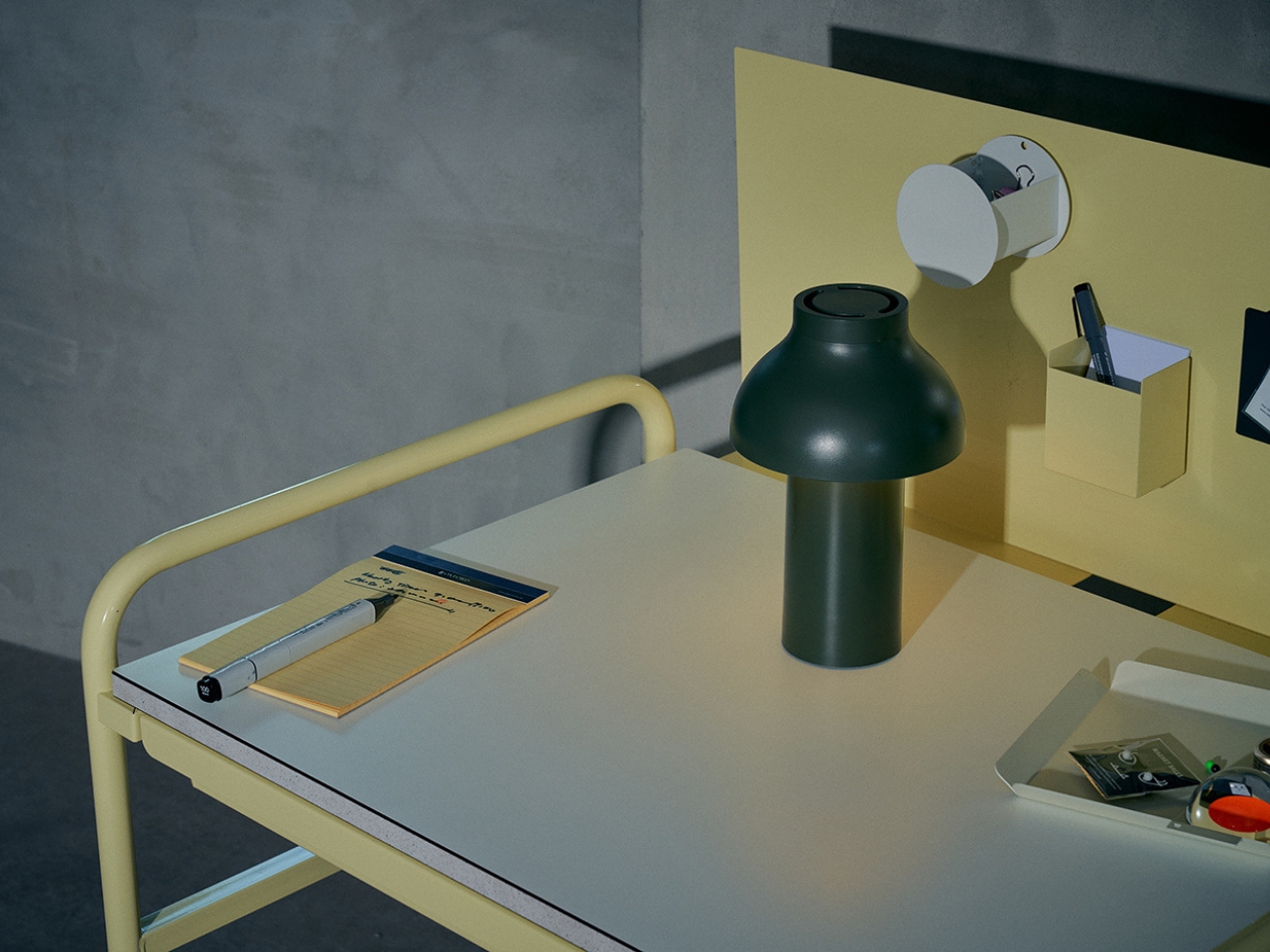
The focal point of this piece of furniture is the colorized iron screen sitting in front of the user. It can be used as a note board or to attach storage items that are magnetized. It also serves to obscure the view of the user or the people around them so that they will be able to focus. There’s also a thin drawer underneath to put other stuff you’d want to not place on top of the table as well as space on the tablet itself for your laptop, supplies, decorations, etc.
The sample shown of A Single Desk has a yellow color for the frame and iron screen but probably it will also come in other pastel or similar colors. It is also probably easy to assemble as it has a pretty simple design. It should be perfect for those going for a minimalist aesthetic and may have just a few items placed on their desk.
The Samsung Galaxy S24 FE is a powerful and feature-rich smartphone that offers a wide range of capabilities to enhance your mobile experience. By following these essential tips and tricks, you can unlock the full potential of your device, from setting up advanced security features to exploring innovative AI tools. The video below will help you […]
Amazon's latest version of its popular Kindle Paperwhite has arrived, marking the sixth iteration if you're keeping score at home. The new model is the thinnest Paperwhite yet and has a refreshed 7-inch screen that's a touch larger than the previous model's 6.8-inch display. It also has the highest contrast of any Kindle thanks to the oxide thin-film transistor display tech.
Amazon boosted the speed as well, promising 25 percent faster page turns. It's waterproof as before but uses a new material with a premium soft touch grip. The Kindle Paperwhite comes with 16 GB of storage and is available in three colors, Raspberry, Jade and Black. It's now available at Amazon for $160.
As before, the company also released a premium version with more bells and whistles, the Paperwhite Signature Editing. Storage doubles on that model to 32 GB and it features an auto-adjusting front light along with optional wireless charging. The Paperwhite Signature Edition comes in Metallic Raspberry, Metallic Jade and Metallic Black for $200.
Amazon
If it's a budget reader you're after, Amazon has refreshed the entry-level Kindle, too. The new 12th-generation model comes with an updated 6-inch screen, offering a higher contrast ratio for more legible text, plus a front light that's 25 percent brighter at the maximum setting. It also gets a performance update that boosts page turning speeds. It comes in black or a new "Matcha" color and is now on sale for $110.
Along with those models, Amazon also unveiled its first color Kindle, the Colorsoft, that could be ideal for graphic novels and other digital color-oriented content. It promises "rich, paper-like color" using an oxide backplane display, plus high contrast on both color and black-and-white content. It's now on pre-order for $280 with shipping set for October 30th. Finally, Amazon is releasing its second Kindle Scribe reader that doubles as a note-taking device (not unlike the reMarkable tablets). It'll arrive on December 4, but you can pre-order it now for $400.
This article originally appeared on Engadget at https://www.engadget.com/mobile/tablets/amazons-new-kindle-paperwhite-reader-has-a-larger-screen-and-faster-page-turns-130050515.html?src=rss
Seventeen years is an odd anniversary to call out. But at an event launching four new Kindles, Amazon’s head of devices and services Panos Panay reminded a group of media that “Kindle is 17 years in the making, almost to the day.” Panay added that the device is currently seeing its highest sales numbers, and that 20.8 billion pages are read each month on a Kindle. But people aren’t just reading on Kindles. Since the introduction of the Kindle Scribe in 2022, there has been even more development in e-paper writing tablets, with a notable recent product in the reMarkable Paper Pro. While that $580 device supports a color writing experience, Amazon’s Kindle Scribe still only works in black and white. But it might offer enough by way of software updates to make up for its monochrome manner.
Plus, being able to write on what’s already a popular ereader makes that book-like experience even more realistic, and the Kindle Scribe represents what Panay called the “fastest growing category” of Kindles. You could almost call it a 2-in-1, since it’s an ereader and writing tablet at once. “I have a lot of passion around 2-in-1s,” Panay said at his presentation, and he used that term repeatedly to describe the Kindle Scribe. I haven’t thought about it that way, but I was less worried about semantics and more about how the Kindle Scribe and its new features felt at a hand-on session yesterday.
I’m the sort of person that needs to physically write out something while I plan a project. Whether it’s lofty goals to get my life together or draft up a strategy for covering certain software releases at work, my hands grasp at the air for an imaginary pen and paper. For that reason, the Kindle Scribe and other writing tablets call out to me. I reviewed the original Kindle Scribe almost two years ago and since then Amazon has slowly expanded the feature set and made the device more useful.
With the original Scribe, Amazon got a lot of the basics right. The latency and smoothness of the writing experience were close to feeling like pen and paper, and the device felt sturdy and slick. The new Scribe felt very similar in that sense, with little noticeable difference in the way the stylus interacted with the screen, and I didn’t encounter any jarring lag in the brief time I had with it.
Where the Scribe left me wanting more was software, and that’s also the area Amazon appears to have focused on this year. Don’t get me wrong — it’s not like the company didn’t tweak the hardware. There are some refinements like new white borders, a smaller grip, different color options and an updated stylus with a soft-tip top that feels more like a conventional eraser.
Cherlynn Low for Engadget
But inside the device lie the more intriguing changes. Most significant in my opinion is the new Active Canvas. It directly addresses one of my biggest complaints in my review, which is that the writing experience within books and publications was a little wonky.
To quote myself, this was what I said in 2022: “You can also take down notes when you’re reading an e-book. But it’s not like you can scribble directly onto the words of your e-books. You can use the floating toolbox to create a sticky note, then draw within a designated rectangle. When you close the sticky note, a small symbol appears over the word it was attached to, but otherwise, your scribbles are hidden. No annotating in the margins here.”
All of that has changed with the new Kindle Scribe. When you’re in an e-book, you can now just start writing on the page, and a box will appear, containing your scribbles. You no longer need to first find the floating toolbox and select the sticky note tool. Just write. It’s so much simpler, and in the Kindle Scribe I played with it worked almost instantly. Not only is the box embedded within the text, with the book’s words rearranging and flowing to accommodate it, but you can also resize the rectangle to take up however much space you like. The rest of the page will reflow to make room as necessary. I was particularly impressed by how quickly this happened on the demo unit — it was more responsive than switching between notebooks on my existing Scribe.
Plus, the box containing your note will stay in place instead of being hidden and replaced by a small symbol. It’s clear that Amazon’s earlier implementation was a rudimentary workaround to allow people to write on fixed format media, whereas the new approach is more deeply integrated and thought out.
And unlike what I said two years ago, you can now annotate in a new collapsible margin. Tapping the top right corner brings up options to pull up the column, and you can choose from having it take up about a quarter of the width or spread out to about three quarters. Content in the margin will be scrollable, so you theoretically won’t run out of space.
Cherlynn Low for Engadget
Now, this isn’t a perfect replica of annotating on a real textbook, but it might be better since you won’t have to scrawl all around the borders or write upside down just to squeeze in your thoughts. I’m not sure yet, as I really need to spend more time with it to know, but I like that Amazon clearly has taken in feedback and thought about how to add these requested features.
The company also added the ability to use the Pen and directly highlight or underline within those books, and pretty much any Kindle title will support most of these features. They’d have to be content that allows for font resizing, to start, so things like PDFs, which are fixed, won’t work with the Active Canvas. Word documents are compatible as well.
I spend more time writing in blank notebooks than in actual books, and for those scenarios, Amazon is using generative AI in two new tools: Summarization and Refined Writing. The former is pretty straightforward. If you’ve handwritten 10 pages worth of brainstorming meeting notes, the system can scan all of it and collate just the highlights. You can have this be added as a page to the existing notebook as a summary, or save it as a separate document on its own.
Refined Writing, meanwhile, is like Apple’s Handwriting Assist on iPadOS 18 but on a larger scale. While Apple’s software feels like it’s about nipping and tucking stray words that are out of alignment, Amazon’s takes your entire handwritten page and converts it into text in a script-like font. This works best if you tend to write in a single column with clear indentations and paragraphs. I tend to draw random boxes all over the place for breakout thoughts, and the system will not perfectly replicate that. For example, a two-column shopping list I quickly drafted on a demo Scribe was merged into one, and the checkboxes I drew were interpreted as capital letter Ds that were inserted at the start of every bullet.
Amazon
It might not seem immediately useful, but if you’re the sort of person that’s shy about their handwriting, this could save you some shame. More importantly, it can make you writing more legible in case you need to share, say, your screenplay treatment with a production partner. Or if your scrawled shopping list just isn’t making sense to your partner. I also like that even after you’ve converted your notes into text, you can still erase them using the top of the pen and make edits. You’ll have to run Refined Writing again to regenerate a neatly formatted page. Oh, and I appreciate the flexibility you get here. You’ll have a few fonts and sizes to choose from, and can select the pages you want to reformat or have the entire book done up altogether.
None of the notebook features are destructive, meaning you’ll usually be able to retain your original written content and save the generated material as addendums. The AI work is done in the cloud, with your data being encrypted throughout the process. The Kindle Scribe also displays an animated page showing it’s busy with the generative AI task, which in my experience so far took at least 10 seconds. It might be different on the original Kindle Scribe, which will also be getting these software features either later this year or, in the case of the expandable margins, in early 2025 when it arrives on the new Kindle Scribe.
In its 17 years, the Kindle has done a lot to disrupt physical books, and since the introduction of the Scribe, it’s been poised to do the same for notebooks. As someone who’s relished being able to carry around the equivalent of a thousand books in a super thin device, the idea of replacing a bunch of notebooks with a Scribe is immensely intriguing. Amazon does find itself up against some stiff competition from reMarkable and Boox, but it has its sheer size and the power of its Kindle library in its favor. The Kindle Scribe will be available in December for a starting price of $400, and I hope to have a review unit in soon enough to see if I love or hate the new annotation and AI features.
This article originally appeared on Engadget at https://www.engadget.com/mobile/tablets/kindle-scribe-hands-on-you-can-scribble-on-your-books-130043335.html?src=rss