Samsung has once again pushed the boundaries of smartphone technology with the release of the Galaxy Z Fold 6 and Z Flip 6. These foldable devices showcase Samsung’s commitment to innovation, offering users unique experiences tailored to their specific needs and preferences. Whether you prioritize productivity, media consumption, or portability, these smartphones have something to […]
Apple has released iOS 18 Public Beta 1, giving eager users a chance to explore and test the latest features before the official release. If you’re ready to dive into the world of iOS 18 and experience the innovative enhancements firsthand, this comprehensive guide will walk you through the process of signing up and installing […]
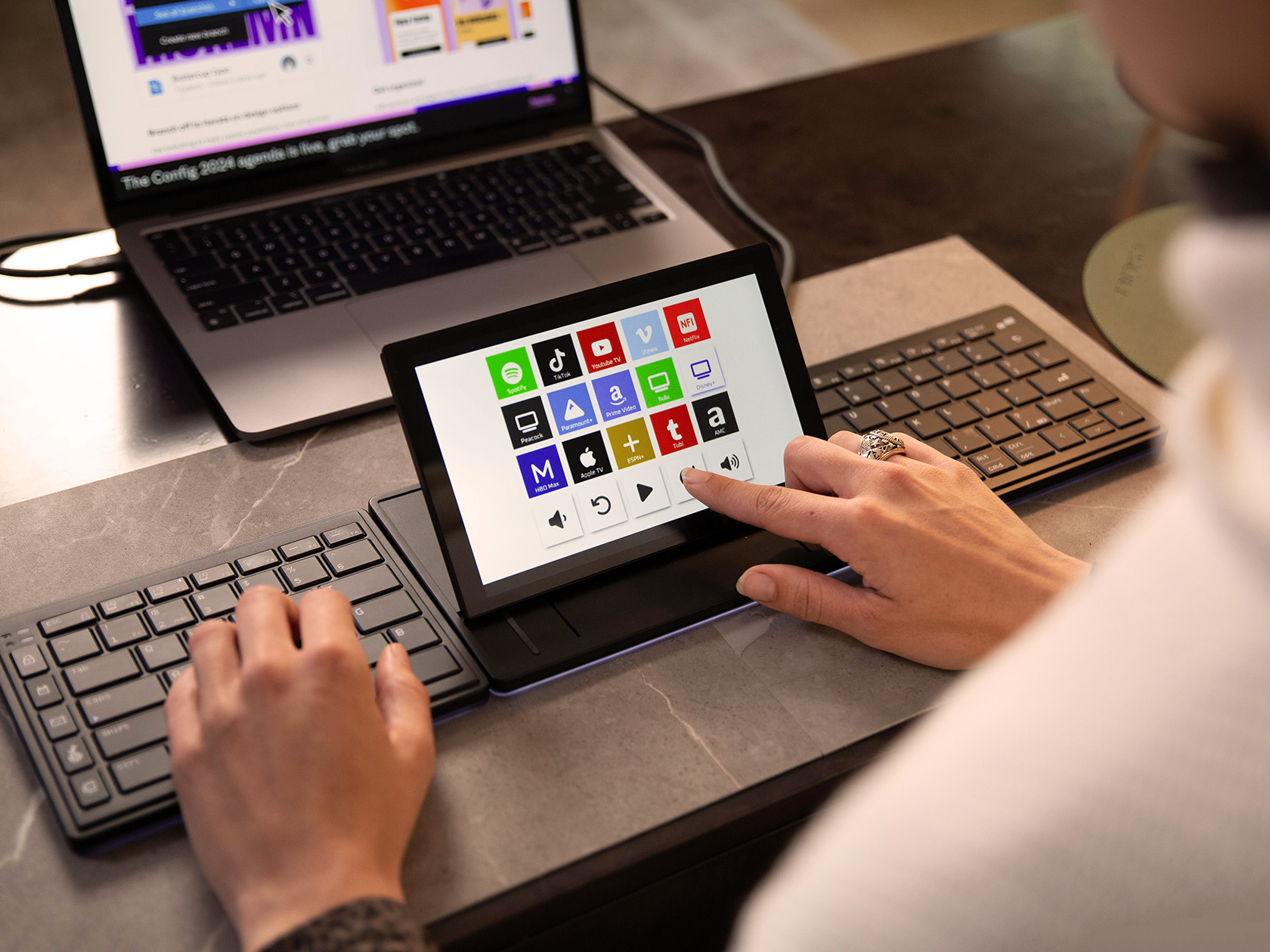
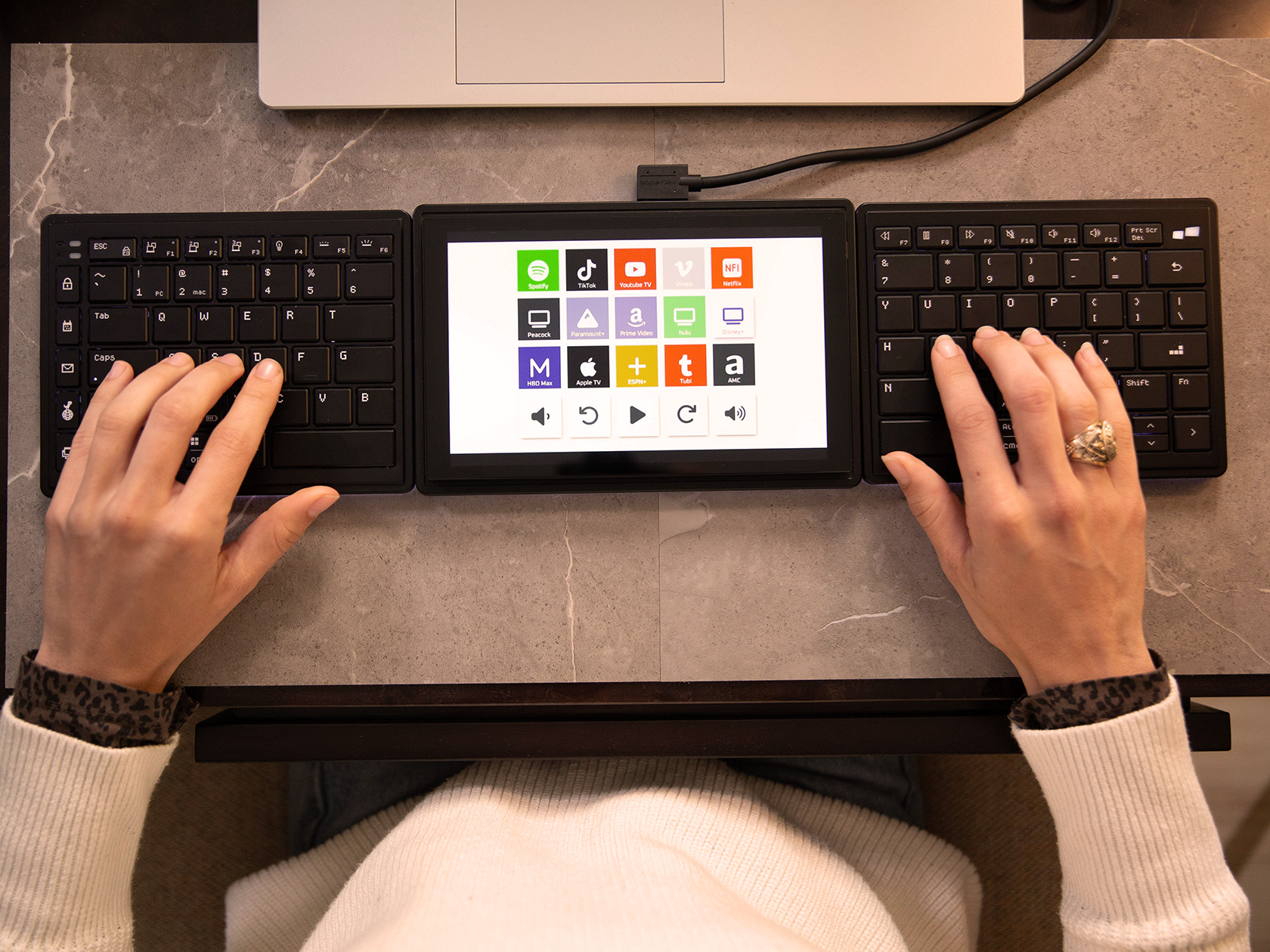
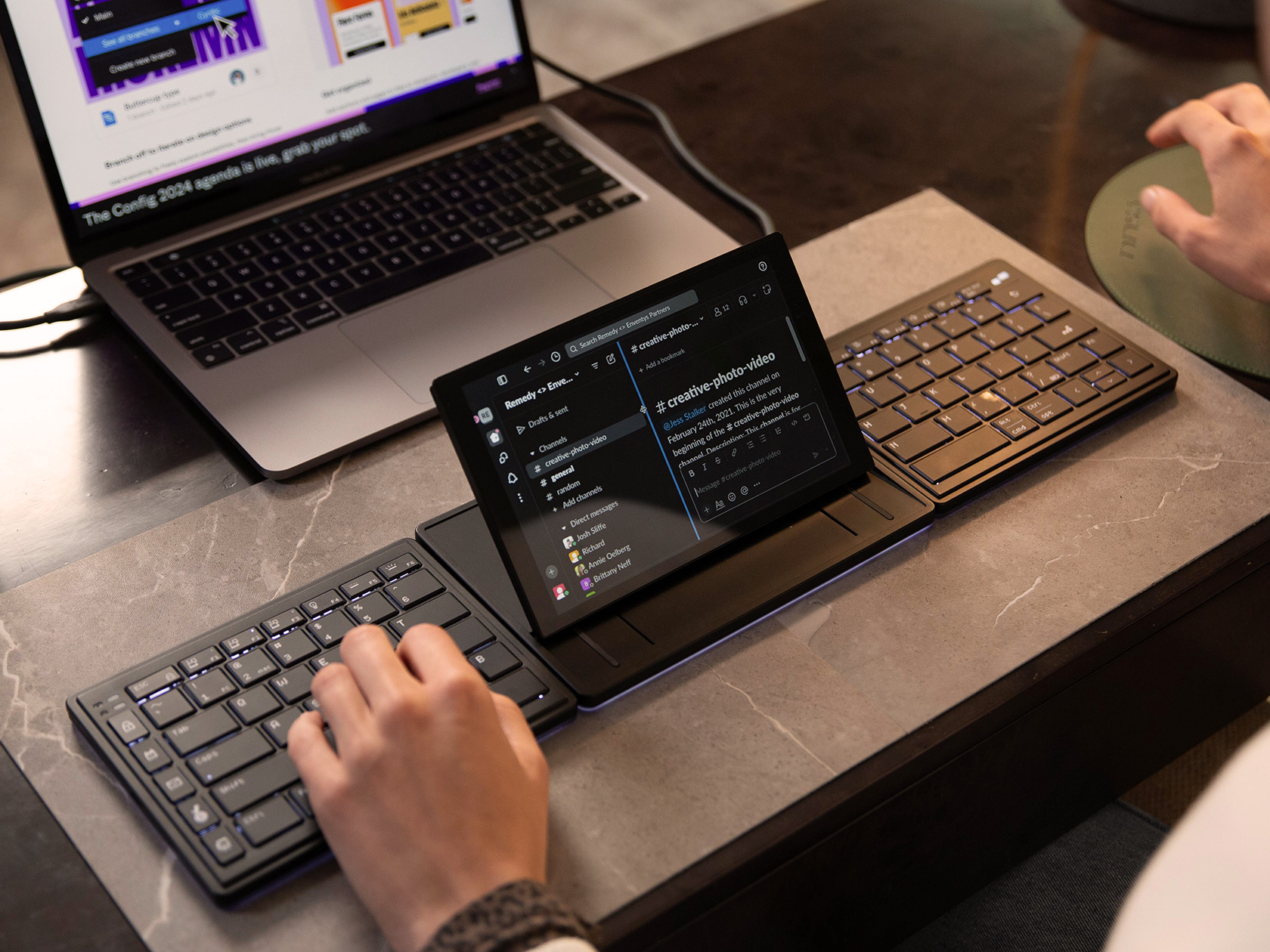
Remember the watershed moment when Steve Jobs unveiled the MacBook Air for the first time? He walked up on stage with a manila envelope, and opened it to reveal the thinnest laptop ever made. It changed how laptops looked from then on, and when people first saw the stunningly thin MacBook Air, everyone had the same question on their minds – why doesn’t my laptop look like this? The Tetra keyboard does the same thing for other keyboards. When you look at the Tetra for the first time, chances are you’ll have never seen anything quite like it before. It challenges the notion of keyboard design… and for the better. It’s more compact, easier to use, ruthlessly ergonomic, and comes with a world-first touchscreen display built right in. The keyboard splits in half, allowing you to place the parts wherever you want for a more comfortable typing experience… and the display tilts upwards or sits flat, transforming into a dock for widgets, shortcuts, playback controls, or a media center of sorts. Think Keyboard-Meets-Elgato-Stream-Deck.
Designers: Zikang Feng, Jarvie Liu, and Stephen Ng
Trust the folks at Mobile Pixels to come up with such a unique idea. The company first jumped to prominence with its plug-and-play laptop extending displays (lauded for their compact designs). These displays were targeted at one thing – boosting productivity through multi-display setups. The Tetra keyboard does the same too, in a matter of speaking. The split keyboard comes with its own dedicated screen that can be used as a secondary display or as a control center for apps and shortcuts. While keyboards are a first for Mobile Pixels, the Tetra highlights their bigger goal of enhanced productivity, thanks to a split wireless keyboard design that can be used in a variety of ways for a more comfortable and efficient typing experience.
SPLIT MODE
SPLICE MODE
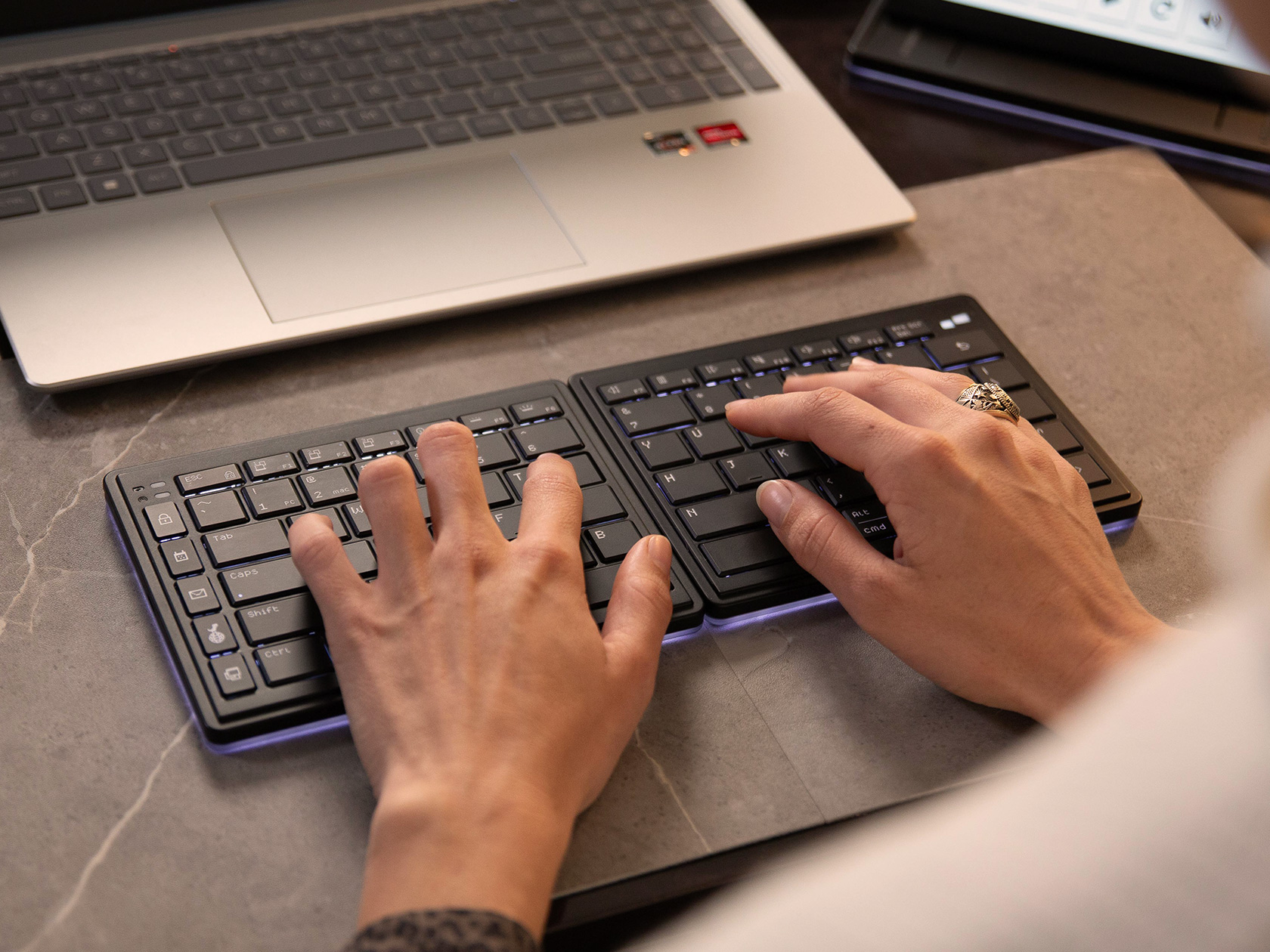
Split keyboards aren’t new, conceptually. Most researchers noticed that a cramped keyboard, although compact in size, wasn’t great for your wrists and fingers. Over prolonged periods of time, people developed carpal tunnel and ulnar deviation (where your fingers end up deviating sideways) because of the way these keyboards were designed. The split keyboard was created as an ergonomic alternative, increasing the space between your left and right hands while typing, so that they’re in a much more relaxed position. The Tetra takes that concept and builds further on it, turning it wireless, while also introducing a display into the mix.
Use Bluetooth to Connect to Your Device (up to 3 devices with 3 channels).
Position keyboards at shoulder width for ergonomic comfort.
Customize Your Experience
Type Away!
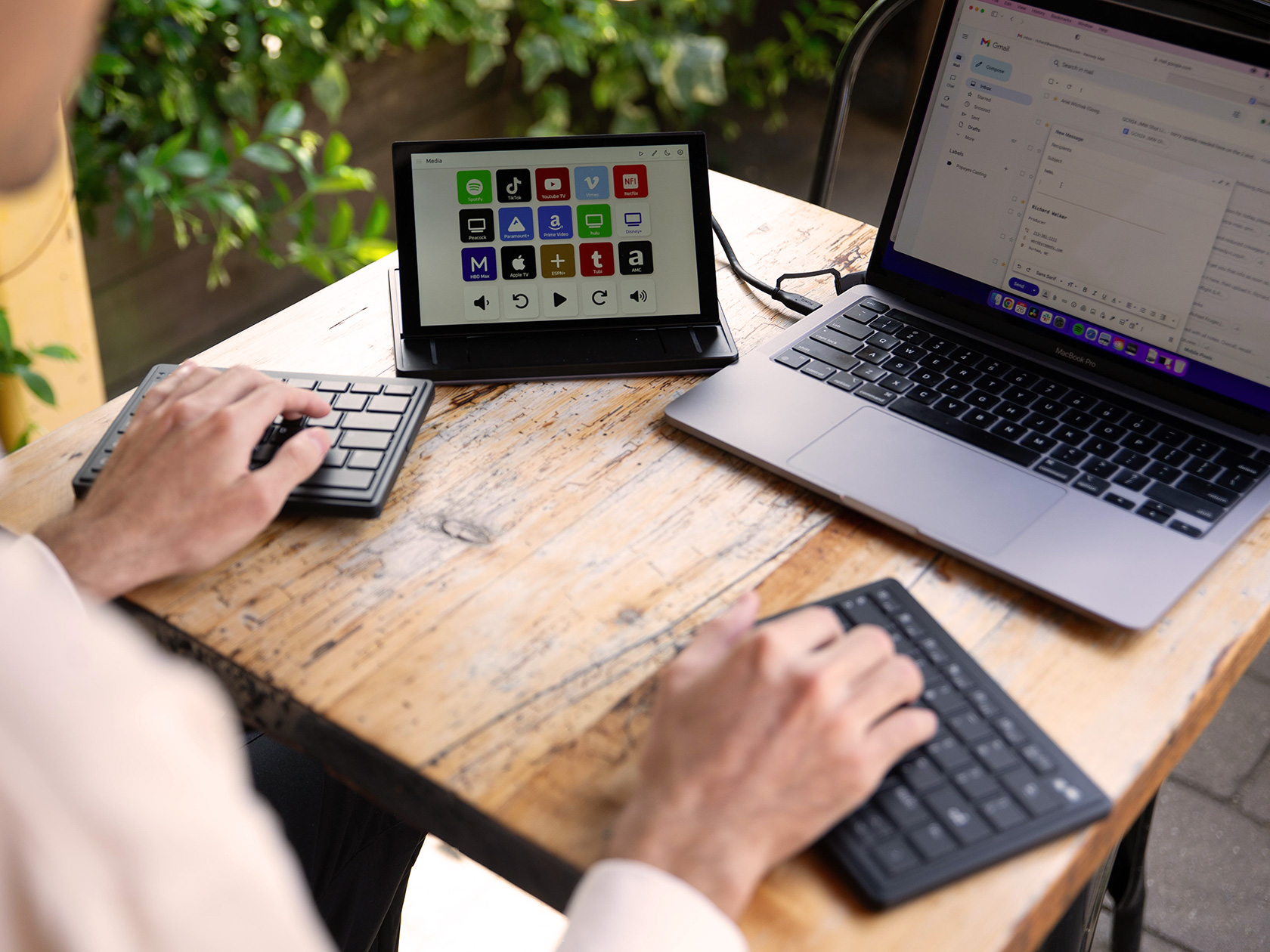
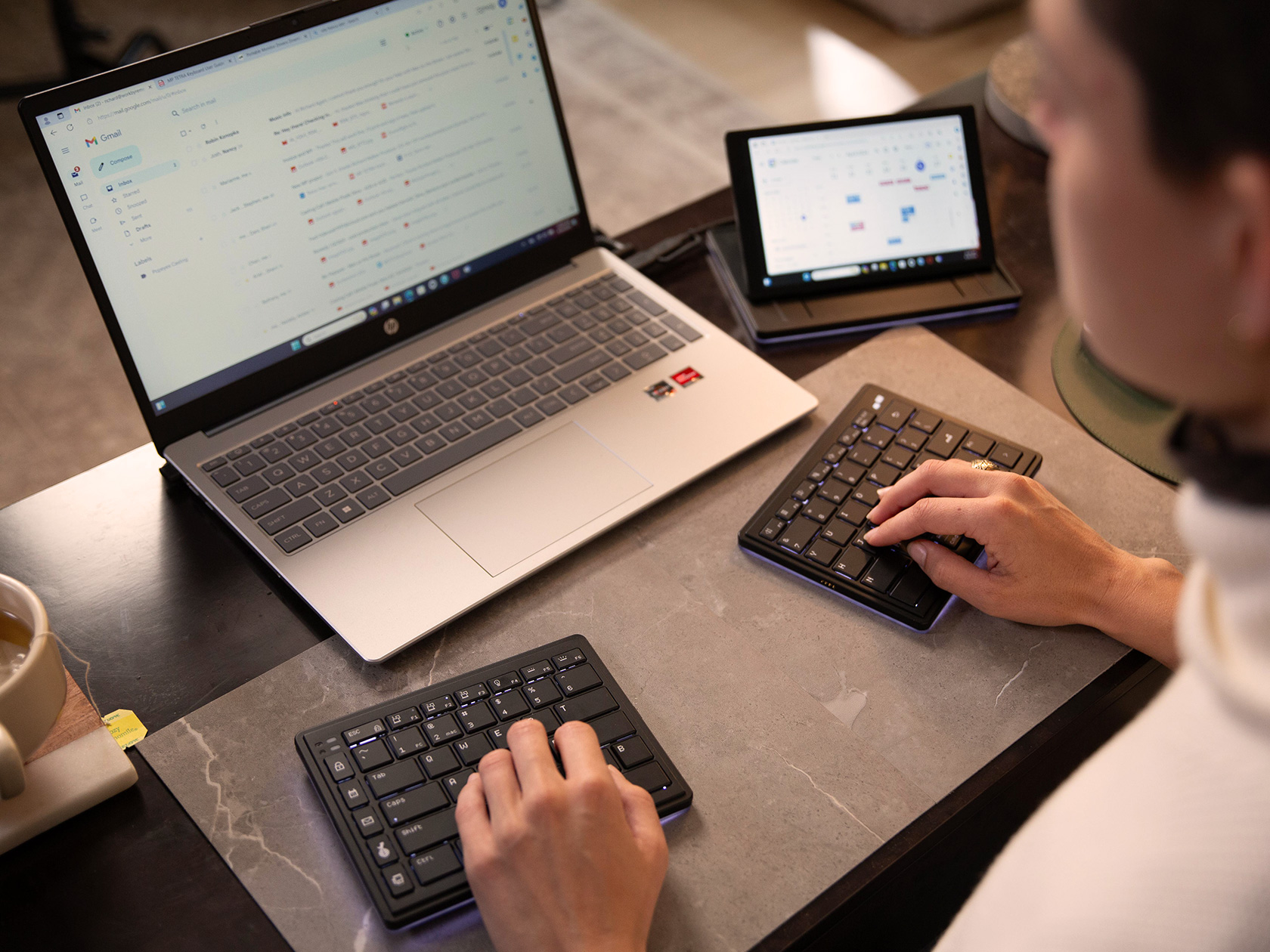
Broadly, the Tetra exists in three pieces – a central display unit, and the two keyboard halves that attach onto either side. Snap them together or use them independently, the Tetra gives you freedom to set your workspace up exactly the way you want. When attached together in a linear format, you’ve got a comfortable split keyboard with a screen in the middle. The screen functions as an extra display, a shortcut center, or perhaps even a trackpad if you want. The keyboards get spaced out on the left and right, allowing you to type comfortably without having your fingers and wrists bend awkwardly. Alternatively, you can snap the keyboard’s halves away from the display, accessing what Mobile Pixels calls the ‘Split Mode’. The keyboards then can sit anywhere on your desk, as can the screen, giving you full ergonomic freedom. If you want a more traditional keyboard experience, just the two keyboard halves can be attached to each other, creating a compact typing device, while the screen exists independently. Dubbed the ‘Stacked Mode’, this lets you opt for something that feels familiar, with the added benefit of a dock-style screen on the side.
Secondary Display
The keyboard comes with a 65% layout, split across its two halves. Scissor switches enable a fair amount of key travel, up to 1.3mm, and a backlight lets you type with ease. The keyboard halves and screen also have an underglow that feels reminiscent of gaming gear. 1200mAh batteries in each half of the keyboard allow it to operate wirelessly for hours if not days, and the central screen remains connected to your machine via a USB-C cable at all times. To charge your keyboard, simply snap them to the screen and pogo pins allow the Tetra to charge all the way through.
The screen is truly where Mobile Pixels’ innovation shines. It’s a little smaller than the ones that Mobile Pixels offers, measuring just 8 inches diagonally – but it’s an IPS LCD display with a 60Hz refresh rate and 300 nits of brightness. The screen stays connected to your machine at all times via cable, and sits on a unique tilting mechanism that lets you either lay it flat or tilt it upwards to face you. Touch sensitivity means you can control the display the way you would a tablet PC of sorts… and the Tetra offers a fair amount of flexibility in terms of how you use said display. You can use it as an extension of your PC or Mac’s shortcut bar, adding your favorite apps to it. Conversely, it also doubles as a media control center for playback, and even transforms into a tiny secondary display for extending or mirroring your screen. Use it to store notes while presenting on a video call. Turn it into a calculator. Allow it to be your dedicated Spotify device. Mobile Pixels created a special interface known as the Tetra Board App that you can use to customize your display. Yes, you can even load functions, tools, macros, and shortcuts, unlocking power-user potential while running apps like Photoshop, Premier, Final Cut, Logic Pro, After Effects, etc.
All this functionality and the Tetra still remains ruthlessly portable. The three components come apart and stack together, allowing them to be carried around with ease. There’s even a soft-fabric case to store your Tetra during travel, allowing you to slide it right into your laptop bag along with your charger and other accessories. I bet your existing ergonomic or split keyboard can’t boast this level of portability. The Tetra starts at $249 and ships globally starting September 2024.
A hacking group leaked over a terabyte of confidential data from more than 10,000 Slack channels belonging to Disney, the Wall Street Journalreported on Monday. The leaked information includes discussions about ad campaigns, computer code, details about unreleased projects and discussion about interview candidates among other things. “Disney is investigating this matter,” a company spokesperson told the Journal.
Nullbulge calls itself a hacktivist group advocating for the rights of artists. A spokesperson for the group told the Journal that it targeted Disney due to concerns about the company's handling of artist contracts and its approach to generative AI. For weeks, the group teased its access to Disney’s Slack, posting snippets of confidential information such as attendance figures for Disneyland parks on X. Nullbulge told the Journal that it accessed Disney’s confidential information by compromising an employee’s computer computer twice, including through malicious software that it buried in a videogame add-on.
For more than a year, generative AI has sparked tensions between the companies that make and use the tech and members of the creative community who have accused corporations of using their work to train AI models without consent or compensation.
This article originally appeared on Engadget at https://www.engadget.com/a-hacking-group-reportedly-leaked-confidential-data-from-thousands-of-disney-slack-channels-001124844.html?src=rss
In the heart of Wivenhoe, England, Paul Archer Design, a UK-based design firm, has crafted a unique and visually captivating home for an artist seeking a light-filled interior. The spatial requirements of the client were simple yet profound: a room to work in and a space to entertain. The resulting design reflects a perfect blend of functionality, aesthetic appeal, and historical context.
From the outside, this home defies conventional expectations, making “Dont judge a house by its exterior” the new phrase. With its all-black exterior, it may not immediately suggest the vibrant and creative life within. The exterior features a double-gable roof, dark timber cladding, and metal cladding on the roof. This stark façade contrasts sharply with the colorful and airy interior, creating an antithesis that piques curiosity.
The house is ingeniously divided into two volumes that sit comfortably along St John Road, surrounding a courtyard garden. The different ceiling levels within the home create a dynamic spatial experience, with a lower ceiling towards the front that opens up to a double-height vaulted space at the rear. This design choice enhances the perception of space, making the house feel larger than it is.
The site, located in the Lower Wivenhoe Conservation Area, required a design that reflected the rich maritime history and traditional boat-building sheds of the area. Extensive research into local history and building techniques informed the design, which aims to sensitively integrate contemporary elements with the historic fabric of the town.
The site had been neglected for years, with concrete foundations installed by the previous owner for an unrealized project. Paul Archer Design chose to work with these existing foundations, minimizing groundworks, reducing waste, and reusing what was already there. This approach not only preserved the historical integrity of the site but also showcased sustainable building practices.
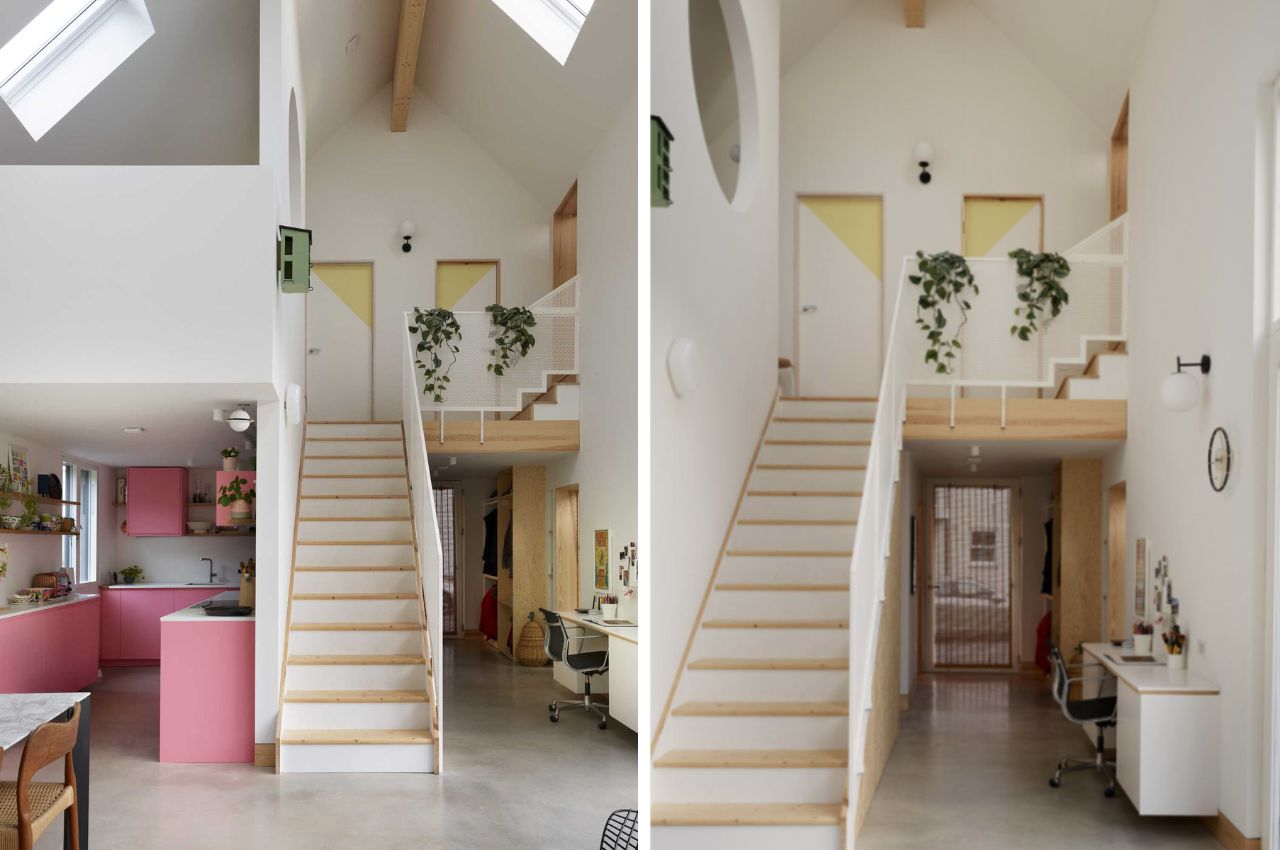
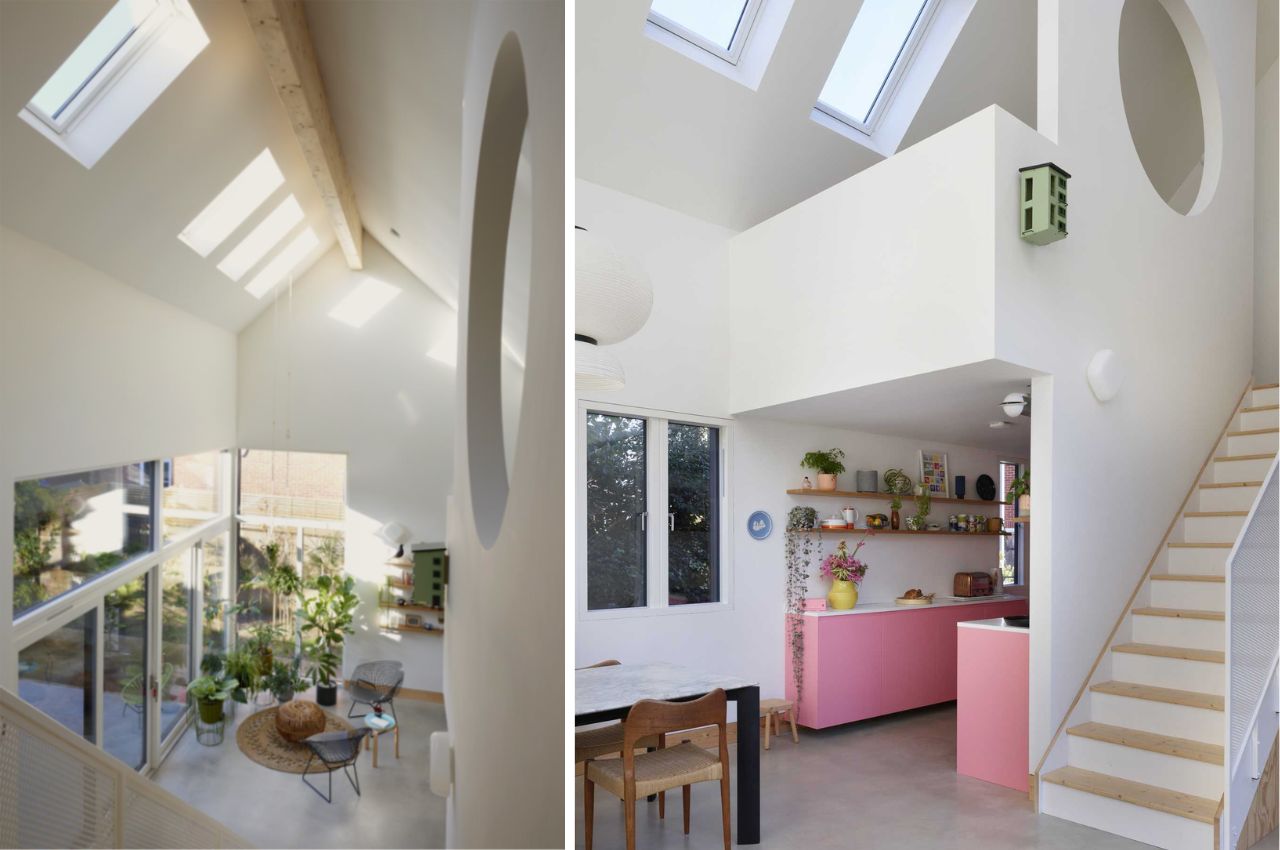
Upon entering, visitors are greeted by wooden shelves for coats and shoes. To the left, the living room features floating wooden shelves for record players and a cozy space for three to four people. Further inside, a staircase on the right separates the kitchen from the entrance foyer. The kitchen itself is a delightful surprise, featuring pink cabinets, white countertops, and floating wood shelves, creating a convenient and stylish space for one person or a couple.
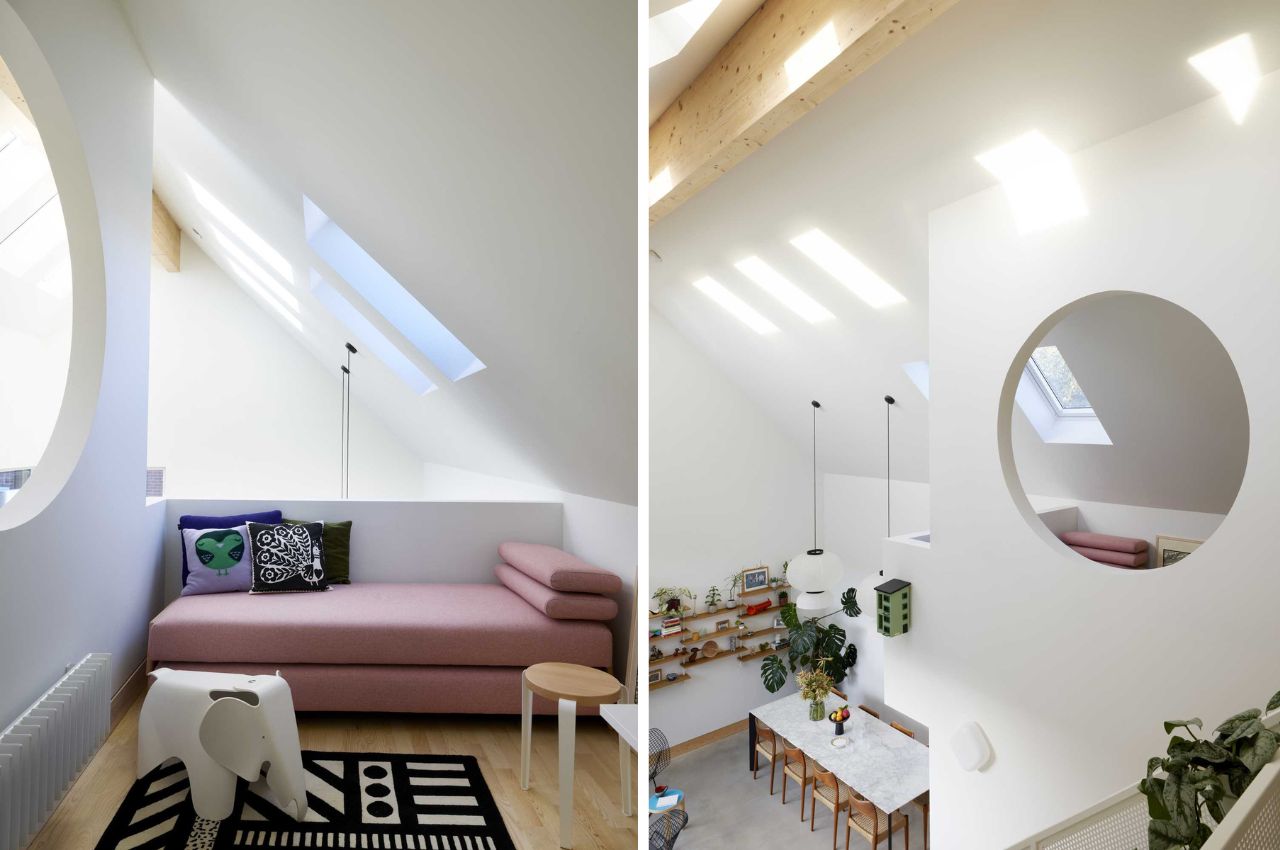
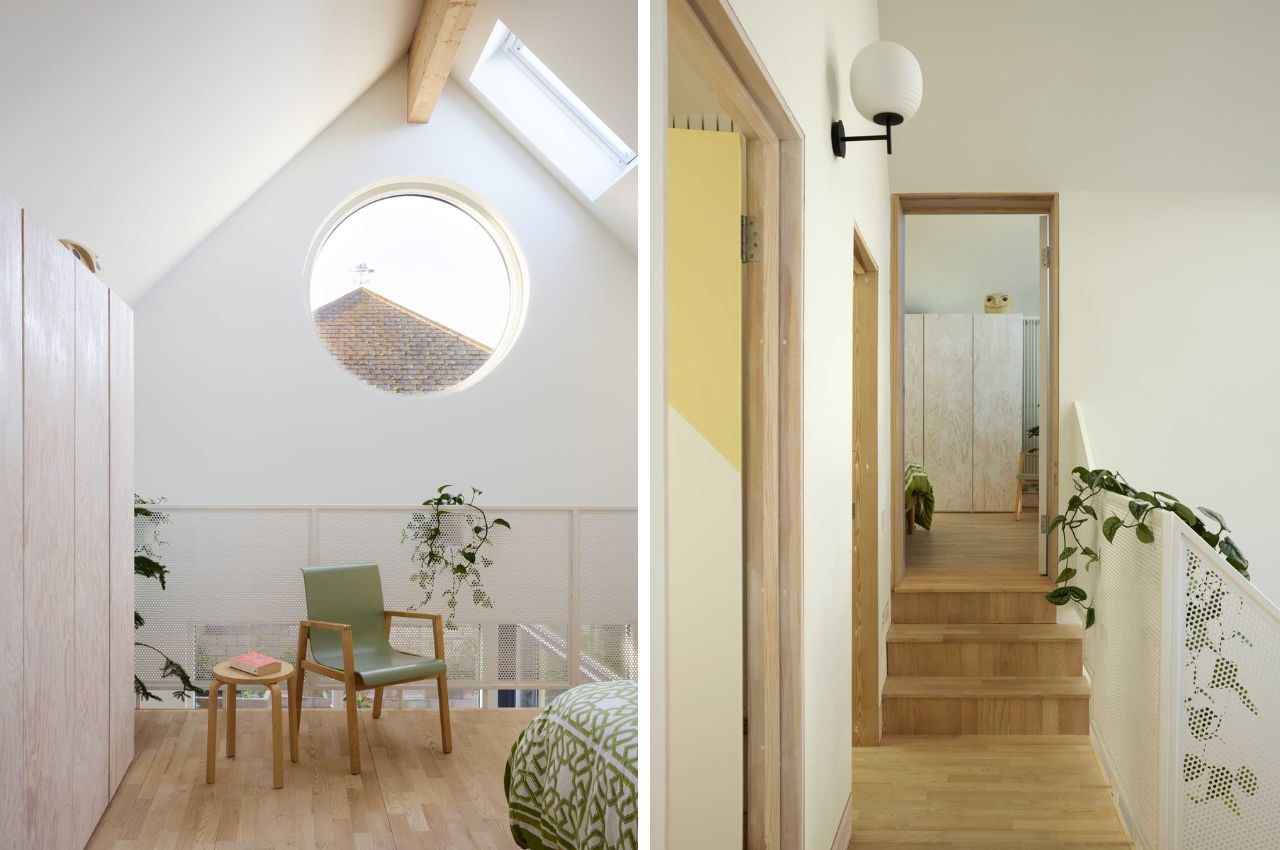
Natural light is a key feature of the home’s design. Skylights and rooflights along the length of the building ensure ample illumination throughout both levels. The open-plan living areas on the ground floor are connected to the outside by large, glazed doors, creating a seamless flow between indoor and outdoor spaces.
The upper levels of the house are defined by the geometry of the roofs, with open spaces overlooking the living areas below. A small lounge area with a dusty pink daybed at the top of the stairs provides a cozy corner to relax. The bedroom, complete with a wood closet and a balcony overlooking the lower level, also features a charming round window.
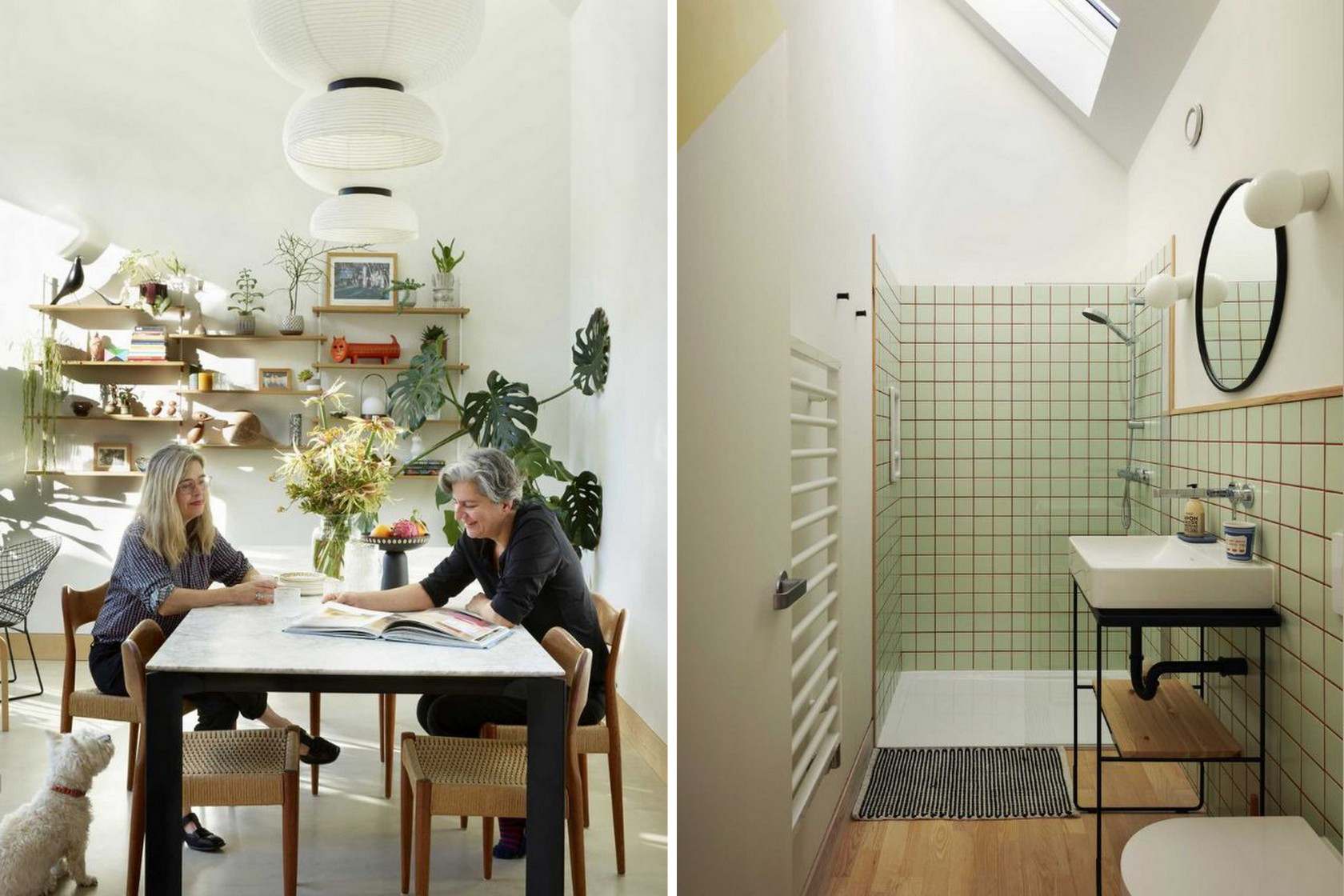
The design emphasizes convenience, functionality, and minimalism. Wood shelves in the open-plan dining area, pendant lights above the dining table, and strategically placed niches for storage highlight the efficient use of space. The bathroom features shower walls and a vanity area clad in square green tiles with colored grout, adding a touch of color and texture.
Planters throughout the home bring life to the space, creating a game of light and shadow that enhances the sense of warmth and closeness to nature. The ample natural light makes the space feel inviting and lively, perfectly suited to the needs of an artist.
The client’s brief called for a home that was flexible enough to allow for future separation of the two volumes. The design accommodates this with ease, providing a layout that can adapt to changing needs. Additionally, the home is designed to be energy efficient, minimizing heating costs and ensuring sustainability.
Roughly 22 billion pairs of shoes are manufactured globally each year. The production process of all these shoes – and lot many made in the unorganized sector – emits crazy amounts of carbon dioxide, enough to contribute about 1.5 percent of the world’s greenhouse gas emissions. Even though sustainable materials have become a significant part of the production process, carbon emissions have not decreased in tune; this means the industry still awaits a revolutionary idea that can help.
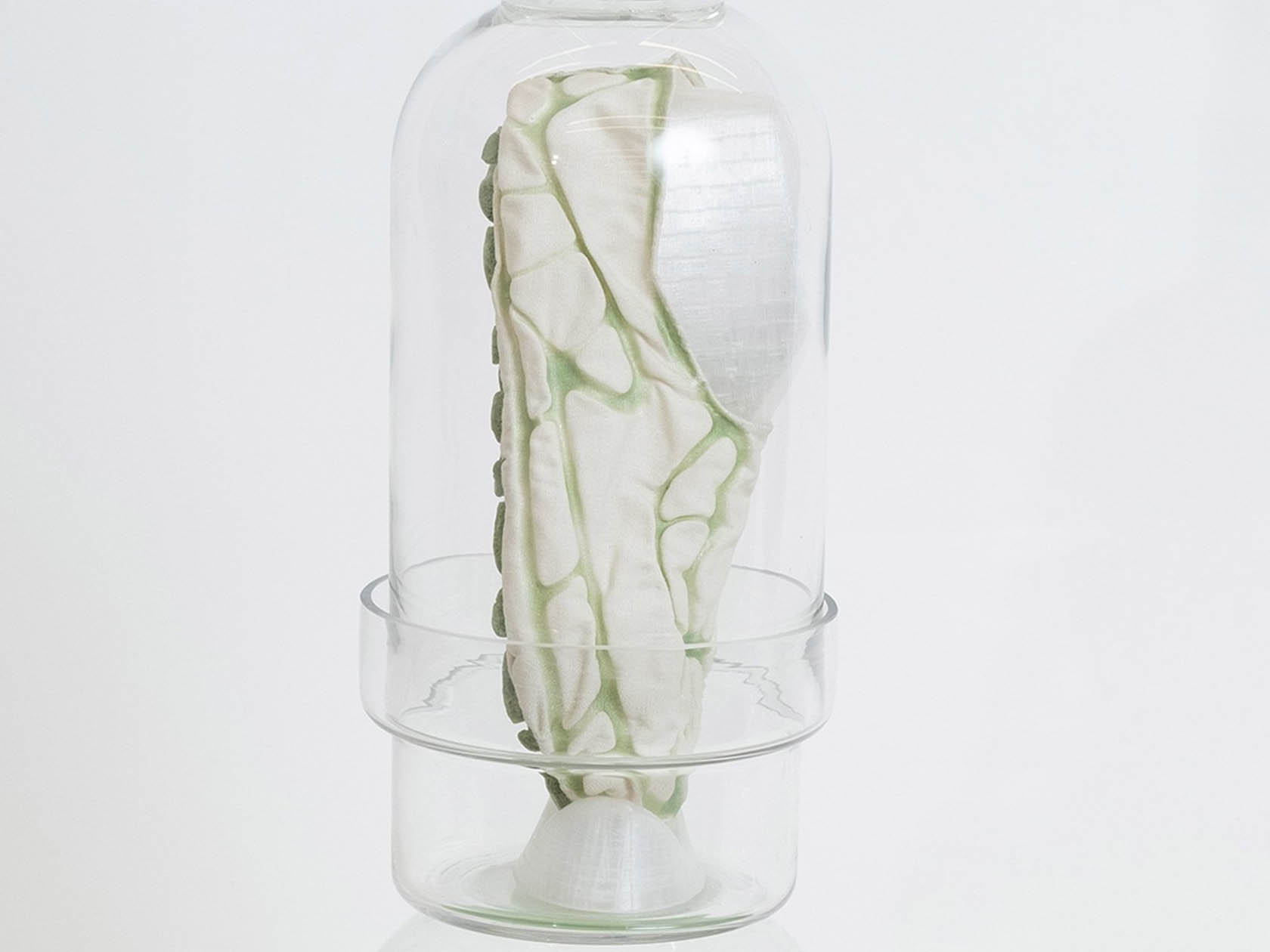
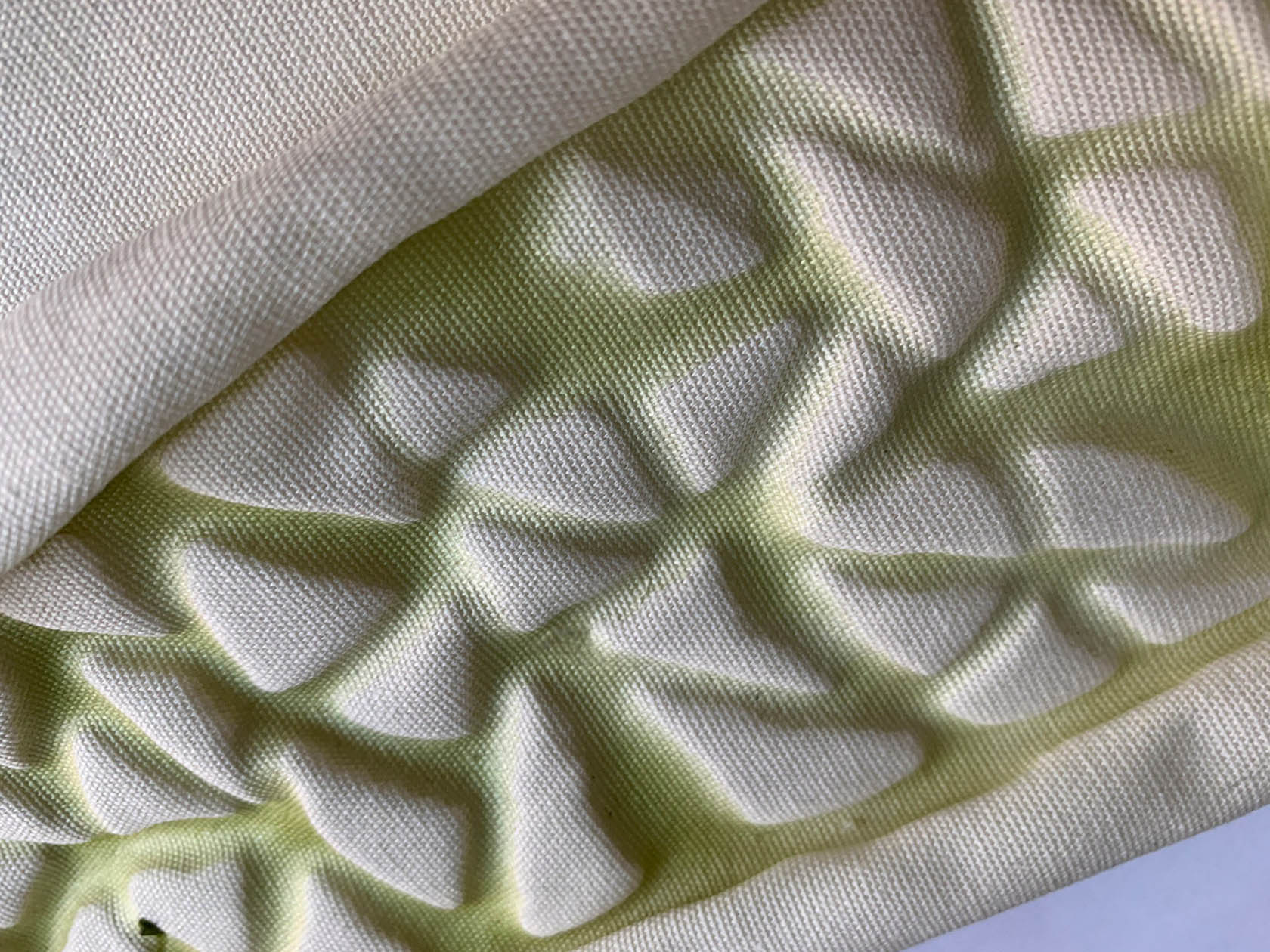
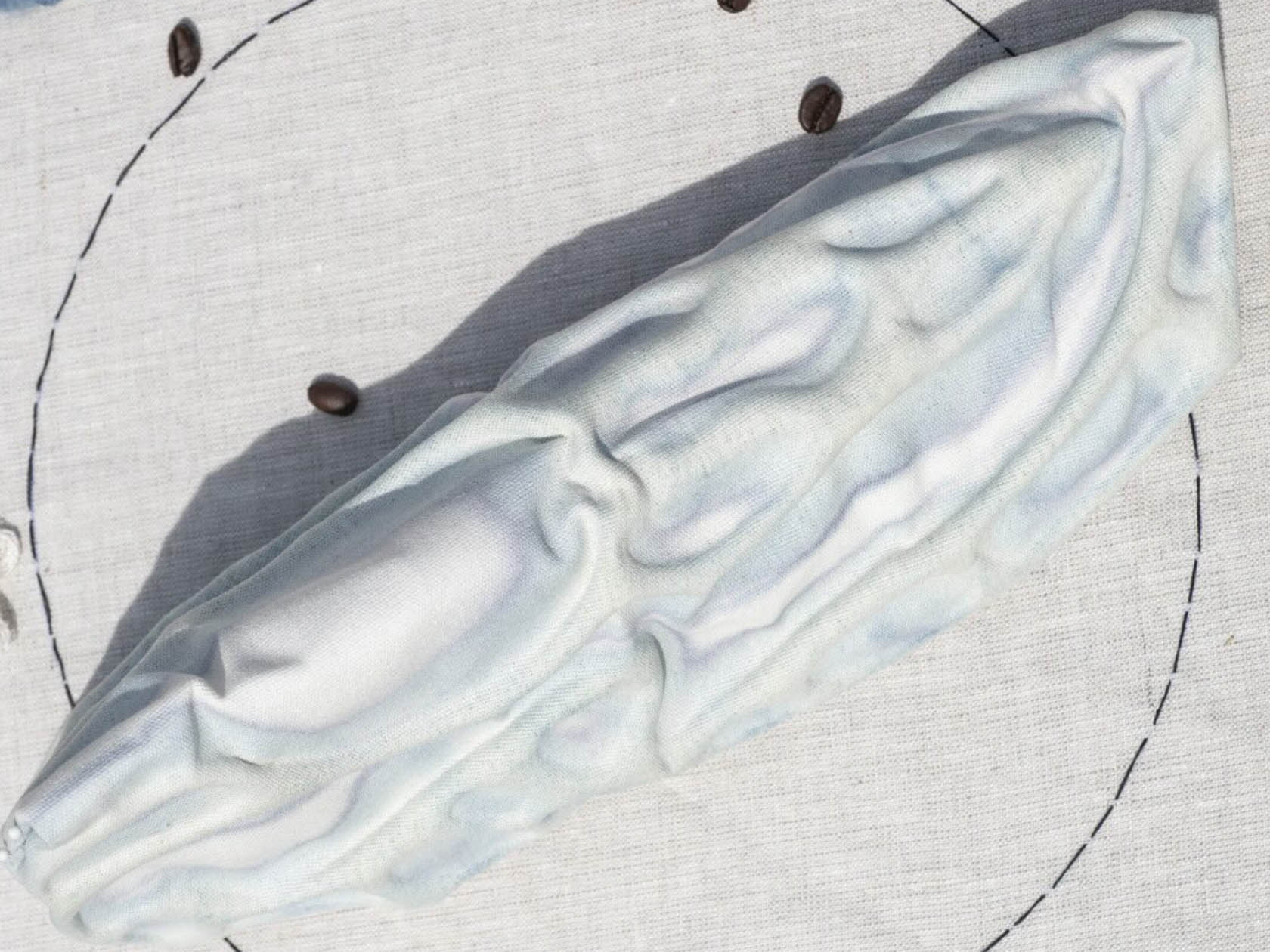
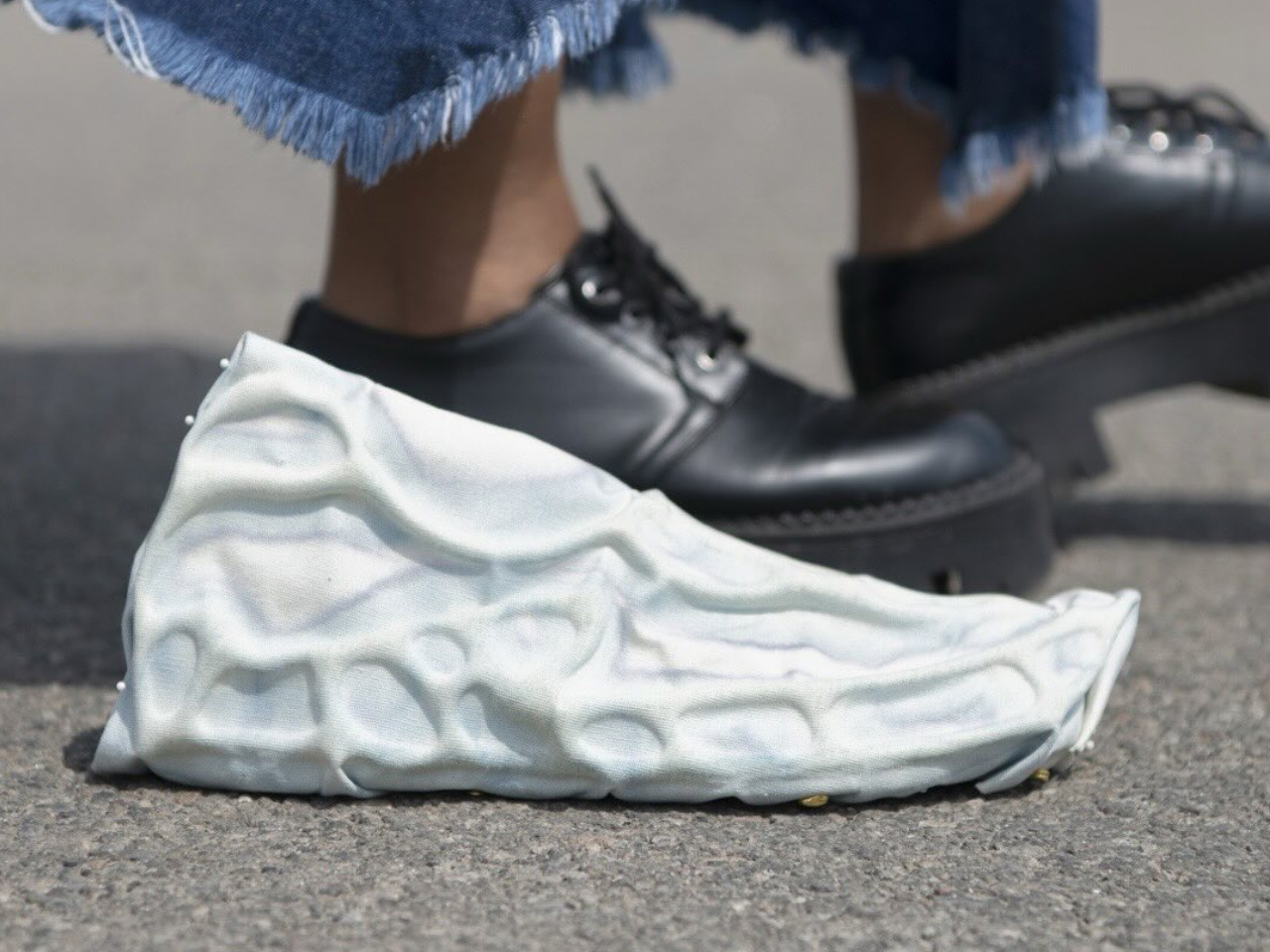
While the major manufacturers are dealing with their ideas, a designer Jessica Thies, based out of Brooklyn has developed a pair of concept shoes that could help the shoe industry reduce its environmental impact. Dubbed Synthiesis, the idea is based on Thies’ research into engineered living materials and is part of her thesis at Parsons School of Design. The experimental shoe printed from ink containing living algae can absorb carbon dioxide from the surroundings, the designer believes.
Presently shoes have polyurethane foam soles which are always recyclable or biodegradable, amounting to waste. Thies believes this could be replaced in the production lines with engineered living materials, which could be beneficial both for the user and nature. “I believe that if we simply replace synthetic materials with bio-based ones, we haven’t addressed the core issues of overconsumption and exploitation of the natural world.”
The shoe concept by the designer is made from hemp fabric and printed with bio-based ink included with algae. The addition of microalgae cells in the printing ink makes the shoe an “active object” capable of acting like a living organism. The unique construction ensures that the shoe can absorb carbon dioxide from the environment, and “potentially be able to self-clean,” Thies informs.
The idea of a living footwear sounds immensely exciting. One that can change our outlook toward the way we conceive what we wear on the foot with the least consideration. Thies’ research with material affirms that the algae used in the construction can survive a month without supplementary nutrients, and if cared for, it can last much longer. For the later, the shoe conceptualized by Thies can feed on nutrients and oxygen-producing cyanobacteria using hydroponics, in a manner we grow plants.
We’re less than a month away from the next Made by Google event, and we may already know what one of the marquee announcements will look like. TikTok user pixo_unpacking (viaYTechB) posted videos over the weekend of apparent pre-production samples of the Pixel 9 and Pixel 9 XL.
The phones in the video have different backs: a glossy finish on the standard Pixel 9’s rear and a matte one on the larger Pixel XL’s. 9to5Googlenotes that they appear to include rear-panel etchings Google uses for prototypes, although they’re mostly covered in the clips by labels.
Based on the video, the Pixel 9 appears to have two cameras, while the Pixel 9 XL has three. In addition, Google seems to have changed the camera visor into an elongated oval. It appears to be quite the protrusion, as evidenced by the video’s sections showing the two phones together.
Google sent out invites last month to the August 13 event. Although (unsurprisingly) devoid of details, it promised to “showcase the best of Google AI, Android software and the Pixel portfolio of devices.” The event will be at Google’s Mountain View headquarters instead of the typical New York City setting for Pixel launches.
In addition to the Pixel 9 series, we expect a next-generation Pixel Fold, a new Tensor chip and a third-generation Pixel Watch. (And a possible Pixel Buds appearance.) Of course, since this is 2024 and no company can hold an event without an almost comical obsession with AI, we’re practically guaranteed to hear more about new Google AI features — like the rumored Pixie AI assistant. In addition, the phones could include iPhone-like emergency satellite messaging.
This article originally appeared on Engadget at https://www.engadget.com/alleged-pixel-9-and-pixel-9-xl-leak-shows-a-redesigned-camera-bar-205144133.html?src=rss
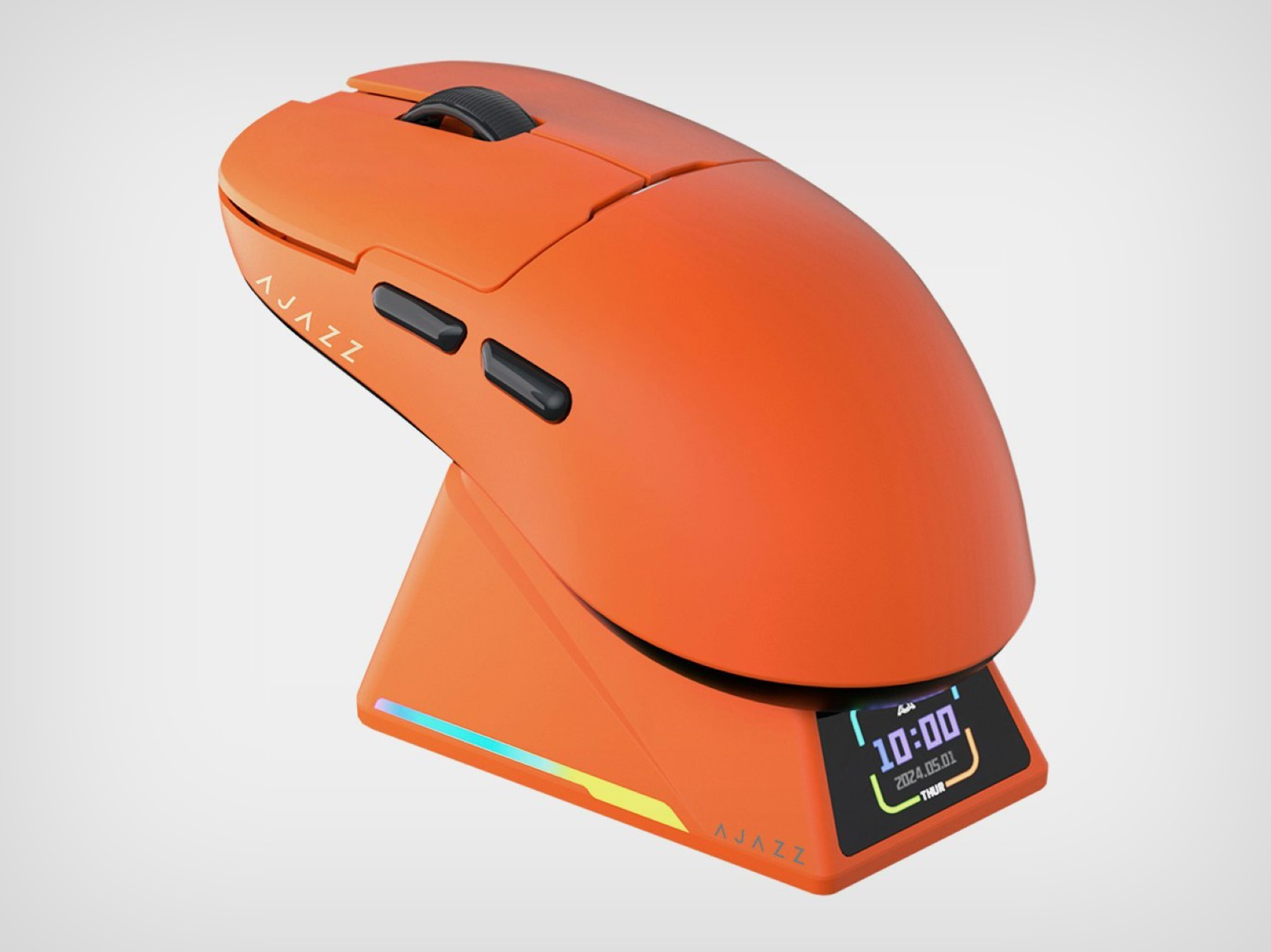
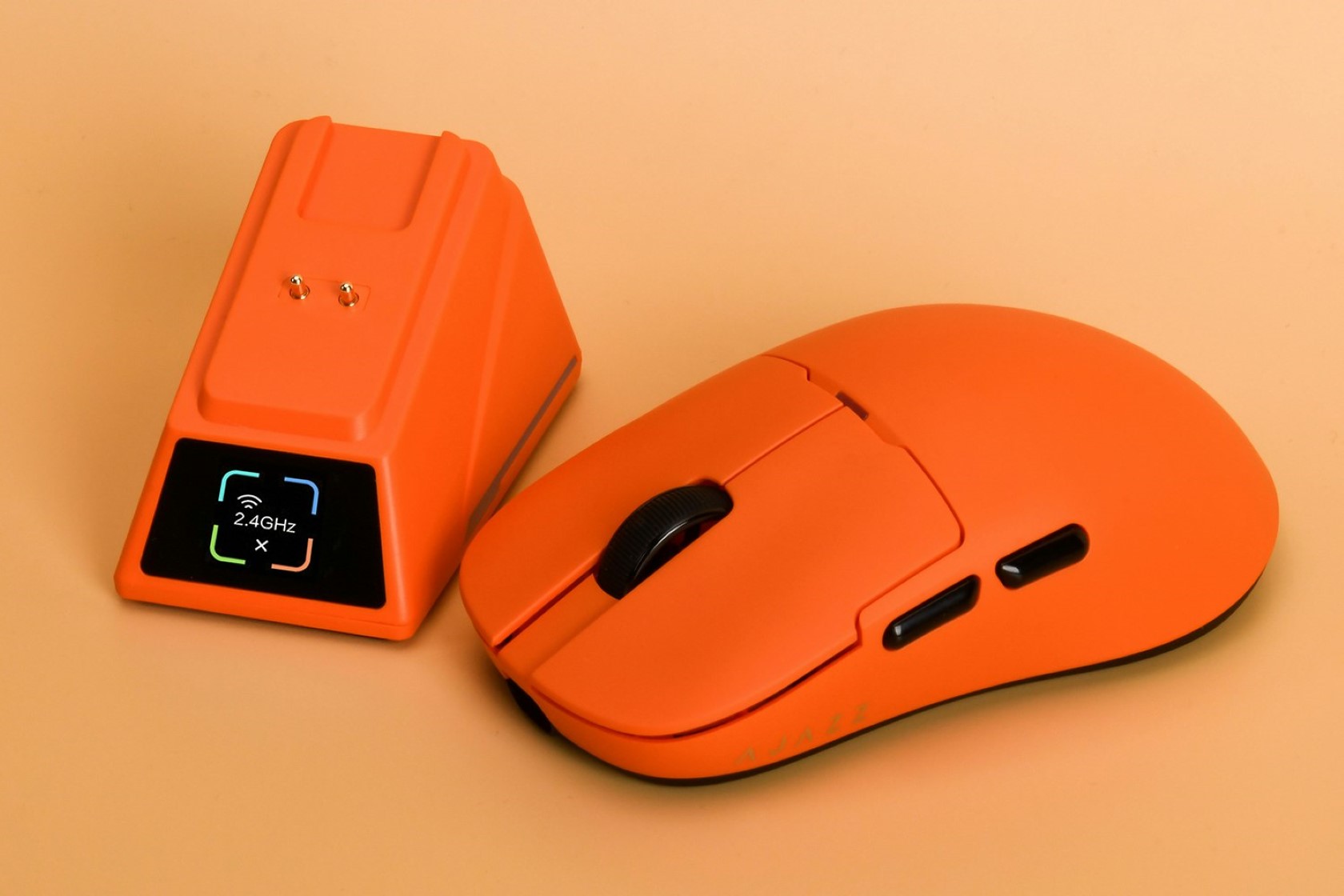
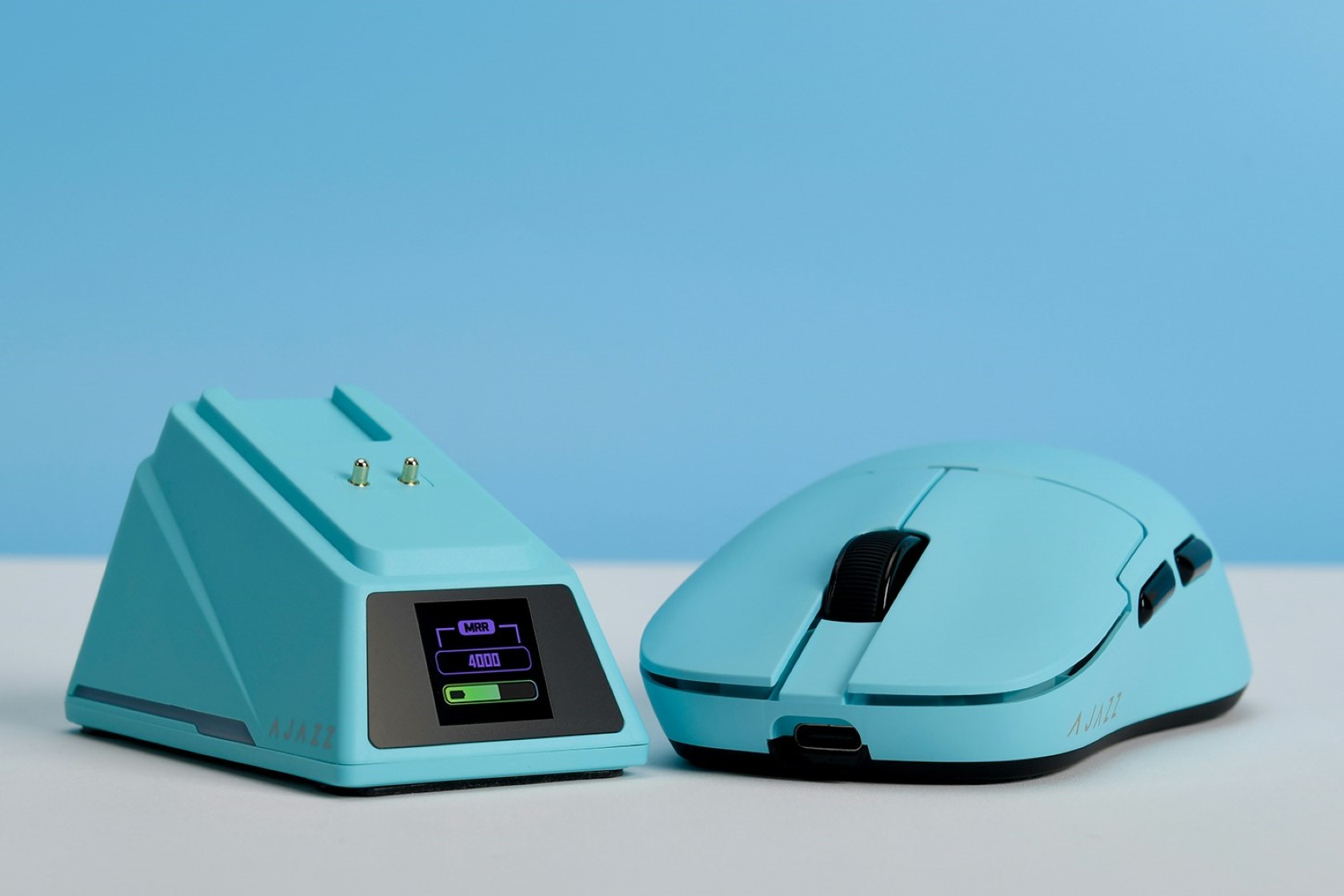
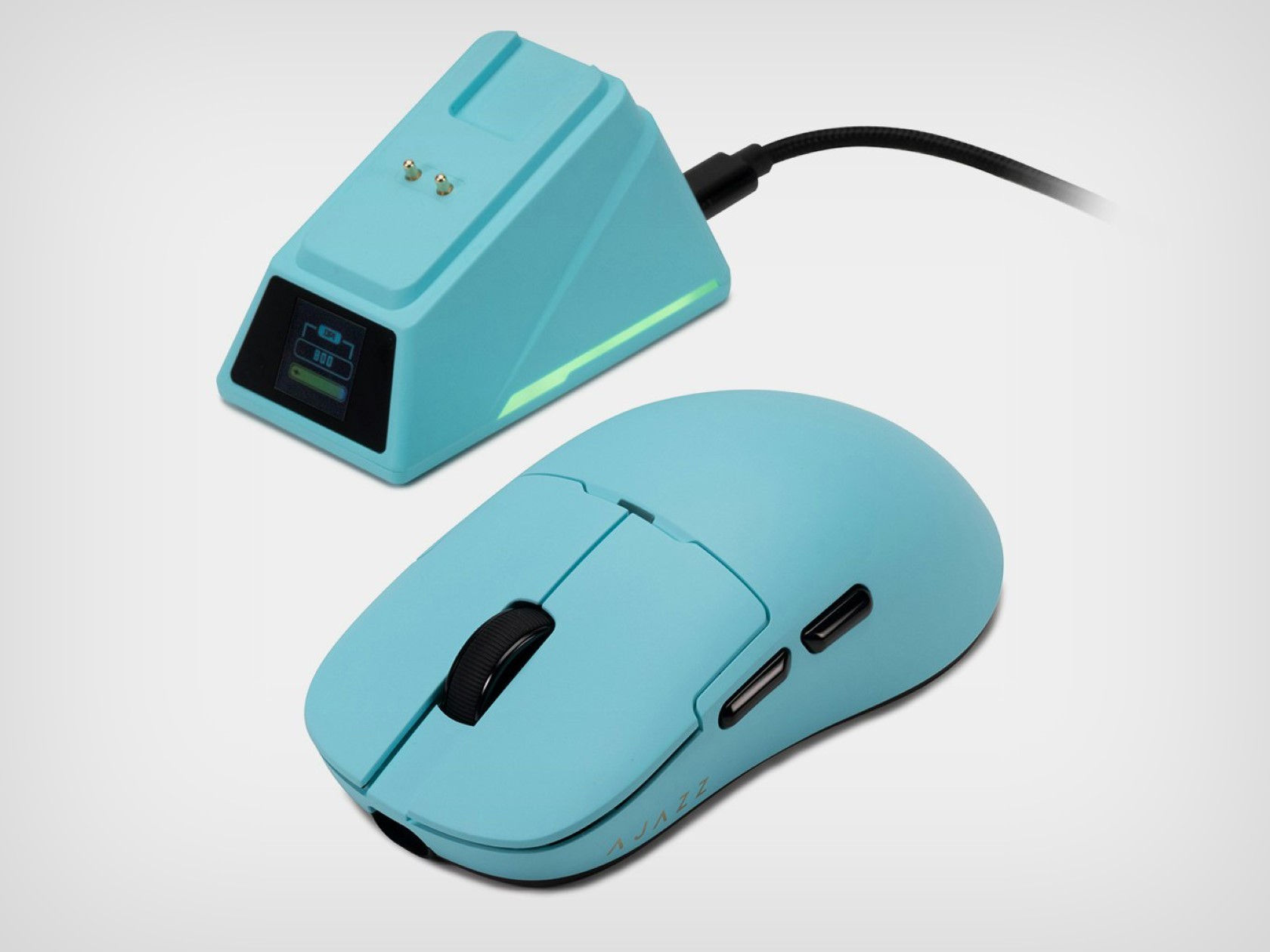
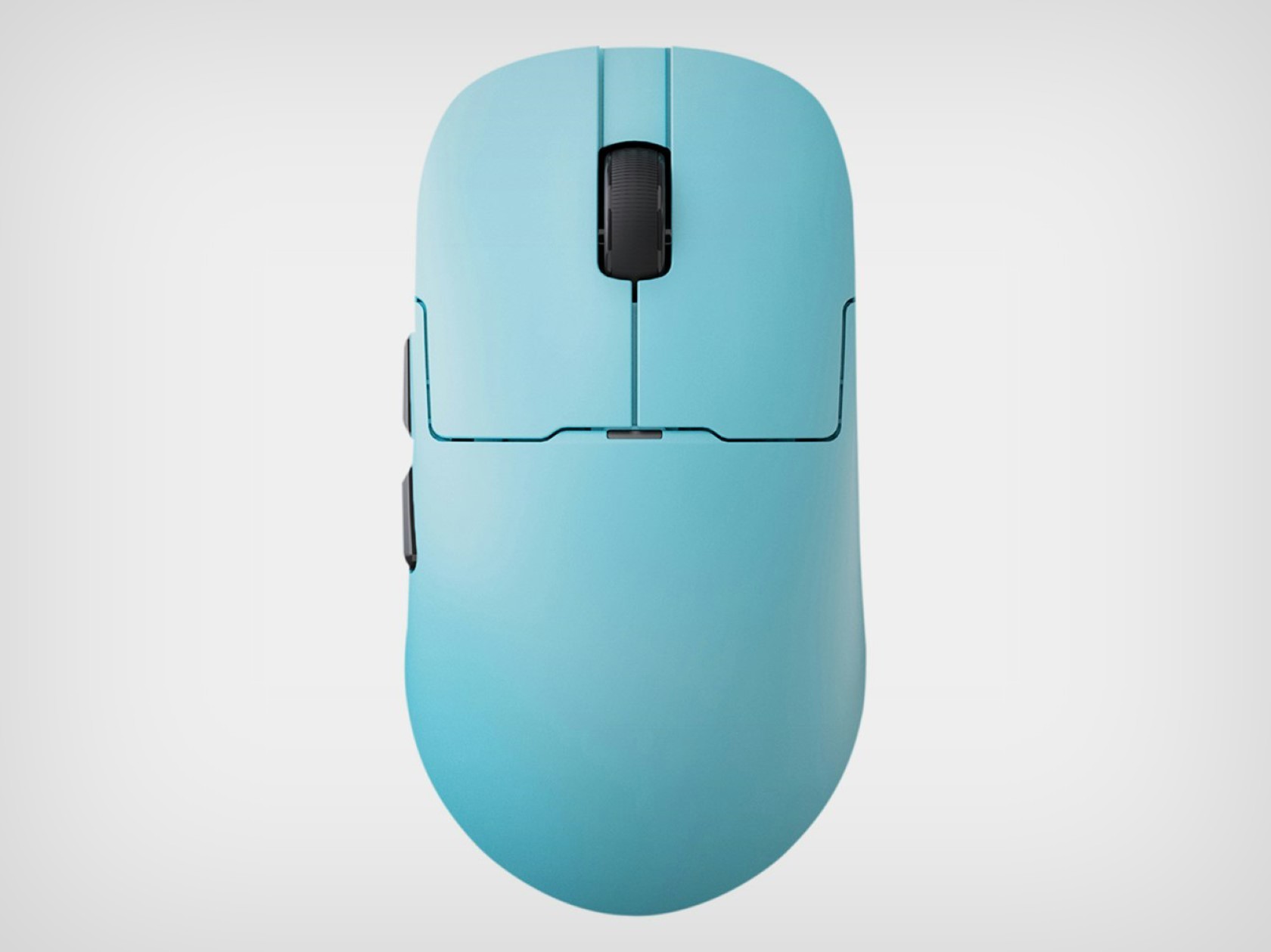
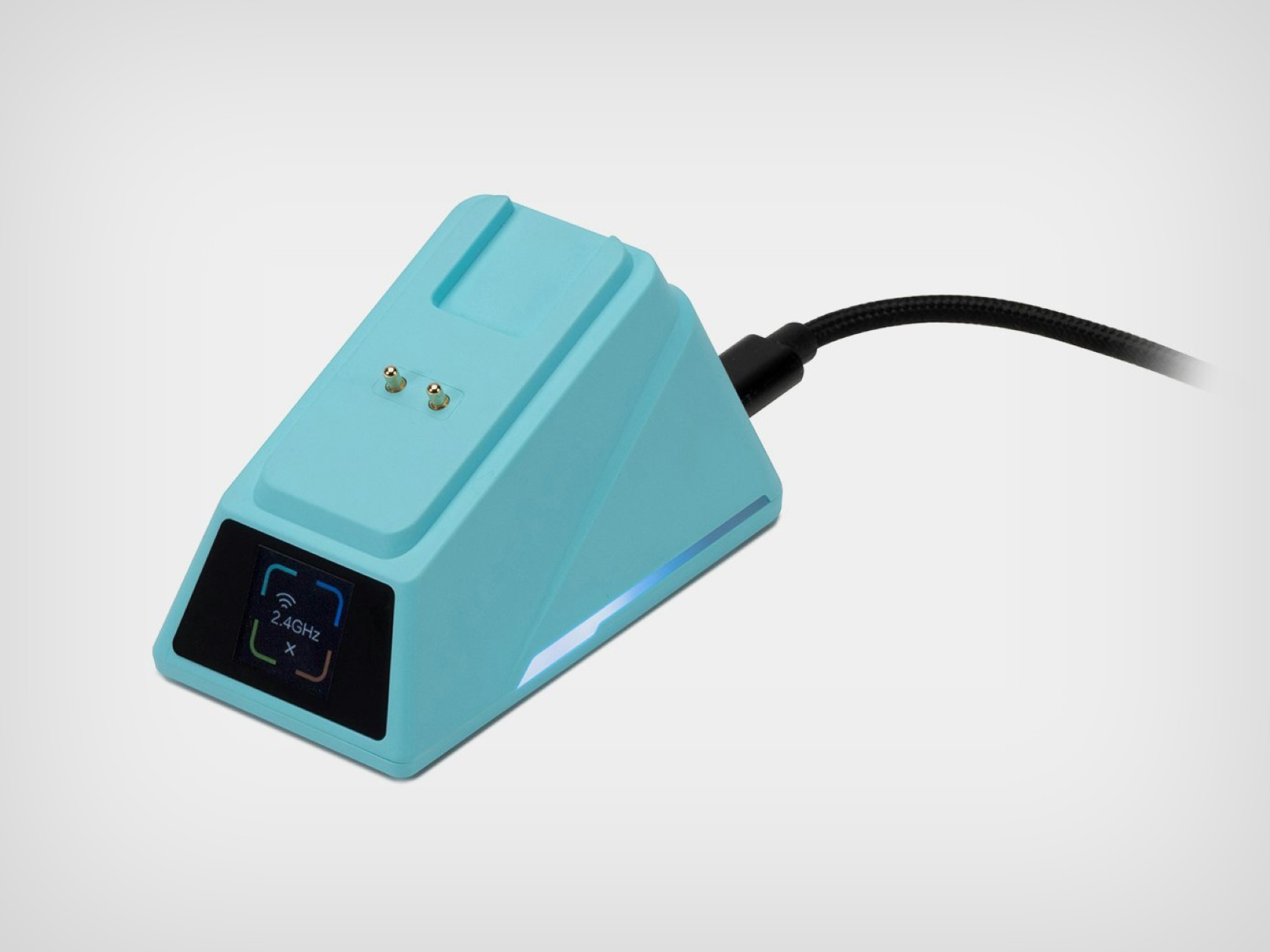
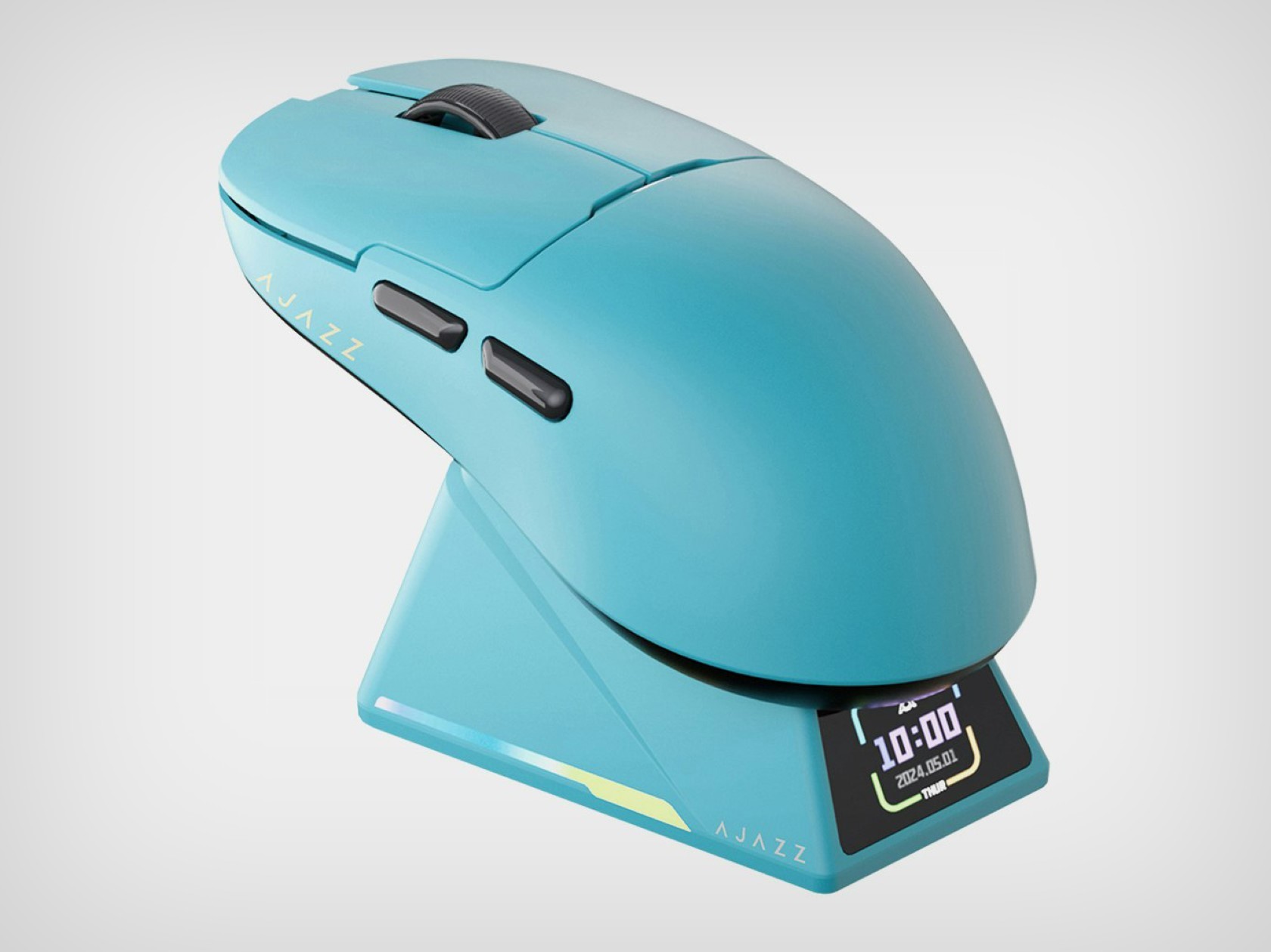
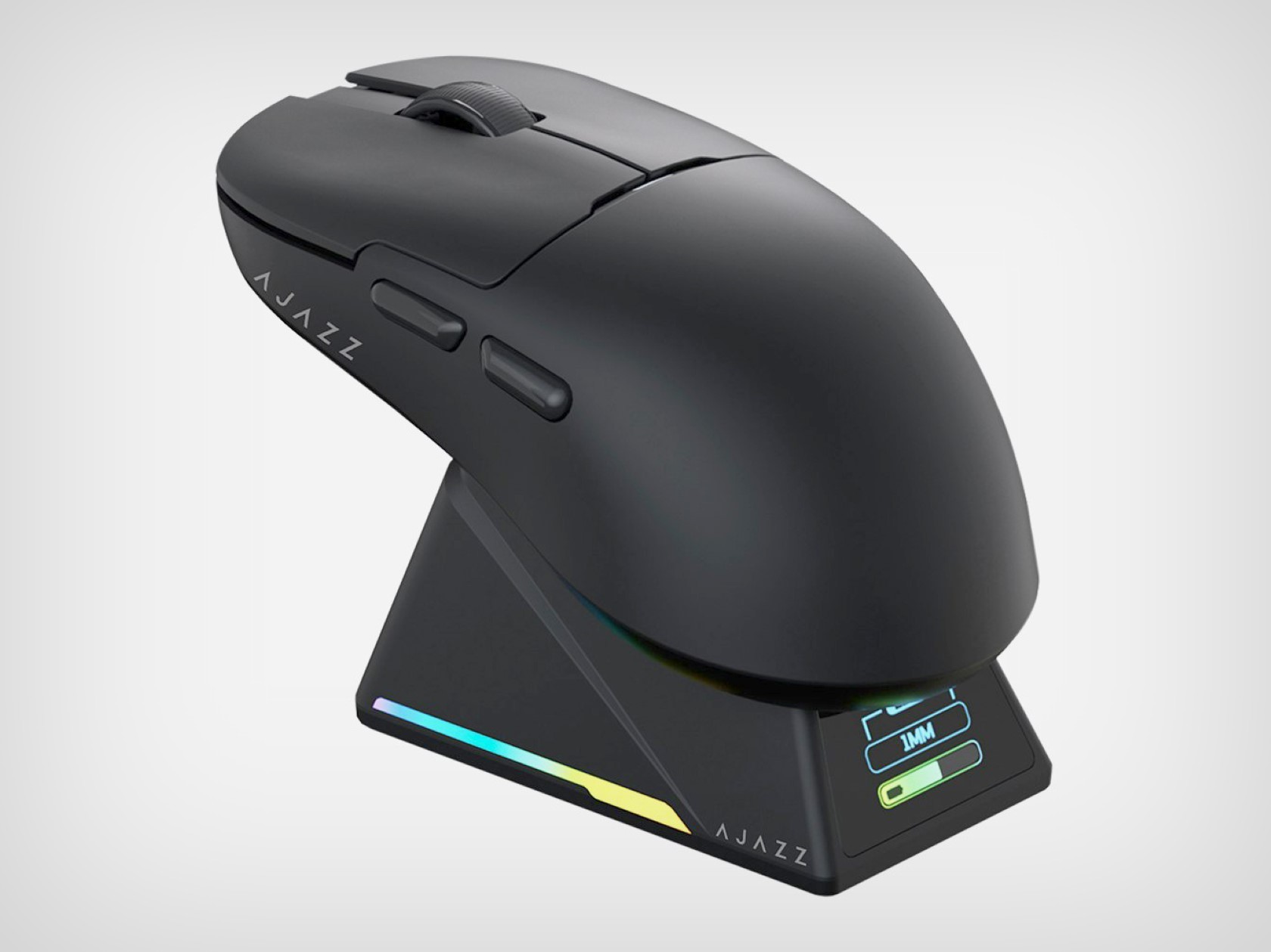
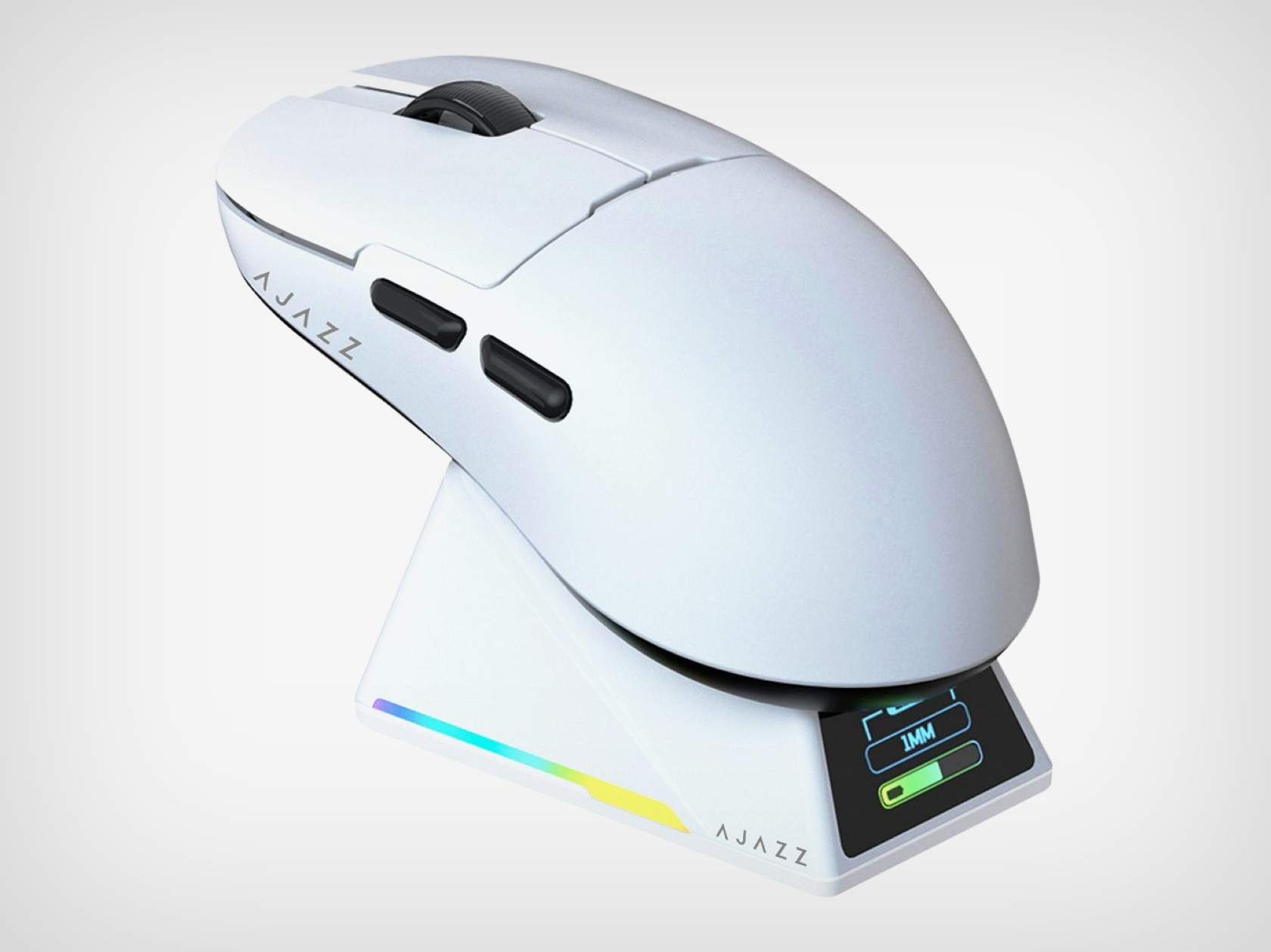
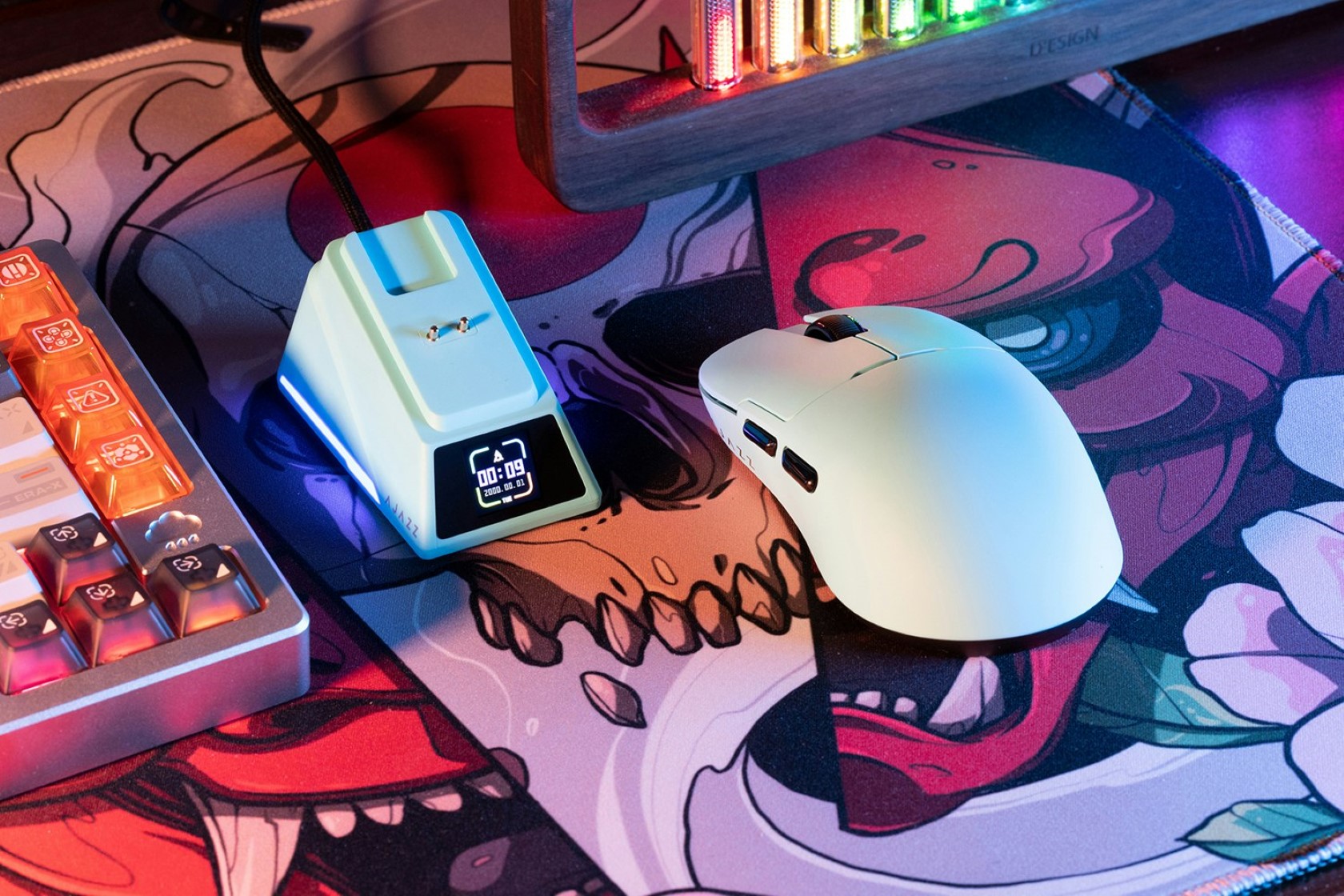
It’s been nearly 10 years since Apple launched the infamous Magic Mouse 2 and its absurd charging port placement. While the 2-trillion-dollar company hasn’t done much to improve its flagship mouse’s design, AJAZZ launched a clever little gaming mouse with a much better charging solution. The AJAZZ AJ159 Apex mouse comes with a wireless design that’s both ergonomic and functional, but its most impressive feature is its charging dock/cradle. Designed to hold your mouse when not in use, this cradle keeps your gizmo rested at an accessible angle while it charges, but more importantly, it comes with a screen on the front that works as a tiny widget for displaying the time, date, battery level, or mouse connection status. It’s a clever solution that works elegantly and impresses too, with just a $79.99 price tag… I guess Apple could use some design inspiration.
One of the highlights of the AJ159 Apex is its PixArt PAW3950 optical sensor. This sensor is known for its incredible tracking accuracy, with a maximum DPI (dots per inch) of 30,000 and a blazing-fast IPS (inches per second) tracking speed of 750. This translates to ultra-smooth cursor movements, no matter how quickly you flick your wrist across the mousepad. Additionally, the 8,000Hz polling rate ensures minimal latency between your actions and what appears on the screen. In layman’s terms, your clicks and movements will be registered almost instantaneously, giving you a crucial edge over your opponents.
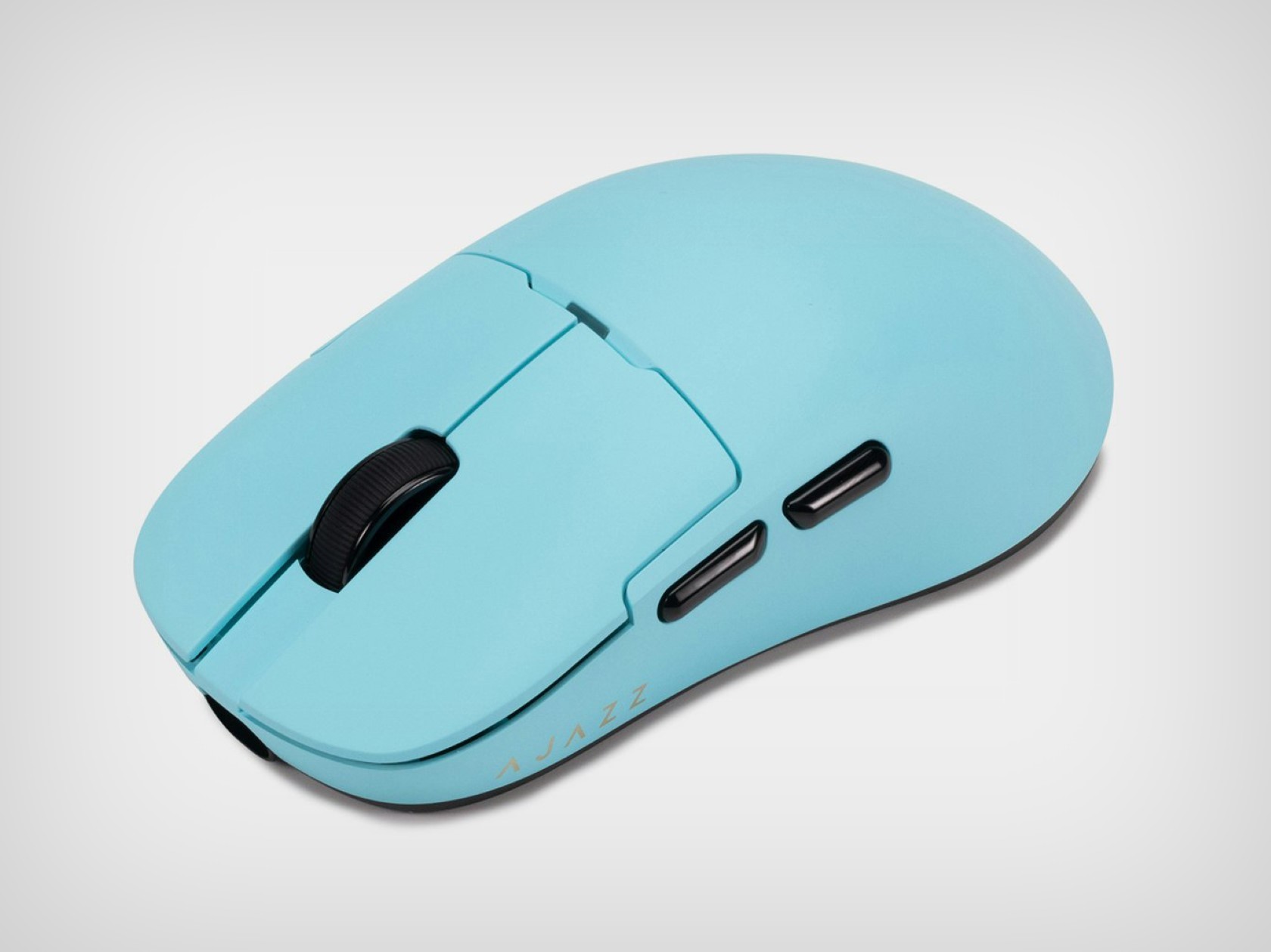
Beyond raw performance, the AJ159 Apex is lightweight and durable, making it a perfect candidate for a gaming mouse. The mouse itself is incredibly lightweight, clocking in at just 56 grams. This featherweight design minimizes fatigue during extended gaming sessions and allows for effortless movements. Durability is also a focus, with Huanuo switches rated for a lifespan of 100 million clicks. These switches provide a satisfying and crisp click feel, ensuring your commands are registered accurately.
For added customization, the AJ159 Apex is QMK programmable. This open-source software allows you to tailor the mouse buttons’ functions to your specific needs and preferences. Whether you prefer complex macros or simple remappings, the AJ159 Apex can adapt to your playstyle. The AJ159 Apex offers three modes: wired USB-C, 2.4 GHz wireless, and Bluetooth. This versatility allows you to choose the connection method that best suits your setup, whether you prioritize low latency or a clutter-free desk.
Perhaps the most unique feature of the AJ159 Apex is its magnetic charging dock. This innovative design not only keeps your mouse juiced up but also doubles as a storage solution. The dock even features a small display that can show relevant information or even custom GIFs. It’s a small touch, but it adds a bit of flair and functionality to the overall package.
The AJAZZ AJ159 Apex is available in four colors (black, blue, orange, and white) to suit your aesthetic preferences. With its impressive specs, user-friendly features, and innovative design, the AJ159 Apex is a strong contender for gamers seeking a high-performance and feature-rich mouse.
About a month after Apple announced it at WWDC 2024, macOS Sequoia is available to test-drive as a public beta. Although we don’t recommend installing it on your primary Mac, here’s how to get the 2024 version of macOS up and running ahead of its official rollout in the fall.
Compatible Macs
First, you’ll need a recent Mac to run the Sequoia public beta. Apple’s software supports the following models:
You’ll notice that list still includes (up to) the last few generations of Intel Macs, so Apple may still be several years away from requiring Apple Silicon for its latest software. However, Apple Intelligence, which isn’t yet included in the beta, will require a Mac with an M-series chip when it’s available.
Back that Mac up
Apple
Macs don’t have automatic iCloud system backups like iOS devices, so you’ll want to back up your Mac with Time Machine before installing.
We can’t stress enough how crucial this step is. Some apps and system features you rely on may be buggy or broken in the beta, and downgrading back to macOS Sonoma (the current version) will wipe all your data. A Time Machine backup lets you restore your system to where it was before you began tinkering, so do that before going anywhere near Sequoia.
To back up with Time Machine, plug an external disk into your Mac, navigate to System Settings > Time Machine, add a backup disk and follow the instructions. It may take at least several hours, depending on how much data you’re using (and whether you’ve backed up recently). But it’s worth it for peace of mind.
How to install the macOS Sequoia beta
If you’ve never registered your Apple account for the Apple Beta Software Program, you’ll need to start by heading to Apple’s website in Safari, signing up, and agreeing to the terms.
Afterward, head to System Settings > General > Software Update, and click “i” next to Beta Updates. In the pop-up window, choose “Off,” which brings up a menu. Choose macOS Sequoia Public Beta. Press “done” in the pop-up window, wait for it to check for updates, and follow the prompts in the Software Update screen to install the pre-release software.
macOS Sequoia features
Apple
macOS Sequoia adds iPhone Mirroring, which lets you view and control your nearby iPhone from your Mac (as long as you’re logged into the same Apple account). This feature seems handy to check or reply to something while leaving your phone in your pocket or on a charger.
Apple Intelligence won’t be available in betas until the fall. But when it arrives, Macs with M-series chips will get system-wide AI writing tools, including rewriting, proofreading and summarizing text. It also includes (opt-in) ChatGPT integration and a new tool called Image Playground that generates AI images in various styles.
Siri in Sequoia also gets an AI-infused upgrade, which could help the feature fulfill its promise as a truly conversational assistant. (You may have noticed it currently falls well short of that.) Other Sequoia features include a new window arrangement tool, a Passwords app (replacing and enhancing the existing iCloud Keychain and Safari password management) and AI-generated summaries in Safari.
The final version of macOS Sequoia will arrive this fall, either around the same time or soon after Apple launches iOS 18 and new iPhones.
This article originally appeared on Engadget at https://www.engadget.com/how-to-install-the-macos-sequoia-public-beta-202948376.html?src=rss
Now that it’s available, you can test-drive Apple’s iOS 18 public beta before the software’s official arrival this fall. Here’s everything you need to know about setting up the iOS 18 (along with iPadOS 18 and watchOS 11) beta.
First, remember that, as its “beta” name implies, this is pre-release software that will likely reveal itself as such in ways that frustrate and annoy you. Some third-party apps may be broken (banking apps especially), and plenty of Apple’s features may be inconsistent or buggy until the company irons out the kinks in future updates.
We don’t recommend installing it on any device you use as your main one—or at least not if you aren’t willing to accept some risks and compromises.
iOS 18 supported devices
You’ll need a recent iPhone to try the public beta. For iOS 18, that means the following models:
iPhone 15
iPhone 15 Plus
iPhone 15 Pro
iPhone 15 Pro Max
iPhone 14
iPhone 14 Plus
iPhone 14 Pro
iPhone 14 Pro Max
iPhone 13
iPhone 13 mini
iPhone 13 Pro
iPhone 13 Pro Max
iPhone 12
iPhone 12 mini
iPhone 12 Pro
iPhone 12 Pro Max
iPhone 11
iPhone 11 Pro
iPhone 11 Pro Max
iPhone XS
iPhone XS Max
iPhone XR
iPhone SE (2nd generation or later)
If you own anything before that, you’re out of luck. But considering this year’s software covers models stretching as far back as 2018, you’d need a pretty dated phone not to have the option.
How to install the iOS 18 public beta
Installing the beta is much easier than it used to be. First, if you’ve never installed an iOS public beta before, you’ll need to visit the Apple Beta Software Program website and enroll your Apple account.
After that, navigate to Settings > General > Software Update on your iPhone. Choose the option for “iOS 18 public beta.” Then, return to the Software Update screen, and you should see the option to install the beta software.
iPadOS 18 supported devices
Here are the supported models for the iPadOS 18 beta:
iPad Pro (M4)
iPad Pro 12.9-inch (3rd generation and later)
iPad Pro 11-inch (1st generation and later)
iPad Air (M2)
iPad Air (3rd generation and later)
iPad (7th generation and later)
iPad mini (5th generation and later)
How to install the iPadOS 18 public beta
If you haven’t already signed up for it above, you’ll need to visit the Apple Beta Software Program website and enroll your Apple account. (If you’ve ever signed up for a public beta, you can likely skip that step.)
Next, navigate to Settings > General > Software Update on your iPad. Choose the option for “iPadOS 18 public beta.” Then, return to the Software Update screen, and you should see the option to install the beta software.
watchOS beta: Caution
Apple Watch beta software carries greater risk. If something isn’t working well and you want to downgrade to watchOS 10, you’re out of luck because you’re stuck there. And if you downgrade its paired iPhone to iOS 17, your Apple Watch won’t work correctly with your phone until it’s back on iOS 18. (However, you can leave your Apple Watch on watchOS 10 when your phone is on iOS 18. That route is much less risky.)
In other words, don’t update to watchOS 11 unless you’re sure you’re comfortable with the risk of being out of a working Apple Watch for months. Even then, think twice.
watchOS 11 supported devices
You’ll need one of the following models to run the watchOS 11 beta:
Apple Watch SE (2nd generation)
Apple Watch Series 6
Apple Watch Series 7
Apple Watch Series 8
Apple Watch Series 9
Apple Watch Ultra
Apple Watch Ultra 2
How to install the watchOS 11 public beta
If you’re comfortable with the risks for your Apple Watch and want to install the watchOS 11 beta, you’ll first need to have already updated your paired iPhone to the iOS 18 beta (see above).
After that, make sure your Apple Watch is paired to your iOS 18-running phone and open the Watch app on your iPhone. Then, navigate to General > Software Update, and choose the watchOS 11 public beta. After doing that, the beta software should be available to download.
This article originally appeared on Engadget at https://www.engadget.com/how-to-install-the-ios-18-public-beta-202938588.html?src=rss