Transform Your Photos with Luminar Neo’s Powerful AI Tools – The Ultimate Editor for Every Photographer

Luminar Neo App 2024

If you are searching for an easy way to transform your photographs into something more memorable or impactful, or perhaps you’re a professional photographer looking for a quick method to edit batches of photos without navigating the inaccuracies of Photoshop, the Luminar Neo app is definitely worth trying out. This easy-to-use photo editing software, developed […]

The post Transform Your Photos with Luminar Neo’s Powerful AI Tools – The Ultimate Editor for Every Photographer appeared first on Geeky Gadgets.

Creality K2 Plus – 3D Printer Review

multicolor 3D printing capabilities

The Creality K2 Plus is a feature-rich 3D printer with a large build volume, high print quality, and advanced capabilities, making it a strong contender in the 3D printing market. Whether you’re a hobbyist exploring the endless possibilities of 3D printing or a professional seeking a reliable tool for intricate prototyping, the K2 Plus offers […]

The post Creality K2 Plus – 3D Printer Review appeared first on Geeky Gadgets.

Speedmaster Moonwatch Professional White Lacquer Dial Review: It’s the hottest-looking modern-day Speedy!

Good morning, and happy Wristwatch Wednesday. Today, we’re thrilled to bring you a review of what might be one of the very first white-dial Omega Speedmaster Moonwatch pieces in the wild. With a bit of luck and some well-timed persuasion, we managed to acquire this stunning piece. Let’s dive right into the review! The Omega Speedmaster Moonwatch Professional White Dial, reference 310.30.42.50.04.001, introduces a sleek, modern aesthetic to a timepiece steeped in history. Known for its role in the Apollo missions, the Speedmaster has earned its place as the “Moonwatch,” a title symbolizing precision, reliability, and timeless design. This latest release keeps the core elements intact but brings a fresh, contemporary look through a white lacquer dial—a bold step away from the more traditional black dial. It’s a new chapter for collectors and enthusiasts alike.

PROS:


  • Lacquered White Dial – The glossy finish adds a sophisticated, modern touch while enhancing legibility.

  • Red "Speedmaster" Script – This pop of color brings a bit of Omega’s motorsport history into the contemporary design.

  • Sapphire Sandwich Construction – Both the front and caseback feature sapphire crystals for durability and a clear view of the movement.

  • Dot Over 90 Bezel – A nostalgic detail that ties the modern Speedmaster to its vintage predecessors.

  • Co-Axial Master Chronometer Caliber 3861 – This movement blends traditional manual winding with modern precision, magnetic resistance, and reliability.

CONS:


  • Additional Strap Options: More strap choices, such as leather or rubber, would allow users to switch between formal and casual settings.

  • Extended Power Reserve: A power reserve beyond 50 hours would be convenient, especially for collectors who rotate between multiple watches.

  • Improved Water Resistance: Enhancing the 50-meter water resistance would make this watch better suited for various activities, including water sports.

RATINGS:

AESTHETICS
ERGONOMICS
PERFORMANCE
SUSTAINABILITY / REPAIRABILITY
VALUE FOR MONEY

EDITOR'S QUOTE:

The white lacquer dial introduces a modern elegance, while the rest of the watch embraces the Speedmaster's vintage charm.
award-icon

Designer: Omega

Case Design and Fit

The Omega Speedmaster Moonwatch Professional, with its white lacquer dial, retains the iconic asymmetrical case design that has defined the Speedmaster line for decades. Measuring 42mm in diameter, 13.2mm in height, and 47.5mm lug-to-lug, the watch balances presence and wearability. The case’s dimensions allow it to sit comfortably on a wide range of wrist sizes, making it accessible to many enthusiasts.

Omega Speedmaster Moonwatch Professional White Dial, reference 310.30.42.50.04.001

The case features a combination of brushed and polished finishes that highlight its distinctive shape. The signature twisted “lyre” lugs add a touch of elegance and help the watch hug the wrist, enhancing comfort during extended wear. The polished bevels along the case sides create a visual contrast that accentuates the Speedmaster’s sporty yet refined character. The pushers and crown are well-proportioned and easy to operate, with the asymmetrical case design providing subtle protection without compromising functionality.

Despite its robust construction, the watch wears surprisingly slim thanks to its curved caseback and thoughtful ergonomics. The sapphire crystal caseback allows for an unobstructed view of the Caliber 3861 movement, adding depth to the overall design while maintaining the watch’s water resistance rating of 50 meters. This attention to detail in the case design and finishing exemplifies Omega’s commitment to both form and function, resulting in a timepiece that is as pleasing to wear as it is to admire.

Dial: Clean and Sexy as hell!

Omega rarely ventures into white-dial territory with its professional Speedmastsers, making this variant noteworthy in the collection. The glossy white lacquer surface adds a sense of luxury without losing any tool-watch functionality that the Speedmaster is known for. Measuring 42mm, the dial’s crisp, bright finish enhances legibility, allowing the black hands and markers to pop against the white background, ensuring it remains functional even under various lighting conditions.

Omega Speedmaster Moonwatch Professional White Dial, reference 310.30.42.50.04.001

The dial features a stepped design, a hallmark of the Speedmaster series. This multi-level construction gives the watch depth, ensuring that the three subdials—small seconds, 30-minute counter, and 12-hour counter—are recessed but still highly legible. Omega has opted for circular graining (also known as an azurage finish) on the subdials, adding texture and subtly contrasting the main dial’s semi-glossy, white lacquered finish. This textural difference helps maintain depth while providing a sophisticated aesthetic. The lacquered finish gives the dial a softer, more luxurious feel compared to the tool-like nature of the black dial version. Yet, it still delivers the precision-focused look that Omega fans appreciate. This textural difference is crucial in maintaining the Speedmaster’s instrumental, precision-focused aesthetic.

One of the most striking features is the red ‘Speedmaster’ script and the red-tipped chronograph hand. This vibrant touch brings a visual break from the monochrome palette and nods to Omega’s history in motorsports and space exploration. These small details connect to the past while maintaining the overall modern look of the watch.

Using Super-LumiNova on the black PVD-coated hands and hour markers ensures the watch is just as functional at night as it is during the day. The luminous coating glows bright green in low light, ensuring that time can be read easily, even in total darkness. The hour markers and hands are evenly coated, providing a crisp, uniform glow. The precision of the lume application ensures that, even in pitch-black conditions, the dial remains clean and legible, with the luminous strips guiding your eyes effortlessly across the dial.

Bezel: A Classic Touch with Modern Appeal

Omega has retained the classic tachymeter bezel for this model, a feature that has become synonymous with the Speedmaster line. The black anodized aluminum bezel contrasts sharply with the white dial, giving the watch a sportier, more contemporary appearance. This bezel adds visual depth to the design and remains highly functional, with the tachymeter scale allowing for speed calculations over a fixed distance.

Omega Speedmaster Moonwatch Professional White Dial, reference 310.30.42.50.04.001

One of the more charming details on the bezel is the “Dot Over 90” marking. This vintage feature was used on early Speedmaster models from the 1960s, particularly on references worn during the Apollo missions, such as the 105.012 and 145.012. Omega’s decision to include this detail on the new white dial Speedmaster directly connects to the watch’s heritage and iconic past. Collectors who value historical accuracy will appreciate Omega’s commitment to honoring the Speedmaster’s legacy. The “Dot Over 90” marking is a vintage feature found on some early Speedmaster models, especially those worn during the Apollo missions like the 105.012 and 145.012. While it wasn’t present on every Speedmaster from the 1960s, its inclusion on this model ties the modern watch directly to its historically significant predecessors, highlighting Omega’s dedication to honoring the Speedmaster’s legacy. The dot placement varied across models, adding a unique aspect to each reference.

Though many of Omega’s newer models feature ceramic bezels for added scratch resistance, this version opts for an anodized aluminum bezel. While ceramic is more durable, aluminum offers a matte finish that aligns better with the Speedmaster’s tool-watch ethos. The matte finish reduces glare and reflections, which can be useful during active use, staying true to the Moonwatch’s original purpose as a precise, reliable instrument.

Movement: Reliable and Advanced

At the heart of the Omega Speedmaster Moonwatch Professional White Dial is the Caliber 3861, a significant leap forward from previous versions of the Moonwatch. This manually-wound chronograph movement incorporates Omega’s proprietary Co-Axial escapement, designed to reduce friction, improve accuracy, and enhance the movement’s longevity. The Co-Axial escapement represents Omega’s commitment to pushing horological boundaries while staying true to traditional craftsmanship.

Omega Speedmaster Moonwatch Professional White Dial, reference 310.30.42.50.04.001 with 3861 movement

The movement is Master Chronometer certified, having passed the rigorous tests set by METAS (the Swiss Federal Institute of Metrology). What this means for the wearer is guaranteed precision, with the movement operating within +0 to +5 seconds per day. The Master Chronometer certification also ensures that the watch is highly resistant to magnetic fields, withstanding exposure to up to 15,000 gauss, making it well-suited to the modern, tech-filled environment where magnetic interference is a constant.

With a 50-hour power reserve, the Caliber 3861 offers plenty of time between windings, though some collectors might have preferred a longer reserve, especially for a manual-wind timepiece. However, the 3861 remains one of Omega’s most reliable and robust movements, blending traditional manual-winding charm with modern resilience.

One of the most appreciated aspects of this model is the sapphire caseback, which allows for a full view of the movement in action. The rhodium-plated bridges and Geneva waves add an element of beauty to the mechanical heart of the watch, making it as much a work of art as it is a precision tool. Collectors will undoubtedly appreciate this touch, as the transparent caseback provides an intimate look into Omega’s meticulous attention to detail.

Practicality and Wearability: Built for Everyday Use

Despite its luxurious design, the Speedmaster Moonwatch Professional White Dial remains a practical timepiece for everyday wear. Its 42mm stainless steel case perfectly balances presence and wearability, ensuring it feels substantial on the wrist without overly bulky. The case’s brushed and polished finishes give it a refined look, making it suitable for casual and formal settings.

Omega Speedmaster Moonwatch Professional White Dial, reference 310.30.42.50.04.001

The bracelet, too, offers a high level of comfort, featuring a five-link stainless steel construction that sits smoothly on the wrist. Omega’s extension system within the clasp allows for easy adjustments, ensuring a snug fit even as wrist size fluctuates throughout the day. Whether you’re wearing it for extended periods or switching between different activities, the Speedmaster maintains its comfort without sacrificing its aesthetic.

For those who enjoy chronograph functionality, the pushers are responsive and easy to operate. Positioned at 2 o’clock and 4 o’clock, the pushers allow for seamless operation of the chronograph, making it simple to time events with precision. The design of the pushers ensures that they don’t protrude too much, keeping the overall case profile sleek.

The white lacquer dial ensures excellent readability in various lighting conditions, whether in bright sunlight or in a dimly lit room. The use of Super-LumiNova ensures legibility in low light, while the bright contrast of the white dial and black markers keeps the display sharp and clear.

Final thoughts

The Omega Speedmaster Moonwatch Professional White Dial is a brilliant evolution of a legendary design. Its modern aesthetic and the movement’s technical advancements make it a compelling choice for anyone looking to own a piece of horological history with a contemporary twist. Whether you’re a long-time Speedmaster enthusiast or a newcomer to Omega, this model offers something unique for every watch lover.

Omega Speedmaster Moonwatch Professional White Dial, reference 310.30.42.50.04.001

The post Speedmaster Moonwatch Professional White Lacquer Dial Review: It’s the hottest-looking modern-day Speedy! first appeared on Yanko Design.

Our Sunroom’s New Masterpiece: The Hisense CanvasTV Review

Finding the perfect balance between cutting-edge technology and home décor can feel like a never-ending quest. We didn’t just want another big screen; we wanted something to enhance our living space, not dominate it. Enter the Hisense CanvasTV, a television that promises performance and seamless integration into your home’s aesthetic.

PROS:


  • Stunning Art Mode with over 120 free artworks included.

  • Sleek, customizable frame blends seamlessly into any room.

  • Versatile setup options—wall mount or mobile stand.

  • Crisp, vibrant QLED display with 144Hz refresh rate for smooth viewing.

  • Eco-friendly design with responsibly sourced materials and efficient power use.

CONS:


  • Lacks Mini-LED backlighting, affecting black level depth.

  • Art Mode requires manual activation through the remote, limiting automation.

RATINGS:

AESTHETICS
ERGONOMICS
PERFORMANCE
SUSTAINABILITY / REPAIRABILITY
VALUE FOR MONEY

EDITOR'S QUOTE:

This TV turns your living room into an art gallery, transforming entertainment into a visual masterpiece.
award-icon

Designer: Hisense


A Sunroom Makeover

Our journey began in our sunroom, a bright and airy space with an entire wall of windows that flood the room with natural light. For too long, this beautiful room was overshadowed—literally—by an outdated, bulky 85″ VIZIO TV that felt more like an eyesore than a centerpiece. It was high time for a change.

Swapping it out for the sleek 65″ Hisense CanvasTV was like lifting a veil. The room instantly felt more spacious and inviting. The TV’s slim profile and minimalist design complemented the room rather than competing with it. It wasn’t just about replacing a piece of hardware; it was about transforming the atmosphere of our home.

Art Mode: More Than Just a Screen

One of the features that drew us to CanvasTV is its Art Mode. Instead of staring at a blank, lifeless screen when the TV is off, we’re now greeted by a rotating gallery of stunning artworks or our own cherished photos. Setting it up was a breeze—intuitive controls let us switch between various curated collections or upload our own images without any hassle.

What impressed us most is that the TV comes pre-loaded with over 120 free art pieces across multiple categories, such as landscapes, still life, and modern art—no subscription fees required. This thoughtful feature transforms the TV from a mere electronic device into an artistic statement that enhances the ambiance of any room.

Design That Speaks Volumes

The CanvasTV doesn’t just display art; it is art. Hisense has clearly put thought into every aspect of its design. The TV features a slim bezel that focuses on the content, not the frame. It comes standard with a teak frame, but thanks to its magnetic design, you can easily swap it out to match your décor or mood. We love the light wood tones, which perfectly complement our sunroom’s natural aesthetic.

One of my favorite moments was seeing Claude Monet’s “Water Lilies” displayed on the screen. The soft blues, greens, and pinks seemed to come alive against the backdrop of our vibrant blue walls. This created a mesmerizing interplay of color that transformed the space and added a sense of tranquility and elegance.

Beneath the TV, we placed a natural wood console that echoes the frame’s light wood tones. The simplicity of its design, with clean lines and earthy textures, ties the whole look together. The result is a harmonious blend that feels more like a curated art installation than just a TV setup.

Versatility with the 55″ Model

While the 65″ CanvasTV found its permanent home in the sunroom, we decided to get adventurous with the 55″ model. Instead of mounting it, we opted for the mobile stand—a decision that has added a whole new layer of versatility to our home entertainment.

The mobile stand is a game-changer. Its clever design includes an integrated power outlet, reducing cable clutter and making it incredibly easy to move the TV from room to room. Need a screen in the kitchen for following a new recipe? Roll it in. Hosting friends in the dining room and want to display a slideshow of memories? Easy. Cozy movie night in the bedroom? Done.

All the necessary ports—power, HDMI, and USB—are neatly integrated into the back of the TV. There’s no need for external boxes or messy cables, keeping the setup clean and elegant.

For families, this flexibility is a huge plus. Imagine being able to wheel the TV into the kids’ room for a special movie night or setting up an impromptu gaming session in any part of the house. It’s the convenience of a portable entertainment center without sacrificing style or quality.

Ergonomic Design and User Experience

The CanvasTV is designed with the user in mind. Wall mounting the 65″ model was straightforward, thanks to its lightweight build and slim profile. It sits flush against the wall, enhancing that art gallery feel.

The remote control continues the minimalist theme. With its brushed metal finish, it feels substantial yet sleek in hand. The button layout is intuitive—quick-access buttons for popular streaming services like Netflix, YouTube, Prime Video, and Disney+ are right at your fingertips. The inclusion of voice control via Google Assistant adds an extra layer of convenience. We can navigate content, adjust settings, or even control other smart devices in our home with simple voice commands.

Performance: A Visual and Auditory Delight

Now, let’s talk about performance. The CanvasTV might not feature Mini-LED backlighting—a technology known for delivering deep blacks and high contrast—but it makes up for it in other ways. The matte display is amazing, especially in a room like ours where the entire back wall is glass and the sunrise shines directly into the space. The CanvasTV’s matte screen does a fantastic job, offering more than adequate brightness, even under direct sunlight.

The matte display quite literally ‘eats up’ and swallows any shadow thrown at it—making the artwork look like real art instead of something viewed through a monitor. Add in the Quantum Dot (QLED) technology, and the colors are vibrant and true to life, enhancing everything from movies to artwork.

With a refresh rate of up to 144Hz, the TV handles fast-paced action scenes and gaming without breaking a sweat. We connected our gaming console, and the experience was smooth and immersive. The visuals were crisp, with no noticeable lag or motion blur.

The audio doesn’t disappoint, either. With Dolby Atmos support, the built-in speakers deliver sound that fills the room. Dialogue is clear, music is rich, and the overall audio experience complements the high-quality visuals. While audiophiles might prefer an external sound system, we found the integrated speakers to be more than sufficient for our needs.

Navigating the TV’s interface is a breeze, thanks to the VIDAA U operating system. It’s clean, responsive, and doesn’t bog you down with unnecessary clutter. Integration with Google TV means easy access to all our favorite streaming services, including Dish Anywhere. If you’ve ever dealt with Dish Network, you know the hassle—wiring, coaxial cables, and setting up a box. With CanvasTV, it’s as simple as installing the Dish Anywhere app, and you’re good to go. The 55″ model on a mobile stand makes this even more convenient—art and entertainment on wheels, ready to roll into any room. Plus, support for Apple HomeKit and AirPlay 2 ensures seamless connectivity with our Apple devices.

Connecting my laptop and extending the use of CanvasTV as a second or third monitor makes life easier for meetings, streaming shows, and those long Zoom calls.

Sustainability Matters

Being eco-conscious is more important than ever, and we’re pleased to see that Hisense shares this value. The CanvasTV uses responsibly sourced wood certified by the Forest Stewardship Council (FSC), ensuring that materials meet high environmental and social standards.

Energy efficiency is another highlight. The TV includes advanced power management features to minimize energy consumption during use and standby. It meets or exceeds international energy efficiency standards, which not only reduces our carbon footprint but also helps lower our electricity bill.

Even the packaging reflects Hisense’s commitment to sustainability. They use recyclable materials and minimize the use of plastics, reducing waste without compromising product protection during shipping.

Value That Hits the Sweet Spot

One of the most compelling aspects of CanvasTV is its value proposition. The current price for the 55″ CanvasTV at Best Buy is $850, making it an appealing entry point for those looking to bring this blend of technology and art into their homes without breaking the bank. The 65″ model, priced around $1,100, offers many of the premium features found in higher-priced competitors like Samsung’s The Frame or TCL’s Nxtframe, but at a more accessible price point.

Including over 120 free pieces of curated art—without any subscription fees—is a significant bonus. Competitors often require monthly fees to access similar features. The ability to upload personal images at no extra cost adds another layer of personalization that enhances the overall value.

The TV’s compatibility with various smart home ecosystems—Google Voice, Google TV, Apple HomeKit, and AirPlay 2—makes it convenient for users across different platforms. The thoughtful design extends to every aspect of the user experience, highlighting Hisense’s focus on usability.

The versatile mounting options further enhance its utility. Whether you choose to wall-mount it for a sleek, integrated look or use the mobile stand for adaptable use throughout your home, the CanvasTV adapts to your lifestyle.

Final Thoughts: A Seamless Blend of Lifestyle and Technology

The Hisense CanvasTV has redefined our expectations of what a television can be. It’s a device for consuming content; it’s an integral part of our home’s aesthetic and functionality. From its stunning design and customizable art displays to its practical mobility and solid performance, it checks all the boxes.

For anyone torn between wanting the latest technology and maintaining a stylish, inviting home, the CanvasTV offers the best of both worlds. It’s elevated our living space in ways we didn’t anticipate, and we couldn’t be happier with our choice.

Would We Recommend It? Absolutely.

If you’re in the market for a new TV that does it all, the Hisense CanvasTV deserves serious consideration. Its blend of art, design, and technology offers a unique experience that’s hard to find elsewhere, especially at this price point.

Whether you’re an art enthusiast, a tech lover, or someone who appreciates thoughtful design, this TV has something to offer. It’s become an integral part of our home entertainment setup; it’s a conversation piece, a mood setter, and, quite frankly, a joy to own.

Key Takeaways:

  • Art Mode with 120+ Free Artworks: Transform your TV into a personal art gallery without extra costs.
  • Sleek, Customizable Design: Slim profile and magnetic frames let you tailor the look to your home.
  • Versatile Mounting Options: Choose between wall mounting or a mobile stand to suit your lifestyle.
  • Solid Performance: Vibrant QLED display with 144Hz refresh rate and Dolby Atmos sound.
  • Smart Home Integration: Compatible with Google Voice, Google TV, Apple HomeKit, and AirPlay 2.
  • Eco-Friendly Features: Uses responsibly sourced materials and energy-efficient technology.
  • Great Value: Offers premium features at a more accessible price compared to competitors.

The post Our Sunroom’s New Masterpiece: The Hisense CanvasTV Review first appeared on Yanko Design.

Mastering Stability on the Go: A Detailed Review of the Hohem iSteady V3

Hohem iSteady V3

In-Depth Hohem iSteady V3 Review If you have ever tried to record stabilized footage for your smartphone while moving or walking around, then you know how annoying shaky shots can be. Being the enthusiastic content creator that I am, always on the go and ready to shoot something new daily motivated me to take this […]

The post Mastering Stability on the Go: A Detailed Review of the Hohem iSteady V3 appeared first on Geeky Gadgets.

Posted in Uncategorized | Tagged

Yeedi C12 Combo Review: The Ultimate Robotic Cleaner with a Handheld Vacuum and Mop

The Yeedi C12 Combo is a cleaning companion designed to handle household messes effortlessly. Picture this: instead of rushing around the house, switching between the broom, dustpan, and mop, the C12 Combo quietly goes about its work, cleaning with precision like the silent, efficient partner it’s meant to be. You’ve got other things on your mind—getting that last-minute report done for work, or maybe just a rare few minutes of peace while the kids are occupied—but your floors? Those are taken care of.

PROS:


  • Best value for powerful, multi-functional home cleaning.

  • Long battery life ensures uninterrupted, comprehensive cleaning.

  • Anti-tangle technology minimizes maintenance hassle.

  • Effortlessly transitions between different floor types.

  • Compact design fits seamlessly into home spaces.

CONS:


  • Obstacle avoidance could be improved for more precise navigation.

  • Households with pets that shed will require frequent manual cleaning of the dustbin for optimal performance.

  • The robotic vacuum cleaner lacks integration with mopping feature.

RATINGS:

AESTHETICS
ERGONOMICS
PERFORMANCE
SUSTAINABILITY / REPAIRABILITY
VALUE FOR MONEY

EDITOR'S QUOTE:

Effortless cleaning, precise performance, flexibility, and unbeatable value—Yeedi C12 Combo makes every corner of your home spotless.
award-icon

Designer: Yeedi

Click Here to Buy Now: $649.99 $899 (28% off). Hurry, this deal ends soon!

Yeedi C12 Robotic Vacuum

There’s something comforting about knowing the dust is handled without bending down or wrestling with a clunky vacuum, especially when multitasking. The C12 Combo is ready for action, no questions asked. It tackles dog hair, crumbs from the kids’ latest snack attack, and more. It fits into your life without adding any more stress. You don’t have to worry about tangled hair, adjusting settings for different surfaces, or even remembering to empty the dustbin daily.

With this multi-functional whole house cleaning machine, you’re not left guessing how it works, either. It’s straightforward, and more importantly, it’s smart. It knows when to clean and how to do it. The real beauty? You’re still in control—but with much less effort.

Design: Where Function Meets Familiarity

At first glance, the Yeedi C12 Combo screams, ‘I’m all business’—focused entirely on getting the cleaning done. It’s sleek, unassuming, and fits right into your home, no matter if it’s a cozy apartment or, in my case, a sprawling 4,100-square-foot ranch home with a mix of flooring types—tile in the kitchen, 35-year-old original hardwood in the living areas, carpet in the bedrooms, and old tiles in the sunroom. It will take a smart robotic vacuum cleaner or a combination of a handheld and robotic one to keep this house clean.

But don’t let its minimalism fool you. The C12 Combo was built to sit effortlessly in a corner while delivering outstanding performance, with thoughtful design elements that enhance usability. The removable comb teeth on the ZeroTangle 2.0 floor brush make maintenance a breeze, and the Crevice Tool and 2-in-1 Dusting Brush make cleaning tight spaces and delicate surfaces simple and effective. For example, when you’re cooking dinner and knock over a jar of flour, instead of dragging out a full vacuum, you can grab the handheld from its dock and clean up the mess in seconds.

The cordless handheld vacuum component is lightweight and easy to maneuver. When you’re tired or your schedule is packed, you don’t want a clunky vacuum that’s heavy or hard to use. You want something you can pull out and get the job done quickly, with minimal hassle. The flexible design allows you to reach those pesky corners, under the couch, and even high spots like curtains without missing a beat.

The automated unit seamlessly transitions between different floor types—hardwood, carpet, and tiles—without manual adjustments. The integration of handheld and robotic components ensures you don’t need to swap out attachments constantly. It’s efficient and doesn’t waste your time, precisely what a vacuum should do.

Ergonomics: Cleaning Without the Backache

The C12 Combo prioritizes comfort and ease. No one likes the strain of bending over to switch vacuum settings or dealing with outlets as you move from room to room. The C12’s cordless design eliminates these hassles, allowing you to move freely throughout your home without interruption. The handheld vacuum is lightweight and easy to maneuver, with a comfortable handle that ensures no awkward angles or backaches.

The handheld component excels at quick clean-ups and reaching tricky spots. It fits snugly in your hand and is balanced perfectly for tasks like vacuuming crumbs after movie night or tackling cobwebs in high corners, making cleaning less of a burden.

Swapping between the handheld vacuum and the robot is as simple as docking the handheld back into its charging station, where it’s always ready for the next task. Instead of choosing between devices, I often multitask—using the handheld for focused cleaning while the robot cleaner works its way through the rest of the house. It’s so easy that cleaning starts feeling less like a chore and more like a quick, manageable task you can knock out without losing steam.

Performance: Power Meets Precision

The Yeedi C12 Combo doesn’t just look good—it delivers. This machine is powerful where it counts. The handheld vacuum delivers 95AW suction power (Air Watts), which represents how effectively it can pick up dirt and debris, ensuring even the dirt trapped deep within carpets doesn’t stand a chance. Combine that with the 10,000Pa suction power from the robot vacuum, and you’ve got a dynamic duo capable of handling even the messiest floors.

The real genius lies in the ZeroTangle 2.0 Technology. If you’ve ever fought with vacuum brushes clogged with hair, you’ll appreciate how the C12 handles this common issue. Its advanced anti-tangle design includes 45-degree V-shaped bristles, a high-speed cyclone to guide hair toward the center, and a removable comb to make cleaning easy. Be it pet hair, long human hair, or fibers from rugs, this feature keeps everything running smoothly without the hassle of constant brush cleaning. Plus, the LED headlight on the ZeroTangle floor brush helps ensure you don’t miss any dust or debris, even in dimly lit areas.

The Full-Path Self-Cleaning System ensures the HEPA filter stays clean, maintaining peak suction power without manual maintenance. This means consistently powerful performance over time.

TrueMapping Technology supports quick mapping and multi-floor map management and saves up to four maps, making it efficient for homes with multiple levels. It can quickly map 100 square meters in 8 minutes, plan the best cleaning route, and avoid obstacles like furniture and toys. The bottom-view sensor also recognizes steps to prevent falls, ensuring safe navigation on stairs.

The C12 Combo transitions effortlessly from one surface to another. Hardwood to carpet? No problem. It senses the change, adjusts suction power accordingly, and can even climb up to 0.8-inch thresholds, ensuring every inch of your home gets the right treatment. In my living room and bedroom, I have a couple of chairs with legs that most vacuums struggle to climb over, but the C12’s 0.8-inch (20mm) clearance is perfect for navigating these obstacles, making it an essential feature for my setup. I also appreciate having the option and flexibility to vacuum certain areas manually—let’s face it, anyone who has used a robotic vacuum cleaner knows that no matter how good the machine is, there will be missed spots.

The C12’s robot vacuum is equally impressive, working in sync with the handheld vacuum. It features a 5200 mAh battery that enables extended cleaning sessions, even for larger spaces. At the same time, the handheld vacuum is powered by 6 x 2000 mAh batteries, providing ample runtime for its cleaning modes. The robot vacuum, equipped with TrueMapping Technology, can avoid obstacles while covering every inch of the floor with a systematic cleaning path. It’s smart enough to return to its charging station once it’s done, ensuring it’s ready for the next session.

The mopping capability is exclusive to the handheld component of the Yeedi C12 Combo, which includes a detachable 11.5 oz (340 ml) water tank and an anti-tangle brush. This allows it to handle both wet and dry cleaning tasks effectively. The robot vacuum is designed for powerful dry cleaning with its suction capabilities and does not have a mopping function. The handheld vacuum has accessories like the Crevice Tool and 2-in-1 Dusting Brush, making it versatile for dry and wet cleaning tasks.

With the Crevice Tool and 2-in-1 Dusting Brush, the C12 Combo can precisely clean corners, curtains, and soft surfaces like sofas. These thoughtful accessories make the C12 an all-in-one solution for versatile cleaning throughout your home.

Sustainability: Cleaning With Less Waste

The C12 Combo focuses on efficiency in cleaning and reducing waste. The dustbin is bagless and reusable, meaning you’re not spending extra money on replacements or contributing to landfill waste with disposable bags. According to Yeedi’s internal data, this dustbin can last up to seven weeks without emptying, which is nearly two months of hassle-free cleaning.

Plus, the Full-Path Self-Cleaning System ensures the HEPA filter stays clean, maintaining peak suction power without manual filter cleaning. The washable HEPA filter also traps allergens, keeping your indoor air cleaner, and it’s easy to rinse and reuse. The C12 Combo reduces environmental impact and operating costs over time by focusing on long-lasting, reusable components.

Think about it—no more repeatedly buying dust bags or filters, no more hunting for replacements, or worrying about running out mid-clean. The C12’s design takes care of those pain points, making cleaning more sustainable, both for the planet and your wallet.

Value: What’s the Real Cost?

Here’s where the Yeedi C12 Combo shines: its effortless cleaning, precise performance, flexibility, and unbeatable value—Yeedi C12 Combo makes every corner of your home spotless. Instead of just a vacuum, the Yeedi C12 Combo offers a complete home-cleaning system that fits seamlessly into your routine. The robot vacuum takes care of daily maintenance, sweeping up dust, dirt, and debris while you’re at work or relaxing. Then, when you need to deep clean, the handheld and stick vacuums step in with powerful suction and versatile attachments to get into every nook and cranny.

The 1.5-liter auto-empty dustbin allows for hands-free operation for up to seven weeks, eliminating the hassle of frequent emptying. For the cost of one device, you’re getting a two-in-one system that tackles every type of mess. The C12 Combo ensures that each dollar spent is packed with performance, sustainability, and versatility.

With the 340ml water tank, the C12 Combo also provides advanced mopping functionality. It allows continuous wet mopping that handles stubborn stains and wet waste without a separate mop. You don’t need to vacuum before mopping—the C12 does both simultaneously.

Beyond cost savings, there’s the intangible value of saving time and energy. With the C12 Combo, you’re no longer chained to a cleaning routine that takes up half your Saturday. You can run the robot vacuum while taking care of other tasks and still get a deep clean when you need it.

Ready to Transform Your Cleaning Routine?

If you’re tired of spending your weekends with a vacuum in hand, the Yeedi C12 Combo is here to change that. With its advanced cleaning features, seamless transitions across surfaces, and flexible components for tackling every type of mess, it’s the perfect addition to any household looking for efficiency and simplicity. Let the C12 Combo handle the hard work so you can focus on enjoying your time at home. Experience a cleaner space with less hassle—make the switch today.

Click Here to Buy Now: $649.99 $899 (28% off). Hurry, this deal ends soon!

The post Yeedi C12 Combo Review: The Ultimate Robotic Cleaner with a Handheld Vacuum and Mop first appeared on Yanko Design.
Cooler Master MasterHUB Controller Review: Complete Control Over Your Creative Pursuits

PROS:


  • Innovative modular design puts users in control

  • Incredible flexibility in software customization

  • Future-proof design for extended functionality

CONS:


  • Essential stand is a separate purchase

  • Can't fit all 5 modules on the base

  • Aesthetics and texture feel a bit cheap

RATINGS:

AESTHETICS
ERGONOMICS
PERFORMANCE
SUSTAINABILITY / REPAIRABILITY
VALUE FOR MONEY

EDITOR'S QUOTE:

The Cooler Master MasterHUB's modular design redefines the control panel category and empowers creative professionals to design their own tools for a smoother and effortless workflow.

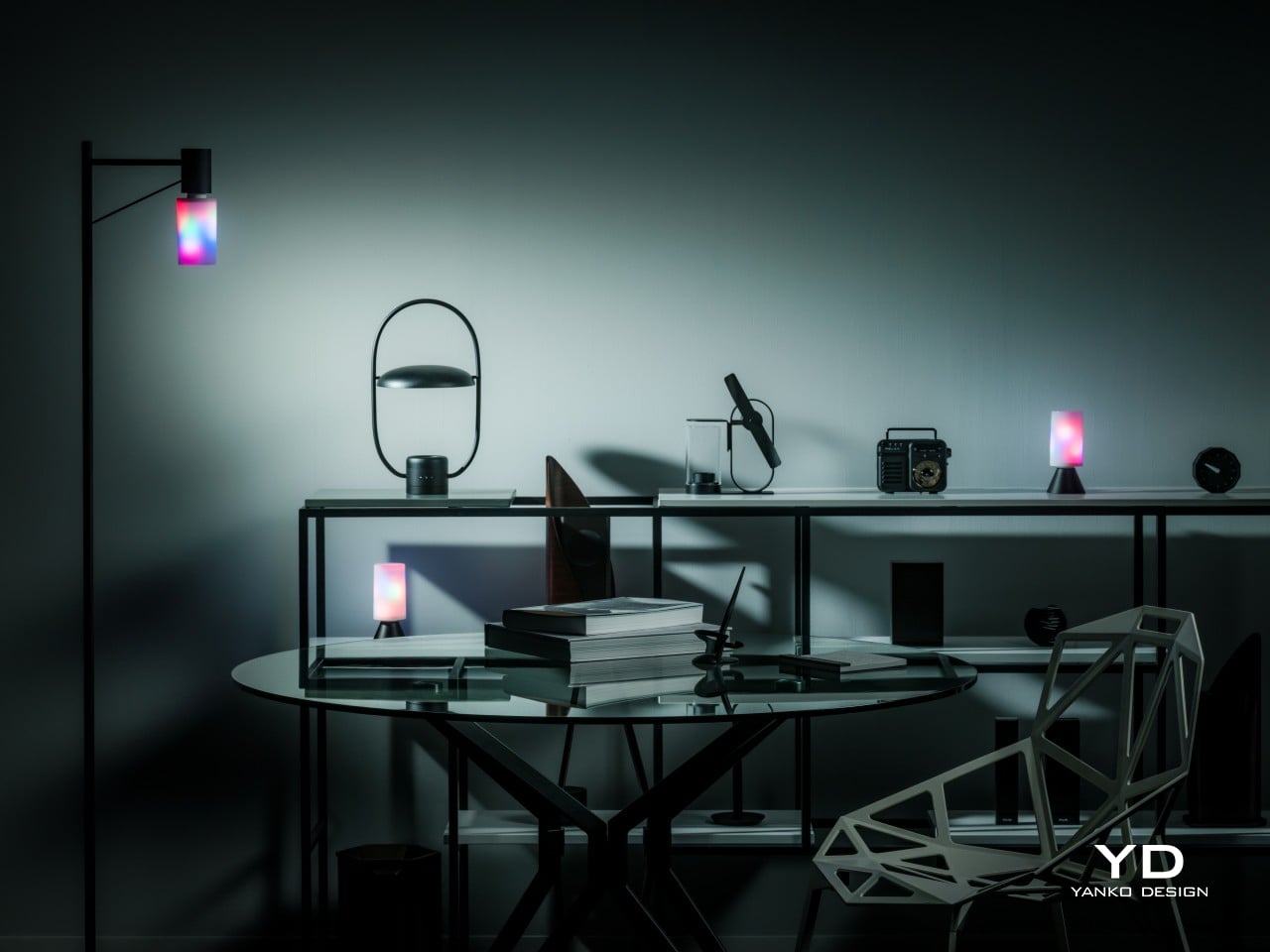
Generative AI is getting better at creating images and videos, but if you want professional-looking, not to mention correct, content, someone still has to put in the work. Software tools are also becoming more powerful and more sophisticated, but sometimes that creates even more complexity, with more features hidden behind incomprehensible sequences of keys. That’s not even considering how a single person might have to juggle different apps, each with their own set of functions. There are now tools like customizable keyboards or buttons that try to alleviate some of that pain, but there really isn’t a “one size fits all” solution. Instead, Cooler Master takes a different approach by providing not a single tool but a toolkit, allowing creators, streamers, gamers, and power users to build their own control panel that adjusts to their needs and workflow rather than forcing them to adapt to simply pushing buttons on a box. Given the novelty of this proposal, we took the MasterHUB for a spin, a roll, and a push to see if it can really take a load off creators’ already heavy shoulders.

Designer: Cooler Master

Aesthetics

If you judge the Cooler Master MasterHUB solely based on its appearance, you will probably be disappointed. Right out of the box, the different modules look pretty ordinary, even uninteresting. Sure, you have a variety of physical controls, more than competing brands that offer only programmable buttons with tiny displays, but the quality of the design and the material themselves are nothing to write home about.

The MasterHUB is a completely black affair, which seems to be the standard for control panels like this. It’s also mostly made of plastic, and not the premium kind either. Different areas of the modules have different textures, with some smooth and reflective, while others have a rougher matte surface. To be fair, this particular market isn’t exactly known for stylish designs and premium materials, so it’s in good company as well.

Cooler Master does make up for it with plenty of LED colors, whether on the display of the dial and the buttons or beneath some of the controls. You have a great degree of freedom when it comes to customizing the MasterHUB’s RGB lighting, except for one module that oddly doesn’t have any kind of lighting. Hopefully, it’s just some oversight, because there’s really no logical reason for this inconsistent design.

In the final analysis, the Cooler Master MasterHUB isn’t exactly something great to look at, but its true value lies in its performance. Unfortunately, it shouldn’t be a choice between form or function, when you can and should have both. And with something as big as the MasterHUB always in your field of vision, something more aesthetically pleasing could do wonders for your mind as well.

Ergonomics

The MasterHUB is already a league above other keyboard decks and controllers for offering a more tactile experience that goes beyond pressing buttons. Some actions, like scrubbing through timelines or changing the size of a brush, just feel more natural if you use a dial, a slider, or a roller instead of repeatedly mashing a single button. It isn’t just about intuitive controls either, as having your fingers actually manipulate something tangible adds a certain depth and enjoyment to the action.

At the same time, however, Cooler Master’s default package isn’t exactly ergonomic because it practically lies flat on your desk. There’s a low magnetic foot included in the box, but that barely lifts the controller at a comfortable angle. This can be especially problematic when you need to see the icons on the buttons or the display. There is a stand available, but it’s a separate purchase rather than a part of the entire ensemble. Depending on how you use the MasterHUB, it might not be a deal-breaker, but it’s still something that logically would be included or even built into the base.

Performance

The Cooler Master MasterHUB immediately sets itself apart from the likes of the Stream Deck and the Loupedeck with its modular design. While some brands and models might offer knobs in addition to buttons, it doesn’t stop there nor does it presume it knows best what creators need. Just like LEGO, it provides the building blocks for you to arrange your own setup, whether that means using two 15-key modules or having two Encoder dials.

The MasterHUB currently has six modules, starting with the innovative Base module that makes all of these possible. This unassuming flat box holds the pogo pins that connect the other modules to one another as well as magnets that keep them in place. Of course, you can set the base horizontally or vertically, adding another layer of customization.

In theory, you’re free to put any of the other modules in any position as long as they’re connected to those pins and held down by magnets. In practice, however, you’ll probably want to have the modules fit snugly inside the boundaries of the base, which means you have a limited number of arrangements considering the sizes and shapes of those modules. You can’t also fit all five other modules on the Base, so you’ll have to choose which ones you need for a given task.

The 15-key IPS module is probably going to be familiar to users of other control panels. Each key can be mapped to almost any action or combination of actions, a.k.a. macros, through the MasterHUB software. You can also select different icons or make your own to assign to that key. On an amusing note, pressing each key makes the icon shrink while it’s depressed and jumps back to its normal size once you release the button, adding a bit of visual feedback to the action.

There’s a 3-knob module you can use to adjust minor settings like lighting, opacity, and the like. For bigger or major adjustments, you might want to use the Econder with an IPS display module, which is just another way of calling a big dial with a circular screen in the middle. Just like with the buttons, the display can be customized with complete freedom.

The 5-Fader module is not a common sight on controllers like these, but it’s a standard device for many tools related to multimedia work. Perhaps the most unusual of the group is the 2-Roller module, which is perfect for scrolling or going through undo and redo histories quickly. These five pretty much offer everything you need to work with almost any creative suite, though you can’t fit them all at the same time, as mentioned earlier. You can, however, use as many of the same modules you can fit, as long as you buy those additional modules, of course.

If the modular hardware was already impressive, the MasterHUB software doesn’t disappoint either. It has almost limitless possibilities in how you can set up and control the device, almost to the point of being overwhelming and confusing. Some things, like visually dragging and dropping actions to the controls, are easy, but some require digging through layers of options. The user interface could do a bit of polish, and thankfully that’s easier to pull off than a hardware upgrade.

Even if it doesn’t have a head-turning design, the Cooler Master MasterHUB’s functionality is pretty mind-blowing. If you’re a creative who juggles multiple apps, a streamer who needs to have every control under their finger or a gamer who can’t afford the latency of a string of keyboard combos, the flexibility that this modular controller offers is unbeatable. The power it offers is both outstanding and overwhelming, so it’s kind of exciting what Cooler Master will cook up next for future modules and software improvements.

Sustainability

Despite its heft, the MasterHUB is thoroughly made of plastic. It might be resilient, but it’s not completely durable nor hardened against accidents. It’s also not a sustainable material, though Cooler Master thankfully uses post-consumer recycled or PCR plastics for some of its products, though it doesn’t indicate if the MasterHUB benefits from this program. It might also be good if it used other materials like rubber, both for protection and tactile properties, though it could still do so in future iterations.

The MasterHUB’s modular design does bring one indirect advantage over the likes of the Stream Deck, which is that it’s more future-proof. Cooler Master could put out revised and improved versions of the modules, expand the selection of modules or even add new features that it didn’t have at launch. In fact, there are DisplayPort ports on the Base module, teasing the possibility of new features. Of course, that will all depend on Cooler Master actually continuing to push the envelope in the foreseeable future.

Value

Cooler Master definitely struck a chord with creators, streamers, and gamers with the modular design of the MasterHUB. It offers not only flexibility but also power, putting users in complete control of their workflows. Even Logitech’s new MX Creative Console barely scratches the surface of what this control panel is capable of, especially when you consider the possibilities of future modules and features.

That said, the MasterHUB isn’t an inexpensive kit, which is probably to be expected considering how much more it offers compared to similar products. That’s why you’ll probably want to take advantage of discounts, like the current pre-order campaign that’s offering the basic kit, which includes only the 15-key IPS, 5-Fader, and 2-Roller modules, for only $299 instead of the $399 SRP. If you really want more flexibility, the Pro bundle adds the Encoder with IPS display and 3-Knob modules for $399, a rather steep $150 discount from the $549 SRP. Whichever bundle you pick, though, the stand will cost an additional $17 (SRP $19) if you want it.

Verdict

With great power comes great responsibility, or in this case, more keyboard shortcuts. Content creation shouldn’t be a dreadful and tiring task, and tools should be making people’s lives easier, not harder. As software becomes more sophisticated, the need for better and more efficient controls also increases. Rather than forcing users to shoehorn their workflows into a grid of LCD buttons and a few dials, the Cooler Master MasterHUB offers professionals and hobbyists the freedom to design their own tools and define their own strategies that let them focus on the most important task: creating their best content.

The post Cooler Master MasterHUB Controller Review: Complete Control Over Your Creative Pursuits first appeared on Yanko Design.
2024 Cadillac Lyriq Review

PROS:


  • Premium feel

  • Excellent ride quality

  • Distinctive look

CONS:


  • Premium pricing

  • Disappointing seats

  • Distinctive look

RATINGS:

AESTHETICS
ERGONOMICS
PERFORMANCE
VALUE FOR MONEY

EDITOR'S QUOTE:

The Lyriq stands out in many ways, not the least of which for its unconventional shape and tangible air of refinement about it.

While the fates are falling most strongly against sedans as people trend towards SUVs, station wagons aren’t exactly finding any more favor in the American market. Only a choice few remain available for purchase, stalwarts from Subaru and Volvo appealing to a buyer with a greater desire for practicality than concerns about what’s trendy.

But what’s this from Cadillac? Check the paperwork: The Lyriq is officially listed as an SUV, but ever so slightly lifted proportions can’t hide the fact that this is very much a wagon. And what a wagon at that. Measuring nearly 200 inches long, it has an impressive presence for a design that’s, well, different from anything else on the road.

This is the closest thing Cadillac has to a halo car right now, a statement of intent for the brand’s electrified future. It’s riddled with creative and charming touches and has some serious luxury chops. But does it have the character and the performance to live up to that first impression?

Design

Lyriq is a beautiful name for a car with a shape that is a bit awkward, to put it kindly. Other, less flattering folks would call it ugly. I love a good wagon and have proudly owned them myself, but the somewhat bulbous shape out back of Cadillac’s big EV is just a little ungainly to my eye.

But look beyond the silhouette and you’ll discover endless design touches that conspire to perhaps make the car a bit busy, but interesting. The striking geometric pattern on the grille, framed by chrome-rimmed vertical lighting elements, provide a distinctive look from the front.

That’s echoed at the rear, with vertical strakes of red lighting marking the left and right extents of the rear bumper. A narrow band of illumination bisects the tailgate as well, forming the high beltline and abrupt posterior that defines the shape of the Lyriq.

It’s a distinctive car to say the least. Owners will surely be spotting new touches every time they approach the Lyriq for months after buying, and that’s a rarity these days.

If anything the Lyriq’s interior is even more full of intriguing touches, making it feel a bit busy but, again, far from boring. The low dashboard is a mish-mash of sweeping, interlocking profiles, shapes, and textures. The subtle waffle texturing behind the floating display is a lovely, modern touch, but it’s a shame the bulk of the dashboard is covered with black vinyl imprinted with a dated-looking fake leather texture.

That floating display measures a massive 33 inches wide. It gives an overall look and feel similar to what BMW is doing these days in vehicles like the iX. The roller-style volume knob in the center console is also BMW-like, as is the eight-way rotary controller just behind it. All very iDrive-like, but Cadillac goes a step further by making not only the right side of the display capacitive touch, but the left side as well. Just like on a Lucid, you can touch the left of the gauge cluster to adjust lighting or view trip information.

There are plenty of storage areas for front passengers, including a wide bin in the center of the car with a striking blue strip of leather that matches the piping on the stark, white seats. Those seats look pillowy and enveloping, but in practice, they’re a bit flat, and their adjustability is surprisingly limited. They do offer both heating and ventilation, plus massage, but it’s about the weakest massage I’ve ever sampled.

Rear seating is generous for three across, and the flat floor means everyone will have plenty of legroom. Headroom, though, is surprisingly limited, given the shape of these cars. A pair of USB-C ports back there keep small devices charged, while a three-prong outlet is there for bigger ones. Up front, another pair of USB-C connectors offer juice, plus a wireless charging slot.

Cabin Tech

The software controlling that sweeping display is based on Android Automotive. Sign in with your Google account (assuming you have one) and you have instant access to contacts, addresses, and whatever else you’ve entrusted to Alphabet.

You’re just a few taps away from installing most major media apps, including Spotify and YouTube Music, or you can use Android Auto or Apple CarPlay wirelessly from your phone.

All that media plays through a 19-speaker AKG sound system, which even puts speakers in the headrest, a bit of a rarity these days. The system is nicely balanced, offering all the power and bass anyone could want but, more importantly, crisp and clear sound with great separation. It’s standard on the Luxury 2 trim of the Lyriq and above.

The most impressive technology, though, comes in the form of Cadillac’s Super Cruise. The system just gets better and better every time I sample it. Initially restricted only to divided highways, Cadillac has started allowing it on more secondary roads.

Super Cruise offers true, hands-off driver assistance, steering itself and even automatically passing other cars on the highway. I was surprised to be able to let the car steer even on two-lane rural roads. It was perfectly smooth and easy there, just like it is on the highway.

The system relies on an infrared camera integrated into the steering column, so it’s always watching you to ensure you’re watching the road. But that’s a small price to pay for being able to sit back and relax and let the car handle most of the driving. It’s light-years beyond Tesla’s supposed Full Self Driving. You’ll again have to buy at least the Luxury 2 package to get it, starting at $66,990, but between that and the AKG sound system, it’s a worthy splurge.

While Super Cruise is the hallmark driver assistance feature, the Lyriq offers plenty of other safety features, including old-school adaptive cruise control with lane-keep assist, automatic emergency braking, and a surround-view camera. It also features other niceties from General Motors selection of safety features, like Teen Driver Mode, allowing you to set things like maximum speeds and volumes for specific driver profiles.

The Drive

A system like Super Cruise just makes long road trips all the more appealing, and for an EV, the Lyriq is reasonably well-equipped on that front. It’s officially EPA-rated for 314 miles on a charge of its 102-kilowatt-hour battery pack. In my testing around town and on the highway, I did slightly worse: 2.7 miles per kilowatt hour for a theoretical maximum range of 275 miles.

That electricity is consumed by a single, 340-horsepower motor driving the rear wheels, providing 325 pound-feet of torque. But, those wanting more can step up to a dual-motor, all-wheel drive Lyriq making 500 hp and 450 ft-lbs of torque from a pair of motors.

That’s a lot of power, but then this is a lot of car. The Lyriq weighs roughly 5,500 pounds, or nearly as much as an Escalade, and so it’s not exactly a rocket ship with the single-motor configuration. Still, put it into Sport mode (a task that sadly requires reaching up and scrolling through the touchscreen), and it does accelerate aggressively.

The steering is nicely sharp and responsive, which I appreciate. Still, despite Cadillac’s lineage of stellar V-badged driver’s machines, the Lyric is meant more for comfy cruising, and that it does with great aplomb.

Despite the 20-inch wheels wrapped in low-profile tires, ride quality is very good. It hoovered up broken asphalt without issue, feeling poised and pliant in all conditions. Opt for the all-wheel drive version and it should be a stellar winter machine too — assuming you outfit it with a proper set of winter tires.

When it comes to brake regeneration, always a hot topic among EVs, the Lyric’s default regen level is reasonably aggressive, but far from what I’d consider a true one-pedal mode. If you want something closer to that, you need to squeeze the lone paddle on the left behind the steering wheel. At that point the Lyriq will promptly bring itself to a stop. It’s better than nothing, but I’d prefer the option for a proper one-pedal mode.

Pricing and Options

The Cadillac Lyriq starts at $58,590 for a base, Tech trim model with rear-wheel drive. The car you see purchased here was the top Luxury trim, Luxury 3, outfitted with a few options, including $1,480 for a 19.2 kW charging module and $625 for the Opulent Blue metallic paint.

Add on the $1,395 destination charge, and the total vehicle price is $72,695.

That makes it a premium option in an increasingly packed luxury electric SUV market. But the Lyriq stands out in many ways, not the least of which for its unconventional shape and tangible air of refinement about it. It’s lovely to drive, and thanks to Super Cruise, it’s even better to be driven, regardless of which seat you occupy.

The post 2024 Cadillac Lyriq Review first appeared on Yanko Design.

Xiaomi 14T Pro Review: Flagship Features Without the Flagship Price

PROS:


  • Solid camera performance

  • Fast wired and wireless charging capabilities

  • Bright and easy-to-eyes display


CONS:


  • Uninspiring color options

  • Minor hardware upgrade from the predecessor


RATINGS:

AESTHETICS
ERGONOMICS
PERFORMANCE
SUSTAINABILITY / REPAIRABILITY
VALUE FOR MONEY

EDITOR'S QUOTE:

With its combination of features and competitive pricing, the Xiaomi 14T Pro delivers a well-rounded experience that is sure to satisfy the needs of most users.

2024 has been a year of remarkable growth and innovation for Xiaomi. Building upon its success in the smartphone market, the company has expanded its horizons with the launch of its first electric vehicle, the SU7, back in March. The company then proceeded with the launch of its first-ever flip phone, the Xiaomi MIX Flip, as well as the fourth iteration of its flagship foldable, the MIX Fold 4. Impressive sales figures for the SU7 and the positive reception of the MIX Flip and MIX Fold 4 demonstrated Xiaomi’s ability to capture market shares in diverse product categories. It is clear that Xiaomi wants to take advantage of this moment and solidify its position as a leading global technology brand with the launch of the Xiaomi 14T and 14T Pro. Part of its budget-friendly numbered T series, the Xiaomi 14T Pro boasts flagship features similar to its flagship Xiaomi 14 and 14 Ultra phones, such as cameras co-developed with Leica. But does Xiaomi still have its magic touch or has it spread itself too thin? Read on to find out.

Aesthetics

The Xiaomi 14T Pro’s understated design is its strength. While it doesn’t offer groundbreaking aesthetics, its simplicity is elegant. The familiar design language from its predecessor is carried over into this model. Available in Titan Gray, Titan Blue, and Titan Black, but choosing a color shouldn’t be a challenge as they all offer similar aesthetics. I wish Xiaomi had explored more fun color options. We received the Titan Black variant. The matte black back panel is speckled for a light-catching effect and features a velvety texture that resists fingerprint smudges.

The device’s square camera island is big but maintains a discreet profile that matches the color of the back panel. The camera island’s smooth surface contrasts with the back panel’s textured finish. The arrangement of the cameras and LED light is perfectly symmetrical, centered around the Leica logo. Each camera and LED light is housed in a raised circular enclosure, making it slightly more challenging to clean dust that may accumulate. That said, it carries a sort of LEGO block vibe that makes it stand out a bit, especially from the rest of the Xiaomi 14 series.

The small Xiaomi logo in silver is positioned on the lower left and the regulatory icons and text on the lower right. Overall, 14T Pro offers a clean design, while the matte textured back panel and metallic aluminum alloy frame give it a premium feel. It is simple and direct, a breath of fresh air from the visually noisy designs of recent smartphones.

Ergonomics

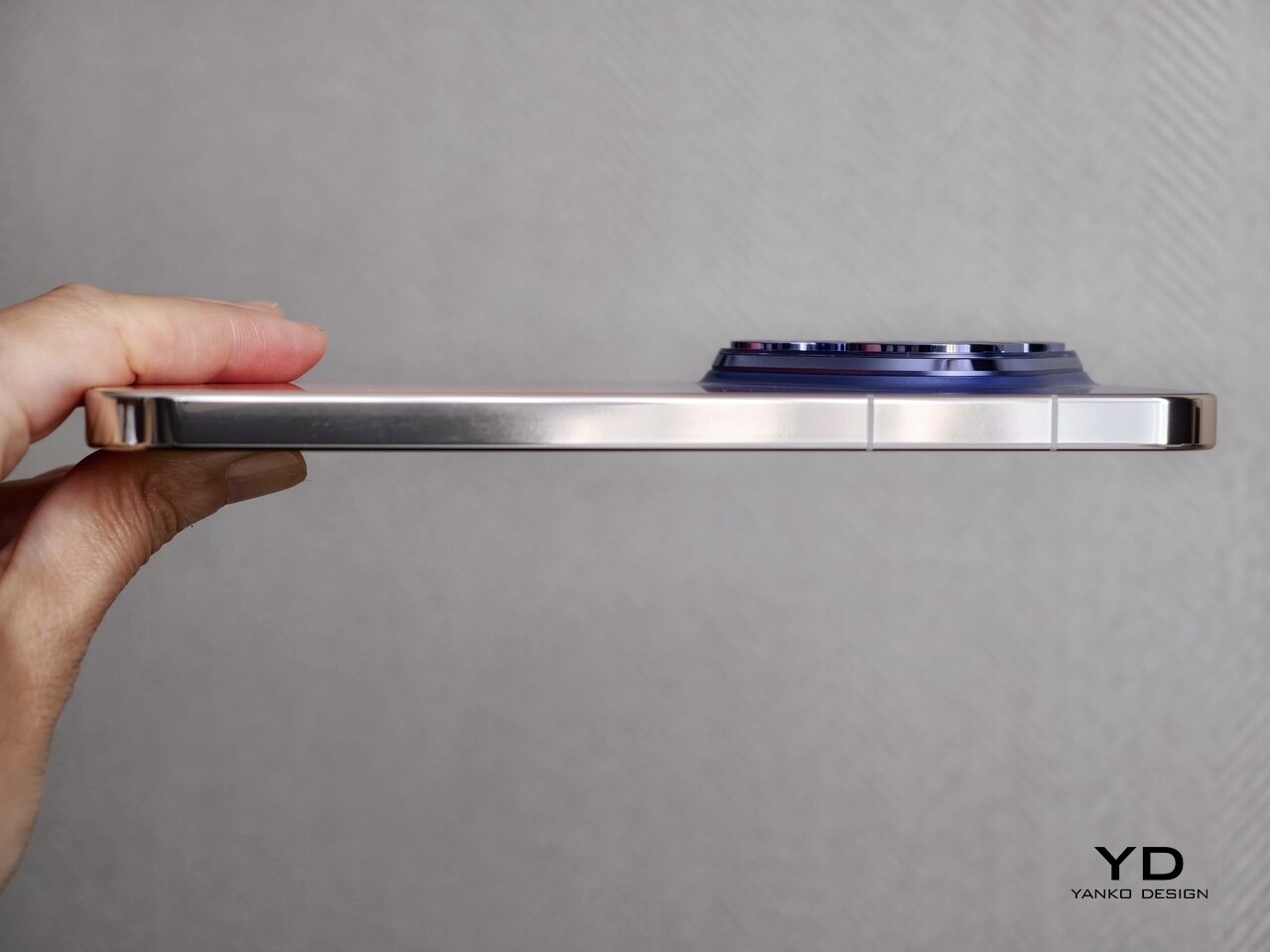
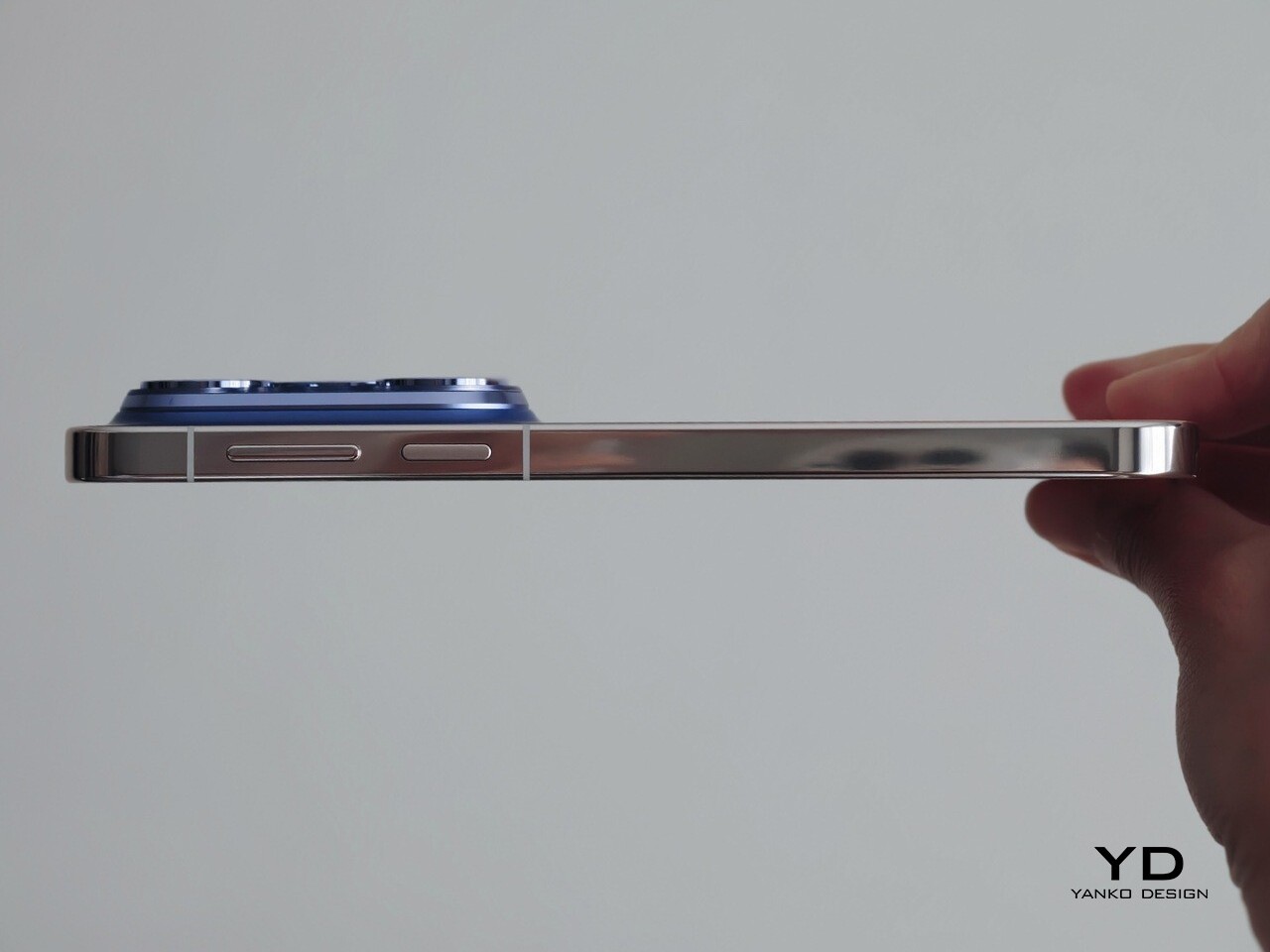
Measuring 160.4mm x 75.1mm x 8.39mm and weighing 209g, the Xiaomi 14T Pro leans towards the larger side of the spectrum. Despite its size, the device feels comfortable to hold, whether with one or both hands. All edges slightly curve into the frame giving comfort, while the flat sides provide a better grip when you hold the device in your hand.

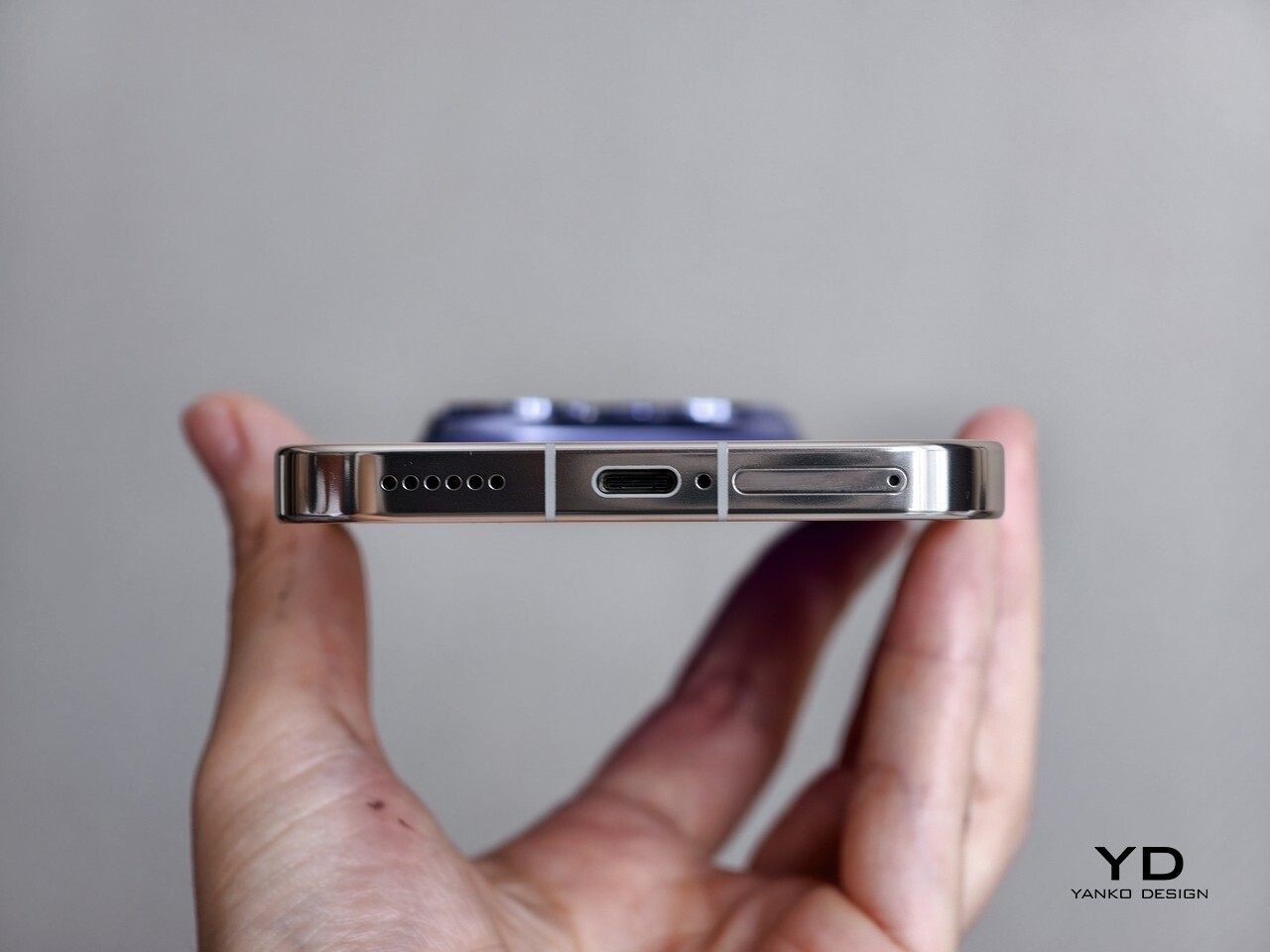
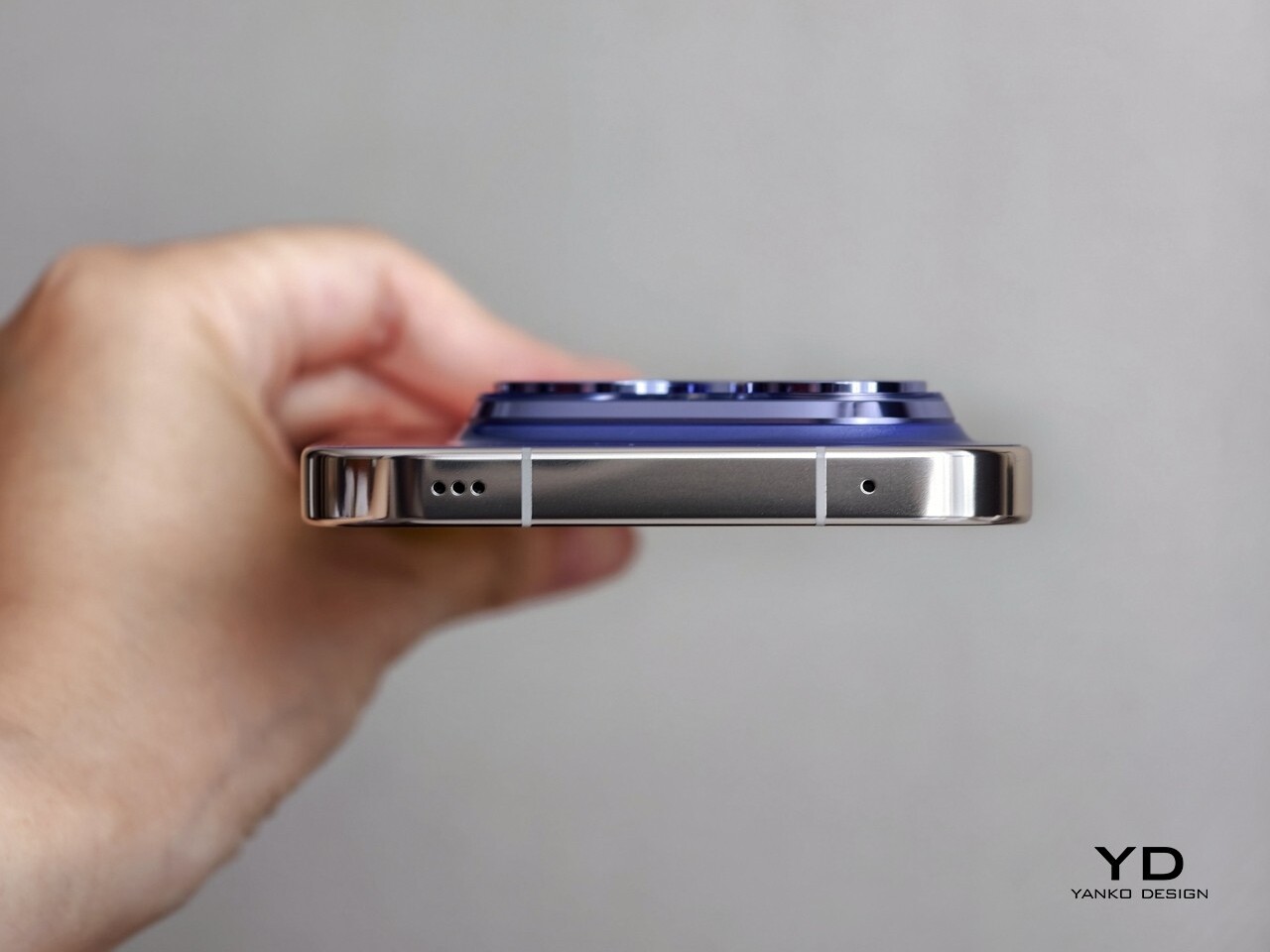
The right side of the phone features volume and power buttons with diagonal engraving, while the left side remains clean except for antenna cutouts. The top houses an IR blaster and speaker, while the bottom accommodates a dual SIM slot, microphone, USB-C port, and speaker. The sides might be busy with these many parts, but they visually blend into the frame and stay out of the way of your fingers or your palm when you hold the phone.

The off-center camera module can cause the phone to wobble slightly on flat surfaces which might be a minor inconvenience if they are sensitive to such details. Nothing that a case wouldn’t fix, of course, and it’s a design trait shared by almost all smartphones these days. The Xiaomi 14T Pro is thankfully not uncomfortable to hold and use despite its large size, though it doesn’t stand out as an example of good ergonomics either.

Performance

Xiaomi’s collaboration with Leica has significantly elevated its camera capabilities, resulting in exceptional photo and video quality. This partnership continues as Xiaomi works with Leica on its more budget-friendly flagship models, ensuring high-quality imaging remains accessible. The 14T Pro features a triple camera setup, including a 50MP main camera with an f/1.6 aperture, a 50MP telephoto camera with an f/2.0 aperture, and a 12MP ultra-wide camera with an f/2.2 aperture. All three cameras offer two Leica photographic styles: “Leica Vibrant” and “Leica Authentic.”

The main camera features a Light Fusion 900 sensor and delivers great photos with nice detail, wide dynamic range, natural colors, and minimal noise in both daylight and low-light conditions. While the dynamic range is generally great, exposure often skews toward the brighter end, leading to washed-out highlights and crushed shadows in some situations. Additionally, HDR performance struggles with motion, especially in low-light environments, leading to blurry images of moving subjects.

Ultrawide (0.6x)

1x

2x

2.3x

The telephoto camera performs well in most scenarios, maintaining good detail and color accuracy. In contrast, the ultra-wide camera produces acceptable photos, but it tends to lack sharpness and detail in challenging conditions.

Telephoto (5x)

Telephoto (10x)

Telephoto (20x)

Portrait mode offers four focal lengths, 23mm, 35mm, 60mm, and 75mm, with the default set to 60mm. While the 60mm and 75mm portraits are captured with the telephoto camera, the 23mm and 35mm portraits are shot with the main camera. All portrait photos I took, regardless of focal length, exhibited impressive subject isolation and pleasing bokeh.

Normal (1x)

Portrait (60mm)

Although color rendering remains consistent across different cameras and magnifications in regular photo mode, a noticeable shift in white balance can be observed between photos captured with the telephoto and main cameras in portrait mode.

Portrait (23mm)

Portrait (35mm)

Portrait (75mm)

On the opposite side, the upgraded 32 MP front camera with f/2.0 aperture takes satisfactory photos, which isn’t that surprising given the hardware. The Xiaomi 14T Pro can record videos up to 8K at 24 or 30 fps with the main camera, while the telephoto and ultra-wide cameras are capable of shooting videos up to 4K at 60 fps. The front-facing camera can record up to 4K at 30 fps and 1080p at 60 fps. The 4K footage from the main and telephoto cameras is impressive, showcasing good detail, realistic colors, and a wide dynamic range, all complemented by excellent stabilization.

While the Xiaomi 14T Pro offers incremental hardware improvements compared to its predecessors, its most significant advancements lie in its AI capabilities. The device supports Google Gemini and introduces Circle to Search, a first for Xiaomi devices. Additional AI features include AI Interpreter, AI Notes, AI Recorder, and AI Subtitles. These AI features and Circle to Search will be available via an over-the-air (OTA) update starting September 26th, which means they aren’t accessible during this review period.

One of the AI features I was able to test was AI Erase Pro, and it was remarkably effective. The tool offers four modes: Manual, Remove Object, Remove People, and Remove Lines. The Remove People mode was particularly impressive, accurately recognizing individuals and color-coding them. Even when people were positioned in a staggered formation, the AI could identify each person. However, while erasing people from the photos worked well, the shadows were left unmanipulated.

The other impressive feature of the Xiaomi 14T Pro is a big 6.67-inch AMOLED flat screen that boasts a 1.5K resolution (2,712 x 1,220), a 144Hz refresh rate, and a pixel density of 446 ppi. Supporting 12-bit color depth, HDR10+, and Dolby Vision, the display delivers sharp, vibrant visuals. Even under direct sunlight, the peak brightness of 4,000 units ensures excellent visibility while the 3,840 Hz PWM dimming reduces eye fatigue. Also, the stereo speaker is plenty loud and produces nice sounds, making the phone great for enjoying movies.

The 5,000mAh battery provides sufficient power for a full day of use. If you need a quick boost, Xiaomi’s 120W HyperCharge technology allows for incredibly fast wired charging, reaching a full charge in about 19 minutes, as stated by the company. Additionally, the 14T Pro supports 50W wireless charging, a much-welcome upgrade. Xiaomi claims that the device can be fully charged with a wireless charger in approximately 45 minutes. My personal experience aligns with these impressive capabilities.

The device runs HyperOS based on Android 14 and Google services are thankfully available out of the box. Powered by MediaTek’s flagship Dimensity 9300+ chipset and paired with 12GB or 16GB of LPDDR5X RAM and 256GB, 512GB, or 1TB of UFS 4.0 storage, the Xiaomi 13T Pro delivers great performance. The device handles multitasking seamlessly, with no noticeable lag or stutter even when running multiple apps simultaneously. Additionally, it does not get hot during extended video shoots or gaming sessions, enhancing the overall user experience.

Sustainability/Repairability

The Xiaomi 14T Pro promises a 1,600 battery life cycle and delivers IP68 dust and water resistance, ensuring both durability and longevity. Its longevity and overall sustainability aspects, however, are not as promising, especially in the area of software updates. This is somewhat disappointing for a company that is becoming one of the industry’s leading players. As the tech industry increasingly emphasizes environmental responsibility, Xiaomi has an opportunity to take a leading role by integrating sustainability into all of its products and, hopefully, it won’t let that opportunity pass it by.

Value

The Xiaomi 14T Pro positions itself as a compelling option for those seeking a high-performance smartphone without breaking the bank. It offers a blend of flagship-level features and a more affordable price point. While its camera may not quite reach the heights of the Xiaomi 14 Ultra, it still delivers excellent results for everyday photography and videography. It delivers much of what it promises on paper, but the real question is whether it is something you will reach for in your next smartphone buy.

Xiaomi is definitely not the only player in this field, including in the mid-range market where there are dozens of brands and models to choose from. And while the Xiaomi 14T Pro is definitely good, it doesn’t exactly stand out in any specific way. It’s a well-balanced phone, no doubt, but it might overlooked when placed side-by-side with other mid-range phones with better cameras, higher performance, or, more importantly, lower price tags.

Verdict

The Xiaomi 14T Pro may not be the most exciting phone, but there is no doubt it offers a tempting value proposition. Its solid camera performance, powerful processor, fast-charging capabilities, and vibrant display make it a compelling option for users who prioritize performance and affordability. It may not offer the absolute pinnacle of smartphone technology, leaving that for its more powerful and more expensive non-T siblings, but it doesn’t lag behind in any significant way either. With its combination of features and competitive pricing, the Xiaomi 14T Pro delivers a well-rounded experience that is sure to satisfy the needs of most users.

The post Xiaomi 14T Pro Review: Flagship Features Without the Flagship Price first appeared on Yanko Design.
2025 Bentley Continental GT Speed Review

PROS:


  • Beautiful styling

  • Epic power

  • Plug-in practicality

CONS:


  • Cost

  • Clunky software experience

RATINGS:

AESTHETICS
ERGONOMICS
PERFORMANCE
VALUE FOR MONEY

EDITOR'S QUOTE:

The blend of performance and poise here is hard to beat, a large car that feels light and nimble yet offers effortless stability at any speed.

All automotive brands carry some amount of expectations, preconceived notions about their cars’ level of performance and comfort. Few, though, carry the kind of weight and expectation as a brand like Bentley. Established in 1919, the Crewe-based manufacturer is responsible for some of the world’s most refined cars. Every new addition to its lineup, therefore, must honor those that came before.

That’s a tricky proposition these days. Every car manufacturer is faced with greater and greater demands for technology and environmental sensitivity. That doesn’t always jibe with traditional demands for comfort and performance.

Those two worlds collide in the new Bentley Continental GT Speed. It carries the same immediately recognizable Bentley poise and style but with radical refinements. It has the same opulent interior but is riddled with more tech than ever before. Finally, it offers the same level of thrilling performance but delivers it in an entirely new way.

Plug-Powered

This is the first hybrid Continental, a plug-in at that, something of a transitional first step towards the brand’s all-electric future, once targeted for 2030 but now shifting a bit further down the road.

Considering its radical departure from the predecessor’s W12 powertrain, which we’ll delve into in just a moment, the new Continental GT offers a familiar look and feel at a distance, but step closer, and you can see just how refined the car’s new design is.

The silhouette is familiar, and the extended nose plus the rearward cabin and the powerful rear fenders all give it that same sophisticated promise of power as before. But changes abound, the most significant being a shift to a single headlight up front. Modern lighting technology enables the new Continental to throw more light from a smaller source, cleaning up the front end and giving a throwback to the Bentley S2 from the late ’50s.

But despite that simplification, look closer again, and you’ll see the amount of detail within those headlights. It’s the same story out back, where the compact, oval tail lights are framed in an ornate, jewel-like halo. Otherwise, the rear end is likewise somewhat more simple than before, with the pop-up spoiler replaced by a clean, integrated unit.

On the Inside

The interior is likewise less ornate than before, pared back slightly from the abundance of chrome and buttons found in the last generation car. It offers just about all the technology you could want, including a 12.3-inch touchscreen with wireless Android Auto and Apple CarPlay, plus a wireless charger and a pair of USB-C ports.

The gauge cluster, too, is fully digital now, with a number of different views offering different levels of detail, more or less depending on your mood or style. The overall experience lacks the polish and feel of the higher-end systems from Mercedes-Benz or BMW, but it at least offers all the right features.

Otherwise, the interior offers a great blend of opulence and sophisticated style. The carbon fiber band sweeping across the doors and the dashboard catches the sunlight in distracting ways at times but has a clean, glossy depth that’s lacking in many in-dash composite applications.

Materials for the leathers and microfibers are great, as is the perfect stitching running everywhere. However, there’s a disappointing amount of plastic here, including the cluster of buttons surrounding the upright shifter. But, their layout at least is clean and easy to use, and they provide easy access to the functions you’ll want frequently, like toggling the comprehensively chill ventilated seats.

While the plastics are occasionally a bit underwhelming, the feel of the controls is top-notch. The mode selector, just aft of the shifter, spins with a wonderful weight, and even the turn signals move with a significant heft.

Plus-Sized Performance

The feeling of the controls is appropriate given the heft of this car. The new, plug-in Continental weighs over 5,400 pounds, thanks in large part to its 25.9-kilowatt-hour battery pack and the new hybrid system. The electric motor is paired with a 4.0-liter, twin-turbocharged V8.

The combined system power is 771 horsepower and 738 pound-feet of torque. Some souls may lament the lack of the outgoing Continental GT Speed’s W12, but that thing only made 626 hp. Plus, it only got 15 mpg.

That car took 3.9 seconds to get to 60. This one gets to 60 in 3.1 seconds and has a top speed of 208 mph. Bentley doesn’t have fuel economy numbers yet, but in my mixed testing, I scored 16.9 mpg, and as you can imagine I wasn’t exactly taking it easy.

More speed, better throttle response, and greater efficiency make for a pretty good mix.

It’s unlikely that many Bentley owners will be too concerned about fuel economy, but it’s good to see even ultra-luxury cars doing their part to reduce their impact on the environment. Likewise, everyone can appreciate the pleasant experience of driving in a fully electric mode.

Bentley says the new Continental GT can go up to 50 miles on a charge and can travel at up to 80 mph without recruiting the V8. In E Mode (available via a dedicated button), the big coupe is still nice to drive, totally silent, of course, and extra smooth but still reasonably peppy and perfectly capable of keeping up with traffic.

But I found it a little too easy to get the V8 to spin up. Even in this mode, if you dip past three-quarters throttle, the engine spins up quickly and smoothly, adding a substantial shove to the experience. That hand-off is crucial in hybrids, and Bentley has nailed it here, with power proportionally increasing as the engine spins up without the neck-snapping shock of torque you get in many lesser hybrids.

I just wish I could explicitly disable the V8 altogether and drive the car only on battery power.

In the default drive mode, dubbed “Bentley,” the Continental is properly quick when you do dip in the throttle but still calm and collected when you’re dawdling around town. For those who want a bit more composure, spin the knob to the right for the Comfort mode, which takes the edge off the throttle and the new dual-valve air suspension. There’s a custom mode all the way to the right, too, if that’s not to your fancy.

But the most fun mode is found all the way to the left, Sport, which firms up the suspension and sharpens the throttle response. In this mode, the V8 and hybrid system work together in closest harmony, the electric motor getting the car moving before the V8 roars into action and sends the car surging forward up to whatever speed you deem allowable.

The handling is unexpectedly good, too. Despite the extra weight, the GT Speed turns in eagerly, and the 48-volt Bentley Dynamic Ride anti-roll technology keeps everything from an excessive tilt.

Comfort at Speed

But even in Sport mode, the Continental is still nicely compliant over bad roads and effortlessly cosseting. The seats, despite their ornate stitching, are extremely comfortable, and though the massage is a bit on the subtle side for my tastes, the strength of the heating and ventilation cannot be denied.

Rear seats are predictably short on legroom, but there’s passable headroom, enough that you could wedge a human adult back there for a short run to dinner if you really needed to. Kids will fare better.

For the longer drives, you have a Naim sound system to enjoy, which is extremely powerful and a bit bass-forward by default but offers plenty of sliders and configurations for dialing it into your perfect tone.

You’ll also have a substantial trunk at your disposal, 13 cubic feet worth. That’s down a bit over before, thanks to the battery, which sits down beneath the floor below, but is still more generous than anything else in this class.

The Continental also offers a decent active safety package, something often lacking in top-trim luxury cars like this. The adaptive cruise worked well on the highway but was extremely conservative, leaving a big gap ahead even on the closest following distance, which didn’t work well in typical California gridlock. The active lane keep likewise was helpful, but occasionally struggled to keep sight of the lines on the road.

I should point out at this point that I was testing a pre-production model of the car, so hopefully, there’s time to improve this functionality a bit before the cars start showing up at dealerships.

Pricing and Options

At this point, we still don’t know exactly how much the 2025 Bentley Continental GT Speed is going to cost. Yes, it’s very much in the “if you have to ask” territory, but for the rest of us who are merely curious, you’ll want to have somewhere around $300,000 at your disposal before ringing up your local dealer.

Of course, part of the joy of a car like this is customization. Bentley will do pretty much anything your heart desires, but if you desire premium things, you’ll need to keep pushing that budget up a few digits.

Regardless of how much or how little you customize yours, you’re going to be spending a lot for one of these. Is it worth it? The blend of performance and poise here is hard to beat, a large car that feels light and nimble yet offers effortless stability at any speed. It’s a joy to drive for sure, with just a few rough edges to smooth out.

The post 2025 Bentley Continental GT Speed Review first appeared on Yanko Design.