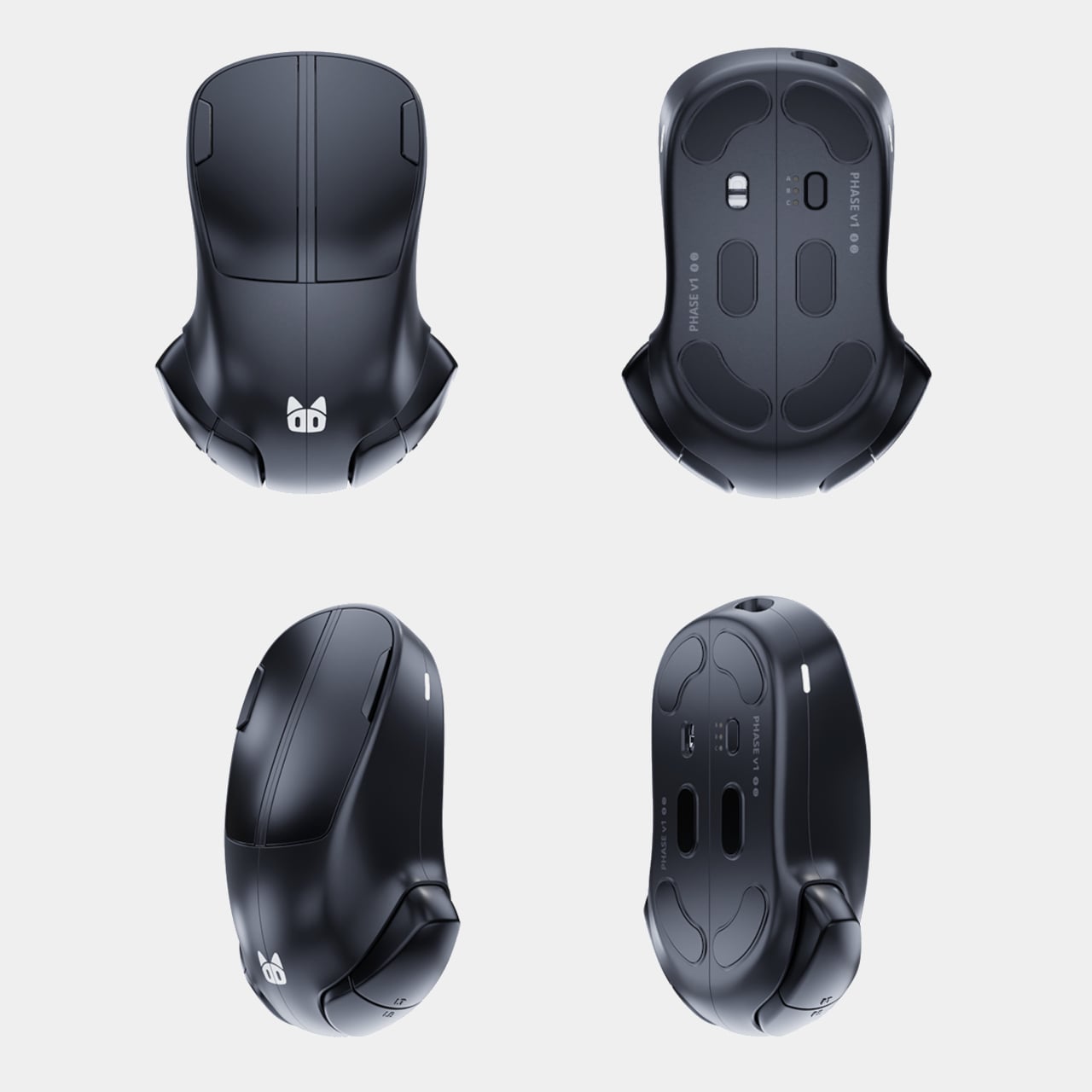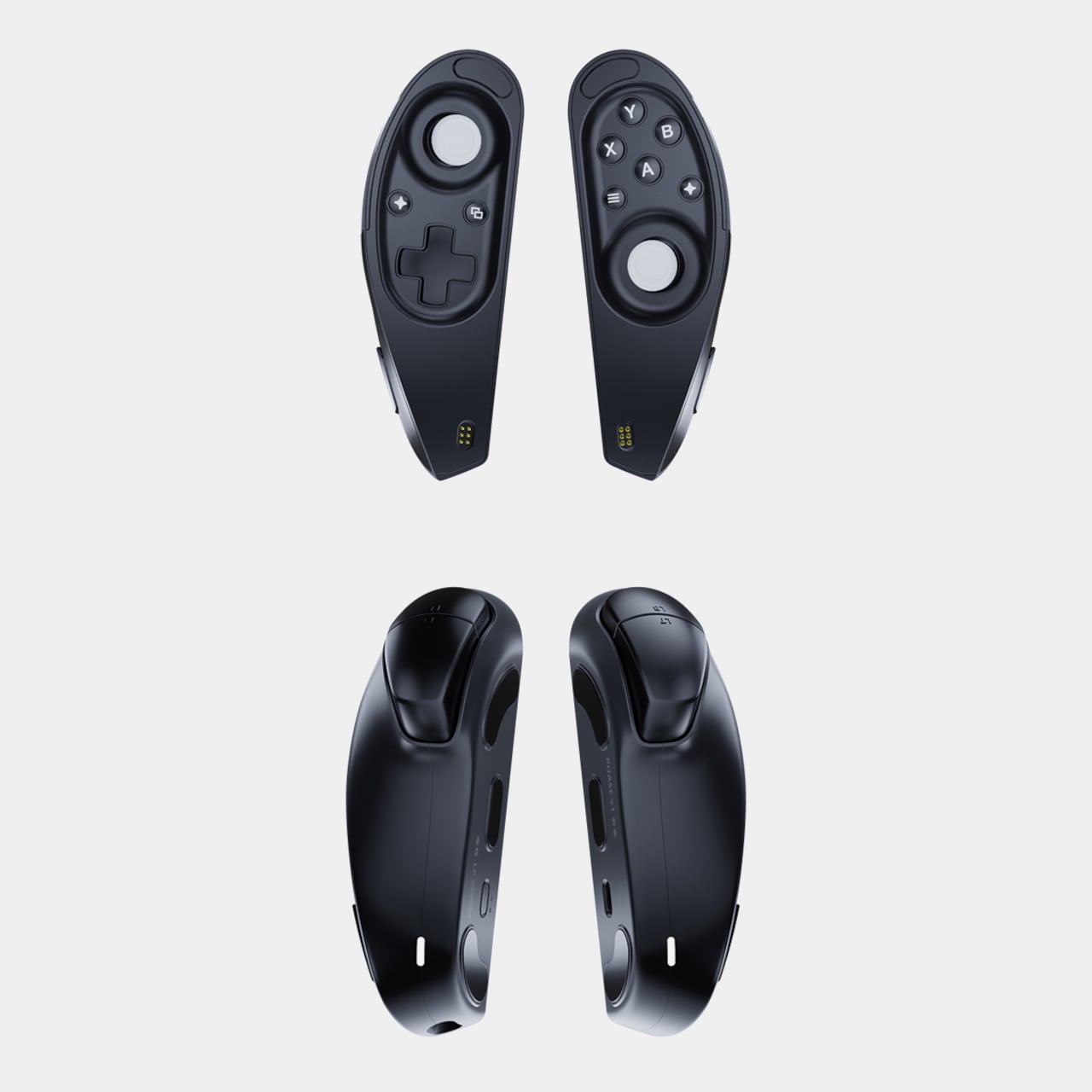
NYXI Hyperion 3 Finally Gives the Switch 2 a Grown-Up Controller

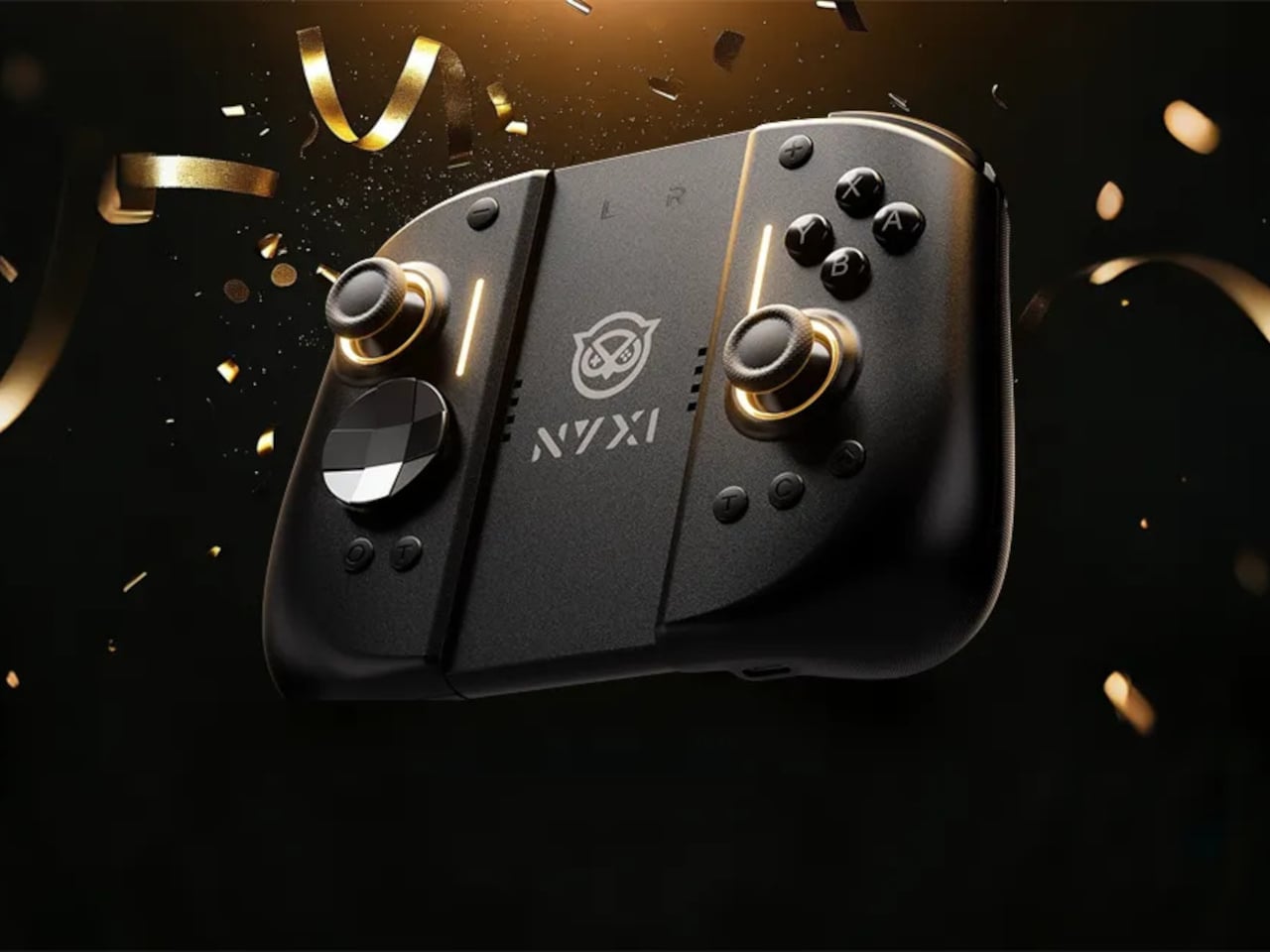
Playing the Switch 2 for more than an hour in handheld mode means the flat Joy-Cons and small buttons start to feel like a compromise. Your hands end up clawed around the rails, drift anxiety creeps in, and you start shifting your grip to avoid cramping. NYXI’s Hyperion 3 is built for people who treat the Switch 2 like a main console, not a travel toy used in short bursts.

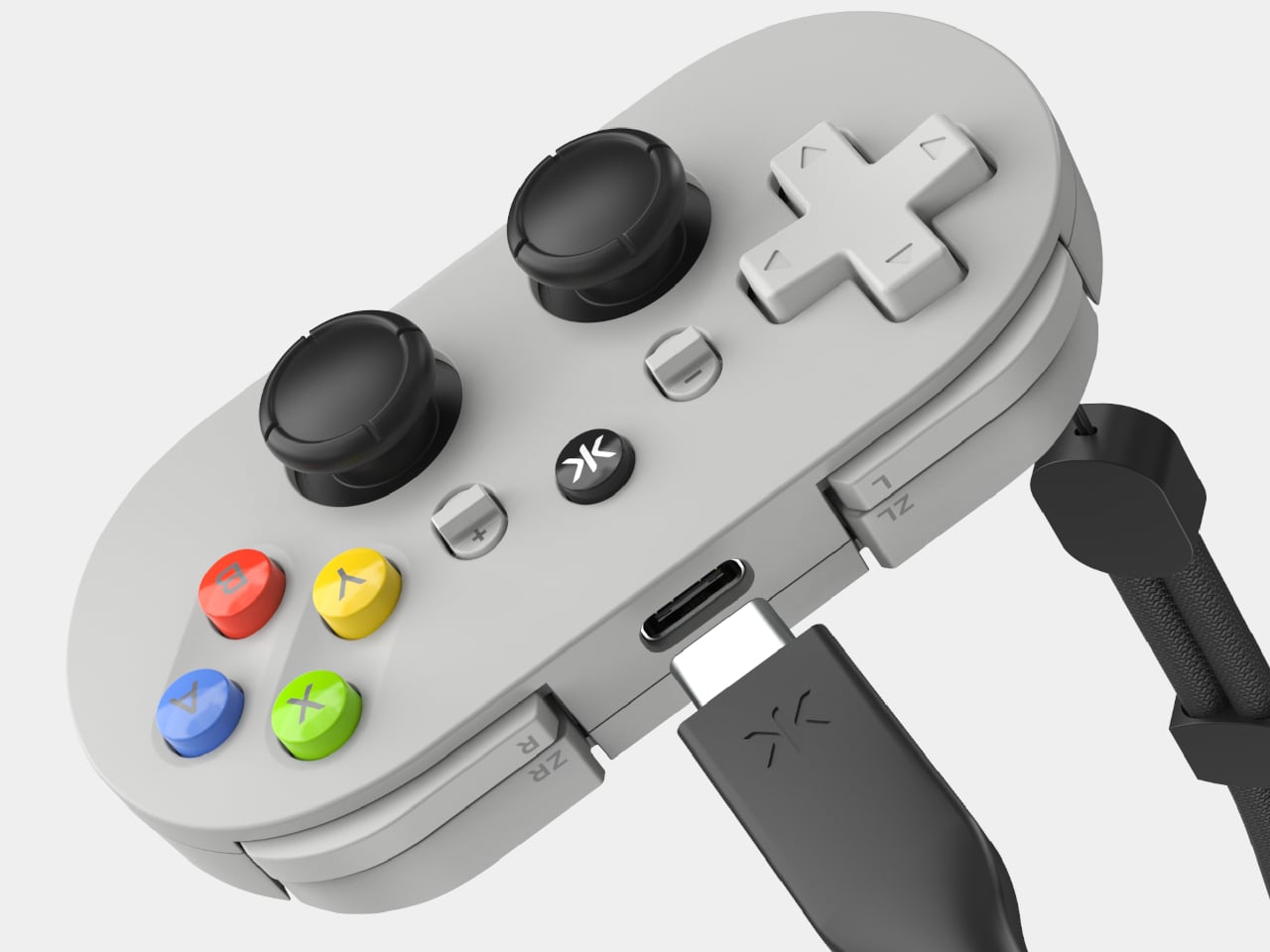
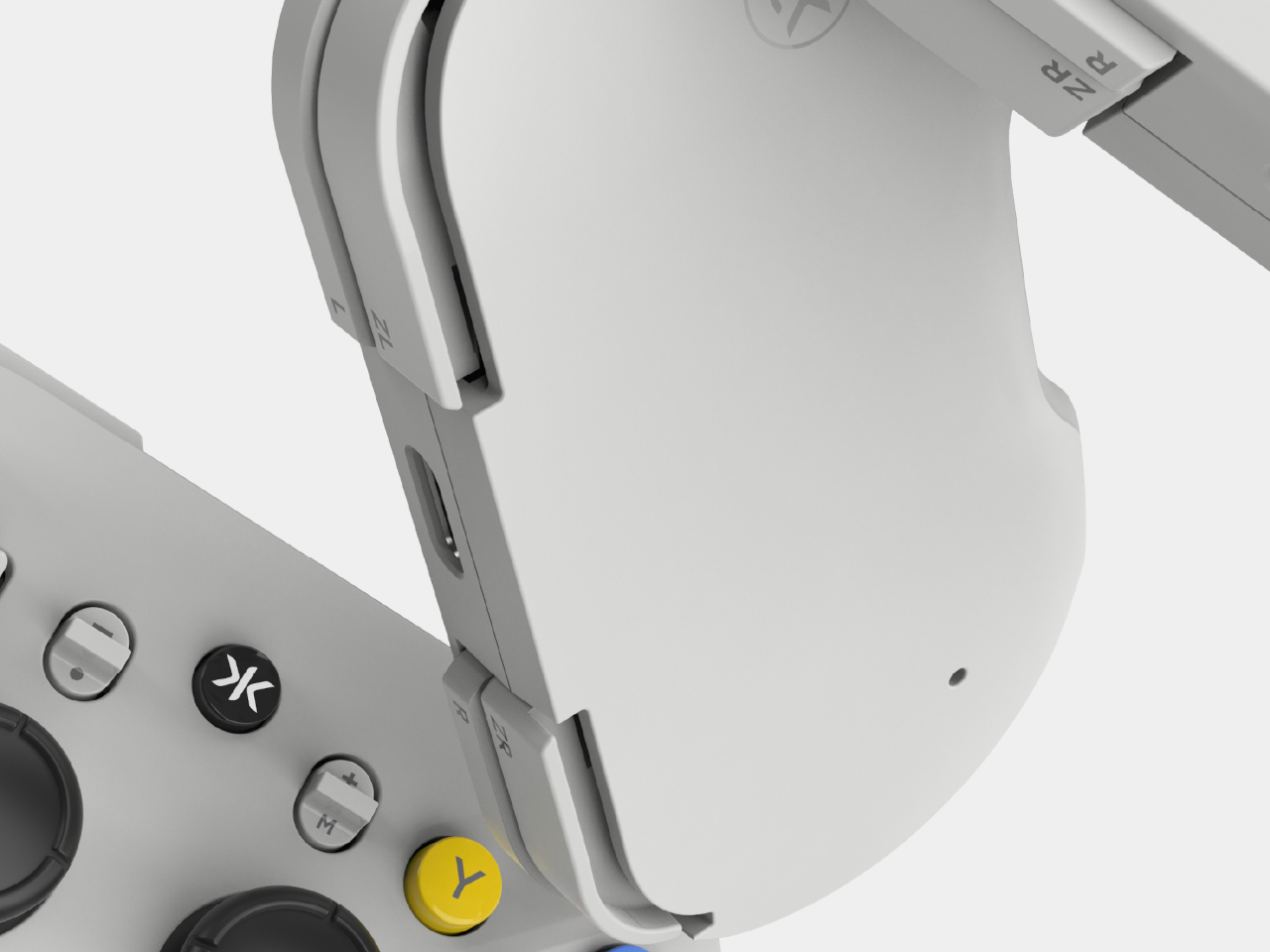
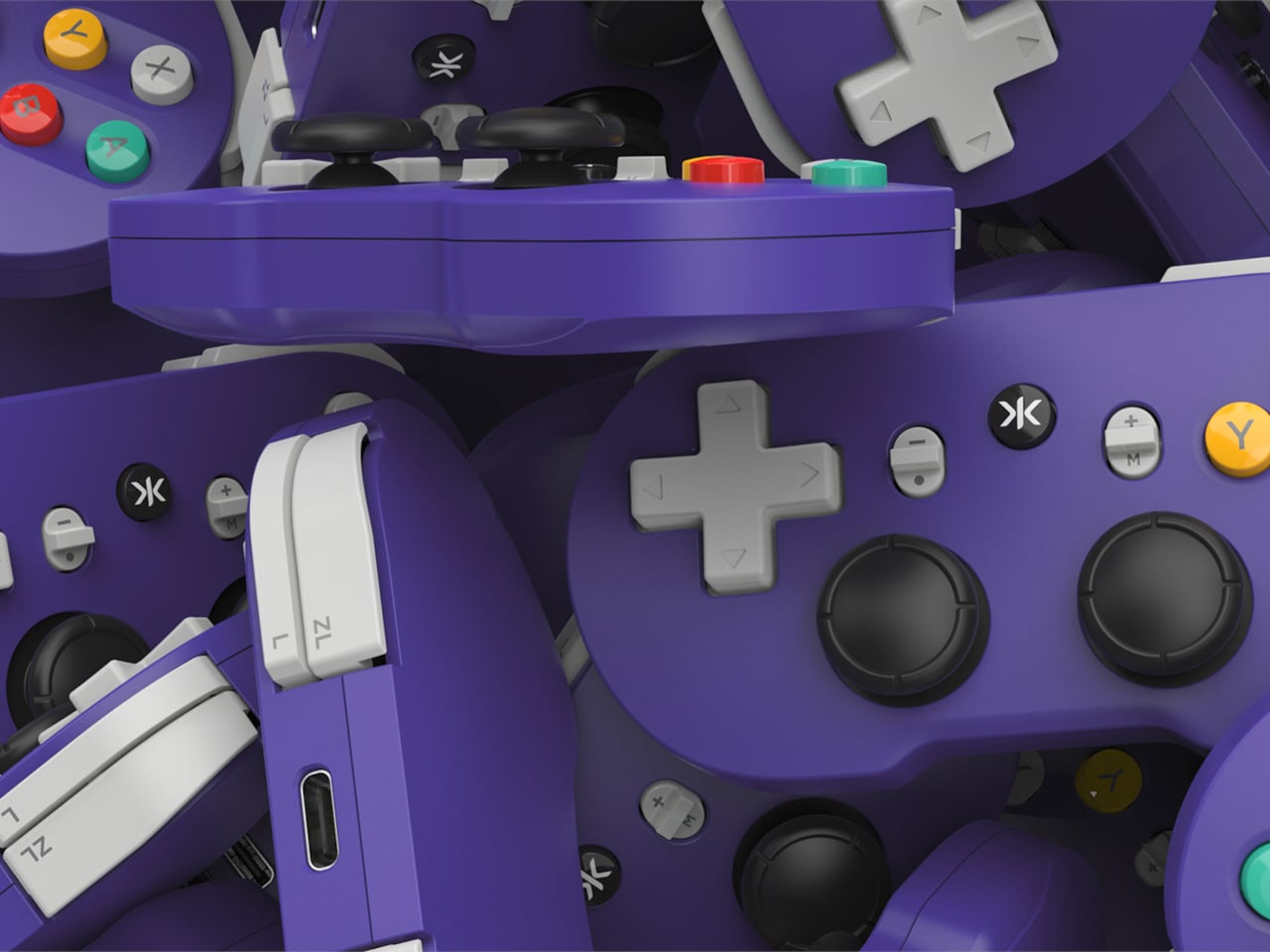
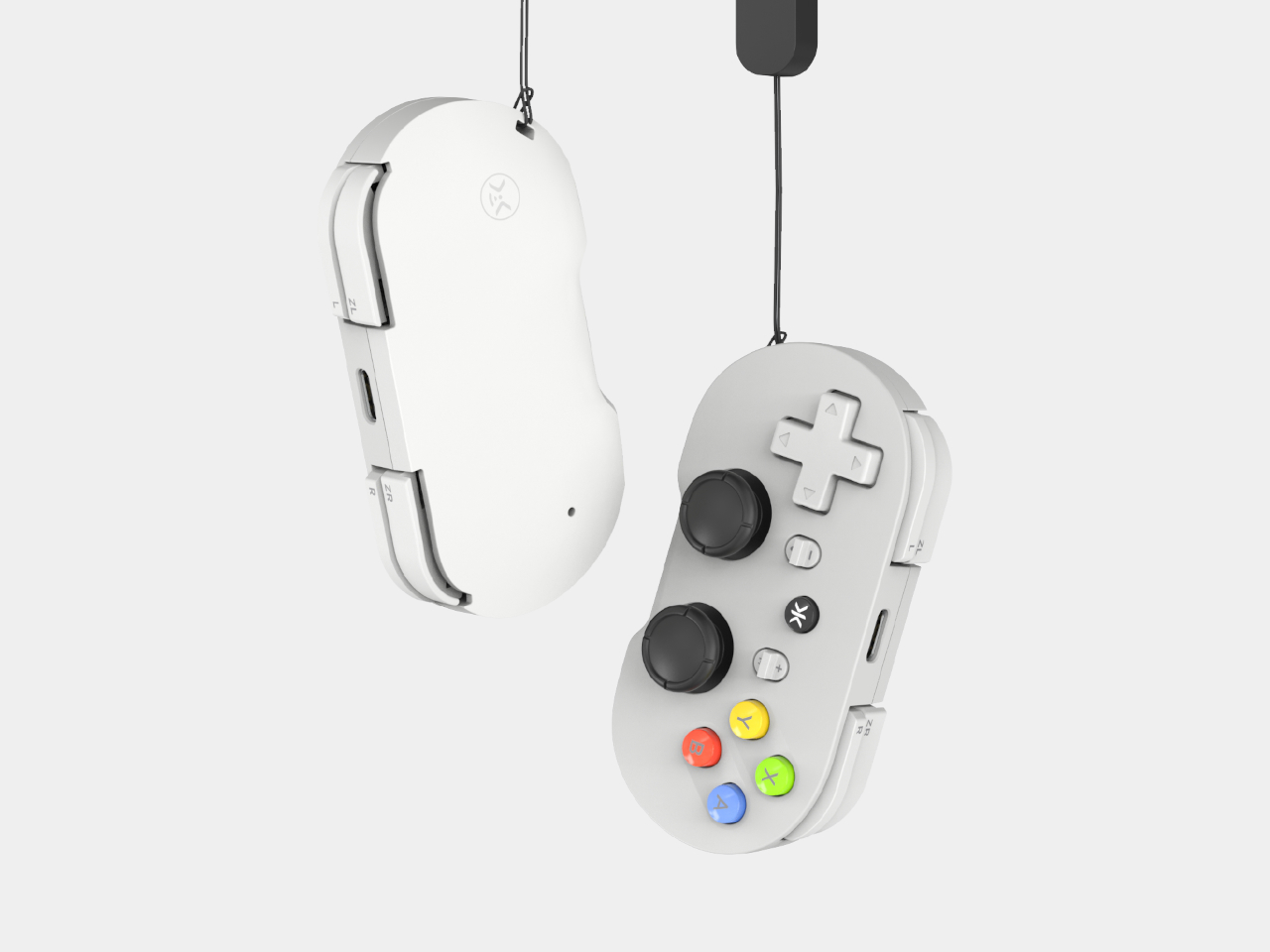
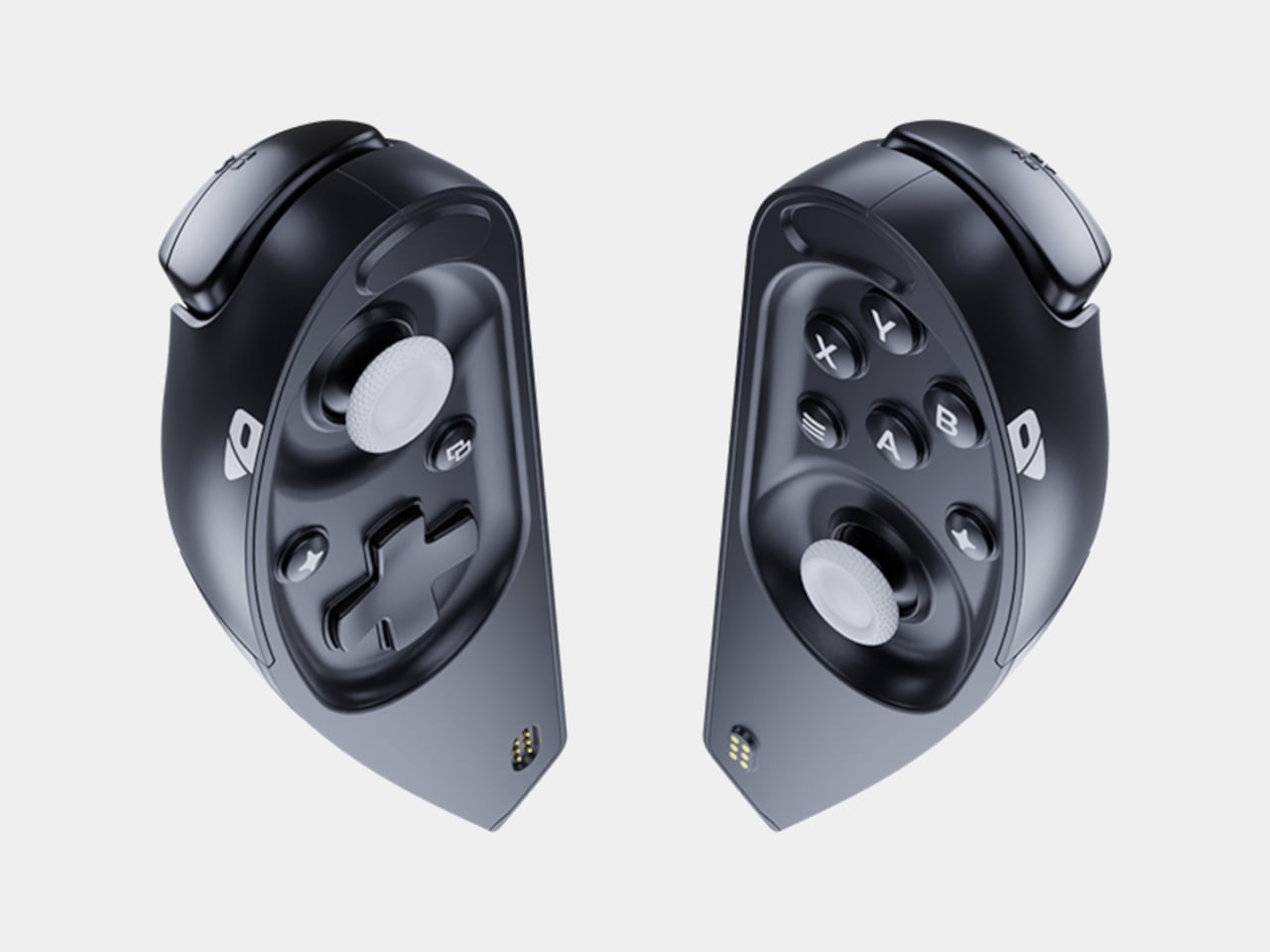
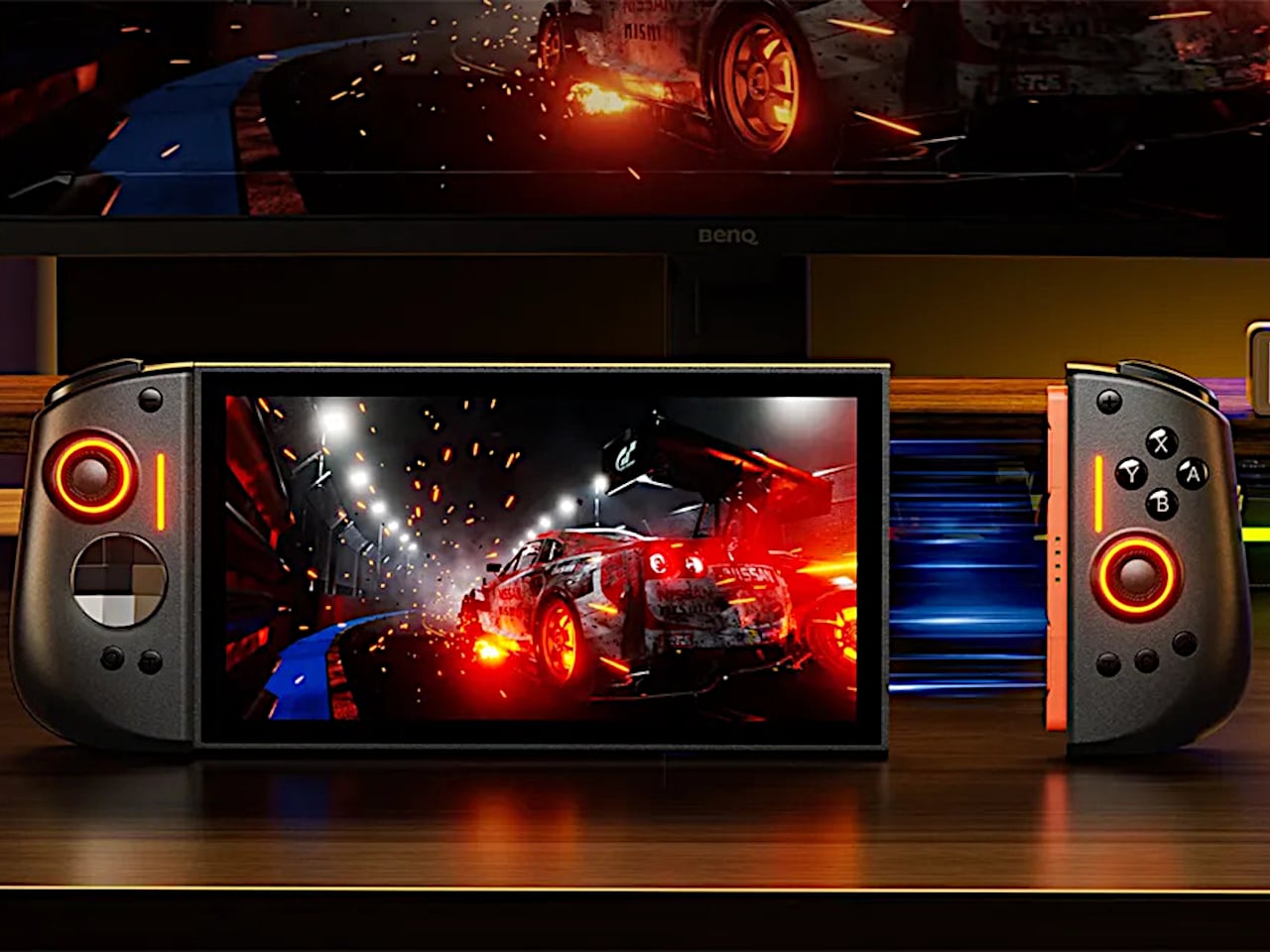
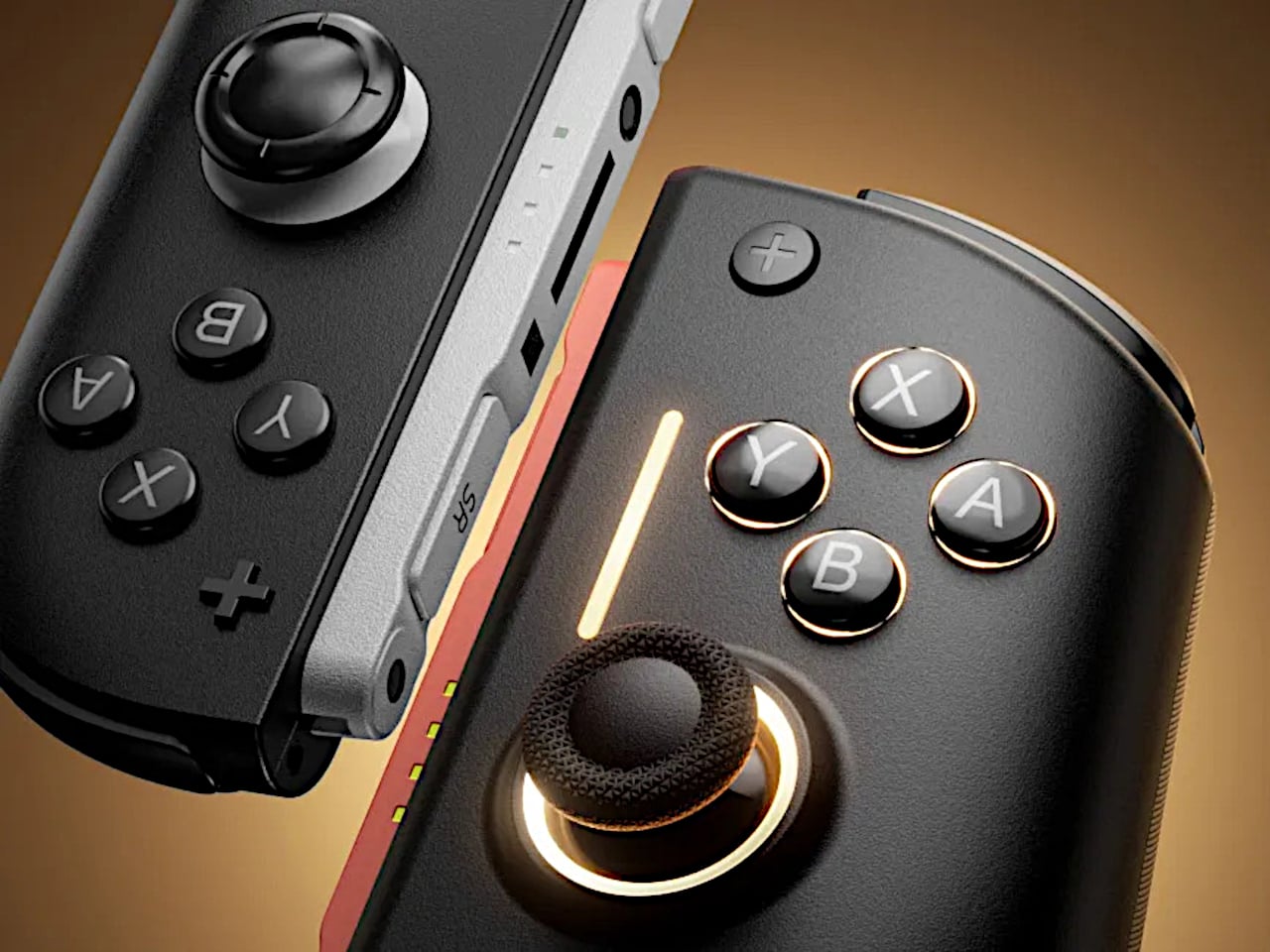
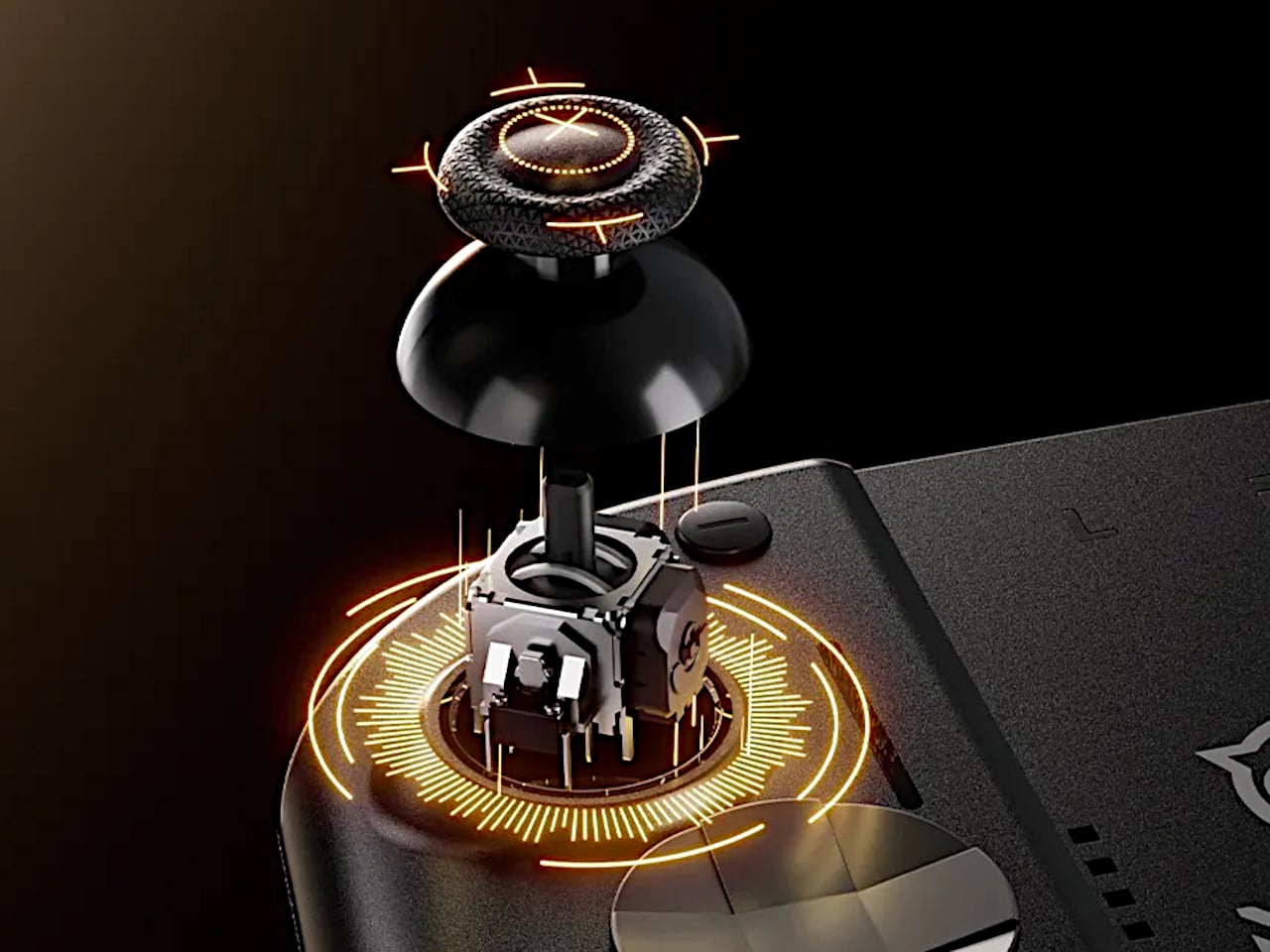
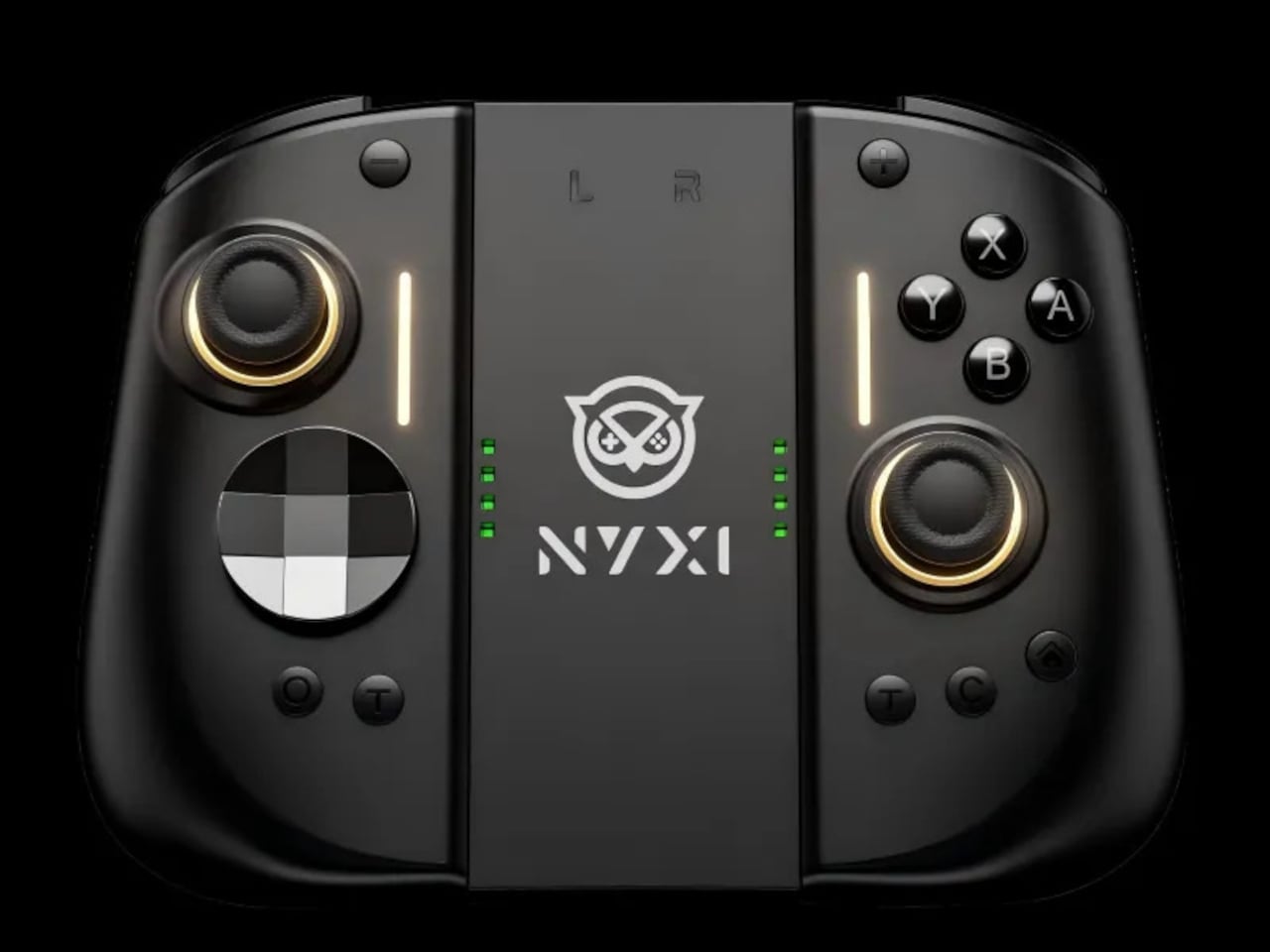
NYXI’s Hyperion 3 is a wireless JoyPad that snaps onto the Switch 2 for handheld play and works as a standalone pad when docked. It adds real grips, larger sticks, and more spaced-out buttons, swapping the usual potentiometer sticks for hall-effect joysticks designed to be drift-free over the long haul. It is pitched as the world’s first ergonomic JoyPad for Switch 2, treating comfort and reliability as primary goals.

Designer: NYXI

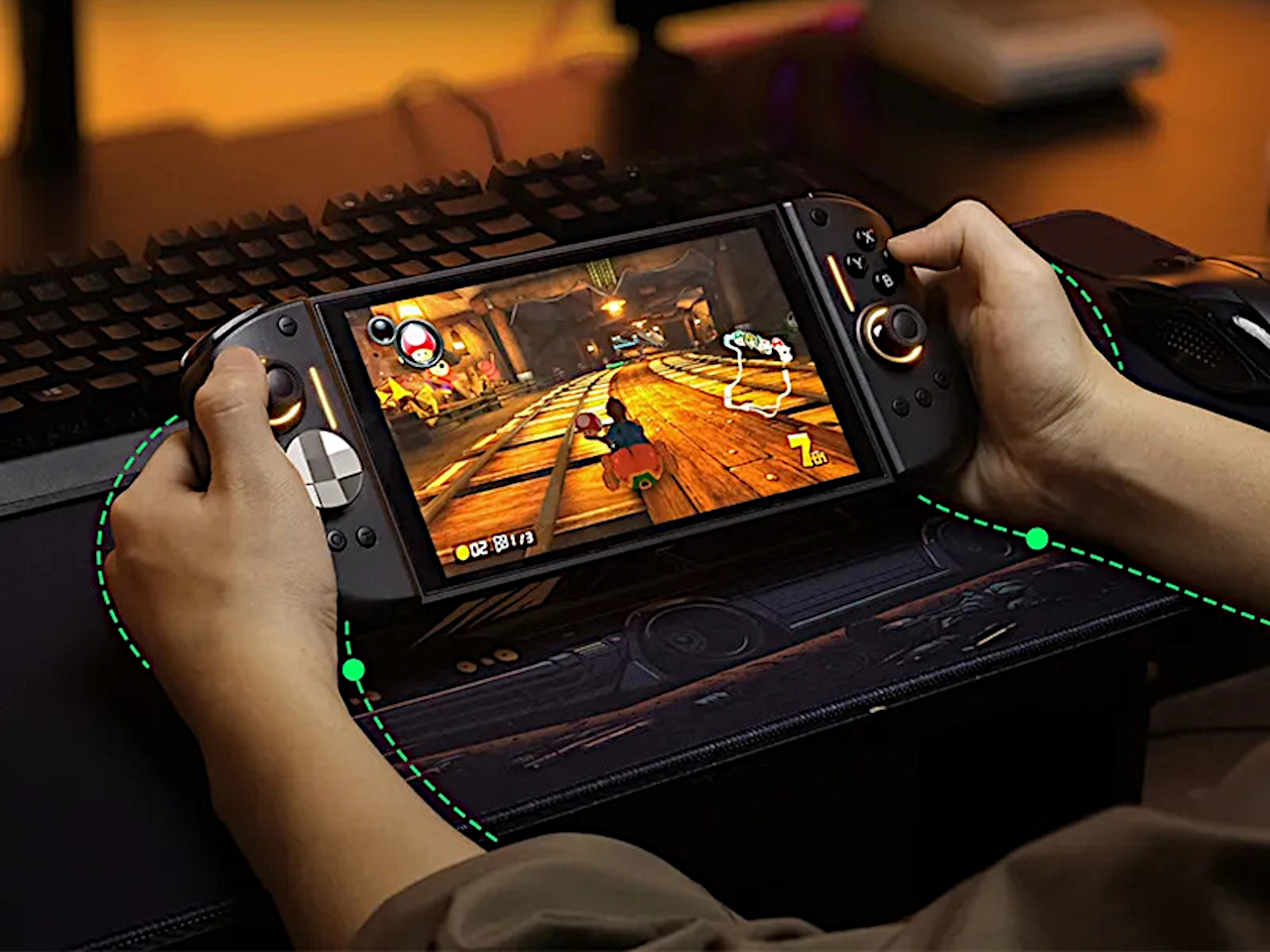
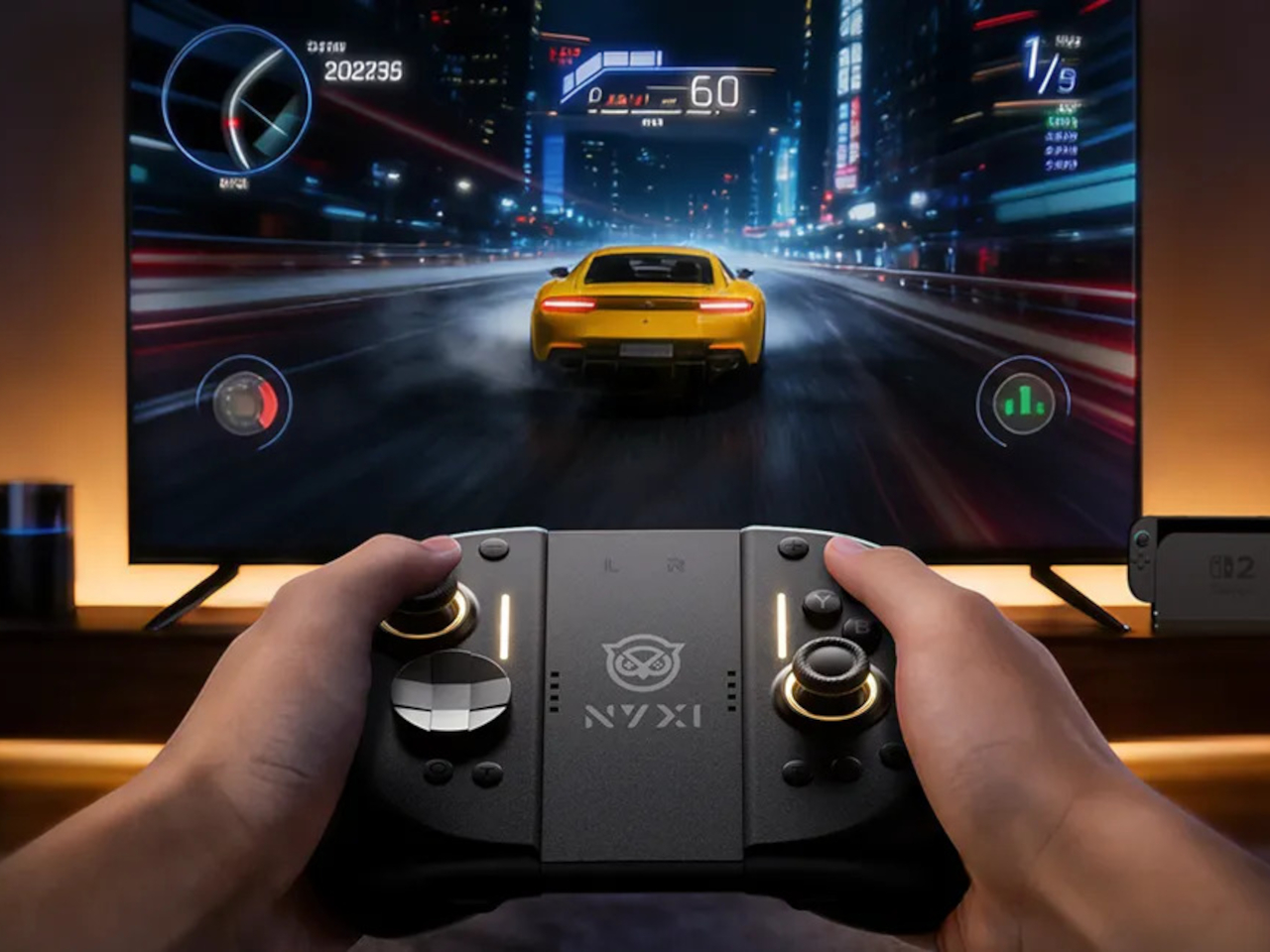
Settling into a long RPG or racing game in handheld mode, the full-size grips let your hands relax instead of pinching edges. The hall-effect sticks feel smooth and precise, and you are not waiting for the first sign of drift that ruined your last controller. The strong magnetic lock keeps everything solid, so the console feels like one piece rather than a screen with two wobbly handles threatening to flex apart.

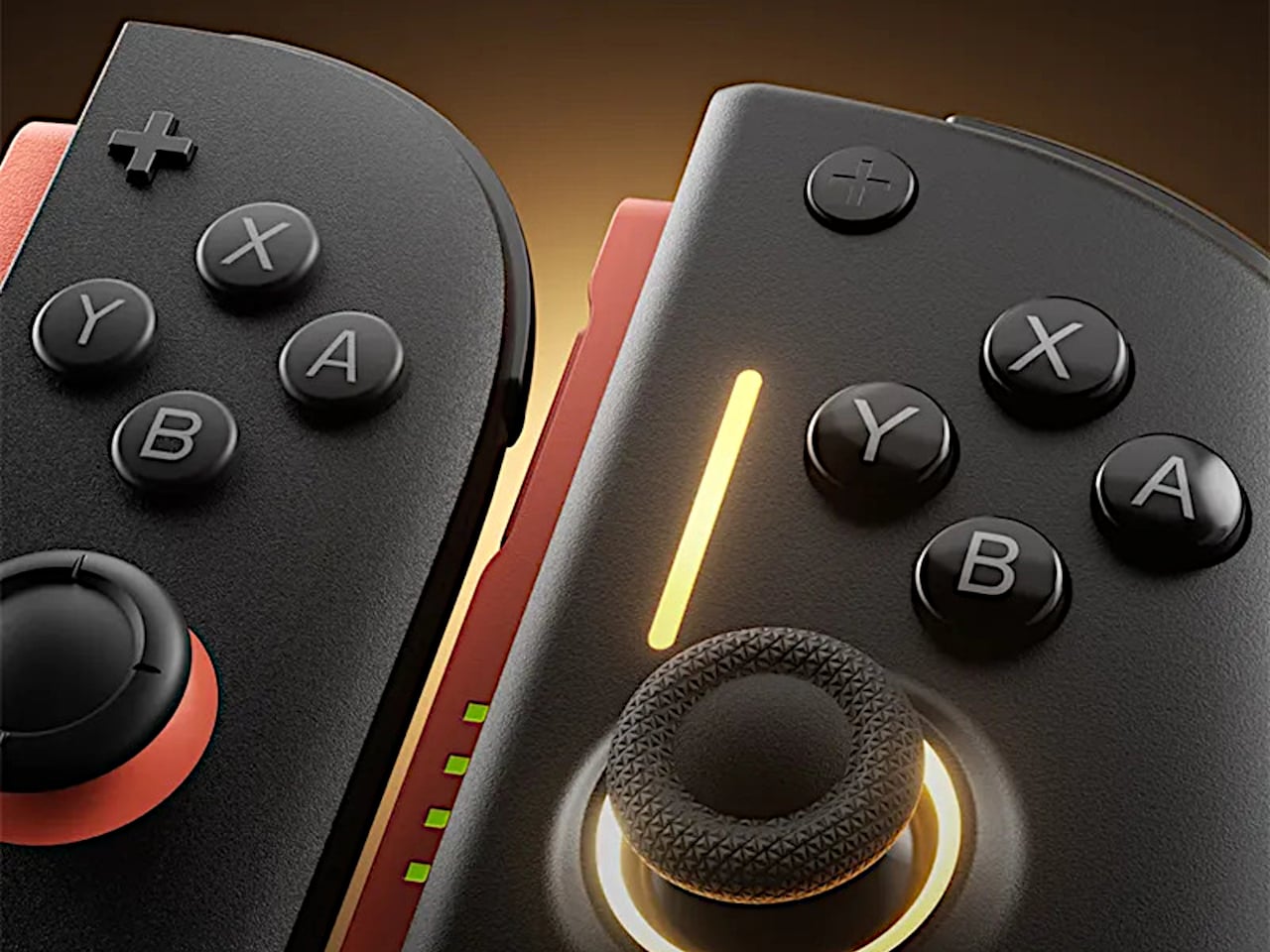
The larger micro-switch face buttons and D-pad click with a clear, mechanical feel, making fast inputs and diagonals more reliable in fighters or platformers. The 9-axis gyro gives you fine motion aiming in shooters or steering in racers, so you can lean on tilt controls without fighting laggy sensors or imprecise calibration that drifts halfway through a match.

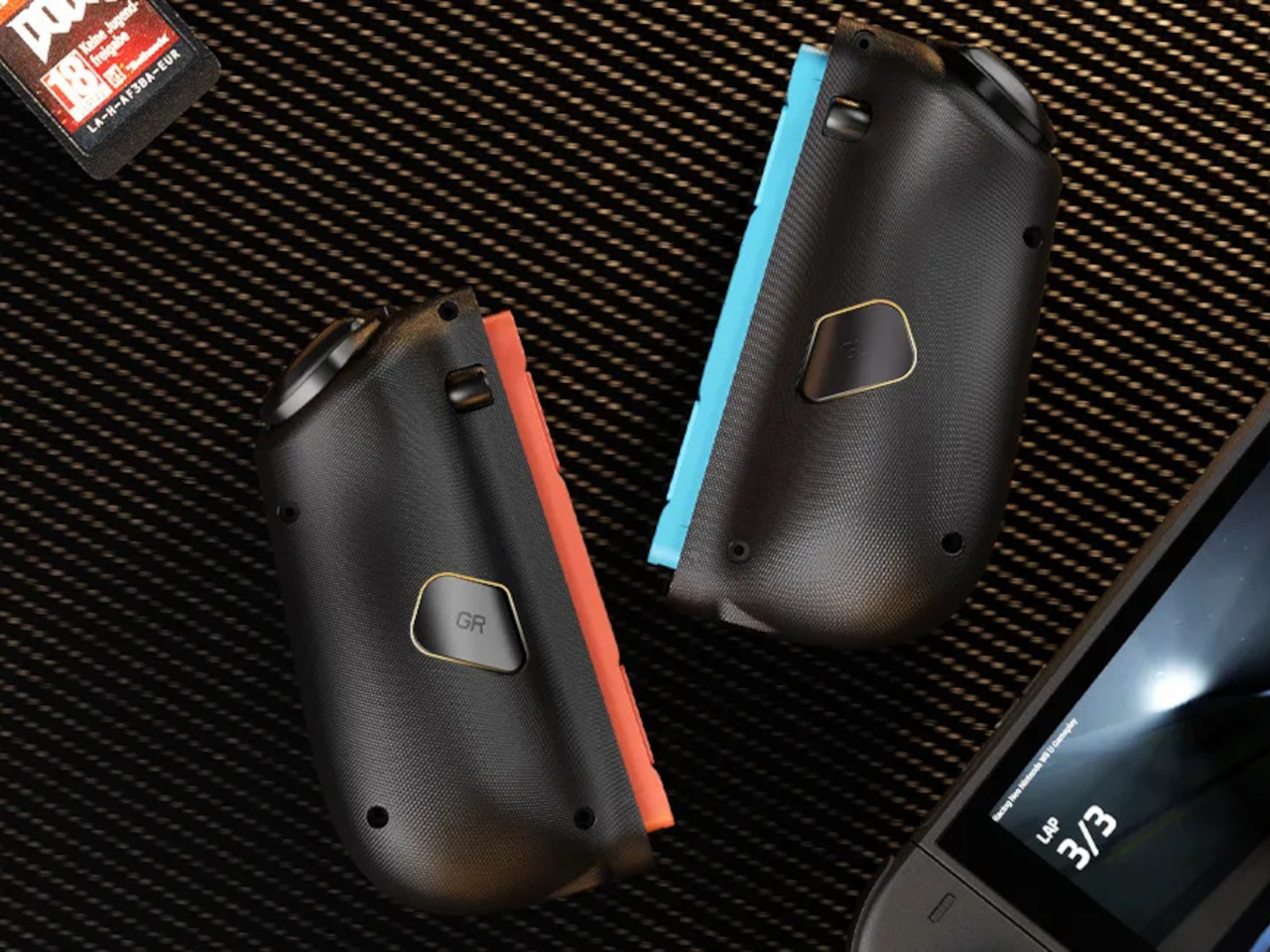
The programmable back buttons let you move key actions off the face buttons, so your thumbs can stay on the sticks more often. Mapping jump, reload, or item use to the back means fewer awkward stretches, especially in games designed around a traditional pad. Over time, that small shift in where your fingers land makes the controller feel tailored to your habits instead of forcing you into Nintendo’s layout.

Hyperion 3 is not as slim or neutral as Nintendo’s own Joy-Cons. The full-size grips and gaming-centric styling make the Switch 2 less pocketable and more like a small console with a screen. That is exactly the point, though, a handheld that finally feels built for adult hands, even if it means giving up a bit of throw-in-a-bag convenience.

Hyperion 3 shows what happens when a third-party accessory takes the Joy-Con format seriously as a starting point, not a template to clone. By fixing drift, upgrading buttons, adding back paddles, and leaning into ergonomics, it treats the Switch 2 like a platform deserving of pro-level hardware. Playing on Nintendo’s hybrid for hours makes that kind of overkill feel pretty reasonable.

The post NYXI Hyperion 3 Finally Gives the Switch 2 a Grown-Up Controller first appeared on Yanko Design.
GameSir Pocket Taco vs. 8BitDo FlipPad for Game Boy Gaming

Almost every mobile controller assumes you want to play in landscape, snapping your phone into a wide handheld that feels great for modern shooters and racing games. This works for most titles, but when you fire up Game Boy-era platformers or vertical arcade classics, the experience feels slightly off, like forcing old games into a shape they were never meant to inhabit, holding them sideways while your thumbs reach for controls that never land right.

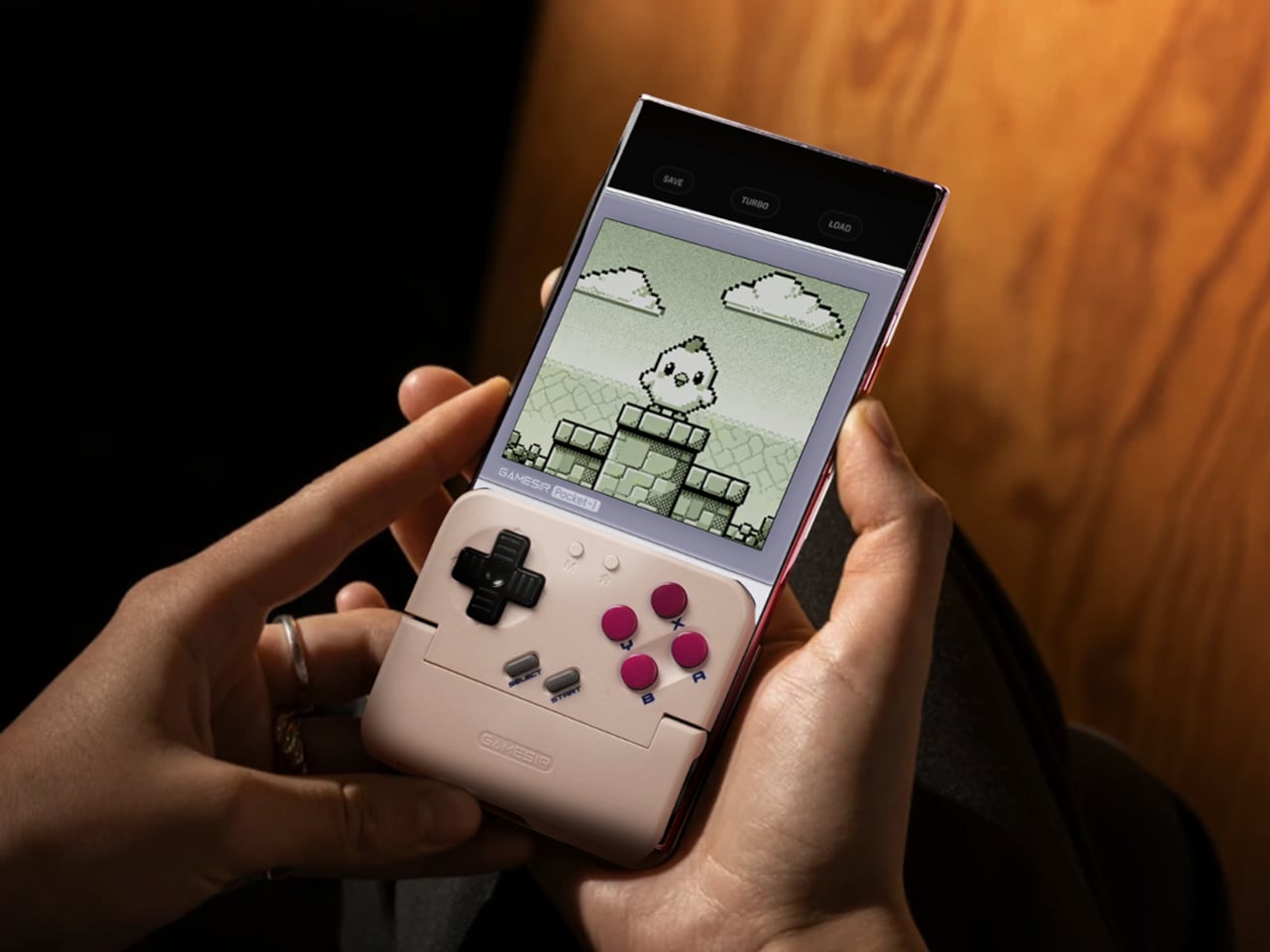
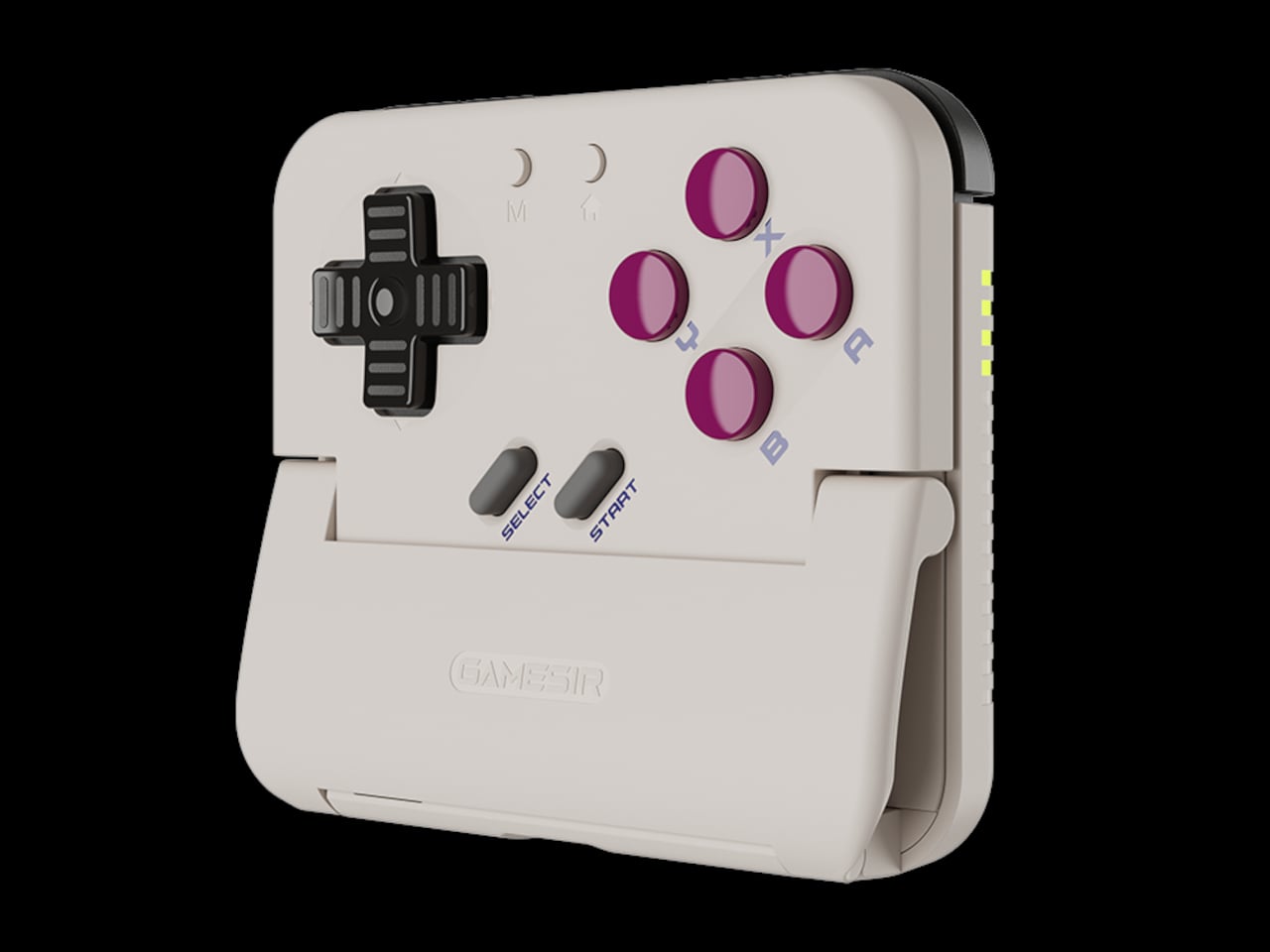
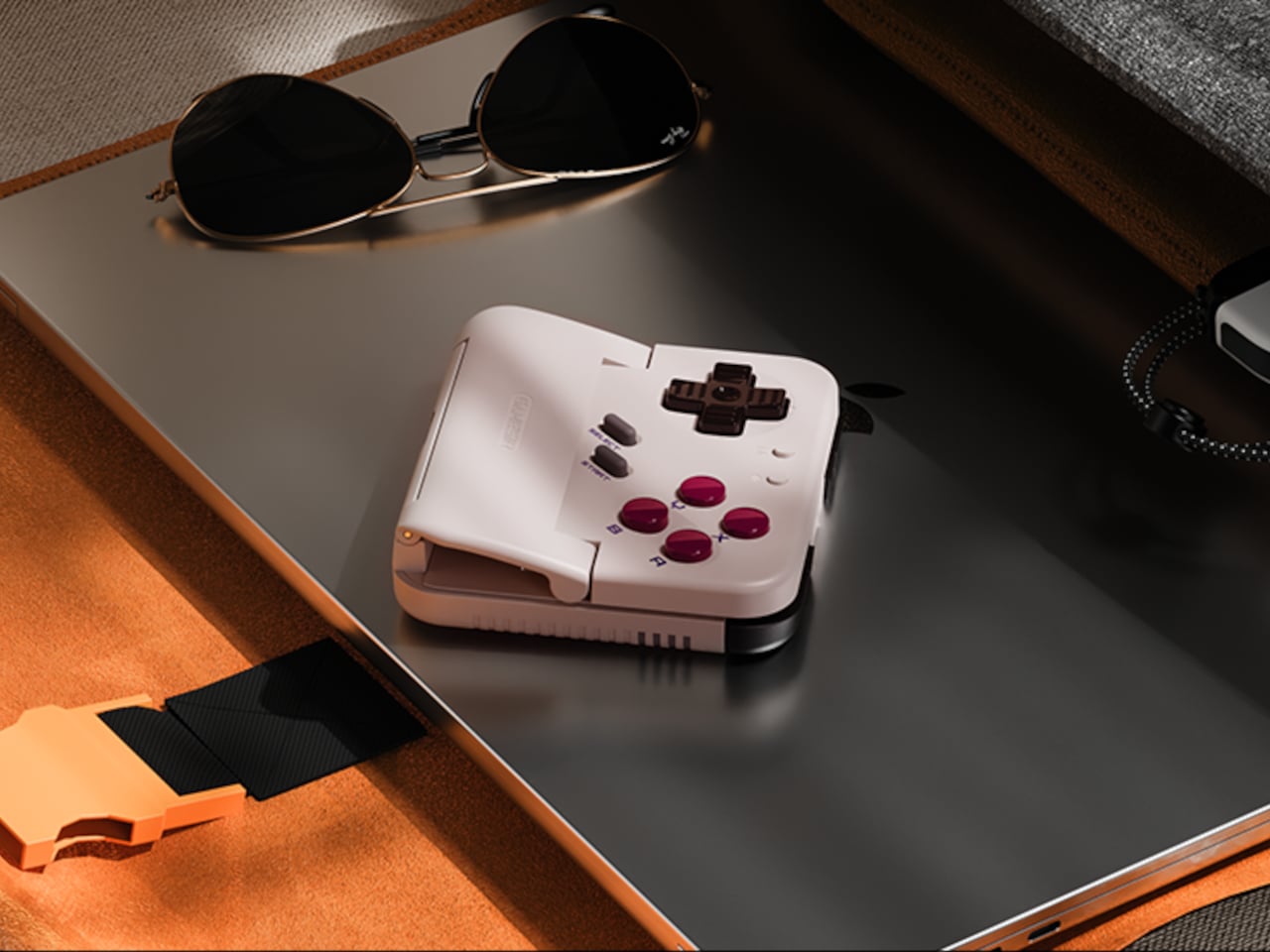
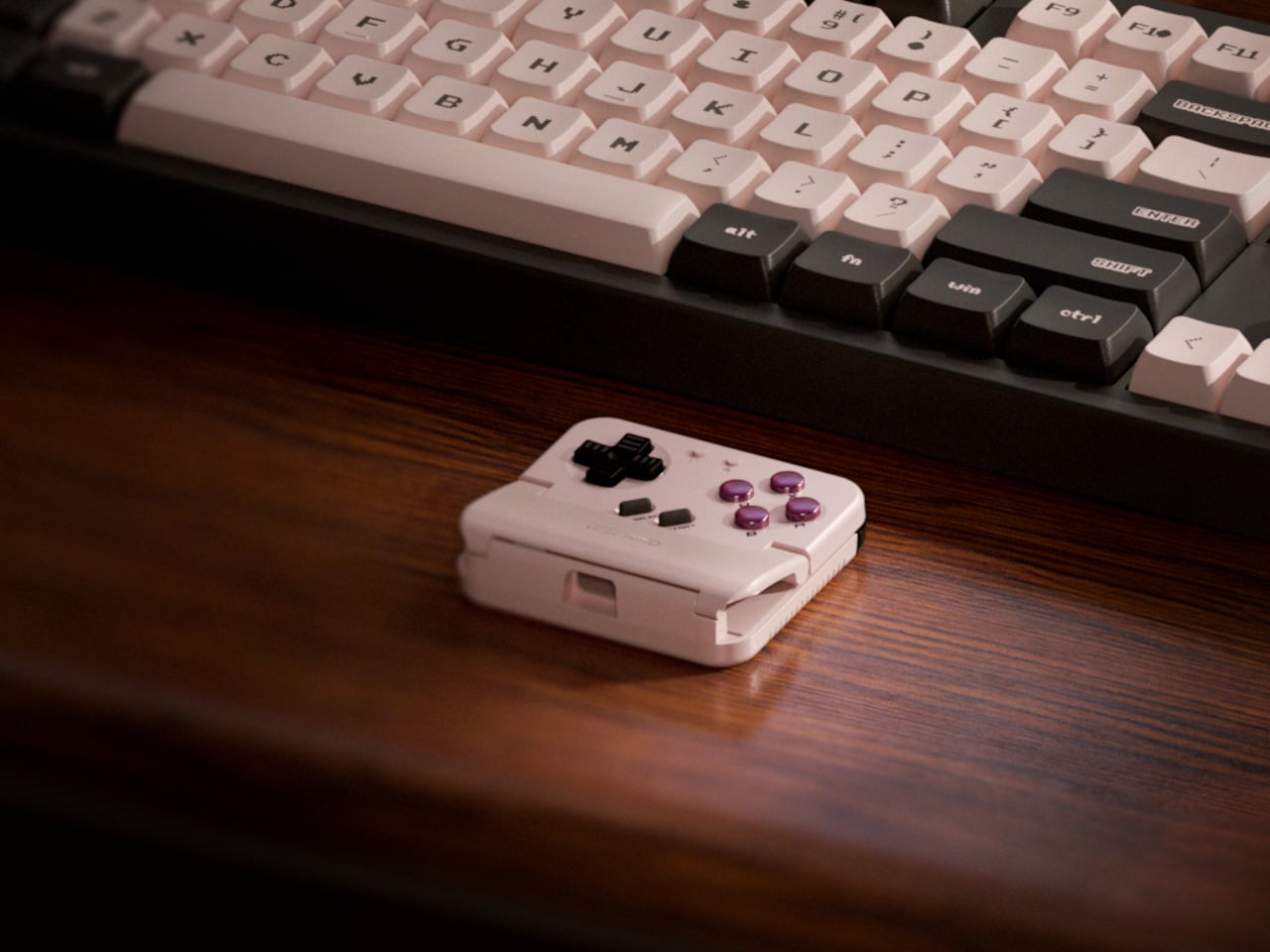
GameSir’s Pocket Taco leans into portrait play instead of fighting it, turning your phone into something closer to a classic handheld. It first appeared as the Pocket 1 at Tokyo Game Show, then resurfaced as Pocket Taco just as 8BitDo teased its own vertical FlipPad, setting up a clash of design philosophies aimed at people who want to hold their phones the way they held Game Boys.

Designer: GameSir

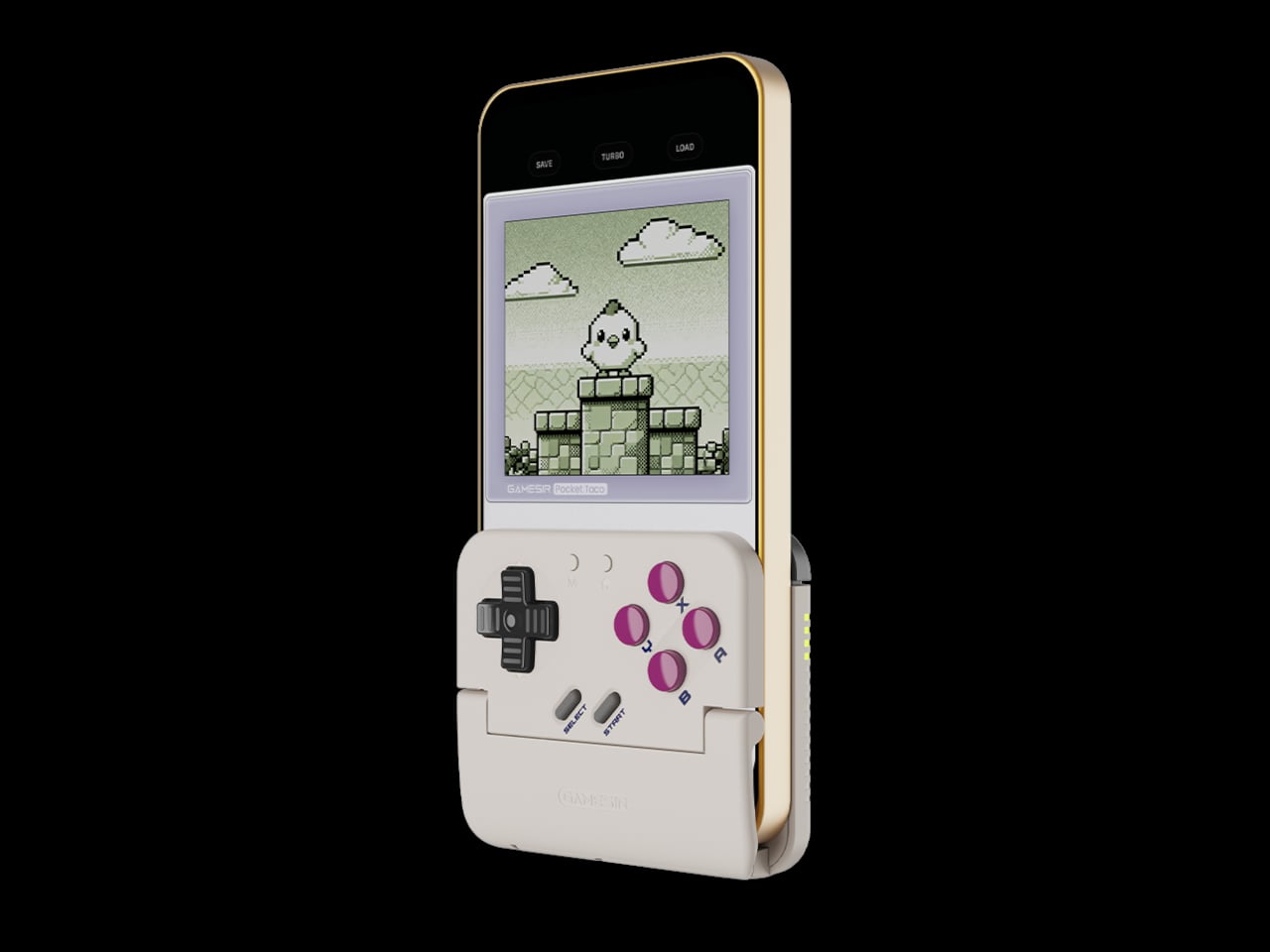
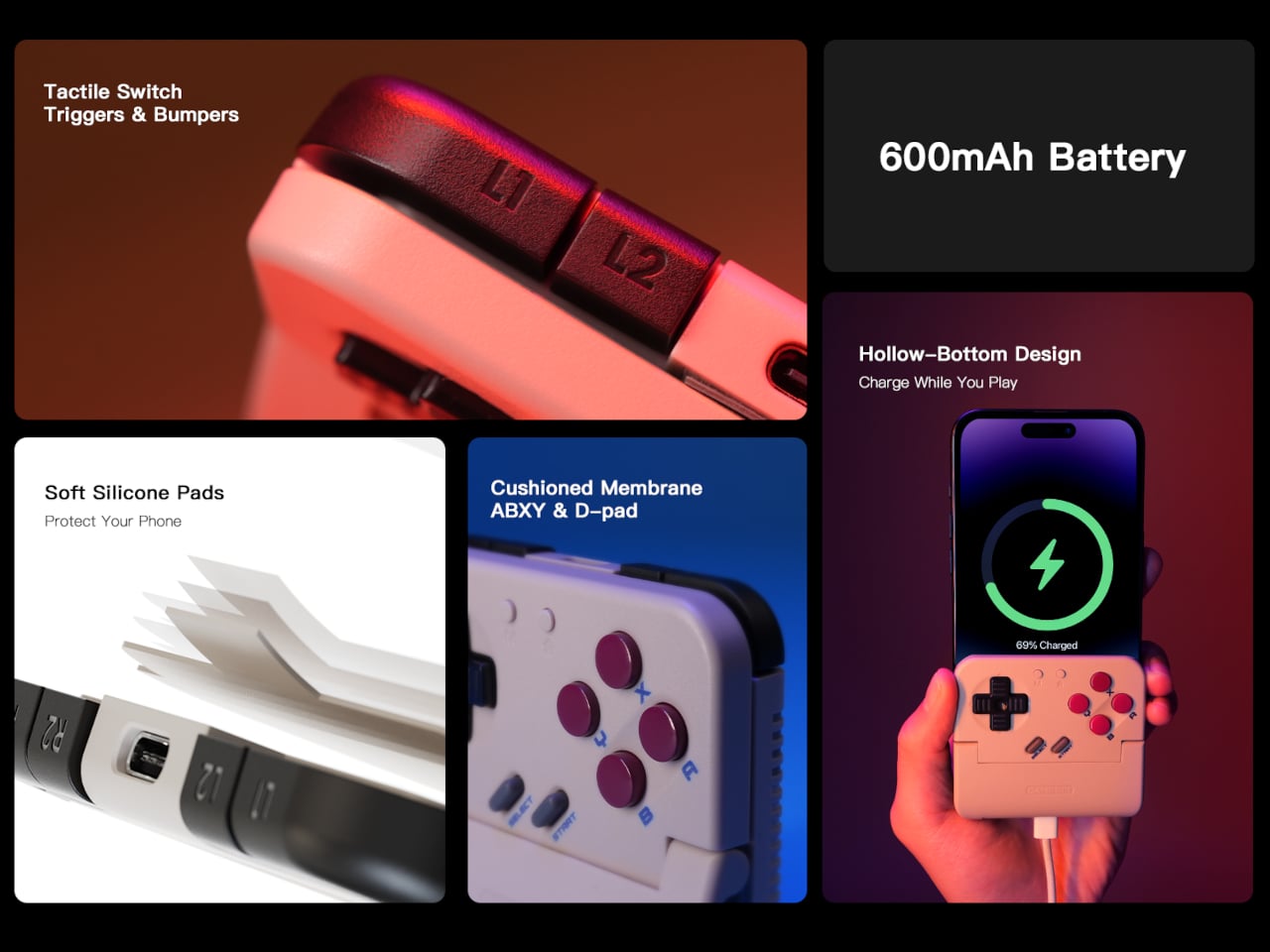
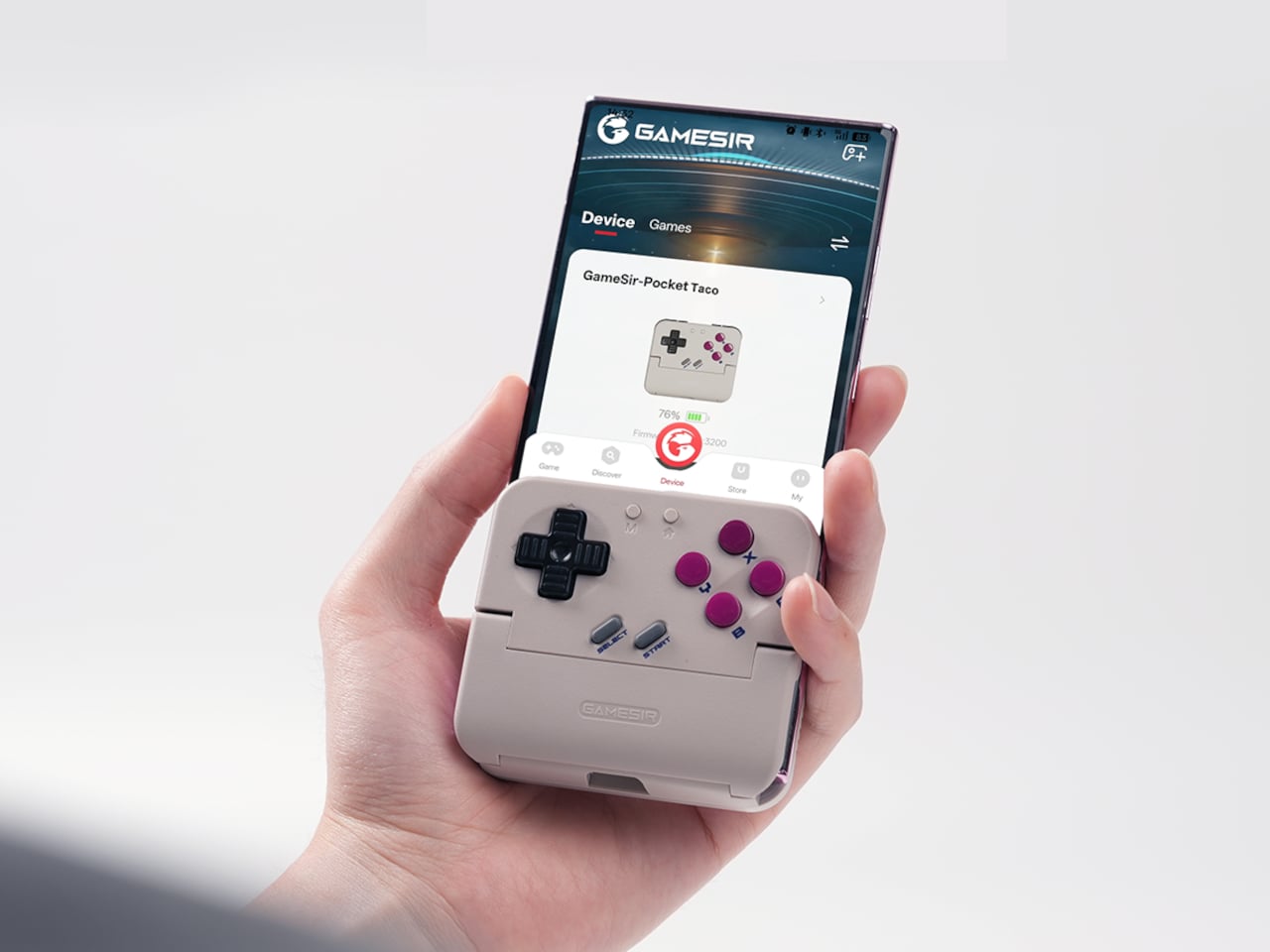
The rebrand to Pocket Taco fits the design; the controller clamps to the bottom of your phone like a taco shell. The foldable front accommodates different phone sizes, and soft silicone pads line the clamp area so you are not grinding plastic against glass every time you snap it on, which matters when you pull it out multiple times a day for quick sessions between meetings or commutes.

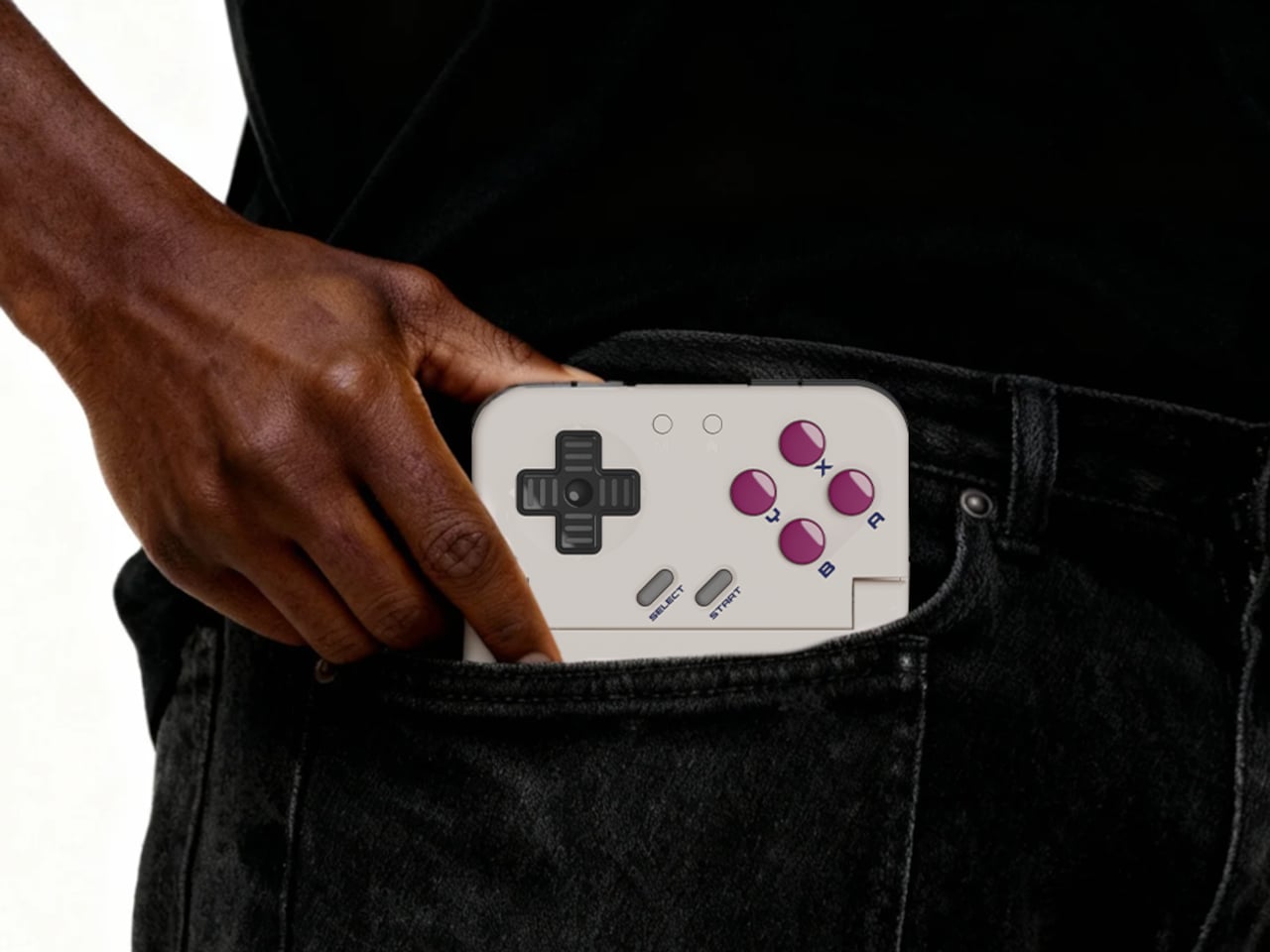
The control layout separates Pocket Taco from 8BitDo’s FlipPad. Pocket Taco gives you a traditional D-pad, ABXY face buttons, and actual triggers and bumpers on the back. FlipPad keeps everything on the front in a row of circular buttons, which is clever for compactness but less like the shoulder-button ergonomics many players expect from dedicated handhelds, especially during games with heavy simultaneous inputs.

Pocket Taco uses Bluetooth, so it can talk to Android and iOS phones, tablets, and other devices, and it still works when not clamped. FlipPad plugs in over USB-C, which keeps latency low and removes battery anxiety, but ties it to phones with that port and to a tethered style where the controller must stay attached to function at all.

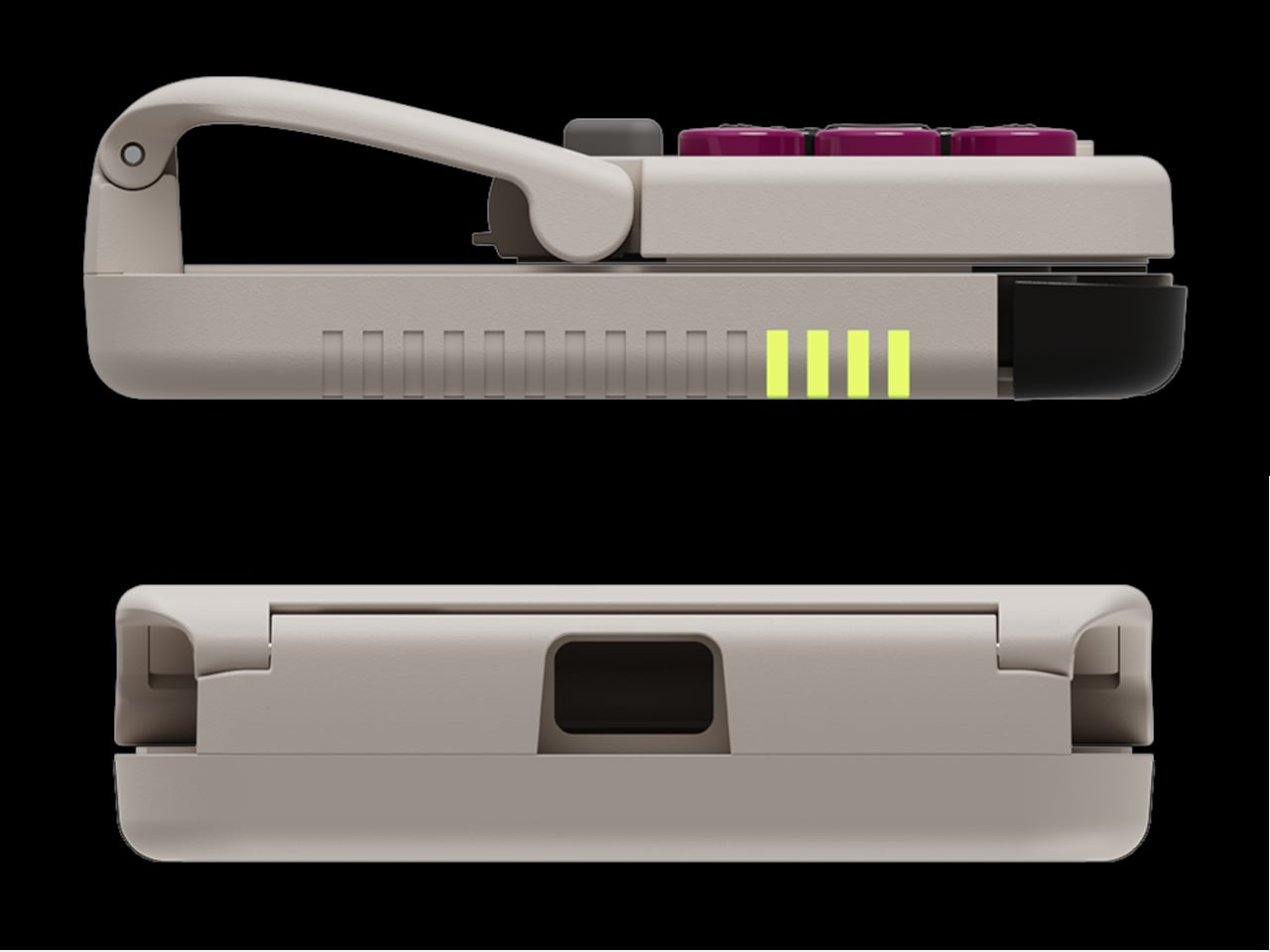
One practical touch is the large cutout at the bottom that leaves your phone’s charging port accessible while the controller is attached, so you can plug in and keep going during long sessions. FlipPad occupies the USB-C port and does not offer passthrough charging, which is fine for short bursts but less ideal for marathon runs that drain the phone before you finish the dungeon.

Pocket Taco runs on a 600 mAh battery with smart power behavior, open to play, close to rest. The trade-off is one more battery to watch and slightly more bulk. FlipPad stays slimmer and battery-free, but leans on your phone for power, shifting the burden and adding a small drain to your phone’s battery during long play sessions.

Pocket Taco and FlipPad are two paths toward the same fantasy, turning a slab of glass into a dedicated retro handheld. Pocket Taco leans into wireless freedom, proper triggers, and charging-while-playing practicality, while FlipPad bets on wired simplicity and a flatter front. For anyone who grew up holding a Game Boy vertically, it is nice to have options that respect that muscle memory instead of pretending mobile gaming should feel like a miniature Xbox stuck in landscape.

The post GameSir Pocket Taco vs. 8BitDo FlipPad for Game Boy Gaming first appeared on Yanko Design.
GameSir Pocket Taco vs. 8BitDo FlipPad for Game Boy Gaming

Almost every mobile controller assumes you want to play in landscape, snapping your phone into a wide handheld that feels great for modern shooters and racing games. This works for most titles, but when you fire up Game Boy-era platformers or vertical arcade classics, the experience feels slightly off, like forcing old games into a shape they were never meant to inhabit, holding them sideways while your thumbs reach for controls that never land right.

GameSir’s Pocket Taco leans into portrait play instead of fighting it, turning your phone into something closer to a classic handheld. It first appeared as the Pocket 1 at Tokyo Game Show, then resurfaced as Pocket Taco just as 8BitDo teased its own vertical FlipPad, setting up a clash of design philosophies aimed at people who want to hold their phones the way they held Game Boys.

Designer: GameSir

The rebrand to Pocket Taco fits the design; the controller clamps to the bottom of your phone like a taco shell. The foldable front accommodates different phone sizes, and soft silicone pads line the clamp area so you are not grinding plastic against glass every time you snap it on, which matters when you pull it out multiple times a day for quick sessions between meetings or commutes.

The control layout separates Pocket Taco from 8BitDo’s FlipPad. Pocket Taco gives you a traditional D-pad, ABXY face buttons, and actual triggers and bumpers on the back. FlipPad keeps everything on the front in a row of circular buttons, which is clever for compactness but less like the shoulder-button ergonomics many players expect from dedicated handhelds, especially during games with heavy simultaneous inputs.

Pocket Taco uses Bluetooth, so it can talk to Android and iOS phones, tablets, and other devices, and it still works when not clamped. FlipPad plugs in over USB-C, which keeps latency low and removes battery anxiety, but ties it to phones with that port and to a tethered style where the controller must stay attached to function at all.

One practical touch is the large cutout at the bottom that leaves your phone’s charging port accessible while the controller is attached, so you can plug in and keep going during long sessions. FlipPad occupies the USB-C port and does not offer passthrough charging, which is fine for short bursts but less ideal for marathon runs that drain the phone before you finish the dungeon.

Pocket Taco runs on a 600 mAh battery with smart power behavior, open to play, close to rest. The trade-off is one more battery to watch and slightly more bulk. FlipPad stays slimmer and battery-free, but leans on your phone for power, shifting the burden and adding a small drain to your phone’s battery during long play sessions.

Pocket Taco and FlipPad are two paths toward the same fantasy, turning a slab of glass into a dedicated retro handheld. Pocket Taco leans into wireless freedom, proper triggers, and charging-while-playing practicality, while FlipPad bets on wired simplicity and a flatter front. For anyone who grew up holding a Game Boy vertically, it is nice to have options that respect that muscle memory instead of pretending mobile gaming should feel like a miniature Xbox stuck in landscape.

The post GameSir Pocket Taco vs. 8BitDo FlipPad for Game Boy Gaming first appeared on Yanko Design.
GameSir x Hyperkin modular controller could be the endgame accessory for mobile gamers

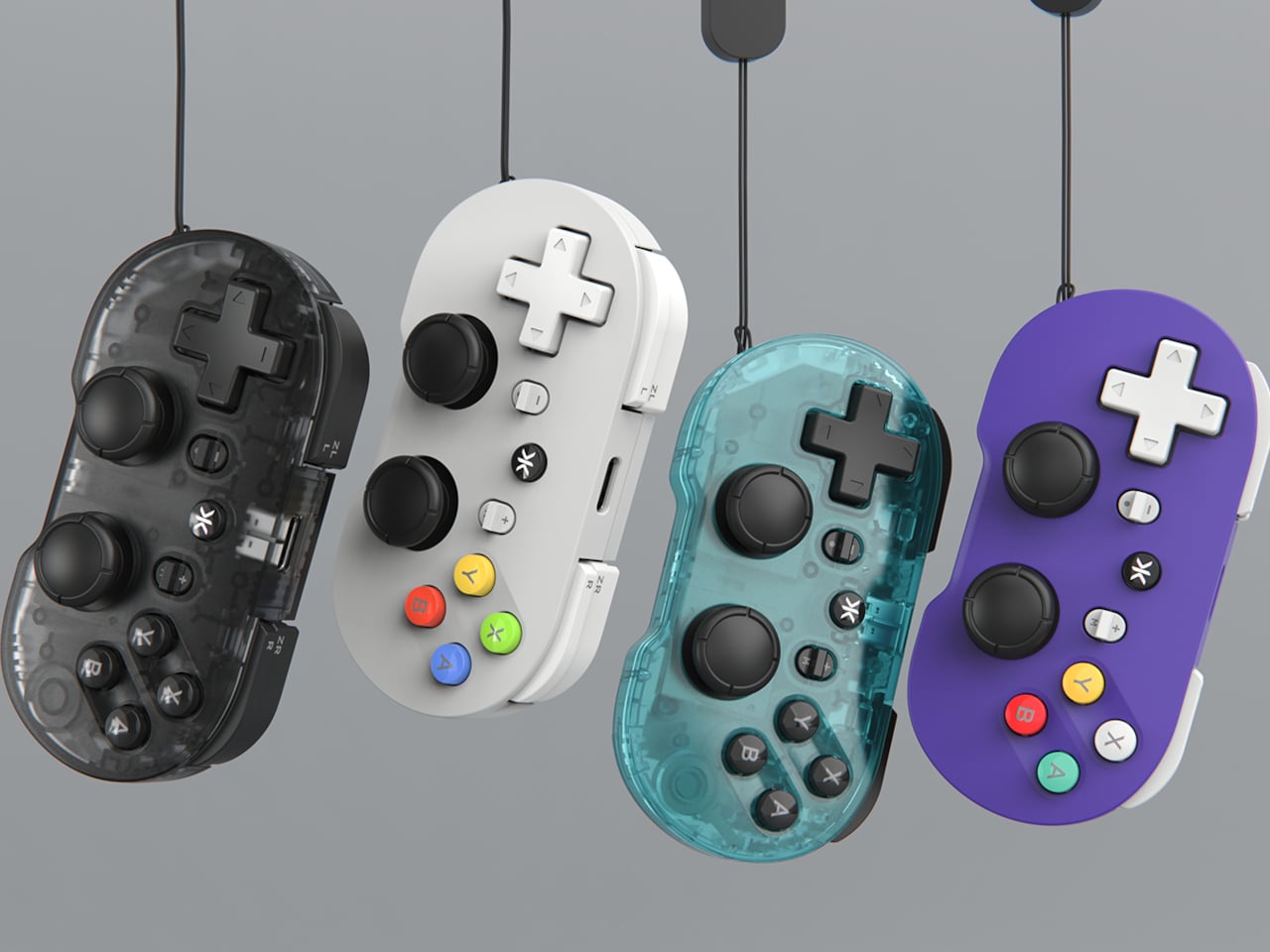
Hype around mobile gaming controllers is not going away any time soon. More people are gaming on mobile, and controllers that make it possible are in demand. GameSir very well understands the needs of gamers who play on multiple devices and platforms, and they’ve brought a transforming controller to CES 2026 in collaboration with Hyperkin, which will have you sold for good.

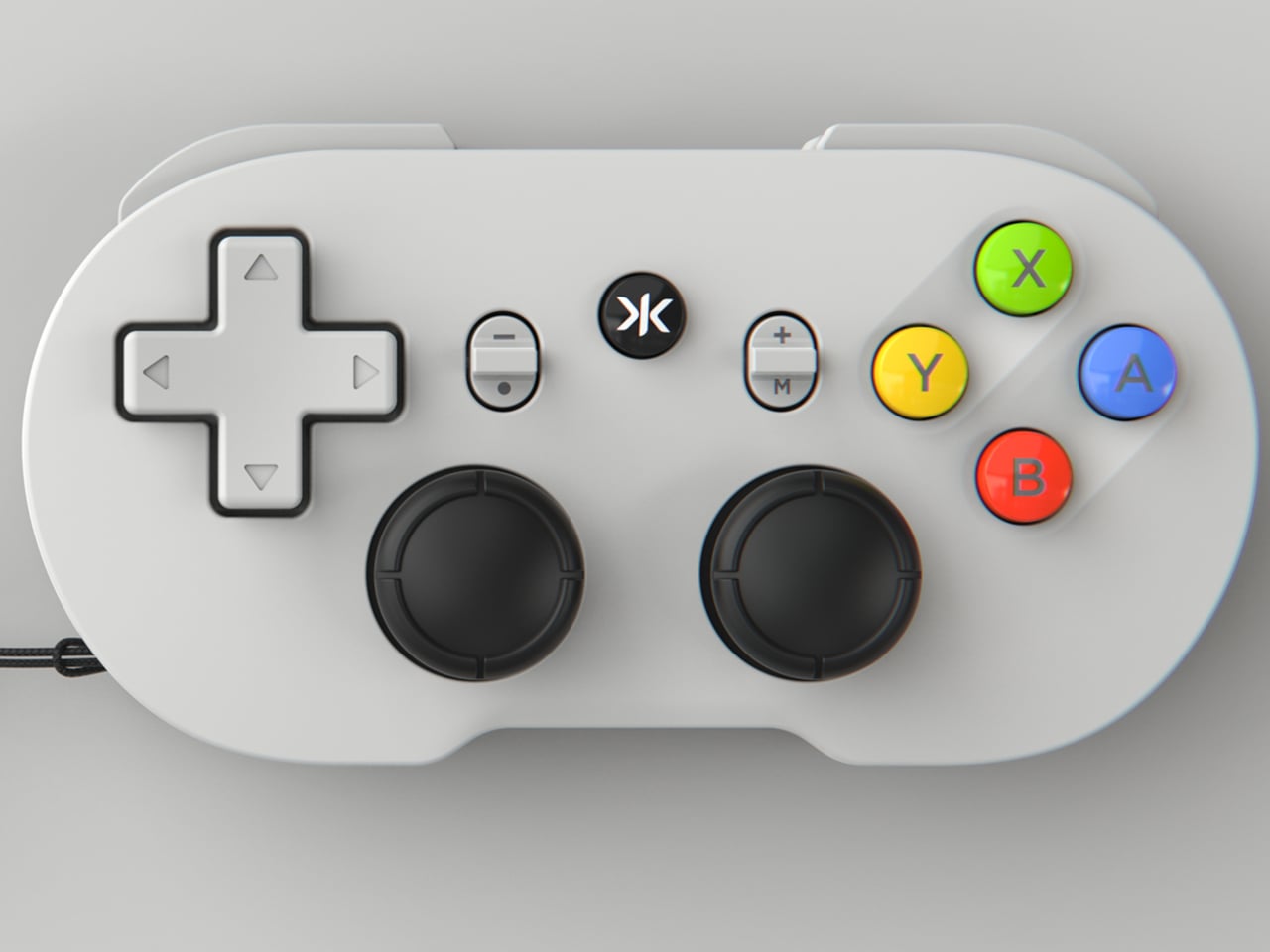
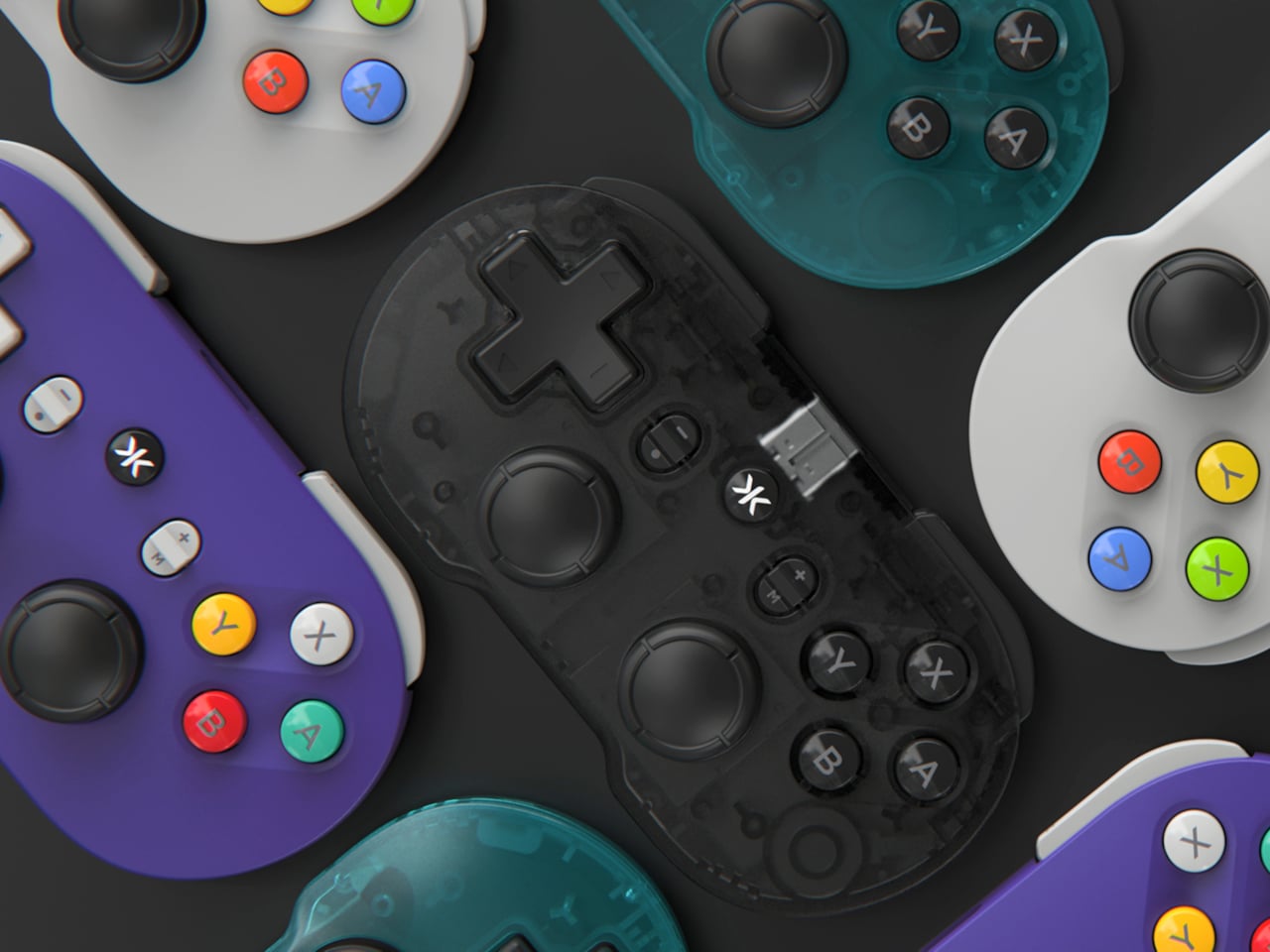
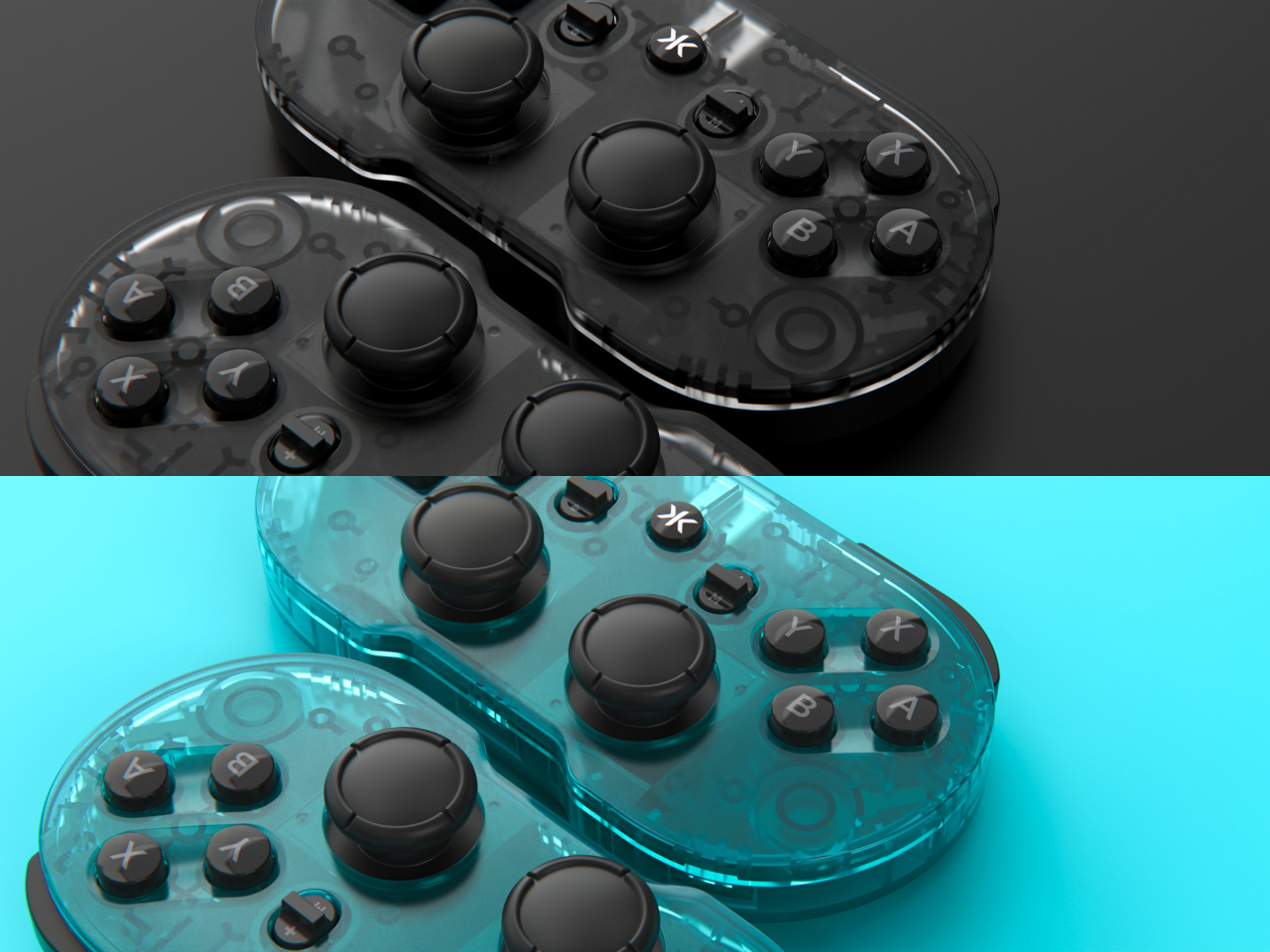
The X5 Alteron controller gets the best of both worlds: GameSir’s ergonomic engineering that makes it the first choice for gamers, and Hyperkin’s knack for designing retro controllers. What sets the modular controller apart is the swappable module system that allows gamers to completely change the layout from symmetrical to asymmetrical thumbsticks, to changing the D-pad and face buttons.

Designer: GameSir and Hyperkin

This level of customization gives mobile gamers the option to carry just one controller, whether playing on Switch, Android, PC, iPhone, or iPad. The ability to swap and replace buttons, or add the mouse-level precision trackpad (yes, this controller can do that), gives you tactical advantage in all genres of games like racing, strategy, RPGs, and, in particular, FPS titles. GameSir already impressed at CES with the Swift Drive controller, and the X5 Alteron is even better. The gamepad is a literal transformer of the gaming controllers world, as it changes shape, style, and size depending on what device you are playing it with.

Want the Xbox-style layout, or the feel of the N64 controller setup? The modular controller makes quick work of that. It even has a module dedicated to fighting titles for maximum precision. The possibilities are endless as the controller sets a new yardstick for customizable gaming hardware. Of course, it has all the essentials of a gaming controller intact while doing this. There are Hall effect triggers and capacitive sticks for zero stick drift, mouse click, rumble motors, and hot swappable ABXY buttons. Transformable D-Pad and much more. Alteron can be extended to 213mm to fit all devices you throw at it.

The gaming accessory charges via USB-C port, and the connectivity with the devices is made via Bluetooth 5.2. Latency should not be a worry as GameSir and Hyperkin optimize their accessories very nicely. The GameSir x Hyperkin X5 Alteron controller will be released in the coming months, but there is no detail about pricing yet. Given how GameSir controllers are tactically priced, this one should be right there in the sweet zone. Could it replace all your controllers going forward for a one-stop solution? It pretty well can be the prime contender!

The post GameSir x Hyperkin modular controller could be the endgame accessory for mobile gamers first appeared on Yanko Design.
GameSir x Hyperkin modular controller could be the endgame accessory for mobile gamers

Hype around mobile gaming controllers is not going away any time soon. More people are gaming on mobile, and controllers that make it possible are in demand. GameSir very well understands the needs of gamers who play on multiple devices and platforms, and they’ve brought a transforming controller to CES 2026 in collaboration with Hyperkin, which will have you sold for good.

The X5 Alteron controller gets the best of both worlds: GameSir’s ergonomic engineering that makes it the first choice for gamers, and Hyperkin’s knack for designing retro controllers. What sets the modular controller apart is the swappable module system that allows gamers to completely change the layout from symmetrical to asymmetrical thumbsticks, to changing the D-pad and face buttons.

Designer: GameSir and Hyperkin

This level of customization gives mobile gamers the option to carry just one controller, whether playing on Switch, Android, PC, iPhone, or iPad. The ability to swap and replace buttons, or add the mouse-level precision trackpad (yes, this controller can do that), gives you tactical advantage in all genres of games like racing, strategy, RPGs, and, in particular, FPS titles. GameSir already impressed at CES with the Swift Drive controller, and the X5 Alteron is even better. The gamepad is a literal transformer of the gaming controllers world, as it changes shape, style, and size depending on what device you are playing it with.

Want the Xbox-style layout, or the feel of the N64 controller setup? The modular controller makes quick work of that. It even has a module dedicated to fighting titles for maximum precision. The possibilities are endless as the controller sets a new yardstick for customizable gaming hardware. Of course, it has all the essentials of a gaming controller intact while doing this. There are Hall effect triggers and capacitive sticks for zero stick drift, mouse click, rumble motors, and hot swappable ABXY buttons. Transformable D-Pad and much more. Alteron can be extended to 213mm to fit all devices you throw at it.

The gaming accessory charges via USB-C port, and the connectivity with the devices is made via Bluetooth 5.2. Latency should not be a worry as GameSir and Hyperkin optimize their accessories very nicely. The GameSir x Hyperkin X5 Alteron controller will be released in the coming months, but there is no detail about pricing yet. Given how GameSir controllers are tactically priced, this one should be right there in the sweet zone. Could it replace all your controllers going forward for a one-stop solution? It pretty well can be the prime contender!

The post GameSir x Hyperkin modular controller could be the endgame accessory for mobile gamers first appeared on Yanko Design.
Nitro Deck 2 Controller Fits Switch 2, OG, and OLED in One Shell

The first Nitro Deck and similar shells made the Nintendo Switch feel more like a proper controller, but they were still mostly one-trick grips that lived in handheld mode. With the Switch 2 looming, there is a chance to rethink what a deck shell should be, not just for Nintendo’s next handheld but for PC, mobile, and TV play. Nitro Deck 2 is CRKD’s answer, expanding the idea from grip to multi-platform controller.

CRKD frames it as a completely new product engineered for the Nintendo Switch 2 and fully backward compatible with the Switch and the Switch OLED, with redesigned ergonomics and expanded versatility across PC, mobile, and smart TVs via Bluetooth and USB. It holds your console for handheld play, but the removable centerpiece lets it convert into a standalone pro-style controller when the console is docked, which is the big conceptual shift from shell to system.

Designer: CRKD

CaptiStick is a capacitor-based, zero-contact sensor design meant to eliminate stick drift and deliver long-lasting precision with no electromagnetic interference. That is CRKD’s alternative to traditional potentiometer sticks that wear out, and Hall Effect sticks that rely on magnets. Nitro Deck 2 also adds adjustable thumbstick resistance and deadzone, tunable through the CRKD Companion App, so you can dial in how loose or tight the sticks feel depending on the game.

The new retractable locking dial mechanism secures the console and keeps the shell compatible with the original Switch and OLED models, with a legacy adapter included. This is a direct response to fit issues from the first Nitro Deck, and it means Nitro Deck 2 survives console generations. The dial gives you a way to adjust clamping force and fit without swapping the whole shell when Nintendo changes dimensions.

The expanded control set includes extra bumper buttons (L2 and R2), remappable back buttons, smooth tactile digital triggers, and toggle buttons for plus, minus, record, and macro. Nitro Deck 2 supports motion controls and adjustable vibration feedback for supported games, plus Turbo Mode for rapid inputs. The idea is to give you more inputs and a better feel than Joy-Cons or a stock Pro Controller, especially for long sessions.

Nitro Deck 2 connects over Bluetooth or wired USB to PC, mobile, and select smart TVs when the console is not installed, acting as an extra pro-style controller. The CRKD app includes its True Collection System for tapping and registering your hardware and CTRL for customizing sticks, vibration, and firmware. It is part collectible, part tuning tool, making the hardware feel like it lives in a broader ecosystem.

Nitro Deck 2 moves the idea of a Switch shell from a simple grip to a long-term controller investment that survives console generations. It is still a pre-order product with questions around weight and battery life, but the combination of CaptiStick, a retractable locking dial, and a removable centerpiece suggests a different kind of accessory, one that grows with your setup instead of getting replaced every time Nintendo ships new hardware.

The post Nitro Deck 2 Controller Fits Switch 2, OG, and OLED in One Shell first appeared on Yanko Design.
UltraBar X Replaces Your Stream Deck, Volume Knob, and Phone Apps

Most desks accumulate a scattered collection of control devices over time. There’s the keyboard and mouse, maybe a Stream Deck for shortcuts, a volume knob for your speakers, a phone running smart home apps, and a separate remote for the desk lamp. Each solves a specific problem, but together they create a landscape of disconnected gadgets competing for space and attention. The monitor sits above it all, while everything underneath becomes a tangled mess of cables and redundant functions.

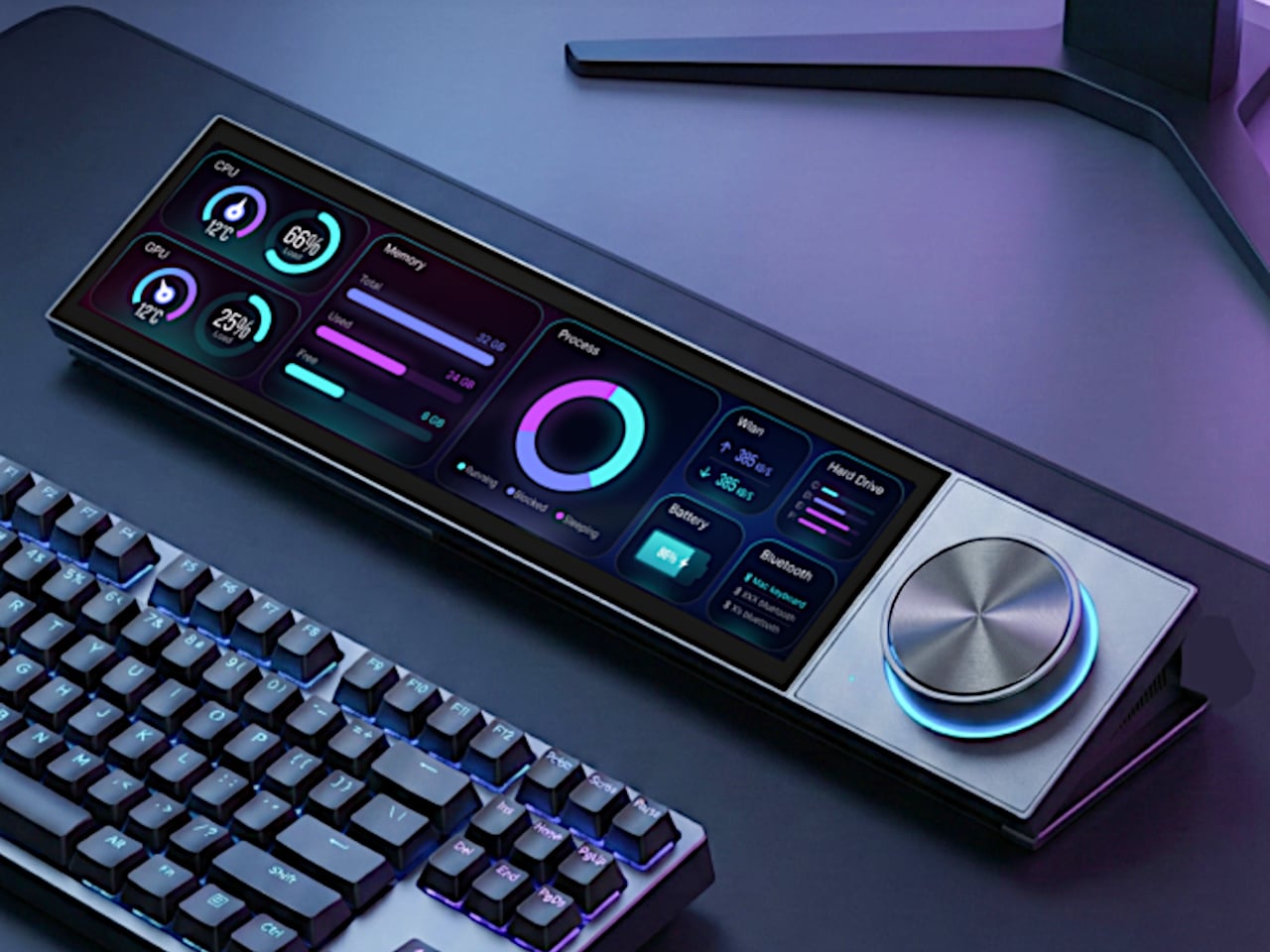
UltraBar X tries to consolidate that chaos into a single, modular strip that lives under your monitor. Built around a long, wedge-shaped bar with an ultra-wide display, it acts as a command center for your computer, applications, and even your smart home devices. Instead of a fixed product, it works more like a platform where you snap on magnetic modules to build the exact control surface your desk needs.

Designer: Team UltraBar

Click Here to Buy Now: $289 $429 (33% off). Hurry, only 379/500 left! Raised over $178,000.

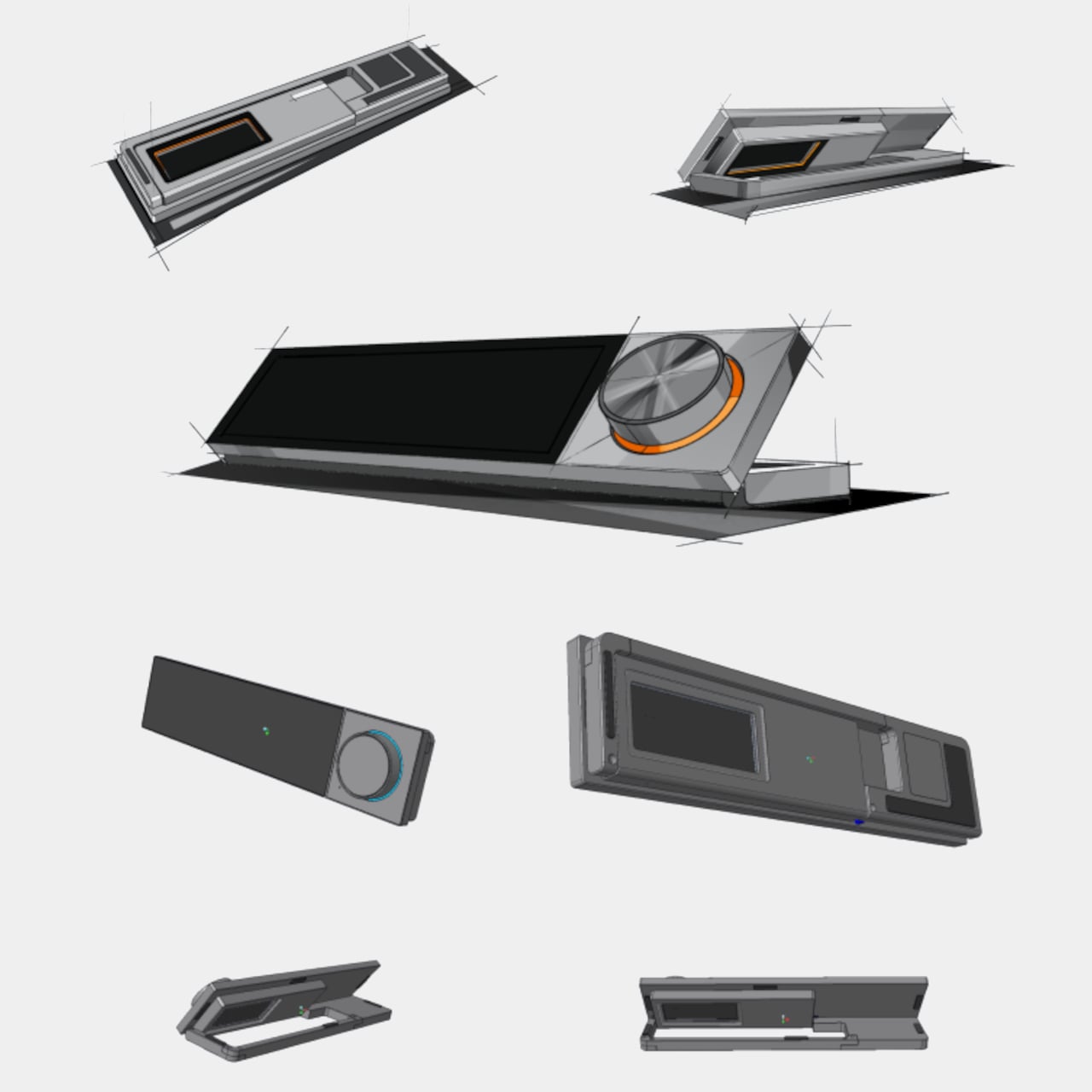
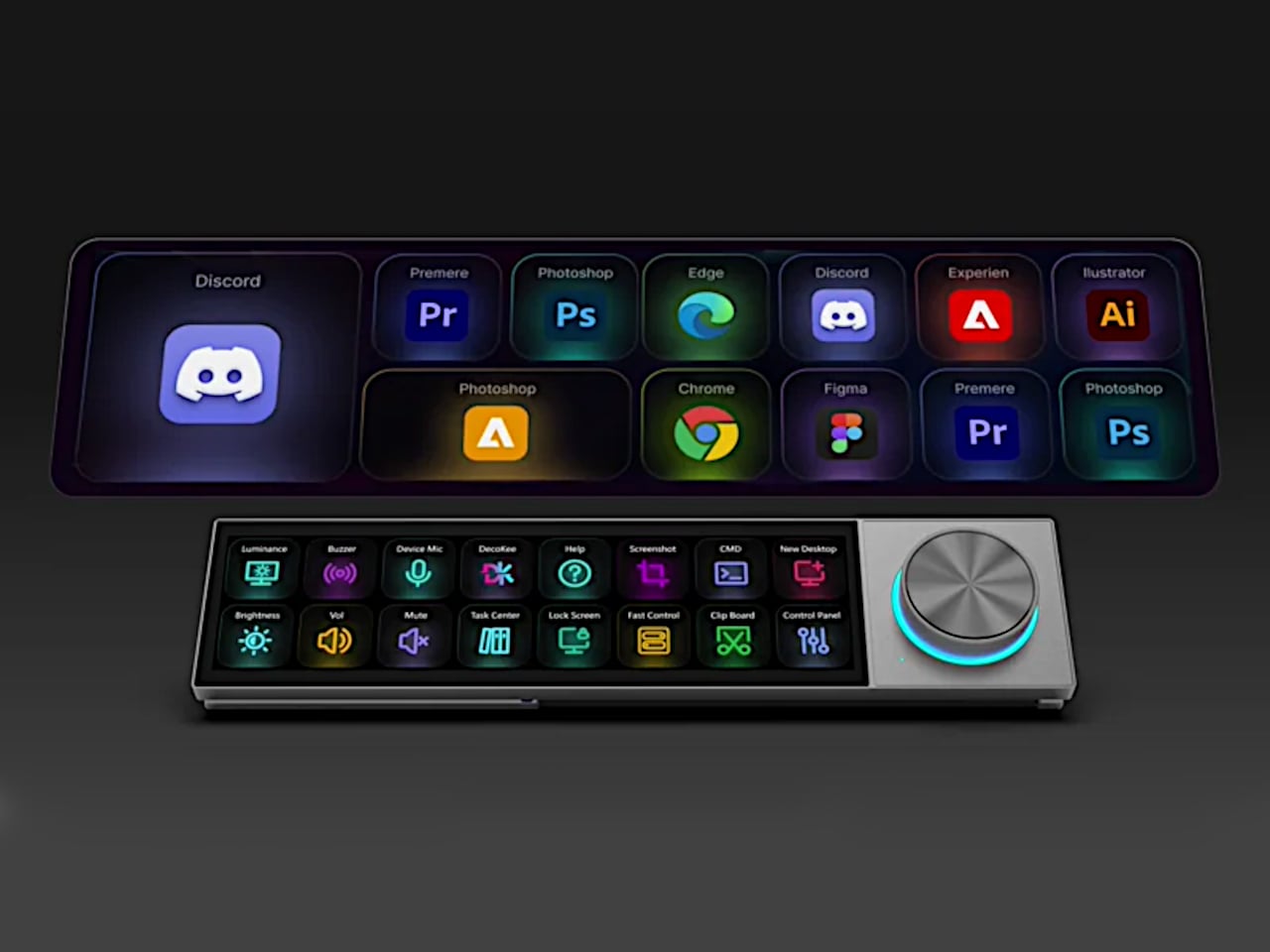
The central piece is CoreBar, a low, seven-inch display wedge-shaped bar tilted at forty-five degrees so it’s easy to glance at without adjusting your posture. The screen shows clocks, system stats, app icons, and customizable scenes that change based on what you’re doing. Tap the screen to wake your PC, jump between apps, or trigger macros, all from a touch interface that sits right where your hands naturally rest.

What makes the system feel different is how the magnetic modules expand it. DotKey snaps onto the side and brings a cluster of Cherry MX mechanical keys for shortcuts and macros. KnobKey adds a precision rotary dial that clicks crisply as you turn it, perfect for adjusting volume, brush size, or timeline scrubbing. VivoCube is a tiny controller with its own AMOLED screen and switches, small enough to hold or dock alongside the bar.

Of course, there’s also SenseCube, the environmental sensing module. Inside its small triangular shell are millimeter-wave radar and sensors for light, temperature, humidity, and vibration. This gives your desk a kind of ambient awareness, letting it detect when you sit down, notice changes in lighting, or respond when the room gets too warm. The workspace starts to feel less static and more responsive without constant input.

A typical morning might look like this. You walk up to your desk and tap CoreBar to wake the PC, which also brings up a layout tuned for writing and email. The mechanical keys are mapped to window management shortcuts, while the knob handles scrolling through long documents. Later, a single press shifts CoreBar into a design layout, and pretty much the same modules now control brush size, zoom, and layers in Photoshop or Illustrator.

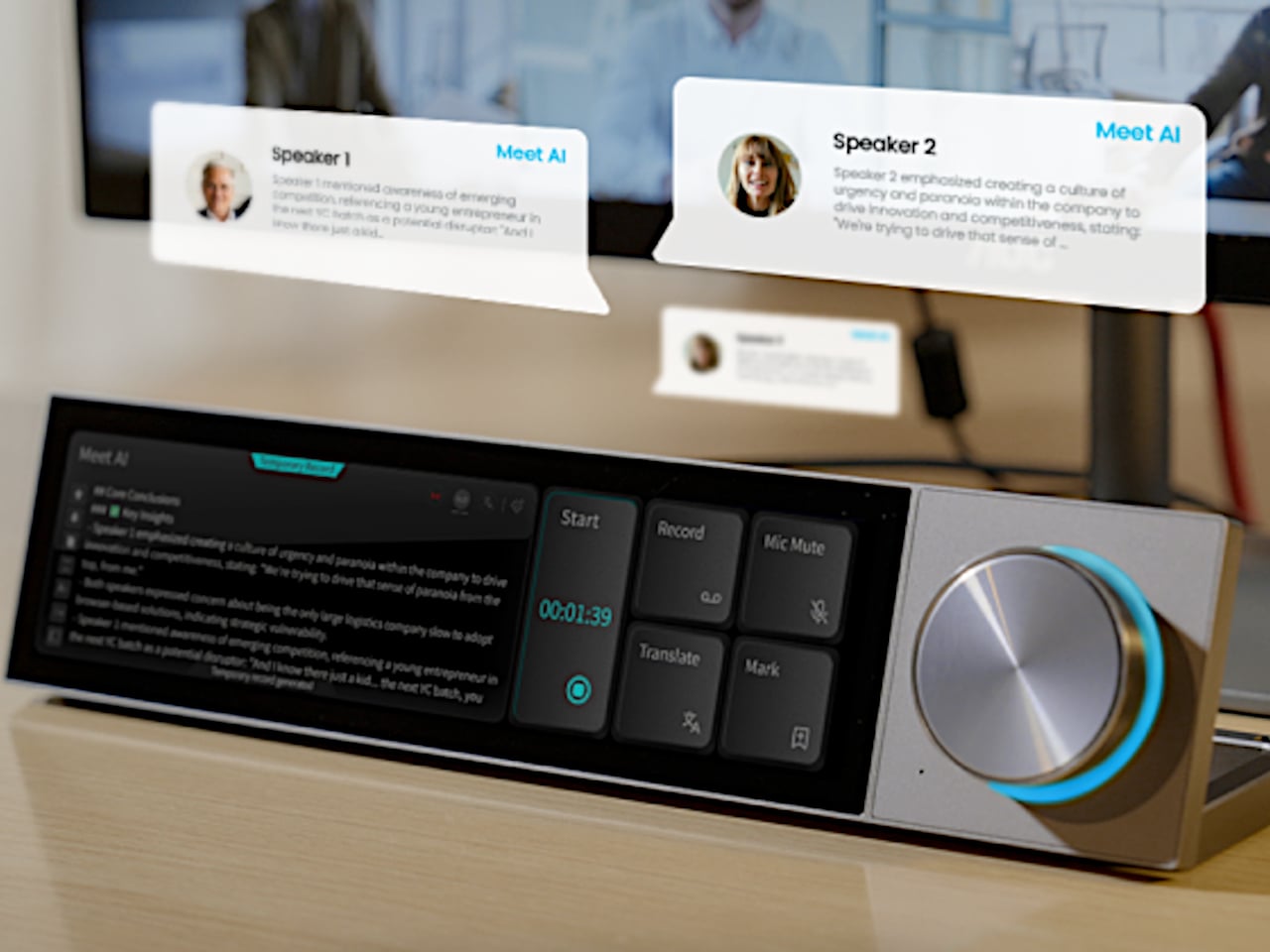
The system doesn’t stop at the screen. Through its network connection, CoreBar can talk to Philips Hue lights to adjust the room based on your focus mode, or trigger a Sonos playlist with a single tap on an icon. The same bar that manages your open apps can also dim the lights or change the soundtrack, turning your desktop into a bridge between your computer and the rest of your space.

What keeps the experience from feeling overwhelming is how the software handles it. CoreBar runs a custom system with an app store and a library of templates for different workflows. Programmers get layouts for terminal, debugging, and IDE shortcuts. Designers get knobs and keys for brushes and layers. Streamers get scene controls and quick mutes. These templates bundle icons, animations, and logic, so you can load a complete setup without building from scratch.

That said, the modular approach means the system can grow over time. You can start with just CoreBar and add modules as you figure out what you actually need, swapping them in and out as your workflow shifts. The QuantumLink magnetic protocol means modules snap on, get recognized instantly, and can be reconfigured in seconds without tools or menus.

UltraBar X is made for people who enjoy shaping their tools rather than accepting whatever default interface their operating system provides. It doesn’t replace your keyboard or mouse, but it gives the space under your monitor a clear job beyond collecting dust and cable clutter. For anyone tired of juggling separate devices or hunting through nested menus, a modular bar that can sense, adapt, and consolidate feels like a thoughtful step toward desks that work the way you do.

Click Here to Buy Now: $289 $429 (33% off). Hurry, only 379/500 left! Raised over $178,000.

The post UltraBar X Replaces Your Stream Deck, Volume Knob, and Phone Apps first appeared on Yanko Design.
Tiny USB-C accessory adds a physical volume slider to your laptop

Laptops are getting thinner and smaller, but their functionality is getting even more powerful. The usually means plenty of things to control, and some of them need to be reached faster than digging through menus and clicking on buttons. Keyboard shortcuts are, of course, a viable solution, but they can also be cumbersome, complicated, and unintuitive.

Something as normal and as regular as changing the volume, for example, shouldn’t take two keystrokes or scrolling your mouse wheel (which might not exist) over some tiny icon. This simple yet useful accessory brings a bit of sanity and physicality to that action on laptops, at least if you have an extra USB-C to spare.

Designer: Pavel Burgr

Depending on your laptop’s keyboard layout and settings, turning the volume up or down can involve one or two keystrokes. The problem is that the location of these keys is inconsistent across keyboards and laptop brands, and they’re not exactly memorable or intuitive in their location. Having dedicated volume keys would be nice, but it could be a waste of precious space on the keyboard.

SoundSlide attacks that problem from a different angle by providing a physical volume control that you can connect and remove as needed. It’s a rather small object, smaller than a USB-A port and only 3.5mm thin, so it barely sticks out from the side of your laptop. It does connect via a USB-C port, and when it does, it gives you a way to actually feel like you’re raising or lowering your laptop’s volume.

The flat capacitive surface has exposed gold contacts that translate the sliding gestures to volume controls. A tap also mutes or unmutes the volume, giving you instant physical control without having to second guess which keys to press. It’s also promised to work out of the box on Windows, macOS, and even Linux, so you can use it without any setup or configuration. That said, you can also change a few settings such as sensitivity, orientation, and custom gestures using a Web-based interface.

The catch to this almost wonderful trinket is that it does occupy a USB-C slot. Some laptops have a limited number of ports, so you’re sacrificing what could be a potentially critical connection. That said, you don’t always need to have SoundSlide connected, so it’s not like you’re permanently losing an important USB-C port either.

The post Tiny USB-C accessory adds a physical volume slider to your laptop first appeared on Yanko Design.
Control panel concept brings buttons and knobs to your creative workflow

With great power comes great complexity. We’re way past the time when only TVs and entertainment systems needed remote controls. Now with multiple smart home appliances, devices, and apps, the need for a single place to control all these becomes even more important. You could use your smartphone, but switching between a master control app and your other apps puts unnecessary steps in between.

The Stream Deck paved the way for a specialized control panel for, as you might have guessed, live streaming, but its use has now expanded to other places as well. There are now more players in this somewhat niche market, many of whom simply try to copy the pioneering product. This design concept, however, envisions something a little different, offering not only more precise controls but also more flexibility to cater to almost any need.

Designers: Mariana Aréchiga, Isaac Saldaña, Ricardo Zerón

Cooler Master just launched its innovative modular MasterHUB, but there are still other ways to skin the proverbial feline, as they say. In theory, modular design might be able to adjust to almost any use case, but that also sometimes brings unnecessary complexity for people who need a powerful yet compact tool. They might need all the bells and whistles, but they will still probably appreciate the dials and buttons.

The Master Deck concept tries to condense the power of the MasterHUB into a simpler form that still has the basics you need. There are six dynamic buttons whose icons can change depending on the app or mode. There are two dials on one side that can be used for incremental changes, with a display strip beside it that shows what setting it’s set to affect. On the opposite side is a large “master control” dial with a hexagon-shaped button at its center for confirming actions.

Those, however, aren’t the only things that make this concept design unique. The foldable legs beneath it, for example, allow you to set it up at an angle in either direction, supporting both right-handed and left-handed people. It would also function wirelessly, letting you set it up anywhere on your desk as needed. There’s also the idea of making the design available in different colors to match different aesthetic tastes, not just the typical white and black of other products in the market today.

The concept also comes with a sidekick display panel that, with the right stand or dock, can be placed anywhere on your desk or even on your monitor. This can act as a second screen for displaying stream chats, the currently active settings, or other pieces of information you want to see at a glance. Even without this, however, the Master Deck concept is already a step up from other Steam Deck alternatives, offering more flexibility without the added complexity.

The post Control panel concept brings buttons and knobs to your creative workflow first appeared on Yanko Design.
Analogue 3D console lets you enjoy classic Nintendo 64 games in 4K

Want to reexperience the Nintendo 64 as it was meant to be without any compromises in gaming experience? One is the graphics that are hard to emulate on modern screens in 4K via HDMI. Then Analogue 3D has got you covered if you’ve got the game console cartridges and controllers stashed in your library. It’ll come with an in-built bespoke 4K-upscaler and original display modes for a lag-free method to enjoy your classic titles how you want.

Analogue who previously created versions of the Game Boy, NES and Sega Genesis, has finally revealed that the long-awaited clone console will arrive in Q1 2025, and you can preorder it from 21 October (11 AM ET onwards) for $250. This console powered by 3DOS (the evolution of AnalogueOS) comes with features including support for saved states and capturing screenshots.

Designer: Analogue

The original Nintendo console’s vibe is intact with power and reset buttons. In case you’ve got no controller to go with the 3D console or want a modern compatible controller to play, they’ve got you covered there as well. They’ve collaborated with 8BitDo to redesign a N64 controller that’s got all the buttons to make you go crazy. As I mentioned, it’ll work fine with old cartridges and has an expansion pack built-in. It will be safe to say, the console can save your game progress and might even have the trickery to import your old saved progress back from the late 90s.

The 8BitDo N64 controllers will cost $40 a piece and the complete package will cost $290. These modern controllers will have a Hall effect stick and will be compatible with Switch, PC and Android as it has support for D-input and S-input modes. Since we are talking Analogue here, you will only get the console in two colors – black or white – and controllers from their website or via third-party resellers. Given the N64 can be a big hassle with emulators, the Analogue 3D is a big win since you’ll play right from the source. Therefore, you can expect a glitch-free experience playing titles like Super Mario, FIFA 99, or The Legend of Zelda.

The post Analogue 3D console lets you enjoy classic Nintendo 64 games in 4K first appeared on Yanko Design.