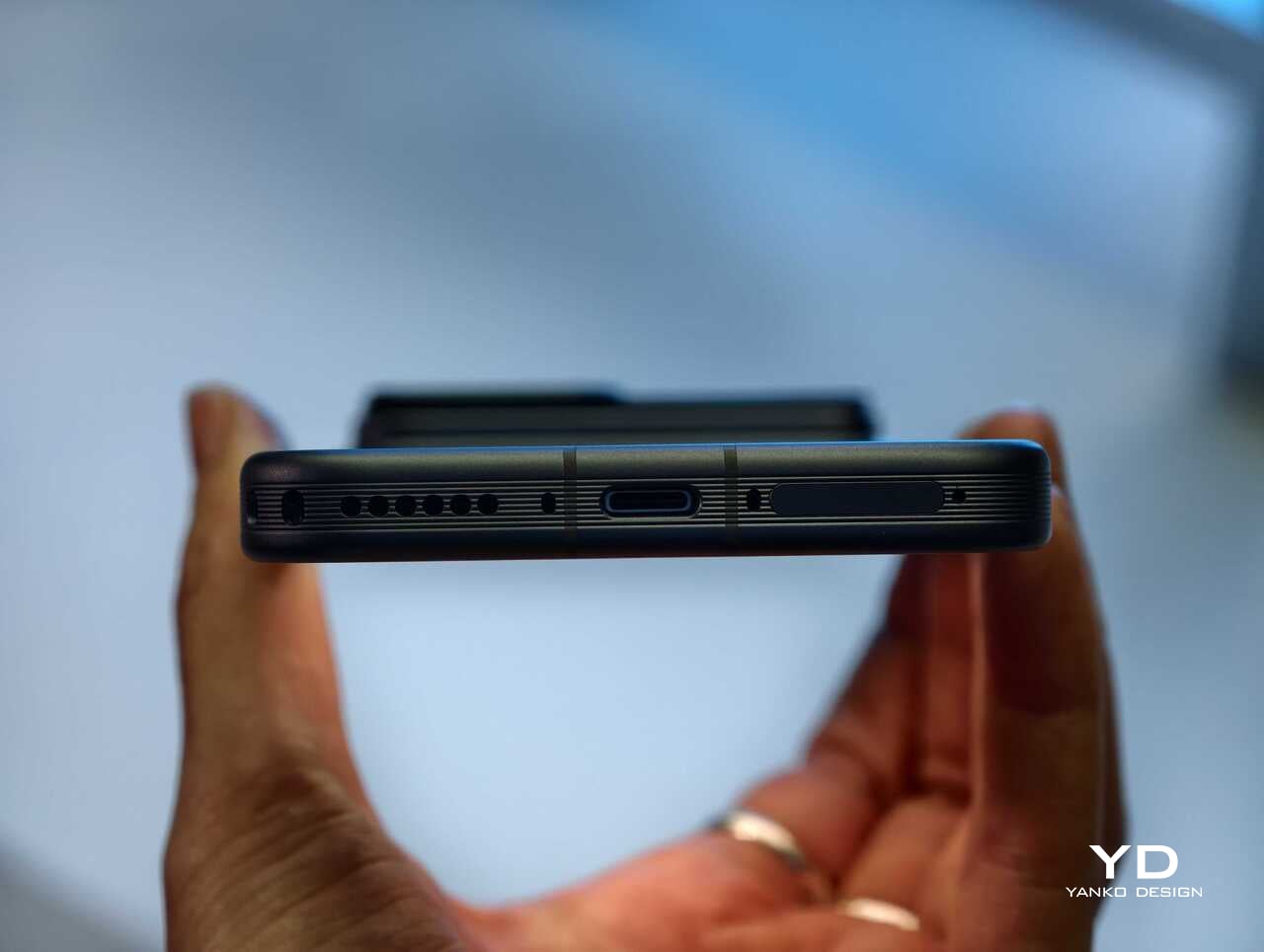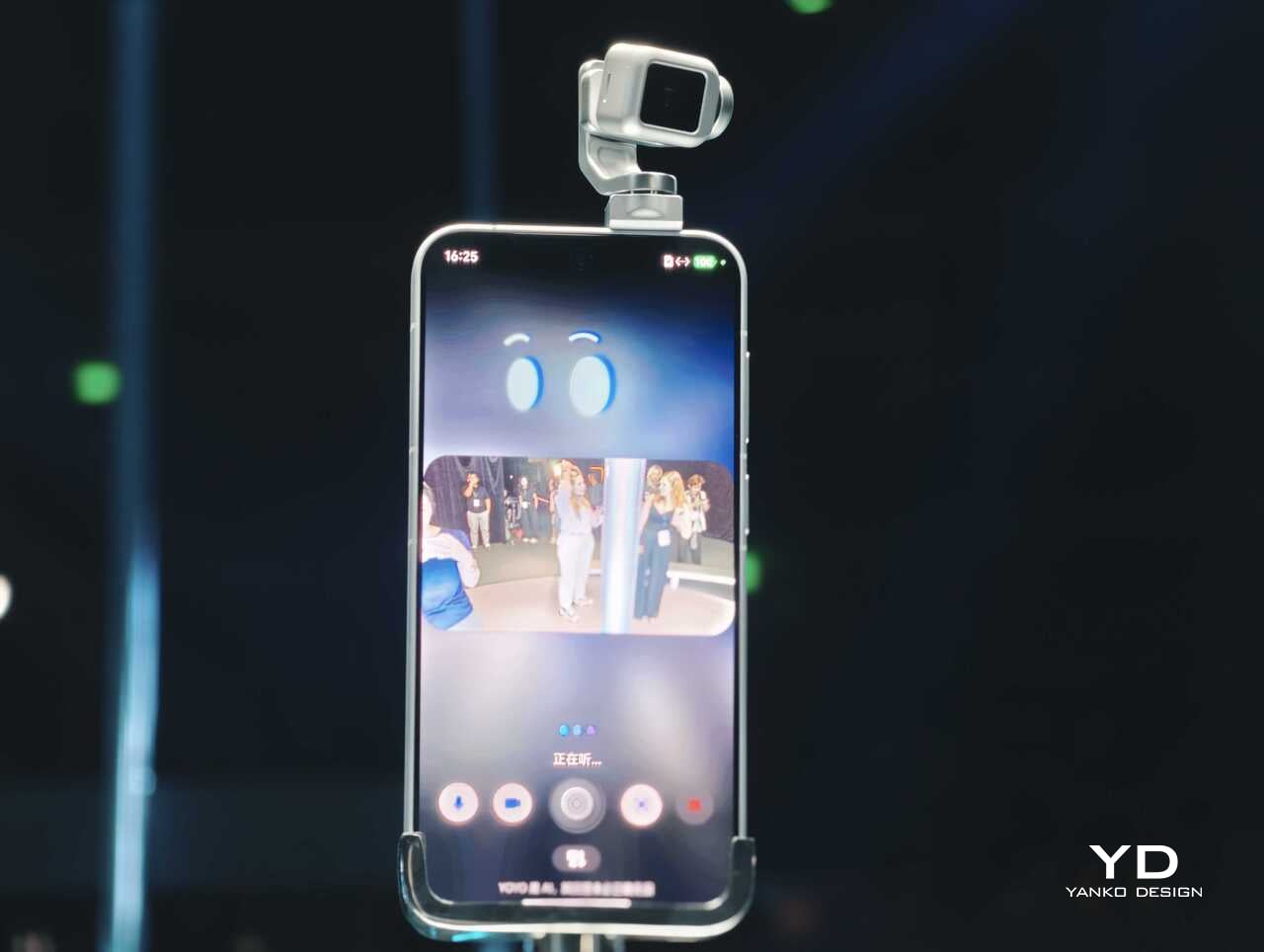
Honor Magic8 Pro Review: Brilliant Night Shots, Big Battery, Built to Last

PROS:


  • Versatile camera system with great low-light performance

  • Comfortable ergonomics

  • Comprehensive AI features

CONS:


  • Some users will prefer a completely flat screen instead of the gentle curve.

  • Slower shutter speeds, especially in low light

  • No teleconverter-style telephoto option like some close rivals offer

RATINGS:

AESTHETICS
ERGONOMICS
PERFORMANCE
SUSTAINABILITY / REPAIRABILITY
VALUE FOR MONEY

EDITOR'S QUOTE:

The Honor Magic 8 Pro feels like a carefully considered flagship, not a spec stunt. It mixes bold battery life, a genuinely comfortable design, and a playful yet reliable camera system with impressive low light performance, then adds long-term software support to tie it all together.

You might already have seen the Honor Magic 8 Pro, and you might already know all the specs. You might have caught its debut in China or noticed it arriving in parts of Asia and the Middle East last year. Now, Honor is finally bringing this big battery, big camera flagship to Europe, where it steps onto a larger global stage.

On paper, the Honor Magic 8 Pro is all about a trio of promises. It leans on a suite of AI features that aim to make the phone feel smarter and more helpful in the background. It builds around a camera system that claims strong low-light performance and long-range telephoto power. It wraps everything in a premium OLED display that is bright, sharp, and clearly meant to impress the moment you turn it on.

Aesthetics

At first glance, the Honor Magic 8 Pro looks like a confident evolution of modern flagship trends rather than a radical break. It will look very familiar if you have seen the Honor Magic 7 Pro, with a similar silhouette and camera layout that signal continuity rather than reinvention. The proportions, curves, and overall stance feel like a refined second draft rather than a fresh sketch, which can be reassuring if you liked the previous generation.

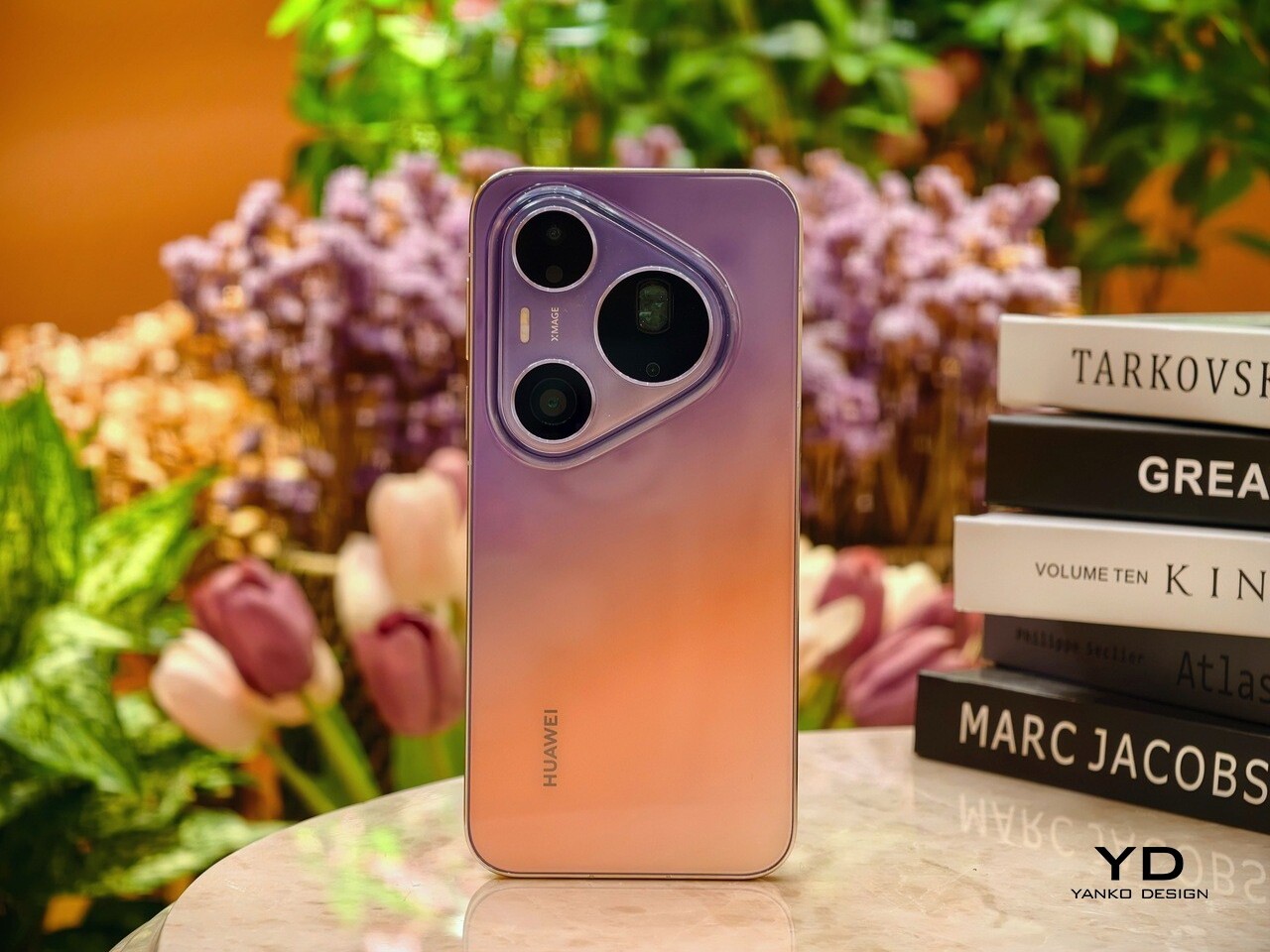
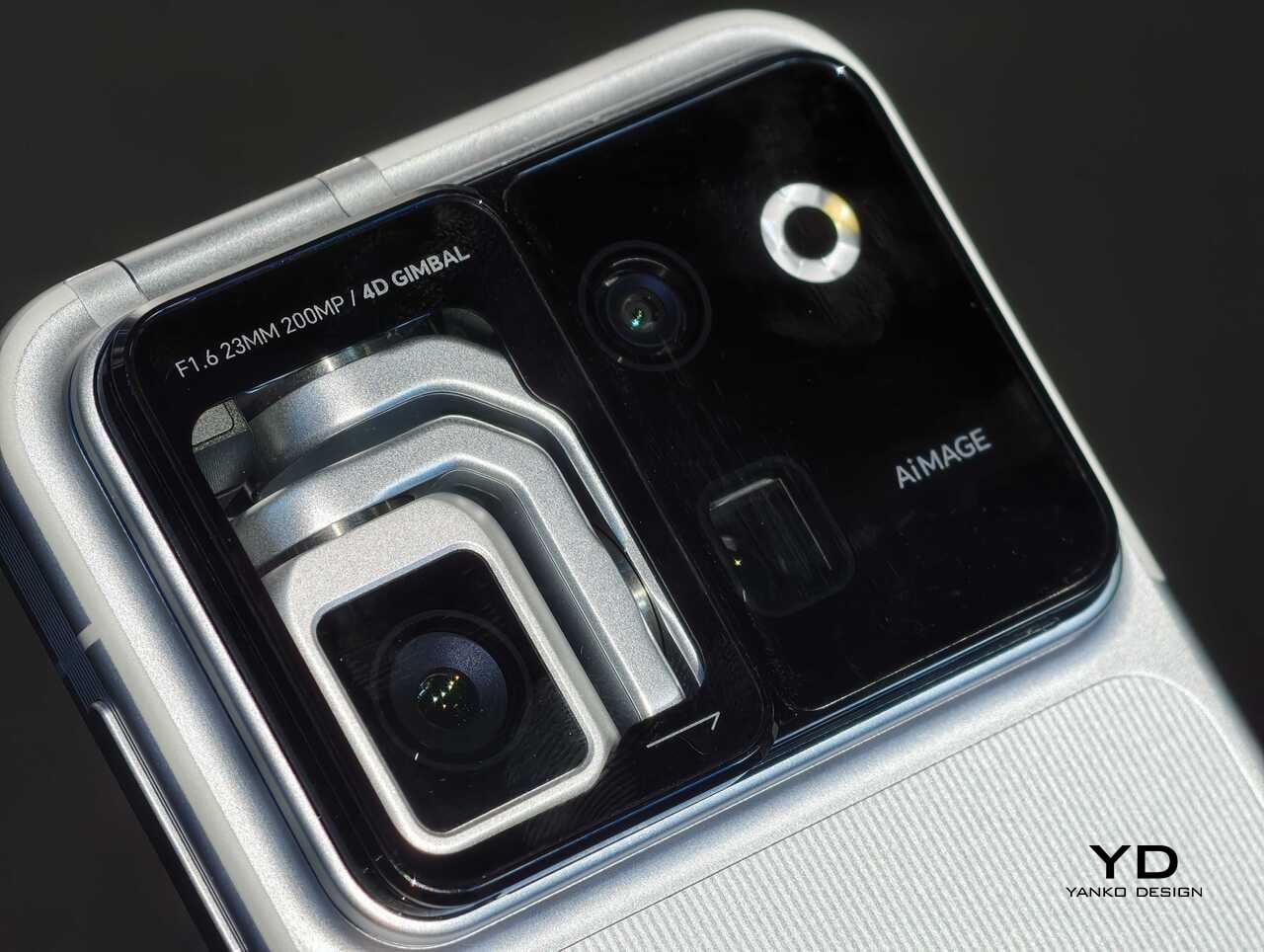
Honor uses a large camera island that feels more like a sculpted element than a simple bump, and the overall back design reads as deliberate and composed rather than purely functional. The round camera unit sits on a raised, rounded square plate with ring chamfers, which adds depth and a sense of jewelry-like layering when light hits the edges. The black camera unit houses four circles, three of which are actual cameras, plus a small oval-shaped LED flash that tucks neatly into the composition instead of looking like an afterthought.

Color choices for the Magic 8 Pro include Sunrise Gold, Sky Cyan, and Black. The black unit I received features a matte, frosted glass-like finish that feels understated and professional in the hand. The other two color options also use a matte finish, but they add a subtle wave-like pattern, which gives the phone a more playful, tactile character. All three color variants use a color-matching camera island base and side frame, which helps the phone read as a single, continuous object rather than a sandwich of mismatched parts.

Ergonomics

The Honor Magic 8 Pro measures 161.15 mm x 75 mm x 8.4 mm, and weighs 213 g, which puts it on the lighter side of premium flagship smartphones in this size class. The slightly narrower width and relatively low weight make one-handed use more manageable than you might expect from a phone with such a large display and battery. Honor also sticks with a curved screen while many premium flagships have moved back to flat panels, yet the curve here is very slight, so it feels like it borrows the best parts of both approaches without the usual drawbacks.

The curvature of the side frame and back is carefully tuned, which matters a lot for comfort over a full day. The edges of the otherwise flat side frame curve just enough to soften the contact points without creating a slippery, knife-like profile that digs into your palm. The back panel has a gentle bow that nestles into your hand and helps the phone feel slimmer than the numbers suggest, even when you use it without a case.

Button placement is conventional, with the volume rocker and power button located on the left side where your fingers naturally rest. These are joined by a new AI button placed just below, which works a bit like the camera button on an iPhone and gives you quick access to Honor’s smart features. The AI key is slightly raised and has a distinct click that helps avoid accidental presses, and the ultrasonic fingerprint scanner sits high enough on the display that unlocking and general use feel smooth and natural.

Performance

Honor gives the Magic 8 Pro a 6.71-inch LTPO OLED panel with a 1.5K resolution of 2808 x 1256 px and a 120 Hz refresh rate. The company claims 6,000 nits of HDR peak brightness and 1,600 nits of global peak brightness, and while you will not see those numbers all the time, outdoor visibility is excellent even under strong sunlight. In everyday use, the screen feels crisp, fluid, and bright enough that you rarely have to think about legibility or glare.

The panel supports 1.07 billion colors and covers 100 percent of the DCI P3 wide color gamut, so photos and video look rich and saturated without instantly blowing out detail. Color profiles and temperature sliders let you nudge the tone toward either punchy or more neutral, depending on your taste. It is an easy display to enjoy, whether you are scrolling social feeds, reading long articles, or watching HDR content in a dark room.

Honor also pushes very hard on eye comfort. The Magic 8 Pro stacks features like 4320 hertz PWM dimming, Circular Polarized Display 2, Chip Level AI Defocus Display, Dynamic Dimming, Circadian Night Display, Natural Tone Display, and Motion Sickness Relief. These are meant to reduce eye fatigue, support healthier sleep patterns, and adjust color temperature more intelligently over the course of the day.

Audio gets similar attention. The Magic 8 Pro features dual speakers with a large 8 cubic centimeter sound chamber and Honor’s own spatial audio algorithms, which together offer a richer and deeper sound than you might expect from a slim phone. Volume is strong enough for video watching and gaming, and there is a satisfying sense of width and body to music and dialogue.

Portrait Mode

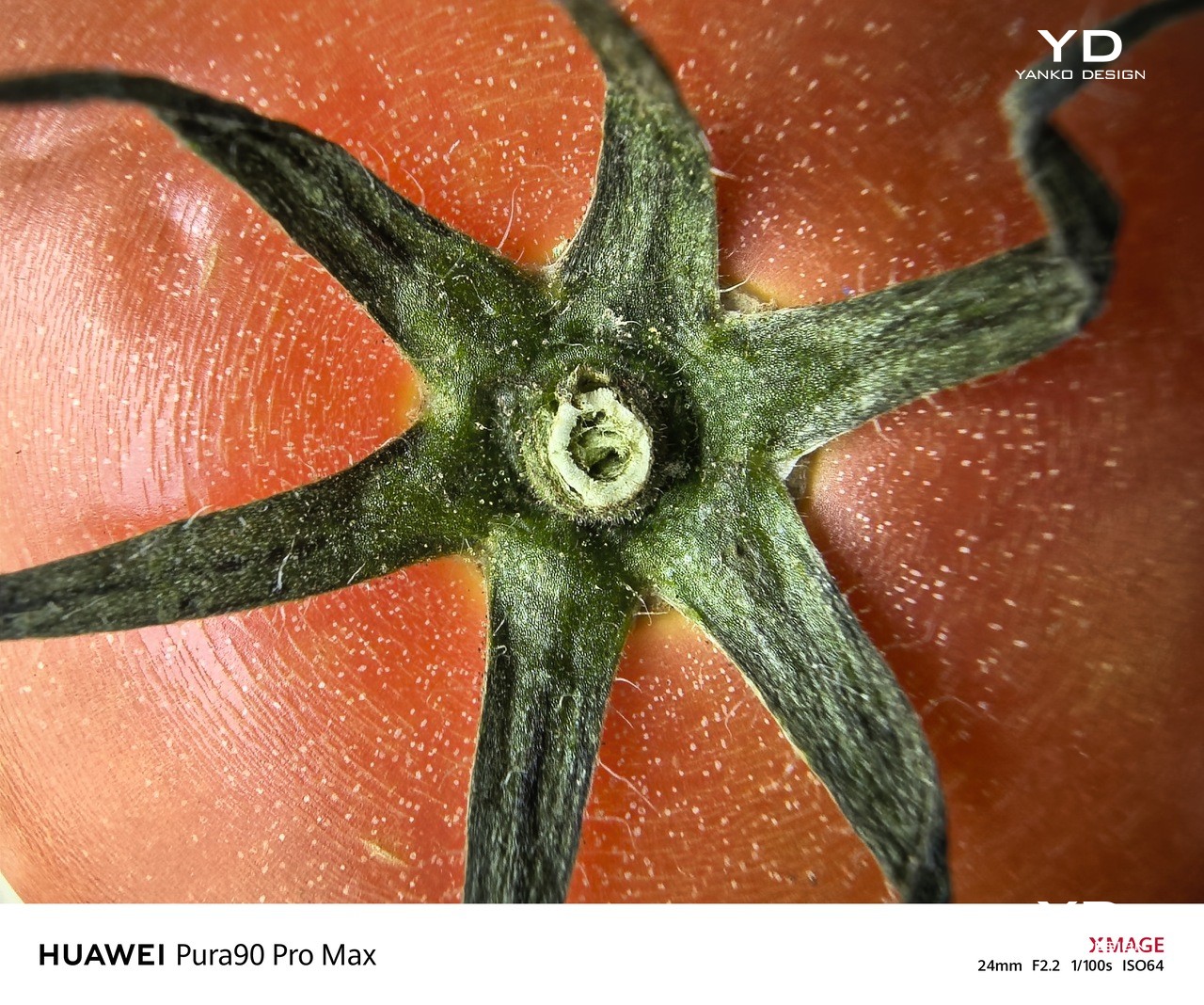
The Honor Magic 8 Pro’s camera system is built to impress on paper and feels very capable in real use, especially once the light starts to drop. At the hardware level, you get a triple rear setup built around a 50 MP main camera with an f/1.6 aperture, a 1/1.3 inch sensor, optical image stabilization, and CIPA 5.5 rated shake compensation. This is joined by a 50 MP ultra wide with an f/2.0 aperture and a 122 degree field of view, plus a headline-grabbing 200 MP telephoto with an f/1.6 aperture, a 1/1.3 inch sensor, optical image stabilization, and CIPA 5.5. Turn it around, and you find a 50 MP front-facing camera for selfies and video calls. Beyond the hardware, Honor has pushed its AiMage system with upgraded image engines that aim to improve detail, color, and low-light performance across all lenses.

The main camera and the telephoto handle most everyday scenes well, with good dynamic range, pleasing color accuracy, and a natural look that avoids heavy over-sharpening. Skin tones in particular look natural, which helps portraits feel more believable and less filtered, even when taken with the phone. Focus is quick and decisive in most situations, so you can frame and shoot without feeling like you are waiting on the phone.

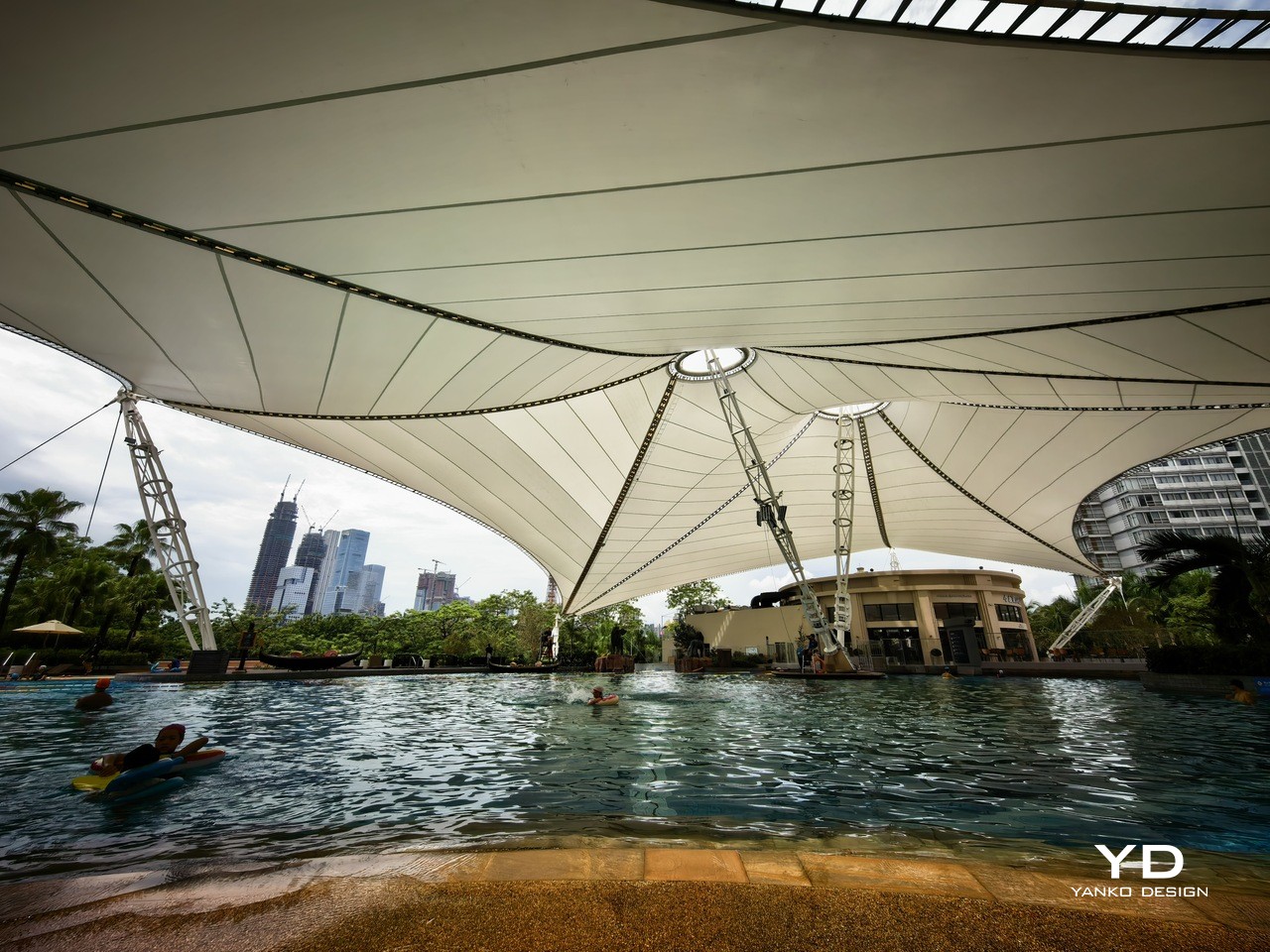
Ultra-wide

In low light, the processing leans toward brightening the entire scene, often making it look noticeably more illuminated than what you actually see with your own eyes, while highlights stay well controlled, so streetlights and signs do not immediately blow out. The trade-off is that shutter speeds tend to be on the slow side, whether you use Night mode or stick with the standard Photo mode, yet stabilization works very well, so handheld shots still come out sharp more often than you might expect from the exposure times involved.

Honor also layers on a few creative tools that make the camera feel more playful. Magic Color gives you professional-like color tuning in a single tap, letting you mimic golden hour warmth or blue hour coolness even when you are not shooting at those exact times of day. Moving Photo now includes Motion Trail, Motion Clone, and Slow Motion effects, which let you capture a bit of motion around your subject and then stylize it without leaving the gallery, so everyday scenes can turn into something closer to a mini motion poster.

Video recording is similarly flexible, though not perfect, with the main camera able to shoot up to 4K at 120 frames per second, while the rest of the rear cameras and the front-facing camera are capped at 4K at 60 frames per second. Stabilization and exposure are solid, but colors can look a bit washed out compared to still photos, and while there is a Log recording option for more serious creators, it is limited to the main camera and only up to a 2x zoom range.

Magic Color – Warm Sunset

Motion Clone

Motion Trail

Inside the Magic 8 Pro, Qualcomm’s latest top-tier processor, the Snapdragon 8 Elite Gen 5 chipset, paired with 12GB of RAM and 512GB of storage, handles everything you throw at it. It is built for high performance in both traditional workloads and AI-heavy tasks. Day-to-day navigation feels snappy, with apps opening quickly and multitasking between social networks, messaging, and media happening without visible stutter. Even with many background apps, the phone maintains a fluid feel that matches its premium positioning.

Honor gives the Magic 8 Pro a dedicated AI button and plenty of AI features, including tools for image editing and productivity. A long press on the AI button analyzes whatever is on screen and suggests context-aware actions such as Circle to Search, AI Photo Agent, AI Summary, and Blur Private Info. It does not always guess exactly what you want, yet it genuinely reduces the number of steps between seeing something on screen and acting on it, which makes AI feel like a physical part of the phone rather than just another icon in the app drawer.

If you do not fancy AI, you can still customize its behaviour, so a single press, double press, or press and hold can trigger different actions. That flexibility turns the AI button into a handy shortcut for whatever you use most, whether that is voice control, the camera, or a specific app you open dozens of times a day. Over time, it starts to feel less like a novelty and more like a small, well-placed tool that quietly adapts to your habits rather than forcing you into a specific way of using the phone.

The Magic 8 Pro packs a 6,270 mAh silicon carbon battery, which is still huge by flagship standards even if it is not quite as oversized as some of the more extreme phones on the market. In everyday use, that capacity translates into very comfortable endurance, with enough headroom to get through a heavy day and, for lighter users, even stretch into a second. Charging is handled by HONOR SuperCharge at up to 100 W wired and up to 80 W wireless, so topping up never feels like a chore, whether you plug in or drop it on a stand.

Sustainability

Honor approaches sustainability on the Magic 8 Pro through durability and longevity rather than bold recycled material claims. The phone carries IP68, IP69, and IP69K ratings, so it is protected against dust, immersion, and even high-pressure water jets, which makes it easier to treat as a true everyday object instead of something fragile. On the front, the HONOR NanoCrystal Shield promises up to ten times better drop resistance than conventional glass and is backed by an SGS 5 Star Drop Resistance Certification, which should help it survive the usual pocket and desk-level accidents with fewer scars.

Software support is the other major part of the story. Honor promises seven years of OS updates for the Magic 8 Pro, which puts it among the longest supported Android phones and encourages you to keep it far beyond a typical two or three-year cycle. Combined with the robust build and strong water resistance, that long support window turns the Magic 8 Pro into more of a long-term device and less of a short-lived gadget, which is a practical, user-friendly angle on sustainability.

Value

In the UK, the Honor Magic 8 Pro is priced at £1,099.99, around $1,350, for the model with 12 GB of RAM and 512 GB of storage. That puts the phone firmly in the ultra-premium flagship space, yet the pricing is aggressive in a quiet way when you line it up against the obvious rivals. An iPhone 17 Pro Max with 512 GB of storage sits noticeably higher on the price ladder, and a Samsung Galaxy S25 Ultra with 512 GB tends to land in a similar or slightly higher bracket once you match storage. Honor counters with a bigger battery, a well-balanced, great-performing camera system, and very fast wired and wireless charging, which helps the package feel competitive even without the same brand pull.

If you look at closer competition, the Magic 8 Pro sits more naturally alongside phones like the Vivo X300 Pro and Oppo Find X9 Pro. All three offer well-rounded flagships with industry-leading camera performance and a strong focus on telephoto. Both the Vivo X300 Pro and Oppo Find X9 Pro add teleconverter-style lenses for extra flexibility, while Honor leans on well-integrated AI features, a display with one of the most complete eye comfort feature sets on the market, and long software support to make its case.

Verdict

The Honor Magic 8 Pro feels like a very confident statement from Honor. It is not chasing a single headline spec at the expense of everything else. Instead, it combines a sleek design, a genuinely comfortable in hand feel, a bright and eye-friendly display, and a camera system that is both capable and fun, then backs it all with a huge battery and long-term software support.

It is not perfect. Video colors could be richer in some scenarios, the shutter can feel slow, and the price is firmly in ultra-premium territory. Yet when you look at the full package, especially the 6,270 mAh battery, the long OS support, the AI implementation, and the well-tuned cameras, the Magic 8 Pro stands out as one of the more thoughtful big flagships of this cycle. If you want a phone that looks and feels high-end, lasts all day and then some, and leans into AI without feeling gimmicky, this is a very easy device to recommend.

The post Honor Magic8 Pro Review: Brilliant Night Shots, Big Battery, Built to Last first appeared on Yanko Design.
I checked out Motorola razr fold at CES 2026, and I’m excited for its launch

Motorola’s razr has generated quite a bit of attention and gained loyal fans in the niche flip segment. Now, Motorola is expanding the iconic razr family with a bold new chapter in foldable design, introducing the Motorola razr fold as its first book-style foldable. A lot is still under the cover, but here is what we learned from the preview at CES 2026, and even in this early look, the device already feels like a significant step for the razr line.

From the outside, the Motorola razr fold presents a slim, striking silhouette anchored by a 6.6-inch external display. This outer screen gives you a familiar candy-bar style experience for everyday tasks and quick interactions, so it behaves much like a standard flagship when closed. It helps the phone feel practical and complete on its own, rather than a secondary screen you only tolerate between unfolds.

Designer: Motorola

Open the device, and it transforms into an 8.1-inch 2K LTPO inner display. This larger panel stretches into a tablet-like space that invites multitasking, media, and creativity in a way a normal phone simply cannot match. Both the outer and inner displays support the moto pen ultra stylus, adding precision for note-taking, sketching, and editing when you want a more deliberate, pen-driven experience.

In hand, the hinge feels sturdy yet pleasantly smooth to open and close. It gives a reassuring sense of durability without feeling overly stiff or crunchy during use. The design is not completely gapless when folded, but it comes close enough that the profile still looks clean and modern.

The crease on the inner display is also handled well and is not very noticeable. It tends to fade from view once the content is on screen. This helps the large display feel more like a single continuous canvas rather than a technical compromise.

For the camera, the Motorola razr fold is built around a versatile triple 50MP system on its rear. The main 50MP camera features a Sony LYTIA sensor, although the exact model is not revealed, suggesting Motorola is still keeping some details in reserve. Alongside it, a 50MP ultra-wide camera and a 50MP 3x periscope telephoto camera round out the array for sweeping scenes, tight interiors, and distant subjects.

For selfies, the Motorola Razr fold features a 32MP camera in the external display and a 20MP camera on the internal display. The outer selfie camera works with the large cover screen, making it easy to frame high-quality shots while the phone is closed and still feel fully in control. The inner camera is positioned for video calls and content capture when you are using the big internal display, keeping the experience consistent in both folded and unfolded modes.

Motorola offers two colors, PANTONE Blackend Blue and PANTONE Lily White. These finishes give the phone distinct personalities, from deeper and moodier to lighter and more minimal, so the hardware can better match different style preferences. It also has a textured matte back, which is pleasant to touch and helps the device feel secure in the hand, adding a subtle sense of grip and refinement. Although the exact launch timing of the Motorola razr fold remains unknown, it has already been gaining a lot of attention and looks poised to push the razr name firmly into the book-style foldable space.

The post I checked out Motorola razr fold at CES 2026, and I’m excited for its launch first appeared on Yanko Design.
Realme 16 Pro+ Review: Naoto FUkusawa Helped Make a Battery Beast Beautiful

PROS:


  • Sleek design by Naoto Fukusawa

  • Strong portrait camera performance for the price range

  • Huge 7,000mAh battery with 80W wired charging

CONS:


  • Snapdragon 7 Gen 4 is carried over from the previous generation

  • No wireless charging

RATINGS:

AESTHETICS
ERGONOMICS
PERFORMANCE
SUSTAINABILITY / REPAIRABILITY
VALUE FOR MONEY

EDITOR'S QUOTE:

By combining Naoto Fukasawa’s Urban Wild design with a 7000 mAh battery and a sharp 200 MP portrait camera, realme 16 Pro+ proves that refinement and stamina can matter more than chasing raw benchmark numbers.

The realme 16 Pro+ seems to be a modest upgrade in the company’s Number Series. While it is not packed with major improvements in every area, it tries to win you over as a well-rounded package built around design, battery life, and cameras. On paper, it still reads like a wish list: a 200 megapixel main camera with 3.5x telephoto, a 6.8 inch 144 Hz AMOLED display, a 7000 mAh battery with 80 W charging, IP68 and IP69 protection, and a Naoto Fukasawa-designed back made from bio-based silicone.  

It also arrives with a few important caveats. The Snapdragon 7 Gen 4 chipset is carried over from the realme 15 Pro rather than being a big step up, and the rumoured pricing pushes the 16 Pro+ toward affordable flagship territory rather than a classic, value mid-ranger. That raises a clear question. Does the mix of master level design, big battery stamina, and creator-focused camera hardware do enough to justify the price, or are you better off with a more conventional spec monster? We took a closer look.

Designer: Naoto Fukasawa x realme

Aesthetics

For the realme 16 Pro+, realme partnered again with world-renowned product designer Naoto Fukasawa. The brand has previously collaborated with Fukasawa on the realme X Master Edition, X2 Master Edition, GT Master Edition, and GT2 Pro Master Edition, and this new phone continues that lineage. The design fuses natural elements with contemporary style in what realme calls the Urban Wild Design, aiming to bring a calmer, more tactile character to a very modern device.

The Urban Wild Design is articulated through a deliberate contrast of the mirror-polished camera deco set against a natural texture back panel. The back is built around what realme calls a Metal Mirror Camera Deco, a mirror finish metal plate that frames the lenses like a piece of jewellery on top of a matte, softly grained surface. The back panel uses a bio-based organic silicone derived from plant-based straw, processed with an eco-friendly method that the brand positions as an industry-first eco material. The result is a surface that feels soft, finely textured, and grippy, with a visual warmth and calmness you do not usually get from glass or glossy plastic.  

The 16 Pro+ comes in two colors in most markets. Master Gold is described as the soft golden glow of ripened wheat, with a gentle shimmer that catches the light without looking flashy. Master Black is inspired by the smooth, muted sheen of river pebbles, giving a more understated and refined look. Each variant features a color-matched mirror-polished camera bump and side frame, so the camera island, mid frame, and back panel read as one coherent piece rather than separate parts.

Ergonomics

On paper, the realme 16 Pro+ is not a small phone, yet it feels more considered than the raw numbers suggest. The phone is 8.49 mm thick and weighs 203 g, which puts it firmly in the large phone camp without feeling unwieldy. The square camera bump does not protrude too much, and its sloped edges merge into the back panel to create a smooth transition. The back panel resists fingerprints and smudges quite well, though the glossy camera bump is a different story and picks up marks easily.  

Thanks to the balanced weight and the gentle flow from the slightly curved display to the slightly curved side frame to the slightly curved back panel, the phone is very comfortable to hold in the hand. The volume rocker and power button are positioned where they are easy to reach, so basic controls fall naturally under your fingers. The fingerprint scanner, on the other hand, sits close to the bottom edge of the screen, which makes the move from unlocking the phone to actually using it feel a bit less smooth than it could be.

Performance

Since there was no Pro+ version of the realme 15, there is no direct predecessor of the realme 16 Pro+, but many specs are unchanged from the realme 15 Pro, including the chipset. The 16 Pro+ is powered by Snapdragon 7 Gen 4, Qualcomm’s upper mid-range chipset. While it does not deliver brute flagship power, it is more than strong enough for long gaming or browsing sessions without noticeable throttling. In daily use, the chipset has no trouble keeping up with realme UI 7.0, based on Android 16. Swiping through the 144 Hz interface feels fluid, apps open quickly, and multitasking between social media, messaging, and browsing remains consistently smooth.

The realme 16 Pro+ features a 6.8-inch AMOLED display with a 1280 by 2800 resolution and up to 144 Hz refresh rate. According to the spec sheet, it supports a 240 Hz touch sampling rate, 1.07 billion colors, 100 percent DCI P3 coverage, a 5,000,000 to 1 contrast ratio, and a peak brightness of 6500 nits. It is a sharp, bright, and vibrant panel that looks flagship-grade and comfortable in day-to-day use.

Realme brings a 200 megapixel camera to its Number Series for the first time. The triple camera setup consists of a 200 MP main camera, a 50 MP 3.5x telephoto camera, and an 8 MP ultra wide camera, with a 50 MP front-facing camera handling selfies. In the camera app, you can choose between Vibrant and Natural color modes for the rear cameras, depending on whether you prefer punchier social media-ready shots or a more restrained look.

The 23 mm equivalent 200 MP main camera uses Samsung’s HP5 sensor with an f/1.8 aperture lens and both optical and electronic image stabilisation. It can capture very detailed shots with a wide dynamic range in good lighting conditions, and stabilisation helps keep images sharp when light levels drop. In the standard Photo mode, you also get an AI composition feature that analyses your framing and suggests small adjustments for a stronger composition, nudging you to tilt, reframe, or shift your subject for a more balanced shot. This tool is not available in Portrait mode, but it is genuinely helpful for quick point-and-shoot photography.

The 80 mm equivalent 50 MP 3.5x telephoto camera uses Samsung’s JN5 sensor behind an f/2.8 aperture lens, again with OIS and EIS. Portrait mode lets you shoot at 1x, 1.5x, 2x, 3.5x, and 4x, and results across these focal lengths are consistently strong, with pleasing separation and natural-looking depth. realme also packs in a wide range of dedicated Portrait filters, so you can switch between more cinematic, vintage, or punchy looks without leaving the mode.

The 15 mm equivalent 8 MP ultra wide rounds out the rear trio. It does the job for landscapes, interiors, and group shots, but image quality is more functional than exciting, with less detail and dynamic range than the main and telephoto cameras. On the front, there is a 50 MP OmniVision OV50D selfie camera with an f/2.4 aperture lens. This is unusually ambitious for the class. It can capture crisp selfies with plenty of detail.

As for video, the main and front-facing cameras both support 4K recording at up to 60 FPS. The telephoto and ultrawide cameras are limited to 1080p at 30 FPS, which feels a bit disappointing on the telephoto side, especially given how capable it is for stills. It would have been nice to see at least 4K 30 fps from the zoom camera to fully match the rest of the system.

realme 16 Pro+ is built around a huge 7000 mAh battery, and you feel that capacity in day-to-day use. With this much headroom, it comfortably handles a full day of heavy messaging, social media, camera use, and streaming, and lighter users can easily stretch into a second day without reaching for the charger. When you finally do need to charge, the 80 W wired charging support keeps downtime short.

Sustainability

realme 16 Pro+ makes a stronger effort on sustainability than many mid-range phones. The most visible element is the back panel material. Instead of conventional petroleum-based plastic or glass, realme uses a bio-based organic silicone derived from plant-based straw, processed through an eco-friendly method. It is designed to be safer for the skin, gentler on the environment, and more resistant to aging, dirt, and wear, which should help the phone look fresh for longer and reduce the urge to replace it early.

Durability also plays into sustainability. The phone carries both IP68 and IP69 ratings, meaning it is tested for dust tightness, immersion in water, and high-pressure water jets. In practical terms, that level of protection makes the 16 Pro+ far more likely to survive everyday accidents, from rain and spills to brief drops into water. A device that shrugs off this kind of abuse is less likely to be written off early, which again extends its usable life.

On the software side, realme commits to three years of Android OS updates and four years of Android security patches. That is not at the very top of the industry, but it is long enough that you can realistically keep the phone for a full contract cycle and beyond without falling behind on major features or basic security. Combined with the durable hardware and more sustainable back panel material, it makes the 16 Pro+ feel like a phone designed to be used hard and kept in service rather than quickly replaced.

Value

At the time of writing, realme has not confirmed official pricing, but multiple leaks suggest the realme 16 Pro+ will start at INR 39,999 (around $445) for the 8 GB and 128 GB variant. The 8 GB and 256 GB model is rumoured to land at INR 41,999 (around $470), while the 12 GB and 256 GB version could reach INR 44,999 (around $500).

If these figures hold, the 16 Pro+ will sit at the upper end of the mid-range bracket, nudging into affordable flagship territory. In that context, the phone’s value depends on what you care about most. For users who prioritise a premium design, camera versatility, a truly huge 7000 mAh battery, a bright 144 Hz AMOLED display, and sustainability, the package looks competitive.

Verdict

realme 16 Pro+ is not a revolution for the Number Series, but it is a carefully tuned evolution that leans into design, cameras, and battery life instead of chasing raw specs in every direction. The Naoto Fukasawa Urban Wild Design, bio-based silicone back, and Metal Mirror Camera Deco give it a distinctive look and feel, while the solid ergonomics and IP68 plus IP69 ratings make it more robust than many mid-range rivals. Snapdragon 7 Gen 4 is familiar rather than exciting, yet in practice, it keeps realme UI 7.0 and the 144 Hz AMOLED display running smoothly, and the 7000 mAh battery with 80 W charging turns it into a genuine all-day workhorse.

As for the camera, the realme 16 Pro+ consistently turns out pleasing portraits across its various focal lengths, with good subject separation and flattering rendering. The front-facing camera also performs well. Where things get complicated is value, because the rumoured pricing nudges the 16 Pro+ into premium mid-range territory rather than classic budget-friendly mid-range. If you prioritise a phone that looks and feels special, lasts comfortably through heavy days, and gives you reliable portrait and selfie performance, realme 16 Pro+ makes a strong case for itself even as a modest generational upgrade.

The post Realme 16 Pro+ Review: Naoto FUkusawa Helped Make a Battery Beast Beautiful first appeared on Yanko Design.
These 8 Objects Helped Me Actually Finish 23 Books in 2025

I finished 23 books in 2025, after a few years of stalling out in the single digits. Most of those were physical books because I still love paper more than screens. The big shift was not suddenly having more free time, it was quietly building a set of reading ritual essentials that made sitting down with a book feel easier and more inviting than picking up my phone.

Instead of treating it as a willpower problem, I treated it as a design problem. I fixed how my books stayed open, how my space was lit, how comfortable long sessions felt, and how I handled travel, bathtime, and commutes. These seven reading ritual essentials did not turn me into a speed reader, they simply made reading the most pleasant option in more moments, and that is how I reached 23 finished books.

1. Bookish Bookmark

The Bookish Bookmark ended up being the quiet hero of my reading year. I read a lot of hardcovers and chunky paperbacks, and they used to fight me on every surface, snapping shut or demanding one hand just to hold them open. This clear acrylic piece became one of the first essentials in my reading ritual and changed that completely by sitting across the pages with a gentle curve and enough weight to hold everything flat without stressing the spine.

Because it is transparent, I can read straight through it while my hands stay free for coffee, breakfast, or note taking. It feels more like a small design object than a mere tool, and it looks beautiful left on a table between sessions. I reached for it during more than half of the 23 books I finished this year, especially the thicker novels and reference titles, and it turned physical reading from a small wrestling match into something smooth and effortless.

The Bookish Bookmark ended up being the quiet hero of my reading year. I read a lot of hardcovers and chunky paperbacks, and they used to fight me on every surface, snapping shut or demanding one hand just to hold them open. This clear acrylic piece became one of the first essentials in my reading ritual and changed that completely by sitting across the pages with a gentle curve and enough weight to hold everything flat without stressing the spine. Because it is transparent, I can read straight through it while my hands stay free for coffee, breakfast, or note taking. It feels more like a small design object than a mere tool, and it looks beautiful left on a table between sessions. I reached for it during more than half of the 23 books I finished this year, especially the thicker novels and reference titles, and it turned physical reading from a small wrestling match into something smooth and effortless.

Click Here to Buy Now: $65.00

What I like

  • Works especially well with thick books.
  • Sculptural, minimalist design looks good and feels premium in the hand.

What I dislike

  • Performs best on flat surfaces, so it is less ideal if you mostly read fully reclined or on your side.

2. Anywhere-Use Lamp

Once I solved the problem of books fighting me, I turned to the light around them. The Anywhere-Use Lamp became the anchor of my reading spaces at home, from the sofa to the bedroom to a quiet corner of the dining table. It is a cordless, minimalist lamp with a soft diffused LED that feels more like candlelight than a harsh task light, and a clean cylindrical form that blends into almost any interior.

Touch controls on the body keep the silhouette free of visible switches and make it easy to tap the lamp on and adjust brightness without hunting in the dark. Because it is fully rechargeable and wireless, I stopped being constrained by outlets and cords and could place it exactly where reading wanted to happen. For most of my evening sessions this lamp was beside me, and it quickly stopped feeling like a generic light and started feeling like a core reading ritual essential that quietly supported the majority of those 23 books.

Click Here to Buy Now: $149.00

What I Like

  • Cordless, rechargeable design lets you create a reading nook anywhere.
  • Soft, diffused LED creates a cosy, book friendly atmosphere.

What I dislike

  • Runs on 4 AA batteries, so you either go through disposables or need to charge rechargeable batteries.

3. LightMan Bendable Book Light

Not every reading moment happens in a perfectly styled corner, and that is where the LightMan by RayMay comes in. It looks playful at first glance, like a tiny figure with a glowing head and bendable limbs, but that personality hides a very functional little reading companion. I can clip it to the top of a book, wrap it around a headboard, or stand it on a shelf and then twist its arms and legs until the beam falls exactly where I need it. When I travel, it has become my secret weapon on long flights, because the built in overhead reading light on planes tends to wash a much wider area and I always feel like I am lighting up my neighbour’s space as well as my own.

The beam is bright enough for comfortable reading but soft enough that it never feels like a spotlight in my eyes. It is so compact it disappears into a carry on pocket until I need it. It became my go to solution for late night chapters and travel, quietly helping a handful of those 23 books get finished instead of abandoned, and it now feels like a non negotiable part of my travel reading ritual.

What We Like

  • Compact and lightweight, so it is easy to pack.
  • Playful character shape adds charm.

What We Dislike

  • Runs on coin cell batteries, which you need to replace rather than simply recharging via cable.
  • Light output is tuned for close range reading and is not strong enough to light an wide area.

4. Book Darts

As my reading picked up, I realised I needed something better than a normal bookmark. Book Darts became my favourite functional essential because they mark the exact line, not just the page. They are tiny metal arrows that slide onto the edge of a page and point precisely where you stopped, with a profile so thin that even a heavily marked book still closes neatly.

With a traditional bookmark, I often felt it was not worth opening a book unless I had time for a full section, because I knew I would only be able to save the page, not the last sentence I read. With Book Darts, I can drop one right at the final word, close the book, and know I will land exactly there next time, even if I only had time for a paragraph. I also use the different metal finishes as a simple code, with one colour for quotes I love, one for ideas I want to act on, and another for things I want to revisit later, so the edge of the book becomes a tiny, elegant index of what matters most to me.

What I Liked

  • Line level marking makes micro reading feel worthwhile.
  • Reusable metal construction is more sustainable and durable than disposable tabs or sticky notes.

What I disliked

  • Small size makes them easy to misplace if you are not disciplined about where you store them.

5. Thermo Mug x Paul Smith Double Mag

For my reading ritual, the thermo mug x Paul Smith Double Mag works because it gets both function and design right at the same time. It is a double walled stainless steel mug, so it keeps drinks warm or cold far longer than a regular ceramic cup. On cold days, I love settling in with a hot drink and a book, and this mug keeps my tea or coffee properly hot through a full chapter instead of turning lukewarm halfway through.

The insulation also makes it useful in warmer weather, because iced drinks stay cold without sweating all over my table or leaving rings on the surface. The stainless body feels solid without being heavy, and the Paul Smith detailing gives it a clean, characterful look that feels like it belongs in a considered reading setup rather than just being a generic travel mug. It did not directly add more pages to my 23 book total, but it made those cold weather reading sessions feel cosy and deliberate, which is exactly what I want from a reading ritual essential.

What I Like

  • Double walled stainless construction keeps hot drinks warm or cold drinks chilled for much longer.
  • Paul Smith detailing adds a clean, characterful look.

What I dislike

  • Not leak proof.
  • Limited regional availability.

6. Minature Bonfire Wood Diffuser

Once the light and the mug were in place, the last layer I wanted to add to my reading ritual was scent. The Miniature Bonfire Wood Diffuser Set became the little object that finished the scene and made my reading corner feel like its own tiny world. It looks like a miniature campfire on your table, with a rust resistant stainless steel base and bundled wood pieces that absorb essential oil, so it feels more like a design sculpture than a typical spa diffuser.

You do not actually light it, which makes it much calmer to use around books and textiles. Instead you add a few drops of oil to the wood and let the scent slowly drift into the room. You can choose between “Hakusan,” which evokes a Japanese mountain forest, or “Cedar,” which feels more like a cosy log cabin, and both create the illusion that you are reading in nature rather than in a city apartment. It made my reading corner feel like a retreat, which makes it much easier to choose a book over a screen.

Click Here to Buy Now: $99.00

What I Liked

  • Miniature bonfire form creates a strong visual focal point.
  • No open flame required, so it is safer and more relaxed to use near books, blankets, and paper stacks.

What I disliked

  • Scent throw is gentle, which is lovely for reading but may feel too subtle if you expect a very strong fragrance.

7. Kindle Paperwhite Signature Edition

The Kindle Paperwhite Signature Edition was not the main engine of my reading year, but it became the situational essential I relied on in very specific contexts. I still prefer physical books, yet the Kindle quietly took over bathtime, travel days, and some bedtime reading when I did not want to juggle a heavy hardcover or risk splashing a favourite edition. Its seven inch E Ink Carta 1300 display feels close to paper, with darker blacks and snappy page turns that make those edge case moments feel like proper reading rather than a compromise.

I keep it loaded with a mix of lighter reads and travel friendly titles that I am happy to enjoy in steamy bathrooms or cramped airplane seats. The glare free screen stays comfortable under bright airplane windows and in dim hotel rooms, and the auto adjusting warm front light lets me read in bed without blasting the whole room. Wireless charging and long battery life mean it is always ready to toss into a bag, and while it only accounted for a handful of the 23 books I finished, those would almost certainly have been lost opportunities without this particular ritual essential.

What I Liked

  • Auto adjusting warm front light is perfect for bedtime.
  • Waterproof design adds real peace of mind for reading near water.
  • Excellent battery life and wireless charging.

What I disliked

  • Wireless charging only works with ccompatible Qi chargers.

8. Bose QuietComfort Ultra Earbuds 2nd Gen

For my reading ritual on the move, the Bose QuietComfort Ultra Earbuds 2nd Gen are all about turning chaos into a private reading bubble. I have tried a few different pairs over the years, and these are genuinely among the best noise cancelling earbuds I have used, which matters a lot on planes, trains, or in loud cafés. I use them both for audiobooks and for playing light background music while I read in noisy environments, and in both cases the noise cancelling lets the sound sit close and clear without being drowned out.

Battery life reaches up to six hours of playback on a charge, with the wireless case holding around three extra full charges, so a full workweek of listening felt effortless. I pair them with my phone, queue up an audiobook, or a soft playlist for reading in busy spaces, and suddenly those otherwise noisy hours become quiet, story filled pockets of time. They did not replace my physical reading, but they probably added three or four extra finishes to my 23 book total and rescued many sessions that would have been impossible without that level of noise control.

What I Like

  • Class leading noise cancellation.
  • Multipoint connectivity lets you switch between devices without constant reconnecting.
  • Comes in five color variations.

What I disliked

  • Touch controls can feel sensitive until you get used to it

How These Reading Ritual Essentials Added Up to 23 Books

Looking back, the pattern feels simple and honest. The pieces that touched the book and the light around it did most of the quiet work, from keeping pages open comfortably to making whatever seat I chose feel like a proper reading spot. The smaller details layered on top, like a bendable light for flights, line level markers for tiny pockets of time, a mug that kept drinks at the right temperature, and a diffuser that made the room smell like a forest or cabin, helped my reading corner feel less like an accident and more like a place I had designed on purpose.

The digital and audio pieces then extended that same ritual into situations where paper struggled. Baths, flights, hotel rooms, noisy cafés, commutes, and airport waits all became bonus reading windows, whether through a waterproof e reader or a pair of earbuds that could carve out a quiet bubble for audiobooks or soft background music. None of these objects are magic on their own, but together they removed enough friction that finishing 23 books in a year felt natural instead of aspirational, and that is the real value of building a reading ritual that actually fits your life.

The post These 8 Objects Helped Me Actually Finish 23 Books in 2025 first appeared on Yanko Design.
Antigravity A1 Review: Reimagining What a Drone Feels Like to Fly

PROS:


  • Unique immersive experience with vision goggles

  • 8K 360 capture with post-flight reframing

  • Intuitive one-hand grip controller and automated modes lower the skill barrier

CONS:


  • Several pieces to carry and manage: drone, goggles, and controller

  • First-time setup and learning curve can feel overwhelming

  • Visual observer requirements in places like the U.S. limit solo flying

RATINGS:

AESTHETICS
ERGONOMICS
PERFORMANCE
SUSTAINABILITY / REPAIRABILITY
VALUE FOR MONEY

EDITOR'S QUOTE:

Antigravity A1 turns flying a drone into a new point of view, and once you are inside it, the experience feels hard to put a price on.

Antigravity is Insta360’s bold experiment in what happens when a 360‑camera company stops thinking only about the camera and starts redesigning the entire act of flying. It is an independent drone brand, incubated by Insta360, built on the same obsession with immersive imaging and playful storytelling, but free to rethink the aircraft, the controls, and the viewing experience as one coherent object. Instead of asking how to strap a 360 camera onto a drone, Antigravity asks how to make the whole system feel like a natural extension of your point of view.

Antigravity A1 is the first expression of that idea. It is a compact 8K 360 drone that arrives as a complete kit, with Vision goggles and a single‑hand Grip controller that you steer with subtle tilts and gestures. You do not fly it by staring at a phone and juggling twin sticks. You put on the goggles, step into a 360‑degree bubble of imagery, and guide the drone by moving your hand in the direction you want to travel. What was the experience with Antigravity A1 like? We tested it to bring you that answer.

Designer: Antigravity

Aesthetics

Antigravity A1 presents itself more as a system than a single object. There is the compact drone with its dual cameras, the Vision goggles, and the one‑hand Grip controller. Visually, the aircraft itself is quite understated. Aside from the two opposing lenses and the leg that shields the lower camera on the ground, it looks like a neat, functional quadcopter. The drama is reserved for what the system does, not how the airframe shouts for attention.

The Vision goggles lean into an almost character-like, even bug-like look, especially when you fold up the black antennas on each side that resemble insect feelers. The front shell is white with two large, dark circular eyes, giving the whole front a slightly cartoonish face. In between and just above those eyes sits an inverted triangle-shaped grille with a subtle Antigravity logo, adding a small technical accent without breaking the simplicity.  The fabric strap and thick face padding sit behind this front mask. Wearing the goggles does look strange at first, but in a strangely cool way.


The Grip motion controller has a white plastic shell with buttons and a dial that uses color and icon cues to hint at their functions. On the back, a black trigger-style pull bar sits where your index finger naturally rests. There are additional buttons on each side. The mix of white body, black accents, and clearly marked controls makes the Grip look approachable rather than intimidating, which suits a controller that is meant to translate simple hand movements into flight.

Overall, the drone, goggles, and controller share a cohesive design language. They all use the same soft white shell, black accents, and gently rounded forms. The whole kit feels like a single, intentional system rather than three unrelated gadgets.

Ergonomics

The Vision goggles are where comfort really matters, and Antigravity has clearly spent time on fit. The goggles weigh 340 grams, yet the padding and strap geometry distribute that weight in a way that avoids obvious pressure points, even during longer sessions. The side that meets your face feels soft and accommodating, so the hardware never feels harsh. Once the 360-degree image appears, the headset fades faster than you might expect, which is exactly what you want from an immersive device. Optional corrective inserts mean many glasses wearers can enjoy a sharp view without wrestling frames under the band, which makes the experience more inclusive and less fussy.

Power for the goggles lives in a separate battery pack that you can wear on a lanyard around your neck. At 175 grams, it is not heavy, but over time, it can feel slightly cumbersome to have it hanging there, especially when you are moving around. Antigravity sells a 1.2 metre (3.9 foot) USB-C to DC power cable that lets you route the battery to a trouser pocket or bag instead, which makes the whole setup feel less dangly and more integrated.

You adjust the head strap with velcro, which works, but it is not perfect. A small buckle or hinge mechanism would make it much easier to put the goggles on or take them off while wearing a hat, without having to readjust the strap length every time. It is a minor detail, yet it shows how close the design already is. You start wishing for refinements, not fixes.

The Grip controller is where Antigravity’s ergonomic thinking really shows. It rests comfortably in one hand, with a form that supports a natural, slightly relaxed grip rather than a tense, clawed hold. For my hand, it is just a tiny bit on the large side, enough to notice but not enough to break the experience. This is very much nitpicking, and it actually underlines how well resolved the controller already is. When you are down to debating a few millimetres of girth, it means the fundamentals of comfort and control are in a very good place.

Performance

My experience with Antigravity A1 actually started at IFA in Berlin in early September. Outside the exhibition halls, I slipped on the Vision goggles while an Antigravity staff member flew the drone. As the A1 lifted and the IFA venue unfolded beneath me in every direction, my legs actually shivered a little, even though I like heights. Being wrapped in a live 360-degree view felt less like watching a screen and more like I was flying. That first taste was magical, which made me both excited and nervous to test the A1 myself later. I had almost crashed a friend’s drone years ago and had not flown since, so my piloting skills were close to none.

That magic comes with a setup phase that feels more like preparing a small system than turning on a single gadget. The first time you connect the drone, pair the Vision goggles, update firmware, and learn the grip controls, it can feel overwhelming. There are menus on the drone, options in the goggles, and status lights to decode, and they all compete for your attention at once. After a few sessions, it settles into a rhythm, but that initial ramp is something you feel before you ever lift off on your own.

Mobile app – Tutorial

Packing the Antigravity A1 means finding room for the drone, the goggles and their separate battery, and the grip controller, often in a dedicated case or carefully arranged backpack. This nudges the whole experience away from “throw it in your bag just in case” and toward “plan a proper flying session.” The result is that the A1 feels more like a deliberate outing than a casual accessory.

On paper, the A1 looks quite sensible. With the standard battery, it weighs 249 g, staying just under the 250 g threshold that works nicely with regulations in many places, and it offers up to about 24 minutes of flight time in ideal conditions. Pop in the high-capacity battery, and the weight goes over 250 g, but Antigravity quotes up to around 39 minutes in the air. In reality, you get a solid single session per pack and will want spares if you plan to film seriously.

Flight behaviour is also adjustable. There are three flight modes, Cinematic, Normal, and Sport, so you can match how the drone responds to the scene you are flying in. Together with Free Motion and FPV, that gives the A1 enough range to feel relaxed and floaty when you want it, or more direct and energetic when the shot calls for it.

Vision goggles menu

On top of those basics, Antigravity adds automated tools like Sky Genie, Deep Track, and Sky Path. Sky Genie runs preprogrammed patterns that give you smooth, cinematic moves with minimal effort. Deep Track follows a chosen subject automatically, so you can focus more on timing than stick precision. Sky Path lets you record waypoints and have the A1 repeat the route on its own, which is handy for repeated takes or for nervous pilots.

Safety and workflow sit quietly in the background, which is exactly where they should be. Obstacle sensors on the top and bottom help protect the drone when you are close to structures or changes in elevation, and one click Return to Home acts as a psychological parachute. Knowing you can call the drone back with a single command does a lot to calm the nerves, especially if your last memory of drones involves a near crash.

In the United States, FAA rules treat goggle-only flying as beyond visual line of sight, so you are meant to have a visual observer watching the drone while you are wearing the headset. That nudges the A1 away from solo, spur-of-the-moment flights and toward planned sessions with someone beside you acting as spotter.

On the imaging side, the A1 records up to 8K 360-degree video, with lower resolutions unlocking higher frame rates when you want smoother motion. Footage can be stored on internal memory or a microSD card, and you can offload it either by removing the card or plugging in via USB-C, so it slips neatly into most existing editing habits.

Vision goggle screen recording

The real leap, though, comes from the goggles. They are the thing that truly sets A1 apart from almost every other consumer drone. Instead of glancing down at a phone, you step into an immersive 360-degree view that tracks your head and surrounds your vision. The drone feels less like a gadget in the sky and more like the spot your eyes and body are occupying. A double-tap on the side button flips you into passthrough view, so you can check your surroundings without pulling the headset off, and a tiny outer display mirrors a miniature version of the live feed for people nearby.

That small detail turned out to be important in Bali, where a group of local kids noticed the goggles and the moving image, wandered over, and suddenly found themselves taking turns “flying” above their own neighbourhood. Their gasps, laughter, and stunned silence were as memorable as the footage itself.

Mobile app

The magic continues even after you land. Because the A1 captures everything in 360 degrees, you can decide on your framing after the flight, which feels a bit like getting a second chance at every shot. Antigravity provides both mobile and desktop apps for this, so you can scrub through the sphere, mark angles, and carve out regular flat videos without having to nail every move in real time.

Desktop app

If you have used the Insta360 app, the Antigravity app will feel instantly familiar, with similar timelines, keyframes, and swipe-to-pan gestures. Even if you have not, it is straightforward to learn, helped by clear icons and responsive previews. There is also an AI auto-edit mode that can assemble quick cuts for you, which is handy when you just want something shareable without sinking an evening into manual reframing.

In the end, A1’s performance is not just about how long it stays in the air or how many modes it offers. Those pieces matter, and they are solid, but what you remember is the feeling of lifting off inside the goggles and the ease with which you can hand that experience to someone else. It still behaves like a well-mannered compact drone on the spec sheet, yet in use it edges closer to a shared flying machine, one that turns a patch of ground into a small, temporary viewing platform in the sky.

Sustainability

Antigravity does not make any big sustainability claims with the A1. There is no mention of recycled materials or lower-impact manufacturing, and the packaging and hardware feel very much in line with a typical consumer drone. This is not a product that sells itself on being green, and the company does not pretend otherwise. 

What you do get is some support for repairing rather than replacing. The A1 ships with spare propellers in the box, which encourages you to swap out damaged blades instead of treating minor knocks as the end of the drone. Antigravity also sells replacement lenses, so a scratched front element does not automatically become a total write-off. It is a small step, but it nudges the A1 slightly toward a longer, more fixable life rather than a purely disposable gadget.

Value

The standard Antigravity A1 bundle starts at 1599 USD, with Explorer and Infinity bundles stepping up battery count and accessories for longer, more serious flying. It is undeniably an expensive system, especially compared to regular camera drones that only give you a phone view.

At the same time, what you are really paying for is the experience of being inside the flight and reframing your shots after the fact. That sense of presence and flexibility is hard to put a number on, and for me, it nudges the A1 from “costly gadget” toward something closer to a priceless experience machine, if you know you will actually use it.

Verdict

Antigravity A1 is not the simplest drone in terms of equipment. You are managing goggles, a grip controller, multiple batteries, and in some places, you also need a visual observer if regulations require it. On top of that, the price sits firmly in premium territory. In return, you get a very different kind of flying. At first, setup and piloting can feel overwhelming, but it becomes natural surprisingly quickly, and there are plenty of automated features to help you keep the drone under control and capture cool shots. Combined with 360-degree capture and post-flight reframing in the Antigravity app, it feels less like operating hardware and more like stepping into a movable viewpoint.

If you just want straightforward aerial clips, the A1 is probably more than you need. If you care about immersive perspective and shared experiences, the mix of kit, software, and feeling it delivers starts to justify the cost. It is fussy, ambitious, and occasionally awkward, yet when you are inside that live 360-degree view, it really does reimagine what a drone can feel like to fly.

The post Antigravity A1 Review: Reimagining What a Drone Feels Like to Fly first appeared on Yanko Design.

5 Gifts That Give Analog Joy in a Digital World

Our days are choreographed by screens. Messages stack up, tabs multiply, and even downtime quietly dissolves into endless scrolling. Everything is fast, efficient, and slightly forgettable. The more our lives move into apps and feeds, the more special it feels to hold something real, weighty, and unconnected.

This gift guide is a small rebellion against that drift. Each of these five picks invites a different kind of analog joy. They ask you to press graphite into paper, light a real flame, wait for a print to develop, or sit with an entire album. None of them need notifications to feel important. They just need a little bit of your time and attention.

Everlasting All‑Metal Pencil

The Everlasting All‑Metal Pencil is what happens when a humble everyday tool is treated like a piece of precision hardware. It looks and feels like a machined object from a design studio, not a disposable stick from a stationery aisle. There is no wood to sharpen and no plastic to crack, just a single, solid body that quietly asks to live on your desk for years.

Using it turns quick notes and margin doodles into a small ritual. The cool touch of the metal, the balance in your hand, and the clean line it leaves on the page all slow you down just enough. It is perfect for designers, architects, and notebook addicts who want something permanent in a world of temporary browser tabs. As a gift, it is that rare thing that feels both minimal and deeply considered.

Click Here to Buy Now: $19.95

What We Like

  • Feels premium and durable.
  • Eliminate the need for sharpening.

What We Dislike

  • May feel heavier than a regular pencil.
  • Lacks the nostalgic ritual of shaprpening, which some analog purists actually enjoy.

Japanese Drawing Pad

A good analog tool deserves equally good analog paper. The Japanese Drawing Pad is the quiet counterpart to the all‑metal pencil, turning loose thoughts into something you can literally flip through. Every sheet becomes a small stage for sketches, diagrams, or half‑formed ideas that would disappear instantly if they were typed into a notes app.

There is a tactile pleasure in the way the pages bend, stack, and curl over time. The pad looks clean and intentional on a desk, yet it is never precious enough to intimidate. You can fill it with messy thumbnails or careful lettering and it will still feel right. Paired with the metal pencil, it becomes a complete thinking kit, ideal for anyone who likes to step away from their screen and see ideas spread out in front of them.

Click Here to Buy Now: $26.00

What We Like

  • High-quality paper enhances the feel of drawing and writing.
  • Encourages analog thinking and sketching habits.

What we dislike

  • Not ideal for people who prefer lined or heavily structured pages.

Fire Capsule Oil Lamp

The Fire Capsule Oil Lamp is analog joy in its purest form. It does one thing beautifully. It gives you a small, living flame in a world of harsh LEDs and backlit everything. Lighting it becomes a tiny ceremony at the end of the day. You strike a match, watch the wick catch, and feel the room shift as the glow softens edges and slows your thoughts.

Its capsule‑like form makes it as much an object of design as a source of light. Metal and glass work together to frame the flame so it looks almost suspended inside the silhouette. Even when it is not lit, it reads as a sculptural accent on a shelf or bedside table. Give it to someone who loves reading at night, journaling by hand, or simply reclaiming a corner of their home from the blue light of their phone.

Click Here to Buy Now: $89.00

What we like

  • Creates a warm, calming atmospher.
  • Simple, analog operation turns lighting into a relaxing daily ritual.

What we dislike

  • Invoices an open flame, which requires caution.
  • Can leave a faint scnet or residue if low-quality oil is used.

Fujifilm Instax Mini 41

The Fujifilm Instax Mini 41 brings back the thrill of waiting for a photo to appear in your hands. It has the retro charm of an instant camera, yet it is tuned for the way people actually shoot now. You frame the shot, click, and a small print slides out, slowly revealing the moment you just captured. There are no filters, no retakes, and no algorithm deciding whether this memory deserves likes.

Its design leans into nostalgia without feeling like a toy. The body has a familiar, friendly shape, while the updated features make it easier to capture better selfies and group shots. It is the perfect gift for someone who lives on social media but is starting to crave something they can stick on a wall, tuck in a wallet, or leave on a fridge. Over time, the little prints become a physical timeline that no feed can quite match.

What we like

  • Produces instant physical prints.
  • Modern features make it easier to capture better selfies and group shots.

What we dislike

  • Requires ongoling purchases of film.
  • Bulky compared to a phone camera.

PARON III

The PARON III is the most dramatic expression of analog joy in the lineup. It hides its turntable mechanism inside an incredibly sleek shell, so at first glance it looks more like a minimalist sculpture than a piece of audio gear. That visual restraint sets the tone for the entire listening experience. When you use it, you are not just putting on background noise. You are starting a small performance.

Playing a record on it is deliberately slower than tapping a playlist. You slide the vinyl from its sleeve, place it carefully, and commit to at least one full side. That constraint is exactly what makes it feel special. The clean lines and reduced visual clutter let it blend into modern interiors while still acting as a focal point when the music starts. As a gift, it is a statement. It is for the person who loves sound, sleeve art, and the idea that listening should sometimes be a single, undistracted act.

What we like

  • Turns listening to musicinto a deliverate, immersive ritual.
  • Premium design makes it a striking centerpeice.

What we dislike

  • Less convenient than streaming for casual listeners.

Find the Gift That Slows Their World Down

Analog gifts are not about pretending the digital world does not exist. They are about carving out small islands of slowness inside it. The Everlasting All‑Metal Pencil and Japanese Drawing Pad belong with the person who fills notebooks faster than hard drives. The Fire Capsule Oil Lamp suits the night owl who wants to unwind without another screen. The Fujifilm Instax Mini 41 is for the memory‑maker who wants a real stack of photos. The sleek vinyl player is for the listener who knows albums by heart and wants a reason to sit down and hear them properly.

Choose the gift that fits the ritual they already have or secretly want. Each of these objects asks for nothing more than a few quiet minutes and a pair of hands. In return, they give something the digital world still struggles to deliver. They give weight, texture, and the kind of small, analog moments people remember long after the latest app update fades.

The post 5 Gifts That Give Analog Joy in a Digital World first appeared on Yanko Design.
Poco Pad X1 & Poco Pad M1 Review: Budget Tablets That Challenge the iPad

PROS:


  • Strong display for the money

  • Complete accessory ecosystem

  • Big batteries

CONS:


  • Neither tablet is light enough for comfortable one-handed use

  • Fully kitted-out X1 with Floating Keyboard and Focus Pen gets expensive fast

RATINGS:

AESTHETICS
ERGONOMICS
PERFORMANCE
SUSTAINABILITY / REPAIRABILITY
VALUE FOR MONEY

EDITOR'S QUOTE:

Poco Pad X1 and M1 are not perfect, but together they deliver more screen, battery, and versatility than almost any other budget tablet pair right now.

Poco built its name on phones that punch above their price, and now it wants to do the same on your coffee table. With Poco Pad X1 and Poco Pad M1, the brand is not just throwing out a couple of cheap tablets. It is trying to turn its budget DNA into a fuller ecosystem that covers gaming, work, and everyday media.

You can feel that ambition in how these two models are drawn. The Poco Pad X1 is a slightly more compact, high refresh performance slate, tuned for games and quick multitasking on an 11.2-inch 3.2K display. The Poco Pad M1 steps up to a 12.1-inch 2.5K panel and the largest battery Poco has ever shipped in a global device, aiming to be the big screen that carries you through movies, sketching sessions, and long days away from a charger.

Designer: Poco

If you have been eyeing an affordable Android tablet for gaming, streaming, or light work, should you reach for the sharper, faster Poco Pad X1, or the larger, more relaxed Poco Pad M1? In this review, we will live with both, compare their strengths, and help you decide which one actually fits your desk, your bag, and your budget.

Aesthetics

Poco Pad X1

Poco is not trying to reinvent tablet hardware with Poco Pad X1 or Poco Pad M1. Both follow a familiar rectangle with rounded corners, flat sides, and a camera module that sits quietly in one corner. On Poco Pad X1, the focus is clearly on framing its 11.2-inch display as efficiently as possible. Poco Pad M1 takes the same basic formula and scales it up with a 12.1-inch panel.

Color choices on the Pad X1 and the Pad M1 are simple. They both come in Grey and Blue. Grey leans more gunmetal and understated with a contrasting yellow accent around the camera module, while Blue reads a little more casual and friendly, but neither option is loud or experimental. Both tablets use a metal unibody design for the main shell, with separate parts for the camera island and buttons, and a big Poco logo stamped in the center for instant brand recognition. The Poco Pad X1 uses a square camera island, while the Poco Pad M1 switches to a softer oval, which gives each model a slightly different signature when you flip them over.

Poco Pad M1

Taken together, the two tablets look exactly like what they are meant to be. They are straightforward, modern Android slabs that fade into the background and let their screens and specs do the talking. For budget-friendly hardware, that quiet, functional design approach feels like the right call.

Ergonomics

In the hand, the main ergonomic difference between Poco Pad X1 and Poco Pad M1 is simply size and weight, but neither is a true one-handed tablet for long stretches. The Poco Pad X1, with its 11.2-inch footprint and 500 g weight, is the more compact of the two. It is easier to manage on a sofa or in bed than the larger Poco Pad M1, but you will still want a second hand or some support if you are holding it for a long time. Even though the Poco Pad X1 is relatively slim and light for an aluminum unibody tablet with an 8,850 mAh battery, with dimensions of 251.22 x 173.42 x 6.18 mm, it does not quietly disappear in one hand the way a smaller 8 or 9-inch device might.

Poco Pad M1

Poco Pad M1 stretches that template out to a 12.1-inch diagonal with dimensions of 279.8 x 181.65 x 7.5 mm and a weight of about 610 g, which puts it clearly into big tablet territory. It is still slim, but the larger footprint makes it even less suited to long one-handed use, especially if you are moving around. Instead, it feels more like a tablet you rest on a table, prop up with a cover, or pair with its official keyboard, where the extra screen real estate really pays off for split-screen apps, video, and drawing.

The accessory ecosystem around the Pad X1 and the Pad M1 makes them versatile, but in slightly different ways. Poco Pad M1 is compatible with the optional Poco Pad M1 Keyboard, Poco Smart Pen, and Poco Pad M1 Cover, a trio that turns it into a very capable small-screen workstation. The cover folds into a stand and adds a built-in holder for the pen, which makes it easy to move between bag, desk, and sofa without worrying about where the stylus went. The keyboard is lightweight and easy to carry, but the keys feel a bit plasticky in use, which slightly undercuts the otherwise solid metal body of the tablet.

Poco Pad X1

Poco Pad X1 has its own dedicated set of accessories. It supports the Poco Pad X1 Floating Keyboard, the Poco Pad X1 Keyboard, the Poco Focus Pen, and the Poco Pad X1 Cover, which together give it a surprisingly flexible setup for both work and play. The cover folds like origami and doubles as a stand, letting you enjoy the tablet vertically or horizontally, and for horizontal use, you can choose between two different viewing heights.

The Floating Keyboard is the standout here. It adds some weight and only offers a modest tilt range, but the key feel is excellent for this class, and the trackpad is responsive and accurate enough that you quickly forget you are on a tablet accessory. Clipped together, the Poco Pad X1 and the Floating Keyboard behave much more like a compact laptop than a budget slate with an afterthought keyboard, which makes it far easier to treat this smaller tablet as a real writing and work machine when you need it.
 

Performance

Living with Poco Pad X1 and Poco Pad M1 quickly shows how differently they lean, even though they share a lot of DNA. The Poco Pad X1 is the sharper and faster option, with an 11.2-inch 3.2K display at 3,200 x 2,136 px, around 345 ppi, and refresh up to 144 Hz in supported apps. It can hit about 800 nits peak brightness, supports Dolby Vision and HDR10, and uses a 3:2 aspect ratio that feels very natural for reading, web browsing, and document work, helped by TÜV eye care, DC dimming, and adaptive colors to keep things comfortable.

Poco Pad M1

The Poco Pad M1, on the other hand, trades a bit of sharpness and speed for sheer size and flexibility. Its 12.1-inch 2.5K panel runs at 2,560 x 1,600px with around 249 ppi and up to 120 Hz refresh, plus 500 nits typical and 600 nits in high brightness mode. You still get Dolby Vision, DC dimming, and TÜV certifications for low blue light, flicker-free behavior, and circadian friendliness, along with wet touch support that keeps it usable with damp fingers.

Poco Pad X1

Both tablets use quad speakers with Dolby Atmos and Hi-Res support, so you get surprisingly full sound from either. Crucially, the Poco Pad M1 also adds a 3.5 mm headphone jack and a microSD slot for up to 2 TB of expandable storage, which makes it a much easier media hoarder and a better fit for wired headphones and speakers. The X1 relies on its internal storage and wireless audio instead, which suits its more performance-driven, travel-friendly role.

Poco Pad X1

Poco Pad M1

Performance and gaming clearly favor the Poco Pad X1. It uses the Snapdragon 7+ Gen 3 with 8 GB of RAM and up to 512 GB of storage, and combined with the 144 Hz panel, it feels like a handheld console that also happens to be good at multitasking and productivity. The Poco Pad M1 steps down to the Snapdragon 7s Gen 4 with 8 GB of RAM and 256 GB of storage, which is still more than enough for apps and casual gaming, but clearly tuned more for streaming, browsing, and note-taking than for chasing every last frame. In practice, the Poco Pad X1 is the one you reach for when you care about smooth, high refresh gameplay, while the Pad M1 is the one you leave on the coffee table for everyone to use.

Poco Pad M1

Battery life follows the same logic. The Poco Pad X1 pairs its 8,850 mAh battery with 45 W turbo charging, which Poco says can go from zero to full in about 94 minutes, and my experience matches that claim in day-to-day use. The Poco Pad M1 leans into a 12,000 mAh pack, billed as the largest battery in a global Poco device, with up to 105.36 hours of music playback, around 83 days of standby, 33 W charging, and up to 27 W wired reverse charging so it can top up your other devices.

Poco Pad M1

Poco Pad X1

On the software side, both run Xiaomi HyperOS with Xiaomi Interconnectivity and Google’s AI hooks, so you get shared clipboard, call and network sync, Circle to Search, and Gemini support whichever size you choose. As for cameras, Poco Pad X1 pairs a 13 MP rear camera and an 8 MP front camera, while Poco Pad M1 sticks to 8 MP sensors on both sides. The results are perfectly fine for video calls, document scans, and the odd quick snap, but nothing special, which is exactly what you would expect from tablets at this price bracket.

Poco Pad M1

Poco Pad X1

Sustainability

Poco is not making a big environmental branding play with Poco Pad X1 and Poco Pad M1, but there are a few practical touches that matter if you plan to keep a tablet for several years. The most important one is long-term software support. Both Pad X1 and Pad M1 are slated to receive four years of security updates, which gives you a clearer runway for safe everyday use. For budget tablets, that commitment is still not guaranteed across the market, so it is good to see Poco spell it out.

Poco Pad M1


That longer support window pairs well with the hardware choices. The aluminum unibody shells on both models feel sturdy enough to survive several upgrade cycles, and the generous storage options, plus microSD expansion on the Poco Pad M1, reduce the pressure to replace them early just to fit more apps or media. It is not a full sustainability story with recycled materials and carbon tracking, but if your definition of sustainable starts with buying something that will not feel obsolete or unsafe in two years, these tablets are at least pointed in the right direction.

Value

The Poco Pad X1 and Poco Pad M1 both land in the affordable bracket, but they scale very differently once you add accessories. The Poco Pad X1 with 8 GB of RAM and 512 GB of storage is $399 USD, which feels fair for the Snapdragon 7+ Gen 3 and high-end 3.2K 144 hertz display. Its accessories are priced like mini laptop gear, with the Floating Keyboard at $199 USD, the X1 Keyboard at $129 USD, the X1 Cover at $49 USD, and the Poco Focus Pen at $99 USD. A fully loaded X1 setup quickly pushes past $600 USD, but in return, you get a compact tablet that can genuinely stand in for a small laptop and drawing pad.

Poco Pad X1

The Poco Pad M1 starts cheaper at $329 USD for 8 GB and 256 GB, and its add-ons stay firmly in value territory. The M1 Keyboard is $99 USD, the M1 Cover is $29 USD, and the Poco Smart Pen is $69 USD, so even a complete kit undercuts an equivalently kitted X1 by a healthy margin. Factor in the microSD slot and 3.5 millimeter headphone jack, and M1 clearly aims to be the better deal for big screen media, note-taking, and family use, while X1 makes more sense if you are willing to pay extra for performance, storage, and that excellent Floating Keyboard experience.

Verdict

The Poco Pad X1 and Poco Pad M1 end up serving two somewhat different roles. If you prioritize performance, the Poco Pad X1 is the clear choice. The Snapdragon 7+ Gen 3, 3.2K 144 Hz display, 512 GB storage, and excellent Floating Keyboard make it feel like a serious little work and gaming machine, even if the full setup gets expensive and you give up the headphone jack and SD slot. If you care more about big-screen comfort and value, the Poco Pad M1 quietly wins. The 12.1-inch 2.5K screen, quad speakers, 3.5 mm jack, microSD expansion, huge battery, and cheaper accessories make it a better fit for big-screen media and everyday productivity.

Poco Pad X1

Whichever way you lean, you are getting more tablet than the price suggests. For context, Apple’s base iPad costs $449 with only 64 GB of storage and a 60 Hz screen. The iPad still has a faster processor and a tighter app ecosystem, but Poco gives you bigger batteries, sharper displays, and a lot more storage for less money. Pick the Poco Pad X1 if you want compact power and a great keyboard experience. Pick the Poco Pad M1 if you want maximum screen, battery, and flexibility for the money. Either way, you end up with a tablet that feels more considered than most of what you will find at this price.

The post Poco Pad X1 & Poco Pad M1 Review: Budget Tablets That Challenge the iPad first appeared on Yanko Design.
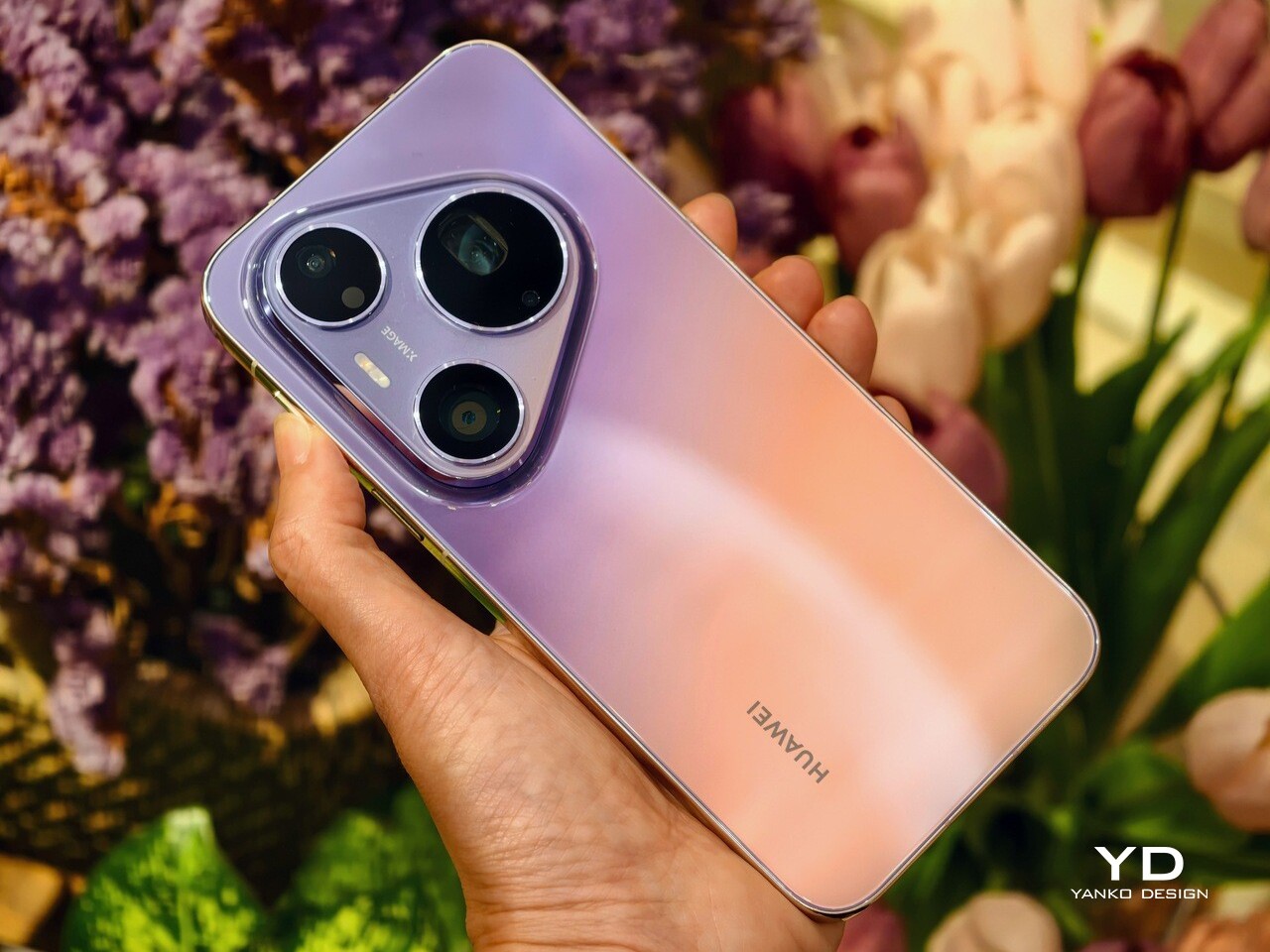
Poco Pad X1 & Poco Pad M1 Review: Budget Tablets That Challenge the iPad

PROS:


  • Strong display for the money

  • Complete accessory ecosystem

  • Big batteries

CONS:


  • Neither tablet is light enough for comfortable one-handed use

  • Fully kitted-out X1 with Floating Keyboard and Focus Pen gets expensive fast

RATINGS:

AESTHETICS
ERGONOMICS
PERFORMANCE
SUSTAINABILITY / REPAIRABILITY
VALUE FOR MONEY

EDITOR'S QUOTE:

Poco Pad X1 and M1 are not perfect, but together they deliver more screen, battery, and versatility than almost any other budget tablet pair right now.

Poco built its name on phones that punch above their price, and now it wants to do the same on your coffee table. With Poco Pad X1 and Poco Pad M1, the brand is not just throwing out a couple of cheap tablets. It is trying to turn its budget DNA into a fuller ecosystem that covers gaming, work, and everyday media.

You can feel that ambition in how these two models are drawn. The Poco Pad X1 is a slightly more compact, high refresh performance slate, tuned for games and quick multitasking on an 11.2-inch 3.2K display. The Poco Pad M1 steps up to a 12.1-inch 2.5K panel and the largest battery Poco has ever shipped in a global device, aiming to be the big screen that carries you through movies, sketching sessions, and long days away from a charger.

Designer: Poco

If you have been eyeing an affordable Android tablet for gaming, streaming, or light work, should you reach for the sharper, faster Poco Pad X1, or the larger, more relaxed Poco Pad M1? In this review, we will live with both, compare their strengths, and help you decide which one actually fits your desk, your bag, and your budget.

Aesthetics

Poco Pad X1

Poco is not trying to reinvent tablet hardware with Poco Pad X1 or Poco Pad M1. Both follow a familiar rectangle with rounded corners, flat sides, and a camera module that sits quietly in one corner. On Poco Pad X1, the focus is clearly on framing its 11.2-inch display as efficiently as possible. Poco Pad M1 takes the same basic formula and scales it up with a 12.1-inch panel.

Color choices on the Pad X1 and the Pad M1 are simple. They both come in Grey and Blue. Grey leans more gunmetal and understated with a contrasting yellow accent around the camera module, while Blue reads a little more casual and friendly, but neither option is loud or experimental. Both tablets use a metal unibody design for the main shell, with separate parts for the camera island and buttons, and a big Poco logo stamped in the center for instant brand recognition. The Poco Pad X1 uses a square camera island, while the Poco Pad M1 switches to a softer oval, which gives each model a slightly different signature when you flip them over.

Poco Pad M1

Taken together, the two tablets look exactly like what they are meant to be. They are straightforward, modern Android slabs that fade into the background and let their screens and specs do the talking. For budget-friendly hardware, that quiet, functional design approach feels like the right call.

Ergonomics

In the hand, the main ergonomic difference between Poco Pad X1 and Poco Pad M1 is simply size and weight, but neither is a true one-handed tablet for long stretches. The Poco Pad X1, with its 11.2-inch footprint and 500 g weight, is the more compact of the two. It is easier to manage on a sofa or in bed than the larger Poco Pad M1, but you will still want a second hand or some support if you are holding it for a long time. Even though the Poco Pad X1 is relatively slim and light for an aluminum unibody tablet with an 8,850 mAh battery, with dimensions of 251.22 x 173.42 x 6.18 mm, it does not quietly disappear in one hand the way a smaller 8 or 9-inch device might.

Poco Pad M1

Poco Pad M1 stretches that template out to a 12.1-inch diagonal with dimensions of 279.8 x 181.65 x 7.5 mm and a weight of about 610 g, which puts it clearly into big tablet territory. It is still slim, but the larger footprint makes it even less suited to long one-handed use, especially if you are moving around. Instead, it feels more like a tablet you rest on a table, prop up with a cover, or pair with its official keyboard, where the extra screen real estate really pays off for split-screen apps, video, and drawing.

The accessory ecosystem around the Pad X1 and the Pad M1 makes them versatile, but in slightly different ways. Poco Pad M1 is compatible with the optional Poco Pad M1 Keyboard, Poco Smart Pen, and Poco Pad M1 Cover, a trio that turns it into a very capable small-screen workstation. The cover folds into a stand and adds a built-in holder for the pen, which makes it easy to move between bag, desk, and sofa without worrying about where the stylus went. The keyboard is lightweight and easy to carry, but the keys feel a bit plasticky in use, which slightly undercuts the otherwise solid metal body of the tablet.

Poco Pad X1

Poco Pad X1 has its own dedicated set of accessories. It supports the Poco Pad X1 Floating Keyboard, the Poco Pad X1 Keyboard, the Poco Focus Pen, and the Poco Pad X1 Cover, which together give it a surprisingly flexible setup for both work and play. The cover folds like origami and doubles as a stand, letting you enjoy the tablet vertically or horizontally, and for horizontal use, you can choose between two different viewing heights.

The Floating Keyboard is the standout here. It adds some weight and only offers a modest tilt range, but the key feel is excellent for this class, and the trackpad is responsive and accurate enough that you quickly forget you are on a tablet accessory. Clipped together, the Poco Pad X1 and the Floating Keyboard behave much more like a compact laptop than a budget slate with an afterthought keyboard, which makes it far easier to treat this smaller tablet as a real writing and work machine when you need it.
 

Performance

Living with Poco Pad X1 and Poco Pad M1 quickly shows how differently they lean, even though they share a lot of DNA. The Poco Pad X1 is the sharper and faster option, with an 11.2-inch 3.2K display at 3,200 x 2,136 px, around 345 ppi, and refresh up to 144 Hz in supported apps. It can hit about 800 nits peak brightness, supports Dolby Vision and HDR10, and uses a 3:2 aspect ratio that feels very natural for reading, web browsing, and document work, helped by TÜV eye care, DC dimming, and adaptive colors to keep things comfortable.

Poco Pad M1

The Poco Pad M1, on the other hand, trades a bit of sharpness and speed for sheer size and flexibility. Its 12.1-inch 2.5K panel runs at 2,560 x 1,600px with around 249 ppi and up to 120 Hz refresh, plus 500 nits typical and 600 nits in high brightness mode. You still get Dolby Vision, DC dimming, and TÜV certifications for low blue light, flicker-free behavior, and circadian friendliness, along with wet touch support that keeps it usable with damp fingers.

Poco Pad X1

Both tablets use quad speakers with Dolby Atmos and Hi-Res support, so you get surprisingly full sound from either. Crucially, the Poco Pad M1 also adds a 3.5 mm headphone jack and a microSD slot for up to 2 TB of expandable storage, which makes it a much easier media hoarder and a better fit for wired headphones and speakers. The X1 relies on its internal storage and wireless audio instead, which suits its more performance-driven, travel-friendly role.

Poco Pad X1

Poco Pad M1

Performance and gaming clearly favor the Poco Pad X1. It uses the Snapdragon 7+ Gen 3 with 8 GB of RAM and up to 512 GB of storage, and combined with the 144 Hz panel, it feels like a handheld console that also happens to be good at multitasking and productivity. The Poco Pad M1 steps down to the Snapdragon 7s Gen 4 with 8 GB of RAM and 256 GB of storage, which is still more than enough for apps and casual gaming, but clearly tuned more for streaming, browsing, and note-taking than for chasing every last frame. In practice, the Poco Pad X1 is the one you reach for when you care about smooth, high refresh gameplay, while the Pad M1 is the one you leave on the coffee table for everyone to use.

Poco Pad M1

Battery life follows the same logic. The Poco Pad X1 pairs its 8,850 mAh battery with 45 W turbo charging, which Poco says can go from zero to full in about 94 minutes, and my experience matches that claim in day-to-day use. The Poco Pad M1 leans into a 12,000 mAh pack, billed as the largest battery in a global Poco device, with up to 105.36 hours of music playback, around 83 days of standby, 33 W charging, and up to 27 W wired reverse charging so it can top up your other devices.

Poco Pad M1

Poco Pad X1

On the software side, both run Xiaomi HyperOS with Xiaomi Interconnectivity and Google’s AI hooks, so you get shared clipboard, call and network sync, Circle to Search, and Gemini support whichever size you choose. As for cameras, Poco Pad X1 pairs a 13 MP rear camera and an 8 MP front camera, while Poco Pad M1 sticks to 8 MP sensors on both sides. The results are perfectly fine for video calls, document scans, and the odd quick snap, but nothing special, which is exactly what you would expect from tablets at this price bracket.

Poco Pad M1

Poco Pad X1

Sustainability

Poco is not making a big environmental branding play with Poco Pad X1 and Poco Pad M1, but there are a few practical touches that matter if you plan to keep a tablet for several years. The most important one is long-term software support. Both Pad X1 and Pad M1 are slated to receive four years of security updates, which gives you a clearer runway for safe everyday use. For budget tablets, that commitment is still not guaranteed across the market, so it is good to see Poco spell it out.

Poco Pad M1


That longer support window pairs well with the hardware choices. The aluminum unibody shells on both models feel sturdy enough to survive several upgrade cycles, and the generous storage options, plus microSD expansion on the Poco Pad M1, reduce the pressure to replace them early just to fit more apps or media. It is not a full sustainability story with recycled materials and carbon tracking, but if your definition of sustainable starts with buying something that will not feel obsolete or unsafe in two years, these tablets are at least pointed in the right direction.

Value

The Poco Pad X1 and Poco Pad M1 both land in the affordable bracket, but they scale very differently once you add accessories. The Poco Pad X1 with 8 GB of RAM and 512 GB of storage is $399 USD, which feels fair for the Snapdragon 7+ Gen 3 and high-end 3.2K 144 hertz display. Its accessories are priced like mini laptop gear, with the Floating Keyboard at $199 USD, the X1 Keyboard at $129 USD, the X1 Cover at $49 USD, and the Poco Focus Pen at $99 USD. A fully loaded X1 setup quickly pushes past $600 USD, but in return, you get a compact tablet that can genuinely stand in for a small laptop and drawing pad.

Poco Pad X1

The Poco Pad M1 starts cheaper at $329 USD for 8 GB and 256 GB, and its add-ons stay firmly in value territory. The M1 Keyboard is $99 USD, the M1 Cover is $29 USD, and the Poco Smart Pen is $69 USD, so even a complete kit undercuts an equivalently kitted X1 by a healthy margin. Factor in the microSD slot and 3.5 millimeter headphone jack, and M1 clearly aims to be the better deal for big screen media, note-taking, and family use, while X1 makes more sense if you are willing to pay extra for performance, storage, and that excellent Floating Keyboard experience.

Verdict

The Poco Pad X1 and Poco Pad M1 end up serving two somewhat different roles. If you prioritize performance, the Poco Pad X1 is the clear choice. The Snapdragon 7+ Gen 3, 3.2K 144 Hz display, 512 GB storage, and excellent Floating Keyboard make it feel like a serious little work and gaming machine, even if the full setup gets expensive and you give up the headphone jack and SD slot. If you care more about big-screen comfort and value, the Poco Pad M1 quietly wins. The 12.1-inch 2.5K screen, quad speakers, 3.5 mm jack, microSD expansion, huge battery, and cheaper accessories make it a better fit for big-screen media and everyday productivity.

Poco Pad X1

Whichever way you lean, you are getting more tablet than the price suggests. For context, Apple’s base iPad costs $449 with only 64 GB of storage and a 60 Hz screen. The iPad still has a faster processor and a tighter app ecosystem, but Poco gives you bigger batteries, sharper displays, and a lot more storage for less money. Pick the Poco Pad X1 if you want compact power and a great keyboard experience. Pick the Poco Pad M1 if you want maximum screen, battery, and flexibility for the money. Either way, you end up with a tablet that feels more considered than most of what you will find at this price.

The post Poco Pad X1 & Poco Pad M1 Review: Budget Tablets That Challenge the iPad first appeared on Yanko Design.
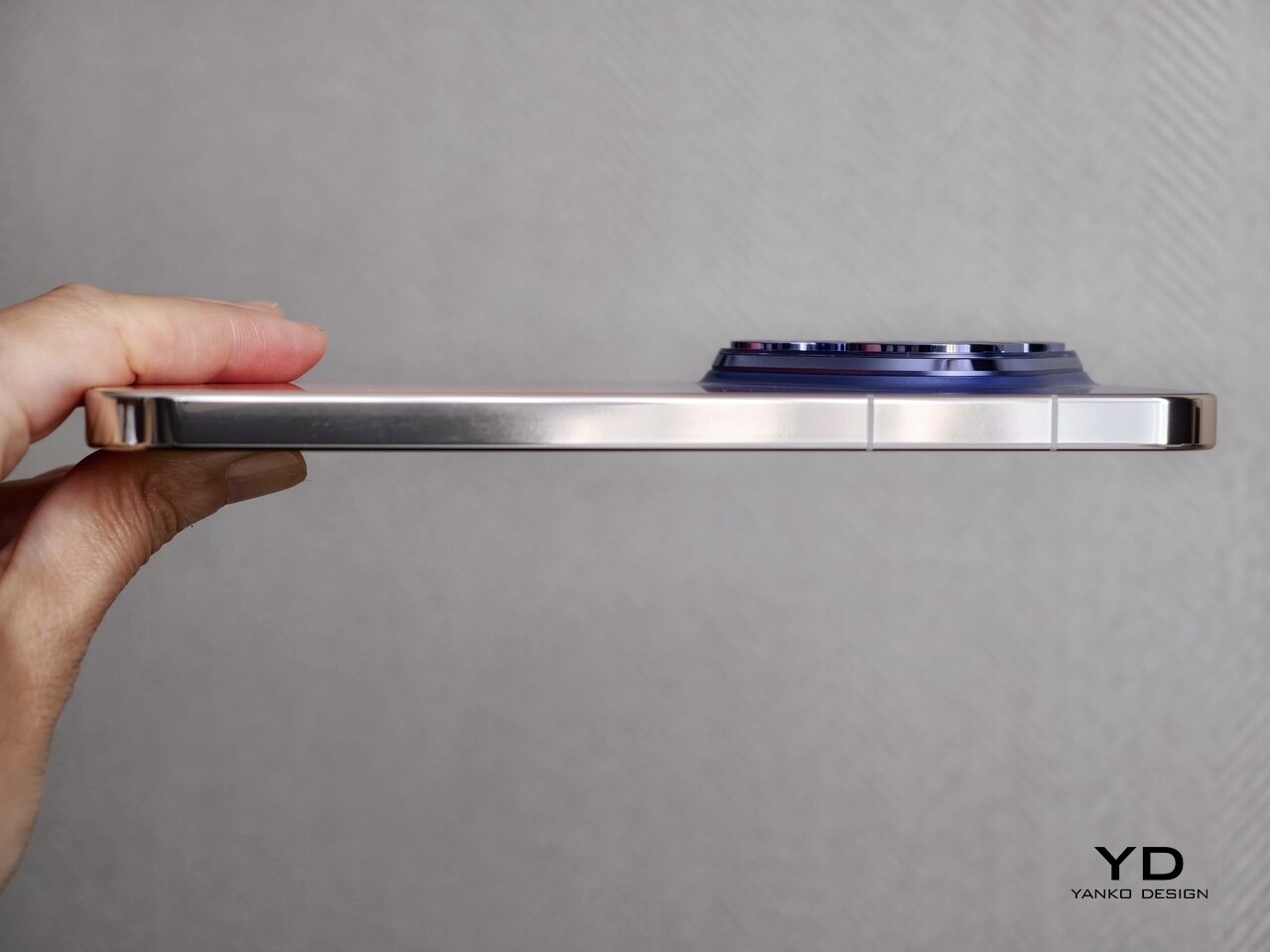
Poco F8 Ultra Review: A Bold All-Rounder Balancing Gaming, Camera, and Bose-Tuned Audio

PROS:


  • Bose-tuned 2.1 speaker system

  • Excellent all-rounder

  • Large battery with fast wired and wireless charging

  • Strong main and telephoto cameras

CONS:


  • An 18mm-equivalent ultra-wide camera is less versatile

  • Noticeable price increase compared with the F7 Ultra (but mostly justifiable)

RATINGS:

AESTHETICS
ERGONOMICS
PERFORMANCE
SUSTAINABILITY / REPAIRABILITY
VALUE FOR MONEY

EDITOR'S QUOTE:

An expressive all-rounder that excels at games, media, and photography, the Poco F8 Ultra delivers on its premium flagship ambition.

Only about eight months after its first “Ultra” attempt with the Poco F7 Ultra, Poco is already back with the Poco F8 Ultra and its sibling, the F8 Pro. Following the success of the F7 Ultra, this doesn’t feel like a one-off experiment anymore. It feels like Poco is serious about staking a claim in the premium flagship space.

This time, Poco isn’t just chasing raw specs. The F8 Ultra doubles down on performance with the latest flagship chipset, pushes imaging with a new Light Fusion 950 main imaging sensor and 5x periscope camera, and, for the first time, brings in Bose to co-engineer a 2.1-channel speaker system. On paper, it looks like a full-scale all-rounder aimed at gaming, media, and photography all at once. The question is whether it really holds up that premium flagship claim in daily use. Let us dive in and find out.

Aesthetics

The Poco F8 Ultra is visually dramatic in a way many flagships are not, especially the Denim Blue variant I received for review. Poco offers two color options for the global model, a unique Denim Blue and a more classic Black, and the whole design is built around a bold horizontal camera bar across the top of the back panel. This rectangular bump stretches almost from edge to edge, immediately anchoring the look and giving the phone a strong graphic identity. On the Denim Blue model, the bar is finished in silver, while on the Black version, it is blacked out to blend more seamlessly with the rest of the body.

Within this camera bar, the layout is carefully staged. On the left side sit four camera units, each framed by its own silver ring, with the LED flash neatly integrated among them. On the right side, Poco embeds the subwoofer module, marked with a “Sound by Bose” logo at the center, so the audio story becomes a visible part of the design rather than something hidden inside.

Color and material choices reinforce this expressive stance. The Denim Blue variant uses Xiaomi’s third-generation nano tech material, which mimics the depth and weave of fabric while resisting fingerprints and smudges. It has a tactile, layered surface that feels more like tech streetwear than a simple painted back, and while this playful, youthful look will not be everyone’s cup of tea, it gives the phone a distinct, energetic character.

The Black version takes a more understated route with lightweight glass fiber and a refined matte sheen that catches light in smooth gradients. It offers a quieter but still premium look if you prefer something less attention-grabbing, and it is likely to age more discreetly in daily use.

Ergonomics

Ergonomically, this is still a big phone. The Denim Blue variant measures 163.33 x 77.83 x 8.3 mm and weighs 220 g, while the Black version is slightly slimmer and lighter at 163.33 x 77.82 x 7.9 mm and 218 g. In the hand, the difference is subtle, and for my grip, the width in particular makes it a bit of a stretch to reach across the screen, which is worth noting if you have smaller hands or prefer narrower devices.

Both the display and back panel are flat, giving the phone a clean profile. Rounded corners and subtly curved aluminum edges soften the grip and reduce pressure points during long gaming or video sessions, and the weight feels well-balanced along the center line, so the camera module does not make the phone feel top-heavy.

The Denim Blue back adds a gentle grip and naturally hides smudges, which suits case-free use. The matte Black finish feels smoother but is still controlled and resists fingerprints and smears, so it stays looking clean. In both finishes, the textures are chosen as much for comfort and practicality as for style.

The physical controls are also well placed. The volume rocker and power button on the right sit low enough to reach without stretching or shifting your grip, which helps offset some of the phone’s width. The ultrasonic fingerprint reader is positioned about one third of the way up from the bottom of the screen, right where your thumb naturally rests, so unlocking feels quick and effortless.

Performance

Inside, the Poco F8 Ultra runs on Snapdragon 8 Elite Gen 5, Qualcomm’s latest flagship chip. It also includes a dedicated VisionBoost D8 chipset for visual enhancement and game optimization. This secondary chip can push supported game titles up to 120 frames per second, upscale visuals to 1.5K resolution, and apply Game HDR to enrich color. Together, they give compatible games a sharper, smoother, more cinematic feel. Running HyperOS 3 based on Android 16, the phone stays snappy and smooth even when you are multitasking.

Poco F8 Ultra boasts the largest display in the brand’s F series with a 6.9-inch AMOLED panel using Poco HyperRGB.  The screen runs up to 120 Hz in supported apps, so scrolling, animations, and games feel fluid, and combined with high brightness, strong contrast, and deep blacks, it delivers a vivid, high-impact look rather than a muted, neutral one.

The audio side of smartphones is usually overlooked, and most built-in speakers still sound flat. Poco’s partnership with Bose pushes against that pattern. The F8 Ultra uses a 2.1 channel system with stereo speakers and a dedicated bass driver, tuned to emphasize depth and space rather than just volume.

In my experience, Poco’s claims of deeper bass and a wider soundstage hold up. The F8 Ultra delivers a solid, weighty low end that gives music, films, and games more physical presence than most phones in its class. Held in landscape, the stereo image feels wide, with instruments and effects clearly separated instead of merging into a single blob of sound.

You get two Bose-tuned modes, Dynamic and Balanced. Dynamic adds punch and low end for games and action, while Balanced keeps mids a bit cleaner for dialogue and acoustic tracks. On top of that, there are genre-based EQ presets and a custom 10-band EQ from about 141 Hz to 13.8 kHz, so you can fine-tune the sound to your taste.  The speaker system will not replace good headphones, but it clearly raises the bar for built-in phone audio.

On the camera side, the F8 Ultra treats imaging as a proper flagship feature. The 50 MP main camera uses Xiaomi’s 1/1.31 inch Light Fusion 950 sensor with an f/1.67 aperture and optical image stabilization, and it produces vibrant images with wide dynamic range and good detail even in difficult lighting.

The 50 MP 5x periscope telephoto sits at a 115 mm-equivalent focal length with an f/3.0 aperture and OIS. It reuses the same sensor as its predecessor but pairs it with a periscope structure, which allows much higher zoom while better preserving image quality. The result is pleasing compression with natural-looking bokeh and solid dynamic range, especially in good light.

A 50 MP 18 mm-equivalent ultrawide completes the rear trio, although its relatively narrow field of view means you can often just step back and use the main camera for better image quality. The 32 megapixel front camera with its automatic 0.8x wide-angle mode makes group shots easier without forcing you to stretch your arm as far. For video, all three rear cameras support up to 4K 60 FPS, with the main camera also capable of 8K 30 FPS, while the front camera is limited to 4K 30 FPS.

Battery life and charging match the performance focus. Poco finally gives the Ultra line a bigger pack in response to user feedback, with a 6500 mAh battery that is the largest yet in a global Poco F phone. It comfortably handles heavy gaming, media, and camera use across a day, and when you do run low, 100-watt wired HyperCharge, 50-watt wireless charging, and 22.5-watt reverse charging give you flexible ways to top up or share power.

Sustainability

Poco’s approach to sustainability on the F8 Ultra feels more practical than ambitious. Hardware durability is solid, with IP68 water and dust resistance and Poco Shield Glass helping the phone survive daily knocks, drops, and the occasional splash. That kind of protection does reduce the chance you will need an early replacement after a single accident, which is still an important part of using one device for longer.

On the software side, Poco offers 4 major Android OS updates and 6 years of security patches. While that is not class-leading, it is still notable. Some rivals now promise longer OS and security support, reasonably future-proofed. Overall, the F8 Ultra does not stand out as a sustainability champion in either software longevity or broader eco-friendly initiatives.

Value

Poco offers the F8 Ultra in two configurations. The 12 GB RAM and 256 GB storage model is priced at $729, while the 16 GB RAM and 512 GB storage version comes in at $799. During the early bird period, Poco cuts $50 from the base model and $70 from the higher tier, bringing them down to $679 and $729, respectively, which makes the step up to 16 GB and 512 GB particularly tempting.

There is a clear price increase compared to the previous Ultra, but it feels justified by the upgraded display, dual-chip performance stack, camera system, audio, and larger battery. In the current flagship landscape, the Poco F8 Ultra still lands firmly in the bang for buck zone. It undercuts many premium rivals while delivering comparable or better gaming performance, a more ambitious camera setup, and a genuinely strong media experience, so the overall value proposition remains one of its strongest arguments.

Verdict

Poco F8 Ultra feels like a confident step up from the F7 Ultra, not just a faster sequel. It combines a bold design, a huge 6.9-inch AMOLED, a genuinely impressive Bose-tuned 2.1 speaker system, and a serious camera stack built around the Light Fusion 950 main sensor and 5x periscope. Snapdragon 8 Elite Gen 5 plus the VisionBoost D8 chip deliver top-tier gaming performance with stable high frame rates, while the 6500 mAh battery and fast wired and wireless charging keep that power usable all day.

It is not a perfect package, especially if you want the absolute best camera system, have smaller hands, or care deeply about long-term sustainability. The phone is wide, the ultrawide camera is less versatile than the rest of the system, and the software support window is only average in a segment that is rapidly improving. There is also a clear price jump over the F7 Ultra, even if the upgrades mostly justify it. If you want a compact, understated device, this is not for you, but if you want a big, expressive all-rounder that excels at games, media, and photography, the Poco F8 Ultra delivers on its premium flagship ambition.

The post Poco F8 Ultra Review: A Bold All-Rounder Balancing Gaming, Camera, and Bose-Tuned Audio first appeared on Yanko Design.
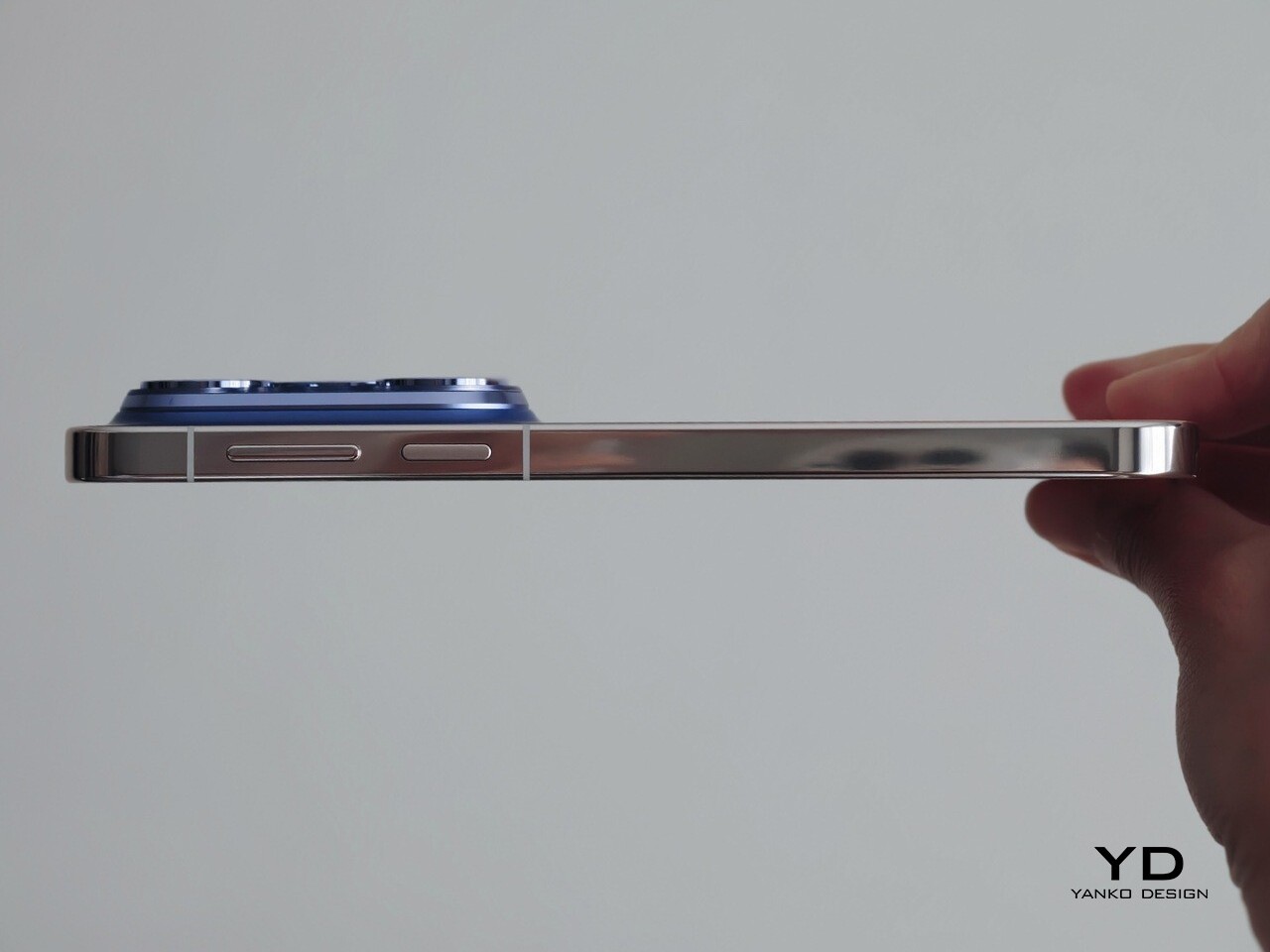
Realme GT8 Pro Review: A Flagship You Choose With Your Heart

PROS:


  • Ricoh GR partnership on the main camera

  • Distinctive design with modular camera island

  • Outstanding battery life and charging speed

CONS:


  • Ricoh GR mode is limited to the main camera

  • Ultra-wide and front cameras lack autofocus

  • Software support is good, but not class-leading for the price range


RATINGS:

AESTHETICS
ERGONOMICS
PERFORMANCE
SUSTAINABILITY / REPAIRABILITY
VALUE FOR MONEY

EDITOR'S QUOTE:

This is a phone you pick with your heart as much as your head, because you really have to want that design story and the GR experience.

The announcement of Realme’s partnership with Ricoh was a surprise, and now the highly anticipated Realme GT8 Pro is here with another twist in the form of an interchangeable camera plate on its back. This is not a subtle move, and it signals that Realme GT8 Pro is not trying to be just another sensible flagship. Instead, it arrives as a phone that wants to make a statement the moment you turn it over in your hand.

At the same time, this is still a serious piece of hardware built around the Snapdragon 8 Elite Gen 5, a huge 7000 mAh battery, and a vibrant 6.79-inch display. Realme is clearly aiming to step out of its value-focused comfort zone and into the premium flagship ring, where expectations are much higher, and mistakes are more visible. The real question is whether this bold, personality-heavy approach makes the GT8 Pro a genuinely great all-around phone, or a beautiful experiment that only a certain kind of user will truly appreciate.

Aesthetics

Pick up the realme GT8 Pro, and the first thing your eyes lock onto is the camera island. Realme has turned the rear camera housing into a modular design object that you can swap and restyle. Different camera decoration plates change the shape and graphic language of that camera bump, which means the back of the phone becomes a kind of customizable badge. It feels more like a piece of streetwear design than a typical rectangular slab, and it sends a clear signal that this phone sees photography and personality as central to its identity.

The plate is held in place with two tiny screws. The design that comes with the Diary White colorway we received is a round silver colored plate, and Realme also sent a separate rectangular silver colored plate. Realme has even released the 3D design file to invite people to create their own camera plate designs for the GT8 Pro. It is purely non-functional, and you could easily call it a gimmick, but it is a playful gimmick that fits the character of this phone and gives designers and tinkerers something fun to explore.

Realme keeps the core lineup tight with two main colorways. Diary White pairs the aluminum frame with a glossy glass back panel that catches reflections like a piece of polished ceramic. Urban Blue switches to a vegan leather back panel that brings a more tactile, fashion-focused vibe and feels closer to a premium accessory than a slab of tech. Both finishes are tuned to catch light and attention rather than fade into the background, which reinforces the GT8 Pro’s role as a visual statement.

On top of these two color variants, Realme offers the Dream Edition as part of its three-year partnership with the Aston Martin Formula 1 team. This special version comes dressed in Aston Martin Green with yellow accents and an aerodynamic-inspired design. The phone arrives with a round camera decoration plate featuring a carbon fiber finish, which adds a motorsport texture that feels premium.
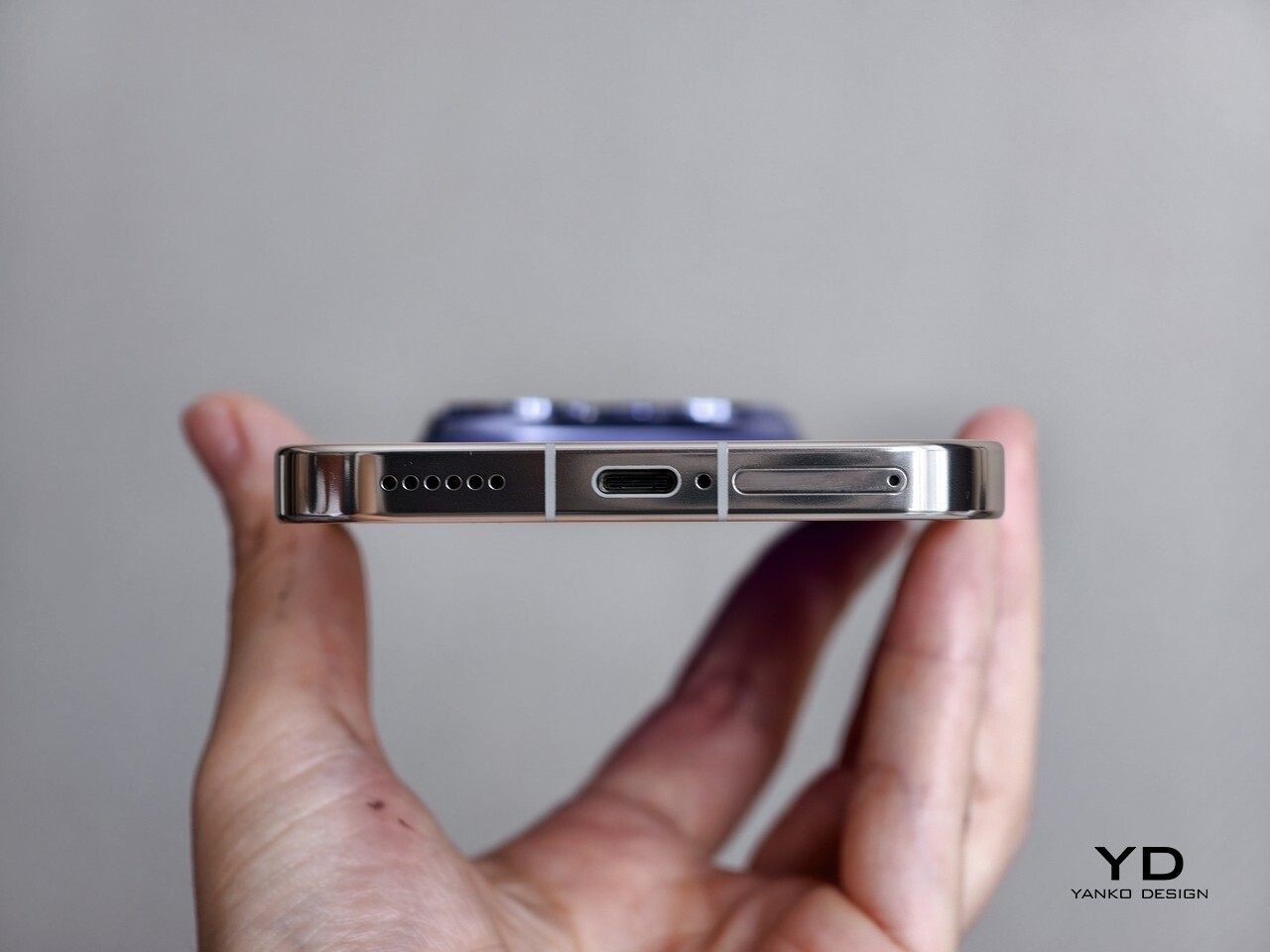
Inside the special box, you also get the square deco plate, a SIM ejector tool shaped like a racing car, a Torx screwdriver for swapping plates, two phone cases, and a charger. The phone itself comes preloaded with custom Aston Martin Formula 1 team wallpapers and icons, so the collaboration extends into the software experience as well.

Ergonomics

This is a large phone with a 6.79-inch display and a 7000 mAh battery, so it has real presence in the hand. Both colorways share the same footprint at 161.80 x 76.87 mm, which means you are firmly in big phone territory. You feel that size immediately, yet the curved edges and carefully rounded corners do a lot of work to soften the bulk and make it feel less intimidating.

The differences appear when you look at thickness and weight. Diary White comes in at 8.20 mm thick and weighs 218 g, while Urban Blue is slightly thicker at 8.30 mm but actually lighter at 214 g. In practice, these numbers are close enough that you will not notice a dramatic contrast in day-to-day use. Diary White, with its glossy glass back, feels sleek and cool, sliding more easily against your skin and into pockets. Urban Blue with its vegan leather has a paper-like feel with tactile 3D characters, according to Realme, which gives it a more textured, design-forward personality in the hand.

The power and volume keys sit within easy reach on the right side of the frame. Their placement makes it simple to adjust volume or lock the screen without shifting your grip too much, even on this tall device. The fingerprint scanner is located at roughly one-third of the height from the bottom of the display, which makes it easy to unlock the phone and continue straight into navigation with the same thumb movement.

Performance

Inside, the GT8 Pro is powered by the latest Snapdragon flagship chipset, the Snapdragon 8 Elite Gen 5, and that choice sets the tone for the entire performance story. This chip is designed for demanding multitasking, heavy gaming, and advanced AI features, and the phone leans into that with confidence. Realme pairs the main chipset with either 12 GB or 16 GB of RAM, along with 256 GB or 512 GB of fast UFS 4.1 storage, depending on the configuration. On the software side, Android 16 with realme UI 7 sits on top, bringing a colorful, feature-rich interface that still keeps most interactions intuitive and approachable.

On the front, the GT8 Pro boasts a 6.79-inch LTPO AMOLED panel with a 1440 x 3136 px resolution and a maximum refresh rate of 144 Hz. It supports Dolby Vision, HDR10, and HDR10+, which gives you rich contrast and vivid highlights when watching compatible content. Realme claims a peak brightness of up to 7000 nits and 2000 nits in High Brightness Mode. These numbers are usually achievable only in very specific lab conditions, but in real life, the GT8 Pro display is genuinely very bright and easy to see under strong sunlight. The stereo speakers are loud and clear as well.

On the back, the Realme GT8 Pro boasts a triple camera system. The main camera is a 50 MP unit with a 1/1.56-inch Sony IMX906 sensor, an F/1.8 aperture, optical image stabilization, and electronic stabilization. The telephoto camera uses a 200 MP 1/1.56-inch Samsung HP5 sensor with an F/2.6 aperture, again with both optical and electronic stabilization. The ultra-wide camera is a 50 MP unit with a 1/2.88-inch sensor and an F/2 aperture.

The camera system is where the GT8 Pro tries to carve out a unique identity. Realme has partnered with Ricoh and borrowed the GR branding, a name that carries a lot of weight in the world of street photography. Realme says this partnership has been four years in the making, and that it goes deeper than simply slapping a GR logo on the phone. The goal is to weave Ricoh GR DNA into the GT8 Pro and bring the spirit of GR-style photography into a smartphone.

Ricoh GR mode is limited to the main camera and offers fixed focal length presets at 28 mm, 35 mm, 40 mm, and 50 mm equivalents. As someone who enjoys a good telephoto camera, I was initially disappointed that Ricoh GR mode does not extend to the GT8 Pro telephoto lens. However, the more time I spent with the phone, the more this decision started to make sense. As mentioned earlier, Realme and Ricoh are trying to bring the soul of GR photography into the GT8 Pro, and the GR series is best known as an iconic tool for documentary-style, walk-around shooting.

Ricoh GR, Standard

Within GR mode, you get a set of film-inspired looks called Standard, Positive Film, Negative Film, BW, and Hi BW. Each of these can be treated as a starting point rather than a fixed recipe. You can dive in and adjust parameters such as saturation, contrast, sharpness, and grain for each look, then save your tweaks as custom presets, up to six presets in total. It feels very much like building your own GR profiles, which is a big part of the appeal for people who love tuning their cameras and crafting a personal visual style.

Ricoh GR, Positive Film

Ricoh GR, Negative Film

Do I still wish for a Ricoh GR mode on the telephoto camera? Absolutely. At the same time, I am quite happy with the Ricoh GR mode on the main camera. The Ricoh GR mode produces photos with a less processed, more natural look, and the ability to fine-tune and save your own presets makes it feel personal rather than generic. There is also a full Pro mode on Ricoh GR mode available if you want manual control, which rounds out the experience and lets you treat the GT8 Pro more like a serious camera than a simple point-and-shoot.

Ricoh GR, B&W

Ricoh GR, High-contrast B&W

Of course, if you just want a quick snap that is ready for social media, the regular photo mode delivers sharp, vibrant images (that could be a bit too much)  with excellent dynamic range. The 200 MP 3X telephoto is excellent too, capturing plenty of detail and holding up well even when you crop in or zoom further digitally. Both the ultra-wide camera and the 32 MP front camera lack autofocus, which is a limitation, but they still produce clean, punchy images.

Video recording is equally ambitious. The main camera and the telephoto camera can both shoot 4K video at up to 120 FPS and 8K video at 30 FPS. The ultra-wide and front cameras can record up to 4K at 60 FPS. The footage looks very good, with solid dynamic range and vibrant color that holds up across different lighting conditions. You can even record Log at 4K 120 FPS, which gives you more flexibility for grading.

Battery life and charging are among the most dramatic strengths of this phone. The GT8 Pro carries a 7000 mAh battery, which translates into serious endurance in real-world use. The 120-watt wired charging, using the proprietary SuperVOOC charger that is included in the box, can refill that huge battery from empty to full in around 45 minutes, which feels almost absurd for this capacity. For the first time on a Realme global phone, you also get wireless charging at up to 50 watts. This combination of a massive battery and very fast wired and wireless charging means battery anxiety becomes a rare feeling rather than a daily concern.

Sustainability

The GT8 Pro quietly builds a solid sustainability story around its bold design. The front is protected by Corning Gorilla Glass 7i, and the body carries IP68 and IP69 ratings, which together help the phone survive drops, scratches, dust, immersion, and even high-pressure water jets. A device that can handle more abuse is a device you are less likely to replace early, which is an underrated part of sustainability.
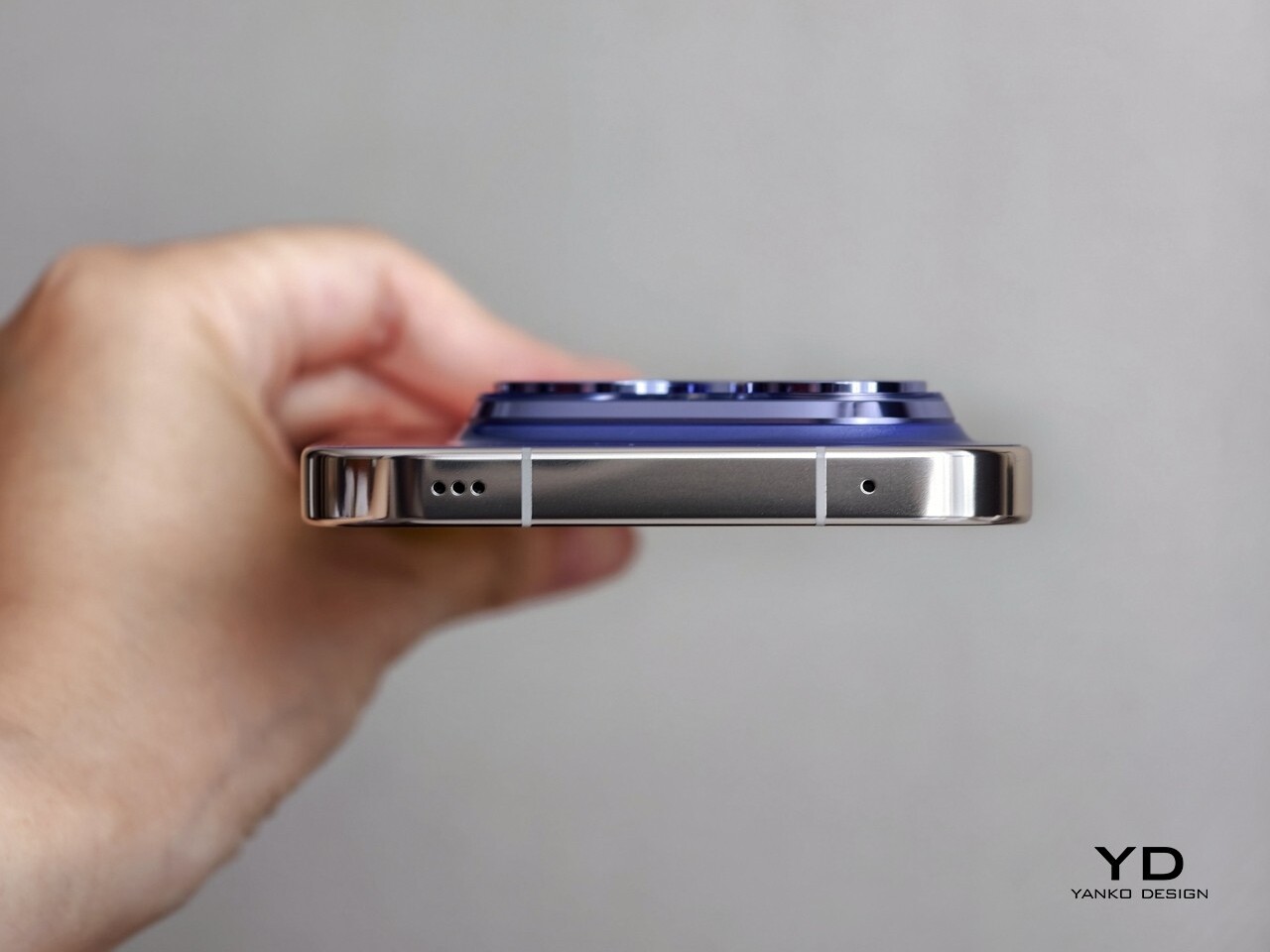
Realme also pays attention to materials. The Urban Blue variant uses a vegan leather style back crafted from a recycled material and natural dye, which gives it both a softer environmental footprint and a more crafted feel in the hand. On the software side, Realme promises four years of Android OS updates and five years of security updates. I do wish Realme offered even longer support at this price range, especially as some rivals are pushing update timelines further. Still, it gives you a reasonable sense of confidence that the GT8 Pro will stay usable and secure for several years.

Value

Realme GT8 Pro is positioned as a proper flagship, and the pricing reflects that ambition. In China, the 12 GB and 256 GB configuration costs 3999 Chinese Yuan, which is roughly $550. In India, the same configuration is priced at 79,999 Indian Rupees, which comes much closer to around $960 at current conversion rates.
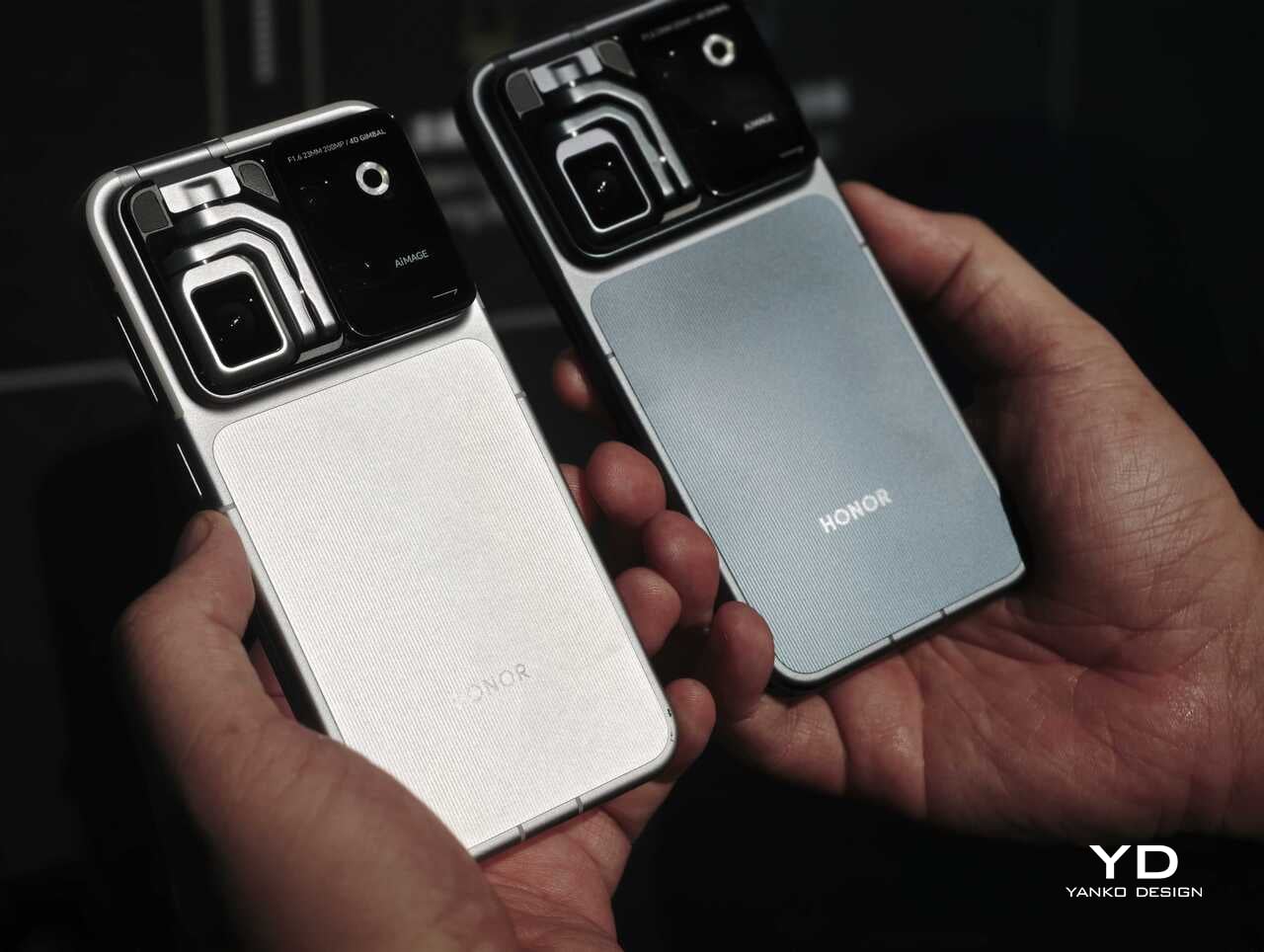
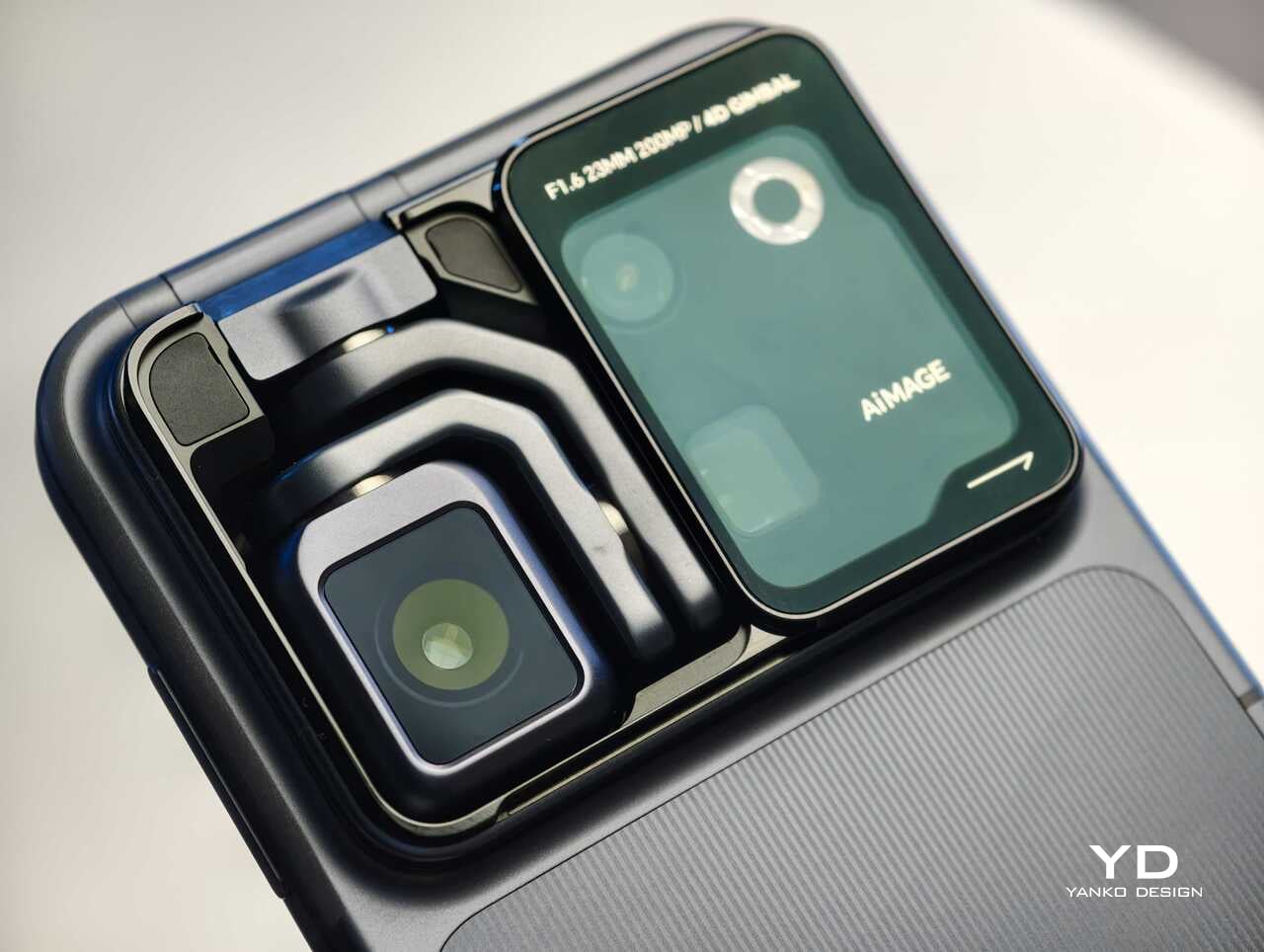
That Indian price pushes the GT8 Pro straight into ultra-premium territory. At that level, you are cross-shopping it against flagships from Apple, Google, Samsung, and established Chinese rivals. The hardware feels special, especially with the Ricoh partnership and the modular design, and it ticks most of the boxes for a modern premium flagship. Whether it feels like good value, though, depends a lot on your market and on how much you personally care about the GR experience and the design story.

Verdict

Realme GT8 Pro feels like a flagship that actually wants to be noticed, with its modular camera island and even an Aston Martin Formula 1 edition, yet it backs that flair up with serious hardware. Between the Snapdragon 8 Elite Gen 5, the 2K 144 Hz LTPO display, the Ricoh GR-tuned main camera, and that massive 7000 mAh battery, this is not a phone that cuts corners quietly. It is a device that tries to turn every surface and every spec into a talking point.

That ambition does come with trade-offs. The size and weight will not suit everyone; the GR experience is focused on the main camera rather than the full system, and the pricing in some markets pushes it into direct competition with very established premium players. Still, it feels like a very compelling, characterful choice. In the end, this is a phone you pick with your heart as much as your head, because you really have to want that design story and the GR experience.

The post Realme GT8 Pro Review: A Flagship You Choose With Your Heart first appeared on Yanko Design.