Tecno’s Foldable Journey: The Evolution in Design from Phantom V Fold 5G to V Fold 2, and V Flip 5G to V Flip 2

Tecno’s entry into the foldable smartphone market began with the Phantom V Fold 5G and the V Flip 5G. These devices introduced a fresh take on smartphone design, offering the flexibility of foldable screens and compact form factors. With the launch of the Phantom V Fold 2 and V Flip 2, Tecno has made notable improvements, focusing on design, functionality, and user experience. This article explores the changes between these first and second generations, showing how Tecno has refined its approach to meet modern needs.

Phantom V Fold 5G vs. V Fold 2: A Thoughtful Redesign
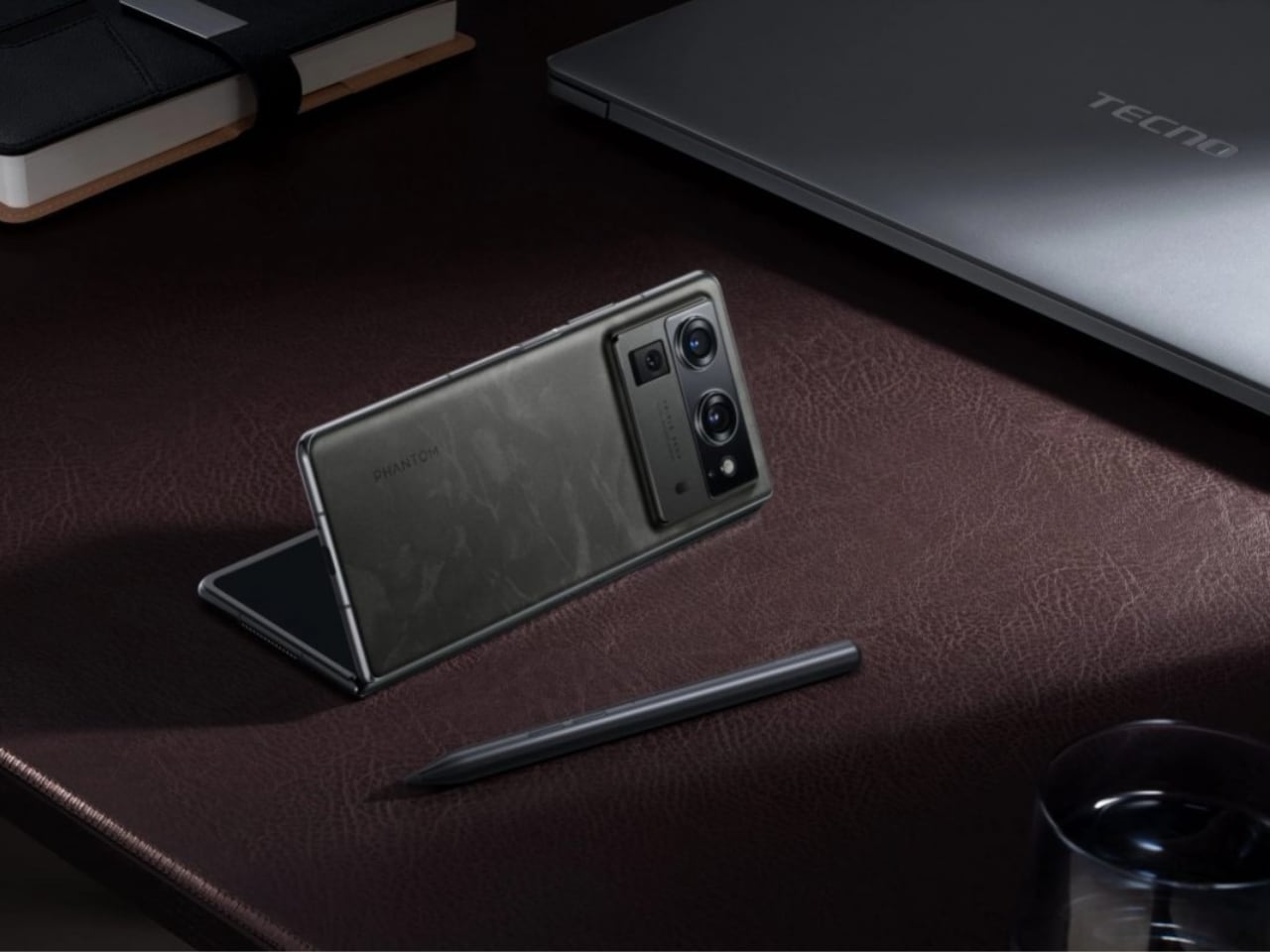
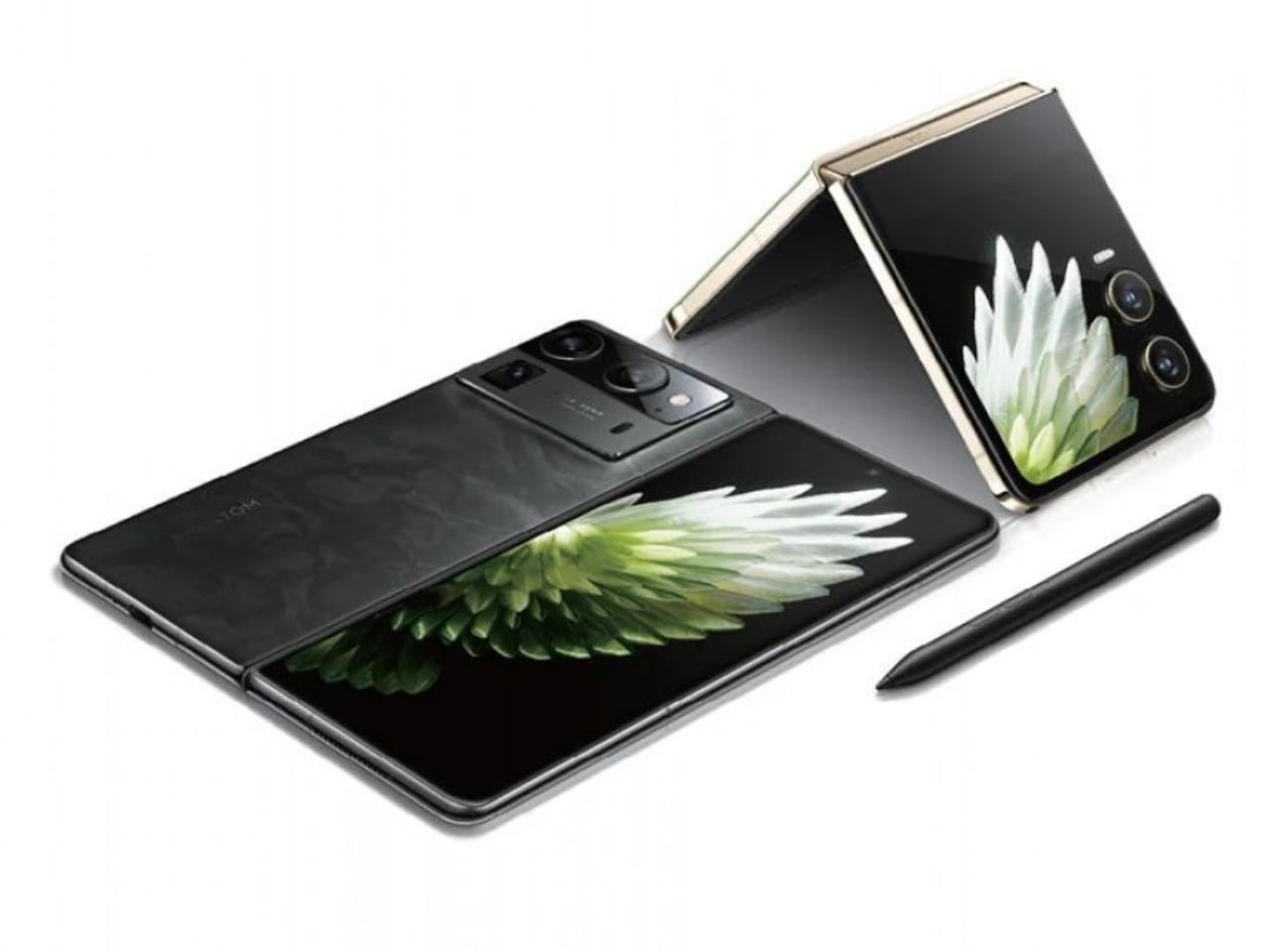
Tecno Phantom V Fold 2 with new stylus

Design and Build Quality

The Phantom V Fold 5G featured a bold design with a large, circular camera bump that stood out on the back of the phone. This prominent feature added thickness, making the phone feel bulkier. While it made a statement, the design wasn’t for everyone. Some found it too pronounced, disrupting the phone’s overall balance.
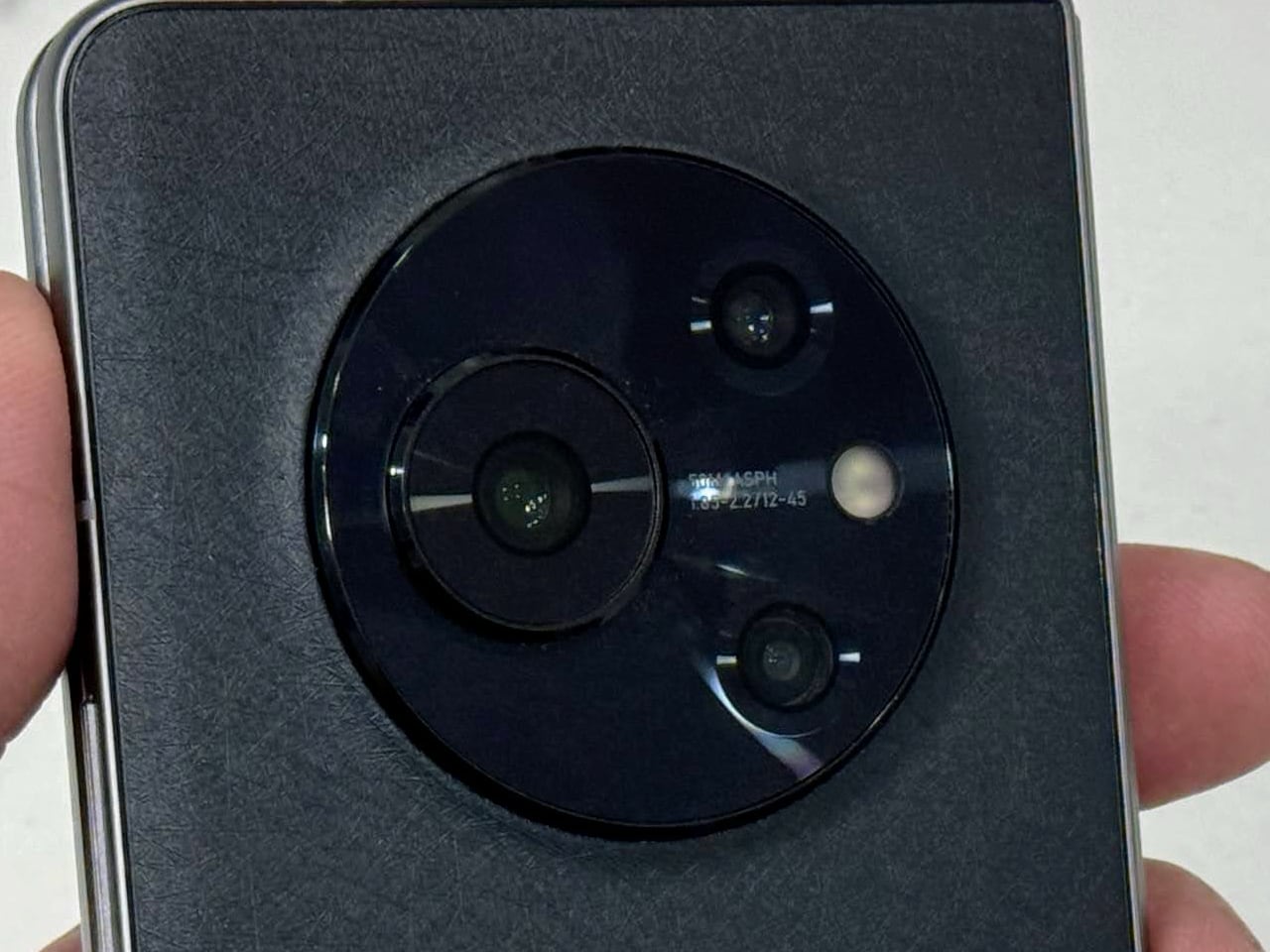
Tecno Phantom V Fold 5G rear-facing camera setup
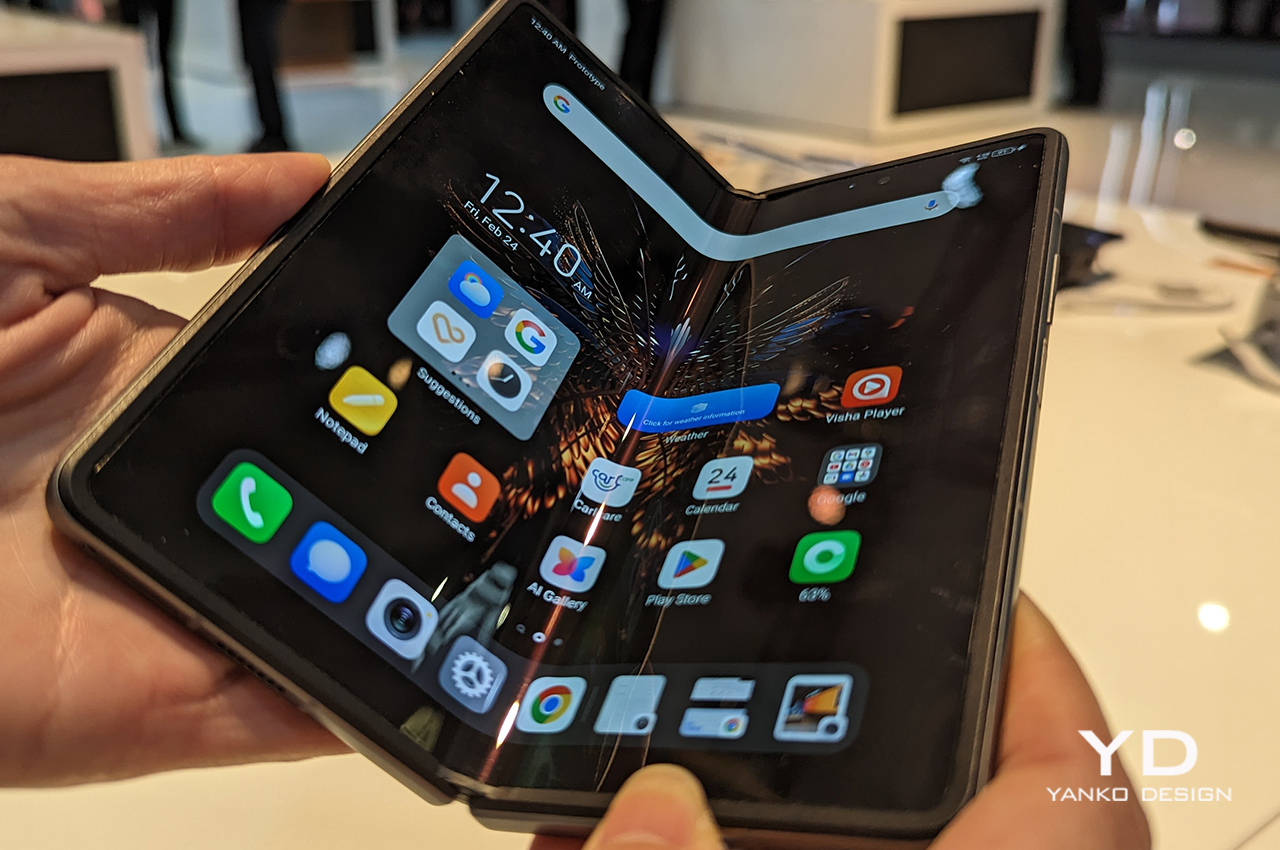
Tecno Phantom V Fold 5G

Looking at the V Fold 2, Tecno appears to have taken a different approach, opting for a more streamlined and integrated camera module. The redesigned camera bump blends into the back of the phone, offering a cleaner look. This likely results in a phone that feels less bulky in hand, improving comfort during use. Adding a stylus is smart and appealing to users who want to take notes, sketch, or work on the go. This shift makes the V Fold 2 a versatile tool for personal and professional tasks.
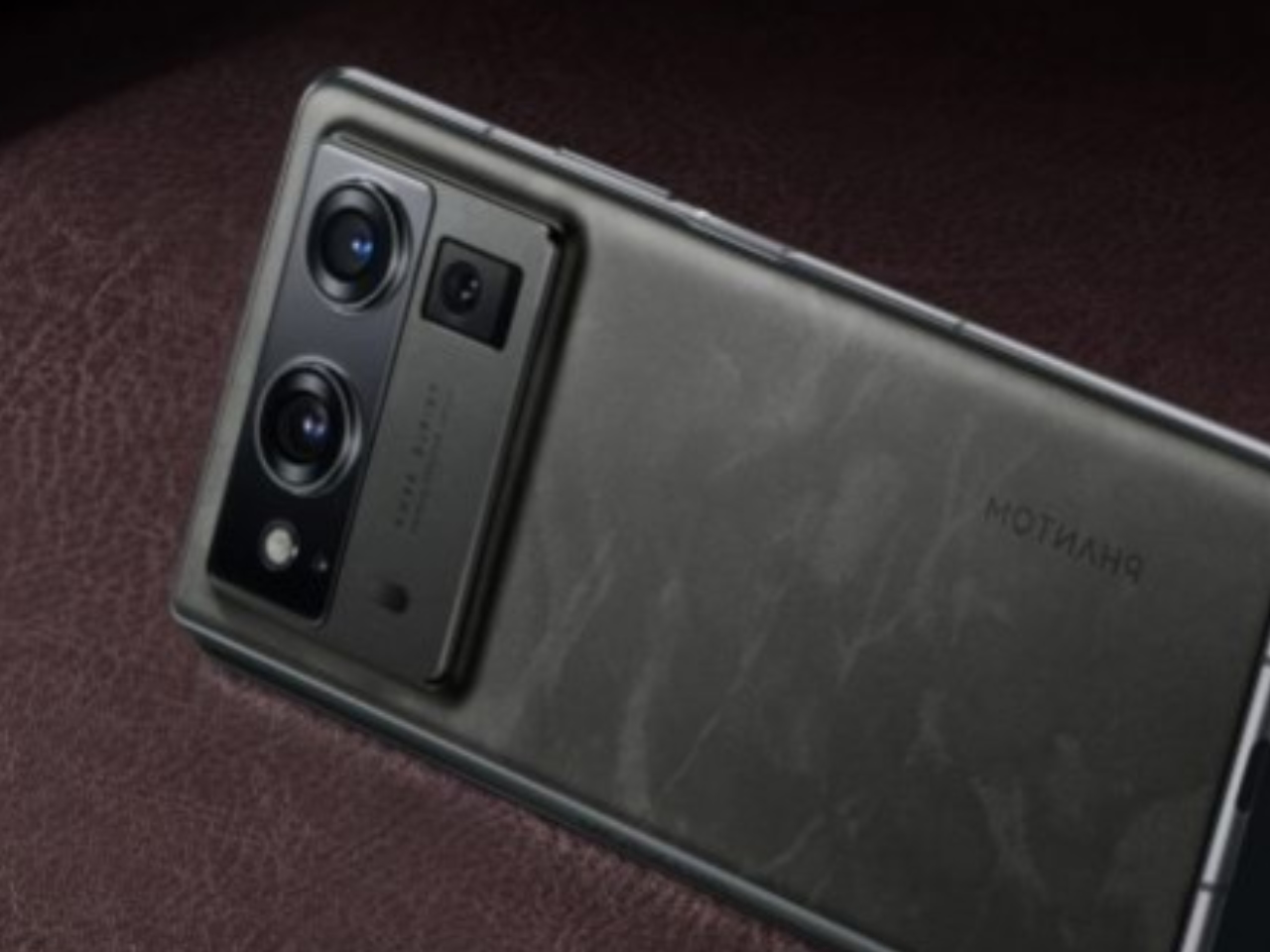
Tecno Phantom V Fold 2

Display Improvements

The display on the V Fold 2 seems to show clear advancements over the first model. The V Fold had a decent screen with a 120Hz refresh rate, which provided a smooth experience, but users often noticed the crease in the screen, which detracted from the overall experience.
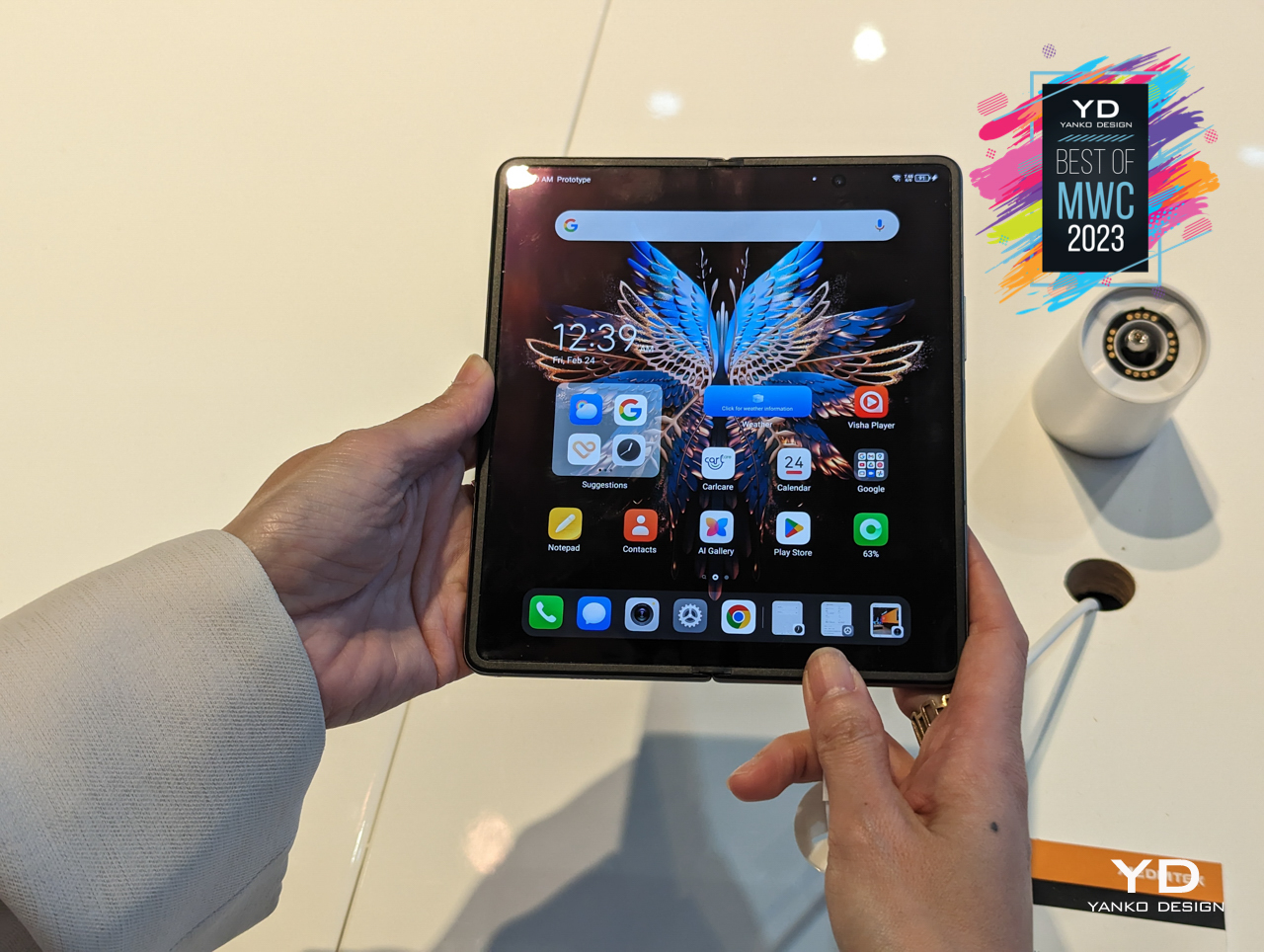
Tecno Phantom V Fold 5G

With the V Fold 2, Tecno likely addressed these issues. The new model looks like it offers better brightness, more accurate colors, and perhaps improved crease management, making the internal screen more durable and enjoyable to use. The cover display also appears to have seen improvements in size and usability, allowing users to interact with the phone more easily when it’s closed.

V Flip vs. V Flip 2: Embracing Trends with Functional Upgrades

Design and Usability
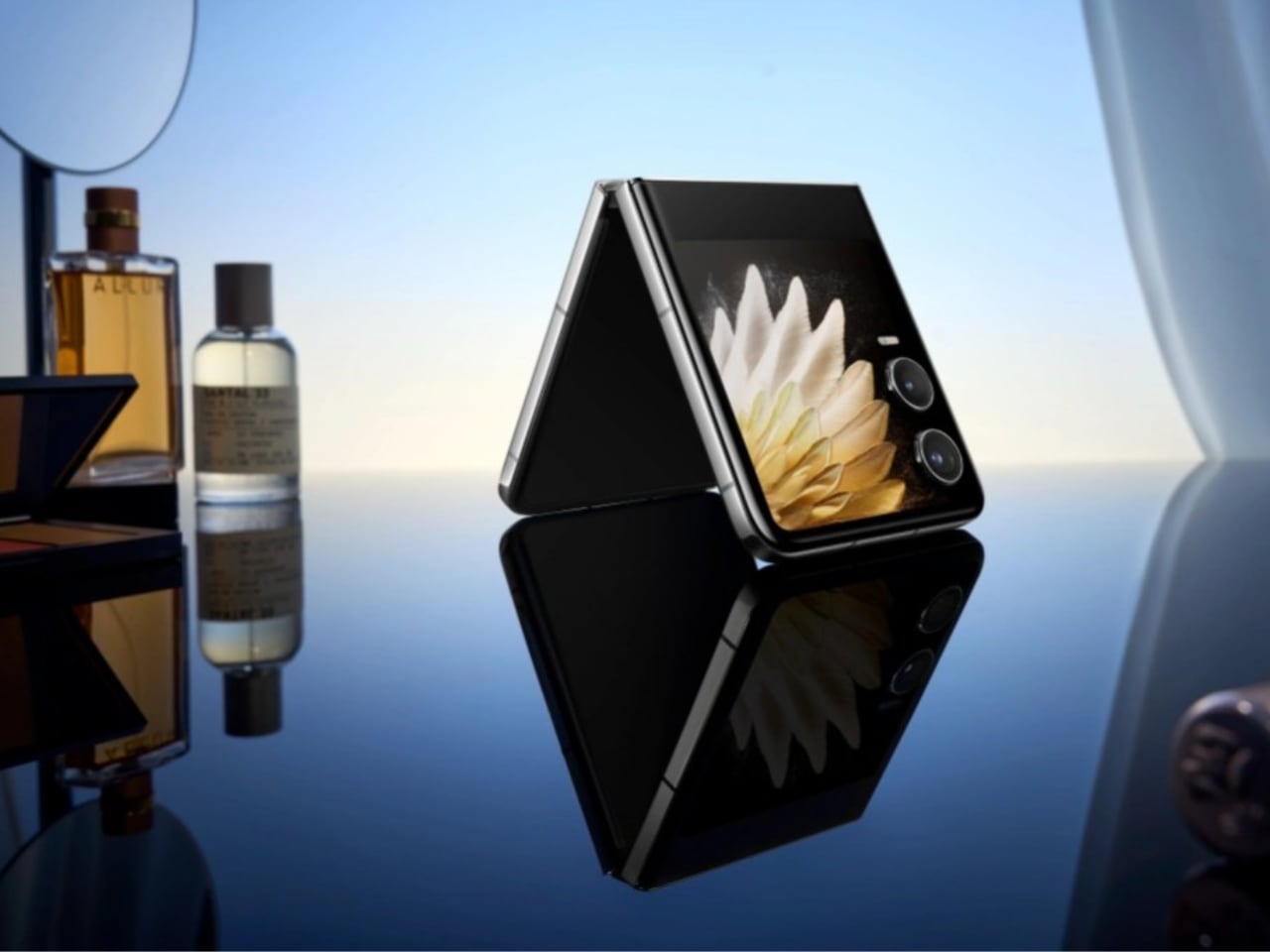
Tecno Phantom V Flip 2

The Tecno V Flip introduced users to a new form factor with its flip-style design, but it was clear that there was room for refinement. The V Flip’s design was characterized by a large, circular camera bump that dominated the front of the device when closed, along with a smaller cover display embedded within this bump. While this design choice was unique, it limited the functionality of the cover display, making it less practical for everyday use.
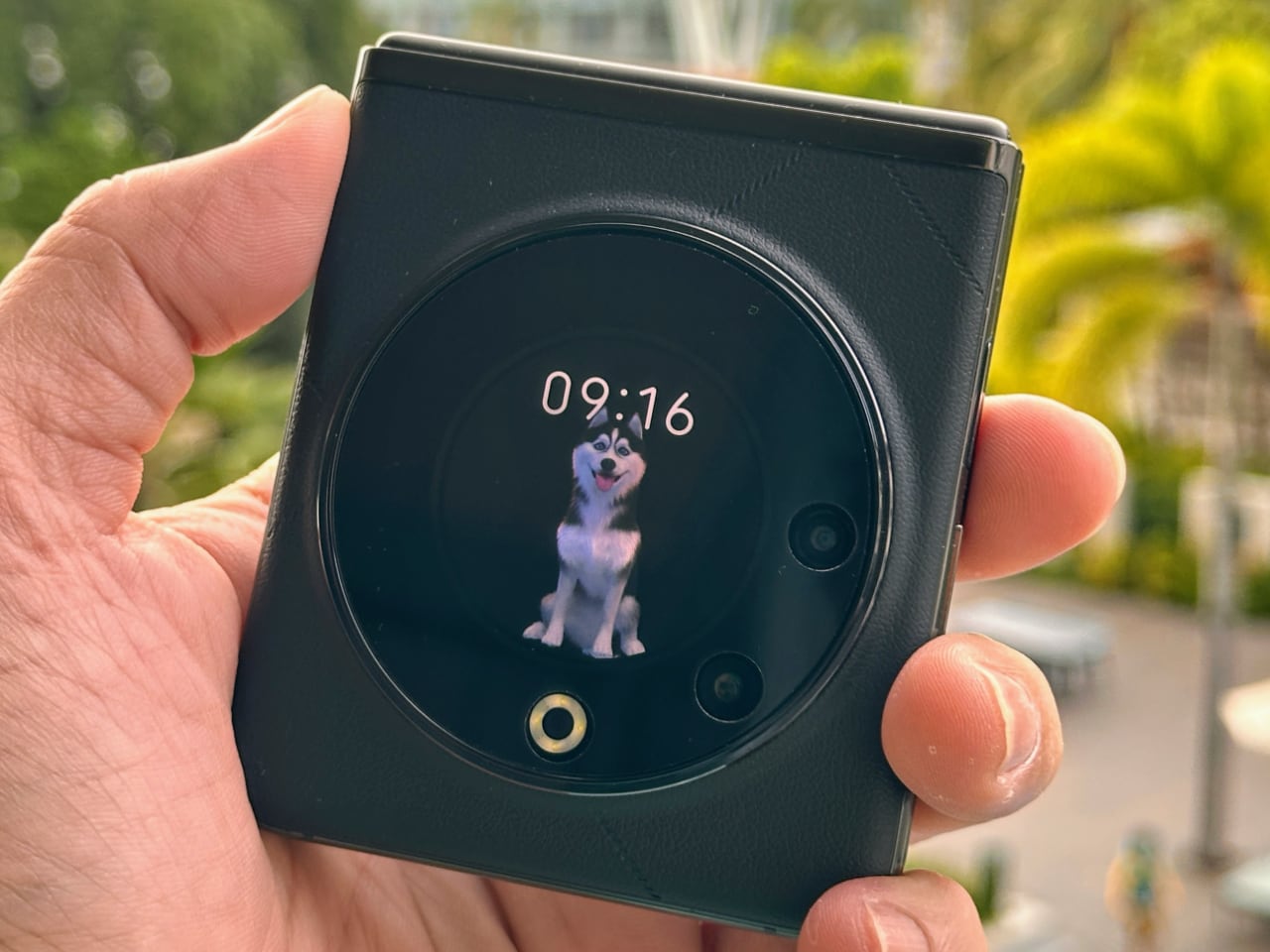
Tecno Phantom V Flip 5G Camera Setup

The V Flip 2, on the other hand, embraces the industry trend toward larger cover displays, significantly enhancing its usability. The cover display on the V Flip 2 looks larger and more functional, offering more screen real estate for interactions, notifications, and even quick replies without the need to open the device. This is a clear improvement over the V Flip, where the smaller cover display was often seen as a compromise.

Camera Bump Evolution

The camera bump on the V Flip 2 also appears to have undergone a redesign, moving away from the bold, circular module of the V Flip to a more integrated dual-camera setup. This change reflects a broader trend in smartphone design toward more streamlined, less intrusive camera modules. The V Flip 2’s camera bump will likely be smaller and more seamlessly integrated into the back panel, contributing to a more cohesive and modern design.
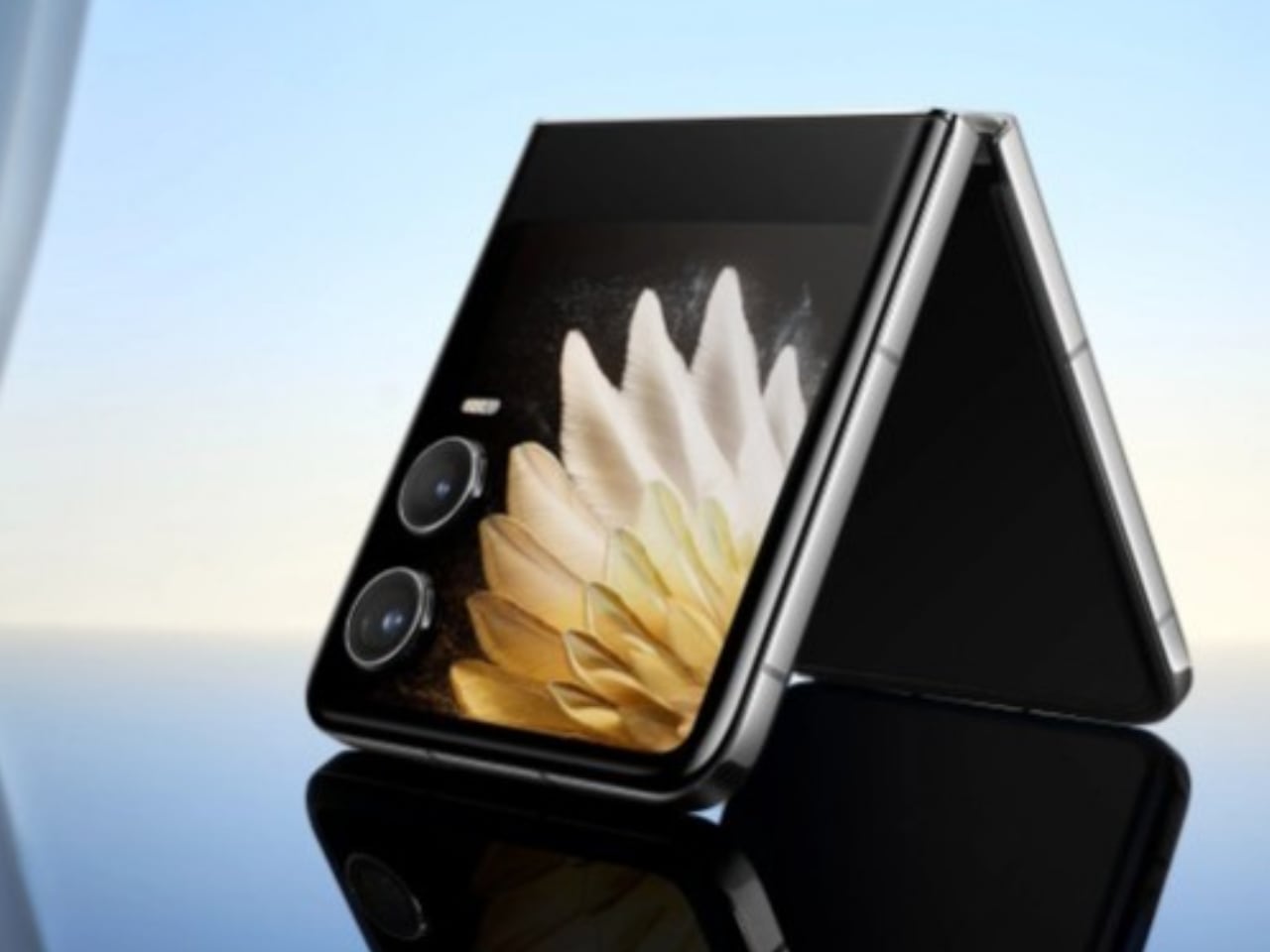
Tecno Phantom V Flip 2 cover display and camera setup

This evolution in design enhances the V Flip 2’s aesthetic appeal while making it more practical. The reduction in bulk around the camera area suggests that the device is easier to handle and fits more comfortably in pockets or bags.

Performance and Features

The V Flip 2 is expected to feature performance upgrades similar to those in the V Fold 2, including a newer chipset that supports faster processing speeds and better multitasking capabilities. The original V Flip was functional but not groundbreaking in terms of performance, so these improvements should be well-received by users looking for a more responsive device.

Battery life and charging are also areas where the V Flip 2 could see significant enhancements. A larger battery and faster charging technology would make the V Flip 2 more convenient for users constantly on the go, reducing the need for frequent recharging.

A Promising Step Forward

The transition from the Phantom V Fold to the V Fold 2 and from the V Flip to the V Flip 2 represents a promising step forward for Tecno. The brand seems to have addressed many of the shortcomings of its first-generation foldable devices, embracing design trends and enhancing functionality to appeal to a broader audience. Whether it’s the sleeker, more integrated camera designs, the improved displays, or the inclusion of a stylus for productivity, Tecno’s latest offerings appear ready to compete more aggressively in the foldable smartphone market. However, it remains to be seen how these changes will resonate with users once the devices are widely used.

For those who value a balance between cutting-edge technology, practical everyday usability, and thoughtful design, the V Fold 2 and V Flip 2 offer compelling choices. Additionally, price and value will play crucial roles in determining the success of these models as Tecno positions itself in the competitive foldable market.

The post Tecno’s Foldable Journey: The Evolution in Design from Phantom V Fold 5G to V Fold 2, and V Flip 5G to V Flip 2 first appeared on Yanko Design.
An Amazon Echo Pop and smart light bulb bundle is just $23

One of the main reasons to have a smart speaker is to help you control various smart home devices. Light bulbs are among the most common products used for that purpose, so it only makes sense to bundle one of those with a smart speaker. As part of a back to school sale on Amazon devices and bundles, a combo of the Echo Pop and a Sengled smart bulb is available for just $23. That's 61 percent or $37 off the regular price, and only $3 more than it was selling for during Prime Day last month.

Amazon introduced the Echo Pop last year as an entry-level Alexa-powered speaker. The semi-spherical device can handle some machine learning tasks locally and it can work with Eero mesh routers to extend the range of a home network.

Meanwhile, Sengled makes solid smart light bulbs that are a more budget-friendly alternative to name brand models like Philips Hue. The main drawbacks are that the colors aren't as nuanced as pricier options, while the mobile app isn't totally refined (though that's maybe less of a concern if you're using your voice to control the bulb anyway).

Amazon is also offering the bulb as part of other discounted bundles. You can snag an Echo Show 5 and Sengled smart light bulb for $60, down from $110. If an Echo Spot is of more interest, you can pick up one of those and a bulb for $55. The bundle usually costs $100.

Follow @EngadgetDeals on Twitter and subscribe to the Engadget Deals newsletter for the latest tech deals and buying advice.

This article originally appeared on Engadget at https://www.engadget.com/deals/an-amazon-echo-pop-and-smart-light-bulb-bundle-is-just-23-170035540.html?src=rss

A24’s ‘Y2K’ has teens battling old-school computers and bloodthirsty Tamagotchis

Once upon a time in the tail-end of the last century, there was something called the Y2K bug. This bit of computer code was supposed to herald a global robot apocalypse at the stroke of midnight when 1999 became the year 2000 because of, uh, clock dates or something. Anyways, nothing happened. Or did it?

That’s the premise behind A24’s new horror comedy, the appropriately-named Y2K. The film imagines a New Year’s Eve of 1999 in which the computers really did turn on humanity. It’s written and directed by SNL alum Kyle Mooney, who made the fantastic and underrated Brigsby Bear.

As you can see from the trailer, it’s a 1990s teen party comedy, like Can’t Hardly Wait, but also an apocalyptic horror film. This particular hodgepodge brings to mind This is the End, in which Seth Rogen and other celebrities fight off a demonic horde.

However, instead of a demonic horde, these teens will be fighting for their lives against VCRs, old-school computers and, of course, murderous Tamagotchis. Also, Limp Bizkit’s Fred Durst is somehow involved. The cast is composed primarily of unknown teenagers, but the adults are played by Tim Heidecker, Alicia Silverstone and Mooney himself. The movie hits theaters on December 6.

This article originally appeared on Engadget at https://www.engadget.com/entertainment/tv-movies/a24s-y2k-has-teens-battling-old-school-computers-and-bloodthirsty-tamagotchis-164537560.html?src=rss

Valve bans Razer and Wooting keyboard automation in Counter-Strike 2

Earlier this week Valve started kicking Counter-Strike 2 players who used a feature called Simultaneous Opposing Cardinal Directions (SOCD). It’s available on some of Razer and Wooting’s keyboards, and you'll be kicked from matches if you play Counter-Strike 2 and the game detects you using it. Fortunately, Valve isn’t planning to ban Steam accounts right now.

The Verge tested Valve’s ruling and confirmed the game kicks you from matches if you play with SOCD. We still don’t recommend challenging Valve’s leniency, as the admins still have every right to ban accounts from playing the game. Don’t come crying if they do, thanks.

Razer calls the feature Snap Tap, while Wooting prefers the cuter term Snappy Tappy. Valve’s post says that those who own these keyboards must disable the features to “avoid any interruption to your matches.”

SOCD allows players to automate strafing, which means they can move in two directions without releasing the first key. This entails that you can always peek out of cover and get back out of harm’s way as fast as the game’s limitations allow. For example, as you move left with the A key, pressing the D key without letting the A key go enables you to go right instantly. Additionally, your reticule widens while moving, so coming to a stop sooner helps with your aim. SOCD lets you stop almost instantly, which can improve your head-clicking rate.

Both Razer and Wooting have made posts on X accepting Valve’s decision. Wooting, in particular, called for SOCD keyboard owners to disable the feature while playing Counter-Strike 2.

This article originally appeared on Engadget at https://www.engadget.com/gaming/pc/valve-bans-razer-and-wooting-keyboard-automation-in-counter-strike-2-160502376.html?src=rss

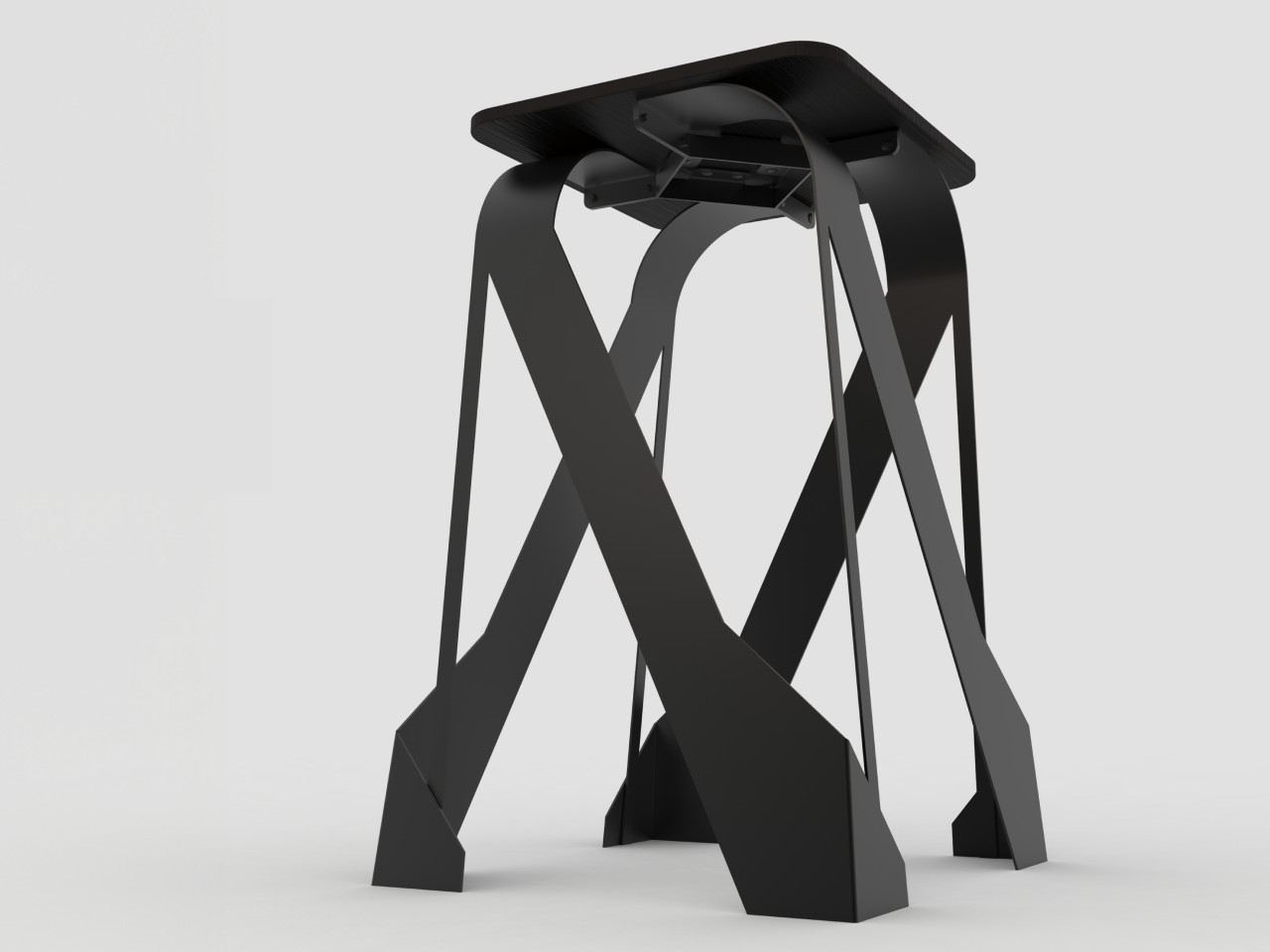
Alien-like metal stool concept inspires awe rather than fear

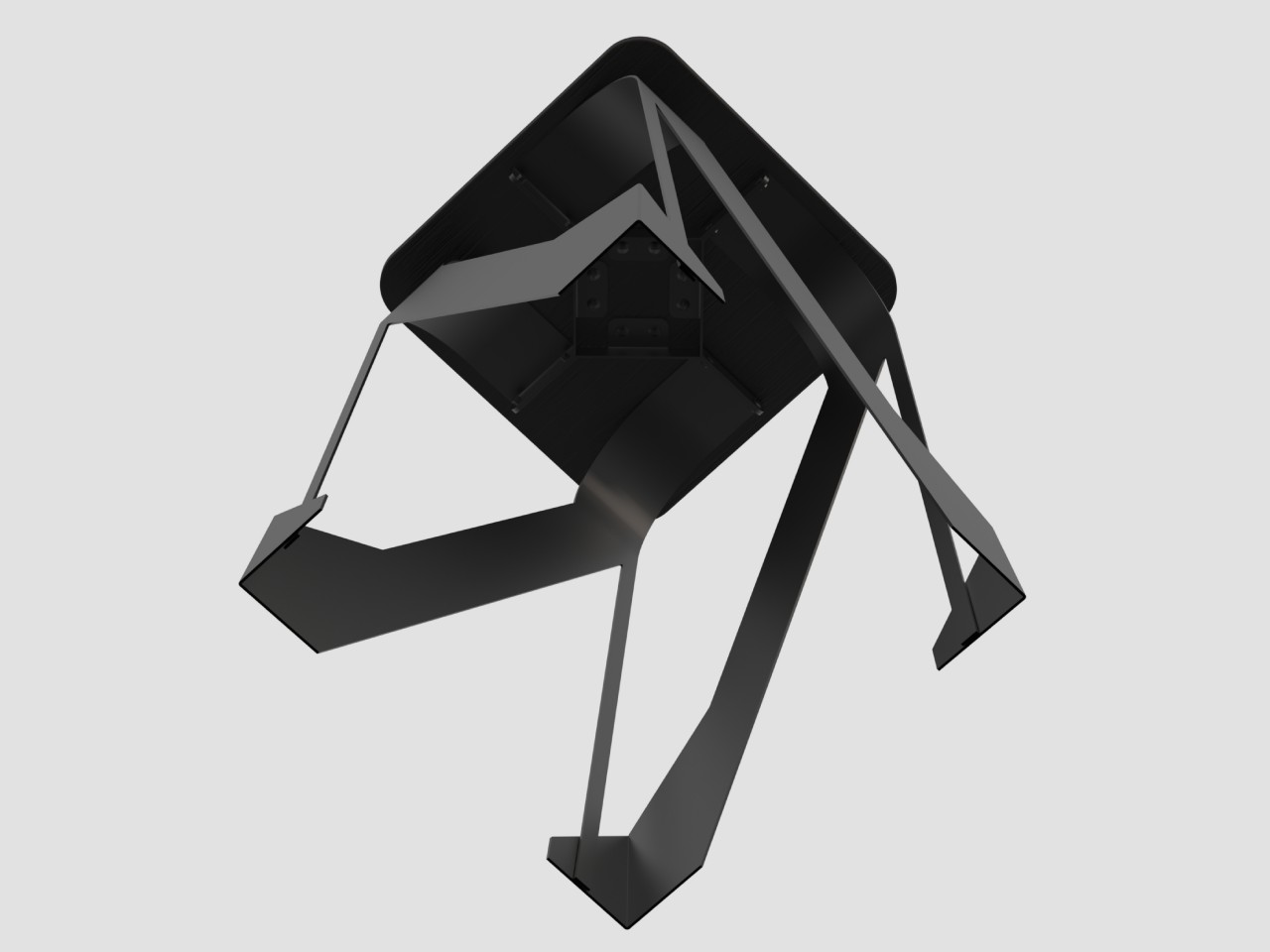
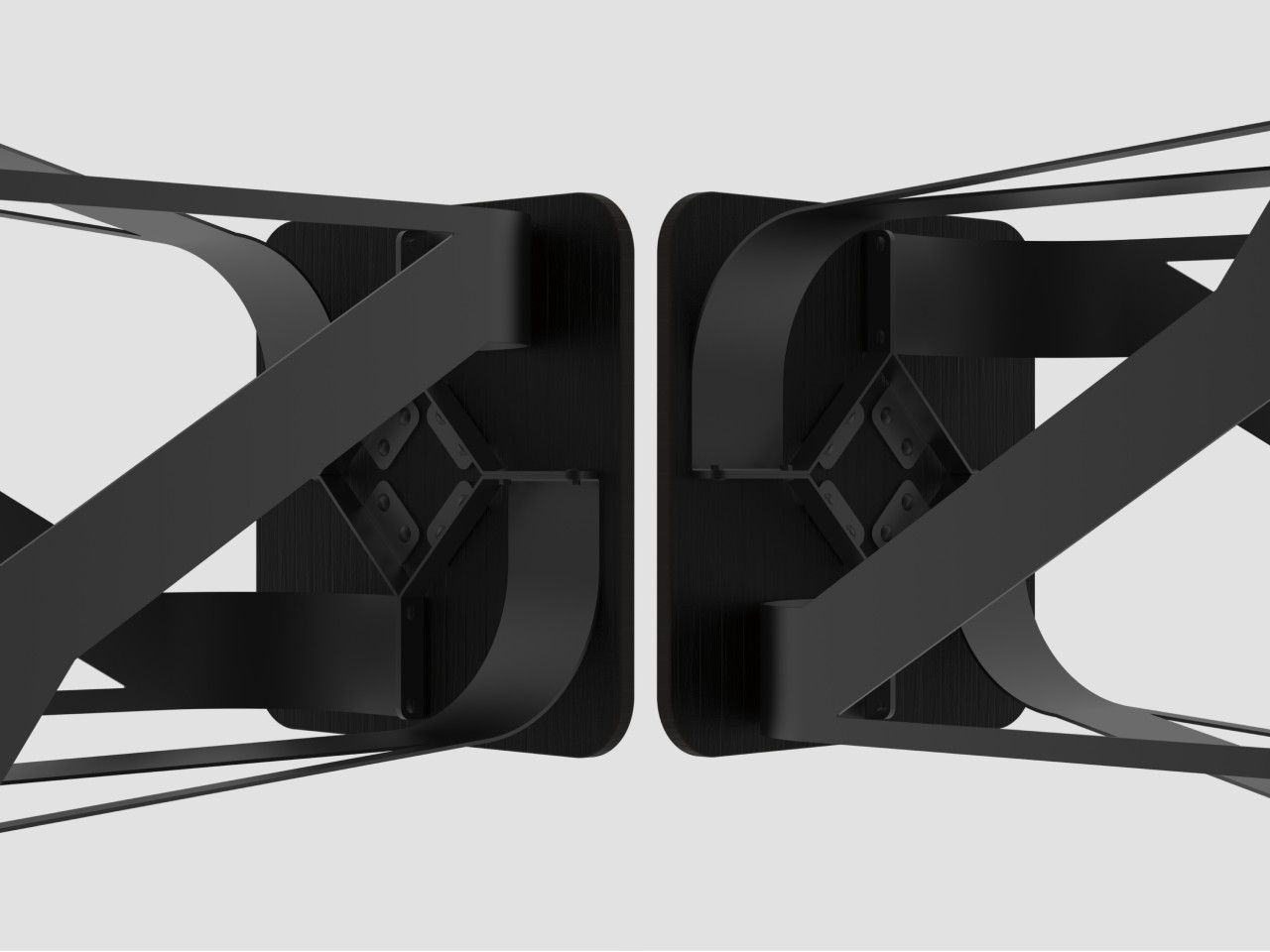
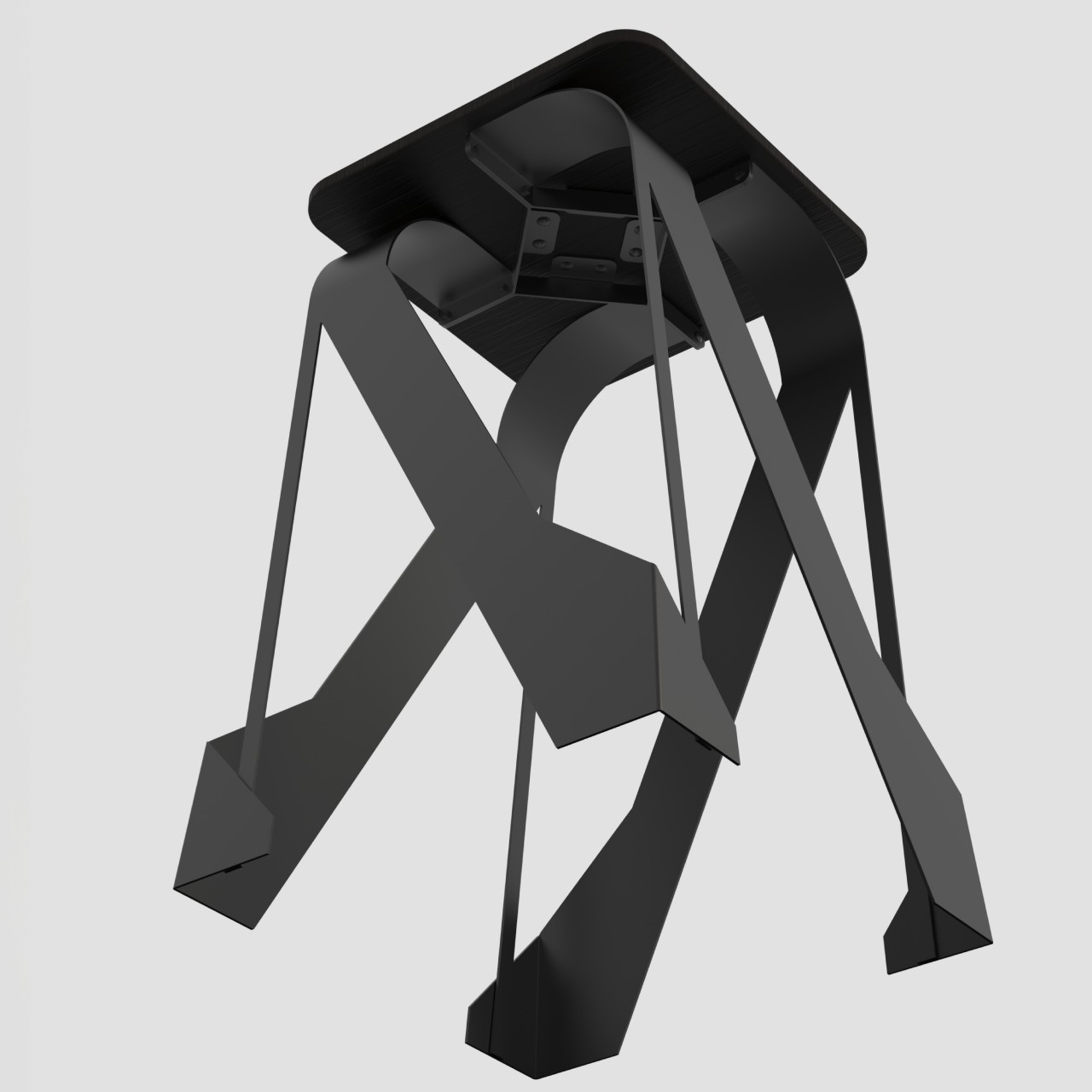
Grotesque alien creatures will probably be trending again thanks to the revival of a long-running movie franchise, but all extraterrestrial creatures will look horrifying. They might be breathtaking, defying all the preconceived notions of our limited human minds. They might not even be organic, at least as defined by what we know on earth. If we ever encountered an inorganic, metallic alien that didn’t look like any biped or quadruped Earthbound creature, it could probably look like this metal stool with its symmetric tentacles that seemingly invite you to approach and, well, sit on it for your comfort.

Designer: Riley MacKay

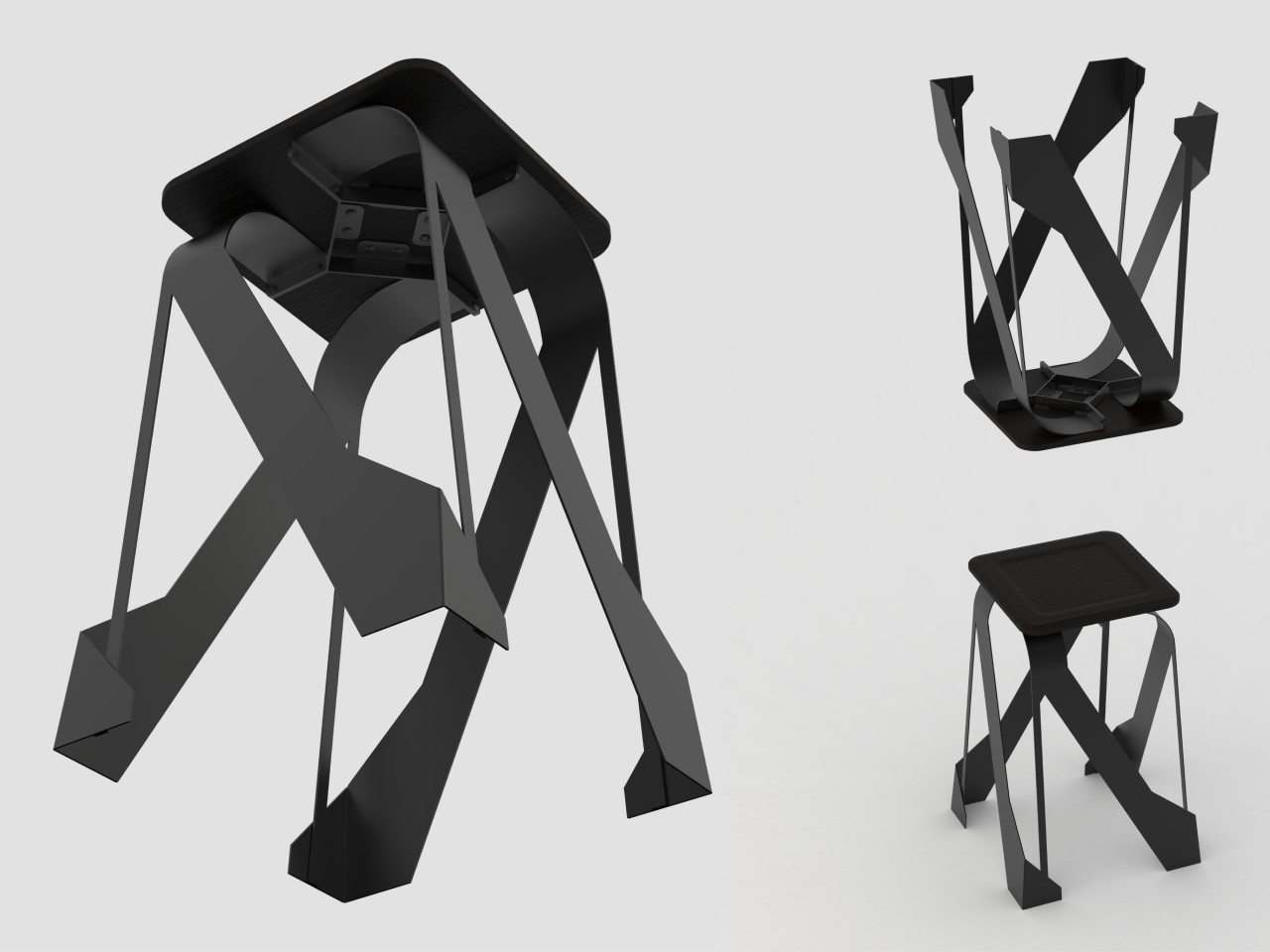
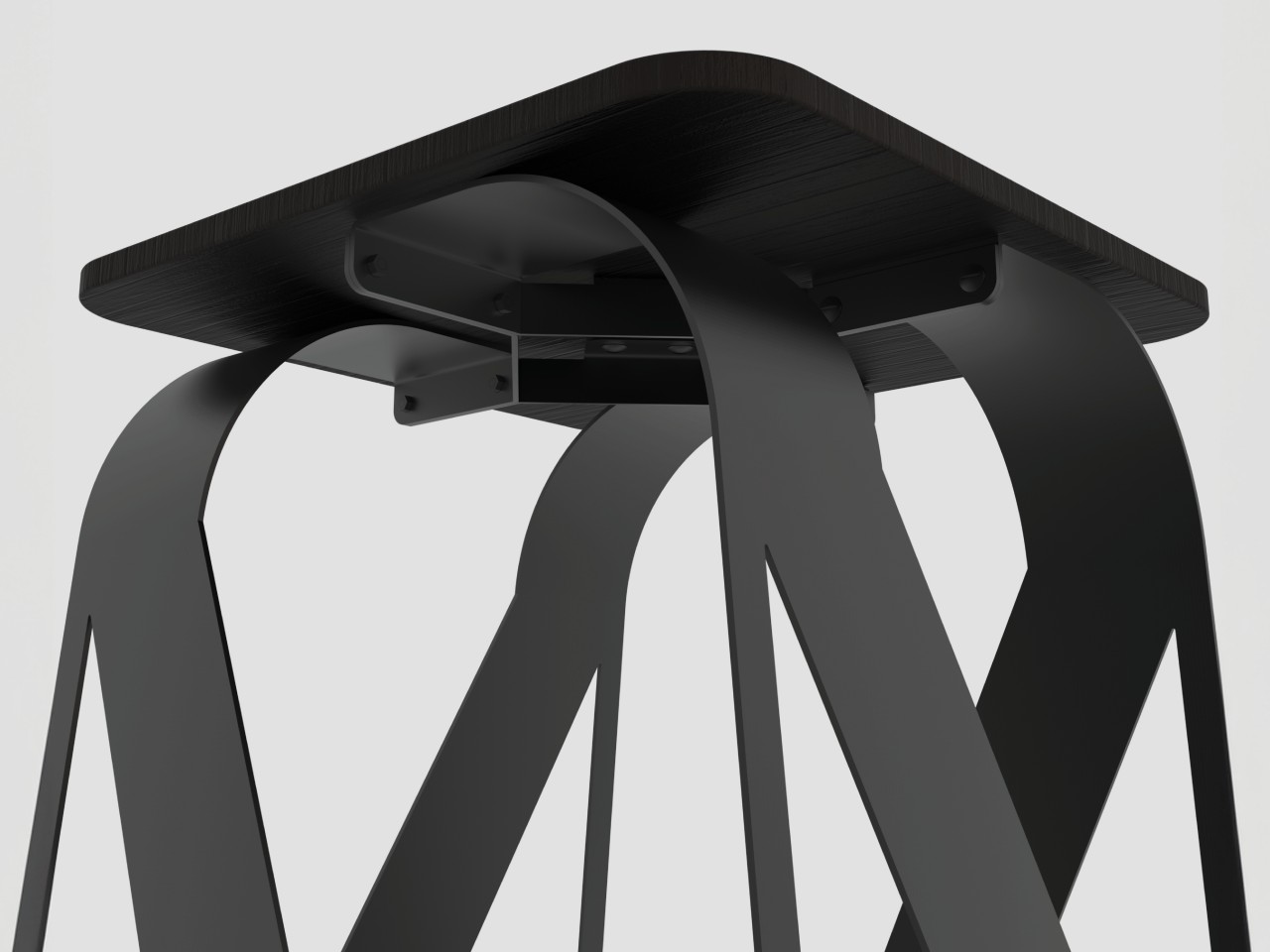
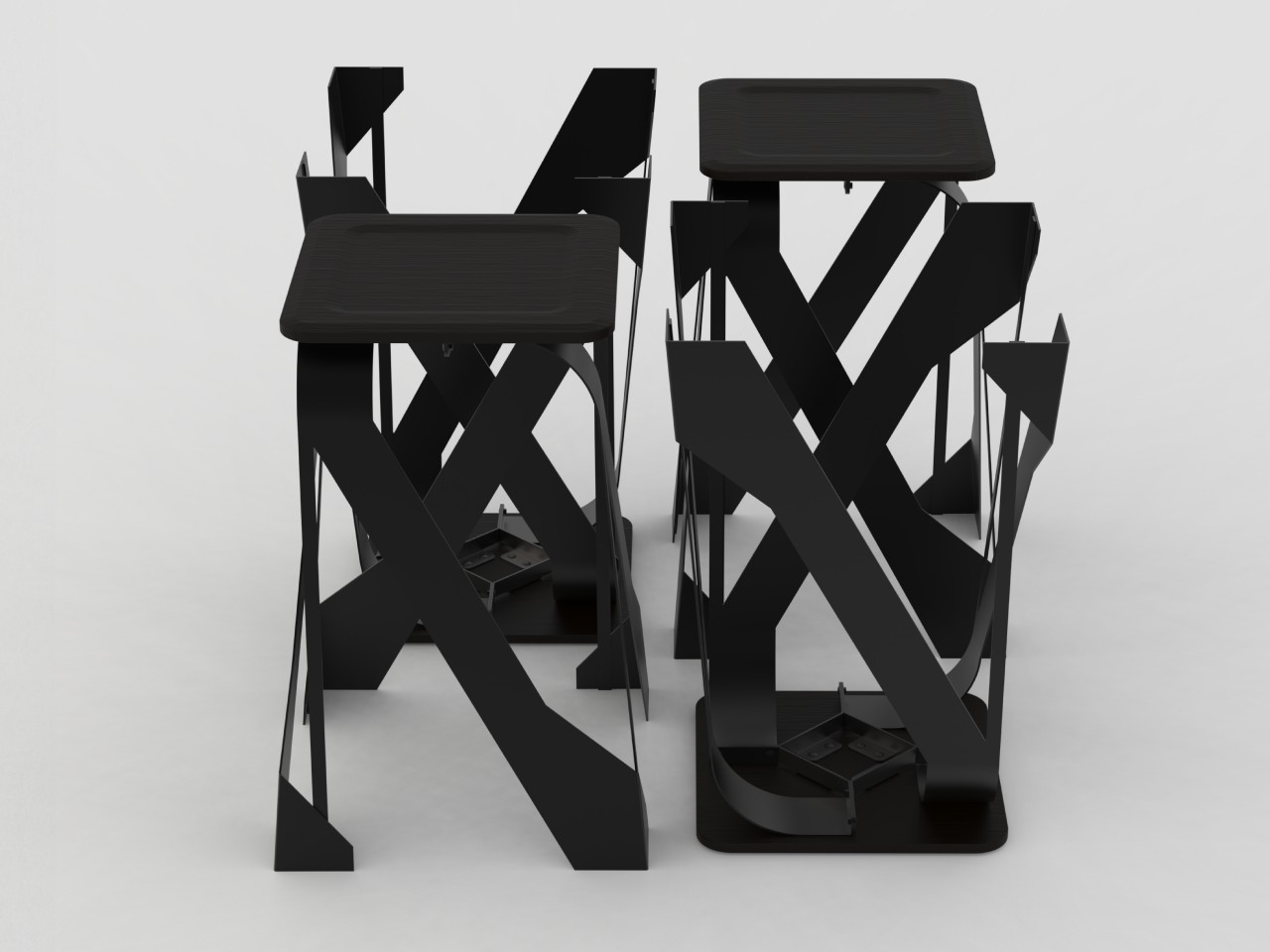
Alien references aside, this metal and wood stool definitely doesn’t look like your typical piece of furniture. There are technically still four legs, though they look double that number because of how each leg splits into two. The legs seemingly turn and swirl around the center of the stool, giving the impression of tentacles moving around a metallic creature.

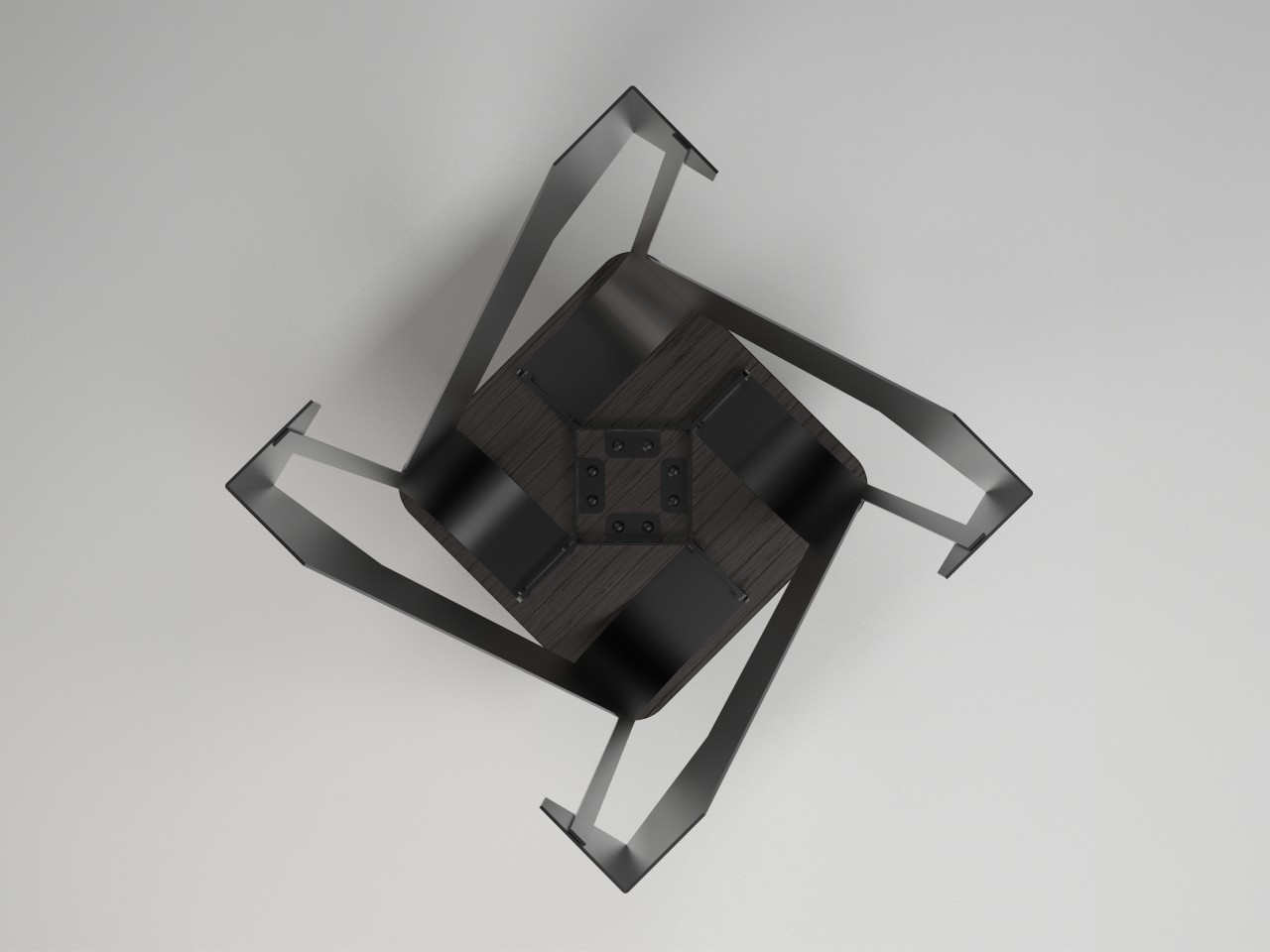
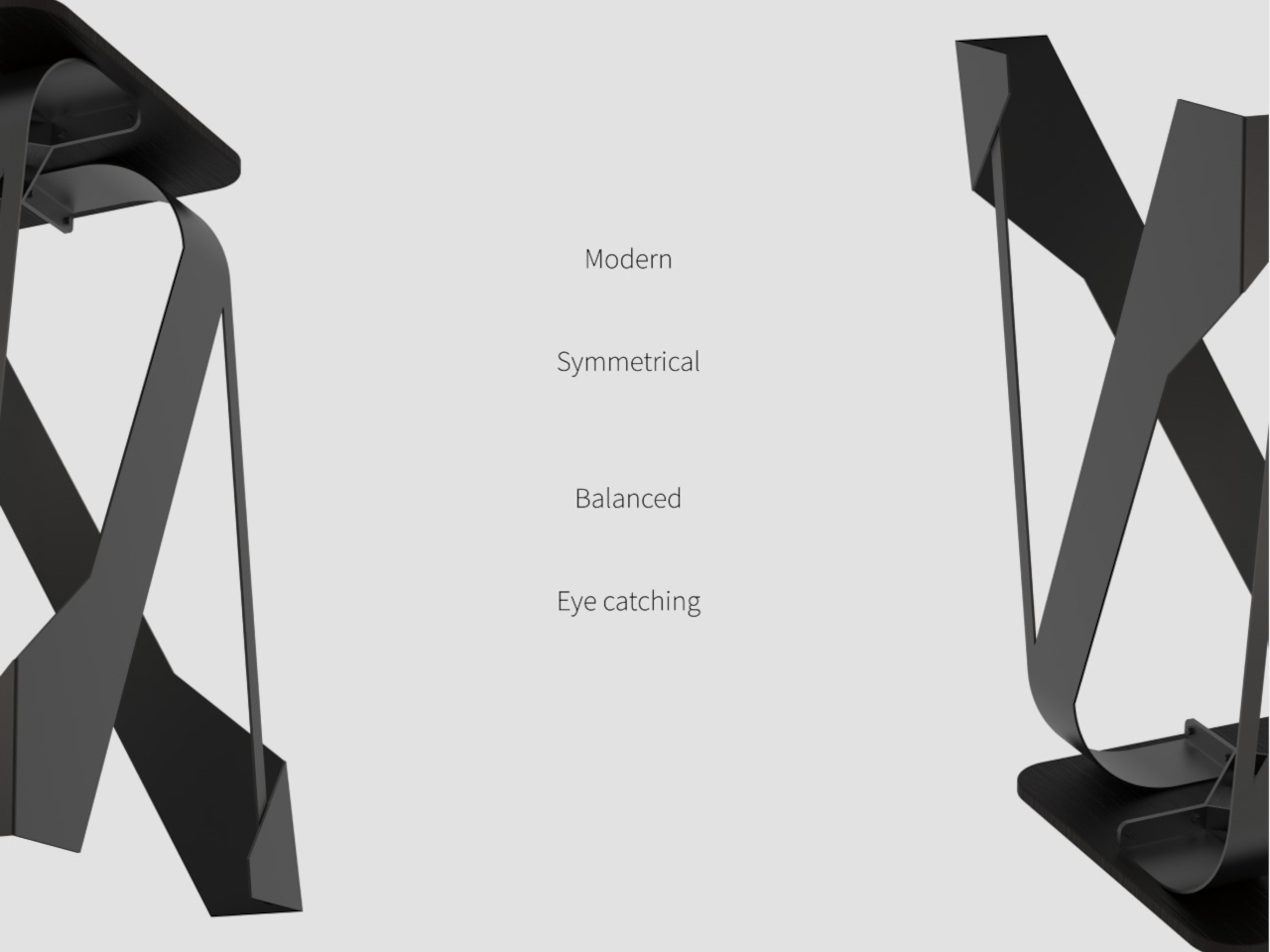
Unlike what you’d see from a jellyfish or octopus, however, there is a strict symmetry to the stool’s geometric design. The legs protrude at a specific angle away from the body and to the side, creating the shape of a spinning star when the stool is viewed from the top. This design provides both visual and mechanical balance, giving the stool stability despite its seemingly thin and flat legs.

There is also a sustainability angle to the Metal Stool, though perhaps a bit indirectly. The legs are made from sheet metal while the seat is birch wood, both of which can be sourced from sustainable or renewable options. The minimalist design could mean that these parts can be taken from factory offcuts as well, providing a new purpose for otherwise discarded and wasted materials.

The Metal Stool is a prime example of a simple and subtle design that manages to look quite stunning just by shifting the formula just a little bit. Whether it reminds you of aliens, jellyfish, or abstract art, the stool has the same effect of catching your attention and adding a unique character to any space. And, of course, you can sit on it as well without fear of toppling over or, worse, being taken by metal tentacles into the depths of a dark void.

The post Alien-like metal stool concept inspires awe rather than fear first appeared on Yanko Design.
Anova will charge customers to use its sous vide app, because everything must be a subscription

Anova will soon start charging customers a monthly or yearly fee to use the “smart” features of its well-regarded sous vide cooking appliances. The subscription costs kick in on August 21 and apply to the proprietary app, which controls wireless functionality. In other words, you won’t be able to remotely control the device without paying the piper.

The subscription price isn’t exactly exorbitant, at $2 per month or $10 per year, but it’s the principle of the thing. In the old days, we’d buy an object and then use that object. End of story. Now everything’s a dang subscription. Yes. I wrote those previous sentences in a cartoonish old man's voice, but the point stands.

Anova says that the subscription fee will only apply to new users. If you already own an Anova cooker and use the app, the company will grandfather you in for free. However, it’s now mandatory to create an account. Before this change, it was optional. If you use an Anova cooker in guest mode, get that account made pronto. 

These cookers can be used without the app, but that turns them into bare-bones sous vide machines (not that there’s anything wrong with that.) The app allows for remote adjustments, access to status updates, the perusal of recipes and more.

“Our community has literally cooked 100s of millions of times with our app. Unfortunately, each connected cook costs us money,” company CEO Stephen Svajian wrote in a blog post. Svajian didn't go into detail as to how using simple Bluetooth features costs the company money, but whatever. 

The bad news doesn’t stop there. Anova is stripping its first-gen products of all smart features. This applies to the Bluetooth and Bluetooth + Wi-Fi models of the original Anova Precision Cooker. Not even a subscription will save these devices, though the change doesn’t go into effect until 2025.

This article originally appeared on Engadget at https://www.engadget.com/home/kitchen-tech/anova-will-charge-customers-to-use-its-sous-vide-app-because-everything-must-be-a-subscription-151906912.html?src=rss

Apple’s 13-inch iPad Air M2 drops to a record-low price

It's back to school season, which means many students and/or their parents are on the lookout for a laptop on which they can get schoolwork done. Depending on your needs, though, a tablet may do the trick (but you'll likely still want a keyboard attachment for extended typing sessions). Tablets offer flexibility in terms of study and play, and it's pretty hard to go wrong with a recent iPad.

As luck would have it, the 13-inch iPad Air M2 has dropped to its lowest price since Apple released it in May. The blue and space gray models are available for $729. That's $70 off the regular price.

While it's not the most powerful iPad around — the latest iPad Pro is the first device to use Apple's M4 chips — the M2 iPad Air is a great option. It's our recommendation for the best iPad for most people and we gave it a score of 91 in our review.

The M2 iPad Air delivers a great balance of performance, features and price. The 13-inch model has a brighter screen than its 11-inch sibling, and more screen real estate to get things done on. However, the 60Hz refresh rate is not as smooth as the 120Hz OLED panel on the latest iPad Pro.

The 8GB of included RAM and 128GB of base storage should be enough for basic tasks. The iPad Air will run for up to 10 hours on a single charge too.

There are cheaper and less-powerful iPads, but you'll be futureproofed to a certain degree with this one. AI-driven Apple Intelligence features will be available on the M2 iPad Air when Apple rolls those out later this year, and you can play some modern games such as Death Stranding and the Resident Evil 4 remake on the tablet (there's always the option to stream games from the cloud or local hardware too). One other feature we appreciate about this model is that Apple finally moved the front-facing camera to the horizontal edge, which makes much more sense for FaceTime or video calls in landscape mode.

Follow @EngadgetDeals on Twitter and subscribe to the Engadget Deals newsletter for the latest tech deals and buying advice.

This article originally appeared on Engadget at https://www.engadget.com/deals/apples-13-inch-ipad-air-m2-drops-to-a-record-low-price-143504371.html?src=rss

Proposed urban swimming pool in Lisbon brings river closer to the city

My ideal place to live in is one that is near enough to the sea that I can go to it whenever I want but still be able to live in the city and all its creature comforts. Having a river where I can also swim in and do other activities without spending hours to go there would be the next best thing. Alas, I currently don’t live in a place like that so I have to live vicariously through other people who live in cities that are blessed to be near bodies of water.

Designers: X Atelier and Atelier BAUM

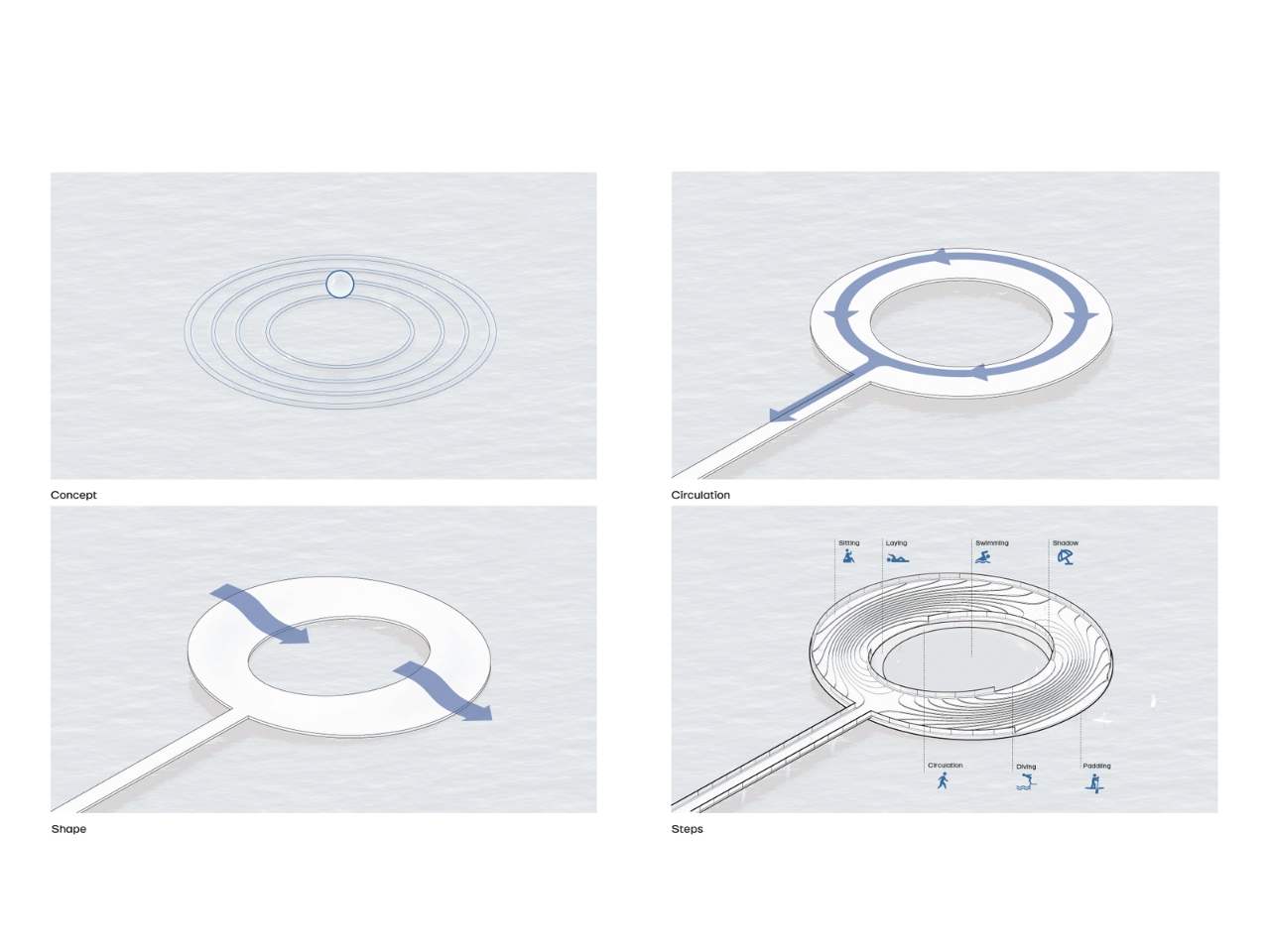
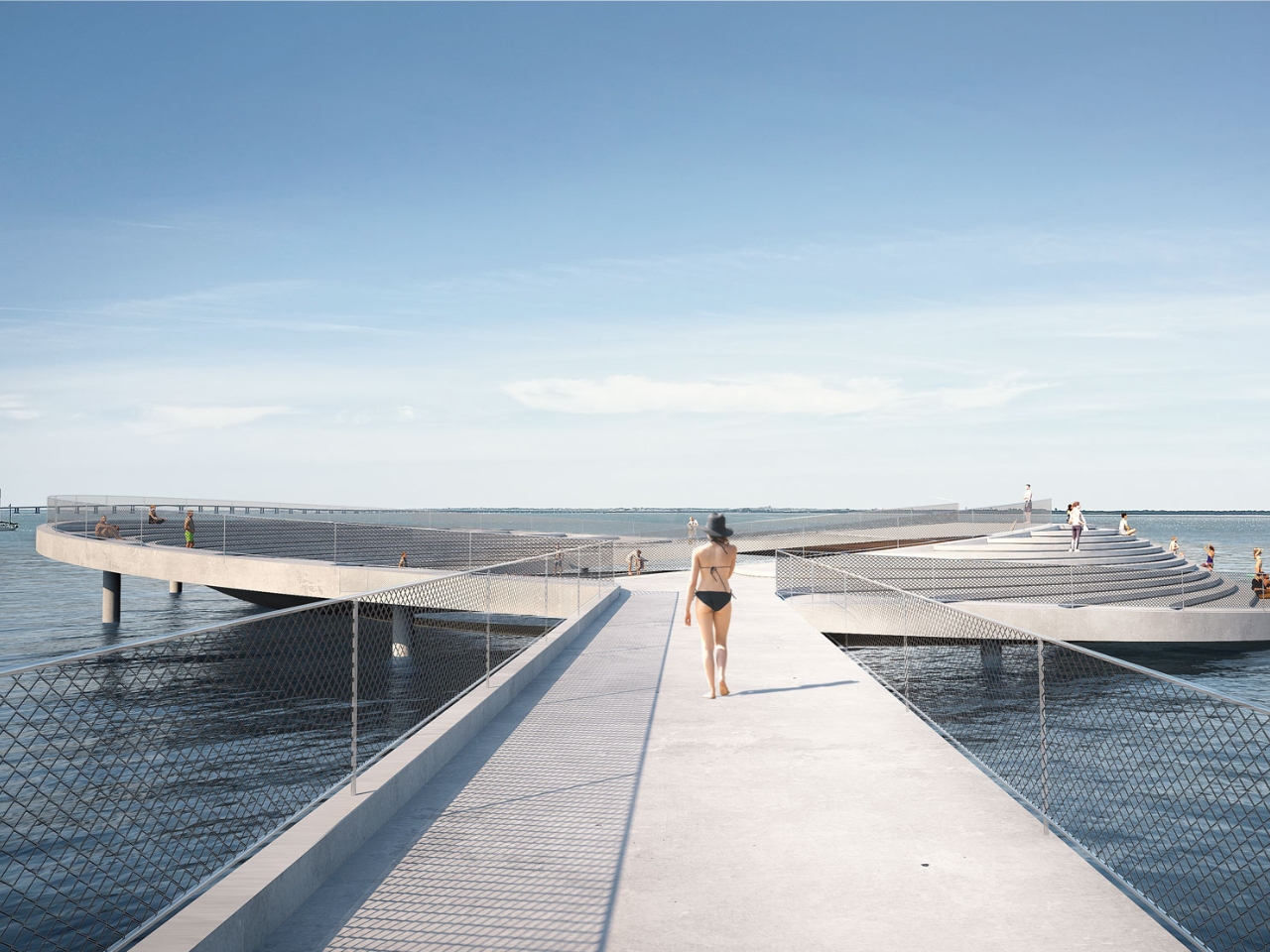
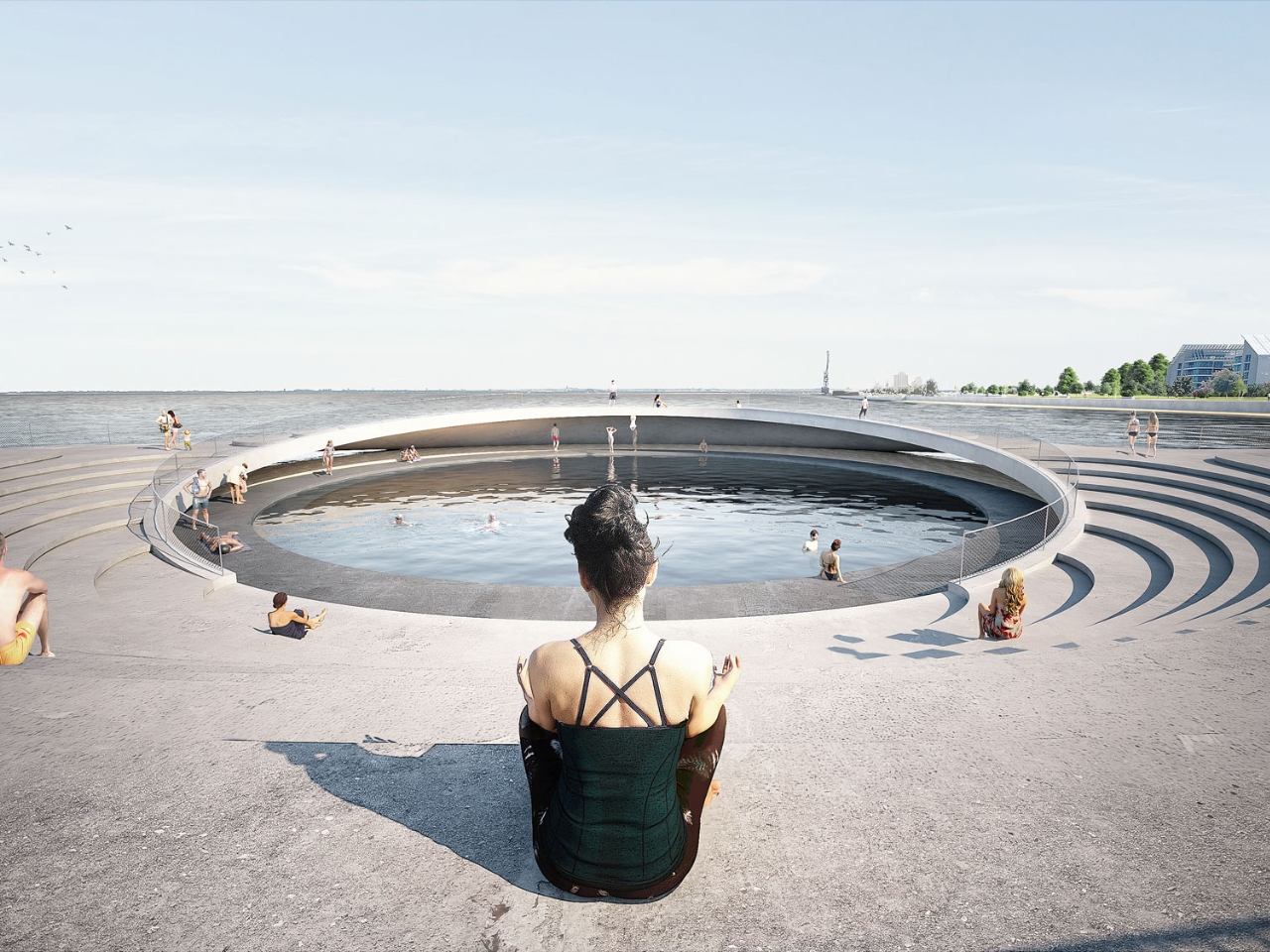
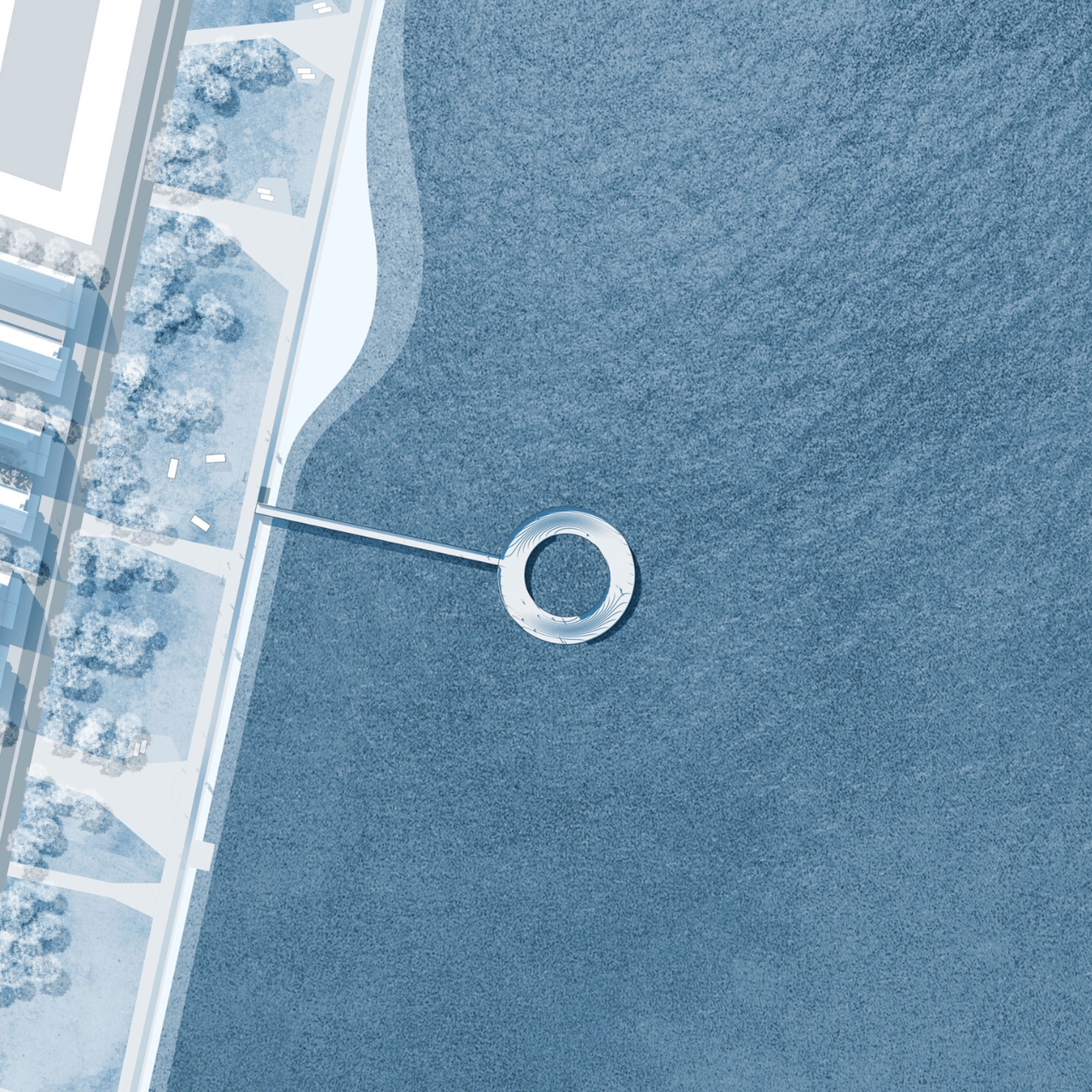
Lisbon is one such city although the nearby River Tagus is not immediately accessible to the city center. A couple of architectural firms have teamed up to propose an urban swimming pool to connect both residents and tourists to the river directly without having to travel or at least spend hours stuck in traffic jams. The Loop Pool Tejo is inspired by the movement of the water and wants to make several aquatic pursuits easier to access for whoever wants to spend a day at the river. It uses the industrial area of the Braço de Prata pontoon as the link from the city to the river.

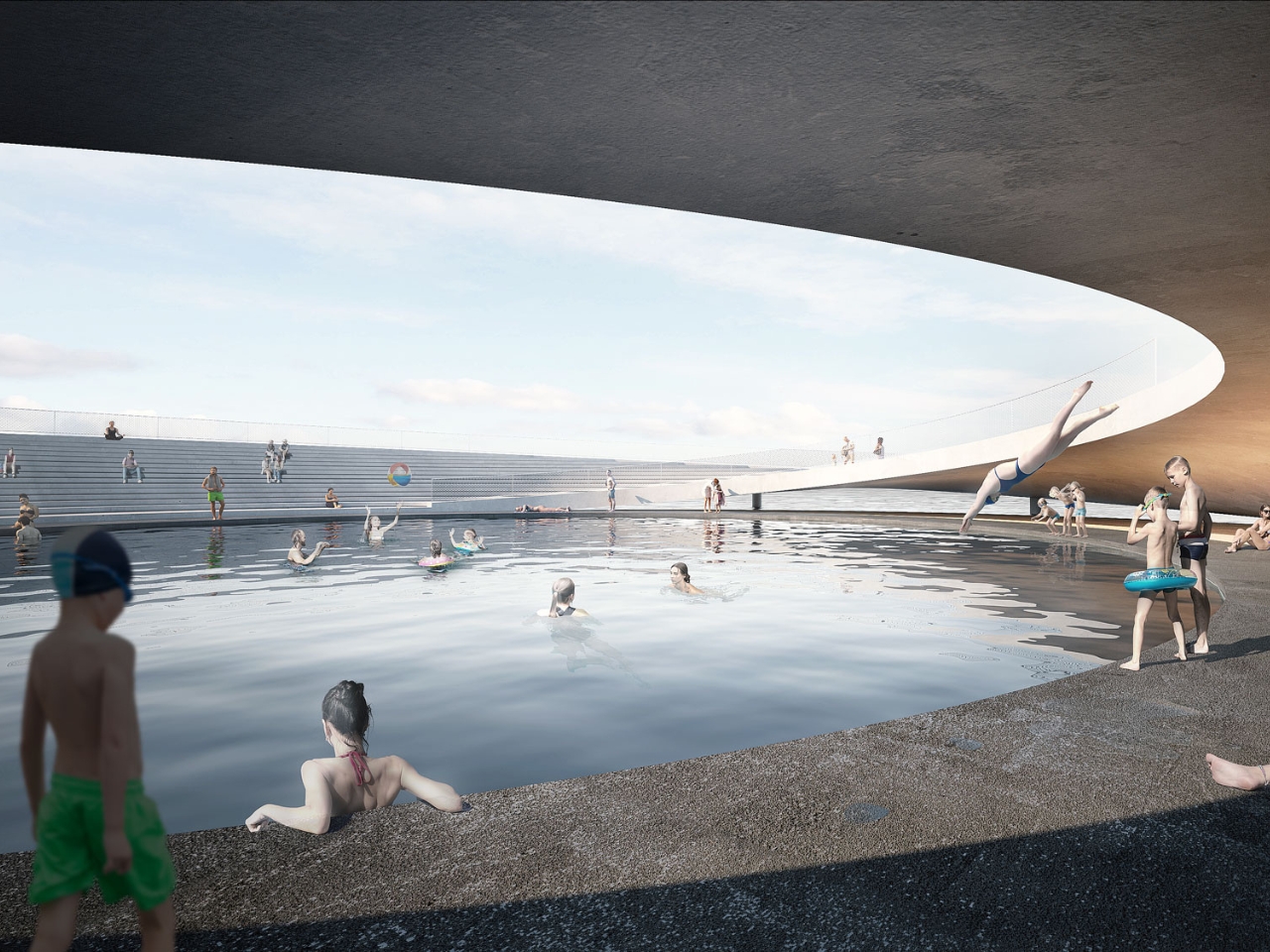
From the pontoon, you get a walkway to the circular center in the midst of the river which actually draws the circulation flow around it. There is a solarium and amphitheater facing the west and to the south, there is a second slope where people can sit and rest if they get tired from swimming. It’s also the entry point to other activities like paddling and rowing. The west wing also has a diving jump point into the tank in the middle while underneath the water level there is a shaded rest area for those who want to escape the sun.

If you just want to sit on the amphitheater, you’ll get a view of a rippling water drop and the steps around it create a looping effect. It’s a pretty interesting structure to place in the city and in the middle of the river and can also be inspiration for other cities that also have a nearby body of water that can be used for recreation.

The post Proposed urban swimming pool in Lisbon brings river closer to the city first appeared on Yanko Design.
Maserati GT2 Stradale Unveiled: With 640 Horsepower

Maserati GT2 Stradale

The unveiling of the Maserati GT2 Stradale at the 2024 Monterey Car Week in California has left car enthusiasts in awe. This super sports car is a testament to Maserati’s unwavering commitment to delivering exceptional performance while maintaining everyday usability. The GT2 Stradale’s impressive top speed, which surpasses 320 km/h, and its formidable 640 hp […]

The post Maserati GT2 Stradale Unveiled: With 640 Horsepower appeared first on Geeky Gadgets.

M4 iPad Pro vs M2 iPad Air (Video)

M4 ipad Pro

When it comes to choosing between Apple’s M2 iPad Air and M4 iPad Pro, there are several key differences to consider. The video below from Max Tech provides an in-depth comparison of these two devices, highlighting ten crucial aspects that set them apart. By understanding these differences, you can make an informed decision on whether […]

The post M4 iPad Pro vs M2 iPad Air (Video) appeared first on Geeky Gadgets.