WYBOT S3 Debuts With 3D Mapping and Self-Cleaning
WYBOT S3 introduces AI vision, 3D mapping, self-cleaning docking, and solar plus DC power for a more hands-free pool cleaning experience.
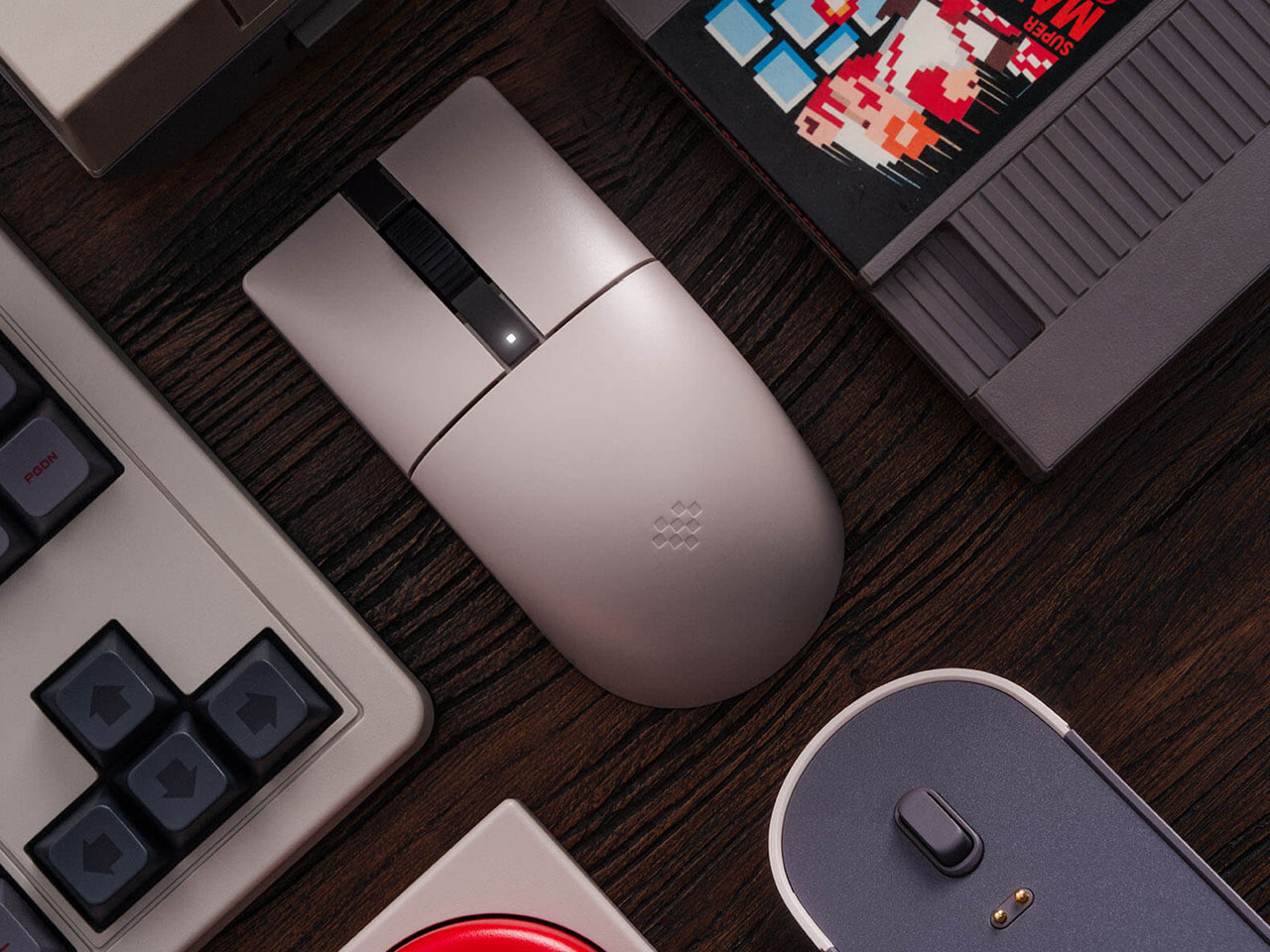
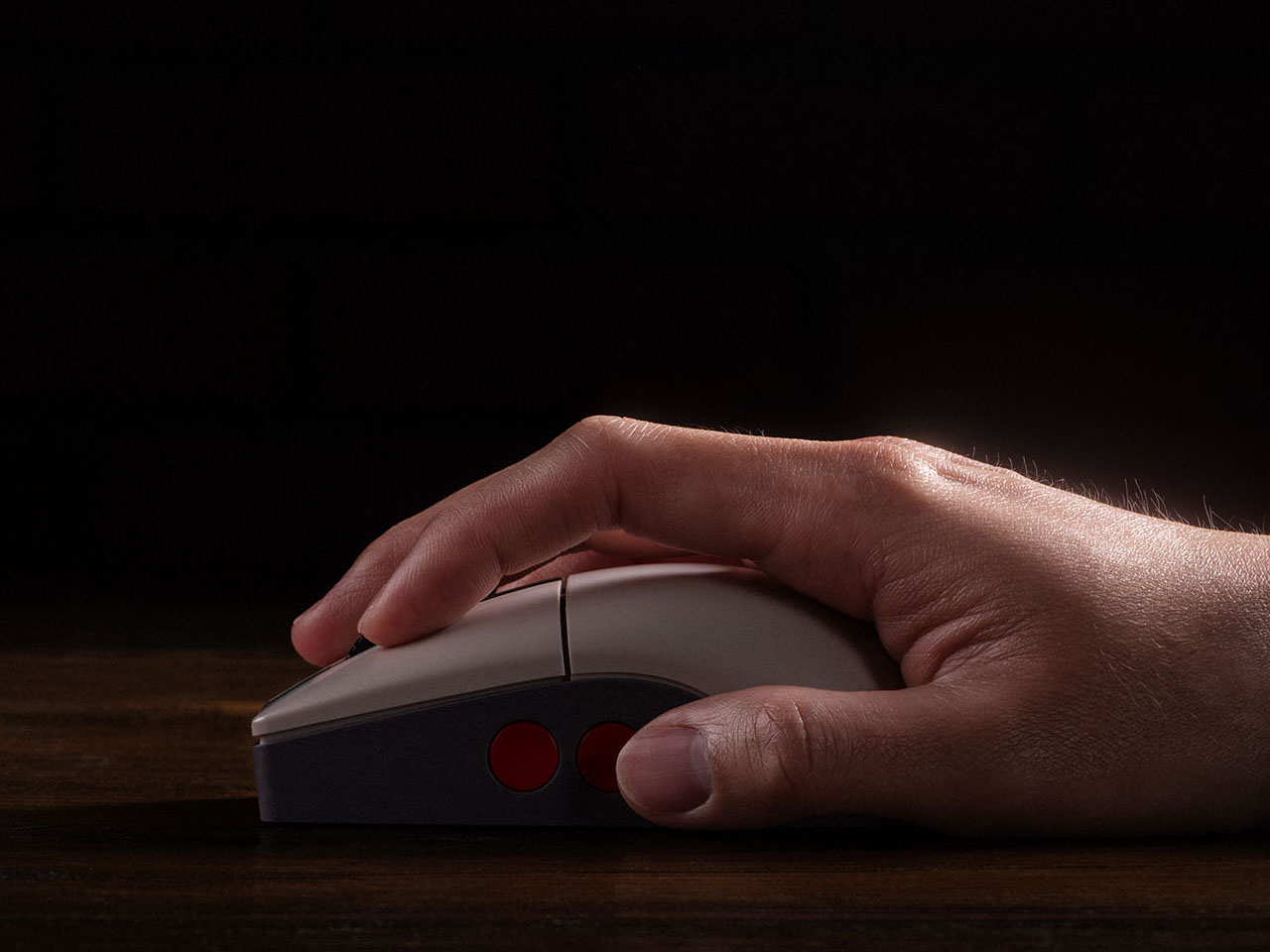
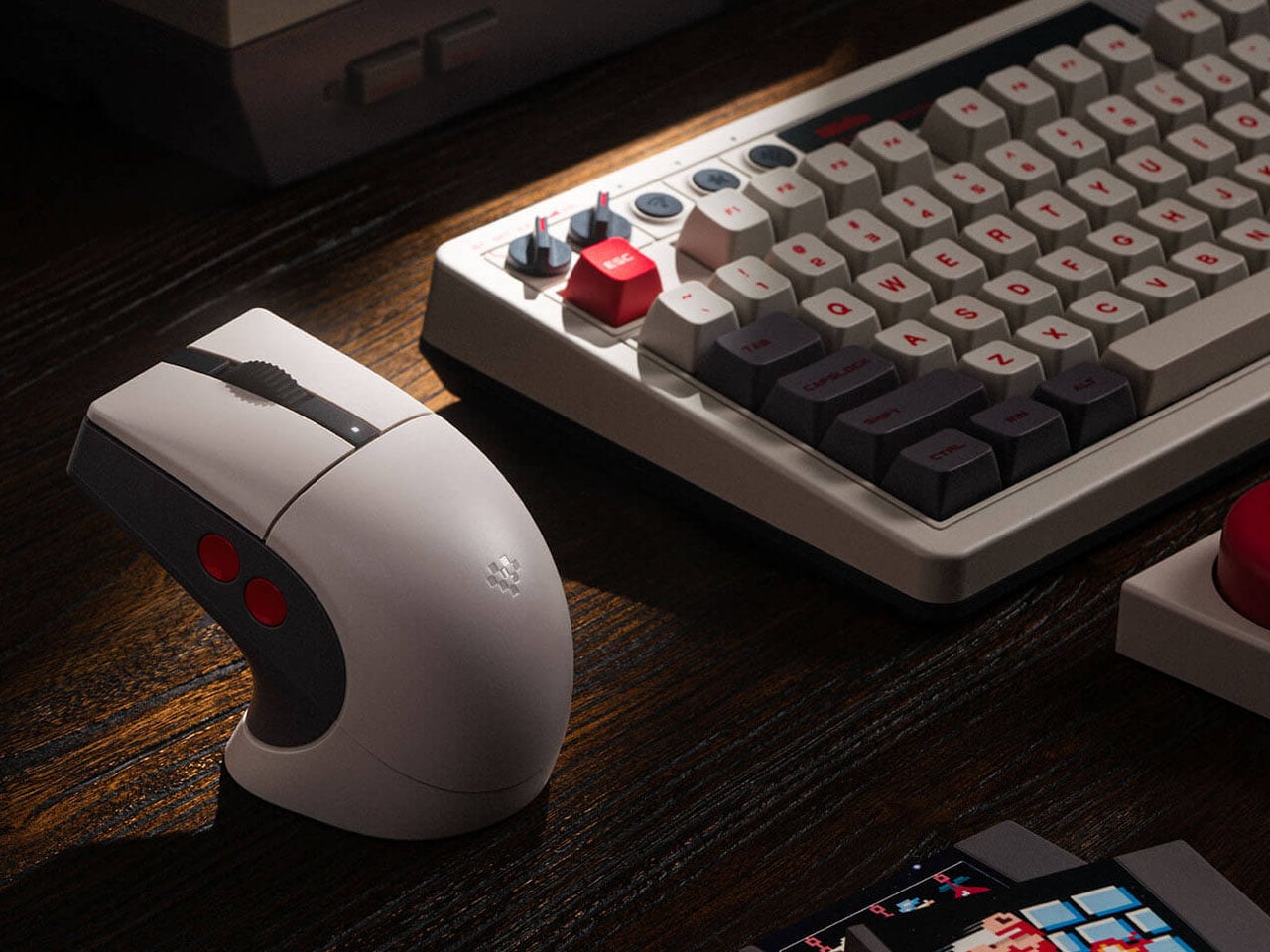
8BitDo, well-known for its quality gaming accessories, has a strong hold on retro-themed PC accessories, such as keyboards and numpads. Their Retro R8 mouse lineup, which already has the Xbox Edition and N Edition, now gets another variant of the peripheral. Like other mice in the R8 range, the C64-Edition is an eye candy mouse that pairs with your keyboard setup perfectly.
Themed on the Analouge 3D N64-themed controller, the C64 Edition evokes the nostalgic memories of the 8-bit era. Those who already own the Commodore 64 version will want to add this one to their collection. While it is unclear at this moment if this one has the Kailh Sword GM X micro switches used in the N Edition, it still gives keen gamers another one to choose from the 8BitDo lineup. The Commodore elements are slapped all over this retro mouse with the stripe logo on the charging dock and the familiar color theme.
Designer: 8BitDo
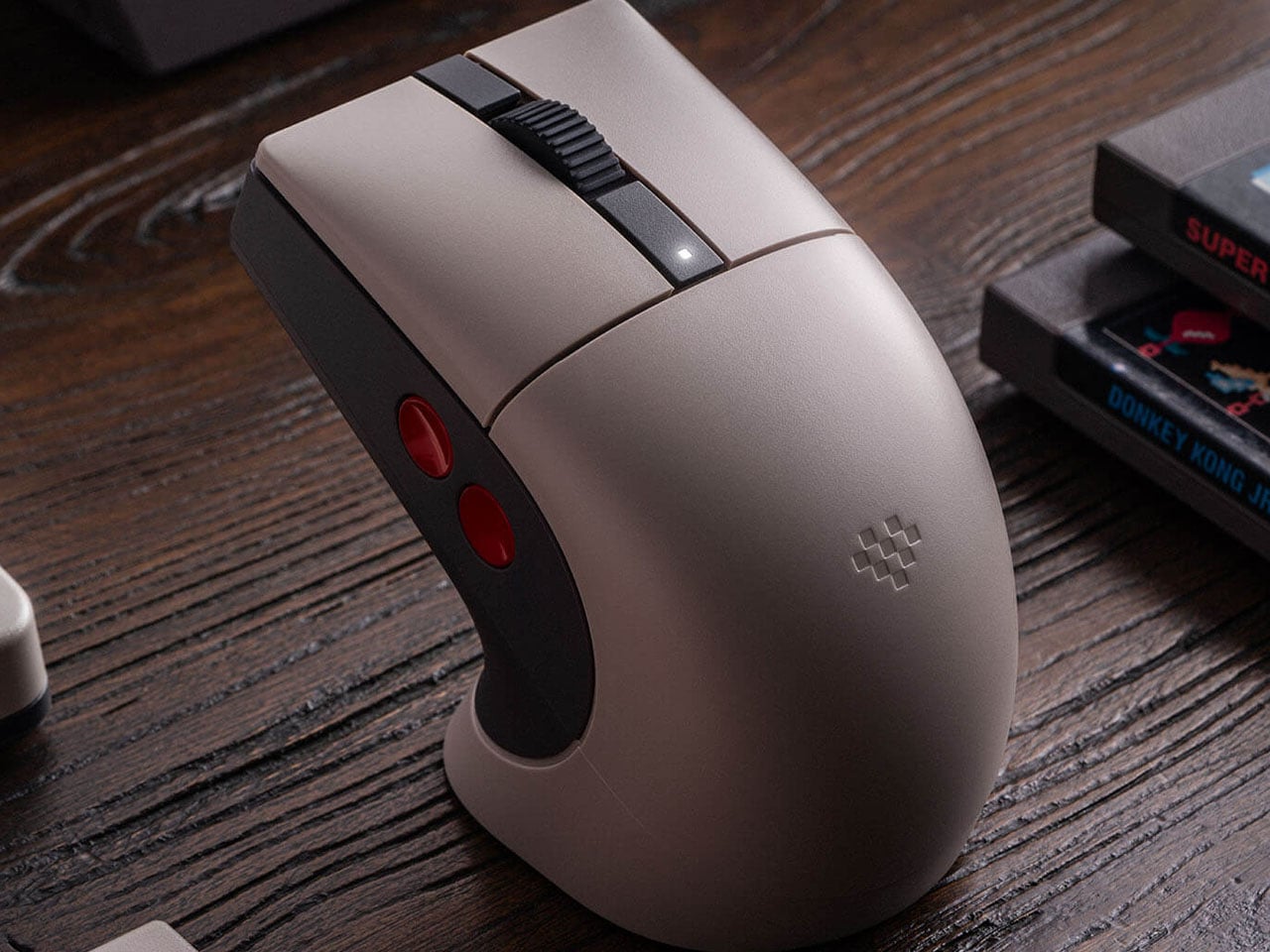
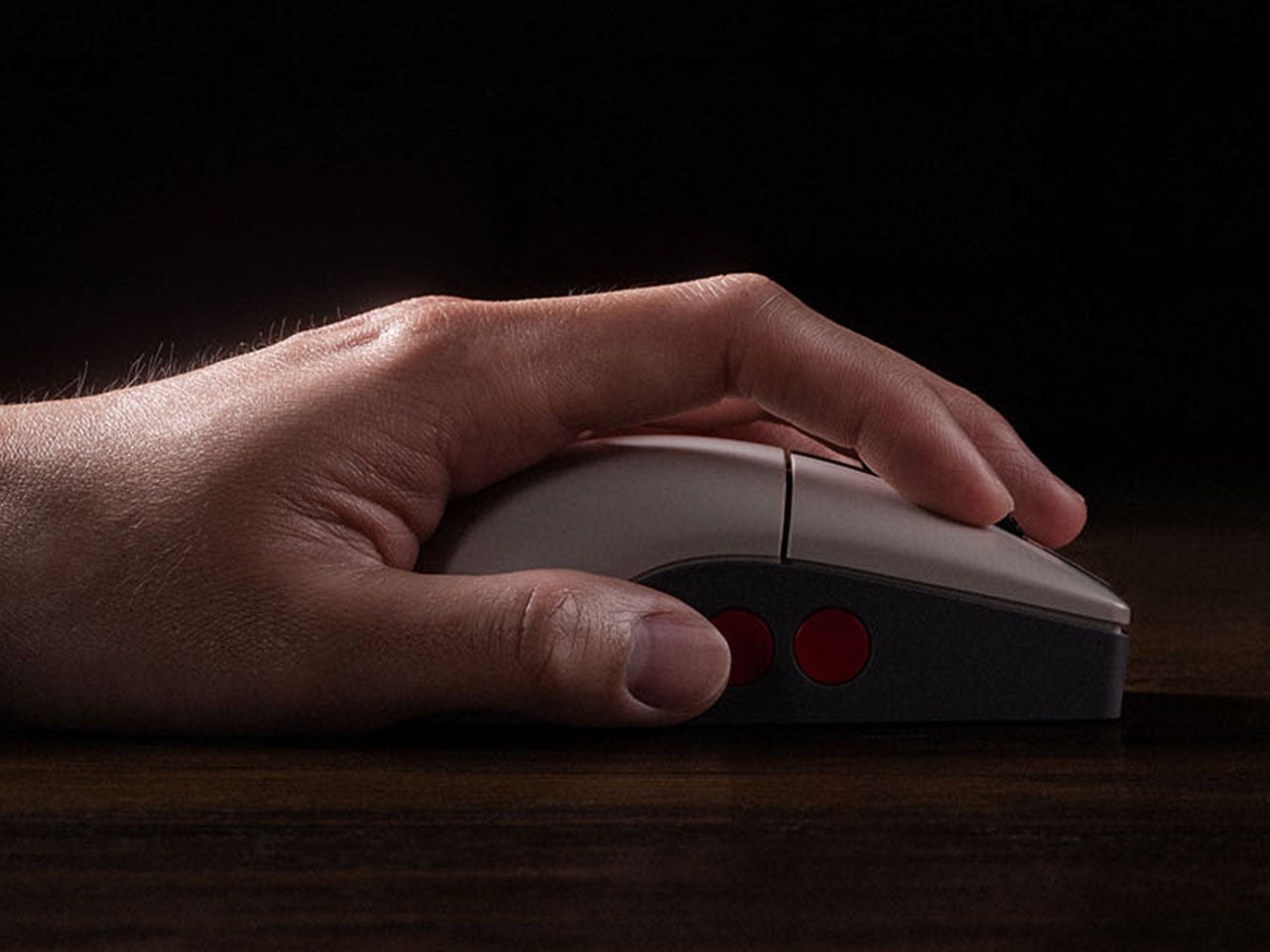
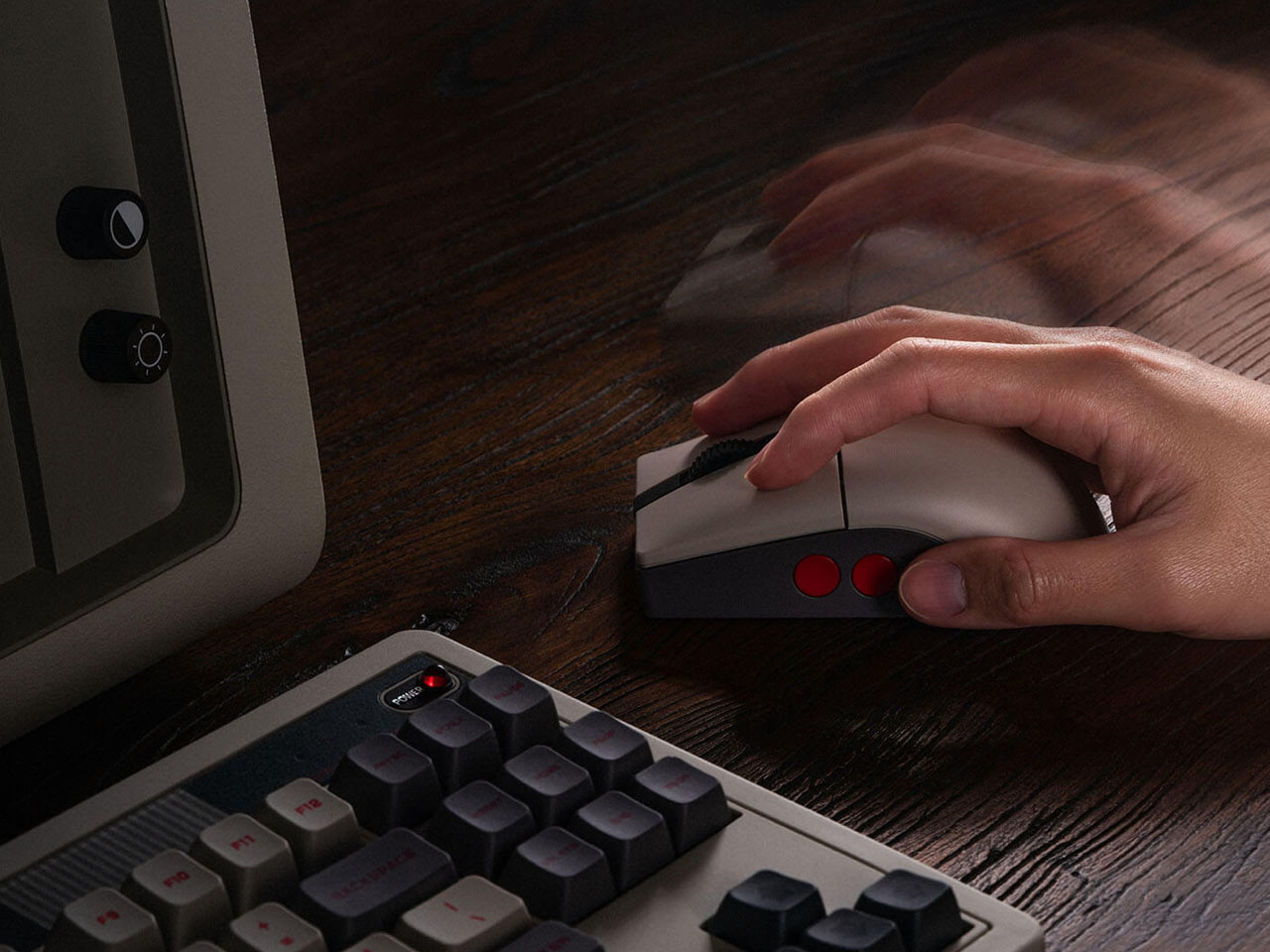
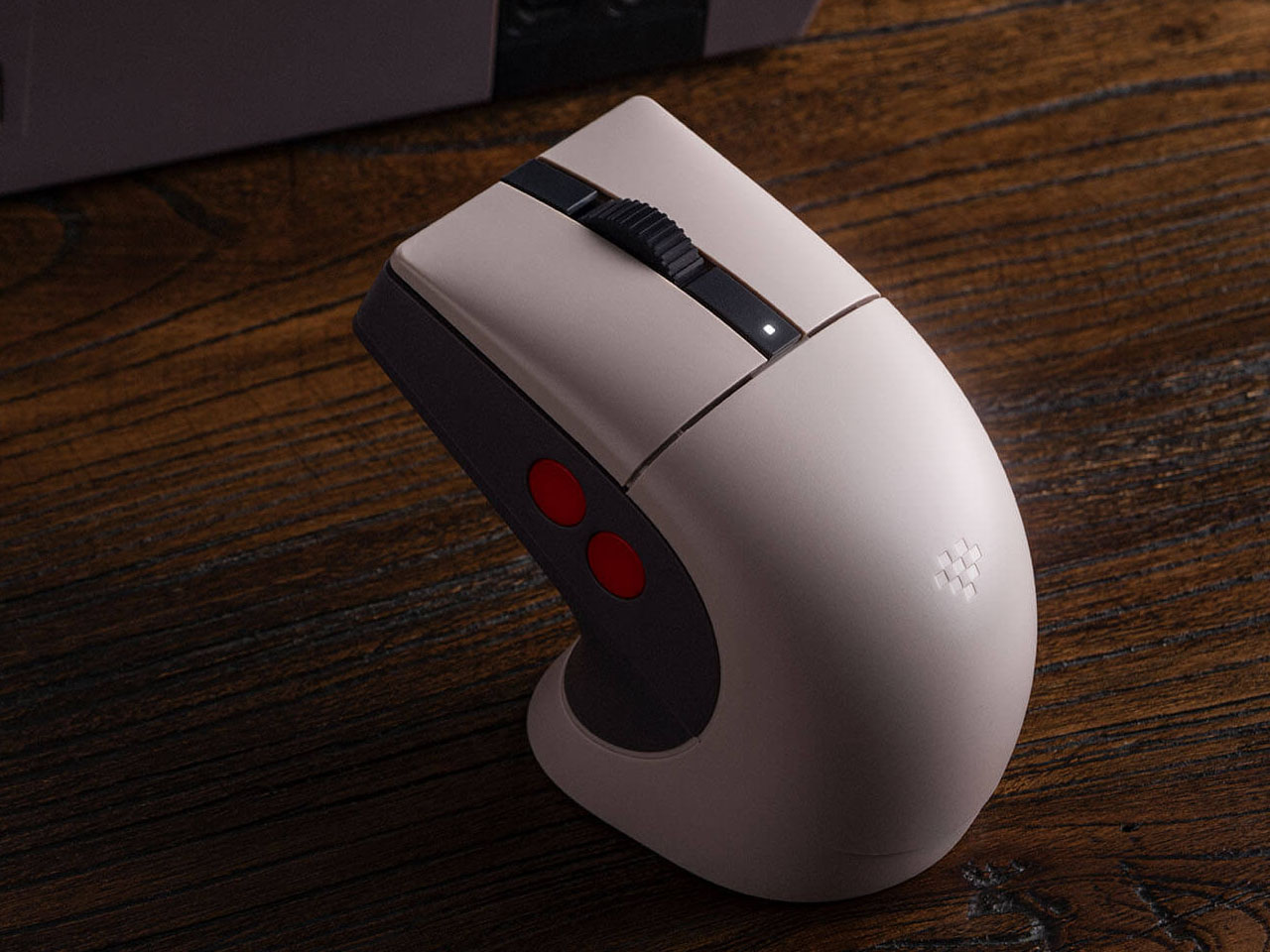
The mouse measures 115 mm x 58 mm x 39.4 mm, and the accompanying dock on which it rests is 115.17 mm x 58 mm x 45.88 mm. The dock also functions as a signal extension module for consistent wireless connectivity and negligible latency. The Retro R8’s symmetrical shape allows it to be used comfortably by both left- and right-handed users, with software support enabling quick switching between modes. Despite its vintage aesthetic, the mouse weighs just about 77 grams, making it relatively lightweight and well-balanced for long usage sessions. Customizable side buttons further enhance usability, allowing users to assign shortcuts, macros, or specific commands through the companion Ultimate Software on PC.
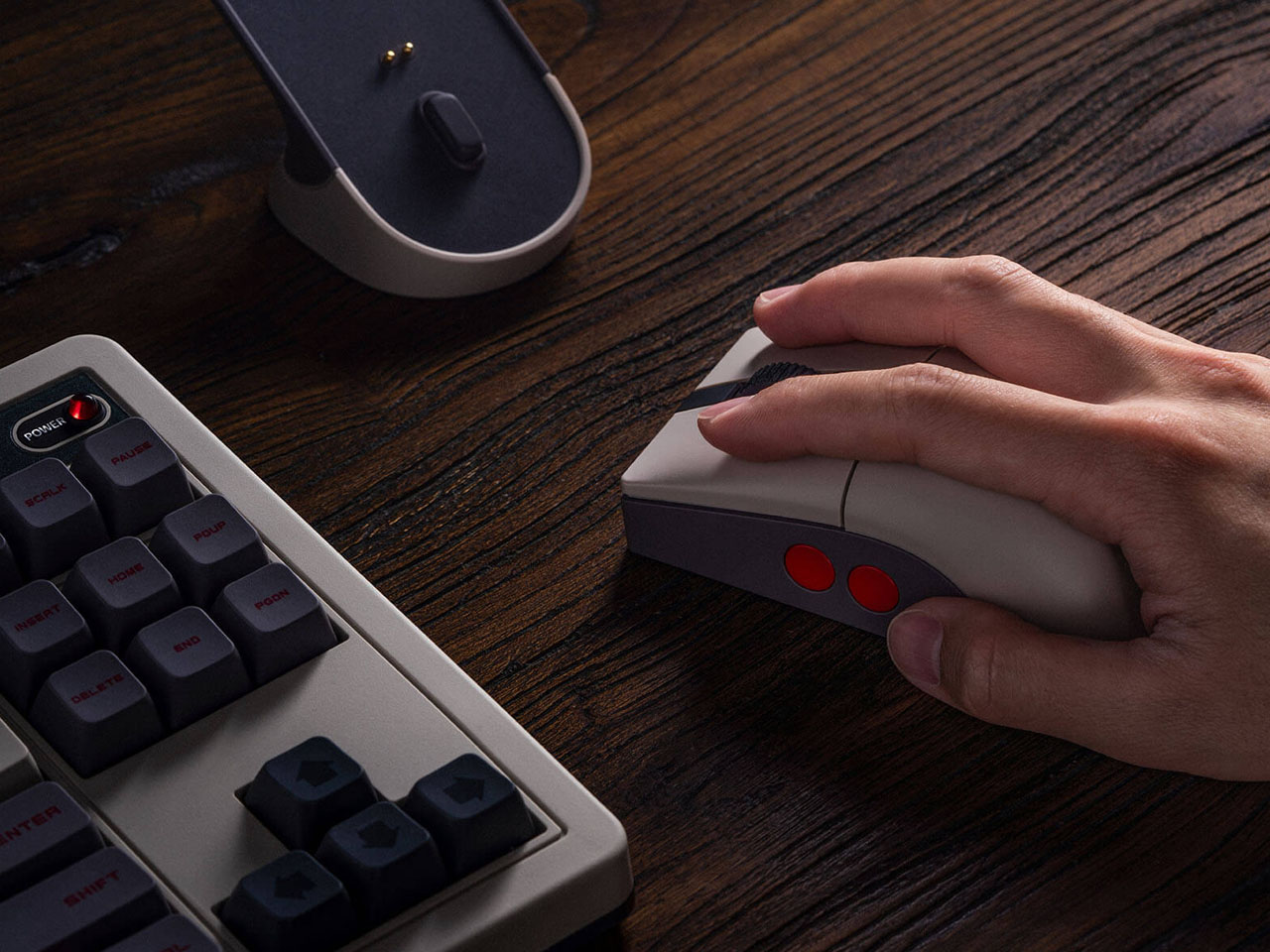
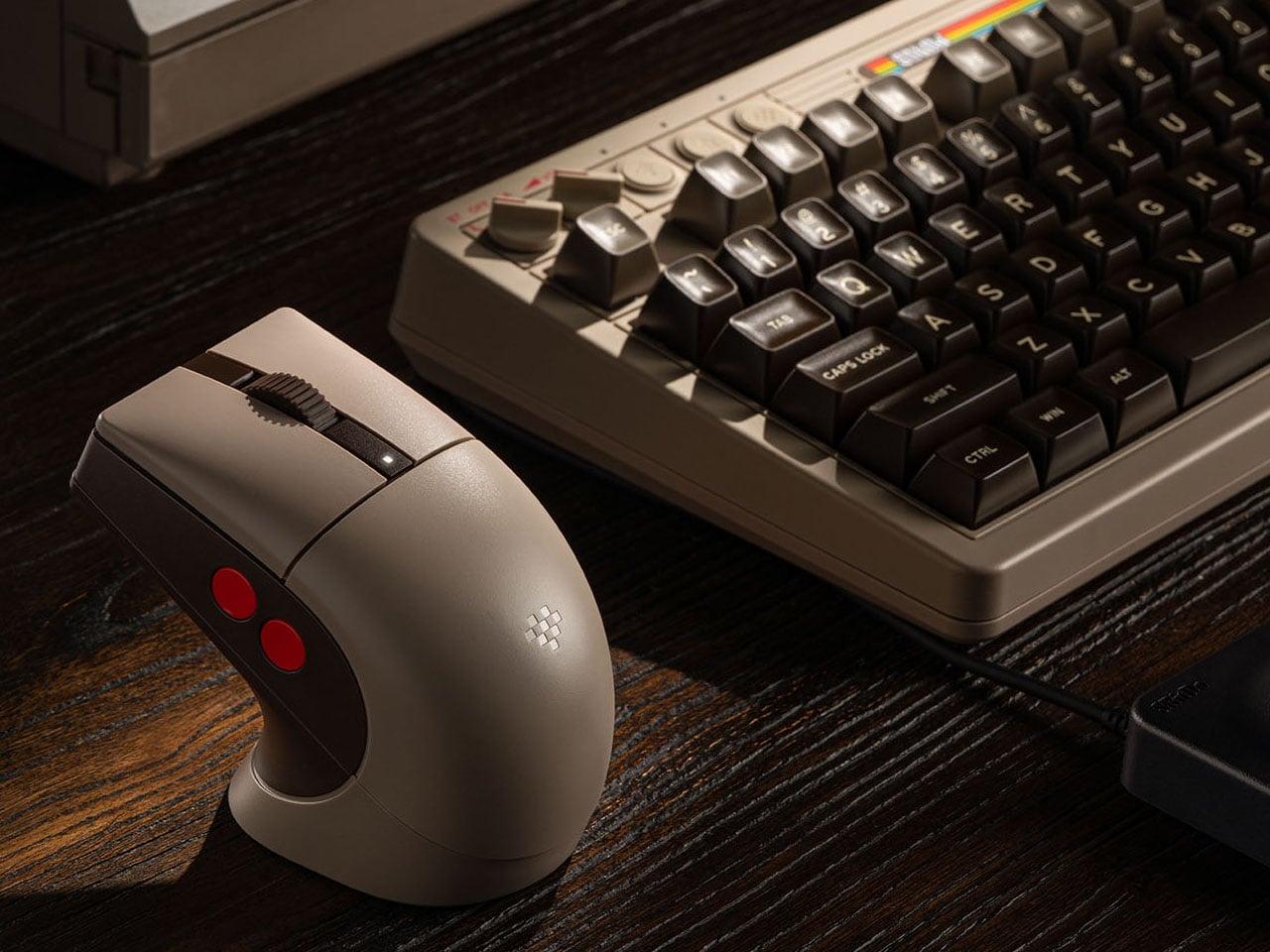
Retro R8 C64 N Edition can be paired to your other devices via Bluetooth LE 5.3, 2.4 GHz, and of course, wired. The signal extension mode of the dock is attributed to the 2.4 GHz connection. Like other mice in the Retro R8 family, it is designed to balance nostalgic styling with modern gaming performance. Internally, the mouse is powered by a high-performance PAW 3395 sensor that supports six adjustable sensitivity levels ranging from 50 DPI to as high as 26,000 DPI, allowing users to fine-tune cursor precision for both productivity tasks and gaming. The device also supports adjustable polling rates, reaching up to 8,000 Hz when connected through a wired setup for ultra-responsive input.
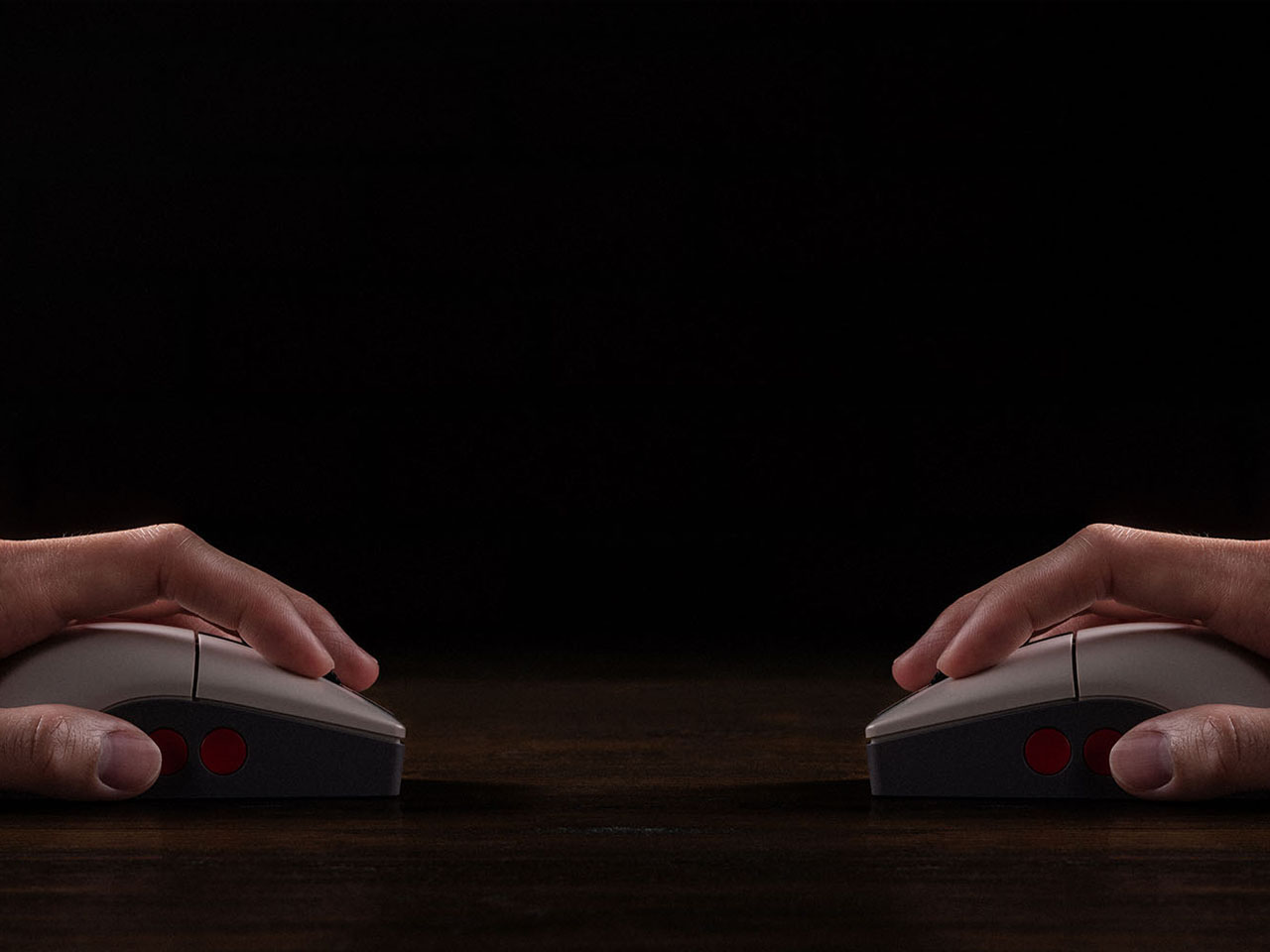
Powering the accessory is a 450 mAh rechargeable lithium-ion battery. Depending on the connection mode and polling rate settings, the mouse can deliver up to around 100 hours of battery life over Bluetooth, while the 2.4 GHz wireless mode typically offers between 26 and 105 hours of use. Charging takes approximately 2.5 hours, and the included dock doubles as a convenient stand that keeps the desk setup organized while ensuring the mouse remains ready for action. Priced at $50, the Retro R8 C64 Edition has all that it takes to bring nostalgia to your desk.
The post 8BitDo Retro R8 C64 Edition mouse fuses Commodore 64 nostalgia with modern gaming performance first appeared on Yanko Design.
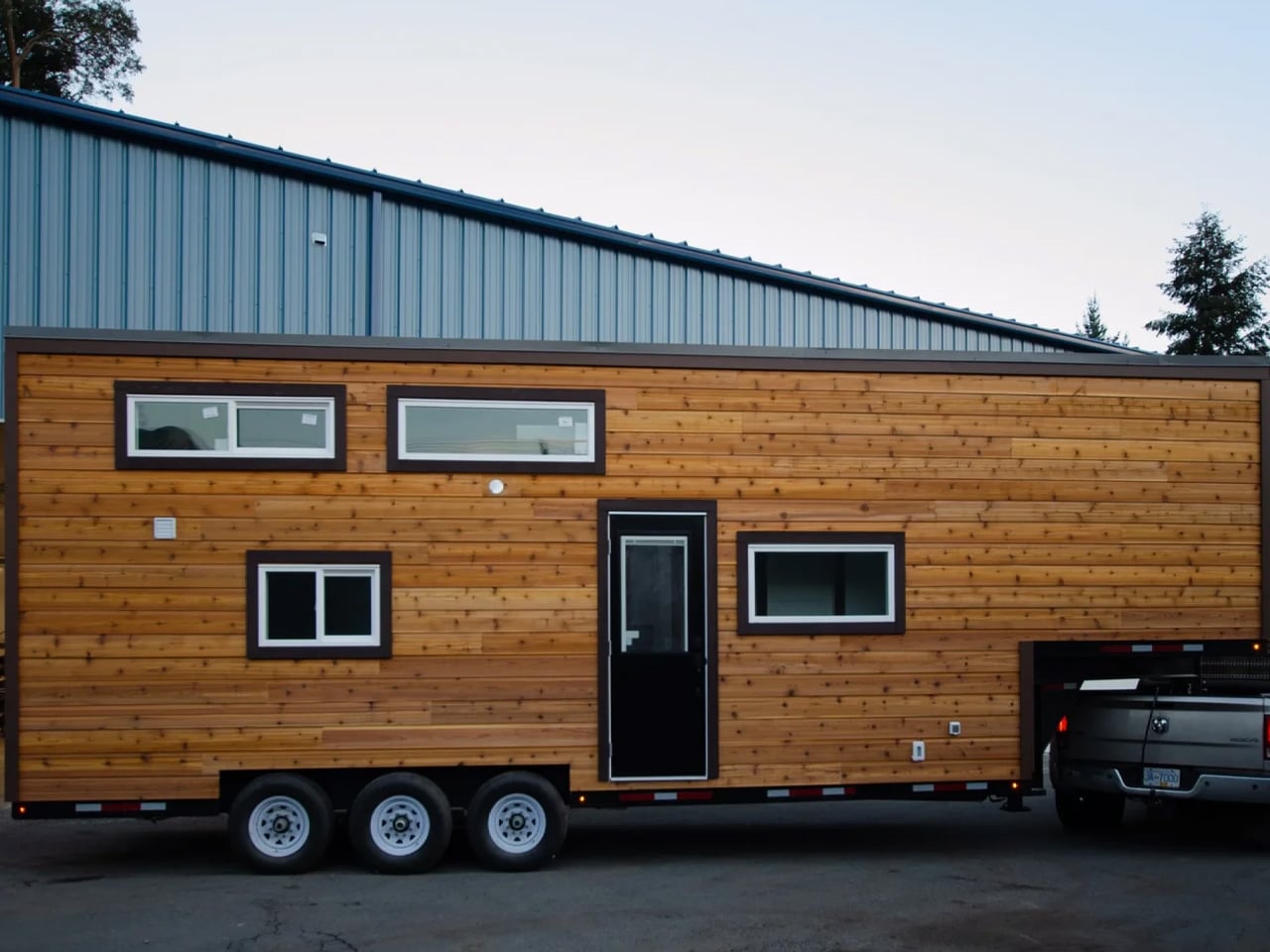
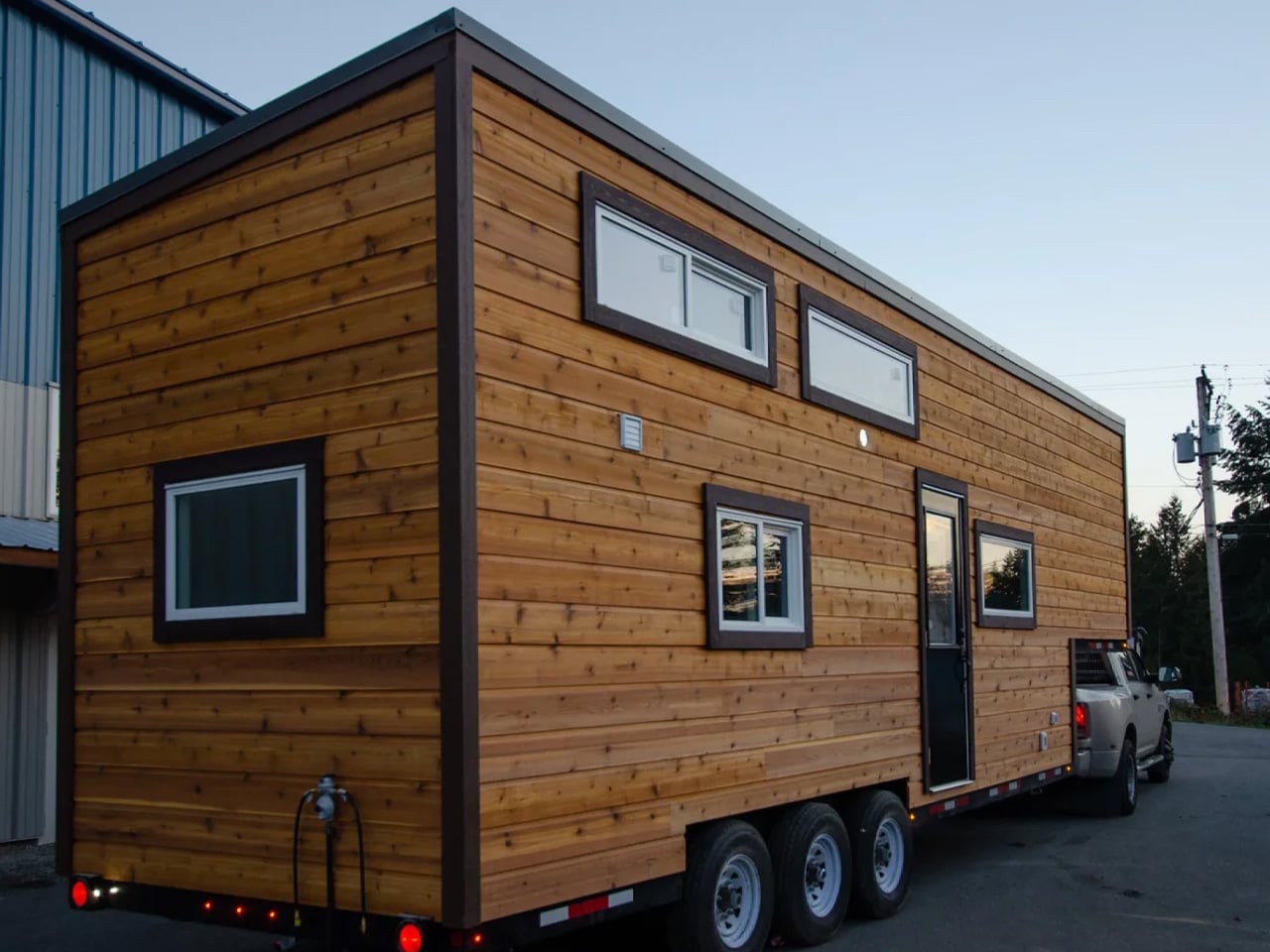
The idea that tiny living demands sacrifice is one that the Starling quietly dismantles. Built by Rewild Homes out of Nanaimo on Vancouver Island, British Columbia, this 33-foot gooseneck tiny house was conceived with a growing family at the center of every decision. It doesn’t ask you to lower your expectations; it just reshapes what a home can look like.
At 33 feet long and 8’6″ wide, the Starling rides on a triple-axle gooseneck trailer. That raised front section is more than a structural choice; it’s what gives the layout its most valuable asset: real spatial separation. The exterior wears natural wood cladding under a metal roof, calm and considered against the Pacific Northwest landscape. It’s a home that looks like it belongs wherever it lands.
Designer: Rewild Homes
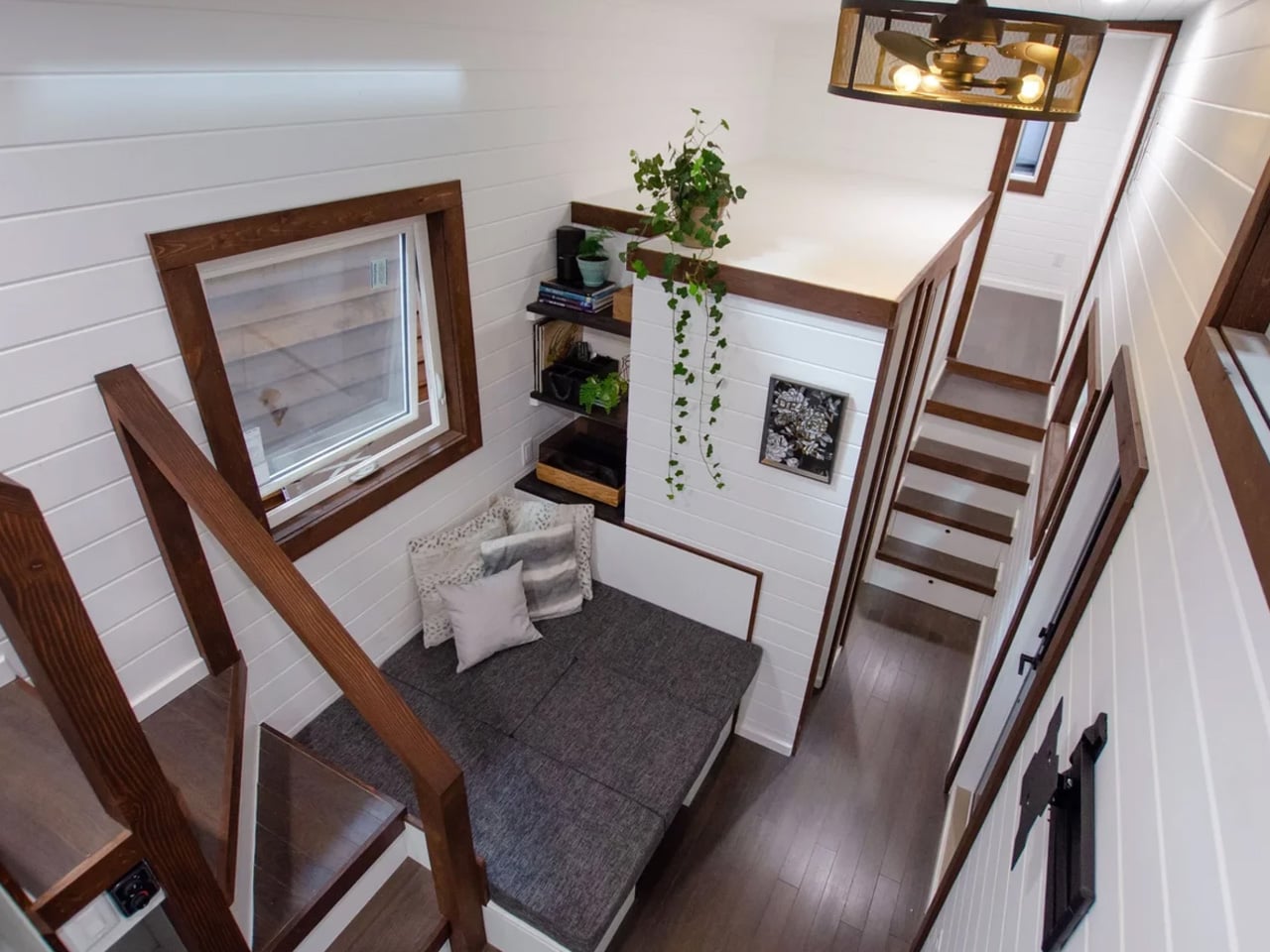
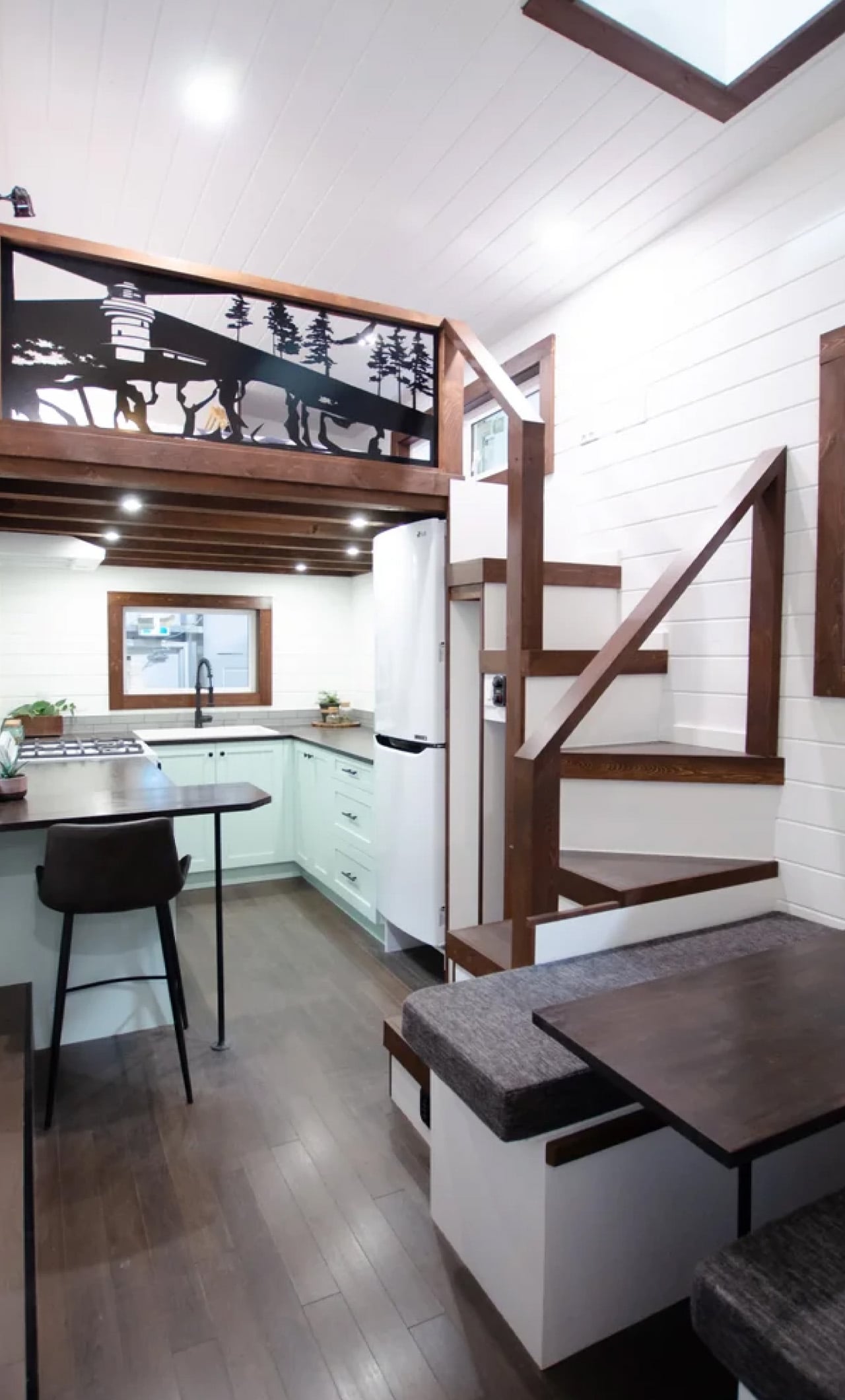
Inside, the convertible dining area sets the tone immediately. The banquette bench folds flat into a third sleeping space when needed, and every seat sits above a well of hidden storage. A built-in nook with deep shelving tucks behind one side, and an entry closet keeps the threshold from becoming a dumping ground. These are the kinds of details that don’t photograph dramatically but earn their place every single day.
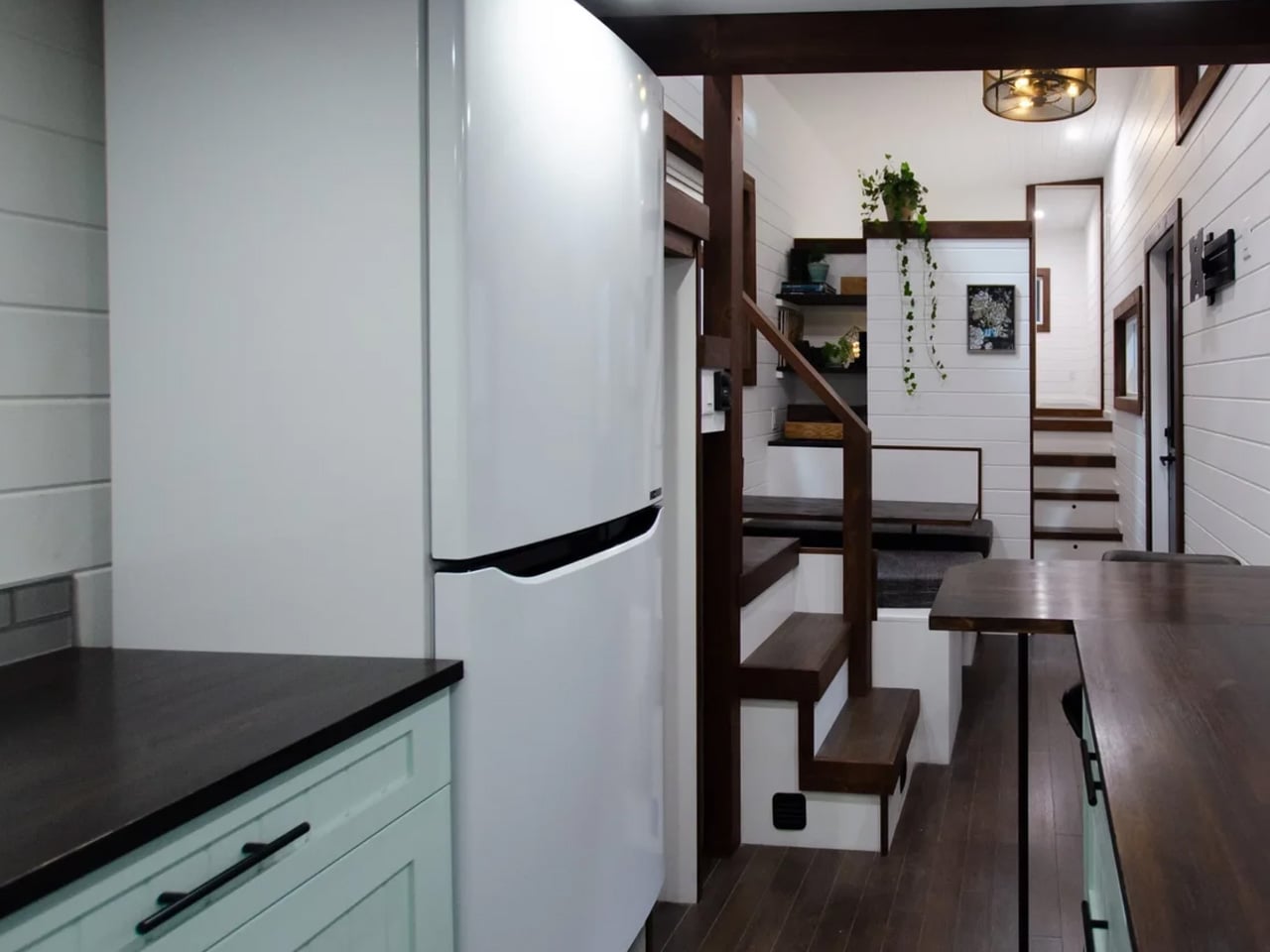
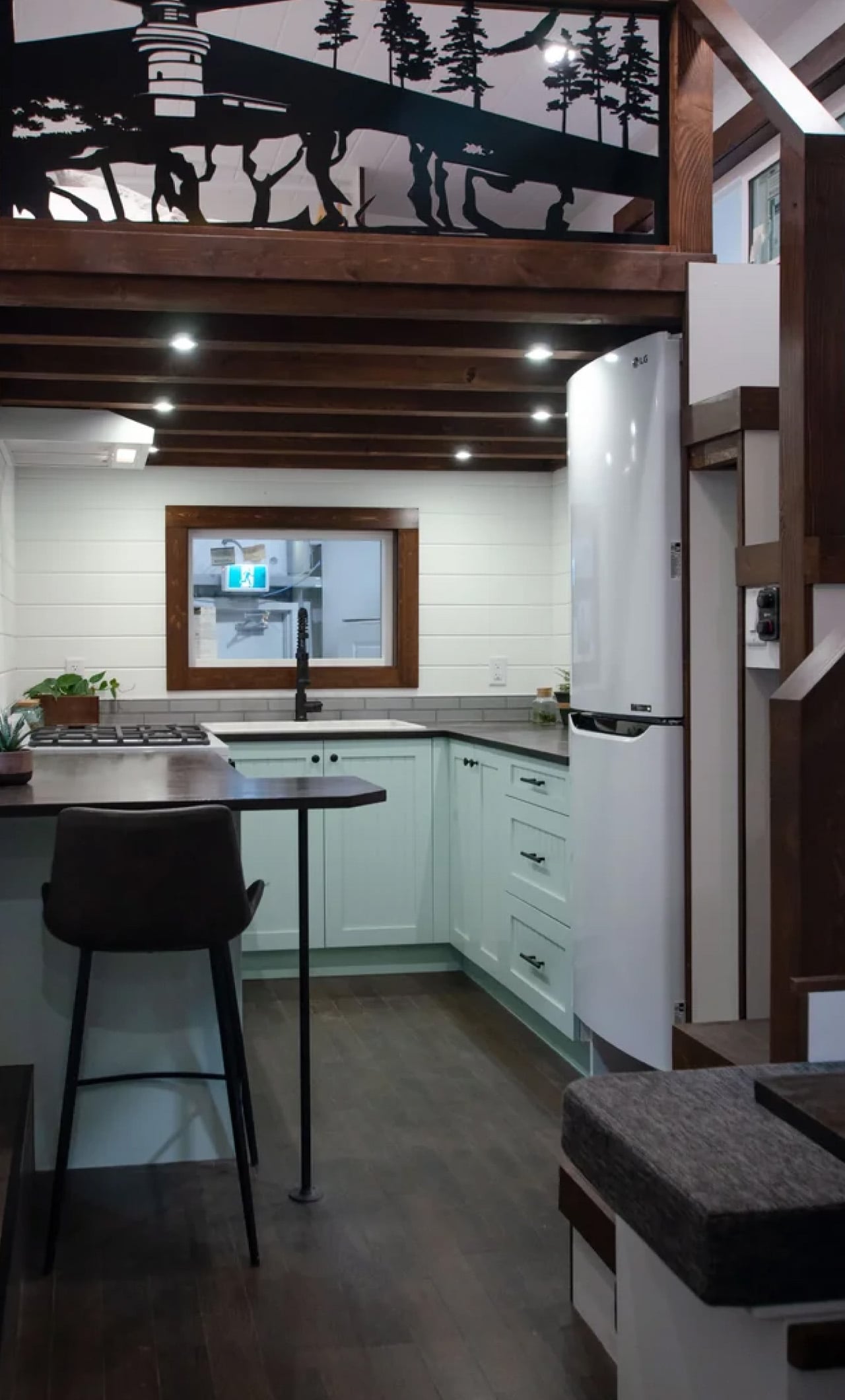
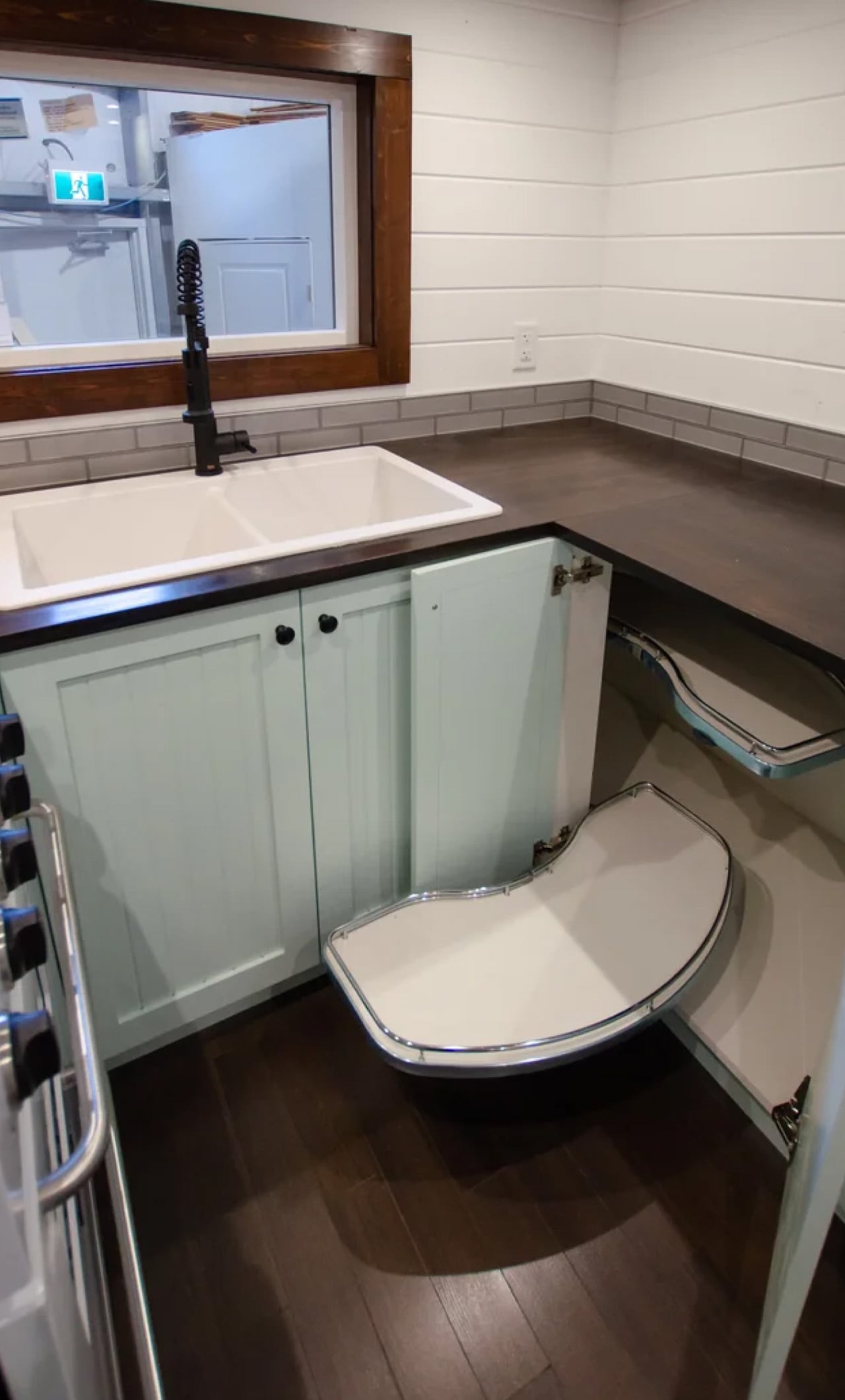
The kitchen takes up a full U-shape anchored by dark wood countertops and a breakfast bar. A 24-inch four-burner propane range, a high-efficiency fridge with a bottom freezer, a double sink, and pull-out cabinetry keep things fully functional without tipping into visual noise. It doesn’t feel like a workaround. It feels like a kitchen that simply chose to be somewhere smaller.
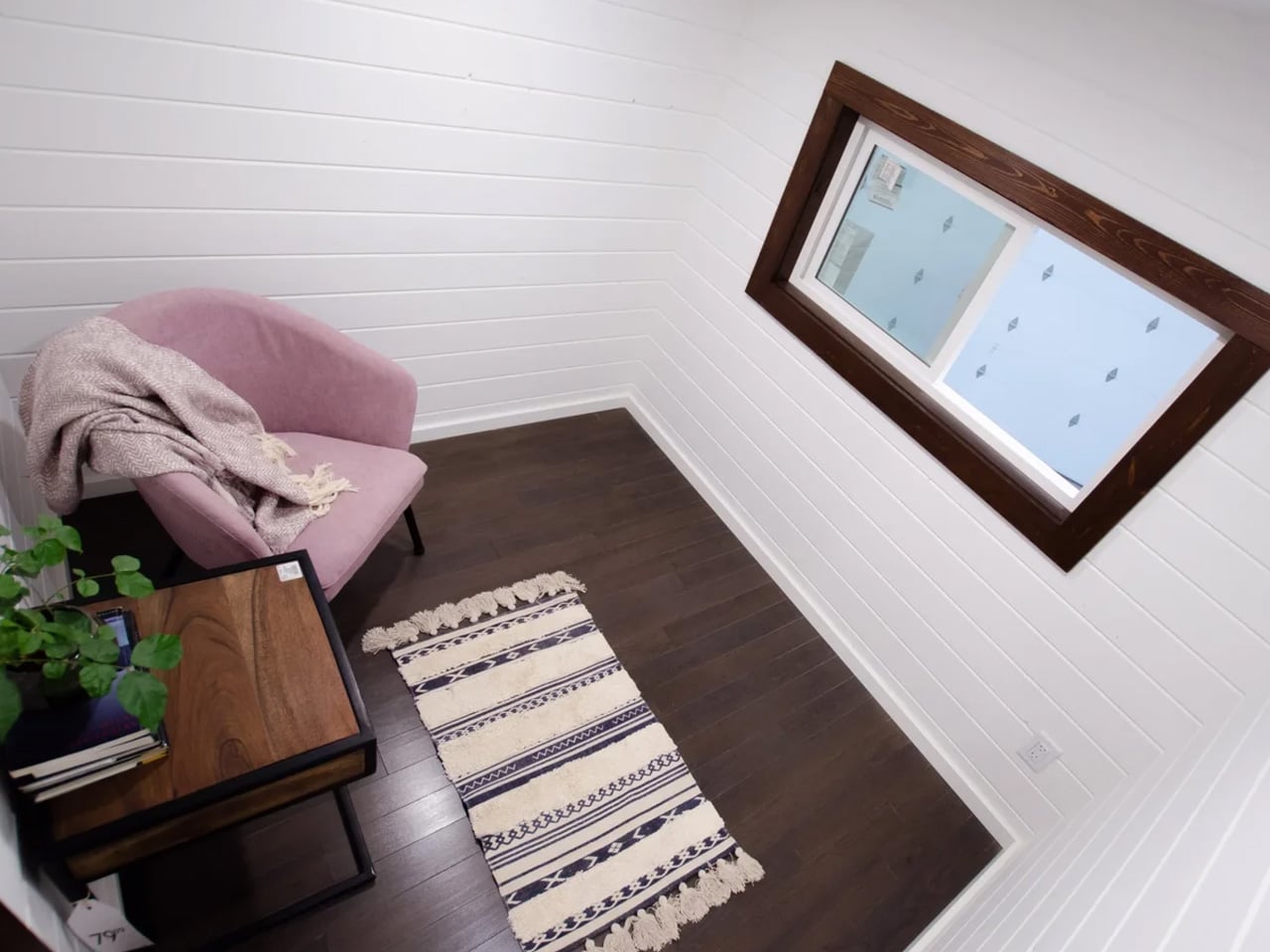
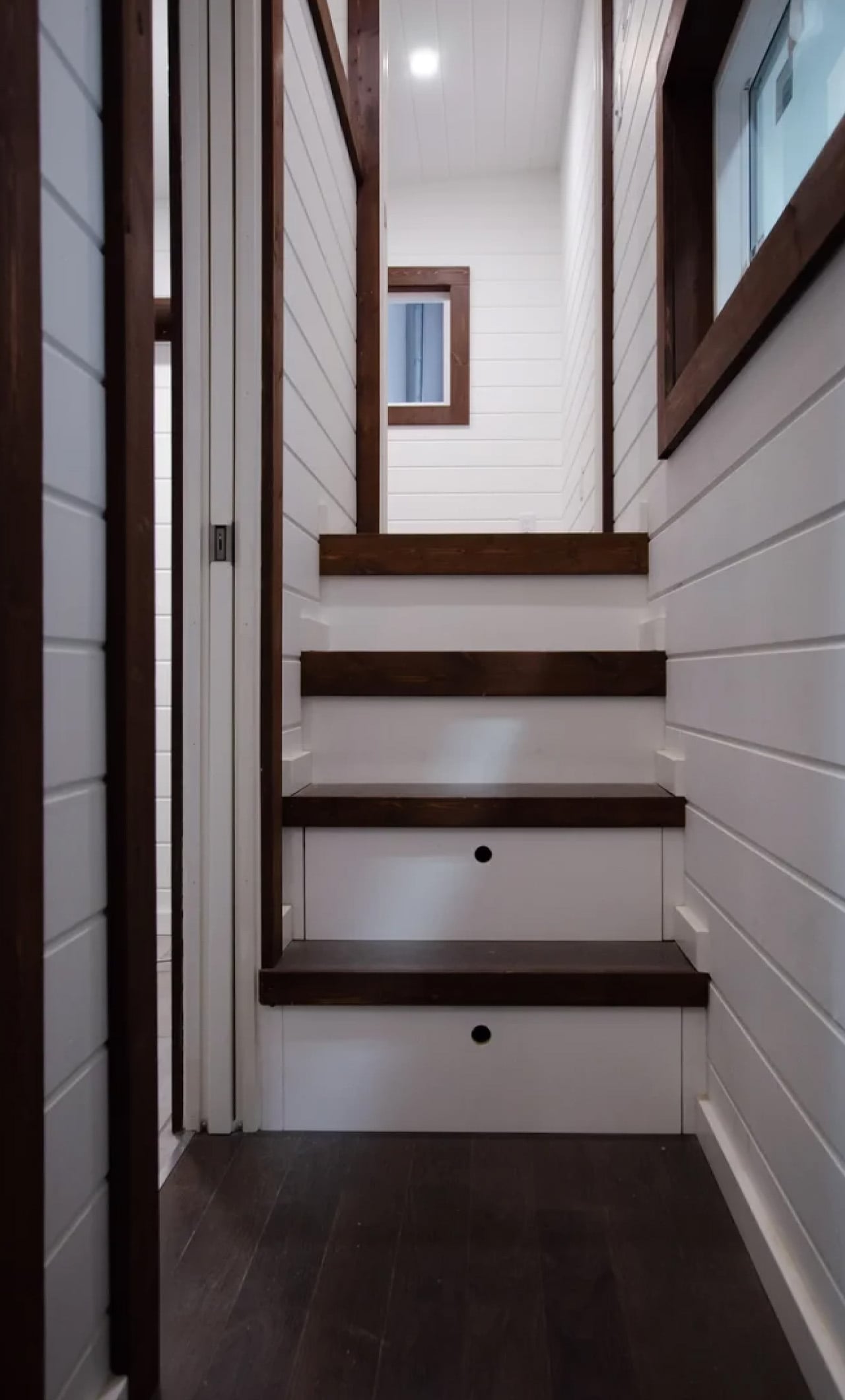
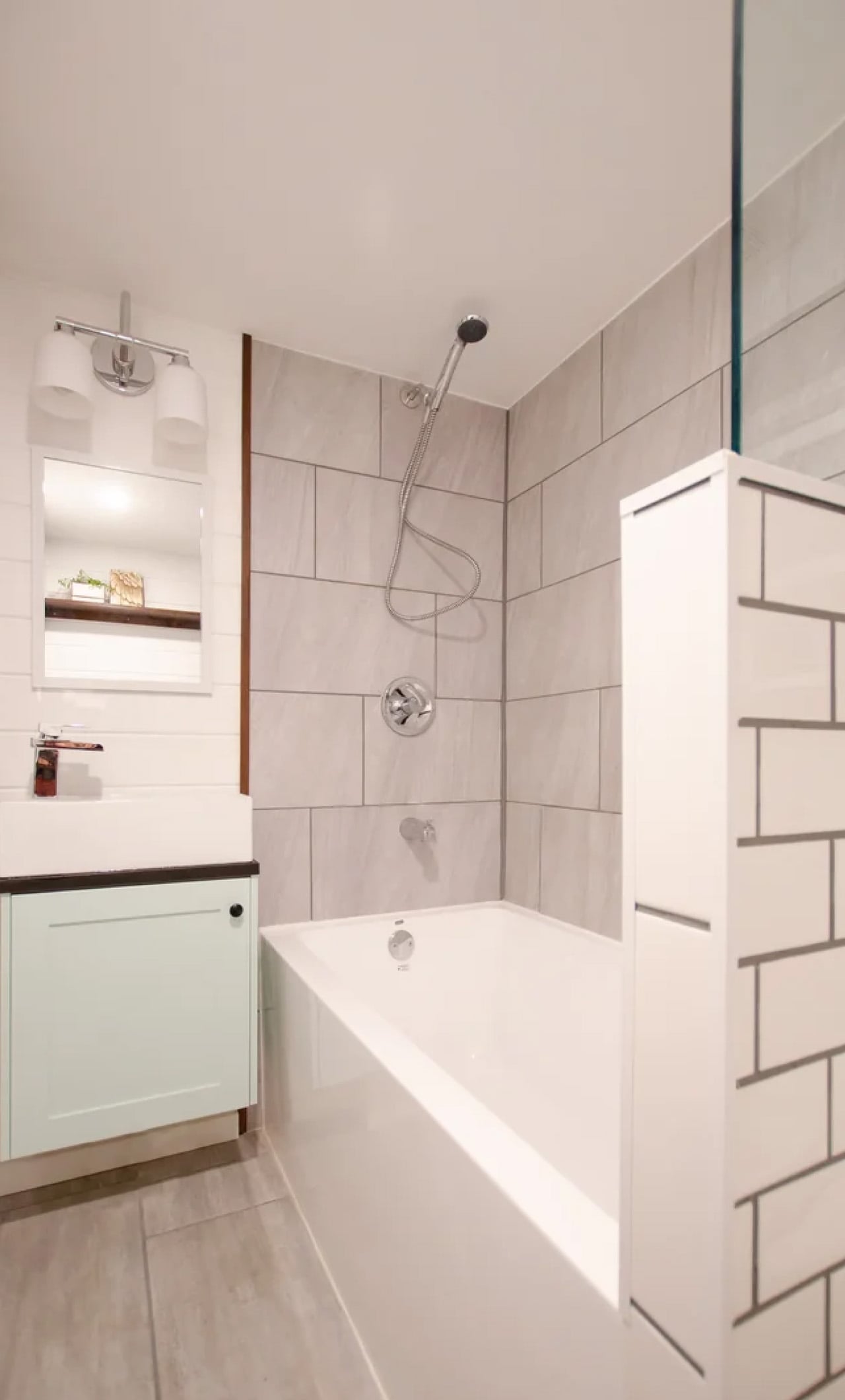
A staircase leads up to the master loft, a proper bedroom with a double bed and a built-in closet rather than a ladder-accessed sleeping shelf. On the main floor, a second enclosed room offers a flex space that shifts with the family: a kid’s room, a studio, a home office, whatever the season calls for. The bathroom includes a full soaking tub, a rare and quietly luxurious feature in a home this size.
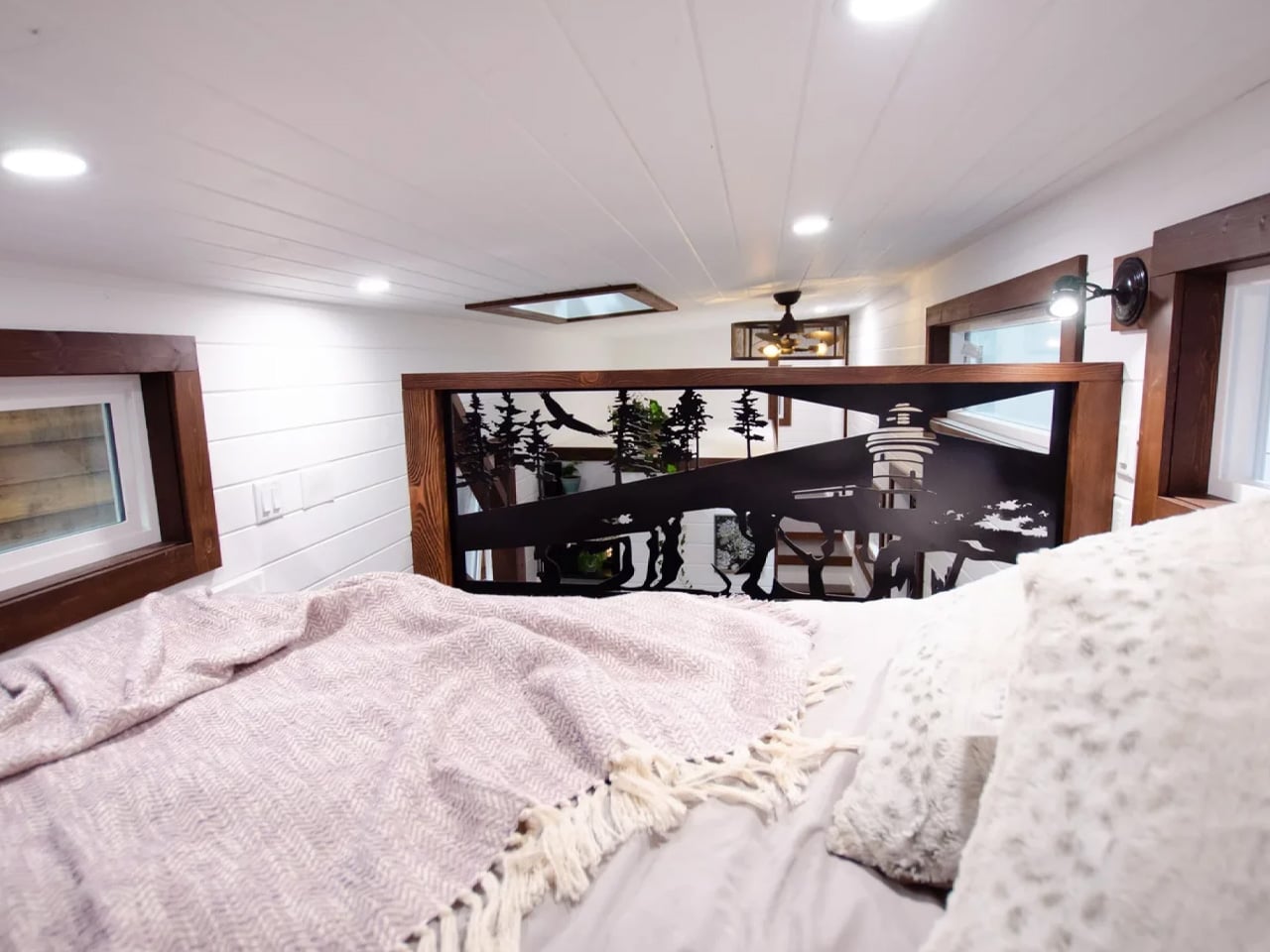
Running along the loft staircase is a custom aluminum railing commissioned from Wroughtenart, a local Vancouver Island artist. It functions as a guardrail and doubles as the home’s most expressive design moment, the kind of detail that separates a well-built tiny house from a truly considered one. The Starling doesn’t shrink your life. It edits it.
The post Rewild Homes Built a Tiny House That Actually Works for a Growing Family first appeared on Yanko Design.
The Federal Communications Commission has released a notice today designating any consumer routers manufactured outside the US as a security risk. The rule states that new foreign-made product models for network routers will land on the Covered List, a set of communications equipment seen as having an unacceptable risk to national security. Previously purchased routers can still be used and retailers can still sell models that were approved by the prior FCC policies. In an exception to the usual rule, routers included on the Covered List can continue to receive updates at least through March 1, 2027, although the date could potentially be extended.
The move stems from a goal in the White House's 2025 national security strategy that reads: "the United States must never be dependent on any outside power for core components—from raw materials to parts to finished products—necessary to the nation’s defense or economy." The notice from the FCC states that companies can apply for conditional approval for new products from the Department of War or the Department of Homeland Security. However, that requires the businesses to provide a plan for shifting at least some of their manufacturing to the US in order to receive that conditional approval.
Few, if any, brands known for consumer-grade routers currently build products stateside. It seems likely this sweeping provision could face legal challenges from and cause confusion for the many companies that have production facilities overseas. In addition to Chinese tech giants like TP-Link, US companies will also be affected. NetGear, Eero and Google Nest are all headquartered domestically but have manufacturing in Asia. At least some of that manufacturing activity happens in regions like Taiwan that have historically been on good terms with the US. Until the sector sorts out this new restriction, don't expect to see any new router models on store shelves.
This article originally appeared on Engadget at https://www.engadget.com/big-tech/the-us-bans-all-new-foreign-made-network-routers-223622966.html?src=rss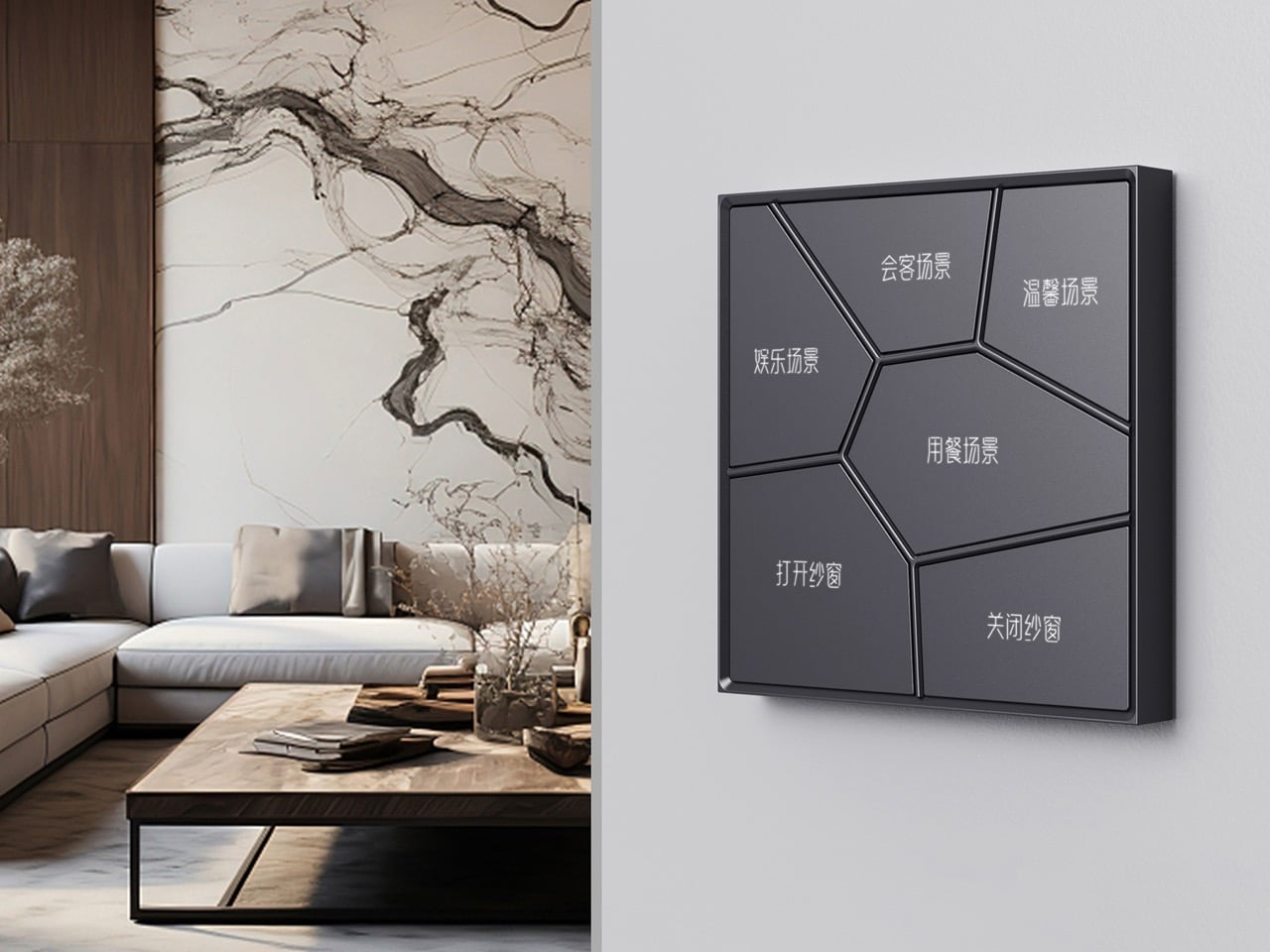
Most wall switches exist to be ignored. You flip them without looking, never registering the object itself, because there is nothing to register. HDL Automation’s Inkslab panel series makes that kind of invisibility impossible. The surface is divided into irregular polygonal cells radiating outward from a central point, a geometry lifted directly from the perforated stone lattice windows of classical Suzhou gardens. Each cell is a button. The ornament and the interface are the same thing.
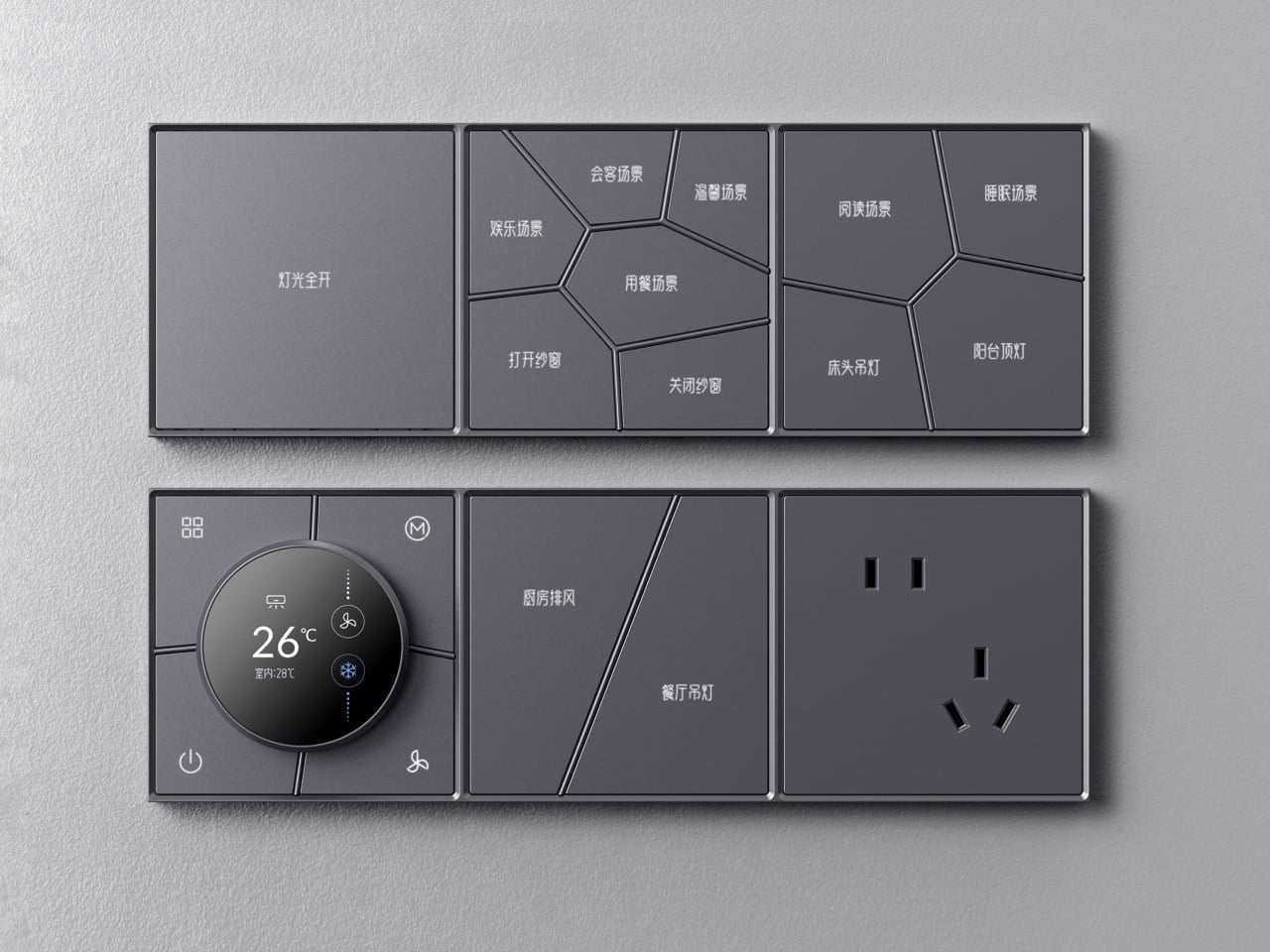
That formal discipline carries through the entire system. Inkslab is a modular series that tiles horizontally and vertically, mixing scene-selector panels, a circular HVAC control knob, power outlets, and single-button tiles into wall-mounted configurations as long or compact as the space demands. It comes in white, brushed champagne gold, matte black, and slate gray, and at 86 x 86 mm per tile, it sits flush against a wall with the quiet confidence of something that belongs there.
Designer: Hdl Automation Co., Ltd.
Classical Chinese perforated windows, called “leaky windows” in the original parlance, use irregular polygon grids to divide a wall surface into discrete framed voids. The geometry is simultaneously structural, decorative, and spatial. Inkslab takes that logic and runs it through an interface problem: how do you lay out multiple buttons on a 86 x 86 mm square without it looking like a grid of sad rectangles? The answer turns out to be Suzhou, and it works.
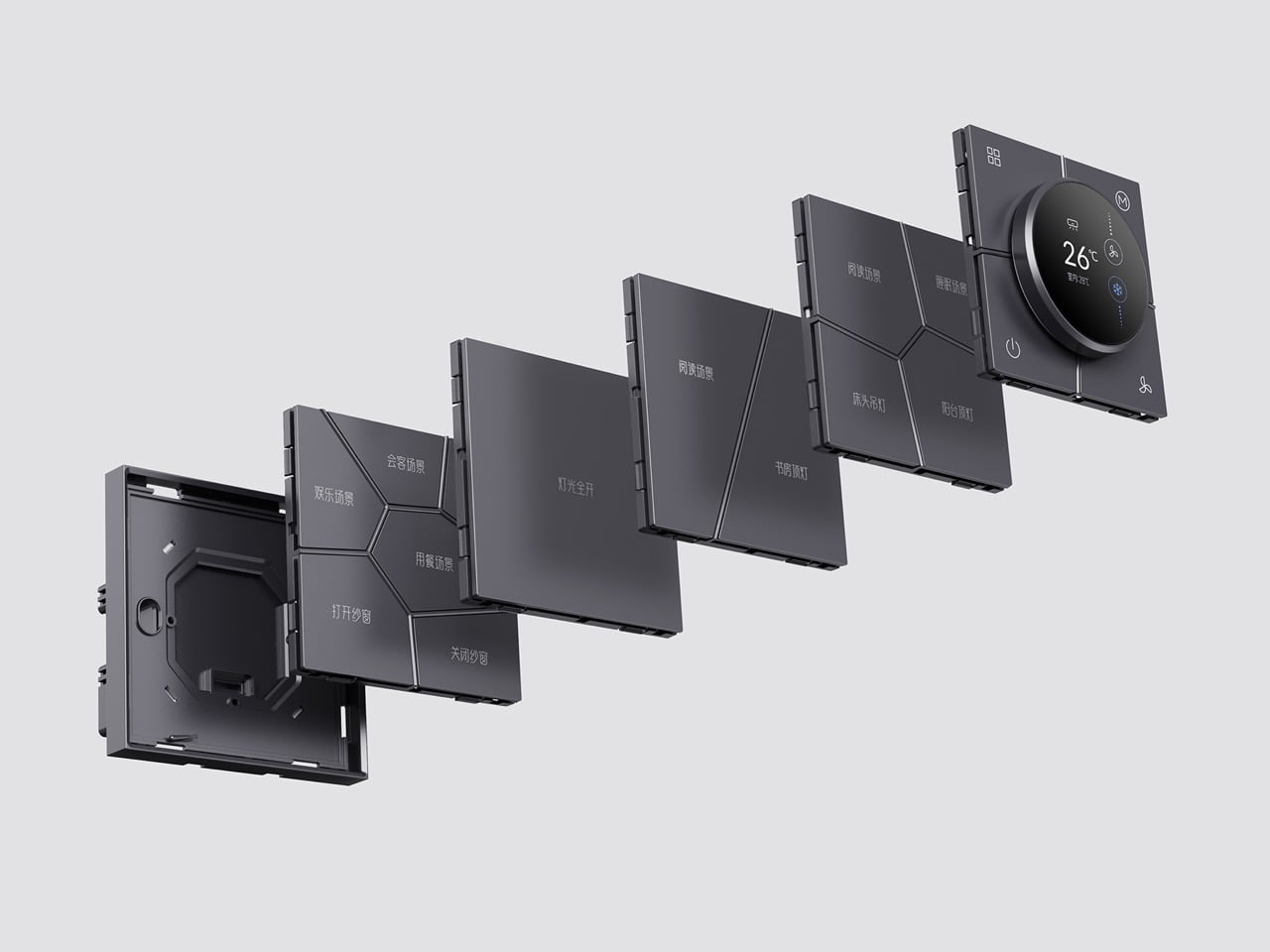
Each tile clips onto a shared wall bracket, and you can run them in any combination horizontally or vertically. The exploded product imagery shows the layering clearly: bracket, individual functional tiles, frame. Mix a three-tile scene-selector run with a power socket tile and the circular HVAC knob module, and you have a fully integrated wall panel covering lighting scenes, climate control, and power in one coherent visual strip. The round knob module in particular is well-considered, its circular display reading temperature and fan settings without interrupting the overall geometry of the panel it sits in.
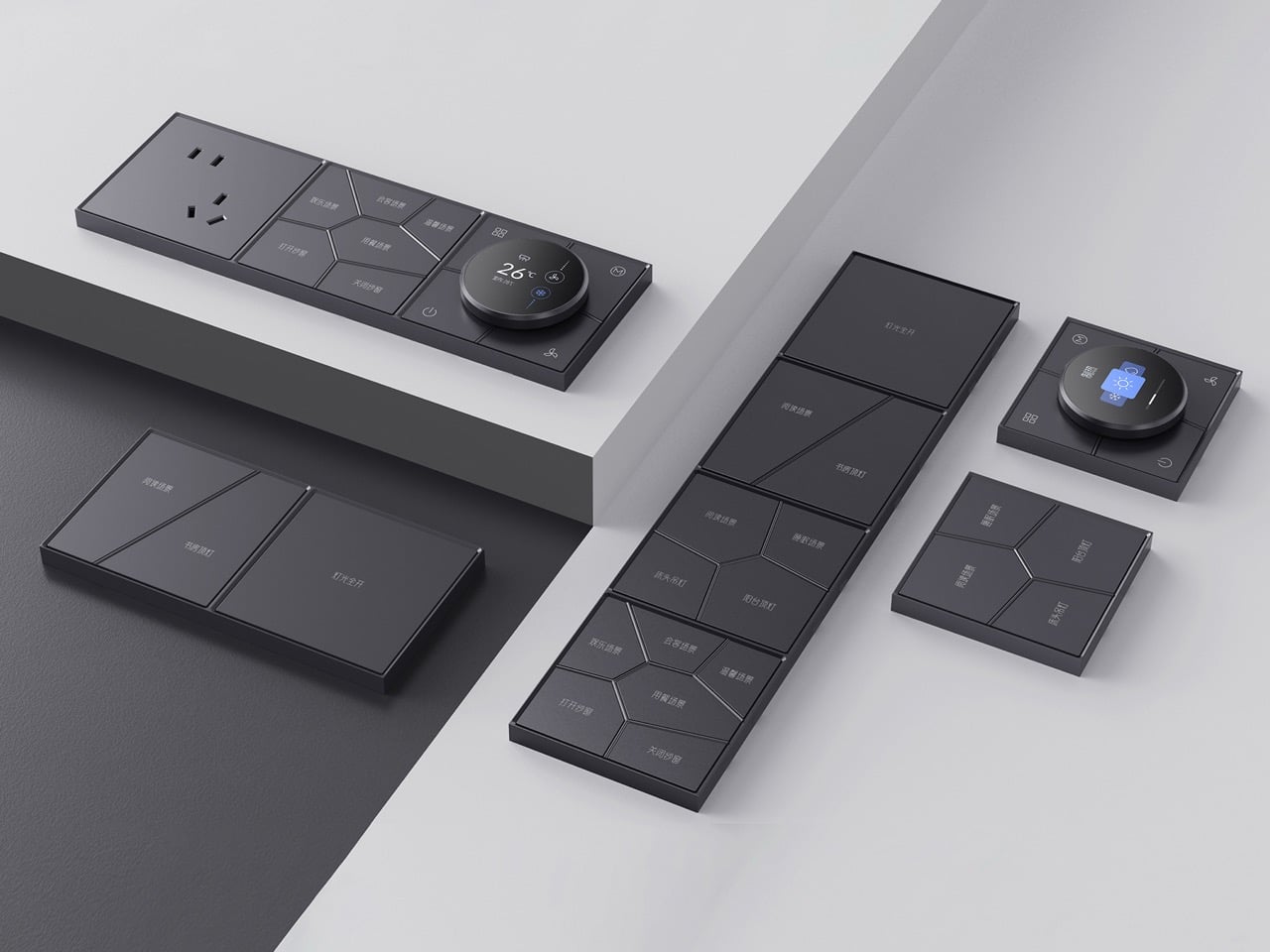
Instead of manually programming scene modes through an app, the system learns from usage patterns and suggests scenes based on time of day and behavior. Paired with the proximity sensor that wakes the LED backlighting when you approach and cuts it when you leave, the panel behaves more like an attentive object than a passive one. HDL has been in the building automation space since the 1980s, when the company’s founder developed China’s first digital dimming controller, so the intelligence running underneath the Inkslab aesthetic has serious pedigree behind it.
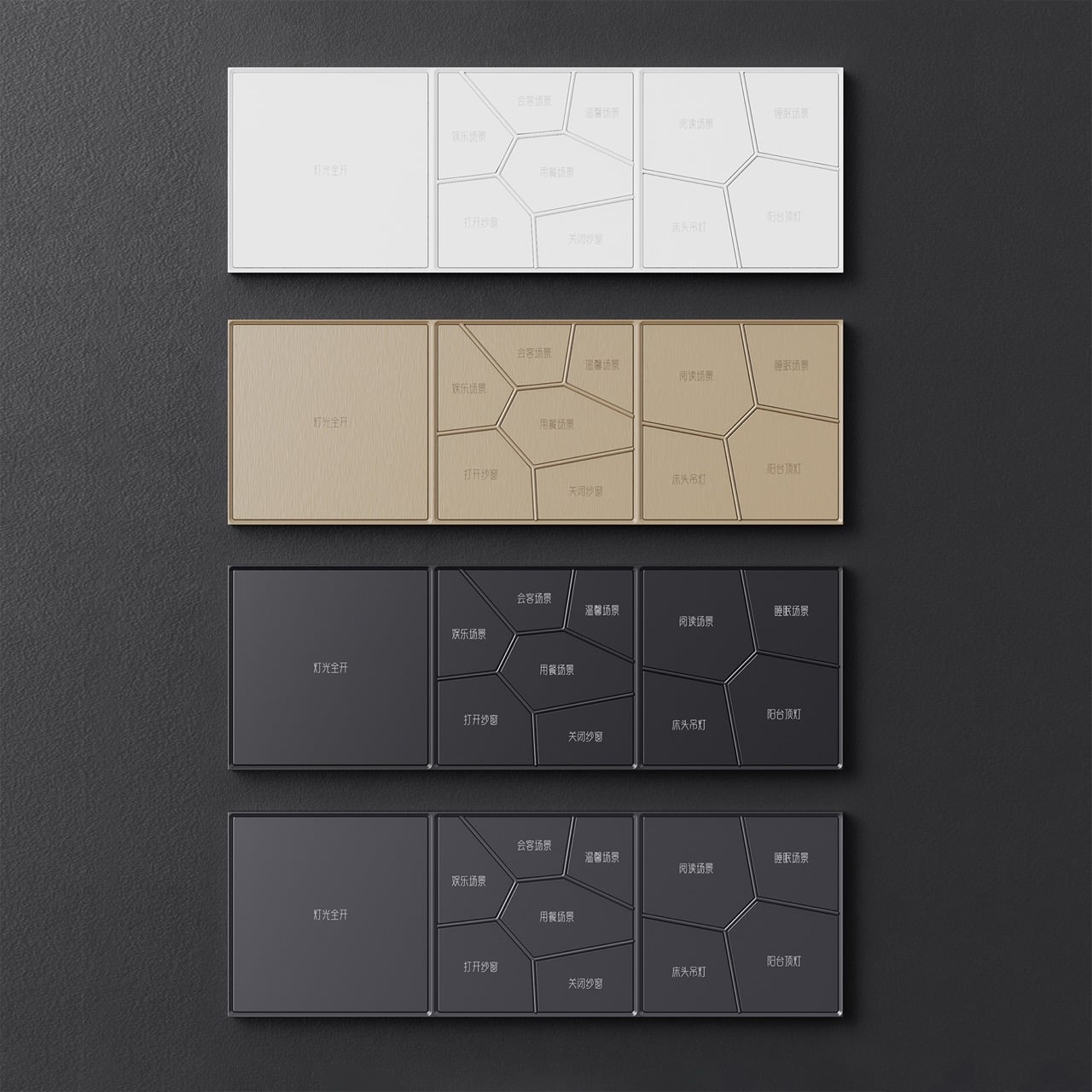
The brushed champagne gold colorway reads closer to high-end architectural hardware than consumer electronics, and the anodizing process gives the aluminum surface a resistance to wear and corrosion that keeps it looking that way over time. Skin-friendly paint on the non-metal variants sounds like a small detail but matters on something you physically touch dozens of times a day. The 10 mm depth keeps the panel from protruding awkwardly from the wall, which is one of those specifications that sounds trivial until you see a chunky smart panel jutting off a freshly plastered surface.
The post Your Light Switch Is the Worst-Designed Thing in Your House. Inkslab Offers An Alternative first appeared on Yanko Design.
There is a version of the Rabbit R1 story that ends in 2024. The device launches to enormous hype off the back of a viral CES presentation, ships to early adopters who find it half-finished and frustrating, earns a wave of scathing reviews, and quietly disappears the way most failed AI gadgets do. Humane’s AI Pin followed that trajectory almost exactly, discontinued in early 2025 after HP acquired the company. The R1 did not follow it, though the reasons why have less to do with any brilliant pivot than with stubbornness, incremental software updates, and a fair amount of luck.
By January 2026, two years of over-the-air updates had produced a device functional enough to sustain a renewed community of users and developers. Then OpenClaw arrived on the R1, and the conversation changed in a way that felt less like a product announcement and more like something clicking into place. OpenClaw, the open-source autonomous AI agent that had exploded from obscurity to 60,000 GitHub stars in 72 hours, had always carried a hardware problem at its core. The R1, as it turned out, had most of the solution already built in.
Designer: Rabbit
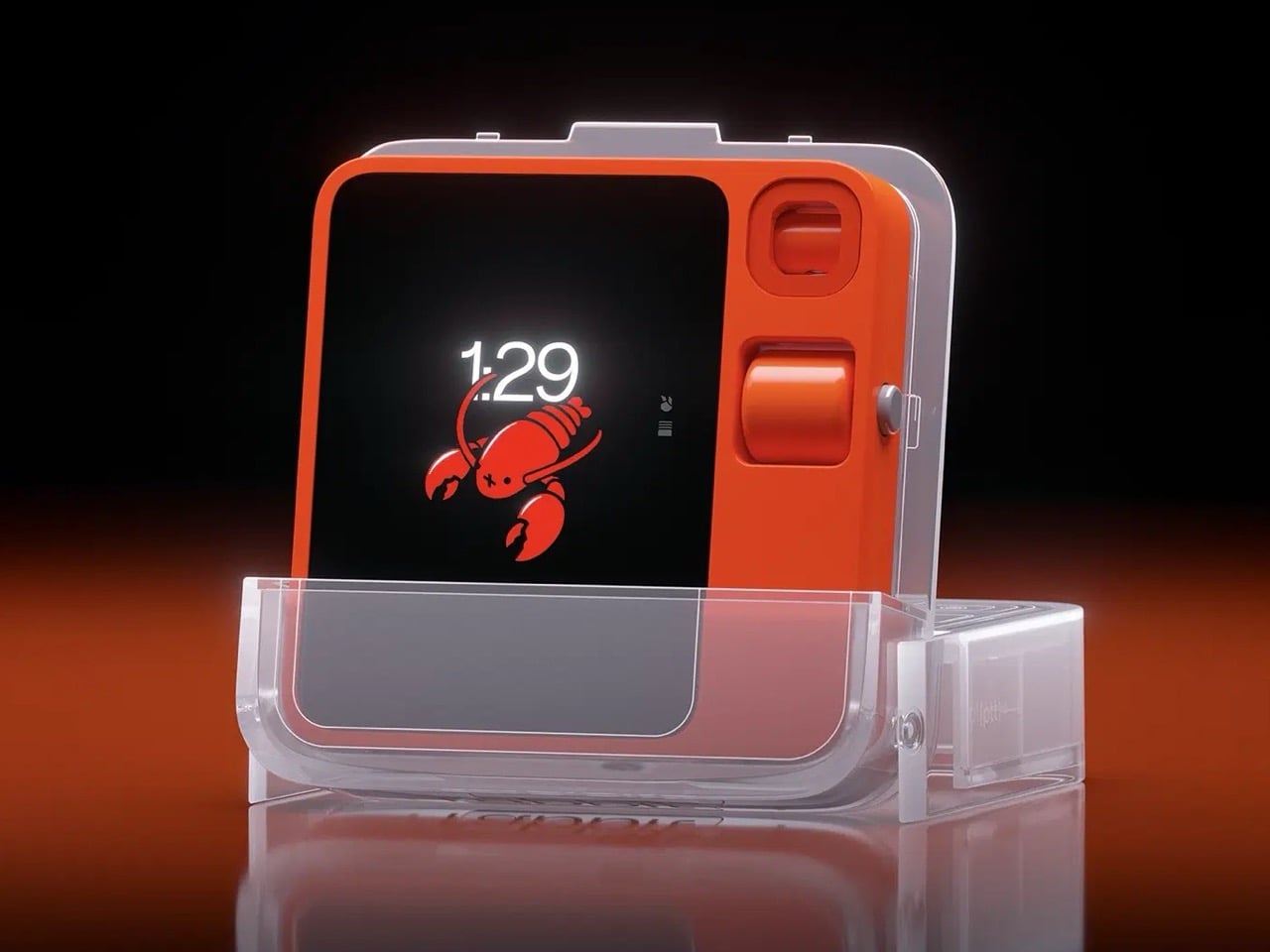
OpenClaw (formerly Clawdbot, then Moltbot, changing names three times in a single week) is an open-source autonomous AI agent that exploded from 9,000 to over 60,000 GitHub stars in 72 hours in late 2025. Austrian developer Peter Steinberger built it as a self-hosted agent runtime that connects AI models to your local machine, messaging apps, calendar, email, and file system. You control it by sending messages through WhatsApp, Telegram, Discord, or Slack, like you’re DMing a particularly capable assistant. OpenClaw can browse the web, manage your inbox, schedule meetings, summarize documents, and execute shell commands autonomously, with persistent memory that lets it remember context across weeks. The problem OpenClaw always carried was the lack of native voice interaction on dedicated hardware, and the R1 had exactly that hardware sitting in a drawer gathering skepticism.
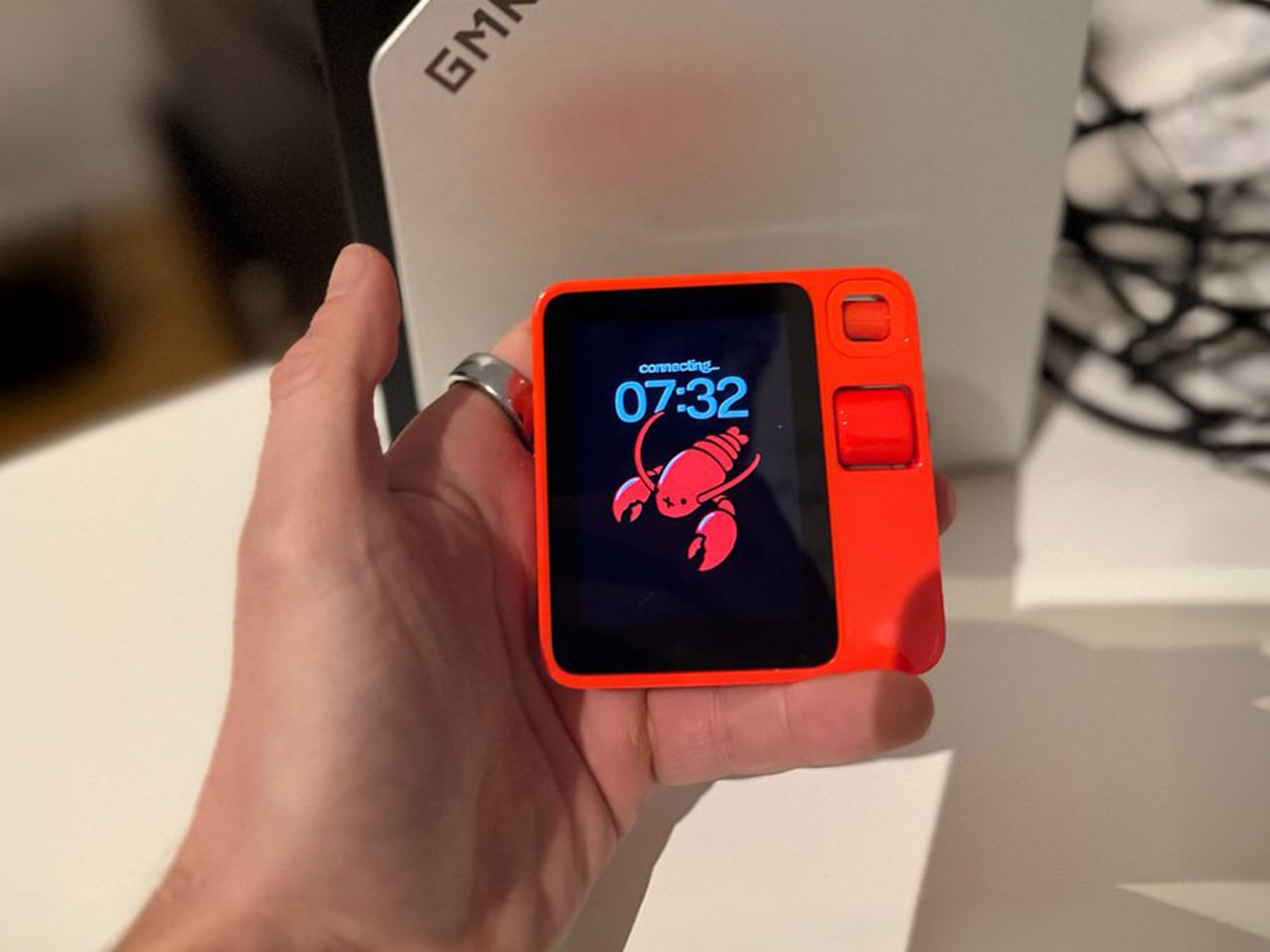
Rabbit integrated OpenClaw in January 2026 as an alpha feature, requiring users to set up their own OpenClaw gateway and connect it to the R1. Push the talk button, speak a command, and OpenClaw executes it through your existing setup. The R1 becomes a voice interface for an agent that can genuinely act on your behalf, making the device something closer to what Lyu promised two years ago. The possibilities depend entirely on how you configure OpenClaw, which can expand through over 100 community-built skills. Security risks are real and well-documented (over 400 malicious add-ons were found on the skill hub in early 2026), but for users willing to manage that complexity, the R1 finally has a use case that feels native to the hardware rather than bolted on.
The post Rabbit R1’s OpenClaw Update Could Be Its Most Important Moment Yet first appeared on Yanko Design.
Anthropic announced today that its Claude Code and Claude Cowork tools are being updated to accomplish tasks using your computer. The latest update will see these AI resources become capable of opening files, using the browser and running dev tools.
When enabled, the Claude AI chatbot will first prioritize connectors to supported services such as the Google workplace suite or Slack, but if a connector isn't available, it will be able to still execute an assigned task. Claude should ask for permission before taking these actions, but Anthropic still recommended not using this feature to handle sensitive information as a precaution.
Claude computer use will initially be available to Claude Pro and Claude Max subscribers on macOS. This feature is still in a research preview, so will continue to be adjusted based on Anthropic's user feedback. It will also support use with Anthropic's Dispatch feature, which allows a person to message the chatbot in a single continuous conversation across phone and desktop.
Claude Cowork was introduced in January. It's an iteration of the Claude Code AI agent for programmers that is designed for more casual users.
This article originally appeared on Engadget at https://www.engadget.com/ai/claude-code-and-cowork-can-now-use-your-computer-210000126.html?src=rss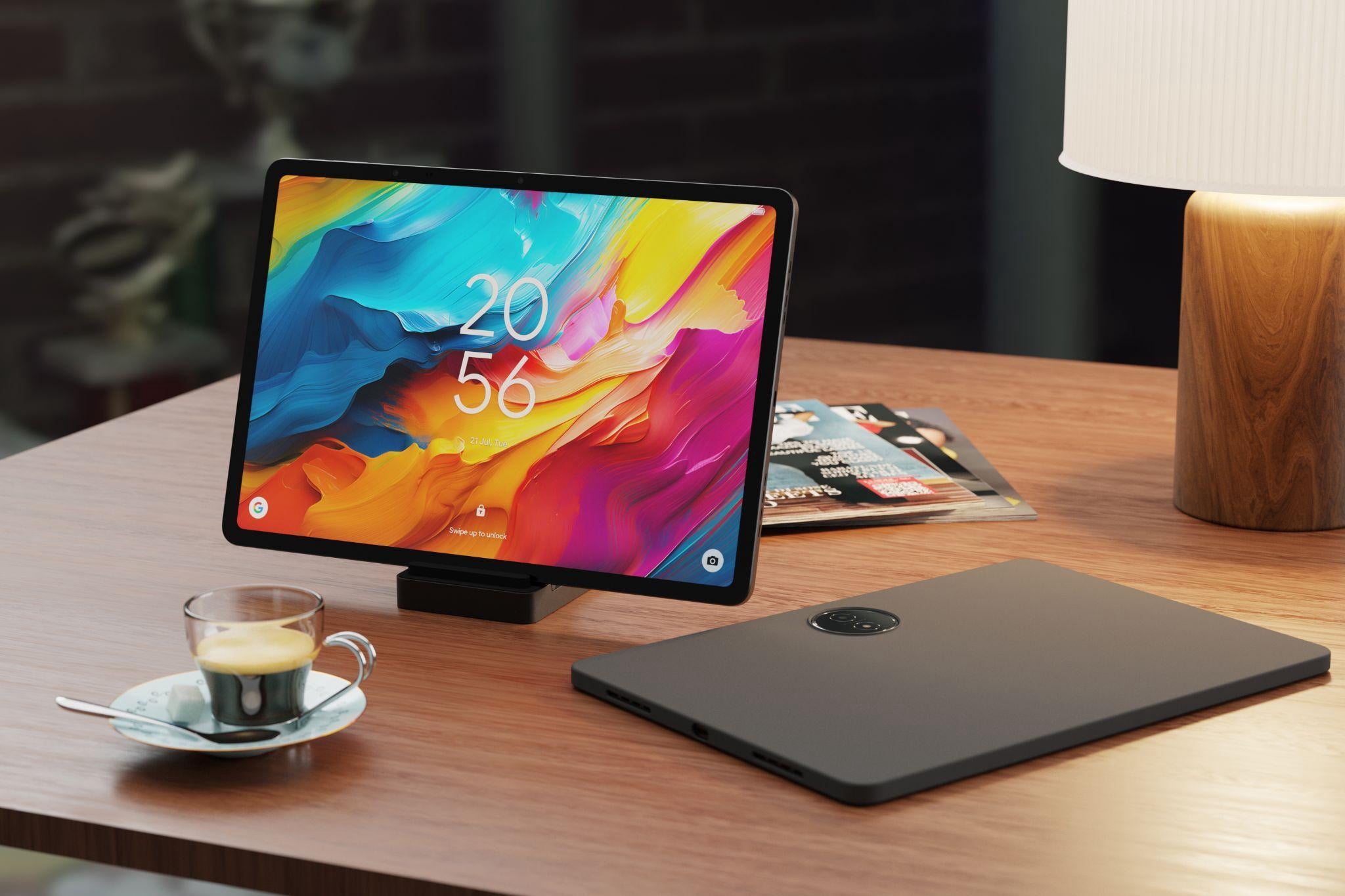
TCL is rolling out a fresh set of Amazon deals across its tablet lineup, including its eye-friendly NXTPAPER series and one of its most affordable everyday tablets. With discounts across multiple models, now’s a great time to upgrade your setup. TCL NXTPAPER 14 $359.99 (was $469.99) TCL’s largest and most advanced NXTPAPER tablet is built […]
The post TCL Drops Amazing Amazon Tablet Deals appeared first on Geeky Gadgets.
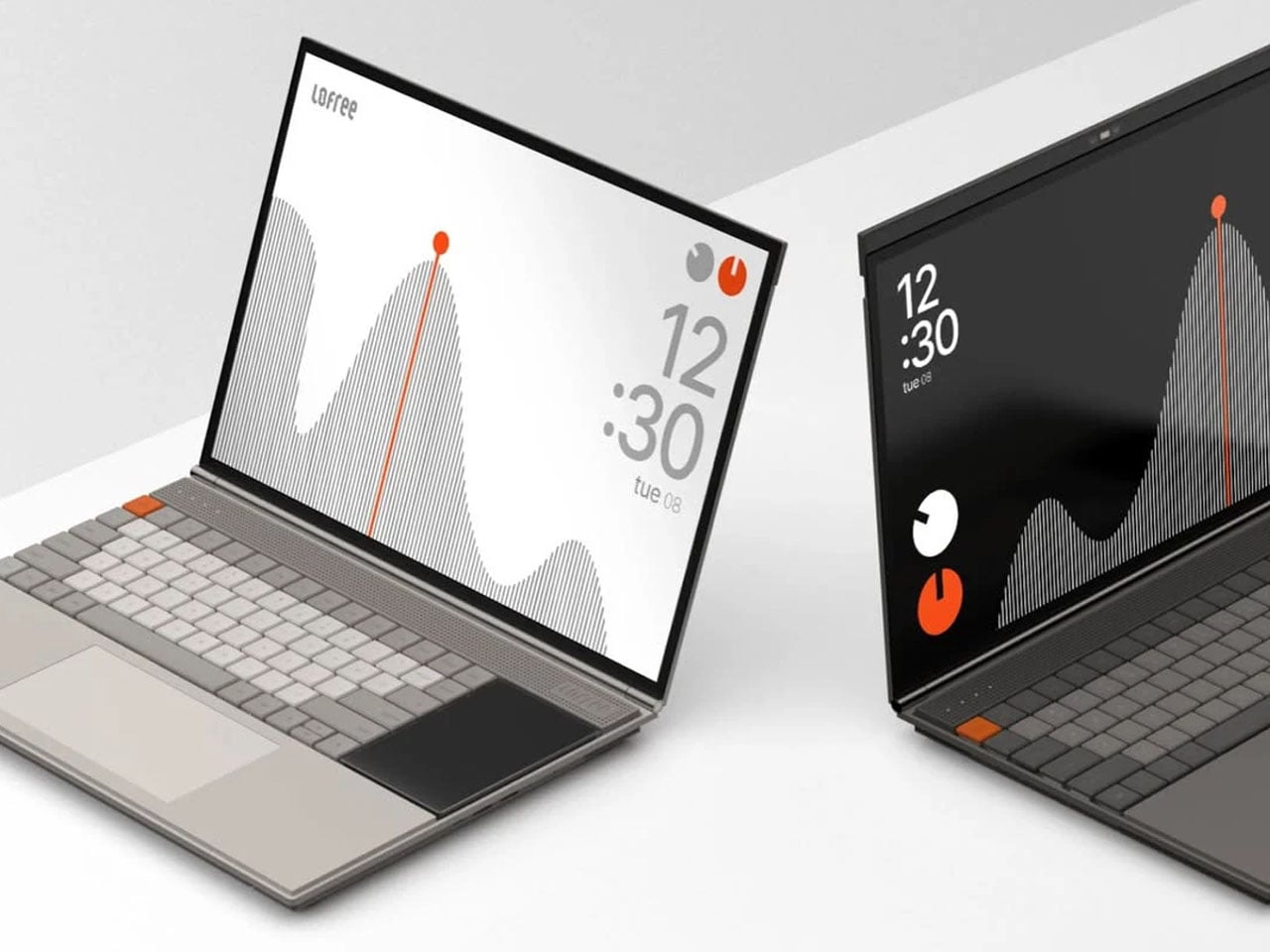
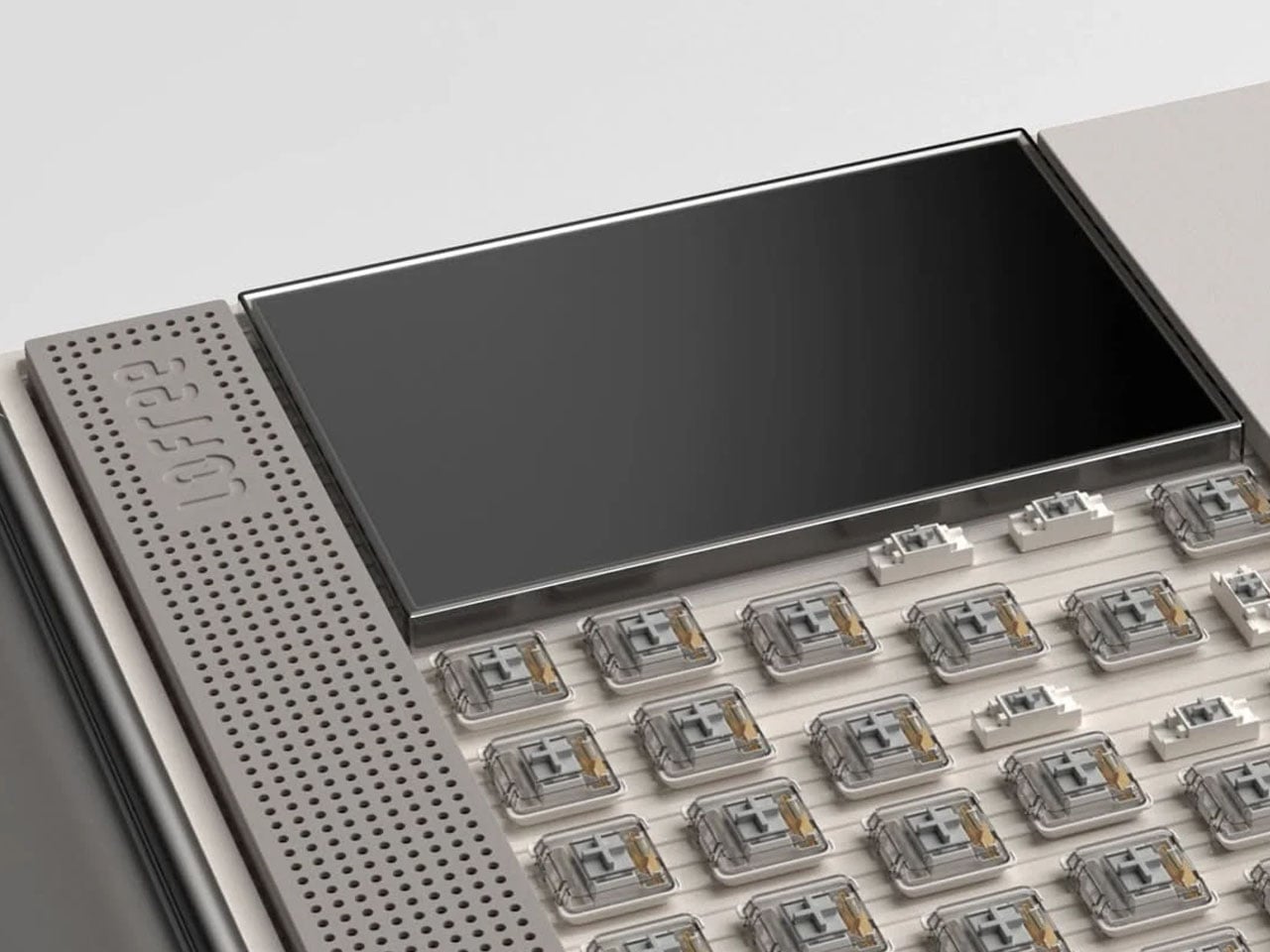
Minimalism in computing interfaces often promises clarity, yet many modern systems still struggle with cluttered notifications, layered menus, and competing visual elements. The Minimal Laptop UI concept explores what a truly distraction-free laptop experience might look like when both hardware and software are designed around the same philosophy. Inspired by the playful yet precise design language of Teenage Engineering, the concept imagines a laptop that feels equal parts creative tool and focused workspace.
The interface is built around the idea that the screen should serve the task at hand, not compete with it. Instead of filling the display with panels, toolbars, and notifications, the layout relies on strong visual hierarchy and generous spacing. Elements appear only where necessary, allowing content to take center stage. Typography is clean and consistent, icons are reduced to their most recognizable forms, and the overall interface feels calm rather than busy. The result is a digital workspace that encourages focus without sacrificing functionality.
Designer: Nicolas Fred
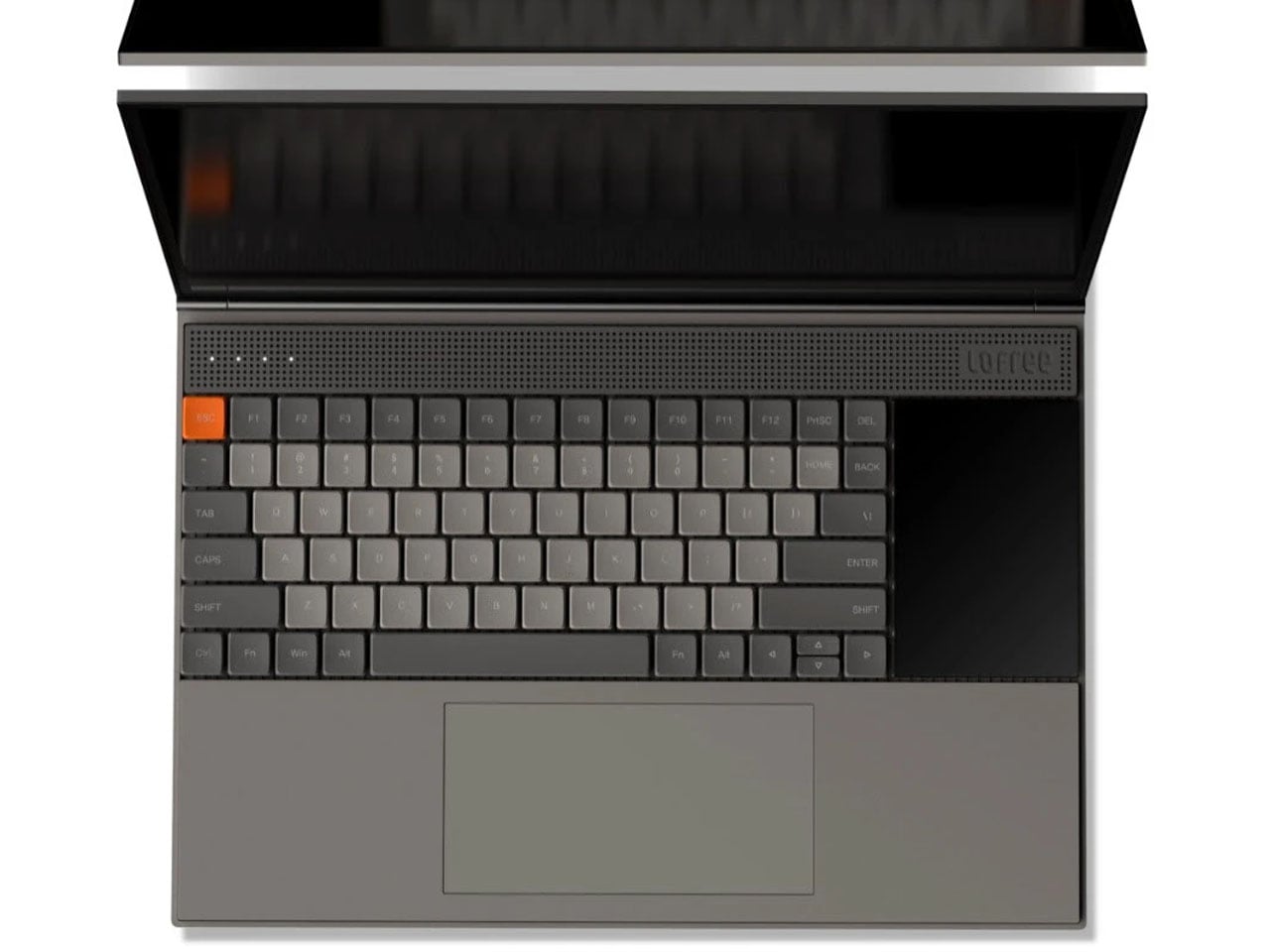
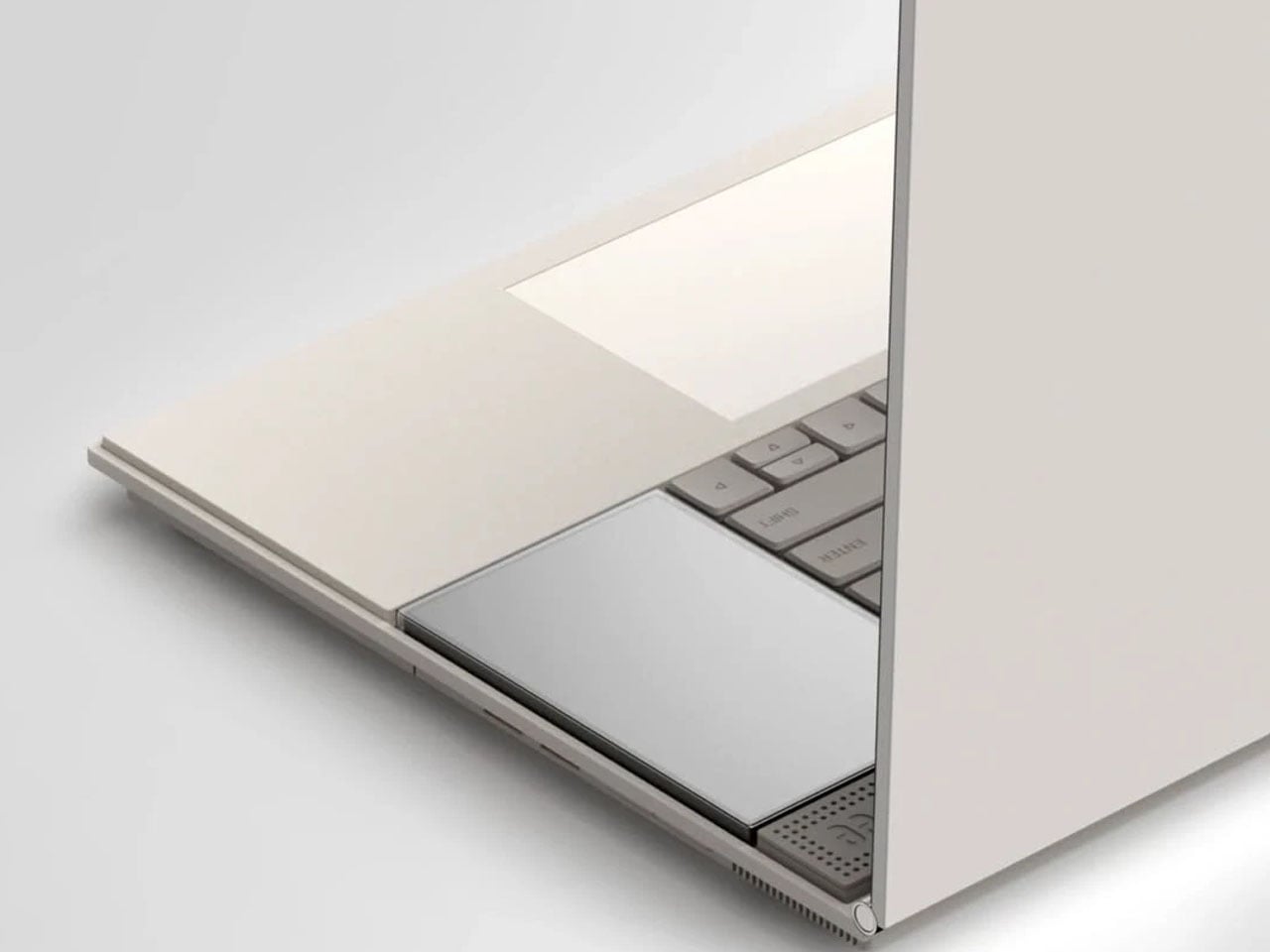
What makes the concept particularly interesting is how it integrates hardware into the experience. Just beside the keyboard sits a secondary display designed to handle the kind of information that typically interrupts the main screen. Notifications, widgets, quick system controls, and small utilities can appear here, keeping alerts visible without pulling the user away from their workflow. By shifting these elements to a separate display, the primary screen remains dedicated to productivity and creative work.
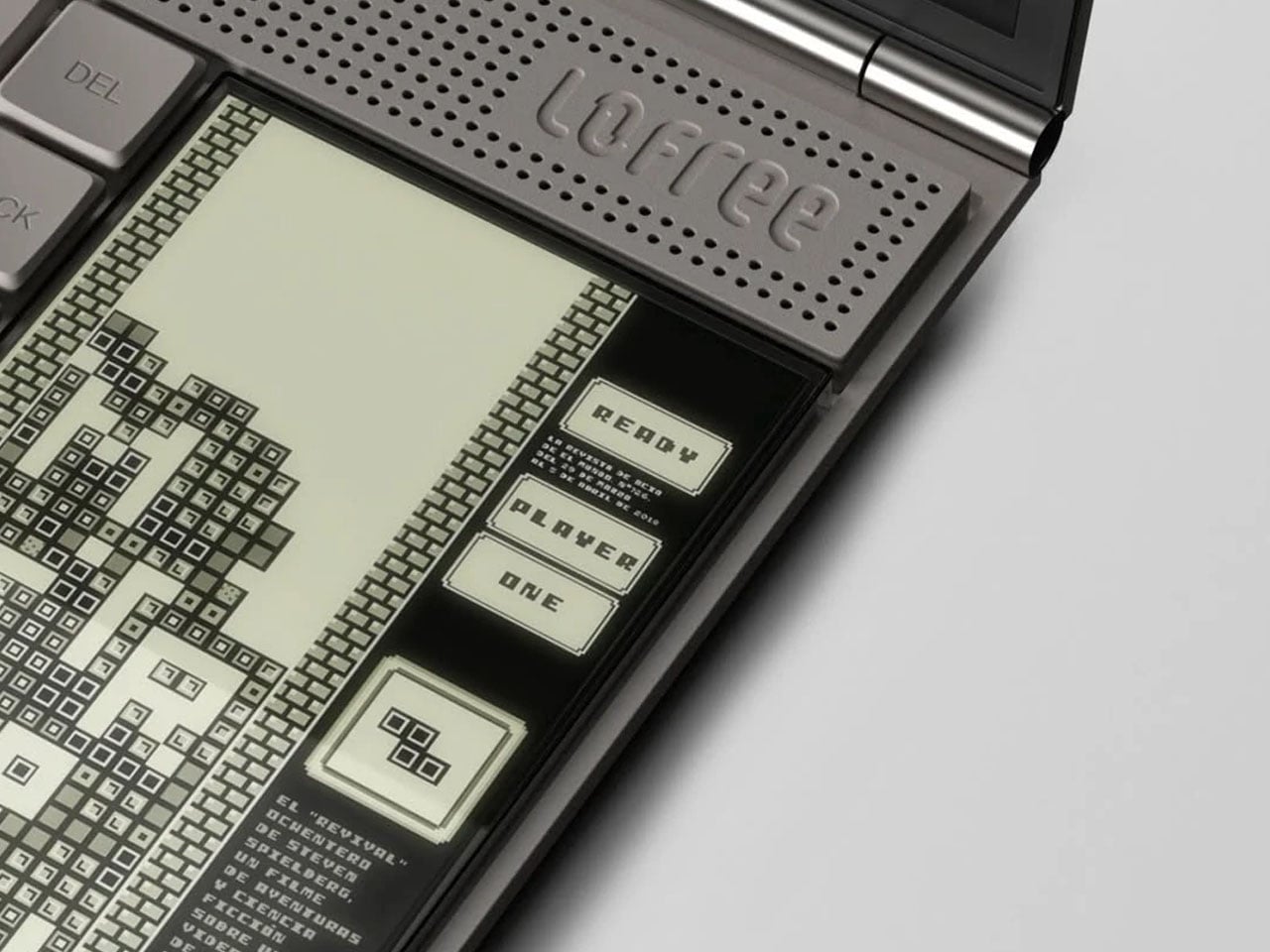
The secondary screen also introduces a playful dimension. Beyond system information and widgets, it can support lightweight interactions such as simple games or quick tools that users can access without minimizing their main task. This layered approach to interaction mirrors the philosophy behind minimal design: instead of removing functionality, it reorganizes it in a way that feels more intentional and less intrusive.
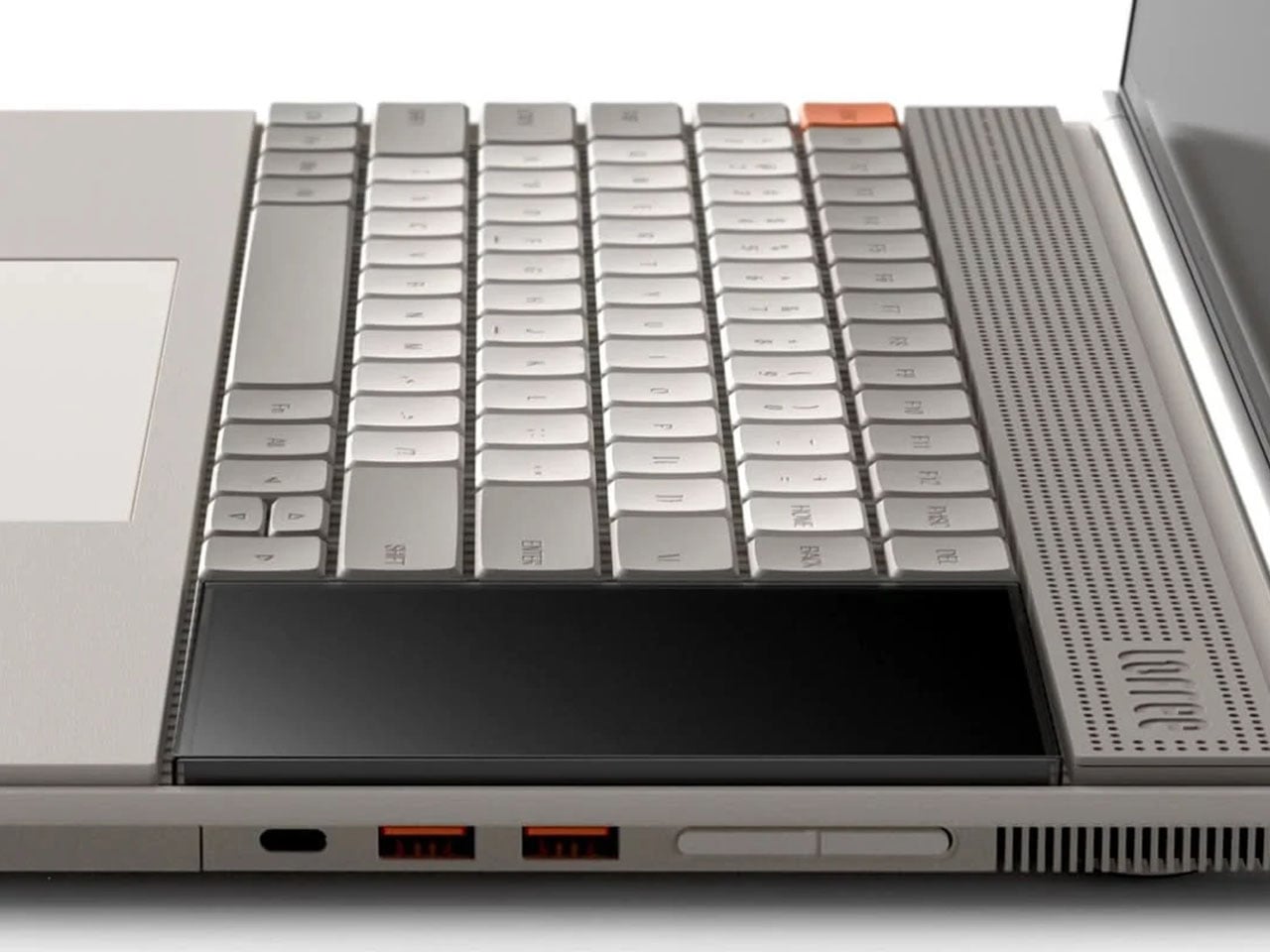
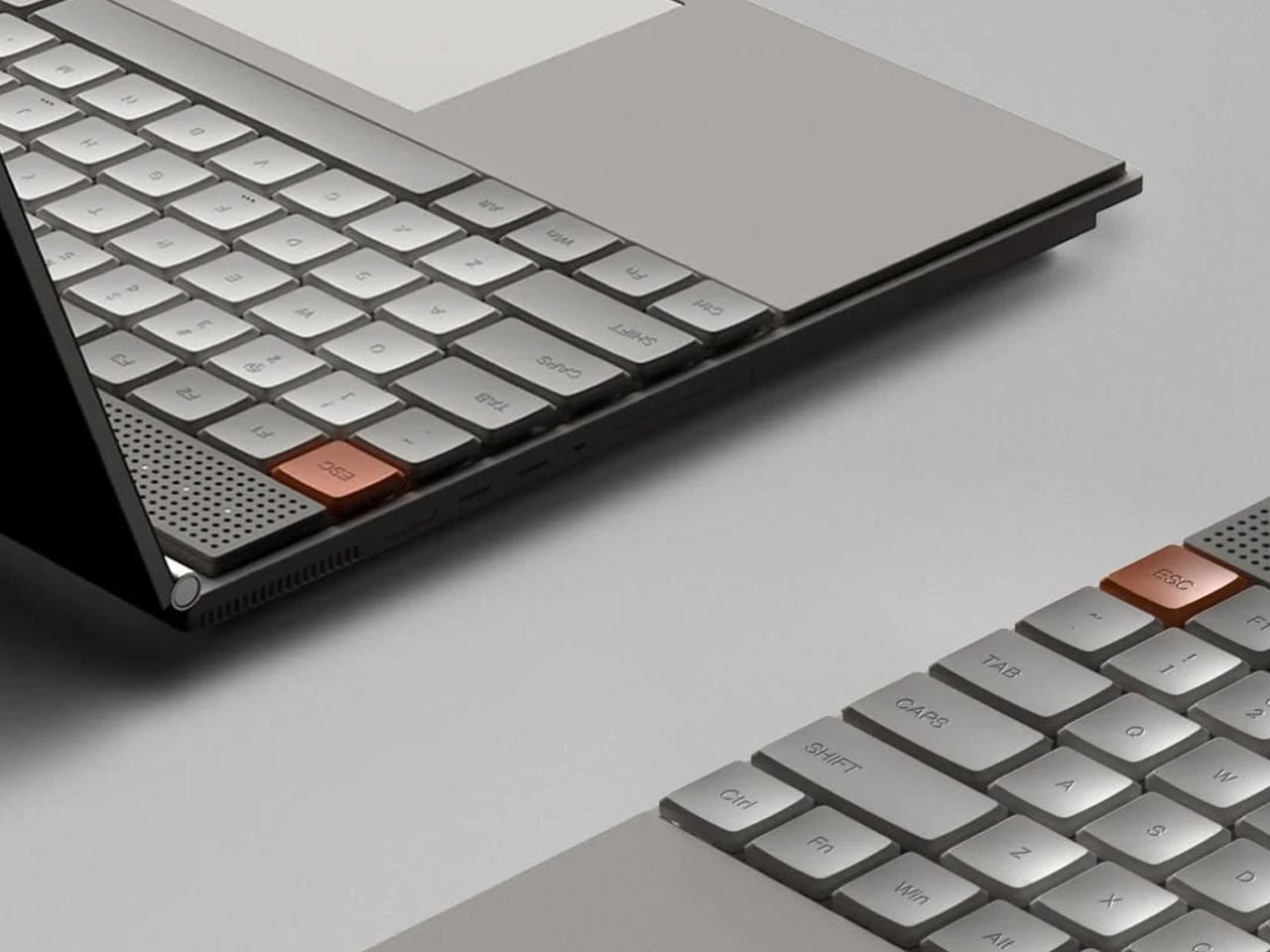
Visually, the laptop reflects the unmistakable influence of Teenage Engineering’s product design. Clean geometric forms, restrained color accents, and carefully balanced proportions give the device a distinctive character. The aesthetic leans toward soft tones and neutral surfaces, allowing subtle interface highlights to stand out without overwhelming the visual environment. It feels modern and creative, yet disciplined enough to support focused work.
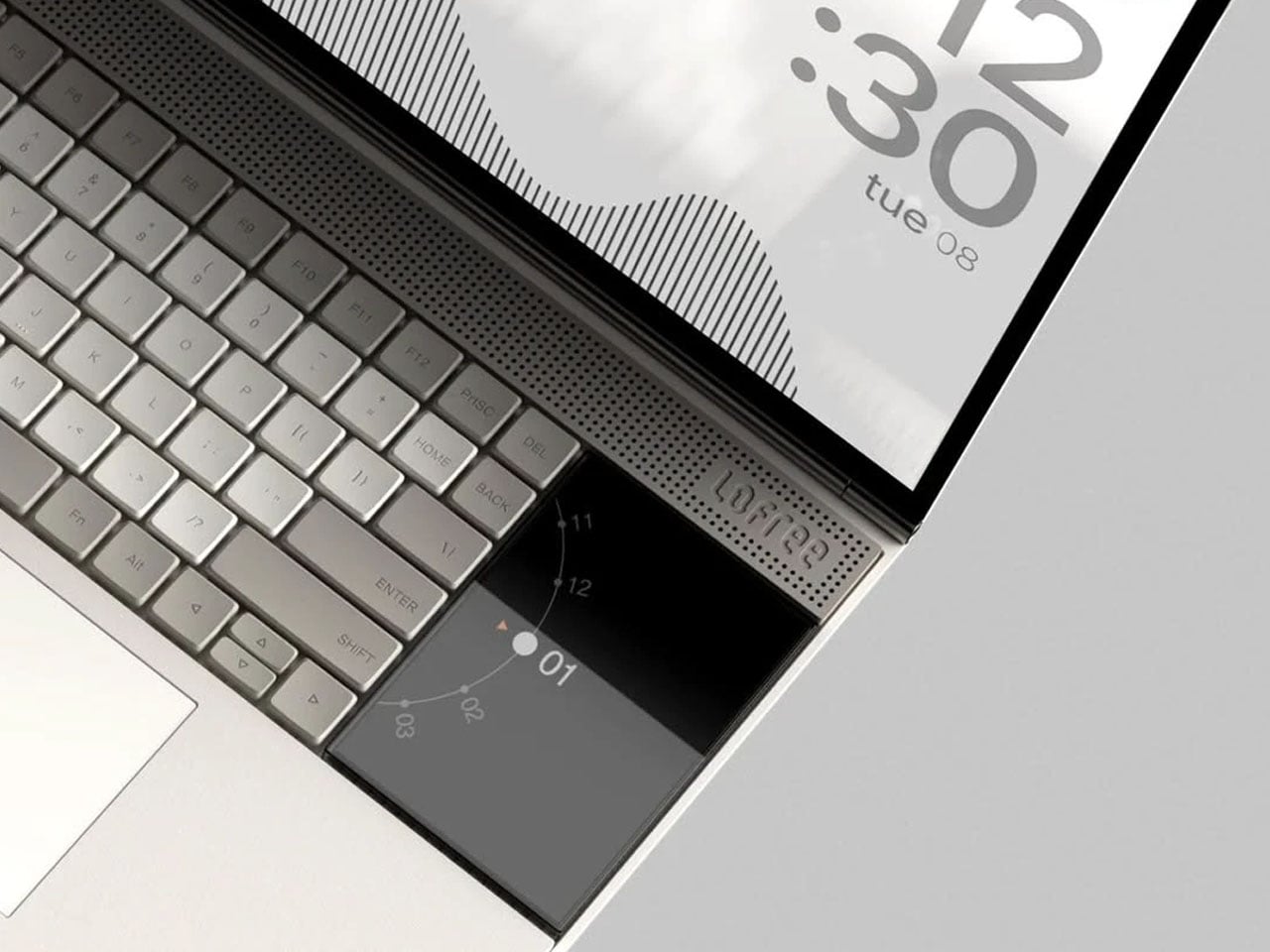
Whitespace plays a significant role throughout the interface. Rather than compressing information into dense panels, the layout leaves breathing room around content, improving readability and reducing cognitive load. This approach mirrors principles often used in industrial and editorial design, where space itself becomes an essential component of the experience.
The post Minimalist laptop with a secondary display minimizes distractions, maximizes productivity first appeared on Yanko Design.
EA has put another game on the chopping block, or at least the console versions of it. The company says it will delist the PS4 and Xbox One versions of Battlefield Hardline from digital storefronts on May 22, and shut down the online services on June 22. The single-player campaign will remain playable for those who own the game. The PC version of Battlefield Hardline isn’t affected by these changes.
In its announcement on X, EA didn't explain exactly why it's ceasing support for the game on PS4 and Xbox One. It pointed readers to a FAQ on its website that lays out some of the typical reasons why it ends online support for its games. These include factors like declining player bases.
Battlefield Hardline, which was released in 2015, will still be available on Steam as well as EA's own PC app. The Steam version has a peak concurrent player count of 41 so far this year.
It's hardly uncommon for a publisher to end online services for games with declining player bases, but it's an issue that's come into greater focus over the last few years thanks in part to the Stop Killing Games movement. EA alone has sunsetted dozens of games. Its website has a full accounting of these, spread across three webpages.
This article originally appeared on Engadget at https://www.engadget.com/gaming/ea-is-nuking-battlefield-hardline-on-consoles-193321551.html?src=rss