ASUS Zenbook DUO (2026) Review: One Laptop, Two Screens, All Business

PROS:


  • Beautiful, nearly identical 14-inch 144Hz 3K OLED screens

  • Narrower hinge creates a more immersive visual experience

  • Ceraluminum design adds visual and tactile character

  • Powerful Intel Panther Lake performance and impressive battery life

CONS:


  • Quite pricey

  • No built-in card reader

  • RAM is soldered

RATINGS:

AESTHETICS
ERGONOMICS
PERFORMANCE
SUSTAINABILITY / REPAIRABILITY
VALUE FOR MONEY

EDITOR'S QUOTE:

The ASUS Zenbook DUO (UX8407) earns its premium with two stunning co-equal OLED screens, a sleeker hinge, and Intel Panther Lake performance built for serious work on the go.

award-icon

For a time, it seemed that foldable and rollable screens would be the future of laptops, just as they are positioned to be where smartphones are going. That was until people realized that what may be good for handheld devices might not work for 14-inch slabs with keyboards. Foldable laptops might still have their day, but they are too impractical and costly for now.

ASUS has chosen to instead design and deliver a solution for today’s needs and problems. Rather than a screen that folds just to save space, the Zenbook DUO has opted to expand the user’s workspace instead, bringing the productivity advantages of dual-monitor setups from desktops to laptops. This year’s ASUS Zenbook DUO (UX8407) does more than just upgrade the spec sheet. It is also adding a touch of style and elegance that makes a power user tool feel more considered.

Designer: ASUS

Aesthetics

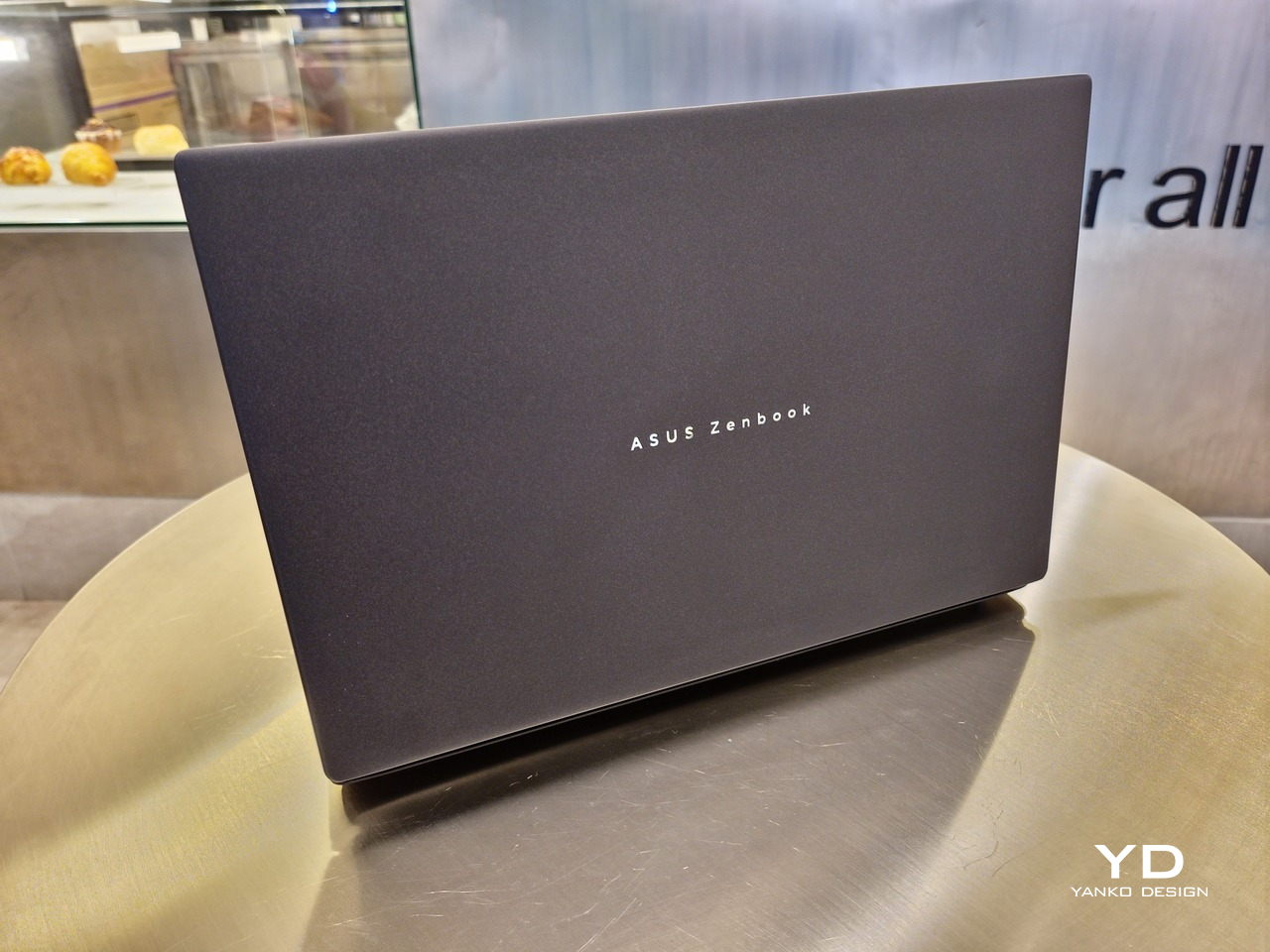
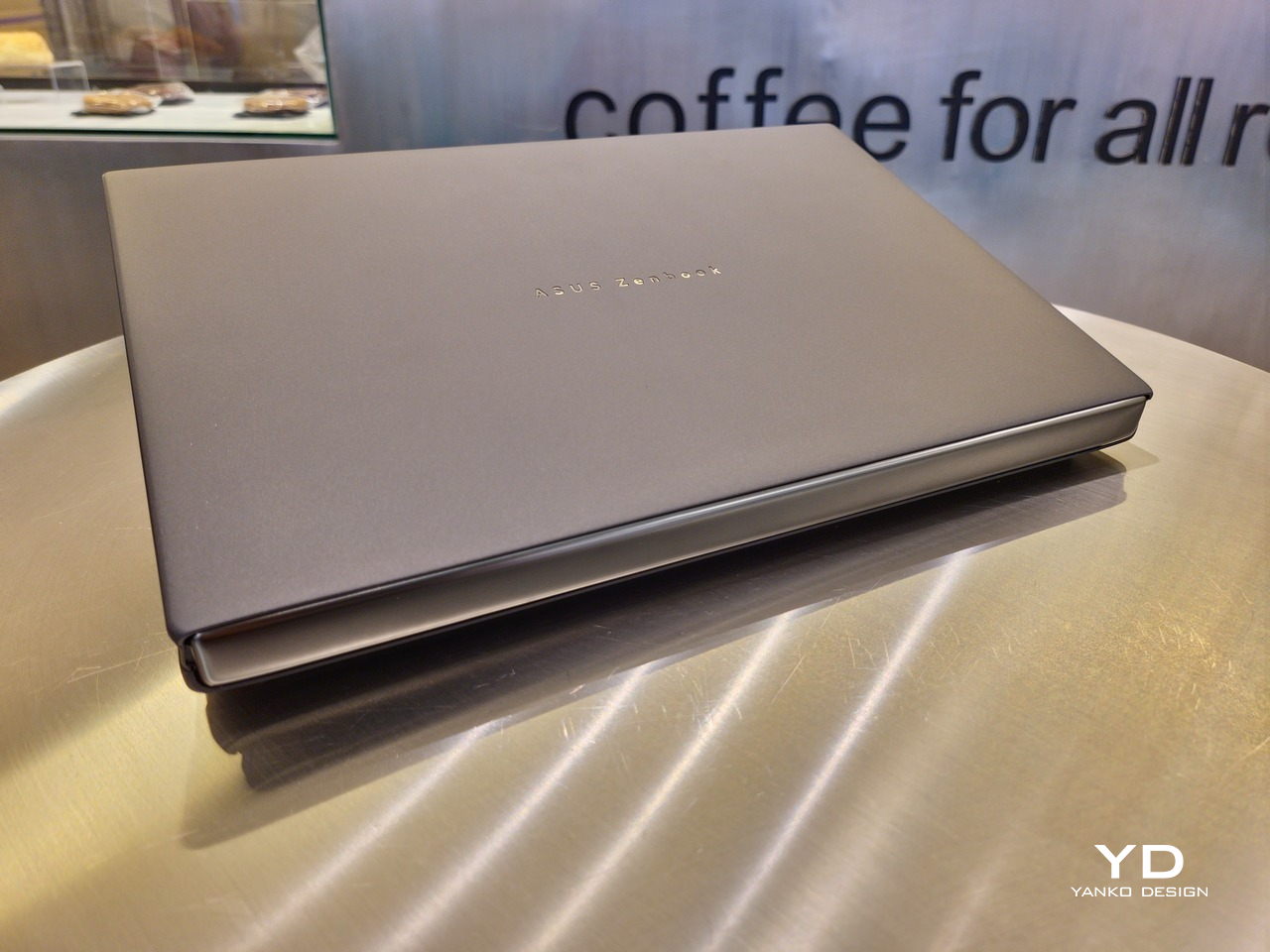
The 2026 ASUS Zenbook DUO (UX8407) is quite stunning in almost any form, whether it’s closed shut, opened like a laptop, or especially when it’s wide open. The lid cover exudes not only minimalism but also character, with a reflective “ASUS ZENBOOK” logo engraved against the Elephant Gray “Ceraluminum” surface, creating a simple yet eye-catching visual and material contrast.
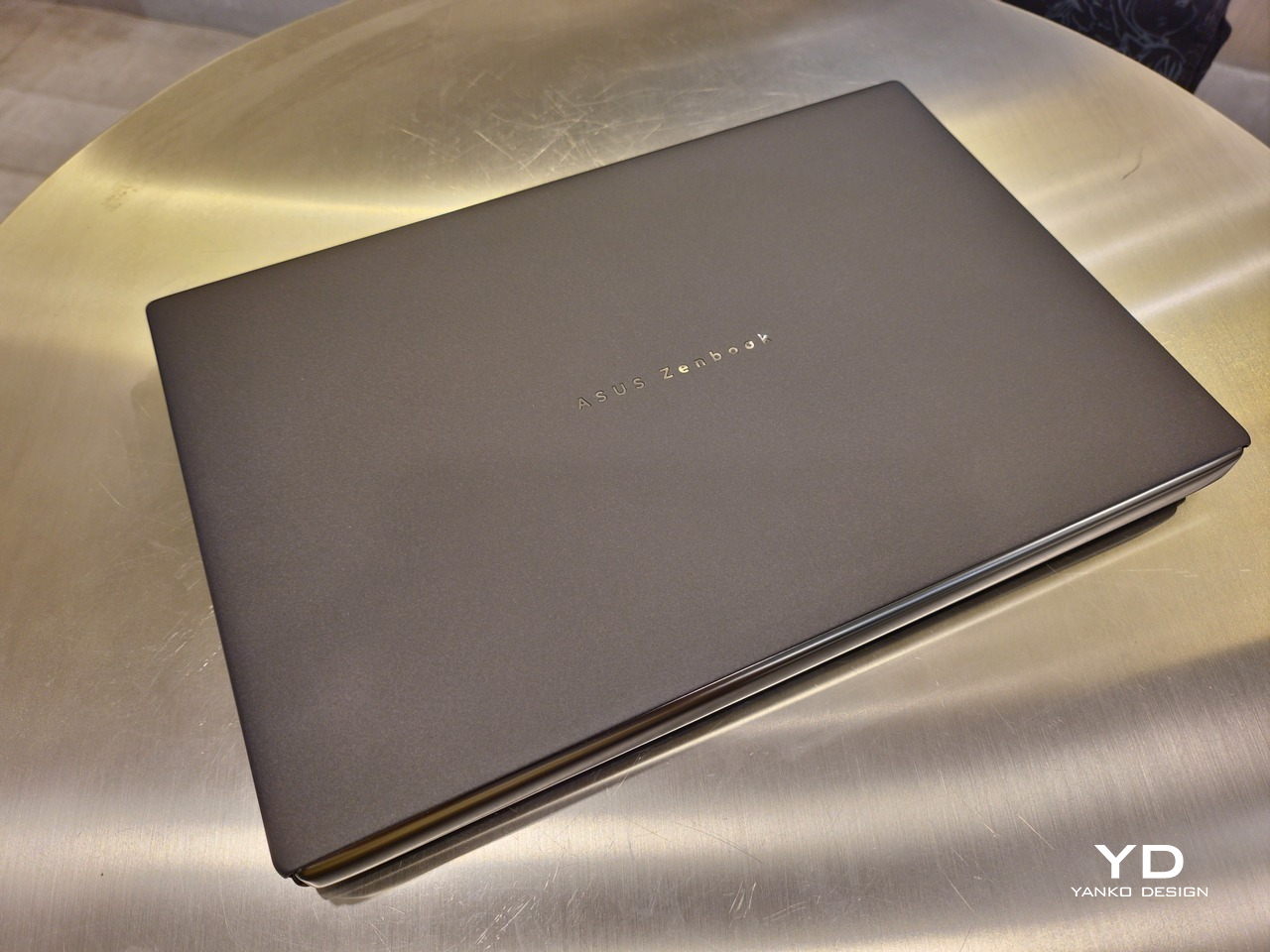
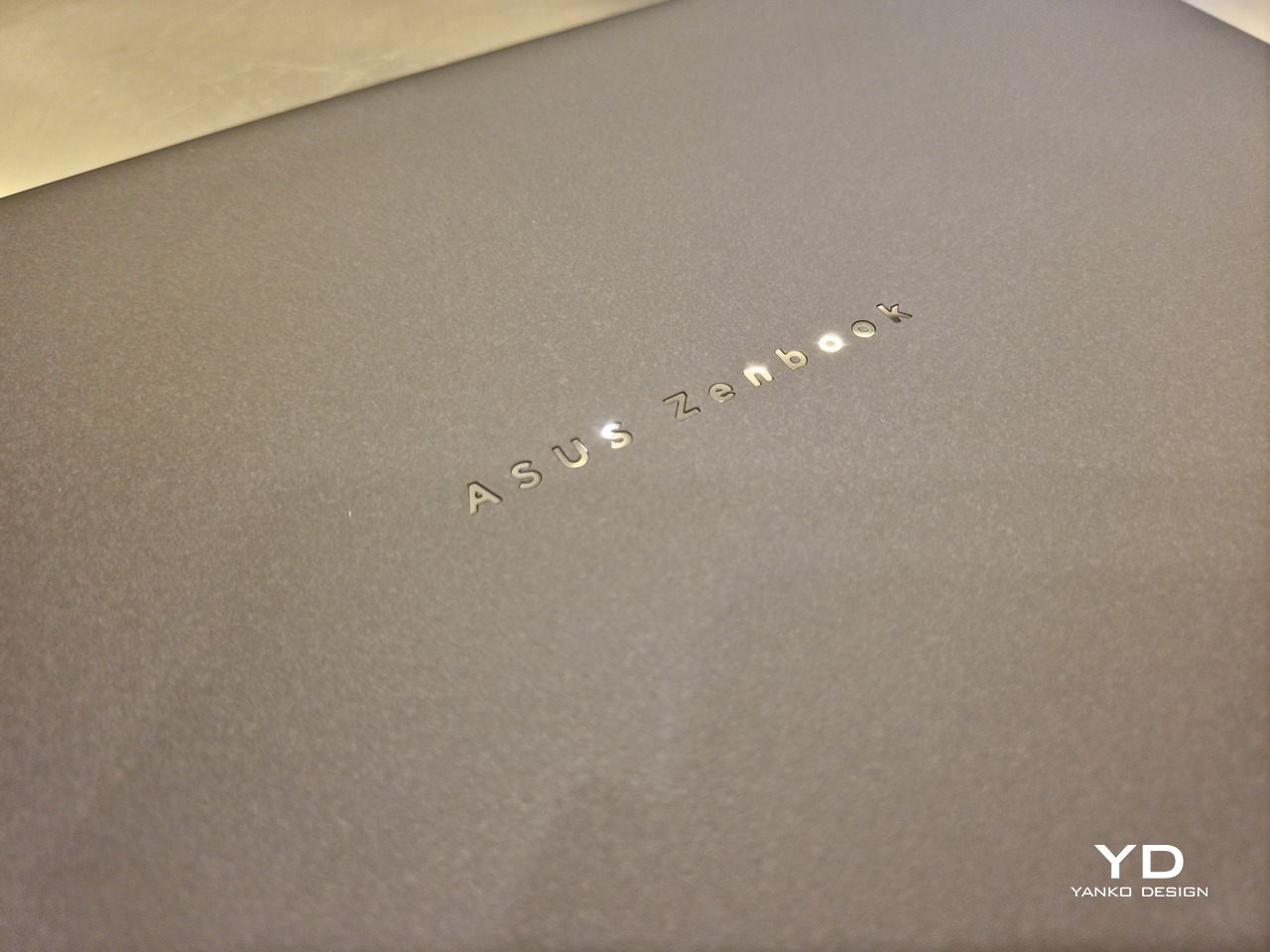
That Ceraluminum is, of course, ASUS’s latest material innovation that uses a special oxidation process to give aluminum some ceramic-like properties, particularly durability and higher resistance to scratches. The end result is a material that isn’t just nice to look at but also pleasing to touch, giving the lid a texture that almost feels like stone or, well, ceramic. There is also a certain visual “roughness” to the Ceraluminum surface, setting it apart from the brushed metal or anodized appearances of its peers.
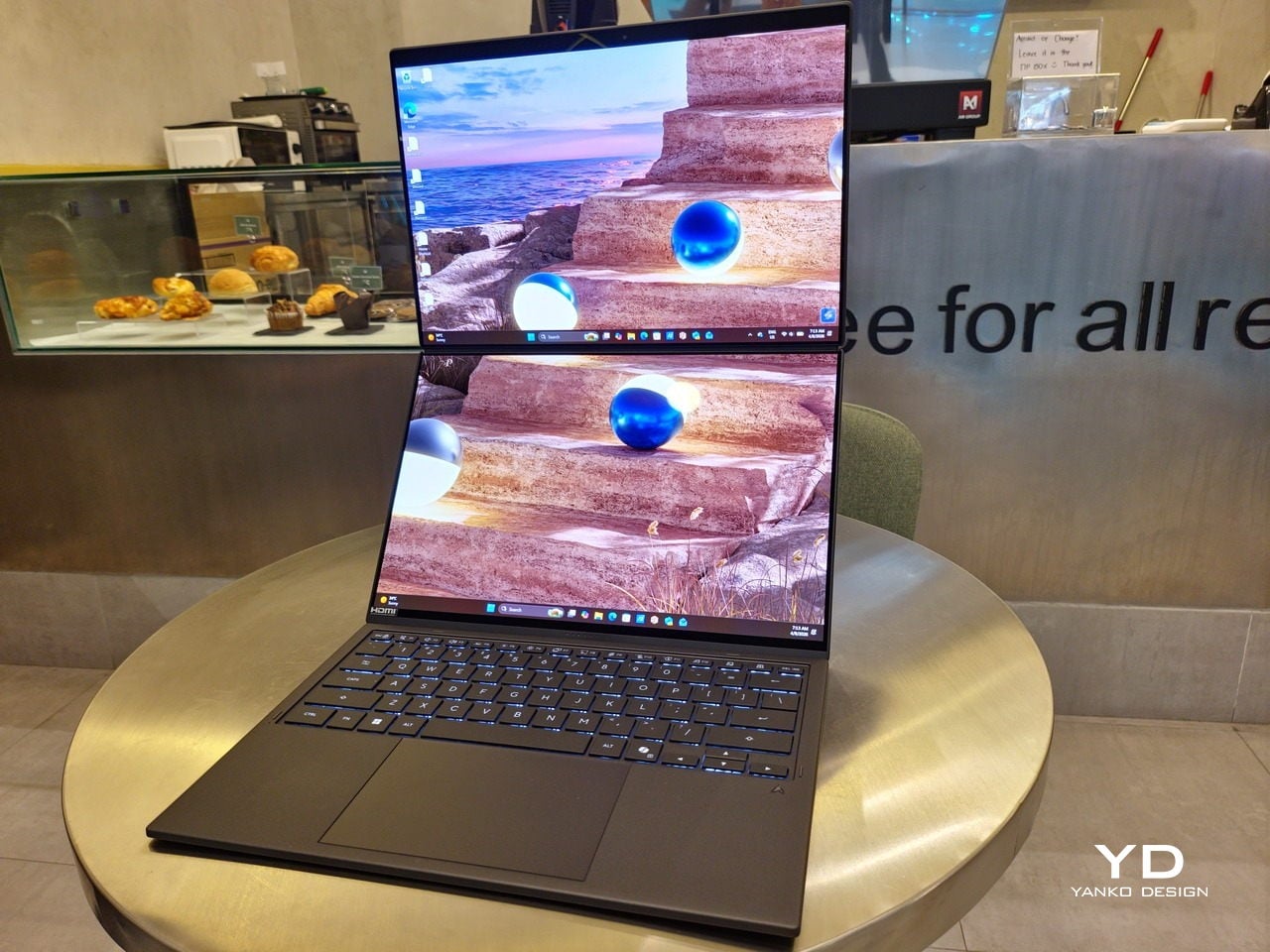
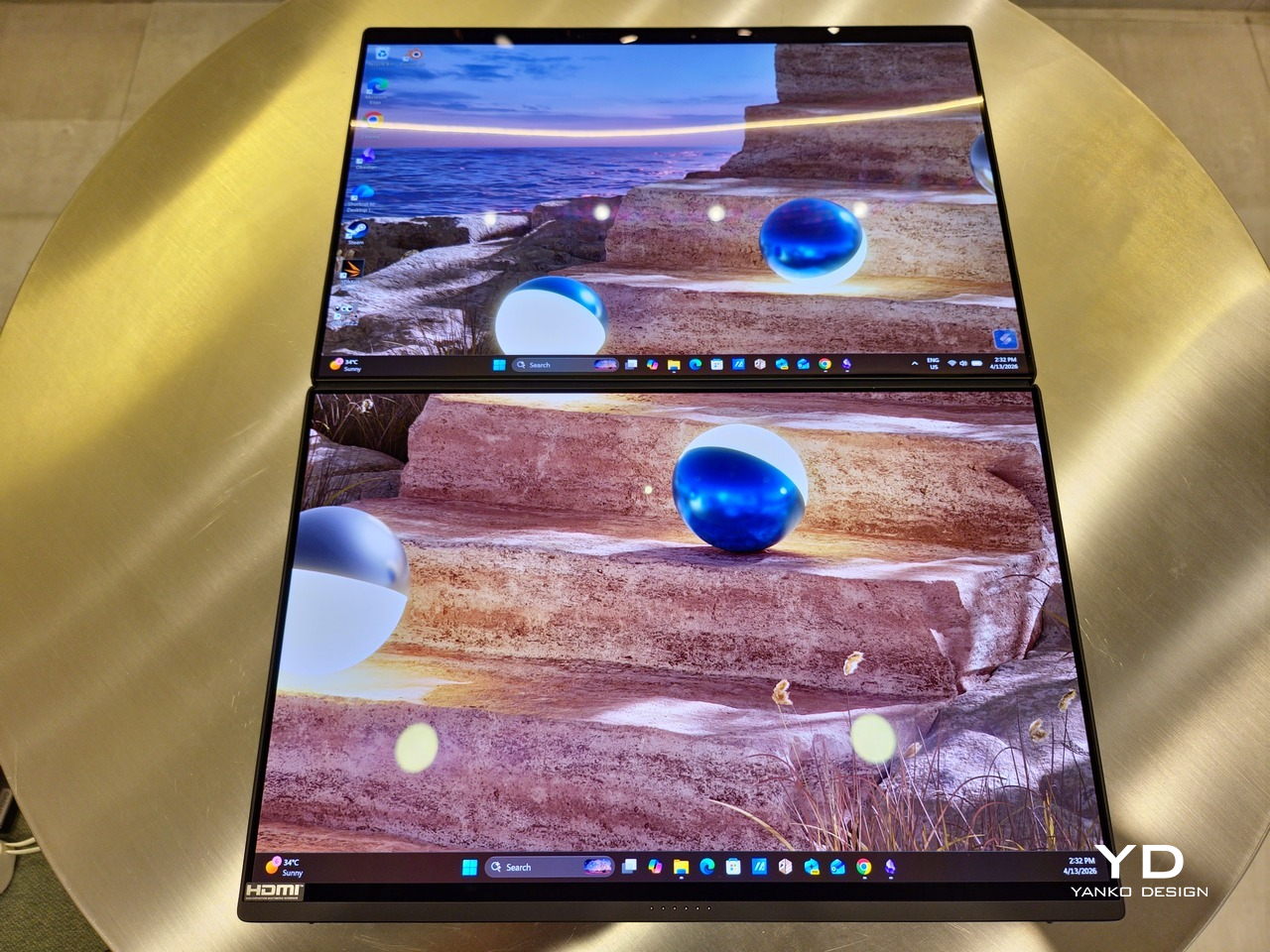
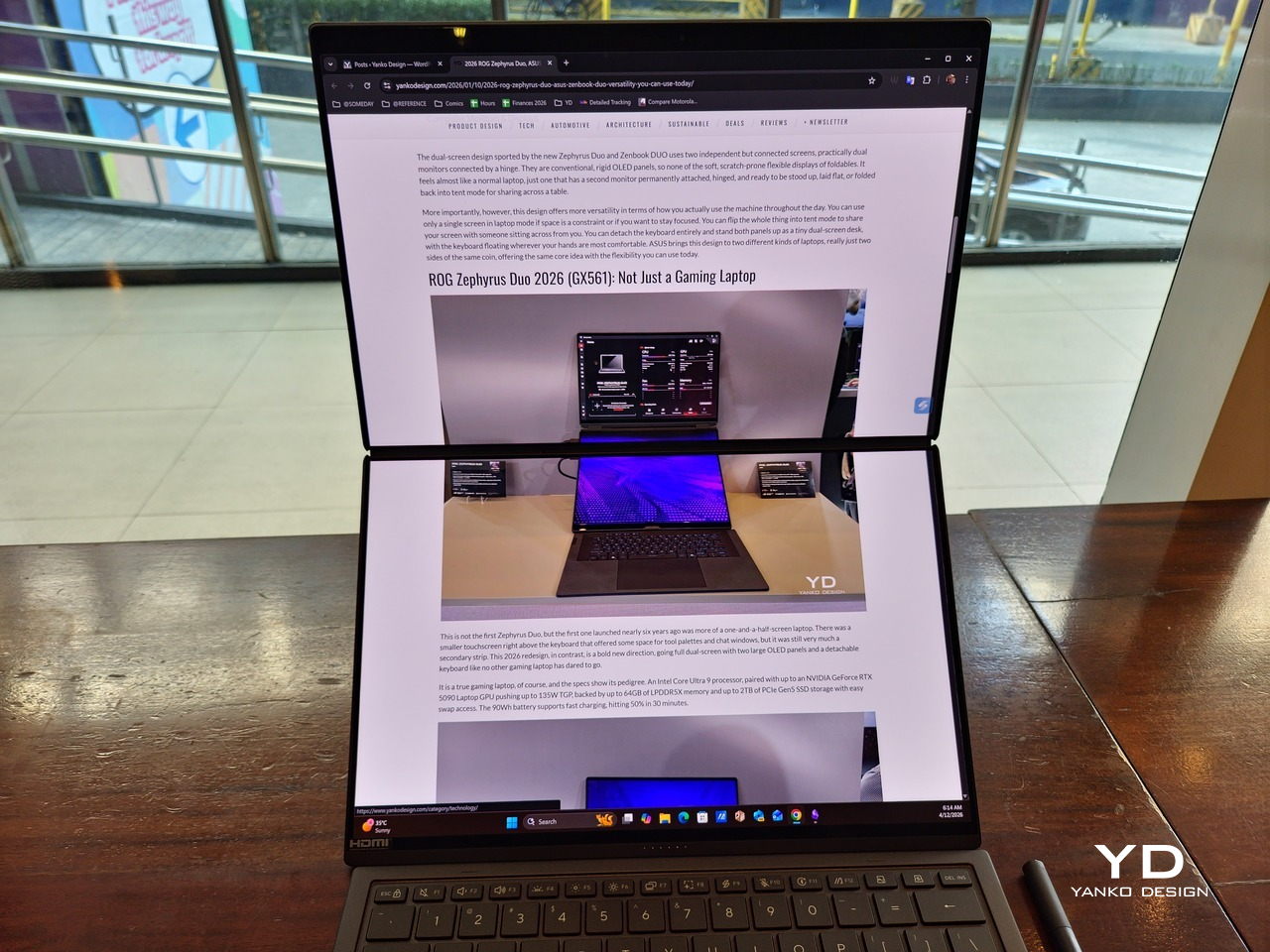
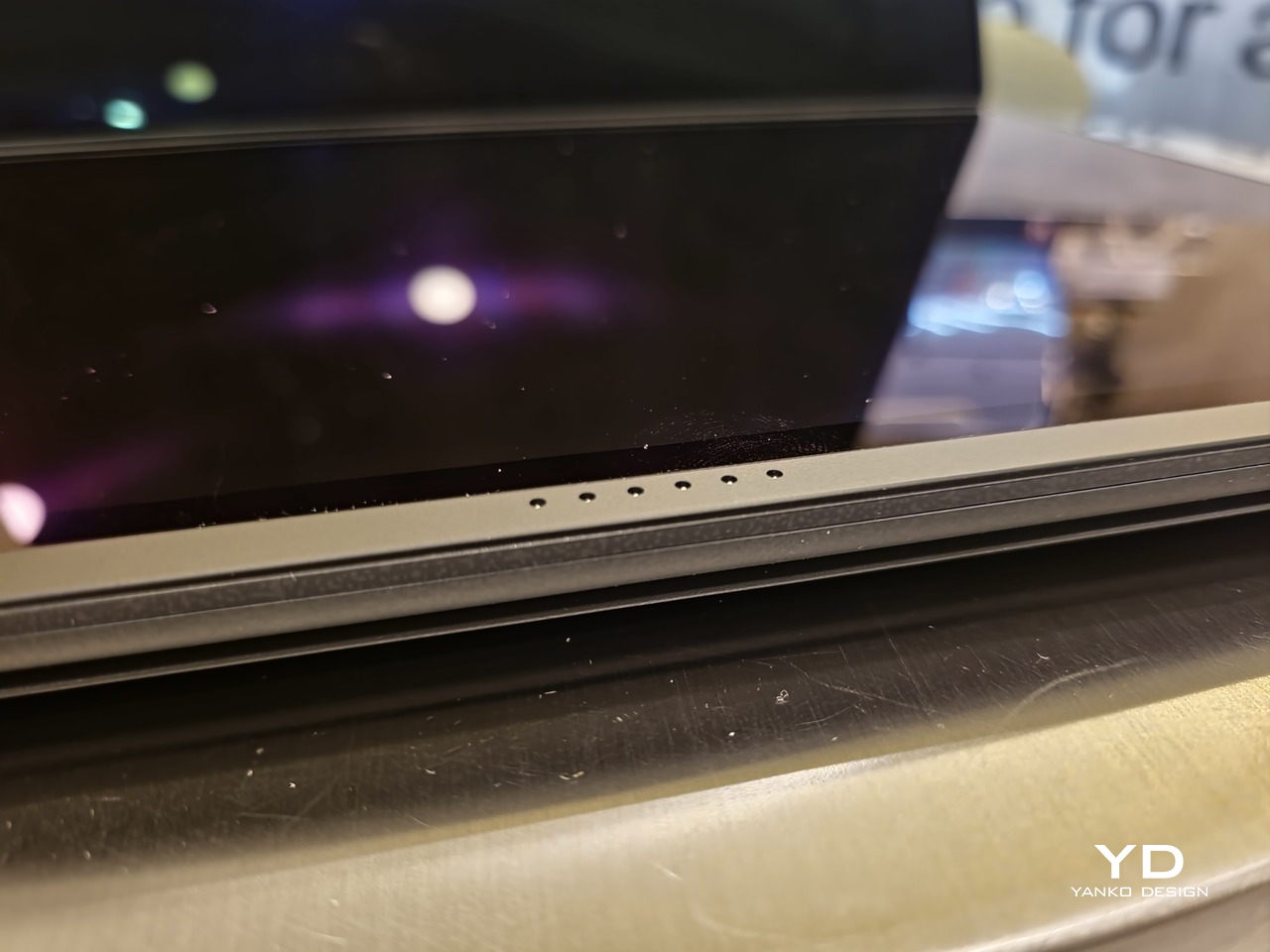
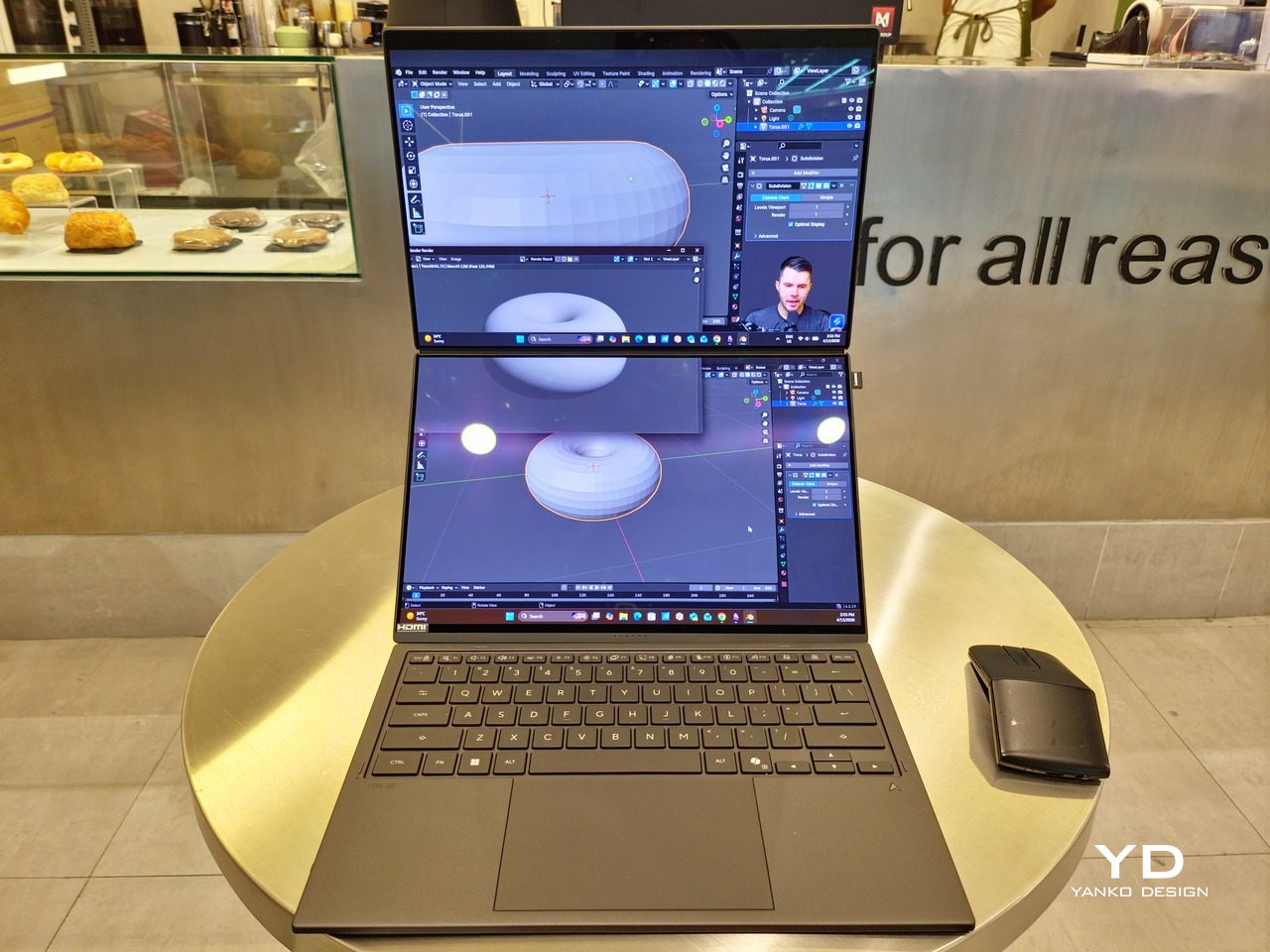
Of course, the real show happens when you open the laptop and lift the keyboard away, revealing two gorgeous 14-inch screens connected together by a hinge, no messy or awkward cables. For this iteration, ASUS poured its efforts into making that connection look even more seamless, not only by shrinking the bezels between the displays but also by developing a new “hideaway” hinge that narrows the gap from 25.31mm down to 7.6mm. Make no mistake, there’s still a very obvious separation between the two, but it is now less jarring, making it feel like you’re working with a screen that just happened to be split into two, rather than two screens stitched together.
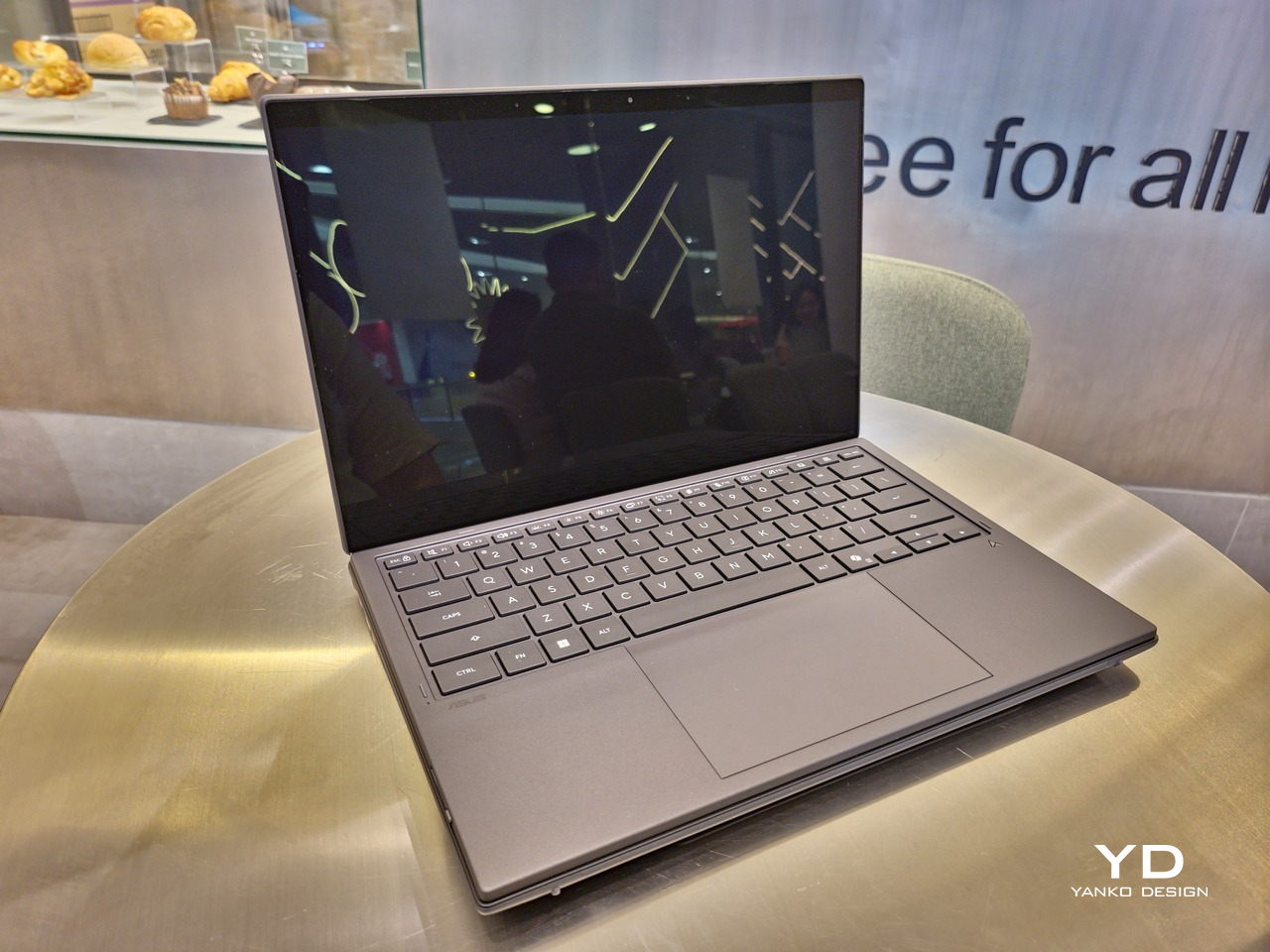
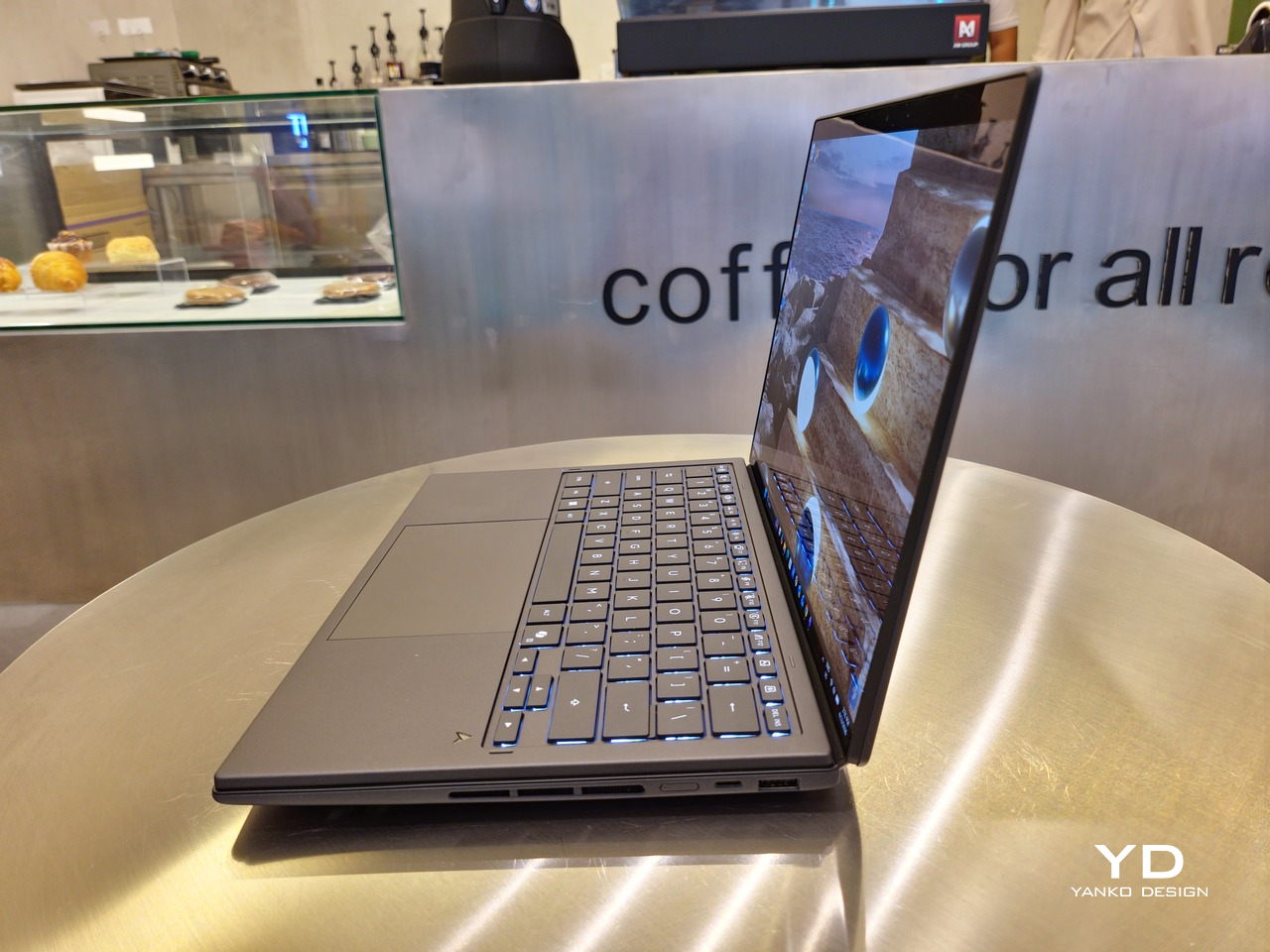
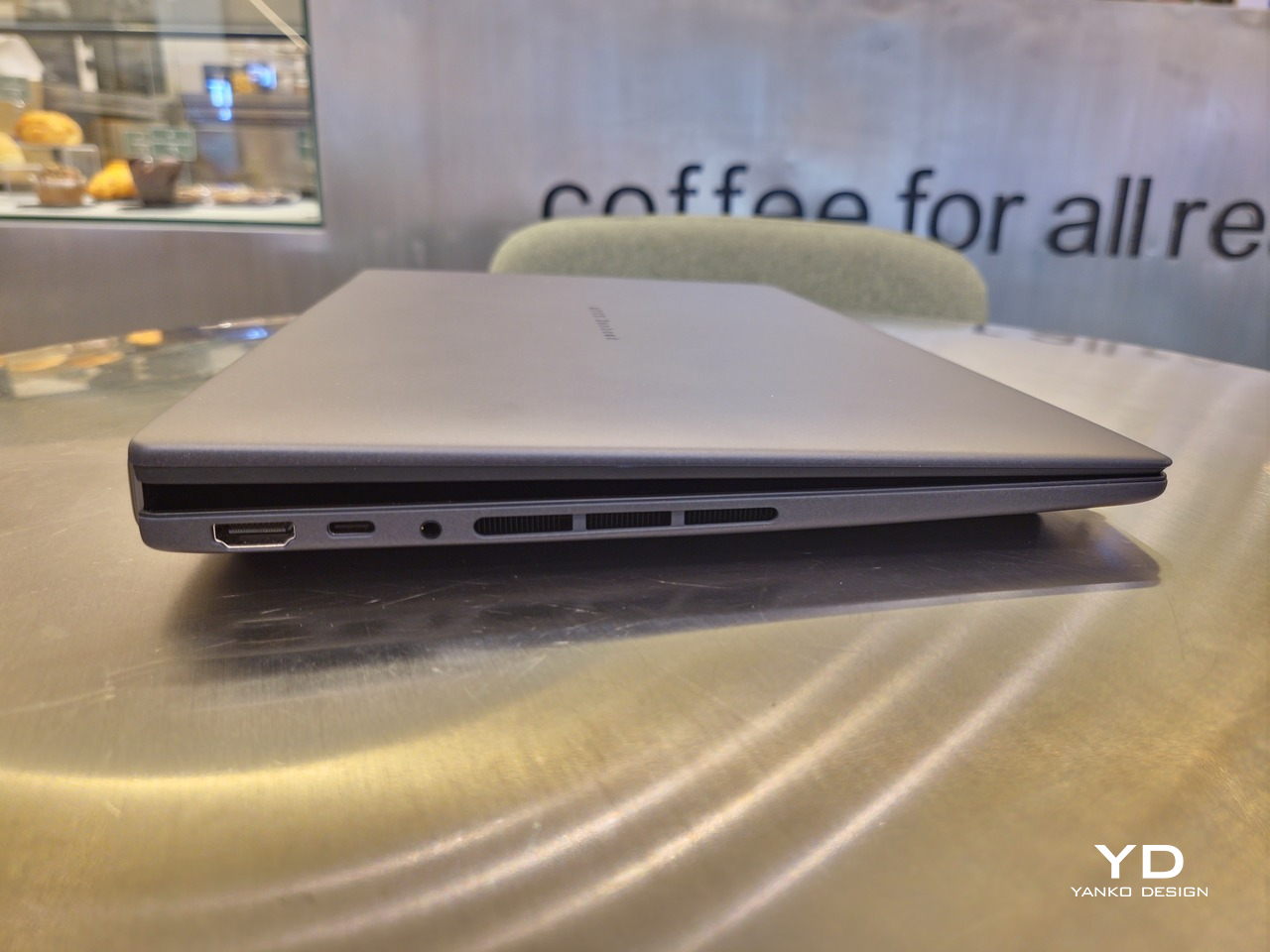
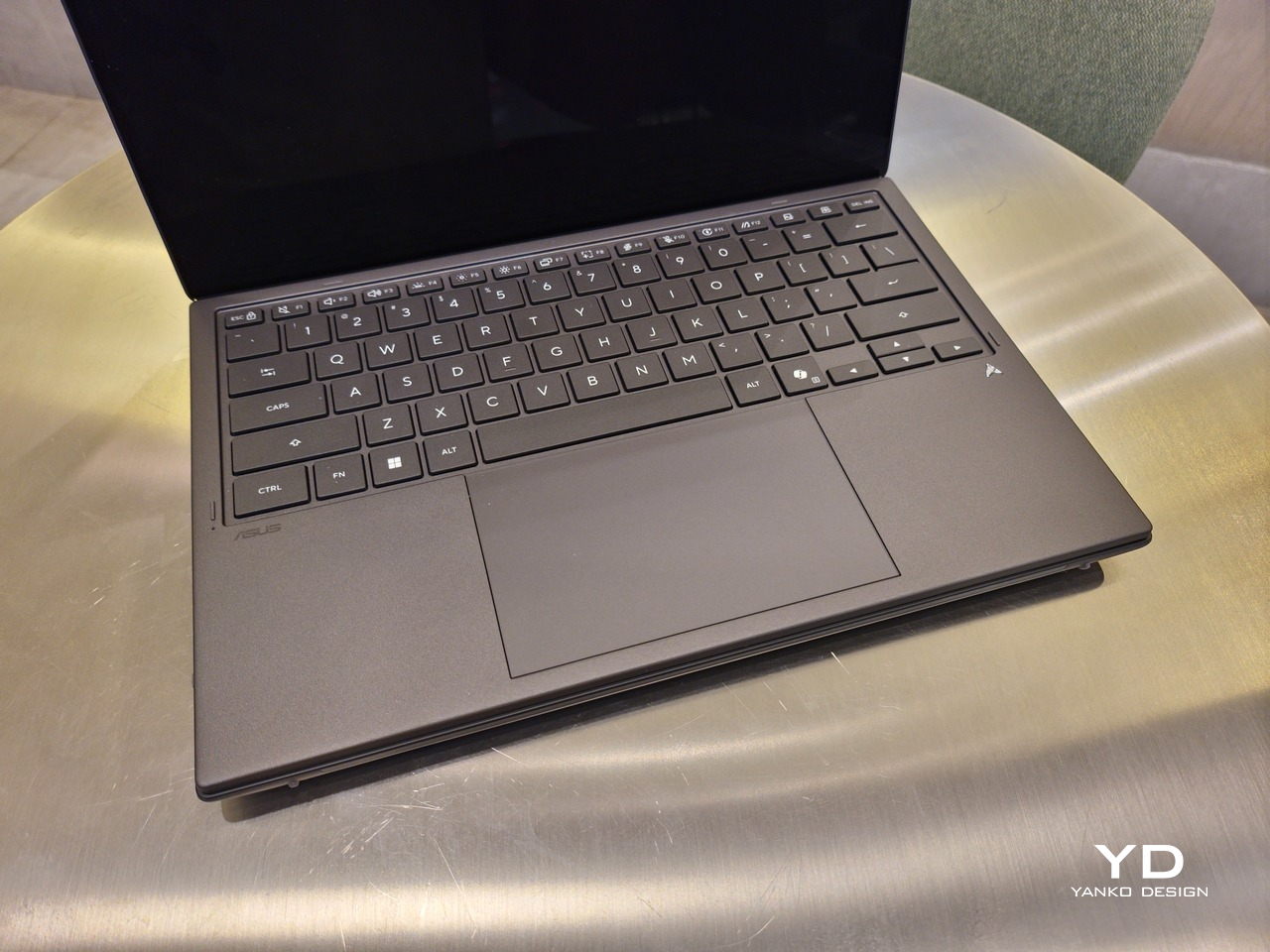
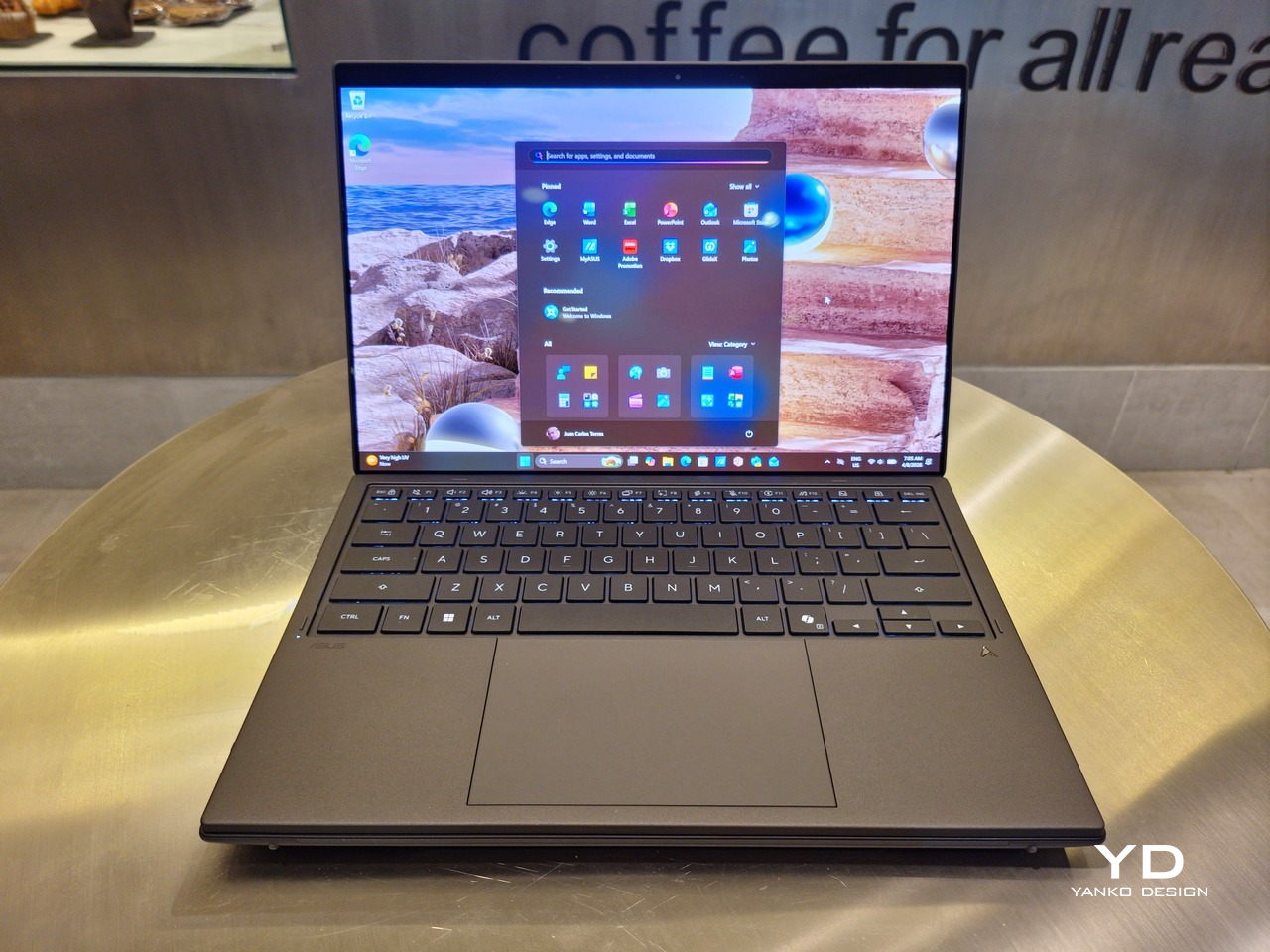
With the detachable Bluetooth keyboard resting on the second screen or when it’s closed, the Zenbook DUO (2026) looks almost like a normal laptop. You have a few (literally) ports on either side along with some air vents, and a wide-long grille at the bottom above the built-in kickstand. Your only clue that this isn’t a normal laptop is when you accidentally close the laptop lid without the keyboard attached, creating a very noticeable gap that, unfortunately, would also be an open invitation for small items to come in and scratch the screens.
Ergonomics

At 1.65kg (3.64lbs) with the Bluetooth keyboard attached, the ASUS Zenbook DUO (UX8407) isn’t exactly lightweight compared to other 14-inch laptops in the market, at least the non-gaming kind. That said, it’s not exactly on the heavier side either, especially when you consider that you’re carrying two 14-inch screens, not to mention a 99Wh battery, in a single bundle. In that context, it’s actually amazing how much ASUS was able to reduce the heft without cutting corners.
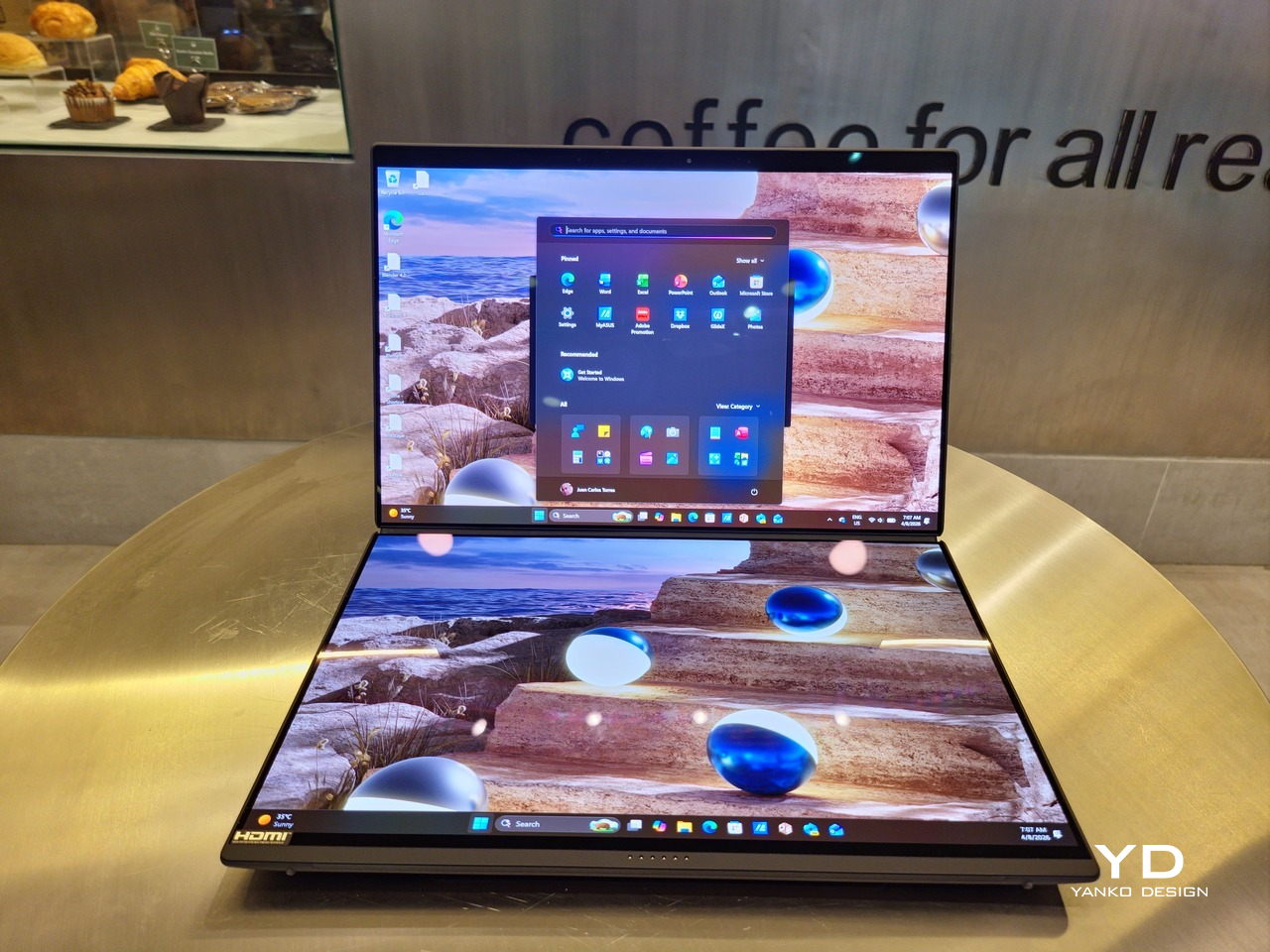
That said, having two connected displays brings its own ergonomics puzzle, something that ASUS seems to have finally solved almost to perfection. You have no less than 5 ways to use the laptop, from a normal laptop to two screens vertically stacked to the side-by-side “desktop mode”. While the hinge does most of the hard work, the built-in kickstand literally carries the burden, supporting that full weight (minus the keyboard) on its own.
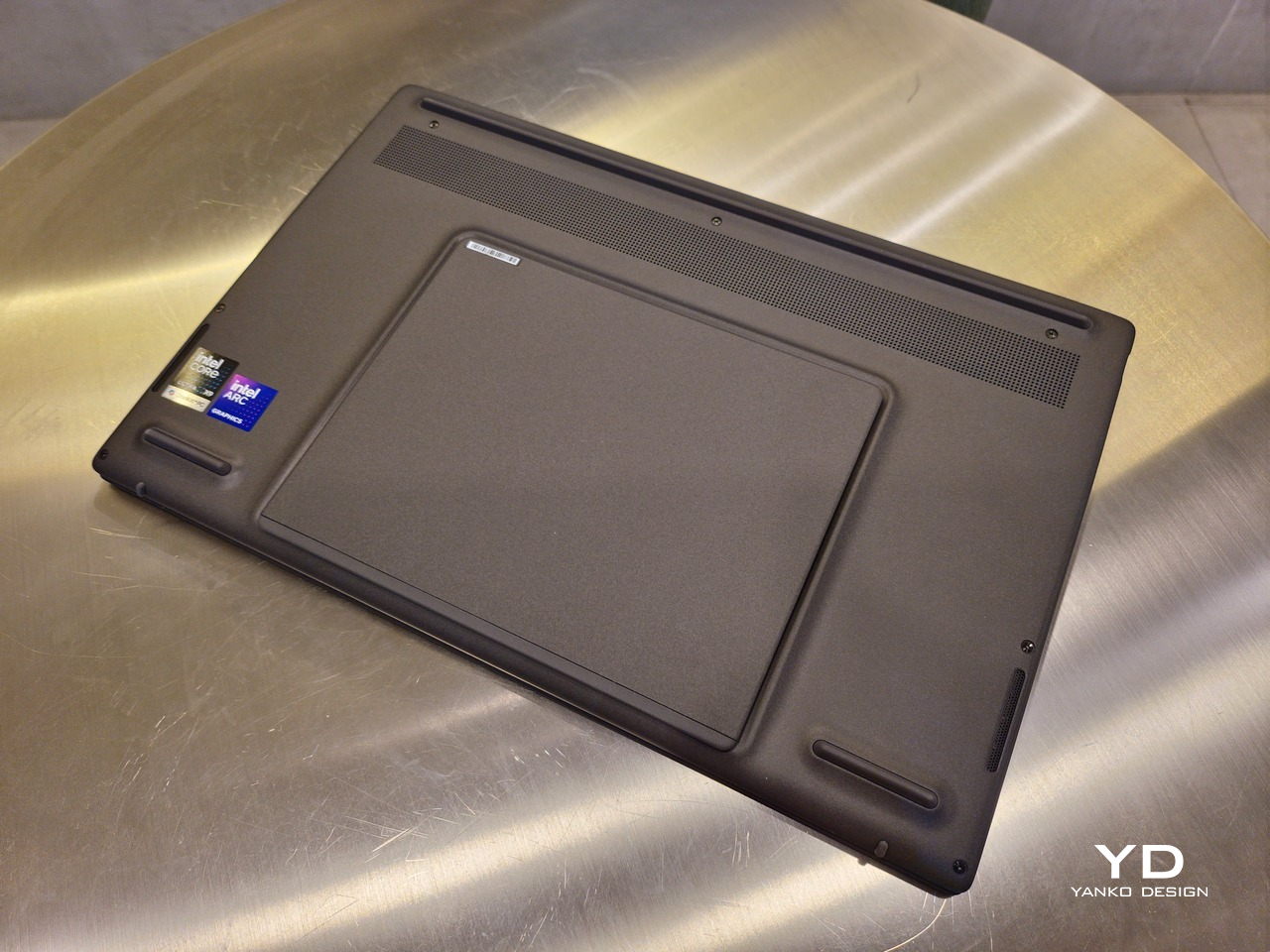
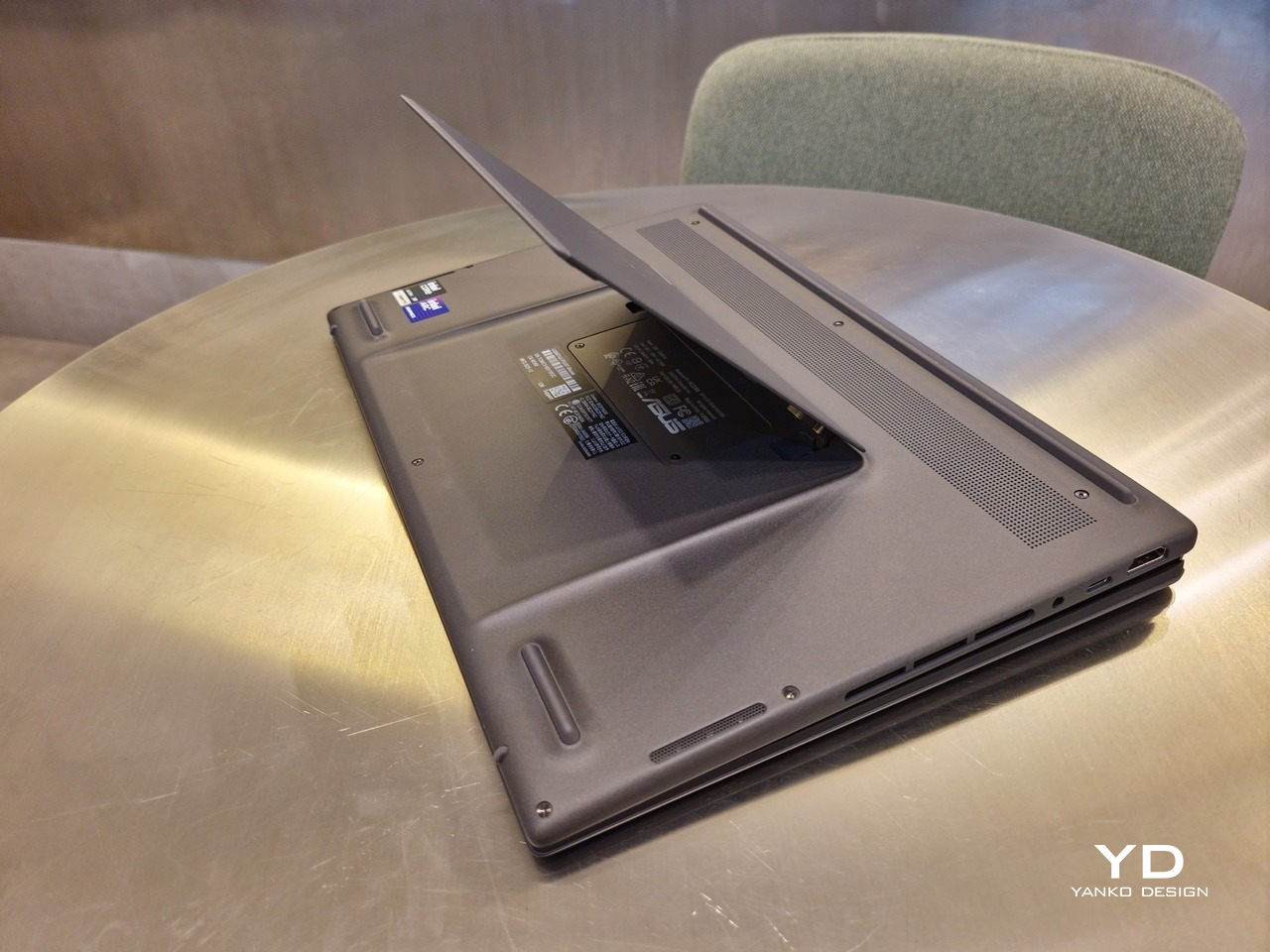
The new kickstand is stronger, sturdier, and stiffer, providing confidence it won’t just suddenly close down. It can open to a maximum of 90 degrees, which is the angle you’ll need for desktop mode. That said, it also means that you only have possible angle for the displays in that mode, unless you have a separate stand to prop it up, which kind of defeats the purpose of having a built-in kickstand.
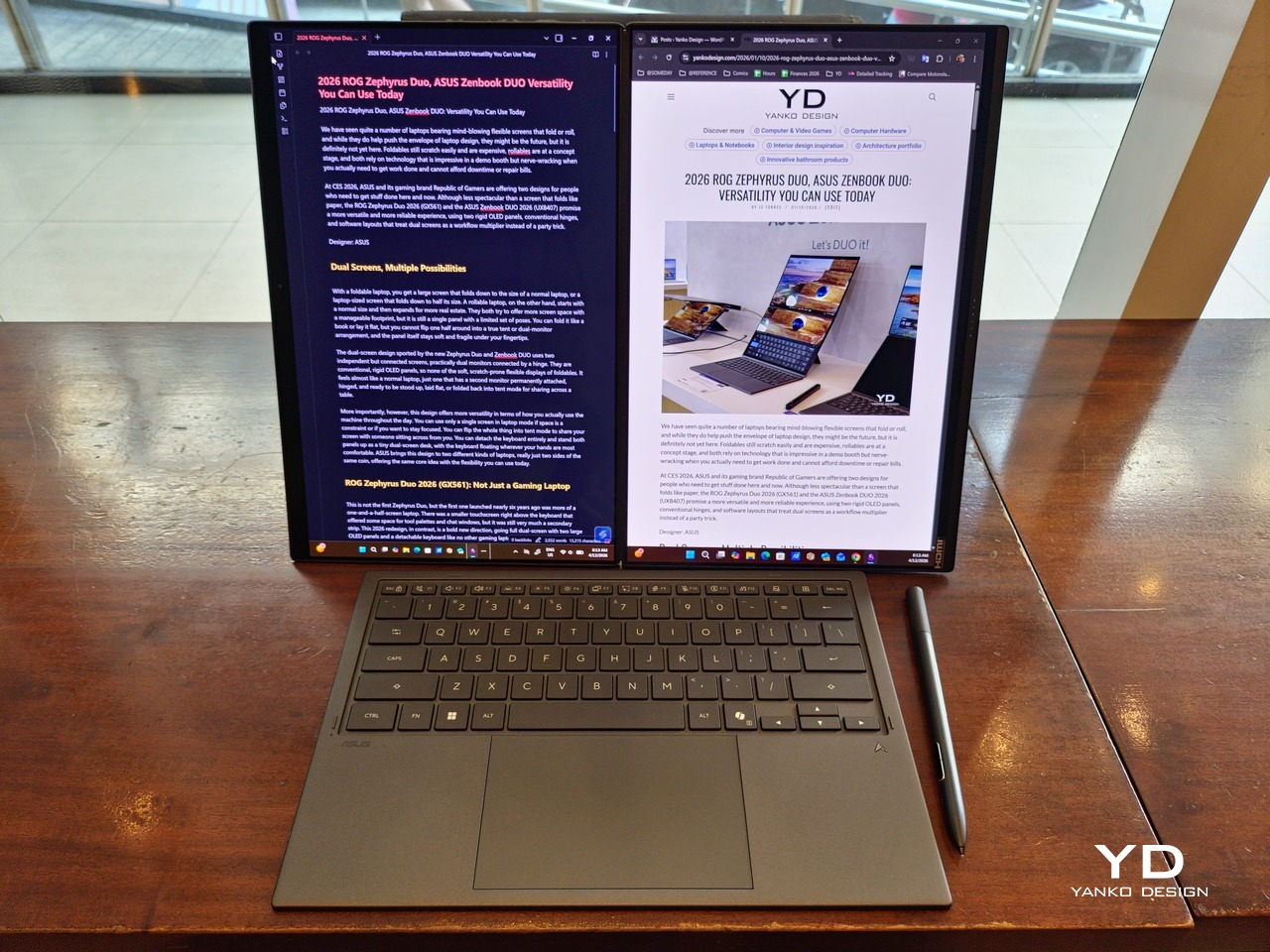
One thing to note in desktop mode is that you will naturally be sacrificing one side of ports. Thankfully, you can turn the Zenbook DUO (2026) which ever side up, whether you need an extra HDMI and headphone jack, or an extra USB-A port. Thankfully, both Thunderbolt 4 ports are equal in capabilities, so you don’t have to make a sacrifice on that end.
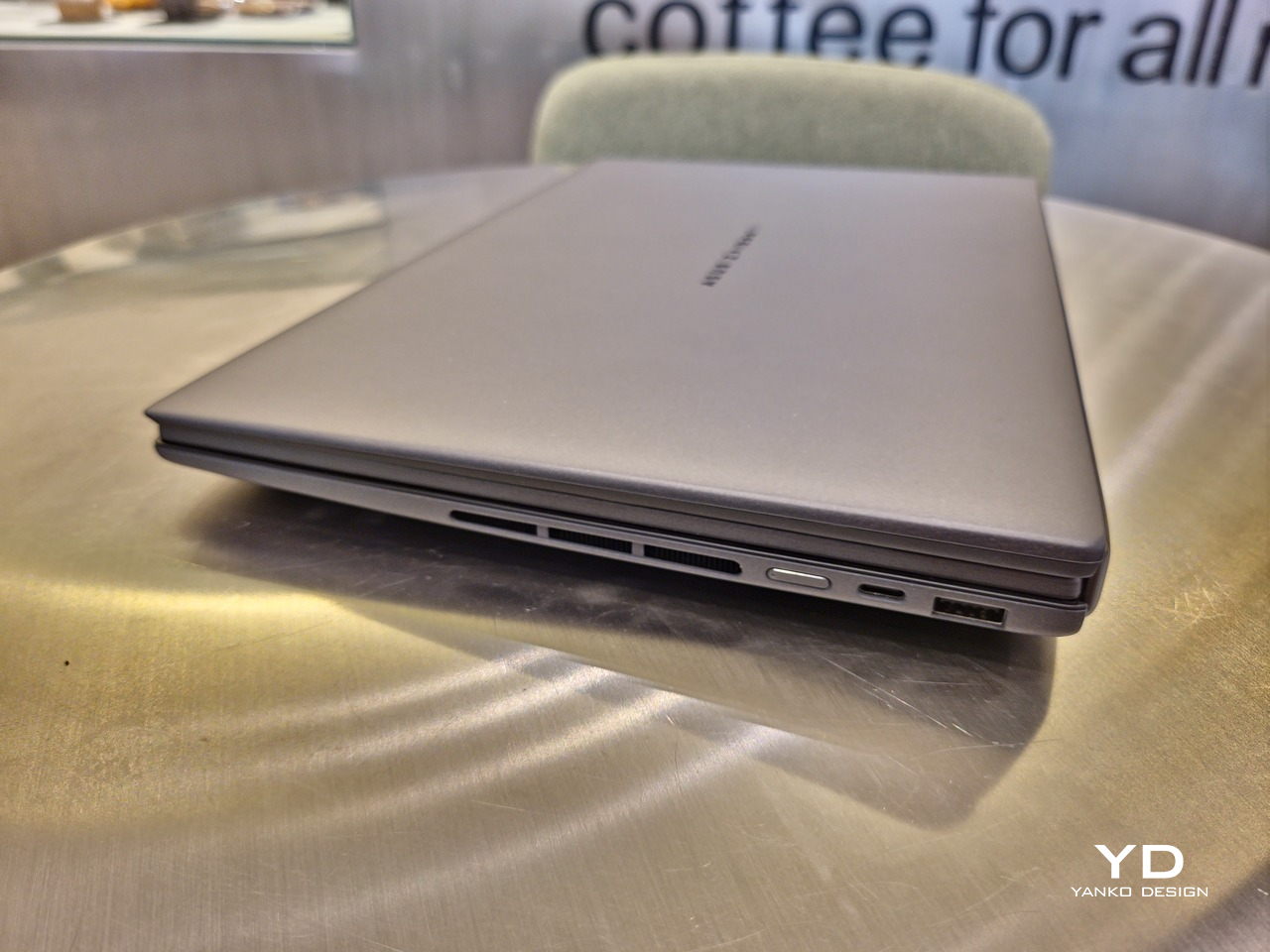
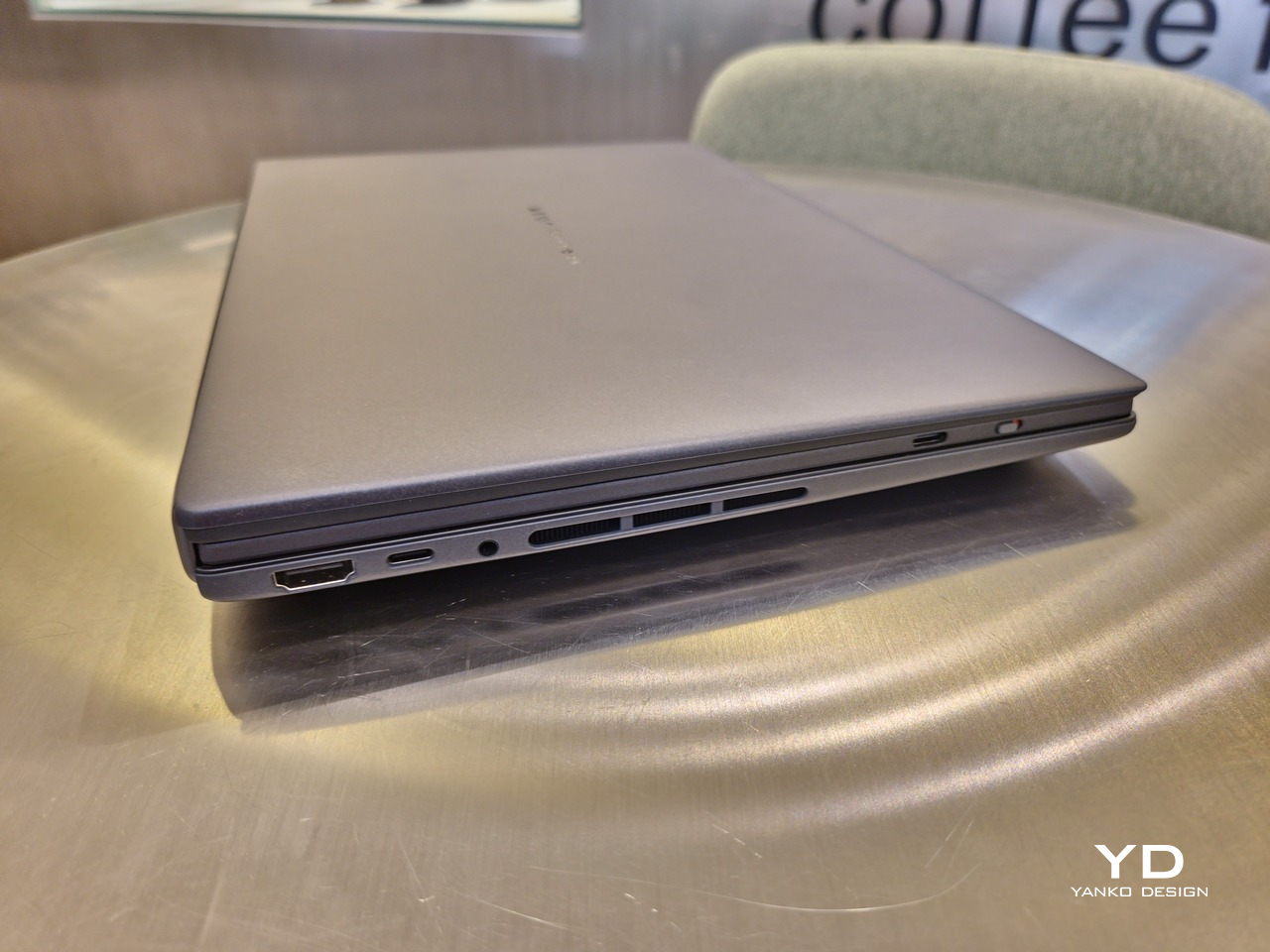
If there’s one thing I found a bit cumbersome in the Zenbook DUO’s design is that the power button sits so flushed against the frame. On the one hand, that means it won’t snag with anything in your bag, nor will it get triggered accidentally. On the other hand, it also makes it harder to locate it without looking or fumbling with your finger sliding across the edge repeatedly.

Performance

The ASUS Zenbook DUO (UX8407) is one of the early laptops to embrace Intel’s new Panther Lake chips, specifically the Intel Core Ultra 3 series. The dual-screen laptops comes in two options, one with an Intel Core Ultra 7 355 and the Intel Core Ultra X9 388H. In terms of CPU alone, these already represent a huge leap not just in performance but also in power efficiency, but the latter configuration pulls an even bigger feat.
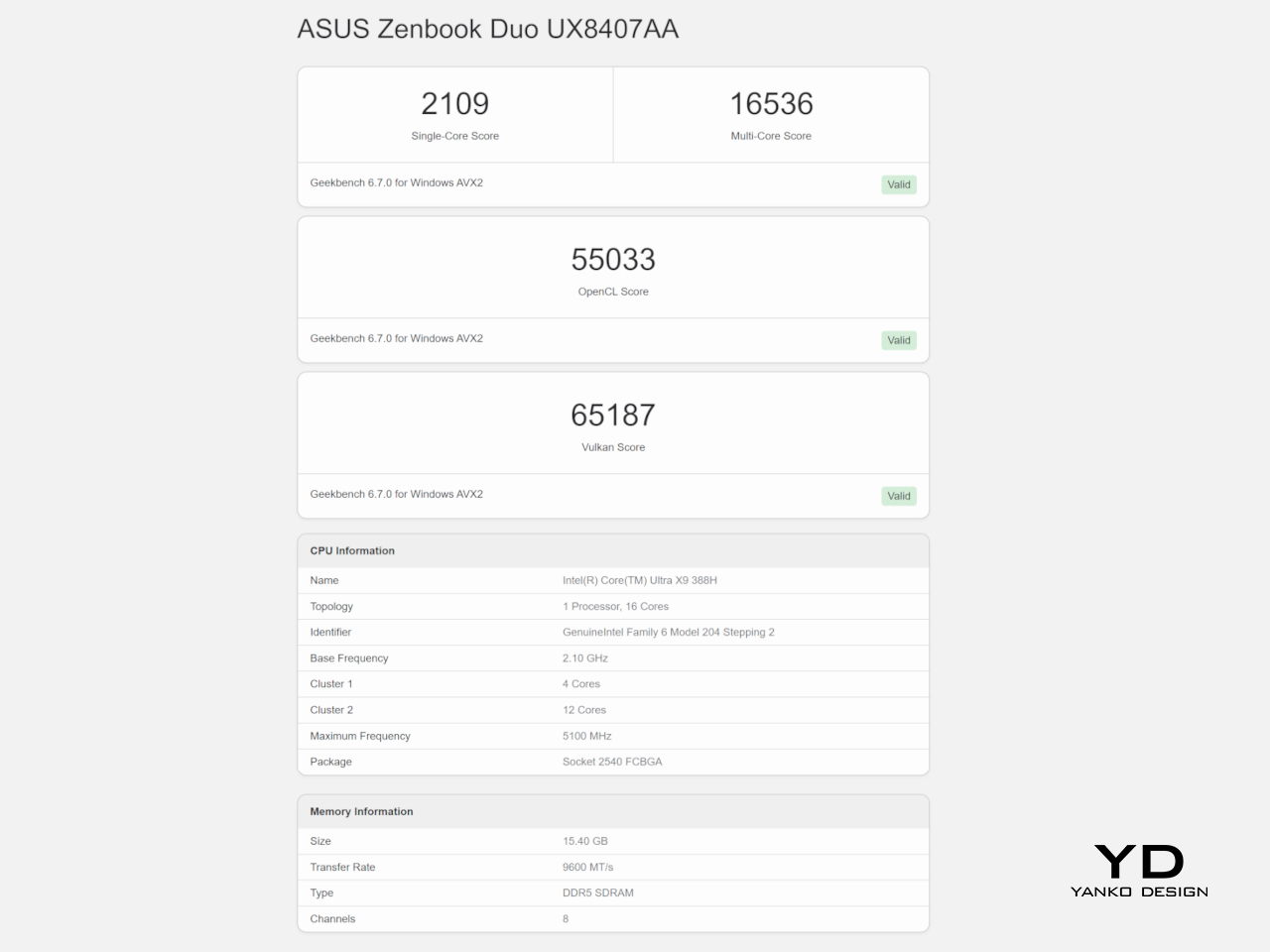
The review unit we received comes with an Intel Arc B390 GPU based the latest 3rd-gen Intel Xe graphics. Forget what memories you might have had of integrated Intel graphics, because we’re entering an era where you can actually play games with decent settings on it. Of course, your mileage may vary and benchmarks can only provide some general idea, but that all these specs mean is that the ASUS Zenbook DUO (2026) is built for serious productivity and creative work.
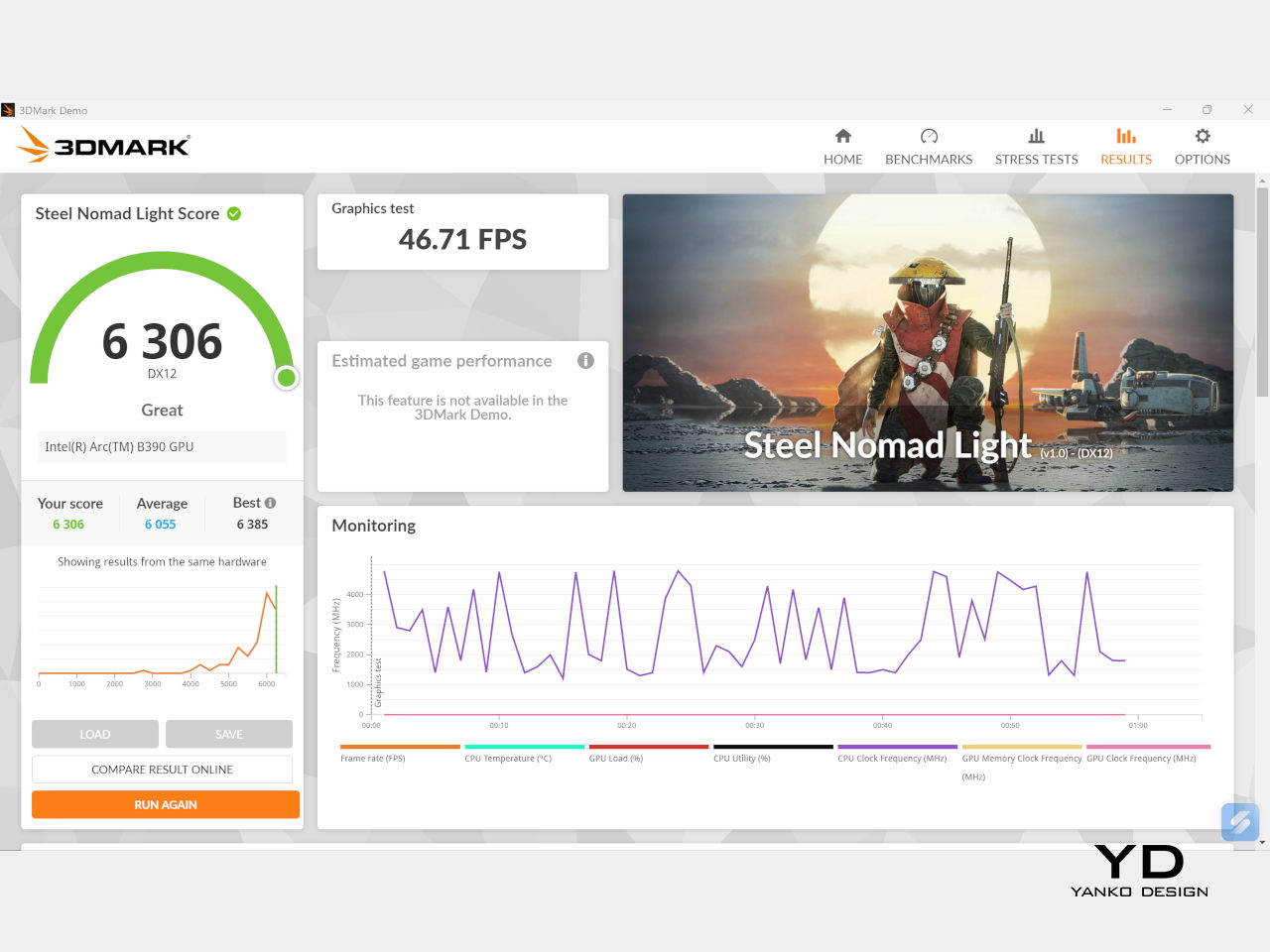
It is, after all, designed for heavy-duty computer users ranging from knowledge workers to creators who need to bring the productivity they enjoy on the desktop to wherever they go. Productivity suites, video editors, graphics programs, 3D modelers, and even games won’t make this flexible laptop break a sweat. And yes, that includes some AI shenanigans, thanks to an upgraded NPU as well.
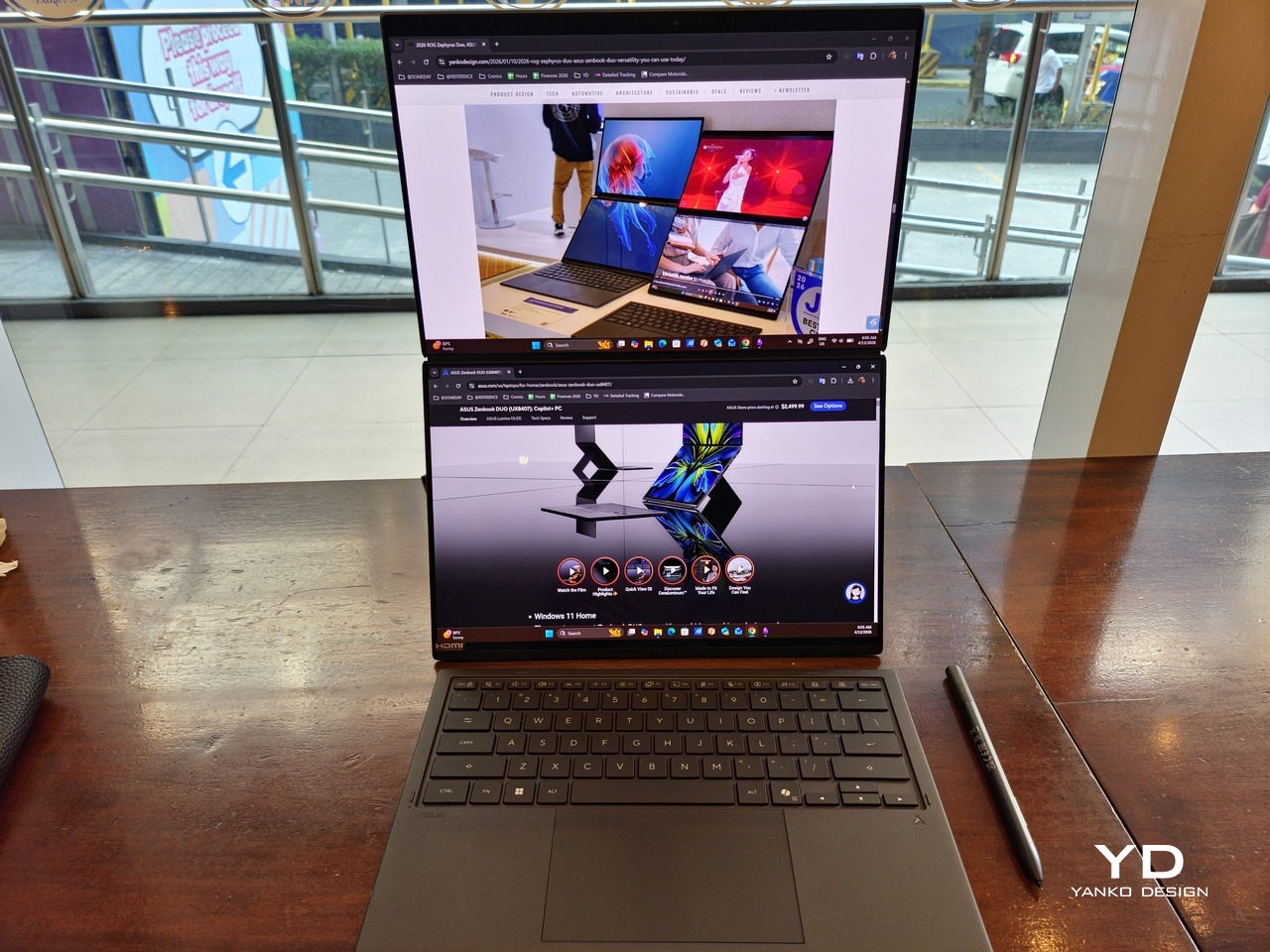
Of course, this also means that it has enough muscle to support running two screens which, by default, is set to extended (versus mirroring each other). The beauty is that these two screens are nearly identical not just in size but also in capabilities, where other dual-screen laptops skimp on the second screen more often than not. We’re talking two 14-inch 3K (2880×1800) 144Hz Lumina Pro OLED displays. Both support touch and, more importantly, both support the ASUS Pen stylus.
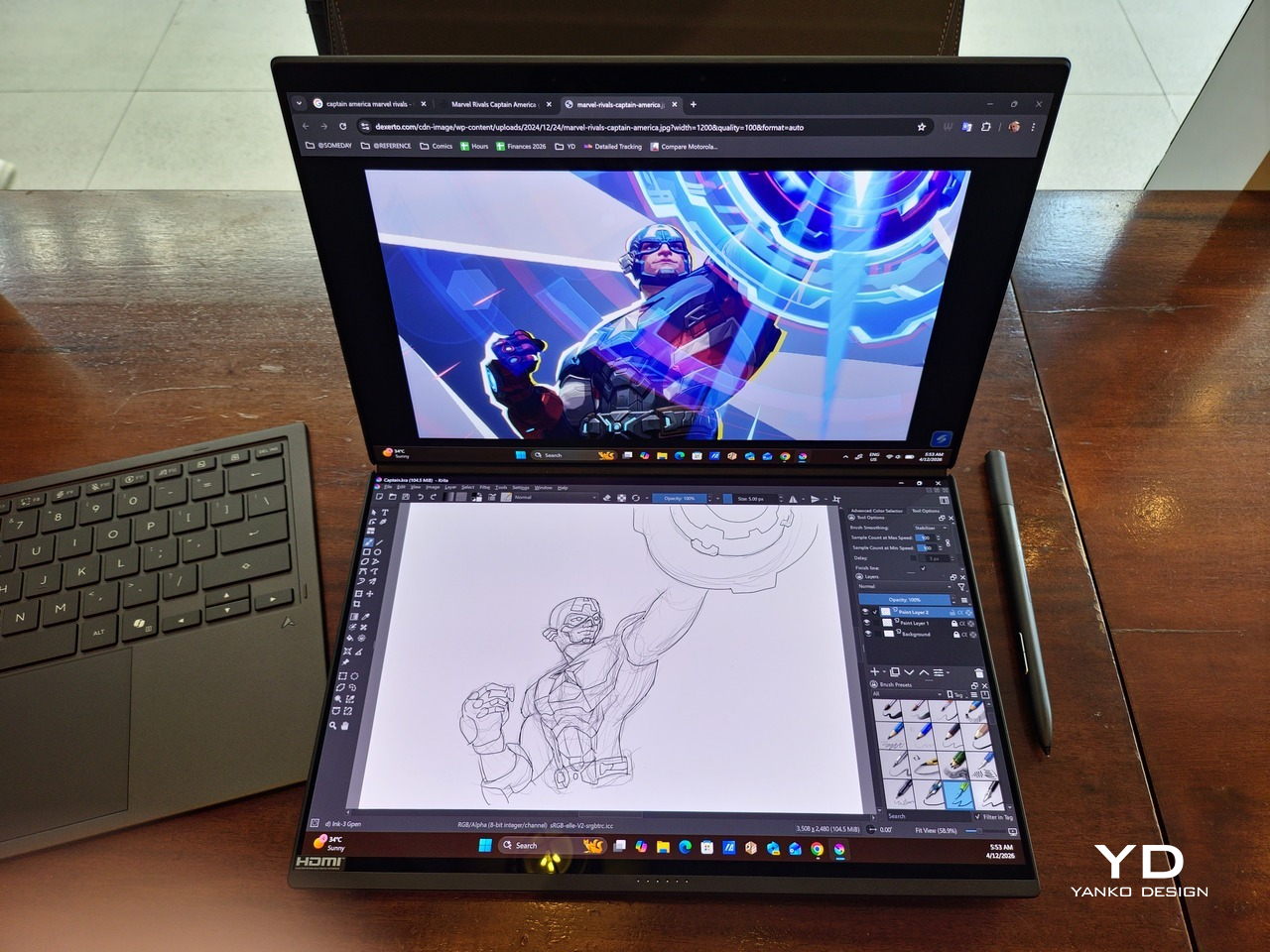
In reality, there are very slight differences between the two screens in terms of full color gamut and maximum brightness, but you won’t notice it too much unless you are actively looking for it. In practice, most people will keep content they’re working on in one of two screens anyway, leaving the other as an auxiliary for references or controls.
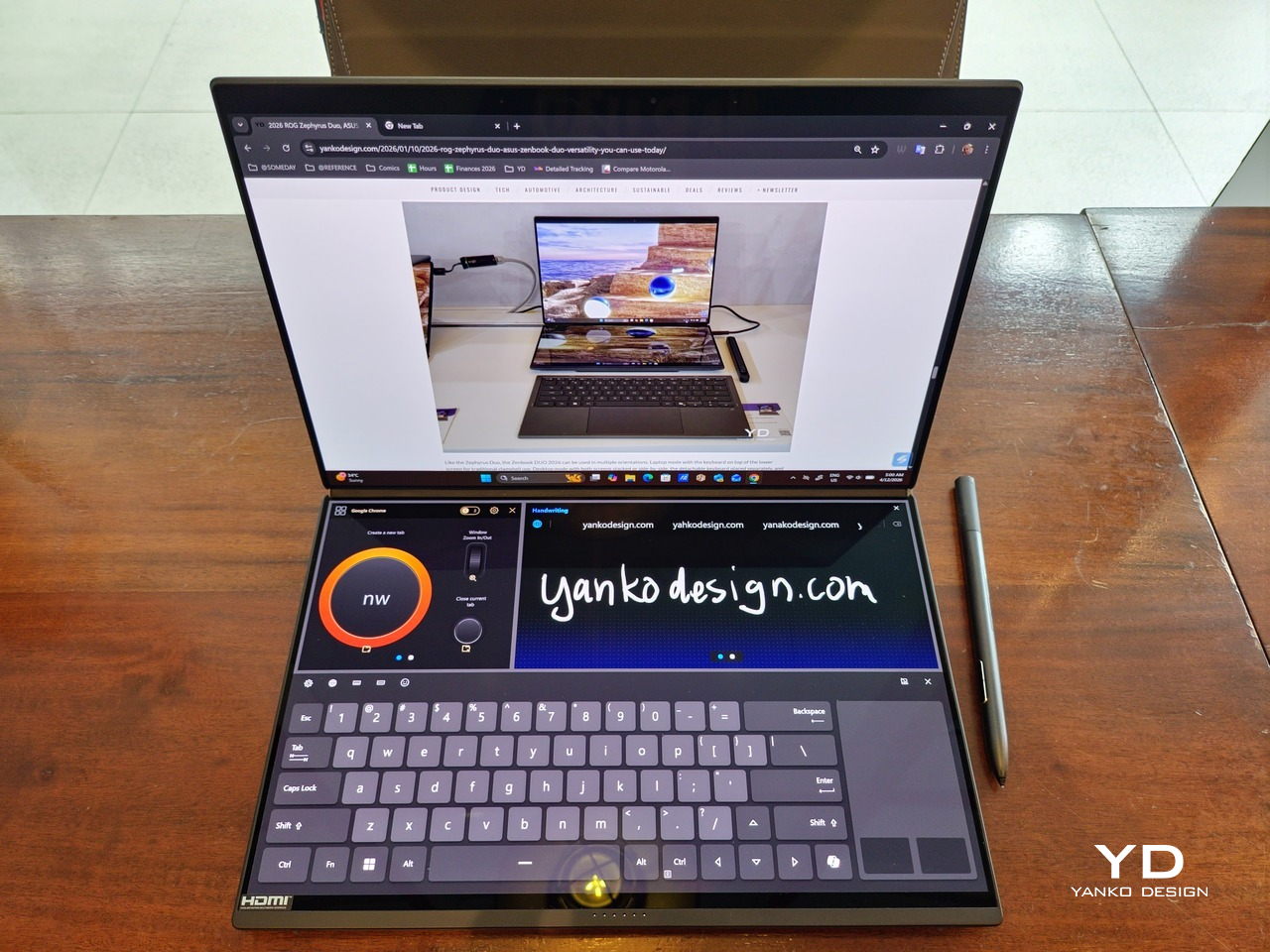
The latter is actually an interesting aspect of this dual-screen laptop, making the Zenbook DUO feel almost futuristic. While it does have a detachable keyboard, there might be times when you want to have more direct access to the lower touch screen without having to switch back and forth with the Bluetooth keyboard at the side. With a six-finger gesture, you can summon a half-height virtual keyboard, a half-height virtual keyboard with a virtual trackpad to the right, or a full-screen keyboard with a large trackpad below it, pretty much like the virtual equivalent of the physical keyboard.
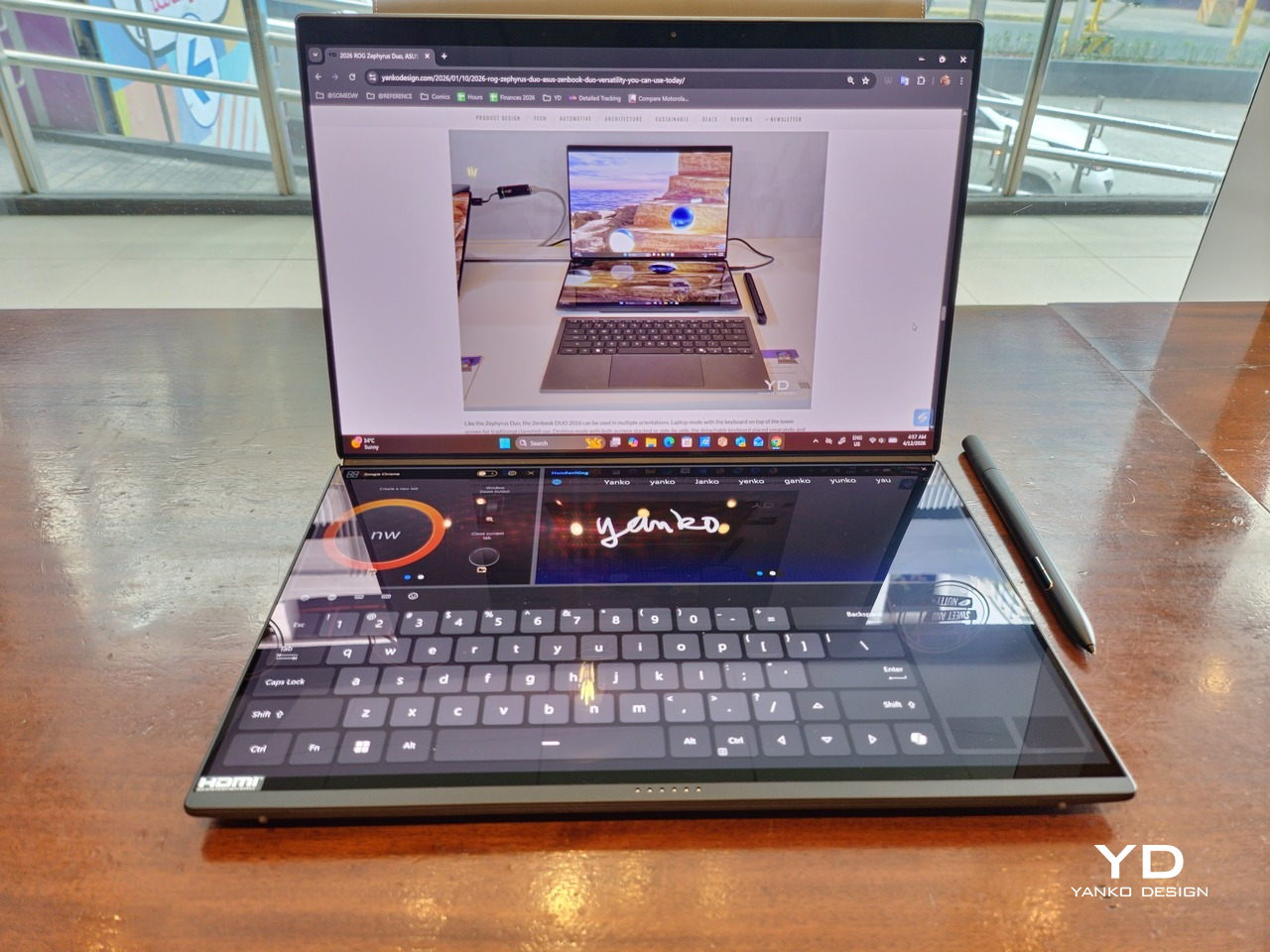
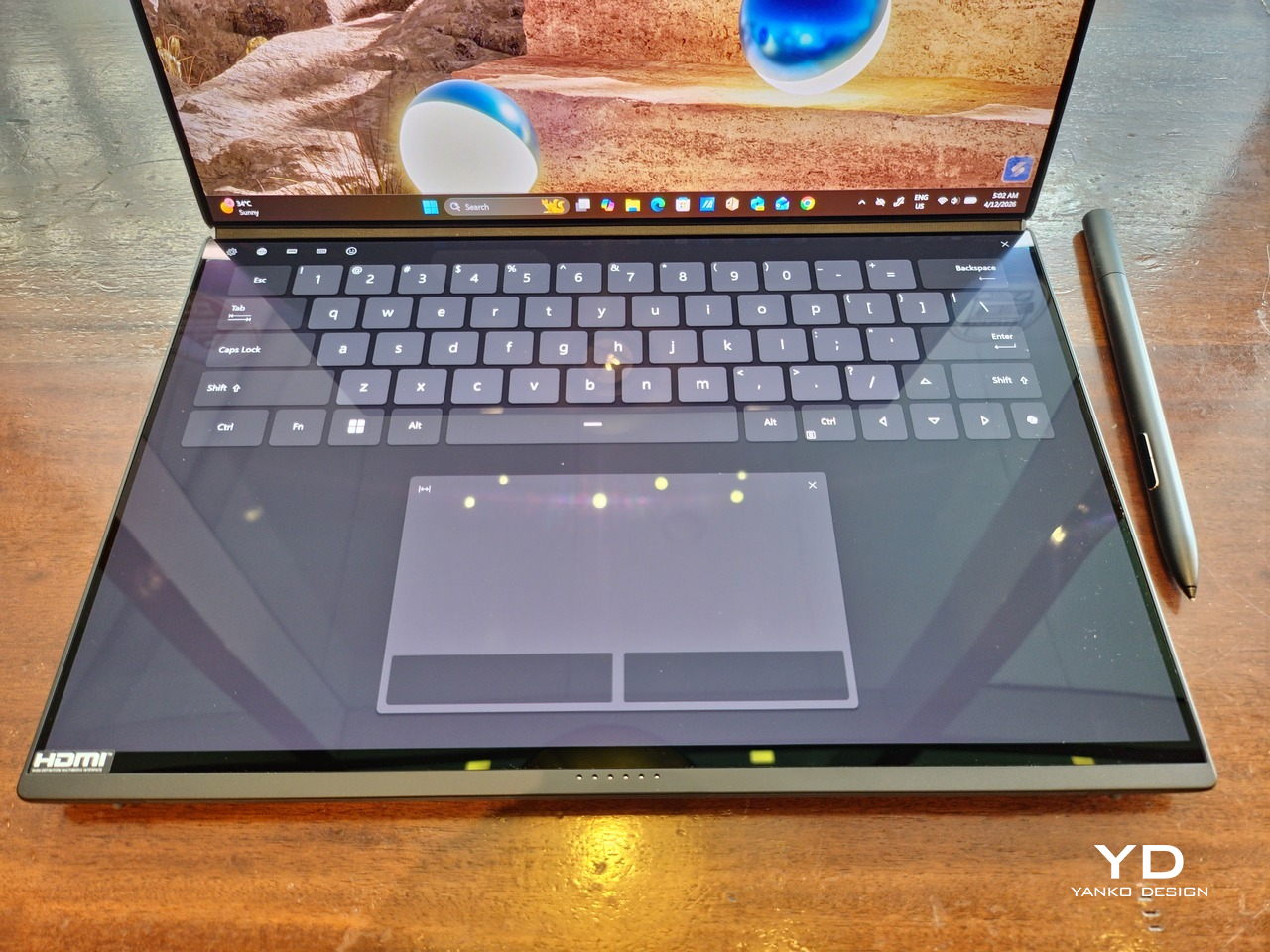
Additionally, you can have other virtual knobs and sliders above the keyboard or as floating windows, thanks to ASUS’s Dial & Control app. These controls, which also include a numpad and an area for writing with a pen, can change depending on what app is currently in focus. With a browser window, it can have a button for a new tab or a dial for zooming in and out. Or it could be a knob for volume and a slider for screen brightness.

As for the detachable keyboard, it magnetically snaps into place, with retracting pogo pins creating a more stable connection than Bluetooth, though that is the only way to use it when it’s detached. That said, there are no notches or protrusions along the edges of the keyboard, so prying it away from that strong magnetic hold can take a bit of work. The keyboard charges when it’s lying on the laptop, but it can also be charged separately via USB-C. Key travel is decent, but the keys themselves feel a bit squishy. The large trackpad is sensitive, but the hydrophobic coating gives it too much resistance when gliding your finger across it.
The combination of the more power-smart Intel Panther Lake processor and the 99Wh battery tucked inside gives the ASUS Zenbook DUO (UX8407) quite a long uptime, even with both screens enabled. Even a battery of benchmarks and hours of typing and browsing has left a good 12% of battery left, rounding up to a little over 15 hours of use, just a little below ASUS’s advertised 18 hours (with two screens). The included 100W USB-C charging brick helps mitigate the battery loss, and the fact that you can easily use power banks to top up on the go makes the battery narrative even more compelling.

Sustainability

ASUS didn’t use to speak much about the sustainability of its laptops, but that has changed in recent years. The invention of Ceraluminum adds another level to that story, though a bit indirectly. In a nutshell, the material is meant to increase the durability and longevity of the product by protecting it from small accidents. Whether the ZenBook DUO uses sustainable materials, or at least what percentage of it does, isn’t public information.
That longevity, however, is also affected by how much you can upgrade or even repair the laptop. Given how unconventional its design is, it’s really no surprise that there isn’t much here in the way of upgrade options. You do have easy access to the SSD underneath the kickstand. The Zenbook DUO (2026) can support up to 2TB with a full-sized M.2 SSD. The 32GB RAM, however, is soldered down.

Value

The ASUS Zenbook DUO (UX8407) is a laptop on a mission. It is, in a nutshell, designed for people who thrive and need multi-tasking capabilities that they could only enjoy while chained to their desk (or awkwardly carrying a portable monitor). That actually covers a wide range of professions and industries, including creators, designers, office workers, executives, and, yes, gamers. In that sense, there can probably be no better tool for them than this.
In both performance and flexibility, the 2026 Zenbook DUO offers users the power they need, as they need it. Cramped for space on a plane? Just use it as a single-screen laptop, and no one will be the wiser. Need to collaborate with a team? Lay it out flat on the desk to give everyone the same perspective. Need to reference documents as you write? The book-like desktop mode has you covered.
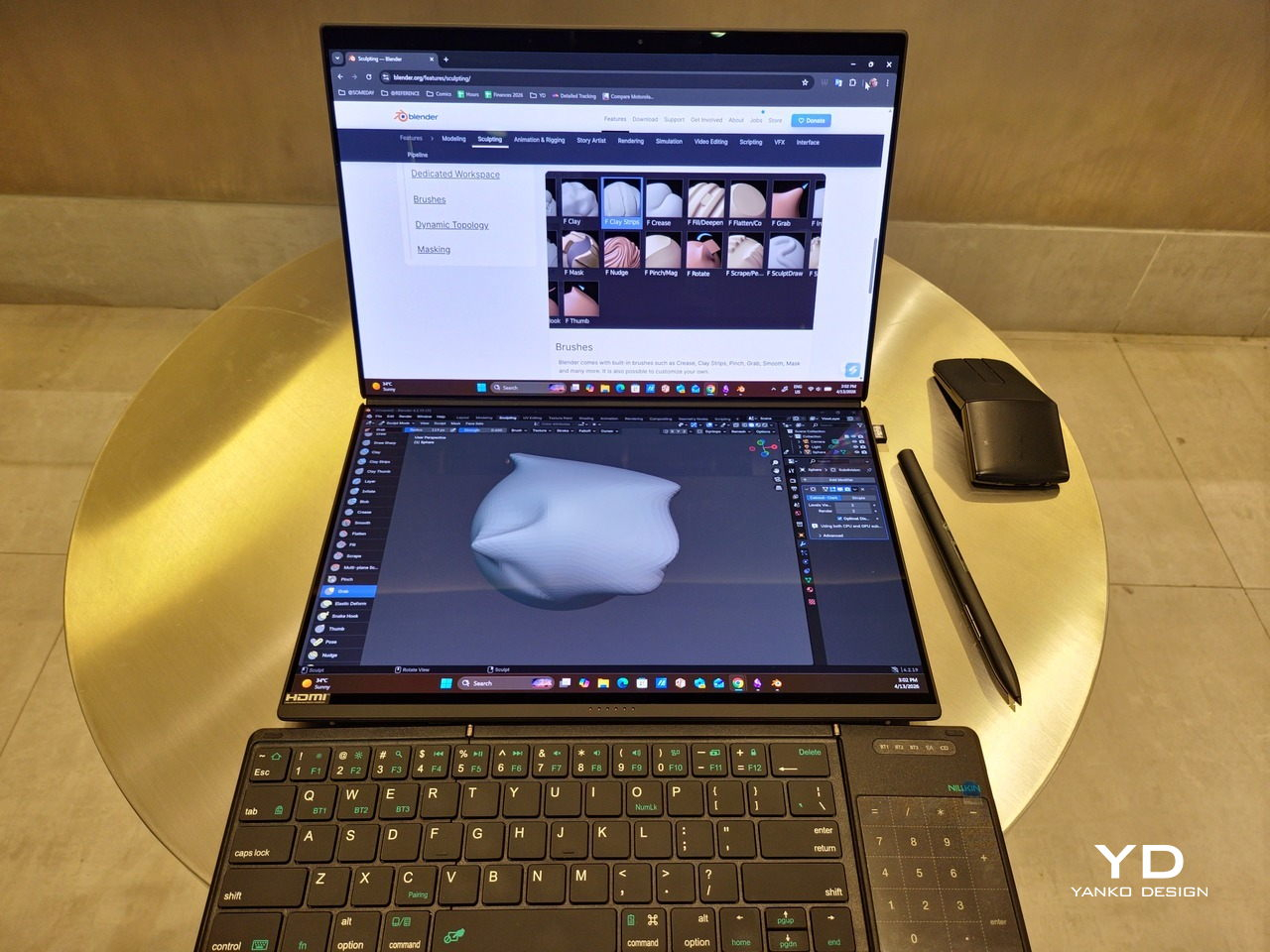
That said, it’s definitely far from perfect. For a laptop aimed at creatives and professionals, the absence of a built-in SD card reader seems pretty odd. And then there’s the $2,699.99 price for the configuration that has the impressive Intel Arc graphics. That puts it way above most 14-inch ultra-thin laptops and in the range of gaming laptops. But then again, none of those have two 14-inch screens, either.

Verdict

Laptops with foldable screens admittedly look fancy and impressive. The big OEMs, including ASUS, are still playing around to find the formula that will finally make it feel more than just a fancy and expensive experiment. In the meantime, however, people need to get work done, and when it comes to that, nothing really beats using more than two screens.

You could always carry a portable screen along with your laptop, which is awkward, cumbersome, and inefficient, or you could grab the ASUS Zenbook DUO (UX8407). With an improved hinge, beautiful co-equal 14-inch displays, and an Intel Panther Lake processor that can handle almost anything you throw at it, the dual-screen laptop lets you choose the way you want or need to work. And it looks stylish to boot in any form, making sure you’ll be the envy of everyone in the coffee shop.
The post ASUS Zenbook DUO (2026) Review: One Laptop, Two Screens, All Business first appeared on Yanko Design.
Exit 8 is cinema for the livestreaming era

The rules of Exit 8, both the cult indie game and the recent film adaptation, are simple: You're stuck in a subway station that loops around endlessly. If you notice any anomalies on your current loop, you turn around. If everything is the same, you keep going forward. Each successful guess takes you to a new entrance where the loop recurs, until you reach the end of the labyrinth, Exit 8 itself. 

It's a setup that perfectly suits a first-person video game, where you can fully control where your character looks and moves. And it's also something director Genki Kawamura deftly replicates in the film through long tracking shots and sweeping camera movements. Even without a controller, or a keyboard and mouse, the viewer remains immersed, looking and listening for any minor changes. Within just a few minutes, the film makes it clear it's not just another thoughtless video game adaptation like The Mario Galaxy Movie — it's an attempt to translate the experience of the game to an entirely new medium.

That's a daunting challenge for most artists, but Kawamura is no stranger to jumping between formats. He's known for producing popular anime films from the likes of Makoto Shinkai and Mamoru Hosoda, including Your Name and Belle. He's also made a name for himself as a best-selling author, with books including the novelization of Exit 8.

Kawamura's perspective for the film came from a conversation with Nintendo's legendary game designer Shigeru Miyamoto, who had mentioned that the greatest games are both fun for the players and people watching them. "So what I tried to do in the film is to really place the audience in the shoes of the player in certain shots... almost like they were watching a live stream of a video game in other scenes," he said in an interview with Engadget (via a translator). "That's kind of structurally the through-line of the film."

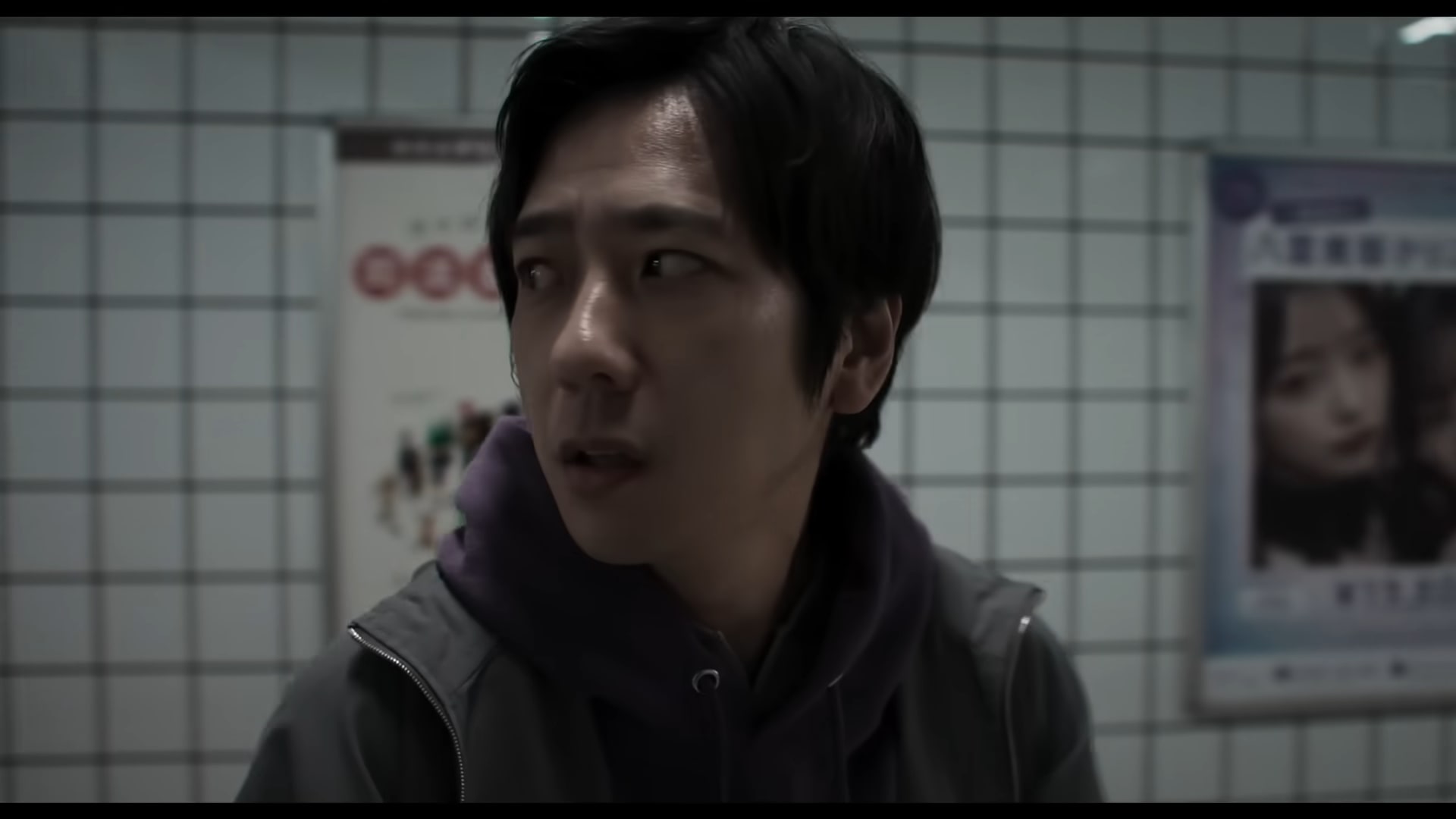
The Exit 8 adaptation balances that sense of immersion with a more traditional narrative structure, something the game lacked entirely. As the film begins, we're introduced to a young man standing in a crowded train. A drunken businessman shouts at a mother to quiet crying baby down. Instead of telling the belligerent salaryman to fuck off, the young man plugs in his earbuds and tries to ignore the situation, just like everyone else. He eventually steps off, while the tearful mother suffers through the verbal assault.

It's a scene that anyone who's lived in a crowded city can relate to — the moments where you know you should try to help a stranger, but fear, cowardice or embarrassment hold you back. 

Exit 8
Exit 8
NEON

Shortly after receiving a call from his ex-girlfriend, who reveals that she's pregnant, the young man stumbles into the Exit 8 loop. At first, it's just a normal subway station, with large poster ads, a photo booth and random maintenance doors. But he quickly notices that the room repeats itself. Thanks to a helpful set of instructions on the wall, he learns that his only way out is to start tracking anomalies, like slight changes in text, or the way a robotic businessman walks past him. And yes, things get freaky quickly. 

Kawamura points to his experience working in animation as a major influence for Exit 8. In particular, the works of Satoshi Kon and Katsuhiro Otomo influenced how he externalized what characters were thinking and feeling, as well as how he depicted the interaction of dream and real worlds. 

" When we were filming, I told my DP [director of photography] that the main character of this film is the corridor," he said. "And all of our human characters, they have no names, so therefore they're NPCs in this corridor, which is the main character. So I wanted the corridor to almost evoke this feeling in the audience that it has a will of its own. And this yellow Exit 8 sign is almost like this divine God-like being."

Kawamura says he personally views it as the corridor challenging humans who have a guilty conscience, but you can easily read in other meanings. More importantly, Exit 8 isn't merely a faithful recreation of the source material — it adds enough to make a case for existing a separate medium, a challenge many video game adaptations fumble.

This article originally appeared on Engadget at https://www.engadget.com/entertainment/tv-movies/exit-8-is-cinema-for-the-livestreaming-era-151112907.html?src=rss

Anthropic now has a design assistant too

In hindsight, I suppose it was only a matter of time after Anthropic made Claude capable of generating charts and diagrams that the company would then begin offering a more robust image editor. Now, a little more than a month after that release, Anthropic has announced Claude Design, a new research preview that allows subscribers to use Claude to generate designs, prototypes, slides and more.  

"Claude Design gives designers room to explore widely and everyone else a way to produce visual work," Anthropic says of its newest product. As with its previous forays into image generation, the company isn't calling this, well, an image generator. Instead, Anthropic describes Opus 4.7, the system powering the app, as its most capable vision model to date. In other words, you won't be using Claude Design to whip up a picture of a cat in space eating a lasagna.  

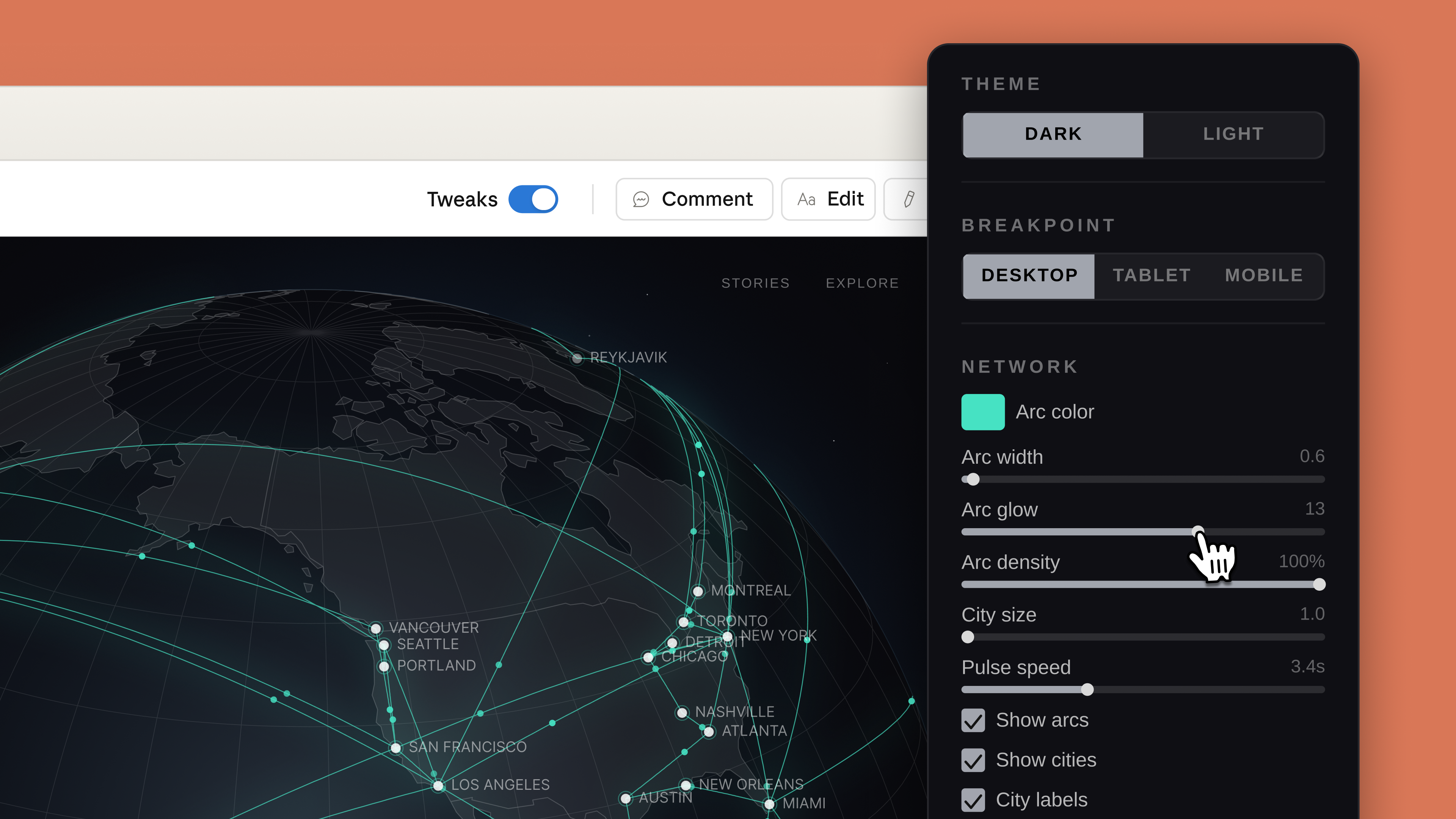
As you might expect, every project in Claude Design starts with a prompt. From there, Anthropic notes users can refine Claude's outputs through conversation, inline comments and direct edits. Like Adobe's recently announced AI assistant, Claude will also generate custom sliders that correspond to specific elements in a design, which the user can push and pull to modify those elements. For instance, in the screenshot below, you can see how Claude has tweaked the interface to allow the user to adjust the glow and density of arcs it used to illustrate a connected network.

Claude Design will generate custom sliders you can use to adjust specific visual elements.
Anthropic

Anthropic has also built an onboarding process that allows Claude to build an internal visual language after reading your organization's codebase and existing design documents. "Every project after that uses your colors, typography, and comments automatically," according to the company. Outside of text prompts, there's also support for image and document uploads, and Anthropic has even included a web capture tool so enterprise customers can snapshot elements from their company's website. There's also built-in sharing, and you can export a design directly to Claude Code. In the coming weeks, Anthropic has promised to make it easier to build integrations with its new app. 

Claude Design arrives in the same week that both Adobe and Canva released their own visual AI assistants. If Anthropic is preparing to eat Canva’s lunch, it's doing so in a strange way given that you can export your Claude Design projects to Canva. If you want to try the new app for yourself, it's available as part of Anthropic's Pro, Max, Team and Enterprise subscriptions, with usage running up against your usage limits.

This article originally appeared on Engadget at https://www.engadget.com/ai/anthropic-now-has-a-design-assistant-too-150000903.html?src=rss

Roblox agrees to a $12 million settlement with Nevada

Amidst ongoing legal trouble with several states and more than 100 pending lawsuits, this week Roblox announced a $12 million settlement with Nevada, allowing the company to avoid going to trial in this case.

Following the agreement, Nevada Attorney General Aaron Ford said "this settlement will create a safer environment for our children online, and I hope that it will serve as a bellwether for how online interactive platforms allow our state's youth to use their products." As part of the deal, Roblox has agreed to give $10 million over three years to local children's support programs like the Boys and Girls Club and other nondigital groups while spending another $2.5 million to fund a law enforcement liaison position and awareness campaigns regarding online safety.

Additionally, Roblox will also implement more rigorous safety protocols including an age verification system that combines a facial age estimation system with government-issued IDs that will only allow children to talk with other players of a similar age. Furthermore, users under 16 will not be allowed to message adults unless they have been designated as a "trusted friend," which can be assigned via QR code. This is intended to ensure that any adults who talk to minors on the platform have an existing relationship with the child.

Parental controls will be available for accounts of users up to 16 years old (previously the limit was 13). The company says it will also create children's accounts for anyone under 16 that will restrict access to adult content and provide a list of games that have been vetted to be appropriate for younger players. These changes come after a recent update that established new guidelines for Roblox Kids accounts (for children between five and eight years old) and Roblox Select accounts (for children between nine and 15), which come with varying content and chat restrictions. 

However, while Roblox has settled with Nevada, the company is still facing a number of lawsuits from other parties and states including Kentucky, Iowa, Louisiana, Texas and more, regarding claims that the platform has knowingly facilitated child sexual exploitation.

This article originally appeared on Engadget at https://www.engadget.com/gaming/roblox-agrees-to-a-12-million-settlement-with-nevada-142842421.html?src=rss

Donut Lab’s battery claims reportedly subject of whistleblower complaint

Startup Donut Lab made a splash at the start of the year with some astonishing — and suspicious — claims about its solid state batteries. Now Finnish newspaper Helsingin Sanomat reports an individual has filed a criminal whistleblower complaint against the company over those claims.

Until recently, Lauri Peltola was listed as the Chief Commercial Officer at Nordic Nano — the firm reportedly contracted to handle portions of the manufacturing on Donut's behalf, and which Donut Lab has invested in. He reportedly filed a criminal complaint that Donut Lab’s promises of energy density and longevity have been overstated and that the company lacks the production capacity previously claimed.

HS suggests it has seen copies of internal communications between Donut Lab and two partner companies, CT-Coating and Nordic Nano. The paper says that CT-Coating’s first-generation battery is the one that Donut Lab has been advertising, and is the model it handed to Finnish national lab VTT to test. But, according to the emails viewed by HS, CT-Coating had abandoned development on that cell in favor of a one still in early development, despite Donut Lab’s claim in January that it had a technology ready to enter mass production.

Donut Lab CEO Marko Lehtimäki reportedly told HS he had no knowledge of Peltola’s complaint. Nordic Nano CEO Esa Parjanen, meanwhile, denied Peltola’s accusations, saying that his views were not shared by the company and that Peltola had no involvement with Nordic’s battery project. In a joint public statement Donut Lab and Nordic Nano stated they "do not know the exact nature of the complaint" but denied "having committed any crime or misleading investors." They also describe the complainant (presumably Peltola, though the statement does not name him) as not having "the necessary knowledge of battery technology or the overall picture of the development work."

This article originally appeared on Engadget at https://www.engadget.com/transportation/donut-labs-battery-claims-reportedly-subject-of-whistleblower-complaint-142133269.html?src=rss

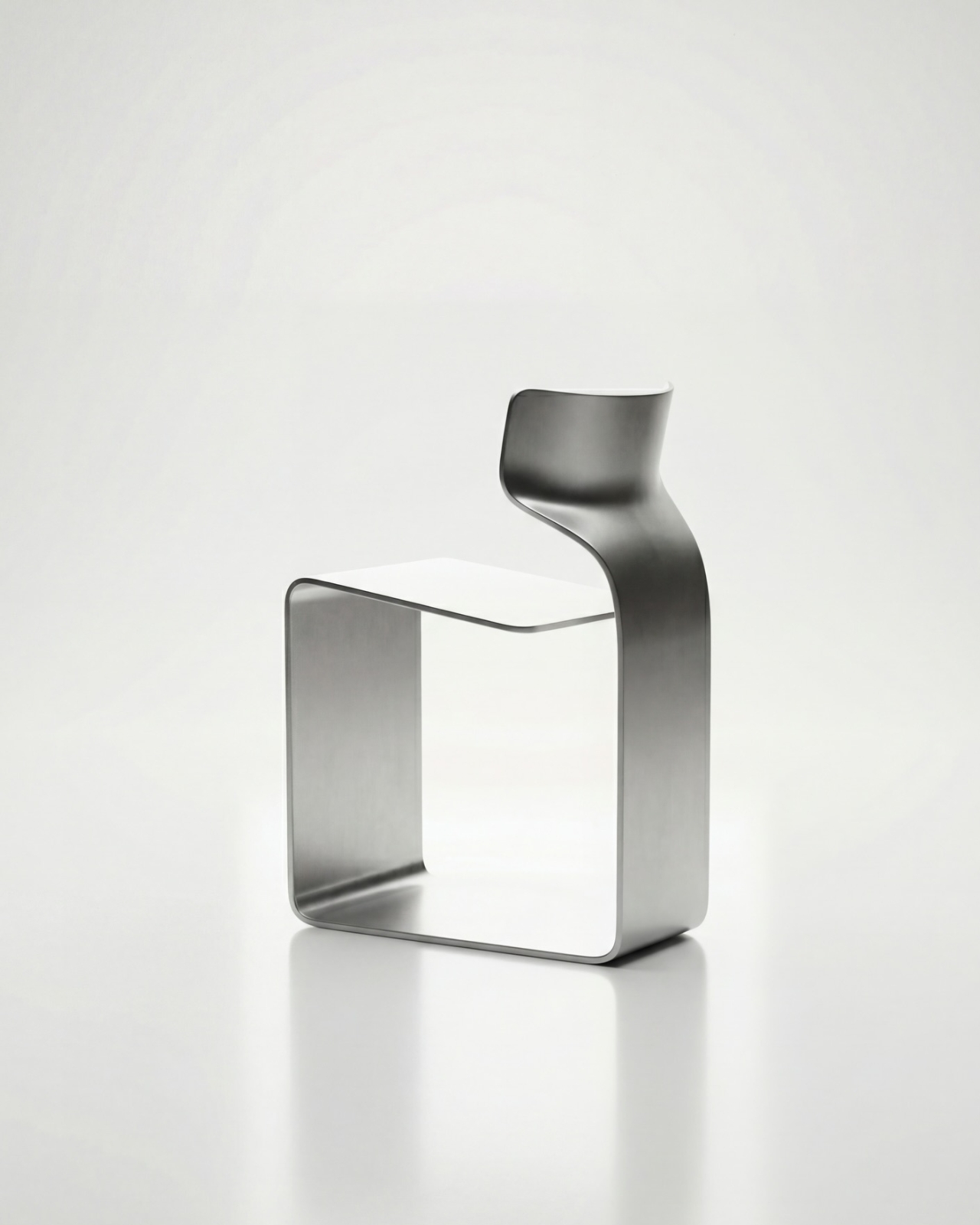
The ZERO Chair Has No Welds, No Joints, No Apologies

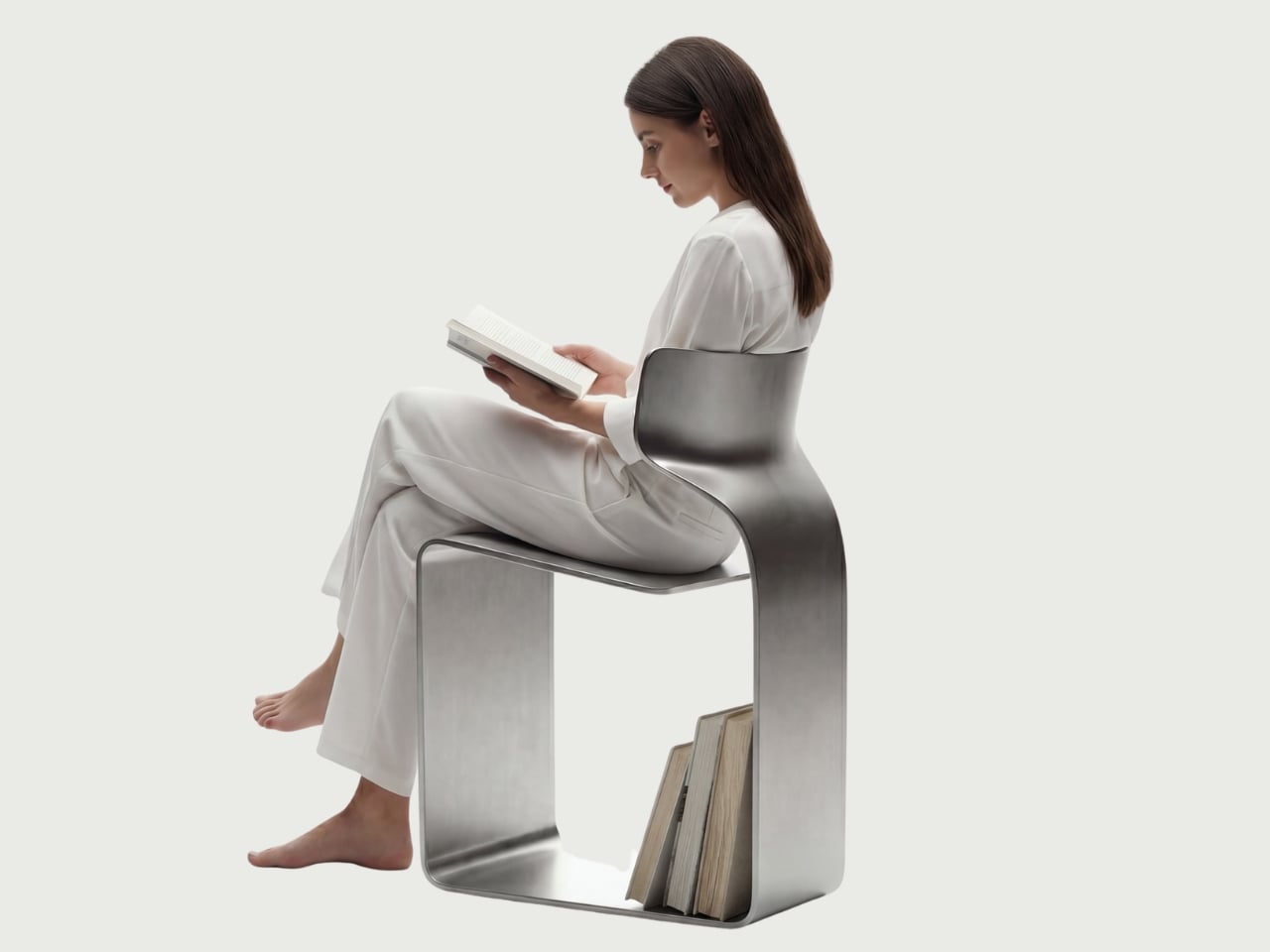
Most chairs are built on compromise. You stack the legs, screw the seat, bolt the back, and somewhere in that assembly, a little bit of the original idea gets lost to the necessity of structure. Davide Bozzo’s ZERO Chair refuses to play that game entirely.

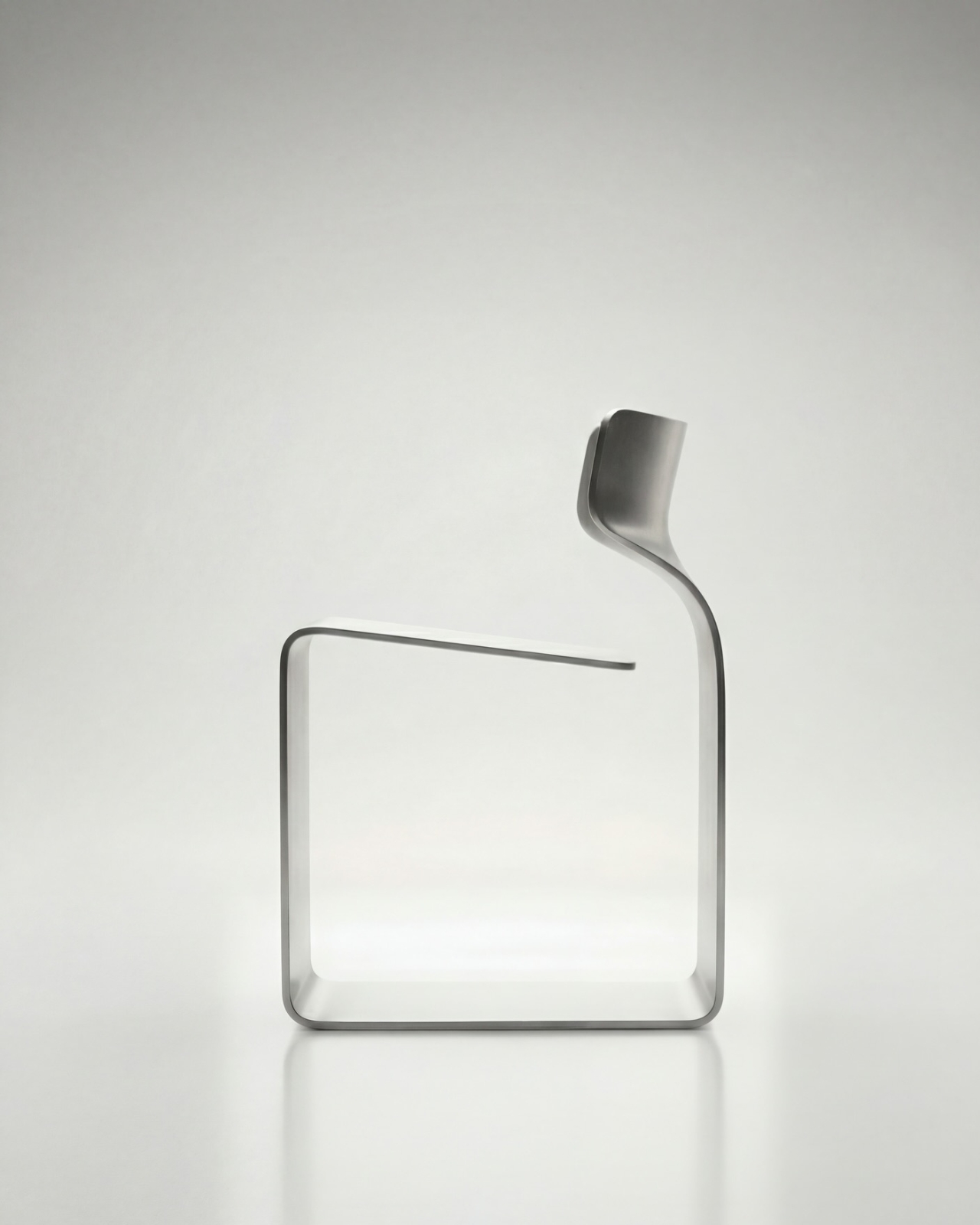
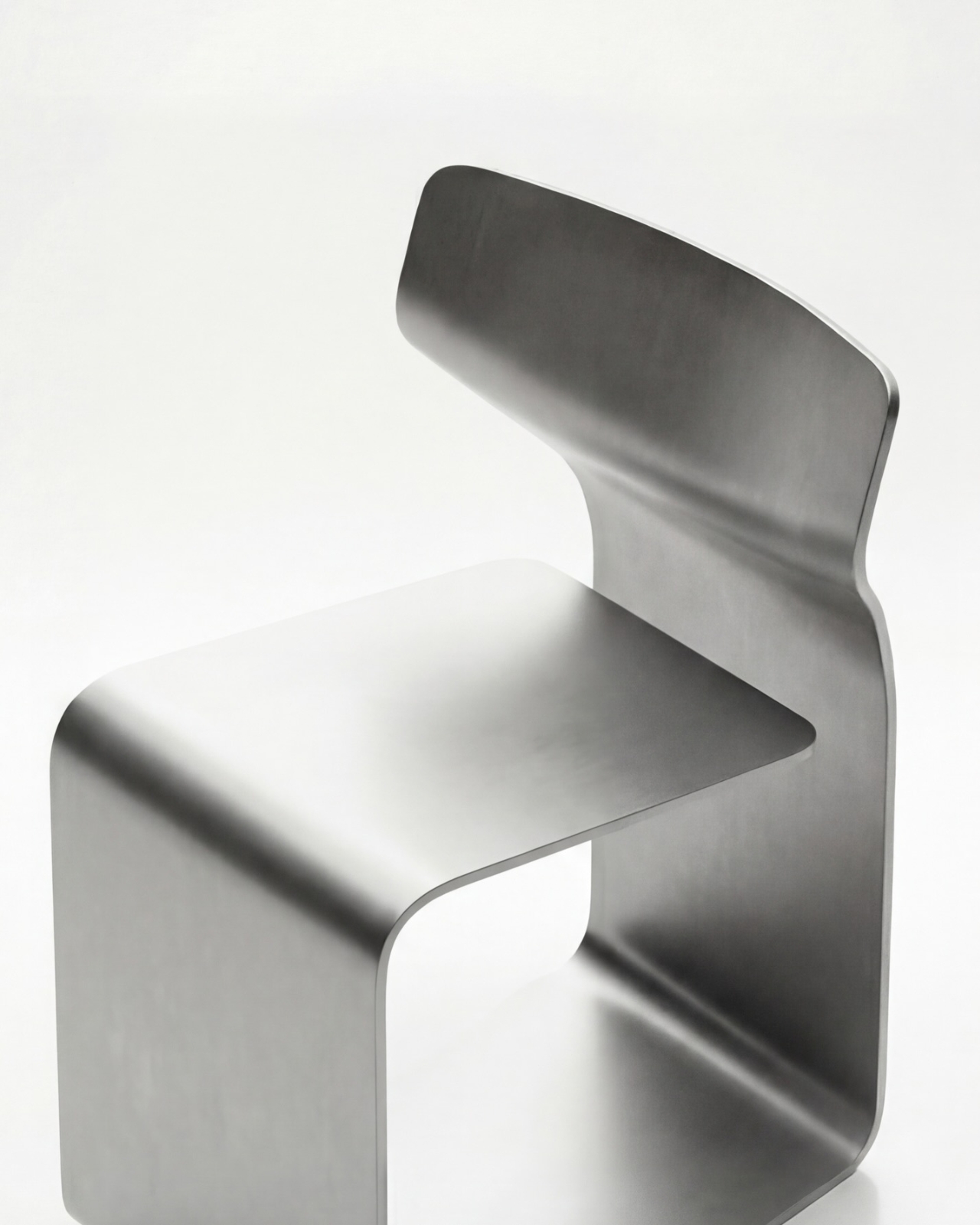
The concept is almost confrontationally simple: one single ribbon of metal, bent and curved into a complete chair. No welds holding two pieces together. No joints disguised under upholstery. No hardware quietly doing the heavy lifting behind the scenes. Just one continuous piece of material pushed into a form that includes the base, the cantilevered seat, and the backrest all at once. The name isn’t branding. It’s a philosophy.

Designer: Davide Bozzo

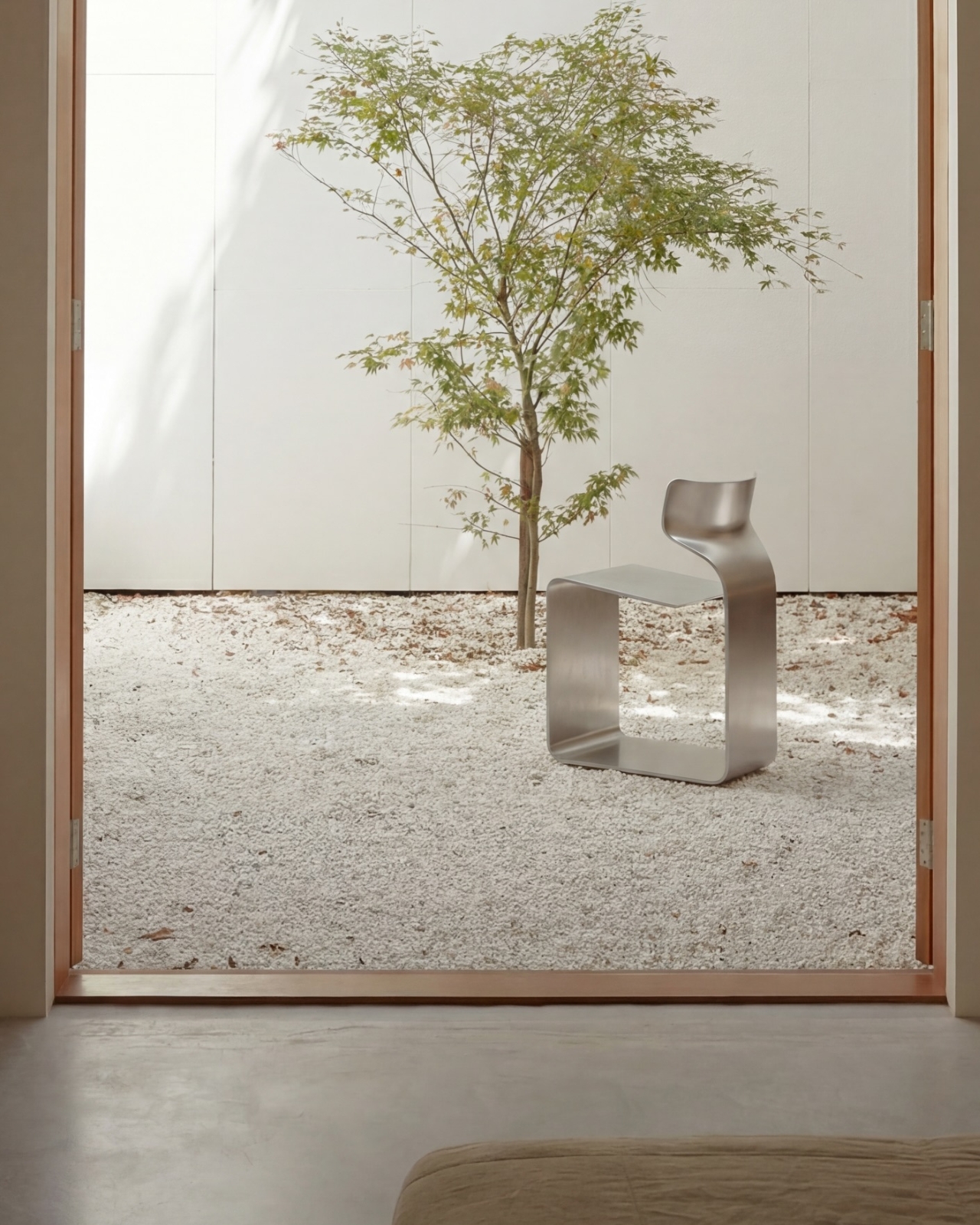
Looking at the photographs, the first thing I kept circling back to was the sheer audacity of the backrest. It doesn’t connect to the base through hidden brackets or clever joinery. It simply rises from the same ribbon, curving upward and backward in a motion that looks more like a wave caught mid-break than anything you’d typically call furniture. It’s graceful in a way that makes you slightly suspicious of it. How is this thing holding anyone’s weight?

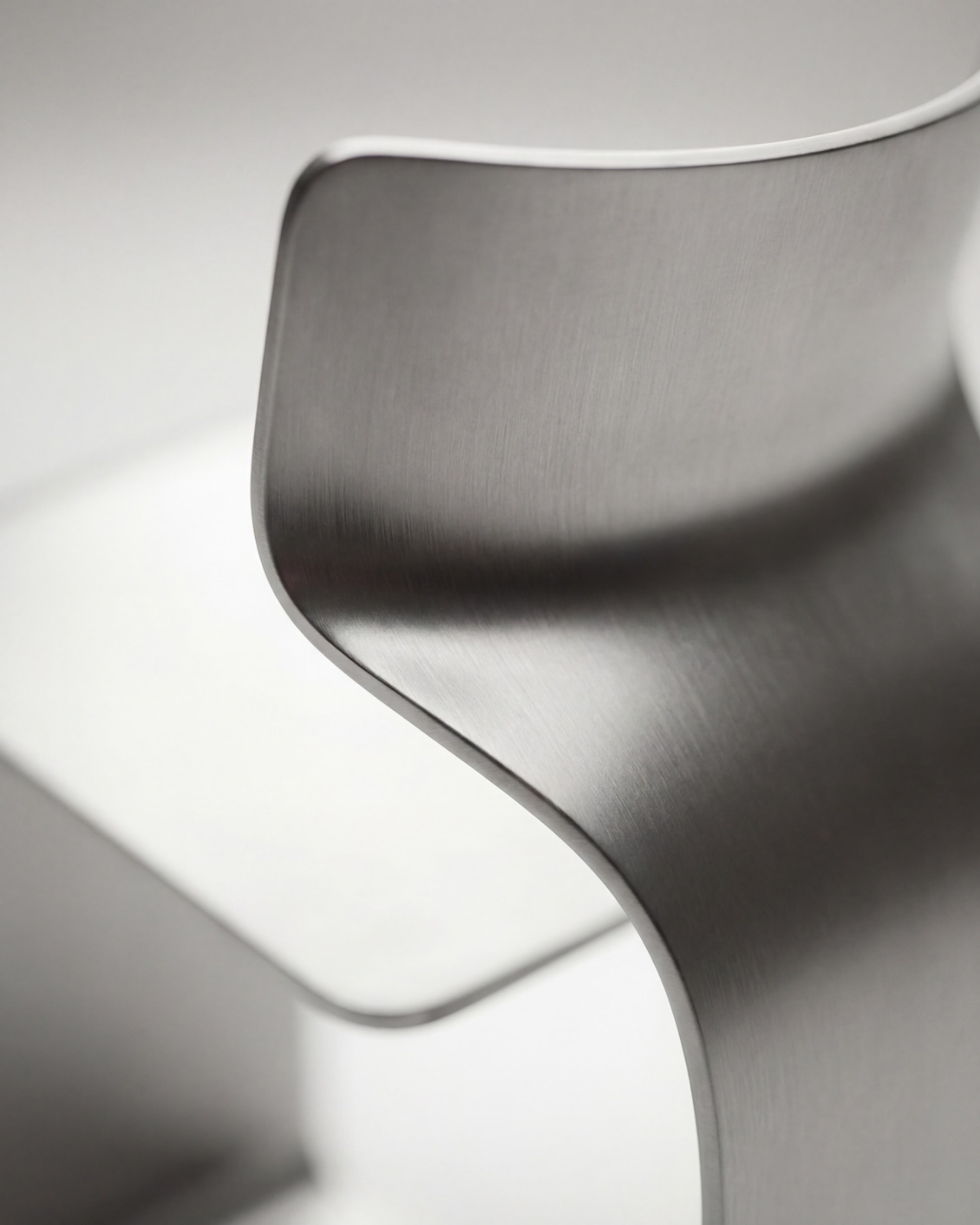
The answer lies in what Bozzo describes as structural tension. Form doesn’t just follow function here. It is the function. The material itself carries the engineering logic. Every curve has a reason, and every bend is calculated to distribute load through the continuity of the form rather than through added components. It’s the same principle behind suspension bridge cables or the way a curved shell is structurally stronger than a flat panel. Applied to a chair, it feels almost radical.

I’ll be honest. My first instinct was skepticism. A single-piece metal chair sounds like one of those design school exercises that makes for great renderings but falls apart under real scrutiny. But looking at the close-up photographs, especially the one capturing the S-curve where the seat meets the backrest, you start to believe it. The brushed metal finish shows actual material depth and actual intentionality in how the surface was treated. This isn’t a concept render floating in a void. It has weight and presence.

That said, I do have questions. Comfort is conspicuously absent from the conversation. Metal, even beautifully formed metal, is hard. The cantilevered seat gives some flexibility, which should help, but a chair without cushioning asks something significant of the person sitting in it. Bozzo’s design makes a statement about material honesty and structural purity, which I respect deeply, but at some point a chair has to be sat in. That’s the tension that makes it interesting rather than just pretty.

The piece also reads as a quiet counterargument to the current era of maximalist furniture. We’ve spent years surrounded by bouclé armchairs, curved velvet sofas, and furniture dressed up in layers of texture and warmth. Bozzo’s chair strips all of that away and asks whether furniture can earn your attention through restraint and engineering alone. My honest opinion? It can. Whether it earns a place in your living room is a different question entirely.

The chair also does something that doesn’t get discussed enough in design coverage: it makes the negative space part of the design. The open rectangle formed by the base creates a void that’s almost as deliberate as the metal itself. In the lifestyle image set against a Japanese garden backdrop, that void frames the gravel and ground beyond it. The chair becomes a viewfinder. That’s not accidental. That’s a designer who understands that what you leave out is just as powerful as what you put in.

Bozzo has been building a reputation for material-forward work. His stainless steel pet bowl Dune explored similar ideas around fluid curves in a single medium, but the ZERO Chair feels like a significant step up in ambition. It’s the kind of piece that stops you mid-scroll, makes you set your phone down, and actually think. That, more than any material specification, is probably the point.

The post The ZERO Chair Has No Welds, No Joints, No Apologies first appeared on Yanko Design.
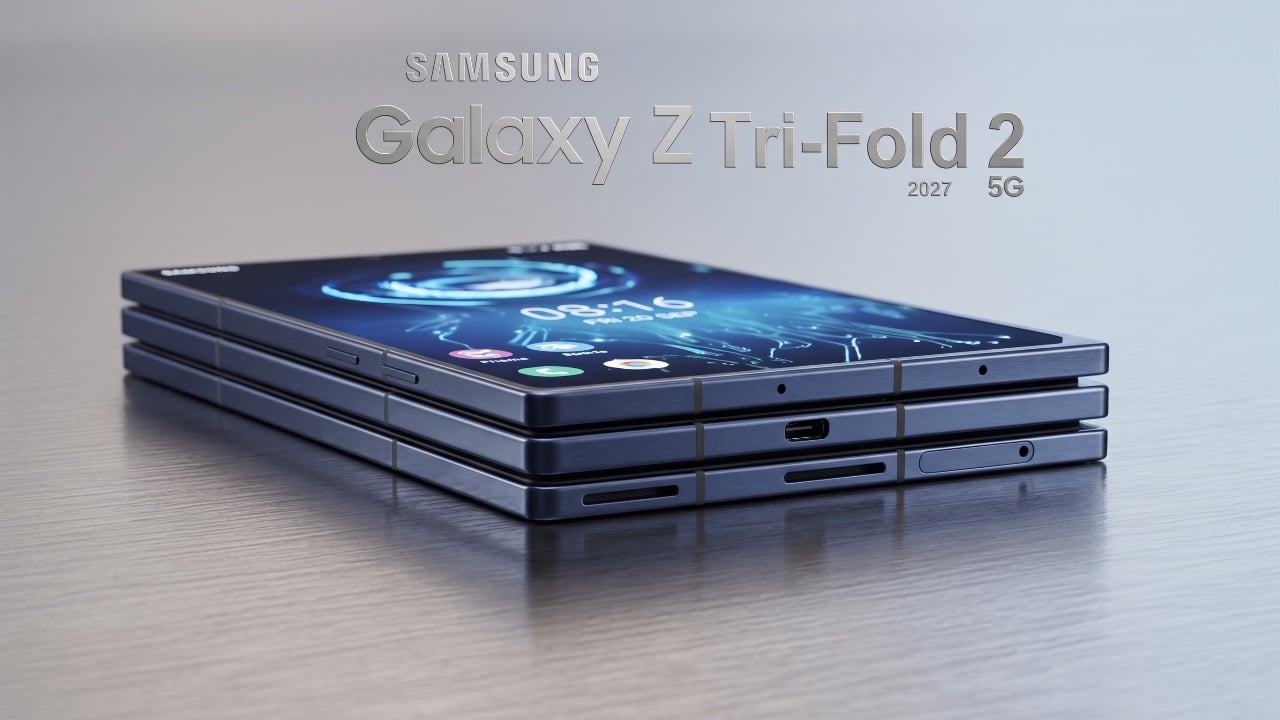
New Samsung Galaxy Z TriFold 2 Leak Reveals Wider Design

New Samsung Galaxy Z TriFold 2 Leak Reveals Wider Design Samsung Galaxy Z TriFold 2

Samsung’s decision to discontinue the Galaxy Z Tri Fold shortly after its release was not a failure but a calculated move. By treating the device as a limited-edition experiment, Samsung tested consumer interest in premium foldable devices. This strategy has paved the way for a new chapter in foldable innovation, with the company now focusing […]

The post New Samsung Galaxy Z TriFold 2 Leak Reveals Wider Design appeared first on Geeky Gadgets.

Posted in Uncategorized

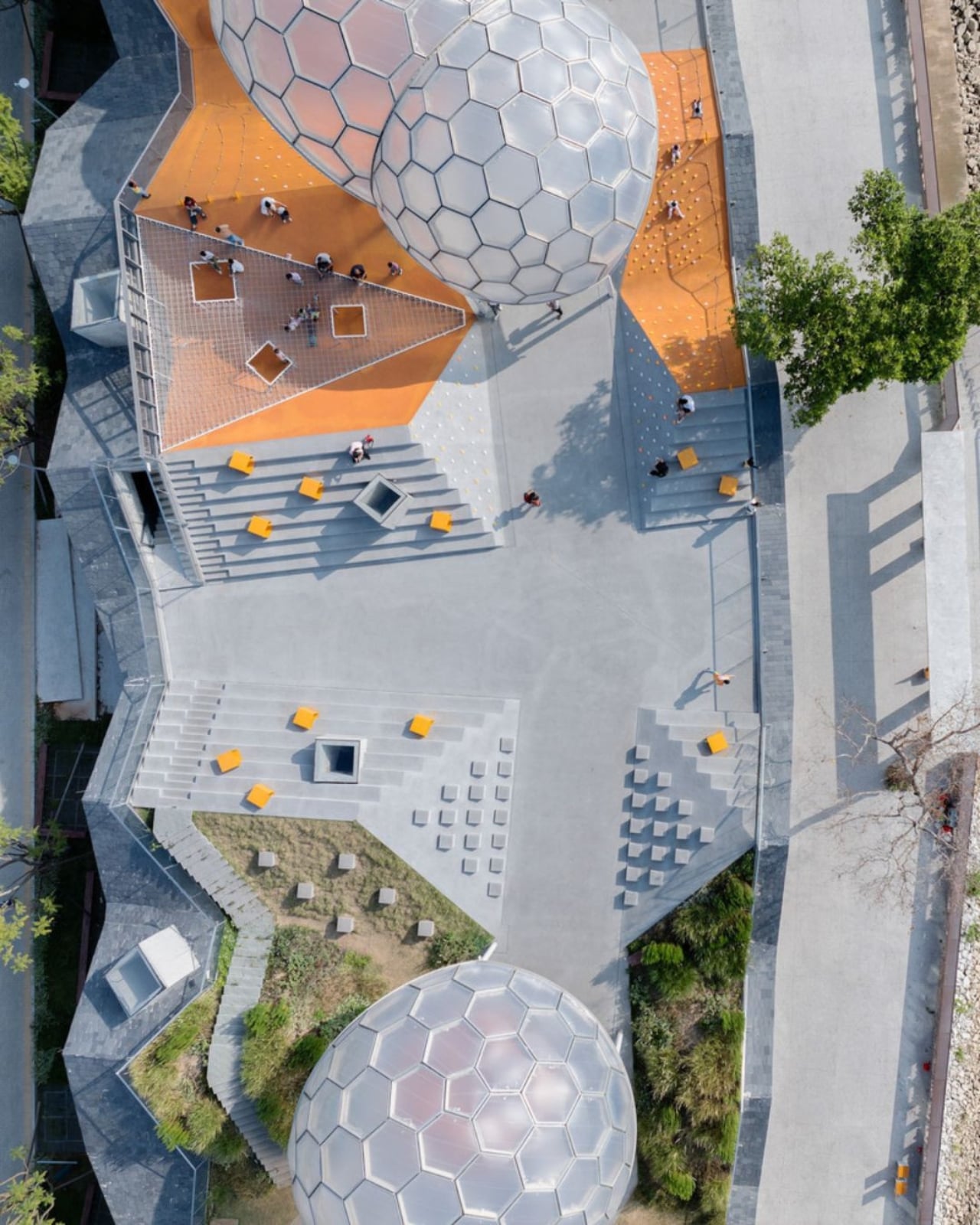
Foshan’s Forgotten Warehouses Got a Rooftop Park Under Floating Domes

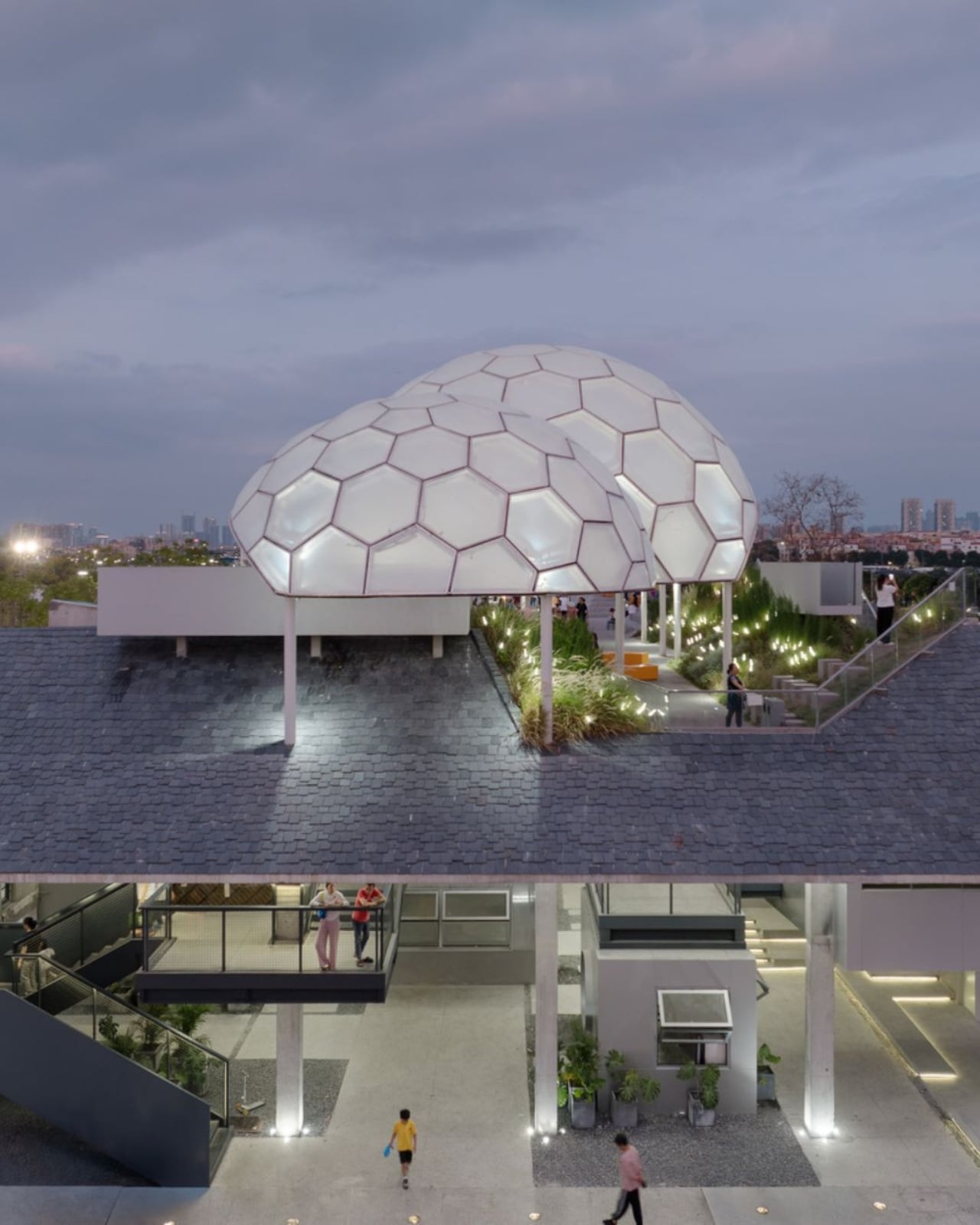
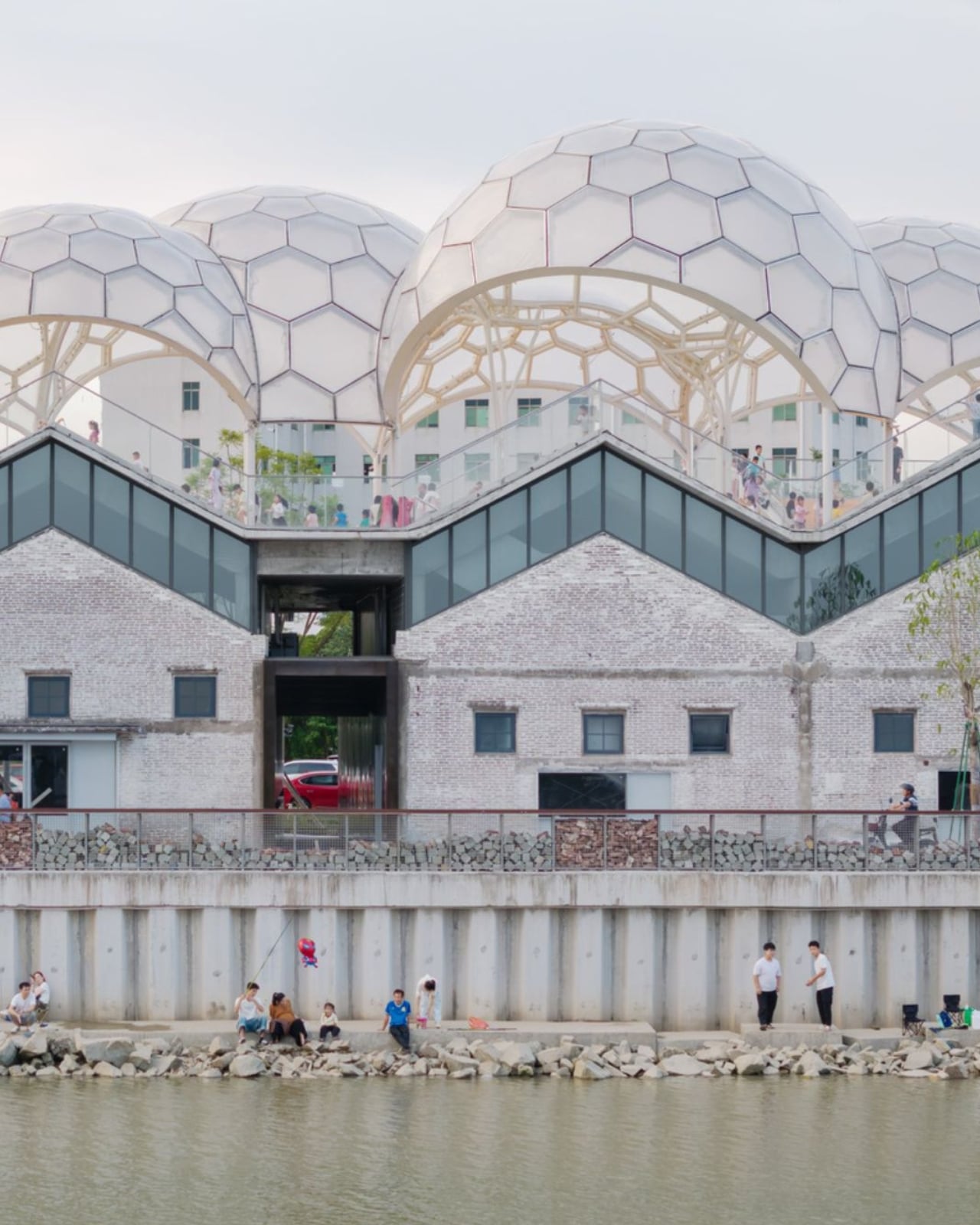
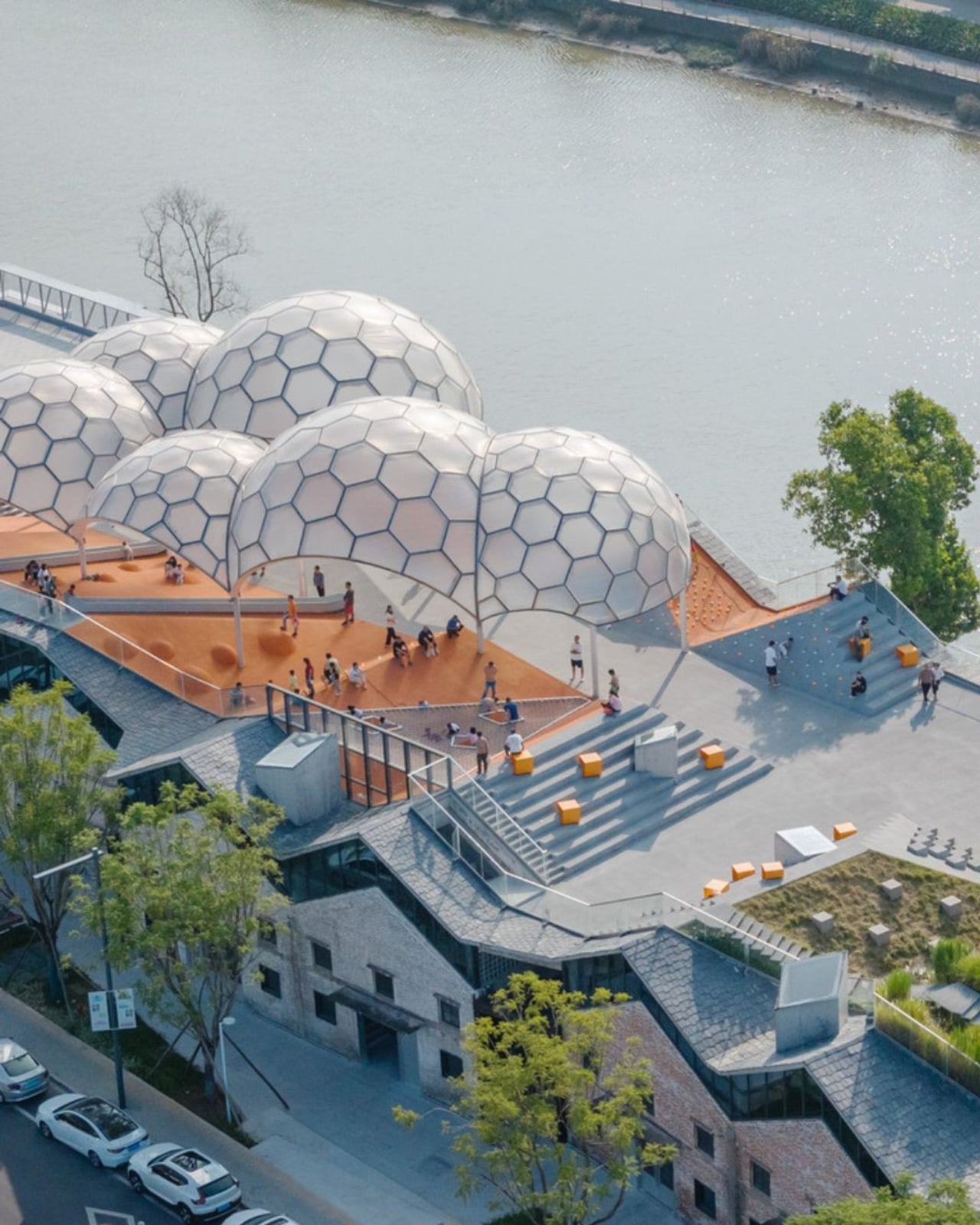
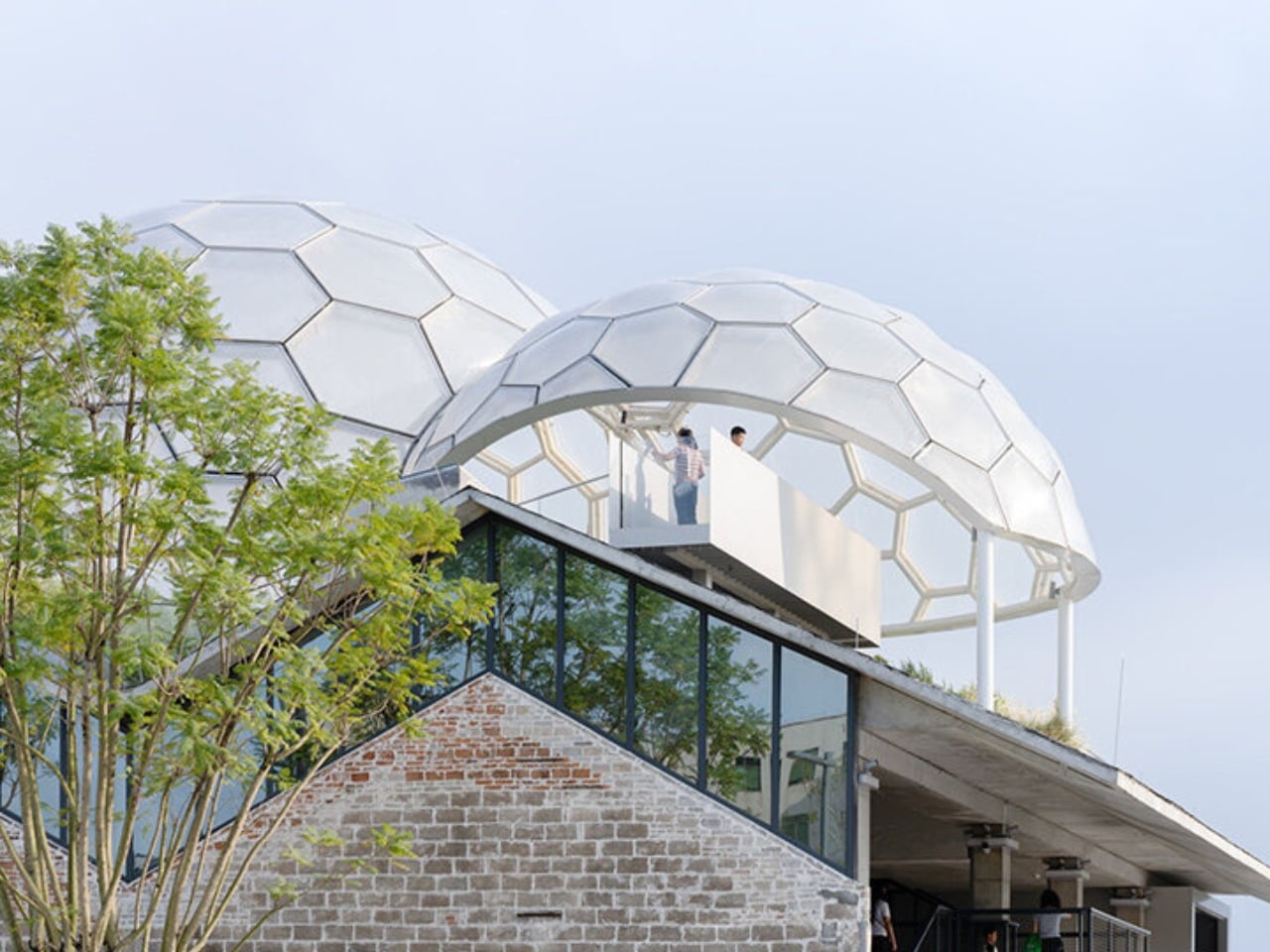
Somewhere along the Huadi River in Foshan, China, a cluster of old grain storage warehouses has been turned into one of the most quietly poetic pieces of architecture I’ve seen all year. The Yongping Warehouse Renovation, completed in 2025 by Guangzhou-based Atelier cnS, is exactly the kind of project that makes you stop scrolling and actually look.

The site sits in Dali Town, Nanhai District, a former industrial pocket of the Pearl River Delta that’s been gradually shedding its factory-town skin in favor of something more livable and publicly accessible. These particular warehouses, lined up along the riverfront, were derelict grain storage buildings with no obvious future. Not exactly glamorous source material. But Atelier cnS didn’t flinch, and the result is a project that earns its attention without asking for it loudly.

Designer: Atelier cnS

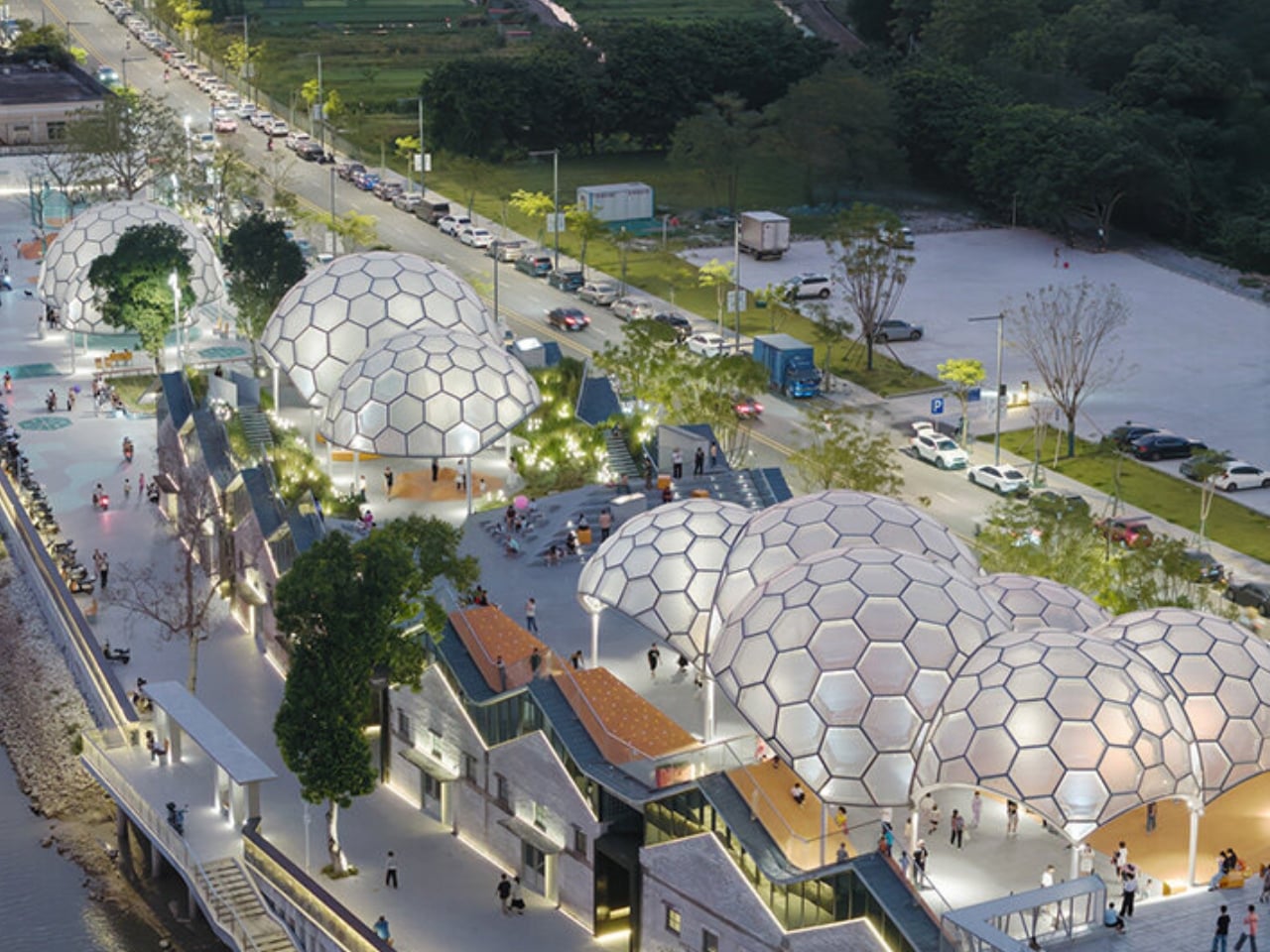
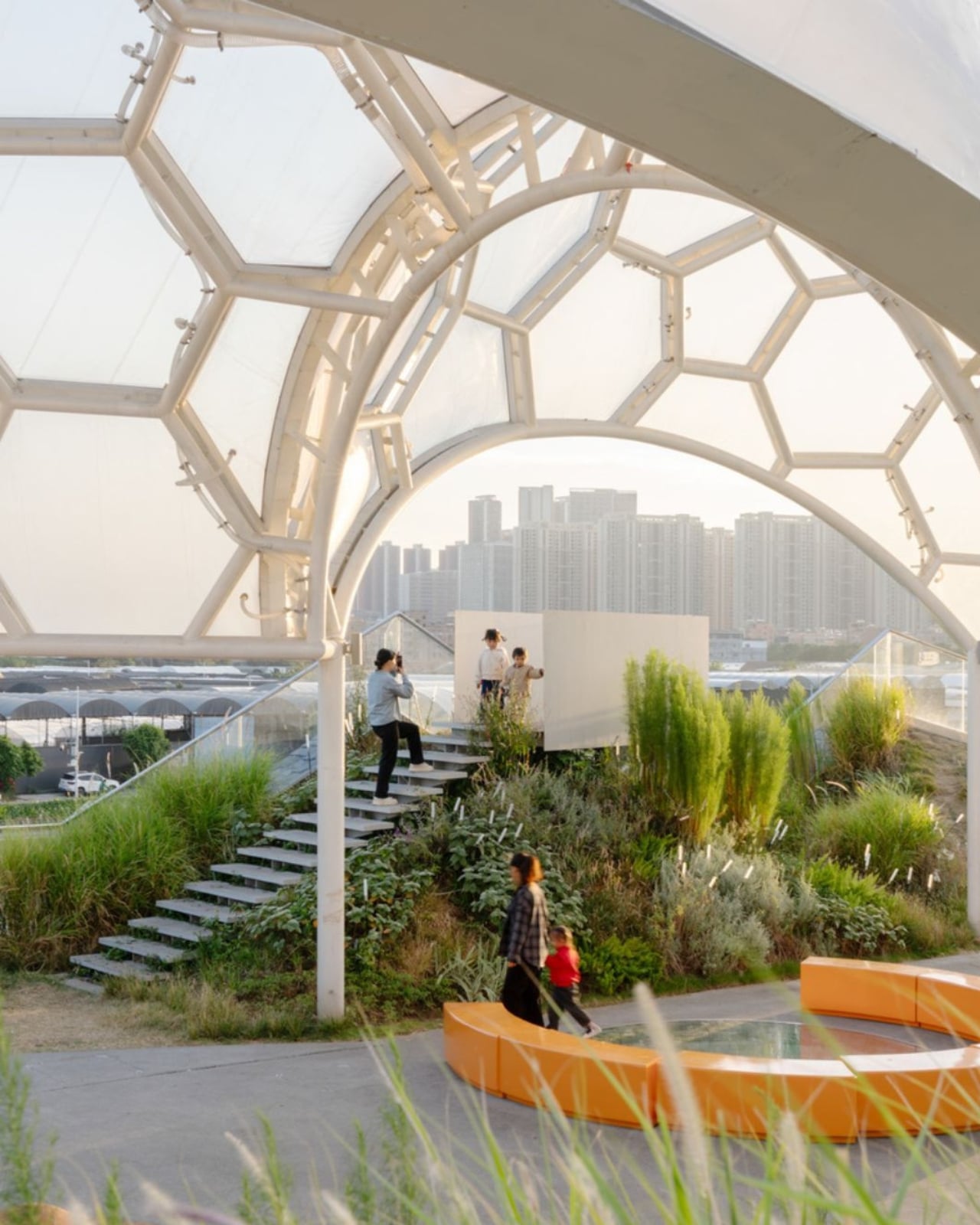
Because the site has a narrow footprint, the architects pushed the public space upward, placing a landscaped rooftop park above the commercial interiors below. Vertical programming isn’t a new idea, but what makes Yongping feel different is how thoughtfully the transition between levels was handled. The gaps between warehouse blocks weren’t sealed or filled in. Instead, they were preserved and widened into passageways, so as you move through the building, you catch glimpses of the river framed by walls before the whole view opens up at the top. It’s a slow reveal, and it’s deliberate.

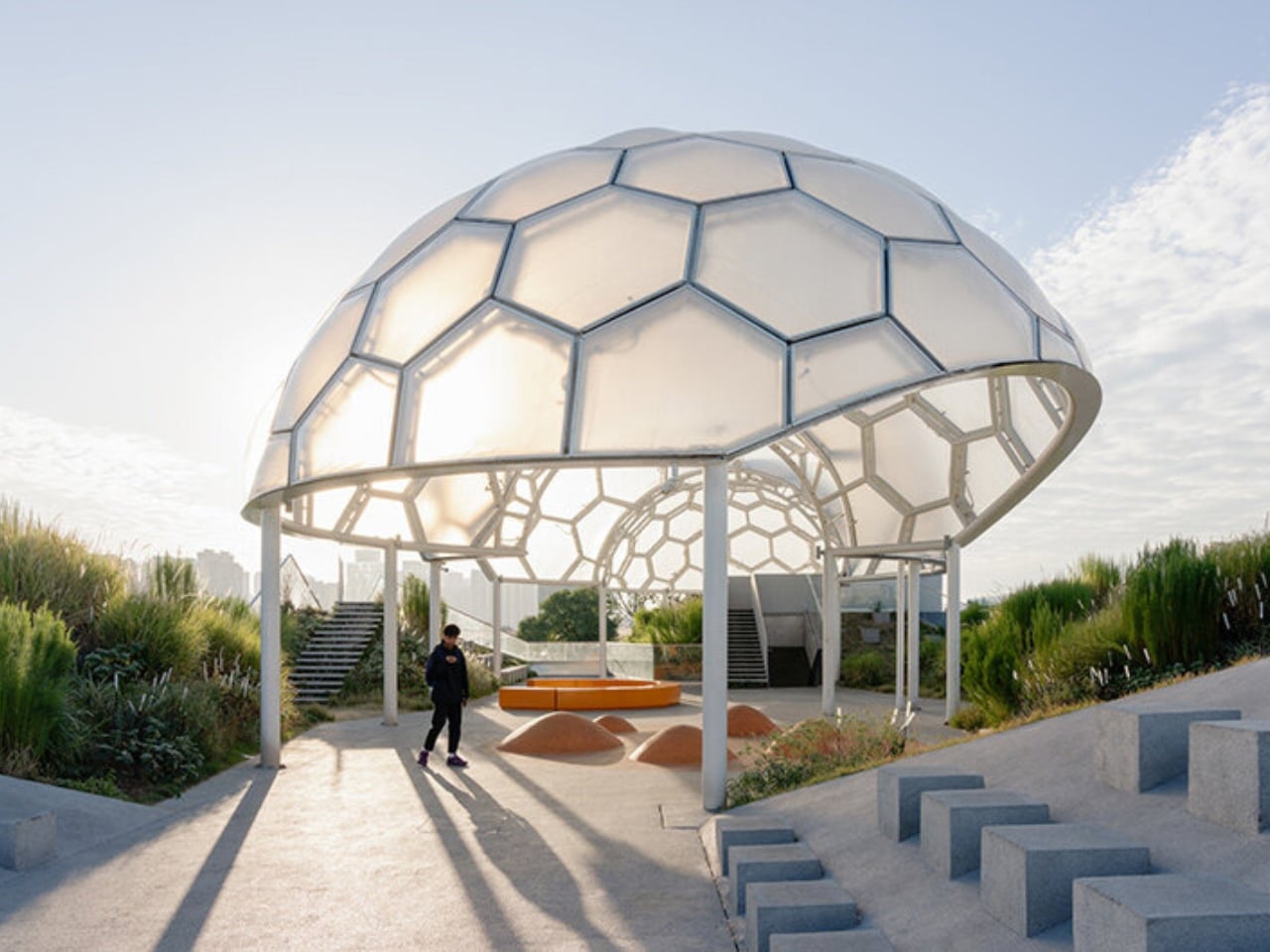
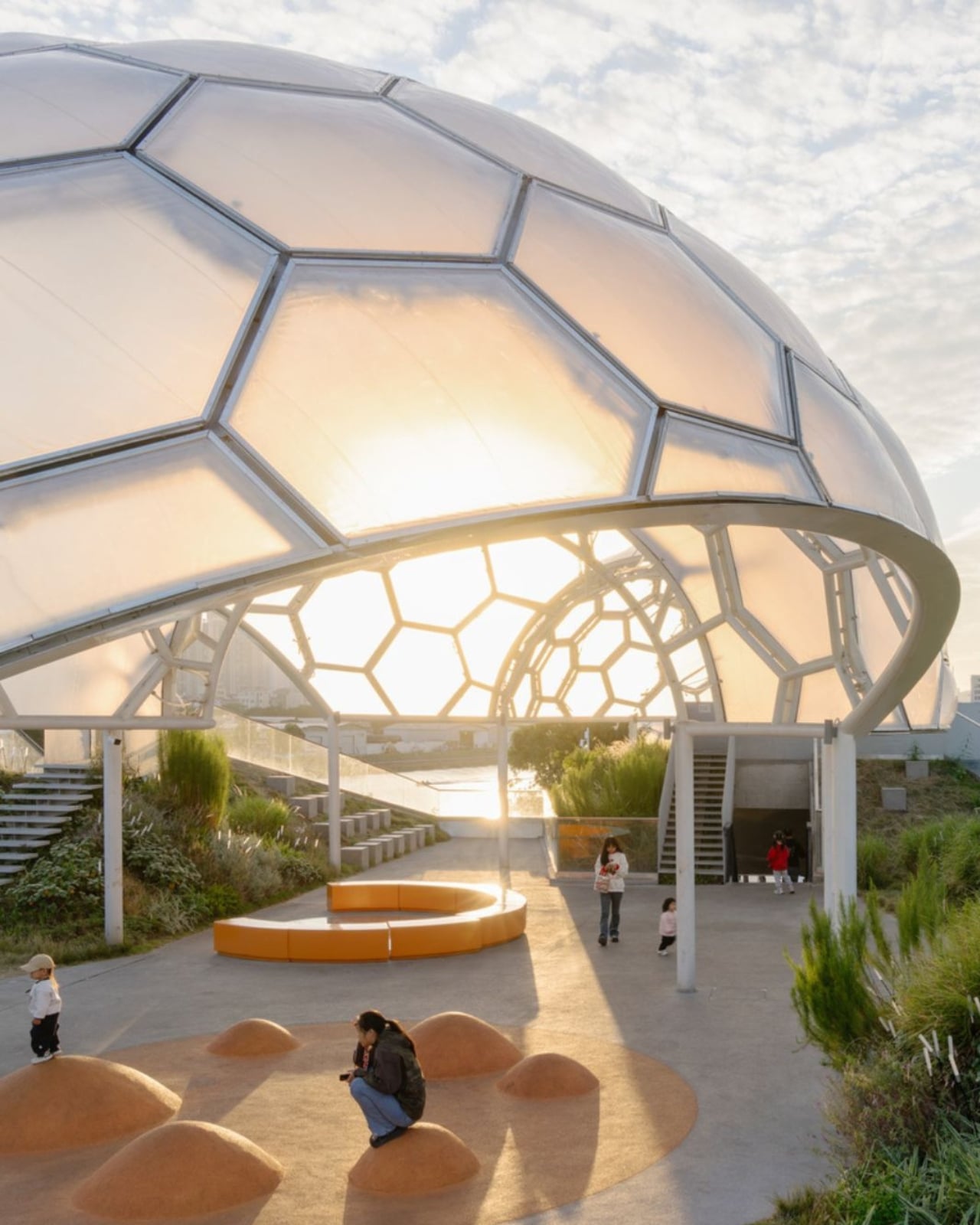
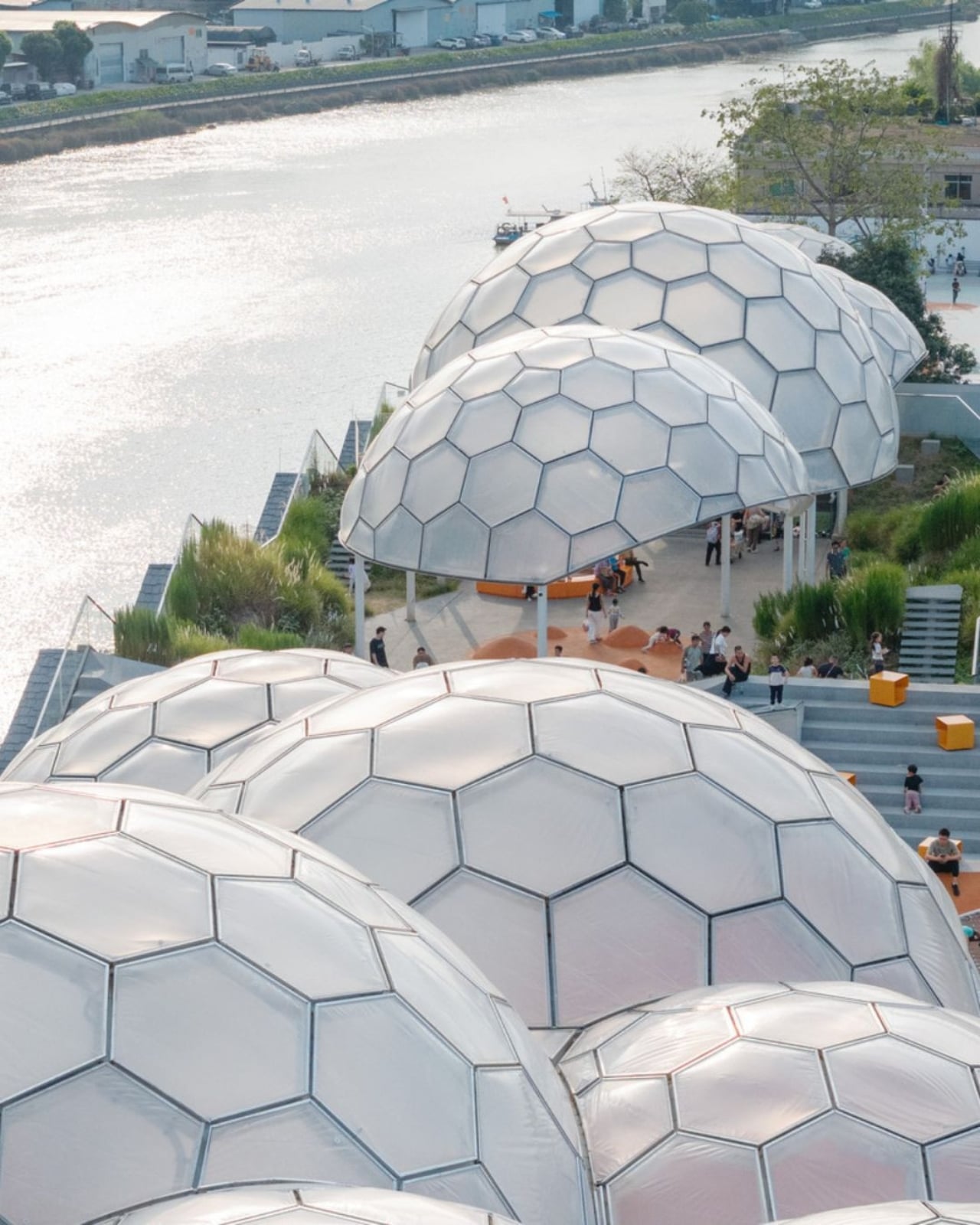
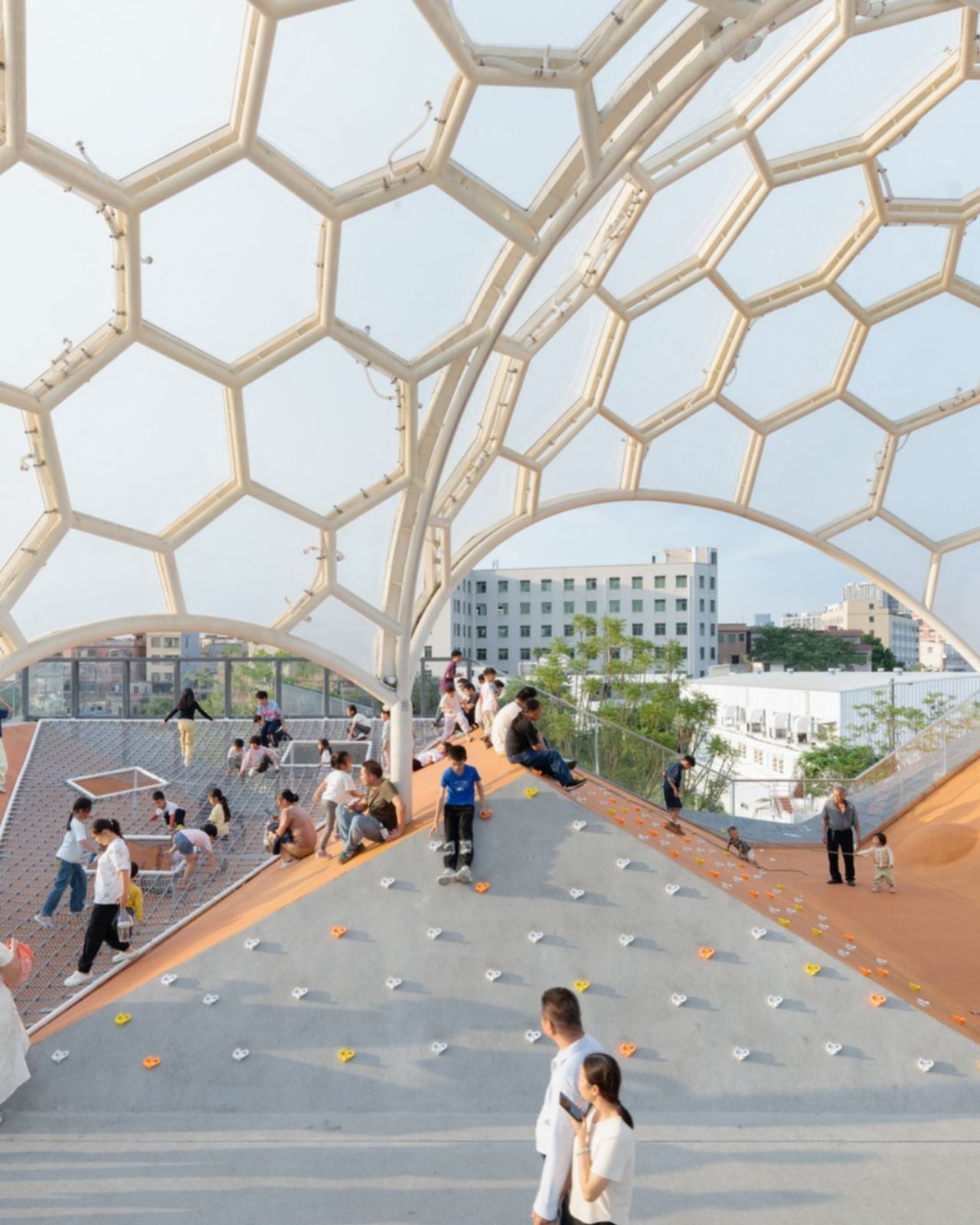
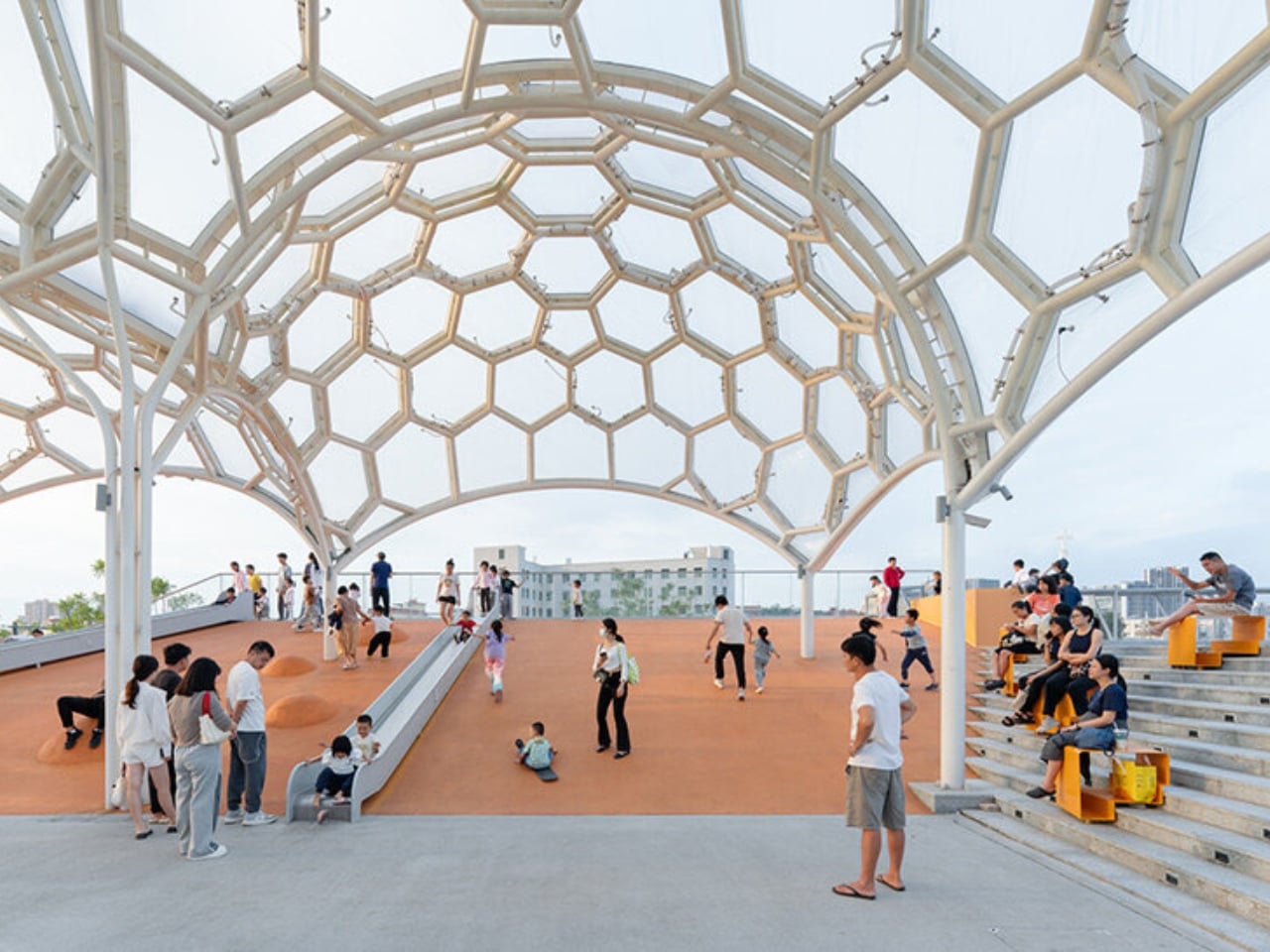
And then there are the canopies. A series of translucent, domed structures built from hexagonal frames cluster across the roofline like a quiet gathering of clouds. Atelier cnS actually named the project “A Wisp of Cloud” over Huadi River, and the photos earn that name completely. The domes are light-diffusing, casting shade without blocking river views. They create zones for sitting, moving, and play without ever feeling like they’re closing the space in. They look like they arrived gently, rather than being imposed on the building below them.

The rooftop itself is shaped into slopes, steps, and play surfaces that echo the original pitched forms of the warehouse roofs. It’s one of those details that most visitors probably won’t consciously register, but it’s exactly the kind of architectural memory that makes a renovation feel grounded rather than gratuitous. The old buildings aren’t being pretended out of existence. The new design is in active conversation with what was there before.

I’m genuinely drawn to this project because it gets the balance right in a way that many adaptive reuse projects don’t quite manage. Too often, the renovations that attract the most attention are the ones where the new design overwhelms the original structure, turning the old building into nothing more than a convenient shell. Yongping avoids that trap. The warehouses are still very much present. Their bones dictate the rhythm, the circulation, and some of the visual language of the final result. You can feel the history of the place without having to read about it first.

Atelier cnS has been developing this kind of thinking for years. The studio’s earlier work on elevated public circulation, including a “roof-hopping” design approach explored in their White House Guesthouse project, signals a long-running interest in finding new life in existing structures. Yongping feels like a maturation of that sensibility. More refined, more integrated, and more tuned in to the texture of a neighborhood mid-transition.

The project spans 4,311 square meters, and it’s worth noting what it does beyond the architecture itself. Turning a commercial renovation into a publicly accessible rooftop park, in a district shifting away from its industrial past, is a real act of generosity. A park on a roof could easily read as a private amenity. Here, it reads like a gift to the neighborhood, a place to walk, rest, and look out at the river without needing a reason to be there.

Architecture doesn’t always need to announce itself to be worth paying attention to. The Yongping Warehouse Renovation is understated, purposeful, and lit from above by a cluster of translucent domes that look, from a distance, exactly like a wisp of cloud over the river.

The post Foshan’s Forgotten Warehouses Got a Rooftop Park Under Floating Domes first appeared on Yanko Design.