SpaceX wants to launch a constellation of a million satellites to power AI needs

Elon Musk and his aerospace company have requested to build a network that's 100 times the number of satellites that are currently in orbit. On Friday, SpaceX filed an application with the Federal Communications Commission (FCC) to launch a million satellites meant to create an "orbital data center." This isn't the first time we're hearing of Musk's plans to build an orbital data center, as it was mentioned by company insiders following the news that the CEO was reportedly preparing to take SpaceX public.

According to the filing spotted by PCMag, this data center would run off solar power and deliver computing capacity for artificial intelligence needs. SpaceX is requesting to "deploy a system of up to one million satellites to operate within narrow orbital shells spanning up to 50 km each," as detailed in the filing. According to SpaceX's filing, "orbital data centers are the most efficient way to meet the accelerating demand for AI computing power" since they use "solar power with little operating and maintenance costs."

To give some scale of the astronomical number of satellites SpaceX is asking for, the company recently hit a milestone of the 11,000th Starlink satellite launched. There aren't as many in orbit since the satellites can run into issues, but an unofficial website that tracks Starlink stats claims there are more than 9,600 satellites in orbit as of January 30, 2026. The FCC is likely to whittle down the amount that SpaceX is asking for in its filing, as the federal agency has done in the past. Earlier this month, the FCC approved SpaceX's request to deploy 7,500 more Starlink satellites, following another 7,500 launched in 2022. However, it's much less than the nearly 30,000 amount that SpaceX first asked for in 2020.

This article originally appeared on Engadget at https://www.engadget.com/science/space/spacex-wants-to-launch-a-constellation-of-a-million-satellites-to-power-ai-needs-175607771.html?src=rss

REDMAGIC 11 Air Review: Fan-cooled Gaming Flagship at Just 207g, $499

PROS:


  • Slimmer and lighter design for a gaming smartphone

  • Distinctive gaming aesthetic

  • Large 7,000 mAh battery with 80W fast charging

  • More Accessible price point

CONS:


  • No wireless charging

  • Mediocre 8MP ultra-wide camera

  • Basic IP54 dust and water resistance

RATINGS:

AESTHETICS
ERGONOMICS
PERFORMANCE
SUSTAINABILITY / REPAIRABILITY
VALUE FOR MONEY

EDITOR'S QUOTE:

The REDMAGIC 11 Air doesn't apologize for being a gaming phone, but wraps it in the slimmest, lightest package the brand has made yet.

Gaming phones have split off into their own design species, leaning into transparent backs, RGB lighting, and visible cooling that looks more like sci‑fi props than communication devices. The REDMAGIC 11 Pro, which we reviewed recently, took that to its extreme with a liquid‑cooling window showing coolant flowing like spaceship controls. It made a strong visual statement but was unapologetically a gamer’s machine first and everything else a distant second.

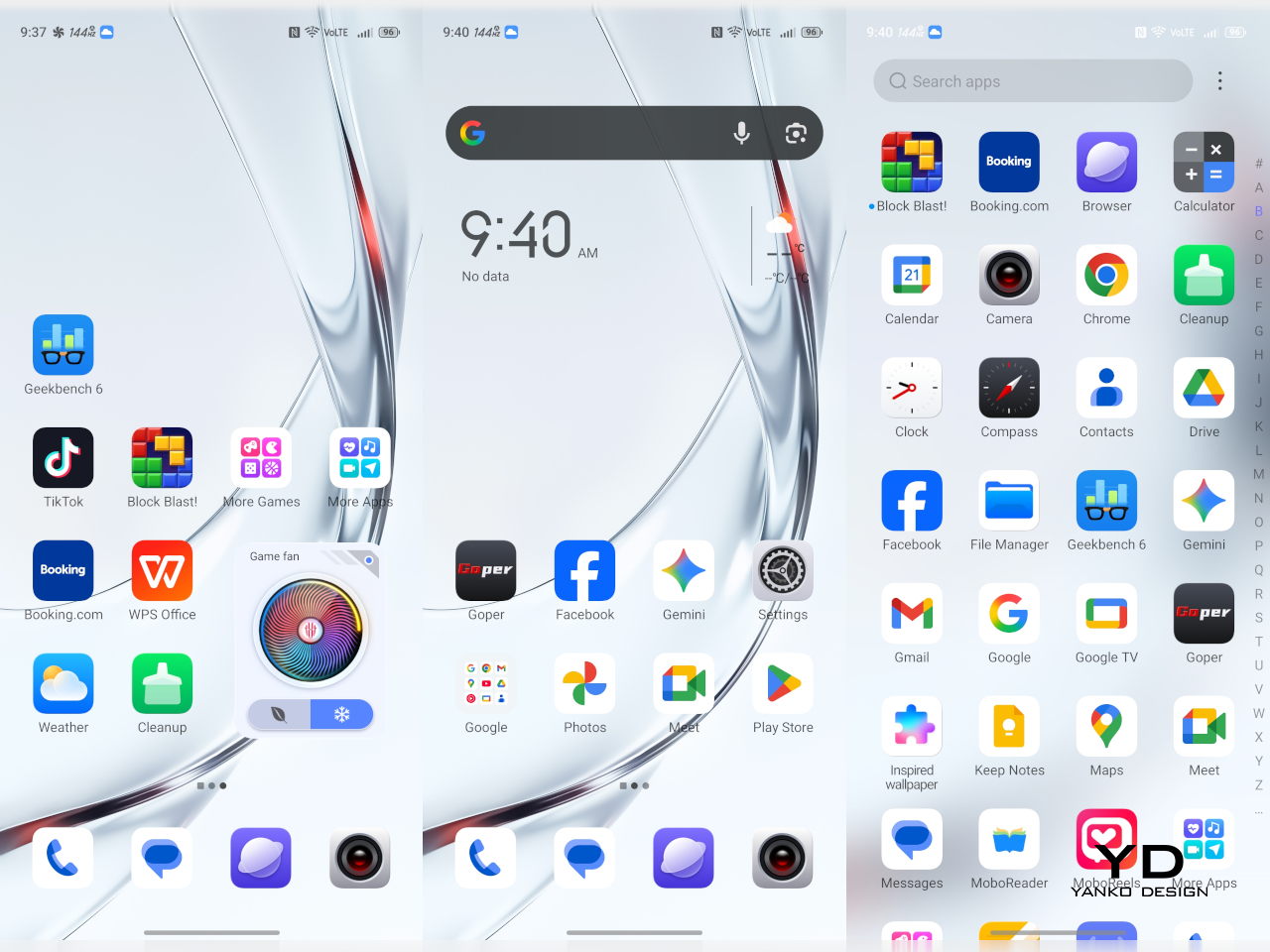
REDMAGIC 11 Air tries to keep the same esports‑grade performance, active cooling, and transparent style in a slimmer frame. It packs a Snapdragon 8 Elite, 7,000mAh battery, 6.85‑inch 144Hz OLED, and 24,000 RPM fan into a 7.85mm, 207g body. Whether this Air approach can balance hardcore gaming with something closer to everyday usability, or just becomes a slightly thinner version of the same uncompromising brick, is worth finding out.

Designer: REDMAGIC

Aesthetics

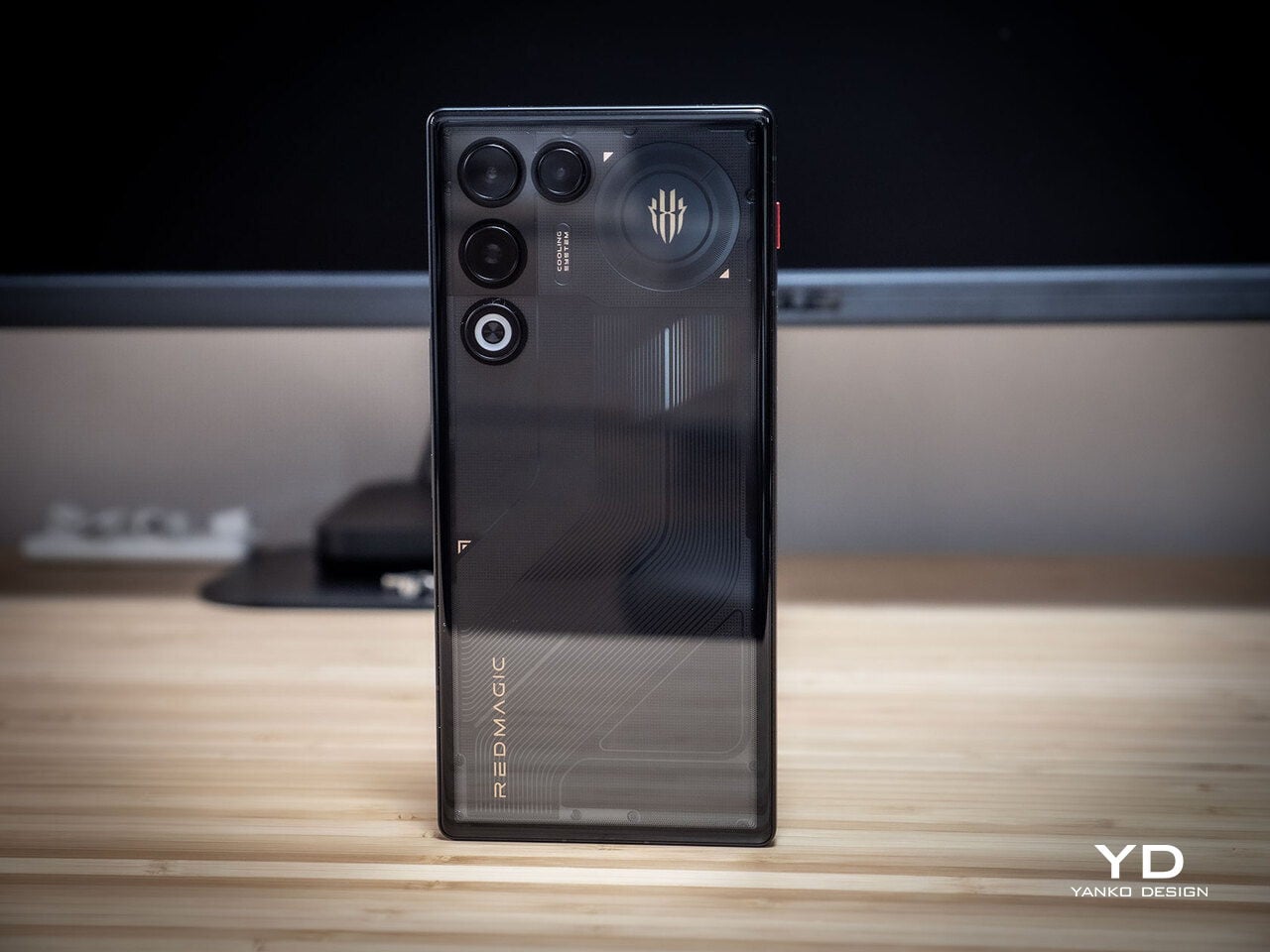
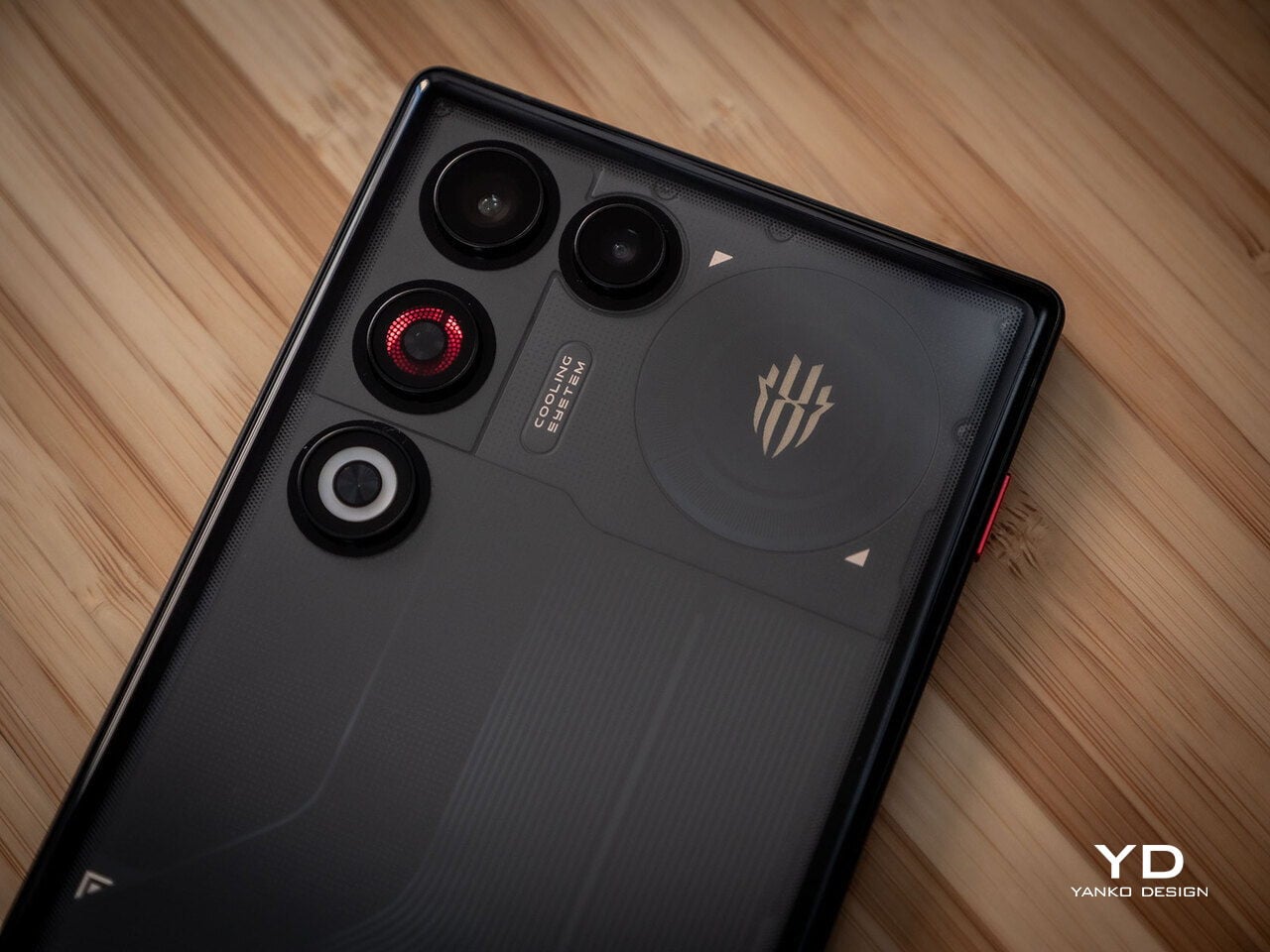
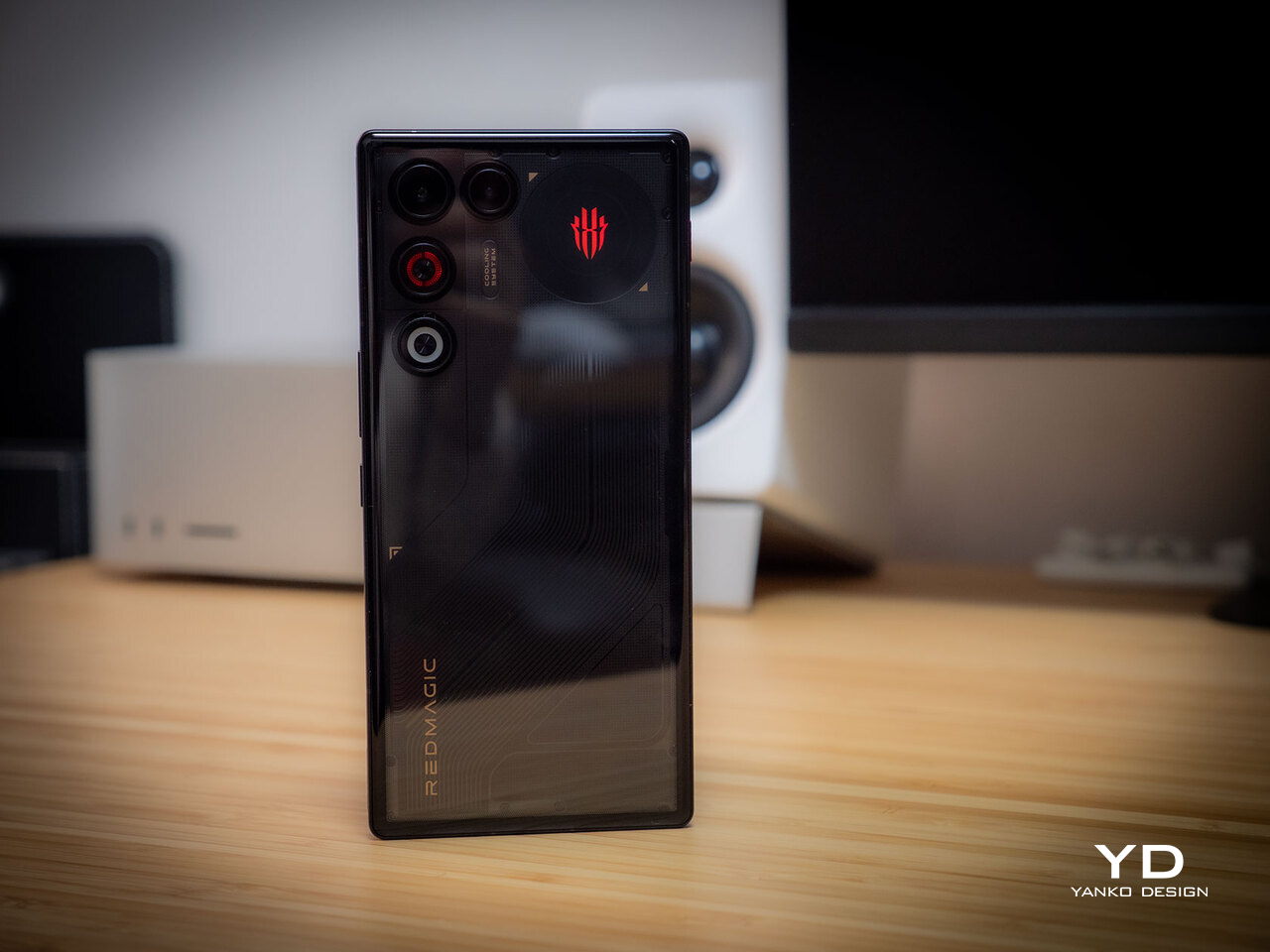
The moment you see the REDMAGIC 11 Air, it announces itself as a gaming phone. Phantom transparent black and Prism transparent white finishes expose stylized internals, circuit‑like etching, and RGB‑lit fan and logo elements. This is not subtle or generalist; it is a cyberpunk, sci‑fi motif that wants to sit next to mechanical keyboards rather than hide in a leather case.
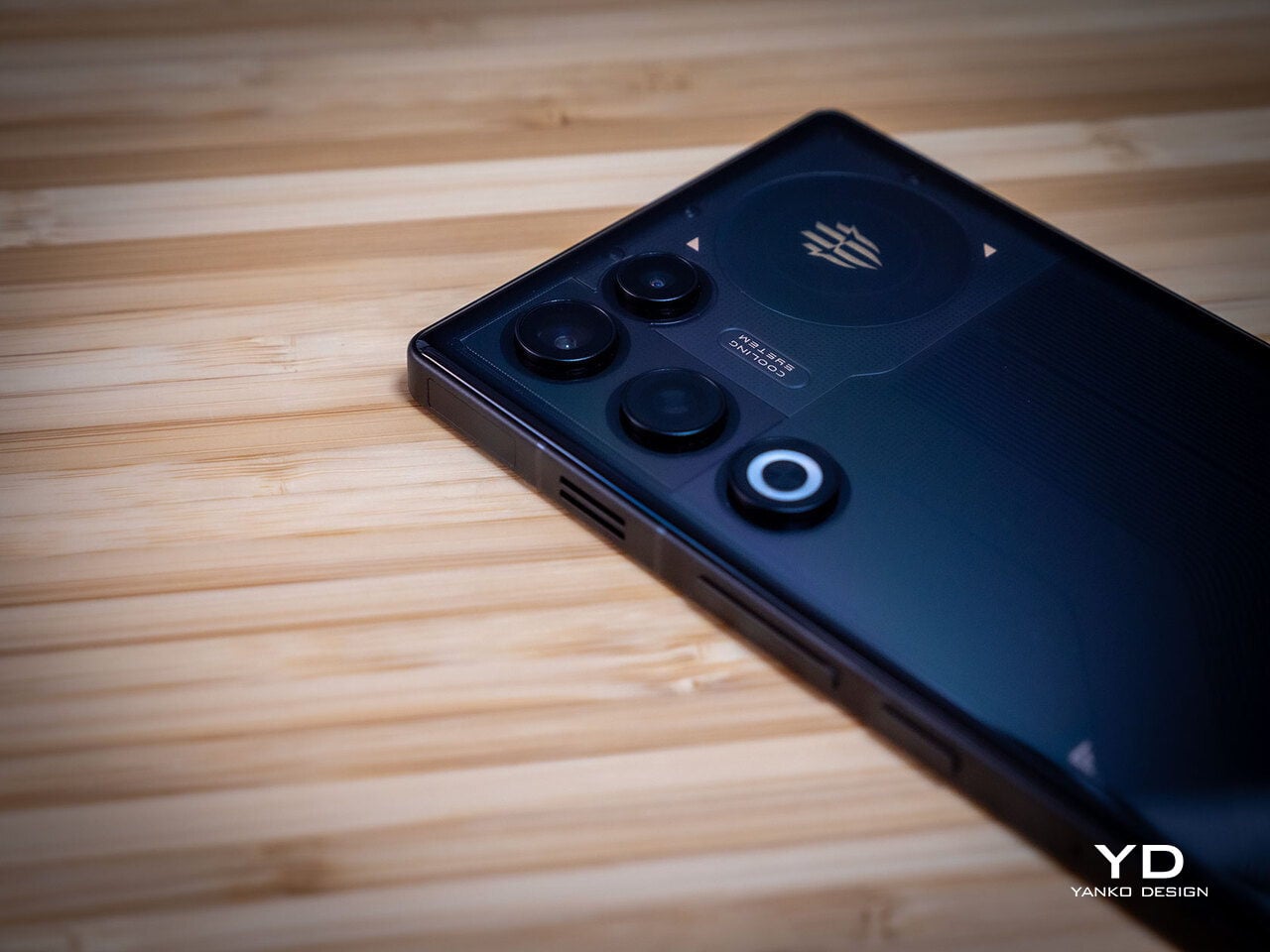
Despite the gaming‑first aesthetic, materials feel more refined than expected. The aluminum alloy frame, Gorilla Glass front and back, and 7.85mm thickness give it a solid feel. It is positioned as the lightest in the REDMAGIC lineup, which matters compared to the heavier 11 Pro. The curves and 20:9 aspect ratio help it sit more naturally in the hand, even if the styling still clearly prioritizes gamers over minimalists.

RGB lighting and transparent elements add atmosphere without chaos. Fan and logo lights sync with in‑game audio, making the back feel alive during sessions, but both can be toned down or disabled when you want less conspicuous carry. That duality helps if you like the gaming aesthetic but occasionally need to bring the phone into neutral environments where flashing lights feel out of place.

Ergonomics

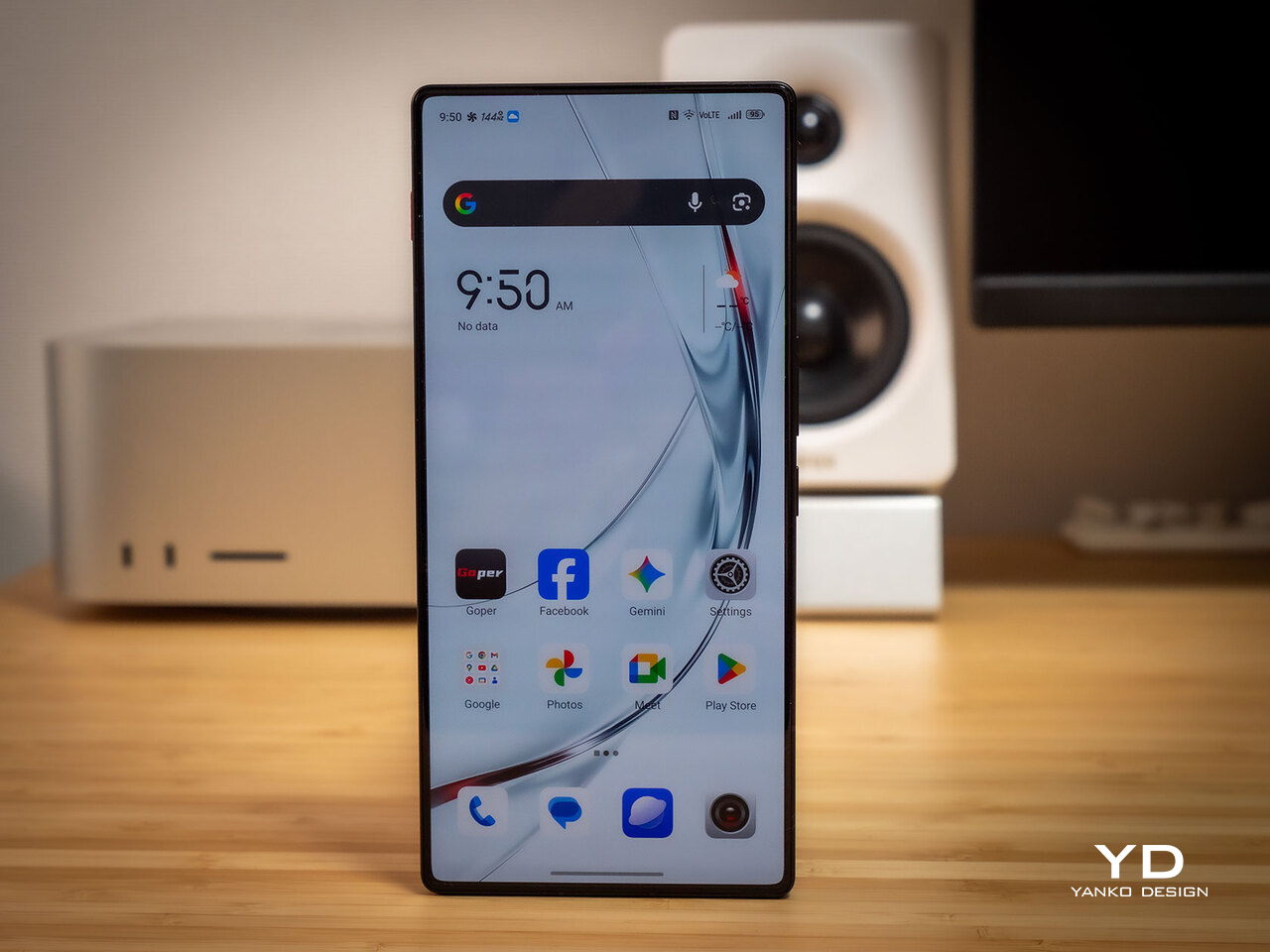
Living with the 11 Air daily, the slimmer and lighter design makes a real difference. Long landscape gaming sessions feel less fatiguing, and the phone slips into pockets more easily than expected, given the 6.85‑inch display. The curved back and aluminum frame help with grip, and the 20:9 screen ratio balances a wide gaming canvas with something that still fits in most hands without constant readjusting.
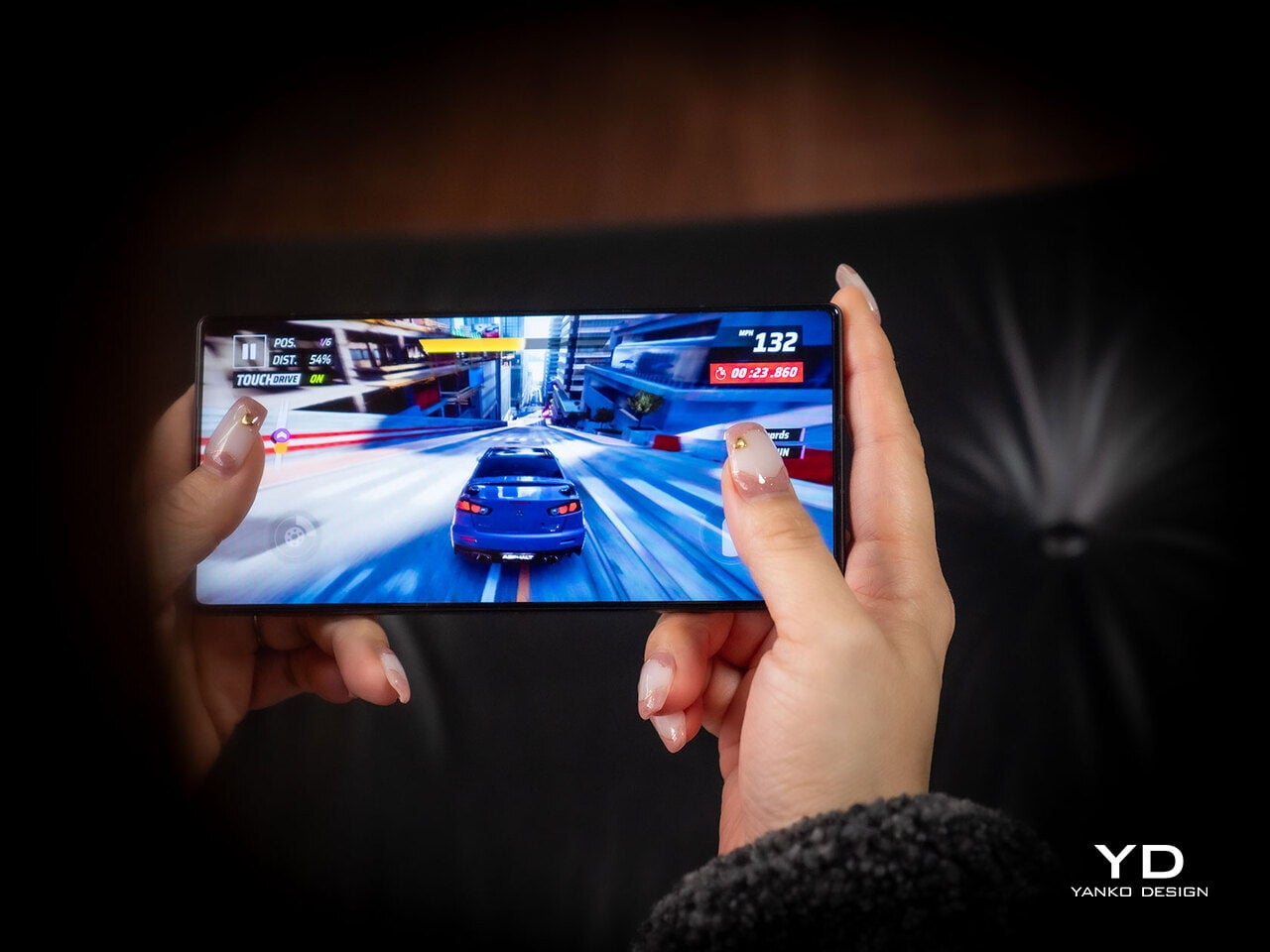
The large screen dominates the front with a 95.1% screen‑to‑body ratio and slim bezels. That is great for immersion, but leaves little room to rest thumbs without touching the screen during landscape play. Fortunately, the shoulder triggers take over some of that load, letting the screen act more like a viewfinder while the top edges handle key inputs when you need them most.

Controls are where the gaming focus becomes clear. The 520Hz physical shoulder triggers are tuned for low‑latency and now work in portrait and landscape, giving flexibility for different games. Combined with the 0809 X‑axis linear motor for 4D haptics, the phone feels more like a handheld console, especially when triggers are mapped to aiming or abilities through Game Space’s interface.
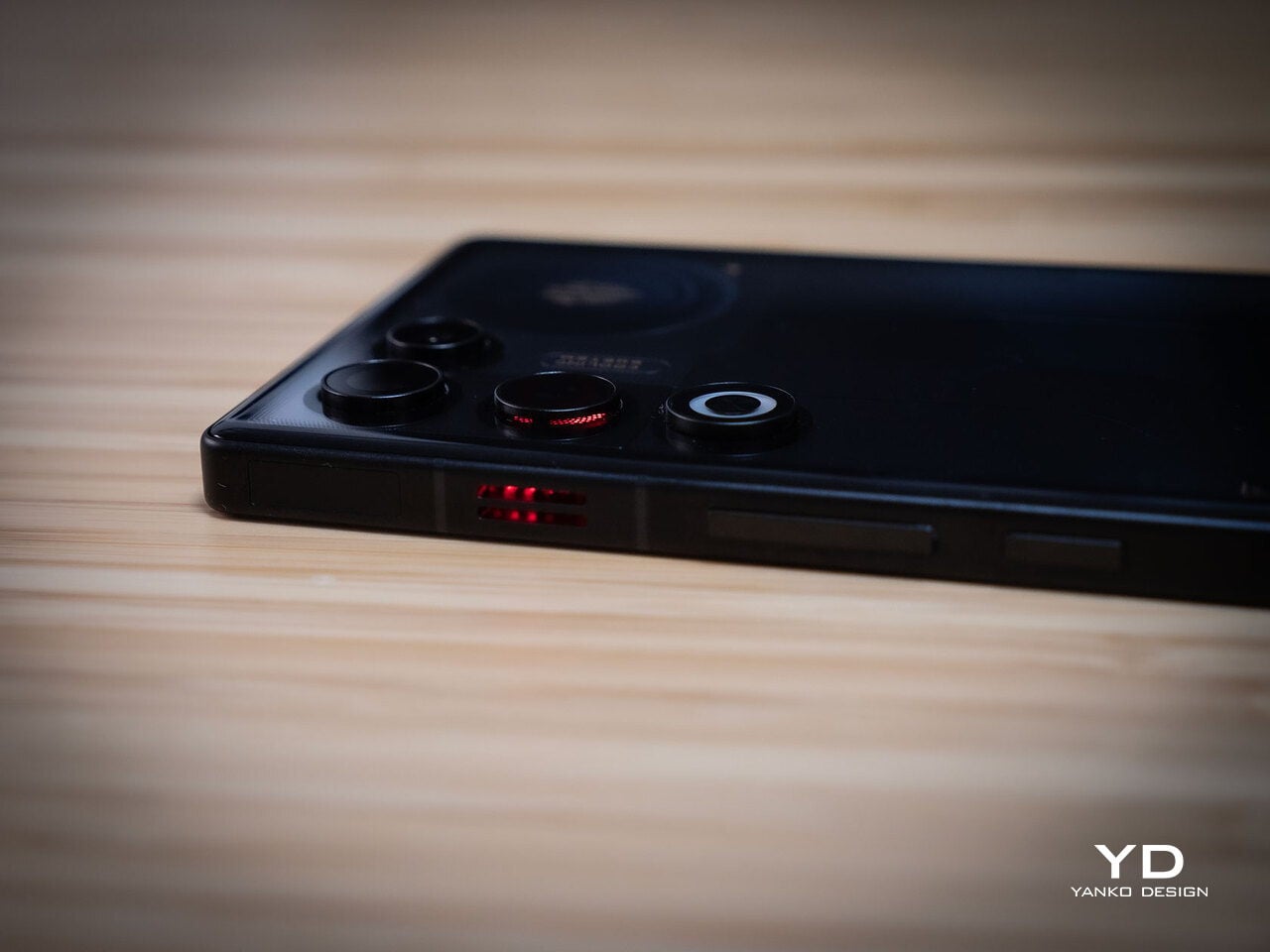
Outside of gaming, the transparent back and RGB accents may not suit every situation, but the size and weight make it easier to carry than the 11 Pro or older gaming phones. One‑handed use is still a stretch given the display size, but basic tasks like messaging and browsing feel manageable if you are already used to large phones or phablets.

Performance

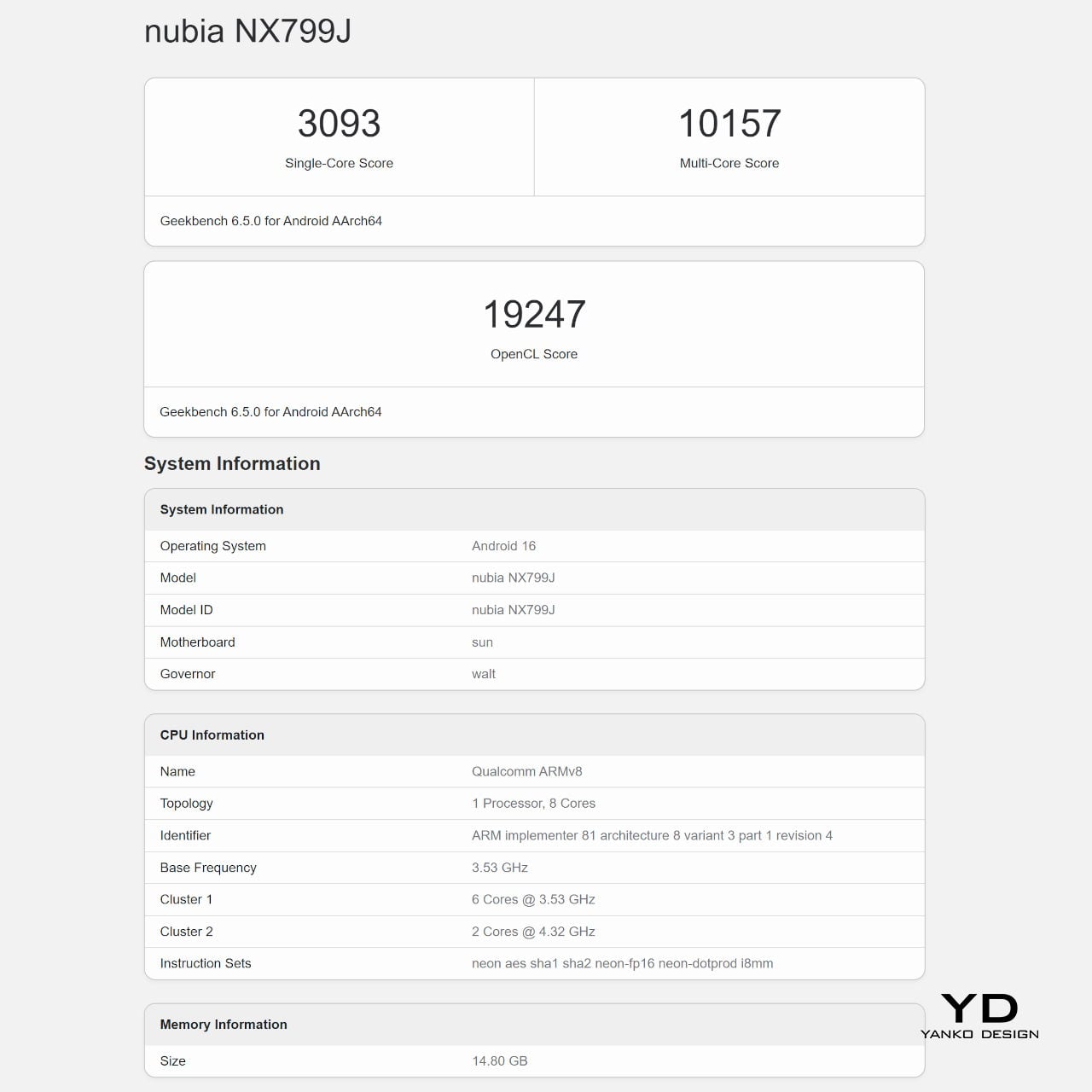
At the core sits the Snapdragon 8 Elite paired with RedCore R4, LPDDR5X RAM, and UFS 4.1 storage. Clock speeds reach 4.32GHz on the Oryon CPU and 1,250MHz on the Adreno 830 GPU. The dedicated RedCore R4 and CUBE scheduling engine focuses on stable frame rates rather than just benchmark spikes, which matters more in sustained gaming, where consistency beats bursts.
The ICE Cooling System backs that up with a large vapor chamber, graphene thermal layers, and a 24,000 RPM turbo fan. Unlike the REDMAGIC 11 Pro’s dramatic liquid‑cooling window showing coolant flowing like sci‑fi, the REDMAGIC 11 Air hides cooling under the transparent back. It opts for slimness while still actively managing CPU and GPU temperatures during long sessions, which keeps performance from throttling halfway through a match.
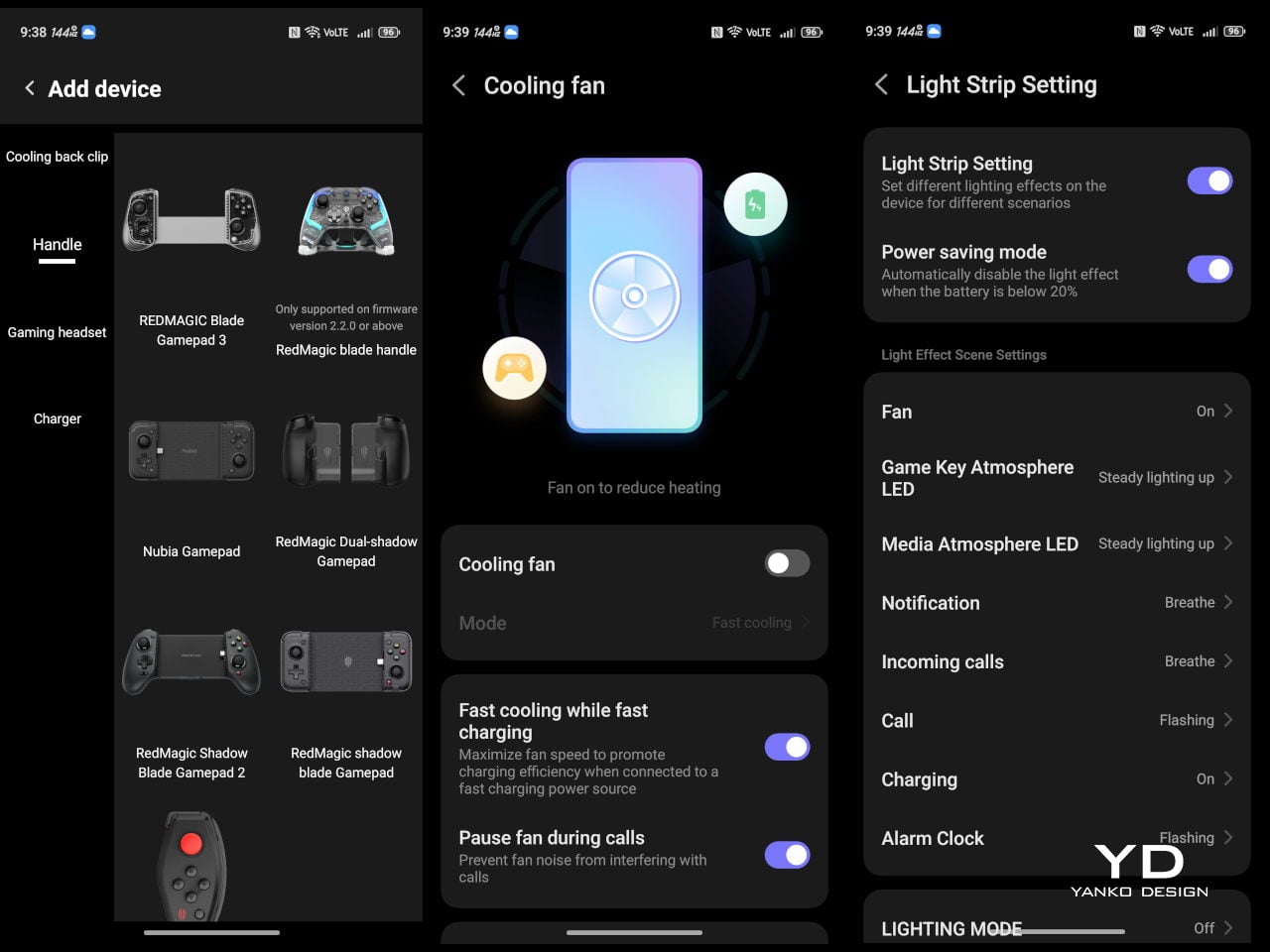
The active cooling fan is audible when it spins up under heavy load. It is not loud enough to overpower game audio, but it is noticeable in quiet rooms. For a device prioritizing sustained performance, this is expected, and fan behavior can be tuned in Game Space if you prefer cooler operation or less noise during specific sessions or when gaming in shared spaces.


Cameras are solid without being the headline. The 50 MP main sensor with OIS delivers clean photos for social media and casual shots, and the 16 MP front camera handles selfies and video calls well enough. The 8MP ultra-wide camera is a bit of a disappointment in this day and age, but it’s not exactly terrible. These are clearly not camera‑phone specs, but they work fine for anyone who needs decent everyday photography alongside gaming.
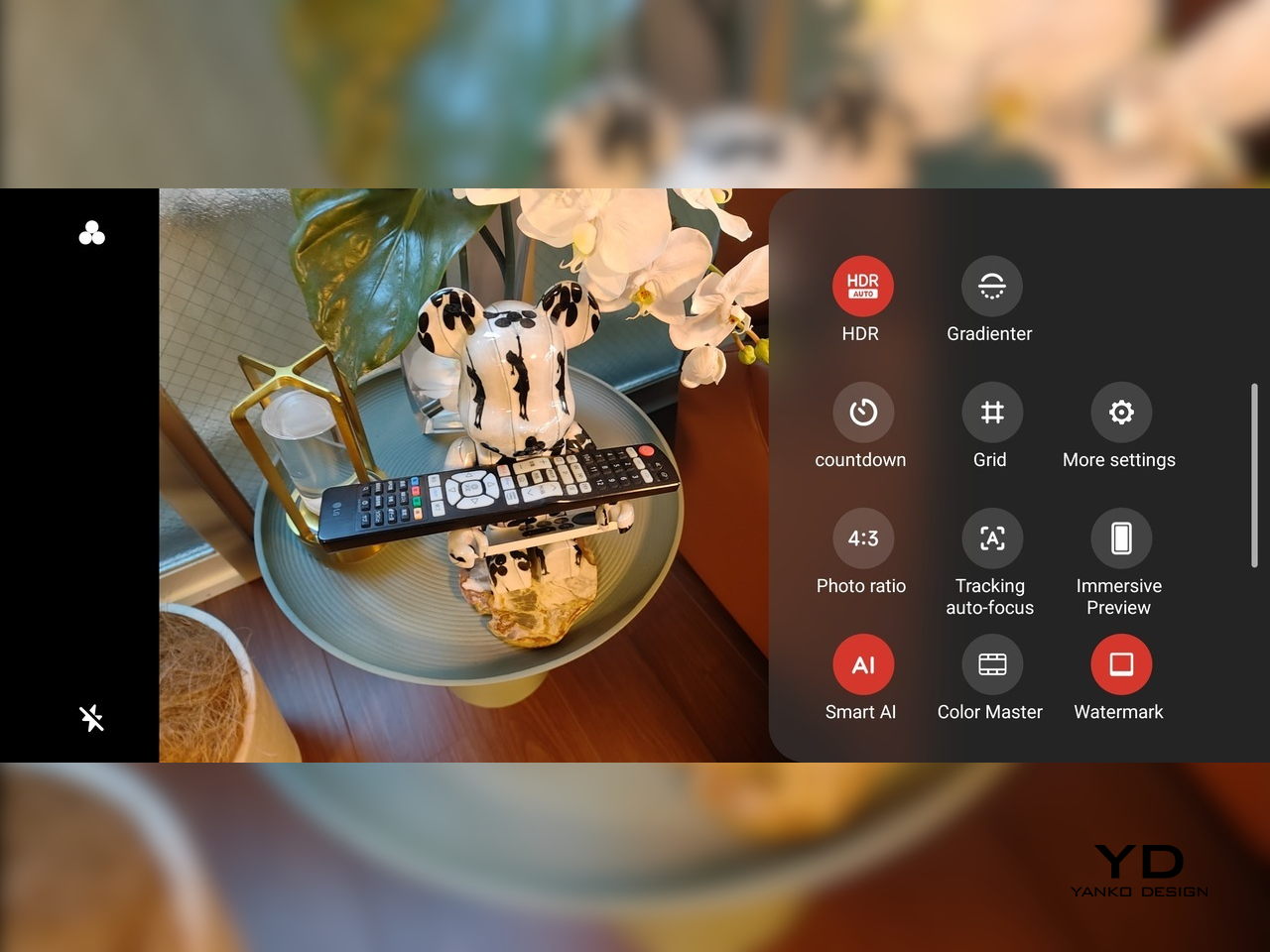
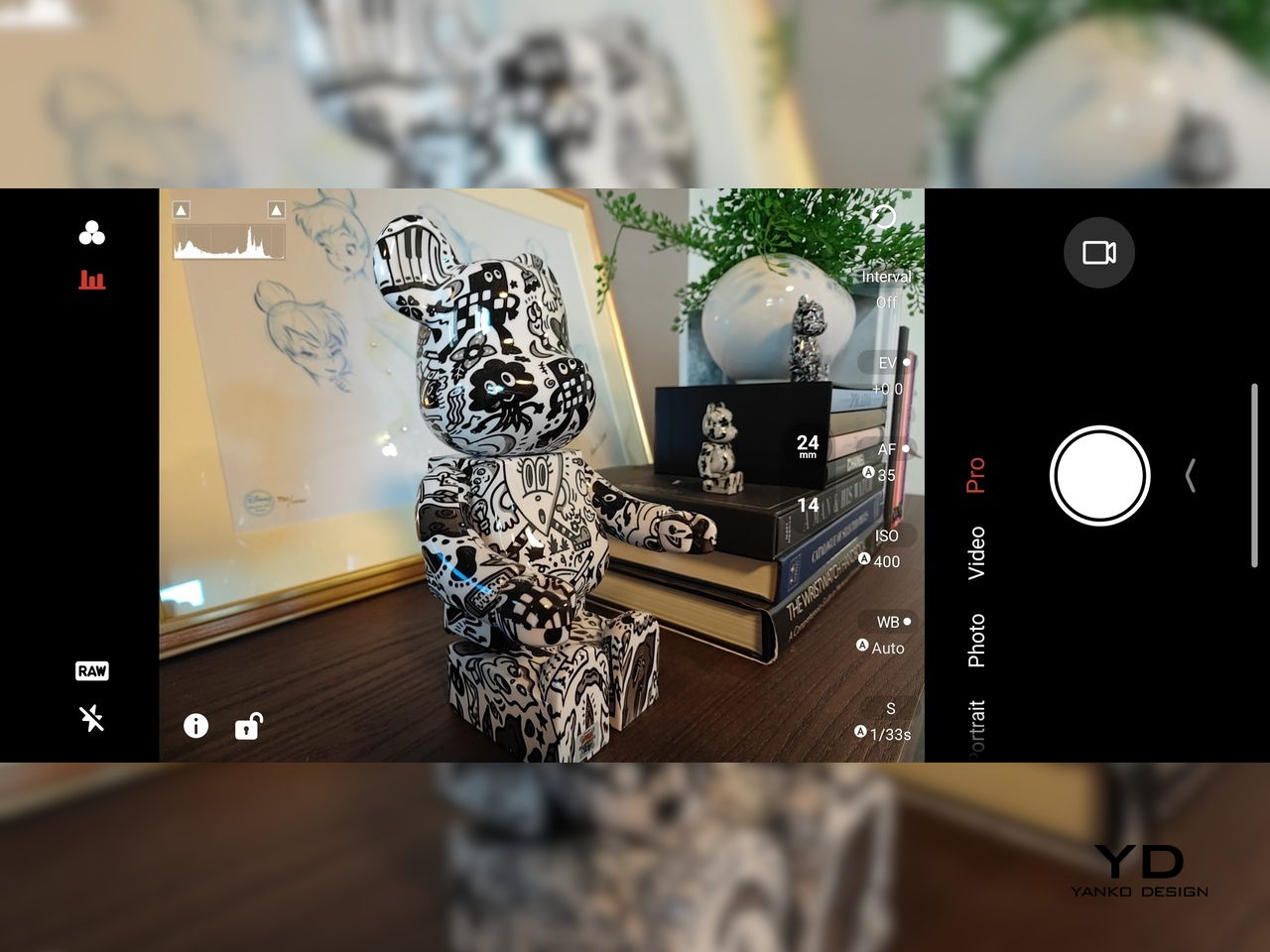
Battery and charging are part of the performance story. The 7,000 mAh battery is generous in this slim chassis, going over a day with general use, and hours upon hours of binging video streaming at max brightness. The 80W fast charging refills quickly, while Charge Separation routes power to the motherboard during plugged‑in gaming, reducing heat and protecting battery health over time.
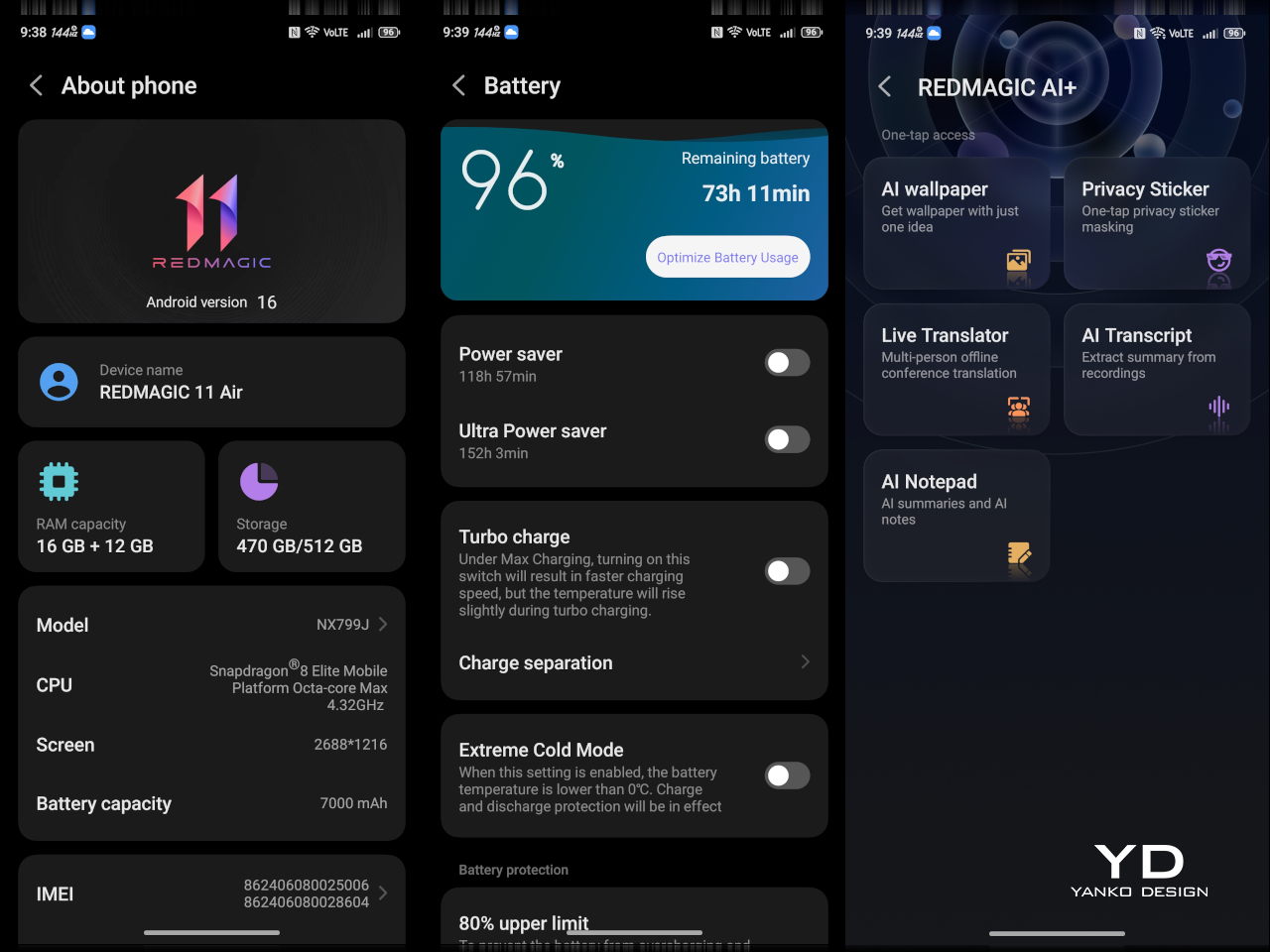
Worth noting is the absence of wireless charging. For a phone focused on performance and internal cooling, skipping wireless charging feels like a conscious choice to prioritize battery size, thermals, and layout. It is not a deal‑breaker with rapid wired charging, but it is worth keeping in mind if you are used to charging pads between sessions or overnight.

Sustainability

Durability starts with materials. The aluminum alloy frame, Gorilla Glass GG7i front, and Gorilla Glass 5 back give a solid, premium feel that should handle knocks better than plastic gaming phones. The combination of metal and tempered glass makes it feel built to survive being tossed into bags, dropped onto desks, and carried through crowds without showing age too quickly or feeling fragile.
IP54 dust and water resistance is a pragmatic compromise. For a device packed with vents, fans, and shoulder triggers, pushing water resistance higher would likely require trade‑offs in cooling capacity or thickness. The phone will survive light rain or dusty environments, but it is not meant for submersion or rough outdoor abuse, worth keeping in mind if you game near water or in harsh conditions.

Value

At launch, the REDMAGIC 11 Air starts at $499 ($529 in the US and Canada) for 12 GB + 256 GB and goes up to $599 ($629 in North America) for 16 GB + 512 GB. That puts it in upper mid‑range territory, but with hardware rivaling more expensive phones in gaming performance, especially when you factor in cooling, battery, and gaming‑specific controls that most flagships skip entirely.

Value shows up in what you get for that money. At this price, you are getting Snapdragon 8 Elite, active cooling with a 24,000 RPM fan and vapor chamber, 7,000mAh battery with 80W charging, 6.85‑inch 144Hz OLED, and 520 Hz shoulder triggers. Many similarly priced phones focus on cameras or slimness, leaving gaming performance to throttle once heat builds, so the 11 Air feels like a focused tool rather than a jack‑of‑all‑trades.

Of course, this focus narrows the audience. The transparent, RGB‑lit, cyberpunk design and heavy emphasis on Game Space features, triggers, and haptics make the 11 Air most appealing to mobile gamers. For someone who barely plays and cares more about camera versatility or minimalist aesthetics, much of what makes this device interesting will feel like overkill or actively off‑putting.
Contrasting it with the REDMAGIC 11 Pro helps clarify positioning. The Pro leans harder into showpiece territory with its visible liquid‑cooling window and heavier footprint, while the 11 Air trades some spectacle for slimness and lighter weight. For gamers who want REDMAGIC’s performance and style but prefer something easier to carry daily, the Air’s pricing and positioning make sense as a more practical but still gaming‑centric option.

Verdict

REDMAGIC 11 Air takes the brand’s familiar ingredients, transparent design, RGB accents, active cooling, shoulder triggers, and wraps them in a slimmer chassis that feels more manageable than previous monsters. It does not pretend to be a mainstream flagship, but within its lane of delivering stable high‑fps gaming and distinct visual identity, it hits targets convincingly. The flagship silicon, thermal management, and gaming controls make it hard to ignore if mobile gaming matters to you.
For people who treat mobile gaming seriously and who like the idea of a semi‑transparent, cyber‑mech slab with a fan inside more than a polished glass rectangle, REDMAGIC 11 Air makes a strong case. It will not convert everyone, and it is not trying to, but for the crowd it speaks to, it offers a rare mix of performance, personality, and practicality at a price undercutting many conventional flagships while still feeling like a purpose‑built tool.

The post REDMAGIC 11 Air Review: Fan-cooled Gaming Flagship at Just 207g, $499 first appeared on Yanko Design.


2026 iMac Pro: Why Apple is Finally Resurrecting the Ultimate All-in-One

2026 iMac Pro: Why Apple is Finally Resurrecting the Ultimate All-in-One

Apple is set to reintroduce the iMac Pro in 2026, signaling a pivotal moment in its desktop lineup. This highly anticipated release is expected to blend innovative technology with Apple’s signature design philosophy, offering a powerful solution tailored to professionals. With advancements in display technology, next-generation processors, and a refined design, the iMac Pro 2026 […]

The post 2026 iMac Pro: Why Apple is Finally Resurrecting the Ultimate All-in-One appeared first on Geeky Gadgets.

Posted in Uncategorized

Solid-State Battery or Supercapacitor, Donut Lab’s Claims Don’t Add Up

Solid-State Battery or Supercapacitor, Donut Lab’s Claims Don’t Add Up

What if the future of energy storage could be redefined in just five minutes? That’s the bold promise behind the world’s first solid-state battery unveiled by Donut Lab, a breakthrough that has sparked both excitement and skepticism across industries. Ziroth outlines how this innovation claims to deliver an extraordinary energy density of 400 Wh/kg, a […]

The post Solid-State Battery or Supercapacitor, Donut Lab’s Claims Don’t Add Up appeared first on Geeky Gadgets.

Posted in Uncategorized

Blue Origin is pausing its space tourist flights to work on lunar landers for NASA

Blue Origin plans to put a focus on the development of its human lunar capabilities, so it won’t be sending tourists to space for at least the next two years. That means we won’t be seeing any New Shepard launches for quite some time. Blue Origin is one of the companies NASA chose to develop human landing systems for its Artemis program, along with SpaceX. Specifically, it will work on landers for the Artemis III and Artemis V missions.

The company was originally contracted to build the human landing system that would transfer astronauts from NASA’s Gateway station to the moon’s South Pole region for the Artemis V mission. But last year, NASA asked Blue Origin to design an alternative lander for Artemis III after SpaceX experienced delays due to Starship’s failed tests. Artemis III is expected to be the first crewed moon landing mission of the program, and the Trump administration wants it to happen before the end of the president’s term.

New Shepard takes tourists to suborbital space, where they experience a few minutes of weightlessness before the spacecraft makes its way back to Earth. Jeff Bezos was one of the passengers on New Shepard’s first tourist flight back in 2021. Since then, it has flown and landed 37 more times and carried 98 passengers to the Karman line, including Katy Perry and William Shatner.

This article originally appeared on Engadget at https://www.engadget.com/science/space/blue-origin-is-pausing-its-space-tourist-flights-to-work-on-lunar-landers-for-nasa-143000058.html?src=rss

This Award-Winning Bookstore Looks Like a Portal to Outer Space

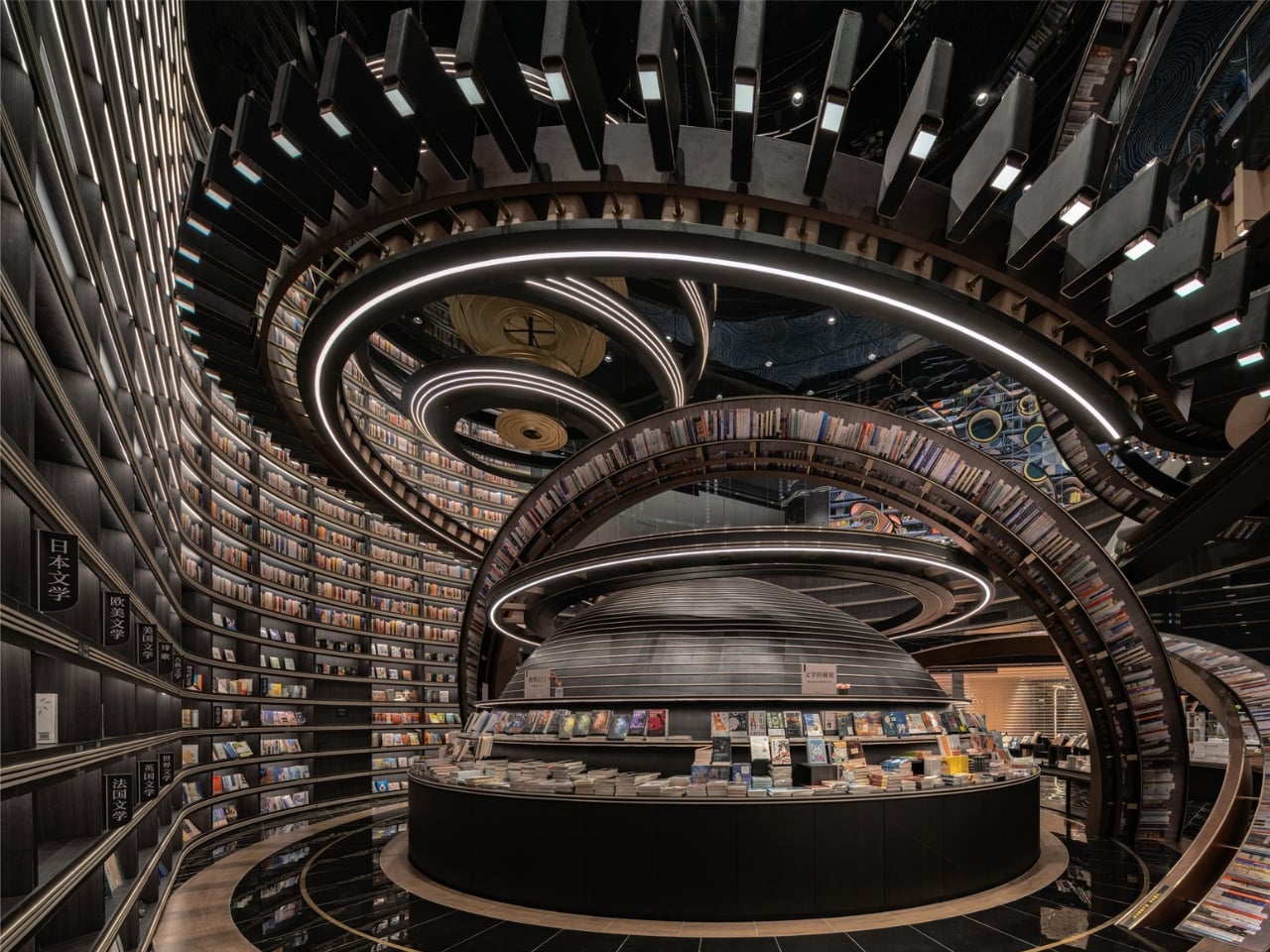
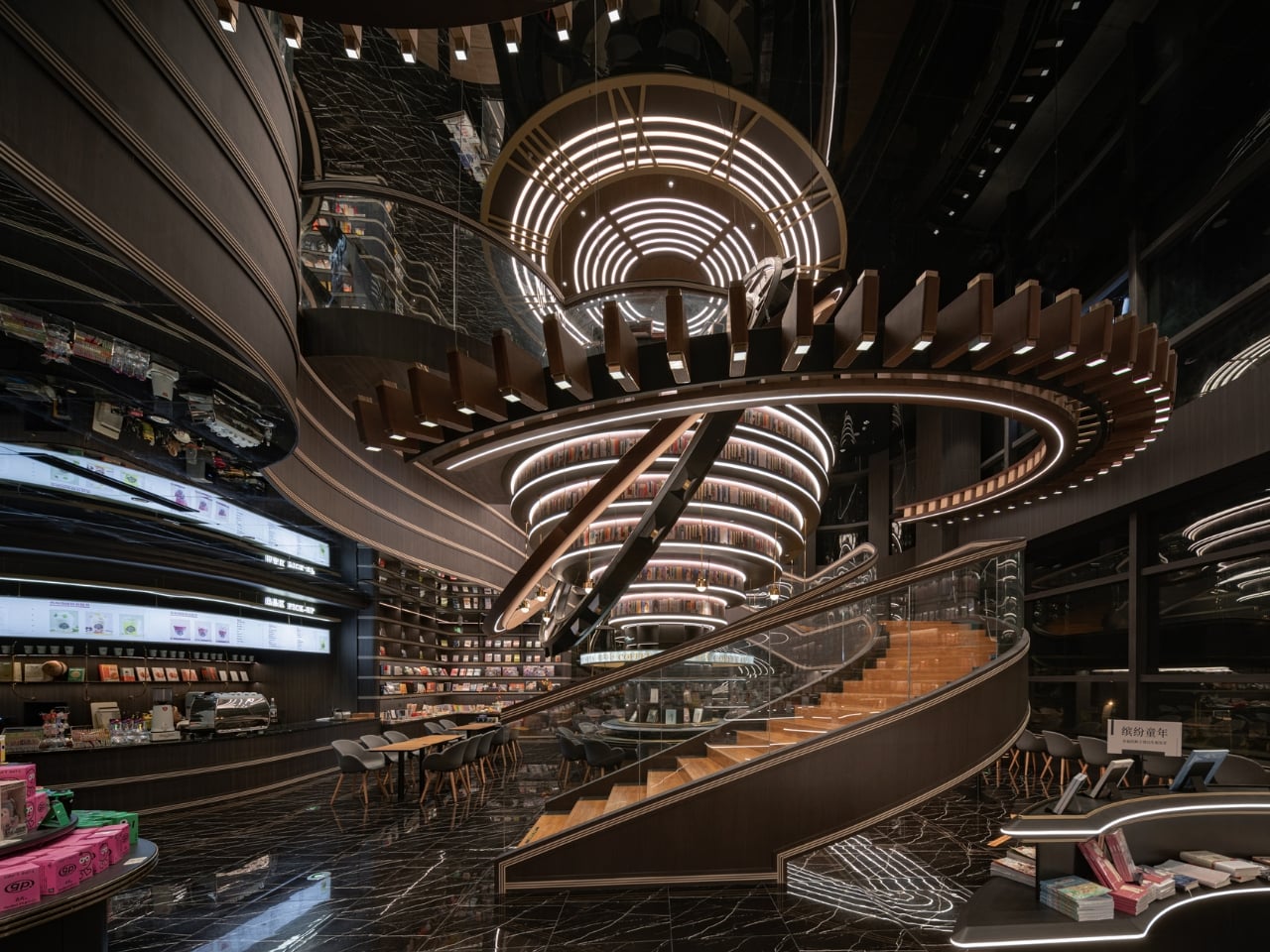
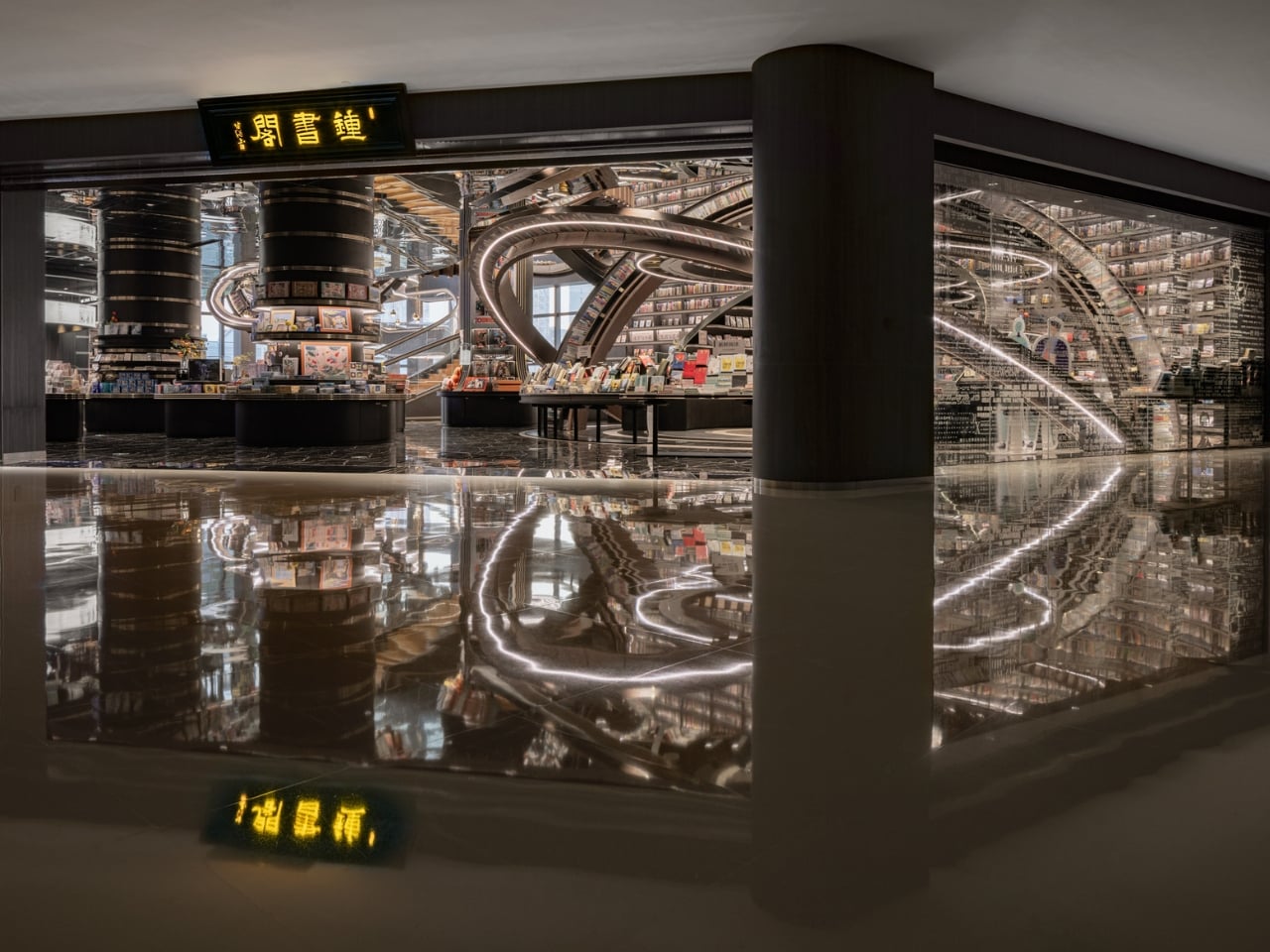
Picture walking through a bustling marketplace in China and suddenly stumbling upon what looks like a giant celestial machine that’s crashed through the ceiling. That’s exactly the vibe designer Li Xiang was going for with the Huai’an Zhongshuge Bookstore, and let me tell you, this place is absolutely wild.

Located in Jiangsu Province and completed in 2023, this isn’t your typical cozy corner bookshop with reading nooks and potted plants. Instead, Li Xiang of X+Living studio created something that feels like you’ve stepped through a portal into another dimension. The bookstore just snagged the 2025 Platinum A’ Design Award in Interior Space and Exhibition Design, which is basically the design world’s way of saying “this is incredibly special.”

Designer: Li Xiang

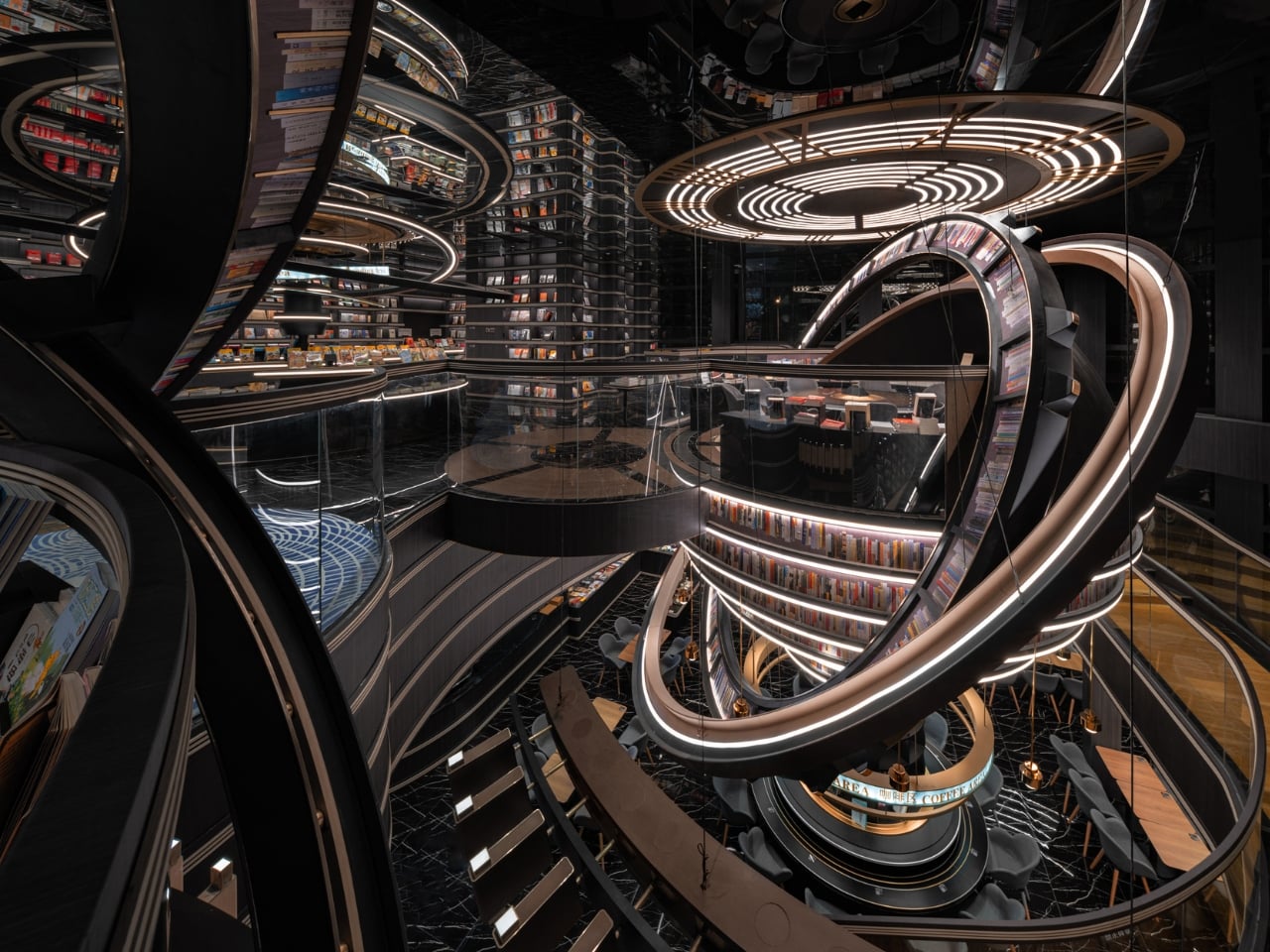
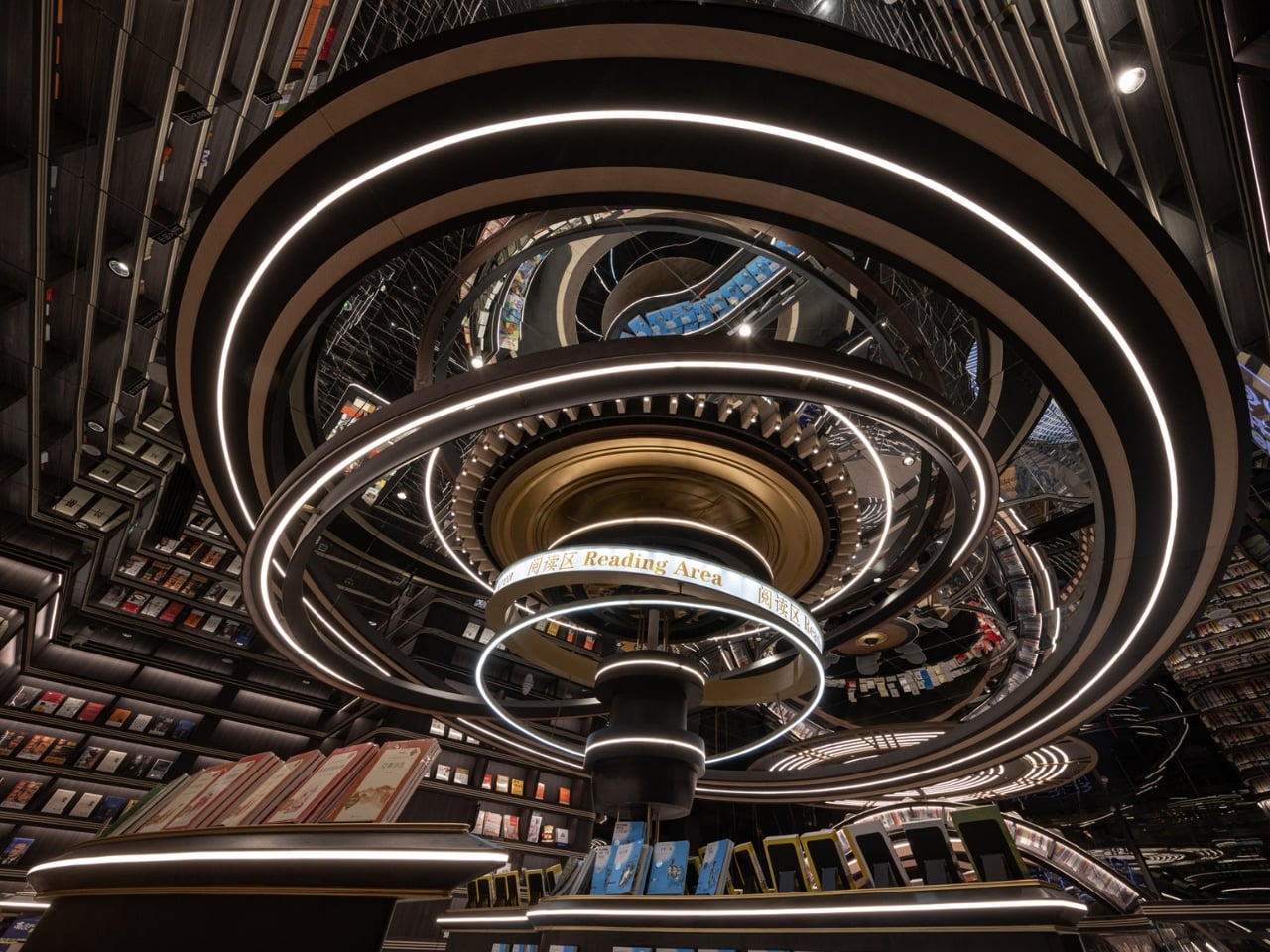
What makes this space so mind-blowing? It’s all about those massive three-dimensional structures that look like astronomical instruments floating inside the store. Imagine concentric rings and geometric forms inspired by celestial mechanics, all reimagined as bookshelves and display areas. The books themselves seem to defy gravity, positioned on these dramatic structures in ways that make you feel like you’re browsing a library floating somewhere in deep space.

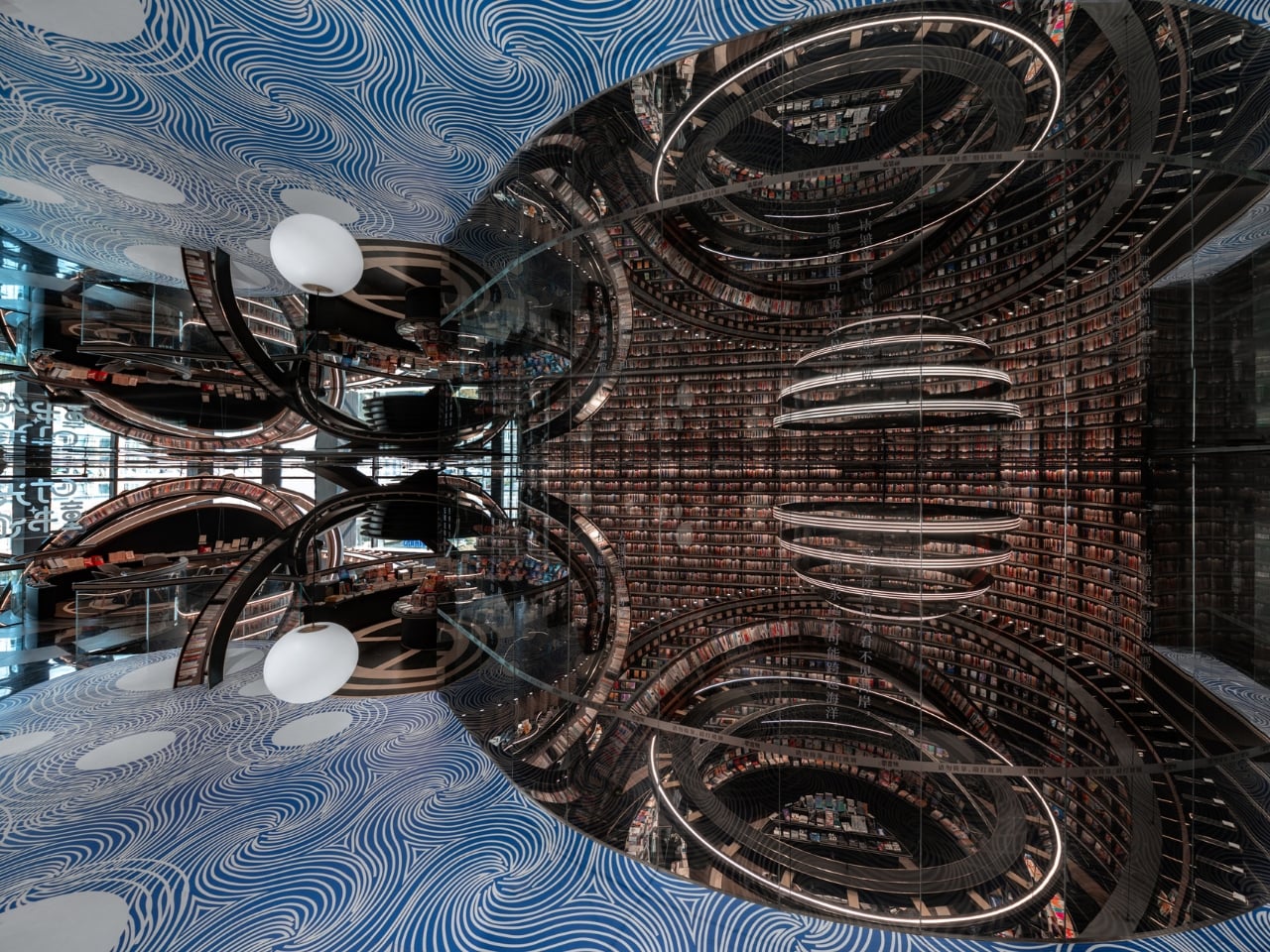
But here’s the thing that really gets me about this design. Li Xiang didn’t just want to create something that looked cool for Instagram (though it absolutely does). There’s a deeper philosophy at work here. He describes the project as tearing open a spacetime rift in the midst of everyday city life, which sounds dramatic but actually makes total sense when you think about it.

Li Xiang believes that in our fast-paced modern world, many people have lost the ability to dream. We get stuck in routines, moving through identical concrete cityscapes, dealing with the mundane realities of daily life. His idea was to create a space where people could detach from all that, even just briefly, and rediscover something more imaginative within themselves. As he puts it, the architectural space becomes an extension of dreamlike reality, a spiritual revelation suspended above the ordinary city below.

That’s pretty powerful stuff for a retail space, right? But it works because the design truly commits to the concept. Those exaggerated celestial forms aren’t just decoration. They break up the monotony of reinforced concrete and rectangular spaces that dominate urban architecture. When you’re surrounded by these cosmic structures, your brain kind of has no choice but to shift gears and enter a different mental space.

What I really appreciate is how this fits into the broader Zhongshuge philosophy. This bookstore chain follows a principle of “chain but not replicate, each store with its own cultural style.” So while there are other Zhongshuge locations across China, each one tells its own story and creates a unique experience. The Huai’an location chose to go full sci-fi spectacular, and the results speak for themselves.

From a technical standpoint, pulling this off wasn’t simple either. The project had to overcome some seriously complex spatial and structural challenges to create that feeling of cosmic vastness within what’s actually a confined retail area. Those massive rings and irregular geometric forms needed precise engineering to work safely while maintaining that surreal, gravity-defying aesthetic.

There’s something really special about seeing retail design pushed this far. We’re used to stores being functional, maybe pleasant, occasionally stylish. But Li Xiang took a different approach entirely, creating an environment that prioritizes experience and emotion over conventional retail logic. It’s architecture that values your mental space, that wants you to feel something beyond just the transaction of buying books.

If you’re someone who gets excited about the intersection of design, technology, and culture, this bookstore represents something important. It shows us that commercial spaces don’t have to be boring or predictable. They can be destinations, experiences, even forms of art that make us think differently about the everyday spaces we move through. And maybe, just maybe, they can help us remember how to dream a little.

The post This Award-Winning Bookstore Looks Like a Portal to Outer Space first appeared on Yanko Design.

iOS 26.3: The Hidden Features You Can’t Afford to Miss

iOS 26.3: The Hidden Features You Can’t Afford to Miss

Apple has officially released the third beta of iOS 26.3, marking a pivotal step toward the public rollout of this update. Packed with a range of enhancements, iOS 26.3 focuses on key areas such as privacy, hardware compatibility, user interface improvements, and performance optimization. With the release candidate anticipated in early February, this update promises […]

The post iOS 26.3: The Hidden Features You Can’t Afford to Miss appeared first on Geeky Gadgets.

Posted in Uncategorized

Chrome with Gemini Now Handles Forms, Plans Trips, and Navigates Apps While You Focus

Chrome with Gemini Now Handles Forms, Plans Trips, and Navigates Apps While You Focus

What if your browser could think, act, and work like a personal assistant, automating tasks you didn’t even know could be simplified? Google’s Gemini 3 AI integration in Chrome is turning this vision into reality. In this guide, World of AI explains how this innovative “Agentic AI” transforms Chrome into a powerhouse of automation and […]

The post Chrome with Gemini Now Handles Forms, Plans Trips, and Navigates Apps While You Focus appeared first on Geeky Gadgets.

Posted in Uncategorized

How to turn on hypertension alerts on Apple Watch

Apple has steadily expanded the Apple Watch’s health monitoring features over the years, moving beyond fitness tracking into areas that can offer early insight into potential medical concerns. One of the most recent additions is hypertension alerts, which are designed to notify users when their blood pressure trends are elevated over time. While Apple Watches cannot directly measure blood pressure, this feature can still play a useful role in highlighting patterns that may be worth discussing with your doctor. Here, we’ll explain what hypertension alerts do, how they work and how to enable and manage them on the Apple Watch.

Hypertension alerts are designed to identify long-term trends that may indicate elevated blood pressure. Instead of relying on a traditional cuff measurement, the Apple Watch analyzes a combination of health data collected over a 30-day period, including heart rate, movement patterns and other contextual information stored in the Health app. Using this data, the system looks for sustained changes that align with patterns commonly associated with hypertension.

If your Apple Watch detects a trend suggesting elevated blood pressure over an extended period, it’ll send you a notification. These alerts are not intended to diagnose hypertension or replace medical testing. Instead, they serve as an early signal that something may have changed and that you may want to seek further monitoring or professional advice.

Apple emphasizes that hypertension alerts are designed for users who have not already been diagnosed with high blood pressure. Instead, they are meant to raise awareness rather than confirm a condition.

Hypertension alerts require a compatible Apple Watch model (Apple Watch Series 9 or later, or Apple Watch Ultra 2 or later) paired with a supported iPhone (iPhone 11 or later). The feature also depends on recent versions of watchOS and iOS, as it relies on updated health algorithms and background data analysis. To use hypertension alerts you must be 22 years of age or older, not be pregnant and not have been diagnosed with hypertension. You also need to ensure that your Apple Watch’s Wrist Detection feature is turned on.  

To receive meaningful alerts, your Apple Watch needs sufficient data. This means wearing the watch regularly, including during sleep if sleep tracking is enabled, and keeping health details such as age, sex, height and weight up-to-date in the Health app. The system uses long-term trends, so alerts will not appear immediately after enabling the feature.

Hypertension alerts are managed through the Health app on the paired iPhone. The feature cannot be enabled directly from the watch itself. During setup, the Health app will ask for confirmation that the user has not been diagnosed with hypertension. It may also prompt a review of health details such as date of birth and biological sex, as this information helps improve the accuracy of trend analysis.

To get started, open the Health app on the iPhone paired with the Apple Watch. From the main Health screen, tap your profile in the top corner. Select Health Checklist from the available Features. Next, you’ll need to tap Hypertension Notifications, confirm your age and whether or not you’ve ever been diagnosed with hypertension. Tap Continue and follow the on-screen prompts for information on how the notifications work. Once you have done this, tap Done and you’ll be all set. 

Once enabled, the feature runs automatically in the background. There is no need to manually start monitoring or interact with the feature daily.

The new apple watch series 11 can help identify hypertension
Apple

When hypertension alerts are turned on, notifications appear on both the Apple Watch and the paired iPhone. These alerts typically explain that a long-term trend suggesting elevated blood pressure has been detected, along with guidance on next steps.

Users can manage how and when these notifications appear by adjusting notification settings for the Health app. This includes choosing whether alerts appear on the lock screen, in Notification Center or as time-sensitive notifications on Apple Watch.

Health data related to hypertension alerts can be reviewed at any time in the Health app. While Apple Watch does not display a specific blood pressure number, users can view contextual information and educational material explaining what the alert means and what actions may be appropriate.

Hypertension often develops gradually and may not cause noticeable symptoms in its early stages. Because of this, many people are unaware of elevated blood pressure until it is identified during a routine medical check.

Hypertension alerts can let you know of subtle changes that might have otherwise gone unnoticed. For some users, an alert may prompt earlier conversations with a doctor, additional blood pressure monitoring at home or lifestyle changes such as adjustments to diet, activity or sleep habits.

It is important to treat these notifications as informational rather than diagnostic. Apple Watch does not provide specific blood pressure readings and cannot confirm hypertension on its own.

Receiving a hypertension alert does not mean that there is an immediate medical emergency. Apple recommends using the alert as a prompt to pay closer attention to your cardiovascular health.

Many users choose to follow up by measuring blood pressure using a traditional cuff at home or by scheduling a check with a healthcare professional. A doctor can provide proper testing, diagnosis and guidance based on clinical measurements and individual risk factors.

It is also worth reviewing lifestyle factors that can influence blood pressure, such as physical activity levels, sleep quality, stress and diet. Apple Watch can already help track many of these areas, which may provide useful context when discussing health concerns with a professional.

Hypertension alerts are not available in all regions and may be subject to regulatory approval. The feature also requires consistent Apple Watch use over time to generate reliable trend data.

Most importantly, the Apple Watch does not measure blood pressure directly. The alerts are based on correlations and trends rather than direct readings, which means they should not be used as a substitute for medical equipment or professional care.

This article originally appeared on Engadget at https://www.engadget.com/wearables/how-to-turn-on-hypertension-alerts-on-apple-watch-130000090.html?src=rss

5 Best Gaming Concepts To Revolutionize Gaming In 2026

Gaming hardware has reached an inflection point where pure performance no longer separates the exceptional from the ordinary. Today’s players demand experiences that merge technical capability with thoughtful design, creating tools that feel intuitive, personal, and genuinely innovative. The concepts emerging from design studios around the world reflect this shift, prioritizing clever form factors, sustainable interaction models, and aesthetics that challenge gaming’s aggressive visual language.

These five gaming concepts push beyond incremental improvements to reimagine how we hold, power, display, and interact with gaming hardware. From ultra-compact controllers that defy ergonomic conventions to coin-operated mechanics that transform strategy itself, each design addresses real friction points while offering fresh perspectives on what gaming equipment can become when liberated from market expectations.

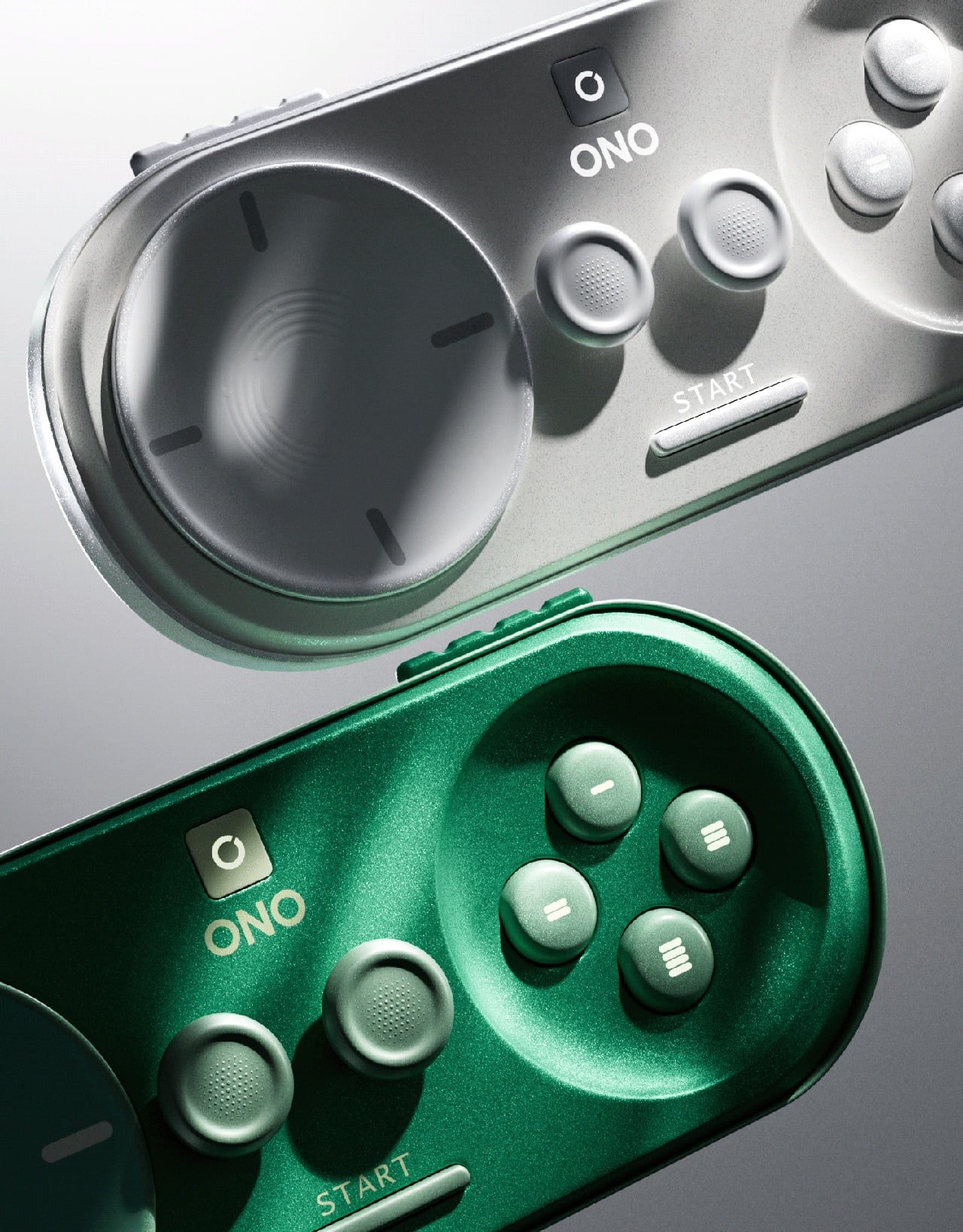
1. ONO Compact Controller

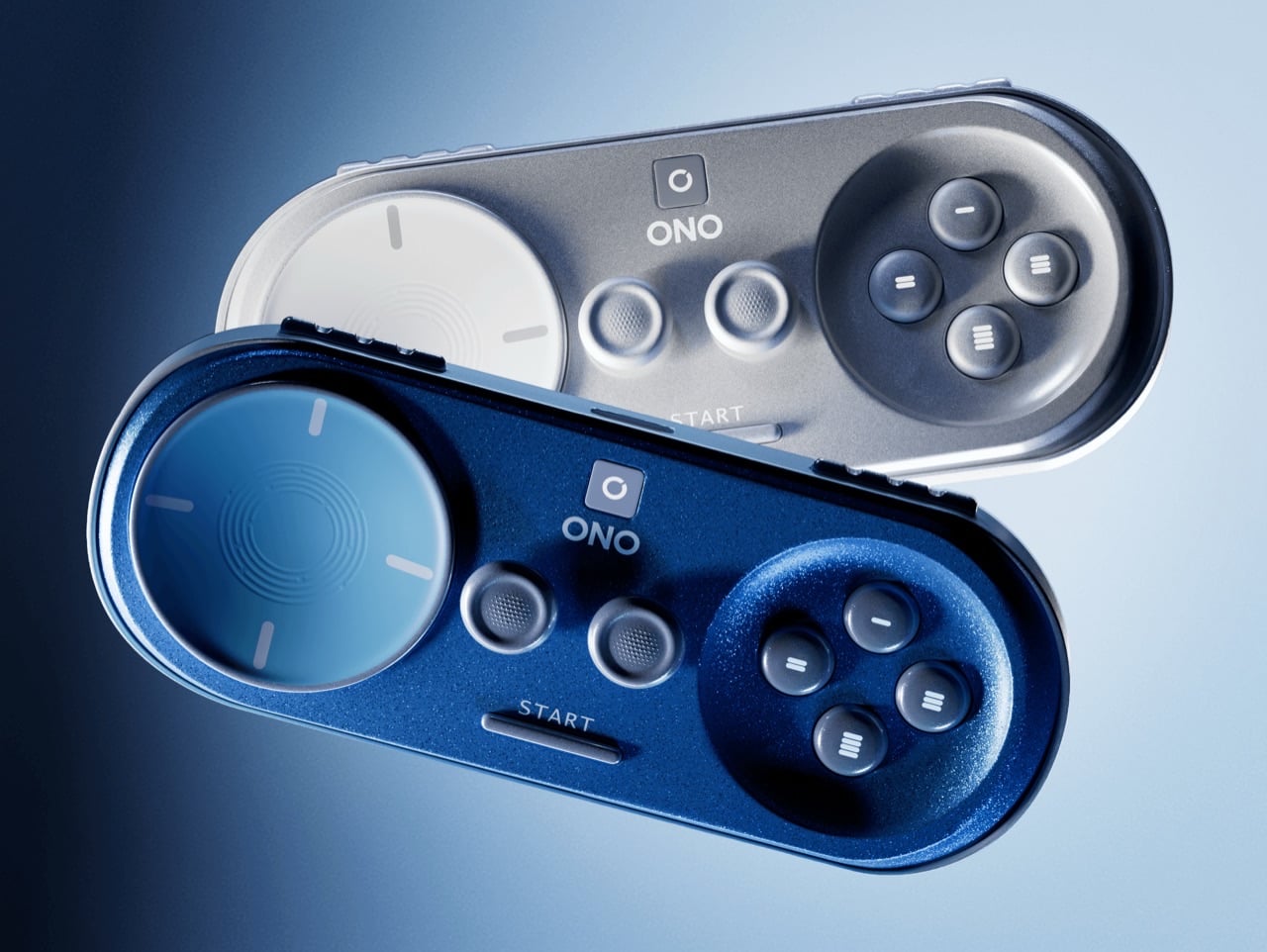
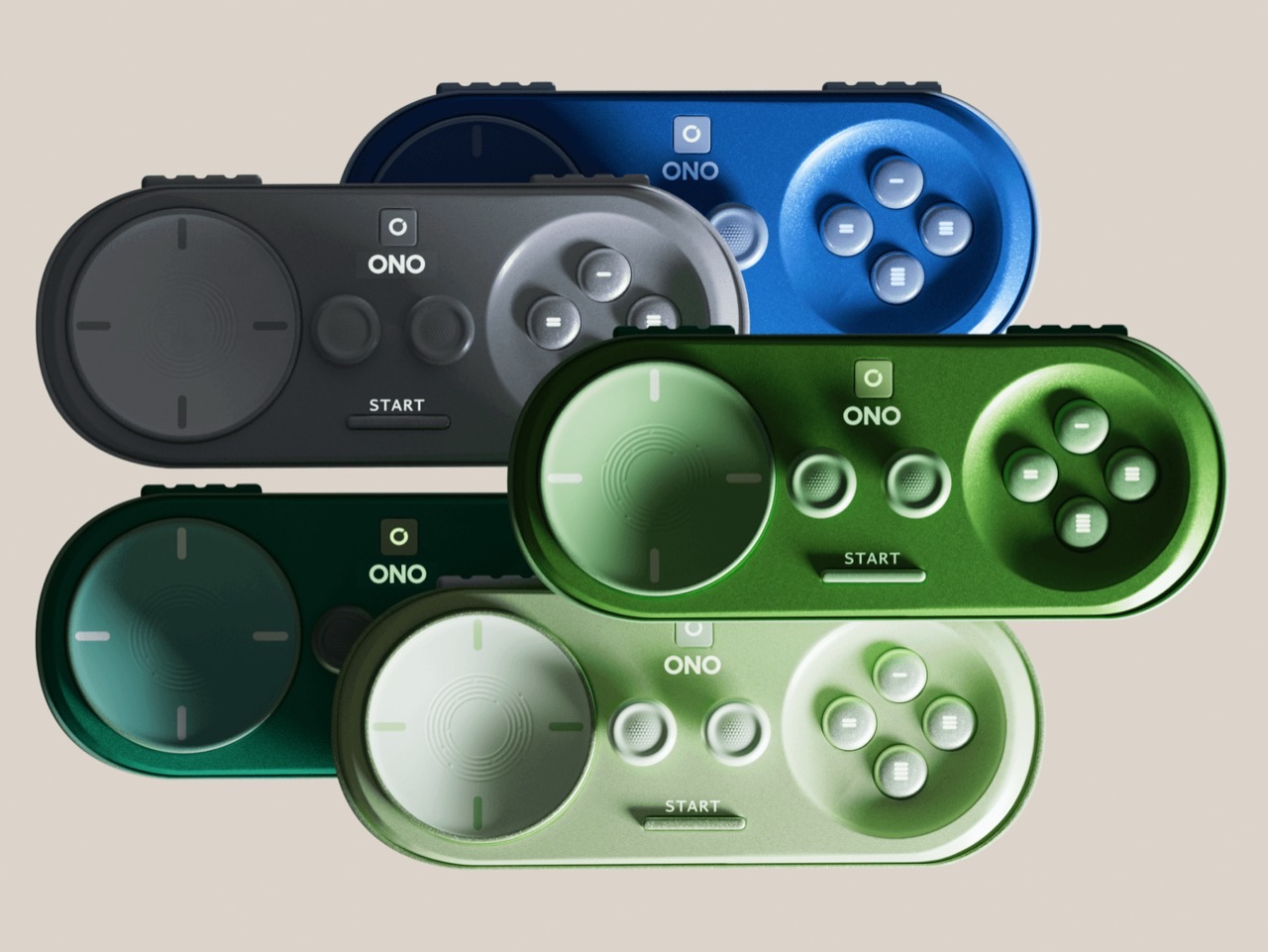
The gaming controller has ballooned in size over successive console generations, growing ever more complex with paddle buttons, touchpads, and haptic motors layered beneath increasingly aggressive shell designs. Alban Contrepois challenges this evolution with the ONO, a capsule-shaped controller that condenses every essential input into a device barely larger than a smartphone. The design philosophy centers on radical simplification without functional sacrifice, proving that ergonomics need not require bulk when the fundamentals are properly considered.

What makes the ONO particularly compelling is its platform-agnostic approach to button labeling and connectivity. Rather than PlayStation symbols or Xbox letters, the action buttons feature abstract geometric shapes, allowing the controller to work seamlessly across mobile, console, and cloud gaming platforms without visual confusion. The rounded capsule form sits naturally in palms without requiring the exaggerated wing grips found on conventional controllers, while dual analog sticks and shoulder buttons maintain full modern functionality. Contrepois even offers the 3D files freely, inviting makers to fabricate their own working prototypes and experiment with personal modifications.

What We Like

  • Genuinely pocket-portable form factor solves real mobility challenges for travelers and commuters
  • Platform-neutral button design eliminates ecosystem lock-in and branding conflicts
  • Free 3D files democratize access and encourage community iteration
  • Minimalist aesthetic appeals to players seeking less visually aggressive hardware

What We Dislike

  • Compact size may create hand cramping during extended gaming sessions
  • Lack of haptic feedback or adaptive triggers limits next-generation console compatibility

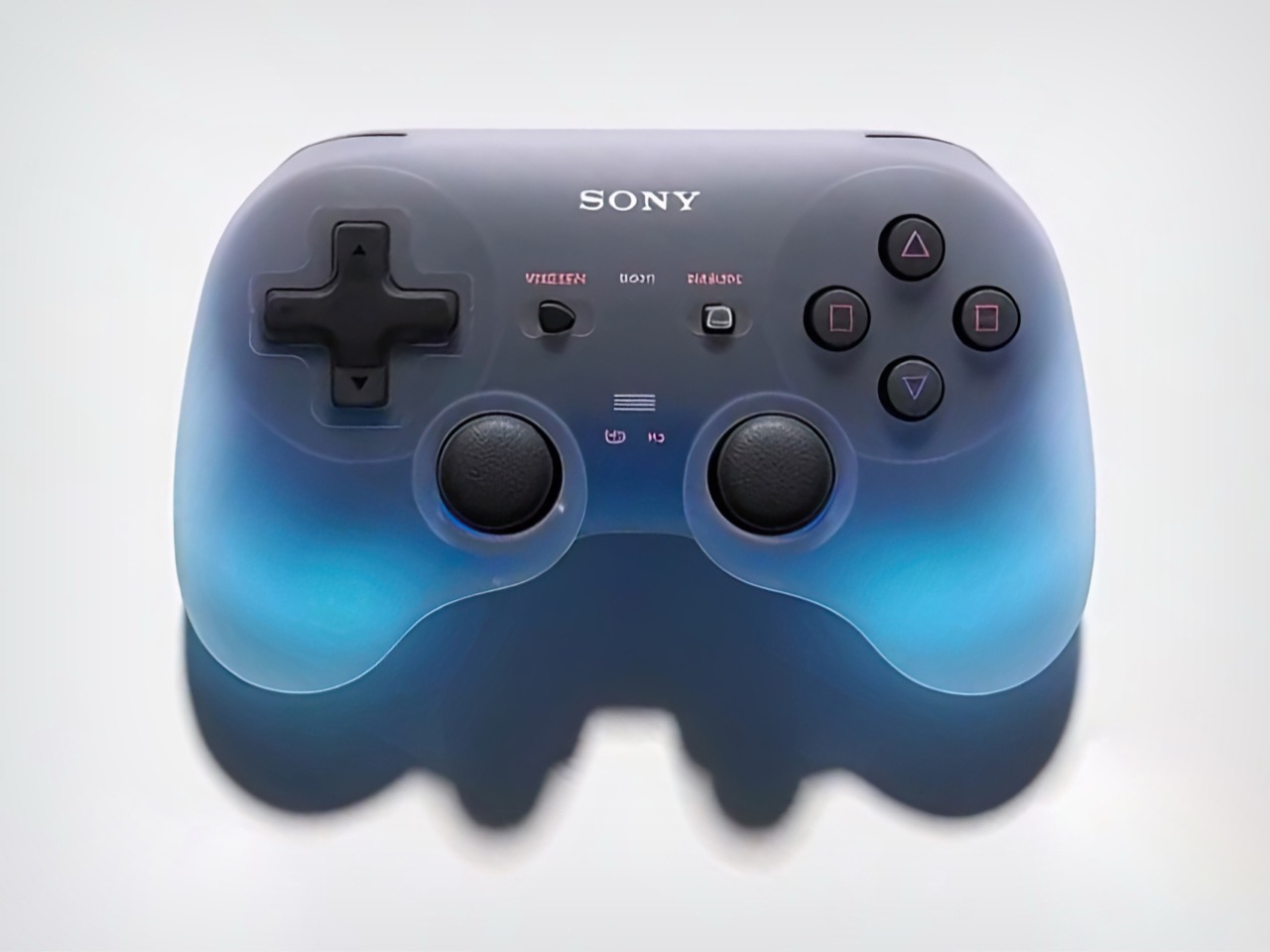
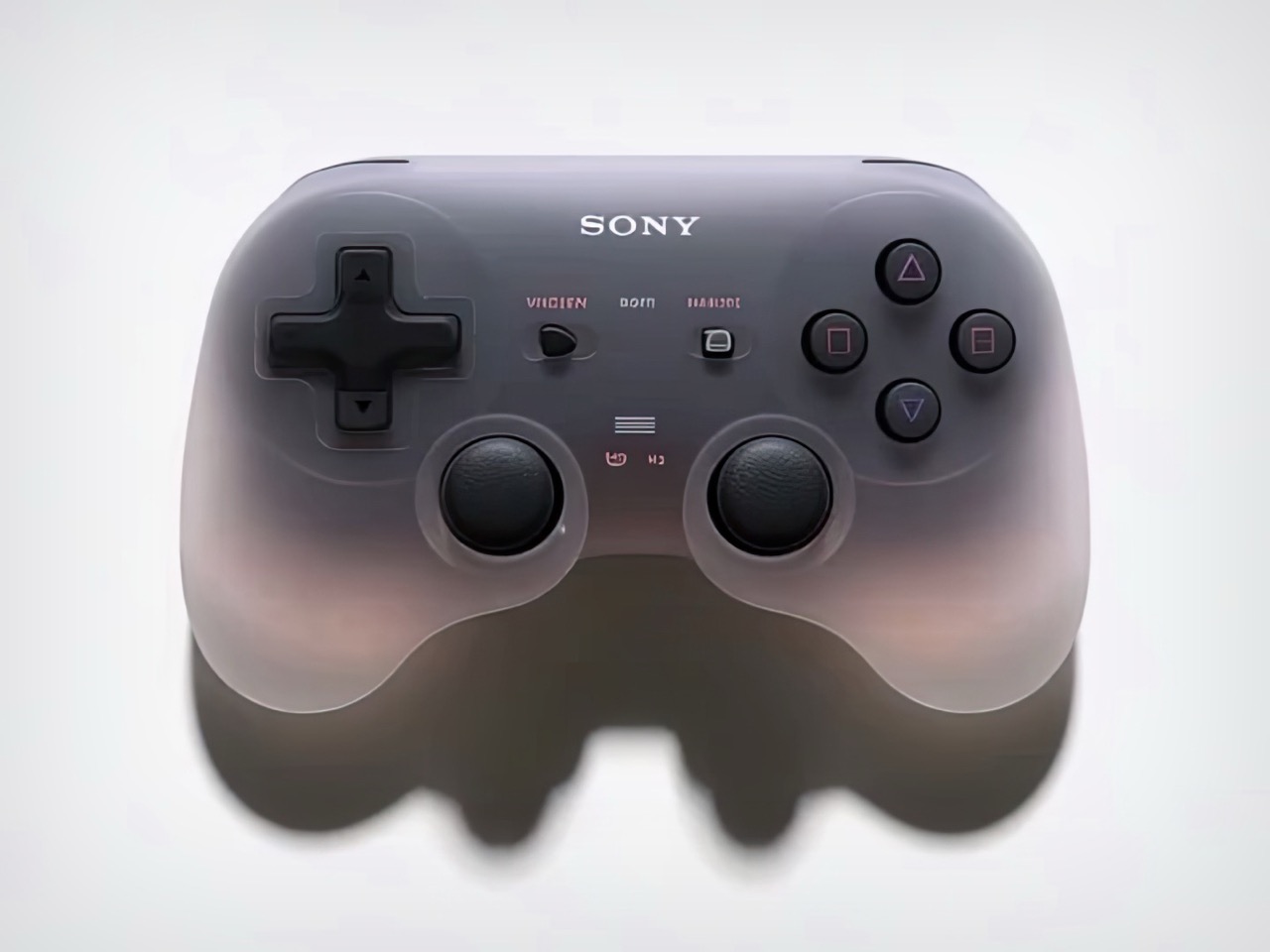
2. Goo-Inspired Sony Controller Concept

Gaming peripherals have long treated controllers as utilitarian plastic shells, functional objects devoid of personality or emotional resonance. This translucent controller concept rejects that paradigm entirely, transforming the gaming peripheral into a living entity that breathes alongside your gameplay. The bulbous form draws inspiration from the Switch Pro controller’s compact proportions while introducing cloudy black plastic construction that appears deceptively ordinary in its dormant state. Power activation unlocks the controller’s true character as mesmerizing internal illumination floods through the translucent shell.

The controller’s arms pulse rhythmically like breathing lungs, creating an organic connection between player and hardware that traditional rumble motors can only hint at. This breathing illumination responds dynamically to gameplay, intensifying during combat sequences and softening during exploration moments. The translucent construction allows internal LED arrays to project mood-responsive visuals that serve as ambient feedback, communicating game states through color shifts and pulsation patterns. The design treats controllers as character-driven accessories rather than sterile tools, acknowledging that gaming hardware can enhance immersion through visual poetry as effectively as through haptic precision.

What We Like

  • Breathing illumination patterns create an organic emotional connection between the player and the hardware
  • Cloudy translucent construction offers visual intrigue without an aggressive gamer aesthetic
  • Mood-responsive lighting provides ambient gameplay feedback beyond traditional rumble
  • Compact bulbous ergonomics maintain comfort during marathon gaming sessions

What We Dislike

  • Continuous lighting effects may prove distracting during competitive gameplay, requiring total focus
  • Translucent materials reveal fingerprints, smudges, and internal dust accumulation over time

3. Braun-Inspired Minimalist Controller

Gaming controllers have descended into a visual arms race where aggressive angles, neon lighting, and textured grips compete for shelf presence in increasingly chaotic ways. Mark Moes’s Braun-inspired controller concept offers a deliberate counterpoint, channeling Dieter Rams’ “less but better” philosophy into a design that prioritizes calm functionality over visual stimulation. The result feels refreshingly restrained in a market drowning in aesthetic noise.

The controller’s soft rectangular form features gentle curves and a balanced symmetry that prioritizes long-session comfort without resorting to exaggerated ergonomic flourishes. A matte finish in off-white, gray, and black creates visual breathing room, while subtle orange accents on key buttons provide functional highlights without devolving into RGB chaos. The design strips away the threatening visual language that dominates contemporary gaming hardware, instead offering an aesthetic that could comfortably sit on a minimalist desk alongside Braun audio equipment or carefully chosen office accessories.

What We Like

  • Minimalist aesthetic creates a calming alternative to gaming’s visual aggression
  • Thoughtful color choices and material finishes demonstrate timeless design principles
  • Design proves gaming hardware can achieve sophistication without sacrificing functionality
  • Subtle orange accents provide necessary visual guidance without overwhelming the composition

What We Dislike

  • Understated design may lack shelf presence in retail environments dominated by flashy competitors
  • Premium materials and finishes could drive manufacturing costs beyond mass-market viability

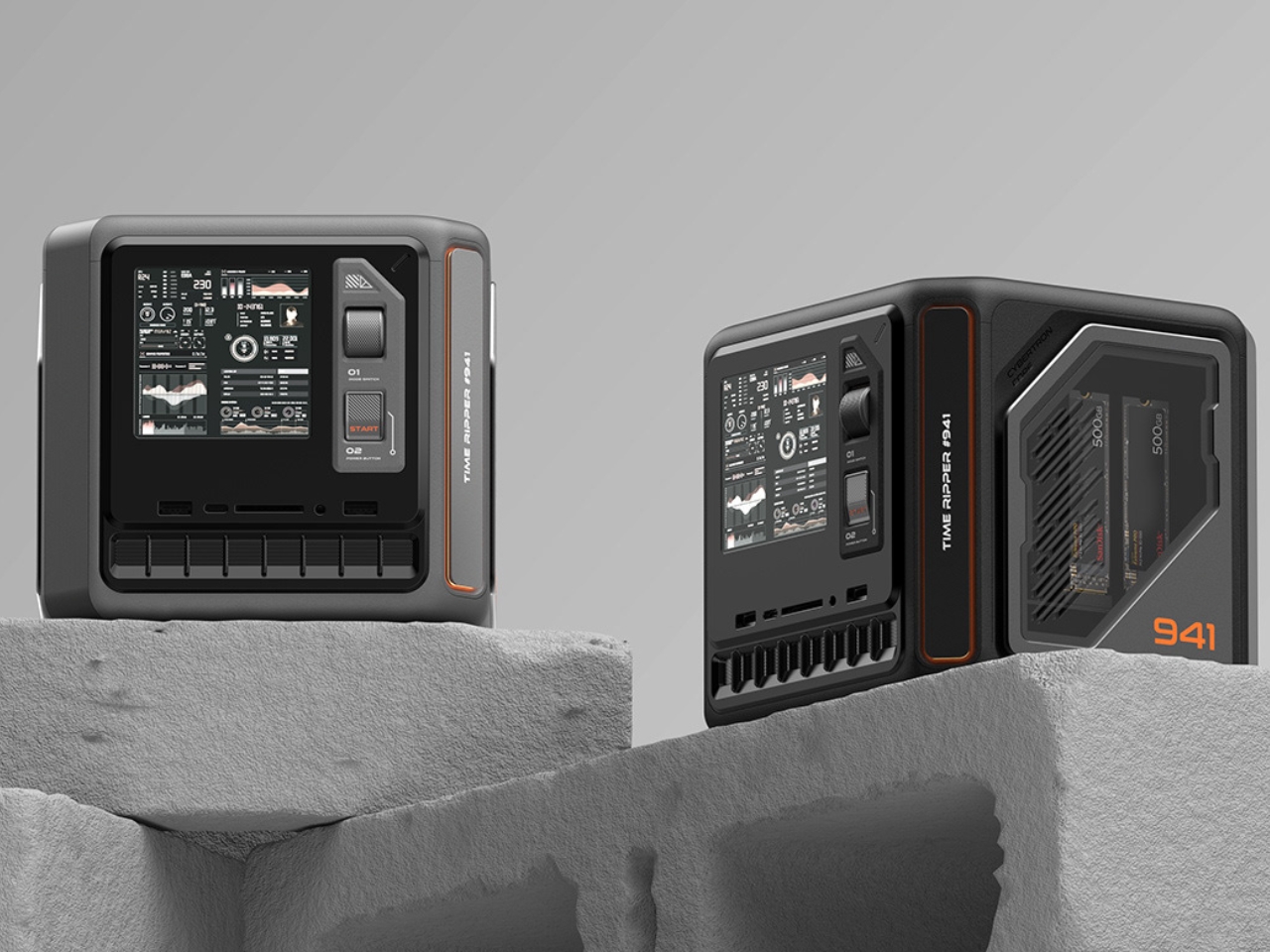
4. X-Cube Gaming Mini PC

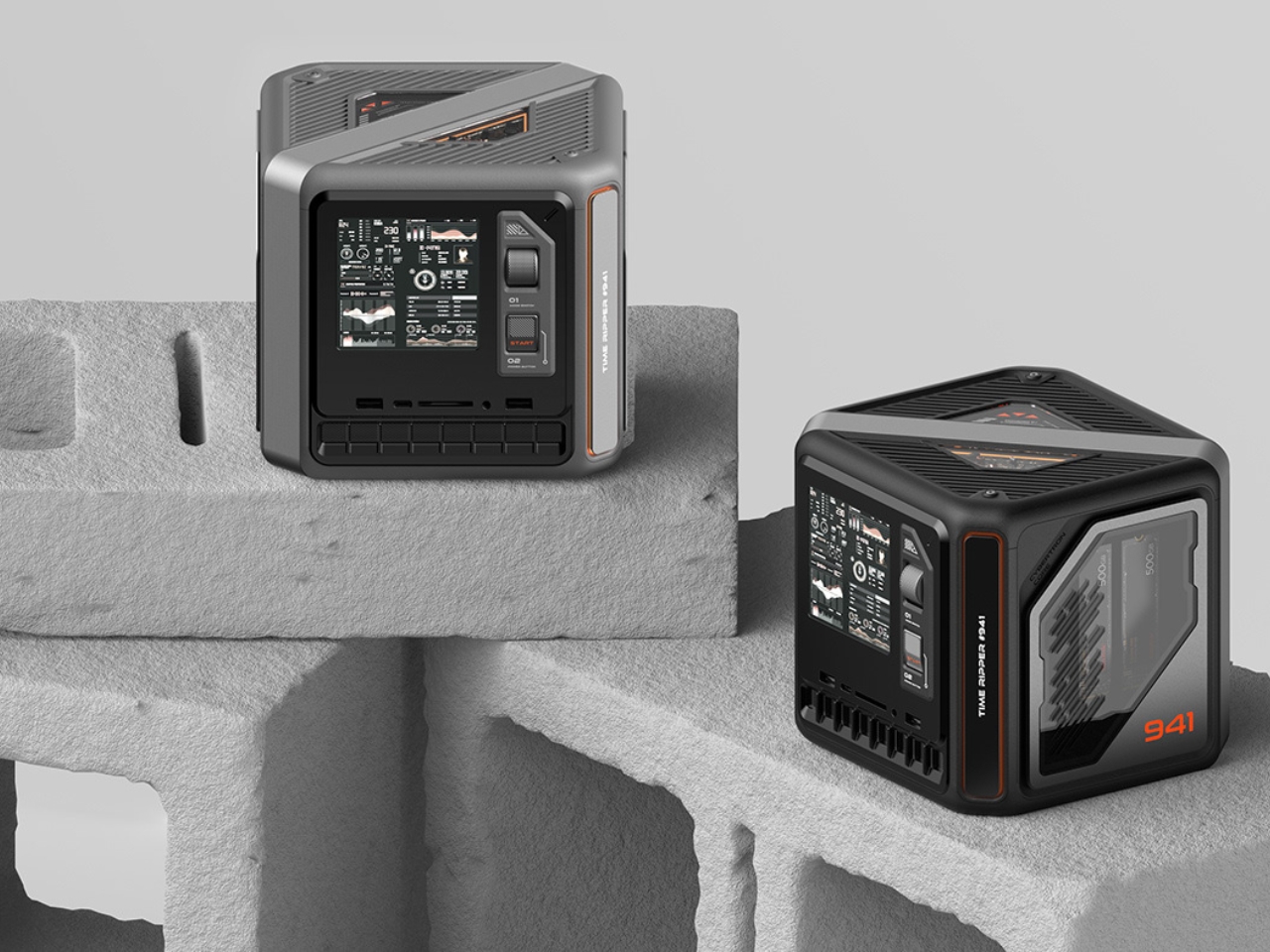
The gaming PC market has polarized into either massive RGB-laden towers or anonymous black boxes that hide their capabilities behind conservative shells. KiwiDesign’s X-Cube Gaming Mini PC embraces a third path with its cyberpunk-inspired aesthetic that treats internal components as design features rather than elements to conceal. Equipped with an Intel 14-core i9 processor and NVIDIA 4060 GPU, the X-Cube delivers flagship AAA gaming performance wrapped in a form factor that celebrates technical complexity rather than minimizing it.

The cubic design showcases internal components through transparent panels that transform technical infrastructure into a visual spectacle, creating an industrial aesthetic that aligns with cyberpunk’s machine-worship sensibility. A 4-inch front-mounted display provides real-time performance monitoring while offering customizable interface options for personalization. Multi-faceted air intake grilles ensure adequate thermal management during demanding gaming sessions while reinforcing the mechanical design language. The X-Cube targets enthusiasts who view their gaming hardware as centerpiece objects deserving architectural prominence rather than discrete appliances hidden beneath desks.

What We Like

  • Transparent design celebrates technical components as aesthetic features worth displaying
  • The integrated performance monitoring screen provides useful real-time system information
  • Compact mini PC form factor delivers flagship performance without requiring massive tower footprints
  • Cyberpunk aesthetic offers clear differentiation in a homogenized mini PC market

What We Dislike

  • Transparent components showcase dust accumulation and cable management challenges
  • Bold aesthetic may alienate players preferring understated hardware that blends into living spaces

5. CoinPlay Handheld Console

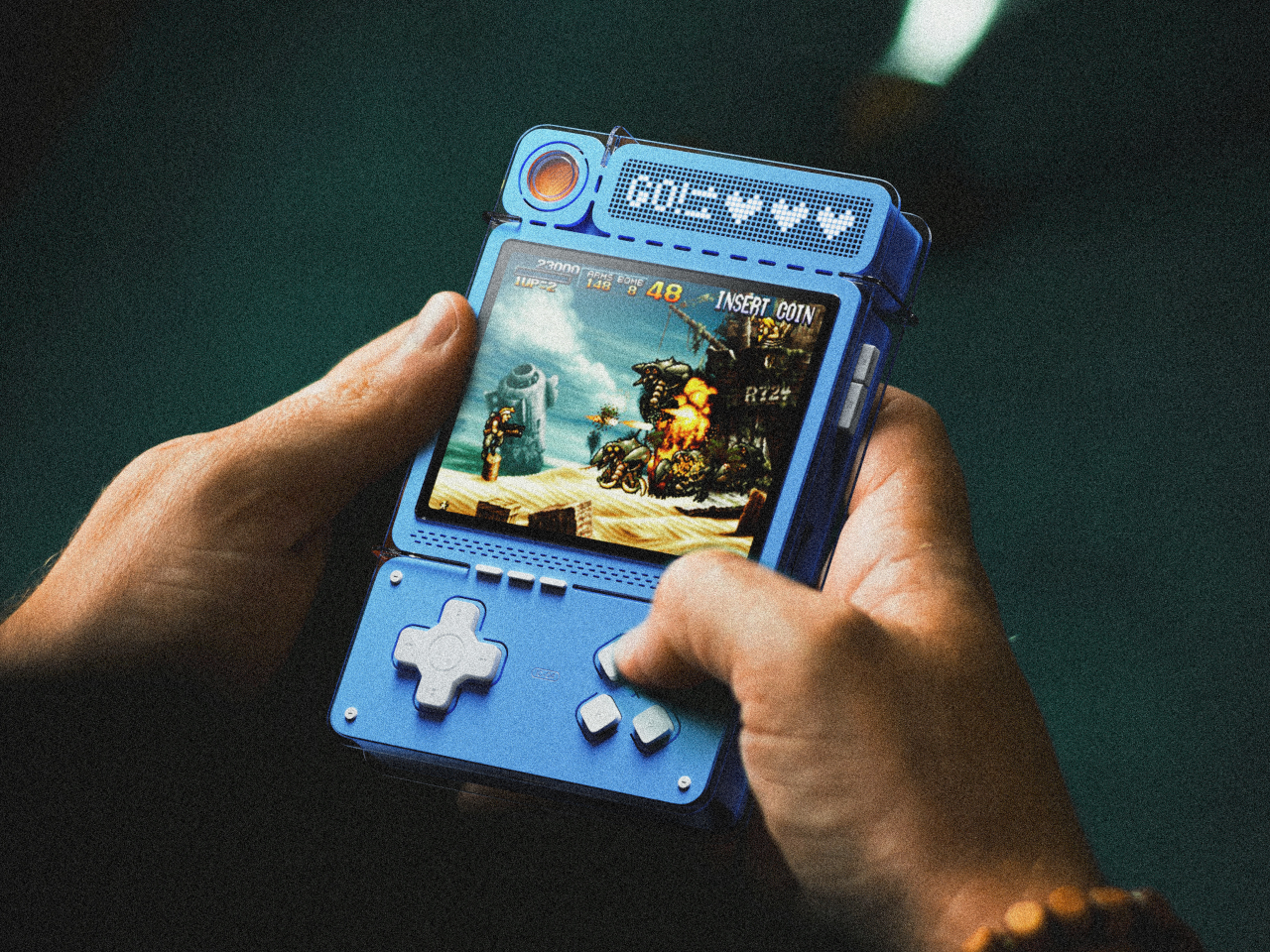
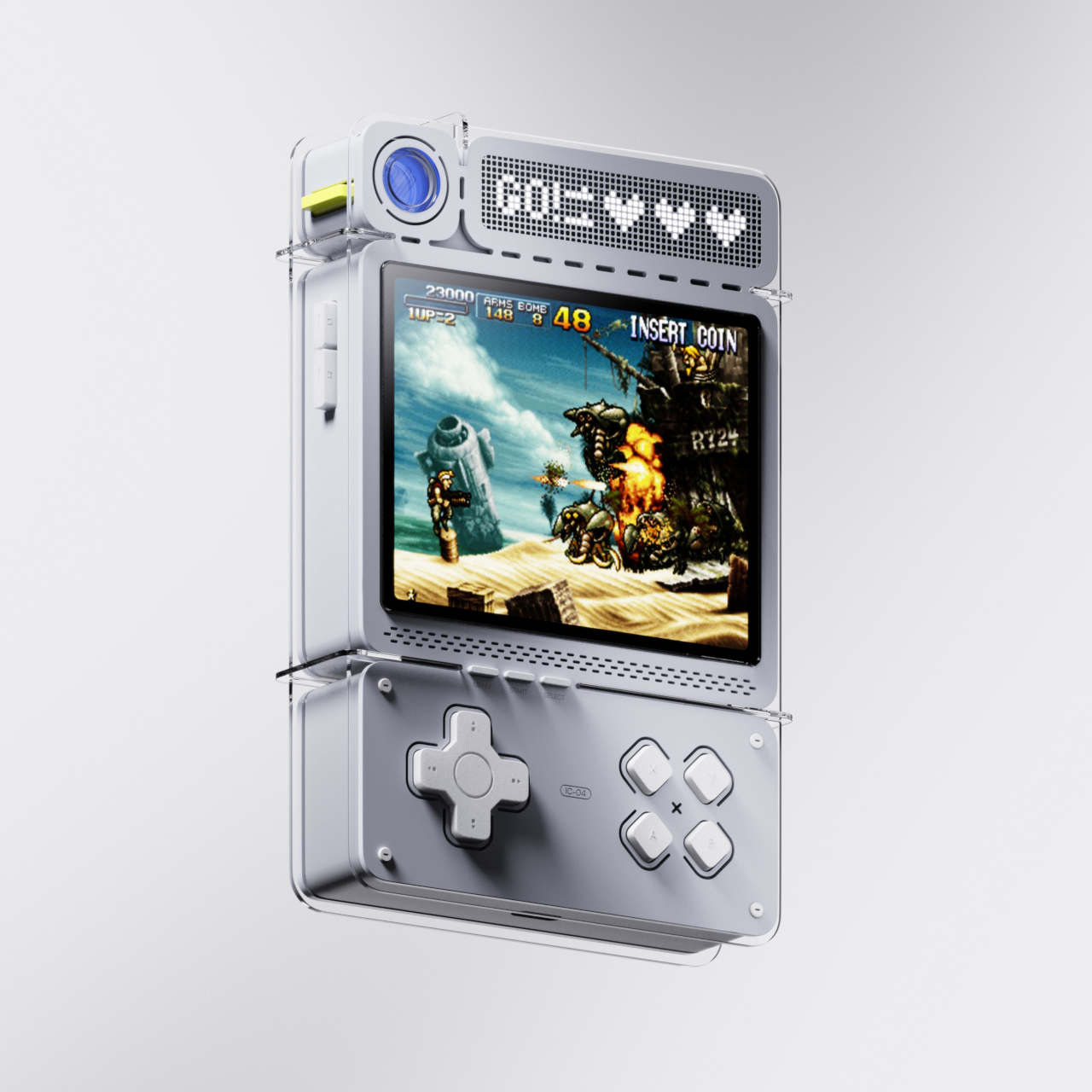
Retro gaming handhelds typically rely on nostalgia as their primary selling proposition, recreating classic form factors without reimagining the interaction model itself. The CoinPlay concept disrupts this pattern by incorporating coin-operated mechanics directly into gameplay, transforming limited-use power-ups into physical objects that demand strategic consideration. Rather than endless continues and infinite lives, CoinPlay restricts powerful abilities to physical coins that must be carefully deployed at crucial moments.

The handheld features a top-mounted coin slot that accepts special power-up tokens in different colors, each providing distinct in-game advantages. Blue coins might restore health or grant extra lives, while red tokens could unlock weapons or essential items. Orange coins might boost attack power or strengthen defenses. The physical limitation creates genuine strategic tension absent from conventional handheld gaming, forcing players to weigh when deploying their finite resources will provide maximum advantage. The design evokes Game Boy DMG proportions with standard D-pad, face buttons, and shoulder controls, ensuring compatibility with classic arcade-style titles where strategic power-up deployment feels most natural.

What We Like

  • Coin-operated mechanic creates genuine strategic depth through resource scarcity
  • Physical power-up tokens provide tactile interaction missing from digital-only interfaces
  • Design successfully modernizes arcade coin-op nostalgia without requiring actual payment
  • Limited resources encourage thoughtful gameplay rather than brute-force repetition

What We Dislike

  • Physical coin requirement creates potential loss and replacement headaches
  • The chunky form factor may prove uncomfortable during extended gaming sessions

Looking Forward

These five concepts share a common thread beyond their innovative approaches to gaming hardware. Each design challenges assumptions about what gaming equipment must look like, how it should function, and who it serves. The ONO proves that portability need not sacrifice functionality. The Nintendo Switcher demonstrates that gaming design language can transcend its category. Mark Moes’ minimalist controller shows restraint as a viable alternative to visual aggression. The X-Cube celebrates technical complexity as an aesthetic virtue. And CoinPlay reimagines digital scarcity through physical objects.

What makes these concepts particularly valuable is their willingness to question established patterns rather than simply iterating on existing templates. As gaming continues expanding beyond traditional demographics and use cases, hardware design must evolve to serve increasingly diverse needs and aesthetic preferences. These concepts point toward futures where gaming equipment embraces portability, sustainability, sophistication, transparency, and strategic physicality as core values worth pursuing.

The post 5 Best Gaming Concepts To Revolutionize Gaming In 2026 first appeared on Yanko Design.