
Final Fantasy VII Revelation launches on April 8, 2027
Final Fantasy VII Revelation is the third in a trilogy of remakes that each cover a portion of the original PS1 game.

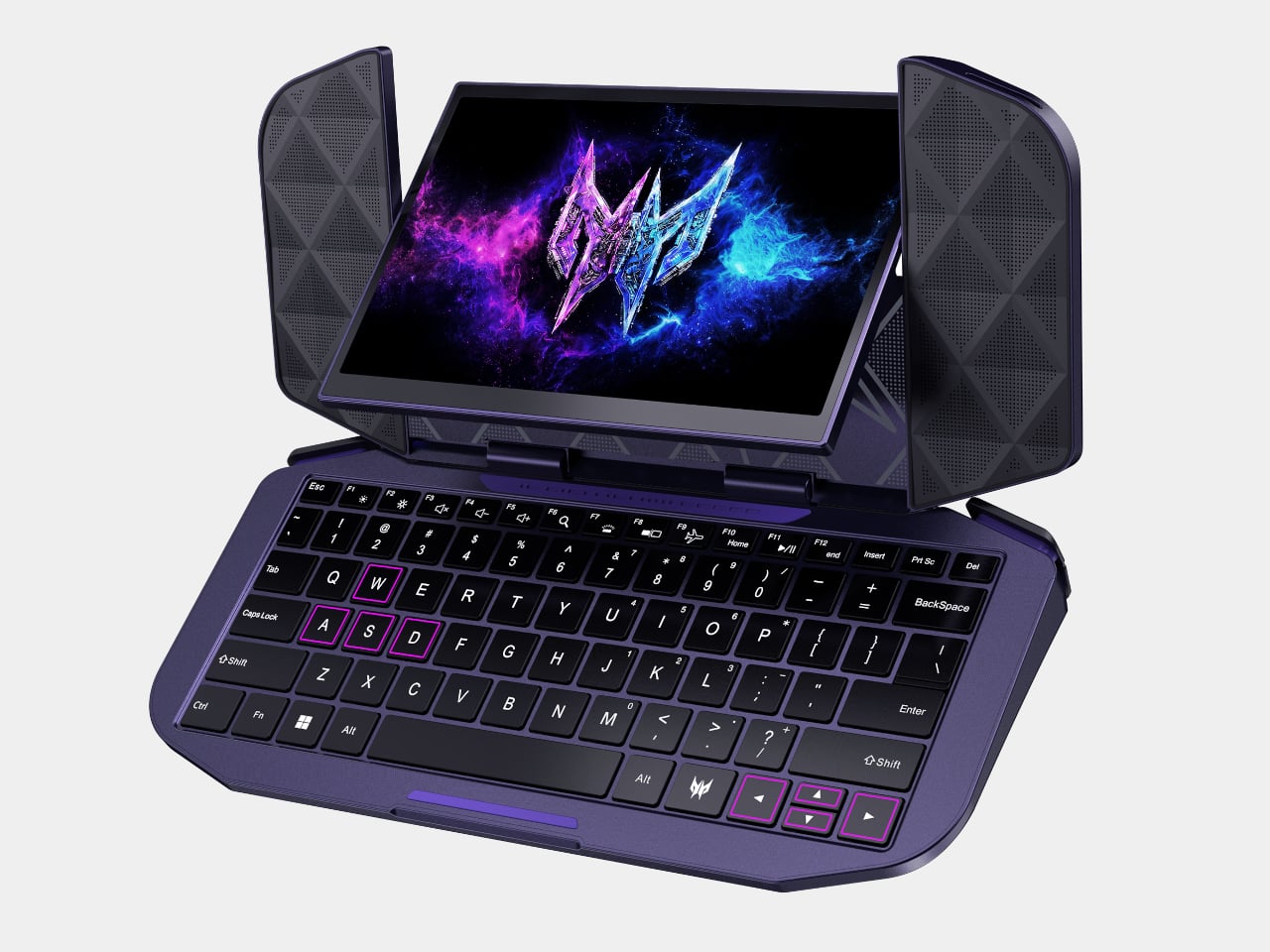
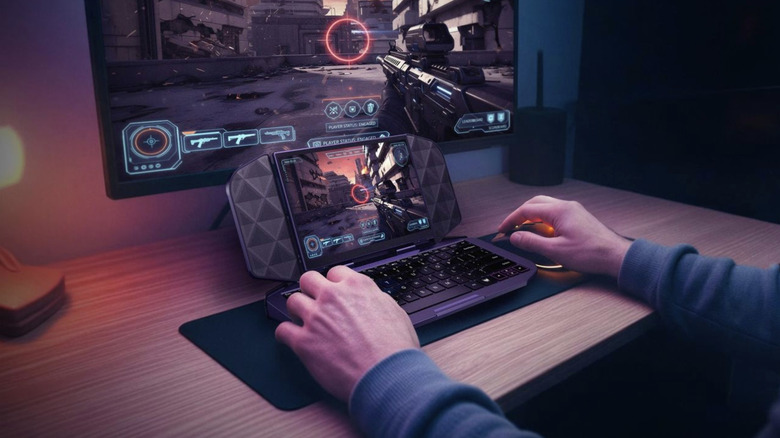
Acer’s Project DualPlay Mini refuses to pick a lane between gaming and work, and that refusal is the whole point. Revealed as a concept at IFA 2026, this 8-inch device from the Predator brand reimagines what a gaming handheld form factor can do, built around dual utility that lets it move fluidly between gaming and productivity without requiring a separate device for each. It reads less like a gadget mashup and more like an argument for mobile computing that reshapes itself around your day.
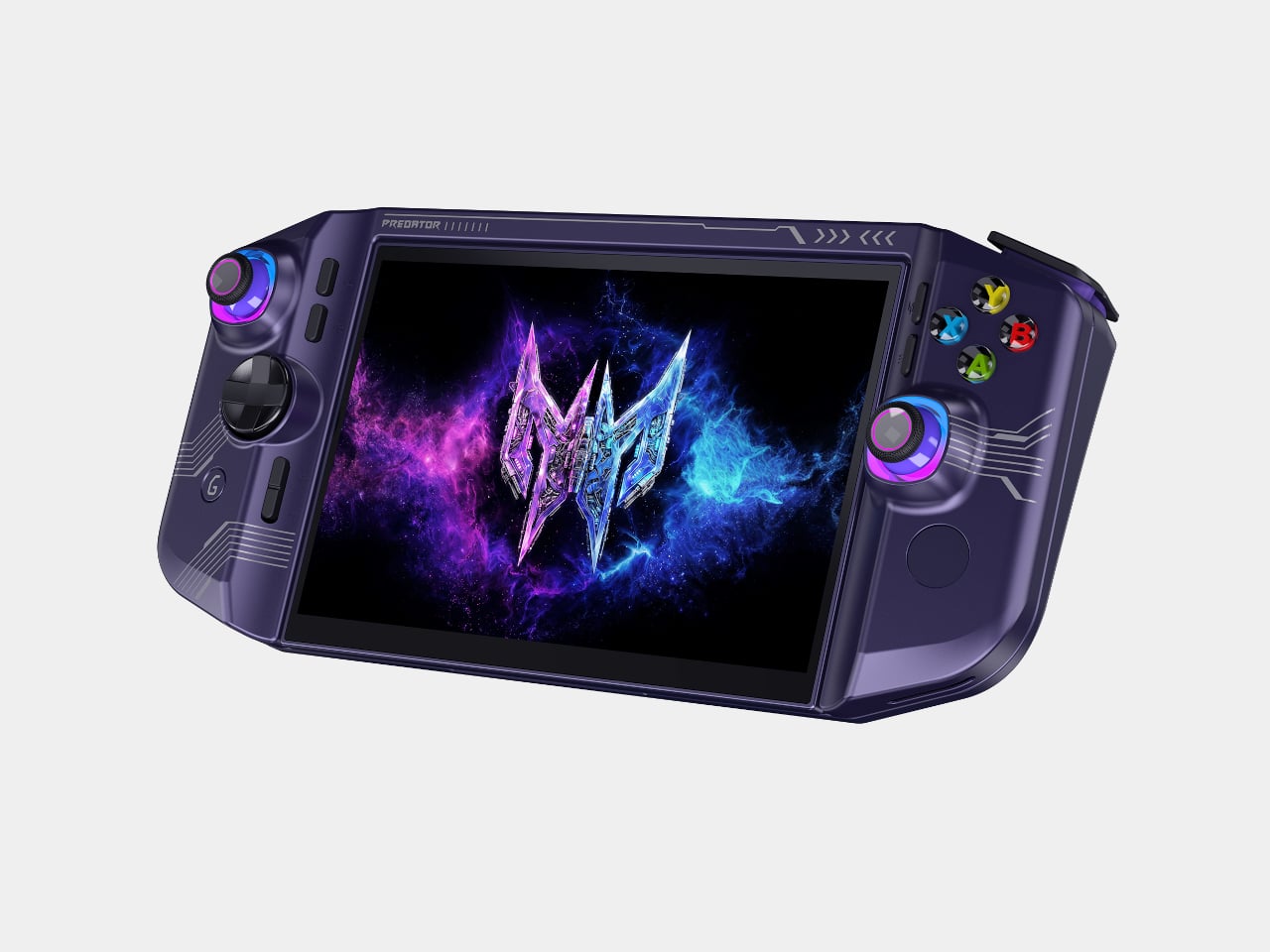
Pick it up as a handheld and Project DualPlay Mini behaves like any console-style device, with dual joysticks, a D-pad, and ABXY buttons framing an 8-inch display for genres that reward quick reflexes and thumb precision. Flip that same shell into laptop mode, though, and a built-in backlit physical keyboard enables the traditional laptop mode for first-person shooter games, while the handheld mode supports console-like experiences for other genres.
Designer: Acer
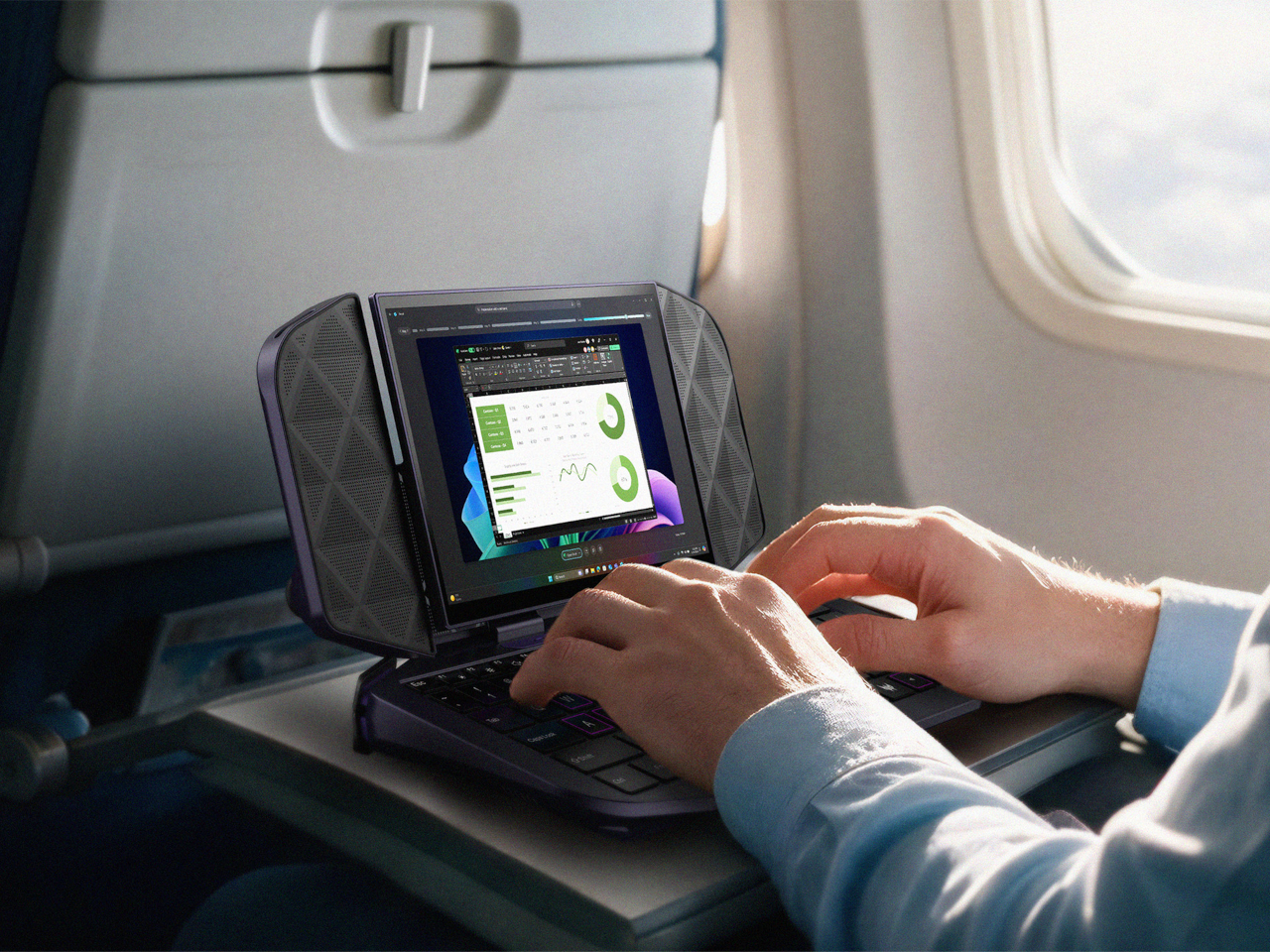
That transformation runs on a hinge that swivels as it folds, letting the distinctive design convert between handheld and mini-laptop modes at angles a standard clamshell can’t reach. Triangular speaker grilles flank the display on either side, doubling as stands that prop the screen upright once the keyboard tucks flat beneath it. The mechanism turns what could have been an awkward compromise into a shape that looks deliberate in either orientation.
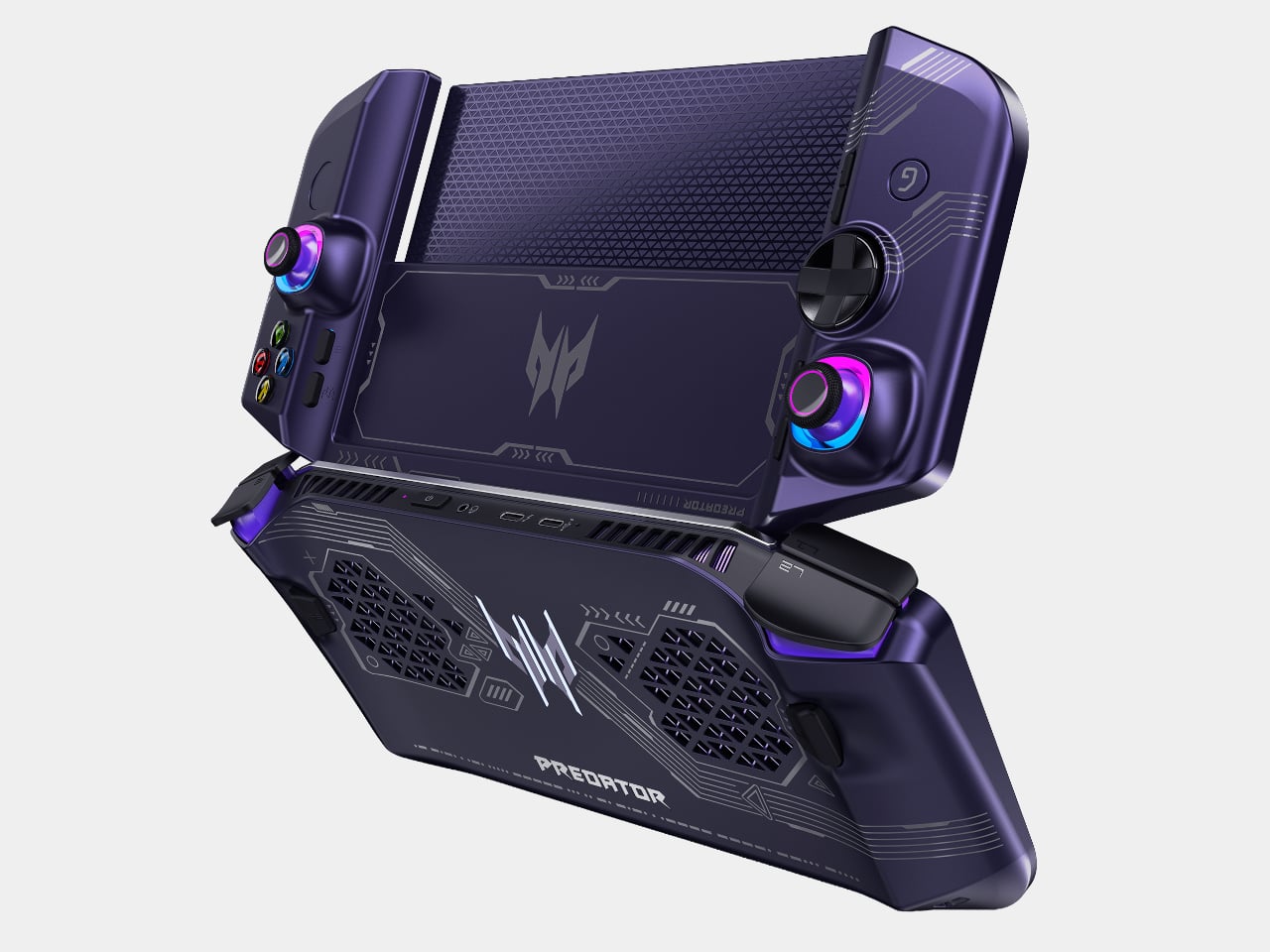
Underneath, the concept integrates the same dual-fan cooling architecture as the Predator Atlas 8, with one Predator AeroBlade metal fan and one plastic fan, except the metal fan offers thinner blades. That detail matters more than it sounds, since squeezing laptop-grade thermals into a form factor built for one hand means the fans can’t afford to be an afterthought.
Acer folds a quiet anniversary tribute into the design too. The back cover hides the words “Acer 50 since 1976” embedded in Morse code, a detail that reflects both the milestone and the Predator brand’s identity. It’s a small flourish, easy to miss during a quick gaming session, but it gives the concept a personality beyond spec sheets and marketing bullet points.
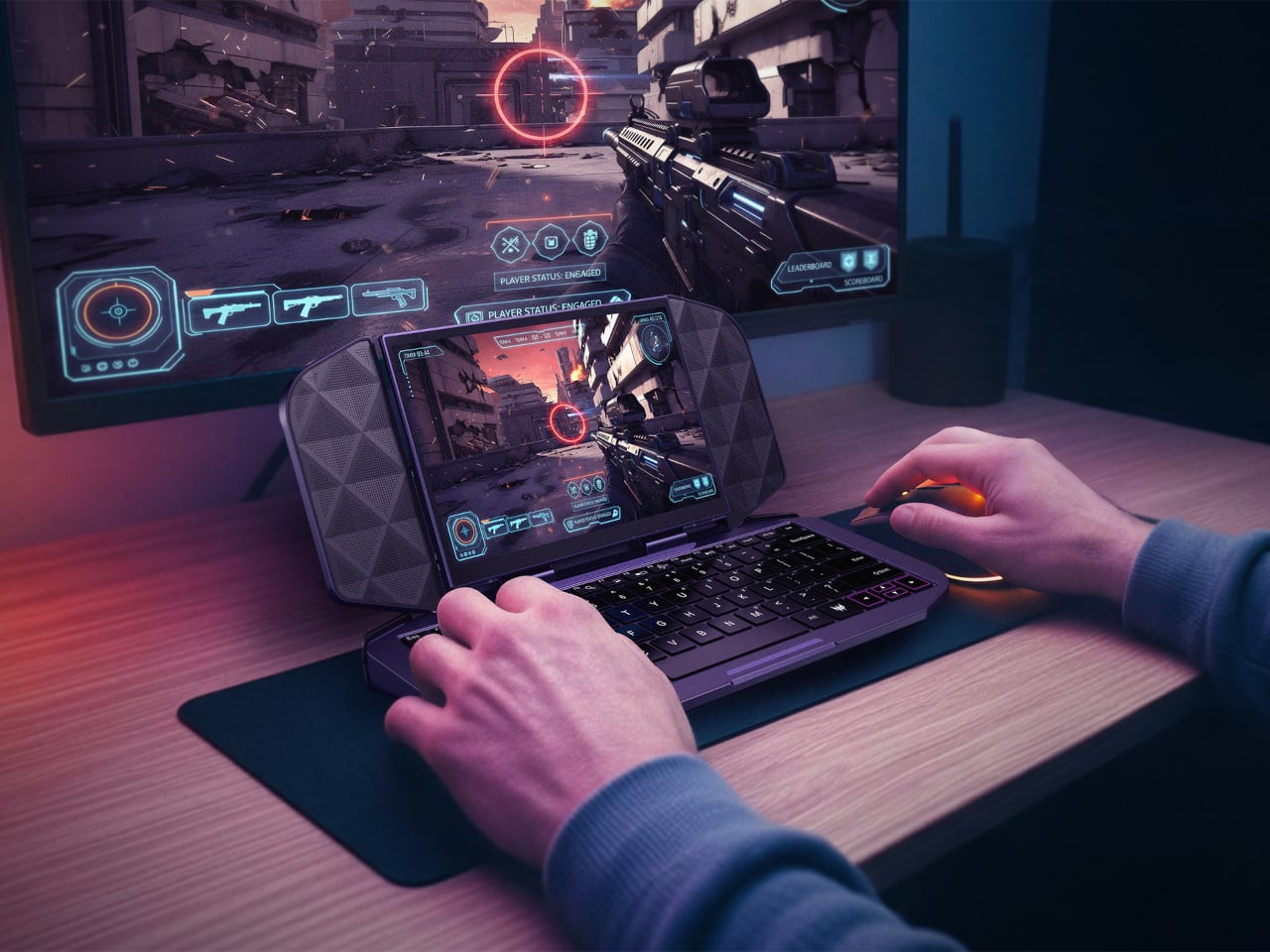
That dual nature earns its keep once the workday intrudes on downtime. Connect an external screen and the device operates as a mobile work device, allowing users to stay productive while on the go without needing a second device. Slide it onto a tray table during a flight, and the keyboard and flanking speaker panels prop the screen up like a tiny travel monitor.
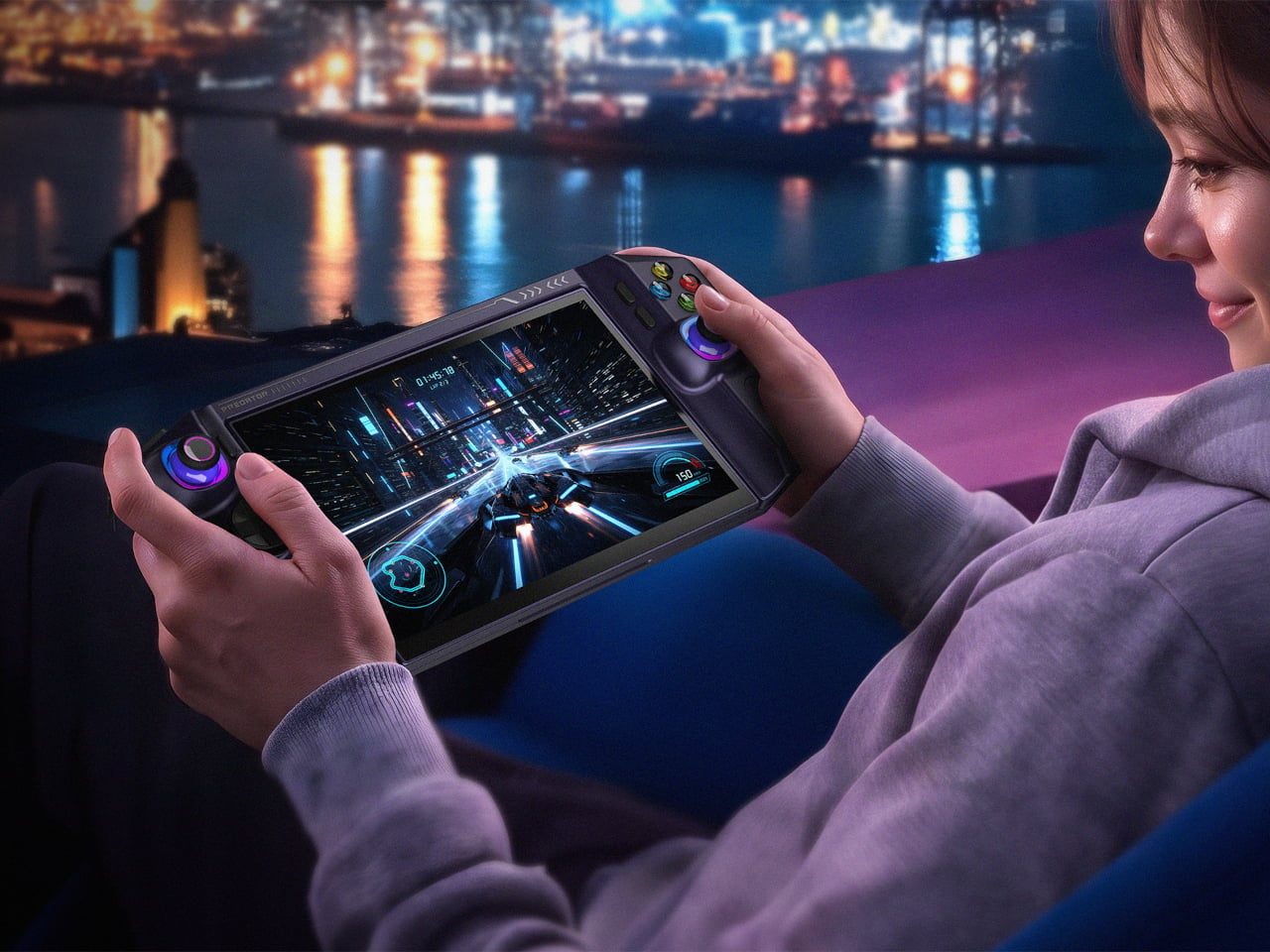
Away from any desk, the handheld mode holds its own too, cradling both palms with contoured grips and a display bright enough to hold up against ambient city light bleeding through a window. Racing games and open-world titles look right at home stretched across that screen, a reminder that DualPlay Mini’s productivity trick never comes at the cost of its gaming chops.
Project DualPlay Mini remains a concept only, with exact specifications, prices, and availability still unconfirmed. Still, it points toward a future where handheld gaming rigs and travel laptops stop being separate purchases. Concepts like this rarely ship unchanged, but this one lays out a shape worth watching as Acer keeps blurring the line between play and work.
The post Acer’s DualPlay Mini Is What Happens When a Steam Deck Meets a Laptop first appeared on Yanko Design.
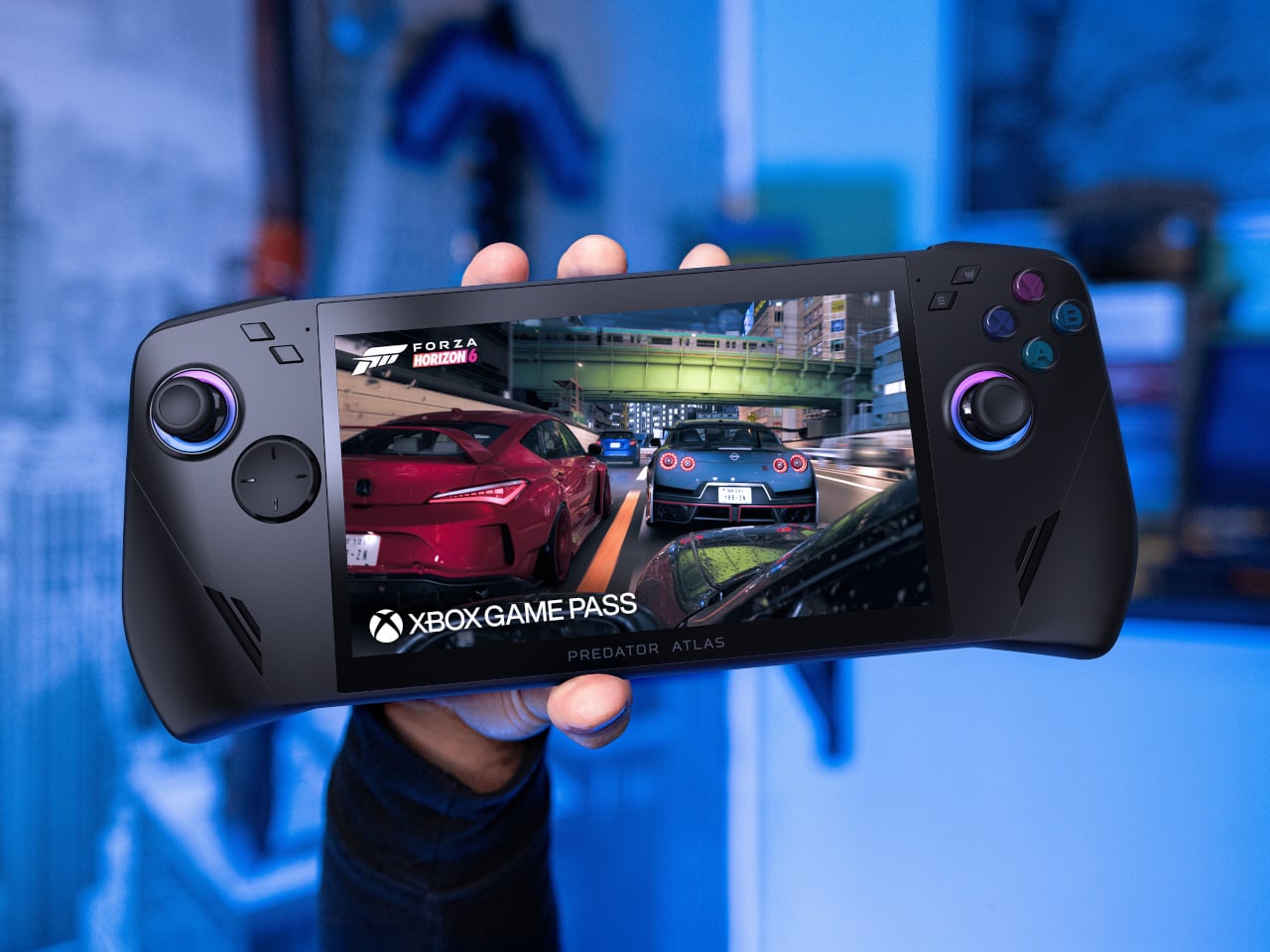
Acer’s Predator Atlas 7 proves that a gaming handheld doesn’t need to look like a slab of plastic armor to feel powerful. Unveiled at IFA 2026, this 7-inch device trims the bulk of its 8-inch sibling into a shape that slides into a bag as easily as it fits into your palms. It’s compact, but every curve and vent hints at the muscle hiding underneath its shell.
Acer built the Atlas 7 to share visual DNA with its 8-inch sibling, keeping the same flagship design language in a smaller shell rather than treating the smaller model as an afterthought. That continuity matters for a lineup meant to scale across different hand sizes and travel habits, giving shoppers a matching pair of handhelds instead of two unrelated products competing for shelf space.
Designer: Acer
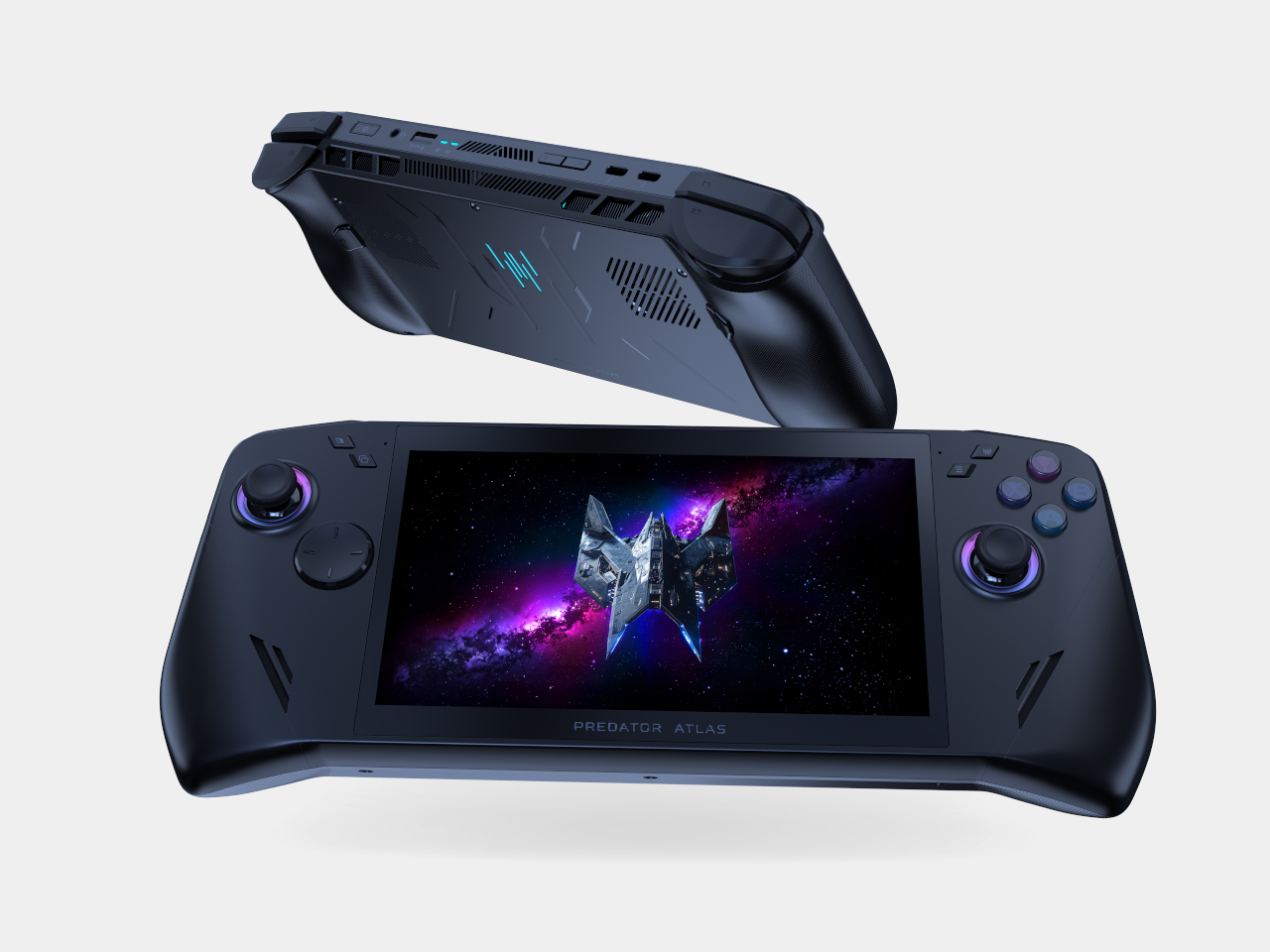
Pick it up, and you’ll notice the contoured grips right away, curved just enough to cradle your palms without forcing your fingers into an awkward reach. An enlarged palm rest, recessed keys, and a textured anti-slip finish keep your hands locked in place, even after hours of gripping through a marathon session. It’s the kind of ergonomic thinking that turns comfort into a genuine competitive advantage.
Slide your thumbs onto the joysticks and the option for tunneling magnetoresistance (TMR) sticks becomes obvious in feel alone, delivering precise tracking with zero dead zones and none of the drift that plagues cheaper handhelds. Hall-effect triggers add pressure-sensitive control for racing and shooting genres alike, while a fingerprint reader built into the power button logs you in before you’ve even settled into your seat.
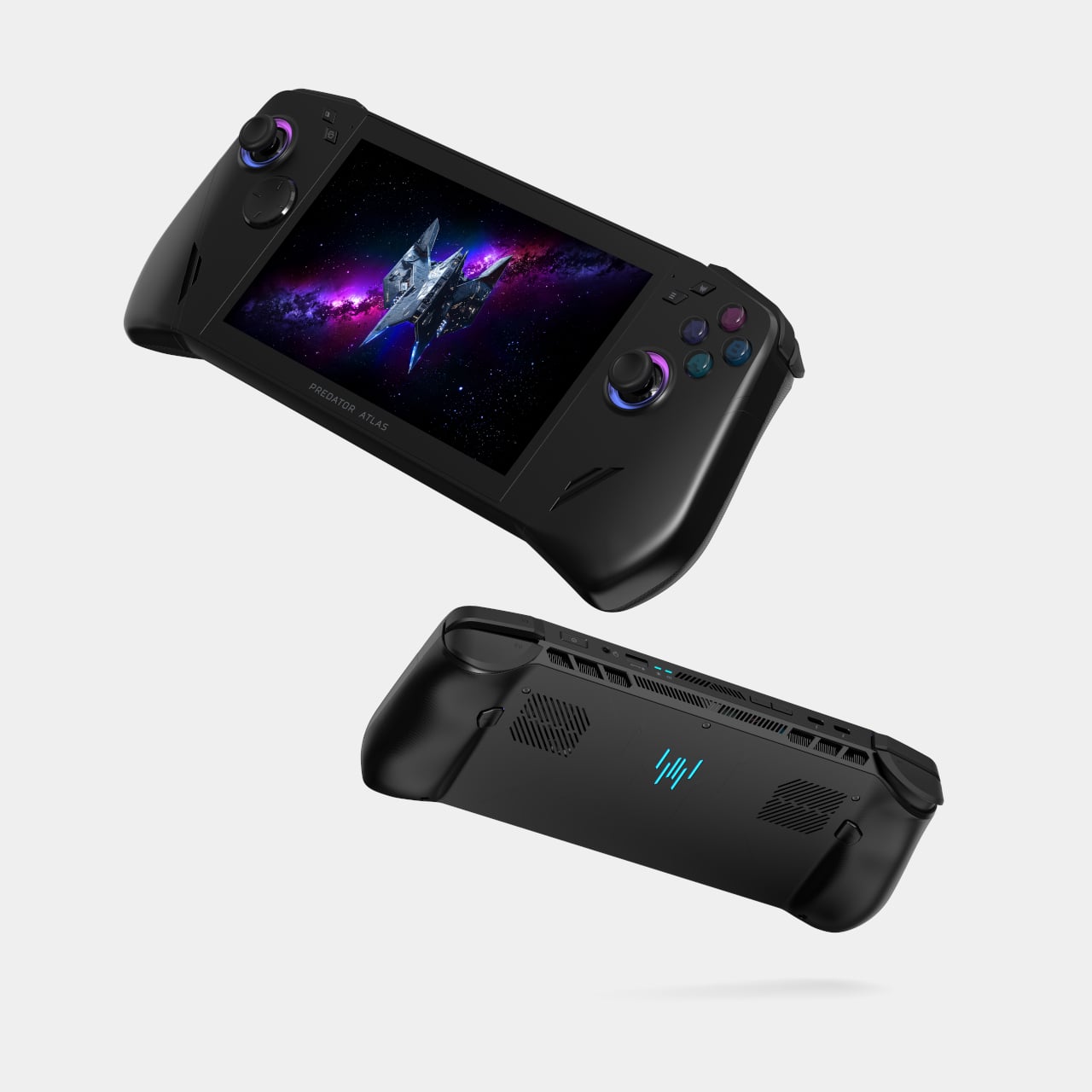
Underneath the shell, a dual-fan cooling system keeps temperatures in check without turning the Atlas 7 into a furnace. The precision metal Predator AeroBlade fan packs 89 blades thinner than a sheet of paper, lifting airflow by up to 10 percent, while a secondary plastic fan and Vortex Flow tuning push hot air out through angled channels for sustained performance.
The 7-inch FHD touchscreen refreshes at 120Hz with up to 500 nits of brightness and Variable Refresh Rate support, so fast-paced titles render smoothly whether you’re chasing frame rates at home or squinting under harsh daylight on a commute. A layer of Corning Gorilla Glass Victus with DXC treatment resists scratches and glare, and Acer even tosses in a tempered-glass screen protector for extra peace of mind.
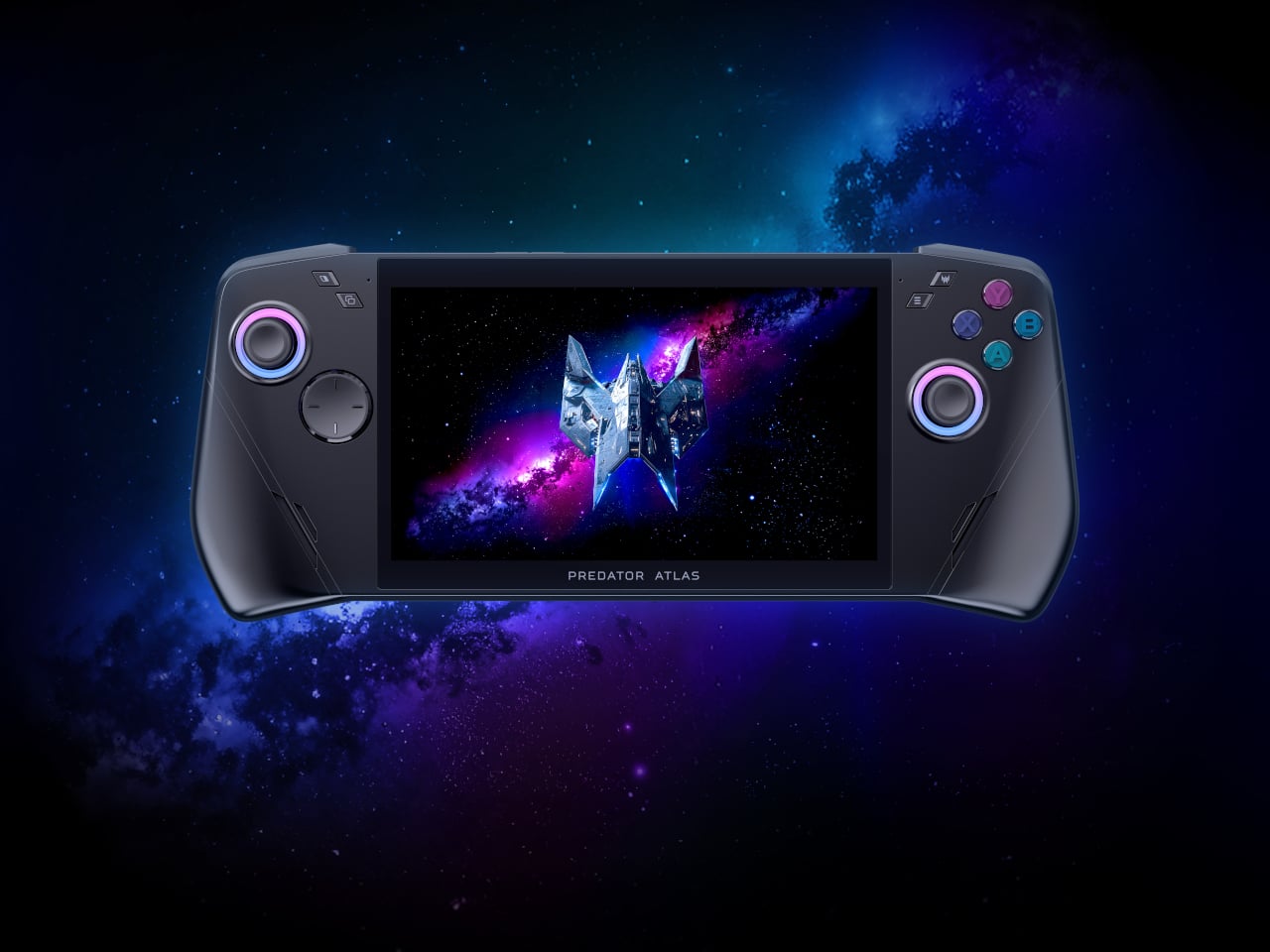
Two Thunderbolt 4 ports turn the Atlas 7 into a proper docking companion, streaming visuals to bigger screens or pulling data through fast peripherals, while UHS-II microSD support leaves room for expanding storage on the fly. An 80Wh battery backs it all up, and Killer Wi-Fi 7 with Bluetooth 5.4 keeps connections steady while the PredatorSense app puts performance modes, lighting, and monitoring within a single tap.
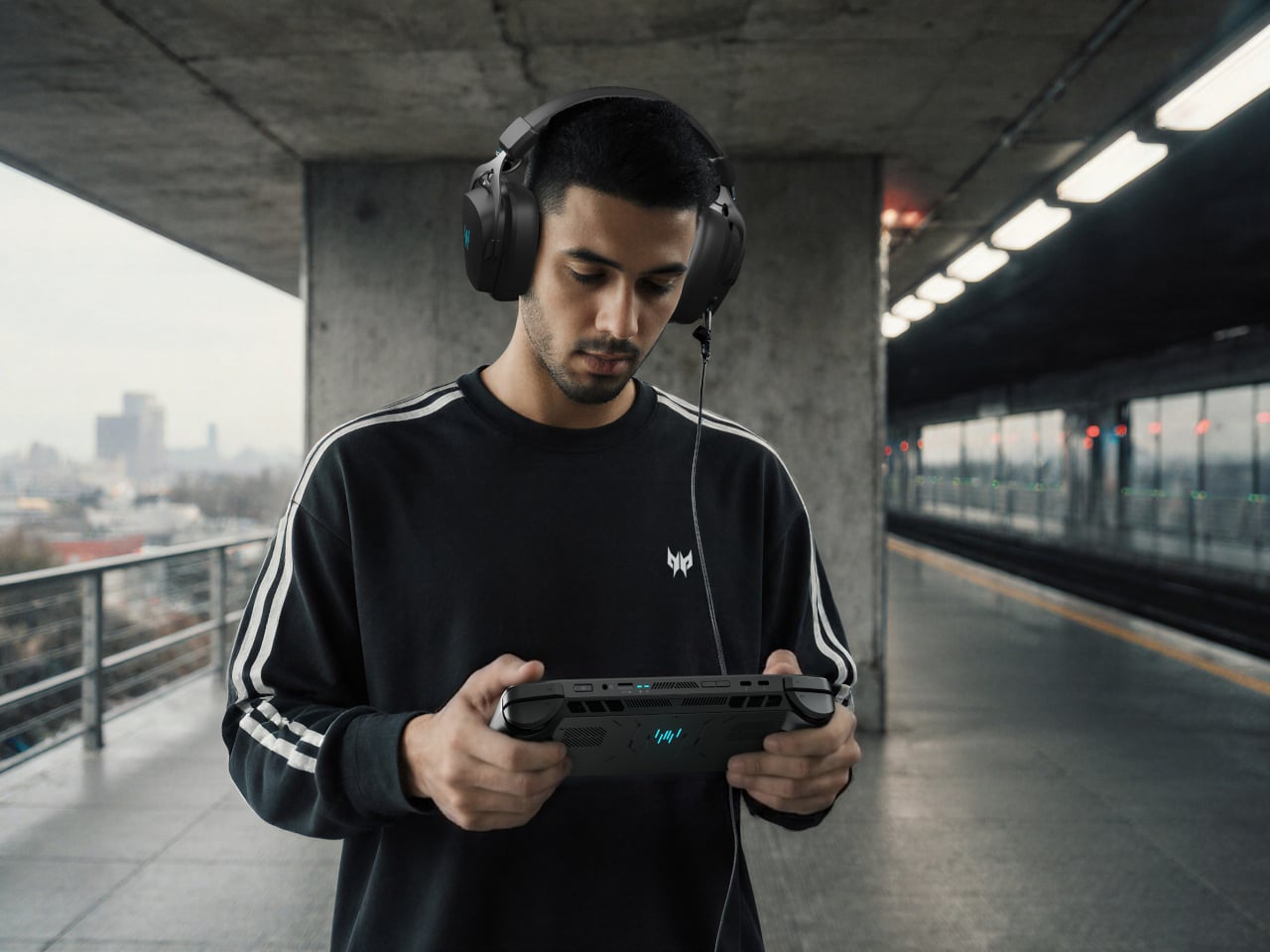
Audio holds up too, with dual 2-Watt speakers tuned for DTS:X Ultra and two mics running Acer PurifiedVoice to cut background noise during voice chats. Paired with its trimmer shell, these touches turn the Predator Atlas 7 into a handheld built for gaming between destinations, not just at a desk. Acer plans to launch it in North America by Q4 2026, with Europe following in November.
The post Acer’s IFA 2026 Handheld Packs Flagship Specs Into 7 Compact Inches first appeared on Yanko Design.
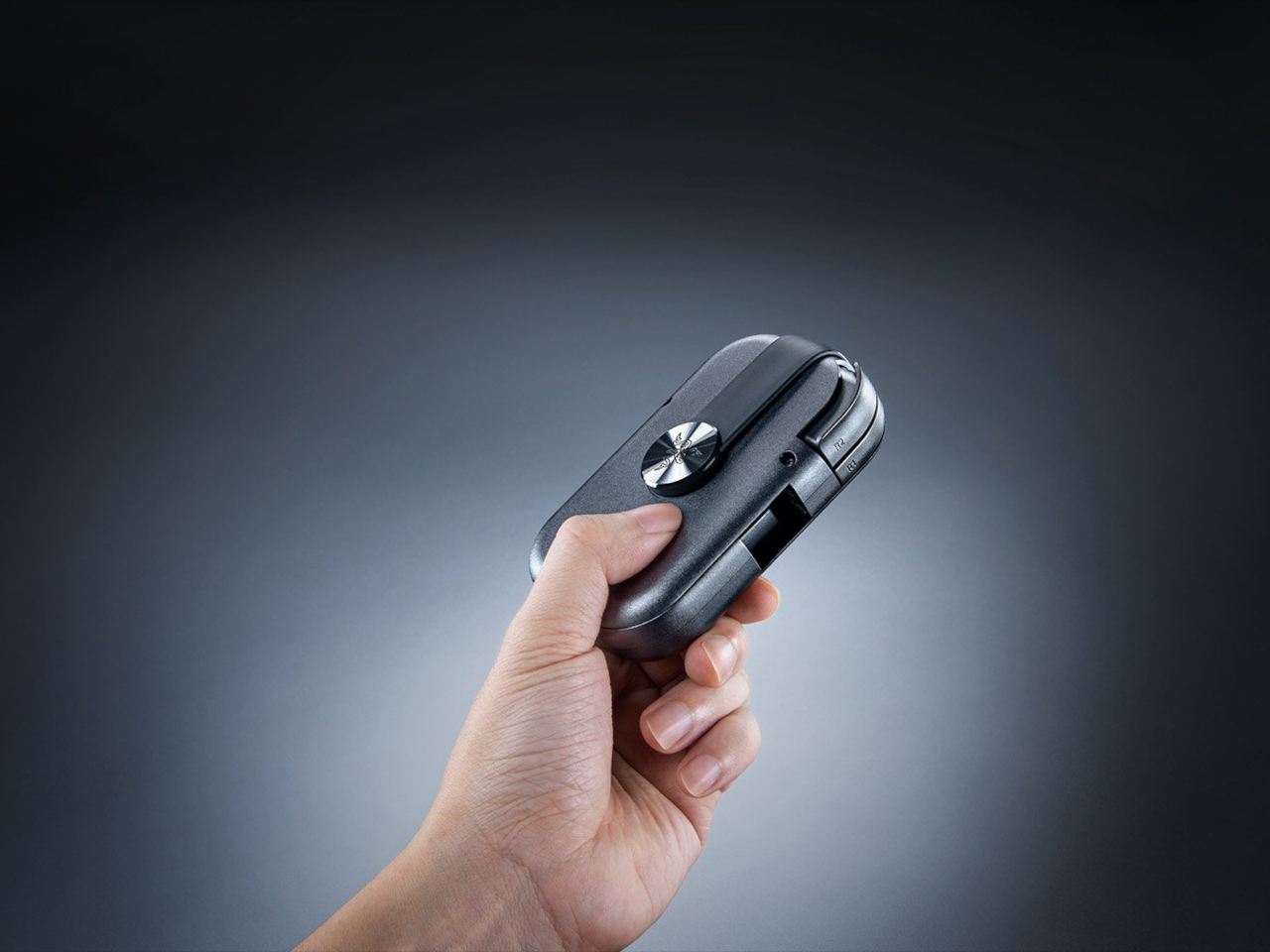
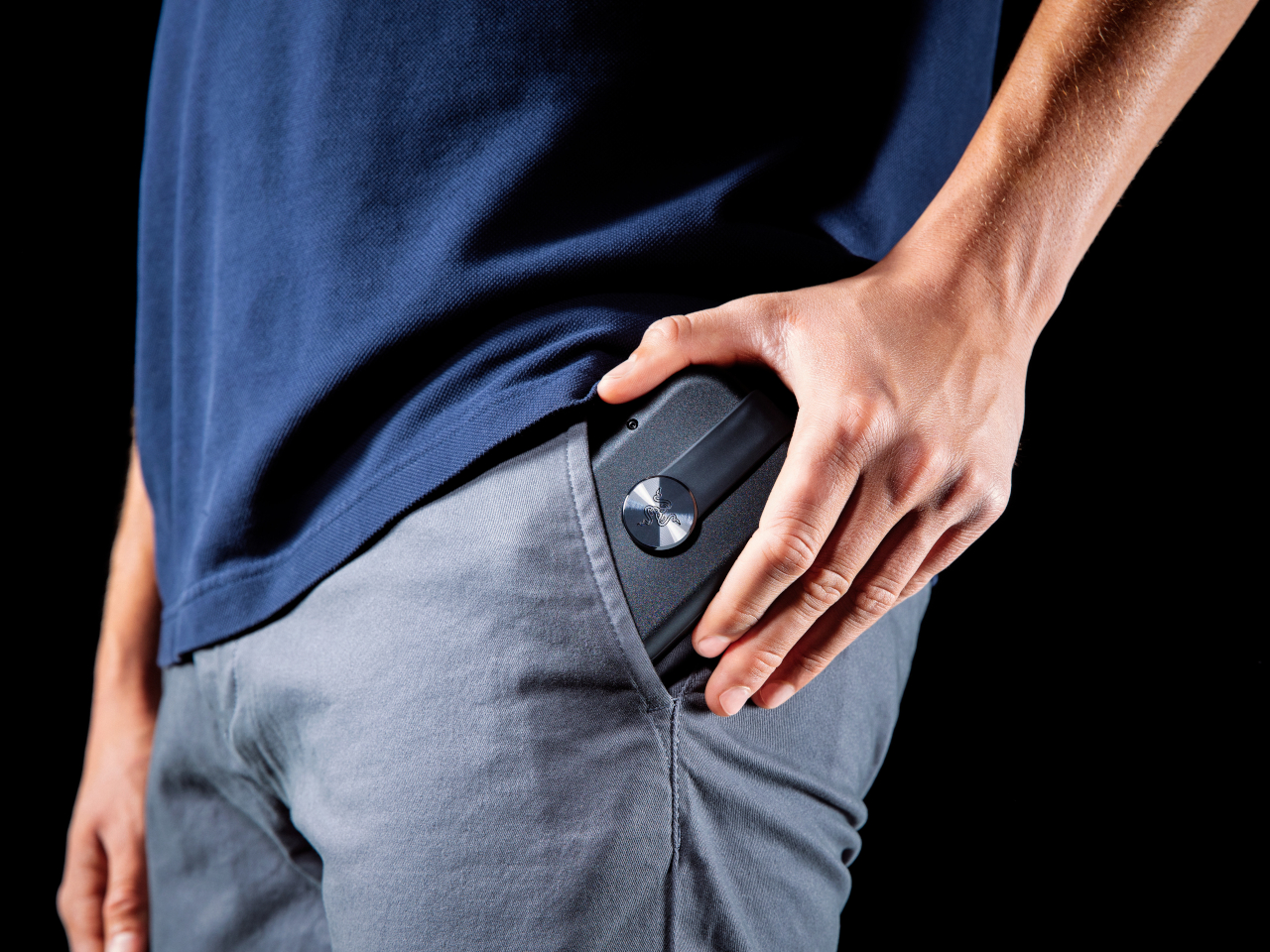
Mobile controllers have always faced the same awkward tradeoff: carry something bulky enough to feel like a real gamepad, or leave it at home and settle for touchscreen buttons. The Razer Prio picks neither option. It folds down to roughly the size of a credit card at 107mm x 67mm x 23mm, then twists open in one motion into a controller with a complete, full-sized button layout.
That twist-to-unlock mechanism is doing more work than it looks like on paper. Rather than hinging flat like a wallet or telescoping outward like most phone-bridge controllers, the Prio rotates its two halves apart, expanding from a dense 101-gram puck into something that spans phones up to 7 inches, including devices as large as the iPhone 17 Pro Max. The motion itself becomes the reveal.
Designer: Razer
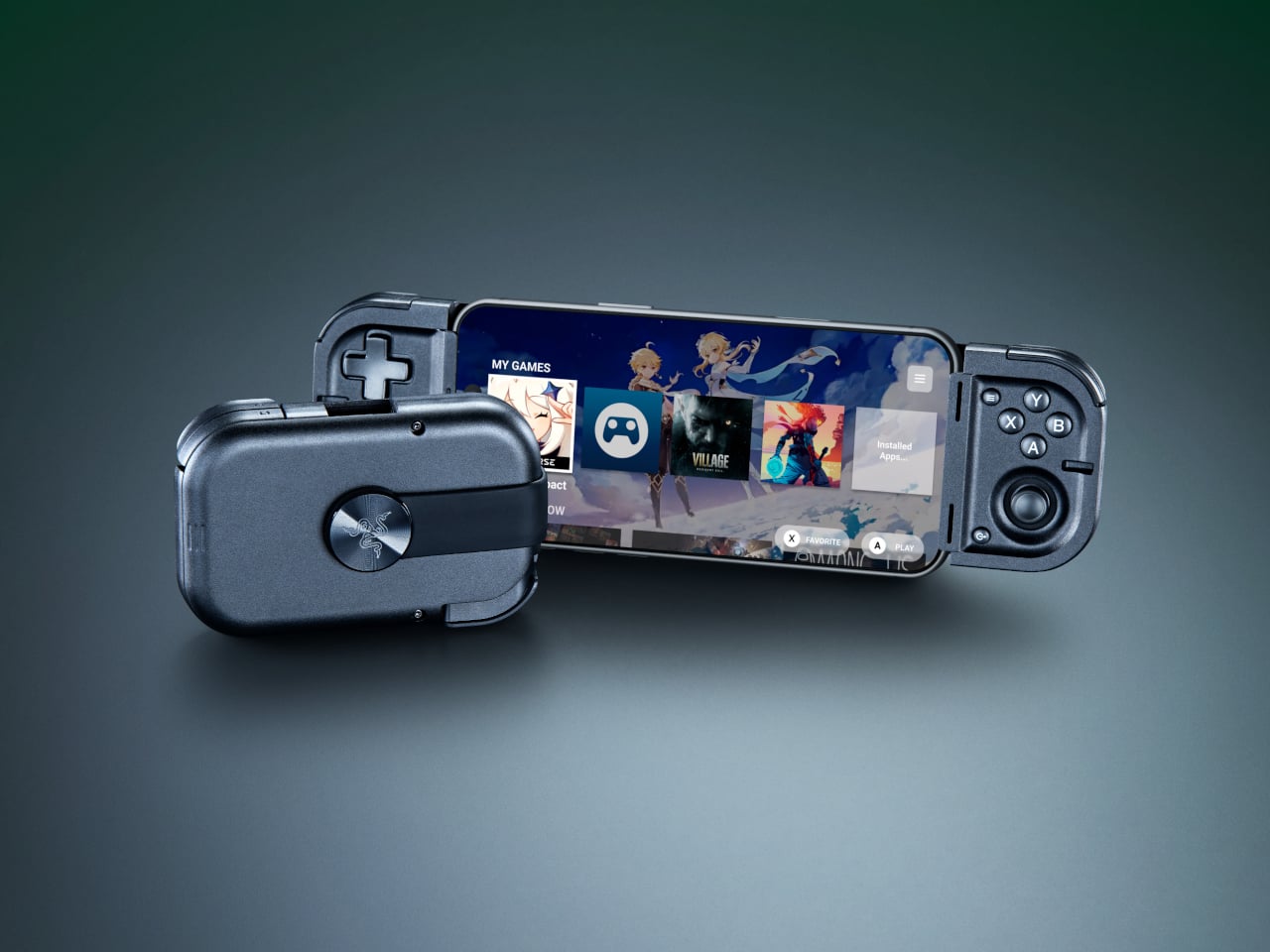
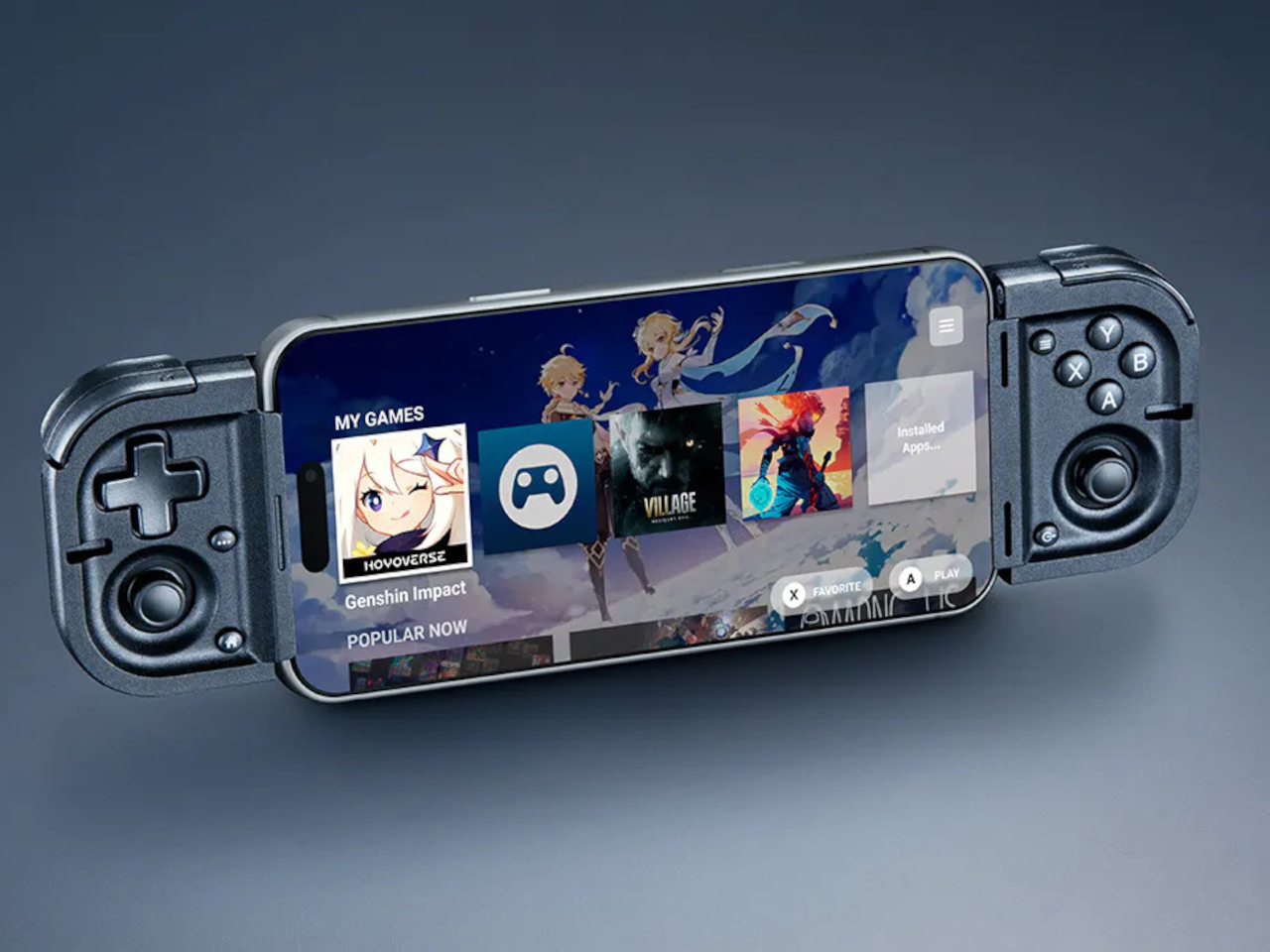
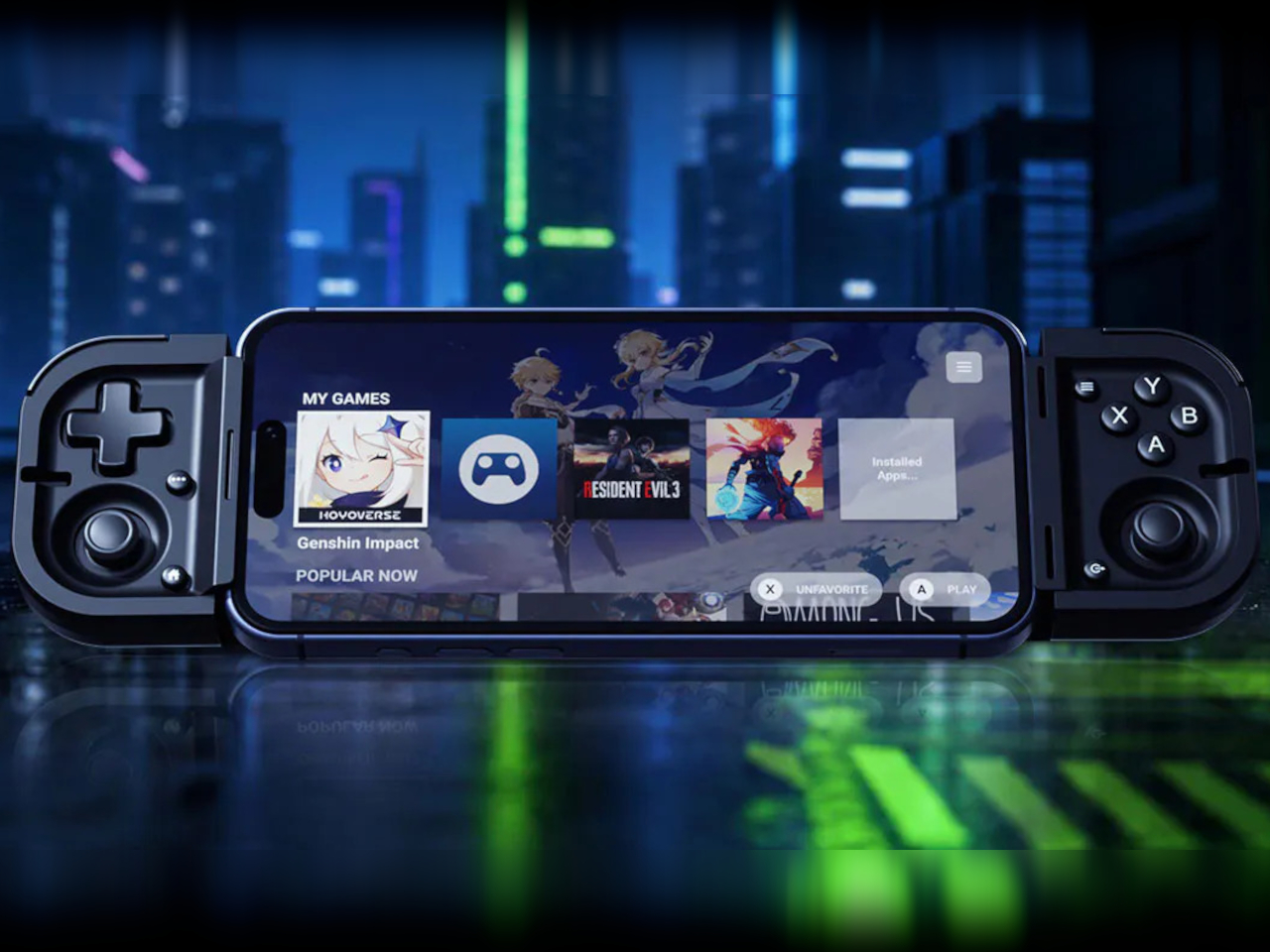
Once open, the control surface doesn’t feel like it compromised anything to get small. A tactile 4-way D-pad, full face buttons, bumpers, and triggers all made it into the layout, alongside thumbsticks built on capacitive sensing rather than the usual mechanical potentiometers. Removing physical contact points means there’s nothing inside to wear down over time, which addresses stick drift at the source instead of patching around it later.
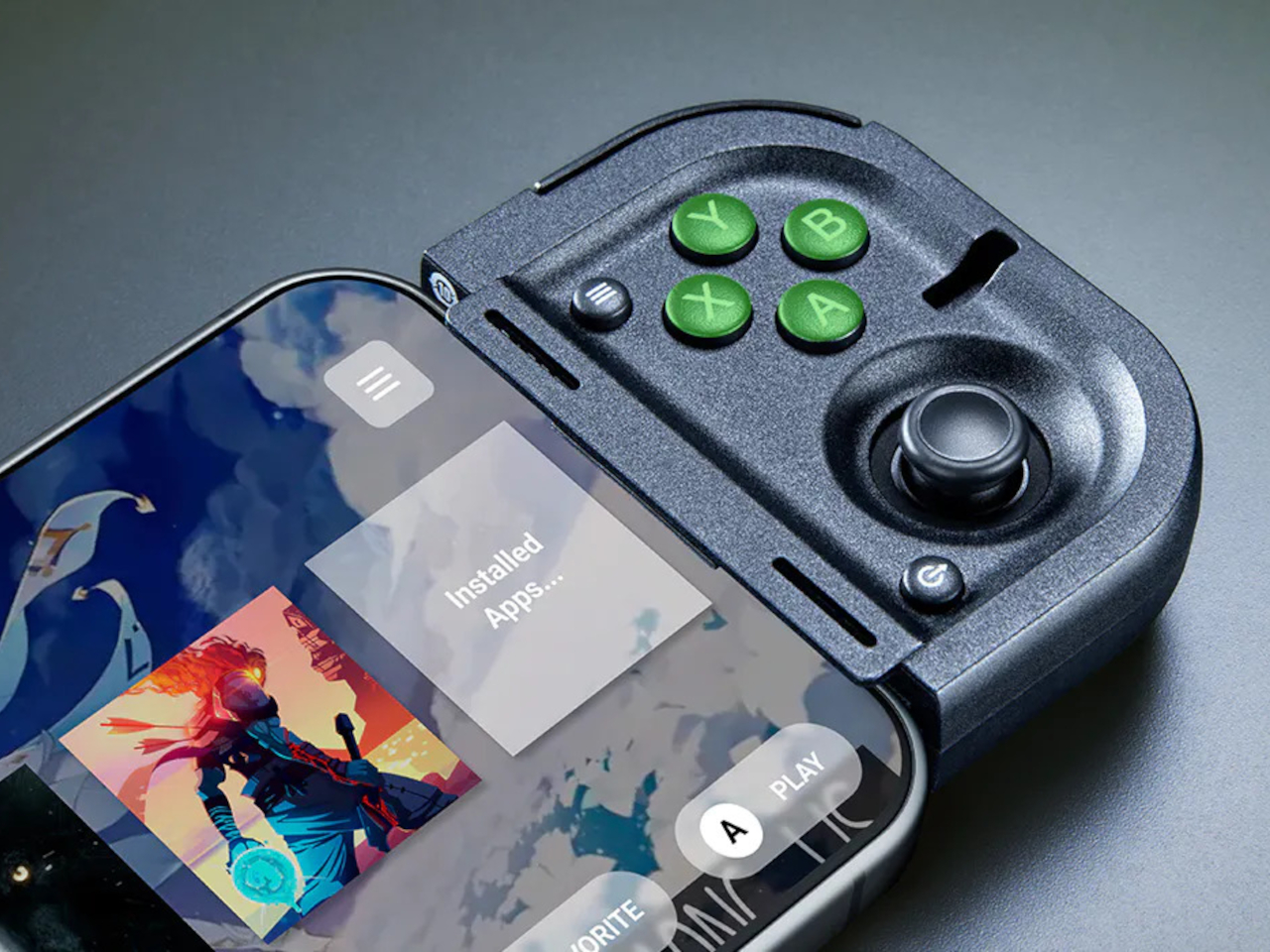
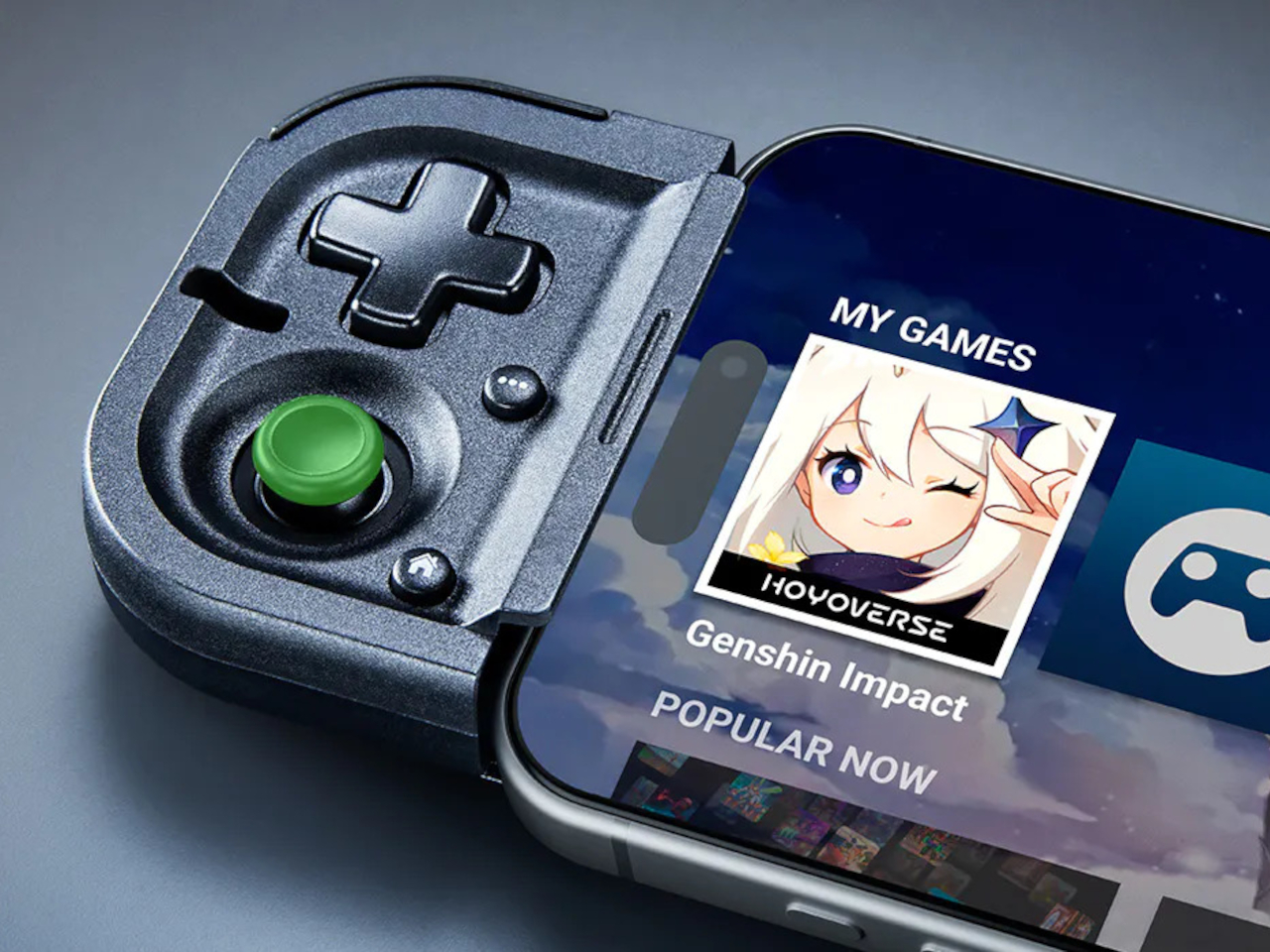
Picture a delayed train platform or the ten minutes between classes that usually gets wasted scrolling through a phone. The Prio exists specifically for that kind of narrow window, slipping out of a pocket, twisting open, and plugging directly into a phone’s USB-C port without any pairing screen or Bluetooth handshake standing between the moment and actually playing something worth playing.
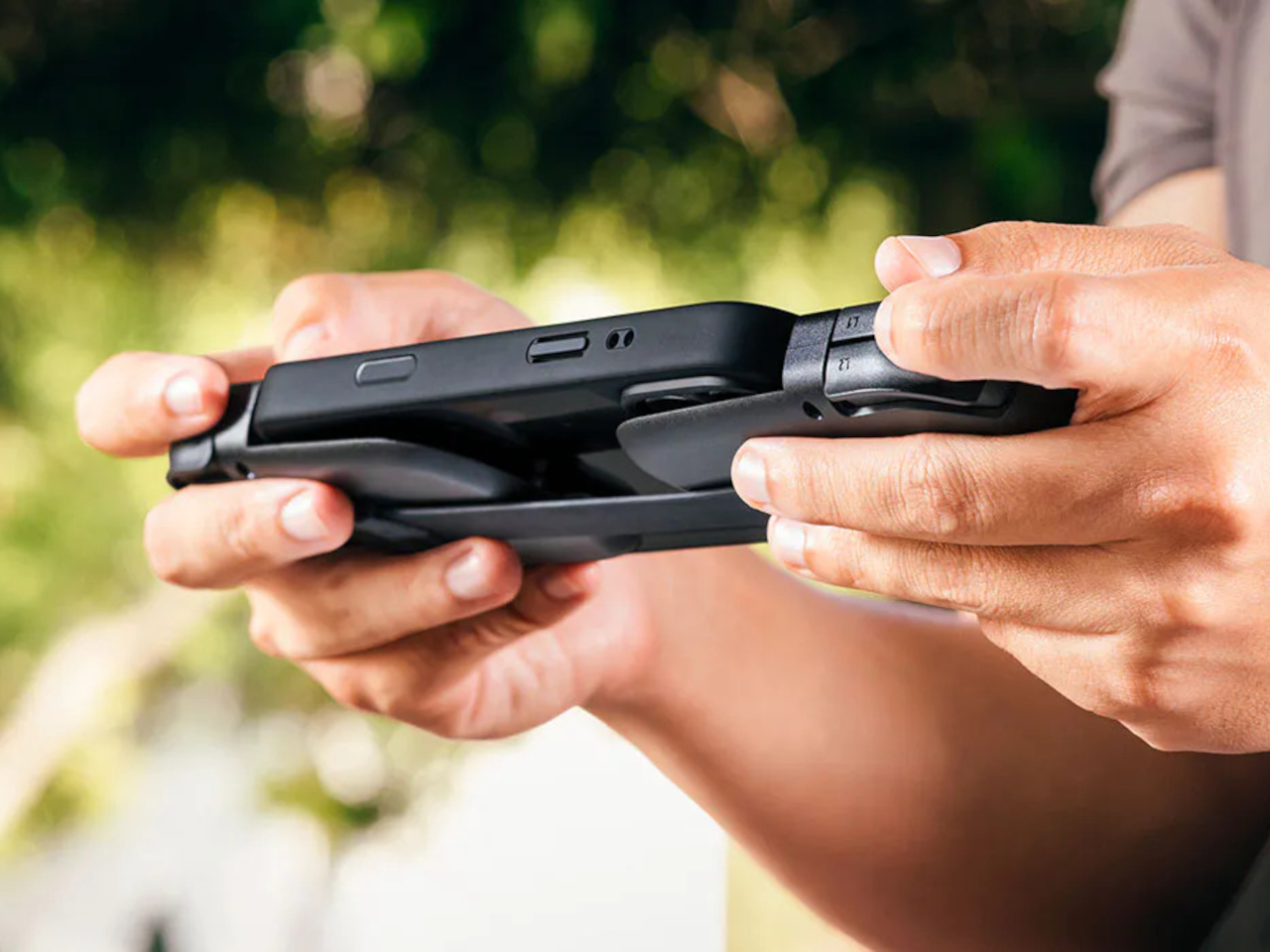
That direct USB-C connection matters beyond convenience. Skipping wireless pairing removes the input lag that makes touchscreen controls and some Bluetooth gamepads feel disconnected from what’s happening onscreen, which becomes especially noticeable in anything reaction-based. It also means never worrying about a dead controller battery separate from the phone it’s attached to, since the phone itself is supplying the power.
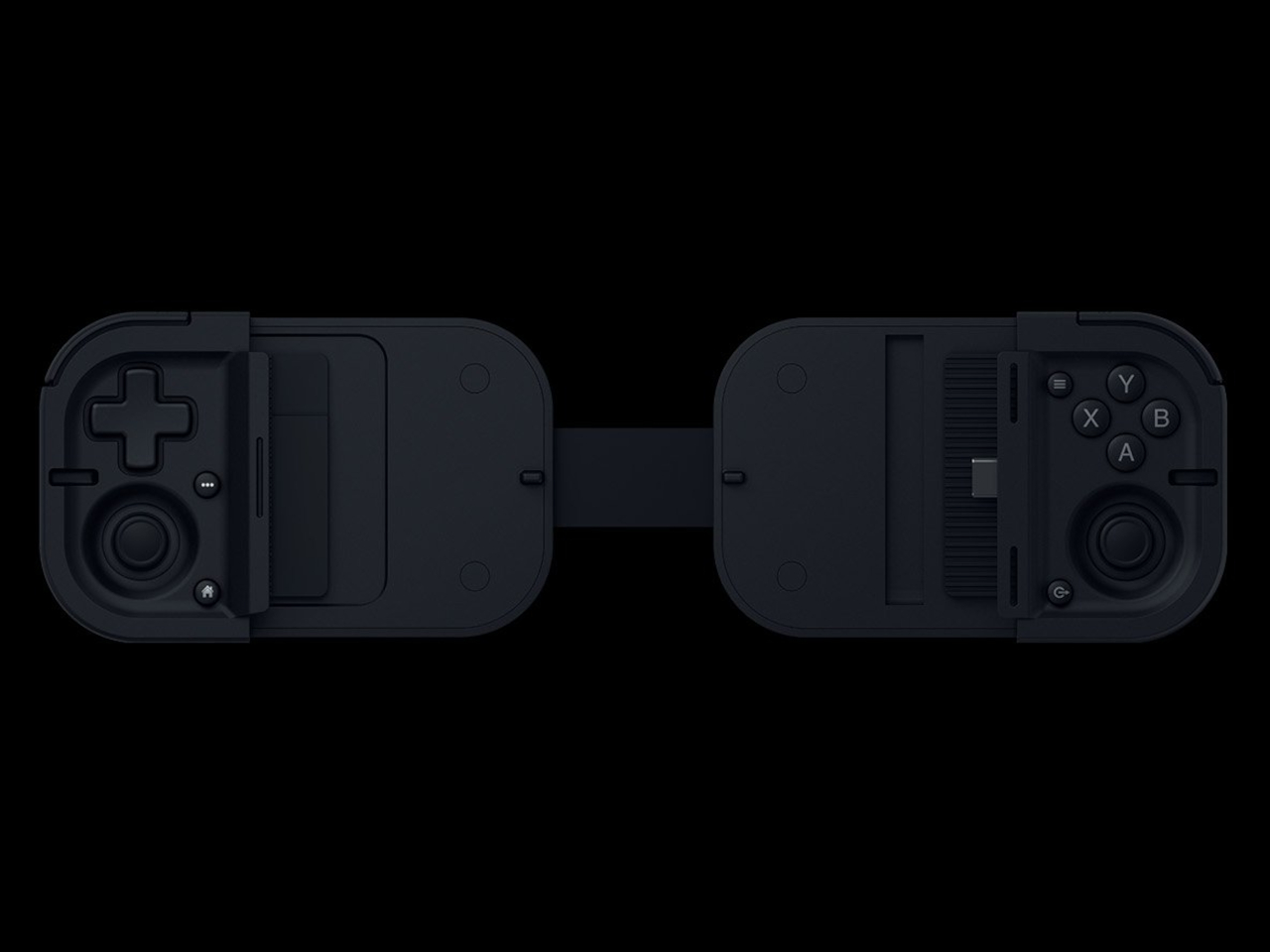
The Prio’s reach extends past native mobile games as well. It works across Xbox Cloud Gaming, PlayStation Remote Play, Steam Link, and Razer’s own PC remote play service, turning a phone into a display for console and PC libraries rather than limiting the controller to whatever’s built specifically for touchscreens. A pocket-sized accessory suddenly covers a genuinely wide range of what someone might want to play.
At $99.99, the Prio positions itself as the opening entry in what Razer describes as a broader line of ultra-portable controllers still to come. What it gets right immediately is treating portability as a mechanical problem worth solving properly, not just a matter of making something smaller and hoping the compromises go unnoticed once it’s actually in someone’s hands.
The post Razer Finally Solved the Bulky Controller Problem at Credit Card Size first appeared on Yanko Design.

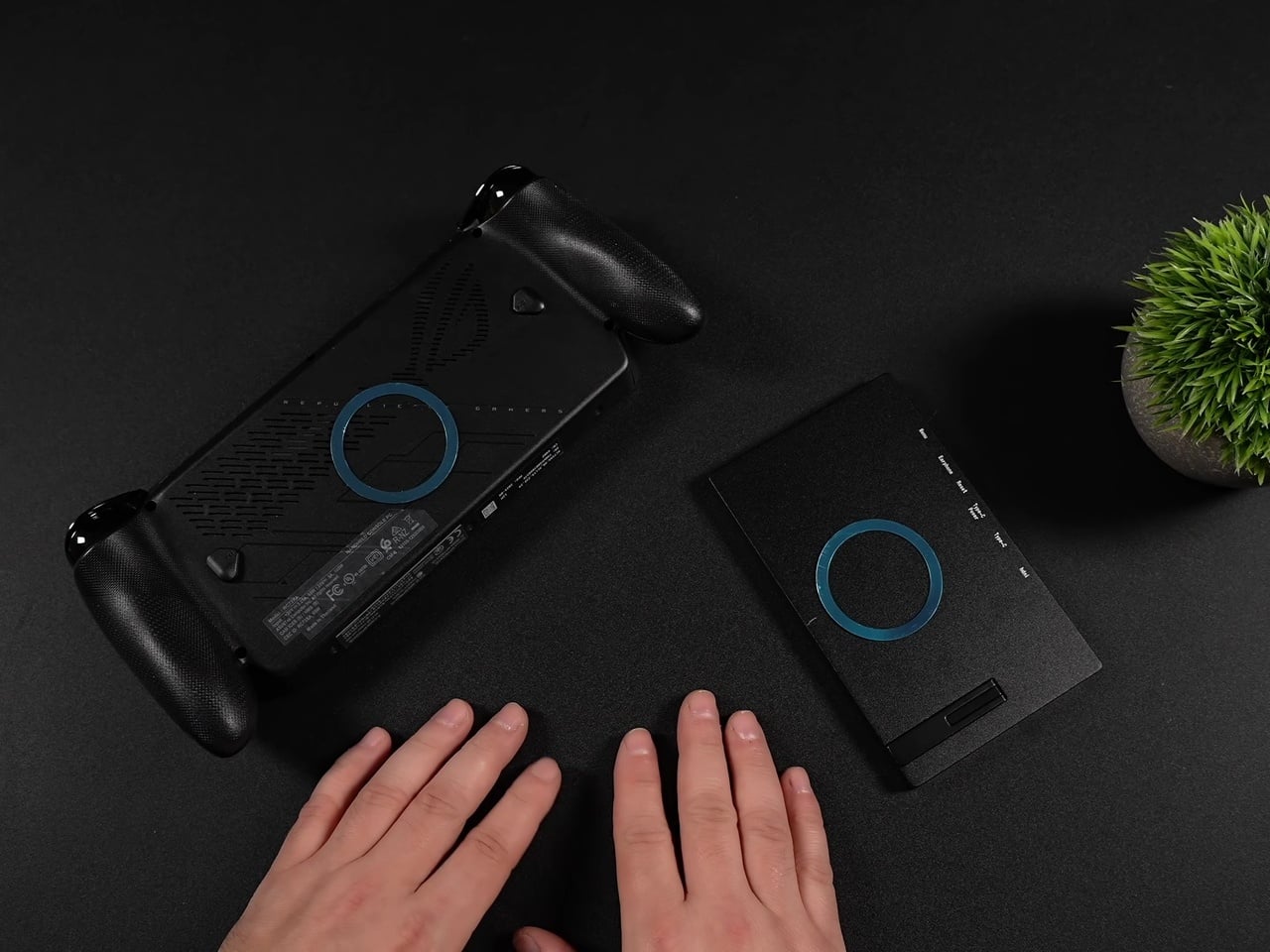
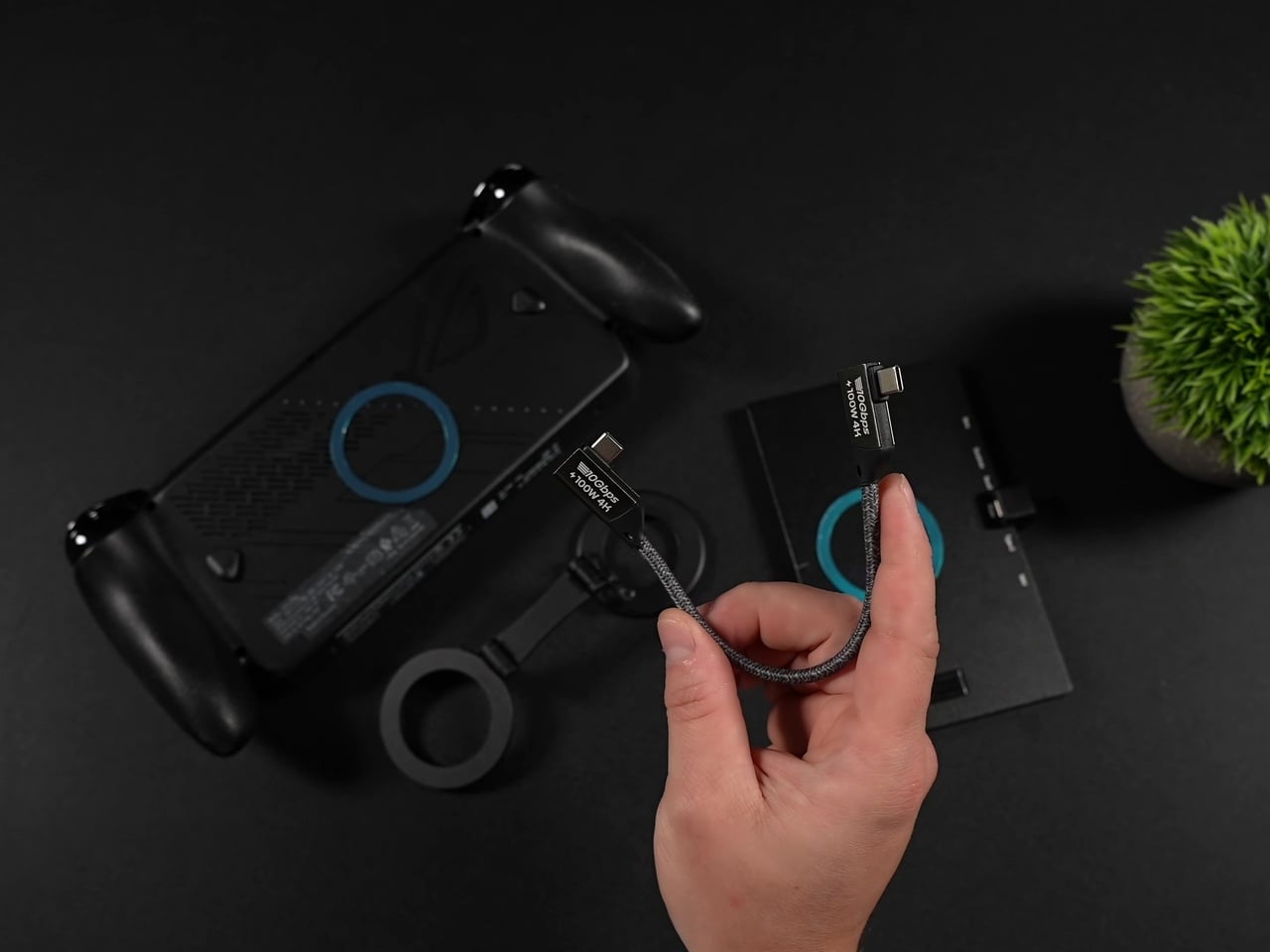
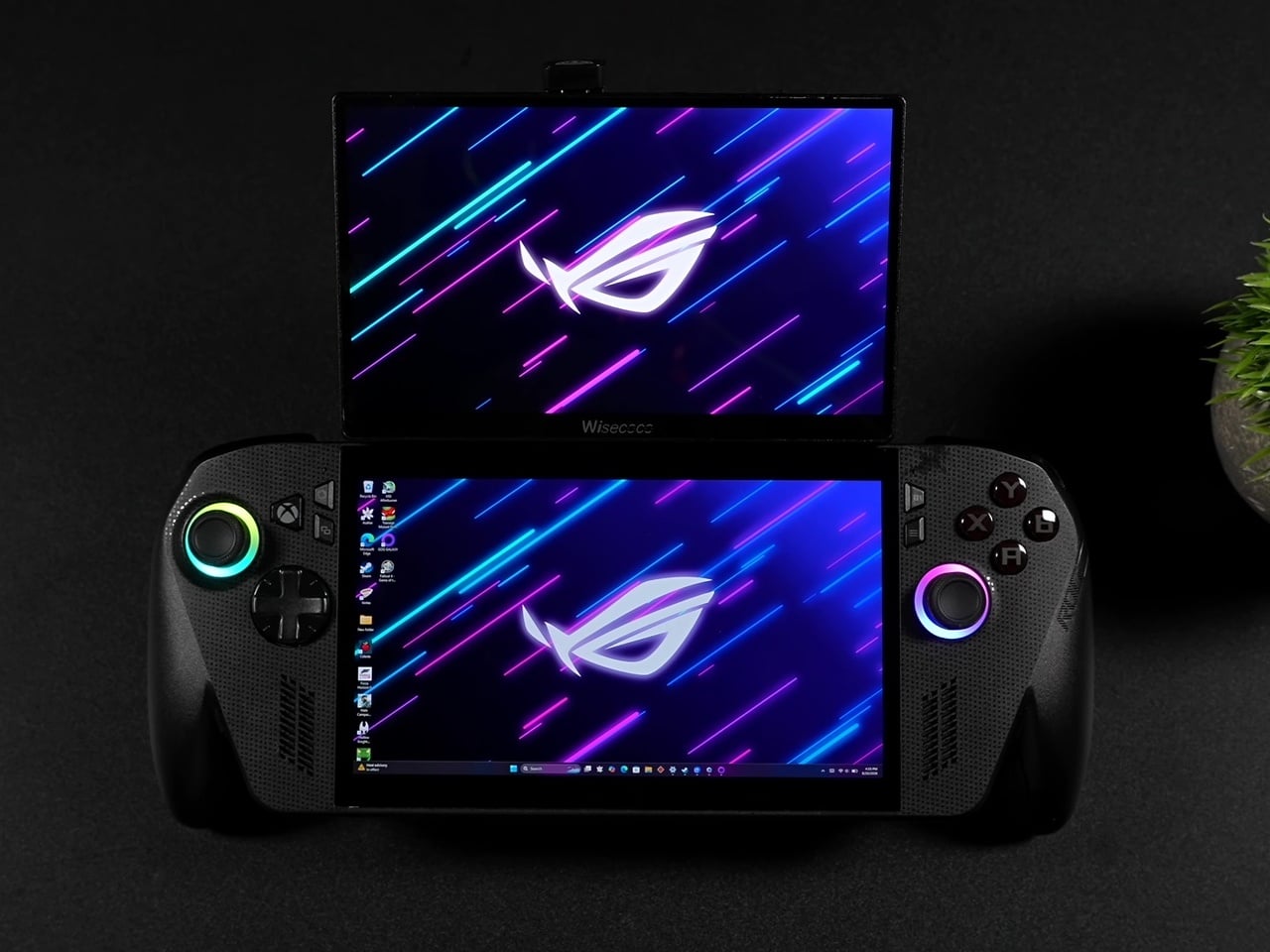
Dual-screen handhelds usually mean buying an entirely new device built around that gimmick from the ground up. This ROG Ally X mod skips that purchase entirely. It bolts a second 120Hz display onto a standard x86 handheld using nothing more exotic than a budget portable monitor, a pair of magnetic phone mounts, and some carefully angled USB-C cables, then lets you rip the whole thing off when you don’t need it.
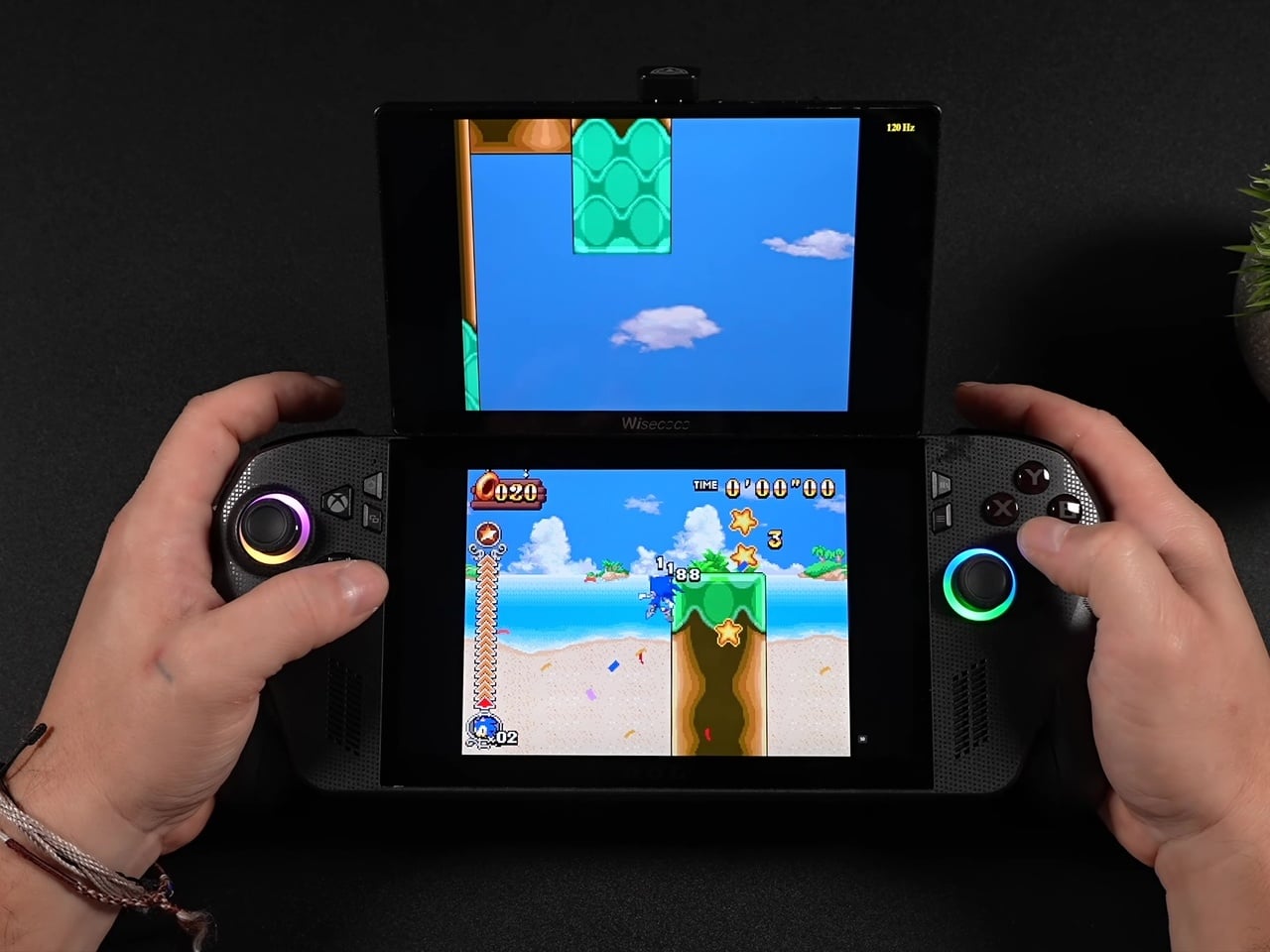
The secondary panel is a 7-inch 1080p IPS screen that happens to match the Ally X’s own 120Hz refresh rate, an important detail most cheap add-on monitors get wrong. Pairing a 60Hz panel with a 120Hz handheld usually introduces visible stutter between the two screens, but matching refresh rates here means both displays feel like they belong to the same machine rather than two devices awkwardly duct-taped together.
Designer: ETA PRIME (mod), ASUS Republic of Gamers
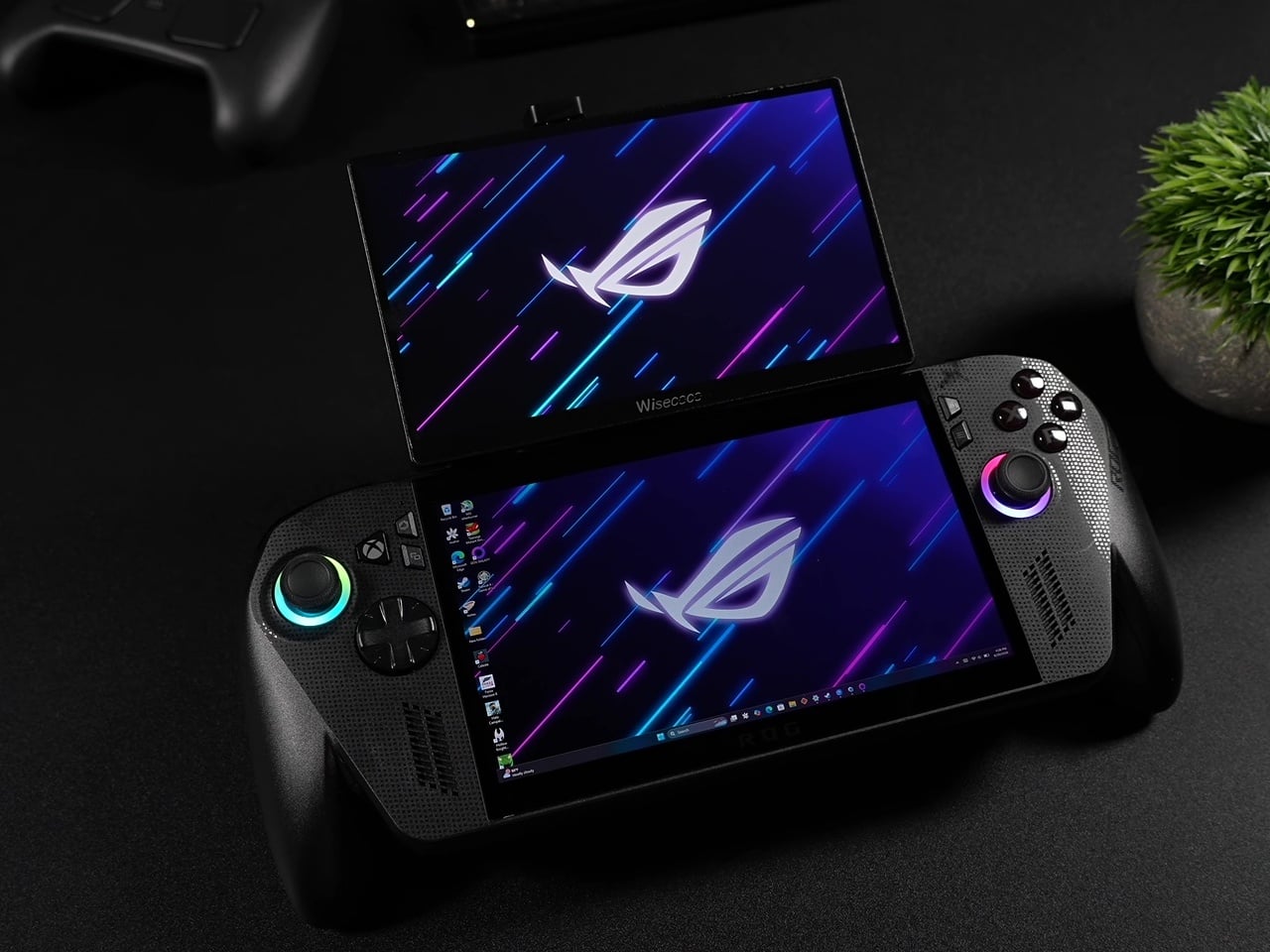
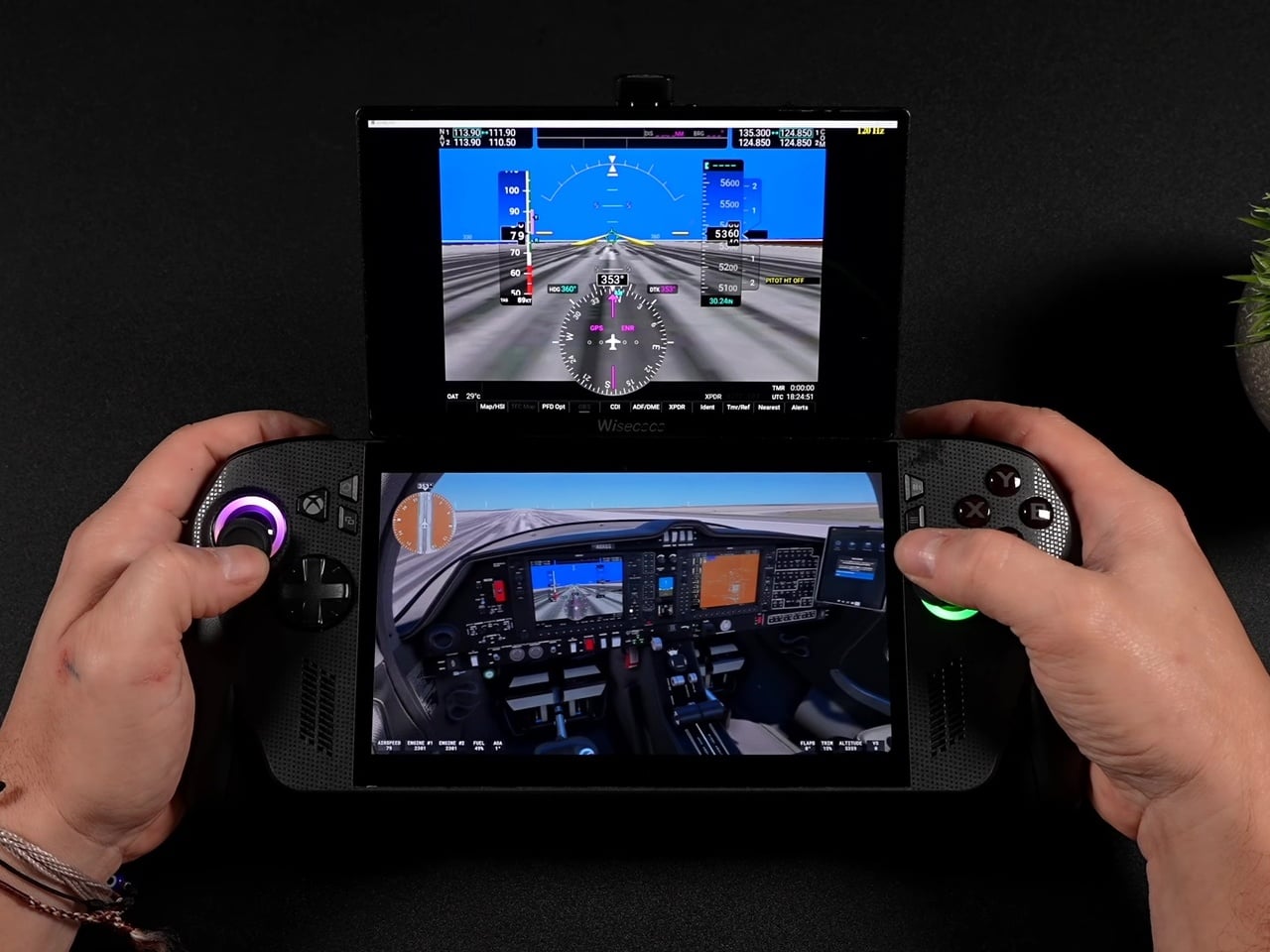
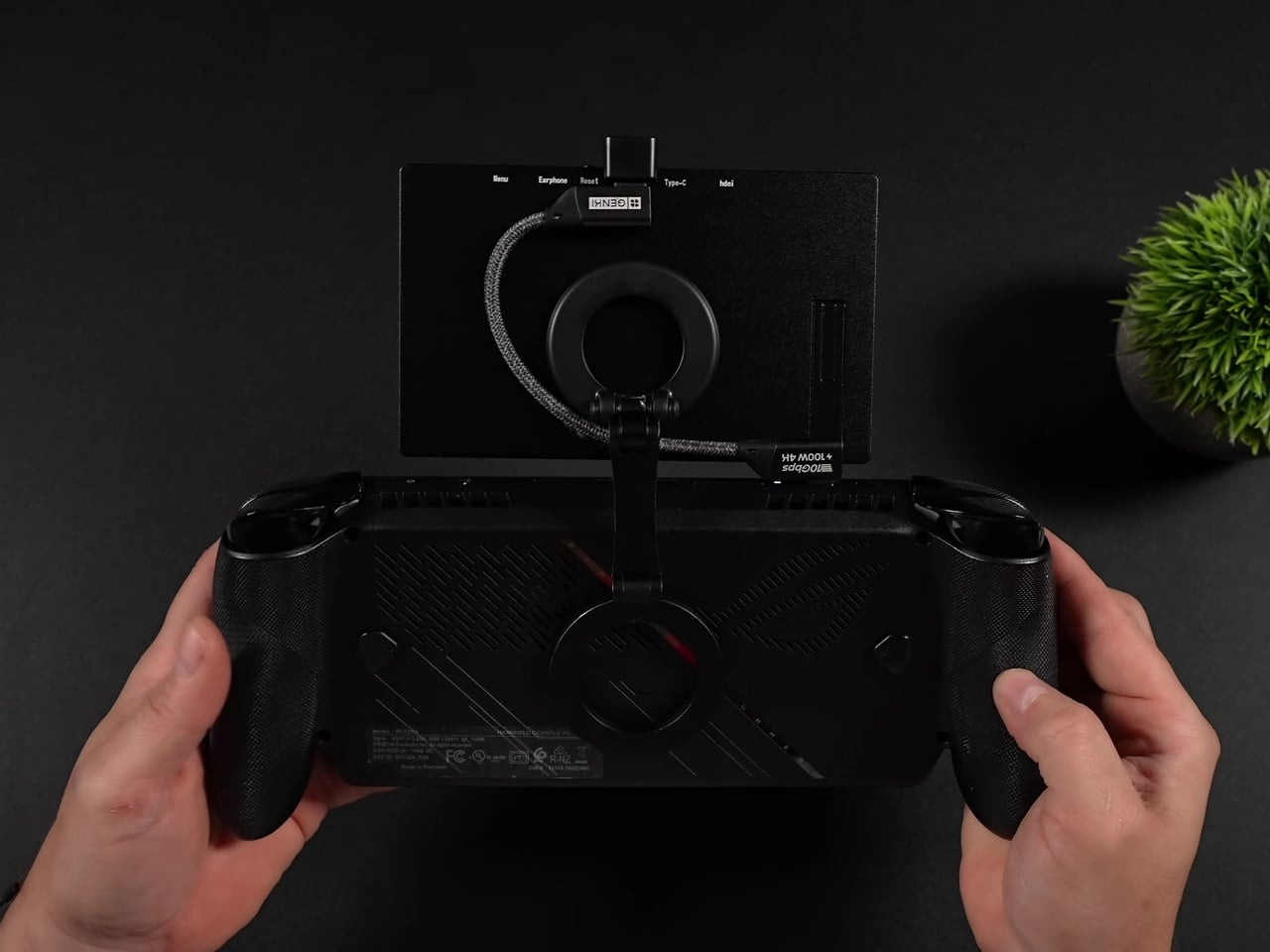
Magnetic MagSafe rings adhered to the back of both the handheld and the monitor handle the actual attachment, while a dual-sided magnetic phone holder in between provides the hinge points. That arm lets the top screen fold flat against the assembly for storage or tilt up to a comfortable viewing angle during play, essentially borrowing a phone accessory to solve a handheld gaming problem nobody’s shipped a proper solution for yet.
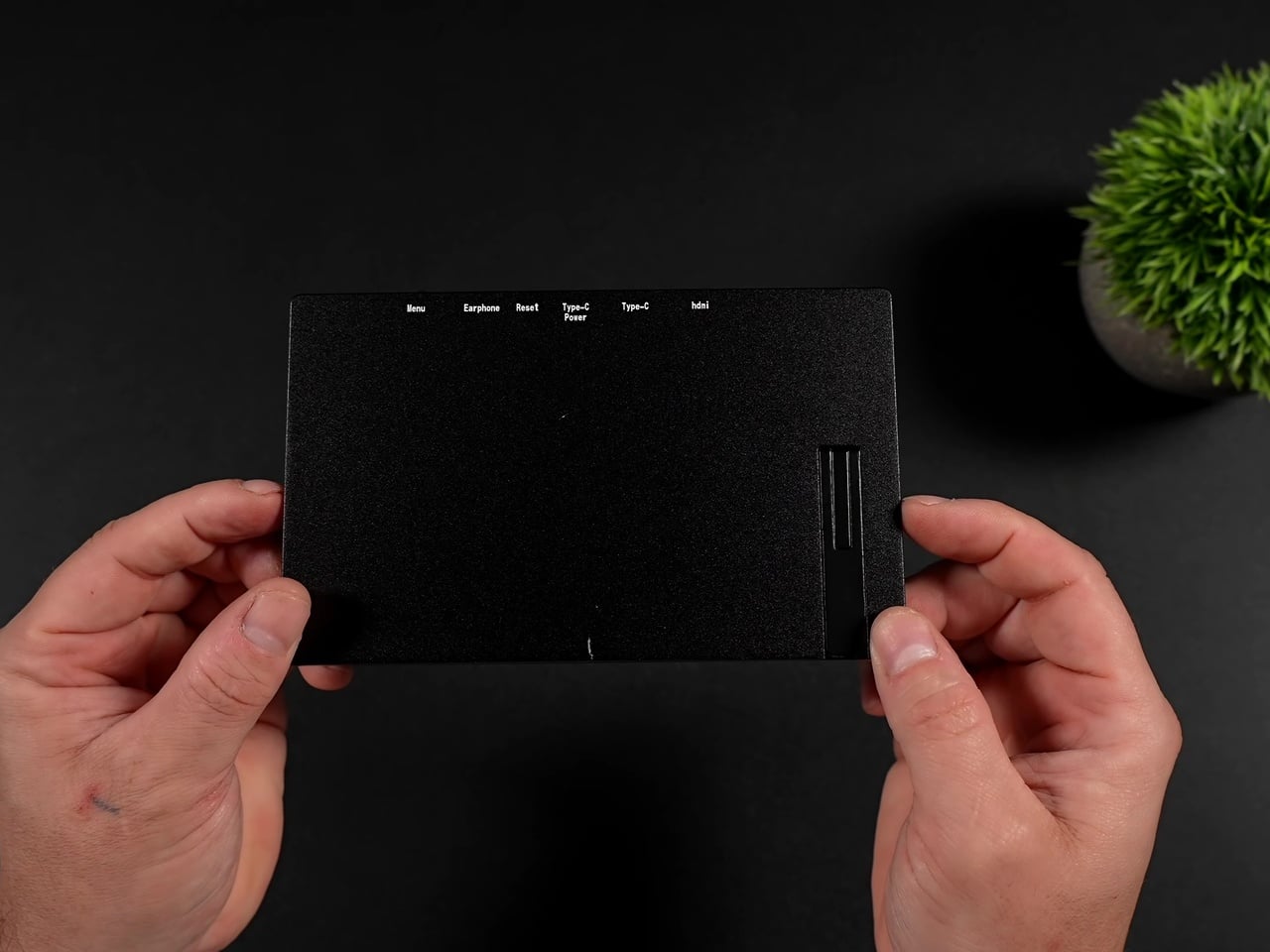
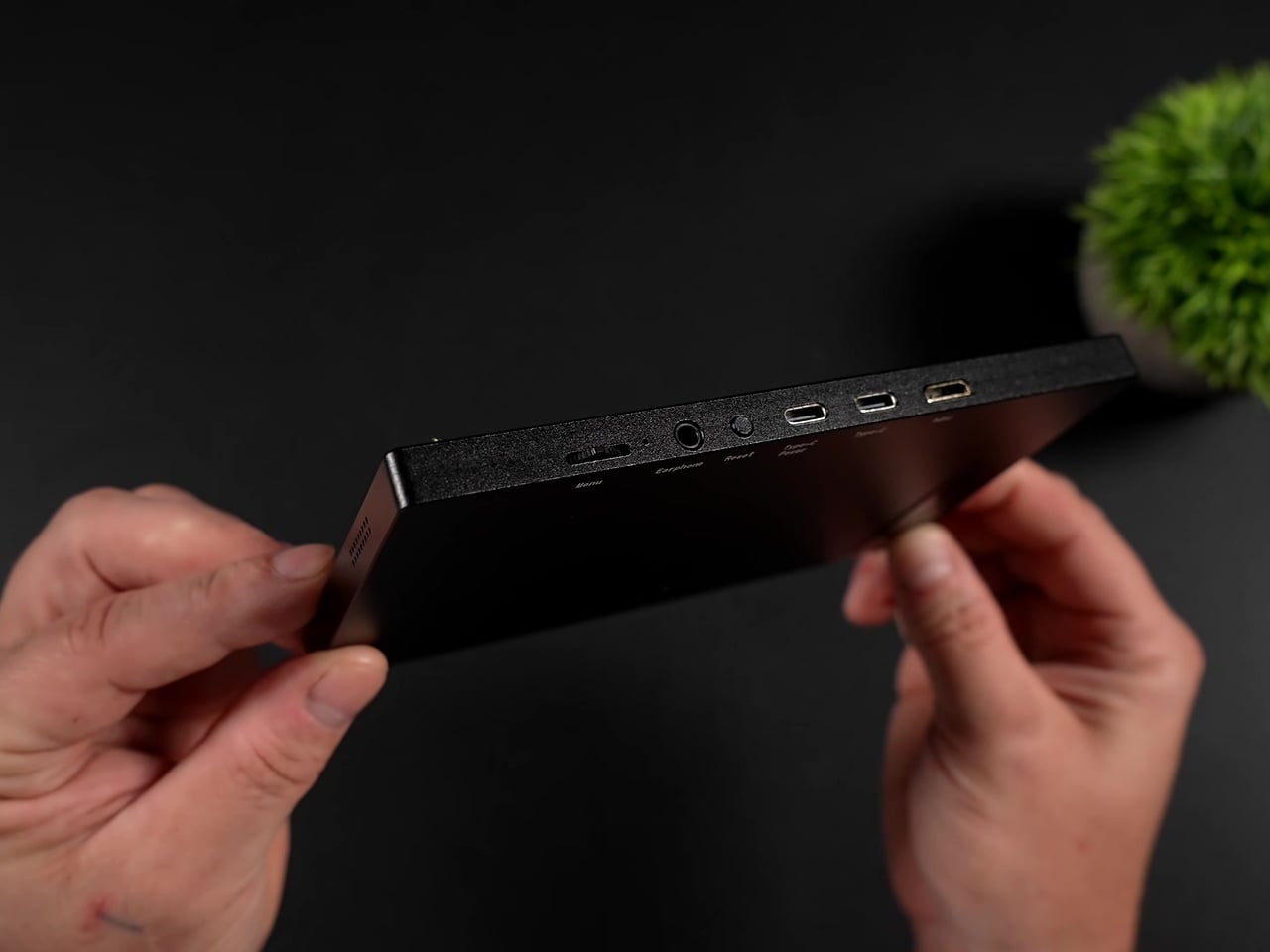
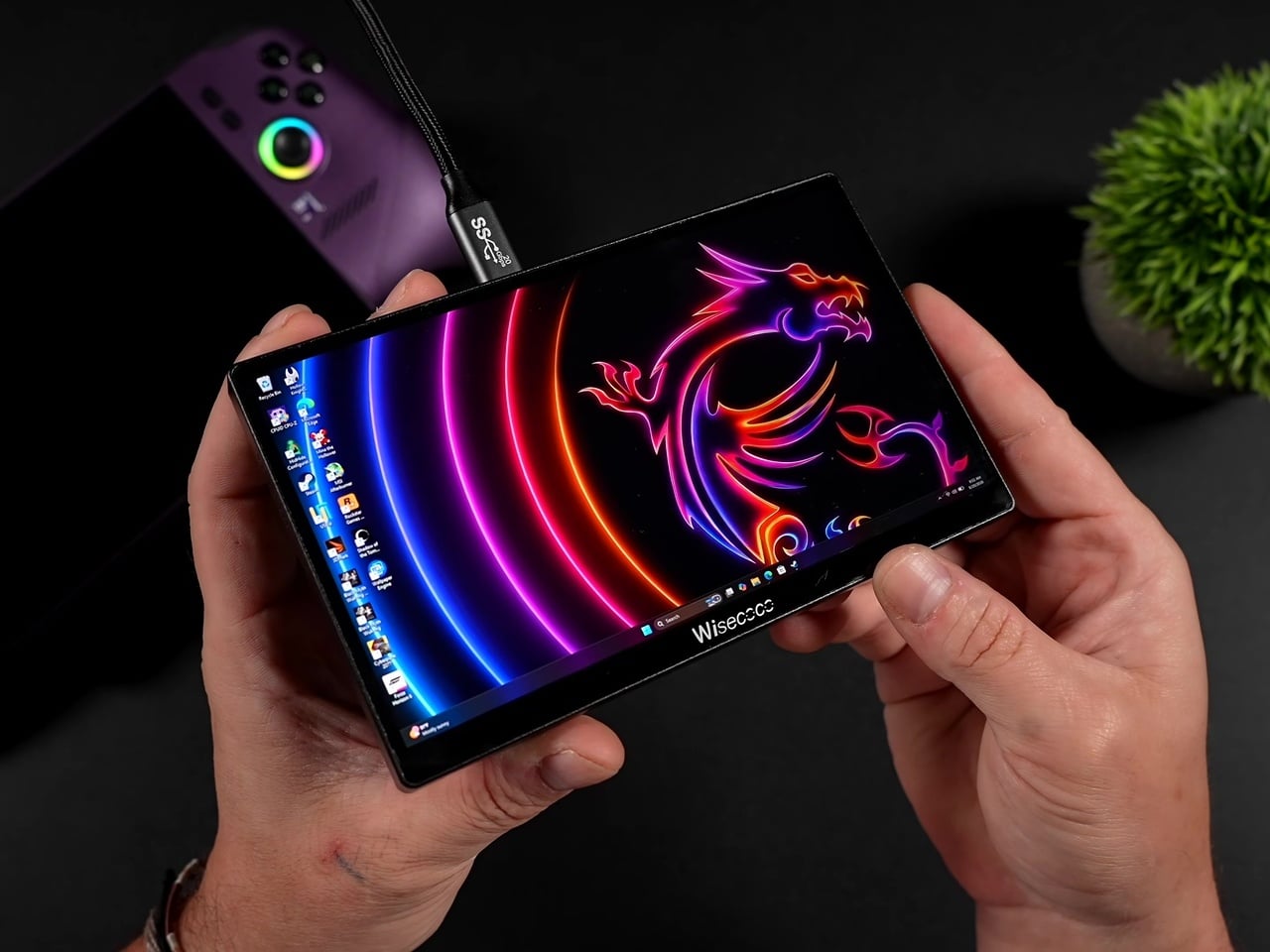
Where this setup actually earns its keep is in the software pairing it unlocks. Dual-screen emulation for Nintendo DS, 3DS, and Wii U titles finally makes sense on PC hardware, with the top screen handling the main view while the Ally X’s built-in display takes over as the touch-enabled bottom screen exactly the way Nintendo intended those games to be played.
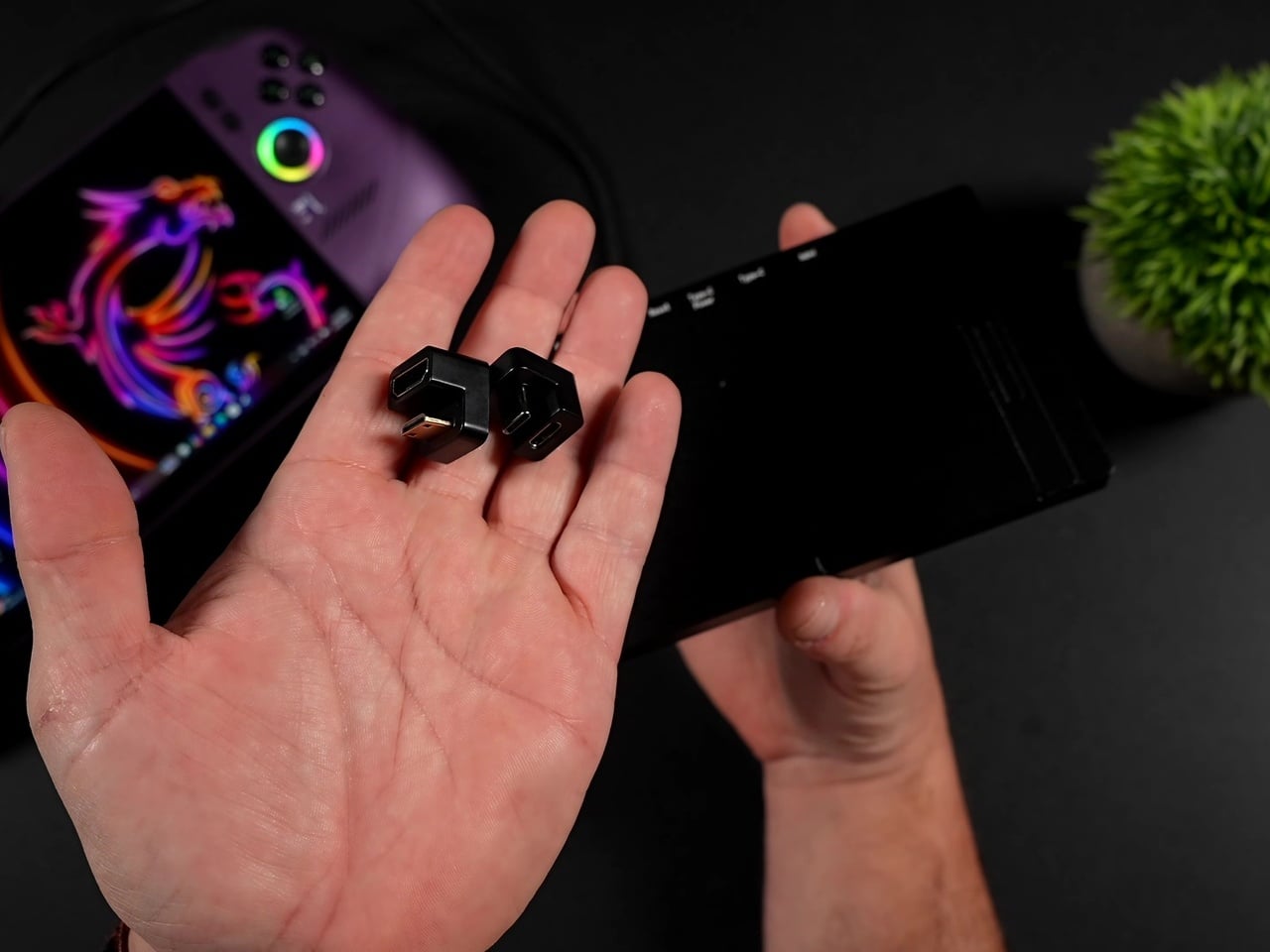
Flight and driving sims benefit just as directly. Popping instrument gauges and flight panels out to that second screen in Microsoft Flight Simulator 2024, or pushing telemetry readouts to it in Euro Truck Simulator 2 and various F1 games, turns a single handheld into something closer to a cramped cockpit setup. Even a Fallout 4 Pip-Boy overlay finds a natural home up there instead of cluttering the primary display.
None of this comes free of friction. Windows defaults the panel to 60Hz on first connection, so getting the full 120Hz and FreeSync experience means digging into display settings manually every time. The monitor also draws power straight from the handheld itself, meaning battery life takes a real hit exactly when you’re asking the system to drive two screens instead of one.
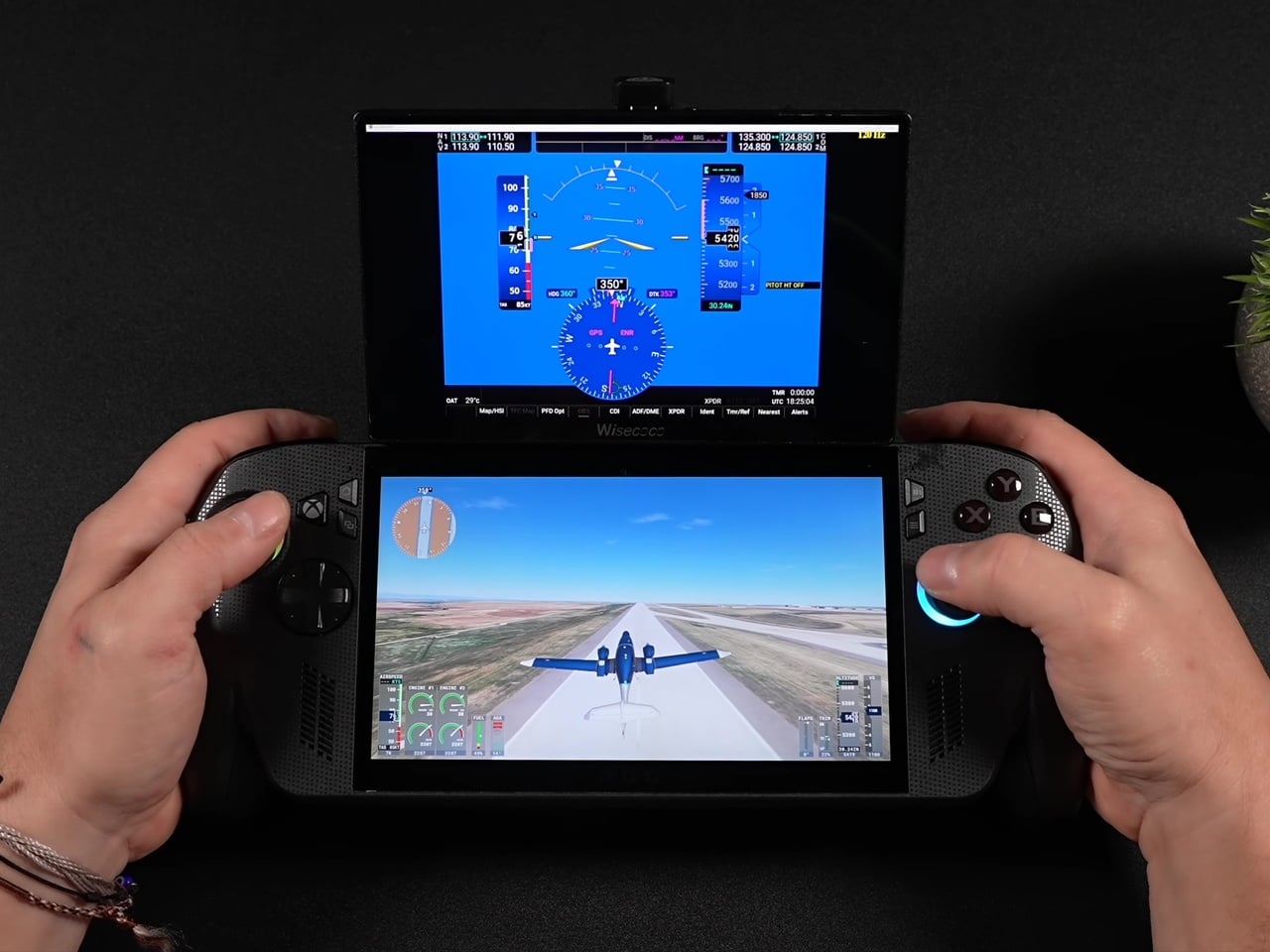
The real achievement isn’t the display itself; plenty of budget portable monitors exist. It’s the decision to make the whole assembly modular using parts nobody designed specifically for this: magnetic phone mounts and right-angle adapters repurposed into a hinge system that snaps on for a flight sim session and comes right back off for the commute home.
The post This ROG Ally X Mod Snaps On a 120Hz Second Screen, Then Off Again first appeared on Yanko Design.