An’An at CES 2026: Biomimetic Wool Panda That Responds to Your Hugs

Loneliness quietly settles into homes where older adults live alone, where families are spread across cities, and where evenings can stretch out with no one to talk to. Technology has tried to fill that gap with video calls and smart speakers, but those tools are still built around tasks and commands, around asking for something rather than simply being there when someone needs company or a gentle reminder that they are not forgotten.

An’An is a robot less interested in showing off and more interested in listening, remembering, and responding gently over months and years. It is a panda-shaped companion designed from the fur inward to offer long-term, stigma-free emotional support for people who might never ask for help directly, treating emotional care as something that can happen quietly through touch, voice, and the kind of daily rituals that build trust without demanding much in return.

Designer: Mind With Heart Robotics

A Panda Built for Feelings, Not Tricks

An’An is a biomimetic panda cub companion built around the simple idea that people relax more easily around animals than around machines. Its body is handcrafted from Australian wool and sheepskin for natural tactile comfort, inviting stroking, hugging, and lap-holding in a way that cold plastic or silicone never could. The form factor is intentionally soft and low-key, closer to a plush toy than a science fiction robot.

An’An is not designed to juggle, dance, or navigate obstacle courses. Its job is to be present, to respond to touch with gentle, lifelike behavior, and to make it feel safe to express emotion without judgment. The panda shape, the weight, and the way it settles into a lap are all tuned to trigger nurturing instincts, especially for older adults who may miss the feeling of holding a pet or a grandchild who has moved to another state.

This focus on emotional comfort extends to how An’An fits into a home. It can rest on a sofa, bed, or desk without looking like medical equipment, which matters when someone is already sensitive about needing support. The goal is to make companionship feel natural and dignified, not clinical, so people will actually reach for the robot when they feel low rather than hiding it in a drawer or treating it like another gadget they were supposed to use but never really warmed to.

Emotional Intelligence Under the Fur

Under the fur, An’An is a dense network of sensors and affective AI. A full-body tactile sensing system with more than 10 sensor suites recognizes how and where it is being touched, distinguishing between a gentle stroke, a firm squeeze, or being picked up. That information feeds into an emotional AI engine that also listens to voice patterns and tracks interaction habits over time, building a model of who you are and how you prefer to communicate.

An’An’s long-term memory allows it to personalize responses as it learns. Over weeks and months, it can adapt to a user’s routines, noticing when someone tends to be quiet, when they like to talk, and what kinds of interactions seem to lift their mood. The hybrid offline-online architecture, with four to five hours of continuous battery life and USB-C charging, keeps core functions running even when connectivity is limited or when someone prefers not to share everything with the cloud.

This combination of multimodal sensing and memory means An’An can move beyond scripted novelty. Instead of repeating the same phrases, it can vary its behavior, initiate interaction during long periods of inactivity, and gradually build a relationship that feels more like a familiar presence than a toy. Preliminary studies suggest that this sustained, personalized engagement can measurably improve mood, which is the metric that matters most when the goal is helping someone feel less alone.

From Living Rooms to Care Facilities

In a private home, An’An can simply be a companion that is always available. It can offer gentle conversation, respond to touch, and provide a sense of being seen and heard without the stigma some people feel around therapy or medication. For older adults who may not want to bother their families with every worry, having something that listens without judgment can make a surprising difference to how a day feels, especially during the long stretches between calls or visits.

In eldercare settings, An’An takes on an additional role. A clinical version can capture objective interaction data, such as touch patterns, conversation cues, and changes in engagement, and surface those trends to authorized clinicians through secure dashboards. That gives caregivers another lens on cognitive and emotional status, helping them notice when someone is withdrawing, agitated, or unusually quiet without relying solely on brief check-ins or self-reported surveys that people might downplay.

Because An’An delivers clinical-grade capabilities at roughly one-fifth the cost of traditional therapeutic robots, it becomes more realistic for care homes and institutions to deploy multiple units rather than a single shared device. The unified affective AI platform, backed by more than 30 patent filings and 18 granted patents, is designed to scale across different environments while keeping the core promise the same: emotionally meaningful companionship over time.

A Different Kind of Robot

When it appears at CES 2026 as an Innovation Awards Honoree in the Artificial Intelligence category, An’An represents a quiet shift in what people expect from robots. Instead of another on-stage demonstration of agility or speed, it offers a case study in emotionally intelligent, human-centered design, showing how biomimetic form, tactile materials, and affective AI can come together to support people who need comfort more than spectacle, and companionship more than commands, at a scale and cost that makes it a viable part of everyday care rather than a research curiosity.

The post An’An at CES 2026: Biomimetic Wool Panda That Responds to Your Hugs first appeared on Yanko Design.
Nuon Medical: Why the Future of Skincare Isn’t Another Serum

The beauty industry has spent decades perfecting what goes inside the bottle. Formulas have become more sophisticated, actives more potent, ingredient lists more transparent. Yet the objects that deliver those formulas have stayed mostly the same. Glass jars, plastic tubes, pump bottles, they’re passive containers designed to hold product, not enhance it. Meanwhile, beauty gadgets promised professional results at home but ended up in drawers, forgotten.

The real opportunity isn’t another breakthrough ingredient or another device. It’s that split second where formula actually meets skin. That’s the insight behind Nuon Medical, a company founded by Alain Dijkstra with roots in medical devices rather than traditional cosmetics. While everyone else obsessed over formulas, Nuon started looking at the packaging itself. We interview Senior Consultant Benny Calderone to get deeper insights into the company’s origins and perspectives.

Designer: Nuon Medical

From Chemical to Physical Innovation

According to Nuon Medical, “For decades, the beauty industry focused on ‘Chemical Innovation’—the juice inside the bottle. Nuon is pioneering the era of ‘Physical Innovation.’ In short: we are solving the ‘Last Inch’ of skincare.” It’s a shift that treats packaging as a performance-critical interface, one that determines whether those actives reach their biological targets or just sit on your skin doing nothing.

Nuon’s journey started with standalone light therapy devices used for hair growth and wrinkle reduction. After nearly two decades making those tools, founder Alain Dijkstra noticed they had a retention problem. They added steps to already crowded routines and mostly ended up unused. For clinical tech to work at scale, it had to disappear into something people already do every day.

By embedding tech into packaging, Nuon eliminated the compliance gap. “We realized that for clinical tech to scale, it must be invisible. By turning the packaging itself into the ‘treatment engine,’ we eliminate the compliance gap.” You’re not being asked to do something new. You’re just upgrading what you already do. From a business angle, this transforms a throwaway bottle into something worth keeping.

Frictionless Intelligence at the Point of Contact

Nuon doesn’t start with sketches or aesthetics. They start with human-factor engineering, figuring out how an applicator should guide contact, path, and speed to deliver the formula correctly every time. The result is what they call frictionless intelligence. “We design for ‘frictionless intelligence.’ If a user has to read a manual, the design has failed,” the company states.

Intelligence gets built into the haptics, the ergonomics, the physical interaction logic itself. The tool quietly guides your motion without you realizing it. The applicator steers where you press, how fast you move, the path you follow, all without instructions. Light therapy, microcurrent, thermal elements, vibration, they’re woven into the interaction, supporting the formula instead of distracting from it.

There’s a tricky balance here. Clinical devices can feel intimidating. Beauty objects need to feel inviting, something you want to pick up every morning. Nuon often prioritizes consistency over intensity. “A tool used daily with proper motion and interaction is far more effective than a high-intensity device left in a drawer,” they note. A lower setting used correctly beats a powerful tool that stays in the drawer.

The Hidden Operating System of Beauty

Nuon isn’t a consumer brand. They’re a B2B partner working behind the scenes with global beauty companies. Their modular tech stack works like an operating system, offering a validated foundation that brands dress up with their own materials. Luxury labels use glass and heavy metals. Mass brands use lighter plastics. The intelligence underneath stays the same.

“Nuon is the ‘Innovation Engine’ behind the world’s leading brands. Our philosophy lives in the UX Framework, not the visual skin,” Calderone explains. Brands can apply their aesthetic identity without messing with the validated technology underneath. “We provide the ‘Intelligence’; they provide the ‘Identity,'” he adds. It’s systems thinking applied to beauty packaging.

Data, Sustainability, and the Death of the Dumb Bottle

Once packaging gets smarter, it starts collecting data. Nuon’s applicators can measure skin hydration, texture, UV exposure, and more. But the company is deliberate about how that information gets used. “Data should be a concierge, not a surveillance tool,” according to their philosophy. Diagnostics should inform care, not flood you with vanity metrics. Nuon provides privacy-by-design infrastructure where consumers stay in control.

Then there’s sustainability, where Nuon takes a blunt stance. “Sustainability only scales if it improves the user experience. ‘Green theater’ is asking consumers to settle for less; True sustainability is ‘Assetization,'” the company states. They design the high-tech applicator as something durable that you want to keep. The formula becomes a refill that plugs into that base, separating Durable Intelligence from the Circular Consumable.

It’s not sustainability through guilt. It’s sustainable because the design makes refills the logical choice. You’ve invested in the smart hardware, so of course you’re going to buy the refill. Nuon’s vision is bold. “We are witnessing the death of the ‘dumb bottle.’ In a decade, a passive plastic cap will feel as obsolete as a rotary phone.”

Packaging will become responsive tools that sense conditions and guide your hand in one motion. “Scalp and hair care is the next great ‘blue ocean.’ It’s a category where wellness meets clinical results, and users can immediately feel the benefits of microcirculation and stimulation,” Nuon notes. The broader idea is that everyday objects on bathroom shelves are about to become quietly intelligent without looking like sci-fi props.

Companies like Nuon are writing that next chapter from behind the scenes, proving that clinically meaningful technology doesn’t need to sacrifice what makes beauty objects appealing. It’s a shift from containers to interfaces, from passive to active. If Nuon’s right, we’ll look back at today’s plain bottles the way we look at rotary phones, functional once but hopelessly outdated now.

The post Nuon Medical: Why the Future of Skincare Isn’t Another Serum first appeared on Yanko Design.
Yanko Design’s Best of CES 2026: Tech That Removes Friction

CES usually means prototypes that look like they escaped from a sci-fi movie and demo reels that promise to change everything by next Thursday. This year felt different, or at least the products that actually mattered did. The best stuff on the floor was not trying to replace your habits or announce itself from across the room. It was quietly upgrading things you already reach for, tucking serious engineering into familiar objects and using it to remove friction from how you already live, work, and move through spaces.

The through-line across our favorites is technology that earns its place by behaving like a better version of something you already understand. Glasses that translate or restore hearing, a home battery that looks like furniture, headphones that twist into speakers, a TV backlight that adds a fourth primary. Even when intelligence is involved, it smooths edges rather than steals the spotlight, treating the upgrade as something you notice only when a moment becomes easier, clearer, or less annoying.

Dreame X60 Max Ultra Robot Vacuum

Dreame’s X60 Max Ultra is the top of the new X60 Ultra series, reimagined for whole-home adaptive cleaning. It pairs a 7.95cm ultra-thin body with a sculptural all-in-one dock, combining engineering that lets it navigate low furniture, climb tall thresholds, and handle carpets and hard floors without leaving messes behind, treating deep cleaning and hot-mop care as a mostly background process.

The retractable sensor and VersaLift navigation let the robot clean under beds and sofas at just 7.95cm tall, switching to dual AI cameras and LEDs when it retracts. The AI-Enhanced OmniSight system uses 120-degree cameras, 3D structured light, and a 0.1s response to recognize over 280 object types and plan routes up to 200 % faster, while the ProLeap system climbs thresholds up to 8.8 cm with retractable legs.

Cleaning performance combines up to 35,000 Pa Vormax suction with the HyperStream Detangling DuoBrush 2.0, featuring 60% thicker rubber strips and 1,600 RPM speed. DreameGlide mopping uses thermal mop pads, dual omni-scrub heads, 15 N downforce, and 230 RPM rotation, while ThermoHub self-cleaning washes pads with 100 °C hot water on a self-cleaning washboard, keeping them grease-free and ready for the next run.

The All-in-One PowerDock auto-empties for up to 100 days, washes and mops with 100°C water, dries them with hot air, and manages 4.2L and 3.0L water tanks. The Max version adds dual-solution dosing for floor cleaner and pet-odor solution, and an optional water hookup handles refilling and draining, turning vacuuming, mopping, mop care, and waste management into a mostly autonomous background routine.

The design has a minimalist, geometric base station with semi-transparent accents that reads like furniture, paired with a robot featuring offline voice control, smart carpet strategies, Pet Care 4.0, and upcoming Matter support. For CES 2026, X60 Max Ultra feels like where robot vacuums are headed, combining architectural aesthetics and serious engineering into something built for large, complex homes where floors, carpets, thresholds, and pets all demand attention.

Lenovo ThinkPad Rollable XD Concept

Laptop screens have been stuck as fixed rectangles for years. The ThinkPad Rollable XD Concept is Lenovo’s bold reimagining of the laptop PC, building on experiments like the ThinkPad X1 Fold and ThinkBook Plus rollable designs but pushing further with a rollable OLED that can change shape and face both the user and the outside world, treating the display as something that stretches and wraps instead of just opening and closing.

The concept is one of the world’s first out-folding devices with a world-facing display and expanding user-facing screen. Part of the rollable panel is always visible on the lid, even when the laptop is closed, while the rest extends upward when opened, transforming a compact 13.3-inch notebook into a near-16-inch workspace and delivering over 50 % more screen real estate without the bulk of a traditional 16-inch chassis.

The taller, expanded screen supports multitasking and creative work: stacked documents, vertical timelines, side-by-side apps, or code and preview in one view. The world-facing strip on the lid shows calendars, notifications, or custom widgets, turning the outside of the laptop into a personal dashboard or a small signboard for collaboration and retail scenarios, making the closed laptop a live information surface instead of a blank slab of metal.

Lenovo folds in AI-driven features like live translation, voice assistant, multi-modal input, and lid-closed interactions that take advantage of the world-facing display. Swipe to X touch gestures and voice controls let users launch apps or switch modes with a finger or a command, framing the Rollable XD as a platform for new AI-era workflows rather than just a clever mechanical trick that extends a screen without adding much practical value.

The transparent 180-degree Corning Gorilla Glass Victus 2 cover, jointly developed by Lenovo and Corning, protects the rollable panel while revealing some of the mechanism underneath. The concept keeps familiar ThinkPad cues like the keyboard and TrackPoint, so it still feels like a ThinkPad even as the screen stretches and wraps. It offers a glimpse of laptops that can expand when you need more space and broadcast information outward when you close the lid.

Hypershell X Ultra Robot Exoskeleton

Hypershell X Ultra is the world’s best outdoor exoskeleton to date, built for people who want to hike, run, and ride farther without feeling wrecked at the end of the day. It is a high-performance, AI-powered frame that wraps around your hips and legs, delivering motorized assistance that blends into outdoor life instead of announcing itself. At CES 2026, it signals that exoskeletons are finally stepping into the same category as backpacks and boots for serious adventure.

The performance is SGS-certified, not just claimed. Independent testing confirms up to 39% less physical exertion when cycling, around 2022% less when walking, and a 63% increase in hip flexor endurance, with heart rate reductions of up to 40%. Each battery delivers about 30km of hiking in Eco Mode or intense bursts in Hyper Mode, and two batteries extend walking range to roughly 60km on a single outing, turning multi-day treks with heavy gear into something more achievable.

The AI MotionEngine Ultra takes input from more than a dozen sensors and adapts assistance in real time to terrain, activity, and stride. Key modes like Running+ and Cycling+ deliver stronger bursts during take-off and acceleration, while Snow and Dune stabilize movement on powder and sand. Downhill buffering shifts support to protect knees on long descents, making the exoskeleton feel like an extension of your legs rather than a rigid frame pushing against your gait.

The hardware is built from SpiralTwill 3000 carbon fiber and aerospace-grade titanium alloy, with more than half the frame using automotive-grade dry carbon molding and key load-bearing parts shaped through 3D hollow forming. At 1.8kg structural weight, it is designed to shrug off scratches and abrasion on rocky terrain, operate from 20°C to 60°C, and fold down for transport, so it feels like serious outdoor gear instead of industrial equipment that belongs in a factory.

At CES 2026, Hypershell is using initiatives like the Hypershell Hundred on the show floor, and a Red Rock Canyon hike to prove that exoskeletons belong in the same conversation as performance footwear and technical apparel. The Hypershell X Ultra is a glimpse of a near future where strapping on a lightweight, AI-driven exoskeleton before a big day out feels as normal as lacing up trail shoes, and where going farther stops being about raw endurance and starts being about choosing the right gear.

Dreame Aero Pro Dry Wet Vacuum

Most homes have a familiar blind spot: the strip of dust under the sofa, the pet hair hiding under the bed, and the sticky spill that never fully disappears near the dining table. Dreame’s Aero Pro feels built for that gap, a flagship wet‑dry vacuum that lies completely flat, reaches under low furniture, and then cleans itself with hot water and hot air instead of asking you to scrub a dirty roller by hand.

The Aero Pro’s 9.85 cm ultra‑thin body and 180‑degree lie‑flat design let the cleaning head hug the floor and slide under sofas, beds, and cabinets that upright cleaners and many robots simply cannot reach. Dual‑side edge cleaning helps it trace along baseboards and furniture legs, while the cordless form and low profile make it easier to weave through tight spaces without constantly stopping to rearrange a room.

Cleaning power comes from a 25 kPa vacuum‑and‑mop 2‑in‑1 setup that handles dry debris, pet hair, and liquid spills in a single pass. Dreame’s TangleCut 2.0 brush is designed for 0 hair residue, cutting through more than 3,000 hairs without clogging, which matters when you share a home with pets or long hair. Instead of pausing to detangle the roller every few days, you can focus on actually getting the floor back to clean.

Afterwards, the Aero Pro looks after itself. A 90°C hot‑water self‑cleaning cycle flushes the roller and internal channels, eliminating 99.9% of bacteria, then a 194°F hot‑air smart‑drying system finishes the job in about five minutes with intelligent humidity control. A 1,000ml clean‑water tank, 500ml dirty‑water tank, and up to 60 minutes of runtime mean you can cover a full home in one session without constant refills or a long post‑clean routine.

Smart dirt detection and voice prompts round out the experience, nudging you when the floor is especially dirty or when the machine needs attention, while the understated design lets Aero Pro live in a hallway or living room without shouting for space. It feels like a sign that wet‑dry vacuums are growing up, blending serious cleaning performance, self‑care, and thoughtful ergonomics into a slim machine that finally tackles the corners you usually ignore.

Arspura F1 Range Hood

Searing a steak or stir-frying usually means watching smoke roll past a noisy hood that never quite keeps up with the pan. The Arspura F1 is a top-suction range hood built around speed and silence rather than just big CFM numbers, using a high-speed BLDC motor and ultra-fast airflow to clear smoke at the source before it drifts into the rest of the kitchen or lingers in the air.

The F1 focuses on airspeed at the inlet, pushing up to 16 m/s through an elongated front slot that captures fumes in about 0.03 seconds, compared to the 3–5 m/s typical of many hoods. This source-capture approach keeps grease and odors from spreading, making the cooking zone feel clearer and the rest of the home less like it just hosted a steakhouse service, even during high-heat sessions.

Instead of metal filters that clog and need replacing, the F1 uses centrifugal force to spin grease out of the airstream and drop it into a large oil cup. The intelligent self-cleaning cycle spins the motor at high speed to fling away residue, preserving suction over time and reducing yearly maintenance to emptying the cup, with zero filter costs compared to conventional hoods that can easily add up.

Everyday touches include three adjustable speed levels, wave-to-control gesture input that changes fan speed without smearing the front panel, and an eye-comfort LED cooking light that illuminates the cooktop evenly without glare. Auto delay shut-off keeps the fan running for a few minutes after you finish, plus the Arspura Smart App handles scheduling cleaning and sending oil-cup alerts, turning maintenance into background notifications instead of forgotten chores.

The F1’s 30-inch-class form factor, shortened body, and minimalist grey finish fit standard cabinetry and multi-burner ranges without dominating the room. By combining high-speed source capture, filter-free self-cleaning, and smart, touch-free controls in a clean, compact shell, Arspura’s F1 feels less like a necessary box over the stove and more like a quietly overqualified piece of kitchen infrastructure that earns its space by working harder and asking for less.

Dreo Smart TurboCool Misting Fan 765S

Traditional misting fans cool well but leave floors, furniture, and electronics damp, so they end up on patios and garages instead of living rooms. The idea of a tower fan that delivers real, evaporative cooling inside without leaving residue has always felt like a promise that dissolves the moment you turn it on. The DREO TurboCool Misting Fan 765S, debuting at CES 2026, is a serious attempt to finally make mist-based cooling truly indoor-friendly.

The TurboCool 765S uses DREO’s self-developed ultrasonic misting module to generate 17µm droplets that evaporate almost instantly in high-velocity air, delivering a perceived temperature drop of up to about 10°F without condensation. The TurboWind Power system pushes around 1,800 CFM at 32ft/s, reaching up to 70ft with smooth 90° oscillation, and secondary re-dispersion keeps surfaces dry even at mist outputs up to 900ml/h.

Despite that airflow, HyperSilent engineering keeps noise as low as roughly 20dB, thanks to optimized impeller geometry and air-duct design, so it can run in a bedroom or open-plan living space without dominating the soundscape. The intelligent humidity-management system, with built-in temperature and humidity sensing, a customizable RGB indicator, and automatic humidity-target control, turns the 765S into a 3-in-1 climate tool, fan, cooler, and humidifier, instead of just a fan with a water tank.

The 6L top-fill tank supports up to 7 hours of Turbo cooling, reducing how often you need to refill it during hot days or long evenings. The pump-free, hygienic design minimizes mold and bacterial risks and makes cleaning simpler than with traditional evaporative coolers. Independent control of wind and mist, plus a dedicated humidification function, means the same appliance can handle dry winter air, sticky summer heat, and shoulder seasons without swapping devices.

The TurboCool 765S fits into smart homes with 12 fan speeds, 4 cooling modes, and 4 humidity levels accessible via app, voice, or remote, plus child-lock safety and ecosystem compatibility. The slim, silver-and-black tower with a transparent base and blue core looks more like a high-end audio column than a utility fan. At CES 2026, it stands out as climate tech that respects both performance and living-room aesthetics, making all-day indoor cooling feel less like a compromise.

Dreame A3 AWD Pro Robot Mower

Dreame’s A3 AWD Pro is a robotic mower built for the kind of lawn that usually defeats robots: sloped, uneven, full of trees, edges, and family life. It uses 360° 3D AI vision, LiDAR, and RTK mapping instead of perimeter wires, and it sits at the top of Dreame’s mower lineup as the one meant to tame complex yards without asking you to spend a weekend trenching wire around flower beds.

The 4WD hub motors and all-wheel-drive architecture let it handle up to 80% slopes and climb 4.5cm obstacles, which means it can deal with hills, roots, and transitions that would stop a typical mower. The low, wide stance and independent wheel control keep it stable on inclines and let it move confidently across different surfaces without getting stuck or leaving awkward uncut patches halfway up a slope.

The 45cm dual-blade cutting deck and adjustable height speed up mowing on larger lawns, while 1mm edge precision reduces the strip of grass that usually needs manual trimming along fences, paths, and garden beds. Dreame frames this as the difference between a robot that roughs in a lawn and one that actually finishes the job, covering wide swaths while still respecting borders closely enough that you are not breaking out a string trimmer every week.

AI-powered auto-mapping, 360° vision, and LiDAR let the A3 AWD Pro recognize yard boundaries, create virtual zones, and avoid obstacles without wires. Garden Guardian features include obstacle detection, child and pet awareness, and anti-theft alerts, making it feel safe to let the mower work while kids play or pets wander, and reassuring if it lives outside full-time, parked on a charging tower in the yard.

Automatic return to the dock for charging, rain detection that sends it home during showers, app control for schedules and zones, and OTA updates that keep navigation and behavior evolving turn lawn care from a weekly chore into something that mostly happens in the background. For people with tricky yards who usually spend Saturday mornings wrestling a push mower up hills, the Dreame A3 AWD Pro feels like the kind of upgrade that finally justifies a robot.

Hisense 163MX RGBY MicroLED TV

The Hisense 163MX RGBY MicroLED is a 163-inch wall-sized display that tries to solve a long-standing problem with ultra-large TVs: they can be bright and sharp but still miss the warmth and nuance that creators intend. It debuts an industry-first four-primary RGBY architecture and has already been recognized with a CES 2026 Best of Innovation Award for pushing MicroLED color forward in a direction that feels genuinely different.

Adding a yellow sub-pixel to the usual red, green, and blue fills the spectral gap between 500 and 600nm, where many MicroLEDs tend to mute subtle tones. The 163MX uses this RGBY structure and advanced color management across 33.17 million sub-pixels to dramatically enhance color fidelity and achieve up to 100 % of the BT.2020 color space, making it suitable for creator-true content that demands accurate warmth and vibrancy.

The display lives in a room with an ultra-slim 32 mm profile and a precision zero-gap wall mount that lets it sit flush against architectural surfaces. In a large, open living space or private screening room, the TV reads more like a luminous wall panel than a conventional screen, keeping the focus on the content while still feeling deliberately designed, not just enormous and imposing like commercial signage.

Hisense positions the 163MX as the next step in a longer journey, from pioneering RGB MiniLED technologies to exploring multi-primary systems and now RGBY MicroLED. The CES 2026 Best of Innovation Award recognizes this work in expanding the color spectrum and sets the 163MX up as a reference point for future large-format displays, not just another giant TV chasing higher brightness numbers or deeper blacks.

By treating color architecture, industrial design, and wall integration as a single problem to solve, Hisense’s RGBY MicroLED points toward living rooms and dedicated spaces where a 163-inch screen can deliver cinema-grade color without feeling like a piece of commercial equipment bolted to the wall, offering a preview of how ultra-large displays might evolve when warmth, vibrancy, and refined integration matter as much as sheer size.

Narwal Flow 2 Vacuum

Narwal Flow 2 debuted at CES 2026 as the brand’s smartest robot vacuum yet, built around a NarMind Pro autonomous system that recognizes unlimited objects and assigns risk-based cleaning strategies. Instead of treating every obstacle the same, it adjusts distance and intensity based on what it sees, cleaning within 8 mm of walls while giving pet waste a protective 70 mm bypass to avoid messy accidents.

The headline intelligence upgrades are Pet Care Mode, Baby Care Mode, and AI Floor Tag. Pet Care Mode automatically identifies pet zones, can scan for missing pets, and even video-calls them. Baby Care Mode drops into ultra-quiet operation near cribs, recognizes toys, and avoids crawling mats. AI Floor Tag spots valuables and logs them with alerts, turning the robot into something that adapts to families, not just floors.

Flow 2 also brings a new design outlook, with a rational arc-form dock, a frosted glass panel on the front, and easy-lift water tanks shaped for straight-up lifting. The integrated status light bar glows softly through the glass, giving the dock a premium, sleek presence that looks more like furniture than an appliance. It is designed to live in visible spaces without visual friction or clutter.

The FlowWash track-mop system continuously infuses the mop with fresh water at 140 °F, while a scraper strips away dirt in real time, and a built-in stirrer prevents odors in the dirty tank. Combined with 30,000 Pa suction, CarpetFocus Mode, and full-cycle de-tangling, Flow 2 handles everything from kitchen spills to pet hair without rewashing floors or clogging up after the first run through a busy home.

Flow 2 represents a shift from robots that simply avoid obstacles to robots that understand context. The combination of risk-based avoidance, scenario-specific modes, self-cleaning mopping, and a dock that looks like furniture shows that robot vacuums are finally moving from basic obstacle avoidance to genuine household awareness, adapting to pets, babies, and busy schedules without constant supervision.

TORRAS Ostand Q3 Air Phone Case

Pro-level phones get used for everything, from desk work and video calls to weekend hikes, and most cases still force you to choose between protection, a stand, or something that looks grown-up. The TORRAS Ostand Q3 Air is the third-generation evolution of its stand-based flagship, built for people whose days constantly shift between office, commute, and outdoor time, blending protection with a rotating stand and refined style.

The updated air-cushioned architecture at the top and bottom edges, plus an internal airbag-inspired system, delivers 12-ft drop protection by buffering and dispersing impact forces. Lattice-textured side panels, anti-friction grip points at natural contact zones, raised 1.2mm lips around the screen and camera, and a ring-shaped air cushion encircling the lens combine to protect without adding much bulk, keeping the case at just 3.35mm thick.

The proprietary 360-degree Ostand ring sits flush when not in use, then flips out to lock at different angles for portrait video calls, landscape streaming, or quick hands-free snapshots. It is fully compatible with MagSafe charging and accessories, so you do not have to peel the case off to drop the phone on a charger, and the ring itself acts as a precise magnetic alignment point on desks and car mounts.

The Guardian-style back panel uses TORRAS’s Tora-Smooth coating and fingerprint-resistant finish, chosen to feel refined rather than rubbery. Color options include Lava Red for a more assertive, energetic look, Glacier Sprint as a cool alpine-inspired tone, and Shadow Black as the minimalist default that fits both meetings and mountain trails, giving people subtle ways to match the case to their daily rhythm without sacrificing durability.

A case that can survive 12 ft drops, prop itself up at any angle, stay grippy and pocket-friendly, and still look considered on a conference table feels like where stand-style cases are heading. By treating the stand, the air-tech protection, and the fashion-influenced finish as parts of a single everyday tool rather than bolt-on features, the Ostand Q3 Air makes a strong case for itself as the kind of accessory that earns its spot on a carefully chosen phone.

Lymow One Plus Mower

Homeowners with large, uneven lawns, trees that drop leaves, and enough obstacles to confuse basic robot mowers usually spend Saturday mornings wrestling a push mower up hills. Lymow One Plus is a second-generation, boundary-wire-free tracked mower built to handle that complexity, with 50% more cutting power, heavy-duty mulching blades, and a Cyclone Airflow Cutting System that turns it into both a mower and a blower for year-round yard care.

The Cyclone Airflow architecture lifts and stretches grass blades so the deck can cut more evenly, then pulls clippings through a clean tunnel to a single discharge port, preventing clogging and keeping paths cleaner. Reinforced SK5 tool-steel blades, the same grade used in premium pruning shears and axes, shred fallen leaves, thick grass, and common debris, so autumn leaf piles become fine mulch instead of another weekend chore.

The upgraded LySee sensor-fusion suite combines RTK-VSLAM navigation with a next-generation stereo camera and 10 TOPS of computing power for faster, more accurate perception. AI training on thousands of complex yards lets the Lymow One Plus recognize more than 20 common yard objects, from trees and stones to fences and curbstones, with environmental intelligence sophisticated enough to distinguish over 10 hedgehog species, keeping both lawn and wildlife safer.

The automotive-grade construction includes a reinforced frame, upgraded sealing, and hub-motor rigidity strengthened by more than 200%, built to handle harsh sun, heavy rain, morning dew, and everyday bumps. The self-cleaning side-brush system and rubber film barrier keep grass out of the wheel cavity, while heated camera housings and anti-glare display shielding let One Plus maintain traction and visibility on slopes, gravel paths, and wet grass without stalling.

A tracked mower that can mow, mulch, and blow leaves, navigate complex lawns without boundary wires, and keep working through weather changes and rough patches feels like a sign that robotic mowing is growing up. By moving from light trimming on small, flat lawns to genuinely heavy-duty yard maintenance, Lymow One Plus lets you reclaim weekends while the machine quietly handles grass, leaves, and debris in every corner, treating large yards as a job it was built for instead of a stretch goal.

Creality Falcon T1 5-in-1 Laser Engraver

Typical diode engravers handle one or two materials before hitting a wall. Creality’s Falcon T1 is a fully enclosed workstation billed as the world’s first 5-in-1 laser engraver, built as a modular platform with swap-in diode, fiber, MOPA, and UV modules. A single machine can follow a studio from wood prototypes to metal badges to glass awards without changing hardware footprints, treating laser work as a family of processes instead of isolated tasks.

WaveSync is the adaptive multi-wavelength system that automatically recognizes which of the five laser modules is installed, then dials in working distance, power, and scan speed every time it starts. Users can switch modules in about 30 seconds without tools, and the diode, fiber, MOPA, and UV options together cover wood, leather, coated metals, stainless steel, titanium, plastics, ceramics, glass, and transparent acrylics in one compact tower.

The high-speed galvo system pushes up to 10,000 mm/s line speeds, making the Falcon T1 up to roughly 10 to 15 times faster than conventional frame-style diode machines while holding 0.01 mm precision. It can carve 3D reliefs on wood and stone, engrave inside glass blocks via the UV module, and mark one-touch full-color patterns on stainless steel and titanium using over 100 MOPA colors and in-house process libraries.

AI-assisted tools handle 3D relief image generation from standard 3D models, Smart Fill & Layout that auto-detects materials and boosts batch efficiency, curved-surface engraving, flame monitoring, and auto focus for different heights. The fully enclosed, Class 1-certified design, with lid and tray interlocks, emergency stop, and key lock, makes the T1 far more comfortable to run in shared studios or small shops than open-frame Class 4 rigs.

By letting one machine handle cutting, 3D relief, internal engraving, and full-color metal work across so many materials, the Creality Falcon T1 gives design teams and makers a flexible, upgradeable core tool instead of another specialized box on the bench. The modular lasers, WaveSync automation, industrial-grade speed, and Class 1 enclosure turn a compact tower into a small-format production cell ready to handle whatever material or creative idea comes through the studio next.

GlocalMe MeowGo G50 Max Satellite Mobile WiFi Hotspot​

International travel and remote work usually mean swapping SIM cards, paying roaming fees, losing signal in mountains or on flights, and juggling multiple hotspots or paywalls just to stay online. The GlocalMe MeowGo G50 Max is the world’s first device to seamlessly integrate terrestrial cellular, in-flight Wi-Fi, and satellite connectivity into one pocket-sized hotspot that automatically chooses the best network, treating every environment as just another mode in the same system.

HyperConn architecture combines three layers. On the ground, 5G and 4G across over 200 countries with speeds up to 3.4 Gbps and localized, roaming-free tariffs. In the air, CloudSIM technology taps into in-flight Wi-Fi at 35,000 feet for seamless work and streaming. Off the grid, NTN satellite communication provides emergency voice and SMS in remote locations where traditional networks disappear, keeping you connected in deserts, mountains, or open water.

HyperConn monitors latency, congestion, and signal strength in real time, automatically switching between 5G, 4G, 3G, office Wi-Fi, and satellite without user intervention. Wi-Fi offloading means that when the device detects a high-quality home or office network, it switches to save cellular data, then switches back when that network degrades. It acts like a smart traffic controller that constantly optimizes for speed, reliability, and cost without asking you to think about it.

The G50 Max offers 5G coverage in 80+ countries, support for over 300 operators, and Wi-Fi 6 sharing to up to 16 devices, making it suitable for teams or families on the move. A 4,850 mAh battery with 18 W charging handles a full day, while a multi-layer security stack with encryption, firewall protection, and automatic authentication keeps data safe across all three connectivity layers, from urban 5G to satellite links.

The sleek, rounded body features a large circular MOLED touchscreen that visualizes network modes, wrapped in a premium cream or lavender finish that makes it feel like a thoughtfully designed travel tool rather than a utilitarian router. MeowGo G50 Max offers a glimpse of always-connected life, where a single device in your bag seamlessly handles connectivity, whether you are in a city, on a plane, or halfway up a mountain, treating the network as something that should just work everywhere you go.

Hisense 116UXS RGB MiniLED TV

Most extra-large TVs chase more brightness and more inches, often feeling like commercial signage in a living room. The Hisense 116UXS is a 116-inch flagship that instead treats color as the main story, using the next-generation RGB MiniLED evo system to make a wall-sized screen feel more natural, expressive, and at home in bright, design-heavy spaces rather than overwhelming them with sheer scale or nits.

RGB MiniLED evo is a four-primary backlight architecture that adds cyan to the usual red, green, and blue, because cyan sits in the part of the spectrum where our vision is most sensitive to subtle shifts. This lets the 116UXS render gradients, skin tones, and shadow transitions with more nuance, adding depth without cranking saturation, so everyday scenes look richer rather than just more intense.

The Hi-View AI Engine RGB chipset manages tens of thousands of color dimming zones, constantly balancing fast motion, bright highlights, and deep blacks to preserve that tonal subtlety. Hisense claims up to 110 % BT.2020 color coverage, pushing beyond standard wide-gamut sets, with the result being a picture that holds its character across sports, films, and games instead of only shining in HDR demo clips.

The nearly bezel-free design and 1.57-inch profile let the 116UXS sit on a wall like a luminous surface rather than a framed object, as seen mounted above a low console in a glass-walled living room. The integrated Devialet Opéra de Paris 6.2.2 audio system delivers cinematic sound tuned to match the expanded color performance without needing a separate soundbar cluttering the clean AV setup.

The 116UXS is the fullest expression of Hisense’s color philosophy, with the UR9 and UR8 series scaling RGB MiniLED to more sizes, but this model carries the multi-primary evo system and the highest-end design. For readers who care as much about how a giant TV sits in a room as how it measures on a chart, the 116UXS shows what happens when color architecture, processing, industrial design, and audio are treated as a single flagship brief.

Dreame Aero Hair Straightener

Straightening hair usually means juggling a dryer and flat iron, waiting for hair to dry, then clamping it between hot plates that can leave it dry or frizzy. Dreame’s Aero Straight Pro is an air-driven straightener that uses high-velocity airflow instead of metal plates, drying and smoothing in one glide while aiming to be kinder to hair and scalp, treating the blow-dry and straightening ritual as a single step.

The dual hot-and-cold airflow channels use the Coandă effect to wrap air around strands, with hot air straightening and cold air setting in the same pass. A 120,000 RPM motor pushes airflow at 58 m/s and 45 m³/h, letting it go from wet to straight without a separate blow-dry. Dreame claims up to 50 % higher styling efficiency compared to traditional flat-iron routines.

Six NTC sensors check temperature 200 times per second, while temperature and humidity sensors watch how wet the hair is, adjusting airflow and heat automatically. The AI Styling Assistant and app-based hair-type recognition tune temperature and speed to your hair’s length, thickness, and moisture level, so you are not guessing settings or worrying about over-drying fragile strands or under-styling thick hair.

The ion-infused and oil-coated care system combines negative ions to reduce static and frizz, a keratin-infused coating to reinforce strands, and Moroccan argan oil that releases under heat to add moisture and shine. A 57 °C root-care mode lifts roots while keeping the scalp comfortable, and Dreame’s lab data suggests smoother, shinier, longer-lasting results compared to traditional flat-iron passes.

The smart display shows Wet, Dry, Root, or Cold modes along with temperature and airflow, and the intelligent safety guard slows, pauses, and shuts off automatically if you set it down. The lightweight, balanced body, long 2.8 m cord, and soft metallic finishes in Rosy Purple or Pink Gold make the Dreame Aero Straight Pro feel like a thoughtfully designed tool rather than just another hot appliance.

Acer Swift 16 AI Laptop

Acer’s Swift 16 AI is the flagship of the new Swift AI Copilot+ PC lineup, built for creators and professionals who need AI horsepower without carrying a workstation. Powered by up to an Intel Core Ultra X9 388H processor with integrated Arc B390 graphics, wrapped in a thin aluminum chassis at just 14.9 mm, it is designed to feel like a premium ultrabook that can still handle heavy creative tools and large files.

The 16-inch 3K OLED touch display runs at 120 Hz with 100 % DCI-P3 color and DisplayHDR True Black 500 certification, covering photo editing, video grading, and fast scrolling in one tall 16:10 canvas. Below it sits the world’s largest haptic touchpad, measuring 175.5 × 109.7 mm and supporting MPP 2.5 stylus input, turning the palm rest into a secondary drawing surface for sketching, animating, and editing directly without needing a separate tablet.

As a Copilot+ PC, the Swift 16 AI unlocks Click to Do, Copilot Voice, and Copilot Vision, while Acer adds PurifiedVoice, PurifiedView, User Sensing, and the Intelligence Space hub for calls, privacy, and productivity. Dual Thunderbolt 4 ports, HDMI 2.1, MicroSD, Wi-Fi 7, DTS:X speakers, and an FHD IR camera complete a machine that treats AI, I/O, and everyday ergonomics as equally important, making it one of the most complete thin-and-light creative laptops arriving this year.

Clicks Power Keyboard

Typing on glass, remote controls, and air-gesture keyboards still feels like a compromise when you are trying to write more than a couple of words. Clicks Power Keyboard is a pocket keyboard designed for smart screens, snapping onto phones via MagSafe or Qi2 and riding along like a slim backplate. It is built for people who bounce between phones, tablets, TVs, and headsets but still want fast, confident typing everywhere.

A slide-out mechanism reveals an ergonomic QWERTY layout with sculpted keys, directional arrows, and a dedicated number row, with multiple slider positions and landscape support so it can adapt from compact phones to big Ultra and Pro Max devices. An integrated 2,150 mAh battery powers the keyboard and wirelessly tops up a phone, turning it into a power bank that actually earns its pocket space while you type.

Power Keyboard also works as a multi-device Bluetooth keyboard for phones, tablets, smart TVs, and headsets, with quick profile switching so you can jump from drafting an email on your phone to searching on a TV or naming files in AR. The Clicks app on iOS and Android lets you tune key behavior, shortcuts, and backlighting, so one small accessory quietly fixes input across your whole ecosystem instead of adding yet another single-purpose gadget.

Pininfarina-designed InkPoster Duna Art Frame

TVs and digital frames dominate rooms with glow and cables, either demanding constant power or looking like technology trying too hard to be art. InkPoster Duna is a Pininfarina-designed A1 color ePaper art poster, conceived as furniture rather than a gadget. The precision-engineered aluminum frame, wrapped in elegantly stitched Alcantara borrowed from luxury automotive interiors, uses fluid curvature and tailored details to make the piece feel timeless and deliberate, not disposable.

The E Ink Spectra 6 screen with Sharp IGZO backplane displays more than 60,000 colors without any backlight, using pigment-like color capsules that behave like printed ink. Once the image is set, no power is needed to hold it on screen, so one charge can last up to a year. No blue light, no flicker, no glow, no heat, just a surface that looks like a poster and can change with a tap.

The InkPoster app offers thousands of licensed artworks, from vintage graphics to timeless classics, plus an exclusive collection of original Pininfarina design sketches and automotive prototype images. You can also upload personal images and update artwork remotely, hanging Duna vertically or horizontally, completely cable-free. It becomes an evolving design element that can shift a room’s mood in seconds without adding another glowing screen to the wall.

CyberPower MA-01 Desktop PC Cases

The MA-01 Modern Analog Series chassis from CyberPowerPC treats a gaming tower as something you want visible on a desk. It hides fans, radiators, and cabling behind sculpted vents and shrouds, framing only the GPU, CPU cooler, and memory through pillar-less curved glass. The woven steel mesh top reduces high-frequency resonance, cutting exhaust noise by 20 to 30 percent while moving enough air to keep temperatures controlled.

Three analog RGB knobs let you dial through 16.7 million colors and adjust brightness and effects without software. Pressing each knob activates secondary functions, so color, brightness, and lighting modes are controlled with hardware instead of menus. Precision-molded I/O shrouds self-center cables and reduce wear. The MA-01 ships in warm matte off-white, dark steel gray, and metallic dark silver, supporting ATX and BTF motherboards with space for 360 mm radiators and long GPUs.

The CyberPowerPC MA-01 suggests that gaming hardware can behave like a mature object in the room. It still moves air and lights up, but through woven mesh, sculpted vents, and analog controls that feel considered. For people who want a powerful tower that can live on a desk without shouting, that shift in attitude turns a spectacle into something you choose to keep visible.

Roborock Saros Rover

Most robovacs stop at stairs, split levels, and weird thresholds, then politely give up and wait downstairs. Roborock’s Saros Rover is a development-stage robot that uses the world’s first two-wheel-leg architecture in a robovac, moving more like a small rover than a puck that just rolls and bumps. Each wheel-leg can independently raise, lower, and bend, giving it reach, lift, and height while keeping its body level as the ground changes.

The wheel-legs let Saros Rover execute small jumps, agile turns, sudden stops, and directional changes, enabling it to tackle traditional, curved, and carpeted staircases with bullnose fronts, cleaning each step as it climbs or descends. It also handles slopes and complex multi-level room thresholds, transitioning into areas that have been hard no-go zones for homes trying to clean multiple floors with a single robot.

AI algorithms work with motion sensors and 3D spatial information to understand the environment and make those wheel-legs react with precision, dramatically shrinking no-go zones in multi-storey homes. For people who have given up on a single robot handling upstairs and downstairs, Saros Rover offers a glimpse of where robovacs might be heading, treating stairs and split levels as just another surface instead of a permanent boundary, though launch timing remains unconfirmed.

Pila Energy Plug-and-Play Home Battery

Backup power is usually something you hide in a garage or closet. The Pila Mesh Home Battery is a slim, 3.3-inch-thick object designed by bould Design to sit beside a desk or under a console, treating energy infrastructure as something you actually want to see. A monolithic front panel, integrated handle and stand, stackable form, and four color-accented shells turn the battery into a piece of living-room furniture.

Each Pila unit plugs into a standard outlet with no electrician, permits, or landlord approval, so renters and homeowners can drop backup power exactly where it is needed. Multiple batteries coordinate wirelessly like a Wi-Fi mesh, charging during off-peak hours and discharging during expensive peaks, while the Pila app monitors appliance-level usage, refrigerator temperature, and solar input, turning scattered appliances into a coordinated, intelligent energy system.

The numbers behind it: 1.6 kWh LFP capacity per unit, 2,400 W continuous output, 10-year lifespan, Wi-Fi and cellular connectivity, smart-home support for Alexa, Google, and HomeAssistant, and $1,299 per unit that can scale as needs grow. At fleet scale, connected Pila batteries form a virtual power plant that smooths peak demand and strengthens the grid, turning individual design-forward boxes into shared energy infrastructure.

TDM Neo Hybrid Headphones

Neo is TDM’s hybrid headphone speaker that twists from on-ear headphones into a compact speaker with a single motion. It is built for people who move from solo listening on a commute or walk to spontaneous hangs in parks, hotel rooms, or studios, without swapping gear. TDM’s “Tomorrow Doesn’t Matter” philosophy is about making those shifts feel effortless, treating music as something you can keep private or share on impulse.

The quad 40 mm driver setup uses two inward-facing drivers for clean, detailed headphone sound and two outward-facing drivers that turn Neo into a palm-sized speaker with surprising volume. Dual-layer memory-foam cushions, a soft vegan-leather headband, and an adjustable clamp keep it comfortable during long wear, while customizable twist controls and simple buttons let you switch modes, pause, or power off without digging through menus.

Neo delivers 200+ hours of battery life in headphone mode and 10+ hours in speaker mode, with USB-C fast charging that gives about 8 hours from a 5-minute top-up. Bluetooth 6 multipoint and Auracast readiness, a 3.5 mm aux port, voice assistant support, and replaceable batteries frame Neo as design-forward audio gear that earns its spot in a bag by doing double duty between private listening and shared sound.

Lenovo Yoga Pro 9i Aura Edition (16″, 11″)

Lenovo’s Yoga Pro 9i Aura Edition is the flagship Yoga for people who spend days inside timelines, node graphs, and layered canvases. Framed as “The Ultimate Power to Create,” it pairs Copilot+ PC intelligence with up to an Intel Core Ultra 9 processor and NVIDIA GeForce RTX 5070 Laptop GPU, all wrapped in a redesigned Thunder Grey chassis that still looks like a Yoga, not a bulky workstation trying too hard to signal power.

The 16-inch 3.2K PureSight Pro Tandem OLED display runs at a 16:10 aspect ratio, 120Hz variable refresh, and up to 1,600 nits peak brightness, covering 100% of Adobe RGB, P3, and sRGB with Delta E below 1, tuned for Dolby Vision and True Black 1000. The glass Force Pad and included Yoga Pen Gen 2 turn the 150 × 95 mm surface into a sketchpad that automatically disables touch when the pen is in use.

Performance hardware includes up to 64 GB of LPDDR5X memory, up to 2 TB PCIe 4.0 storage, a 92.5 Wh battery, and a six-speaker Dolby Atmos system around a centered 1.5 mm-travel keyboard. A 5 MP IR webcam, dual Thunderbolt 4, HDMI 2.1, SD UHS-II reader, and Wi-Fi 7 handle connectivity, while Lenovo Power Engine’s AI modes shift between Extreme Power Boost, Adaptive Performance, and Extreme Low Power as your work moves from rendering to writing.

Hisense X-Zone Master Laundry System

Hisense’s X-Zone Master is the world’s first infinitely scalable modular washer-dryer system, built around the idea that laundry needs change faster than most people want to buy new machines. You start with a high-capacity main unit and add mini double-drum modules over time, arranging them side-by-side, stacked, or built into cabinetry. The system grows with pet-owning families, active households, or anyone tired of mixing delicates with gym clothes.

The main unit handles 28.7lb wash and 19.8lb dry loads using Hisense’s Zeus heat-pump hybrid drying, while each mini module tackles 4.4lb wash and 2.2lb dry with fresh-air condensation. Dedicated minis let you run baby clothes, pet bedding, workout gear, and intimates simultaneously without cross-contamination or waiting, operating under 46dB even when multiple units run at once.

AI-driven natural-language control through the ConnectLife platform identifies fabric types and soil levels, optimizes cycles, and provides predictive time-to-ready updates. Backed by 66 global patents in modular design, zoned care, and efficient drying, X-Zone Master hints at a future where your laundry setup can evolve room by room instead of being replaced wholesale every decade or when your household changes shape.

Cearvol Lyra Glasses with built-in Hearing Aids

Many adults who need hearing help avoid traditional aids because they do not want to advertise age or disability, even though they already wear glasses. Cearvol Lyra hides professional-grade hearing enhancement inside stylish frames, merging prescription vision correction with intelligent audio so users can see clearly and hear clearly at the same time without broadcasting their hearing needs to everyone in the room or feeling self-conscious.

Lyra comes in two models: Lyra OWS with a dynamic driver and 35dB gain for moderate loss, and Lyra RIC with a balanced armature receiver and 50dB gain for moderate-to-severe loss. A 3-microphone beamforming array with Voice Pickup Unit, self-voice suppression, AI noise reduction, NAL-NL2 amplification, and Bluetooth 5.3 audio keep ears open while streaming calls and music, maintaining environmental awareness.

The multi-size frame system and smart electronics distribution balance weight and reduce nasal pressure for all-day wear. Discreet physical buttons on the arms handle volume and modes, the Cearvol app offers environmental presets and an in-app hearing test on Lyra RIC with OTA updates, and the NFC wireless dock charges Lyra simply by setting the glasses on a stand at night, like any favorite pair of eyewear.

The post Yanko Design’s Best of CES 2026: Tech That Removes Friction first appeared on Yanko Design.
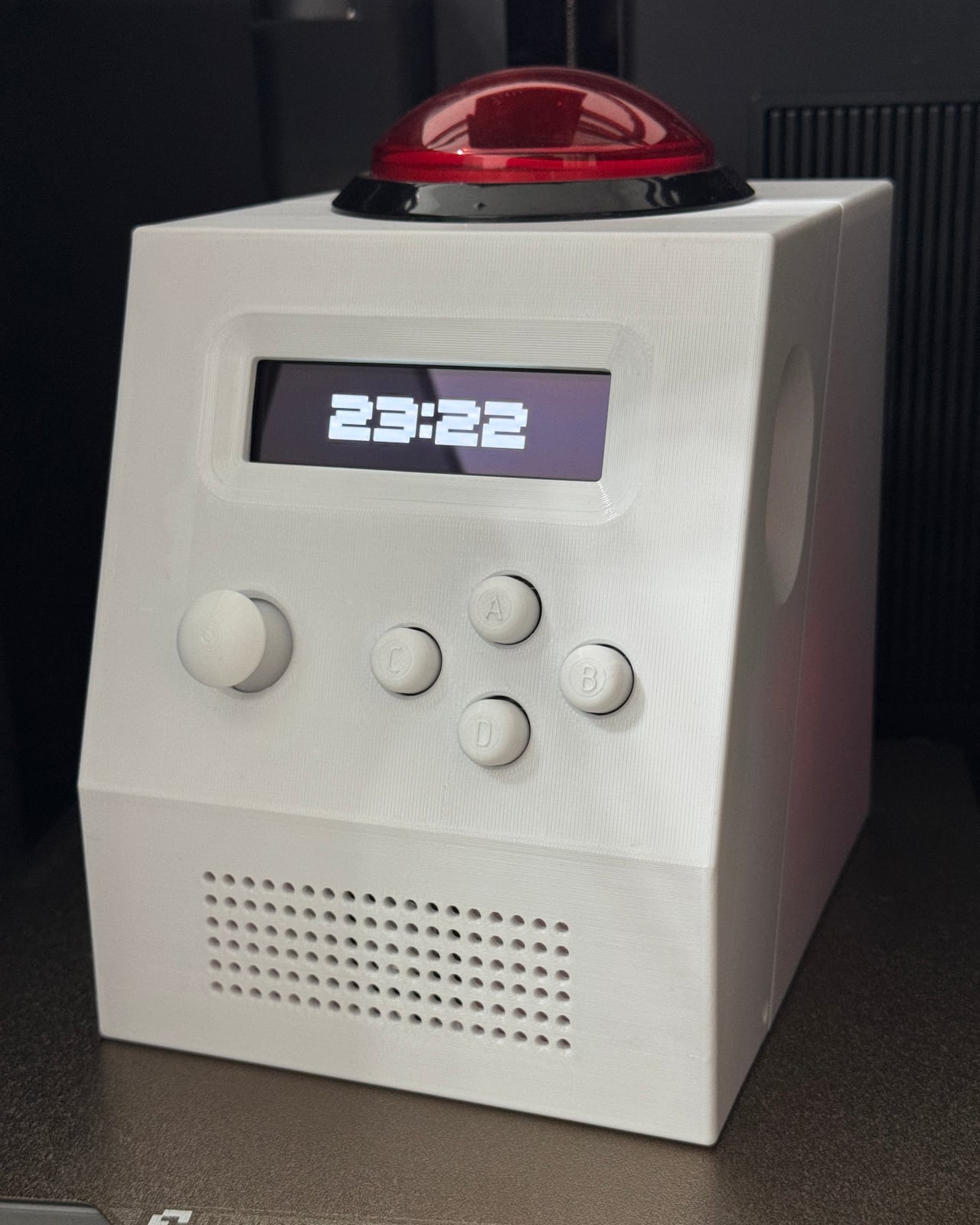
Posha Self-Watering Planter Lets You Forget Watering for Weeks

Most desk plants live in simple pots that depend entirely on memory. Watering is irregular, overwatering and underwatering are both common, and busy workdays do not help. Planters are usually treated as decorative containers, not as systems that could manage themselves. Posha is a self-watering desk planter that starts from a different premise, embedding care into the object instead of into the user’s to-do list or relying on guilt when leaves start to droop.

Posha is a compact desk planter built around a passive self-watering system. It separates water storage from the soil zone, with a concealed reservoir at the base and a wick or capillary pathway that draws moisture upward only as the plant needs it. The roots stay hydrated without sitting in water, which reduces overwatering and stretches the time between refills in a way that suits distracted desk life and unpredictable schedules.

Designer: Ayush Kumar Singh

Early explorations focused on proportions and water behaviour, how much water a compact planter should realistically store, how fast it should release moisture, and how to keep the system stable without adding visual clutter. Several internal layouts were tested to balance soil volume, reservoir capacity, and airflow, so the plant remains healthy while the planter stays small and unobtrusive on a work surface next to keyboards and coffee cups.

The form is deliberately minimal, so from the outside it reads as a simple desk object rather than a technical product. The complexity is pushed inward, where the water chamber, soil separator, and wicking element work together as a single system. The geometry avoids sharp transitions so water can distribute evenly, and the top opening is sized for common indoor plants without making planting or pruning awkward when you need to swap species.

1

Refilling is straightforward and non-disruptive; the water inlet is integrated into the form so it does not dominate the appearance, and the reservoir can be topped up without removing the plant. The system is designed to be reusable and serviceable, allowing the planter to be cleaned or replanted over time rather than treated as a disposable object that gets tossed when the first plant fails or the season changes.

What defines Posha is not a single interaction but how it behaves over weeks of use. The soil stays consistently moist, the plant experiences less stress, and the user interacts with it less frequently but more intentionally. Plant care shifts from a daily responsibility to an occasional check-in, better suited to desks, studios, and workspaces where attention is already stretched thin, and memory is unreliable at best.

Posha demonstrates how small functional decisions, like separating water and soil and hiding the reservoir, can significantly change user behaviour and plant health. By working quietly in the background and doing one job well, the self-watering desk planter supports healthier plants and a calmer relationship between people and the living things they keep nearby, which is a surprisingly meaningful outcome for such a small piece of desk real estate that could have easily stayed simple and decorative.

The post Posha Self-Watering Planter Lets You Forget Watering for Weeks first appeared on Yanko Design.

This House Makes Climbing Between Rooms the Main Attraction

The typical vacation rental is a cabin or beach house sitting on the ground with a yard, a deck, maybe a hot tub, and a hammock scattered around it. Those amenities are usually background, things you walk past on the way to the main house or visit once during the stay. Michael Jantzen’s Elevated Leisure Habitat flips that logic by pulling everything off the ground and turning circulation into the main event, so moving through the complex becomes as much the attraction as the rooms themselves.

The Elevated Leisure Habitat is a functional art structure meant to be rented as a very special vacation place. This first version is designed for two people and consists of a small central house surrounded by a series of elevated platforms, each dedicated to a single leisure activity. Instead of one building with a yard, you get a loose constellation of outdoor rooms in the sky, linked by stairs and landings.

Designer: Michael Jantzen

The central house is a compact volume with sleeping space, a desk, a toilet, a shower, and a small food-preparation area. Around it, the elevated amenities include a garden, a hot tub, a picnic pavilion, a porch-swing pavilion, a hammock platform, and a solar-cell array for electricity. All sit on their own stilts at different heights, connected to the house and to each other by a network of stairs, two of which descend to the ground.

Jantzen leans into archetypal forms. The house is a classic gable-roof silhouette, the pavilions echo that same pitched profile, the garden is a simple tray, and the solar array is a dark plane tilted like a roof. He writes that the aesthetics evolved from using a symbolically conventional, conventionally shaped house and amenities that symbolically refer to their conventional counterparts, turning the complex into a three-dimensional diagram of domestic life.

Simply elevating elements we are used to seeing on the ground and forcing us to climb from one to another creates an unexpected experience. Every trip to the garden, the hot tub, or the hammock becomes a small ascent and crossing. The stairs and platforms choreograph how you move, making the journey between activities as much a part of the stay as the activities themselves, which shifts the feel from a passive rental to an active exploration.

Lifting everything on slender white columns reduces the footprint on the landscape, leaving the ground largely untouched beneath the habitat. The dedicated solar-panel platform hints at off-grid potential, while the garden tray suggests controlled cultivation instead of sprawling lawns. The all-white structure against a green site reads like a deliberate insertion, a piece of land art that happens to contain a working vacation program with real utilities and shelter.

Jantzen describes the Elevated Leisure Habitat as basically a large interactive sculpture that explores new and exciting ways in which to have fun. It sits somewhere between house, artwork, and playground, using familiar icons and a simple structural language to reframe what a holiday stay could be. Instead of retreating into a single enclosed volume, guests would inhabit a small network of outdoor rooms in the sky, climbing and crossing between platforms as if moving through a three-dimensional diagram of leisure itself.

The post This House Makes Climbing Between Rooms the Main Attraction first appeared on Yanko Design.
This $89 Planter Grows Plants in Mid-Air Without Soil or Water

Biophilic interiors, where people are more connected to nature, are becoming really popular. Just everyone wants plants on the work desk and leafy green sprouting out right in their kitchen. I haven’t really jumped onto the bandwagon primarily for two reasons: The mess of dealing with mud and fertilizers and the constant need for watering. Now, with the world’s first desktop aeroponic plant ecosystem that could stand to change for me, and for many like me, who have been holding themselves back for some reason, err… laziness.

With the new smart mist planter, growing plants becomes something you can constantly see, touch, and truly enjoy day in a day out, while the plants grow right in front for your eyes. The system comprises a transparent chamber, a planting panel, and an adjustable light. It permits the plant to grow floating in mid-air, without soil or water; just with nutrient-rich mist, keeping the roots hydrated to grow life beautifully, right at your desk, without you having to even move a muscle.

Designer: Yunyi Zheng

Click Here to Buy Now: $89 $150 (41% off) Raised over $97,789 already!

Dubbed the Izestee, this is a no-soil, no-pest, no-mess planter which grows plants, works as a passive humidifier, and functions as a desktop lamp. The 3-in-one desktop aeroponic plant cultivator is designed to use ultra-fine mist instead of soil and automatically control every stage of growth – from seed to bloom – as it happens with its smart and automatic scheduling.

Each Izestee comes with seven planting baskets, designed to seed and provide a structured place for germination. Beneath, a see-through chamber provides a nice view of the roots growing in real time. It’s here that the roots are hydrated with mist and they grow dramatically healthier. The mist, along with nurturing the roots gently, escapes the unit and humidifies the room it’s placed in.

The system comprises three lighting modes, with different brightness levels, which can adapt to the different moods, moments and spaces. The lights can change color and brightness levels from a rotating effect during the day to a single color by night. The different light modes inside the chamber are controlled using a tactile button on the façade of the Izestee, just above its base.

In addition to nutrients and light, the chamber of the planter is also provided with a built-in heating system, which has a maximum temperature of 45 degrees. The heating system maintains a constant temperature, which is visible on the LED display for real-time temperature monitoring. The small digital display sits in the middle of the control panel and features the temperature controller to its left.

When the plant has grown above the planting panels, the adjustable light takes over. The full-spectrum light can bend and tilt at any angle or height required and mimics the sun’s light for indoor growth of the plants. In addition to plant lighting, this adjustable light with adjustable brightness levels can be used as a desk lamp or night light.

Click Here to Buy Now: $89 $150 (41% off) Raised over $97,789 already!

The post This $89 Planter Grows Plants in Mid-Air Without Soil or Water first appeared on Yanko Design.

These 8 Objects Helped Me Actually Finish 23 Books in 2025

I finished 23 books in 2025, after a few years of stalling out in the single digits. Most of those were physical books because I still love paper more than screens. The big shift was not suddenly having more free time, it was quietly building a set of reading ritual essentials that made sitting down with a book feel easier and more inviting than picking up my phone.

Instead of treating it as a willpower problem, I treated it as a design problem. I fixed how my books stayed open, how my space was lit, how comfortable long sessions felt, and how I handled travel, bathtime, and commutes. These seven reading ritual essentials did not turn me into a speed reader, they simply made reading the most pleasant option in more moments, and that is how I reached 23 finished books.

1. Bookish Bookmark

The Bookish Bookmark ended up being the quiet hero of my reading year. I read a lot of hardcovers and chunky paperbacks, and they used to fight me on every surface, snapping shut or demanding one hand just to hold them open. This clear acrylic piece became one of the first essentials in my reading ritual and changed that completely by sitting across the pages with a gentle curve and enough weight to hold everything flat without stressing the spine.

Because it is transparent, I can read straight through it while my hands stay free for coffee, breakfast, or note taking. It feels more like a small design object than a mere tool, and it looks beautiful left on a table between sessions. I reached for it during more than half of the 23 books I finished this year, especially the thicker novels and reference titles, and it turned physical reading from a small wrestling match into something smooth and effortless.

The Bookish Bookmark ended up being the quiet hero of my reading year. I read a lot of hardcovers and chunky paperbacks, and they used to fight me on every surface, snapping shut or demanding one hand just to hold them open. This clear acrylic piece became one of the first essentials in my reading ritual and changed that completely by sitting across the pages with a gentle curve and enough weight to hold everything flat without stressing the spine. Because it is transparent, I can read straight through it while my hands stay free for coffee, breakfast, or note taking. It feels more like a small design object than a mere tool, and it looks beautiful left on a table between sessions. I reached for it during more than half of the 23 books I finished this year, especially the thicker novels and reference titles, and it turned physical reading from a small wrestling match into something smooth and effortless.

Click Here to Buy Now: $65.00

What I like

  • Works especially well with thick books.
  • Sculptural, minimalist design looks good and feels premium in the hand.

What I dislike

  • Performs best on flat surfaces, so it is less ideal if you mostly read fully reclined or on your side.

2. Anywhere-Use Lamp

Once I solved the problem of books fighting me, I turned to the light around them. The Anywhere-Use Lamp became the anchor of my reading spaces at home, from the sofa to the bedroom to a quiet corner of the dining table. It is a cordless, minimalist lamp with a soft diffused LED that feels more like candlelight than a harsh task light, and a clean cylindrical form that blends into almost any interior.

Touch controls on the body keep the silhouette free of visible switches and make it easy to tap the lamp on and adjust brightness without hunting in the dark. Because it is fully rechargeable and wireless, I stopped being constrained by outlets and cords and could place it exactly where reading wanted to happen. For most of my evening sessions this lamp was beside me, and it quickly stopped feeling like a generic light and started feeling like a core reading ritual essential that quietly supported the majority of those 23 books.

Click Here to Buy Now: $149.00

What I Like

  • Cordless, rechargeable design lets you create a reading nook anywhere.
  • Soft, diffused LED creates a cosy, book friendly atmosphere.

What I dislike

  • Runs on 4 AA batteries, so you either go through disposables or need to charge rechargeable batteries.

3. LightMan Bendable Book Light

Not every reading moment happens in a perfectly styled corner, and that is where the LightMan by RayMay comes in. It looks playful at first glance, like a tiny figure with a glowing head and bendable limbs, but that personality hides a very functional little reading companion. I can clip it to the top of a book, wrap it around a headboard, or stand it on a shelf and then twist its arms and legs until the beam falls exactly where I need it. When I travel, it has become my secret weapon on long flights, because the built in overhead reading light on planes tends to wash a much wider area and I always feel like I am lighting up my neighbour’s space as well as my own.

The beam is bright enough for comfortable reading but soft enough that it never feels like a spotlight in my eyes. It is so compact it disappears into a carry on pocket until I need it. It became my go to solution for late night chapters and travel, quietly helping a handful of those 23 books get finished instead of abandoned, and it now feels like a non negotiable part of my travel reading ritual.

What We Like

  • Compact and lightweight, so it is easy to pack.
  • Playful character shape adds charm.

What We Dislike

  • Runs on coin cell batteries, which you need to replace rather than simply recharging via cable.
  • Light output is tuned for close range reading and is not strong enough to light an wide area.

4. Book Darts

As my reading picked up, I realised I needed something better than a normal bookmark. Book Darts became my favourite functional essential because they mark the exact line, not just the page. They are tiny metal arrows that slide onto the edge of a page and point precisely where you stopped, with a profile so thin that even a heavily marked book still closes neatly.

With a traditional bookmark, I often felt it was not worth opening a book unless I had time for a full section, because I knew I would only be able to save the page, not the last sentence I read. With Book Darts, I can drop one right at the final word, close the book, and know I will land exactly there next time, even if I only had time for a paragraph. I also use the different metal finishes as a simple code, with one colour for quotes I love, one for ideas I want to act on, and another for things I want to revisit later, so the edge of the book becomes a tiny, elegant index of what matters most to me.

What I Liked

  • Line level marking makes micro reading feel worthwhile.
  • Reusable metal construction is more sustainable and durable than disposable tabs or sticky notes.

What I disliked

  • Small size makes them easy to misplace if you are not disciplined about where you store them.

5. Thermo Mug x Paul Smith Double Mag

For my reading ritual, the thermo mug x Paul Smith Double Mag works because it gets both function and design right at the same time. It is a double walled stainless steel mug, so it keeps drinks warm or cold far longer than a regular ceramic cup. On cold days, I love settling in with a hot drink and a book, and this mug keeps my tea or coffee properly hot through a full chapter instead of turning lukewarm halfway through.

The insulation also makes it useful in warmer weather, because iced drinks stay cold without sweating all over my table or leaving rings on the surface. The stainless body feels solid without being heavy, and the Paul Smith detailing gives it a clean, characterful look that feels like it belongs in a considered reading setup rather than just being a generic travel mug. It did not directly add more pages to my 23 book total, but it made those cold weather reading sessions feel cosy and deliberate, which is exactly what I want from a reading ritual essential.

What I Like

  • Double walled stainless construction keeps hot drinks warm or cold drinks chilled for much longer.
  • Paul Smith detailing adds a clean, characterful look.

What I dislike

  • Not leak proof.
  • Limited regional availability.

6. Minature Bonfire Wood Diffuser

Once the light and the mug were in place, the last layer I wanted to add to my reading ritual was scent. The Miniature Bonfire Wood Diffuser Set became the little object that finished the scene and made my reading corner feel like its own tiny world. It looks like a miniature campfire on your table, with a rust resistant stainless steel base and bundled wood pieces that absorb essential oil, so it feels more like a design sculpture than a typical spa diffuser.

You do not actually light it, which makes it much calmer to use around books and textiles. Instead you add a few drops of oil to the wood and let the scent slowly drift into the room. You can choose between “Hakusan,” which evokes a Japanese mountain forest, or “Cedar,” which feels more like a cosy log cabin, and both create the illusion that you are reading in nature rather than in a city apartment. It made my reading corner feel like a retreat, which makes it much easier to choose a book over a screen.

Click Here to Buy Now: $99.00

What I Liked

  • Miniature bonfire form creates a strong visual focal point.
  • No open flame required, so it is safer and more relaxed to use near books, blankets, and paper stacks.

What I disliked

  • Scent throw is gentle, which is lovely for reading but may feel too subtle if you expect a very strong fragrance.

7. Kindle Paperwhite Signature Edition

The Kindle Paperwhite Signature Edition was not the main engine of my reading year, but it became the situational essential I relied on in very specific contexts. I still prefer physical books, yet the Kindle quietly took over bathtime, travel days, and some bedtime reading when I did not want to juggle a heavy hardcover or risk splashing a favourite edition. Its seven inch E Ink Carta 1300 display feels close to paper, with darker blacks and snappy page turns that make those edge case moments feel like proper reading rather than a compromise.

I keep it loaded with a mix of lighter reads and travel friendly titles that I am happy to enjoy in steamy bathrooms or cramped airplane seats. The glare free screen stays comfortable under bright airplane windows and in dim hotel rooms, and the auto adjusting warm front light lets me read in bed without blasting the whole room. Wireless charging and long battery life mean it is always ready to toss into a bag, and while it only accounted for a handful of the 23 books I finished, those would almost certainly have been lost opportunities without this particular ritual essential.

What I Liked

  • Auto adjusting warm front light is perfect for bedtime.
  • Waterproof design adds real peace of mind for reading near water.
  • Excellent battery life and wireless charging.

What I disliked

  • Wireless charging only works with ccompatible Qi chargers.

8. Bose QuietComfort Ultra Earbuds 2nd Gen

For my reading ritual on the move, the Bose QuietComfort Ultra Earbuds 2nd Gen are all about turning chaos into a private reading bubble. I have tried a few different pairs over the years, and these are genuinely among the best noise cancelling earbuds I have used, which matters a lot on planes, trains, or in loud cafés. I use them both for audiobooks and for playing light background music while I read in noisy environments, and in both cases the noise cancelling lets the sound sit close and clear without being drowned out.

Battery life reaches up to six hours of playback on a charge, with the wireless case holding around three extra full charges, so a full workweek of listening felt effortless. I pair them with my phone, queue up an audiobook, or a soft playlist for reading in busy spaces, and suddenly those otherwise noisy hours become quiet, story filled pockets of time. They did not replace my physical reading, but they probably added three or four extra finishes to my 23 book total and rescued many sessions that would have been impossible without that level of noise control.

What I Like

  • Class leading noise cancellation.
  • Multipoint connectivity lets you switch between devices without constant reconnecting.
  • Comes in five color variations.

What I disliked

  • Touch controls can feel sensitive until you get used to it

How These Reading Ritual Essentials Added Up to 23 Books

Looking back, the pattern feels simple and honest. The pieces that touched the book and the light around it did most of the quiet work, from keeping pages open comfortably to making whatever seat I chose feel like a proper reading spot. The smaller details layered on top, like a bendable light for flights, line level markers for tiny pockets of time, a mug that kept drinks at the right temperature, and a diffuser that made the room smell like a forest or cabin, helped my reading corner feel less like an accident and more like a place I had designed on purpose.

The digital and audio pieces then extended that same ritual into situations where paper struggled. Baths, flights, hotel rooms, noisy cafés, commutes, and airport waits all became bonus reading windows, whether through a waterproof e reader or a pair of earbuds that could carve out a quiet bubble for audiobooks or soft background music. None of these objects are magic on their own, but together they removed enough friction that finishing 23 books in a year felt natural instead of aspirational, and that is the real value of building a reading ritual that actually fits your life.

The post These 8 Objects Helped Me Actually Finish 23 Books in 2025 first appeared on Yanko Design.
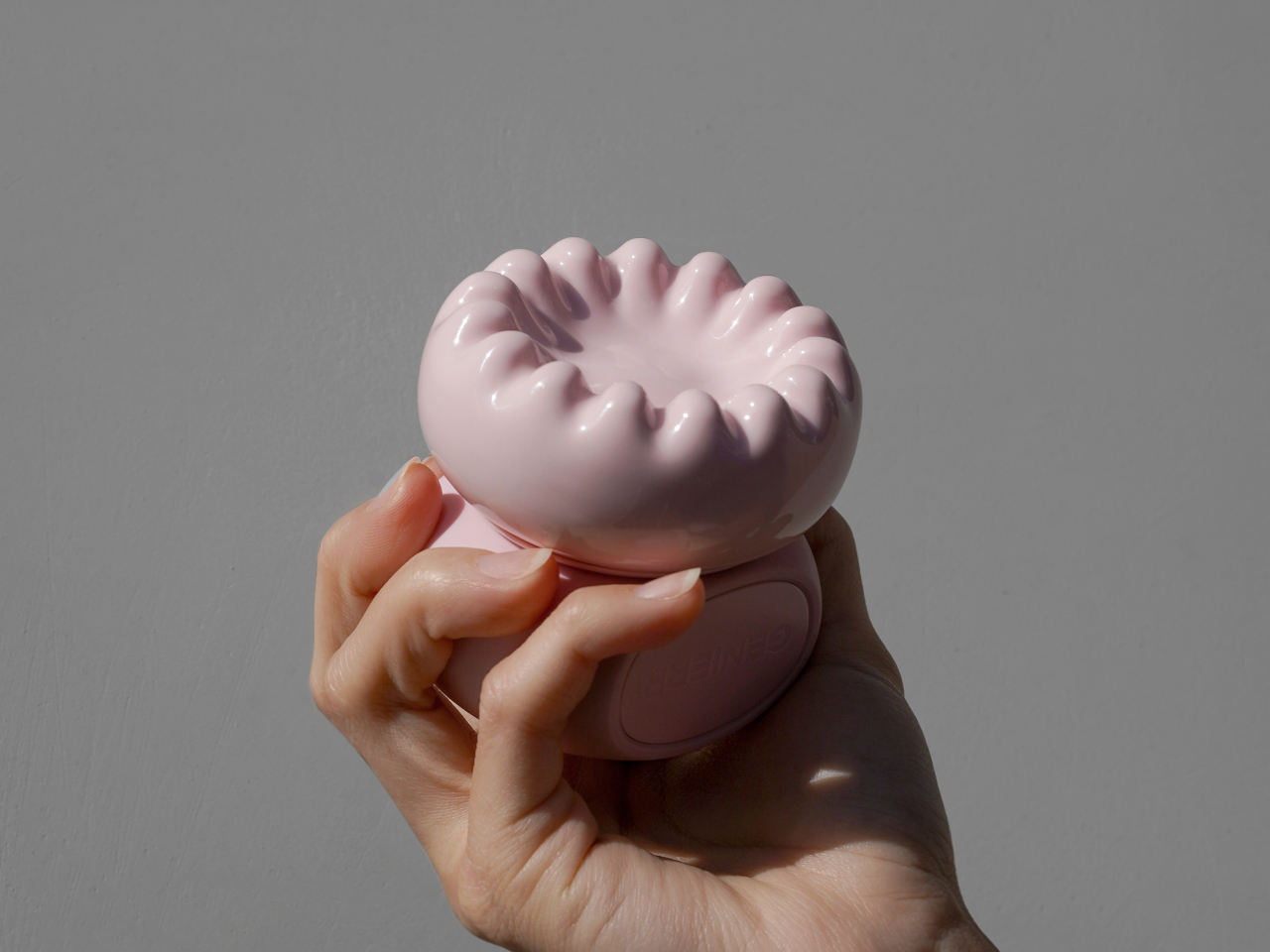
5 Interactive Public Art Installations That Make You Part of the Design

Public art is often seen as a standalone feature, a striking sculpture or colorful mural that decorates a park or plaza. Yet its true impact goes far beyond visual appeal. When guided by thoughtful design, public art doesn’t just fill a space; it redefines it, shaping how people move, interact, and emotionally connect with their surroundings.

This seamless blend of art and environment is where design becomes transformative. By carefully considering scale, sightlines, materials, and community involvement, designers ensure that art integrates naturally into its setting. The result is a space that feels alive, engaging, memorable, and deeply connected to its community’s identity.

1. Designing Art with Context

For public art to truly connect, it must feel like it belongs. A site-specific approach begins with the environment itself, its history, architecture, pedestrian flow, and climate. By understanding these layers, designers ensure the artwork feels naturally rooted rather than placed, reflecting the spirit of its surroundings.

This thoughtful process helps art and place work in harmony. A sculpture in a historic district might echo local materials, while an installation in a park could invite interaction and rest. The goal is unity, where art enhances its setting and deepens the public’s connection to the space.

Cheng Tsung FENG’s Structural Botany: 25AP-263-43 is a compelling exploration of the intersection between art, nature, and modular construction. Installed at Swiio Villa Yilan in Zhuangwei, the work draws inspiration from the upright, clustered growth patterns of native plants, translating botanical forms into a sculptural rhythm. Standing between 2.5 and 5 meters tall, the installation consists of repeated modular “stems” that rise independently while maintaining deliberate spacing, echoing the equidistant patterns found in plant communities. FENG’s abstraction focuses on structural qualities rather than literal representation, highlighting resilience, interdependence, and the hidden patterns that govern natural growth.

The modular design allows the work to adapt to different spaces, expanding or contracting like living plants responding to their environment. Its clean lines and muted palette integrate gracefully with the surrounding landscape, inviting visitors to move among the vertical forms. 25AP-263-43 transforms the space into an immersive experience, revealing how art can reflect the processes of growth, rhythm, and community inherent in nature.

2. Design That Shapes Interaction

The true power of design in public art lies in its ability to shape human behavior and foster connections. A well-placed installation isn’t static; it invites curiosity, conversation, and movement. The position of a sculpture, for instance, can turn it into a meeting point or encourage people to explore it from different angles, subtly guiding social flow through space.

Inclusive design ensures that everyone can experience this interaction. By considering pathways, seating, and lighting, designers make art accessible and inviting. The result is not just an artwork but a functional, social space that fosters comfort, inclusion, and community.

Interactive public art has a unique charm, and Love Continuum in London’s Chelsea area exemplifies this beautifully. Installed at Duke of York Square as part of Kensington + Chelsea Art Week, the piece immediately invites viewers—kids and adults alike—to touch, climb, or simply explore its form. At first glance, it appears to be a giant red spring or whimsical squiggly “worm,” a playful addition to the urban landscape.

The sculpture’s clever twist reveals itself from a certain angle: the word “love” emerges in elegant cursive, turning observation into a joyful discovery. Measuring 7.5 meters in length, Love Continuum continues artist Alter’s exploration of colorful, interactive forms that encourage engagement and play. Its hidden message adds a layer of delight, creating a shared experience for those who notice it. This combination of tactile fun, visual surprise, and thoughtful design makes it a memorable stop on London’s art trail.

3. The Power of Material and Durability

Material choice is one of the most crucial design decisions in public art, shaping its longevity and impact. Unlike gallery pieces, outdoor installations face constant exposure to weather, pollution, and human touch. Designers must therefore balance artistic vision with strength and endurance, using materials that preserve both beauty and integrity over time.

Selecting durable, often local options such as weathered steel, treated stone, or advanced composites ensures resilience and low maintenance. This thoughtful approach keeps the artwork safe, sustainable, and visually compelling for years, safeguarding the artist’s intent while respecting the realities of public spaces.

Kuo Hsiang Kuo’s “Flowers and Butterflies Are Dancing”, created for the 2018 Taichung World Flora Exposition in Taiwan, showcases the essence of contemporary public art. Using polished stainless steel, Kuo embraces the material’s reflective quality to mirror the vibrant flowers below and shifting clouds above, creating a constantly evolving dialogue with its surroundings. Sweeping arcs suggest the flutter of butterflies and the sway of flowers, while perforated panels cast intricate shadows. By night, strategically placed lighting transforms the sculpture into a glowing spectacle of purples and pinks, giving it a dynamic day-to-night presence.

The installation balances structural precision with ethereal beauty, inviting visitors to explore it from multiple angles. Referencing Taiwan’s native Formosa Lily and butterfly motifs, it connects local identity with universal themes of transformation and renewal. Its multi-layered appeal engages children, adults, and design enthusiasts alike. “Flowers and Butterflies Are Dancing” proves that public art can be both visually stunning and deeply meaningful, transforming spaces and perspectives.

4. Lighting and Experiential Impact

Public art should shine even after sunset, and this is where thoughtful lighting design transforms perception. Proper illumination enhances textures, casts dramatic shadows, and can introduce dynamic colors, turning a daytime piece into a captivating nighttime feature and making the artwork a continuous part of the cityscape.

Lighting also serves safety and experiential purposes. By subtly brightening pathways while highlighting the art, designers create secure, inviting spaces. This blend of functionality and drama deepens emotional engagement, turning ordinary public areas into memorable, enchanting urban stages that captivate visitors day and night.

Along Shanghai’s Huangpu River, visitors encounter Curly Cube, a striking modular installation by the People’s Architecture Office (PAO). Combining flowing curves with sharp angles, it transforms an ordinary urban space into a dynamic playground of light, shadow, and interaction. Inspired by the Gyroid minimal surface, a natural form bridging mathematics and nature where the structure employs curvilinear tensile membranes stretched over lightweight square frames. The result is a form that appears both futuristic and organic, soft yet structured. By day, the translucent membranes filter sunlight into gentle, diffused patterns, offering shaded pockets where people can pause, explore, or relax amid the city’s bustle.

At night, integrated lighting casts shifting gradients across the silver membranes, turning the installation into a glowing social hub. Its modular design allows stacking, reconfiguration, or relocation, encouraging tactile and participatory engagement. Curly Cube showcases how adaptable public art can transform urban environments, transforming everyday walkways into immersive and memorable experiences for all visitors.

5. Community and Co-Creation

The most impactful public art grows from the community it serves, making co-creation essential. Designers act as bridges, translating local stories, needs, and identities into physical form. By involving residents, businesses, and leaders from the start, the artwork becomes a true reflection of the neighborhood’s spirit rather than an imposed object.

This collaborative process often enriches the project, making it more meaningful and relevant. When people see their ideas influence themes, materials, or placement, they become invested advocates. Inclusive design fosters public ownership, ensuring the artwork’s lasting cultural, social, and emotional impact.

Sitting on a public bench often reflects our comfort with social interaction. Extroverts may happily share a seat with strangers, while others prefer solitude. Martin Binder’s Balance Bench in Einbeck, Germany, challenges these habits by transforming a simple act of sitting into a shared experience. Constructed from oak slats atop a sleek steel frame, the bench rests on a single central cylinder, requiring at least two people on opposite ends to achieve balance. Attempting to sit alone either forces careful adjustment or playful observation, turning rest into cooperation and communication.

Located in the Garden of Generations, the 4.5-meter-long installation can accommodate up to eight people, encouraging dialogue and collective effort. By combining functional seating with interactive design, Binder’s work exemplifies how public art can foster connection, cooperation, and community engagement while making everyday urban experiences more playful and thought-provoking.

By harmonizing art with its site, guiding movement and interaction, ensuring durability, and creating safe, engaging environments day and night, thoughtful design transforms spaces into vibrant destinations. The result is artwork that enriches well-being, fosters community pride, and leaves a lasting social and cultural impact.

The post 5 Interactive Public Art Installations That Make You Part of the Design first appeared on Yanko Design.
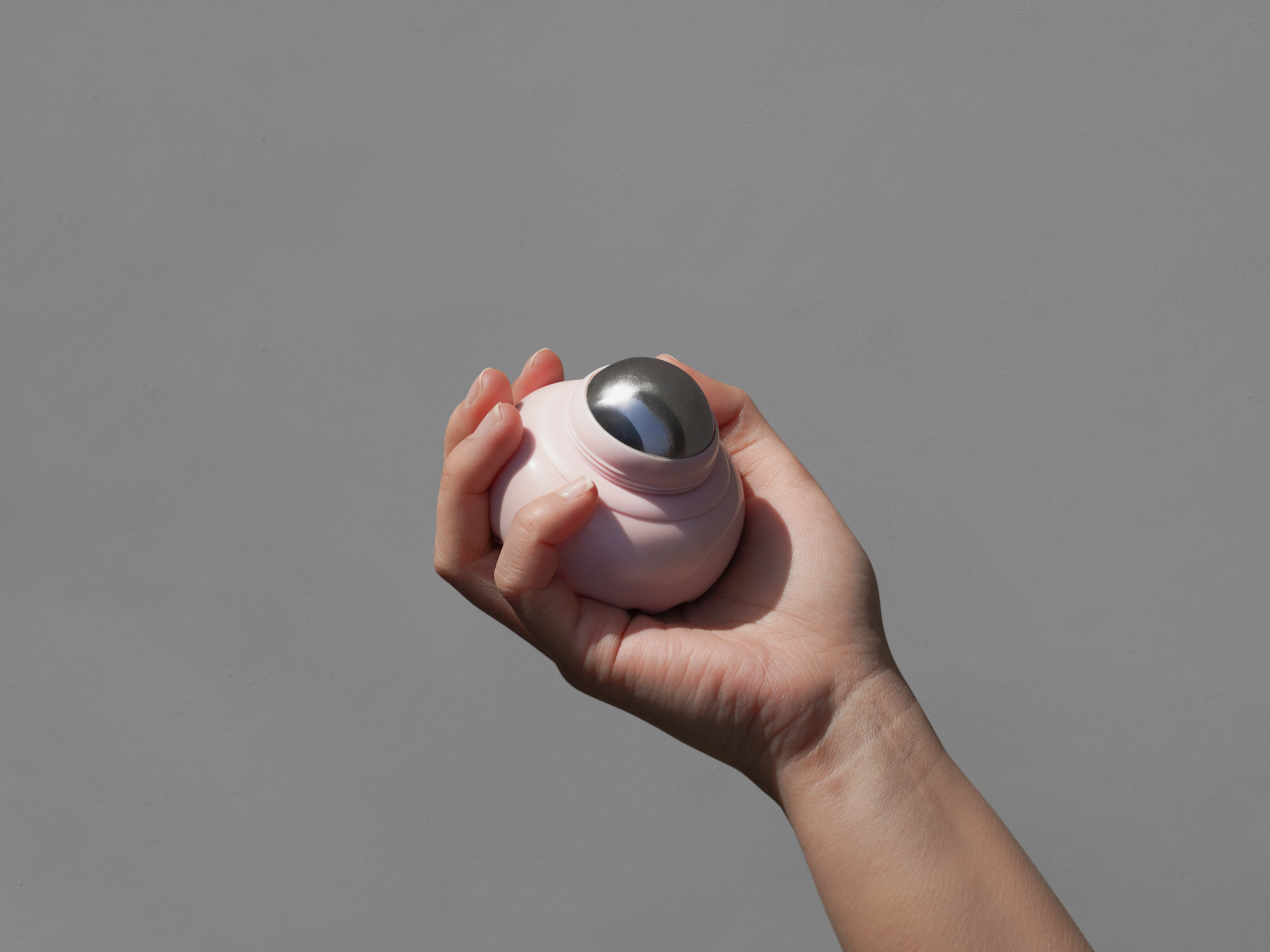
Blueair 2‑in‑1 Pro Purify + Humidify Review: Clean Air, Skin Care in One

PROS:


  • Dual functionality in a single, well-designed form

  • Top-fill design prevents back strain

  • DermaSense skin mode with intelligent humidity control

  • Long-life, machine-washable components

  • Comprehensive hygiene features

CONS:


  • Large and heavy body feels imposing in small spaces

  • Only available in one neutral color

  • Premium price tag

RATINGS:

AESTHETICS
ERGONOMICS
PERFORMANCE
SUSTAINABILITY / REPAIRABILITY
VALUE FOR MONEY

EDITOR'S QUOTE:

The Blueair 2-in-1 Pro Purify + Humidify makes air quality feel like part of your skincare routine, blending serious performance with bedroom-worthy design.
award-icon

Air purifiers and humidifiers usually look like they belong in a hospital supply closet rather than a bedroom. Most are boxy white appliances with visible mist plumes, blinking lights, and a general vibe that says “I am here to solve a problem” rather than “I belong in this space.” Meanwhile, people who care about sleep quality and skin health are starting to realize that the air itself might be part of the routine.

The Blueair 2‑in‑1 Pro Purify + Humidify feels like Blueair finally designed for people who want both functions but refuse to sacrifice aesthetics or simplicity. It is a tall, sculptural tower that combines serious air purification with gentle, invisible humidification and a skin-focused mode that adjusts humidity based on time of day and room temperature, positioned as step zero in a nighttime skincare routine. Let’s dive in to see if it delivers on its promises.

Designer: Blueair x Above

Click Here to Buy Now: $400 $499.99 ($99.99 off, use coupon code “YANKO20”). Hurry, deal ends in 48-hours!

Aesthetics

The first thing you notice about the Blueair 2‑in‑1 Pro is that it does not look like an appliance trying to hide. It is a cylindrical tower wrapped in evenly spaced vertical slats, finished in a soft off white that reads somewhere between warm beige and coastal linen, depending on the light. The proportions feel Scandinavian, tall enough to have presence but narrow without crowding the floor.

The top disc floats slightly above the body with a subtle gap, and when the device is running, a thin line of blue light glows in that gap, more like a bedside lamp than a status LED. The slats wrap 360 degrees around the body, which gives it a kind of architectural rhythm that works whether you see it from the front or the side.

Near the base, there is a small vertical window that shows the water level and projects mood lighting when enabled in the Blueair app, but it is narrow enough that it does not break the visual flow. The top disc itself is smooth and plate-like, with a matte finish that does not collect fingerprints. The material is still primarily plastic, but it is clearly chosen to feel refined rather than cheap. The matte finish softens reflections and resists the glossy sheen that makes a lot of gadgets look disposable.

The tower looks comfortable in different contexts. In a bedroom next to wood furniture and neutral textiles, it reads as another piece of the interior rather than a piece of tech parked temporarily. In a small office with dark carpet, floating shelves, and a desk chair, it sits in the corner without clashing with the more technical surroundings, which makes it easy to imagine moving between spaces. The sense you get is that someone thought about how this object would age in a room where it runs every night.

Ergonomics

The Blueair 2‑in‑1 Pro is tall enough that you do not need to crouch to reach the controls, which sounds minor until you realize how many bedside devices force you to bend or kneel just to tap a button. The footprint is compact, roughly a foot in diameter, and the weight gives it enough stability that you can brush past it without worrying it will tip.

The top surface is where most of the interaction happens. A semi-circular ring houses clearly marked icons for power, fan speed, night mode, humidification toggle, and skin mode, along with indicators for air quality, humidity percentage, and water level. The layout is simple enough that you can understand it at a glance, so switching into auto mode or activating skin mode is a one-tap affair.

One of the most thoughtful ergonomic details is the top fill design. Most humidifiers require you to lift a heavy tank, carry it to a sink, fill it, then carefully carry it back and slot it into place, which gets old quickly and can be awkward if you have back or shoulder issues. The Blueair 2‑in‑1 Pro lets you simply lift the top disc slightly and pour water directly into the opening from a jug or carafe. The smart water sensor and real-time display remove worries by reminding you when the water level is low and alerting you when the tank is almost full.

It feels as easy as watering a houseplant, and for people who want to avoid bending and lifting, this small design choice makes day-to-day upkeep significantly less annoying. There is still the option to remove the tank entirely and fill it at a sink when you want to add a larger volume at once, but most of the time, the top fill is faster and easier.

Performance

Blueair boasts the 2-in-1 Pro Purify + Humidy as the most powerful of its kind, delivering balanced and superior performance in such a compact package. Compared to a leading competitor, its tests have proved it to offer 3x better purification and 2x cleaner humidification. Although we don’t have labs to verify these numbers, our own day-to-day use proved it to work as advertised.

The Blueair 2‑in‑1 Pro is both a capable air purifier and a serious humidifier, which is a harder balance than it sounds. The purification side uses Blueair’s HEPASilent™ technology, which combines mechanical filtration with an electrostatic charge to capture fine airborne particles like dust, pollen, smoke, and volatile organic compounds. The intake and outlet are 360 degrees around the body, so it pulls air from all sides and pushes it back out clean.

The humidification uses evaporative technology that Blueair calls 360° InvisibleMist™. Instead of producing visible fog or mist, it adds moisture to the air in a controlled, gradual way that avoids white dust on furniture and damp spots on nearby surfaces. This matters especially in bedrooms and offices with electronics, books, or wood finishes, where you want comfortable air without worrying about residue or condensation.

The skin and beauty sleep focus is where the device starts to feel like something designed for wellness routines rather than just air quality. The dedicated skin mode keeps humidity in a range dermatologists typically recommend for skin comfort, roughly between 40-60%, and adjusts that target based on room temperature and time of day. At night, when your skin tends to lose more moisture, the device gently raises humidity levels.

In practice, this feels like setting skin mode before bed, going through your normal cleanse and treatment routine, and then falling asleep in a room that feels neither dry nor heavy. You do not wake up with that tight, parched feeling that dry winter air or overheated apartments tend to cause, and your skin does not feel irritated or raw the way it sometimes does when indoor air is harsh.

The Blueair app adds another layer of control and insight without being required for basic use. From your phone, you can set target humidity levels, create schedules for when the device runs, adjust display brightness, and choose between three mood lighting settings that turn the top ring into a warm, normal, or bright glow. You can also see air quality and humidity trends over time.

That said, most of the time you can leave it in auto or skin mode and let it manage itself quietly in the background. The app is there when you want precision or automation, but the device does not force you into it for everyday operation, which feels like the right balance for a bedroom appliance.

Noise is surprisingly gentle at lower speeds. In night mode, the sound profile is closer to a soft fan than a mechanical hum, which many people find soothing as a kind of background white noise. Higher speeds are audibly stronger when the device detects poor air quality and ramps up to clear it faster, but the ability to drop back into quiet operation keeps it compatible with light sleepers.

The device also includes several behind-the-scenes hygiene features that keep the humidifier side fresh over time. A built-in UV pump recirculates water to help inhibit bacterial growth, a wick dry mode runs automatically when the tank is empty, or the device goes to standby to prevent musty smells, and a water refresher module made of activated carbon helps absorb minerals and reduce discoloration.

Sustainability

Blueair is a Certified B Corp, which signals that the company has passed third-party audits for social and environmental impact. This does not magically make the device carbon neutral or eliminate its footprint, but it does suggest that longevity, energy use, and materials were part of the design conversation rather than afterthoughts. For a device designed to run every night, that kind of corporate positioning matters.

The 2‑in‑1 Pro is built around long-life, user-replaceable components. Both the air filter and the humidifier wick are rated for up to twelve months of use, which reduces the frequency of replacements and the amount of waste compared to devices that require new cartridges every few weeks. The wick is machine washable, which extends its life even further and keeps it feeling fresh without needing to buy a new one prematurely.

The hygiene features also support sustainability indirectly. A humidifier that stays clean and pleasant to use is less likely to be abandoned in a closet after one winter, which means fewer devices being replaced prematurely. The UV pump, wick dry mode, and water refresher all work together to keep the system feeling fresh, which encourages long-term ownership.

The housing is still primarily plastic, and this is an electrically powered device, so it has an environmental cost. But combining two machines into one does reduce the total number of housings, motors, and power supplies needed compared to buying a purifier and a humidifier separately. For someone who needs both functions, the 2‑in‑1 approach is a more efficient use of materials and space.

Value

The Blueair 2‑in‑1 Pro Purify + Humidify sits firmly in the premium category with its price tag, which is a real investment for a bedroom appliance. That figure makes more sense when you consider that it replaces a standalone purifier, a standalone humidifier, and in some ways a separate wellness gadget, while also adding design intelligence and app control that many basic units lack.

Space is part of the value equation. In bedrooms and small home offices, floor space and visual calm are both precious. Having one well-designed column instead of multiple mismatched boxes reduces clutter, simplifies cable management, and makes the room feel more intentional. For design-minded homeowners, that reduction in visual noise is a real form of value, not aesthetic preference alone.

The skincare and beauty sleep focus adds another dimension to the value story. For people already spending money on serums, moisturizers, and treatments, optimizing the air they sleep in is a logical extension of that investment. The fact that the device can quietly maintain a skin-friendly humidity range while filtering out airborne irritants makes it feel like a wellness tool that supports the rest of your routine.

Verdict

The Blueair 2‑in‑1 Pro Purify + Humidify is a carefully considered column that manages to be a capable purifier, a gentle humidifier, and a sleep-friendly presence without ever looking or feeling like a clinical appliance. It blends into bedrooms and small offices with the kind of visual ease that makes you forget it is technology, and the ergonomic details like top fill refilling and intuitive controls make it easy to live with day to day.

The 2‑in‑1 Pro makes the most sense for people who care about both design and wellness, who want their bedroom or office to feel like a calm, supportive environment, and who appreciate when technology quietly improves their routines without demanding constant attention. For that audience, this feels less like a splurge and more like a thoughtful upgrade to the air they live in every day.

Click Here to Buy Now: $400 $499.99 ($99.99 off, use coupon code “YANKO20”). Hurry, deal ends in 48-hours!

The post Blueair 2‑in‑1 Pro Purify + Humidify Review: Clean Air, Skin Care in One first appeared on Yanko Design.
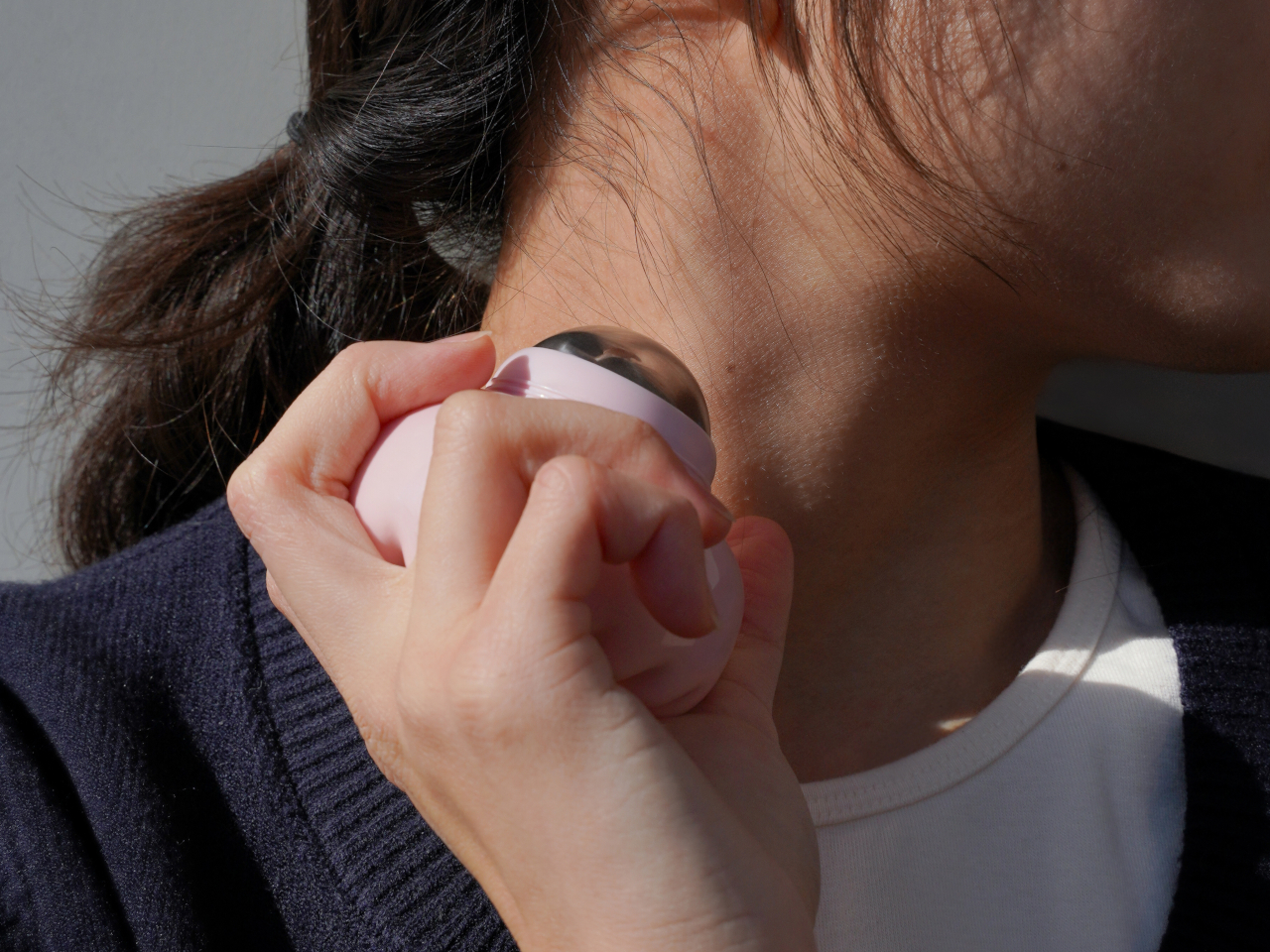
Top 5 Non-Tech Gifts for Designers Who Have Every Gadget

Designers accumulate screens, tablets, and peripherals until their desks resemble mission control. Yet the most meaningful moments in creative work often happen away from pixels and processors. A perfectly weighted pen moving across paper creates a connection that no stylus can replicate. These analog tools offer something technology can’t: the tactile satisfaction of manipulating physical materials, the quiet pleasure of objects that don’t require charging or updates.

This collection celebrates the opposite of smart devices. Each piece proves that thoughtful design doesn’t need Bluetooth connectivity or app integration to elevate daily rituals. From writing implements engineered with surgical precision to candles that transform ambient lighting into meditation, these gifts remind us that the best tools sometimes do exactly one thing extraordinarily well. They’re for designers whose homes already hum with gadgets but whose souls crave something more deliberate and human.
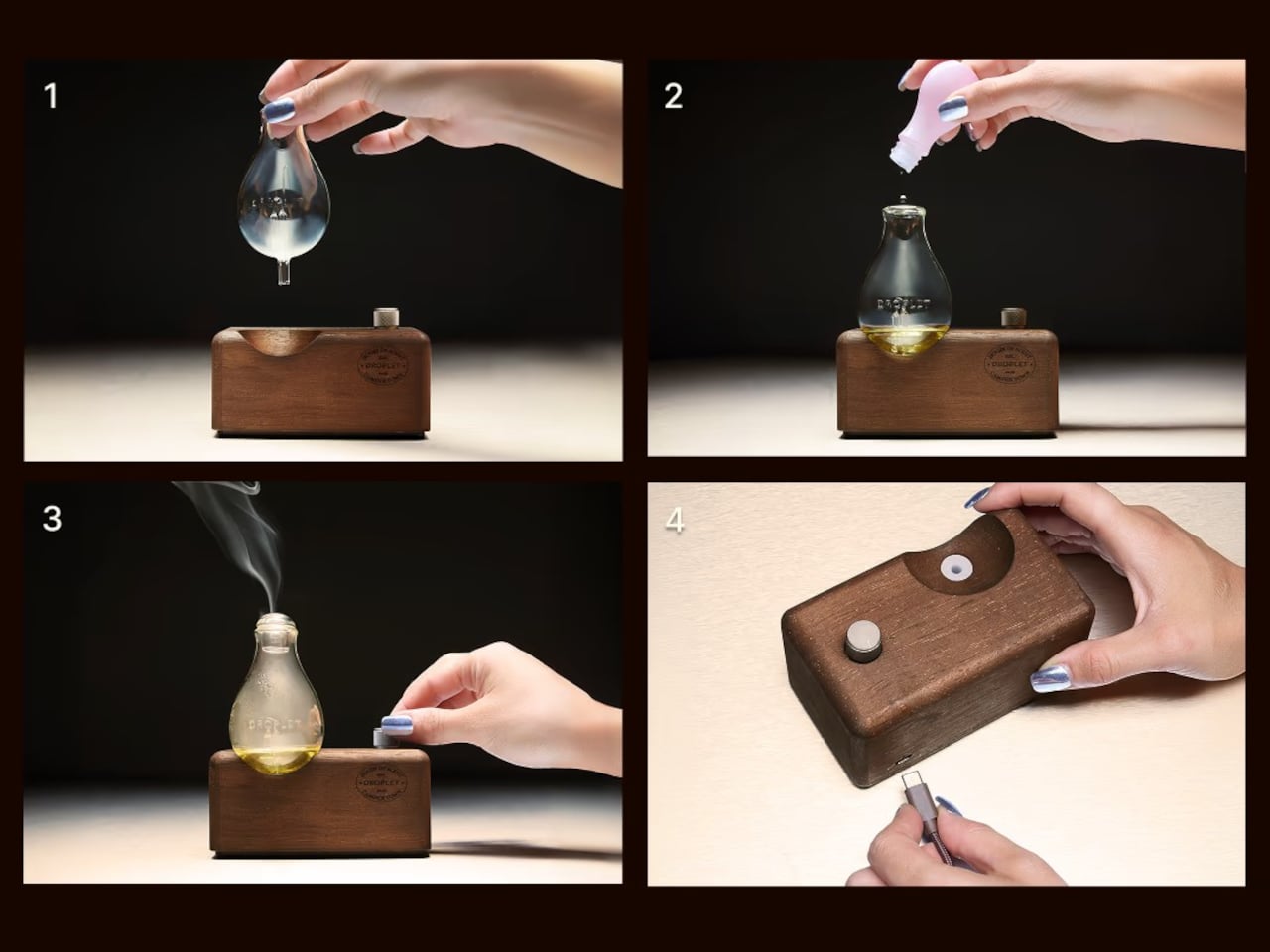
1. Jetstream Edge

The world’s thinnest ballpoint pen sounds like marketing hyperbole until you drag the 0.28mm tip across paper and watch lines appear that rival technical drafting pens. This Uniball creation doesn’t just write thin; it writes with the kind of precision that makes handwritten notes feel like an intentional design exercise. The hexagonal black barrel catches light along its edges while the knurled metal grip provides just enough texture to keep your fingers anchored during extended writing sessions without causing fatigue or slippage.

What makes this pen exceptional lies in its hybrid ink formulation. The archival-quality black ink combines gel pen smoothness with ballpoint quick-drying properties, eliminating the smeared margins that plague lefties and rushed note-takers. The low center of gravity keeps the ultra-fine tip stable against paper, preventing the wobble that turns delicate linework into jagged scratches. The wire clip adds visual interest while securing the pen to notebook covers or shirt pockets. For designers who sketch concepts before digitizing them, this pen transforms rough ideation into refined mark-making.

What we like

  • The 0.28mm tip delivers drafting-pen precision in a portable ballpoint format.
  • Hybrid ink technology dries instantly to prevent smudging on fresh pages.
  • The hexagonal barrel and knurled grip provide ergonomic control during long sessions.
  • Archival-quality black ink ensures notes and sketches remain legible for years.

What we dislike

  • The ultra-fine tip requires quality paper to prevent catching or tearing.
  • Replacement refills may prove difficult to source compared to standard ballpoints.

2. Heritage Craft Unboxing Knife

Most box cutters hide in junk drawers because they’re aggressively utilitarian and vaguely dangerous-looking. This aluminum sculpture reimagines the ancient hand axe through precision machining, creating something you’ll want displayed on your desk rather than buried in a drawer. Carved from a solid aluminum block, its circular form echoes Paleolithic tools while the wave-like patterns from the cutting process provide grip and visual intrigue. The tapered shape fits naturally in the hand, making package opening feel less like a chore and more like wielding a carefully considered instrument.

The intentional blade angle prevents over-penetration that damages package contents while maintaining enough sharpness for clean tape slicing. Aluminum’s inherent luster gives the knife a refined presence that elevates the mundane ritual of receiving deliveries. Designers who appreciate when everyday objects receive serious design consideration will find themselves reaching for this piece even when scissors would suffice. It sits at the intersection of functional tool and desktop sculpture, proving that utilitarian objects don’t need to sacrifice beauty for practicality or effectiveness.

Click Here to Buy Now: $99.00

What we like

  • Paleolithic-inspired form transforms mundane unboxing into a satisfying ritual.
  • Precision-milled aluminum construction provides luxury weight and lasting durability.
  • Wave-pattern machining creates a natural grip while adding sculptural visual interest.
  • Angled blade design ensures safe cutting without damaging package contents.

What we dislike

  • The exposed blade requires careful handling despite thoughtful safety considerations.
  • Premium aluminum construction places it at a higher price point than standard cutters.

3. Japanese Lantern Candle

Chouchin lanterns once lit Japanese festival nights with a gentle glow that modern LEDs struggle to replicate. This contemporary interpretation captures that soft illumination through handmade candles crafted in Kurashiki by artisans who understand how light transforms space. The minimalist holder design lets the candle become the focal point while patented technology prevents the outer wax from melting, maintaining the lantern shape throughout its burn life. As the interior wax liquefies, light dances through the undulating surface, creating shifting patterns that turn any room into a contemplative sanctuary.

The ritual of lighting a candle creates a deliberate pause that screens and notifications constantly interrupt. For designers accustomed to blue light and digital stimulation, this analog light source offers a different quality of illumination—one that encourages winding down rather than ramping up. The traditional chouchin form brings Japanese design philosophy into Western interiors without feeling forced or appropriative. Each candle burns with the kind of warm ambiance that makes reading physical books or sketching in analog notebooks feel natural again, reclaiming evening hours from device dependency.

Click Here to Buy Now: $69.00

What we like

  • Handcrafted by Japanese artisans in Kurashiki using traditional candle-making methods.
  • Patented technology maintains the lantern shape as interior wax melts and liquefies.
  • Minimalist design integrates seamlessly into contemporary or traditional interior styles.
  • The undulating surface creates mesmerizing light patterns as the candle burns down.

What we dislike

  • Replacement candles require sourcing from specific suppliers rather than local stores.
  • The contemplative burn time means less instant gratification than switching on a lamp.

4. Penguin x MOEBE Book Stand

Books deserve better than lying face down with spines cracked or getting buried under device chargers. This collaboration between Penguin and MOEBE treats reading material as objects worth displaying, using bent steel to create a versatile stand that functions as a bookmark, display easel, or bookend depending on configuration. The single-sheet construction eliminates visible fasteners that would interrupt the clean lines, while the matte finish in stainless steel, cream, black, or Penguin orange lets you match existing desk aesthetics or add a pop of color.

The angled base supports everything from slim poetry collections to chunky design monographs without wobbling or tipping forward. Designers who collect physical books for reference and inspiration will appreciate how the stand keeps current reading visible rather than lost in stacks. Pair two stands to create bookends that frame a curated shelf section, or use a single piece to hold cookbooks open during kitchen experiments. Subtle Penguin and MOEBE branding sit on the base, where it remains visible without dominating the overall form. The stand quietly insists that books matter.

What we like

  • Single bent-steel construction creates seamless form without visible fasteners or joints.
  • Angled base supports books of varying thickness without wobbling or tipping.
  • Multiple colorways, including Penguin’s signature orange, integrate with existing decor.
  • Functions as a bookmark, display stand, or bookend depending on current needs.

What we dislike

  • The minimalist aesthetic may not provide enough visual presence for some interiors.
  • Steel construction adds weight that makes it less portable than plastic alternatives.

5. Personal Whiteboard

Digital note-taking apps promise searchability and cloud sync, yet many designers still think best with markers in hand. This portable whiteboard reduces the friction between thought and capture by fitting the essential ritual into a notebook form factor. The multi-functional cover wipes the surface clean, props the board at a comfortable viewing angle, and creates a pocket for loose papers. The Mag Force system turns the cover into both a handle for carrying and a magnetic pen holder that keeps your marker attached and accessible.

The genius lies in accepting that some notes are ephemeral. Sketch a quick concept, photograph it for the cloud, then wipe it clean for the next idea. The single reusable page eliminates the wasteful stack of marker-stained papers while maintaining the kinetic satisfaction of writing on a physical surface. Any standard whiteboard marker works, removing the premium-refill anxiety that plagues some reusable notebooks. For designers who facilitate workshops, lead brainstorming sessions, or simply think better while standing at a wall, this personal version brings that same energy to individual work.

Click Here to Buy Now: $49.00

What we like

  • Multi-functional cover serves as an eraser, an adjustable stand, and a document pocket.
  • The magnetic Mag Force system secures any whiteboard marker for transport and storage.
  • Photograph-then-erase workflow combines analog thinking with digital archiving.
  • Compatible with all standard whiteboard markers rather than proprietary refills.

What we dislike

  • The single-page format limits capturing multiple simultaneous thoughts or comparisons.
  • The whiteboard surface can develop ghosting over time with frequent use and inadequate cleaning.

Beyond the Charging Cable

The best gifts don’t always light up or connect to Wi-Fi. These five pieces prove that analog tools still have vital roles in creative work, offering textures and interactions that screens can’t replicate. From the meditative ritual of lighting a candle to the precise satisfaction of an engineered pen, each object does one thing superbly well without requiring updates or subscriptions. They’re investments in slowing down, in making everyday interactions feel intentional rather than automatic.

For designers drowning in devices, these non-tech gifts offer something increasingly rare: objects that work the same way in five years as they do today. No planned obsolescence, no compatibility issues, no battery anxiety. Just beautifully considered tools that make analog rituals feel luxurious again. They remind us that the most sophisticated technology sometimes means no technology at all, just materials and craftsmanship in service of human needs that haven’t changed in centuries.

The post Top 5 Non-Tech Gifts for Designers Who Have Every Gadget first appeared on Yanko Design.