Apple iPad Pro M4 Review: Next-Level Design and Performance

PROS:


  • Stunning industrial design

  • Solid build quality

  • High-end performance

  • Gorgeous Tandem OLED display

  • Great battery life

  • Awesome keyboard and accessory support

CONS:


  • iPad Pro M4 & accessories are considerably expensive

  • iPadOS is restrictive and feels outdated

RATINGS:

AESTHETICS
ERGONOMICS
PERFORMANCE
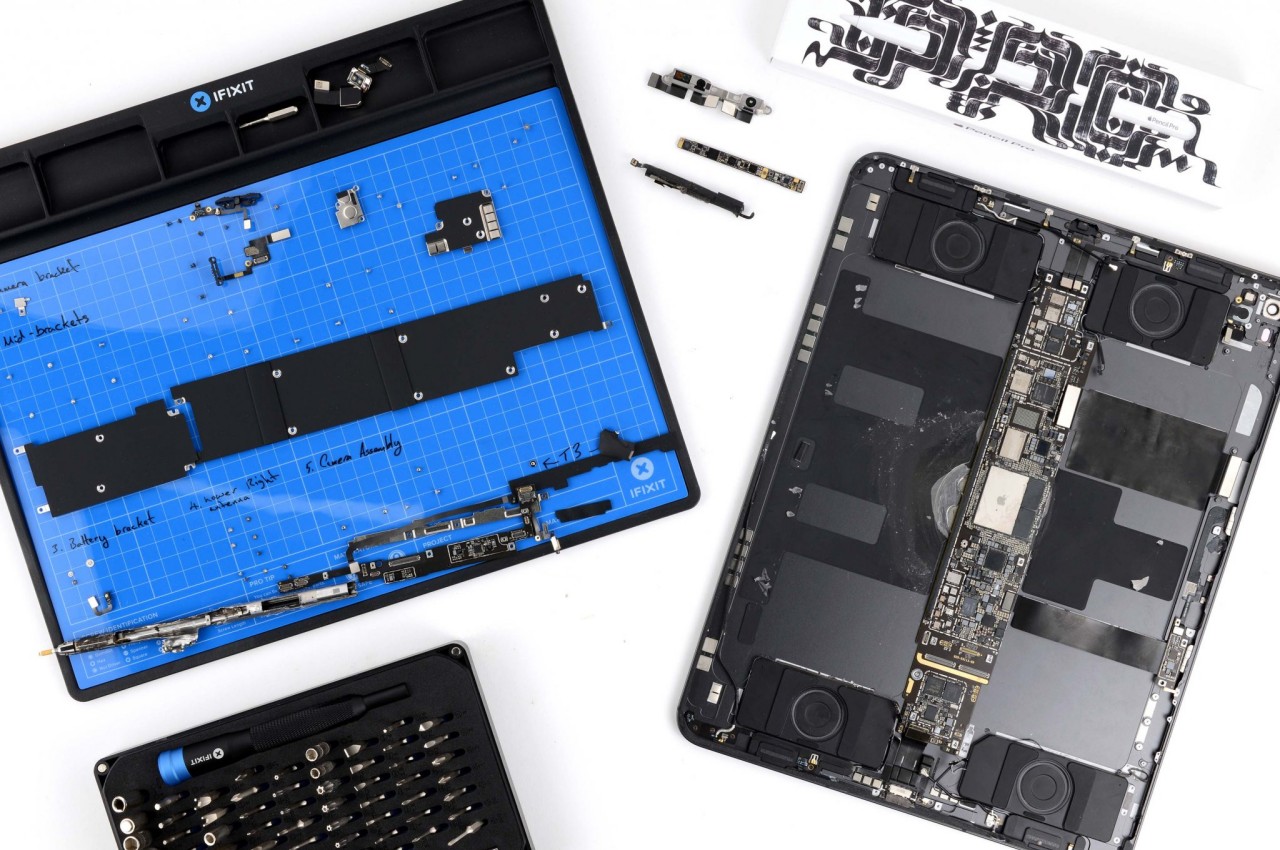
SUSTAINABILITY / REPAIRABILITY
VALUE FOR MONEY

EDITOR'S QUOTE:

Impossibly thin and powered by the M4 chip, the iPad Pro is one of the best-looking tablets ever. It surprises and delights, harmonizing beauty and utility for an unmatched tactile experience.
award-icon

The iPad Pro M4 feels like holding the future in your hands. It’s sleek, light, and incredibly refined, seamlessly blending cutting-edge technology with stunning design. Apple’s newest tablet redefines what’s possible with a dazzling display and a performance that transforms everyday tasks into something extraordinary.

Designer: Apple

At its heart, the M4 chip delivers unmatched speed and efficiency. Whether you’re creating digital art, editing videos, or browsing the web, everything feels faster and more responsive. The vibrant, crisp display enhances every visual experience, from movies to professional-grade design work.

Aesthetics

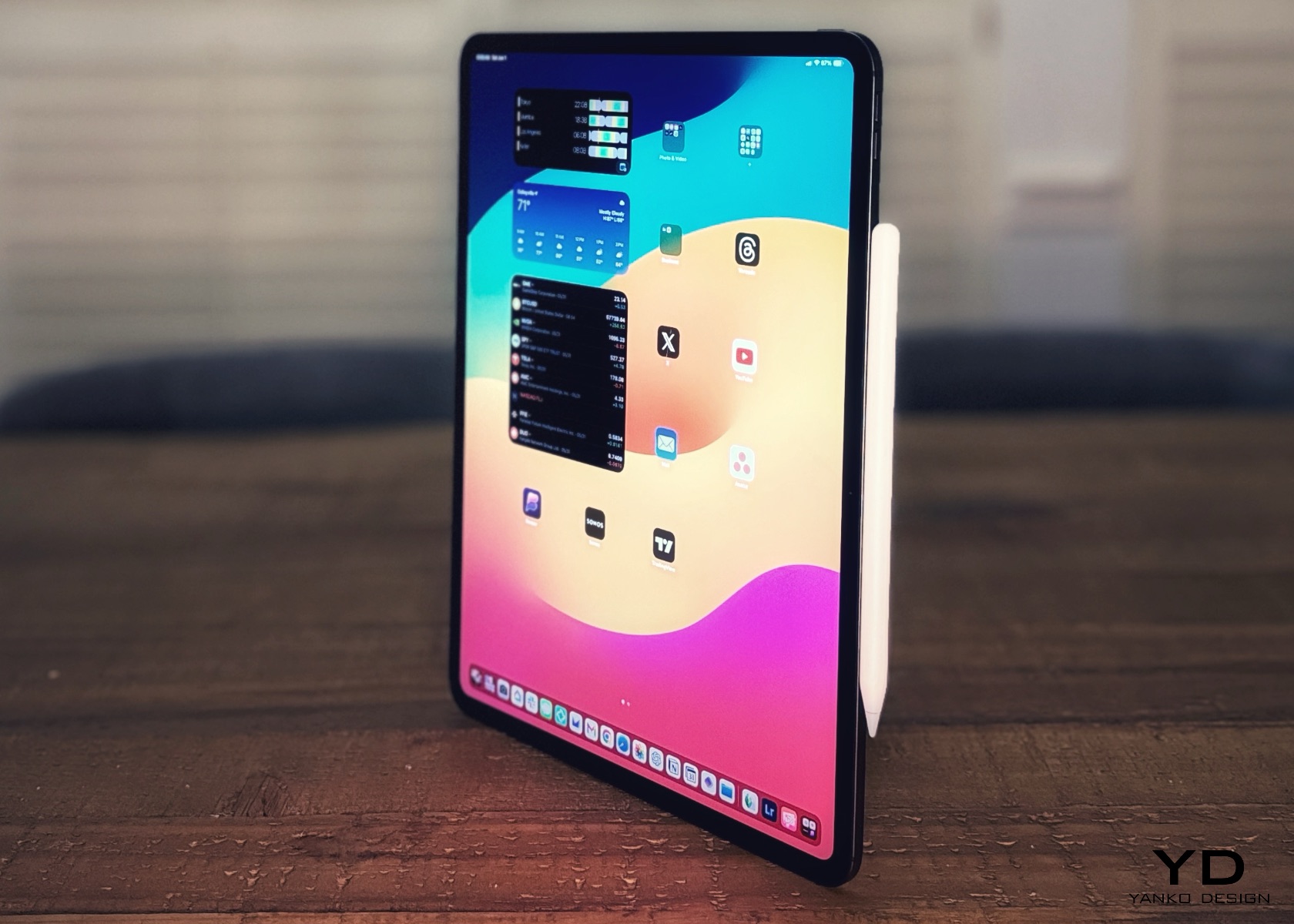
The iPad Pro, powered by Apple’s M4 chip, is one of the best-looking tablets of all time. For me, what makes a product the best in its class is its ability to surprise and delight the owners and wow those around them. I’ve been using it in the last week, and it has rarely left my side. A great product ticks all the boxes, from form to function and everything in between.
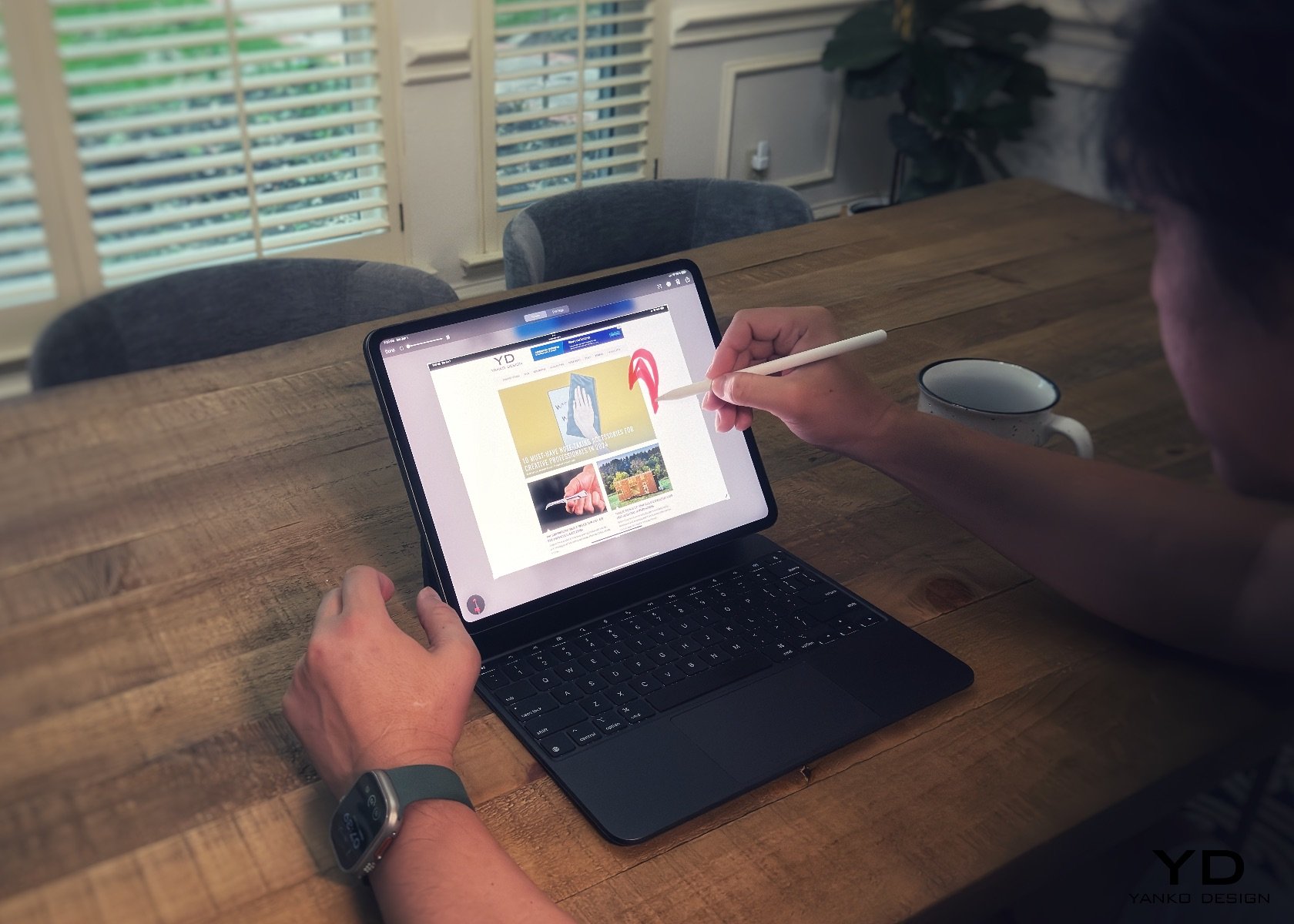
Apple iPad Pro M4 with Magic Keyboard and Apple Pencil Pro

This year, Apple impressed many with the tablet’s thinness. I find it shocking when I hear comments from megastar YouTubers like MKBHD, who asked who was asking for a thinner iPad and stated he would rather have the same thickness as the outgoing model but with a longer battery life. What he’s missing is that longer battery life won’t win our hearts—it’s something we can easily manage by charging up. But come on, when you pick up the iPad Pro M4 and sense how thin and light it is, that’s the tactile experience we want. The burden of carrying a heavier and thicker tablet has been lifted for me. This is a fantastic design choice, Apple. To answer his question: Who was asking for a thinner iPad Pro? Well, that was me.
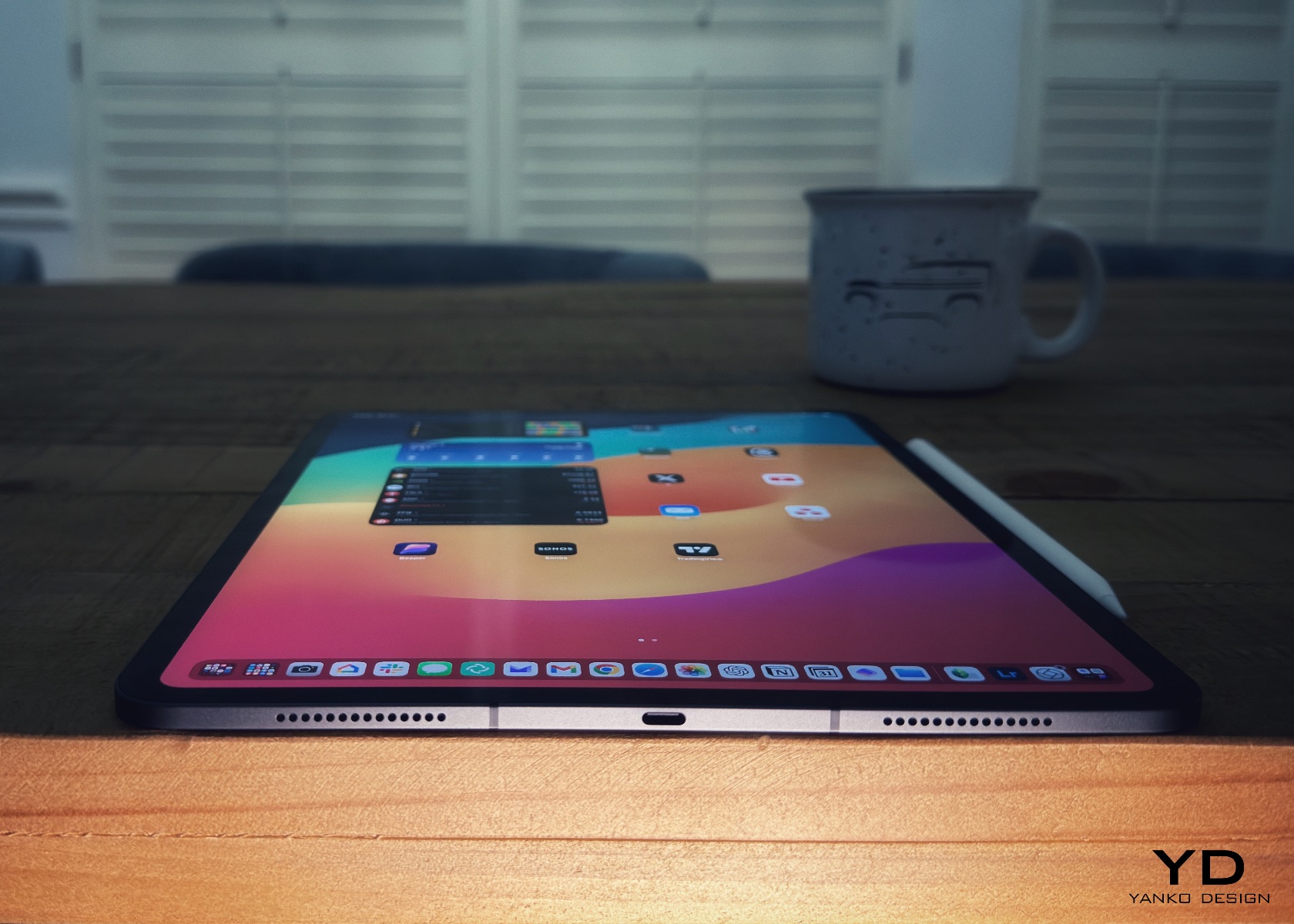
We’ve all heard the saying, “less is more,” when it comes to design. Knowing and being willing to remove what’s unnecessary is much harder than adding this or that. And in this case, the reduction in thickness and weight—now down to just under a pound for the 11-inch model and a little over a pound for the 13-inch—speaks volumes the moment you pick it up. In terms of usability, whether you’re using it with the Magic Keyboard, Folio, or just on its own, it’s magical.
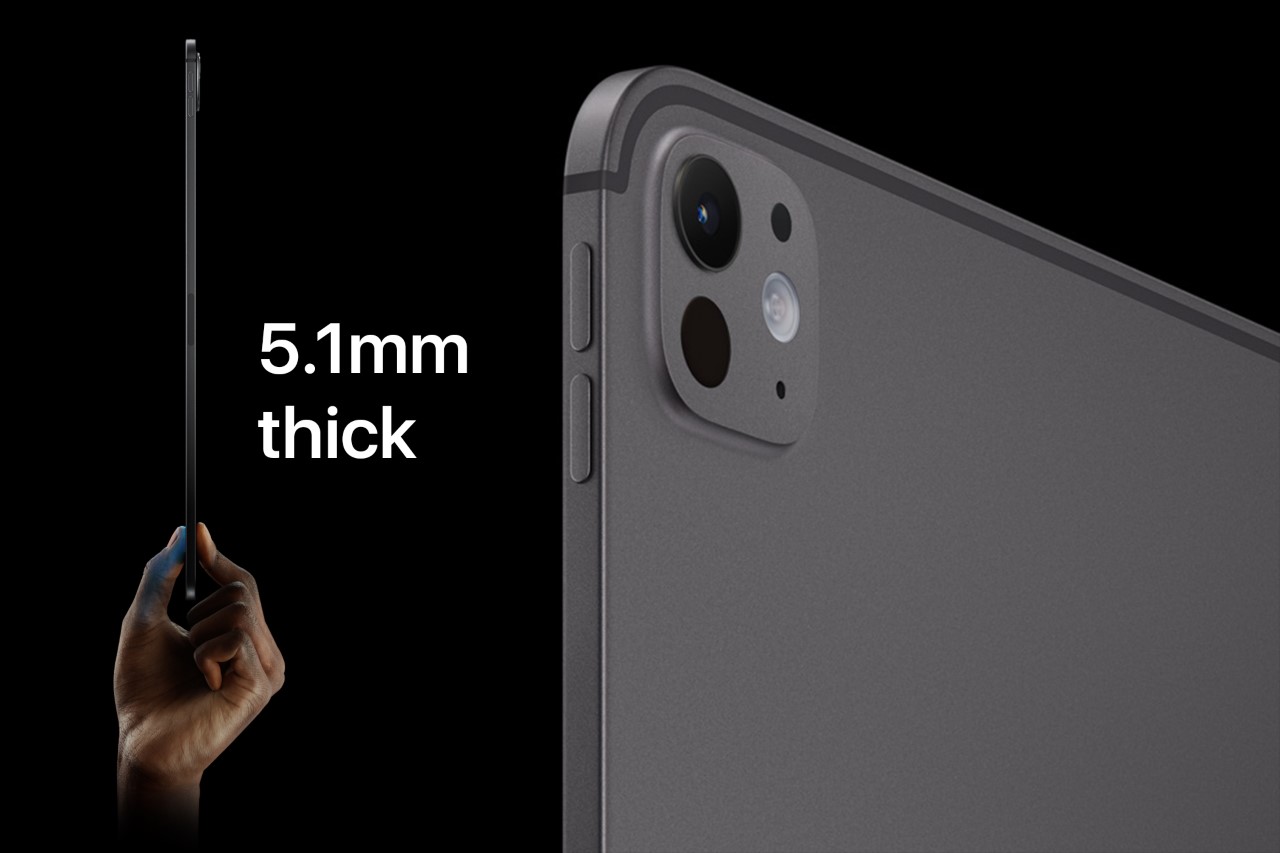
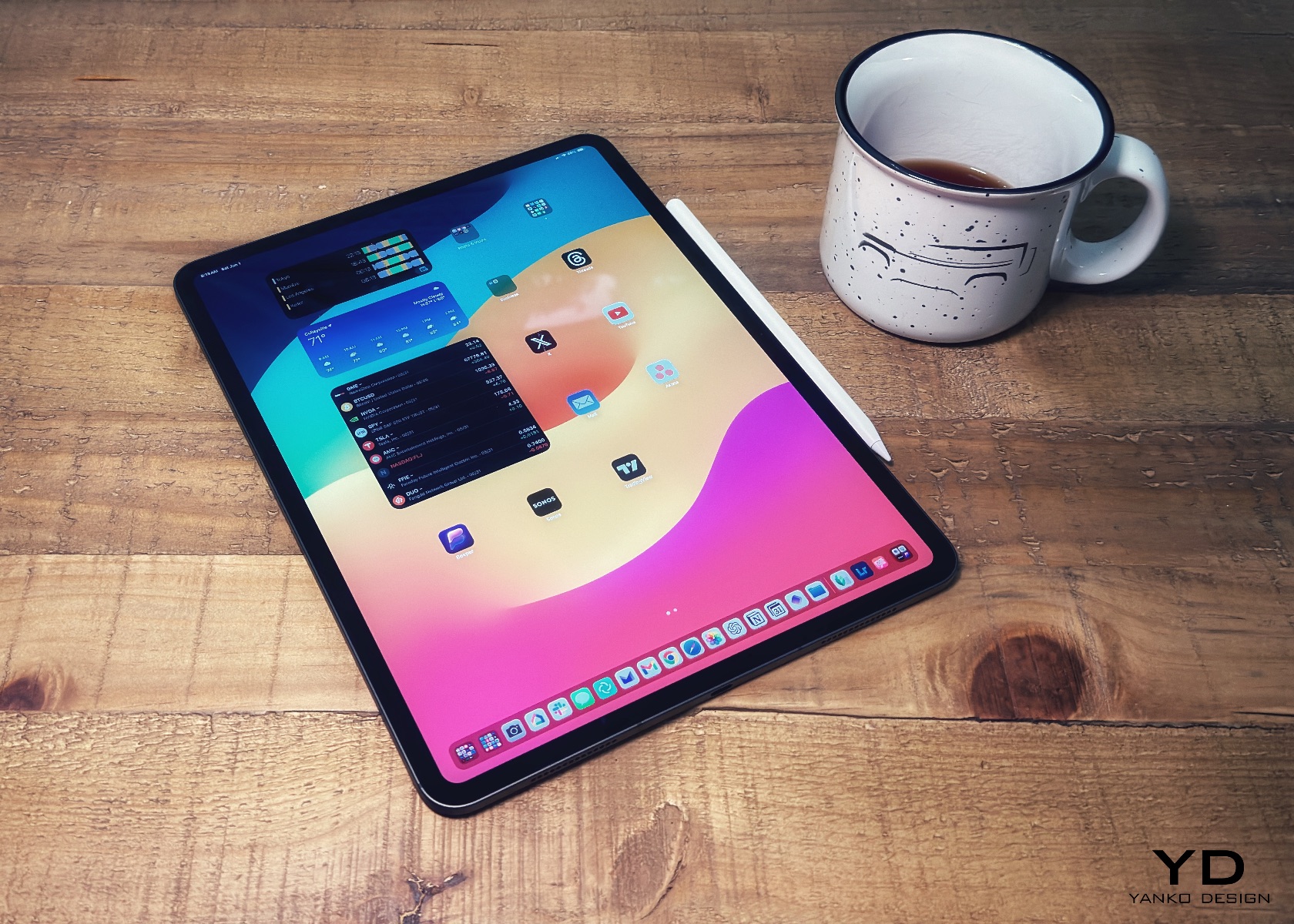
The aesthetics are simply breathtaking. The device perfectly blends elegance and sophistication with a sleek, minimalist design that looks futuristic. The aluminum body is smooth and meticulously crafted, with precise edges and a refined finish that makes it look sophisticated and high-end. You can choose between Silver and Space Gray, both with a matte finish that adds to the premium look. These colors are versatile and professional, making the iPad Pro M4 perfect for any situation. Whether you’re using it in the office, in a coffee shop, or just relaxing at home using your favorite apps, it fits right in.
My three go-to entertainment sources are Apple TV, Netflix, and YouTube. They’re simply perfect, which is the ideal place to mention that this is where iPadOS shines because these apps let you download shows to watch offline. It’s a nice touch.
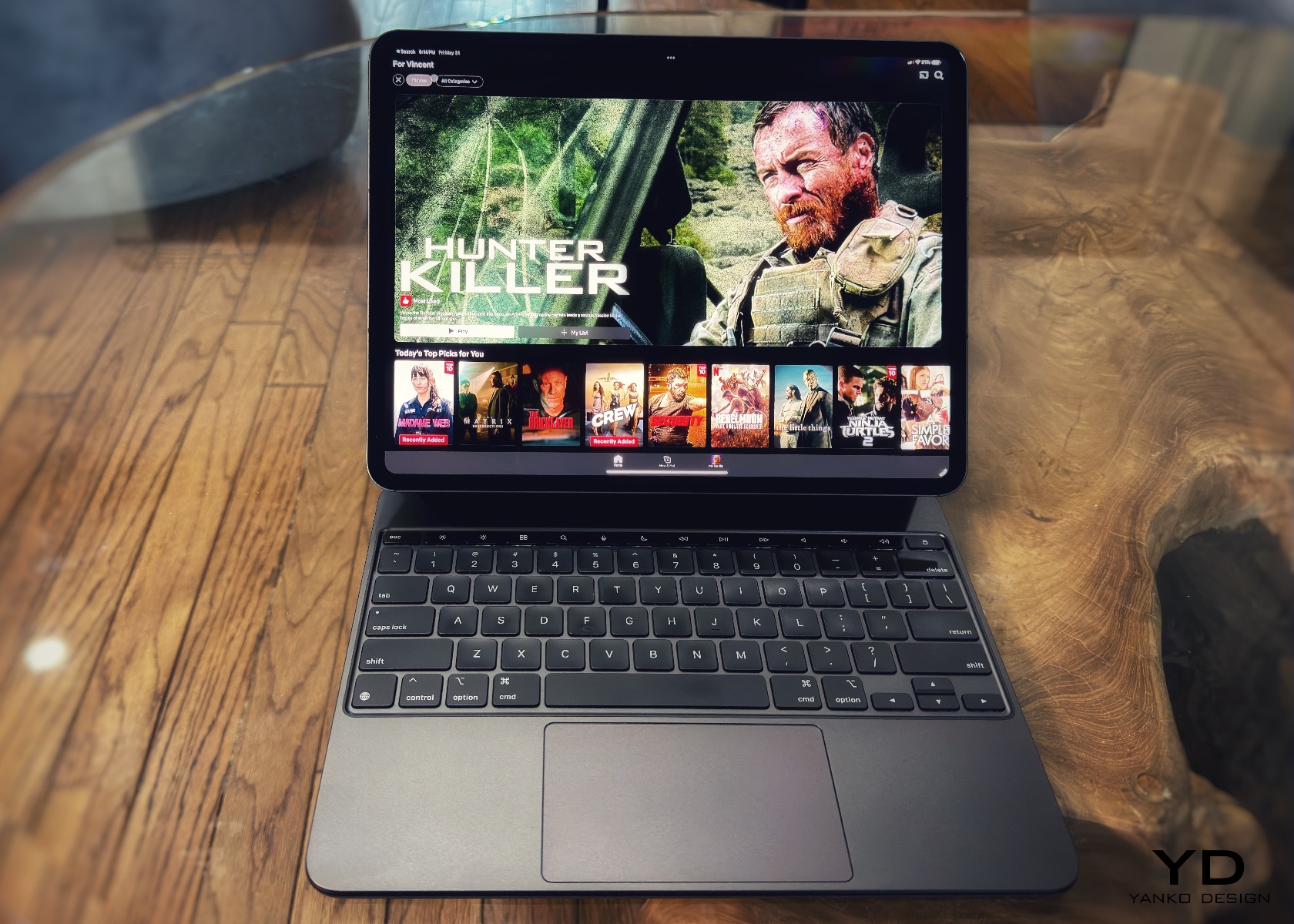
Every time I use the iPad Pro in portrait mode, it reminds me of the authority a clipboard brings. Imagine someone walking into a busy room with a clipboard and pen—it gives the impression they mean business. It’s like in “House,” where Dr. Cuddy, often seen with a clipboard, epitomizes control and authority. In the episode “Insensitive” from season three, Cuddy wields her clipboard to manage the hospital’s chaos, symbolizing her command and precision. There’s a moment where she’s juggling multiple tasks, handling House’s antics, and still keeping her cool—all while holding that clipboard. It becomes a symbol of her ability to manage and orchestrate the complex dynamics of the hospital. I can see this happening in many real-world instances where people do the same, except using the iPad Pro and Apple Pencil Pro.
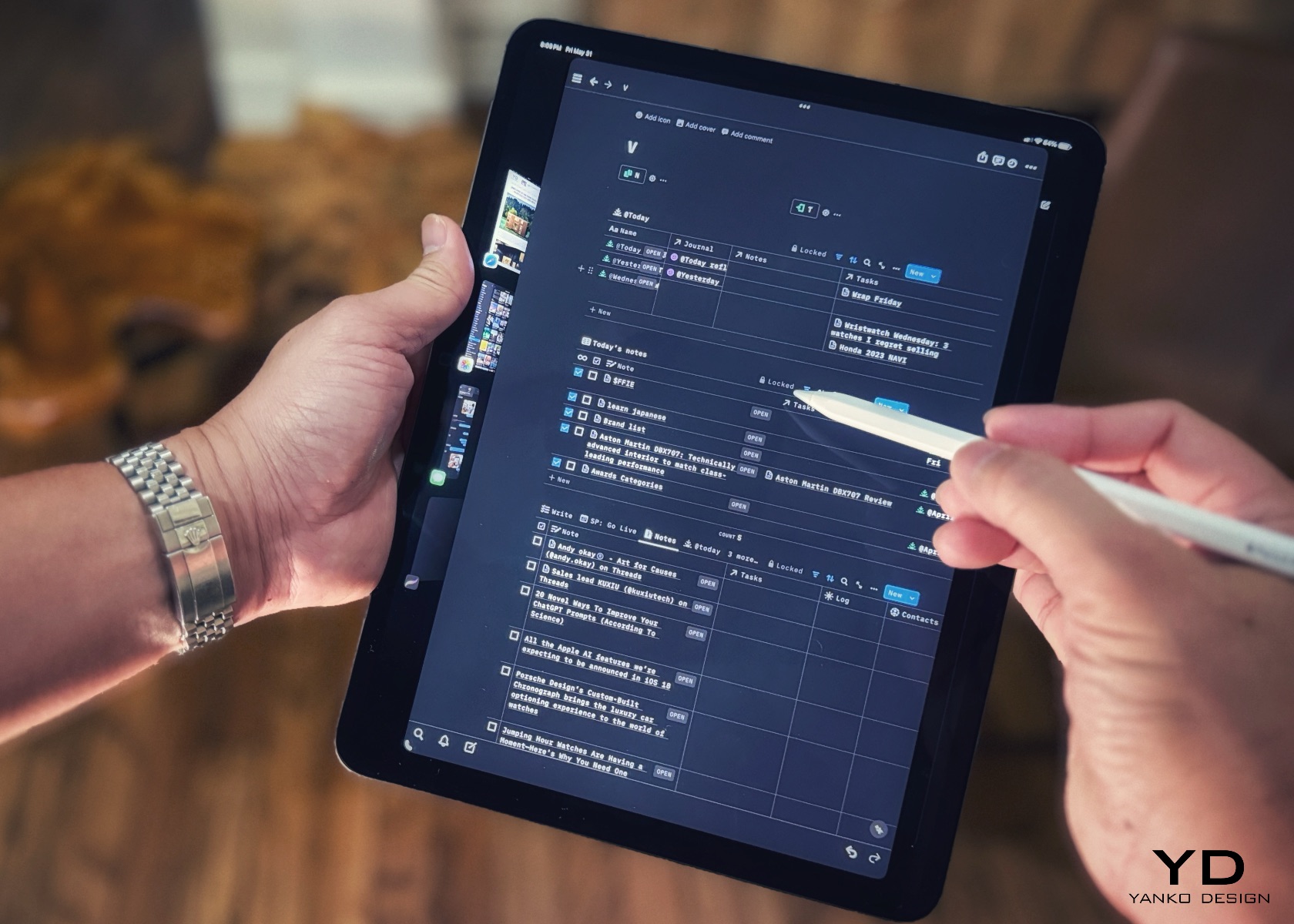
Comically, this slate of glass combined with the Apple Pencil Pro gives me that nostalgic feeling. Like Cuddy’s clipboard, the iPad Pro M4 signifies a blend of modern technology and timeless functionality. Regardless of which iPad model you pick, it’s the tool that becomes the modern-day version of the classic clipboard. This feeling of holding an essential, authoritative tool makes the iPad Pro unique. It transforms how you approach tasks, making everything feel more organized and efficient, just as a clipboard does in a busy environment. The iPad Pro M4 looks and feels futuristic but also brings a touch of nostalgia that resonates with anyone who has ever relied on the simplicity and power of a clipboard.

One of the most striking features of the iPad Pro M4 is its display. The tandem OLED screen offers brighter visuals, deeper blacks, and more vibrant colors, making everything you do on the iPad look fantastic. The screen stretches almost edge to edge, thanks to the thin bezels and lack of a home button, which gives the device a modern, clean look. Apple’s attention to detail is evident throughout. The rounded corners and chamfered edges make the iPad comfortable to hold and add to its aesthetic appeal. The buttons and ports are strategically placed to maintain the sleek lines, and even the camera bump is designed to blend in seamlessly.
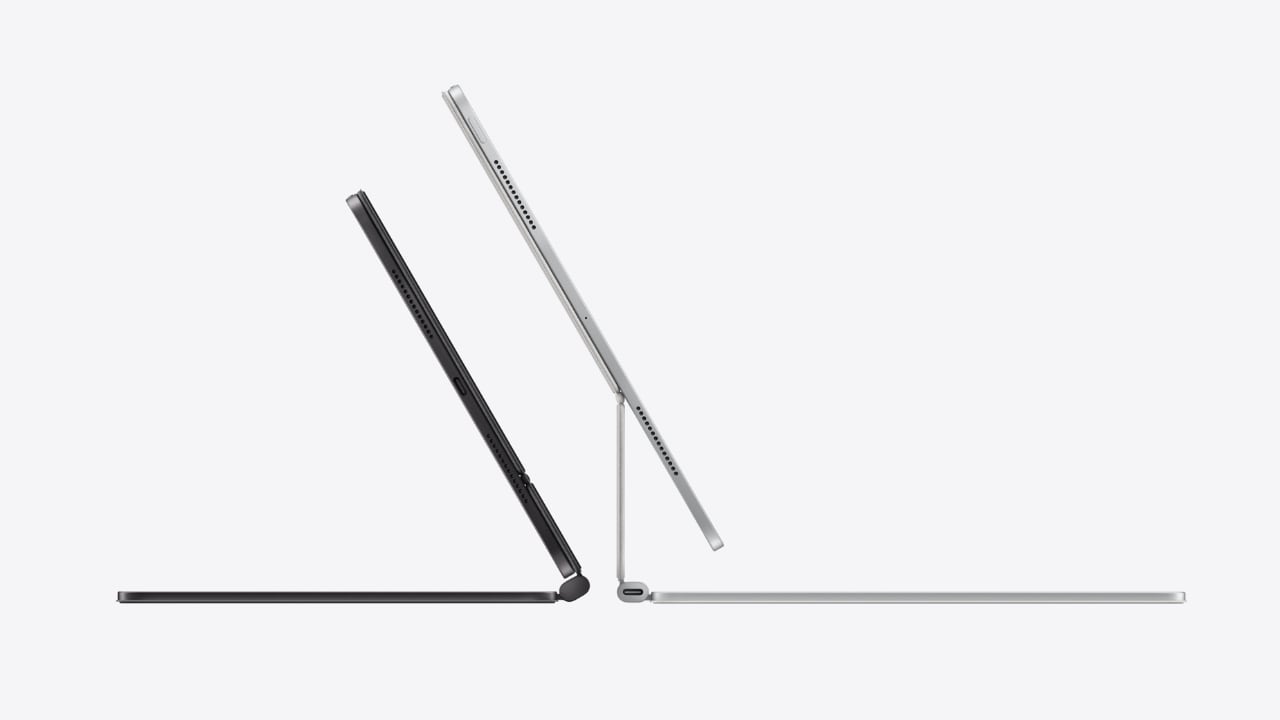
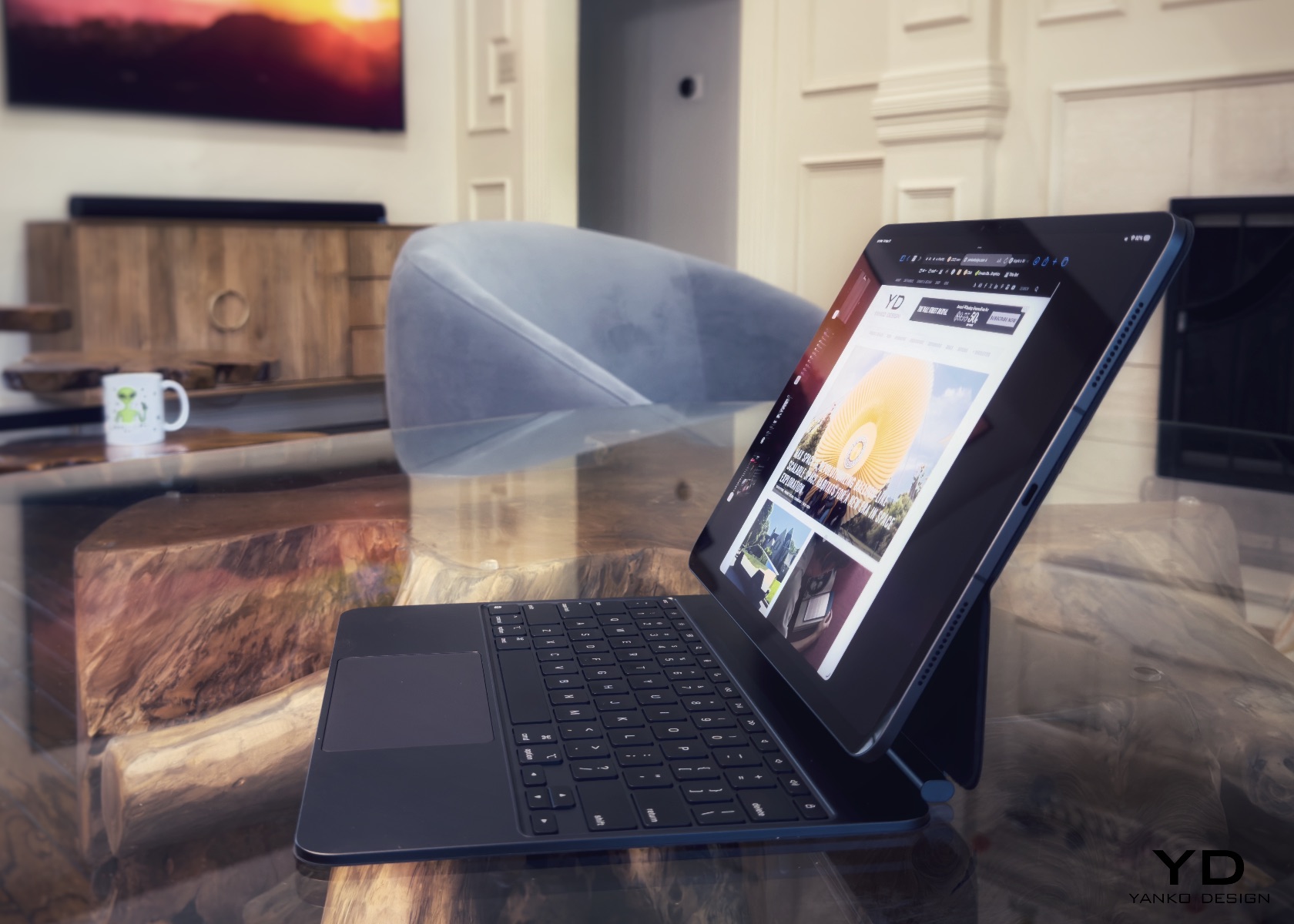
The iPad Pro M4’s design works perfectly with its accessories. The new Magic Keyboard, for instance, enhances the iPad’s functionality and aesthetics. It features a sleek, minimalist design that matches the iPad’s finish and form. The floating cantilever design allows the iPad to magnetically attach and hover above the keyboard, offering a range of viewing angles and adding a futuristic touch. The keyboard is backlit, excellent for working in low-light conditions, and the keys are well-spaced with a scissor mechanism that provides a comfortable, responsive typing experience. The integrated trackpad supports multi-touch gestures and cursor functionality, transforming the iPad Pro into a more laptop-like device and boosting productivity.
Additionally, the Magic Keyboard includes a USB-C port for passthrough charging, allowing you to charge the iPad while keeping its main USB-C port free for other accessories. The magnetic attachment and smart connector ensure seamless connectivity, with no need for pairing or separate charging. When closed, the Magic Keyboard serves as a protective cover for the iPad Pro, shielding both the front and back from scratches and minor impacts. Despite its robust build, the Magic Keyboard remains relatively lightweight and slim, enhancing the portability of the iPad Pro without adding significant bulk.

Of course, that begs the question: Is the iPad Pro M4 any more magical than the last iPad M2? Well, that depends on your expectations, requirements, and lifestyle. If you’re like me and value the blend of cutting-edge technology with an elegant and functional design, the iPad Pro M4 is a clear winner. The improvements in weight, thinness, and display quality, combined with the powerful M4 processor, make it not just a tool but a companion that delights in every use.

Ergonomics

Apple has perfected the ergonomics with the iPad Pro M4. Its lightweight and slim profile make it a joy to hold, whether you’re using it in portrait or landscape mode. The intuitive placement of buttons and ports ensures easy access without disrupting the device’s sleek lines. A significant improvement is the horizontally aligned front camera, which provides a more natural angle for video calls, making virtual meetings feel more engaging and less awkward. This new camera position also signals that the iPad is inching closer to laptop status, enhancing its appeal as a versatile productivity tool.

The term “laptop” denotes functionality and comfort when used on your lap. The iPad Pro M4, especially when paired with the Magic Keyboard, embodies this ideal better than any tablet. Its sleek design, powerful performance, and practical accessories rival traditional laptops, ensuring comfort and functionality when used on your lap.
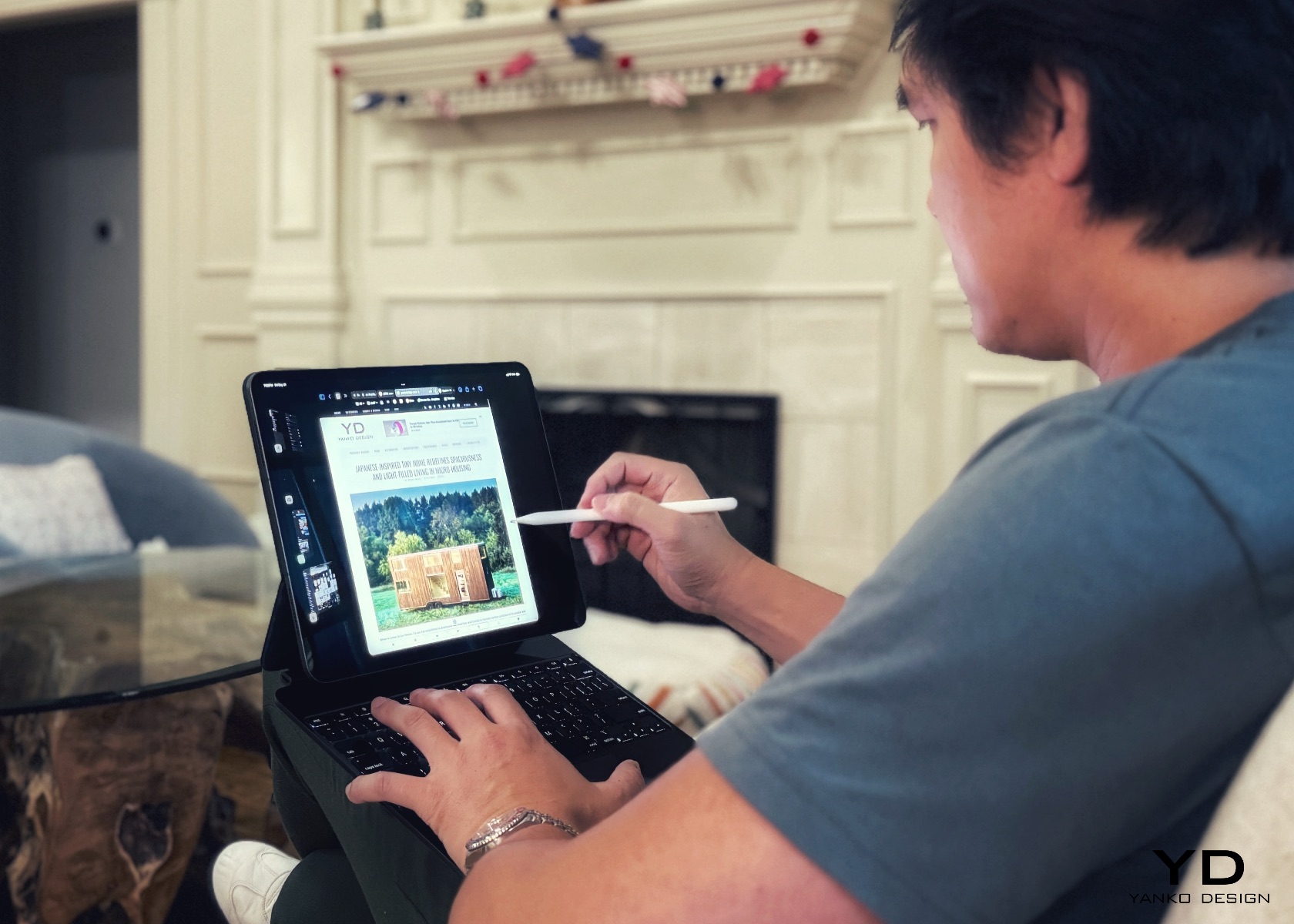
The Magic Keyboard provides a comfortable typing experience with well-spaced keys and responsive feedback. Its cantilever design, pushing the iPad further back like a MacBook’s display, is especially beneficial when used while lying down. This design offers adjustable viewing angles, allowing you to find the perfect position for any task. Whether typing an email, editing a document, or drawing with the Apple Pencil, the iPad adapts seamlessly to your needs.
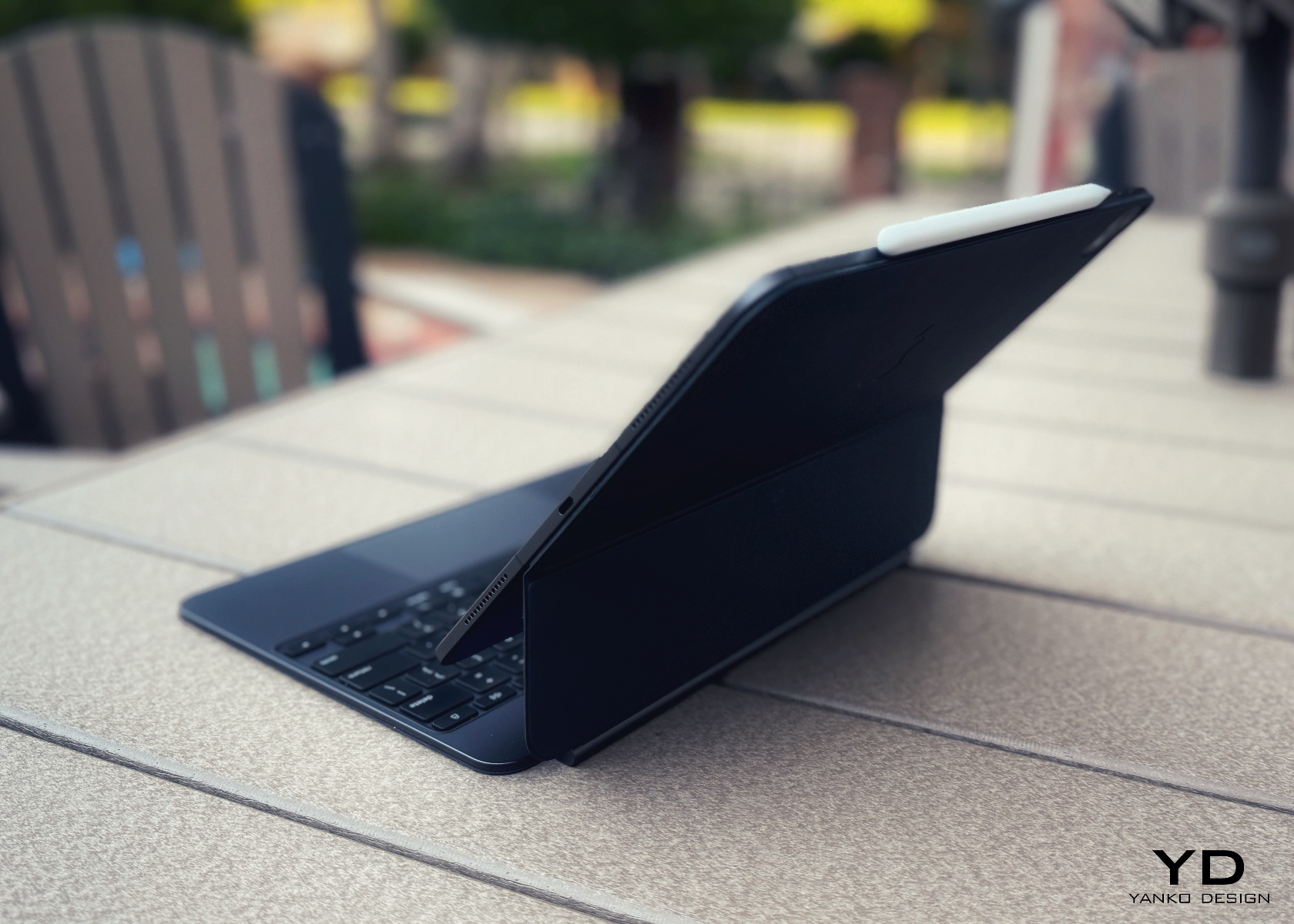
The Apple Pencil Pro also deserves mention for its ergonomic design. The lightweight stylus mimics the sensation of writing on paper, with added haptic feedback and barrel roll gestures for enhanced precision and control. Whether sketching, annotating, or taking notes, the Apple Pencil Pro provides a comfortable and intuitive user experience.

Using the iPad Pro M4 with the Magic Keyboard feels empowering, enhancing productivity, creativity, entertainment, and learning, no matter where you are. Apple’s attention to ergonomics ensures every interaction with the device is intuitive and comfortable. The thin and lightweight design makes it easy to carry, whether commuting, traveling, or moving between rooms, fitting comfortably in a bag or backpack. The iPad seamlessly supports daily activities, enriching digital experiences, whether working, creating, or browsing. After all, that’s the whole point of investing in tech—not just for the sake of buying a shiny new toy, but to add real value and enhance everyday productivity.

Performance

The iPad Pro M4 has a powerful M4 chip designed to handle everything Apple and third-party apps can throw at it. Whether editing 4K videos, playing graphics-intensive games, or multitasking, the M4 chip ensures smooth and efficient performance. The new chip delivers a 50% performance boost over its predecessor, making it one of the fastest tablets on the market.
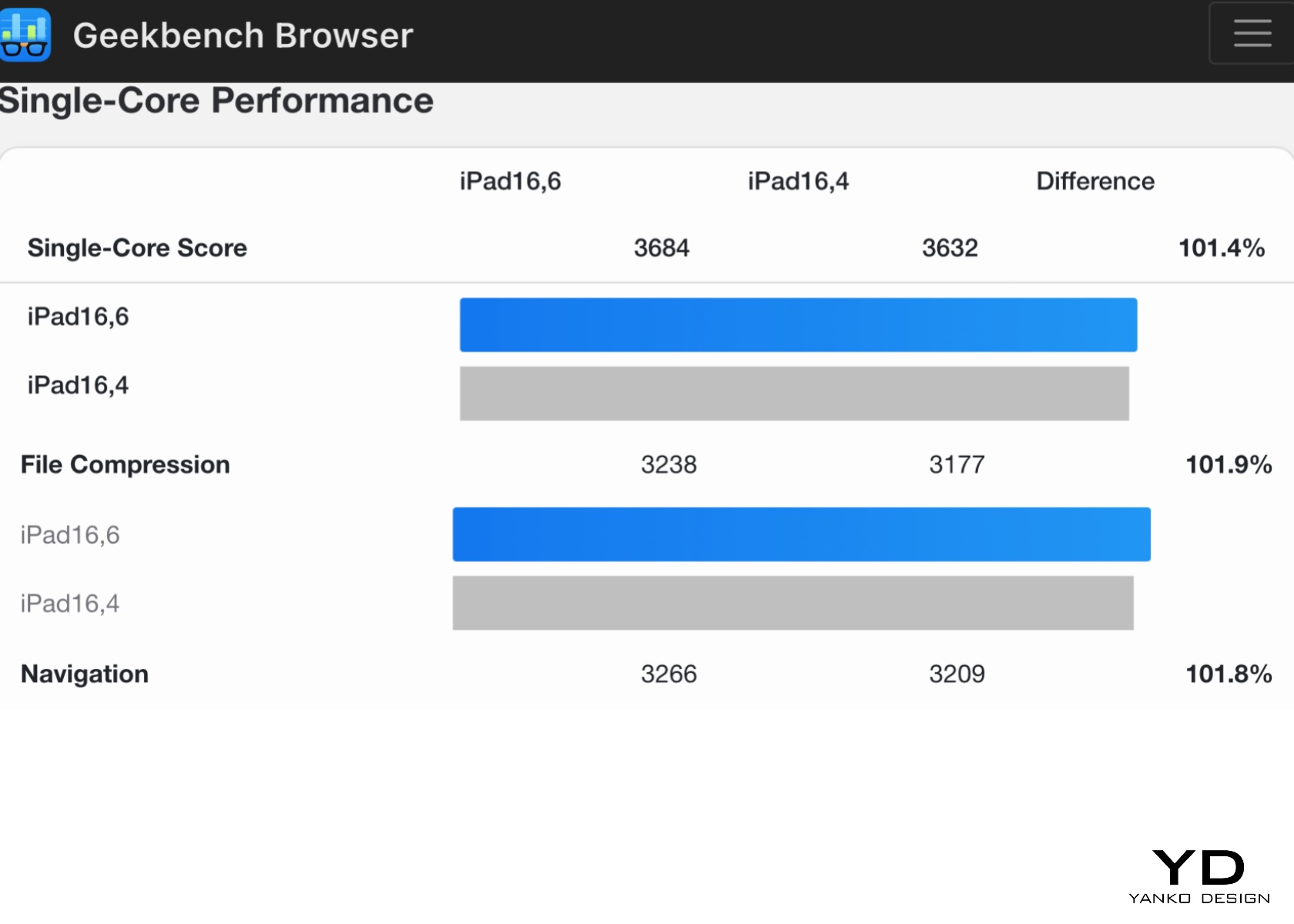
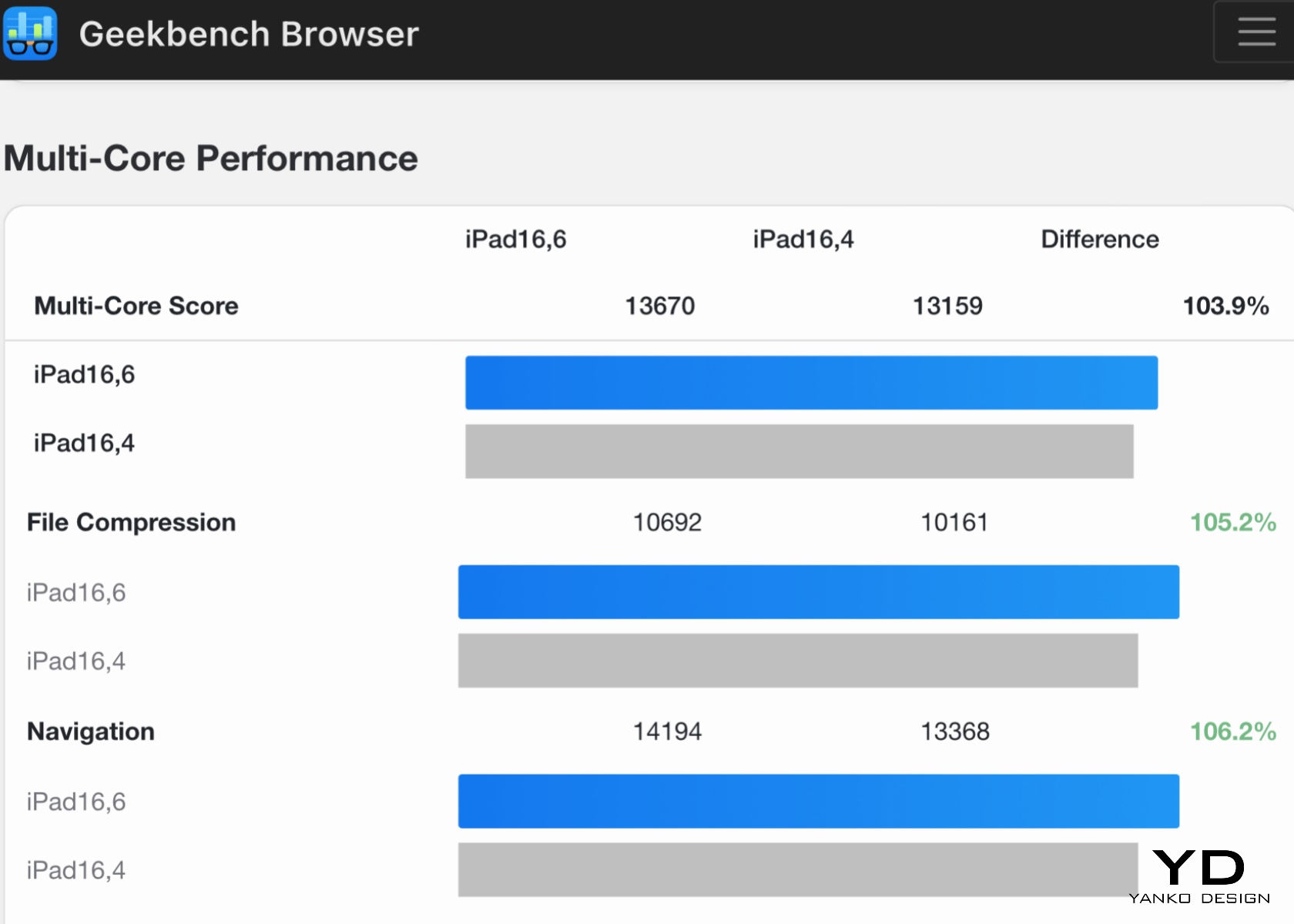
Benchmarks like those from Geekbench 6 highlight the iPad Pro M4’s significant performance capabilities. For instance, the iPad Pro M4 (iPad16,6) scores an impressive 13670 in multi-core performance and 3684 in single-core performance, compared to 13159 and 3632, respectively, for the iPad16,4 base model. These results underscore the enhanced performance of the additional cores and more RAM in the iPad Pro M4.
However, synthetic benchmarks are just one way to validate the M4 chip’s capabilities. The true power of the iPad Pro M4 lies in Apple’s seamless integration of hardware and software. Unlike competitors who rely on third parties like Qualcomm for chipsets, various manufacturers for hardware, and Google or Microsoft for the operating system, Apple controls the entire ecosystem. This unified approach allows for optimized performance and a cohesive user experience greater than the sum of its parts.
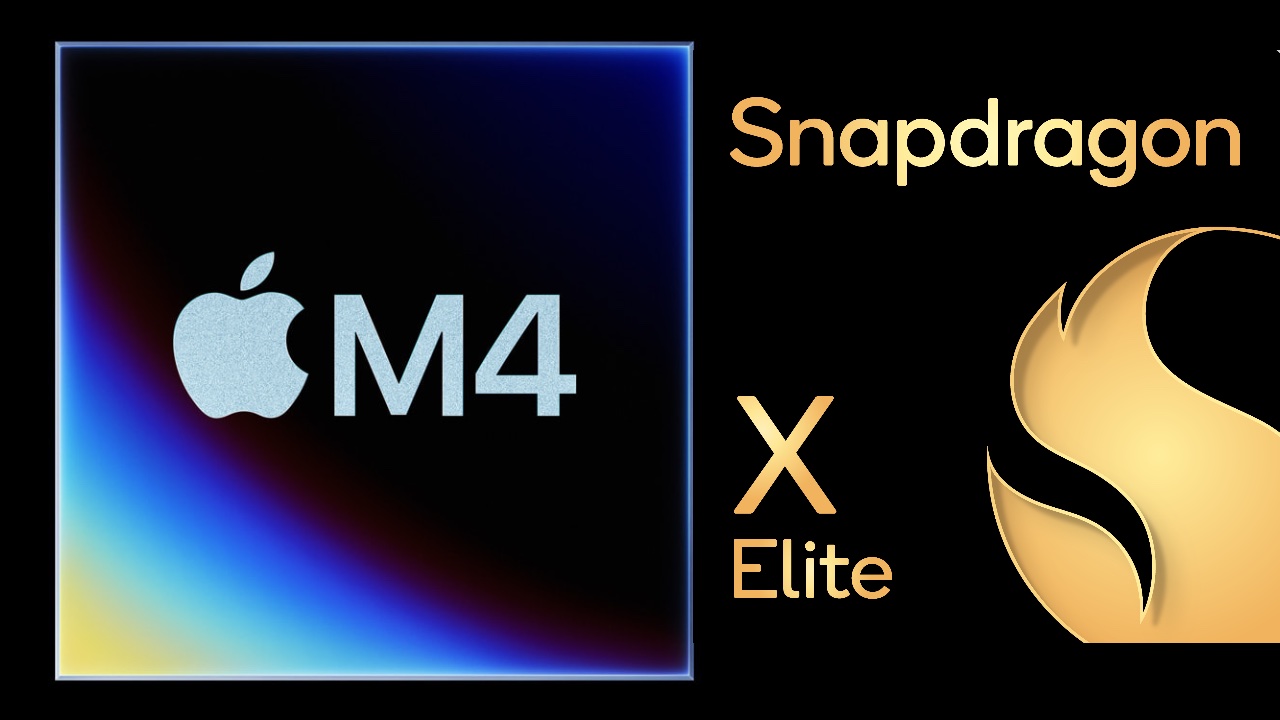
Apple M4 and Snapdragon X Elite

One of the standout features of the M4 chip is its enhanced Neural Engine, capable of performing 38 trillion operations per second. This opens up new possibilities for AI-driven applications, from real-time language translation to advanced image processing. For instance, apps that utilize machine learning for tasks like photo editing, predictive text, and augmented reality run seamlessly on the iPad Pro M4, demonstrating the chip’s capability to manage complex algorithms efficiently.
The M4 chip’s efficiency also translates into impressive battery life. The iPad Pro M4 can last up to 14 hours under moderate use, such as browsing the web, streaming videos, and using productivity apps. This ensures users can work, play, and create without constantly searching for a power outlet. Even during more intensive tasks like video editing and gaming, the battery life holds up well, typically lasting around 10 hours.

One of the most striking features of the iPad Pro M4 is its Ultra Retina XDR display with tandem OLED technology. This display sets a new benchmark for tablet screens, offering unparalleled brightness, color accuracy, and contrast. Using tandem OLED panels increases luminance levels, resulting in deep blacks, vibrant colors, and exceptional clarity. The display transforms the visual experience, making everything from movies to professional-grade design work look stunning.

From personal experience, the display performs amazingly regardless of the environment. The screen remains vibrant and clear, whether outdoors in bright sunlight or indoors under office lights. Two types of displays are available: the standard display and the nano-texture glass option designed to reduce glare. Our review unit features a regular display, which, for most users, is more than enough to meet their needs.

In video editing tests using apps like LumaFusion and Adobe Premiere Rush, the iPad Pro M4 handles 4K footage effortlessly. Scrubbing through high-resolution video happens without lag, allowing for the application of complex edits and quick rendering of projects. This performance makes it an excellent tool for content creators needing a portable yet powerful device for on-the-go editing.

Gaming performance on the iPad Pro M4 is equally impressive. Popular titles like Genshin Impact and Call of Duty: Mobile run smoothly with high frame rates and detailed graphics, providing a console-like experience on a tablet. The high-refresh-rate display enhances the gaming experience by reducing motion blur and providing a more responsive feel.

We anticipate further enhancements with the upcoming WWDC, where Apple is expected to announce upgrades to iPadOS. We hope these updates will bring many features from macOS to the iPad while retaining its lightweight footprint. Such improvements would further unlock the potential of the M4 chip, making the iPad Pro M4 even more capable. The chip’s current performance already sets a high standard, and with the expected software enhancements, the iPad Pro M4 is poised to become an even more integrated and versatile tool.

In every aspect, from gaming to professional-grade video editing, the iPad Pro M4 redefines what a tablet can achieve, making it a powerful, versatile, and future-ready device.

Sustainability

Apple continues to lead in sustainability with the iPad Pro M4, using 100% recycled aluminum for the enclosure. This commitment to eco-friendly materials doesn’t compromise the device’s durability or aesthetic appeal. Using recycled aluminum reduces the environmental impact of production and aligns with Apple’s broader goals of reducing its carbon footprint and promoting sustainability.
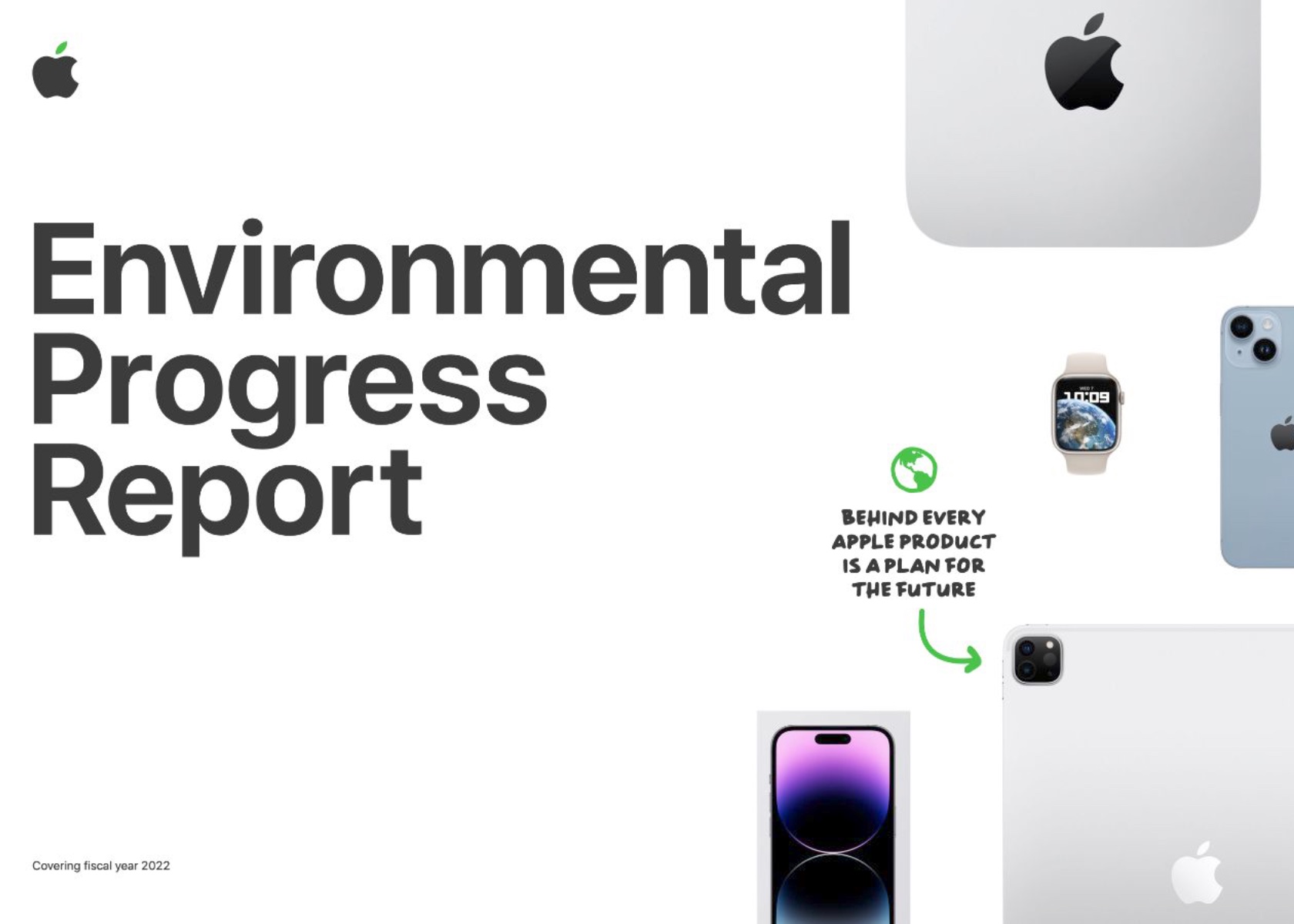
The energy-efficient M4 chip also contributes to reduced power consumption, extending battery life and minimizing environmental impact. The chip’s efficiency ensures that the iPad Pro M4 delivers top-tier performance while consuming less power, which benefits both users and the planet. By incorporating sustainable practices into the design and production of the iPad Pro M4, Apple sets a high standard for the tech industry, demonstrating that cutting-edge technology and environmental responsibility can go hand in hand.

Apple’s approach to packaging also reflects its commitment to sustainability. The packaging for the iPad Pro M4 is made from recycled and biodegradable materials, reducing waste and promoting recycling. The minimalist design of the packaging also reduces the overall environmental impact, as less material is used in its production.
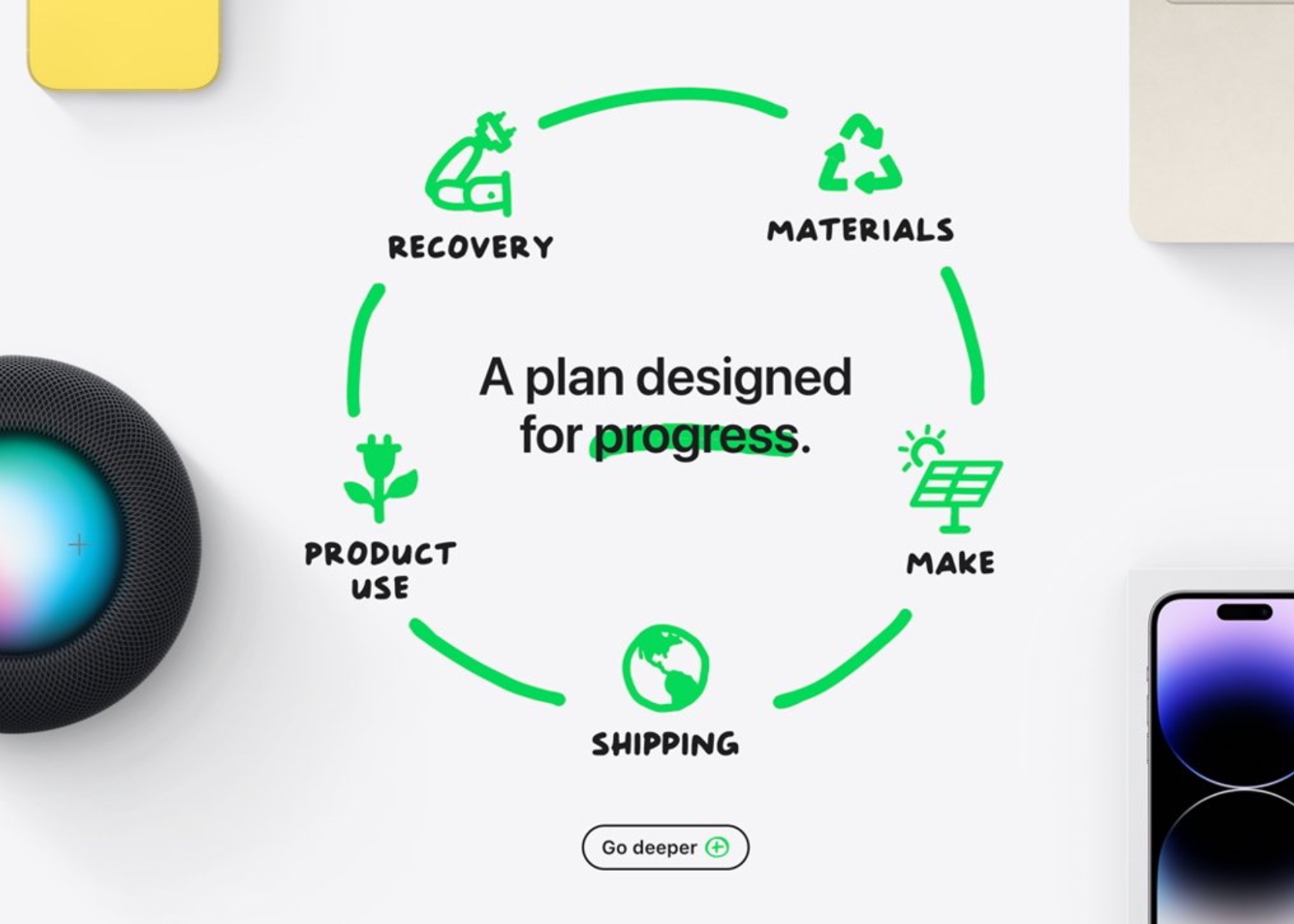
In addition to using recycled materials and energy-efficient components, Apple also supports recycling old devices. Through its trade-in program, users can return their old iPads and other Apple products, which are then refurbished or recycled. This program helps to reduce electronic waste and ensures that valuable materials are recovered and reused.

Apple’s commitment to sustainability with the iPad Pro M4 sets a benchmark for the industry. Using recycled materials, energy-efficient components, and eco-friendly packaging contributes to a more sustainable product. By prioritizing sustainability without compromising performance or aesthetics, Apple shows that it is possible to create high-quality, cutting-edge technology while being mindful of the environment.

Value and Verdict

The iPad Pro M4 is undeniably a premium device, and its price reflects this. Starting at $1,299 for the 11-inch model and $1,499 for the 13-inch model, it’s a significant investment. Adding essential accessories like the Magic Keyboard and Apple Pencil Pro can quickly bring the total cost to the level of a high-end laptop. However, for creative professionals and tech enthusiasts who can fully leverage its capabilities, the iPad Pro M4 offers tremendous value. Its performance, display quality, and versatility justify the high price for those who demand the best.

For everyday users, it might be overkill. The advanced features and high performance may not be necessary for tasks like web browsing, email, and casual media consumption. More affordable options like the iPad Air offer excellent performance and functionality at a fraction of the cost. If top-tier features aren’t a priority, these alternatives are worth considering.

The iPad Pro M4 is a versatile tool for a wide range of tasks. For creative professionals, the combination of the M4 chip’s power, the precision of the Apple Pencil Pro, and the clarity of the Ultra Retina XDR display makes it invaluable for photo editing, graphic design, and video production. Its performance and versatility can significantly enhance productivity and creativity.

For business users, the iPad’s portability, battery life, and connectivity options make it an excellent tool for remote work, presentations, and note-taking. The Magic Keyboard transforms the iPad into a functional laptop alternative, while the Apple Pencil Pro offers a natural and efficient way to annotate documents and take notes.
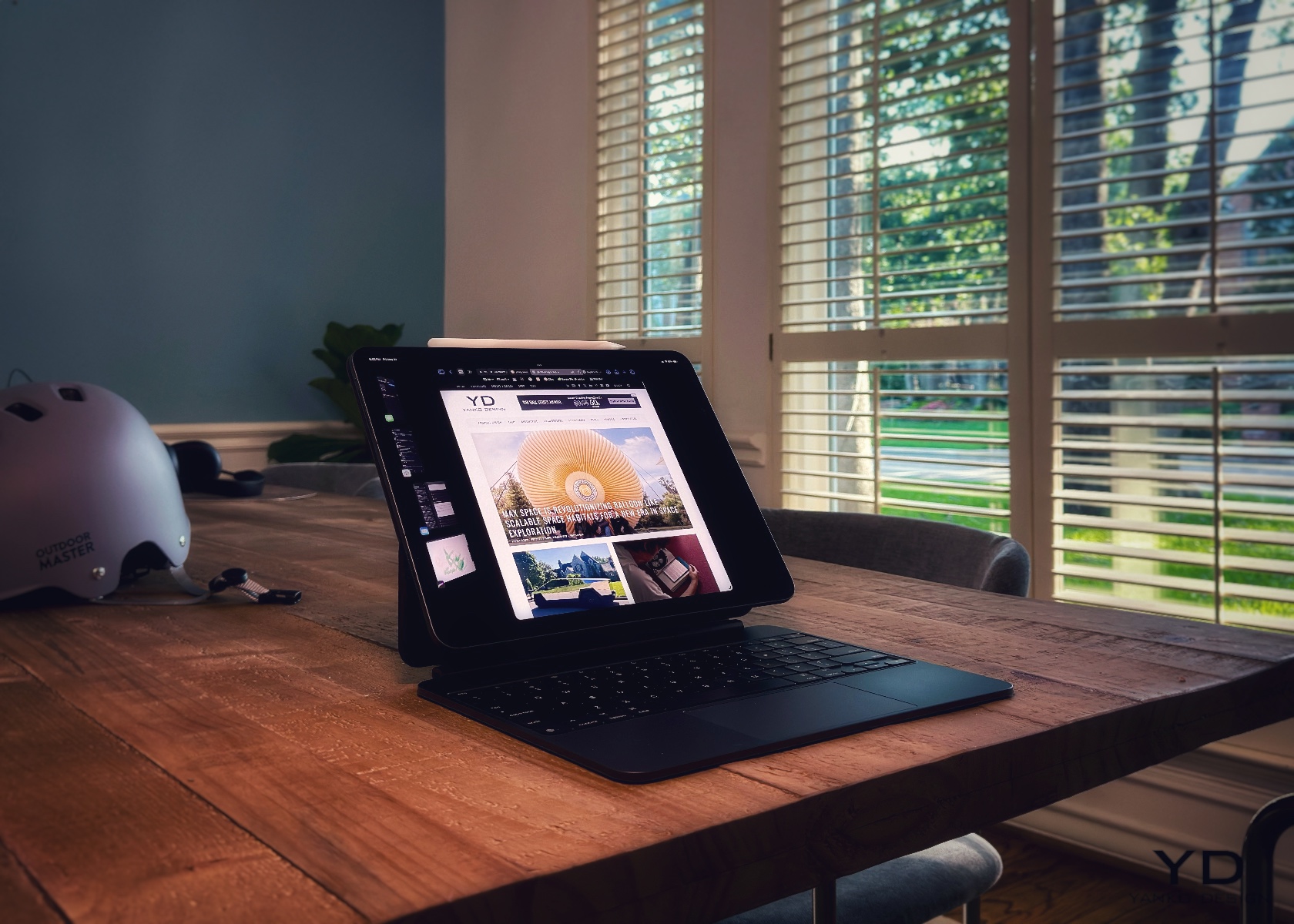
Since using the iPad Pro M4 and the new Magic Keyboard, I’ve typed dozens of articles totaling more than 25,000 words. Unlike past models, this device has become my daily driver. My MacBook Pro M1 stays in the office, connected to four 5k monitors, while I work comfortably wherever I choose. It’s a great time to be a journalist, photographer, videographer, designer, or whatever role you embrace. The new iPad Pro M4 handles any task with ease.

The value of the iPad Pro M4 depends on your specific needs and how you plan to use the device. This is a dream device for those who can take full advantage of its capabilities. It’s perfect for creative professionals, tech enthusiasts, and anyone who wants the best in mobile technology. For others, more affordable models might offer better value without compromising too much on performance.
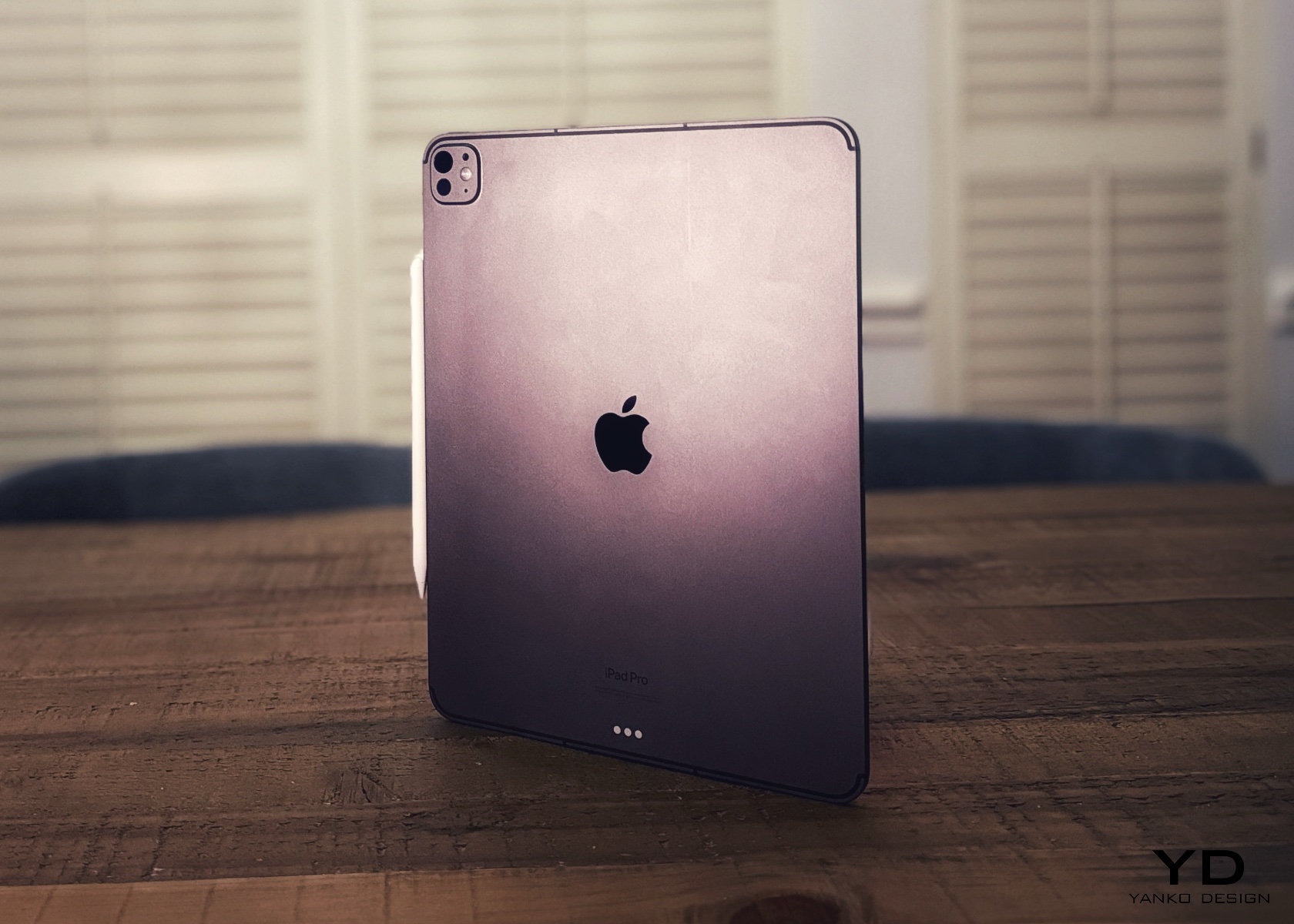
The iPad Pro M4 is a modern tech marvel, combining excellent hardware and stunning design. Its sleek, lightweight build, striking display, and robust performance make it top-tier among tablets. Enhanced accessories and connectivity options further add to its versatility, making it useful for a broad range of users. However, a common perception is that iPadOS is too restrictive, which prevents the iPad Pro M4 from being fully acknowledged as a viable laptop substitute. While I don’t entirely agree with this, I would appreciate the customization offered by macOS, such as the ability to run at native resolution and full control over the desktop view, among other things.

Ultimately, the iPad Pro M4 is a glimpse into the future of personal technology. It’s a device that meets today’s needs while anticipating tomorrow’s possibilities. Whether working, creating, or enjoying your favorite content, the iPad Pro M4 will take you there.

The post Apple iPad Pro M4 Review: Next-Level Design and Performance first appeared on Yanko Design.
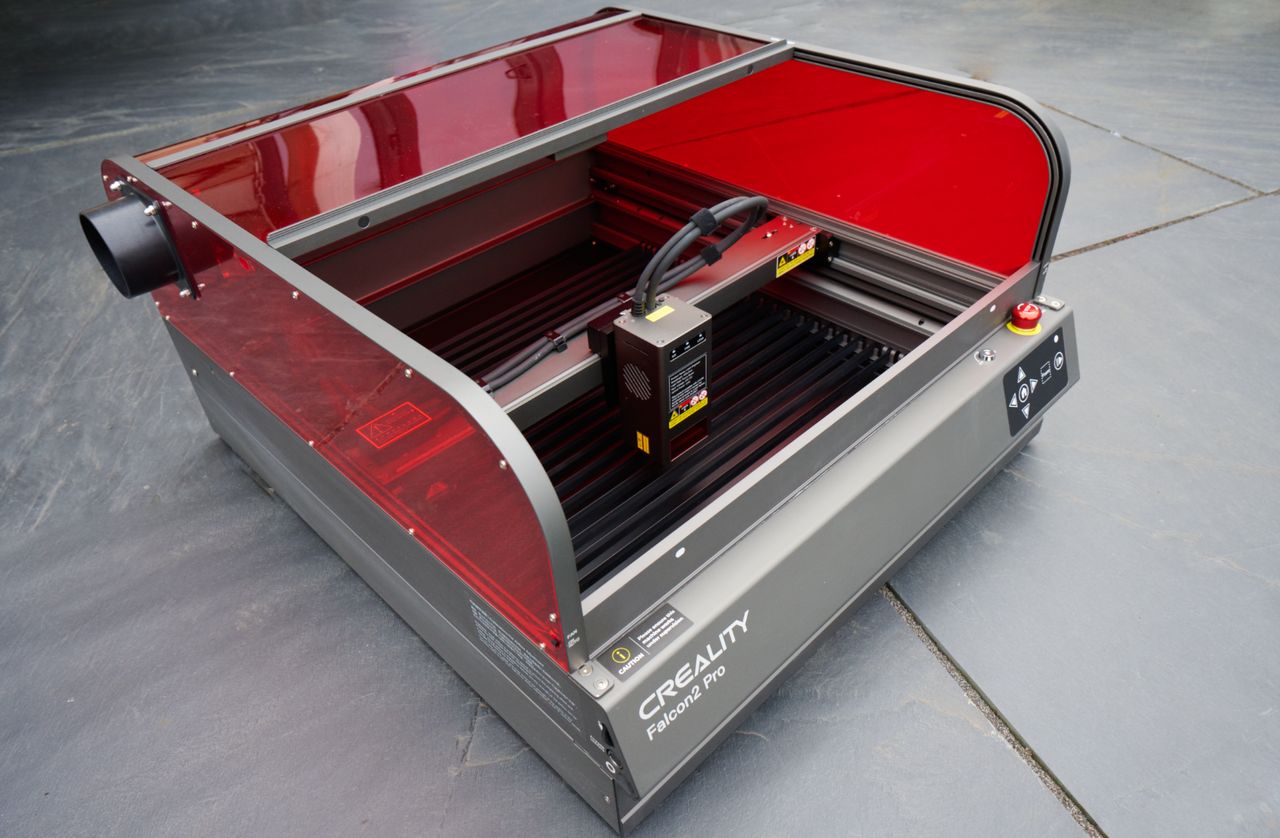
Creality Falcon2 Pro fully enclosed desktop laser engraver and cutter review

Creality Falcon 2 Pro laser cutter and engraver

If you are thinking of starting a laser engraving business, you might be interested in learning more about the latest laser engraver and cutter from Creality. Over the past few years, laser engravers have become more affordable. However, if you need to engrave small production runs, spending a little more on your engraver is definitely […]

The post Creality Falcon2 Pro fully enclosed desktop laser engraver and cutter review appeared first on Geeky Gadgets.

Posted in Uncategorized | Tagged

Surfshark ONE all-in-one cyber security app for all your devices – Review

Surfshark ONE all-in-one cyber security app 2024

As someone who spends a significant portion of my life online, I’ve always been concerned about my digital security and privacy. In the past, I’ve relied on various tools and services to protect myself from cyber threats, but managing multiple subscriptions and apps can be a hassle. That’s why I felt excited to give Surfshark […]

The post Surfshark ONE all-in-one cyber security app for all your devices – Review appeared first on Geeky Gadgets.

Posted in Uncategorized | Tagged

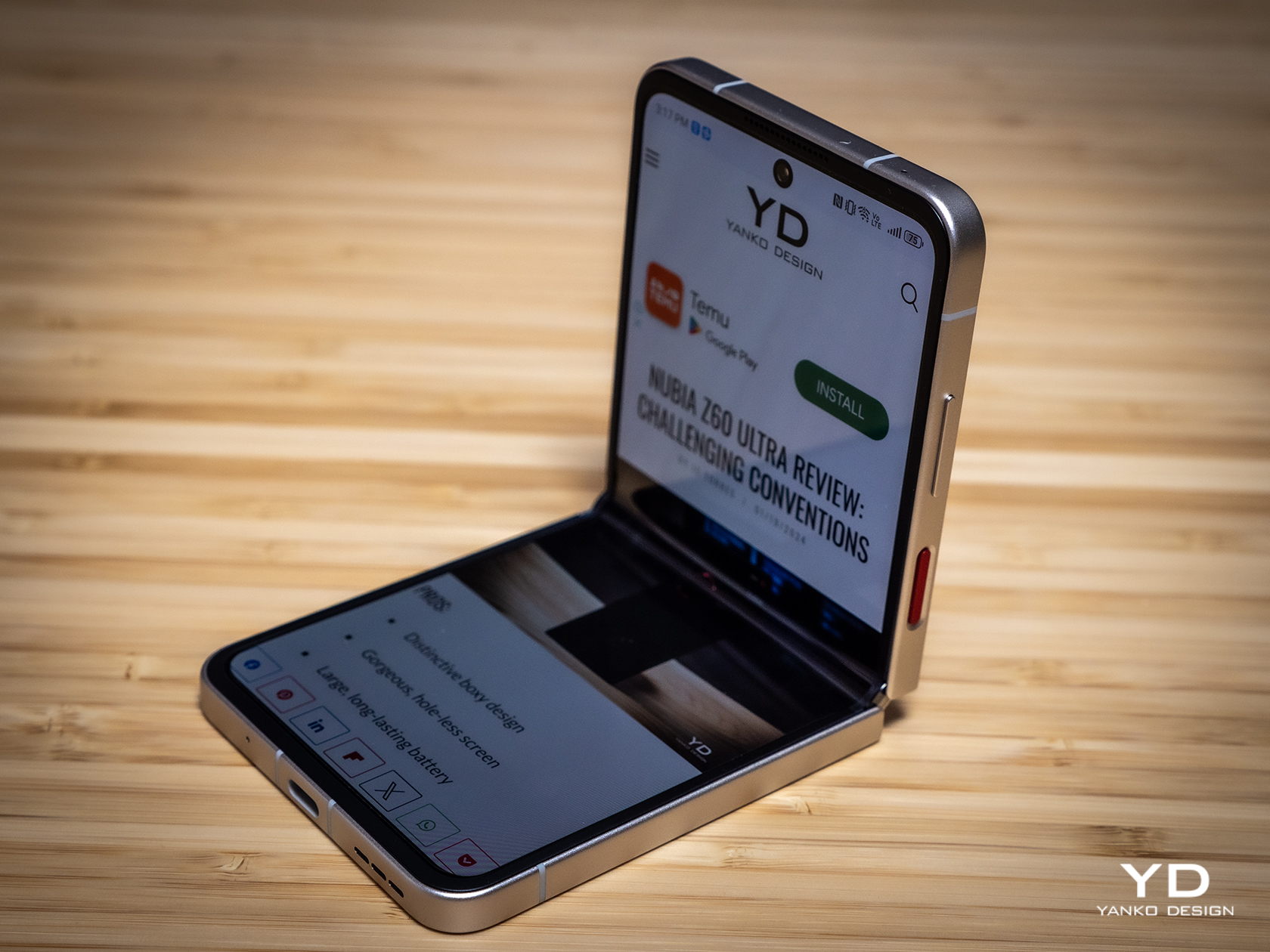
nubia Flip 5G Foldable Phone Review: Finally, A Foldable Phone You Can Afford

PROS:


  • Simple yet beautiful design

  • Large, bright, and vibrant foldable screen

  • Distinctive "porthole" external screen design

  • Attractive and affordable price point

CONS:


  • Dated hardware and software

  • Unimpressive camera output

RATINGS:

AESTHETICS
ERGONOMICS
PERFORMANCE
SUSTAINABILITY / REPAIRABILITY
VALUE FOR MONEY

EDITOR'S QUOTE:

The nubia Flip 5G delivers the essentials of a foldable phone experience without burning a hole through your wallet.

In order to sell more foldable phones, this niche market segment needs to be as common as regular, non-folding phones. These normal phones, however, appeal to the masses because they can cater to a wide range of buyers, including those with tighter budgets. There has long been a clamor for more affordable foldable phones, both the larger book-style design as well as the clamshell type, but few manufacturers have dared to heed the call. The nubia Flip 5G is arguably the first flip-style foldable to really bring the design to the masses, boldly claiming the title of most affordable foldable. Nothing comes for free, however, especially in this industry, so we naturally wonder what nubia had to sacrifice to meet such an unbelievably low price point. We give the nubia Flip 5G a good turn to find out.

Designer: nubia

Aesthetics

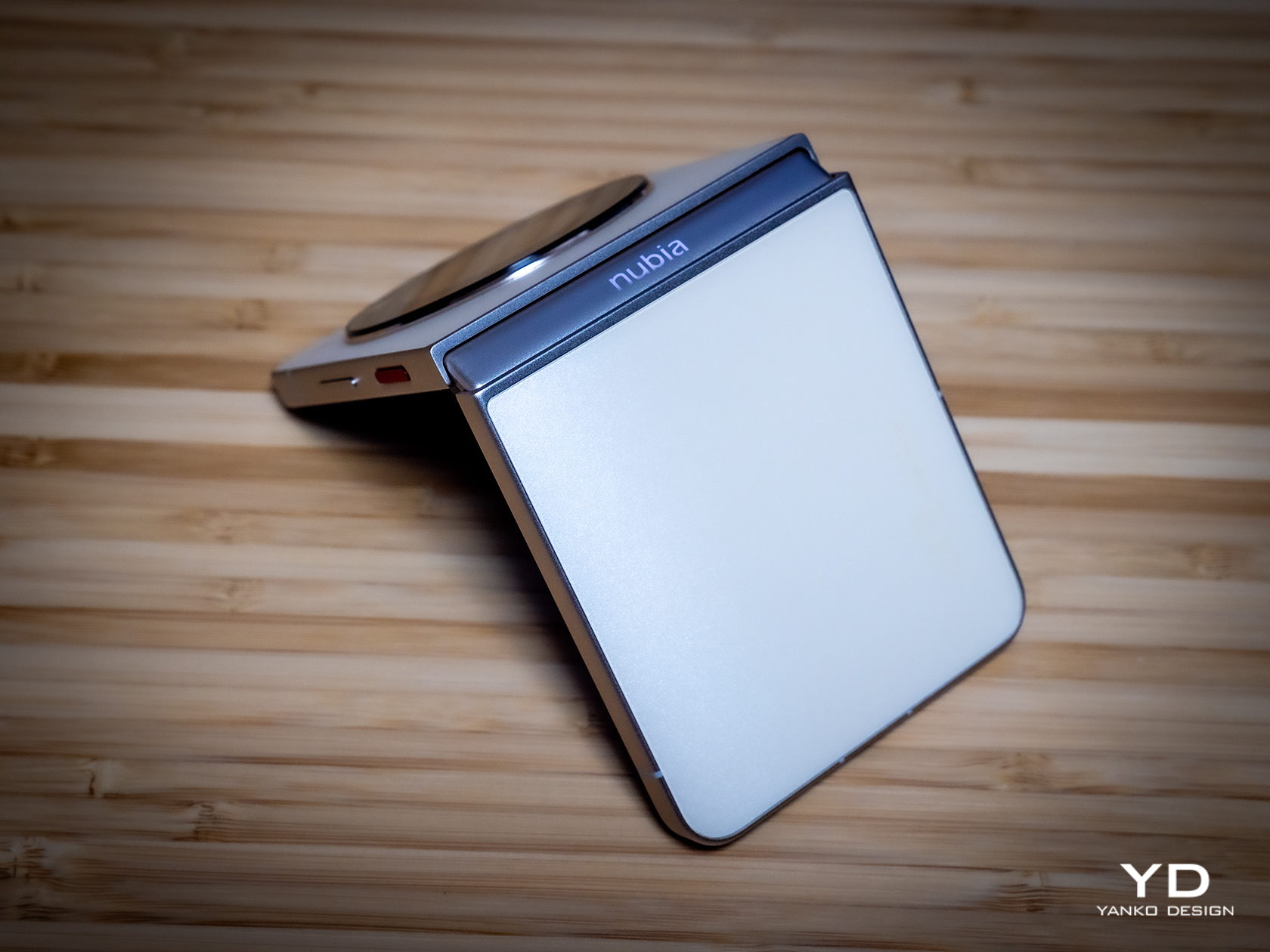
Right off the bat, you wouldn’t be able to tell the nubia Flip 5G’s price just from its looks. The word “cheap” has unfortunately acquired a negative reputation, but there is definitely nothing cheap about this phone’s design. Aside from the large black disc on its back, which we’ll get to later, the phone is a poster child for minimalist design, simple yet evocative in its pleasing appearance. There is not a line, edge, or corner out of place, making it exude class and style that would shock you if you knew the price tag it carried.

nubia didn’t skimp on materials either, giving the phone a matte AG glass for its back that not only adds a better grip but also makes the “sparkling sand” surface of the design stand out even more. This is better seen on the Cosmic Black cover which gives you the impression of looking at a starry night sky, while the Sunshine Gold of our review unit gives off a more calming and ethereal presence. The aluminum alloy frame isn’t far behind with its zircon sandblasted finish, adding texture that won’t be easily smudged by fingerprints.

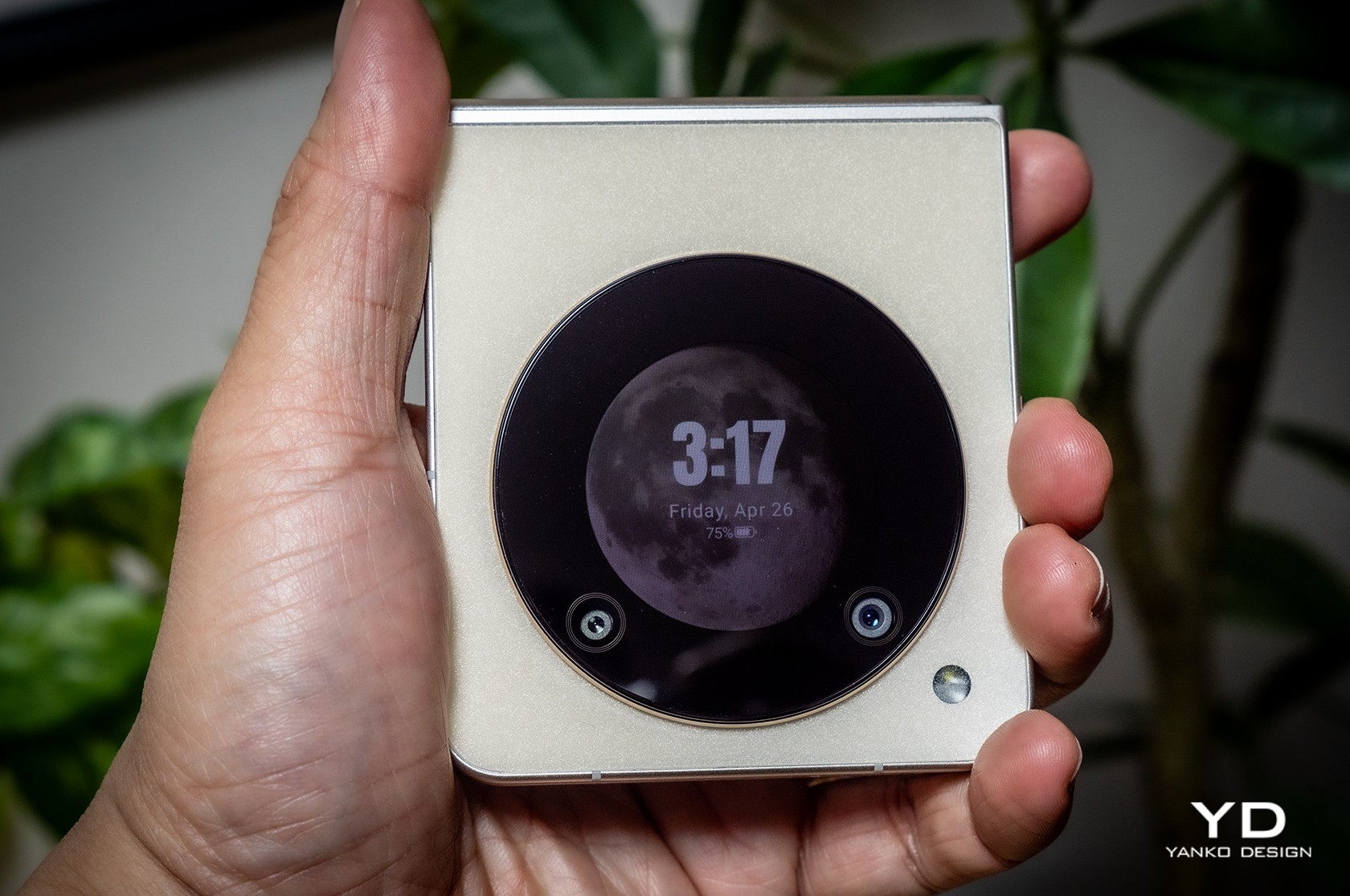
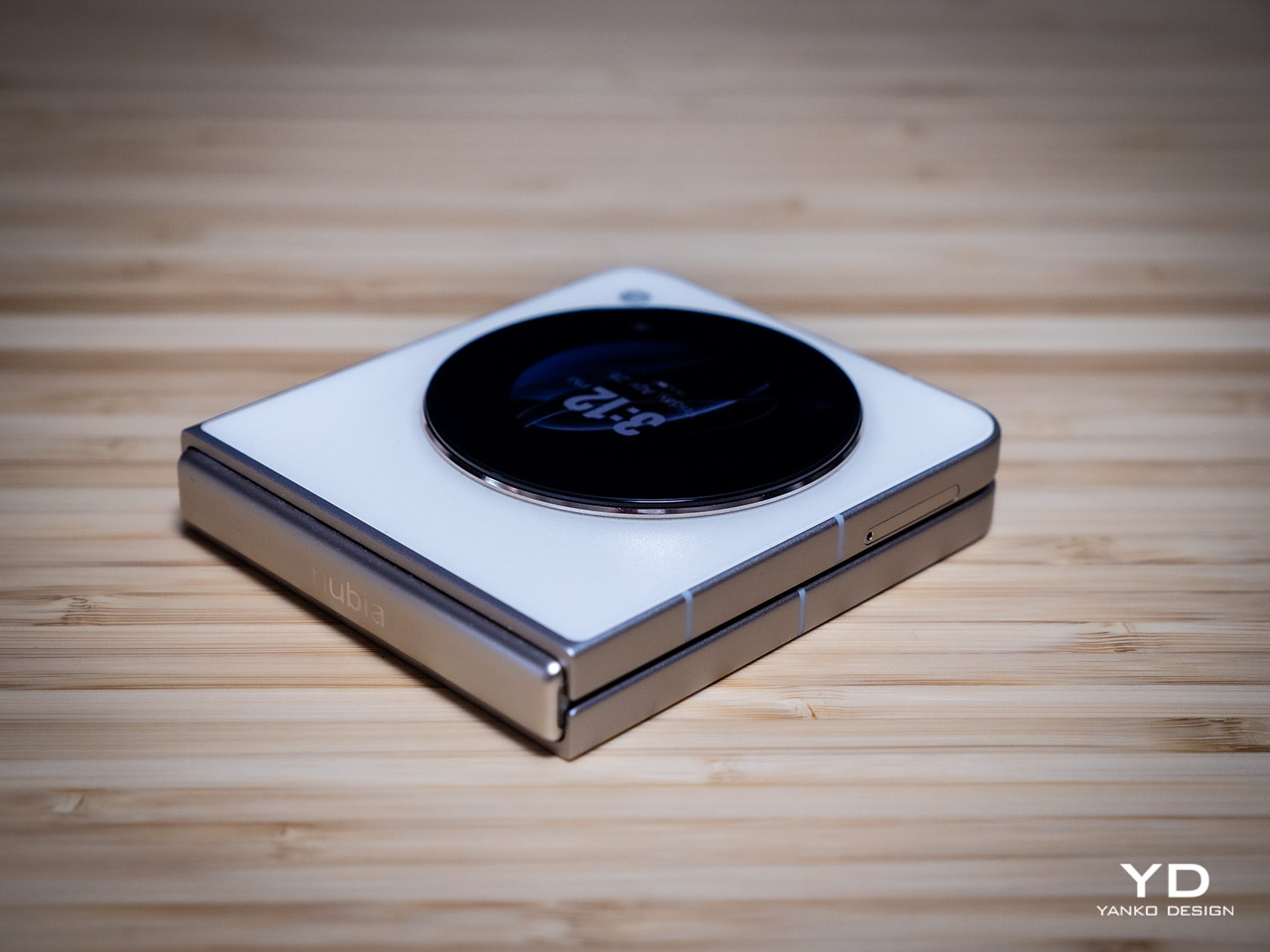
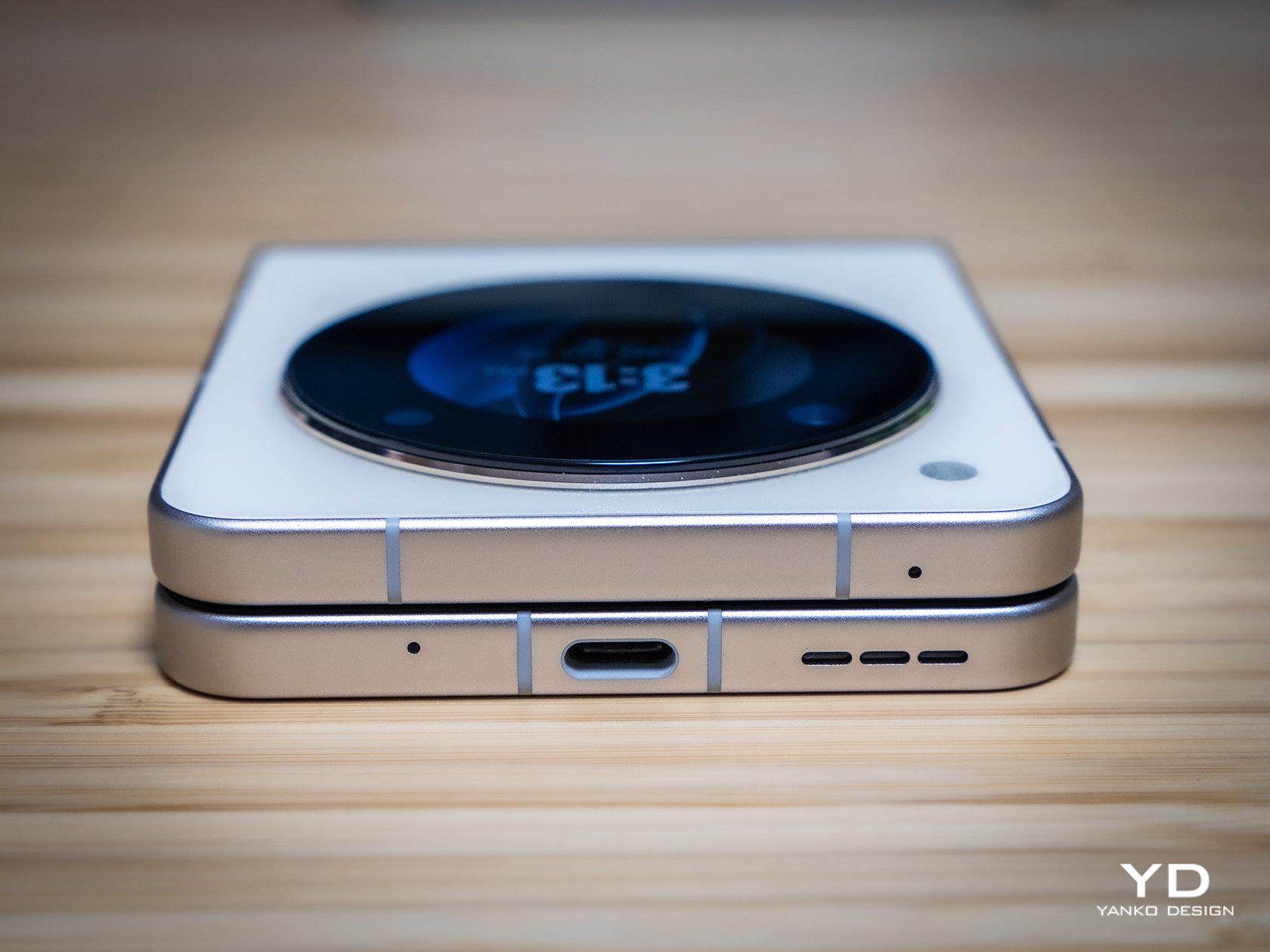
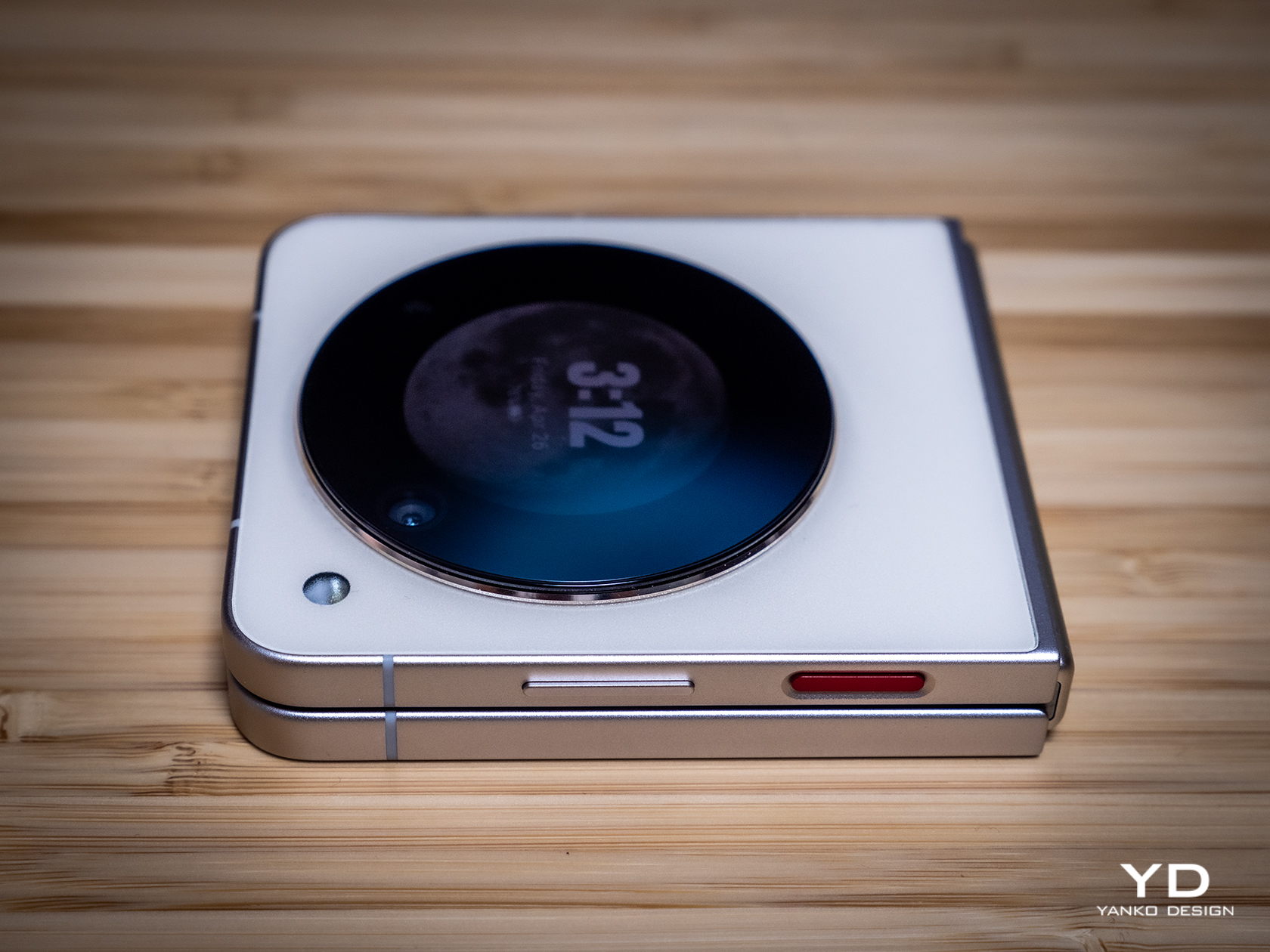
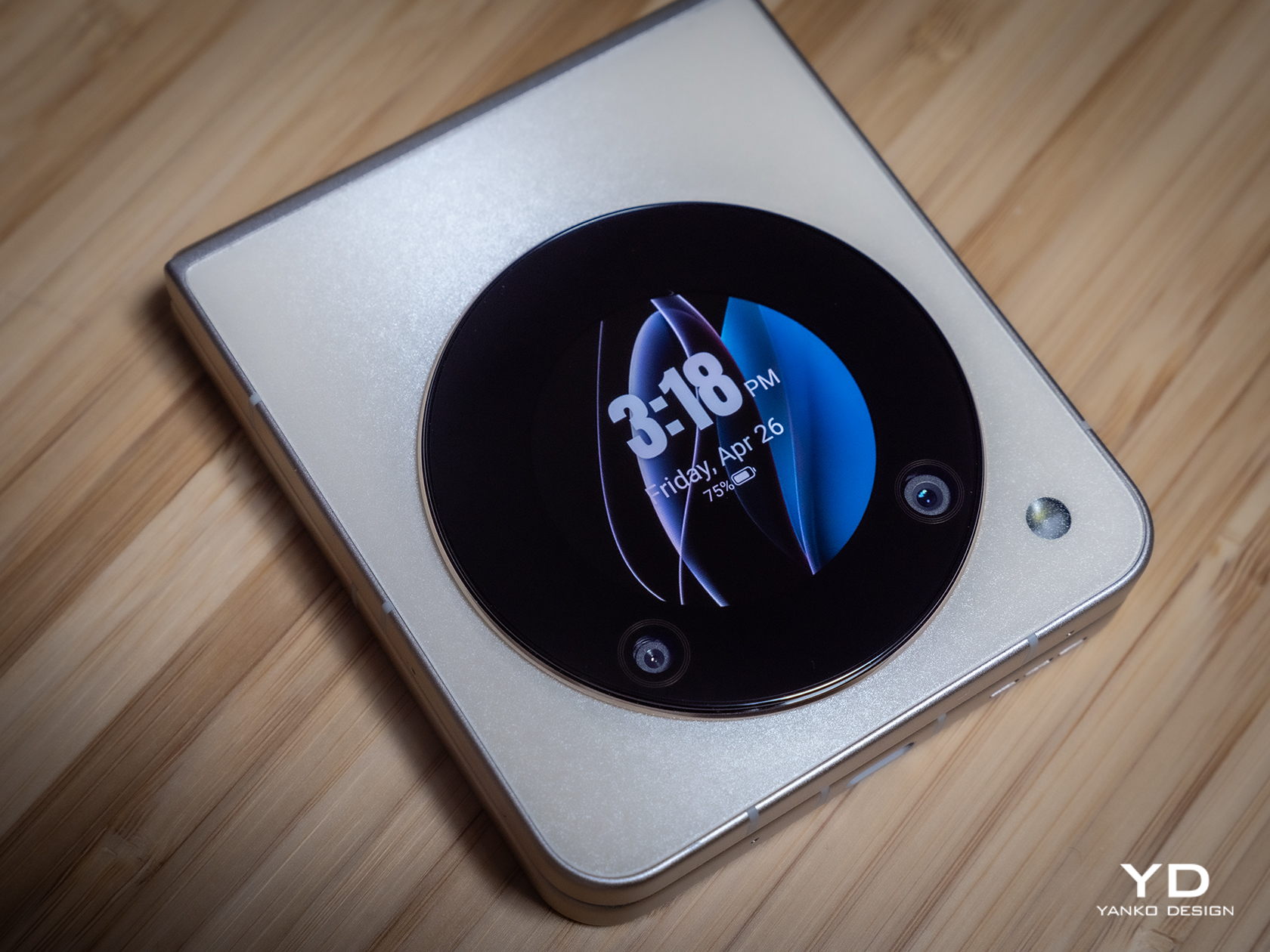
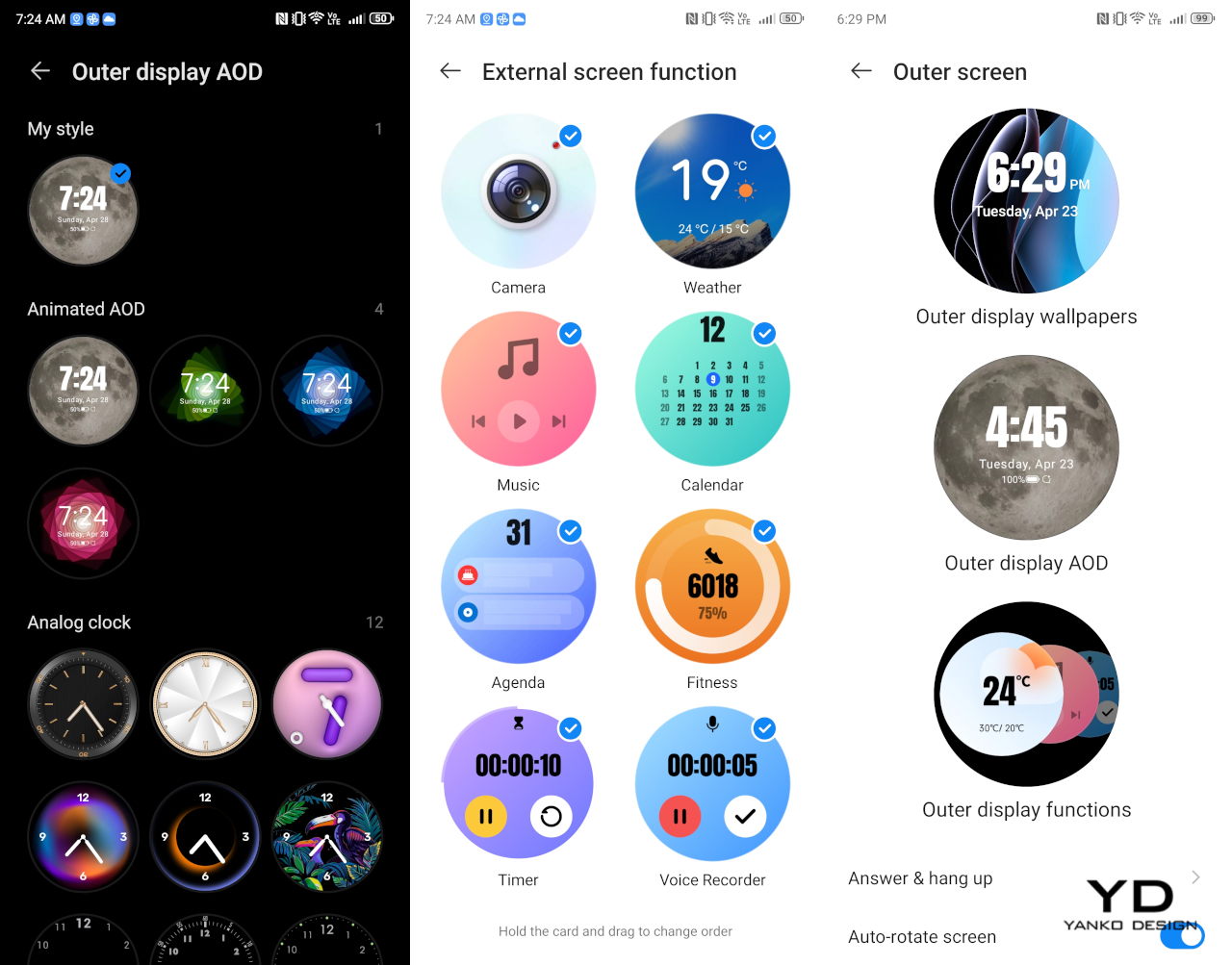
Of course, the nubia Flip 5G needs to have cameras and a second screen on its back, and this is done just as tastefully as the rest of its design. The large black circle is located dead center, giving it symmetry and balance that is admittedly becoming less common in smartphone designs, foldable or otherwise. Once the screen lights up, however, that darkness becomes something like a window to another world, a technological equivalent of the porthole of old ships. This gives the phone a completely different vibe from other clamshell foldables that, while not unattractive, tend to focus more on the technical functionality at the expense of overall design.

Ergonomics

Foldable phones promise a different level of usability and flexibility, but they also demand some changes in the way we use phones. For example, we need to open them up to be able to fully utilize their functions, but the external screen also offers some interactions while the phone is closed. Being able to comfortably and confidently hold such a device in both forms is even more important with foldables than it is for regular, flat smartphones.

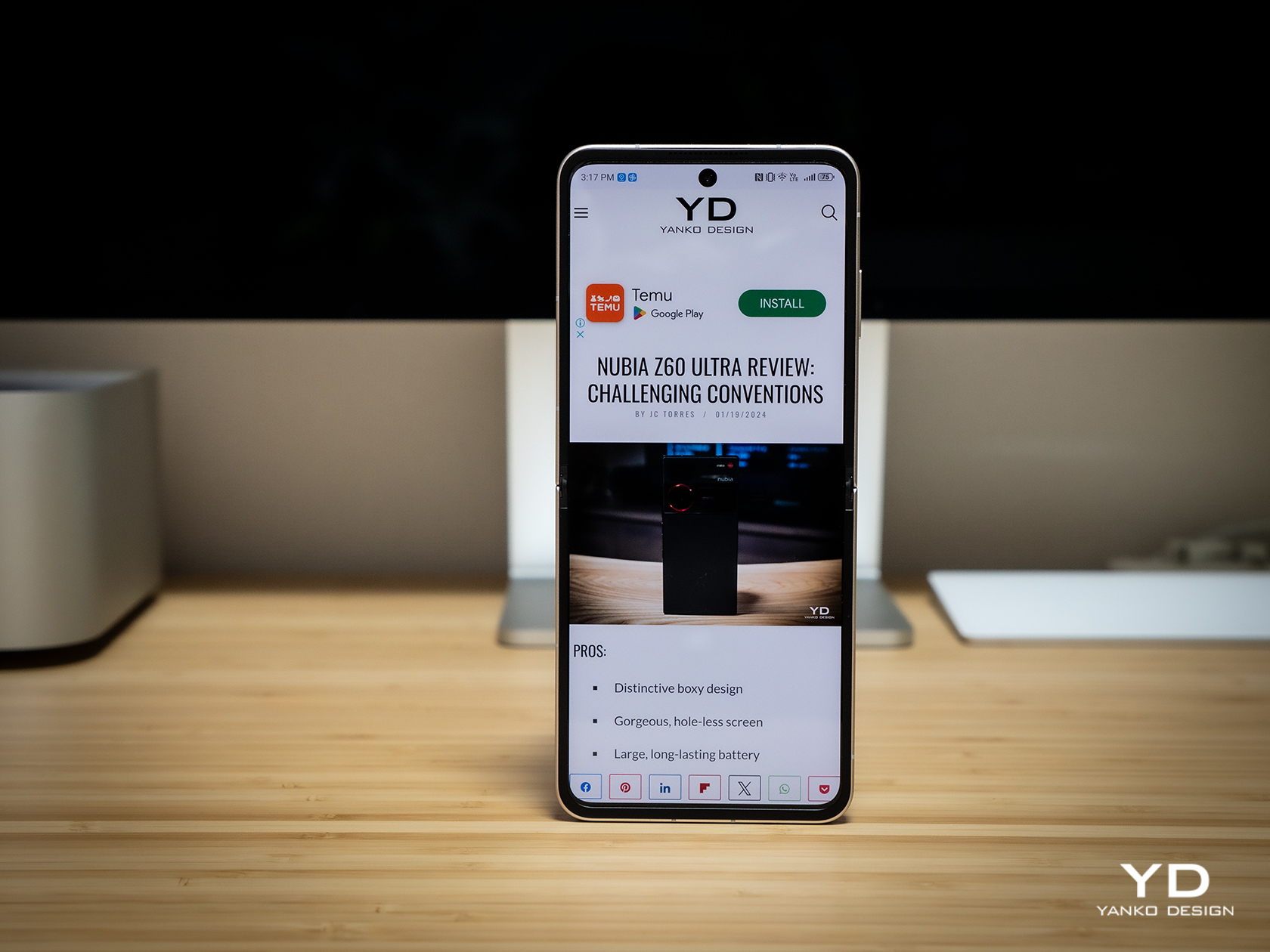
Fortunately, the nubia Flip 5G delivers exactly that, and in both forms no less. Holding the folded phone is the easiest thing to do with one hand, and you don’t even have to turn the block around because the external display will automatically adjust itself depending on how you’re holding it. Whether your top is bottom or your bottom is top, you can instantly dive into the notifications, controls, or the camera without having to turn it right side up.

That said, the nubia Flip 5G is admittedly taller and wider than other flip phones, so those with smaller hands might have even more difficulty using it with a single hand. The flat, textured edges help with the grip, but reaching for the other side of the screen with your thumb will still be a tedious task. Then again, most phones these days really take single-handed use for granted, so it’s not exactly alone in this area.

Performance

So far, the nubia Flip 5G seems to punch above its price when it comes to design and comfort, so it raises the question of how the brand was able to push that price tag so low. The answer, if you haven’t guessed it already, is in the hardware. It’s not terrible, mind you, but you would do well to manage your expectations that this isn’t a $1,000 phone.

If you were to really put the flip phone in a box, you would file it under the “mid-range” category. The Qualcomm Snapdragon 7 Gen 1 processor it uses is from way back in 2022, and its 8GB of RAM sounds almost meager. Fortunately, this combination has enough silicon muscle to drive a fluid and responsive user experience (especially if you boost the RAM by 12GB by taking away some internal storage space), so you might not even notice the difference. Yes, games need to be set to medium or lower, and certain activities will really raise the temperatures, but there are no show-stopping flaws that would make you throw the phone in frustration.

Even better, the 6.9-inch 120Hz OLED foldable display is actually impressive in its brightness and performance. You’ll have to fiddle with the refresh rate settings to get the right speed you want, but the screen is no joke when it comes to responsiveness and colors. Thanks to the phone’s hinge design, you’ll hardly see the crease unless you intentionally go looking for it. Your finger with definitely feel its existence, but you’ll barely notice it in day-to-day operations. The 1.43-inch circular OLED screen on the back shares these same properties, minus the flexibility, but its small size looks odd when placed side-by-side with other flip phones. At the same time, however, this allows nubia to craft simpler, more beautiful, and less distracting experiences rather than giving you another phone on the back of your phone.

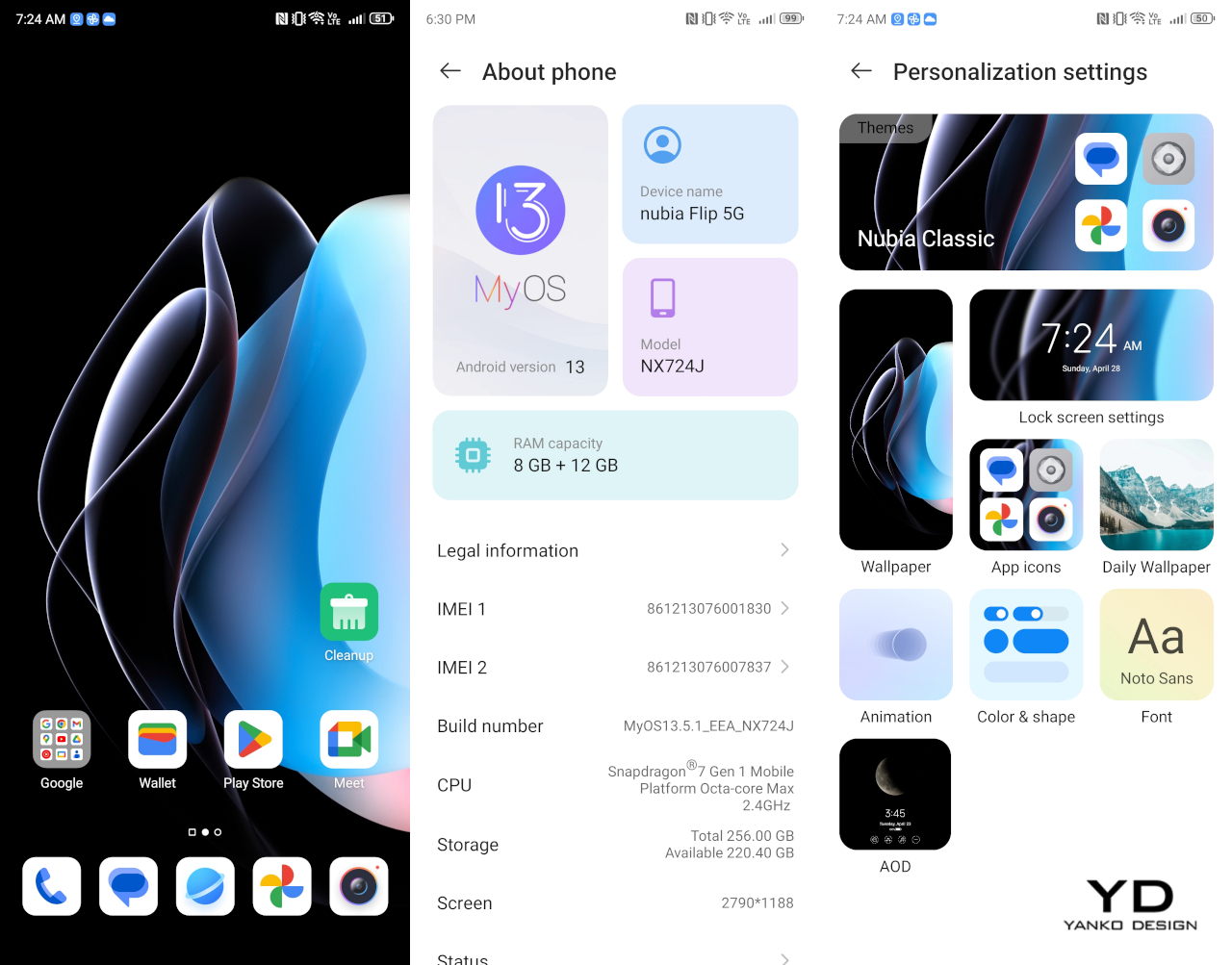
In addition to older hardware, the nubia Flip 5G also runs MyOS 13 which is based on, you guessed it, Android 13. We’re past the time when new devices would come out with old Android versions, so this comes as a bit of a surprise. In 6 months, Android 15 will also be out, making this version very old in terms of features and bug fixes. What makes the situation a little worse is that we’re not confident about nubia’s track record in pushing timely updates, so new owners of this foldable phone might be stuck with the same Android version for a long time.

Battery life is a bit of a mixed bag. On paper, its 4,310mAh capacity is definitely the highest in this foldable category, but the older technology of the Snapdragon 7 Gen 1 is less battery-efficient, so it all evens out at the end. The 33W charging speed, however, makes up for its short battery life, letting you get as much as a 50% charge in just 15 minutes. In other words, you’ll still be charging almost every night, despite having a bigger battery capacity.

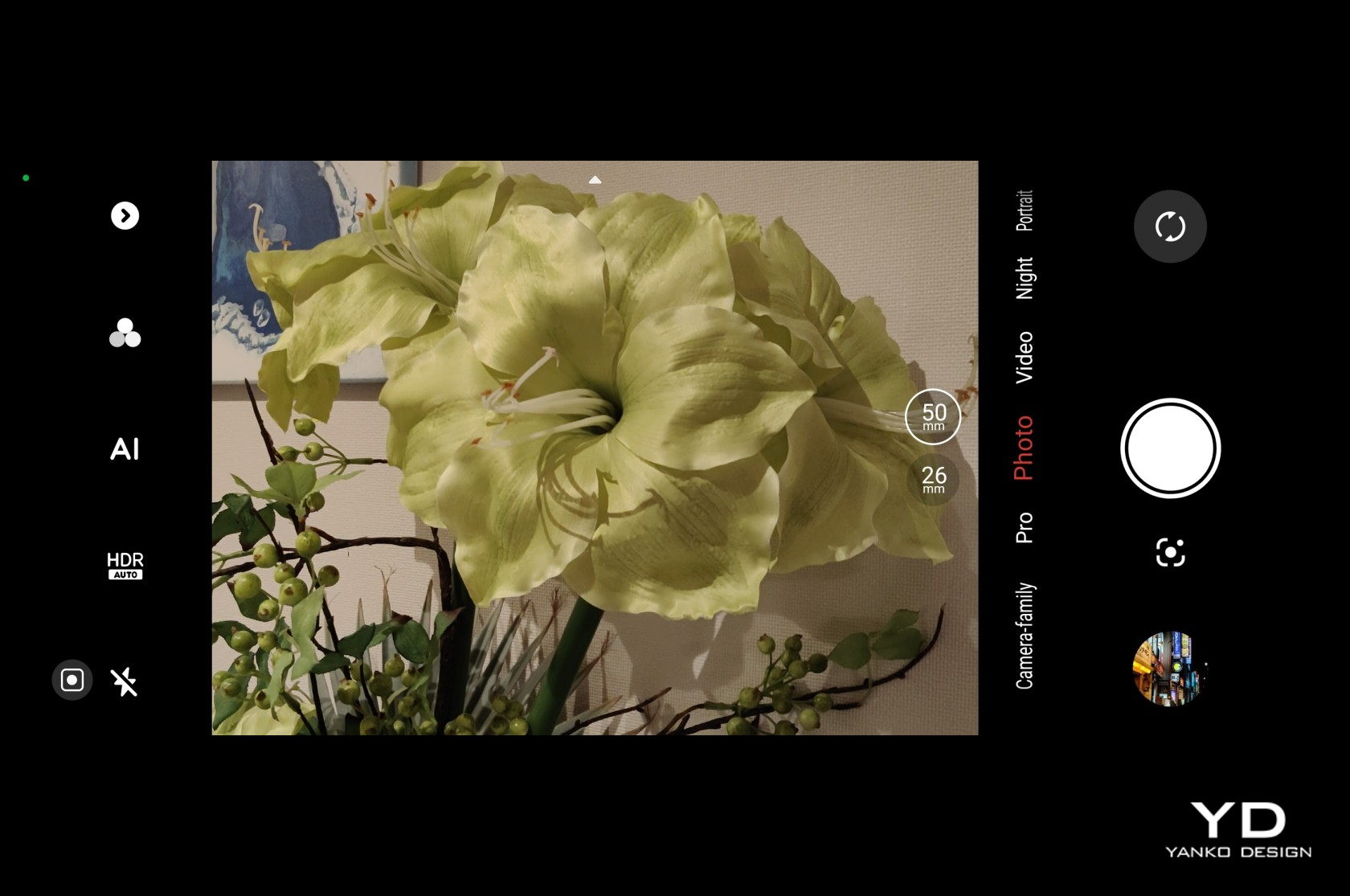
nubia’s cost-cutting strategy, however, really shows when it comes to the cameras. The 16MP front-facing camera is serviceable and takes OK selfies, but for all intents and purposes, you’ll probably end up using the main 50MP camera even for the latter. There are two sensors on the back of the nubia Flip 5G, but you can actively use only one of them as the 2MP camera is really just a depth sensor. That means you’ll be relying on that lone 50MP shooter for everything, including a 2x lossless digital zoom. And yes, there is no ultra-wide camera at all.

While megapixel count isn’t always everything, it still matters when that’s all you really have. In practice, the nubia Flip 5G’s lone camera is like a hero, doing everything to the best of its abilities, even when it sometimes fails. Images are passable and at least have enough details to make the mark. Colors, however, can sometimes look a bit washed out or dull, and there is a clear loss of detail when you zoom in. There’s no OIS, so you’ll have to make sure your subject stays still for a second or two. On the upside, this rear camera takes great portrait photos with pleasing blurs and correct separation of subject and background. With so many smartphones boasting impressive photography chops, the nubia Flip 5G sadly comes up glaringly short of expectations. Then again, it’s not exactly that shocking given how much you’re paying for it anyway.

Sustainability

Compared to regular phones, foldable phones are still infants, and some brands are just as new to playing this game. In that sense, it’s really not surprising that using more sustainable materials is probably the farthest from their minds at this point. They first want to establish the durability and reliability of their design before they change the formula to boast about the use of recycled plastics and metal. The nubia Flip 5G is no different in this regard.

That said, it naturally takes the topic of durability very seriously, even if it doesn’t make any guarantees about even being splash-proof, let alone waterproof and dustproof. The waterdrop-style hinge that allows it to fold completely flat does come with the claim of having withstood more than 200,000 folding and unfolding actions. There is a bit of a crunching sound when opening and folding the phone, though, but that’s probably more from how rigid the hinge is rather than anything breaking inside.

Value

If this were a regular smartphone, we’d consider it pretty basic to the point of being disappointing and leave it at that. But the nubia Flip 5G isn’t your regular smartphone, not by a long shot. It’s hardly the first clamshell-style foldable phone either, but it’s definitely the most affordable one in this specific category. It starts at $499 for 8GB of RAM and 256GB of storage, but $699 will get you double that memory. When you consider that something like the Samsung Galaxy Z Flip 5 starts at $1,000, then it’s really no contest.

That said, nubia’s real competition would come from its peers, like the TECNO Phantom V Flip launched last year. Yes, the $600 price tag puts it above the nubia Flip 5G, but it also comes with some important upgrades, like a more recent processor, faster charging, and more importantly, a better camera system that includes an ultra-wide shooter. It all boils down to how much you’re willing to cut out for a basic foldable experience, and you might be surprised at how much the nubia Flip 5G is able to deliver for less.

Verdict

Foldable phones are here to stay, though it’s taking quite some time for them to become the norm. Part of it is because of consumer hesitation regarding seemingly fragile devices, but an even bigger factor is the price attached to such products that may easily break from the slightest accident. Offering an affordable yet decent foldable phone goes a long way in allaying fears, and the nubia Flip 5G is the commendable hero that is bravely paving the way for others like it.

The $499 price tag for a foldable phone is nothing short of tempting, but it also raises questions about what corners were cut to get there. The camera story is definitely disappointing, as is the use of somewhat older hardware and software. None of these, however, take away from the truth that the nubia Flip 5G is a surprisingly decent foldable smartphone for its price. If you want to sink your teeth into this still-young device category but are too reluctant to spend too much on it, the nubia Flip 5G is definitely a great way to get started, as long as you set your expectations right.

The post nubia Flip 5G Foldable Phone Review: Finally, A Foldable Phone You Can Afford first appeared on Yanko Design.
Govee Floor Lamp Pro Review: Elevate Your Space with Lights and Sounds

PROS:


  • Handsome minimalist design with a fabric-covered base

  • Built-in speaker in the RGB-lit base

  • Bright and colorful lights that can sync to music

  • Includes a magnetic remote control

CONS:


  • Speaker output quality is average

  • Matter support still unavailable

RATINGS:

AESTHETICS
ERGONOMICS
PERFORMANCE
SUSTAINABILITY / REPAIRABILITY
VALUE FOR MONEY

EDITOR'S QUOTE:

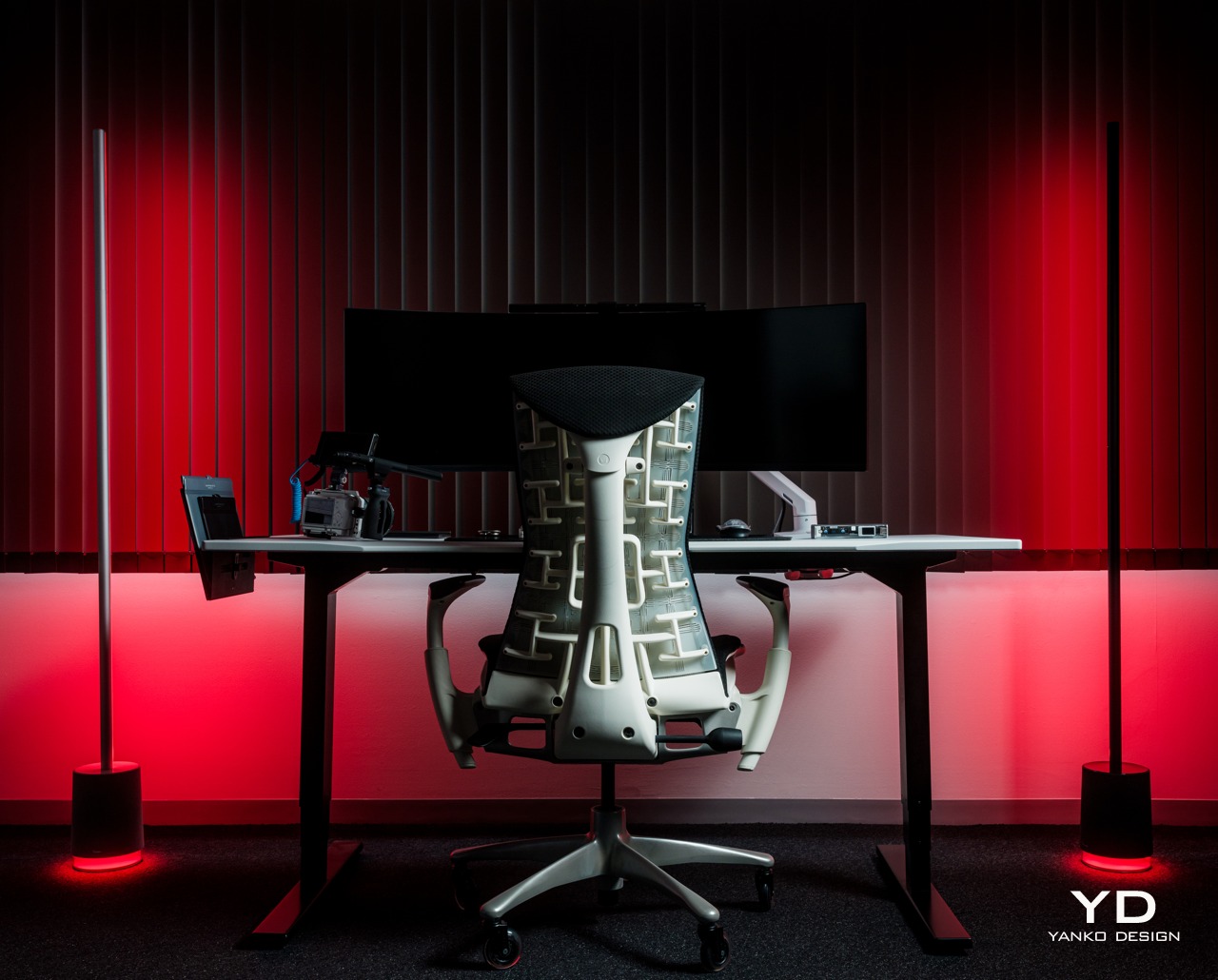
The Govee Floor Lamp Pro delivers a breathtaking audiovisual experience that syncs to the music while also standing proudly as a design object when the lights are off.

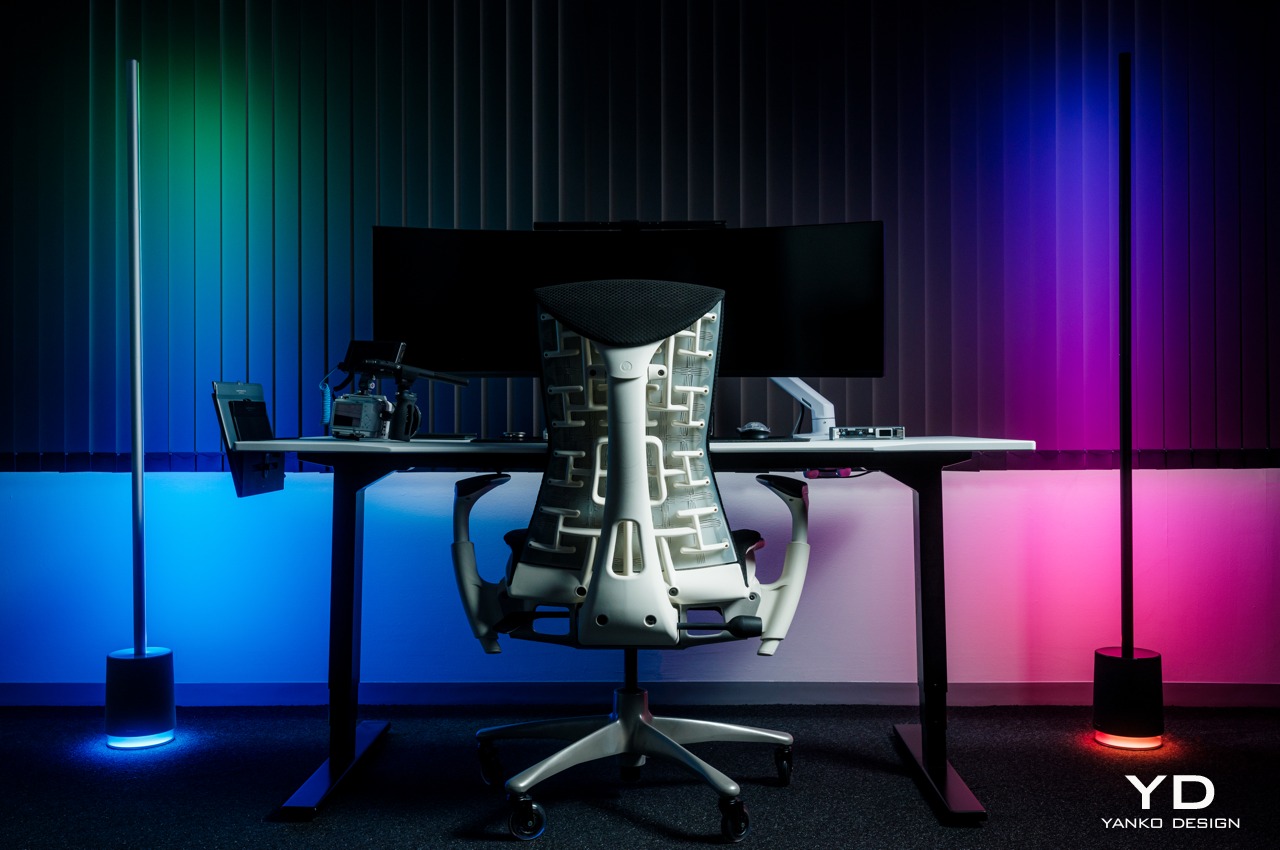
Most of us probably presume that lamps either hang from ceilings, stick to walls, or stand on tables. While elevated lighting is indeed necessary to provide illumination in the darkness, every inch of your room or house definitely deserves a bit of light, especially when it adds a splash of color as well. As far as ambient lighting products go, the tall, stick-like figures known as RGB floor lamps are probably the least known or appreciated. Govee might very well be changing that perception with its new Floor Lamp Pro which not only brings pro-level features deserving of its name but also looks quite sleek and elegant standing anywhere in the room, even when all its lights are turned off.

Designer: Govee

Click Here to Buy Now: $219.99.

Aesthetics

Govee has dozens of designs for different kinds of lighting solutions, but if there’s one trait they share it’s that they shine best when the lights are on, figuratively and literally. When they’re off, they tend to look unimpressive, at least for those that aren’t hidden behind TVs or stuck to wall corners. Floor lamps, however, are always visible and are, therefore, designed to be seen. Fortunately, the Govee Floor Lamp Pro is something that you’ll love seeing even if there’s no light show taking place.

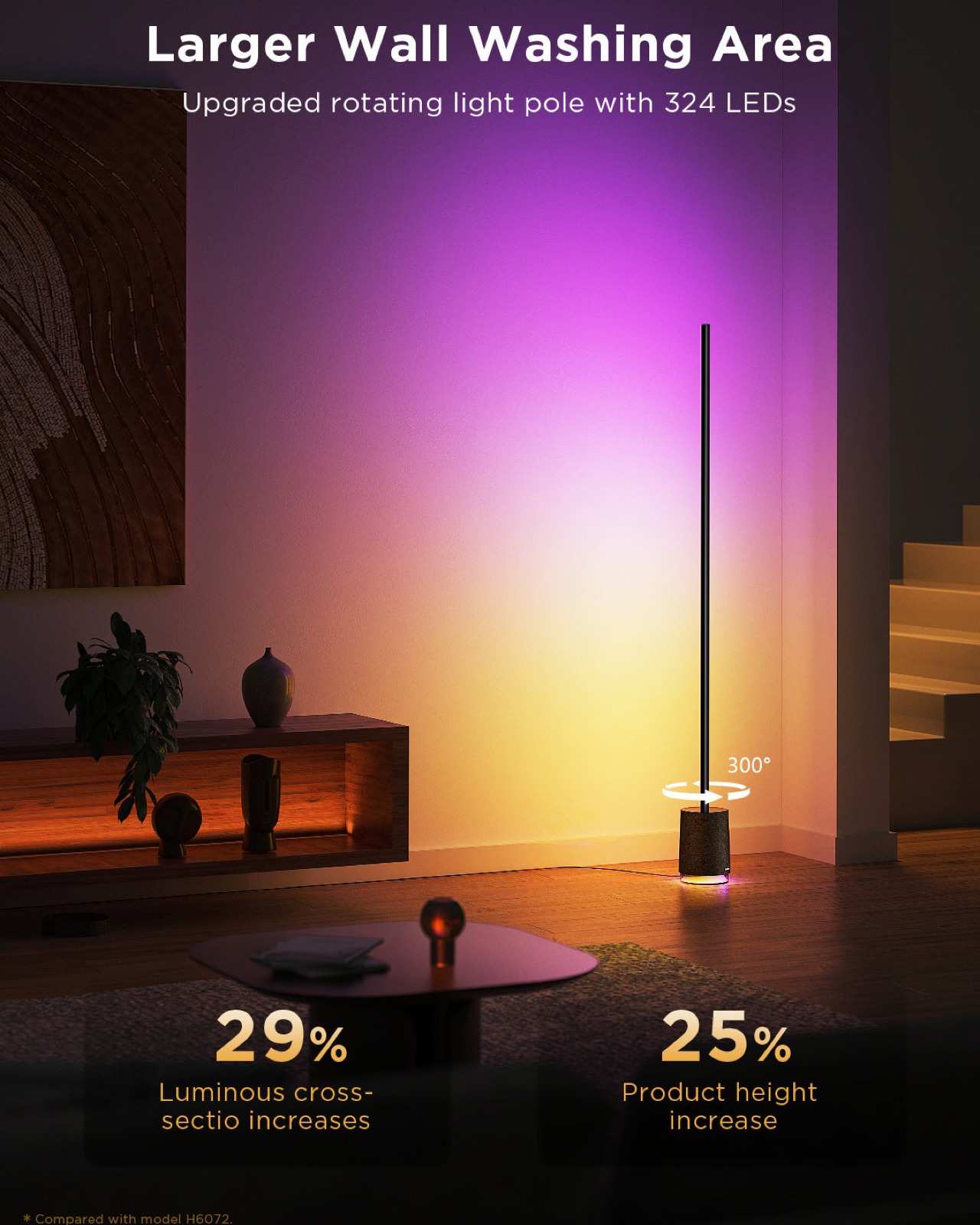
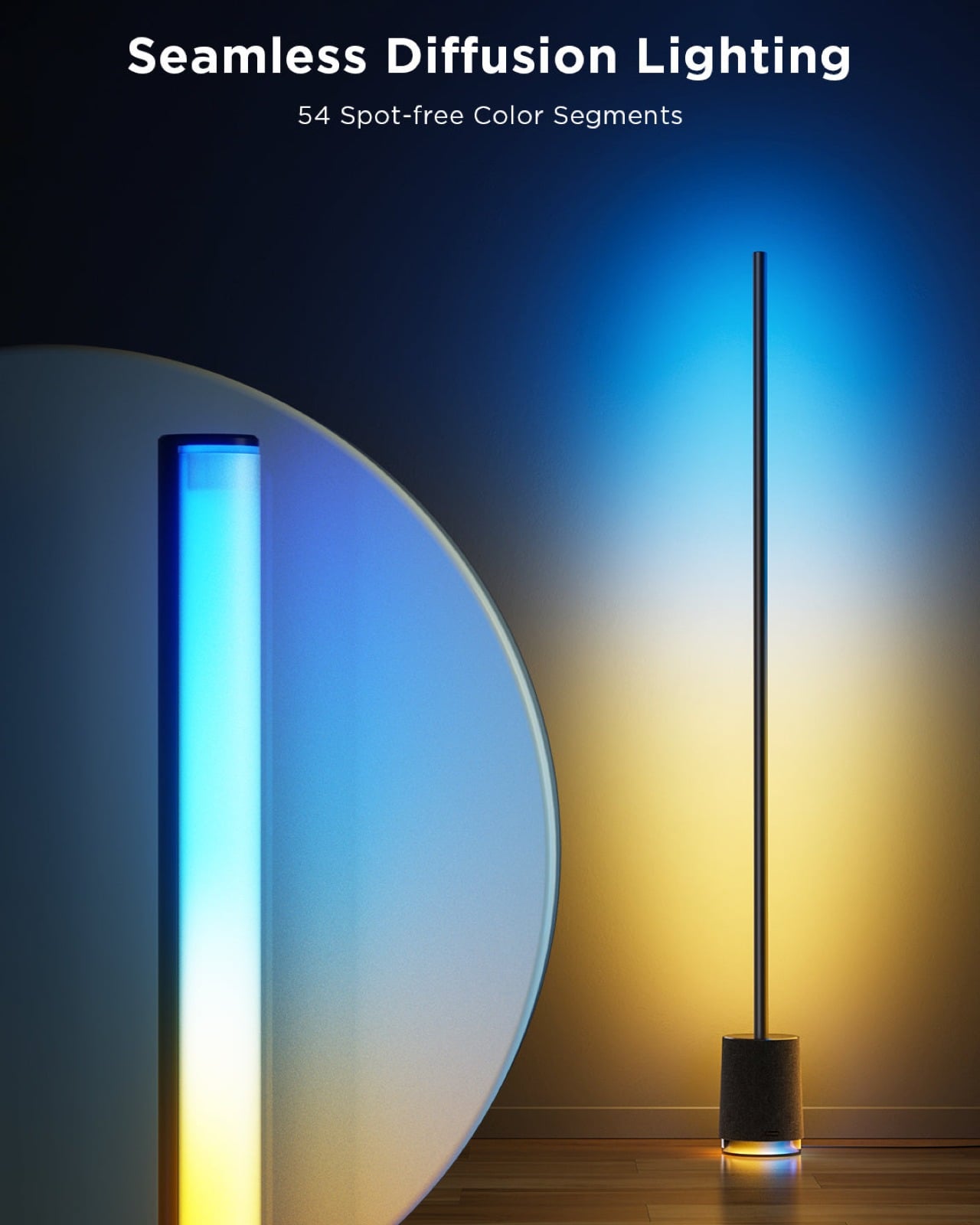
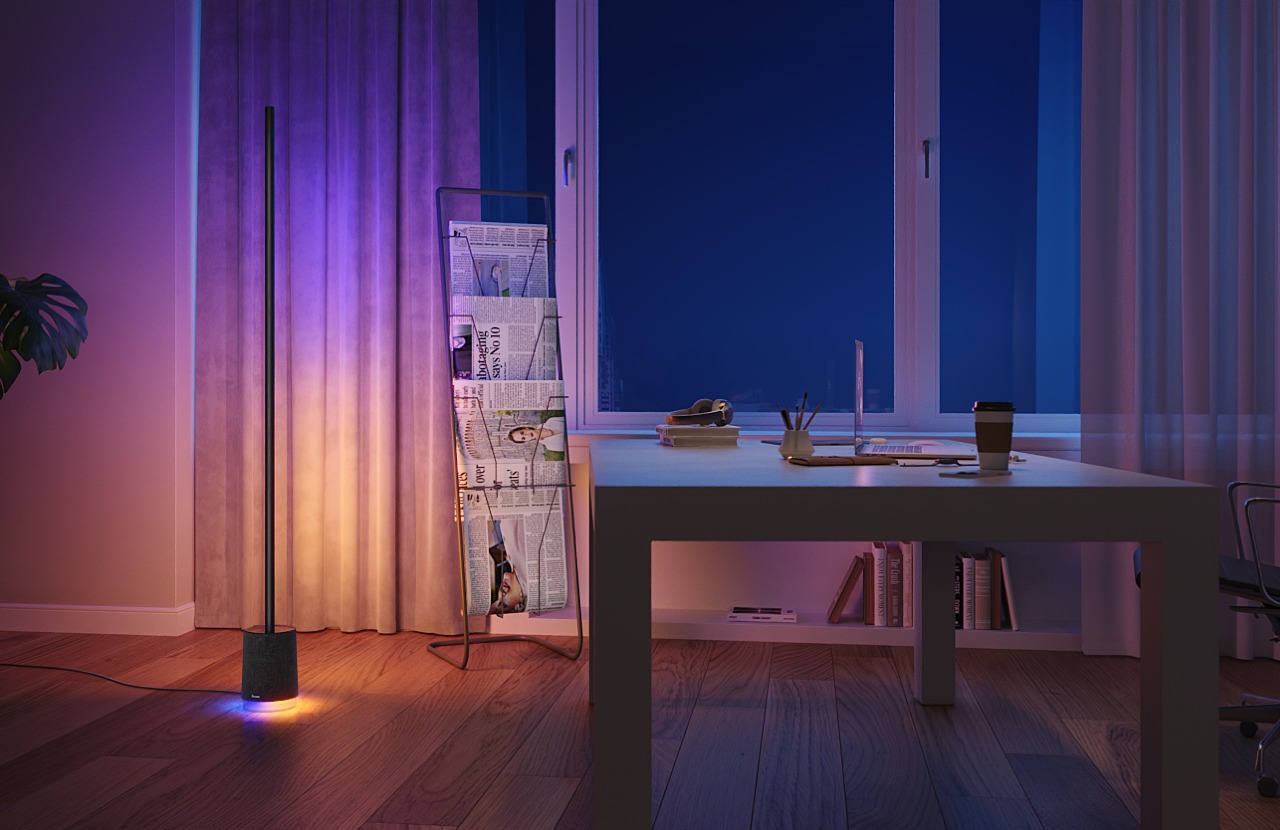
Available in black and gray color options, the Govee Floor Lamp Pro’s dark silhouette cuts a rather striking figure whether it’s standing in a corner or placed somewhere in the middle of the room. The floor lamp’s shape is pretty simple: a tall, thin rod standing on top of a cylindrical base. On closer inspection, you will realize that the rod is made of sturdy aluminum that slightly wraps around a white silicone LED light strip. You’ll hardly see this color contrast unless you intentionally turn the light strip into view, which is actually easy to do since you can rotate the rod 360 degrees.

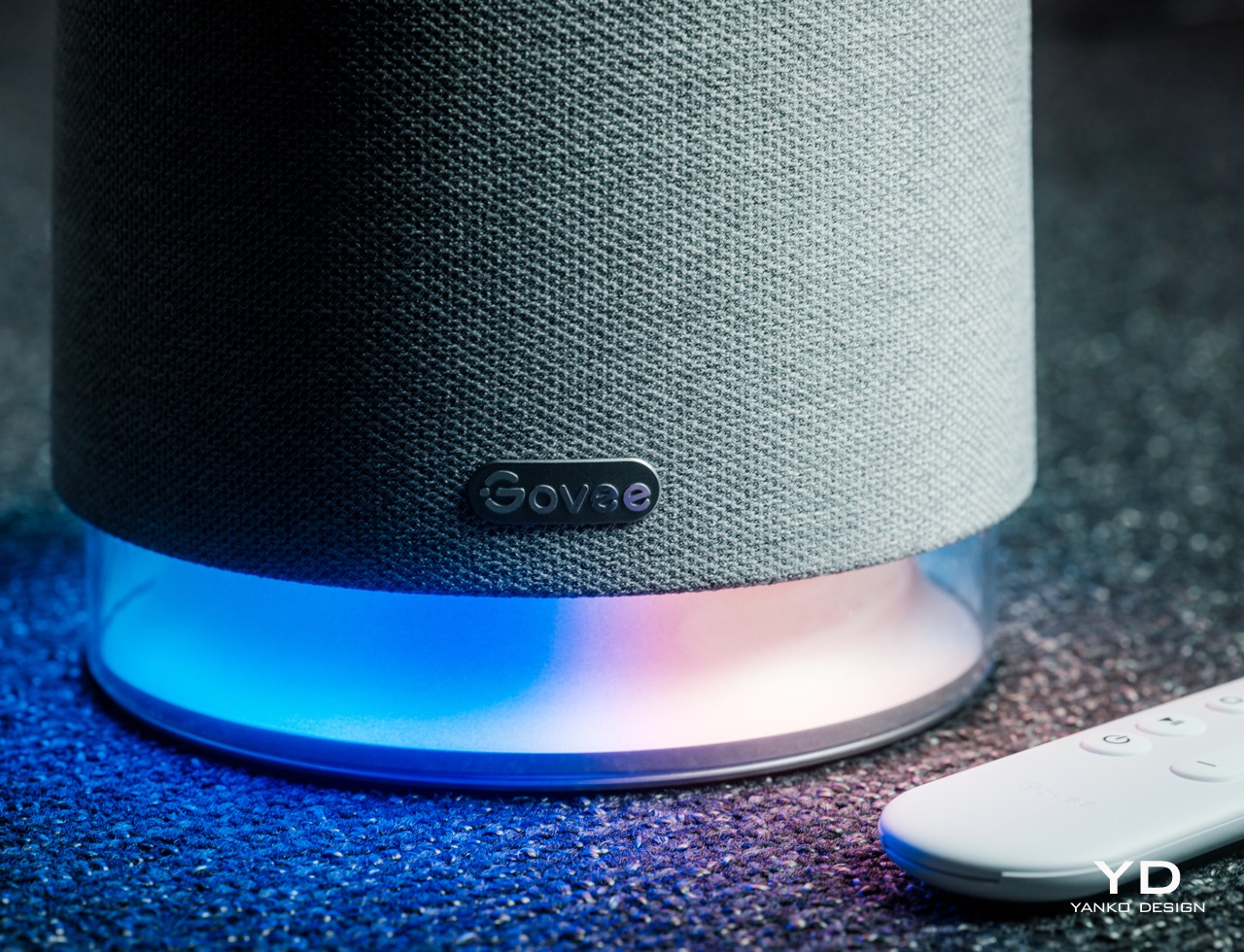
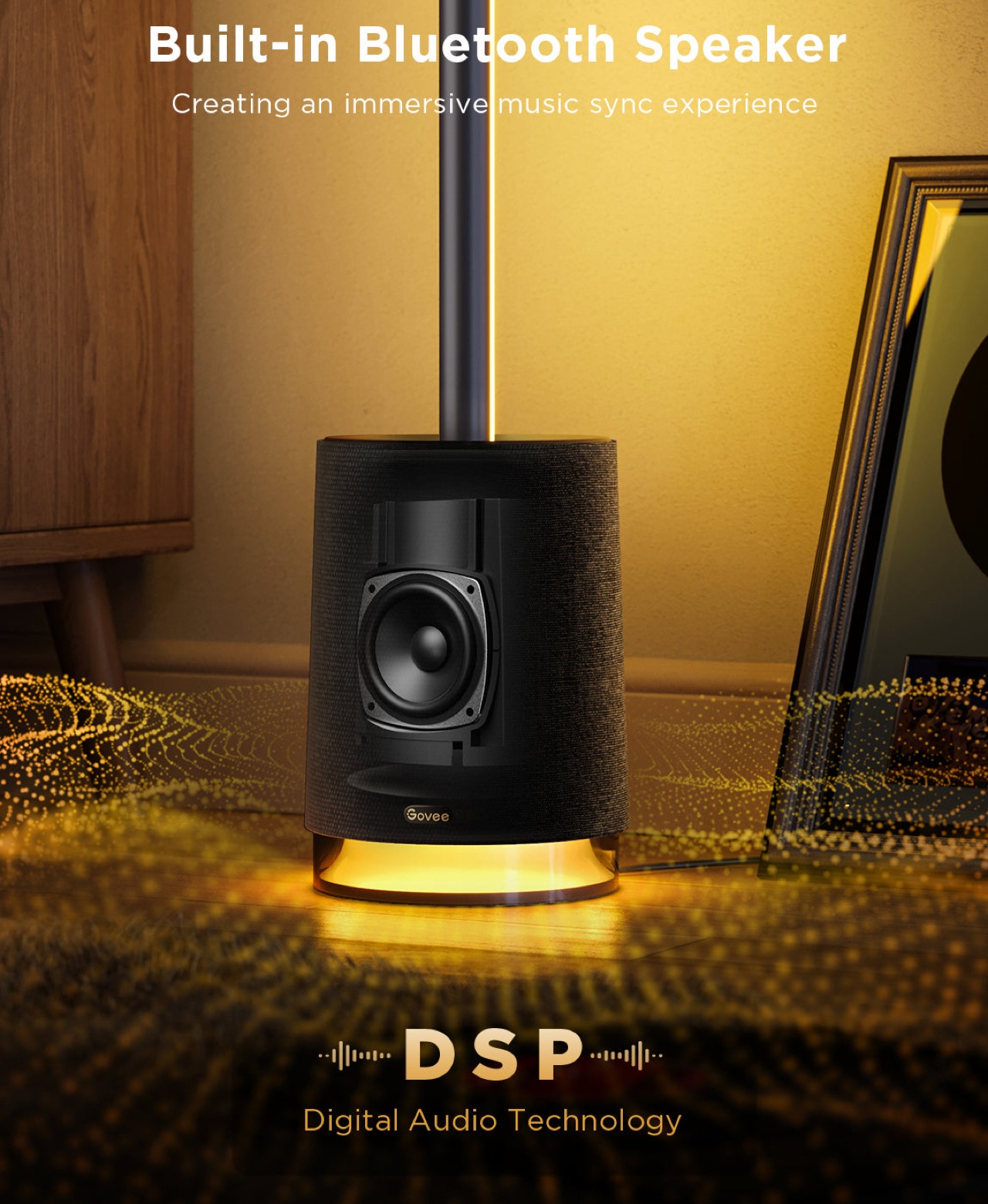
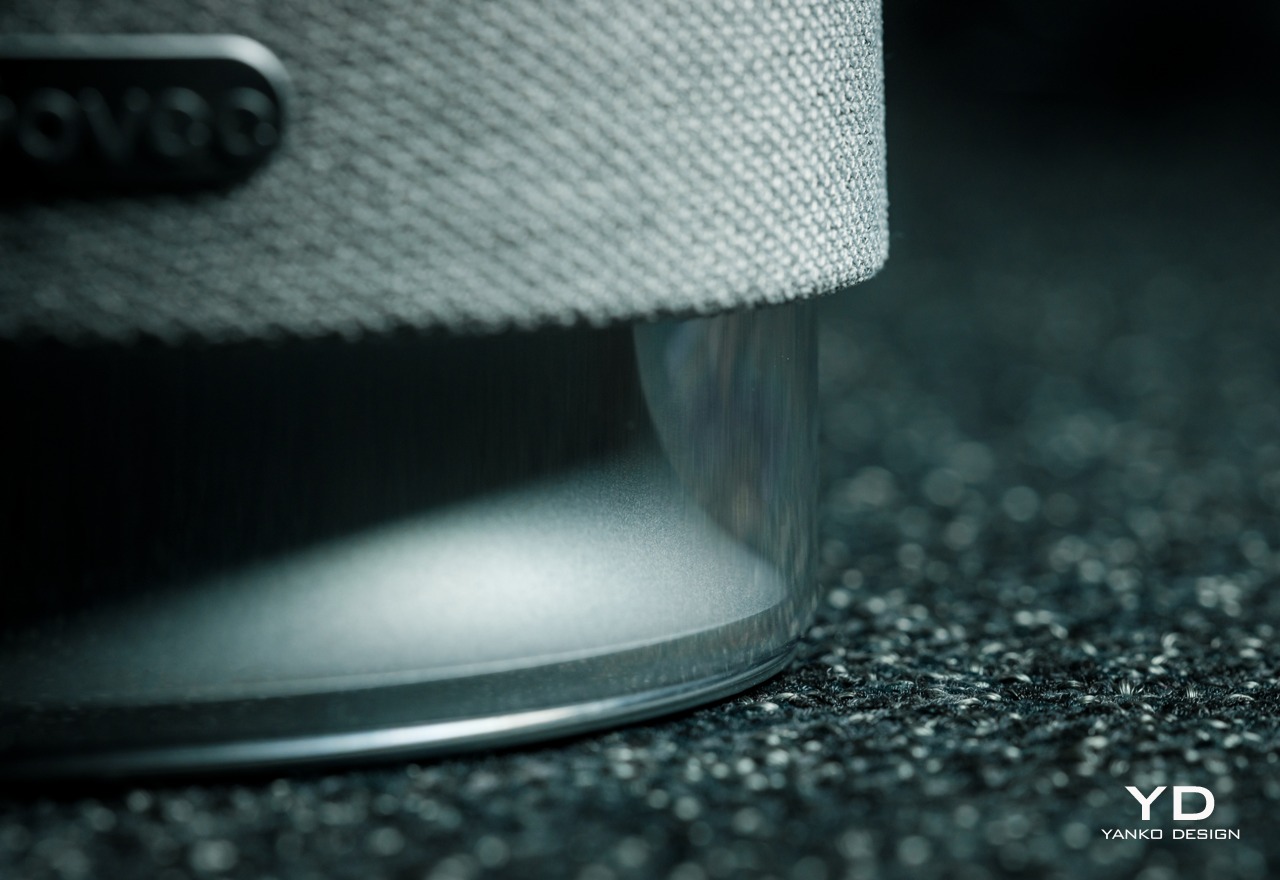
The can-shaped base is covered with a fabric-like material reminiscent of those found wrapped around smart speakers. That association isn’t by accident as the Floor Lamp Pro, unlike Govee’s other lights, actually comes with a built-in Bluetooth speaker. This makes the product an all-in-one light and sound system, one of the extremely few floor lamps with such a feature. The bottom of the base itself isn’t covered by this soft material as it exposes the base’s own RGB lights, yet another defining feature of this new Govee Floor Lamp Pro.

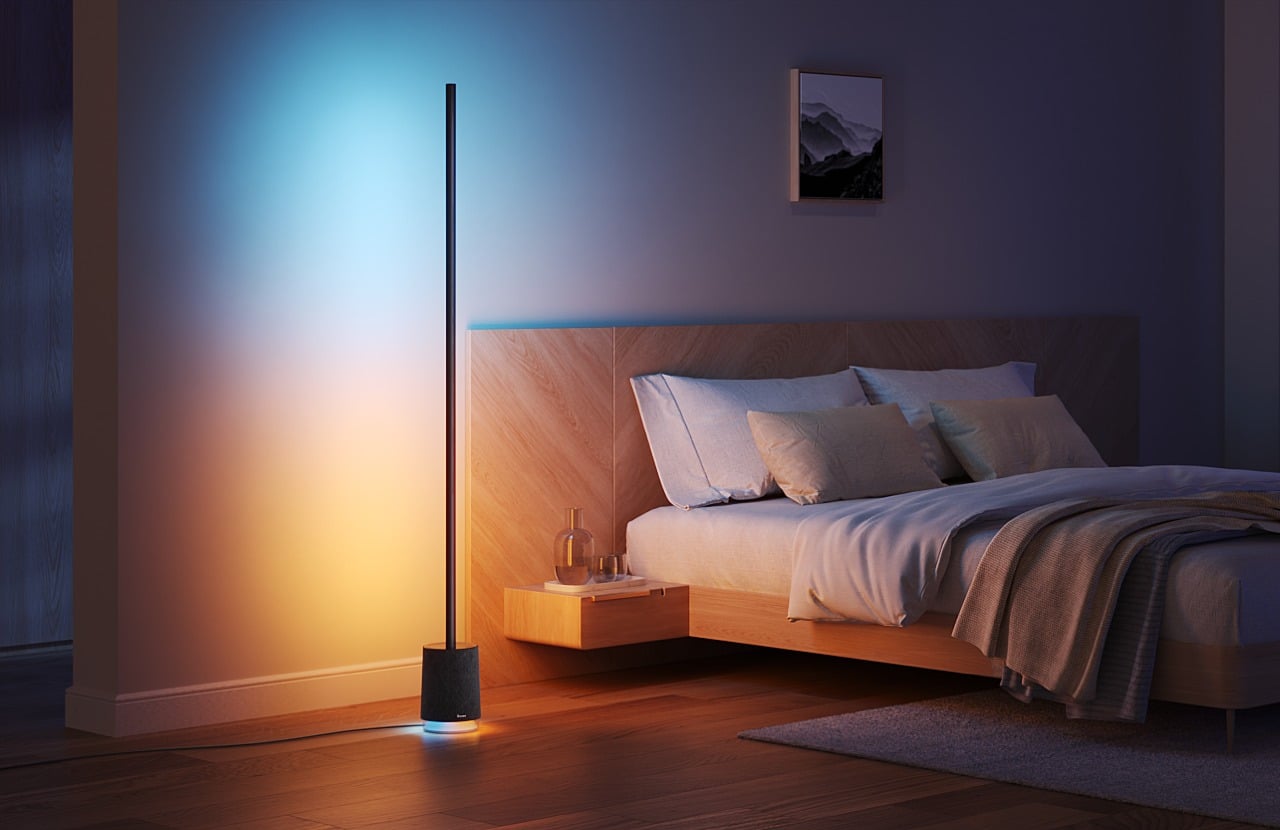
Although you can expect the Govee Floor Lamp Pro to be a dazzling sight once the psychedelic lights start to dance, what sets this design apart is how it still catches your eyes once the show is over. Unless you’re familiar with these kinds of RGB floor lamps, you might actually mistake it as some modern design object meant to add some minimalist elegance to your room. This pretty much means that the Floor Lamp Pro provides value all the time, even when you’re not actively using its bright lights.

Ergonomics

Just like any Govee product, setting up the Floor Lamp Pro is practically a breeze. Given the rod’s 67-inch height, you shouldn’t be surprised that it comes in four pieces that you can quickly join and screw together in a snap. You slip in the silicone light strip and install the rod into the base, easily connecting the wires to finally finish the process. It can be done in around 10 minutes, depending on how well-versed you are at assembling things.

You won’t be handling the Govee Floor Lamp Pro most of the time, at least not directly, which is probably for the best. After all, it’s meant to stand in a corner of the room and stay there until the next time you redecorate. And even when you do need to control it, you won’t be able to do it on the lamp itself anyway because it lacks any form of physical control. Instead, you will be operating the lamp remotely, mostly through your smartphone.

Surprisingly, Govee ships a Bluetooth-enabled remote control with the Floor Lamp Pro, which gives you quick and instant access to some of the most basic and important functions. Instead of fiddling with the app to turn down the volume, you can simply press down the button on the remote to save you the trouble and the stress. And to make sure you don’t lose that small remote, you can magnetically stick it to the lamp’s metal rod until you next need its services.

The Govee Floor Lamp Pro isn’t exactly lightweight at 7.3lbs (3.3kg), but that’s fine since you’re unlikely to move it around anyway. One trick that it does have is that you can turn the rod around, making it trivial to customize the lighting experience from bouncing off walls to directly shining the light in your direction. All in all, this Govee product is just as easy to set up just like its siblings, though there is definitely some assembly required. Operating it is also straightforward, though the Govee Home app can admittedly be a bit daunting and overwhelming for first-time users, but that is mostly because of the plethora of features available for such a simple-looking product.

Performance

When you first turn on the Govee Floor Lamp Pro, you might actually be blinded by how bright the LED lights are. It is to be expected from a flagship Govee product, but this one definitely takes it up a notch with a 2,100 ANSI lumens brightness. Govee didn’t skimp on the LED beads either. The light strip, for example, has 162 RGB units and 162 white units, while the base has 30 RGB beads and 30 white beads.

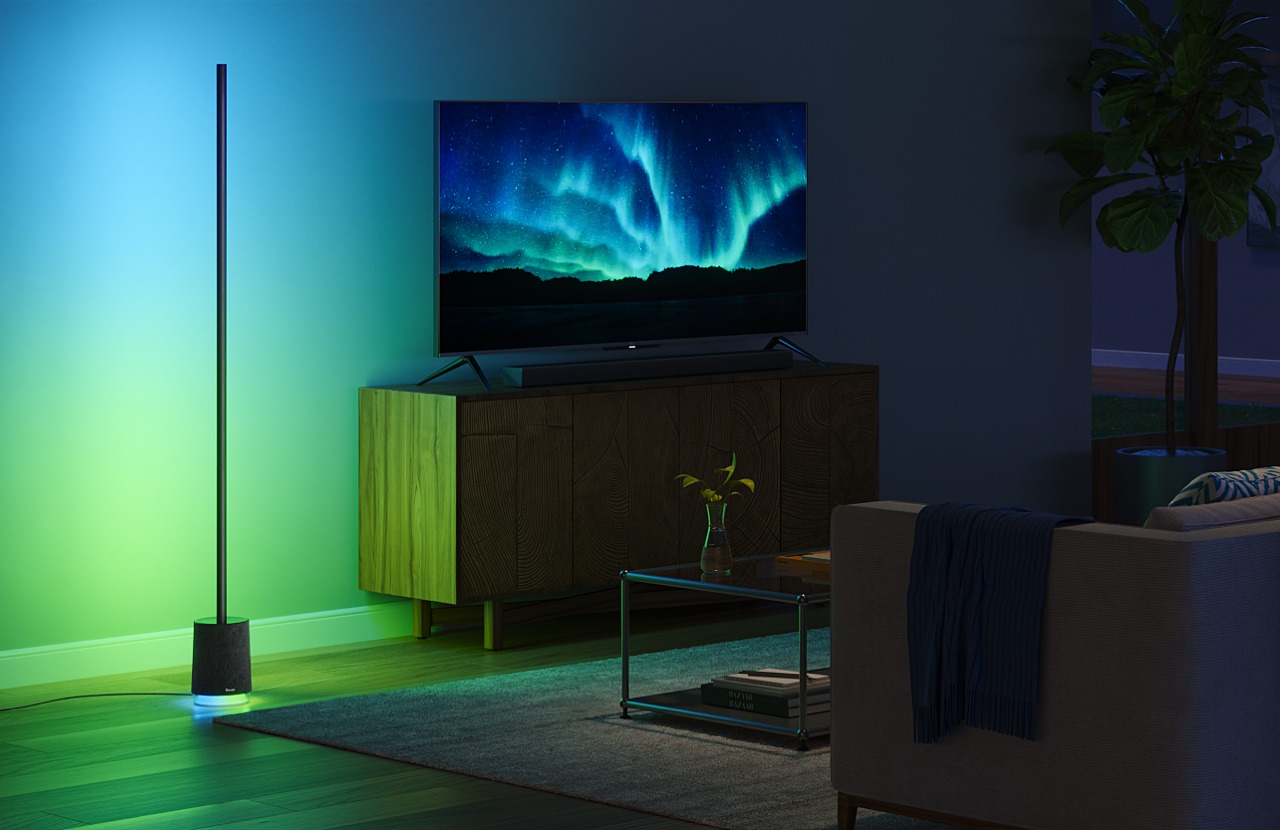
What all these numbers mean in practice is that you have a bright and unbroken beam of light wherever the Floor Lamp Pro shines. You won’t see any distinct cuts or patterns on the projected light thanks to the high density of LED beads distributed along the length of the light strip. And thanks to Govee’s RGBICWW technology, your eyes are treated to the widest range of colors, turning every moment a psychedelic experience.

The Govee Floor Lamp Pro, however, doesn’t stop there. As mentioned earlier, this is one of the extremely few floor lamps to bear a speaker inside. And not just any speaker, mind you, but a Bluetooth speaker system with two full-range and one low-frequency speaker inside. What would normally be a captivating light show becomes an immersive multimedia experience that dances to the beat of your music or even your film. That speaker, though loud, won’t exactly blow your mind with its quality. It’s decent enough for small parties and enhancing the mood of a film or soundtrack, but it isn’t going to win any awards, especially against actual speakers from audio brands.

The Floor Lamp Pro has the ability to sync its lights to music like a magical light and sound show. It can use either the built-in mic to listen to the sounds around it or, better yet, the built-in Bluetooth speaker playing your own tunes streaming from your phone. With Govee DreamView, you can even sync other Govee lights so they all dance to the same beat, whether they’re in the same room or scattered throughout the house. This Music Mode is just one of the many features you can access from the Govee Home app, of course, and there are literally a dozen others you can pick out to set the right mood at the right time, from scheduled activation to scenes for different holidays. You can even enjoy 29 preset white noise sounds to calm you down and help you focus, though not everyone might like the available selection. Fortunately, you can always use your own relaxing notes thanks to the lamp’s speaker.

As a smart lamp, you have a variety of ways you can control the lamp, though what you’ve heard so far requires your fingers to tap your way through menus and options. You can also use your voice thanks to integration with Amazon Alexa and Google Assistant. Unfortunately, the Govee Floor Lamp Pro doesn’t yet support the new Matter standard that would open up compatibility with other smart home platforms and devices. That will eventually come, but there’s no timeline yet for its arrival.

Sustainability

The Govee Floor Lamp Pro is an exceptional smart lighting product, but it isn’t that too different from other brands when it comes to the materials it uses. There’s plenty of plastic to go around, especially with the silicone light strip. That said, the Floor Lamp Pro is a little unique in its use of slightly more sustainable materials like the aluminum rod and fabric-like cover for the base.

Any damage, however, would require sending the product back for repairs, which is thankfully a straightforward and painless process. It’d be impossible to repair the light strip on your own, at least not without extensive electronics experience, though you might get by with a few dents and knicks on the metal rod. Hopefully, as Govee’s business grows, so will its efforts in sustainability in order to secure a brighter future for its customers.

Value

Truth be told, a floor lamp is a harder sell compared to products like string or strip lights. The latter are more general-purpose and more flexible as they can be used in almost any situation or design. That said, they also don’t have a big effect when it comes to coloring an entire space, at least not without investing in longer strips. Not only is that not economical, it’s not very efficient either.

The Govee Floor Lamp Pro has the power to really change the atmosphere inside a space. Whether it’s bouncing off walls or shining directly, the bright and colorful lights can easily reach across the room. The magic, however, really happens when you start pairing those lights with sounds coming from the lamp’s own speaker. Best of all, it remains just as captivating as a decorative design when it’s not in use. For a floor lamp that costs $219.99, that’s quite a steal.

Verdict

Smart floor lamps are still a pretty niche market, and it might be difficult to justify one or two if you’re not a gamer or a die-hard room modder. Of course, these aren’t the only audiences that these lights serve, but most people probably can’t imagine what they’d want a vertical stick of light for. With the Floor Lamp Pro, however, Govee is pushing the envelope of what floor lamps are capable of and trying to break the mold with a smart lighting solution that can instantly change the ambiance of a room in a cost-efficient and space-saving manner.

The configurable and bright RGB lights are already impressive, but their ability to sync with the music playing from the lamp’s built-in speakers really takes the immersion up a notch. The wide variety of modes and features enables you to almost literally paint a different picture of your room every time, whether you’re having a lively party or trying to focus on work. The Govee Floor Lamp Pro’s value, however, doesn’t end when the lights go off and the music stops. With a sleek minimalist design and quality materials, it becomes a design object that adds a different kind of aesthetic, one that can speak loudly with fewer words and without the dazzling lights.

Click Here to Buy Now: $219.99.

The post Govee Floor Lamp Pro Review: Elevate Your Space with Lights and Sounds first appeared on Yanko Design.
Nothing Ear and Ear (a) Buds Review: It’s Nothing To Scoff At

PROS:


  • Vibrant and more ergonomic Nothing Ear (a) design

  • Beautiful, eye-catching design with a competitive price tag

  • Quality audio output with plenty of convenient smart features

CONS:


  • Nothing Ear only available in Black or White options

  • Nothing Ear (a) case only has IPX2 water resistance


RATINGS:

AESTHETICS
ERGONOMICS
PERFORMANCE
SUSTAINABILITY / REPAIRABILITY
VALUE FOR MONEY

EDITOR'S QUOTE:

The Nothing Ear and Ear (a) builds on an already successful formula without straying from the brand's design identity.

It’s not unusual to see a company take a different direction after it launches a successful product or two. Improvements have to be made, of course, but there are times when upgrades turn into almost completely different products that seem to stray away from what made those successful designs successful. By renaming its earbuds to a simple “Ear” and dropping the number after it, some might think that Nothing has gone back to the drawing board to rebrand and redesign. Fortunately, there’s nothing to worry about since the new Ear and Ear (a) look almost exactly the same, so we give it a test to see, or rather hear, if its beauty is skin deep or if it’s something you’ll want to listen to.

Designer: Nothing

Aesthetics

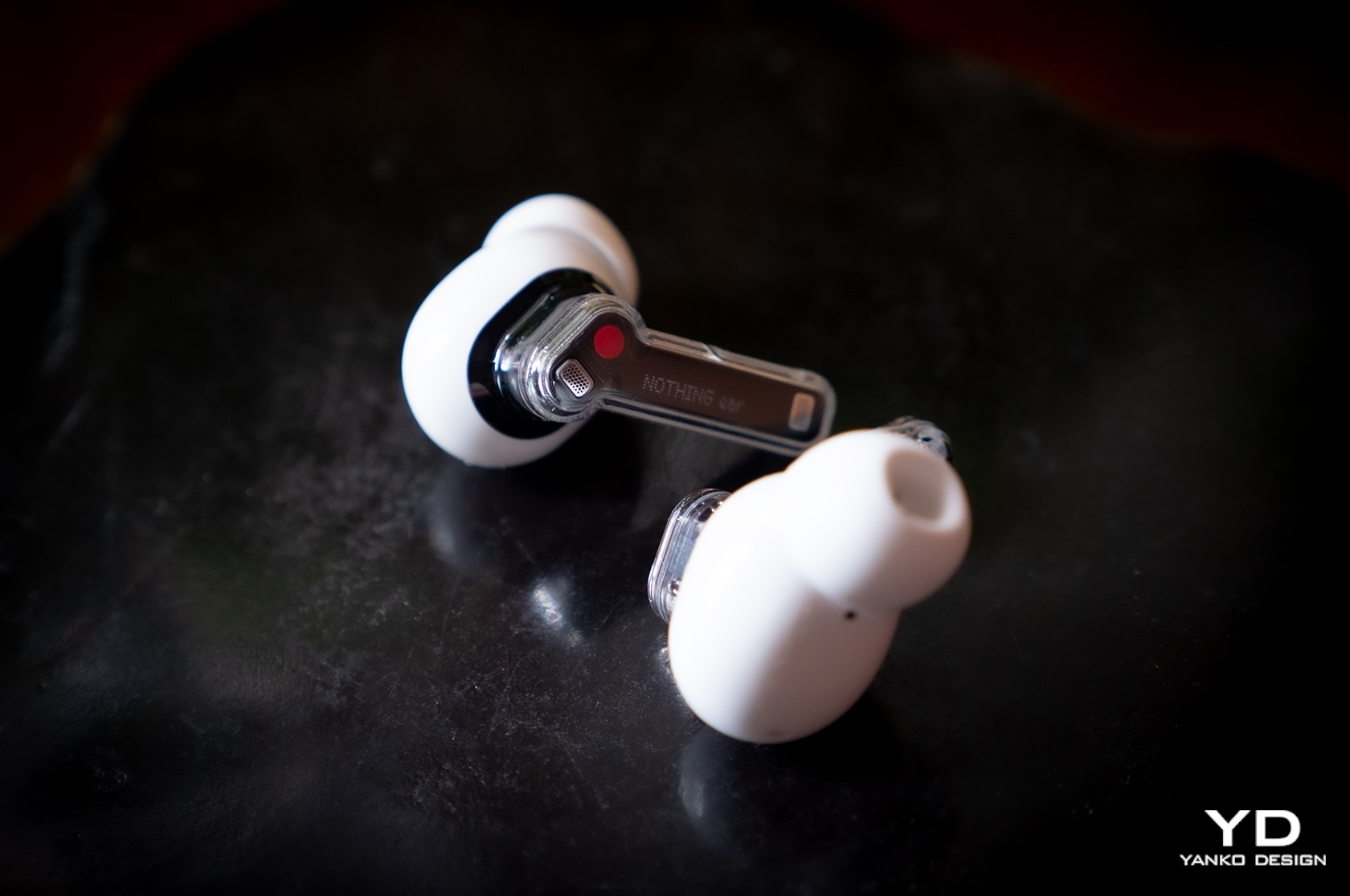
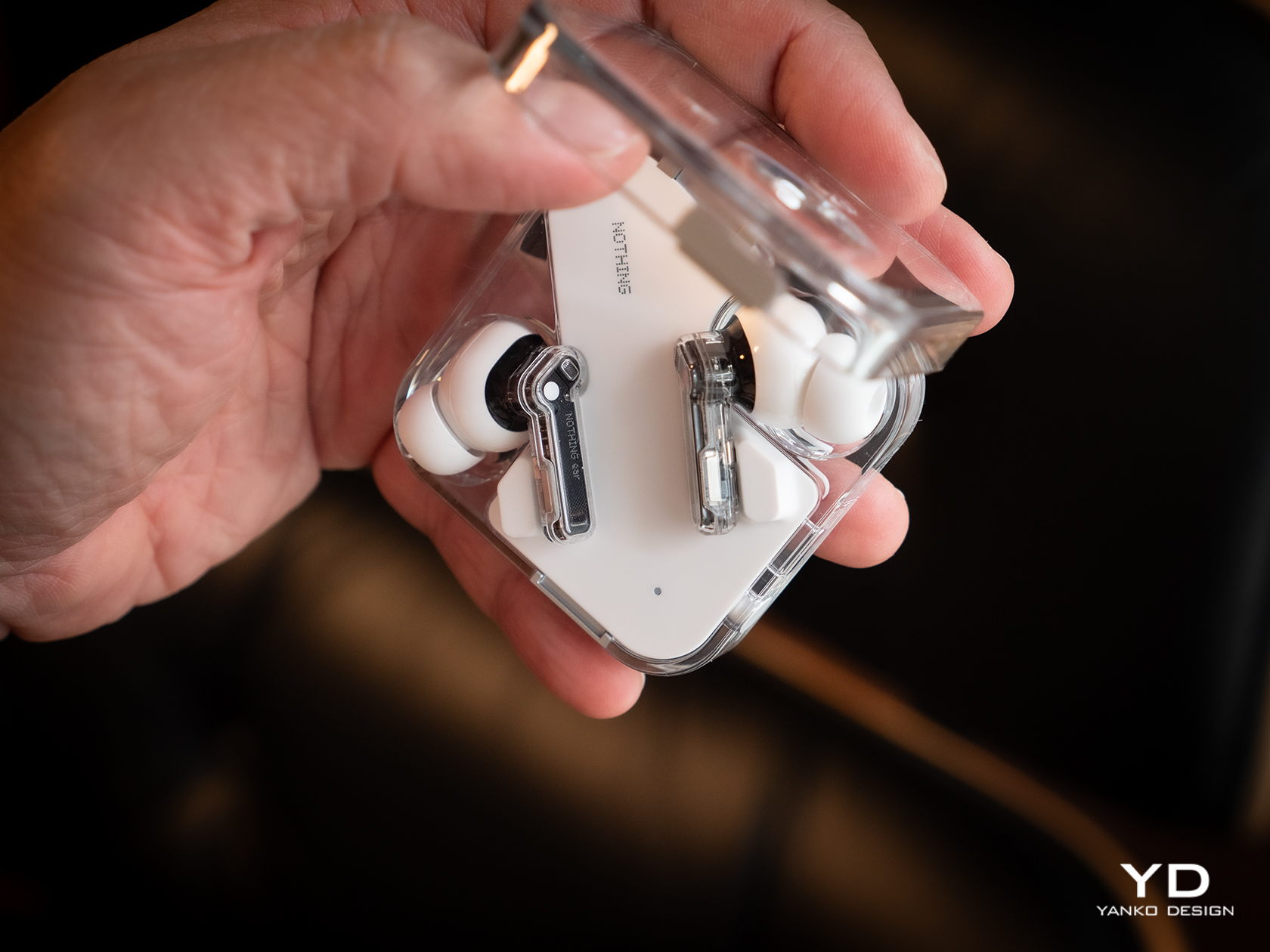
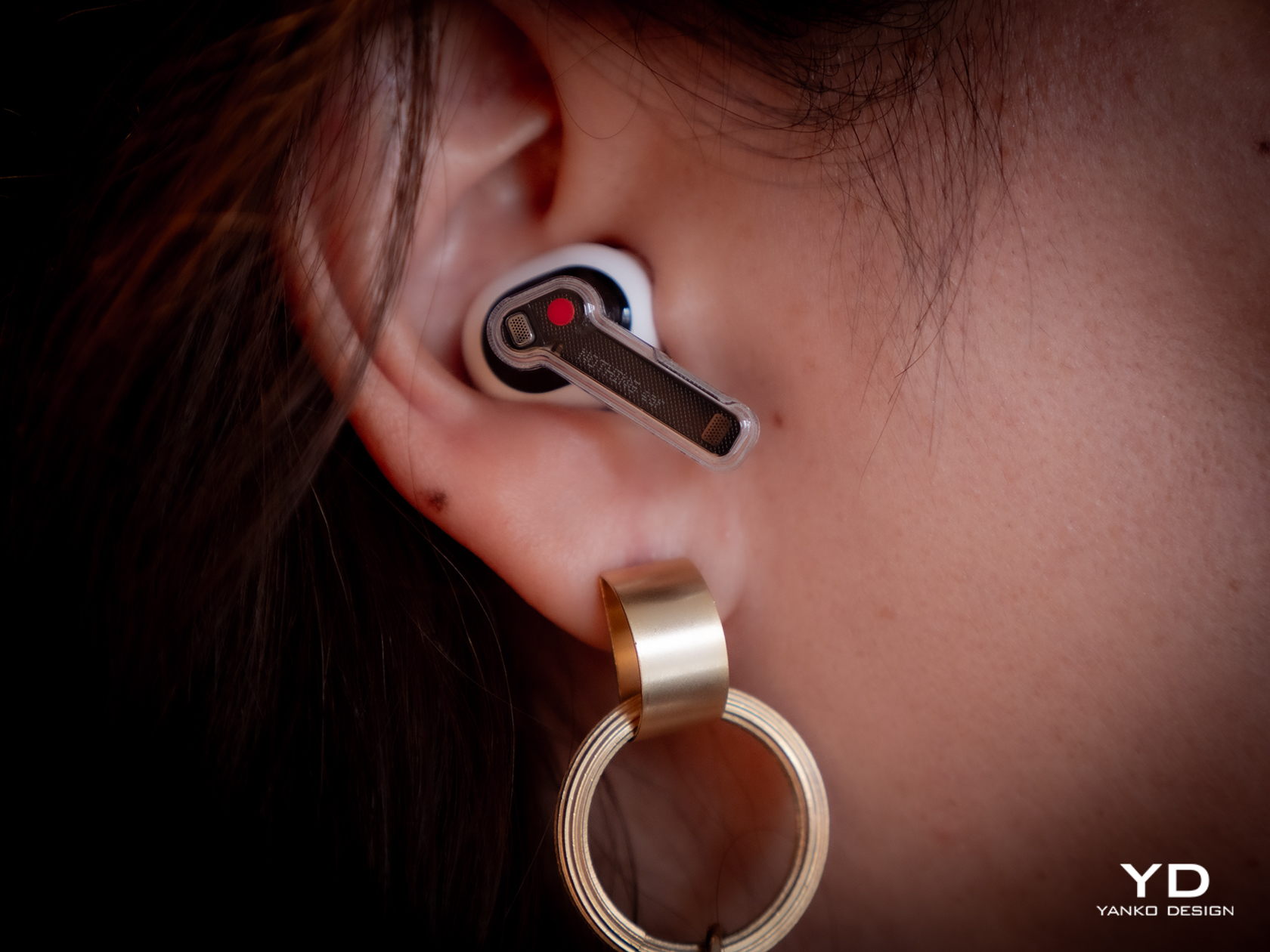
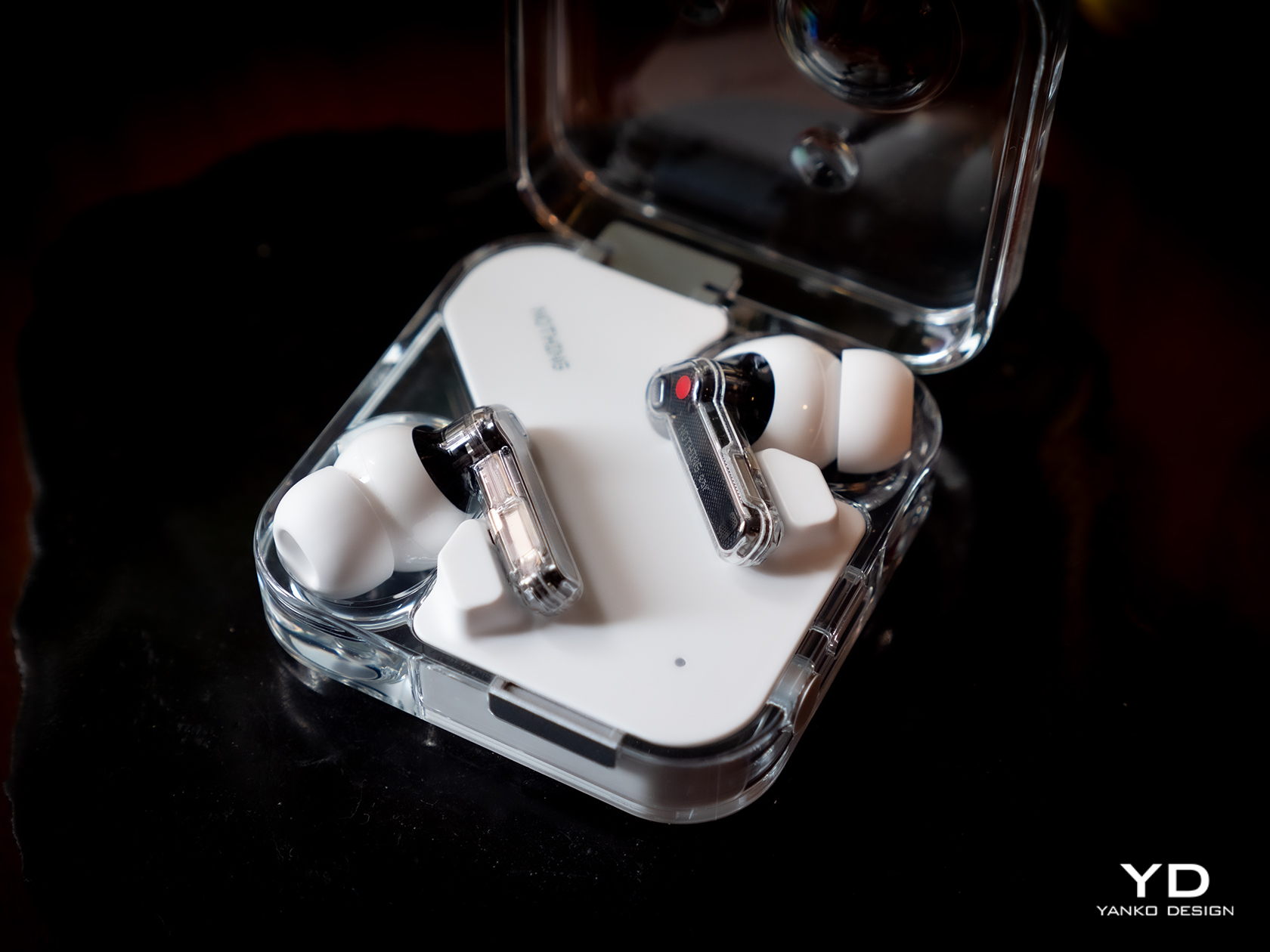
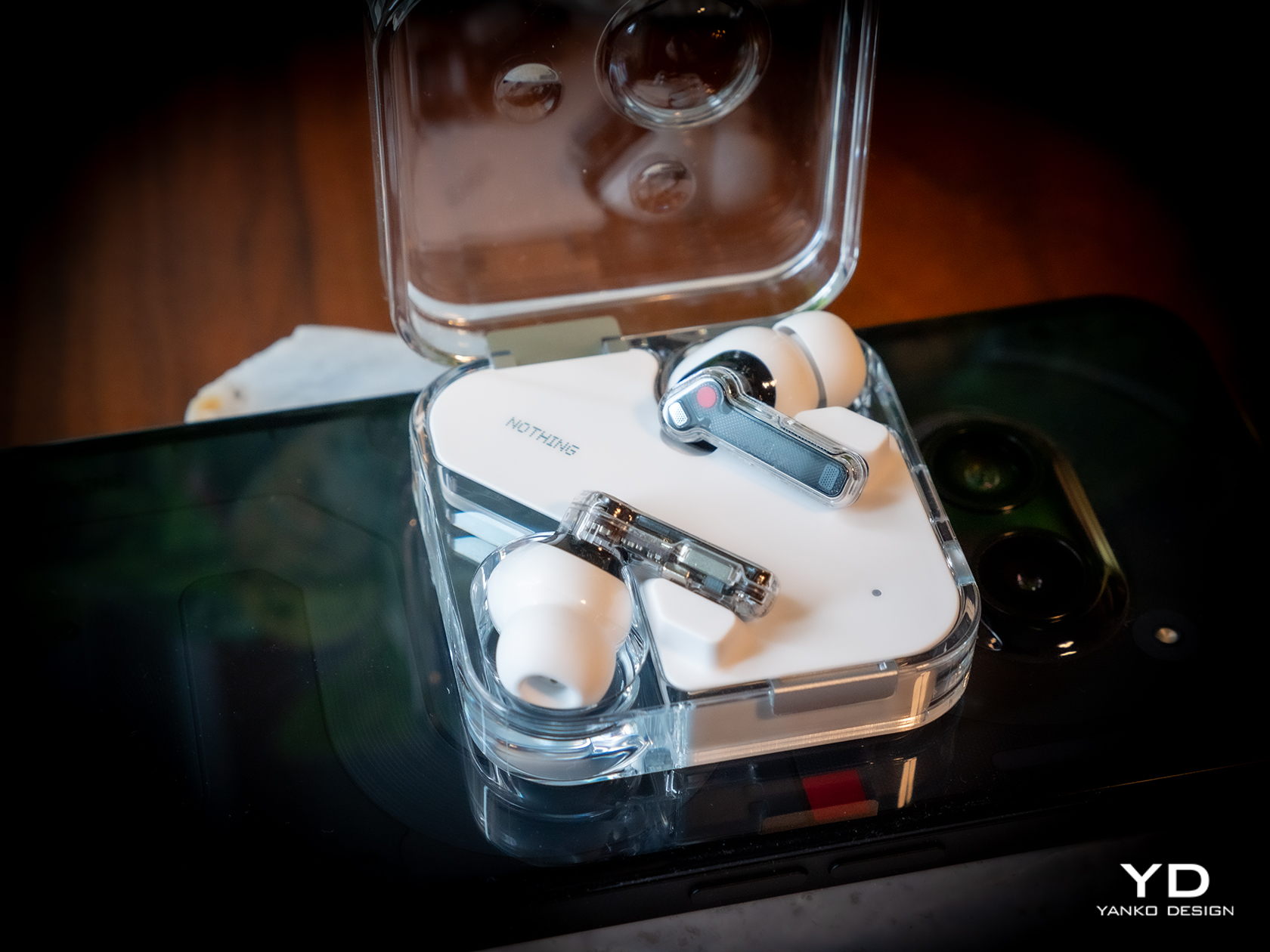
At its birth, Nothing made bold claims and used Apple-like language to describe its design philosophy, and for the most part, it has been able to prove its words. It has established a distinct aesthetic not just with the Nothing Phone at also with all iterations of its Ear wireless buds. Technically the fourth generation after two numbered Ears and one Stick, the new Ear and Ear (a) thankfully retains that transparent stem design paired with opaque buds, staying true to form and keeping what its customers love about its products.

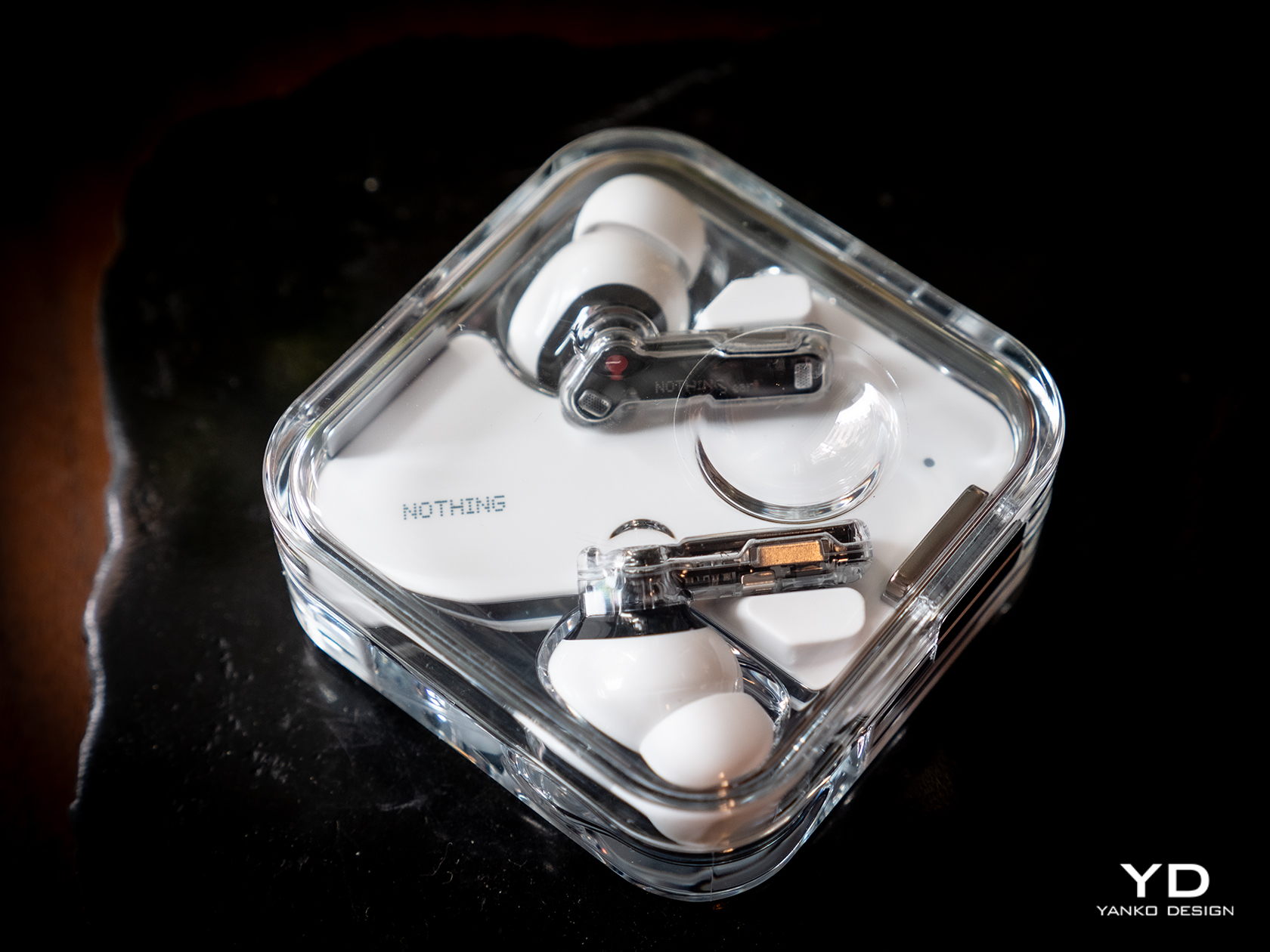
Of course, that does also mean that you won’t be able to distinguish the new Ear from the Ear (2), at least not visually. All of the changes are internal, which you can technically see because of the transparent design but not recognized. You get the upgraded experience and new features without losing the Ear’s eye-catching design, nor do you miss out on the quality materials that give the buds and its case their premium character.

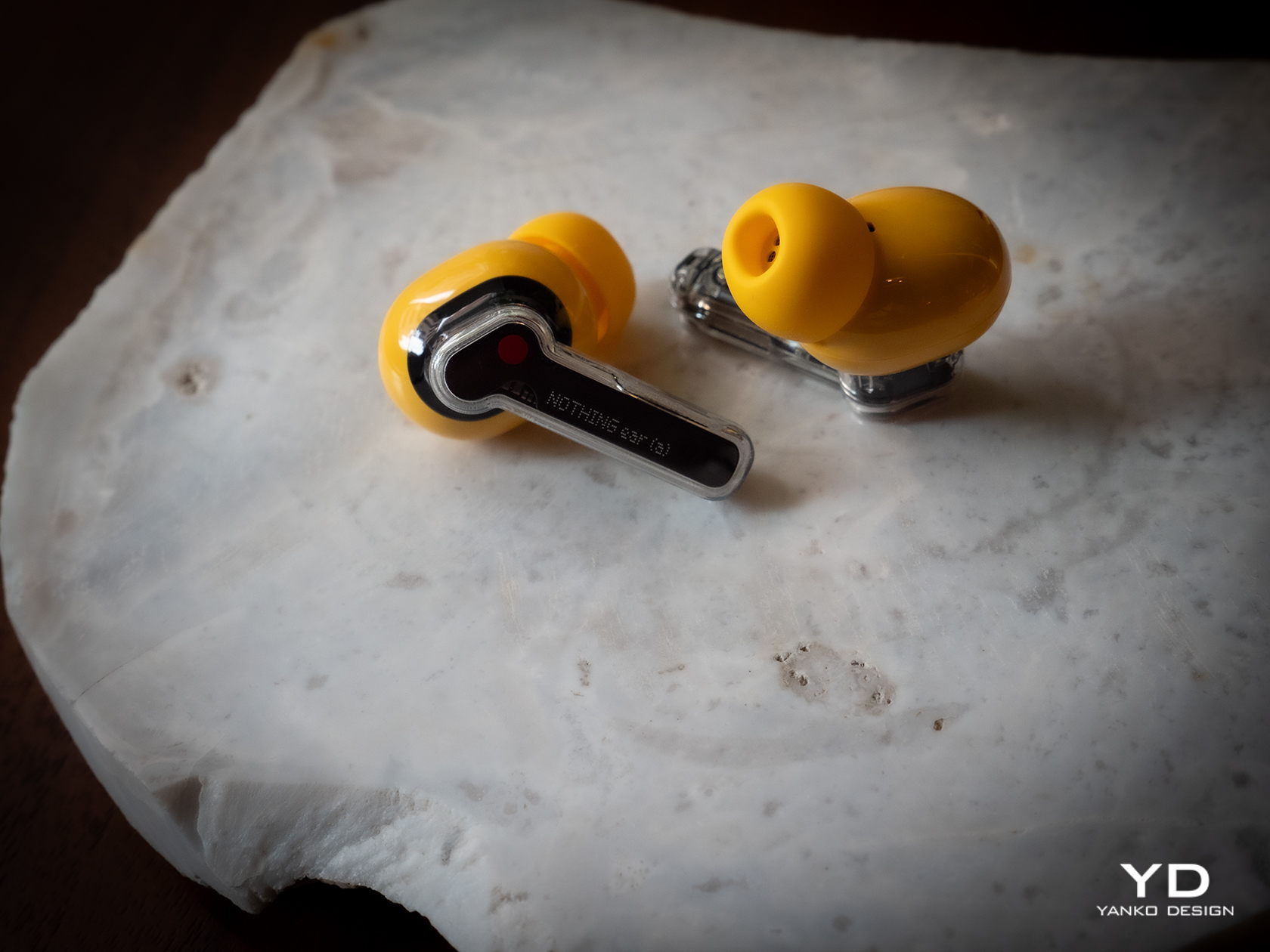
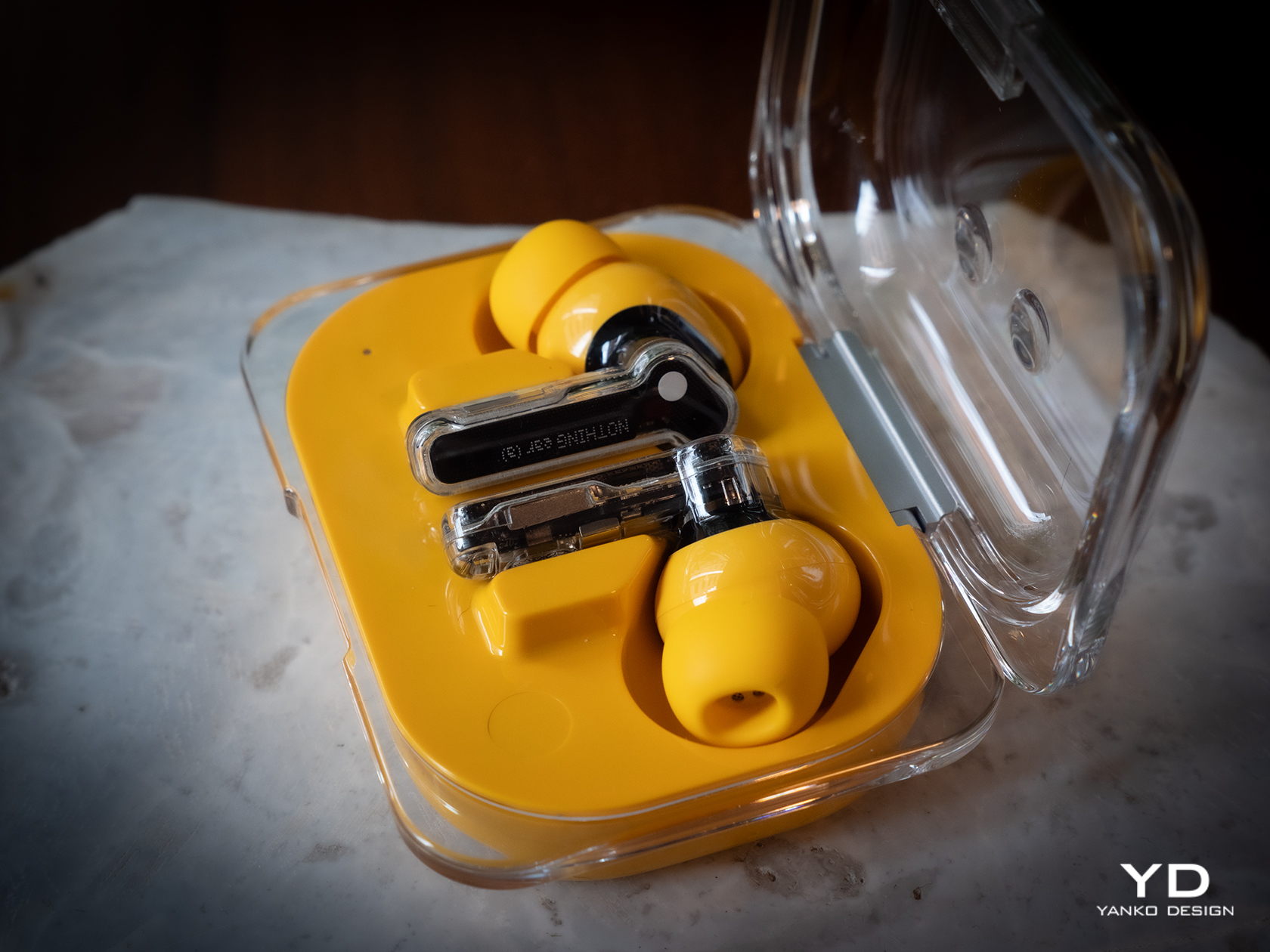
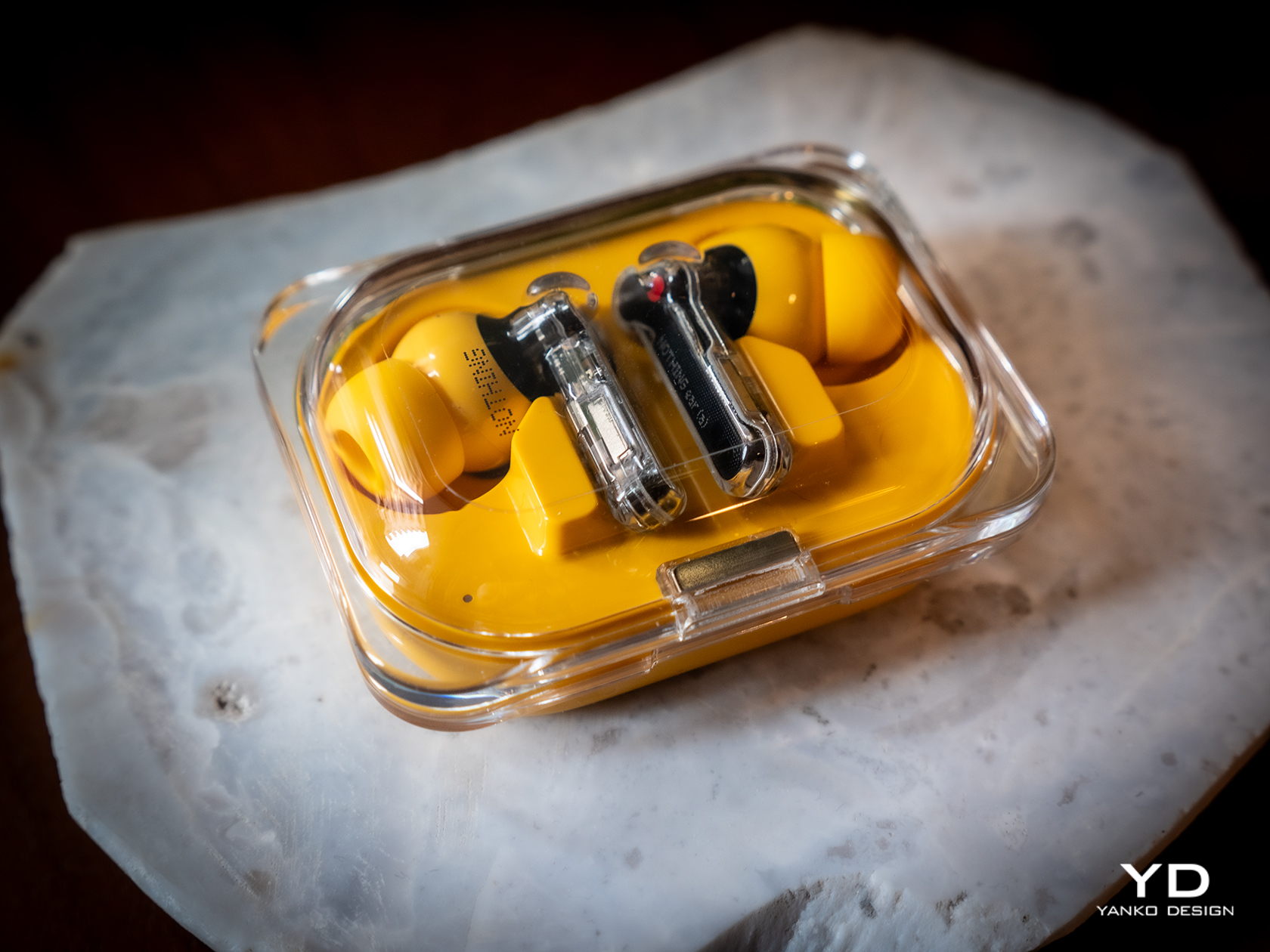
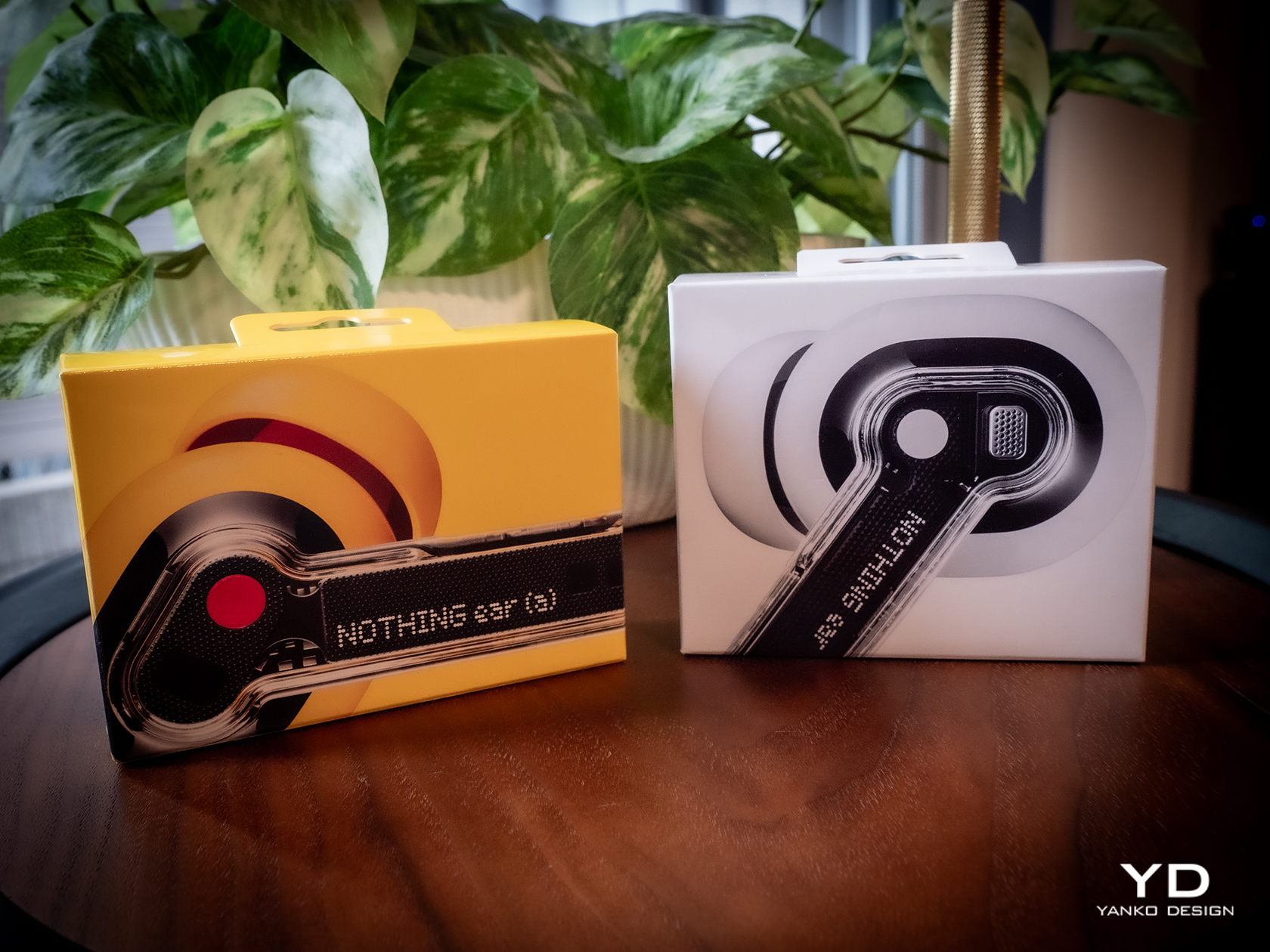
If you want something fresh, you’ll have to look at the Nothing Ear (a) instead. While the buds themselves remain the same, the case transforms into a more rectangular shape that still has a transparent cover like the regular Ear. The new case also has a few important usability improvements, which we’ll get to later. The biggest difference between the Ear and Ear (a), however, is the bright new yellow color available only for the Ear (a) model. The choice of color wasn’t simply based on a whim, as Nothing compares it to its design philosophy of transparency, stripping away unnecessary colors and leaving only the primary hues. Perhaps it’s a hint that future Ears will be available in Cyan and Magenta.

In terms of aesthetics, Nothing has thankfully stayed true to both the spirit and the application of its design philosophy. You have an elegant and minimalist earbud design that embodies transparency literally and figuratively. The Ear (a) takes that a bit further in the direction of joyful play with a bright yellow finish. It would have been great if both Ear and Ear (a) shared the same color selection, but it’s understandable that Nothing wants to target different groups with different designs while still holding true to its core design values.

Ergonomics

One of the benefits of sticking to a tried and tested design is that you don’t have to worry about whether it works or not. In this case, the Nothing Ear’s usability has already been proven since the first generation, so you can be sure that you will be enjoying a tight seal and a comfortable fit like others before it. That said, there will always be exceptions, especially for those with ear shapes that the included tips don’t support. Unfortunately, Nothing has yet to provide a solution to that problem, like with extra tips to fit less common ears.

Since the case of the Nothing Ear hasn’t changed in the slightest, its ergonomics remain the same as the Ear (2). You still have a compact square shape that opens up like a clamshell, complete with that odd dimple that lets you precariously use the case as a fidget toy. It almost means, however, that the new Ear’s case still bears the same shortcomings as well, which the Ear (a)’s case thankfully fixes.

The rounded rectangular case of the Nothing Ear (a) has softer edges that make it more comfortable to hold in the hand. More importantly, however, you can clearly see its orientation so you won’t have to pause for a second to figure out which direction it opens. And unlike the Nothing Ear case, this yellow bubble-like container has markings to make it easy to see which bud goes in which slot. The red dot matches the dot of the same color on the right Ear (a) bud, while white is the color for the left bud. It’s a trivial addition but one that has a significant impact on the product’s usability.

Performance

You’ve undoubtedly come across designs that are so captivating yet fail to impress when it comes to functionality. That is fortunately not the case for the new Nothing Ear and Ear (a), and this is where the earbuds really prove to be worthy upgrades. Suffice it to say, you won’t be disappointed by the sound that you will hear, especially when you consider how much the buds cost.

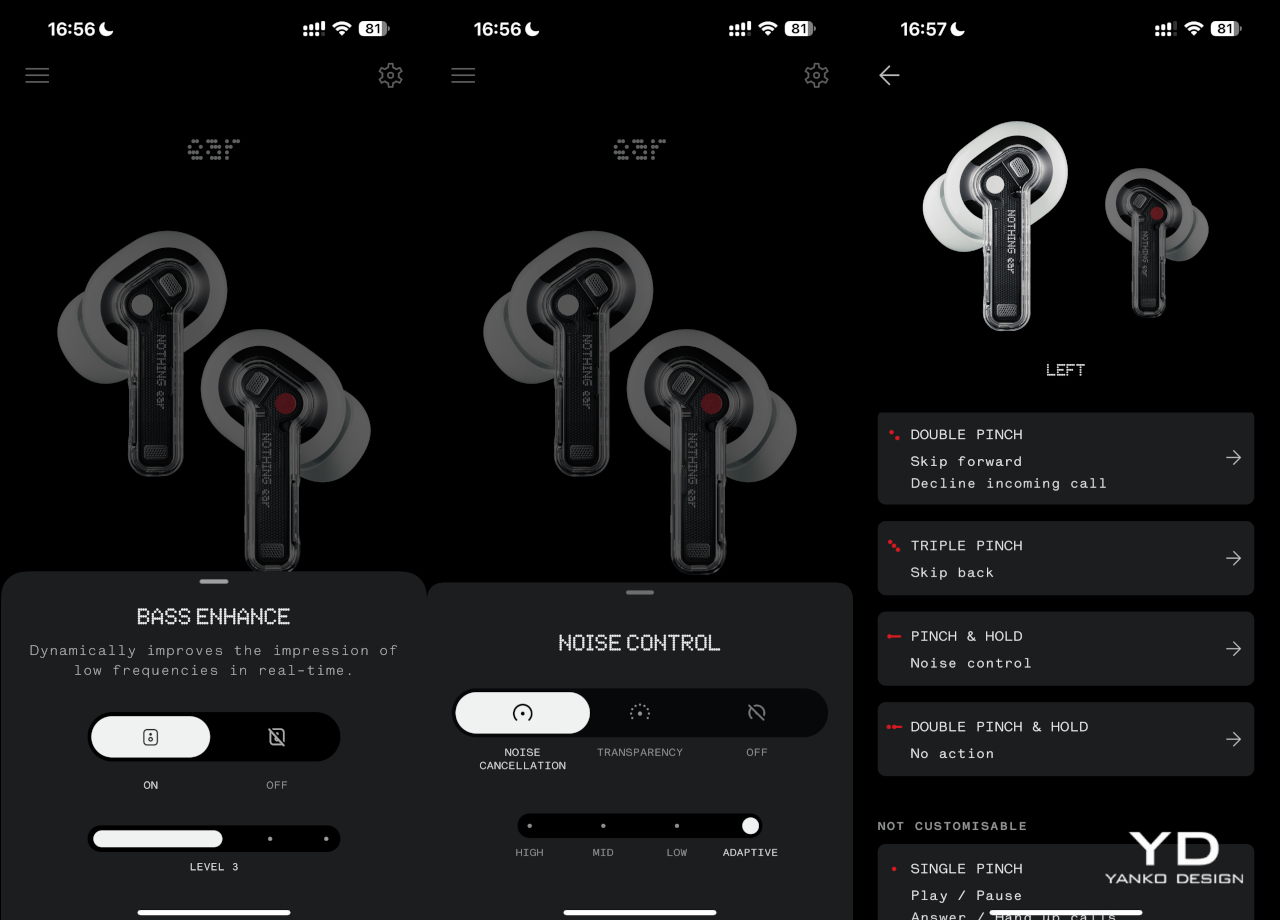
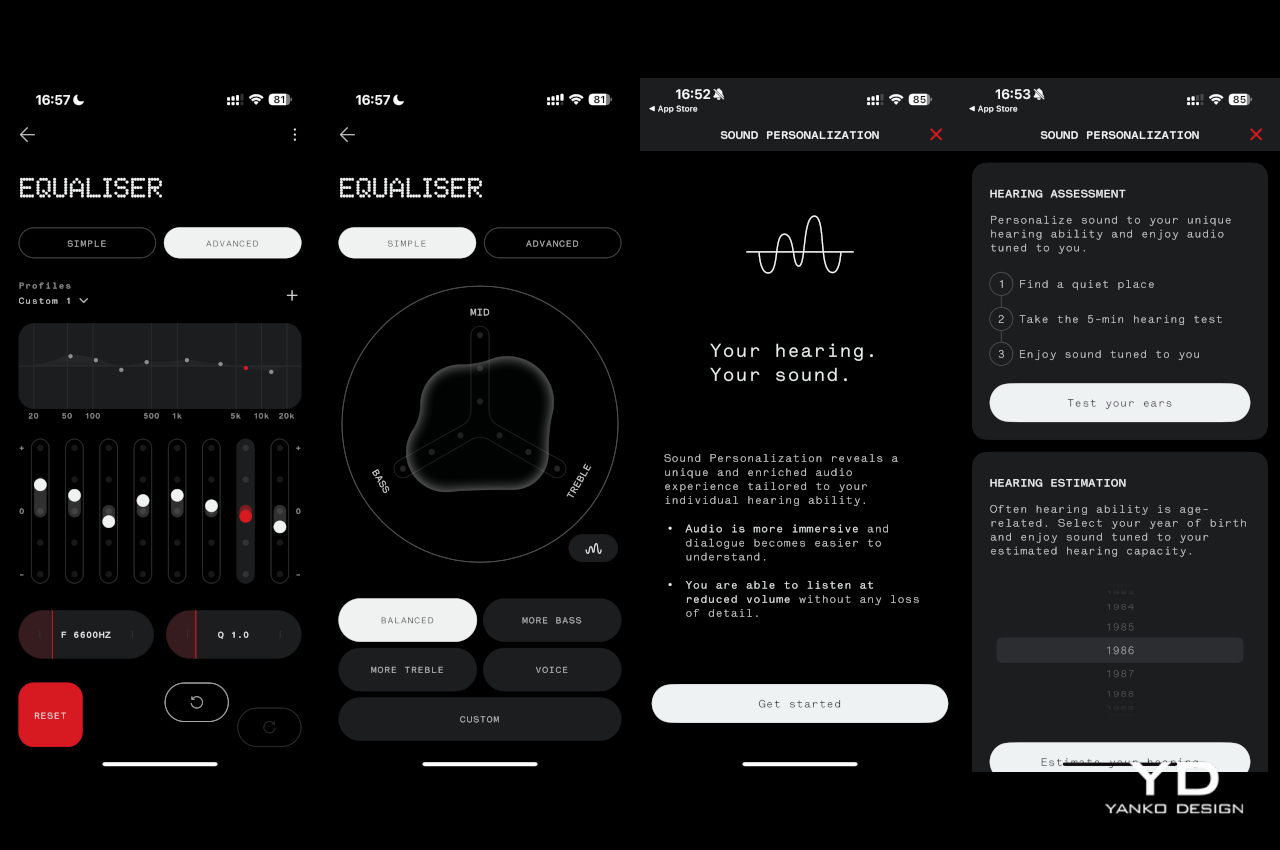
The Nothing Ear and Ear (a) both boast new 11m drivers, though the higher-end model uses a ceramic material for even better audio clarity. In practice, this means that both buds are nearly equal in terms of audio output, producing clear, bold sounds with depth, especially when you turn on the bass enhance setting on the Nothing X app. Admittedly, it’s not going to compete with premium earbuds that cost nearly twice as much, but you won’t find both Ears lacking either. You get a well-balanced audio performance that makes listening to music, especially to classical music, a joy.

You can, of course, tweak the experience with the equalizer available in the mobile app, but the Nothing Ear does one thing more than the Ear (a). You can create a personalized sound profile by going through a series of tests so that you can be assured of the best quality possible given your ear shape and the tips you’re using. It takes the Ear’s performance to the next level, but not all people will be willing to pay the literal price for advanced features they may or may not even notice.

The good news is that, for all intents and purposes, the two new Nothing earbuds have the same feature set and perform quite similarly in that regard. Active Noise Cancellation, which has three levels of sensitivity, is quite effective, though definitely not on the same level as those more expensive brands. You can also set the app to automatically switch between ANC levels depending on the amount of ambient noise, which doesn’t always kick in immediately. There’s also a transparency mode that works in the opposite direction to let external sounds in, useful when you need to talk to someone or be aware of your surroundings.

Another trait the two share in common is dual connectivity, where you can pair the buds to two devices at the same time. They will switch between the two depending on which device is active, so you can take a call on your phone and then resume listening to music from your laptop afterward. In-ear detection is also automatic, and it will pause or resume playback when you remove and put back one or both of the buds in your ear.

Battery life is also one of the key upgrades in this generation of Nothing earbuds. The Ear can last a little over 5 hours with ANC on, while the Ear (a) somewhat ironically lasts longer over 5.5 hours in the same condition. Those figures nearly double if you turn ANC off, and the cases can charge the buds around three more times for extended use.

Sustainability

Nothing has always been a strong proponent of sustainable practices from the get-go, and the Ear and the Ear (a) thankfully don’t diverge from that path. The buds themselves might not be made from recycled materials, aside from the 100% recycled tin solder paste, but everything else about their manufacturing and packaging takes positive steps towards taking care of the environment. In addition to plastic-free packaging and carbon footprint labels, Nothing also uses renewable energy in the final assembly of the earbuds.

Given their size, the tendency to lose at least one of the pair, and their fragile designs, many earbuds have become almost disposable accessories, even if you’d cry over their price tag. The Nothing Ear and Ear (a) are thankfully built to last, though not exactly on equal footing. Both buds are IP54 dust and water-resistant, but only the Ear’s case enjoys an IP55 rating. The Ear (a), unfortunately, can only claim IPX2 water resistance, so you’ll probably be more careful that the yellow box doesn’t meet accidents.

Value

Despite the upgrades, the Nothing Ear doesn’t change its price tag from the $149 of its predecessor. The Nothing Ear (a), on the other hand, introduces a new $99 option in between the Ear and the $79 Ear (stick). Given its impressive performance and eye-catching design, those prices are quite a steal. The bigger question, however, is which of the two you should grab.

Unfortunately, things don’t seem to be in favor of the Nothing Ear. Yes, it has more features like a personal sound profile, a slightly better audio quality, and a more durable case, but not all of these will be deal breakers. In contrast, the Ear (a) offers comparable performance, a slightly longer battery life, a more ergonomic case, and a new yellow color option in addition to the typical white and black, all for a $50 lower price tag. There is a chance that the majority of buyers will prefer the Nothing Ear (a), especially the yellow option, but more discerning audiophiles won’t go wrong with the higher-end Nothing Ear.

Verdict

At first glance, the Nothing Ear seems like a simple rehash of an old design. It does, however, invite us to look deeper to go beyond what the eyes can see, and the product’s transparency is exactly a metaphor for that mindset. It brings together a familiar, stylish design and quality performance without extraneous features that distract you from the essentials. Best of all, it doesn’t even ask for more despite the noticeable improvements in the overall experience.

The Nothing Ear (a) sends a slightly different message with its vibrant color and more playful shape. It still clearly has Nothing’s design DNA but mixes it up with a fun identity that doesn’t skimp on the important bits. It says that you don’t have to go overboard, both in features and in price, to have a good time, and both the Ear and Ear (a) offer a delightful design that not only gets the basics right but goes above and beyond for a truly memorable experience each time you put them on.

The post Nothing Ear and Ear (a) Buds Review: It’s Nothing To Scoff At first appeared on Yanko Design.
Filmora 13 Video Creator Features AI Music Generator, AI Translation, Neu Grunge Assets and More

Filmora 13

If you are searching for a way to easily create high-quality videos complete with original music, assets, and AI translation. Wondershare’s Filmora 13.2, an AI-enabled video editing software, offers a game-changing solution for content creators looking to stay ahead of the curve. Elevate your videos with cutting-edge technology and trendy aesthetics. With its user-friendly interface […]

The post Filmora 13 Video Creator Features AI Music Generator, AI Translation, Neu Grunge Assets and More appeared first on Geeky Gadgets.

Filmora 13 Video Creator Features AI Music Generator, AI Translation, Neu Grunge Assets and More

Filmora 13

If you are searching for a way to easily create high-quality videos complete with original music, assets, and AI translation. Wondershare’s Filmora 13.2, an AI-enabled video editing software, offers a game-changing solution for content creators looking to stay ahead of the curve. Elevate your videos with cutting-edge technology and trendy aesthetics. With its user-friendly interface […]

The post Filmora 13 Video Creator Features AI Music Generator, AI Translation, Neu Grunge Assets and More appeared first on Geeky Gadgets.

Tekto F2 Bravo EDC Folding Knife Review: Sharp, Stylish, Satisfying

PROS:


  • Handsome design exudes both style and strength

  • Black D2 steel blade is gorgeous and sharp

  • Ceramic ball bearings deliver smooth and satisfying deployment

CONS:


  • Pocket clip can't be moved for ambidextrous use

  • Straight handle might feel too slim for a solid grip

RATINGS:

AESTHETICS
ERGONOMICS
PERFORMANCE
SUSTAINABILITY / REPAIRABILITY
VALUE FOR MONEY

EDITOR'S QUOTE:

With its handsome looks, a sharp blade, and a satisfying deployment mechanism, the Tekto F2 Bravo easily carves a place for itself in any EDC.

The EDC or Everyday Carry trend has been around for quite a while and there’s no sign of it slowing down anytime soon. Just like with paper notebooks and organizers, each collection of items and tools uniquely reflects the characters that own them. Some have simple packs filled with analog writing tools while others go fully digital with the latest gadgets and accessories. Still, some have an EDC that’s ready to face any task or problem, which sometimes involves cutting or slicing things. There might be a few who are hesitant to add a knife to their kit because most of the designs that can fit in an EDC often look like they’re geared for battle. Tekto has been making a few “tactical” knives designed to cater to this market, so we give the Forged Carbon version of its F2 Bravo folding knife a few flips to see if it makes the cut.

Designer: Tekto

Click Here to Buy Now: $127.50 $149.99 (15% off with coupon code “YANKO”). Hurry, deal ends in 48-hours! Fedex 2 day shipping to all USA orders for free.

Aesthetics

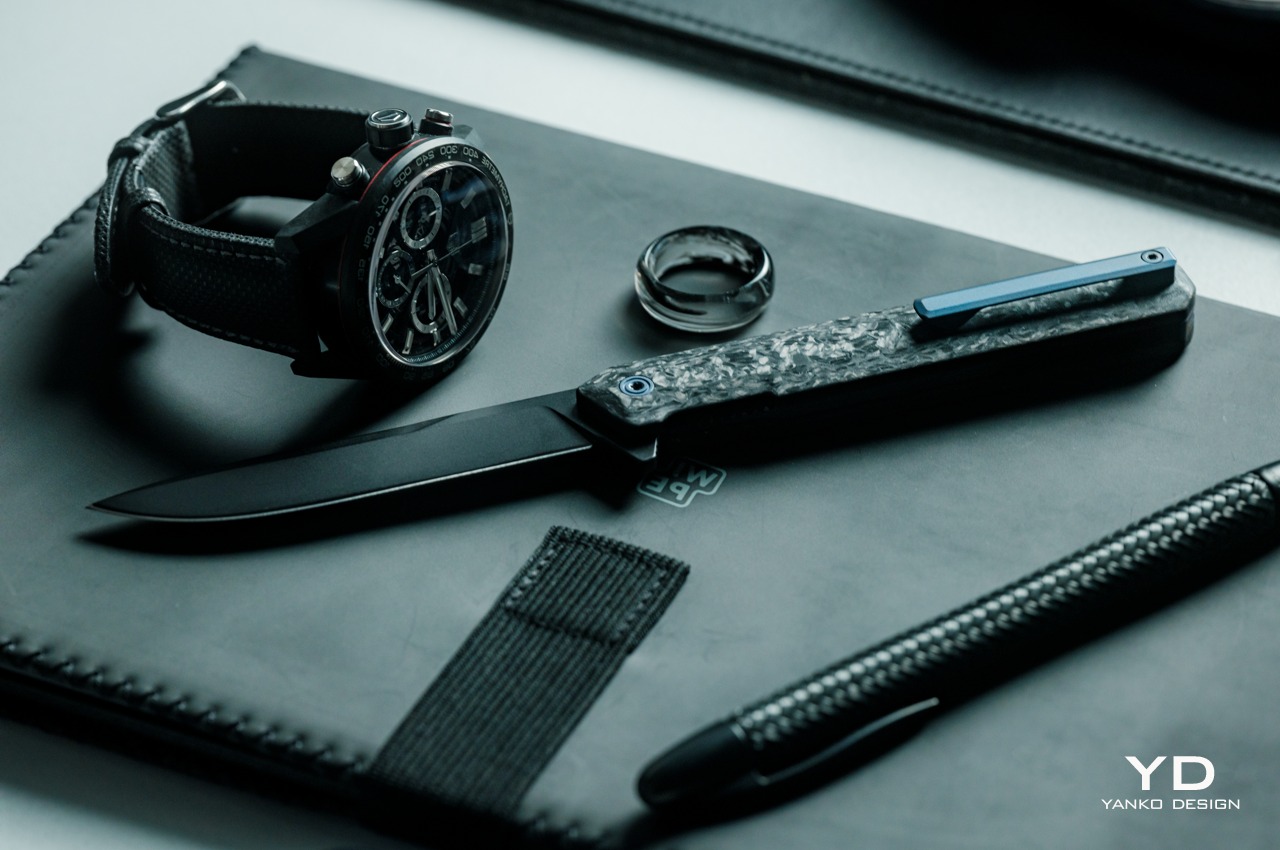
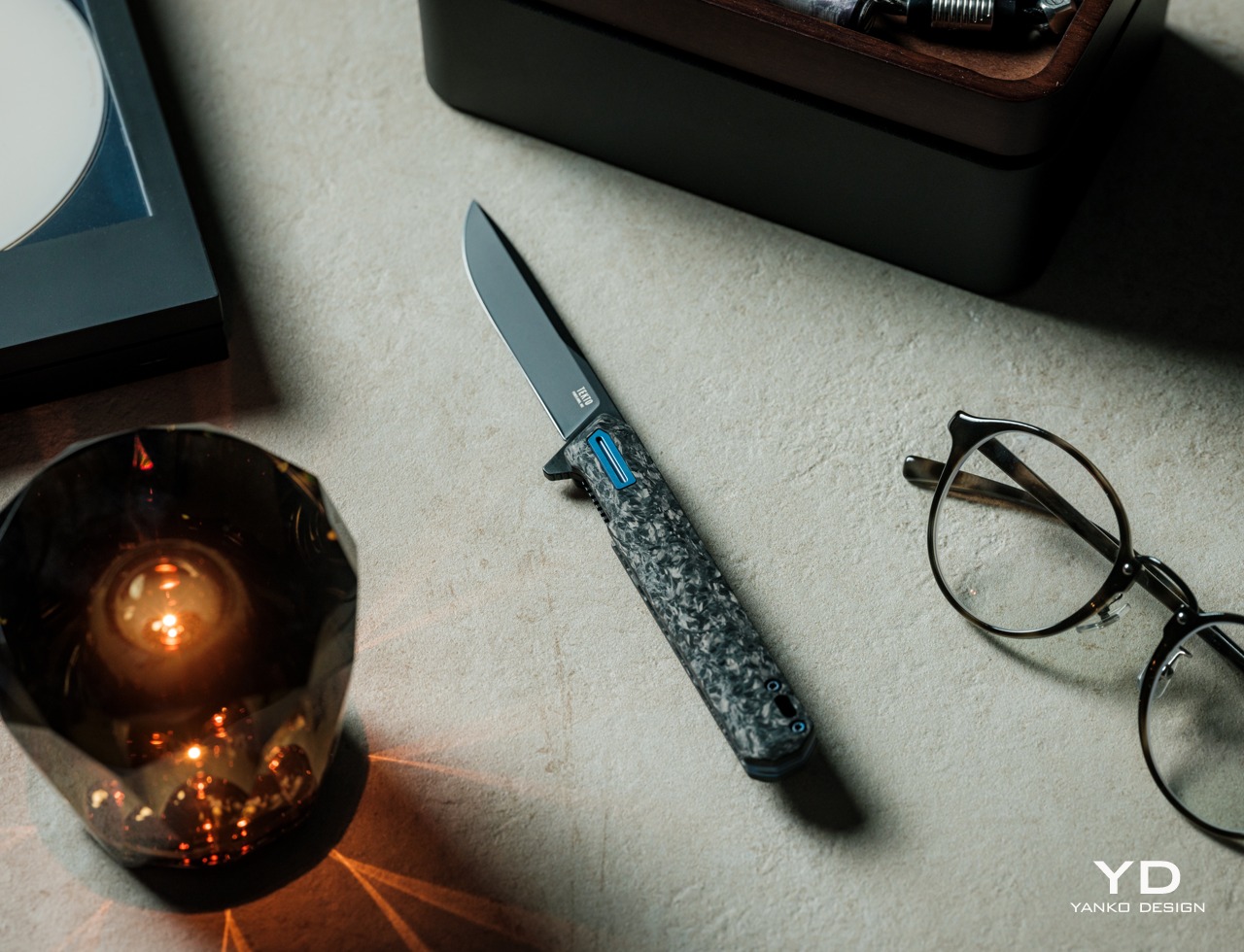
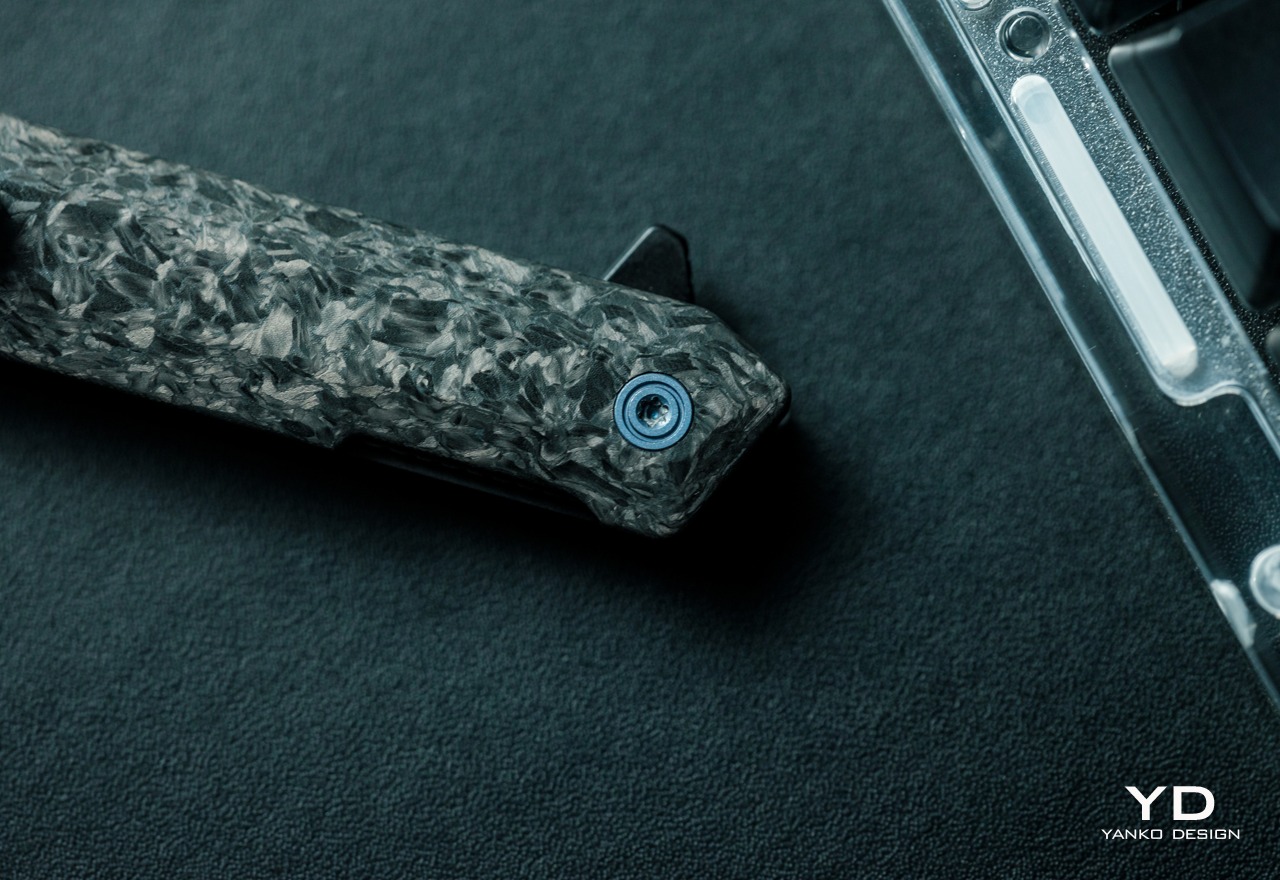
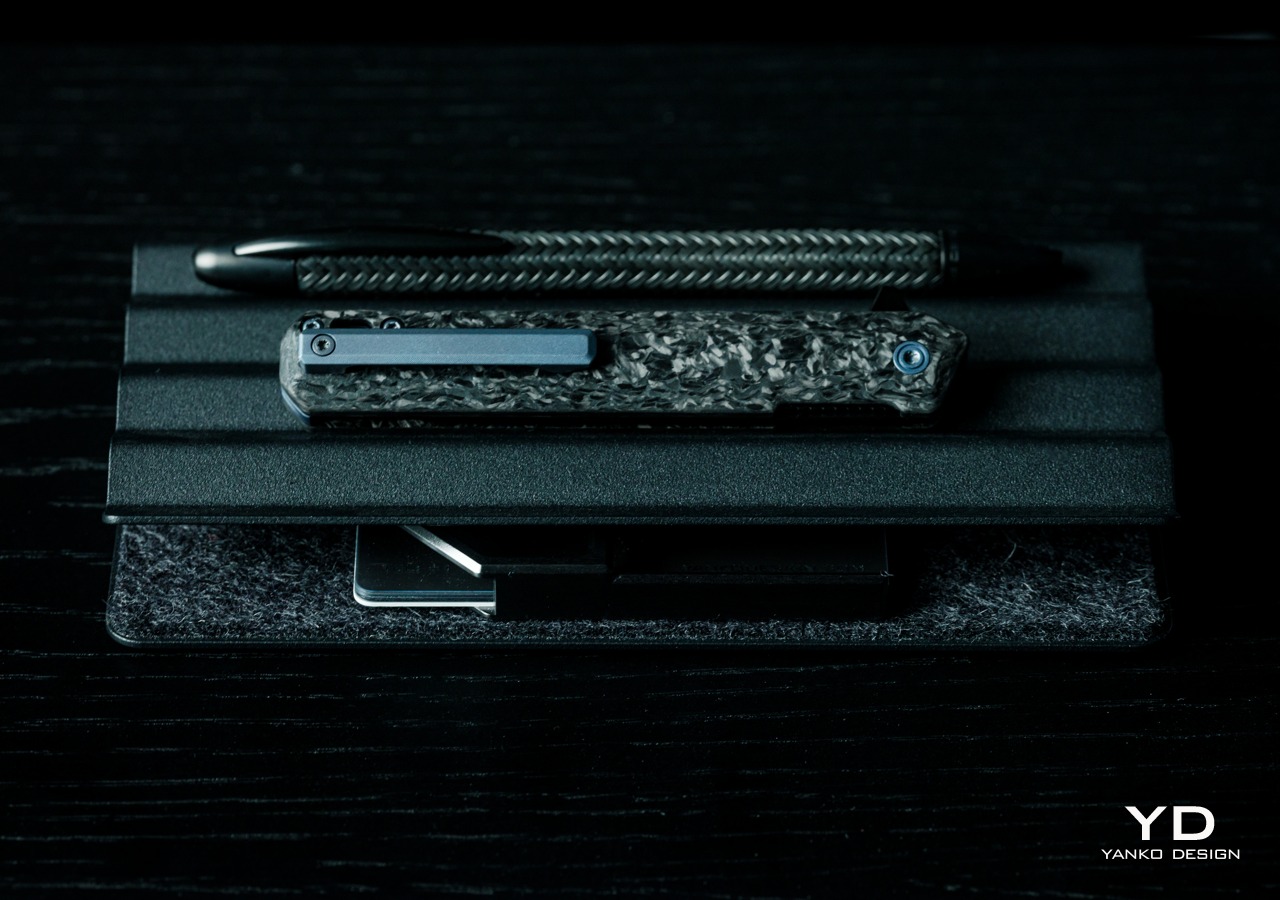
Calling the Tekto F2 Bravo a tactical knife might be a little bit confusing, though depending on the exact variant you’re going for, it does fit the bill in terms of looks. The Forged Carbon with Blue Accents that we have for this review does have that camo-like appearance to the handle, but that’s pretty much the extent of the association with tactical gear. Because at the end of the day, the F2 Bravo is a handsome tool that carries both finesse as well as strength in its appearance alone.

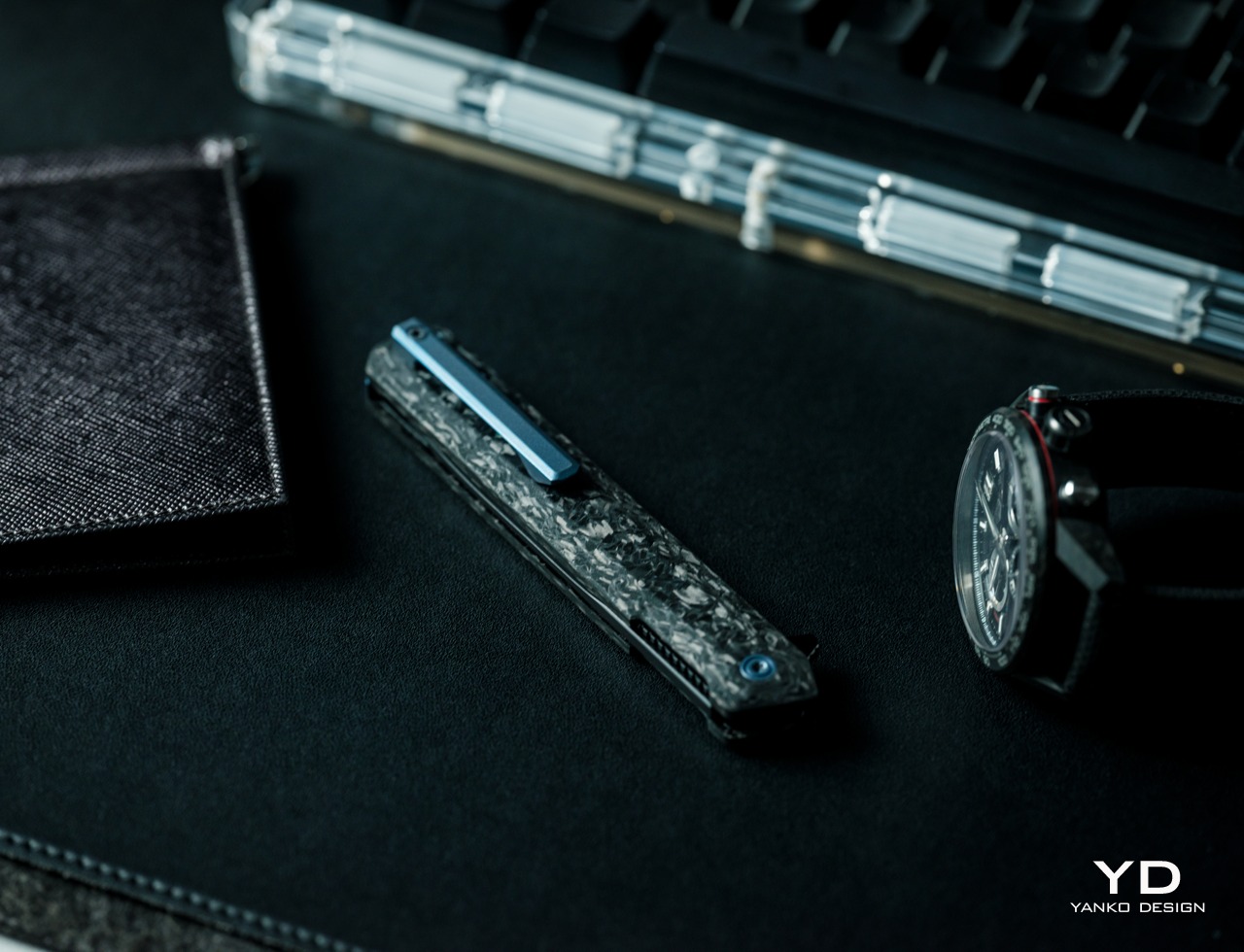
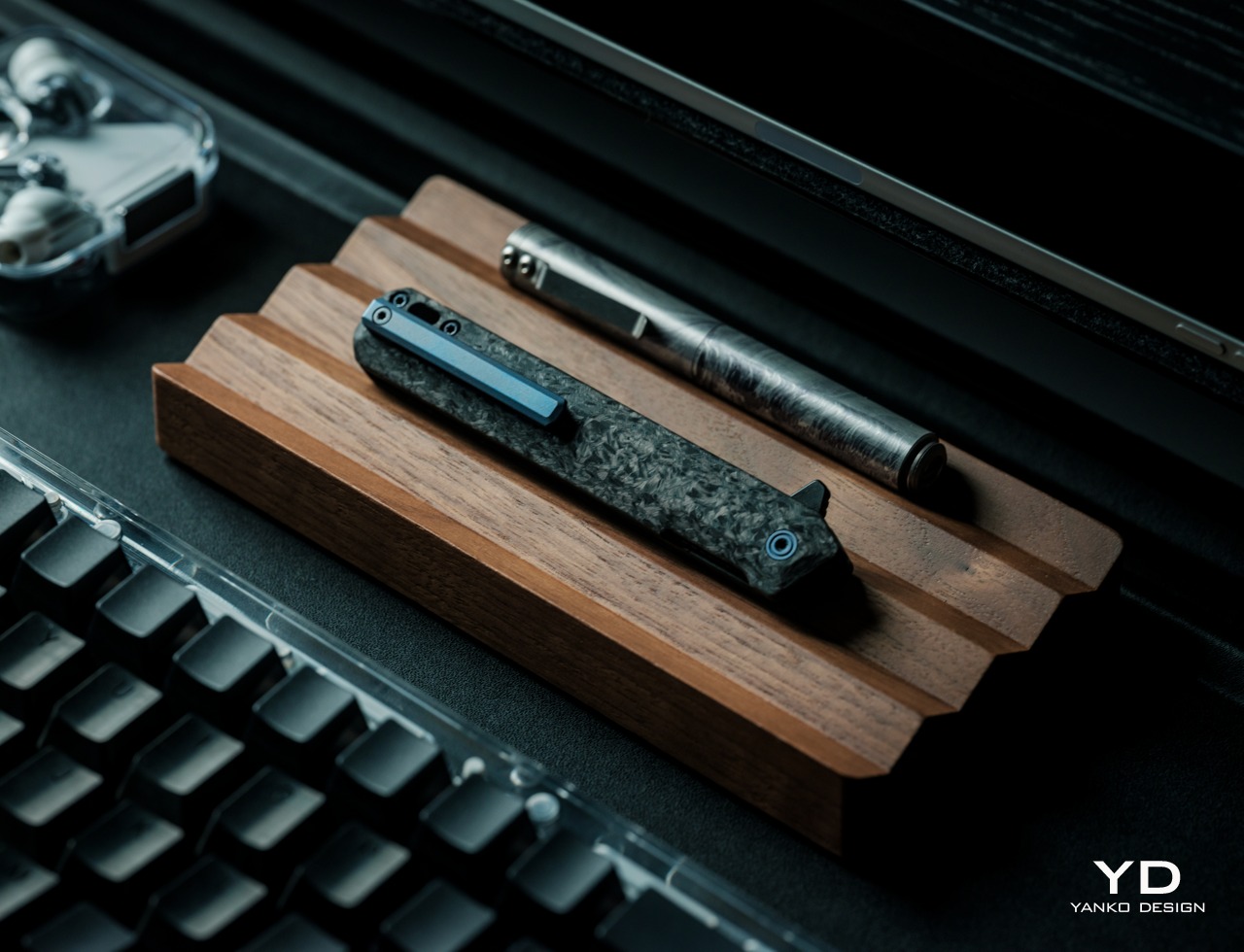
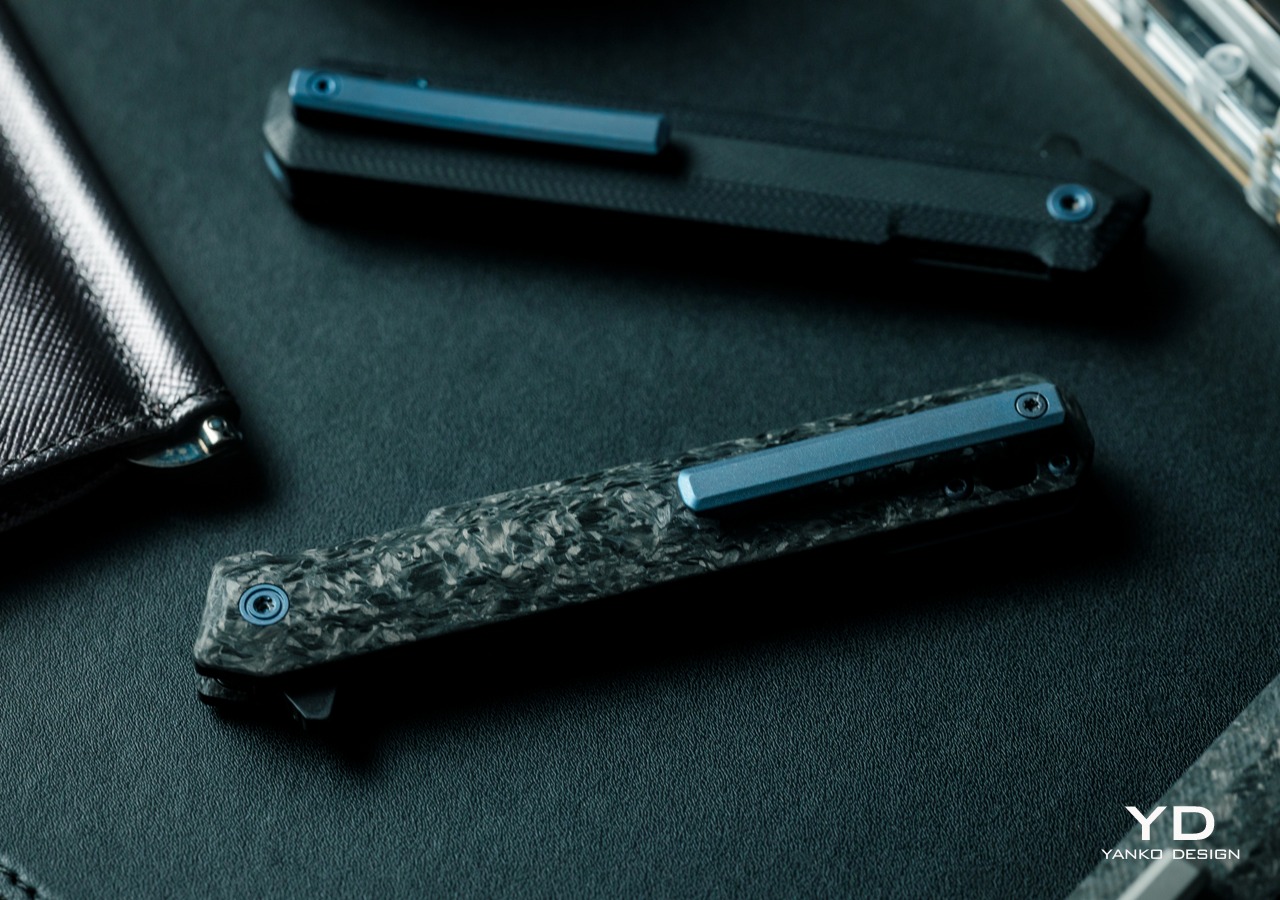
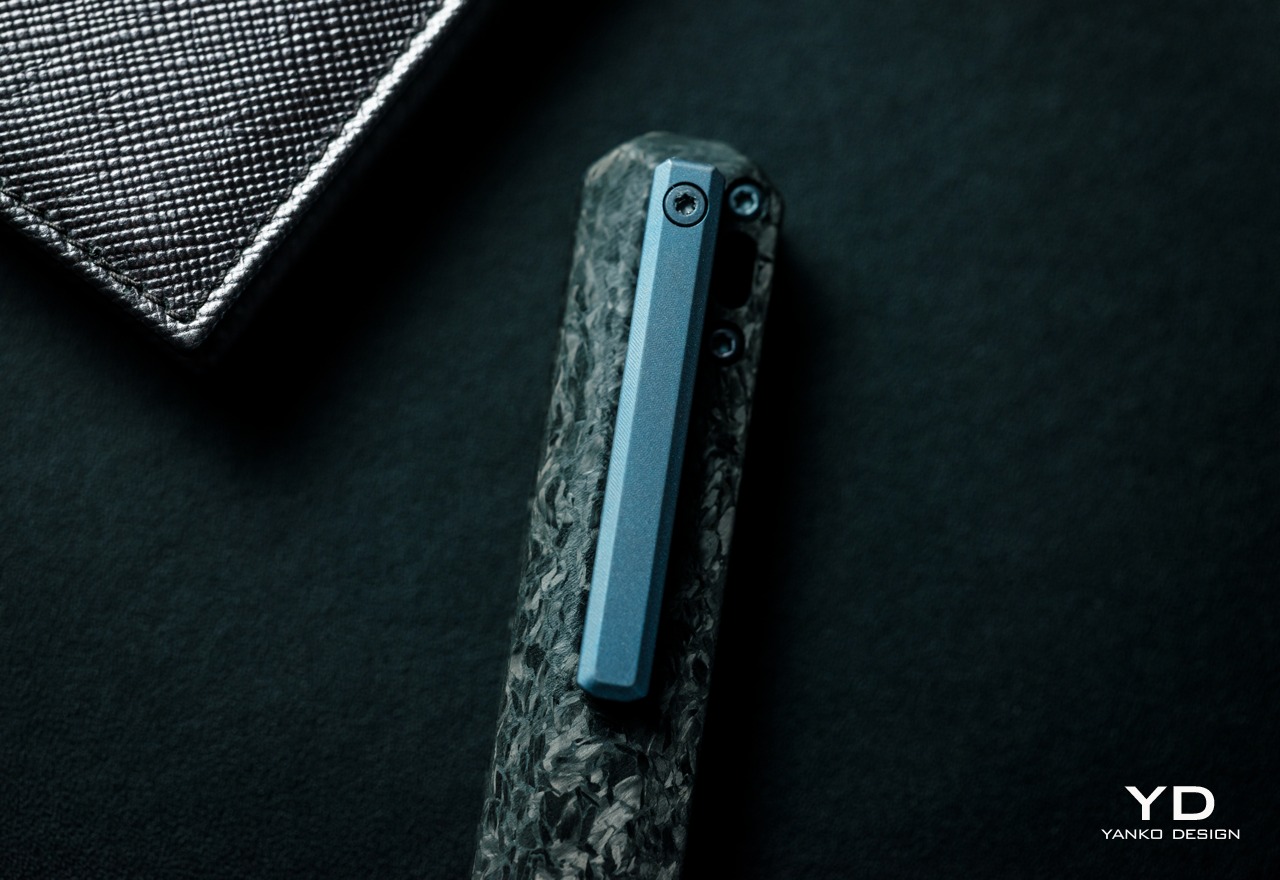
Unlike what you might think of tactical knives or folding pocket knives in general, the Tekto F2 Bravo uses straight, clean lines to portray an image of sharpness and simplicity. The handle itself has a simple and straight structure that avoids excessive curves and embellishments that only get in the way of the knife’s utility. Titanium accents used for the custom pivot, machined clip, and milled spacer add a premium quality to the knife, again an unexpected trait for something labeled as a tactical tool.

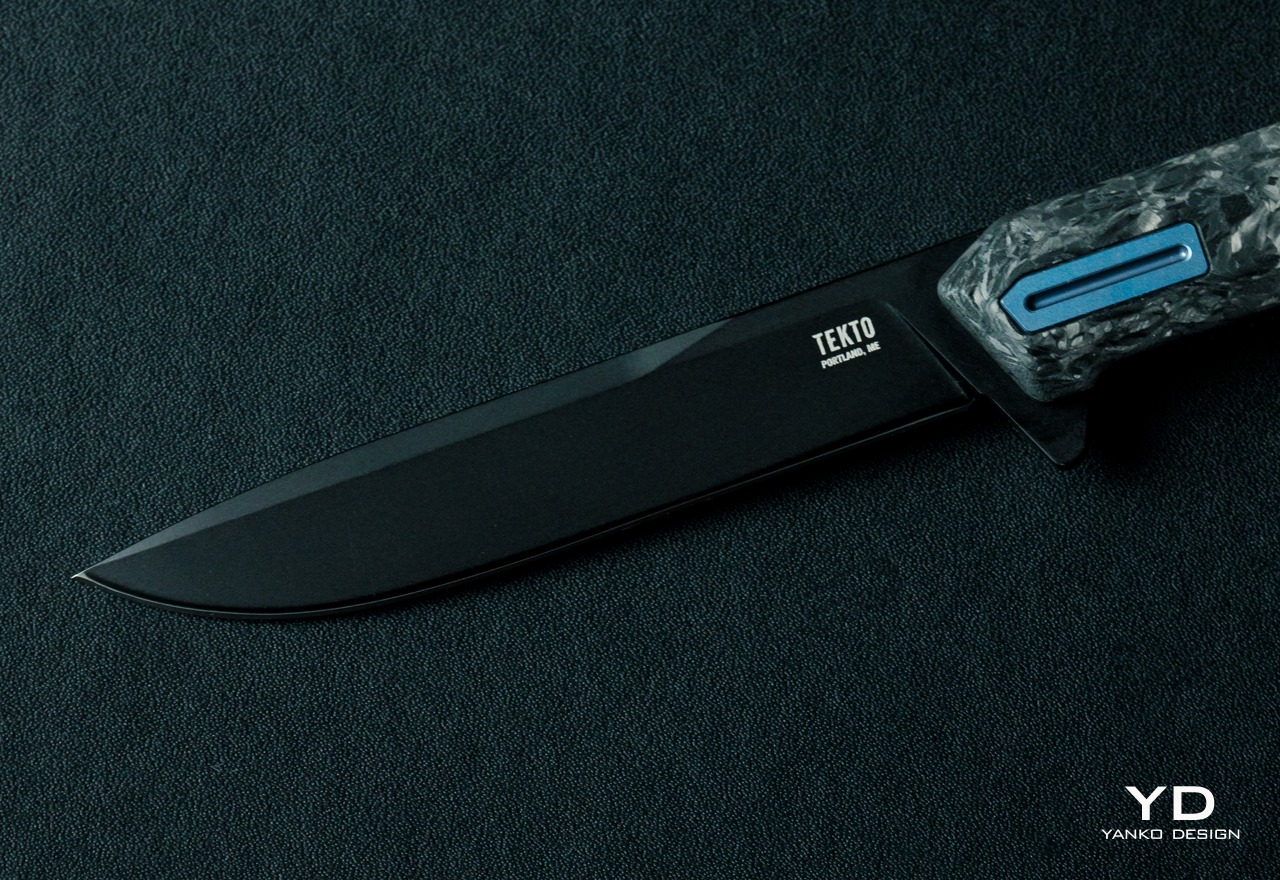
Even the blade, made from durable D2 steel, is a cut above the rest, pun intended. While most EDC knives prefer to show off their flashy blades with shiny silver, the F2 Bravo prefers a dark, black titanium coating. It gives the knife a distinctive appearance that is cold yet also precise, perfectly complementing whatever color the handle has. While it does catch your attention, it doesn’t distract you from the task at hand without a shiny surface to reflect light or the surface of what you’re cutting through.

With its slim profile, simple geometrical shape, and handsome looks, the Tekto F2 Bravo definitely stands above other EDC knives. It’s neither flashy nor flimsy, perfectly balancing aesthetics and a solid feel that we’ll get to in a bit.

Ergonomics

Just like its comparatively small size, the F2 Bravo is also surprisingly lightweight at only 2.04oz (68g). That’s not an insignificant number, considering this knife will take up space in small EDC bags or even pockets. For the latter, there’s a deep-carry titanium clip that makes it easy to secure in pants or shirts. That clip, unfortunately, is also one of the very few flaws in this knife’s design. You can’t remove the clip to switch it to the other side, unlike Tekto’s other ambidextrous clips. It’s not a deal-breaker definitely, but it’s something that buyers might want to consider when it comes to their comfort.

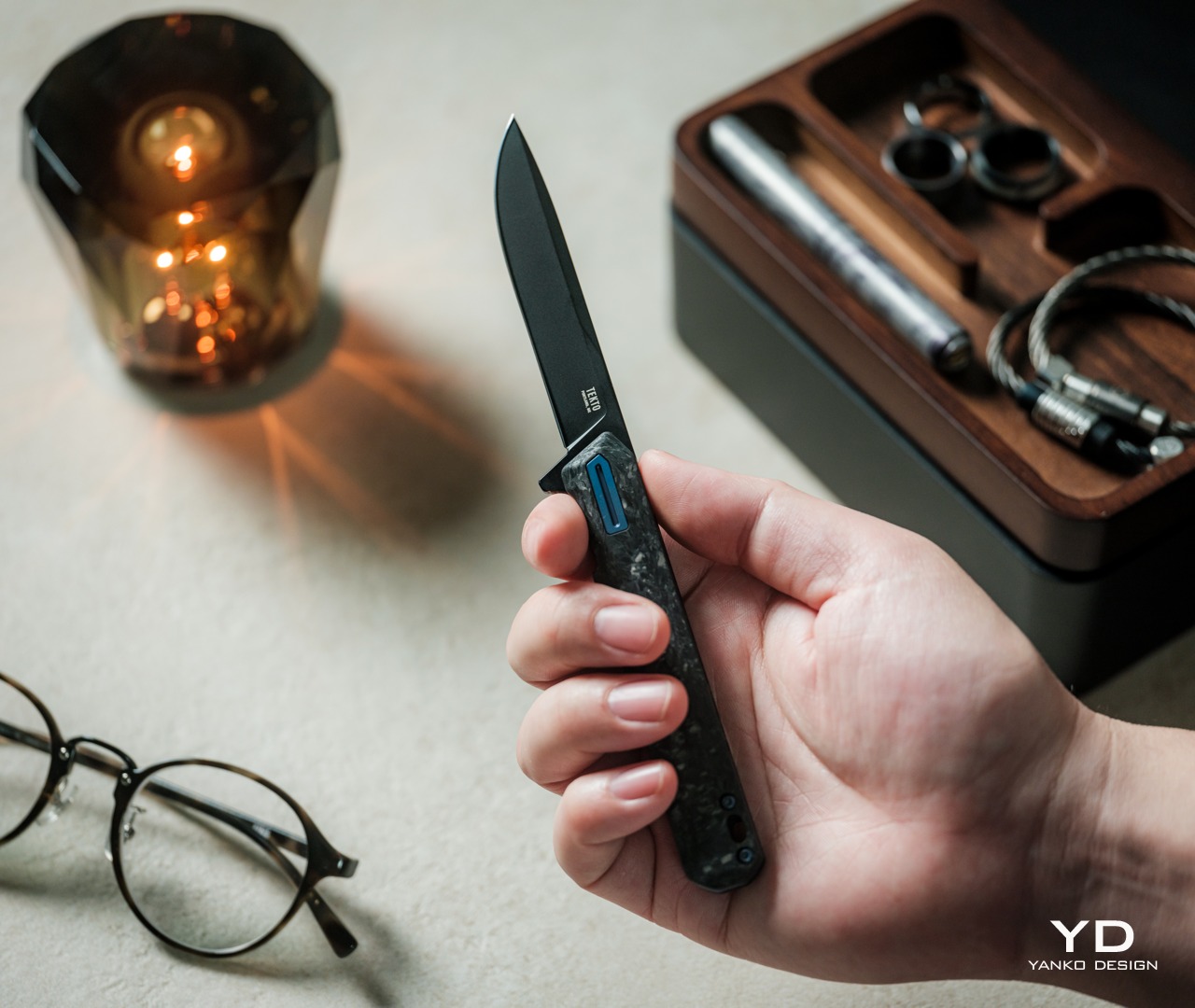
Despite its lightweight body, the knife still feels solid in your hand, especially when you deploy and close the blade. The one thing you might want to take note of is the size and shape of the handle. Unlike some of those more rugged knives, the F2 Bravo’s body doesn’t have specialized nooks and crannies to rest your fingers, except for the front guard for your index finger and jimping for the thumb. Some larger hands might even find the handle too small for a secure hold, and they might find themselves gripping it more forcefully and experiencing strain over time.

In most cases, however, the Tekto F2 Bravo offers a design that gives you confidence every time you grip the handle and deploy the blade. Exactly what you need for a sharp, cutting tool

Performance

The F2 Bravo’s fine edge drop point blade is quite a beast. It easily cuts through paper, cardboard, fabric, ropes, and other materials you might meet in your day-to-day travels. Given its size and purpose, it’s not fit for heavy-duty work, especially if you need some tooth to saw through harder materials. Then again, it’s an EDC knife more than an actual outdoor “tactical” blade, an aspect that might cause some confusion due to the name chosen by Tekto’s marketing.

Ceramic Ball Bearings – Enables quick and smooth blade deployment.

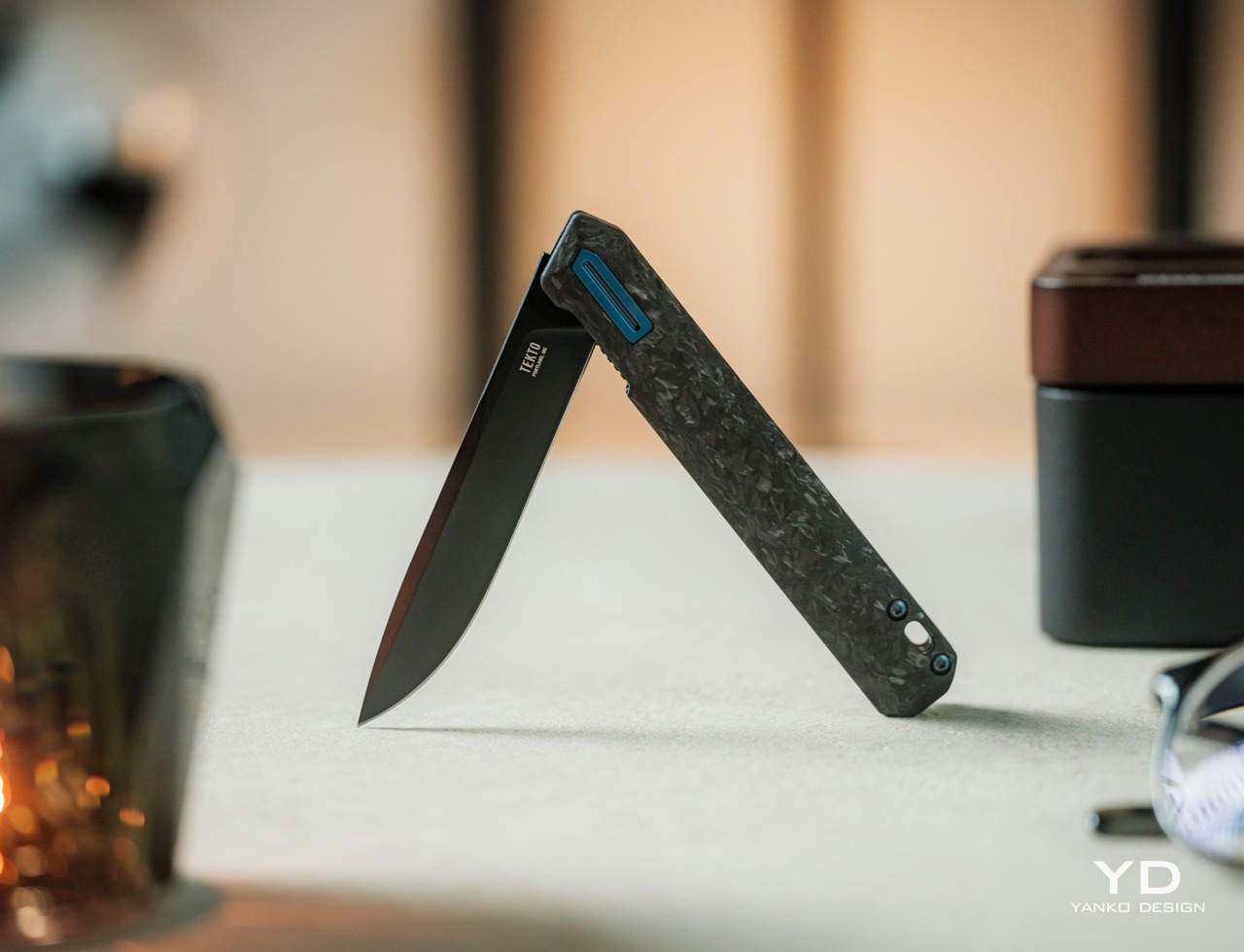
A sharp blade, however, is pointless if you can’t get it out of its hiding place fast enough and with little difficulty, and this is where the F2 Bravo really shines the brightest. It uses a ceramic ball bearing mechanism to rapidly and smoothly deploy the blade, and it definitely works as advertised. The action is smooth and the trigger is easy, giving you a satisfying feeling each and every time you make the blade spring into action. It might sound like a simple thing, but you shouldn’t underestimate the feeling of fulfillment from using a tool that not only works well but also gives you joy.

In addition to its rapid deployment, the F2 Bravo also delivers much-needed safety so that you can confidently slip it in your EDC bag or even your pocket. The discreet liner lock gives all the assurance you need that the sharp blade won’t just accidentally deploy or fold at the slightest pressure. At the same time, the strategically placed jimping makes it just as stable to close the blade when you’re done with your task. More than just its handsome looks, every part of the Tekto F2 Bravo is designed to provide maximum comfort without sacrificing its cutting performance.

Sustainability

For a tool that will most likely be used for rough purposes, it’s only reasonable to expect the Tekto F2 Bravo to be made to last. It uses plenty of durable materials, primarily Forged Carbon and D2 steel, that provide longevity while also making the folding knife lightweight and comfortable to hold. And thanks to its premium design, it uses very little plastic materials, making the knife inherently sustainable.

Sooner or later, however, the knife will meet some mishap that can’t be solved simply by sharpening the blade. Unfortunately, the F2 Bravo isn’t made to be easily repairable, at least not by untrained hands. The good news is that for most damages, Tekto accepts repairs or refurbishing, though you’ll have to ship the knife back to them. That said, you can replace lost screws on your own, but you’ll have to contact Tekto to get official replacement parts. Given that Tekto has a very responsive in-house customer service center, which responds within hours and usually ships parts on the same day, getting a replacement part should be a relatively quick and painless process.

Value

There are many pocket knives presenting themselves as EDC-friendly, but most of them fall under two categories. There are larger knives that are clearly made for outdoor use, and there are smaller knives that feel like they’ll break even before you finish cutting. The Tekto F2 Bravo proudly stands somewhere in the middle, with a tactical guise that speaks to its durability and performance, all while keeping a stylish and elegant design. It’s almost the perfect EDC knife, but there are a few things you’ll want to consider before committing to buying one.

The first is that it’s not a “one size fits all” affair and larger hands might find the knife a bit uncomfortable to hold for long periods of time. It’s also not the most affordable option of its kind, give or take around $140, depending on sales or discounts. That said, you do get a quality product that looks handsome in any EDC toolbox, so if you’re the type that needs to cut or slice a lot, the Tekto F2 Bravo definitely pays for itself in the long run.

Verdict

Something billed as a “tactical” knife is probably something you’d never consider for your EDC collection. It conjures up images of rugged or militaristic tools, probably more than you’ll ever want or need for everyday use. Fortunately, that’s really just a marketing strategy, because the Tekto F2 Bravo is anything but bulky and menacing.

It has a simple yet elegant design that belies the power it hides within, literally. Its lightweight yet durable Forged Carbon body makes it a pleasure to hold, while the black titanium-coated D2 steel blade looks as cool and sharp as it really is. Ceramic ball bearings make deployment swift and smooth, while the liner lock provides the confidence you need in every cut. With its handsome looks, a sharp blade, and a satisfying deployment mechanism, the Tekto F2 Bravo easily carves a place for itself in any EDC.

Click Here to Buy Now: $127.50 $149.99 (15% off with coupon code “YANKO”). Hurry, deal ends in 48-hours! Fedex 2 day shipping to all USA orders for free.

The post Tekto F2 Bravo EDC Folding Knife Review: Sharp, Stylish, Satisfying first appeared on Yanko Design.

Tekto F2 Bravo EDC Folding Knife Review: Sharp, Stylish, Satisfying

PROS:


  • Handsome design exudes both style and strength

  • Black D2 steel blade is gorgeous and sharp

  • Ceramic ball bearings deliver smooth and satisfying deployment

CONS:


  • Pocket clip can't be moved for ambidextrous use

  • Straight handle might feel too slim for a solid grip

RATINGS:

AESTHETICS
ERGONOMICS
PERFORMANCE
SUSTAINABILITY / REPAIRABILITY
VALUE FOR MONEY

EDITOR'S QUOTE:

With its handsome looks, a sharp blade, and a satisfying deployment mechanism, the Tekto F2 Bravo easily carves a place for itself in any EDC.

The EDC or Everyday Carry trend has been around for quite a while and there’s no sign of it slowing down anytime soon. Just like with paper notebooks and organizers, each collection of items and tools uniquely reflects the characters that own them. Some have simple packs filled with analog writing tools while others go fully digital with the latest gadgets and accessories. Still, some have an EDC that’s ready to face any task or problem, which sometimes involves cutting or slicing things. There might be a few who are hesitant to add a knife to their kit because most of the designs that can fit in an EDC often look like they’re geared for battle. Tekto has been making a few “tactical” knives designed to cater to this market, so we give the Forged Carbon version of its F2 Bravo folding knife a few flips to see if it makes the cut.

Designer: Tekto

Click Here to Buy Now: $127.50 $149.99 (15% off with coupon code “YANKO”). Hurry, deal ends in 48-hours! Fedex 2 day shipping to all USA orders for free.

Aesthetics

Calling the Tekto F2 Bravo a tactical knife might be a little bit confusing, though depending on the exact variant you’re going for, it does fit the bill in terms of looks. The Forged Carbon with Blue Accents that we have for this review does have that camo-like appearance to the handle, but that’s pretty much the extent of the association with tactical gear. Because at the end of the day, the F2 Bravo is a handsome tool that carries both finesse as well as strength in its appearance alone.

Unlike what you might think of tactical knives or folding pocket knives in general, the Tekto F2 Bravo uses straight, clean lines to portray an image of sharpness and simplicity. The handle itself has a simple and straight structure that avoids excessive curves and embellishments that only get in the way of the knife’s utility. Titanium accents used for the custom pivot, machined clip, and milled spacer add a premium quality to the knife, again an unexpected trait for something labeled as a tactical tool.

Even the blade, made from durable D2 steel, is a cut above the rest, pun intended. While most EDC knives prefer to show off their flashy blades with shiny silver, the F2 Bravo prefers a dark, black titanium coating. It gives the knife a distinctive appearance that is cold yet also precise, perfectly complementing whatever color the handle has. While it does catch your attention, it doesn’t distract you from the task at hand without a shiny surface to reflect light or the surface of what you’re cutting through.

With its slim profile, simple geometrical shape, and handsome looks, the Tekto F2 Bravo definitely stands above other EDC knives. It’s neither flashy nor flimsy, perfectly balancing aesthetics and a solid feel that we’ll get to in a bit.

Ergonomics

Just like its comparatively small size, the F2 Bravo is also surprisingly lightweight at only 2.04oz (68g). That’s not an insignificant number, considering this knife will take up space in small EDC bags or even pockets. For the latter, there’s a deep-carry titanium clip that makes it easy to secure in pants or shirts. That clip, unfortunately, is also one of the very few flaws in this knife’s design. You can’t remove the clip to switch it to the other side, unlike Tekto’s other ambidextrous clips. It’s not a deal-breaker definitely, but it’s something that buyers might want to consider when it comes to their comfort.

Despite its lightweight body, the knife still feels solid in your hand, especially when you deploy and close the blade. The one thing you might want to take note of is the size and shape of the handle. Unlike some of those more rugged knives, the F2 Bravo’s body doesn’t have specialized nooks and crannies to rest your fingers, except for the front guard for your index finger and jimping for the thumb. Some larger hands might even find the handle too small for a secure hold, and they might find themselves gripping it more forcefully and experiencing strain over time.

In most cases, however, the Tekto F2 Bravo offers a design that gives you confidence every time you grip the handle and deploy the blade. Exactly what you need for a sharp, cutting tool

Performance

The F2 Bravo’s fine edge drop point blade is quite a beast. It easily cuts through paper, cardboard, fabric, ropes, and other materials you might meet in your day-to-day travels. Given its size and purpose, it’s not fit for heavy-duty work, especially if you need some tooth to saw through harder materials. Then again, it’s an EDC knife more than an actual outdoor “tactical” blade, an aspect that might cause some confusion due to the name chosen by Tekto’s marketing.

Ceramic Ball Bearings – Enables quick and smooth blade deployment.

A sharp blade, however, is pointless if you can’t get it out of its hiding place fast enough and with little difficulty, and this is where the F2 Bravo really shines the brightest. It uses a ceramic ball bearing mechanism to rapidly and smoothly deploy the blade, and it definitely works as advertised. The action is smooth and the trigger is easy, giving you a satisfying feeling each and every time you make the blade spring into action. It might sound like a simple thing, but you shouldn’t underestimate the feeling of fulfillment from using a tool that not only works well but also gives you joy.

In addition to its rapid deployment, the F2 Bravo also delivers much-needed safety so that you can confidently slip it in your EDC bag or even your pocket. The discreet liner lock gives all the assurance you need that the sharp blade won’t just accidentally deploy or fold at the slightest pressure. At the same time, the strategically placed jimping makes it just as stable to close the blade when you’re done with your task. More than just its handsome looks, every part of the Tekto F2 Bravo is designed to provide maximum comfort without sacrificing its cutting performance.

Sustainability

For a tool that will most likely be used for rough purposes, it’s only reasonable to expect the Tekto F2 Bravo to be made to last. It uses plenty of durable materials, primarily Forged Carbon and D2 steel, that provide longevity while also making the folding knife lightweight and comfortable to hold. And thanks to its premium design, it uses very little plastic materials, making the knife inherently sustainable.

Sooner or later, however, the knife will meet some mishap that can’t be solved simply by sharpening the blade. Unfortunately, the F2 Bravo isn’t made to be easily repairable, at least not by untrained hands. The good news is that for most damages, Tekto accepts repairs or refurbishing, though you’ll have to ship the knife back to them. That said, you can replace lost screws on your own, but you’ll have to contact Tekto to get official replacement parts. Given that Tekto has a very responsive in-house customer service center, which responds within hours and usually ships parts on the same day, getting a replacement part should be a relatively quick and painless process.

Value

There are many pocket knives presenting themselves as EDC-friendly, but most of them fall under two categories. There are larger knives that are clearly made for outdoor use, and there are smaller knives that feel like they’ll break even before you finish cutting. The Tekto F2 Bravo proudly stands somewhere in the middle, with a tactical guise that speaks to its durability and performance, all while keeping a stylish and elegant design. It’s almost the perfect EDC knife, but there are a few things you’ll want to consider before committing to buying one.
The first is that it’s not a “one size fits all” affair and larger hands might find the knife a bit uncomfortable to hold for long periods of time. It’s also not the most affordable option of its kind, give or take around $140, depending on sales or discounts. That said, you do get a quality product that looks handsome in any EDC toolbox, so if you’re the type that needs to cut or slice a lot, the Tekto F2 Bravo definitely pays for itself in the long run.
Verdict

Something billed as a “tactical” knife is probably something you’d never consider for your EDC collection. It conjures up images of rugged or militaristic tools, probably more than you’ll ever want or need for everyday use. Fortunately, that’s really just a marketing strategy, because the Tekto F2 Bravo is anything but bulky and menacing.
It has a simple yet elegant design that belies the power it hides within, literally. Its lightweight yet durable Forged Carbon body makes it a pleasure to hold, while the black titanium-coated D2 steel blade looks as cool and sharp as it really is. Ceramic ball bearings make deployment swift and smooth, while the liner lock provides the confidence you need in every cut. With its handsome looks, a sharp blade, and a satisfying deployment mechanism, the Tekto F2 Bravo easily carves a place for itself in any EDC.

Click Here to Buy Now: $127.50 $149.99 (15% off with coupon code “YANKO”). Hurry, deal ends in 48-hours! Fedex 2 day shipping to all USA orders for free.

The post Tekto F2 Bravo EDC Folding Knife Review: Sharp, Stylish, Satisfying first appeared on Yanko Design.