The Federal Trade Commission has published a report that aims to warn people about Bitcoin ATM (or BTM) scams, which have apparently increased tenfold from 2020 to 2023. Americans had lost $65 million to fraud losses involving BTMs within the first six months of this year alone, and the actual amount may be a lot more than that, since most scams go unreported. Further, losses due to BTM scams have been exceptionally high, with people reporting a median loss of $10,000 over the past six months.
In most of the BTM scams reported, the bad actors impersonated government and business entities, as well as tech support representatives. Almost half of the instances reported started with a phone call, though some victims were fooled by fake security warnings from online ads, pop-ups and emails from scammers pretending to be from Microsoft or Apple.
Some scammers pretend to be government agents or employees from utility providers, for instance, and tell people that they have to settle their bills by paying through a nearby BTM. Others pretend to be feds or bank agents and scare would-be victims into believing that their accounts are being targeted by hackers, so they have to transfer their money to a "secure account." Those are just some examples of how the bad actors can fool their victims.
According to the commission's warning, scammers tend to send their targets to specific BTM locations, showing that they prefer some operators over others. Those preferences have changed over time, though, likely due to the fraud prevention measures crypto companies introduce to their systems. Whatever operator the scammer chooses, they send QR codes to their victims, since BTMs typically require depositors to scan one linked to the recipient's account. Those QR codes, of course, send money straight to the scammers' wallets.
As you can guess, most of the BTM scam victims are older people. The FTC says $46 million of the total losses involving BTMs in the first half of 2024 — that's 71 percent of the overall amount — came from people over 60. If you take BTMs out of the equation, most of the losses from cryptocurrency fraud were reported by people between 18 and 59 years old who fell victim to fake investment opportunities.
If you have an older person in your life, it's best to warn them about potential BTM scams before they get targeted, because recovering the money they lose from these schemes would most likely be impossible. In addition, it may be time for all BTM operators, as well as the supermarkets, convenience stores and other locations where the machines are installed, to post warnings next to BTMs about these scams.
This article originally appeared on Engadget at https://www.engadget.com/cybersecurity/bitcoin-atm-scams-have-cost-americans-over-10-million-per-month-this-year-140031675.html?src=rss
Microsoft has been working on improving small-screen and touchscreen input, focusing on making it more accessible to Windows handheld console users (think the ASUS ROG Ally). Typing with a controller isn’t convenient, but Microsoft's latest small update introduced a new onscreen keyboard layout that’s a lot easier to use with an Xbox controller, or the controls on a portable gaming PC.
Windows
The new layout isn’t confined to moving cursors and selecting specific keys anymore. For example, the X button can be used to backspace, while the Y button is a space bar. The left trigger opens the symbols and numbers page as well. It’s almost like a mobile keyboard but optimized for Xbox controller usage. Most importantly, all keys are vertically aligned, making navigating the keyboard easier.
The target users for this change include Windows-powered handheld users and PC gamers who prefer to stick to an Xbox controller while playing games. This latest update follows another change Microsoft made a few weeks ago that makes the Windows Game Bar easier to use on handhelds.
This article originally appeared on Engadget at https://www.engadget.com/gaming/pc/microsoft-is-testing-a-new-on-screen-keyboard-layout-that-works-better-with-game-controllers-135058122.html?src=rss
According to Microsoft, it's time for the "next phase of Copilot innovation." On September 16, the company is live streaming an event called Microsoft 365 Copilot: Wave 2. Microsoft's CEO Satya Nadella and corporate vice president of AI at work, Jared Spataro, will host the event on LinkedIn (It is "your AI assistant for work," so it's a fitting platform). The stream starts at 8 AM PT/11 AM ET and is available here.
Spataro first announced Microsoft 365 Copilot in early 2023 to create responses, draft presentations, and break down data — to name a few of its uses. In the year and a half since, CoPilot has folded in Microsoft's chatbot Bing and expanded to serve entire teams, generate images, and reference multiple documents when it writes. It currently costs $360 annually per user.
This article originally appeared on Engadget at https://www.engadget.com/ai/microsoft-is-sharing-copilots-next-phase-in-a-september-16-livestream-134451868.html?src=rss
Enhancing Business Operations with AI Tools Integrated into Notion Integrating AI tools with Notion can significantly enhance your business operations by streamlining processes, automating tasks, and providing valuable insights. By leveraging the power of artificial intelligence, you can optimize various aspects of your business, from content creation to meeting management. The awesome video from Daniel […]
Noble, a leader in the design and development of universal and custom in-ear monitors, has announced its first-ever over-ear Noble headphone model, the FoKus Apollo. This groundbreaking product is the world’s first to feature a dynamic driver and planar magnetic driver hybrid speaker arrangement. This unique combination promises an audio experience like no other, blending […]
My nighttime, dim lamp is just out of reach from my bed, forcing me to get up every night just as I've gotten cozy and turn it off. I finally need to pull the trigger and get smart plugs. Thankfully, our favorite smart plug, the Kasa Smart Plug Mini EP25, is currently on sale with a four-pack costing $35, down from $50 — a solid $15 savings. The deal comes courtesy of a 22 percent discount and a $4 coupon you can tack on (just remember to click it). It's only $2 more than the four-pack's all-time low price on Prime Day.
The Kasa Smart Plug Mini EP25 is our top choice thanks to its reliability and fuss-free setup. The plug connects to Wi-Fi and works with iOS and Android devices, letting you access assistant support from Siri, Google Assistant, Alexa and Samsung SmartThings. The assistants can do tasks like turning your plug on and off. The EP25 also lets you track your device's power consumption and see your real-time energy usage.
The setup is straightforward for the Kasa Smart Plug Mini EP25. You can choose a name for each plug and designate which room it lives in (so you don't accidentally turn the kitchen lights off on someone). Then, program it to switch on at certain times and enjoy getting to stay in bed while turning the light off down the hall.
This article originally appeared on Engadget at https://www.engadget.com/deals/our-favorite-smart-plug-drops-to-only-35-for-a-four-pack-131535200.html?src=rss
The Apple Watch is more than just a timepiece; it’s a powerful tool that can streamline your daily life with its wide array of practical features. From browsing the web to tracking your sleep, the Apple Watch offers a host of functionalities that make it an indispensable companion. In the video below, HotshotTek explores 15 essential […]
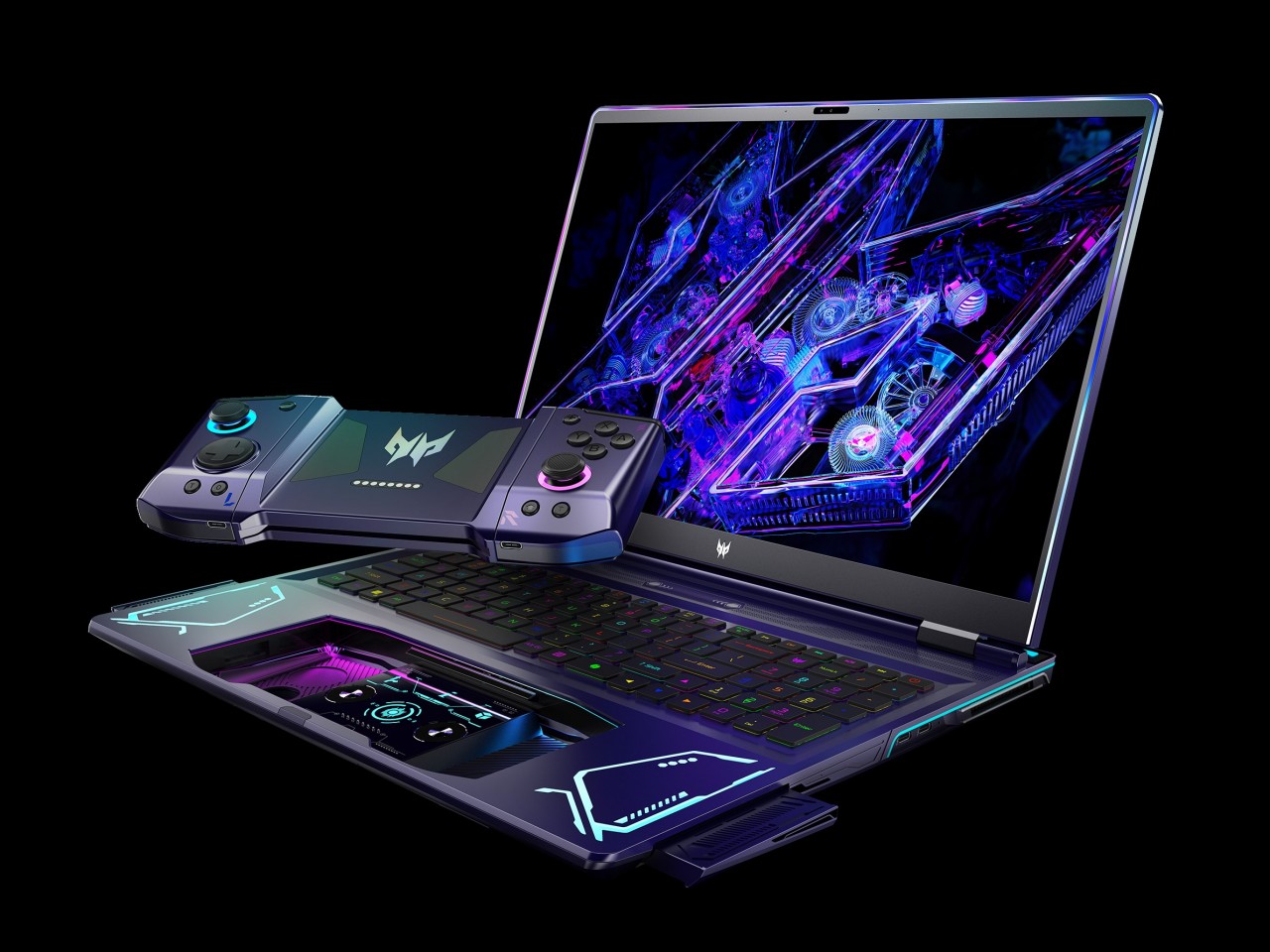
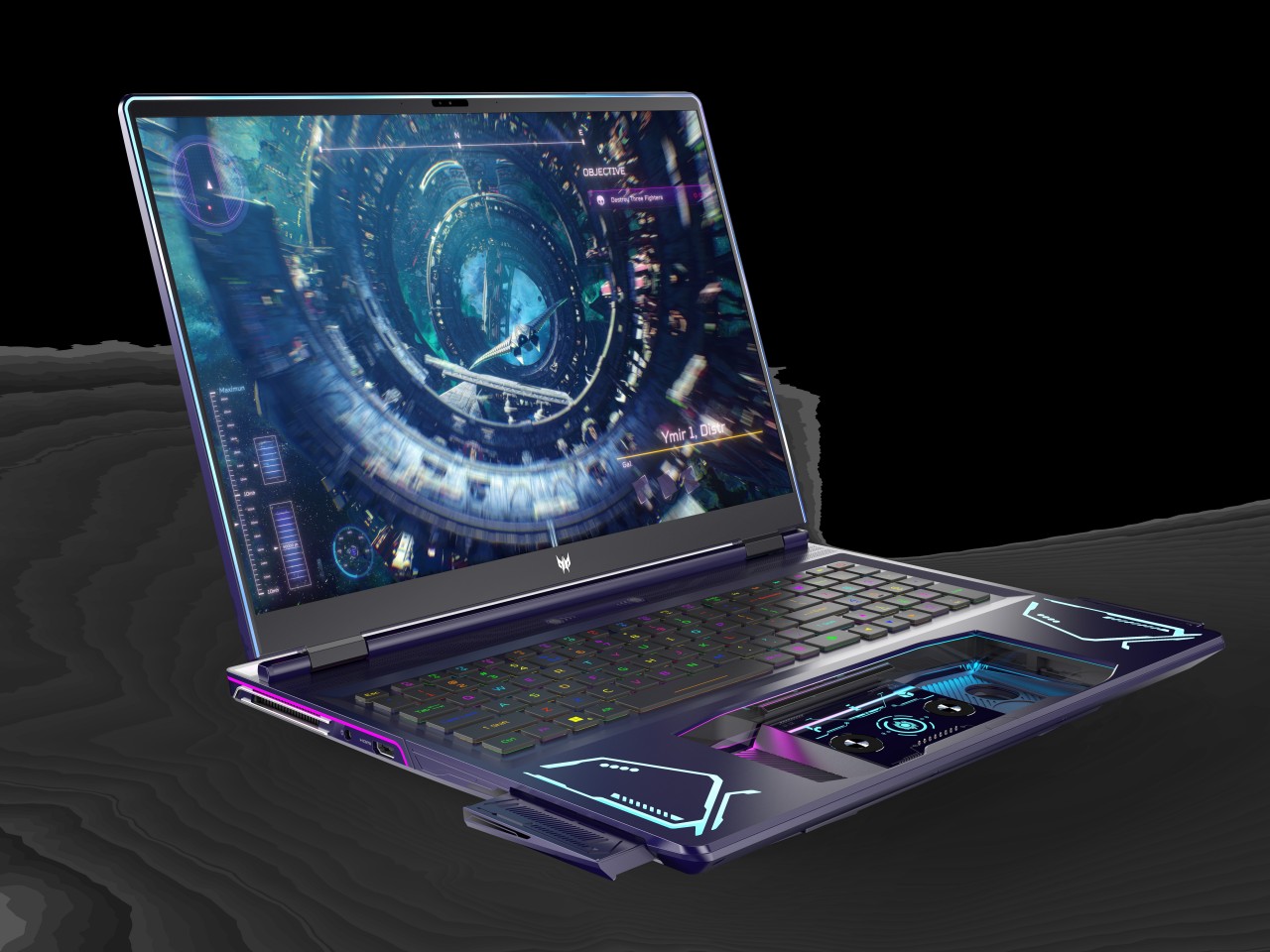
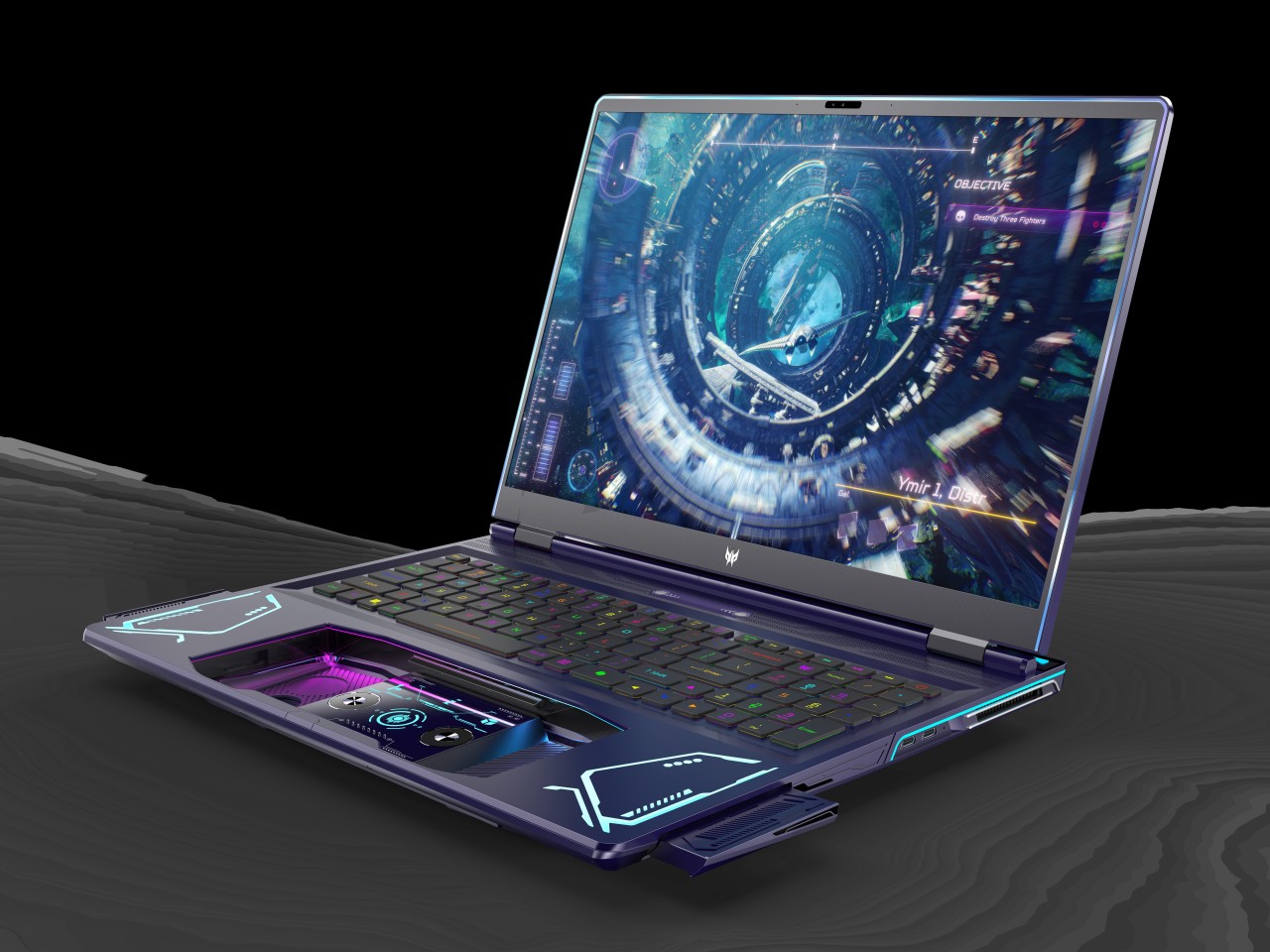
PC gaming has experienced a huge boost thanks to the advent of handheld gaming PCs like the Steam Deck, the ASUS ROG Ally, and the Lenovo Legion Go. But while these offer a more mobile gaming experience, they still pale in comparison to dedicated gaming laptops when it comes to performance, battery life, and heat management. Gaming laptops have been around for years, of course, but they, too, are experiencing a renaissance, whether they’re becoming slimmer and sleeker or, in this case, taking on a completely different design. Rather than completely overhauling the laptop or even doing away with it, the Acer Project DualPlay concept instead transforms this familiar design into something that adapts to the latest gaming trends, including playing the same game with a friend who’s right beside you.
Designer: Acer
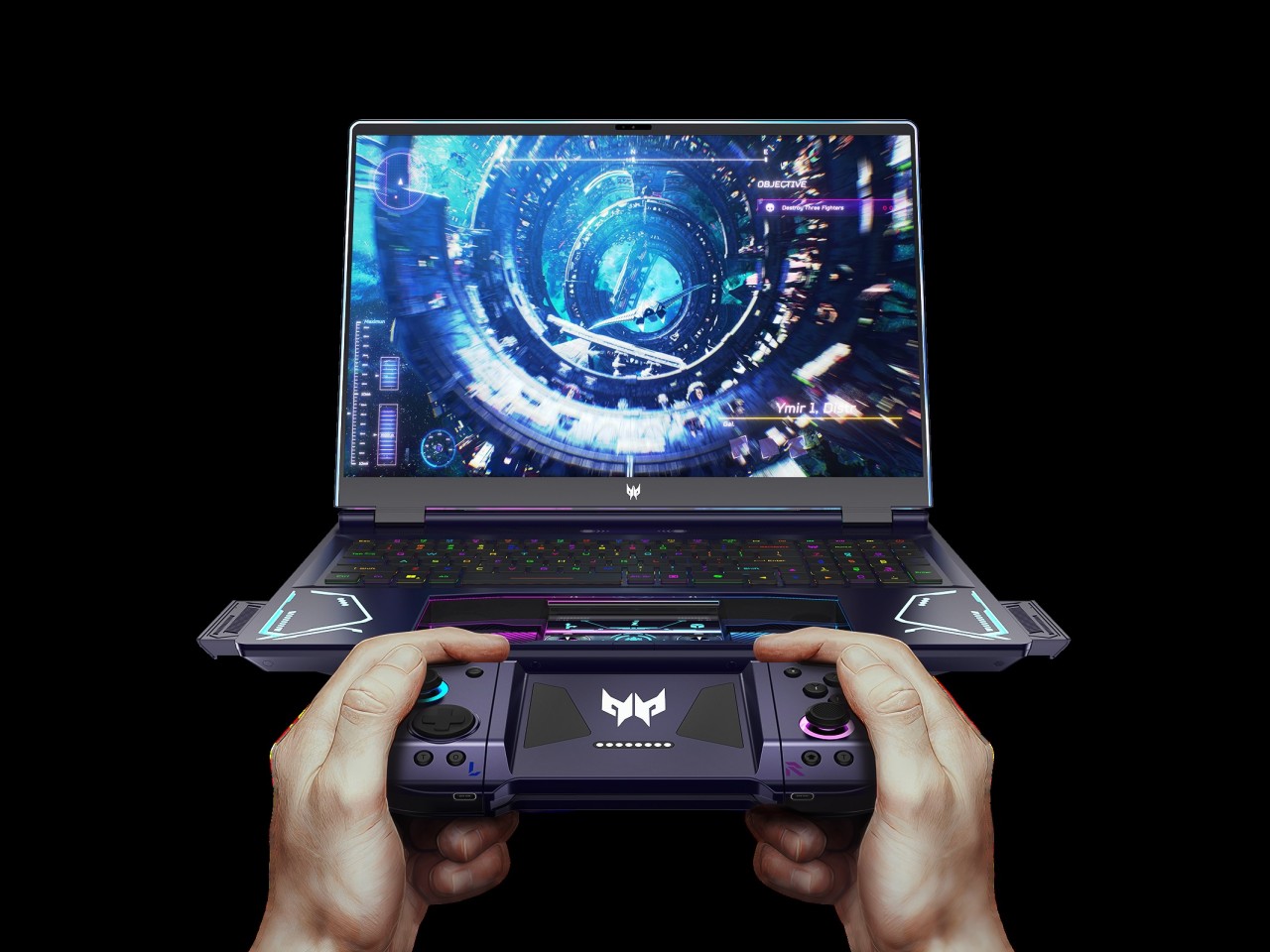
The days when PC and console gaming camps were divided across keyboard or controller lines are long gone. Those on PS5 and Xbox now feel the need to grab a keyboard to communicate with friends, while some PC gamers now swear by gamepads, especially those playing on handheld PCs. The trends may have changed, but the design of gaming laptops has not caught up to this shift, which is why the Acer Project DualPlay concept changes the formula a wee bit by embracing both playing styles in the same device.
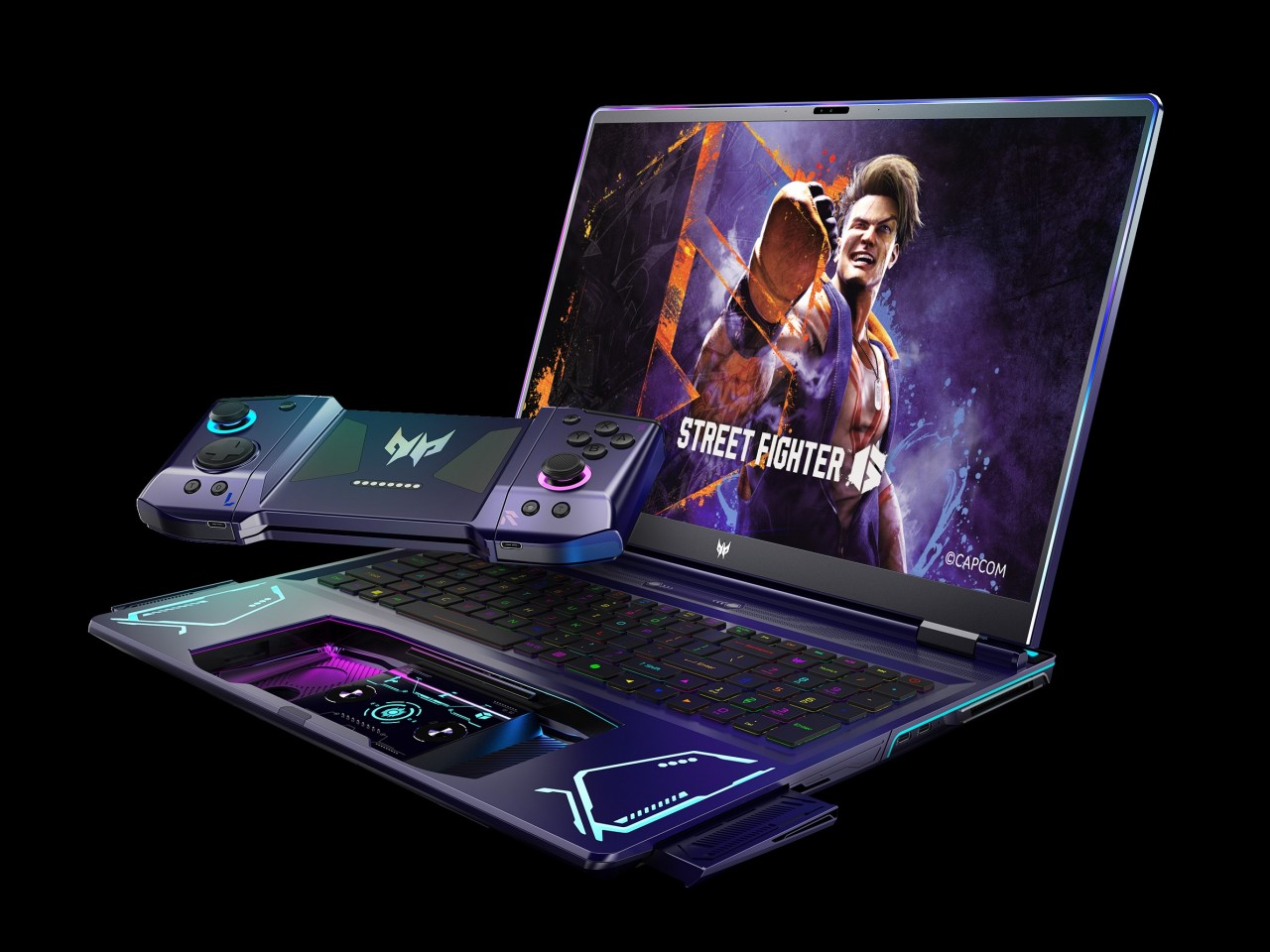
When you press a certain “release” button on top of the keyboard with two fingers, the laptop’s extra-large touchpad pops out and becomes a wireless controller, not unlike those you’d usually connect and bring with you in a separate case or pouch. This dual system lets gamers quickly switch between keyboard and controller without missing a beat and without having to worry about forgetting to bring the controller or having no space for it in the bag.
“DualPlay,” however, has dual meanings here. That detachable controller can actually be separated into two joysticks, not unlike the concept of the Nintendo Switch Joy-con, allowing two people to compete or cooperate in the same game without having to fight over the controls. It brings back the social feeling of playing with someone beside you that home consoles offered, except you’re no longer limited to doing that at home.
The Acer Project DualPlay gaming laptop concept has other surprising features that really take gaming to the next level. Releasing the controller also pops out two high-fidelity 5W speakers from the sides, delivering audio that’s not impeded by desks or other obstacles. There’s also an overabundance of dynamic RGB lighting not only around the keyboard but also around the screen, flanking the detachable controllers, the infinity mirror lighting bar on the back, and even the controller’s joysticks. It definitely looks like a gaming laptop from the future, though it remains to be seen if it is far too ahead of its time as well.
The Legend of Zelda: Echoes of Wisdomfeels like a kindred spirit to the 2019 remake of Link’s Awakening, both in challenge and in vibes. It’s a far cry from the incredibly intricate and complex worlds in Tears of the Kingdom, and while I only played for about 90 minutes (spread over two different parts of the game),I came away from the demo charmed by the gorgeous, tilt-shift art style. Not to mention being quite pleased to finally be playing as Zelda for the first time in the series that bears her damn name. And while plenty of adults will surely enjoy The Legend of Zelda: Echoes of Wisdom, it also feels tailor-made as an entry point for younger players.
We already knew about the art style and playing as Zelda — what was most important about this preview was that I got a chance to see just how Zelda’s “echoes” worked in the game itself. As you’d expect, there’s a gentle tutorial that shows you the ropes. My playthrough started not long into the game, with Zelda imprisoned; my first challenge was finding a way to sneak her out of the dungeon. Fortunately, Zelda is equipped with the Tri Rod, a tool that lets her clone objects and beasts alike. Shimmering objects on the screen can be saved as echoes, the first of which was a humble crate. Once you learn an echo, you can summon it with a tap of a button — but echoes use up power so you can only have a few on the screen at once. Along with the Tri Rod is a little spectral creature Tri who helps you along and indicates how much power you have to make echoes at any given time.
Nintendo
I was surprised at how many random things I could turn into echoes and how useful they ended up being. After learning the crate, I also learned how to create an “old bed” — something that doesn’t provide as much height as the crate, but is long enough to span small chasms. Making three of them on top of each other made for a solid little bridge.
But you can’t fight off enemies with a crate — that’s where learning echoes of monsters comes in. The first bad guy I encountered was defeated by clobbering it with a boulder. But after that, I was able to summon the same gelatinous little bad guy with the Tri Rod and sic him on other enemies. Beating more monsters greatly expands your attacking capabilities. I soon took down a Keese, which I could then use to attack other aerial baddies. I further expanded my arsenal by taking down a spear-throwing Moblin and a powerful knight who has a wicked swing attack.
I’m very much looking forward to seeing what other echoes you can learn throughout the adventure and how you can combine them to bizarre and hilarious effect. For example, I was able to learn an echo for a trampoline, and then drop a Moblin on it and have him bounce up to a higher level in a dungeon to go after enemies up there. I’m sure that there are going to be a ton of wacky and creative ways that people combine echoes, especially as Zelda’s capabilities grow and you’re able to have more on the screen at one time. It’s not nearly as complex as the Ultrahand ability from Tears of the Kingdom, but it does allow players to figure out puzzle solutions in a variety of ways — there won’t always be a “right” way but there may be lots of ways to get the job done.
Nintendo
Zelda also has a “bind” ability, which lets her attach herself to objects that then follow her movements. The example of this shown off in a recent trailer is a great intro to the new power: after grabbing a giant boulder, you can just walk “down” the screen; the boulder follows and is then perched over a chasm that you can drop it into, clearing the path forward. You can also bind yourself to moving objects, like floating platforms, and grab a ride along with them.
Sometimes, though, just relying on echoes to do your dirty work for you won’t be enough. Fortunately, Zelda picks up a crucial new ability in the first dungeon I played: the ability to switch into “swordfighter” mode. To do this, I had to beat up a possessed version of Link, who you might remember as the hero in literally every other Zelda game. Once you defeat this pseudo-link, Zelda is outfitted with a cute shield and sword and can attack enemies head-on. The only catch is that she can only stay in this mode for a limited time. If you run out of power, you’ll need to grab crystals from downed enemies to refresh yourself and switch modes again.
This adds a fun way to get some of the classic Zelda experience in this game, but with a time constraint to make sure players don’t abuse it. Further complicating things is that you can’t use echoes when you’re wielding a sword, so you’ll need to pick your sports. The boss at the end of the Suthorn Ruins dungeon I played through was a great example of how you can use your powers in concert — using echoes and the bind ability, I was able to make the cartoonishly menacing Seismic Talus vulnerable, and then I switched to sword mode and walloped it until I took it down.
Nintendo
While most of my demo took place in the aforementioned dungeon, I was able to explore a relatively small slice of Hyrule. Rest assured, this map is quite different from other versions of Hyrule you’ve explored, though there are some classic traits from other games (mountains to the north, a castle smack in the center, a beach to the south). What I saw was colorful and vibrant, and tailor-made to using your echoes to get around more efficiently.
As for difficulty, this feels like one of the most approachable Zelda games I’ve played in a while — but it’ll present some challenges of its own. The first dungeon was short and sweet, but I did die a few times while I tried to figure out which echoes I needed to combat some powerful enemies. Similarly, the environmental puzzles aren’t too tough, but they differ significantly from other games because you need to use echoes to solve them. For me, it wasn’t always obvious what solution the game was pushing me towards. But I think that was primarily because I often forgot about some of the echoes I had at my disposal. Once I remembered the right tools, the solution was pretty evident.
Nintendo
Probably the biggest challenge that I can see is going to be managing all of those echoes. At the end of the demo, I had picked up more than a dozen, and the linear menu system that I used to switch between them could get extremely unwieldy once that list grows. If you’ve played Tears of the Kingdom, it’s similar to the menu you use to choose an item to attach to an arrow before you fire it, another pretty unwieldy system. I believe you can access different echoes through the pause menu, sort of like selecting weapons or items in the Zelda games of old, but I didn’t spend too much time messing around with such things.
From what I’ve seen so far, Echoes of Wisdom is simultaneously a throwback and a new adventure. The top-down presentation and overall vibe remind me of plenty of old Zelda games besides the obvious Link’s Awakening comparison. But the gameplay is completely different in a way that should provide experienced players with a totally different challenge, and the lower difficulty level will make it, along with Link’s Awakening, a great first Zelda game for younger adventurers.
This article originally appeared on Engadget at https://www.engadget.com/gaming/nintendo/the-legend-of-zelda-echoes-of-wisdom-plays-like-a-traditional-zelda-game-remixed-130053301.html?src=rss
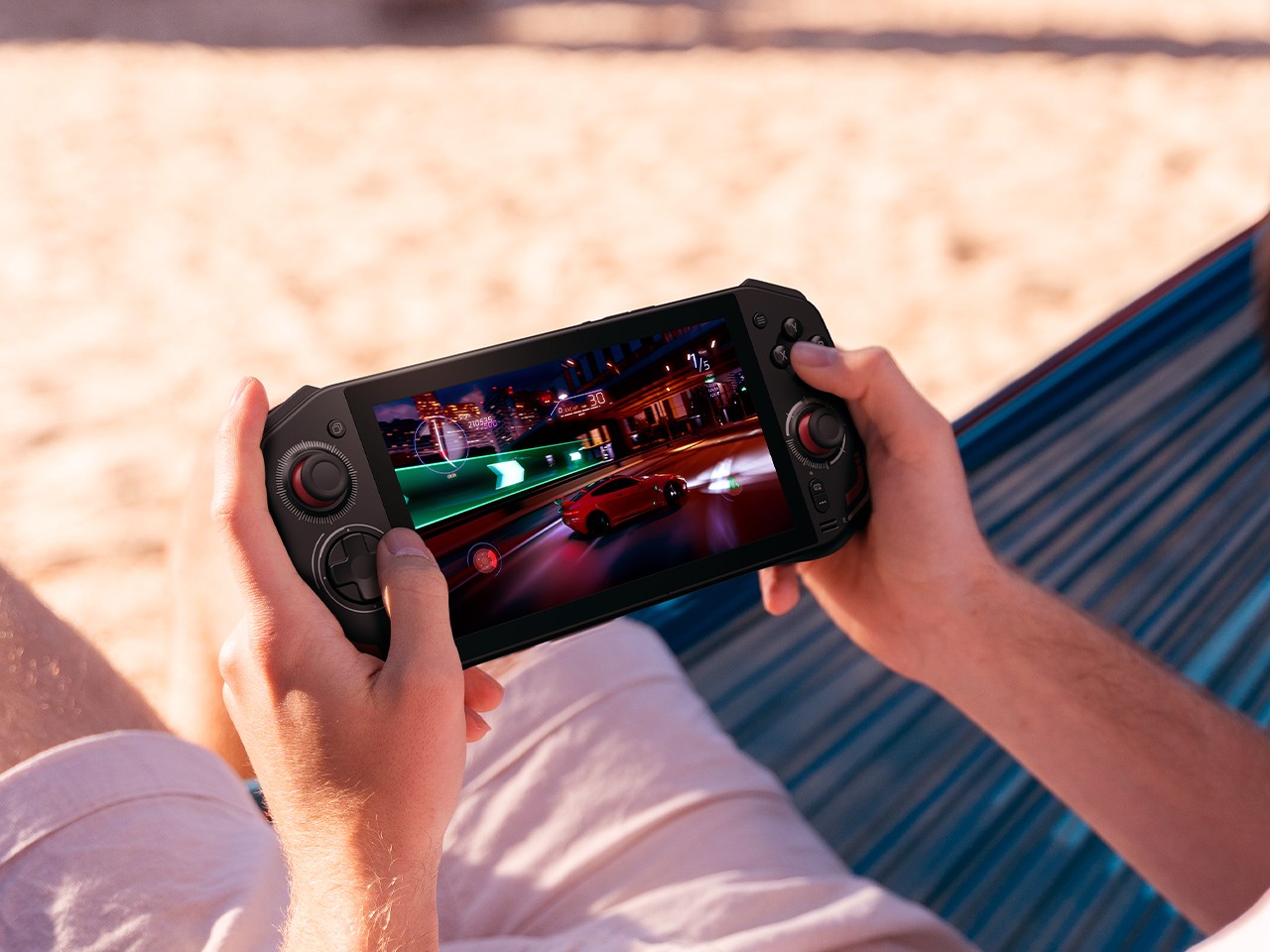
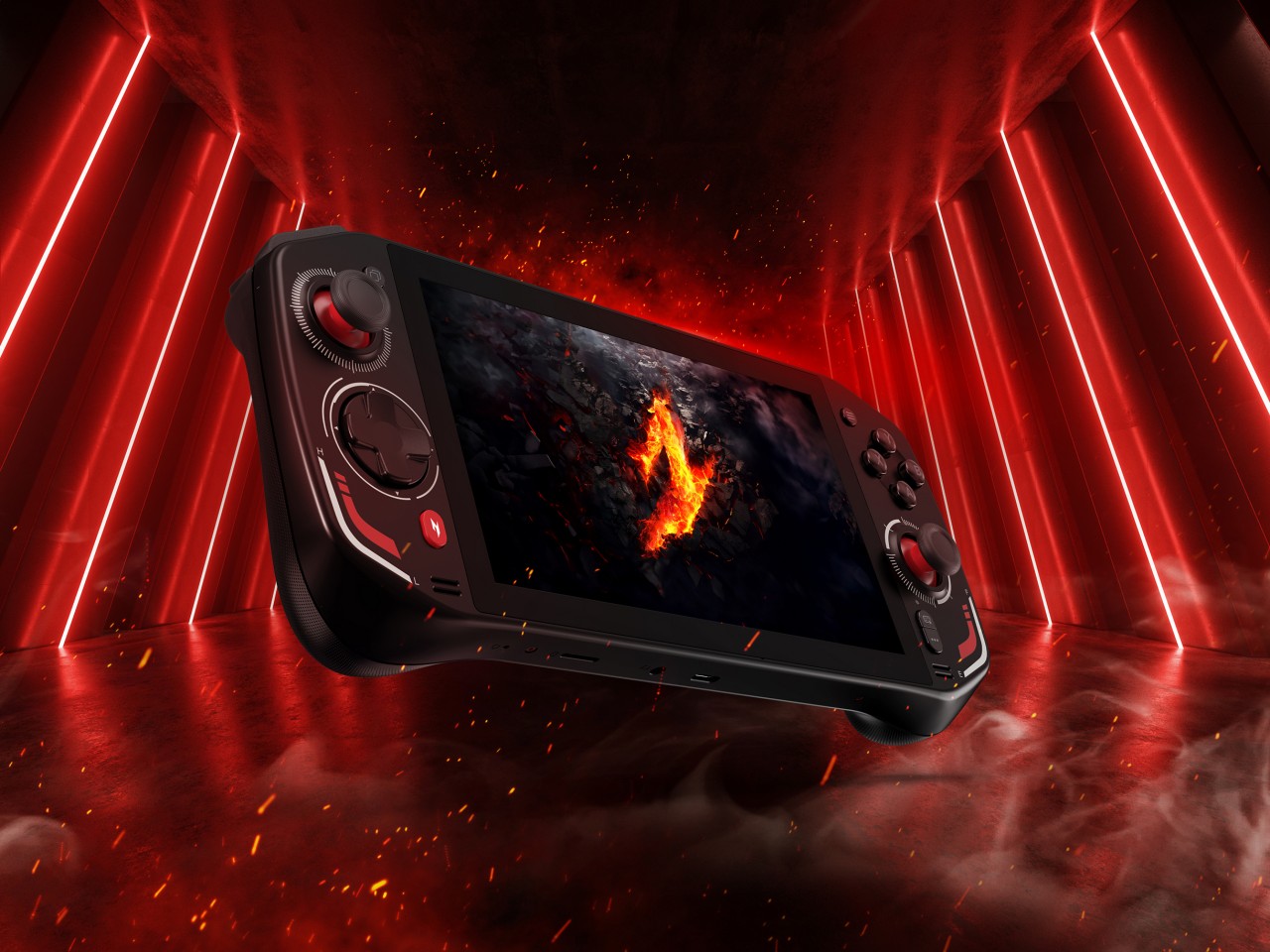
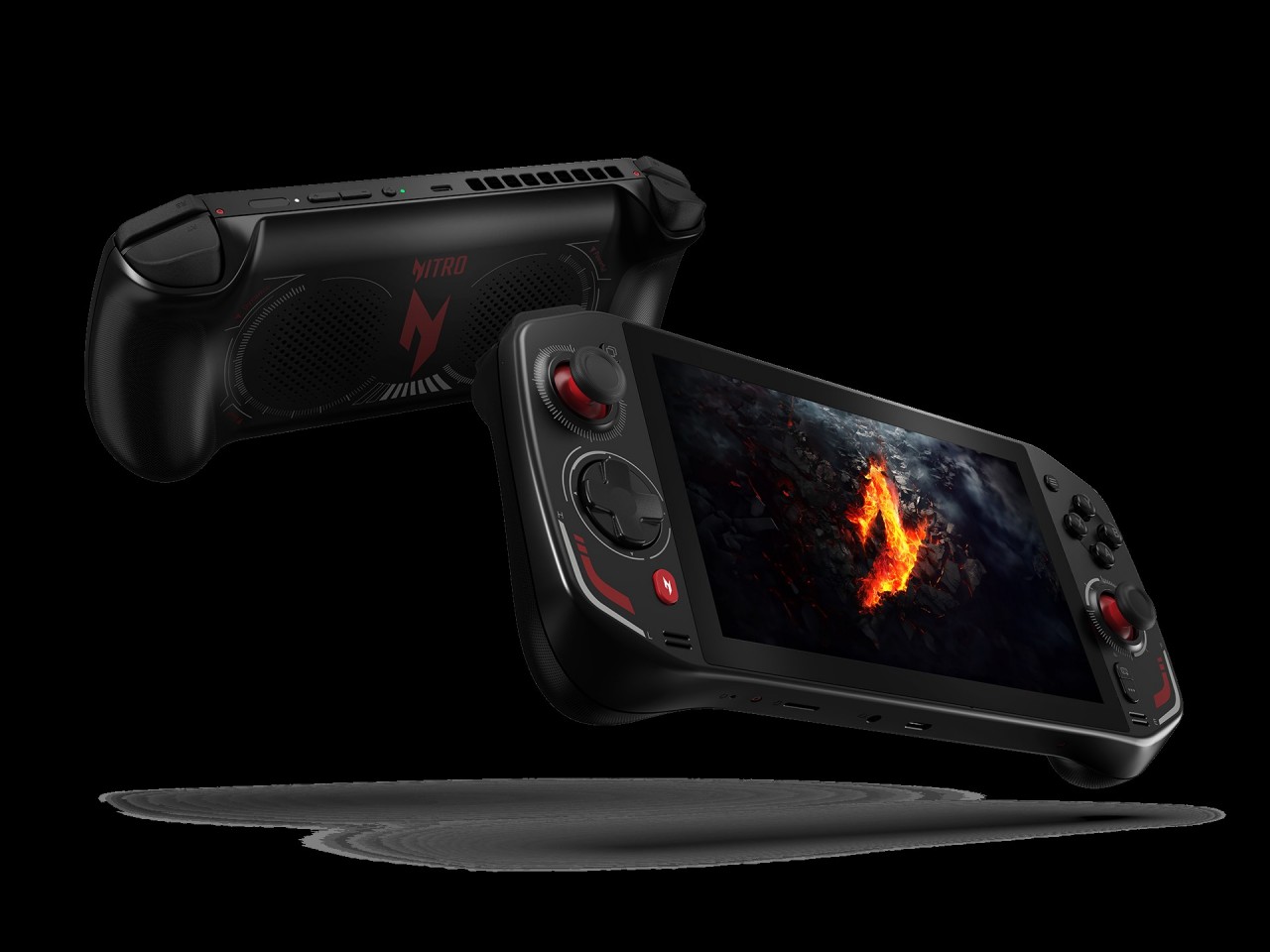
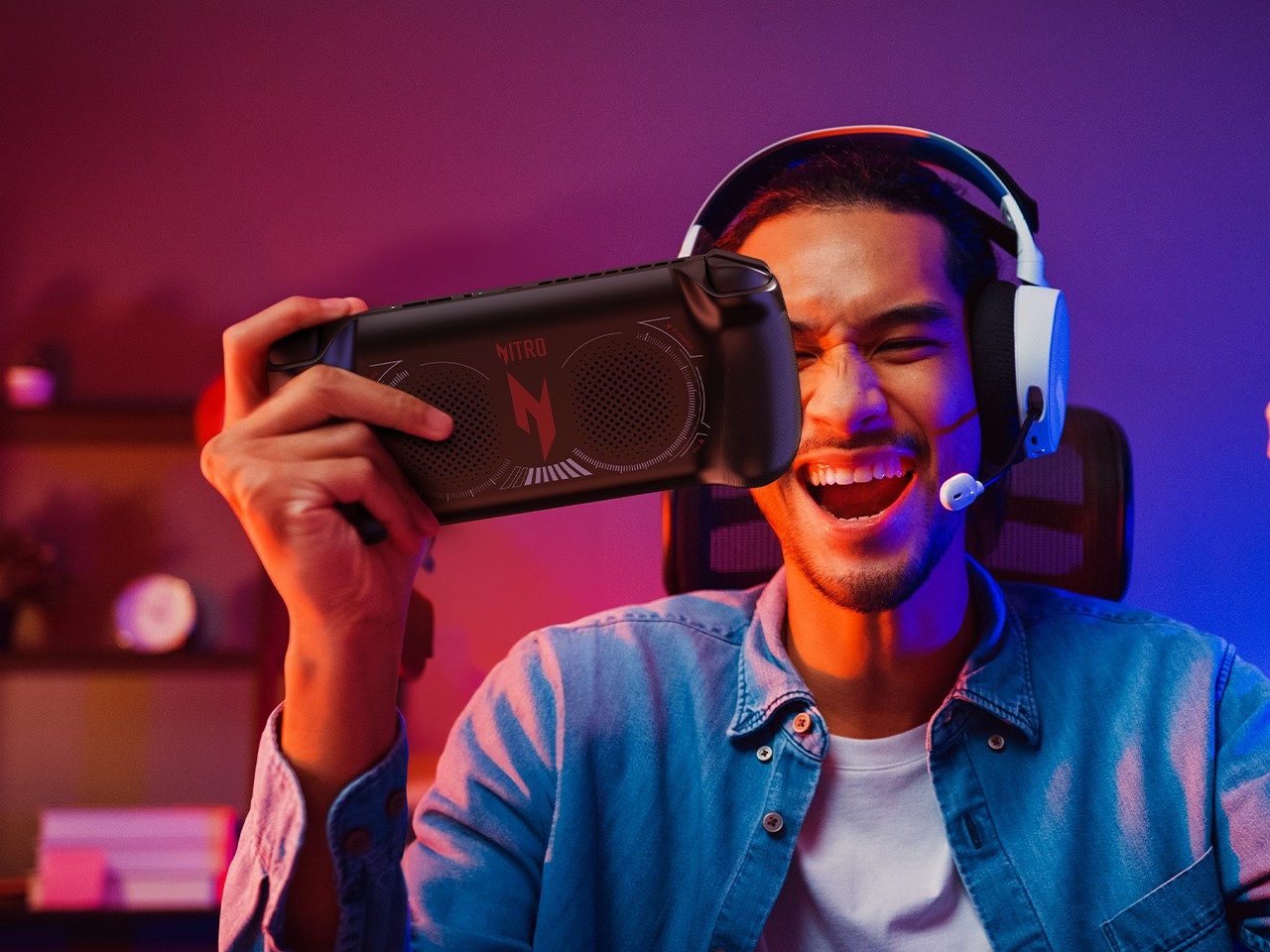
You know that handheld gaming PCs have made it big when major PC manufacturers join the fray. At this point, almost every major brand has put out its own take on mobile gaming, not to mention the smaller names that really pushed this niche market long before it became mainstream. Acer was noticeably the only one that was falling behind, but that all changes today at IFA 2024. With the Nitro Blaze 7, not only is it coming out with its first-ever handheld gaming PC, it’s arriving guns blazing (pun intended) with the latest AMD Ryzen chip boasting powerful AI capabilities to take your experience beyond just gaming.
Designer: Acer
If there’s one area that Intel has pretty much been left behind, it would be the nascent handheld gaming PC race where AMD’s Ryzen has become the chip of choice since the Valve Steam Deck. Conversely, Intel has been ramping up its new AI-powered processors, and AMD is now pushing its Ryzen AI generation to new PCs in every form. Being a bit late does have its share of benefits, and Acer’s first stab at a handheld gaming PC is able to immediately gain the lead in this area, with the new AMD Ryzen 8040 series and Ryzen AI giving the portable computer a needed boost.
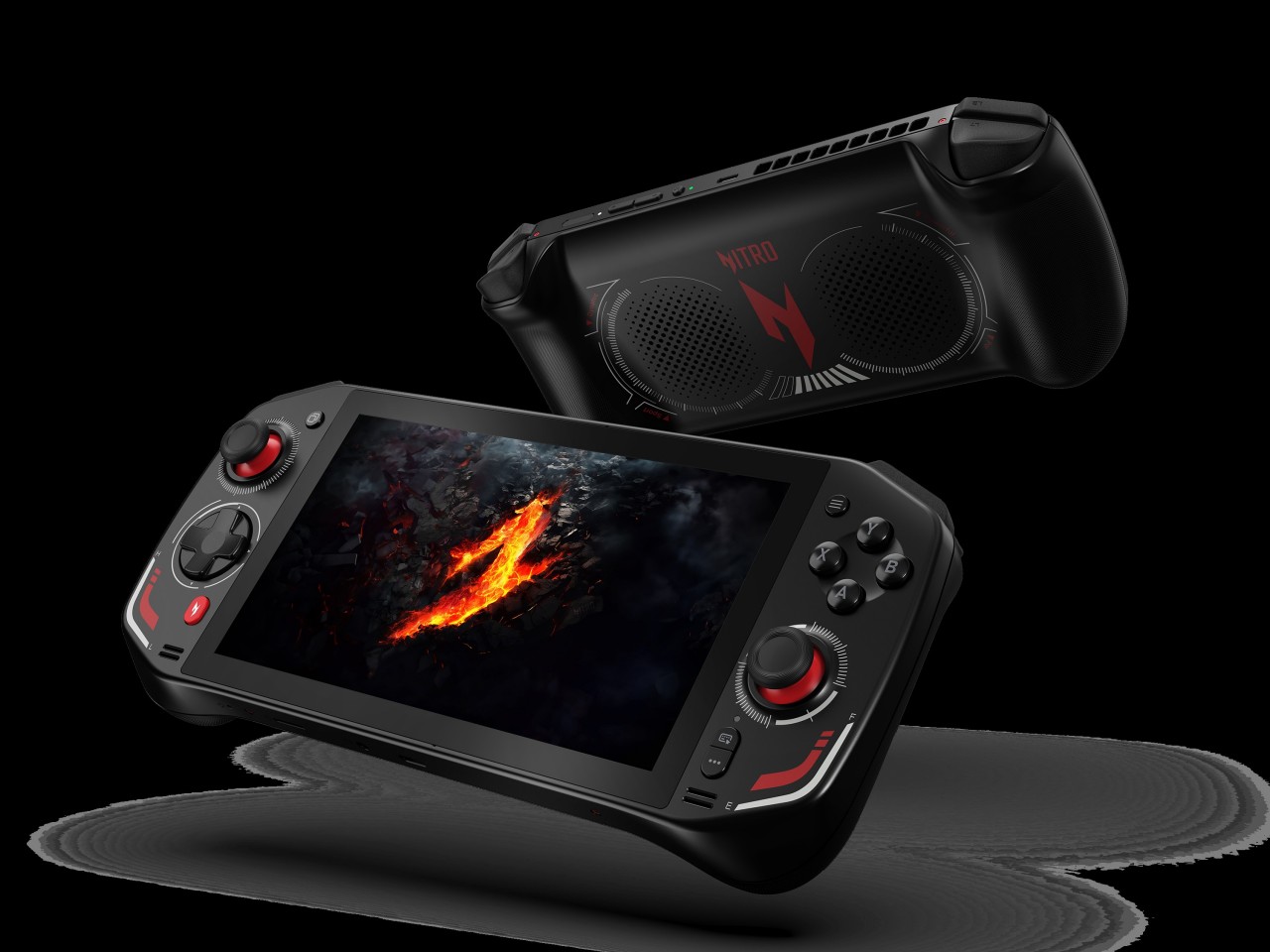
The AMD Ryzen 7 8840HS inside the Acer Nitro Blaze 7 boasts 39 AI TOPS (tera or trillion operations per second), putting it in the same league as many AI-powered laptops. Teamed up with the AMD Radeon 780M and 16GB of RAM, you’ve got the makings of a powerful gaming beast that can fit into a small bag. Then there’s the 7-inch 1920×1080 144Hz IPS touch display with 100% sRGB color gamut support, delivering vibrant and bright visuals, even for the darkest of horror games.
What really sets a gaming handheld apart, however, are its controls, which often translate to joysticks and buttons that you’d also see on gamepads. The Acer Nitro Blaze 7 also features touchscreen support for more direct interaction with UI elements on the screen, while the traditional joysticks and d-pad offer more precise control. There’s also a dedicated hotkey that brings players to their game libraries without having to fumble with half a dozen menus and screens. This customized Acer Game Space feature fixes one of the biggest pain points of Windows gaming: managing titles from different platforms and sources.
The Acer Nitro Blaze 7’s straightforward and simple design eschews complicated and extraneous details that only get in the way of you and your favorite games. With its arrival, the roster of major handheld gaming PC brands is more or less now complete, heating up the competition for the market’s most powerful gaming machine in the smallest form factor. Availability details for the Acer Nitro Blaze 7 handheld gaming PC will vary by market and have yet to be confirmed.