ASUS unveils the ESC N8-E11 AI server with NVIDIA HGX H200, designed for heavy AI workloads, featuring advanced cooling and dual Intel Xeon processors.
Capcom has updated the mobile ports of several Resident Evil games to now require an internet connection when the apps are opened. As noted by Eurogamer, patch notes for the latest Resident Evil 7, Resident Evil 4 and Resident Evil Villageupdates read, "Due to changes to the startup process, an internet connection is now required when starting this app."
It's unclear why Capcom added this requirement, but it stinks. It prevents anyone taking a flight without Wi-Fi or those hoping to sneak in a little game time while camping in the middle of nowhere from playing any of these games on their phone or tablet. It mitigates the notion that mobile games can be played anywhere, but you can avoid the issue if you already have the games you want to play on your device and automatic updates are off.
Several commenters on a Reddit thread that flagged the change said they'd be asking for a refund. However, Capcom may not have to be too worried about having to pay back a ton of players. There are reports that the mobile versions of the three games haven't been very successful. For instance, data suggests that just 2,000 people had paid for the iOS port of Resident Evil 7 in its first two weeks.
This article originally appeared on Engadget at https://www.engadget.com/gaming/resident-evil-mobile-ports-now-require-an-online-check-in-before-you-can-play-161156065.html?src=rss
At one point in most people’s lives, they have probably played with or interacted with a Nintendo gaming device. Now what device that is is of course depends on the generation but with more than a hundred years of experience in creating games, there are a lot of things to choose from. And if you’re a die-hard fan of their various games and consoles, then you’ll want to book a ticket to what will surely be the hottest thing in town in a couple of months.
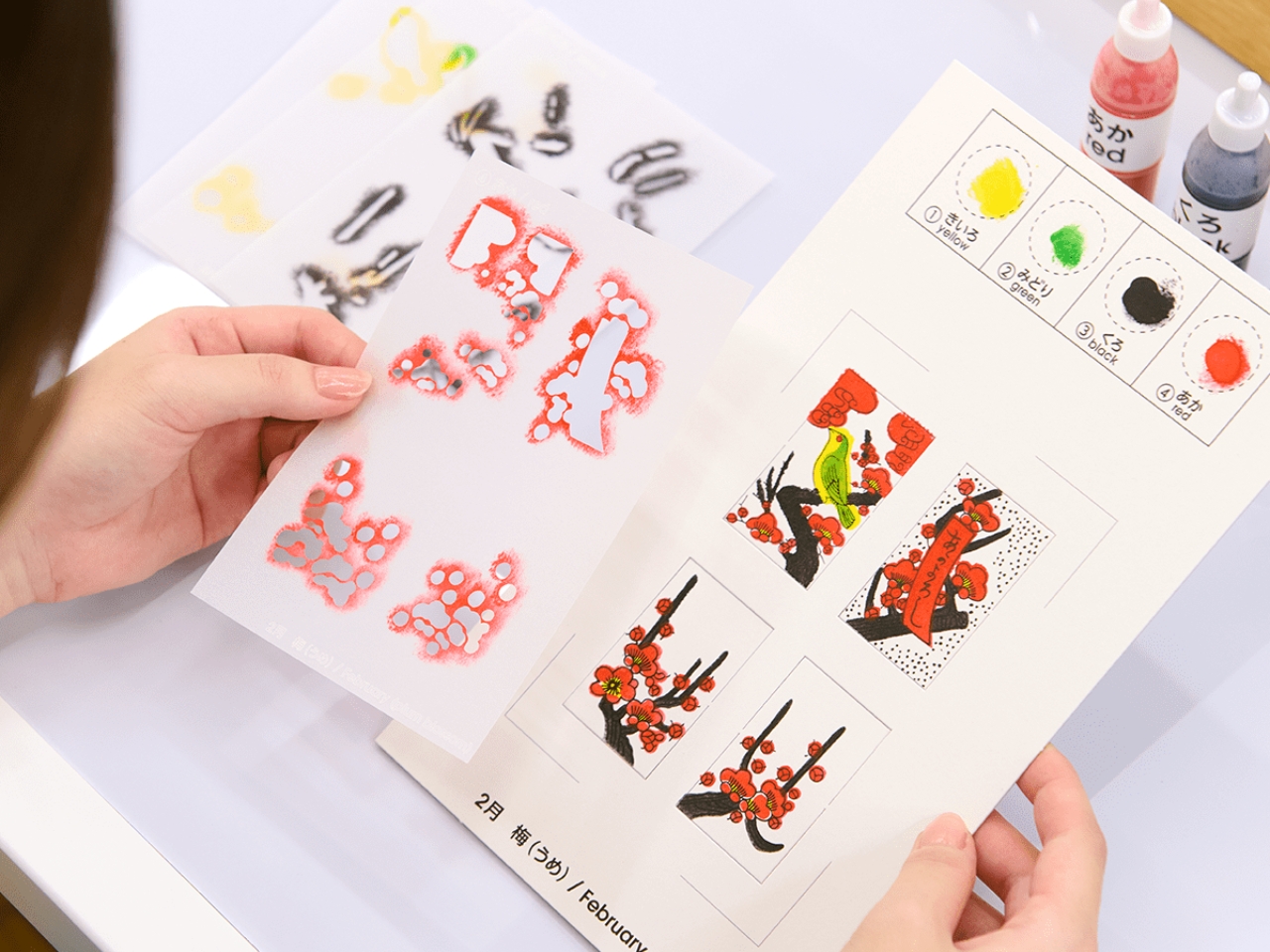
Yes, we are finally getting a Nintendo Museum opening this October and built on the very space where they started creating hanafuda playing cards in 1889. Because this company has gone through many evolutions since then, you can expect a fun and interactive history lesson spanning a century of family entertainment. There will be various exhibits as well as a cafe and of course, an extensive merchandise shop that will celebrate all kinds of games and technology. There will also be arts and crafts and workshops section where you can do things like create your own hanafuda cards.
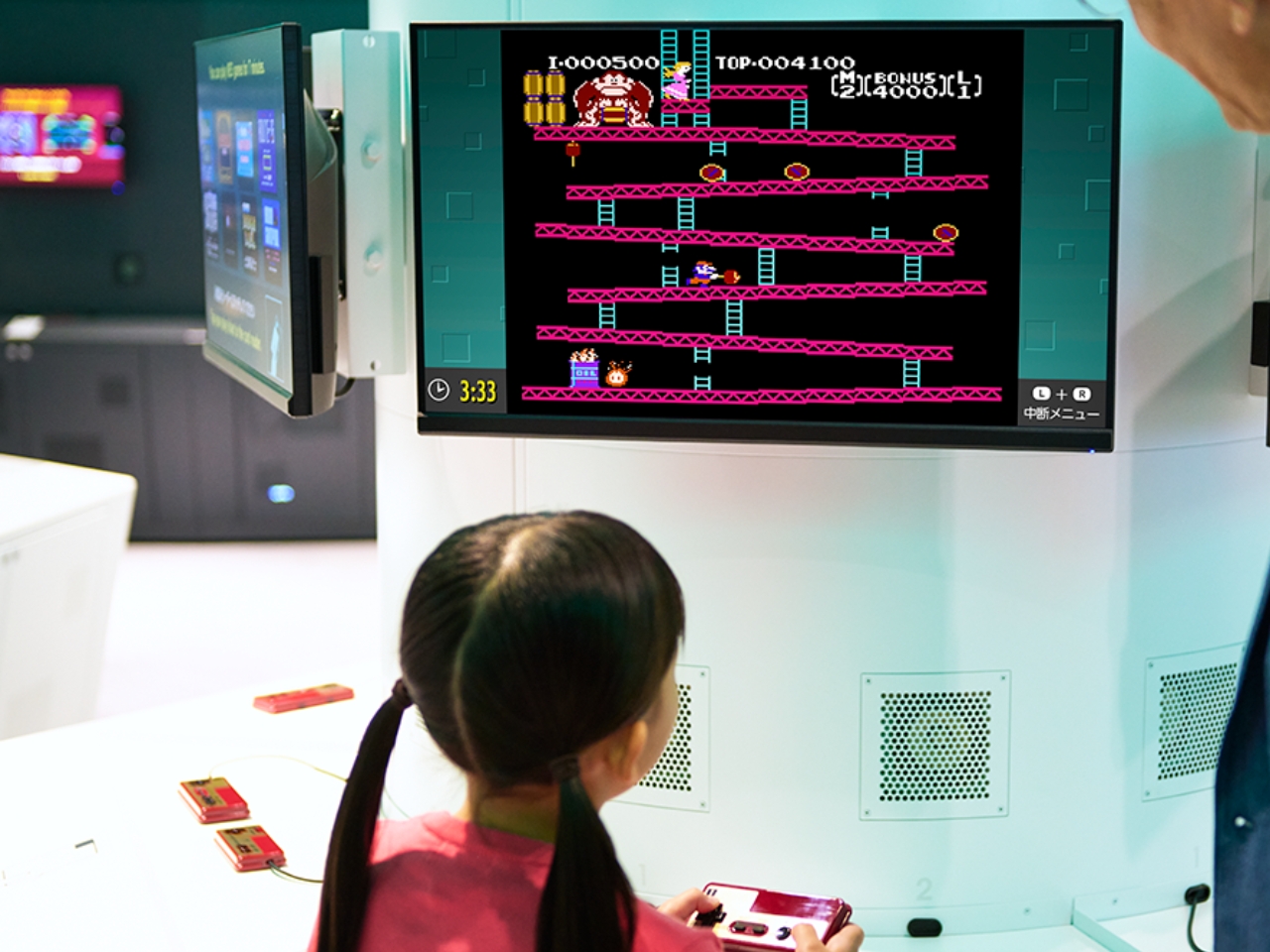
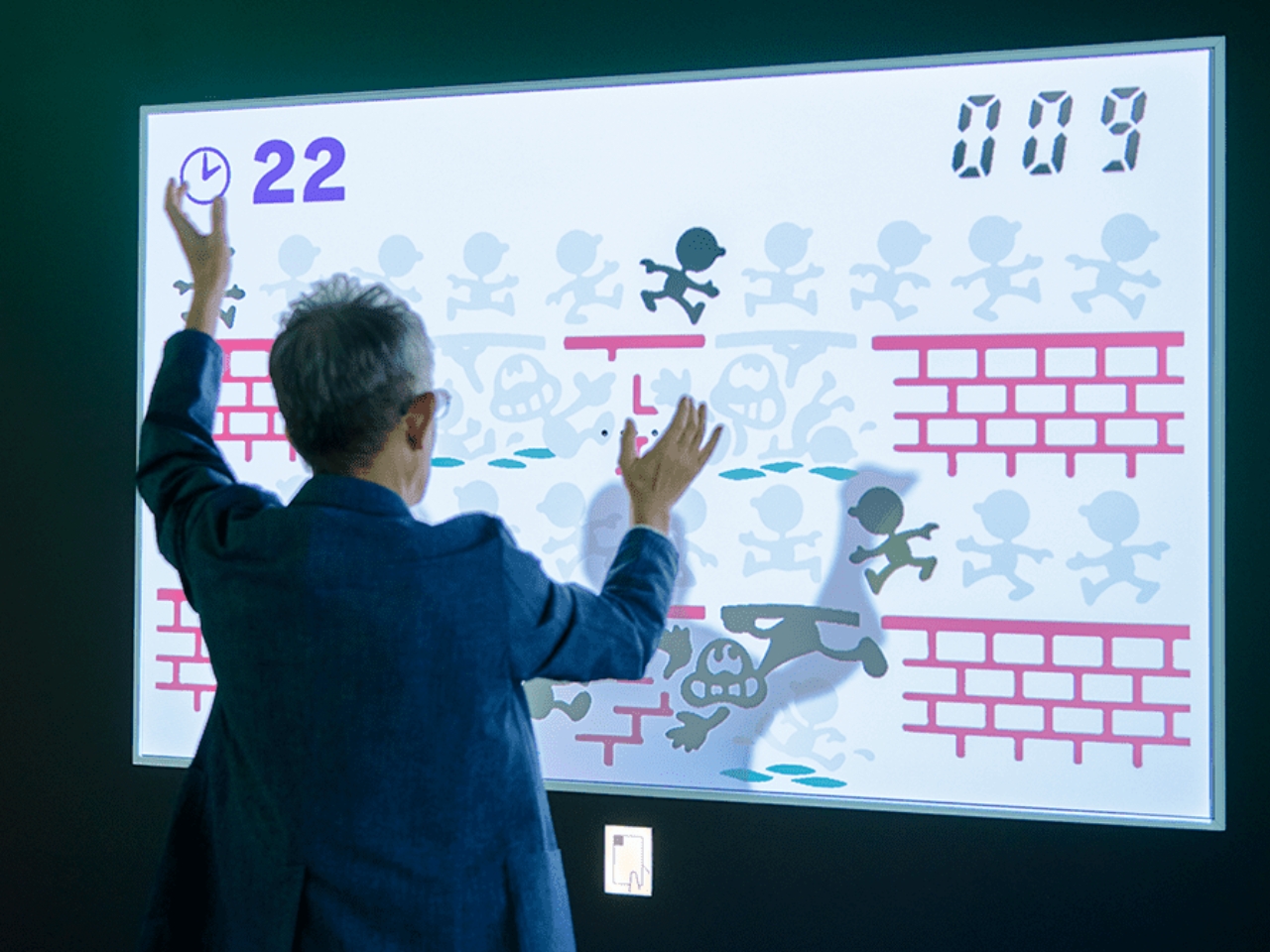
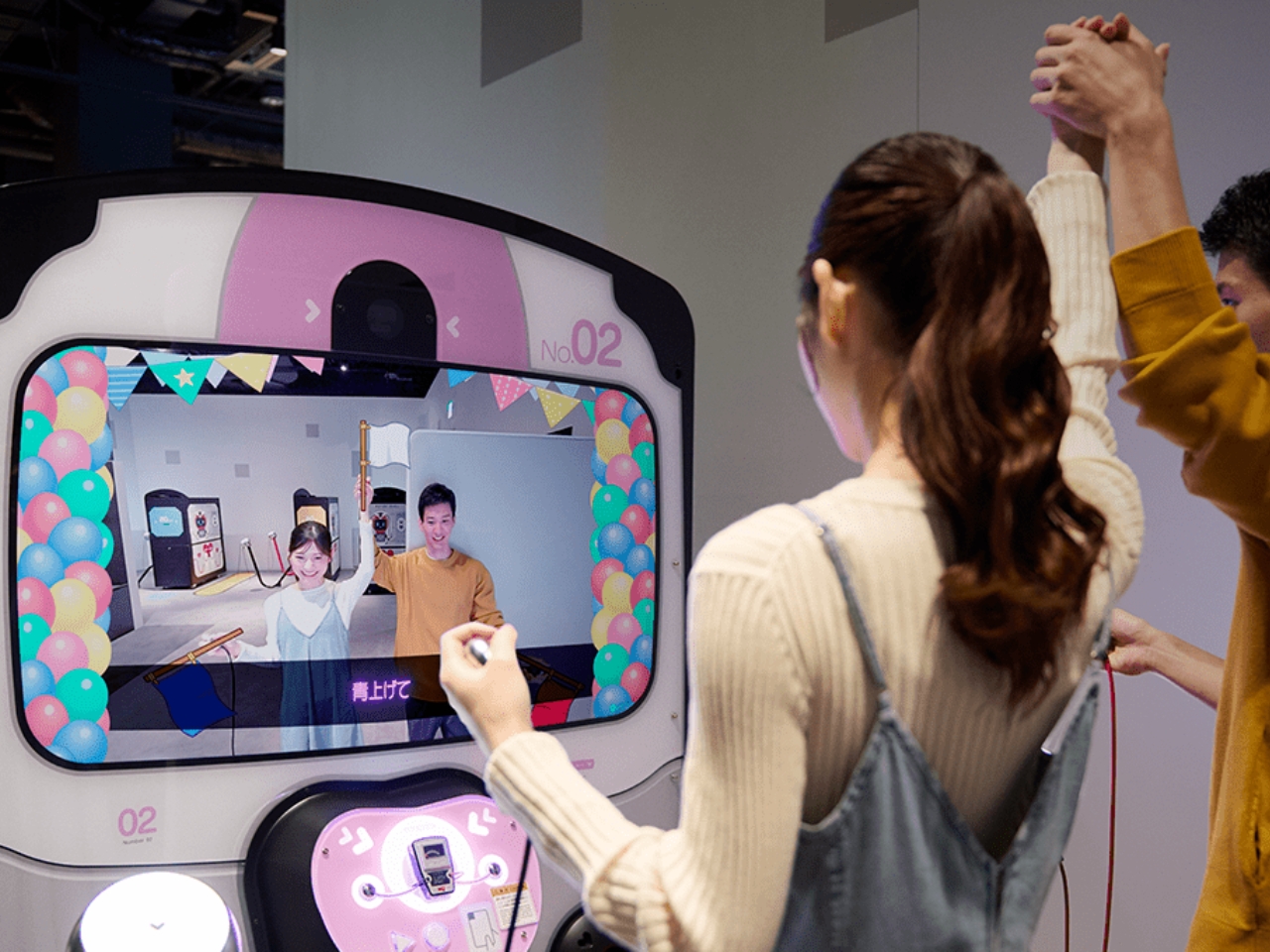
The first floor of the Exhibition Building 1 has eight interactive play experiences. Each visitor will get a card that contains ten digital coins to be able to try out the exhibits. They did not specify it but you will probably be able to top up the card if you want to try out everything. The Shigureden SP lets you explore Hyakunin Isshu poems using your smart device and viewing it on the giant screen. The Ultra Machine SP rooms lets you hit balls pitched by a machine and hit items in the room that will react. The Zapper & Scope SP gives you a shooting experience in the world of Mario while the Ultra Hand SP lets you grab balls rolling down lanes and dropping them in pipes. You can also play Nintendo games in areas like the Game & Watch SP, Nintendo Classics, and Big Controller with giant game consoles. There’s even a Love Tester SP where you can see if you and your loved one are compatible.
On the 2nd floor is the museum part where there are exhibits of everything that Nintendo has created throughout the years. This includes the era before they created gaming devices and it includes copying machines, baby strollers, and of course the hanafuda cards and various board games. But of course the highlight would be all the gaming consoles and games that have made them arguably the most popular entertainment company in the world. The Nintendo Museum opens in October but you can already buy your tickets, although if you’re familiar with Japan ticketing, you know that it’s via a randomly selected drawing.
Connections, the daily word game from The New York Times, isn’t exactly easy. In fact, the solve rate dips below 50 percent some days. To help highlight where players are going wrong, a new bot is employing AI to guess the thought process they’re using for the most common mistakes every day.
For the uninitiated, Connections is a word/logic game that the paper of record debuted last year. Every day, you're presented with a grid of 16 words that you have to split into four categories. There’s only one solution and after four mistakes, the game is over. However, there’s some trickiness afoot. There are often red herrings galore and frequently at least five viable answers for a group.
After you win or lose each day’s game, you can saunter over to the Connections Bot. As with the bot for Wordle, you’ll see how well you did compared with other players and receive a skill score out of 99. This is primarily based on how few mistakes you make, but you’ll get extra credit for solving the more difficult purple and blue categories first.
After you see the skill score and other details (such as whether a red herring caught you out), the AI feature comes into play. This will highlight the most common incorrect guesses from that day. It will also try to guess a description for the group that players had in mind. So, for a failed guess of gutter, bowl, alley and lane, the bot might believe you were looking for a list of bowling-related terms. This is a real example from a recent game in which I made that exact mistake. Alley and lane were actually types of streets.
New York Times
Your own failed guesses might not show up in the bot, though. That’s because there are around 2.6 million different ways to group each grid together. Bear in mind that while you don’t need a Times account to play Connections, you’ll need to be logged into one to use the bot and track your scores.
One other interesting thing about the bot is that it marks the first time that the Times’ newsroom will regularly publish AI-generated English text. Before publication, the paper’s editors will review all AI-generated responses and may edit them for style and clarity. That said, the Times notes that “there’s no way to use math or even artificial intelligence to reliably solve the game,” so you can’t really use the likes of ChatGPT to cheat at it quite yet.
This article originally appeared on Engadget at https://www.engadget.com/gaming/nyt-connections-bot-uses-ai-to-highlight-each-days-top-mistakes-145242525.html?src=rss
Apple is set to release the highly anticipated AirPods Pro 3 in September 2025, bringing a host of exciting design changes and technological upgrades to the popular wireless earbud lineup. With a new design, advanced features, and improved performance, the AirPods Pro 3 are poised to transform the way you listen to music and interact […]
The newly unveiled Audi Q5 SUV is a shining example of Audi’s unwavering dedication to pushing the boundaries of automotive technology while maintaining an uncompromising level of sophistication. As the inaugural SUV model built on the Premium Platform Combustion (PPC), the Q5 showcases a range of partially electrified combustion engines that prioritize efficiency without sacrificing […]
Thank Goodness You’re Here is here; a gravy-flavored palate cleanser from all the action-adventures, Souls-likes and Metroidvanias I’ve played the last few months.
Published by Panic Inc., the same company that unleashed Untitled Goose Game into the world, there’s a certain throughline, even if the aesthetic and tone is very different. Presented in cartoon style somewhere between Cartoon Network and educational ‘toons for preschoolers, it’s an aggressively English, charmingly northern “slap-former”, where you play as an unnamed tiny man, who’s come for a job interview at town hall. After being fobbed off by the receptionist, he has to kill time in the fictional northern-England town called Barnsworth, which is definitely 80 percent Barnsley, 20 percent plausible deniability.
Thank Goodness You’re Here is almost the opposite of the anarchy introduced by Untitled Goose Game: you’re trying to help. Despite having no connection to Barnsworth, our little hero — in varying degrees of tininess — is inadvertently pulled into plumbing tasks, fetch quests and surreal dream-sequence meat-mangling, without ever being asked if he can help.
Coal Supper
While it is a video game, it’s more like a loosely connected bunch of set pieces and vignettes. Controls are simple: you steer the little guy around the town, able only to punch (well, slap) and jump. There are a few low-stakes platforming sections, but he isn’t attempting to be Mario. A lot of the joy comes from Barnsworth itself, with its nodding in-jokes, posters and signage running the comedy gamut from buttock slapping and visual gags, through to Yorkshire dialect gags and even a few digs at gaming – ludonarrative be damned!
There’s a running joke about wheelie-bins (in the UK, most of our garbage cans are on wheels) that made me laugh on a Sunday evening – the most dour part of my week.
It’s all actually funny. The writing and voicing help enrich this surreal little town as you explore, with Matt Berry (What We Do in the Shadows) headlining and a lot of UK comedy talent including The Delightful Sausage’s Chris Cantrill, currently co-creator of BBC’s Icklewick FM, which shares a similar surreal “northern” kind humor. (Cantrill was also just nominated for Best Show at this year's Edinburgh Fringe.)
The only drawback, one that comes from the on–the-rails style of play, is that it’s tragically short. But it’s dense with jokes and knowing nods I’m on my second playthrough, taking in all the details, like the horny elderly couple who are never involved with any of your tasks, but always on the sidelines; the cheesy dad-jokery if you linger in a scene and let the characters to talk (“I’m eating for two now… Plus I’m pregnant”); the lightly barbed references to economic decline in the north, and the unashamed exaggeration of northern or working-class stereotypes, many of which will go over American (and south-of-England) players’ heads.
A great example is when you launch the game, and it’ll ask a question in a heavy Yorkshire dialect. Answer ‘wrong’, and the game will play out with standard english text, answer right and all the menus will be loaded with northern slang. There's nowt to panic 'bout, mind: you can flip between 'em in t' menu at any time.
It’s a short but rich experience. It's worth playing for the sheet lunacy of the final set piece, possibly my favorite gaming moment of the year.
Thank Goodness You’re Here is out now on Mac, PC, PS5 and Switch.
This article originally appeared on Engadget at https://www.engadget.com/gaming/thank-goodness-youre-here-is-a-vibrant-funny-unashamedly-silly-game-133030648.html?src=rss
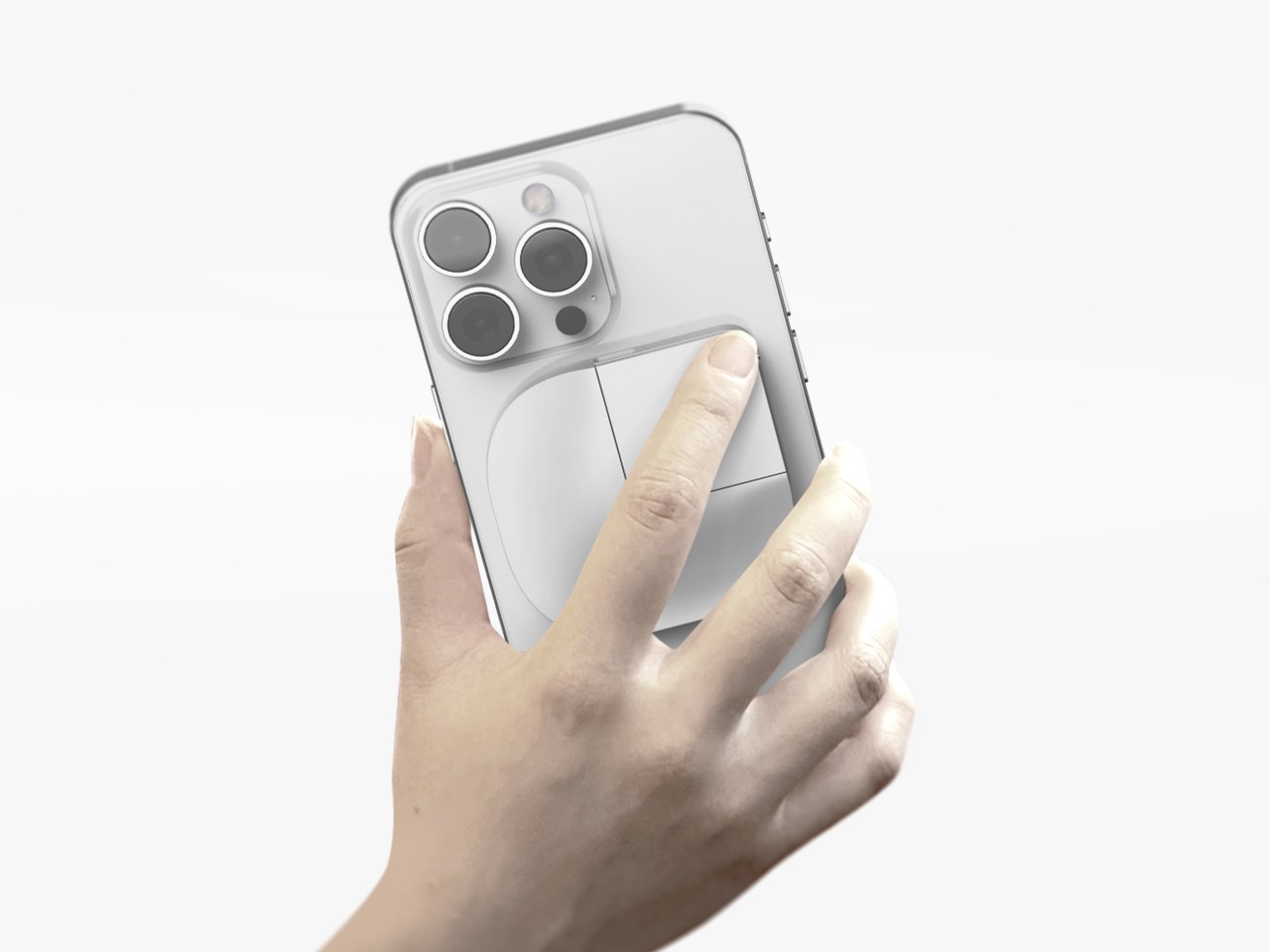
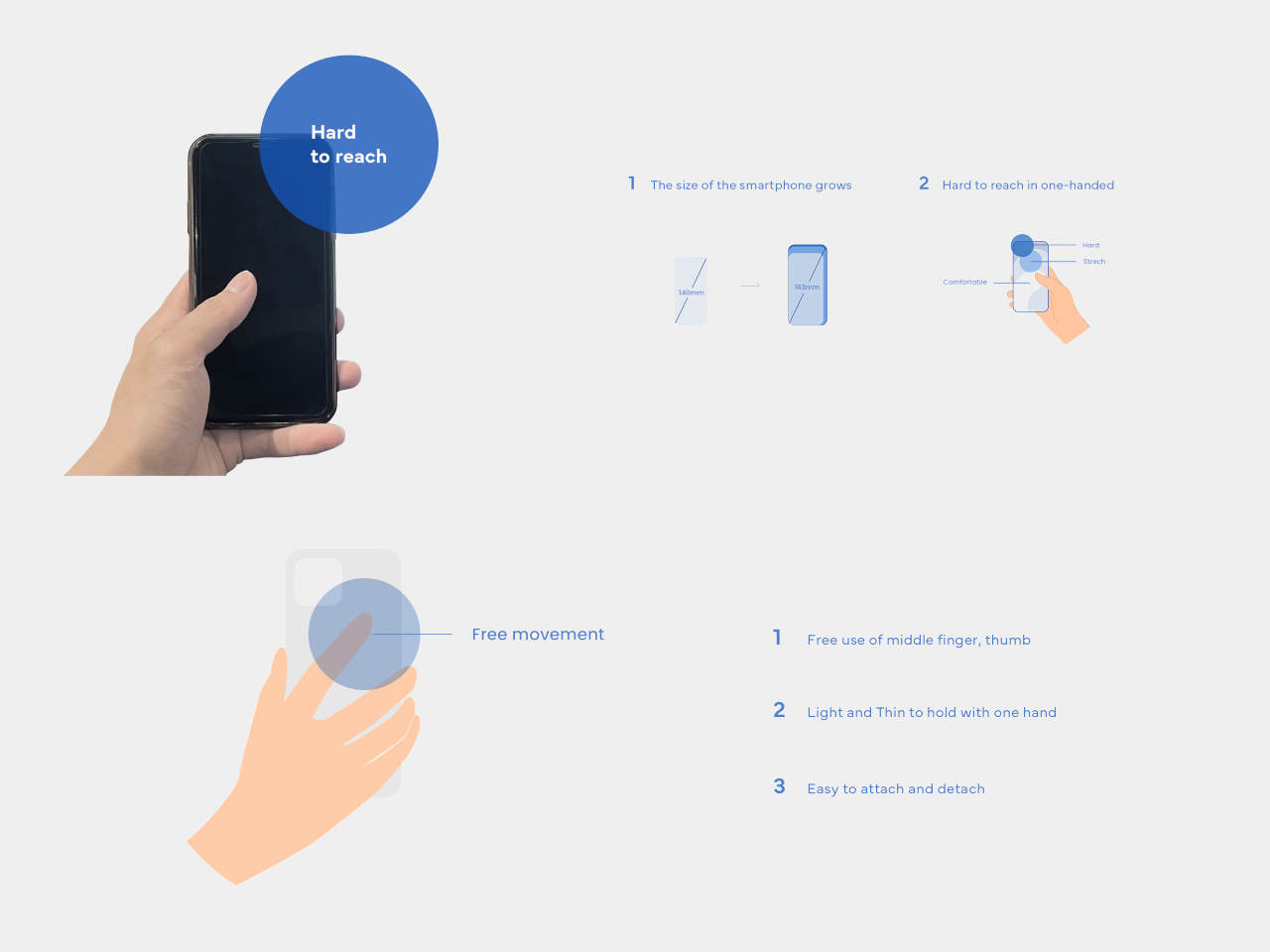
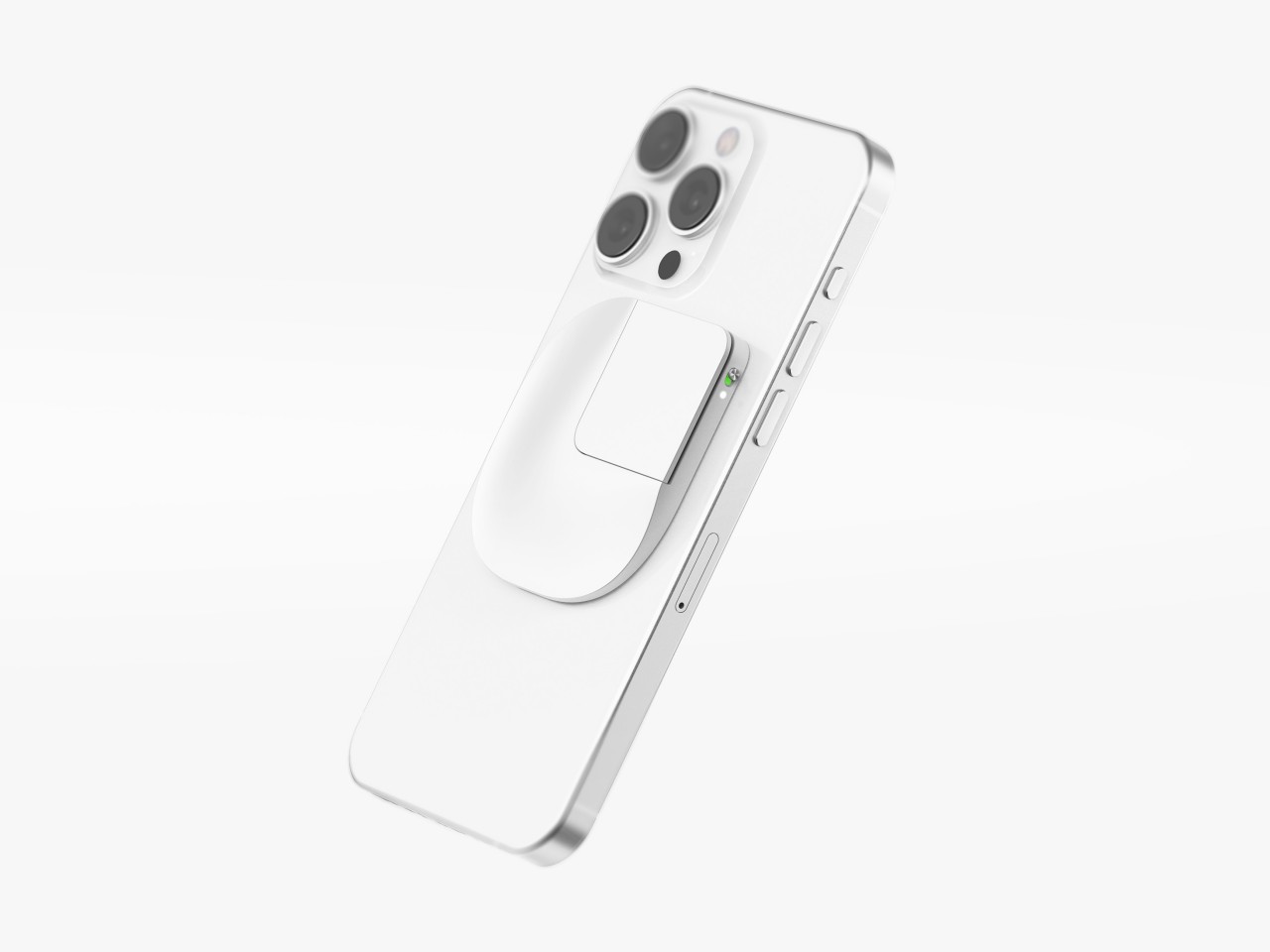
Almost everyone wants smartphones with big screens because of how much content they can see, but those same people probably don’t like using big phones because they require both hands to use comfortably and securely. Some manufacturers have introduced “one-handed mode” features that shrink the screen to a smaller size temporarily, but not only is that actually more cumbersome, it is also less accurate because of the small area you have to hit with your large finger. We don’t have problems using computers with gigantic monitors because we have computer mice that offer precise and accurate control, even if we’re not touching the screen itself. That’s the kind of control that this concept design is trying to bring to smartphones, practically putting a miniature Apple Magic Mouse on the back of large phones.
Designer: Geontak Oh
The computer mouse is actually a very weird and unintuitive tool that has become second nature to most people by now. You are indirectly controlling the screen, moving a detached piece of hardware whose only connection to the computer is an arbitrary one. Before touch screens were a thing, it was really the only way to interact with a graphical user interface, so it’s a bit ironic that we might need something similar to do the same on touch-enabled devices like smartphones.
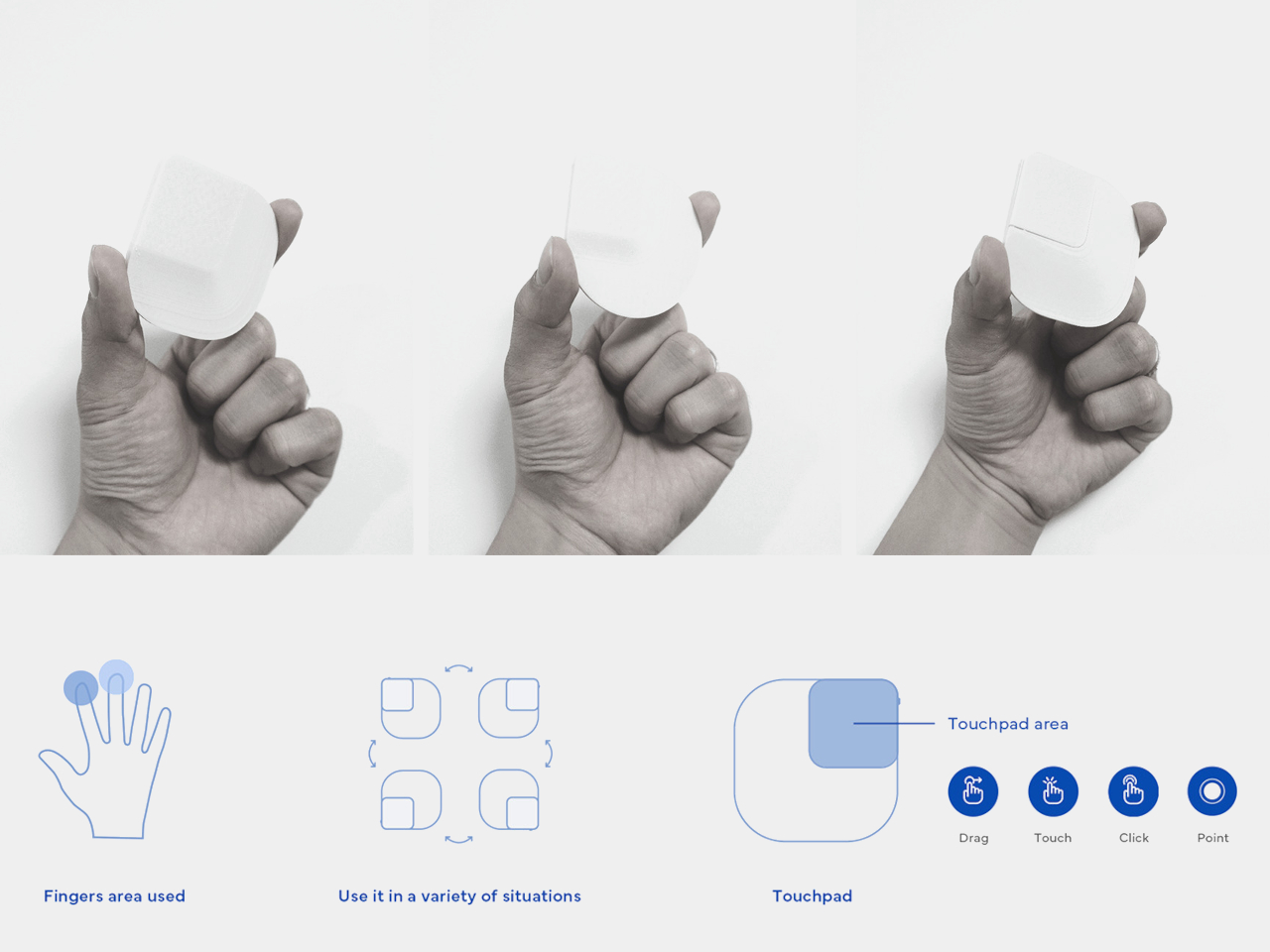
Poinf is a design concept that tries to solve the problem of using a large smartphone with one hand. With the way we hold our phones, the thumb is the only finger we can use to tap on the screen, which is next to impossible if the screen is too big for our stumpiest finger to reach. But what if you could use a different finger to do that? And what if that finger is always on the back of your phone anyway?
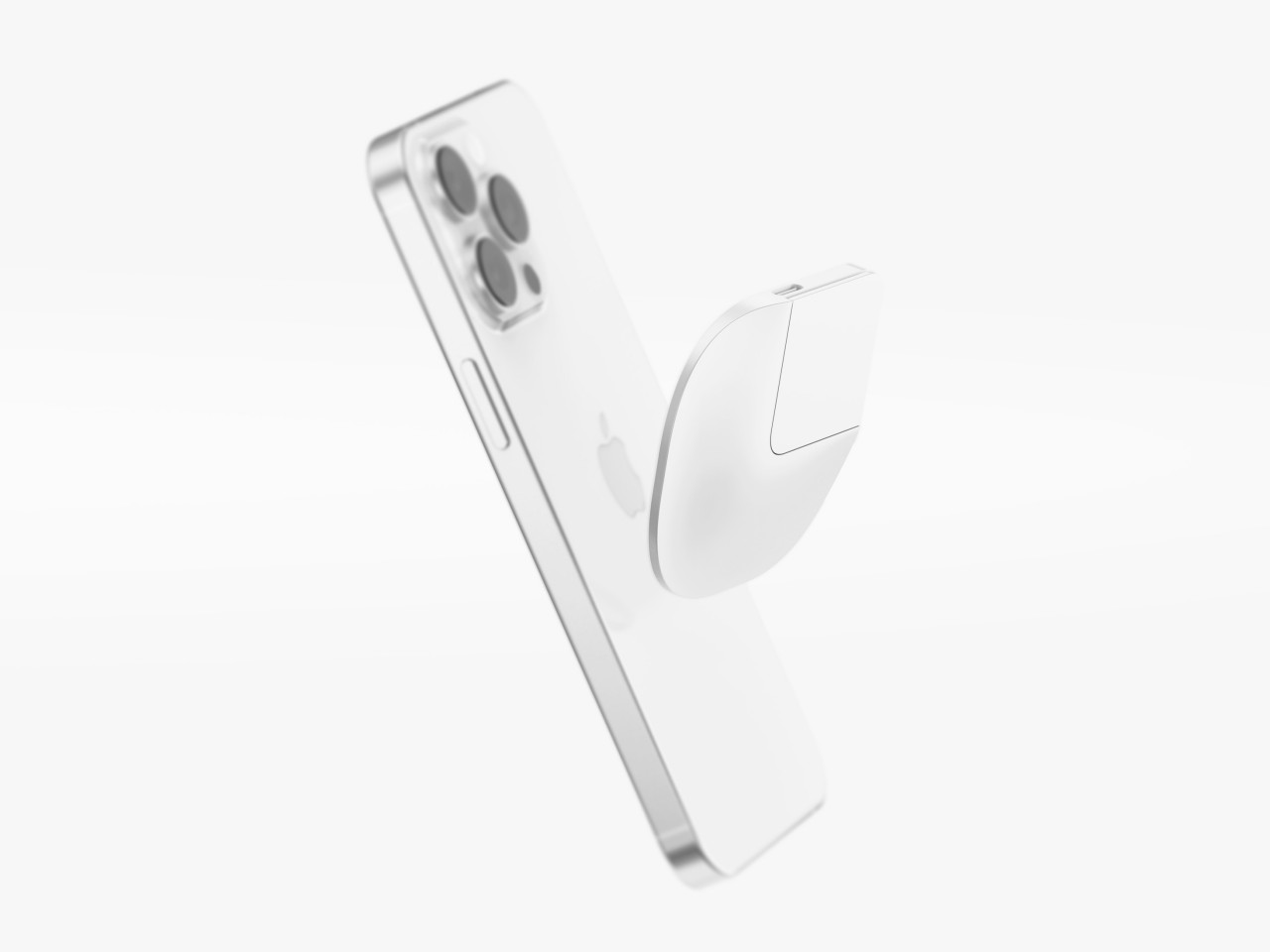
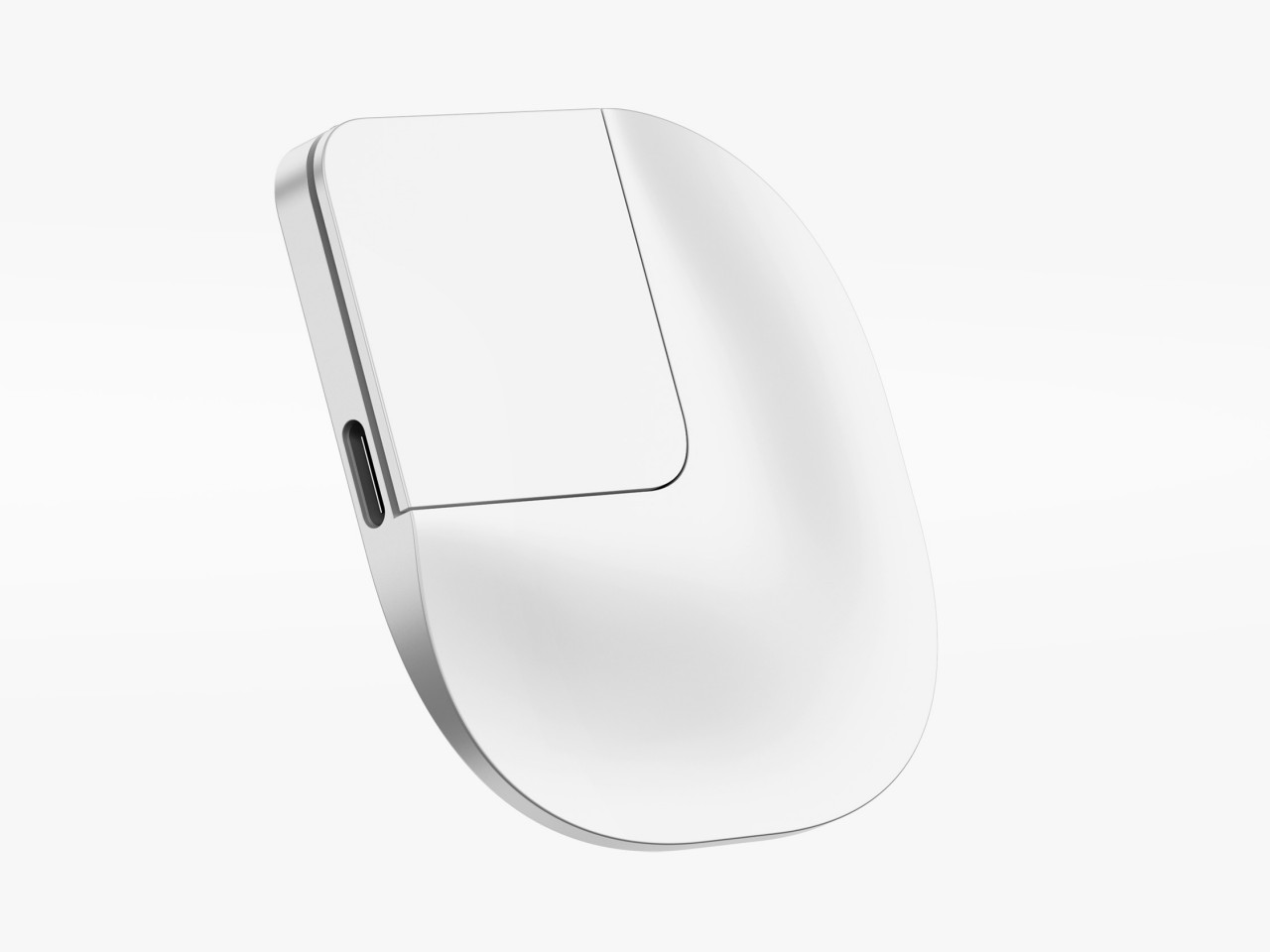
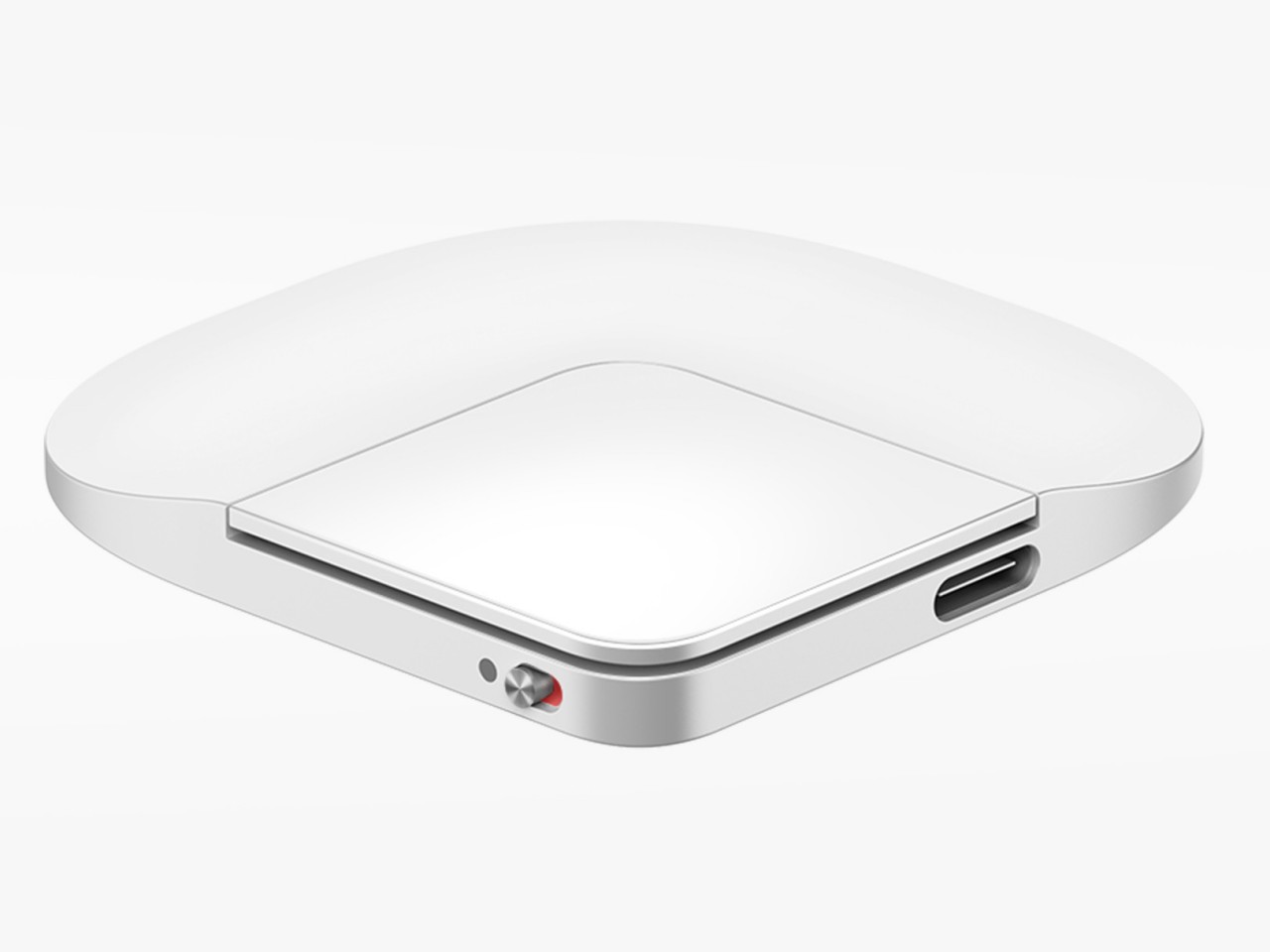
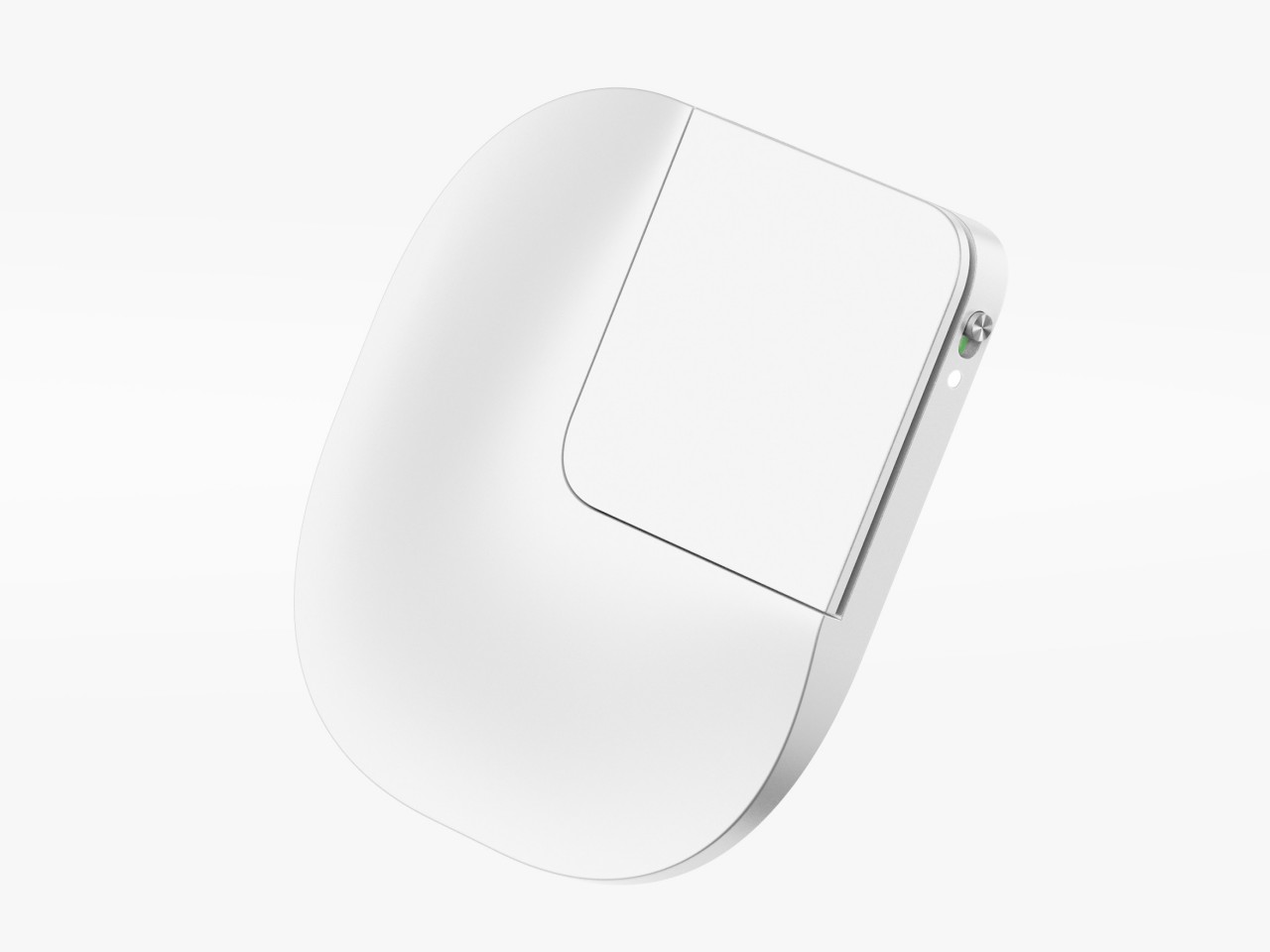
The idea is to put what is practically a small, squarish touchpad on the back of the phone, held there using MagSafe or other magnetic technology. The actual interactive part is a small quadrant of the slim device, an area that can be easily reached by your index or even middle finger. You slide your finger across the surface, pushing around the equivalent of a cursor, and use tapping gestures to “click” on user interface elements. You can easily detach Poinf when you don’t need it, so it doesn’t get in the way of “normal” smartphone use.
Poinf is definitely an intriguing solution to a very old problem, but it also brings a few issues of its own, particularly with usability. Moving a cursor by moving a finger on the back of the screen could require some mental gymnastics, severely affecting your speed and efficiency in the process. Of course, your brain can eventually adjust, like how it has come to accept the computer mouse, but it will take time and effort before that becomes second nature. Additionally, however, you also lose access to important touch gestures like pinching to zoom or quick scrolling, so you’ll have to do double work to teach yourself a new action vocabulary for this rather niche control mechanism. In the end, you might give up and just use the phone with both hands anyway.
The automotive industry is continuously evolving, and one of the latest innovations comes from the BMW Group, which is exploring the use of BMW humanoid robots in their production processes. This initiative marks a significant step forward in the industrial application of robotics, with potential implications for efficiency, safety, and ergonomics in manufacturing. The trial […]
Are you ready to elevate your gaming experience to the next level? The FUNDIAN X1 Gaming Keyboard, CookieRun Limited Edition, is here to transform the way you play. This all-in-one wireless gamepad and keyboard combo is designed to be compatible with a wide range of platforms, including iOS, Android, Windows, Mac, Steam PC, and Nintendo […]