THX Spatial Creator 1.1 adds Motion Sync, new room presets, and 4K support, enhancing immersive audio creation for musicians, podcasters, and video creators.
Feeling overwhelmed by distractions and struggling to stay focused? The MOFT Snap Flow is the perfect solution for your everyday carry. Combining the age-old magic of pen and paper with modern tech, this clever tool helps you capture, organize, and act on your ideas with timeless simplicity. Portable and sleek, it attaches to the back of your phone and detaches quickly, allowing you to jot down inspirations instantly without fumbling for a notepad or getting lost in apps. Whether you’re in a meeting, on your commute, or enjoying a quiet moment at a café, this tool is always ready to boost your productivity and keep you focused.
This sleek tool combines a pen, paper, organizer, and reminder, ensuring you capture, organize, and act on tasks without wasting mental energy. Handwrite your ideas for better memory recall without extra items. The foldaway pen and other tools fit directly on your phone, making everyday carry invisible and convenient.
We all have days where organizing takes up more time than doing. The MOFT Snap Flow helps you focus on what truly matters by eliminating “empty work.” When a brilliant idea strikes during a meeting, simply unfold the built-in pen and jot it down. The pen’s unique design folds flat to fit inside the Snap Flow and ergonomically transforms into an easy-to-hold shape.
If you usually start your morning by jotting down key to-dos and acting without distractions, the Snap Flow’s impactfulness yet versatility adapts to your daily activities. It allows you to note quick thoughts during conversations, filter actionable information, and review progress with ease. Capture inspirations during your walk, store rough sketches, and expand ideas using digital apps. This all-in-one companion helps you form a positive loop, motivating you to achieve more each day.
Don’t let mindless scrolling steal your “ah-ha” moments. Inspiration often strikes during downtime, like waiting for your train, sitting in a park, or in a café, and suddenly, that spark of genius hits you. With Snap Flow, you can quickly note it down without digging through your bag. With the MOFT Snap Flow, you can capture and explore every spark of creativity without distraction. Mounted on the back of your phone, it keeps you focused on your creative flow. Instead of getting lost in social media, you capture and turn those fleeting thoughts into action.
The Snap Flow features three dedicated zones for brain-dumping ideas, noting key to-do lists, and capturing core notes. This minimalist approach ensures you can kickstart your daily tasks immediately after capturing them. Imagine finishing a brainstorming session with everything neatly organized and ready for action without any extra steps. Whether you’re in a meeting or enjoying a quiet moment in a café, this tool helps you stay productive and focused.
When you need a visual reminder of your priorities while working at your desk, the Snap Flow magnetically detaches from your phone and folds up to create a focus zone. It also transforms into a handy phone stand for hands-free FaceTime with family and friends, making your device multitask with you. Use the Snap Flow as your on-the-go “idea lab” and “note library,” jotting down or drawing your ideas effortlessly.
Crafted with eco-friendly materials, the Snap Flow is your minimalist on-the-go companion, ready to help you stay productive and focused. Imagine beginning each day with a clear plan and the tools to see it through, all without the clutter.
The Snap Flow is available in four stylish color options to match your personal style: Misty Cove x Sapphire, Taupe x Sunrise, Navy Blue x Beach White, and Misty Cove. Choose the one that best fits your aesthetic and make productivity a seamless part of your daily life.
Designed by NU Architectuur Atelier, the Green Ark is located in the center of Belgium’s Meise Botanic Garden. The structure is an extremely sustainable visitor pavilion on the grounds of the Bouchout Castle in the Flemish Brabant. It is part of an impressive project that aims to extend 7600 sq m of greenhouses in the heart of the site. It is built from Kebony Clear wood, forming a lattice structure that is truly a wonder to look at. The rather dramatic and sophisticated-looking structure is located dead in the middle of the 92-hectare conservatory.
The Meise Botanic Garden is supposed to be one of the largest conservatories in the world that looks after endangered plant species. The project which is intended for restoration includes 22 of the Garden’s greenhouses. The greenhouses are focused on different environments and some of the activities on the site include education and conservation. With the Green Ark, the architectural firm has designed a dramatic and impressive pavilion in one of the newly resorted conservatories. It provides visitors with educational experiences, allowing them to learn more about the endangered plants.
The structure features a curved roof of Kebony wood shingles which look like scales! The shingles seem to gently cascade down the curved sides, creating quite an interesting visual. The interior of the pavilion features a wooden structure elevated on a concrete frame and paired up with a glazed ground floor. The glazed floor allows a glimpse into the surrounding glasshouses.
The Kebony wood was an integral part of the pavilion’s structure. The company is being acknowledged for its ‘modified wood’ process, which involves a faster growth rate of softwood and a special technique that merges wood with furan polymers to provide increased solidity and stability. Kebony’s softwood is a sustainable option when it comes to carbon capture and sourcing. The Green Ark is also designed to recycle rainwater through the shingled roof. The remaining portion of the roof serves as a flat structure that offers views into the surrounding greenhouses.
Microsoft leadership has been putting a lot of weight on Game Pass, and several of its business decisions of late appear to center on getting more people into that subscription service. One of those projects was called Keystone, a dedicated streaming device that would let Game Pass customers play Xbox titles without an Xbox console. After first announcing the concept in 2021, the project was eventually deemed too expensive. That team instead shifted focus to a smart TV streaming app, leaving Keystone to disappear into the void. Today, Windows Central uncovered a patent that showed what the Keystone might have looked like.
This patent filing has more detail than we ever got from the Xbox leadership about the project. The only glimpse we'd seen before now was in a teaser image Microsoft Gaming CEO Phil Spencer shared back in 2022. But we can now see that the squat, square device would have had a circle pattern on the top and circular plate on the bottom. It also had the expected cable ports and what looks like a controller pairing button.
Microsoft has made a lot of pitches for new hardware recently, but few of them seem to be sticking the landing. Even the company's announcement of Xbox hardware refreshes at the latest Summer Games Fest fell short of expectations after a leak had hinted at much bigger plans. Hopefully Xbox can get a big win on the hardware side soon. For now, getting a glimpse of what might have been is neat backstory to have about the company and its development process.
This article originally appeared on Engadget at https://www.engadget.com/check-out-what-microsofts-keystone-streaming-device-might-have-been-224031677.html?src=rss
Microsoft leadership has been putting a lot of weight on Game Pass, and several of its business decisions of late appear to center on getting more people into that subscription service. One of those projects was called Keystone, a dedicated streaming device that would let Game Pass customers play Xbox titles without an Xbox console. After first announcing the concept in 2021, the project was eventually deemed too expensive. That team instead shifted focus to a smart TV streaming app, leaving Keystone to disappear into the void. Today, Windows Central uncovered a patent that showed what the Keystone might have looked like.
This patent filing has more detail than we ever got from the Xbox leadership about the project. The only glimpse we'd seen before now was in a teaser image Microsoft Gaming CEO Phil Spencer shared back in 2022. But we can now see that the squat, square device would have had a circle pattern on the top and circular plate on the bottom. It also had the expected cable ports and what looks like a controller pairing button.
Microsoft has made a lot of pitches for new hardware recently, but few of them seem to be sticking the landing. Even the company's announcement of Xbox hardware refreshes at the latest Summer Games Fest fell short of expectations after a leak had hinted at much bigger plans. Hopefully Xbox can get a big win on the hardware side soon. For now, getting a glimpse of what might have been is neat backstory to have about the company and its development process.
This article originally appeared on Engadget at https://www.engadget.com/check-out-what-microsofts-keystone-streaming-device-might-have-been-224031677.html?src=rss
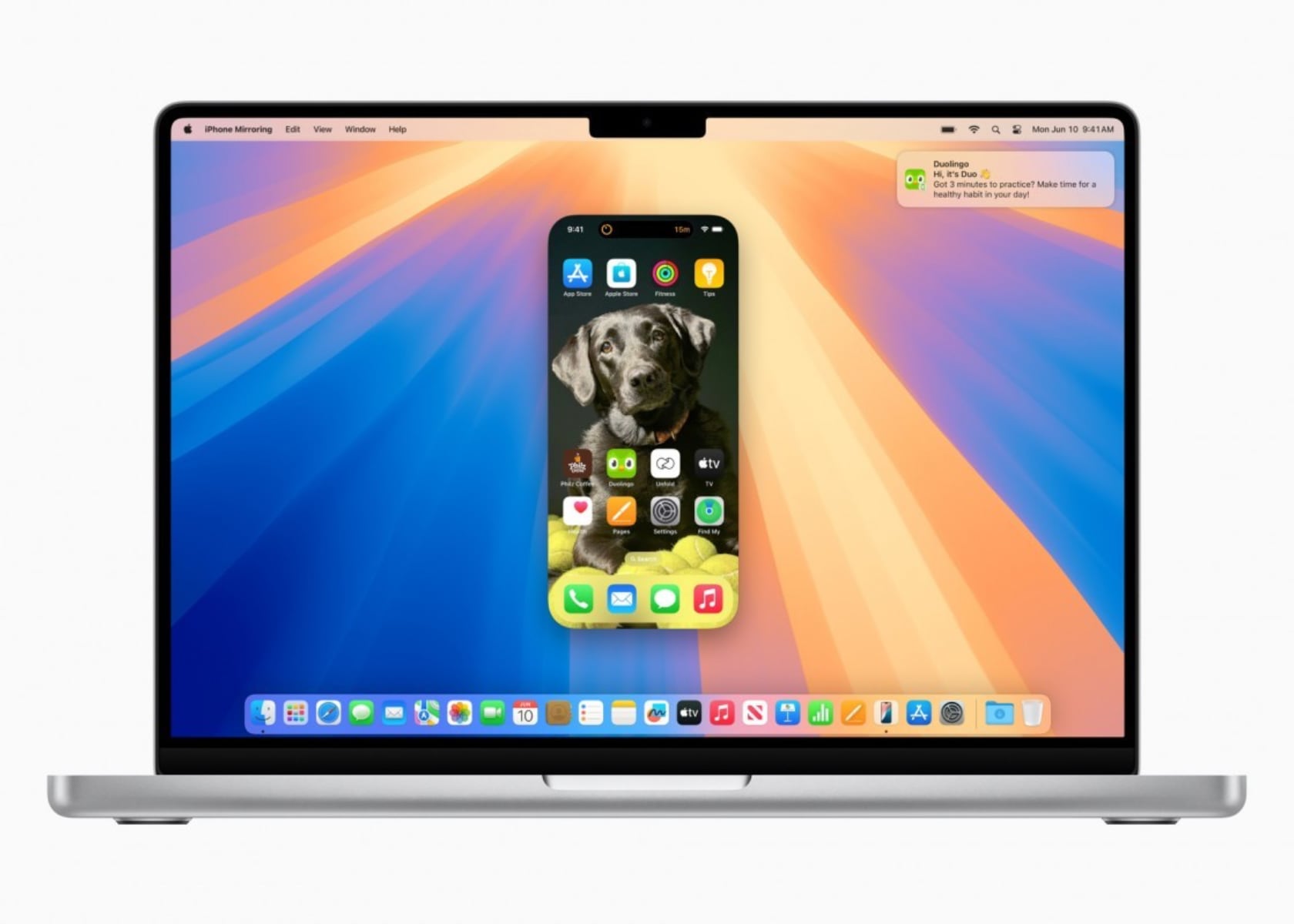
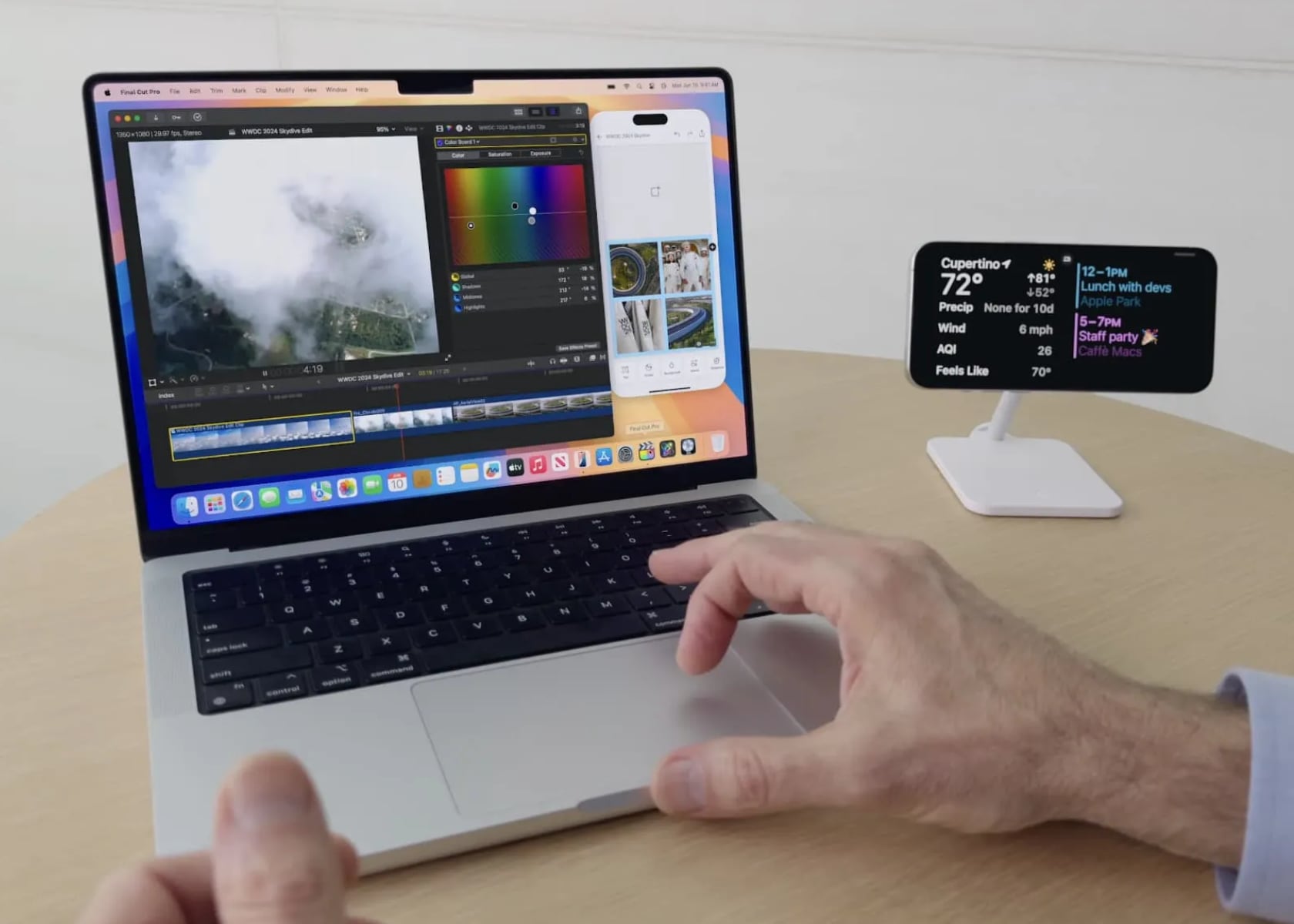
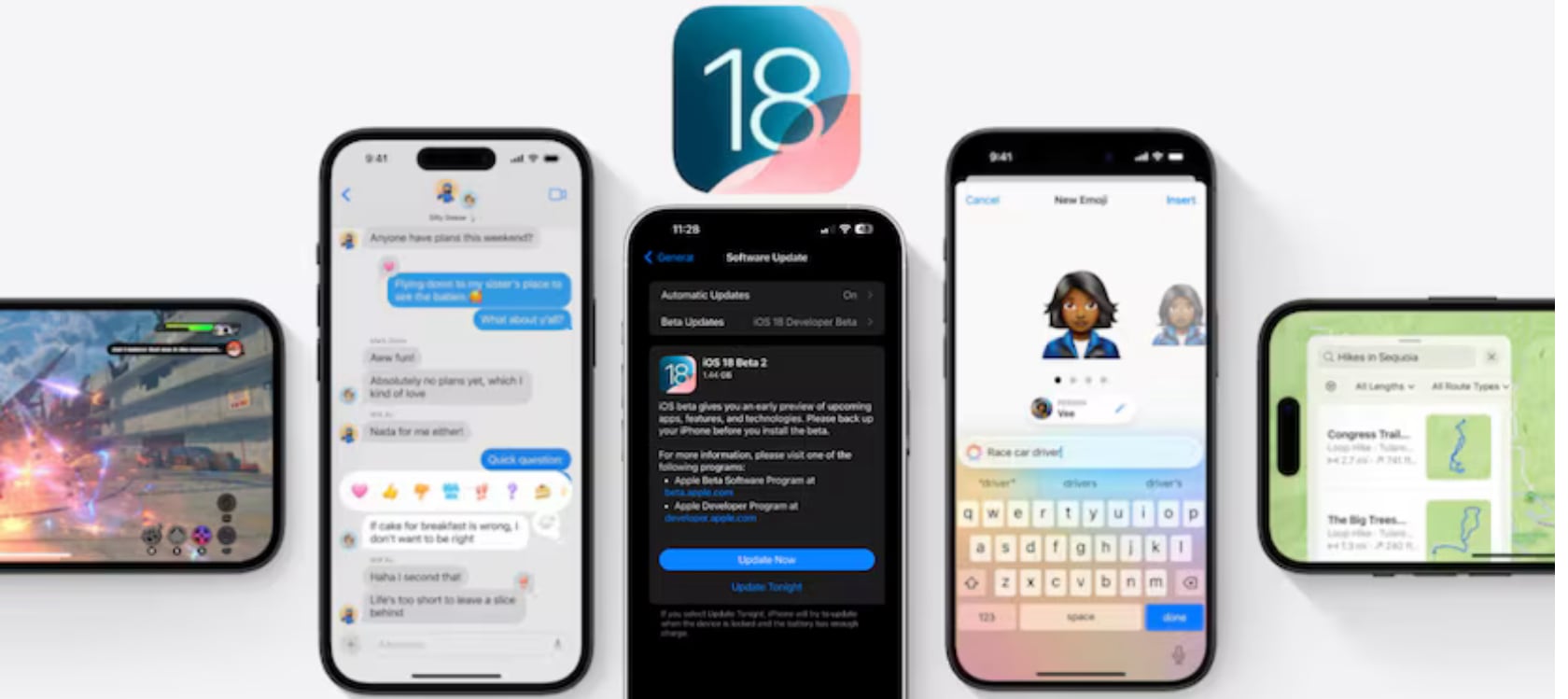
Apple’s iOS 18 developer beta 2 has introduced several notable features and improvements, making it an exciting update for developers and users alike. Among the highlights are iPhone Mirroring on compatible Macs, enhanced SharePlay screen sharing, a dark mode icon for the App Store, and a multi-language keyboard. I’m most excited about iPhone Mirroring, and I can’t wait to test it out in the public beta, which should be available soon.
Designer: Apple
iPhone Mirroring lets you project your iPhone screen onto your Mac, which can be incredibly useful. First, it allows you to get notifications on your Mac without unlocking your iPhone, keeping you in the loop without interrupting your workflow. Second, the drag-and-drop functionality between the iPhone and Mac makes transferring files and interacting with apps a breeze. Finally, it means you can access your iPhone apps and files on your Mac, even when your iPhone is locked or in Standby mode. This seamless integration between devices is a game-changer for productivity.
Apple iOS 18 beta 2: iPhone Mirroring
SharePlay screen sharing is another feature that stands out in iOS 18 beta 2. This update allows you to draw on and control others’ screens during shared sessions, making remote assistance and collaboration much more effective. Whether you’re troubleshooting an issue, working on a project together, or teaching someone how to use an app, SharePlay makes it easy to interact and communicate in real-time.
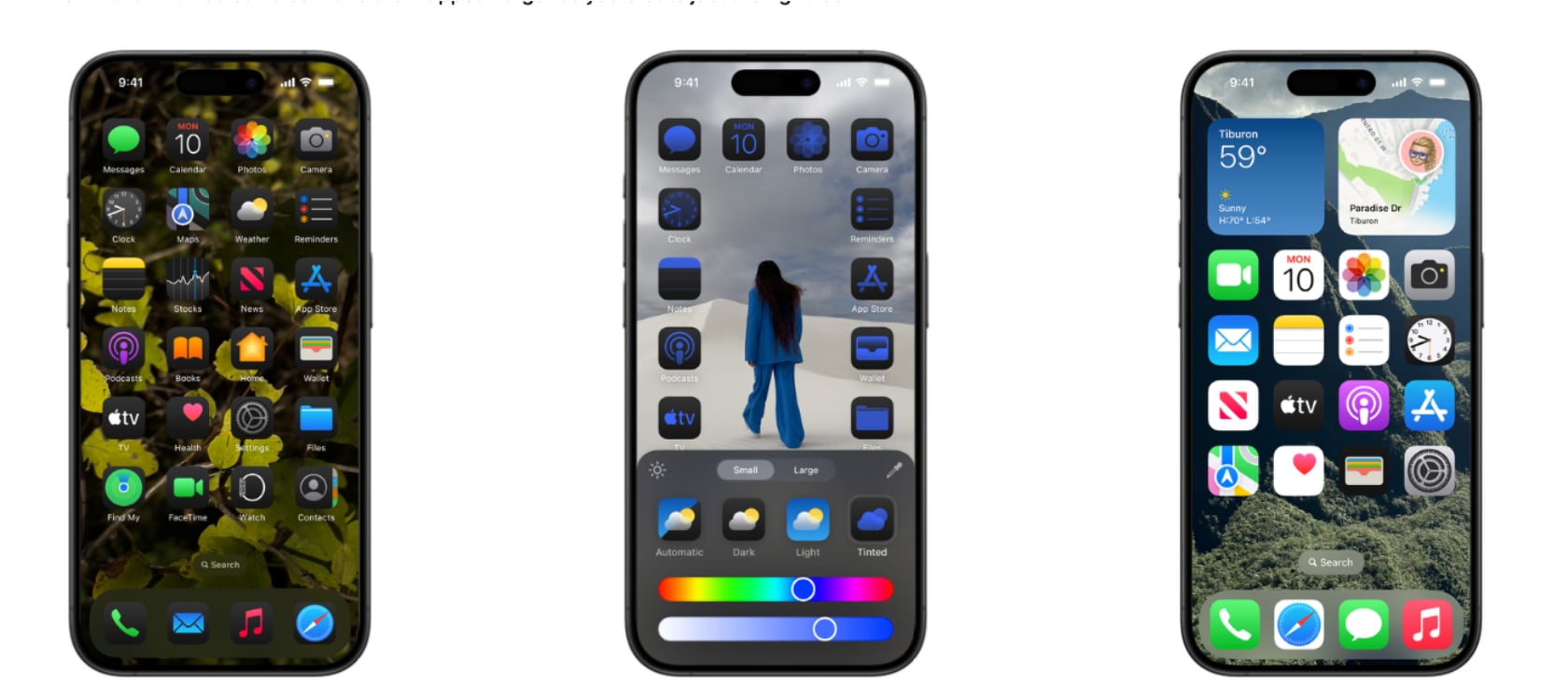
The App Store has also received a visual update with a new dark mode icon. This change aligns with the system-wide dark mode, reducing eye strain, especially in low-light environments. It’s a small yet thoughtful update that enhances the overall user experience.
The multi-language keyboard is another fantastic addition. It now supports up to three languages simultaneously, including 27 Indian languages like Hindi, Assamese, Bangla, and Urdu. This update is perfect for multilingual users, making it easier to switch between languages without changing settings. It’s a step toward making iOS devices more accessible and user-friendly for a diverse global audience.
Finally, iOS 18 beta 2 introduces Rich Communication Services (RCS) support in the Messages app. RCS brings features like read receipts, typing indicators, and higher-quality media sharing to your messages, offering a more interactive and engaging messaging experience.
Additionally, the second beta includes some smaller tweaks and interface changes. The Home Screen now features a wallpaper tinting toggle and improved contrast for certain icons. There’s also a new Connected Card Wallet widget, although it’s not functional yet, and enhancements to the Passwords app with a more accessible “+” button for adding new items. The Control Center’s power button now has a more pronounced haptic feel, preventing accidental activation.
Things to Keep in Mind Before Downloading
When testing out the iOS 18 public beta, it’s essential to proceed with caution. Developer betas are designed for testing and may contain bugs that could cause unexpected crashes or issues with certain apps. Before downloading, make sure to back up your device to avoid any potential data loss. If you prefer a more stable experience, consider signing up for the public beta, which is expected to be released later in the month or in July.
iOS 18 Developer Beta 2: Eligible iPhone Models
The iOS 18 developer beta 2 supports the following iPhone models:
– iPhone 15
– iPhone 15 Plus
– iPhone 15 Pro
– iPhone 15 Pro Max
– iPhone 14
– iPhone 14 Plus
– iPhone 14 Pro
– iPhone 14 Pro Max
– iPhone 13
– iPhone 13 mini
– iPhone 13 Pro
– iPhone 13 Pro Max
By ensuring your device is supported and backing up your data, you can safely explore iOS 18’s exciting new features.
Capcom announced a new remaster of its 2006 zombie smasher Dead Rising. The new update, Dead Rising Deluxe Remaster, is currently scheduled for a release this year on "the newest generation of platforms." We can assume that means at least the PlayStation 5 and the Xbox Series X/S, though it may hit previous-gen consoles as well. Both Frank West and the Willamette Parkview Mall are looking great (although Frank seems to have a different voice in this version). This project looks like a big rebuild with completely redone assets, but we don't have any confirmation yet about the extent of the possible changes afoot. Check out the teaser above to see the differences.
This is the second time Capcom has overhauled the look of this fan-favorite title. It received an HD remaster in 2016 that marked the original's ten-year anniversary, with updates that brought Dead Rising, Dead Rising 2, and Dead Rising 2: Off the Record into the modern era to run at 1080p and 60 fps. But gaming hardware has made even more leaps forward since then, so the Deluxe Remaster could up the ante to 4K, or possibly add in some HDR so that those blood splatters look extra vivid. After all, Frank's a photographer. Gotta go for the best image quality.
It's been a quiet couple years from the Dead Rising team. After releasing DLC for Dead Rising 4, the only other big news was that Capcom had closed down the Capcom Vancouver studio responsible for the franchise. After weathering the layoffs that have been plaguing so much of the games business, it's heartening to see some care still being given to this goofy, campy series.
This article originally appeared on Engadget at https://www.engadget.com/dead-rising-is-back-with-a-new-deluxe-remaster-210535941.html?src=rss
Capcom announced a new remaster of its 2006 zombie smasher Dead Rising. The new update, Dead Rising Deluxe Remaster, is currently scheduled for a release this year on "the newest generation of platforms." We can assume that means at least the PlayStation 5 and the Xbox Series X/S, though it may hit previous-gen consoles as well. Both Frank West and the Willamette Parkview Mall are looking great (although Frank seems to have a different voice in this version). This project looks like a big rebuild with completely redone assets, but we don't have any confirmation yet about the extent of the possible changes afoot. Check out the teaser above to see the differences.
This is the second time Capcom has overhauled the look of this fan-favorite title. It received an HD remaster in 2016 that marked the original's ten-year anniversary, with updates that brought Dead Rising, Dead Rising 2, and Dead Rising 2: Off the Record into the modern era to run at 1080p and 60 fps. But gaming hardware has made even more leaps forward since then, so the Deluxe Remaster could up the ante to 4K, or possibly add in some HDR so that those blood splatters look extra vivid. After all, Frank's a photographer. Gotta go for the best image quality.
It's been a quiet couple years from the Dead Rising team. After releasing DLC for Dead Rising 4, the only other big news was that Capcom had closed down the Capcom Vancouver studio responsible for the franchise. After weathering the layoffs that have been plaguing so much of the games business, it's heartening to see some care still being given to this goofy, campy series.
This article originally appeared on Engadget at https://www.engadget.com/dead-rising-is-back-with-a-new-deluxe-remaster-210535941.html?src=rss
Motorola just announced its Android-based device tracker, and I’m sure if you saw it too, you’d have the same thoughts as I did. It looks very familiar… Almost too familiar. Modeled precisely on Apple’s AirTag, the Moto Tag is a tiny tracking device that works within the Android OS, allowing you to effectively and accurately track your belongings. When I first saw the Moto Tag, I found myself feeling a familiar sense of smugness at the fact that an Android company copied Apple (they did with the removal of the headphone jack, with the camera notch)… but then I remembered that the inverse is also true. The WWDC event was pretty much Apple announcing Android-like features for the iPhone, and rebranding Artificial Intelligence to Apple Intelligence. The catch there was that Apple took its sweet time to implement these features, but also did a better job. If you extend that benefit of doubt the other way, it becomes a lot easier to appreciate the Moto Tag for what it brings to the table.
Designer: Motorola
Like the AirTag, the Moto Tag is a small, circular disc slightly larger than a quarter. It boasts a user-replaceable CR2032 battery that Motorola claims will last a full year on a single charge. While it lacks a built-in keyring loop (there’s a clever reason why it copies the AirTag so shamelessly), it integrates seamlessly with the revamped Google Find My Device network. This ensures easy pairing with countless Android smartphones, allowing users to locate and even make the Moto Tag play a sound for easier retrieval.
Looking towards the future, Motorola has equipped the Moto Tag with ultrawideband (UWB) technology. This paves the way for “precision tracking,” a feature that will provide detailed on-screen instructions for finding the tracker when you’re in close proximity. While similar to Apple’s Precision Finding with AirTags, this functionality currently awaits an update to Google’s Find My Device network.
However, the Moto Tag boasts a unique feature that sets it apart: a built-in button. This button, cleverly placed where the “M” of the Motorola logo sits, can be pressed to make your paired smartphone ring. This comes in handy in those moments when you’ve misplaced your phone but have the Moto Tag within reach.
The multi-functionality doesn’t stop there. The button can also be used to trigger the camera shutter or recording button on Motorola phones, or any Android phone for that matter, making capturing content on the go a breeze. Finally, the Moto Tag is IP67 rated for dust, water, and dirt resistance, ensuring it can withstand everyday bumps and spills without compromising its tracking abilities.
But before you bash Motorola for being unimaginative or blatantly copying a product’s shape and size, there truly IS a clever reason why Motorola probably chose to make their tracking device look almost exactly like their competitor. Apple’s AirTag already has a flourishing accessory ecosystem. From holders and hangers to carabiners and even stickers that let you attach your AirTag to the inner lining of suitcases and laptop bags, the AirTag has no shortage of accessories to accompany it… and by copying the AirTag’s form factor, Motorola’s ensured absolute compatibility of every one of these accessories with the Moto Tag too. It’s genius, to leverage your competitor’s success to boost your own product. Isn’t it?!
Apple is expanding access to its web-based diagnostic tool. The software (officially called “Apple Diagnostics for Self Service Repair”) is now available in 32 European countries, including the UK, Germany, France and the Netherlands. They join the US, where the tool arrived in December.
As Apple describes it, the software “gives users the same ability as Apple Authorized Service Providers and Independent Repair Providers to test products for optimal parts functionality and performance.” It currently supports iPhone, Mac and Studio Display.
The tool can scan the device for display, camera, Face ID, software integration and audio output issues and tell you which parts may need repair. This is part of Apple’s recent push to be friendlier to self-servicing, likely to try to head off regulations.
The only catch is the diagnostics require a second Apple device. Both products need to be running iOS 17 or later or macOS Sonoma 14.1 or later. Beta software is a no-go. (Sorry, iOS 18 and macOS Sequoia early adopters.)
After initiating the process at this website from the second device, the tested one will be put into Diagnostics mode, and you can follow the prompts from there.
This article originally appeared on Engadget at https://www.engadget.com/apples-self-repair-diagnostics-tool-expands-to-europe-202453216.html?src=rss