LONGER’s $1,499 Dual-head UV Printer Prints iPhone Cases, Braille, and Custom Merch in 6x Speed

Last year, a consumer-focused UV printer made a remarkable splash on Kickstarter, marking the first time consumer UV printing made it to the big leagues. Now, LONGER ePrint enters the market, bringing unique innovation, a user-friendly experience, and highly competitive pricing to DIY enthusiasts, startups, and designers alike. Built for creative expression and customizable solutions. The campaign has already achieved an impressive $3.6 million in sales within its first week.

LONGER brings a decade of experience (and four successful crowdfunding campaigns) making 3D printers and laser engravers to this project, plus patents and research credentials from its MIT and Georgia Tech founding team. The ePrint’s headline feature is its dual-printhead design with 12 ink channels, which the company says delivers print speeds up to six times faster than single-head printers when laying down textured white ink layers. Add automated cleaning systems, white ink circulation to prevent clogging, and compatibility with third-party inks, and LONGER has assembled a feature set aimed squarely at cost-conscious small businesses.

Designer: Longer ePrint

Click Here to Buy Now: $1499 $2199 ($700 off). Hurry, only 85/250 left! Raised over $3.7 million.

LONGER runs 12 ink channels across two printheads in the full ePrint model: CMYK color plus six white channels and two varnish channels. Building up textured prints to the maximum 60mm height means laying down multiple passes of white ink. Six white channels working simultaneously stack ink six times faster than a single channel could manage. For flat printing without the texture work, the dual-head configuration cuts print time by 50 to 70 percent. At 1440 DPI resolution, print quality stays consistent while speeds improve.

Running a small custom merch operation means speed directly translates to how many orders you can fulfill in a day. Print a full-color design on a phone case and you’re looking at roughly 2 to 3 minutes at high quality settings, faster if you drop to balanced or draft modes. A dozen custom phone cases in under half an hour. Coasters, small signs, and similar flat items clock in at similar speeds. Want to add that 3D textured effect with raised logos or embossed details? That takes longer since you’re building up layers of white ink, but the dual printheads working together mean you’re still finishing pieces in reasonable timeframes rather than waiting hours per item. The 310mm by 420mm print bed accommodates most personal accessories and small merchandise. You’re not printing posters, but phone cases, drinkware graphics, small wooden signs, custom keycaps, personalized gifts, all the items that make up craft fair tables and Etsy shops fit comfortably.

That 60mm embossing capability opens up applications beyond flat graphics. You can produce tactile braille signage with actual raised dots instead of stickers. Relief sculptures and dimensional art pieces become feasible without molding or casting. Product prototypes gain realistic texture that photographs can’t convey. Custom keycaps for mechanical keyboards, raised logos on promotional items, textured business cards that stand out in a stack. Small batch production of items that would normally require expensive tooling or outsourcing to specialty shops. Running a custom merchandise side business or handling client work for local businesses becomes viable when you’re not paying per-piece service bureau rates or minimum order quantities.

White ink creates problems for every UV printer manufacturer. Leave it sitting idle and it separates, leading to inconsistent prints and clogged nozzles that can brick expensive printheads. LONGER built a continuous circulation system that keeps white ink flowing even when you’re not printing. Automated cleaning cycles purge the printheads periodically to prevent clogs before they start. Most desktop UV printers demand manual maintenance rituals before each job. LONGER designed this to stay ready rather than requiring constant babysitting.

The best part is that this printer isn’t unscrupulously bound to specific ink cartridges – the system is designed to be open, and LONGER accepts third-party ink cartridges, including low-migration ink varieties for printing on plates and packaging. You get twelve 200ml cartridges in the dual-head model, totaling 2.4 liters of capacity. Proprietary cartridge systems lock you into whatever the manufacturer charges. Over months of production, open ink compatibility saves real money.

Flatbed mode handles your standard work on flat materials up to 310mm by 420mm. Wood plaques, acrylic sheets, metal panels, glass coasters, leather patches. The 10mm high-gap printing capability means the printhead stays elevated above the material, so you can print on textured wood, embossed surfaces, or slightly warped materials without the head scraping or smudging wet ink. Phone cases with camera bumps, rough stone tiles, wrinkled leather, all printable without fighting the machine.

Rotary printing opens up cylindrical objects. Water bottles, wine bottles, tumblers, pens, flashlights, anything roughly cylindrical that fits the attachment. The printer rotates the object while printing, wrapping your design around the curve. Transfer film mode takes a different approach by printing onto a special film substrate first. Print your design with the UV printer, then use the included laminator to apply heat and pressure, transferring the design onto fabric. You’re making custom heat-transfer stickers for t-shirts, jackets, bags, hats. Not direct-to-garment printing, but useful when DTG doesn’t work well or when you want that raised, glossy finish that UV ink provides. The laminator handles the heat-press work, so you’re not buying separate equipment.

Roll-to-roll attachment extends the workflow for producing multiple transfers in sequence. Instead of printing individual pieces, you load a roll of transfer film, print continuously, and wind up the finished prints on the output roll. Makes sense if you’re producing batches of vinyl stickers or multiple heat-transfer designs for a clothing run. The conveyor belt attachment serves a similar batching purpose but for rigid objects. Load up phone cases, coasters, or other small items, and the conveyor moves them through the print area automatically. No manual repositioning between pieces. Between these four modes and the accessories that enable them, LONGER built a system that adapts to different production workflows rather than locking you into one application.

Dual lasers and a 16MP camera handle object detection and positioning automatically. In batch mode, the system scans multiple objects, identifies positions, and fills patterns without manual placement for each piece. Software includes AI-powered background removal and pattern generation too.

UV printing generates fumes that need proper ventilation regardless of what the manufacturer says about filtration. LONGER includes air purification and claims operation stays under 60dB, quieter than conversation. At 650mm by 445mm by 330mm and 30kg for the dual-head version, it genuinely fits on a desk rather than demanding dedicated floor space like industrial models. You still want good airflow in your workspace, but the footprint works for small studios or home offices with proper setup.

Early bird pricing breaks down to $1,499 for the single-head ePrint SE with six ink channels, $1,899 for the dual-head ePrint with 12 channels, and $2,949 for the all-in-one combo bundling rotary, laminator, conveyor, and roll-to-roll attachments. US and EU backers get free shipping.

Click Here to Buy Now: $1499 $2199 ($700 off). Hurry, only 85/250 left! Raised over $3.7 million.

The post LONGER’s $1,499 Dual-head UV Printer Prints iPhone Cases, Braille, and Custom Merch in 6x Speed first appeared on Yanko Design.

UltraBar X Replaces Your Stream Deck, Volume Knob, and Phone Apps

Most desks accumulate a scattered collection of control devices over time. There’s the keyboard and mouse, maybe a Stream Deck for shortcuts, a volume knob for your speakers, a phone running smart home apps, and a separate remote for the desk lamp. Each solves a specific problem, but together they create a landscape of disconnected gadgets competing for space and attention. The monitor sits above it all, while everything underneath becomes a tangled mess of cables and redundant functions.

UltraBar X tries to consolidate that chaos into a single, modular strip that lives under your monitor. Built around a long, wedge-shaped bar with an ultra-wide display, it acts as a command center for your computer, applications, and even your smart home devices. Instead of a fixed product, it works more like a platform where you snap on magnetic modules to build the exact control surface your desk needs.

Designer: Team UltraBar

Click Here to Buy Now: $289 $429 (33% off). Hurry, only 379/500 left! Raised over $178,000.

The central piece is CoreBar, a low, seven-inch display wedge-shaped bar tilted at forty-five degrees so it’s easy to glance at without adjusting your posture. The screen shows clocks, system stats, app icons, and customizable scenes that change based on what you’re doing. Tap the screen to wake your PC, jump between apps, or trigger macros, all from a touch interface that sits right where your hands naturally rest.

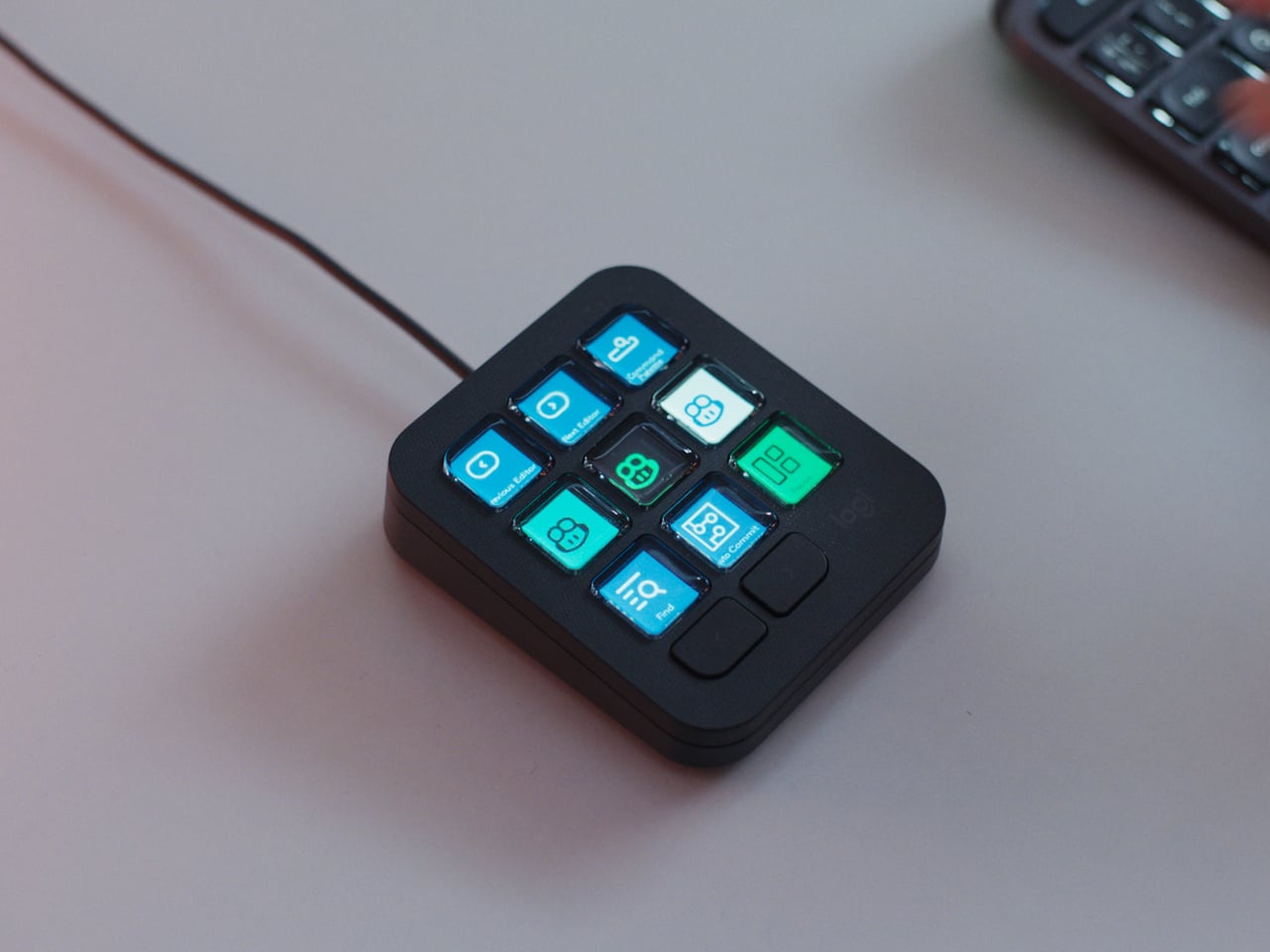
What makes the system feel different is how the magnetic modules expand it. DotKey snaps onto the side and brings a cluster of Cherry MX mechanical keys for shortcuts and macros. KnobKey adds a precision rotary dial that clicks crisply as you turn it, perfect for adjusting volume, brush size, or timeline scrubbing. VivoCube is a tiny controller with its own AMOLED screen and switches, small enough to hold or dock alongside the bar.

Of course, there’s also SenseCube, the environmental sensing module. Inside its small triangular shell are millimeter-wave radar and sensors for light, temperature, humidity, and vibration. This gives your desk a kind of ambient awareness, letting it detect when you sit down, notice changes in lighting, or respond when the room gets too warm. The workspace starts to feel less static and more responsive without constant input.

A typical morning might look like this. You walk up to your desk and tap CoreBar to wake the PC, which also brings up a layout tuned for writing and email. The mechanical keys are mapped to window management shortcuts, while the knob handles scrolling through long documents. Later, a single press shifts CoreBar into a design layout, and pretty much the same modules now control brush size, zoom, and layers in Photoshop or Illustrator.

The system doesn’t stop at the screen. Through its network connection, CoreBar can talk to Philips Hue lights to adjust the room based on your focus mode, or trigger a Sonos playlist with a single tap on an icon. The same bar that manages your open apps can also dim the lights or change the soundtrack, turning your desktop into a bridge between your computer and the rest of your space.

What keeps the experience from feeling overwhelming is how the software handles it. CoreBar runs a custom system with an app store and a library of templates for different workflows. Programmers get layouts for terminal, debugging, and IDE shortcuts. Designers get knobs and keys for brushes and layers. Streamers get scene controls and quick mutes. These templates bundle icons, animations, and logic, so you can load a complete setup without building from scratch.

That said, the modular approach means the system can grow over time. You can start with just CoreBar and add modules as you figure out what you actually need, swapping them in and out as your workflow shifts. The QuantumLink magnetic protocol means modules snap on, get recognized instantly, and can be reconfigured in seconds without tools or menus.

UltraBar X is made for people who enjoy shaping their tools rather than accepting whatever default interface their operating system provides. It doesn’t replace your keyboard or mouse, but it gives the space under your monitor a clear job beyond collecting dust and cable clutter. For anyone tired of juggling separate devices or hunting through nested menus, a modular bar that can sense, adapt, and consolidate feels like a thoughtful step toward desks that work the way you do.

Click Here to Buy Now: $289 $429 (33% off). Hurry, only 379/500 left! Raised over $178,000.

The post UltraBar X Replaces Your Stream Deck, Volume Knob, and Phone Apps first appeared on Yanko Design.

This $399 Device Can Kill Your Joint Pain Using Infrared Lasers (And Zero Side Effects)

The first Move+ made a bold promise: what if your “painkiller” was a band of light instead of a bottle of pills? By wrapping medical-grade red and near-infrared LEDs around your joints, it tried to tackle the inflammation at the source, not just blur it out. Move+ 2.0 arrives as the next pass at that concept, with a more polished chassis, smarter ergonomics, and a clearer pitch that this is not a gadget for your shelf, but a piece of recovery infrastructure you actually wear.

The real story behind the 2.0 update is a shift in how the device delivers light. Pain, after all, is rarely skin deep. Kineon’s answer was to build a hybrid system, pairing 660nm red LEDs with 808nm near-infrared lasers. While LEDs are great for surface-level recovery, the focused, coherent light from the lasers is engineered to penetrate several centimeters deeper, reaching the actual joint capsules, cartilage, and muscle tissue where chronic inflammation hides. It’s a clever engineering choice that directly addresses the limits of LED-only panels, aiming to deliver a therapeutic dose where it truly matters, whether that’s inside a shoulder with tendinitis or a knee struggling with arthritis.

Designer: Kineon Design Labs

Click Here to Buy Now: $399 $798 (50% off). Hurry, only a few left! Raised over $58,000.

The new adjustable strap is noticeably slimmer and more pliable, designed to solve the ergonomic puzzle of wrapping something securely around tricky areas like the shoulders or glutes. With reinforced stitching, premium materials, and a quick-release function, it feels less like a medical brace and more like a piece of high-end athletic gear. Kineon also includes bridging clips to connect the modules closer together and a separate extender strap. These simple but practical additions ensure the device can comfortably fit both on smaller treatment areas and larger body types or span across the lower back, making the entire system more versatile out of the box.

Even the travel case gets a thoughtful overhaul. Finished in vegan leather with a redesigned interior, it treats the Move+ 2.0 like a piece of premium electronics, not a clunky medical aid. The new layout, with dedicated bridge holders and a simplified charging tray, is about removing the small points of friction that often lead to expensive recovery tools being left at home. It affirms the idea that for a device like this to be effective, it has to be with you when you need it, whether that’s at the gym, in a hotel room, or after a long flight.

By combining LEDs and lasers, the Move+ 2.0 is positioned to address a whole spectrum of common complaints that live deep in the body’s machinery. The issues it targets, from frozen shoulder and carpal tunnel to gout and cartilage damage, are the kind of stubborn problems that often resist simple surface treatments. The device is not just for post-workout soreness; it is designed as a tool for managing the kind of chronic, nagging conditions that can disrupt daily life.

Beyond the hardware, Kineon is building out the digital side of the recovery equation. The new companion app acts as a logbook and a coach, letting you track sessions, monitor progress, and access a library of educational videos and guided recovery programs. This turns the Move+ 2.0 from a purely physical tool into a smarter system. Instead of just treating a sore spot ad hoc, the app provides a framework for managing chronic conditions over time, offering insights and guidance that help connect the daily sessions to a longer-term healing strategy.

At just $399, the entire package feels cohesive, including not just the 3 light modules and adjustable strap, but also the travel case, a charging dock, and a USB-C charging cable. Kineon is clearly positioning the Move+ 2.0 as a serious piece of performance and recovery gear, designed to sit comfortably alongside a high-end smartwatch or a percussion massager. It’s a tool built for a wide spectrum of nagging, persistent issues, from the athlete’s case of tennis elbow to the office worker’s carpal tunnel. By wrapping sophisticated medical technology in a thoughtfully designed, user-friendly package, Kineon is making a strong argument that the future of pain management might look a lot less like a pill and a lot more like a piece of well-designed hardware.

Click Here to Buy Now: $399 $798 (50% off). Hurry, only a few left! Raised over $58,000.

The post This $399 Device Can Kill Your Joint Pain Using Infrared Lasers (And Zero Side Effects) first appeared on Yanko Design.

Momcozy Just Made Baby Gear That Doesn’t Look Like Baby Gear

Baby gear used to mean loud colors and chunky plastic that demanded its own corner of the living room. Most swings looked like they belonged in pediatrician waiting rooms, and breast pumps came with tubes and bottles that made discretion impossible. For parents trying to maintain some semblance of style in their homes, it meant choosing between function and aesthetics, rarely getting both in the same product.

Momcozy approaches parenting products differently, with a design philosophy they call Cozy Tech that blends performance with calm, contemporary aesthetics. Loved by over 4.5 million moms globally, the brand starts from the reality of modern parenting: hybrid work schedules, small urban apartments, and the need for tools that integrate into existing routines without demanding wholesale lifestyle adjustments or visual compromises that most baby gear traditionally required.

Designer: Momcozy

Engineering Meets Empathy

The gap Momcozy noticed was straightforward. Traditional baby swings assumed parents had unlimited space and patience for bulky furniture, while breast pumps were designed as if mothers had all day to sit in private rooms. The disconnect was obvious once you looked at it from the parents’ side: why couldn’t products work beautifully and look beautiful at the same time, especially when those products occupy your home for years?

Cozy Tech is the answer that emerged from that question. It is a design language that prioritizes both powerful performance and restraint. Soft forms, neutral tones, and quiet operation let the products blend into design-conscious homes rather than standing out as medical equipment. The hardware still does serious work, but the presence is gentle enough that you do not feel the need to stash things in closets when people visit.

Momcozy S12 Pro Wearable Breast Pump

Picture a mother pumping in a parked car between meetings, or quietly at her desk during a video call. The Momcozy S12 Pro Wearable Breast Pump sits inside a standard nursing bra, disappearing under clothing so there are no tubes or external bottles to manage. From the outside, it looks like any other workday, not a carefully orchestrated routine built around pumping schedules.

The S12 Pro is shaped to mold to the body for comfortable all-day wear, offering multiple modes and adjustable suction to match different stages of expression. The internal battery supports seven to eight sessions on a single charge, reducing the mental load of planning around power outlets. It is the kind of device that quietly acknowledges mothers have careers, meetings, and social commitments, building around that reality instead of ignoring it.

Click Here to Buy Now: $139.99.

Momcozy M9 Mobile Flow Hands-Free Breast Pump

The M9 Mobile Flow Hands-Free Breast Pump is designed for parents who need flexibility without compromising comfort. Imagine someone folding laundry or prepping dinner while the pump works quietly in the background, tucked inside a bra and barely noticeable. The soft, rounded shape and pink finish make it feel closer to a personal wellness device than clinical equipment, blending into the flow of a busy day.

What sets the M9 apart is the combination of smart control and efficiency. The DoubleFit Flange improves fit and reduces leakage, while the app lets parents choose from three modes and fifteen customizable settings to match their rhythm. The eighteen hundred milliampere-hour battery supports up to six sessions per charge, and the upgraded third-generation motor delivers hospital-grade suction without the noise or bulk of traditional pumps.

Click Here to Buy Now: $269.99.

Momcozy 2-in-1 Electric Baby Swing

Shift to a different scene: a parent working from home in a small apartment, laptop open at the dining table while the baby rests in the Momcozy 2-in-1 Electric Baby Swing a few feet away. The swing’s neutral tones and clean lines blend into the living room rather than dominating it. Dual arms and a sturdy base keep everything steady, so there is no nervous checking every time the baby shifts position.

The swing mimics the natural soothing motions of a parent’s arms with four swing patterns and four speeds, helping babies stay calm outside of a caregiver’s embrace. The breathable seat adjusts to two recline positions, the cover zips off for machine washing, and when the baby outgrows the swing mode, it converts into a stationary seat that supports kids up to sixty-six pounds, turning it into furniture that lasts years instead of months.

Instead of asking parents to hide the tools that make their days possible, Momcozy designs swings and pumps that can live in the open, both visually and practically. They respect the spaces parents have built for themselves and the complex routines that run through them, showing that parenting gear can be gentle on the eyes while still doing serious work beneath the surface.

Click Here to Buy Now: $159.99.

The post Momcozy Just Made Baby Gear That Doesn’t Look Like Baby Gear first appeared on Yanko Design.

This Car Key Fob Doubles as a Retro Gaming Console

Remember the pure, unfiltered joy of steering a remote-control car around your living room as a kid? That magical feeling of control, the anticipation as you pressed the buttons, watching your tiny vehicle zoom across the floor? Designer Ishwari Patil remembers too, and she’s asking a pretty wild question: what if you could feel that same rush with your actual, full-sized car?

Enter Playfob, a concept that’s here to shake up one of the most overlooked objects in our daily lives. Think about it. We obsess over our phone cases, carefully curate our accessories, and treat our watches as extensions of our personality. But car key fobs? They’ve been stuck in design purgatory, purely functional gray blobs we shove into pockets and forget about. Patil saw this gap and decided to do something about it.

Designer: Ishwari Patil

The genius of Playfob lies in its refusal to play it safe. This isn’t just a key fob with a few extra features slapped on. It’s a complete reimagining of what this everyday object could be. The device transforms into a compact gaming console, complete with that glorious Game Boy-inspired aesthetic, bright nostalgic colors, and a monochrome screen that immediately transports you back to simpler times. When you dock it in your car, it connects to the vehicle’s screen, turning waiting time into playtime.

But here’s where it gets really interesting. Playfob taps into something designers call the “kidult” trend, where adults aren’t just tolerating nostalgic design but actively seeking it out. We want objects that bring comfort and joy, that remind us of times when things felt less complicated. It’s why we see grown adults collecting toys, why retro gaming is having such a massive moment, and why anything that evokes childhood gets us reaching for our wallets.

Of course, a key fob still needs to be, you know, a key fob. Playfob doesn’t sacrifice functionality for fun. It includes Bluetooth connectivity, on-screen feedback when you lock or unlock your car, and GPS-enabled parking assist for those moments when you’ve wandered through three parking garage levels and have absolutely no idea where you left your vehicle. These features bring the humble fob into the modern age without losing sight of its core purpose.

Then there’s the feature that really brings the remote-control car fantasy full circle. Using the built-in D-pad (yes, just like your old Nintendo controller), you can actually move your car remotely in tight spaces. Squeezed into a parking spot with barely enough room to breathe? No problem. Navigate your car out from the comfort of the sidewalk. It’s practical, sure, but it’s also just incredibly cool.

The design itself is deliberately larger than typical key fobs, and that’s entirely the point. While most fobs are designed to disappear, Playfob wants to be seen. It features a rubberized grip that feels good in your hand, intuitive button layouts that make sense without needing a manual, and those vibrant colors that make it feel less like a tech accessory and more like a statement piece. It’s meant to dangle from your bag, to spark conversations, to be an object you actually enjoy carrying around.

What makes this concept so compelling is how it challenges our assumptions about automotive design. Cars have become increasingly personalized over the years, with customizable interiors, ambient lighting, and infotainment systems that sync with our digital lives. Yet somehow, the thing that literally gives us access to all of this remained stubbornly utilitarian. Playfob suggests that every touchpoint matters, that even the smallest interaction with our vehicles could be an opportunity for delight rather than drudgery.

Patil developed this concept during a summer internship at Tata Motors, which makes you wonder what else might be possible when young designers are given the freedom to question conventions. Playfob might be a personal project, but it represents something bigger: a shift toward designing objects that don’t just work well but feel good to use, that acknowledge our emotional needs alongside our practical ones.

Whether or not we’ll ever see Playfob in production remains to be seen. But as a design statement, it’s already succeeded in making us reconsider what a car key could be. And honestly? It makes every boring black fob in existence look just a little bit sadder by comparison.

The post This Car Key Fob Doubles as a Retro Gaming Console first appeared on Yanko Design.

GaN Charger Lets You Swap Plugs, Stack Blocks, Pick Your Wattage

GaN chargers have gotten smaller and more efficient over the years, but they still look like anonymous black or white bricks. Most people toss them in a bag and forget about them, and if you travel frequently, you end up carrying a separate adapter for different plug types. It’s functional but incredibly boring, and the whole category feels like it stopped trying once the engineers got the size and wattage right.

Bang Design’s LEGO-inspired GaN charger is an intern project that tries to make chargers fun and modular instead. The concept treats the charger as a colorful block system, with different cubes for different wattages and swappable plug modules for different countries. It’s patent-pending but still just a concept, though it looks polished enough that you could imagine buying a set off a shelf and arranging them on your desk like tiny toys.

Designer: Bang Design

Every module is a perfect cube or tall cuboid with sharp edges and flat faces that instantly read as building blocks. The 65 W version has a red top half, white bottom half, and large “65 W” printed on one side in light gray type. A subtle asterisk mark on the top hints at a LEGO stud without copying it directly. The rest of the family uses green, blue, yellow, and pastel beige blocks with the same bold geometry.

One green cube houses a sliding plug carriage with metal prongs that can be removed and replaced with different pin standards for US, Indian, or European outlets. A rectangular recess on one face holds the carriage, and gold contacts inside suggest a cartridge-style electrical connection. The plug becomes just another swappable piece of the system rather than something permanently wired to the charger, which is the whole point.

Different wattage blocks have different port configurations. The blue 30 W cube has one USB-C port, the yellow 120 W block has three outputs, and the beige version mixes USB-A and USB-C. Users could pick the block that matches their device or build a small family that shares the same plug module. The big printed wattage numbers make it easy to grab the right cube without squinting at tiny labels.

One cube plugs into the wall while the other blocks sit on the desk like small sculptures. The chargers stop being clutter to hide and start looking like a collection you might actually enjoy arranging. The LEGO reference makes the whole setup feel approachable and almost toy-like, especially compared to the usual tangle of anonymous black bricks and bulky travel adapters that most people carry around.

Turning this into a real product would mean solving serious issues around safety certifications, heat dissipation, and mechanical durability for those swappable parts. But the concept is still valuable because it shows how even a commodity accessory can carry personality and systems thinking. The LEGO-inspired GaN charger hints at a future where chargers are not just smaller and faster, but also more playful and easier to live with.

The post GaN Charger Lets You Swap Plugs, Stack Blocks, Pick Your Wattage first appeared on Yanko Design.

Say Goodbye To Bottled Water: Kara Pure 2 Turns Air Into 99.99% Pure Water (Without The Microplastics)

We’re in the great age of unbundling. We’ve unbundled our power grids with solar panels, our entertainment with streaming, and our communication with the internet. We’re systematically severing the cords that tie us to centralized, aging systems. But what about the most essential utility of all – the water pipe? For decades, that’s been the one connection we couldn’t cut. You could go off-grid with power, but you were still tethered to the municipal water main. Until now. What if your home could perform a little bit of everyday alchemy? What if it could breathe in the invisible humidity hanging in the air and exhale pure, rich drinking water? This isn’t a far-future concept; it’s the game-changing revolution happening inside the all-new Kara Pure 2. This sleek, stainless steel tower isn’t just a water dispenser; it’s your home’s personal atmospheric hotspot. The award-winning technology doesn’t filter water from the grid; it creates the water instead, offering a glimpse into a future where the most precious resource on earth is no longer piped in, but simply harvested on demand.

At first glance, the Kara Pure 2 is a study in minimal-yet-effective industrial design. Standing at a confident 44 inches tall, its brushed stainless steel body feels both substantial and elegant, designed to complement a modern kitchen rather than dominate it. Its upgraded internal copper piping and five-stage water filtration signal a commitment to quality, suggesting this is a permanent fixture, not a temporary solution. The front is punctuated by a clean, 40% larger touchscreen and a gracefully curved dispensing area. There are no awkward plastic jugs, no complex pipework, no visible signs of the powerful process happening within. This deliberate minimalism is central to its appeal; it domesticates an industrial-grade technology, making the extraordinary feel approachable. The magic trick is only impressive if the magician makes it look easy, and the Kara Pure 2 looks effortless. Its only demand is a standard power outlet, and in return, it offers a bottomless well of 9.2 pH-balanced Alkaline water.

Designer: Cody Soodeen

Click Here to Buy Now: $3899 $5999 ($2100 off). Hurry, only 6/20 left! Raised over $371,000.

Kara Pure 2’s Patented AirDrive™ technology uses a clever desiccant material that acts like a super-sponge, aggressively grabbing water molecules from the air. Once saturated, the machine gently heats the desiccant, forcing it to release the captured moisture as perfectly pure water vapor, leaving dust and other airborne gunk behind. It’s an elegant and efficient method of harvesting, allowing the machine to perform even when the air feels less than tropical. This isn’t merely condensation; it’s a targeted extraction.

Once the water is harvested, it begins a journey through a multi-stage purification gauntlet. The process starts before the air even enters the machine, with a commercial-grade EPA air filter that scrubs the intake air, providing the side benefit of purifying about 200 cubic feet of room air per minute. After the water is condensed, it passes through a system that includes an advanced ultrafiltration (UF) membrane. With a pore size of just 0.01 microns, this stage is designed to physically block contaminants like bacteria, viruses, and microplastics. Finally, the water is exposed to a medical-grade UV-C sterilizer, which neutralizes any remaining microorganisms to ensure the final product is 99.99% pure.

But anyone who has tasted distilled water knows that “pure” can be boring. The filtration process strips out everything, good and bad, leaving a flat, lifeless liquid. Kara brings the water back to life in the final step by enhancing it with a carefully balanced cocktail of essential minerals like calcium and magnesium. This not only gives the water its clean, crisp taste but also nudges the pH up to an alkaline 9.2+, a nod to the modern wellness enthusiast. It even gets an antioxidant boost, completing its journey from humble humidity to what you might call high-performance hydration.

That whole process nets you up to 10 liters (or about 2.6 gallons) of water a day, storing it in an 11.5-liter reservoir so it’s always ready. Standing 44 inches tall and weighing a hefty 70 pounds, the Kara Pure 2 is a stainless steel monolith that feels more like a piece of modern sculpture than a kitchen appliance. The premium feel extends to the internals, with upgrades like 99% pure copper piping that signal this is a forever-appliance, not a disposable gizmo. The user experience gets the same love, with a spout moved forward for easy access and a pouring area now 20% larger, big enough to fit that ridiculously oversized 64-ounce water bottle you carry around.

The day-to-day command center is a 40% larger touchscreen that lets you dial in everything, including instant hot and cold water. But the most impressive feature might be what you don’t notice. At just 32 decibels, the Kara Pure 2 is quieter than your fridge’s late-night humming. This is the critical detail that makes it a viable housemate, allowing it to quietly perform its magic in the background of your life without driving you insane. It’s a testament to the engineering that went into making this complex process feel effortless and unobtrusive.

Naturally, a device this forward-thinking is making its debut on Kickstarter, the go-to platform for launching category-defining hardware. This is where early adopters can secure the Kara Pure 2 before it hits the broader market. The super early bird pricing is set at $3,899, which feels like a pretty good investment considering the average family spends upwards of $1,350 a year on bottled water (even more for 9.2pH+ alkaline water)… And after all, it’s an investment in a new kind of infrastructure for your home. I mean, you’re literally turning air into alkaline drinking water. Rumor has it that Kara’s next appliance will turn that water into wine!

Click Here to Buy Now: $3899 $5999 ($2100 off). Hurry, only 6/20 left! Raised over $371,000.

The post Say Goodbye To Bottled Water: Kara Pure 2 Turns Air Into 99.99% Pure Water (Without The Microplastics) first appeared on Yanko Design.

Say Goodbye To Bottled Water: Kara Pure 2 Turns Air Into 99.99% Pure Water (Without The Microplastics)

We’re in the great age of unbundling. We’ve unbundled our power grids with solar panels, our entertainment with streaming, and our communication with the internet. We’re systematically severing the cords that tie us to centralized, aging systems. But what about the most essential utility of all – the water pipe? For decades, that’s been the one connection we couldn’t cut. You could go off-grid with power, but you were still tethered to the municipal water main. Until now. What if your home could perform a little bit of everyday alchemy? What if it could breathe in the invisible humidity hanging in the air and exhale pure, rich drinking water? This isn’t a far-future concept; it’s the game-changing revolution happening inside the all-new Kara Pure 2. This sleek, stainless steel tower isn’t just a water dispenser; it’s your home’s personal atmospheric hotspot. The award-winning technology doesn’t filter water from the grid; it creates the water instead, offering a glimpse into a future where the most precious resource on earth is no longer piped in, but simply harvested on demand.

At first glance, the Kara Pure 2 is a study in minimal-yet-effective industrial design. Standing at a confident 44 inches tall, its brushed stainless steel body feels both substantial and elegant, designed to complement a modern kitchen rather than dominate it. Its upgraded internal copper piping and five-stage water filtration signal a commitment to quality, suggesting this is a permanent fixture, not a temporary solution. The front is punctuated by a clean, 40% larger touchscreen and a gracefully curved dispensing area. There are no awkward plastic jugs, no complex pipework, no visible signs of the powerful process happening within. This deliberate minimalism is central to its appeal; it domesticates an industrial-grade technology, making the extraordinary feel approachable. The magic trick is only impressive if the magician makes it look easy, and the Kara Pure 2 looks effortless. Its only demand is a standard power outlet, and in return, it offers a bottomless well of 9.2 pH-balanced Alkaline water.

Designer: Cody Soodeen

Click Here to Buy Now: $3899 $5999 ($2100 off). Hurry, only 6/20 left! Raised over $371,000.

Kara Pure 2’s Patented AirDrive™ technology uses a clever desiccant material that acts like a super-sponge, aggressively grabbing water molecules from the air. Once saturated, the machine gently heats the desiccant, forcing it to release the captured moisture as perfectly pure water vapor, leaving dust and other airborne gunk behind. It’s an elegant and efficient method of harvesting, allowing the machine to perform even when the air feels less than tropical. This isn’t merely condensation; it’s a targeted extraction.

Once the water is harvested, it begins a journey through a multi-stage purification gauntlet. The process starts before the air even enters the machine, with a commercial-grade EPA air filter that scrubs the intake air, providing the side benefit of purifying about 200 cubic feet of room air per minute. After the water is condensed, it passes through a system that includes an advanced ultrafiltration (UF) membrane. With a pore size of just 0.01 microns, this stage is designed to physically block contaminants like bacteria, viruses, and microplastics. Finally, the water is exposed to a medical-grade UV-C sterilizer, which neutralizes any remaining microorganisms to ensure the final product is 99.99% pure.

But anyone who has tasted distilled water knows that “pure” can be boring. The filtration process strips out everything, good and bad, leaving a flat, lifeless liquid. Kara brings the water back to life in the final step by enhancing it with a carefully balanced cocktail of essential minerals like calcium and magnesium. This not only gives the water its clean, crisp taste but also nudges the pH up to an alkaline 9.2+, a nod to the modern wellness enthusiast. It even gets an antioxidant boost, completing its journey from humble humidity to what you might call high-performance hydration.

That whole process nets you up to 10 liters (or about 2.6 gallons) of water a day, storing it in an 11.5-liter reservoir so it’s always ready. Standing 44 inches tall and weighing a hefty 70 pounds, the Kara Pure 2 is a stainless steel monolith that feels more like a piece of modern sculpture than a kitchen appliance. The premium feel extends to the internals, with upgrades like 99% pure copper piping that signal this is a forever-appliance, not a disposable gizmo. The user experience gets the same love, with a spout moved forward for easy access and a pouring area now 20% larger, big enough to fit that ridiculously oversized 64-ounce water bottle you carry around.

The day-to-day command center is a 40% larger touchscreen that lets you dial in everything, including instant hot and cold water. But the most impressive feature might be what you don’t notice. At just 32 decibels, the Kara Pure 2 is quieter than your fridge’s late-night humming. This is the critical detail that makes it a viable housemate, allowing it to quietly perform its magic in the background of your life without driving you insane. It’s a testament to the engineering that went into making this complex process feel effortless and unobtrusive.

Naturally, a device this forward-thinking is making its debut on Kickstarter, the go-to platform for launching category-defining hardware. This is where early adopters can secure the Kara Pure 2 before it hits the broader market. The super early bird pricing is set at $3,899, which feels like a pretty good investment considering the average family spends upwards of $1,350 a year on bottled water (even more for 9.2pH+ alkaline water)… And after all, it’s an investment in a new kind of infrastructure for your home. I mean, you’re literally turning air into alkaline drinking water. Rumor has it that Kara’s next appliance will turn that water into wine!

Click Here to Buy Now: $3899 $5999 ($2100 off). Hurry, only 6/20 left! Raised over $371,000.

The post Say Goodbye To Bottled Water: Kara Pure 2 Turns Air Into 99.99% Pure Water (Without The Microplastics) first appeared on Yanko Design.

I Stopped Paying for Cloud Storage After Trying This Tiny 256GB iPhone SSD

I remember a time when smartphones had expandable storage. In fact, I remember feeling this internal rage when I saw the iPhone Air and that Apple even decided that a physical SIM slot wasn’t necessary anymore, because apparently a SIM tray blocks so much space that you need to shave down on a phone’s battery capacity. It’s wild that we’ve gotten to this point in our lives, and what’s more wild is that we now have to ‘rent’ storage out by paying for iCloud or Google Drive subscriptions to store our photos and videos. I remember when you could pop in a MicroSD card and those low-storage problems would go away… and ADAM Elements is trying to bring back that convenience with its ultra-tiny SSDs.

The iKlips S isn’t as small as a MicroSD, but it’s sufficiently more advanced than one. Barely the size of a 4-stud LEGO brick, this SSD plugs right into your smartphone, giving it an instant 256GB memory boost. It docks in your phone’s USB-C port, transferring data at incredible speeds, and here’s the best part – the tiny device packs biometric scanning too, which means you can pretty much secure your backups with a fingerprint the way you secure your phone with FaceID. The best part? No pesky subscription fees. You pay once and own the storage forever, and everything’s local and offline… so you never need to worry about remembering passwords, or about having companies and LLMs spy on your personal data to train themselves.

Designer: ADAM Elements

Click Here to Buy Now: $62.3 $89 (30% off, use coupon code “30YANKOIKPS”). Hurry, deal ends in 48-hours!

Think a thumb drive, but insanely tinier. That’s the beauty of SSDs, and ADAM Elements touts that the iKlips S currently holds the record for the world’s smallest SSD. Plug it into your phone, tablet, laptop, or any device and it instantly gets a 258GB bump. Data transfers at speeds of up to 400Mb/s with read speeds of 450Mb/s, that’s fast enough to move RAW files in milliseconds and entire 4K videos in seconds, or even directly preview/edit ProRes content on your phone, tablet, or laptop without having to transfer data to local storage. After all, that’s the dream, right?

The tiny device comes with a machined aluminum body and a lanyard hole so that you can string something through to prevent it from getting lost. Plug it into your phone to back up media, then into your laptop or iPad to edit said media. You can transfer data between multiple devices fairly quickly, across platforms too, thanks to cross-compatibility with iOS, Android, MacOS, Windows, ChromeOS, and even Linux. The tiny design sits practically flush against your phone, tablet, or laptop, occupying about the same amount of space as a USB receiver for a wireless keyboard or wireless mouse. Its most important design detail, however, hides in plain sight.

On the underside of the iKlips S is a fingerprint scanner, allowing you to add authentication to your SSD the way you add a password to your iCloud. The device can hold as many as 20 fingerprints, making it perfect for redundancies (just in case you cut a finger while chopping veggies) or even for a team of multiple people sharing data. Place your finger on the iKlips S and it unlocks the SSD, allowing you to read/write data in no time. You’re never faced with forgetting your iCloud password as your password literally lives on your fingertips.

The price of it all? A mere $62.3, which costs about as much as an annual subscription to these cloud storage services. For that, you get something you truly own, and can use without needing an app or an internet connection. Just plug it in and you’ve suddenly got extra storage. Secure the storage with a fingerprint, and move data around at speeds your internet service provider could only dream of. Neat, huh?

Click Here to Buy Now: $62.3 $89 (30% off, use coupon code “30YANKOIKPS”). Hurry, deal ends in 48-hours!

The post I Stopped Paying for Cloud Storage After Trying This Tiny 256GB iPhone SSD first appeared on Yanko Design.

This $368 Gadget Turns Any Bike Into an E-Bike in 30 Seconds (And It’s 28% Off This Weekend)

The whole appeal of LIVALL’s PikaBoost line is that it doesn’t look like a DIY experiment. The PikaBoost 2 Lite is a self-contained module that clamps to your seatpost and drives your rear tire with a roller, and it manages to do that while looking more like a piece of refined bike kit than a bolt-on science project. LIVALL released the Lite alongside the full PikaBoost 2 as the simpler, lower-power version: same core idea, same clean industrial design, but tuned for casual city rides rather than long-range commuting. It’s on sale for 21% off through December 1st, which puts it squarely in the Black Friday impulse-buy zone if you’ve been curious about trying electric assist without committing to a full e-bike.

What “Lite” means in practice is a set of sensible compromises that align perfectly with urban riding. The motor delivers up to 500W of peak power, enough to flatten hills without feeling like a rocket, and assists you up to a city-friendly 15 mph (25 km/h). The brains behind it is LIVALL’s patented AAR 2.0 adaptive algorithm, which intelligently matches the power output to your pedaling for a smooth, natural feel. LIVALL claims a maximum range of up to 31 miles (50 km), and an IPX5 waterproof rating means it’s built to handle road spray and unexpected showers. This isn’t a kit for extreme touring; it’s the convenient, quick-fit solution for riders who want a simple boost for their daily commute and the ability to turn any bike into an occasional e-bike.

Designer: LIVALL

Click Here to Buy Now: $368 $508 (PikaBoost 2 Lite Bundle with additional 220Wh battery) Use Code RKMASDSTJYYT for extra $20 off. Hurry, deal ends in 48-hours!

Click Here to Buy Now: $269 $339 (PikaBoost 2 Lite) Use Code ANBM9MC9Y5X8 for extra $10 off. Hurry, deal ends in 48-hours!

Amazon Here.

Streamlined eBike Conversion, Featuring Only the Essentials

What makes the Lite Edition interesting at this price point is that it preserves the “install in under a minute, move it between bikes, take it off when you don’t need it” convenience, but strips out the features most people won’t miss on short rides. It totally simplifies the e-bike experience: no remote controller, no app connection, just pure riding. Retaining only the essential Assist Mode, the powerful assist activates automatically when you pedal – zero setup, zero learning curve, just focus on the joy of powered cycling without any distractions. Lite Edition also retains the core safety features of the Powerful Edition, including slip detection, anti-slip V-shape tire, smart sensor, and LED rear light. It provides the confidence and peace of mind that make it an excellent choice even for novice riders or seniors.

Intelligent Engineering: Lightweight Design and Effortless Flexibility

Clamping a motor and battery to your seatpost sounds like it should make a bike feel clumsy and top-heavy, but the reality is often less dramatic than you’d think. By keeping the mass centered and relatively close to the rider’s own center of gravity, it avoids the weird, disconnected steering feel you can get from a heavy front hub motor. The entire experience is meant to be transient. You aren’t permanently marrying your frame to a motor; you’re just giving it a temporary partner for a specific journey. This is a fundamental departure from the mindset of hub or mid-drive conversions, which demand a commitment of both time and mechanical alteration to your bike. The PikaBoost 2 Lite asks for neither.

Perfect for Anyone Seeking Seamless Electric Assist

You can almost picture the ideal user. Maybe it’s someone with a Brompton and a third-floor walk-up, who needs an assist for the last mile but can’t add permanent weight to a bike they carry daily. Or it’s a couple who share a single assist unit between two different bikes for weekend errands. It even makes sense for the dedicated road cyclist who loves their lightweight frame but secretly wishes for a little help on the last 20 kilometers of a hilly century ride. These aren’t people looking to replace a car with a 50-kilometer-per-hour e-bike beast. They’re cyclists who just want to smooth out the rough edges of their existing rides, to arrive a little less sweaty, to make that final hill feel a little less daunting.

Honest Evaluation: Convenience Over Perfection

Of course, the friction-drive concept itself isn’t an outward replacement for dedicated e-bikes. It’s a modular solution that does the job well, but has some really minor trade-offs. The direct roller-on-tire interface is brilliantly simple, but it’s also inherently sensitive to conditions. Heavy rain can reduce its grip, and a worn or under-inflated tire can impact performance. There’s also a low but audible hum as the roller spins against the tread. These aren’t deal-breakers so much as they are the known physics of the design. You trade the silent, all-weather consistency of a hub motor for the unparalleled convenience of a system you can install or remove in the time it takes to fill a water bottle.

Unlock the Best Value in eBike Experience This Black Friday

That 28% discount on the Lite Edition Bundle for Black Friday really reframes the entire proposition. At full price, the PikaBoost 2 – Lite Edition is a considered purchase, an investment in convenience that you have to weigh against more powerful but more complex kits. With a significant price cut, it becomes something else: a low-risk experiment. It’s an opportunity to answer the question, “Would I actually use an e-bike?” without first spending a couple of thousand dollars on a dedicated machine. If you discover you love the assist and use it constantly, you’ve learned something valuable for your next big bike purchase. But if you find you only reach for it once or twice a month, then the Lite Edition, bought on sale, was probably the smartest, most cost-effective way to get that occasional electric tailwind all along.

Click Here to Buy Now: $368 $508 (PikaBoost 2 Lite Bundle with additional 220Wh battery) Use Code RKMASDSTJYYT for extra $20 off. Hurry, deal ends in 48-hours!

Click Here to Buy Now: $269 $339 (PikaBoost 2 Lite) Use Code ANBM9MC9Y5X8 for extra $10 off. Hurry, deal ends in 48-hours!

Amazon Here.

The post This $368 Gadget Turns Any Bike Into an E-Bike in 30 Seconds (And It’s 28% Off This Weekend) first appeared on Yanko Design.