OpenAI is putting the brakes on Stargate UK, according to Politico and Bloomberg. That’s the company’s AI infrastructure project with NVIDIA that’s meant to help the UK build out its sovereign computing capabilities. The company announced Stargate UK back in September, but it launched a strategic partnership with the UK government months before that. Stargate UK would enable the government to run top AI models locally from data centers inside the region, “particularly for specialist use cases where jurisdiction matters.” But now OpenAI is pausing the project due to high cost of energy and regulatory issues.
In a statement provided to Bloomberg, the company said that it still sees a “huge potential for the UK‘s AI future.” It added that “AI compute is foundational to that goal” and that it continues “to explore Stargate UK and will move forward when the right conditions such as regulation and the cost of energy enable long-term infrastructure investment.”
Upon announcing Stargate UK, OpenAI said that it would offer the same deal to other countries that want to expand their sovereign AI capabilities. It’s unclear if those plans are affected, as well, but it’s worth noting that the initiative, OpenAI for Countries, is also working with Australia, Greece, the UAE, Slovakia, Kazakhstan and other regions.
This article originally appeared on Engadget at https://www.engadget.com/ai/openai-pauses-its-stargate-uk-data-center-plan-115626978.html?src=rss
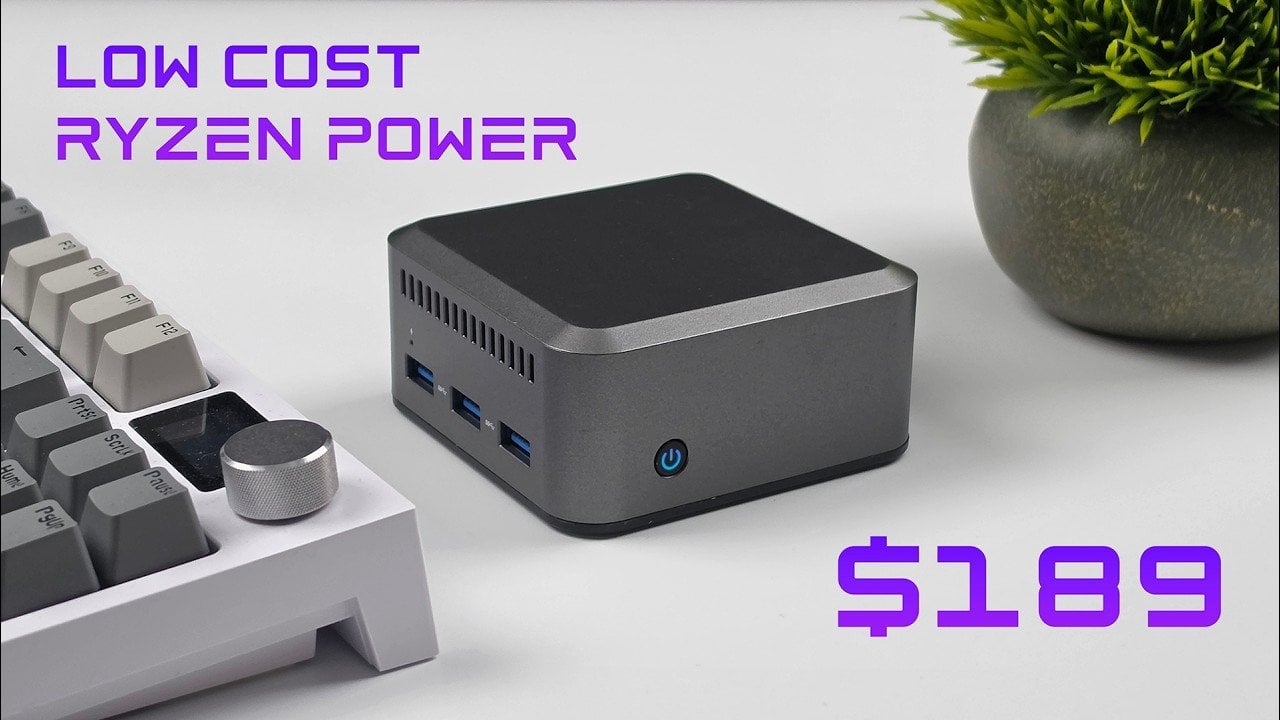
Compact, affordable and equipped with the AMD Ryzen 5 7430U processor, this mini PC offers a practical solution for users seeking a balance between performance and price. As highlighted by ETA Prime, its six-core, twelve-thread CPU and integrated Radeon iGPU provide sufficient power for everyday tasks, light gaming and 4K media streaming. The device also […]
Gen Z isn’t chasing spec sheets or benchmark scores. They’re chasing objects that fit the way they actually live: portable, intentional, and quietly smart. April 2026 delivered a lineup that genuinely gets that energy. From satellite-connected wearables to battery-free speakers, these ten gadgets are doing something harder than simply being powerful. They’re being useful, and in a market saturated with noise and empty promise, that distinction is becoming genuinely rare.
The gadgets on this list aren’t competing for attention. They’re designed around how people actually behave: working from cafés, traveling between cities, tuning out distractions, or surviving in places where infrastructure doesn’t reach. Some rethink materials, some rethink interfaces, and some rethink habits entirely. What they share is a design sensibility that respects the user’s time and intelligence. That’s the standard Gen Z holds, and this month, these ten deliver.
1. O-Boy Satellite Smartwatch
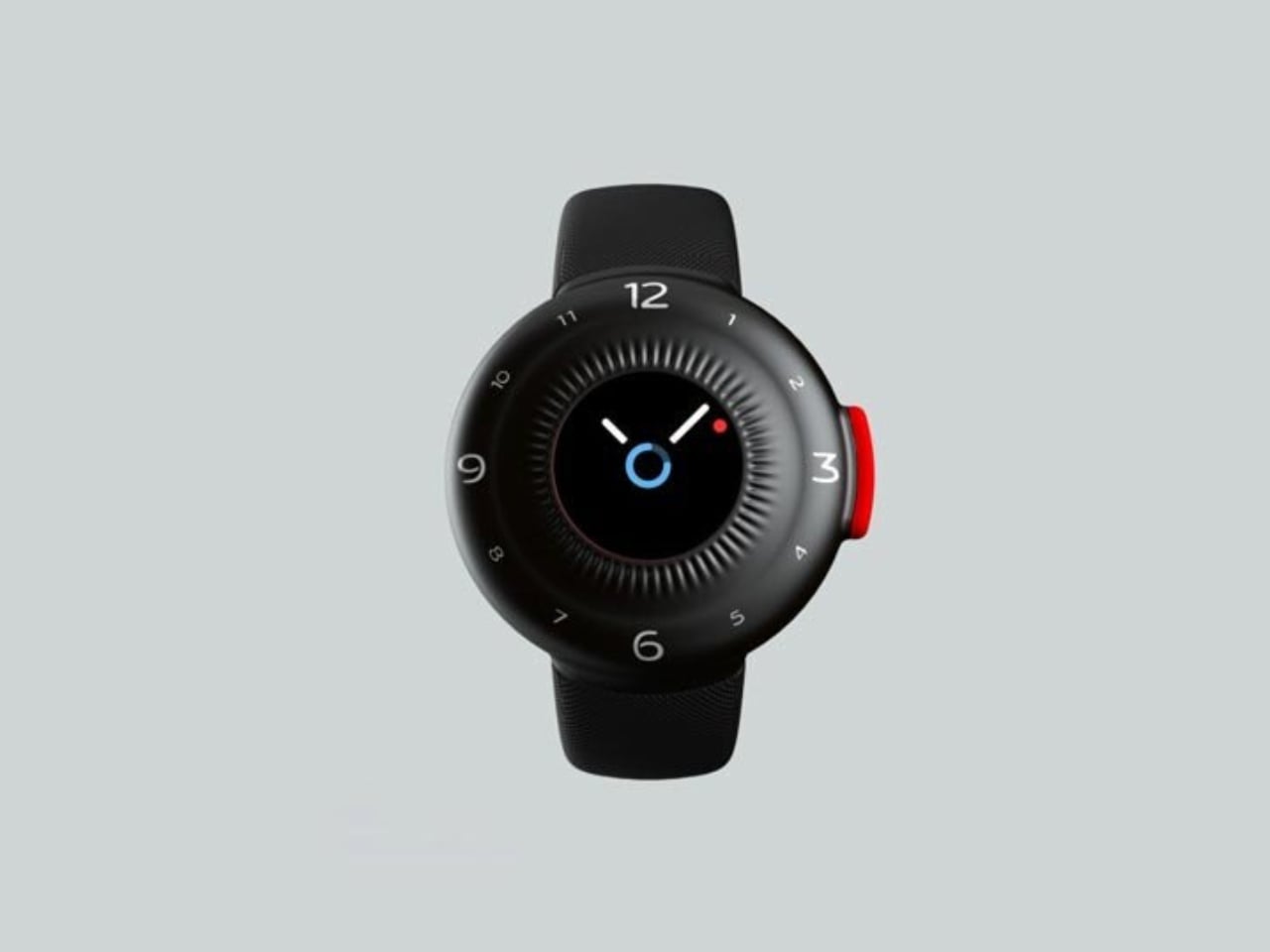
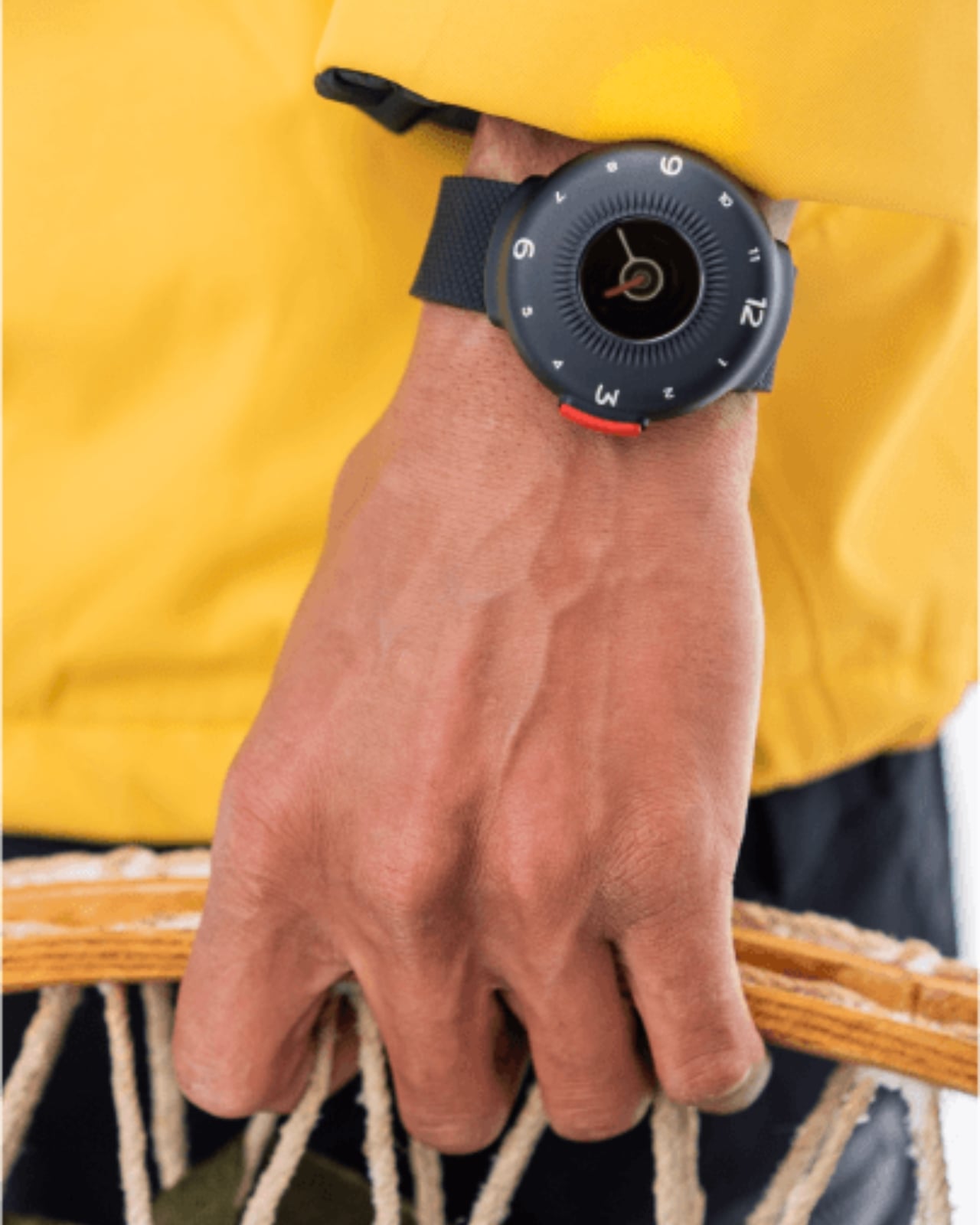
The O-Boy is built for the places where your phone gives up. Brussels-based studio Futurewave designed this satellite-connected smartwatch for emergencies in environments where mobile networks simply don’t exist: open ocean, mountain terrain, remote job sites. No bars, no Wi-Fi, no backup signal required. The watch transmits an emergency alert directly via satellite, making it one of the few wearables that actually keeps its promise when conditions are worst.
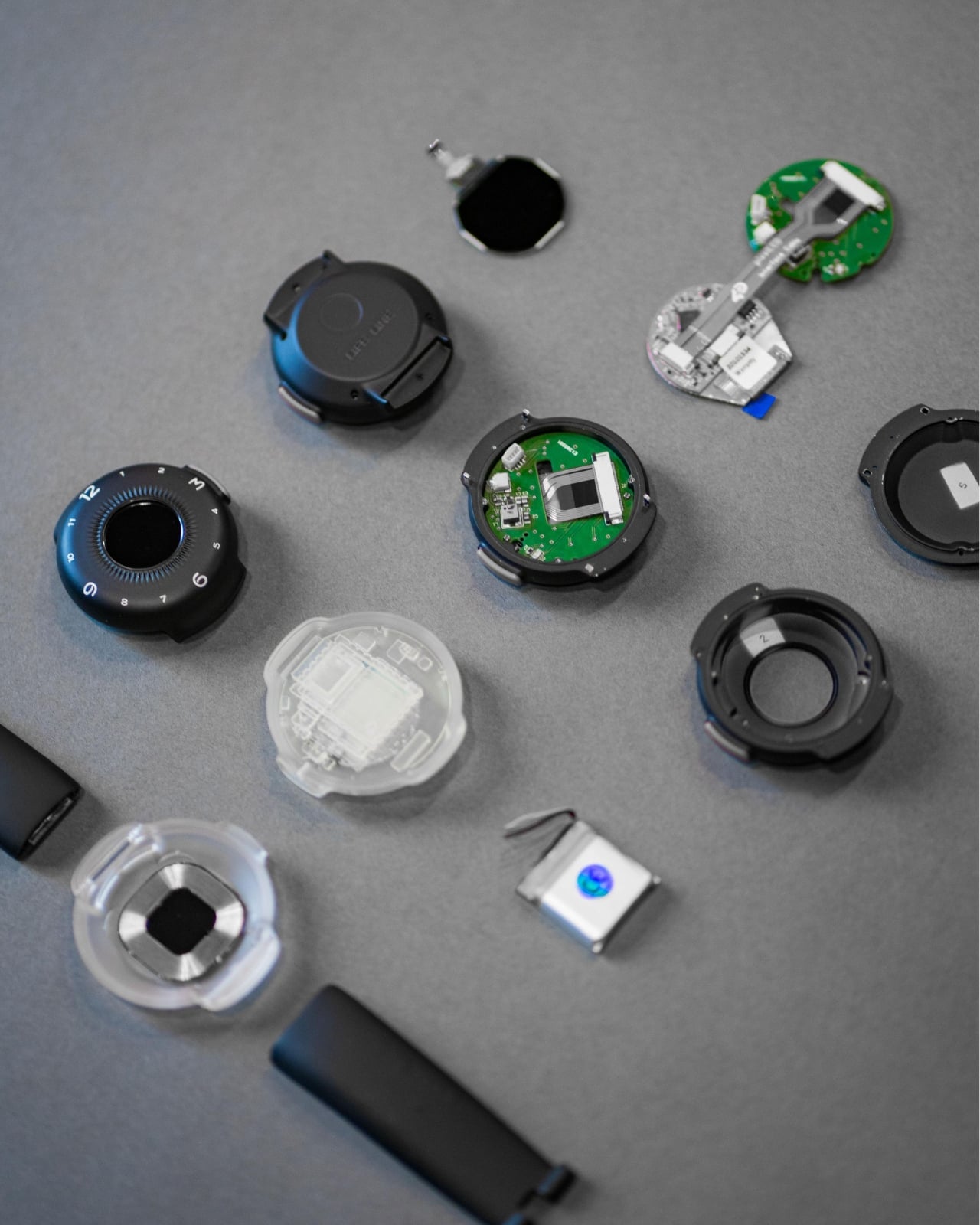
What makes the O-Boy genuinely impressive isn’t just the satellite capability; it’s how it was achieved. Futurewave pulled together product designers, electronics engineers, and antenna specialists and rethought the assembly process from the ground up. Getting satellite hardware into a compact, wearable form factor is not a small engineering feat. The result is a device that pushes the category forward rather than iterating on what already exists, and that distinction matters.
What We Like
Satellite communication works completely off the grid
Cross-disciplinary engineering produced a genuinely compact wearable form factor
What We Dislike
Designed primarily for emergencies, limiting everyday lifestyle appeal
Satellite connectivity may come with additional subscription costs
2. Minimal Laptop UI Concept
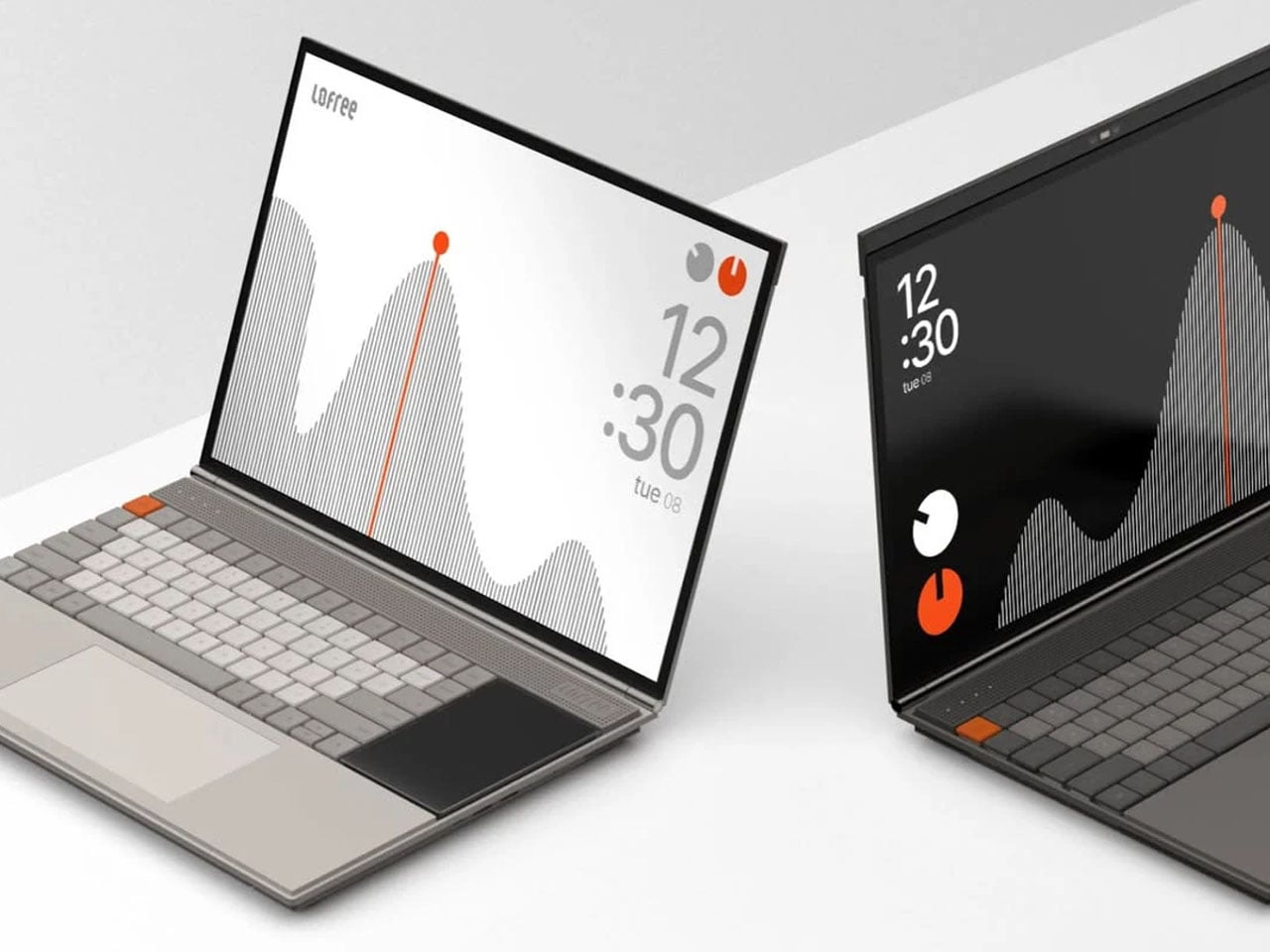
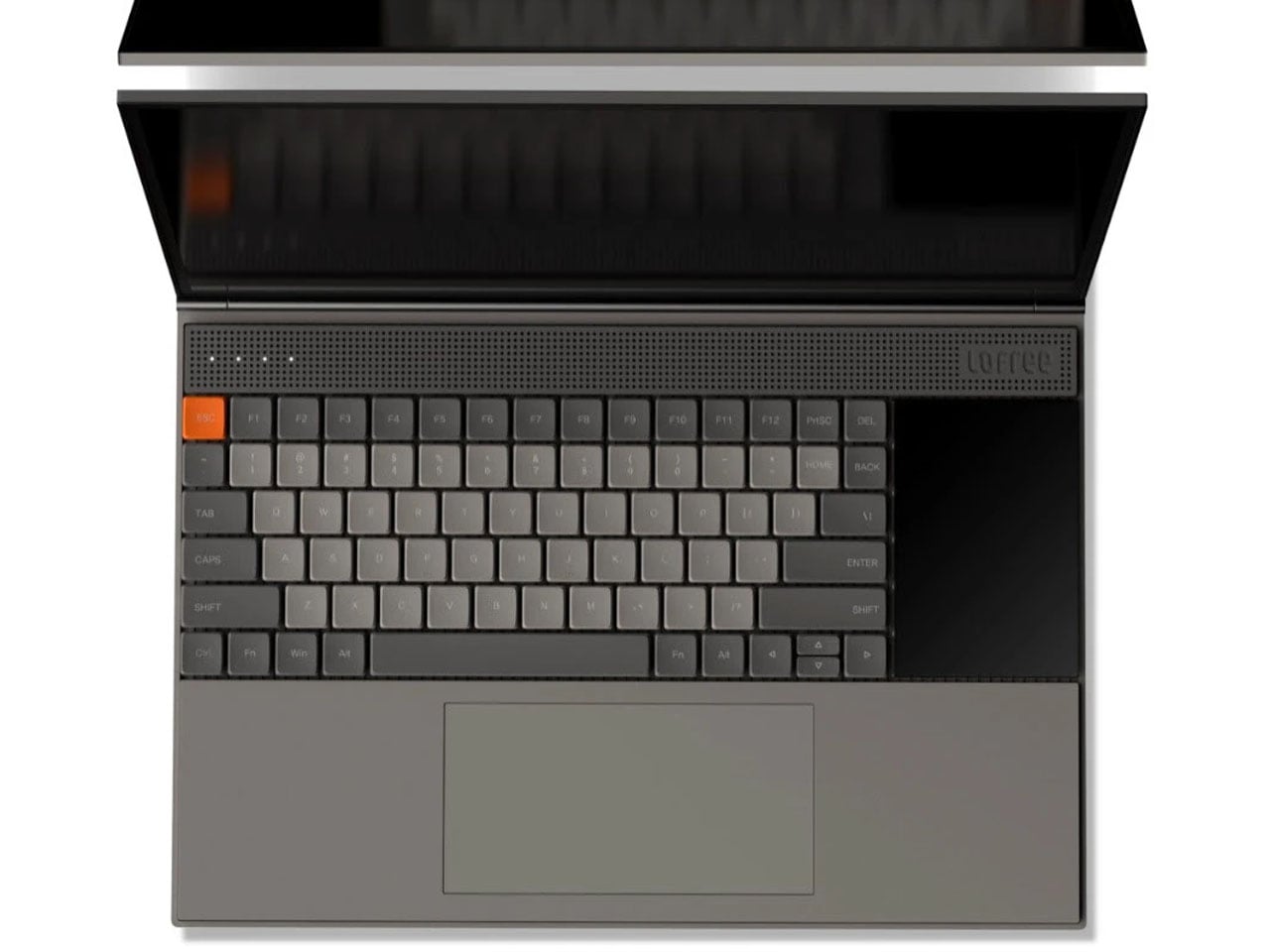
Inspired by the design philosophy of Teenage Engineering, the Minimal Laptop UI concept imagines what a laptop would look like if hardware and software were built around the same principle: less friction, more focus. The interface relies on strong visual hierarchy, generous spacing, and elements that appear only when necessary. Toolbars, panels, and persistent notifications are stripped away entirely, leaving a workspace that feels calm rather than cluttered.
For a generation that grew up multitasking across four open tabs and a split screen, this concept offers something surprisingly radical: a single surface to think on. Typography is clean and deliberate, icons are reduced to their most recognizable forms, and content stays at the center. It’s not about doing less. It’s about designing a machine that doesn’t compete with the work you’re trying to do on it, and that’s a harder problem than it sounds.
What We Like
Interface is designed around focus rather than feature density
Aesthetic language is distinctive and quietly confident
What We Dislike
Remains a concept with no confirmed production timeline
Minimal UI may not suit users who rely on multi-panel workflows
3. Battery-Free Amplifying iSpeakers
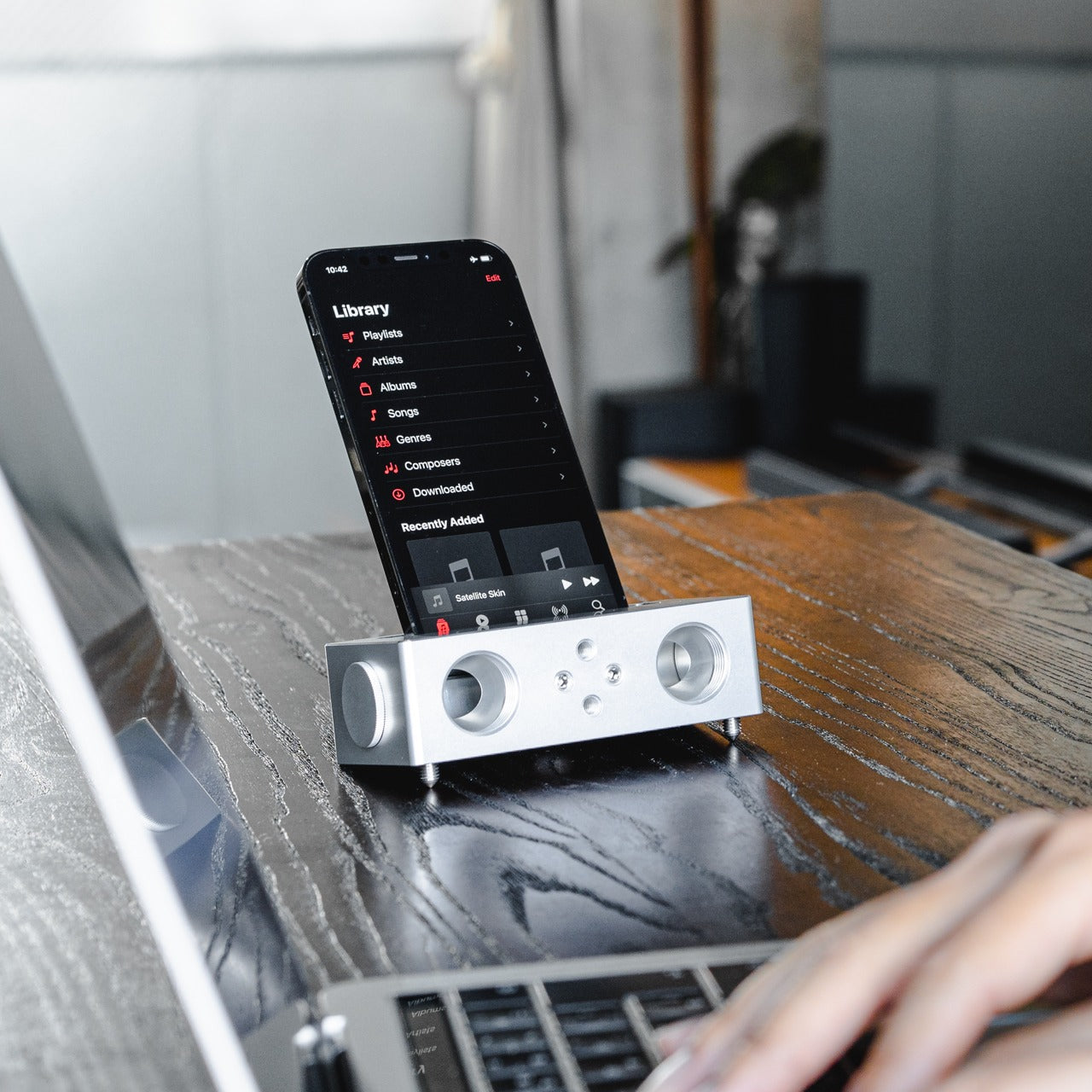
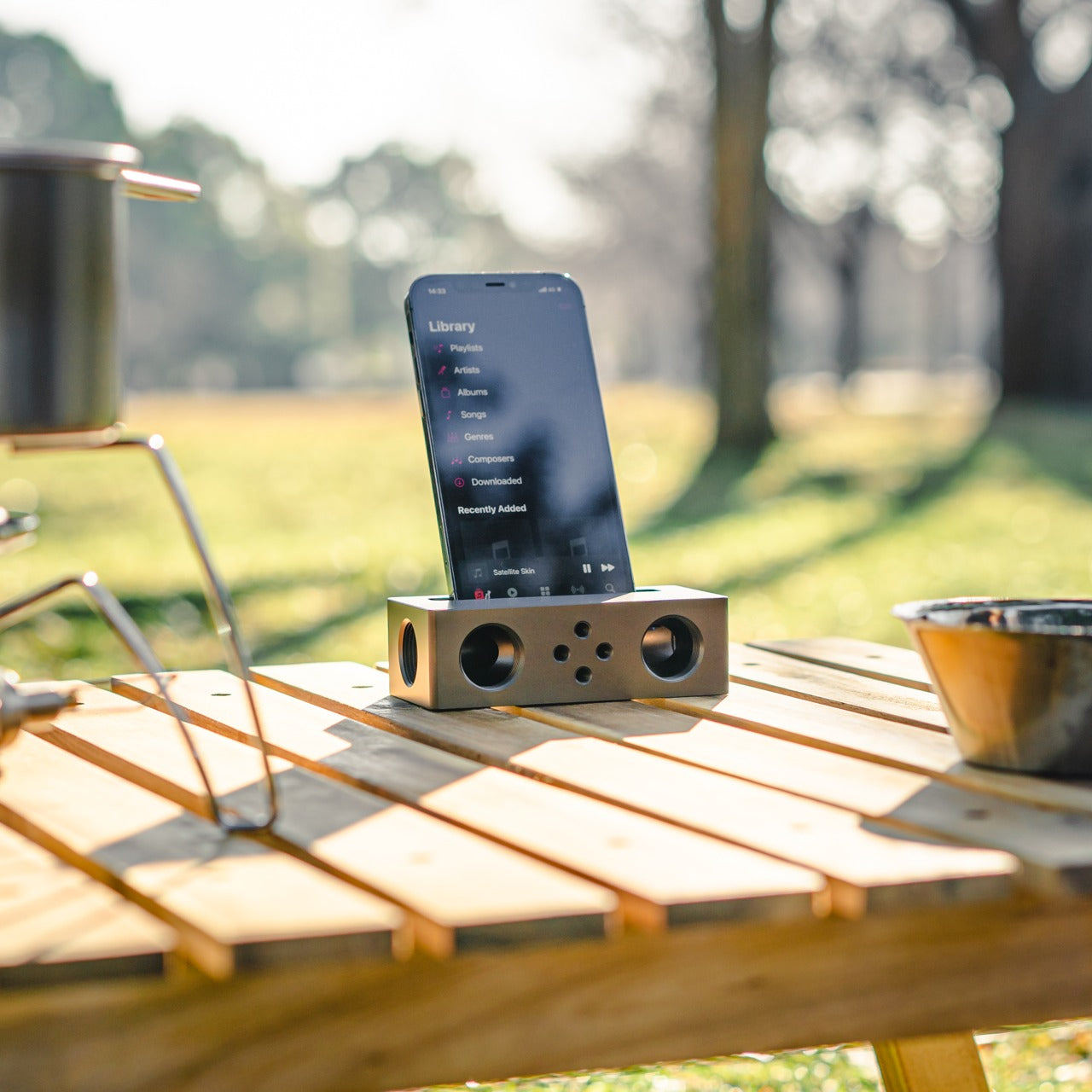
No power outlet, no battery, no Bluetooth pairing. Place your phone in the iSpeakers, and the sound amplifies. Built from Duralumin, the aluminum alloy used in aircraft construction, this passive speaker uses the golden ratio in its geometry to enhance resonance naturally. The result is an amplifier that genuinely improves your phone’s audio without asking anything of your power strip or your patience, which is a more elegant solution than most audio hardware manages.
The iSpeakers work anywhere, which makes them useful in a way that over-engineered audio gear often isn’t. A desk speaker that never needs charging is always ready. The aesthetic is understated and precise, the kind of object that improves a space by being in it rather than demanding attention. For anyone tired of hunting for cables and waiting for Bluetooth to pair, this is a refreshingly simple alternative that earns its place on any desk.
Zero power requirement means zero limitations on where it works
Duralumin construction gives it both durability and a premium, clean look
What We Dislike
Audio output depends entirely on the quality of the phone’s built-in speaker
Sound-directing mods are sold separately, adding to the total cost
4. Xiaomi UltraThin Magnetic Power Bank 5000 15W
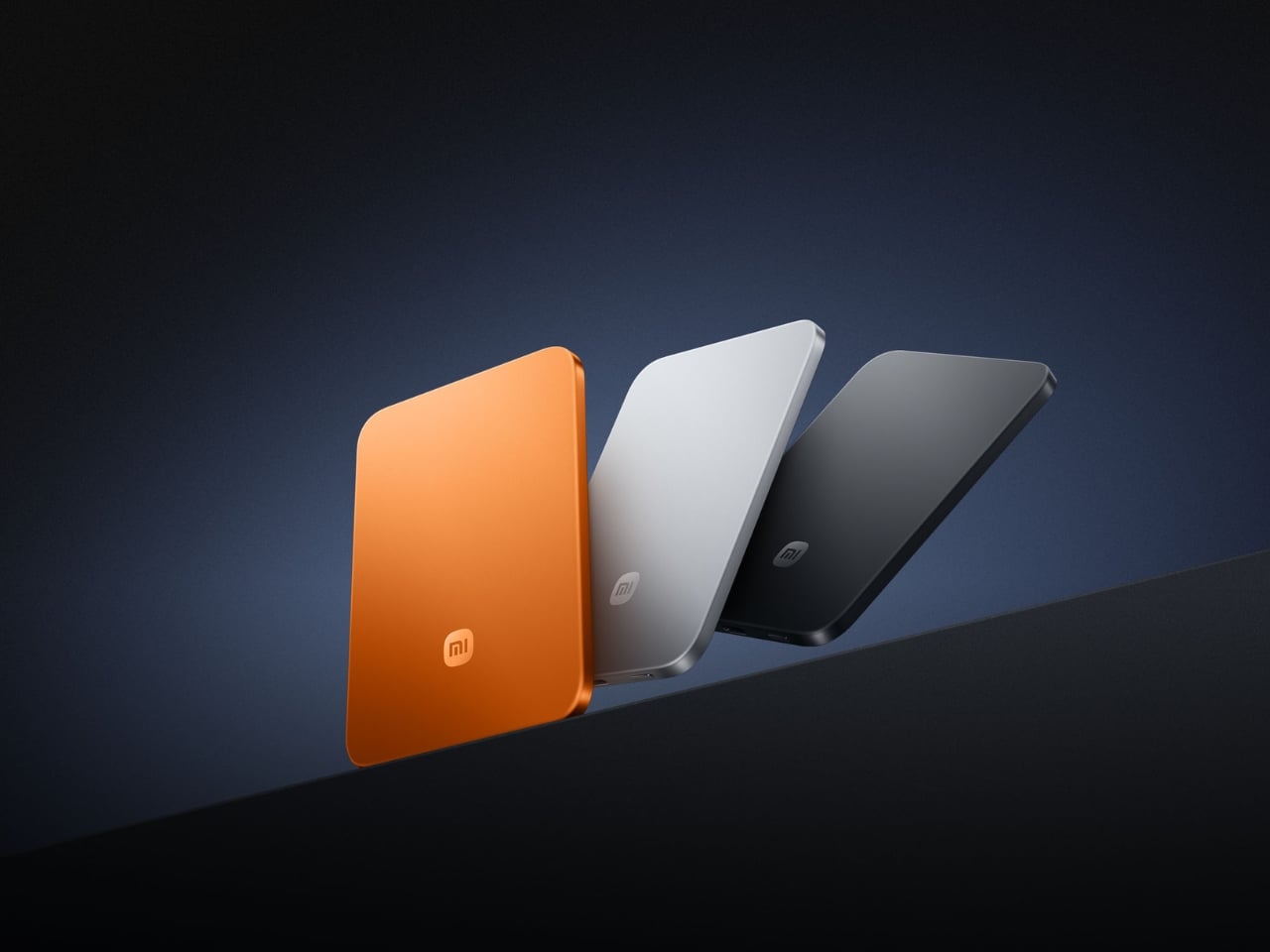
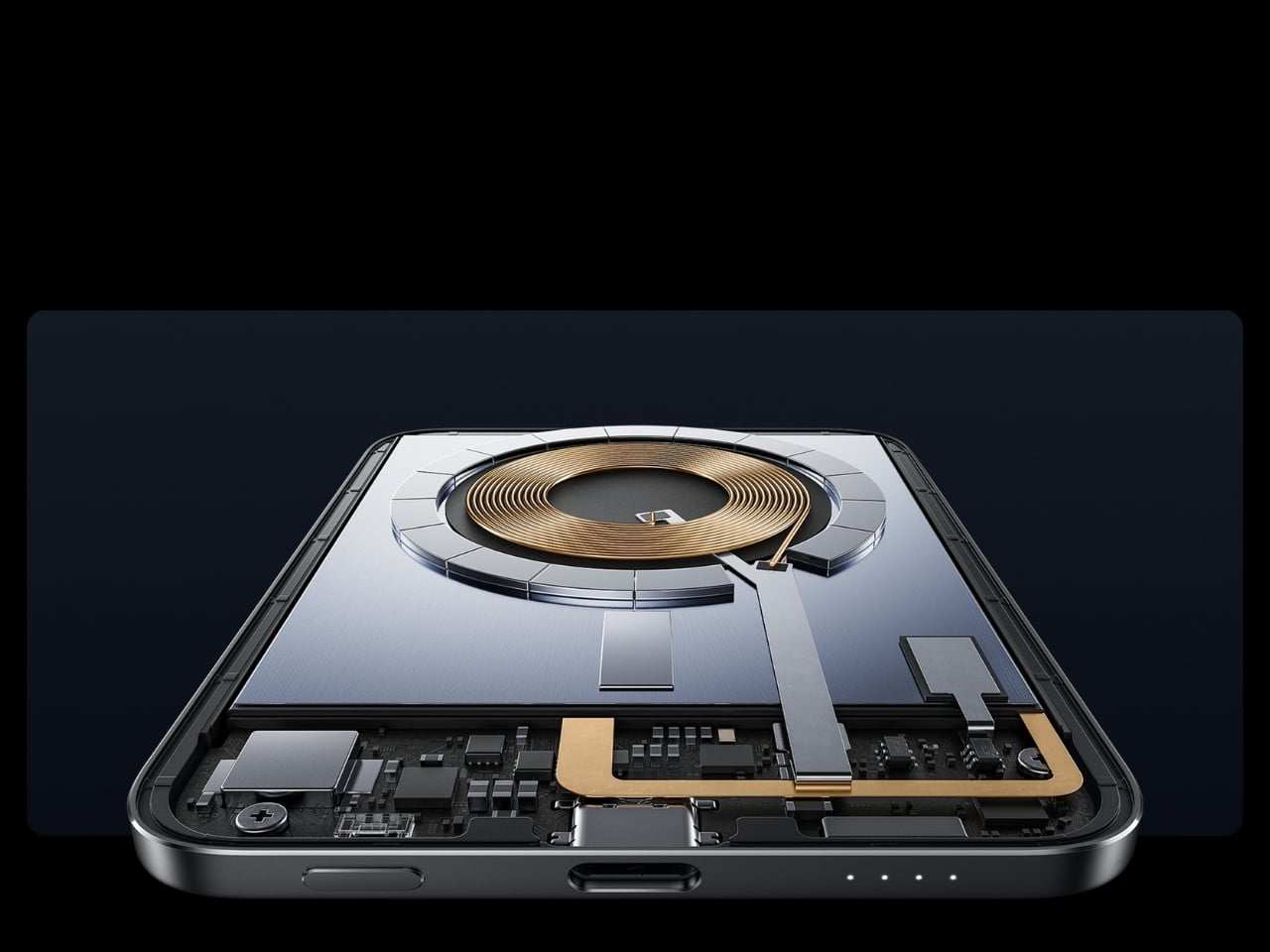
At 6mm thick, the Xiaomi UltraThin Magnetic Power Bank is thinner than any smartphone currently on the market. Using silicon-carbon battery chemistry with 16% silicon content, Xiaomi managed to pack 5,000mAh into something that looks and feels like a metal business card. The aluminum alloy shell has a smooth, understated finish, and a photolithographically etched logo on the back signals a product designed with care rather than simply manufactured to a spec sheet.
Available in Glacier Silver, Graphite Black, and Radiant Orange, this power bank debuted in Japan, expanded across Australia, Singapore, South Korea, and Europe, and made its global appearance at MWC 2026 in Barcelona. European pricing sits around €60, which is reasonable for what it delivers. The phone-facing surface uses fire-resistant fiberglass with an excimer coating for heat management, a detail that matters when you’re charging magnetically and want the hardware to stay cool.
What We Like
Silicon-carbon battery achieves 5,000mAh in a 6mm profile
Premium materials and finish at an accessible price point
What We Dislike
15W wireless charging is modest compared to faster wired alternatives
The ultra-slim design means no additional ports or USB-A pass-through
5. tinyBook Flip
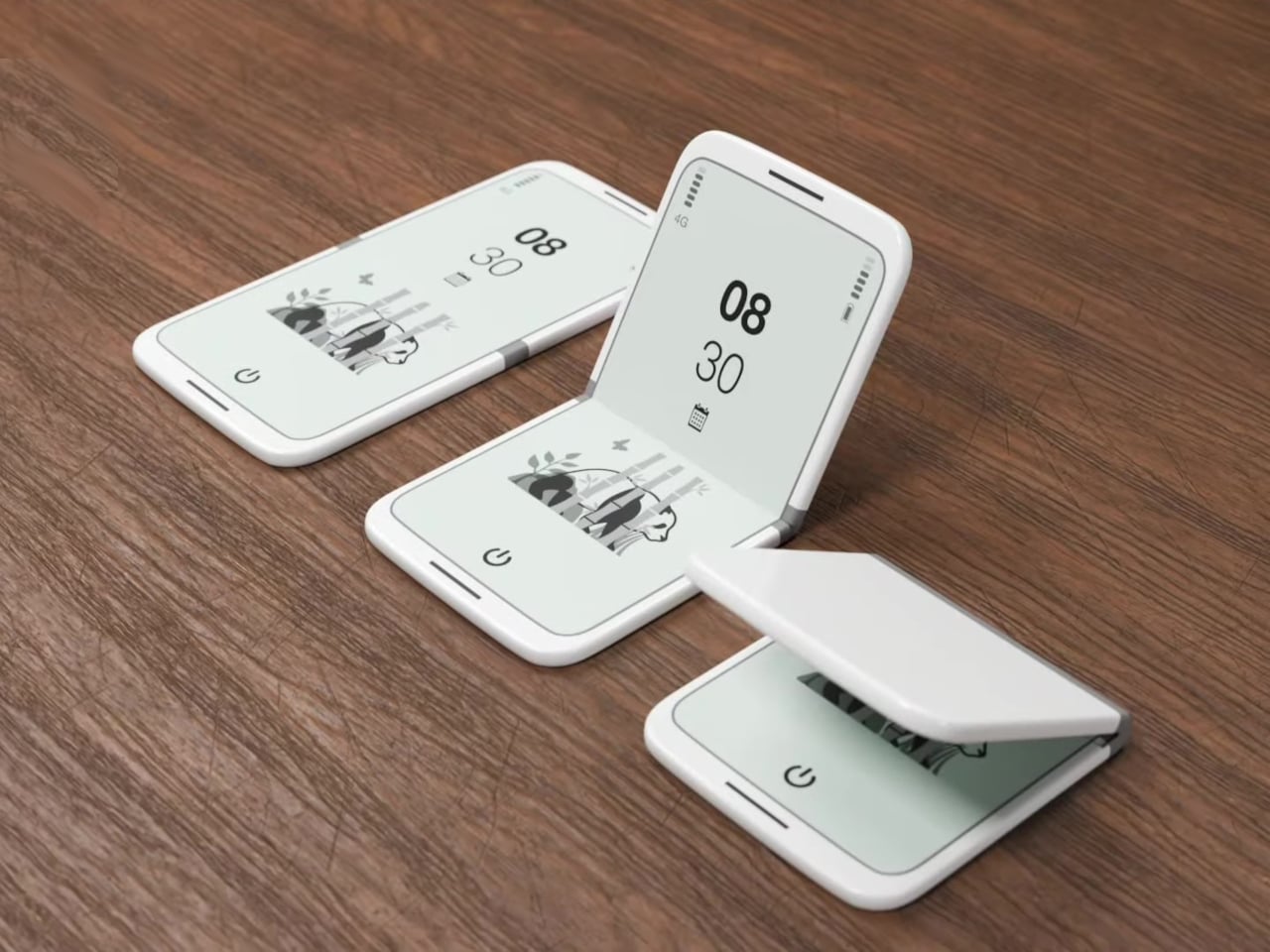
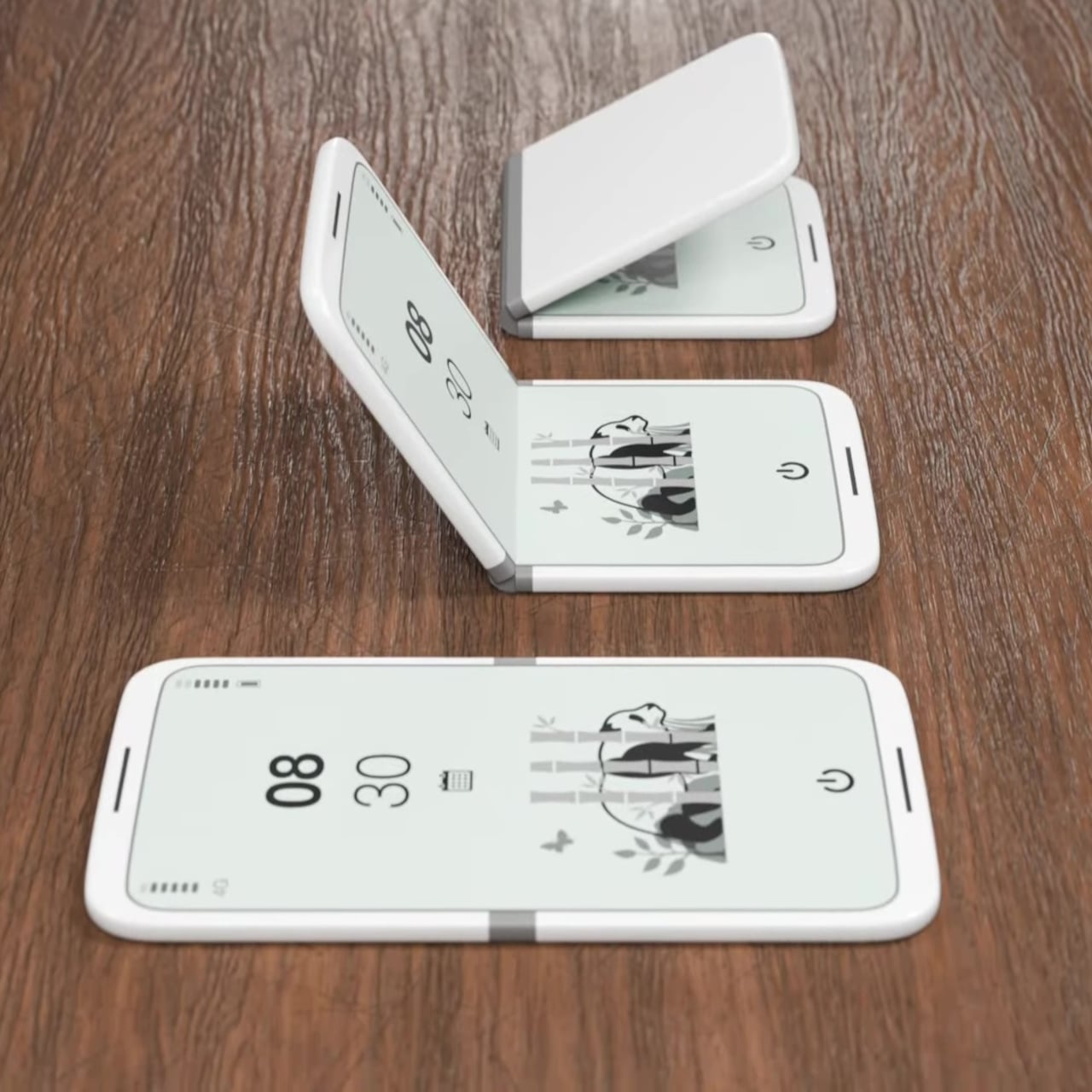
The tinyBook Flip is a foldable phone concept built around a 6.1-inch E Ink display. Closed, it collapses into a near-square form with a matte white finish and rounded corners, closer in proportion to a folded notecard than a smartphone. When shut, the screen disappears entirely. No glowing rectangle sitting face-up on the desk, no ambient reminder that there are things to check. Just a small, quiet object doing nothing at all.
That quietness is the design feature. Opening the phone requires a deliberate physical action, and that two-second pause changes the behavioral math around screen time. A reflexive grab becomes a conscious decision. The concept treats this friction as intentional, a design choice rather than an inconvenience. For anyone who has tried every screen time app and still reaches for their phone without thinking, the tinyBook Flip proposes something more honest: a phone that makes you choose to open it.
What We Like
Foldable form adds physical friction that genuinely interrupts mindless scrolling
Matte E Ink display avoids unnecessary glow and is easy on the eyes
What We Dislike
E Ink refresh rates remain too slow for video or fast-moving content
Currently a concept with no confirmed production or pricing information
6. OrigamiSwift Folding Mouse
The OrigamiSwift is a Bluetooth mouse that folds flat for travel and springs back to full size in under 0.5 seconds. Weighing 40 grams, it’s light enough to forget it’s in your bag until you need it. Inspired by origami, the foldable structure doesn’t sacrifice ergonomics for portability. It’s shaped to fit naturally in the hand during long work sessions, whether at a co-working space, a café, or an airport gate somewhere between time zones.
For digital nomads and students tired of trackpads and bulky peripherals, the OrigamiSwift makes a compelling case for carrying a full-sized experience in a pocket-sized package. The slim profile keeps it flat and unobtrusive in any bag, and the Bluetooth connection removes the need for a dongle. It’s the kind of product that solves a problem you’ve quietly accepted as unsolvable, and does it with a detail-first design sensibility that genuinely earns the attention it’s getting.
Folds flat without compromising ergonomic performance when open
The 40-gram weight makes it genuinely unnoticeable in a bag
What We Dislike
No published DPI range or click precision specifications available
May not satisfy users who prefer a heavier, more substantial mouse feel
7. DuRobo Krono
The DuRobo Krono puts a 6.13-inch E Ink Carta 1200 display in a form factor that fits a jacket pocket. At 300 PPI with an 18:9 aspect ratio and a weight of 173 grams, it reads more like a physical book than most dedicated e-readers manage. Eight subtle breathing lights run across the back panel, a quiet visual indicator during focused sessions that adds character without becoming a distraction. The matte finish and geometric build keep it composed in any setting.
The Krono’s standout feature is the smart dial on its left side. Press and hold to record voice notes, and the onboard AI transcribes your words into searchable text, generating summaries of longer recordings automatically. For readers who take notes in the margins or thinkers who process ideas out loud, that combination of reading tool and voice capture is genuinely useful. It positions the Krono somewhere between a dedicated e-reader and a thinking device, which is a more interesting category entirely.
What We Like
AI voice recording and transcription work directly on the device
300 PPI display and pocket-friendly form factor rival premium reading devices
What We Dislike
The 18:9 aspect ratio may feel narrow for reading PDFs or documents
Breathing lights, while subtle, may distract in dark reading environments
8. StillFrame Headphones
StillFrame headphones are built around a quieter philosophy: slow listening, deliberate sound, the kind that rewards attention. The 40mm drivers deliver a wide, open soundstage that turns quiet tracks into something textured and spatial. The form references the geometry of ’80s and ’90s CDs and sits in quiet visual dialogue with the ClearFrame CD Player, a nod to an era when music had physical weight, and the act of listening was its own ritual worth showing up for.
The StillFrame sits between in-ears and over-ears in both feel and philosophy: more open than the former, more relaxed than the latter. Noise-cancelling and transparency mode let you shift between solitude and awareness with a single tap, making them genuinely adaptable across environments. They’re featherlight without feeling hollow, and the overall build is measured and considered. For a generation rediscovering vinyl and physical media, StillFrame offers that same intentional energy in a wireless headphone.
Wide soundstage from 40mm drivers gives music genuine spatial depth
Noise-cancelling and transparency modes make it adaptable across daily environments
What We Dislike
An on-ear fit may cause discomfort during extended listening sessions
Retro aesthetic is distinctive but may not appeal to all personal tastes
9. HubKey Gen2
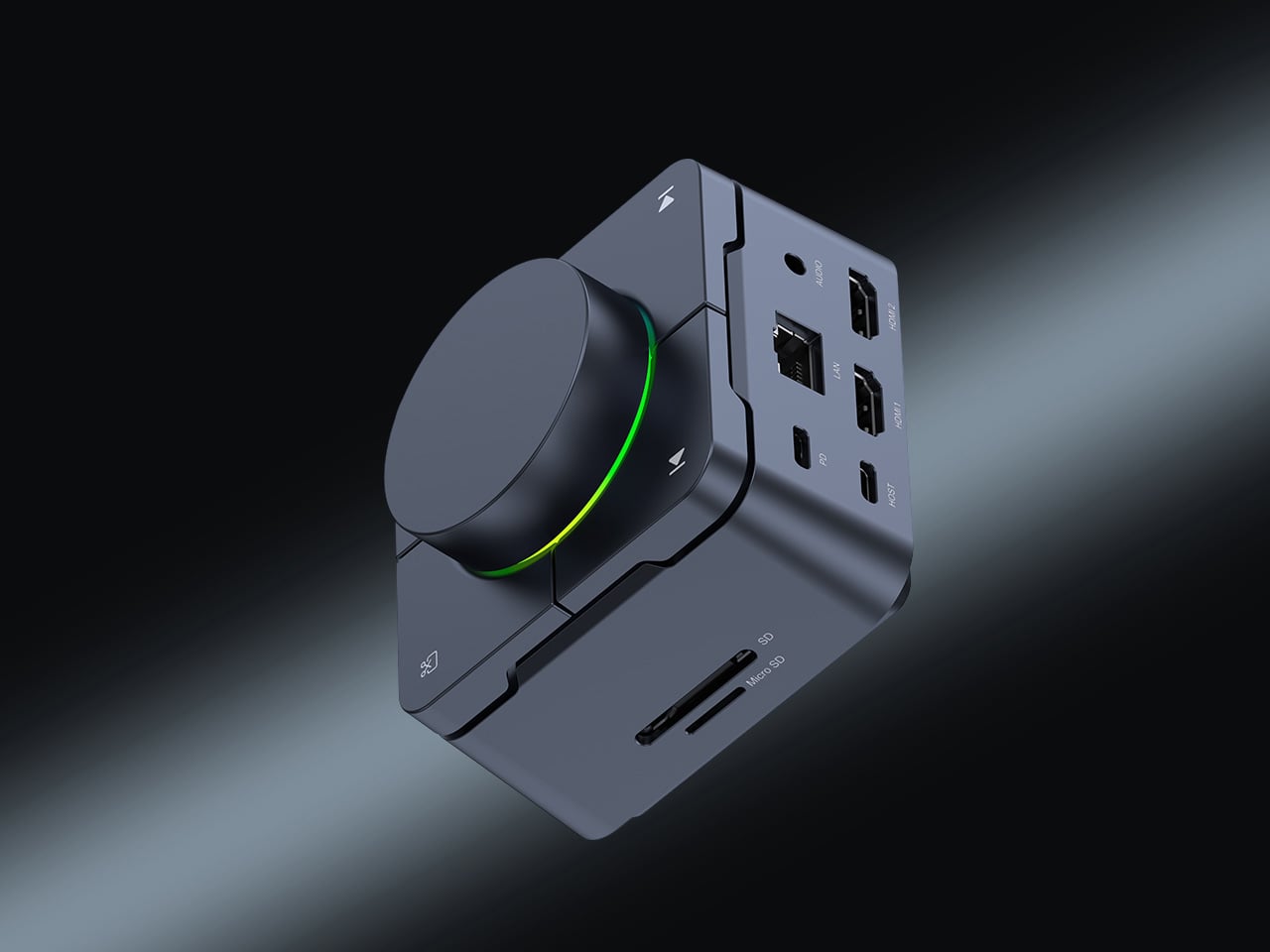
The HubKey Gen2 solves the dongle problem that every ultrabook user has quietly accepted as part of working life. Eleven connections are consolidated into a palm-sized cube: dual 4K display support, Ethernet, USB-A and USB-C, and power pass-through included. For anyone working across monitors and peripherals from a laptop with two USB-C ports, this is the kind of product that makes the workspace actually functional without turning the desk into a cable graveyard piled with adapters.
Four programmable keys and a central control knob are what separate the HubKey Gen2 from a standard hub. Muting a microphone, adjusting volume, toggling camera privacy: these are actions that get buried in menus and keyboard shortcuts during live calls. The Gen2 makes them physical, tactile, and immediate. For remote workers, creators, and students who live on video calls, having media controls within arm’s reach rather than three clicks deep is a quality-of-life upgrade that’s hard to give back.
What We Like
Eleven connections in one compact cube eliminate dongle accumulation entirely
Programmable keys and control knob bring commonly buried actions to the surface
What We Dislike
Cables from all eleven ports could still create desk clutter around the hub
Programmable keys may require setup time and dedicated software to configure properly
10. Razer Raiju V3 Pro
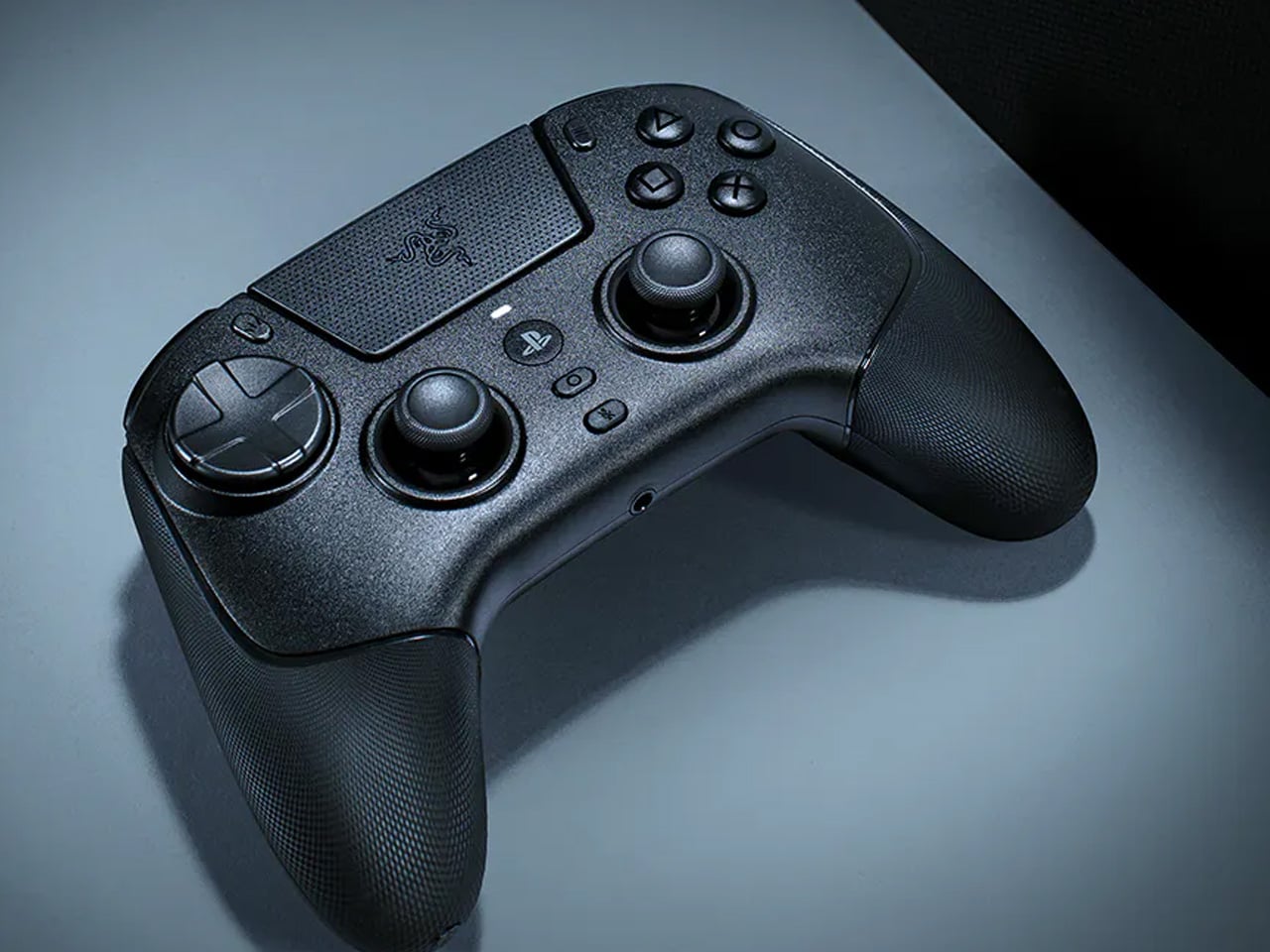
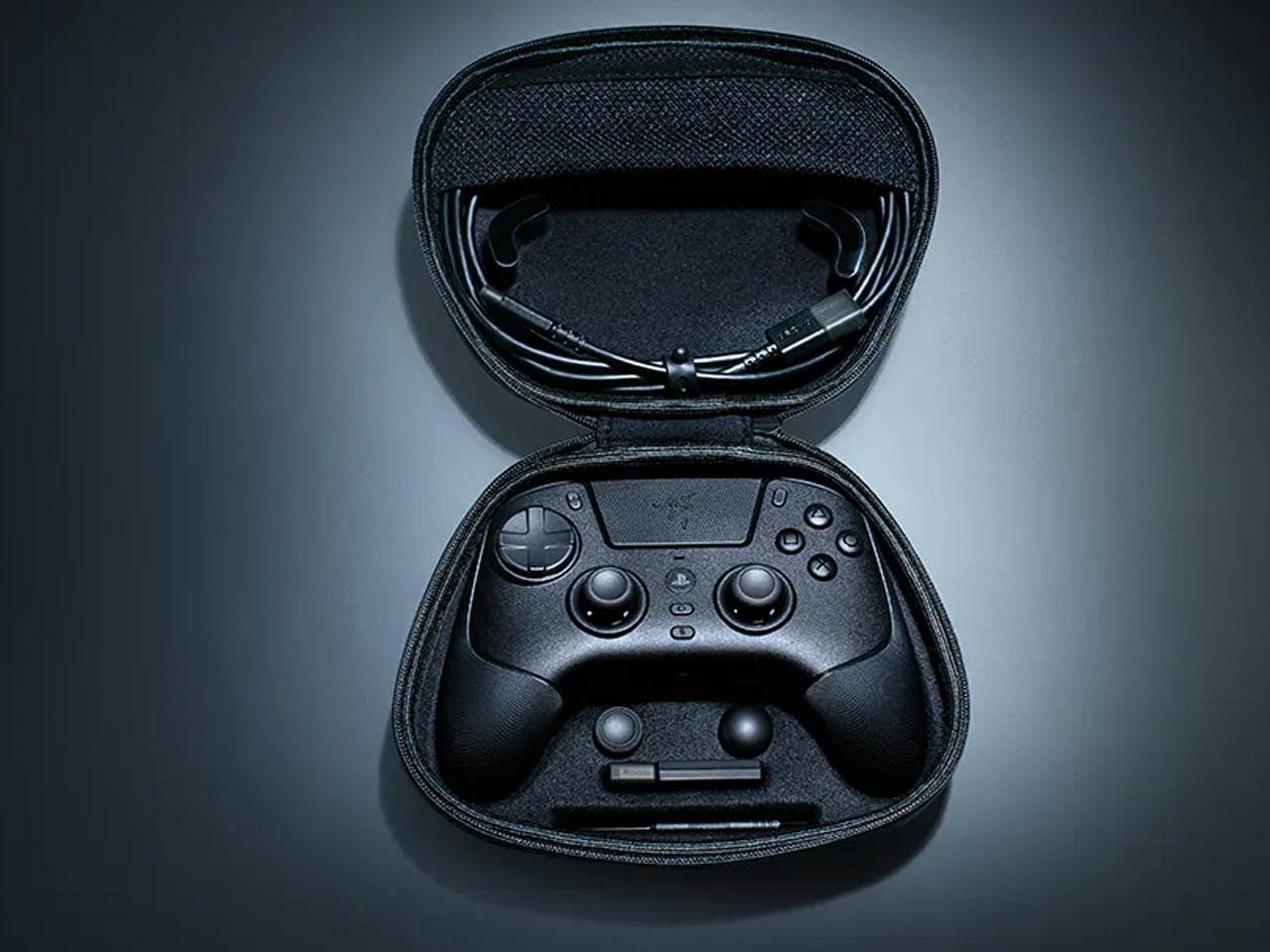
The Razer Raiju V3 Pro takes the sensor thinking behind high-performance gaming mice and applies it to a PlayStation-compatible controller. Tunnel Magnetoresistance thumbsticks use weak electromagnetic waves to detect movement with higher resolution than standard Hall Effect sensors. Drift is addressed at the hardware level, not patched in software. Hall Effect triggers cover the remaining high-wear inputs. At 258 grams, it sits lighter than the DualSense Edge without feeling insubstantial in the hand.
Six additional inputs are distributed across the frame: four removable back buttons in the rubberized handles and two claw-grip bumpers flanking the triggers, all fully remappable. Razer’s HyperSpeed 2.4GHz wireless reaches a 2,000Hz polling rate on PC. Battery life is rated at 36 hours, nearly triple the DualSense standard. Officially licensed for PlayStation 5, it requires no adapters and connects as a native peripheral. For competitive players who want every hardware advantage in one place, the Raiju V3 Pro sets the current ceiling.
What We Like
TMR thumbsticks offer finer movement resolution with hardware-level drift prevention
36-hour battery life and 2,000Hz polling rate on PC are best-in-class figures
What We Dislike
At 258 grams, it may feel heavy for players accustomed to lighter controllers
Six extra inputs and full remapping may overwhelm casual or new users
The Gadgets That Actually Deserve the Hype
April 2026’s best gadgets share a common thread: they were designed around how people actually behave, not how manufacturers hope they will. Whether it’s a satellite smartwatch that works when nothing else does or a foldable phone that makes you pause before opening it, the most interesting tech this month isn’t louder or flashier. It’s more considered, and that’s a harder thing to consistently get right.
Gen Z has always been quick to call out products that look useful but don’t deliver. This list holds up to that standard. From a power bank thinner than any phone to an AI e-reader that captures your thoughts out loud, these are gadgets that earn their place on a desk or in a bag, and that’s a harder standard to meet than it might seem to anyone designing in this space.
Apple is gearing up to release five new Mac models in 2026, marking a significant step forward in computing technology. These devices, spanning the Mac Studio, Mac Mini, iMac and MacBook lines, will feature innovative advancements such as next-generation chipsets, enhanced AI capabilities, OLED displays and even touchscreen functionality. With these updates, Apple aims to […]
Text-to-speech (TTS) technology in 2026 has reached a level where synthesized voices can closely mimic human speech in both accuracy and expressiveness. Trelis Research examines this progress by analyzing leading TTS models using metrics like Character Error Rate (CER) and Mean Opinion Score (MOS). For a rigorous evaluation, the “Tricky TTS” dataset was employed, presenting […]
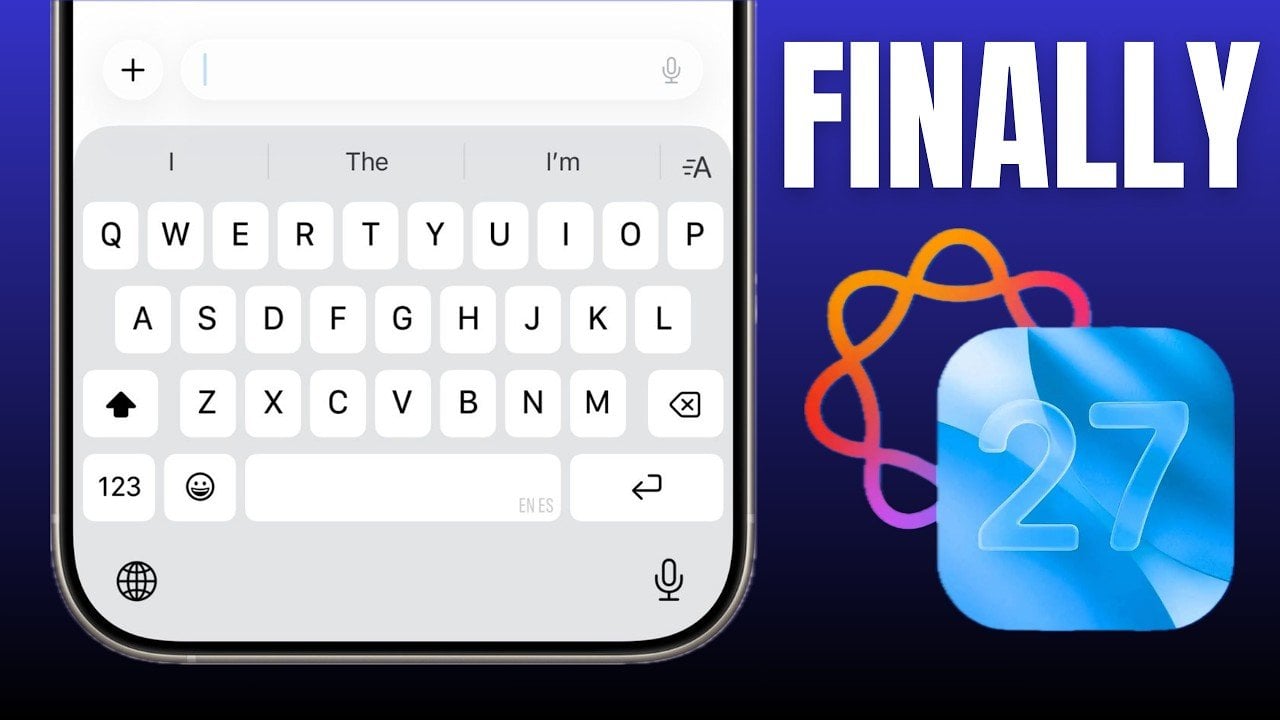
Apple is reportedly preparing a substantial update for iOS 27, focusing on a smarter Siri and an AI-enhanced keyboard. These updates aim to redefine how you interact with your device, emphasizing efficiency and intuitiveness in daily tasks. By integrating advanced artificial intelligence, Apple seeks to deliver tools that are not only innovative but also practical […]
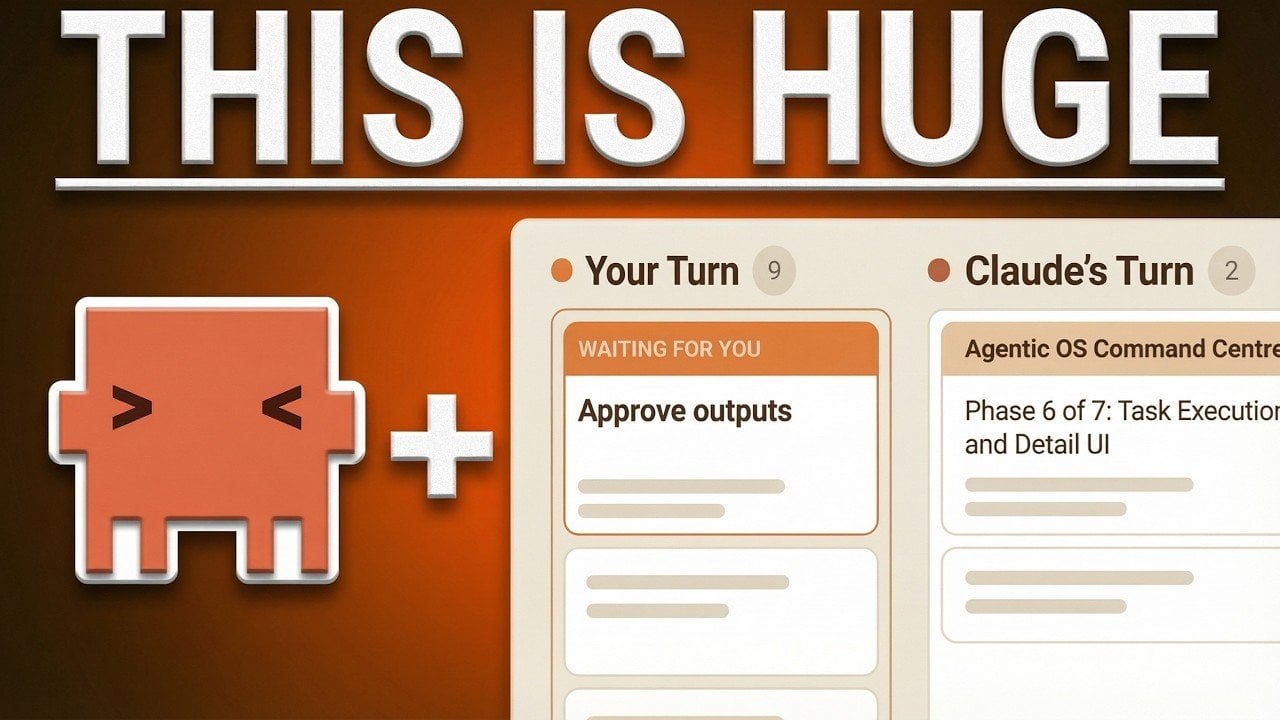
For many business users, relying on terminal-based workflows to manage Claude Code sessions can feel like a practical choice, but it often creates more challenges than it solves. Simon Scrapes highlights how custom command center workflows, designed with developers in mind, fall short for business-oriented tasks. The linear nature of terminal interfaces forces users to juggle […]
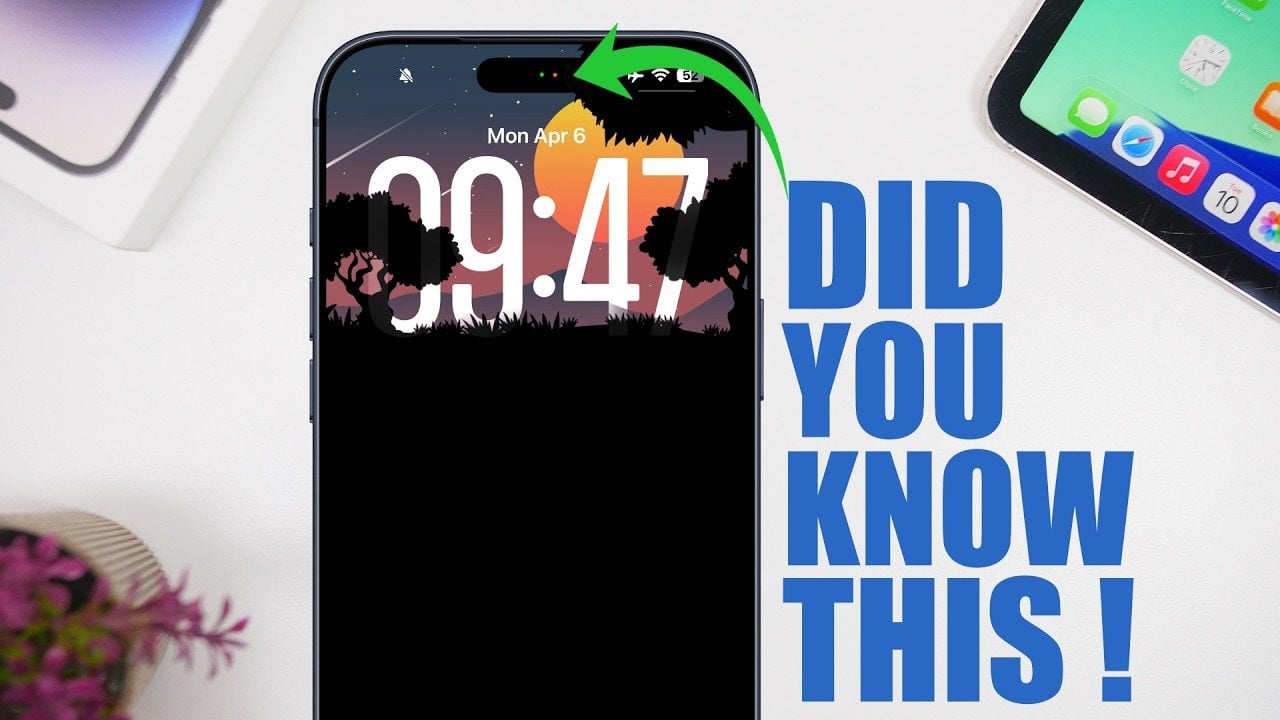
Your iPhone is more than just a device for communication and entertainment. It’s a sophisticated tool packed with features that can enhance productivity, simplify tasks, and add a personal touch to your experience. However, many of these features often go unnoticed or underutilized. Below are 12 lesser-known iPhone features that can help you unlock the […]
Google has fully integrated NotebookLM, its AI-powered research tool, into the Gemini app. The company launched a standalone NotebookLM app last year, but as it said in its announcement, “keeping track of everything can be a challenge.” It added NotebookLM as a source in the Gemini app last year, but now you can create notebooks right inside the chatbot.
You can now find the option to create a new notebook in Gemini’s side panel and then select “Add sources” that the tool can use, such as PDFs, documents, website URLs, YouTube videos and even copy-pasted text. NotebookLM will use information from those sources to create a searchable repository of information for you, and you can ask Gemini to create things like reviewers, infographics and video and audio overviews that turn your uploaded information into an easy-to-understand format. Take note, however, that Google warns users within the NotebookLM interface that it can be inaccurate, and that it’s best if you double-check information it puts out.
The company is rolling out NotebookLM’s full integration into Gemini this week for Google AI Ultra, Pro and Plus subscribers on the web. It will be available on mobile, in more locations and to free users over the coming weeks.
This article originally appeared on Engadget at https://www.engadget.com/ai/google-bakes-notebooklm-its-research-tool-into-gemini-101850634.html?src=rss
Google has unveiled a range of AI-driven applications through its Google Labs platform, each tailored to specific professional tasks. One standout example is Pomelli, a program designed for social media campaigns that generates branded assets by combining elements like colors, fonts and tone. It also features “Photo Shoot,” a function that creates digital product images, […]