
Airbnb bans hosts from making you do the dishes
Any chores that a cleaner might do are no longer deemed reasonable requests for visitors.
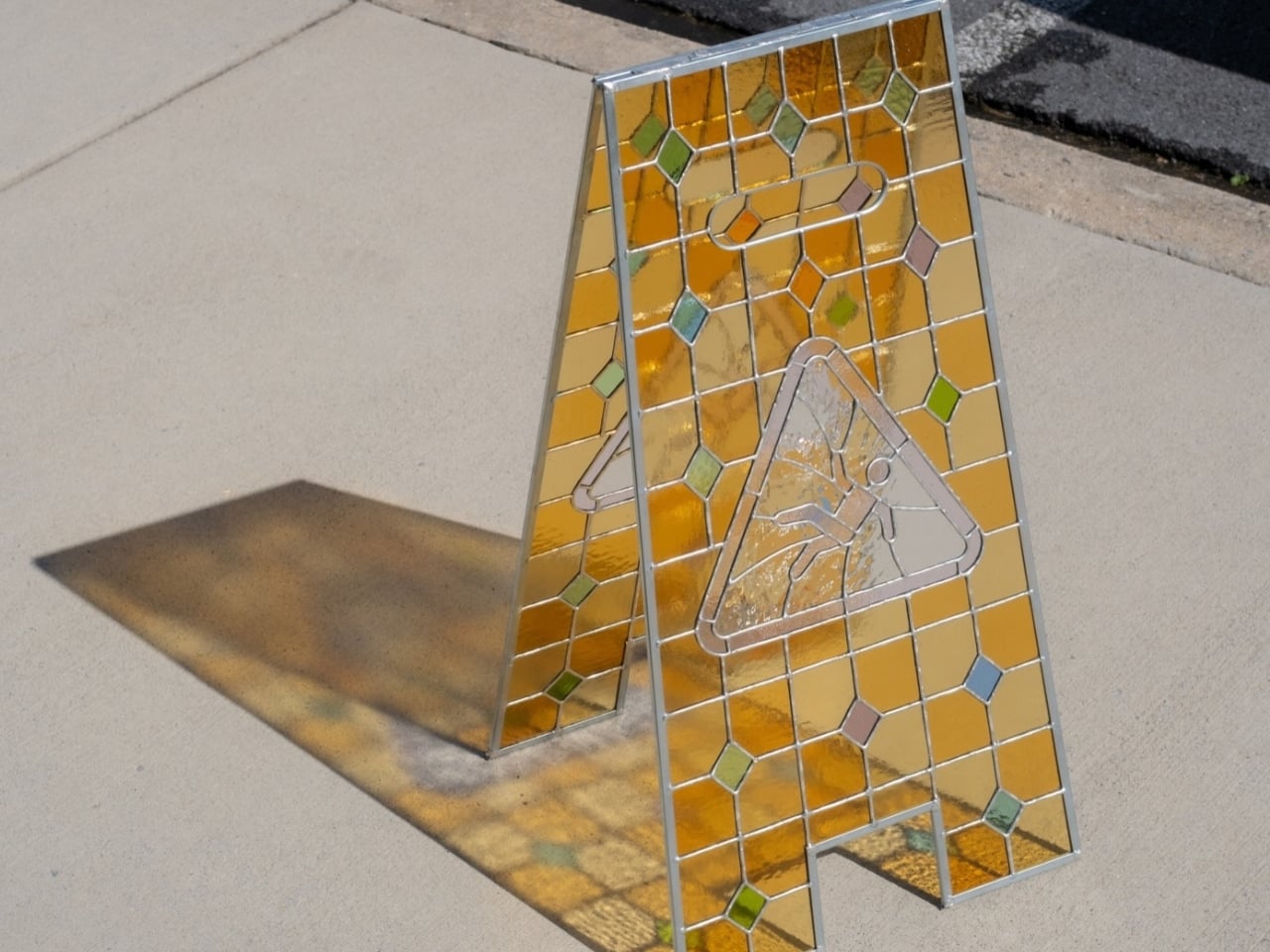
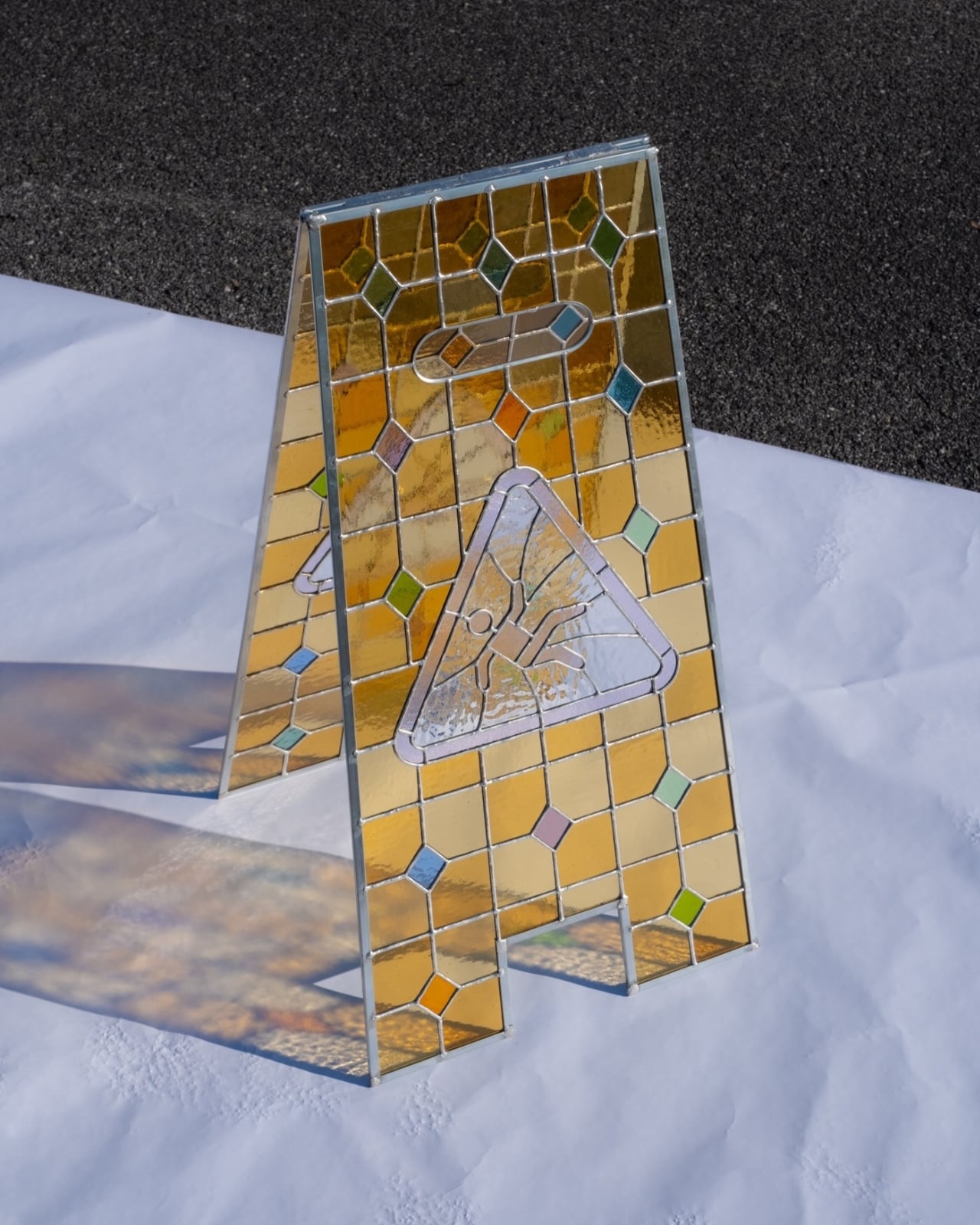
The amber shadow on the sidewalk is almost as appealing as the object casting it. Hayden Clay Williams’ stained-glass caution sign takes the familiar folding silhouette and rebuilds it as a sculpture, with golden panels, small colored diamonds, and a slipping figure enclosed in a triangle. I like that you can recognize the source immediately. The glass hasn’t swallowed the design; it gives you a reason to study its familiar parts.
A conventional caution sign has a straightforward problem to solve: make a hazard visible before someone steps into it. Williams keeps that visual shorthand, particularly the upright stance and warning symbol, while changing what happens when light hits the surface. This is an artwork rather than a demonstrated improvement to safety equipment. Its appeal comes from preserving an everyday sign’s identity while making its construction worth a closer look.
Designer: Hayden Clay Williams
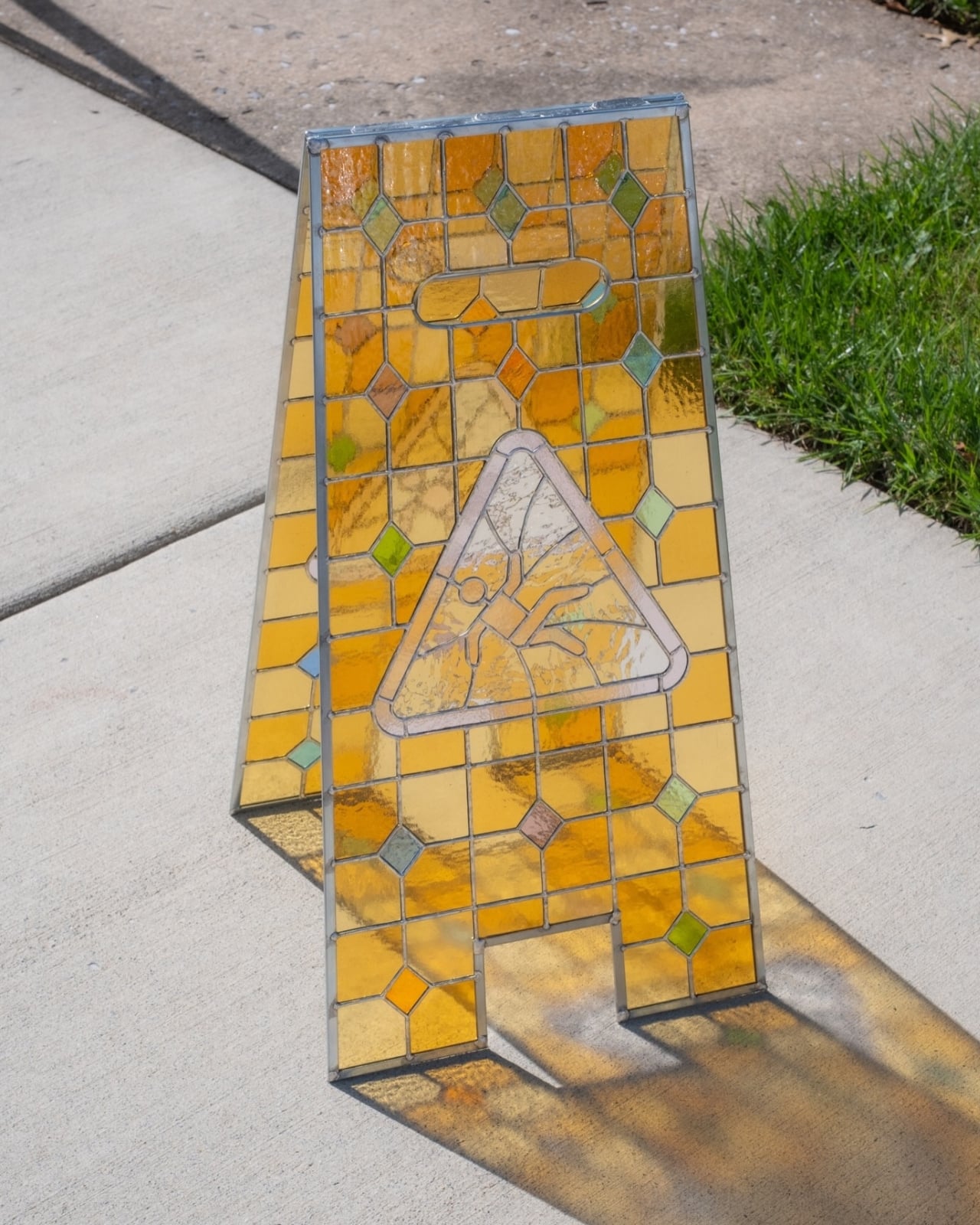
The color does much of that work. Rather than reproducing a uniform safety yellow, Williams uses rectangular sections ranging from pale honey to deeper orange and amber. Their uneven textures break up reflections, giving neighboring pieces subtly different appearances. Small diamonds interrupt the grid in green, blue, pink, and rust. The arrangement reminds me of a decorative window transplanted into the cleaning aisle, with enough restraint to keep the warning symbol from disappearing into the pattern.
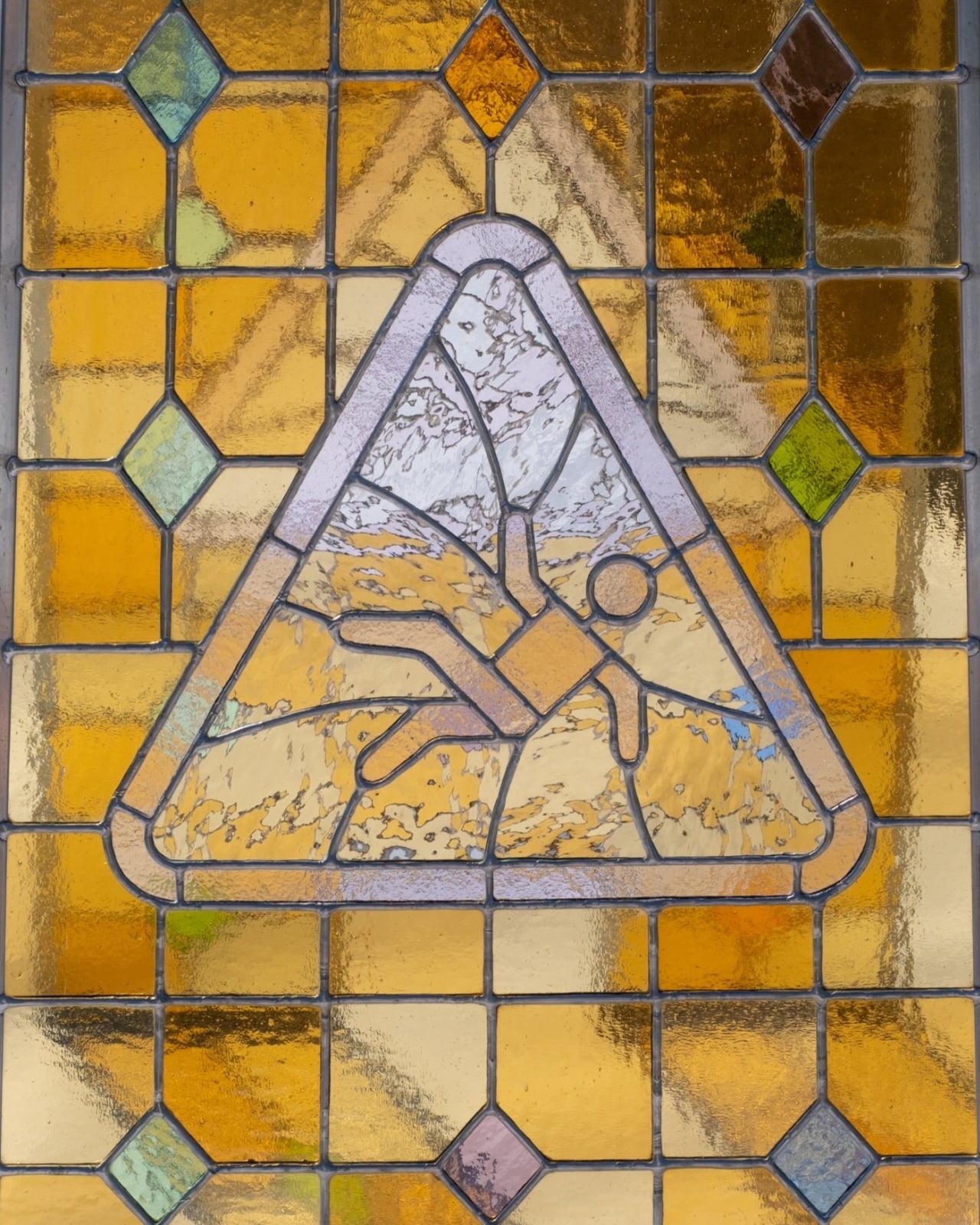
That symbol deserves its own attention. The triangular border is picked out in pale, translucent glass, separating it from the warmer background without turning it into a completely opaque graphic. Inside, the tumbling figure is drawn through the network of seams between glass pieces. Its circular head and bent limbs remain readable, but the surrounding cuts make the whole triangle feel integrated into the assembly. The image has been worked into the glass rather than simply applied over it.
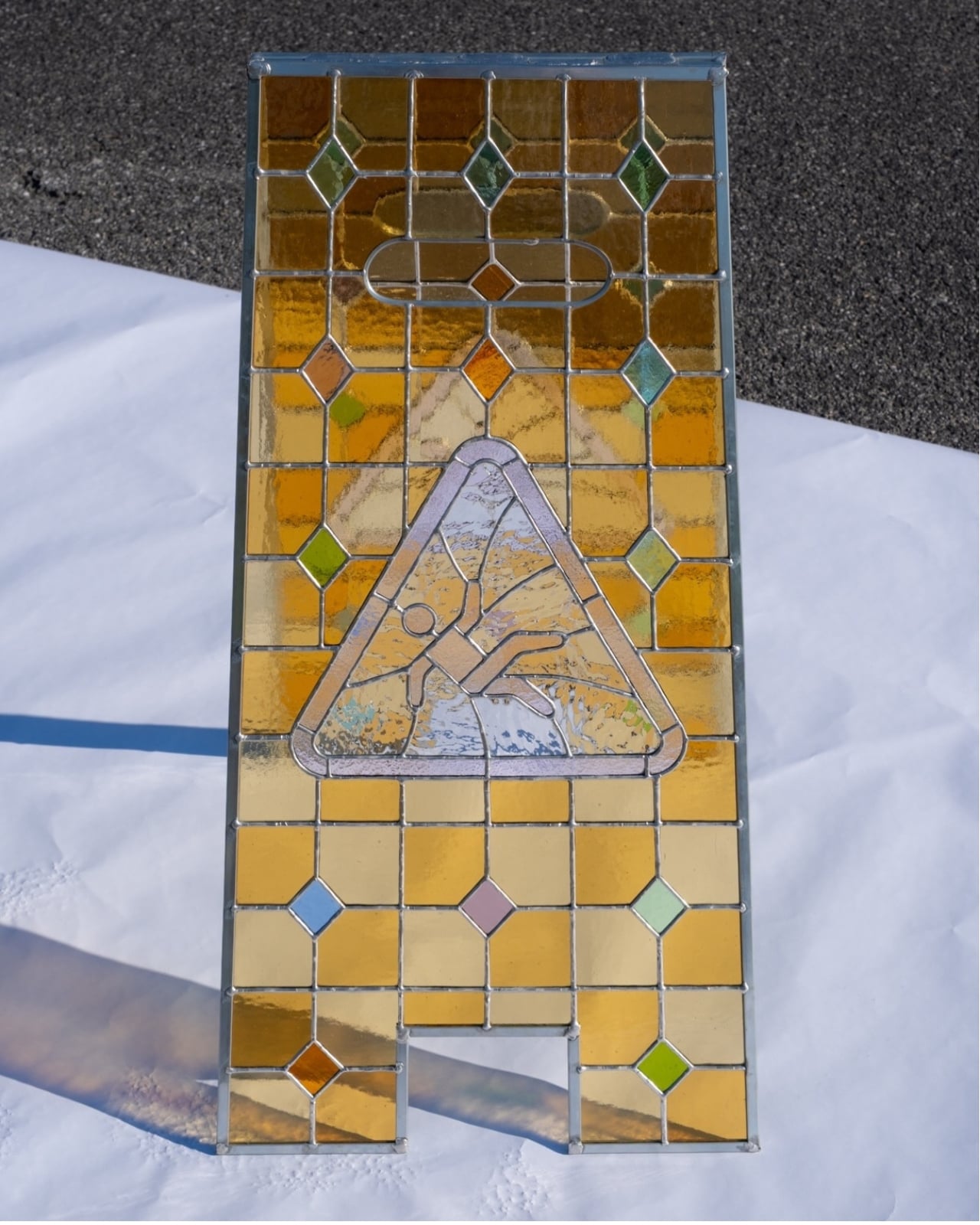
Williams also retains the less glamorous parts of the original shape. There’s the rounded handle form near the top, the slight taper of the panels, and the rectangular notch between the feet. Those details matter because a flat rectangle of decorative glass with a warning symbol would read very differently. Here, the proportions and cutouts carry the association before you’ve examined the central image. Even the slim perimeter frame leaves the sign’s outline easy to follow.
The construction adds another layer of interest. The two stained-glass panels can be separated, giving the piece a physical logic beyond its surface decoration. Joined at the top, they form the familiar freestanding A-frame. Seen at an angle, the space between them becomes part of the composition, allowing the rear panel’s colors and pattern to appear through the front. I appreciate that Williams has treated the sign as a three-dimensional object, rather than concentrating all the effort on one decorated face.
Sunlight makes that depth particularly clear in the photographs. The panels cast warm, patterned shadows across the ground, extending the grid beyond the sculpture’s edges. The darker seams remain visible within those projections, while the glass contributes patches of color. A molded sign normally occupies a small piece of floor space. Here, the light gives it a second, less predictable footprint, one shaped by where it stands and the direction of the sun.
Of course, glass changes the practical proposition. I wouldn’t mistake the familiar handle shape or folding stance for an invitation to put this beside a supermarket spill. The material introduces a need for care that sits awkwardly, and amusingly, beside the warning about falling. That tension feels earned because the object still looks so much like equipment. Strip away those utilitarian details, and much of the humor would go with them.
I’d display it with room for the shadow, preferably where daylight could pass through both panels. Placing it against a wall would preserve the pattern but lose some of the design’s best work. Williams has made the gap between the panels, the translucent warning, and the surrounding floor worth looking at together. The sculpture needs a little empty space to show how much is happening inside that ordinary silhouette.
The post A Stained-Glass Caution Sign You’ll Actually Stop to Admire first appeared on Yanko Design.



The 1968 Dodge Charger almost died as a clay model. Designer Richard Sias sculpted a 1/10th scale study, and Dodge styling boss Bill Brownlie ordered it destroyed before leaving on a trip to Europe. His team hid it in a back corner of the studio and kept refining it anyway, which might be the most Toretto move in automotive history. That rebellious little model became the second-generation Charger, and the 1970 version went on to become Dom’s car in The Fast and the Furious. Fast forward a few decades, and LEGO has put the Charger right back where it started, as a scale model on a table, this time in 1,516 pieces.
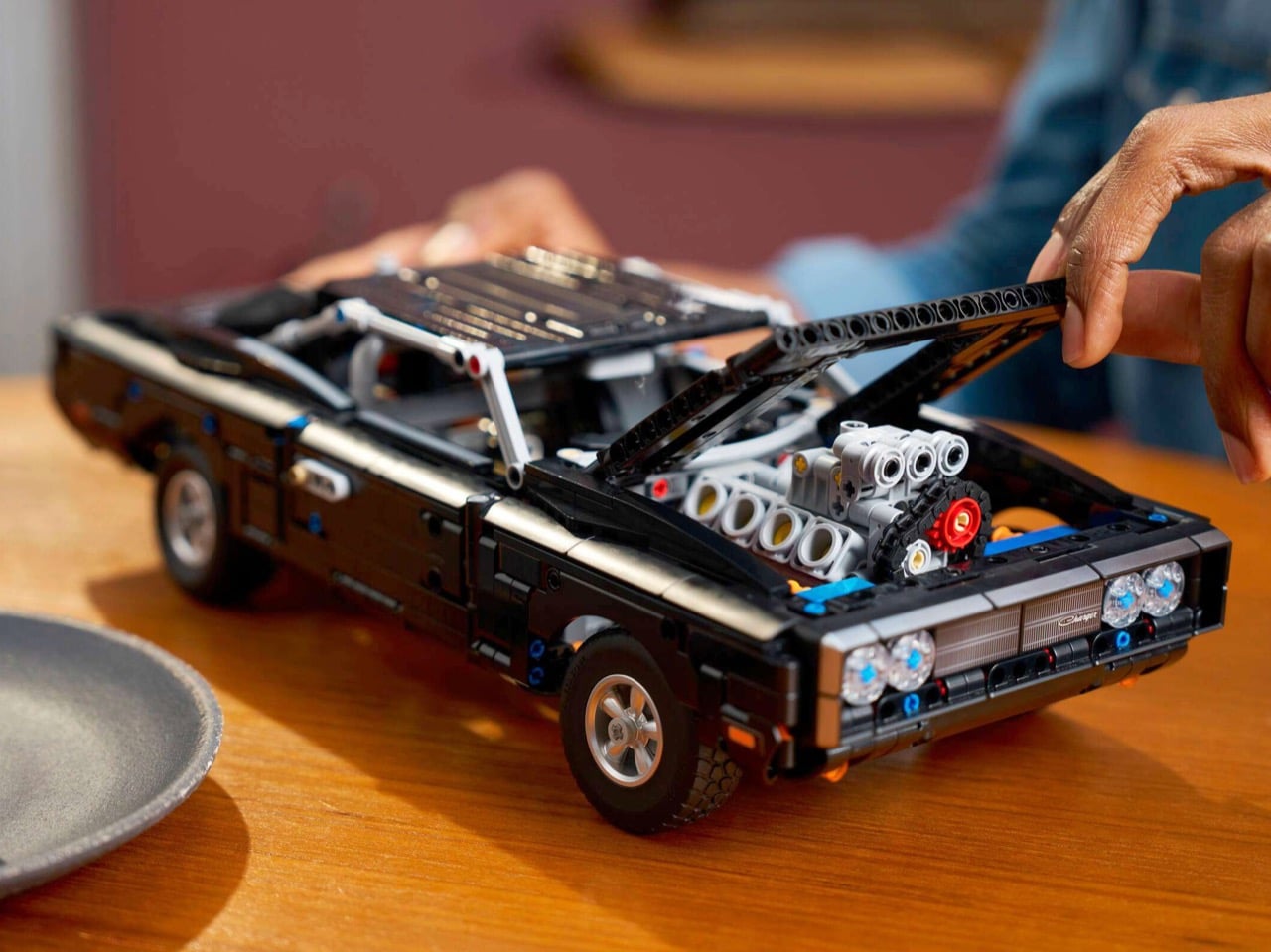
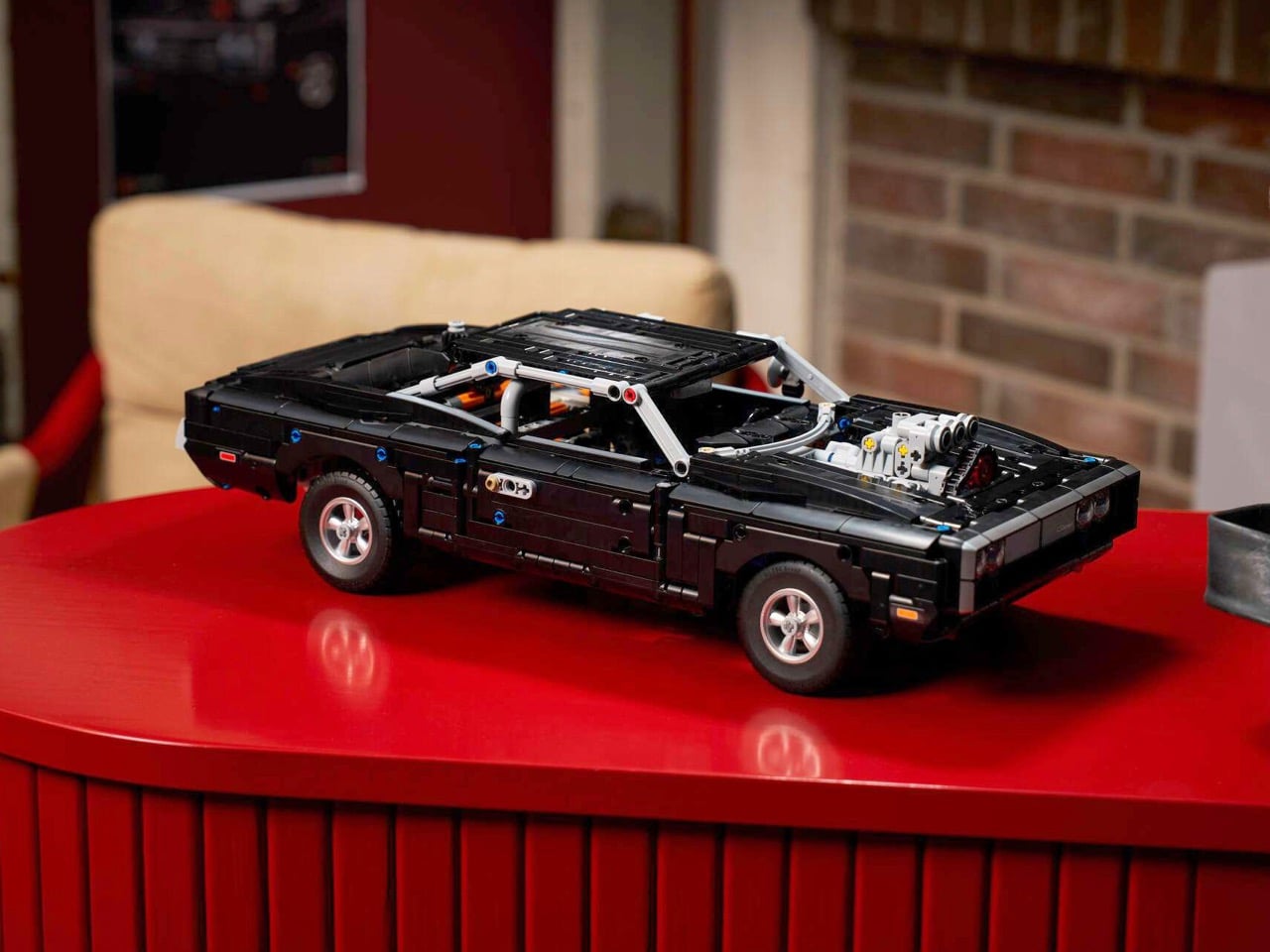
The LEGO Technic Fast and Furious Dodge Charger R/T (set 42231) runs 16 inches long, costs $159.99, and marks the second time LEGO has built Dom’s ride in Technic. The 2020 version had 1,077 pieces, a 10+ rating, and a wheelie stand. This one goes 18+ with a V8, a chain-driven blower, a cardan shaft feeding a rear differential, independent front suspension, and two NOS bottles plus a fire extinguisher in the trunk. A Build Together mode in the LEGO Builder app lets multiple people work on the same car from their own devices. Building Dom’s Charger with family is basically required by franchise law at this point.
Designer: LEGO Technic Design Team (in collaboration with Universal)
Dom’s Charger has always been a beautiful lie. The production acquired five Chargers for the 2001 film, and some of them were 1969 cars with 383 engines dressed up to pass as 1970 R/Ts. The towering supercharger bursting through the hood was a chrome-plated plastic replica, and the famous start-line wheelie came from a hydraulic ram. The script still promised 900 horsepower and a nine-second quarter mile, and audiences happily believed every word. The wreck from the finale even landed a second acting gig, sitting in a scrapyard at the start of Herbie: Fully Loaded.
LEGO’s version wears black Technic panels from nose to tail, with a light-gray frame tracing the 1970 model’s loop bumper around the front end. New 2×2 corner panels, spotted by fans on Eurobricks, shape the grille so the front clip wraps around its edges instead of ending in a flat wall. Charger script sits on the grille, and the tail gets a light-gray valance, red taillights, and a Fast & Furious plate. Staggered-width tires, another new part, put fatter rubber at the back, which is exactly how a drag car should sit. A light-gray roll cage threads through the cabin, giving the black body a contrasting skeleton you can see from every angle.


My favorite detail, though, is the blower. LEGO calls it a chain-driven compressor, and up close it’s a loop of Technic chain links wrapped around a red pulley on top of the V8. Real Roots-style blowers run on belts, so the chain stands in for one at brick scale and gives the engine a moving part you can watch. It does three jobs at once: it’s the car’s visual signature, it’s a working mechanism, and it’s a LEGO recreation of a prop that was fake to begin with. Hollywood bolted a plastic blower to a 1969 Charger, and LEGO answered with a plastic blower that actually moves.
The 2020 set launched at $99.99, which makes the new one a hefty step up in price and ambition. Set 42231 adds 439 pieces and drops the old lever-operated wheelie stand, a feature fans loved more for the idea than the execution. At 16 inches long, the model works out to roughly 1:13 against the real car’s 17-plus feet. That slots it between LEGO’s Technic Supra at 1:16 and its Skyline GT-R R34 at 1:10. It also lands close to the 1/10th scale clay that Sias’s team once hid from their boss, so the Charger has come full circle.


LEGO launched the Technic Fast and Furious Mitsubishi Eclipse (42229) alongside the Charger, an 827-piece take on Brian’s green Eclipse from the first film, complete with its own NOS bottles. Add the Technic Supra and Skyline, and LEGO has rebuilt the hero cars of the first two films in Technic form. Line them up on a shelf, and you’ve got a family reunion that only needs a backyard barbecue and a bucket of Coronas. The Build Together mode handles the rest, splitting the Charger’s build across multiple devices so everyone gets a turn. I fully expect someone to claim the blower and refuse to share, which is also very family.
The LEGO Technic Fast and Furious Dodge Charger R/T (42231) costs $159.99 and is available now at LEGO.com, LEGO Stores, and retailers including Amazon and Best Buy. LEGO caps online orders at three per household, which feels low for anyone with a crew as big as Dom’s. Assembled, it stands over 4 inches tall and 7 inches wide, sized for a desk or a shelf next to the Supra. If LEGO ever does a third version, I’d ask for the wheelie stand back and a light kit for that grille. Until then, keep this one parked well away from semi trucks.


The post Lego’s new $160 Fast & Furious Dodge Charger takes family time very seriously first appeared on Yanko Design.

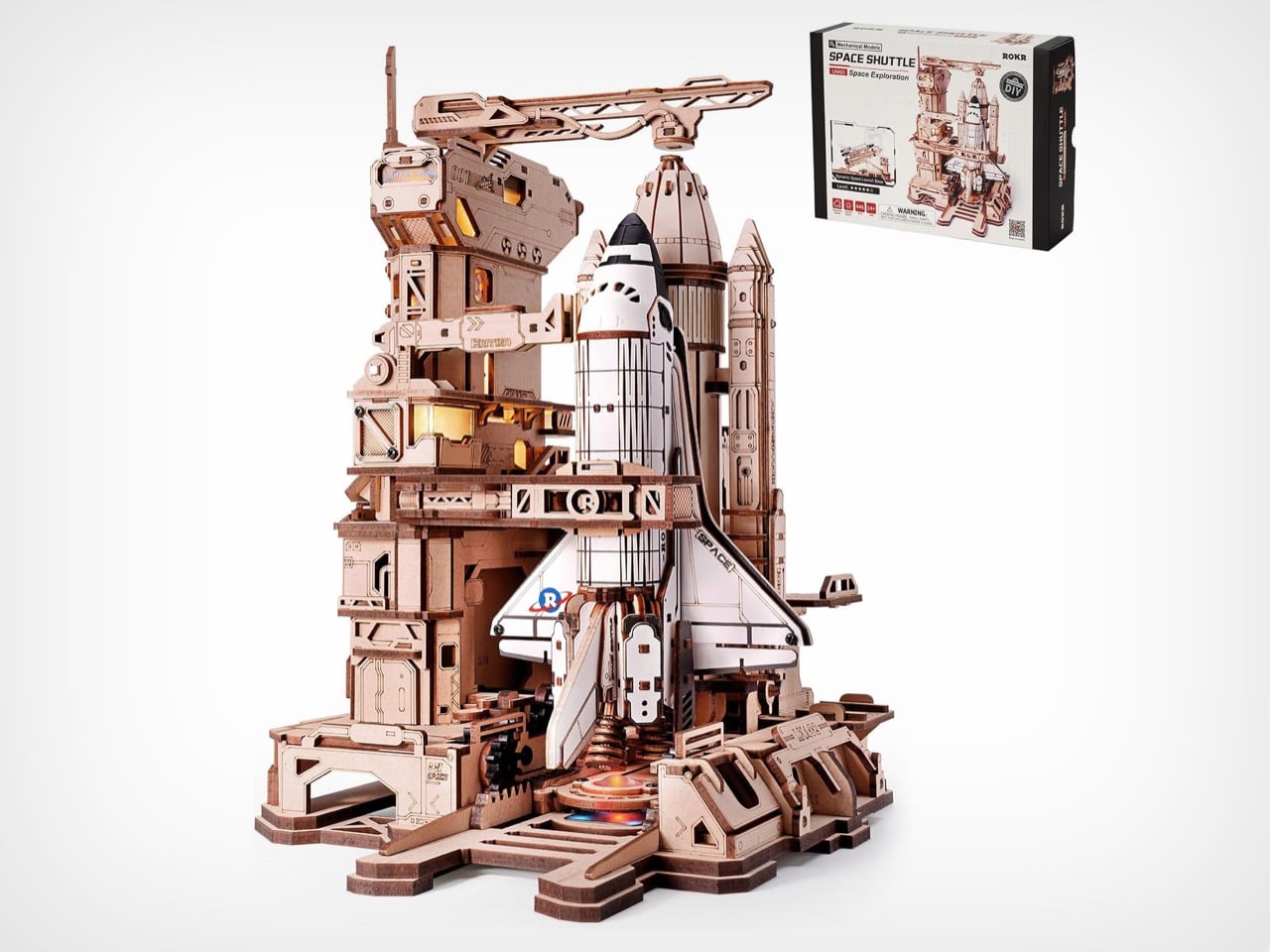
A fun bit of trivia for ruining dinner parties: NASA never tilted its space shuttles upright at the launch pad. The orbiters were stacked vertically inside a giant building in Florida and crawled out to the pad already standing, at roughly one mile per hour. ROKR’s wooden Space Shuttle kit does the dramatic tilt anyway, and honestly, good call. The 446-piece model uses a motor and a gear rack to swing its orbiter from horizontal to vertical before a light-show countdown. It costs $59.99, and it’s the most fun I’ve seen a piece of plywood have.
The horizontal-to-vertical move comes from the Soviet playbook, where rockets like Soyuz and the Buran shuttle’s Energia launcher rode to the pad lying down and got hoisted upright by a giant transporter-erector. The one built for Energia-Buran weighed 2,756 tons, which makes ROKR’s little motor look charmingly modest. ROKR blends that Baikonur trick with a Kennedy-style tower, complete with swing arms that rotate 90 degrees and retract, plus a crane boom hovering over the fuel tank’s nose. The result is a tiny Cold War mashup that stands 10.7 inches tall (272mm) on your desk. Robotime, ROKR’s parent company, rates the build at five stars of difficulty and estimates about six hours.
Designer: ROKR (Robotime)

A toothed rack runs along the base, and a linkage arm pushes the shuttle’s cradle through horizontal, 45 degrees, and a full 90 degrees. It is a rack-and-linkage setup that turns sliding motion into a smooth tilt, the same family of tricks that tips a dump truck bed. Robotime credits a four-stage gear system and a reduction motor, and the slow speed is the point, since a fast launch pad looks like a toy and a slow one looks like a procedure. A sliding master switch powers the pad, and a touch button starts the sequence. Once the orbiter is upright, the arms swing clear, the tower flashes six times, and orange and blue LEDs glow under the engines.
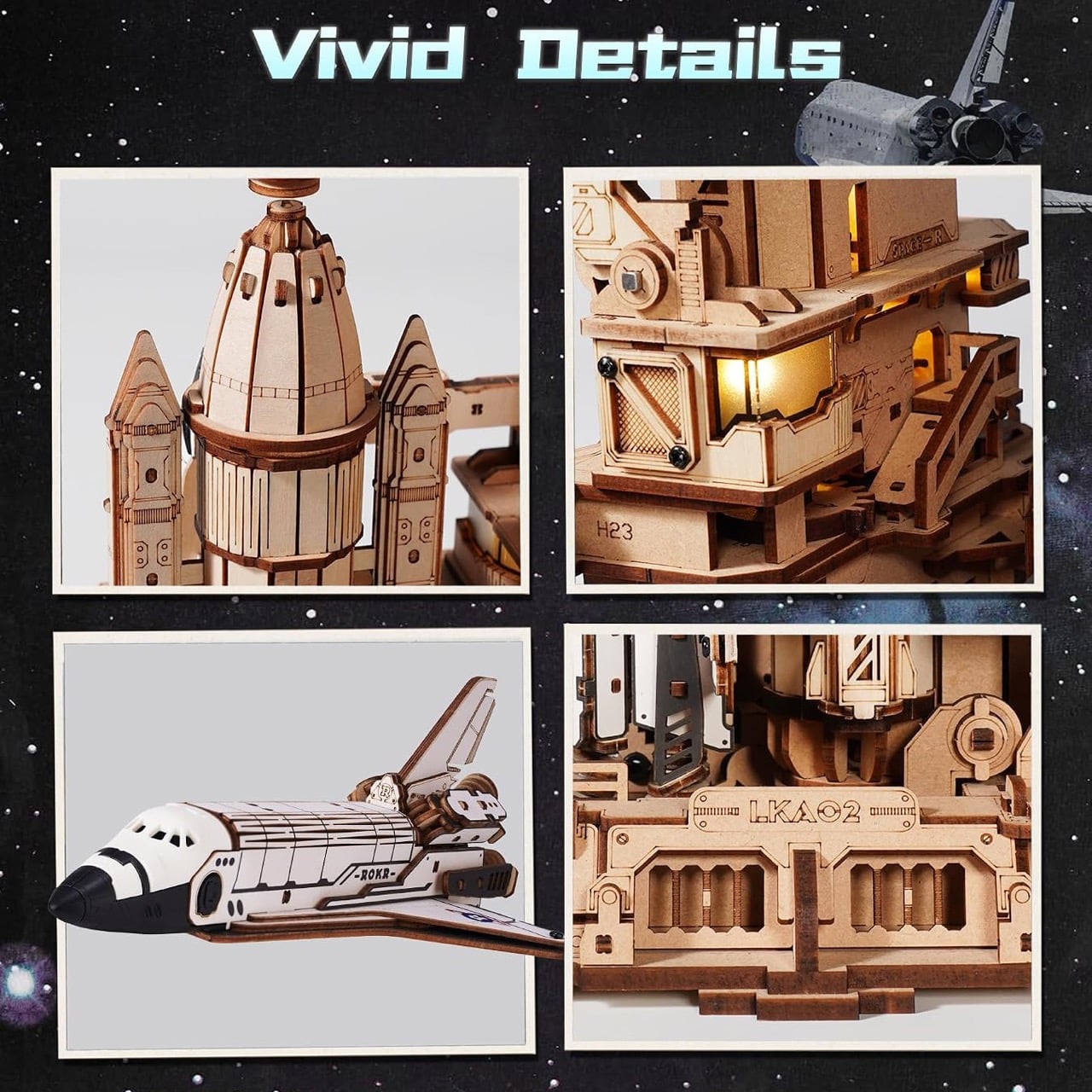
Robotime calls the tower a seven-deck terminal with separate command and test zones, and its plywood panels are engraved with codes like LKA02, H23, and SPACE-R. Warm LED windows glow across the tower’s decks, which gives the whole thing a late-night mission control mood. Kennedy’s real service structure was an open steel lattice topped with a lightning mast, while ROKR’s version is chunky, paneled, and marked with chevrons, closer to an Alien-era hangar than a Florida launch pad. That makes sense, since laser-cut plywood excels at flat planes and tabbed boxes and would snap if asked to imitate thin truss work. The material picked the style, and the style looks great glowing amber in a dark room.
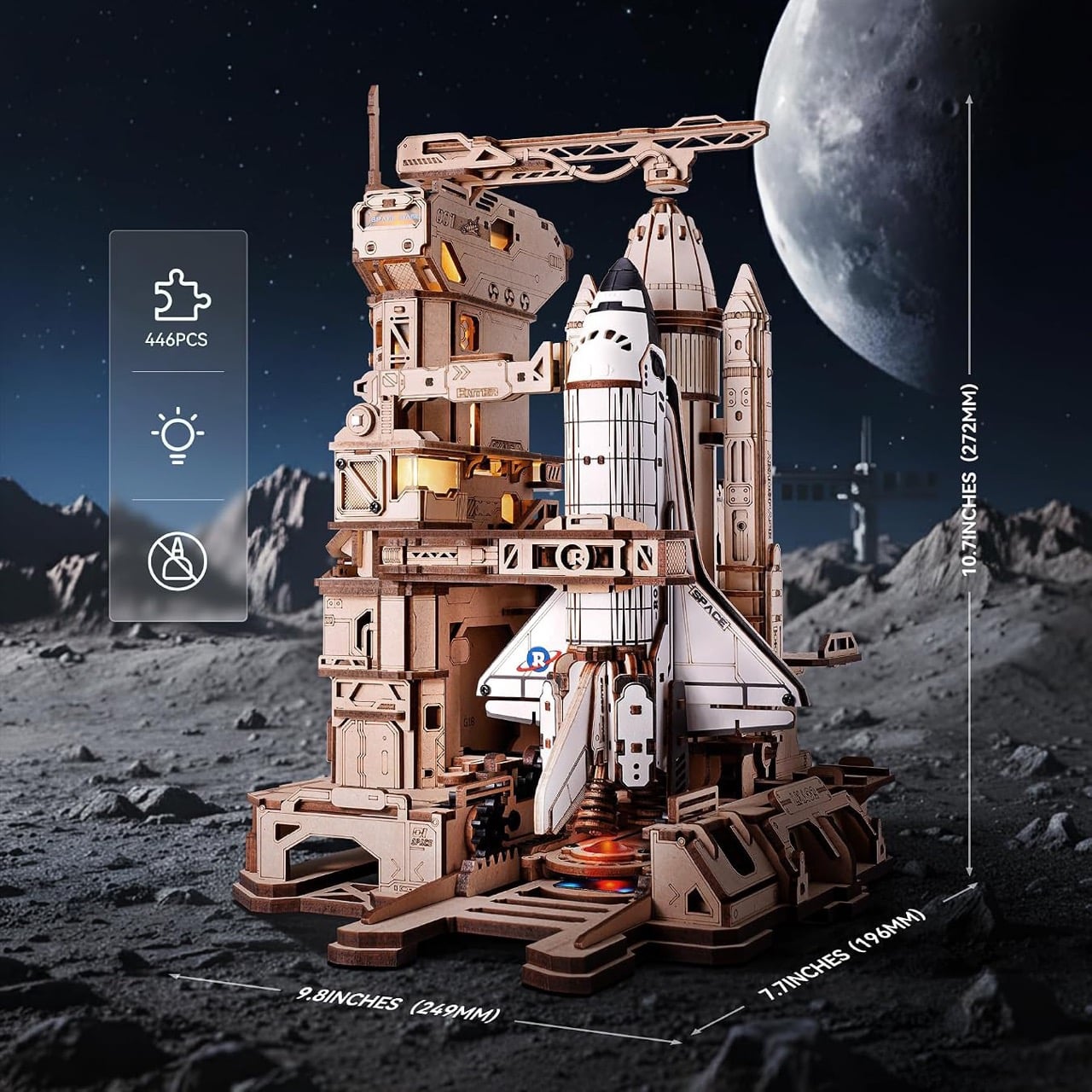
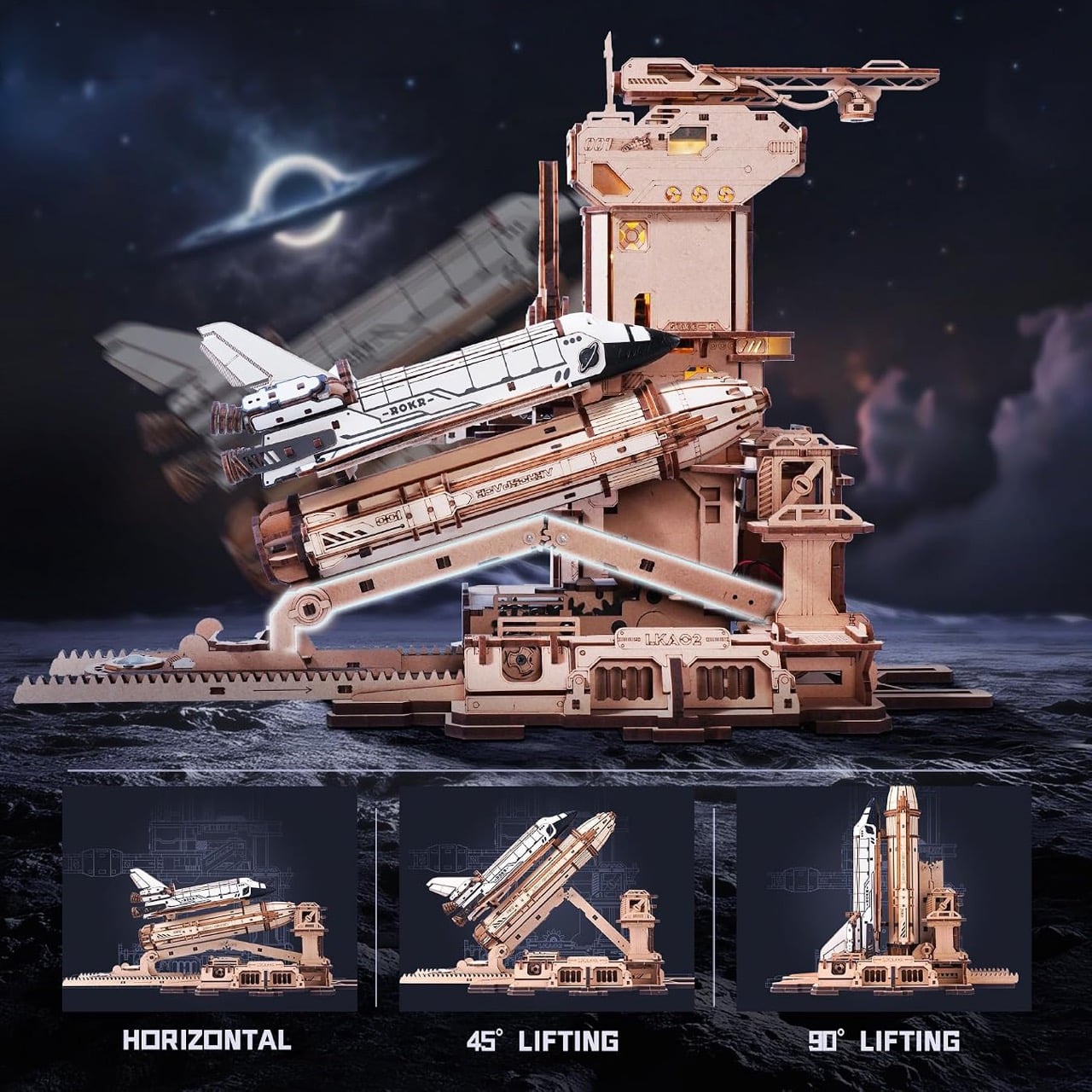
Most of the model is laser-cut plywood joined with mortise and tenon joints, which means no glue and no mess. The orbiter gets an ABS cabin with crisp white panels, because plywood and a rounded shuttle nose do not get along. That swap gives the shuttle a clean white finish and a smooth nose, and it makes the orbiter pop against the warm wood tower. It also nails the shuttle’s most recognizable silhouette, with delta wings, a tail fin, and a fat central tank hugged by a pair of boosters. ROKR leaves the tank and boosters in natural wood tones, which keeps the spotlight on the white orbiter.
There is no NASA meatball anywhere on this orbiter, which tells you the kit is an homage with its own livery. Instead, the orbiter carries a ROKR logo shaped like a ringed planet, and the wing reads SPACE. The promo shots park the whole scene on a moonscape under a giant moon, so the lore seems to be a lunar spaceport with a very retro taste in rockets. That freedom lets ROKR chase drama over blueprints, which is how you get an exposed gear rack sliding out of the base like a mechanical spine. I’d argue that is the right instinct, since a model that moves should show its working.

The obvious rival is LEGO’s Icons NASA Space Shuttle Discovery (10283), a 2,354-piece set that launched in 2021 at $199.99. LEGO wins on fidelity, with a licensed NASA livery, a real orbiter’s proportions, and a tiny Hubble Space Telescope to tuck into the cargo bay. Once the build is done, it holds a pose, and the moving parts stop at the cargo bay doors and a little robotic arm. ROKR gives up some fidelity for motion, a motor, and a countdown, all for less than a third of the price. The two pair well on a shelf, with LEGO playing the museum piece and ROKR playing launch day.
The ROKR Space Shuttle LKA02 sells on Amazon for around $56. Bring your own USB-C cable (5V input), because the box leaves power to you, and the kit is rated for ages 14 and up. Budget about six hours for the build, which beats waiting out a real scrub. Space shuttles last flew in 2011, so plenty of younger fans have only ever met an orbiter parked behind a velvet rope. Putting the launch under your own thumb is a neat reversal for a program famous for waiting on weather and gremlins.

The post This $56 DIY space shuttle has gears, glowing engines, and zero subtlety first appeared on Yanko Design.

A solo traveler needs a compact camping solution on his bike. To satiate this adventure group, a new league of bike RVs/campers is coming of age. After having already seen the likes of a wooden camper behind a bike to this hard-walled bike camper with a slide-out component to increase the compact living space for two people, it’s time now to spare some thought for this new bike RV built from scratch (quite literally) by Attoparsec YouTube channel.
The YouTuber has put out a detailed video illustrating and talking us through the entire build. You can see the complete video embedded above. If you want an idea of what’s been done and how he has created a pedal-powered bicycle RV or camper, as you may, read on.
Designer: Attoparsec
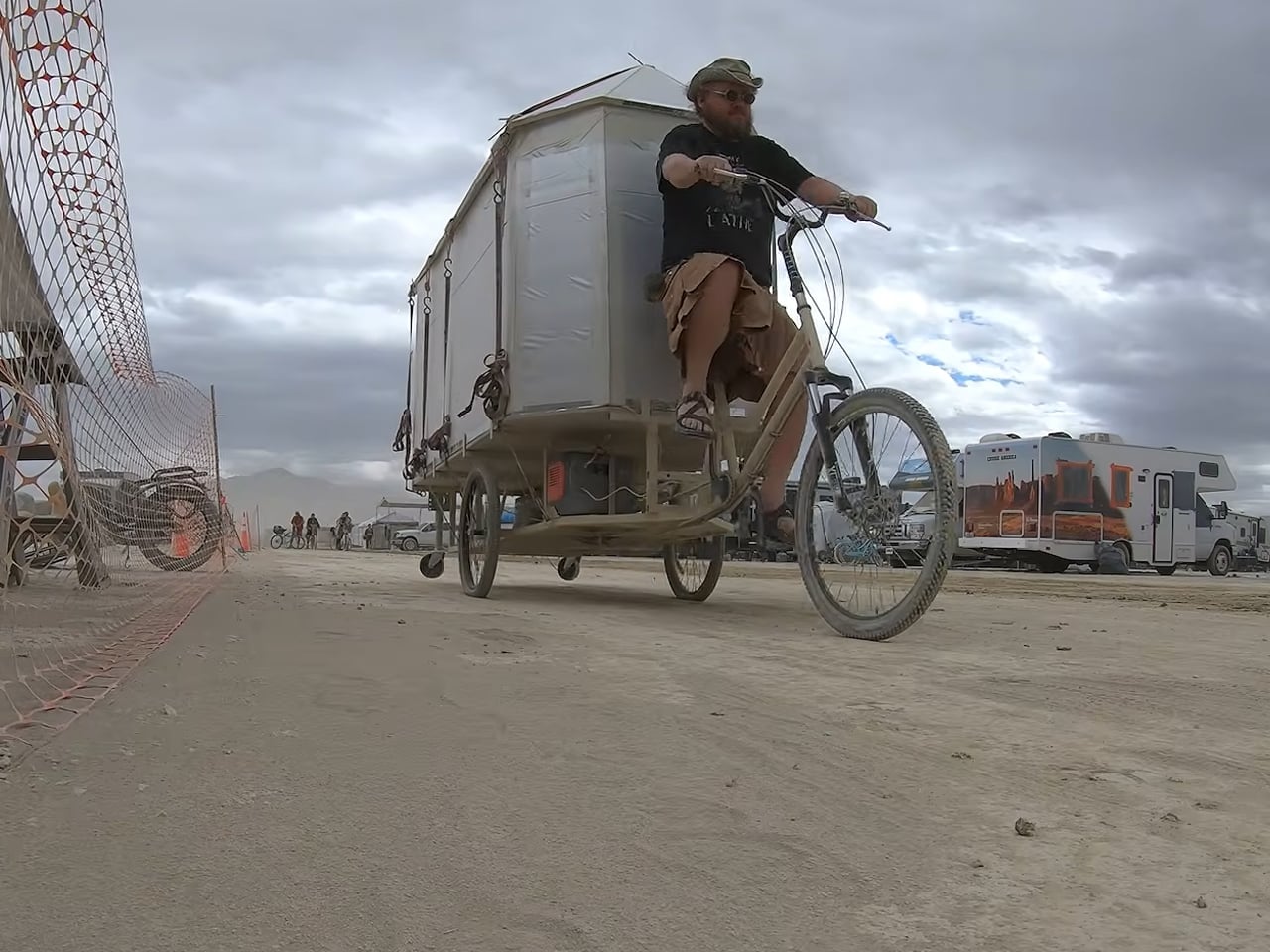
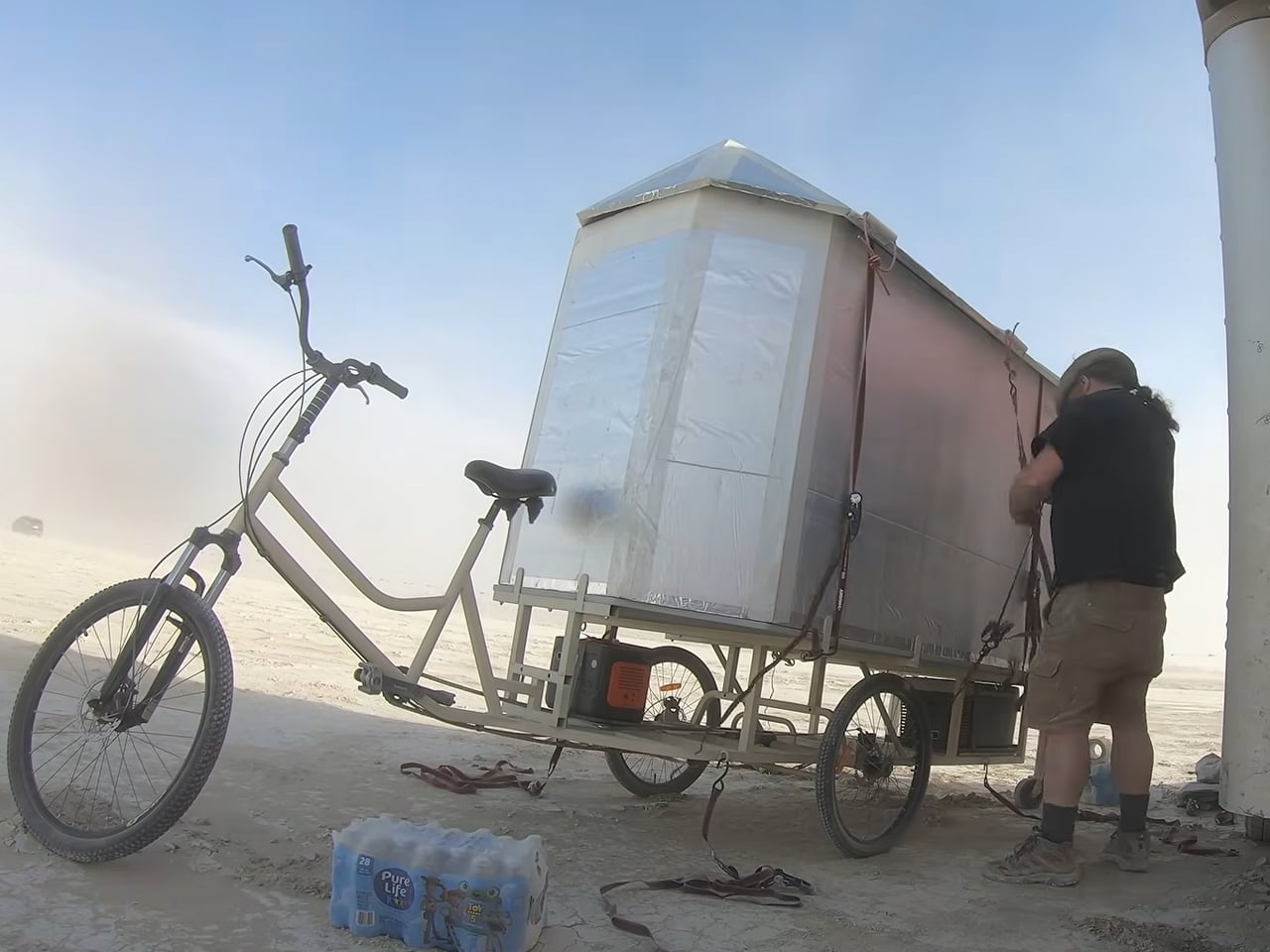
Attoparsec starts off with getting a home and industrial cargo trike, which he wasn’t able to use right away for the base. After addressing significant design and mechanical flaws (we’ll try and detail a few of them below), the custom bike was readied, and then the living solution was installed atop.
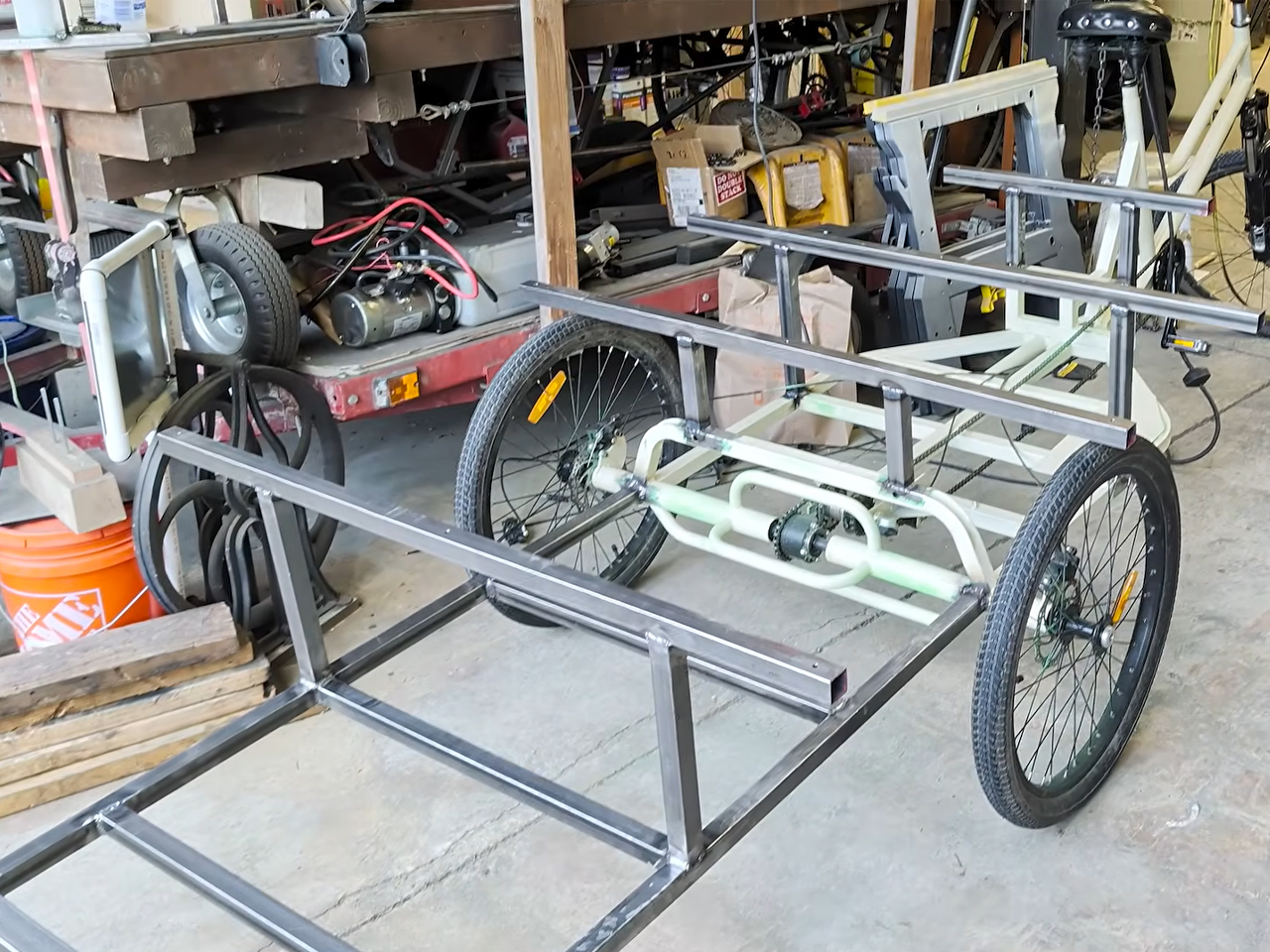
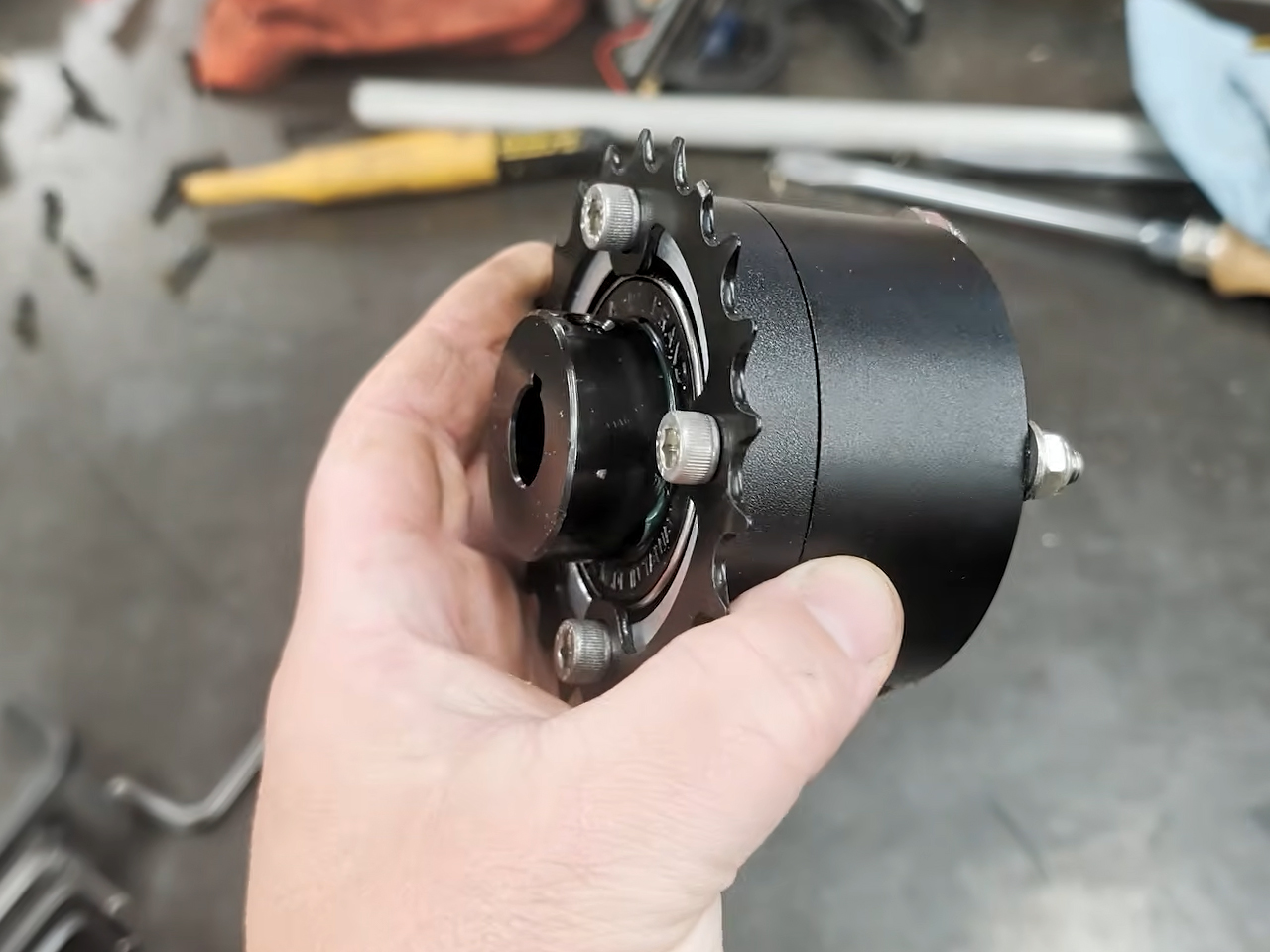
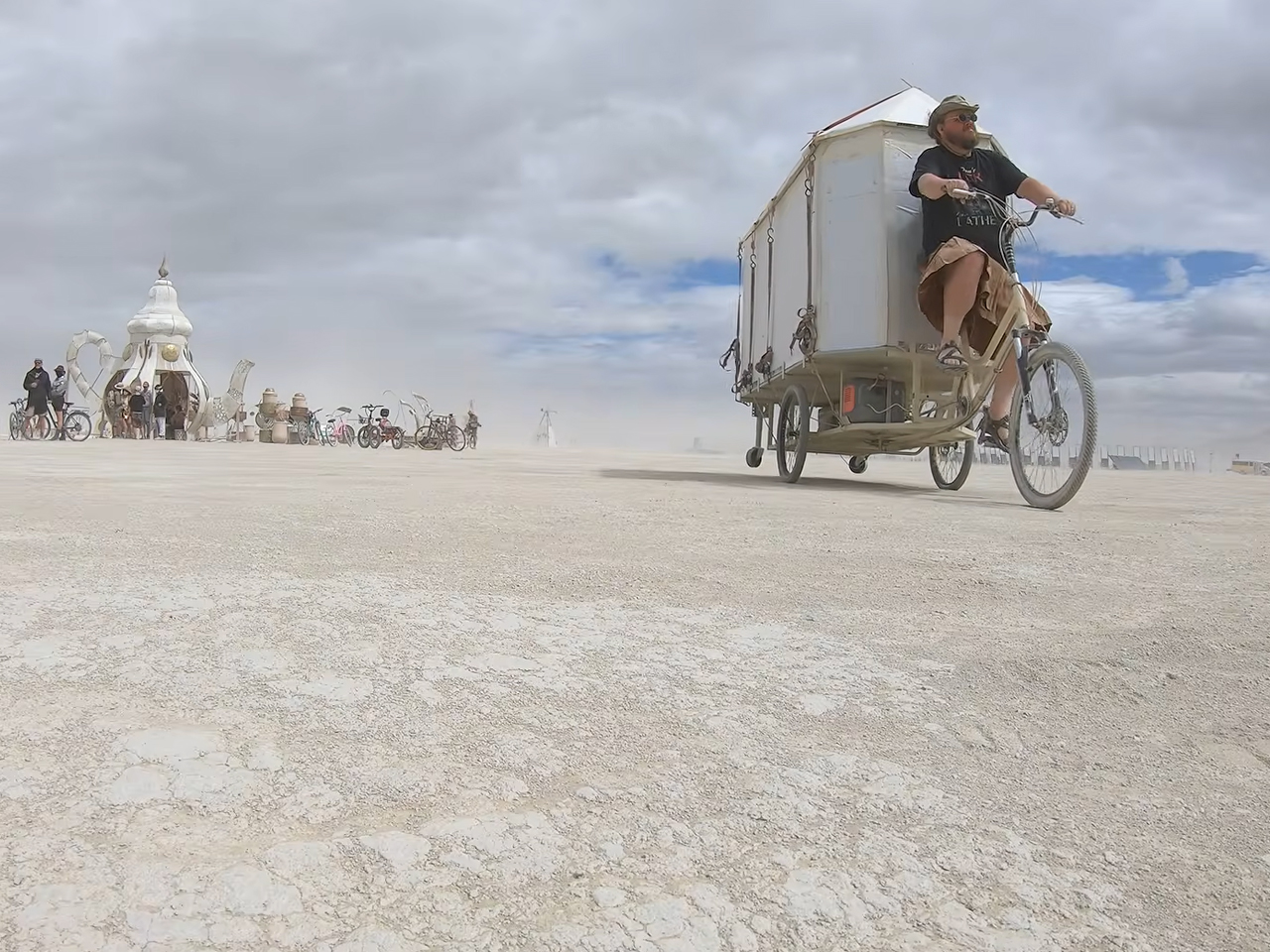
Constructed to be taken to Burning Man, Attoparsec restructured the donor trike’s mechanical flaw of a single brake cable splitting into a Y to trigger the two rear brakes. Since this caused uneven pulling, which could have been dangerous with the eventual load onboard, the YouTuber created a dual-cable brake lever that worked as a linkage mechanism to create an ideal balance at the rear wheels to brake together. custom mechanical solution also included retrofitting a new differential in addition to the brake system.

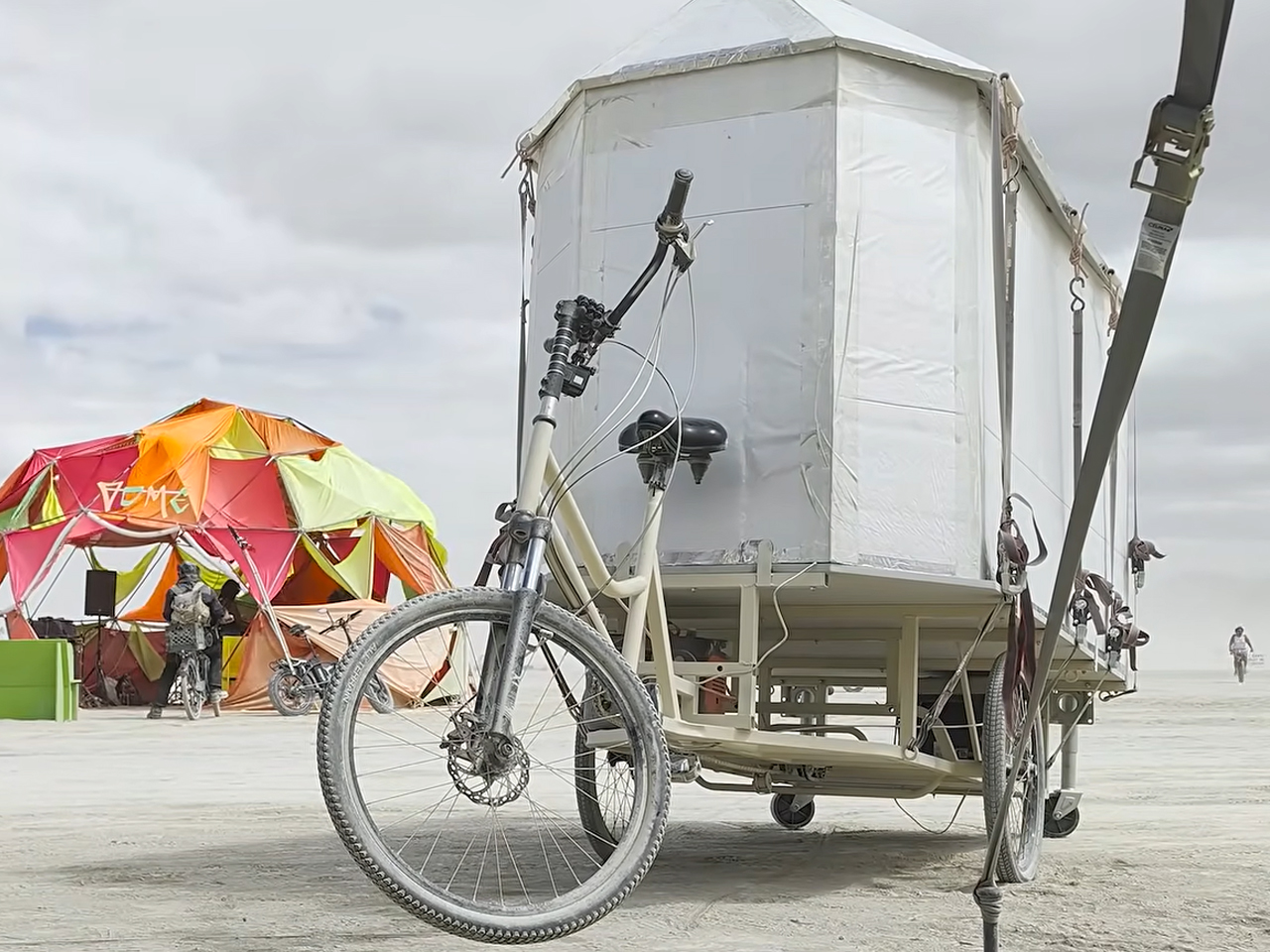
This wasn’t the only thing that required tweaking. The cargo bed on this standard trike also needed some expansion. The bed was custom extended toward the rear using round aluminum tubing for structural rigidity and to make it spacious enough to fit one sleeping adult. The compact 8-foot-long, 4-foot-wide living compartment to go on it would ensure comfort for a solo traveler. But extending the frame without moving the rear axle caused problems. The DIYer had to fine-tune it with the use of two heavy-duty trailer jacks with wheels to safeguard the camping structure from tipping over in a wheelie.
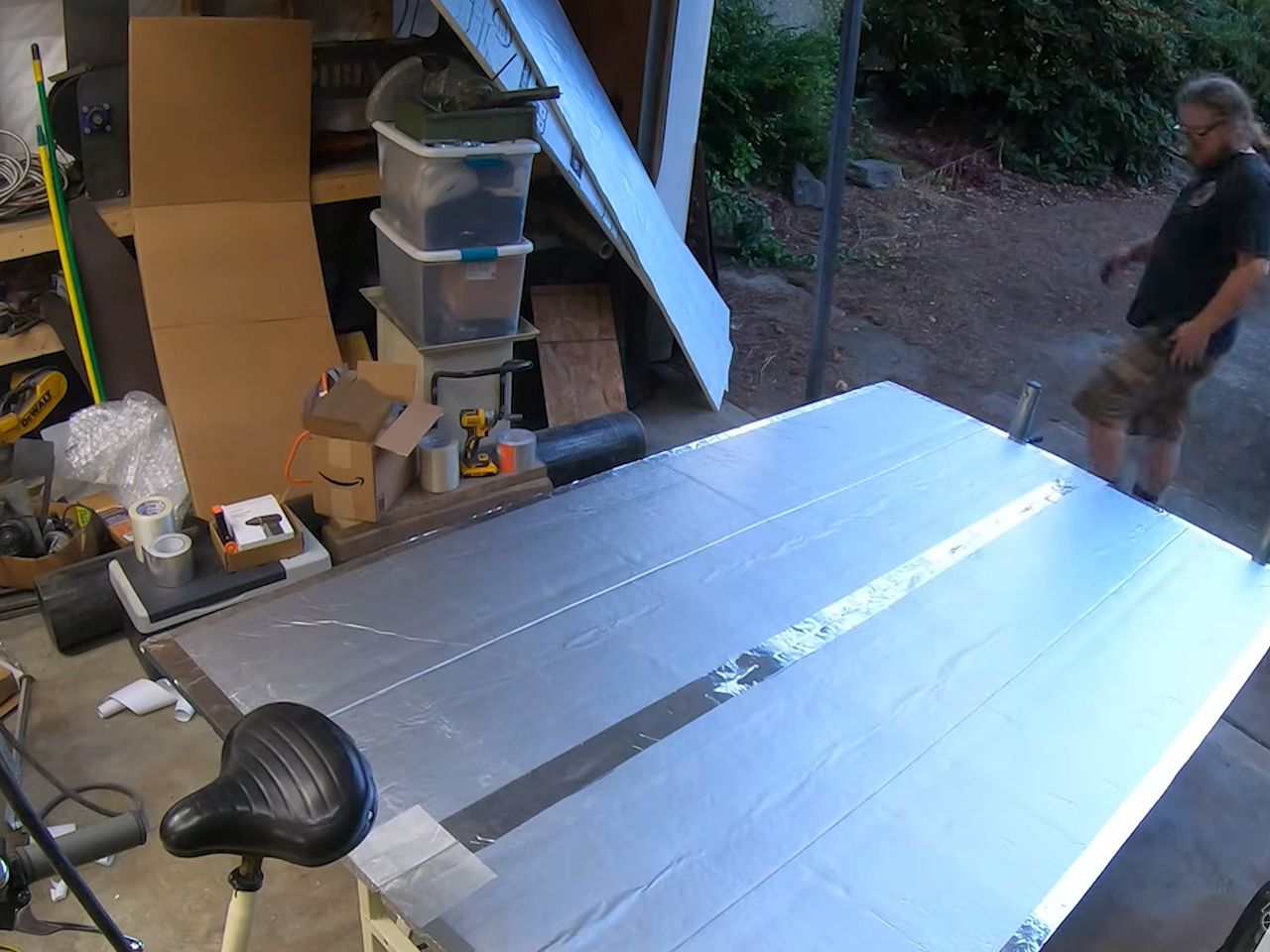
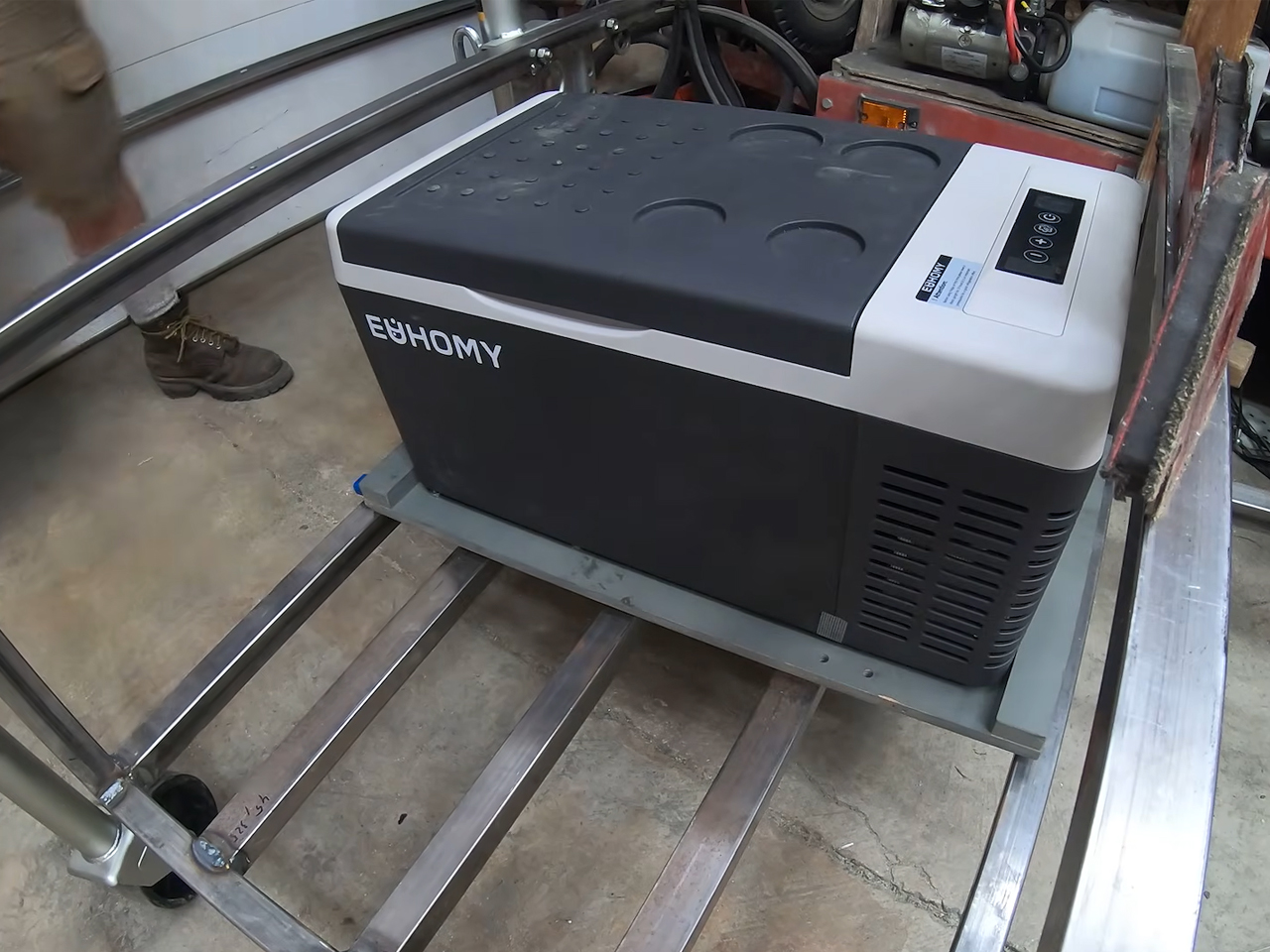
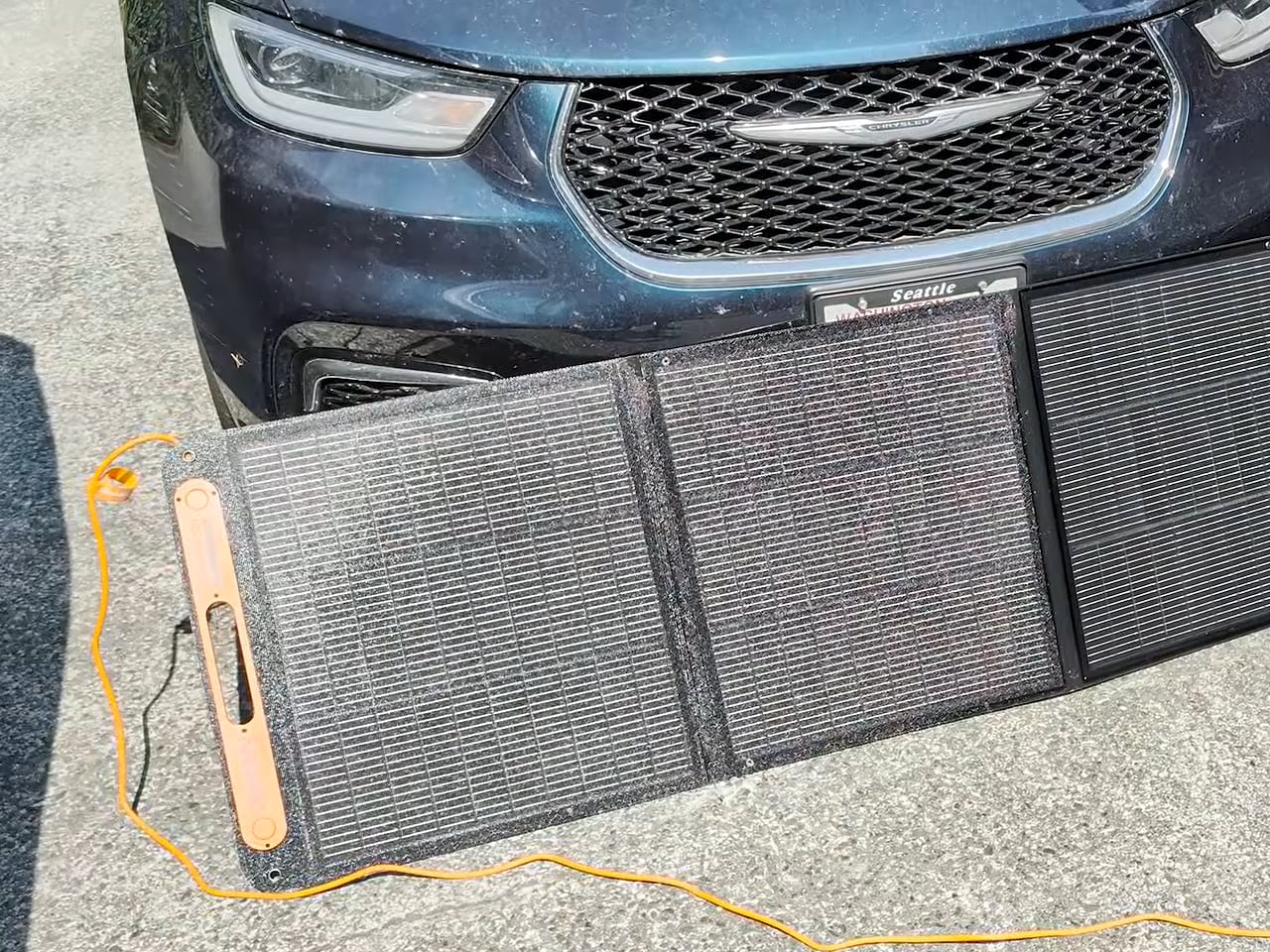
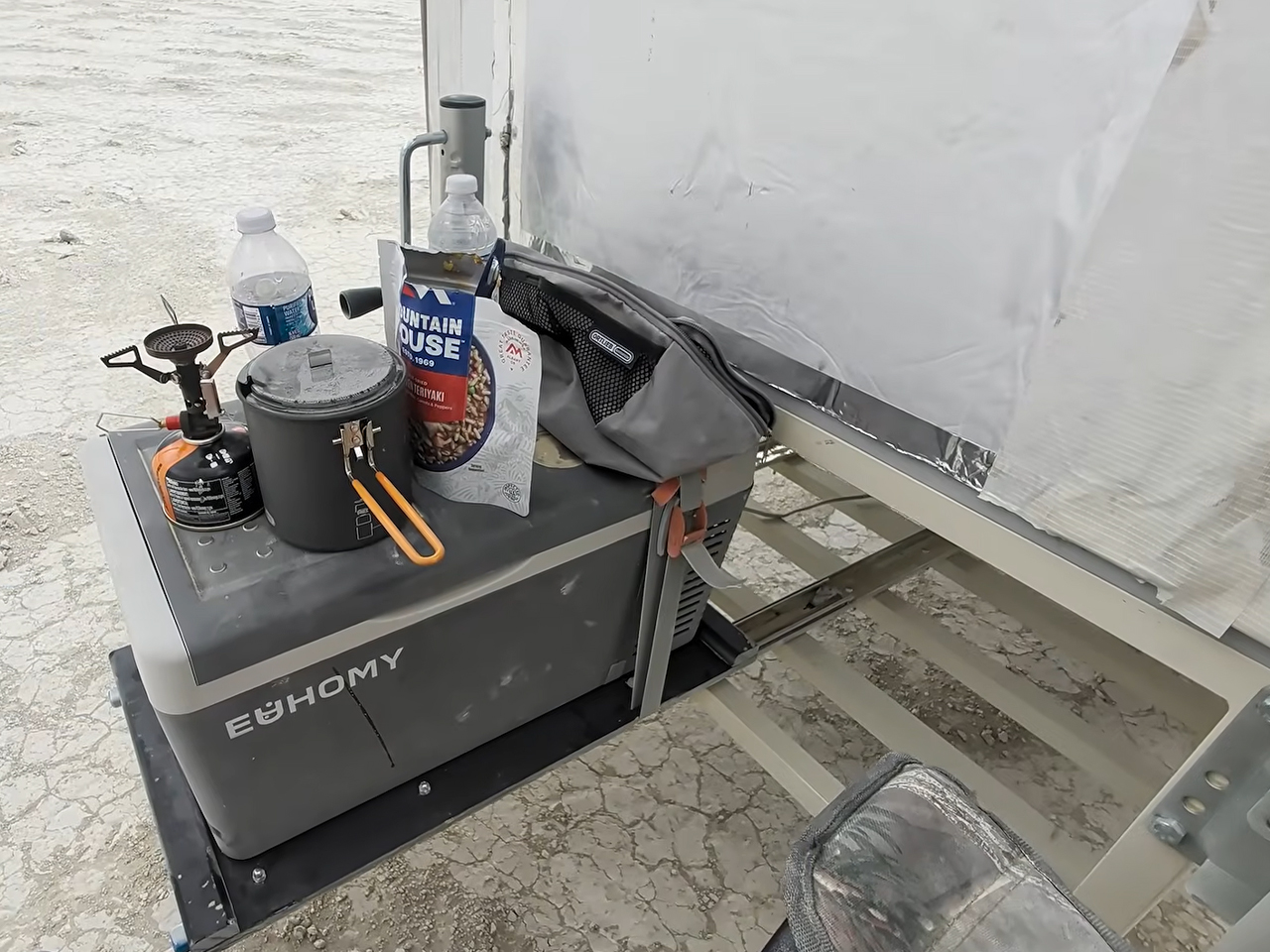
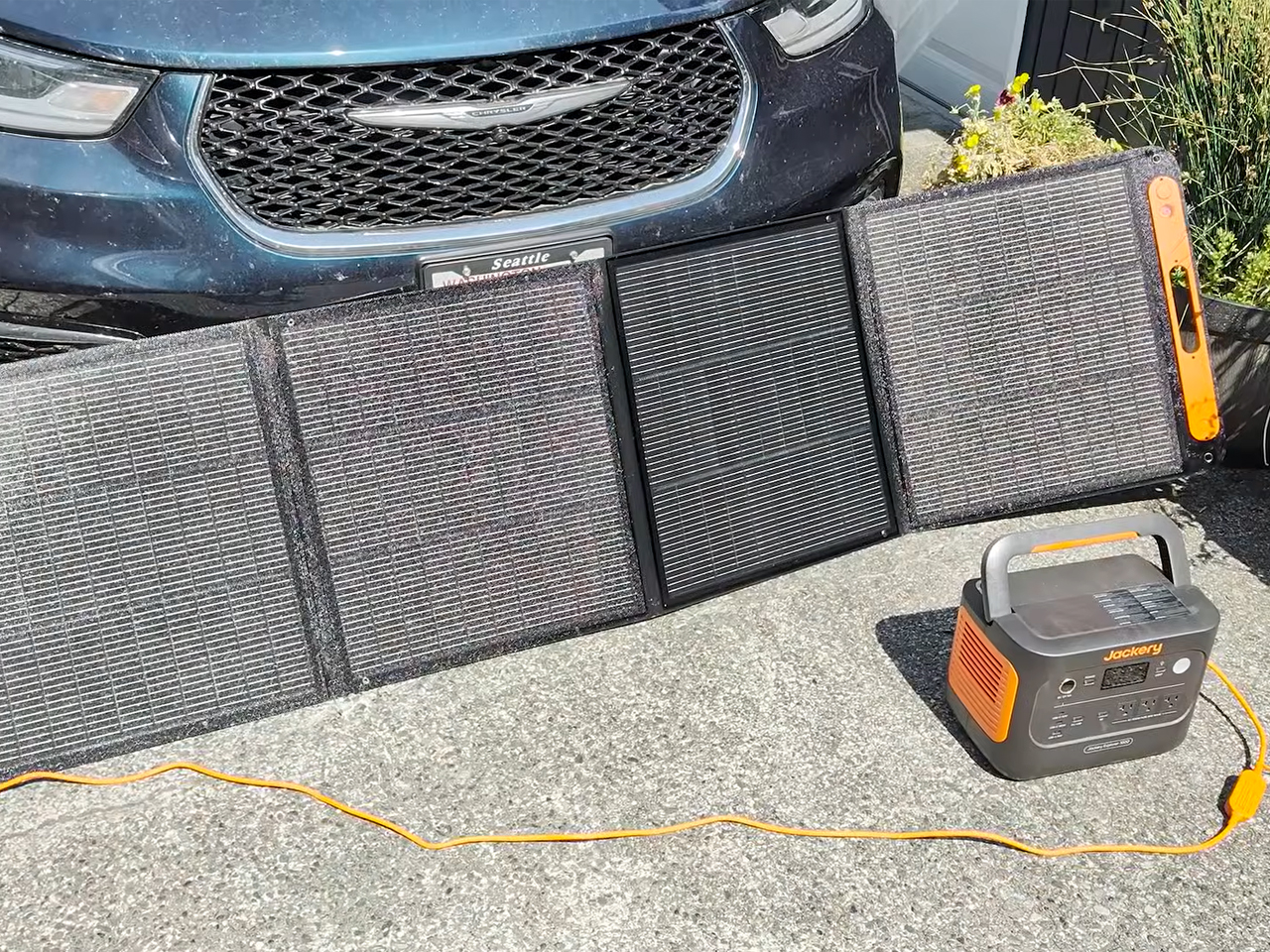
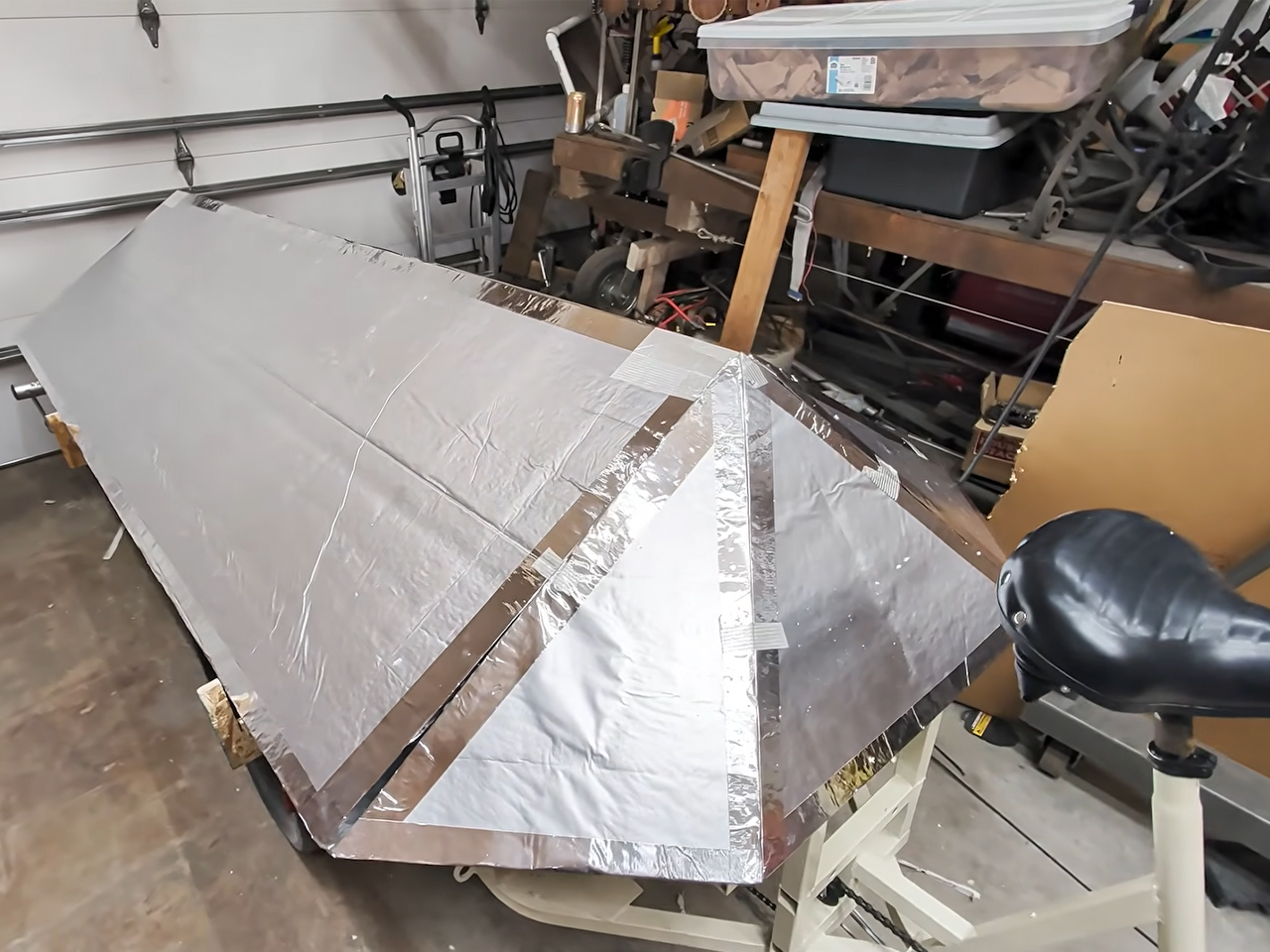
The sleeping enclosure sits on raised, reinforced frame risers and is built with rigid foam insulation. The structure is taped together to ensure the sun and the playa dust remain outside when the bike RV is stationed at the Burning Man. The bicycle camper is provided with a solar-powered refrigerator and draws its energy from a Jackery backup battery bank. According to the DIYer, the mobile home on a bike features a transformable interior that adjusts between lounging and sleeping easily. It fared well weathering storms and rain on the dry lake bed of the Black Rock Desert in Nevada.
The post YouTuber built a bike camper from scratch and took it to Burning Man first appeared on Yanko Design.