Philips launches Screeneo UL5 Smart, a budget Ultra-short Throw Smart Projector for under $800

Imagine we’ve come so far that we can fit an entire movie theater into a device that’s essentially the same size as a brick. After launching the Screeneo U5 in the end of 2022, Philips is back with its smallest, most advanced UST projector yet. Dubbed the Screeneo UL5 Smart, it builds on the success of Philips’ past projectors, while focusing on being a budget-friendly gadget to help people convert from TVs to something a little more immersive. Measuring just over 8 inches long, 3.7 inches wide, and 3.4 inches tall, the Screeneo UL5 Smart outputs an impressive 100-inch screen when kept just 20 inches away from a wall. The tiny device produces a display that’s rich in color, has a 550 ANSI lumen brightness, and has a Full HD resolution of 1080p. Sure, it’s no 4K projector… but at a sub-$1000 price tag, it’s probably the best ultra-short throw projector you can get your hands on. Oh, it also comes bundled with its own OS that let you run popular streaming services, pitching it well into smart projector territory.

Designer: Philips Projection

Click Here to Buy Now: $789 $1406 (43% off) Hurry! Only 7 days left. Raised over $900,000 USD.

While the UL5 Smart departs from the 4K resolution of its predecessor, the U5 model, it maintains a respectable Full HD 1080p resolution – ideal for enjoying movies, shows, and games in crisp detail. The projector utilizes a DLP chip alongside a triple-laser light source, separating red, blue, and green colors for an exceptionally rich and vibrant visual experience. The impressive 0:23:1 ultra-short throw ratio means you don’t need to keep the device multiple feet away from the projection surface, the way most traditional projectors need to be kept. A simple 20 inches away from a wall or screen gives you a staggering projection that measures 100 inches diagonally. Adjust the distance to adjust the size of the projection – the UL5 Smart can pull off 120 inches with absolutely no discernible drop in brightness or clarity. It also automatically keystones and focuses itself, so you spend less time setting up and more time enjoying content.

The compact form factor allows the Screeneo UL5 Smart to be used as more than just a movie-watching device. Sure, projectors and movies are practically synonymous – and the Screeneo UL5 Smart does come with Philips’ LuminOS, which lets you natively run Netflix, Hulu, Disney+, Apple TV, HBO Max, and a whole slew of other apps – but an abundance of ports lets you use your Screeneo UL5 Smart to do things like extend your laptop/desktop/tablet screen, or directly hook your gaming console to the projector for larger-than-life gameplay.

Rest the UL5 Smart on its back the way it’s designed to be placed and you’ve got a projected image on the wall. Flip the UL5 Smart over and stand it vertically, and it projects a bright 35-inch display onto the floor or a table, letting you watch content on the tabletop like recipe videos, the game, or even project drawings onto a piece of paper and allow you to sketch directly. AI-driven auto-focus and keystone kicks in immediately, fixing the image to make it perfectly focused and rectangular.

Spec-nerds will have little to complain about what the UL5 Smart offers. With a peak of 550 ANSI lumens, the projector is ideally suited for dimly lit or dark environments. However, this is balanced by exceptional color reproduction. The UL5 Smart boasts coverage exceeding 200% of the Rec.709 color gamut, 108% of Rec.2020, and a remarkable 150% of the DCI-P3 color space. Additionally, it supports HDR10, ensuring vibrant visuals with deeper blacks and brighter whites for compatible content.

Running on an Android-based operating system, the UL5 Smart comes pre-loaded with popular streaming apps like Netflix and Youtube, eliminating the need for external devices. Built-in dual-band Wi-Fi and Bluetooth connectivity allow for seamless streaming and connection to external speakers for an even more powerful audio experience. For wired connections, the UL5 Smart offers an HDMI port, a USB Type-A power port, and two USB-C ports for data and video. The projector also features integrated 3-watt Dolby speakers, providing a decent audio solution for casual viewing.

At a price of $789, the Philips Screeneo UL5 Smart is quite the bargain. It’s compact, smart, outputs screen sizes up to 120-inches, and builds on Philips Projection’s UST capabilities. You’ve got an abundance of ports, along with a built-in OS for a whole lot of variety – and the projector even ships with its own remote control, letting you easily browse through content and enjoy movies, sports, and games larger than life. The Screeneo UL5 Smart begins shipping September 2024 for backers on Indiegogo.

Click Here to Buy Now: $789 $1406 (43% off) Hurry! Only 7 days left. Raised over $900,000 USD.

The post Philips launches Screeneo UL5 Smart, a budget Ultra-short Throw Smart Projector for under $800 first appeared on Yanko Design.
Wing-like car key fob concept promises a more ergonomic design for future drivers

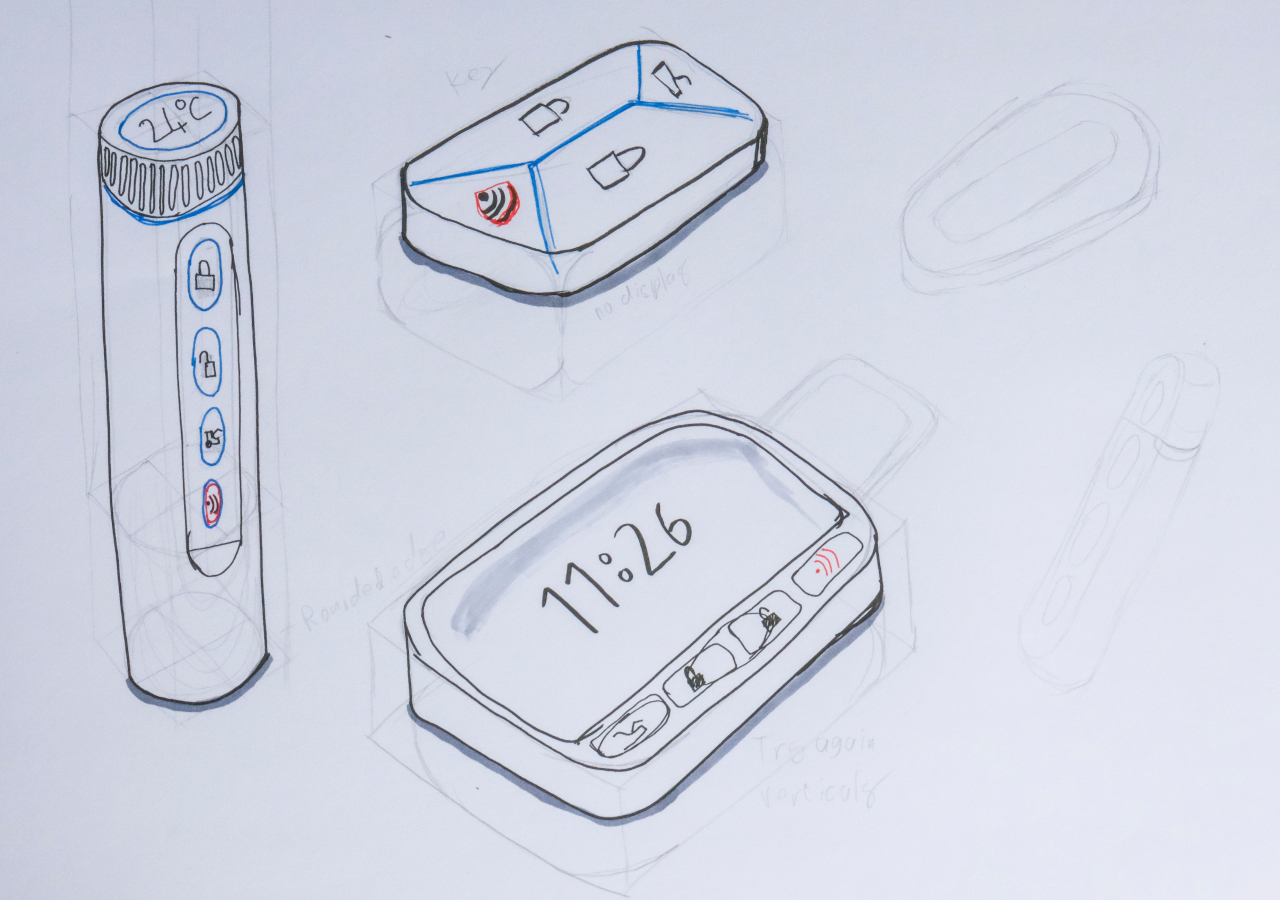
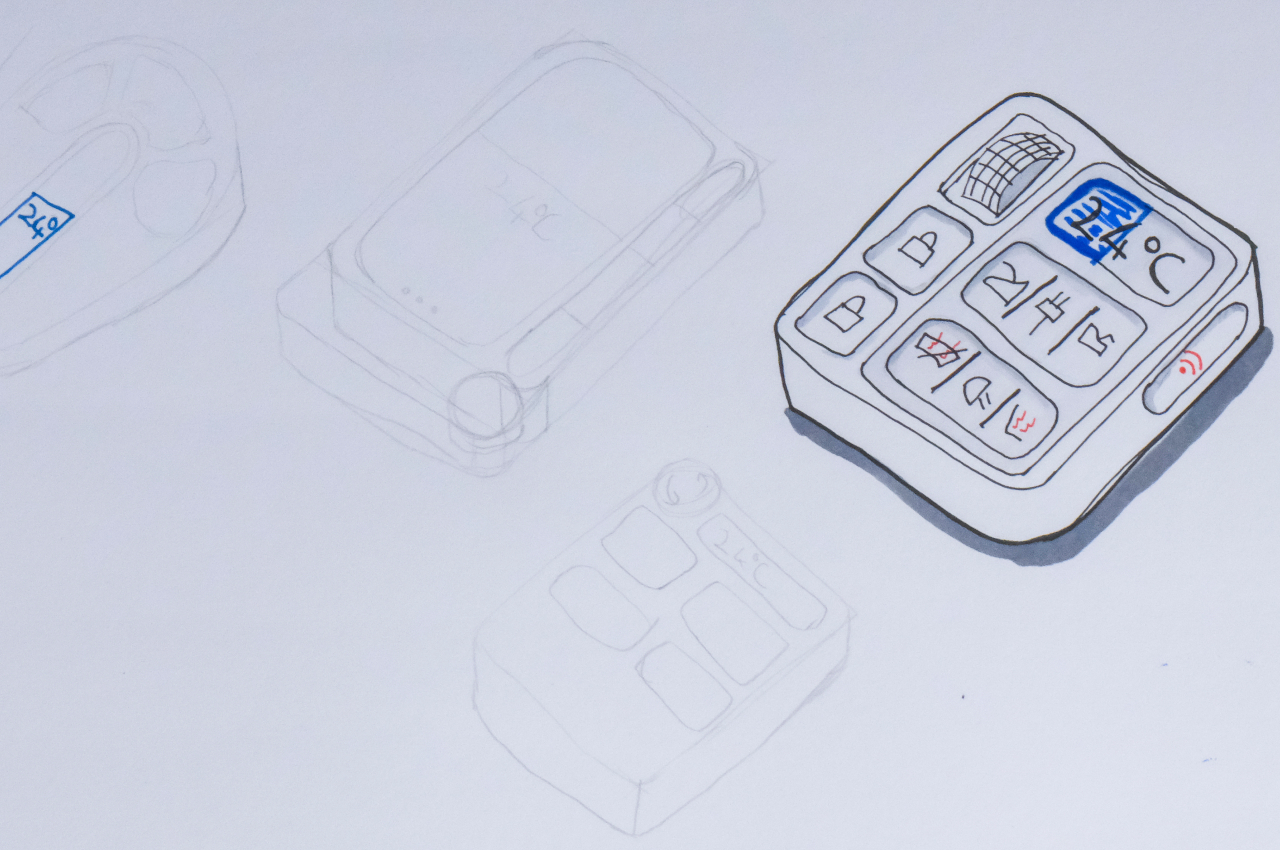
The vast majority of design concepts for future cars unsurprisingly revolve around the more exciting parts of the experience, from hands-free autonomous driving to hotel-like cabins to quiet, efficient, and eco-friendly engines. Of course, those aren’t the only parts of the driving experience, which starts and ends with drivers getting in and out of the car. Oftentimes, that part is presented as a keyless activity that either relies simply on the touch of a finger or the tap of a smartphone screen. It might be quick and efficient, but not exactly satisfying or meaningful. This concept tries to attack the problem from a different angle, retaining the tactile joy of a physical key fob while improving not only the features but even the comfort of using one.

Designer: Zander De Beer

A dedicated car key fob might sound unnecessary today in an age of smartphone apps, but having a distinct and direct device you can easily use is still far more convenient, not to mention faster, than fumbling around with a smartphone and its dozens of apps. It gets the job done without fuss, but it’s not exactly a memorable or even pleasant experience. Neither is its design the most inspiring accessory for a car, especially the sleek and sophisticated vehicles of the future.

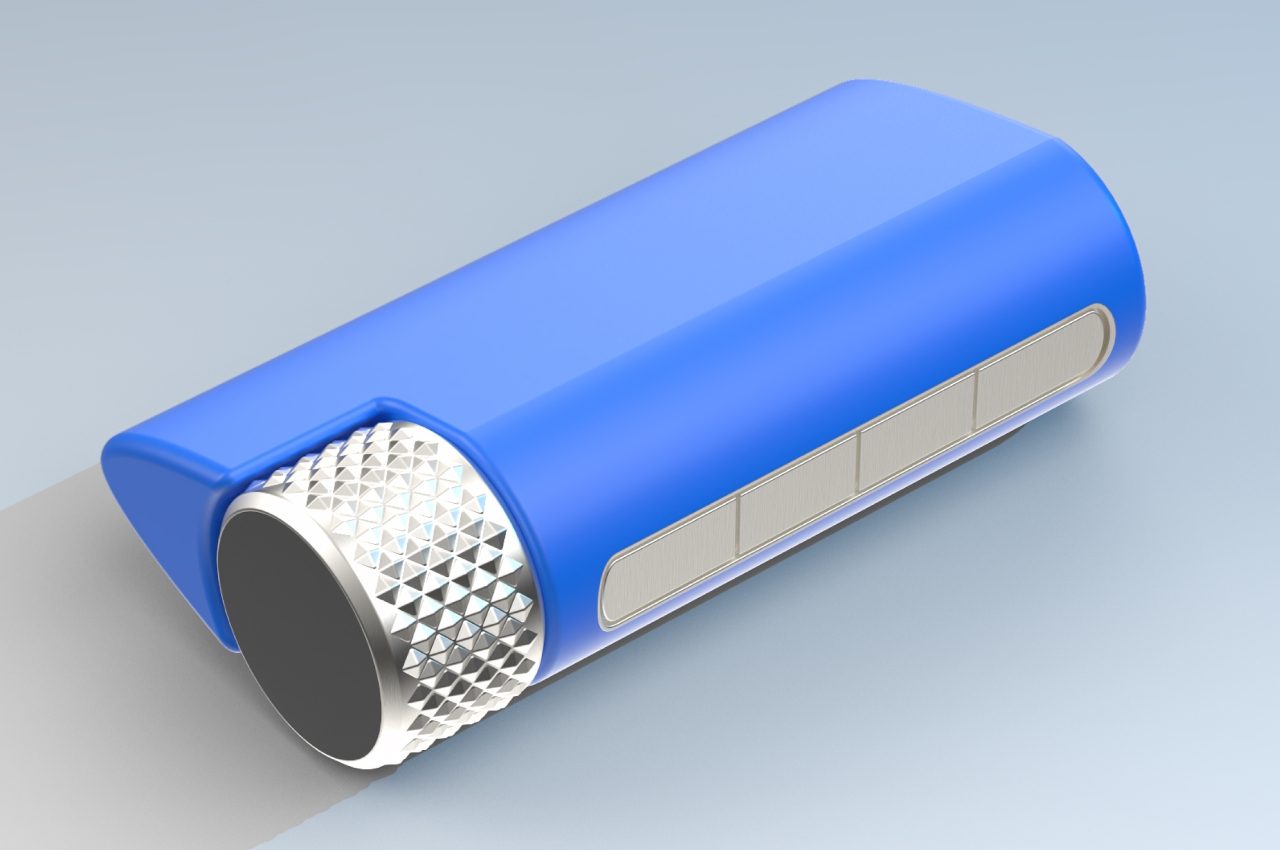
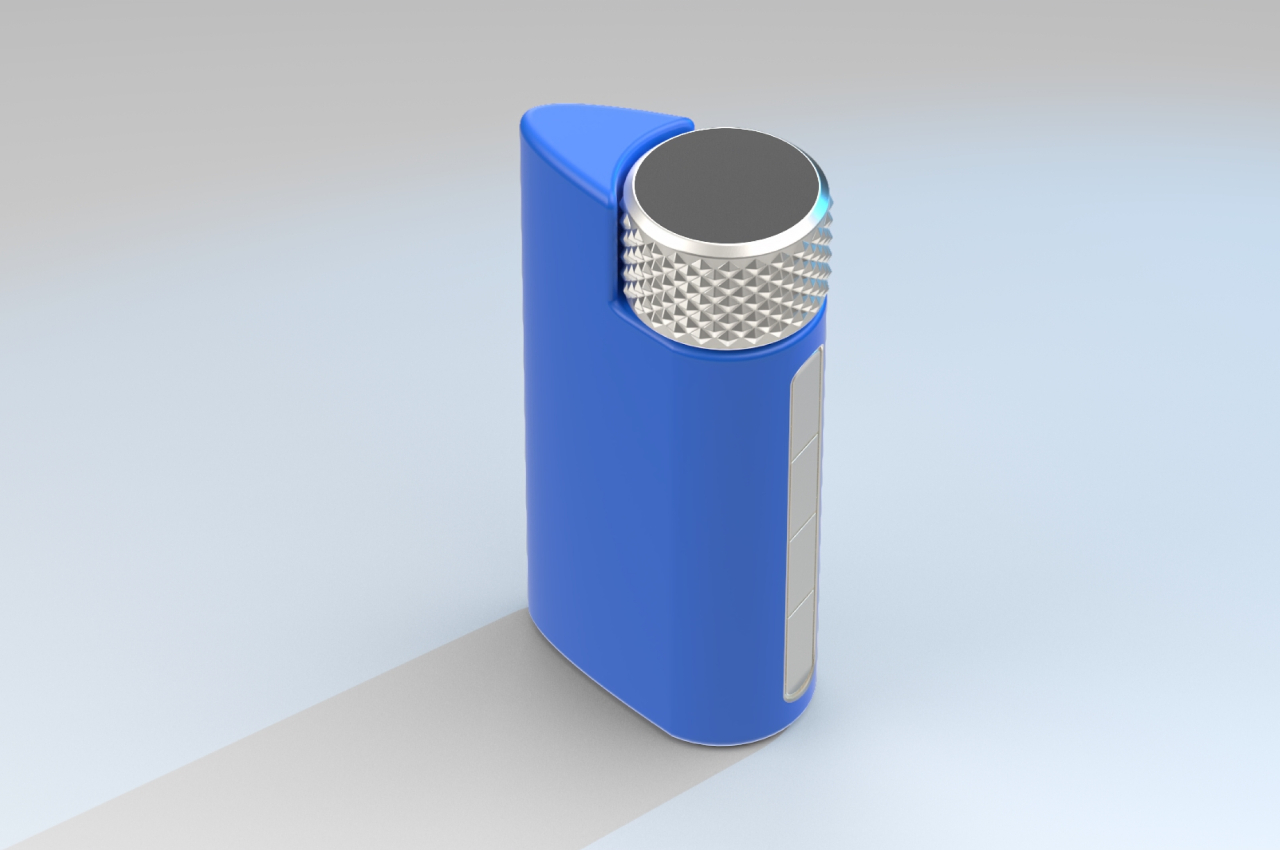
This concept for a new kind of car key fob thinks outside the box and adopts a shape unlike any other fob. Instead of a small disc or teardrop-shaped piece of plastic, it looks to the aerodynamic form of an airplane wing or car spoiler for inspiration, promising a more ergonomic design that you can comfortably hold in your hand. It almost looks like a lighter, with one side tapering sharply to a single edge.

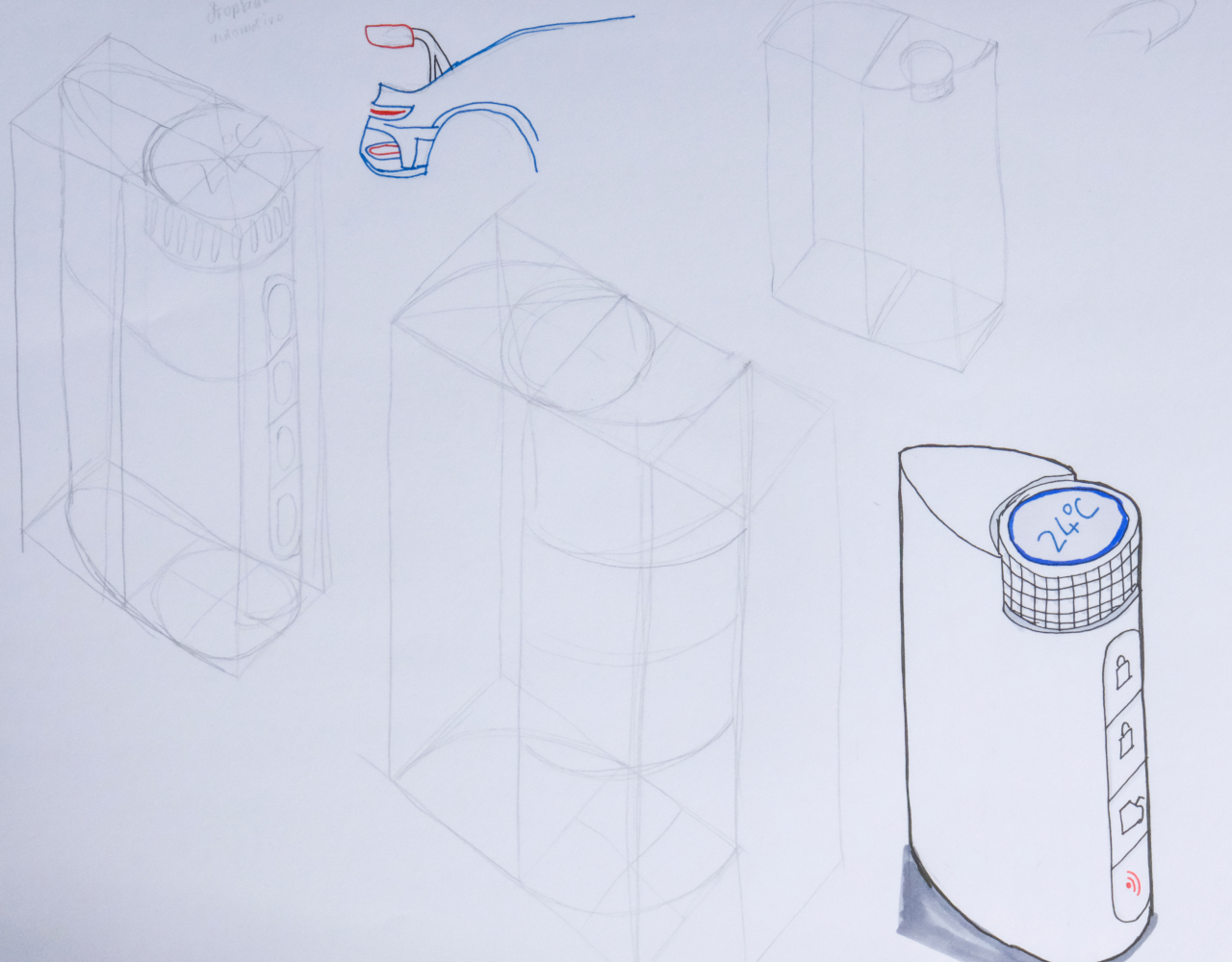
More than just a change in shape, however, this car key fob concept also offers a slight change in functionality. There are still buttons for typical actions like remotely locking and unlocking the car, starting or killing the engine, and even blowing the horn. What’s new is a large dial on top that you turn to set the temperature inside so that it will be as toasty or as cold as you want by the time you enter. This dial has a large display on its top surface to clearly show the current temperature so that you can adjust it accordingly.

The design tries to comply with Deiter Ram’s famous principles of design, though there are still some details that it leaves out in this current iteration. Knowing which buttons map to which actions, for example, could be a matter of guesswork and muscle memory as there are no clear indicators on them, not even embossed symbols that let you blindly press them. There’s also the question of whether the design, ergonomic as it might claim to be, is actually convenient to carry around due to its size and unique shape. Either way, it’s an interesting thought experiment that challenges the presumption that car owners of the future won’t even want physical key fobs like this.

The post Wing-like car key fob concept promises a more ergonomic design for future drivers first appeared on Yanko Design.
The 10 Best Tech Gadgets Of June 2024

The month of June has been pretty interesting as it’s brought with it a storm of mind-boggling and innovative tech designs! At Yanko Design, it’s surely been an exciting time for us, as we came across an influx of intriguing designs that left a lasting impression on our minds. Each design broke through some barrier or convention in the tech world, bringing us unique solutions, improved functionality, and immense value. From the downpour of tech designs that June 2024 introduced to us, we’ve curated some of the very best. Not only do these designs address tangible problems, but they also make our lives better, easier, and more efficient in their way. We hope these inventive tech gadgets impress you, as much as they impressed us!

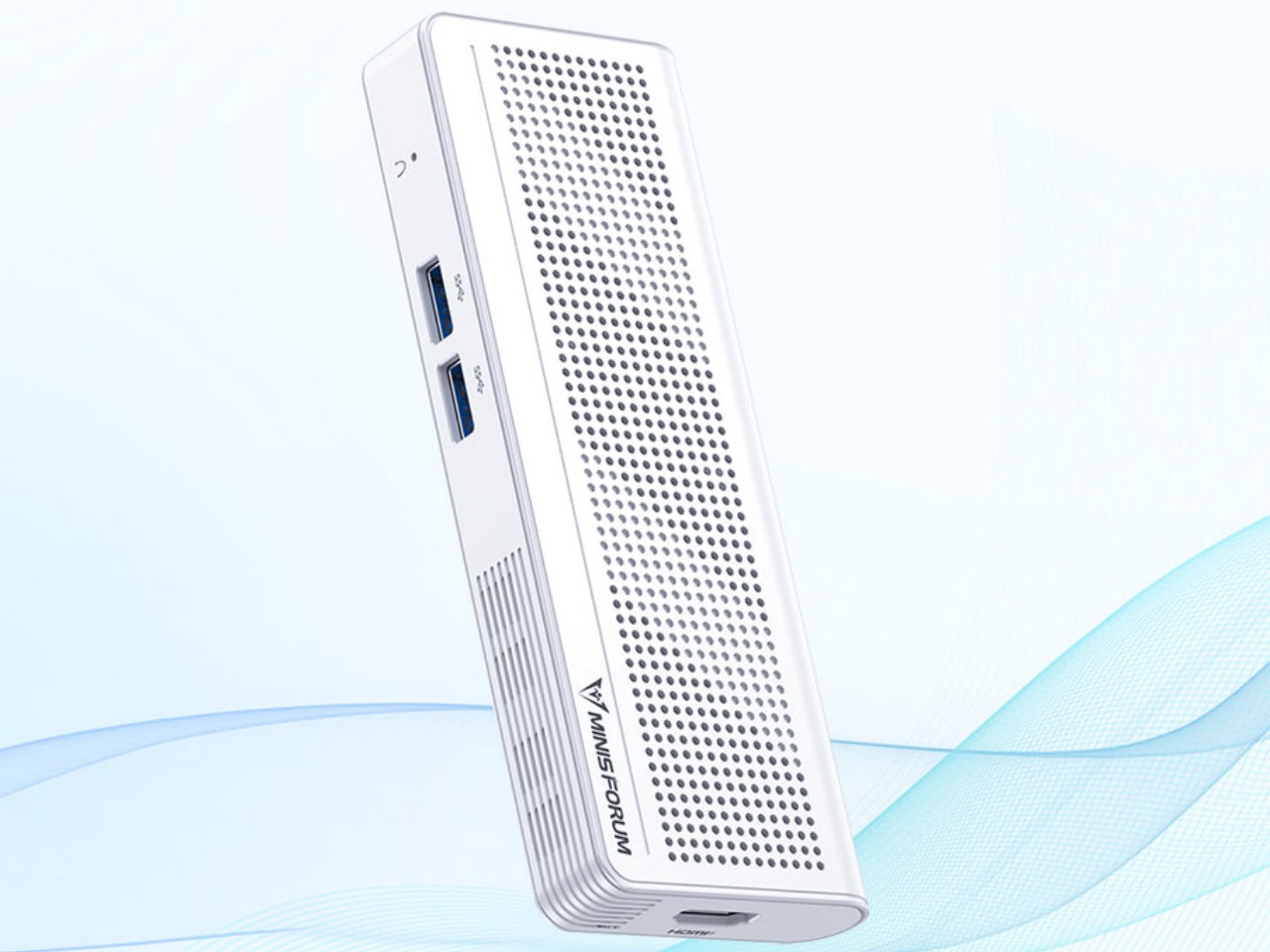
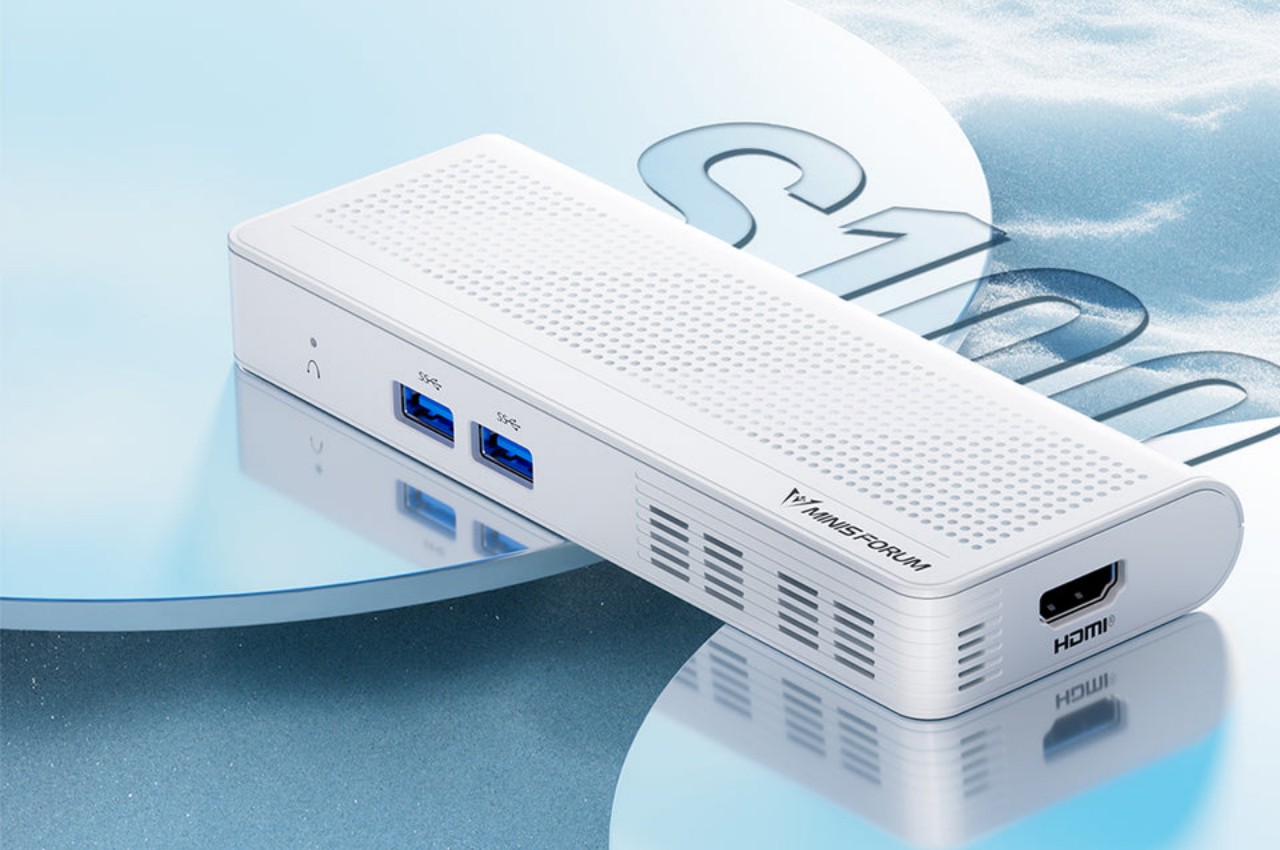
1. Minisforum S100

Dubbed the Minisforum S100, this small and sleek box may look like a power bank, but it is, in fact, a mini PC that you can carry with you almost anywhere, or even install in narrow little spaces. The PC has a small form but is equipped with many standard connectivity options such as Wi-Fi 6, Bluetooth 6.2, 2.5 Gbps Ethernet, USB-A ports, HDMI, and 65W USB-C. The HDMI and the USB-C make the product pretty portable and flexible.

Why is it noteworthy?

You can connect another monitor through the HDMI to create a high-value dual-screen setup which increases productivity. The palm-sized mini PC is pretty easy to pick up and take anywhere with you, so you can work in a cafe by simply connecting an external display and a power bank.

What we like

  • Supports Power-over-Ethernet or PoE, so you can use the S100 to operate a camera security system without plugging it in

What we dislike

  • It doesn’t have its own battery

2. Nothing Power Bank

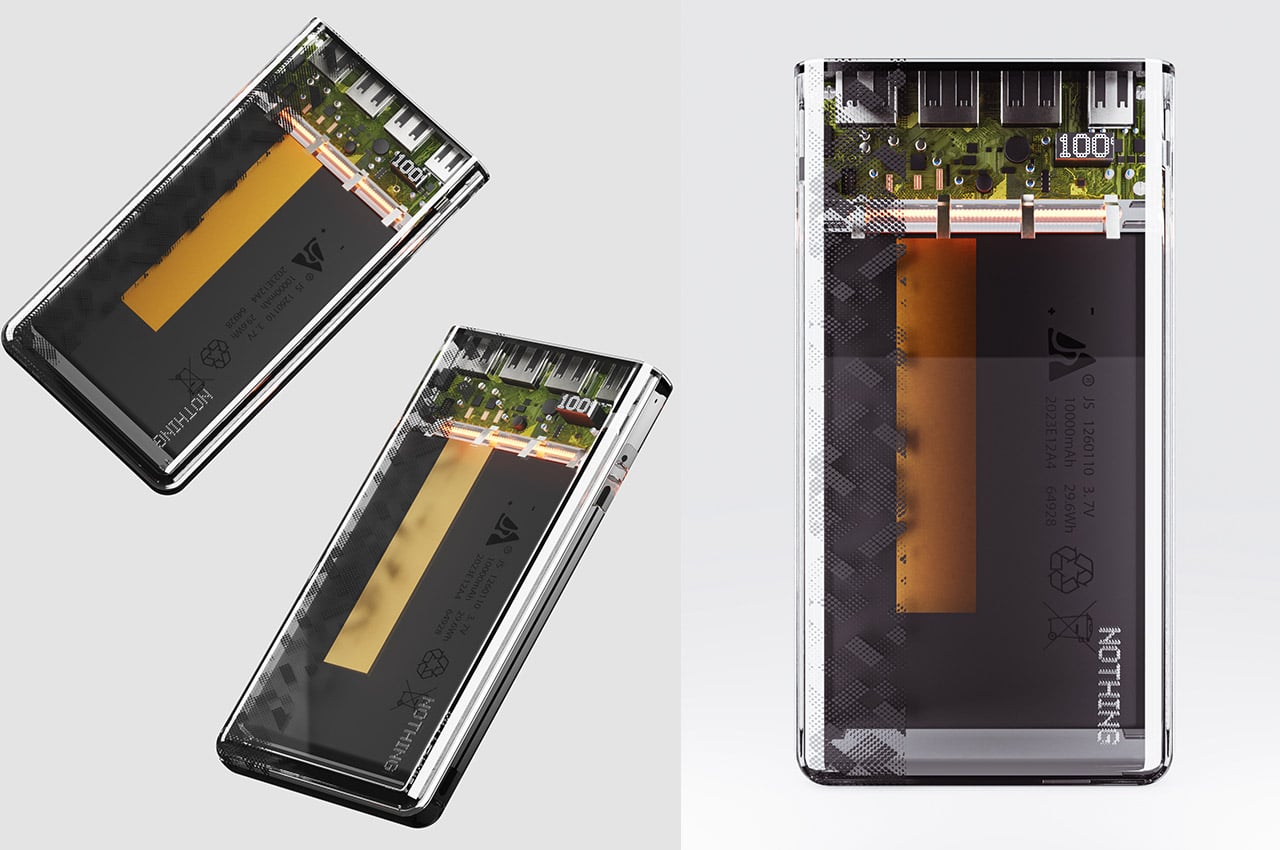
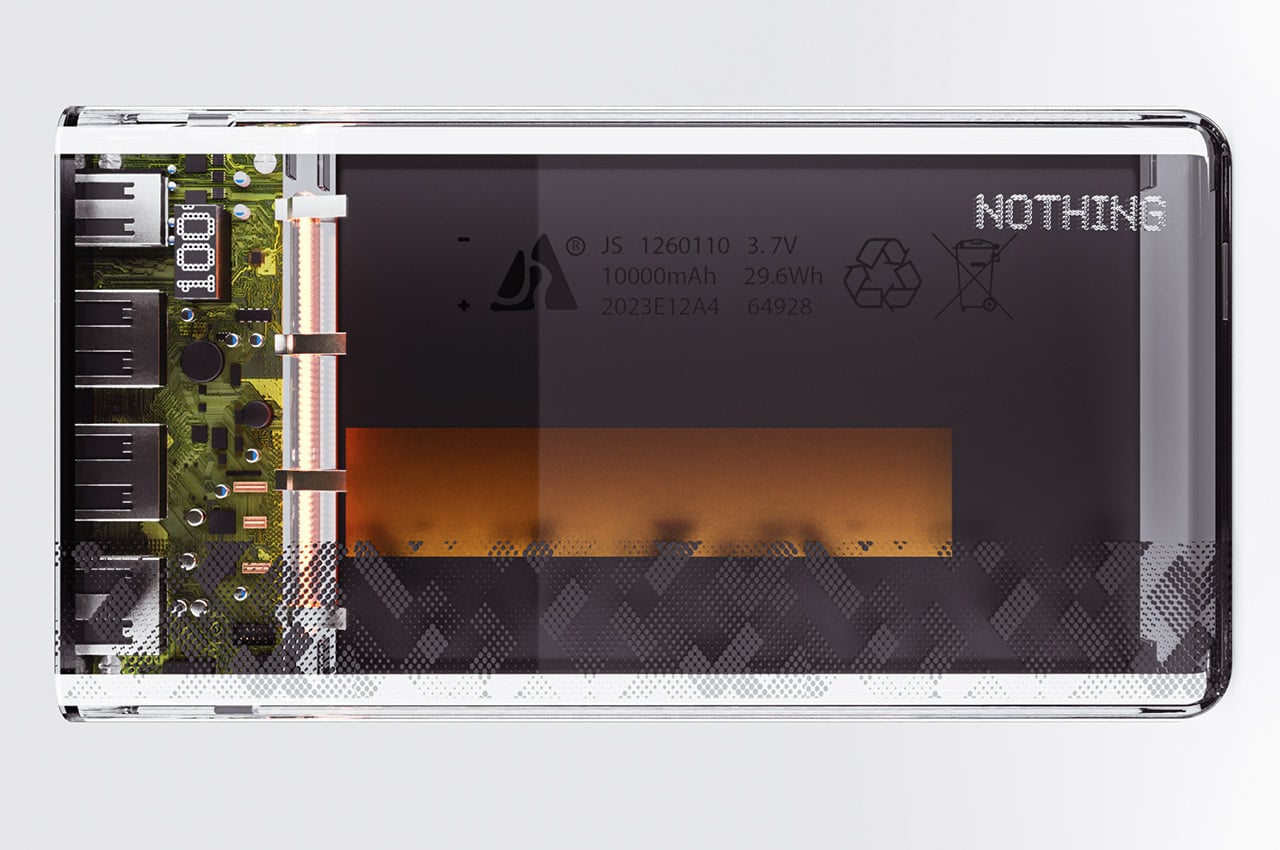
Named the Nothing power bank, this nifty little gadget is the ideal device for your jet-setting adventures. The gadget has a transparent aesthetic that boasts its innards in all their glory. The interior is illuminated with tiny warm-toned LEDs, which impart the power bank with a futuristic and Cyberpunkish look inside and out.

Why is it noteworthy?

This conceptual power bank design is a great fit for Nothing, as it is pretty functional, and has a simple no-frills design. There are quite a lot of options in the market, but this transparent design would make for a valuable and unique addition to Nothing’s ever-growing line of products.

What we like

  • The power bank complements the Nothing Phone (2)
  • Features sleek transparent aesthetics

What we dislike

  • It’s a concept, so we’re not sure how well it would translate into a tangible product

3. Samsung Odyssey OLED G9

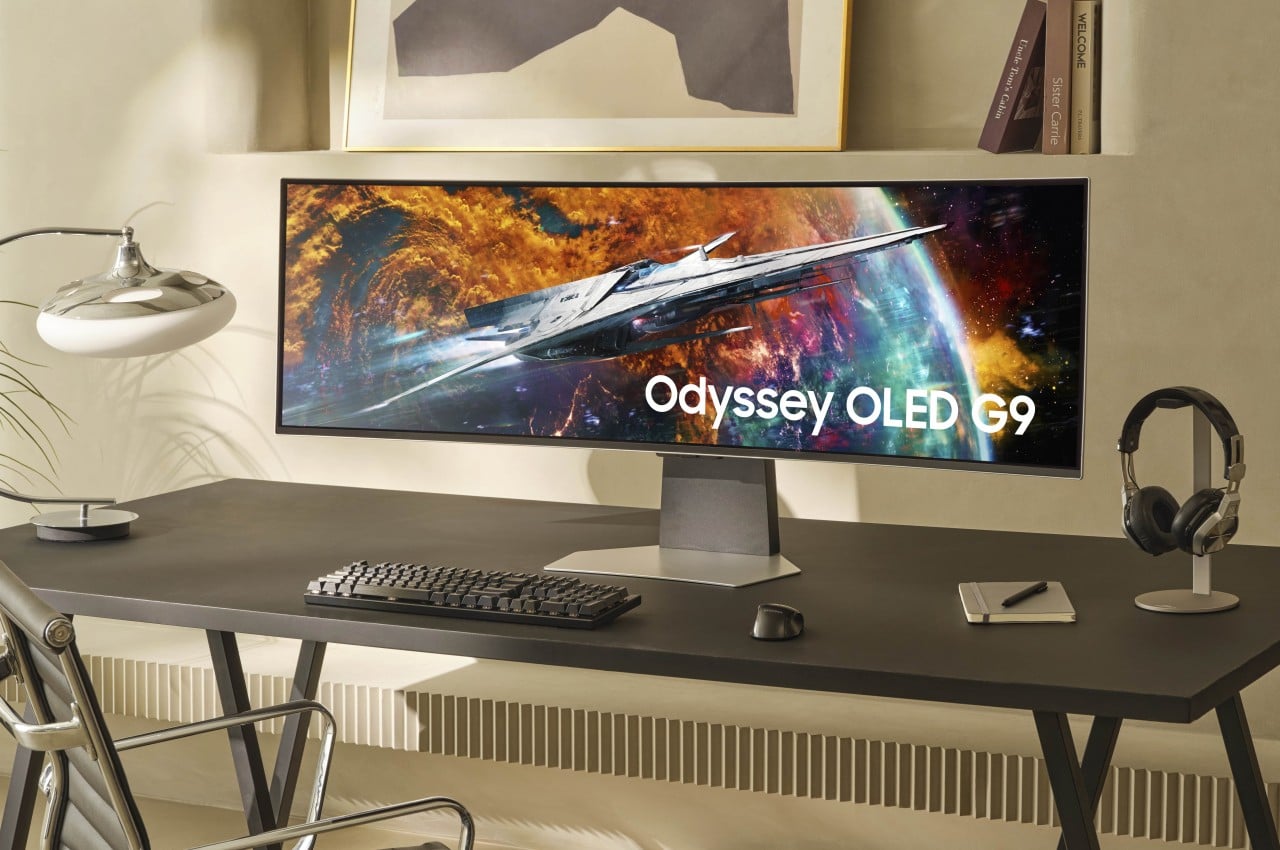
The new Samsung Odyssey OLED G9 is a 49-inch monitor with a resolution of 5120×1440 and an aspect ratio of 32:9. It isn’t an ordinary curved screen, and offers a really wide field of view that perfectly conforms to the way your eyes work, owing to its 1800R curvature. You can enjoy a more immersive and fascinating visual experience, irrespective if you’re playing a game or just watching videos.

Why is it noteworthy?

Using the Odyssey OLED G9 is like having two QHD or 2K monitors side-by-side but with the elimination of the distracting borders that break the seamlessness and harmony of the entire experience. There is also enough space for multiple application windows, helping you get your work done.

What we like

  • It features a Multi-View option that allows you to place two screens from two different sources, letting them play at the same time

What we dislike

  • It doesn’t have the best sound
  • Quite a hefty price tag

4. JBL Live 3 Series

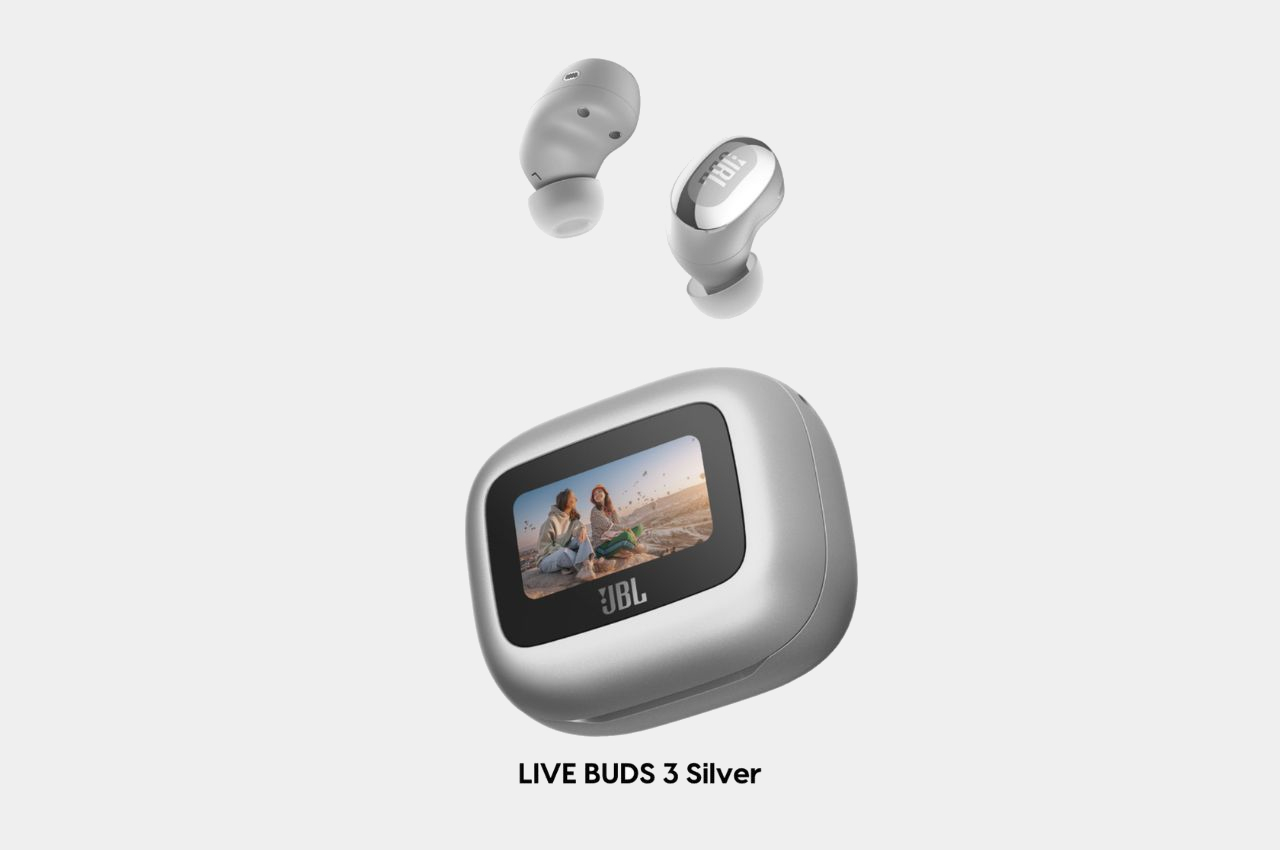
At CES 2024, JBL released three distinct models – the Live Buds 3, Live Beam 3, and the Live Flex 3. These wireless earbuds make up the Live 3 series, and they were made to meet the requirements and preferences of different users, offering them a smooth and personalized audio listening experience. They are stored in a sleek touchscreen charging case.

Why is it noteworthy?

The Live 3 Series includes a 1.45-inch LED touch display on the charging case. It was first integrated in JBL’s Tour Pro 2, and now it has made a comeback. This unique touchscreen allows users to handle calls, view texts, and control music playback. It even lets you check social media alerts on the charging case.

What we like

  • It is a great option for those who don’t like using their phones much

What we dislike

  • The touch control system isn’t very customizable

5. Battery-free Amplifying iSpeakers

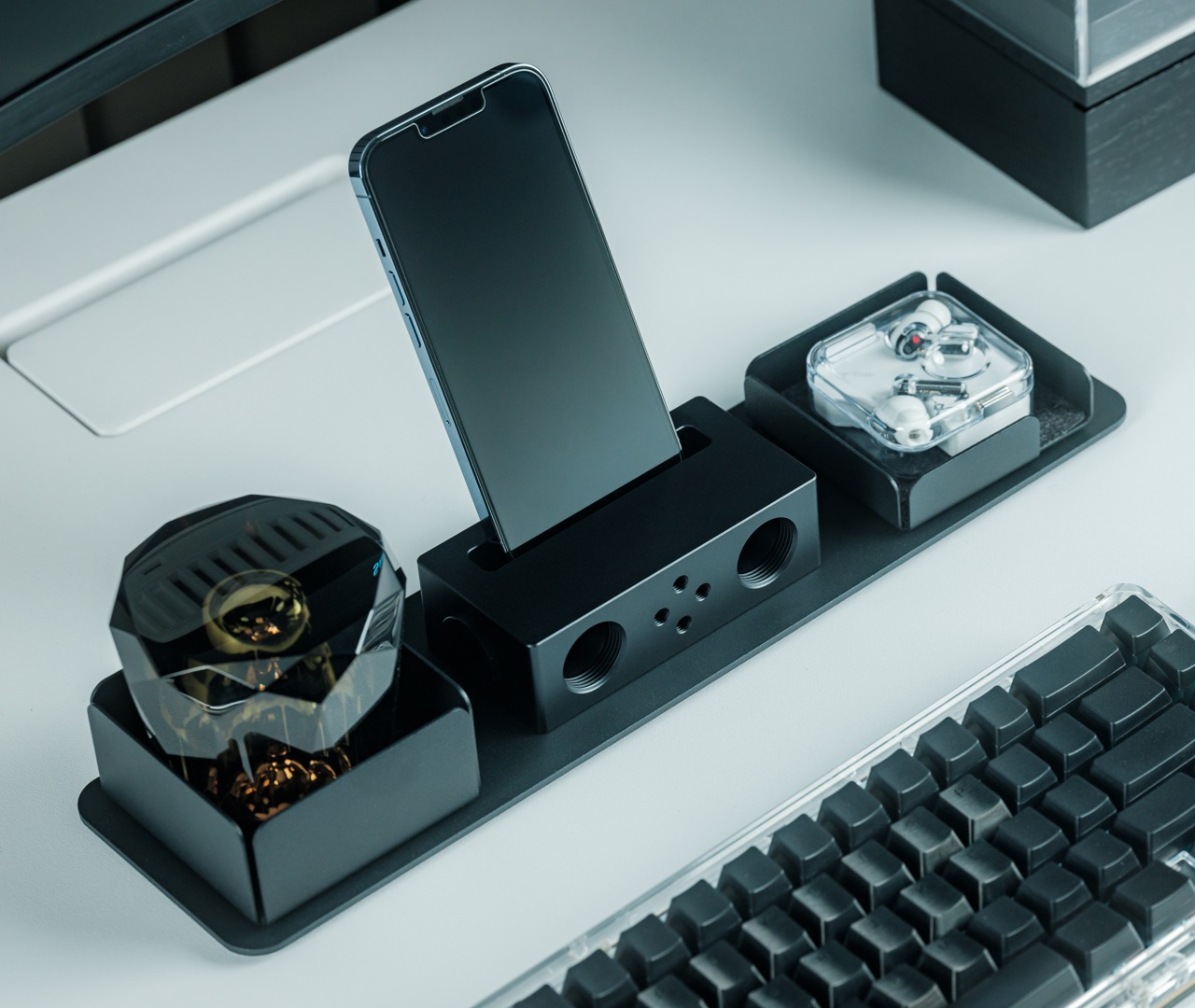
Named the Battery-Free Amplifying iSpeakers – these innovative speakers are both portable and battery-free. The speakers are a fresh new version of a typical no-power smartphone speaker. It is made from metal, making the product quite functional, unlike conventional speaker designs.

Click Here to Buy Now: $179

Why is it noteworthy?

The amplifying speakers are built from Duralumin, which is an aluminum alloy used in aviation and aerospace industries, as it is equipped with vibration-resistant properties. All you need to do is place the smartphone into the speaker and let the sound envelop the room and you.

What we like

  • Electricity-free and doesn’t require any power
  • Quite intriguing to look at, with a minimal appeal

What we dislike

  • Won’t work well with bulky smartphone covers and cases

6. TCL 50 XE 5G

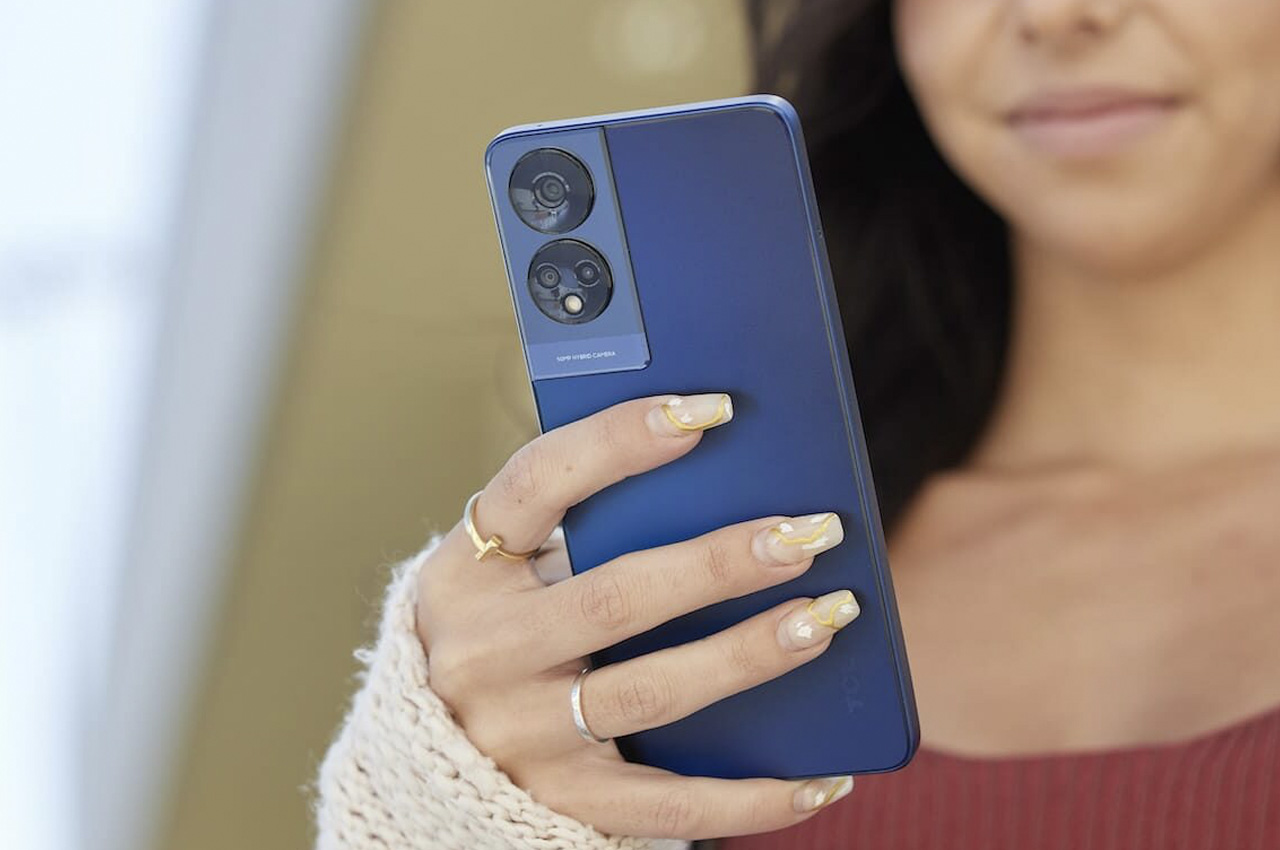
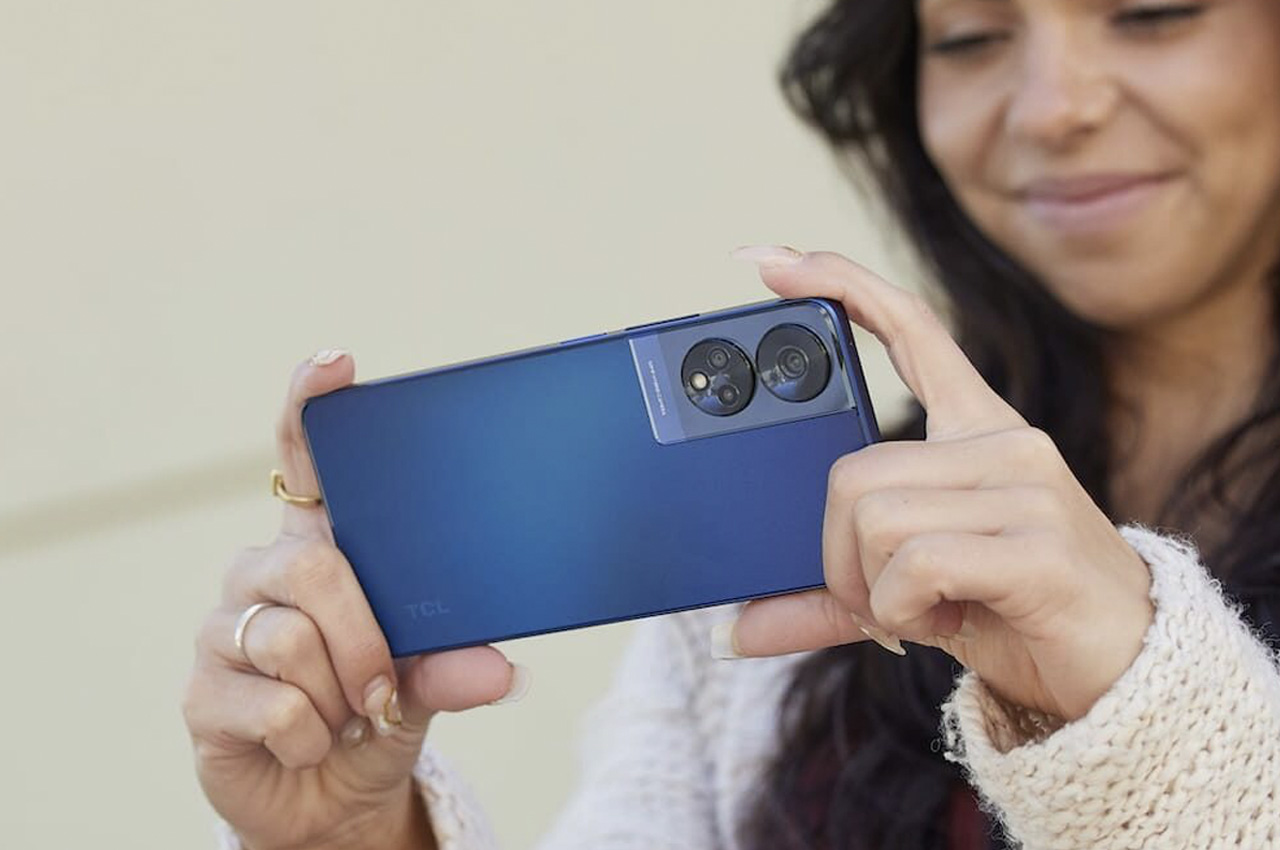
Meet the TCL 50 XE 5G, a nifty smartphone that helps you not only keep up, and stay way ahead of your crazy and fast-paced life. It is equipped with advanced technology and a triple camera system, both teaming up to provide you with accurate color, deep contrasts, and fluid animations at a 90Hz refresh rate. The phone captures every detail owing to its fifty-megapixel main camera, which preserves your priceless moments.

Why is it noteworthy?

It is equipped with the MediaTek Octa-core fifth-generation processor which supports smooth and seamless operations, irrespective if you’re streaming, gaming, or multitasking. It has a battery of 5010 mAh which easily gets you through your day, without the need to constantly recharge it.

What we like

  • Biometric solutions like face unlock and side-mounted fingerprint protect your precious information

What we dislike

  • No 4K video recording support
  • No reverse charging support

7. ASUS ROG ALLY

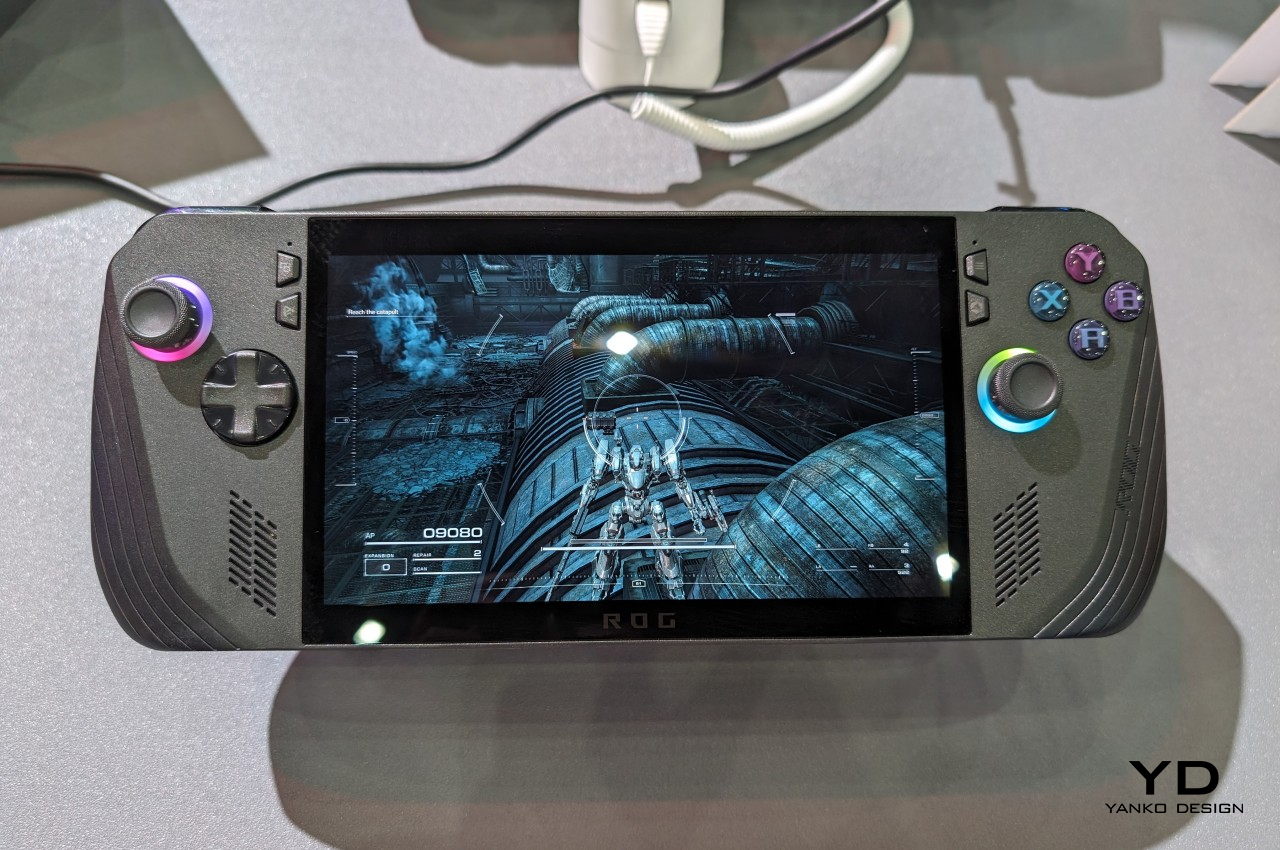
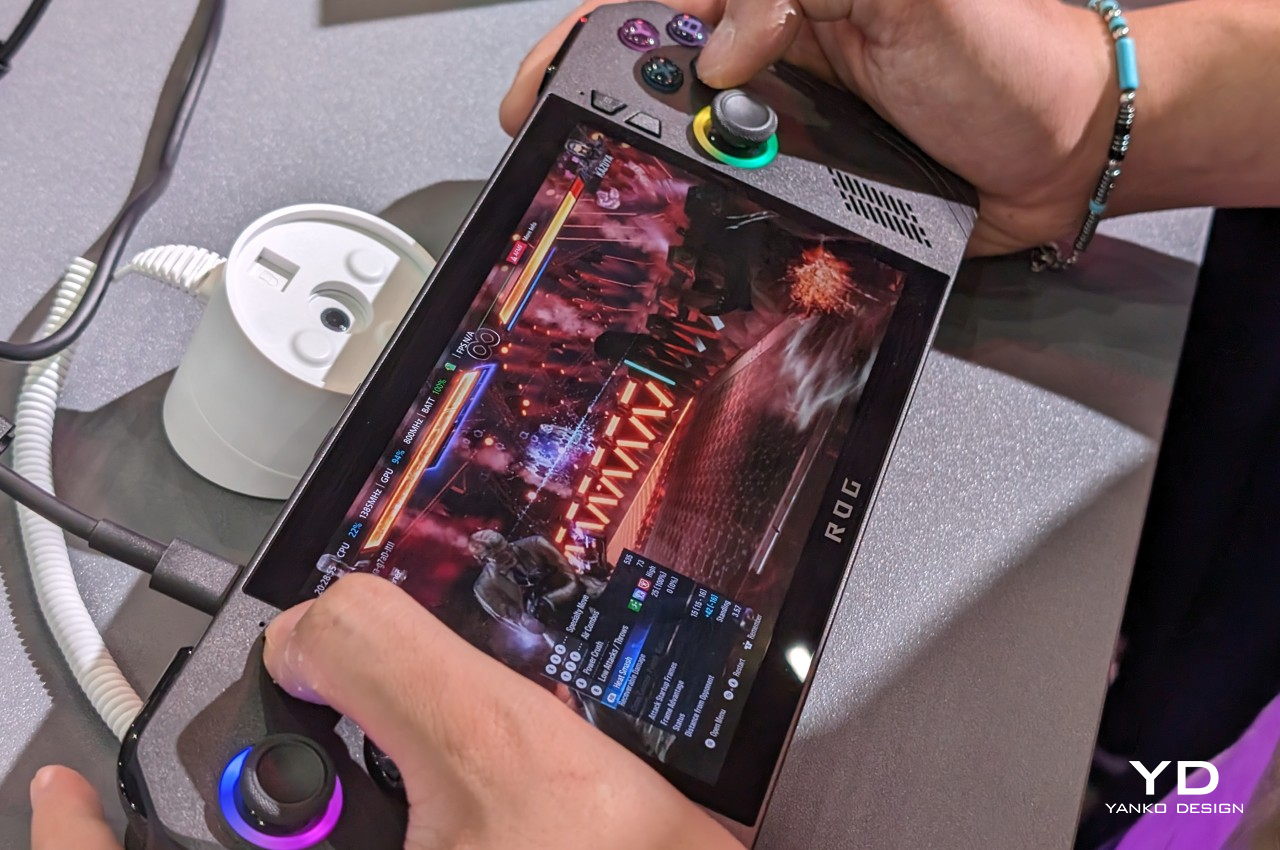
The ASUS ROG ALLY may look similar to the OG ROG Ally, but it does have a new all-black motif. ASUS also chose white for its first iteration, although it does help it stand out from its rivals. The handles are rounder which ensures a better grip, which is pretty critical to a handheld device. The back triggers are also positioned at a better angle, offering improved ergonomics, while the joystick and D-pad are more durable and precise.

Why is it noteworthy?

It features the same AMD Ryzen Z1 Extreme as the original ROG ALLY, but the mobile gaming processor is now teamed up with 24GB of DDR-7500 RAM. The storage capacity has also been increased to 1TB, and the battery has also been improved to 80Wh, which ensures more playing time.

What we like

  • Amped with improved thermal cooling solutions so it won’t burn your hand

What we dislike

  • Doesnt feature ASUS’ proprietary XG external graphics port

8. Moto Tag

Motorola recently announced an Android-based device tracker, which in all honesty looks pretty familiar. Called the Moto Tag, it is based on Apple’s AirTag and is designed to be a compact little tracking device that pairs up and works perfectly with the Android OS. It allows you to accurately and efficiently track your precious belongings.

Why is it noteworthy?

Much like the AirTag, the Moto Tag is a tiny circular disc that is just a little bigger than a quarter. The Moto Tag features a user-replaceable CR2032 battery which can last a full year on a single charge. The Moto Tag integrates perfectly with the new Google Find My Device Network, facilitating easy and smooth pairing with multiple Android smartphones.

What we like

  • It plays a sound for easier retrieval

What we dislike

  • Doesnt feature a built-in keyring loop

9. Pony Project

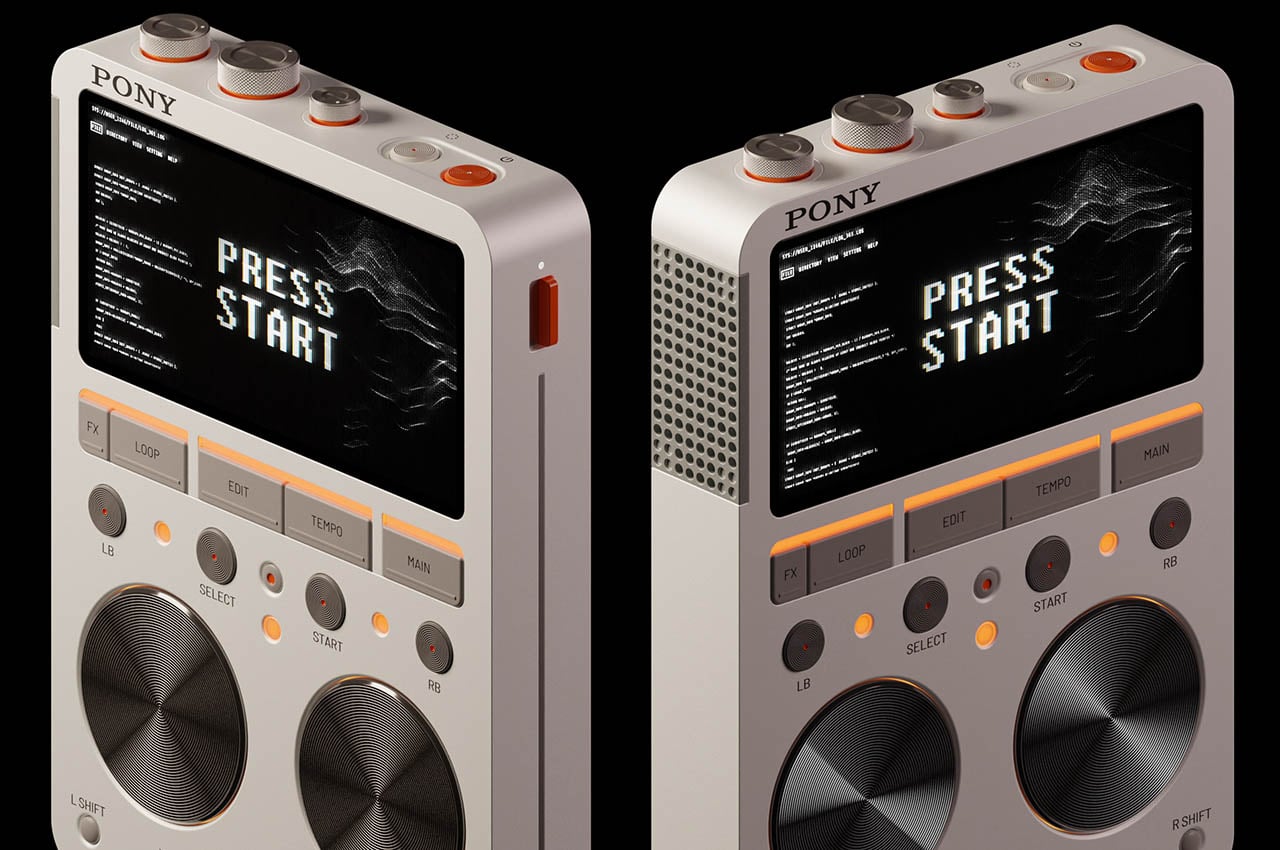
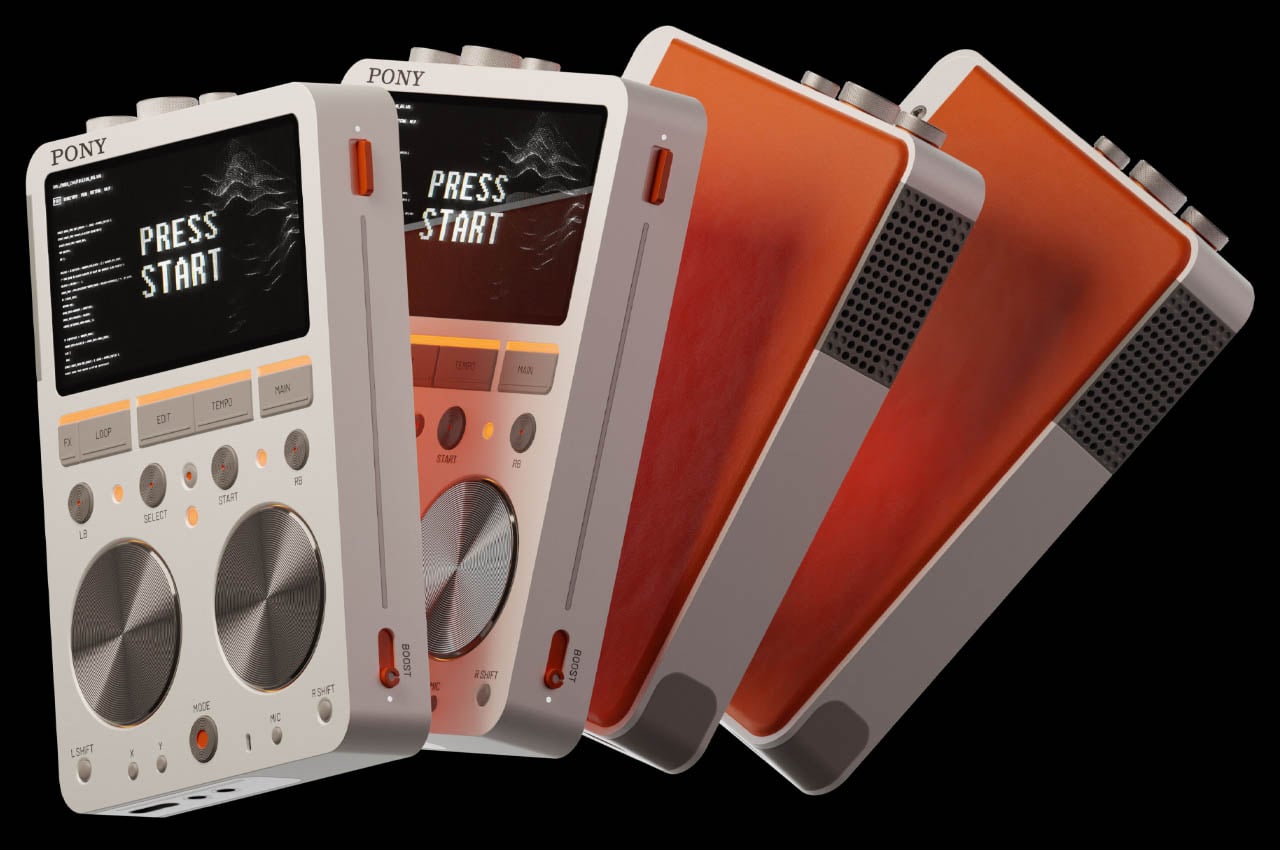
Meet the Pony Project – a portable CD player concept with a built-in speaker that is inspired by Sony and Teenage Engineering. It is a conceptual design with the design DNA and color theme of Teenage Engineering and features a digital display that shows the music being currently played.

Why is it noteworthy?

The Pony Project features volume rockers, bass, and treble, as well as power and stop buttons. The player is equipped with the ‘Pony’ branding and makes for an interesting dupe of Sony. Teenage Engineering’s signature color theme was also incorporated in the design.

What we like

  • Offers a new and fun makeover to DAPs
  • Combines Sony & TE design language

What we dislike

  • It is a conceptual design, so not sure how well it will translate into a real product

10. Marshall Celestion 100: Limited Edition Collectible Amp

Dubbed the Marshall Celestion 100 limited edition collectible amp, this limited edition design is the perfect combination of timeless design and the brand’s historic sound. Only 100 units have been made, and each amplifier is equipped with a unique numbered plaque. It has versatile power controls, and you can switch between 20W and 5W settings to perfectly match your playing environment.

Why is it noteworthy?

You can play tunes in different settings to complement different vibes – ranging from house parties, and quaint me-time sessions. They are handmade in the UK, and they carry the legacy of legendary build quality and are crafted with immense attention to detail.

What we like

  • Limited-edition, special pieces that are must-haves for collectors

What we dislike

  • Premium materials need extra special care especially when transporting and using outdoors

The post The 10 Best Tech Gadgets Of June 2024 first appeared on Yanko Design.
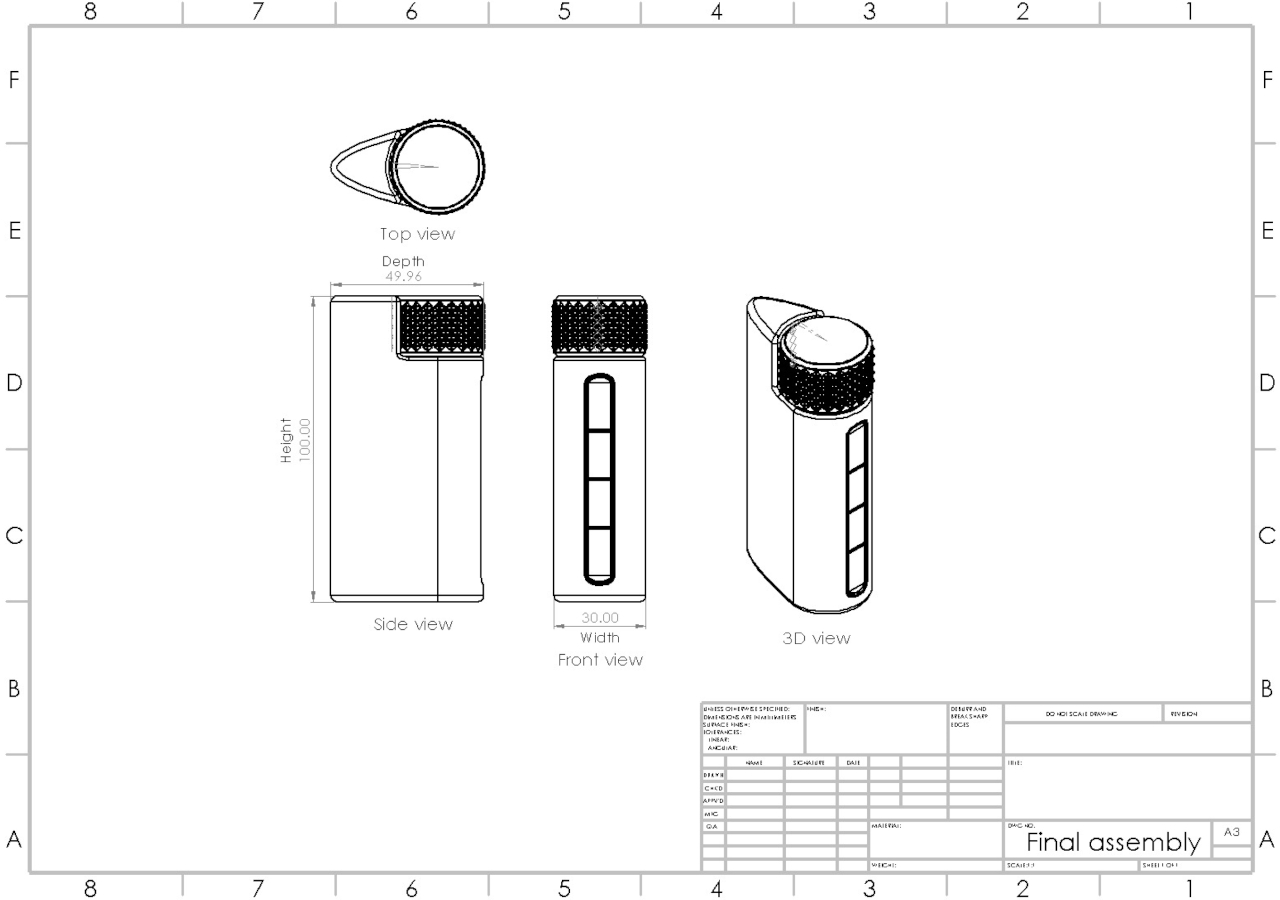
$88 Sony PlayStation Portal knockoff runs an Emulator with over 3000 built-in games

Sony’s lawyers better get their ceases and desists in order – a sub-$100 knockoff of the Sony PS Portal is available online with arguably better specs than the original. While Sony announced the PlayStation Portal as purely an accessory to the existing PS5, this carbon copy dubbed the M25 actually runs as a standalone device, running LINUX and EmuELEC but with support for more than 25 other emulators, and space for more than 3000 games so you can play anywhere instead of being relegated to just your PS5. Is it a shameless ripoff? Absolutely. Are we surprised? A little, at the audacity for sure!

When compared face to face, there are distinct differences between Sony’s version and the M25. For starters, the latter has a much smaller 4.3-inch screen that fits into the controller’s form factor instead of being a tablet attached onto the controller like in Sony’s design. This also means the M25 is a little more compact than its inspiration, making it easier to carry with you. That being said, the PS Portal wasn’t designed to be carried anyway, given that it needs to be tethered via WiFi to your PS5 at all times, eliminating any possibility of mobile gaming. The M25, on the other hand, has storage of up to 128Gb, letting you store and play games pretty much anywhere you want. It’s more like a Nintendo Switch Lite than like the PS Portal, in that regard.

Just on the design front, the M25 is a total ripoff of the DualSense controller, with a modified form that fits an HD screen (or so they’d have you believe) in between the two halves of the controller. A Quad-core processor on the inside runs the M25’s experience, with 4GB of RAM and up to 128GB of internal storage (expandable with a TF card). A 3000mAh battery powers the entire device, and the display maxes at 480×272 pixels, which does feel like being shortchanged, but then again what did you expect for $88?

The M25 runs Linux and the EmuELEC emulator. You can sideload any other emulator of your choice, and the storage should allow you to play and save a dizzying 3000 games. Sure, it doesn’t compare to playing AAA titles like Assassin’s Creed or GTA 6 (if and when it releases) on a handheld device, but if you want to game on a subway without splurging on a Nintendo Switch, the M25 may just be your best bet. Better still, if you want a budget gift for a spoilt kid who wants the PS Portal, hand them this one and see if they notice! It’s available on Geekbuying, and ships from China, so don’t expect to be able to follow up on any warranty…

The post $88 Sony PlayStation Portal knockoff runs an Emulator with over 3000 built-in games first appeared on Yanko Design.
Flipper Zero Behind The Scenes: How a group of enthusiasts designed the ‘perfect’ ethical hacking toy

Although announced back in 2020, the Flipper Zero didn’t become a cult object up until 2022 when it gained popularity among the pentesting community for being able to ‘hack’ into various everyday items. Governments and online retailers immediately panicked, attempting to ban or stop the sale of the Flipper Zero – a harmless game-inspired pentesting device… while the community that helped popularize the Flipper Zero had a valid counter-argument. If exposing the digital vulnerability of everyday objects like traffic lights, cars, air conditioners, or smart homes was so easy, is it really the Flipper Zero’s fault for pointing it out?

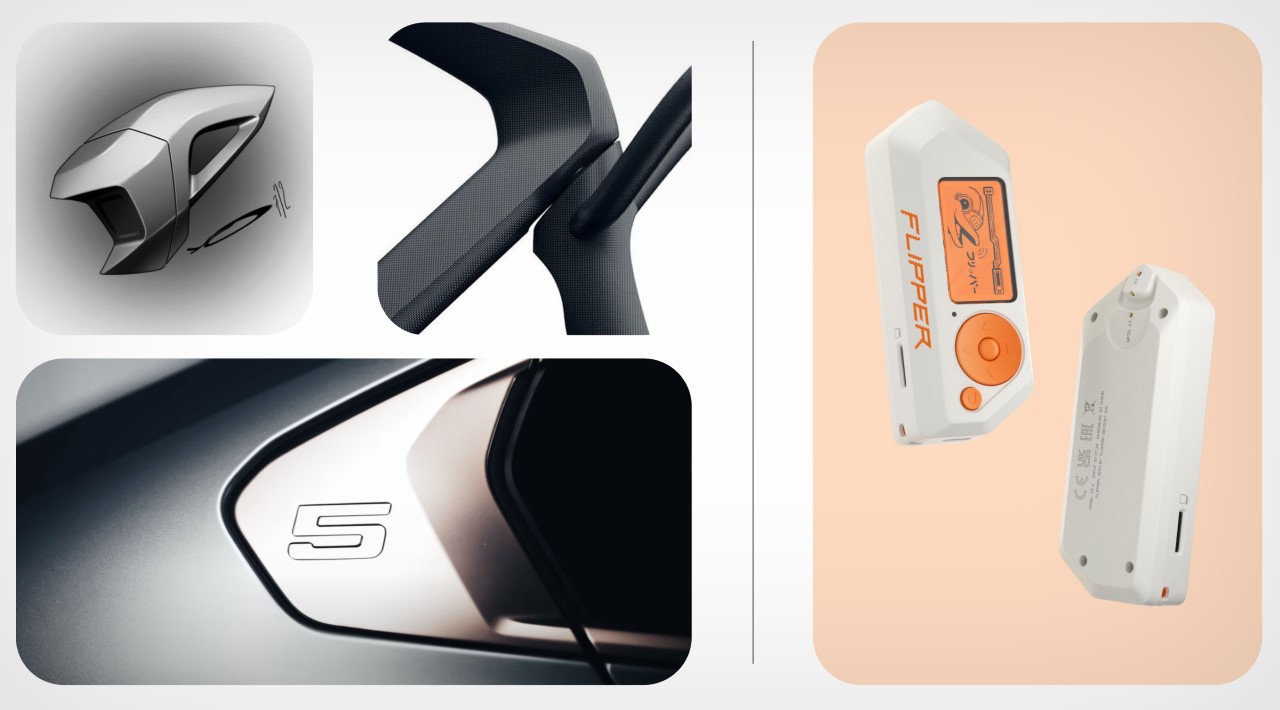
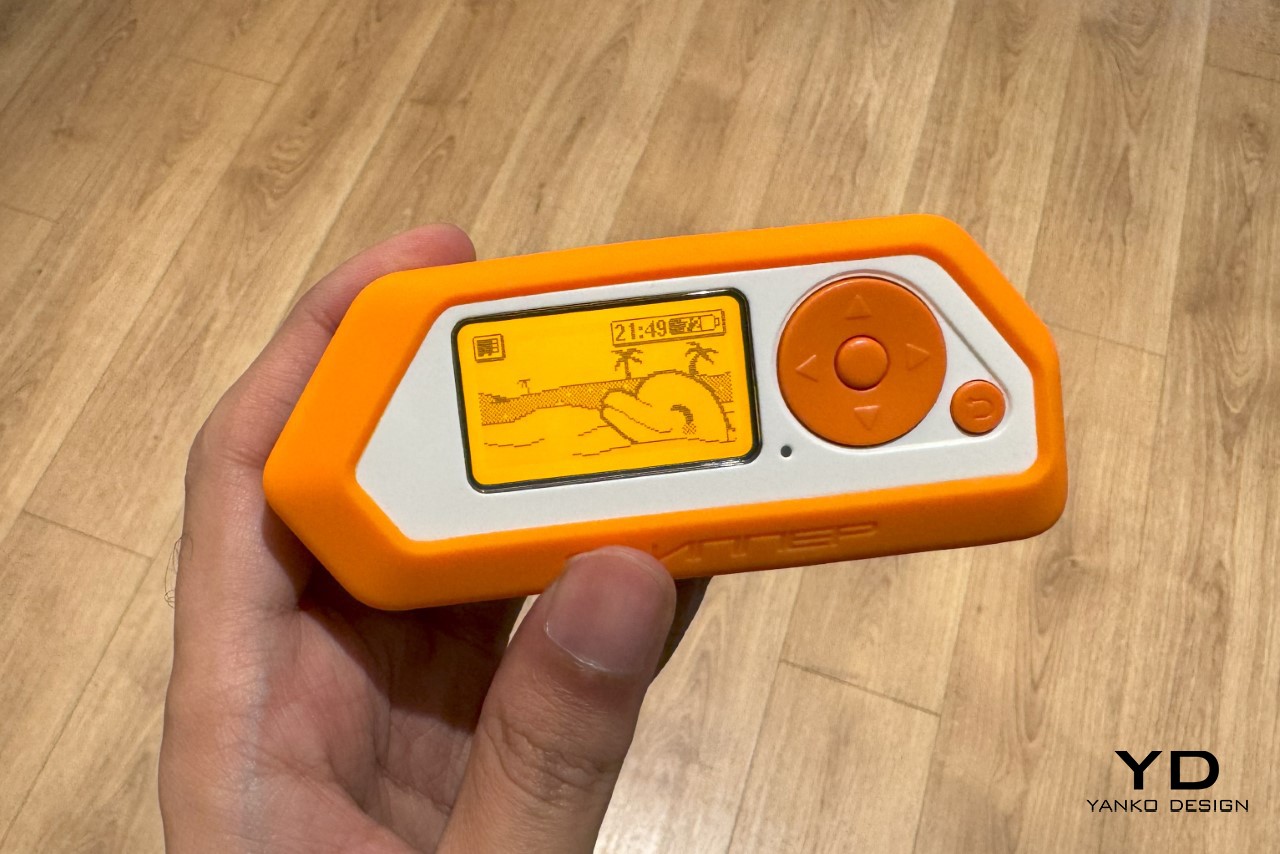
Old mobile phones like the Siemens C55 served as references. The orange color was taken from the Siemens C55 screen because of its nostalgic warmth.

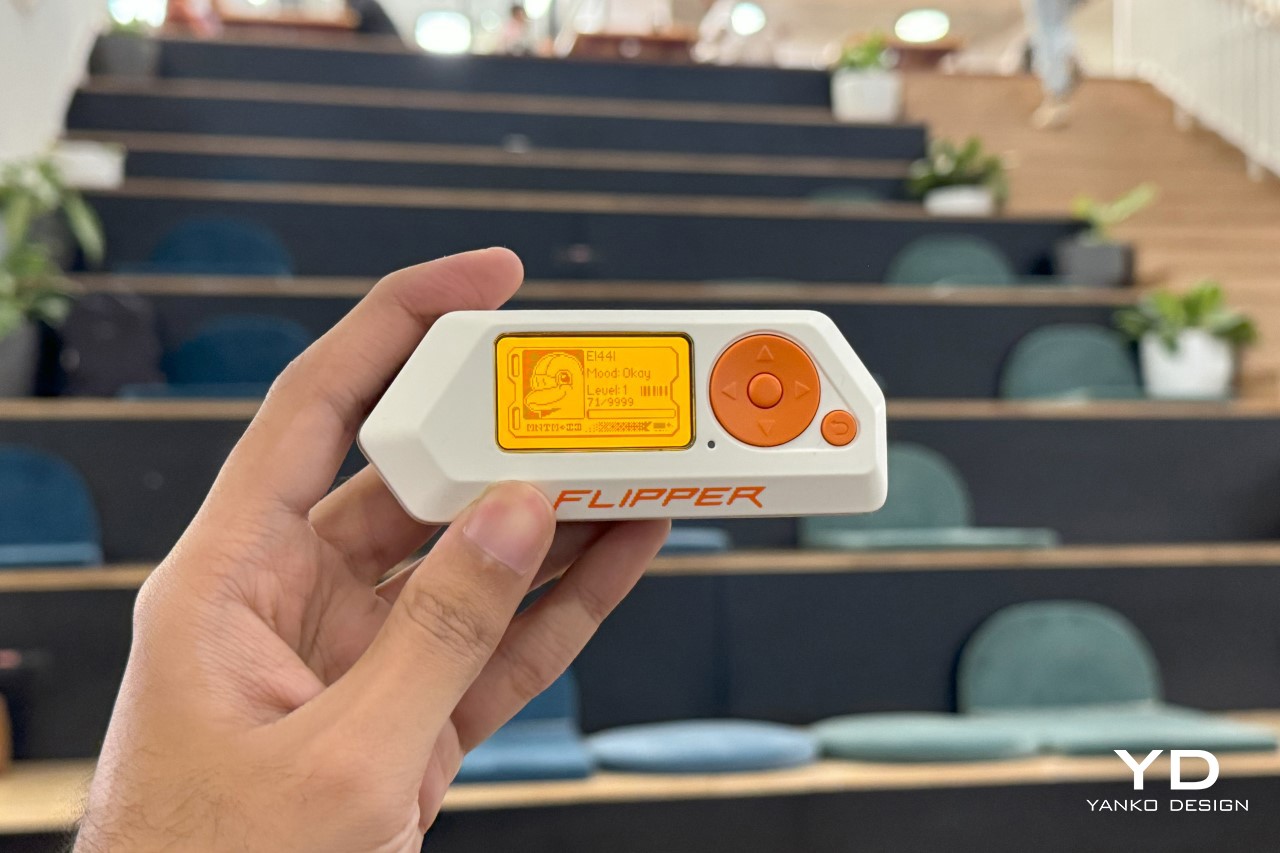
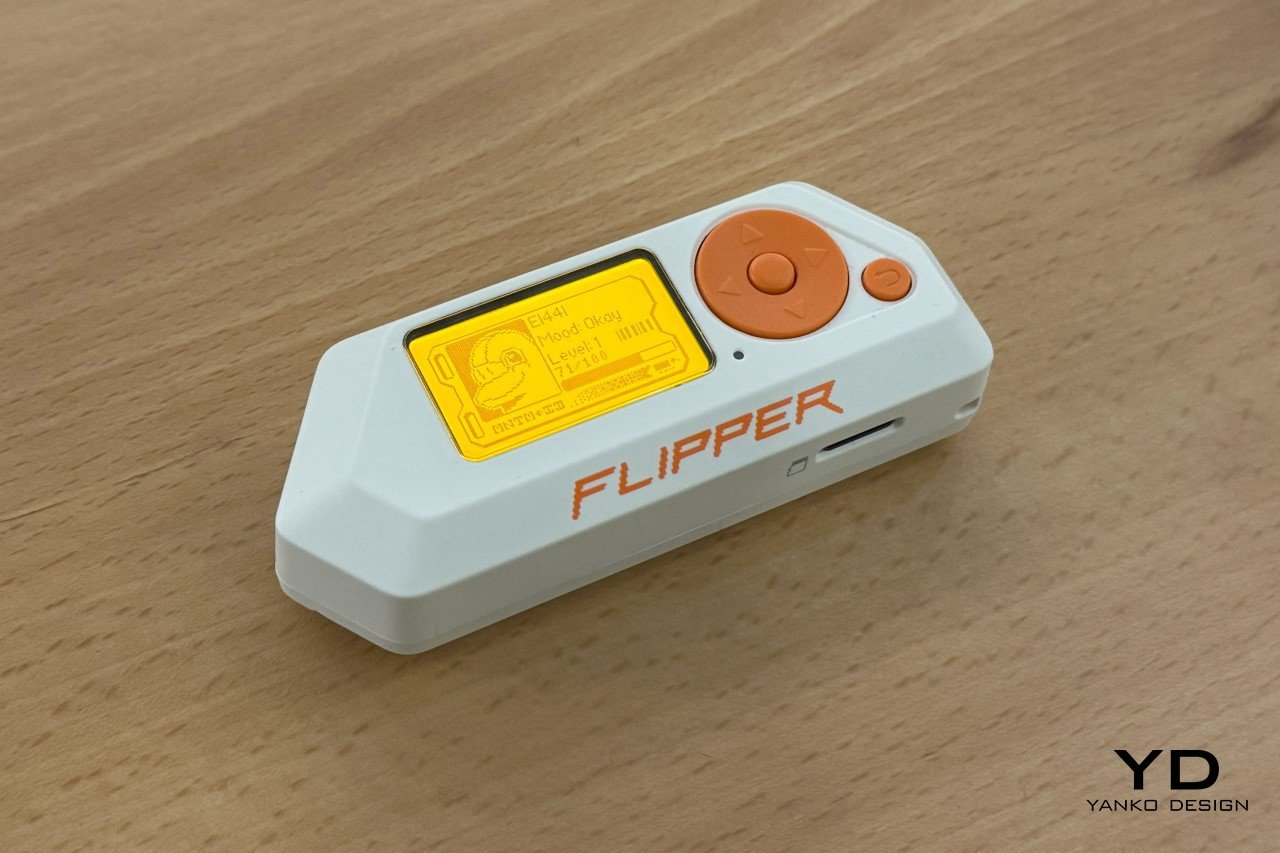
Envisioned as a Tamagotchi that let you explore the world of electronics, the Flipper Zero is a tiny, handheld, versatile device that lets you play games, test electronics, build powerful devices, and even penetration-test gadgets around you. The product gained a cult following in 2022 when videos on TikTok showed how it could be used to clone RFID cards, tap into WiFi networks, and get into all sorts of mischief. That’s similar to having an outcry over hairpins because they open locks… or sellotape because it picks up fingerprints. Needless to say, the Flipper Zero sold out almost immediately, and I spent a good year and a half searching for a device of my own on eBay and Etsy. I finally got my hands on one last month, and even got in touch with the folks who built the Flipper Zero. Beyond asking them the obvious questions that every publication already had, we dove into the Flipper Zero’s approach, its design brief, and most importantly, its design process.

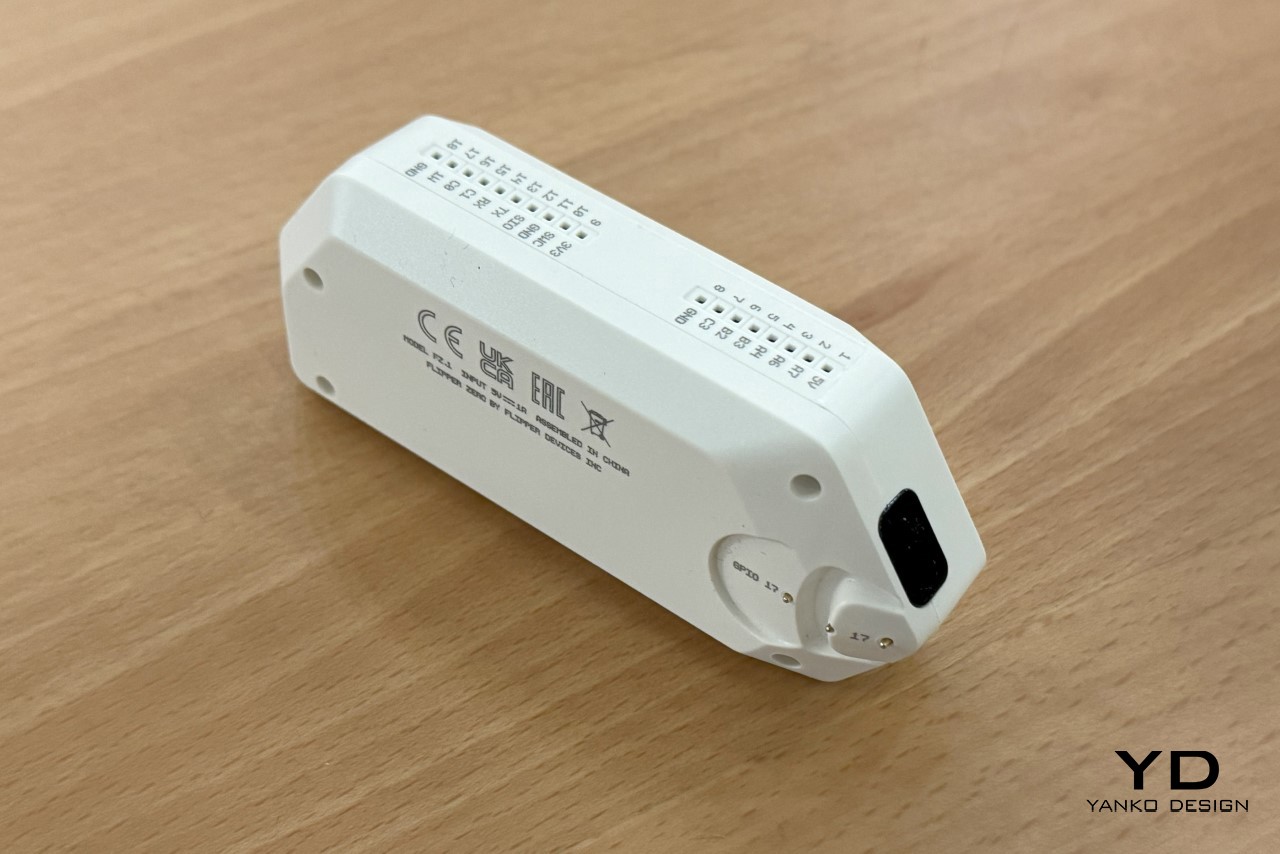
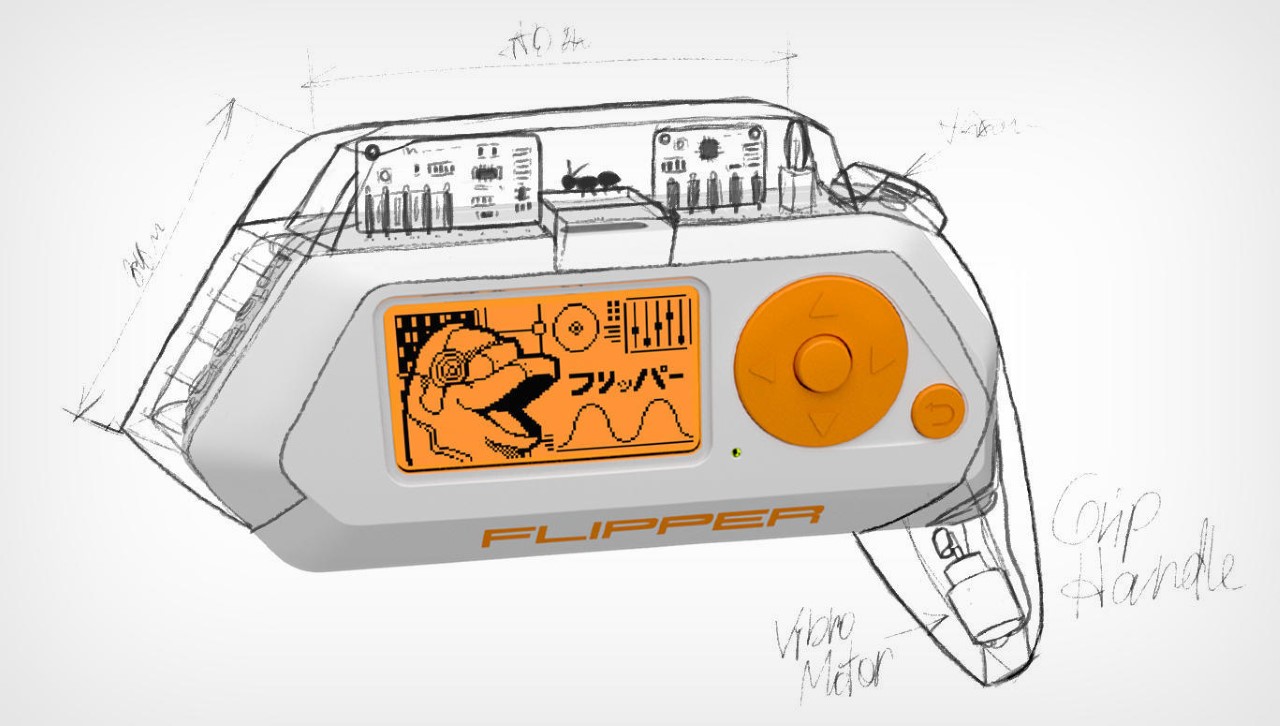
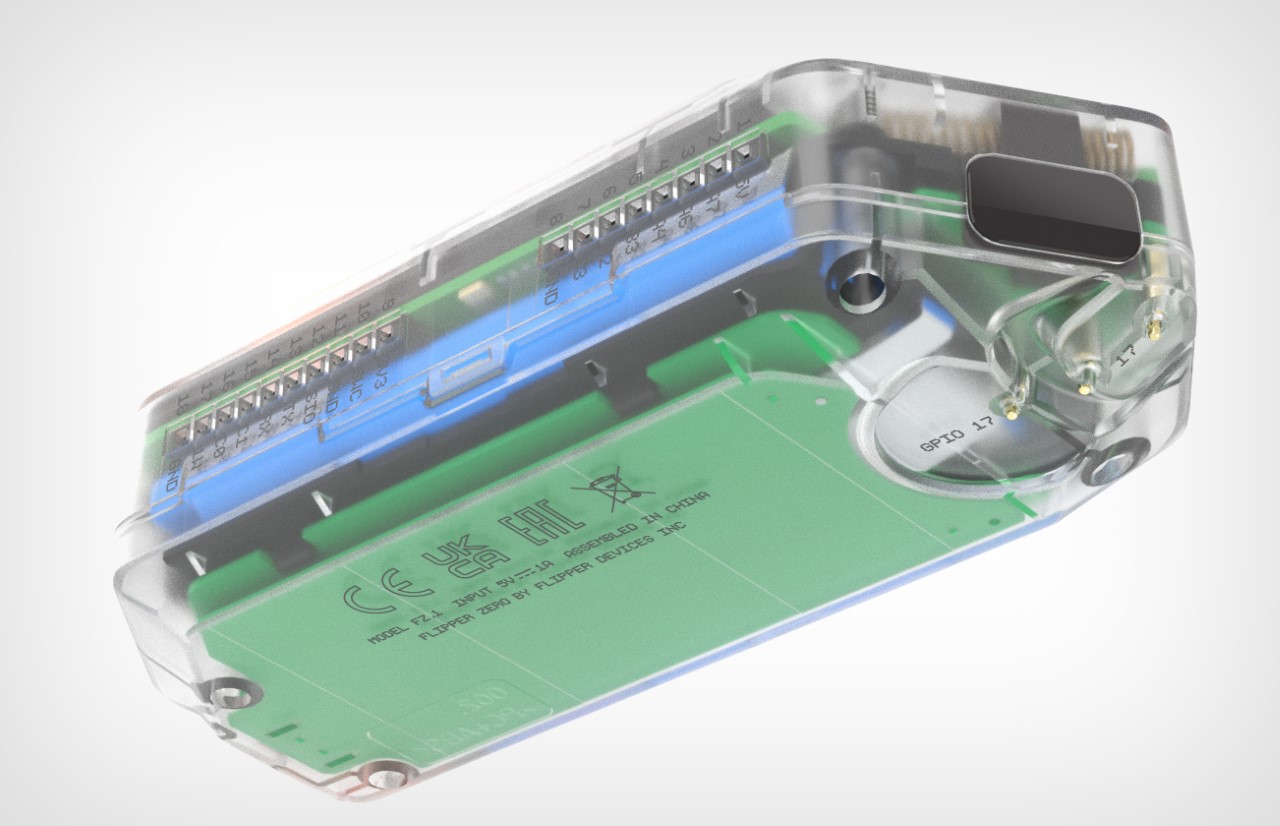
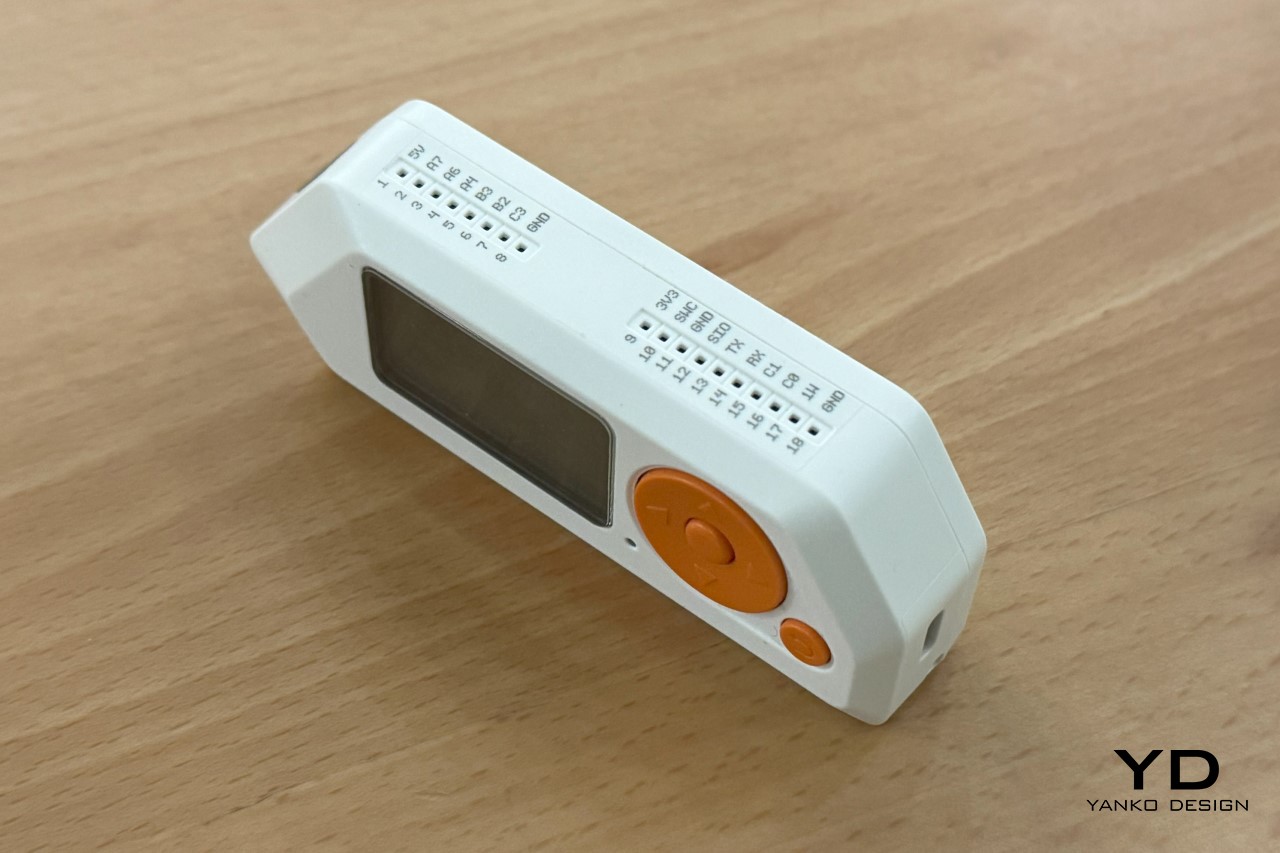
A view of the GPIO pins on the top for attaching newer modules

The IR blaster on the side, and the iButton reader/writer

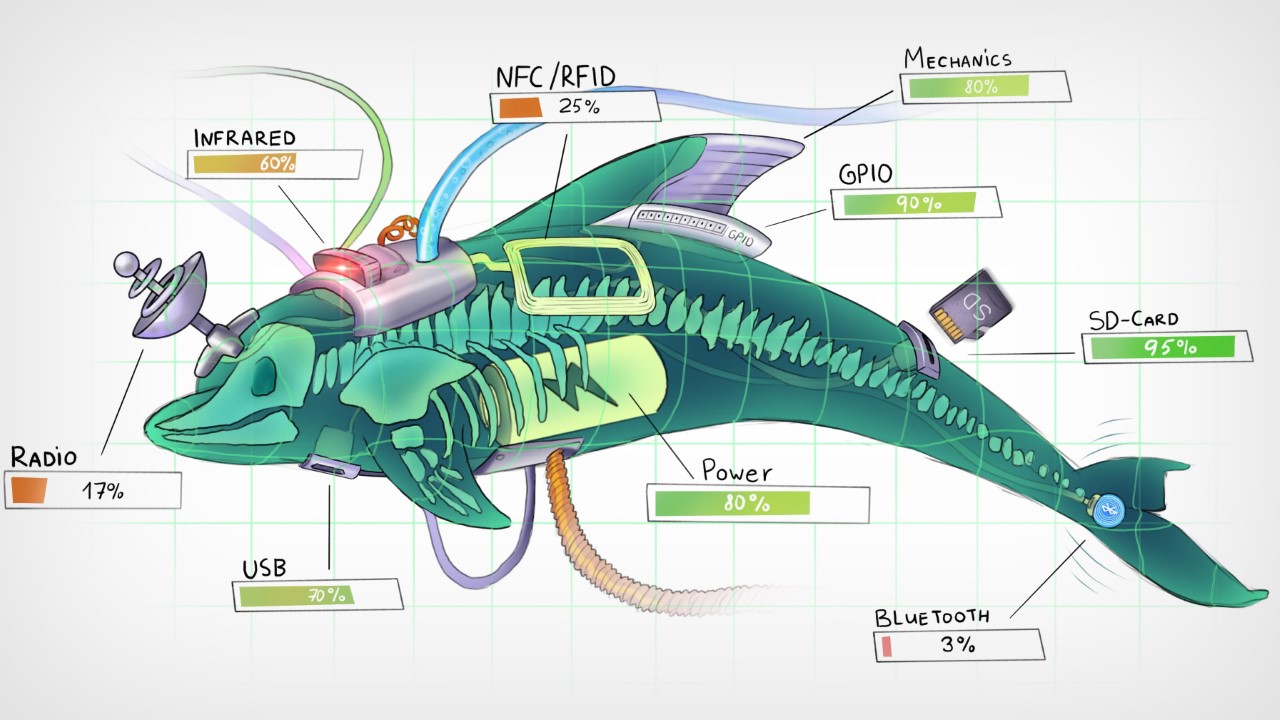
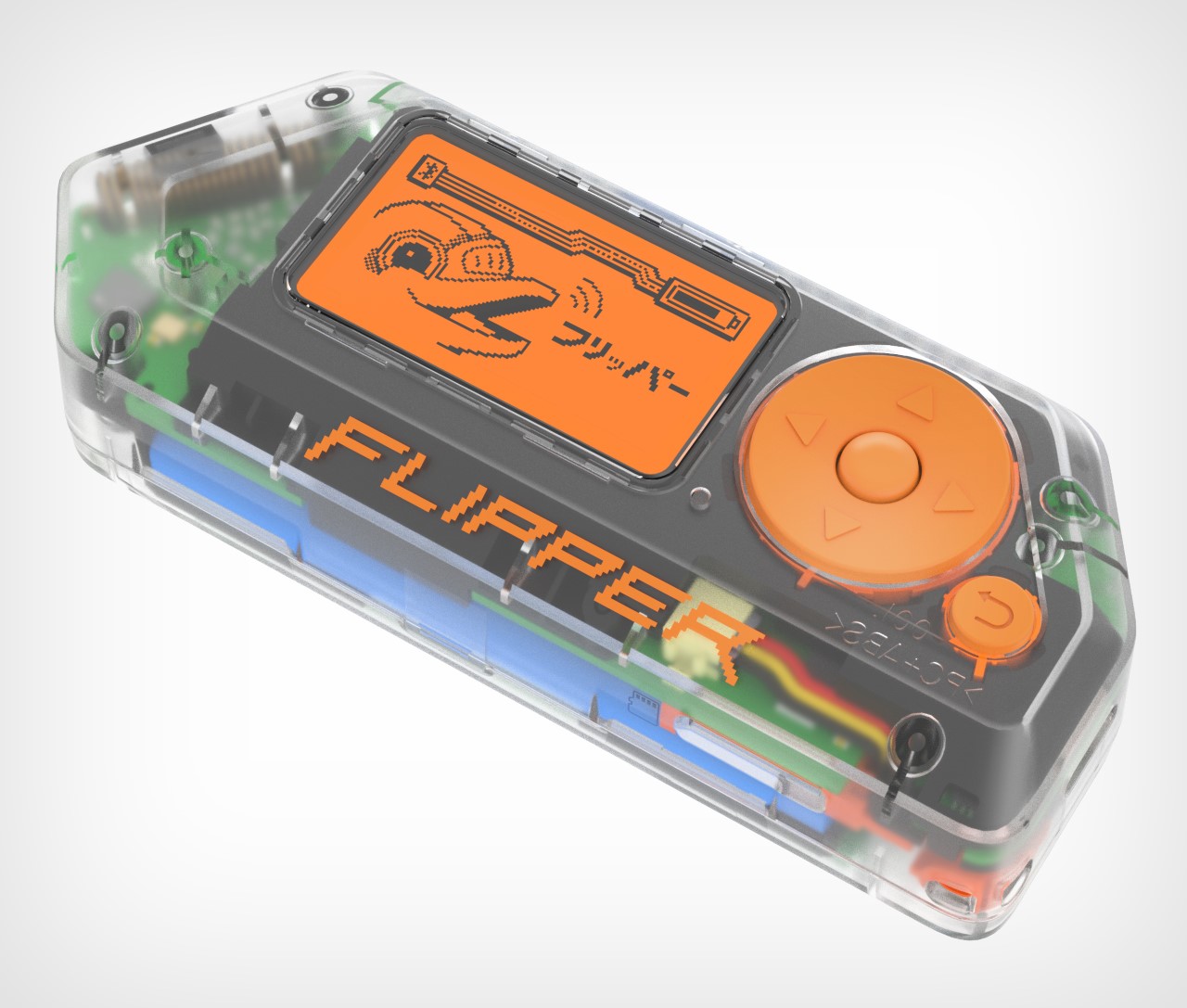
The minute you understand the Flipper Zero’s origin story, its design makes a world of sense. It was envisioned in 2020 to help develop a more common interest in technology, cybersecurity, and electronics. Existing products in this domain were just way too complicated and boring – they had ultra-utilitarian designs, bare-basic aesthetics, wires, soldering, and they looked like something that would come out of an engineer’s workshop. This was in contrast to what sci-fi movies had us believe. Minority Report, Tron, The Matrix, Bladerunner, every movie showed a more concept-art-driven product future, but existing ‘hacker’ devices looked nothing like the ones we were used to seeing in movies. This was a great starting point for the folks at Flipper, who wanted to create a device that A. paid homage to decades of sci-fi films, and B. was the electronic equivalent of an EDC multitool – compact, multifunctional, awesome. “In a Swiss army knife, you have a blade, corkscrew, screwdriver, ruler, scissors, etc., all in one tool. The idea of the Flipper Zero was to combine all the hardware tools you’d need for exploration and development on the go,” the Flipper team told Yanko Design. “Flipper Zero has a 125 kHz or Sub-1 GHz antenna, CC1101 chip, built-in NFC module, Bluetooth Low Energy (BLE) support, 1-Wire connector to read iButton contact keys, infrared transmitter, and a microSD card slot. All in a toy-like body.” Moreover, despite all these features, the Flipper Zero came with GPIO handles on the top that let you explore the device’s open-source nature by adding PCB hardware and exploring even more features and capabilities.

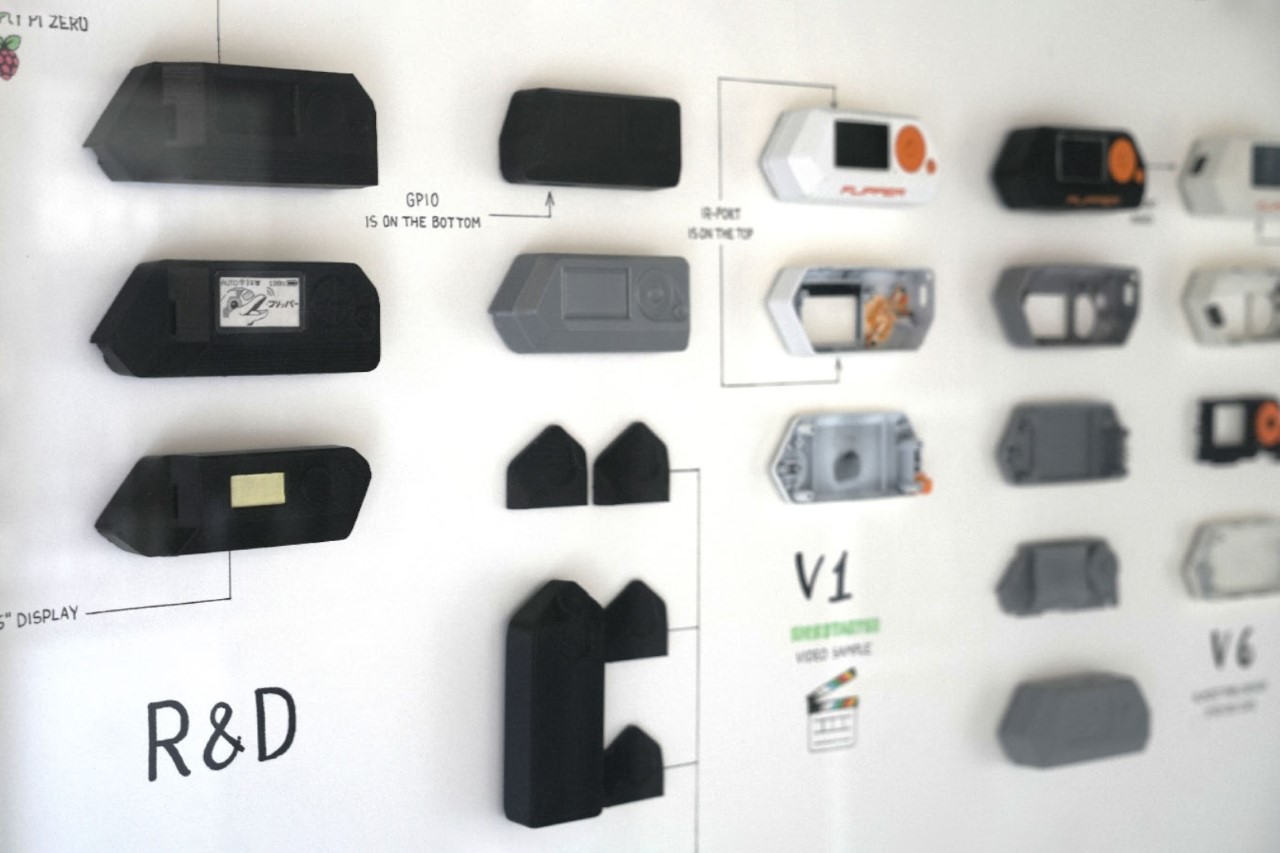
Flipper Zero development process

The Flipper Zero’s design is actually pure genius if you look at how much they’ve managed to squeeze into a product that small. Yes, I did ask them whether they considered making something with a touchscreen, or something phone-like, but the Tamagotchi approach seemed to be the most convenient route – it was uncomplicated, and could be done without expensive OLED displays and other hardware. Ultimately, it did lend to the Flipper Zero’s overall charm, with its monochrome orange screen that was a hat-tip to the Siemens C55. “We went through several design iterations to achieve this functionality and look, constantly overcoming challenges in electronics design, component limitations, and multiple antenna designs,” the Flipper team mentioned. “For example, the first version of the hardware used an off-the-shelf main PCB, but we eventually decided to design our own. This gave us more freedom and flexibility regarding the shape and form of the device while also giving us more control over the supply chain and costs.”

Inspiration moodboard for the Flipper Zero’s Cyberpunk Design

The entire device is nothing without its mascot, the cyberpunk dolphin that forms the essence of the Flipper Zero’s experience. It functions quite literally as a Tamagotchi, growing and being happier and happier the more you explore the device’s features and play with the product. The idea of using the dolphin existed way back in the beginning, and you could think of the product’s shape as somewhat resembling a dolphin’s flipper too, albeit with sharper, cyberpunk-ish edges. The team told us, “The main inspiration was William Gibson’s cyber-dolphin Jones, from Johnny Mnemonic, who had a dark biography and could do very dangerous things. Our dolphin is a quirky, queer, and enthusiastic but simple and nice guy at the same time. We wanted to create a character that you’d want to be friends with.” The dolphin’s persona received a lot of design experimentation as it essentially was to serve as the product’s mascot, guiding you through the features, exploring uncharted electronic territories with you, and forming a codependent bond that allows you to get more and more familiar with and attached to your Flipper Zero. You loved your Game Boy because of all the Pokemon you caught, grew, and evolved on it – the same would apply to the Flipper Zero.

Sketches of in-house modules for the Flipper Zero

However, as a non-hacker myself (and with no coding background), owning a Flipper Zero was still quite an interesting experience. The interface immediately felt familiar to a guy who grew up on Nokia and Sony Ericsson phones, and the internet is FILLED with documentation and tutorials that allow folks like me to figure out how to use the Flipper Zero. For now, I’m proud to say that I managed to clone my buddy’s car key fob and can open her doors remotely. All done with consent, though. The device also allows me to save RFID cards, NFC codes, and even be prankish enough to change channels on televisions or control air conditioners using the infrared function. All these are gradual steps, and the interface makes it exceptionally simple to navigate. You can even play games on the Flipper Zero like Solitaire, Doom, Pong, Snake, and Tetris. Additionally, you can set a Pomodoro timer or metronome, check the nearest weather station, or encrypt a message to your friend using Caesar Cipher or Morse code apps. For anything else, there’s a burgeoning Flipper community that routinely explores everything the Flipper Zero has to offer, discussing new features, writing new lines of code, or creating new apps. After all, with more than half a million devices sold, there’s clearly a massive sub-culture of loyal Flipper Zero users ready to tinker with anything they find, just the way our parents were encouraged to take a screwdriver and pull apart objects so they could learn how to repair them. It’s an art that seems lost on our generation, especially with how complicated devices have gotten, and how ruthless companies are when it comes to creating terms and conditions that prevent us from looking under the hoods of the gadgets we own.

The Flipper Zero is just the beginning, though. Given the movement it stands for, and the resounding success of their flagship device, Flipper’s team is just getting started. They’re continuously working on new modules that can be attached to the Flipper Zero, giving it even more powerful new features… and yes, there’s a Flipper One in the works, although they’re pretty hush-hush about it right now!

Limited-edition transparent version of the Flipper Zero

The post Flipper Zero Behind The Scenes: How a group of enthusiasts designed the ‘perfect’ ethical hacking toy first appeared on Yanko Design.
Meizu Pandaer 35W: A MagSafe 10,000mAh Power Bank with Built-in Stand for Docked Charging

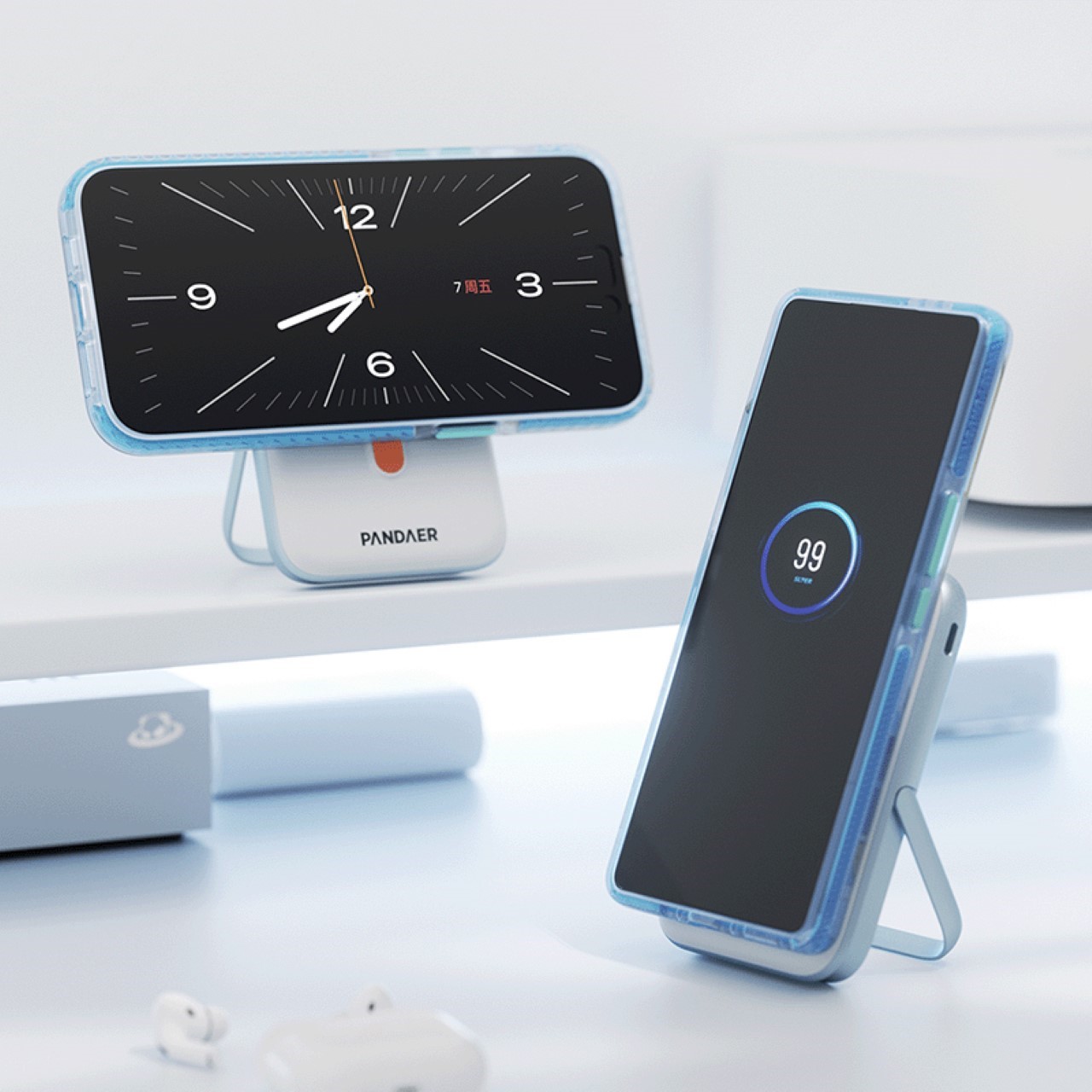
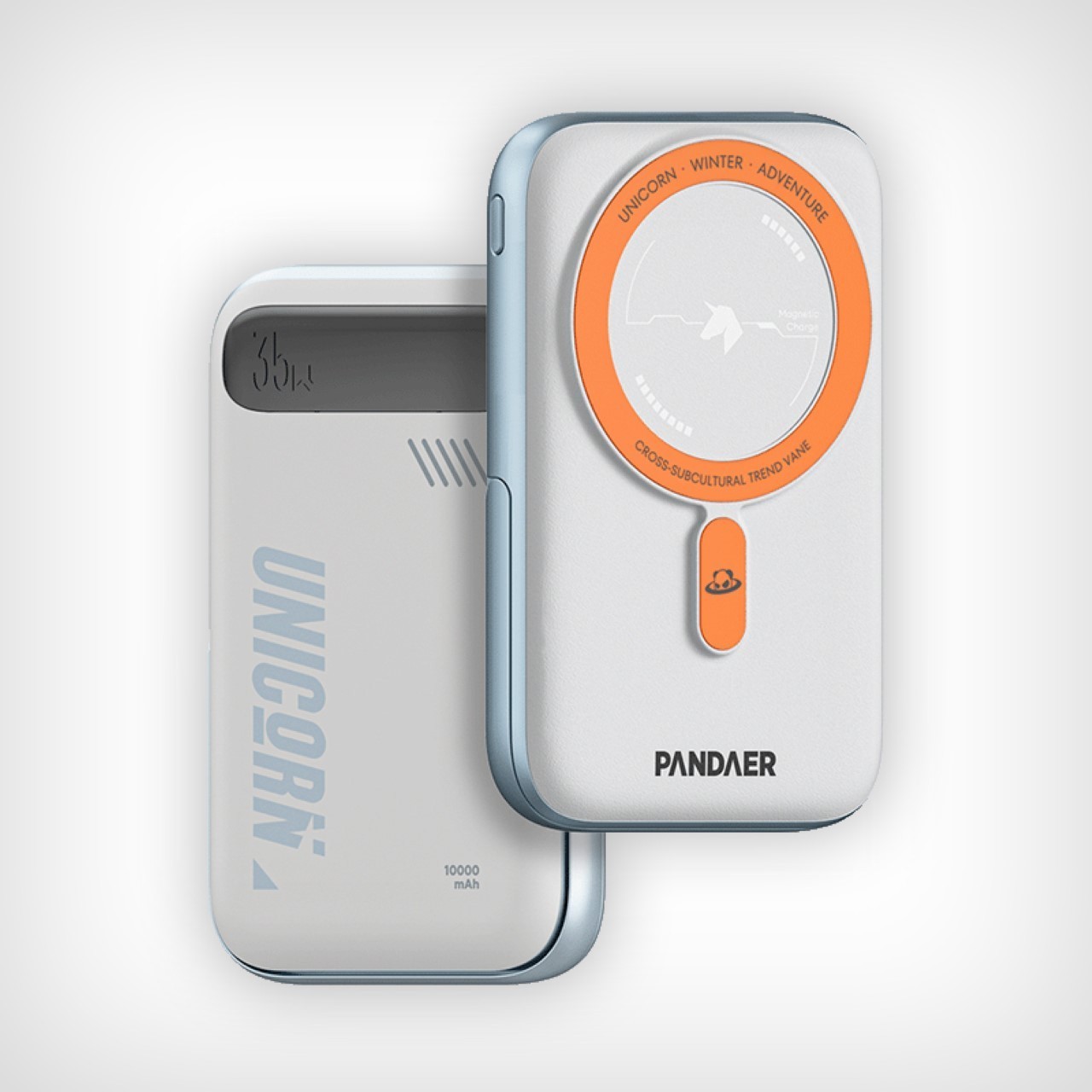
Think of your wishlist of features for the perfect power bank – you’d want it to be sleek, right? You’d also want it to have a great battery capacity. You’d ideally want wireless charging capabilities. Perhaps even throw fast wires charging in just in case you can’t deal with the slow 7.5W wireless charging speeds. Finally, what if the power bank had extra features – a stand perhaps? Well, this isn’t a wishlist of features, it’s quite literally a description of Meizu’s latest Pandaer 35W wireless power bank…

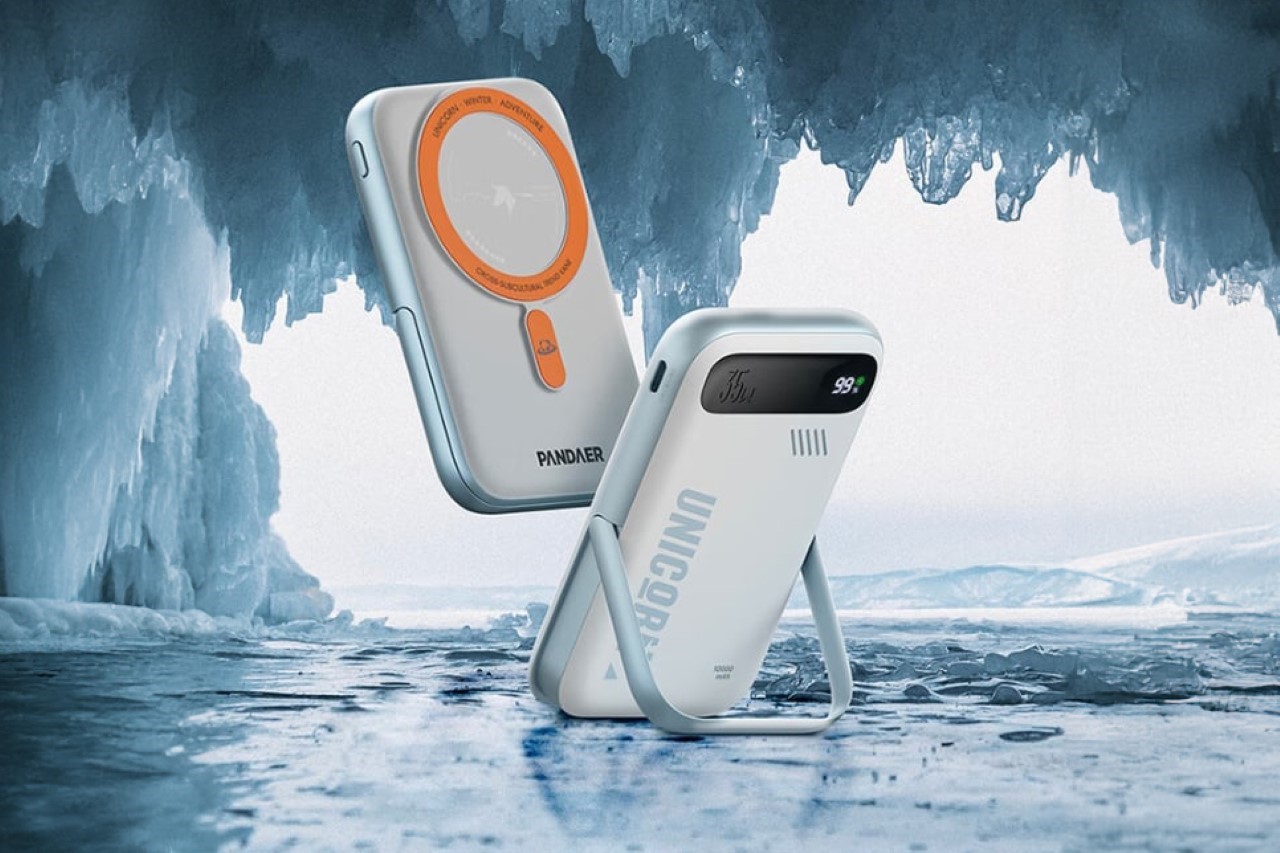
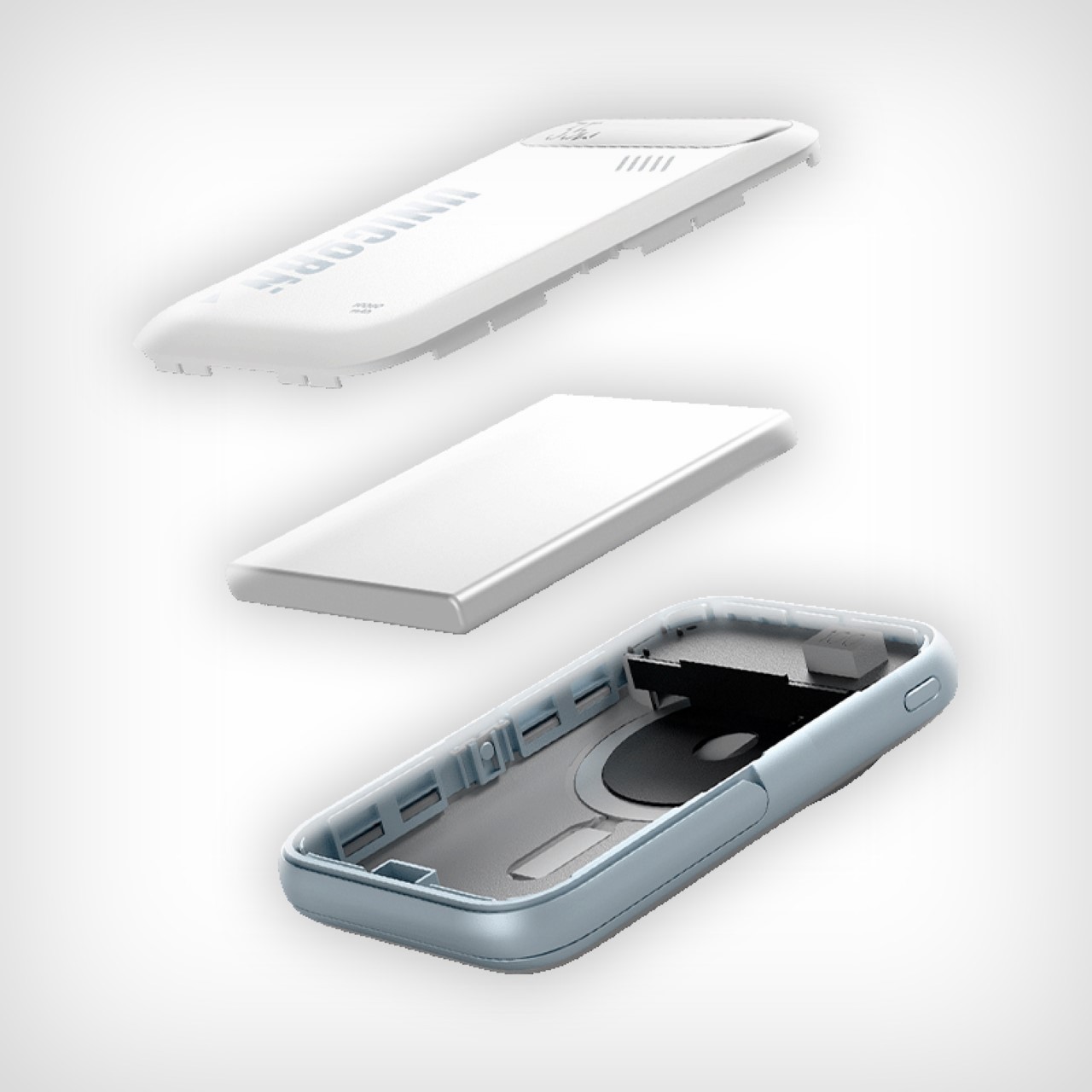
The Pandaer 35W boasts a 10,000mAh capacity, offering multiple charges for most smartphones. A key feature is the integrated magnetic ring, designed to work seamlessly with Meizu’s Pandaer magnetic ecosystem as well with MagSafe devices. This allows for effortless charging – simply snap your phone onto the power bank and watch it get a battery boost to take you through an entire weekend… and then maybe some more.

Designer: Meizu

Rotate your iPhone while charging and you can benefit from the Standby Mode feature announced at last year’s WWDC.

Beyond magnetic convenience, the Pandaer 35W offers a traditional USB-C port for wired charging, supporting up to 35W output. This can significantly reduce charging time for devices that support fast charging protocols. The power bank also boasts 15W wireless charging, making it compatible with a wider range of devices. For users who need to juggle multiple devices, the Pandaer 35W allows for simultaneous wired and wireless charging.

The power bank is built with a user-friendly experience in mind. A built-in kickstand folds out to prop your phone up for comfortable video watching or gaming. A large digital display keeps you informed on the remaining battery level and charging status. Safety is also prioritized, with the Pandaer 35W adhering to safety standards and incorporating nine layers of protection, including overcharge, over-discharge, and temperature control.

The Pandaer 35W’s 19.7mm slim design and smooth arc shape make it comfortable to carry around. An additional perk is the integrated magnet, allowing you to stick the power bank to metal surfaces for easy storage or hands-free charging on the go. This could be particularly useful on airplanes or while traveling by train.

Priced at a highly affordable 199 yuan (around $27), the Meizu Pandaer 35W offers a compelling feature set for those seeking a convenient and versatile power bank solution. Meizu seems to indicate that their upcoming phones will be a part of this magnetic ecosystem, which reinforces the reason for them to build out magnetic accessories for their own devices.

The post Meizu Pandaer 35W: A MagSafe 10,000mAh Power Bank with Built-in Stand for Docked Charging first appeared on Yanko Design.
This All-in-one Universal Remote lets you control your entire Smart Home without Alexa, Google, or Siri

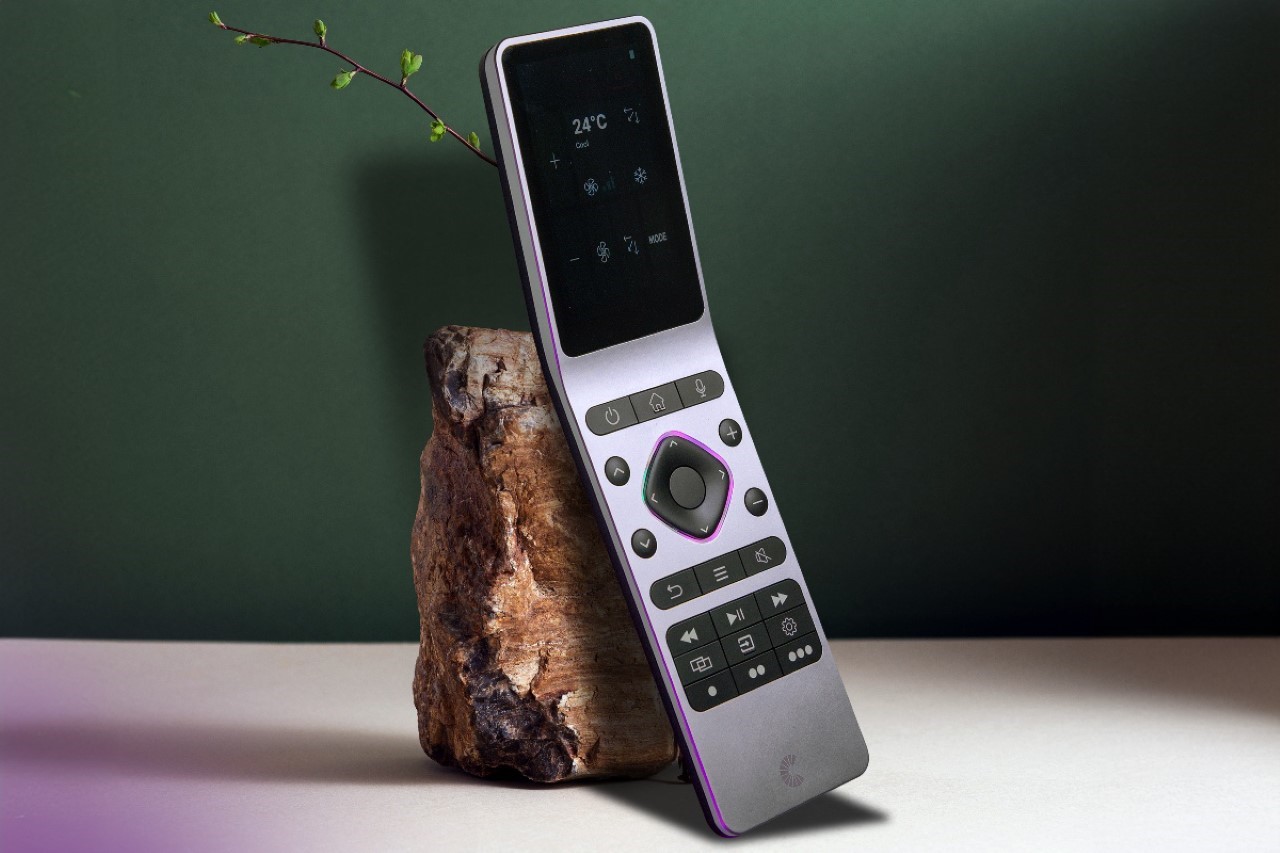
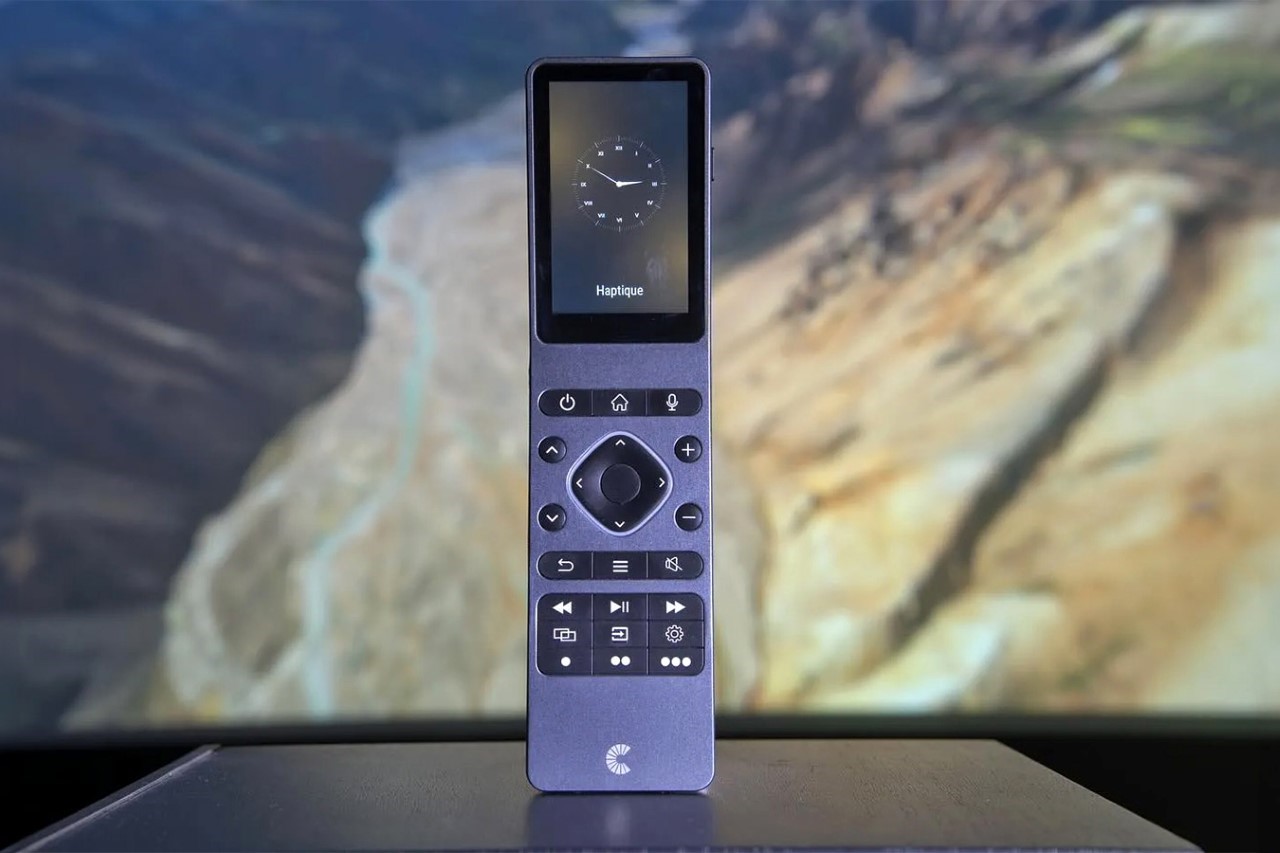
Isn’t it funny that somehow we went from universal remotes in the early 2000s to suddenly having these complicated hubs to connect all the devices in our smart homes? I won’t lie but talking to a hub isn’t as great as it promised to be. It’s a lot easier to point a remote at something and press a button than to tell Alexa to reduce the volume of music or raise the temperature of the AC… and while Amazon, Google, Apple, and the like just think hubs are the answer, one company is reverting back to the remote days. The Haptique RS90 is perhaps the world’s first universal remote controller designed to operate practically any wireless or smart device you’ve got around you. It uses a combination of infrared, WiFi, and Bluetooth to interface with devices around your house from smart TVs to Bluetooth speakers, ACs, soundbars, projectors, air purifiers, and even your PS5. You don’t need to talk to a hub, and better still, you don’t need to install twenty apps on your phone to manage multiple devices around your house.

Designer: Cantata

Click Here to Buy Now: $257 (€240) Hurry, only 290 of 500 left. Raised over $490,000 USD.

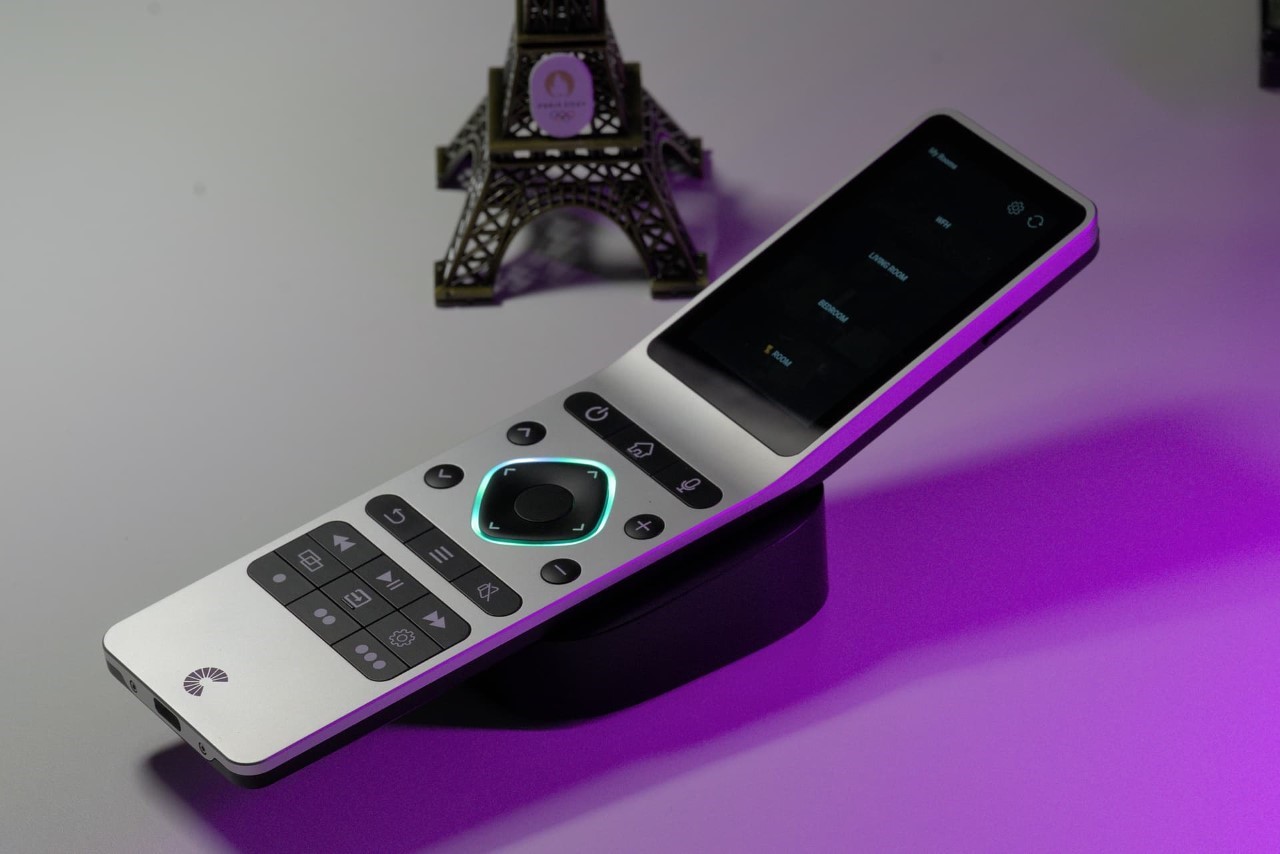
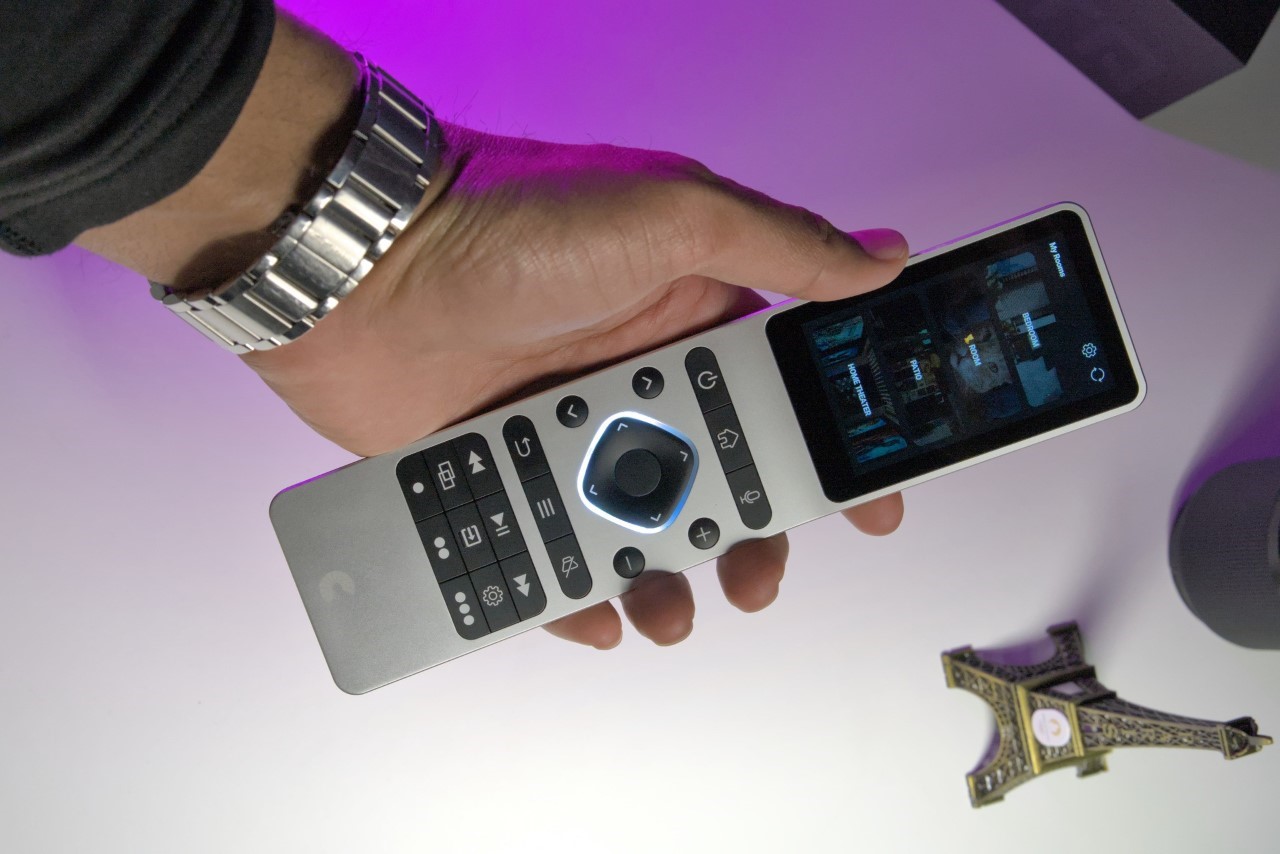
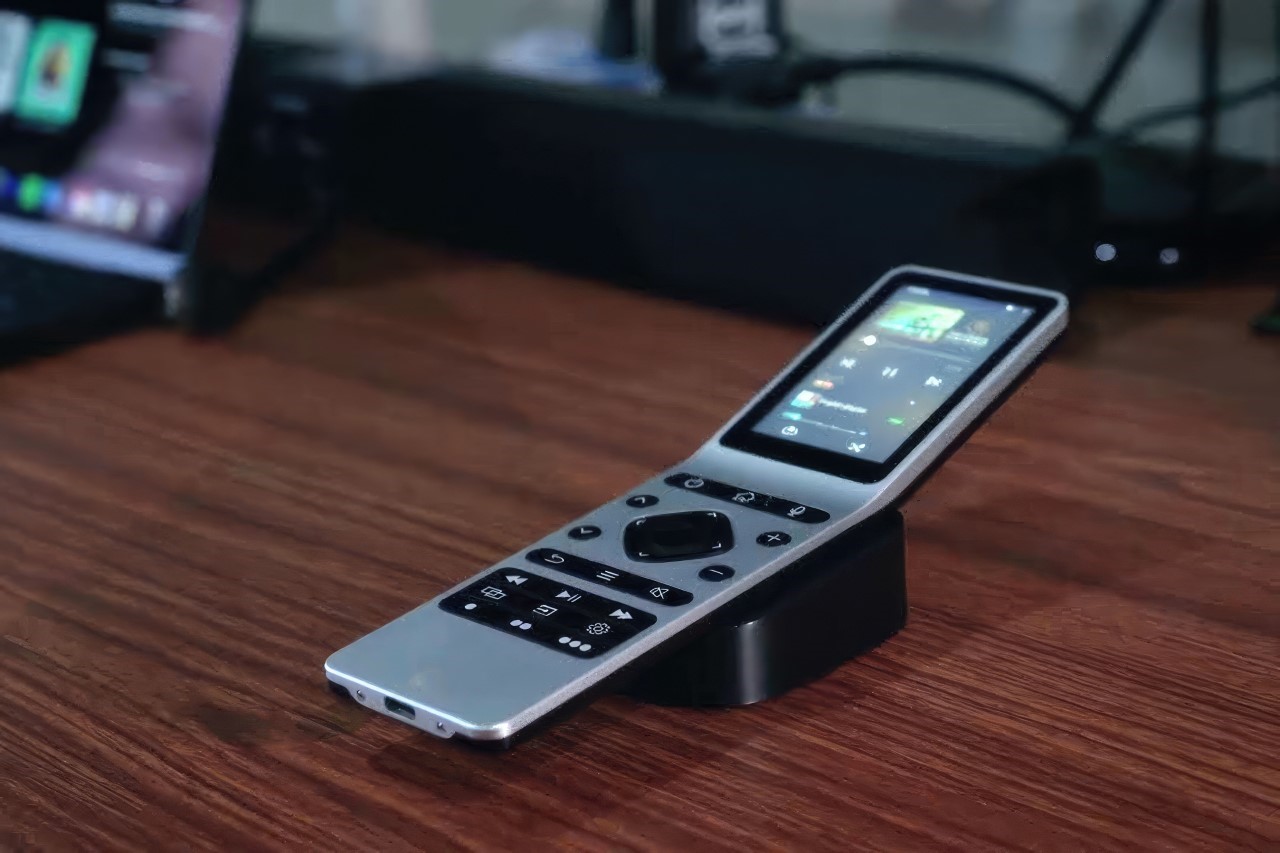
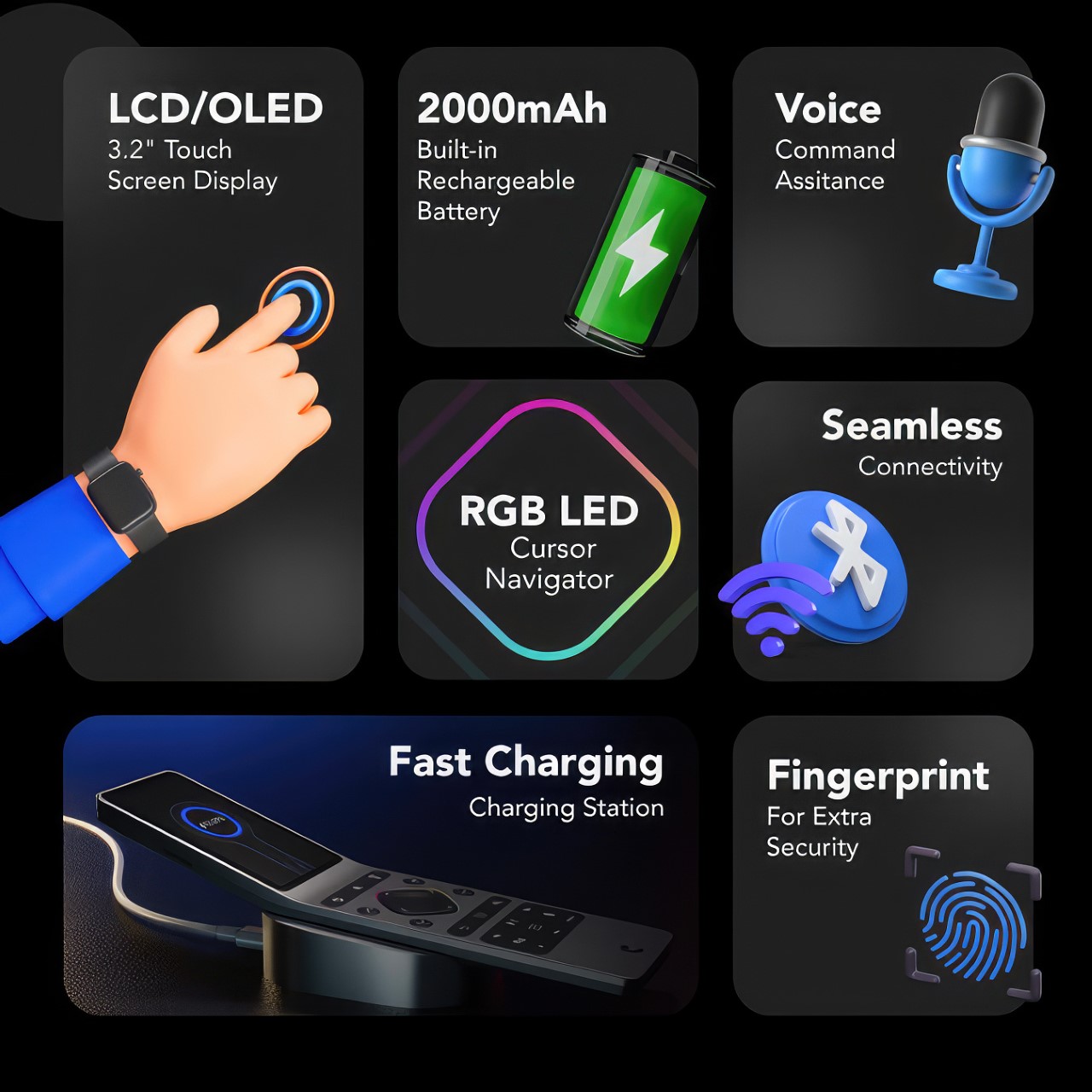
The Haptique RS90 departs from the clunky look of traditional universal remotes. Instead, it takes on the shape of a smartphone, albeit with physical controls along with a 3.2-inch touchscreen. This display serves as the central hub for navigating menus, controlling smart home features, and even watching tutorials. A well-curated set of essential buttons line the bottom, providing quick access to core functions like volume control, channel surfing, and playback options. This thoughtful blend of touch and physical controls caters to both those who prefer a tactile experience and users who want the ease of a touchscreen. The overall design of the RS90 sticks to a recognizable linear format of most remotes, which gives you a feeling of familiarity. Hold it and you intuitively know how to use it – there’s a minimal learning curve with the controls, and even less so with the touchscreen. The remote is sleek without being too sleek – it’s less likely to get lost, thanks to a tilted design that makes it impossible to slide in between sofa cushions. Simultaneously, the tilt allows the screen to face you when you’re holding the remote horizontally – a clever detail that ends up becoming the RS90’s defining iconic silhouette.

The Haptique RS90 isn’t just about controlling your TV – it aspires to be the central nervous system of your entire smart home. It boasts broad infrared (IR) compatibility, allowing it to command traditional TVs, projectors, sound systems, and more. But its true strength lies in its ability to connect with smart home devices too. The RS90 promises seamless integration with popular smart home interfaces like Philips Hue, Home Assistant, Tuya, Sonos, Zigbee, with Homey and Smart Things in the works. The remote can directly control popular streaming services like Netflix and Spotify, or devices like Apple TV and Amazon Fire Stick, eliminating the need to juggle multiple apps or even actual remotes. The list goes on, with integrations planned for Roku, and game consoles like the PS5 and Nvidia Shield too!

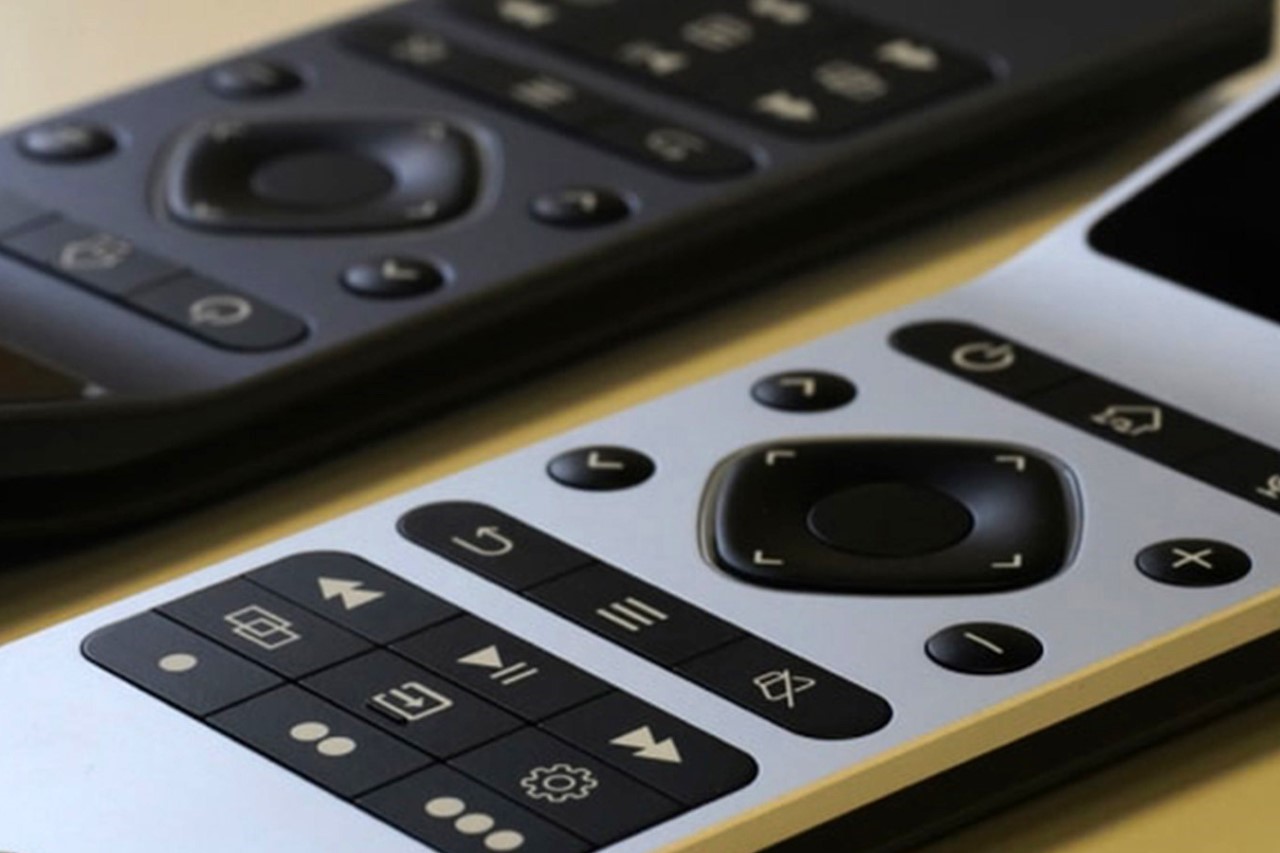
Tactile buttons (with backlights) provide a traditional remote control experience

With great power, as the saying goes, also comes great responsibility. Having a centralized remote for all your smart home gizmos also means needing to make sure your 12-year-old doesn’t go messing with devices around the house. The remote boasts fingerprint-based security, allowing you to pretty much lock it the way you would a smartphone (available in the higher-tier model). Aside from locking your remote, you can also personalize its UIs with macros and shortcuts (something even smartphone apps don’t let you do) to ensure that you have every possible command right under your fingertips. After all, nothing feels more frustrating than fumbling with a remote trying to figure out basic functions, right?

The Haptique RS90 arrives at a pivotal time in the smart home revolution. While it doesn’t currently support Matter, the new industry-wide standard for smart home communication, it demonstrates a clear understanding of the need for interconnectivity. Thankfully, the developers have indicated that Matter support is planned for future updates. This future-proofing ensures that the RS90 won’t become obsolete as the smart home landscape continues to evolve.

While discussing the battery life of a remote control seems pretty trivial, the RS90 is clearly more than your average remote control. Given how much functionality it packs, it also arms itself with a 2000mAh battery that keeps it going for days (the small screen helps reduce battery drain too). To charge your remote, the RS90 is also accompanied by a slick charging hub that lets you simply dock your controller when it needs a battery boost. This also means your remote is less likely to get lost because you aren’t carelessly leaving it around the house.

The Haptique RS90 ships in two variants – the regular RS90 itself with 1GB RAM, 2.4 GHz WiFi, Android 8.10.0, Bluetooth 4.1 (and BLE), and a Quad Core ARM chip. Alternatively, the higher-tier RS90x model ships with 2GB RAM, Dual-band WiFi, Android 12, Bluetooth 5.0 (and BLE), an Octa Core ARM chipset, and the fingerprint sensor to help you lock your remote. Personally, the RS90x just seems like a better future-proofed option, running newer OS on more powerful hardware. Smart homes aren’t going anywhere, in fact, they’re only going to expand. If hubs annoy you, it makes sense to own the best possible version of a universal smart remote that lasts you for years, doesn’t it? The RS90 starts at $257, while the RS90x has a starting price of $321. Both models come in silver and gun-metal grey options, and ship with the charging dock and USB-C cable included, along with a 3-year warranty.

Click Here to Buy Now: $257 (€240) Hurry, only 290 of 500 left. Raised over $490,000 USD.

The post This All-in-one Universal Remote lets you control your entire Smart Home without Alexa, Google, or Siri first appeared on Yanko Design.
New patent offers glimpse of what Microsoft’s canceled Surface Duo folding phone could be

Microsoft killed its foldable smartphone adventure in 2023 after two iterations of its unique idea of a folding phone. The Surface Duo and Duo 2’s two-screen design didn’t pan out too well with the consumers. While the competition in the foldable Android phone market perfected the creaseless form factor, Microsoft – though having outsmarted Apple to the foldable phone category – lost out with its unprogressive design.

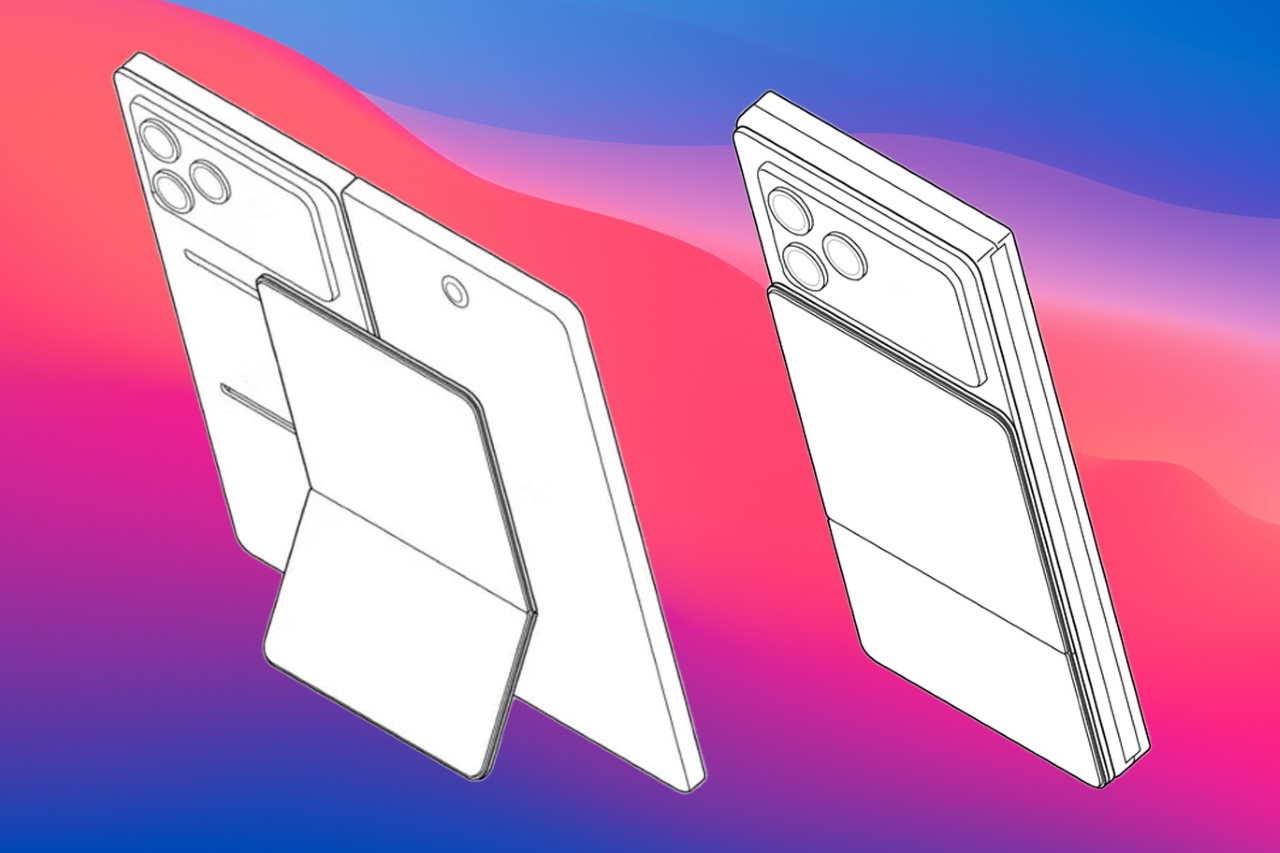
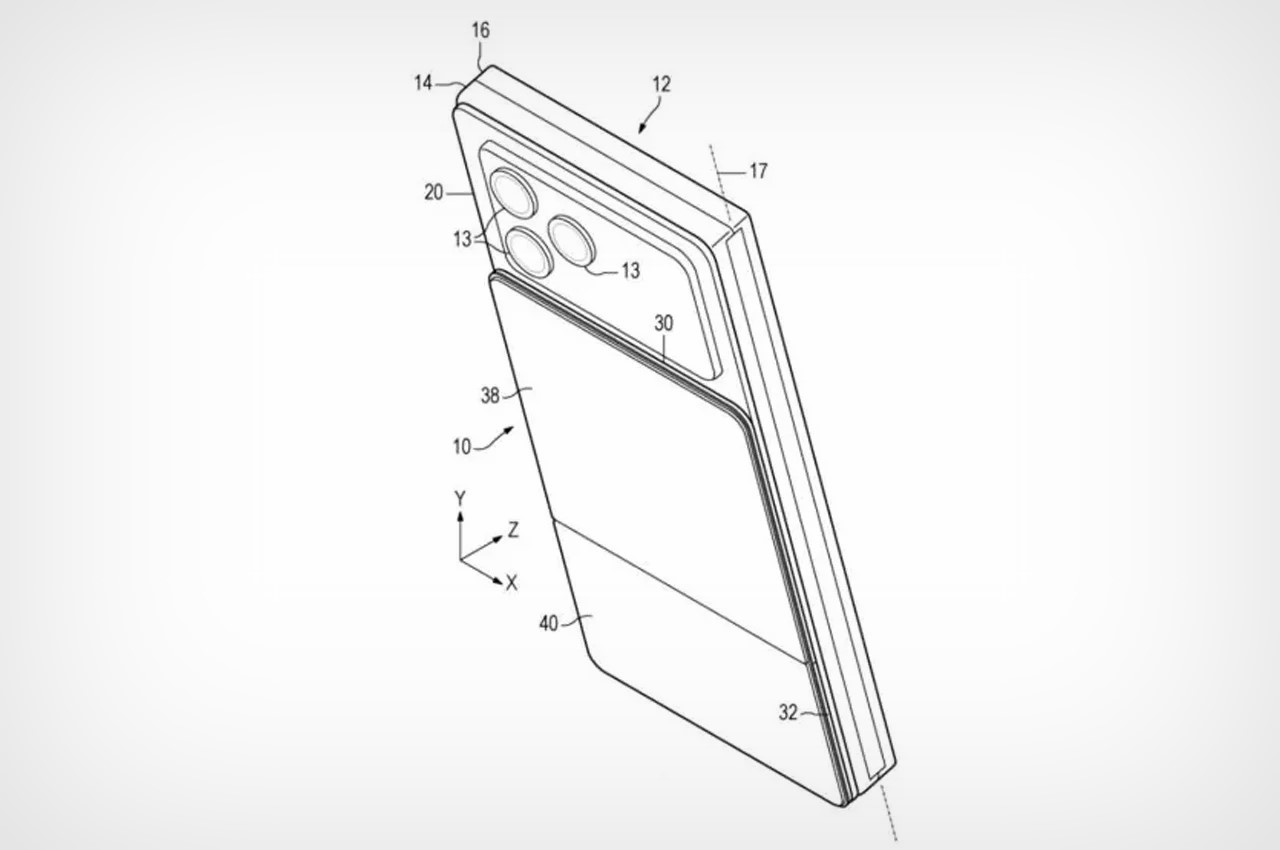
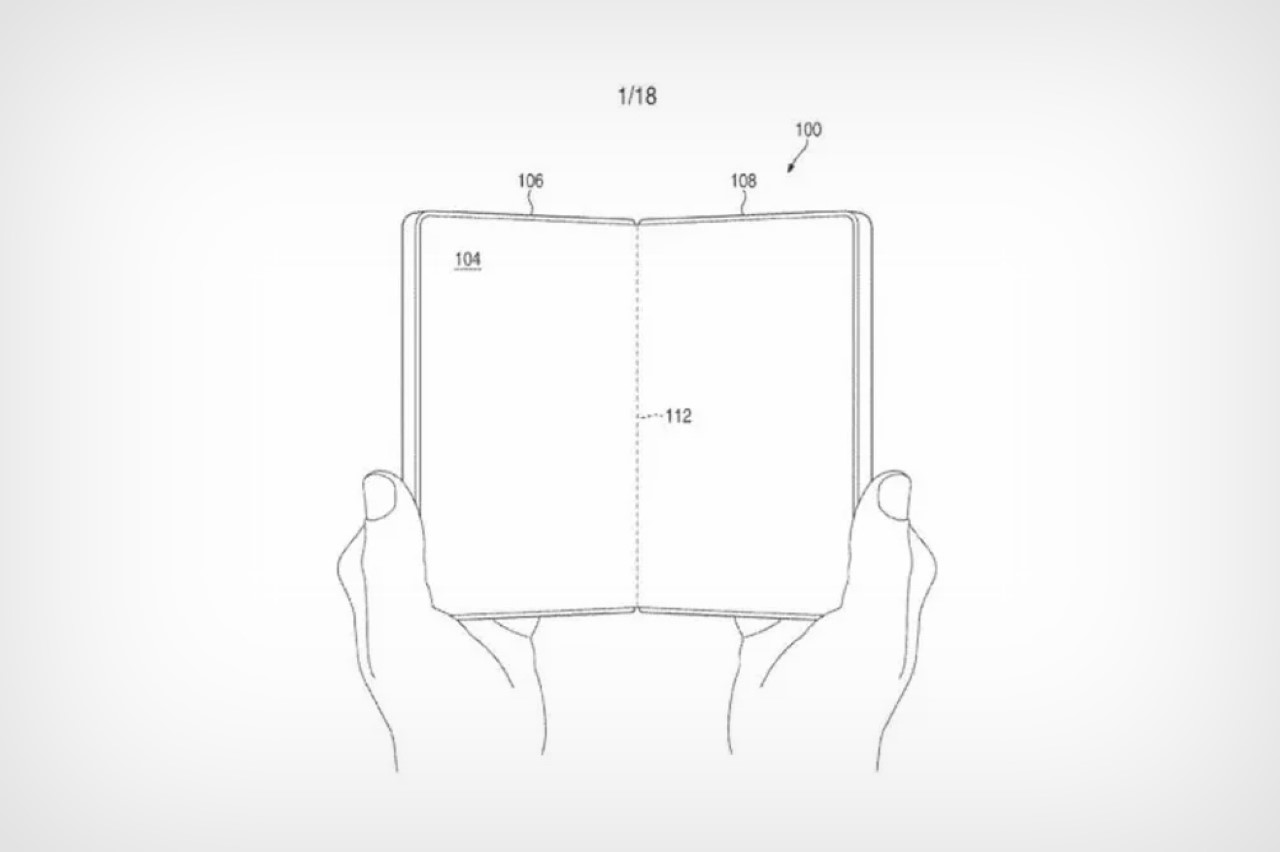
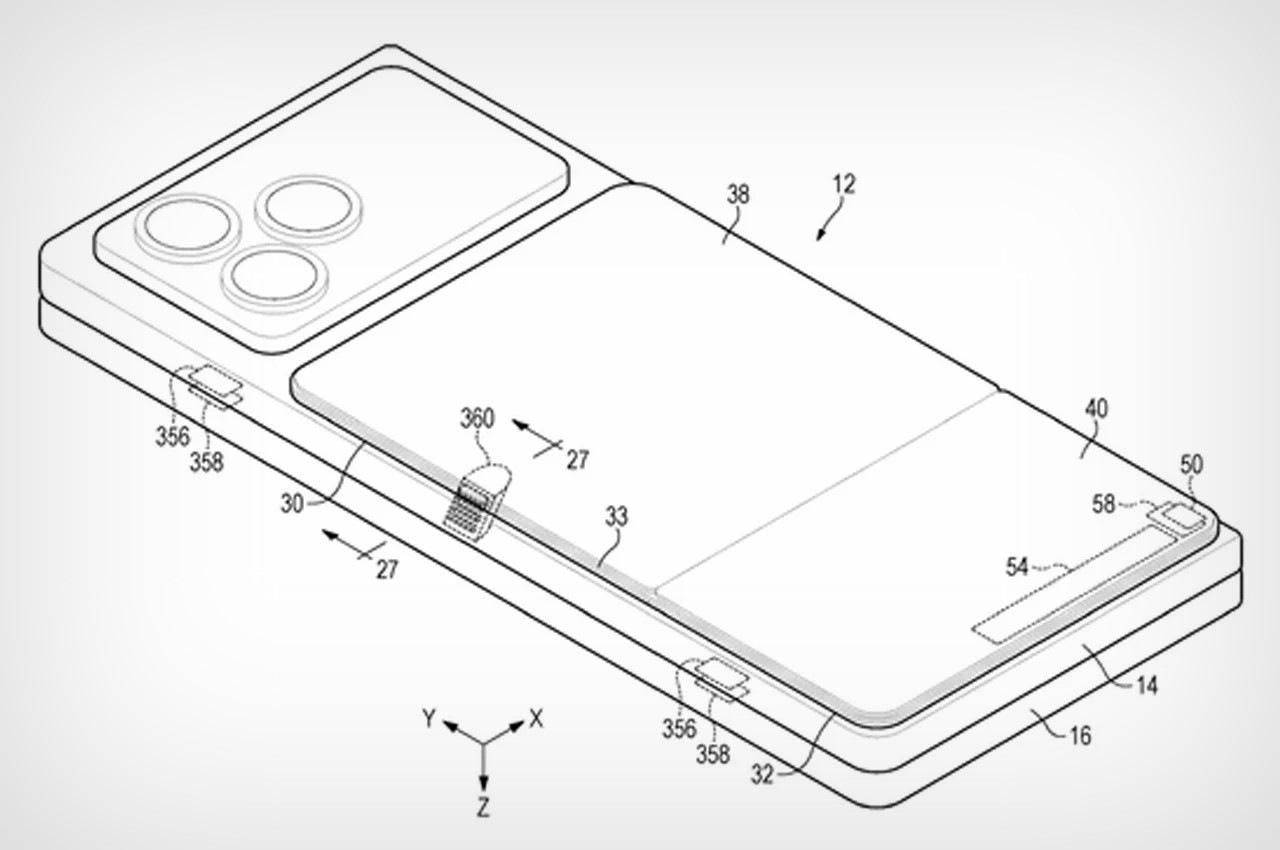
A new patent shared by Patently Apple shows that Microsoft, most likely, had made peace with the demanded form factor and may have been working on a design codenamed Neon (supposedly the now-canceled Surface Duo 3). The unreleased device detailed in the patent, shows how the phone would have looked with improvements like an external cover display, single folding screen without a crease, and Apple MagSafe-esque magnetic accessories.

Designer: Microsoft / Patently Apple

The uncanny two high-resolution touchscreens of the Surface Duo 2 couldn’t open the users’ minds to adoption and Microsoft felt the pinch of it. A reason why the patent of a never-released phone suggests that the device was being visioned with a concealed hinge folding inner display – like in Galaxy Fold models – instead of two separate displays with a noticeable distinguishing hinge.

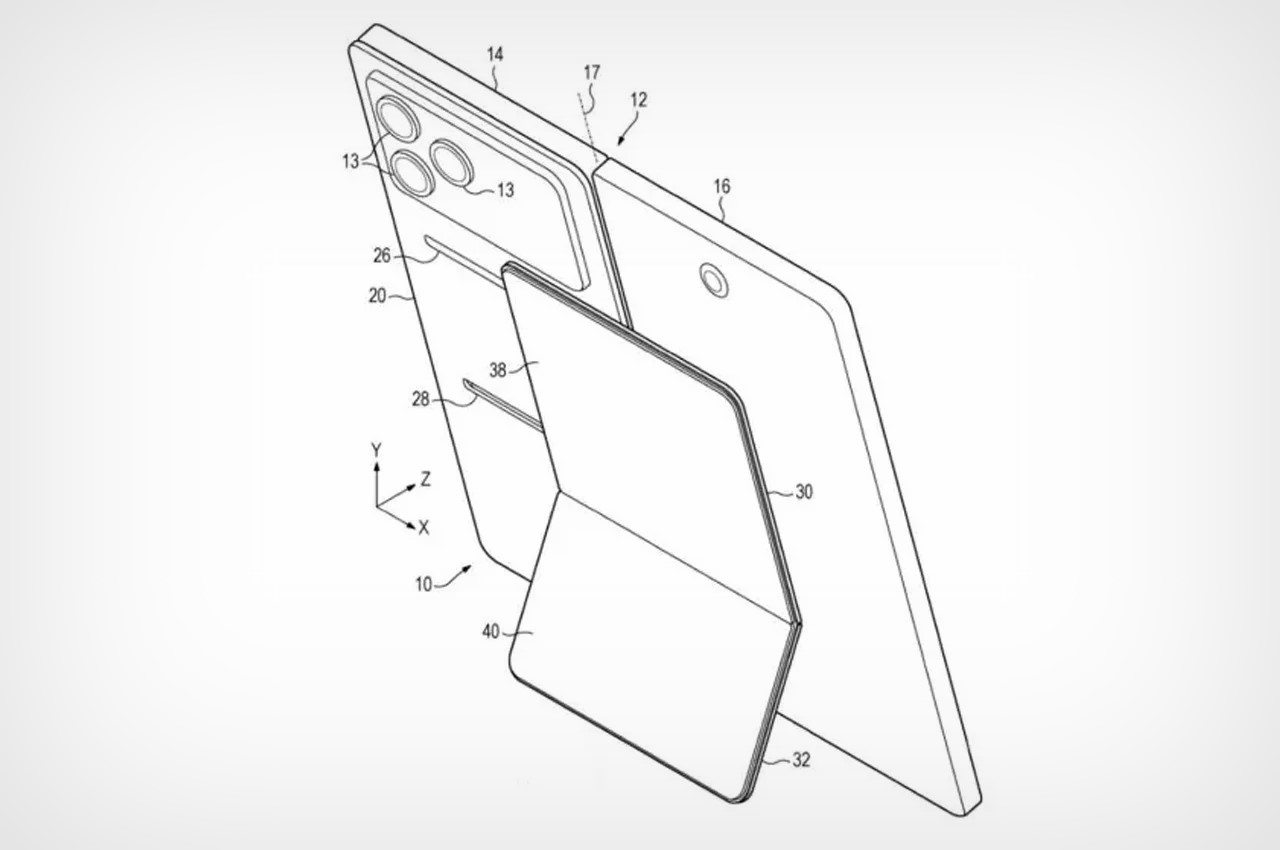
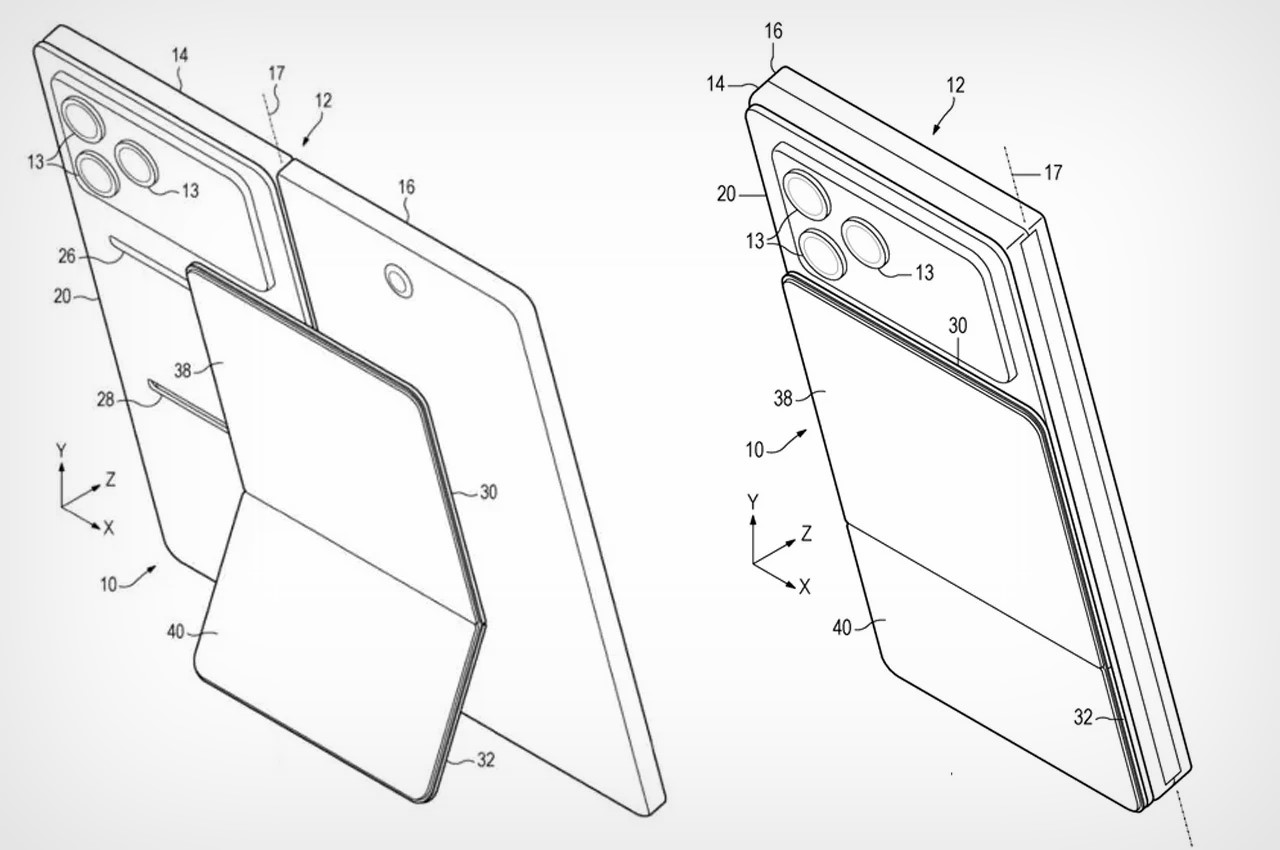
The new 180-degree hinge design of the device, in the patent, is accompanied by a cover screen on the outside, which was missing in the previous surface models. Interestingly, the design suggests the cover and inner folding screens with edge-to-edge, and a camera in the cover display for selfies and video calling. A larger camera array on the back – spanning the entire width of the device – features a triple camera module that looks identical to the iPhone’s camera array with lenses placed on the top left-hand side.

A standout feature revealed in the patent is support for magnetic accessories. This is an Apple MagSafe-style feature, which shows a kickstand attached to the device to prove its functionality and usability in different orientations. Additionally, the foldable phone featured a power button updated to pop open the phone – like a book – on a press, saving the user the effort of manually opening the two halves of the device. I know, Microsoft is not going to release a folding phone based on this revealed patent anytime in the future, but I think it did have the mettle to compete I presume.

The post New patent offers glimpse of what Microsoft’s canceled Surface Duo folding phone could be first appeared on Yanko Design.
Augmented limb experiment makes it easier to move around in zero gravity

I forgot what sci-fi TV show I was watching but in one of the scenes, a reptile-like creature attached itself to a human host, creating a human-reptile hybrid that could slither around quickly. It was an interesting part of the story but one that could also be the stuff of nightmares for those who have a fear of having extra limbs. But for speculative designers, this can actually become something that may be useful in the future.

Designer: Chandler Cheng

The Augmented Limb project thinks of giving astronauts an extra lim to help them out when moving in zero gravity. The design is inspired by how animals like monkeys move in 3-dimensional space using their tails as extra limbs, as well as the motion of reptiles like snakes, and even dinosaur tails when it comes to structural integrity and rigidity.

What Cheng came up with is a tail-like limb that can be attached through a backpack-like contraption. This will allow astronauts, and maybe later on other space visitors, move better in zero gravity as the extra limb can wrap around your surroundings. It can also secure your position so the stress and pressure will not be all on your hands and feet.

Of course this limb system is still speculative but the prototypes he created shows the limb is able to wrap itself around branches so in theory it might work. It’s still better than creating actual human-reptile hybrids right?

The post Augmented limb experiment makes it easier to move around in zero gravity first appeared on Yanko Design.
Motorola just debuted its AirTag Killer with Android-compatible tracking and a clever extra feature

Motorola just announced its Android-based device tracker, and I’m sure if you saw it too, you’d have the same thoughts as I did. It looks very familiar… Almost too familiar. Modeled precisely on Apple’s AirTag, the Moto Tag is a tiny tracking device that works within the Android OS, allowing you to effectively and accurately track your belongings. When I first saw the Moto Tag, I found myself feeling a familiar sense of smugness at the fact that an Android company copied Apple (they did with the removal of the headphone jack, with the camera notch)… but then I remembered that the inverse is also true. The WWDC event was pretty much Apple announcing Android-like features for the iPhone, and rebranding Artificial Intelligence to Apple Intelligence. The catch there was that Apple took its sweet time to implement these features, but also did a better job. If you extend that benefit of doubt the other way, it becomes a lot easier to appreciate the Moto Tag for what it brings to the table.

Designer: Motorola

Like the AirTag, the Moto Tag is a small, circular disc slightly larger than a quarter. It boasts a user-replaceable CR2032 battery that Motorola claims will last a full year on a single charge. While it lacks a built-in keyring loop (there’s a clever reason why it copies the AirTag so shamelessly), it integrates seamlessly with the revamped Google Find My Device network. This ensures easy pairing with countless Android smartphones, allowing users to locate and even make the Moto Tag play a sound for easier retrieval.

Looking towards the future, Motorola has equipped the Moto Tag with ultrawideband (UWB) technology. This paves the way for “precision tracking,” a feature that will provide detailed on-screen instructions for finding the tracker when you’re in close proximity. While similar to Apple’s Precision Finding with AirTags, this functionality currently awaits an update to Google’s Find My Device network.

However, the Moto Tag boasts a unique feature that sets it apart: a built-in button. This button, cleverly placed where the “M” of the Motorola logo sits, can be pressed to make your paired smartphone ring. This comes in handy in those moments when you’ve misplaced your phone but have the Moto Tag within reach.
The multi-functionality doesn’t stop there. The button can also be used to trigger the camera shutter or recording button on Motorola phones, or any Android phone for that matter, making capturing content on the go a breeze. Finally, the Moto Tag is IP67 rated for dust, water, and dirt resistance, ensuring it can withstand everyday bumps and spills without compromising its tracking abilities.

But before you bash Motorola for being unimaginative or blatantly copying a product’s shape and size, there truly IS a clever reason why Motorola probably chose to make their tracking device look almost exactly like their competitor. Apple’s AirTag already has a flourishing accessory ecosystem. From holders and hangers to carabiners and even stickers that let you attach your AirTag to the inner lining of suitcases and laptop bags, the AirTag has no shortage of accessories to accompany it… and by copying the AirTag’s form factor, Motorola’s ensured absolute compatibility of every one of these accessories with the Moto Tag too. It’s genius, to leverage your competitor’s success to boost your own product. Isn’t it?!

The post Motorola just debuted its AirTag Killer with Android-compatible tracking and a clever extra feature first appeared on Yanko Design.