Samsung Taps Bouroullec to Design Speakers That Blend Into Rooms

CES 2026 is full of screens and soundbars, but what stands out are speakers that look like they belong in a living room, even when they are silent. Samsung’s Music Studio 7 and Music Studio 5 are Wi-Fi speakers shaped around Erwan Bouroullec’s dot motif, designed to sit comfortably on shelves and consoles while quietly handling the serious audio work, from hi-resolution streaming to multi-device spatial sound.

Music Studio 7 (LS70H) is the tall, immersive one, and Music Studio 5 (LS50H) is the compact, gallery-friendly sibling. Both share the same circular eye on the front, a dot that hints at the origin of sound, but they play different roles at home. One anchors a room with 3.1.1-channel spatial audio, the other slips into smaller spaces without giving up clarity or presence.

Designer: Erwan Bouroullec

An evening where Music Studio 7 is handling everything, from a playlist to a late-night movie, makes the 3.1.1-channel architecture clear. Left, front, right, and top-firing drivers build a tall soundstage that wraps around the room, while Samsung’s pattern control and immersive waveguide keep effects and vocals precisely placed. AI Dynamic Bass Control keeps the low end deep but tidy, so the room feels full without the furniture rattling or neighbors complaining.

Quiet listening sessions bring hi-res playback into focus. The speaker processes up to 24-bit/96 kHz, so subtle details in acoustic tracks or film scores stay intact instead of getting smoothed over. Spotify lossless streaming and Spotify Tap over Wi-Fi let you move from phone to speaker with a tap, or start a recommendation directly on the device, which makes spontaneous listening feel less like managing gadgets and more like just pressing play.

Music Studio 5 lives in a different kind of space, on a shelf or sideboard where size matters. It uses a 4-inch woofer and dual tweeters with a built-in waveguide to keep sound balanced and crisp, even at lower volumes. AI Dynamic Bass Control deepens low frequencies without turning everything into a thump, so it works as well for background jazz while you cook as it does for focused listening at a desk.

A weekend movie where the speakers and a Samsung TV share the work shows how Q-Symphony handles multi-device sound. The TV and Music Studio units play together instead of one replacing the other, letting dialogue come from the screen while spatial effects spread to the speakers. Wi-Fi casting, streaming services, voice control, and Bluetooth via Samsung’s Seamless Codec sit in the background, making it easy to move sound between rooms or devices without thinking too hard about the path.

The dot-driven forms and soft colors make the speakers feel like part of the furniture, not gadgets that need to be hidden when guests arrive. Seeing them at CES 2026 hints at a direction where home audio is judged as much on how it shapes a room as on how it measures in a lab, and Music Studio 7 and 5 are built to live comfortably in both worlds, treating sound as something that belongs in a space rather than something you tolerate until you can afford to hide it.

The post Samsung Taps Bouroullec to Design Speakers That Blend Into Rooms first appeared on Yanko Design.
Samsung Freestyle+ Turns a Friendly Cylinder into an AI-Assisted Portable Screen

The first Freestyle tried to make projection feel as casual as dropping a speaker on a table, but still needed some fiddling with focus, keystone, and room darkness. Portable projectors are great in theory, but often fall apart on setup friction, tweaking corners, hunting for the right brightness mode, and dealing with off-color walls. Samsung’s Freestyle+ keeps the same friendly cylinder while letting AI quietly handle the annoying parts, betting that most people would rather point and watch than spend 10 minutes adjusting settings.

The Samsung Freestyle+ is an AI-powered portable projector that builds on the original’s cylindrical, 180-degree tilting design. The headline change is not a wild new form factor; it is a smarter brain. Freestyle+ is pitched as something you can point at a wall, ceiling, or floor, then trust to optimize the picture for whatever surface you happen to be aiming at, turning “point and play” from a slogan into something closer to reality.

Designer: Samsung

AI OptiScreen is the bundle of features that makes that possible. 3D Auto Keystone straightens the image even on angled or uneven surfaces like curtains or room corners. Real-time Focus keeps things sharp as you nudge or rotate the projector. Screen Fit sizes the picture to a compatible screen if you use one. Finally, Wall Calibration analyzes wall color or patterns to keep content legible instead of tinted or washed out.

Freestyle+ pushes out 430 ISO lumens, nearly twice the previous generation, which matters in real living rooms that are not pitch black. The 180-degree rotating stand still lets you throw an image onto a wall, ceiling, or floor without extra mounts. The idea is that you stop worrying about whether a space is right for projection and just drop the cylinder where it makes sense in the moment, whether that is a coffee table, a kitchen counter, or a nightstand.

Freestyle+ behaves like a mini Samsung TV, with Samsung TV Plus, major streaming apps, and Samsung Gaming Hub built in. You can stream shows, watch live channels, or fire up cloud games directly from the projector without plugging in a stick or console. For small apartments or casual setups, that means one object can handle movie night and a bit of gaming without a permanent media cabinet cluttering the wall.

Audio comes from a built-in 360-degree speaker tuned for room-filling sound in a compact body. For people already in the Samsung ecosystem, Q-Symphony support lets Freestyle+ sync with compatible Samsung soundbars, layering its own speaker with the bar instead of muting one or the other. That gives you a more cohesive soundstage when you want to treat the projector like a main screen rather than a sidekick.

Freestyle+ makes the most sense as a roaming screen that follows you from bedroom to living room to kitchen, rather than a projector that lives in a dedicated theater. By combining a familiar, speaker-like form with AI setup, brighter output, built-in streaming, and decent sound, it nudges projection closer to the casual, everyday screen Samsung keeps hinting at, instead of something you only use on special occasions when the room is dark enough and the mood feels right for a movie night.

The post Samsung Freestyle+ Turns a Friendly Cylinder into an AI-Assisted Portable Screen first appeared on Yanko Design.
Galaxy Z Trifold Durability Test Reveals 3.9mm Trade-Offs

Seven years of Galaxy Z Fold and Flip experiments led to Samsung’s wildest form factor yet, a phone that folds twice into a 10‑inch tablet. Before anyone can trust a device like that, it has to survive more than a marketing reel. JerryRigEverything’s durability test became the unofficial reality check for the Galaxy Z Trifold, showing how far Samsung pushed the engineering and where those limits start to bite back.

Zack Nelson’s standard protocol is scratch, burn, dust, and bend, and the Galaxy Z Trifold greets you with a wall of warnings about not peeling films and folding in a specific order. If you close the wrong flap first, the phone vibrates and flashes red, a sign that the folding choreography is tightly constrained, even if it does not break immediately. The device is smart enough to know when you are stressing it incorrectly.

Designer: Samsung (via Zack Nelson/JerryRigEverything)

The outer cover screen behaves like other flagships, scratching at Mohs level 6 with deeper grooves at 7, while the inner flexible display still marks at level 2 with deeper damage at 3. The burn test shows the outer OLED lasting around 17 seconds under flame and the inner panel about 10, reinforcing that ultra‑thin glass and plastic stacks remain fragile, even in this latest generation, which is less a Samsung problem and more a physics problem.

The phone carries an IP48 rating, which sounds reassuring until fine dust is sprinkled into the hinge area and folding begins. The immediate grinding noises make it clear that particles can still get into the mechanism and between layers. The device survives the moment, but the test underlines that a tri‑fold with exposed hinge gaps is best kept away from beaches, workshops, or pockets full of grit.

The defining moment is the bend test. When force is applied in the opposite direction to the intended fold, the Galaxy Z Trifold’s frame buckles with an audible crack, making it the first Samsung phone to fail this particular test. The central spine is around 3.9 mm at its thinnest, significantly slimmer than many ultra‑thin phones, and the hinges themselves hold while the aluminium frame gives way, showing that Samsung prioritised compactness over reverse‑bend resistance.

The teardown reveals three separate batteries spread across the three segments, totalling about 5,600 mAh, so thin that even using pull tabs to remove them risks bending and puncturing. A 200 MP main camera, a 10 MP telephoto with OIS, and reliance on the aluminium frame for heat dissipation rather than a complex cooling system all point to thinness and packaging as top priorities, which makes sense when the goal is pocketability.

The Galaxy Z Trifold is an engineering statement that proves a pocketable tri‑fold tablet is possible, and JerryRigEverything’s test shows the trade‑offs of that ambition. Inner screens remain soft, dust remains a threat, and a 3.9 mm spine will not forgive a wrong bend. As a first draft of a radically new category, it achieves something impressive while accepting vulnerabilities that future iterations will likely address with slightly thicker frames and better sealing, once the core mechanics are proven and refinement can begin.

The post Galaxy Z Trifold Durability Test Reveals 3.9mm Trade-Offs first appeared on Yanko Design.
The best Chromebook you can buy in 2026

Chromebooks have quietly become some of the most useful laptops for everyday tasks. They boot fast, stay secure with automatic updates and often cost far less than traditional Windows or Mac machines. Modern Chromebooks also look and feel better than ever, with brighter screens, stronger processors and designs that range from simple clamshells to flexible 2-in-1s.

Whether you need a laptop for school, streaming or a portable option for travel, there is likely a Chromebook that fits your routine. After testing the top models, we picked the best Chromebooks you can buy today to help you find something that balances performance, price and reliability.

This is probably the number one question about Chromebooks. There are plenty of inexpensive Windows laptops on the market, so why bother with Chrome's operating system? Glad you asked. For me, the simple and clean nature of Chrome OS is a big selling point. Chrome OS is based on Google’s Chrome browser, which means most of the programs you can run are web based. There’s no bloatware or unwanted apps to uninstall like you often get on Windows laptops, it boots up in seconds, and you can completely reset to factory settings almost as quickly.

Of course, simplicity will also be a major drawback for some users. Not being able to install native software can be a dealbreaker if you’re a video editor or software developer. But there are also plenty of people who do the majority of their work in a web browser, using tools like Google Docs and spreadsheets for productivity without needing a full Windows setup.

Google and its software partners are getting better every year at supporting more advanced features. For example, Google added video editing tools to the Google Photos app on Chromebooks – it won’t replace Adobe Premiere, but it should be handy for a lot of people. Similarly, Google and Adobe announced Photoshop on the web in 2023, something that brings much of the power of Adobe’s desktop apps to Chromebooks.

Chromebooks can also run Android apps, which greatly expands the amount of software available. The quality varies widely, but it means you can do more with a Chromebook beyond just web-based apps. For example, you can install the Netflix app and save videos for offline watching. Other Android apps like Microsoft Office and Adobe Lightroom are surprisingly capable as well. Between Android apps and a general improvement in web apps, Chromebooks are more than just portals to a browser.

Put simply, web browsing and really anything web based. Online shopping, streaming music and video and using various social media sites are among the most common daily tasks people do on Chromebooks. As you might expect, they also work well with Google services like Photos, Docs, Gmail, Drive, Keep and so on. Yes, any computer that can run Chrome can do that too, but the lightweight nature of Google Chrome OS makes it a responsive and stable platform.

As I mentioned before, Chrome OS can run Android apps, so if you’re an Android user you’ll find some nice ties between the platforms. You can get most of the same apps that are on your phone on a Chromebook and keep info in sync between them. You can also use some Android phones as a security key for your Chromebook or instantly tether your 2-in-1 laptop to use mobile data.

Google continues to tout security as a major differentiator for Chromebooks, and it’s definitely a factor worth considering. Auto-updates are the first lines of defense: Chrome OS updates download quickly in the background and a fast reboot is all it takes to install the latest version. Google says that each webpage and app on a Chromebook runs in its own sandbox as well, so any security threats are contained to that individual app. Finally, Chrome OS has a self-check called Verified Boot that runs every time a device starts up. Beyond all this, the simple fact that you generally can’t install traditional apps on a Chromebook means there are fewer ways for bad actors to access the system.

If you’re interested in Google’s Gemini AI tools, a Chromebook is a good option as well. Every Chromebook in our top picks comes with a full year of Google’s AI Pro plan — this combines the usual Google One perks like 2TB of storage and 10 percent back in purchases from the Google Store with a bunch of AI tools. You’ll get access to Gemini in Chrome, Gmail, Google Docs and other apps, Gemini 2.5 Pro in the Gemini app and more. Given that this plan is $20/month, it’s a pretty solid perk. Chromebook Plus models also include tools like the AI-powered “help me write,” the Google Photos Magic Editor and generative AI backgrounds you can create by filling in a few prompts.

As for when to avoid Chromebooks, the answer is simple: If you rely heavily on a specific native application for Windows or a Mac, chances are you won’t find the exact same option on a ChromeOS device. That’s most true in fields like photo and video editing, but it can also be the case in law or finance. Plenty of businesses run on Google’s G suite software, but more still have specific requirements that a Chromebook might not match. If you’re an iPhone user, you’ll also miss out on the way the iPhone easily integrates with an iPad or Mac. For me, the big downside is not being able to access iMessage on a Chromebook.

Finally, gaming Chromebooks are not ubiquitous, although they’re becoming a slightly more reasonable option with the rise of cloud gaming. In late 2022, Google and some hardware partners announced a push to make Chromebooks with cloud gaming in mind. From a hardware perspective, that means laptops with bigger screens that have higher refresh rates as well as optimizing those laptops to work with services like NVIDIA GeForce Now, Xbox Game Pass and Amazon Luna. You’ll obviously need an internet connection to use these services, but the good news is that playing modern games on a Chromebook isn’t impossible. You can also install Android games from the Google Play Store, but that’s not what most people are thinking of when they want to game on a laptop.

Chrome OS is lightweight and runs well on fairly modest hardware, so the most important thing to look for might not be processor power or storage space. But Google made it easier to get consistent specs and performance late last year when it introduced the Chromebook Plus initiative. Any device with a Chromebook Plus designation meets some minimum requirements, which happen to be very similar to what I’d recommend most people get if they’re looking for the best laptop they can use every day.

Chromebook Plus models have at least a 12th-gen Intel Core i3 processor, or an AMD Ryzen 3 7000 series processor, both of which should be more than enough for most people. These laptops also have a minimum of 8GB of RAM and 128GB of SSD storage, which should do the trick unless you’re really pushing your Chromebook. All Chromebook Plus models have to have a 1080p webcam, which is nice in these days of constant video calling, and they also all have to have at least a 1080p FHD IPS screen.

Of course, you can get higher specs or better screens if you desire, but I’ve found that basically everything included in the Chromebook Plus target specs makes for a very good experience.

Google has an Auto Update policy for Chromebooks as well, and while that’s not exactly a spec, it’s worth checking before you buy. Last year, Google announced that Chromebooks would get software updates and support for an impressive 10 years after their release date. This support page lists the Auto Update expiration date for virtually every Chromebook ever, but a good rule of thumb is to buy the newest machine you can to maximize your support.

Chromebooks started out notoriously cheap, with list prices often coming in under $300. But as they’ve gone more mainstream, they’ve transitioned from being essentially modern netbooks to some of the best laptops you’ll want to use all day. As such, prices have increased: At this point, you should expect to spend at least $400 if you want a solid daily driver. There are still many Chromebooks out there available at a low price that may be suitable as secondary devices, but a good Chromebook that can be an all-day, every-day laptop will cost more. But, notably, even the best Chromebooks usually cost less than the best Windows laptops, or even the best “regular” laptops out there.

There are a handful of premium Chromebooks that approach or even exceed $1,000 that claim to offer better performance and more processing power, but I don’t recommend spending that much. Generally, that’ll get you a better design with more premium materials, as well as more powerful internals and extra storage space, like a higher-capacity SSD. Of course, you also sometimes pay for the brand name. But, the specs I outlined earlier are usually enough, and there are multiple good premium Chromebooks in the $700 to $800 range at this point.

See Also:

This was our pick for best overall Chromebook for years, and it’s still one of the better options you can find for a basic laptop that doesn’t break the bank. It’s a few years older than our current top pick, so its processor isn’t fresh and it only has 128GB of storage. It also won’t get updates from Google as long as newer models. But it still combines a nice screen and keyboard with solid performance. This laptop typically costs $500, which feels high given its a few years old and Acer’s Chromebook Plus 514 is only $350, but if you can find it on sale and can’t find the Acer it’s worth a look.

This Chromebook is extremely affordable – you can currently pick it up for only $159 at Walmart. That price and its large 15.6-inch screen is mainly what it has going for it, as the Intel Celeron N4500 chip and 4GB of RAM powering it does not provide good performance if you’re doing anything more than browsing with a few tabs open. If you’re shopping for someone with extremely basic needs and have a small budget, the CX15 might fit the bill. But just be aware that you get what you pay for.

Samsung’s Galaxy Chromebook Plus, released in late 2024, is one of the more unique Chromebooks out there. It’s extremely thin and light, at 0.46 inches and 2.6 pounds, but it manages to include a 15.6-inch display in that frame. That screen is a 1080p panel that’s sharp and bright, but its 16:9 aspect ratio made things feel a bit cramped when scrolling vertically. Performance is very good, and the keyboard is solid, though I’m not a fan of the number pad as it shifts everything to the left. At $700 it’s not cheap, but that feels fair considering its size and capabilities. If you’re looking for a big screen laptop that is also super light, this Chromebook merits consideration, even if it’s not the best option for everyone.

This article originally appeared on Engadget at https://www.engadget.com/computing/laptops/best-chromebooks-160054646.html?src=rss

Galaxy Z TriFold Fits a 10-Inch Screen Into a 12.9mm Phone

Foldables promised to squeeze tablet screens into pocketable phones, but most of them still feel like a compromise. You get one big crease down the middle and an aspect ratio that makes everything look stretched or squashed, depending on what you’re doing. The real challenge isn’t just adding more screen, it’s getting enough space to actually work like a small laptop instead of a phone that got wider and heavier.

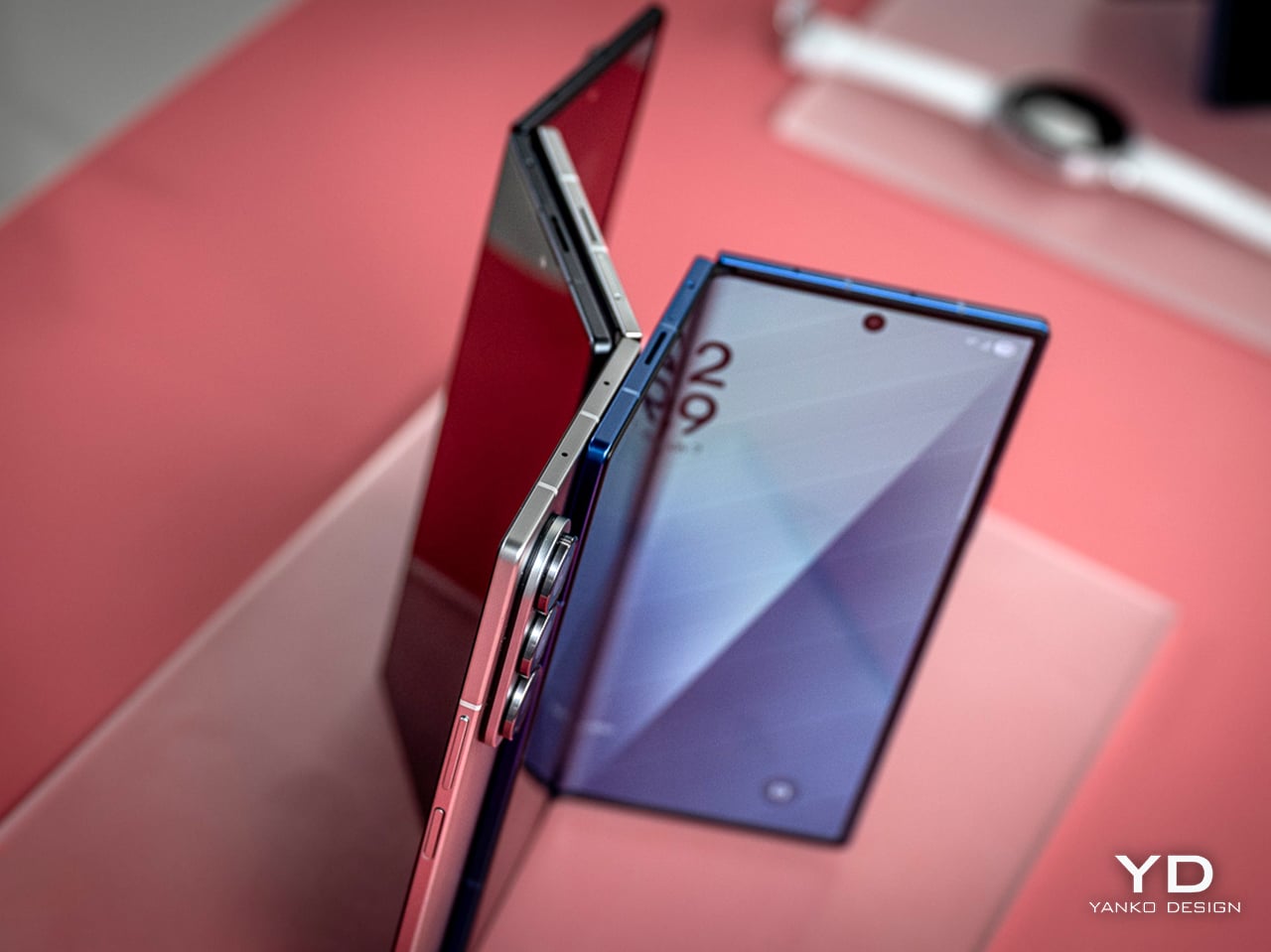
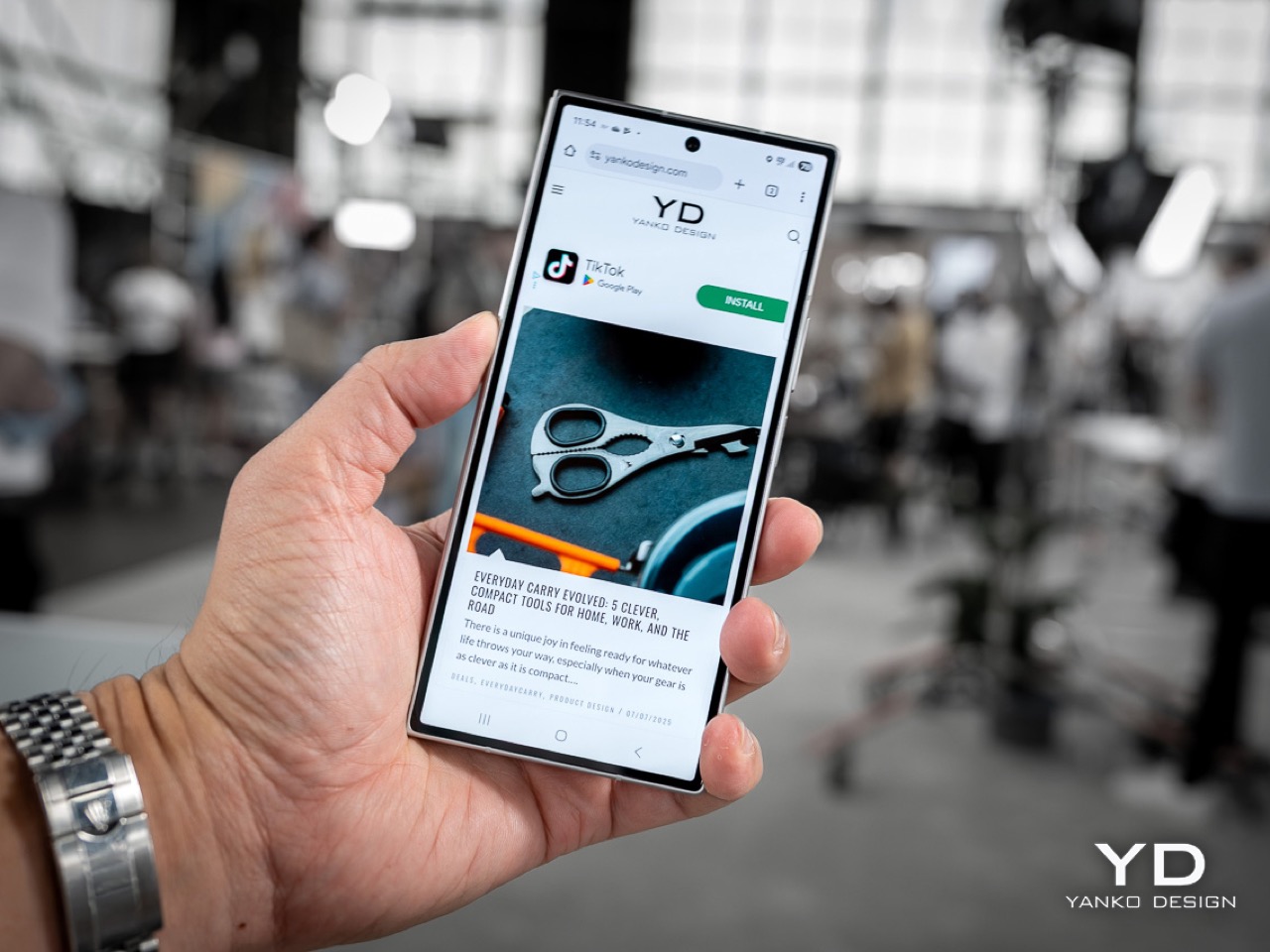
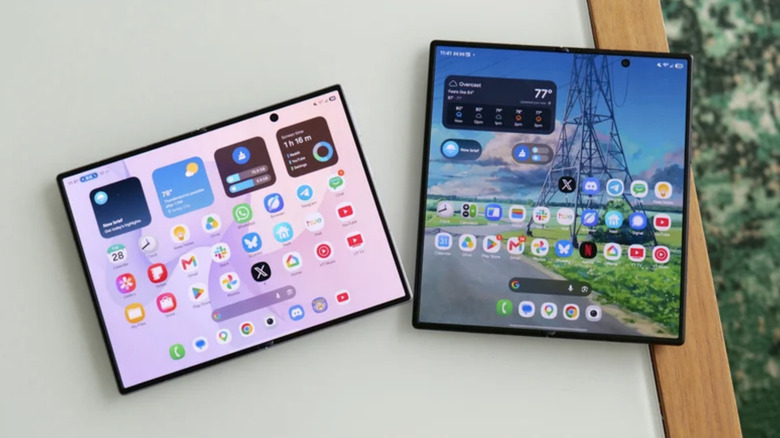
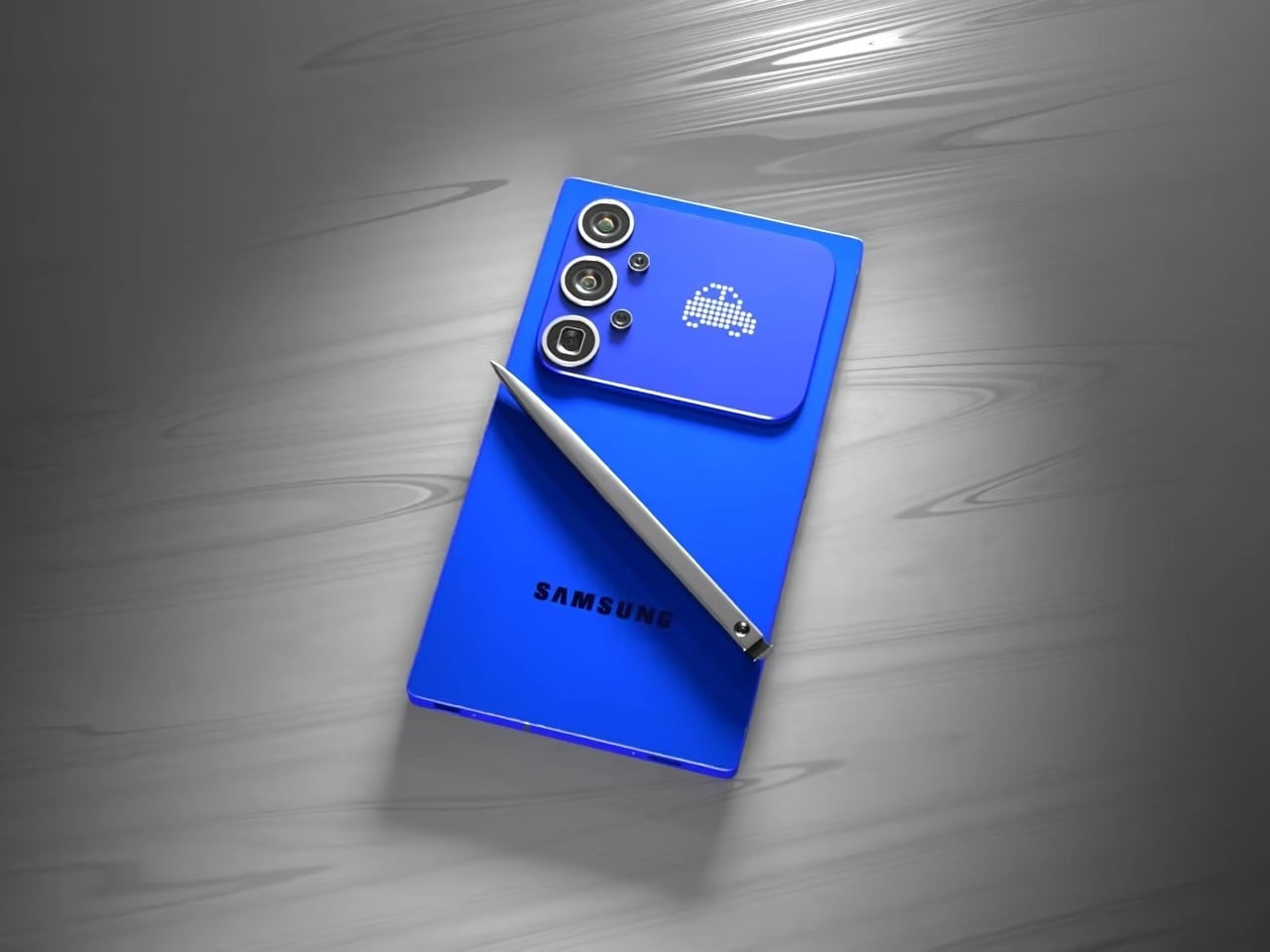
Samsung’s Galaxy Z TriFold tries to solve that by folding twice instead of once. Open it fully, and you’re holding a 10-inch Dynamic AMOLED 2X display that measures 3.9 mm thick at its thinnest point, basically three 6.5-inch phone screens laid side by side. Fold it back up, and the whole thing collapses to 12.9 mm thick, which is about as thick as a regular phone in a case, except this one weighs 309 grams and hides a full-sized tablet inside.

Designer: Samsung

The device is aggressively thin when open. It looks like three glass sheets joined by two subtle hinge bumps, thin enough to hold between fingertips without much visual mass. The frame uses Advanced Armor Aluminum for rigidity, the hinge housing is titanium, and the back panel is a ceramic-glass reinforced polymer that resists cracks. The camera bump and hinges interrupt the silhouette slightly, but the overall impression is of a very thin, very dense slab of screen.

Samsung reworked its hinge system into two differently sized Armor FlexHinges with dual-rail structures that let the three panels close with minimal gaps between them. The display stack includes a new shock-absorbing layer and reinforced overcoat designed for a screen that folds twice instead of once. Samsung CT scans flexible circuit boards and uses laser height checks for internal components, unusual quality control steps that suggest the company knows people are worried about reliability with this many moving parts.

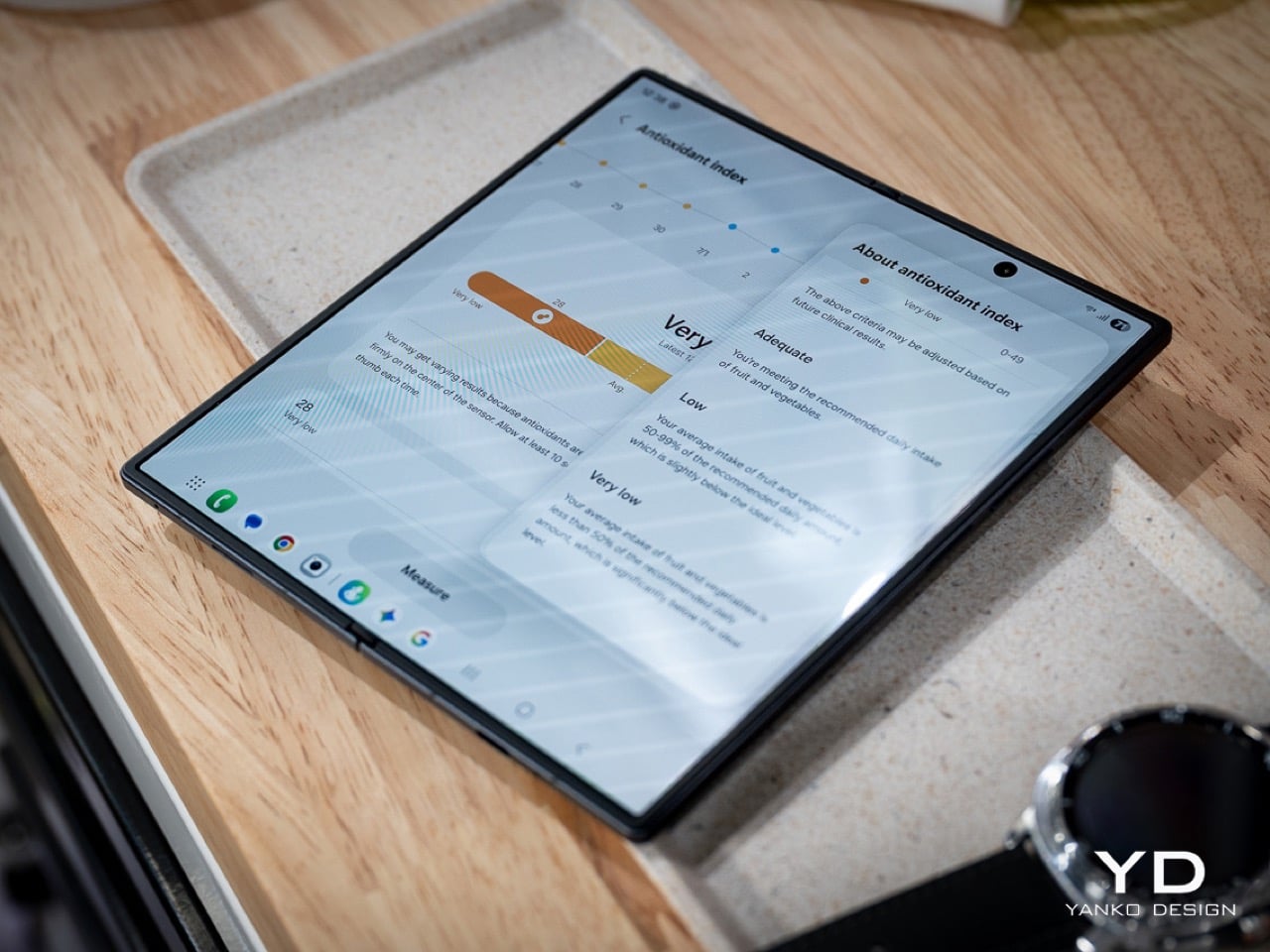
The 10-inch QXGA+ main screen behaves like three portrait phones across, giving you room for three apps side by side without everything feeling cramped. Samsung’s examples show an architect running blueprints, notes, and a calculator at once, or a music producer editing audio while browsing references and messaging. The crease is minimized, the panel runs at 1 to 120 Hz adaptive refresh, and brightness hits 1600 nits to make it feel more like a small monitor than a tablet.

Standalone Samsung DeX turns the TriFold into a tiny multi-desktop machine, with up to four virtual workspaces each running five apps simultaneously. Add an external monitor in Extended Mode, and you can drag windows between screens like a laptop setup. Galaxy AI features adapt to the larger canvas too, with Photo Assist, Browsing Assist, and Gemini Live that can summarize pages, edit images side by side, or give design advice when you show it a room and a shopping site at the same time.

For entertainment, the 10-inch screen works well for films, comics, or YouTube with comments running alongside the video. The 6.5-inch cover screen hits 2600 nits and 120 Hz for quick tasks when you don’t want to unfold everything. Vision Booster keeps content readable in bright light, and the minimized crease tries to keep everything smooth, whether you’re indoors or outside.

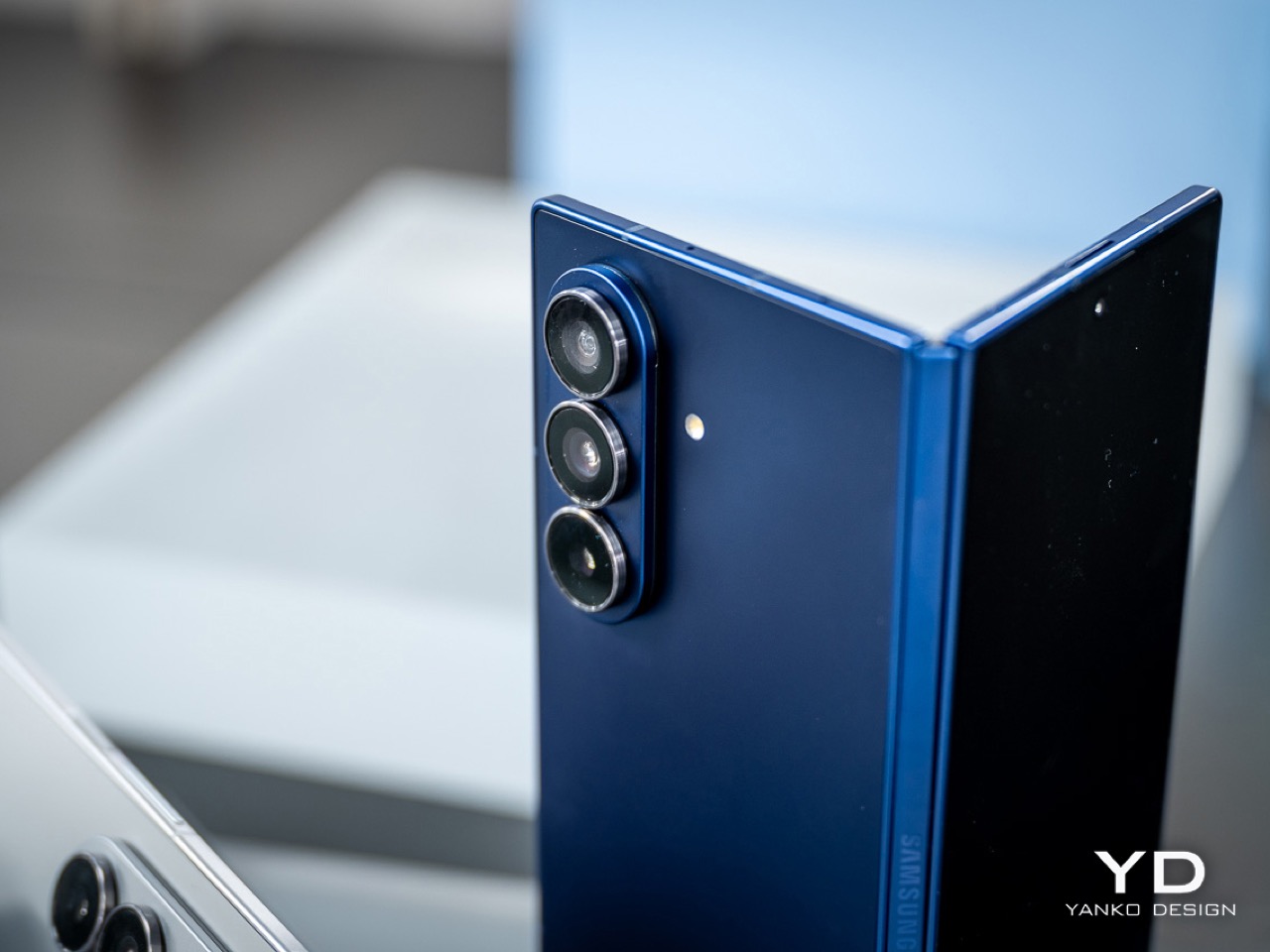
Inside there’s a Snapdragon 8 Elite for Galaxy, 16 GB RAM, up to 1 TB storage, and a 200 MP main camera with 3x telephoto and 12 MP ultra-wide. The 5,600 mAh three-cell battery spreads across the panels for balanced weight, charges at 45 W wired or 15 W wireless, and supports reverse wireless charging. The Galaxy Z TriFold launches in Korea on December 12, 2025, with other markets including China, Taiwan, Singapore, the UAE, and the U.S. following after.

The trade-offs are obvious, though. At 309 grams with two hinges, this will feel heavy and complex for anyone who just wants a phone that fits in their pocket and works. Samsung doesn’t mention S Pen support, which seems like a missed opportunity for artists and designers who’d want to use this 10-inch canvas for sketching or illustration in a device that still fits in a bag.

Long-term durability remains an open question, even with IP48 and all the quality control Samsung mentions. But for people who already push their phones into laptop territory and want the biggest possible screen in the smallest possible folded size, the TriFold makes a clear statement about where high-end mobile is heading. It’s excessive, complicated, and not for everyone, but that seems to be the whole point.

The post Galaxy Z TriFold Fits a 10-Inch Screen Into a 12.9mm Phone first appeared on Yanko Design.
Galaxy Z TriFold Fits a 10-Inch Screen Into a 12.9mm Phone

Foldables promised to squeeze tablet screens into pocketable phones, but most of them still feel like a compromise. You get one big crease down the middle and an aspect ratio that makes everything look stretched or squashed, depending on what you’re doing. The real challenge isn’t just adding more screen, it’s getting enough space to actually work like a small laptop instead of a phone that got wider and heavier.

Samsung’s Galaxy Z TriFold tries to solve that by folding twice instead of once. Open it fully, and you’re holding a 10-inch Dynamic AMOLED 2X display that measures 3.9 mm thick at its thinnest point, basically three 6.5-inch phone screens laid side by side. Fold it back up, and the whole thing collapses to 12.9 mm thick, which is about as thick as a regular phone in a case, except this one weighs 309 grams and hides a full-sized tablet inside.

Designer: Samsung

The device is aggressively thin when open. It looks like three glass sheets joined by two subtle hinge bumps, thin enough to hold between fingertips without much visual mass. The frame uses Advanced Armor Aluminum for rigidity, the hinge housing is titanium, and the back panel is a ceramic-glass reinforced polymer that resists cracks. The camera bump and hinges interrupt the silhouette slightly, but the overall impression is of a very thin, very dense slab of screen.

Samsung reworked its hinge system into two differently sized Armor FlexHinges with dual-rail structures that let the three panels close with minimal gaps between them. The display stack includes a new shock-absorbing layer and reinforced overcoat designed for a screen that folds twice instead of once. Samsung CT scans flexible circuit boards and uses laser height checks for internal components, unusual quality control steps that suggest the company knows people are worried about reliability with this many moving parts.

The 10-inch QXGA+ main screen behaves like three portrait phones across, giving you room for three apps side by side without everything feeling cramped. Samsung’s examples show an architect running blueprints, notes, and a calculator at once, or a music producer editing audio while browsing references and messaging. The crease is minimized, the panel runs at 1 to 120 Hz adaptive refresh, and brightness hits 1600 nits to make it feel more like a small monitor than a tablet.

Standalone Samsung DeX turns the TriFold into a tiny multi-desktop machine, with up to four virtual workspaces each running five apps simultaneously. Add an external monitor in Extended Mode, and you can drag windows between screens like a laptop setup. Galaxy AI features adapt to the larger canvas too, with Photo Assist, Browsing Assist, and Gemini Live that can summarize pages, edit images side by side, or give design advice when you show it a room and a shopping site at the same time.

For entertainment, the 10-inch screen works well for films, comics, or YouTube with comments running alongside the video. The 6.5-inch cover screen hits 2600 nits and 120 Hz for quick tasks when you don’t want to unfold everything. Vision Booster keeps content readable in bright light, and the minimized crease tries to keep everything smooth, whether you’re indoors or outside.

Inside there’s a Snapdragon 8 Elite for Galaxy, 16 GB RAM, up to 1 TB storage, and a 200 MP main camera with 3x telephoto and 12 MP ultra-wide. The 5,600 mAh three-cell battery spreads across the panels for balanced weight, charges at 45 W wired or 15 W wireless, and supports reverse wireless charging. The Galaxy Z TriFold launches in Korea on December 12, 2025, with other markets including China, Taiwan, Singapore, the UAE, and the U.S. following after.

The trade-offs are obvious, though. At 309 grams with two hinges, this will feel heavy and complex for anyone who just wants a phone that fits in their pocket and works. Samsung doesn’t mention S Pen support, which seems like a missed opportunity for artists and designers who’d want to use this 10-inch canvas for sketching or illustration in a device that still fits in a bag.

Long-term durability remains an open question, even with IP48 and all the quality control Samsung mentions. But for people who already push their phones into laptop territory and want the biggest possible screen in the smallest possible folded size, the TriFold makes a clear statement about where high-end mobile is heading. It’s excessive, complicated, and not for everyone, but that seems to be the whole point.

The post Galaxy Z TriFold Fits a 10-Inch Screen Into a 12.9mm Phone first appeared on Yanko Design.
The best wireless earbuds for 2026

Wireless earbuds are now the default option for everyday listening, whether you’re heading out for a commute, fitting in a workout or just watching videos at home. The best wireless earbuds combine reliable connectivity, comfortable fits and sound quality that holds up across music, calls and podcasts, all without the hassle of cables. Most are small enough to disappear into a pocket and pair quickly with phones, tablets and laptops.

What sets one pair apart from another often comes down to priorities. Some earbuds lean heavily on active noise cancellation, while others focus on long battery life, compact charging cases or lower prices. Features like water resistance, customizable controls and app support can also make a real difference day to day. This guide breaks down the best wireless earbuds available now to help you find the right match for how you listen.

When it comes to shopping for earphones, the first thing to consider is design or wear style. Do you prefer a semi-open fit like AirPods or do you want something that completely closes off your ears? If you’re shopping for earbuds with active noise cancellation, you'll want the latter, but a case can be made for the former if you want to wear them all day or frequent places where you need to be tuned in to the ambient sounds. The overall shape of earbuds can determine whether you get a comfortable fit, so can the size and weight, so you’ll want to consider all that before deciding. And remember: audio companies aren’t perfect, so despite lots of research, the earbud shape they decided on may not fit you well. Don’t be afraid to return ill-fitting earbuds for something that’s more comfortable.

As wireless earbuds have become the norm, they’re now more reliable for basic things like consistent Bluetooth connectivity. Companies are still in a race to pack as much as they can into increasingly smaller designs. This typically means a longer list of features on the more premium sets of earbuds with basic functionality on the cheapest models. Carefully consider what you can’t live without when selecting your next earbuds, and make sure key items like automatic pausing and multipoint connectivity are on the spec sheet. You’ll also want to investigate the volume and touch controls as you’ll often have to sacrifice access to something else to make that adjustment via on-board taps or swipes. Some earbuds even offer app settings to tweak the audio profiles or firmware updates to improve performance over time.

For those in the Apple ecosystem, features like auto-pairing with devices, especially with AirPods Pro 3, can be an added advantage, while Android users may want to look for models that offer similar cross-device functionality.

When it comes to battery life, the average set of earbuds lasts about five hours on a single charge. You can find sets that last longer, but this is likely enough to get you through a work day if you’re docking the buds during lunch or the occasional meeting. You’ll want to check on how many extra charges are available via the case and if it supports wireless charging.

Companies will also make lofty claims about call quality on wireless earbuds. Despite lots of promises, the reality is most earbuds still leave you sounding like you’re on speakerphone. There are some sets that deliver, but don’t get your hopes up unless reviews confirm the claims.

Sound can be subjective, so we recommend trying before you buy if at all possible. This is especially true if you're an audiophile. We understand this isn’t easy when most of us do a lot of shopping online, but trying on a set of earbuds and listening to them for a few minutes can save you from an expensive case of buyer's remorse. If a store doesn’t allow a quick demo, most retailers have return policies that will let you take earbuds back you don’t like. Of course, you have to be willing to temporarily part with funds in order to do this.

We also recommend paying attention to things like Spatial Audio, Dolby Atmos, 360 Reality Audio and other immersive formats. Not all earbuds support them, so you’ll want to make sure a perspective pair does if that sort of thing excites you, especially if you plan to use them for playback of high-quality audio.

The primary way we test earbuds is to wear them as much as possible. We prefer to do this over a one- to two-week period, but sometimes embargoes don’t allow it. During this time, we listen to a mix of music and podcasts, while also using the earbuds to take both voice and video calls. Since battery life for earbuds is typically less than a full day, we drain the battery with looping music and the volume set at a comfortable level (usually around 75 percent).

To judge audio quality, we listen to a range of genres, noting any differences in the sound profile across the styles. We also test at both low and high volumes to check for consistency in the tuning. To assess call quality, we’ll record audio samples with the earbuds’ microphones as well as have third parties call us.

When it comes to features, we do a thorough review of companion apps, testing each feature as we work through the software. Any holdovers from previous models are double checked for improvements or regression. If the earbuds we’re testing are an updated version of a previous model, we’ll spend time getting reacquainted with the older buds. Ditto for the closest competition for each new set of earbuds that we review.

Since we established this best wireless earbuds guide, Sony’s current 1000X model has consistently been the top pick. However, with the WF-1000XM6, there are two key areas where the company’s latest flagship set doesn’t measure up well versus the competition. Overall ANC performance lags behind Bose, and even Sony’s own WF-1000XM5. Speaking of the M5, the company did well there to address the issues I had with fit when it switched to foam ear tips on the WF-1000XM4, but it regressed in that area on the M6. There’s still plenty to like in terms of features and sound quality, but there are also caveats to consider now that could be dealbreakers.

The WF-C710N is a set of compact and comfy earbuds that offer several of Sony’s best features. While the ANC performance is above average for this price ($120), sound quality isn’t as good as the company’s slightly more expensive options. Battery life fell below stated figures and call performance isn’t good enough to use these buds for work.

The newest version of the Powerbeats Pro have an improved, comfortable design, balanced bass and new H2 chips and a heart rate sensor inside. But heart rate support is currently limited on iOS.

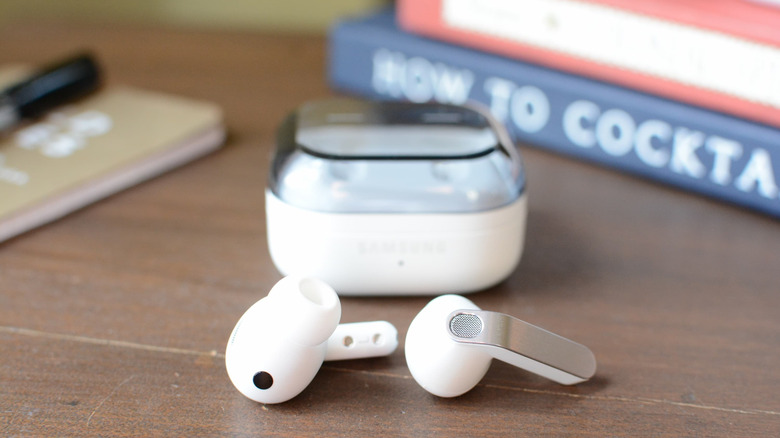
The Galaxy Buds 3 combine ANC with an open-type design, which renders the noise-blocking abilities of the earbuds mostly useless. Still, there’s great low-end tone with ample bass when a track demands it. There are also lots of handy features, most of which require a Samsung phone. But at this price, there are better options from Google, Beats and Sony

I really like the overall shape of the Momentum Sport earbuds. They’re more comfortable than the Momentum True Wireless 4 and fit in my ears better. What’s more, the body temperature and heart rate sensors work well, sending those stats to a variety of apps. However, that sport-tracking feature works best with Polar’s app and devices, so there’s that consideration. Also, the audio quality and ANC performance isn’t as good as the MTW4, and these earbuds are pricey.

There’s a lot to like about the Solo Buds for $80. For me, the primary perk is they’re very comfortable to wear for long periods of time thanks to some thoughtful design considerations. You only get the basics here in terms of features and, as expected, the overall sound quality isn’t as good as the pricier models in the Beats lineup. You will get 18 hours of battery life though, since the company nixed the battery in the case and beefed up the listening time in the buds themselves.

Bose created something very unique for this set of earbuds that allows you to stay in-tune with the world while listening to audio content. The clip-on design is very comfortable, but sound quality suffers due to the open-type fit, especially when it comes to bass and spatial audio.

These stick buds have a compact design that’s comfortable to wear and the warm sound profile is great at times. However, overall audio performance is inconsistent and there’s no automatic pausing.

Retooled audio, better ambient sound mode and reliable multipoint Bluetooth are the best things the MW09 has to offer. They’re expensive though, and you can find better ANC performance elsewhere.

Most wireless earbuds will last five hours on a single charge, at the least. You can find some pairs that have even better battery life, lasting between six and eight hours before they need more juice. All of the best wireless earbuds come with a charging case, which will provide additional hours of battery life — but you'll have to return each bud to the case in order to charge them up.

Comparing sound quality on earbuds and headphones is a bit like comparing apples and oranges. There are a lot of variables to consider and the differences in components make a direct comparison difficult. Personally, I prefer the audio quality from over-ear headphones, but I can tell you the sound from earbuds like Sennheiser’s Momentum True Wireless 3 is also outstanding.

With new models coming out all the time, tracking the hours of battery life for each this can be difficult to keep tabs on. The longest-lasting earbuds we’ve reviewed are Audio-Technica’s ATH-CKS5TW. The company states they last 15 hours, but the app was still showing 40 percent at that mark during our tests. The only downside is these earbuds debuted in 2019 and both technology and features have improved since. In terms of current models, Master & Dynamic’s MW08 offers 12 hours of use on a charge with ANC off (10 with ANC on) and JBL has multiple options with 10-hour batteries.

There are plenty of options these days when it comes to increased water resistance. To determine the level of protection, you’ll want to look for an IP (ingress protection) rating. The first number indicates intrusion protection from things like dust. The second number is the level of moisture protection and you’ll want to make sure that figure is 7 or higher. At this water-resistance rating, earbuds can withstand full immersion for up to 30 minutes in depths up to one meter (3.28 feet). If either of the IP numbers is an X, that means it doesn’t have any special protection. For example, a pair of wireless earbuds that are IPX7 wouldn’t be built to avoid dust intrusion, but they would be ok if you dropped them in shallow water.

A secure fit can vary wildly from person to person. All of our ears are different, so audio companies are designing their products to fit the most people they can with a single shape. This is why AirPods will easily fall out for some but stay put for others. Design touches like wing tips or fins typically come on fitness models and those elements can help keep things in place. You’ll likely just have to try earbuds on, and if they don’t fit well return them.

PlayStation 5 doesn’t support Bluetooth audio without an adapter or dongle. Even Sony’s own gaming headsets come with a transmitter that connects to the console. There are universal options that allow you to use any headphones, headset or earbuds with a PS5. Once you have one, plug it into a USB port on the console and pair your earbuds with it.

February 2026: Updated to include new top picks.

January 2026: Updated to ensure our top picks have remained the same.

September 2025: Updated to add AirPods Pro 3 to our top picks.

May 2025: Updated to ensure top picks and buying advice remain accurate.

March 2025: Updated the top pick for the best sounding wireless earbuds - runner up.

January 2025: Updated the top pick for best sounding wireless earbuds.

This article originally appeared on Engadget at https://www.engadget.com/audio/headphones/best-wireless-earbuds-120058222.html?src=rss