The Cyberdeck Trend Went Viral and Raspberry Pi Just Made It Official

A cyberdeck, as Raspberry Pi defines it in its freshly published official build guide, is something you make to solve a problem that a conventional tablet or laptop simply can’t, or just to build something entirely your own for no reason beyond the satisfaction of doing it. That definition is broad on purpose. The cyberdeck trend has been all over social media and the Internet for months now, and Raspberry Pi has finally stepped in with its own version.

The concept traces back to William Gibson’s cyberpunk novels, where cyberdecks were the portable hacking tools of futuristic underground operators. What people are building now is less dystopian but arguably more interesting: compact, custom computers assembled from parts, housed in whatever enclosure the builder can imagine, running whatever software fits the project. Briefcases, mint tins, old pocket computers, wooden boxes, purses, prop replicas, and more have all served as cyberdeck enclosures.

Designer: Raspberry Pi
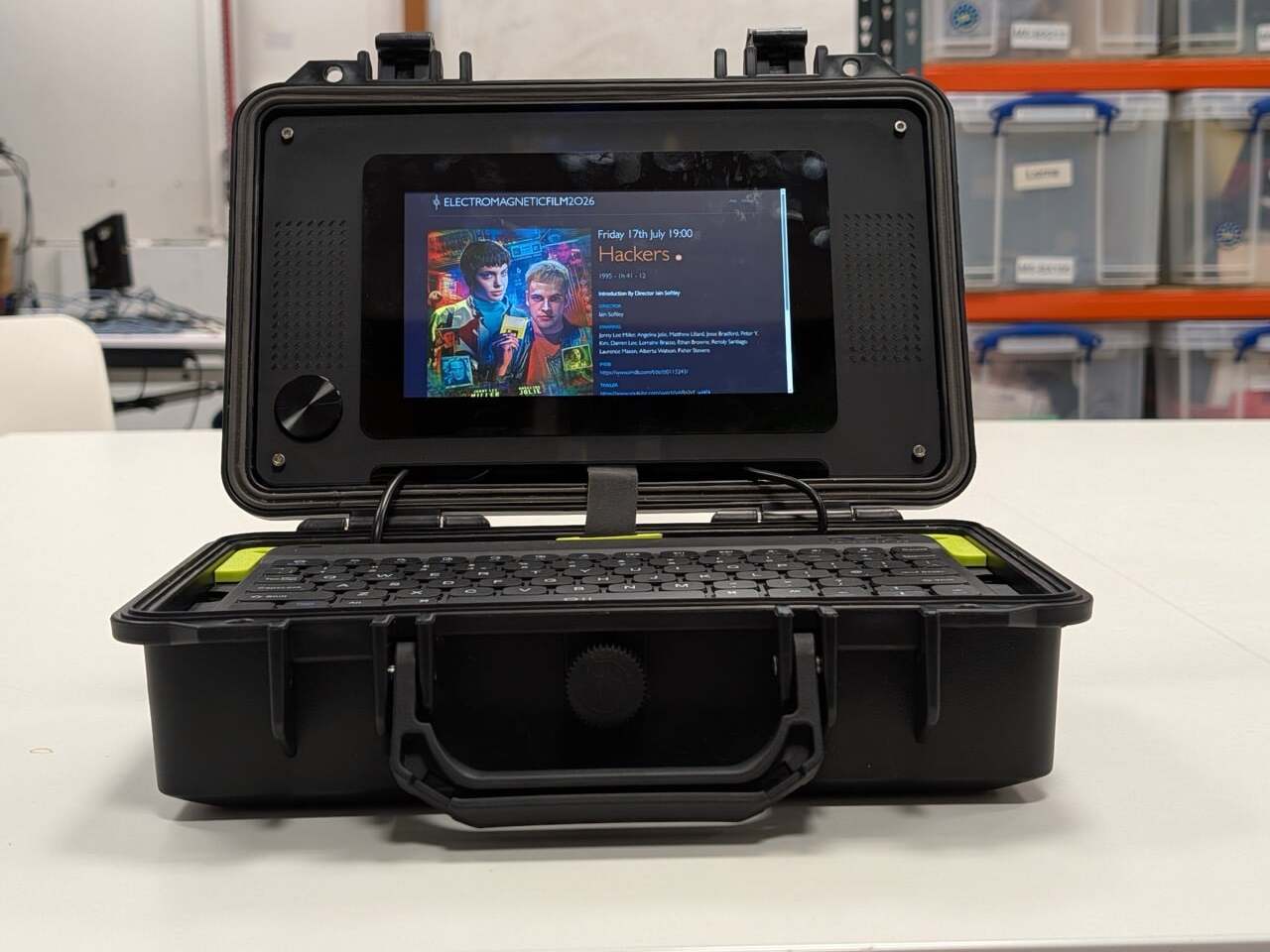
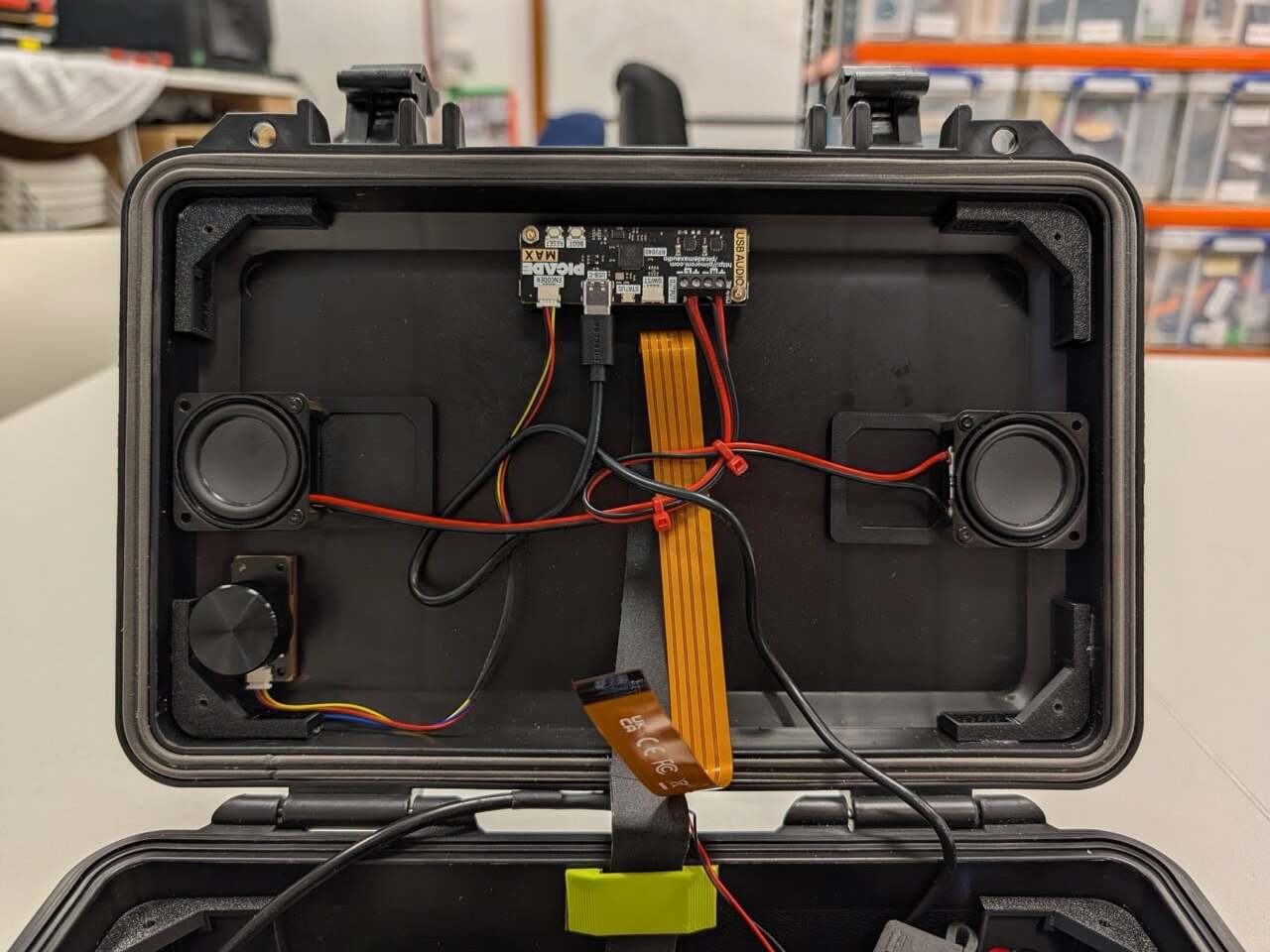
Raspberry Pi’s reference build keeps things approachable for first-timers. The brain of the whole thing is a Raspberry Pi 5 board paired with Raspberry Pi flash storage. The keyboard is the Rii RK302, a low-profile Bluetooth model small enough to fit inside the chosen case. Audio comes from the Pimoroni Picade Max USB Audio, a compact USB-C sound card with a 3W stereo amplifier that handles everything through a single connection, leaving the 40-pin GPIO header completely free for other uses.
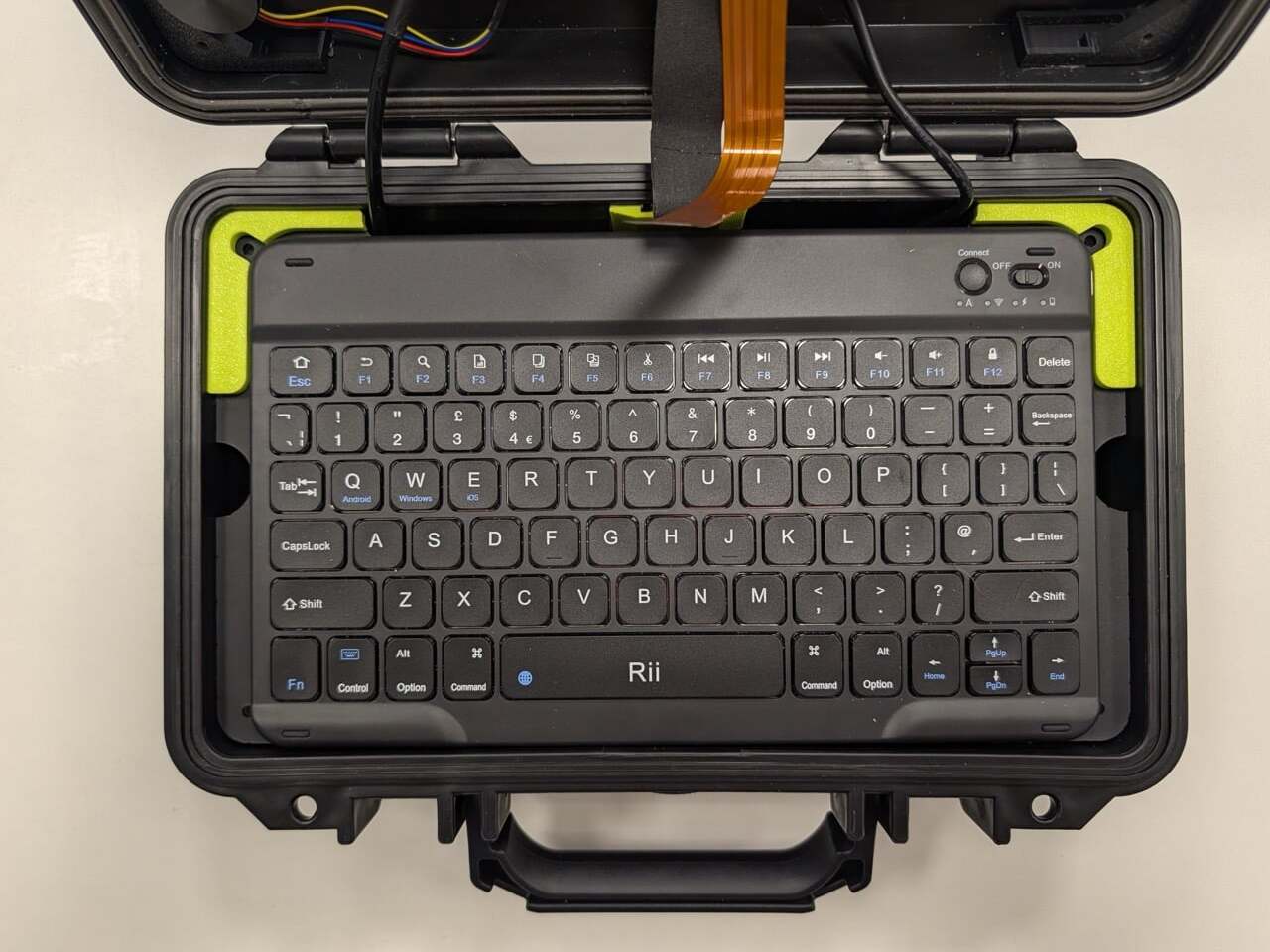
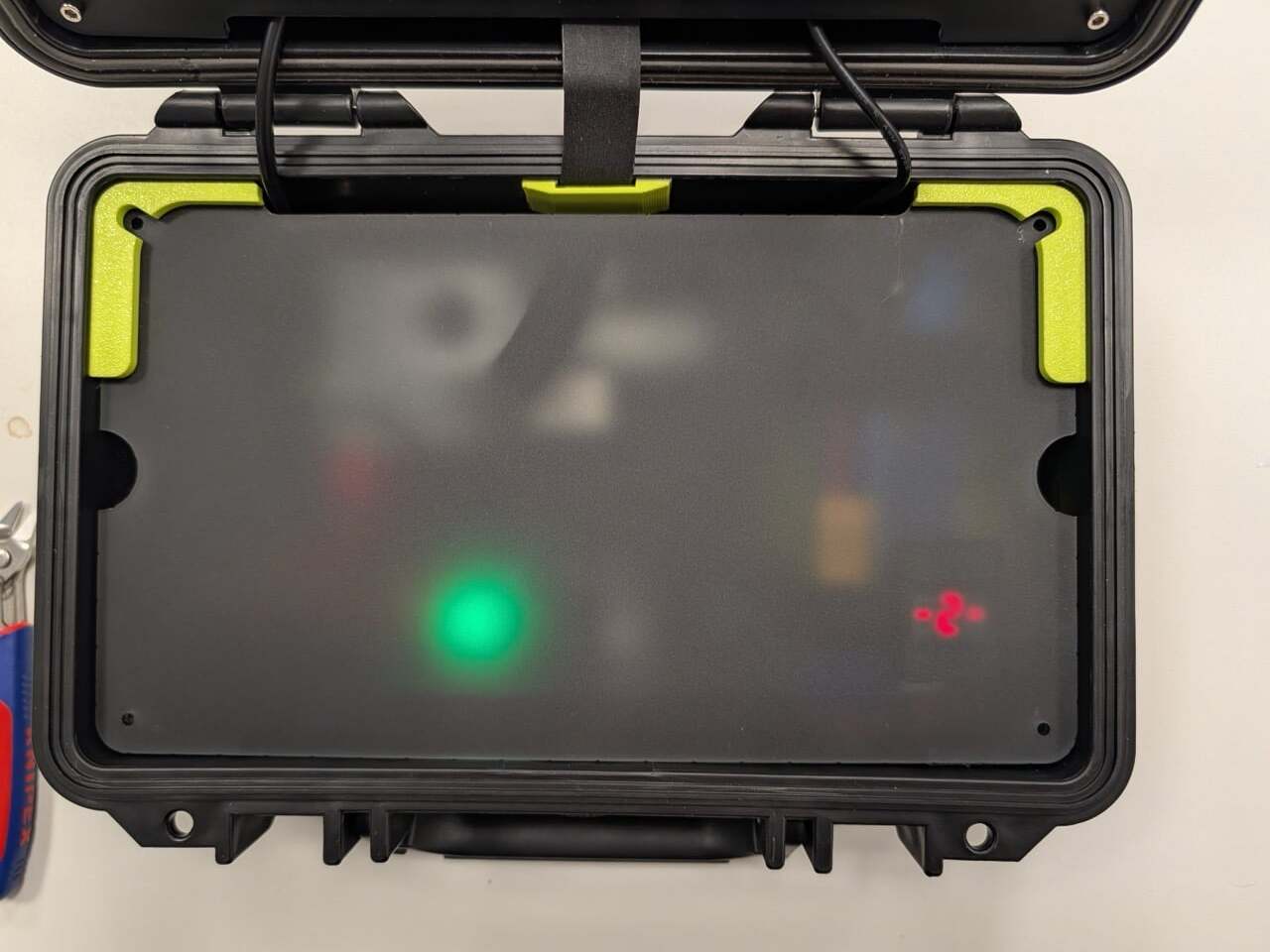
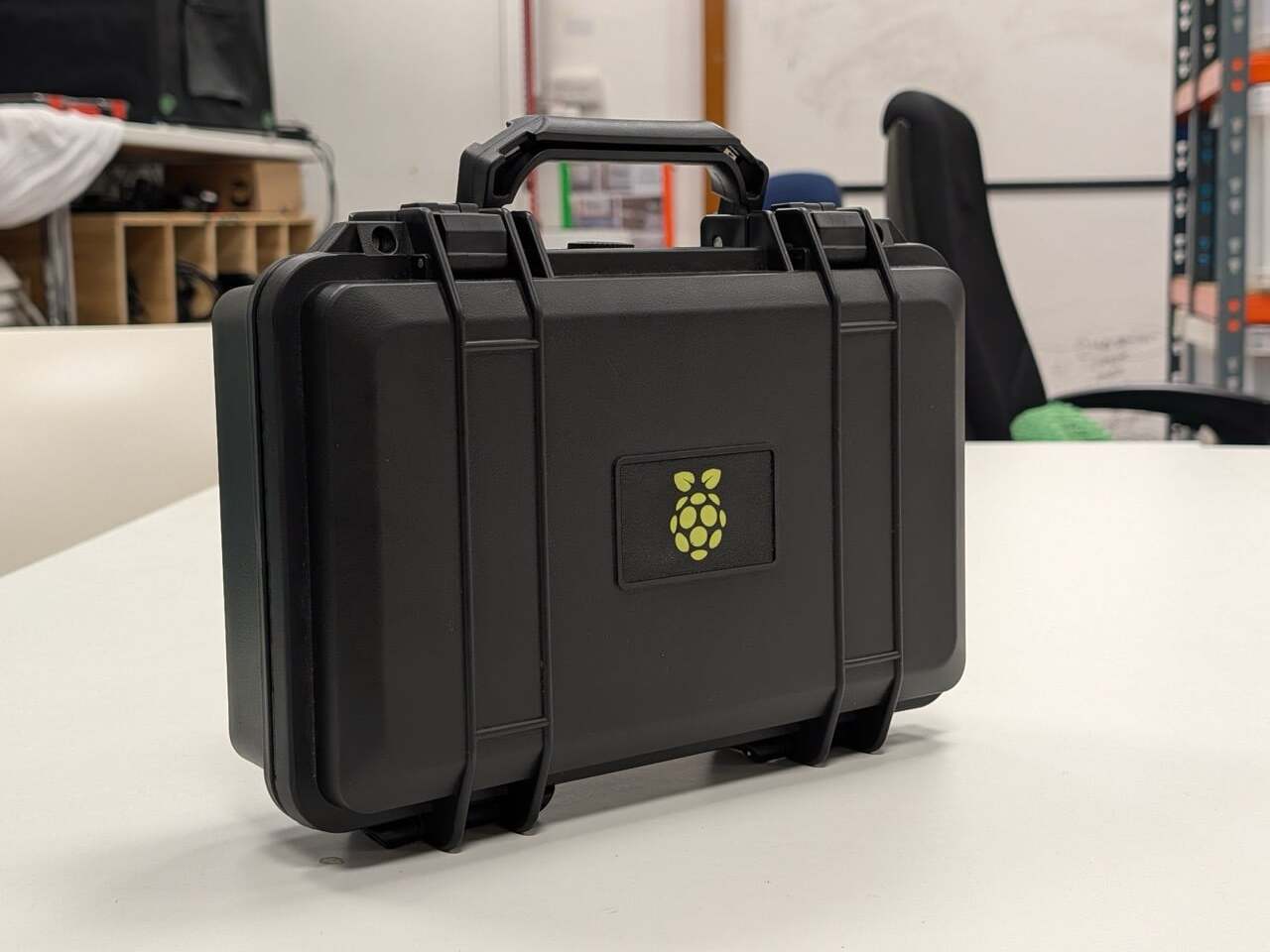
Power comes from a LiPo battery tucked underneath the keyboard plate, a small but deliberate detail that keeps the layout clean while making the computing stack accessible whenever needed. The whole assembly sits inside a black Pelican-style hard case, which is weatherproof, carries a handle, and is widely available at various price points. It’s an unassuming container that happens to hold a working personal computer inside.

The guide is structured around four decisions: brains, peripherals, power supply, and case. Each section walks through the considerations that matter most, power consumption, processing power, fit, and form, without prescribing a single right answer. The Pelican-style case gets the most airtime because Raspberry Pi says the case is what defines a cyberdeck. Pick a different container, and you get a fundamentally different machine.
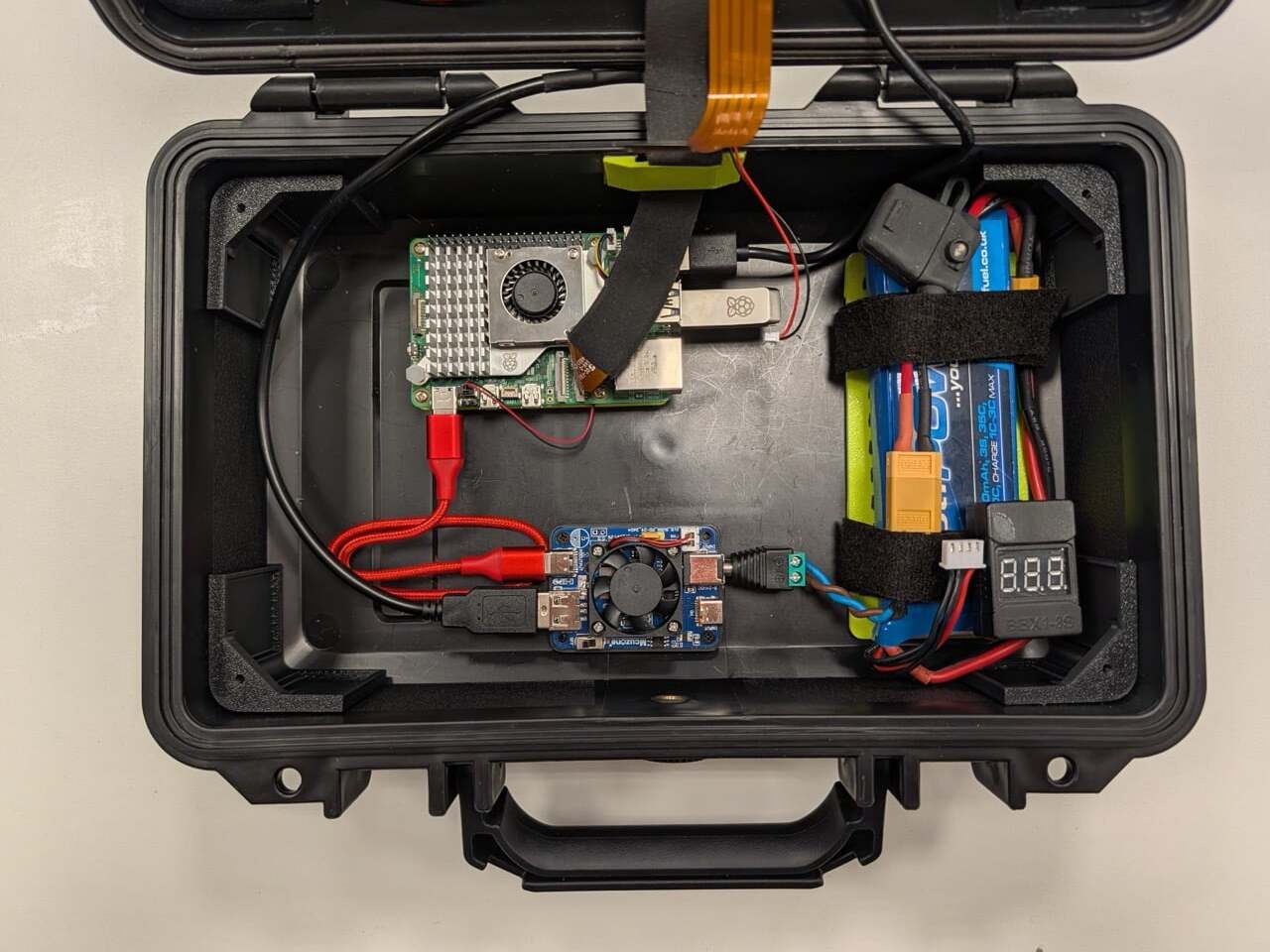
Customization is built into the concept from the start. A Raspberry Pi Pico can be added as a secondary processor to drive a smaller auxiliary display, control LEDs, or monitor the battery level in real time. The guide notes this explicitly and frames it as just the beginning of what you can bolt on. For anyone who wants a project that never really finishes, that’s part of the appeal.

The timing connects to something real. The viral wave of cyberdeck content on the Internet has pulled in creators who’ve built these machines into everything from jewelry boxes to rehabbed thrift store bags. Some have attracted millions of views. Raspberry Pi’s social team admitted it “hasn’t been able to get away from” the trend, which makes the official guide feel less like a product launch and more like the company finally joining a conversation it had been watching for a while.
The post The Cyberdeck Trend Went Viral and Raspberry Pi Just Made It Official first appeared on Yanko Design.
Watti Is the Robotic Desk Lamp That Wants to Know What You’re Doing Before You Ask for Light

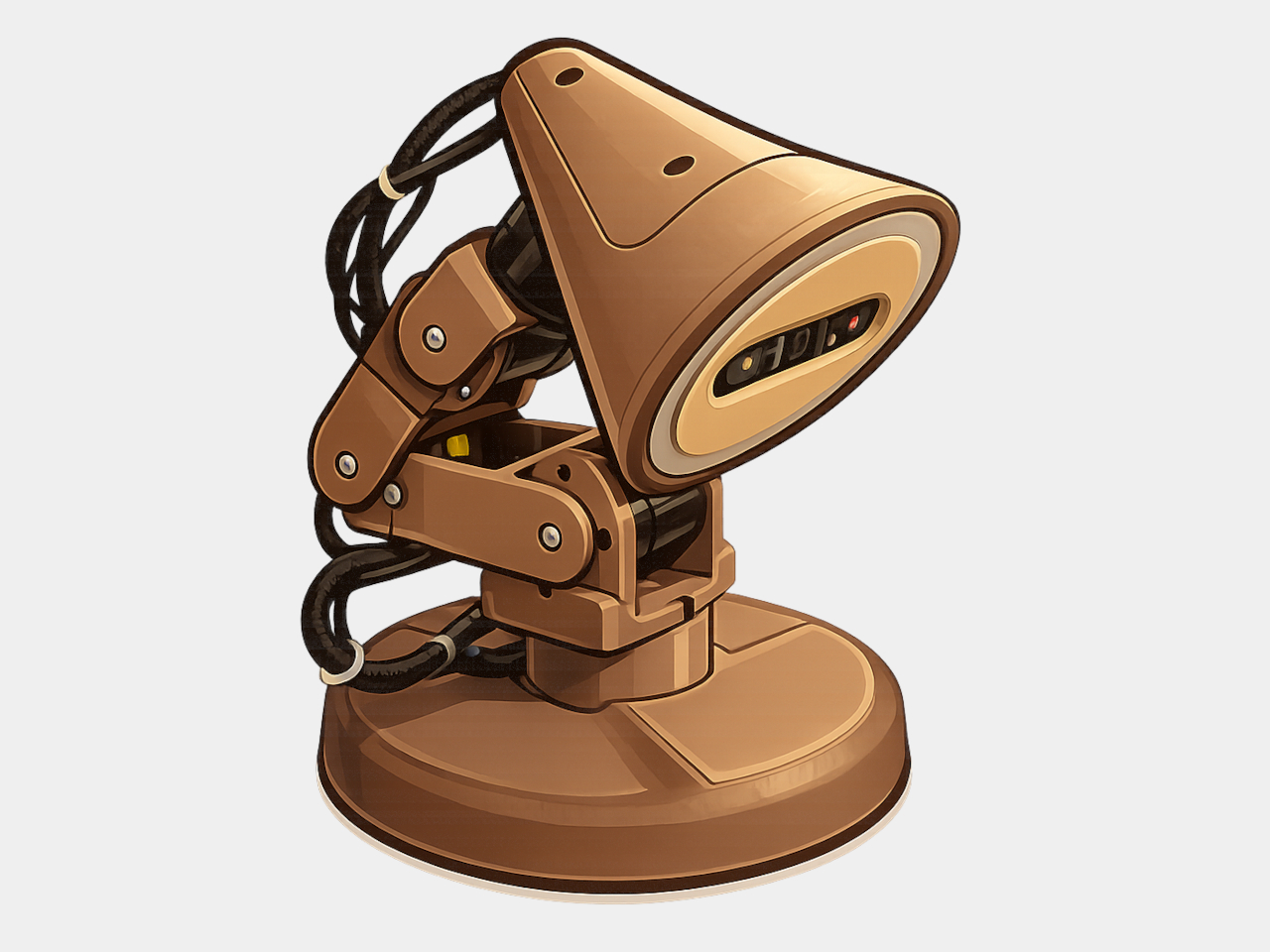
The desk lamp has been, essentially, a solved problem since Edison. A light source, a shade to direct it, and a switch. Every design evolution since then has adjusted the aesthetics or added a dimmer; the functional premise, that a lamp sits passively until pointed and switched, has remained largely untouched for more than a century. Watti is an attempt to challenge that premise at every level, simultaneously and on purpose.

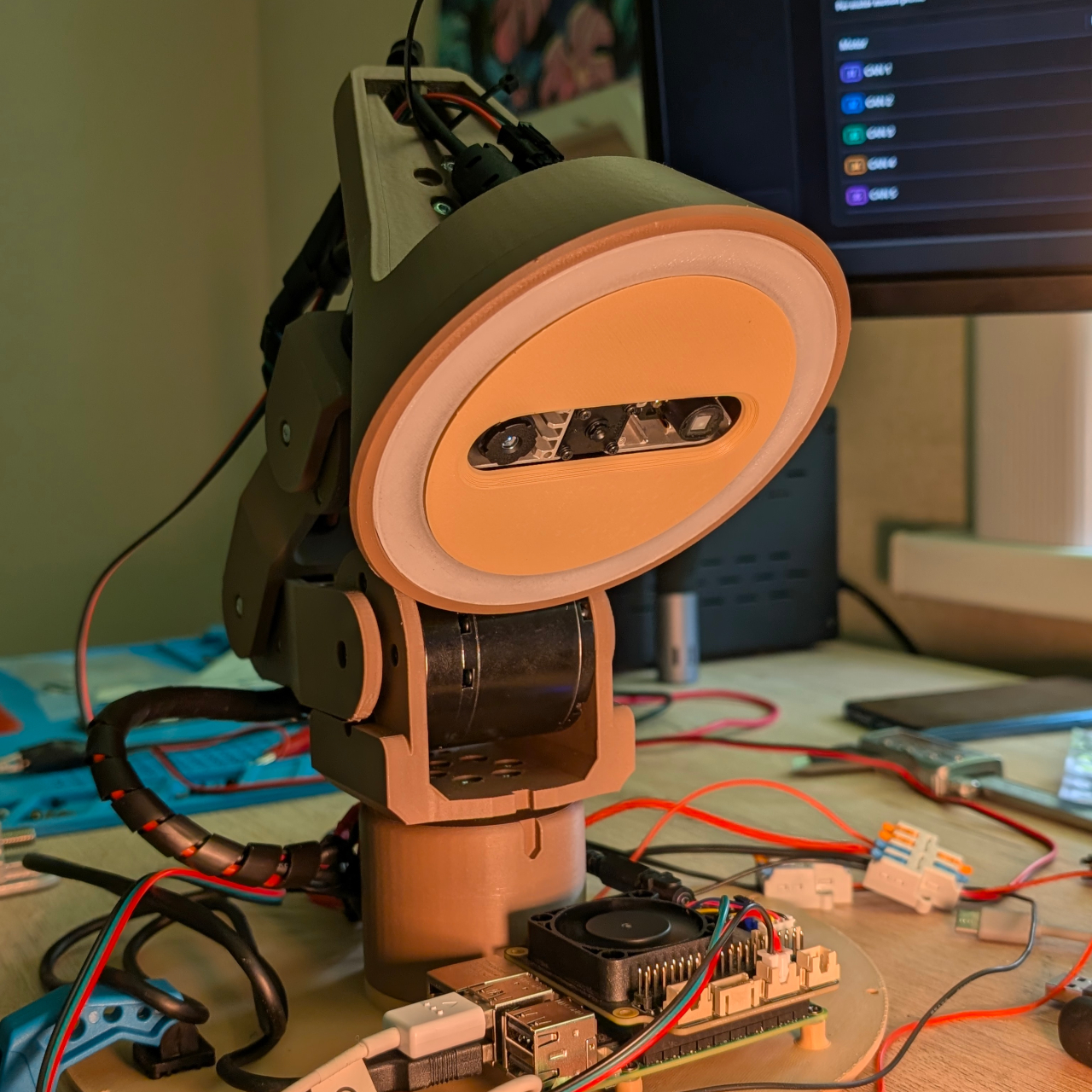
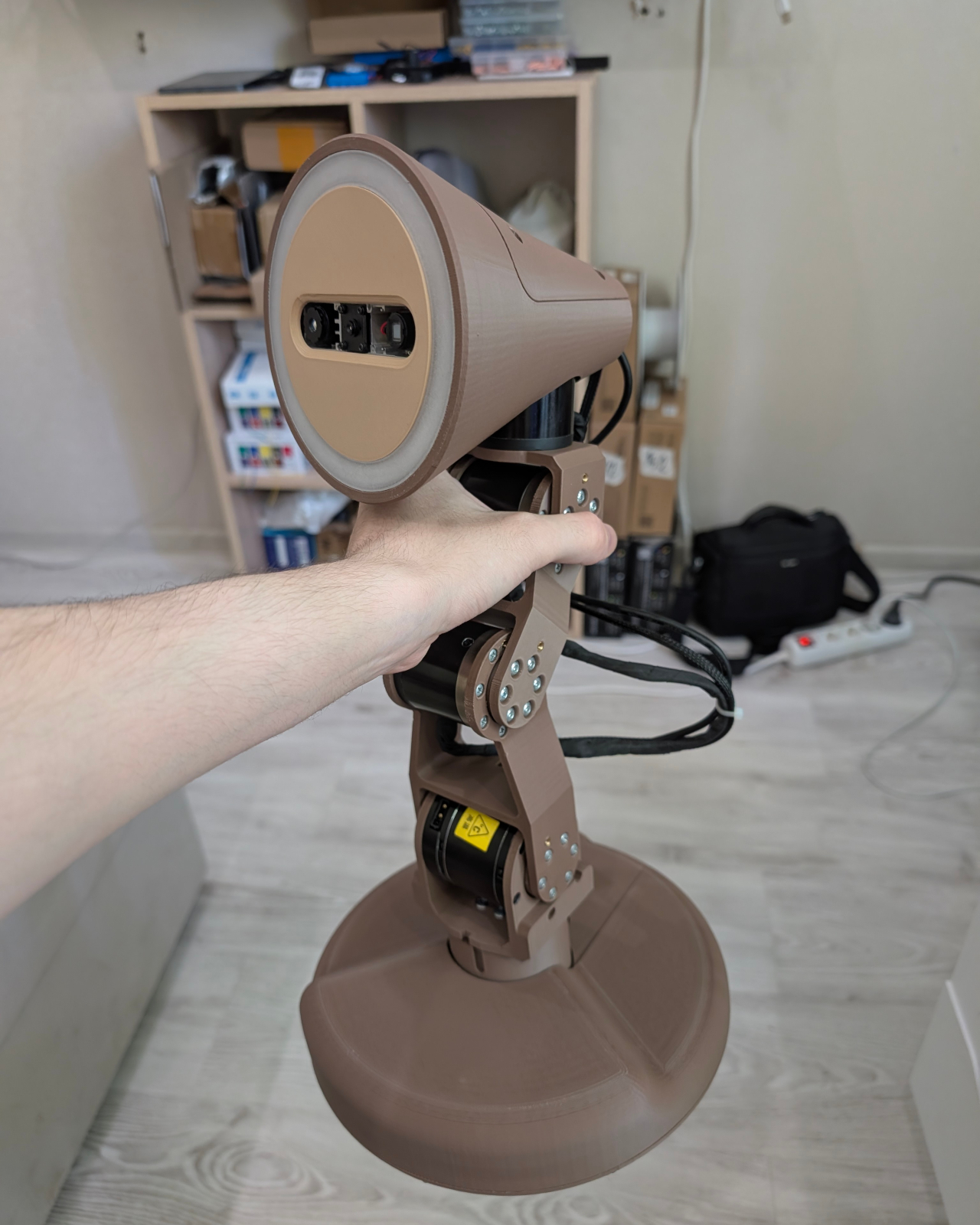
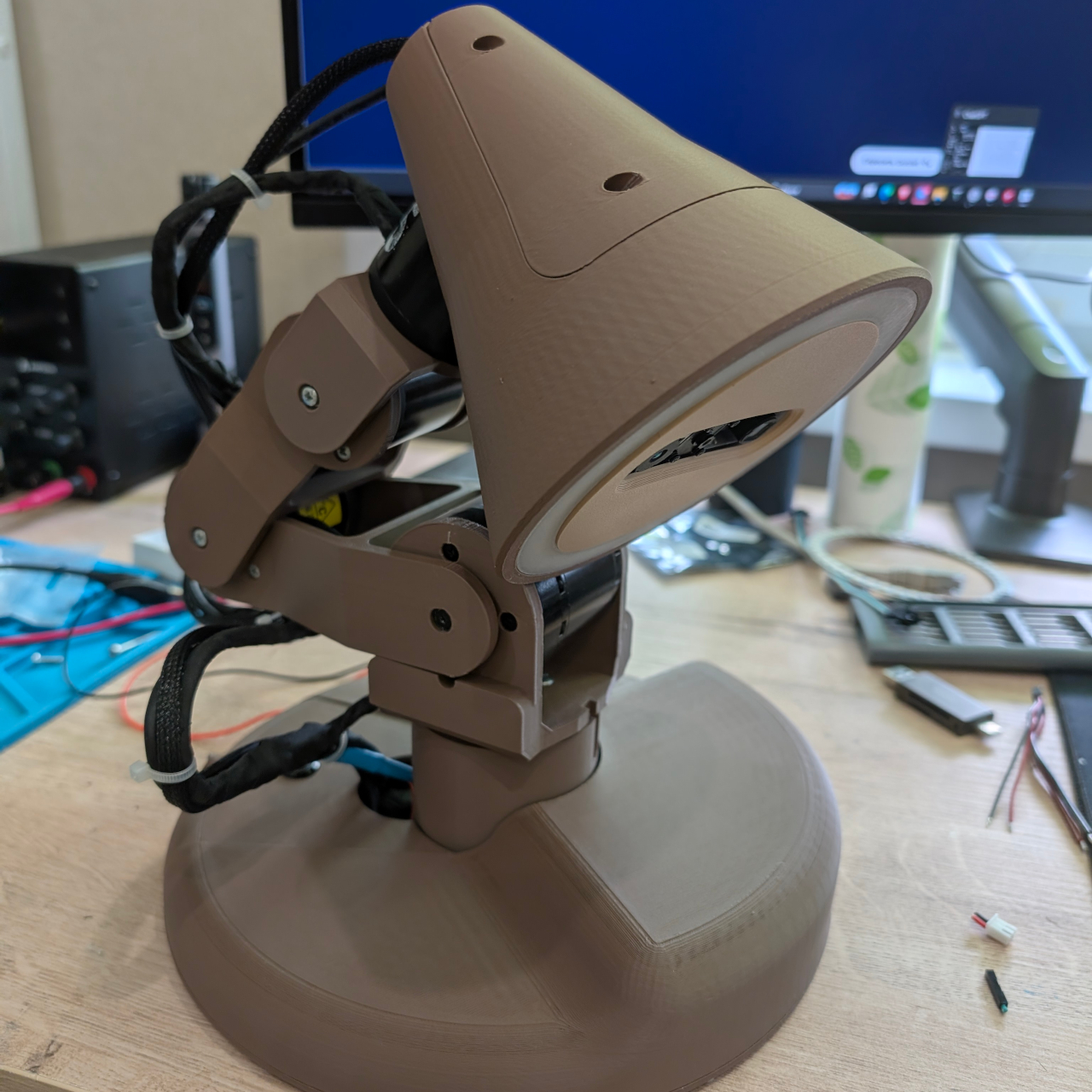
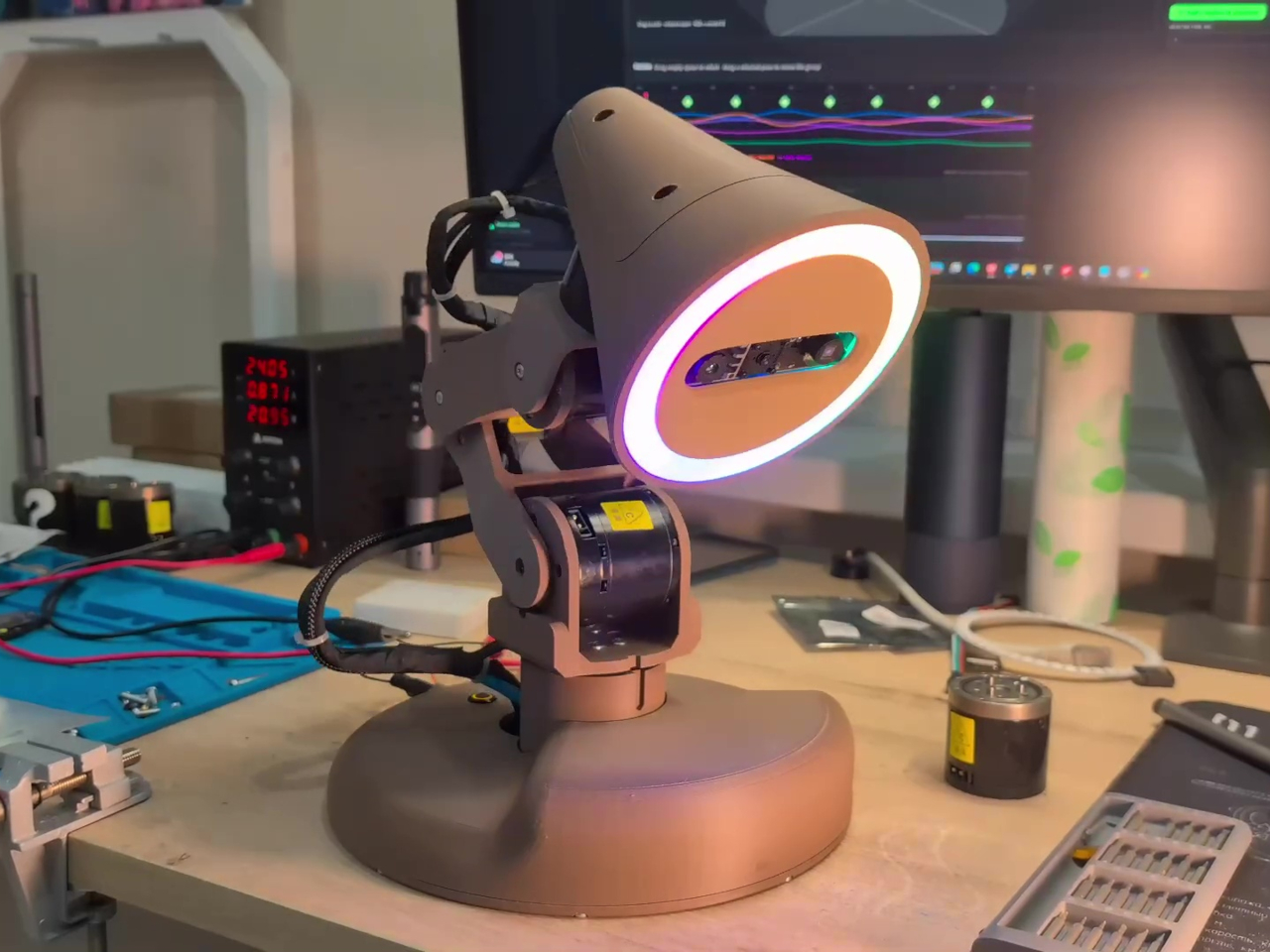
At first glance, Watti reads as a robotic arm that happens to have a light on the end. Five independently motorized axes control the base, shoulder, elbow, neck, and head, each driven by a RobStride motor that reports its position back to the computer. That range of motion gives the lamp the articulation of a traditional Anglepoise-style design, except it can get there on its own with measured precision.

Designer: Nikolay Tyulkin

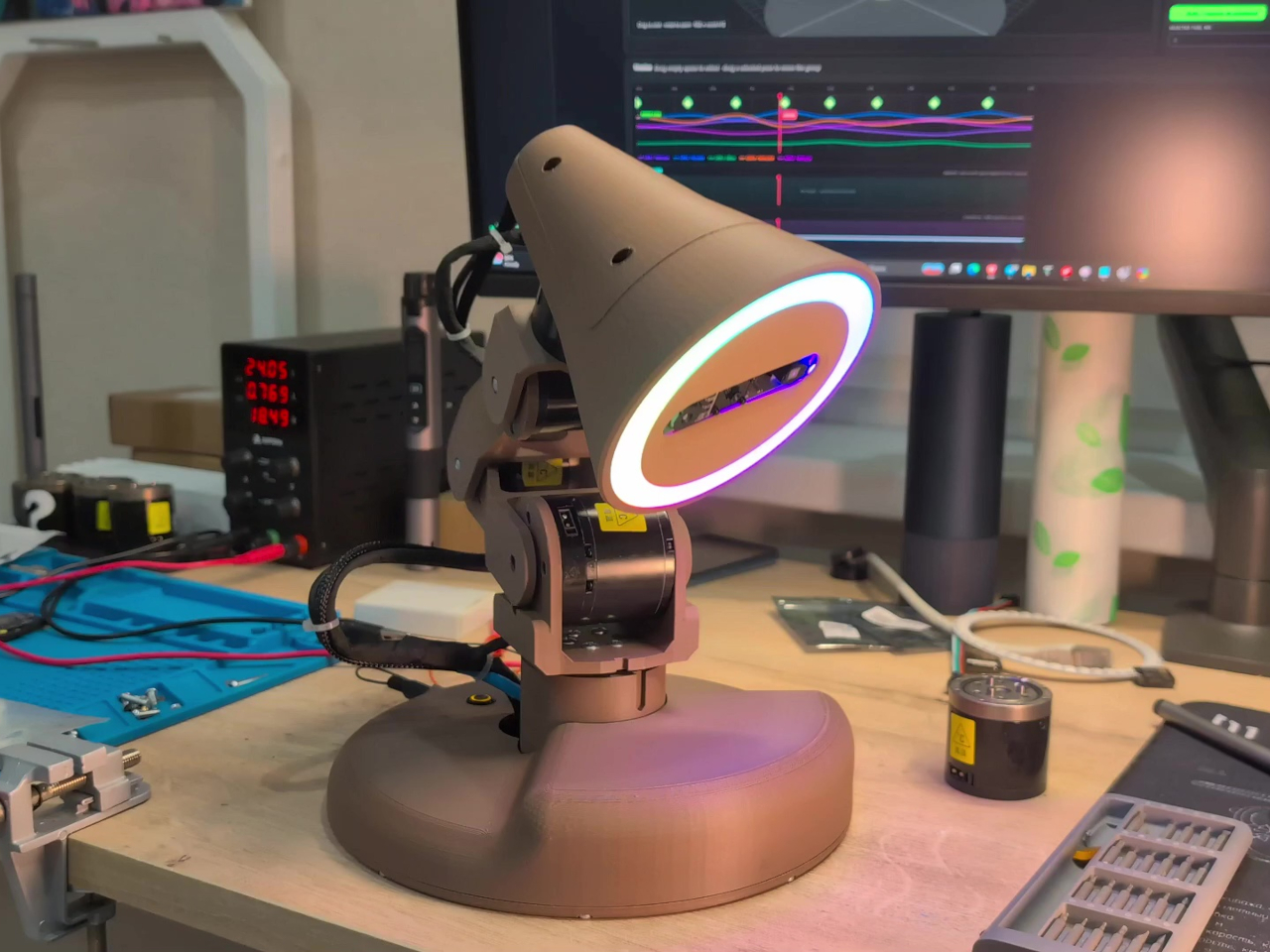
A ring of 45 individually addressable WS2812 RGB LEDs provides the actual light output, and a Raspberry Pi 5 running ROS 2 coordinates the whole system. The camera is what separates Watti from a sophisticated motorized fixture. An Orbbec Astra Mini S captures both color and depth data at 640×480 resolution and 30 frames per second, giving the system a three-dimensional view of whatever sits in front of it.

Those streams are visible in the companion software but not yet acted on in a meaningful way; the lamp can see the desk without fully understanding what’s happening there. That gap is precisely what the project is working to close. Hand tracking, automatic work-area illumination, and 3D scanning are all on the development roadmap, which would let the lamp decide where to point itself based on where hands are positioned and what is being worked on, without any manual adjustment.

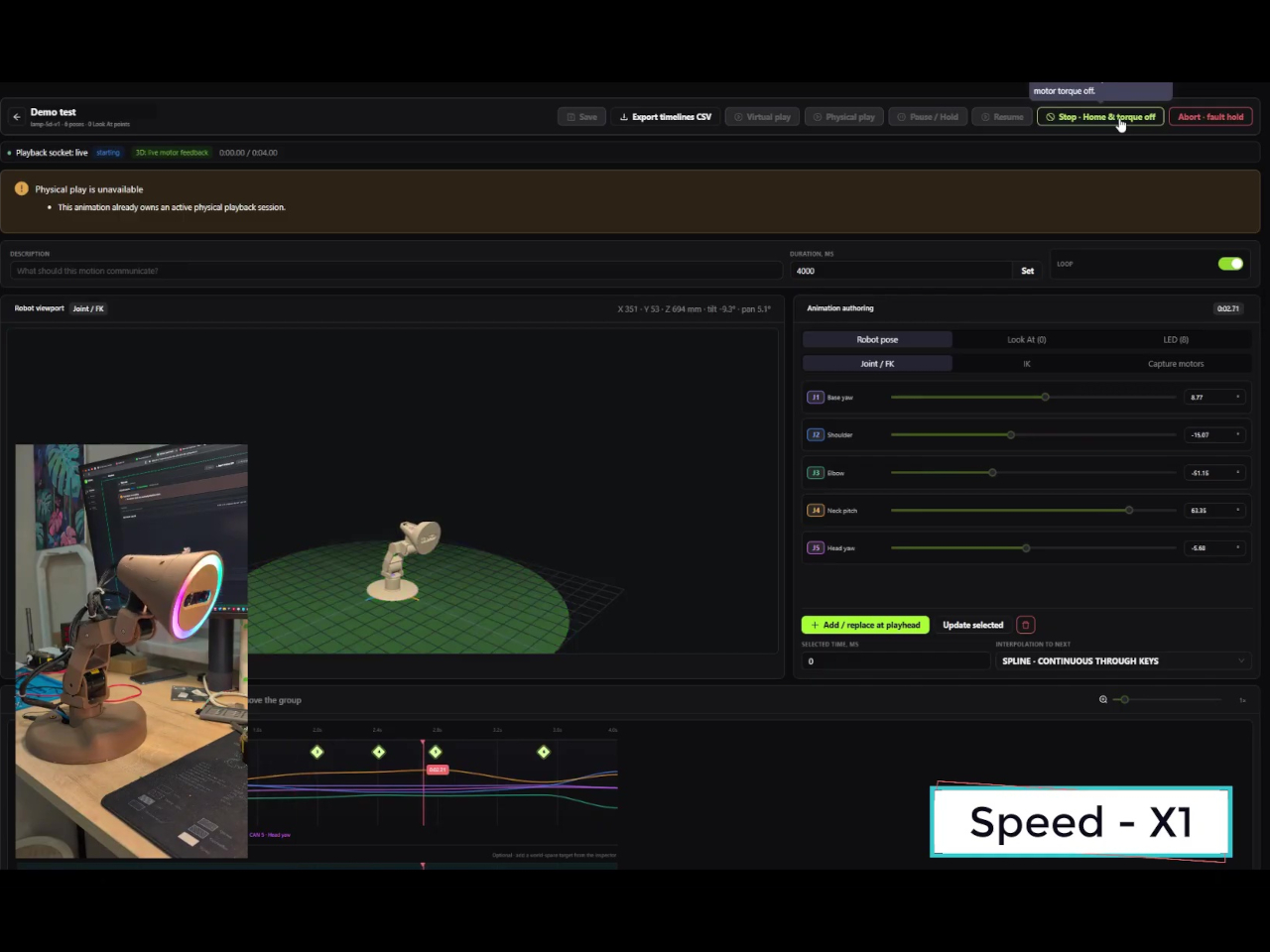
Even before those features arrive, Watti is already more programmable than most dedicated lighting tools. Watti Studio, a browser-based visual editor, lets users compose scenes that coordinate motion and light on a shared timeline. A virtual model of the five-axis lamp renders in the editor so poses and LED configurations can be arranged, previewed, and refined without a physical unit present. When a scene is ready, it’s packaged and transferred to the Raspberry Pi, which runs it locally without a continuous connection back to the browser.

The prototype runs on an external 24 V, 10 A power supply and uses approximately $700 worth of parts. That puts it firmly in research and enthusiast territory for now. Plans to release hardware files, the bill of materials, electrical diagrams, the communication protocol, and example scenes would eventually make it a fully buildable project for others who want to take the concept further.

What Watti points toward is a lamp that treats lighting as a spatial and contextual problem rather than a manual adjustment. A light that can track where work is happening, adapt its position in real time, and coordinate color and intensity without interrupting the task at hand is a fundamentally different object than a lamp with a flexible neck. The premise sounds obvious once stated, which is usually a sign that someone should have built it sooner.

The post Watti Is the Robotic Desk Lamp That Wants to Know What You’re Doing Before You Ask for Light first appeared on Yanko Design.
The Alarm Clock Built for People Who Lose 20 Minutes to Phone Alarms

There’s a specific failure mode that most bedside alarms share. You reach for your phone to set an alarm, and by the time you’re done, you’ve also checked your messages, scrolled through something you didn’t mean to read, and lost twenty minutes of wind-down time to a screen that was already too bright. The phone isn’t bad at being an alarm; it’s just not designed to stop there, and that distinction costs more than most people acknowledge.

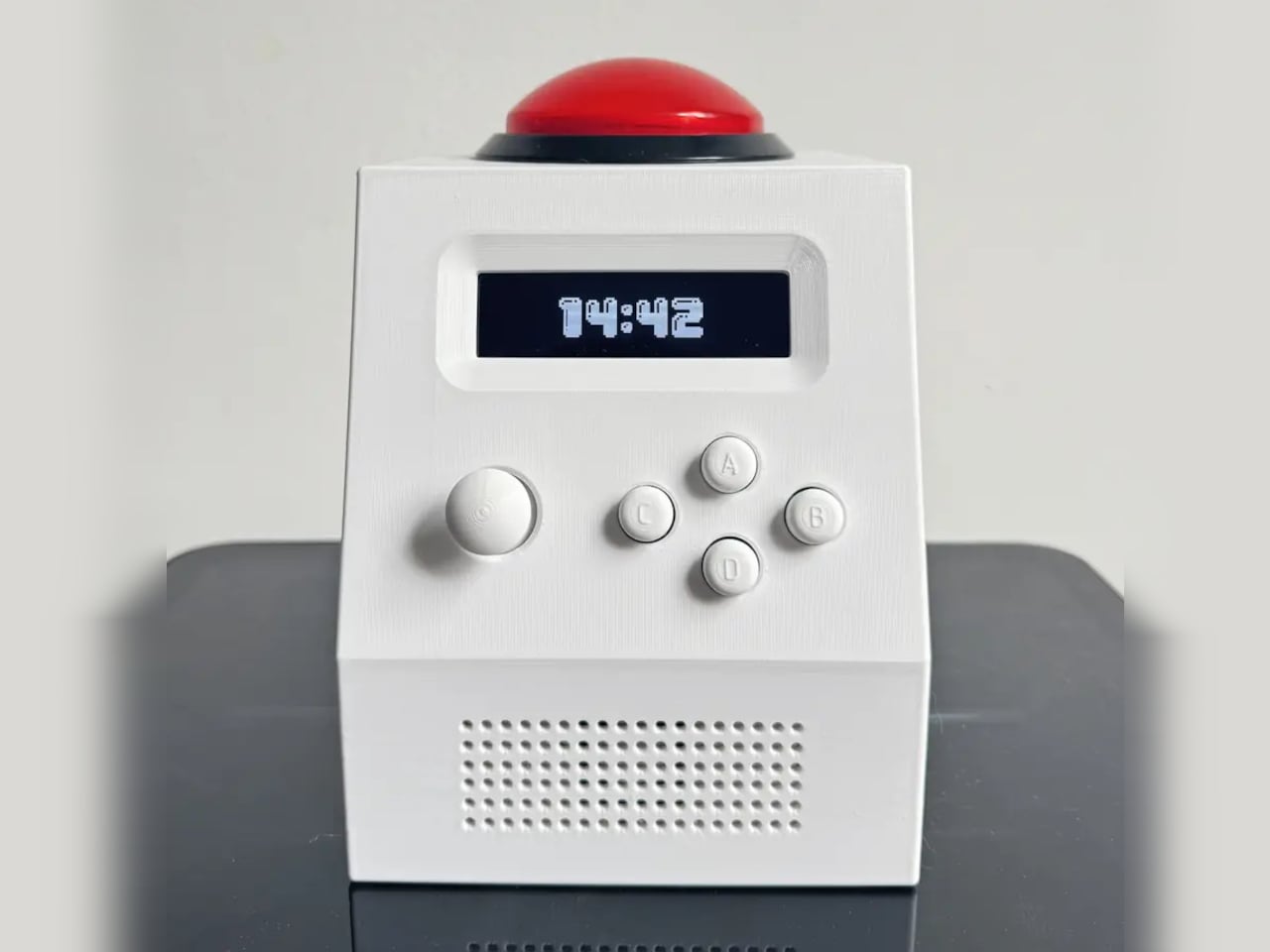
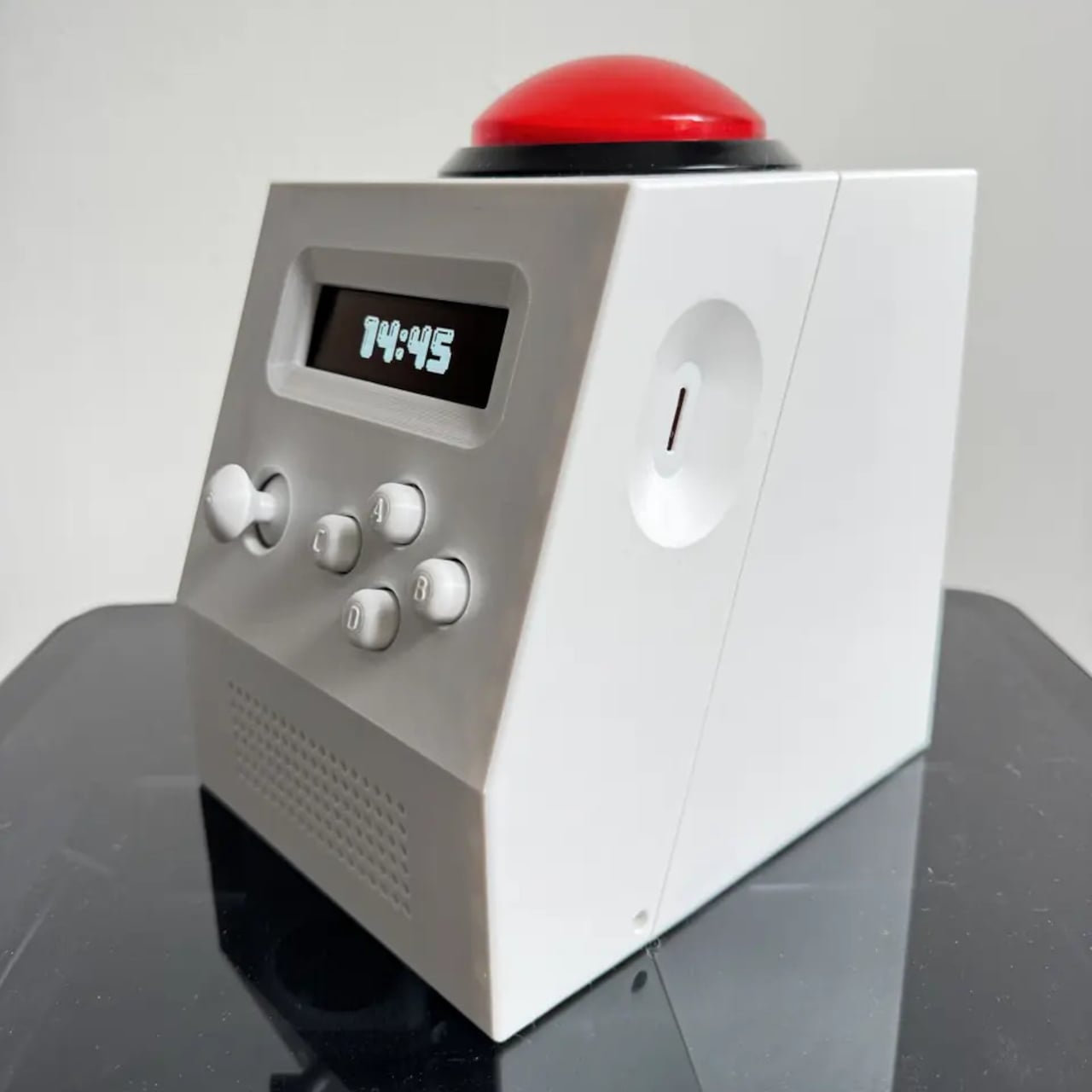
The CinderClock was designed with exactly that failure mode in mind. It’s a multi-purpose standalone desktop clock built to handle the things a bedside table needs without handing those tasks back to a phone. The device runs entirely on itself: no app, no cloud connection, no subscription, and WiFi that stays off at boot unless deliberately switched on to push a firmware update. What it does, it does without outside assistance.

Designer: Aqnazar Arysbek

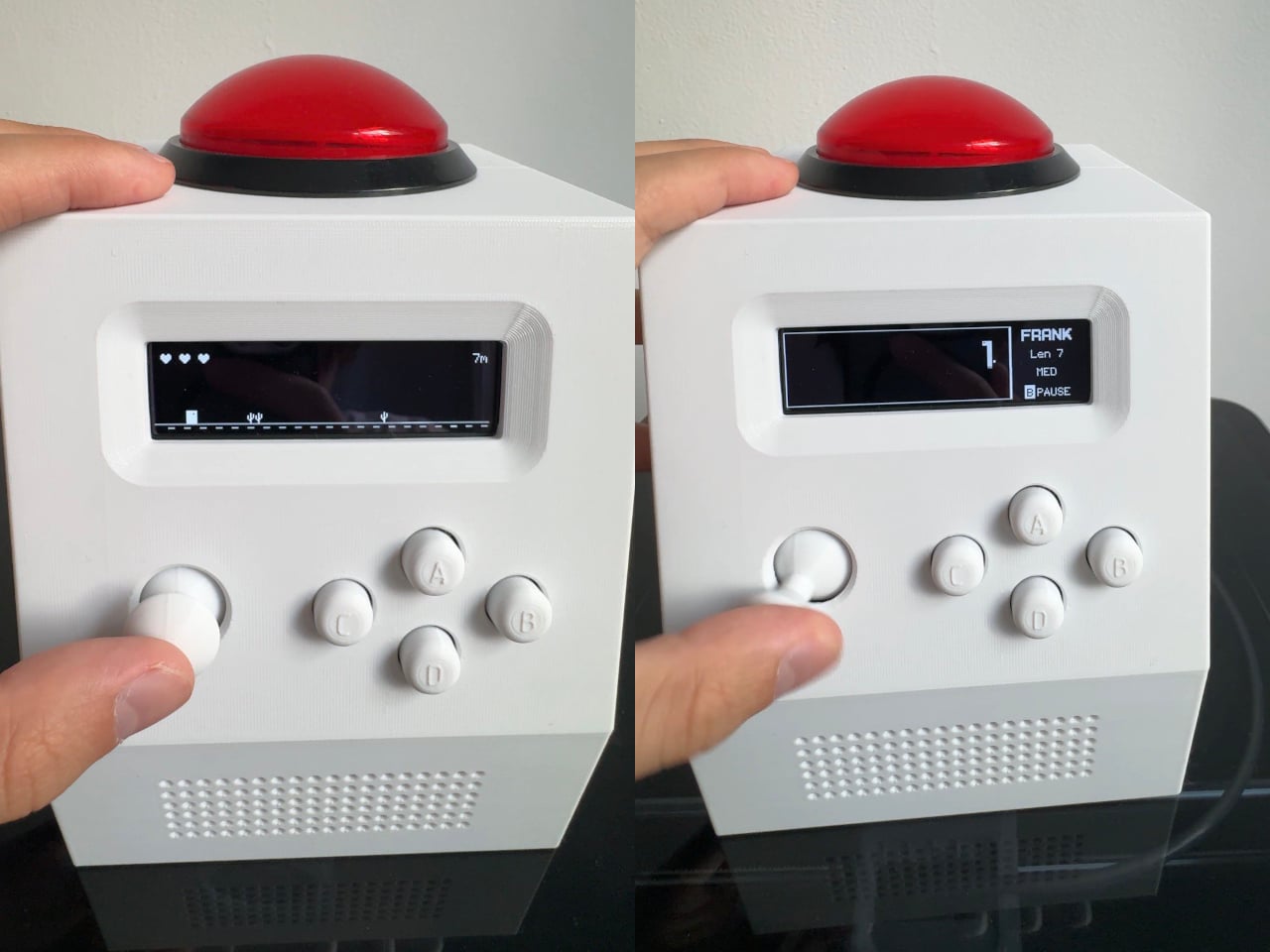
The feature set covers the practical range of what a desk clock might reasonably be asked to do. Alarm history holds ten entries, a countdown timer runs while you navigate elsewhere in the menus, and the stopwatch tracks four laps with centiseconds. The fast-changing stopwatch display can be hidden, because a rapidly updating number on a desk is a distraction rather than information. Two Pomodoro presets store work and rest periods from 1 to 999 minutes, each phase signaled by a distinct jingle. Local temperature and humidity are monitored continuously, and sunrise and sunset times are available for anyone whose schedule tracks natural light rather than a fixed shift.

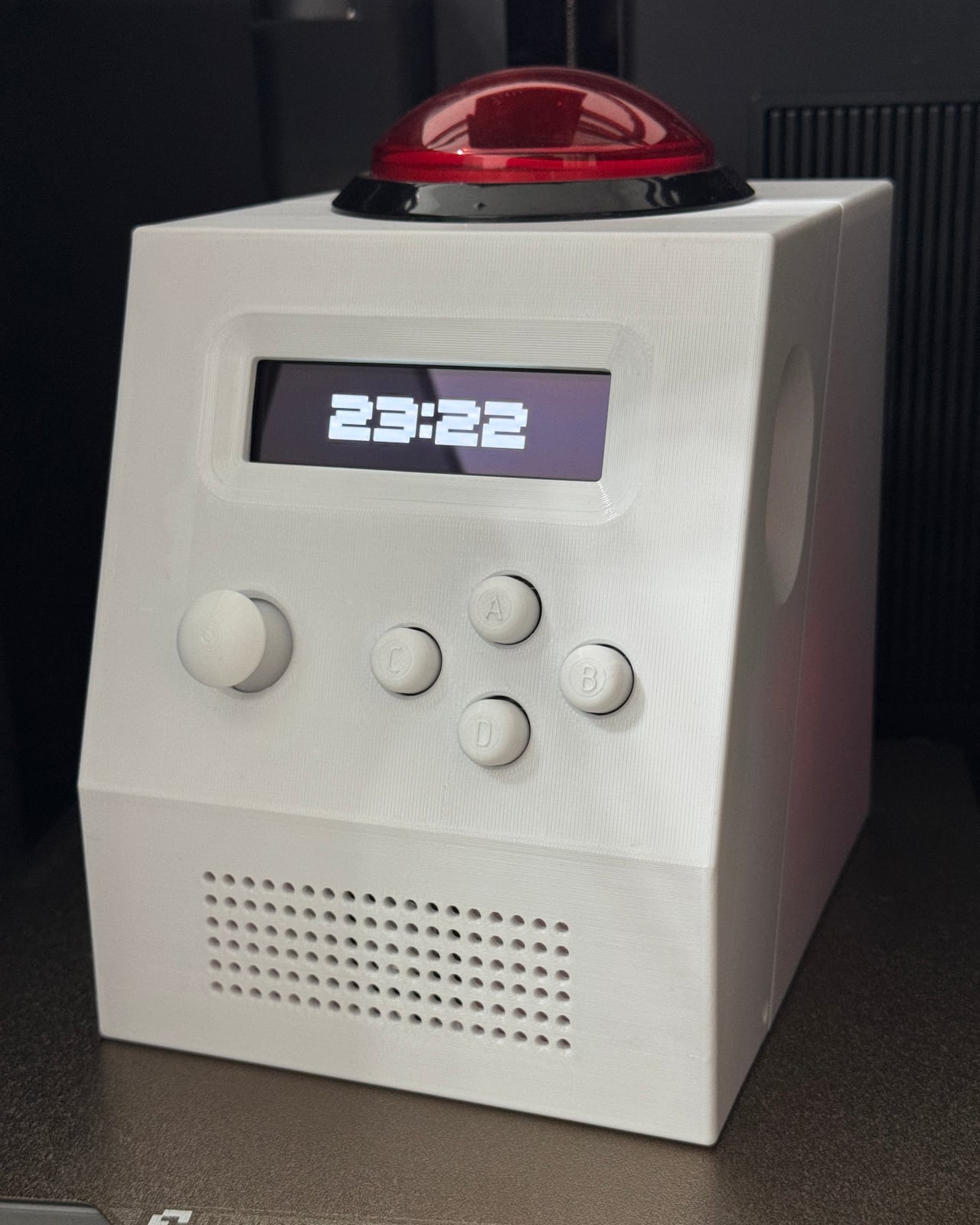
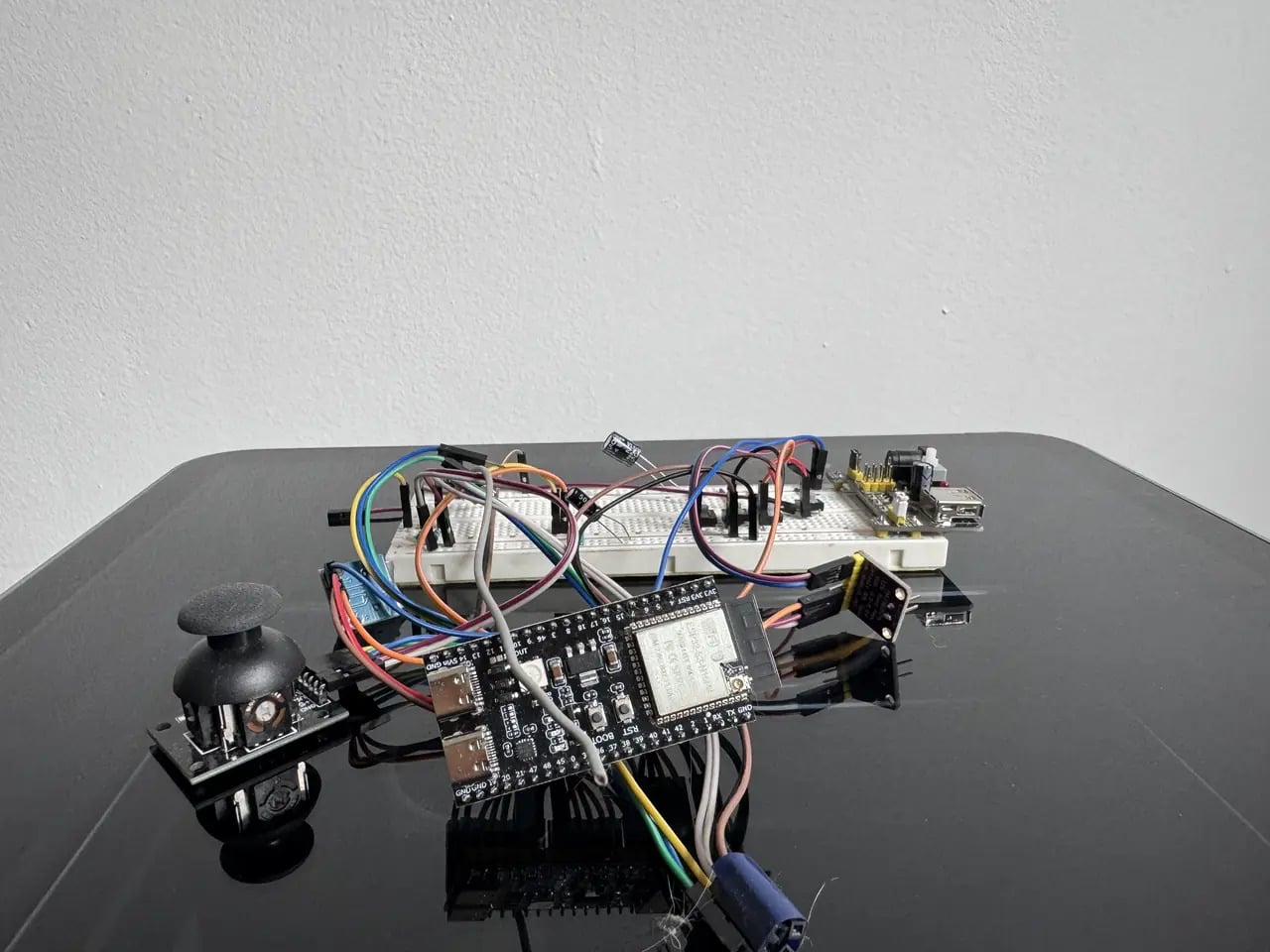
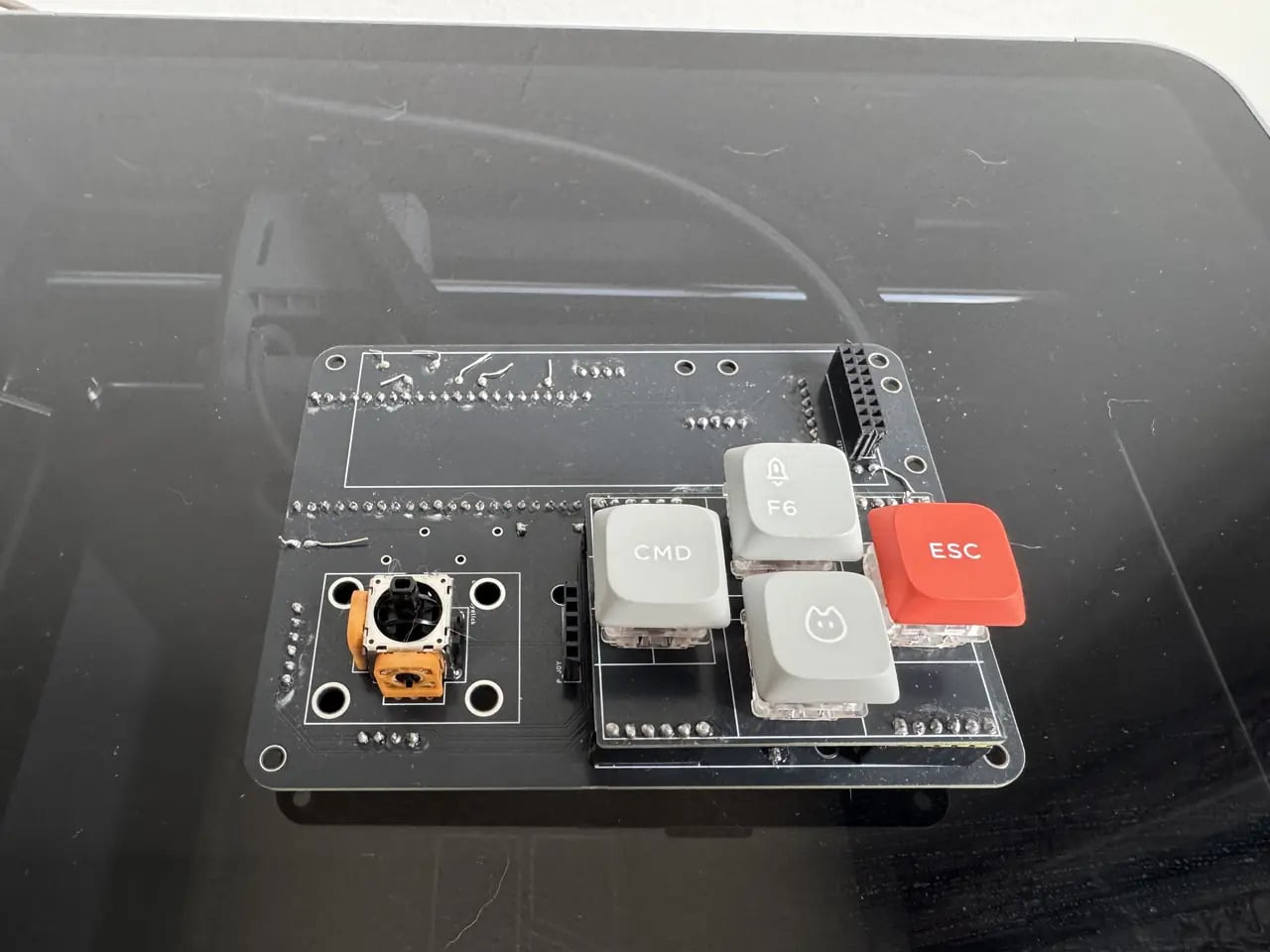
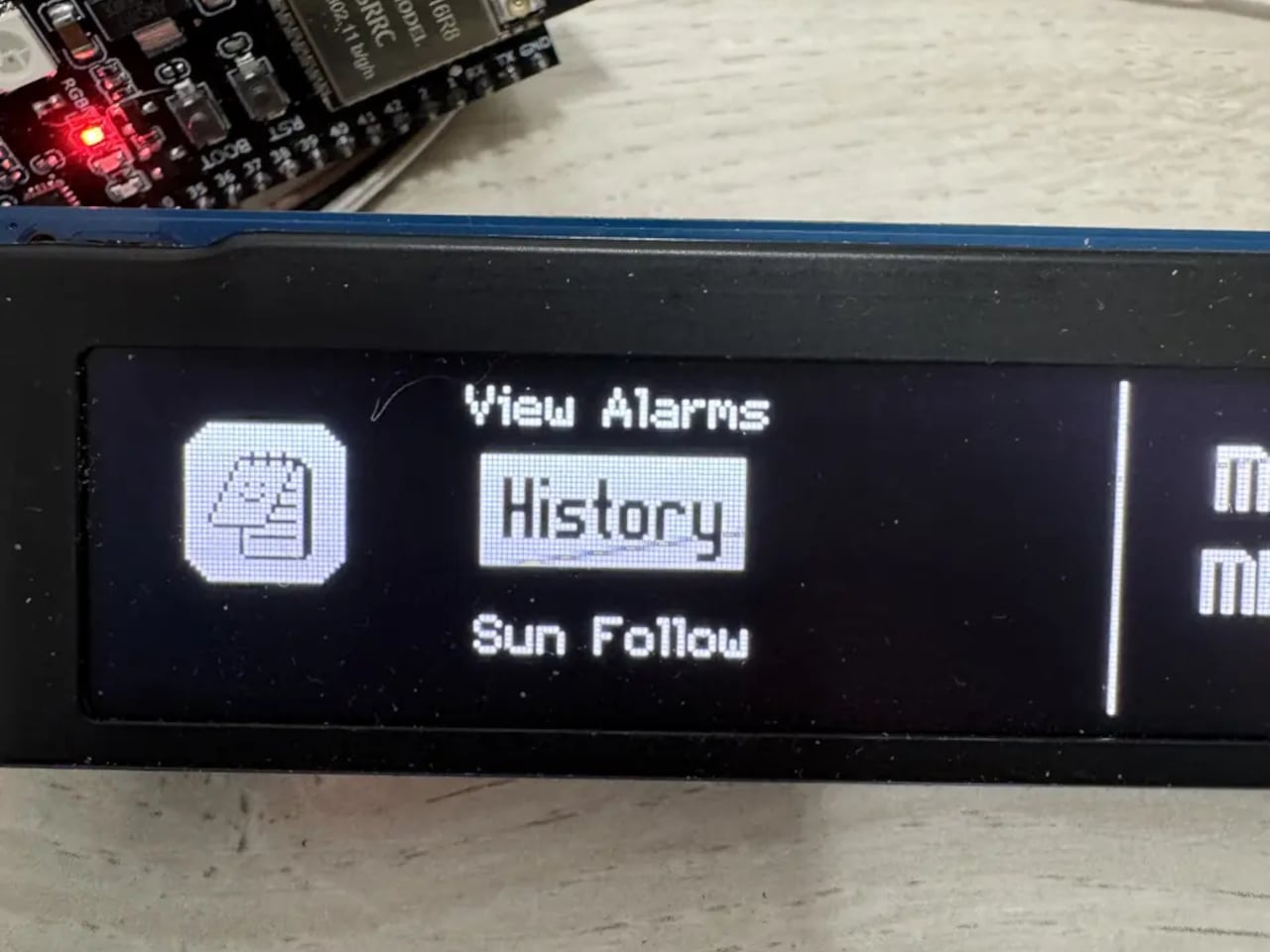
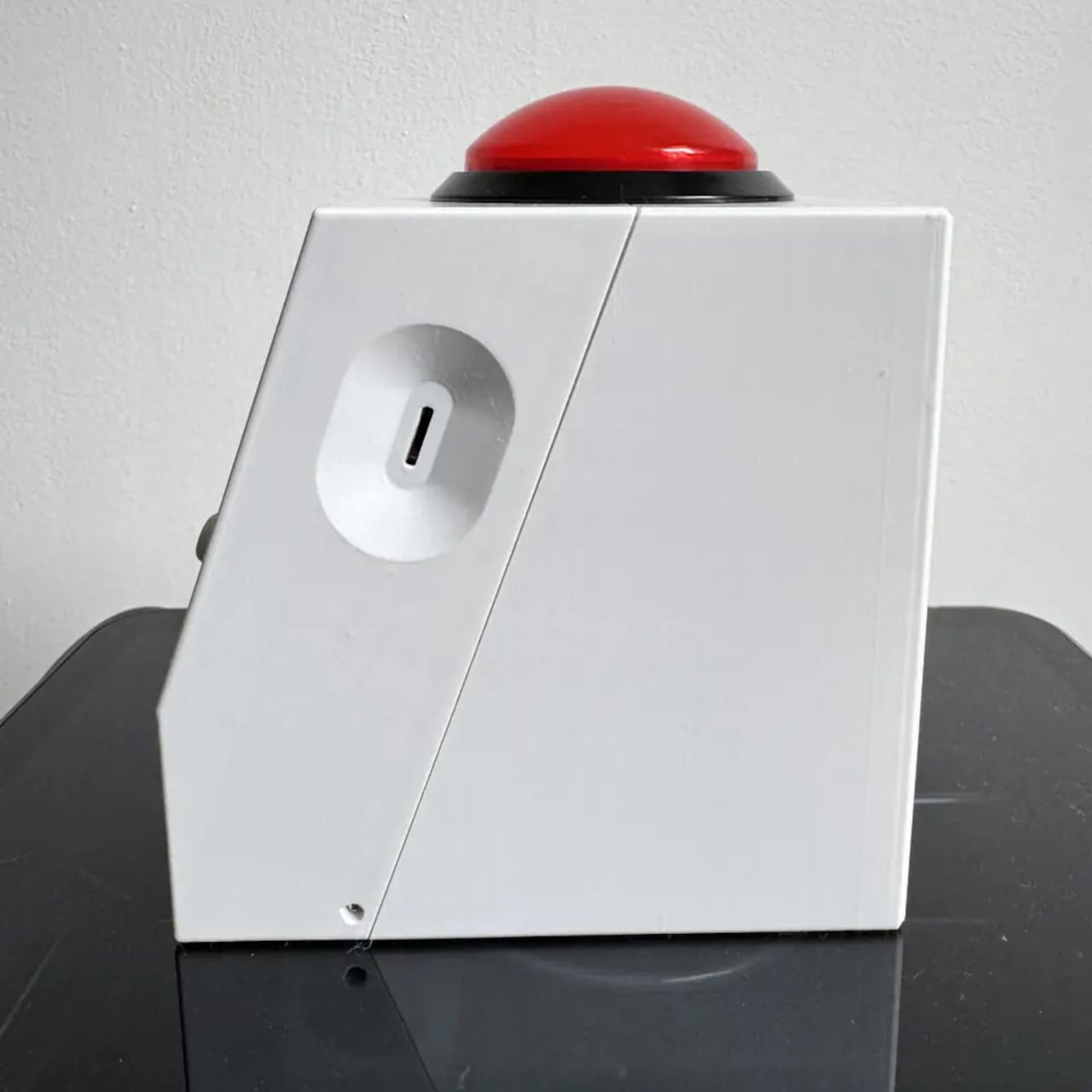
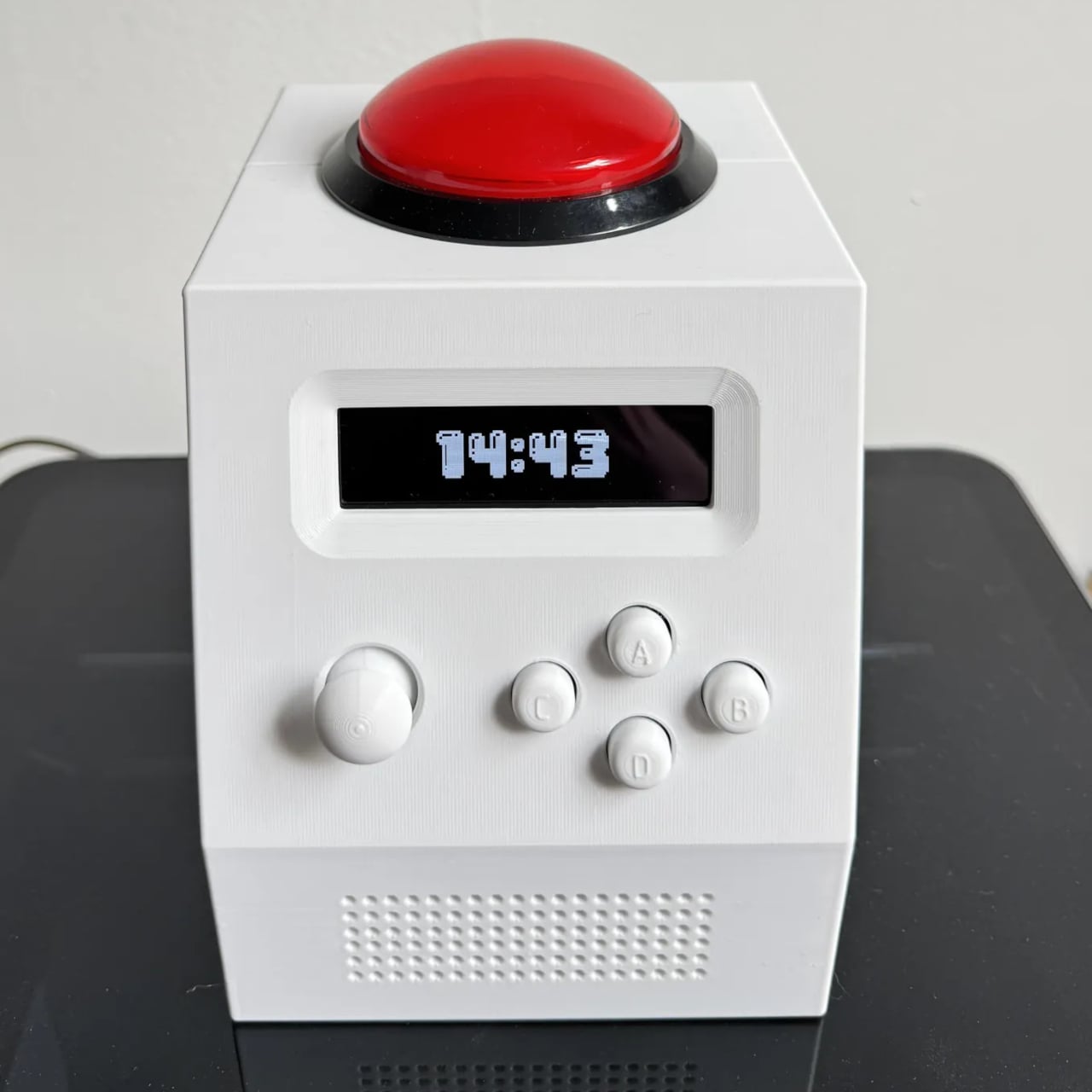
The physical form follows the logic of something designed to live on a desk permanently. The face is raked at an angle chosen for legibility whether the clock sits low on a nightstand or higher on a shelf. Navigation uses four keys and a joystick, with one move from standby opening a quick menu for alarm, timer, and stopwatch. The 3D-printed enclosure integrates the speaker grille into the same shell. The processor sleeps between seconds to work toward a two-week battery target, though the actual runtime won’t be published until measured.

The repairability case is where the design earns a different kind of attention. The bill of materials, PCB design files, and enclosure models are all published at launch. The firmware is already on GitHub under a permissive Apache 2.0 license. Every module position is labeled on the back of the main board. The preference for common, well-documented components isn’t primarily about cost; it’s about sourcing availability, which is what keeps a device repairable years from now, when original sellers may no longer be around.

Most alarm clocks are priced to be replaced rather than fixed, and their design reflects that assumption. The CinderClock treats longevity as a design value rather than a bonus, and it makes that case consistently, from the open-source firmware down to the labeled circuit board that any careful owner can understand and service. It’s a more demanding thing to build, which is probably why it’s rare.

The post The Alarm Clock Built for People Who Lose 20 Minutes to Phone Alarms first appeared on Yanko Design.

This $99 Trackball Has Gesture Controls That Work Without Any Software

The computer peripheral market has always been more experimental at its edges than in the mainstream. Ergonomic trackballs, in particular, have attracted a devoted following among power users, but the options tend to cluster at two extremes: consumer-facing products with locked-down firmware, and niche open-source hardware that trades polished finish for deep customizability. Finding something that genuinely does both has rarely been straightforward.

Ploopy’s Adept trackball made a compelling case for the latter category, earning a loyal following with its open-source, 3D-printed design and QMK compatibility. But it always felt like it had more to say. Its circuit board had always reserved space for two more switches that never made it to production, and the base had slots for a wrist rest that never materialized. The A+ is that unfinished story, now finished.

Designer: Ploopy

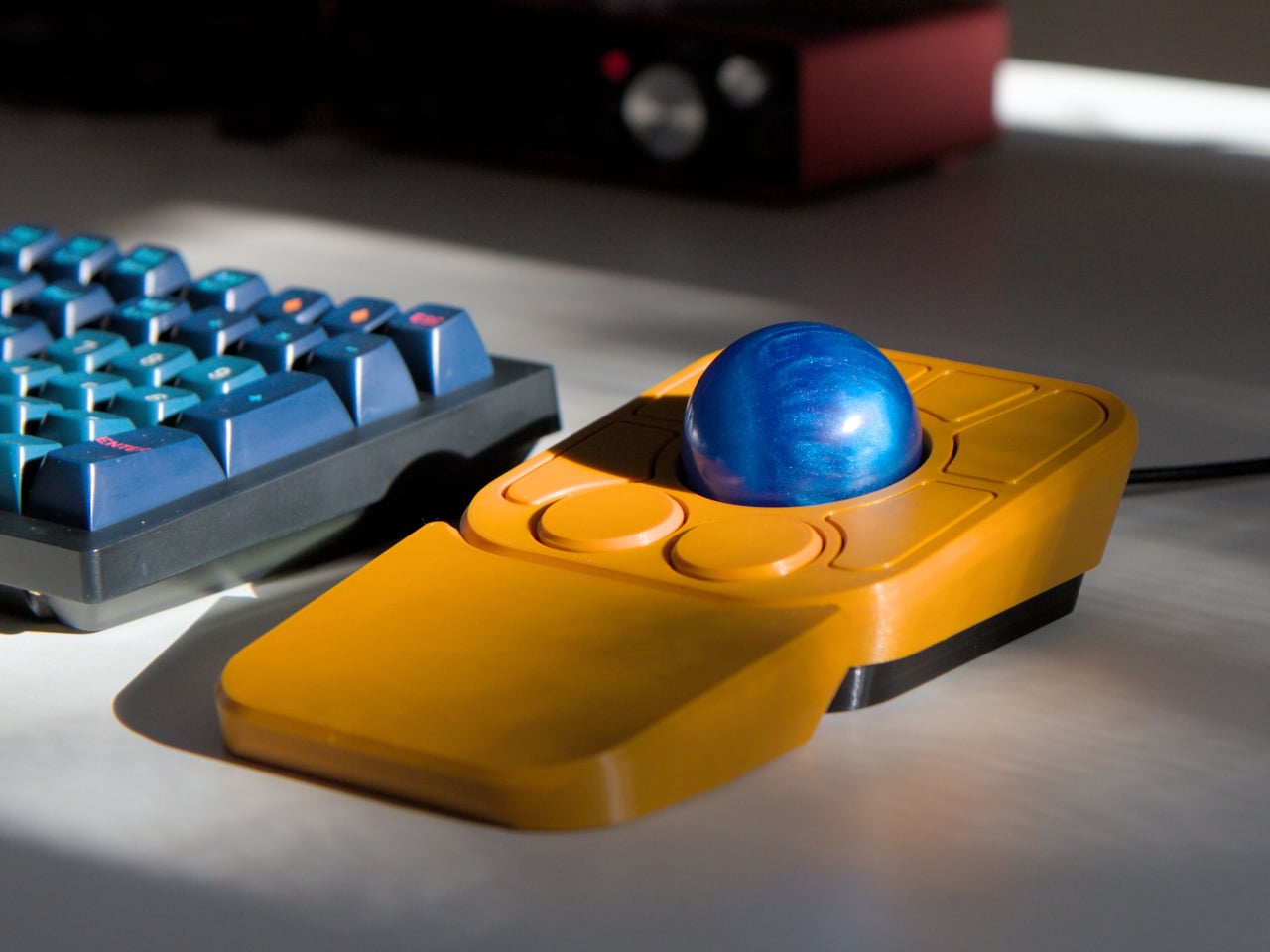
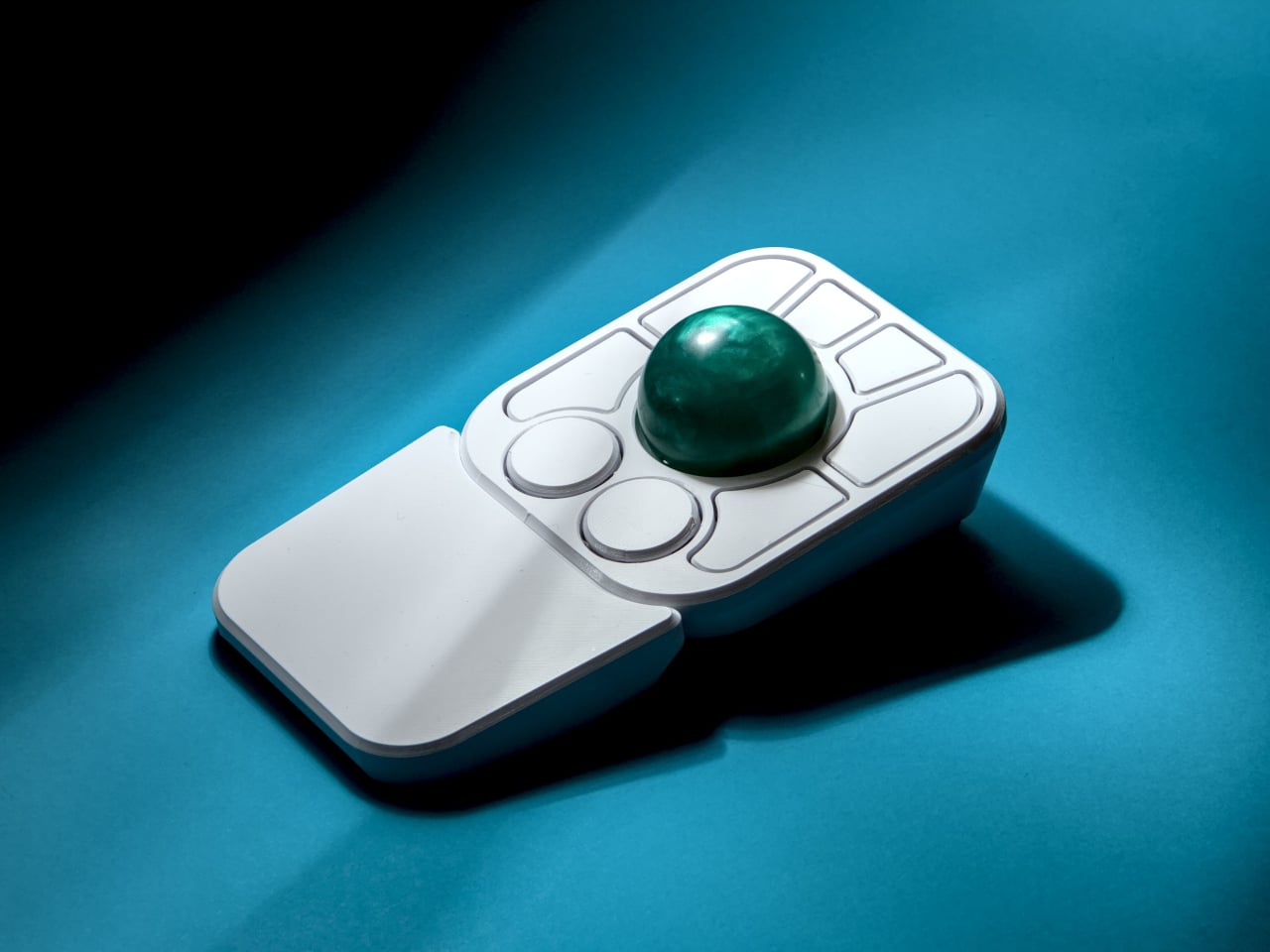
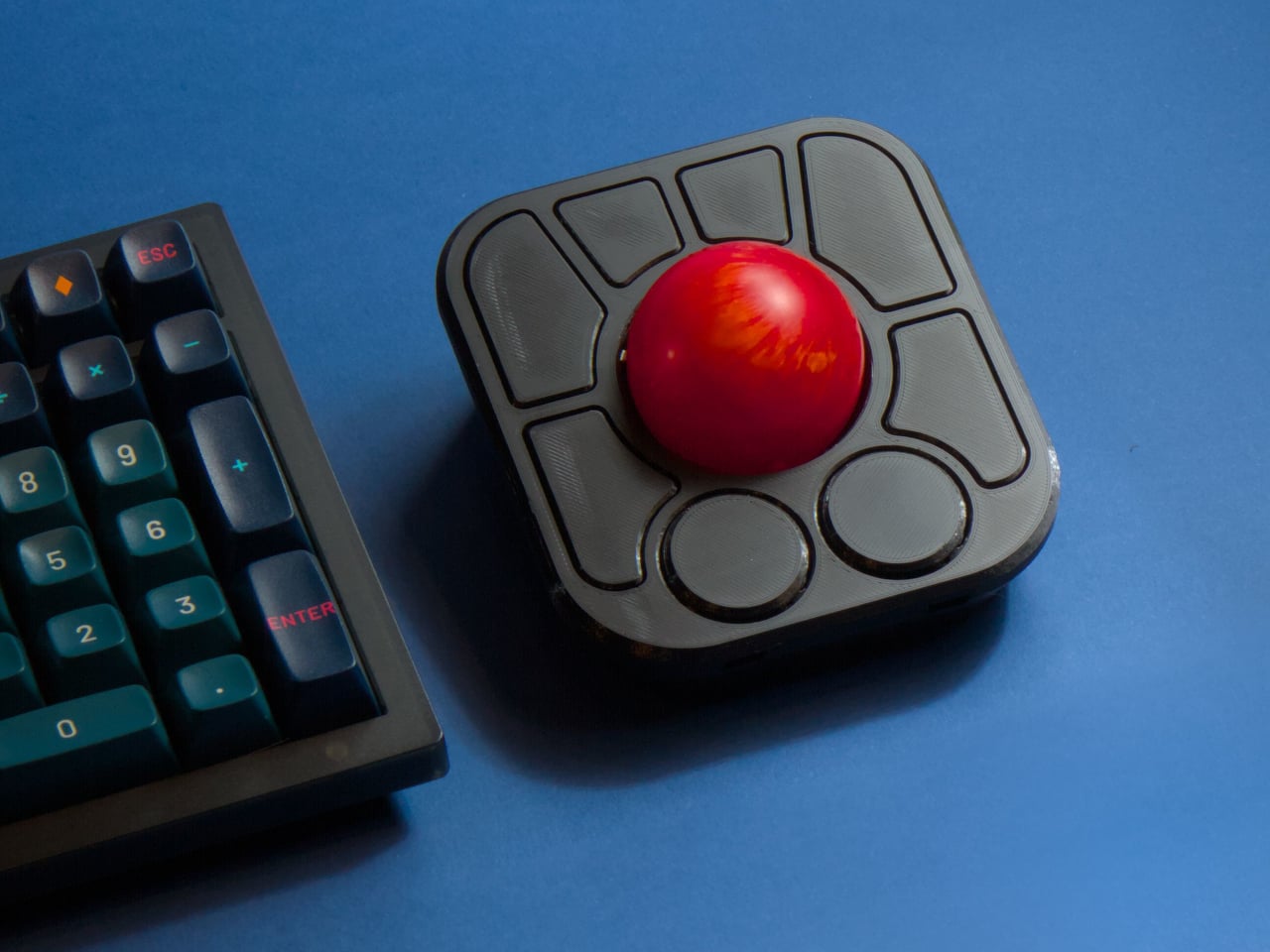
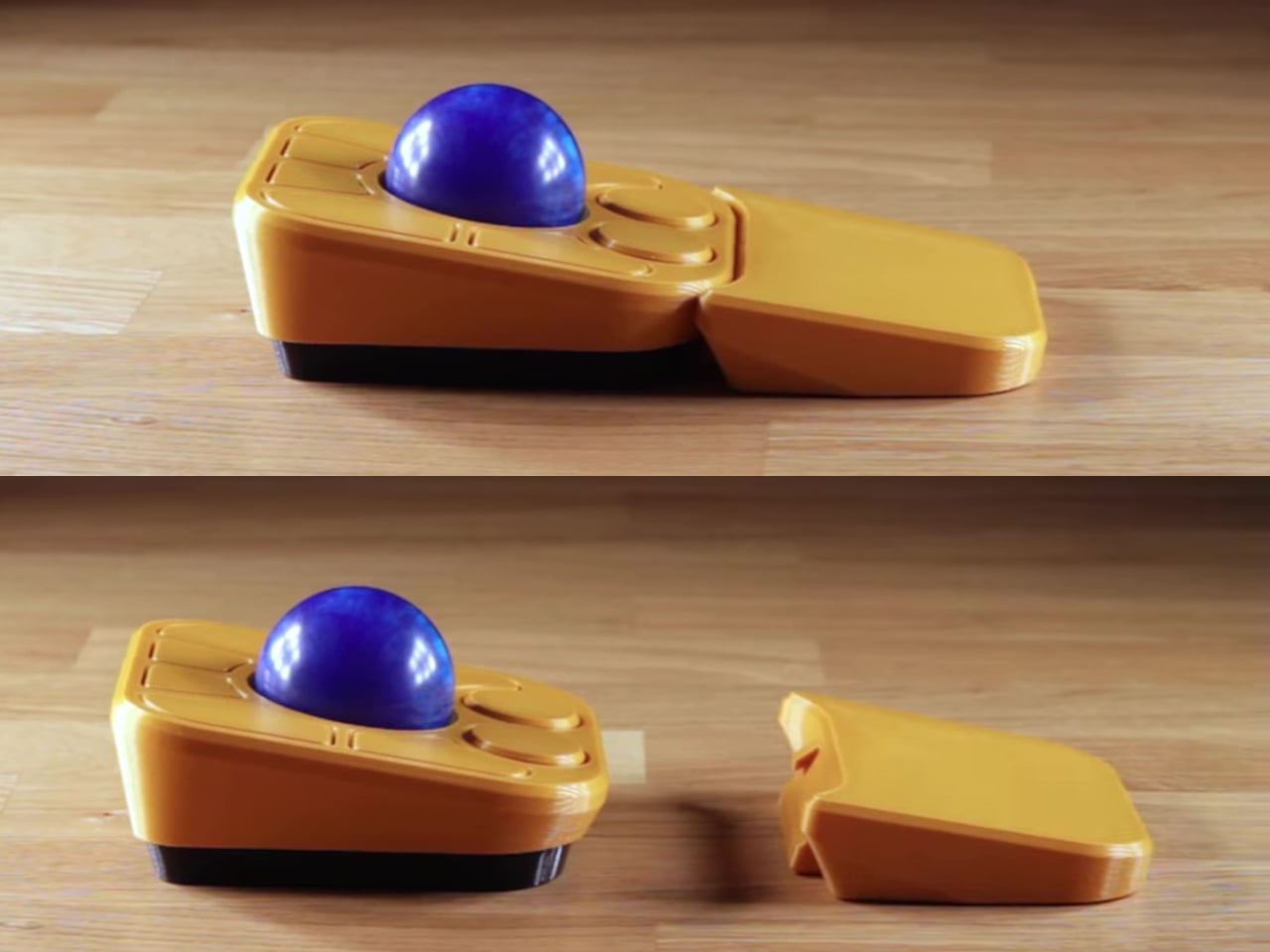
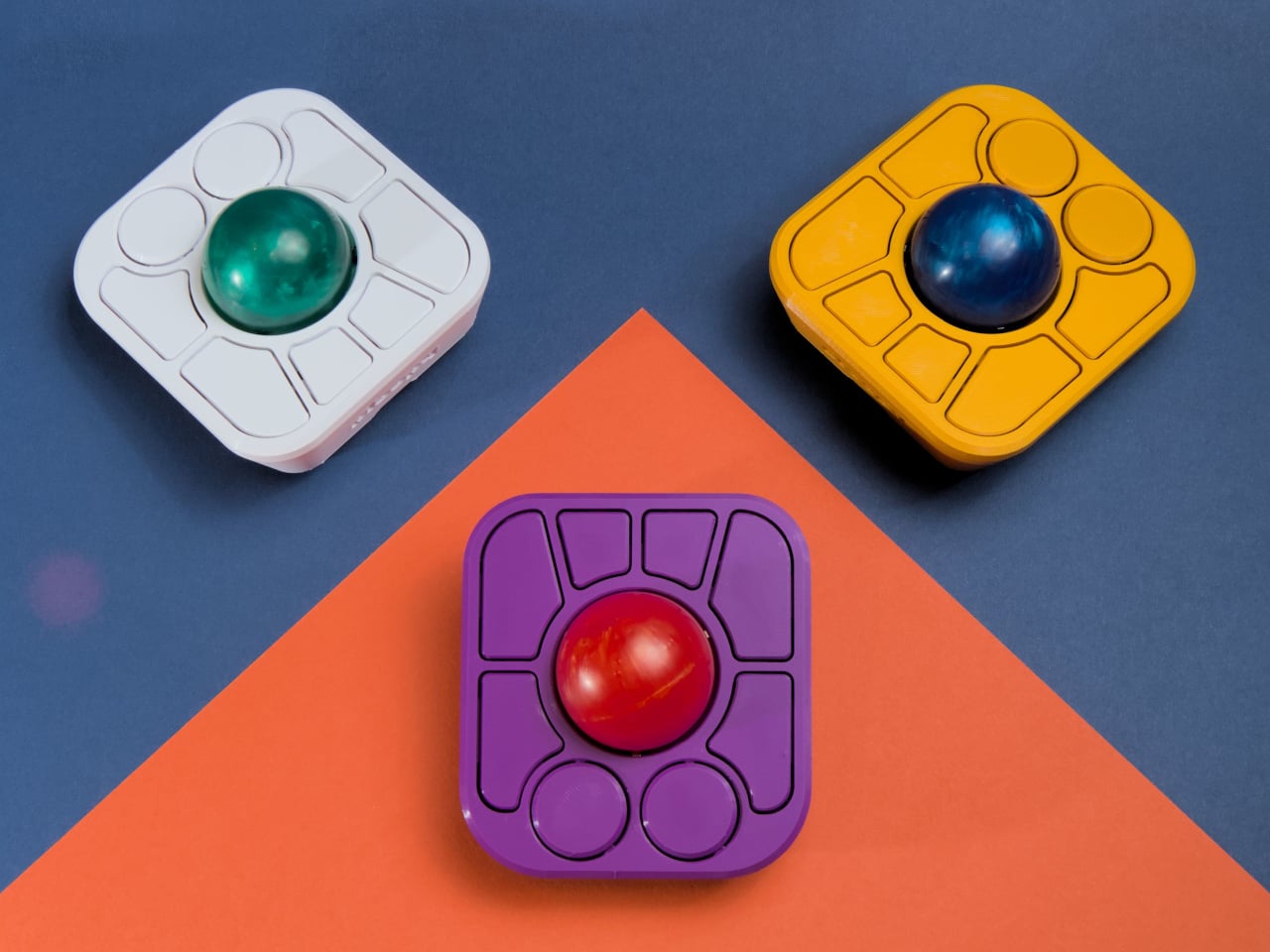
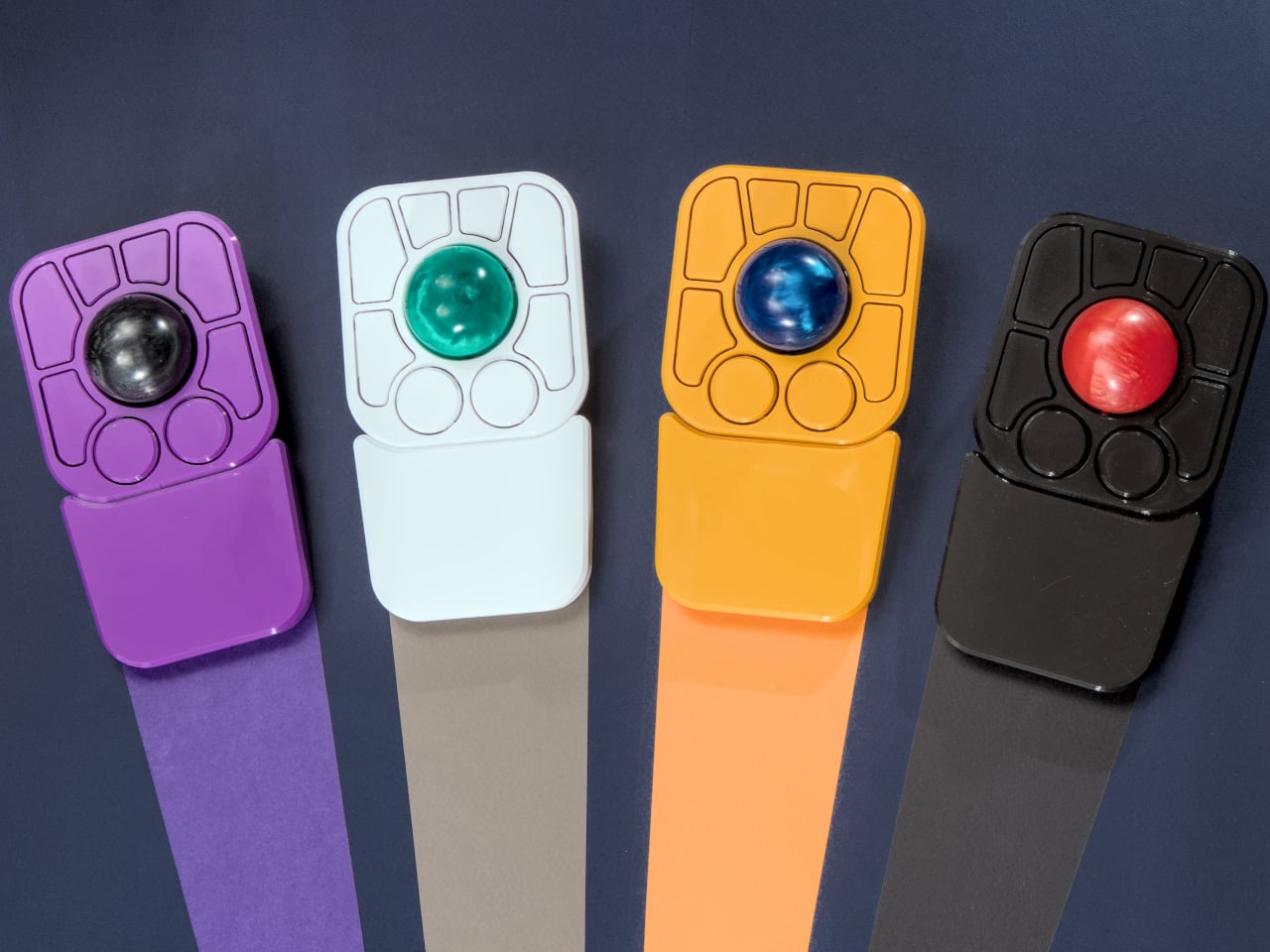
The most visible addition is the button count. The Adept had six; the A+ has eight, two of which also function as knobs. Out of the box, the knobs handle high-resolution vertical and horizontal scrolling, but both are fully reprogrammable for other functions. That dual-purpose approach keeps navigation and control within a single hand without needing a separate scroll wheel or accessory sitting alongside it.

The gesture system is arguably the more interesting addition. Hold a button and flick the ball in any of eight directions, and the device fires a command. By default, the left knob activates cut, copy, paste, desktop switching, and media controls. For someone who lives inside a browser and a text editor all day, that’s a significant amount of functionality without ever lifting a hand off the device.

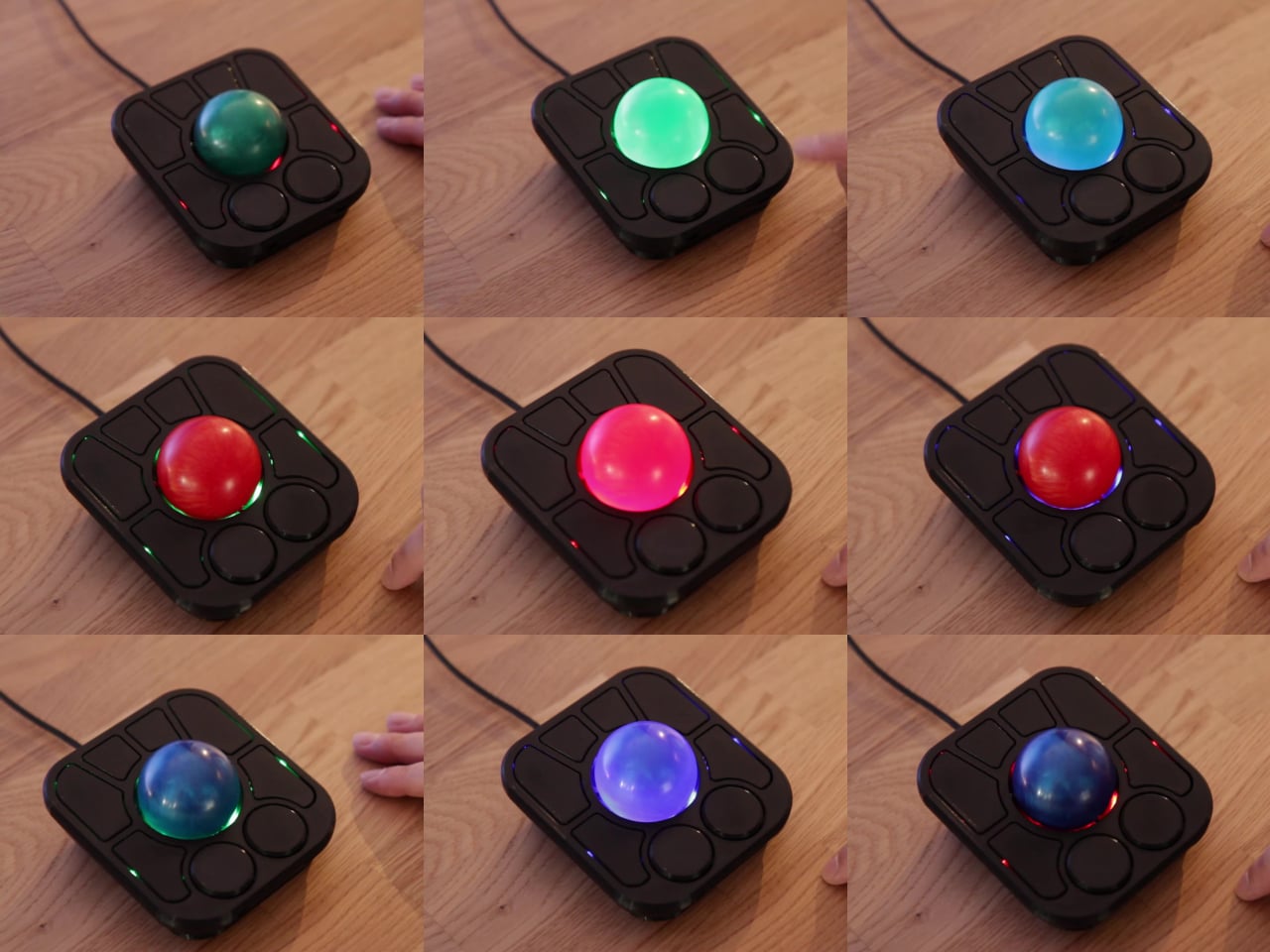
Layers add another dimension. The A+ has two: a navigation layer for everyday use and a control layer accessed via the right knob. The control layer handles on-device configuration, covering left-hand mode switching, toggling between high-resolution and stepped scrolling, and other adjustments. It’s the first trackball to bring this kind of layered behavior, working entirely without any software running on the host computer. There are also two bright LEDs that can be used to visually tell you what layer you’re on without having to rely on some embedded screen.

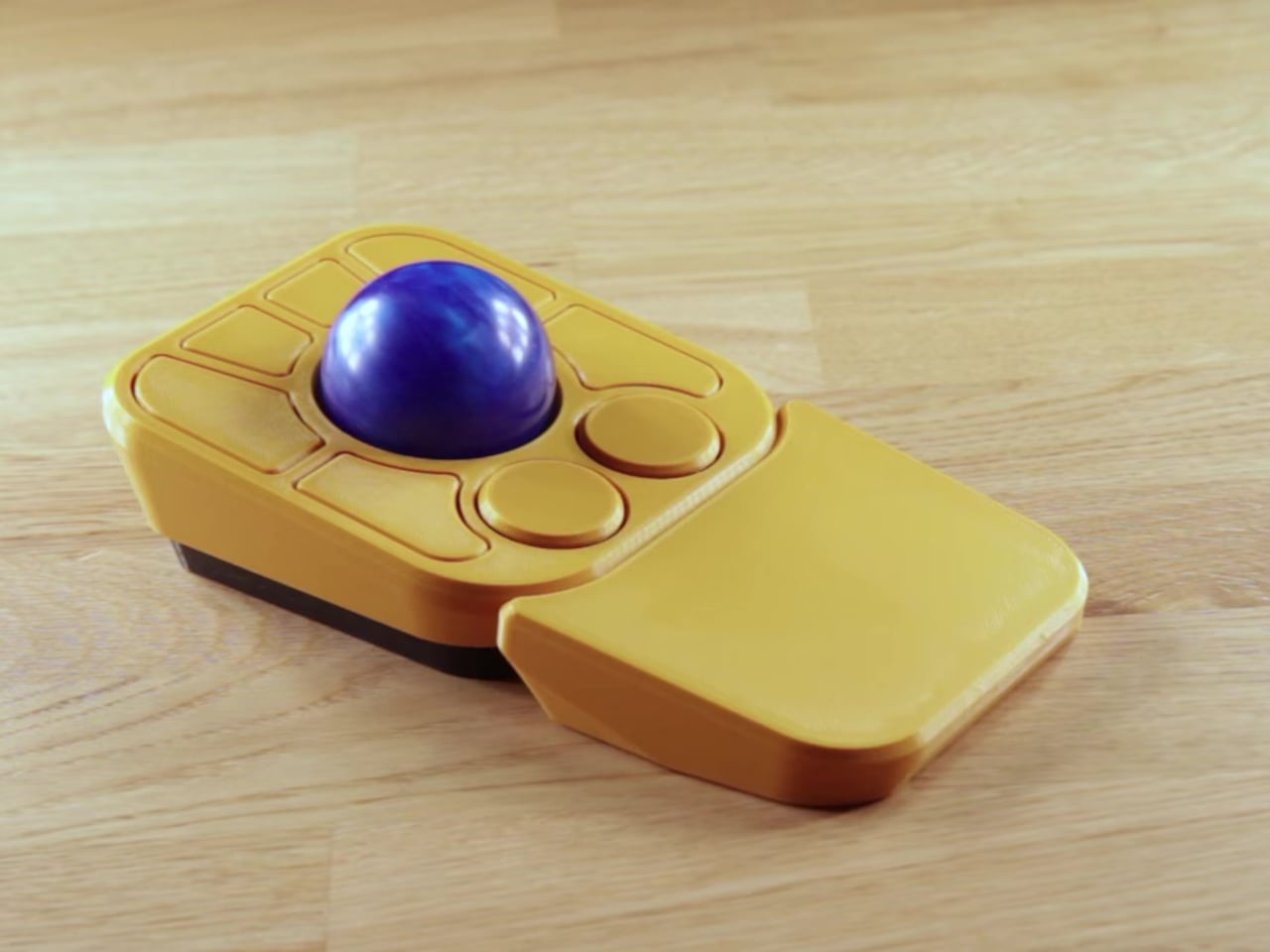
The detachable wrist rest is another long-promised feature that finally arrives with the A+. It slots in or out during use and can be screwed on permanently if preferred. The device stays ambidextrous throughout, and its 3D-printed shell means the community can print modified bodies, alter the layout, or swap in custom colors. That kind of adaptability isn’t an afterthought; it’s part of how the whole thing is designed.

The Pixart PMW-3360 sensor carries over from the Adept, running at a 1,000Hz polling rate with the tracking accuracy that has made it a standard for performance-oriented pointing devices. Omron D2LS-21 switches handle the physical buttons. The firmware remains QMK, configurable through VIA, with all design files, firmware, and assembly instructions freely available on GitHub. Kits start at $99 CAD.

The post This $99 Trackball Has Gesture Controls That Work Without Any Software first appeared on Yanko Design.
A Maker Spent Months Building a Pokéball That Jumps and Shoots Smoke

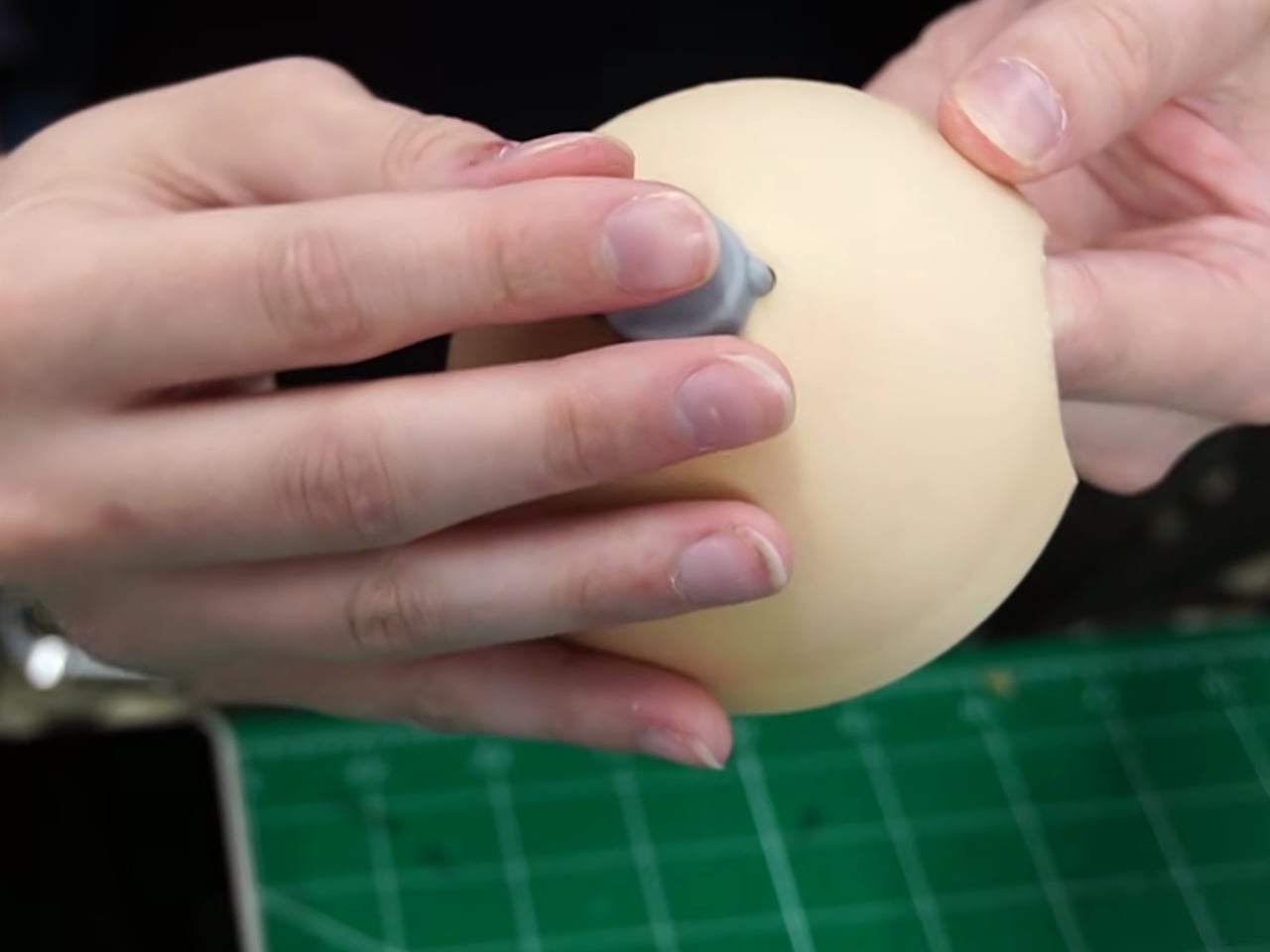
Pokémon has always sold us a very specific fantasy: a compact sphere you can throw into tall grass, watch shimmy three times, and hear that satisfying click. The wiggle is practically cultural shorthand at this point. So when maker Kiara’s Workshop decided to skip the wiggle entirely and build the far stranger, far older Arceus ball instead, the resulting creation landed somewhere between prop design, mechanical engineering, and sheer stubbornness. The kind of project that sounds manageable until you’re three failed prototypes deep.

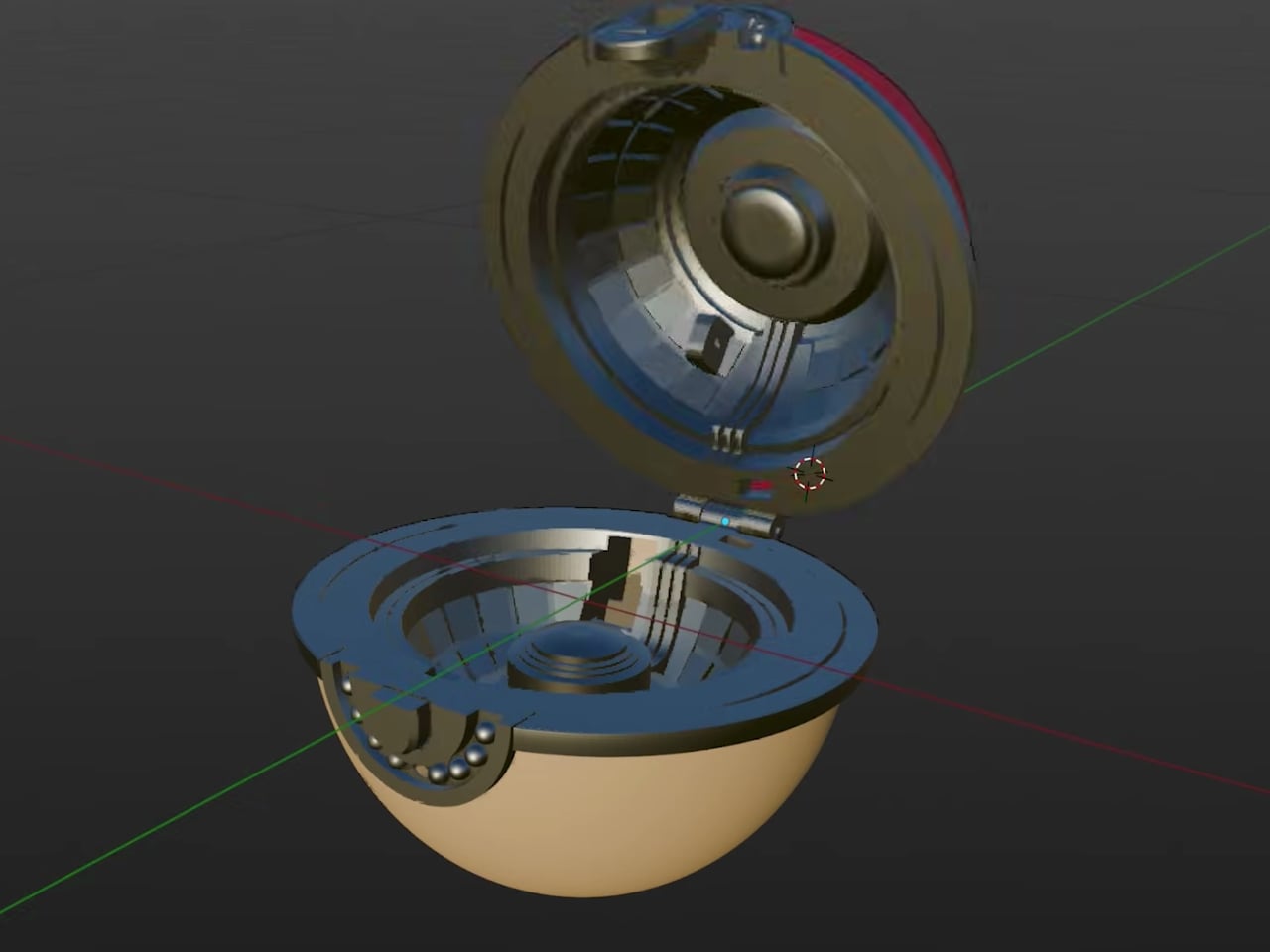
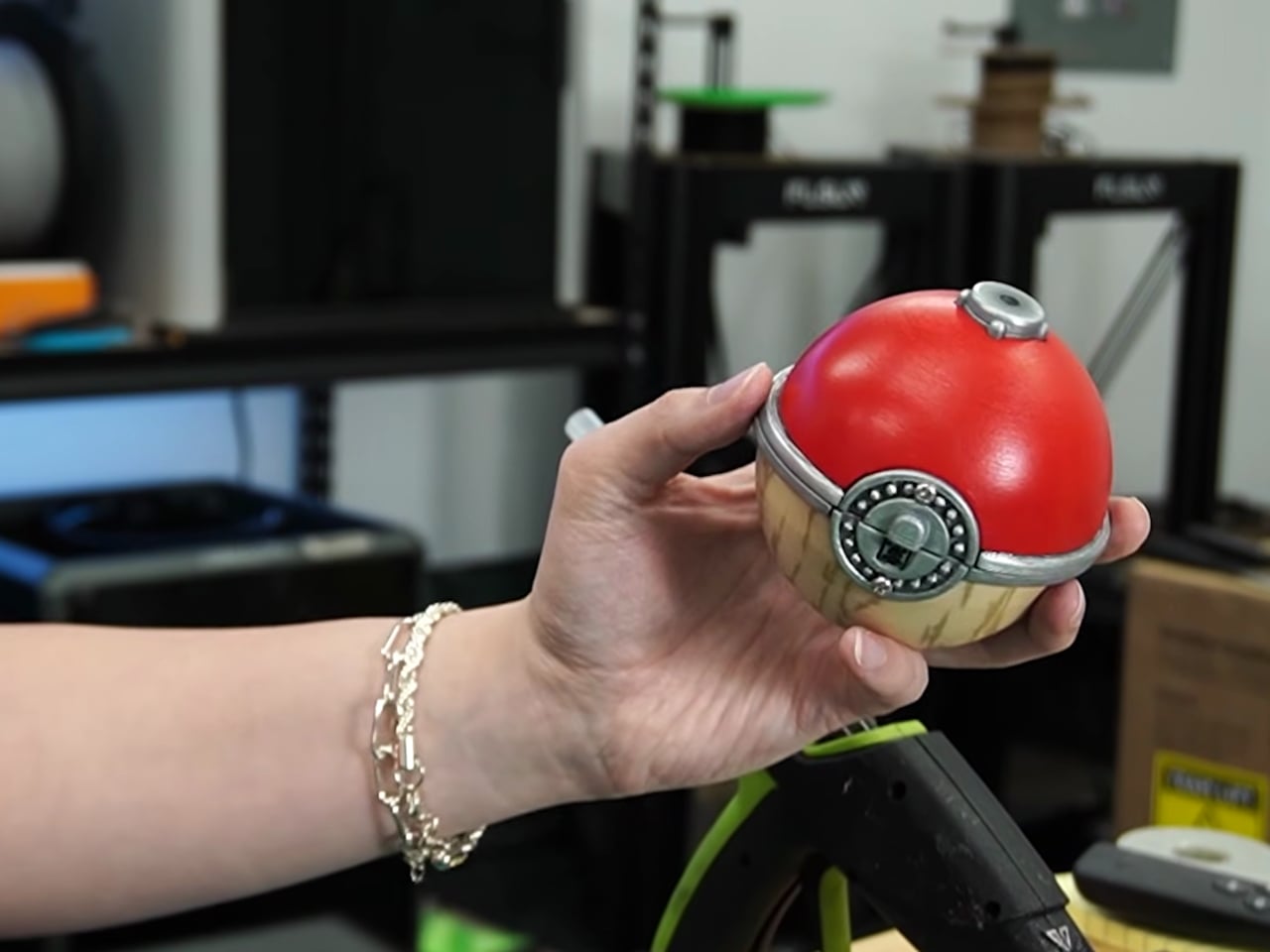
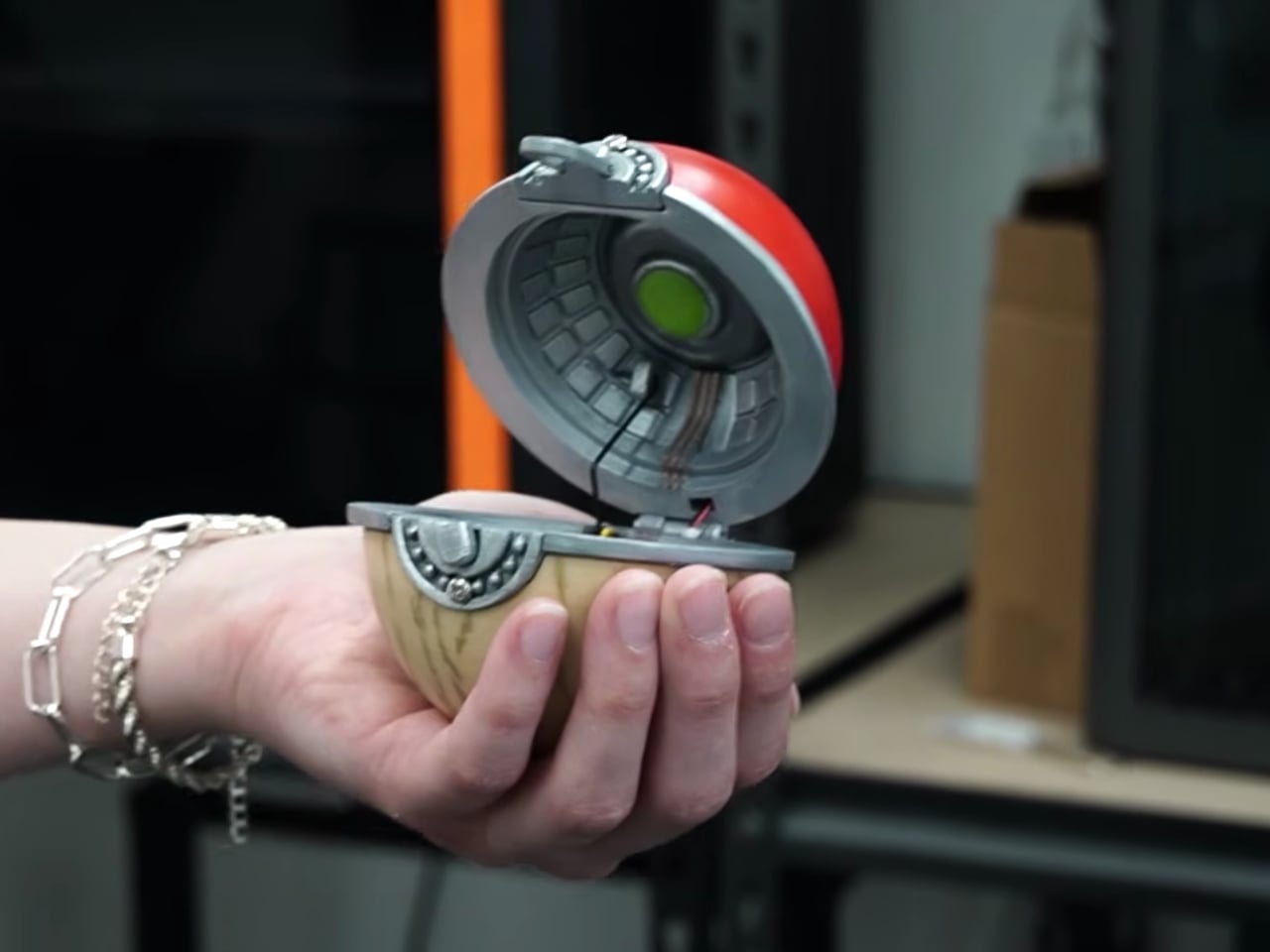
For context: the Arceus ball comes from Pokémon Legends: Arceus, a game set in a much earlier era of the Pokémon world. This isn’t the sleek, mass-produced Pokéball most of us grew up clicking in handheld games. It’s a more primitive artifact, made from Apricorns and Tumblestones in the game’s lore, with an aesthetic that leans ancient and earthy rather than factory-fresh. And its in-game behavior is notably different too. Instead of the classic wiggle sequence, the Arceus ball shoots into the air during a catch and releases a burst of smoke. It’s more dramatic, more theatrical, and a far more interesting design brief.

Designer: Kiara’s Workshop

Kiara’s Workshop had already built functional Pokéballs before, putting out a V1 and V2 that earned a loyal following and a comment section full of people asking when she’d make more. The V3 of the standard Pokéball was still on her list when she decided to take a detour and come back to Pokéballs a different way. The Arceus ball seemed like the simpler bet. It doesn’t have the same intricate mechanical catch sequence as the modern version, so how hard could it be? The answer, as it turned out, was very hard. The build required research, iteration, and a willingness to start over.

Getting a physical object to jump on cue and simultaneously release smoke on command is not exactly a weekend project. The ancient aesthetic of the ball adds another layer of complexity: it can’t look like it came out of a clean resin mold. It needs texture, weight, and a certain handmade quality that actually complicates production rather than simplifying it. Every element Kiara worked through pointed back to how much thought went into the original game design, even for something that appears on screen for only a few seconds at a time.

Here’s the thing about maker culture that doesn’t get enough attention: it forces a kind of reverse-engineering that’s deeply respectful of the original design, whether that original designer was a game developer or a prop team. When you have to physically build something that only existed as a rendered animation, you start noticing all the decisions that went into it. Kiara’s build is less about having a cool collectible on a shelf (though it would absolutely win any shelf) and more about understanding how design translates, or refuses to translate, between worlds. That’s a genuinely underrated form of design criticism.

Pokémon as a franchise has always been smart about its own mythology. The progression from handcrafted Apricorn balls to industrially manufactured ones mirrors real-world design evolution, from artisanal craft to mass production. What Kiara’s Workshop did was reverse that arc entirely, going from the pixel back to the physical, from the streamlined modern version to the awkward, jumping, smoke-releasing ancient one. It’s a move that requires understanding both the fiction and the fabrication. The result is genuinely impressive, not because it’s a perfect replica, but because it functions on its own terms. It jumps. It smokes. It exists in a way it never was supposed to.

Plenty of makers are building Pokéballs right now, probably on multiple continents simultaneously. But most are going for the one everyone recognizes. Choosing the Arceus ball, with all its mechanical demands and its ancient visual language, says something about what excites Kiara’s Workshop: not the familiar, but the forgotten. And for anyone who’s ever quietly preferred the stranger corners of a franchise over its most iconic pieces, that’s a choice worth appreciating.

The post A Maker Spent Months Building a Pokéball That Jumps and Shoots Smoke first appeared on Yanko Design.
Your Entire Steam Library Now Fits in a Game Boy-Sized Handheld

The Steam Deck modding community has taken Valve’s handheld gaming PC to some unexpected places. Modders have swapped in more RAM, loaded the hardware with terabytes of storage, and reshaped it in ways Valve never intended. Most of those efforts stay close to the original form factor, tweaking what’s already there without fundamentally changing what the device looks like or how compact it is.

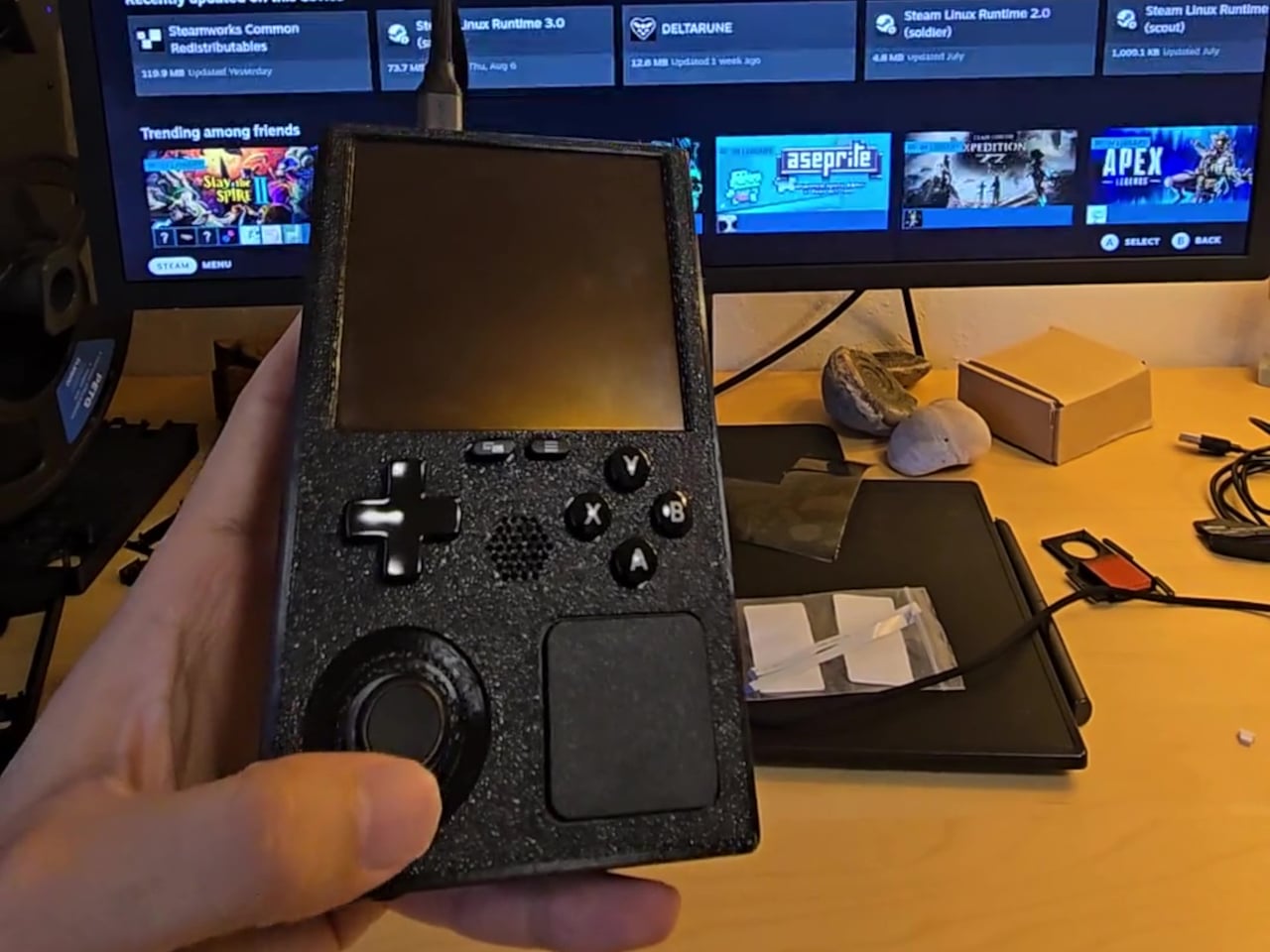
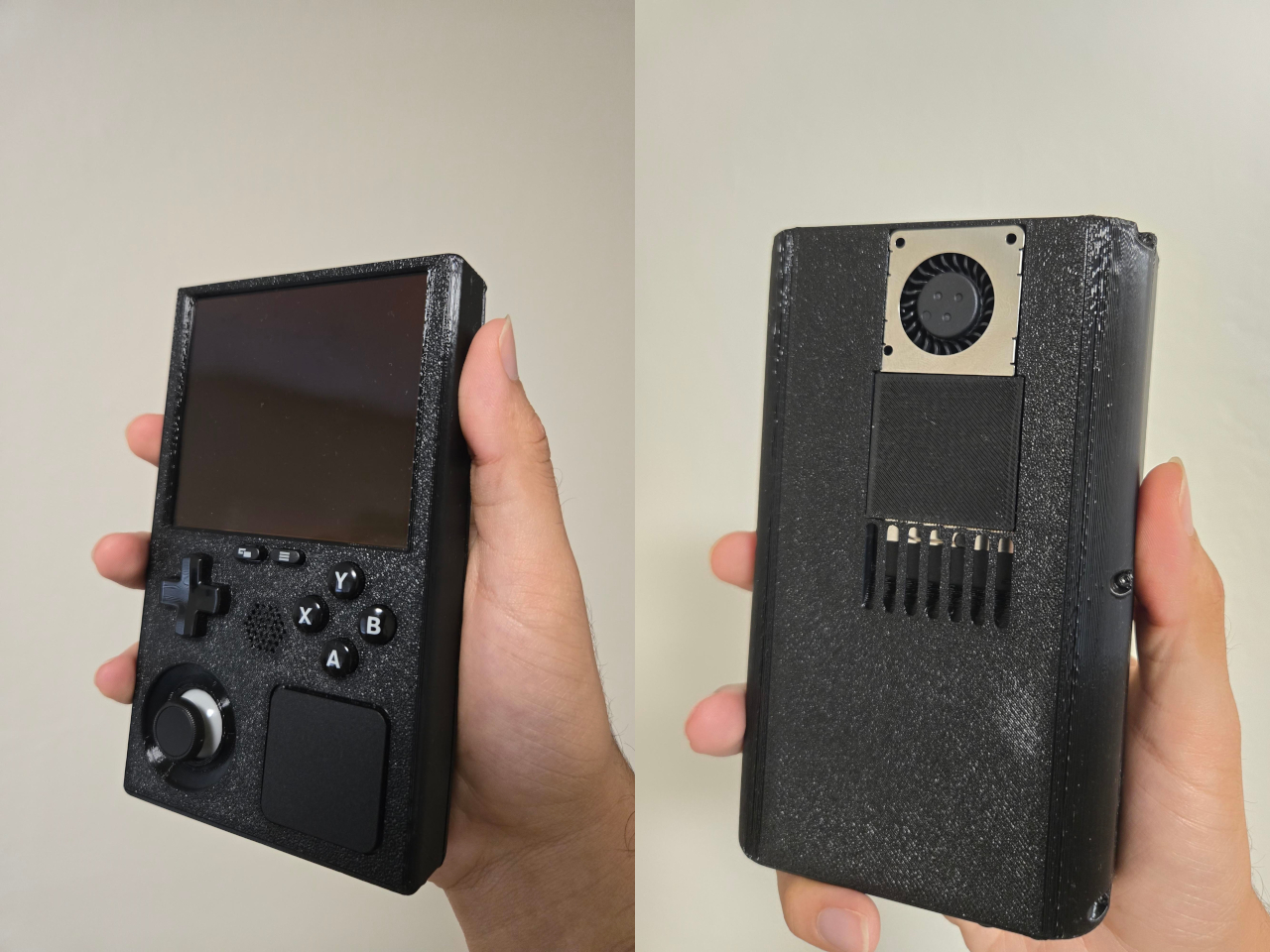
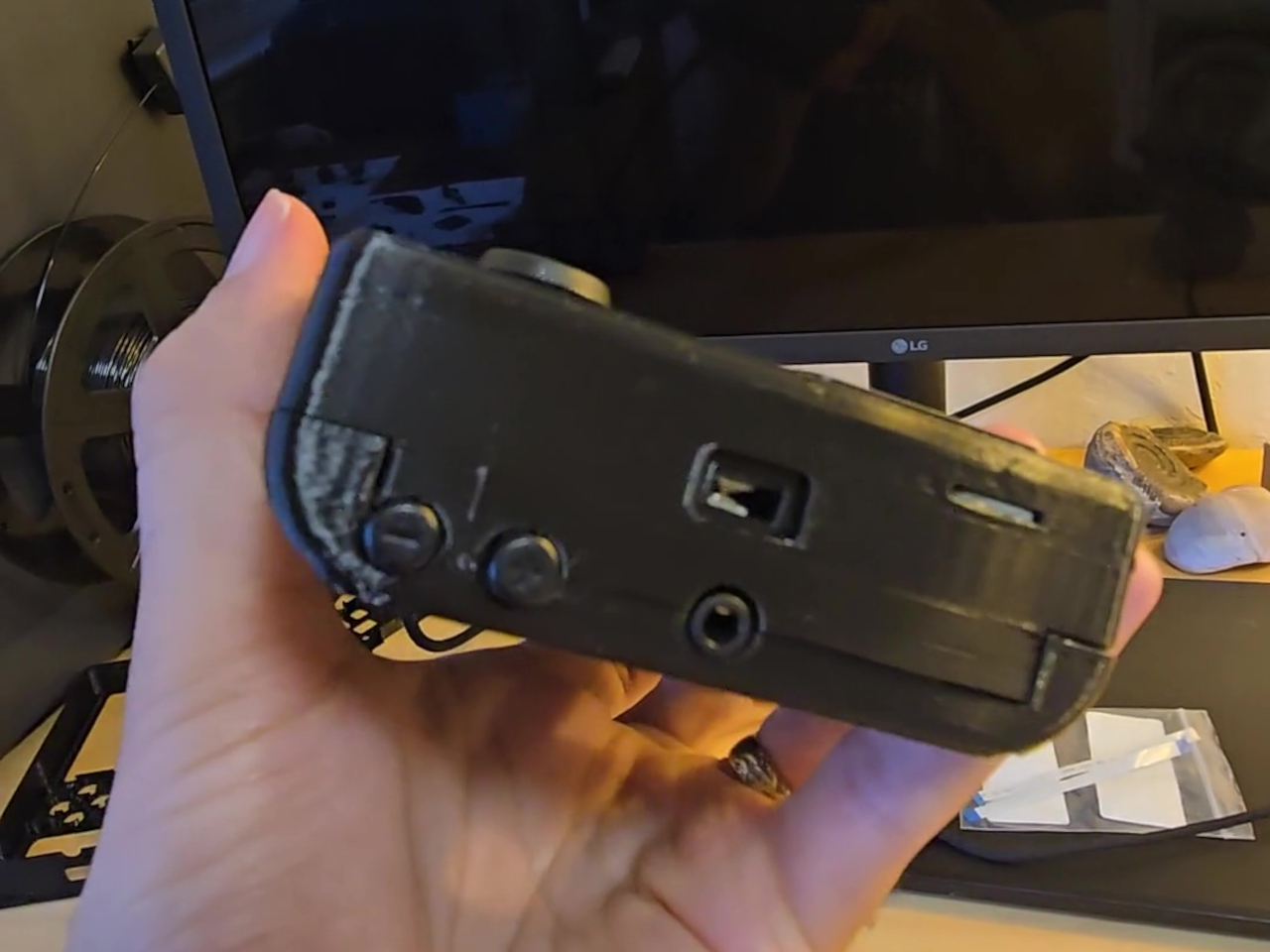
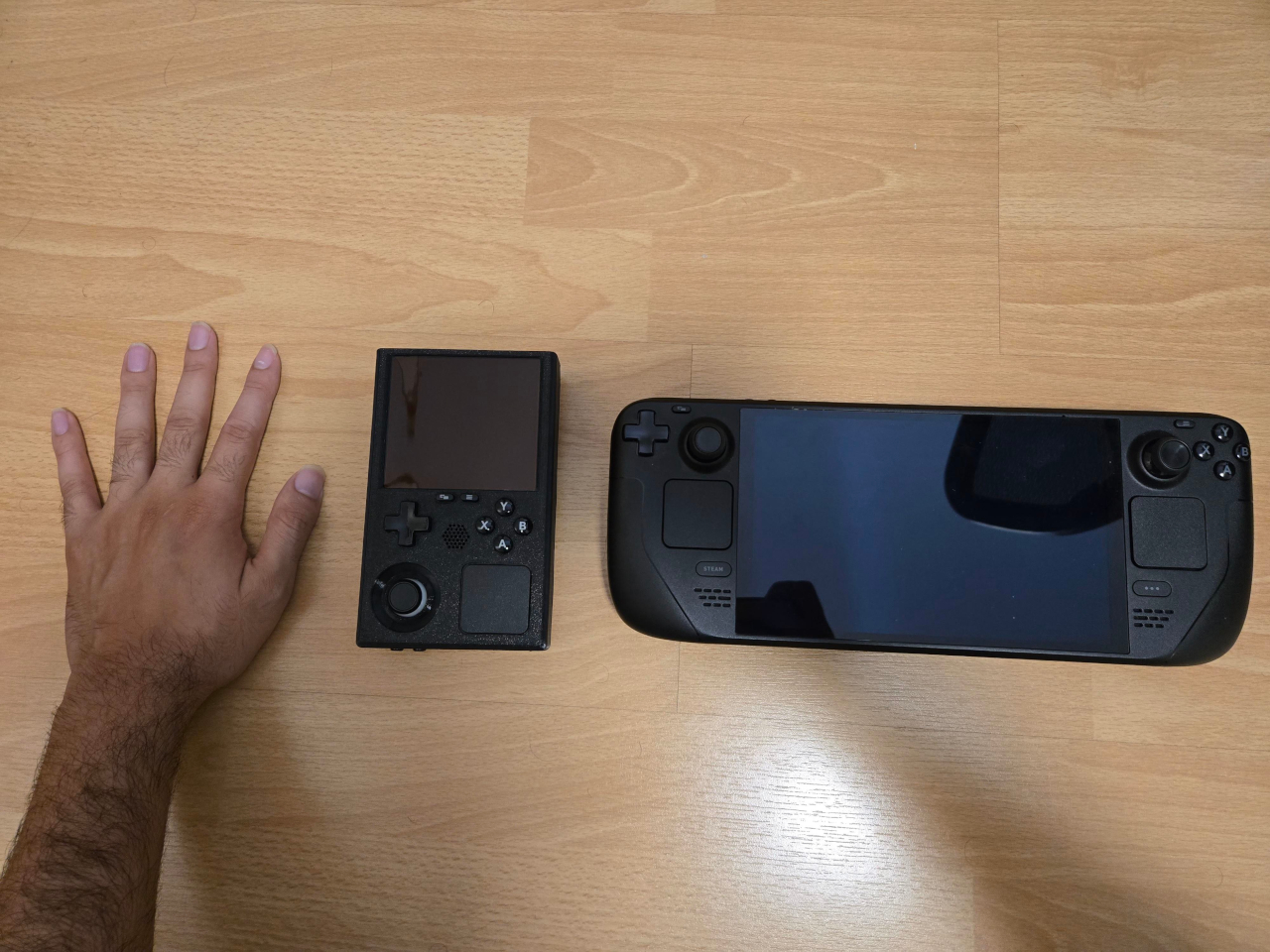
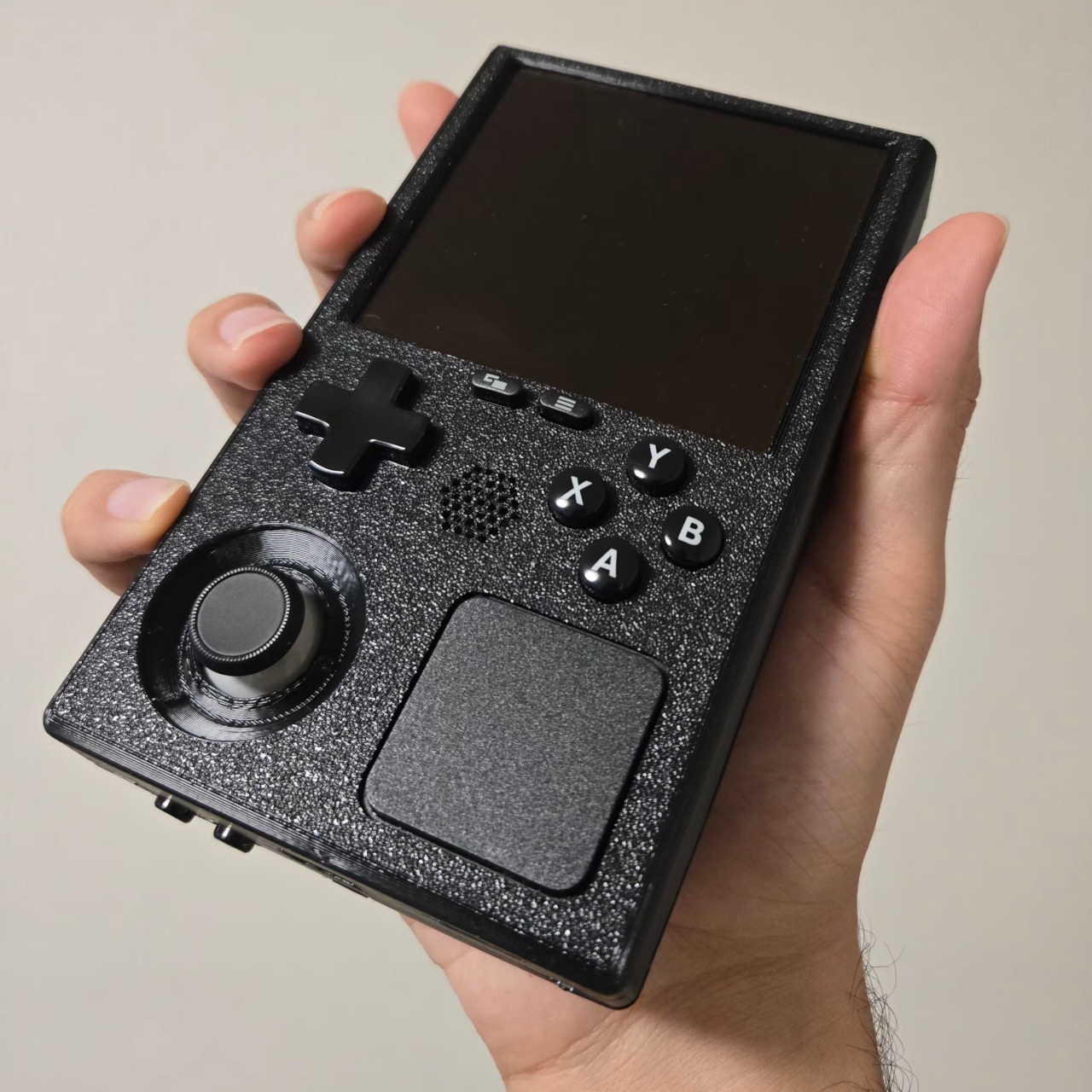
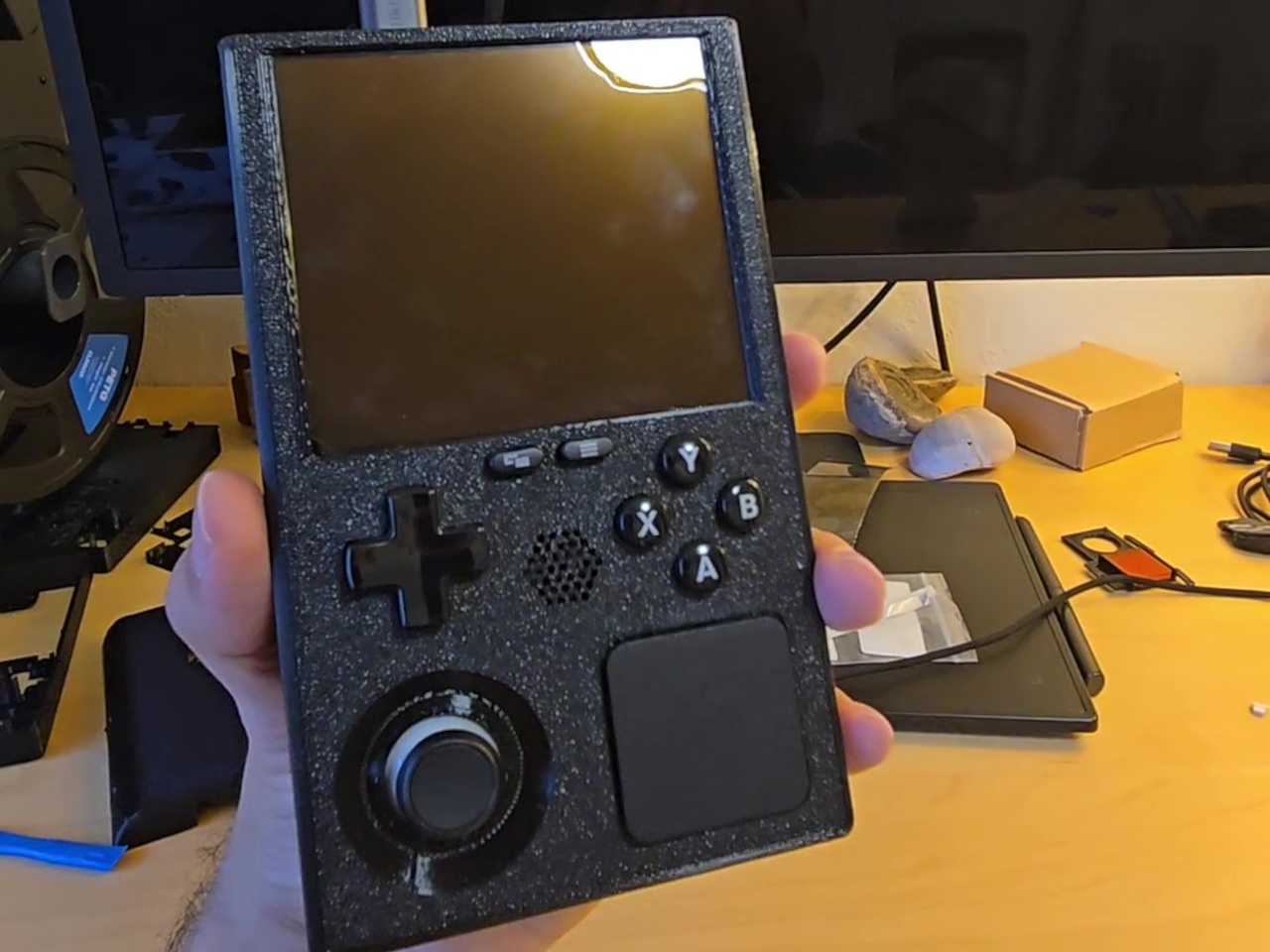
The SteamBoy goes much further. Someone took the actual working internals of a Steam Deck LCD, pulled them out of the original shell, and rebuilt everything inside a 3D-printed chassis roughly the size of an original Game Boy. The form factor shifts from the Steam Deck’s wide, horizontal layout to a tall, vertical one, running entirely on genuine Steam Deck hardware without any custom-made components.

Designer: PhyFawkes

The parts at the heart of the build include the Steam Deck’s motherboard, battery, speakers, and all of the original button hardware. Getting these into a much smaller enclosure without custom-designed circuit boards is the notable achievement here. No bespoke PCBs were needed for the core assembly, which means everything is essentially the same Steam Deck hardware, just rearranged to fit a dramatically different shell.

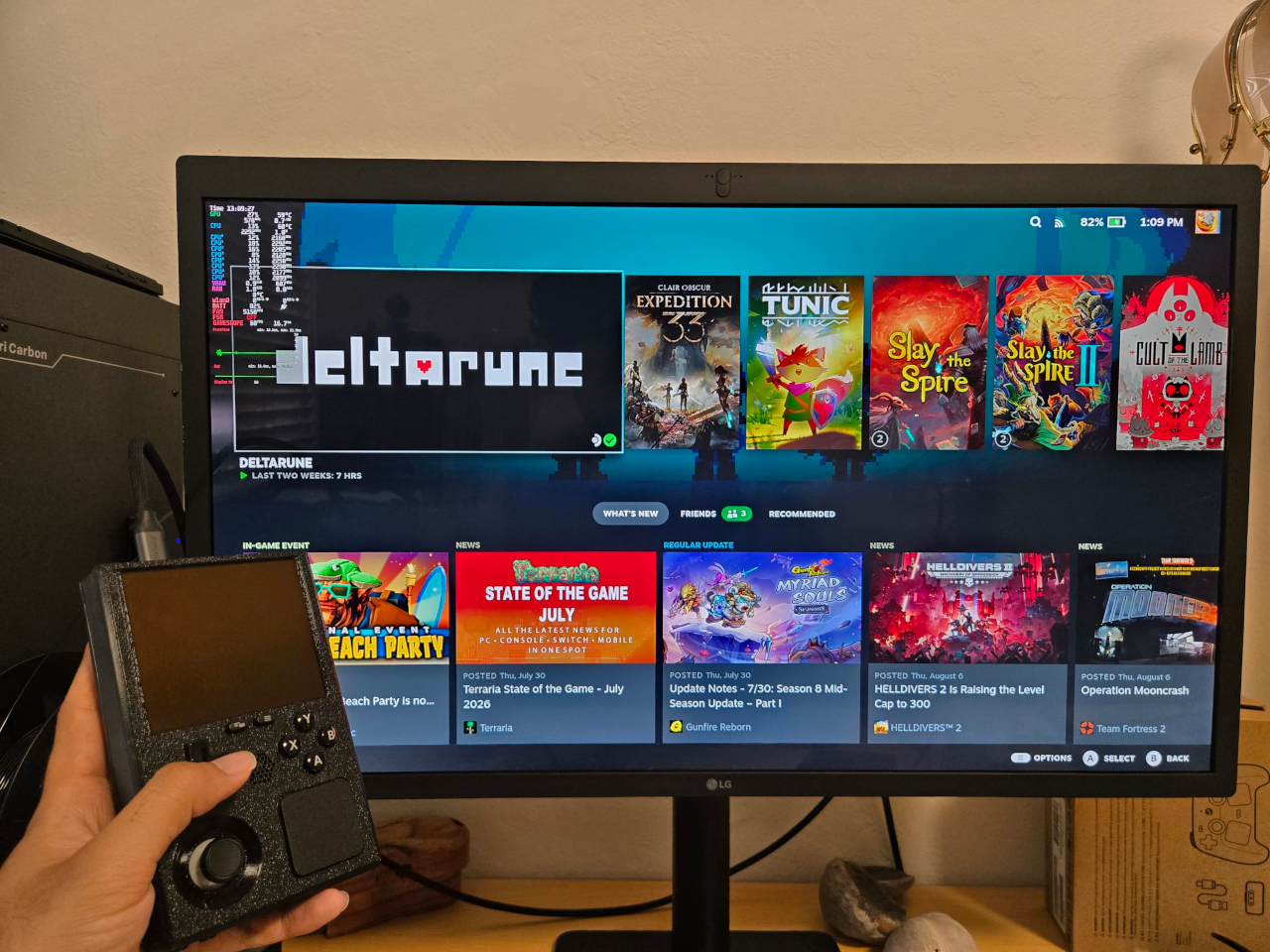
The display is where things get more involved. Rather than reusing the original Steam Deck screen, the planned replacement is a 1200×1080 AMOLED panel at 90 Hz, originally made for VR headsets. Making it work requires a custom adapter PCB between the panel and the motherboard, which is still in progress. In the meantime, the current demo routes output through a television rather than displaying on the device itself.

What the demo does confirm is that the hardware runs. Plug it into a display and the Steam Deck’s full library is available, complete with its familiar interface, game compatibility, and controls. The face buttons, D-pad, and thumbsticks carry over from the original hardware, giving it the full input range of a Steam Deck inside a body that fits the silhouette and spirit of a Game Boy.

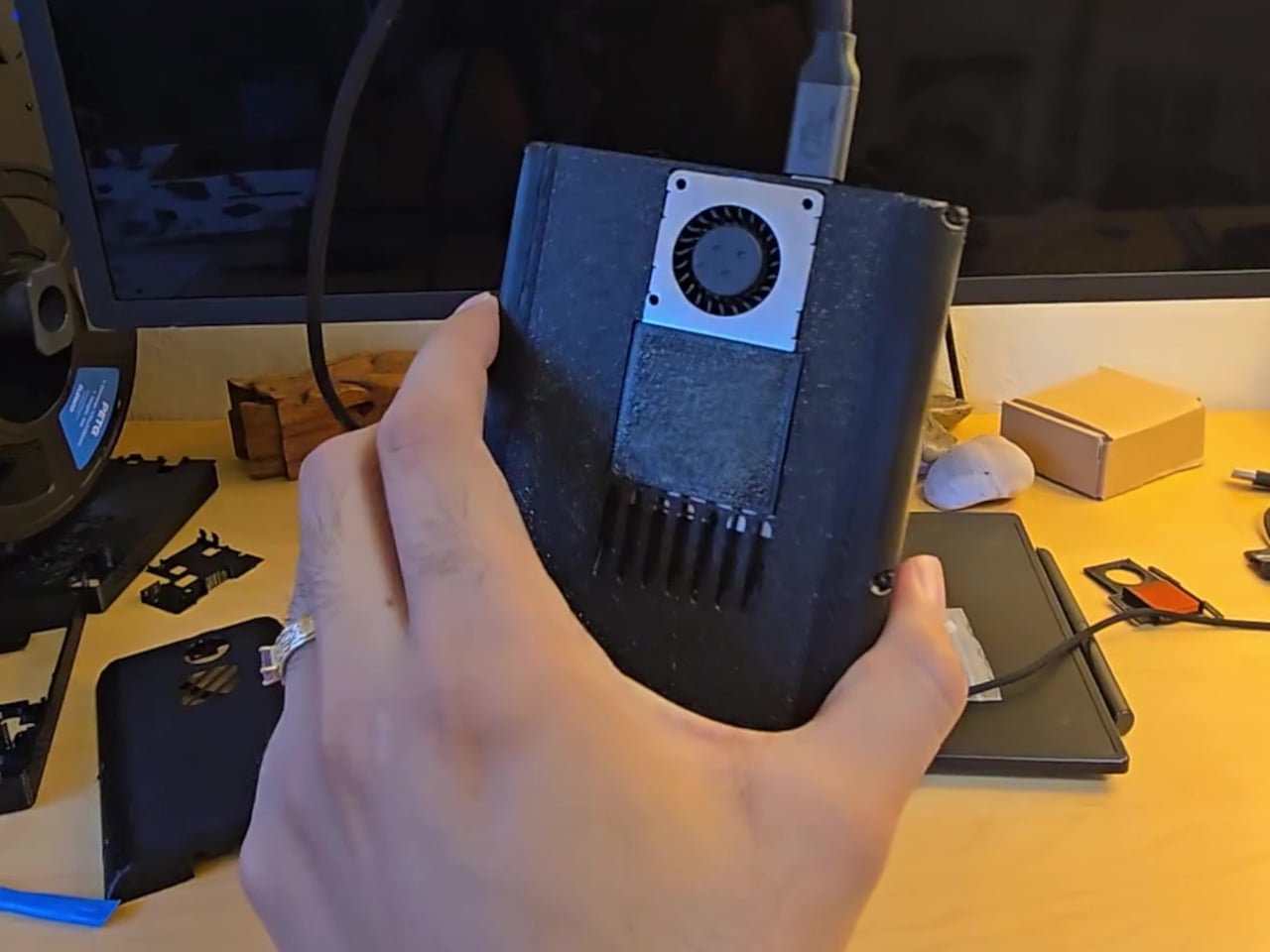
The tighter enclosure does come with trade-offs. Cramming full Steam Deck internals into a chassis this compact raises real concerns about thermal management, since the original design already runs warm under load. The shell is noticeably thicker than a vintage Game Boy as a result, a reasonable concession given what’s packed inside. Cooling and battery longevity under sustained use remain open questions for the build to address.

The SteamBoy is still a work in progress, somewhere between a proof of concept and a finished handheld. The screen situation alone involves a custom PCB that hasn’t been built yet, and getting it to a polished state requires further refinement of the enclosure and its internal arrangement. A teardown video documenting how everything fits together has since followed the original reveal, showing that the assembly is at least replicable.

There’s something telling about why a project like this resonates with people beyond the usual modding community. The Steam Deck is already a capable handheld gaming PC, but the idea of that same power in a Game Boy-sized body carries a different kind of appeal. It’s the same feeling that made the Game Boy endure for decades, distilled into something that can run a modern PC library.

The post Your Entire Steam Library Now Fits in a Game Boy-Sized Handheld first appeared on Yanko Design.
This Arduino-Powered Retro Handheld Is One Anyone Can Build at Home

DIY handheld gaming has always had a ceiling for newcomers. Most builds require custom-designed PCBs, hard-to-find specialized connectors, and at least a few evenings spent with a soldering iron before anything turns on. Results from experienced makers can be impressive, but getting there has traditionally demanded an electronics background and a comfort with tools that many people simply don’t have.

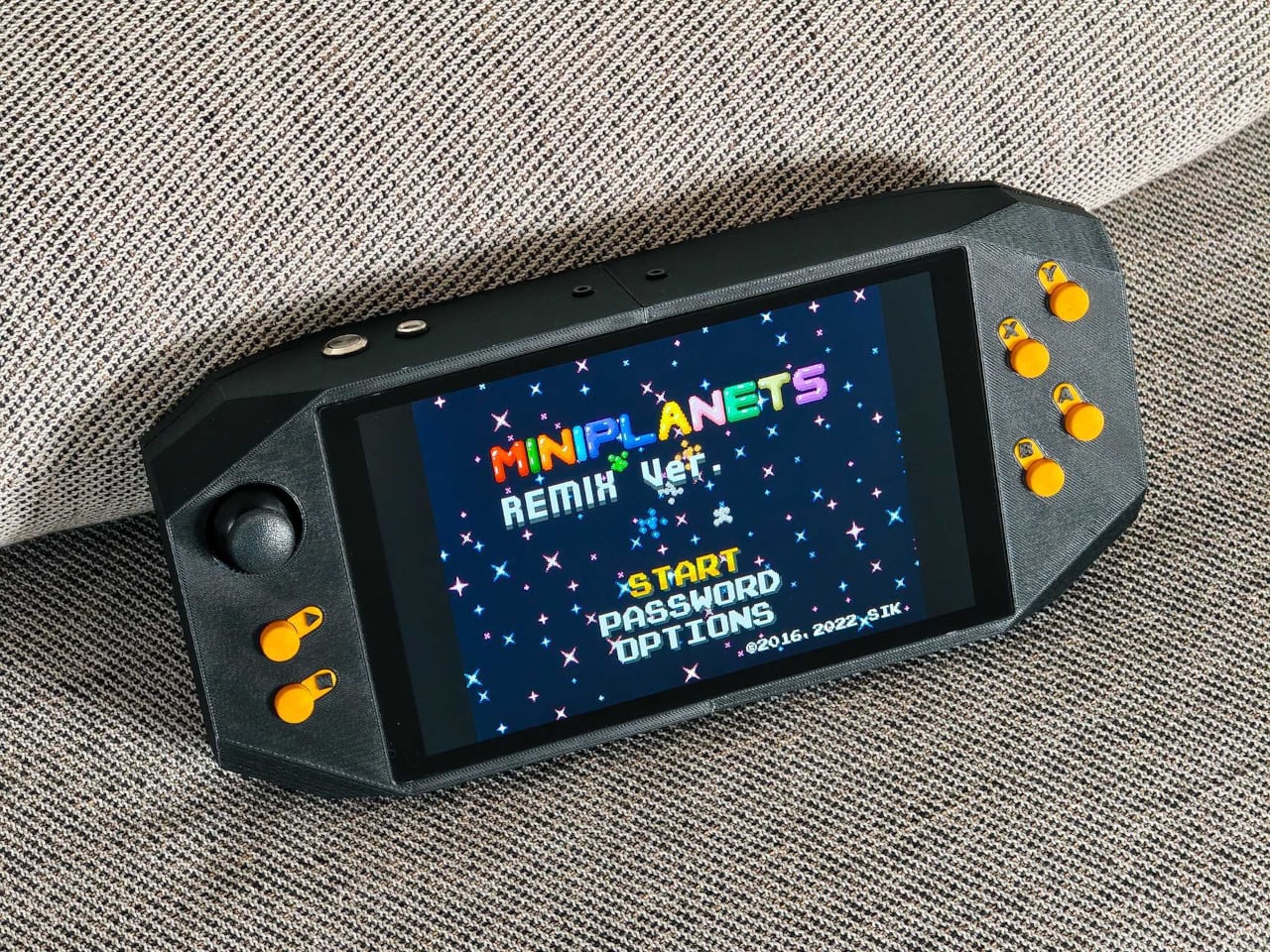
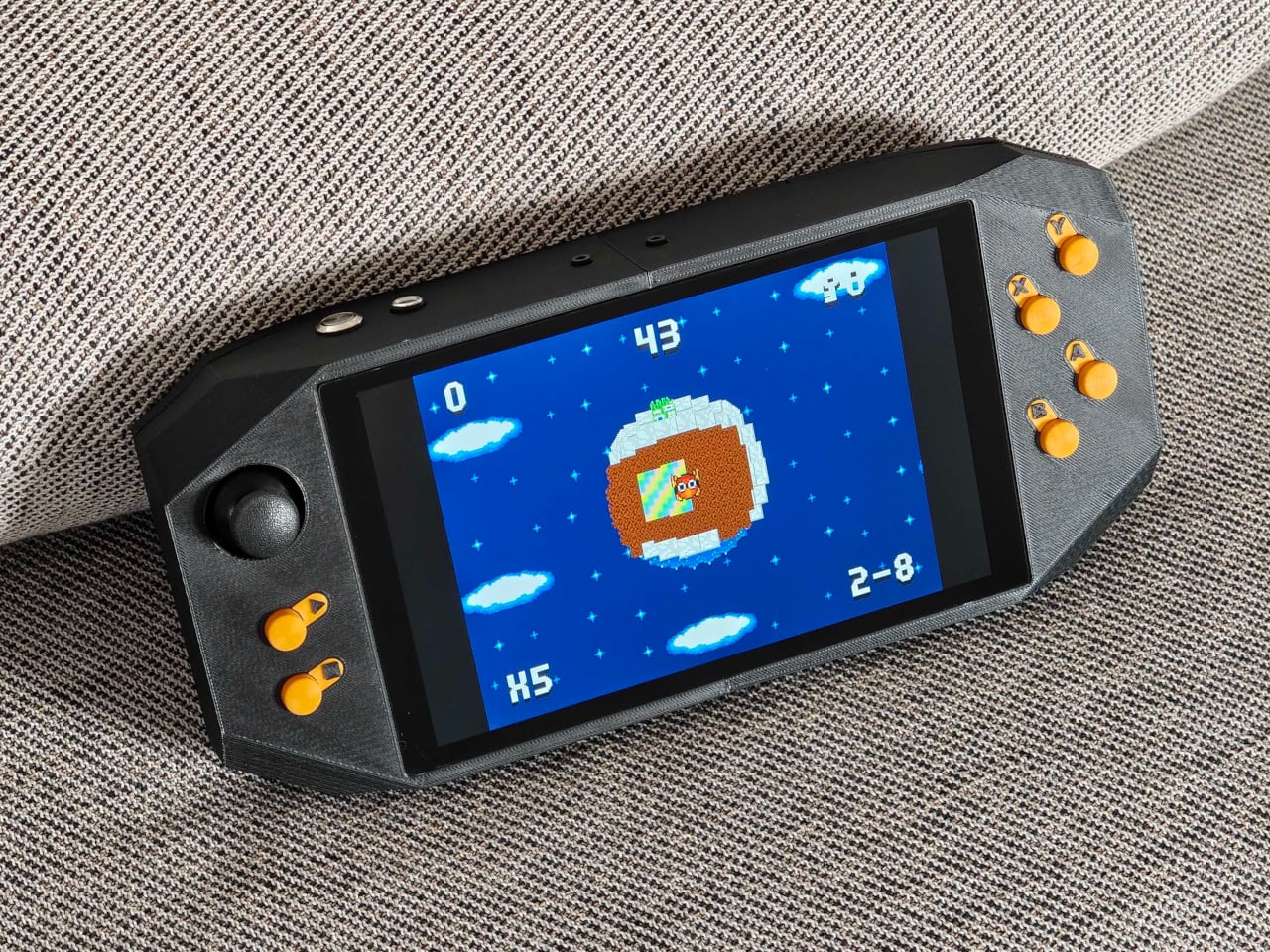
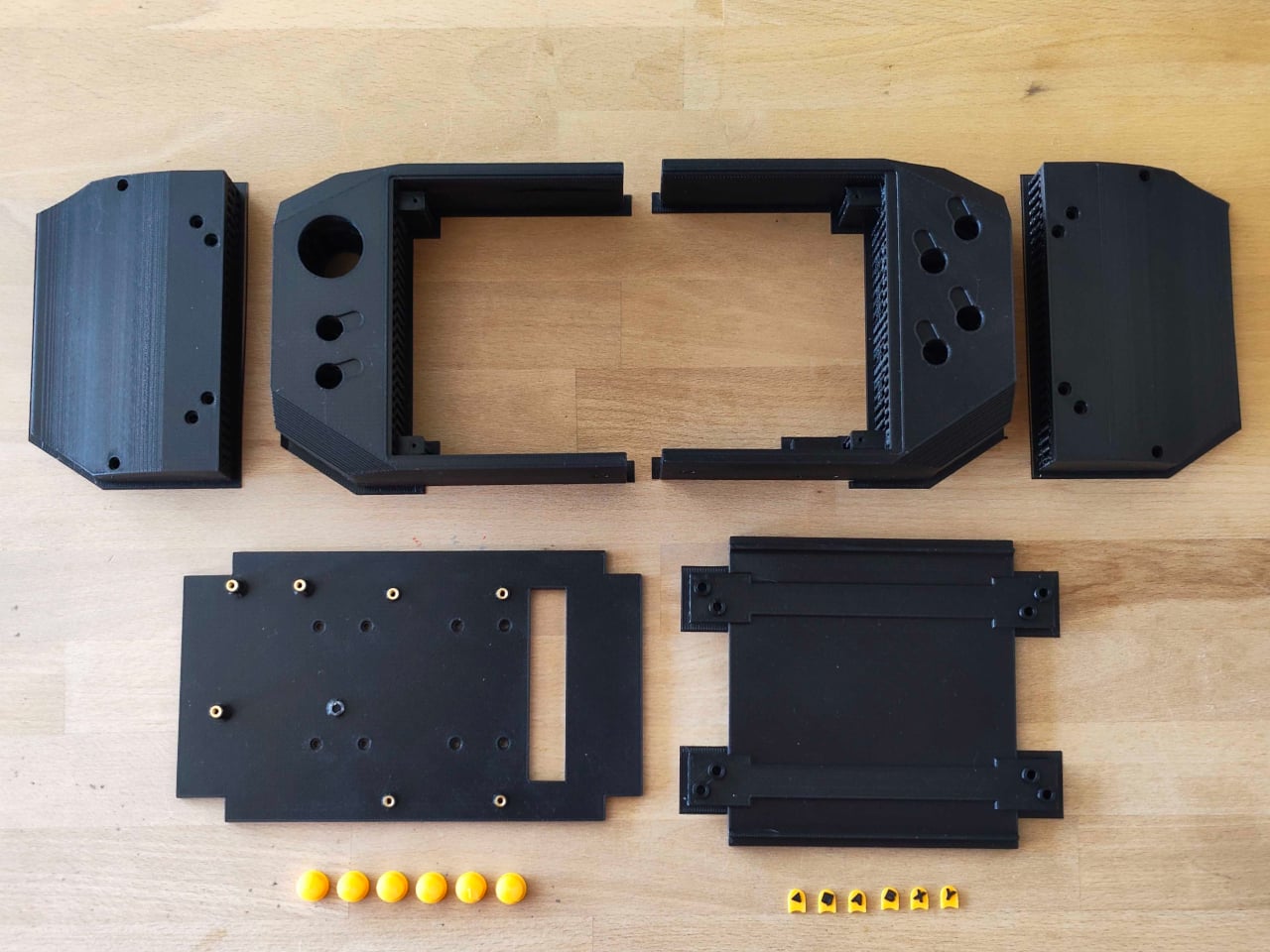
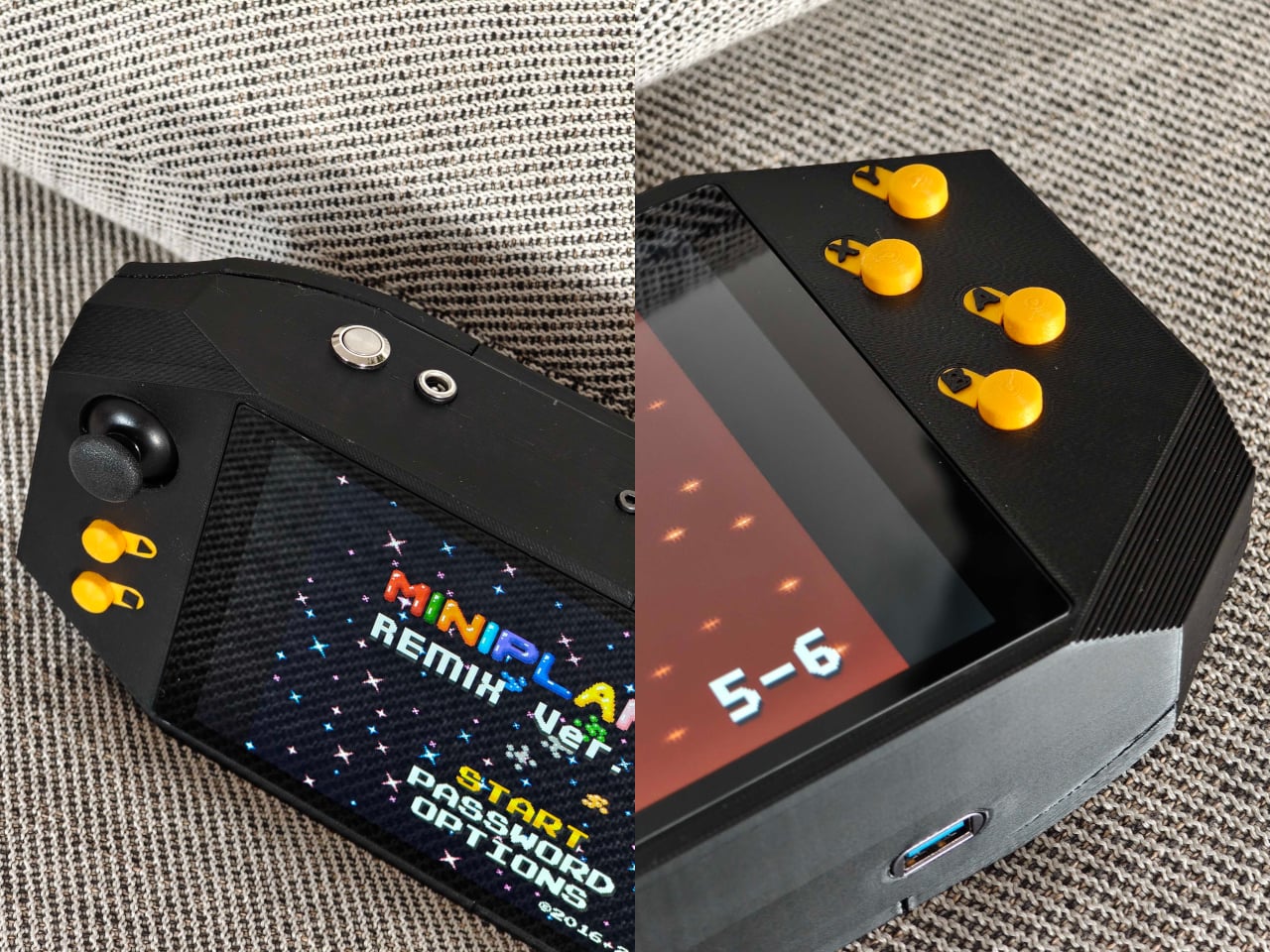
This Arduino UNO Q-based handheld console doesn’t ask for any of that. Every component can be ordered from a standard online retailer and assembled without soldering, making the build about as accessible as a maker project can get. The only parts requiring fabrication are the 3D-printed enclosure and buttons, which come together using heat-set inserts for a clean, professional-looking result that doesn’t betray its module-based origins.

Designer: zalmotek

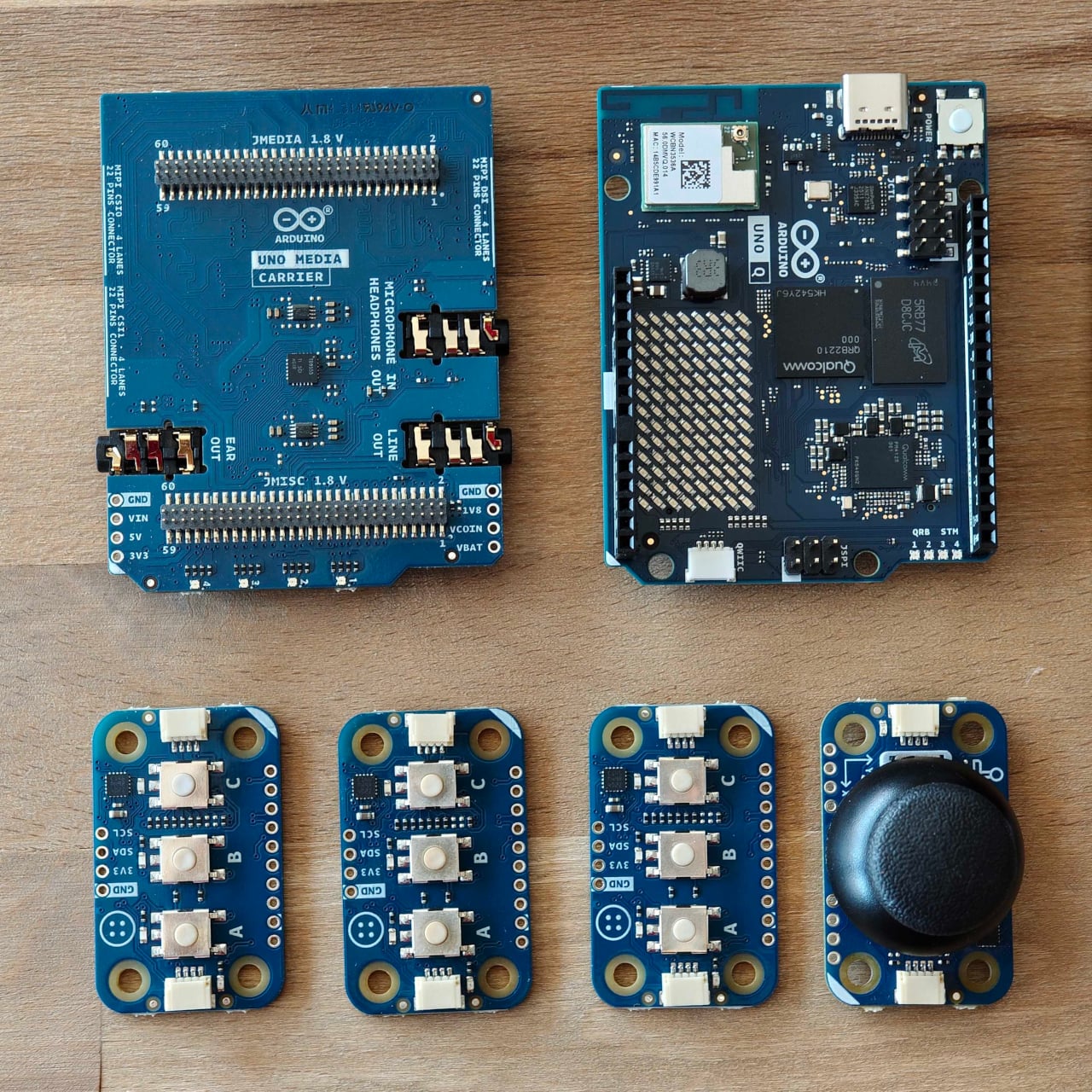
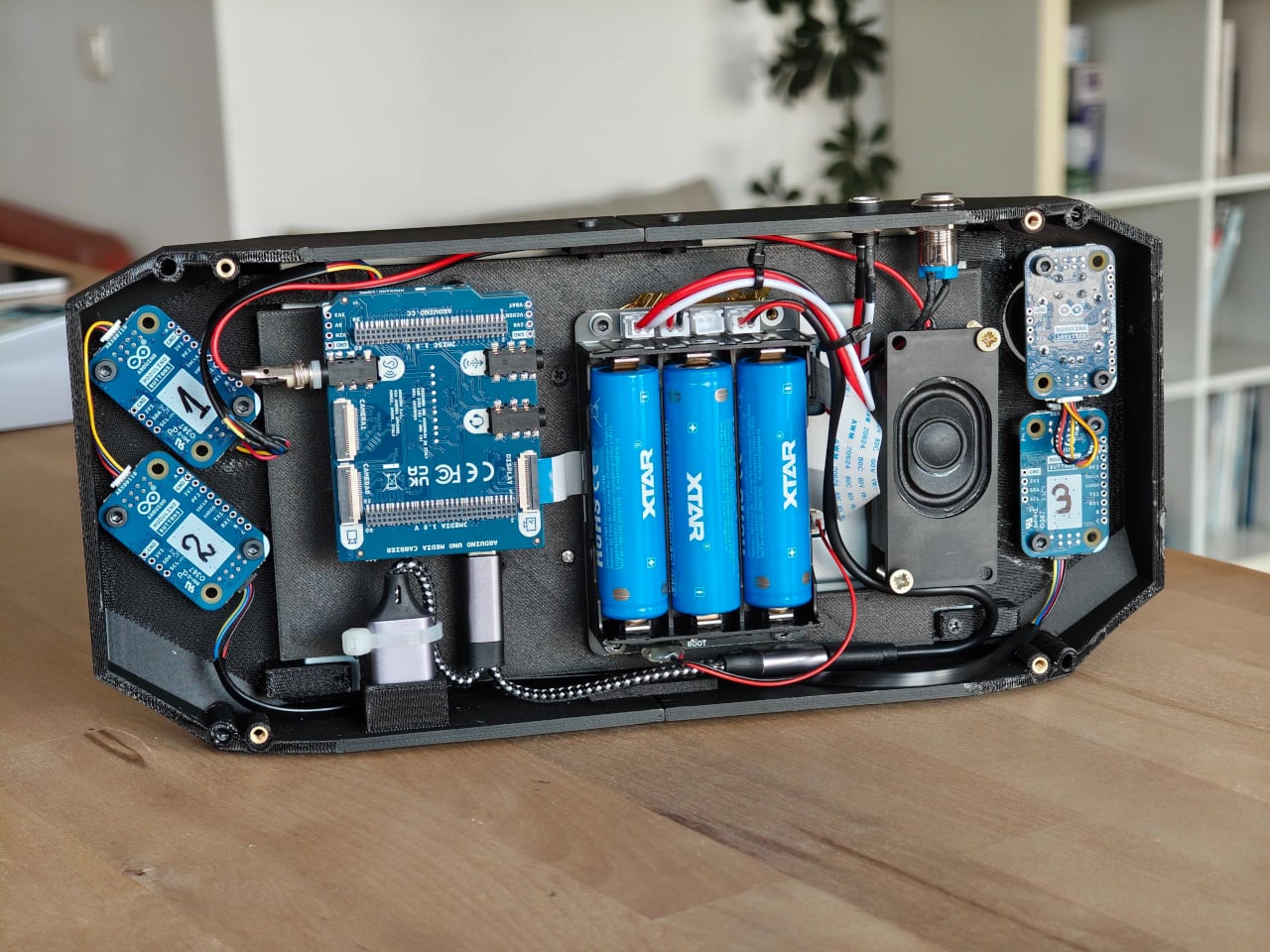
The hardware list reads like an afternoon’s shopping. At the center is the Arduino UNO Q, pairing a Qualcomm Dragonwing QRB2210 processor running Debian Linux with a dedicated STM32 microcontroller for real-time input handling. Modulino Buttons and a Modulino Joystick handle the controls, an Arduino UNO Media Carrier connects an 8-inch Waveshare touchscreen and an Adafruit speaker, and a Waveshare UPS module provides battery support.

The software side is equally well thought out. The STM32 microcontroller monitors button presses and joystick movements, then passes that data to the Linux environment, where a Python daemon converts everything into standard USB gamepad commands. RetroArch handles the emulation without any complicated setup, so loading up a game doesn’t feel different from plugging a USB gamepad into a PC.

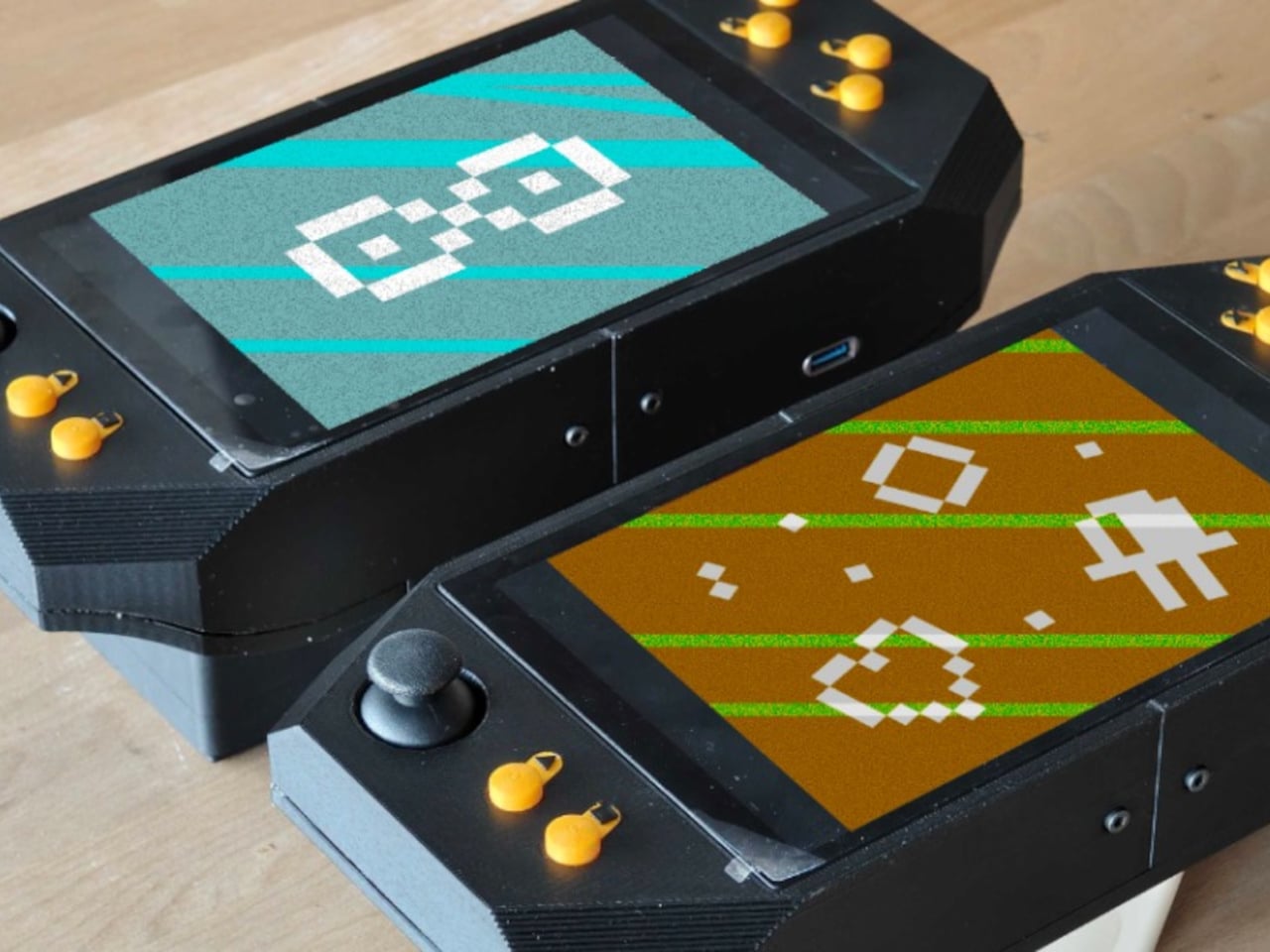
That smoothness pays off in practice. Sitting back with a handheld you built over a weekend and scrolling through titles from systems you grew up with, everything runs cleanly with proper controls and sound. It’s a bit chunkier than a commercial device, given the module-based construction, but the feel is more polished than the trade-off might suggest, especially for a build that skips custom PCBs entirely.

There’s also room to go further than emulation. The UNO Q can run the Godot game engine, which turns the same hardware into a development platform for original games. Between that and RetroArch’s support for a wide range of classic platforms, the console covers both ends of the gaming spectrum without requiring any additional hardware beyond what’s already in the build.

The full hardware list, assembly walkthrough, and complete source code are posted on Arduino Project Hub and GitHub, keeping everything open and reproducible. The documentation also frames the build as a starting point rather than a finished product, with options like swapping the display for a different size, redesigning the enclosure, or adding a Modulino Movement node for motion controls described as natural next directions.

None of that holds together without the right foundation, and the UNO Q’s dual-brain architecture provides it quietly. The STM32 handles time-sensitive inputs without lag while the Qualcomm processor manages the emulation stack, audio, and video at the same time. A software bridge connects the two, and clean communication between them is what keeps the console from feeling like a loose collection of modules.

The post This Arduino-Powered Retro Handheld Is One Anyone Can Build at Home first appeared on Yanko Design.
DIY Writing Devices Get Expensive Fast, So This One Costs Almost Nothing

The writerdeck movement has one recurring irony: devices built specifically to cut through digital distraction have a tendency to get expensive. Custom keyboards, purpose-built screens, and precision-machined enclosures can push a DIY writing build well past the cost of a regular laptop, which rather defeats the point. The more interesting entries in the space tend to be the ones that solve the accessibility problem, not just the distraction one.

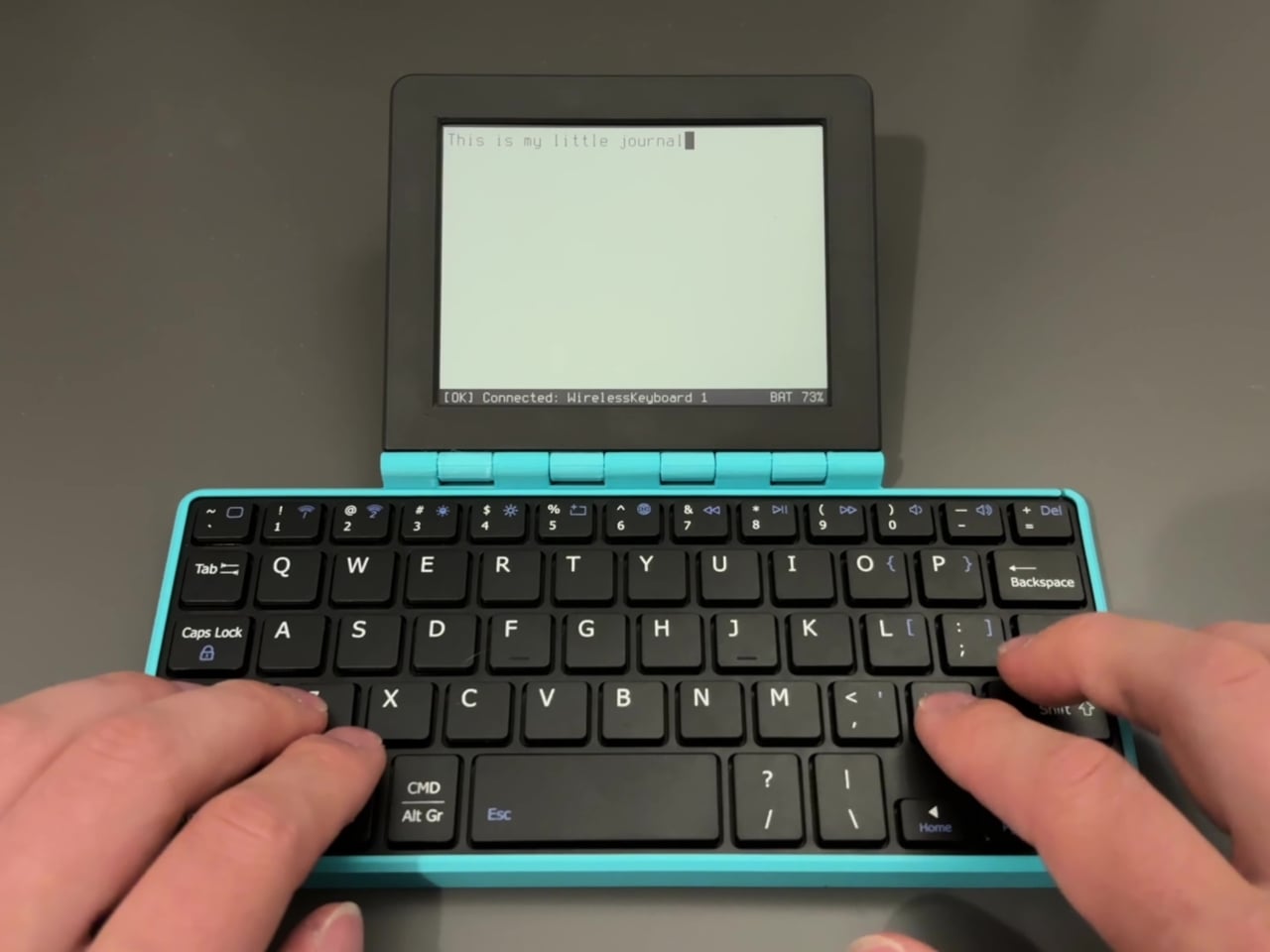
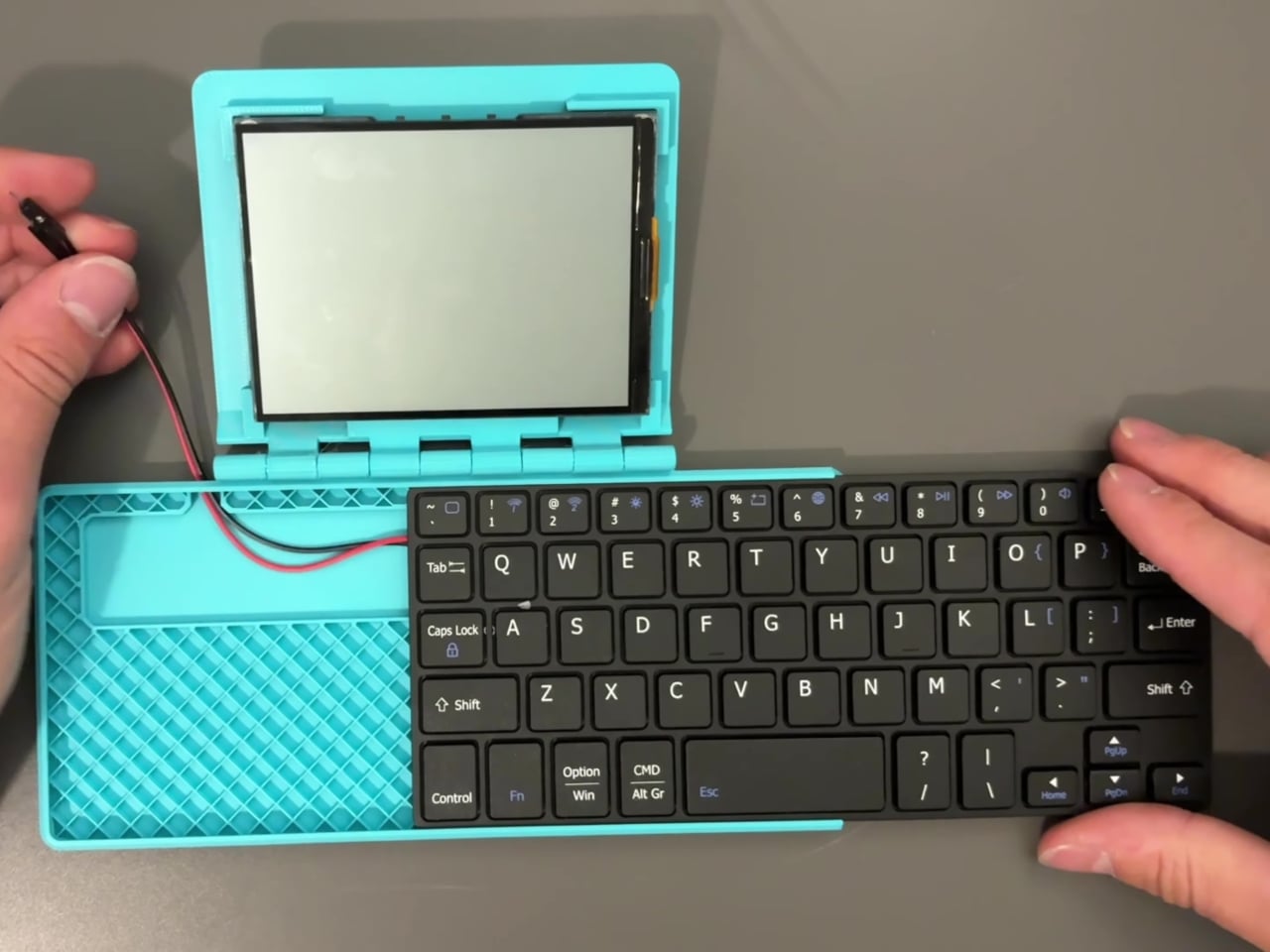
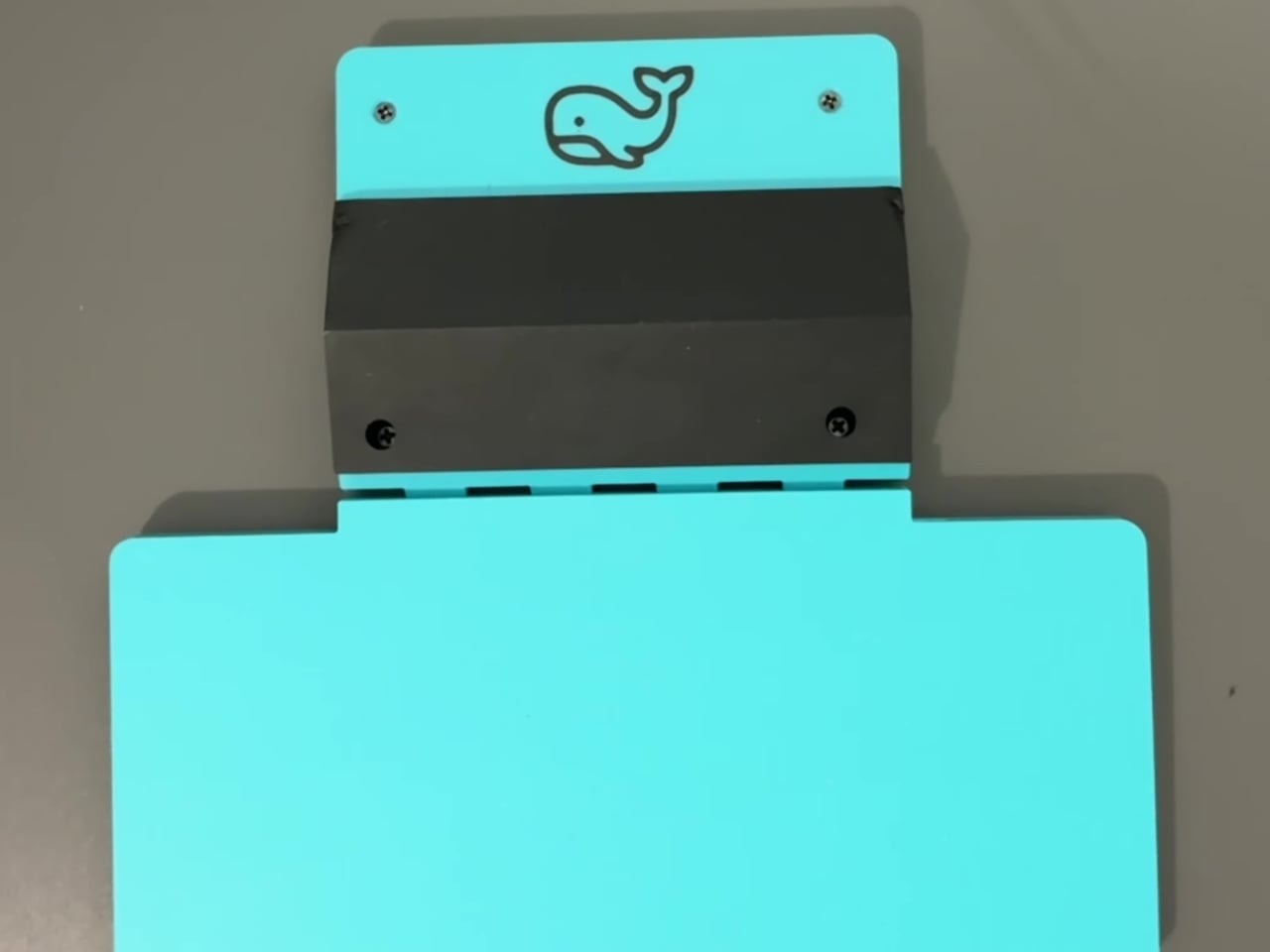
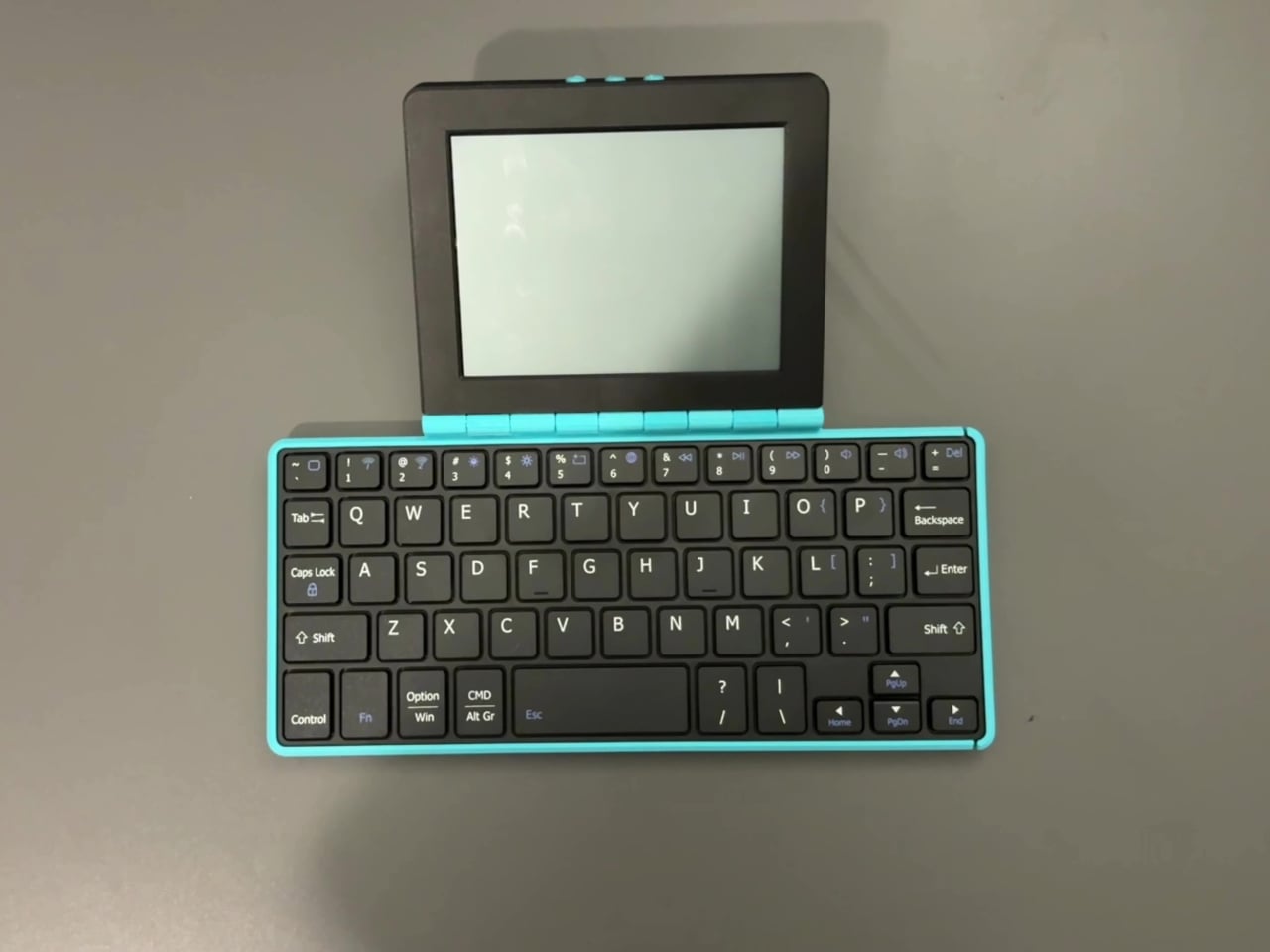
The Whale Writer is an open-source, foldable, DIY writing device designed to be as cheap and portable as possible. It’s the second writerdeck design from its creator, after Bee Write Back, built specifically to address the two most common criticisms of the first: it didn’t fold, and it cost too much. Both problems are solved here through a combination of 3D-printed parts and off-the-shelf electronics.

Designer: Simon Shimel

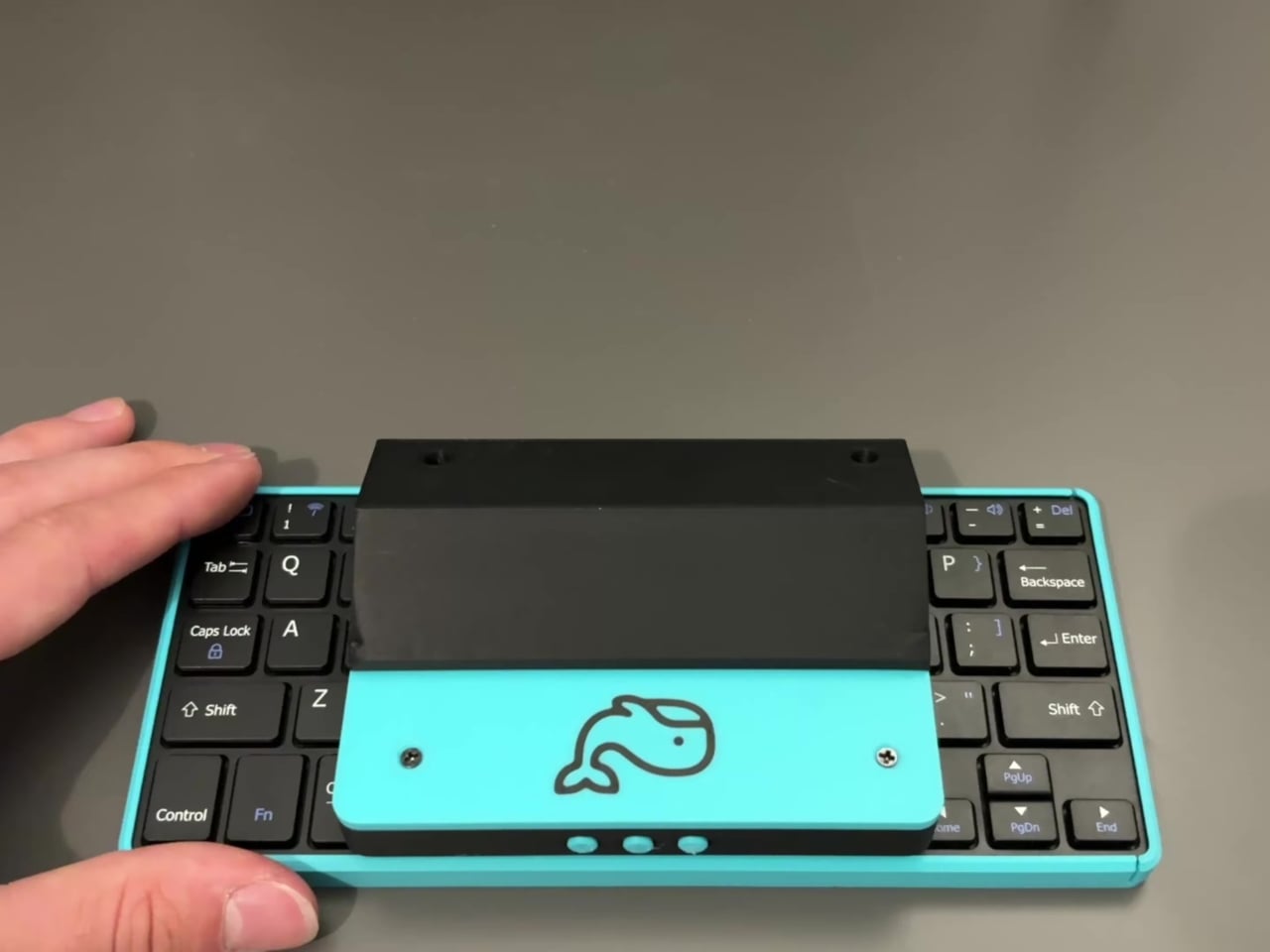
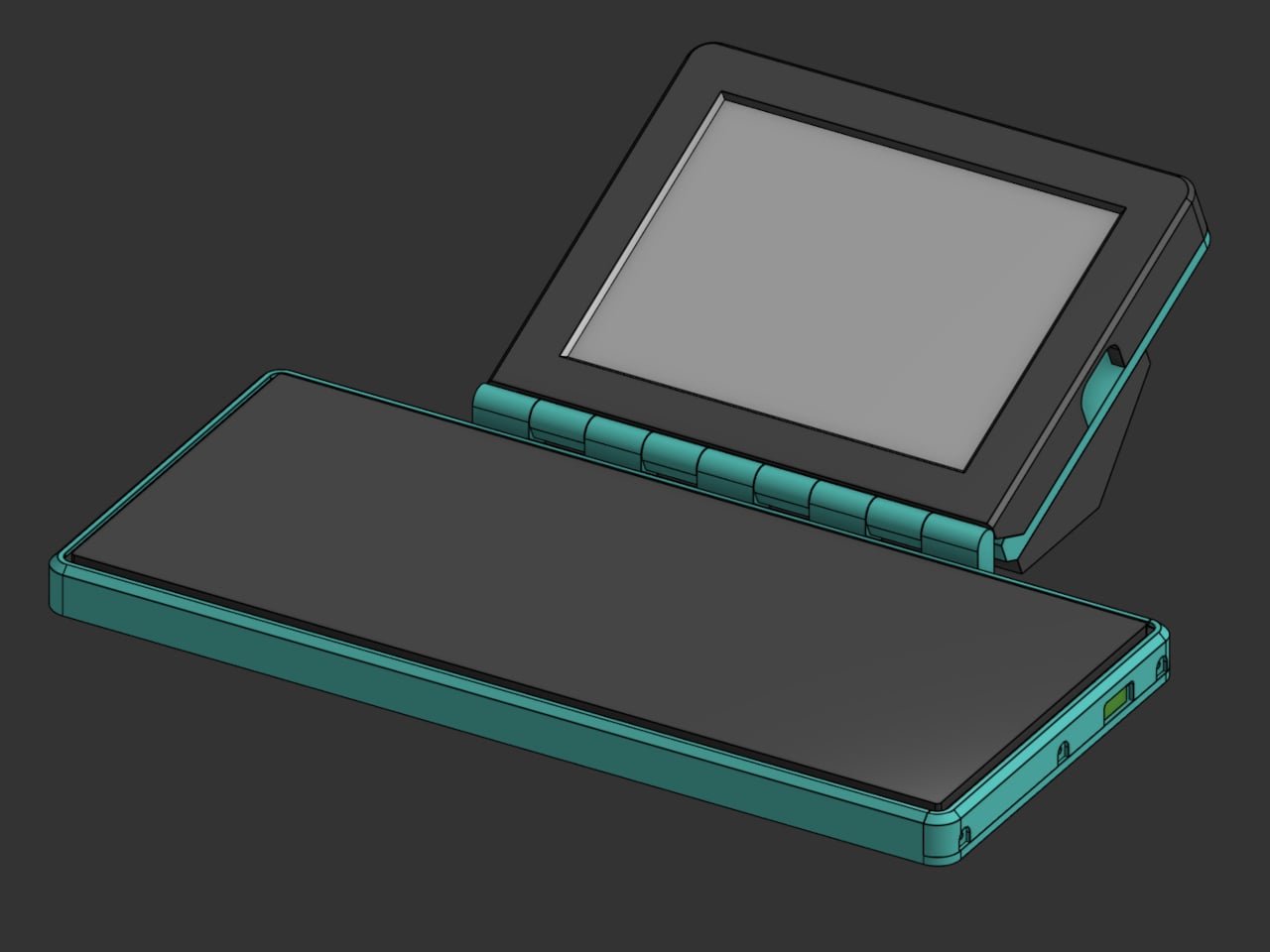
Folding is what separates this from most of the writerdeck category, where non-folding chassis designs are common. When closed, the Whale Writer flattens into a form that can travel in a bag without a full keyboard and screen sticking out at different angles. A device that sits on a café table can fold up and slide into a jacket pocket for the commute.

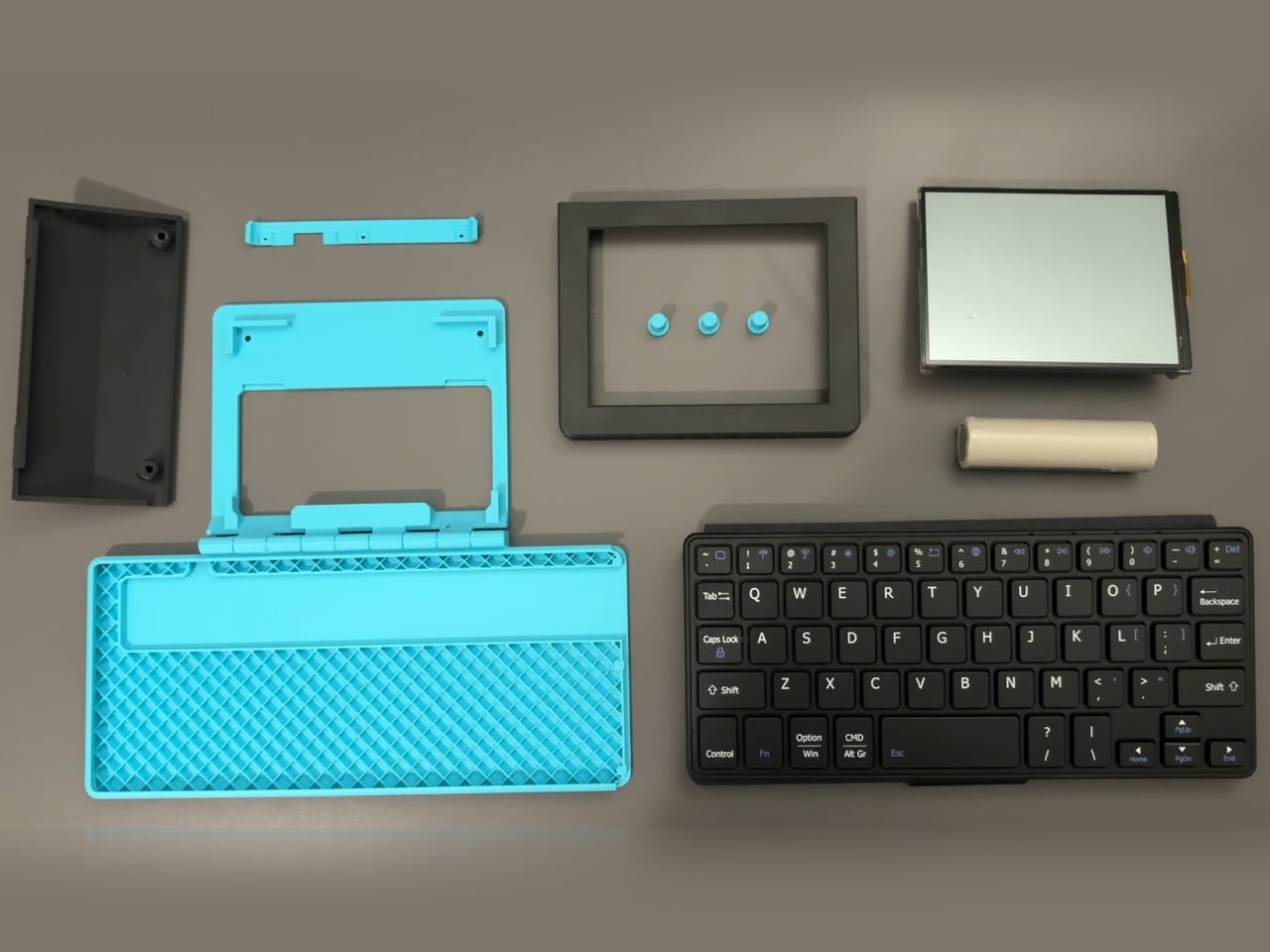
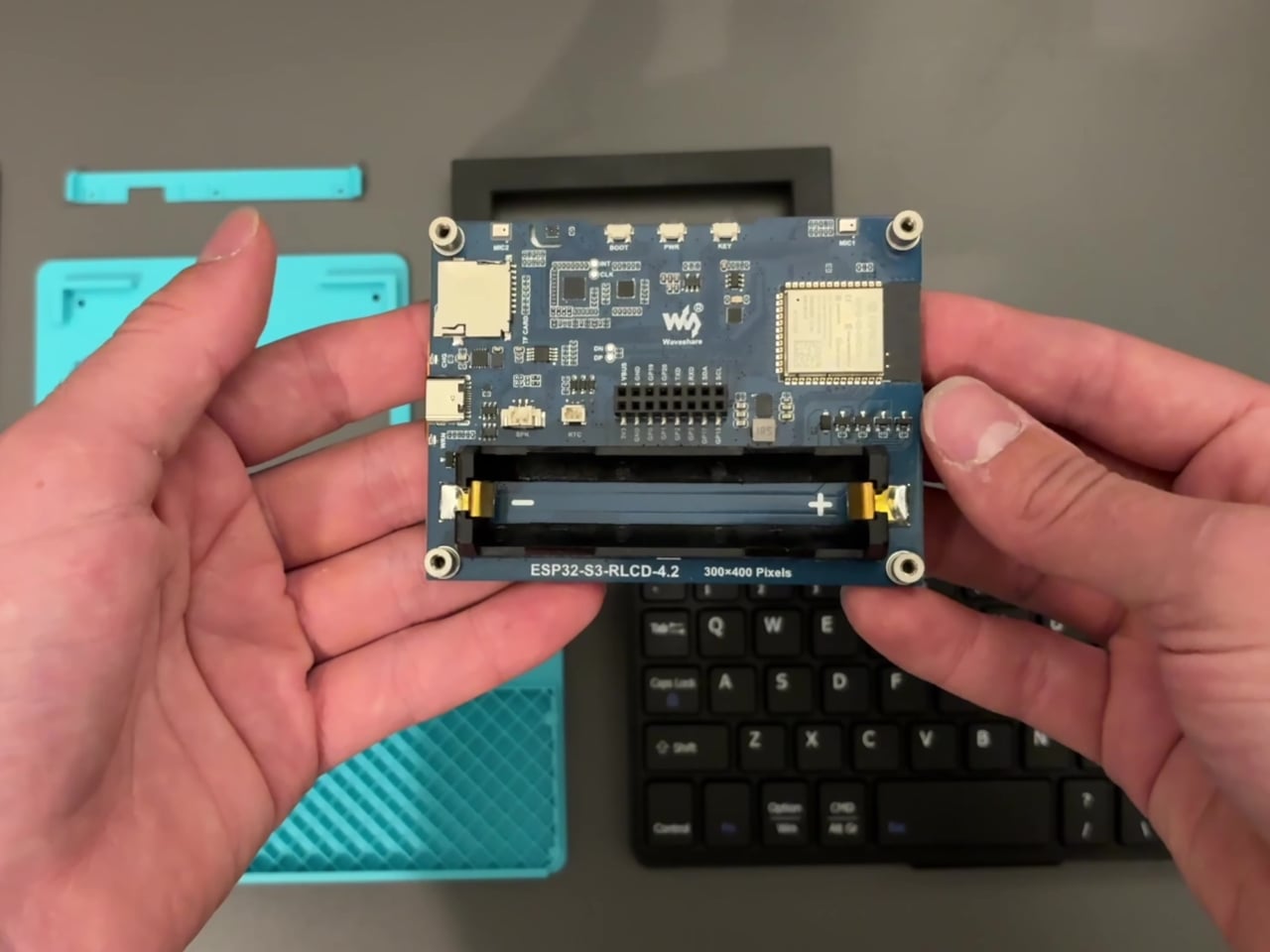
Central to the hardware is an unusual display choice. Rather than a backlit LCD, the Whale Writer uses a Waveshare RLCD, a reflective liquid crystal display that reads using ambient light instead of a power-hungry internal backlight. The result is a screen that mimics paper readability and extends battery life considerably, with an ESP32-S3 microcontroller already built into the module so no separate computing board is required.

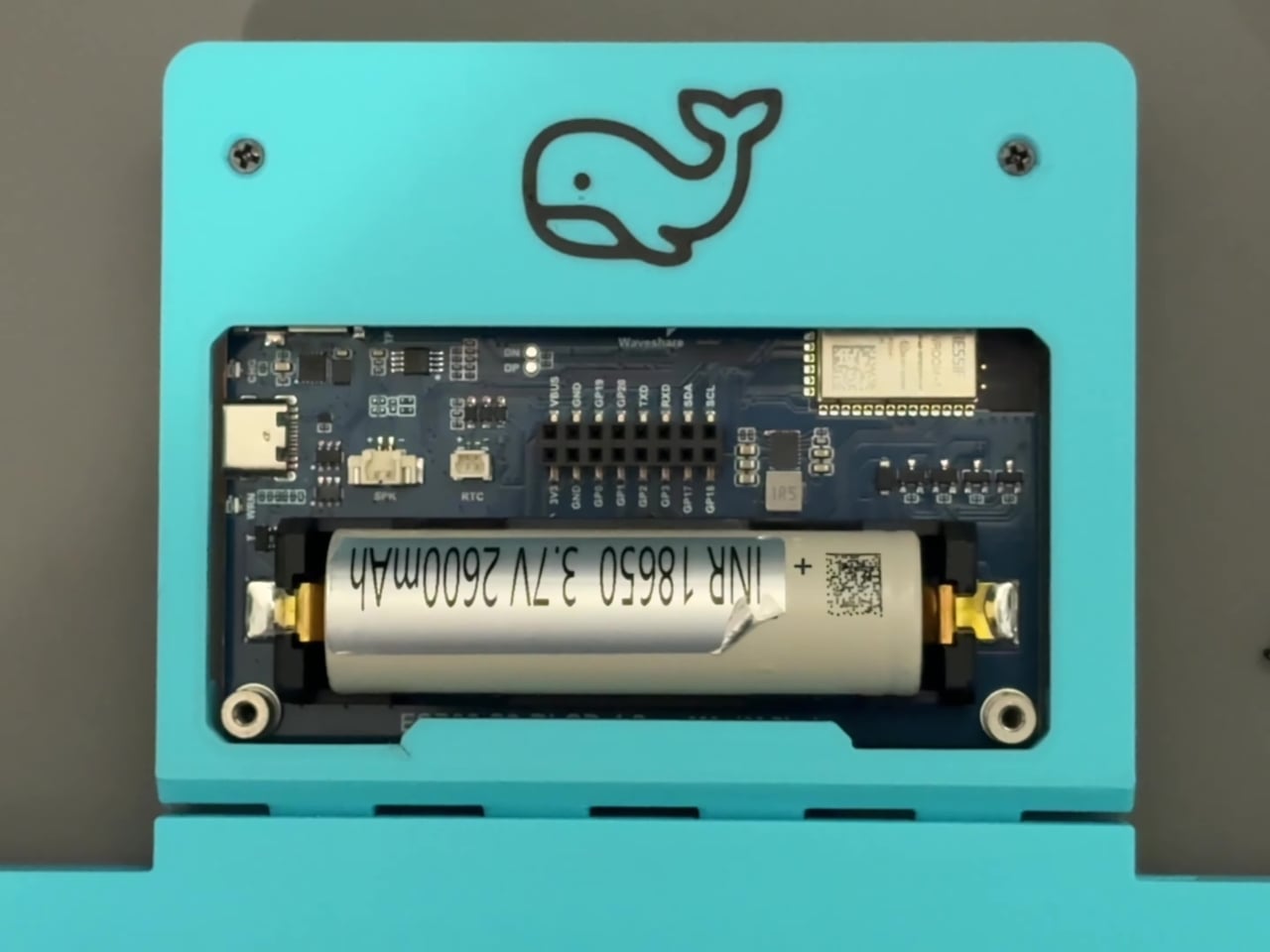
The keyboard is the most accessible component here: a standard cheap Bluetooth keyboard is fully disassembled, and its PCB, key matrix, and flex cable are repurposed inside a custom 3D-printed chassis. Four printed parts complete the build: a base plate with a print-in-place hinge, a locking plate that holds the keyboard in position, a battery cover, and a screen bezel with three button cutouts.

Power runs from an 18650 battery cell, and builders have two configurations to choose from. The simpler path keeps the keyboard’s original battery running independently from the main cell, requiring no soldering. The more involved route splices the keyboard’s power input directly to the RLCD board’s output, running everything off a single 18650, which means one battery to charge instead of two.

Software is deliberately left open. A basic word processor was built as a functionality test using an AI coding assistant, but the creator frames the Whale Writer as a hardware platform, not a finished product. The ESP32’s onboard Wi-Fi and Bluetooth leave the door open for everything from a minimal plain-text editor to a wireless draft-syncing terminal, depending on what firmware the community eventually writes.

None of what the Whale Writer does is entirely new, and it doesn’t try to suggest otherwise. The category already knows what it’s supposed to be: a device that only lets you write, without anything else competing for the same moment. What this build adds to that premise is a sincere attempt to make the experience available to people who want it but have been priced out of building one.

The post DIY Writing Devices Get Expensive Fast, So This One Costs Almost Nothing first appeared on Yanko Design.
Google Built a Translation Device That Doesn’t Need Google’s Own Cloud

Real-time translation has quietly become one of the most useful things AI can do, and most of the solutions doing it well are deeply dependent on cloud infrastructure. The phone apps and earbuds that translate conversations on the fly are continuously routing audio through remote servers, which works fine until the network doesn’t. Travel to areas with spotty coverage, use a device that can’t roam internationally, or simply value keeping your conversations off someone else’s server, and the whole pipeline collapses at the exact moment you need it most.

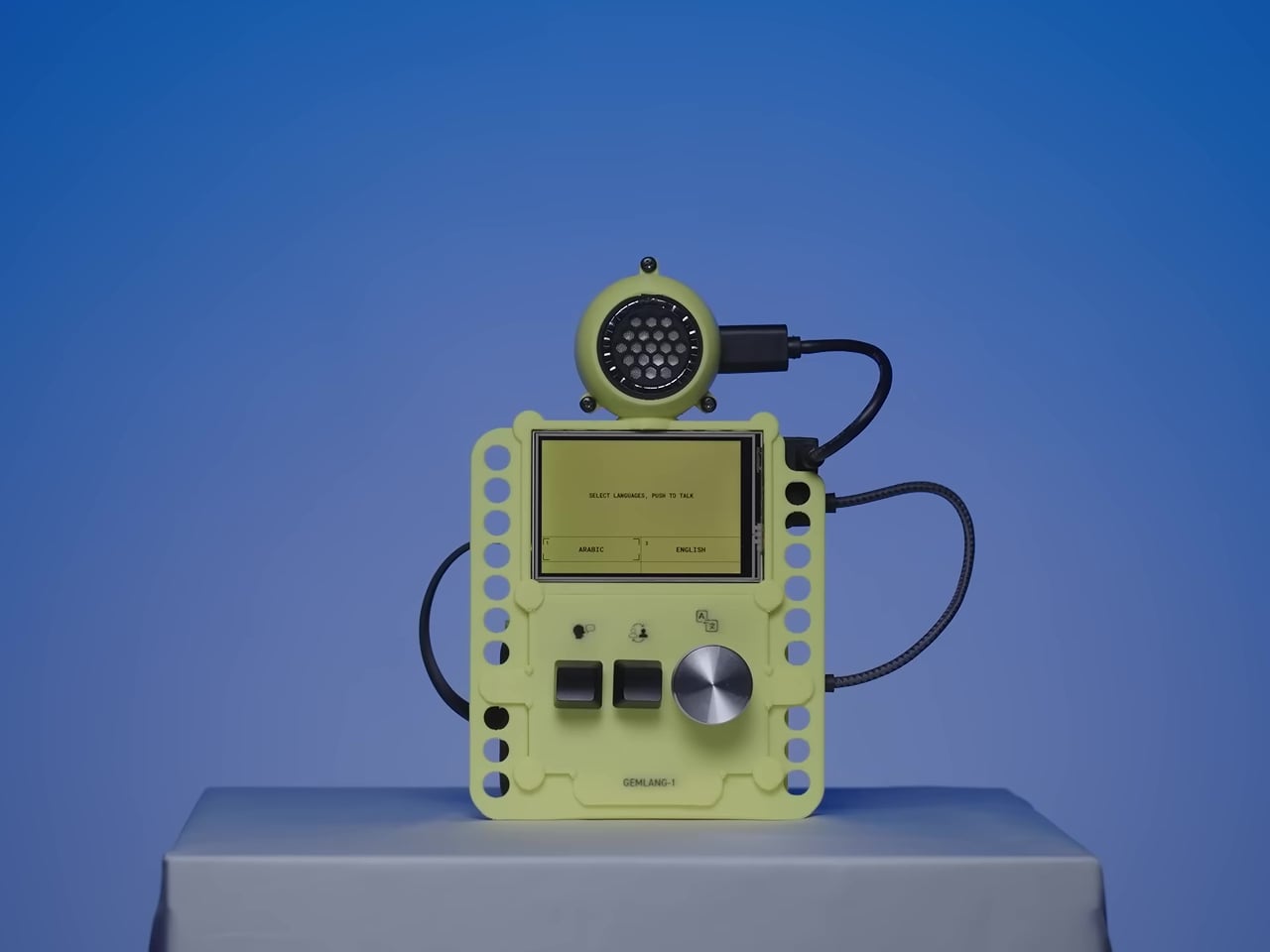
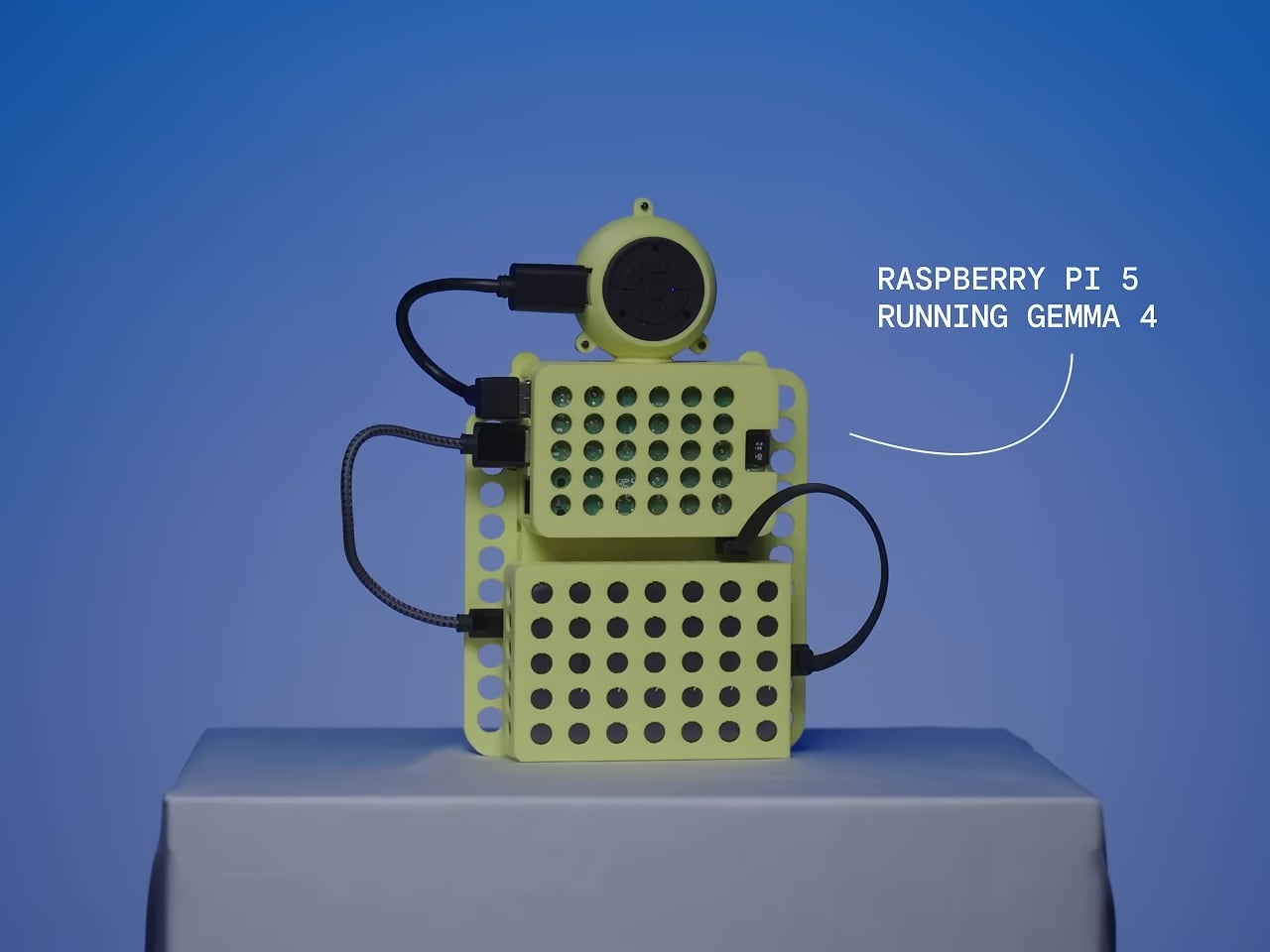
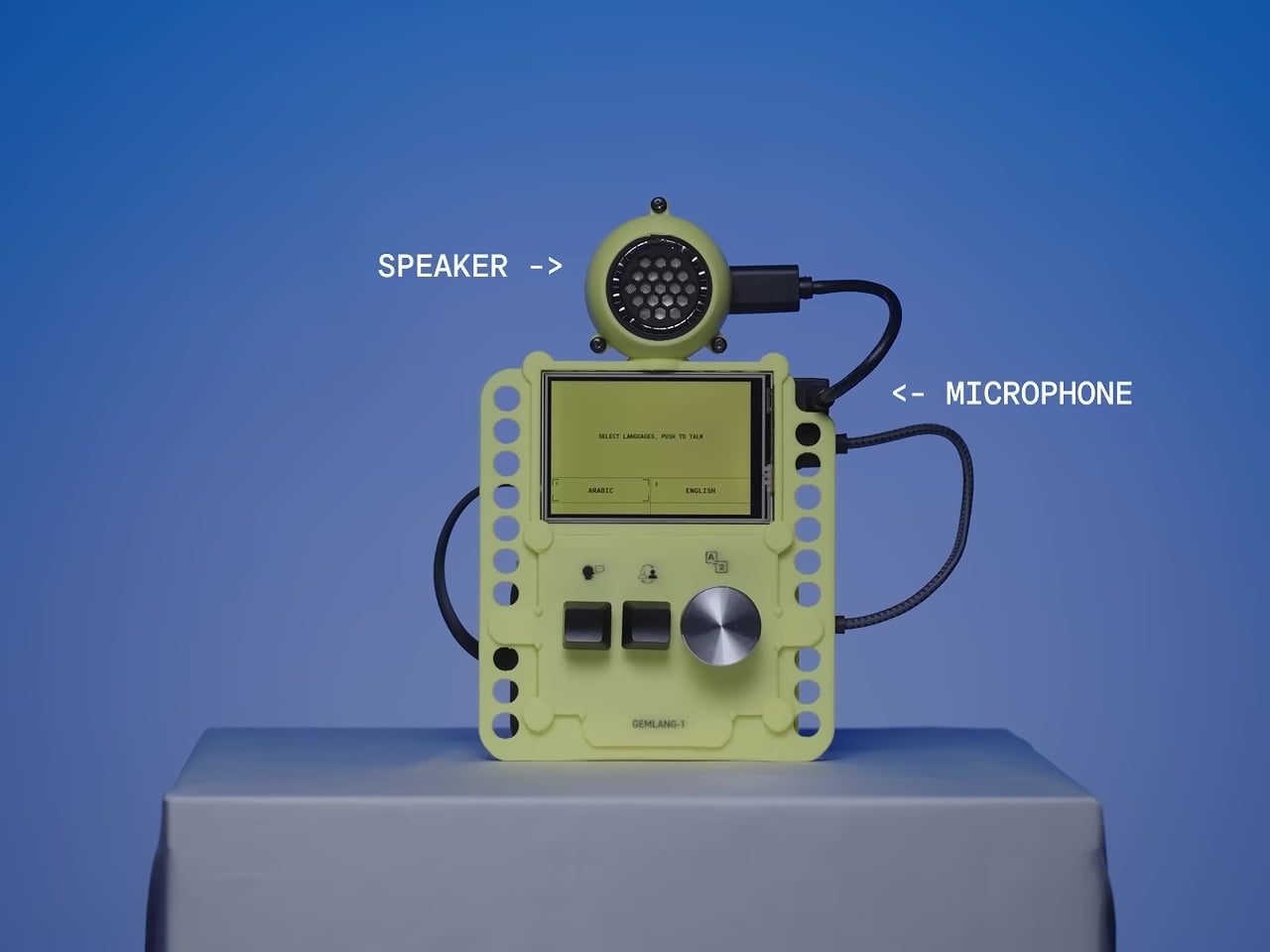
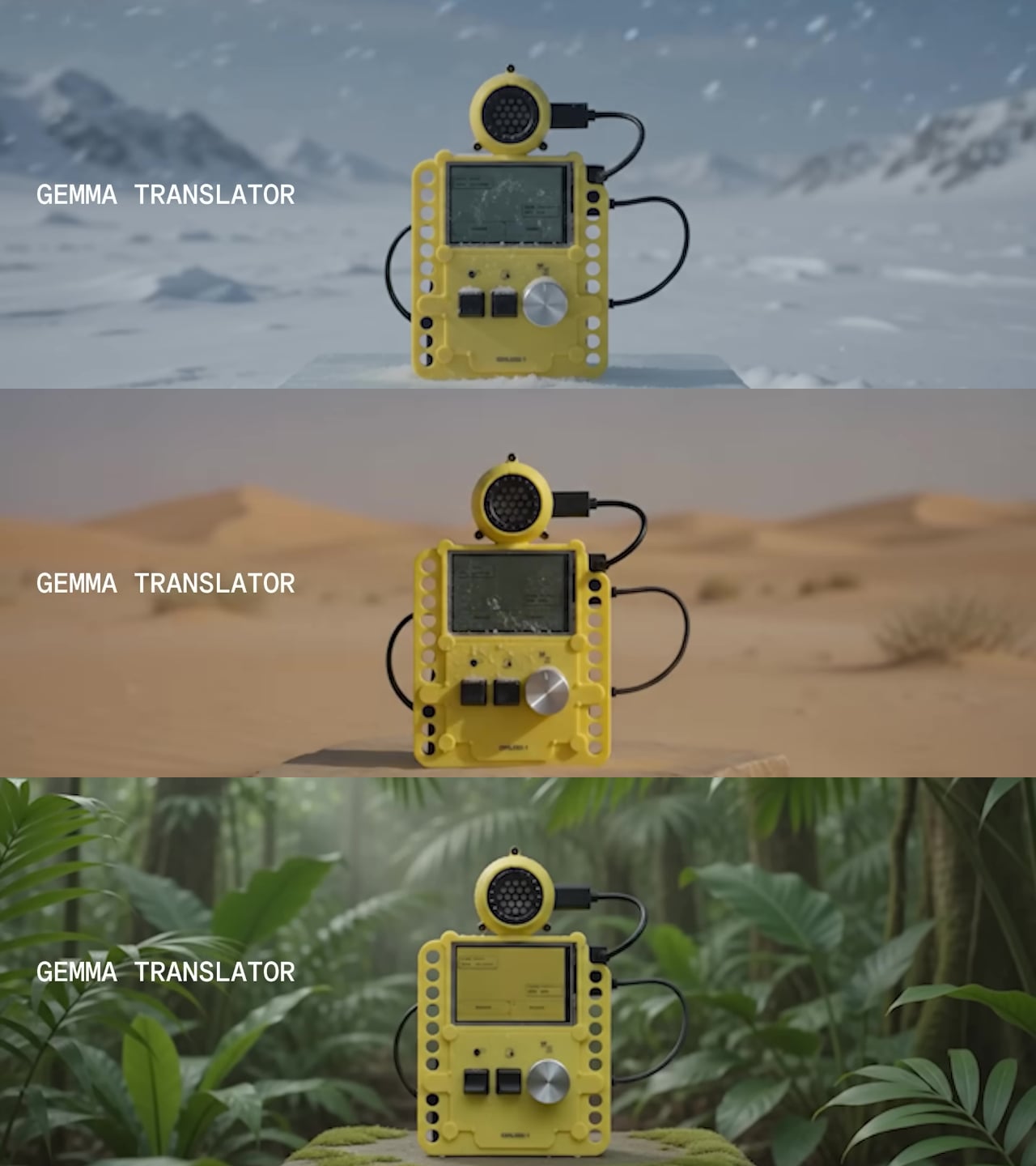
The Gemma Translator is a direct answer to that. It’s a handheld voice translation device that runs its entire AI processing pipeline locally on a Raspberry Pi 5, with no internet required after the initial setup. There’s no cloud to route audio through, no API key to maintain, and no service that can be discontinued. You speak into it, and it translates and speaks back, all on the same pocket-sized device.

Designer: Google

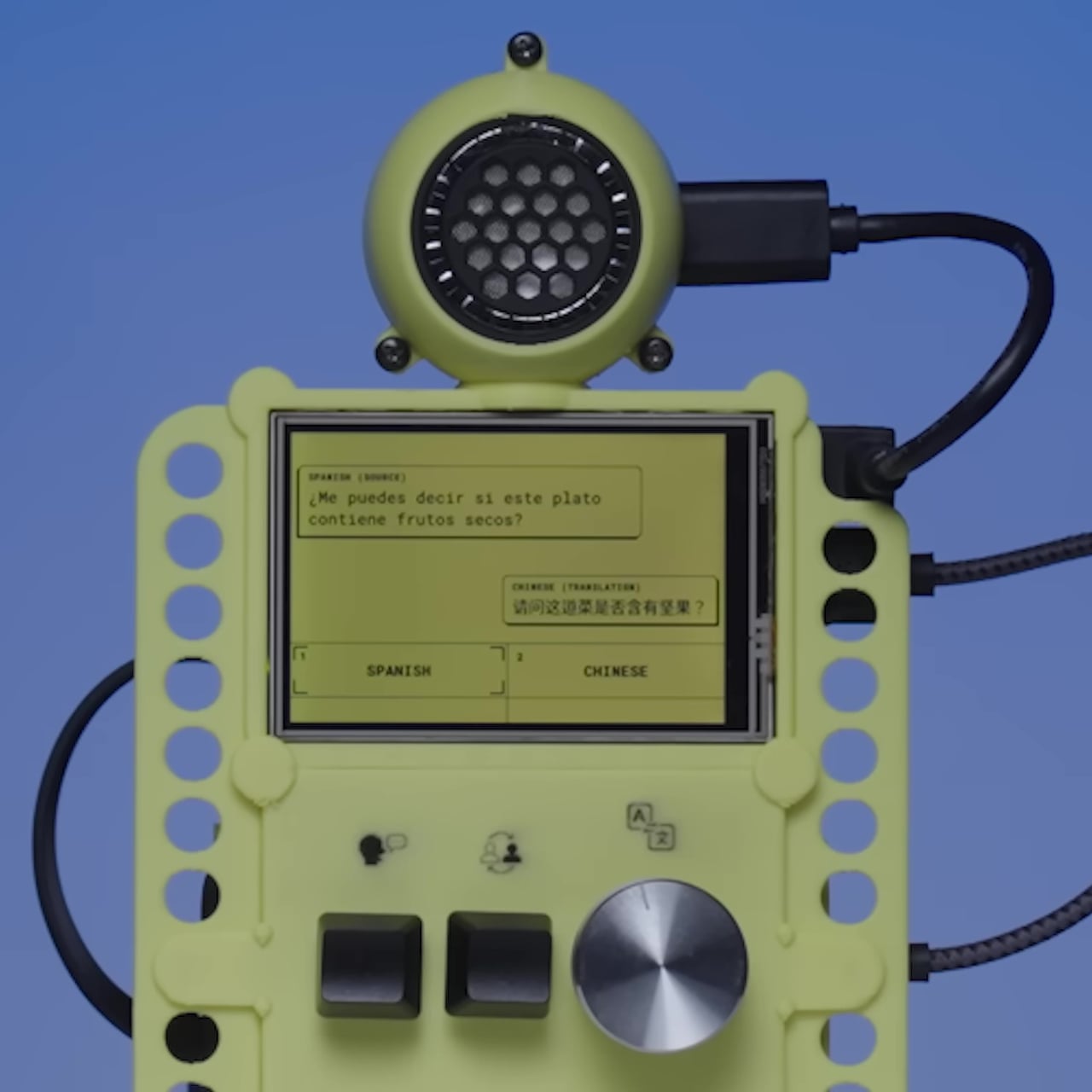
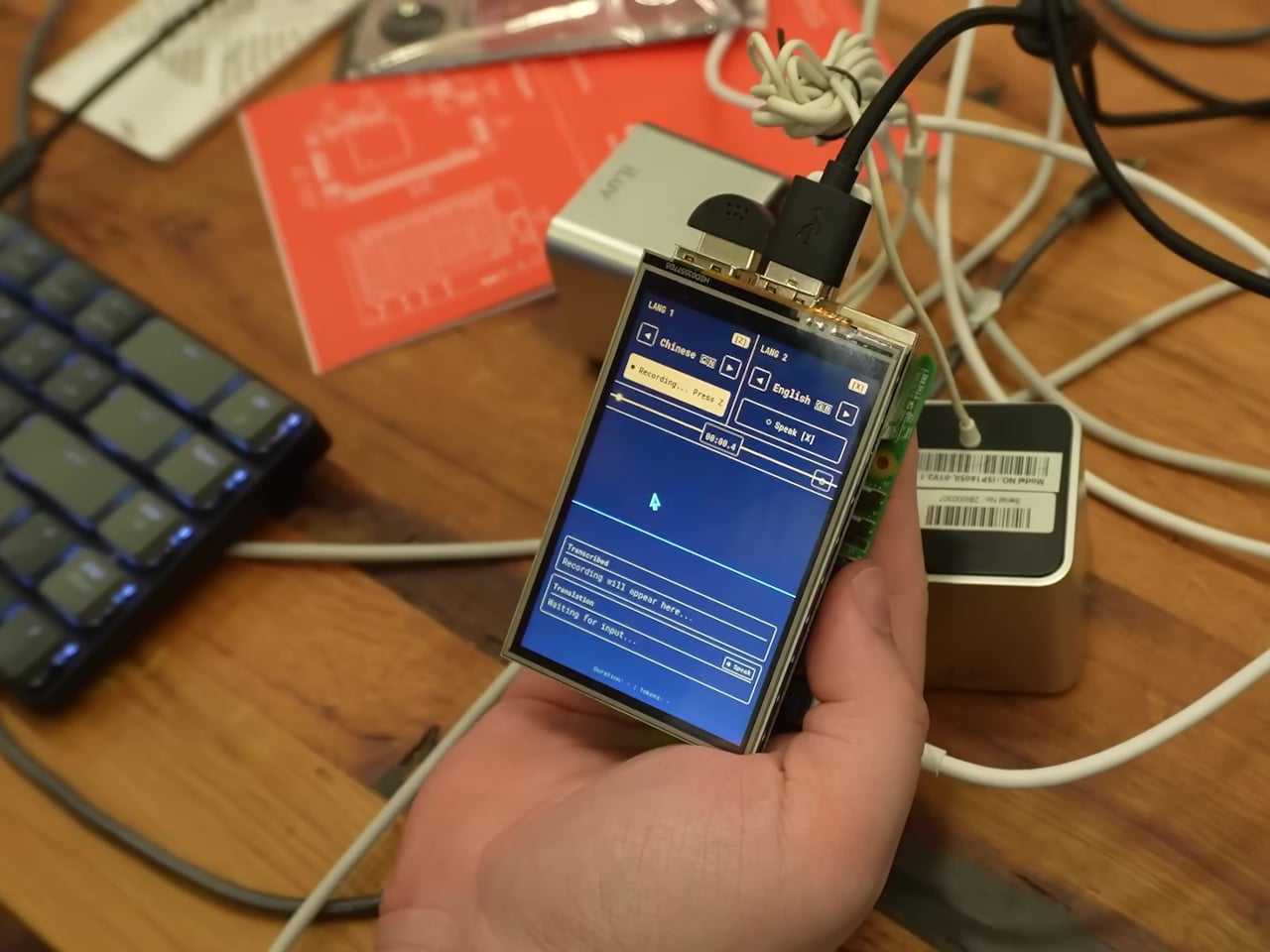
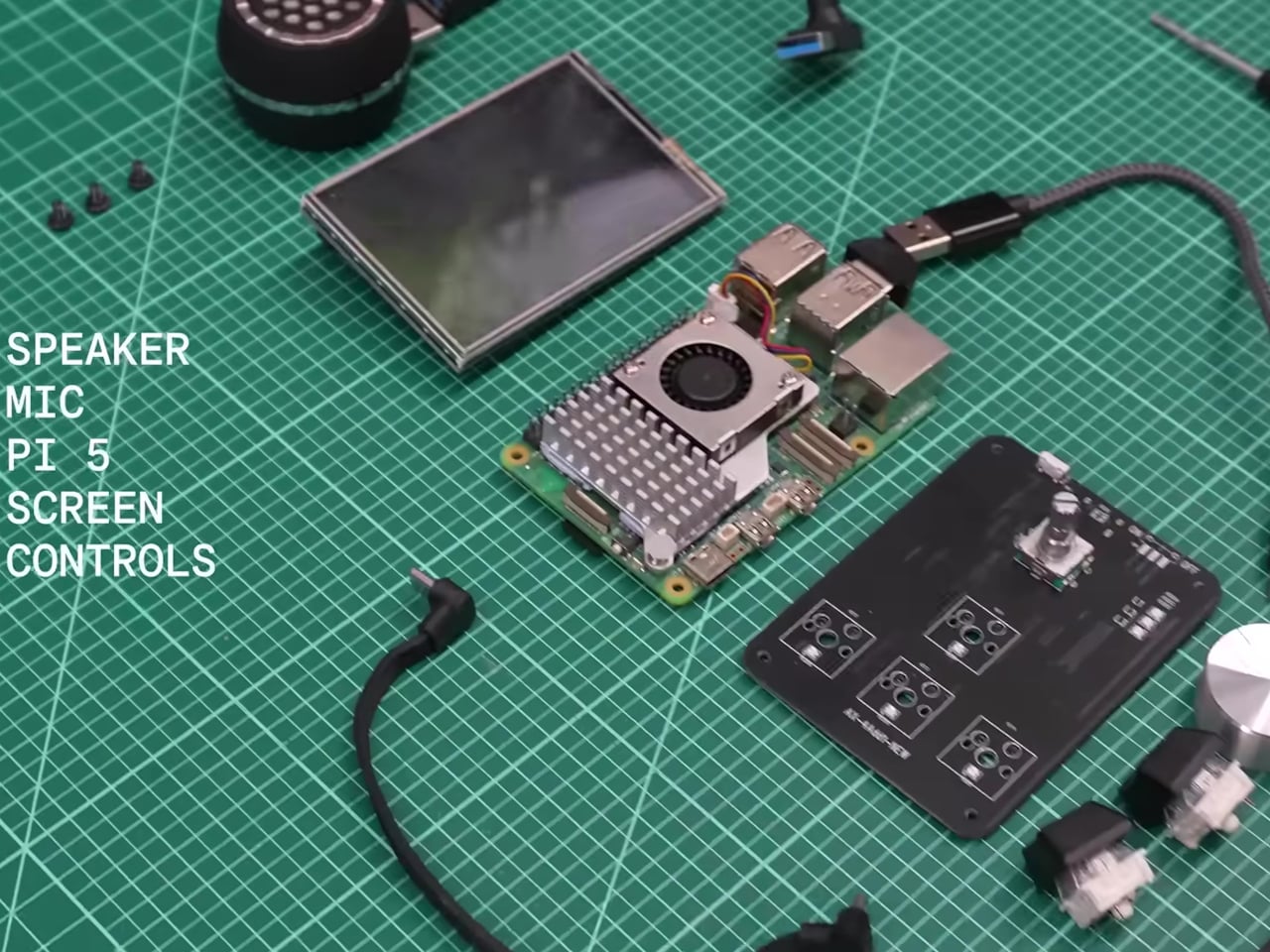
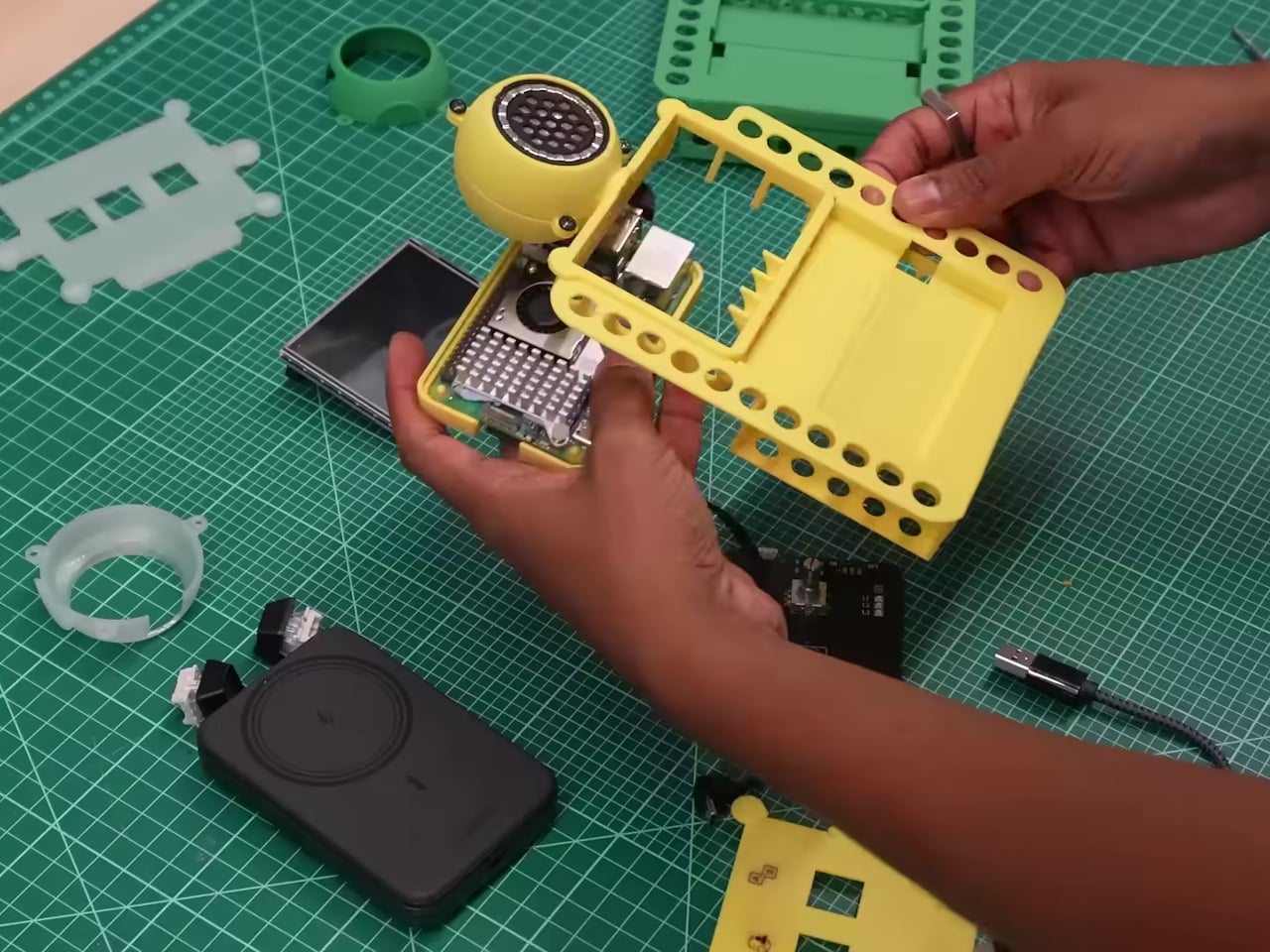
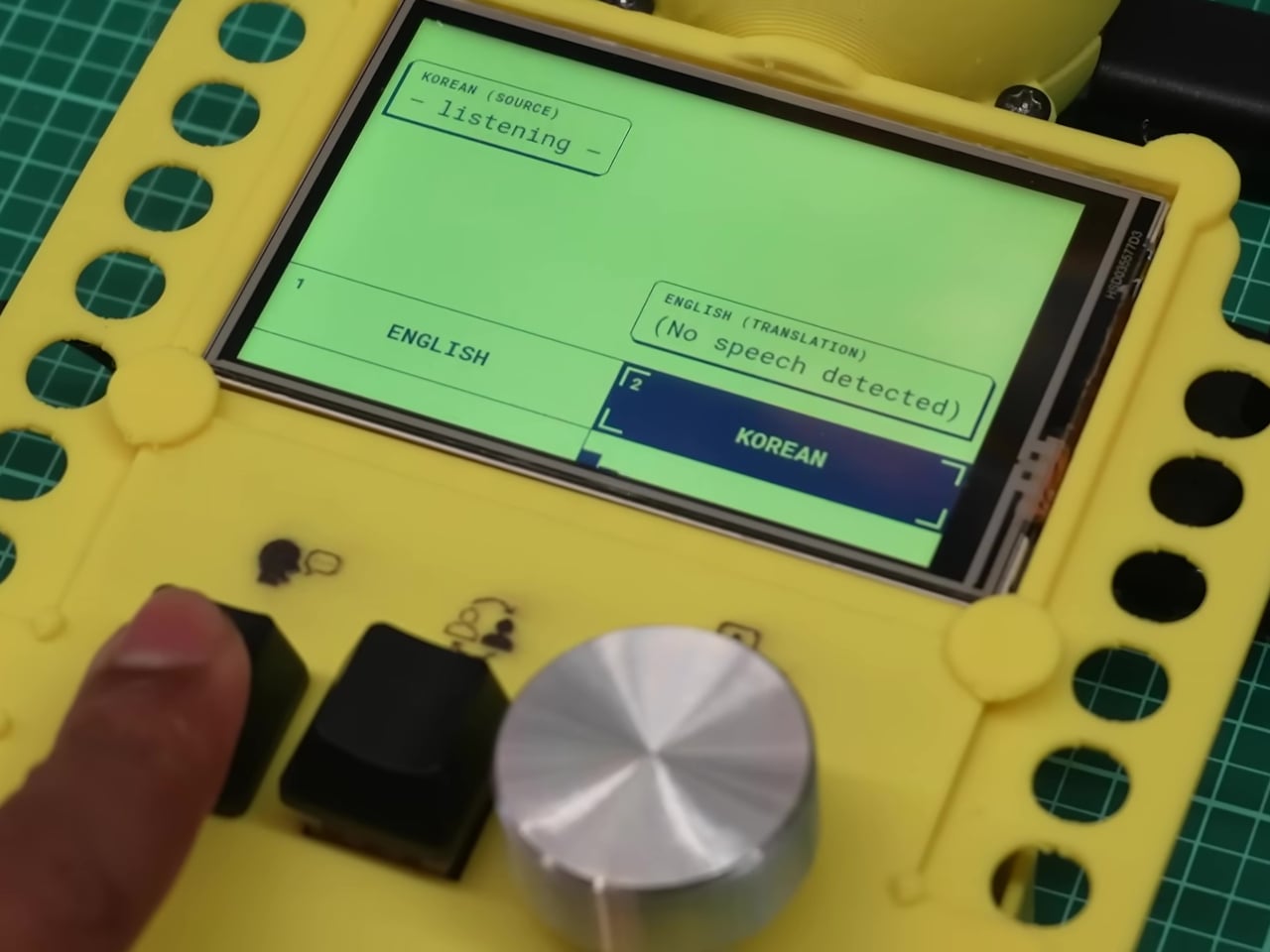
The hardware is deliberately approachable. A Raspberry Pi 5 with 8 GB of RAM powers the whole thing, paired with a 480×320 touchscreen, a microphone, a speaker, push-to-talk buttons, and a rotary encoder for selecting languages. Everything fits inside a 3D-printed enclosure in yellow and black, and the STL files for printing it are included in the open-source repository, so anyone with a printer can replicate the physical build exactly.

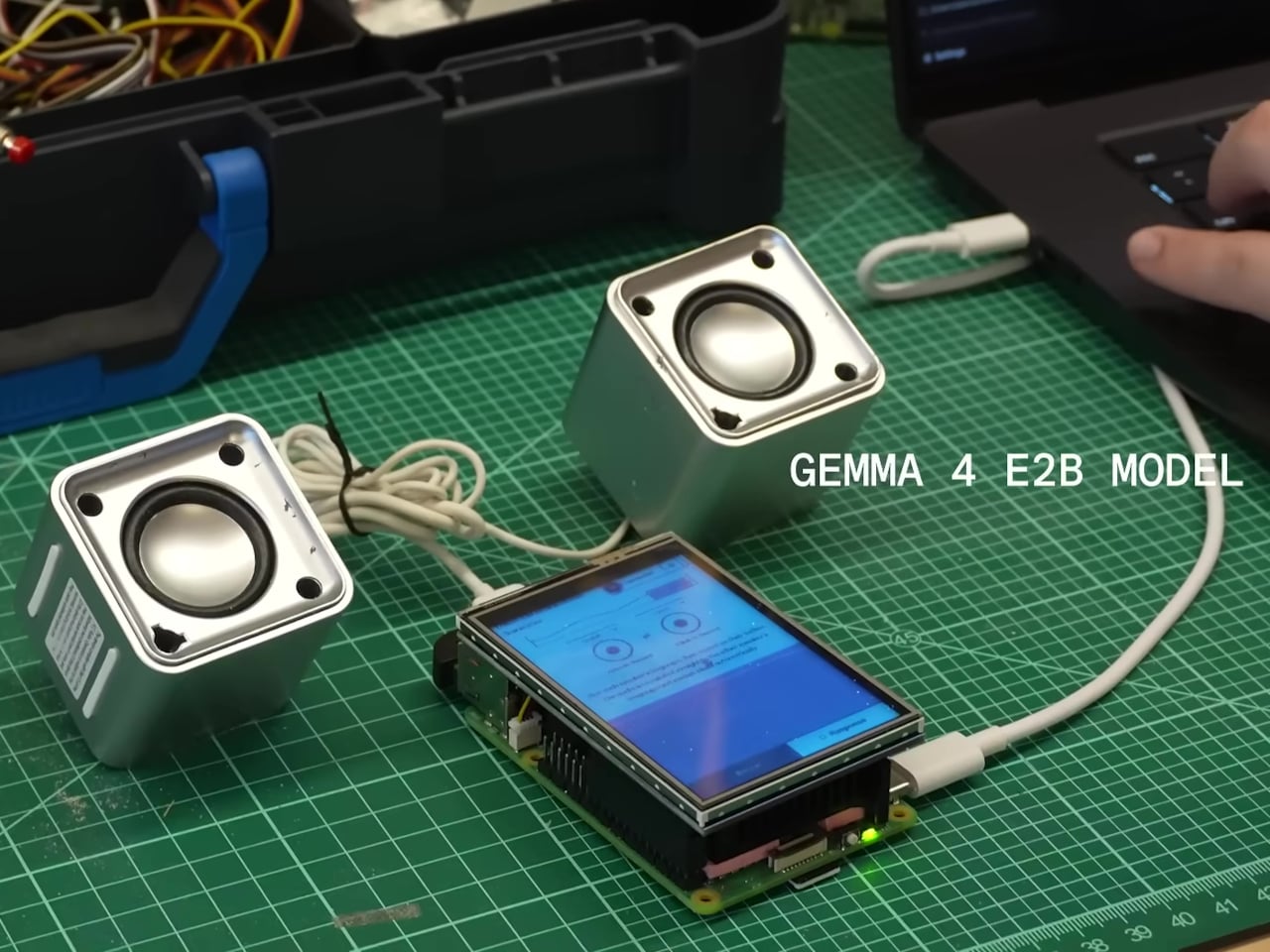
The software stack is what makes the offline operation genuinely work at useful speeds. Translation runs on Google’s Gemma 4 E2B model via LiteRT-LM, hitting around six tokens per second on the RPi 5 while using under 1.5GB of RAM. Speech recognition uses Moonshine, which is reportedly up to five times faster than Whisper Tiny. Text-to-speech output runs through Kokoro. The result is a complete speech-in, speech-out translation loop that stays on the device from start to finish.

The interface was designed specifically for face-to-face conversation rather than solo use. Two modes let the device handle either one person managing both sides of the exchange or two people independently operating their own microphone and language selection. Physical buttons keep recording controls tactile, which matters when you’re trying to have a conversation rather than navigate menus.

The privacy argument is almost incidental to how useful the offline capability turns out to be in purely practical terms. Field researchers in areas without reliable networks, travelers moving through places where international data is expensive, and anyone working in a sensitive conversation context all get the same thing: a translation device that doesn’t require a connection to keep working. The fact that none of the audio ever leaves the device is simply a consequence of building something that had to work without one.

The post Google Built a Translation Device That Doesn’t Need Google’s Own Cloud first appeared on Yanko Design.
Someone Stuffed a Full Retro Console Inside an NES Controller for $17

Most original NES controllers haven’t seen active duty in decades. They survive in storage bins and attic boxes, physically intact and perfectly functional as controllers, but with nothing left to plug them into. The consoles they were paired with have long since been replaced or decommissioned. The hardware was always well built, but the form factor has been sitting idle for years.

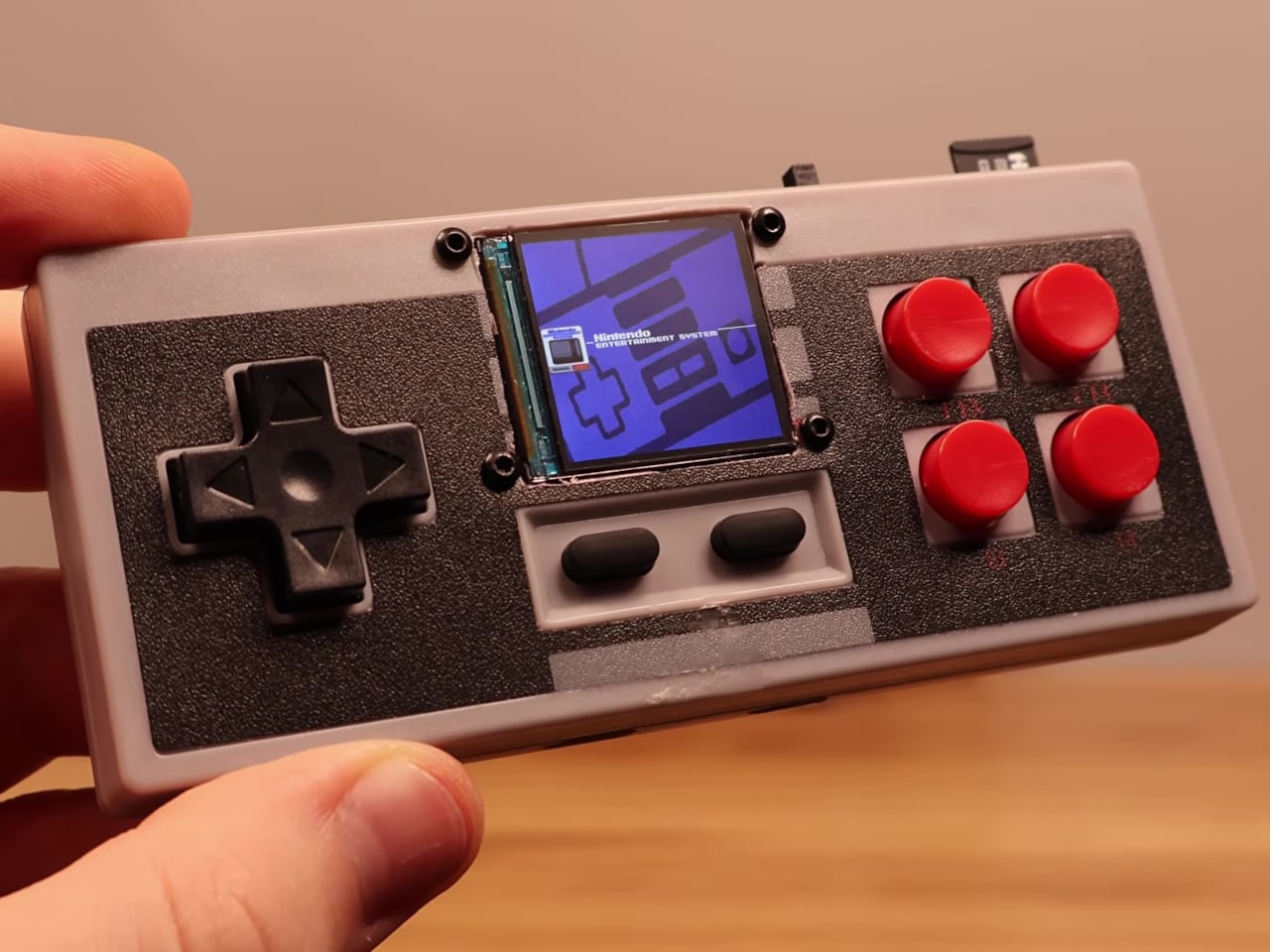
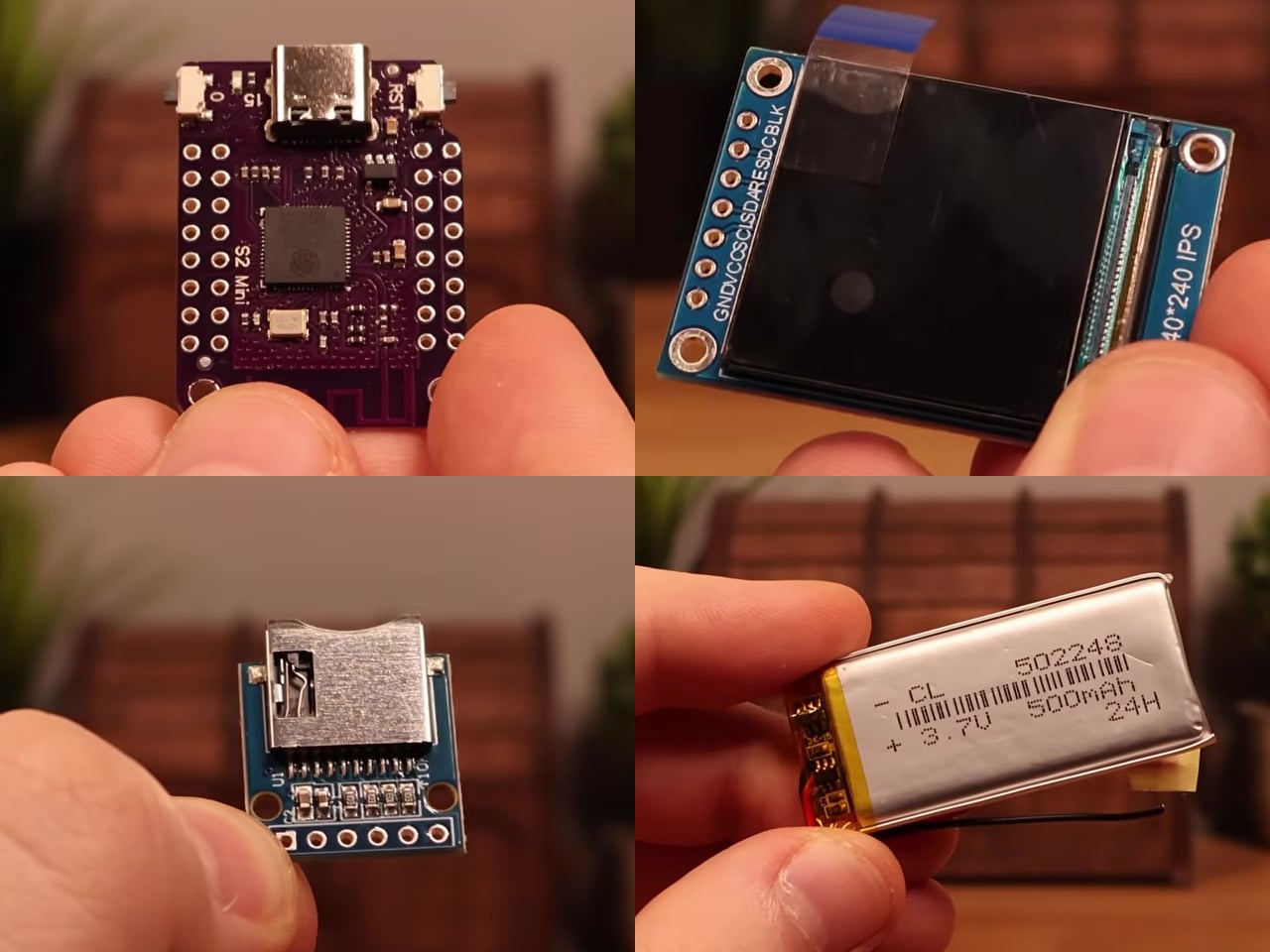
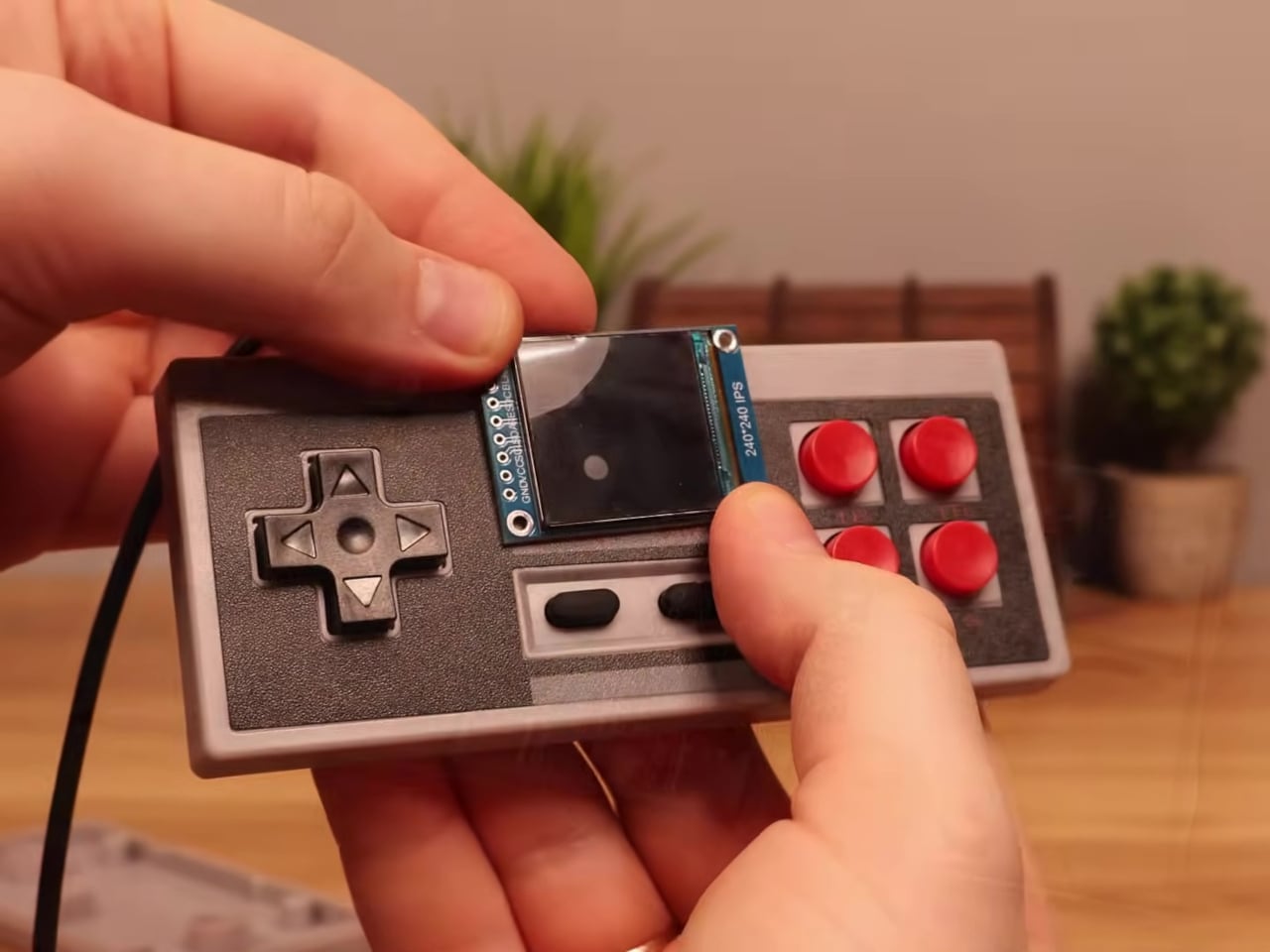
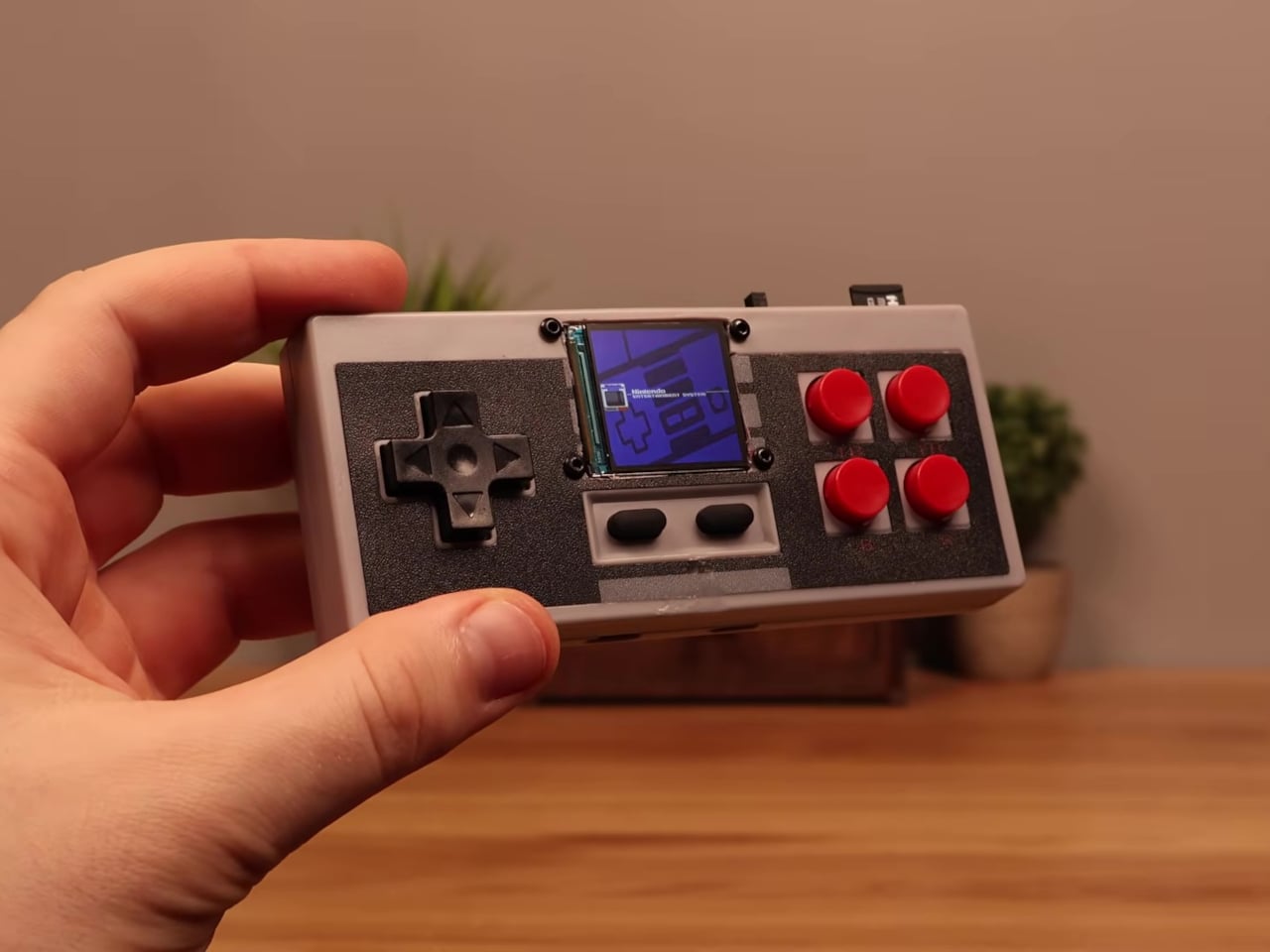
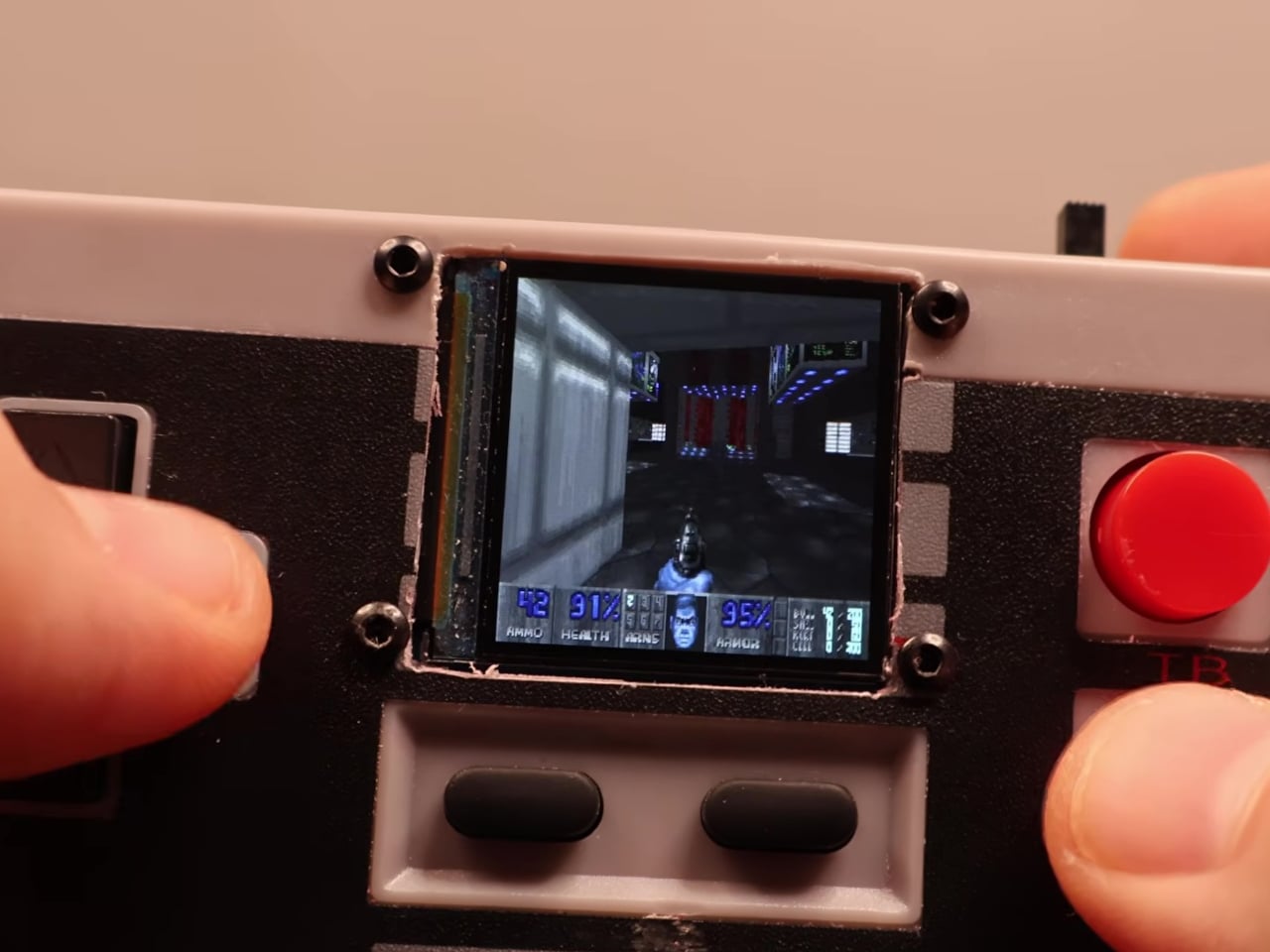
This mod changes the job description of that controller shell entirely. The electronics inside a standard NES-style gamepad were stripped out and replaced with a Wemos ESP32-S2 Mini development board, a 1.54-inch 240×240 TFT display, a MicroSD card module, a 500 mAh lithium-polymer battery, a charging board, a speaker, and a slide power switch. From the outside, it still looks exactly like an NES controller.

Designer: Logic Gate Labs

Choosing the right processor was essentially a geometry problem. A larger ESP32-S3 would have offered dual-core performance and enough PSRAM to keep entire game ROMs in memory, but it was too big to fit inside the housing. Smaller ESP32 variants without PSRAM lacked the memory for smooth emulation. The ESP32-S2 Mini landed in the narrow window between board size and processing capability that the build required.
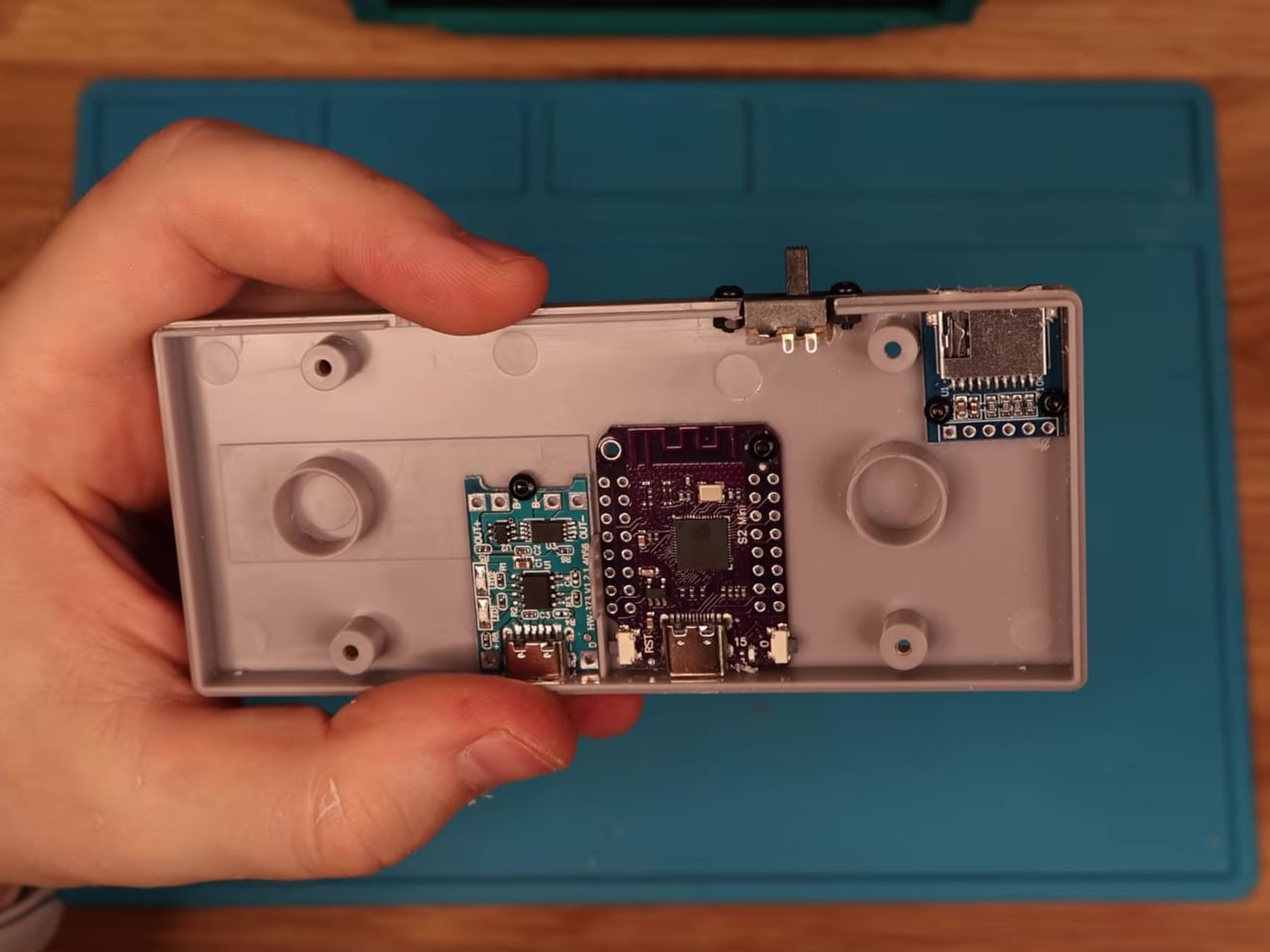
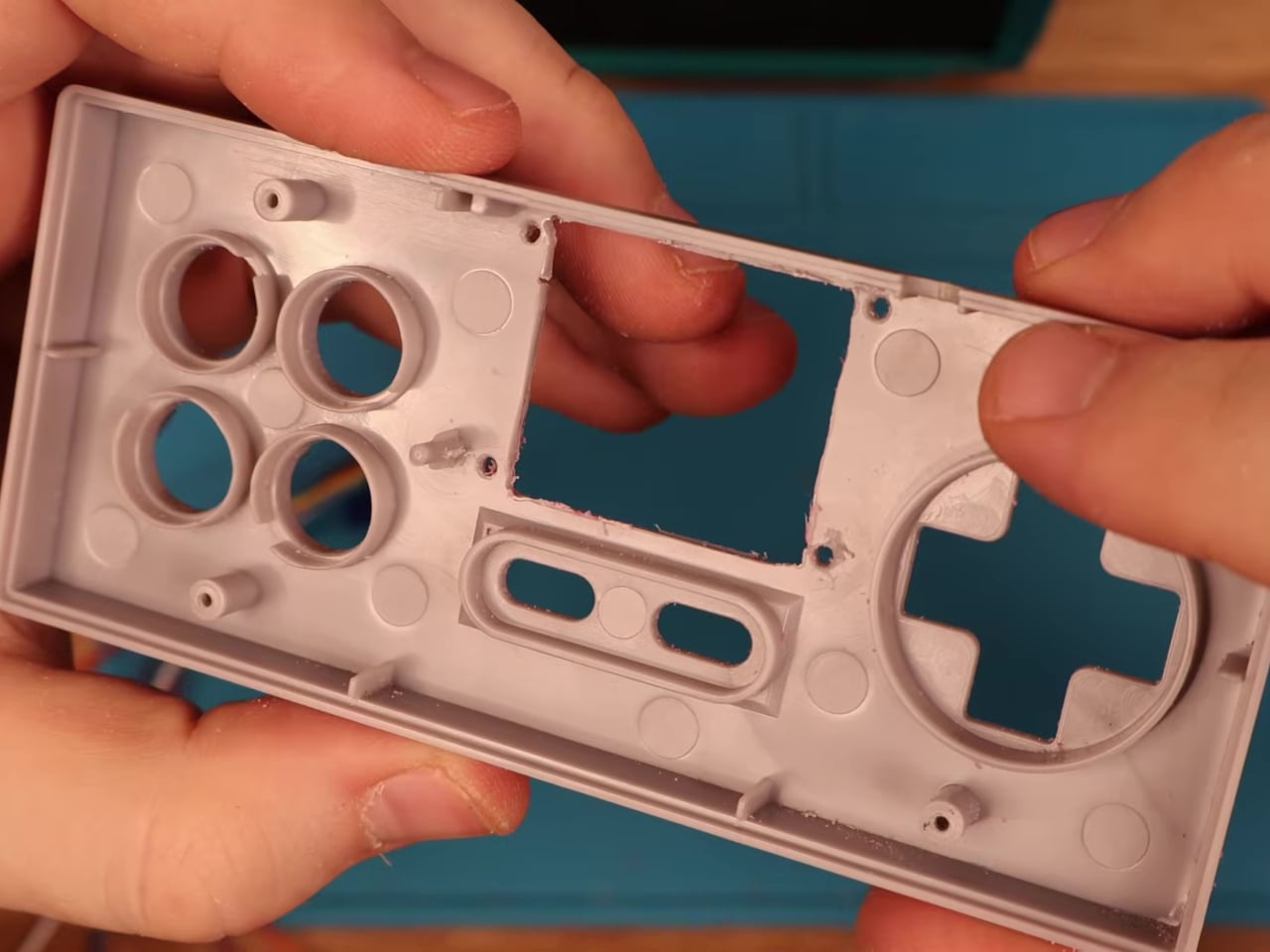
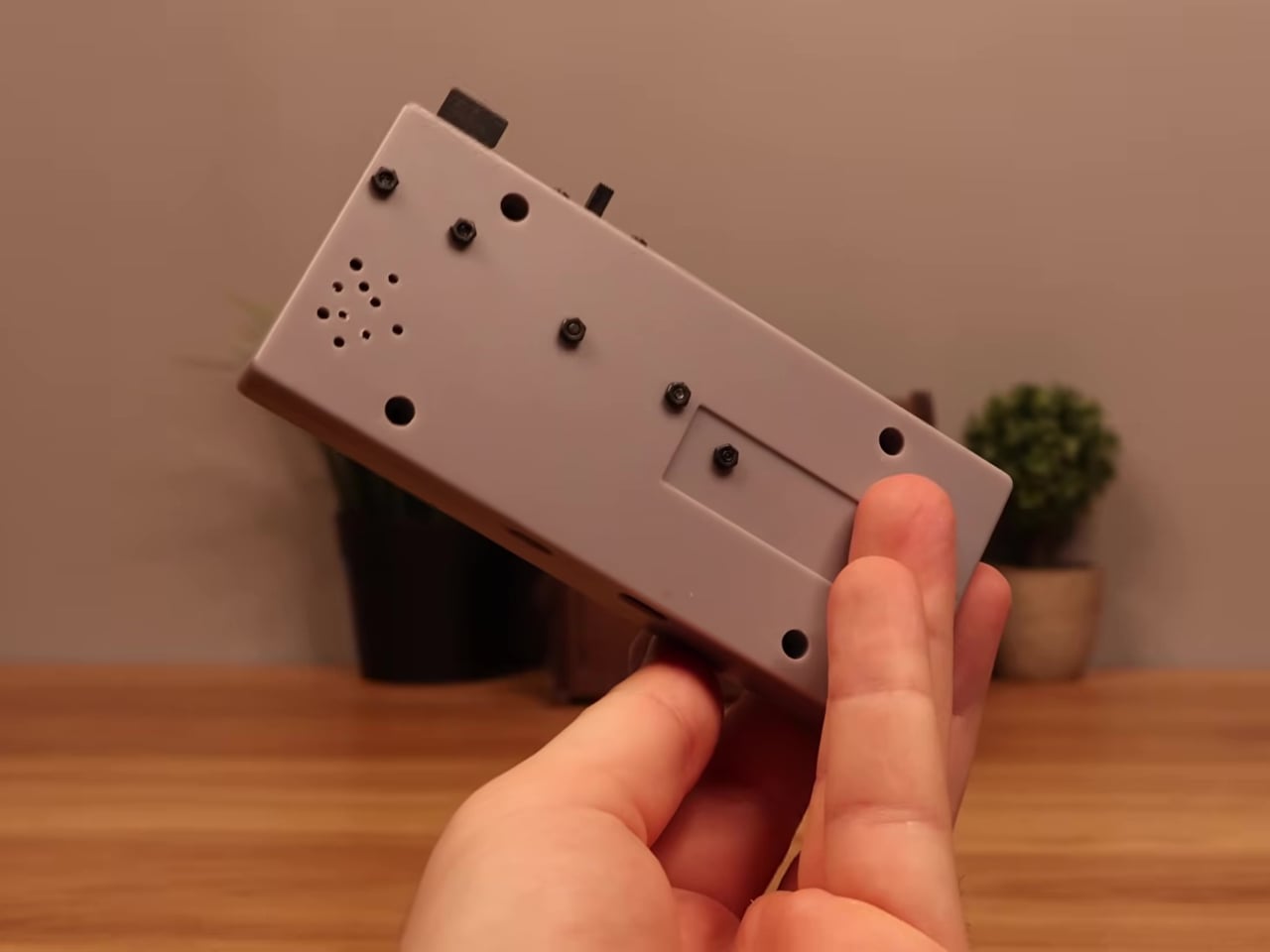
Getting everything to fit required real surgery on the shell. Internal plastic supports had to be trimmed back to make room for the display, and new openings were drilled for the screen, USB charging port, MicroSD slot, speaker, and power switch. A bare copper wire serves as a central ground distribution rail, cutting the number of individual ground wires needed and making it possible to actually close the controller afterward.

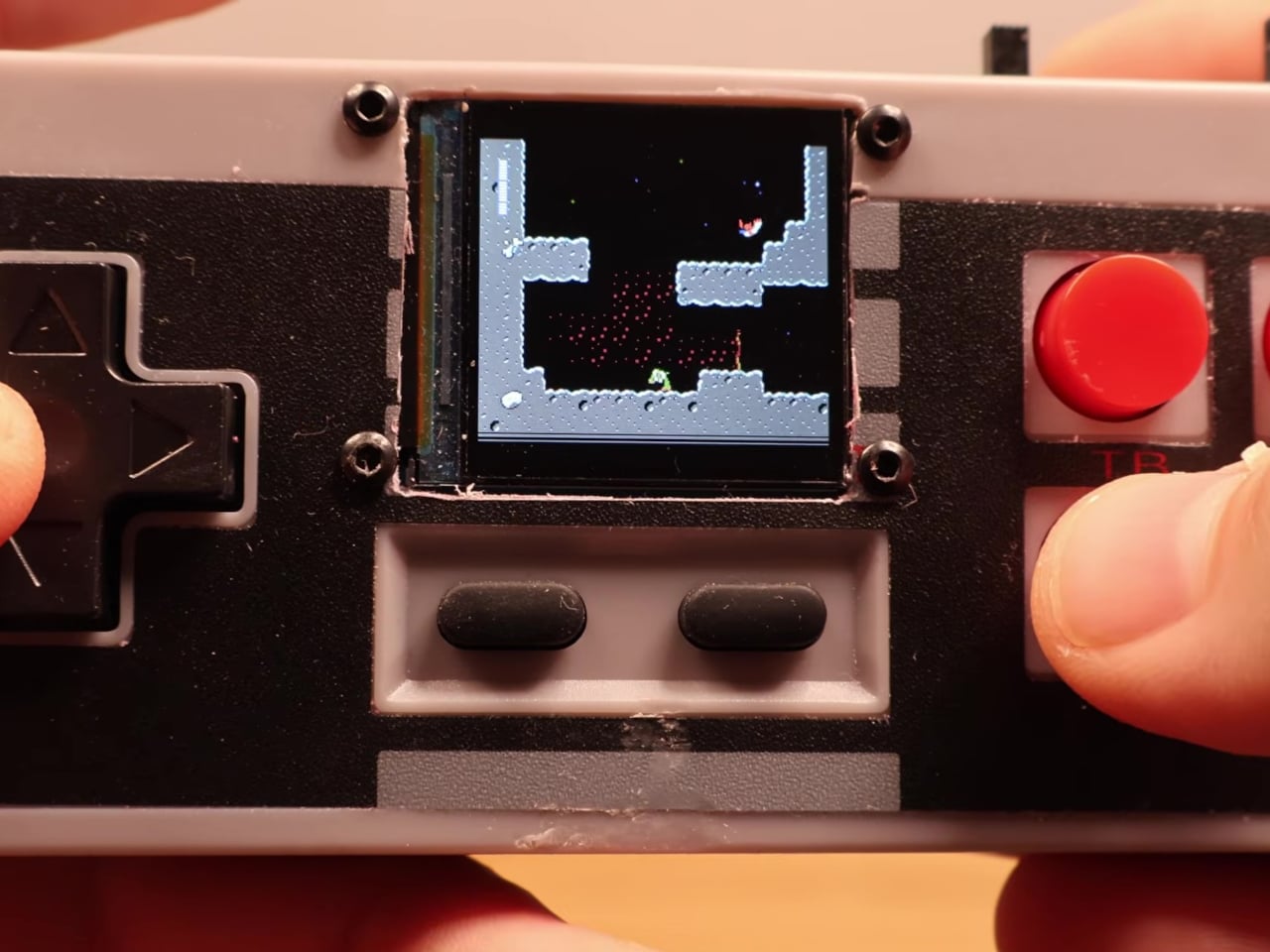
On the software side, the device runs the Retro-Go emulator framework, compiled using ESP-IDF and CMake since the ESP32-S2 isn’t a standard Retro-Go target. The result handles a range of classic 8-bit systems comfortably. As a bonus, Doom runs via PrBoom-Go from a Freedoom WAD file loaded on the MicroSD card, managing somewhere between five and 15 frames per second depending on the scene.

The total build cost runs about $17 using common suppliers, or closer to $8 when sourcing directly from overseas markets. That puts the project well under the price of a single modern game release. Flip the power switch, select a ROM from the MicroSD card, and the screen loads games that once required a dedicated console and television setup. No additional hardware is needed.

What makes this more than a novelty is how it reconsiders a form factor most people already have muscle memory for. The D-pad clicks the same way it always did, and the A and B buttons carry the same spring. What changed is where the signal goes after the press. Instead of traveling to a console that no longer exists, the controller now processes it directly inside its own shell.

The Retro-Go framework is open source, the parts are widely available, and the NES controller shell is one of the most common pieces of vintage hardware still circulating through the secondhand market. Nothing about this build required specialized equipment or proprietary components. The total part list costs less than a single new game on any current platform and fits inside hardware that most people already own.

The post Someone Stuffed a Full Retro Console Inside an NES Controller for $17 first appeared on Yanko Design.