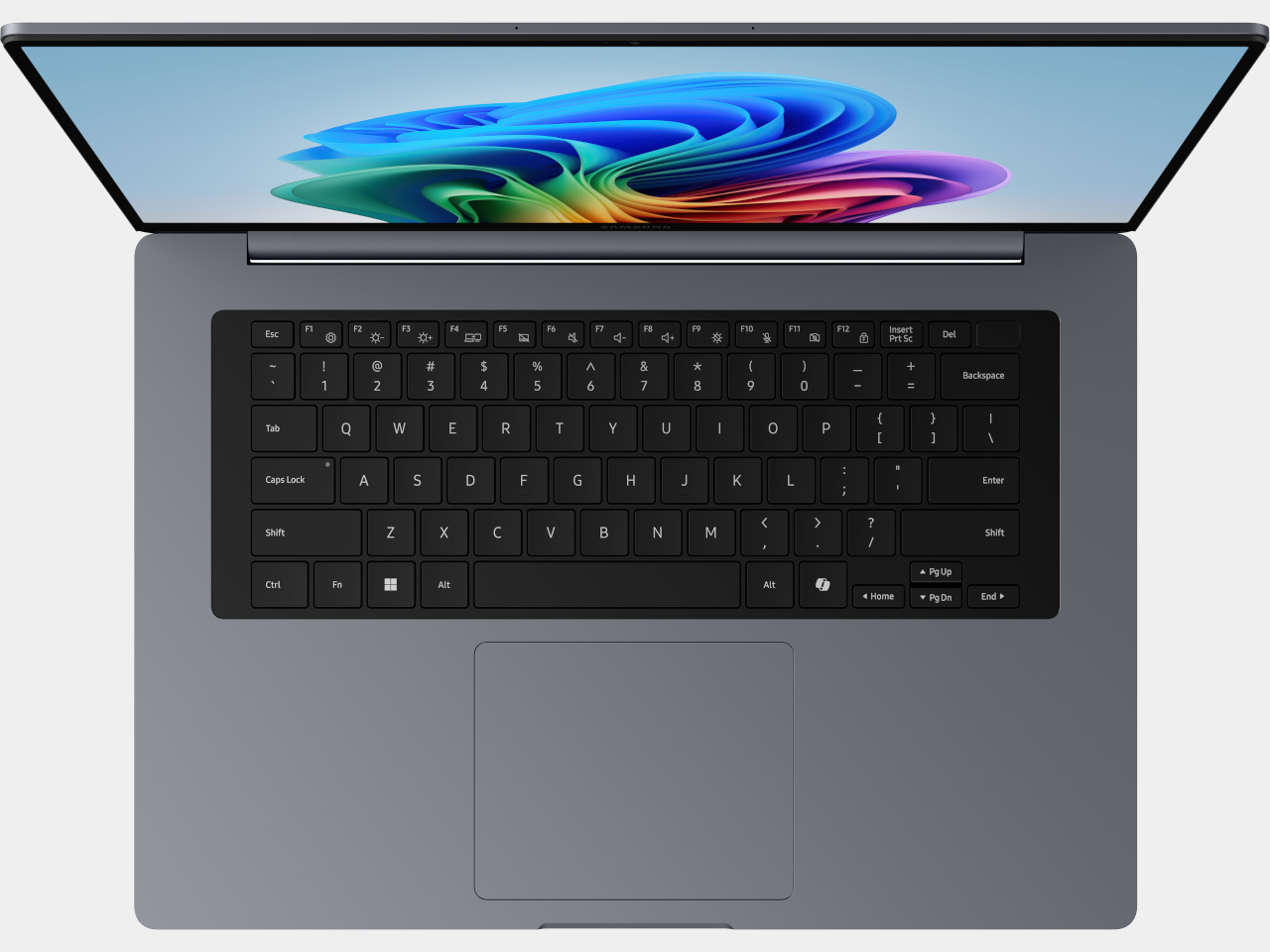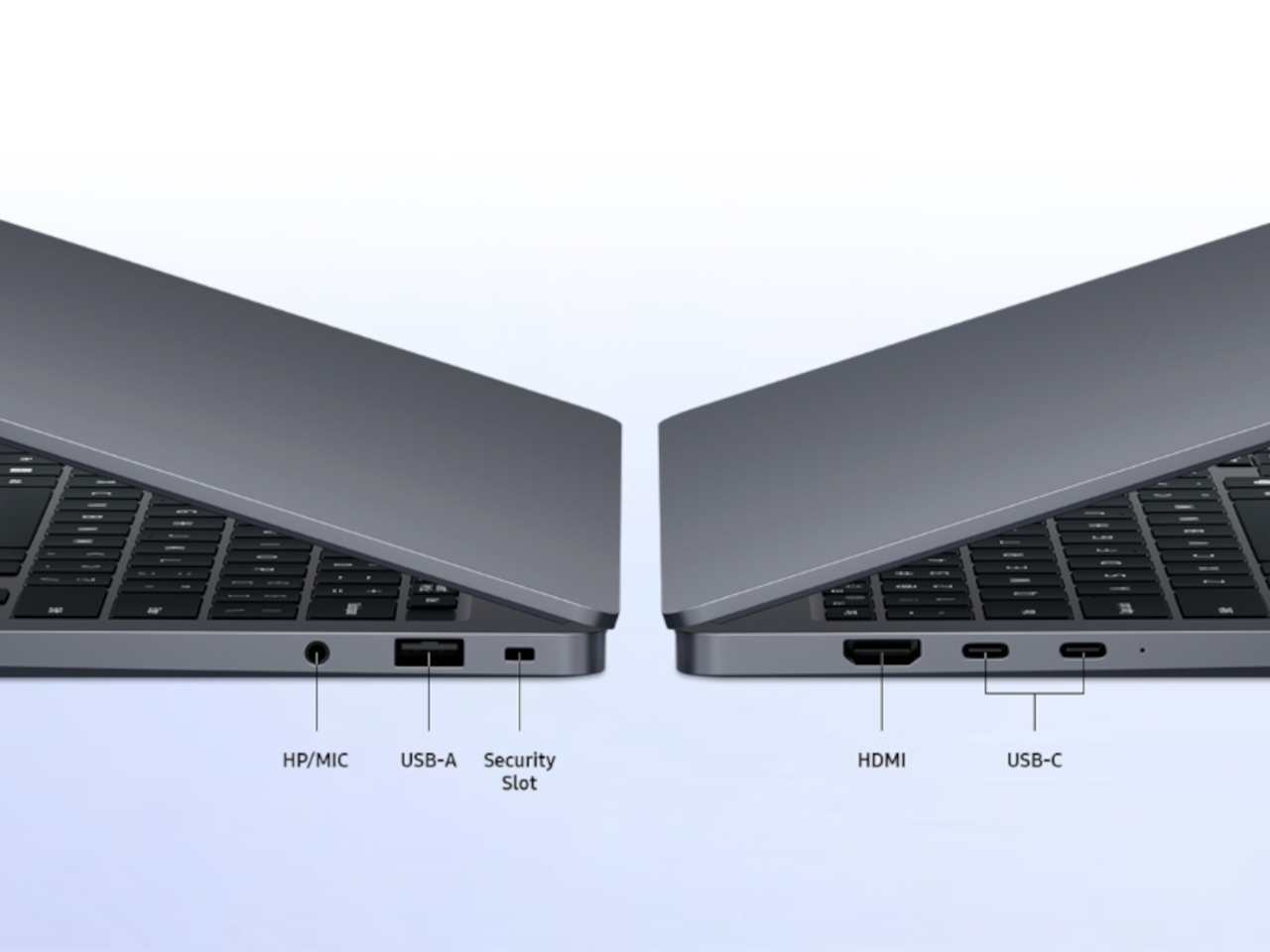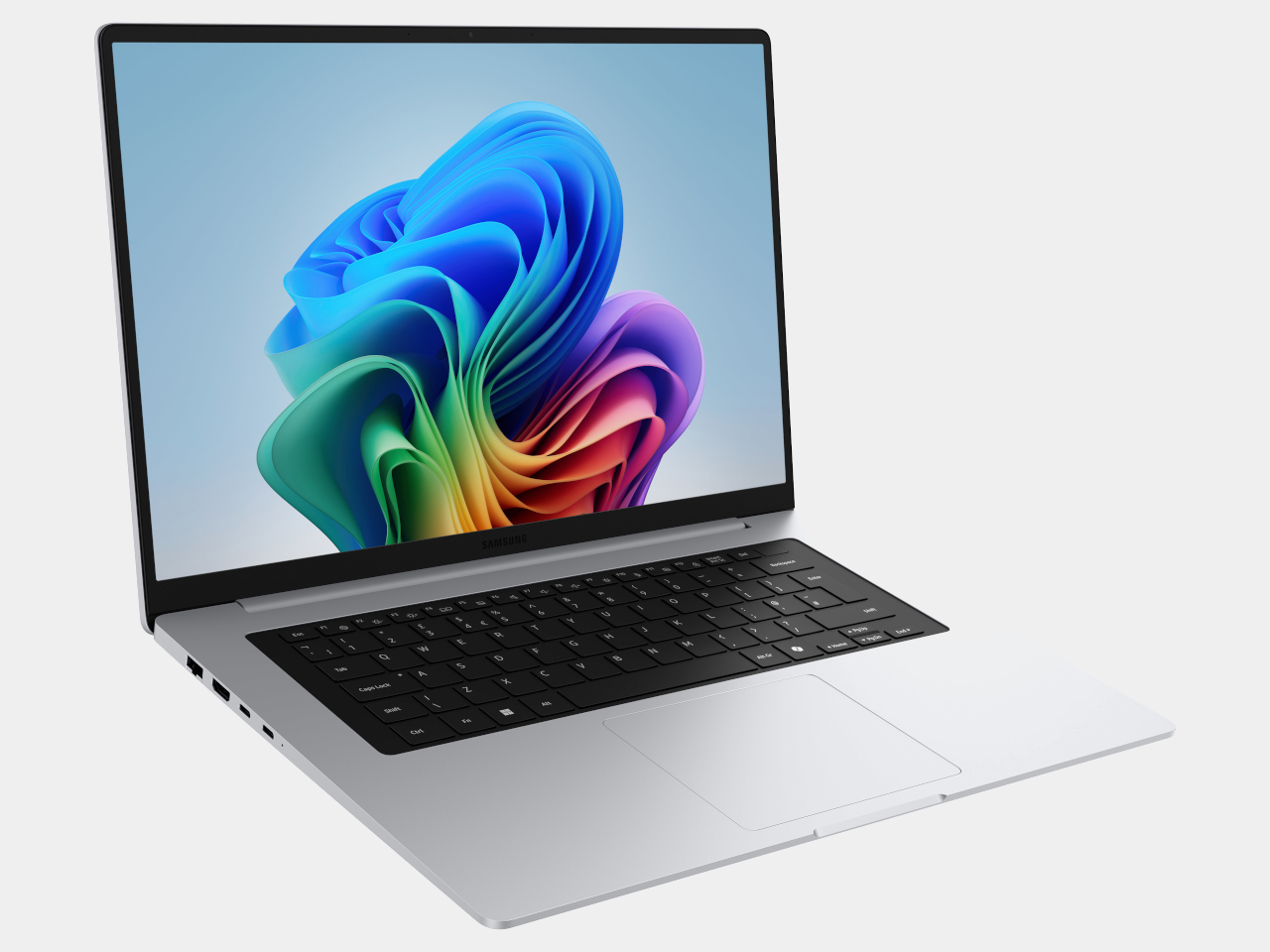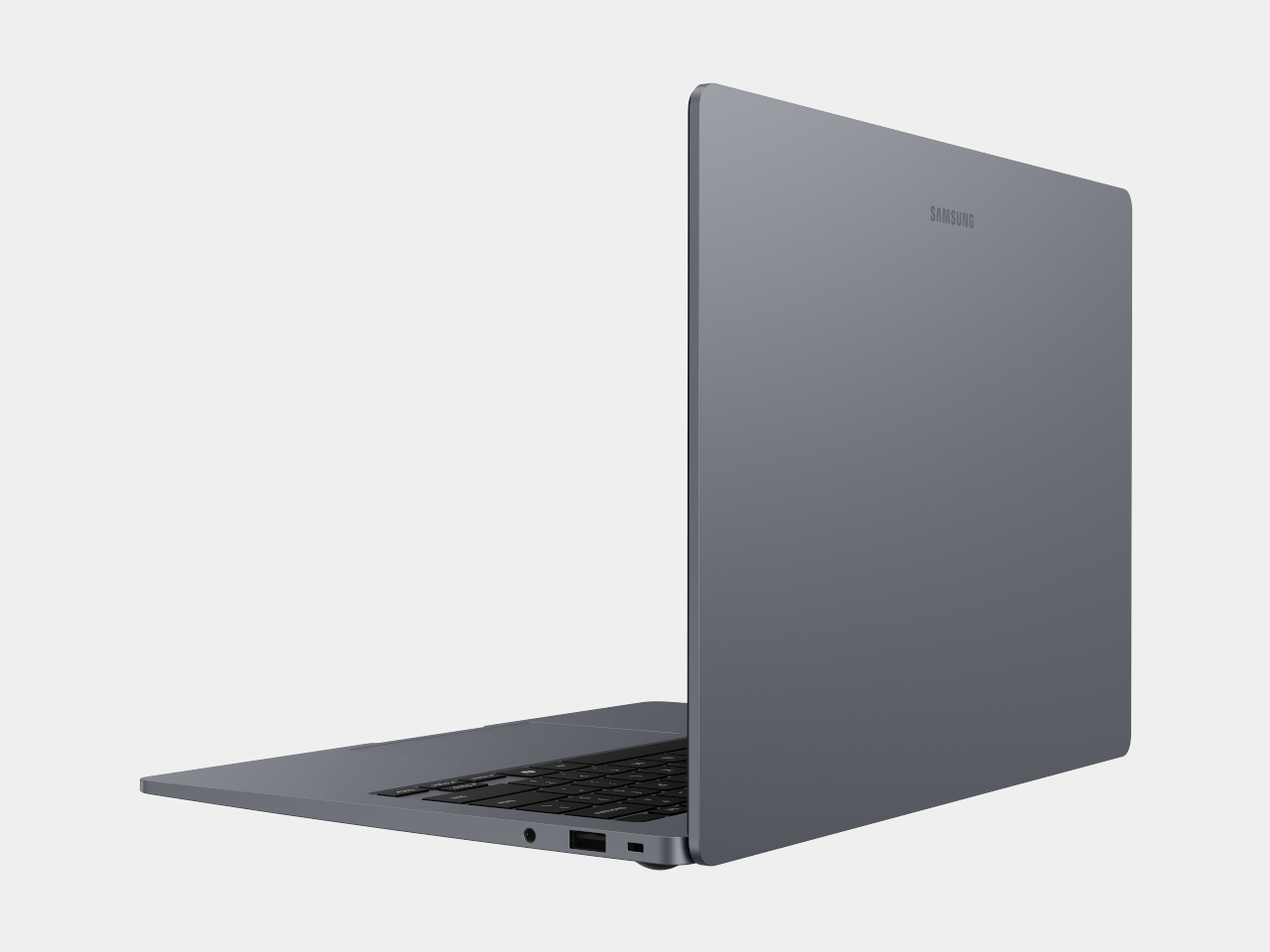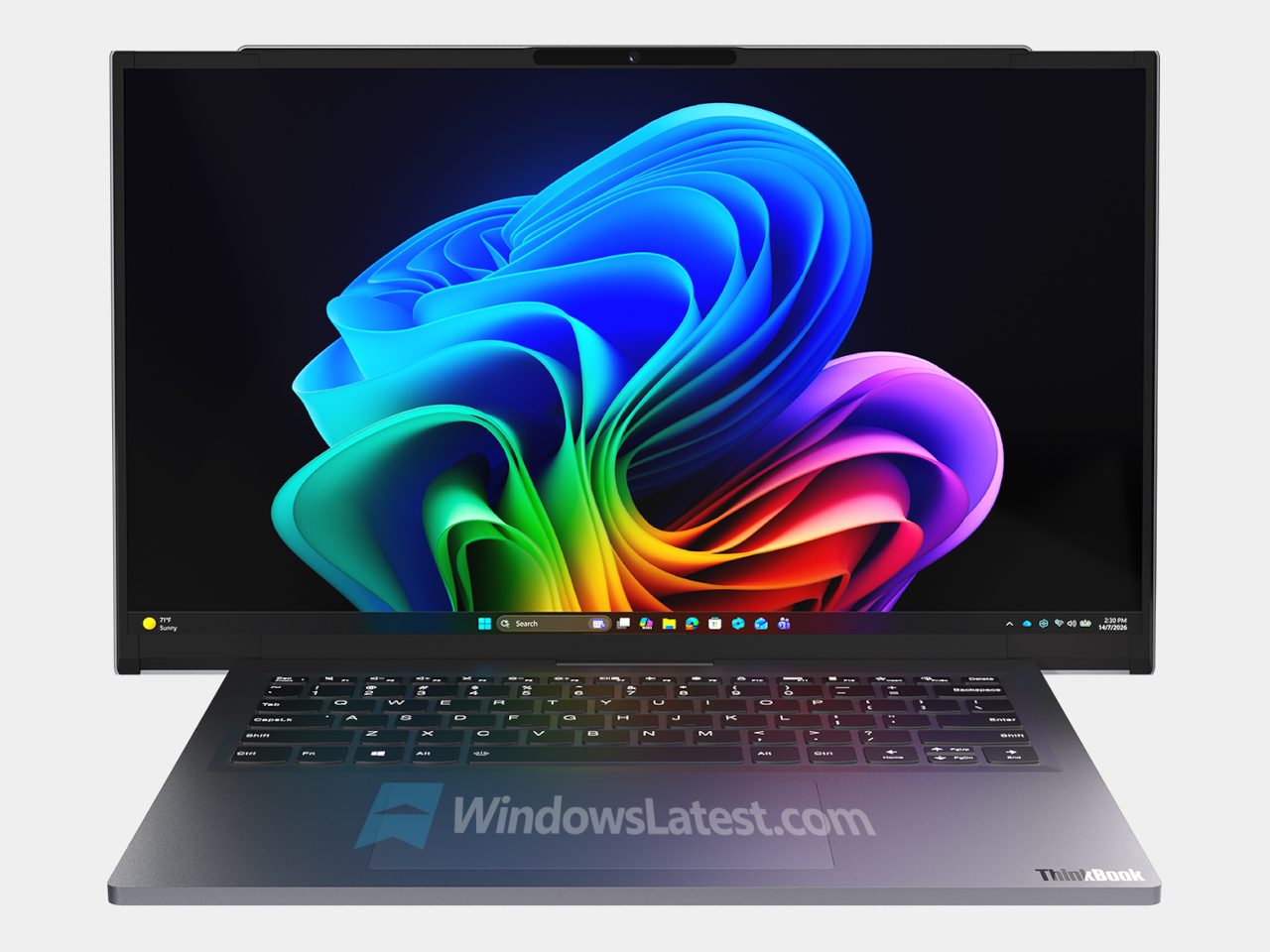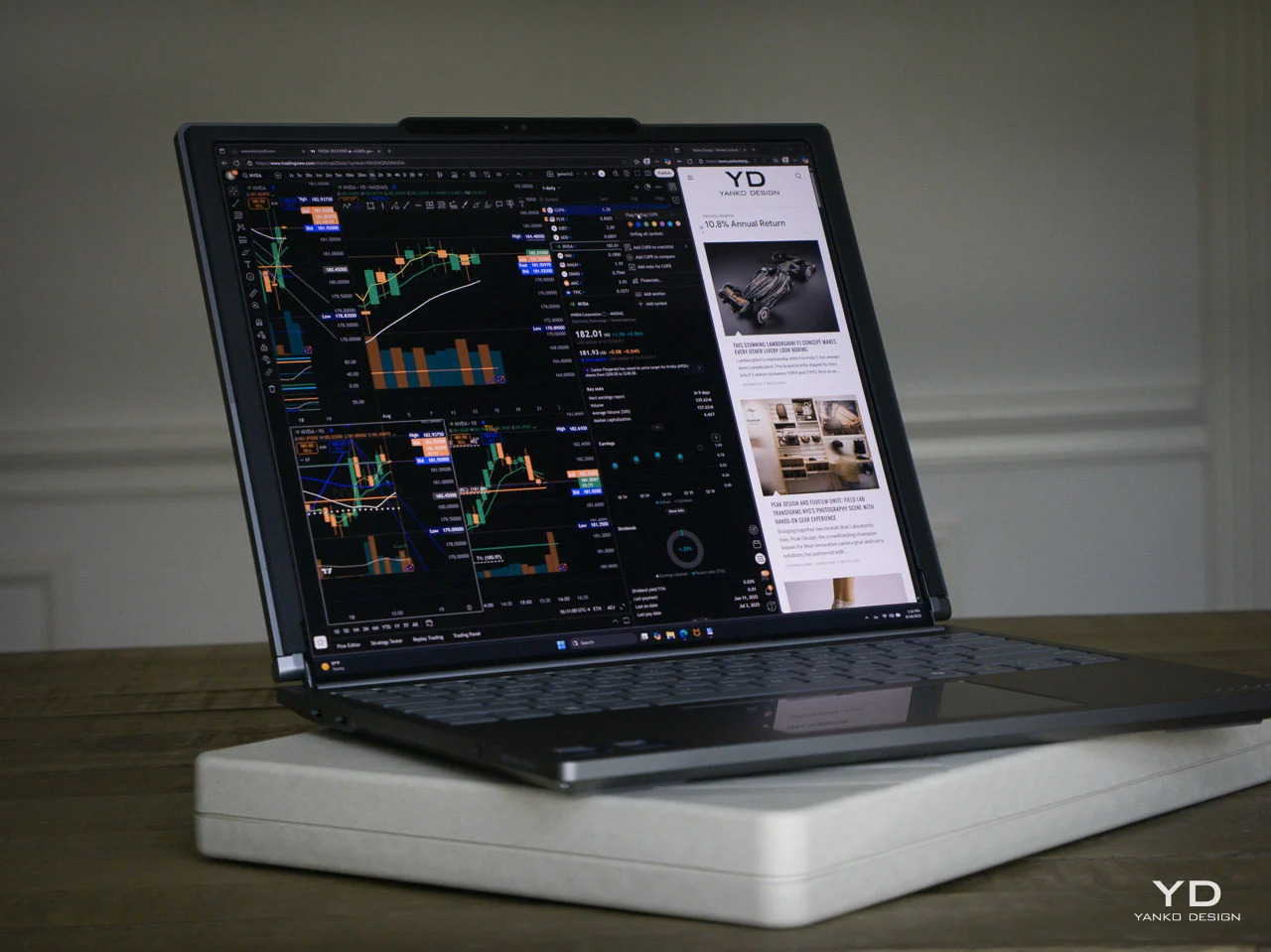
ThinkPad X1 Carbon Gen 14 Aura Edition Scores 9/10 From iFixit at CES 2026

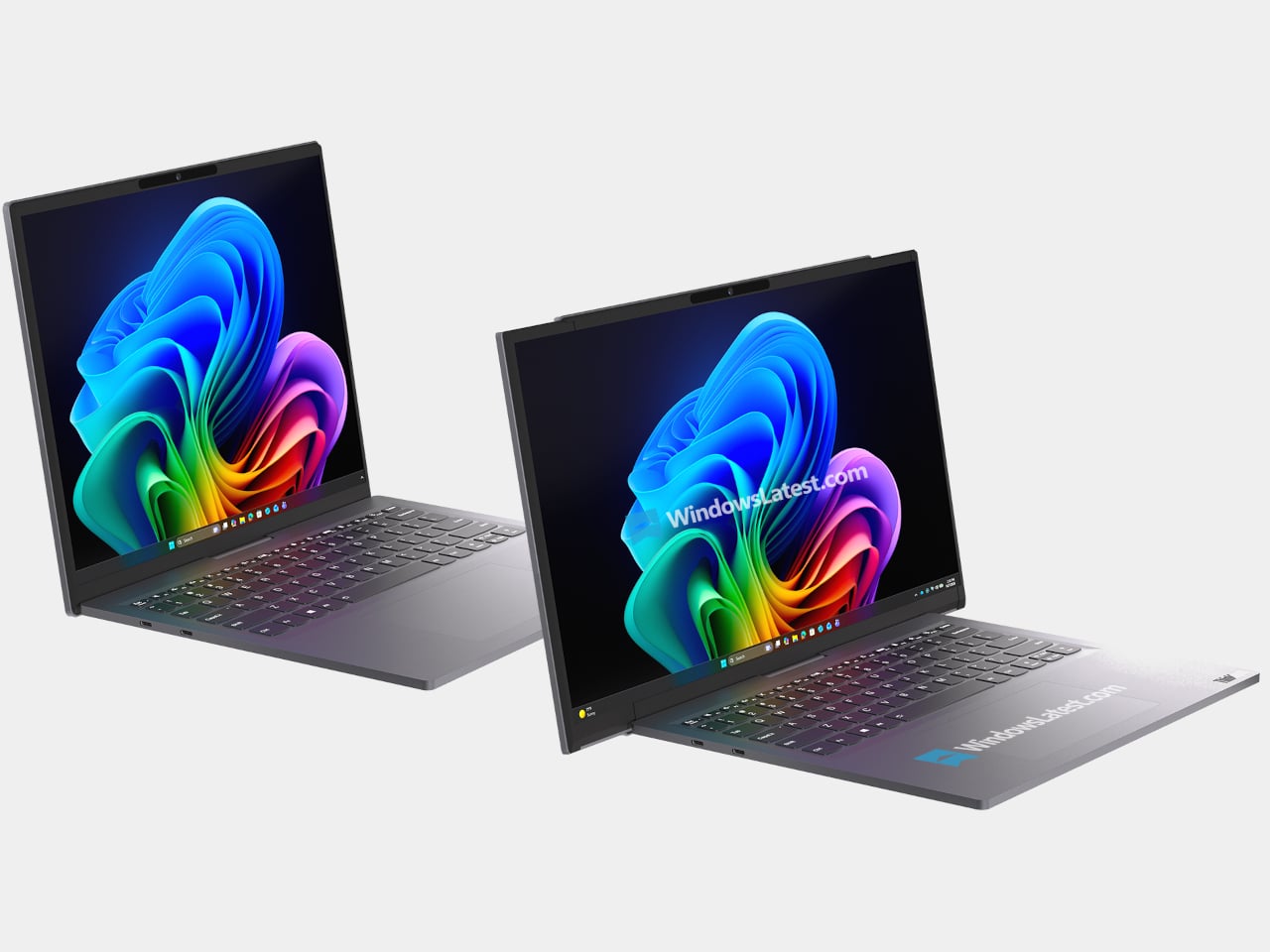
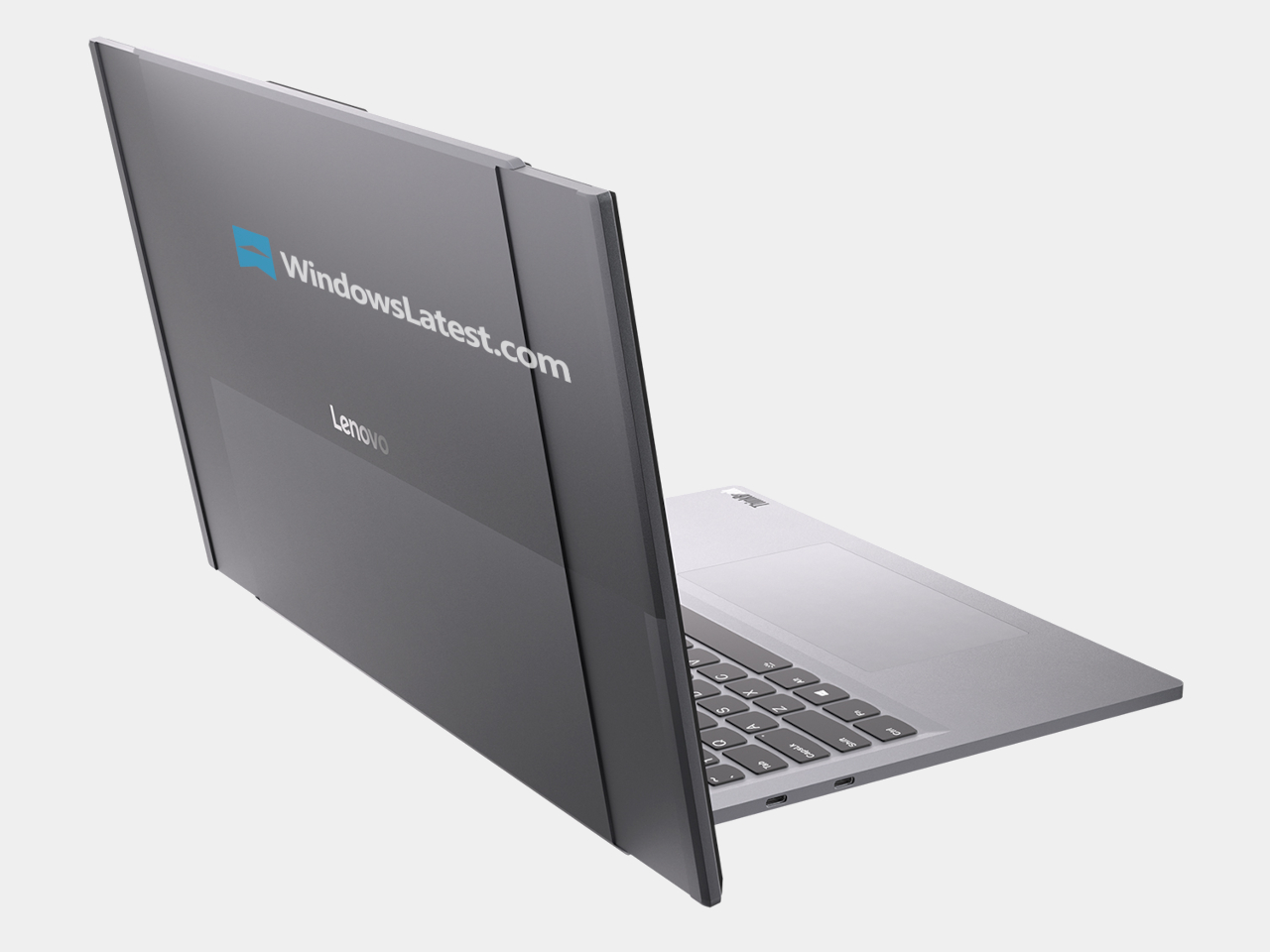
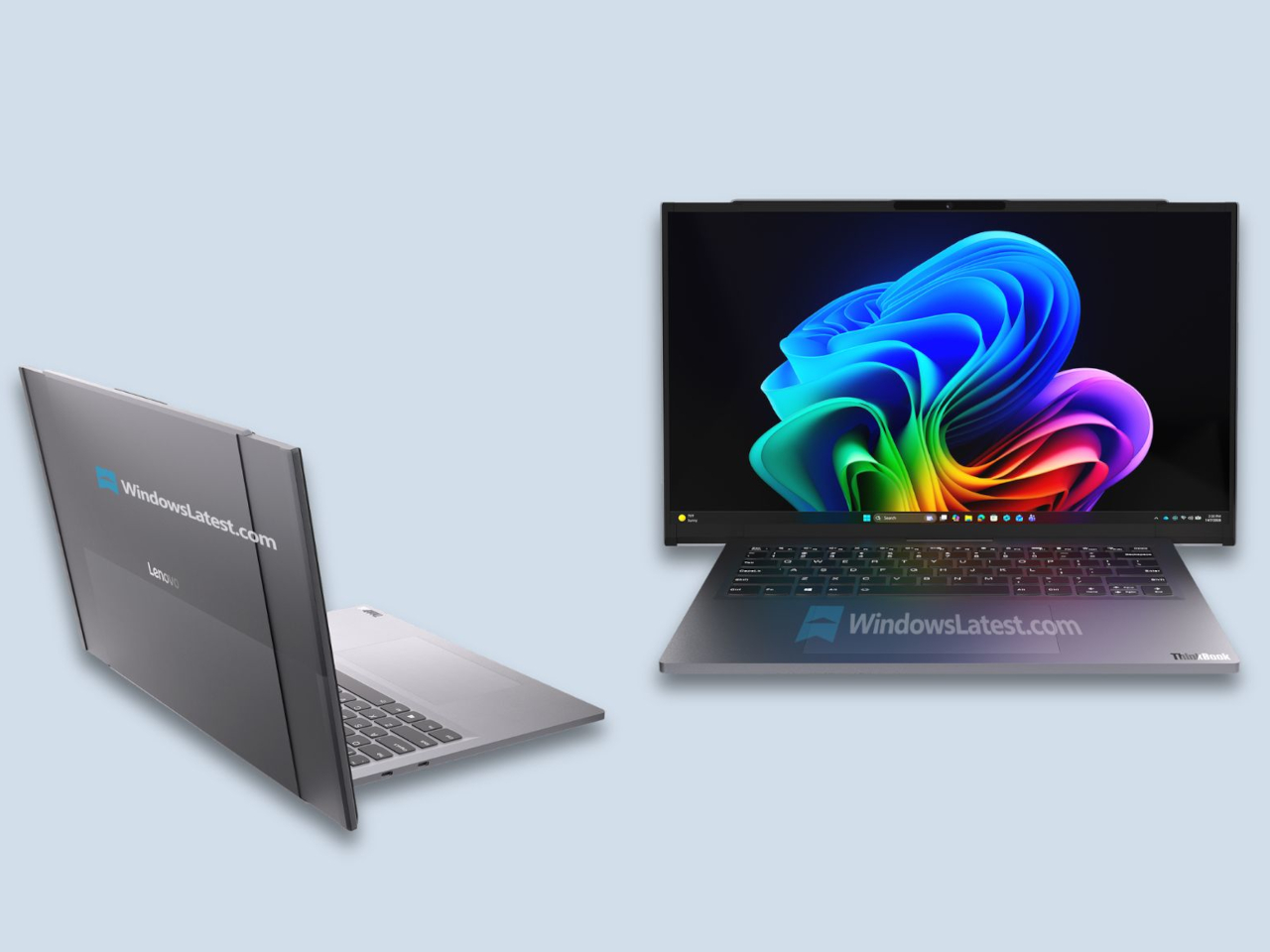
ThinkPad X1 Carbon has been the default answer to “what does a serious work laptop look like?” for more than a decade, with over ten million units sold since 2012. Most look and behave roughly the same. The Gen 14 Aura Edition arrives at CES 2026, when that definition is shifting, and Lenovo’s response is to quietly rework the bones around local intelligence, a new internal architecture, and repairability that does not feel like a compromise.

The first idea is that AI should live on the machine, not just in the cloud. The Aura Edition runs Intel Core Ultra X7 Series 3 processors with an integrated NPU capable of up to 50 TOPS, which means background noise removal, live transcription, or image enhancement can happen locally with less lag and fewer privacy worries. Lenovo’s Aura software layer tunes performance automatically, handles quick media transfers with a tap, and walks users through troubleshooting.

Designer: Lenovo

The second idea is Space Frame, a new internal layout that treats the inside as three-dimensional real estate rather than a flat sandwich. By placing components on both sides of the motherboard, Lenovo frees up volume for better airflow and a larger haptic touchpad while keeping the chassis under sixteen millimeters thick. That opens up about twenty percent better heat dissipation and lets the system sustain thirty watts of power, which matters when running heavy workloads.

Space Frame also makes room for modular parts. USB ports, the battery, keyboard, speakers, and fans are designed to be replaced as individual units, with a separate daughterboard that isolates some I/O, so a damaged connector does not mean a full motherboard swap. Lenovo says the X1 series now scores nine out of ten from iFixit. For people who keep laptops for years, that means less downtime and fewer machines scrapped for minor issues.

The sustainability story ties in closely. The chassis uses up to seventy-five percent recycled aluminum and ninety percent recycled magnesium in specific components, and packaging is now plastic-free. Those details matter for enterprises reporting on lifecycle impact, and they make the laptop easier to justify to teams skeptical of devices designed to be replaced every few years instead of maintained and refreshed when needed.

Around those pillars, the X1 Carbon Gen 14 Aura Edition feels familiar. An optional 2.8K OLED display with anti-glare coating, 500 nits, and full DCI-P3 coverage handles color work. A new 10-megapixel camera with a wide field of view and distortion correction makes hybrid meetings less painful. Wi-Fi 7, optional 5G, and three Thunderbolt 4 ports keep it ready for whatever networks and docks come next.

The interesting thing about this generation is not that it is faster or lighter, though it is both. Lenovo is using AI and a new internal design as reasons to make a flagship business laptop that is smarter, cooler, and easier to fix. The ThinkPad X1 Carbon Gen 14 Aura Edition is still the same understated black rectangle, but inside it argues that the future of professional laptops is about longevity, adaptability, and treating sustainability as a design constraint rather than marketing.

The post ThinkPad X1 Carbon Gen 14 Aura Edition Scores 9/10 From iFixit at CES 2026 first appeared on Yanko Design.

Lenovo’s ‘Horizontal Rollable’ Legion Pro Laptop Expands From 16 to 23.8 Inches: Hands-on at CES 2026

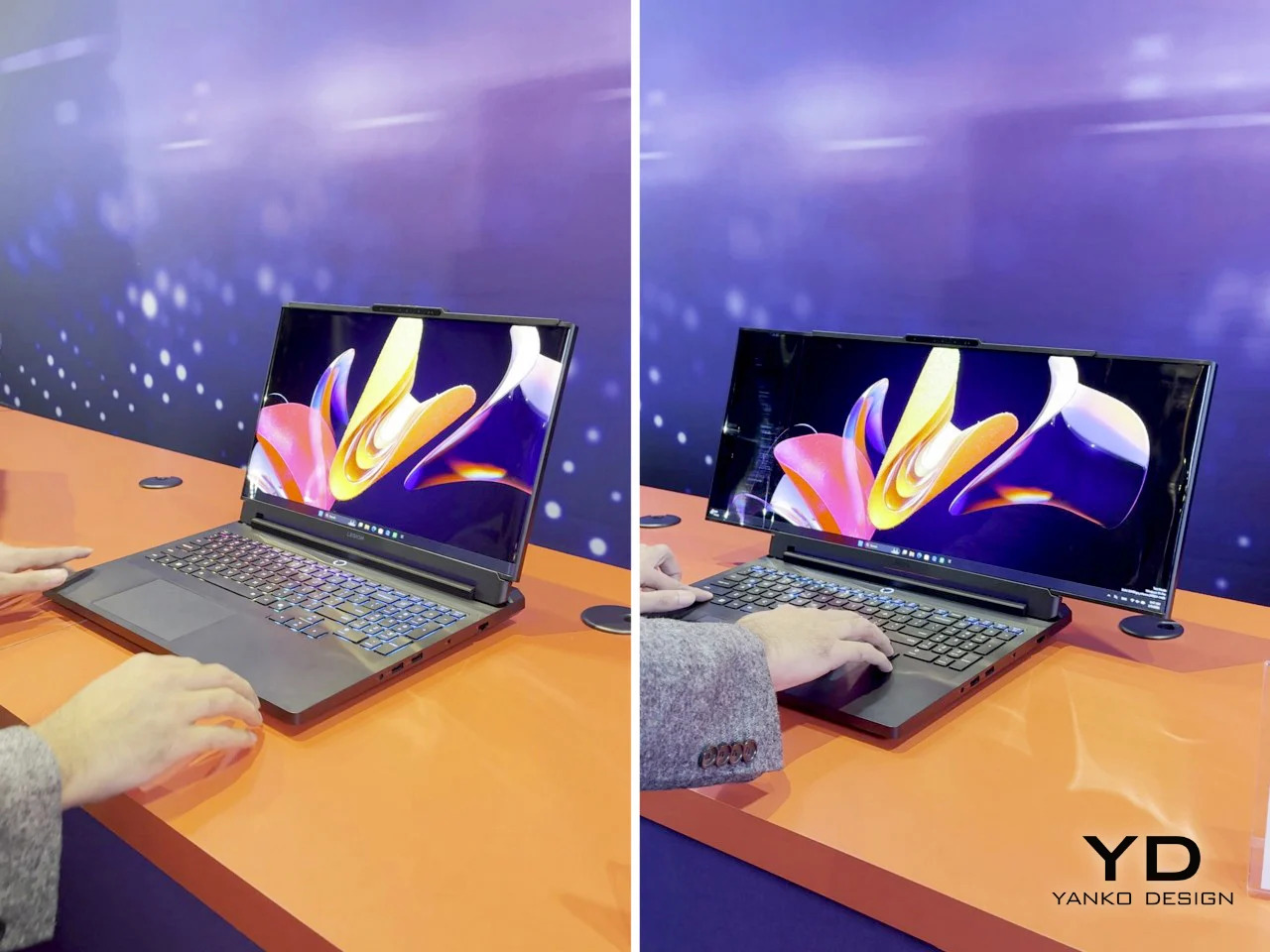
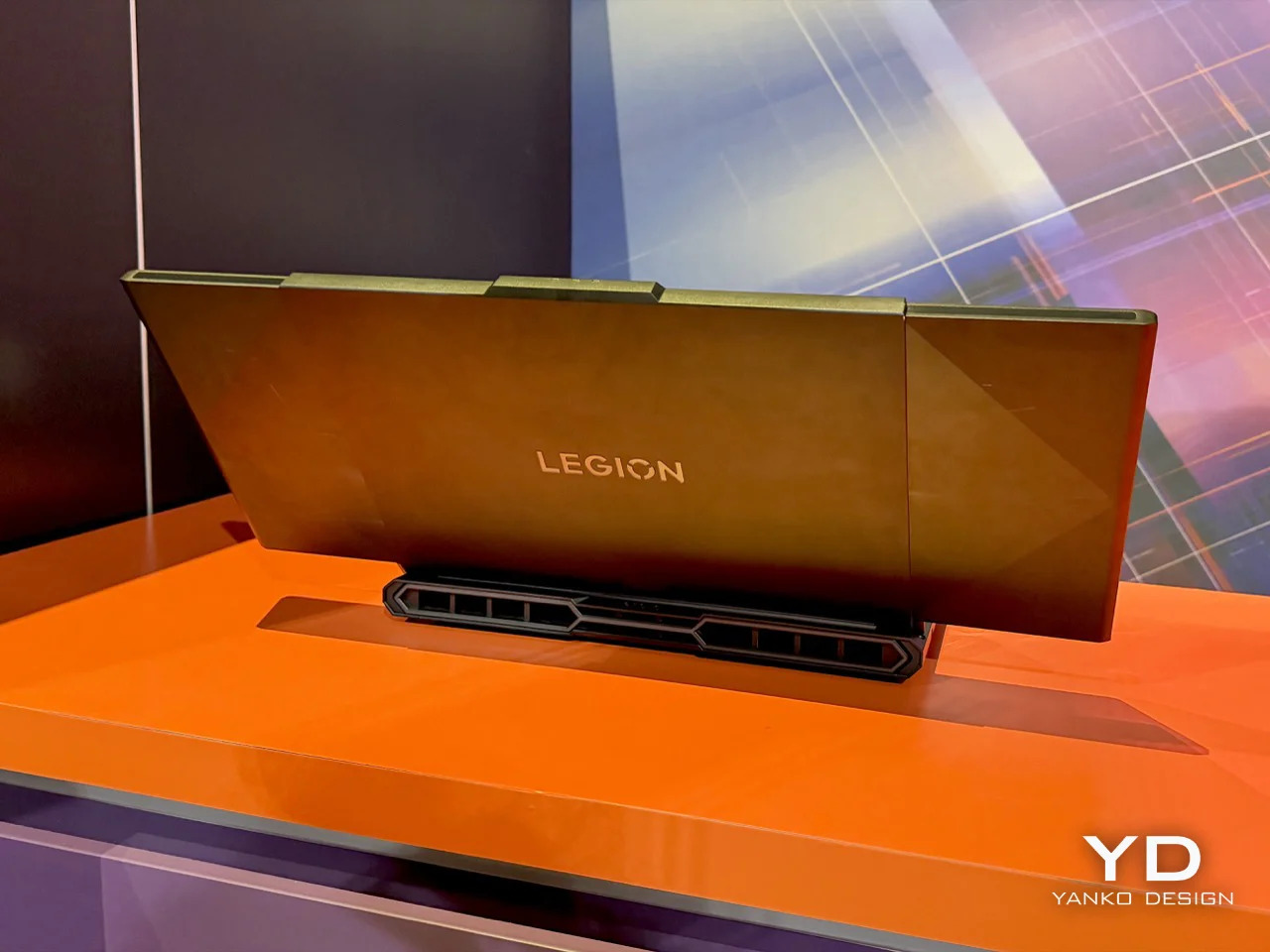
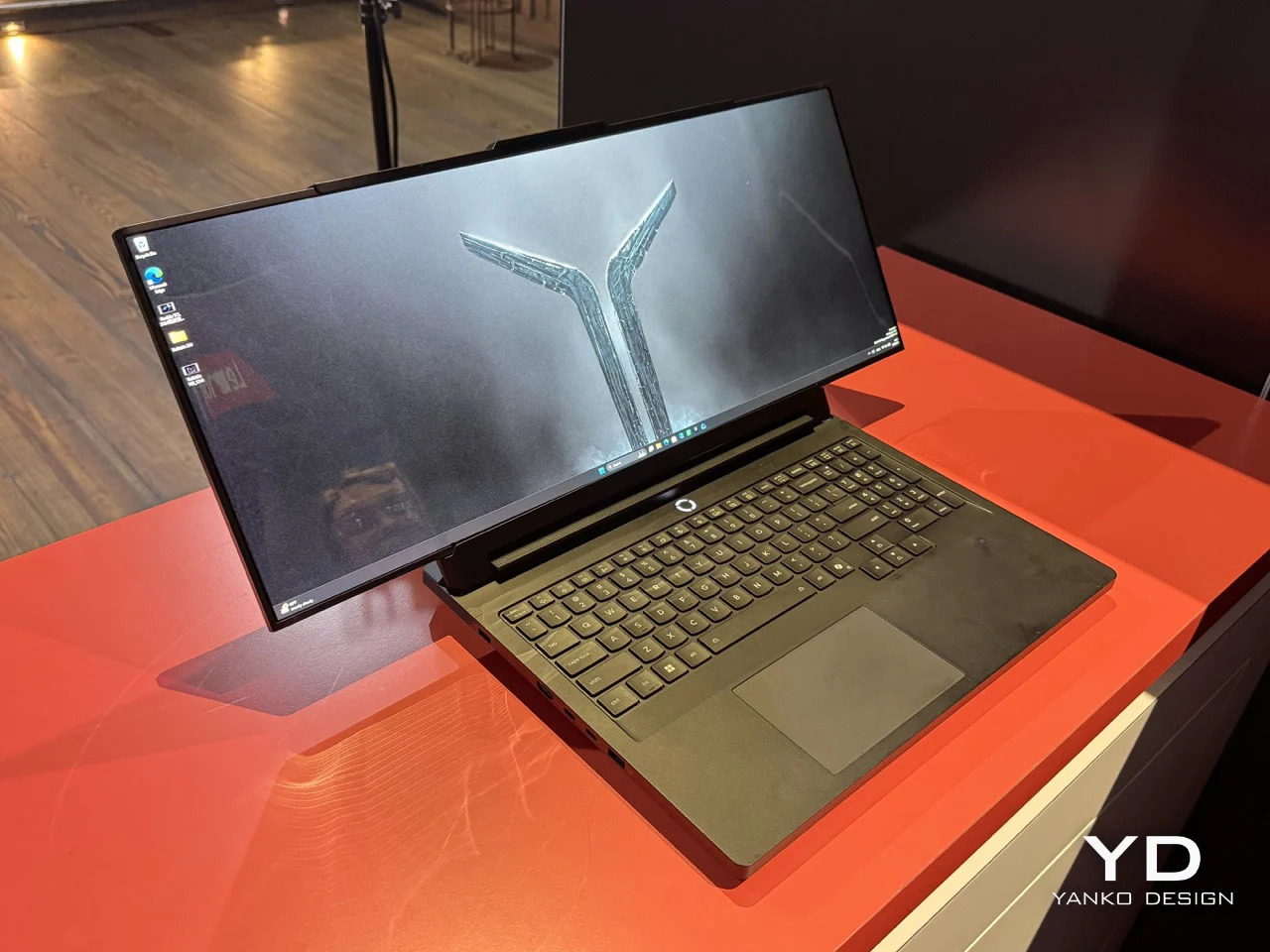
Lenovo’s Legion Pro Rollable concept solves a problem that’s annoyed traveling gamers and esports pros for years: you either carry a full-size monitor with you or accept that your laptop screen is too small for serious practice. The concept starts as a standard 16-inch gaming laptop, then physically expands horizontally to 21.5 inches and finally 23.8 inches when you need the extra width. A rollable PureSight OLED panel stretches from both ends using dual motors and a tension system designed to keep the screen taut and protected through repeated cycles, turning one device into three different training setups without packing an external display.

Professional esports athletes compete on 24-inch monitors at tournaments, which makes training on a 16-inch laptop screen feel like practicing free throws on a hoop that’s two feet lower than regulation. Lenovo built the concept around that reality, calling the 16-inch mode Focus Mode for precision drills, the 21.5-inch state Tactical Mode for peripheral awareness training, and the full 23.8-inch extension Arena Mode to replicate actual competition conditions. The hardware underneath is Legion Pro 7i spec with Intel Core Ultra CPUs and an RTX 5090 laptop GPU, so performance isn’t the compromise here. The rollable display is the entire point, and if it works reliably it eliminates the extra monitor from the travel checklist.

Designer: Lenovo

Seeing it in action on the CES floor was something else. The mechanism is surprisingly smooth, unfurling with a quiet hum that sounds more refined than experimental. Lenovo calls it a dual-motor, tension-based design, which is a sterile way of describing how it keeps the flexible OLED panel perfectly flat and taut, even at full 23.8-inch extension. They’ve apparently lined the rolling path with low-friction materials to prevent the screen from scratching itself over time. The whole thing feels solid, not like a fragile prototype you’re afraid to touch. My only complaint is that Lenovo keeps calling this a ‘concept’ even though they should easily mass-produce this thing.

The panel itself is a PureSight OLED, so the colors and contrast are exactly what you’d expect from a high-end gaming display. The real story is the aspect ratio. When it expands, it doesn’t just get bigger; it transforms into an ultra-widescreen that changes how you see the game. This is what makes it a genuine training tool rather than just a gimmick. For FPS or MOBA players, that extra horizontal space in Tactical and Arena modes is crucial for peripheral vision. It’s a purpose-built machine, not a productivity laptop with a gaming sticker. The 23.8-inch final size is a direct nod to the 24-inch class monitors that dominate the pro circuit, making this the most authentic portable training rig I’ve ever seen.

Of course, you can’t buy one. Lenovo was very clear this is a proof of concept, a way of showing off what their engineers are cooking up. It’s a statement piece for the CES showcase, a flex of R&D muscle. It’s a bit funny, really. We’re living in a world where we got a fully functional, mechanically expanding laptop screen before we got Grand Theft Auto VI. In a way that’s a great thing, because I’d honestly love to play an open-world RPG on a portable 24″ laptop. A new GTA game demands leaps and bounds in hardware too, no?

So, will we all be carrying rollable laptops in a few years? Lenovo already began selling a commercial version of its vertical rolling ThinkBook, so even though they keep calling this Legion rollable a concept, chances are it’ll see the light of day soon enough. Most tech people around me seem to agree that this format of a horizontal rollable works so much better than the vertical one. The only gripe people have is that this tech is exclusive to Lenovo’s Legion gaming line, when graphic designers, video editors and productivity gurus would benefit so much more from a rolling screen like this!

The post Lenovo’s ‘Horizontal Rollable’ Legion Pro Laptop Expands From 16 to 23.8 Inches: Hands-on at CES 2026 first appeared on Yanko Design.

ASUS and GoPro Built a 128GB Laptop for Video Editors at CES 2026

Laptops have quietly become the default creative tool for a lot of people, but the basic clamshell has not changed much in years. Copilot+ PCs, high-TOPS NPUs, and OLED panels are all becoming more common, and ASUS is using CES 2026 to ask what happens when you stop treating AI and displays as afterthoughts and start designing around them.

The updated Zenbook DUO and the ProArt GoPro Edition PX13 are the clear headliners, one stretching the laptop into a dual-screen studio, the other turning a 13-inch 2-in-1 into a mobile editing bay. Around them, the ProArt PZ14, Zenbook S16/S14, and Zenbook A16/A14 fill in different roles, from tablet-first creation to ultra-light Copilot+ travel machines, all tied together by Ceraluminum shells and Lumina OLED displays.

Designer: ASUS

ASUS Zenbook DUO (2026)

Zenbook DUO is the laptop for people who always end up plugging into a second monitor. Both panels are ASUS Lumina Pro OLED, with peak brightness around 1,000 nits, 16:10 aspect ratio, and high refresh, stacked in a way that lets a main workspace live on the top screen while timelines, chat, or reference material sit on the lower one. The new hinge design reduces the gap between screens to about 8.28 mm, making the dual-screen layout feel like a single continuous surface.

The laptop runs up to a next-gen Intel Core Ultra processor with an NPU around 50 TOPS, up to 32 GB of memory, and up to 2 TB of SSD storage, plus a dual-fan thermal solution to keep a 45 W CPU happy. A detachable keyboard connects via magnetic pogo pins or Bluetooth, so you can push it forward and treat the DUO like a tiny dual-monitor rig. Thunderbolt 4, HDMI 2.1, USB-A, and an audio jack mean you avoid living out of a dongle pouch, while six speakers with Dolby Atmos and ASUS Pen 3.0 support make it feel like a proper creator machine that just happens to fit in a 1.65 kg backpack.

ProArt GoPro Edition PX13

The ProArt GoPro Edition PX13 is the machine for people who think in clips and timelines. It runs up to an AMD Ryzen AI Max+ 395, with up to 128 GB of LPDDR5X onboard RAM and up to 1 TB of PCIe 4.0 SSD storage. That is a lot of headroom for 4K footage, AI-assisted editing, and background renders, and it is explicitly pitched as a “Create Anywhere” device rather than a generic 2-in-1 that dabbles in creative work.

The 13.3-inch 3K HDR Lumina OLED display, with 100 % DCI-P3 and Pantone validation, gives editors and colorists a trustworthy canvas on the go. Ports include two USB 4.0 Type-C, one USB 3.2 Type-A, HDMI 2.1, a MicroSD slot with UHS II, and an audio jack, which means you can go dongle-free with cameras and drives. ASUS DialPad, StoryCube as an AI media hub, and a dedicated GoPro hotkey make it clear this is meant to sit in the middle of a creator’s workflow, bundled with 12 months of GoPro Premium+, six months of CapCut, and three months of Adobe Creative Cloud.

ProArt PZ14

ProArt PZ14 is the tablet-first counterpart, running on Snapdragon X2 Elite with 18 cores and up to 80 TOPS of NPU performance, paired with up to 32 GB of LPDDR5X and 1 TB of PCIe 4.0 SSD storage. The 14-inch 3K 144 Hz Lumina Pro OLED display, with 100 % DCI-P3 and up to 1,000 nits, makes it a serious panel for drawing, grading, or reviewing work.

The 9 mm thickness, 0.79 kg weight, and IP52 water and dust resistance make it plausible to take the PZ14 out of the studio and onto a shoot. A Bluetooth keyboard, cover stand, ProArt mouse, and ASUS Pen 3.0 complete the kit, while dual super-linear speakers with Dolby Atmos, an 8 MP IR camera, and a 13 MP 4K rear camera round out the hardware. ProArt Creator Hub, StoryCube with GoPro integration, and MuseTree’s AI-assisted tools make it feel like a portable sketchbook and media station that can survive the field.

ASUS Zenbook S16 and S14

ASUS Zenbook S14

Zenbook S16 and S14 are the premium ultrabooks that bring Ceraluminum into everyday machines. The S14 runs next-gen Intel Core Ultra processors with up to 50 TOPS of NPU performance, while the S16 uses next-gen AMD Ryzen AI chips with similar NPU numbers. Both sit around 1.1 cm thick, with the S14 at about 1.2 kg and the S16 around 1.5 kg, making them thin enough to disappear into a bag.

ASUS Zenbook S16

Display options include 14-inch and 16-inch 3K OLED touch panels at 120 Hz, with peak brightness up to 1,100 nits and full DCI-P3 coverage. Four-speaker audio on the S14 and six-speaker audio on the S16, both with Dolby Atmos, plus Quiet Ambient Cooling and geometric grille vents, make them feel more like design objects than generic ultrabooks. Privacy features like Windows Passkey, Microsoft Pluton, and IR webcams, along with Copilot+ PC status, round out machines aimed at people who want a bit of flair with their AI.

ASUS Zenbook A16 and A14

ASUS Zenbook A14

Zenbook A16 and A14 are the ultra-light Copilot+ PCs that lean hardest into battery life. The A14 weighs under 1 kg, while the A16 comes in around 1.2 kg, both using Ceraluminum for the lid, keyboard frame, and bottom case. Both pack 70 Wh batteries, with ASUS claiming multi-day life and more than 28 hours of video playback on the A14, which matters when you are away from outlets for long stretches.

ASUS Zenbook A16

The A16 steps up to a 16-inch 3K 120 Hz OLED with peak brightness around 1,100 nits, powered by Snapdragon X2 Elite Extreme running up to 5.0 GHz with a 192-bit bus and 228 GB/s of bandwidth. Lightweight dual-fan thermals, high-fidelity six-speaker audio, smudge-free keycaps, and Smart Gesture touchpads make both A-series machines feel like travel companions that just happen to be Copilot+ PCs with up to 80 TOPS of NPU performance, built for people who count grams and hours equally.

ASUS at CES 2026: AI Specs That Justify New Shapes

Zenbook DUO and ProArt PX13 GoPro Edition are the clear statements, one turning dual OLEDs into a portable studio, the other turning Ryzen AI and 128 GB of RAM into a mobile editing bay. Around them, ProArt PZ14, Zenbook S16/S14, and Zenbook A16/A14 show how Ceraluminum, Lumina OLED, and high-TOPS NPUs can be tuned for different days and different bags. For Yanko Design readers, the interesting part of ASUS’s CES 2026 story is not just the raw numbers, but how those numbers are being used to justify new shapes and new ways of working that feel like a genuine break from the last decade of laptop design, where every machine looked roughly the same, and only the stickers changed.

The post ASUS and GoPro Built a 128GB Laptop for Video Editors at CES 2026 first appeared on Yanko Design.

Acer AMD Ryzen Laptops Bring AI Across Three Very Different Days

AMD’s Ryzen AI 400-series chips are showing up in laptops people might actually carry every day. Acer is rolling them out across three very different lines, thin-and-light, mainstream, and gaming, and all of them are Copilot+ PCs with NPUs built for on-device AI. Built on the Zen 5 architecture, these processors aim to enhance productivity and creative work without constantly leaning on the cloud or draining the battery by lunchtime.

The lineup splits into three personalities. Swift Go 16 AI is built for people who live out of a backpack. Aspire 14 and 16 AI are for students and young professionals who need one machine to do everything. Last but not least, Nitro V 16 AI is for gamers who still have to write essays or edit videos when the match ends. The interesting part is how Acer uses the same AMD Ryzen AI 400-series foundation to make three very different days feel smoother.

Designer: Acer

Acer Swift Go 16 AI

Swift Go 16 AI is the laptop that spends its time in cafés and lecture halls. It runs up to an AMD Ryzen AI 9 465 processor with Radeon 880M graphics, up to 32 GB of LPDDR5X memory, and up to 1 TB of PCIe Gen 4 SSD storage. That headroom handles a dozen tabs, a video call, and a Copilot window without the fans screaming, and it all lives in a laser-etched aluminum chassis that opens a full 180 degrees.

Display options range from 16-inch 16:10 WUXGA IPS to WUXGA+ OLED with 100 % DCI-P3 and up to 400 nits, so spreadsheets and color-sensitive work both look right. A 5 MP IR camera with HDR and Human Presence Detection makes video calls less painful, while DTS:X Ultra speakers and a multi-control touchpad handle audio and gestures. Wi-Fi 7, Bluetooth 5.4, dual USB-C, dual USB-A, HDMI 2.1, and MicroSD mean you stop hunting for dongles.

Acer Aspire 14 AI and Aspire 16 AI

Acer Aspire 14 AI

The Aspire 14 AI and Aspire 16 AI are the laptops that bounce between classes, offices, and kitchen tables. Both use WUXGA 1920 × 1200 16:10 displays with refresh rates up to 120 Hz, with touch, non-touch, and OLED options. The 16-inch model can be configured with up to an AMD Ryzen AI 9 465 and Radeon 880M graphics, while the 14-inch tops out at a Ryzen AI 7 445 and Radeon 840M, both with up to 32 GB of LPDDR5X and 1 TB of PCIe Gen 4 SSD storage.

Acer Aspire 16 AI

Full-flat 180-degree hinges and large touchpads make it easy to share a screen or navigate long documents. Both sizes include 1080p FHD IR webcams with privacy shutters, DTS Audio dual speakers, and triple-mic arrays, plus Wi-Fi 6E and Bluetooth 5.3. Two USB-C, two USB-A, HDMI 2.1, a MicroSD card reader, and an audio jack cover most scenarios without extra gear. Acer’s AI layer, Intelligent Space, AcerSense, PurifiedView, PurifiedVoice, and My Key, sits on top of Copilot+ to make translation, noise reduction, and quick shortcuts feel like part of the machine.

Acer Nitro V 16 AI

Nitro V 16 AI is the AMD-powered gaming laptop that still has to behave like a normal computer when the game is closed. It pairs up to an AMD Ryzen AI 9 465 processor with up to an NVIDIA GeForce RTX 5070 Laptop GPU, backed by up to 32 GB of DDR5 memory and up to 2 TB of PCIe M.2 NVMe SSD storage. That combination is built for high-refresh shooters and GPU-accelerated creative work, not just casual titles.

The 16-inch 16:10 WUXGA 1920 × 1200 panel runs at 180 Hz with 100 % sRGB and a MUX switch, so you can flip between power-saving hybrid mode and direct GPU mode when you care about every frame. Dual-fan, dual-intake, dual-exhaust cooling keeps the chassis under control, while DTS:X Ultra audio, a 4-zone RGB keyboard, and an FHD IR webcam with a shutter handle the rest of the experience. Wi-Fi 6E, Bluetooth 5.4, USB 4 Type-C, three USB-A ports, HDMI 2.1, RJ-45, and a Kensington lock round it out, and Acer’s Intelligent Space and NitroSense give you knobs to tune performance and AI-assisted features without digging through control panels.

Acer and AMD at CES 2026: Three Laptops, One AI Backbone

Swift Go 16 AI is the thin-and-light that leans on OLED and Wi-Fi 7 for people who work wherever they can find a table. Aspire 14 and 16 AI are the everyday machines that quietly stretch multi-day battery life and 16:10 high-refresh screens across school, work, and home. Nitro V 16 AI is the gaming rig that still has to write essays and render timelines. Underneath, they all share AMD’s Ryzen AI 400-series processors, Copilot+ PC status, and Acer’s own AI tools, which is the real CES 2026 story here, AI moving from a single button on the keyboard into the way the whole laptop is specced and shaped.

The post Acer AMD Ryzen Laptops Bring AI Across Three Very Different Days first appeared on Yanko Design.

ROG’s CES 2026 Flagships Rethink What a Gaming Machine Looks Like

Gaming laptops have settled into a comfortable rhythm. A 16-inch clamshell, an RGB keyboard, a high-refresh panel, and a GPU that fits into a backpack. Most people buy them, use them, and expect roughly the same experience from every generation. ROG’s CES 2026 lineup arrives at a moment when AI hardware, OLED panels, and new hinge engineering are all maturing at once, and the company seems very interested in experimenting with what that makes possible.

ROG’s most interesting products are not just faster versions of last year’s machines. The Zephyrus Duo GX651 stretches the idea of a laptop into a dual-screen workstation with five operating modes, while the Flow Z13-KJP shrinks a gaming PC into a tablet-sized slab with enough unified memory and NPU power to run a 70-billion-parameter language model on a train. Supporting them are the refreshed Zephyrus G14 and G16 ultraportables and the holographic ROG G1000 desktop.

Designer: ASUS Republic of Gamers (ROG)

ROG Zephyrus Duo GX651

The Duo is the laptop for people who never have enough screen space. Both the main and secondary panels are 16-inch 3K ROG Nebula HDR OLED touchscreens running at 120 Hz with 0.2 ms response times, 100% DCI-P3, and ΔE < 1 color accuracy. In practice, that means a game or timeline can live on the top screen while chat, mixer controls, or reference material sit on the lower one, without feeling like a cramped compromise.

The 320-degree hinge and kickstand let the Duo shift between five operating modes, from traditional clamshell to dual-screen desktop, presentation stand, or drawing surface. A full-size wireless keyboard and touchpad can move off the chassis entirely, so you can push the screens closer and treat the machine like a tiny dual-monitor rig on a hotel desk or studio table. It is a laptop that behaves more like a modular workstation than a fixed shape.

ROG packs up to an Intel Core Ultra processor and an NVIDIA GeForce RTX 5090 Laptop GPU, up to 64 GB of LPDDR5X memory, and up to 2 TB of PCIe Gen 5 SSD storage into a chassis that measures 0.77 in thick and weighs about 6.28 lb. ROG Intelligent Cooling uses liquid metal, a vapor chamber, dual fans, and a dedicated graphite sheet for the second display to keep both panels and the chassis comfortable during long sessions.

ROG Flow Z13-KJP

The Flow Z13-KJP is a 13.4-inch 2-in-1 that leans into AI as much as gaming. It runs an AMD Ryzen AI Max+ 395 with Radeon 8060S graphics and a 50 TOPS NPU, paired with up to 128 GB of LPDDR5X unified memory at 8,000 MT/s. ROG explicitly says that the combination can run a 70-billion-parameter LLM locally, which is a very different pitch from “this tablet can play your favorite games.”

The Z13-KJP uses a 16:10 QHD Nebula display at 180 Hz with 500 nits brightness and 100% DCI-P3, protected by Gorilla Glass DXC. The chassis mixes aluminum with real carbon fiber on the back, weighs about 1.75 kg, and measures 14.6 mm thick. ROG Intelligent Cooling with liquid metal, a vapor chamber, and second-generation Arc Flow fans keeps the Ryzen AI chip and integrated graphics from throttling when running AI workloads or games.

The Kojima Productions collaboration is more than a paint job. Designed by Yoji Shinkawa and inspired by Ludens, the Flow Z13-KJP ships with custom Armoury Crate themes and wallpapers, plus matching peripherals like the Delta II-KJP headset and Keris II Origin-KJP mouse. The detachable RGB keyboard cover with 1.7 mm travel and built-in kickstand let it flip between console-style play, creator tablet, workstation, or ultraportable laptop, treating gaming, creation, and AI experimentation as different moods rather than separate devices.

ROG Zephyrus G14 and G16

ROG Zephyrus G14

The Zephyrus G14 and G16 are the ultra-slim siblings that round out the laptop story. The G14 uses a 14-inch 3K Nebula HDR OLED at 120 Hz, weighs 1.5 kg, and measures 1.59 cm thick, while the G16 offers a 16-inch 2.5K Nebula HDR OLED at 240 Hz, weighs 1.85 kg, and measures 1.49 cm thick. Both can be configured with Intel Core Ultra processors, up to RTX 5080 or RTX 5090 Laptop GPUs, and Copilot+ PC certification.

ROG Zephyrus G16

The Slash Lighting array on the lid, upgraded from seven zones to 35, gives both machines a more refined aesthetic, while the CNC-aluminum chassis, liquid metal thermal compound, and six-speaker audio systems with dual woofers keep them firmly in the premium tier. They are the machines for people who want serious gaming and creative horsepower but still need something that can slip into a backpack for travel and daily use without feeling like a compromise.

ROG G1000 Desktop

The ROG G1000 is the desktop counterpart, a 104 L ATX ultra-tower built to be seen as much as used. At its core, the built-in AniMe Holo fan is the world’s first holographic fan system in a prebuilt gaming PC, projecting customizable holographic visuals through the front panel. The fan sits in an independent chamber with a hinge-door design, so the airflow does not interfere with the main components, and system noise stays low.

The ROG Thermal Atrium, dedicated to CPU cooling, channels fresh air through a 420 mm AIO liquid cooler with three fans and isolated airflow paths. Equipped with up to AMD Ryzen 9 9950X3D and ROG Astral GeForce RTX 5090 or AMD Radeon 9070XT GPUs, up to 128 GB DDR5 memory with AEMP II, and up to 4 TB PCIe 5.0 SSD storage, the G1000 is tuned and ready for peak performance from day one. Quick control keys on the chassis, extensive Armoury Crate and Aura Sync lighting control, and easy tool-less access for upgrades make it a desktop that earns its showpiece status by actually being usable as a daily driver.

ROG at CES 2026: Form Factors for the Next Decade

The Zephyrus Duo and Flow Z13-KJP are two answers to the same question: what does a gaming machine look like when AI, OLED, and new hinges are all on the table? The Duo stretches the laptop into a dual-screen studio that can sit at the center of a desk, while the Flow Z13-KJP compresses a Copilot+-class PC into a tablet that can run massive models on the go. For Yanko Design readers, the interesting part is not just the jump to RTX 5090 or 50 TOPS NPUs, but the way those specs are being used to justify new shapes, new workflows, and new ways of thinking about what a gaming laptop or tablet can be when you stop assuming it has to look like every other machine released in the past decade.

The post ROG’s CES 2026 Flagships Rethink What a Gaming Machine Looks Like first appeared on Yanko Design.

Acer Gaming Stack Cuts Ping With Wi-Fi 7 and RTX 50 at CES 2026

This year’s CES might finally be the time when gaming laptops and accessories start to look different because of AI and connectivity, not just because of higher model numbers. Intel Core Ultra Series 3 processors, NVIDIA RTX 50-series GPUs, and Wi-Fi 7 are all arriving at once, and the question for gamers is less “how fast is the GPU?” and more “how does the whole setup feel when you sit down to play or stream?”

Acer’s answer is a full stack. The Predator Helios Neo 16S AI sits at the top as the OLED flagship, with two new Nitro V 16 AI models for casual or mobile players, a Predator 5G CPE, and mesh routers to keep latency down, and a headset and mouse that plug into the same software layer. The story is about how these pieces fit together into a gaming environment rather than just another hero laptop announcement.

Designer: Acer

Predator Helios Neo 16S AI

The Helios Neo 16S AI is the machine for people who want to carry a small desktop replacement. It can be configured with up to an Intel Core Ultra 9 386H and an NVIDIA GeForce RTX 5070 Laptop GPU, part of the new RTX 50-series built on NVIDIA’s Blackwell architecture. Pair that with up to 64 GB of DDR5-6400 memory and 2 TB of PCIe NVMe SSD storage, and you have a laptop that handles modern games and creative workloads without feeling like a compromise.

The 16-inch WQXGA OLED panel runs at 2560 × 1600 with a 165 Hz refresh rate, 1 ms response time, HDR support, and 100 % DCI-P3 color. That combination makes a difference in dark sci-fi scenes and bright spell effects, where IPS panels usually wash out. Cooling is handled by a 5th-generation AeroBlade 3D metal fan and liquid-metal thermal grease, which is important when you pack that much CPU and GPU into an 18.9 mm-thick metal chassis.

Intel Killer DoubleShot Pro Wi-Fi 6E, Thunderbolt 4, HDMI 2.1, and a MicroSD reader make it easy to plug into fast networks and external displays. As a Copilot+ PC, the Helios Neo 16S AI can run AI-assisted features like Live Captions for in-game voice chat or real-time translation, and Acer’s Intelligence Space and PredatorSense software sit on top to tune performance and surface AI tools for both gaming and content creation, turning the NPU into something that actually does useful work.

Nitro V 16 AI and Nitro V 16S AI

Acer Nitro V 16 AI ANV16-i51

The Nitro V 16 AI and Nitro V 16S AI share a lot under the hood, up to an Intel Core Ultra 7 355 and RTX 5070 Laptop GPU, with up to 32 GB of DDR5 and 2 TB of SSD storage. The standard Nitro V 16 AI uses a 16-inch WUXGA 1920 × 1200 panel at 180 Hz with 100 % sRGB and a MUX switch, giving casual players and creators a smooth, color-accurate screen without jumping to OLED pricing.

Acer Nitro V 16S AI ANV16-i51

The Nitro V 16S AI keeps the same display and core specs but trims the chassis to under 17.9 mm at its thickest point, making it easier to slide into a backpack for LAN nights or travel. Both include 4-zone RGB keyboards, DTS:X Ultra audio, Intel Killer Wi-Fi 6E, FHD IR webcams with shutters, NitroSense, and Acer Intelligence Space for performance tuning and AI-assisted features. They are the machines for people who want serious hardware that still feels approachable, portable, and not covered in aggressive gamer styling.

Predator Connect X7S and Acer Connect Ovia / M4D

The network layer matters as much as the laptop. The Predator Connect X7S 5G CPE is a tower that combines 5G mobile broadband with Wi-Fi 7 tri-band, supporting 5G downlink speeds up to 4.67 Gbps and Wi-Fi 7 throughput up to 5,764 Mbps. Multi-Link Operation and Hybrid QoS tie into Intel’s Killer Prioritization Engine, so a gaming laptop can stay responsive even when the rest of the house is streaming or downloading, which matters more than raw bandwidth when you are trying to keep ping stable.

The Acer Connect Ovia T360 and T520 mesh routers bring Wi-Fi 7 into apartments and larger homes, with dual-band and tri-band options and per-node coverage up to 90 m² and 110 m². They support MLO, WPA3, and are managed through the Acer Connect app. For people who game or work on the road, the Acer Connect M4D 5G Mobile Wi-Fi acts as a portable hotspot with dual-band Wi-Fi 6 for up to 16 devices, 15-hour battery life, and a dock that turns it into a tiny home router when you get back.

Predator Galea 570 and Cestus 530

The Predator Galea 570 is the headset that plugs into this ecosystem. It uses 50 mm drivers with a 20 Hz–20 kHz response and Environmental Noise Cancellation on both the detachable boom mic and built-in mic, so team chat stays clear even in noisy rooms. Triple-mode connectivity, 2.4 GHz wireless, Bluetooth 5.4, and wired, plus up to 30 hours of battery life in Bluetooth mode, make it a headset that moves between PC, console, and mobile without constant re-pairing.

The Predator Cestus 530 gaming mouse uses a PixArt PAW3395 sensor with up to 26,000 DPI, 650 IPS tracking, and an 8,000 Hz polling rate in wired and 2.4 GHz modes. Seven programmable buttons rated for 80 million clicks and a 500 mAh battery sit under a 105 g shell, with Predator QuarterMaster software and Windows Dynamic Lighting handling tuning and RGB. Together, the headset and mouse complete the desk without adding friction, connecting the same way the laptop does and tuning through the same software layer.

Acer at CES 2026: A Gaming Stack Built for AI and Always-On Connectivity

The Predator Helios Neo 16S AI and Nitro V 16 AI duo handle the heavy lifting with RTX 50-series GPUs and Copilot+ PCs that treat AI as part of the experience, not a bolt-on. The Predator Connect X7S, Ovia mesh, and M4D hotspot keep those machines fed with low-latency connections, while the Galea 570 and Cestus 530 round out the desk with audio and input that match the same design language. The CES 2026 message is that Acer is not just launching another gaming laptop; it is sketching out what a complete, AI-aware gaming environment looks like when you consider the network, the peripherals, and the way people actually move between rooms and networks during a typical day of play.

The post Acer Gaming Stack Cuts Ping With Wi-Fi 7 and RTX 50 at CES 2026 first appeared on Yanko Design.

Acer Swift 16 AI Has World’s Largest Haptic Touchpad With Stylus Support

CES 2026 is the year when “AI PC” stops being a buzzword and starts to show up in hardware decisions you can actually touch. Intel’s Core Ultra Series 3 chips and Copilot+ on Windows 11 are pushing laptop makers to rethink what a keyboard, touchpad, and display can do when there is a dedicated NPU and GPU ready to run local models, instead of just sending everything to a server somewhere and waiting for results to trickle back.

Acer’s answer is a two‑track strategy. The Aspire 14 AI and Aspire 16 AI bring Copilot+ and Acer’s own AI tools into mainstream machines that students and young professionals might actually buy, while the Swift AI family, Swift 16 AI, Swift Edge AI, and Swift Go AI, leans harder into thin‑and‑light design, OLED panels, and new interaction surfaces like a giant haptic touchpad for creators and on‑the‑go professionals who need more than a generic ultrabook can offer.

Designer: Acer

Acer Aspire 14 AI and Aspire 16 AI

The Aspire 14 AI and Aspire 16 AI are the kind of laptops that end up doing everything, from lecture notes and spreadsheets to light photo edits and streaming. Both are built around Intel Core Ultra Series 3 processors, up to a Core Ultra 9 386H with the new Intel Graphics, paired with up to 32 GB of LPDDR5X memory and up to 2 TB of PCIe Gen 4 SSD storage on the 16‑inch, or 1 TB on the 14‑inch. That headroom handles hybrid workflows where a dozen tabs, a video call, and a Copilot window are all open at once.

Acer Aspire 14 AI

Both sizes use 16:10 WUXGA displays with refresh rates up to 120 Hz, with options for touch, non‑touch, and even OLED panels, which is unusual in the mainstream segment. The full‑flat 180‑degree hinge lets the screen lie completely flat on a table, useful when two people are huddled over a project or a group is reviewing a design. Large touchpads, thin‑and‑light chassis, and ports like Thunderbolt 4, HDMI 2.1, and USB‑A, with Wi‑Fi 6E and Bluetooth 5.3, keep them plugged into modern peripherals without needing dongle bags.

Acer Apsire 16 AI

Acer layers its own AI on top of Windows 11’s Copilot experiences. Intelligent Space acts as a hub for AI tools, AcerSense handles diagnostics and optimization, PurifiedView and PurifiedVoice clean up video and audio in calls, and My Key is a programmable hotkey that can trigger specific Copilot+ features like Live Captions with real‑time translation. For someone bouncing between languages and remote meetings, those small touches make the AI feel less like a gimmick and more like part of the daily routine.

Acer Swift 16 AI

The Swift 16 AI is Acer’s CES flagship for people who live in creative apps. It runs up to an Intel Core Ultra X9 388H with Intel Arc B390 graphics, up to 32 GB of LPDDR5X, and up to 2 TB of SSD storage. The 16‑inch 3K OLED WQXGA+ display, with 120 Hz refresh, 100% DCI‑P3, and VESA DisplayHDR True Black 500, gives animators, video editors, and illustrators a bright, color‑accurate canvas that still fits in a 14.9 mm‑thin aluminum chassis.

Acer Swift 16 AI

The headline feature is the world’s largest haptic touchpad, a 175.5 mm × 109.7 mm glass‑covered surface that supports MPP 2.5 stylus input. You can sketch, scrub timelines, or manipulate 3D models directly on the pad while the screen stays clear for reference or output. Haptics provide precise feedback with fewer moving parts, and Acer’s AI tools, accessed through the Intelligence Space hub, can tie into that surface for gesture‑driven creative workflows that feel more like using a tablet than a traditional laptop.

Acer Swift 16 AI (Best Buy Chassis)

Connectivity and audio round it out with Wi‑Fi 7, Bluetooth 5.4, dual Thunderbolt 4 USB‑C, USB‑A, HDMI 2.1, a MicroSD slot, DTS:X Ultra speakers, and an FHD IR camera. A 70 Wh battery with up to 24 hours of video playback on certain configs means the machine can survive long flights or a full day of on‑site shoots without hunting for an outlet.

Acer Swift Edge 14 AI and Swift Edge 16 AI

Acer Swift Edge 14 AI

The Swift Edge 14 AI and 16 AI focus on portability for people who count grams in their backpacks. Built from a stainless steel‑magnesium alloy chassis, the 14‑inch model weighs under 1 kg and measures just under 14 mm thick, yet still meets MIL‑STD 810H durability standards. Both sizes run up to Intel Core Ultra 9 386H processors with Intel Graphics, up to 32 GB of LPDDR5X, and up to 1 TB of PCIe Gen 4 SSD storage, so they are not trading performance for weight.

Acer Swift Edge 16 AI

Display options go up to 3K WQXGA+ OLED with 120 Hz refresh and 100% DCI‑P3, making them surprisingly capable for color‑sensitive work on the road. Acer’s multi‑control touchpads add gesture layers for media, presentations, and conferencing, letting you adjust volume, skip tracks, or manage calls without hunting for on‑screen controls. FHD IR cameras with Human Presence Detection, DTS:X Ultra speakers, Wi‑Fi 7, Bluetooth 6.0, and Thunderbolt 4 ports round out a package that feels tuned for frequent flyers who still need a proper workstation when they land.

Acer Swift Go 14 AI and Swift Go 16 AI

The Swift Go 14 AI and 16 AI sit as the “just right” machines in the Swift family, balancing performance, portability, and a slightly more accessible entry point. They use up to Intel Core Ultra X9 388H processors with Intel Arc B390 graphics, up to 32 GB of LPDDR5X memory, and up to 1 TB of SSD storage. The laser‑etched aluminum chassis opens a full 180 degrees, making them easy to use in cramped lecture halls or coffee shops.

Acer Swift Go 14 AI

Display options include 2K WUXGA and 3K WQXGA+ OLED panels with wide color gamuts and smooth refresh rates, giving everyday productivity machines a surprisingly premium visual experience. The 5 MP IR cameras with HDR and Human Presence Detection improve video calls and privacy, while DTS:X Ultra speakers and multi‑control touchpads make them feel more like compact media centers than basic ultrabooks. Wi‑Fi 7, Bluetooth up to 6.0, and dual Thunderbolt 4 ports keep them ready for fast networks and external GPUs or docks.

Acer Swift Go 14 AI

As Copilot+ PCs, the Swift Go models support features like Click to Do, Copilot Voice, and Copilot Vision, with Acer’s own Assist, VisionArt, User Sensing, PurifiedView, PurifiedVoice, and My Key layered on top. For someone who wants a thin‑and‑light that can handle both spreadsheets and AI‑assisted creative work, they are the approachable entry point into Acer’s more experimental Swift AI world, offering premium design without the flagship price or the haptic touchpad that some people might not know what to do with.

Acer at CES 2026: Laptops Designed for the AI Era

Aspire AI brings Copilot+ and Acer’s AI suite into familiar 14‑ and 16‑inch shells with optional OLED and 180‑degree hinges for collaboration, while Swift AI experiments with haptic touchpads, under‑1 kg magnesium shells, and OLED‑everywhere displays for creators and travelers. The CES 2026 message is that AI is no longer just a feature buried in software menus, it is starting to shape the hardware itself, from how you press on a touchpad to how light your laptop feels in a bag, which is exactly the kind of shift Yanko Design readers expect from the start of the year when everyone announces what laptops are supposed to look and feel like for the next twelve months.

The post Acer Swift 16 AI Has World’s Largest Haptic Touchpad With Stylus Support first appeared on Yanko Design.