The $179 iPhone Speaker That Never Needs Charging

You’ve been waiting for your favorite artist to release their latest album, counting down the hours until it finally drops on your streaming service of choice. You open your phone and press play… and you’re a little disappointed. It’s not that the album isn’t great, it’s that your phone’s speaker doesn’t do it justice. You want something to amplify that sound right now, but your external Bluetooth speaker hasn’t been charged in weeks.

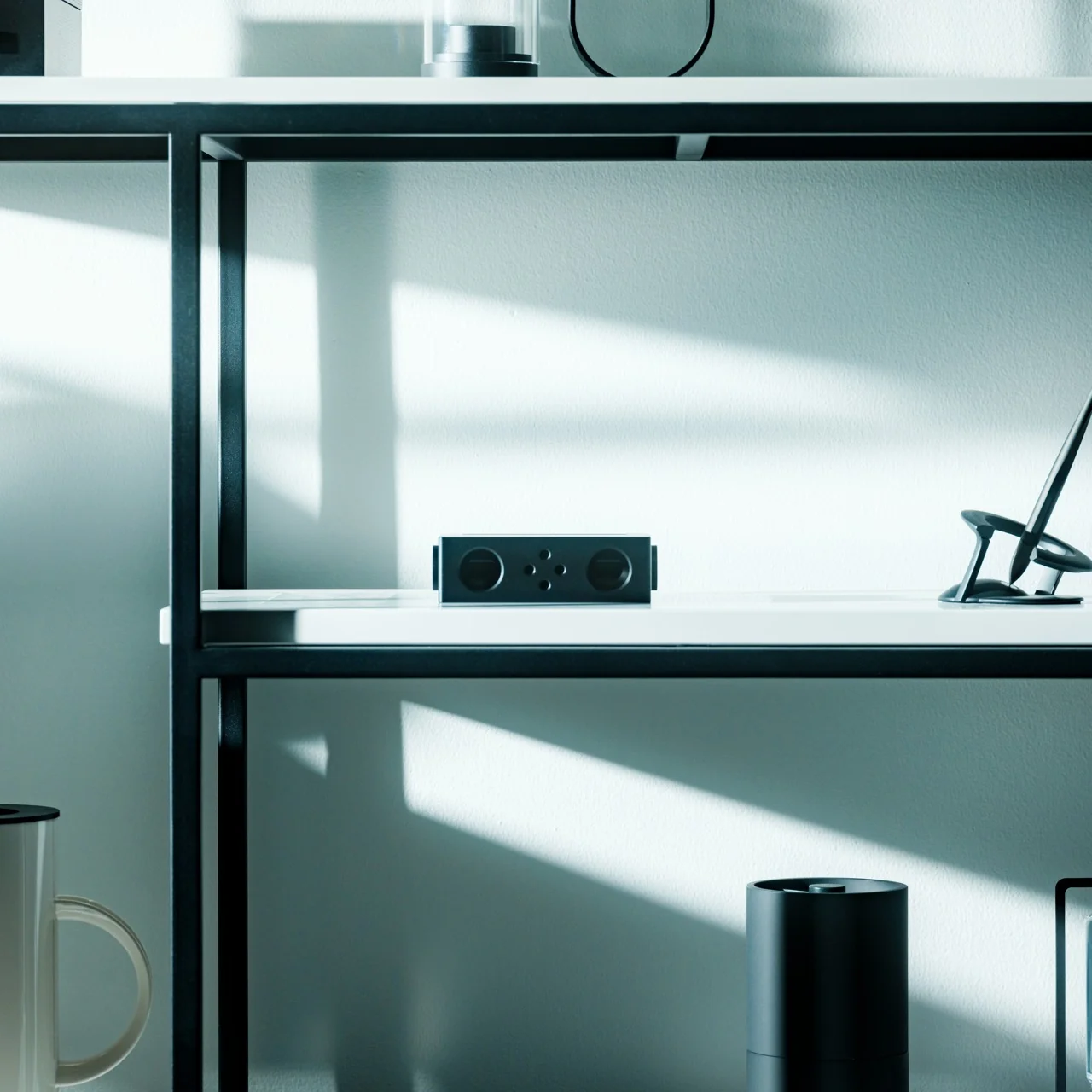
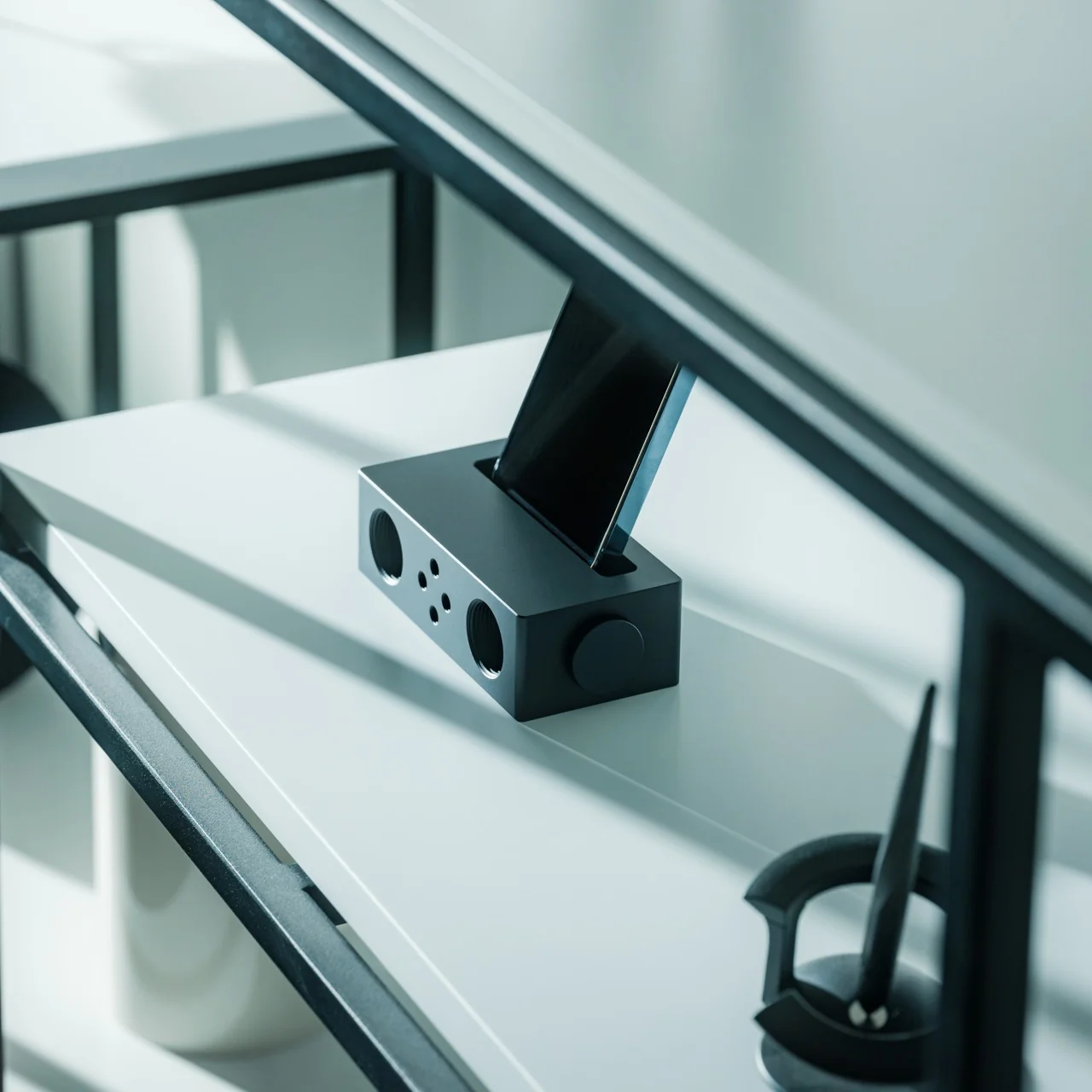
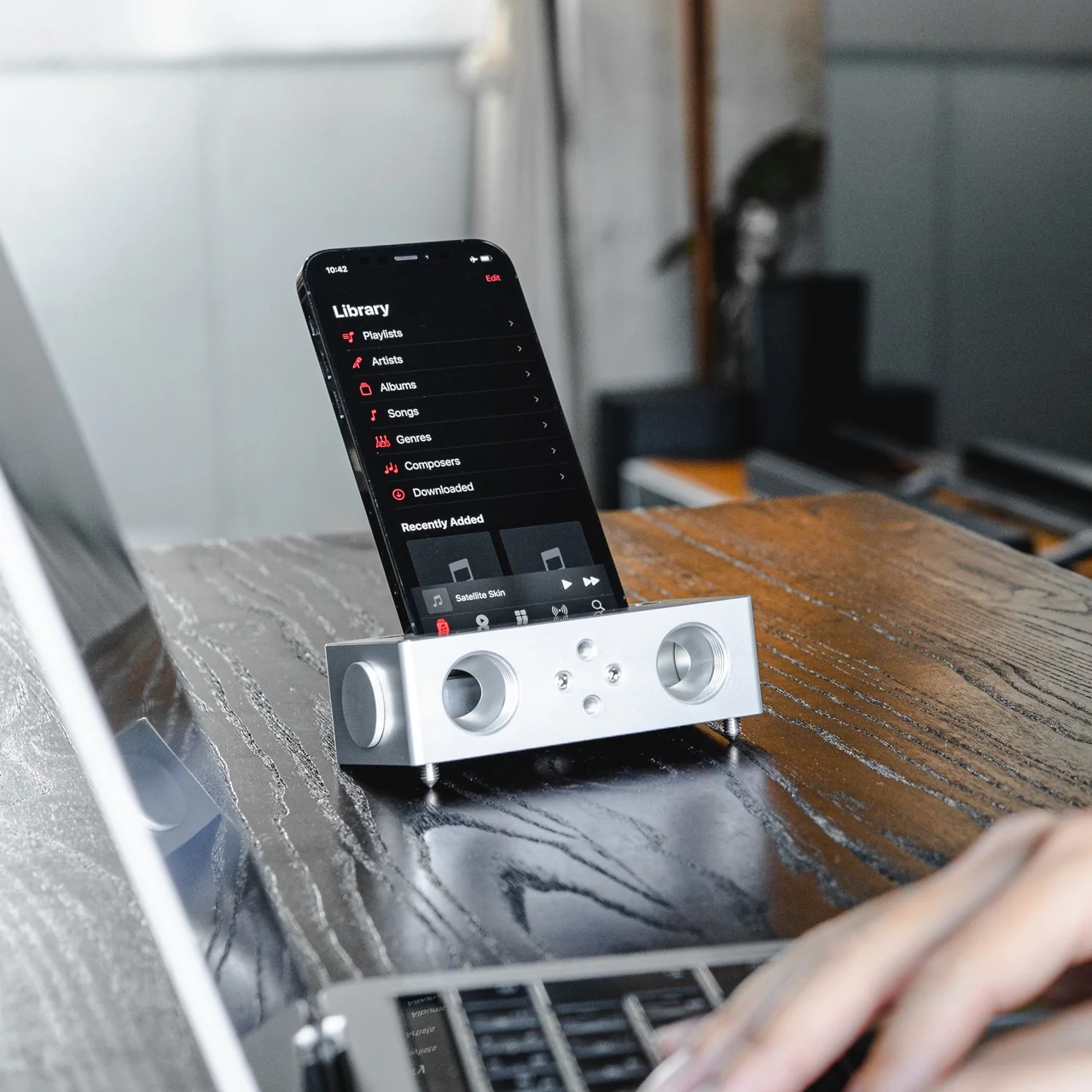
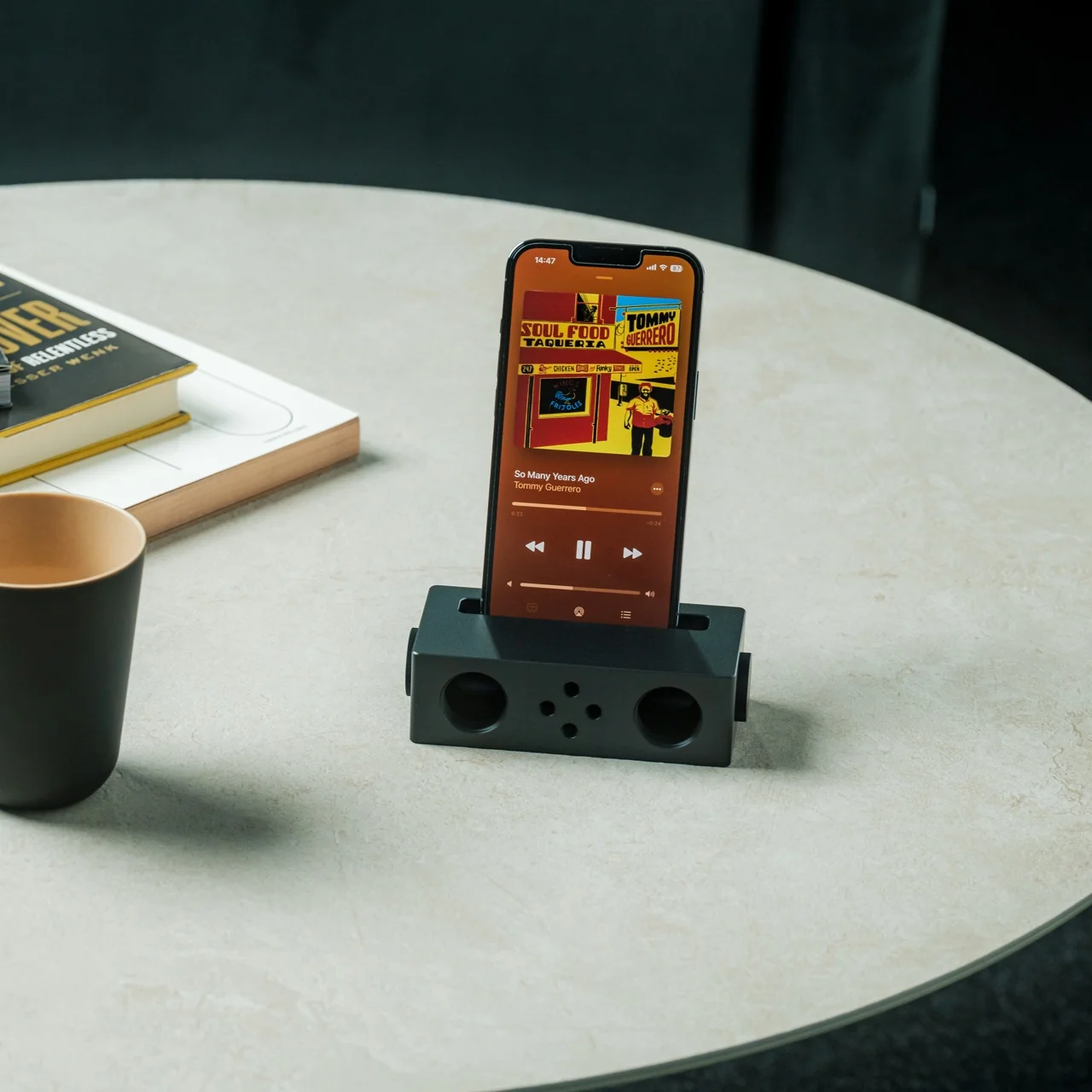
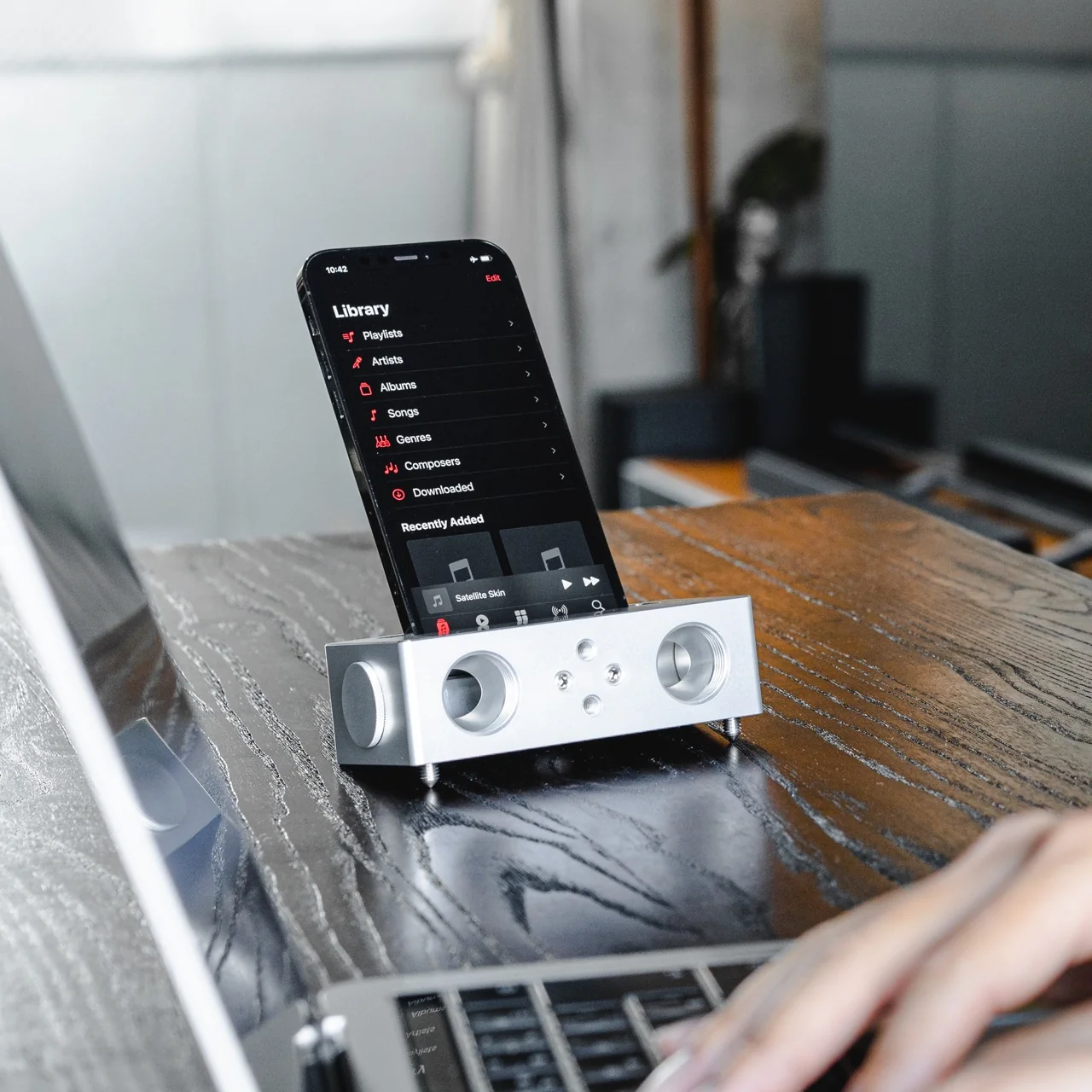
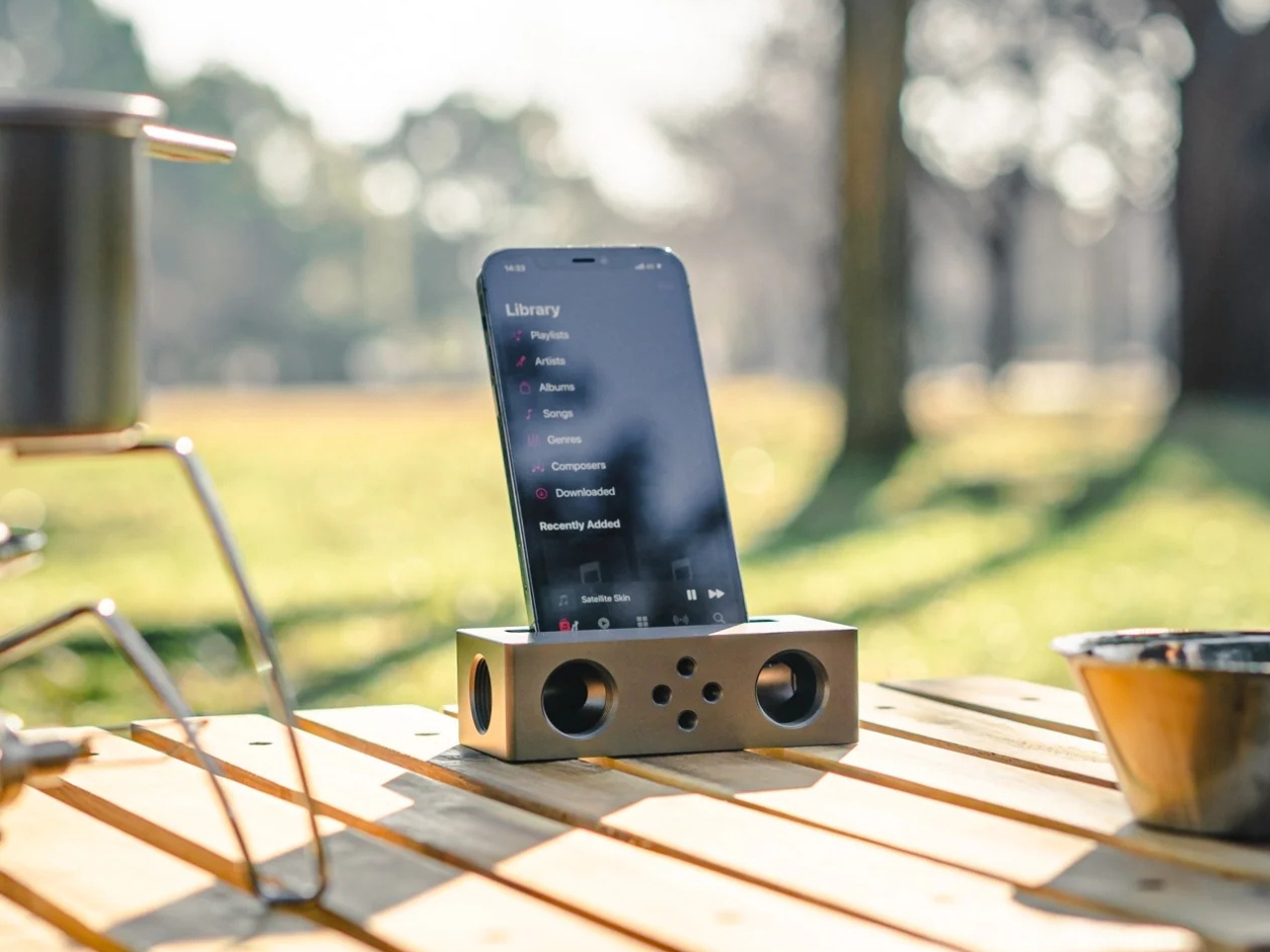
The Battery-free Amplifying iSpeakers can solve that problem for you, and you won’t need a single cable or Bluetooth connection to make it happen. This “dumb” speaker is actually smart enough to rely purely on acoustic engineering, channeling and amplifying the sound waves coming out of your phone so your music, podcast, or call sounds noticeably fuller than it would through your built-in speaker alone.

Click Here to Buy Now: $179.00

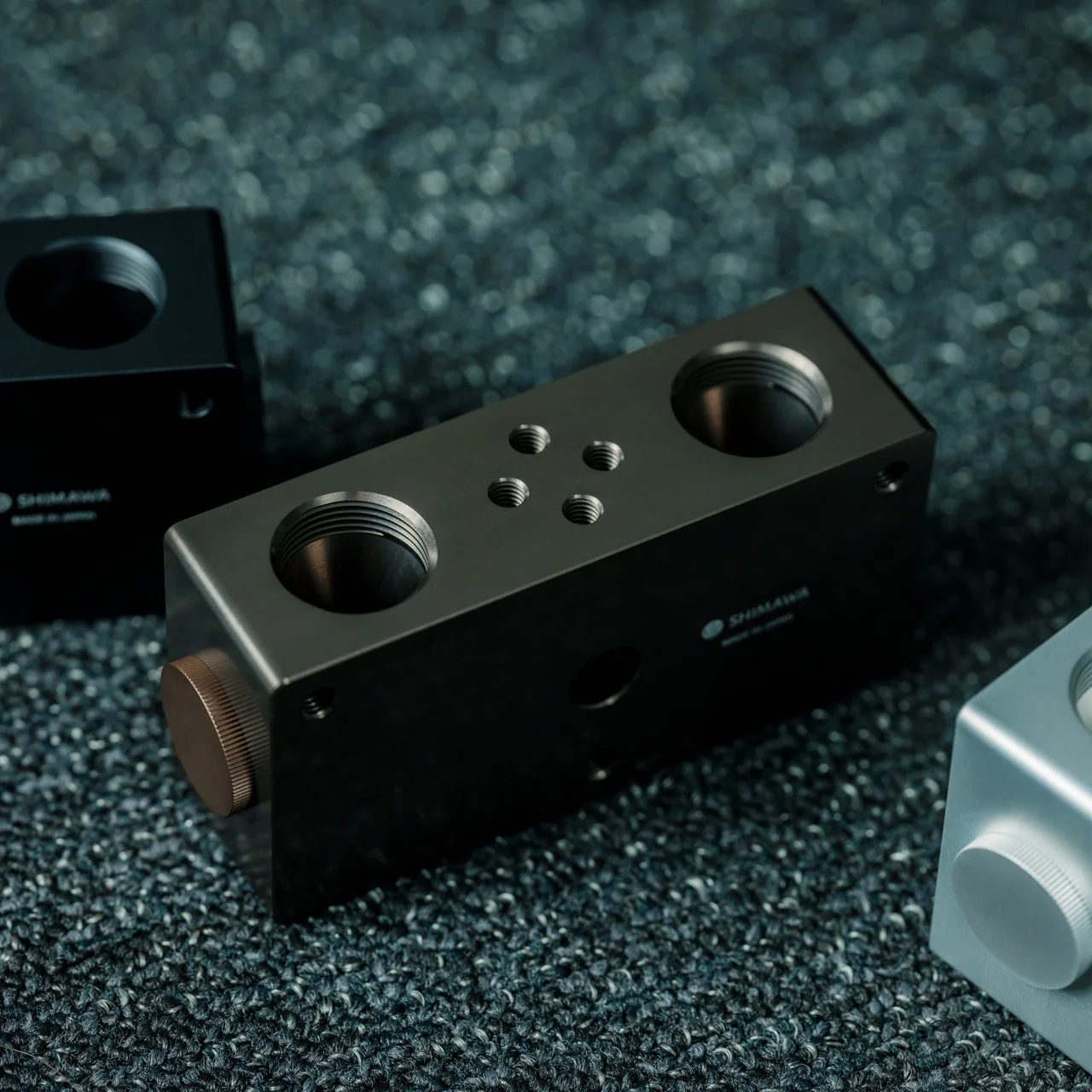
Designed by Ooi Masato and made in Japan, this battery-free device lives up to its name: it uses a precision-machined metal slot that cradles whatever phone you own, instantly amplifying whatever you’re playing. There’s no pairing process, no cord to plug in, and no anxious glance at a battery icon wondering if your speaker will cut out mid-song. You set your phone down, and it just works.

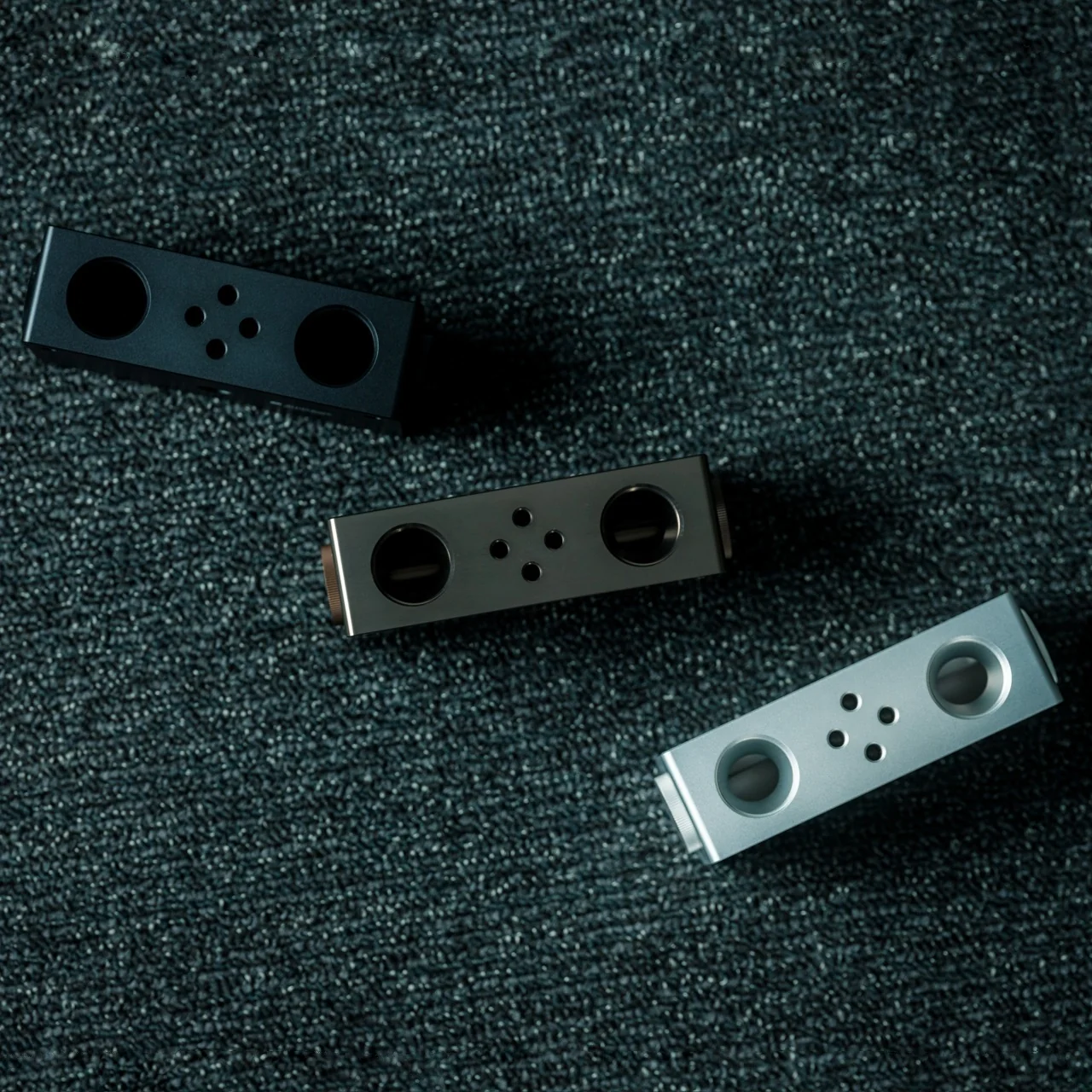
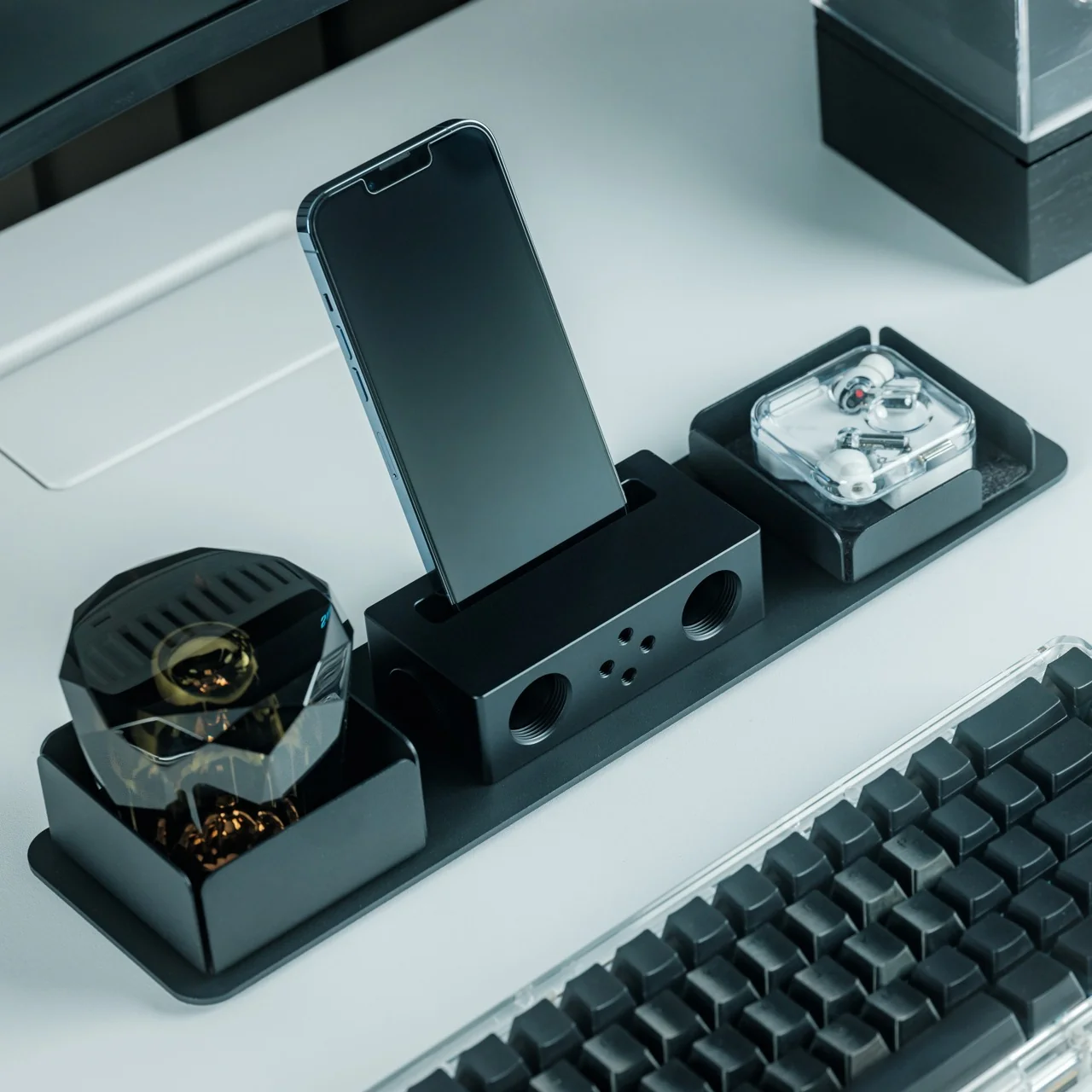
Design-wise, the iSpeakers follow a clean, minimalist aesthetic that looks just as at home on a cluttered work desk as it does on a nightstand or a bookshelf. The body is shaped around the golden ratio, giving it a visual balance that feels intentional rather than accidental (the kind of object you’d leave out on display rather than tuck into a drawer). It’s compact enough to toss in a bag, so you can bring your amplified sound with you to a picnic, a hotel room, or a friend’s backyard without hunting for an outlet. And because there’s no port, connector, or wireless protocol involved, it works with virtually any phone you own, including Apple’s freshly announced iPhone 18 Pro lineup and its first ever foldable, the iPhone Ultra, unveiled at today’s “Surprise and Shine” event. All you have to do is let the speaker slot cradle your phone’s speaker grille; there’s no compatibility chart to check and no software update to wait on.

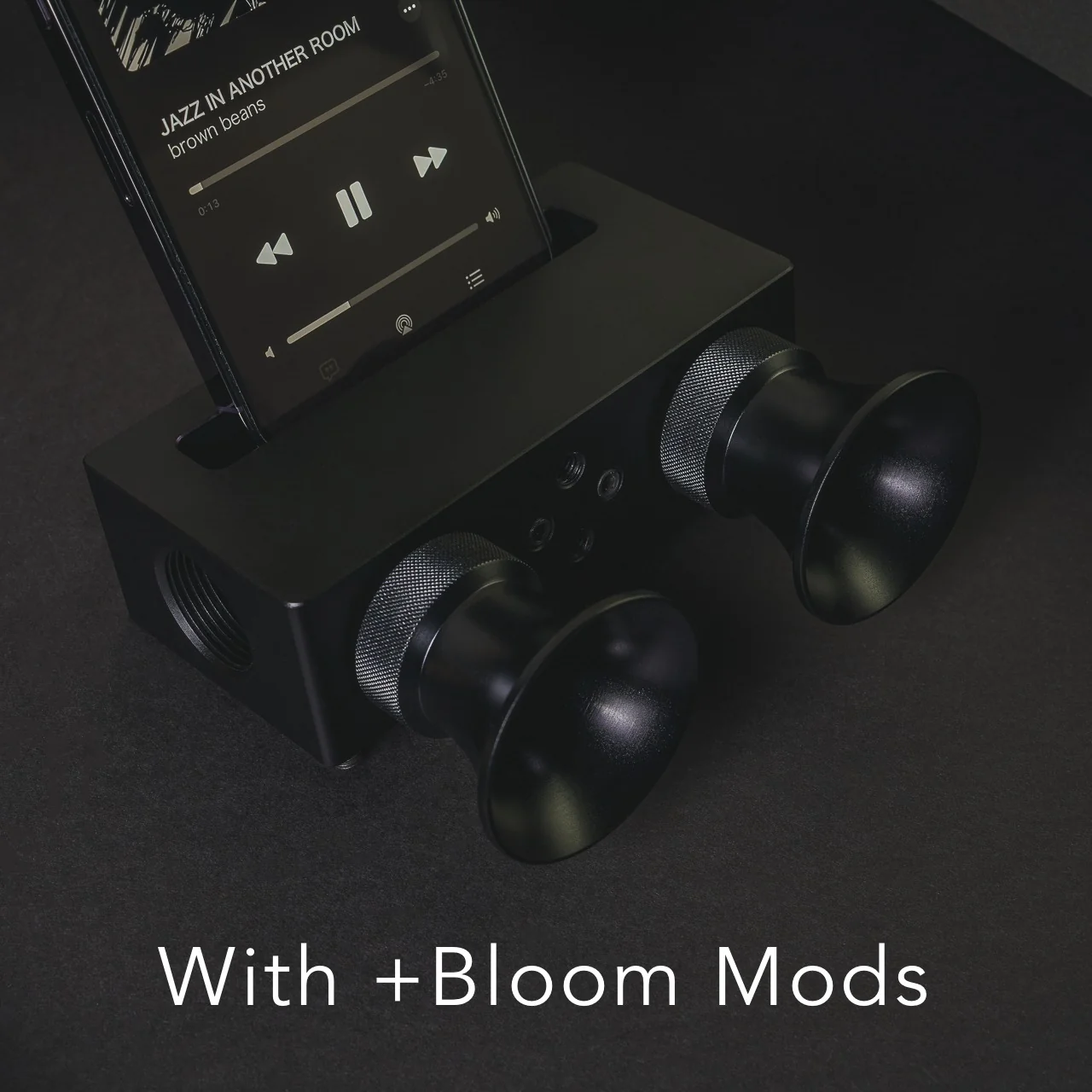
The speaker itself is milled from Duralumin, the same lightweight, vibration resistant alloy used in aircraft construction. That means you’re getting a premium feel along with genuine durability. This isn’t a flimsy accessory that’ll crack after a few drops in your bag. The Japanese craftsmanship and golden ratio proportions give it a quiet sophistication that fits in seamlessly next to your laptop or coffee mug. If you want to get more out of it, you can also pick up the +Bloom and +Jet attachments, which let you customize how the sound projects, whether that means directing it upward for a fuller room fill or downward for a more intimate listening experience.

So how does this stack up against the Bluetooth speakers already crowding your shelf? Take a brand like JBL, whose Flip series has become a go-to for portable audio. Those speakers sound great and pump out serious volume, but they still ask you to charge them, remember to pair them, and eventually deal with a battery that won’t hold a charge like it used to. The iSpeakers skip all of that by design. You’re trading a bit of raw volume and bass depth for something Bluetooth speakers simply can’t offer: a device that will sound exactly the same in ten years as it does today, with zero maintenance and zero electronic waste. At $179, it’s priced closer to a premium Bluetooth speaker than a budget one, but you’re paying for a very different kind of value: permanence, craftsmanship, and simplicity over specs and app connectivity.

At the end of the day, the Battery-free Amplifying iSpeakers isn’t trying to replace your Bluetooth speaker for a backyard party. It’s solving a much smaller, more common frustration: the moment when you just want your phone to sound better, right now, without any setup. For anyone tired of charging cords, pairing screens, and speakers that die at the worst possible moment, this is a refreshingly simple fix, and a genuinely beautiful object to boot. Sometimes the smartest tech is the kind that doesn’t need power at all.

The post The $179 iPhone Speaker That Never Needs Charging first appeared on Yanko Design.

5 EDC Essentials Every College Student Actually Carries This Fall

Move into a dorm room, and the first thing you learn is that space decides everything. Drawers fill fast, surfaces disappear under notebooks and cables, and whatever doesn’t earn its spot in the first month ends up in a box under the bed. Everyday carry gear gets judged harder here than anywhere else, because there is no junk drawer to hide in and no car trunk to quietly store the things that didn’t make the cut.

The five picks below passed that test. Each one solves a specific friction point that shows up constantly once the semester starts, whether that is a package piling up at a dorm door, a dark campus path at midnight, a desk that swallows small objects whole, furniture that wobbles on move-in day, or a box that needs opening without scissors nobody can find. Form that earns its place through use, not novelty.

1. Olight Baton 4 Flashlight

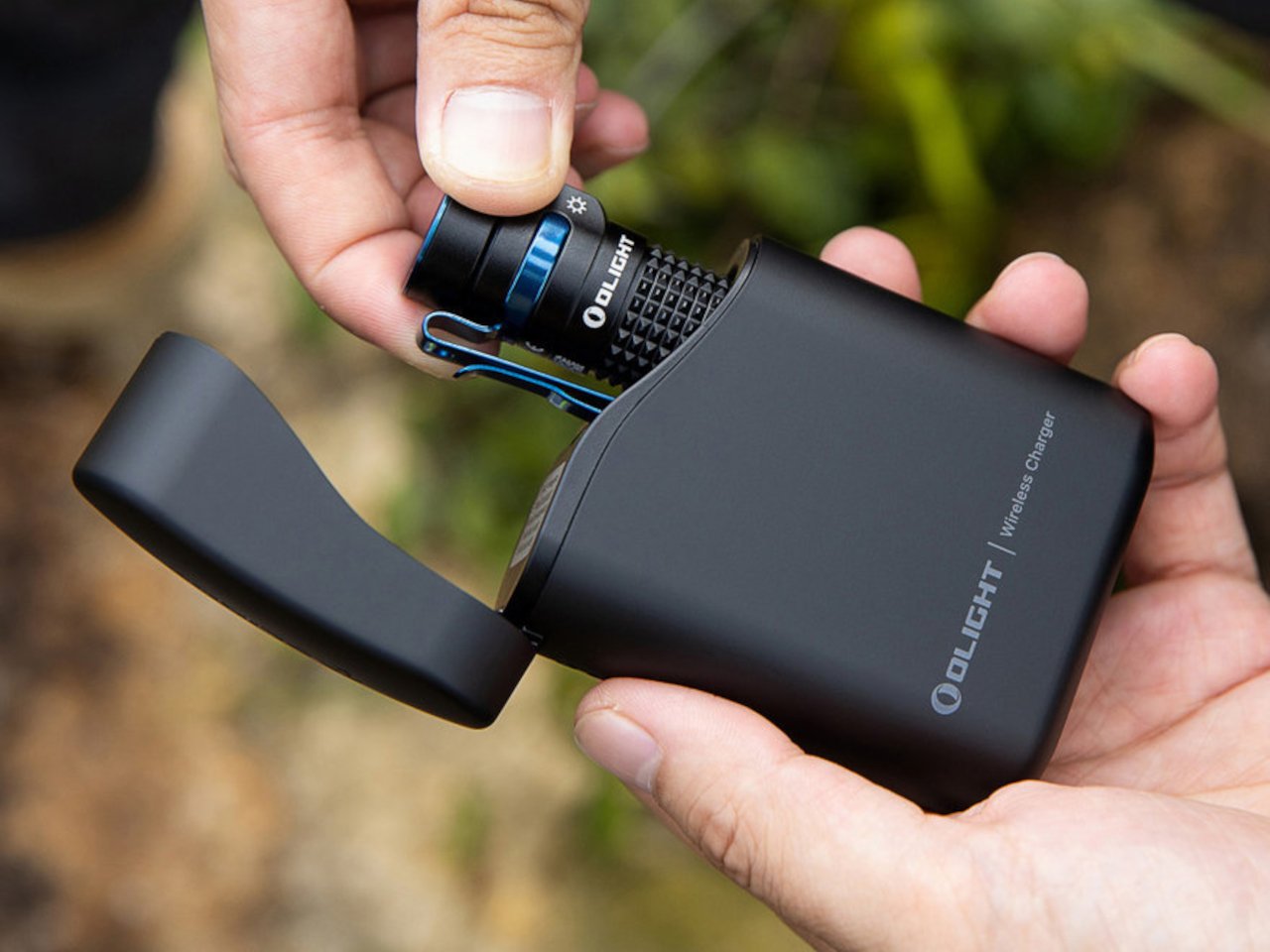
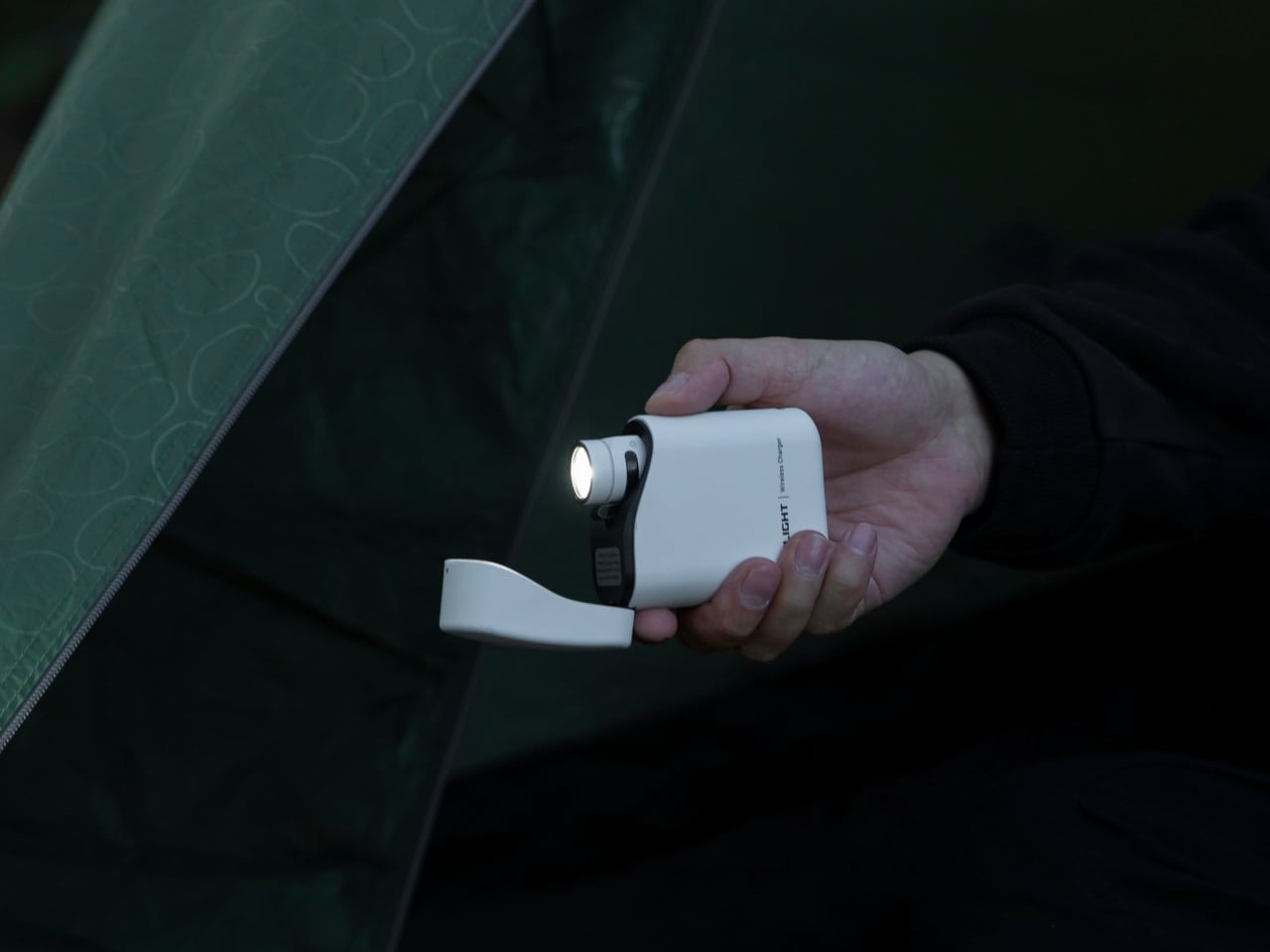
A phone flashlight is a dead end. It drains the battery you need for everything else and delivers a washed-out circle of light that barely reaches ten feet. The Olight Baton 4 solves that with 1,300 lumens in a body that measures 2.48 inches long and weighs 1.85 ounces, small enough to pocket next to a chapstick. A 170-meter throw covers a dark campus path, a parking lot, or a hallway that lost power during a finals week study session.

Five modes handle the full range of real use cases, from the 0.5-lumen moonlight setting that reads battery level without waking a sleeping roommate, all the way up to the turbo burst for actual emergencies. A magnetic base lets it stand upright on a metal desk surface and double as a hands-free lantern, and the two-way clip keeps it on a bag strap without adding meaningful bulk. Charging runs through a proprietary magnetic cable that snaps into position flush with the body, leaving no exposed port to collect dust or wear out.

What We Like

  • 1,300 lumens in a sub-3-inch, 1.85-ounce body means it genuinely replaces a larger light without compromise on output or carry weight
  • The magnetic base converts it from a directional flashlight into a standing lantern, covering two distinct use cases with one object

What We Dislike

  • The proprietary magnetic charging cable means a lost cable is a real problem, with no USB-C fallback to borrow from a classmate
  • Turbo mode steps down automatically after a short burst to manage heat, so sustained maximum brightness requires cycling back up manually

2. CraftMaster EDC Utility Knife

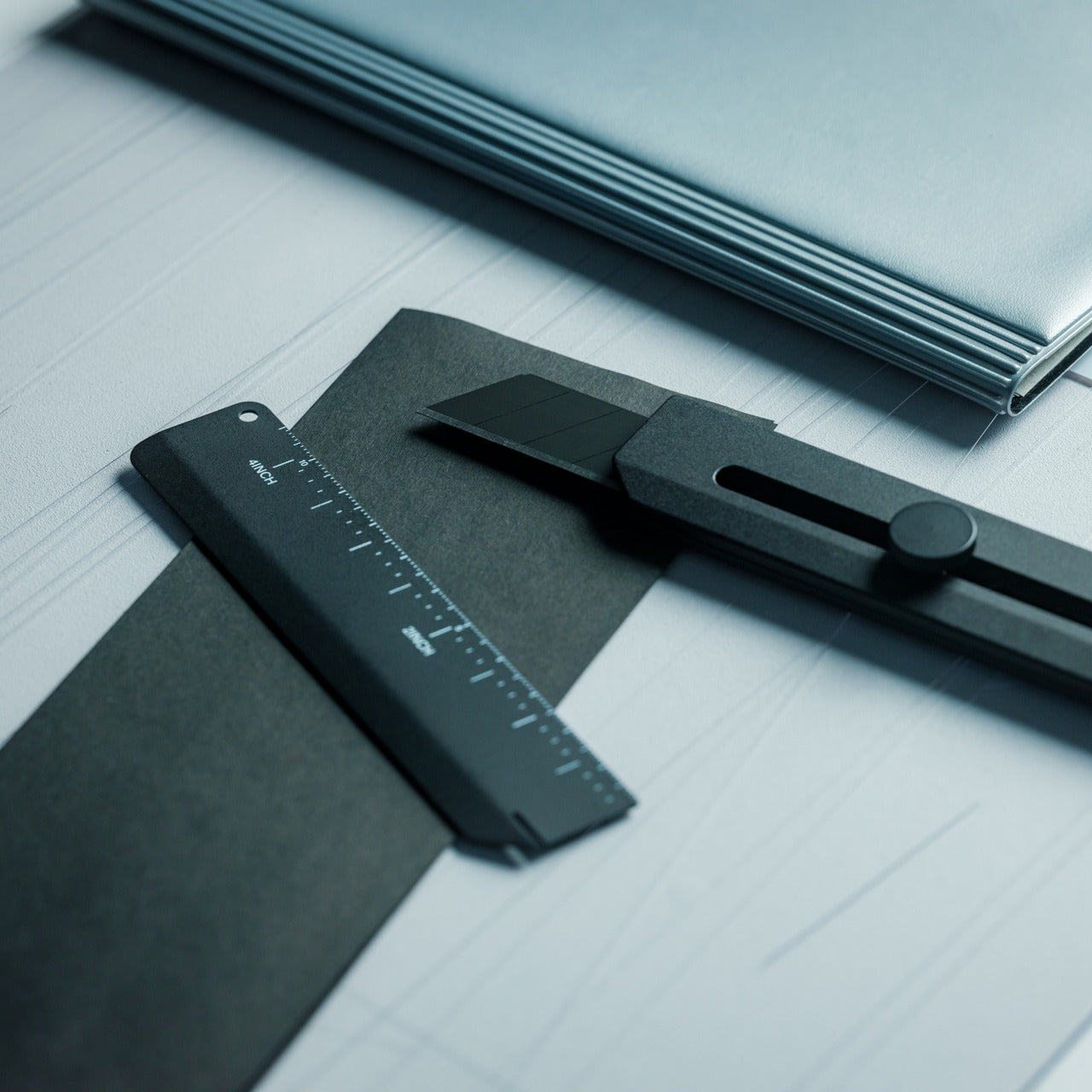
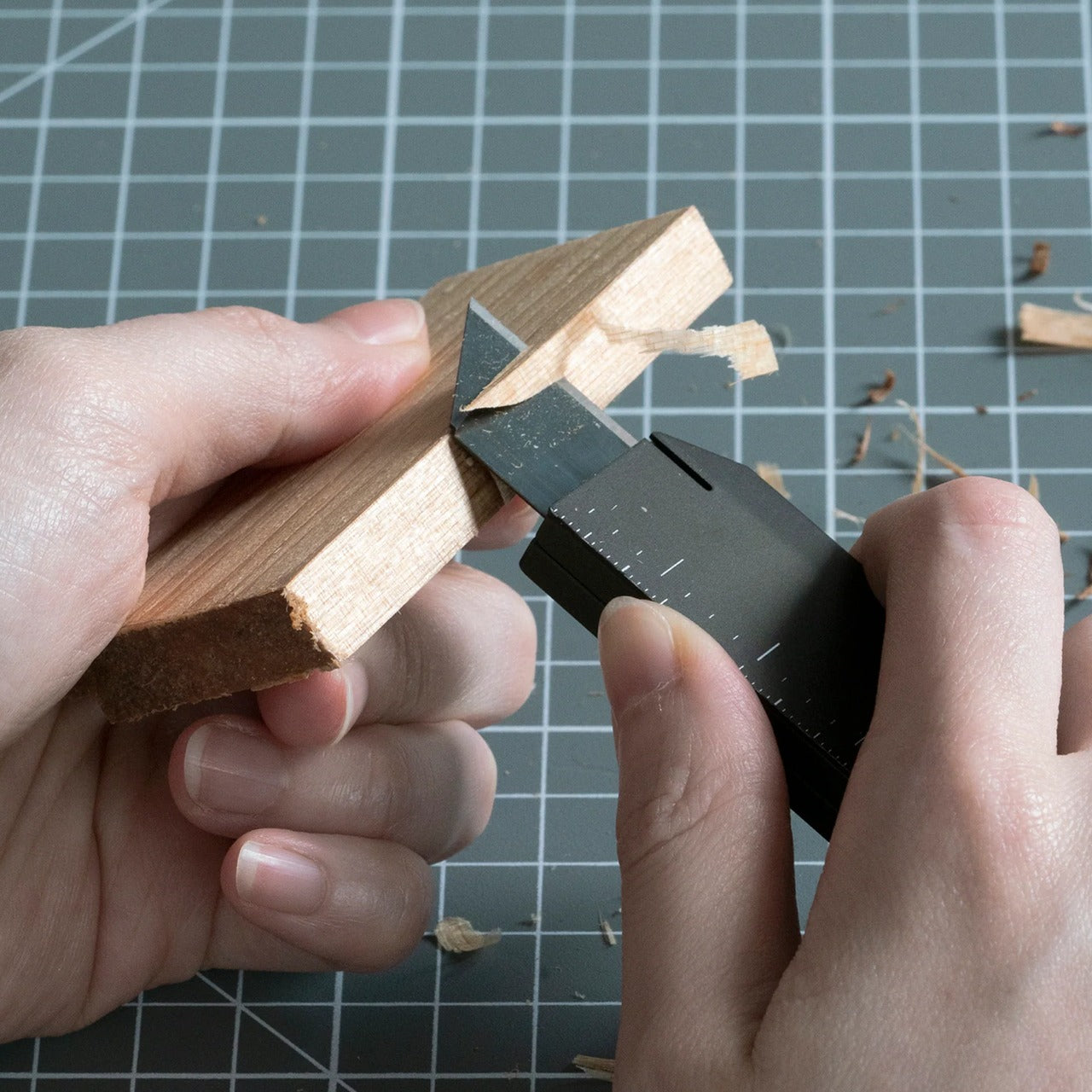
Most utility knives are an afterthought, a plastic slider from a hardware store that lives forgotten in a junk drawer until the blade rusts shut. The CraftMaster treats the utility knife as a precision instrument. At 4.72 inches long and just 8mm thick, it carries like a pen and sits on a desk without looking out of place beside a laptop. The rotating knob that deploys the OLFA blade adds a deliberateness that a standard slider simply never delivers.

The magnetic back docks a companion metal scale, turning a single object into a two-piece system with a built-in blade-breaker for snapping off dull edges without hunting for a separate tool. A 15-degree curvature on the ruler protects fingers during cuts, and the 45-degree inclination geometry handles box opening without risk to whatever is packed inside. OLFA blade compatibility keeps replacement costs low and means refills are available at any hardware store, with no proprietary cartridge system to track down mid-semester.

Click Here to Buy Now: $80.00

What We Like

  • The magnetic scale dock creates a two-piece cutting system without requiring a separate case, sleeve, or additional carry weight
  • OLFA blade compatibility keeps long-term costs minimal and replacements universally available without planning around a proprietary format

What We Dislike

  • The utility blade format limits versatility outside of cutting and scoring tasks compared to a folding knife with a more general-purpose tip geometry
  • The 8mm profile, while genuinely slim for a utility knife category, still feels rigid compared to a traditional folding knife for one-handed carry

3. Orbitkey Grid Organizer

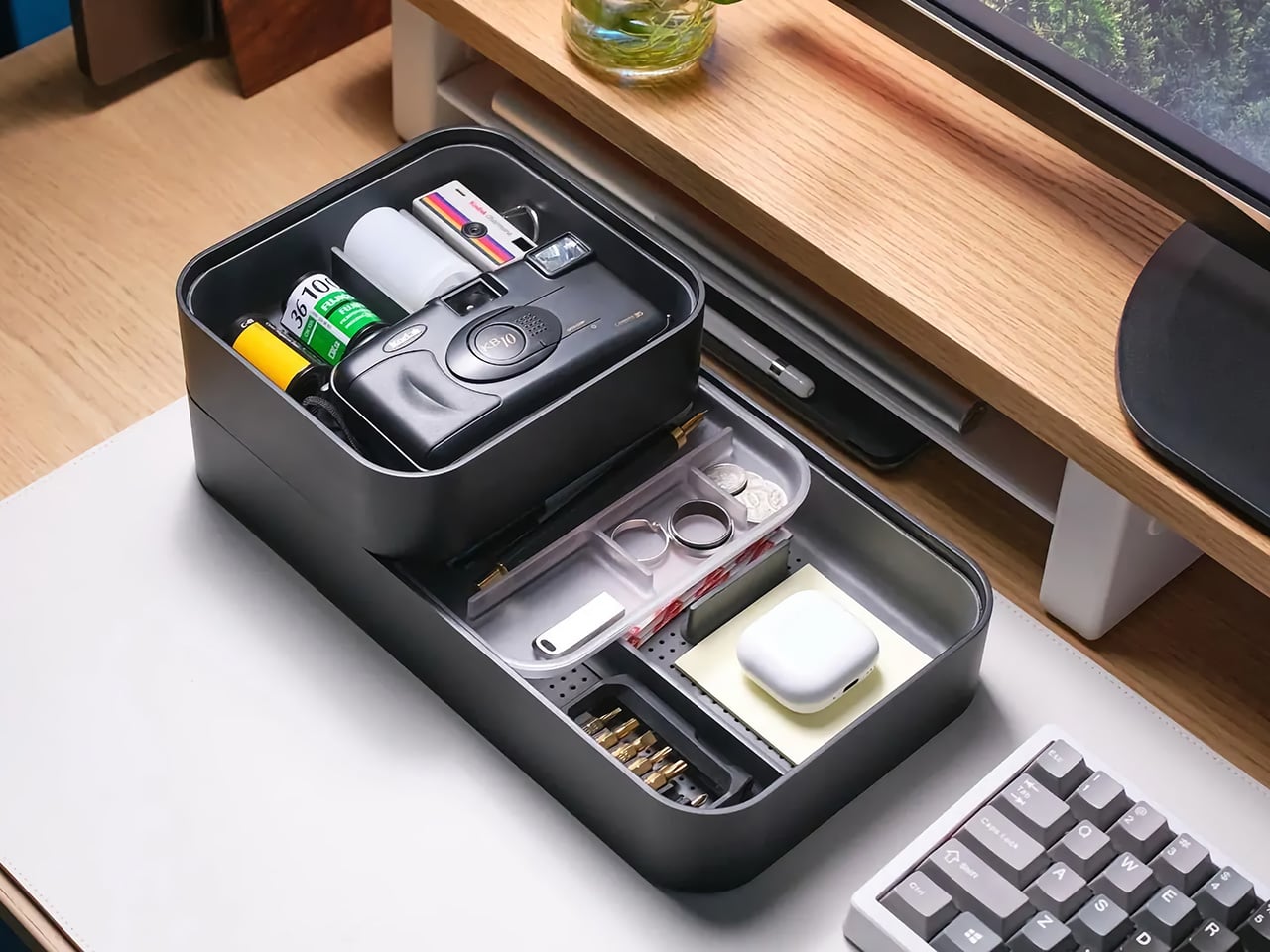
Every dorm desk looks the same by the second week of classes: a charging cable coiled around a pen, loose change mixed with an SD card, and two pens that stopped working sometime during the first lecture. The Orbitkey Grid Organizer is a modular tray built around that exact situation, with a customizable divider layout that separates small objects by category rather than letting everything pool into an indistinguishable pile at the corner of a desk that doubles as a living space.

Orbitkey spent years refining the idea of contained carry, beginning with its key organizer and continuing through the Nest desktop tray. The Grid Organizer applies the same logic to desk surfaces rather than pockets, with soft tactile materials and a compact footprint that fits even the smallest dormitory desk without eating the working area under a laptop. The understated color palette reads as intentional rather than as office supply clutter, which matters considerably when a desk is simultaneously a workspace, a dining surface, and the only flat space in the room.

What We Like

  • The modular grid layout adapts to what you actually own rather than forcing a fixed compartment system onto objects that don’t fit neatly
  • The compact footprint fits a dorm desk without consuming the working area directly under a laptop or monitor

What We Dislike

  • Dividers follow a fixed grid pattern rather than a fully freeform arrangement, so oddly shaped items still end up wedged at uncomfortable angles
  • It solves desktop organization at home base but contributes nothing once you step out the door, which limits its usefulness to a single context

4. ClearSlide Box Opener

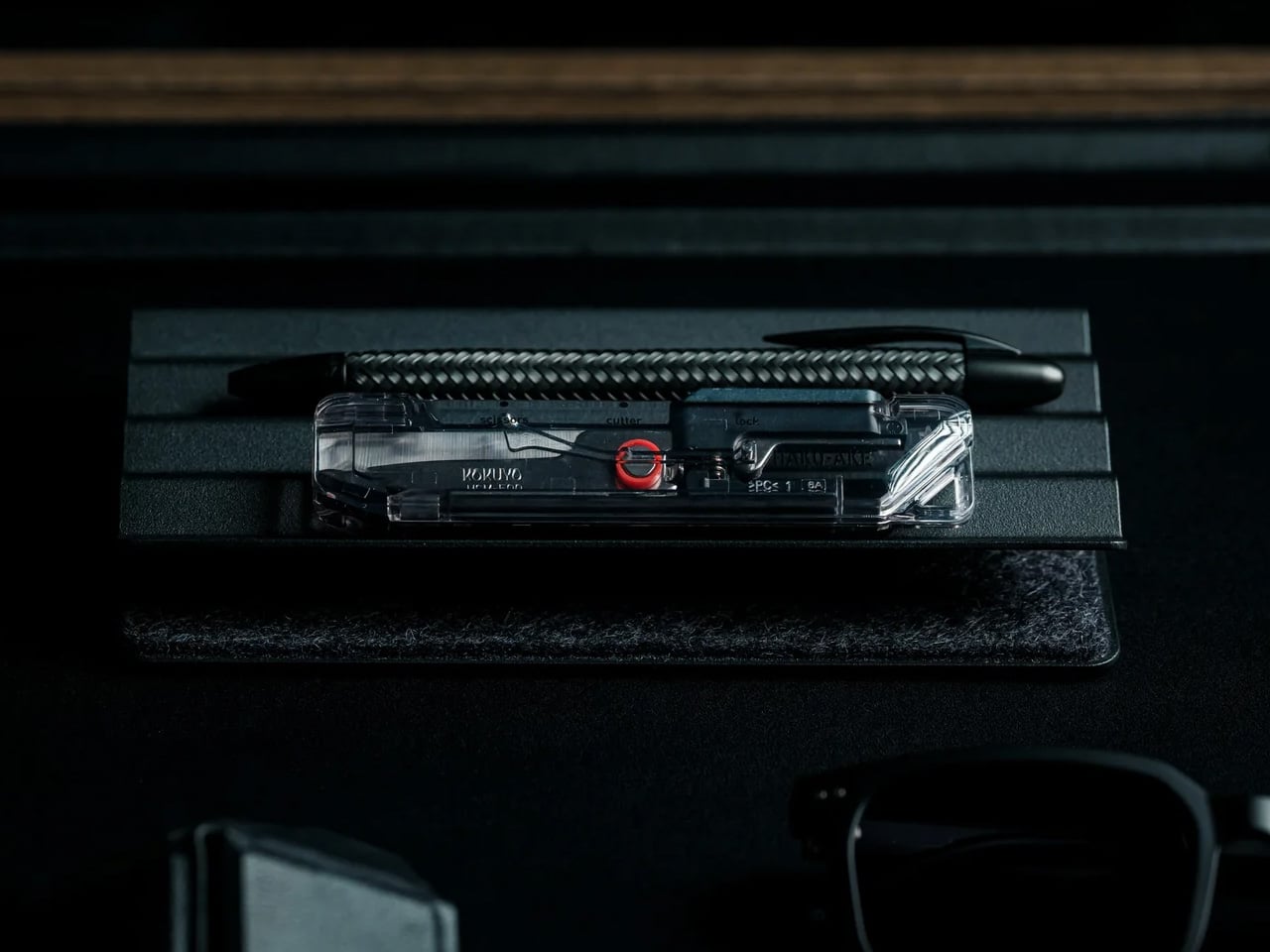
Every semester opens with the same ritual: a stack of deliveries outside a dorm door, a search for scissors, then a search for a box cutter, then giving up and tearing tape by hand. The ClearSlide exists specifically for that recurring problem. A transparent polycarbonate body lets you watch the internal mechanism shift between lock, cutter, and scissors modes with a single thumb motion, and each position locks in with a distinct click before the blade engages. Nothing is guessed at or fumbled.

The blade extends only 0.12 inches, deep enough to slice through packing tape without threatening whatever is packed inside, and a strap hole at the base means it clips to a backpack rather than disappearing into a drawer until the next delivery arrives. The transparent shell is the detail that separates it from every other box opener in this category. Watching the mechanism move is genuinely satisfying in a way that makes it the tool you actually reach for, rather than the one you remember only after the package is already open.

Click Here to Buy Now: $30.00

What We Like

  • The transparent polycarbonate shell reveals the internal mechanism shifting in real time, making a mundane daily task feel considered and deliberate
  • The 0.12-inch blade depth protects package contents during cuts without requiring a guard, a cover, or any extra step before use

What We Dislike

  • The shallow blade depth requires two or three passes on thick double-taped moving boxes rather than delivering one clean, single-motion slice
  • The strap hole keeps it accessible, but there is no integrated pocket clip, so keeping it truly on-person requires a carabiner or lanyard to make it work

5. CRKT Septimo Multi-Tool

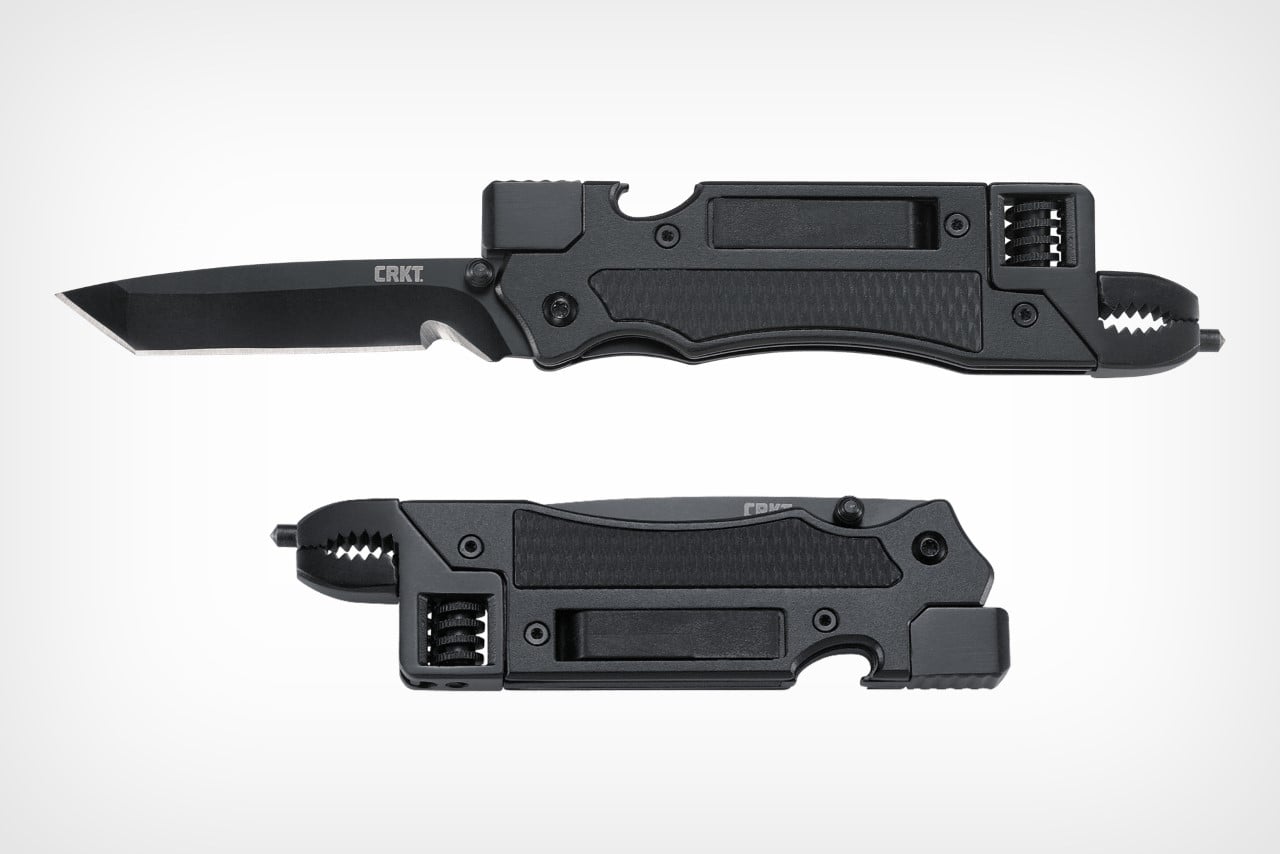
Dorm furniture wobbles. Bottles need opening. Something always requires a screwdriver that nobody in the building seems to own. The CRKT Septimo was designed by Jeremy Valdez, a veteran of the 7th Special Forces Group, around the premise that a folding knife alone cannot cover the situations a student actually encounters week to week. Fold it open, and a bottle opener, a flathead and Phillips screwdriver, and an adjustable wrench are all present in a single body that fits in a jeans pocket.

The 2.86-inch American Tanto blade uses a liner lock and Veff serrations for cutting tasks from trimming cord to opening shipping tape, while a glass breaker tip and black oxide finish give it the durability that a cheap multi-tool never manages past the first semester. At 4.4 ounces with a pocket clip, it carries without becoming dead weight in a bag side pouch, and the adjustable wrench alone covers the kind of furniture fixes and move-in assembly tasks that a standard pocket knife is simply not built to handle.

What We Like

  • A real adjustable wrench folded into a knife-sized body covers furniture repairs and hardware tasks that a standard pocket knife ignores entirely
  • The liner lock and Veff serrations add genuine cutting utility without inflating the overall profile or carry weight

What We Dislike

  • The screwdriver covers only one Phillips size and a small flathead, which limits usefulness for anything requiring a larger or more specific bit
  • The Tanto tip excels at piercing and cord cutting but handles general everyday slicing tasks less elegantly than a drop point or clip point geometry would

The Gear That Actually Stays

None of these five objects is designed to impress at first glance. A flashlight, a utility knife, a desk tray, a multi-tool, and a box opener do not photograph like a product launch, and that is the point. They photograph like what they are: tools that solve specific, recurring problems without asking you to think about them. That kind of restraint is genuinely harder to design than it looks, and considerably more valuable in a dorm room than gear that costs twice as much.

What ties them together is the same quality that makes good everyday carry work in a small shared space: each one earns its place through repeated use rather than novelty, and none of them needs a junk drawer to disappear into. They stay out on the desk or clipped to the bag because they get reached for often enough to justify it. That is the real standard for EDC, and it is harder for most products to meet than their marketing ever admits.

The post 5 EDC Essentials Every College Student Actually Carries This Fall first appeared on Yanko Design.

Japanese Designers Just Solved the Dead Battery Diffuser Problem

There are several times a day when you’ll want to sit down and take in the aroma of your favorite essential oils. It might be early in the morning to help you wake up, right when you start work and need a boost of energy, at the end of the day when you’re relaxing, journaling, or reading, or right before bed so the scent can help you settle into a good night’s sleep. At any of those moments, your oil diffuser is your best friend, that is, unless it runs out of battery or charge right in the middle of your routine.

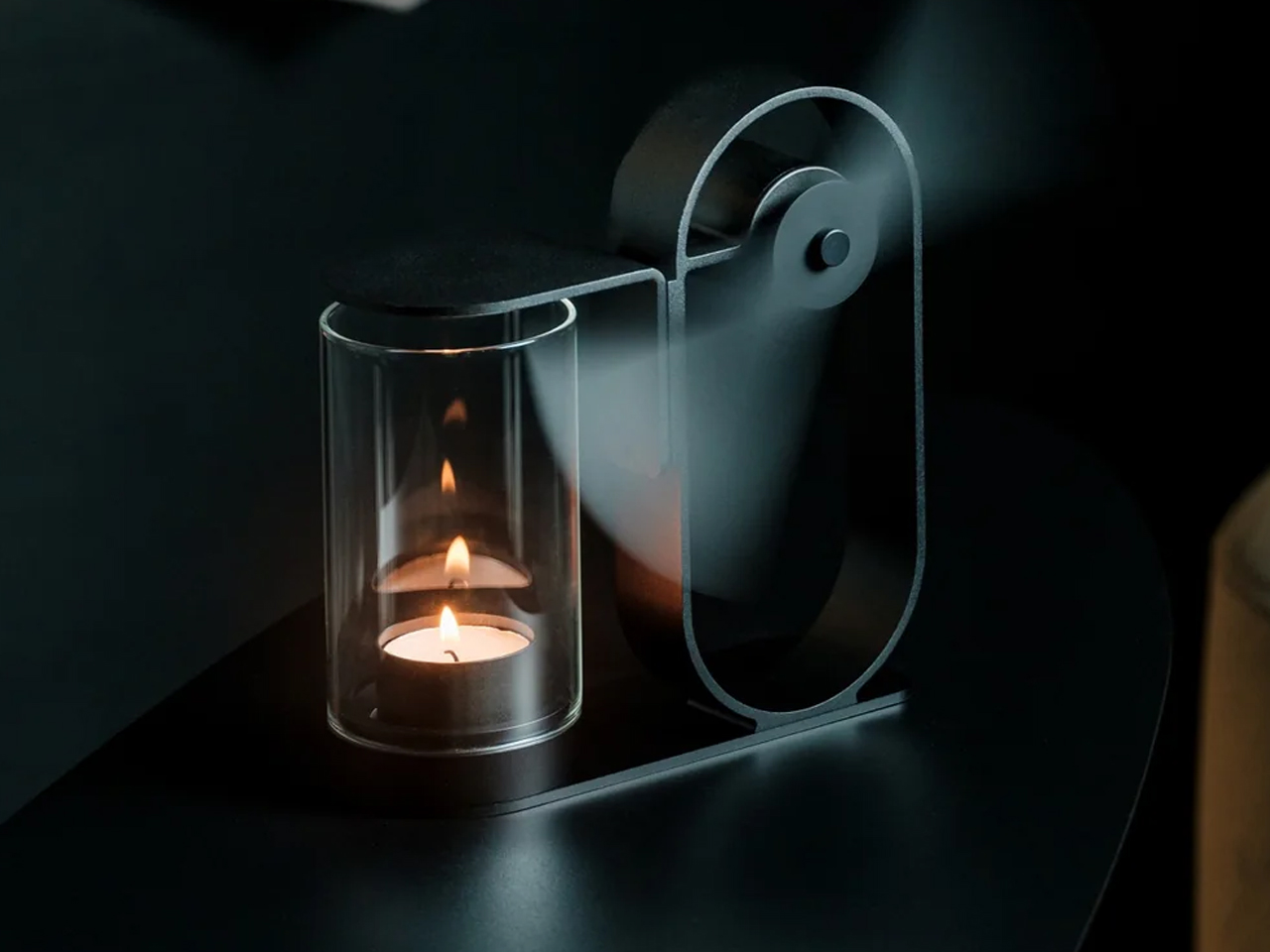
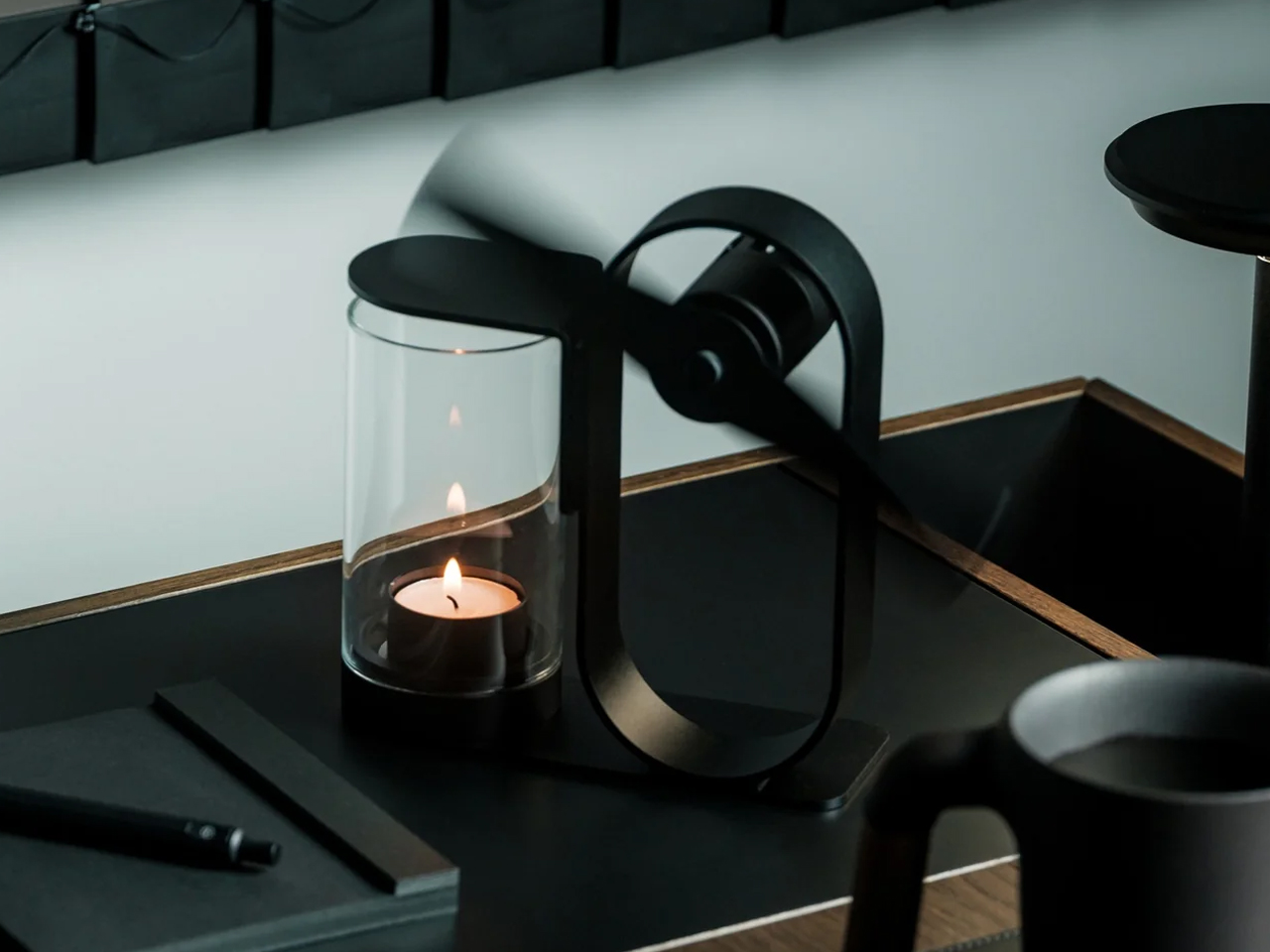
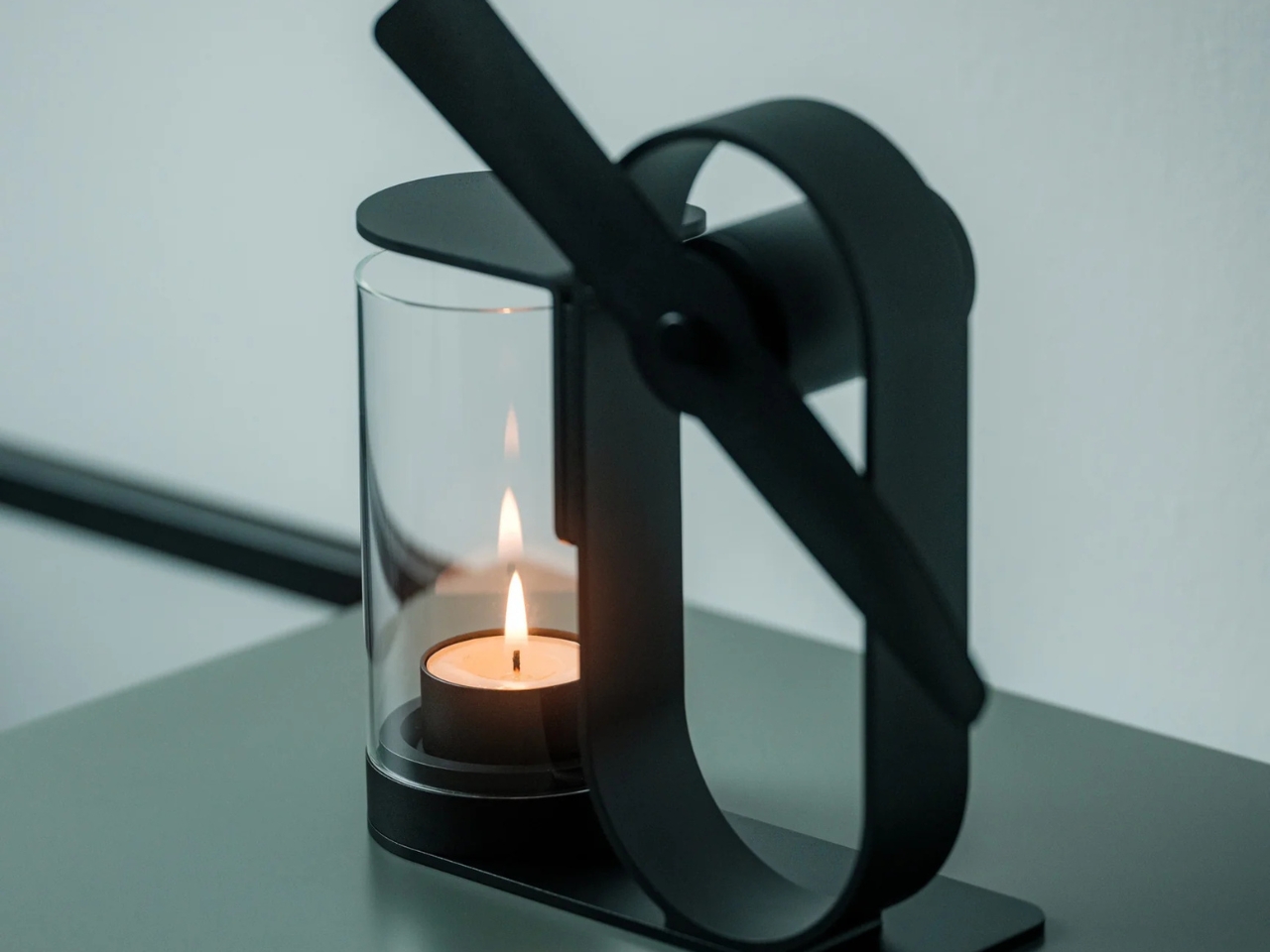
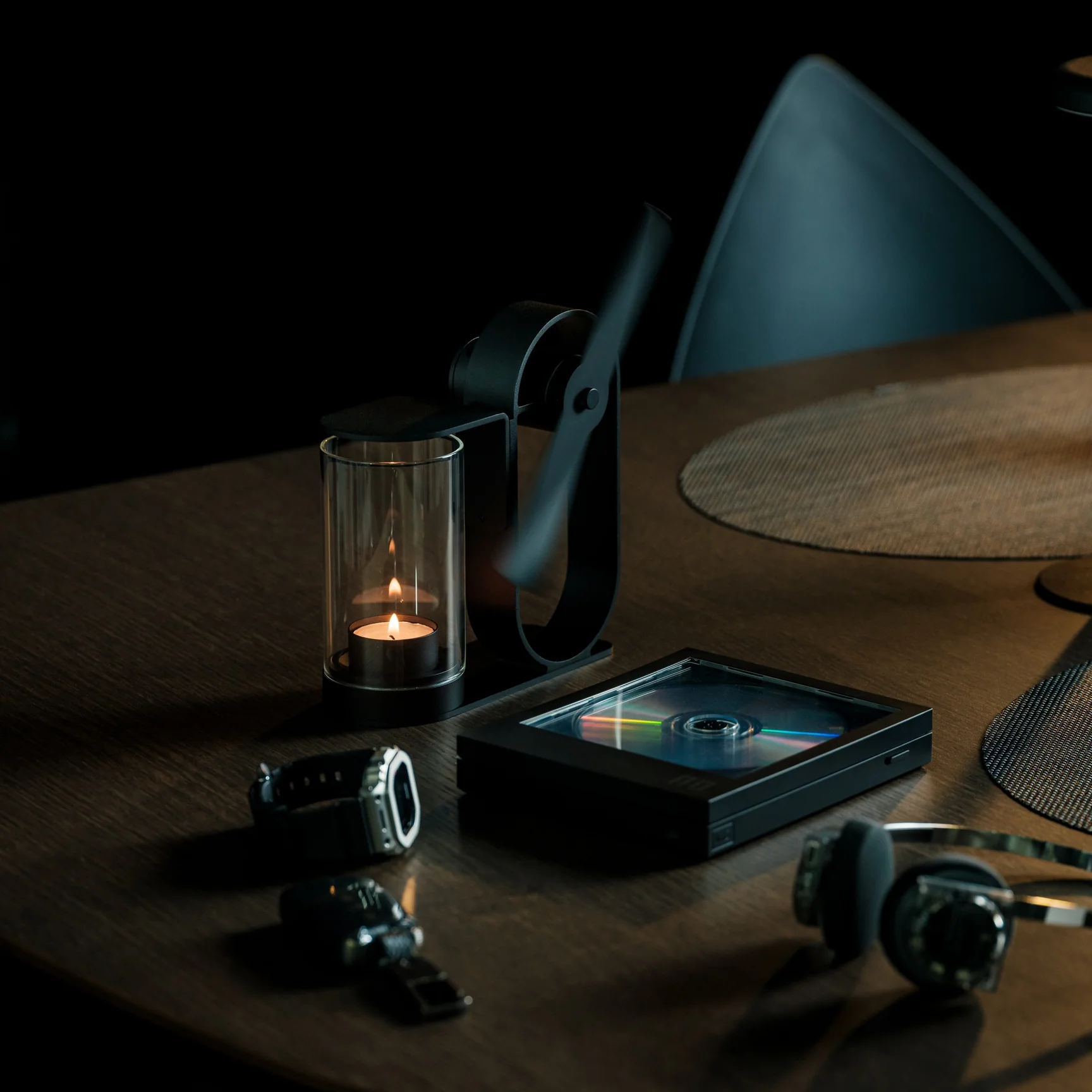
If you’re using the Battery-Free Aroma Diffuser, that’s one problem you’ll never have. As the name suggests, it’s completely battery-free and skips the fancy ultrasonic tech found in most diffusers on the market. All you need is a candle; its rising heat spins a built-in propeller that carries the scent of your essential oil of choice, and you’re all set to relax or recharge, whichever one you need. Setting it up becomes part of your morning or nighttime ritual, giving you what’s been called “magic powered by a single flame.”

Click Here to Buy Now: $290.00

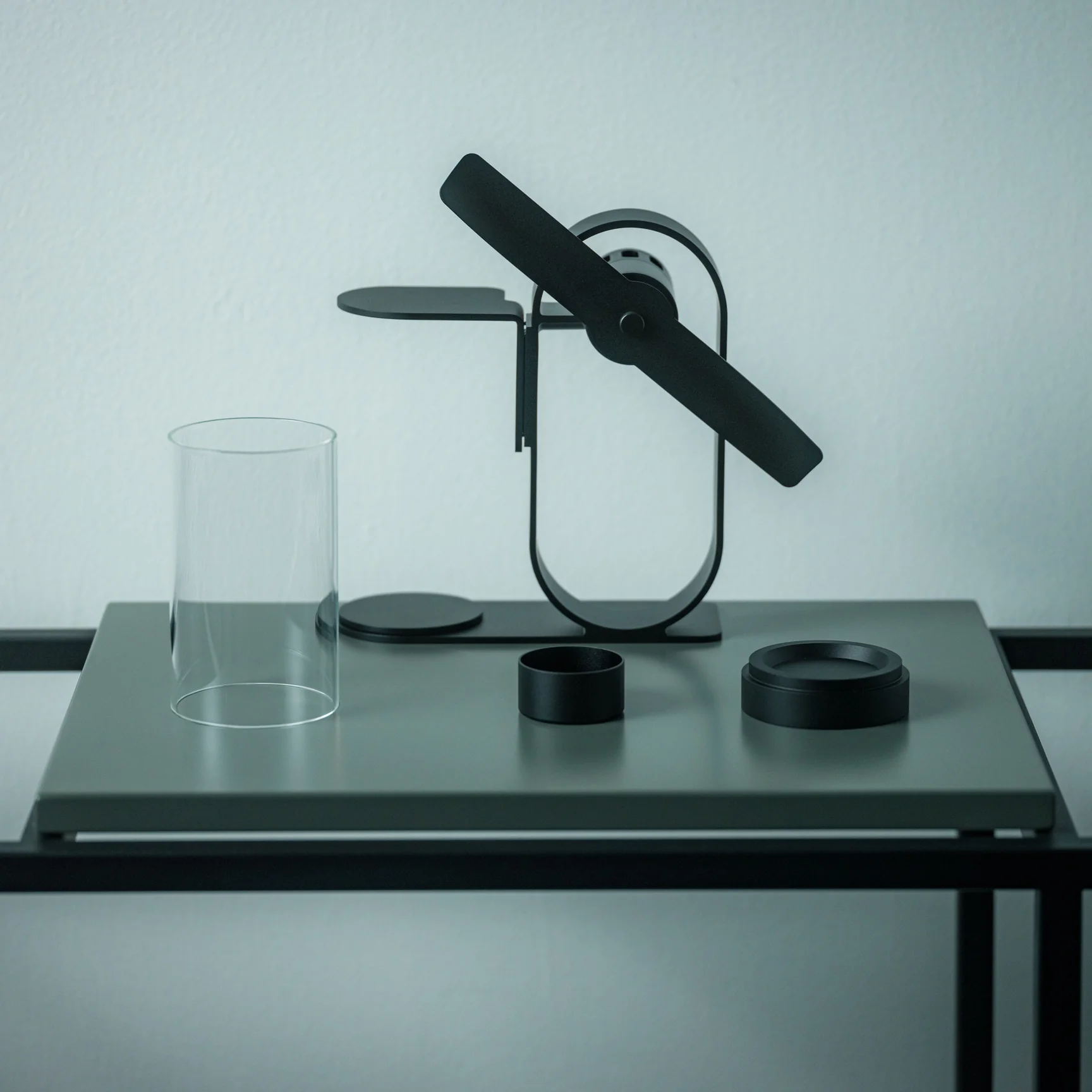
This diffuser was designed by Yu Ito and Yoshimi Kemmotsu of SOL style. Most diffusers on the market run on batteries, charging cables, and plastic ultrasonic components. This one skips all of that and works on nothing more than physics, heat, and fire. Its minimalist, elegant design only adds to the “magic” of the experience, as you watch your essential oils fill the room in a way that feels almost mystical. Because so much of the piece is transparent, you can see exactly how it works, from the flickering candle flame to the visibly spinning propeller above it.

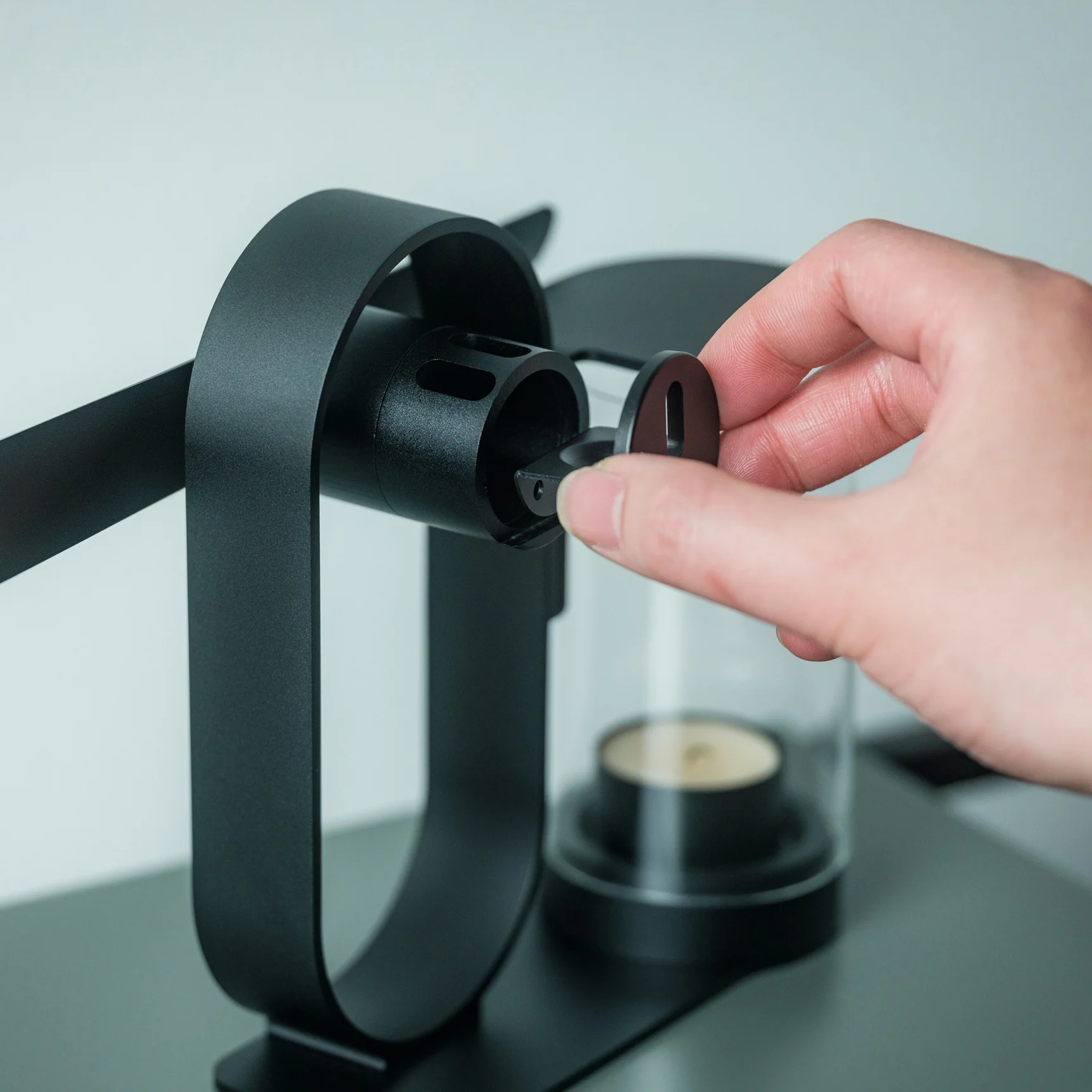
The process of using the diffuser is refreshingly simple and doesn’t involve a lot of steps. Start by placing your essential oil of choice in the dedicated compartment located at the center of the propeller. Light a candle and set the cover in place. Wait about two to three minutes for the rising heat to spin the built-in propeller, and once it’s turning, it will carry the scent of your oils and fill the space around you.

The diffuser itself is built from aluminum, glass, and iron, materials chosen for being sustainable and long-lasting, so you’re not contributing to the pile of dead batteries or broken plastic housings that come with most electric diffusers. Because it needs no outlet and no batteries, it’s also completely portable. Set it up on your dining table, your nightstand, or even take it outside for a quiet evening on the patio.

If you’ve shopped for a diffuser before, you’ve likely come across a big name like Vitruvi, whose Stone Diffuser is frequently ranked among the best overall by outlets like Wirecutter and InStyle. Vitruvi’s design is genuinely beautiful, but it’s still an electric, ultrasonic device that needs to be plugged in or charged to run. More budget-friendly brands like InnoGear and Urpower take a similar ultrasonic approach at a much lower price, but they typically trade craftsmanship and material quality for affordability, leaning on plastic components that don’t hold up as well over time.

The Battery-Free Aroma Diffuser doesn’t try to compete on mist output, app connectivity, or color-changing lights. Instead, it carves out its own lane by focusing on ritual, sustainability, and craftsmanship. You won’t get smart features or adjustable settings, but you also won’t ever need to charge it, replace a battery, or worry about internal electronics failing. It does come at a premium, priced around $249 compared to the roughly $30 to $130 range most ultrasonic diffusers occupy, but for design lovers and sustainability-minded shoppers, that price reflects a genuinely different kind of product rather than just another gadget competing on specs.

At the end of the day, the Battery-Free Aroma Diffuser isn’t trying to be the most powerful or the most tech-forward diffuser on your shelf, it’s trying to be the most memorable. Whether you’re using it to ease into your morning coffee, get into a work groove, unwind after a long day, or settle in before bed, lighting that single candle and watching the propeller slowly spring to life feels far more intentional than simply pressing a power button. It won’t die mid-session, won’t need a replacement battery, and won’t end up as e-waste a few years down the line. For anyone looking to turn aromatherapy into an actual experience rather than just another appliance to switch on, this quiet, flame-powered design might be one of the most beautiful ways to get there.

The post Japanese Designers Just Solved the Dead Battery Diffuser Problem first appeared on Yanko Design.

This Japanese Bottle Opener Catches the Cap So You Never Chase It Again

When you come home after a long, hectic day, sometimes all you want to do is sink into the couch, scroll through your phone, and crack open a cold drink. But when that “cold one” happens to be a bottle of beer or soda, things do not always go according to plan. The opener slips, the cap bends and gets mangled, or it pops off and goes skittering across the counter or under the couch. It is a minor inconvenience, sure, but it has a funny way of taking a little of the relaxation out of what should be a simple, satisfying moment.

The First Pour Bottle Opener was built to fix exactly that. Made by Suwada, a legendary Japanese blacksmith house, it is an elegantly crafted tool designed to let you enjoy your drink in peace. Its flowing, sculptural silhouette also makes it a genuine piece of design rather than a purely functional gadget you shove in a drawer and forget about.

Click Here to Buy Now: $65.00

The bottle opener is forged from solid, corrosion-resistant stainless steel and finished with a hand-applied satin coat that gives it a soft, understated shine. Its shape isn’t flashy or complicated, and that’s exactly the point: the stripped-down, minimalist form is what makes it look right at home sitting out on your kitchen counter, bar cart, or shelf, instead of buried in a drawer with your corkscrews and other odds and ends. It’s also a quiet nod to Suwada’s roots. The company has been forging blades and metal tools in Tsubame-Sanjo, a Japanese region famous for generations of metalworking mastery, so the craftsmanship behind this little opener runs a lot deeper than its price tag might suggest.

Where the First Pour really earns its keep is in the details. It opens bottle caps cleanly without bending or denting them, so you’re not left with a crushed, jagged souvenir every time you crack open a drink. It also has a built-in magnet that catches the cap the instant it pops free, rather than letting it clatter onto the counter, roll under the fridge, or scuff up your countertop. It’s a small addition, but it’s the kind of thoughtful touch a lot of openers skip entirely, and one that makes a genuine difference every single time you use it.

For comparison, a mainstream option like the OXO Good Grips Bottle Opener retails for around $10 and gets the job done just fine, thanks to a soft, non-slip handle built for everyday comfort. It’s a reliable, no-frills tool, and there’s nothing wrong with that. But it is purely utilitarian: there’s no magnet to catch the cap, no display-worthy design, and no real story behind how it’s made. At $65, the First Pour Bottle Opener costs several times more, but you’re paying for hand-applied craftsmanship, a heritage that spans centuries, corrosion-resistant stainless steel, and a magnetic cap-catch that solves a problem most openers on the market, including OXO’s, simply don’t address. It’s less an “opener versus opener” comparison and more a question of whether you want a tool that just works, or one that works beautifully and looks the part while doing it.

I don’t usually think much about something like a bottle opener when I’m shopping for my kitchen. It’s one of those tools you buy once and only think about again when it fails you. But something like the First Pour Bottle Opener makes you reconsider how small changes, whether to design or function, can matter more than you’d expect. Using it turns a mundane, thoughtless task into a small, satisfying ritual, one you can look forward to with that end-of-day (or, let’s be honest, middle-of-the-day) cold drink. Sometimes it really is the small things that make a good moment feel a little better, and this humble little tool is proof that even the objects we take for granted deserve a second look.

The post This Japanese Bottle Opener Catches the Cap So You Never Chase It Again first appeared on Yanko Design.

9 Desk Upgrades for a Fresh Semester, or Just a Fresh Start at Work

The desk is the one surface in your life that shows exactly where your head is. Cluttered means overwhelmed. Bare means uninspired. Getting it right is less about organizing what you already own and more about deciding what deserves to be there. These nine picks span the categories that matter most: what you type on, what lights the page, what holds your tools, and what the whole surface rests on.

None of them are here to fill space. Some solve a problem you have accepted as permanent. Some reframe a category you stopped thinking about years ago. Every one of them changes something specific about how a desk feels to sit at, which is a harder thing to achieve than it sounds, and the only standard worth holding a desk object to.

 1. Altar I Mechanical Keyboard

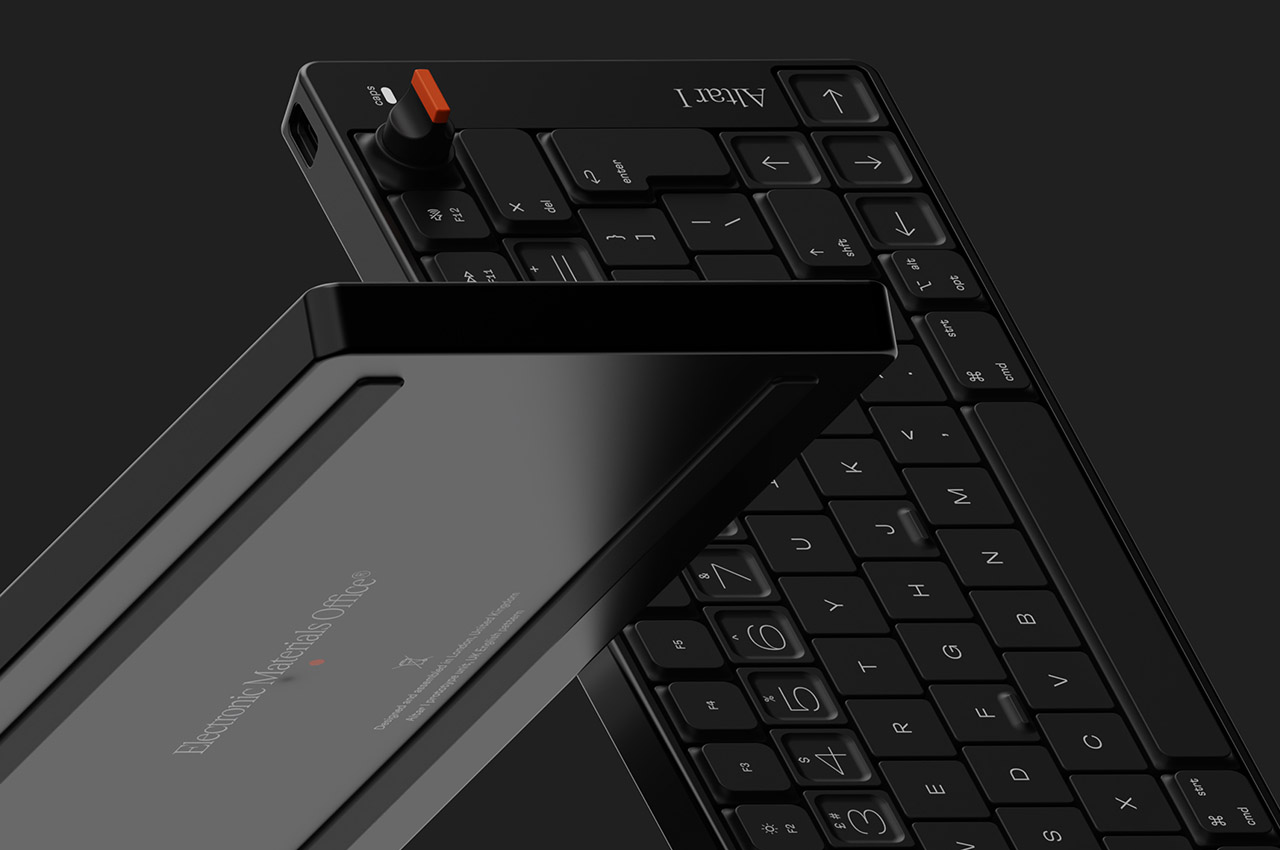
The keyboard is the piece of hardware your hands never leave, which makes it the most personal object on a desk and the one most people compromise on. Electronic Materials Office, a London startup, built the Altar I around one clear idea: sustainability should not mean sacrifice. The chassis is machined from aluminum. The plastic parts are made from post-consumer waste. The result is an ultra-low-profile mechanical keyboard as considered as anything from Teenage Engineering, without carrying that brand’s price tag.

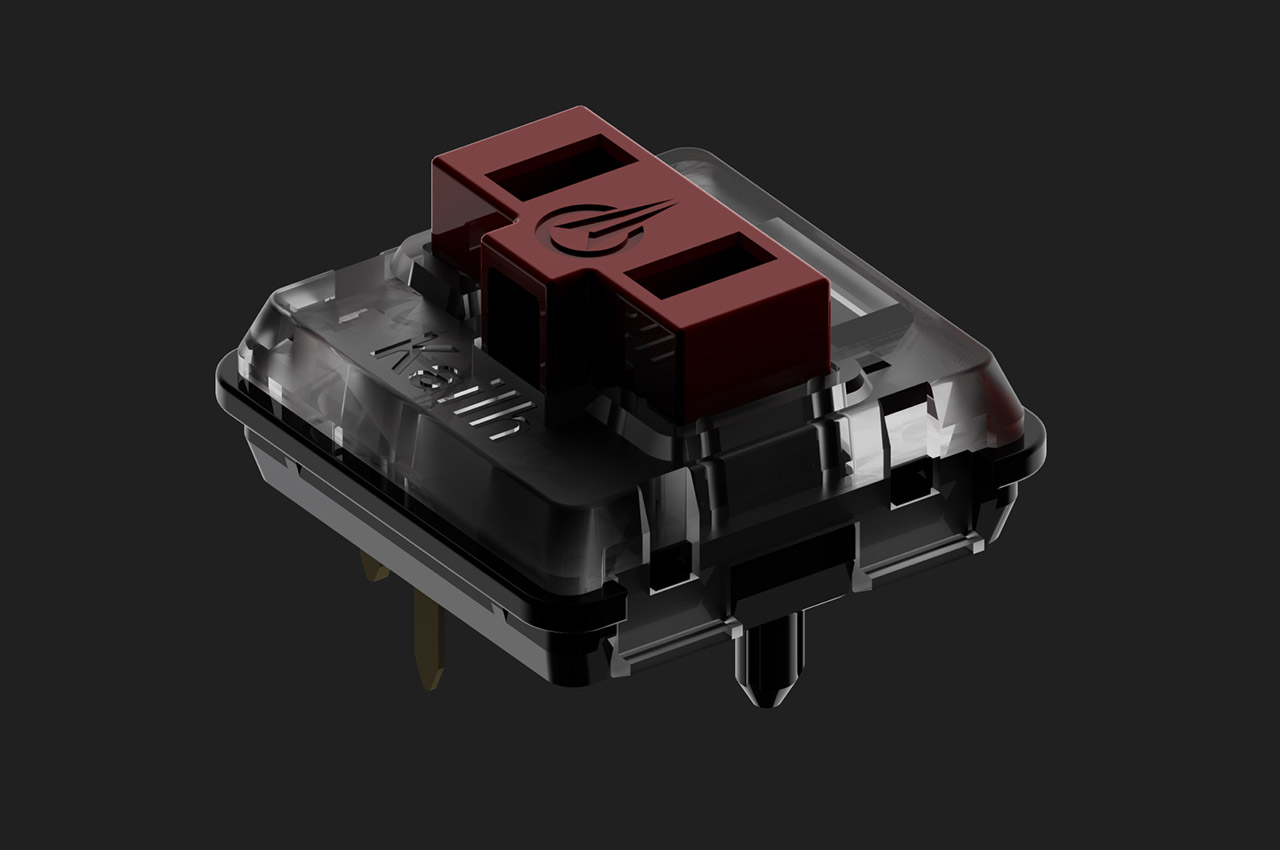
What draws you in is the 75% layout and the rotary encoder knob at the top right, a dial that gives analogue control over whatever function you assign it. The switches are low-profile mechanical, the keycaps are doubleshot PBT, and the casing sits at 1.5 centimeters, thin enough to shift the geometry of typing without abandoning the feedback that makes mechanical keyboards worth owning. Compatible with Mac and Windows, and built around material convictions most keyboard manufacturers never bother to name.

What we like

  • The plastic chassis is built from post-consumer waste, making sustainability structural to the design rather than a label printed on the packaging
  • The rotary encoder knob gives analogue control over an assigned function, a detail that rewards daily use well beyond first setup

What we dislike

  • As a first product from a startup, long-term availability of keycap sets in compatible low-profile sizing is worth thinking about before committing
  • The 1.5 cm profile is built for a specific kind of typist; those who prefer more switch travel will find the adjustment takes time

2. Infinite Solas Lamp
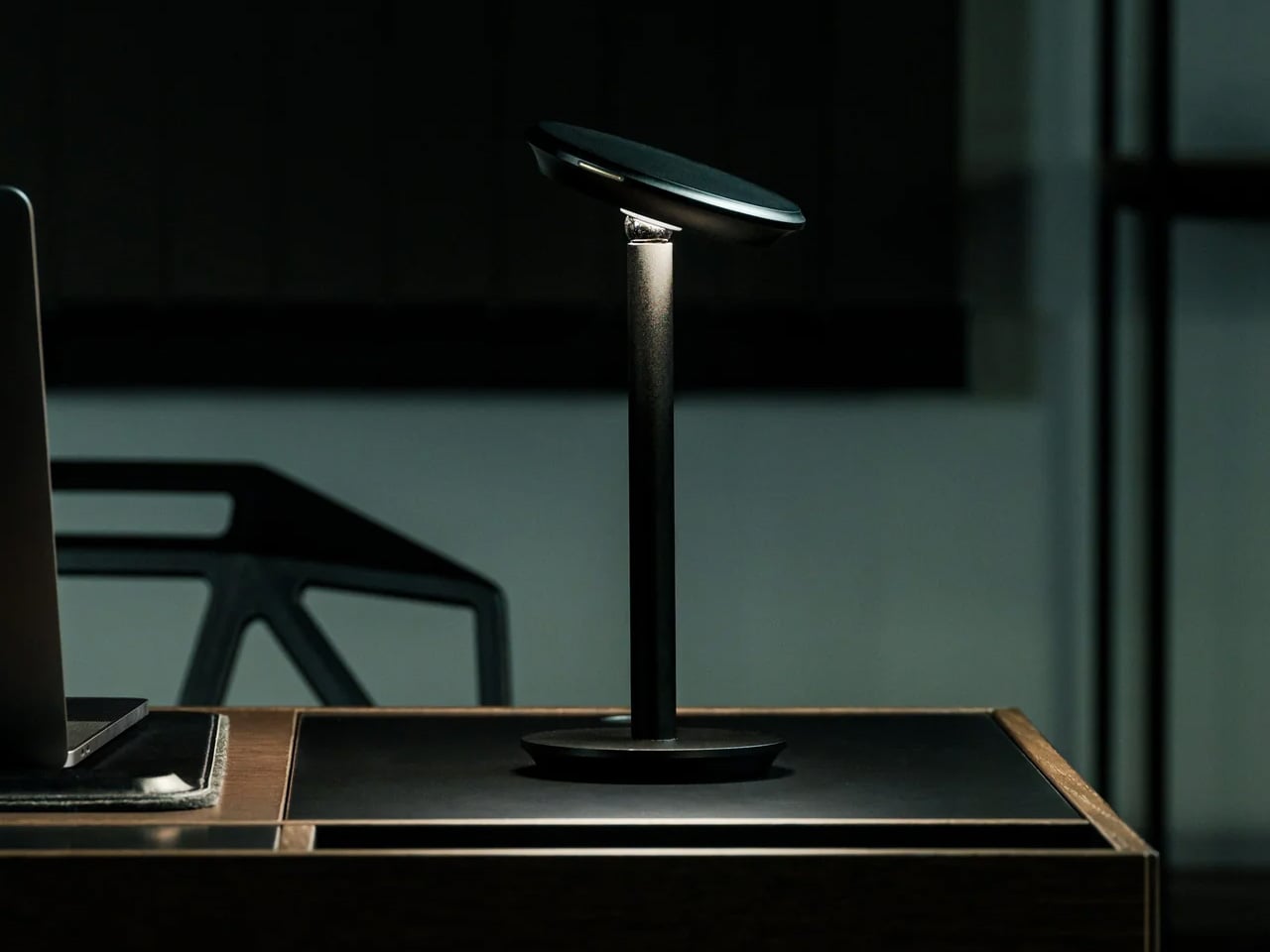
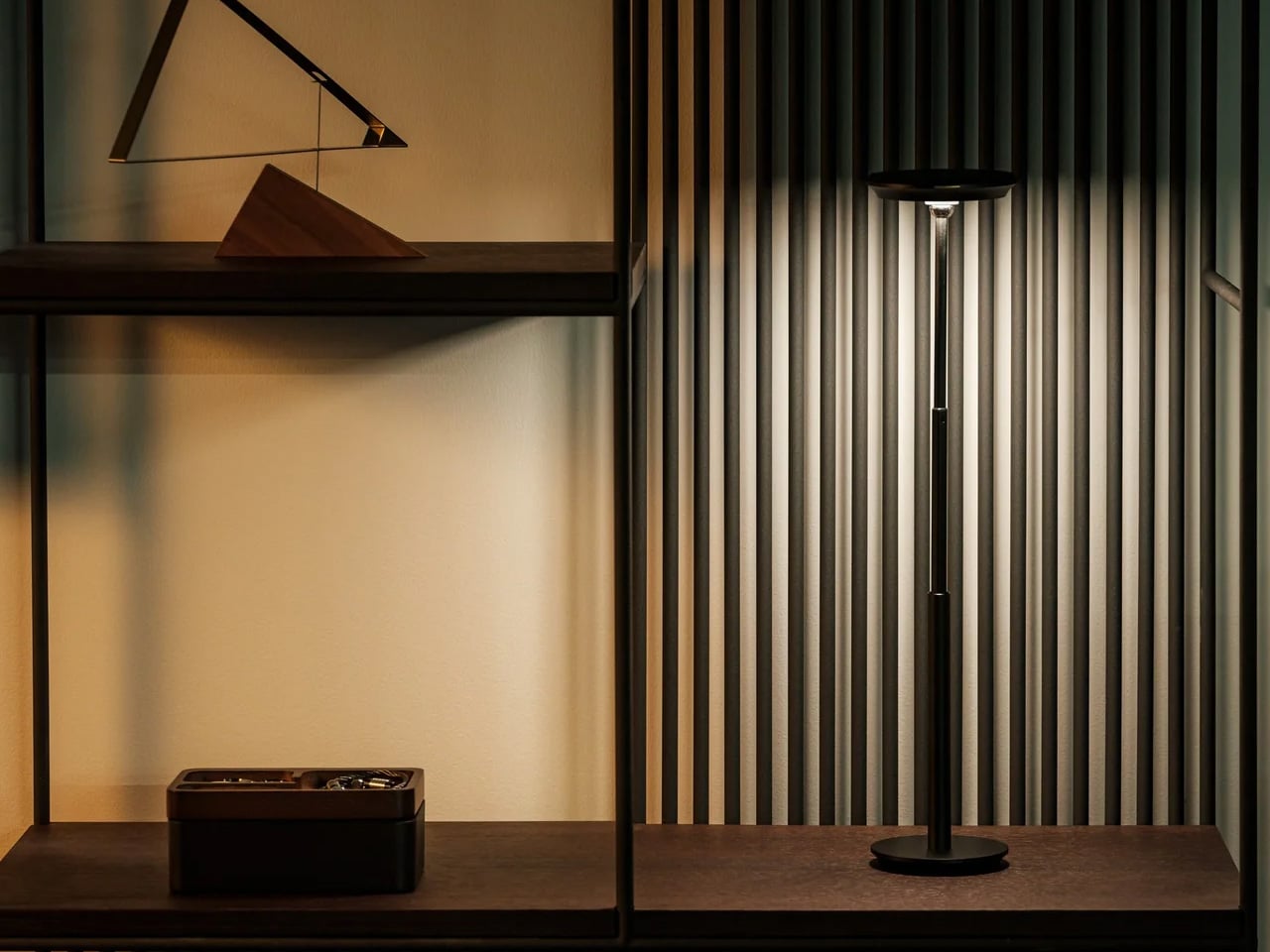
Most desk lamps are a wire, a bulb, and an arm you adjust once and never touch again. The Infinite Solas Lamp, designed by Koki Sato, is a different proposition entirely. It is wireless, machined from aluminum with an anodized finish, and adjustable in four directions: height, angle, brightness, and warmth. The magnetic ball-joint head moves freely and holds its position without tightening a knob. At $325, it earns its place not just as a light source but as the most considered object on the desk.

The two colorways, black and warm champagne, are finished to a standard that makes the lamp feel like a display object even when it is off. The absence of a cord changes the desk in a way that is difficult to articulate until you have lived with it – there is simply nothing to route, nothing to hide, and no outlet to negotiate with. A single charge lasts approximately three days of use, which means it travels as easily as it stays still. The light you work under is not a minor consideration.

Click Here to Buy Now: $325.00

What we like

  • The magnetic ball-joint head adjusts angle without repositioning the base, a detail that rewards repeated daily use rather than just an impressive first setup
  • Wireless construction with a multi-day battery removes the cord entirely, so the desk stops being organized around the nearest outlet

What we dislike

  • At $325 with limited units available, it is a committed purchase rather than a casual browse – there is no sleeping on this one
  • The anodized aluminum finish will show fingerprints with regular handling, particularly on the champagne colorway, which asks for occasional light maintenance

3. Mosaic AI Desk Organizer
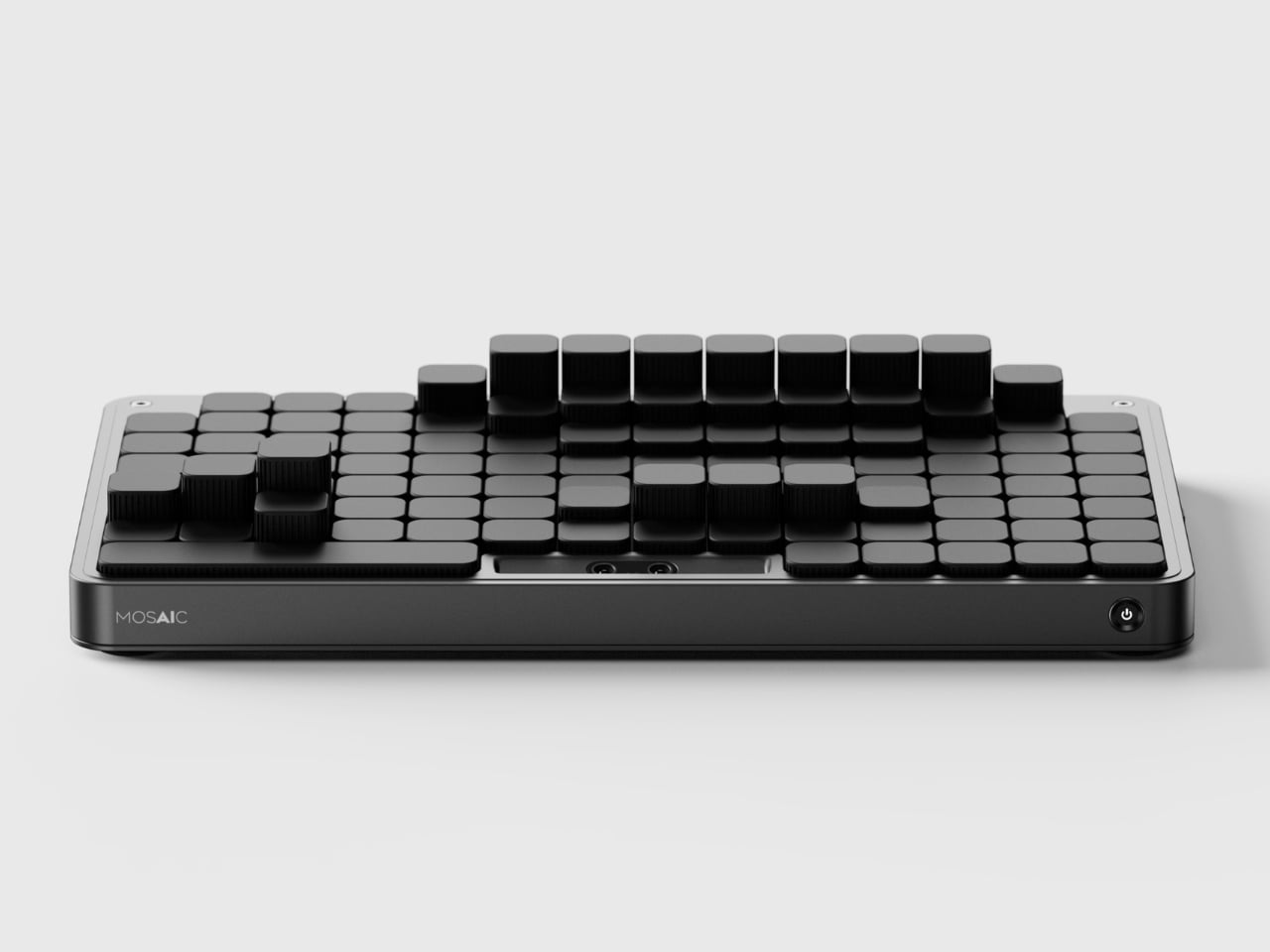
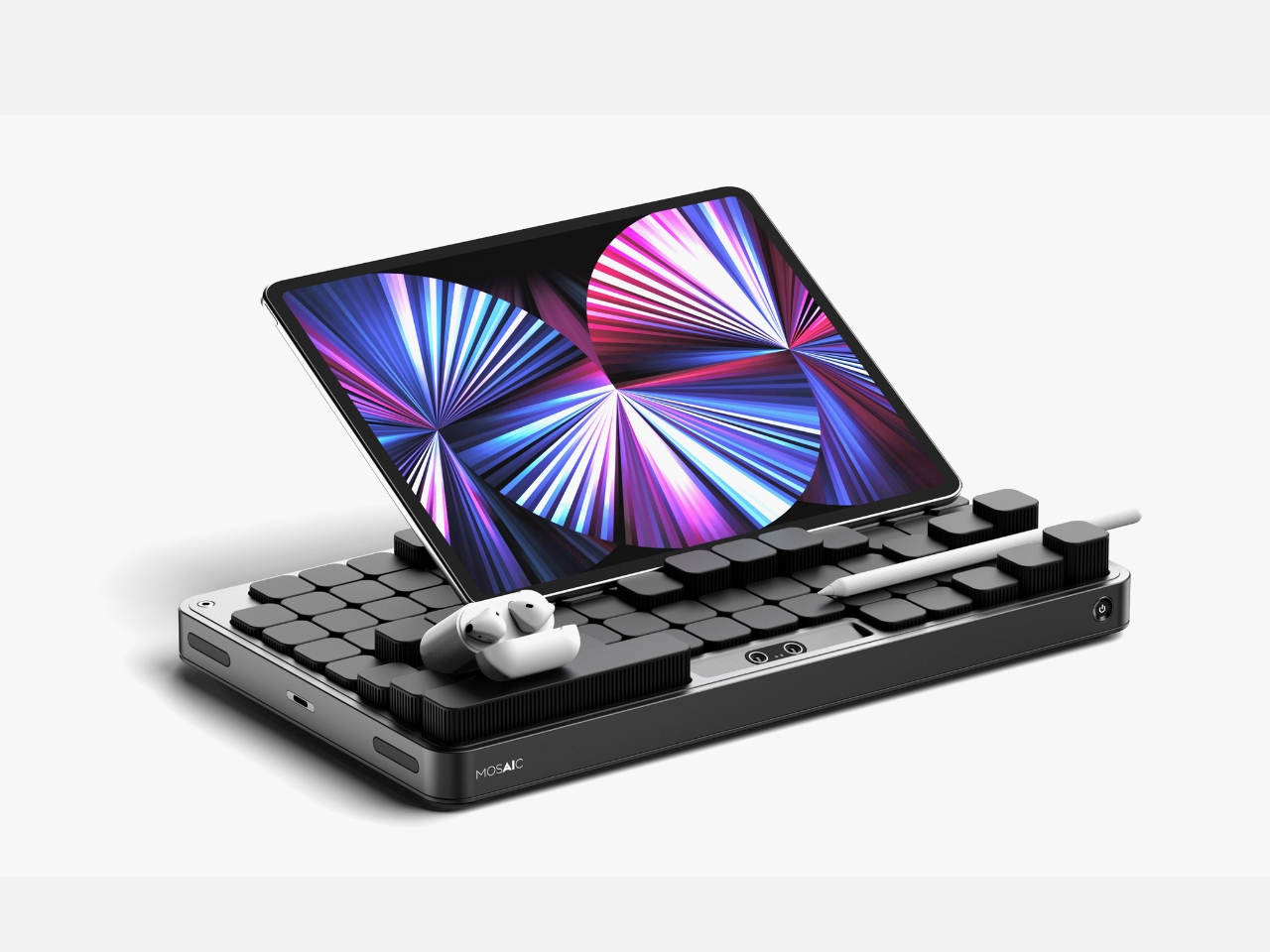
Most desk organizers ask you to adapt to them. You get a tray with fixed compartments, you shove your things in, and either it fits or it does not. The Mosaic takes the opposite approach, replacing fixed compartments with an AI-powered modular surface that shifts its configuration around whatever you place on it. The layout changes when your desk changes, which is something no standard tray has ever managed, and the reason most desk organizers stop being used within weeks of being bought.

The black, low-profile form reads closer to a keyboard deck than a conventional tray, which helps it disappear into the desk rather than announcing itself as the thing you added to manage the other things. The intelligence lives in the shifting surface beneath, not in any visible technology. For anyone who has bought and abandoned a desk organizer because it was designed for someone else’s setup and someone else’s habits, the Mosaic is the version of that object that was worth waiting for.

What we like

  • The AI-powered shifting surface reconfigures around your objects rather than asking you to adapt your habits to a layout someone else decided on
  • The flat, low-profile form reads as a desk surface object rather than a gadget, which means it does not disrupt the visual calm of a considered setup

What we dislike

  • As a concept, it is not currently available to purchase, which means the shifting surface remains to be tested against the friction of real daily use
  • The AI layer adds a dependency on software and power that a standard tray does not require, a trade-off worth naming before committing

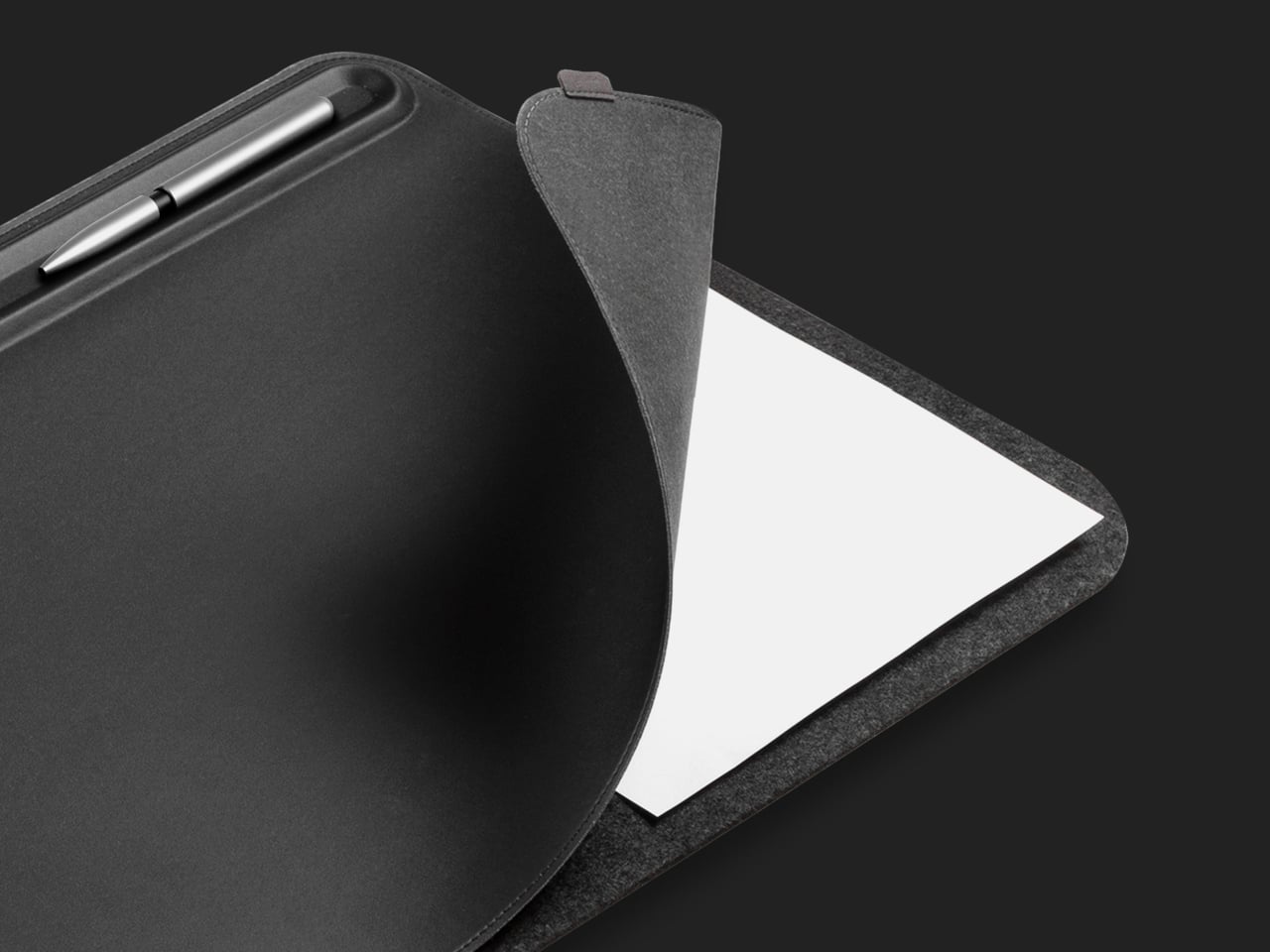
4. FoldLine Pen Roll
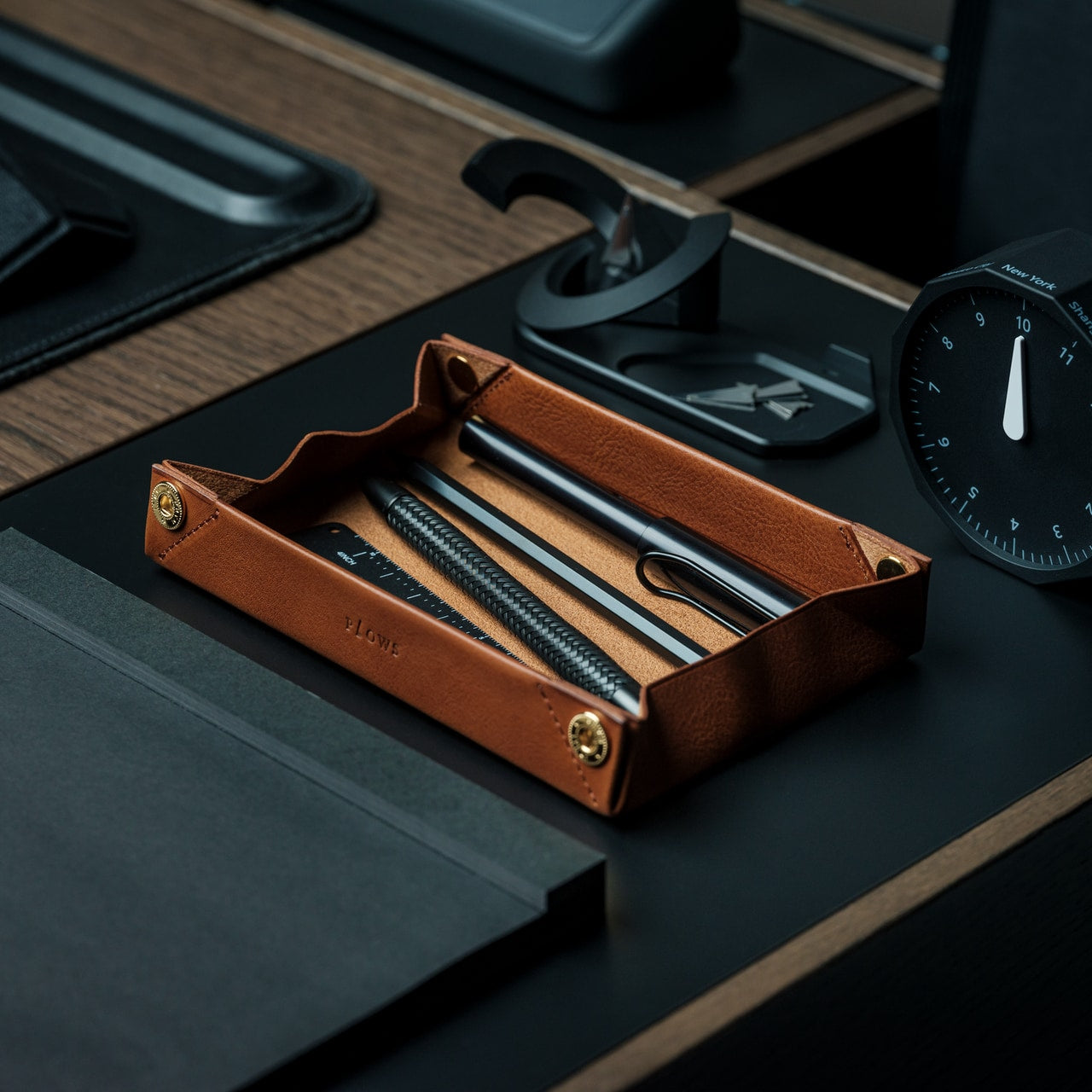
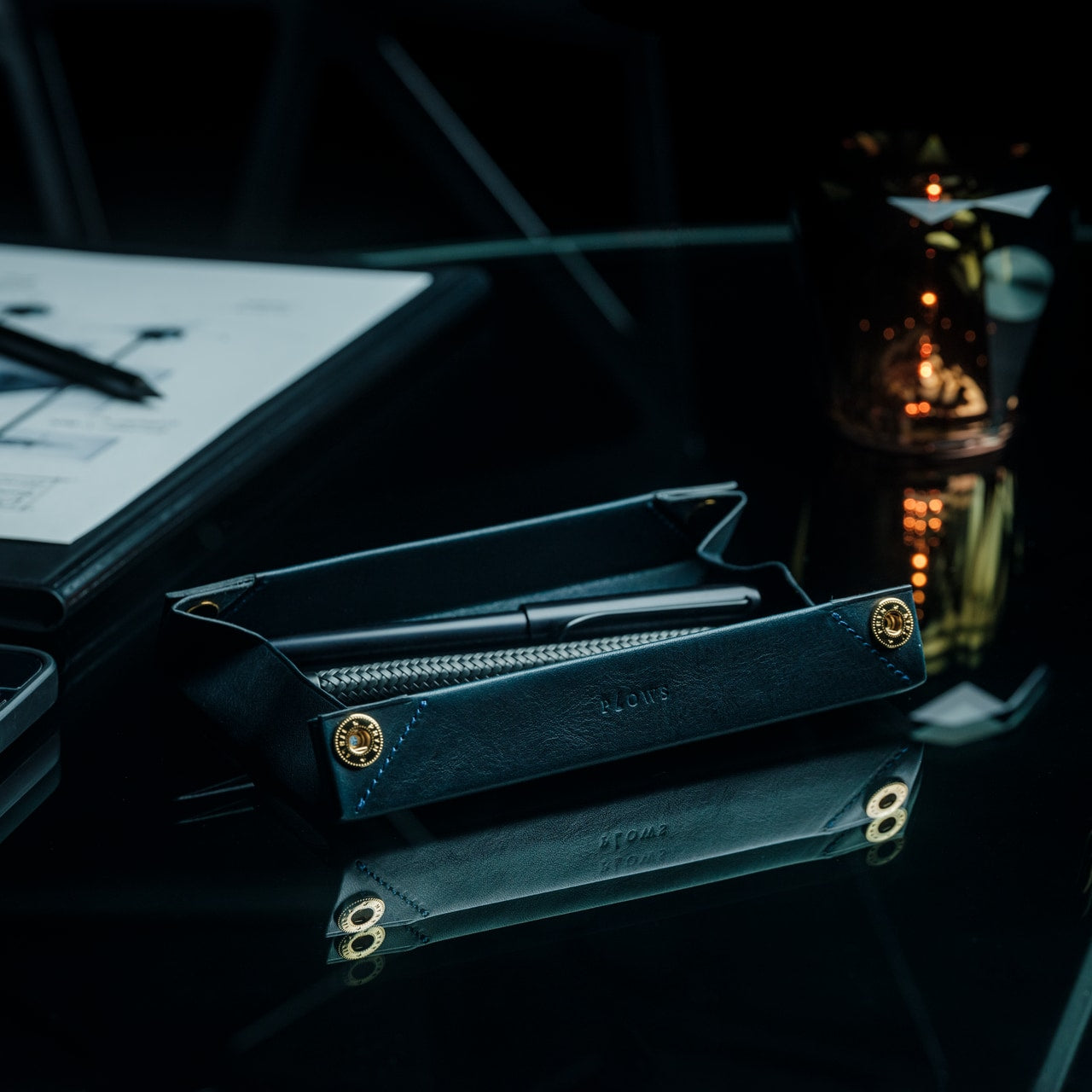
There is a version of the pen roll that is purely about storage – something you zip shut and throw in a bag. The FoldLine is not that. Cut from a single piece of Italian Minerva Box leather, it folds from a flat carrying case into a structured desk tray in under two seconds, using an origami-derived geometry that requires no buckles, no snaps, and no secondary parts to hold its form. At $135, it is one of those objects that photographs poorly and reads perfectly the moment you first use it.

The way it works changes how you relate to your pens and tools during a working day. They are no longer packed away in a case sitting somewhere to the side. They are visible, accessible, and arranged in a tray that earned its form through a single material decision. Minerva Box leather develops a patina over time, which means the object improves alongside the writing habit it is built to support. For anyone trying to give their desk a cleaner start, this is one of the few pen cases that actually stays on the surface.

Click Here to Buy Now: $135.00

What we like

  • The single-piece Minerva Box leather construction folds into a desk tray in under two seconds, replacing both a carrying case and a pen holder with one object
  • The leather develops a patina with use, meaning the piece improves over time rather than declining into the category of something you eventually replace

What we dislike

  • At $135, it is priced for the buyer who values material quality and craft, which rules out the impulse purchase
  • With only a few units available at any given time, it is not something you can return to comfortably once you have decided to think about it

5. Aya & Sfera

Ikigaiform began with full-size self-watering planters, and Aya and Sfera carry that thinking directly. Both pieces belong to a collection of organic-form pots built through parametric design, with intricate surface patterns brought to life through 3D printing. The desk versions are a scaled-down translation of that same thinking: compact cups that sit on a work surface with the surface detail and proportional precision of something designed for a gallery shelf rather than a pen holder. They hold what a pen cup holds, but the conversation they start is a different one entirely.

A desk that has one beautiful, considered object on it feels different to sit at than one that does not. Aya and Sfera are that object for the corner of the surface you were previously ignoring – the patch of desk where pens accumulate, or where a glass ends up, or where nothing particularly useful ever lives. Parametric design rarely produces something this quiet, and quiet, in the context of a desk with a lot going on, is exactly the quality worth seeking out.

What we like

  • The parametric surface patterns are executed at a level of precision only achievable through 3D printing, producing detail you would not find in a mass-produced desk object at this scale
  • The pieces work equally well as pen holders, small planters, or catch-all cups, which means they earn their footprint in more than one direction

What we dislike

  • The organic form and surface complexity make these presence objects rather than background ones; they draw the eye, which may not suit every working environment or every aesthetic
  • 3D-printed production at this level of surface detail typically carries longer lead times and fewer color options than injection-molded alternatives at a comparable price

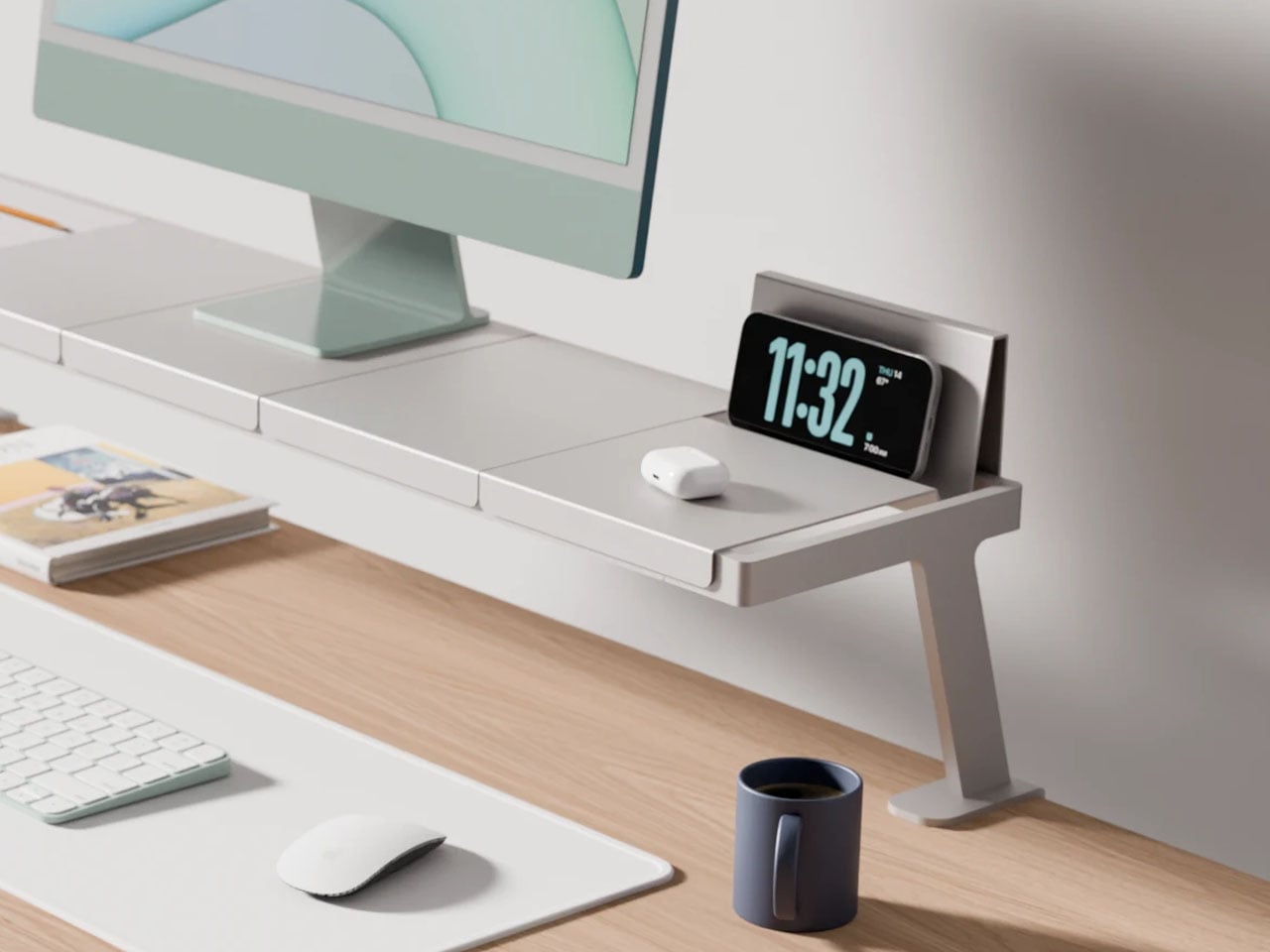
6. Modular Monitor Stand
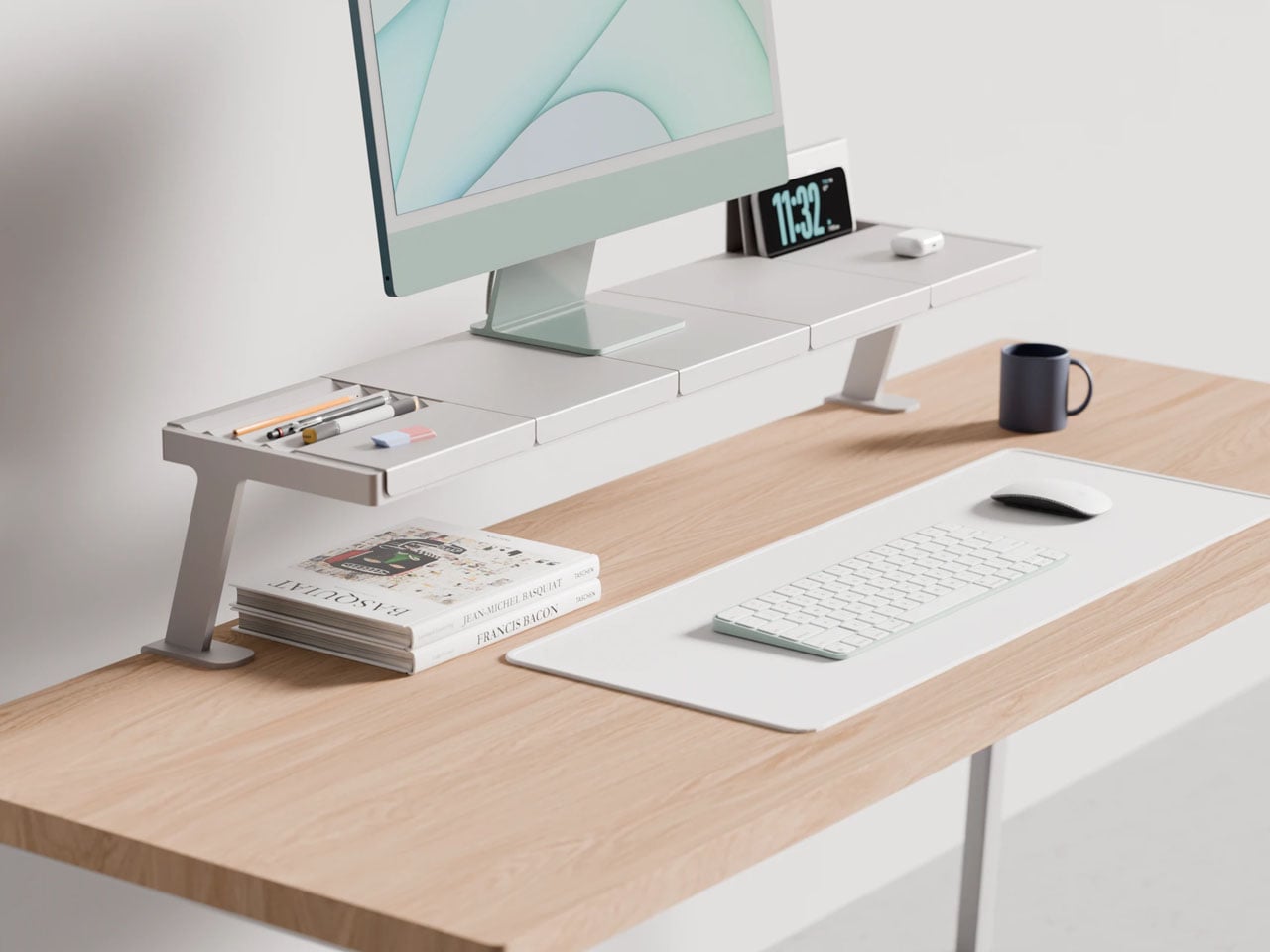
The problem with a multi-device desk is not the number of devices. It is the number of solutions – one arm for the monitor, one stand for the phone, one dock for the laptop, one tray for the cables, each from a different brand, in a different finish, at a different height. Lorenzo Vega’s Modular Monitor Stand is built around the idea that all of this should be one object: a single aluminum structure that manages the monitor, the devices around it, and the cable situation that follows, without requiring negotiation between three separate manufacturers.

The modular sectional tray system mounts to the desk edge rather than claiming space on the surface below the monitor, which means the desk opens up rather than getting more crowded. The aluminum construction gives it the material credibility to sit alongside considered objects rather than reading as a productivity accessory purchased out of necessity. For anyone running more than one screen, or a laptop alongside a tablet, this stand frames a useful question: what if all of it was the same thing?

What we like

  • The edge-mounted modular tray frees up the desk surface below the monitor rather than consuming it, which is exactly where most monitor stands go wrong
  • The aluminum construction gives it material weight that sits comfortably alongside design-forward desk objects without reading as the functional odd one out

What we dislike

  • It is a working concept at prototype stage, not a product available to purchase today – the idea is sound but no confirmed timeline exists yet
  • The modular configuration requires upfront thinking about which sections you need and in what arrangement, adding a planning layer before setup can begin

7. Upright Wireless Charging Stand
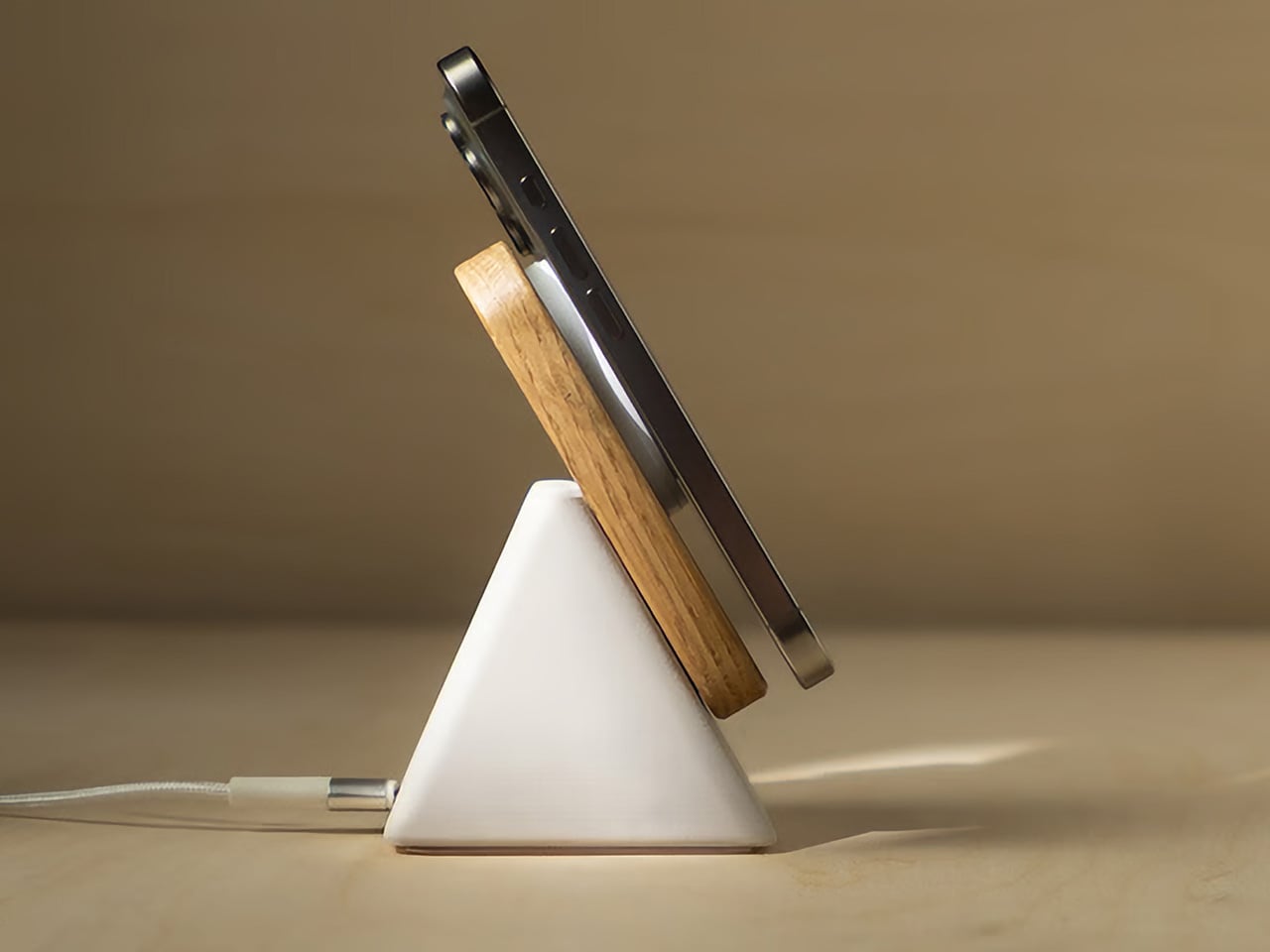
Wireless chargers tend to be either flat, which puts the phone face-down and invisible, or vertical, which makes them bulky, plasticky, and in the way. The Upright, designed by Aaron von Kreisler of Modhaus, takes the vertical format and rebuilds it from materials with no obvious business being inside a charging product: concrete and hardwood. The form is a tapered pyramid, weighted at the base so that docking a phone feels deliberate rather than fumbled. It delivers 25W Qi2 wireless charging and raised over $63,000 in backing.

Six finishes across three wood tones and two concrete colorways mean it integrates into most desk aesthetics without asking you to compromise in either direction. The desk charger has been an overlooked category for too long – most people accept a plastic puck because charging is a background task, and background tasks rarely earn beautiful objects. The Upright argues the opposite: that the thing you reach for most often on the desk is precisely the one most worth designing well.

What we like

  • The combination of concrete and hardwood in a charging object produces something display-worthy rather than something you push behind the monitor and try to forget
  • Six finish options span enough range to integrate with both warmer, wood-heavy setups and cooler, more minimal configurations without compromise

What we dislike

  • The material quality and precision place it above most wireless chargers in cost – that gap is the point, but it will not suit every budget or every desk context
  • The vertical format requires a specific phone orientation that flat chargers do not enforce, a small but real constraint worth knowing before purchasing

8. Orbitkey Desk Mat

The desk mat is the upgrade most people make last, after the keyboard and the lamp and the stand, which is the wrong order. Everything you own sits on the mat, which means the mat determines whether the setup reads as cohesive or assembled from whatever was nearby. The Orbitkey Desk Mat is built from premium vegan leather on top and 100% recycled PET felt underneath, making it water-repellent on the surface and stable on whatever desk it covers. It won both the Red Dot and iF Design Awards.

The magnetic cable holder built into the mat’s edge is a zinc alloy component that positions a cable exactly where you need it without coiling across the surface. At $99.90 for the large, it is the kind of purchase that is difficult to justify in the abstract and immediately obvious once it is in place. The desk stops looking like a collection of individual objects and starts reading as a setup. For a fresh start at work or at school, this is the piece that ties everything else together.

What we like

  • The magnetic cable holder is integrated into the mat’s edge rather than clipped on as an afterthought, which means it belongs there instead of merely tolerating its presence
  • The vegan leather surface is water-repellent and built to award-winning standards, a material choice that holds up to daily use rather than declining within the first season

What we dislike

  • The larger size is a commitment – once the mat is in place and the setup is organized around it, changing the configuration means starting the desk over from the beginning
  • The vegan leather colorway range may not suit every aesthetic, particularly setups leaning toward light-toned or raw wood surfaces where a dark mat reads as too heavy

9. PaperLock Stapler

The stapler is the desk object most people replace with the cheapest available option and never reconsider. PaperLock asks you to reconsider. Press the lever and a small cutting element punches through the stack, folding the paper back through itself to create an interlocked join. No metal passes through the page. No staple is added. The paper becomes its own fastener, which means nothing needs removing before a document reaches the recycling bin, and nothing can run out at the moment you most need it to work.

The transparent body puts the internal mechanism on full display, and pressing the lever becomes something closer to watching a small machine operate than completing a piece of office admin. A viewing window shows exactly where the joint will land before you commit. A corner guide keeps placement consistent across an entire stack. The lever works pressed against a surface or held in the palm, with no adjustment required between the two. At $35, it is the most affordable item on this list and the one most likely to change how you think about what a desk tool should be doing.

Click Here to Buy Now: $35.00

What we like

  • The staple-free mechanism means nothing to load, nothing to run out of, and nothing to remove before a document is recycled – the simplest version of the idea works completely
  • The transparent body shows the full mechanism with every press, turning a routine task into something worth watching rather than something done on autopilot

What we dislike

  • The interlocked paper join holds well for most uses but may not match the durability of a metal staple on thicker stacks or documents that will be handled repeatedly over time
  • The transparent construction shows fingerprints and marks from regular handling more visibly than a matte or opaque body would

The Desk Is Not Furniture

The desk is not furniture. It is the place where the things you are actually trying to do either happen or they do not. The objects you bring to it either support that or get in the way. None of the nine picks here earned their place by looking good in a photograph alone. Each one changes something specific about the experience of sitting down at the start of a day.

Start with one. The keyboard if your hands spend most of the day on it. The lamp if the light has been wrong for longer than you have admitted. The mat if the desk has never felt like a setup. A fresh semester or a fresh start does not require all nine at once. It requires one decision that signals to yourself that this time, you are taking the desk seriously.

The post 9 Desk Upgrades for a Fresh Semester, or Just a Fresh Start at Work first appeared on Yanko Design.
5 Tiny Gadgets & Gear That Are Better Than Anything on Your Keychain Right Now

Most keychains carry dead weight. A rubber tag from a hotel you forgot, a bottle opener you have used twice, a fob that only unlocks a car you no longer own. Meanwhile, the one piece of real estate you touch dozens of times a day sits completely underused, when it could be doing actual work.

The five gadgets below all fit that same small footprint but solve real problems, from finding your keys in the dark to surviving the emergency that pepper spray and good intentions cannot fix alone. Every pick here is either shipping through a verified campaign or purchasable directly, and every spec below comes straight from the maker.

1. NoxTi

Tritium is a hydrogen isotope with a 12.3-year half-life, and as it decays, beta particles strike a phosphor coating to produce light with no electricity and no chemical reaction involved. It is the same physics behind emergency exit signs, military watches, and aviation instruments, chosen for one reason: nothing else in consumer lighting can promise 25 years of steady glow with zero maintenance. Xedge packaged that science into a 45mm titanium cylinder built specifically for keychain carry.

The tritium vial sits inside a precision quartz tube with 92 percent light transmission, wrapped in a CNC-machined Gr5 titanium body weighing just 10.7 grams. The whole thing is serviceable, so when brightness fades after two decades, you simply push the old tube out and slide a new one in. A ceramic-tipped glass breaker sits at one end for real emergencies, and the floating core glows visibly from every angle.

What we like:

  • Twenty-five years of glow powered entirely by material physics, with no battery to ever die on you
  • The tube is user-serviceable, meaning the titanium body outlives the glow and can be refreshed indefinitely

What we dislike:

  • The glow is genuinely faint next to an LED, which is the tradeoff for zero power draw

2. Analog Capsule Camera

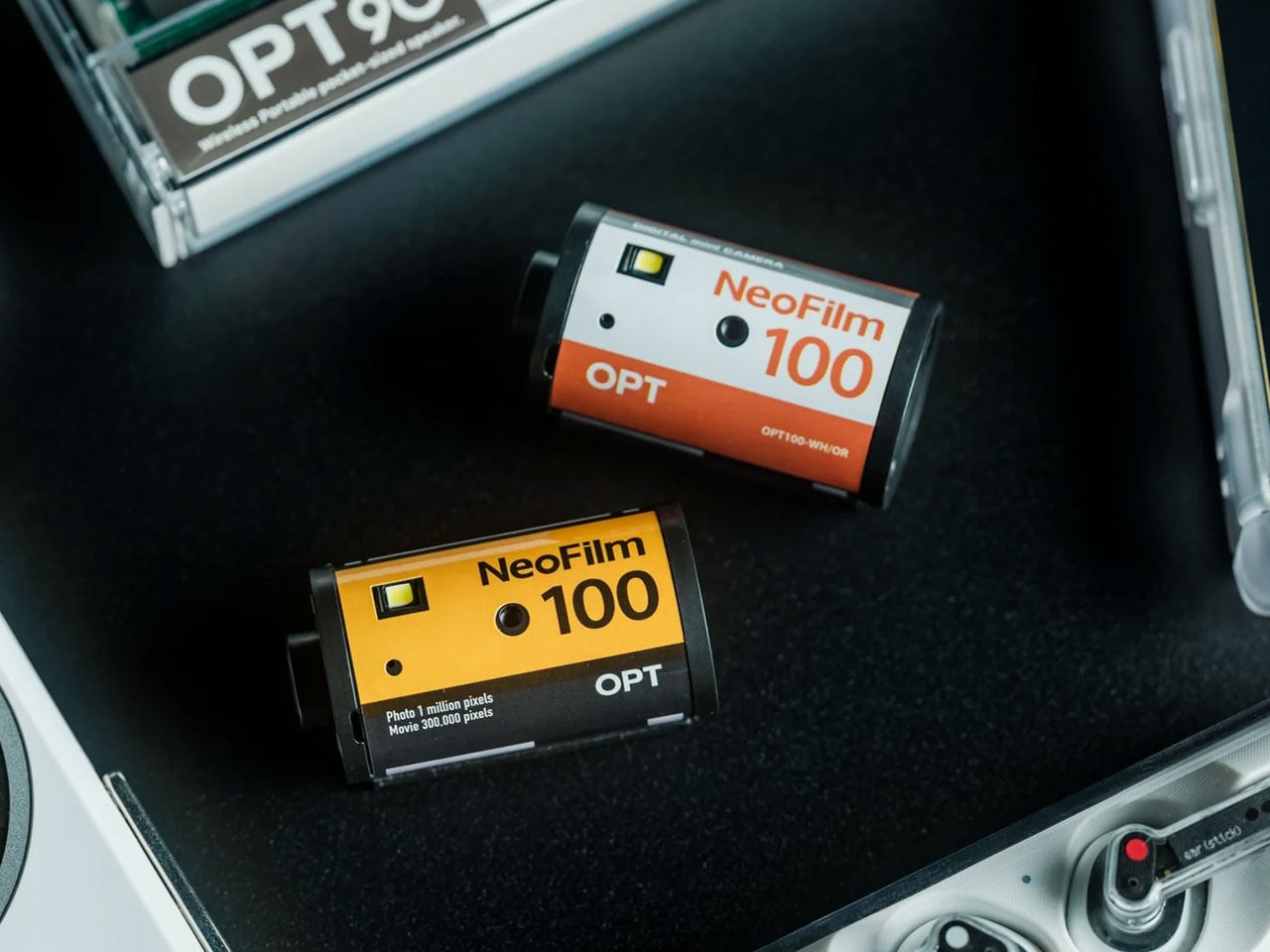
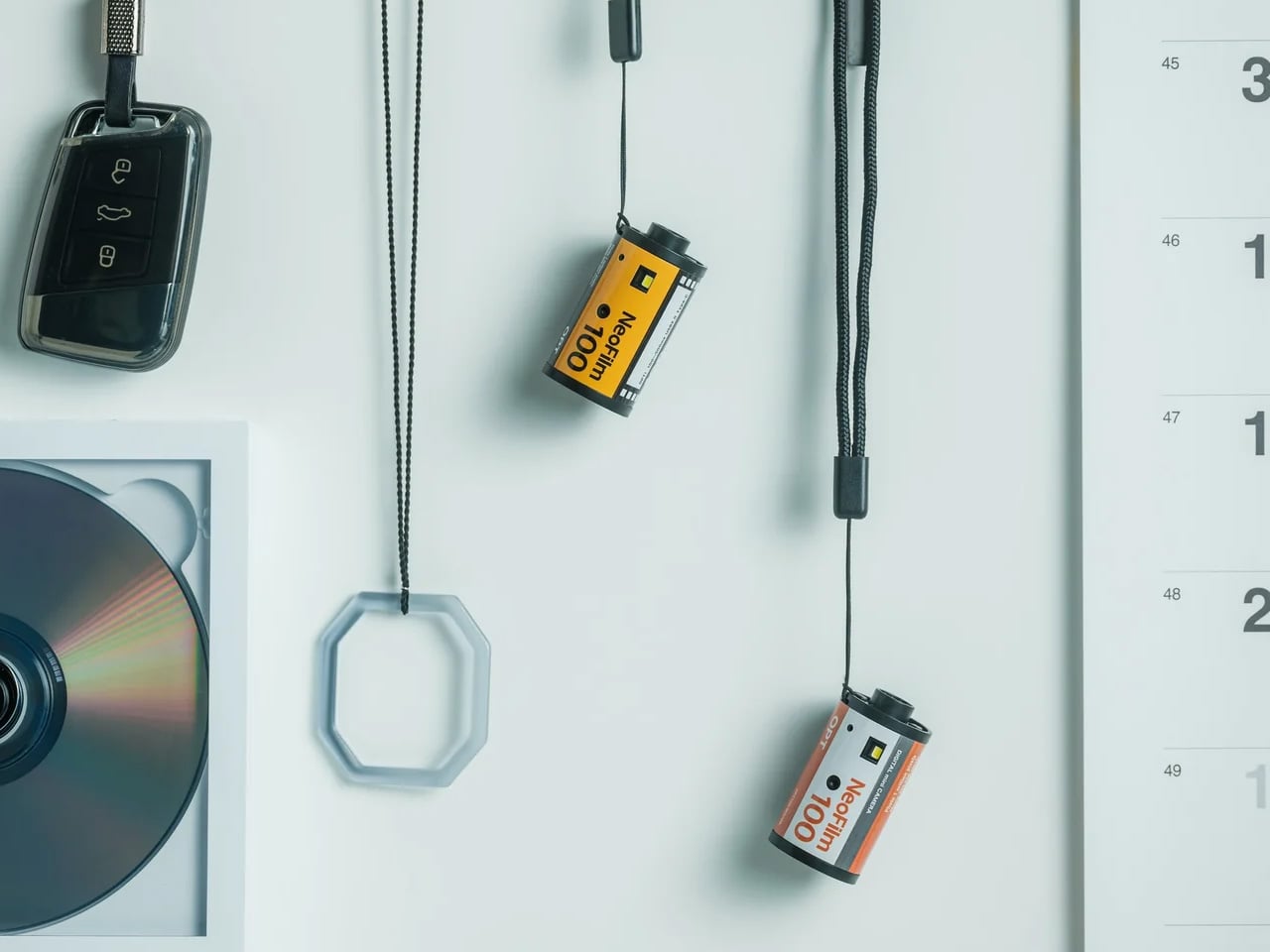
Pick up the Analog Capsule, and it looks exactly like a roll of 35mm film, right down to the box it ships in, except every part of that illusion hides a fully functional digital camera. Instead of chasing the technical perfection modern sensors are obsessed with, it leans into grain, softness, and blown highlights as features rather than flaws, giving every photo the unmistakable texture of something shot decades ago rather than seconds ago.

Its 1-megapixel CMOS sensor keeps the experience intentionally lo-fi, while built-in digital playback lets you review a shot the moment you take it. USB-C connectivity and microSD storage handle the archiving without ceremony. At just 25 grams and small enough to hang from a bag on its included strap, it is less a camera you pack and more a charm you happen to shoot with, priced at $55.

Click Here to Buy Now: $55.00

What we like:

  • The film-canister disguise makes it a genuine conversation piece before a single photo is taken
  • USB-C and microSD mean getting photos off the device is instant, unlike actual film

What we dislike:

  • A 1-megapixel sensor is a deliberate creative constraint, not a specs win for anyone wanting sharp images
  • Only four units were listed as available at last check, so stock moves fast

3. KeyMaster 3.0

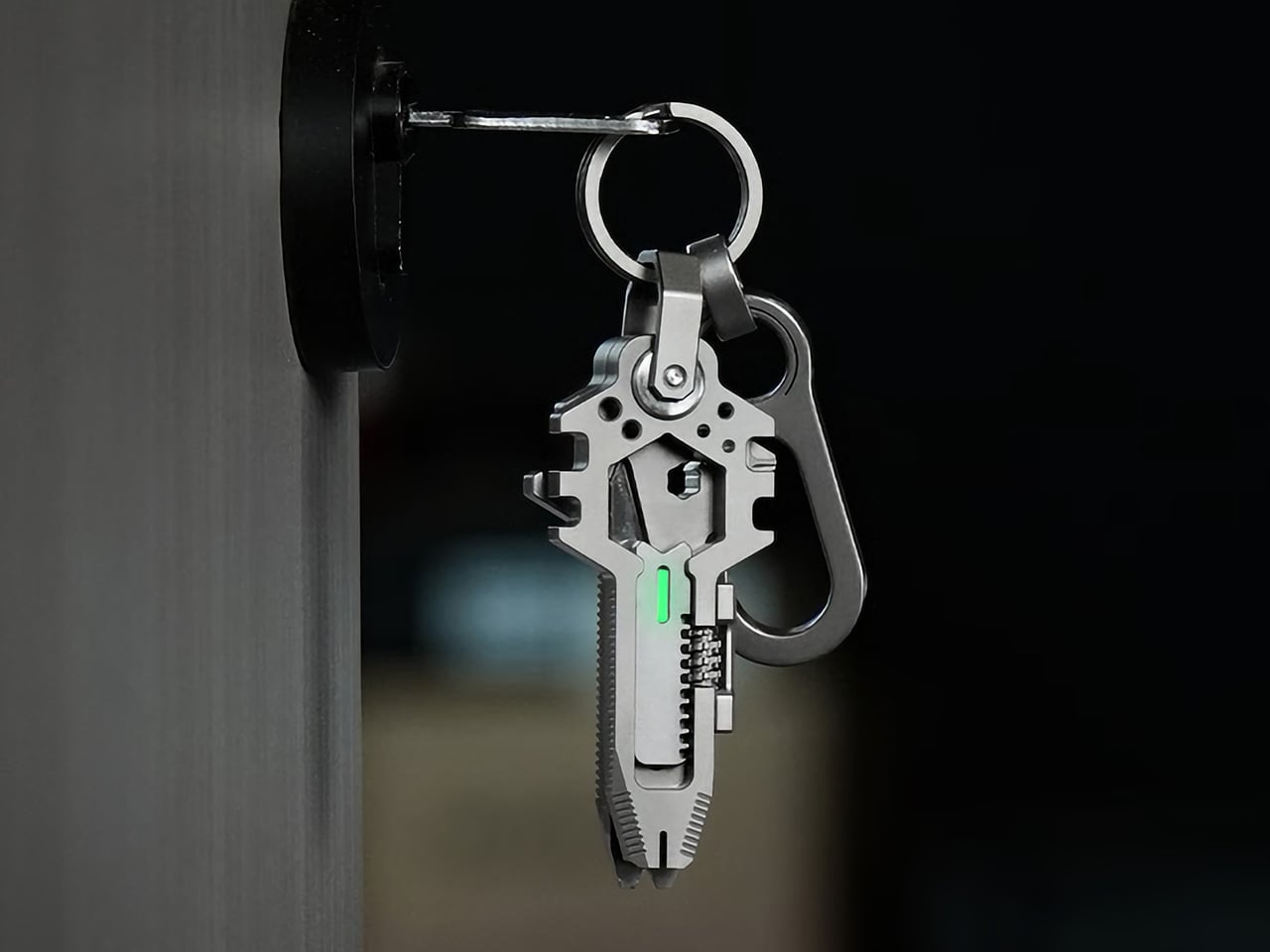
Keys are the one object nearly everyone carries with total consistency, which is exactly why EDC Monster built a multi-tool shaped like one. The original KeyMaster launched in 2023 as a 14-in-1 titanium tool; version two expanded the function count, and three years later, KeyMaster 3.0 rebuilds the concept around real adaptability rather than just adding more blades to a crowded body.

At 74.5mm and 53.7 grams of Grade 5 titanium, it sits flat on a keyring next to a car fob without adding bulk. The headline upgrade is an adjustable spanner covering 0 to 16mm, replacing six fixed wrenches with one that actually fits the bolt in front of you, paired with a magnetic bit driver that locks bits without slippage. A pry bar, screwdrivers, a mini saw, and a spoke wrench round out the twenty-plus tools.

What we like:

  • The adjustable 0 to 16mm spanner solves the actual failure point of every fixed-wrench multi-tool
  • Magnetic bit retention means real torque without the wobble that plagues smaller tools

What we dislike:

  • Twenty-plus tools on a keychain-sized body means most people will only ever reach for a handful of them
  • Kickstarter shipping is estimated for August 2026, so this is a preorder commitment, not instant gratification

4. Painless Key Ring

Putting a key onto a standard split ring means prying apart two tightly sprung layers with a fingernail, a tiny frustration repeated so often it barely registers anymore. Painless Key Ring exists because someone finally decided that reaction was unnecessary, changing the geometry itself so a continuous wave shape gives keys an easier point of entry, letting you slide one on without forcing anything.

The wave design was pulled from coiled wave springs used in aerospace and high-speed rail, applied here to one of the most mundane objects anyone owns. At just 3.0 grams, it weighs roughly half of a conventional ring, and its high-tension stainless spring steel carries a tensile strength of 1,750 MPa against roughly 800 MPa for a standard ring. It flexes to fit thicker keys, then snaps back to shape instead of staying stretched.

Click Here to Buy Now: $30.00

What we like:

  • The wave geometry genuinely removes the fingernail-prying step that every split ring demands
  • A 1,750 MPa tensile strength means it flexes for thick keys without permanently deforming

What we dislike:

  • It is a single component upgrade, so it will not organize a bulky keyring the way a full holder would
  • Stock was listed at only five units available at last check

5. Pebblebee Halo

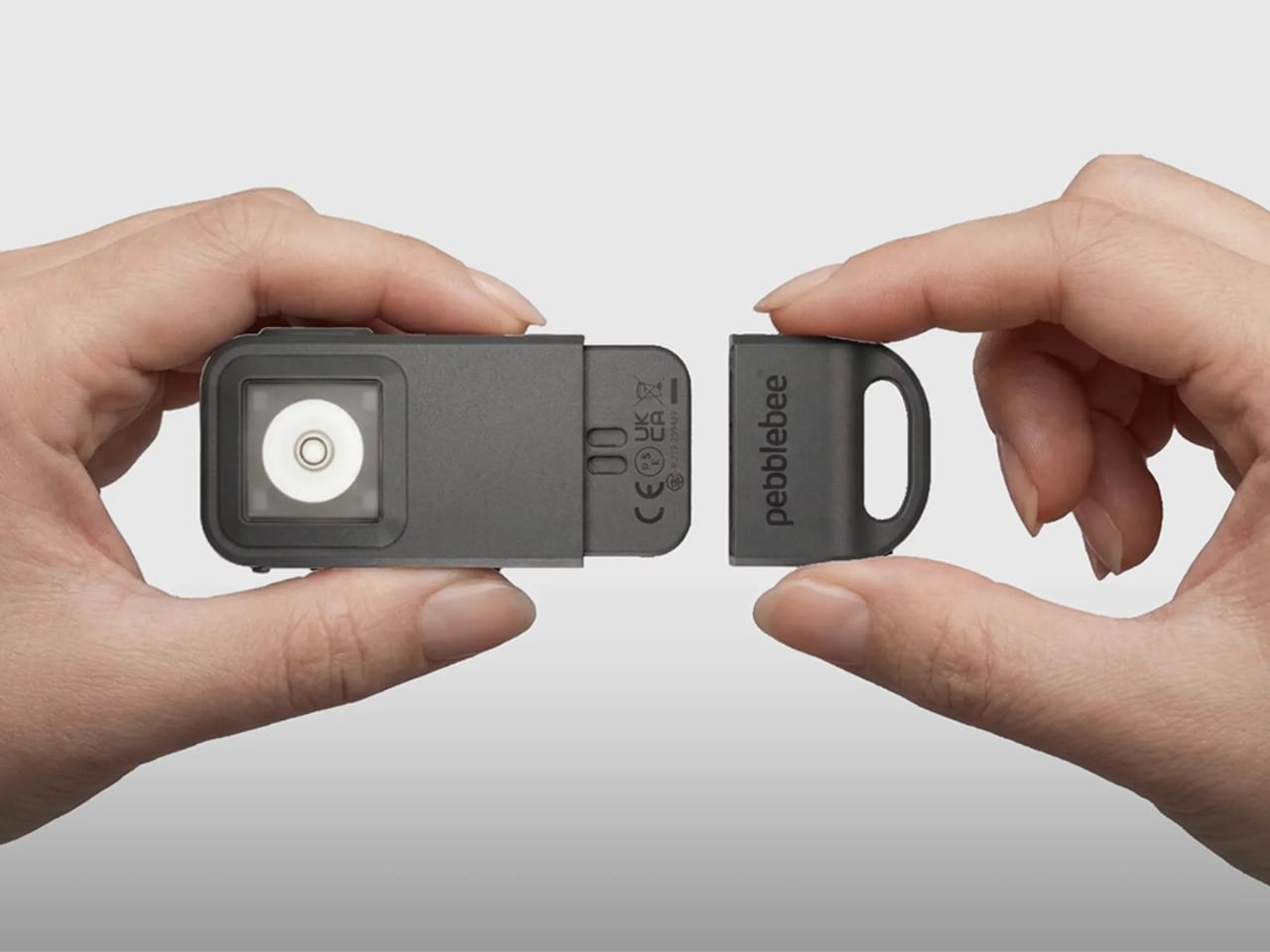
Most people run through the same mental checklist before leaving the house: phone, wallet, keys. Pebblebee is making the case for adding a fourth item, a keychain-sized device called the Halo that tracks lost items, lights up a dark parking lot, and screams at 130 decibels if something actually goes wrong. That last function is the one that separates it from the standalone alarm keychains that came before it.

Pulling the device apart triggers a 130dB siren, a 150-lumen strobe, and real-time location sharing with up to five contacts in what Pebblebee calls a Safety Circle, all through one instinctive motion rather than an app you have to fumble with mid-emergency. Rapid presses of the side button send a silent alert instead, for situations that call for discretion over noise.

What we like:

  • The pull-apart trigger activates the siren, strobe, and location sharing simultaneously, with no app fumbling required
  • A silent alert option exists for situations where drawing attention would make things worse, not better

What we dislike:

  • Live location sharing requires the Alert Live subscription to continue past the included first year
  • At one ounce, it is light, but it is still one more object competing for space on a crowded ring

Your Keychain Was Never The Limit

None of these gadgets ask you to overhaul how you carry your keys; they simply ask your keychain to start pulling its weight. A glow tube that never needs charging, a camera disguised as film, a tool shaped like the key beside it, a ring that stops fighting your fingernails, and an alarm that activates faster than you can think. Each one replaces a specific moment of friction with something quietly better.

The real test for any of these is whether you would still reach for them a year from now, past the initial novelty of owning something small and clever. Every pick here earns its spot by solving a problem you already have rather than inventing one you did not, which is the only standard that actually matters for something destined to live in your pocket every single day.

The post 5 Tiny Gadgets & Gear That Are Better Than Anything on Your Keychain Right Now first appeared on Yanko Design.

The 8 Best Gadgets of September 2026

September always arrives with a different energy. The summer concept season wraps up, the shipping boxes start showing up, and the gadgets worth keeping finally separate from the ones that were only ever interesting in a render. This month’s lineup is unusually strong: a $2,000 iPhone that finally killed the foldable crease, a Dyson toothbrush with a camera inside the brush head, and a telescope that fits in a bag you could carry onto a plane.

What connects all eight is not a price bracket or a category. It is the feeling that the designers started with a known compromise and refused to accept it. Foldable phones have always had a crease. Astrophotography has always needed a trunk full of gear. CD players have always been opaque boxes. Each gadget below found that exact problem and built past it. September’s best gear does not update existing things. It quietly makes them look dated.

1. iPhone Ultra

Apple saved its most aggressive design argument for last. The iPhone Ultra lands September 18 at $2,000, and the headline detail is the one that sounds impossible until you hold it — the visible crease is gone. Foldable phones have carried that horizontal line across the display since the format began, and every manufacturer called it a reasonable engineering compromise. Apple did not agree. The crease is gone, which means either the engineering problem is finally solved or a new one was quietly created in its place.

At $2,000, it is the most expensive iPhone Apple has shipped, and the price will be the loudest objection for most people. That is fair. It is also a phone that, when unfolded, gives you a display large enough to genuinely replace a small tablet, without the crease that made every foldable feel like a prototype. Whether the price is justified depends on how much that line across the screen has bothered you. For a certain buyer, the number will feel completely reasonable.

What We Like

  • The visible crease is gone, a problem every other foldable has simply accepted as permanent
  • September 18 availability means no waiting on a vague launch window

What We Dislike

  • $2,000 is a significant ask even for the most committed Apple buyer
  • At that price, the upgrade calculus is genuinely difficult for anyone coming from a recent iPhone

2. Dyson CameraJet Toothbrush

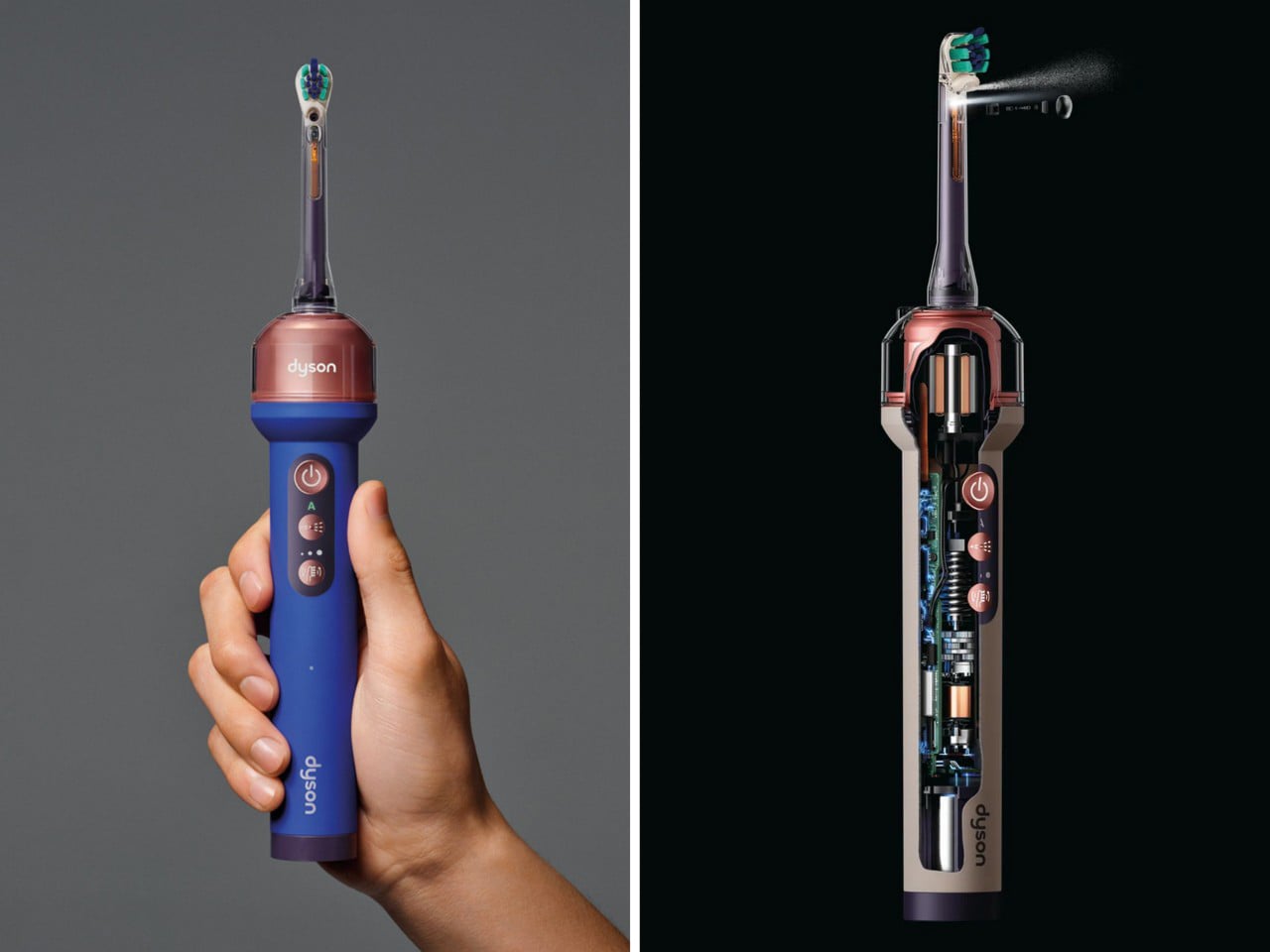
Dyson hid a 1mm camera directly under the brush head, and it reads 28 images a second while you brush. Within 100 milliseconds of detecting a gap in your coverage, the feedback loop kicks in. This is not an app that grades you on timing or buzzes when two minutes are up. It sees exactly where the bristles are not reaching and responds in real time, which is a fundamentally different answer to a problem the toothbrush industry has spent decades pretending does not exist.

The $499 price reads as absurd until you consider what it replaces. Most people spend years brushing the same spots and missing the same gaps, and no timer-based electric toothbrush has fixed that because timers do not know where your brush is. The camera does. Dyson also redesigned the toothpaste to work alongside the system, which suggests they understood that this product was not adding a feature to an existing object but rebuilding the assumptions around one entirely.

What We Like

  • A 1mm camera reading 28 frames per second gives real-time coverage feedback no other toothbrush can match
  • Dyson redesigned the toothpaste alongside the brush, showing the depth of thinking behind the product

What We Dislike

  • $499 is a difficult number for a toothbrush regardless of what it does
  • Proprietary toothpaste dependency is a meaningful lock-in that will frustrate buyers over time

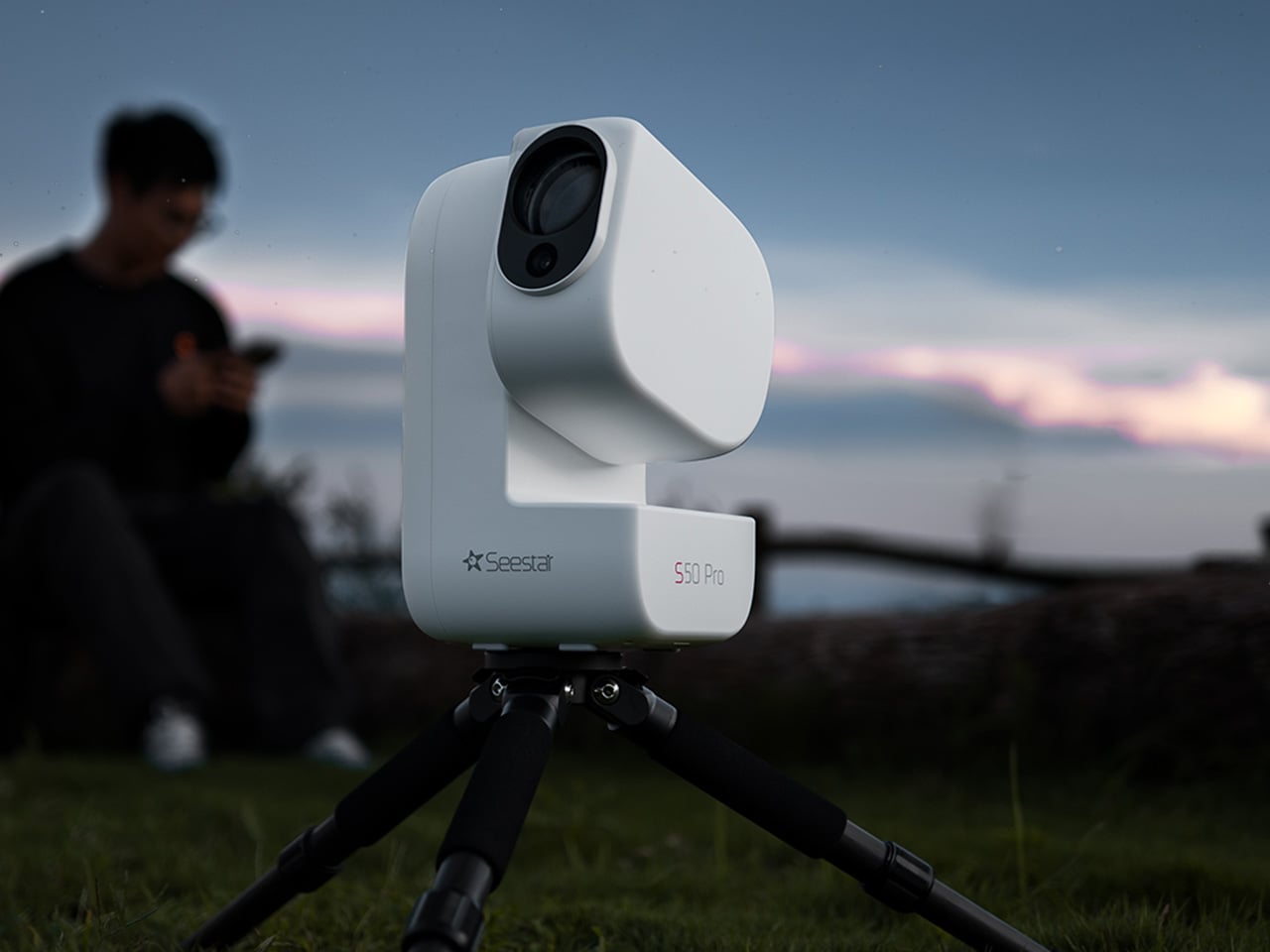
3. ZWO Seestar S50 Pro

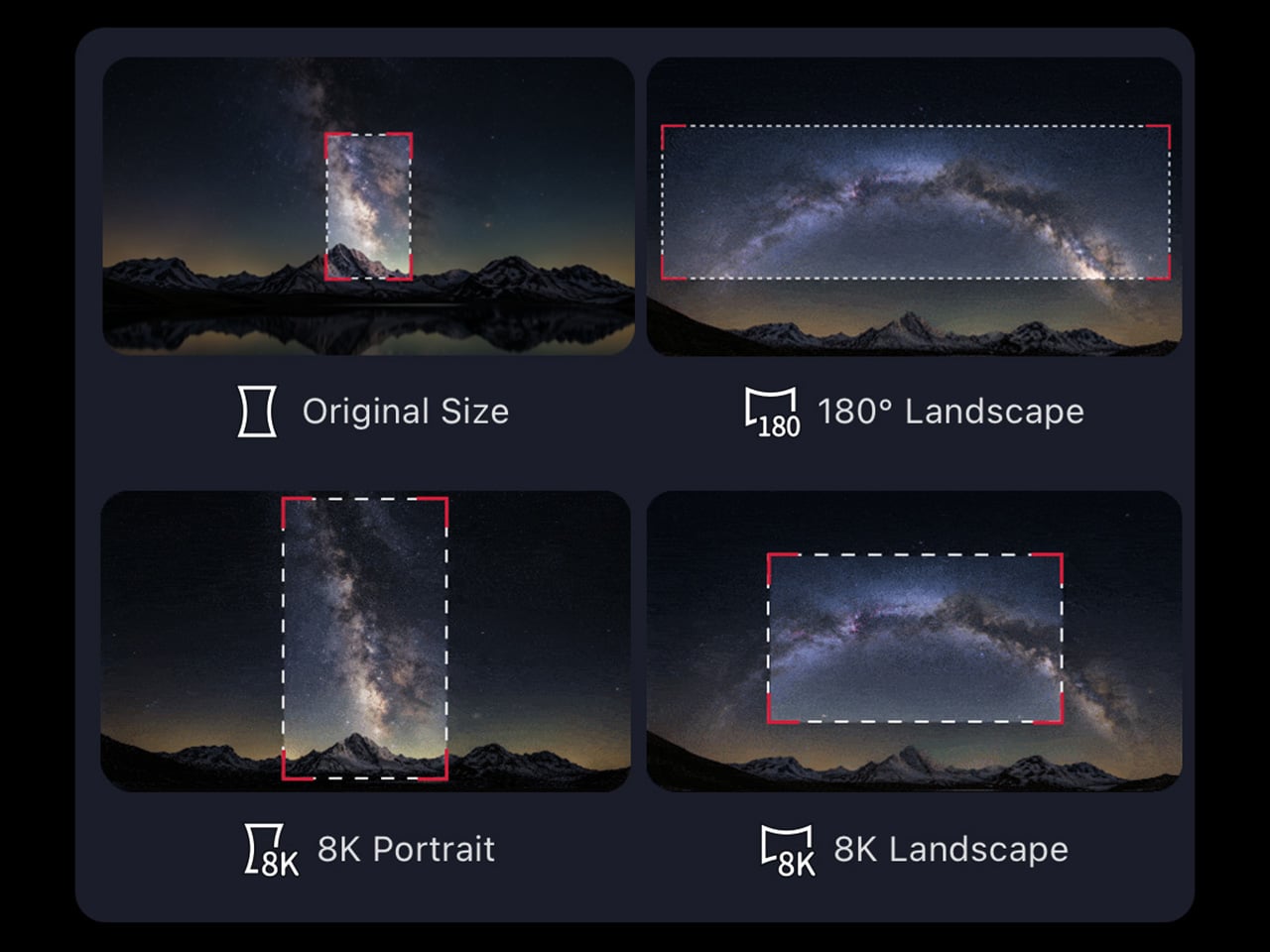
Astrophotography has always had a reputation problem. Getting a decent image of a nebula or galaxy traditionally meant a telescope, a tracking mount, a camera body, a set of filters, a laptop running capture software, and a location dark enough to make the whole trip worth it. The ZWO Seestar S50 Pro compresses that entire setup into something you could carry in a camera bag. That compression is not a minor convenience. It is the difference between astrophotography being a hobby you have and one you actually practice.

The S50 Pro is not a crowdfunded concept or a prototype. It is a shipping device sold through B&H, Amazon, and ZWO directly, part of a line that has been refining the smart telescope format for several years. For people who have wanted to try astrophotography without committing to a several-thousand-dollar hardware stack, it is the most credible entry point available right now, and the images it produces at this size are the kind that still feel surprising every time you see them.

What We Like

  • Compresses a full astrophotography rig into one bag without requiring a tracking mount or separate laptop
  • Sold through established US retailers with confirmed availability, not a waitlist product

What We Dislike

  • Smart telescopes in this class still need a reasonably dark sky to produce compelling results
  • The app-dependent workflow means the imaging experience is only as good as the software behind it

4. Camera With Digital Film


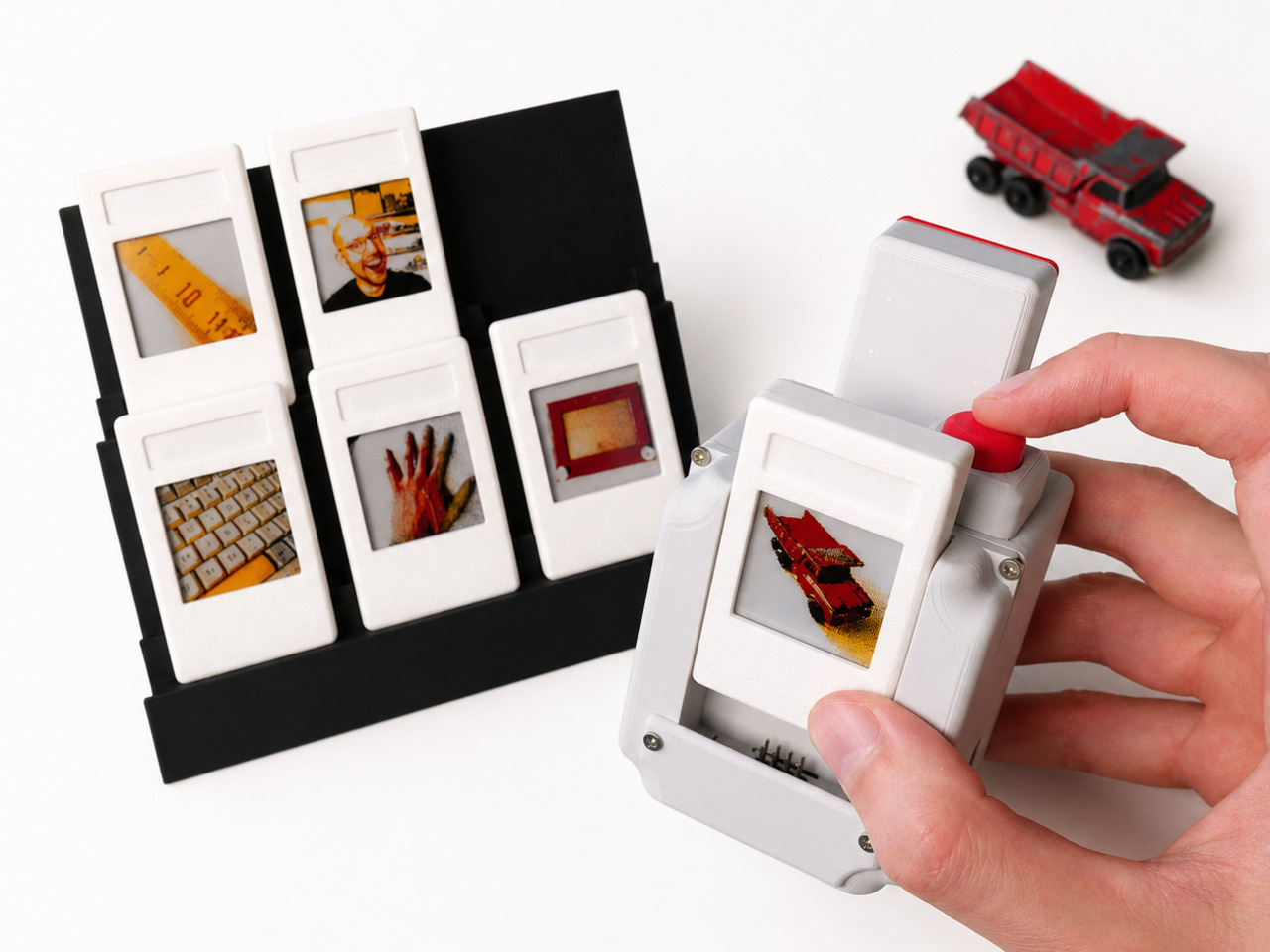
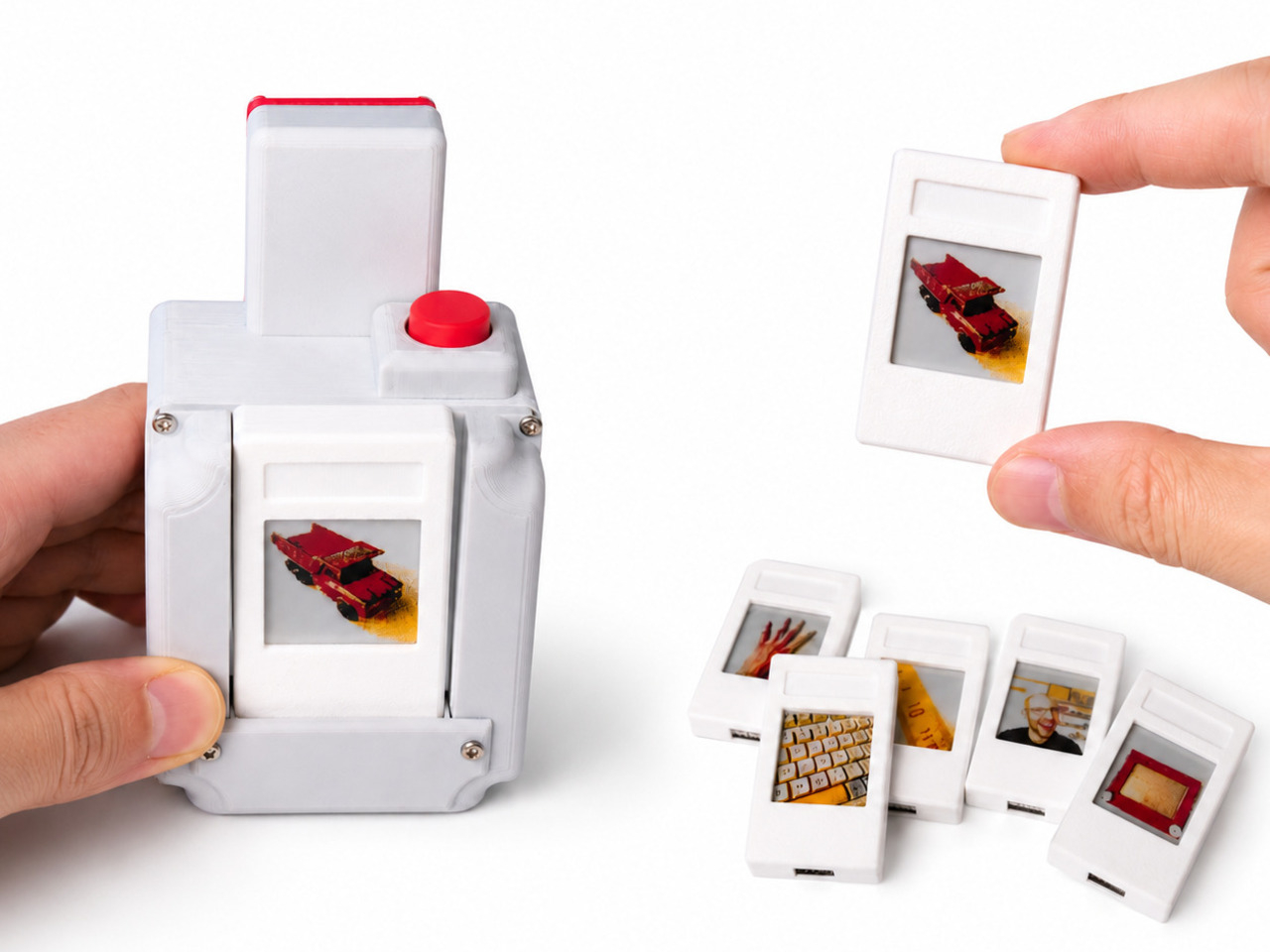
Every digital photo you have ever taken lives in a folder. Most of them stay there. The Camera with Digital Film changes the end of that process by ejecting a physical e-paper cartridge when you fire the shutter. Because e-paper holds its image without power, that small rectangle stays a picture permanently. You can lean it against a monitor, pin it to a wall, or hand it directly to the person you just photographed, and none of that requires a printer, an app, or a subscription to anything.

This is a personal maker build, not a retail product, which means you cannot order one. But the project is documented and open, which is its own kind of contribution. Instant cameras eject paper prints that fade over years. This ejects a display that does not. The object you walk away with is not a printout of a photo. It is the photo, held in a piece of hardware that draws no power to stay that way. The difference is not subtle once you hold one.

What We Like

  • E-paper holds the image without power indefinitely, making every shot a permanent physical object
  • The format lets you hand a photo to someone in the moment without a printer anywhere nearby

What We Dislike

  • This is a maker build with no purchase option — you build it, or you do not have it
  • E-paper’s limited color range means images read closer to a graphic print than a full-color photograph

5. ClearFrame Speaker + CD Player

The ClearFrame puts a CD player and a speaker into a frame you can see straight through, and the transparent design earns its place by making the mechanical parts of the player the visual feature rather than something hidden behind matte plastic. Watching a disc spin inside a clear housing is a different experience from staring at a closed box, and the ClearFrame is built around the idea that the hardware itself is worth looking at. The mechanism is the aesthetic. Nothing about that is accidental.

For anyone building a desk around objects that hold their own visually, the ClearFrame gives the CD player a reason to be out in the open rather than tucked away. The disc, the mechanism, the speaker housing: all of it visible, all of it intentional. It is not a nostalgia product. It is a design argument about what audio hardware looks like when it stops hiding its own workings.

Click Here to Buy Now: $240.00

What We Like

  • The transparent frame turns the mechanical components into the centerpiece rather than concealing them
  • Combines a CD player and speaker into one object with a coherent visual identity

What We Dislike

  • Listed under upcoming drops only, so exact pricing and shipping timeline are not yet confirmed
  • A clear housing will need regular cleaning to maintain the effect it is entirely built around

6. Cyberpunk 2077 x Commodore 64

The Commodore 64 launched in 1982. Cyberpunk 2077, the game, is set in 2077. The gap between those two years is roughly the entire history of consumer computing, and this collab leans into that distance rather than papering over it. The result sits at the intersection of two very specific aesthetics: the beige plastic of early home computing and the neon-drenched maximalism of Night City. Somehow they feel like they were always related. The Retro Games Ltd license makes it a real retail product, not a limited drop built on hype.

For people who grew up with a C64 or remember it as the machine that first felt like a home computer, this collab has a logic that is hard to argue with. Cyberpunk’s world is built on the idea that technology accumulates rather than replaces, and a computer from 1982 sitting alongside a game set in 2077 makes that point visually without needing to explain itself. It is the kind of object that earns its shelf space because it means something beyond what it does.

What We Like

  • The 95-year gap between the C64’s launch and the game’s setting is the entire premise, and the design commits to it
  • A real licensed retail product through Retro Games Ltd, not a concept or an event-exclusive run

What We Dislike

  • The appeal is almost entirely to people with an attachment to either the C64 or Cyberpunk 2077 specifically
  • As a niche collab object, it will be difficult to track down outside dedicated retro gaming retailers

7. OrigamiSwift Folding Mouse

Standard mice do not pack flat. They sit awkwardly in bags, take up more space than their function warrants, and feel like a compromise every time you travel with a laptop. The OrigamiSwift uses an origami-influenced folding structure that collapses the mouse into something genuinely flat: the kind of object you forget is in your bag until you need it.

Travel mice as a category have existed for a long time, but most of them solve portability by making the mouse physically smaller rather than foldable. Smaller mice are less comfortable to use for any extended session. The OrigamiSwift’s approach is different: it folds to pack and unfolds to a full grip, which means you are not choosing between portability and comfort every time you pull it out. For anyone who works from multiple locations, that trade-off has been the quiet frustration with every travel mouse that came before this one.

Click Here to Buy Now: $85.00

What We Like

  • Folds flat for packing without reducing grip size for use, a problem most travel mice simply ignore

What We Dislike

  • Folding mechanisms introduce hinge wear over time that rigid designs never have to account for
  • Travel-first positioning may mean trade-offs in sensor performance compared to a dedicated desk mouse

8. ROG Ally X Dual-Screen Mod

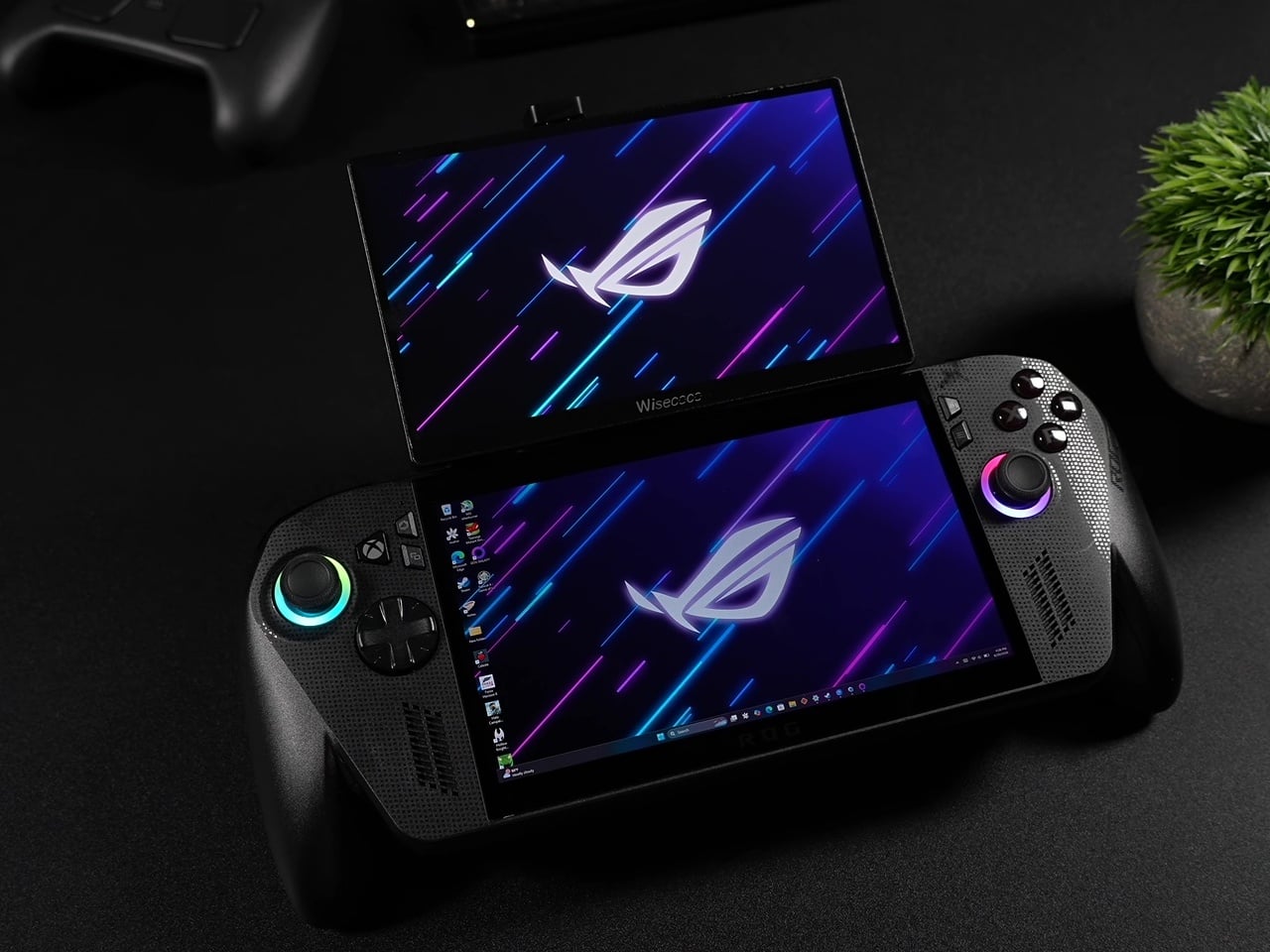
Dual-screen handhelds usually mean buying an entirely new device built around that feature from the ground up. This ROG Ally X mod skips that purchase. It snaps a 120Hz secondary display onto an existing Ally X using a mount system that removes just as easily, which means you get the dual-screen setup when you want it and a standard handheld when you do not. The engineering problem this solves is not new, but the solution here is additive rather than architectural, which makes it the more interesting answer.

It is a maker project, which means you build it rather than buy it, and the plans are documented and freely available. That limits its audience to people comfortable with a hobbyist build. Within that group, it is one of the more compelling uses of a gaming handheld’s form factor to surface this year. The 120Hz refresh rate on the secondary screen is not a placeholder spec either — it keeps up with the primary display rather than undercutting it, which has been the consistent weakness of every dual-screen attempt before this one.

What We Like

  • Snaps on and off without permanently modifying the Ally X itself
  • 120Hz on the secondary screen matches the primary display rather than being a visible step down

What We Dislike

  • No kit to order — you source and assemble the components yourself, or you do not have it
  • A second active display will draw additional power from the Ally X battery, which is already a known constraint on the device

September is not a month that usually swings this hard. Three products you can buy today, two from the YD shop, a maker build you can start this weekend, and an iPhone that lands in 16 days at a price that will generate more conversation than almost anything Apple has shipped in years. The range across eight picks is wider than usual, and that width is the point.

The through line is stubbornness. Every one of these objects exists because someone decided the accepted version of the thing was not good enough and built a different answer. A crease-free fold. A toothbrush that watches you brush in real time. A CD player you can see straight through. A photo that ejects itself from a camera. That kind of thinking does not happen every month. September had a good one.

The post The 8 Best Gadgets of September 2026 first appeared on Yanko Design.

This $119 Ultrasonic Cutter Sense Materials And Auto-Adjusts To Cut EVA Foam, Resin, PLA 3D Prints

There are power tools, and then there are smart tools. A power tool gives you brute force; a smart tool gives you controlled, consistent results. Think of a simple drill that just spins versus one that manages its own torque to avoid stripping a screw. For delicate work like trimming EVA foam for a cosplay project or cleaning up support structures on a 3D print, you definitely want the smart one. The problem is, most handheld cutters are pretty basic, giving you one speed and just hoping for the best.

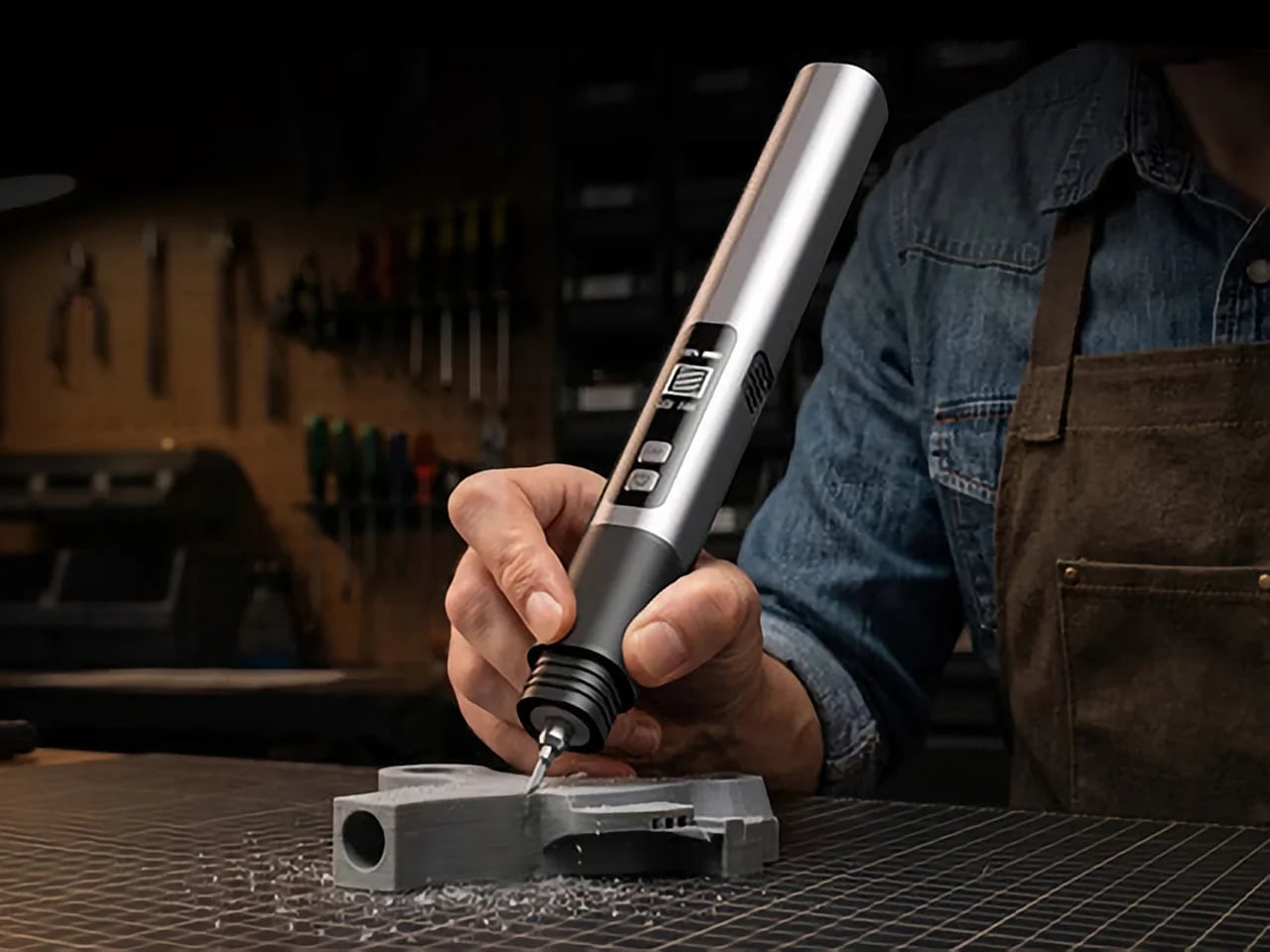
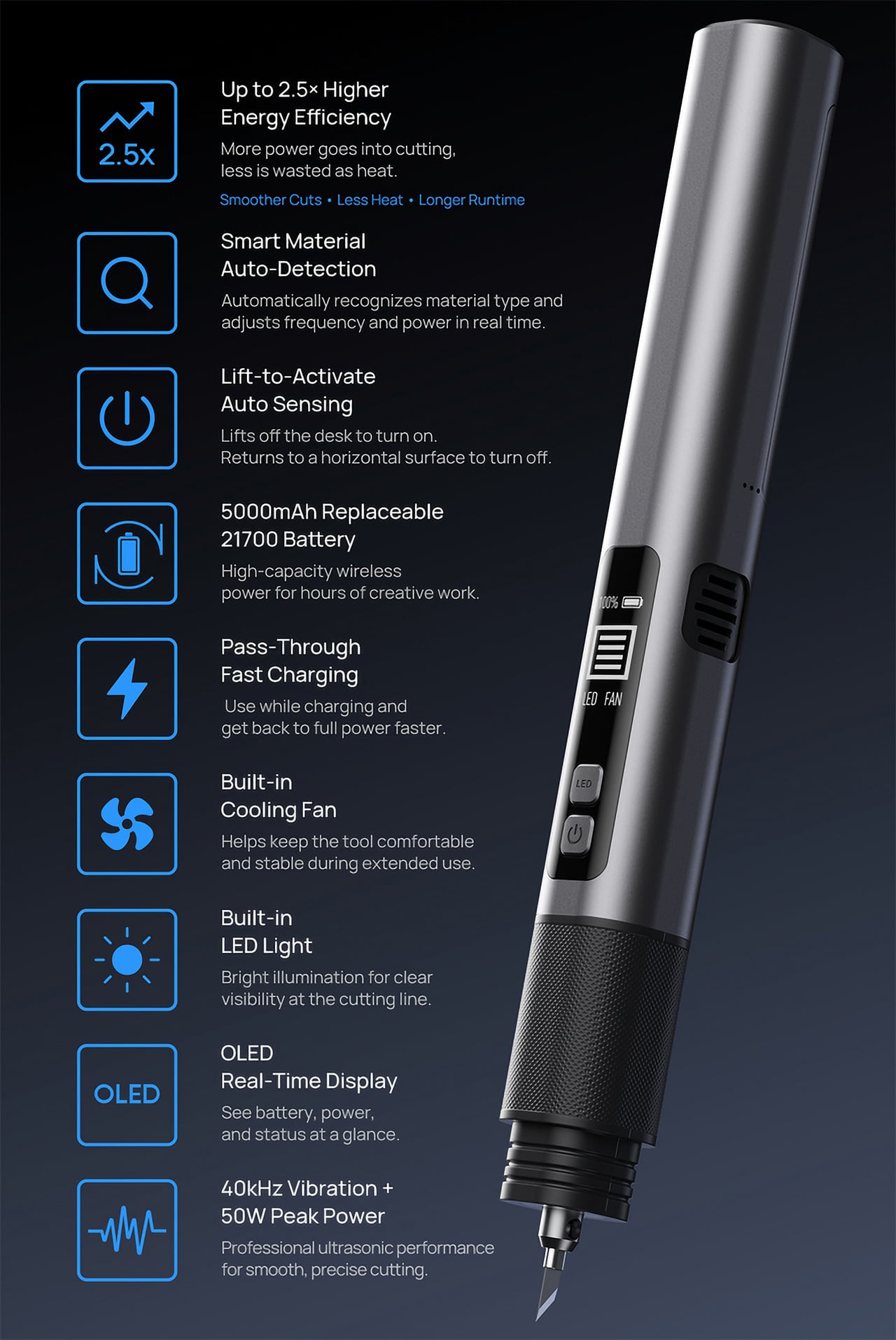
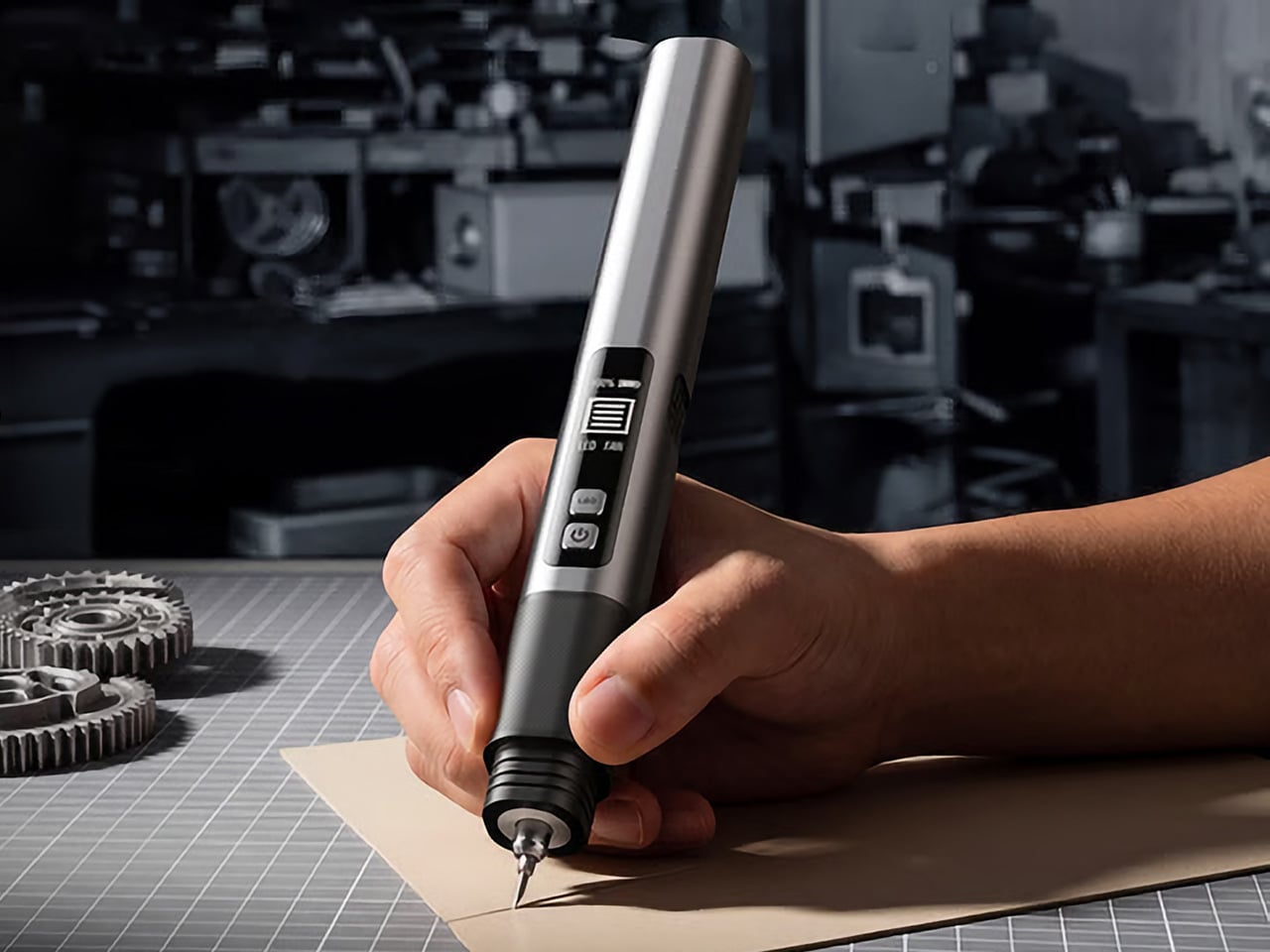
The SonicMax Slice 10 is aiming for that higher IQ. It’s a cordless ultrasonic cutter that senses the material you’re cutting and adjusts its own power output in real time. Slice through dense plastic and it pushes harder; trim the thin walls of a resin print and it eases back. This adaptive system, combined with cooling that prevents heat-related power drops, makes it feel like proper workshop equipment in the palm of your hand. It runs at 40kHz, delivers up to 50 watts of dynamic peak power, and does all of this without a single cable getting in your way.

Designer: SonicMax

Click Here to Buy Now: $119 $215 (45% off). Hurry, only 13/500 left! Raised over $124,000.

Most ultrasonic cutters on the market use transducers with a mechanical quality factor, or Qm, somewhere between 150 and 250. A higher Qm means the transducer converts electrical energy into vibration more efficiently, which directly translates to less heat generated during use. SonicMax claims a Qm of over 500 for the Slice 10, and lab data backs that up with a verified measurement of 541.1. That’s roughly two to three times higher than a typical competing tool, and it’s the foundational reason the Slice 10 can sustain longer sessions without thermal drama. That single transducer decision cascades into everything else, from runtime and cut quality to how comfortable the tool actually stays in your hand.

As the blade meets resistance, the Slice 10’s Smart Material Auto-Detection reads that feedback and adjusts power output and vibration frequency without you touching anything. Cutting through a stiff chunk of EVA foam feels different from trimming the thin walls of a resin print, and the tool responds to each material accordingly. You’re not locked into a fixed setting that works okay for most things but perfectly for nothing. The system also preserves cut quality across a long session, where material resistance can shift as the blade warms. The result is consistent cuts from the first pass to the last, regardless of what you’re running the blade through.

Heat is the reason most cordless ultrasonic cutters force you to stop every five to ten minutes, and the Slice 10 attacks that problem from two directions. Corded bench tools sidestep this issue by drawing steady power and dissipating heat more easily, but you give all of that up the moment you cut the cord. The high-efficiency transducer generates less heat from the start, and the built-in active cooling fan manages whatever thermal load does build up during a session. Overheat protection kicks in automatically at 80 degrees Celsius at the motherboard level, so the tool protects itself without you having to babysit it. You only appreciate how good this is after you’ve spent a session on a cutter that kept shutting itself off on you mid-cut.

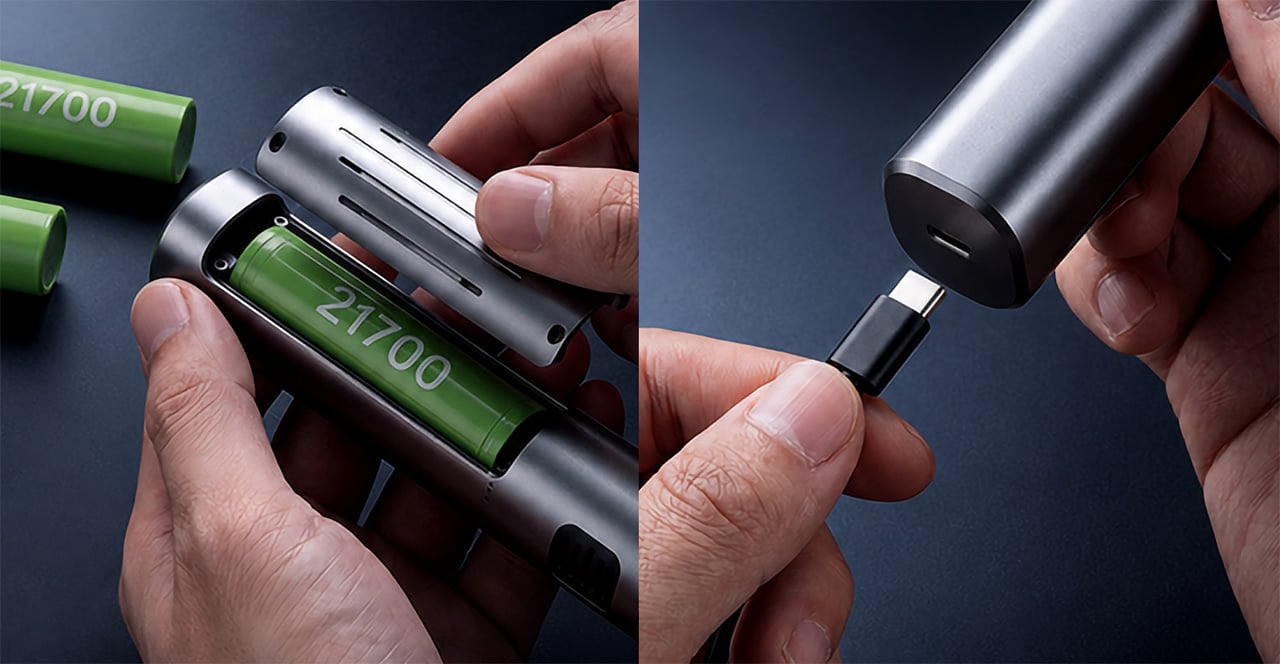
A 5000mAh 21700 lithium-ion battery powers the Slice 10, and SonicMax made it user-replaceable, which you’ll end up appreciating far more than any spec sheet number. The 21700 is a high-performance cell format found in premium flashlights and power tools, so sourcing replacements from SonicMax or compatible third-party brands should never be a problem. SonicMax’s own branded replacement cell is rated for 500 charge cycles at 80% capacity retention, a reasonable lifespan for a tool you’re actually putting to work regularly. An 18W USB-C pass-through charging system brings it from zero to full in about 70 minutes, and the tool keeps running while plugged in. Claimed runtime sits at up to four hours, and when you run low mid-project, swapping in a spare takes seconds.

Blade choice gives the Slice 10 a lot of its bench-tool personality. SonicMax offers five blade styles that let the same handheld body take on very different jobs: a Standard Utility Blade for everyday trimming, a Precision Long Blade for tighter access and more delicate reach, a Fine Chisel Blade for careful cleanup work, a Heavy Duty Chisel Blade for more aggressive material removal, and a Wide Flat Scraper Blade for broader surface work. That range matters because it turns the Slice 10 into something closer to a compact cutting system than a one-trick knife. If you’re the kind of maker who bounces between foam, plastic, supports, edges, and surface cleanup in the same afternoon, this is where the tool starts looking properly versatile.

Lift-to-Activate sensing turns the tool on when you pick it up and off when you set it down, keeping your fingers away from controls mid-session and preventing accidental activation on the bench. A small OLED display shows real-time power output and battery level, so you’re never left guessing how much runtime remains. Built-in LED lighting illuminates the cut line, which sounds like a minor detail until you’re trying to trace a clean edge on a dark-colored print at your desk at some ungodly hour. Auto-shutdown kicks in after five minutes of idle, and low-battery protection activates before the cell drops to a damaging voltage. Together, these details make the Slice 10 feel like a tool that respects your workflow rather than constantly asking you to manage it.

The Slice 10 measures 260.5mm long and 28mm across, weighing 236 grams, keeping it firmly in single-hand, pen-grip territory across long sessions. Just the Slice 10 is available for a discounted $119, and ships with 10 replaceable Standard Utility blades. Upgrade to the Maker’s Bundle for $169 and you get the Slice 10 along with 50 blades spread across the five blade profiles (standard, precision long, fine chisel, heavy duty chisel, and flat scraper) as well as a 5000mAh replacement battery. If you’re looking for versatility and pushing your prints to the max, the $50 price bump does bring a fair share of value. You can also buy extra blades and batteries as add-ons. Shipping is expected to begin mid-October 2026 with worldwide delivery available, and SonicMax has not publicly confirmed warranty terms at the time of writing.

Click Here to Buy Now: $119 $215 (45% off). Hurry, only 13/500 left! Raised over $124,000.

The post This $119 Ultrasonic Cutter Sense Materials And Auto-Adjusts To Cut EVA Foam, Resin, PLA 3D Prints first appeared on Yanko Design.

This CD Player Doesn’t Hide Its Mechanism, It Puts It on Display

If you think compact discs are a thing of the past, you probably haven’t been around a K-pop fan or a hoarder who still has their CDs from decades ago. Then there are people like me who have a stack of CDs collected over the years but no actual CD player to enjoy them on, since options that are strong on both quality and design are hard to come by.

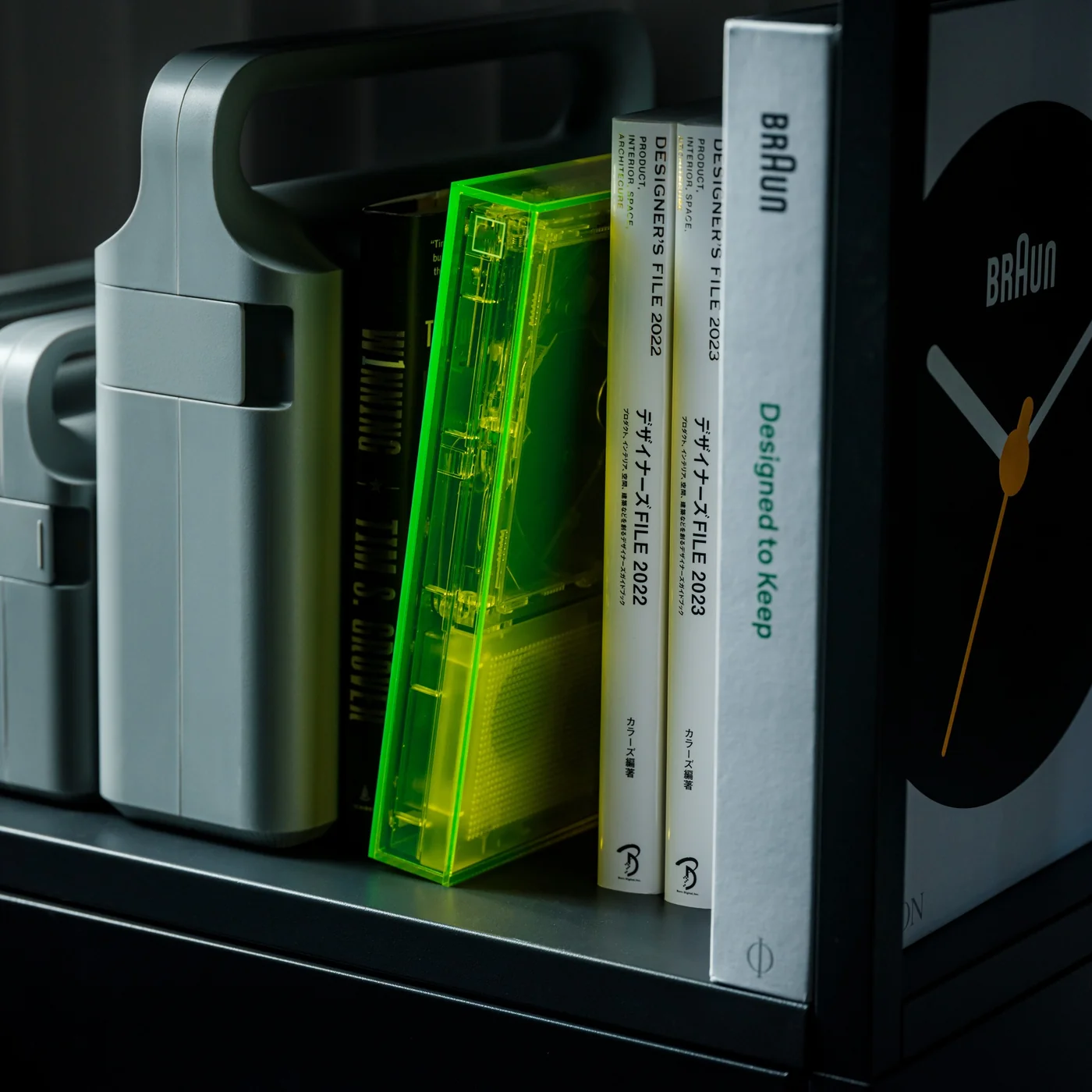
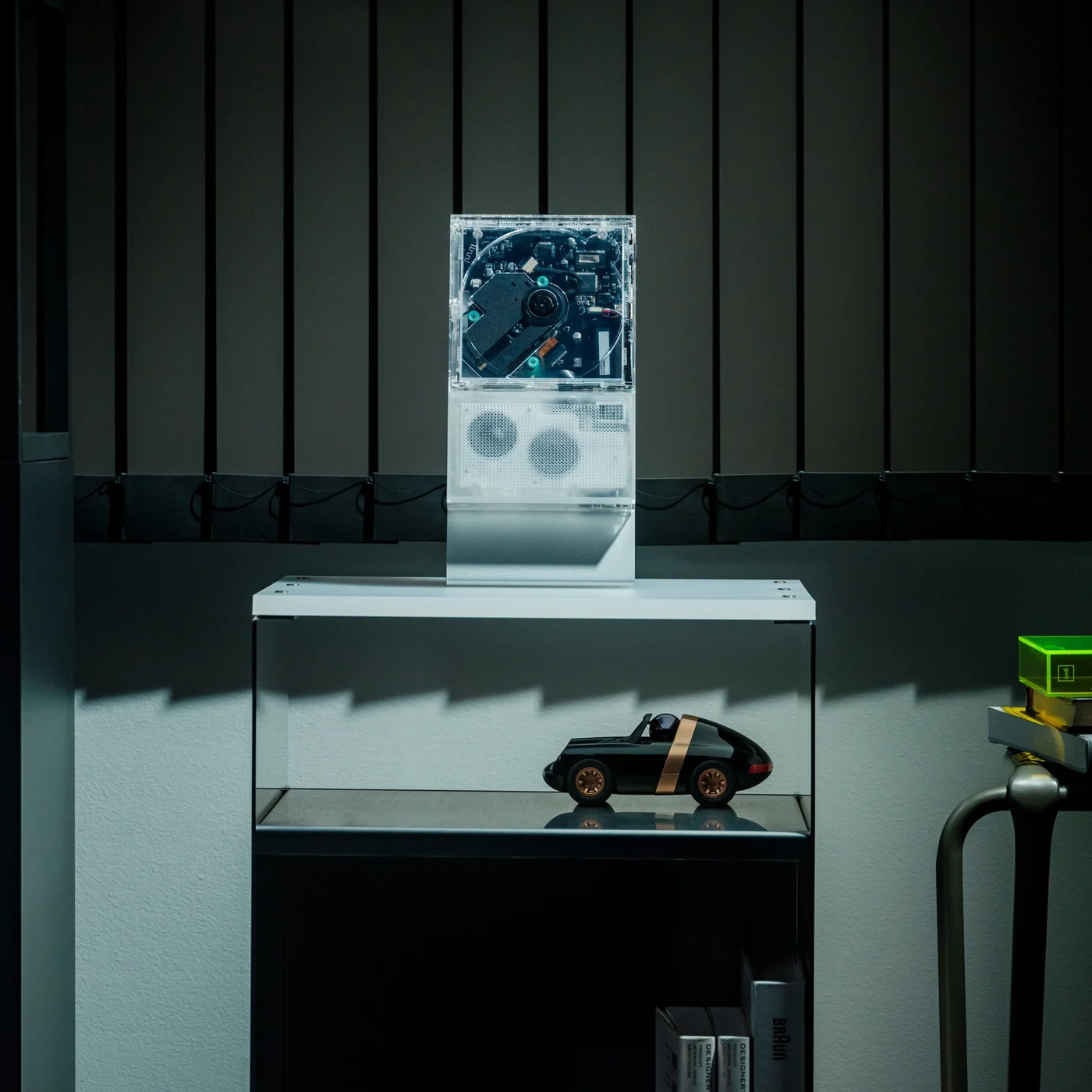
The ClearFrame Speaker CD Player is a solid choice for anyone looking for a visually stunning player that won’t let a CD’s album art go to waste. It lets you slot the jacket art onto the front of the player so it becomes a rotating piece of wall or shelf art. Or, if you’d rather show off the mechanics, you can leave the artwork out and display the transparent body itself, watching your CD spin with all its moving (and non-moving) parts in full view.

Click Here to Buy Now: $240.00

Whenever I come across beautiful album art, I can’t help but think it’s wasted if it only ever gets seen as a tiny digital thumbnail on a streaming app. A player like the ClearFrame Speaker CD Player lets you put that kind of artwork on full display while you’re enjoying the music in your room. Seeing something that the artist, and the album art designer, worked hard on come to life while it spins gives it the justice it deserves. And if you’d rather see the clear, polycarbonate-style body become a piece of art in its own right, just take out the album cover and let it shine in all its transparent glory.

This is also an upgraded version of the original, and already popular, ClearFrame CD Player, since it now comes with a built-in speaker. That means you no longer need to hook it up to an external Bluetooth speaker or wired setup, which makes it even more flexible to display anywhere in your home. You actually have three ways to listen to your favorite CDs: through the built-in 40mm speaker, with wired headphones through the 3.5mm jack, or over Bluetooth 5.3 to external speakers or headphones if you already have a better setup you’d like to use.

Beyond the listening options, the ClearFrame Speaker CD Player was clearly designed with portability in mind. At just 454 grams (about a pound) and roughly the size of a hardcover book, it’s light enough to carry from your bedroom to your living room without a second thought. Its 1,800mAh battery gives you around six to seven hours of playback through the built-in speaker, or seven to eight hours if you’re streaming over Bluetooth, so you can enjoy a few albums back-to-back before needing to recharge via USB-C. There’s even a retro-style LED Nixie tube display that adds a warm, nostalgic touch to the whole experience, plus a 2MB SDRAM anti-shock buffer so accidental bumps won’t make your music skip.

For collectors, this player also solves a real problem: what to do with all the CDs sitting untouched in a drawer somewhere. Instead of treating them like outdated clutter, the ClearFrame gives them a reason to come back out, whether that’s a K-pop photocard-era album, a mix your best friend burned for you in high school, or a boxed set you’ve been meaning to revisit. It turns “old technology” into a genuine decor piece you’d be proud to leave out on a shelf.

If you’re looking to gift this to someone (or, let’s be honest, treat yourself), the ClearFrame Speaker CD Player comes in a few configurations depending on how you plan to display it. You can pick it up on its own, or add a wall mount, book case, or display stand, so it fits neatly into whatever corner of your home you have in mind. It isn’t the cheapest CD player on the market, but if you have a stack of CDs with nowhere to go and album art too good to keep hidden, this one earns its price tag by turning something you already own into something worth looking at every single day.

The post This CD Player Doesn’t Hide Its Mechanism, It Puts It on Display first appeared on Yanko Design.
LightMake Just Solved the Hidden Costs of Multi-Color 3D Printing

Multi-color FDM printing has always had a hidden cost that most users simply accept. Every time a single-nozzle machine switches filaments, it has to push the previous color out of the hotend before laying down the next one. That costs time, and the wasted material accumulates into a tower on the build plate that nobody actually wanted there. The LightMake L4 was designed to make that trade-off unnecessary.

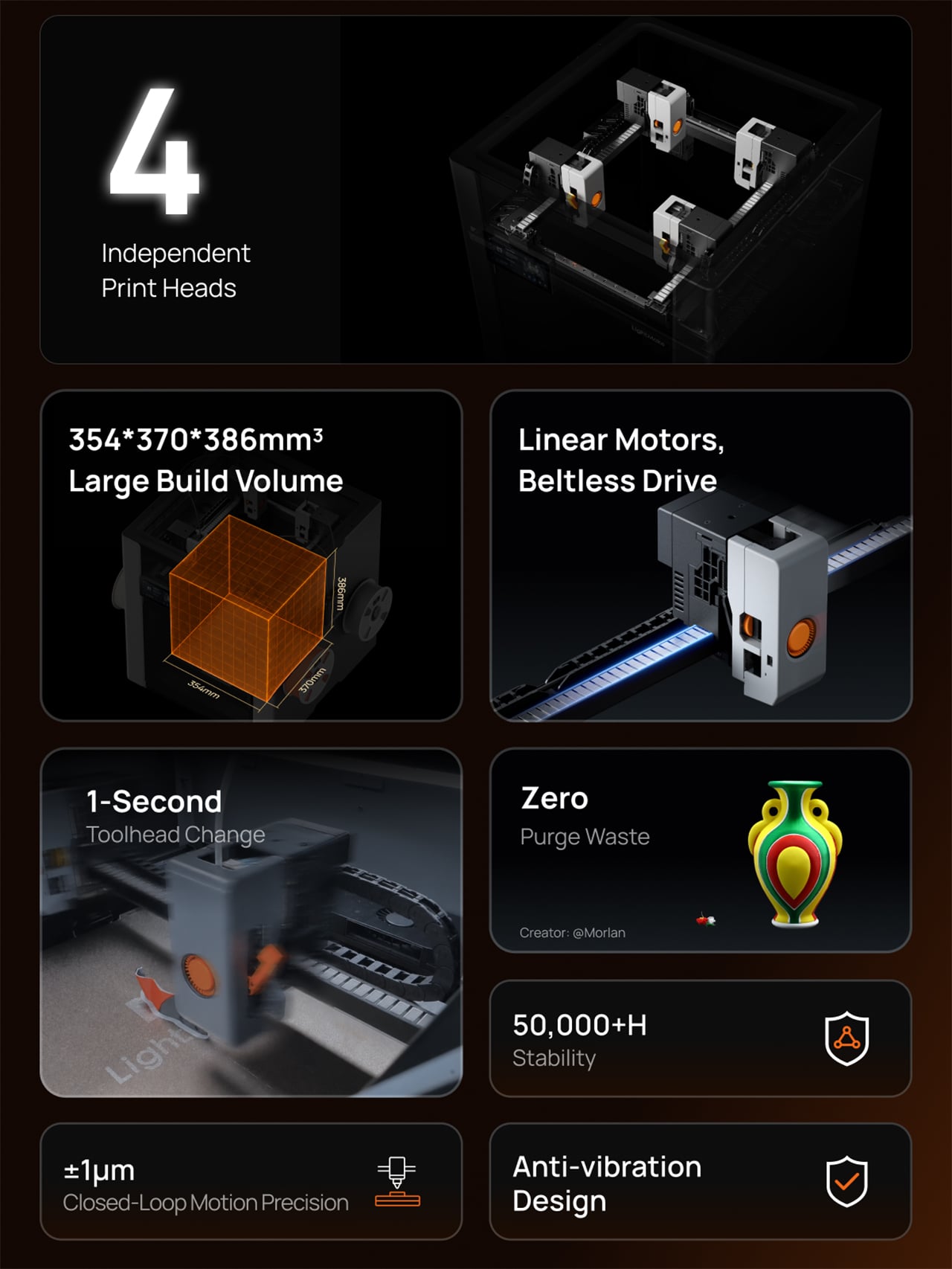
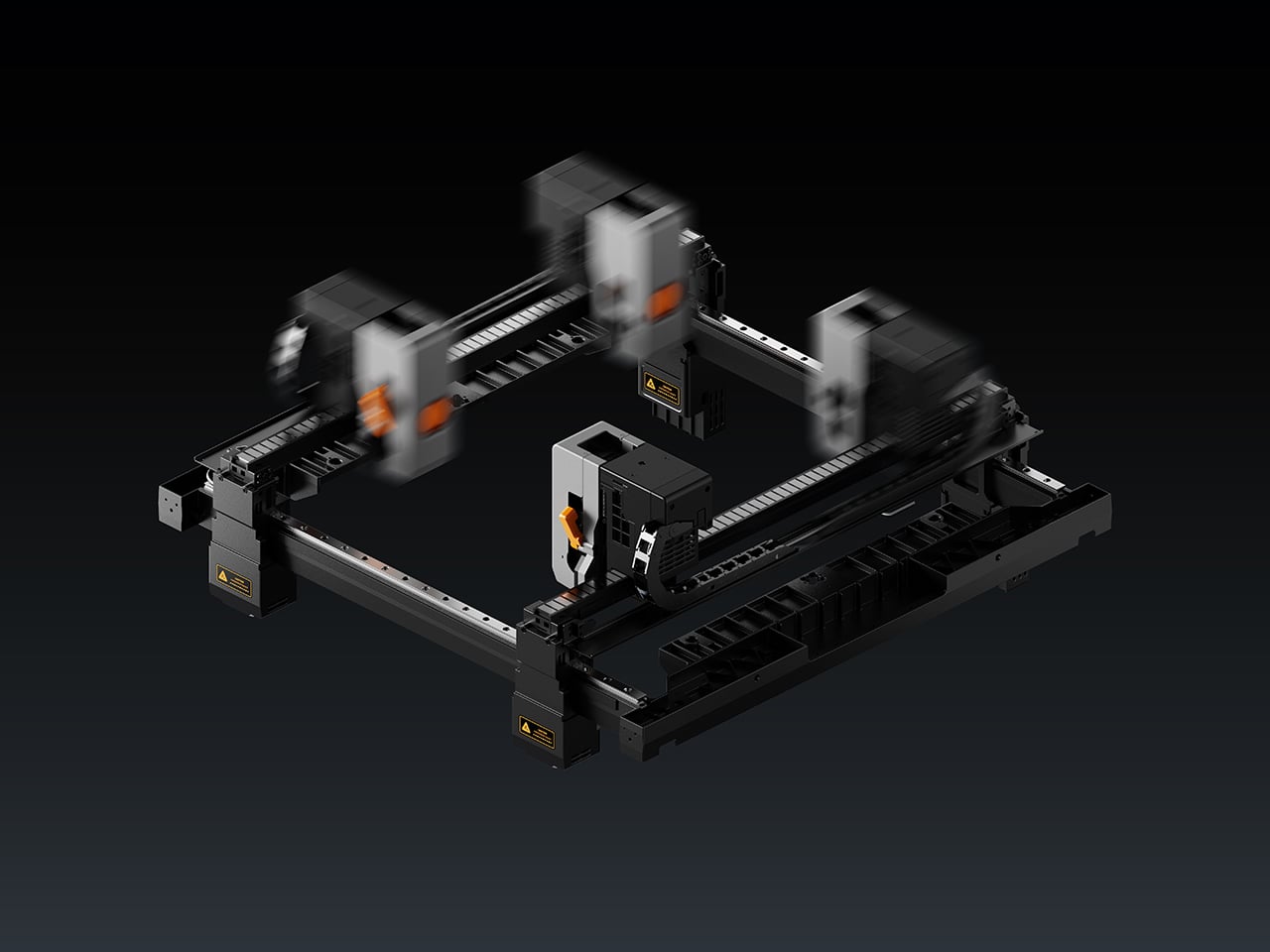
LightMake is a company with roots in precision engineering and high-speed motion control. Its L4 desktop 3D printer is built around four independent, always-preheated print heads, each dedicated to its own color or material. Think of it less as a printer wearing multiple hats and more as a small, dedicated team, each member already at their station when the job starts.

Designer: LightMake

Click Here to Buy Now: $1,299 $2,399 (46% off). Hurry, only 145/550 left! Raised over $2.07 million.

That dedicated-head setup kills the purge problem at its source. Because each nozzle handles only one filament, the L4 replaces massive purge towers with a minimal nozzle prime at the start of a job, with no purge waste during subsequent color changes. LightMake’s own testing puts material loss at under one gram, compared to the more than 237 grams for conventional multi-color setups. For anyone producing prints for clients, that recovered filament adds up quickly.

Speed is the other half of the multi-color problem, and the L4’s approach is just as direct. Because all four heads are always preheated and ready, the machine’s real-time coordination cuts toolhead switching to one second. LightMake says that can boost multi-color print speed by up to 79%, though that’s based on internal testing and will vary with job complexity and color count.

Beyond switching speeds, the L4 doesn’t shortchange on space. In single-color mode, the build volume stretches to 354 × 370 × 386 mm, large enough to produce full-size objects in a single continuous run, no splitting or post-assembly required. Multi-color jobs work within a slightly reduced 354 × 350 × 386 mm footprint, still generous enough that most projects won’t need to be scaled down or broken into parts.

Multiply that advantage by four, and you get the L4’s batch production mode. In that configuration, the workspace splits into four zones of 177mm x 195mm x 386mm each, allowing four complete identical or mirrored models to print simultaneously. For a maker selling finished pieces or a studio on a deadline, that’s the kind of output math that changes what you think a single desktop machine can do.

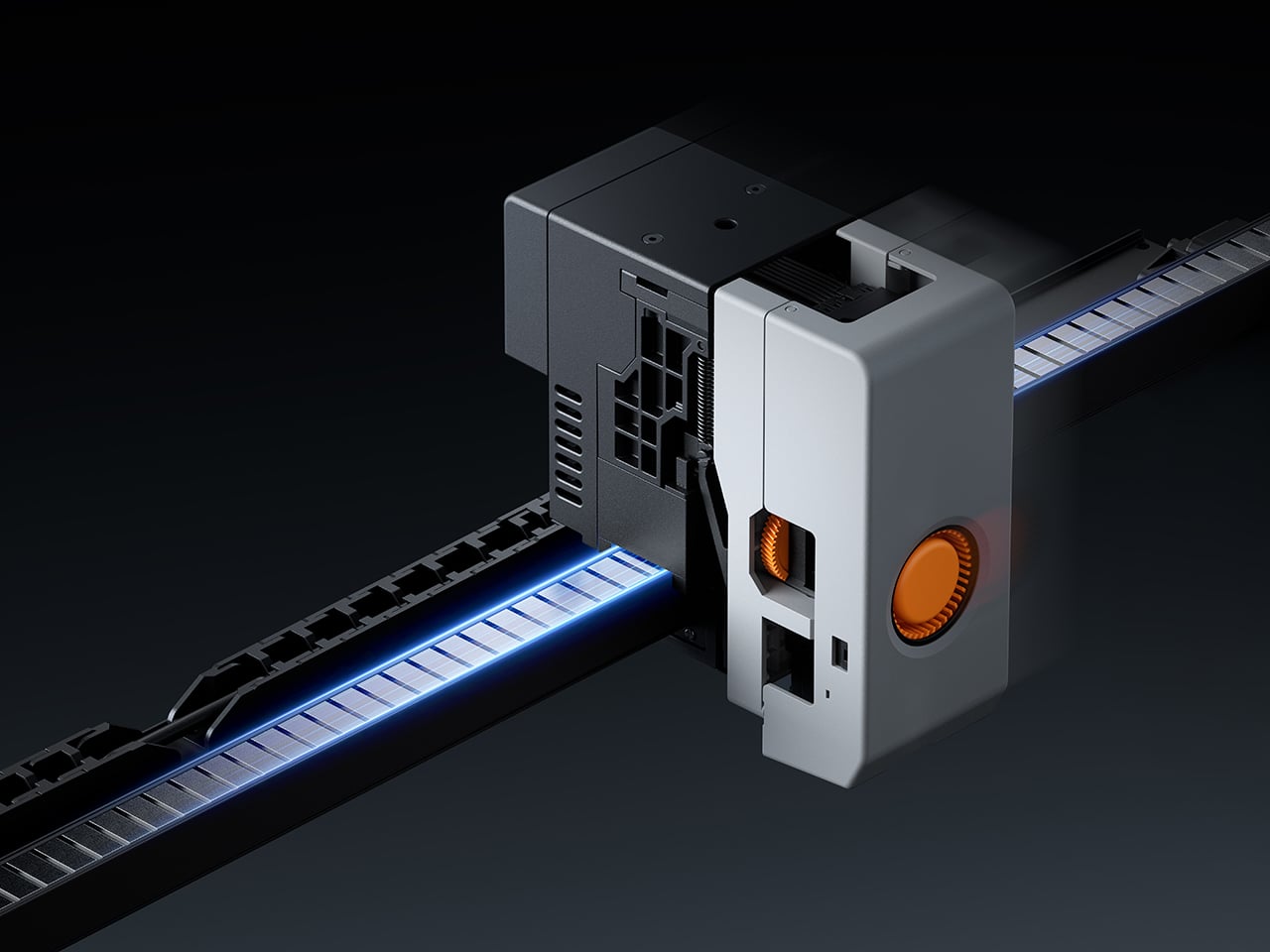
All of that output only matters if the machine stays accurate over time, and that’s where the L4 makes a longer-term argument. It uses 8 sets of industrial-grade direct-drive linear motors on the XY axes, replacing rubber belts and pulleys with non-contact magnetic propulsion. There’s no belt to stretch and no tension to adjust. LightMake rates the architecture at more than 50,000 hours, though the rails do need periodic lubrication.

Beyond longevity, the system enables what LightMake calls closed-loop control, where the motor actively monitors and corrects its position in real time. That continuous correction also keeps layer shifts from creeping in mid-print, which is good news for anyone who’s ever come back to a long job only to find it ruined somewhere around hour three. The ±1 µm figure the company quotes refers strictly to motion precision, not final print accuracy, which matters. Optical sensors achieve 30 µm absolute alignment between heads, so material transitions land exactly where intended, and parts meant to fit together actually do.

Running four moving heads at speed creates its own structural challenges, which the L4 addresses with a monolithic die-cast frame paired with vibration compensation algorithms. Together, they absorb the kinetic energy of rapid toolhead transitions and keep surface quality consistent from the first layer to the last. When a head parks between turns, it retracts automatically by 5mm, so idle nozzles never drag across already-printed surfaces.

On the software side, the L4 works with LightMake’s own slicing tool, which handles automatic model arrangement for multi-head jobs and includes a farm management dashboard that connects multiple printers in one place. It’s free and open-source, unlike most paid alternatives. The machine also comes with a 6.5-inch full-color touchscreen, dual HD cameras with AI-powered failure detection, and RFID material recognition that adjusts print parameters automatically.

The L4’s reach can grow beyond its four built-in toolheads, too. LightMake’s optional Auto Filament Expansion and Dry System, or FEDS, pairs each head with additional filament inputs, pushing the total color count from four up to 16. For makers working on more ambitious multi-color designs, that’s a considerable expansion of creative range without requiring an entirely different machine to get there.

The L4 is positioned as a machine for makers who want to turn their output into something that actually generates income, whether that means selling finished pieces, producing prototypes, or running a compact print operation. What it ultimately argues is that the familiar trade-offs of multi-color desktop printing, such as speed against quality and ambition against material waste, were always choices rather than fixed limits, and the LightMake L4 helps your designs break free of those constraints.

Click Here to Buy Now: $1,299 $2,399 (46% off). Hurry, only 145/550 left! Raised over $2.07 million.

The post LightMake Just Solved the Hidden Costs of Multi-Color 3D Printing first appeared on Yanko Design.