5 Best Tech Gadgets Of November 2025

November 2025 has delivered some truly groundbreaking tech that pushes boundaries in ways we haven’t seen before. This month isn’t about incremental updates or spec bumps. It’s about rethinking fundamental assumptions around how we interact with our devices. The gadgets making waves right now challenge the status quo of mobile computing, wearable technology, ergonomic design, portable power, and smartphone engineering.

Some are available now, others are concepts that point toward what’s coming, but all of them represent a shift in thinking about what tech can be when designers refuse to accept the limitations we’ve grown accustomed to. These five gadgets stand out not just for their innovation, but for solving real problems that have plagued users for years. They’re the kind of products that make you wonder why nobody thought of this sooner.

1. WELDER Keyboard

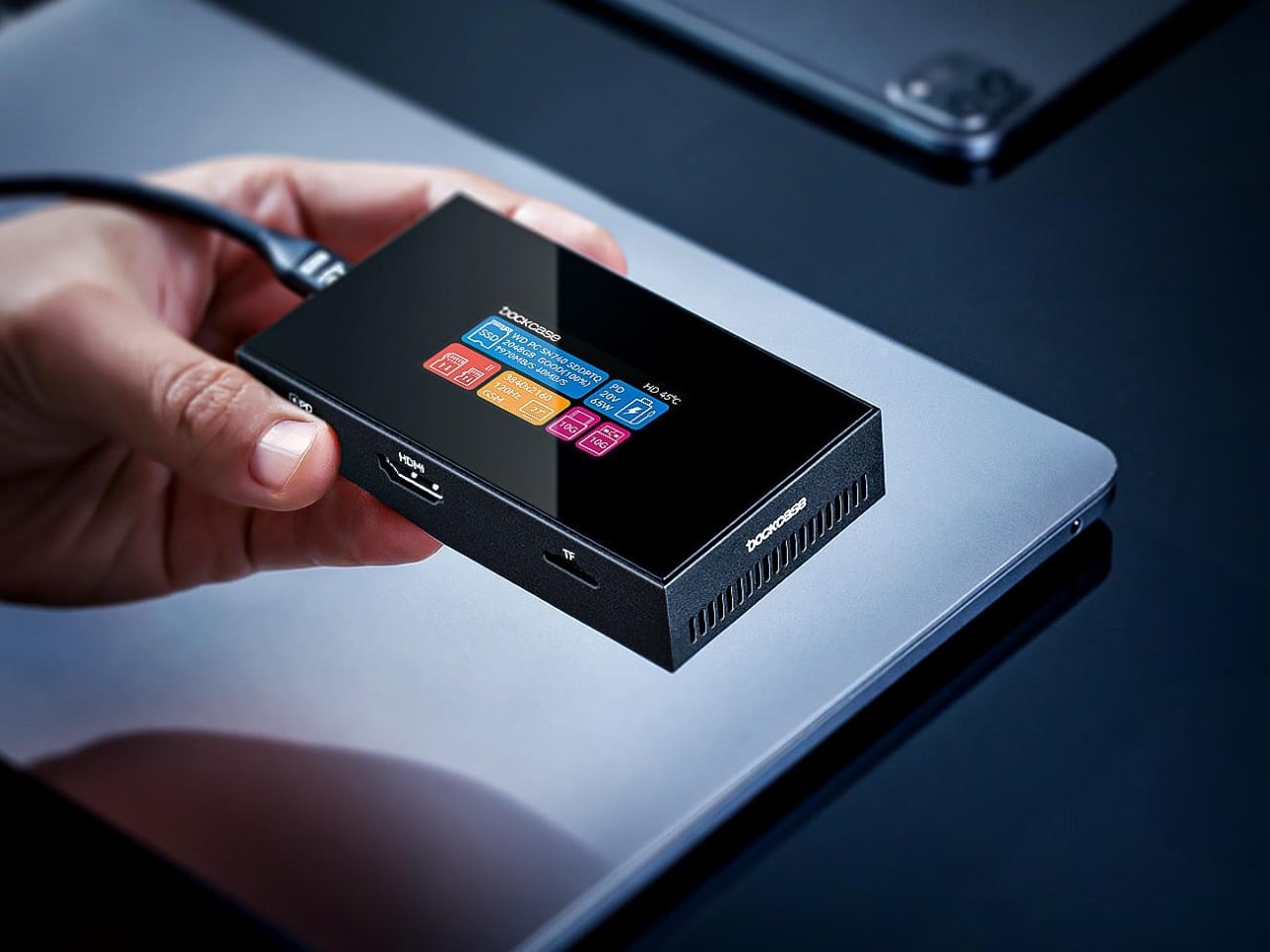
Mobile professionals face an impossible equation. Laptops provide adequate computing power but trap you behind a cramped single display. Portable monitors expand your workspace but clutter your bag with extra cables, stands, and fragile panels. Mechanical keyboards deliver typing satisfaction at the cost of carrying yet another device. The WELDER keyboard collapses this sprawling ecosystem into one unified tool that refuses to compromise on any front.

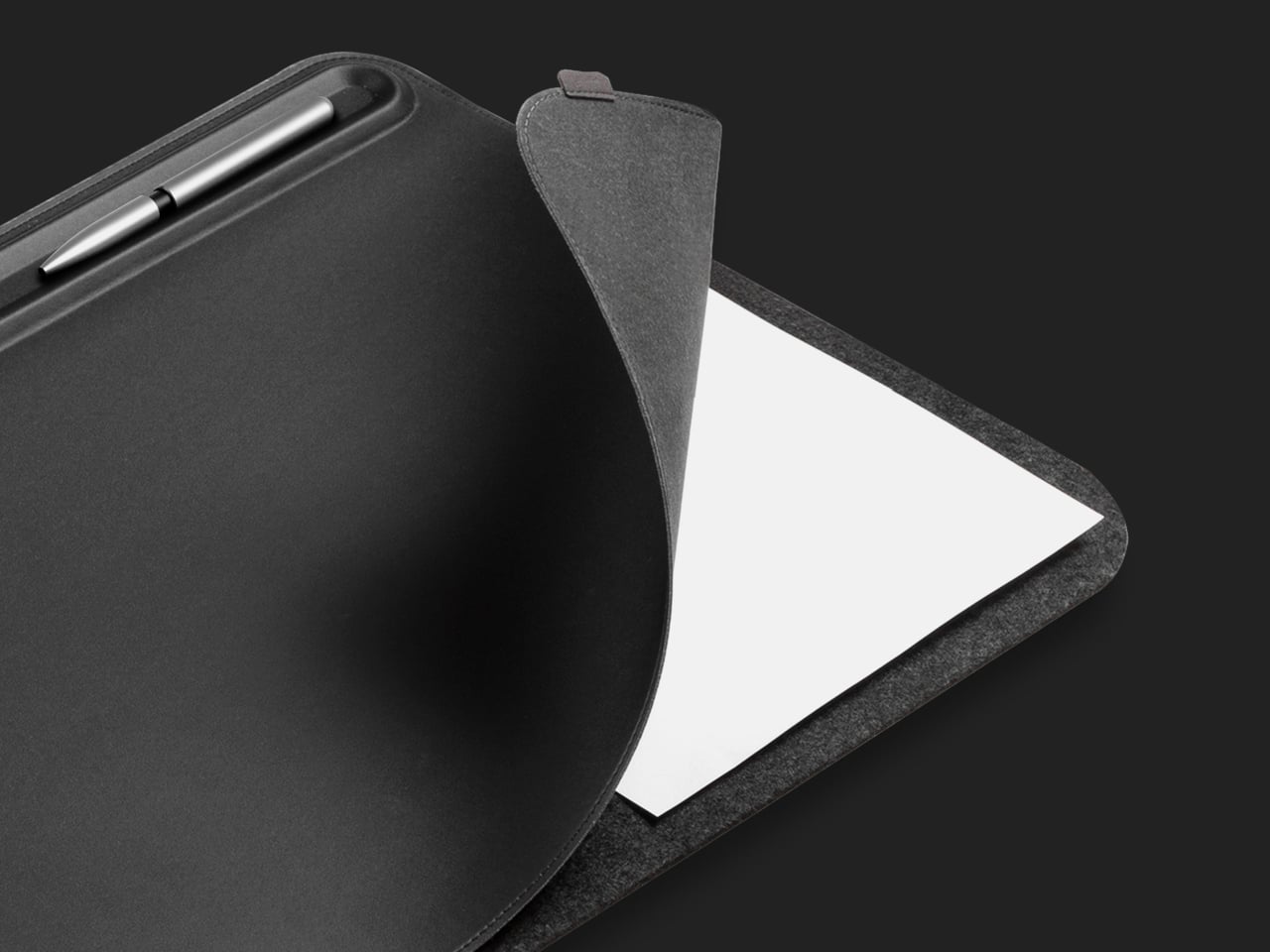
The centerpiece is a 12.8-inch touchscreen mounted directly above a full mechanical keyboard, both housed in precision CNC-machined aluminum. That material choice matters enormously. When the device folds at its 180-degree hinge, the metal construction prevents any flexing that would make typing unstable or damage the display. Close it up and you get a protective shell that safeguards both components during travel, transforming into a sleek aluminum block that looks more premium than most laptops. For a crowdfunded venture to achieve this level of build quality suggests serious engineering capability.

What we like

  • Eliminates the need to carry a separate keyboard and portable monitor.
  • CNC-machined aluminum construction provides exceptional build quality and durability.

What we dislike

  • Crowdfunded status means availability and long-term support remain uncertain.
  • The combined weight of screen and mechanical keyboard may be heavier than ultraportable alternatives.

2. MSI Gaming PC Watch

MSI’s wrist-mounted PC concept makes no pretense of being a conventional timepiece. Subtle hour markings exist almost as an afterthought, while the face reveals a miniaturized computer’s internal architecture. Cooling fans, graphics components, motherboard traces, and processors are fully exposed behind transparent housing. Four side pushers control various functions while the MSI badge sits where you’d normally find a watch crown. This is wearable computing stripped of any attempt at discretion.

The brand already dominates gaming hardware through laptops and desktops that push thermal management, graphics rendering, and RGB aesthetics to extremes. Translating that expertise to wrist-scale computing represents the logical, if audacious, next step. MSI has built a reputation on reliable performance under demanding conditions, which gives this concept more credibility than if a startup proposed it. The promise is immediate access to full computing capability regardless of location, though practical questions around battery life, heat generation, and actual processing power remain unanswered at this conceptual stage.

What we like

  • Showcases visible internal components for a striking aesthetic that appeals to tech enthusiasts.
  • Backed by MSI’s established reputation for durable, high-performance hardware.

What we dislike

  • Actual computing power and practical functionality remain unclear from concept alone.
  • Wrist-mounted form factor raises serious questions about heat dissipation and comfort during extended wear.

3. iRest Adjustable Ergonomic Mouse

Most mice ship with fixed dimensions that work adequately for average hands, while fitting nobody perfectly. iRest Health Science and Technology proposes something radically different with their conceptual mouse featuring app-controlled adjustability. The palm rest integrates two pneumatic cushions that inflate or deflate based on commands from your smartphone. Adjust the air volume, and the mouse physically reshapes itself to match your hand’s exact contours, creating a truly personalized ergonomic profile.

The concept brilliantly identifies a real problem, but stumbles on execution. Pneumatic adjustment requires miniature air pumps that would devastate battery life while adding mechanical complexity prone to failure. Alternative approaches exist that could deliver similar results more elegantly. Moldable silicone shells similar to custom in-ear monitors could work, though those require professional fitting. Mechanical adjustment systems comparable to ergonomic office chairs might provide the customization without electronic complexity. The core insight that ergonomic peripherals shouldn’t force users into standardized shapes remains valuable even if this particular implementation needs rethinking.

What we like

  • App-controlled customization allows precise fitting to individual hand dimensions.
  • Addresses genuine ergonomic needs for users who struggle with standard mouse shapes.

What we dislike

  • The air pump mechanism would significantly drain battery life and add mechanical complexity.
  • Still in concept phase with no clear path to production or retail availability.

4. Portable Magnetic Power Bank

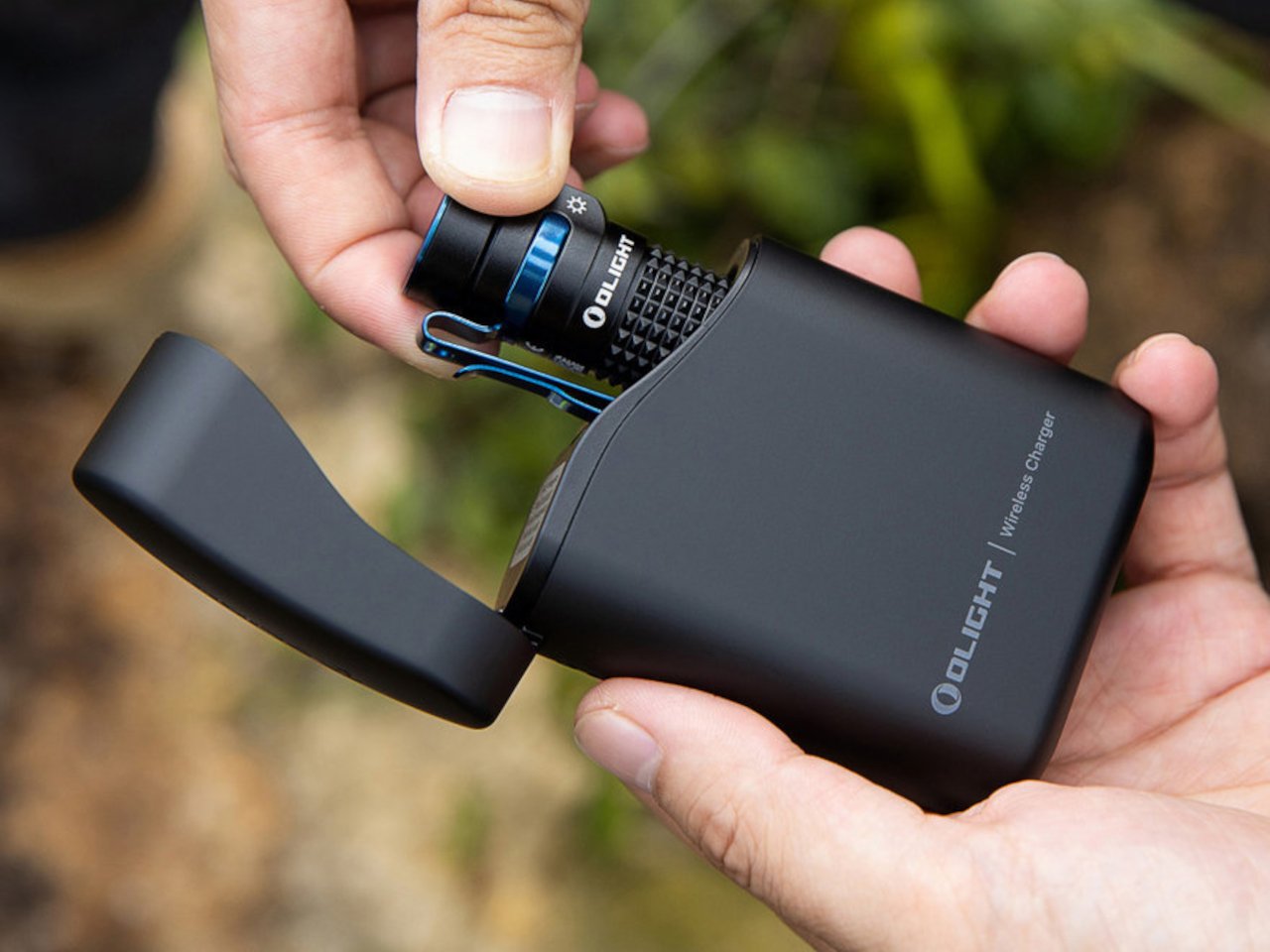
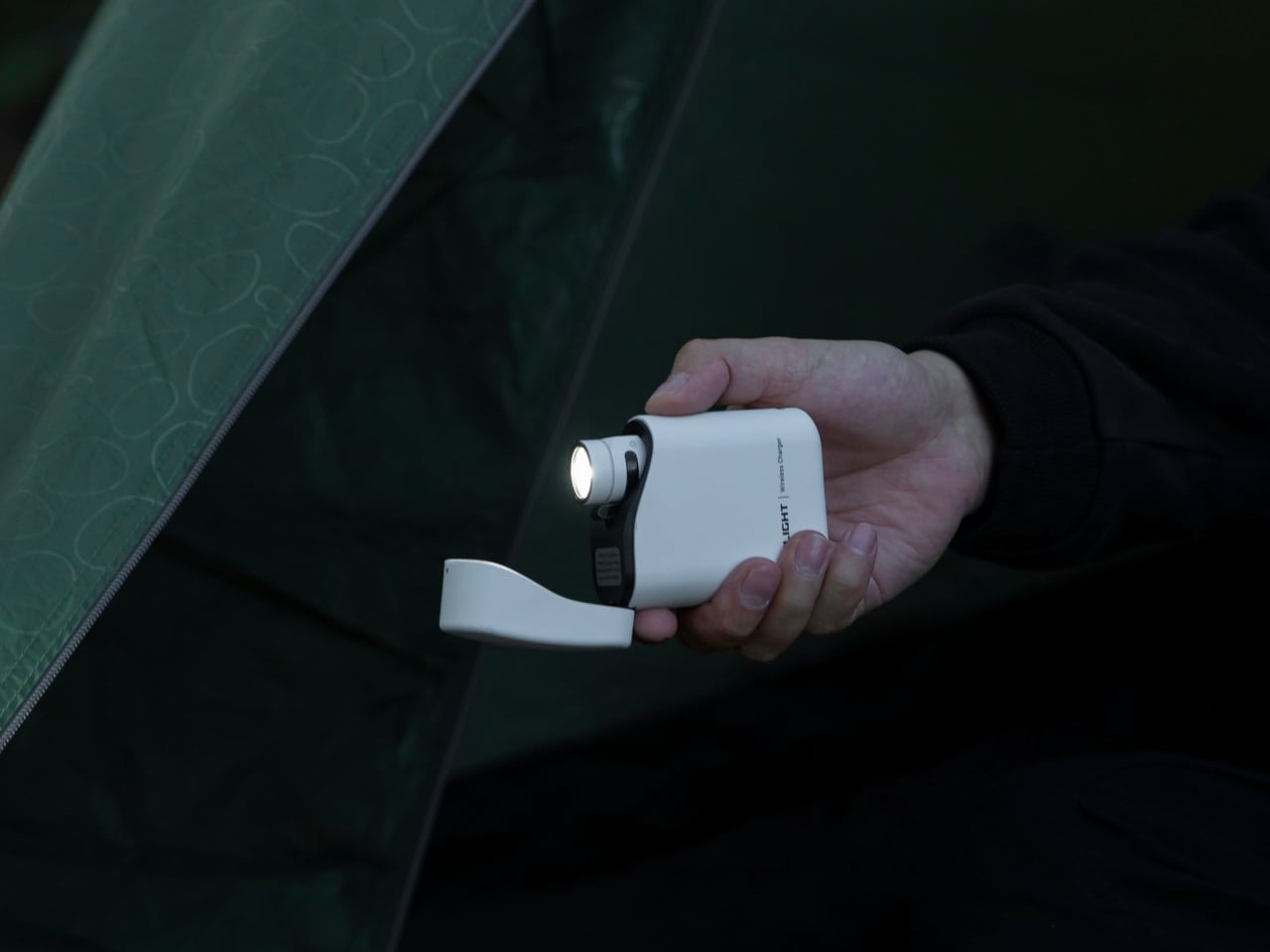
Traditional power banks lock you into carrying a fixed capacity regardless of your actual needs for that day. Quick coffee run where you just need earbuds topped up? You’re hauling 20,000mAh. Week-long trip requiring multiple full phone charges? You’re stuck with whatever single capacity you bought. The Portable Magnetic power bank rejects this inflexibility with a two-piece modular design that adapts throughout your day. The main body provides high-capacity charging for phones and larger devices, while a detachable Energy Capsule handles smaller accessories like wireless earbuds and smartwatches.

Magnetic connection makes the system work. The two units snap together seamlessly when you need maximum capacity, then separate instantly when you want to travel light. No fiddly clips, no cables, no alignment struggles. The magnets ensure perfect contact every time while being strong enough to prevent accidental separation in normal use. You can leave the heavy module at your desk while pocketing just the Energy Capsule for a quick outing, then reunite them for your commute home. It’s flexible power management that finally reflects how people actually move through modern life rather than forcing compromise.

What we like

  • Modular design lets you carry only the capacity you need for different situations.
  • The magnetic connection system provides tool-free attachment without cables or complicated mechanisms.

What we dislike

  • Splitting power across two units may reduce overall efficiency compared to single-cell designs.
  • Magnetic connections could potentially separate accidentally in bags or pockets during movement.

5. Samsung “More Slim” Smartphone

Samsung’s internal development codename reveals its direction clearly. The More Slim follows their S25 Edge, which itself carried the Slim codename during creation. Rather than retreating from ultra-thin smartphone design, Samsung appears committed to pushing dimensional boundaries even further. Engineering challenges multiply exponentially as thickness decreases. Components must be custom-designed for tighter spaces, which dramatically increases manufacturing complexity and cost. Every millimeter shaved requires fundamental rethinking of internal architecture.

The concerning precedent comes from the S25 Edge. To achieve its thin profile, Samsung accepted a dual-camera system without telephoto capabilities and crammed in just a 3,900mAh battery. Those compromises felt severe at the S25 Edge’s premium price point. Going even slimmer logically means accepting additional limitations on battery capacity and camera hardware. Physics imposes constraints that marketing ambition cannot overcome. The ultra-thin phone market certainly exists, but it serves a narrow audience willing to sacrifice functionality for aesthetic minimalism. Samsung clearly believes that the audience is worth pursuing despite the technical and economic challenges involved.

What we like

  • Ultra-slim profile appeals to users prioritizing pocketability and minimalist aesthetic.
  • Samsung’s manufacturing expertise suggests quality execution despite extreme thinness constraints.

What we dislike

  • Likely to feature reduced battery capacity and limited camera capabilities based on S25 Edge precedent.
  • Premium pricing expected despite hardware compromises required to achieve ultra-thin design.

Gadgets That Refuse to Compromise

These five gadgets represent where tech is heading as we close out 2025. What ties them together is a willingness to question established norms. The WELDER asks why keyboards and monitors must be separate. MSI questions whether a watch needs to just tell time. iRest challenges fixed ergonomics. The modular power bank rejects monolithic battery designs. Samsung pushes thinness beyond what seems reasonable.

Not all will succeed commercially. Some are concepts that may never reach production. Others face significant engineering hurdles that could limit their appeal. The value in highlighting these products isn’t predicting which will dominate the market. It’s recognizing that innovation happens when designers refuse to accept inherited constraints. November 2025 delivered gadgets that refuse to play it safe, and that’s exactly what we need.

The post 5 Best Tech Gadgets Of November 2025 first appeared on Yanko Design.

How 3D Printing Is Solving Luxembourg’s Affordable Housing Crisis

Niederanven, a small commune in Luxembourg, now hosts the country’s first 3D-printed residential building. The Tiny House Lux, designed by local practice ODA Architects, marks a significant shift in how municipalities might approach affordable housing on difficult urban sites. Architect Bujar Hasani conceived the project as a practical response to housing shortages. Working with the Niederanven municipality and Coral Architects, he identified narrow, leftover parcels across Luxembourg that traditional construction methods couldn’t accommodate.

The solution arrived through on-site 3D concrete printing, using locally sourced aggregates rather than imported materials. The house stretches long and narrow across its site in Rammeldingen village. At just 3.5 meters wide but 17.72 meters deep, the 47-square-meter structure maximizes what would otherwise be unusable land. A mobile printer extruded standard batching-plant concrete to build the walls in roughly one week, with the complete build finishing within four weeks. The ribbed texture of the printed walls creates a distinctive facade that catches daylight throughout the day, while a lightweight timber frame supports the roof.

Designer: ODA Architects

Inside, the layout reads as a single, clear axis running from the south-facing entrance through to the rear. Service zones tuck to each side, leaving the central corridor open and uncluttered. The entrance and terrace face south, pulling natural light deep into the interior. Film technology provides underfloor heating, powered entirely by solar panels mounted on the roof. This system positions the house as self-sufficient, reducing ongoing energy costs for its occupants.

The project fits within Niederanven’s “Hei wunne bleiwen” program, which translates to “Keep living here.” The initiative targets young adults seeking affordable entry points into Luxembourg’s expensive housing market. The local council selected the first tenant, who moved in shortly after the August 2025 inauguration. The design intentionally excludes features that would make it suitable for elderly residents, keeping the focus on younger demographics.

Not everyone welcomed the innovation. Local political parties DP and LSAP criticized the €320,000 price tag for what they viewed as an experimental project without proven methodology. They raised concerns about chemical additives in the concrete used to speed up hardening, questioning potential health implications. Both parties boycotted the inauguration ceremony in protest. Despite the controversy, the architectural and design community has responded with enthusiasm. Publications from New Atlas to HomeAdore covered the project, recognizing its potential as a replicable model. The key lies in scalability. If deployed across Luxembourg’s leftover urban fragments, this approach could generate hundreds of compact homes without consuming greenfield sites or requiring extensive infrastructure investment.

The Tiny House Lux demonstrates that 3D printing technology has matured beyond novelty status. When paired with thoughtful design and local materials, it offers municipalities a genuine tool for addressing housing shortages. The ribbed concrete walls, efficient layout, and energy autonomy prove that speed and innovation need not compromise quality or comfort. Whether this pilot project sparks wider adoption remains to be seen, but it has already proven that small plots can yield meaningful housing solutions.

The post How 3D Printing Is Solving Luxembourg’s Affordable Housing Crisis first appeared on Yanko Design.
This 172-Square-Foot Tiny House Transforms to Feel Surprisingly Spacious

Nestled in the peaceful Swedish countryside, Vagabond Haven’s Sofia tiny house proves that living small doesn’t mean sacrificing style or comfort. At just 172 square feet, this compact dwelling has captured the attention of the tiny house community for its clever use of space and its unrelenting connection to nature. The first thing you notice about Sofia is the windows. Large panoramic panes wrap around the interior, while a strategically placed roof skylight sits directly above the king-sized bed. This design choice transforms the sleeping area into a private observatory where residents can watch clouds drift by during the day and count stars at night. The bohemian chic interior complements this openness, creating an atmosphere that feels more like a cozy retreat than a tiny house.

Built on a double-axle trailer measuring 20 feet in length, Sofia maintains the mobility that makes tiny house living so appealing. The spruce construction keeps the weight manageable while providing the structural integrity needed for Scandinavian winters. Vagabond Haven designed this model specifically for year-round living in harsh Nordic conditions, ensuring robust insulation and high-quality materials throughout. The dimensions measure 6.1 meters in length, 2.55 meters in width, and 4 meters in height, creating a profile that’s road-legal yet surprisingly spacious once inside.

Designer: Vagabond Haven

The interior layout showcases thoughtful space planning. The elevated bedroom platform doubles as storage, with slide-out furniture tucked beneath that transforms the area from sleeping quarters to living space. A well-equipped kitchen lines one wall, featuring everything needed for daily cooking without feeling cramped. The living area adapts to different needs throughout the day, proving that 16 square meters can accommodate more activities than you’d expect. This transforming interior design has earned Sofia recognition for making such a compact footprint surprisingly livable for two people.

The bathroom deserves special mention for its wet-room design using Fibo Trespo panels. Buyers can choose between flush, composting, or Cinderella incinerating toilets, making the Sofia adaptable to various locations and lifestyles. The shower cabin offers either curtain or glass door options, while an energy-saving water heater keeps utility costs low. These choices reflect Vagabond Haven’s commitment to customization within their standardized models. A cupboard with washing basin and options for infrared or regular mirrors complete the bathroom setup, proving that compact spaces can still offer genuine comfort and flexibility.

What sets Sofia apart from other tiny houses in its size category is the attention to eco-friendly details. The company uses sustainable materials throughout construction and offers various off-grid solutions for those seeking complete independence. A rainwater harvesting system, a recuperator for ventilation, and options for solar power mean Sofia can sit comfortably in remote locations far from municipal services. The design philosophy behind Sofia recognizes that tiny house dwellers want genuine quality, not just miniaturized versions of conventional homes. Every cabinet, window placement, and storage solution serves multiple purposes. The result feels intentional rather than cramped, stylish rather than sparse.

For those interested in seeing Sofia firsthand, Vagabond Haven offers a 3D virtual tour on their website, allowing potential buyers to explore the space before making the journey to Sweden. Ready-built models can ship within two to four weeks when in stock, while custom orders take longer but allow buyers to select specific materials, colors, and finishes that match their vision. Sofia represents a sweet spot in the tiny house market: small enough to remain affordable and mobile, yet large enough to serve as a legitimate full-time home for couples or solo dwellers seeking connection with nature and freedom from excess.

The post This 172-Square-Foot Tiny House Transforms to Feel Surprisingly Spacious first appeared on Yanko Design.
5 Best Kitchen Knives & Cutting Tools Under $150 Every Home Cook Needs

The modern kitchen demands tools that blend exceptional performance with thoughtful design. While premium cutlery can cost thousands, exceptional knives and cutting tools exist at accessible price points without compromising quality or aesthetics. These five carefully selected pieces represent the perfect intersection of Japanese craftsmanship, innovative materials, and practical functionality that every home cook deserves.

From the legendary sword-making region of Seki, Japan, to contemporary design studios, these tools transform mundane food preparation into an engaging culinary experience. Each piece offers unique advantages while maintaining the versatility essential for everyday cooking tasks.

1. Black Kitchen Knives

Sharp blades meet striking aesthetics in this exceptional knife collection that redefines kitchen cutlery expectations. Crafted in Seki, Japan, where centuries of sword-making tradition inform every blade, these pitch-black beauties transform food preparation into an almost ceremonial experience. The molybdenum vanadium steel core receives a distinctive titanium coating that creates the dramatic obsidian finish while enhancing durability and corrosion resistance.

Each knife emerges from individual craftsmen’s attention, ensuring consistent quality across the Santoku, Gyuto, and Petty styles available. The full-scale double-edged construction provides balanced cutting performance whether you’re dicing vegetables, slicing proteins, or handling delicate garnish work. The dramatic appearance makes these knives conversation starters that perform as beautifully as they look on magnetic strips or knife blocks.

Click Here to Buy Now: $99.00

What we like

  • Authentic Japanese craftsmanship from the renowned Seki region.
  • Titanium coating provides superior durability and a striking appearance.

What we dislike

  • A higher price point may stretch budget limits.
  • Dark finish shows water spots and fingerprints more readily.

2. OXO Good Grips Carving & Cutting Board

Practical design meets thoughtful engineering in this double-sided cutting board that addresses every home cook’s preparation needs. The generous surface area accommodates large tasks like turkey carving and whole chicken preparation while providing ample workspace for extensive meal prep sessions. Non-porous construction prevents odor absorption, ensuring each use begins with a fresh, neutral surface that won’t transfer flavors between different ingredients.

The reversible design features a flat side optimized for produce preparation and a grooved side specifically engineered for meat carving. Integrated drip catchers with easy-pour corners manage liquid runoff efficiently, preventing countertop mess during protein preparation. Non-slip feet maintain stability during vigorous cutting motions, while soft tapered edges create comfortable handholds for easy maneuvering and storage.

Click Here to Buy Now

What we like

  • Dual-sided design maximizes functionality in a single board.
  • Dishwasher-safe construction simplifies cleanup and sanitization.

What we dislike

  • Large size requires significant storage space.
  • Plastic surface eventually shows knife marks and wear patterns.

3. Precision Chef Kitchen Scissors

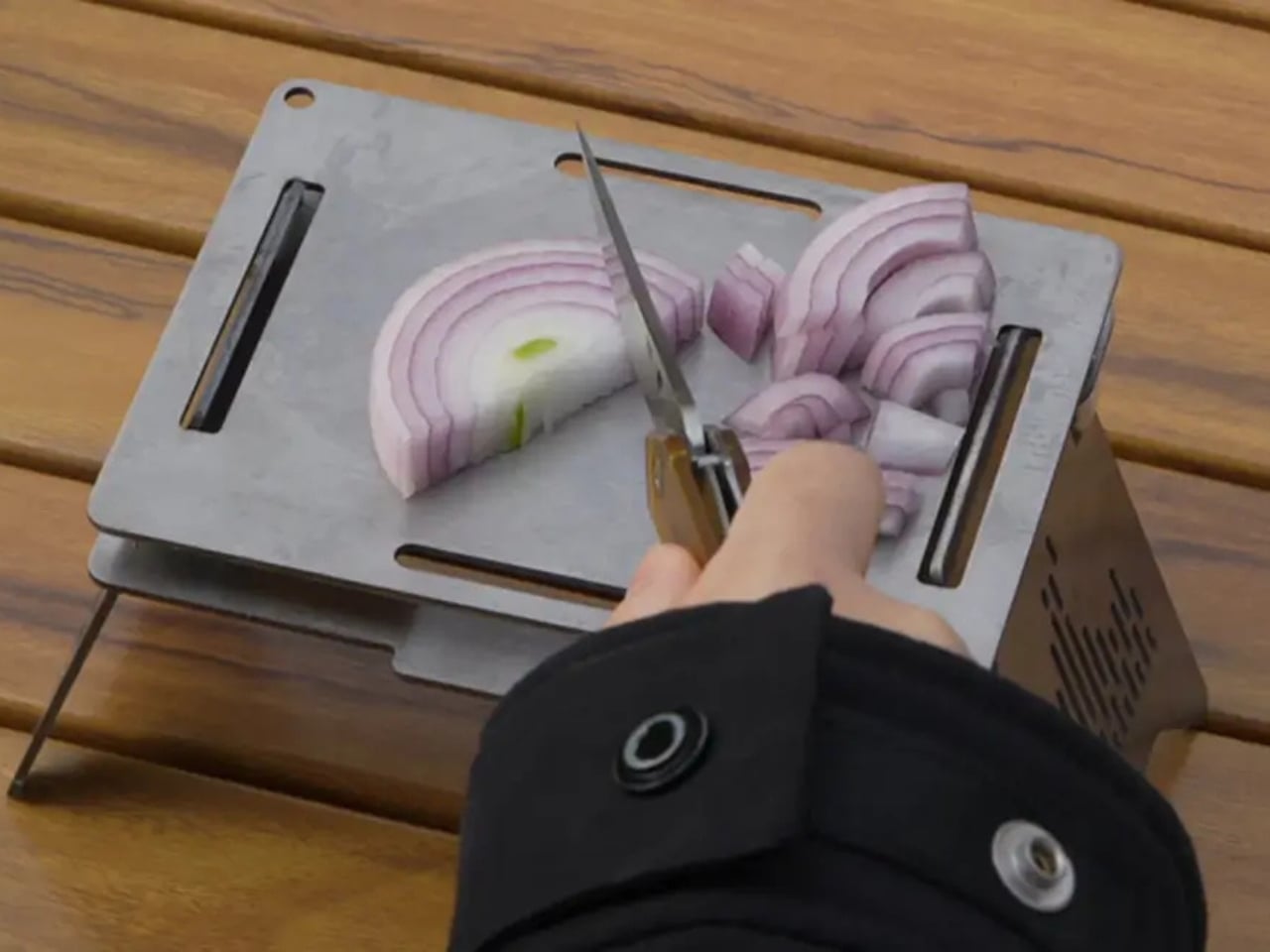
Food preparation extends beyond knife work, making these specially engineered kitchen scissors essential for comprehensive culinary tasks. The curved serrated blade design makes cutting through tough proteins, herbs, and vegetables significantly easier while maintaining safety during use. Oxidation coloring creates the distinctive black finish that resists fading and deterioration, ensuring these shears maintain their striking appearance through years of regular kitchen duty.

Ergonomic engineering prevents the blade from contacting surfaces when laid down, protecting both the cutting edge and countertops from damage. Whether trimming fat from steaks, cutting pizza into portions, or harvesting fresh herbs, these versatile shears handle diverse cutting challenges with remarkable efficiency. The substantial feel and balanced weight distribution reduce hand fatigue during extended prep sessions.

Click Here to Buy Now: $99.00

What we like

  • Versatile design handles multiple cutting tasks beyond traditional scissors.
  • Ergonomic structure protects blades and surfaces during storage.

What we dislike

  • Specialized design commands premium pricing over basic kitchen shears.
  • Hand washing is required to maintain the finish and edge quality.

4. Tojiro Nakiri DP Hammered 165mm Vegetable Knife

Vegetable preparation reaches new heights of precision with this traditional Japanese nakiri that combines authentic blade geometry with modern steel technology. The VG-10 steel core, hardened to 60 HRC, delivers exceptional sharpness while maintaining durability that withstands daily kitchen demands. Distinctive hammer marks create the striking kuro-uchi finish while serving the practical function of reducing food adhesion during cutting sessions.

The traditional D-shaped magnolia wood handle with plastic ferrule provides a secure grip without adding unnecessary weight to the blade. Nakiri blade geometry excels at precise vegetable cuts, from paper-thin radish slices to perfectly uniform julienne strips that elevate dish presentation. The balanced hardness prevents easy chipping while maintaining edge retention that keeps the blade performing optimally between sharpenings.

Click Here to Buy Now

What we like

  • Traditional Japanese blade geometry optimized for vegetable preparation.
  • Stunning hammered finish combines beauty with functional food release.

What we dislike

  • Specialized vegetable focus limits general kitchen versatility.
  • Requires proper Japanese knife maintenance techniques and tools.

5. Hinoki Essence Cutting Board

Traditional Japanese hinoki cypress wood meets contemporary design sensibilities in this remarkable cutting board that elevates every prep session. The medium hardness provides optimal resistance for efficient cutting while remaining gentle enough to preserve knife edges through countless uses. Water-resistant silicone coating penetrates deep into the wood fibers, preventing damage and extending the board’s lifespan significantly beyond typical wooden alternatives.

The thoughtful design incorporates gentle curves that facilitate juice drainage and thorough cleaning after use. Natural antimicrobial properties inherent in hinoki cypress reduce bacterial growth, making this board ideal for both raw proteins and fresh produce preparation. The integrated handle enables convenient hanging storage for hygienic air-drying while adding an elegant design element that complements modern kitchen aesthetics perfectly.

Click Here to Buy Now: $59.00

What we like

  • Natural antimicrobial properties reduce bacterial concerns.
  • Beautiful wood grain doubles as a serving presentation piece.

What we dislike

  • Requires hand washing and periodic oiling maintenance.
  • Higher cost than plastic cutting board alternatives.

Transform Your Kitchen Experience

These five exceptional tools represent more than mere kitchen implements – they embody the philosophy that beautiful, well-designed tools enhance both cooking performance and culinary enjoyment. Each piece brings unique strengths while working harmoniously together to create a comprehensive cutting and preparation system.

The investment in quality tools pays dividends through improved cutting precision, enhanced food presentation, and the simple pleasure of working with beautifully crafted implements. Whether you’re preparing elaborate dinner parties or simple weeknight meals, these tools elevate every kitchen interaction from mundane task to engaging craft.

Quality cutting tools transform cooking from a chore to a creative expression, making the time invested in food preparation genuinely enjoyable. These carefully selected pieces prove that exceptional performance and striking design remain accessible without premium price tags, bringing professional-level capabilities within reach of every passionate home cook.

The post 5 Best Kitchen Knives & Cutting Tools Under $150 Every Home Cook Needs first appeared on Yanko Design.

LuneUp Ceramic Basins Can Double as Barbecue Grills

Italian bathroom brand Terzofoco has launched LuneUp, a versatile system of hand-thrown ceramic pedestals that challenges conventional thinking about bathroom design. Created by designer Emanuel Gargano, this modular collection transforms ceramic from a simple finishing material into a central living element that works both indoors and outdoors. The LuneUp concept centers on customization, allowing users to select from interchangeable elements, including washbasins, planters, and even barbecues, all supported by sculptural ceramic pedestals.

This total-living system approach means the same foundational pieces that hold a washbasin in your bathroom can support outdoor cooking equipment on your terrace. The design deliberately blurs the line between functional bathroom fixture and lifestyle furniture. Gargano’s vision extends beyond traditional bathroom boundaries, with ceramic elements serving as supports for various configurations. Each piece is handcrafted using traditional throwing techniques, ensuring an artisanal quality that brings organic variation to every installation. The system includes various heights and formats, from freestanding basins to console configurations, offering remarkable possibilities for contemporary spaces.

Designer: Emanuel Gargano for Terzofoco

The LuneUp Bench composition features an aluminum top that doubles as both a surface and a seat, bringing unexpected versatility to what might otherwise be purely utilitarian pieces. Available finishes include Terra rossa, Raku clay, and Terra nera, each bringing distinct character while maintaining the system’s cohesive visual language. The LuneUp Pouf adds another dimension, functioning as both a ceramic laundry container and a stool. The minimalist aesthetic enables these pieces to stand alone or be combined into more intricate arrangements, adapting to various spatial needs and personal preferences. The modular system is so versatile that its offering ranges from a single wash basin to more complex combinations that serve multiple functions simultaneously.

What makes LuneUp particularly compelling is its rejection of bathroom design conventions. Rather than treating ceramic as decorative tile or simple basin material, Gargano positions it as structural and sculptural. The hand-thrown quality brings organic variation to each piece, ensuring no two installations look identical. This artisanal approach aligns with growing interest in craft-based design within the luxury bathroom sector, where consumers increasingly value pieces that showcase maker’s marks and individual character over mass-produced uniformity.

Terzofoco presented the collection at Milan Design Week in April 2025, where it attracted significant attention for its innovative approach to modular bathroom systems. The industry took notice earlier when the LUNE vanity unit earned recognition as one of the top 10 products at the Salone Internazionale del Bagno in June 2024. This acknowledgment from one of the bathroom industry’s most prestigious events validated Gargano’s unconventional thinking and confirmed that the market was ready for designs that transcend traditional category boundaries.

The system’s indoor-outdoor flexibility addresses contemporary living patterns where boundaries between interior and exterior spaces continue to dissolve. A ceramic pedestal holding a washbasin inside can support a planter outside, creating visual continuity across different zones. The barbecue option takes this further, suggesting that design languages typically confined to bathrooms can migrate to entertaining spaces. Photography by Gian Domenico Troiano captures the system’s sculptural qualities, emphasizing how light plays across the ceramic surfaces and aluminum accents. The images show LuneUp pieces in various settings, from traditional bathroom contexts to outdoor terraces, illustrating the system’s adaptability. Communication design by Simone Scimmi Design Studio presents the collection with clarity that matches its minimalist aesthetic, allowing the ceramic work itself to take center stage.

The post LuneUp Ceramic Basins Can Double as Barbecue Grills first appeared on Yanko Design.
These Nest-Like Pods Show Prefab Architecture Doesn’t Have To Look Prefab

Nestled within China’s Senbo Amusement Parks, a new architectural vision is taking root. The Forest Nests Treepod Project by Doarchiwow challenges everything we thought we knew about modular construction, transforming prefabricated building into an art form that breathes with its surroundings. These aren’t your childhood treehouses. Each dwelling rises from the landscape like a sculptural organism, its steel skeleton wrapped in layers of wood shingles, weathering steel, aluminum, and glass.

The genius lies in how these materials work together, creating structures that feel less constructed and more cultivated. They could be oversized cocoons suspended in time or nests woven by some mythical creature. What they don’t look like are typical modular buildings, and that’s entirely the point. Doarchiwow, a subsidiary of DO Architects specializing in high-quality prefabricated systems, spent years developing this concept. Design work began in 2021, with the 441.92-square-meter project finally completing in 2025 across two locations in Rizhao, Shandong and Wuhan, Hubei.

Designer: Doarchiwow

Step inside and the experience shifts. Smart home systems and digital networks handle the technical side while floor-to-ceiling glass opens up views of the canopy. The interior curves follow those same organic lines from the exterior. It’s surprisingly spacious for a micro-living unit. Doarchiwow was trying to solve a tricky problem here: how do you mass-produce something that still feels custom? The standardized shell allows for efficient construction, but the spaces inside feel tailored. The pods work as individual retreats while functioning as part of a larger network.

The sustainability angle goes deeper than surface-level green building tactics. Tang Jiajia, Wang Wenrui, and Jiang Hong led a design team that built a three-part environmental strategy into the project. Passive design, active environmental tech, and construction methods that respond to microclimate conditions. Prefabrication keeps ground disturbance minimal. Material waste drops. On-site labor requirements shrink. Each pod essentially runs as its own environmental system, capable of adjusting to different settings and weather patterns.

That adaptability matters because this model could theoretically pop up anywhere. Urban green spaces, protected natural areas, coastal zones, mountain forests. The fluid shapes refuse to look out of place, which is rare for modular buildings. Most prefab structures announce themselves loudly. These ones settle in quietly. It’s a replicable approach that doesn’t require starting from scratch each time.

Doarchiwow seems interested in changing how we think about vacation spaces and construction methods at the same time. They’re targeting boutique resorts, high-end campsites, rural tourism markets. Forest Nests makes the case that prefab doesn’t mean compromising on design or environmental responsibility. You can have efficiency and beauty. The structures prove it’s possible to build quickly without bulldozing the site or creating eyesores. Whether this becomes a widespread model remains to be seen, but it’s a compelling direction for sustainable resort development.

The post These Nest-Like Pods Show Prefab Architecture Doesn’t Have To Look Prefab first appeared on Yanko Design.
Top 7 Solar-Powered Camping Gear That Actually Work in 2025

Solar camping gear has finally evolved beyond gimmicky gadgets that barely keep a phone alive. These seven carefully selected innovations represent genuine breakthroughs in outdoor technology, combining serious power generation with practical design solutions. Modern solar camping equipment now delivers reliable performance that matches the demands of serious outdoor enthusiasts seeking complete independence from traditional power sources while maintaining authentic wilderness experiences and promoting responsible, sustainable environmental camping adventure practices.

Each product solves real problems campers face while maintaining the independence that draws us to the wilderness in the first place. From climate control to device charging, these innovations address genuine pain points without compromising off-grid freedom. Whether you’re seeking basic functionality or luxury comfort, solar technology now delivers reliable performance that enhances rather than limits outdoor adventures while supporting environmentally conscious exploration and sustainable, responsible outdoor camping adventure practices.

1. Solar Tent with Integrated Cooling System

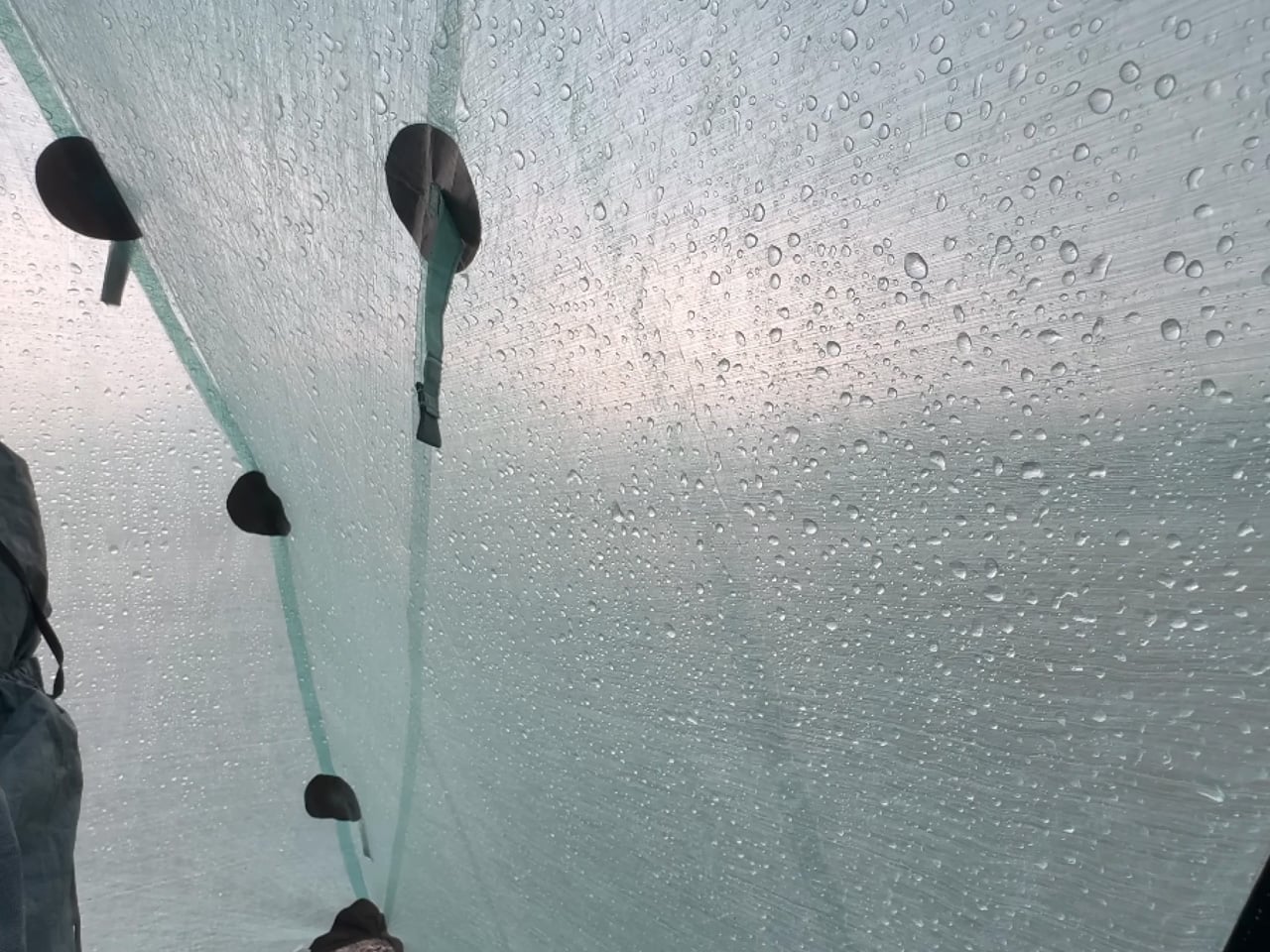
This revolutionary shelter transforms camping comfort through an ingenious integration of protection and power generation. The composite tarpaulin fabric serves dual purposes, providing weather protection while simultaneously harvesting solar energy to power an integrated cooling system. This isn’t simply a tent with an attached air conditioner; it’s a completely reimagined shelter where every material component contributes to both protection and comfort.

The concept addresses camping’s biggest pain point without compromising the off-grid experience. Traditional camping air conditioners often require bulky batteries, loud generators, or electrical hookups, which defeats the purpose of enjoying nature immersion. This solar-powered solution maintains ideal tent temperature while staying completely independent. Summer camping transforms from an endurance test into genuine relaxation, extending your outdoor season into previously unbearable months.

What we like

  • Eliminates the morning sauna effect that ruins summer camping.
  • Completely silent operation maintains a peaceful outdoor atmosphere.

What we dislike

  • Likely carries premium pricing for cutting-edge technology.
  • Effectiveness depends heavily on consistent exposure to sunlight.

2. EcoFlow Power Hat

The Power Hat disguises serious functionality within everyday outdoor wear. Hidden within the wide brim sits a flexible solar panel that converts sunlight into usable power, feeding devices through a discreet USB-C port in the inner band. This wearable charging solution targets hikers, campers, and outdoor enthusiasts who find themselves disconnected when they need power most. The design philosophy prioritizes practicality over flashiness.

EcoFlow’s approach makes clean energy genuinely accessible through clever integration. You won’t power laptops or entire campsites, but smartphones and GPS units receive reliable backup power. The hat functions exactly as expected while secretly working as your personal power plant. For day hikers and casual campers, this represents the perfect balance between functionality and convenience, keeping essential communication devices alive.

What we like

  • Dual functionality as a sun protection and a charging station.
  • Completely hands-free operation during outdoor activities.

What we dislike

  • Limited charging capacity suitable only for small devices.
  • Requires consistent head-level sun exposure for optimal performance.

3. EO Canopy High-Tech Camping Platform

The EO Canopy redefines camping luxury through serious electrical engineering. This groundbreaking platform delivers genuine home comfort to remote locations, powered entirely by solar energy and massive battery storage. The 154-kWh sodium-ion battery pack pairs with a 6,600-watt solar-tracking roof system, generating 45-64 kWh daily. This setup produces enough power for two average American homes while maintaining complete off-grid independence.

Beyond impressive specifications, the EO Canopy includes practical features like onboard water generation and electric vehicle charging capabilities. The Level 2 charging station provides 150-mile range restoration for Tesla, Rivian, or similar vehicles. Air conditioning runs indefinitely thanks to the substantial battery bank, creating genuine comfort in any environment. This represents camping evolution for those unwilling to sacrifice modern conveniences for outdoor experiences.

What we dislike

  • Generates enough power to support luxury living indefinitely.
  • Includes electric vehicle charging for complete energy independence.

What we dislike

  • Massive size and weight limit mobility and spontaneous adventures.
  • Investment cost likely exceeds most camping budgets significantly.

4. Solar-Powered Glamping Accessories Collection

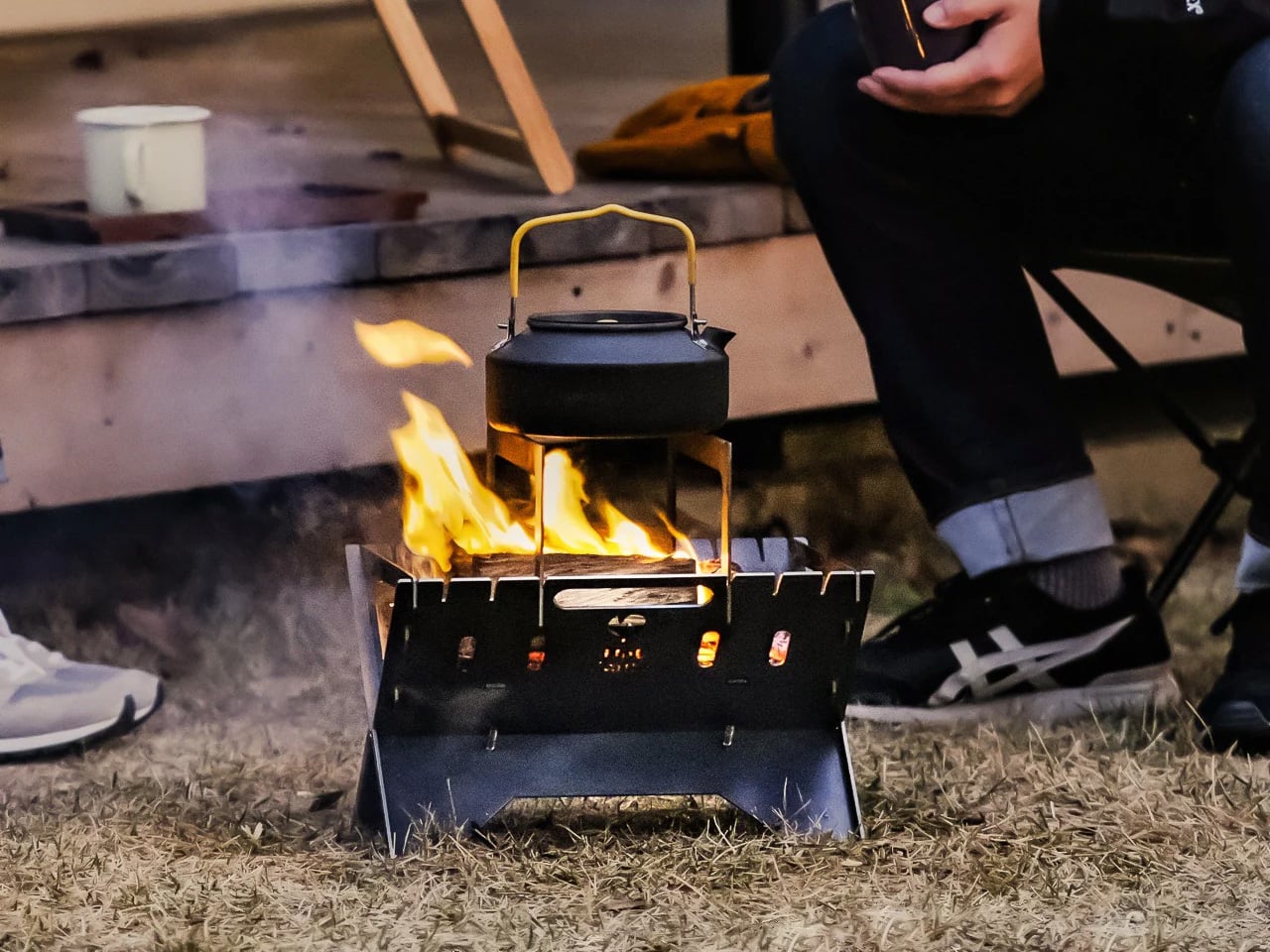
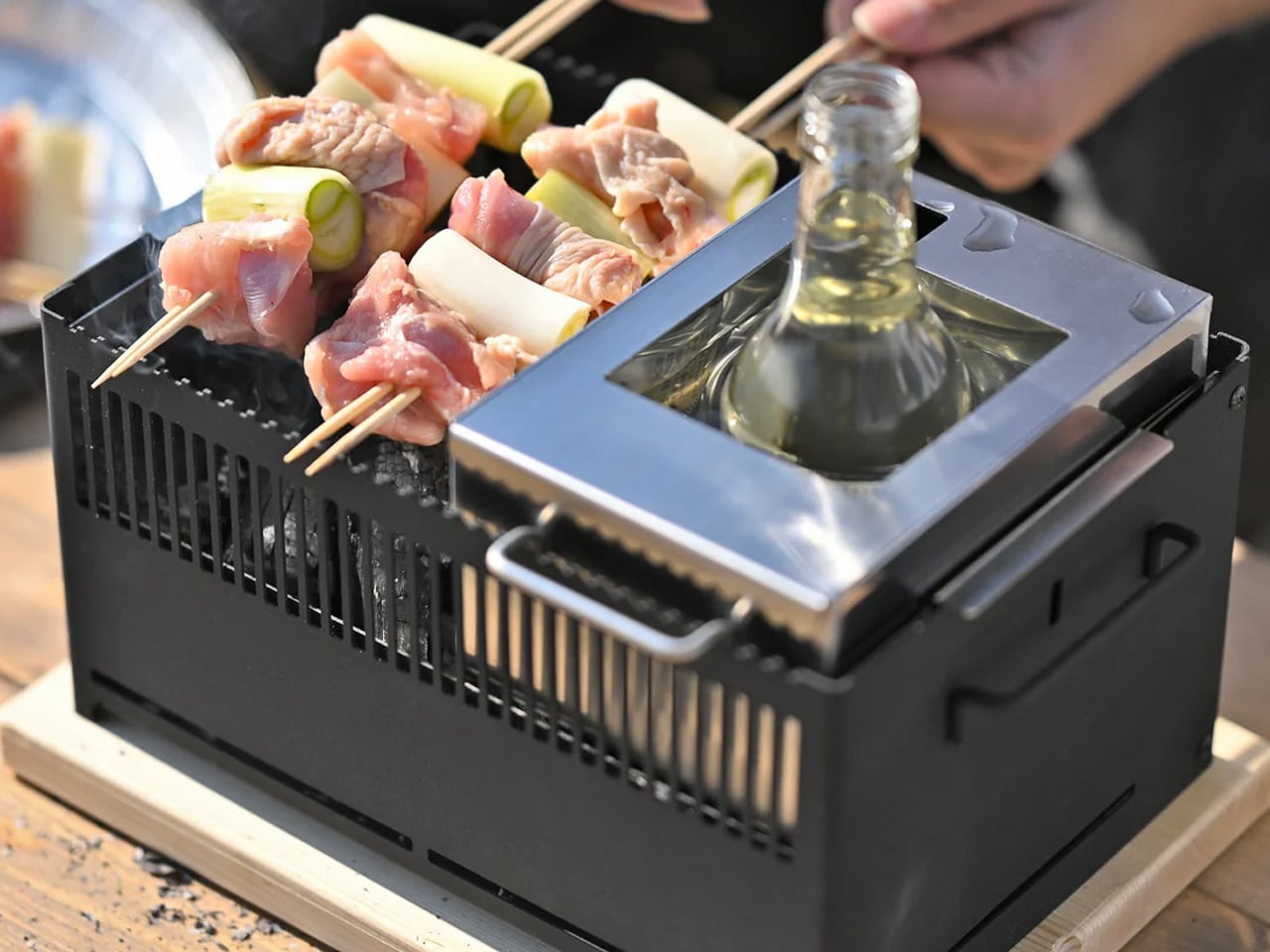
This comprehensive camping system prioritizes environmental consciousness without sacrificing style or functionality. The collection features independent solar-powered items designed for conscious travelers seeking wilderness experiences with minimal environmental impact. The standout smokeless camping fire pit combines portability with clean burning, while accompanying accessories include coffee brewers, elegant tableware, and ambient hanging lights. Every component charges during daylight hours and performs throughout evening activities.

The glamping accessories elevate outdoor dining and relaxation through thoughtful solar integration. Everything from the tripod-style fire pit to the drip coffee brewer operates on clean energy, creating sophisticated outdoor experiences. The hanging pendant lights provide warm illumination while maintaining zero environmental impact. This system proves that sustainable camping gear can enhance rather than limit outdoor luxury, appealing to environmentally conscious adventurers seeking refined wilderness experiences.

What we like

  • A complete ecosystem approach eliminates multiple charging concerns.
  • Sophisticated design elevates camping aesthetics significantly.

What we dislike

  • Multiple components create complex packing and setup requirements.
  • Higher price point compared to traditional camping accessories.

5. Solarpill

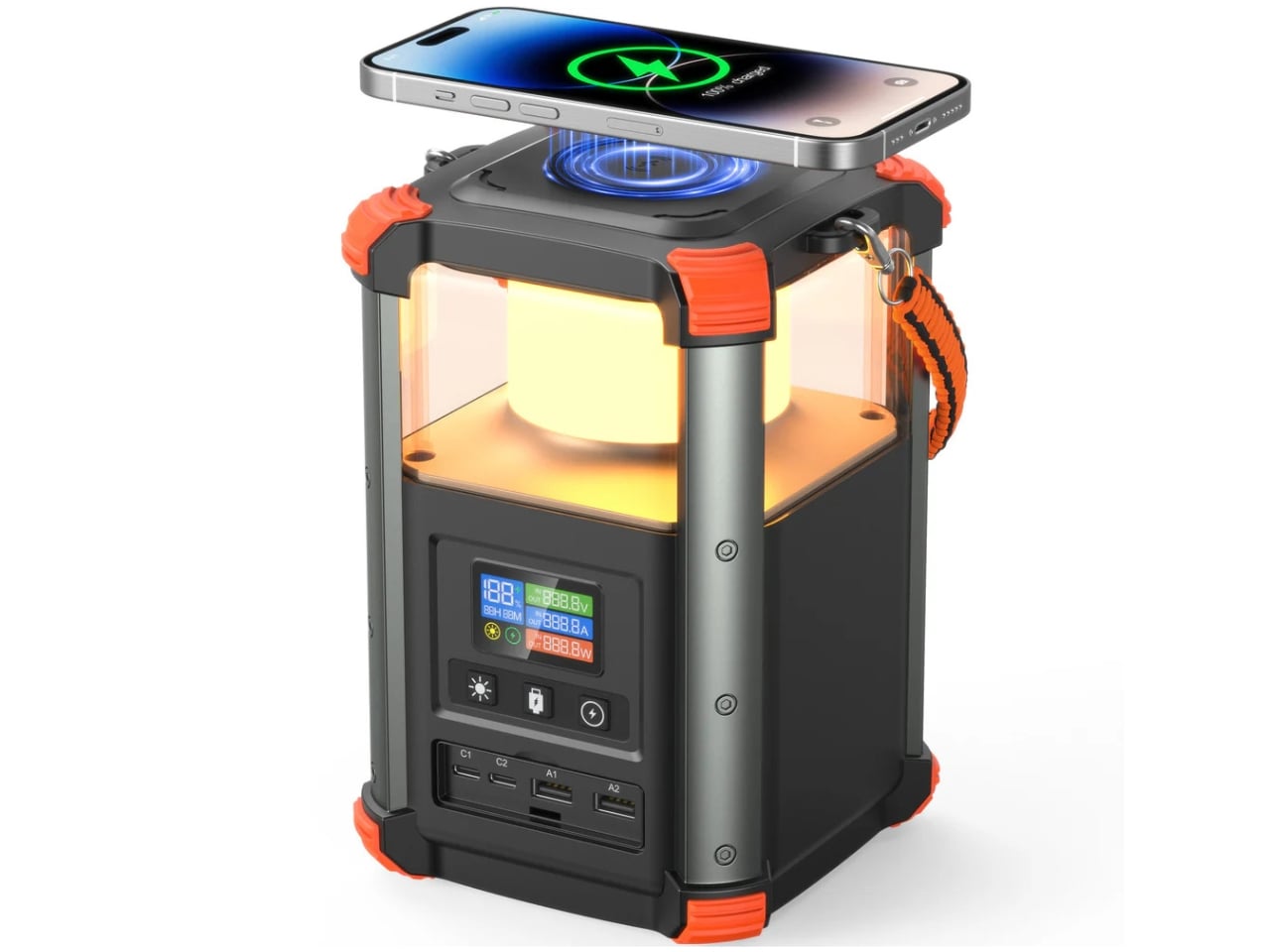
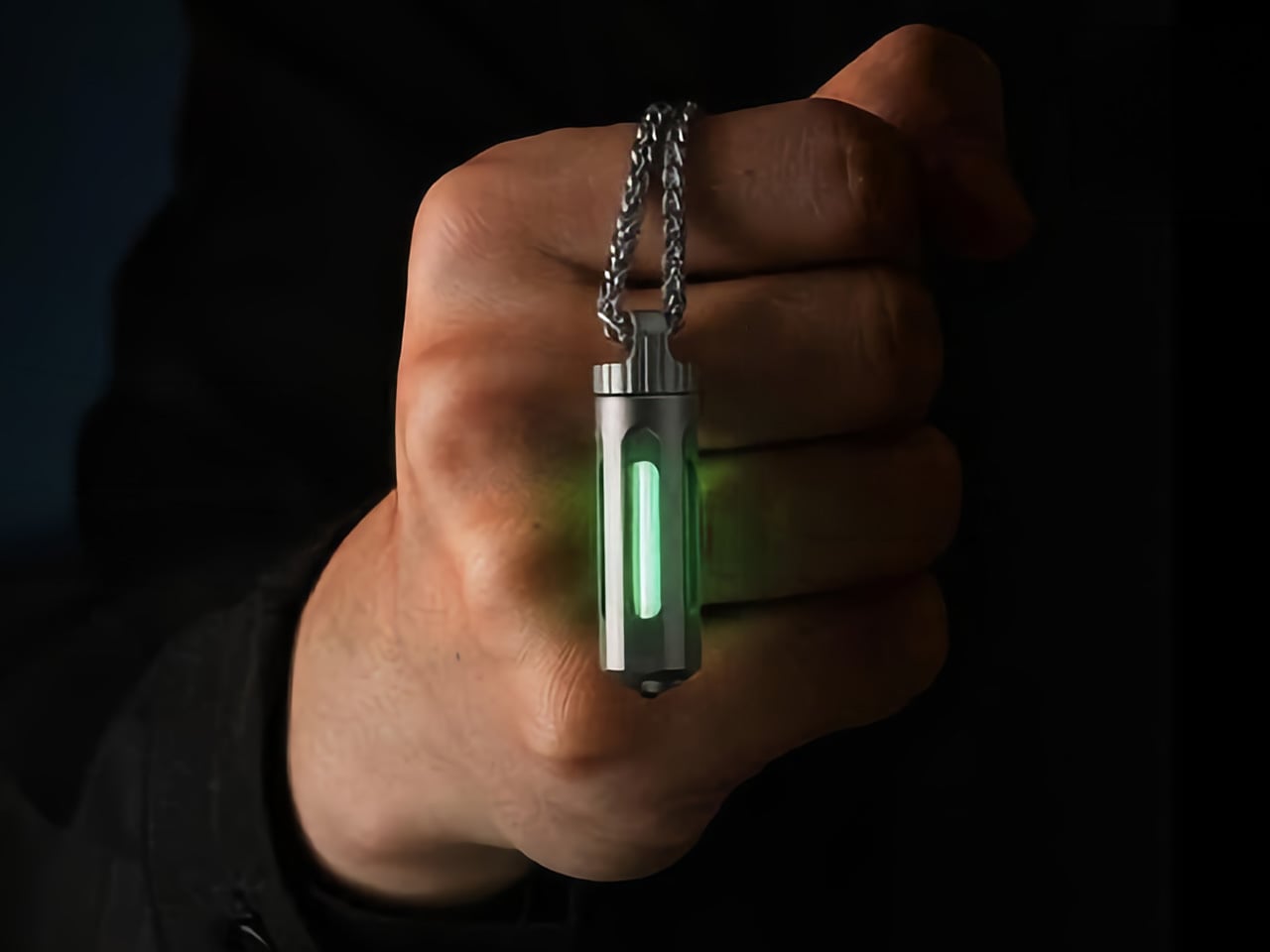
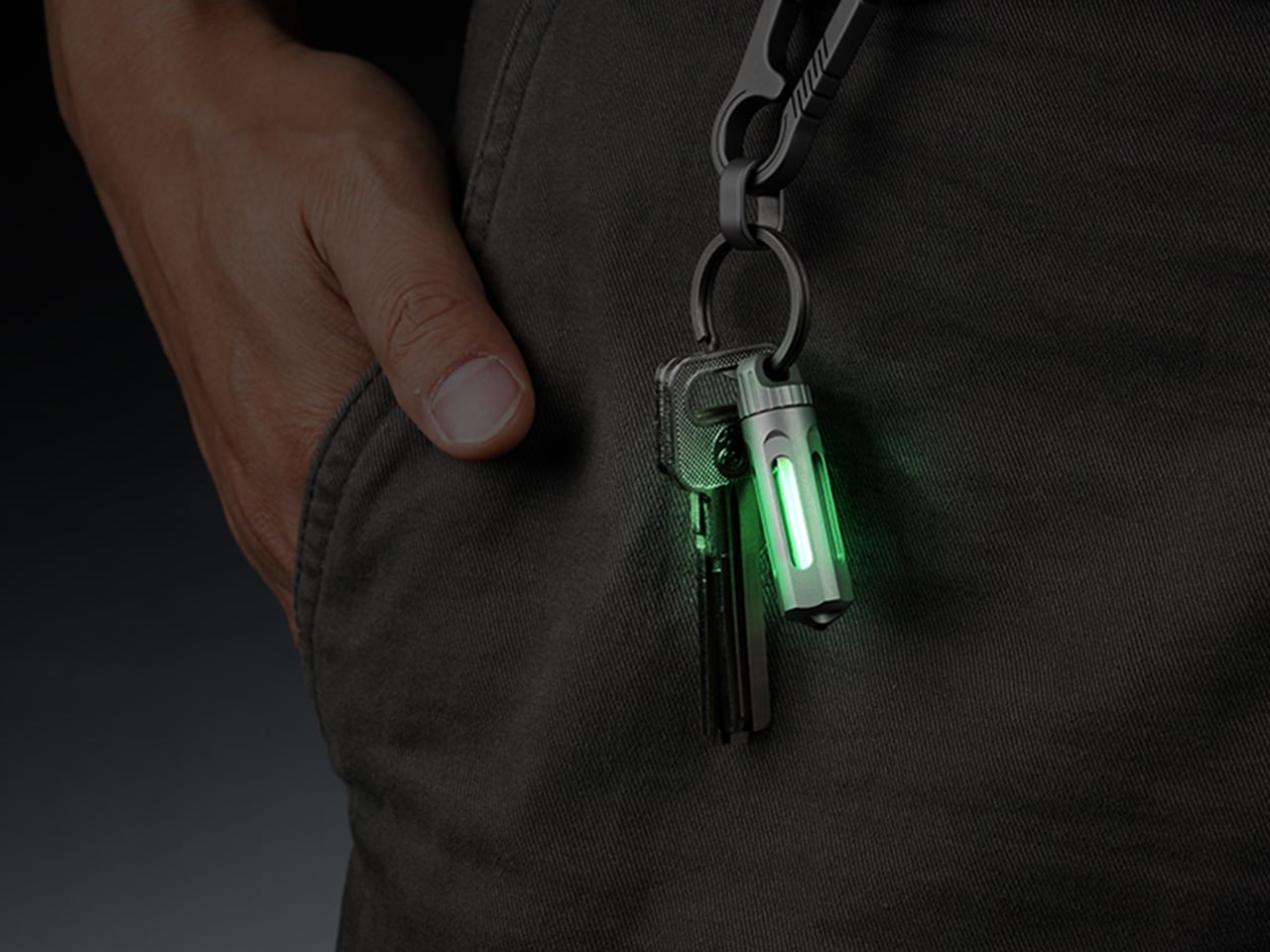
The Solarpill delivers maximum versatility within a pendant-sized solar lighting device. The white half features threading holes for rope attachment, creating instant keychain or necklace functionality. This cap removes to reveal a needle-like stake for embedding into trees, soft rocks, or other surfaces along hiking paths. The dual-purpose design provides hands-free lighting exactly where needed, from rope cutting to personal relief breaks in remote locations.

This adaptable lighting solution serves everyone from casual hikers to professional search-and-rescue teams. The ability to attach to any surface becomes invaluable during night travel through remote areas. Beyond camping applications, the Solarpill earns permanent placement in emergency preparedness kits. Its compact size and reliable solar charging make it an essential gear for anyone venturing into areas where reliable lighting could mean safety or danger.

What we like

  • Incredibly compact size fits anywhere without a weight penalty.
  • Versatile mounting options adapt to any outdoor situation.

What we dislike

  • Limited light output suitable only for close-range tasks.
  • A small solar panel requires an extended charging time.

6. GoSun Flow

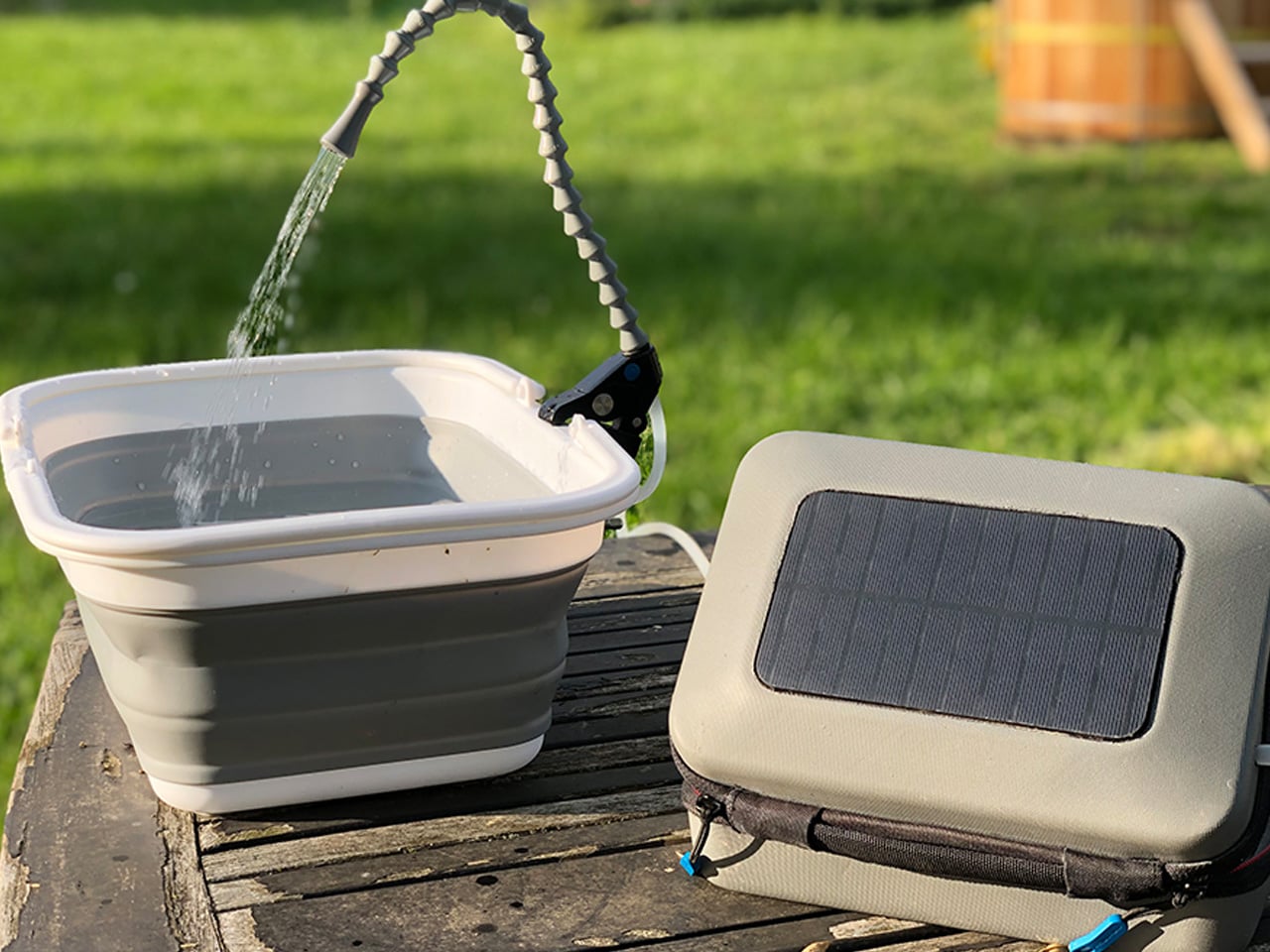
The GoSun Flow addresses camping’s most critical need through backpack-friendly solar engineering. This compact system uses solar energy to eliminate 99.99% of waterborne pathogens while pumping one liter of clean water per minute. Beyond basic purification, it transforms into a portable handwashing station and hot shower system. The luxury of properly heated shower water becomes accessible anywhere, eliminating the dreaded cold water body plunges that define traditional camping hygiene.

The operation couldn’t be simpler for such sophisticated technology. Place the intake hose into any freshwater source, plug in the pump, and automatic filtration begins immediately. The Flex Faucet’s integrated clamp opens over two and a quarter inches, attaching to branches, tables, tailgates, or fences. The flexible head twists and points water precisely where needed. This system revolutionizes camping hygiene while maintaining complete energy independence through solar power.

What we like

  • Provides hot shower capability anywhere with water access.
  • Rapid one-liter-per-minute clean water production.

What we dislike

  • Cannot process saltwater, limiting coastal camping utility.
  • Multiple components increase potential failure points.

7. BLUETTI Handsfree 2 Solar Generator Backpack

BLUETTI’s Handsfree 2 combines serious power generation with rugged outdoor functionality. This 60-liter backpack integrates a 512Wh power station and 700W inverter, maintaining device power for extended backcountry adventures. The built-in system eliminates the juggling act between navigation, power management, and gear transport. Drones capture aerial footage, GPS systems guide through unfamiliar terrain, and cameras document stunning landscapes without battery anxiety limiting creative possibilities.

The integration philosophy targets serious outdoor photographers and adventurers requiring reliable power. Memory cards fill with breathtaking landscapes while batteries remain topped off through continuous solar charging. Laptops stay operational for editing and backup tasks, extending creative possibilities far beyond traditional camping limitations. The 60-liter capacity accommodates extended expedition gear while the power station handles every electronic requirement. This represents the ultimate solution for tech-dependent outdoor professionals.

What we like

  • High-capacity 512Wh power station handles serious electronic demands.
  • Integrated design eliminates separate power station transport.

What we dislike

  • Significant weight addition affects hiking comfort and endurance.
  • Premium pricing reflects advanced integration technology.

The Solar Revolution

These seven innovations prove solar camping gear has matured beyond novelty items into serious outdoor equipment. Each addresses genuine pain points while maintaining the independence that defines great outdoor experiences. From basic lighting to luxury climate control, solar technology now powers every aspect of camping comfort.

The transformation reflects broader outdoor industry evolution toward sustainable solutions that enhance rather than limit adventures. Whether you’re seeking basic device charging or complete off-grid luxury, solar power delivers reliable performance without environmental compromise. These designs represent the future of outdoor recreation, where technology serves adventure without sacrificing our connection to nature.

The post Top 7 Solar-Powered Camping Gear That Actually Work in 2025 first appeared on Yanko Design.
5 Best EDC Designs Of November 2025

The world of everyday carry continues to evolve, pushing beyond traditional multi-tools and basic pocket knives into territory that feels more like science fiction than utility gear. November 2025 has delivered a remarkable collection of EDC innovations that challenge everything we thought we knew about portable functionality. These aren’t just tools – they’re carefully engineered solutions that blend cutting-edge materials, ingenious mechanisms, and thoughtful design into objects you’ll actually want to carry every day.

From gravity-powered deployment systems to aerospace-grade titanium connectors, this month’s standout EDC designs represent a perfect storm of advanced manufacturing, user-centered thinking, and genuine innovation. Each piece on this list solves real problems while maintaining the kind of refined aesthetics that make you proud to pull them from your pocket. Whether you’re a seasoned EDC enthusiast or someone just discovering the world of optimized carry gear, these five designs showcase exactly where the industry is heading.

1. Cubik

The Cubik represents a fundamental rethinking of blade deployment that feels both revolutionary and oddly familiar. Press the trigger, hold the knife upside down, and physics takes over as the blade smoothly extends from its housing. This isn’t just clever engineering for its own sake – it’s a complete elimination of the complex spring mechanisms, ball bearings, and maintenance-heavy components that plague traditional folding knives.

What makes the Cubik genuinely special is how natural the deployment feels once you understand the physics. The weight of the blade becomes your deployment mechanism, creating a tactile experience that borders on addictive. The rear-mounted tungsten carbide glass-breaker transforms this from a simple cutting tool into legitimate emergency gear. At the same time, the satisfying fidget-like quality ensures you’ll never get tired of the deployment action.

What we like

  • Eliminates complex mechanisms that can fail or require maintenance.
  • Tungsten carbide glass breakers add genuine emergency functionality.

What we dislike

  • Deployment requires specific orientation and hand positioning.
  • May not be legal in all jurisdictions due to one-handed opening capability.

2. Titaner Quick-Release EDC Carry System

The Titaner system attacks the fundamental problem of keychain organization with aerospace-grade materials and magnetic precision. Weighing just 6.5 grams, this GR5 titanium connector system provides instant one-handed access to your gear while maintaining the kind of strength that makes traditional keychains seem almost primitive. The magnetic-mechanical lock creates a satisfying tactile feedback that confirms a secure connection every time.

Beyond the impressive engineering specs, the Titaner succeeds because it feels warm and organic rather than cold and industrial. The CNC-machined precision and choice of finishes – from understated stonewash to bold anodized colors – means this isn’t just functional gear hiding in your pocket. Four modular sub-connectors adapt to different carrying scenarios, whether you’re organizing everyday essentials or professional outdoor equipment.

Click Here to Buy Now: $36 $65 (45% off). Hurry, only a few left! Raised over $94,000.

What we like

  • Ultra-light titanium construction offers an exceptional strength-to-weight ratio.
  • One-handed operation with satisfying magnetic-mechanical feedback.

What we dislike

  • Premium materials result in significantly higher costs than traditional keychains.
  • A modular system may be overly complex for basic key organization needs.

3. 8-in-1 EDC Scissors

Compact multi-tools often sacrifice functionality for portability, but these palm-sized scissors prove that smart design can deliver both. Eight distinct functions are packed into a 5.1-inch form factor that disappears into any pocket while maintaining the cutting performance of dedicated scissors. The oxidation film coating provides rust resistance while creating a distinctive black finish that looks intentional rather than utilitarian.

The genius lies in how each function integrates naturally into the scissor form factor. Rather than forcing disparate tools into an awkward housing, every capability flows logically from the basic scissor design. From bottle opening to wire stripping, each function feels purposeful rather than tacked on. The result is a tool that excels at its primary cutting mission while offering legitimate backup capabilities for common tasks.

Click Here to Buy Now: $59.00

What we like

  • Eight functions integrated seamlessly into a familiar scissor form factor.
  • Compact size maintains full cutting performance in a portable package.

What we dislike

  • Individual tool functions may not match the performance of dedicated alternatives.
  • Black coating could wear over time with heavy use.

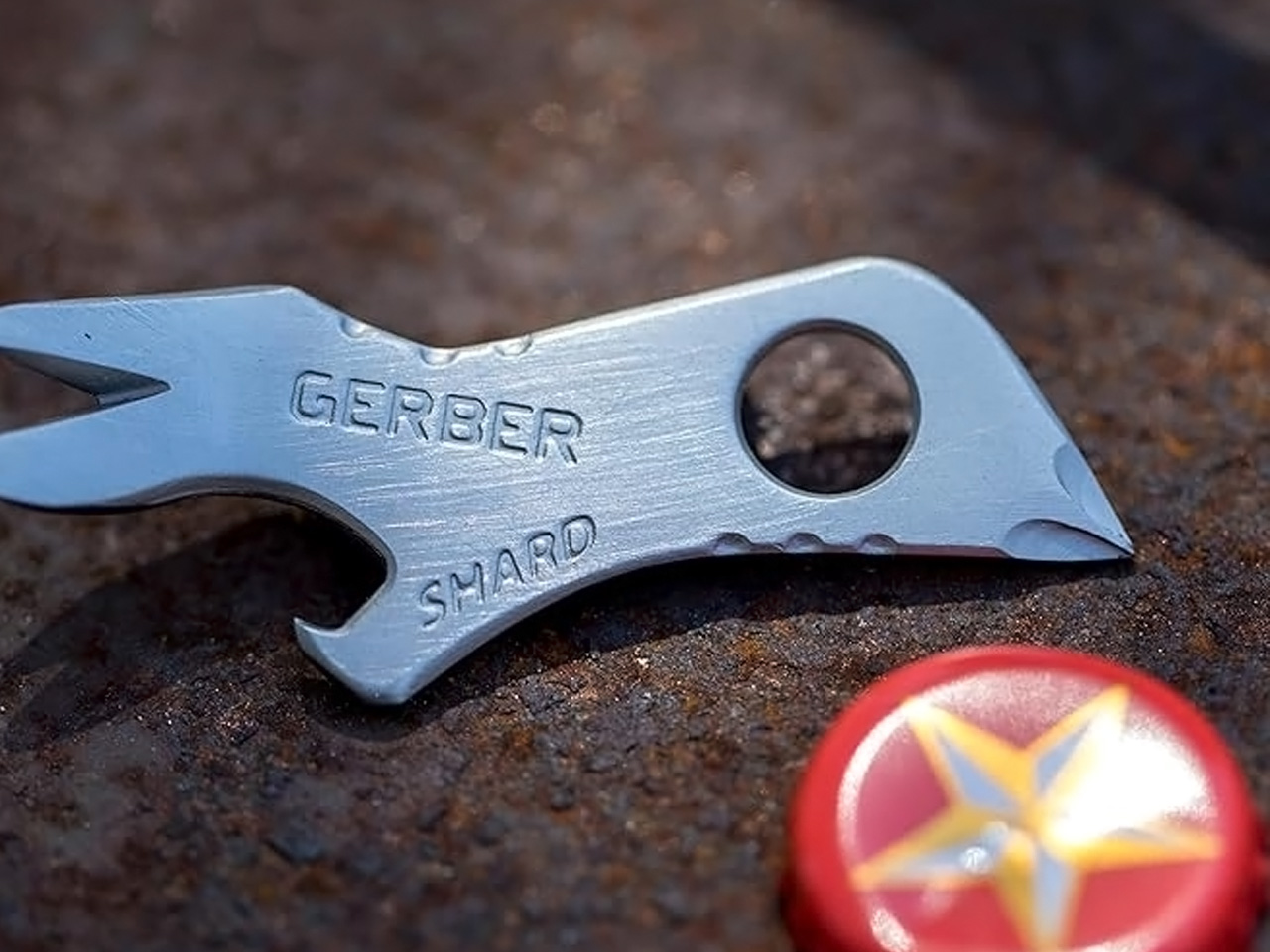
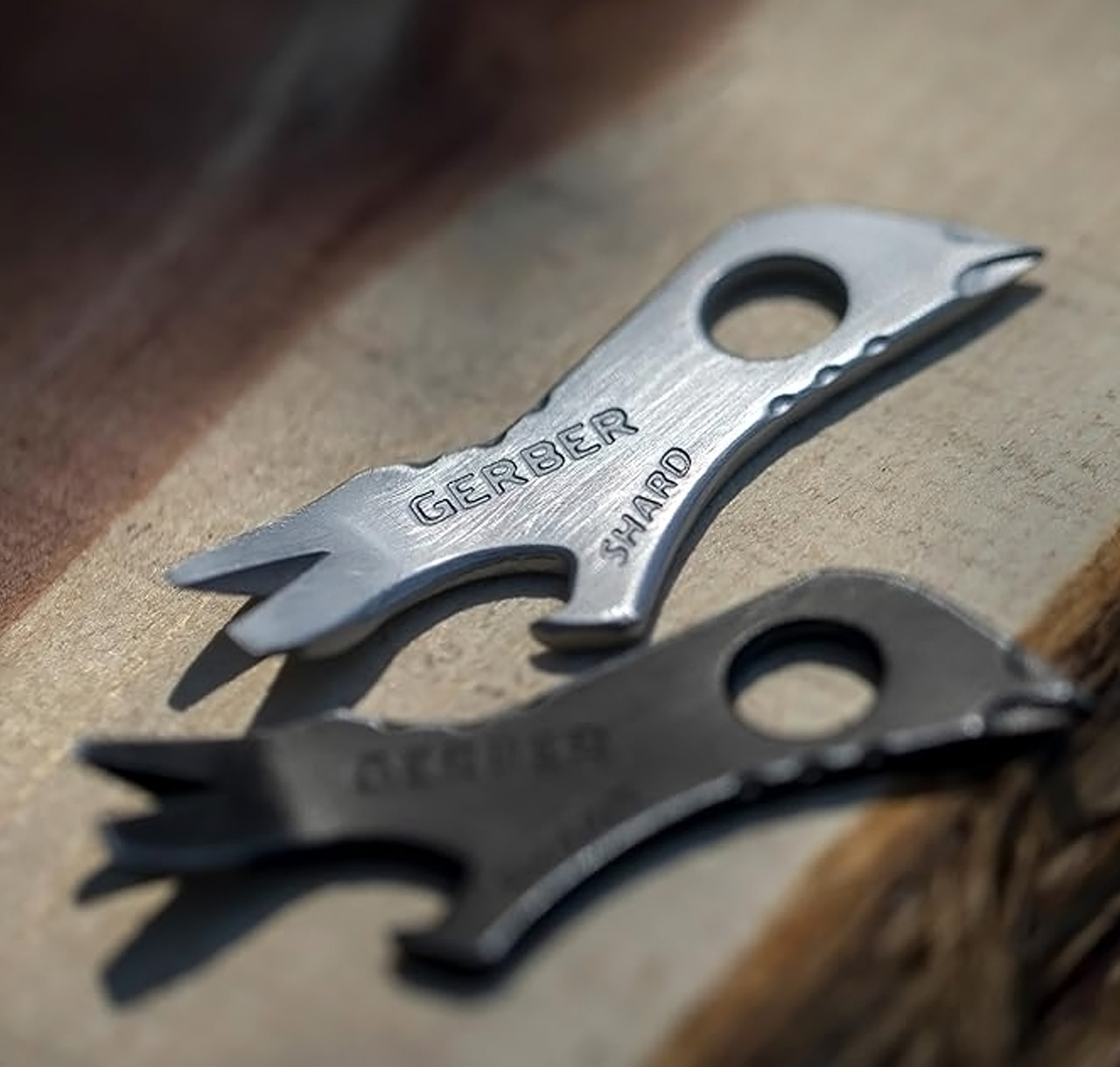
4. Gerber Shard

Sometimes the best design is the simplest design, and the Gerber Shard proves this philosophy with elegant restraint. Seven essential functions are integrated into a keychain-friendly package that prioritizes airline safety and everyday utility over flashy features. The titanium nitride coating provides serious corrosion resistance while maintaining a professional appearance that works in any environment.

The Shard succeeds by focusing relentlessly on the tasks you actually encounter daily. Pry bars, flathead drivers, and bottle openers get the engineering attention they deserve, while unnecessary features stay out of the way. This disciplined approach creates a tool that feels substantial despite its compact dimensions. The limited lifetime warranty signals Gerber’s confidence in the fundamental engineering, while the airline-safe design ensures it travels with you anywhere.

What we like

  • Airline-safe design travels without restrictions or complications.
  • Titanium nitride coating provides superior corrosion resistance and durability.

What we dislike

  • Limited to seven functions compared to larger multi-tool alternatives.
  • The flat profile may be less comfortable for extended use sessions.

5. BlackoutBeam Tactical Flashlight

The BlackoutBeam represents tactical illumination engineering applied to everyday carry needs. With 2300 lumens available on demand and a 300-meter throw distance, this flashlight delivers professional-grade performance in a package designed for daily pocket carry. The 0.2-second response time eliminates the frustrating delay common in consumer flashlights, while the IP68 waterproof rating ensures reliability regardless of conditions.

What elevates the BlackoutBeam beyond simple lumen counting is the industrial design aesthetic that makes it look intentional rather than tactical. The durable aluminum construction feels substantial without adding unnecessary bulk, while the sleek profile integrates naturally into any EDC setup. Whether you’re dealing with power outages, navigating in darkness, or building emergency preparedness, this flashlight delivers instant clarity exactly when needed.

Click Here to Buy Now: $89.00

What we like

  • Exceptional 2300-lumen output with 300-meter throw for serious illumination needs.
  • 0.2-second response time provides instant-on reliability without delay.

What we dislike

  • High-output modes likely drain the battery quickly during extended use.
  • Professional-grade features may be excessive for basic everyday lighting needs.

The Evolution of Everyday Carry

These five designs represent more than just incremental improvements in existing product categories. They showcase a fundamental shift in how we think about the relationship between tools, materials, and daily utility. The Cubik’s gravity deployment eliminates mechanical complexity while adding tactile satisfaction. The Titaner system brings aerospace engineering to a keychain organization, proving that premium materials can transform mundane tasks into satisfying experiences.

The common thread connecting these innovations is attention to the complete user experience. These aren’t just functional objects – they’re carefully considered solutions that recognize how tools integrate into daily life. From materials selection to deployment mechanisms, every design decision serves the goal of creating gear you’ll want to carry and use every day, suggesting we’re entering a golden age of everyday carry design.

The post 5 Best EDC Designs Of November 2025 first appeared on Yanko Design.
7 Best Coffee & Tea Gifts Every Caffeine Connoisseur Needs This Holiday Season

The holiday season presents the perfect moment to celebrate coffee and tea enthusiasts in your life with gifts that transform daily brewing rituals into extraordinary experiences. These thoughtfully curated selections represent the pinnacle of design innovation, combining cutting-edge technology with timeless craftsmanship. From precision temperature control to ergonomic comfort, each carefully chosen piece elevates the ordinary act of drinking into something truly sublime for today’s most discerning caffeine connoisseurs everywhere.

Whether your loved one is a methodical pour-over purist or an adventurous flavor explorer, these gifts promise to awaken their senses and inspire deeper appreciation for their beloved beverages. Each selection has been carefully chosen for its ability to enhance the daily rituals of coffee and tea consumption, transforming routine caffeine breaks into moments of genuine pleasure and sophisticated appreciation that will be treasured for many years ahead.

1. Fellow Stagg EKG Pro Electric Pour-Over Kettle

The Fellow Stagg EKG Pro represents the evolution of precision brewing technology, engineered specifically for pour-over coffee perfection. Its signature gooseneck spout delivers unmatched control over flow rate and stream consistency, while the to-the-degree temperature control heats and holds water exactly as programmed. The high-resolution color display allows complete customization of brewing schedules, altitude adjustments, and temperature units through intuitive navigation.

This kettle transcends basic functionality through its WiFi connectivity and advanced scheduling capabilities that adapt to your lifestyle. The precision spout ensures optimal water saturation of coffee grounds, while the rapid heating system brings water to target temperatures faster than traditional stovetop methods. The sleek industrial design complements modern kitchen aesthetics, while the hold function maintains perfect brewing temperature for extended periods without energy waste.

Click Here to Buy Now

What we like

• WiFi updates keep the kettle current with new features and improvements.

• Scheduling function allows pre-programmed brewing times for morning convenience.

What we dislike

• Premium price point significantly exceeds basic electric kettles.

• WiFi connectivity requires a stable internet connection for full functionality.

2. Ceramic Cup

The ceramic cup transforms the mechanical act of drinking into a mindful, meditative experience through its thoughtful Japanese-inspired design. Crafted from premium Japanese ceramic with a natural wood handle, this 12-ounce vessel mimics the appearance of traditional cast iron while delivering the smooth, cool texture of refined ceramics. The earthy aesthetic creates an immediate sense of calm, encouraging users to slow down and truly savor their beverages.

The humble yet sophisticated design philosophy behind this mug emphasizes the beauty found in simplicity and natural materials. Each cup is individually crafted, ensuring subtle variations that make every piece unique while maintaining consistent quality and functionality. The wooden handle stays comfortable during extended use, while the ceramic construction retains heat effectively without becoming uncomfortably hot to touch.

Click Here to Buy Now: $60.00

What we like

• Japanese ceramic construction provides superior heat retention and durability.

• Zen-inspired design promotes mindful drinking and stress reduction.

What we dislike

• Hand-wash only requirement creates additional maintenance considerations.

• Cannot be microwaved, limiting convenience for reheating beverages.

3. Three Cup Handblown CHEMEX

The handblown CHEMEX represents the pinnacle of artisanal coffee brewing equipment, where each piece is individually crafted by skilled glassblowers in Croatia. These stunning vessels combine scientific precision with artistic beauty, creating unique works of functional art that transform every brewing session into a ceremonial experience. The small-batch production ensures exceptional quality control while celebrating traditional European glassmaking techniques.

The borosilicate glass construction matches laboratory-grade standards, ensuring complete flavor neutrality while withstanding thermal shock from hot water pours. When paired with scientifically designed CHEMEX Bonded filters, this system removes fats, bitterness, acidity, and sediments that compromise coffee clarity and taste. The polished wood collar with leather tie adds an elegant tactile element while providing safe handling of the heated vessel.

Click Here to Buy Now

What we like

• Each piece is individually handblown, making every CHEMEX a unique work of art.

• Scientifically designed filters produce exceptionally clean, bright coffee flavors.

What we dislike

• Handblown glass construction makes replacement difficult and expensive.

• Requires specialized CHEMEX filters that cost more than standard alternatives.

4. Smart Tea Pot

This revolutionary smart teapot transforms tea preparation through cutting-edge sensor technology that personalizes every cup based on physiological and environmental factors. Six advanced sensors continuously monitor heart rate, finger temperature, and ambient conditions to tailor brewing parameters automatically. The app-connected system eliminates guesswork by selecting optimal steeping times, water temperatures, and tea-to-water ratios for different varieties. The technology creates a harmonious symphony of flavor and aroma that adapts to individual preferences and moods.

The personalized brewing experience extends beyond simple temperature control, analyzing biometric data to determine whether you need energizing or calming tea preparations. Professional-grade results become accessible to home users through intelligent automation that learns from usage patterns. The sleek design integrates seamlessly with modern kitchen technology, while the intuitive app interface makes sophisticated brewing techniques approachable for beginners and experts alike.

Click Here to Buy Now: $349.00

What we like

• Biometric sensors create truly personalized tea experiences based on physical state.

• App connectivity provides access to extensive tea knowledge and brewing guides.

What we dislike

• Complex technology may intimidate traditional tea brewing enthusiasts.

• Dependence on app functionality could limit use during technical issues.

5. Baratza Encore Coffee Grinder

The Baratza Encore stands as the industry standard for entry-level burr grinding, recommended by professional baristas worldwide for its consistent particle size distribution across 40 distinct grind settings. This versatile grinder accommodates every brewing method from cold brew coarse to espresso fine with simple hopper adjustments. The conical burr mechanism produces uniform grounds that extract evenly, eliminating the bitter over-extraction and sour under-extraction common with blade grinders.

Built for longevity, the Encore’s components are engineered to withstand approximately ten years of regular home use while maintaining grinding precision. The thermal overload protection prevents motor damage during extended grinding sessions, while the large capacity hopper reduces the frequency of bean refills. User-serviceable parts and readily available replacements ensure this grinder remains functional throughout its extended lifespan, making it an exceptional long-term investment for serious coffee enthusiasts.

Click Here to Buy Now

What we like

• Forty grind settings accommodate every brewing method from French press to espresso.

• Ten-year expected lifespan with user-serviceable parts provides exceptional value.

What we dislike

• Larger footprint requires dedicated counter space in compact kitchens.

• Some grind retention between different bean types can waste premium coffee.

6. Ember Temperature Control Tumbler

The Ember Tumbler redefines portable beverage consumption through precise temperature control technology that maintains drinks at optimal warmth for up to three hours. This 16-ounce vessel represents Ember’s largest capacity offering, featuring their most advanced Bluetooth chip for improved connectivity and simplified pairing processes. The durable stainless steel construction withstands daily use while remaining fully submersible up to one meter, making cleaning effortless and worry-free.

The innovative dual-lid system provides versatility for different usage scenarios, with both leak-proof Handle Lid and spill-proof Sliding Lid options included. Temperature precision eliminates the common problems of drinks becoming too cold or remaining dangerously hot, creating consistently pleasant drinking experiences. The tumbler fits standard car cup holders while maintaining elegant aesthetics that complement professional and casual environments equally well.

Click Here to Buy

What we like

• Three-hour battery life maintains perfect drinking temperature throughout extended use.

• Dual lid system adapts to different activities and spill-prevention needs.

What we dislike

• Premium pricing significantly exceeds traditional insulated travel mugs.

• Electronic components require careful handling despite water-resistant construction.

7. ErgoCup Redesigned Coffee Mug

The ErgoCup revolutionizes traditional mug design through ergonomic innovation that eliminates the joint strain and awkward positioning associated with conventional handles. The breakthrough open-ended handle allows natural palm placement while fingers wrap comfortably around the vessel without forcing unnatural grip positions. This design philosophy prioritizes long-term comfort during extended drinking sessions, making it ideal for office workers and leisurely coffee enthusiasts alike.

The integrated flange concept provides subtle thumb and hand support, distributing weight more evenly across the palm while reducing pressure on individual joints. The ergonomic benefits become particularly apparent during longer drinking sessions, where traditional handles can cause discomfort and cramping. The thoughtful design makes holding feel effortless and natural, as though the cup wants to be held rather than fighting against your grip.

Click Here to Buy

What we like

• Open-ended handle design eliminates joint strain during extended use.

• Weight distribution flange reduces pressure on individual fingers and joints.

What we dislike

• Unconventional design may require an adjustment period for traditional mug users.

• Limited availability compared to standard mug designs in retail environments.

The Perfect Holiday Collection for Discerning Tastes

These seven exceptional gifts represent the perfect intersection of innovative design, functional excellence, and aesthetic beauty for discerning caffeine enthusiasts everywhere. From the precision engineering of temperature control systems to the artisanal craftsmanship of handblown glass, these carefully selected pieces cater to every aspect of sophisticated coffee and tea appreciation. Each thoughtfully chosen item transforms ordinary beverage consumption into moments of genuine pleasure and deeply mindful appreciation for quality craftsmanship.

Whether seeking to upgrade brewing equipment, enhance drinking comfort, or explore new flavor territories, these gifts promise to delight and inspire the most discerning coffee and tea enthusiasts throughout the holiday season and beyond. Each selection offers lasting value that extends far beyond the initial unwrapping, providing years of enhanced beverage experiences that celebrate the artistry behind exceptional drinks while creating memorable moments of daily indulgence and truly sophisticated appreciation.

The post 7 Best Coffee & Tea Gifts Every Caffeine Connoisseur Needs This Holiday Season first appeared on Yanko Design.
From Multi-Story to Single-Level: Häuslein’s New Eire Targets Guest Accommodation Market

Australian tiny house manufacturer Häuslein Tiny House Co has just launched its newest model, the Eire, marking a significant departure from its traditional multi-story designs. The new Häuslein Eire tiny house has been crafted with inspiration from Ireland (homeland of Scott, who designs all our tiny houses!), bringing a distinctly fresh aesthetic to the company’s established lineup.

Designer: Häuslein Tiny House Co.

Design Philosophy Rooted in Natural Light

The Eire represents a bold shift toward single-level living, featuring a single-story layout that puts the focus firmly on daylight through panoramic glazing that maximizes natural light and connection to the outdoors. This design philosophy prioritizes openness and connectivity with nature, a hallmark that sets it apart from the company’s traditionally compact, multi-level offerings.

Crafted with spacious design, vast windows, and an all-new colour palette, the Eire brings a fresh, elegant look to our tiny house range, while maintaining the same high standard in design and finish that Häuslein customers have come to expect.


Strategic Market Positioning

Unlike Häuslein’s larger family-oriented models, the Eire targets a specific niche in the tiny house market. The first layout is primarily designed for guest accommodation, though the company has indicated that a possible second layout for long-term living will also be developed with customer interest.

The company has identified two primary use cases for the Eire. For Airbnb guests, the tiny house lends itself well to guest accommodation as a simpler, more cost-effective Airbnb tiny house with everything 1-2 guests may need for a very enjoyable stay. For property owners seeking extra accommodation, the Eire has been specifically designed for 1-2 family members or friends to have a very enjoyable stay on your property with their own kitchen, loft bedroom, toilet, and shower, and chill out space.

At an Introductory Special price starting at $135,080 (inc GST), the Eire positions itself as one of Häuslein’s more accessible options, making quality tiny house living available to a broader market segment. This pricing strategy reflects the model’s streamlined design and targeted functionality.

The Eire represents Häuslein’s evolution toward more specialized, purpose-built designs that address specific market needs while maintaining their commitment to quality craftsmanship. With its Irish-inspired aesthetic and focus on natural light, the Eire offers a compelling option for those seeking elegant guest accommodation or compact living solutions without compromising on design excellence.

The post From Multi-Story to Single-Level: Häuslein’s New Eire Targets Guest Accommodation Market first appeared on Yanko Design.